Search Results: "hug"

9 April 2016

Mart n Ferrari: Come to SunCamp this May!

Do you fancy a hack-camp in a place like this? Swimming pool As you might have heard by now, Ana (Guerrero) and I are organising a small Debian event this spring: the Debian SunCamp 2016. It is going to be different to most other Debian events. Instead of a busy schedule of talks, SunCamp will focus on the hacking and socialising aspect. We have tried to make this event the simplest event possible, both for organisers and attendees. There will be no schedule, except for the meal times at the hotel. But these can be ignored too, there is a lovely bar that serves snacks all day long, and plenty of restaurants and caf s around the village. Caf Caf  terrace One of the things that makes the event simple, is that we have negotiated a flat price for accommodation that includes usage of all the facilities in the hotel, and optionally food. We will give you a booking code, and then you arrange your accommodation as you please, you can even stay longer if you feel like it! The rooms are simple but pretty, and everything has been renovated very recently. Room Room view We are not preparing a talks programme, but we will provide the space and resources for talks if you feel inclined to prepare one. You will have a huge meeting room, divided in 4 areas to reduce noise, where you can hack, have team discussions, or present talks. Hacklab Hacklab Of course, some people will prefer to move their discussions to the outdoor area. Outside Sun   lounge Or just skip the discussion, and have a good time with your Debian friends, playing p tanque, pool, air hockey, arcades, or board games. P tanque Snookers Do you want to see more pictures? Check the full gallery
Debian SunCamp 2016 Hotel Anabel, LLoret de Mar, Province of Girona, Catalonia, Spain May 26-29, 2016

Tempted already? Head to the wikipage and register now, it is only 7 weeks away! Please reserve your room before the end of April. The hotel has reserved a number of rooms for us until that time. You can reserve a room after April, but we can't guarantee the hotel will still have free rooms. Comment

5 April 2016

Matthew Garrett: There's more than one way to exploit the commons

There's a piece of software called XScreenSaver. It attempts to fill two somewhat disparate roles: XScreenSaver does an excellent job of the second of these[2] and is pretty good at the first, which is to say that it only suffers from a disastrous security flaw once very few years and as such is certainly not appreciably worse than any other piece of software.

Debian ships an operating system that prides itself on stability. The Debian definition of stability is a very specific one - rather than referring to how often the software crashes or misbehaves, it refers to how often the software changes behaviour. Debian is very reluctant to upgrade software that is part of a stable release, to the extent that developers will attempt to backport individual security fixes to the version they shipped rather than upgrading to a release that contains all those security fixes but also adds a new feature. The argument here is that the new release may also introduce new bugs, and Debian's users desire stability (in the "things don't change" sense) more than new features. Backporting security fixes keeps them safe without compromising the reason they're running Debian in the first place.

This all makes plenty of sense at a theoretical level, but reality is sometimes less convenient. The first problem is that security bugs are typically also, well, bugs. They may make your software crash or misbehave in annoying but apparently harmless ways. And when you fix that bug you've also fixed a security bug, but the ability to determine whether a bug is a security bug or not is one that involves deep magic and a fanatical devotion to the cause so given the choice between maybe asking for a CVE and dealing with embargoes and all that crap when perhaps you've actually only fixed a bug that makes the letter "E" appear in places it shouldn't and not one that allows the complete destruction of your intergalactic invasion fleet means people will tend to err on the side of "Eh fuckit" and go drinking instead. So new versions of software will often fix security vulnerabilities without there being any indication that they do so[3], and running old versions probably means you have a bunch of security issues that nobody will ever do anything about.

But that's broadly a technical problem and one we can apply various metrics to, and if somebody wanted to spend enough time performing careful analysis of software we could have actual numbers to figure out whether the better security approach is to upgrade or to backport fixes. Conversations become boring once we introduce too many numbers, so let's ignore that problem and go onto the second, which is far more handwavy and social and so significantly more interesting.

The second problem is that upstream developers remain associated with the software shipped by Debian. Even though Debian includes a tool for reporting bugs against packages included in Debian, some users will ignore that and go straight to the upstream developers. Those upstream developers then have to spend at least 15 or so seconds telling the user that the bug they're seeing has been fixed for some time, and then figure out how to explain that no sorry they can't make Debian include a fixed version because that's not how things work. Worst case, the stable release of Debian ends up including a bug that makes software just basically not work at all and everybody who uses it assumes that the upstream author is brutally incompetent, and they end up quitting the software industry and I don't know running a nightclub or something.

From the Debian side of things, the straightforward solution is to make it more obvious that users should file bugs with Debian and not bother the upstream authors. This doesn't solve the problem of damaged reputation, and nor does it entirely solve the problem of users contacting upstream developers. If a bug is filed with Debian and doesn't get fixed in a timely manner, it's hardly surprising that users will end up going upstream. The Debian bugs list for XScreenSaver does not make terribly attractive reading.

So, coming back to the title for this entry. The most obvious failure of the commons is where a basically malicious actor consumes while giving nothing back, but if an actor with good intentions ends up consuming more than they contribute that may still be a problem. An upstream author releases a piece of software under a free license. Debian distributes this to users. Debian's policies result in the upstream author having to do more work. What does the upstream author get out of this exchange? In an ideal world, plenty. The author's software is made available to more people. A larger set of developers is willing to work on making improvements to the software. In a less ideal world, rather less. The author has to deal with bug mail about already fixed bugs. The author's reputation may be harmed by user exposure to said fixed bugs. The author may get less in the way of useful bug fixes or features because people are running old versions rather than fixing new ones. If the balance tips towards the latter, the author's decision to release their software under a free license has made their life more difficult.

Most discussions about Debian's policies entirely ignore the latter scenario, focusing more on the fact that the author chose to release their software under a free license to begin with. If the author is unwilling to handle the consequences of that, goes the argument, why did they do it in the first place? The unfortunate logical conclusion to that argument is that the author realises that they made a huge mistake and never does so again, and woo uh oops.

The irony here is that one of Debian's foundational documents, the Debian Free Software Guidelines, makes allowances for this. Section 4 allows for distribution of software in Debian even if the author insists that modified versions[4] are renamed. This allows for an author to make a choice - allow themselves to be associated with the Debian version of their work and increase (a) their userbase and (b) their support load, or try to distinguish what Debian ship from their identity. But that document was ratified in 1997 and people haven't really spent much time since then thinking about why it says what it does, and so this tradeoff is rarely considered.

Free software doesn't benefit from distributions antagonising their upstreams, even if said upstream is a cranky nightclub owner. Debian's users are Debian's highest priority, but those users are going to suffer if developers decide that not using free licenses improves their quality of life. Kneejerk reactions around specific instances aren't helpful, but now is probably a good time to start thinking about what value Debian bring to its upstream authors and how that can be increased. Failing to do so doesn't serve users, Debian itself or the free software community as a whole.

[1] The X server has no fundamental concept of a screen lock. This is implemented by an application asking that the X server send all keyboard and mouse input to it rather than to any other application, and then that application creating a window that fills the screen. Due to some hilarious design decisions, opening a pop-up menu in an application prevents any other application from being able to grab input and so it is impossible for the screensaver to activate if you open a menu and then walk away from your computer. This is merely the most obvious problem - there are others that are more subtle and more infuriating. The only fix in this case is to nuke the site from orbit.

[2] There's screenshots here. My favourites are the one that emulate the electrical characteristics of an old CRT in order to present a more realistic depiction of the output of an Apple 2 and the one that includes a complete 6502 emulator.

[3] And obviously new versions of software will often also introduce new security vulnerabilities without there being any indication that they do so, because who would ever put that in their changelog. But the less ethically challenged members of the security community are more likely to be looking at new versions of software than ones released three years ago, so you're probably still tending towards winning overall

[4] There's a perfectly reasonable argument that all packages distributed by Debian are modified in some way

comment count unavailable comments

31 March 2016

Antoine Beaupr : My free software activities, march 2016

Debian Long Term Support (LTS) This is my 4th month working on Debian LTS, started by Raphael Hertzog at Freexian. I spent half of the month away on a vacation so little work was done, especially since I tried to tackle rather large uploads like NSS and Xen. I also worked on the frontdesk shift last week.

Frontdesk That work mainly consisted of figuring out how to best help the security team with the last uploads to the Wheezy release. For those who don't know, Debian 7 Wheezy, or "oldstable", is going to be unsupported by the security team starting end of april, and the Debian 6 Squeeze (the previous LTS) is now unsupported. The PGP signatures on the archived release have started yielding expiration errors which can be ignored but that are really a strong reminder that it is really time to upgrade. So the LTS team is now working towards backporting a few security issues from squeeze to wheezy, and this is what I focused on during triage work. I have identified the following high priority packages I will work on after I complete my work on the Xen and NSS packages (detailed below):
  • libidn
  • icu
  • phpmyadmin
  • tomcat6
  • optipng
  • srtp
  • dhcpcd
  • python-tornado

Updates to NSS and Xen I have spent a lot of time testing and building packages for NSS and Xen. To be fair, Brian May did most of the work on the Xen packages, and I merely did some work to test the packages on Koumbit's infrastructure, something which I will continue doing in the next month. For NSS, wheezy and jessie are in this weird state where patches were provided to the security team all the way back in November yet were never tested. Since then, yet more issues came up and I worked hard to review and port patches for those new security issues to wheezy. I'll followup on both packages in the following month.

Other free software work

Android TL;DR: there's an even longer version of this with the step-by-step procedures and that I will update as time goes on in my wiki. I somehow inherited an Android phone recently, on a loan from a friend because the phone broke one too many times and she got a new one from her provider. This phone is a HTC One S "Ville", which is fairly old, but good enough to play with and give me a mobile computing platform to listen to podcasts, play music, access maps and create GPS traces. I was previously doing this with my N900, but that device is really showing its age: very little development is happening on it, the SDK is closed source and the device itself is fairly big, compared to the "Ville". Plus, the SIM card actually works on the Ville so, even though I do not have an actual contract with a cell phone provider (too expensive, too invasive on my privacy), I can still make emergency phone calls (911)! Plus, since there is good wifi on the machine, I can use it to connect to the phone system with the built-in SIP client, send text messages through SMS (thanks to VoIP.ms SMS support) or Jabber. I have also played around with LibreSignal, the free software replacement for Signal, which uses proprietary google services. Yes, the VoIP.ms SMS app also uses GCM, but hopefully that can be fixed. (While I was writing this, another Debian Developer wrote a good review of Signal so I am happy to skip that step. Go read that.)
See also my apps list for a more complete list of the apps I have installed on the phone. I welcome recommendations on cool free software apps I should use!
I have replaced the stock firmware on the phone with Cyanogenmod 12.1, which was a fairly painful experience, partly because of the difficult ambiance on the #cyanogenmod channel on Freenode, where I had extreme experiences: a brave soul helped me through the first flashing process for around 2 hours, nicely holding my hand at every step. Other times, I have seen flames and obtuse comments from people being vulgar, brutal, obnoxious, if not sometimes downright homophobic and sexist from other users. It is clearly a community that needs to fix their attitude. I have documented everything I could in details in this wiki page, in case others want to resuscitate their old phones, but also because I ended up reinstalling the freaking phone about 4 times, and was getting tired of forgetting how to do it every time. I am somewhat fascinated by Android: here is the Linux-based device that should save us all from the proprietary Apple nightmares of fenced in gardens and censorship. Yet, public Android downloads are hidden behind license agreements, even though the code itself is free, which has led fellow Debian developers to work on making libre rebuilds of Androids to workaround this insanity. But worse: all phones are basically proprietary devices down to the core. You need custom firmware to be loaded on the machine for it to boot at all, from the bootloader all the way down to the GSM baseband and Wifi drivers. It is a minefield of closed source software, and trying to run free software on there is a bit of a delusion, especially since the baseband has so much power over the phone. Still, I think it is really interesting to run free software on those machines, and help people that are stuck with cell phones get familiar with software freedom. It seems especially important to me to make Android developers aware of software freedom considering how many apps are available for free yet on which it is not possible to contribute significantly because the source code is not published at all, or published only on the Google Store, instead of the more open and public F-Droid repository which publishes only free software. So I did contribute. This month, I am happy to announce that I contributed to the following free software projects on Android: I have also reviewed the literature surrounding Telegram, a popular messaging app rival to Signal and Whatsapp. Oddly enough, my contributions to Wikipedia on that subject were promptly reverted which made me bring up the subject on the page's Talk page. This lead to an interesting response from the article's main editors which at least added that the "its security features have been contested by security researchers and cryptography experts". Considering the history of Telegram, I would keep people away from it and direct people to use Signal instead, even though Signal has similar metadata issues, mostly because Telegram's lack of response to the security issues that were outlined by fellow security researchers. Both systems suffer from a lack of federation as well, which is a shame in this era of increasing centralization. I am not sure I will put much more work in developing for Android for now. It seems like a fairly hostile platform to work on, and unless I have specific pain points I want to fix, it feels so much better to work on my own stuff in Debian. Which brings me to my usual plethora of free software projects I got stuck in this month.

IRC projects irssi-plugin-otr had a bunch of idiotic bugs lying around, and I had a patch that I hadn't submitted upstream from the Debian package, which needed a rebuild because the irssi version changed, which is a major annoyance. The version in sid is now a snapshot because upstream needs to make a new release but at least it should fix things for my friends running unstable and testing. Hopefully those silly uploads won't be necessary in the future. That's for the client side. On the server side, I have worked on updating the Atheme-services package to the latest version, which actually failed because the upstream libmowgli is missing release tags, which means the Debian package for it is not up-to-date either. Still, it is nice to have a somewhat newer version, even though it is not the latest and some bugs were fixed. I have also looked at making atheme reproducible but was surprised at the hostility of the upstream. In the end, it looks like they are still interested in patches, but they will be a little harder to deploy than for Charybdis, so this could take some time. Hopefully I will find time in the coming weeks to test the new atheme services daemon on the IRC network I operate.

Syncthing I have also re-discovered Syncthing, a file synchronization software. Amazingly, I was having trouble transferring a single file between two phones. I couldn't use Bluetooth (not sure why), the "Wifi sharing" app was available only on one phone (and is proprietary, and has a limit of 4MB files), and everything else requires an account, the cloud, or cabling. So. Just heading to f-droid, install syncthing, flash a few qr-codes around and voil : files are copied over! Pretty amazing: the files were actually copied over the local network, using IPv6 link-local addresses, encryption and the DHT. Which is a real geeky way of saying it's completely fast, secure and fast. Now, I found a few usability issues, so much that I wrote a whole usability story for the developers, which were really appreciative of my review. Some of the issues were already fixed, others were pretty minor. Syncthing has a great community, and it seems like a great project I encourage everyone to get familiar with.

Battery stats The battery-status project I mentionned previously has been merged with the battery-stats project (yes, the names are almost the same, which is confusing) and so I had to do some work to fix my Python graph script, which was accepted upstream and will be part of Debian officially from now on, which is cool. The previous package was unofficial. I have also noticed that my battery has a significantly than when I wrote the script. Whereas it was basically full back then, it seems now it has lost almost 15% of its capacity in about 6 months. According to the calculations of the script:
this battery will reach end of life (5%) in 935 days, 19:07:58.336480, on 2018-10-23 12:06:07.270290
Which is, to be fair, a good life: it will somewhat work for about three more years.

Playlist, git-annex and MPD in Python On top of my previously mentioned photos-import script, I have worked on two more small programs. One is called get-playlist and is an extension to git-annex to easily copy to the local git-annex repository all files present in a given M3U playlist. This is useful for me because my phone cannot possibly fit my whole MP3 collection, and I use playlists in GMPC to tag certain files, particularly the Favorites list which is populated by the "star" button in the UI. I had a lot of fun writing this script. I started using elpy as an IDE in Emacs. (Notice how Emacs got a new webpage, which is a huge improvement was had been basically unchanged since the original version, now almost 20 years old, and probably written by RMS himself.) I wonder how I managed to stay away from Elpy for so long, as it glues together key components of Emacs in an elegant and functional bundle:
  • Company: the "vim-like" completion mode i had been waiting for forever
  • Jedi: context-sensitive autocompletion for Python
  • Flymake: to outline style and syntax errors (unfortunately not the more modern Flycheck)
  • inline documentation...
In short, it's amazing and makes everything so much easier to work with that I wrote another script. The first program wouldn't work very well because some songs in the playlists had been moved, so I made another program, this time to repair playlists which refer to missing files. The script is simply called fix-playlists, and can operate transparently on multiple playlists. It has a bunch of heuristics to find files and uses a MPD server as a directory to search into. It can edit files in place or just act as a filter.

Useful snippets Writing so many scripts, so often, I figured I needed to stop wasting time always writing the same boilerplate stuff on top of every file, so I started publishing Yasnippet-compatible file snippets, in my snippets repository. For example, this report is based on the humble lts snippet. I also have a base license snippet which slaps the AGPLv3 license on top of a Python file. But the most interesting snippet, for me, is this simple script snippet which is a basic scaffolding for a commandline script that includes argument processing, logging and filtering of files, something which I was always copy-pasting around.

Other projects And finally, a list of interesting issues en vrac:
  • there's a new Bootstrap 4 theme for Ikiwiki. It was delivering content over CDNs, which is bad for privacy issues, so I filed an issue which was almost immediately fixed by the author!
  • I found out about BitHub, a tool to make payments with Bitcoins for patches submitted on OWS projects. It wasn't clear to me where to find the demo, but when I did, I quickly filed a PR to fix the documentation. Given the number of open PRs there and the lack of activity, I wonder if the model is working at all...
  • a fellow Debian Developer shared his photos workflow, which was interesting to me because I have my own peculiar script, which I never mentionned here, but which I ended up sharing with the author

Michael Prokop: Event: OSDC 2016

* Open Source Data Center Conference (OSDC) is a conference on open source software in data centers and huge IT environments and will take place in Berlin/Germany in April 2016. I will give a talk titled Continuous Integration in Data Centers Further 3 Years Later there. I gave a talk titled Continuous Integration in data centers at OSDC in 2013, presenting ways how to realize continuous integration/delivery with Jenkins and related tools. Three years later we gained new tools in our continuous delivery pipeline, including Docker, Gerrit and Goss. Over the years we also had to deal with different problems caused by faster release cycles, a growing team and gaining new projects. We therefore established code review in our pipeline, improved our test infrastructure and invested in our infrastructure automation. In this talk I will discuss the lessons we learned over the last years, demonstrate how a proper continuous delivery pipeline can improve your life and how open source tools like Jenkins, Docker and Gerrit can be leveraged for setting up such an environment. Hope to see you there!

27 March 2016

Lunar: Reproducible builds: week 48 in Stretch cycle

What happened in the reproducible builds effort between March 20th and March 26th:

Toolchain fixes
  • Sebastian Ramacher uploaded breathe/4.2.0-1 which makes its output deterministic. Original patch by Chris Lamb, merged uptream.
  • Rafael Laboissiere uploaded octave/4.0.1-1 which allows packages to be built in place and avoid unreproducible builds due to temporary build directories appearing in the .oct files.
Daniel Kahn Gillmor worked on removing build path from build symbols submitting a patch adding -fdebug-prefix-map to clang to match GCC, another patch against gcc-5 to backport the removal of -fdebug-prefix-map from DW_AT_producer, and finally by proposing the addition of a normalizedebugpath to the reproducible feature set of dpkg-buildflags that would use -fdebug-prefix-map to replace the current directory with . using -fdebug-prefix-map. As succesful result of lobbying at LibrePlanet 2016, the --clamp-mtime option will be featured in the next Tar release. This option is likely to be used by dpkg-deb to implement deterministic mtimes for packaged files.

Packages fixed The following packages have become reproducible due to changes in their build dependencies: augeas, gmtkbabel, ktikz, octave-control, octave-general, octave-image, octave-ltfat, octave-miscellaneous, octave-mpi, octave-nurbs, octave-octcdf, octave-sockets, octave-strings, openlayers, python-structlog, signond. The following packages became reproducible after getting fixed: Some uploads fixed some reproducibility issues, but not all of them: Patches submitted which have not made their way to the archive yet:
  • #818742 on milkytracker by Reiner Herrmann: sorts the list of source files.
  • #818752 on tcl8.4 by Reiner Herrmann: sort source files using C locale.
  • #818753 on tk8.6 by Reiner Herrmann: sort source files using C locale.
  • #818754 on tk8.5 by Reiner Herrmann: sort source files using C locale.
  • #818755 on tk8.4 by Reiner Herrmann: sort source files using C locale.
  • #818952 on marionnet by ceridwen: dummy out build date and uname to make build reproducible.
  • #819334 on avahi by Reiner Herrmann: ship upstream changelog instead of the one generated by gettextize (although duplicate of #804141 by Santiago Vila).

tests.reproducible-builds.org i386 build nodes have been setup by converting 2 of the 4 amd64 nodes to i386. (h01ger)

Package reviews 92 reviews have been removed, 66 added and 31 updated in the previous week. New issues: timestamps_generated_by_xbean_spring, timestamps_generated_by_mangosdk_spiprocessor. Chris Lamb filed 7 FTBFS bugs.

Misc. On March 20th, Chris Lamb gave a talk at FOSSASIA 2016 in Singapore. The very same day, but a few timezones apart, h01ger did a presentation at LibrePlanet 2016 in Cambridge, Massachusetts. Seven GSoC/Outreachy applications were made by potential interns to work on various aspects of the reproducible builds effort. On top of interacting with several applicants, prospective mentors gathered to review the applications. Huge thanks to Linda Naeun Lee for the new hackergotchi visible on Planet Debian.

23 March 2016

John Goerzen: Free cars, sunsets, and Kansas

Will you have a car I can borrow? I asked. Sure. No charge. There s a sign telling you where to find the key. It is pretty common for small airports to have a car for a pilot to borrow when flying in. This lets a person go into town for lunch, or visit friends. And it s usually free, with a can to donate a few bucks or a polite request to fill up the tank when you re done. Still, when I had called ahead to ask about flying into the airport in a small town in north-central Kansas, I hadn t expected to be told to just waltz into the place and take the key. But they had no staff at the airport most of the time. So, to me another person from a small town it made perfect sense. Somehow, because of that phone call, this town I had visited once, maybe 25 years ago, seemed instantly familiar. My mom grew up in a small town near there. She wanted me to see where she grew up, to meet some people that meant a lot to her. As it s quite a distance from home, I offered to fly her there. So, Laura, mom, and I climbed into a Cessna one morning for the flight northwest. We touched down at the airport, and I pulled the plane up to the little terminal building. Smith Center, KS airport terminal After I took care of parking the plane, I went to find the car. Except the car was missing. Some other pilot had flown in the same day and was using it, according to the logbook on the desk. I called the number on a sign which rang to the sheriff s office and they confirmed it. According to the logbook, this was only the third time that car had been driven since Thanksgiving. Were we stuck at the airport a few miles out of down? Nope. Mom called the people we were going to meet, a wonderful couple in their upper 80s. They drove out to pick us up. I m rather glad the car was gone, because I had such a great time visiting with them. Norris told me about the days when the state highways were gravel how they d have to re-blade them every few days due to all the traffic. I heard about what happened when the people in that community heard of some folks in Africa in need of car equipment they modified a tractor to fit in a shipping container and shipped it to Africa, along with a lot of books, blankets, supplies, and anything else needed to fill up a huge shipping container. Sounds like something people around here would do. We drove around a couple of the small towns. The town my mom grew up in has seen better days. Its schools closed years ago, the old hotel whose owner gave her piano lessons is condemned, and many houses have been lost. But the town lives on. A new community center was built a few years ago. The grain elevator is expanding. Every time a business on Main Street closes, the grocery store expands a little bit: it s now a grocery store with a little hardware store and a little restaurant mixed in. The mall , as the locals jokingly call it. And, of course, two beautiful small churches still meet every Sunday. Here s the one my mom attended as a child. IMG_7085 We drove past the marker at the geographic center of the contiguous United States. Norris saw some other visitors, rolled down his windows, and treated them and us to an unexpected story of the time thousands of people banded together to completely build a house in a single day, just down the road. Smiles all around. So here I was, nearly 200 miles from home, in an unfamiliar town but one where I could just feel the goodness. After spending a few hours with these people, I felt like they were old friends. As I flew us home, I spotted one of my favorite Kansas sights: a beautiful sunset. From the plane, it almost looks like the land at the horizon turns blue like the ocean, and above it the last hint of sun paints the canvas-sky. In this week of controversy, politics, and reports of violence, it reminds me that we all get the privilege of sharing this beautiful Earth. I didn t ask anybody on that trip about their politics, religion, or opinions on any of the divisive issues of the day. Whether they agree with me on those things or not is irrelevant. I got to spend a day with good-hearted and delightful people, so I flew back with a smile. IMG_7099

10 March 2016

Antoine Beaupr : Trying out Keybase

I was privileged enough to get access to the alpha preview of Keybase.io. Last year, the project raised 11M$ in venture capital and they seem to be attacking the hard problems, so it is a serious project, worth considering for any cryptography hacker like me. This was obviously discussed elsewhere previously but since Keybase has evolved a bit since then, I figured it would be worth adding my grain of salt.

The elite alpha problem My first problem with Keybase was of course that I wasn't in the elite club of invited people. Somehow, I finally got in but the problem remains for the everyone else. In my case, it was the Keybase filesystem announcement that brought my attention back to the project, although I have yet to test that itself - yet another invite-only problem (need to email chris@keybase.io to get access, I guess). Still, 10GB of storage might be interesting for some people, but considering the number of hurdles or "friction", as they say, that needs to be jumped over to get access, I am not sure how much traction this will get for now. The project has been in alpha for a while now (more than a year) with no announced public beta just yet, which is way slower than similarly challenging projects with less capital. Let's encrypt, as a comparison, was publicly announced in 2014 and by the end of 2015, the public beta was opened.

Private key leakage My second major concern is that Keybase does worrisome things to private key material. If you tell it to import your regular GPG keys, it will copy them into the keybase keyring, which is already a problem: now you have two places where you store sensitive secrets. But worse, Keybase offers you to upload your private key material on the server, without clearly and explicitely exposing the potential risks that means to the user. The key, presumably, is encrypted (at least that is what I can parse from the Keybase privacy policy). Yet this is still a concern: a determined attacker (e.g. the government or another malicious entity) could force Keybase to give up the encrypted private key material and install sniffers that would reveal the passphrase that would allow decryption and impersonation of the related identity. That is a huge deal. This is what caused Hushmail's demise in 2007: they had similar promises about how they had a "secure" email (in this case) service based on OpenPGP, but since they key was stored on the server, they only had to serve a malicious applet to victims and were able to give cleartext data to the US government (12 CDs!) under a Mutual Legal Assistance Treaty with Canada. In Keybase, When I generate a new key, it asks me if I want to upload the key to their servers, and "Yes" is chosen as a default, so it is clearly a policy that is encouraged. This is presumably to enable browser-based crypto, yet this could be done by storing keys within the browser, not on the server. The mere possibility that the client can meddle with secret key material in such a way is a problem. Even if uploading secret keys to the server is optional, the fact that it is a possibility widens the attack surface on the client significantly. GPG has been working on isolating private key operations to a different process (gpg-agent) or smart cards, SSH has privilege seperation. The idea of uploading secret key material online is so beyond current practices that it should bring the project to a full stop already. My private key material is pretty sensitive. I am a Debian developer: if someone gets access to that key, they can upload arbitrary code for thousands of packages, affecting thousands if not millions of users. That is a huge deal, and I am not ready to give that power to an arbitrary third party that I know little about.

Privacy policy issues Furthermore, the Keybase privacy policy explicitely states that "Logs of this information may persist for an indefinite period", which include, and I quote:
  • Your computer s IP address
  • Your preferences and settings (time zone, language, privacy preferences, application preferences, etc.)
  • The URL of the site that referred you to the Service
  • The buttons and controls you clicked on (if any) within the Service
  • How long you used the Service and which parts and features you used
  • Session times and lengths
For a company working to improve user's privacy, this is a pretty bad policy. It exposes Keybase users to undue surveillance, on a lot of private information that is not necessary to operate the service. I haven't actually read the remaining of the policy, as I was already scared as hell and figure I would just log off for now and try not to add any extra personal information in that already growing pile. Let's mention, while I'm here, that the keybase commandline client has this odd way of working that it forks a daemon in the background all the time, even to run just keybase status. One has to wonder if this thing is included in the surveillance data above, which would make the keybase client an amazing surveillance device in itself. To stop all this, you need:
keybase logout
keybase ctl stop
Not quite obvious...

Usability issues Which brings me to a series of usability issues I have found while working with Keybase. Having worked on usability myself in the Monkeysphere project, I understand how hard those problems can be. But right now, the fact is that keybase is only a commandline client, with some web-based sugar sprinkled on top. I recognize the huge efforts that have been done to make the user experience (UX) as easy as possible through the commandline, but this is definitely not "grand public" material yet. Even as a OpenPGP hacker, Keybase can get confusing. Since it has its own separate keyring from GPG, things that used to be obvious before are suddenly new things to learn. For example, I originally generated a key for anarcat@debian.org in keybase, thinking it would be a separate thing from my current GPG identity. Well, that ended up creating a new key in my GPG keyring, duplicating my existing identity, with no way for me to tell this was a Keybase copy. This could have ended up on the keyservers and confuse anyone looking for my PGP key.

Revoking keys So I revoked that key, which, in itself, is not such an obvious process either. I first had to "drop" the key:
keybase pgp drop '010143572d4e438f457a7447c9758804cc7be44c1ee2b7915c3904567d0a3fb5cf590a'
To find that magic number, I had to go on the website and click through the PGP key to end up on the revoke link which told me which magic string to put. The web UI was telling me I could use keybase status to get that information, but I couldn't find that in the output here:
$ keybase status
Username:      anarcat
Logged in:     no
Device:
    name:      angela
    ID:        070f6a13f2a66afbb463f49dadfd4518
    status:    active
Keybase keys:  unlocked
Session:       anarcat [salt only]
KBFS:
    status:    not running
    version:
    log:       /home/anarcat/.cache/keybase/keybase.kbfs.log
Service:
    status:    running
    version:   1.0.14-1
    log:       /home/anarcat/.cache/keybase/keybase.service.log
Platform Information:
    OS:        linux
    Runtime:   go1.5.3
    Arch:      amd64
Client:
    version:   1.0.14-1
Desktop app:
    status:    not running
    version:
    log:       /home/anarcat/.cache/keybase/Keybase.app.log
Config path:   /home/anarcat/.config/keybase/config.json
Default user:  anarcat
Other users:
command-line client:
    keybase status [pid: 14562, version: 1.0.14-1]
So keybase drop "deletes" the key from the keybase client (and presumably the server). One problem here is that we have three different verbs to mean the same thing: in some places, the website says "deleted" (in the web graph), the commandline client uses "drop" and everyone else using PGP in the world uses "revoke". So what is it? Also note that just dropping that key is not enough to eradicate that key: you still need to generate and import a revocation certificate on GPG's side as well, for that key. This makes sense, because you may have imported that key and you may not want to destroy it when you remove it from keybase, but there could be a little better guessing and UX here as well.

Password usage Then another problem is that, when you signup on the commandline, it asks you to choose a passphrase. It's not clear at all from the UI what that passphrase is for. Is it to protect the private key material? To login the website? Both? It turns out it is actually to login to the website and the Keybase API. It could also be the key to the private key material, but I haven't quite figured that out yet. Similarly, the "paper devices" are a little confusing to me as well. The registration process is fairly insistent that I need to write a series of secret words down on a piece of paper and put it my wallet. This is based on the idea that you can use that key to recover your account and setup new devices. However, it is not made clear at all how those credentials should be protected or used. What if I lose my wallet? What do I do then? Is it okay if i write it on the back of my laptop instead? I know it sounds like stupid questions to crypto geek, but it's definitely stuff people will do, and education, at all levels, is necessary here.

The existing web of trust Finally, I found it surprisingly counter-intuitive to sign keys with keybase. I was assuming the whole point of the thing was to expand the web of trust, but it seems their mission lies somewhere else: there is no facility to sign keys directly in keybase. You sign statements on various social sites (Github, Twitter, Reddit...) but doing traditional key exchanges seems to be off limits. My obvious use case was to sign my existing key material with my newly generated anarcat@keybase.io key, so that keybase would become another way of verifying my identity. Well, this is not possible with keybase directly - you still have to go through the regular:
gpg --sign-key DEADBEEF
Which is really unfortunate, because some craaaazy people like me insist on doing in person, actually secure key exchanges sometimes, and the tools to do this right now (mainly gpg, caff and monkeysign) really need a lot of love and help. Keybase could have helped a lot in pushing those initiatives forward and bring new ways of doing secure key exchanges, instead of only lowering the standards on cryptographic identity.

Usual proprietary startup rant I can't help but finish by noticing that the whole basic problem with Keybase is more fundamental than a few usability issues, which can all be fixed fairly easily. Keybase.IO is a web-based service that is entirely proprietary. The client is freely downloadable and free software - but the server side is not. This makes us rely on a central point of failure and the goodwill of those operators to not only keep the service running (for free?) indefinitely, but to protect us against all attackers, state-run or otherwise. This is definitely against basic free software principles and the open architecture of the internet federation, well embodied in the Franklin street statement. Online services should be decentralized and open like the OpenPGP keyservers have always been, period.

Conclusion I am curious to see where Keybase brings us, as a community. So far, I am concerned about centralization and devaluation of the web of trust as cryptographic system. I do not believe that trusting multiple corporate social networking sites bring much benefit to our security, although it does improve usability significantly and is certainly better than TOFU, so that part of the project is definitely interesting, especially since it allows leveraging classical internet protocols like DNS and HTTPS. Key exchange is a critical problem that still hasn't properly been resolved in the cryptographic community. Most efforts at building communication tools (say like Signal or Telegram) mostly ignore the problem and expect people to read up strings of numbers or rely on synchronous communications (see the Axolotl rachet for Signal's take on it). Keybase's attempts at fixing this are great, but needs much more work to actually resolve the PKI issues in a significant way. More fundamentally, the practice of storing keys on the servers should just stop: it is a definite no go for me, and a classic crypto mistake that has bitten way too many people. In my mind, it discredits the whole project. The point of OpenPGP is end to end encryption across devices: storing the keys on a server breaks that apart, and doesn't improve much on the existing HTTPS security systems already in place on the web. It is especially a problem given the new waves of attacks on cryptography from western governments, from the UK to California... Until those issues are resolved, I can't get myself to recommend Keybase to anyone just yet.

Post-scriptum Note to Keybase developers: I have considered filing issues regarding the above, but unfortunately, I was unable to filter through the gigantic github issues list for duplicates, and didn't have time to file detailed reports for everything. I apologize for bypassing those usual conventions. If you want to try out Keybase to make your own opinion, I do have 4 invites I can give away, but I will do so only if you need to test specific issues. Otherwise, I note that there is a Request For Package for the Debian package to become official, that Debian developers (or Keybase developers!) may be interested in completing.

4 March 2016

Enrico Zini: Praise of component reuse

I farm bits and pieces out to the guys who are much more brilliant than I am. I say, "build me a laser", this. "Design me a molecular analyzer", that. They do, and I just stick 'em together. (Seth Brundle, "The Fly")
When I decided to try and turn siterefactor into staticsite, I decided that I would go ahead only for as long as it could be done with minimal work, writing code in the most straightforward way on top of existing and stable components. I am pleased by how far that went. Python-Markdown It works fast enough, already comes with extensions for most of what I needed, and can be extended in several ways. One of the extension methods is a hook for manipulating the ElementTree of the rendered document before serializing it to HTML, which made it really easy to go and process internal links in all <a href= and <img src= attributes. To tell an internal link from an external link I just use the standard python urlparse and see if the link has a scheme or a netloc component. If it does not, and if it has a path, then it is an internal link. This also means that I do not need to invent new Markdown syntax for internal references, avoiding the need for remembering things like [text]( < relref "blog/post.md" > ) or [text]( filename /blog/post.md). In staticsite, it's just [text](/blog/post.md) or [text](post.md) if the post is nearby. This feels nicely clean to me: if I wanted to implement fancy markdown features, I could do it as Python-Markdown extensions and submit them upstream. If I wanted to implement fancy interlinking features, I could do it with a special url scheme in links. For example, it would be straigtforward to implement a ssite: url scheme that expanded the url with elements from staticsite's settings using a call to python's string.format (ssite: SETTING_NAME /bar maybe?), except I do not currently see any use cases for extending internal linking from what it is now. Jinja2 Jina2 is a template engine that I already knew, it is widely used, powerful and pleasant to use, both on the templating side and on the API's side. It is not HTML specific, so I can also use it to generate Atom, RSS2, "dynamic" site content, and even new site Markdown pages. Implementing RSS and Atom feeds was just a matter of writing and testing these Jinja2 macros and then reusing them anywhere. toml, yaml, json No need to implement my own front matter parsing. Also, reusing the same syntax as Hugo allows me to just link to its documentation. python-slugify I found python-slugify so I did not bother writing a slug-generating function. As a side effect, now things works better than I would even have thought to implement, including transliteration of non-ascii characters:
$ ./ssite new example --noedit --title "Cos  parl  Enrico"
/enrico-dev/staticsite/example/site/blog/2016/cosi-parlo-enrico.md
(I just filed an RFP) python-livereload Implementing ssite serve which monitors the file system and autoreloads when content changes and renders everything on the fly, took about an hour. Most of that hour went into implementing rendering pages on demand. Then I discovered that it autoreloads even when I edit staticsite's source code. Then I discovered that it communicates with the browser and even automatically triggers a page refresh. I can keep vim on half my screen and a browser in the other half, and I get live preview for free every time I save, without ever leaving the editor. Bootstrap I already use Bootstrap at work, so creating the default theme templates with it took about 10 minutes. This morning I tried looking at my website using my mobile phone, and I pleasantly saw it automatically turning into a working mobile version of itself. Pygments Python-Markdown uses Pygments for syntax highlighting, and it can be themed just by loading a .css. So, without me really doing anything, even staticsite's syntax highligthing is themable, and there's even a nice page with a list of themes to choose from. Everything else... Command line parsing? Straight argparse. Logging? python's logging support. Copying static resource files? shutil.copy2. Parsing dates? dateutil.parser. Timing execution? time.perf_counter. Timezone handling? pytz. Building the command to run an editor? string.format. Matching site pages? fnmatch.translate. ...and then some. If I ever decide to implement incremental rendering, how do I implement tracking which source files have changed? Well, for example, how about just asking git?

3 March 2016

Simon Richter: Why sysvinit?

As most distributions have switched to systemd as default "init", some people have asked why we actually keep sysvinit around, as it's old and crusty, and systemd can do so much more. My answer is: systemd and sysvinit solve entirely different problems, and neither can ever replace the other fully. The big argument in favour of systemd is integration: when you keep everything in one process, it is easy to make sure that components talk to each other. That is nice, but kind of misses the point: integration could be done via IPC as well, and systemd uses a lot of it to separate privileges anyway. The tighter integration comes from something else: the configuration format. Where sysvinit uses a lot of shell scripts ("imperative" format), systemd uses explicit keywords ("descriptive" format), and this is the important design decision here: descriptive formats cannot do anything unanticipated, neither good nor bad. This is important for UI programmers: if there is a button that says "if I close the lid switch, suspend the laptop", then this needs to be connected to functionality that behaves this way, and this connection needs to work in both directions, so the user will find the active setting there when opening the dialog. So, we need to limit ourselves to a closed set of choices, so the UI people can prepare translations. This is the design tradeoff systemd makes: better integration in exchange for less flexibility. Of course, it is simple to allow "custom" actions everywhere, but that starts to break the "well-integrated" behaviour. There is an old blog post from Joey Hess about how to implement a simple alarm clock, using systemd, and this shows both how powerful and how limited the system is. On one hand, the single line WakeSystem=true takes care of the entire dependency chain attached to making sure the system is actually on -- when the system is going to suspend mode, some program needs to determine that there are scheduled jobs that should wake up the system, determined which of these is the next one, program the wakeup time into the hardware and only then allow the suspend to continue. On the other hand, the descriptive framework already breaks down in this simple example, because the default behaviour of the system is to go to sleep if the lid switch is closed, and the easiest way to fix this is to tell systemd to ignore the lid switch while the program is running. The IPC permissions disallow scheduled user jobs from setting this, so a "custom" action is taken that sets up the "ignore the lid switch" policy, changes to an unprivileged user, and runs the actual job. So, it is possible to get back flexibility, but this is traded for integration: while the job is running, any functionality that the "suspend laptop when the lid is closed" button had, is broken. For something simple as a switch on a personal laptop that breaks if the user configures something that is non-standard, that is acceptable. However, the keywords in the service unit files, the timer files, etc. are also part of a descriptive framework, and the services using them expect that the things they promise are kept by the framework, so there is a limit to how many exceptions you can grant. SystemV init really comes from the other direction here. Nothing is promised to init scripts but a vague notion that they will be run with sufficient privileges. There is no dependency tracking that ensures that certain services will always start before others, just priorities. You can add a dependency system like insserv if you like and make sure that all the requirements for it to work (i.e. services declaring their dependencies) are given, and there is a safe fallback of not parallelizing so we can always play it safe. Because there is so little promised to scripts, writing them becomes a bit tedious -- all of them have a large case statement where they parse the command line, all of them need to reimplement dropping privileges and finding the PID of a running process. There are lots of helpers for the more common things, like the LSB standard functions for colorful and matching console output, and Debian's start-stop-daemon for privilege and PID file handling, but in the end it remains each script's responsibility. Systemd will never be able to provide the same flexibility to admins while at the same time keeping the promises made in the descriptive language, and sysvinit will never reach the same amount of easy integration. I think it is fairly safe to predict both of these things, and I'd even go a step further: if any one of them tried, I'd ask the project managers what they were thinking. The only way to keep systems as complex as these running is to limit the scope of the project. With systemd, the complexity is kept in the internals, and it is important for manageability that all possible interactions are well-defined. That is a huge issue when writing adventure games, where you need to define interaction rules for each player action in combination with each object, and each pair of objects that can be combined with the "Use" action. Where adventure games would default to "This doesn't seem to work." or "I cannot use this.", this would not be a helpful error message when we're trying to boot, so we really need to cut down on actions and object types here. Sysvinit, on the other hand, is both more extreme in limiting the scope to very few actions (restart, wait, once) and only one object type (process that can be started and may occasionally terminate) in the main program, and a lot more open in what scripts outside the main program are allowed to do. The prime example for this is that the majority of configuration takes place outside the inittab even -- a script is responsible for the interface that services are registered by dropping init scripts into specific directories, and scripts can also create additional interfaces, but none of this is intrinsic to the init system itself. Which system is the right choice for your system is just that: your choice. You would choose a starting point, and customize what is necessary for your computer to do what you want it to do. Here's the thing: most users will be entirely happy with fully uncustomized systemd. It will suspend your laptop if you close the lid, and even give your download manager veto power. I fully support Debian's decision to use systemd as the default init for new installs, because it makes sense to use the default that is good for the vast majority of users. However, my opening statement still stands: systemd can never support all use cases, because it is constrained by its design. Trying to change that would turn it into an unmaintainable mess, and the authors are right in rejecting this. There are use cases that define the project, and use cases that are out of scope. This is what we need sysvinit for: the bits that the systemd project managers rightfully reject, but that are someone's use case. Telling these users to get lost would be extremely bad style for the "universal operating system." For example, if someone needs a service that asks a database server for a list of virtual machines to start, runs each in its private network namespace that is named after replacing part of the virtual machine name with the last two octets of the host machine's IP address, then binds a virtual Ethernet device into the network namespace and sets up a NAT rule that allows devices to talk to the public Internet and a firewall rule to stop VMs from talking to each other. Such a beast would live outside of systemd's world view. You can easily start it, but systemd would not know how to monitor it (as long as there is some process still running, is that a good sign), not know how to shut down one instance, not know how to map processes to instances and so on. SystemV init has the advantage here that none of these things are defined by the system, and as long as my init script has some code to handle "status", I can easily check up on my processes with the same interface I'd use for everything else. This requires me to have more knowledge of how the init system works, that is true, however I'd also venture that the learning curve for sysvinit is shallower. If you know shell scripting, you can understand what init scripts do, without memorizing special rules that govern how certain keywords interact, and keeping track of changes to these rules as the feature set is expanded. That said, I'm looking at becoming the new maintainer of the sysvinit package so we can continue to ship it and give our users a choice, but I'd definitely need help, as I only have a few systems left that won't run properly with systemd because of its nasty habit to keep lots of code in memory where sysvinit would unload it after use (by letting the shell process end), and these don't make good test systems. The overall plan is to set up a CI system that Ideally, I'd like to reach a state where we can actually ensure that the default configuration is somewhat similar regardless of which init system we use, and that it is possible to install with either (this is a nasty regression in jessie: bootstrapping a foreign-architecture system broke). This will take time, and step one is probably looking at bugs first -- I'm grateful for any help I can get here, primarily I'd like to hear about regressions via bug reports. tl;dr: as a distribution, we need both systemd and sysvinit. If you suggest that systemd can replace sysvinit, I will probably understand that you think that the systemd maintainers don't know project management. I'm reluctantly looking at becoming the official maintainer because I think it is important to keep around.

1 March 2016

Ritesh Raj Sarraf: Linux Power Savings 2016

Having moved to a new place, now at times, I also have to deal with power outages. As heat increases, the power outages will be much longer and more frequent. So much, that UPS and Power Inverters run out. Such are ideal times to measure idle power consumption for my laptop. Here's what my default (and idle) OS looks like. It should be standard to most "typical" users. Some minor odds could be apport, dnsmasq, and maybe, tor. Also, thanks to systemd, there are some native services which are now converted to socket activation based ones. There's also Laptop Mode Tools for userspace power savings. But huge thanks to Intel's work in making the kernel more power efficient. With things like Runtime PM and Intel P-State, we can now define, default and aggressive power-savings modes, helping conserve more power. We still have challenges with things like binary-only drivers; and also stock GPL drivers but with an external firmware blob. There have been many instances when my previous machines (which had both) ran into severe power drain. The challenge with power savings is that it is not just the job of the kernel. All components, kernel and userspace, need to be made aware of, and work in unison. Otherwise, one ill behaving web browser tab can be the cause of power drain. P-State driver seems to already be doing some scale down of CPU resources. And with CGroups maturing moe I think we'll eventually have all Desktop Environments making use of it.
systemd-+-ModemManager-+- gdbus 
                        - gmain 
         -NetworkManager-+- gdbus 
                          - gmain 
         -accounts-daemon-+- gdbus 
                           - gmain 
         -agetty
         -apport-notifyd
         -atd
         -avahi-daemon---avahi-daemon
         -bluetoothd
         -colord-+- gdbus 
                  - gmain 
         -cron
         -dbus-daemon
         -dnsmasq
         -evolution-+- book-client-dbu 
                     - dconf worker 
                     -7*[ evolution ]
                     - gdbus 
                     - gmain 
         -gdm3-+-gdm-session-wor-+-gdm-x-session-+-Xorg
                                                  -gnome-session-b-+-gnome-settings--+- dconf worker 
                                                                                      - gdbus 
                                                                                      - gmain 
                                                                                      - pool 
                                                                                      - threaded-ml 
                                                                    -gnome-shell-+-ibus-daemon-+-ibus-dconf-+- dconf worker 
                                                                                                             - gdbus 
                                                                                                             - gmain 
                                                                                                -ibus-engine-sim-+- gdbus 
                                                                                                                  - gmain 
                                                                                                - gdbus 
                                                                                                - gmain 
                                                                                  - JS GC Helper 
                                                                                  - JS Sour~ Thread 
                                                                                  - dconf worker 
                                                                                  - gdbus 
                                                                                  - gmain 
                                                                                  - threaded-ml 
                                                                    - dconf worker 
                                                                    - gdbus 
                                                                    - gmain 
                                                  - gdbus 
                                                  - gmain 
                                  - gdbus 
                                  - gmain 
                -gdm-session-wor-+-gdm-x-session-+-Xorg
                                                  -gnome-session-b-+-evolution-alarm-+- cal-client-dbus 
                                                                                      - dconf worker 
                                                                                      - evolution-alarm 
                                                                                      - gdbus 
                                                                                      - gmain 
                                                                    -gnome-settings--+- dconf worker 
                                                                                      - gdbus 
                                                                                      - gmain 
                                                                                      - pool 
                                                                                      - threaded-ml 
                                                                    -gnome-shell-+-2*[redshift-+- gdbus ]
                                                                                                - gmain ]
                                                                                  - JS GC Helper 
                                                                                  - JS Sour~ Thread 
                                                                                  - dconf worker 
                                                                                  - gdbus 
                                                                                  - gmain 
                                                                                  - threaded-ml 
                                                                    -parcimonie
                                                                    -parcimonie-appl-+- gdbus 
                                                                                      - gmain 
                                                                    -python3---libinput-debug-
                                                                    -ssh-agent
                                                                    -tracker-extract-+- dconf worker 
                                                                                      - gdbus 
                                                                                      - gmain 
                                                                                      -10*[ pool ]
                                                                    -tracker-miner-a-+- gdbus 
                                                                                      - gmain 
                                                                    -tracker-miner-f-+- dconf worker 
                                                                                      - gdbus 
                                                                                      - gmain 
                                                                    -tracker-miner-u-+- gdbus 
                                                                                      - gmain 
                                                                    - dconf worker 
                                                                    - gdbus 
                                                                    - gmain 
                                                  - gdbus 
                                                  - gmain 
                                  - gdbus 
                                  - gmain 
                - gdbus 
                - gmain 
         -geoclue-+- gdbus 
                   - gmain 
         -gnome-keyring-d-+- gdbus 
                           - gmain 
                           - timer 
         -gpg-agent
         -gsd-printer-+- gdbus 
                       - gmain 
         -ibus-daemon-+-ibus-dconf-+- dconf worker 
                                    - gdbus 
                                    - gmain 
                       -ibus-engine-sim-+- gdbus 
                                         - gmain 
                       - gdbus 
                       - gmain 
         -ibus-x11-+- gdbus 
                    - gmain 
         -iio-sensor-prox-+- gdbus 
                           - gmain 
         -inetd---leafnode
         -libvirtd---15*[ libvirtd ]
         -lvmetad
         -master-+-pickup
                  -qmgr
                  -tlsmgr
         -mcelog
         -minissdpd
         -mount.ntfs
         -onboard-+- dconf worker 
                   - gdbus 
                   - gmain 
         -packagekitd-+- gdbus 
                       - gmain 
         -polkitd-+- gdbus 
                   - gmain 
         -2*[pulseaudio-+-gconf-helper]
                         - alsa-sink-ALC23 ]
                         - alsa-sink-HDMI  ]
                         - alsa-sink-pcspe ]
                         - alsa-source-ALC ]
         -rtkit-daemon---2*[ rtkit-daemon ]
         -systemd-+-(sd-pam)
                   -at-spi-bus-laun-+-dbus-daemon
                                     - dconf worker 
                                     - gdbus 
                                     - gmain 
                   -at-spi2-registr-+- gdbus 
                                     - gmain 
                   -dbus-daemon
                   -dconf-service-+- gdbus 
                                   - gmain 
                   -goa-daemon-+- dconf worker 
                                - gdbus 
                                - gmain 
                   -goa-identity-se-+- gdbus 
                                     - gmain 
                                     - pool 
                   -gvfs-afc-volume-+- gdbus 
                                     - gmain 
                                     - gvfs-afc-volume 
                   -gvfs-goa-volume-+- gdbus 
                                     - gmain 
                   -gvfs-gphoto2-vo-+- gdbus 
                                     - gmain 
                   -gvfs-mtp-volume-+- gdbus 
                                     - gmain 
                   -gvfs-udisks2-vo-+- gdbus 
                                     - gmain 
                   -gvfsd-+- gdbus 
                           - gmain 
                   -gvfsd-fuse-+- gdbus 
                                - gmain 
                                - gvfs-fuse-sub 
                                -2*[ gvfsd-fuse ]
                   -gvfsd-metadata-+- gdbus 
                                    - gmain 
                   -mission-control-+- dconf worker 
                                     - gdbus 
                                     - gmain 
         -systemd-+-(sd-pam)
                   -at-spi-bus-laun-+-dbus-daemon
                                     - dconf worker 
                                     - gdbus 
                                     - gmain 
                   -at-spi2-registr-+- gdbus 
                                     - gmain 
                   -dbus-daemon
                   -gconfd-2
         -systemd-+-(sd-pam)
                   -at-spi-bus-laun-+-dbus-daemon
                                     - dconf worker 
                                     - gdbus 
                                     - gmain 
                   -at-spi2-registr-+- gdbus 
                                     - gmain 
                   -dbus-daemon
                   -dconf-service-+- gdbus 
                                   - gmain 
                   -evolution-addre-+-2*[evolution-addre-+- dconf worker ]
                                                          - evolution-addre ]
                                                          - gdbus ]
                                                          - gmain ]
                                     - dconf worker 
                                     - evolution-addre 
                                     - gdbus 
                                     - gmain 
                   -evolution-calen-+-evolution-calen-+- dconf worker 
                                                       - evolution-calen 
                                                       - gdbus 
                                                       - gmain 
                                                       -6*[ pool ]
                                     -evolution-calen-+- book-client-dbu 
                                                       - dconf worker 
                                                       - evolution-calen 
                                                       - gdbus 
                                                       - gmain 
                                                       - pool 
                                     -2*[evolution-calen-+- dconf worker ]
                                                          - evolution-calen ]
                                                          - gdbus ]
                                                          - gmain ]
                                     - dconf worker 
                                     - evolution-calen 
                                     - gdbus 
                                     - gmain 
                   -evolution-sourc-+- dconf worker 
                                     - gdbus 
                                     - gmain 
                   -gconfd-2
                   -gnome-shell-cal-+- cal-client-dbus 
                                     - dconf worker 
                                     - gdbus 
                                     - gmain 
                                     - gnome-shell-cal 
                   -gnome-terminal--+-bash---pstree
                                     -bash
                                     - dconf worker 
                                     - gdbus 
                                     - gmain 
                   -goa-daemon-+- dconf worker 
                                - gdbus 
                                - gmain 
                   -goa-identity-se-+- gdbus 
                                     - gmain 
                                     - pool 
                   -gpaste-daemon-+- dconf worker 
                                   - gdbus 
                                   - gmain 
                   -gvfs-afc-volume-+- gdbus 
                                     - gmain 
                                     - gvfs-afc-volume 
                   -gvfs-goa-volume-+- gdbus 
                                     - gmain 
                   -gvfs-gphoto2-vo-+- gdbus 
                                     - gmain 
                   -gvfs-mtp-volume-+- gdbus 
                                     - gmain 
                   -gvfs-udisks2-vo-+- gdbus 
                                     - gmain 
                   -gvfsd-+- gdbus 
                           - gmain 
                   -gvfsd-burn-+- gdbus 
                                - gmain 
                   -gvfsd-dnssd-+- gdbus 
                                 - gmain 
                   -gvfsd-fuse-+- gdbus 
                                - gmain 
                                - gvfs-fuse-sub 
                                -2*[ gvfsd-fuse ]
                   -gvfsd-metadata-+- gdbus 
                                    - gmain 
                   -gvfsd-network-+- dconf worker 
                                   - gdbus 
                                   - gmain 
                   -gvfsd-trash-+- gdbus 
                                 - gmain 
                   -mission-control-+- dconf worker 
                                     - gdbus 
                                     - gmain 
                   -nautilus-+-gedit
                              - dconf worker 
                              - gdbus 
                              - gmain 
                   -tracker-store-+- dconf worker 
                                   - gdbus 
                                   - gmain 
                                   -4*[ pool ]
         -systemd-journal
         -systemd-logind
         -systemd-network
         -systemd-timesyn--- sd-resolve 
         -systemd-udevd
         -thermald--- thermald 
         -tor
         -udisksd-+- cleanup 
                   - gdbus 
                   - gmain 
                   - probing-thread 
         -upowerd-+- gdbus 
                   - gmain 
         -wpa_supplicant
So I used the standard power measurement tool, powertop. Below is a screenshot of PowerTop claiming 9 - 10 hours of possible battery backup. This is idle state. "Idle" would mean when the user is not interacting with the machine. When under basic usage (email, web), the actual battery backup I've sensed is somewhere around 6-7 hrs, which is still good from what we got a couple years ago. There's one oddity in the screenshot though. The estimated power consumption reported is 4.55W, where as, the power consumption of just the wifi card is reported 6.17W. That too, when the wifi was disconnected. This reminded me of the bug report against PowerTop, which is now more than 2 years old. We've still not concluded in that bug report, so if anyone can shed some light on PowerTop's reporting, please do share it in the bug report. Note: Please ignore the terminal's title in the screenshot. That is wrong and I've not bothered to figure out why it is displaying the title name constructed from an outdated session, which is already terminated.

Categories:

Keywords:

Like:

Enrico Zini: Static site generators

I decided to rethink the state of my personal site, and try out some of the new static site generators that are available now. To do that, I jotted down a series of things that I want in a static site generator, then wrote a tool to convert my ikiwiki site to other formats, and set out to evaluate things. As a benchmark I did a full rebuild of my site, which currently contains 1164 static files and 458 markdown pages. My requirements Free layout for my site My / is mostly a high-level index to the site contents. Blog posts are at /blog. My talk archive is organised like a separate blog at /talks. I want the freedom to create other sections of the site, each with its own rss feed, located wherever I want in the site hierarchy. Assets next to posts I occasionally blog just a photo with a little comment, and I would like the .md page with the comment to live next to the image in the file system. I did not even know that I had this as a requirement until I found static site generators that mandated a completely different directory structure for markdown contents and for static assets. Multiple RSS/Atom feeds I want at least one RSS/Atom feed per tag, because I use tags for marking which articles go to http://planet.debian.org. I also want RSS/Atom feeds for specific parts of the site, like the blog and talks. Arbitrary contents in /index.html I want total control over the contents of the main home page of the site. Quick preview while editing contents I do not like to wait several seconds for the site to be rebuilt at every review iteration of the pages I write. This makes me feel like the task of editing is harder than it should, and makes me lose motivation to post. Reasonable time for a full site rebuild I want to be able to run a full rebuild of the site in a reasonable time. I could define "reasonable" in this case as how long I can stare at the screen without getting bored, starting to do something else, and forgetting what it was that I was doing with the site. It is ok if a rebuild takes something like 10 or 30 seconds. It is not ok if it takes minutes. Code and dependency ecosystems that I can work with I can deal with Python and Go. I cannot deal with Ruby or JavaScript. I forgot all about Perl. Also, if it isn't in Debian it does not exist. Decent themes out of the box One of my hopes in switching to a more mainstream generator is to pick and choose themes and easily give my site a more modern look. Hugo Hugo is written in Go and is in Debian testing. Full rebuild time for my site is acceptable, and it can even parallelize:
  $ time hugo
  real      0m5.285s
  user      0m9.556s
  sys       0m1.052s
Free layout for my site was hard to get. I could replace /index.html by editing the template page for it, but then I did not find out how to create another similar index in an arbitrary place. Also, archetypes are applied only on the first path component of new posts, but I would like them instead to be matched on the last path component first, and failing that traveling up to the path until the top. This should be easy to fix by reorganizing the content a bit around here For example, a path for a new blog post of mine could be blog/2016/debian/ and I would like it to match the debian archetype first, and failing that the blog archetype. Assets next to posts almost work. Hugo automatically generates one feed per taxonomy element, and one feed per section. This would be currently sufficient for me, although I don't like the idea that sections map 1 to 1 to toplevel directories in the site structure. Hugo has a server that watches the file system and rerenders pages as they are modified, so the quick preview while editing works fine. About themes, it took me several tries to find a theme that would render navigation elements for both sections and tags, and most themes would render by pages with white components all around, and expect me to somehow dig in and tweak them. That frustrated me, because for quite a while I could not tell if I had misconfigured Hugo's taxonomies or if the theme was just somehow incomplete. Nikola Nikola is written in Python and is in Debian testing. Full rebuild time for my site is almost two orders of magnitude more than Hugo, and I am miffed to find the phrases "Nikola is fast." or "Fast building process" in its front page and package description:
  $ time nikola build
  real      3m31.667s
  user      3m4.016s
  sys       0m24.684s
Free layout could be achieved fiddling with the site configuration to tell it where to read sources. Assets next to post work after tweaking the configuration, but they require to write inconsistent links in the markdown source: https://github.com/getnikola/nikola/issues/2266 I have a hard time accepting that that, because I want to author content with consistent semantic interlinking, because I want to be able 10 years from now to parse it and convert it to something else if a new technology comes out. Nikola generates one RSS/Atom feed per tag just fine. I have not tried generating feeds for different sections of the site. Incremental generation inside its built in server works fine. Pelican Pelican is written in Python and is in Debian testing. Full rebuild time for my site is acceptable:
  $ time pelican -d
  real      0m18.207s
  user      0m16.680s
  sys       0m1.448s
By default, pelican seems to put generate a single flat directory of html files regardless of the directory hierarchy of the sources. To have free layout, pelican needs some convincing in the configuration:
  PATH_METADATA = r"(?P<relpath>.+)\.md"
  ARTICLE_SAVE_AS = " relpath /index.html"
but even if I do that, the urls that it generates still point to just slug /index.html and I have not trivially found a configuration option to fix that accordingly. I got quite uncomfortable at the idea of needing to configure content generation and linking to match, instead of having one automatically being in sync with the other. Having assets next to posts seems to be possible (also setting STATIC_PATHS = ["."]), but I do not recall making progress on this front. I did not manage to generate a feed for each tag out of the box, and probably there is some knob in the configuration for it. I gave up with Pelican as trying it out felt like a constant process of hacking the configuration from defaults that do not make any sense for me, withouth even knowing if a configuration exists that would do what I need Ikiwiki Ikiwiki is written in Perl and is in Debian. Although I am not anymore proficient with Perl, I was already using it, so it was worth considering. Full rebuild time feels a bit on the slow side but is still acceptable:
  $ time ikiwiki --setup site.setup
  real      0m37.356s
  user      0m34.488s
  sys       0m1.536s
In terms of free site structure, all feeds for all or part of the site, ikiwiki just excels. I even considered writing a python web server that monitors the file system and calls ikiwiki --refresh when anything changes, and calling it a day. However, when I tried to re-theme my website around a simple bootstrap boilerplate, I found that to be hard, as a some of the HTML structure is hardcoded in Perl (and it's also my fault) and there is only so much that can be done by tweaking the (rather unreadable) templates. siterefactor During all these experiments I had built siterefactor to generate contents for all those static site engines, and it was going through all the contents quite fast:
  $ time ./siterefactor src dst -t hugo
  real  0m1.222s
  user  0m0.904s
  sys   0m0.308s
So I wondered how slow it would become if, instead of making it write markdown, I made it write HTML via python markdown and Jinja2:
  $ time ./siterefactor ~/zz/ikiwiki/pub/ ~/zz/ikiwiki/web -t web
  real  0m6.739s
  user  0m5.952s
  sys   0m0.416s
I then started wondering how slower it would become if I implemented postprocessing of all local URLs generated by Markdown to make sure they are kept consistent even if the path of a generated page is different than the path of its source. Not much slower, really. I then added taxonomies. And arbitrary Jinja2 templates in the input, able to generate page lists and RSS/Atom feeds. And theming. And realised that reading all the sources and cross-linking them took 0.2 seconds, and the rest was generation time. And that after cross-linking, each page can be generated independently from all the others. staticsite So my site is now generated with staticsite:
  $ time ssite build
  real  0m6.833s
  user  0m5.804s
  sys   0m0.500s
It's comparable with Hugo, and on a single process.

25 February 2016

Matthew Garrett: I bought some awful light bulbs so you don't have to

I maintain an application for bridging various non-Hue lighting systems to something that looks enough like a Hue that an Amazon Echo will still control them. One thing I hadn't really worked on was colour support, so I picked up some cheap bulbs and a bridge. The kit is badged as an iSuper iRainbow001, and it's terrible.

Things seemed promising enough at first, although the bulbs were alarmingly heavy (there's a significant chunk of heatsink built into them, which seems to get a lot warmer than I'd expect from something that claims a 7W power consumption). The app was a bit clunky, but eh - I wasn't planning on using it for long. I pressed the button on the bridge, launched the app and could control the bulbs. The first thing I noticed was that they had a separate "white" and "colour" mode. White mode was pretty bright, but colour mode massively less so - presumably the white LEDs are entirely independent of the RGB ones, and much higher intensity. Still, potentially useful as mood lighting.

Anyway. Next step was to start playing with the protocol, which meant finding the device on my network. I checked anything that had picked up a DHCP lease recently and nmapped them. The OS detection reported Linux, which wasn't hugely surprising - there was no GPL notice or source code included with the box, but I'm way past the point of shock at that. It also reported that there was a telnet daemon running. I connected and got a login prompt. And then I typed admin as the username and admin as the password and got a root prompt. So, there's that. The copy of Busybox included even came with tftp, so it was easy to get copies of tcpdump and strace on there to see what was up.

So. Next step. Protocol sniffing. I wanted to know how discovery worked, so reset the device to factory and watched what happens. The app on my phone sent out a discovery packet on UDP port 18602 which looked like this:

INLAN:CLIP:23.21.212.48:CLPT:22345:MAC:02:00:00:00:00:00

The CLIP and CLPT fields refer to the cloud server that allows for management when you're not on the local network. The mac field contains an utterly fake address. If you send out a discovery packet and your mac hasn't been registered with the device, you get a denial back. If your mac has been (and by "mac" here I mean "utterly fake mac that's the same for all devices"), you get back a response including the device serial number and IP address. And if you just leave out the mac field entirely, you get back a response no matter whether your address is registered or not. So, that's a start. Once you've registered one copy of the app with the device, anything can communicate with it by just using the same fake mac in the discovery packets.

Onwards. The command format turns out to be simple. They start ##, are followed by two ascii digits encoding a command, four ascii digits containing a bulb id, two ascii digits containing the number of following bytes and then the command data (in ascii). An example is:

##05010002ff

which decodes as command 5 (set white intensity) on bulb 1 with two bytes of data following, each of which is an f. This translates as "Set bulb 1 to full white intensity". I worked out the rest pretty quickly - command 03 sets the RGB colour of the bulb, 0A asks the bridge to search for new bulbs, 0B tells you which bulbs are available and their capabilities and 0E gives you the MAC addresses of the bulbs( ). 0C crashes the server process, and 06 spews a bunch of garbage back at you and potentially crashes the bulb in a hilarious way that involves it flickering at about 15Hz. It turns out that 06 is actually the "Rename bulb" command, and if you send it less data than it's expecting something goes hilariously wrong in string parsing and everything is awful.

Ok. Easy enough, but not hugely exciting. What about the remote protocol? This turns out to involve sending a login packet and then a wrapped command packet. The login has some length data, a header of "MQIsdp", a long bunch of ascii-encoded hex, a username and a password.

The username is w13733 and the password is gbigbi01. These are hardcoded in the app. The ascii-encoded hex can be replaced with 0s and the login succeeds anyway.

Ok. What about the wrapping on the command? The login never indicated which device we wanted to talk to, so presumably there's some sort of protection going on here oh wait. The command packet is a length, the serial number of the bridge and then a normal command packet. As long as you know the serial number of the device (which it tells you in response to a discovery packet, even if you're unauthenticated), you can use the cloud service to send arbitrary commands to the device (including the one that crashes the service). One of which involves the device then doing some kind of string parsing that doesn't appear to work that well. What could possibly go wrong?

Ok, so that seemed to be the entirety of the network protocol. Anything else to do? Some poking around on the bridge revealed (a) that it had an active wireless device and (b) a running DHCP server. They wouldn't, would they?

Yes. Yes, they would.

The devices all have a hardcoded SSID of "iRainbow", although they don't broadcast it. There's no security - anybody can associate. It'll then hand out an IP address. It's running telnetd on that interface as well. You can bounce through there to the owner's internal network.

So, in summary: it's a device that infringes my copyright, gives you root access in response to trivial credentials, has access control that depends entirely on nobody ever looking at the packets, is sufficiently poorly implemented that you can crash both it and the bulbs, has a cloud access protocol that has no security whatsoever and also acts as an easy mechanism for people to circumvent your network security. This may be the single worst device I've ever bought.

I called the manufacturer and they insisted that the device was designed in 2012, was no longer manufactured or supported, that they had no source code to give me and there would be no security fixes. The vendor wants me to pay for shipping back to them and reserves the right to deduct the cost of the original "free" shipping from the refund. Everything is awful, which is why I just ordered four more random bulbs to play with over the weekend.

comment count unavailable comments

24 February 2016

Michal &#268;iha&#345;: Introducing motranslator

Since several years ago we've been using php-gettext in phpMyAdmin, but it's about time to change it. The change will not be that big, we're just moving to own fork of that library :-). You probably ask why to fork? You will probably guess it easily, but to name some reasons: So I've taken existing php-gettext codebase and turned that into motranslator and now 0.1 release of it is out. The recommended way to install it is from Packagist and it has no additional dependencies. What changes you can expect? First of all it supports all current PHP versions. It also performs way better - in my tests loading of mo file is 4-5 times faster and memory consumption went down about 10 percent. You can additionally use object API instead of traditional function based. On the other side some features we don't need were removed - there is no support for using native Gettext, it doesn't do any encoding conversion (assuming that UTF-8 is on both sides these days) and it doesn't support delayed loading of messages. The last change means that it's not suitable for applications with huge MO files. Any feedback is welcome, the code is still fresh and probably needs some polishing.

Filed under: English phpMyAdmin 0 comments

Norbert Preining: Switching from iOS to Android

This article starts a series of blogs on my ventures into Android land after having used iOS devices for 6 years. I have never been a strong believer in the Apple ecosystem, and my trials to convince myself to MacBooks and MacPros always ended with installing Linux on them, so I guess I wasn t really the ideal target for iOS. Thus, my iOS devices were also permanently in jailbroken state, otherwise I would feel amputated. But as much as I disliked the lock-in and closed environment of the iOS world, it was from the user perspective surprisingly well done and smooth. So it was with a certain level of tension when I finally switched to Linux^WAndroid. android-ios If you don t want to read on, here the preliminary conclusion: Why didn t I do it earlier! But before we go into details, let me start with my background: History of my devices Originally I was a big opponent of smart phones and preferred the Unix-way, one device for one thing. So I had a normal phone and (various) Palm devices (Tungsten X, Tungsten C, and above all my beloved Handera TRGpro). I loved the Palm world and considered it superior to the then smart phone world, until I came to Japan, where the challenge of a proper input method for Japanese and proper Japanese support posed a big hurdle. The Palm devices had a stick and written input fields, but Japanese input was practically impossible and a huge pain. Searching for a word in Japanese was more hurdle then looking it up in a printed dictionary. In addition, I needed a phone in Japan, so I plunged into the smart phone world and got myself a iPhone (3g). What a world did open for me: easy typing of Japanese, dictionaries, on-the-fly translation, woooow! And above all, I discovered my most beloved and till now one of my most important programs: Flashcards Deluxe. Thanks, and I have to say to 80% thanks to this program my Japanese learning speed has accelerated considerably. There is nothing more important for me than getting drilled in a systematic way. But I derail, anyway, having Flashcard Deluxe on the iPhone within rather short time I had about 10000 or more flashcards created, and moving on to a different architecture (Android) was for quite some time practically impossible without loosing years of statistics and learning, so I renewed my contract after 2 years together with a iPhone 4s. Another two years passed, and these years brought an Android version of Flashcards Deluxe, as well as Dropbox syncing, so I had no excuse anymore to remain in iOS land, wouldn t it be for an iPhone 5s that was passed to me near the end of my forth year, so I again extended the contract for two years. Finally, after 6 years of iPhone devices, this January I finally decided it is time to switch to Android. After lots of thinking, comparing, and requesting advice from good friends with more experience in the smart phone market I went for a Google Nexus 6p. Google Nexus 6p I will not repeat the specs of this phone as they are widely available on the net. My original plan was a Samsung S6, but after consultation with an expert I decided for an original Google phone for better security support. That left me with the option between a Nexus 5x and 6p, and due to prize differences (prizes of mobiles are ridiculously strange in Japan) I went for the 6p instead of the 5x. One point that made the decision for this slight too big device easy was the fact that it uses a great AMOLED display. Moving the data Since I was using Google Calendar and Google Contacts already on the iPhone, moving to the Android phone was far less a hassle than I thought. My contacts and events showed up without a hiccup. Most of the usual apps are nowadays available on both iOS and Android, so the most difficult thing was remembering all the passwords to log into the applications again (SNS like G+, FB, Twitter etc). The same is more or less true for messengers of all kinds (Line, WhatsApp, Threema, etc), but here one is advised to check with the respective web site first to make sure one does not loose all of the important data. Line for example is a stupid ***** that deletes all previous chats on the old phone and does not make them available on the new one. WhatsApp can be converted with a special conversion program. Threema, too allows for transfer of ids. Move of applications After that came the hunt for replacement applications for those that are not available as is on Android: Mail At first like probably everyone I used the shipped GMail program. It might be good for Google Mail accounts, but for anything else it is just a real pain. Thus, I have searched a bit and finally settled (for now) for K-9 Mail: it is open source, open development, feature rich, and more a hackers type email program, perfectly suited to me. There is a commercial variant called K@-Mail that says that it improves the user interface and some usability items as well as features, but I didn t see much of an advantage over the original version (which is completely free) and in fact some of my accounts didn t work at all. So I remain with K9 Mail and I think this is a good decision. Calendar Managing Calendars is one of the most important task for me. I have been a fervent supporter of DateBk4, DateBk 5, and DateBk 6 on the original Palm series, and when I left the Palm World it was with great pain that I had to loose DateBk. Not only because it was a simply fantastic calendar program that allowed me to keep track of all my climbing routes, festivities, in a much more advanced way than any other Calendering application, but also because the programmer of the DateBk series is running the Dewar Wildlife Trust, a Gorilla rescue group and a lot of the money he makes from the app sales is going to rescue Gorillas. With the switch to iOS this option was gone, and I first used the built-in calendar application (which is so weak) and later and for long time Pocket Informant Pro. This is a very good program and probably the only one that can compete with DateBk with respect to functionality and usefulness. During the time of me being locked in in iOS I realized that the world has moved on and a new version of DateBk series for Java was developed, called Pimlical. First only available on Windows, it became later available also on Android and Linux, too. The following screen shot puts Pimlical on the left, and Pocket Informant on the right. I will write a more detailed comparison in future, in short: PInformant is more streamlined and polished, Pimlical has more configuration option. Practically everything can be adjusted to one s need, and in addition there is also a Desktop application that sync either with Google and the phone, or only with the phone if you want to live off the grid. pimlical-pinformant So nowadays on Android I have both Pocket Informant Pro as well as Pimlical, but after a short time I have now switched practically exclusively to Pimlical. Notes Here there is pain HUGE PAIN!!! iOS has an excellent applications for notes, called simply Notebooks. This little pearl was my work horse for everything (more or less) memorable. From poems and song texts to bus time tables, from PDF to GIFs, from MarkDown to HTML, everything could be saved into Notebooks, displayed, edited, ordered. And above all it had automatic background sync with Dropbox. So I could drop new files into the respective sub-folder of my Dropbox folder and could be sure I have the files available on my phone when I leave for a trip. And there is a huge bag of features that I haven t even tapped into! Android is unfortunately not on the list of supported architectures of Notebooks. So I searched far and wide, and without any success. There are all kind of notes, flash colors, overly simple, fast and slow, stylish and plain, but none of them did even provide half of the features of Notebooks. None, not even half. I still hope I might find the ultimate notes application, or even better would be an Android version of the original Notebooks application (but this is not high on the developers todo list), but for now I am in despair The Rest As I said, most apps are nowadays available on both platforms, so there is not much more to do than download the respective Android app and log in again. That worked very nice across practically all apps. Things I don t like (i.e., which are broken!) on Android Although a very convenient system and perfectly made to fit my taste, there are some things that are a huge pain (and a big shame on Google to not being able to fix that for long time!): Japanese fonts when the device is in English interface language In case you are a foreigner living in Japan and want your Android phone in English, but still read emails, news, etc in Japanese, then Android provides you with the worst, namely Chinese fonts: chinese-japanese-mix This is a well known problem and I have blogged about fixing the very same problem on Linux (Debian), and the solution is a simple reshuffling in the fontconfig configuration files. There is even an application for it in the Google store, Kanji Fix, but it needs a rooted device (which I haven t done till now my failure!). I can only hope that Google fixes this completely stupid problem in a future version. The Me problem Another of these beasty problems: The Android Contacts application has an entry for Me , which unfortunately, no idea why, cannot be linked with my normal me in the list of contacts. There are reports all over the Internet, strange suggestions, and no real solution. Again, a simple thing that should work but doesn t. Invisible Images folder in MTP mode A more annoying problem is that the camera folder under Photos does not show up when connecting the device in MTP mode to my computer, and as consequence me being unable to copy photos from the device to my computer. The solution I am using at the moment is moving the photos with a file manager to a new folder which is visible during MTP communcation, and copy the photos from there. But this, too, should be something trivial, but alas, despite a lot of posts on the internet I couldn t find a proper solution. Google Music As written somewhere else, Google Music has switched from 5 star system to up/down system, which is a huge pain and PITA. Things I do like (or I discovered) on Android There are some things I haven t been used/tried on iOS they might be possible which I really like: Yubikey Neo support I will write about this in a different blog, but nowadays I have my GPG keys on an hardware token (Yubikey Neo) and the application OpenKeychain on Android works nicely with both K9 Mail and via NFC with my Yubikey. That is a great tool! Bluetooth streaming Bluetooth on iOS devices was always a bit broken for me, so connecting my phone to my old car radio I needed radio transmitter that was connected to the cable port of the iPhone. With Android I use a Bluetooth Radio device (receives data via bluetooth, and sends music out via radio waves for a car stereo to receive them). Now if my monthly data limit wouldn t be that low  Debian on Android Yes, you can have a full Debian system running in your terminal on Android. There are several applications providing this feature, and I am rather surprised how smooth it works. Conclusion My preliminary conclusion is that the switch to Android at this time was perfectly timed, and from the technological side I should have done much earlier. In future blogs I will discuss particular instances of this transition in more details. If you have any suggestion for me, in particular for a good notes taking application, please let me know!

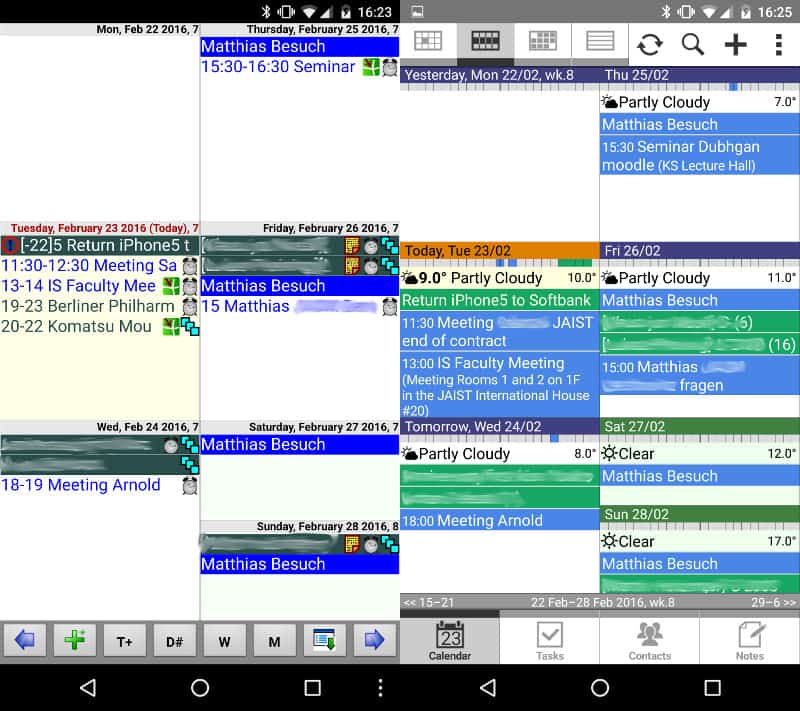


17 February 2016

Riku Voipio: Ancient Linux swag

Since I've now been using Linux for 20 years, I've dug up some artifacts from the early journey.
  1. First the book, from late 1995. This from before Tux, so the penguin in the cover is just a co-incidence. The book came with a slackware 3.0 CD, which was my entrance to Linux. Today, almost all of the book is outdated - slackware and lilo install? printing with lpr? mtools and dosemu? ftp, telnet with SLIP dialup? Manually configuring XFree86 and fvwm? How I miss those times!* The only parts of the book are still valid are: shell and vi guides. I didn't read latter, and instead imported my favorite editor from dos FTE.
  2. Fast forward some years, into my first programming job. Ready to advertise the Linux revolution, I bought the mug on right. Nobody else would have a Tux mug, so nobody would accidentally take my mug from the office dishwasher. That only worked for my first work place (a huge and nationally hated IT consultant house). The next workplace, a mobile gaming startup (in 2001, I was there before it was trendy!) - and there was already plenty of Linux mugs when I joined...
  3. While today it may be hard to imagine, those days using Microsoft office tools was mandatory. That leads to the third memorabilia in the picture. Wordperfect for Linux existed for a brief while, and in the box (can you imagine, software came in physical boxes?) came a Tux plush.
* Wait no, I don't miss those times at all

6 February 2016

Dimitri John Ledkov: Blogging about Let's encrypt over HTTP

So let's encrypt thing started. And it can do challenges over http (serving text files) and over dns (serving .txt records).

My "infrastructure" is fairly modest. I've seen too many of my email accounts getting swamped with spam, and or companies going bust. So I got my own domain name surgut.co.uk. However, I don't have money or time to run my own services. So I've signed up for the Google Apps account for my domain to do email, blogging, etc.

Then later i got the libnih.la domain to host API docs for the mentioned library. In the world of .io startups, I thought it's an incredibly funny domain name.

But I also have a VPS to host static files on ad-hoc basis, run VPN, and an irc bouncer. My irc bouncer is ZNC and I used a self-signed certificate there, thus i had "ignore" ssl errors in all of my irc clients... which kind of defeats the purposes somewhat.

I run my VPS on i386 (to save on memory usage) and on Ubuntu 14.04 LTS managed with Landscape. And my little services are just configured by hand there (not using juju).

My first attempt at getting on the let's encrypt bandwagon was to use the official client. By fetching debs from xenial, and installing that on LTS. But the package/script there is huge, has support for things I don't need, and wants dependencies I don't have on 14.04 LTS.

However I found a minimalist implementation letsencrypt.sh implemented in shell, with openssl and curl. It was trivial to get dependencies for and configure. Specified a domains text file, and that was it. And well, added sym links in my NGINX config to serve the challenges directory & a hook to deploy certificate to znc and restart that. I've added a cronjob to renew the certs too. Thinking about it, it's not complete as I'm not sure if NGINX will pick up certificate change and/or if it will need to be reloaded. I shall test that, once my cert expires.

Tweaking config for NGINX was easy. And I was like, let's see how good it is. I pointed https://www.ssllabs.com/ssltest/ at my https://x4d.surgut.co.uk/ and I got a "C" rating. No forward secrecy, vulnerable to down grade attacks, BEAST, POODLE and stuff like that. I went googling for all types of NGINX configs and eventually found website with "best known practices" https://cipherli.st/ However, even that only got me to "B" rating, as it still has Diffie-Hellman things that ssltest caps at "B" rating. So I disabled those too. I've ended up with this gibberish:

ssl_protocols TLSv1 TLSv1.1 TLSv1.2;
ssl_prefer_server_ciphers on;
ssl_ciphers "EECDH+AESGCM:AES256+EECDH";
ssl_ecdh_curve secp384r1; # Requires nginx >= 1.1.0
ssl_session_cache shared:SSL:10m;
#ssl_session_tickets off; # Requires nginx >= 1.5.9
ssl_stapling on; # Requires nginx >= 1.3.7
ssl_stapling_verify on; # Requires nginx => 1.3.7
#resolver $DNS-IP-1 $DNS-IP-2 valid=300s;
#resolver_timeout 5s;
add_header Strict-Transport-Security "max-age=63072000; includeSubdomains; preload";
add_header X-Frame-Options DENY;
add_header X-Content-Type-Options nosniff;

I call it gibberish, because IMHO, I shouldn't need to specify any of the above... Anyway I got my A+ rating.

However, security is as best as the weakest link. I'm still serving things over HTTP, maybe I should disable that. And I'm yet to check how "good" the TLS is on my znc. Or if I need to further harden my sshd configuration.

This has filled a big gap in my infrastructure. However a few things remain served over HTTP only.

http://blog.surgut.co.uk is hosted by an Alphabet's / Google's Blogger service. Which I would want to be served over HTTPS.

http://libnih.la is hosted by GitHub Inc service. Which I would want to be served over HTTPS.

I do not want to manage those services, experience load / spammers / DDoS attacks etc. But I am happy to sign CSRs with let's encrypt and deploy certs over to those companies. Or allow them to self-obtain certificates from let's encrypt on my behalf. I used gandi.net as my domain names provider, which offers an RPC API to manage domains and their zones files, thus e.g. I can also generate an API token for those companies to respond with a dns-01 challenge from let's encrypt.

One step at a time I guess.

The postings on this site are my own and don't necessarily represent any past/present/future employers' positions, strategies, or opinions.

5 February 2016

Michal &#268;iha&#345;: Bug squashing in Gammu

I've not really spent much time on Gammu in past months and it was about time to do some basic housekeeping. It's not that there would be too much of new development, I rather wanted to go through the issue tracker, properly tag issues, close questions without response and resolve the ones which are simple to fix. This lead to few code and documentation improvements. Overall the list of closed issues is quite huge: Do you want more development to happen on Gammu? You can support it by money.

Filed under: English Gammu python-gammu Wammu 0 comments

31 January 2016

Steinar H. Gunderson: Back from FOSDEM

Back safely from FOSDEM; just wanted to write down a few things while it's still fresh. FOSDEM continues to be huge. There are just so many people, and it overflows everywhere into ULB even the hallways during the talks are packed! I don't have a good solution for this, but I wish I did. Perhaps some rooms could be used as overflow rooms , ie., do a video link/stream to them, so that more people can get to watch the talks in the most popular rooms. The talks were of variable quality. I were to some that were great and some that were less than great, and it's really hard to know beforehand from the title/abstract alone; FOSDEM is really a place that goes for breadth. But the main attraction keeps being bumping into people in the hallways; I met a lot of people I knew (and some that I didn't know), which was the main thing for me. My own talk about Nageru, my live video mixer, went reasonably well; the room wasn't packed (about 75% full) and the live demo had to be run with only one camera (partly because the SDI camera I was supposed to borrow couldn't get to the conference due to unfortunate circumstances, and partly because I had left a command in the demo script to run with only one anyway), but I got a lot of good questions from the audience. The room was rather crummy, though; with no audio amplification, it was really hard to hear in the back (at least on the talks I visited myself in the same room), and half of the projector screen was essentially unreadable due to others' heads being in the way. The slides (with speaker notes) are out on the home page, and there will be a recording as soon as FOSDEM publishes it. All in all, I'm happy I went; presenting for an unknown audience is always a thrill, especially with the schedule being so tight. Keeps you on your toes. Lastly, I want to put out a shoutout to the FOSDEM networking team (supported by Cisco, as I understand it). The wireless was near-spotless; I had an issue reaching the Internet the first five minutes I was at the conference, and then there was ~30 seconds where my laptop chose (or was directed towards) a far-away AP; apart from that, it was super-responsive everywhere, including locations that were far from any auditorium. Doing this with 7000 heavy users is impressive. And NAT64 as primary ESSID is bold =) PS: Uber, can you please increase the surge pricing during FOSDEM next year? It's insane to have zero cars available for half an hour, and then only 1.6x surge at most.

Chris Lamb: Free software activities in January 2016

Here is my monthly update covering a large part of what I have been doing in the free software world (previously):
Debian
  • Had a talk proposal accepted (Reproducible Builds - fulfilling the original promise of free software) at FOSSASIA 16.
My work in the Reproducible Builds project was also covered in more depth in Lunar's weekly reports (#35, #36, #37, #38, #39)
LTS

This month I have been paid to work 18 hours on Debian Long Term Support (LTS). In that time I did the following:
  • Sevend days of "frontdesk" duties, triaging CVEs, etc.
  • Issued DLA 386-1 for cacti to patch an SQL injection vulnerability.
  • Issued DLA 388-1 for dwarfutils fixing a NULL deference issue.
  • Issued DLA 391-1 for prosody correcting the use of a weak pseudo-random number generator.
  • Issued DLA 404-1 for nginx to prevent against an invalid pointer deference.

Uploads
  • redis (2:3.0.7-1) New upstream stable release, also ensure that test processes are cleaned up and replacing an existing reproducibility patch with a SOURCE_DATE_EPOCH solution.
  • python-django (1.9.1-1) New upstream release.
  • disque (1.0~rc1-4) Make the build reproducible via SOURCE_DATE_EPOCH, ensure that test processes are cleaned up and that the nocheck flag is correctly honoured.
  • gunicorn (19.4.5-1) New upstream release.
  • redis (2:3.2~rc3-1) New upstream RC release (to experimental).


RC bugs


I also filed 100 FTBFS bugs against apache-log4j2, awscli, binutils, brian, ccbuild, coala, commons-beanutils, commons-vfs, composer, cyrus-sasl2, debiandoc-sgml-doc-pt-br, dfvfs, dillo, django-compat, dulwich, git-annex, grpc, hdf-eos5, hovercraft, ideviceinstaller, ircp-tray, isomd5sum, javamail, jhdf, jsonpickle, kivy, klog, libcloud, libcommons-jexl2-java, libdata-objectdriver-perl, libdbd-sqlite3-perl, libpam-krb5, libproc-waitstat-perl, libslf4j-java, libvmime, linuxdcpp, lsh-utils, mailutils, mdp, menulibre, mercurial, mimeo, molds, mugshot, nose, obex-data-server, obexfs, obexftp, orafce, p4vasp, pa-test, pgespresso, pgpool2, pgsql-asn1oid, php-doctrine-cache-bundle, php-net-ldap2, plv8, pngtools, postgresql-mysql-fdw, pyfftw, pylint-common, pylint-django, pylint-django, python-ase, python-axiom, python-biopython, python-dcos, python-falcon, python-instagram, python-markdown, python-pysam, python-requests-toolbelt, python-ruffus, pytsk, pyviennacl, ros-class-loader, ros-ros-comm, ros-roscpp-core, roxterm, ruby-celluloid-extras, ruby-celluloid-fsm, ruby-celluloid-supervision, ruby-eye, ruby-net-scp, ruby-net-ssh, ruby-sidekiq, ruby-sidekiq-cron, ruby-sinatra-contrib, seaview, smc, spatial4j-0.4, swift-plugin-s3, tilecache, typecatcher, ucommon, undertaker, urdfdom, ussp-push, xserver-xorg-video-intel & yt.

FTP Team

As a Debian FTP assistant I ACCEPTed 201 packages: abi-tracker, android-platform-build, android-platform-frameworks-native, android-platform-libcore, android-platform-system-core, animate.css, apitrace, argon2, autosize.js, bagel, betamax, bittorrent, bls-standalone, btfs, caja-dropbox, cegui-mk2, complexity, corebird, courier-authlib, cpopen, ctop, dh-haskell, django-python3-ldap, e2fsprogs1.41, emacs-async, epl, fast5, fastkml, flask-restful, flask-silk, gcc-6, gitlab, golang-github-kolo-xmlrpc, golang-github-kr-fs, golang-github-pkg-sftp, golang-github-prometheus-common, google-auth-library-php, h5py, haskell-aeson-compat, haskell-userid, heroes, hugo, ioprocess, iptables, ivy-debian-helper, ivyplusplus, jquery-timer.js, klaus, kpatch, lazarus, libatteanx-store-sparql-perl, libbrowserlauncher-java, libcgi-test-perl, libdata-sah-normalize-perl, libfsntfs, libjs-fuzzaldrin-plus, libjung-free-java, libmongoc, libmygpo-qt, libnet-nessus-rest-perl, liborcus, libperinci-sub-util-propertymodule-perl, libpodofo, librep, libsodium, libx11-xcb-perl, linux, linux-grsec-base, list.js, lombok, lua-mediator, luajit, maven-script-interpreter, midicsv, mimeo, miniasm, mlpack, mom, mosquitto-auth-plugin, moxie.js, msgpuck, nanopolish, neovim, netcdf, network-manager-applet, network-manager-ssh, node-esprima-fb, node-mocks-http, node-schlock, nomacs, ns3, openalpr, openimageio, openmpi, openms, orafce, pbsim, pd-iemutils, pd-nusmuk, pd-puremapping, pd-purest-json, pg-partman, pg-rage-terminator, pgfincore, pgmemcache, pgsql-asn1oid, php-defaults, php-jwt, php-mf2, php-redis, pkg-info-el, plr, pnmixer, postgresql-multicorn, postgresql-mysql-fdw, powa-archivist, previsat, pylint-flask, pyotherside, python-caldav, python-cookies, python-dcos, python-flaky, python-flickrapi, python-frozendict, python-genty, python-git, python-greenlet, python-instagram, python-ironic-inspector-client, python-manilaclient, python-neutronclient, python-openstackclient, python-openstackdocstheme, python-prometheus-client, python-pymzml, python-pysolr, python-reno, python-requests-toolbelt, python-scales, python-socketio-client, qdox2, qgis, r-cran-biasedurn, rebar.js, repmgr, rfcdiff, rhythmbox-plugin-alternative-toolbar, ripe-atlas-cousteau, ripe-atlas-sagan, ripe-atlas-tools, ros-image-common, ruby-acts-as-list, ruby-allocations, ruby-appraiser, ruby-appraiser-reek, ruby-appraiser-rubocop, ruby-babosa, ruby-combustion, ruby-did-you-mean, ruby-fixwhich, ruby-fog-xenserver, ruby-hamster, ruby-jeweler, ruby-mime-types-data, ruby-monkey-lib, ruby-net-telnet, ruby-omniauth-azure-oauth2, ruby-omniauth-cas3, ruby-puppet-forge, ruby-racc, ruby-reek, ruby-rubinius-debugger, ruby-rubysl, ruby-rubysl-test-unit, ruby-sidekiq-cron, ruby-threach, ruby-wavefile, ruby-websocket-driver, ruby-xmlhash, rustc, s-nail, scrm, select2.js, senlin, skytools3, slurm-llnl, sphinx-argparse, sptk, sunpy, swauth, swift, tdiary, three.js, tiny-initramfs, tlsh, ublock-origin, vagrant-cachier, xapian-core, xmltooling, & yp-tools. I additionally REJECTed 29 packages.

25 January 2016

Antoine Beaupr : Internet in Cuba

A lot has been written about the Internet in Cuba over the years. I have read a few articles, from New York Times' happy support for Google's invasion of Cuba to RSF's dramatic and fairly outdated report about censorship in Cuba. Having written before about Internet censorship in Tunisia, I was curious to see if I could get a feel of what it is like over there, now that a new Castro is in power and the Obama administration has started restoring diplomatic ties with Cuba. With those political changes coming signifying the end of an embargo that has been called genocidal by the Cuban government, it is surprisingly difficult to get fresh information about the current state of affairs. This article aims to fill that gap in clarifying how the internet works in Cuba, what kind of censorship mechanisms are in place and how to work around them. It also digs more technically into the network architecture and performance. It is published in the hope of providing both Cubans and the rest of the world with a better understanding of their network and, if possible, Cubans ways to access the internet more cheaply or without censorship.

"Censorship" and workarounds Unfortunately, I have been connected to the internet only through the the Varadero airport and the WiFi of a "full included" resort near Jibacoa. I have to come to assume that this network is likely to be on a segregated, uncensored internet while the rest of the country suffers the wrath of the Internet censorship in Cuba I have seen documented elsewhere. Through my research, I couldn't find any sort of direct censorship. The Netalyzr tool couldn't find anything significantly wrong with the connection, other than the obvious performance problems related both to the overloaded uplinks of the Cuban internet. I ran an incomplete OONI probe as well, and it seems there was no obvious censorship detected there as well, at least according to folks in the helpful #ooni IRC channel. Tor also works fine, and could be a great way to avoid the global surveillance system described later in this article. Nevertheless, it still remains to be seen how the internet is censored in the "real" Cuban internet, outside of the tourist designated areas - hopefully future visitors or locals can expand on this using the tools mentioned above, using the regular internet. Usual care should be taken when using any workaround tools, mentioned in this post or not, as different regimes over the world have accused, detained, tortured and killed sometimes for the mere fact of using or distributing circumvention tools. For example, a Russian developer was arrested and detained in 2001 by United States' FBI for exposing vulnerabilities in the Adobe e-books copy protection mechanisms. Similarly, people distributing Tor and other tools have been arrested during the period prior to the revolution in Tunisia.

The Cuban captive portal There is, however, a more pernicious and yet very obvious censorship mechanism at work in Cuba: to get access to the internet, you have to go through what seems to be a state-wide captive portal, which I have seen both at the hotel and the airport. It is presumably deployed at all levels of the internet access points. To get credentials through that portal, you need a username and password which you get by buying a Nauta card. Those cards cost 2$CUC and get you an hour of basically unlimited internet access. That may not seem like a lot for a rich northern hotel party-goer, but for Cubans, it's a lot of money, given that the average monthly salary is around 20$CUC. The system is also pretty annoying to use, because it means you do not get continuous network access: every hour, you need to input a new card, which will obviously make streaming movies and other online activities annoying. It also makes hosting servers basically impossible. So while Cuba does not have, like China or Iran, a "great firewall", there is definitely a big restriction to going online in Cuba. Indeed, it seems to be how the government ensures that Cubans do not foment too much dissent online: keep the internet slow and inaccessible, and you won't get too many Arab spring / blogger revolutions.

Bypassing the Cuban captive portal The good news is that it is perfectly possible for Cubans (or at least for a tourist like me with resources outside of the country) to bypass the captive portal. Like many poorly implemented portals, the portal allows DNS traffic to go through, which makes it possible to access the global network for free by using a tool like iodine which tunnels IP traffic over DNS requests. Of course, the bandwidth and reliability of the connection you get through such a portal is pretty bad. I have regularly seen 80% packet loss and over two minutes of latency:
--- 10.0.0.1 ping statistics ---
163 packets transmitted, 31 received, 80% packet loss, time 162391ms
rtt min/avg/max/mdev = 133.700/2669.535/64188.027/11257.336 ms, pipe 65
Still, it allowed me to login to my home server through SSH using Mosh to workaround the reliability issues. Every once in a while, mosh would get stuck and keep on trying to send packets to probe the server, which would clog the connection even more. So I regularly had to restart the whole stack using these commands:
killall iodine # stop DNS tunnel
nmcli n off # turn off wifi to change MAC address
macchanger -A wlan0 # change MAC address
nmcli n on # turn wifi back on
sleep 3 # wait for wifi to settle
iodine-client-start # restart DNS tunnel
The Koumbit Wiki has good instructions on how to setup a DNS tunnel. I am wondering if such a public service could be of use for Cubans, although I am not sure how it could be deployed only for Cubans, and what kind of traffic it could support... The fact is that iodine does require a server to operate, and that server must be run on the outside of the censored perimeter, something that Cubans may not be able to afford in the first place. Another possible way to save money with the captive portal would be to write something that automates connecting and disconnecting from the portal. You would feed that program a list of credentials and it would connect to the portal only on demand, and disconnect as soon as no traffic goes through. There are details on the implementation of the captive portal below that may help future endeavours in that field.

Private information revealed to the captive portal It should be mentioned, however, that the captive portal has a significant amount of information on clients, which is a direct threat to the online privacy of Cuban internet users. Of course the unique identifiers issued with the Nauta cards can be correlated with your identity, right from the start. For example, I had to give my room number to get a Nauta card issued. Then the central portal also knows which access point you are connected to. For example, the central portal I was connected to Wifi_Memories_Jibacoa which, for anyone that cares to research, will give them a location of about 20 square meters where I was located when connected (there is only one access point in the whole hotel). Finally, the central portal also knows my MAC address, a unique identifier for the computer I am using which also reveals which brand of computer I am using (Mac, Lenovo, etc). While this address can be changed, very few people know that, let alone how. This led me to question whether I would be allowed back in Cuba (or even allowed out!) after publishing this blog post, as it is obvious that I can be easily identified based on the time this article was published, my name and other details. Hopefully the Cuban government will either not notice or not care, but this can be a tricky situation, obviously. I have heard that Cuban prisons are not the best hangout place in Cuba, to say the least...

Network configuration assessment This section is more technical and delves more deeply in the Cuban internet to analyze the quality and topology of the network, along with hints as to which hardware and providers are being used to support the Cuban government.

Line quality The internet is actually not so bad in the hotel. Again, this may be because of the very fact that I am in that hotel, and I get a privileged access to the new fiber line to Venezuela, the ALBA-1 link. The line speed I get is around 1mbps, according to speedtest, which selected a server from LIME in George Town, Cayman Islands:
[1034]anarcat@angela:cuba$ speedtest
Retrieving speedtest.net configuration...
Retrieving speedtest.net server list...
Testing from Empresa de Telecomunicaciones de Cuba (152.206.92.146)...
Selecting best server based on latency...
Hosted by LIME (George Town) [391.78 km]: 317.546 ms
Testing download speed........................................
Download: 1.01 Mbits/s
Testing upload speed..................................................
Upload: 1.00 Mbits/s
Latency to the rest of the world is of couse slow:
--- koumbit.org ping statistics ---
122 packets transmitted, 120 received, 1,64% packet loss, time 18731,6ms
rtt min/avg/max/sdev = 127,457/156,097/725,211/94,688 ms
--- google.com ping statistics ---
122 packets transmitted, 121 received, 0,82% packet loss, time 19371,4ms
rtt min/avg/max/sdev = 132,517/160,095/724,971/93,273 ms
--- redcta.org.ar ping statistics ---
122 packets transmitted, 120 received, 1,64% packet loss, time 40748,6ms
rtt min/avg/max/sdev = 303,035/339,572/965,092/97,503 ms
--- ccc.de ping statistics ---
122 packets transmitted, 72 received, 40,98% packet loss, time 19560,2ms
rtt min/avg/max/sdev = 244,266/271,670/594,104/61,933 ms
Interestingly, Koumbit is actually the closest host in the above test. It could be that Canadian hosts are less affected by bandwidth problems compared to US hosts because of the embargo.

Network topology The various traceroutes show a fairly odd network topology, but that is typical of what I would described as "colonized internet users", which have layers and layers of NAT and obscure routing that keep them from the real internet. Just like large corporations are implementing NAT in a large scale, Cuba seems to have layers and layers of private RFC 1918 IPv4 space. A typical traceroute starts with:
traceroute to koumbit.net (199.58.80.33), 30 hops max, 60 byte packets
 1  10.156.41.1 (10.156.41.1)  9.724 ms  9.472 ms  9.405 ms
 2  192.168.134.137 (192.168.134.137)  16.089 ms  15.612 ms  15.509 ms
 3  172.31.252.113 (172.31.252.113)  15.350 ms  15.805 ms  15.358 ms
 4  pos6-0-0-agu-cr-1.mpls.enet.cu (172.31.253.197)  15.286 ms  14.832 ms  14.405 ms
 5  172.31.252.29 (172.31.252.29)  13.734 ms  13.685 ms  14.485 ms
 6  200.0.16.130 (200.0.16.130)  14.428 ms  11.393 ms  10.977 ms
 7  200.0.16.74 (200.0.16.74)  10.738 ms  10.019 ms  10.326 ms
 8  ix-11-3-1-0.tcore1.TNK-Toronto.as6453.net (64.86.33.45)  108.577 ms  108.449 ms
Let's take this apart line by line:
 1  10.156.41.1 (10.156.41.1)  9.724 ms  9.472 ms  9.405 ms
This is my local gateway, probably the hotel's wifi router.
 2  192.168.134.137 (192.168.134.137)  16.089 ms  15.612 ms  15.509 ms
This is likely not very far from the local gateway, probably still in Cuba. It in one bit away from the captive portal IP address (see below) so it is very likely related to the captive portal implementation.
 3  172.31.252.113 (172.31.252.113)  15.350 ms  15.805 ms  15.358 ms
 4  pos6-0-0-agu-cr-1.mpls.enet.cu (172.31.253.197)  15.286 ms  14.832 ms  14.405 ms
 5  172.31.252.29 (172.31.252.29)  13.734 ms  13.685 ms  14.485 ms
All those are withing RFC 1918 space. Interestingly, the Cuban DNS servers resolve one of those private IPs as within Cuban space, on line #4. That line is interesting because it reveals the potential use of MPLS.
 6  200.0.16.130 (200.0.16.130)  14.428 ms  11.393 ms  10.977 ms
 7  200.0.16.74 (200.0.16.74)  10.738 ms  10.019 ms  10.326 ms
Those two lines are the only ones that actually reveal that the route belongs in Cuba at all. Both IPs are in a tiny (/24, or 256 IP addresses) network allocated to ETECSA, the state telco in Cuba:
inetnum:     200.0.16/24
status:      allocated
aut-num:     N/A
owner:       EMPRESA DE TELECOMUNICACIONES DE CUBA S.A. (IXP CUBA)
ownerid:     CU-CUBA-LACNIC
responsible: Rafael L pez Guerra
address:     Ave. Independencia y 19 Mayo, s/n,
address:     10600 - La Habana - CH
country:     CU
phone:       +53 7 574242 []
owner-c:     JOQ
tech-c:      JOQ
abuse-c:     JEM52
inetrev:     200.0.16/24
nserver:     NS1.NAP.ETECSA.NET
nsstat:      20160123 AA
nslastaa:    20160123
nserver:     NS2.NAP.ETECSA.NET
nsstat:      20160123 AA
nslastaa:    20160123
created:     20030512
changed:     20140610
Then the last hop:
 8  ix-11-3-1-0.tcore1.TNK-Toronto.as6453.net (64.86.33.45)  108.577 ms  108.449 ms  108.257 ms
...interestingly, lands directly in Toronto, in this case going later to Koumbit but that is the first hop that varies according to the destination, hops 1-7 being a common trunk to all external communications. It's also interesting that this shoves a good 90 milliseconds extra in latency, showing that a significant distance and number of equipment crossed. Yet a single hop is crossed, not showing the intermediate step of the Venezuelan link or any other links for that matter. Something obscure is going on there... Also interesting to note is the traceroute to the redirection host, which is only one hop away:
traceroute to 192.168.134.138 (192.168.134.138), 30 hops max, 60 byte packets
 1  192.168.134.138 (192.168.134.138)  6.027 ms  5.698 ms  5.596 ms
Even though it is not the gateway:
$ ip route
default via 10.156.41.1 dev wlan0  proto static  metric 1024
10.156.41.0/24 dev wlan0  proto kernel  scope link  src 10.156.41.4
169.254.0.0/16 dev wlan0  scope link  metric 1000
This means a very close coordination between the different access points and the captive portal system. Finally, note that there seems to be only three peers to the Cuban internet: Teleglobe, formerly Canadian, now owned by the Indian [[!wiki Tata group]], and Telef nica, the Spanish Telco that colonized most of Latin America's internet, all the way down to Argentina. This is confirmed by my traceroutes, which show traffic to Koumbit going through Tata and Google's going through Telef nica.

Captive portal implementation The captive portal is https://www.portal-wifi-temas.nauta.cu/ (not accessible outside of Cuba) and uses a self-signed certificate. The domain name resolves to 190.6.81.230 in the hotel. Accessing http://1.1.1.1/ gives you a status page which allows you to disconnect from the portal. It actually redirects you to https://192.168.134.138/logout.user. That is also a self-signed, but different certificate. That certificate actually reveals the implication of Gemtek which is a "world-leading provider of Wireless Broadband solutions, offering a wide range of solutions from residential to business". It is somewhat unclear if the implication of Gemtek here is deliberate or a misconfiguration on the part of Cuban officials, especially since the certificate is self-signed and was issued in 2002. It could be, however, a trace of the supposed involvement of China in the development of Cuba's networking systems, although Gemtek is based in Taiwan, and not in the China mainland. That IP, in turn, redirects you to the same portal but in a page that shows you the statistics:
https://www.portal-wifi-temas.nauta.cu/?mac=0024D1717D18&script=logout.user&remain_time=00%3A55%3A52&session_time=00%3A04%3A08&username=151003576287&clientip=10.156.41.21&nasid=Wifi_Memories_Jibacoa&r=ac%2Fpopup
Notice how you see the MAC address of the machine in the URL (randomized, this is not my MAC address), along with the remaining time, session time, client IP and the Wifi access point ESSID. There may be some potential in defrauding the session time there, I haven't tested it directly. Hitting Actualizar redirects you back to the IP address, which redirects you to the right URL on the portal. The "real" logout is at:
http://192.168.134.138/logout.user?cmd=logout
The login is performed against https://www.portal-wifi-temas.nauta.cu/index.php?r=ac/login with a referer of:
https://www.portal-wifi-temas.nauta.cu/?&nasid=Wifi_Memories_Jibacoa&nasip=192.168.134.138&clientip=10.156.41.21&mac=EC:55:F9:C5:F2:55&ourl=http%3a%2f%2fgoogle.ca%2f&sslport=443&lang=en-US%2cen%3bq%3d0.8&lanip=10.156.41.1
Again, notice the information revealed to the central portal.

Equipment and providers I ran Nmap probes against both the captive portal and the redirection host, in the hope of finding out how they were built and if they could reveal the source of the equipment used. The complete nmap probes are available in nmap, but it seems that the captive portal is running some embedded device. It is confusing because the probe for the captive portal responds as if it was the gateway, which blurs even more the distinction between the hotel's gateway and the captive portal. This raises the distinct possibility that all access points are actually captive portal that authenticate to another central server. The nmap traces do show three distinct hosts however:
  • the captive portal (www.portal-wifi-temas.nauta.cu, 190.6.81.230)
  • some redirection host (192.168.134.138)
  • the hotel's gateway (10.156.41.1)
They do have distinct signatures so the above may be just me misinterpreting traceroute and nmap results. Your comments may help in clarifying the above. Still, the three devices show up as running Linux, in the two last cases versions between 2.4.21 and 2.4.31. Now, to find out which version of Linux it is running is way more challenging, and it is possible it is just some custom Linux distribution. Indeed, the webserver shows up as G4200.GSI.2.22.0155 and the SSH server is running OpenSSH 3.0.2p1, which is basically prehistoric (2002!) which corroborates the idea that this is some Gemtek embedded device. The fact that those devices are running 14 years old software should be a concern to the people responsible for those networks. There is, for example, a remote root vulnerability that affects that specific version of OpenSSH, among many other vulnerabilities.

A note on Nauta card's security Finally, one can note that it is probably trivial to guess card UIDs. All cards i have here start with the prefix 15100, the following digits being 3576 or 4595, presumably depending on the "batch" that was sent to different hotels, which seems to be batches of 1000 cards. You can also correlate the UID with the date at which the card was issued. For example, 15100357XXX cards are all valid until 19/03/2017, and 151004595XXX cards are all valid until 23/03/2017. Here's the list of UIDs I have seen:
151004595313
151004595974
151003576287
151003576105
151003576097
The passwords, on the other hand, do seem fairly random (although my sample size is small). Interestingly, those passwords are also 12 digits long, which is about as strong as a seven-letter password (mixed uppercase and lowercase). If there are no rate-limiting provisions on that captive portal, it could be possible to guess those passwords, since you have free rein on accessing those routers. Depending on the performance of the routers, you could be lucky and find a working password for free...

Conclusion Clearly, Internet access in Cuba needs to be modernized. We can clearly see that Cuba years behind the rest of the Americas, if only through the percentage of the population with internet access, or download speeds. The existence of a centralized captive portal also enables a huge surveillance potential that should be a concern for any Cuban, or for that matter, anyone wishing to live in a free society. The answer, however, lies not in the liberalization of commerce and opening the doors to the US companies and their own systems of surveillance. It should be possible, and even desirable for Cubans to establish their own neutral network, a proposal I have made in the past even for here in Qu bec. This network could be used and improved by Cubans themselves, prioritizing local communities that would establish their own infrastructure according to their own needs. I have been impressed by this article about the El Paquete system - it shows great innovation and initiative from Cubans which are known for engaging in technology in a creative way. This should be leveraged by letting Cubans do what they want with their networks, not telling them what to do. The best the Googles of this world can do to help Cuba is not to colonize Cuba's technological landscape but to cleanup their own and make their own tools more easily accessible and shareable offline. It is something companies can do right now, something I detailed in a previous article.

Next.

Previous.