Most routers/switches out there store their configuration in plain text, which
is nice for backups. I m talking about Cisco, Juniper, HPE, etc.
The configuration of our routers are being changed several times a day by the
operators, and in this case we lacked some proper way of tracking these changes.
Some of these routers come with their own mechanisms for doing backups,
and depending on the model and version perhaps they include changes-tracking
mechanisms as well.
However, they mostly don t integrate well into our preferred version control
system, which is
git.
After some internet searching, I found
rancid, which is a suite for
doing tasks like this. But it seemed rather complex and feature-full for what
we required: simply fetch the plain text config and put it into a git repo.
Worth noting that the most important drawback of not triggering the
change-tracking from the router/switch is that we have to follow a polling
approach: loggin into each device, get the plain text and the commit it to the
repo (if changes detected).
This can be hooked in cron, but as I said, we lost the sync behaviour and
won t see any changes until the next cron is run.
In most cases, we lost authorship information as well. But it was not
important for us right now. In the future this is something that we will have
to solve.
Also, some routers/switches lack some basic SSH security improvements, like
public-key authentication, so we end having to hard-code user/pass in our
worker script.
Since we have several devices of the same type, we just iterate over their
names.
For example, this is what we use for
hp comware devices:
#!/bin/bash
# run this script by cron
USER="git"
PASSWORD="readonlyuser"
DEVICES="device1 device2 device3 device4"
FILE="flash:/startup.cfg"
GIT_DIR="myrepo"
GIT="/srv/git/$ GIT_DIR .git"
TMP_DIR="$(mktemp -d)"
if [ -z "$TMP_DIR" ] ; then
	echo "E: no temp dir created" >&2
	exit 1
fi
GIT_BIN="$(which git)"
if [ ! -x "$GIT_BIN" ] ; then
	echo "E: no git binary" >&2
	exit 1
fi
SCP_BIN="$(which scp)"
if [ ! -x "$SCP_BIN" ] ; then
	echo "E: no scp binary" >&2
	exit 1
fi
SSHPASS_BIN="$(which sshpass)"
if [ ! -x "$SSHPASS_BIN" ] ; then
	echo "E: no sshpass binary" >&2
	exit 1
fi
# clone git repo
cd $TMP_DIR
$GIT_BIN clone $GIT
cd $GIT_DIR
for device in $DEVICES; do
	mkdir -p $device
	cd $device
	# fetch cfg
	CONN="$ USER @$ device "
	$SSHPASS_BIN -p "$PASSWORD" $SCP_BIN $ CONN :$ FILE  .
	# commit
	$GIT_BIN add -A .
	$GIT_BIN commit -m "$ device : configuration change" \
		-m "A configuration change was detected" \
		--author="cron <cron@example.com>"
	$GIT_BIN push -f
	cd ..
done
# cleanup
rm -rf $TMP_DIR
You should create a read-only user git in the devices. And beware
that each device model has the config file stored in a different place.
For reference, in HP comware, the file to scp is
flash:/startup.cfg.
And you might try creating the user like this:
local-user git class manage
 password hash xxxxx
 service-type ssh
 authorization-attribute user-role security-audit
#
In Junos/Juniper, the file you should scp is
/config/juniper.conf.gz
and the script should
gunzip the data before committing.
For the read-only user, try is something like this:
system
	[...]
	login
		[...]
		class git
			permissions maintenance;
			allow-commands scp.*;

		user git
			uid xxx;
			class git;
			authentication
				encrypted-password "xxx";
The file to scp in HP procurve is
/cfg/startup-config.
And for the read-only user, try something like this:
aaa authorization group "git user" 1 match-command "scp.*" permit
aaa authentication local-user "git" group "git user" password sha1 "xxxxx"
What would be the ideal situation? Get the device controlled directly by git
(i.e. commit > git hook > device update) or at least have the device to
commit the changes by itself to git. I m open to suggestions :-)
 I've just released version 1.22 of Obnam, my backup application. It is
the first release for this year. Packages are available on
code.liw.fi/debian and in Debian unstable, and source is in git. A
summary of the user-visible changes is below.
For those interested in living dangerously and accidentally on purpose
deleting all their data, the link below shows that status and roadmap
for FORMAT GREEN ALBATROSS.
http://distix.obnam.org/obnam-dev/182bd772889544d5867e1a0ce4e76652.html
Version 1.22, released 2017-06-25
 This one I promise will be short
 After the last two updates, I thought it was time for something positive to share. While I m doing the hard work (of physiotherapy which is gruelling), the only luxury I have nowadays is of falling on to dreams which are also rare. The dream I m going to share is totally unrealistic as my mum hates travel but I m sure many sons and daughters would identify with it. Almost all travel outside of relatives is because I dragged her onto it.
In the dream, I am going to a Debconf, get bursary and the conference is being held somewhere in Europe, maybe Paris (2019 probably)


 There are two Qt 5.7 submodules that we could not package in time for Strech but are/will be available in their 5.7 versions in testing. This are
 So
 Debian stretch comes with cross-compiler packages for selected architectures:
 I have updated my
 The repository location hasn t changed, see below.
 Yesterday, I was giving a
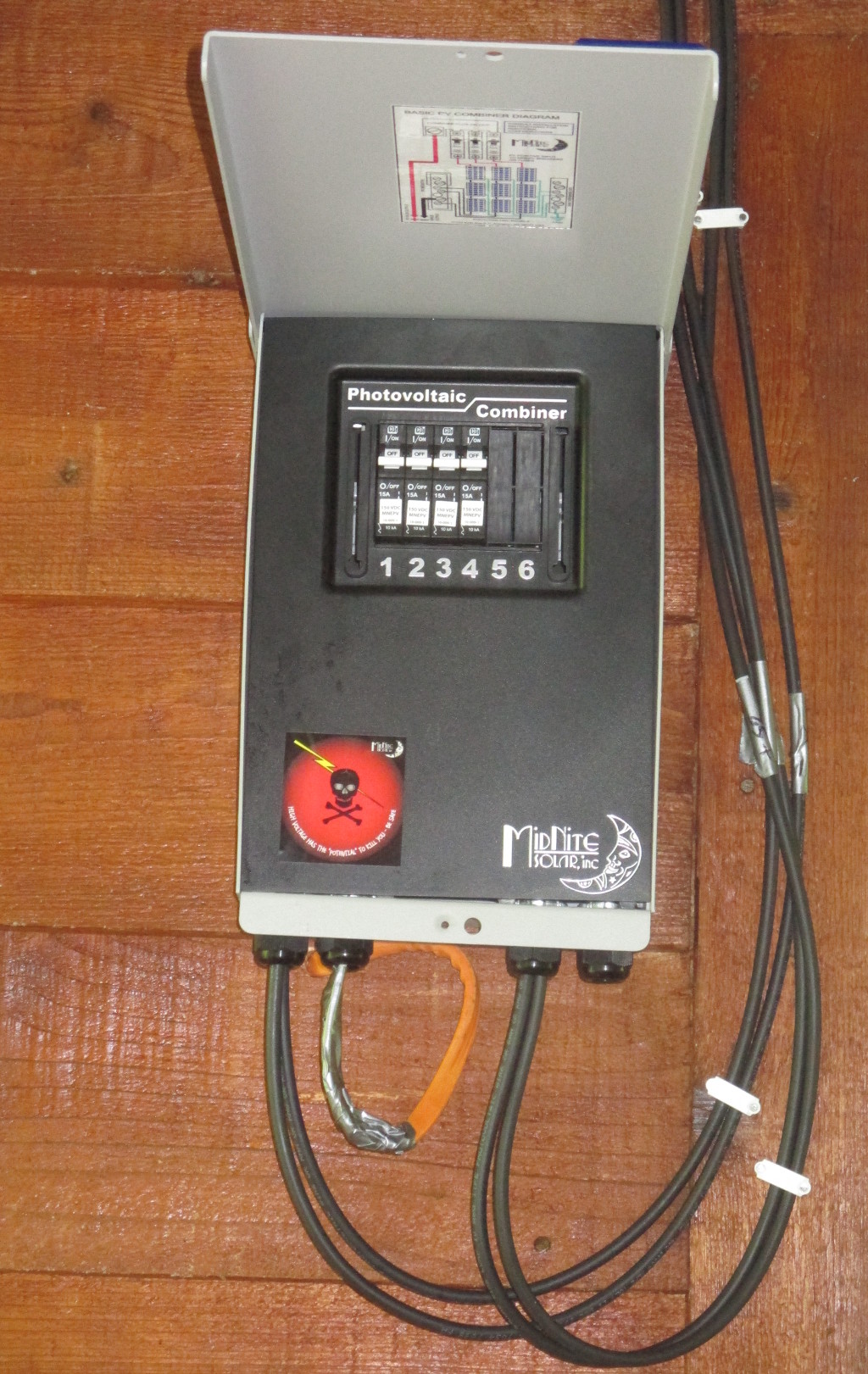
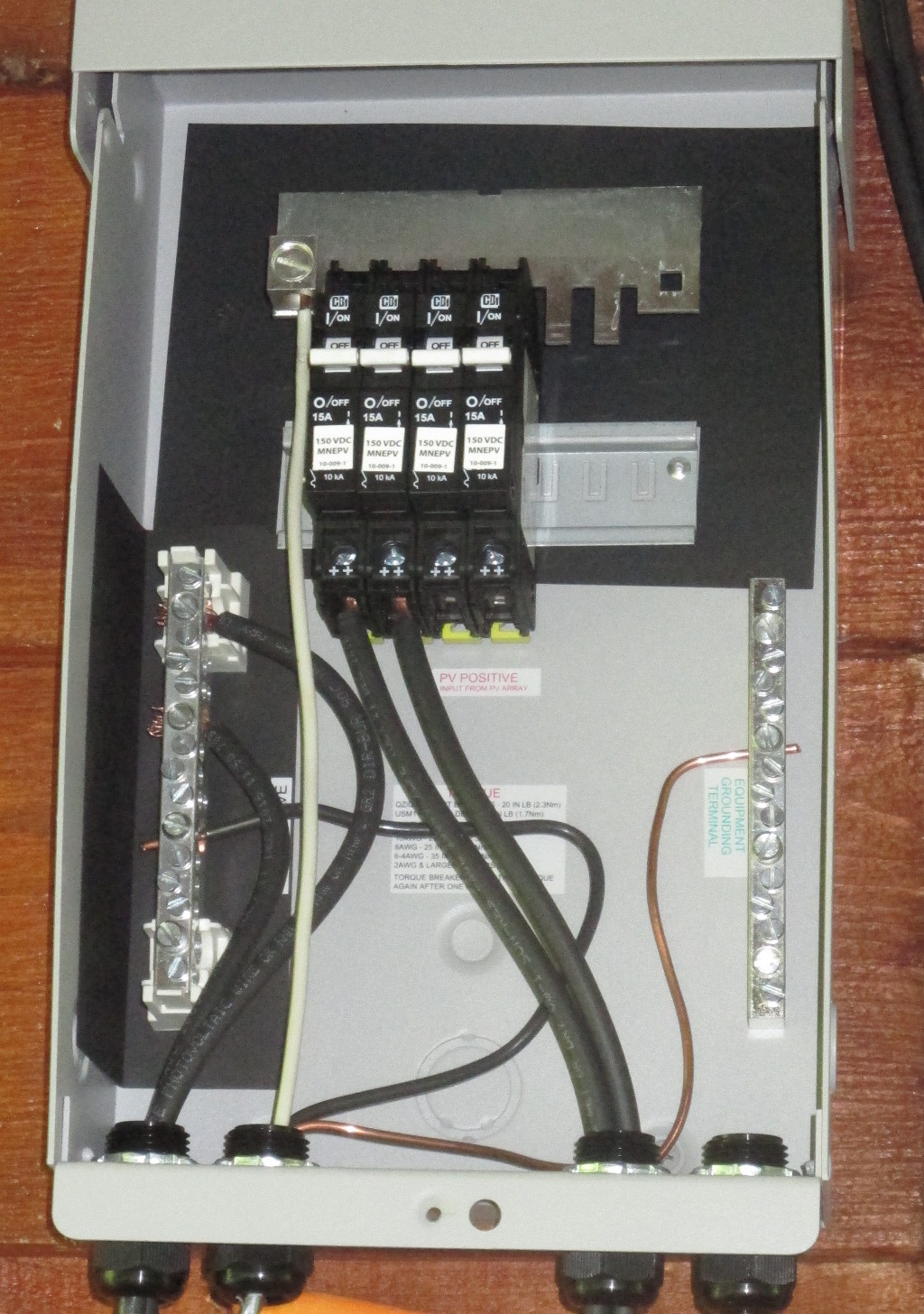
 Only took a couple hours to wire up and mount the combiner box.

 An update for my post on

 Here's a nice comment I received by email this morning. I guess
somebody was upset by
my
 A new version of the
 My requirements were: