Search Results: "xam"

1 November 2023

Dirk Eddelbuettel: RcppArmadillo 0.12.6.6.0 on CRAN: Bugfix, Thread Throttling

armadillo image Armadillo is a powerful and expressive C++ template library for linear algebra and scientific computing. It aims towards a good balance between speed and ease of use, has a syntax deliberately close to Matlab, and is useful for algorithm development directly in C++, or quick conversion of research code into production environments. RcppArmadillo integrates this library with the R environment and language and is widely used by (currently) 1110 other packages on CRAN, downloaded 31.2 million times (per the partial logs from the cloud mirrors of CRAN), and the CSDA paper (preprint / vignette) by Conrad and myself has been cited 563 times according to Google Scholar. This release brings upstream bugfix releases 12.6.5 (sparse matrix corner case) and 12.6.6 with an ARPACK correction. Conrad released it this this morning, I had been running reverse dependency checks anyway and knew we were in good shape so for once I did not await a full run against the now over 1100 (!!) packages using RcppArmadillo. This release also contains a change I prepared on Sunday and which helps with much-criticized (and rightly I may add) insistence by CRAN concerning throttling . The motivation is understandable: CRAN tests many packages at once on beefy servers and can ill afford tests going off and requesting numerous cores. But rather than providing a global setting at their end, CRAN insists that each package (!!) deals with this. The recent traffic on the helpful-as-ever r-pkg-devel mailing clearly shows that this confuses quite a few package developers. Some have admitted to simply turning examples and tests off: a net loss for all of us. Now, Armadillo defaults to using up to eight cores (which is enough to upset CRAN) when running with OpenMP (which is generally only on Linux for reasons I rather not get into ). With this release I expose a helper functions (from OpenMP) to limit this. I also set up an example package and repo RcppArmadilloOpenMPEx detailing this, and added a demonstration of how to use the new throttlers to the fastLm example. I hope this proves useful to users of the package. The set of changes since the last CRAN release follows.

Changes in RcppArmadillo version 0.12.6.6.0 (2023-10-31)
  • Upgraded to Armadillo release 12.6.6 (Cortisol Retox)
    • Fix eigs_sym(), eigs_gen() and svds() to generate deterministic results in ARPACK mode
  • Add helper functions to set and get the number of OpenMP threads
  • Store initial thread count at package load and use in thread-throttling helper (and resetter) suitable for CRAN constraints

Changes in RcppArmadillo version 0.12.6.5.0 (2023-10-14)
  • Upgraded to Armadillo release 12.6.5 (Cortisol Retox)
    • Fix for corner-case bug in handling sparse matrices with no non-zero elements

Courtesy of my CRANberries, there is a diffstat report relative to previous release. More detailed information is on the RcppArmadillo page. Questions, comments etc should go to the rcpp-devel mailing list off the Rcpp R-Forge page. If you like this or other open-source work I do, you can sponsor me at GitHub.

This post by Dirk Eddelbuettel originated on his Thinking inside the box blog. Please report excessive re-aggregation in third-party for-profit settings.

31 October 2023

Iustin Pop: Raspberry PI OS: upgrading and cross-grading

One of the downsides of running Raspberry PI OS is the fact that - not having the resources of pure Debian - upgrades are not recommended, and cross-grades (migrating between armhf and arm64) is not even mentioned. Is this really true? It is, after all a Debian-based system, so it should in theory be doable. Let s try!

Upgrading The recently announced release based on Debian Bookworm here says:
We have always said that for a major version upgrade, you should re-image your SD card and start again with a clean image. In the past, we have suggested procedures for updating an existing image to the new version, but always with the caveat that we do not recommend it, and you do this at your own risk. This time, because the changes to the underlying architecture are so significant, we are not suggesting any procedure for upgrading a Bullseye image to Bookworm; any attempt to do this will almost certainly end up with a non-booting desktop and data loss. The only way to get Bookworm is either to create an SD card using Raspberry Pi Imager, or to download and flash a Bookworm image from here with your tool of choice.
Which means, it s time to actually try it turns out it s actually trivial, if you use RPIs as headless servers. I had only three issues:
  • if using an initrd, the new initrd-building scripts/hooks are looking for some binaries in /usr/bin, and not in /bin; solution: install manually the usrmerge package, and then re-run dpkg --configure -a;
  • also if using an initrd, the scripts are looking for the kernel config file in /boot/config-$(uname -r), and the raspberry pi kernel package doesn t provide this; workaround: modprobe configs && zcat /proc/config.gz > /boot/config-$(uname -r);
  • and finally, on normal RPI systems, that don t use manual configurations of interfaces in /etc/network/interface, migrating from the previous dhcpcd to NetworkManager will break network connectivity, and require you to log in locally and fix things.
I expect most people to hit only the 3rd, and almost no-one to use initrd on raspberry pi. But, overall, aside from these two issues and a couple of cosmetic ones (login.defs being rewritten from scratch and showing a baffling diff, for example), it was easy. Is it worth doing? Definitely. Had no data loss, and no non-booting system.

Cross-grading (32 bit to 64 bit userland) This one is actually painful. Internet searches go from it s possible, I think to it s definitely not worth trying . Examples: Aside from these, there are a gazillion other posts about switching the kernel to 64 bit. And that s worth doing on its own, but it s only half the way. So, armed with two different systems - a RPI4 4GB and a RPI Zero W2 - I tried to do this. And while it can be done, it takes many hours - first system was about 6 hours, second the same, and a third RPI4 probably took ~3 hours only since I knew the problematic issues. So, what are the steps? Basically:
  • install devscripts, since you will need dget
  • enable new architecture in dpkg: dpkg --add-architecture arm64
  • switch over apt sources to include the 64 bit repos, which are different than the 32 bit ones (Raspberry PI OS did a migration here; normally a single repository has all architectures, of course)
  • downgrade all custom rpi packages/libraries to the standard bookworm/bullseye version, since dpkg won t usually allow a single library package to have different versions (I think it s possible to override, but I didn t bother)
  • install libc for the arm64 arch (this takes some effort, it s actually a set of 3-4 packages)
  • once the above is done, install whiptail:amd64 and rejoice at running a 64-bit binary!
  • then painfully go through sets of packages and migrate the set to arm64:
    • sometimes this work via apt, sometimes you ll need to use dget and dpkg -i
    • make sure you download both the armhf and arm64 versions before doing dpkg -i, since you ll need to rollback some installs
  • at one point, you ll be able to switch over dpkg and apt to arm64, at which point the default architecture flips over; from here, if you ve done it at the right moment, it becomes very easy; you ll probably need an apt install --fix-broken, though, at first
  • and then, finish by replacing all packages with arm64 versions
  • and then, dpkg --remove-architecture armhf, reboot, and profit!
But it s tears and blood to get to that point

Pain point 1: RPI custom versions of packages Since the 32bit armhf architecture is a bit weird - having many variations - it turns out that raspberry pi OS has many packages that are very slightly tweaked to disable a compilation flag or work around build/test failures, or whatnot. Since we talk here about 64-bit capable processors, almost none of these are needed, but they do make life harder since the 64 bit version doesn t have those overrides. So what is needed would be to say downgrade all armhf packages to the version in debian upstream repo , but I couldn t find the right apt pinning incantation to do that. So what I did was to remove the 32bit repos, then use apt-show-versions to see which packages have versions that are no longer in any repo, then downgrade them. There s a further, minor, complication that there were about 3-4 packages with same version but different hash (!), which simply needed apt install --reinstall, I think.

Pain point 2: architecture independent packages There is one very big issue with dpkg in all this story, and the one that makes things very problematic: while you can have a library package installed multiple times for different architectures, as the files live in different paths, a non-library package can only be installed once (usually). For binary packages (arch:any), that is fine. But architecture-independent packages (arch:all) are problematic since usually they depend on a binary package, but they always depend on the default architecture version! Hrmm, and I just realise I don t have logs from this, so I m only ~80% confident. But basically:
  • vim-solarized (arch:all) depends on vim (arch:any)
  • if you replace vim armhf with vim arm64, this will break vim-solarized, until the default architecture becomes arm64
So you need to keep track of which packages apt will de-install, for later re-installation. It is possible that Multi-Arch: foreign solves this, per the debian wiki which says:
Note that even though Architecture: all and Multi-Arch: foreign may look like similar concepts, they are not. The former means that the same binary package can be installed on different architectures. Yet, after installation such packages are treated as if they were native architecture (by definition the architecture of the dpkg package) packages. Thus Architecture: all packages cannot satisfy dependencies from other architectures without being marked Multi-Arch foreign.
It also has warnings about how to properly use this. But, in general, not many packages have it, so it is a problem.

Pain point 3: remove + install vs overwrite It seems that depending on how the solver computes a solution, when migrating a package from 32 to 64 bit, it can choose either to:
  • overwrite in place the package (akin to dpkg -i)
  • remove + install later
The former is OK, the later is not. Or, actually, it might be that apt never can do this, for example (edited for brevity):
# apt install systemd:arm64 --no-install-recommends
The following packages will be REMOVED:
  systemd
The following NEW packages will be installed:
  systemd:arm64
0 upgraded, 1 newly installed, 1 to remove and 35 not upgraded.
Do you want to continue? [Y/n] y
dpkg: systemd: dependency problems, but removing anyway as you requested:
 systemd-sysv depends on systemd.
Removing systemd (247.3-7+deb11u2) ...
systemd is the active init system, please switch to another before removing systemd.
dpkg: error processing package systemd (--remove):
 installed systemd package pre-removal script subprocess returned error exit status 1
dpkg: too many errors, stopping
Errors were encountered while processing:
 systemd
Processing was halted because there were too many errors.
But at the same time, overwrite in place is all good - via dpkg -i from /var/cache/apt/archives. In this case it manifested via a prerm script, in other cases is manifests via dependencies that are no longer satisfied for packages that can t be removed, etc. etc. So you will have to resort to dpkg -i a lot.

Pain point 4: lib- packages that are not lib During the whole process, it is very tempting to just go ahead and install the corresponding arm64 package for all armhf lib package, in one go, since these can coexist. Well, this simple plan is complicated by the fact that some packages are named libfoo-bar, but are actual holding (e.g.) the bar binary for the libfoo package. Examples:
  • libmagic-mgc contains /usr/lib/file/magic.mgc, which conflicts between the 32 and 64 bit versions; of course, it s the exact same file, so this should be an arch:all package, but
  • libpam-modules-bin and liblockfile-bin actually contain binaries (per the -bin suffix)
It s possible to work around all this, but it changes a 1 minute:
# apt install $(dpkg -i   grep ^ii   awk ' print $2 ' grep :amrhf sed -e 's/:armhf/:arm64')
into a 10-20 minutes fight with packages (like most other steps).

Is it worth doing? Compared to the simple bullseye bookworm upgrade, I m not sure about this. The result? Yes, definitely, the system feels - weirdly - much more responsive, logged in over SSH. I guess the arm64 base architecture has some more efficient ops than the lowest denominator armhf , so to say (e.g. there was in the 32 bit version some rpi-custom package with string ops), and thus migrating to 64 bit makes more things faster , but this is subjective so it might be actually not true. But from the point of view of the effort? Unless you like to play with dpkg and apt, and understand how these work and break, I d rather say, migrate to ansible and automate the deployment. It s doable, sure, and by the third system, I got this nailed down pretty well, but it was a lot of time spent. The good aspect is that I did 3 migrations:
  • rpi zero w2: bullseye 32 bit to 64 bit, then bullseye to bookworm
  • rpi 4: bullseye to bookworm, then bookworm 32bit to 64 bit
  • same, again, for a more important system
And all three worked well and no data loss. But I m really glad I have this behind me, I probably wouldn t do a fourth system, even if forced And now, waiting for the RPI 5 to be available See you!

26 October 2023

Dima Kogan: Talking to ROS from outside a LAN

The problem
This is about ROS version 1. Version 2 is different, and maybe they fixed stuff. But I kinda doubt it since this thing is heinous in a million ways. Alright so let's say we have have some machines in a LAN doing ROS stuff and we have another machine outside the LAN that wants to listen in (like to get a realtime visualization, say). This is an extremely common scenario, but they created enough hoops to make this not work. Let's say we have 3 computers:
  • router: the bridge between the two networks. This has two NICs. The inner IP is 10.0.1.1 and the outer IP is 12.34.56.78
  • inner: a machine in the LAN that's doing ROS stuff. IP 10.0.1.99
  • outer: a machine outside that LAN that wants to listen in. IP 12.34.56.99
Let's say the router is doing ROS stuff. It's running the ROS master and some nodes like this:
ROS_IP=10.0.1.1 roslaunch whatever
If you omit the ROS_IP it'll pick router, which may or may not work, depending on how the DNS is set up. Here we set it to 10.0.1.1 to make it possible for the inner machine to communicate (we'll see why in a bit). An aside: ROS should use the IP by default instead of the name because the IP will work even if the DNS isn't set up. If there are multiple extant IPs, it should throw an error. But all that would be way too user-friendly. OK. So we have a ROS master on 10.0.1.1 on the default port: 11311. The inner machine can rostopic echo and all that. Great. What if I try to listen in from outer? I say
ROS_MASTER_URI=http://12.34.56.78:11311 rostopic list
This connects to the router on that port, and it works well: I get the list of available topics. Here this works because the router is the router. If inner was running the ROS master then we'd need to do a forward for port 11311. In any case, this works and we understand it. So clearly we can talk to the ROS master. Right? Wrong! Let's actually listen in on a specific topic on outer:
ROS_MASTER_URI=http://12.34.56.78:11311 rostopic echo /some/topic
This does not work. No errors are reported. It just sits there, which looks like no data is coming in on that topic. But this is a lie: it's actually broken.

The diagnosis
So this is our problem. It's a very common use case, and there are plenty of internet people asking about it, with no specific solutions. I debugged it, and the details are here. To figure out what's going on, I made a syscall log on a machine inside the LAN, where a simple rostopic echo does work:
sysdig -A proc.name=rostopic and fd.type contains ipv -s 2000
This shows us all the communication between inner running rostopic and the server. It's really chatty. It's all TCP. There are multiple connections to the router on port 11311. It also starts up multiple TCP servers on the client that listen to connections; these are likely to be broken if we were running the client on outer and a machine inside the LAN tried to talk to them; but thankfully in my limited testing nothing actually tried to talk to them. The conversations on port 11311 are really long, but here's the punchline. inner tells the router:
POST /RPC2 HTTP/1.1                                                                                                                 
Host: 10.0.1.1:11311                                                                                                          
Accept-Encoding: gzip                                                                                                               
Content-Type: text/xml                                                                                                              
User-Agent: Python-xmlrpc/3.11                                                                                                      
Content-Length: 390                                                                                                                 
<?xml version='1.0'?>
<methodCall>
<methodName>registerSubscriber</methodName>
<params>
<param>
<value><string>/rostopic_2447878_1698362157834</string></value>
</param>
<param>
<value><string>/some/topic</string></value>
</param>
<param>
<value><string>*</string></value>
</param>
<param>
<value><string>http://inner:38229/</string></value>
</param>
</params>
</methodCall>
Yes. It's laughably chatty. Then the router replies:
HTTP/1.1 200 OK
Server: BaseHTTP/0.6 Python/3.8.10
Date: Thu, 26 Oct 2023 23:15:28 GMT
Content-type: text/xml
Content-length: 342
<?xml version='1.0'?>
<methodResponse>
<params>
<param>
<value><array><data>
<value><int>1</int></value>
<value><string>Subscribed to [/some/topic]</string></value>
<value><array><data>
<value><string>http://10.0.1.1:45517/</string></value>
</data></array></value>
</param>
</params>
</methodResponse>
Then this sequence of system calls happens in the rostopic process (an excerpt from the sysdig log):
> connect fd=10(<4>) addr=10.0.1.1:45517
< connect res=-115(EINPROGRESS) tuple=10.0.1.99:47428->10.0.1.1:45517 fd=10(<4t>10.0.1.99:47428->10.0.1.1:45517)
< getsockopt res=0 fd=10(<4t>10.0.1.99:47428->10.0.1.1:45517) level=1(SOL_SOCKET) optname=4(SO_ERROR) val=0 optlen=4
So the inner client makes an outgoing TCP connection on the address given to it by the ROS master above: 10.0.1.1:45517. This IP is only accessible from within the LAN, which works fine when talking to it from inner, but would be a problem from the outside. Furthermore, some sort of single-port-forwarding scheme wouldn't fix connecting from outer either, since the port number is dynamic. To confirm what we think is happening, the sequence of syscalls when trying to rostopic echo from outer does indeed fail:
connect fd=10(<4>) addr=10.0.1.1:45517 
connect res=-115(EINPROGRESS) tuple=10.0.1.1:46204->10.0.1.1:45517 fd=10(<4t>10.0.1.1:46204->10.0.1.1:45517)
getsockopt res=0 fd=10(<4t>10.0.1.1:46204->10.0.1.1:45517) level=1(SOL_SOCKET) optname=4(SO_ERROR) val=-111(ECONNREFUSED) optlen=4
That's the breakage mechanism: the ROS master asks us to communicate on an address we can't talk to. Debugging this is easy with sysdig:
sudo sysdig -A -s 400 evt.buffer contains '"Subscribed to"' and proc.name=rostopic
This prints out all syscalls seen by the rostopic command that contain the string Subscribed to, so you can see that different addresses the ROS master gives us in response to different commands. OK. So can we get the ROS master to give us an address that we can actually talk to? Sorta. Remember that we invoked the master with
ROS_IP=10.0.1.1 roslaunch whatever
The ROS_IP environment variable is exactly the address that the master gives out. So in this case, we can fix it by doing this instead:
ROS_IP=12.34.56.78 roslaunch whatever
Then the outer machine will be asked to talk to 12.34.56.78:45517, which works. Unfortunately, if we do that, then the inner machine won't be able to communicate. So some sort of ssh port forward cannot fix this: we need a lower-level tunnel, like a VPN or something. And another rant. Here rostopic tried to connect to an unreachable address, which failed. But rostopic knows the connection failed! It should throw an error message to the user. Something like this would be wonderful:
ERROR! Tried to connect to 10.0.1.1:45517 ($ROS_IP:dynamicport), but connect() returned ECONNREFUSED
That would be immensely helpful. It would tell the user that something went wrong (instead of no data being sent), and it would give a strong indication of the problem and how to fix it. But that would be asking too much.

The solution
So we need a VPN-like thing. I just tried sshuttle, and it just works. Start the ROS node in the way that makes connections from within the LAN work:
ROS_IP=10.0.1.1 roslaunch whatever
Then on the outer client:
sshuttle -r router 10.0.1.0/24
This connects to the router over ssh and does some hackery to make all connections from outer to 10.0.1.x transparently route into the LAN. On all ports. rostopic echo then works. I haven't done any thorough testing, but hopefully it's reliable and has low overhead; I don't know. I haven't tried it but almost certainly this would work even with the ROS master running on inner. This would be accomplished like this:
  1. Tell ssh how to connect to inner. Dropping this into ~/.ssh/config should do it:
    Host inner
    HostName 10.0.1.99
    ProxyJump router
    
  2. Do the magic thing:
    sshuttle -r inner 10.0.1.0/24
    
I'm sure any other VPN-like thing would work also.

25 October 2023

Russ Allbery: Review: Going Infinite

Review: Going Infinite, by Michael Lewis
Publisher: W.W. Norton & Company
Copyright: 2023
ISBN: 1-324-07434-5
Format: Kindle
Pages: 255
My first reaction when I heard that Michael Lewis had been embedded with Sam Bankman-Fried working on a book when Bankman-Fried's cryptocurrency exchange FTX collapsed into bankruptcy after losing billions of dollars of customer deposits was "holy shit, why would you talk to Michael Lewis about your dodgy cryptocurrency company?" Followed immediately by "I have to read this book." This is that book. I wasn't sure how Lewis would approach this topic. His normal (although not exclusive) area of interest is financial systems and crises, and there is lots of room for multiple books about cryptocurrency fiascoes using someone like Bankman-Fried as a pivot. But Going Infinite is not like The Big Short or Lewis's other financial industry books. It's a nearly straight biography of Sam Bankman-Fried, with just enough context for the reader to follow his life. To understand what you're getting in Going Infinite, I think it's important to understand what sort of book Lewis likes to write. Lewis is not exactly a reporter, although he does explain complicated things for a mass audience. He's primarily a storyteller who collects people he finds fascinating. This book was therefore never going to be like, say, Carreyrou's Bad Blood or Isaac's Super Pumped. Lewis's interest is not in a forensic account of how FTX or Alameda Research were structured. His interest is in what makes Sam Bankman-Fried tick, what's going on inside his head. That's not a question Lewis directly answers, though. Instead, he shows you Bankman-Fried as Lewis saw him and was able to reconstruct from interviews and sources and lets you draw your own conclusions. Boy did I ever draw a lot of conclusions, most of which were highly unflattering. However, one conclusion I didn't draw, and had been dubious about even before reading this book, was that Sam Bankman-Fried was some sort of criminal mastermind who intentionally plotted to steal customer money. Lewis clearly doesn't believe this is the case, and with the caveat that my study of the evidence outside of this book has been spotty and intermittent, I think Lewis has the better of the argument. I am utterly fascinated by this, and I'm afraid this review is going to turn into a long summary of my take on the argument, so here's the capsule review before you get bored and wander off: This is a highly entertaining book written by an excellent storyteller. I am also inclined to believe most of it is true, but given that I'm not on the jury, I'm not that invested in whether Lewis is too credulous towards the explanations of the people involved. What I do know is that it's a fantastic yarn with characters who are too wild to put in fiction, and I thoroughly enjoyed it. There are a few things that everyone involved appears to agree on, and therefore I think we can take as settled. One is that Bankman-Fried, and most of the rest of FTX and Alameda Research, never clearly distinguished between customer money and all of the other money. It's not obvious that their home-grown accounting software (written entirely by one person! who never spoke to other people! in code that no one else could understand!) was even capable of clearly delineating between their piles of money. Another is that FTX and Alameda Research were thoroughly intermingled. There was no official reporting structure and possibly not even a coherent list of employees. The environment was so chaotic that lots of people, including Bankman-Fried, could have stolen millions of dollars without anyone noticing. But it was also so chaotic that they could, and did, literally misplace millions of dollars by accident, or because Bankman-Fried had problems with object permanence. Something that was previously less obvious from news coverage but that comes through very clearly in this book is that Bankman-Fried seriously struggled with normal interpersonal and societal interactions. We know from multiple sources that he was diagnosed with ADHD and depression (Lewis describes it specifically as anhedonia, the inability to feel pleasure). The ADHD in Lewis's account is quite severe and does not sound controlled, despite medication; for example, Bankman-Fried routinely played timed video games while he was having important meetings, forgot things the moment he stopped dealing with them, was constantly on his phone or seeking out some other distraction, and often stimmed (by bouncing his leg) to a degree that other people found it distracting. Perhaps more tellingly, Bankman-Fried repeatedly describes himself in diary entries and correspondence to other people (particularly Caroline Ellison, his employee and on-and-off secret girlfriend) as being devoid of empathy and unable to access his own emotions, which Lewis supports with stories from former co-workers. I'm very hesitant to diagnose someone via a book, but, at least in Lewis's account, Bankman-Fried nearly walks down the symptom list of antisocial personality disorder in his own description of himself to other people. (The one exception is around physical violence; there is nothing in this book or in any of the other reporting that I've seen to indicate that Bankman-Fried was violent or physically abusive.) One of the recurrent themes of this book is that Bankman-Fried never saw the point in following rules that didn't make sense to him or worrying about things he thought weren't important, and therefore simply didn't. By about a third of the way into this book, before FTX is even properly started, very little about its eventual downfall will seem that surprising. There was no way that Sam Bankman-Fried was going to be able to run a successful business over time. He was extremely good at probabilistic trading and spotting exploitable market inefficiencies, and extremely bad at essentially every other aspect of living in a society with other people, other than a hit-or-miss ability to charm that worked much better with large audiences than one-on-one. The real question was why anyone would ever entrust this man with millions of dollars or decide to work for him for longer than two weeks. The answer to those questions changes over the course of this story. Later on, it was timing. Sam Bankman-Fried took the techniques of high frequency trading he learned at Jane Street Capital and applied them to exploiting cryptocurrency markets at precisely the right time in the cryptocurrency bubble. There was far more money than sense, the most ruthless financial players were still too leery to get involved, and a rising tide was lifting all boats, even the ones that were piles of driftwood. When cryptocurrency inevitably collapsed, so did his businesses. In retrospect, that seems inevitable. The early answer, though, was effective altruism. A full discussion of effective altruism is beyond the scope of this review, although Lewis offers a decent introduction in the book. The short version is that a sensible and defensible desire to use stronger standards of evidence in evaluating charitable giving turned into a bizarre navel-gazing exercise in making up statistical risks to hypothetical future people and treating those made-up numbers as if they should be the bedrock of one's personal ethics. One of the people most responsible for this turn is an Oxford philosopher named Will MacAskill. Sam Bankman-Fried was already obsessed with utilitarianism, in part due to his parents' philosophical beliefs, and it was a presentation by Will MacAskill that converted him to the effective altruism variant of extreme utilitarianism. In Lewis's presentation, this was like joining a cult. The impression I came away with feels like something out of a science fiction novel: Bankman-Fried knew there was some serious gap in his thought processes where most people had empathy, was deeply troubled by this, and latched on to effective altruism as the ethical framework to plug into that hole. So much of effective altruism sounds like a con game that it's easy to think the participants are lying, but Lewis clearly believes Bankman-Fried is a true believer. He appeared to be sincerely trying to make money in order to use it to solve existential threats to society, he does not appear to be motivated by money apart from that goal, and he was following through (in bizarre and mostly ineffective ways). I find this particularly believable because effective altruism as a belief system seems designed to fit Bankman-Fried's personality and justify the things he wanted to do anyway. Effective altruism says that empathy is meaningless, emotion is meaningless, and ethical decisions should be made solely on the basis of expected value: how much return (usually in safety) does society get for your investment. Effective altruism says that all the things that Sam Bankman-Fried was bad at were useless and unimportant, so he could stop feeling bad about his apparent lack of normal human morality. The only thing that mattered was the thing that he was exceptionally good at: probabilistic reasoning under uncertainty. And, critically to the foundation of his business career, effective altruism gave him access to investors and a recruiting pool of employees, things he was entirely unsuited to acquiring the normal way. There's a ton more of this book that I haven't touched on, but this review is already quite long, so I'll leave you with one more point. I don't know how true Lewis's portrayal is in all the details. He took the approach of getting very close to most of the major players in this drama and largely believing what they said happened, supplemented by startling access to sources like Bankman-Fried's personal diary and Caroline Ellis's personal diary. (He also seems to have gotten extensive information from the personal psychiatrist of most of the people involved; I'm not sure if there's some reasonable explanation for this, but based solely on the material in this book, it seems to be a shocking breach of medical ethics.) But Lewis is a storyteller more than he's a reporter, and his bias is for telling a great story. It's entirely possible that the events related here are not entirely true, or are skewed in favor of making a better story. It's certainly true that they're not the complete story. But, that said, I think a book like this is a useful counterweight to the human tendency to believe in moral villains. This is, frustratingly, a counterweight extended almost exclusively to higher-class white people like Bankman-Fried. This is infuriating, but that doesn't make it wrong. It means we should extend that analysis to more people. Once FTX collapsed, a lot of people became very invested in the idea that Bankman-Fried was a straightforward embezzler. Either he intended from the start to steal everyone's money or, more likely, he started losing money, panicked, and stole customer money to cover the hole. Lots of people in history have done exactly that, and lots of people involved in cryptocurrency have tenuous attachments to ethics, so this is a believable story. But people are complicated, and there's also truth in the maxim that every villain is the hero of their own story. Lewis is after a less boring story than "the crook stole everyone's money," and that leads to some bias. But sometimes the less boring story is also true. Here's the thing: even if Sam Bankman-Fried never intended to take any money, he clearly did intend to mix customer money with Alameda Research funds. In Lewis's account, he never truly believed in them as separate things. He didn't care about following accounting or reporting rules; he thought they were boring nonsense that got in his way. There is obvious criminal intent here in any reading of the story, so I don't think Lewis's more complex story would let him escape prosecution. He refused to follow the rules, and as a result a lot of people lost a lot of money. I think it's a useful exercise to leave mental space for the possibility that he had far less obvious reasons for those actions than that he was a simple thief, while still enforcing the laws that he quite obviously violated. This book was great. If you like Lewis's style, this was some of the best entertainment I've read in a while. Highly recommended; if you are at all interested in this saga, I think this is a must-read. Rating: 9 out of 10

22 October 2023

Aigars Mahinovs: Figuring out finances part 3

So now that I have something that looks very much like a budgeting setup going, I am going to .. delete it! Why? Well, at the end of the last part of this, the Firefly III instance was running on a tiny Debian server in a Docker container right next to another Docker container that is running the main user of this server - a Home Assistant instance that has been managing my home for several years already. So why change that? See, there is one bit of knowledge that is very crucial to your Home Assistant experience, which is not really emphasised enough in the Home Assistant documentation. In fact back when I was getting into the Home Assistant both the main documentation and basically all the guides around were just coming off the hype of Docker disrupting everything and that is a big reason why everyone suggested to install and use Home Assistant as a Docker container on top of any kind of stable OS. In fact I used to run it for years on my TerraMaster NAS, just so that I don't have a separate home server running 24/7 at home and just have everything inside the very compact NAS case. So here is the thing you NEED to know - Home Assistant Container is DEMO version of Home Assistant! If you want to have a full Home Assistant experience and use the knowledge of the huge community around the HA space, you have to use the Home Assistant OS. Ideally on dedicated hardware. Ideally on HA Green box, but any tiny PC would also work great. Raspberry Pi 4+ is common, but quite weak as the network size grows and especially the SD card for storage gets old very fast. Get a real small x86 PC with at least 4Gb RAM and a NVME SSD (eMMC is fine too). You want to have an Ethernet port and a few free USB ports. I would also suggest immediately getting HA SkyConnect adapter that can do Zigbee networking and will do Matter soon (tm). I am making do with a SonOff Zigbee gateway, but it is quite hacky to get working and your whole Zigbee communication breaks down if the WiFi goes down - suboptimal. So I took a backup of the Home Assistant instance using it's build-in tools. I took an export of my fully configured Firefly III instance and proceeded to wipe the drive of the NUC. That was not a smart idea. :D On the Home Assitant side I was really frustrated by the documentation that was really focused on users that are (likely) using Windows and are using an SD card in something like Raspberry Pi to get Home Assistant OS running. It recommended downloading Etcher to write the image to the boot medium. That is a really weird piece of software that managed to actually crash consistently when I was trying to run it from Debian Live or Ubuntu Live on my NUC. It took me way too long to give up and try something much simpler - dd. xzcat haos_generic-x86-64-11.0.img.xz dd of=/dev/mmcblk0 bs=1M That just worked, prefectly and really fast. If you want to use a GUI in a live environment, then just using the gnome-disk-utility ("Disks" in Gnome menu) and using the "Restore Disk Image ..." on a partition would work just as well. It even supports decompressing the XZ images directly while writing. But that image is small, will it not have a ton of unused disk space behind the fixed install partition? Yes, it will ... until first boot. The HA OS takes over the empty space after its install partition on the first boot-up and just grows its main partition to take up all the remaining space. Smart. After first boot is completed, the first boot wizard can be accessed via your web browser and one of the prominent buttons there is restoring from backup. So you just give it the backup file and wait. Sadly the restore does not actually give any kind of progress, so your only way to figure out when it is done is opening the same web adress in another browser tab and refresh periodically - after restoring from backup it just boots into the same config at it had before - all the settings, all the devices, all the history is preserved. Even authentification tokens are preserved so if yu had a Home Assitant Mobile installed on your phone (both for remote access and to send location info and phone state, like charging, to HA to trigger automations) then it will just suddenly start working again without further actions needed from your side. That is an almost perfect backup/restore experience. The first thing you get for using the OS version of HA is easy automatic update that also automatically takes a backup before upgrade, so if anything breaks you can roll back with one click. There is also a command-line tool that allows to upgrade, but also downgrade ha-core and other modules. I had to use it today as HA version 23.10.4 actually broke support for the Sonoff bridge that I am using to control Zigbee devices, which are like 90% of all smart devices in my home. Really helpful stuff, but not a must have. What is a must have and that you can (really) only get with Home Assistant Operating System are Addons. Some addons are just normal servers you can run alongside HA on the same HA OS server, like MariaDB or Plex or a file server. That is not the most important bit, but even there the software comes pre-configured to use in a home server configuration and has a very simple config UI to pre-configure key settings, like users, passwords and database accesses for MariaDB - you can litereally in a few clicks and few strings make serveral users each with its own access to its own database. Couple more clicks and the DB is running and will be kept restarted in case of failures. But the real gems in the Home Assistant Addon Store are modules that extend Home Assitant core functionality in way that would be really hard or near impossible to configure in Home Assitant Container manually, especially because no documentation has ever existed for such manual config - everyone just tells you to install the addon from HA Addon store or from HACS. Or you can read the addon metadata in various repos and figure out what containers it actually runs with what settings and configs and what hooks it puts into the HA Core to make them cooperate. And then do it all over again when a new version breaks everything 6 months later when you have already forgotten everything. In the Addons that show up immediately after installation are addons to install the new Matter server, a MariaDB and MQTT server (that other addons can use for data storage and message exchange), Z-Wave support and ESPHome integration and very handy File manager that includes editors to edit Home Assitant configs directly in brower and SSH/Terminal addon that boht allows SSH connection and also a web based terminal that gives access to the OS itself and also to a comand line interface, for example, to do package downgrades if needed or see detailed logs. And also there is where you can get the features that are the focus this year for HA developers - voice enablers. However that is only a beginning. Like in Debian you can add additional repositories to expand your list of available addons. Unlike Debian most of the amazing software that is available for Home Assistant is outside the main, official addon store. For now I have added the most popular addon repository - HACS (Home Assistant Community Store) and repository maintained by Alexbelgium. The first includes things like NodeRED (a workflow based automation programming UI), Tailscale/Wirescale for VPN servers, motionEye for CCTV control, Plex for home streaming. HACS also includes a lot of HA UI enhacement modules, like themes, custom UI control panels like Mushroom or mini-graph-card and integrations that provide more advanced functions, but also require more knowledge to use, like Local Tuya - that is harder to set up, but allows fully local control of (normally) cloud-based devices. And it has AppDaemon - basically a Python based automation framework where you put in Python scrips that get run in a special environment where they get fed events from Home Assistant and can trigger back events that can control everything HA can and also do anything Python can do. This I will need to explore later. And the repository by Alex includes the thing that is actually the focus of this blog post (I know :D) - Firefly III addon and Firefly Importer addon that you can then add to your Home Assistant OS with a few clicks. It also has all kinds of addons for NAS management, photo/video server, book servers and Portainer that lets us setup and run any Docker container inside the HA OS structure. HA OS will detect this and warn you about unsupported processes running on your HA OS instance (nice security feature!), but you can just dismiss that. This will be very helpful very soon. This whole environment of OS and containers and apps really made me think - what was missing in Debian that made the talented developers behind all of that to spend the immense time and effor to setup a completely new OS and app infrastructure and develop a completel paraller developer community for Home Assistant apps, interfaces and configurations. Is there anything that can still be done to make HA community and the general open source and Debian community closer together? HA devs are not doing anything wrong: they are using the best open source can provide, they bring it to people whould could not install and use it otherwise, they are contributing fixes and improvements as well. But there must be some way to do this better, together. So I installed MariaDB, create a user and database for Firefly. I installed Firefly III and configured it to use the MariaDB with the web config UI. When I went into the Firefly III web UI I was confronted with the normal wizard to setup a new instance. And no reference to any backup restore. Hmm, ok. Maybe that goes via the Importer? So I make an access token again, configured the Importer to use that, configured the Nordlinger bank connection settings. Then I tried to import the export that I downloaded from Firefly III before. The importer did not auto-recognose the format. Turns out it is just a list of transactions ... It can only be barely useful if you first manually create all the asset accounts with the same names as before and even then you'll again have to deal with resolving the problem of transfers showing up twice. And all of your categories (that have not been used yet) are gone, your automation rules and bills are gone, your budgets and piggy banks are gone. Boooo. It will be easier for me to recreate my account data from bank exports again than to resolve data in that transaction export. Turns out that Firefly III documenation explicitly recommends making a mysqldump of your own and not rely on anything in the app itself for backup purposes. Kind of sad this was not mentioned in the export page that sure looked a lot like a backup :D After doing all that work all over again I needed to make something new not to feel like I wasted days of work for no real gain. So I started solving a problem I had for a while already - how do I add cash transations to the system when I am out of the house with just my phone in the hand? So far my workaround has been just sending myself messages in WhatsApp with the amount and description of any cash expenses. Two solutions are possible: app and bot. There are actually multiple Android-based phone apps that work with Firefly III API to do full financial management from the phone. However, after trying it out, that is not what I will be using most of the time. First of all this requires your Firefly III instance to be accessible from the Internet. Either via direct API access using some port forwarding and secured with HTTPS and good access tokens, or via a VPN server redirect that is installed on both HA and your phone. Tailscale was really easy to get working. But the power has its drawbacks - adding a new cash transaction requires opening the app, choosing new transaction view, entering descriptio, amount, choosing "Cash" as source account and optionally choosing destination expense account, choosing category and budget and then submitting the form to the server. Sadly none of that really works if you have no Internet or bad Internet at the place where you are using cash. And it's just too many steps. Annoying. An easier alternative is setting up a Telegram bot - it is running in a custom Docker container right next to your Firefly (via Portainer) and you talk to it via a custom Telegram chat channel that you create very easily and quickly. And then you can just tell it "Coffee 5" and it will create a transaction from the (default) cash account in 5 amount with description "Coffee". This part also works if you are offline at the moment - the bot will receive the message once you get back online. You can use Telegram bot menu system to edit the transaction to add categories or expense accounts, but this part only work if you are online. And the Firefly instance does not have to be online at all. Really nifty. So next week I will need to write up all the regular payments as bills in Firefly (again) and then I can start writing a Python script to predict my (financial) future!

Ian Jackson: DigiSpark (ATTiny85) - Arduino, C, Rust, build systems

Recently I completed a small project, including an embedded microcontroller. For me, using the popular Arduino IDE, and C, was a mistake. The experience with Rust was better, but still very exciting, and not in a good way. Here follows the rant. Introduction In a recent project (I ll write about the purpose, and the hardware in another post) I chose to use a DigiSpark board. This is a small board with a USB-A tongue (but not a proper plug), and an ATTiny85 microcontroller, This chip has 8 pins and is quite small really, but it was plenty for my application. By choosing something popular, I hoped for convenient hardware, and an uncomplicated experience. Convenient hardware, I got. Arduino IDE The usual way to program these boards is via an IDE. I thought I d go with the flow and try that. I knew these were closely related to actual Arduinos and saw that the IDE package arduino was in Debian. But it turns out that the Debian package s version doesn t support the DigiSpark. (AFAICT from the list it offered me, I m not sure it supports any ATTiny85 board.) Also, disturbingly, its board manager seemed to be offering to install board support, suggesting it would download stuff from the internet and run it. That wouldn t be acceptable for my main laptop. I didn t expect to be doing much programming or debugging, and the project didn t have significant security requirements: the chip, in my circuit, has only a very narrow ability do anything to the real world, and no network connection of any kind. So I thought it would be tolerable to do the project on my low-security video laptop . That s the machine where I m prepared to say yes to installing random software off the internet. So I went to the upstream Arduino site and downloaded a tarball containing the Arduino IDE. After unpacking that in /opt it ran and produced a pointy-clicky IDE, as expected. I had already found a 3rd-party tutorial saying I needed to add a magic URL (from the DigiSpark s vendor) in the preferences. That indeed allowed it to download a whole pile of stuff. Compilers, bootloader clients, god knows what. However, my tiny test program didn t make it to the board. Half-buried in a too-small window was an error message about the board s bootloader ( Micronucleus ) being too new. The boards I had came pre-flashed with micronucleus 2.2. Which is hardly new, But even so the official Arduino IDE (or maybe the DigiSpark s board package?) still contains an old version. So now we have all the downsides of curl bash-ware, but we re lacking the it s up to date and it just works upsides. Further digging found some random forum posts which suggested simply downloading a newer micronucleus and manually stuffing it into the right place: one overwrites a specific file, in the middle the heaps of stuff that the Arduino IDE s board support downloader squirrels away in your home directory. (In my case, the home directory of the untrusted shared user on the video laptop,) So, whatever . I did that. And it worked! Having demo d my ability to run code on the board, I set about writing my program. Writing C again The programming language offered via the Arduino IDE is C. It s been a little while since I started a new thing in C. After having spent so much of the last several years writing Rust. C s primitiveness quickly started to grate, and the program couldn t easily be as DRY as I wanted (Don t Repeat Yourself, see Wilson et al, 2012, 4, p.6). But, I carried on; after all, this was going to be quite a small job. Soon enough I had a program that looked right and compiled. Before testing it in circuit, I wanted to do some QA. So I wrote a simulator harness that #included my Arduino source file, and provided imitations of the few Arduino library calls my program used. As an side advantage, I could build and run the simulation on my main machine, in my normal development environment (Emacs, make, etc.). The simulator runs confirmed the correct behaviour. (Perhaps there would have been some more faithful simulation tool, but the Arduino IDE didn t seem to offer it, and I wasn t inclined to go further down that kind of path.) So I got the video laptop out, and used the Arduino IDE to flash the program. It didn t run properly. It hung almost immediately. Some very ad-hoc debugging via led-blinking (like printf debugging, only much worse) convinced me that my problem was as follows: Arduino C has 16-bit ints. My test harness was on my 64-bit Linux machine. C was autoconverting things (when building for the micrcocontroller). The way the Arduino IDE ran the compiler didn t pass the warning options necessary to spot narrowing implicit conversions. Those warnings aren t the default in C in general because C compilers hate us all for compatibility reasons. I don t know why those warnings are not the default in the Arduino IDE, but my guess is that they didn t want to bother poor novice programmers with messages from the compiler explaining how their program is quite possibly wrong. After all, users don t like error messages so we shouldn t report errors. And novice programmers are especially fazed by error messages so it s better to just let them struggle themselves with the arcane mysteries of undefined behaviour in C? The Arduino IDE does offer a dropdown for compiler warnings . The default is None. Setting it to All didn t produce anything about my integer overflow bugs. And, the output was very hard to find anyway because the log window has a constant stream of strange messages from javax.jmdns, with hex DNS packet dumps. WTF. Other things that were vexing about the Arduino IDE: it has fairly fixed notions (which don t seem to be documented) about how your files and directories ought to be laid out, and magical machinery for finding things you put nearby its sketch (as it calls them) and sticking them in its ear, causing lossage. It has a tendency to become confused if you edit files under its feet (e.g. with git checkout). It wasn t really very suited to a workflow where principal development occurs elsewhere. And, important settings such as the project s clock speed, or even the target board, or the compiler warning settings to use weren t stored in the project directory along with the actual code. I didn t look too hard, but I presume they must be in a dotfile somewhere. This is madness. Apparently there is an Arduino CLI too. But I was already quite exasperated, and I didn t like the idea of going so far off the beaten path, when the whole point of using all this was to stay with popular tooling and share fate with others. (How do these others cope? I have no idea.) As for the integer overflow bug: I didn t seriously consider trying to figure out how to control in detail the C compiler options passed by the Arduino IDE. (Perhaps this is possible, but not really documented?) I did consider trying to run a cross-compiler myself from the command line, with appropriate warning options, but that would have involved providing (or stubbing, again) the Arduino/DigiSpark libraries (and bugs could easily lurk at that interface). Instead, I thought, if only I had written the thing in Rust . But that wasn t possible, was it? Does Rust even support this board? Rust on the DigiSpark I did a cursory web search and found a very useful blog post by Dylan Garrett. This encouraged me to think it might be a workable strategy. I looked at the instructions there. It seemed like I could run them via the privsep arrangement I use to protect myself when developing using upstream cargo packages from crates.io. I got surprisingly far surprisingly quickly. It did, rather startlingly, cause my rustup to download a random recent Nightly Rust, but I have six of those already for other Reasons. Very quickly I got the trinket LED blink example, referenced by Dylan s blog post, to compile. Manually copying the file to the video laptop allowed me to run the previously-downloaded micronucleus executable and successfully run the blink example on my board! I thought a more principled approach to the bootloader client might allow a more convenient workflow. I found the upstream Micronucleus git releases and tags, and had a look over its source code, release dates, etc. It seemed plausible, so I compiled v2.6 from source. That was a success: now I could build and install a Rust program onto my board, from the command line, on my main machine. No more pratting about with the video laptop. I had got further, more quickly, with Rust, than with the Arduino IDE, and the outcome and workflow was superior. So, basking in my success, I copied the directory containing the example into my own project, renamed it, and adjusted the path references. That didn t work. Now it didn t build. Even after I copied about .cargo/config.toml and rust-toolchain.toml it didn t build, producing a variety of exciting messages, depending what precisely I tried. I don t have detailed logs of my flailing: the instructions say to build it by cd ing to the subdirectory, and, given that what I was trying to do was to not follow those instructions, it didn t seem sensible to try to prepare a proper repro so I could file a ticket. I wasn t optimistic about investigating it more deeply myself: I have some experience of fighting cargo, and it s not usually fun. Looking at some of the build control files, things seemed quite complicated. Additionally, not all of the crates are on crates.io. I have no idea why not. So, I would need to supply local copies of them anyway. I decided to just git subtree add the avr-hal git tree. (That seemed better than the approach taken by the avr-hal project s cargo template, since that template involve a cargo dependency on a foreign git repository. Perhaps it would be possible to turn them into path dependencies, but given that I had evidence of file-location-sensitive behaviour, which I didn t feel like I wanted to spend time investigating, using that seems like it would possibly have invited more trouble. Also, I don t like package templates very much. They re a form of clone-and-hack: you end up stuck with whatever bugs or oddities exist in the version of the template which was current when you started.) Since I couldn t get things to build outside avr-hal, I edited the example, within avr-hal, to refer to my (one) program.rs file outside avr-hal, with a #[path] instruction. That s not pretty, but it worked. I also had to write a nasty shell script to work around the lack of good support in my nailing-cargo privsep tool for builds where cargo must be invoked in a deep subdirectory, and/or Cargo.lock isn t where it expects, and/or the target directory containing build products is in a weird place. It also has to filter the output from cargo to adjust the pathnames in the error messages. Otherwise, running both cd A; cargo build and cd B; cargo build from a Makefile produces confusing sets of error messages, some of which contain filenames relative to A and some relative to B, making it impossible for my Emacs to reliably find the right file. RIIR (Rewrite It In Rust) Having got my build tooling sorted out I could go back to my actual program. I translated the main program, and the simulator, from C to Rust, more or less line-by-line. I made the Rust version of the simulator produce the same output format as the C one. That let me check that the two programs had the same (simulated) behaviour. Which they did (after fixing a few glitches in the simulator log formatting). Emboldened, I flashed the Rust version of my program to the DigiSpark. It worked right away! RIIR had caused the bug to vanish. Of course, to rewrite the program in Rust, and get it to compile, it was necessary to be careful about the types of all the various integers, so that s not so surprising. Indeed, it was the point. I was then able to refactor the program to be a bit more natural and DRY, and improve some internal interfaces. Rust s greater power, compared to C, made those cleanups easier, so making them worthwhile. However, when doing real-world testing I found a weird problem: my timings were off. Measured, the real program was too fast by a factor of slightly more than 2. A bit of searching (and searching my memory) revealed the cause: I was using a board template for an Adafruit Trinket. The Trinket has a clock speed of 8MHz. But the DigiSpark runs at 16.5MHz. (This is discussed in a ticket against one of the C/C++ libraries supporting the ATTiny85 chip.) The Arduino IDE had offered me a choice of clock speeds. I have no idea how that dropdown menu took effect; I suspect it was adding prelude code to adjust the clock prescaler. But my attempts to mess with the CPU clock prescaler register by hand at the start of my Rust program didn t bear fruit. So instead, I adopted a bodge: since my code has (for code structure reasons, amongst others) only one place where it dealt with the underlying hardware s notion of time, I simply changed my delay function to adjust the passed-in delay values, compensating for the wrong clock speed. There was probably a more principled way. For example I could have (re)based my work on either of the two unmerged open MRs which added proper support for the DigiSpark board, rather than abusing the Adafruit Trinket definition. But, having a nearly-working setup, and an explanation for the behaviour, I preferred the narrower fix to reopening any cans of worms. An offer of help As will be obvious from this posting, I m not an expert in dev tools for embedded systems. Far from it. This area seems like quite a deep swamp, and I m probably not the person to help drain it. (Frankly, much of the improvement work ought to be done, and paid for, by hardware vendors.) But, as a full Member of the Debian Project, I have considerable gatekeeping authority there. I also have much experience of software packaging, build systems, and release management. If anyone wants to try to improve the situation with embedded tooling in Debian, and is willing to do the actual packaging work. I would be happy to advise, and to review and sponsor your contributions. An obvious candidate: it seems to me that micronucleus could easily be in Debian. Possibly a DigiSpark board definition could be provided to go with the arduino package. Unfortunately, IMO Debian s Rust packaging tooling and workflows are very poor, and the first of my suggestions for improvement wasn t well received. So if you need help with improving Rust packages in Debian, please talk to the Debian Rust Team yourself. Conclusions Embedded programming is still rather a mess and probably always will be. Embedded build systems can be bizarre. Documentation is scant. You re often expected to download board support packages full of mystery binaries, from the board vendor (or others). Dev tooling is maddening, especially if aimed at novice programmers. You want version control? Hermetic tracking of your project s build and install configuration? Actually to be told by the compiler when you write obvious bugs? You re way off the beaten track. As ever, Free Software is under-resourced and the maintainers are often busy, or (reasonably) have other things to do with their lives. All is not lost Rust can be a significantly better bet than C for embedded software: The Rust compiler will catch a good proportion of programming errors, and an experienced Rust programmer can arrange (by suitable internal architecture) to catch nearly all of them. When writing for a chip in the middle of some circuit, where debugging involves staring an LED or a multimeter, that s precisely what you want. Rust embedded dev tooling was, in this case, considerably better. Still quite chaotic and strange, and less mature, perhaps. But: significantly fewer mystery downloads, and significantly less crazy deviations from the language s normal build system. Overall, less bad software supply chain integrity. The ATTiny85 chip, and the DigiSpark board, served my hardware needs very well. (More about the hardware aspects of this project in a future posting.)

comment count unavailable comments

21 October 2023

Dirk Eddelbuettel: qlcal 0.0.8 on CRAN: QuantLib 1.32 Updates

The eighth release of the still fairly new qlcal package arrivied at CRAN today. qlcal delivers the calendaring parts of QuantLib. It is provided (for the R package) as a set of included files, so the package is self-contained and does not depend on an external QuantLib library (which can be demanding to build). qlcal covers over sixty country / market calendars and can compute holiday lists, its complement (i.e. business day lists) and much more. This release brings updates from the just-released QuantLib 1.32 version. It also avoids a nag from R during build ( only specify C++14 if you really need it ) but switching to a versioned depends on R 4.2.0 or later. This implies C++14 or later as the default. If you need qlcal on an older R, grab the sources, edit DESCRIPTION to remove this constraint and set the standard as before in src/Makevars (or src/Makevars.win).

Changes in version 0.0.8 (2023-10-21)
  • A small set of updates from QuantLib 1.32 have been applied
  • The explicit C++14 compilation standard has been replaced with an implicit one by relying on R (>= 4.2.0)

Courtesy of my CRANberries, there is a diffstat report for this release. See the project page and package documentation for more details, and more examples. If you like this or other open-source work I do, you can now sponsor me at GitHub.

This post by Dirk Eddelbuettel originated on his Thinking inside the box blog. Please report excessive re-aggregation in third-party for-profit settings.

20 October 2023

Freexian Collaborators: Debian Contributions: Freexian meetup, debusine updates, lpr/lpd in Debian, and more! (by Utkarsh Gupta, Stefano Rivera)

Contributing to Debian is part of Freexian s mission. This article covers the latest achievements of Freexian and their collaborators. All of this is made possible by organizations subscribing to our Long Term Support contracts and consulting services.

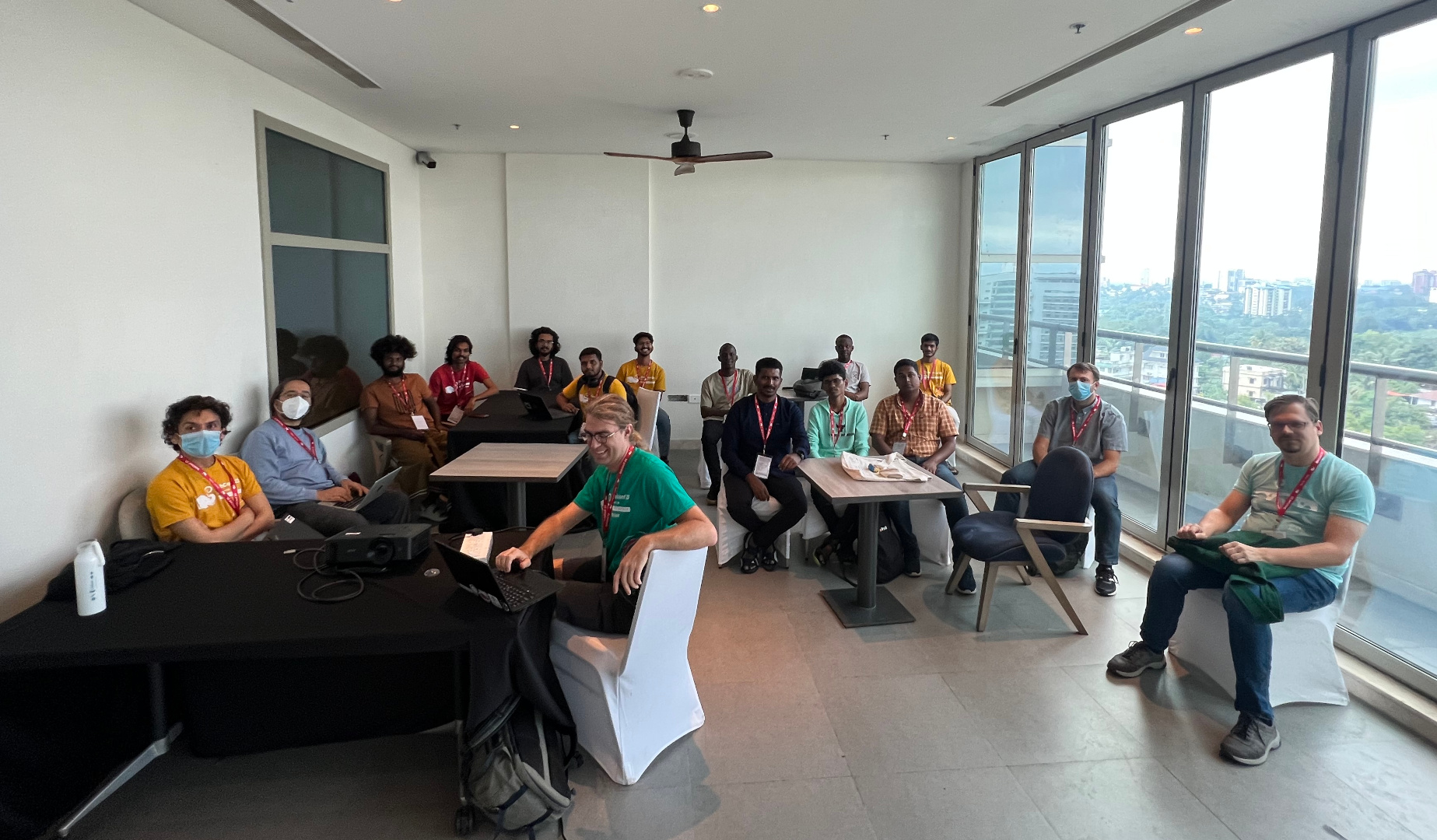
Freexian Meetup, by Stefano Rivera, Utkarsh Gupta, et al. During DebConf, Freexian organized a meetup for its collaborators and those interested in learning more about Freexian and its services. It was well received and many people interested in Freexian showed up. Some developers who were interested in contributing to LTS came to get more details about joining the project. And some prospective customers came to get to know us and ask questions. Sadly, the tragic loss of Abraham shook DebConf, both individually and structurally. The meetup got rescheduled to a small room without video coverage. With that, we still had a wholesome interaction and here s a quick picture from the meetup taken by Utkarsh (which is also why he s missing!).

Debusine, by Rapha l Hertzog, et al. Freexian has been investing into debusine for a while, but development speed is about to increase dramatically thanks to funding from SovereignTechFund.de. Rapha l laid out the 5 milestones of the funding contract, and filed the issues for the first milestone. Together with Enrico and Stefano, they established a workflow for the expanded team. Among the first steps of this milestone, Enrico started to work on a developer-friendly description of debusine that we can use when we reach out to the many Debian contributors that we will have to interact with. And Rapha l started the design work of the autopkgtest and lintian tasks, i.e. what s the interface to schedule such tasks, what behavior and what associated options do we support? At this point you might wonder what debusine is supposed to be let us try to answer this: Debusine manages scheduling and distribution of Debian-related build and QA tasks to a network of worker machines. It also manages the resulting artifacts and provides the results in an easy to consume way. We want to make it easy for Debian contributors to leverage all the great QA tools that Debian provides. We want to build the next generation of Debian s build infrastructure, one that will continue to reliably do what it already does, but that will also enable distribution-wide experiments, custom package repositories and custom workflows with advanced package reviews. If this all sounds interesting to you, don t hesitate to watch the project on salsa.debian.org and to contribute.

lpr/lpd in Debian, by Thorsten Alteholz During Debconf23, Till Kamppeter presented CPDB (Common Print Dialog Backend), a new way to handle print queues. After this talk it was discussed whether the old lpr/lpd based printing system could be abandoned in Debian or whether there is still demand for it. So Thorsten asked on the debian-devel email list whether anybody uses it. Oddly enough, these old packages are still useful:
  • Within a small network it is easier to distribute a printcap file, than to properly configure cups clients.
  • One of the biggest manufacturers of WLAN router and DSL boxes only supports raw queues when attaching an USB printer to their hardware. Admittedly the CPDB still has problems with such raw queues.
  • The Pharos printing system at MIT is still lpd-based.
As a result, the lpr/lpd stuff is not yet ready to be abandoned and Thorsten will adopt the relevant packages (or rather move them under the umbrella of the debian-printing team). Though it is not planned to develop new features, those packages should at least have a maintainer. This month Thorsten adopted rlpr, an utility for lpd printing without using /etc/printcap. The next one he is working on is lprng, a lpr/lpd printer spooling system. If you know of any other package that is also needed and still maintained by the QA team, please tell Thorsten.

/usr-merge, by Helmut Grohne Discussion about lifting the file move moratorium has been initiated with the CTTE and the release team. A formal lift is dependent on updating debootstrap in older suites though. A significant number of packages can automatically move their systemd unit files if dh_installsystemd and systemd.pc change their installation targets. Unfortunately, doing so makes some packages FTBFS and therefore patches have been filed. The analysis tool, dumat, has been enhanced to better understand which upgrade scenarios are considered supported to reduce false positive bug filings and gained a mode for local operation on a .changes file meant for inclusion in salsa-ci. The filing of bugs from dumat is still manual to improve the quality of reports. Since September, the moratorium has been lifted.

Miscellaneous contributions
  • Rapha l updated Django s backport in bullseye-backports to match the latest security release that was published in bookworm. Tracker.debian.org is still using that backport.
  • Helmut Grohne sent 13 patches for cross build failures.
  • Helmut Grohne performed a maintenance upload of debvm enabling its use in autopkgtests.
  • Helmut Grohne wrote an API-compatible reimplementation of autopkgtest-build-qemu. It is powered by mmdebstrap, therefore unprivileged, EFI-only and will soon be included in mmdebstrap.
  • Santiago continued the work regarding how to make it easier to (automatically) test reverse dependencies. An example of the ongoing work was presented during the Salsa CI BoF at DebConf 23.
    In fact, omniorb-dfsg test pipelines as the above were used for the omniorb-dfsg 4.3.0 transition, verifying how the reverse dependencies (tango, pytango and omnievents) were built and how their autopkgtest jobs run with the to-be-uploaded omniorb-dfsg new release.
  • Utkarsh and Stefano attended and helped run DebConf 23. Also continued winding up DebConf 22 accounting.
  • Anton Gladky did some science team uploads to fix RC bugs.

17 October 2023

Russ Allbery: Review: A Hat Full of Sky

Review: A Hat Full of Sky, by Terry Pratchett
Series: Discworld #32
Publisher: HarperTrophy
Copyright: 2004
Printing: 2005
ISBN: 0-06-058662-1
Format: Mass market
Pages: 407
A Hat Full of Sky is the 32nd Discworld novel and the second Tiffany Aching young adult novel. You should not start here, but you could start with The Wee Free Men. As with that book, some parts of the story carry more weight if you are already familiar with Granny Weatherwax. Tiffany is a witch, but she needs to be trained. This is normally done by apprenticeship, and in Tiffany's case it seemed wise to give her exposure to more types of witching. Thus, Tiffany, complete with new boots and a going-away present from the still-somewhat-annoying Roland, is off on an apprenticeship to the sensible Miss Level. (The new boots feel wrong and get swapped out for her concealed old boots at the first opportunity.) Unbeknownst to Tiffany, her precocious experiments with leaving her body as a convenient substitute for a mirror have attracted something very bad, something none of the witches are expecting. The Nac Mac Feegle know a hiver as soon as they feel it, but they have a new kelda now, and she's not sure she wants them racing off after their old kelda. Terry Pratchett is very good at a lot of things, but I don't think villains are one of his strengths. He manages an occasional memorable one (the Auditors, for example, at least before the whole chocolate thing), but I find most of them a bit boring. The hiver is one of the boring ones. It serves mostly as a concretized metaphor about the temptations of magical power, but those temptations felt so unlike the tendencies of Tiffany's personality that I didn't think the metaphor worked in the story. The interesting heart of this book to me is the conflict between Tiffany's impatience with nonsense and Miss Level's arguably excessive willingness to help everyone regardless of how demanding they get. There's something deeper in here about female socialization and how that interacts with Pratchett's conception of witches that got me thinking, although I don't think Pratchett landed the point with full force. Miss Level is clearly a good witch to her village and seems comfortable with how she lives her life, so perhaps they're not taking advantage of her, but she thoroughly slots herself into the helper role. If Tiffany attempted the same role, people would be taking advantage of her, because the role doesn't fit her. And yet, there's a lesson here she needs to learn about seeing other people as people, even if it wouldn't be healthy for her to move all the way to Miss Level's mindset. Tiffany is a precocious kid who is used to being underestimated, and who has reacted by becoming independent and somewhat judgmental. She's also had a taste of real magical power, which creates a risk of her getting too far into her own head. Miss Level is a fount of empathy and understanding for the normal people around her, which Tiffany resists and needed to learn. I think Granny Weatherwax is too much like Tiffany to teach her that. She also has no patience for fools, but she's older and wiser and knows Tiffany needs a push in that direction. Miss Level isn't a destination, but more of a counterbalance. That emotional journey, a conclusion that again focuses on the role of witches in questions of life and death, and Tiffany's fascinatingly spiky mutual respect with Granny Weatherwax were the best parts of this book for me. The middle section with the hiver was rather tedious and forgettable, and the Nac Mac Feegle were entertaining but not more than that. It felt like the story went in a few different directions and only some of them worked, in part because the villain intended to tie those pieces together was more of a force of nature than a piece of Tiffany's emotional puzzle. If the hiver had resonated with the darker parts of Tiffany's natural personality, the plot would have worked better. Pratchett was gesturing in that direction, but he never convinced me it was consistent with what we'd already seen of her. Like a lot of the Discworld novels, the good moments in A Hat Full of Sky are astonishing, but the plot is somewhat forgettable. It's still solidly entertaining, though, and if you enjoyed The Wee Free Men, I think this is slightly better. Followed by Going Postal in publication order. The next Tiffany Aching novel is Wintersmith. Rating: 8 out of 10

15 October 2023

Aigars Mahinovs: Figuring out finances part 2

A week ago I started to migrate my financial planning from a closed source system to a new system based on an open source, self-hosted solution. Main candidate is Firefly III - a relatively simple financial planner with a rather rich feature set and a solid user base and developer support. Starting it up with a Docker-Compose file was quite easy, following the official documentation. The same Compose file also managed the MySQL database, the importer app and a cron container for regular imports. The separate importer app allows both imports from CSV files and also from external bank account connection services. For whatever weird reason both of those services support exporting data from my regular bank accounts, but not from my credit cards for exactly the same bank. So for those cards I would need to periodically download CVS transaction exports and feed them into the importer. The combination of the cron container and the importer app allows for both of these functions. To do this you first do the import via the Web UI first and configure all the mappings - configure file and date formats, map account names in the bank output to account names that you added in Firefly, configure what otehr columns mean and what is the mapping of other values, like expense and income accounts. At the end of the process you can download a json file representing all the settings of the import you just did. Putting such a json config file in the input folder of the cron container and telling it to do an import (weekly, for example) would do such import periodically. Putting a credit card CSV file along with a config file for credit card import would also auto-import that. So far so good. However, when I tried importing exports from MoneyWiz or even when I tried re-creating account history directly from the bank data, I hit a very annoying problem. Transfers. Thing is detecting transfers between the real (asset) accounts that you are managing is really essential. For one those are not real expenses and incomes, so failing to mark them as transfers would show weird income/expense numbers. But if you do detect them as transfers and correctly map the destination account, but fail to match the transations between another you get a double-transaction. This becomes really hard when transactions happen on different dates and have different descriptions. So you get both a +1000 transaction "Credit card reset" on 14.09.2023 in the credit card account and a -1000$ transaction "Repayment of own credit card" on 24.09.2023 in the main account of the bank. Matching them to recognise that it is just one transfer and not two is ... non-trivial. The best solution I could come up with so far is to always map the "Opposing account name" for such transfers to a virtual "Transfers" asset account. That has the benefit of being actually able to correctly represent transfers that take several days to move between accounts and showing you how much money is still in transit at any point in time. So after I figured this out, finally the account balances started matching up with reality. Setting up spending categories required another change - the author of the Firefly III does not like complexity so it does not support nesting categories. Categories can only be in a single, flat list. It is suggested that if you do need to track multiple categories and also their combination, then category groups might help you. I will survive for now by simplifying the categories that I do actually use. Might actually make the reports more usable. A new feature for me will be the ability to use automation rules to assign transactions to categories based on their contents, like expense accounts of keywords in descriptions. Setting up regular bills (with matching rules to assign incoming transactions to those bills) is another feature that is very important to me. The feature itself works just fine in Firefly III, but it has two restrictions that the author of the software does not actually want to be changed. For one it can not be used to track prodictable incomes (like salary), presumably because it is only there for bills (subscriptions in v3 UI). And for other, there is nothing in the base software that actually uses the data from bills to look forward. The author does not like to try to predict the future. Which for me is basically the one of two reasons to use this kind of software at all. I want to know - given all manually entered regular and 100% predictable expenses and incomes, what will be the state of my accounts at particular date? It seems that to get at that I will need to write my own oracle script using the rich Firefly III API. The last question I had for this week was - how will I enter a new cash puchace of potatoes on a farmers market into the system that sits in a private server in my home network? Turns out there are actually multiple Android apps for Firefly III that can be easily used for this using a robust OAuth or shared token authentification. Except the web UI needs to be exposed online for this to work (and ideally protected by HTTPS). Other users have also created Telegram bots that allow using chat messages to create transaction entries. This is a bit harder to use and more narrow scope, but should be easier to setup. Will have to try both apporaches. But before I really get going on this, I need to fix another thing that I have been postponing for a while: I will need to migrate my Home Assistant installation from a Docker container installation to a Home Assistant OS installation so that I can install Addons, including Firefly III, MySQL and Portainer to have a bit more organised and less hand-knitted home server setup. Let's see how that goes next week :D

Russ Allbery: Review: A Killing Frost

Review: A Killing Frost, by Seanan McGuire
Series: October Daye #14
Publisher: DAW
Copyright: 2020
ISBN: 0-7564-1253-6
Format: Kindle
Pages: 351
A Killing Frost is the 14th book in the October Daye urban fantasy series and a direct plot sequel to the events of The Brightest Fell. You definitely cannot start here. This review has some relationship spoilers here for things that you would be expecting after the first five or six books, but which you wouldn't know when reading the first few books of the series. If you haven't started the series yet but plan to, consider skipping this review; if you haven't started reading this series, it will probably be meaningless anyway. Finally, events seem to have slowed, enough trauma has been healed, and Toby is able to seriously consider getting married. However, no sooner is the thought voiced than fae politics injects itself yet again. In order to get married without creating potentially substantial future problems for herself and her family, Toby will have to tie up some loose ends. Since one of those loose ends is a price from the Luidaeg that has been haunting her family for decades, this is easier said than done. The Brightest Fell had a very unsatisfying ending. This, after a two book interlude, is the proper end to that story. I picked this up when I had a bunch of stressful things going on and I wanted to be entertained without having to do much work as a reader. Once again, this series delivered exactly that. The writing is repetitive and a bit clunky, McGuire hammers the same emotional points into the ground, and one does wonder about Toby's tendency to emulate a half-human battering ram, but every book has me engrossed and turning the pages. Everyone should have at least one book series on the go that offers reliable, low-effort entertainment. The initial lever that McGuire uses to push Toby into this plot (fae marriage requirements that had never previously been mentioned) felt rather strained and arbitrary, and I spent the first part of the book grumbling a bit about it. However, there is a better reason for this complication that is revealed with time, and which implies some interesting things about how the fae see heroes and how they use them to solve problems. Now I'm wondering if McGuire will explore that some more in later books. This is the "all is revealed" book about Simon Torquill. As we get later into the series, these "all is revealed" books are coming more frequently. So far, I'm finding the revelations satisfying, which is a lot harder than it looks with a series this long and with this many hidden details. There are a few directions the series is taking that aren't my favorite (the Daoine Sidhe obsession with being the Best Fae is getting a bit boring, for example), but none of them seem egregiously off, and I'm deeply invested in the answers to the remaining questions. Toby hits a personal record here for not explaining the dangerous things she's doing because people might talk her out of it. It makes for a tense and gripping climax, but wow I felt for her friends and family, and substantial parts of that risk seemed unnecessary. This is pointed out to her in no uncertain terms, and I'm wondering if it will finally stick. Toby's tendency to solve complicated problems by bleeding on them is part of what gives this series its charm, but I wouldn't mind her giving other people more of a chance to come up with better plans. I did not like this one as well as the previous two books, mostly because I prefer the Luidaeg-centric stories to the Daoine-Sidhe-centric stories, but if you're enjoying the series to this point, this won't be an exception. It's a substantial improvement on The Brightest Fell and did a lot to salvage that story for me, although there are still some aspects of it that need better explanations. Followed by When Sorrows Come. As usual, there is a novella included in at least the Kindle edition. "Shine in Pearl": I was again hoping for more Gillian, but alas. Instead, and breaking with the tendency for the novellas to be side stories unrelated to the main novel, this fleshes out Simon's past and the other primary relationship driving the novel's plot. It's... fine? The best parts by far are the scenes from Dianda's viewpoint, which are just as refreshingly blunt as Dianda is elsewhere. Neither of the other two characters are favorites of mine, and since the point of the story is to describe the tragedy that is resolved in the plot of the main novel, it's somewhat depressing. Not my favorite of the novellas; not the worst of them. (6) Rating: 7 out of 10

Michael Ablassmeier: Testing system updates using libvirts checkpoint feature

If you want to test upgrades on virtual machines (running on libvit/qemu/kvm) these are usually the most common steps: As with recent versions, both libvirt and qemu have full support for dirty bitmaps (so called checkpoints). These checkpoints, once existent, will track changes to the block level layer and can be exported via NBD protocol. Usually one can create these checkpoints using virsh checkpoint-create[-as], with a proper xml description. Using the pull based model, the following is possible: The overlay image will only use the disk space for the blocks changed during upgrade: no need to create a full clone which may waste a lot of disk space. In order to simplify the first step, its possible to use virtnbdbackup for creating the required consistent checkpoint and export its data using a unix domain socket. Update: As alternative, ive just created a small utility called vircpt to create and export checkpoints. In my example im using a debian11 virtual machine with qemu guest agent configured:
# virsh list --all
 Id Name State 
 ------------------------------------------ 
 1 debian11_default running
Now let virtnbdbackup create an checkpoint, freeze the filesystems during creation and tell libvirt to provide us with a usable NBD server listening on an unix socket:
# virtnbdbackup -d debian11_default -o /tmp/foo -s
INFO lib common - printVersion [MainThread]: Version: 1.9.45 Arguments: ./virtnbdbackup -d debian11_default -o /tmp/foo -s
[..] 
INFO root virtnbdbackup - main [MainThread]: Local NBD Endpoint socket: [/var/tmp/virtnbdbackup.5727] 
INFO root virtnbdbackup - startBackupJob [MainThread]: Starting backup job.
INFO fs fs - freeze [MainThread]: Freezed [2] filesystems. 
INFO fs fs - thaw [MainThread]: Thawed [2] filesystems. 
INFO root virtnbdbackup - main [MainThread]: Started backup job for debugging, exiting.
We can now use nbdinfo to display some information about the NBD export:
# nbdinfo "nbd+unix:///vda?socket=/var/tmp/virtnbdbackup.5727" 
    protocol: newstyle-fixed without TLS, using structured packets 
    export="vda": 
    export-size: 137438953472 (128G) 
    content: 
        DOS/MBR boot sector uri: nbd+unix:///vda?socket=/var/tmp/virtnbdbackup.5727
And create a backing image that we can use to test an in-place upgrade:
# qemu-img create -F raw -b nbd+unix:///vda?socket=/var/tmp/virtnbdbackup.5727 -f qcow2 upgrade.qcow2
Now we have various ways for booting the image:
# qemu-system-x86_64 -hda upgrade.qcow2 -m 2500 --enable-kvm
image After performing the required tests within the virtual machine we can simply kill the active NBD backup job :
# virtnbdbackup -d debian11_default -o /tmp/foo -k
INFO lib common - printVersion [MainThread]: Version: 1.9.45 Arguments: ./virtnbdbackup -d debian11_default -o /tmp/foo -k 
[..]
INFO root virtnbdbackup - main [MainThread]: Stopping backup job
And remove the created qcow image:
# rm -f upgrade.qcow2

11 October 2023

Iustin Pop: Not-quite-announcement: this blog is not entirely dead

Something, something then something else, and it s been another six months since I last wrote anything. The world is crazy, somehow there s no time for anything, and yet life move forward, inexorably. (Well, without going into gory side-notes about how evil stops life in various parts of the world.) As a proof that this blog is not dead, I ve finally implemented proper per-page keywords support, rather than the hard-coded keywords that were present before. Well, those defaults are still present in all pages that don t declare keywords, will probably remove them at one point. Implementing this in Hakyll is not hard, at all, if one semi-regularly writes code. There are a number of examples out there, but what was confusing: Anyway, after 2 files changed, 23 insertions(+), 8 deletions(-), this page is the first one to have any keywords. And the funny thing, after initially struggling to write a single line of Haskell, the final version of the keywords is something like this:
 
    where renderKeywords =
            return . escapeHtml . intercalate "," . map trim . splitAll ","
And I wrote that as is, compiled successfully, and did the right thing from the first try. I only write some Haskell code 2-3 times per year, but man, I love this language. Until next time, hopefully before 2024

10 October 2023

Matthias Klumpp: How to indicate device compatibility for your app in MetaInfo data

At the moment I am hard at work putting together the final bits for the AppStream 1.0 release (hopefully to be released this month). The new release comes with many new new features, an improved developer API and removal of most deprecated things (so it carefully breaks compatibility with very old data and the previous C API). One of the tasks for the upcoming 1.0 release was #481 asking about a formal way to distinguish Linux phone applications from desktop applications. AppStream infamously does not support any is-for-phone label for software components, instead the decision whether something is compatible with a device is based the the device s capabilities and the component s requirements. This allows for truly adaptive applications to describe their requirements correctly, and does not lock us into form factors going into the future, as there are many and the feature range between a phone, a tablet and a tiny laptop is quite fluid. Of course the match to current device capabilities check does not work if you are a website ranking phone compatibility. It also does not really work if you are a developer and want to know which devices your component / application will actually be considered compatible with. One goal for AppStream 1.0 is to have its library provide more complete building blocks to software centers. Instead of just a here s the data, interpret it according to the specification API, libappstream now interprets the specification for the application and provides API to handle most common operations like checking device compatibility. For developers, AppStream also now implements a few virtual chassis configurations , to roughly gauge which configurations a component may be compatible with. To test the new code, I ran it against the large Debian and Flatpak repositories to check which applications are considered compatible with what chassis/device type already. The result was fairly disastrous, with many applications not specifying compatibility correctly (many do, but it s by far not the norm!). Which brings me to the actual topic of this blog post: Very few seem to really know how to mark an application compatible with certain screen sizes and inputs! This is most certainly a matter of incomplete guides and good templates, so maybe this post can help with that a bit:

The ultimate cheat-sheet to mark your app chassis-type compatible As a quick reminder, compatibility is indicated using AppStream s relations system: A requires relation indicates that the system will not run at all or will run terribly if the requirement is not met. If the requirement is not met, it should not be installable on a system. A recommends relation means that it would be advantageous to have the recommended items, but it s not essential to run the application (it may run with a degraded experience without the recommended things though). And a supports relation means a given interface/device/control/etc. is supported by this application, but the application may work completely fine without it.

I have a desktop-only application A desktop-only application is characterized by needing a larger screen to fit the application, and requiring a physical keyboard and accurate mouse input. This type is assumed by default if no capabilities are set for an application, but it s better to be explicit. This is the metadata you need:
<component type="desktop-application">
  <id>org.example.desktopapp</id>
  <name>DesktopApp</name>
  [...]
  <requires>
    <display_length>768</display_length>
    <control>keyboard</control>
    <control>pointing</control>
  </requires>
  [...]
</component>
With this requires relation, you require a small-desktop sized screen (at least 768 device-independent pixels (dp) on its smallest edge) and require a keyboard and mouse to be present / connectable. Of course, if your application needs more minimum space, adjust the requirement accordingly. Note that if the requirement is not met, your application may not be offered for installation.
Note: Device-independent / logical pixels One logical pixel (= device independent pixel) roughly corresponds to the visual angle of one pixel on a device with a pixel density of 96 dpi (for historical X11 reasons) and a distance from the observer of about 52 cm, making the physical pixel about 0.26 mm in size. When using logical pixels as unit, they might not always map to exact physical lengths as their exact size is defined by the device providing the display. They do however accurately depict the maximum amount of pixels that can be drawn in the depicted direction on the device s display space. AppStream always uses logical pixels when measuring lengths in pixels.

I have an application that works on mobile and on desktop / an adaptive app Adaptive applications have fewer hard requirements, but a wide range of support for controls and screen sizes. For example, they support touch input, unlike desktop apps. An example MetaInfo snippet for these kind of apps may look like this:
<component type="desktop-application">
  <id>org.example.adaptive_app</id>
  <name>AdaptiveApp</name>
  [...]
  <requires>
    <display_length>360</display_length>
  </requires>
  <supports>
    <control>keyboard</control>
    <control>pointing</control>
    <control>touch</control>
  </supports>
  [...]
</component>
Unlike the pure desktop application, this adaptive application requires a much smaller lowest display edge length, and also supports touch input, in addition to keyboard and mouse/touchpad precision input.

I have a pure phone/table app Making an application a pure phone application is tricky: We need to mark it as compatible with phones only, while not completely preventing its installation on non-phone devices (even though its UI is horrible, you may want to test the app, and software centers may allow its installation when requested explicitly even if they don t show it by default). This is how to achieve that result:
<component type="desktop-application">
  <id>org.example.phoneapp</id>
  <name>PhoneApp</name>
  [...]
  <requires>
    <display_length>360</display_length>
  </requires>
  <recommends>
    <display_length compare="lt">1280</display_length>
    <control>touch</control>
  </recommends>
  [...]
</component>
We require a phone-sized display minimum edge size (adjust to a value that is fit for your app!), but then also recommend the screen to have a smaller edge size than a larger tablet/laptop, while also recommending touch input and not listing any support for keyboard and mouse. Please note that this blog post is of course not a comprehensive guide, so if you want to dive deeper into what you can do with requires/recommends/suggests/supports, you may want to have a look at the relations tags described in the AppStream specification.

Validation It is still easy to make mistakes with the system requirements metadata, which is why AppStream 1.0 will provide more commands to check MetaInfo files for system compatibility. Current pre-1.0 AppStream versions already have an is-satisfied command to check if the application is compatible with the currently running operating system:
:~$ appstreamcli is-satisfied ./org.example.adaptive_app.metainfo.xml
Relation check for: */*/*/org.example.adaptive_app/*
Requirements:
   Unable to check display size: Can not read information without GUI toolkit access.
Recommendations:
   No recommended items are set for this software.
Supported:
   Physical keyboard found.
   Pointing device (e.g. a mouse or touchpad) found.
   This software supports touch input.
In addition to this command, AppStream 1.0 will introduce a new one as well: check-syscompat. This command will check the component against libappstream s mock system configurations that define a most common (whatever that is at the time) configuration for a respective chassis type. If you pass the --details flag, you can even get an explanation why the component was considered or not considered for a specific chassis type:
:~$ appstreamcli check-syscompat --details ./org.example.phoneapp.metainfo.xml
Chassis compatibility check for: */*/*/org.example.phoneapp/*
Desktop:
   Incompatible
   recommends: This software recommends a display with its shortest edge
   being << 1280 px in size, but the display of this device has 1280 px.
   recommends: This software recommends a touch input device.
Laptop:
   Incompatible
   recommends: This software recommends a display with its shortest edge 
   being << 1280 px in size, but the display of this device has 1280 px.
   recommends: This software recommends a touch input device.
Server:
   Incompatible
   requires: This software needs a display for graphical content.
   recommends: This software needs a display for graphical content.
   recommends: This software recommends a touch input device.
Tablet:
   Compatible (100%)
Handset:
   Compatible (100%)
I hope this is helpful for people. Happy metadata writing!

8 October 2023

Niels Thykier: A new Debian package helper: debputy

I have made a new helper for producing Debian packages called debputy. Today, I uploaded it to Debian unstable for the first time. This enables others to migrate their package build using dh +debputy rather than the classic dh. Eventually, I hope to remove dh entirely from this equation, so you only need debputy. But for now, debputy still leverages dh support for managing upstream build systems. The debputy tool takes a radicially different approach to packaging compared to our existing packaging methods by using a single highlevel manifest instead of all the debian/install (etc.) and no hook targets in debian/rules. Here are some of the things that debputy can do or does: There are also some features that debputy does not support at the moment: There are all limitations of the current work in progress. I hope to resolve them all in due time.

Trying debputy With the limitations aside, lets talk about how you would go about migrating a package:
# Assuming here you have already run: apt install dh-debputy
$ git clone https://salsa.debian.org/rra/kstart
[...]
$ cd kstart
# Add a Build-Dependency on dh-sequence-debputy
$ perl -n -i -e \
   'print; print " dh-sequence-debputy,\n" if m/debhelper-compat/;' \
    debian/control
$ debputy migrate-from-dh --apply-changes
debputy: info: Loading plugin debputy (version: archive/debian/4.3-1) ...
debputy: info: Verifying the generating manifest
debputy: info: Updated manifest debian/debputy.manifest
debputy: info: Removals:
debputy: info:   rm -f "./debian/docs"
debputy: info:   rm -f "./debian/examples"
debputy: info: Migrations performed successfully
debputy: info: Remember to validate the resulting binary packages after rebuilding with debputy
$ cat debian/debputy.manifest 
manifest-version: '0.1'
installations:
- install-docs:
    sources:
    - NEWS
    - README
    - TODO
- install-examples:
    source: examples/krenew-agent
$ git add debian/debputy.manifest
$ git commit --signoff -am"Migrate to debputy"
# Run build tool of choice to verify the output.
This is of course a specific example that works out of the box. If you were to try this on debianutils (from git), the output would look something like this:
$ debputy migrate-from-dh
debputy: info: Loading plugin debputy (version: 5.13-13-g9836721) ...
debputy: error: Unable to migrate automatically due to missing features in debputy.
  * The "debian/triggers" debhelper config file (used by dh_installdeb is currently not supported by debputy.
Use --acceptable-migration-issues=[...] to convert this into a warning [...]
And indeed, debianutils requires at least 4 debhelper features beyond what debputy can support at the moment (all related to maintscripts and triggers).

Rapid feedback Rapid feedback cycles are important for keeping developers engaged in their work. The debputy tool provides the following features to enable rapid feedback.

Immediate manifest validation It would be absolutely horrible if you had to do a full-rebuild only to realize you got the manifest syntax wrong. Therefore, debputy has a check-manifest command that checks the manifest for syntactical and semantic issues.
$ cat debian/debputy.manifest
manifest-version: '0.1'
installations:
- install-docs:
    sources:
    - GETTING-STARTED-WITH-dh-debputy.md
    - MANIFEST-FORMAT.md
    - MIGRATING-A-DH-PLUGIN.md
$ debputy check-manifest
debputy: info: Loading plugin debputy (version: 0.1.7-1-gf34bd66) ...
debputy: info: No errors detected.
$ cat <<EOF >> debian/debputy.manifest
- install:
    sourced: foo
    as: usr/bin/foo
EOF
# Did I typo anything?
$ debputy check-manifest
debputy: info: Loading plugin debputy (version: 0.1.7-2-g4ef8c2f) ...
debputy: warning: Possible typo: The key "sourced" at "installations[1].install" should probably have been 'source'
debputy: error: Unknown keys " 'sourced' " at installations[1].install".  Keys that could be used here are: sources, when, dest-dir, source, into.
debputy: info: Loading plugin debputy (version: 0.1.7-2-g4ef8c2f) ...
$ sed -i s/sourced:/source:/ debian/debputy.manifest
$ debputy check-manifest
debputy: info: Loading plugin debputy (version: 0.1.7-2-g4ef8c2f) ...
debputy: info: No errors detected.
The debputy check-manifest command is limited to the manifest itself and does not warn about foo not existing as it could be produced as apart of the upstream build system. Therefore, there are still issues that can only be detected at package build time. But where debputy can reliably give you immediate feedback, it will do so.

Idempotence: Clean re-runs of dh_debputy without clean/rebuild If you read the fine print of many debhelper commands, you may see the following note their manpage:
This command is not idempotent. dh_prep(1) should be called between invocations of this command Manpage of an anonymous debhelper tool
What this usually means, is that if you run the command twice, you will get its maintscript change (etc.) twice in the final deb. This fits into our single-use clean throw-away chroot builds on the buildds and CI as well as dpkg-buildpackage s no-clean (-nc) option. Single-use throw-away chroots are not very helpful for debugging though, so I rarely use them when doing the majority of my packaging work as I do not want to wait for the chroot initialization (including installing of build-depends). But even then, I have found that dpkg-buildpackage -nc has been useless for me in many cases as I am stuck between two options:
  • With -nc, you often still interact with the upstream build system. As an example, debhelper will do a dh_prep followed by dh_auto_install, so now we are waiting for upstream s install target to run again. What should have taken seconds now easily take 0.5-1 minute extra per attempt.
  • If you want to by-pass this, you have to manually call the helpers needed (in correct order) and every run accumulates cruft from previous runs to the point that cruft drowns out the actual change you want to see. Also, I am rarely in the mood to play human dh, when I am debugging an issue that I failed to fix in my first, second and third try.
As you can probably tell, neither option has worked that well for me. But with dh_debputy, I have made it a goal that it will not self-taint the final output. If dh_debputy fails, you should be able to tweak the manifest and re-run dh_debputy with the same arguments.
  • No waiting for dpkg-buildpackage -nc nor anything implied by that.
  • No self-tainting of the final deb. The result you get, is the result you would have gotten if the previous dh_debputy run never happened.
  • Because dh_debputy produces the final result, I do not have to run multiple tools in the right order.
Obviously, this is currently a lot easier, because debputy is not involved in the upstream build system at all. If this feature is useful to you, please do let me know and I will try to preserve it as debputy progresses in features.

Packager provided files On a different topic, have you ever wondered what kind of files you can place into the debian directory that debhelper automatically picks up or reacts too? I do not have an answer to that beyond it is over 80 files and that as the maintainer of debhelper, I am not willing to manually maintain such a list manually. However, I do know what the answer is in debputy, because I can just ask debputy:
$ debputy plugin list packager-provided-files
+-----------------------------+---------------------------------------------[...]
  Stem                          Installed As                                [...]
+-----------------------------+---------------------------------------------[...]
  NEWS                          /usr/share/doc/ name /NEWS.Debian           [...]
  README.Debian                 /usr/share/doc/ name /README.Debian         [...]
  TODO                          /usr/share/doc/ name /TODO.Debian           [...]
  bug-control                   /usr/share/bug/ name /control               [...]
  bug-presubj                   /usr/share/bug/ name /presubj               [...]
  bug-script                    /usr/share/bug/ name /script                [...]
  changelog                     /usr/share/doc/ name /changelog.Debian      [...]
  copyright                     /usr/share/doc/ name /copyright             [...]
[...]
This will list all file types (Stem column) that debputy knows about and it accounts for any plugin that debputy can find. Note to be deterministic, debputy will not auto-load plugins that have not been explicitly requested during package builds. So this list could list files that are available but not active for your current package. Note the output is not intended to be machine readable. That may come in later version. Feel free to chime in if you have a concrete use-case.

Take it for a spin As I started this blog post with, debputy is now available in unstable. I hope you will take it for a spin on some of your simpler packages and provide feedback on it.  For documentation, please have a look at: Thanks for considering PS: My deepest respect to the fakeroot maintainers. That game of whack-a-mole is not something I would have been willing to maintain. I think fakeroot is like the Python GIL in the sense that it has been important in getting Debian to where it is today. But at the same time, I feel it is time to let go of the crutch and find a proper solution.

6 October 2023

Emanuele Rocca: Custom Debian Installer and Kernel on a USB stick

There are many valid reasons to create a custom Debian Installer image. You may need to pass some special arguments to the kernel, use a different GRUB version, automate the installation by means of preseeding, use a custom kernel, or modify the installer itself.
If you have a EFI system, which is probably the case in 2023, there is no need to learn complex procedures in order to create a custom Debian Installer stick.
The source of many frustrations is that the ISO format for CDs/DVDs is read-only, but you can just create a VFAT filesystem on a USB stick, copy all ISO contents onto the stick itself, and modify things at will.

Create a writable USB stick
First create a FAT32 filesystem on the removable device and mount it. The device is sdX in the example.
$ sudo parted --script /dev/sdX mklabel msdos
$ sudo parted --script /dev/sdX mkpart primary fat32 0% 100%
$ sudo mkfs.vfat /dev/sdX1
$ sudo mount /dev/sdX1 /mnt/data/
Then copy to the USB stick the installer ISO you would like to modify, debian-testing-amd64-netinst.iso here.
$ sudo kpartx -v -a debian-testing-amd64-netinst.iso
# Mount the first partition on the ISO and copy its contents to the stick
$ sudo mount /dev/mapper/loop0p1 /mnt/cdrom/
$ sudo rsync -av /mnt/cdrom/ /mnt/data/
$ sudo umount /mnt/cdrom
# Same story with the second partition on the ISO
$ sudo mount /dev/mapper/loop0p2 /mnt/cdrom/
$ sudo rsync -av /mnt/cdrom/ /mnt/data/
$ sudo umount /mnt/cdrom
$ sudo kpartx -d debian-testing-amd64-netinst.iso
$ sudo umount /mnt/data
Now try booting from the USB stick just to verify that everything went well and we can start customizing the image.

Boot loader, preseeding, installer hacks
The easiest things we can change now are the shim, GRUB, and GRUB s configuration. The USB stick contains the shim under /EFI/boot/bootx64.efi, while GRUB is at /EFI/boot/grubx64.efi. This means that if you want to test a different shim / GRUB version, you just replace the relevant files. That s it. Take for example /usr/lib/grub/x86_64-efi/monolithic/grubx64.efi from the package grub-efi-amd64-bin, or the signed version from grub-efi-amd64-signed and copy them under /EFI/boot/grubx64.efi. Or perhaps you want to try out systemd-boot? Then take /usr/lib/systemd/boot/efi/systemd-bootx64.efi from the package systemd-boot-efi, copy it to /EFI/boot/bootx64.efi and you re good to go. Figuring out the right systemd-boot configuration needed to start the Installer is left as an exercise.
By editing /boot/grub/grub.cfg you can pass arbitrary arguments to the kernel and the Installer itself. See the official Installation Guide for a comprehensive list of boot parameters.
One very commong thing to do is automating the installation using a preseed file. Add the following to the kernel command line: preseed/file=/cdrom/preseed.cfg and create a /preseed.cfg file on the USB stick. As a little example:
d-i time/zone select Europe/Rome
d-i passwd/root-password this-is-the-root-password
d-i passwd/root-password-again this-is-the-root-password
d-i passwd/user-fullname string Emanuele Rocca
d-i passwd/username string ema
d-i passwd/user-password password lol-haha-uh
d-i passwd/user-password-again password lol-haha-uh
d-i apt-setup/no_mirror boolean true
d-i popularity-contest/participate boolean true
tasksel tasksel/first multiselect standard
See Steve McIntyre s awesome page with the full list of available settings and their description: https://preseed.einval.com/debian-preseed/.
Two noteworthy settings are early_command and late_command. They can be used to execute arbitrary commands and provide thus extreme flexibility! You can go as far as replacing parts of the installer with a sed command, or maybe wgetting an entirely different file. This is a fairly easy way to test minor Installer patches. As an example, I ve once used this to test a patch to grub-installer:
d-i partman/early_command string wget https://people.debian.org/~ema/grub-installer-1035085-1 -O /usr/bin/grub-installer
Finally, the initrd contains all early stages of the installer. It s easy to unpack it, modify whatever component you like, and repack it. Say you want to change a given udev rule:
$ mkdir /tmp/new-initrd
$ cd /tmp/new-initrd
$ zstdcat /mnt/data/install.a64/initrd.gz   sudo cpio -id
$ vi lib/udev/rules.d/60-block.rules
$ find .   cpio -o -H newc   zstd --stdout > /mnt/data/install.a64/initrd.gz

Custom udebs
From a basic architectural standpoint the Debian Installer can be seen as an initrd that loads a series of special Debian packages called udebs. In the previous section we have seen how to (ab)use early_command to replace one of the scripts used by the Installer, namely grub-installer. It turns out that such script is installed by a udeb, so let s do things right and build a new Installer ISO with our custom grub udeb.
Fetch the code for the grub-installer udeb, make your changes and build it with a classic dpkg-buildpackage -rfakeroot.
Then get the Installer code and install all dependencies:
$ git clone https://salsa.debian.org/installer-team/debian-installer/
$ cd debian-installer/
$ sudo apt build-dep .
Now add the grub-installer udeb to the localudebs directory and create a new netboot image:
$ cp /path/to/grub-installer_1.198_arm64.udeb build/localudebs/
$ cd build
$ fakeroot make clean_netboot build_netboot
Give it some time, soon enough you ll have a brand new ISO to test under dest/netboot/mini.iso.

Custom kernel
Perhaps there s a kernel configuration option you need to enable, or maybe you need a more recent kernel version than what is available in sid.
The Debian Linux Kernel Handbook has all the details for how to do things properly, but here s a quick example.
Get the Debian kernel packaging from salsa and generate the upstream tarball:
$ git clone https://salsa.debian.org/kernel-team/linux/
$ ./debian/bin/genorig.py https://git.kernel.org/pub/scm/linux/kernel/git/stable/linux-stable.git
For RC kernels use the repo from Linus instead of linux-stable.
Now do your thing, for instance change a config setting by editing debian/config/amd64/config. Don t worry about where you put it in the file, there s a tool from https://salsa.debian.org/kernel-team/kernel-team to fix that:
$ /path/to/kernel-team/utils/kconfigeditor2/process.py .
Now build your kernel:
$ export MAKEFLAGS=-j$(nproc)
$ export DEB_BUILD_PROFILES='pkg.linux.nokerneldbg pkg.linux.nokerneldbginfo pkg.linux.notools nodoc'
$ debian/rules orig
$ debian/rules debian/control
$ dpkg-buildpackage -b -nc -uc
After some time, if everything went well, you should get a bunch of .deb files as well as a .changes file, linux_6.6~rc3-1~exp1_arm64.changes here. To generate the udebs used by the Installer you need to first get a linux-signed .dsc file, and then build it with sbuild in this example:
$ /path/to/kernel-team/scripts/debian-test-sign linux_6.6~rc3-1~exp1_arm64.changes
$ sbuild --dist=unstable --extra-package=$PWD linux-signed-arm64_6.6~rc3+1~exp1.dsc
Excellent, now you should have a ton of .udebs. To build a custom installer image with this kernel, copy them all under debian-installer/build/localudebs/ and then run fakeroot make clean_netboot build_netboot as described in the previous section. In case you are trying to use a different kernel version from what is currently in sid, you will have to install the linux-image package on the system building the ISO, and change LINUX_KERNEL_ABI in build/config/common. The linux-image dependency in debian/control probably needs to be tweaked as well.
That s it, the new Installer ISO should boot with your custom kernel!
There is going to be another minor obstacle though, as anna will complain that your new kernel cannot be found in the archive. Copy the kernel udebs you have built onto a vfat formatted USB stick, switch to a terminal, and install them all with udpkg:
~ # udpkg -i *.udeb
Now the installation should proceed smoothly.

3 October 2023

Russ Allbery: Review: Monstrous Regiment

Review: Monstrous Regiment, by Terry Pratchett
Series: Discworld #31
Publisher: Harper
Copyright: October 2003
Printing: August 2014
ISBN: 0-06-230741-X
Format: Mass market
Pages: 457
Monstrous Regiment is the 31st Discworld novel, but it mostly stands by itself. You arguably could start here, although you would miss the significance of Vimes's presence and the references to The Truth. The graphical reading order guide puts it loosely after The Truth and roughly in the Industrial Revolution sequence, but the connections are rather faint.
There was always a war. Usually they were border disputes, the national equivalent of complaining that the neighbor was letting their hedge row grow too long. Sometimes they were bigger. Borogravia was a peace-loving country in the middle of treacherous, devious, warlike enemies. They had to be treacherous, devious, and warlike; otherwise, we wouldn't be fighting them, eh? There was always a war.
Polly's brother, who wanted nothing more than to paint (something that the god Nuggan and the ever-present Duchess certainly did not consider appropriate for a strapping young man), was recruited to fight in the war and never came back. Polly is worried about him and tired of waiting for news. Exit Polly, innkeeper's daughter, and enter the young lad Oliver Perks, who finds the army recruiters in a tavern the next town over. One kiss of the Duchess's portrait later, and Polly is a private in the Borogravian army. I suspect this is some people's favorite Discworld novel. If so, I understand why. It was not mine, for reasons that I'll get into, but which are largely not Pratchett's fault and fall more into the category of pet peeves. Pratchett has dealt with both war and gender in the same book before. Jingo is also about a war pushed by a ruling class for stupid reasons, and featured a substantial subplot about Nobby cross-dressing that turns into a deeper character re-evaluation. I thought the war part of Monstrous Regiment was weaker (this is part of my complaint below), but gender gets a considerably deeper treatment. Monstrous Regiment is partly about how arbitrary and nonsensical gender roles are, and largely about how arbitrary and abusive social structures can become weirdly enduring because they build up their own internally reinforcing momentum. No one knows how to stop them, and a lot of people find familiar misery less frightening than unknown change, so the structure continues despite serving no defensible purpose. Recently, there was a brief attempt in some circles to claim Pratchett posthumously for the anti-transgender cause in the UK. Pratchett's daughter was having none of it, and any Pratchett reader should have been able to reject that out of hand, but Monstrous Regiment is a comprehensive refutation written by Pratchett himself some twenty years earlier. Polly is herself is not transgender. She thinks of herself as a woman throughout the book; she's just pretending to be a boy. But she also rejects binary gender roles with the scathing dismissal of someone who knows first-hand how superficial they are, and there is at least one transgender character in this novel (although to say who would be a spoiler). By the end of the book, you will have no doubt that Pratchett's opinion about people imposing gender roles on others is the same as his opinion about every other attempt to treat people as things. That said, by 2023 standards the treatment of gender here seems... naive? I think 2003 may sadly have been a more innocent time. We're now deep into a vicious backlash against any attempt to question binary gender assignment, but very little of that nastiness and malice is present here. In one way, this is a feature; there's more than enough of that in real life. However, it also makes the undermining of gender roles feel a bit too easy. There are good in-story reasons for why it's relatively simple for Polly to pass as a boy, but I still spent a lot of the book thinking that passing as a private in the army would be a lot harder and riskier than this. Pratchett can't resist a lot of cross-dressing and gender befuddlement jokes, all of which are kindly and wry but (at least for me) hit a bit differently in 2023 than they would have in 2003. The climax of the story is also a reference to a classic UK novel that to even name would be to spoil one or both of the books, but which I thought pulled the punch of the story and dissipated a lot of the built-up emotional energy. My larger complaints, though, are more idiosyncratic. This is a war novel about the enlisted ranks, including the hazing rituals involved in joining the military. There are things I love about military fiction, but apparently that reaction requires I have some sympathy for the fight or the goals of the institution. Monstrous Regiment falls into the class of war stories where the war is pointless and the system is abusive but the camaraderie in the ranks makes service oddly worthwhile, if not entirely justifiable. This is a real feeling that many veterans do have about military service, and I don't mean to question it, but apparently reading about it makes me grumbly. There's only so much of the apparently gruff sergeant with a heart of gold that I can take before I start wondering why we glorify hazing rituals as a type of tough love, or why the person with some authority doesn't put a direct stop to nastiness instead of providing moral support so subtle you could easily blink and miss it. Let alone the more basic problems like none of these people should have to be here doing this, or lots of people are being mangled and killed to make possible this heart-warming friendship. Like I said earlier, this is a me problem, not a Pratchett problem. He's writing a perfectly reasonable story in a genre I just happen to dislike. He's even undermining the genre in the process, just not quite fast enough or thoroughly enough for my taste. A related grumble is that Monstrous Regiment is very invested in the military trope of naive and somewhat incompetent officers who have to be led by the nose by experienced sergeants into making the right decision. I have never been in the military, but I work in an industry in which it is common to treat management as useless incompetents at best and actively malicious forces at worst. This is, to me, one of the most persistently obnoxious attitudes in my profession, and apparently my dislike of it carries over as a low tolerance for this very common attitude towards military hierarchy. A full expansion of this point would mostly be about the purpose of management, division of labor, and people's persistent dismissal of skills they don't personally have and may perceive as gendered, and while some of that is tangentially related to this book, it's not closely-related enough for me to bore you with it in a review. Maybe I'll write a stand-alone blog post someday. Suffice it to say that Pratchett deployed a common trope that most people would laugh at and read past without a second thought, but that for my own reasons started getting under my skin by the end of the novel. All of that grumbling aside, I did like this book. It is a very solid Discworld novel that does all the typical things a Discworld novel does: likable protagonists you can root for, odd and fascinating side characters, sharp and witty observations of human nature, and a mostly enjoyable ending where most of the right things happen. Polly is great; I was very happy to read a book from her perspective and would happily read more. Vimes makes a few appearances being Vimes, and while I found his approach in this book less satisfying than in Jingo, I'll still take it. And the examination of gender roles, even if a bit less fraught than current politics, is solid Pratchett morality. The best part of this book for me, by far, is Wazzer. I think that subplot was the most Discworld part of this book: a deeply devout belief in a pseudo-godlike figure that is part of the abusive social structure that creates many of the problems of the book becomes something considerably stranger and more wonderful. There is a type of belief that is so powerful that it transforms the target of that belief, at least in worlds like Discworld that have a lot of ambient magic. Not many people have that type of belief, and having it is not a comfortable experience, but it makes for a truly excellent story. Monstrous Regiment is a solid Discworld novel. It was not one of my favorites, but it probably will be someone else's favorite for a host of good reasons. Good stuff; if you've read this far, you will enjoy it. Followed by A Hat Full of Sky in publication order, and thematically (but very loosely) by Going Postal. Rating: 8 out of 10

30 September 2023

Ian Jackson: DKIM: rotate and publish your keys

If you are an email system administrator, you are probably using DKIM to sign your outgoing emails. You should be rotating the key regularly and automatically, and publishing old private keys. I have just released dkim-rotate 1.0; dkim-rotate is a tool to do this key rotation and publication. If you are an email user, your email provider ought to be doing this. If this is not done, your emails are non-repudiable , meaning that if they are leaked, anyone (eg, journalists, haters) can verify that they are authentic, and prove that to others. This is not desirable (for you). Non-repudiation of emails is undesirable This problem was described at some length in Matthew Green s article Ok Google: please publish your DKIM secret keys. Avoiding non-repudiation sounds a bit like lying. After all, I m advising creating a situation where some people can t verify that something is true, even though it is. So I m advocating casting doubt. Crucially, though, it s doubt about facts that ought to be private. When you send an email, that s between you and the recipient. Normally you don t intend for anyone, anywhere, who happens to get a copy, to be able to verify that it was really you that sent it. In practical terms, this verifiability has already been used by journalists to verify stolen emails. Associated Press provide a verification tool. Advice for all email users As a user, you probably don t want your emails to be non-repudiable. (Other people might want to be able to prove you sent some email, but your email system ought to serve your interests, not theirs.) So, your email provider ought to be rotating their DKIM keys, and publishing their old ones. At a rough guess, your provider probably isn t :-(. How to tell by looking at email headers A quick and dirty way to guess is to have a friend look at the email headers of a message you sent. (It is important that the friend uses a different email provider, since often DKIM signatures are not applied within a single email system.) If your friend sees a DKIM-Signature header then the message is DKIM signed. If they don t, then it wasn t. Most email traversing the public internet is DKIM signed nowadays; so if they don t see the header probably they re not looking using the right tools, or they re actually on the same email system as you. In messages signed by a system running dkim-rotate, there will also be a header about the key rotation, to notify potential verifiers of the situation. Other systems that avoid non-repudiation-through-DKIM might do something similar. dkim-rotate s header looks like this:
DKIM-Signature-Warning: NOTE REGARDING DKIM KEY COMPROMISE
 https://www.chiark.greenend.org.uk/dkim-rotate/README.txt
 https://www.chiark.greenend.org.uk/dkim-rotate/ae/aeb689c2066c5b3fee673355309fe1c7.pem
But an email system might do half of the job of dkim-rotate: regularly rotating the key would cause the signatures of old emails to fail to verify, which is a good start. In that case there probably won t be such a header. Testing verification of new and old messages You can also try verifying the signatures. This isn t entirely straightforward, especially if you don t have access to low-level mail tooling. Your friend will need to be able to save emails as raw whole headers and body, un-decoded, un-rendered. If your friend is using a traditional Unix mail program, they should save the message as an mbox file. Otherwise, ProPublica have instructions for attaching and transferring and obtaining the raw email. (Scroll down to How to Check DKIM and ARC .) Checking that recent emails are verifiable Firstly, have your friend test that they can in fact verify a DKIM signature. This will demonstrate that the next test, where the verification is supposed to fail, is working properly and fails for the right reasons. Send your friend a test email now, and have them do this on a Linux system:
    # save the message as test-email.mbox
    apt install libmail-dkim-perl # or equivalent on another distro
    dkimproxy-verify <test-email.mbox
You should see output containing something like this:
    originator address: ijackson@chiark.greenend.org.uk
    signature identity: @chiark.greenend.org.uk
    verify result: pass
    ...
If the output ontains verify result: fail (body has been altered) then probably your friend didn t manage to faithfully save the unalterered raw message. Checking old emails cannot be verified When you both have that working, have your friend find an older email of yours, from (say) month ago. Perform the same steps. Hopefully they will see something like this:
    originator address: ijackson@chiark.greenend.org.uk
    signature identity: @chiark.greenend.org.uk
    verify result: fail (bad RSA signature)
or maybe
    verify result: invalid (public key: not available)
This indicates that this old email can no longer be verified. That s good: it means that anyone who steals a copy, can t verify it either. If it s leaked, the journalist who receives it won t know it s genuine and unmodified; they should then be suspicious. If your friend sees verify result: pass, then they have verified that that old email of yours is genuine. Anyone who had a copy of the mail can do that. This is good for email thieves, but not for you. For email admins: announcing dkim-rotate 1.0 I have been running dkim-rotate 0.4 on my infrastructure, since last August. and I had entirely forgotten about it: it has run flawlessly for a year. I was reminded of the topic by seeing DKIM in other blog posts. Obviously, it is time to decreee that dkim-rotate is 1.0. If you re a mail system administrator, your users are best served if you use something like dkim-rotate. The package is available in Debian stable, and supports Exim out of the box, but other MTAs should be easy to support too, via some simple ad-hoc scripting. Limitation of this approach Even with this key rotation approach, emails remain nonrepudiable for a short period after they re sent - typically, a few days. Someone who obtains a leaked email very promptly, and shows it to the journalist (for example) right away, can still convince the journalist. This is not great, but at least it doesn t apply to the vast bulk of your email archive. There are possible email protocol improvements which might help, but they re quite out of scope for this article.
Edited 2023-10-01 00:20 +01:00 to fix some grammar


comment count unavailable comments

Russell Coker: Links September 2023

Interesting article in Wired about adversarial attacks on ML systems to get them to do things that they are explicitely programmed not to do such as describe how to make illegal drugs [1]. The most interesting part of this is that the attacks work on most GPT systems which is probably due to the similar data used to train them. Vice has an interesting article about the Danish Synthetic Party , a political partyled by an AI [2]. Citizens can vote for candidates who will try to get laws passed that match the AI generated goals, there is no option of voting for an AI character. The policies they are advocating for are designed to appeal to the 20% of Danes who don t vote. They are also trying to inspire similar parties in other countries. I think this has the potential to improve democracy. Vice reports that in 2021 a man tried to assasinate the Queen of England with inspiration from Star Wars and an AI chat bot [3]. While someone who wants to be a real-life Sith is probably going to end up doing something bad we still don t want to have chat bots encourage it. Bruce Schneier wrote an interesting article about milestones for AI involvement in the political process [4]. Sam Varghese wrote an interesting article about the allegations that India is following the example of Saudi Arabia and assasinating people in other countries who disagree with their government [5]. We need to stop this. Ian Jackson wrote an interesting blog post advocating that DKIM PRIVATE keys be rotated and PUBLISHED [6]. The idea is that if a hostile party gets access to the mailbox of someone who received private email from you then in the normal DKIM setup of keys never changing they can prove that the email is authentic when they leak it. While if you mail server publishes the old keys as Ian advocates then the hostile party can t prove that you sent the email in question as anyone could have forged a signature. Anything that involves publishing a private key gets an immediate negative reaction but I can t fault the logic here.

Fran ois Marier: Things I do after uploading a new package to Debian

There are a couple of things I tend to do after packaging a piece of software for Debian, filing an Intent To Package bug and uploading the package. This is both a checklist for me and (hopefully) a way to inspire other maintainers to go beyond the basic package maintainer duties as documented in the Debian Developer's Reference. If I've missed anything, please leave an comment or send me an email!

Salsa for collaborative development To foster collaboration and allow others to contribute to the packaging, I upload my package to a new subproject on Salsa. By doing this, I enable other Debian contributors to make improvements and propose changes via merge requests. I also like to upload the project logo in the settings page (i.e. https://salsa.debian.org/debian/packagename/edit) since that will show up on some dashboards like the Package overview.

Launchpad for interacting with downstream Ubuntu users While Debian is my primary focus, I also want to keep an eye on how my package is doing on derivative distributions like Ubuntu. To do this, I subscribe to bugs related to my package on Launchpad. Ubuntu bugs are rarely Ubuntu-specific and so I will often fix them in Debian. I also set myself as the answer contact on Launchpad Answers since these questions are often the sign of a Debian or a lack of documentation. I don't generally bother to fix bugs on Ubuntu directly though since I've not had much luck with packages in universe lately. I'd rather not spend much time preparing a package that's not going to end up being released to users as part of a Stable Release Update. On the other hand, I have succesfully requested simple Debian syncs when an important update was uploaded after the Debian Import Freeze.

Screenshots and tags I take screenshots of my package and upload them on https://screenshots.debian.net to help users understand what my package offers and how it looks. I believe that these screenshots end up in software "stores" type of applications. Similarly, I add tags to my package using https://debtags.debian.org. I'm not entirely sure where these tags are used, but they are visible from apt show packagename.

Monitoring Upstream Releases Staying up-to-date with upstream releases is one of the most important duties of a software packager. There are a lot of different ways that upstream software authors publicize their new releases. Here are some of the things I do to monitor these releases:
  • I have a cronjob which run uscan once a day to check for new upstream releases using the information specified in my debian/watch files:
      0 12 * * 1-5   francois  test -e /home/francois/devel/deb && HTTPS_PROXY= https_proxy= uscan --report /home/francois/devel/deb   true
    
  • I subscribe to the upstream project's releases RSS feed, if available. For example, I subscribe to the GitHub tags feed for git-secrets and Launchpad announcements for email-reminder.
  • If the upstream project maintains an announcement mailing list, I subscribe to it (e.g. rkhunter-announce or tor release announcements).
When nothing else is available, I write a cronjob that downloads the upstream changelog once a day and commits it to a local git repo:
#!/bin/bash
pushd /home/francois/devel/zlib-changelog > /dev/null
wget --quiet -O ChangeLog.txt https://zlib.net/ChangeLog.txt   exit 1
git diff
git commit -a -m "Updated changelog" > /dev/null
popd > /dev/null
This sends me a diff by email when a new release is added (and no emails otherwise).

Next.

Previous.