Search Results: "joey"

8 July 2008

Joey Hess: distributed BTS

Though I'd mention that I'm thinking a lot about distributed bug tracking right now. LWN had an article a while ago about distributed bug tracking, and one interesting suggestion that came out of it was that a bug report could somehow be passed around from one project to another while still somehow remaining the same bug report and connecting together the info from the different systems it passed through. That would really be excellent, but getting there seems hard, since there are many different bug tracking systems, all incompatible, and all storing incompatible data. Launchpad tries to pull together info from all of them in a centralised, top-down way. I'm thinking much more decentralised, ad-hoc, and bottom-up. And more subversive. Amoung other things, I'm thinking about microformats. Anyway, I think it would be good to get a group of interested people together to look over my ideas once they're a bit more refined, and generally beat on the distributed bug tracking problem. If you're interested, get in touch.

7 July 2008

Joey Hess: d-i firmware loading

I spent a week recently working on the nonfree firmware problem in debian-installer. The problem of course, is that nasty nonfree firmware is needed to use many wireless cards, some other NICs, and some disk controllers, but cannot be included in d-i images. The fix/workaround landed in unstable today. d-i will detect if a driver needs firmware that is not available. It'll then prompt the user to put the firmware on removable media (such as a USB stick, or floppy, or really anything you can plug into a machine without drawing blood). The debian-cd team will be building some zip files and tarballs containing all the firmware that debian ships in non-free. (images here) Extract one of those onto a USB stick (vfat formatted), and you're good to go. The installer will also tell you the names of the firmware files it needs, so if they're some of the ones that Debian cannot even legally distribute (such as the ipw2200 firmware), you can go hunt them down, and dump them onto your USB stick too. The installer can find firmware files loose on the USB stick, or packaged up in a .deb (or .udeb). The firmware will be used during the installation, and also installed into the finished system. So providing it in .debs is cleanest. (BTW, if you package a firmware deb for debian, please avoid putting anything but firmware and documentation in it. These firmware debs are also installed into the d-i environment now.) This could be considered a little clumsy, needing to manually find the bits and put them on a USB stick. I think that people who install Debian frequently will probably end up gravitating toward the "hd-media" installer that boots from USB stick. The firmware can then be put on the same USB stick that contains the installer, and only one thing be needed to install. Still to do: Use discover's capabilities to scan for firmware that is needed by other devices on the machine, that are not needed to install, but can be used later, and install that firmware too. (This will also support installing non-free kernel modules and other such evil.)

Raphaël Hertzog: Git, CIA and branch merging

Dear Joey, we also had this problem for dpkg, that’s why I hacked the /usr/local/bin/git-commit-notice script that we’re using on Alioth to do something like this instead:
while read oldrev newrev refname; do
    branchname=$ refname#refs/heads/ 
    [ "$branchname" = "master" ] && branchname=""
    for merged in $(git rev-parse --not --branches   grep -v $(git rev-parse $refname)   git rev-list --reverse --stdin $oldrev..$newrev); do
         /usr/local/bin/git-ciabot.pl $merged $branchname
    done
done
It will stop git rev-list each time that it encounters a commit that is available in any of the other branches present in the repository and thus when you merge a branch, you only see the merge commit in CIA. You should also note that the script is smarter as it calls CIA only for branch updates, not for tag creation (and other kinds of updates) where it only leads to strange errors IIRC. Partagez cet article / Share This

6 July 2008

Joey Hess: lazyweb: git cia hooks

Dear LazyWeb, I use the standard ciabot.pl script in a git post-receive hook. This works ok, except in the case where changes are made in a published branch, and then that branch is merged into a second published branch. In that case, ciabot.pl reports all the changes twice, once when they're committed to the published branch, and again when the branch is merged. This is worst when I sync up two branches; if there were a lot of changes made on either branch, they all flood into the irc channel again. Am I using the ciabot.pl script wrong, or is there a better script I should use? Or maybe there's a CIA alternative that is smarter about git commits, so it will filter out duplicates? Here, FWIW, is how I currently use it in my post-receive hook.
while read oldrev newrev refname; do
    refname=$ refname#refs/heads/ 
    [ "$refname" = "master" ] && refname=
    for merged in $(git rev-list --reverse $newrev ^$oldrev); do
        ciabot_git.pl $merged $refname
    done
done

Update: After hints and discussion from Buxy, I arrived at the following:
while read oldrev newrev refname; do
    branchname=$ refname#refs/heads/ 
    [ "$branchname" = "master" ] && branchname=
    for merged in $(git rev-parse --symbolic-full-name --not --branches   egrep -v "^\^$refname$"   git rev-list --reverse --stdin $oldrev..$newrev); do
        ciabot_git.pl $merged $branchname
    done
done
With this, changes available in another published branch are not sent to CIA. There might still be some bugs with this.

1 July 2008

Joey Hess: random media

Just some stuff I've been rotting my mind with late at night lately..

22 June 2008

Joey Hess: there can be only one

Yay! Thanks to Lennart people are actually talking about how VCS diversity is a problem. And Lennart thinks that maybe, instead of the slow drift toward VCS convergence and interoperability that I've been expecting, we might instead reach a point where everyone decides that there can be only one. I'm reminded of 1993. Using the internet at that time involved using a mishmash of stuff -- Telnet, FTP, Gopher, strange things called Archie and Veronica. Or maybe this CERN "web" thing that Tim Berners-Lee had just invented a few years before, but that mostly was useful to particle physicists. Then in 1994 a few more people put up web sites, then more and more, and suddenly there was an inflection point. Suddenly we were all browsing the web and all that other stuff seemed much more specialised and marginalised. You can argue that this was essentially a popularity contest, that Worse Is Better suggests we didn't pick the best solution; that the web/git, at its core, sucks, or that gopher/svn rulez. Heck, I've espoused most of these positions myself. But the reality of network effects can be very strong, and reality can trump all these ideal-world arguments whether we like it or not. Previously: The New Portability Nightmare

19 June 2008

Joey Hess: delayed gratification

I got a mail today from someone who wrote a game in the early 90's, and then forgot about it. Meanwhile, his game was one of the first packages I put in Debian in 1996, and it remained in the distribution for the intervening decade, accumulating various bugfixes and improvements from users. Finally, in 2008, he typed the name of his old game into google, and found the package, and mailed me
So thank you for maintaining that little bit of history as much as you did, it put a smile on my face.
Ditto!

Joey Hess: fujitsu p7120 laptop keyboard replacement

Can't find any documentation about this on the web, and it's a PITA, so here goes. Note: No pictures. I was too scared to take time out to take pictures. Disassembly is not hard at first. Three screws hidden over the battery pack allow removing the cover over the power button and wireless switch, which then frees 4 tabs that lock the top of the keyboard down. My keyboard was also taped down with double-sided tape, and glued down. This is the part I hate, both because I still haven't accepted that the common way to put together consumer electorinics is tape and glue, and because it's never possible to get it apart undamaged. I pried the keyboard up from the top, pushing under to untape/glue, and taking care of the cable. There was also a flap of plastic stuck down over the cable, which had to be peeled away. Many clips on the bottom of the keyboard hold it in place and have to be slipped out. I ended up slightly bending the arrow keys of the keyboard in yanking it out, though I think they'd still be ok-ish. Luckily I was putting in a new one. Removing the keyboard cable was strange. Its socket is not the typical kind you can life to unlock. The socket is one piece and does not move at all. I eventually just pulled the cable out of it. This is where I started to get very nervous. Replacing the cable was a PITA. You have to bend its end at a 90 degree angle, and then just line it up and press it down into the socket. Hard. And rub along it and do whatever you can to get enough force exerted down the thin cable strip to make it slip far enough into the socket to work. I booted up the laptop several times while doing this, to test if I had managed to get it working. Eventually I had. Then I very carefully reseated the keyboard, and replaced the cover and screws. Unfortunatly, the tape and glue was doing something. The new keyboard is very springy in the middle, where that held it down before. So I will have to take it apart again and put on some new double-sided tape or something eventually. Conclusions:

Martin F. Krafft: IPv6 with Debian

Even though I ve dealt with IPv6 for almost a decade, have delivered presentations, and given multi-day courses on IPv6 security aspects, I ve never actually added IPv6 to my own server/home network infrastructure because it seemed that Linux and/or Debian just weren t ready for it. This seems to have changed (although there are still a number of problems) and in less than a day, I put a few of my machines online. In the following, I d like to share with you how I did it.

Kernel versions and stateful connection tracking Unfortunately, I have to start off with some bad news: even though Debian etch, our current stable release, which uses a Linux kernel version 2.6.18, speaks IPv6, I cannot recommend it for deployment, as the 2.6.18 kernel does not support proper stateful connection tracking for IPv6, and thus makes it impossible to firewall hosts in a sensible manner (I always add local packet filters to all my hosts, and if only to guard against the situation when a user installs a malicious programme to listen on a high port). Of course, it is possible to configure a packet filter statelessly in an acceptable manner once you know the use case, so do with this information what you wish; I prefer to stay general for now. For me, a remedy is almost around the corner: the 2.6.24 kernel seems to support stateful connection tracking for IPv6, and it s even available for etch as it will be included in the upcoming etch-and-a-half release. I simply ended up using the kernel packages pre-release, and so far have not had a problem with it. To do so, add the following line to your /etc/apt/sources.list, making sure to use a close archive mirror:
deb http://ftp.xx.debian.org/debian etch-proposed-updates main

I then just upgraded the system and pulled in all proposed updates. As that may have let in software that won t be part of etch-and-a-half, or even lenny, you may want to pin the archive and only upgrade the kernel packages, by adding to /etc/apt/preferences (replacing amd64 with your architecture):
Package: *
Pin: release a=proposed-updates
Pin-Priority: -1
Package: linux-image-2.6.24-etchnhalf.1-amd64
Pin: release a=proposed-updates
Pin-Priority: 600

Alternatively, you could use the 2.6.24 linux kernel packages on backports.org.

Xen and IPv6 One drawback of switching to 2.6.24 is that you cannot run a dom0 on that machine any longer, so by practical extension, you cannot connect it to the IPv6 network with a packet filter in place. Supposedly, running 2.6.24 instances on a 2.6.18 dom0 is reported to work, however.

Configuring the packet filter The first thing I did was to configure the packet filter on each host appropriately. Unfortunately, this is harder than it should be, because to quote one of the netfilter developers when ip6tables was conceived, someone had a big bad brainfart : rather than adding IPv6 rules to your existing iptables ruleset, you have to create a new ruleset, duplicate all chains, networks, hosts, and individual rules, and maintain the two in parallel. Even though there are efforts of unification on the way, I speculate it ll take another couple of years until PF_INET6 will be fused into PF_INET and one will be able to do sensible cross-address-family packet filtering with Linux. Since I ve recently started to look (again) at pyroman, maybe the most logical way forward would be to extend it to write both, IPv4 and IPv6 rulesets from its knowledge about the hosts and networks you configured. Anyway, we want to get stuff working now! Thus, let s configure ourselves a packet filter. (Almost) all IPv6-related filtering must be configured via ip6tables (read on further down about IPv6 in IPv4 tunneling, the reason I said almost ). The following is a simple default ruleset to start with, which I put into /etc/network/ip6tables to load with ip6tables-restore:
*filter
:INPUT REJECT [0:0]
:FORWARD REJECT [0:0]
:OUTPUT ACCEPT [0:0]
:in-new - [0:0]
### INPUT chain
# allow all loopback traffic
-A INPUT -i lo -j ACCEPT
# RT0 processing is disabled since 2.6.20.9
#-A INPUT -m rt --rt-type 0 -j REJECT
# allow all ICMP traffic
-A INPUT -p icmpv6 -j ACCEPT
# packets belonging to an establish connection or related to one can pass
-A INPUT -m state --state RELATED,ESTABLISHED -j ACCEPT
# packets that are out-of-sequence are silently dropped
-A INPUT -m state --state INVALID -j DROP
# new connections unknown to the kernel are handled in a separate chain
-A INPUT -m state --state NEW -j in-new
# pass SYN packets for SSH
-A in-new -p tcp -m tcp --dport 22 --syn -j ACCEPT
# log everything else
-A INPUT -m limit --limit 3/min --limit-burst 10 -j LOG --log-prefix "[INPUT6]: "
### OUTPUT chain
# RT0 processing is disabled since 2.6.20.9
#-A OUTPUT -m rt --rt-type 0 -j REJECT
# allow outgoing traffic, explicitly (despite chain policy)
-A OUTPUT -j ACCEPT
### FORWARD chain
# RT0 processing is disabled since 2.6.20.9
#-A FORWARD -m rt --rt-type 0 -j REJECT
# disallow forwarded traffic, explicitly (despite chain policy)
-A FORWARD -j REJECT
COMMIT

Note that this recipe is pretty much unusable on pre-2.6.20 kernels due to their broken implementation of stateful connection tracking. The ruleset should be fairly obvious, but you might wonder about my use of REJECT and allowing all ICMP after all, you ve heard for the past 30 years that ICMP is a bad hacker protocol , and Internet security is no domain for being nice to people, so to prevent any information disclosure, you should DROP connections, not let people know that they re simply not allowed. Well, to hell with all that! I don t see a single reason or attack vector that is foiled by DROP or disallowing ICMP. In fact, it s just security by obscurity, and might inconvenient at the same time. ICMP is also much more important with IPv6 than with IPv4 (it replaces ARP, for instance), and it s actually useful to be able to ping hosts, or get back informational messages on why something failed. Finally, rejecting traffic rather than dropping it doesn t suggest to a hacker that something s hidden here. Then there is RFC 4890, which almost made me puke. This document is part of the reason why I say: let s fix problems in the kernel, rather than shielding them with unreadable and unmanageable rulesets!

Getting connected If you already have an IPv6 address, you re basically ready to go, but may want to read further down on how to connect your local network to the IPv6 Internet as well. If you are searching for a provider, have a look at the list of providers with native IPv6 connectivity over at sixxs.net. If you are reading up to here, I assume you are connected to the Net with IPv4. There are two ways for you to move towards IPv6: 6to4 or by way of a tunnel provider. A Kiwi website explains how to setting up 6to4 connectivity, and thus I will concentrate only on the tunnel approach. Even though everyone can set up 6to4 in a breeze without any accounts or waiting, there are a number of security considerations, it s pretty ugly to debug (due in part to asymmetric routing), and makes your life unnecessarily difficult when all you have is a dynamic IP that changes from time to time. If you are stuck behind a NAT gateway, you cannot use 6to4 either. Thus, I prefer the tunnel approach. With the tunnel approach, IPv6 packets are wrapped up in IPv4 packets on your host, and sent to the IPv4 address of your tunnel provider, who has native IPv6 connectivity. The tunnel provider unwraps your packet and shoves the contained IPv6 packet onto the backbone. The IPv6 address you used as source address is routed to the tunnel provider, so any replies arrive at their machines, where they re again wrapped into IPv4 packets and sent to your (publicly-accessible) IPv4 address. Those IPv4 packets specify payload type 41 ( ipv6 ), which is why we need those -p ipv6 -j ACCEPT rules in the iptables ruleset. There are a few tunnel providers out there. I chose SixXS and have not regretted my choice. I shall thus assume that you do the same: sign up for an account right now, so that you have it by the time you finished reading this document! SixXS works on a credit system: tunnels and subnets cost credits, which you can accumulate by maintaining your tunnels properly. This ensures that everyone can play around, but to do more advanced stuff, you need to first display competence with the basic concepts. Your first step with SixXS will be to request a tunnel. SixXS offers three types of tunnels:
  • static tunnels, for those with static IPs,
  • heartbeat tunnels, for those with dynamic IPs, and
  • AYIYA tunnels, for those behind NAT gateways.
Each of these tunnels have advantages and disadvantages, as everything does: the first two types of tunnels use IP protocol 41 packets to encapsulate the IPv6 packets. As such, there are security considerations involving the impersonation by spoofing, and all upstream firewalls must let protocol 41 pass. AYIYA addresses these problems by using signed packets, but that solution comes with extra computation overhead and smaller MTUs. I suggest to use the first type of tunnel that fits your situation. Debian s aiccu package can take care of heartbeat and AYIYA tunnels for you, and it can even set up static ones. During registration, you will also need to choose a PoP , which stands for Point of Presence . If your country only has a single PoP, that s the one you will end up using (unless you have a good reason for another one), but if there are more options, I strongly suggest that you go through the list of PoPs and select the one with the best roundtrip time and lowest latency from your location! Note that you must answer ping requests (ICMP echo-request) from the PoP you chose, or else the tunnel will not be created. Once your tunnel request gets approved, you ll get a /64 prefix, in which you only use two addresses: the PoP will configure the :1 address and you need to configure your host to use the :2 address on the tunnel interface. You ll also be told the IPv4 address of your PoP endpoint . Joey Hess taught me that aiccu can set up the interface for you, using the data it queries from the SixXS registration (TIC) server. I tried it, and it works. However, I prefer the pure ifupdown approach, as it makes things explicit and allows me to use the hooks for stuff like loading the packet filter. So in my /etc/network/interfaces, you can find:
auto sixxs
iface sixxs inet6 v4tunnel
  endpoint 194.1.163.40
  address 2001:41e0:ff00:3b::2
  netmask 64
  gateway 2001:41e0:ff00:3b::1
  ttl 64
  pre-up ip6tables-restore < /etc/network/ip6tables
  up ip link set mtu 1480 dev $IFACE
  up invoke-rc.d aiccu start
  down invoke-rc.d aiccu stop

Make sure to read about MTU values of the tunnel and adjust the 1480 value in the above to your tunnel settings and ISP connectivity. Also set ipv6_interface sixxs in /etc/aiccu.conf, if you are using aiccu, or else aiccu will bring up a duplicate/additional interface. If you tell it to use the same interface, it will actually execute all the same commands (which will fail), but won t report any errors. A future version will have a switch to prevent it from configuring the interface. Unfortunately, this will probably not work. The reason is that your regular IP packet filter (iptables, without the 6) doesn t let those encapsulating IPv4 packets pass, unless we tell it to; we probably want to do this early on in the chain, and also limit it to our tunnel peer, so:
iptables -I INPUT -p ipv6 -s 194.1.163.40/32 -j ACCEPT

For AYIYA, you need to open port 5072, either for UDP, TCP, or SCTP, depending on how you configured it. Also have a look at this FAQ entry on what a firewall needs to pass. If it still doesn t work, you have an upstream packet filter that needs some of those holes poked. Good luck. In most situations, the FORWARD chain does not get such a rule, since the tunnel terminates at the gateway, which routes to a native IPv6 network, or another tunnel. Allowing tunnels through a gateway is almost always a bad thing, as it would allow undetected and untraceable traffic from compromised boxes in the local network. The OUTPUT chain also does not need such a rule, if you have configured stateful filtering properly. Now bring up the interface and verify the connection:
# ifup sixxs
# ping6 -nc1 2001:41e0:ff00:3b::1
PING 2001:41e0:ff00:3b::1(2001:41e0:ff00:3b::1) 56 data bytes
64 bytes from 2001:41e0:ff00:3b::1: icmp_seq=1 ttl=64 time=74.0 ms
[...]
# ping6 -nc1 ipv6.aerasec.de
PING ipv6.aerasec.de(2001:a60:9002:1::184:1) 56 data bytes
64 bytes from 2001:a60:9002:1::184:1: icmp_seq=1 ttl=55 time=91.5 ms
[...]

Welcome to the Internet of the future!

Setting up an IPv6-capable gateway Your IPv6 connection works, but it s limited to a single address, and you do not get to specify the reverse DNS PTR record for it. Since the concept of NAT is mostly absent from IPv6 (thanks! thanks! thanks!), you will not be able to connect any other hosts to the IPv6 network. If your local network has a few hosts behind a gateway, you will need to request a subnet from SixXS and configure your gateway (which has the tunnel connection) appropriately. Don t worry, this is not really very difficult. First, request a subnet for your tunnel from your PoP via your SixXS homepage. Once approved, you will get a /48 prefix for your own use: 2^80 1.2 heptillion addresses which are yours to assign to every dust particle in your office or home, if you so desire. The way I set it up is to add the first of these addresses to your internal interface on the gateway, by adding the following two lines to the interface s stanza in /etc/network/interfaces; you will need the iproute package installed (which you should be using for everything network-related anyway):
up ip -6 addr add 2001:41e0:ff12::1/64 dev $IFACE
down ip -6 addr del 2001:41e0:ff12::1/64 dev $IFACE

Instead of bringing the interface down and up, just run ip -6 addr add 2001:41e0:ff12::1/64 dev eth0. Note the use of the /64 prefix instead of the /48 that got assigned, leaving only 20 pentillion addresses. Oh no! The reason for this is buried in the specs: basically, /48 is a site prefix, but individual networks should not be larger than /64, which is the prefix length of links in the IPv6 domain. Now is also a good time to enable IPv6 forwarding, e.g. like so:
# echo net.ipv6.conf.all.forwarding = 1 >> /etc/sysctl.conf
# sysctl -p /etc/sysctl.conf

Obviously, you will also need to change the policy on the ip6tables FORWARD chain. For now, let s just set it to accept. You should later create a proper ruleset, though!
# ip6tables -I FORWARD -j ACCEPT

Bringing IPv6 to your local network The final step is to spread the love to your local network. Refrain from selecting addresses from your subnet and assigning them to the local hosts, or wondering how to configure the DHCP server, because IPv6 does it differently: your gateway will advertise its routes (which includes a default route) to your network, and each host will pick an address based on its MAC address (unless it already has an EUI-64 address assigned. This all happens automagically, at least with current Debian and Windows machines. On the gateway, you need to install radvd and simply tell it which prefix to use on which interface. My /etc/radvd looks like this, and I won t explain it:
interface eth0
 
  AdvSendAdvert on;
  prefix 2001:41e0:ff12::/64
   
   ;
 ;

Note again how we advertise a /64 network rather than the /48 we own . You cannot advertise smaller networks if you want automatic configuration to work, and you should not use networks larger than /64 in any case. If 2^64 addresses are not enough for you, I trust you ll be able to figure out how to advertise another of your 65536 /64 prefixes in the /48 subnet to appropriate hosts. Restart radvd and run over to another host to witness how it automagically gets connected to the IPv6 network by scanning /var/log/kern.log and watching the output of ip -6 addr and ip -6 route. Try ping6ing from there! Find the dancing turtle! It should all work. If you don t like the automagic aspect of this, look into stateful configuration, using DHCPv6, as provided by dibbler-server and ?wide-dhcpv6-server.

Resolving names Take note of the IPv6 address of each host. There s a way to determine it given the host s MAC address, but this is easier (ipv6calc is also useful). You might want to let your local DNS server know by adding AAAA records in parallel to the existing A records, and possibly even adding PTR entries. If you re serious about IPv6, you can tell SixXS to delegate reverse lookups for the IPv6 addresses to your DNS servers, but you ought to refrain from polluting the DNS namespace. Note that bind9-host provides an improved host tool, which fetches all kinds of information about names, not just the one single information configured as default:
% host pulse.madduck.net
pulse.madduck.net has address 130.60.75.74
pulse.madduck.net has IPv6 address 2001:41e0:ff1a::1
pulse.madduck.net mail is handled by 99 b.mx.madduck.net.
pulse.madduck.net mail is handled by 10 a.mx.madduck.net.
% host 2001:41e0:ff1a::1
1.0.0.0.0.0.0.0.0.0.0.0.0.0.0.0.0.0.0.0.a.1.f.f.0.e.1.4.1.0.0.2.ip6.arpa
domain name pointer pulse.madduck.net.

Oh, and if you re really that curious about how IPv6 addresses are computed from MAC addresses, read RFC 2464. Basically, given a prefix 2001:41e0:ff1a:: and a MAC address aa:bb:cc:dd:ee:ff, the resulting IPv6 address is obtained by:
  1. inserting ff:fe into the middle of the MAC address to yield aa:bb:cc:ff:fe:dd:ee:ff;
  2. flipping the second lowest bit of the first octet to yield a8:bb:cc:ff:fe:dd:ee:ff;
  3. removing the odd colons to yield a8bb:ccff:fedd:eeff, the EUI-64;
  4. concatenating the prefix and this result to get 2001:41e0:ff1a::a8bb:ccff:fedd:eeff.
If you find your (Windows) IPv6 addresses changing all the time, you might be faced by privacy features .

Remaining issues Even though my IPv6 connectivity works, I have two remaining issues.

Sending larger amounts of data to the network I am experiencing a curious issue where outgoing ssh IPv6 connections time out and outgoing data transfers hiccup. I have yet to find out what s going on.

Mapping names to laptops Laptops generally have two interfaces, one with a cable, and the other wireless. Both of these interfaces will have separate MAC addresses, and by extension, the laptop will have different IPv6 addresses depending on how it is connected to the local network. I want to be able to connect to laptops without knowing the medium they use to connect to the network. Unfortunately, there seems to be no feasible way. The solutions I see are:
  • override the MAC address of one interface with that of the other, which is going to cause bgi problems in the case when the laptop (accidentally) gets connected to the same network twice;
  • add both IPv6 addresses as AAAA records to the laptop s DNS name, which will cause random delays when connecting as the resolver may return the currently inactive address first;
  • set up mobile IPv6, e.g. by following this Mobile IPv6 how-to, which would allow accessing the laptop uniformly, no matter where in the world it is. Unfortunately, Debian s support for Mobile IPv6 is severly lacking at time of writing. Also, Yves-Alexis Perez notes that this how-to is horribly outdated and promised to tend to it Real Soon Now .
The second solution works for me for now, but I am interested in the third. In response to this document, Andreas Henriksson has suggested the replace the stateless configuration (radvd) with stateful configuration, using DHCPv6. I have yet to investigate this option. Jeroen Massar suggests to unite cable and wireless into a bridged interface, which seems like a very good idea.

Credits Thanks to Bernhard Schmidt, William Boughton, and Jeroen Massar, and everyone on #ipv6/irc.freenode.org for their help over the past few weeks, and all those who fed back comments in response to this document!

17 June 2008

Decklin Foster: Dealing with it

I had this crazy idea a few months ago which Joey's post about muscle memory reminded me of. For those not in the US, our keyboards have and ~ on the key to the left of 1. I prefer this key to be Esc. Long ago I simply swapped the two keys, but the original "Esc" key is always in some weird and inconsistent place and reaching for ~ became as annoying as reaching for Esc. (I suppose I might not care if I didn't use a unix shell or regular expressions or bit masks or...) So, noting that I mostly only wanted that key for ~, and not , I came up with the following (in xmodmap form):
keycode 49 = Escape asciitilde grave Escape
This means: if you just hit the key, it does the Right Thing (Esc, as if I were on a real unixy keyboard). If you hold Shift and press the key, it also does the Right Thing (~, as if I were on a PC). But what to do about , or Shift-Esc, which are no longer possible? We make them the alternate graphs (just old down AltGr. I think the xkb option to put this on right Alt is "grp:switch"). I honestly use those two infrequently enough that I don't care about having to remember the extra bucky. (I tend to type $(cmd) in the shell, and not cmd , because I use the former in scripts and I always found the latter harder to read. I suppose I would care more if I used Lisp or Haskell or...) What I like most about this solution is that it lets me use the same muscle memory on all my hardware. Never mind weird Esc positions; laptop vendors still can't agree on the correct order of Fn and Control. But you don't have to care if you put Control on Caps Lock. Same idea. It does feel a bit like cheating, but it has made my wrists far more comfortable. Oh, and to wean myself off the key way out in the corner:
keycode 9 = NoSymbol
Now the question, of course (getting back to Joey), is what would happen if my "new" Escape key broke. I guess I'd have to keep the laptop at home and plug in my Happy Hacking Keyboard :-)

15 June 2008

Joey Hess: no escape

So my Esc key broke today. Maybe due to high humidity last night -- the laptop was generating a lot of spurious lid open events earlier. New keyboard ordered, etc, nothing too unusual given the crummy nature of laptop keyboards (Fujitsu's in specific). The interesting thing though, is that even though I've remapped Caps Lock to generate Escape for now, this threw my typing off to an amazing extent. I don't just have trouble typing ^]:wq in vim. I have trouble typing arbitrary sentences in programs that don't use escape at all. Why? I don't touch type the way people are taught to in school, with fingers on the home keys. I touch type the way you learn to by typing a lot, ad-hoc, until your hands learn exactly how to type the common things you throw at them. This includes being able to type ^]:wq as fast as I can type "joey". My home keys are, approximatly:
Tab Q S X Space       Down . ; ' Enter
(Space and Down are covered by my thumbs.) This might seem a bit weird, but as a programmer, I hit tab a lot, and, enter lots of semicolons, periods, and quotes. As a human on the WWW, I scroll down a lot. As a command-line user, Enter is a key I hit a lot. That's my guesses why my fingers go there. This wasn't planned, it evolved. In fact, I have other home key locations, that are used for other activities too. Now that I'm typing in a lot of text here, my WPM has increased a lot, because my hands have moved closer to the center of the keyboard. Something like this.
      W E F V    J I O  
Although every time I've checked, it's been a slightly different set of keys. My hands know where they are, and seem to make pretty good guesses about where I'll want them in the next word and pick a different "home row", depending. Also, if I'm scrolling around a lot, my left hand switches to:
                      Left Up Right
Point being that this is all very dynamic, and unconcious, and very adapted to this exact keyboard. Learning a new keyboard will take me days of fumbling, that are reminiscent of someone describing switching from QWERTY to DVORAK. And, it turns out that even moving a single key like Esc is close to switching to an entire new keyboard. Needing to reach down to Caps Lock for Esc threw everything else off subtly, even when I wasn't typing that key. Clearly this is not the best way to type. It's just my way. :-/

Joey Hess: weekend

Out at the yurt. Spent a rather rainy day finishing the floor and hauling furnishings in up the slippery hillside. I've also spent some time caught in the yurt trap, it's very easy to be in it and think for ages.

Joey Hess: a wiki on gopher

I've now gone fully retro and am running a wiki on gopher. Yes, the protocol from 1991. ;-) Of course, ikiwiki makes this insanity possible. Full instructions for setting up your own gopher wiki. So far, the wiki only lives on my laptop, and I suspect that gopher and ipv6 don't get along, so I won't try to give a gopher url to it. :-)

13 June 2008

Neil Williams: Cross-building autobuilder

Just released emdebian-tools 1.1.5 to Emdebian. Next step is 1.2.0 for Debian unstable - one more Debian release may be needed before Lenny.

Most of the changes relate to getting a cross-building autobuilder. The need to continually updated patches (most of the relevant bugs are already filed) complicates the normal autobuild process, on top of the cross-building requirements. The one bug that would have an immense impact on reducing these patches is 448615 - dh_installdocs : Please consider a separate handler for debian/copyright for embedded use. (hint, Joey?)

The autobuilder is experimental - it mostly works on my own systems but there are a few gotchas:
  1. Having patches in SVN means that noninteractive mode for a prolonged distro-wide build needs to be handled as anonymous - which means a separate tree for those with authenticated SVN access. Yes, I could try svn:switch and then svn:switch back but that would cause more trouble than it is worth IMHO (and potentially be a minefield to automate). Besides, authenticated SVN is only part of the problem:

  2. sudo suffers the same problem of caching timing out.


The solution is to use the existing empdebuild cross-building chroot. It causes a few problems itself but those are things that I'm confident the scripts can solve. Hooks for customised dput.cf config and custom upload scripts for the build logs are implemented in 1.1.5.

Once I can get widespread "nodocs" support in Debian and then file the rest of the long term mass bug filing for cross build support bugs to implement "nodocs" and "nochecks" in packages that don't use debhelper (or at least don't use debhelper exclusively).

The goal, as ever, is to get full cross building support into all relevant Debian packages, maintain a cross-building autobuilder and move towards making Emdebian an unofficial port alongside kfreebsd.

12 June 2008

Simon Richter: I couldn't decide on eyebrows

All hail Joey's indifferent looking new sun god.

11 June 2008

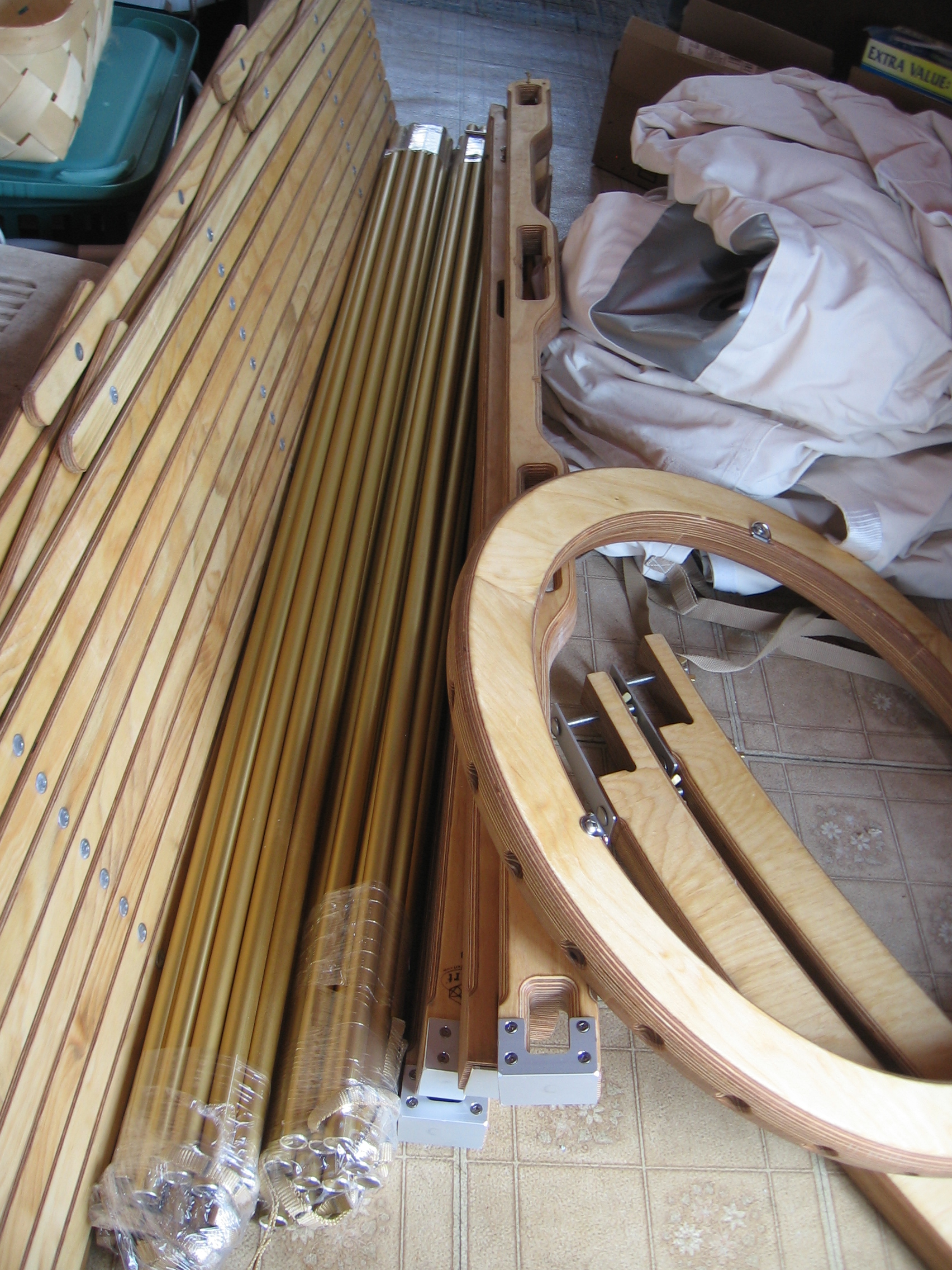
Joey Hess: another white elephant

It went up today! More pictures...

Joey Schulze: Fun with HylaFAX

Yesterday I was in need to requeue several fax messages on a HylaFAX server after it had moved them out of the queue with the note Kill time expired due to a mysterious modem problem. According to the documentation simple faxalter calls should be sufficient. This turned out to become more fun than originally thought, however. The time to send the fax need to be altered as well as the kill time. Also, it may be required to use the ADMIN user of HylaFAX instead of the regular root user. faxalter will ask for the password which needs to be configured in the global configuration file. To make life more interesting the order of command line arguments is significant for the faxalter program. The ordering below did work:
   faxalter -A -a now -k now+5hours -v -r ID
more

9 June 2008

Joey Hess: heat

Summer crept up behind me and has been beating my about the head and shoulders all week. It's hot (95+ F / 35 C in the shade). I've been slowly adapting back to hot-weather mode, but with the suddenness of the onslaught, it's been hard to keep up. It's easy to get annoyed at hot weather -- like one of pterry's trolls, I know I am a tenth as good a coder in the summer. And I choose not to have air conditioning at home, so if I need to get back to peak performance for something, I have walk downtown to the coffee shop or library or someplace air-conditioned. But this weather is good for the bigger, longer-term thoughts (aka lazing about). And I know I can adapt. Yesterday I hiked in to Abrams Falls, and the heat didn't bother me at all, and just made sitting and meditating under the falls even better. Then I climbed up to the top of the falls and waded all the way back up the creek. Today, I got out in the peak heat of the day and hauled in and unpacked 300 pounds of gear. More on that in a few days..

8 June 2008

Simon Richter: Hardware abstraction

There is a bit of discussion on Planet Debian on dbus and HAL and how to handle the daemon restarting. Basically, our "hardware abstraction" layer is actually more like a policy layer: the kernel provides the real hardware abstraction, but its access control features are not fine grained enough, and there is no revocation of privileges. Right now, there are two systems in use: X11 for keyboard/video/mouse, and dbus/hal for the rest. X11 has no problems with access control, because any process that wants to talk to the X server is owned by the user sitting at that terminal, and when that user logged off, the X server got uninteresting for us. For other hardware, that model doesn't entirely work. KVM is unique in that it only affects one user, and there is a clear definition of that user going away. To summarize my desired policies:
Sound
is similar, but I often log out in the evening and have something playing while I fall asleep, so the policy on the sound device is that access is prolonged even after logging out.
USB drives
should be accessible to the user that plugged them in, and stay with them, even after they logged out, until they are disconnected. I'd like to have block level access to them and run my file system drivers in user space (so I can format a pen drive without administrative access to the machine). That does not apply to all USB drives, though, so I'd like to be able to "recognize" certain volumes and handle them differently, not so much as a security but as a safety measure.
Smart cards
should be like KVM, really. No one but me should ever be able to talk to my cards, because causing a DoS is just so easy — enter the wrong code three times, and I have a big problem. Obviously, that is part of the security that my card provides (if you want to upload Debian packages in my name, you have to steal my wallet and get my PIN right in the first three attempts).
USB phone handset
I'd like that phone to be able to receive calls anytime, even when no one is logged in, and the currently logged on user should be able to make a call (but not over my account).
Specialty hardware
like the JTAG adapter hanging off USB on my box need a different policy too.
Any of these (except for the smart card) might mean that the device could be connected and used for a very long time, longer than I can sit at the console. Unlike humans, who get only mildly annoyed if the display closes and applications need to be restarted, there are serious data consistency issues if connections break and need to be rebuilt — and the policy needs to allow for rebuilding the connection securely. If we want to allow for handing over a resource to a new instance of the server or the client, then the protocol needs to be aware of this, as we need to synchronize server and client state after a connection breakdown. It might be possible to create a session management layer for certain services (analogous to X11 toolkits that transparently handle rebuilding the widgets on restart without bothering the application about it), but it'd probably be difficult to do without a full protocol redesign, as data loss is simply not as acceptable as when talking to a human who can pick up the pieces and go from there.

Wouter Verhelst: Awtch

Lessons learned: no unicode in filenames on my blog. I had the great idea, a few days ago, to write a short blog post about my trip to Cologne, and to give the file a name with a UTF-8 character in it (the , to be exact). Except that I forgot how my blog actually works... I use blosxom to manage my RSS feed and other parts of the blog; but to integrate it properly in my website, I wrote a whole lot of stuff around that. It's not just blosxom: Apparently, however, subversion thinks differently about UTF-8 filenames if you do a checkout from a repository when using a http:// or a file:// URL. As a result, there were some issues in the post-commit subversion hook that I wrote, resulting in the svn up part of the post-commit not entirely succeeding. Or some such. Then, the touch is done, and the svn up doesn't work at all, anymore. In short, things started to break horribly, resulting in empty posts (because the files were created by touch rather than svn up), the comment thing being confused about filenames (and, as a result, postgres complaining about incorrect UTF-8 encodings), and similar other ugliness. So, I just renamed the file, and did a cleanup of the subversion checkout in /var/local/blosxom. I'll just have to cope with the fact that my setup doesn't like unicode, I guess. Or, perhaps, finally switch to ikiwiki some day, which I've been thinking about ever since Joey first blogged about it a few years ago. But that's not urgent...

Next.

Previous.