Search Results: "will"

7 February 2014

Jo Shields: Dear Fake Debian Developers, shoo.

Another post about the Valve/Collabora free games thing. This time, the bad bit people trying to scam free games from us. Before I start, I want to make one thing clear there are people who have requested keys who don t meet the criteria, but are honest and legitimate in their requests. This blogspam is not about them at all. If you re in that category, you re not being complained about. So. Some numbers. At time of writing, I ve assigned keys to 279 Debian Developers or Debian Maintainers almost 25% of the total eligible pool of about 1200. I ve denied 22 requests. Of these 10 were polite requests from people who didn t meet the conditions stated (e.g. Ubuntu developers rather than Debian). These folks weren t at all a problem for us, and I explained politely that they didn t meet the terms we had agreed at the time with Valve. No problem at all with those folks. Next, we have the chancers, 7 of them, who pretended to be eligible when they clearly weren t. For example, two people sent me signed requests pointing to their entry on the Debian New Maintainers page when challenged over the key not being in the keyring. The NM page showed that they had registered as non-uploading Debian Contributors a couple of hours previously. A few just claimed I am a DD, here is my signature when they weren t DDs at all. Those requests were also binned.
Papers, Please screenshot - denied entry application

DENIED

And then we move onto the final category. These people tried identity theft, but did a terrible job of it. There were 5 people in this category:
From: Xxxxxxxx Xxxxxx <xxxxxxxx.xxxxxx@ieee.org>
Subject: free subscription to Debian Developer
8217 A205 5E57 043B 2883 054E 7F55 BB12 A40F 862E
This is not a signature, it s a fingerprint. Amusingly, it s not the fingerprint for the person who sent my mail, but that of Neil McGovern a co-worker at Collabora. Neil assured me he knew how to sign a mail properly, so I shitcanned that entry.
From: "Xxxxx, Xxxxxxxxx" <x.xxxxx@bbw-bremen.de>
Subject: Incoming!
Hey dude,
I want to have the redemption code you are offering for the Valve Games
mQGiBEVhrscRBAD4M5+qxhZUD67PIz0JeoJ0vB0hsLE6QPV144PLjLZOzHbl4H3N
...snip...
Lz8An1TEmmq7fltTpQ+Y1oWhnE8WhVeQAKCzh3MBoNd4AIGHcVDzv0N0k+bKZQ=3D=3D
=3Du/4R
Wat? Learn to GPG!
From: Xxxxxx-Xxxx Le Xxxxxxx Xxxx <xx.xxxxxxxxx@gmail.com>
Subject: pass steam
Hey me voila
Merci beaucoup
valve
2069 1DFC C2C9 8C47 9529 84EE 0001 8C22 381A 7594
Like the first one, a fingerprint. This one is for S bastien Villemot. Don t scammers know how to GPG sign?
From: "Xxxxxxxxx Xxxxxxx" <xxxxxxxx@web.de>
Subject: thanks /DD/Steam gifts us finally something back
0x6864730DF095E5E4
Yet again, a fingerprint. This one is for Marco Nenciarini. I found this request particularly offensive due to the subject line the haughty tone from an identity thief struck me as astonishingly impertinent. Still, when will scammers learn to GPG?
From: Sven Hoexter <svenhoexter@gmail.com>
Subject: Valve produced games
I'm would like to get the valve produced games
My keyring: 0xA6DC24D9DA2493D1 Sven Hoexter <hoexter> sig:6
Easily the best scam effort, since this is the only one which both a) registered an email address under the name of a DD, and b) used a fingerprint which actually corresponds to that human. Sadly for the scammer, I m a suspicious kind of person, so my instinct was to verify the claim via IRC.
31-01-2014 16:52:48 > directhex: Hoaxter, have you started using gmail without updating your GPG key? (note: significantly more likely is someone trying to steal your identity a little to steal valve keys from collabora)
31-01-2014 16:54:51 < Hoaxter!~sh@duckpond6.stormbind.net: directhex: I do not use any Google services and did not change my key
So yeah. Nice try, scammer. I m not listing, in all of this, the mails which Neil received from people who didn t actually read his mail to d-d-a. I m also not listing a story which I ve only heard second ha actually no, this one is too good not to share. Someone went onto db.debian.org, did a search for every DD in France, and emailed every Jabber JID (since they look like email addresses) asking them to forward unwanted keys. All in all, the number of evildoers is quite low, relative to the number of legitimate claims 12 baddies to 279 legitimate keys issued. But still, this is why the whole key issuing thing has been taking me so long and why I have the convoluted signature-based validation system in place. Enjoy your keys, all 279 of you (or more by the time some of you read this). The offer has no explicit expiry on it Valve will keep issuing keys as long as there is reason to, and Collabora will continue to administer their allocation as long as they remain our clients. It s a joint gift to the community thousands of dollars worth of games from Valve, and a significant amount of my time to administer them from Collabora.

John Goerzen: VirtFS isn t quite ready

Despite claims to the contrary [PDF], VirtFS the 9P-based virtio KVM/QEMU layer designed to pass through a host s filesystem to the guest is quite slow. I have yet to get it to perform at even 1/10 the speed of the virtual block device (VBD). That s unfortunate, because in theory it should be significantly faster. At this rate, I suspect even NFS will be significantly faster. Beyond that, it seems impossible to use VirtFS as the root filesystem in a VM, at least with Debian; initramfs-tools doesn t know how to build an initrd in that situation, and the support is just not there. It would make a great combination with btrfs or zfs, but unfortunately looks to be just not ready yet.

Mario Lang: Solara: Fun with accessible RPGs on iOS

Solara is a fun turn-based fantasy strategy game for iOS which works perfectly well with VoiceOver. AppleVis has a review and all the details like a link into the AppStore. You build your castle level by level, and train your heroes to be stronger in battle. While your heroes are at battle, you can not control any real-time aspect of a battle. The combination of your heroes and their individual strengths (levels) is essential to determine if you can win a battle. So it sort of resembles rolling dice. At the beginning of a battle, you can choose which of your various heroes you'd like to send. You normally have four slots to fill, in earlier levels of Solara even less (to ease you into game play). Fighting is done in two different parts of the game. You need to use your heroes to solve quests, which will be rewarded by experience points and gold, which in turn will increase your playing level. From level 10 on, you will also be able to play in the arena against other player of solara. These arena fights are rewarded with arena points which in turn determine your place in an arena turnament. These turnaments usually last a few days. At the end, the top places are rewarded with gold. The way solara is structured makes it a perfect fit for VoiceOver. There are no real-time gesture problems to solve. It is basically an interactive text adventure with a fantasy theme and a weighted skills mechanism for determining the outcome of a fight. And luckily, the authors of solara realized this and did everything necessary to make this game really nicely playable with VoiceOver. My personal comment: I initially felt its implemented nicely, but playing it would be a waste of time. Now, a few months later, I am at level 39, and have seen hints that there are 50 levels in total. While I am not really hooked, I guess I will finish it eventually :-)

6 February 2014

John Goerzen: How to fix fstrim: Operation not supported under KVM?

Maybe someone out there will have some ideas. I have a KVM host running wheezy, with wheezy-backports versions of libvirt and qemu. I have defined a guest, properly set discard=unmap in the domain XML file for it, verified that s being passed to the guest, but TRIM/DISCARD is just not working. Mounting the ext4 filesystem with discard has no effect, and fstrim / always reports: fstrim: /: FITRIM ioctl failed: Operation not supported Every single time. I ve tried with the virtio, IDE, and SCSI (both default and virtio-scsi) backend drivers. The guest is also running wheezy (i386 version; the host is amd64) and I ve tried the latest 3.12 backported kernel for it. No dice. If I shut down the VM and mount the filesystem on the host, fstrim works fine. Everything says this should work. But it doesn t. Any ideas?

Neil Williams: iMX53 in the home lab

The iMX53 Quick Start Board has been a mainstay of the Debian armhf port and has been part of LAVA until recently. It s a natural choice for seeing how LAVA and Debian can work together more closely. So, in the first steps to getting my home lab running, I set about restoring two of these boards to LAVA support. I will be looking into each of the possible boot methods with these boards, but the way to start is with a LAVA master image on an SD card. With the pause in iMX53 development within LAVA, this raises a couple of issues: LAVA master image on iMX53 The LAVA master image is more recent and can fix these problems. See lava-image-creation preparing a master image
$ git clone git://git.linaro.org/lava/lava-master-image-scripts.git
$ cd lava-master-image-scripts

Use patch -p1 to apply this patch (apologies for the line wrapping in the blog):
diff --git a/lava-create-master b/lava-create-master
index 2e1d0e8..a1e6131 100755
--- a/lava-create-master
+++ b/lava-create-master
@@ -366,7 +366,7 @@ make_master()  
         verbose " * Building vanilla image with linaro-media-create..."
         if ! linaro-media-create \
             --dev $LMC_DEV \
-            --rootfs ext4 \
+            --rootfs ext3 \
             --image-file $CACHE_DIR/pristine-images/$dev-vanilla.img \
             --image-size 1G \
             --align-boot-part \
$ sudo ./lava-create-master imx53 Without the patch applied, I simply removed the SD card, mounted the third partition on my main machine and created a tarball of the contents:
$ sudo mount /dev/mmcblk0p3 /mnt/
$ pushd /mnt
$ sudo tar -czf /tmp/imx53-rootfs.tgz ./*
$ popd
$ sudo umount /mnt/
Reformat p3 to ext3 (or ext2 if you prefer)
$ sudo mkfs.ext3 /dev/mmcblk0p3
Put the rootfs back onto the replacement ext3 partition.
$ sudo mount /dev/mmcblk0p3 /mnt/
$ pushd /mnt
$ sudo tar -xzvf /tmp/imx53-rootfs.tgz
$ popd
$ sudo sync
$ sudo umount /mnt/
The bootscript is buggy, so run:
> run loaduimage
> run mmcboot
Then fix bootscript or you won t be able to reboot: Simplest way may be to set u-boot to ignore boot.scr
> setenv script
> saveenv
> reset
Device configuration in LAVA I found screen to be a bit awkward as a serial connection, (use Ctrl-A : quit) to quit. I tried autologin for the lucid image but that was not needed for the master image which uses the linaro overlay. The PDU commands are for my own setup. The daemon (the machine running the pdu daemon scripts), hostname (the hostname or IP of the PDU itself) and the port numbers will change between labs. Again, the blog has changed the line endings.
device_type = mx53loco
hostname = imx53-01
connection_command = telnet hobbes 4002
#login_prompt = lucid-desktop login:
#password_prompt = Password:
#username = lucid
#password = lucid
hard_reset_command = /usr/bin/pduclient --daemon localhost --hostname pdu --command reboot --port 05
power_off_cmd = /usr/bin/pduclient --daemon localhost --hostname pdu --command off --port 05
power_on_cmd = /usr/bin/pduclient --daemon localhost --hostname pdu --command on --port 05
testboot_offset = 3
Critical testboot_offset is currently undocumented. Without it, you will see:
 ** Partition 4 not valid on device 0 **
You can trace this back in a LAVA test log to:
  setenv bootcmd "fatload mmc 0:4 0x70000000 uImage; fatload mmc 0:4 0x72000000 uInitrd; fatload mmc 0:4 0x71ff0000 board.dtb; bootm 0x70000000 0x72000000 0x71ff0000"
The correct line needs to use mmc 0:5 in each case.
This is what testboot_offset modifies the default is 2.
  setenv bootcmd "fatload mmc 0:4 0x70000000 uImage; fatload mmc 0:5 0x72000000 uInitrd; fatload mmc 0:5 0x71ff0000 board.dtb; bootm 0x70000000 0x72000000 0x71ff0000"
Hacking session in LAVA A hacking session in LAVA is a way of getting an SSH login directly into a deployed test image, as root. It s a test image, so look around, trash stuff, build stuff, reboot the board When you are done, use stop-hacking and the test completes, leaving the master image unchanged, ready for the next rootfs to go onto the test image you were using. This will be improved in later blog entries but as a starter and so that you can play with the SATA drive with a recent installation, this is the JSON for a LAVA job which gives you an SSH session inside the LAVA test image on an iMX53. The test image comes from Linaro releases 12.01. I haven t set up a proxy yet, so to save time, I downloaded it once and used a local file:// URL in the testjob. Note the rootfstype parameter without this, LAVA will helpfully format the partition onto which the rootfs is installed to ext4, with predictable results. (This bug is currently being fixed in LAVA so that LAVA uses the same filesystem as the downloaded image. All part of making LAVA less presumptive.) The smoke-tests-basic testdef is gratuitous and can be removed but this particular run won t be quick it took over an hour to get into the hacking session, but future topics here will improve that so the extra few minutes for the smoke-tests is not a big win. Change the value for GATEWAY to something sane for your network, change the value for PUB_KEY to your SSH public key. Change the image location to something which works for your setup.
 
 "health_check": false,
 "job_name": "iMX53-hacking",
 "logging_level": "DEBUG",
 "device_type": "mx53loco",
 "timeout": 900,
 "actions": [
 
 "command": "deploy_linaro_image",
 "parameters": 
 "image": "file:///home/linaro/lava/mx53loco-ubuntu-desktop.img.gz",
 "rootfstype": "ext3"
 
 ,
 
 "command": "lava_test_shell",
 "parameters": 
 "testdef_repos": [
 
 "git-repo": "git://git.linaro.org/qa/test-definitions.git",
 "testdef": "ubuntu/smoke-tests-basic.yaml"
 ,
 
 "git-repo": "http://git.linaro.org/git/lava-team/hacking-session.git",
 "parameters": 
 "GATEWAY": "10.15.0.1",
 "PUB_KEY": "...."
 ,
 "testdef": "hacking-session-debian.yaml"
 
 ],
 "timeout": 18000
 
 ,
 
 "command": "submit_results_on_host",
 "parameters": 
 "server": "http://sylvester.codehelp/RPC2/",
 "stream": "/anonymous/codehelp/"
 
 
 ]
 
(Use http://jsonlint.com to reformat.) I was part of the way through running debootstrap on the SATA drive when ser2net timed out because I hadn t changed the values at that time. Configuring set2net for LAVA ser2net can run on any machine capable of providing the serial connections, including a dedicated device. Decide on a port range to use on the machine running ser2net. If the device has more than one network interface, ensure that ser2net only offers connections on the relevant interface by prefixing the port with the IP address or hostname. telnet is generally the easiest ser2net state to use with LAVA.
#  ::::
#     TCP port
#            Name   or  number of the TCP/IP port to accept con-
#            nections from for this device.  A port number may
#            be of the form [host,]port, such as 127.0.0.1,2000
#            or localhost,2000.  If this is specified, it will
#            only bind to the IP address specified. Otherwise
#            it will bind to all the ports on the machine.
# 10.15.0.1,4000:telnet:600:/dev/ttyUSB0:115200 8DATABITS NONE 1STOPBIT banner
Clear the timeout or long running jobs will fail.
10.15.0.1,4000:telnet:0:/dev/ttyUSB0:115200 8DATABITS NONE 1STOPBIT banner
10.15.0.1,4001:telnet:0:/dev/ttyUSB1:115200 8DATABITS NONE 1STOPBIT banner
I ve tried relatively carefully to preserve the instructions here from my notes. However, if you do try this yourself and there are problems, let me know and I ll update. I m also planning on putting all of the config files, patches, JSON examples and other code into a git repo fairly soon to make things easier.

Thorsten Glaser: KISS

Just saw this in my INBOX:

    B. The default init system for jessie will be a single /etc/rc script
 

I d certainly vote that


In unrelated news, jupp 2.8 for DOS runs on cable3, which means it ll still run on an original 8088/8086 Update 10.02.2014: The unobfuscated version of cable3 is called 8086tiny under the MIT licence. Thanks to the author for doing that (and not just dumping the IOCCC code) and to RT from the mksh(1) IRC channel for finding it on the net!

Johannes Schauer: botch updates

My last update about ongoing development of botch, the bootstrap/build ordering tool chain, was three months ago with the announcement of bootstrap.debian.net. Since then a number of things happened, so I thought an update was due.

New graphs for port metrics By default, a dependency graph is created by arbitrarily choosing an installation set for binary package installation or source package compilation. Installation set vertices and source vertices are connected according to this arbitrary selection. Niels Thykier approached me at Debconf13 about the possibility of using this graph to create a metric which would be able to tell for each source package, how many other source packages would become uncompilable or how many binary packages would become uninstallable, if that source package was removed from the archive. This could help deciding about the importance of packages. More about this can be found at the thread on debian-devel. For botch, this meant that two new graph graphs can now be generated. Instead of picking an arbitrary installation set for compiling a source package or installing a binary package, botch can now create a minimum graph which is created by letting dose3 calculate strong dependencies and a maximum graph by using the dependency closure.

Build profile syntax in dpkg With dpkg 1.17.2 we now have experimental build profile support in unstable. The syntax which ended up being added was:
Build-Depends: large (>= 1.0), small <!profile.stage1>
But until packages with that syntax can hit the archive, a few more tools need to understand the syntax. The patch we have for sbuild is very simple because sbuild relies on libdpkg for dependency parsing. We have a patch for apt too, but we have to rebase it for the current apt version and have to adapt it so that it works exactly like the functionality dpkg implements. But before we can do that we have to decide how to handle mixed positive and negative qualifiers or whether to remove this feature altogether because it causes too much confusion. The relevant thread on debian-dpkg starts here.

Update to latest dose3 git Botch heavily depends on libdose3 and unfortunately requires features which are only available in the current git HEAD. The latest version packaged in Debian is 3.1.3 from October 2012. Unfortunately the current dose3 git HEAD also relies on unreleased features from libcudf. On top of that, the GraphML output of the latest ocamlgraph version (1.8.3) is also broken and only fixed in the git. For now everything is set up as git submodules but this is the major blocker preventing any packaging of botch as a Debian package. Hopefully new releases will be done soon for all involved components.

Writing and reading GraphML Botch is a collection of several utilities which are connected together in a shell script. The advantage of this is, that one does not need to understand or hack the OCaml code to use botch for different purposes. In theory it also allows to insert 3rd party tools into a pipe to further modify the data. Until recently this ability was seriously hampered by the fact that many botch tools communicated with each other through marshaled OCaml binary files which prevent everything which is not written in OCaml from modifying them. The data that was passed around like this were the dependency graphs and I initially implemented it like that because I didnt want to write a GraphML parser. I now ended up writing an xmlm based GraphML parser so as of now, botch only reads and writes ASCII text files in XML (for the graphs) and in rfc822 packages format (for Packages and Sources files) which can both easily be modified by 3rd party tools. The ./tools directory contains many Python scripts using the networkx module to modify GraphML and the apt_pkg module to modify rfc822 files.

Splitting of tools To further increase the ability to modify program execution without having to know OCaml, I split up some big tools into multiple smaller ones. Some of the smaller tools are now even written in Python which is probably much more hackable for the general crowd. I converted those tools to Python which did not need any dose3 functionality and which were simple enough so that writing them didnt take much time. I could convert more tools but that might introduce bugs and takes time which I currently dont have much of (who does?).

Gzip instead of bz2 Since around January 14, snapshot.debian.org doesnt offer bzip2 compressed Packages and Sources files anymore but uses xz instead. This is awesome for must purposes but unfortunately I had to discover that there exist no OCaml bindings for libxz. Thus, botch is now using gzip instead of bz2 until either myself or anybody else finds some time to write a libxz OCaml binding.

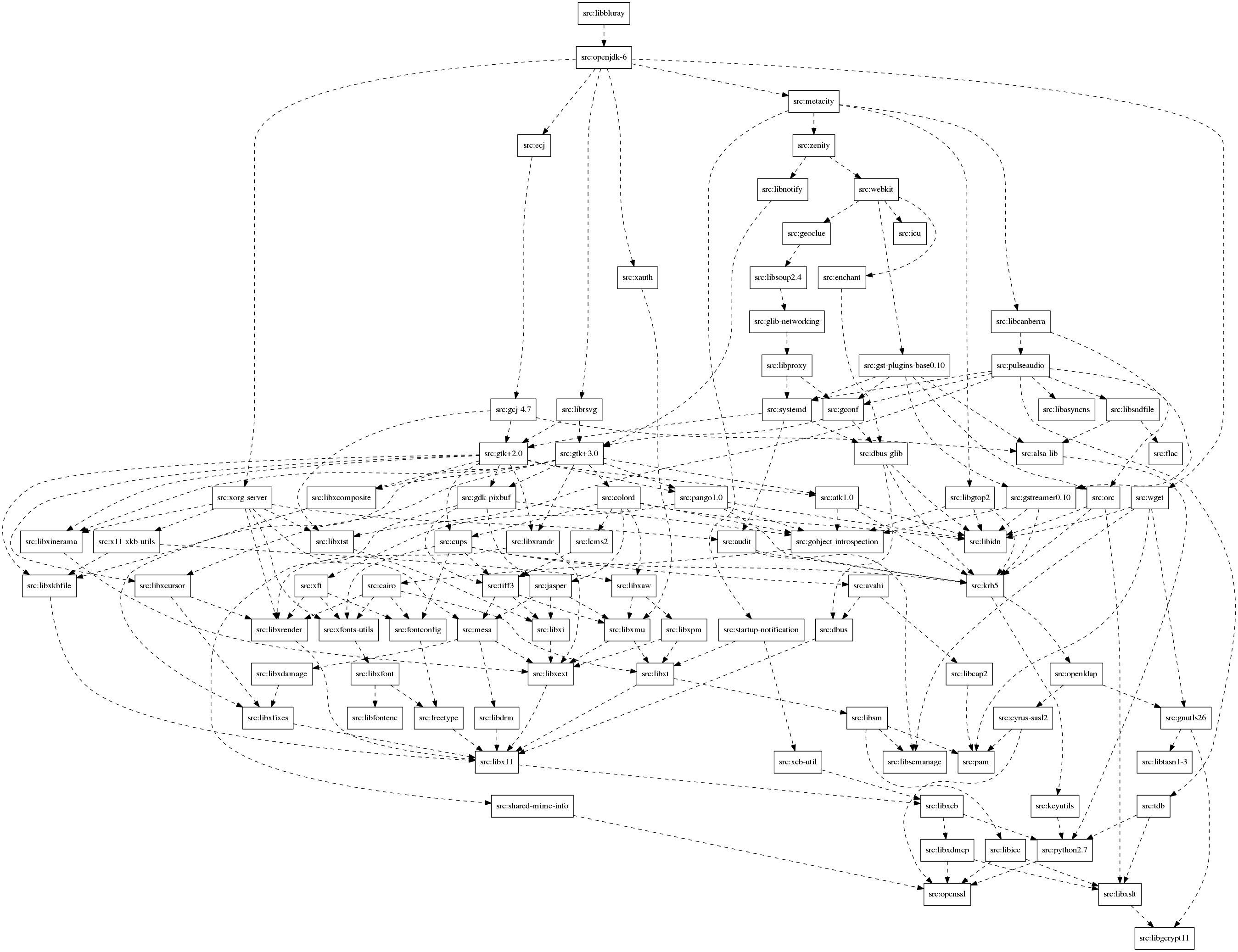
Self hosting Fedora Paul Wise made me aware of Harald Hoyer's attempts to bootstrap Fedora. I reproduced his steps for the Debian dependency graph and it turns out that they are a little bit bigger. I'm exchanging emails with Harald Hoyer because it might not be too hard to use botch for rpm based distributions as well because dose3 supports rpm. The article also made me aware of the tred tool which is part of graphviz and allows to calculate the transitive reduction of a graph. This can help making horrible situations much better.

Dose3 bugs I planned to generate such simplified graphs for the neighborhood of each source package on bootstrap.debian.net but then binutils stopped building binutils-gold and instead provided binutils-gold while libc6-dev breaks binutils-gold (<< 2.20.1-11). This unfortunately triggered a dose3 bug and thus bootstrap.debian.net will not generate any new results until this is fixed in dose3. Another dose3 bug affects packages which Conflicts/Replaces/Provides:bar while bar is fully virtual and are Multi-Arch:same. Binaries of different architecture with this property can currently not be co-installed with dose3. Unfortunately linux-libc-dev has this property and thus botch cannot be used to analyze cross builds until that bug is fixed in dose3. I hope I get some free time soon to be able to look at these dose3 issues myself.

More documentation Since I started to like the current set of tools and how they work together I ended up writing over 2600 words of documentation in the past few days. You can start setting up and running botch by reading the first steps and get more detailed information by reading about the 28 tools that botch makes use of as of now. All existing articles, thesis and talks are linked from the wiki home.

Steve Kemp: External Comments, updated

The simple external-comments code is now complete enough for me to stop poking it on a daily basis: All in all I'm pretty happy with the way it works, and the server-code. The client-side Javascript is less good, but I'm probably done poking that too. In an ideal world the client-side code should be a jQuery plugin, but I've not worked out how to make a static method (the JSONP callback) be a member of a jQuery plugin-object. So without that I have to re-pass the options around too many places, rather than making them a member of "this". Meh, pull requests welcome for adding new storage back-ends (redis and sqlite are supported by default), and similarly for cleanups. Links:

5 February 2014

Daniel Pocock: Debian SIP without reading the manual

Most people don't have time to read manuals. The Debian SIP service has a reasonably thorough user guide with screenshots but some people may just want to have this level of detail if they really have to troubleshoot a problem. WebRTC is the fastest way to start Just set up your db.debian.org RTC password and use it to log in to the https://rtc.debian.org site. It all runs in the browser, no plugin or configuration required. Firewall/NAT trouble The current range of WebRTC browsers seem to work well for consumer and small office networks with NAT routers or mobile/cell networks. Corporate networks with an outright block on UDP will be supported soon. Supported browsers The Chromium 31 package on wheezy appears to work fine and was used in some of the demos at DebConf13 For Iceweasel/Firefox users, it is not possible to use the version 17 package from wheezy at all. At the time of writing, Iceweasel 24 is in jessie and sid while version 27 is available upstream. Mozilla gradually introduced WebRTC support on both desktop and Android between versions 20 to 24 and it is still evolving. If you don't want to use Chromium and don't want to upgrade your desktop/laptop beyond wheezy, consider trying Firefox on an Android device. Your friends can call you too There is no excuse for them to pester you with proprietary solutions any more. They can dial your debian.org SIP address from https://freephonebox.net. You can even link to it from your web site or blog by adding the dial parameter to the URL, like https://freephonebox.net?dial=pocock%40debian.org Please complain Bug reports and questions are always welcome. A good place for questions or complaints where the cause of the bug is not obvious is the Free-RTC mailing list.

4 February 2014

Enrico Zini: debops

Debops What I like the most about being a Developer is building tools to (hopefully) make someone's life better. I like it when my software gets used, and people thank me for it, because there was a need they had that wasn't met before, and thanks to my software now it is being met. I am maintaining software for meteorological research that is soon going to be 10 years old, and is still evolving and getting Real Work done. I like to develop software as if it is going to become a part of human cultural heritage, developing beyond my capacity, eventually surviving me, allowing society to declare that the need, small as it was, is now met, and move on to worry about some other problem. I feel that if I'm not thinking of my software in that way, then I am not being serious. Then I am not developing something fit for other people to use and rely on. This involves Development as much as it involves Operations: tracking security updates for all the components that make up a system. Testing. Quality assurance. Scalability. Stability. Hardening. Monitoring. Maintenance requirements. Deployment and upgrade workflows. Security. I came to learn that the requirements put forward by sysadmins are to be taken seriously, because they are the ones whose phone will ring in the middle of the night when your software breaks. I am also involved in more than one software project. I am responsible for about a dozen web applications deployed out there in the wild, and possibly another dozen of non-web projects, from terabyte-sized specialised archival tools to little utilities that are essential links in someone's complex toolchain. I build my software targeting Debian Stable + Backports. At FOSDEM I noticed that some people consider it uncool. I was perplexed. It provides me with a vast and reasonably recent set of parts to use to build my systems. It provides me with a single bug tracking system for all of them, and tools to track known issues in the systems I deployed. It provides me with a stable platform, with a well documented upgrade path to the next version. It gives me a release rhythm that allows me to enjoy the sweet hum of spinning fans thinking about my next mischief, instead of spending my waking time chasing configuration file changes and API changes deep down in my dependency chain. It allows me to rely on Debian for security updates, so I don't have to track upstream activity for each one of the building blocks of the systems I deploy. It allows me not to worry about a lot of obscure domain specific integration issues. Coinstallability of libraries with different ABI versions. Flawless support for different versions of Python, or Lua, or for different versions of C++ compilers. It has often happened to me to hear someone rant about a frustrating situation, wonder how come it had never happened to me, and realise that someone in Debian, who happens to be more expert than I can possibly be, had thought hard about how to deal with that issue, years before. I know I cannot be an expert of the entire stack from bare iron all the way up, and I have learnt to stand on the shoulders of giants. 'Devops' makes sense for me in that it hints at this cooperation between developers and operators, having constructive communication, knowing that each side has their own needs, trying their best to meet them all. It hints at a perfect world where developers and operators finally come to understand and trust each other's judgement. I don't know that perfect world, but I, a developer, do like to try to understand and trust the judgement of sysadmins. I sympathise with my sysadmin friends who feel that devops is turning into a trend of developers thinking they can do without sysadmins. Reinventing package managers. Bundling dependencies. Building "apps" instead of components. I wish that people who deploy a system built on such premises, have it become so successful that they end up being paid to maintain them for their whole career. That is certainly what I wish and strive for, for me and my own projects. In my experience, a sustainable and maintainable system won't come out of the startup mindset of building something quick&dirty, then sell it and move on to something else. In my experience, the basis for having sustainable and maintainable systems have been well known and tested in Debian, and several other distributions, for over two decades. At FOSDEM, we thought that we need a name for such a mindset. Between beers, that name came to be "debops". (It's not just Debian, though: many other distributions get it right, too)

Mart&iacute;n Ferrari: Telegram

This weekend I attended FOSDEM, as I did for the past 4 years. As always, it was a great experience, even if most of the talks I attended were not so interesting. One of the great things about these events, is to get together with other Free Software enthusiasts. One of them introduced me to the new kid on the block: Telegram. It is advertised as a free and secure replacement for WhatsApp, a mobile application I have been refusing to use for months, much to the anger of friends and family. People use WhatsApp because it saves them money to send SMS-like messages to other people. Which in my mind does not make much sense, as I can use email or XMPP for that same purpose, without having to enter just another walled garden. Sadly, people nowadays are using email less and less, and think that it is easier to send a Facebook message (it is not), and XMPP has became a de-facto walled garden since Google betrayed its users by dropping federation. WhatsApp has the advantage of having millions of users already inside their walled garden, like it happened with Facebook, MSN, or ICQ back in the day. Their success can possibly be attributed to the foolproof system it uses to discover contacts: it just sends your entire address book to their servers for matching against already registered users, which is in itself enough reason not to use it. So, when I was told of a secure, free and open alternative, I was eager to try it out. I started by opening their website to see what it was about. There, I found the first signs that something was wrong: no mention of licenses, almost no technical detail of how the protocol works, or how security is achieved. Still, my friend wanted to talk to me, so I rushed to install it and accept a laundry list of permissions in Android. That was a big mistake. The first thing the application did was to check my address book for contacts, without my permission or knowledge. I got greeted by being told that some of my contacts already have Telegram installed, and since then I keep getting notification that some more of my geek friends are installing it. So it is obvious that this company got all my records, breaking my privacy and security. This is enough for me to remove this piece of software from my phone, but it is not the end of the story. When checking it in more detail I found several other problems. The supposed "secret chat" cannot be possibly secure, as there is no verification of the remote party. It "just works", who cares if there is a man in the middle or not. Supposedly it employs a peer-to-peer connection, but I haven't verified that. On the other hand, the non-"secret" conversations are all routed to the main server. The client-to-server communication is supposedly encrypted, but it uses a home-made protocol (which everybody knows is a recipe for disaster), and the server has access to the cleartext of all your communications. Then, browsing the website, I've found that this "open" and "free" offer does not even have all the source code released. In particular, the server code is not public, nor you can set up your own server. Of course, it does not have federation, so even with the server code you wouldn't be able to talk with your friends. It all depends on two men funding and maintaining the project, so when the funds run out, one can only expect that all the users will be left in the dark. I think these arguments are enough to realise that Telegram is only marginally better than WhatsApp. It offers encryption at the transport layer, but you still are contributing to another walled garden, you are at the mercy of a company which does not have a funding plan, and the security practises range from weak to disturbing. In closing, if you are going to compromise your privacy, give away all your contacts' information, and rely on a single company to keep in touch with people, you might as well go and use what everybody else is using. Update: Even before submitting this post, I've found that some more qualified people has already dissected Telegram and concluded that it is basically snake oil. Please see this article. and proceed to uninstall Telegram.

Russell Coker: Clothing and Phone Cameras

In 2012 I wrote about my jeans from Rivers that fit the largest available phones (and the smaller tablets) in their pockets [1]. Those jeans are still working well for me, I can add the fact that they don t wear out quickly to the list of positive attributes. Recently my sister asked for advice on getting a new phone, she was considering the Samsung Galaxy Note 2 (the phone I m using now) because it apparently takes better pictures than the Nexus 4 she s using. I ve used both those phones and I hadn t noticed a difference in picture quality, but there is some variation in manufacturing and it could be that I ve got a below average Note 2 and a better than average Nexus 4 so I ll assume for the sake of discussion that my sister would actually get an improvement in picture quality by using a Note 2. If you have a phone that doesn t have the picture quality you desire then one option is to buy a phone with a better camera, but you will be limited by issues of physics. A thin phone has a short focal length which means that the lens has to be small and therefore the amount of light that gets to the sensor is small. The Nokia Lumia 1020 has some of the best camera hardware that you ll find in a phone, but it s still only 14.5mm thick where the camera is and that will limit the quality a lot. Any compact camera should be able to beat all phone cameras in terms of picture quality in most areas. The Samsung Galaxy Camera [2] is also worth considering, it has more features than a typical compact camera and good GUI that allows novice photographers to take advantage of it. Also being able to blog your photos directly from the camera could be a useful feature. But the big down-side of a compact camera is that it s not that compact. Most people won t find it convenient to carry a compact camera with them at all times and therefore they might miss a good opportunity to take a photo. The Galaxy Note series of phones also suffer in this regard because they are larger than most phones. If your phone won t fit in your pocket and you have it in your backpack when on the move or on a bench at home then you will probably miss some good photos. As I was at a Rivers store recently I tested my Note 2 in the pockets of women s jeans. Rivers scored very poorly in this regard, one pair of women s jeans had fake pockets (this is just wrong for working clothes) and of the rest only one pair could fit a Note 2. The pair that fit a Note 2 didn t completely enclose the phone, one corner was sticking out, this would probably give a risk of having the phone fall out of the pocket and cause some discomfort to the wearer. I have a pair of shorts with similar size pockets and find it very annoying with the Note 2 in the pocket (for about 10 months of the year I wear jeans so this isn t a big deal). Rivers jeans only count as geeky jeans for male geeks. It s disappointing that with about a dozen different styles of women s jeans there didn t seem to be a single one with pockets of comparable size to the men s jeans. I had to recommend that my sister not get a phone from the Galaxy Note series if taking pictures is a priority due to the apparent difficulty in getting it to fit in a pocket and the probability that she would miss good photos due to this. In past discussions of phone size there have been mentions of the possibility of getting clothing altered. Does anyone have a good experience in getting clothes altered to have bigger pockets or in the case of women s clothing to have fake pockets replaced with real ones?

Diego Escalante Urrelo: Booting Fedora 20 from USB on a black MacBook3,1 (2007)

Here s a trick that is so obvious, I m still hitting my head against the desk. Let s say you want to install an EFI-friendly distribution on your MacBook. However, your MacBook does not detect bootable USB drives on startup (known bug on old Apple hardware). I found a blog post that had success rebuilding the ISO without EFI support and installing in BIOS mode, but I had a clear memory of getting this to work a few months ago without doing that. I just couldn t remember how. Well, turns out that OSX can boot from USB drives as long as you tell it to do so in advance. You can do this in the Boot disk/Startup disk panel in System Settings:
Startup disks panel in OSX
You don t see me complaining that everything on the web is in English, do you?
You only need to select the drive and close the panel, or reboot directly using that handy Reboot button. So considerate of Apple. Important: After you install, or try, your EFI friendly live USB you have to go back to the panel and select your OSX drive again, otherwise your MacBook will keep waiting for the (now gone) USB drive for about 30 seconds on startup. For Debian, the last few times I have just booted with a CD in BIOS mode without problems. After the installation you can configure Debian for EFI boot following this instructions. I haven t tried any other distribution on this machine.

3 February 2014

Evgeni Golov: Monitoring your Puppet nodes using PuppetDB

When you run Puppet, it is very important to monitor whether all nodes have an uptodate catalog and did not miss the last year of changes because of a typo in a manifest or a broken cron-script. The most common solution to this is a script that checks /var/lib/puppet/state/last_run_summary.yaml on each node. While this is nice and easy in a small setup, it can get a bit messy in a bigger environment as you have to do an NRPE call for every node (or integrate the check as a local check into check_mk). Given a slightly bigger Puppet environment, I guess you already have PuppetDB running. Bonuspoints if you already let it save the reports of the nodes via reports = store,puppetdb. Given a central knowledgebase about your Puppet environment one could ask PuppetDB about the last node runs, right? I did not find any such script on the web, so I wrote my own: check_puppetdb_nodes. The script requires a recent (1.5) PuppetDB and a couple of Perl modules (JSON, LWP, Date::Parse, Nagios::Plugin) installed. When run, the script will contact the PuppetDB via HTTP on localhost:8080 (obviously configurable via -H and -p, HTTPS is available via -s) and ask for a list of nodes from the /nodes endpoint of the API. PuppetDB will answer with a list of all nodes, their catalog timestamps and whether the node is deactivated. Based on this result, check_puppetdb_nodes will check the last catalog run of all not deactivated nodes and issue a WARNING notification if there was none in the last 2 hours (-w) or a CRITICAL notification if there was none for 24 hours (-c). As a fresh catalog does not mean that the node was able to apply it, check_puppetdb_nodes will also query the /event-counts endpoint for each node and verify that the node did not report any failures in the last run (for this feature to work, you need reports stored in PuppetDB). You can modify the thresholds for the number of failures that trigger a WARNING/CRITICAL with -W and -C, but I think 1 is quite a reasonable default for a CRITICAL in this case. Using check_puppetdb_nodes you can monitor the health of ALL your Puppet nodes with a singe NRPE call. Or even with zero, if your monitoring host can access PuppetDB directly.

Wouter Verhelst: Waking up

Today is the monday after FOSDEM 2014, and I'm slowly waking up. Being in charge of the video team, and after having spent a whole week preparing followed by a whole weekend stressing about, today is a day of slowly waking up from hibernation and returning gear to various rental companies. At FOSDEM 2013, we had recorded five rooms. Even though we did lose a few talks, I felt pretty good about the whole thing, and I think we did pretty well then. It had been my plan to increase the number of rooms to be recorded from 5 to a reasonably higher number say, 10 or so but someone convinced me to do all of them. I'll readily admit I was afraid. Scratch that, I was terrified. Petrified, that we wouldn't be able to pull it off. For previous editions, we'd kept the number conservative, since video work is a high-risk business: if something goes wrong with volunteers work (say, the heralding volunteer doesn't show up), you find a replacement, or you have a staff member introduce a speaker, and the show will go on. Not so with video work: if something minor goes wrong, you will most likely lose content. If something minor goes wrong in one devroom, I'll deal with it. If something minor goes wrong in 20% of devrooms, that's 4 to 5 devrooms, and I can't deal with it. Moreover, finding enough volunteers to manage the video for five rooms was a challenge last year; I couldn't even begin to imagine how to do so for 22 of them. We did work out a way that didn't seem too far-fetched, and that might work: why not look for volunteers from the devrooms themselves? But then, they couldn't be expected to have the required experience, so we'd have to do a lot of handholding. The week before FOSDEM, four of us sat down in an office in Mechelen, and started preparing. We had a lot to do; and when you do, more jobs keep being added to the pile; TODO lists tend to grow longer, not shorter. Installing servers, testing cameras, setting twinpact dipswitches, configuring laptops. Changing a few tests in the config management system, and having to go over the laptops again. Buying extra gear. Buying yet more extra gear, several times. Buying cardboard boxes when it appeared that the plastic foldable ones we'd ordered wouldn't make it in time, and unloading the pallet of them when it did, after all, so we could load them into the van with all of the other gear. Laminating instruction sheets. Receiving shipments of rented gear. Calling another supplier last minute when one of our other suppliers had contacted us to let us know one of their cameras that they'd promised us had broken down, and couldn't be repaired in time. Calling that last-minute supplier again when we found out that some of the cameras we'd rented could do HDV only (and not DV), and we needed to find more than the ones we'd already asked for. Discovering that his cameras were of the same problematic model and so also couldn't be used. The feeling of relief when he called me a few hours later and told me he'd managed to scrounge up enough cameras to help us out after all. And then it was time to go to the ULB and start setting up everything. On friday, we had a little bit of help, but did have to do most of it ourselves. After setting up everything in every room and testing as much as possible within the time constraints that we had, we picked up the most expensive bits of the gear, brought it down to a safe place, and went home. On saturday and sunday, for me it was mostly a matter of handing out gear to various devrooms, running around to fix various issues, and then in the evening receiving boxes back, using a checklist to ensure everything expected was in the box (and that things not needed would remain in the room, or be sent back). It was exhausting, to the extent that on saturday afternoon, I had to take a bit of time off so I could go and rest. I think it's safe to say that something like this hasn't been done before. FOSDEM is a huge conference; most conferences with multiple rooms don't have more somewhere between 5 and 10 of them. The fact that we have so many more, and the fact that we record all of them, puts FOSDEM video work in a class of its own, to the extent that the professional cameramen I talked to in order to get the right cameras would incredulously ask "what do you need that for?" when I gave them the numbers we needed. As such, I didn't expect, nor was aiming for, perfection. Unfortunately, with video work it is close to impossible to attain perfection; I have told multiple people during the event that I would be happy if we reached 85% of talks recorded at acceptable quality; and though it is much too soon to say for certain, my gut feeling tells m that we've probably achieved that. One thing we hadn't planned for was streaming. During the past three years, FOSDEM enlisted the help and sponsorship of flumotion to get streaming going. Unfortunately, that did not work out this year; and since we already had far too much on our plates with everything else, we decided to forego streaming and focus on recording, only. A few days before the event, however, Steinar Gunderson took it upon himself to fix that. While we couldn't support him a great deal, we could give him access to the secondary laptops (which weren't otherwise doing much anyway) on which he could then do his thing. This was mostly transparent to us; we did communicate to some extent (e.g., when a machine that had been down had fixed and was working again), but he mostly did his thing while we did ours. Full details, for those who want it, in the linked blog post. Today, then, I spent most of my time handling hardware: waiting for other members of FOSDEM to drive the van up to my office; waiting for the laptop rental company to retrieve most of the laptops; waiting for two of the camera rental companies to retrieve their cameras and tripods; driving over to the final camera rental company to return their cameras and tripods; and finally, driving up to the ULB to retrieve the last laptops who had been copying files all night. As I write this, some video files have already been uploaded to the FOSDEM video archive. However, these are extremely low-quality renditions of video snippets that need to be reviewed; they are not ready yet for public consumption. When those files exist, expect an announcement through the main FOSDEM website.

Dirk Eddelbuettel: Rcpp 0.11.0

A new major release 0.11.0 of Rcpp is now on the CRAN network for GNU R and binaries for Debian have been uploaded as well. Before you read on, please note that this release will most likely require a reinstallation of all your packages using Rcpp as it now works without a user-facing shared library. The biggest change in this version is that it is now effectively headers-only. Before you wonder, there is still compiled code provided by Rcpp for use by packages. But this uses the function registration mechanism of GNU R instead via instantiation at package startup. This does make package building easier, will remove the need to query GNU R for the Rcpp library file in src/Makevars when compiling, and should generally avoid building issues such as the dreaded fails on paths with spaces still annoying users of a certain OS. There are a number of other fixes, upgrades and other extensions detailed in NEWS file extract below, in the ChangeLog file in the package and on the Rcpp Changelog page as well as in a release announcement I'll post later.
Changes in Rcpp version 0.11.0 (2014-02-02)
  • Changes in Rcpp API:
    • Functions provided/used by Rcpp are now registered with R and instantiated by client package alleviating the need for explicit linking against libRcpp which is therefore no longer created.
    • Updated the Rcpp.package.skeleton() function accordingly.
    • New class StretchyList for pair lists with fast addition of elements at the front and back. This abstracts the 3 functions NewList, GrowList and Insert used in various packages and in parsers in R.
    • The function dnt, pnt, qnt sugar functions were incorrectly expanding to the no-degree-of-freedoms variant.
    • Unit tests for pnt were added.
    • The sugar table function did not handle NAs and NaNs properly for numeric vectors. Fixed and tests added.
    • The internal coercion mechanism mapping numerics to strings has been updated to better match R (specifically with Inf, -Inf, and NaN.)
    • Applied two bug fixes to Vector sort() and RObject definition spotted and corrected by Kevin Ushey
    • New checkUserInterrupt() function that provides a C++ friendly implementation of R_CheckUserInterrupt.
  • Changes in Rcpp attributes:
    • Embedded R code chunks in sourceCpp are now executed within the working directory of the C++ source file.
    • Embedded R code chunks in sourceCpp can now be disabled.
  • Changes in Rcpp documentation:
    • The Rcpp-FAQ and Rcpp-package vignettes have been updated and expanded.
    • Vignettes are now typeset with grey background for code boxes.
    • The bibtex reference file has been update to reflexct current package versions.
  • Changes in Rcpp unit tests:
    • The file tests/doRUnit.R was rewritten following the pattern deployed in RProtoBuf which is due to Murray Stokely
    • The function test() was rewritten; it provides an easy entry point to running unit tests of the installed package
Thanks to CRANberries, you can also look at a diff to the previous release 0.10.6. As always, even fuller details are on the Rcpp Changelog page and the Rcpp page which also leads to the downloads, the browseable doxygen docs and zip files of doxygen output for the standard formats. A local directory has source and documentation too. Questions, comments etc should go to the rcpp-devel mailing list off the R-Forge page

This post by Dirk Eddelbuettel originated on his Thinking inside the box blog. Please report excessive re-aggregation in third-party for-profit settings.

2 February 2014

Gunnar Wolf: CuBox-i4Pro

CuBox-i4Pro
Somewhere back in August or September, I pre-ordered a CuBox-i A nicely finished, completely hackable, and reasonably powerful ARM system, nicely packaged and meant to be used to hack on. A sweet deal! There are four models (you can see the different models' specs here) I went for the top one, and bought a CuBox-i4Pro. That means, I have a US$130 nice little box, with 4 ARM7 cores, 2GB RAM, WiFi, and... well, all of its basic goodies and features. For some more details, look at the CuBox-i block diagram. I got it delivered by early January, and (with no real ARM experience on my side) I finally got to a point where I can, I believe, contribute something to its adoption/usage: How to get a basic Debian system installed and running in it. The ARM world is quite different to the x86 one: Compatibility is much harder, the computing platform does not self-describe properly, and a kernel must first understand how a specific subarchitecture is before being able to boot on it. Somewhere in the CuBox forums (or was it the IRC channel?) I learnt that the upstream Linux kernel does not yet boot on the i.MX6 chip (although support is rumored to be merged for the 3.14 release), so I am using both a kernel and an uBoot bootloader not built for (or by) Debian people. Besides that, the result I will describe is a kosher Debian install. Yes, I know that my orthodox friends and family will say that 99% kosher is taref... But remember I'm never ever that dogmatic. (yeah, right!) Note that there is a prebuilt image you can run if you are so inclined: In the CuBox-i forums and wiki, you will find links to a pre-installed Debian image you can use... But I cannot advise to do so. First, it is IMO quite bloated (you need a 4GB card for a very basic Debian install? Seriously?) Second, it has a whole desktop environment (LXDE, if I recall correctly) and a whole set of packages I will probably not use in this little box. Third, there is a preinstalled user, and that's a no-no (user: debian, password: debian). But, most importantly, fourth: It is a nightly build of the Testing (Jessie) suite... Built back in December. So no, as a Debian Developer, it's not something we should recommend our users to run! So, in the end and after quite a bit of frustration due to my lack of knowledge, here goes the list of steps I followed:
Using the CuBox
On the i2 and i4 models, you can use it either with a USB keyboard and a HDMI monitor, or by a serial consoles (smaller models do not have a serial console). I don't have a HDMI monitor handy (only a projector), so I prefer to use the serial terminal. Important details to avoid frustration: The USB keyboard has to be connected to the lower USB port, or it will be ignored during the boot process. And make sure your serial terminal is configured not to use hardware flow control. Minicom is configured by default to use hardware flow control, so it was not sending any characters to the CuBox. ^A-O gets you to the Minicom configuration, select Serial port setup, and disable it.
Set up the SD card
I created a 2GB partition, but much less can suffice; I'd leave it at least to 1GB to do the base install, although it can be less once the system is set up (more on this later). Partition and format using your usual tools (fdisk+mke2fs, or gparted, or whatever suits your style).
Install the bootloader
I followed up the instructions on this CuBox-i forums thread to get the SPL and uBoot bootloader running. In short, from this Google Drive folder, download the SPL-U-Boot.img.xz file, uncompress it (xz --decompress SPL-U-Boot.img.xz), and write it to the SD card just after the partition map: As root,
# dd if=SPL-U-Boot.img of=/dev/mmcblk0 bs=1024 seek=1.
Actually, to be honest: As I wanted something basic to be able to debug from, I downloaded (from the same Google Drive) the busybox.img.gz file. That's a bit easier to install from: xz --decompress busybox.img.xz, and just dump it into the SD from the beginning (as it does already include a partition table):
# dd if=busybox.img of=/dev/mmcblk0
This card is already bootable and minimal, and allows to debug some bits from the CuBox-i itself (as we will see shortly).
After this step, I created a second partition, as I said earlier. So, my mmcblk0p1 partition holds Busybox, and the second will hold Debian. We are still working from the x86 system, so we mount the SD card in /media/mmcblk0p2
Installing the base system
Without debian-installer to do the heavy lifting, I went for debootstrap. As I ran it from my PC, debootstrap's role will be for this first stage only to download and do a very initial pre-unpacking of the files: Bootstrapping a foreign architecture implies, right, using the --foreign switch:
debootstrap --foreign --arch=armhf wheezy /media/mmcblk0p2 http://http.debian.net/debian
You can add some packages you often use by specifying --include=foo,bar,baz
So, take note notes: This board is capable of running the armhf architecture (HF for Hardware Float). It can also run armel, but I understand it is way slower.
First boot (with busybox)
So, once debootstrap finishes, you are good to go to the real hardware! Unmount the SD card, put it in the little guy, plug your favorite console in (I'm using the serial port), and plug the power in! You should immediately see something like:
  1. U-Boot SPL 2013.10-rc4-gd05c5c7-dirty (Jan 12 2014 - 02:18:28)
  2. Boot Device: SD1
  3. reading u-boot.img
  4. Load image from RAW...
  5. U-Boot 2013.10-rc4-gd05c5c7-dirty (Jan 12 2014 - 02:18:28)
  6. CPU: Freescale i.MX6Q rev1.2 at 792 MHz
  7. Reset cause: POR
  8. Board: MX6-CuBox-i
  9. DRAM: 2 GiB
  10. MMC: FSL_SDHC: 0
  11. In: serial
  12. Out: vga
  13. Err: vga
  14. Net: phydev = 0x0
  15. Phy not found
  16. PHY reset timed out
  17. FEC
  18. (Re)start USB...
  19. USB0: USB EHCI 1.00
  20. scanning bus 0 for devices... 1 USB Device(s) found
  21. scanning usb for storage devices... 0 Storage Device(s) found
  22. scanning usb for ethernet devices... 0 Ethernet Device(s) found
  23. Hit any key to stop autoboot: 3

Let it boot (that means, don't stop autoboot), and you will soon see a familiar #, showing you are root in the busybox environment. Great! Now, mount the Debian partition:
# mount /dev/mmcblk0p2 /mnt
Finishing debootstrap's task
With everything in place, it's time for debootstrap to work. Chroot into the Debian partition:
# chroot /mnt
And ask Debootstrap to finish what it started:
# debootstrap --second-stage
Be patient, as this step takes quite a bit to be finished.
Some extra touches...
After this is done, your Debian system is almost ready to be booted into. Why almost? Because it still does not have any users, does not know its own name nor knows I want to use it via a serial terminal. Three very simple tasks to fix. First two:
  1. # passwd
  2. Enter new UNIX password:
  3. Retype new UNIX password:
  4. passwd: password updated successfully
  5. # echo cubox-i.gwolf.org > /etc/hostname

For the second one, add a line to /etc/inittab specifying the details of the serial console. You can just do this:
# echo 'T0:23:respawn:/sbin/getty -L ttymxc0 115200 vt100' >> /etc/inittab
Boot into Debian!
So, ready to boot Debian? Ok, first exit the chroot shell, to go back to the Busybox shell, unmount the Debian partition, and set the root partition read-only:
  1. # exit
  2. # umount /mnt
  3. # mount / -o remount,ro

Disconnect and connect power, and now, do interrupt the boot process when you see the Hit any key to stop automount prompt. To see the configuration of uboot, you can type printenv We will only modify the parameters given to the kernel:
  1. CuBox-i U-Boot > setenv root /dev/mmcblk0p2 rootfstype=ext3 ro rootwait
  2. CuBox-i U-Boot > boot

So, the kernel will load, and a minimal Debian system will be initialized. In my case, I get the following output:
  1. ** File not found /boot/busyEnv.txt **
  2. 4703740 bytes read in 390 ms (11.5 MiB/s)
  3. ## Booting kernel from Legacy Image at 10000000 ...
  4. Image Name: Linux-3.0.35-8
  5. Image Type: ARM Linux Kernel Image (uncompressed)
  6. Data Size: 4703676 Bytes = 4.5 MiB
  7. Load Address: 10008000
  8. Entry Point: 10008000
  9. Verifying Checksum ... OK
  10. Loading Kernel Image ... OK
  11. Starting kernel ...
  12. Unable to get enet.0 clock
  13. pwm-backlight pwm-backlight.0: unable to request PWM for backlight
  14. pwm-backlight pwm-backlight.1: unable to request PWM for backlight
  15. _regulator_get: get() with no identifier
  16. mxc_sdc_fb mxc_sdc_fb.2: NO mxc display driver found!
  17. INIT: version 2.88 booting
  18. [info] Using makefile-style concurrent boot in runlevel S.
  19. [....] Starting the hotplug events dispatcher: udevd. ok
  20. [....] Synthesizing the initial hotplug events...done.
  21. [....] Waiting for /dev to be fully populated...done.
  22. [....] Activating swap...done.
  23. [....] Cleaning up temporary files... /tmp. ok
  24. [....] Activating lvm and md swap...done.
  25. [....] Checking file systems...fsck from util-linux 2.20.1
  26. done.
  27. [....] Mounting local filesystems...done.
  28. [....] Activating swapfile swap...done.
  29. [....] Cleaning up temporary files.... ok
  30. [....] Setting kernel variables ...done.
  31. [....] Configuring network interfaces...done.
  32. [....] Cleaning up temporary files.... ok
  33. [....] Setting up X socket directories... /tmp/.X11-unix /tmp/.ICE-unix. ok
  34. INIT: Entering runlevel: 2
  35. [info] Using makefile-style concurrent boot in runlevel 2.
  36. [....] Starting enhanced syslogd: rsyslogd. ok
  37. [....] Starting periodic command scheduler: cron. ok
  38. Debian GNU/Linux 7 cubox-i.gwolf.org ttymxc0
  39. cubox-i login:

And that's it, the system is live and ready for my commands!
So, how big is this minimal Debian installed system? I cheated a bit on this, as I had already added emacs and screen to the system, so yours will be a small bit smaller. But anyway Lets clear our cache of downloaded packages, and see the disk usage information:
  1. root@cubox-i:~# apt-get clean
  2. root@cubox-i:~# df -h
  3. Filesystem Size Used Avail Use% Mounted on
  4. rootfs 1008M 347M 611M 37% /
  5. /dev/root 1008M 347M 611M 37% /
  6. devtmpfs 881M 0 881M 0% /dev
  7. tmpfs 177M 132K 177M 1% /run
  8. tmpfs 5.0M 0 5.0M 0% /run/lock
  9. tmpfs 353M 0 353M 0% /run/shm

So, instead of a 4GB install, we have a 350MB one. Great improvement! Now, lets get it to do something useful, in a most Debianic way!

Vasudev Kamath: Moving weblog from Jekyll to Pelican

Its been a while and I was not actively blogging. I wanted to start blogging again but I was for some reason not happy with Jekyll static site generator which was powering my previous site. So I took this chance to explore other static site generators and redesign my blog. I explored a bit of Pelican, Nikola and Frog. I didn't feel comfortable with Nikola. Frog is a static site generator written using *Racket* and since I'm learning Scheme using racket I was leaning towards using it but at the last moment I decided to settle with Pelican. The main reason for not using Frog was that I just wanted to get my site up rather than waiting for me to complete learning racket and use Frog. My feeling about Pelican is that its a nice tool and is simple and gives all basic things like generating RSS/ATOM feeds and nice theming support. In case of Jekyll I had to write custom page for creating RSS feed and had pain in creating my first theme (yeah I'm not a designer). But now things might have changed in Jekyll land but anyway I don't care anymore. New design uses pelican-bootstrap3 theme and there is no comment facility available. If you want to comment or suggesting things on my post consider writing mail to me :-). So what happened to older entries? Moving the old entries from Jekyll format to Pelican was real PITA so I just renamed my old site to blog-archive. So this is a from scratch site and will contain only new entries. So how do you like my new blog design? :-)

31 January 2014

Steve Kemp: Optimization Recipes

Today I am mostly in my bed suffering from "the plague". Between naps I've worked on a new site a little: Hopefully this will become updated, contributions welcome, and be useful to the world. (Source available on github.)

30 January 2014

Rog rio Brito: Trivial fact #2: Harmonic Numbers

I don't know how Debian planet deals with MathJax (it seems to become illegible), but I will try to post this, anyway.
Fact: Since the harmonic numbers can be approximated by the natural logarithm, that is, !!mathjaxbegin-i!! SF9uIFxzaW1lcSBcbG4gbg== !!mathjaxend-i!!, we can clearly see that !!mathjaxbegin-d!! CiBcZnJhY3sxfXtpKzF9ICsgXGNkb3RzICsgXGZyYWN7MX17bn0gPSBIX24gLSBIX2kgXHNpbWVx IFxsbiBuIC0gXGxuIGkgPSBcbG4gXGZyYWN7bn17aX0sCg== !!mathjaxend-d!! which is a trivial approximation that may be handy sometimes. If you spot any errors on this, please let me know.

Next.

Previous.