Search Results: "mak"

30 August 2013

Joey Hess: best DebConf ever

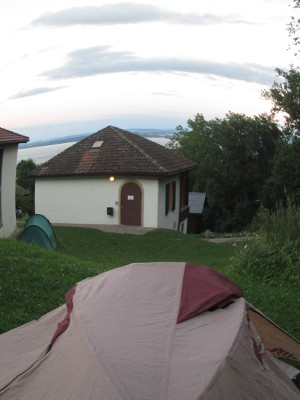
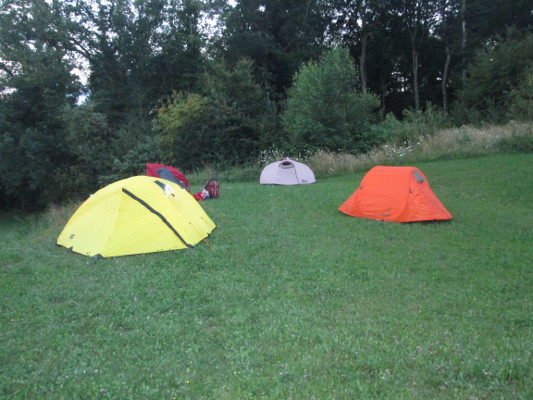
For me, DebConf13 in Switzerland was a perfect DebConf, and generally an great developer meeting and conference. I've attended several past DebConfs in Canada, Norway, Brazil, Finland, Mexico, Scotland, Spain, NYC, Bosnia, and Nicaragua. I have special memories of each. DebConf13 was ideal in every way. Let's start with the camping. Only a minority of us did it, and my campsite was located in a small field behind a bar that was often noisy late into the night, when I was trying to rest and preserve my European jetlag remedy of inverted sleeping schedule. Still, I love sleeping cocooned in a tent, and going through the routines of camping and spending time alone there was a good counterpoint to DebConf. I generally find myself retreating for a day or two in the middle of a week-long conference, burnt out with social interactions. That didn't happen this time. I need to find way to camp at future DebConfs. (Also special shout out to wonderful people who lent me a warmer sleeping bag, and bought me a pillow while on a trip to town! Upgraded my first backpacking in Europe experience's comfort level a lot!) The next perfect thing for me were the talks I gave at DebConf. I always enjoy presenting at DebConf, and barely remember when I'd get nervous doing it. But I really felt comfortable giving these talks in a way I've not before. I'm pleased with how the Debian Cosmology talk turned out; I'd worried it would be a downer talk, or too light, or not well received, and none of those problems surfaced. I was especially happy with my dh_busfactor session, which I prepared for all of 10 minutes and was structured entirely to benefit me by talking over my thoughts and getting feedback, and in which I probably drove the camerapeople crazy running my own mic into the audience. Despite all that, I think it succeeded being interesting for the participants as well as for me. Hope to follow up on it soon.. But beyond the two talks I submitted, there were a series of ad-hoc scheduled talks. It seemed that every day I spent at least an hour discussing something I'm deeply involved in. This started with the Ikiwiki bof, and then there was an epic series of (unrecorded) BoFs about git stuff, which basically turned into an unofficial git track at DebConf. Much, much discussion of git-annex and other things I'm involved in. BTW, I really like that DebConf, as well as being a formal conference on top, is really an un-conference underneath, with new BoFs and things popping up on the schedule all week long. You can even have completely unscheduled meetings that somehow get just the right mix of people to make something awesome happen.
But it wasn't all about talks. Indeed, I only attended 2 or 3 sessions a day. The DebConf13 venue was controversial, but I found it excellent for getting things done. Rather than one or two massive rooms that get too noisy to think in, this venue had many little nooks and crannies suited for different types of work. There were so many I only discovered some while walking down the hill as I was leaving the venue! Anchoring it all was the excellent view, and I particularly enjoyed the "scenic hacklab". I was particularly impressed with the flexability of the venue's management. Someone asked if we could have cheese for breakfast, and every breakfast thereafter had not one but often three excellent cheeses. One day we'd be complaining that there were not enough vegetables in the food, and the next we'd be eating an excellent vegetarian Swiss lunch. They even apparently relaxed stringent Swiss rules on not allowing tents in sightlines visible from people further up the hill. They were clearly happy to welcome our crazy gathering to Le Camp. They let a DD borrow and use a chain saw and build a bonfire! The venue also encouraged getting out and exploring the surrounding countryside. Too often I end up spending the whole DebConf without seeing much of the area around. This time I at least got down the hill to see the castle in Vaumarcus a few times, and enjoyed many evening walks amoung the grape fields. The conference dinner (on a boat!) tied into this well too. And the daytrip to CERN was a great addition. We got to poke around the control center for a massive particle accellerator! My only regret is we didn't get a chance to actually go inside the LHC tunnels. Back to DebConf, another thing I really liked about this one was that its location allowed several upstream authors of software in Debian (other than the usual suspects who are both upstreams and Debian Developers) to attend. I don't know if Lennart Poettering changed any minds about systemd with his talk, but I was happy for the opportunity to buy him a beer. I didn't get to Monty's talk, but it was excellent to see him attend as well. Finally, I got to meet old friends I'd not seen in years, and new ones I've not met in real life before. We're still not sure where this whole DebConf thing is going -- will it be all about the cheese and wine party and greybeards in 20 years time? But one thing we know is we enjoy our little slice of the year where kilts and coding are equally unremarkable, where problems that seem intractable online somehow solve themselves in person, where we come away with ideas for an entire year and memories for a lifetime.

Justus Winter: What will I do next? cgroupfs \o/

With the ifupdown fixes that I published last week I actually reached my initial goal, that is to make Debian/Hurd boot using sysvinit and the initscripts provided by Debian. So on Monday we were discussing in #hurd what I could do next. Michael Banck suggested that I should port Upstart, but we agreed to do something different instead for two reasons:
  1. Upstart and systemd are somewhat competing to be the default init system for Debian, and we felt it might be inappropriate to get involved with this question as porting Upstart to Hurd would probably also enable it to be used on FreeBSD. The Upstart folks could then point out that Upstart is more portable because it runs on all kernels used by Debian.
  2. Upstart uses ptrace(2) to track child processes of servers it monitors. Obviously this is kind of a hack, and it was conjectured that Upstart would eventually use cgroups to do that. Also, the Hurd lacks support for ptrace(2) (that is most likely by choice by the way, ptrace(2) is not a nice interface and the Hurd (Mach actually) has much nicer interfaces to implement a debugger).
So we decided that no matter how the struggle between Upstart and systemd turns out, the Hurd would eventually need to support cgroups. So I started to write a cgroupfs translator, it is in its early stages but it already looks and acts a lot like Linux' cgroups:
% settrans -ac cg ./cgroupfs --release-agent=foobar
% ls cg
release_agent  tasks
% tail -n3 cg/tasks
11395
12869
1266
% mkdir cg/foo
% echo 1266 >> cg/foo/tasks
% tail -n3 cg/tasks cg/foo/tasks
==> cg/tasks <==
215
11395
12869
==> cg/foo/tasks <==
1266
To make this fully functional I will have to modify /hurd/proc and most likely also GNU Mach, but on the bright side this will help make subhurds (Hurds native, by-design-for-free-and-without-overhead container like functionality) work better and more securely (among other things this could enable non-root users to start subhurds). I will also look into porting libcg (I have a hacky patch series ready) so that we can actually test the cgroupfs translator. All current users of the cgroup interface are very Linux specific (surprise!), and libcg looks like the easiest one to port. And they do have a test suite that could help me improve the cgroupfs translator.

28 August 2013

Vincent Sanders: Men admire the man who can organize their wishes and thoughts in stone and wood and steel and brass.


I would probably not yet worthy of the admiration Emerson was alluding to but I do like to make things. As anyone who has read previous posts knows I have pretty much embraced the "do things, tell people" idea.

One small wrinkle is doing things needs somewhere to work. Since moving myself and the family to rented accommodation in Cambridge (swampy 3,500 year old English city, not the one in Massachusetts) I have been lacking space to do practical projects.

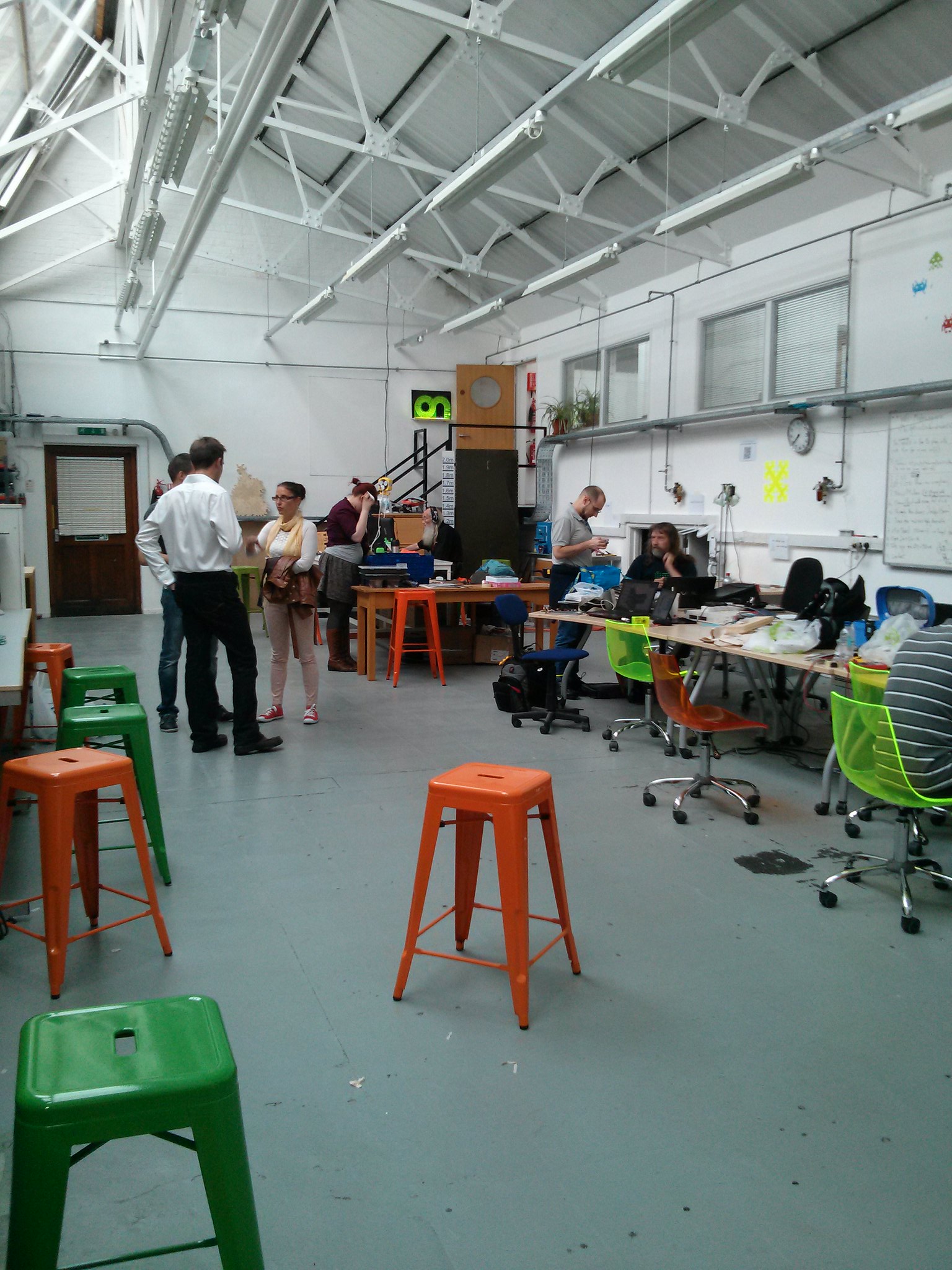
The main space
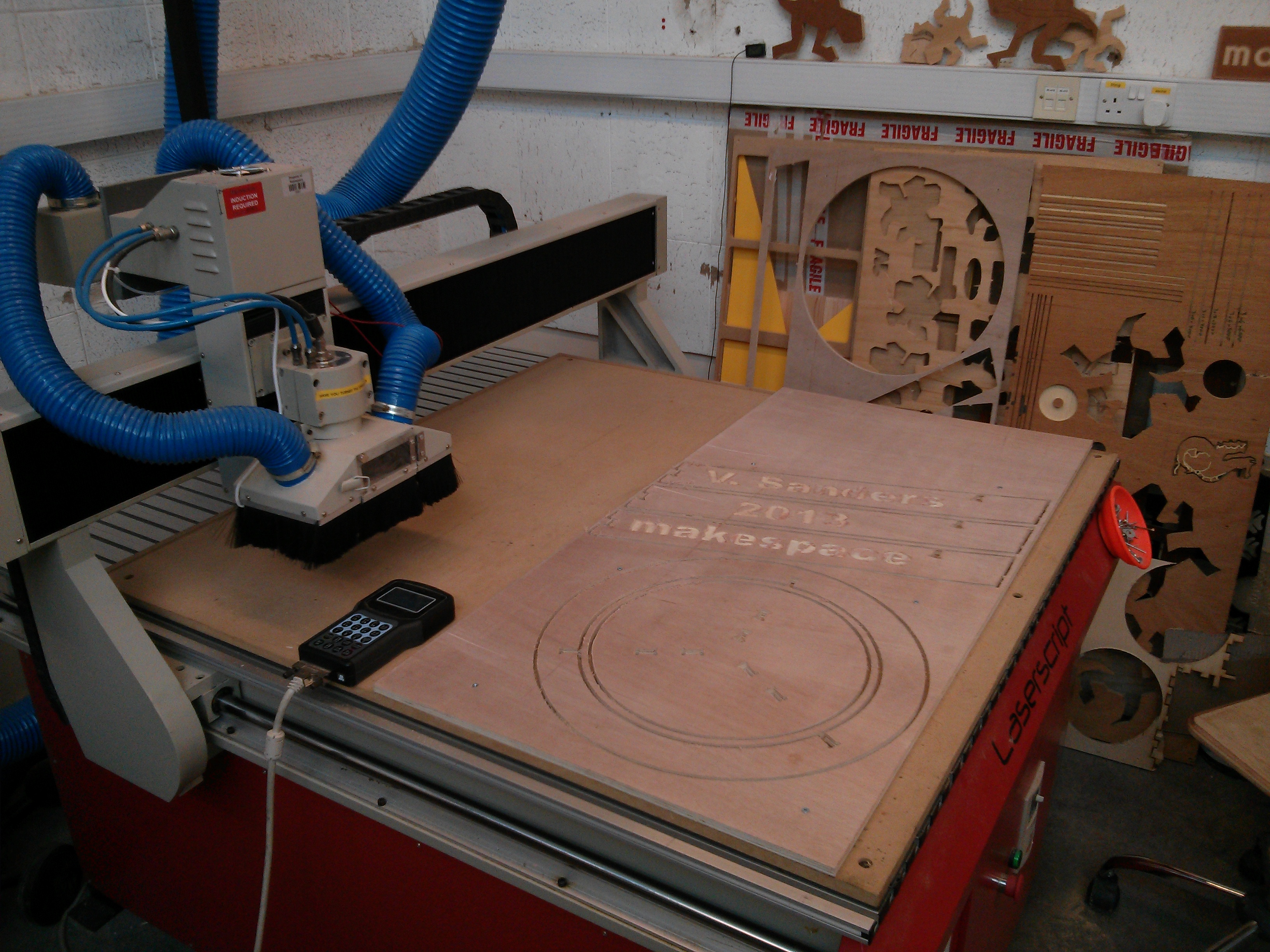
To fix this lack I have joined the cambridge makespace which, in addition to somewhere I can work gives me access to some tools I was previously unable to afford. The space gives practical training on the more complex machines (any tool can be dangerous if you do not use it correctly) which recently allowed my induction on the CNC router.

My instructor , Mark Mellors, who was good enough to give up some of his valuable making time to train me (and accidentally get his car stuck in a car park overnight by staying late) suggested that it was a good idea to have a design to try.

I decided to use this opportunity to actually create something useful (though now I re-read Marks message it did suggest a simple design...oopsy). I had been working at the electronics bench in previous weeks and been uncomfortable using the existing stools and chairs as they were either a bit high or unable to be adjusted high enough for the 80cm tall benches. I decided to design a 60cm tall stool for use at this workbench.

My initial idea was for a simple three leg stool, round top, three legs, how hard could it be? Initial research showed that showed that above 30cm the legs needed to be braced to each other. This is because the leg to seat joints simply cannot handle the stress caused by leverage which longer legs introduce.

I looked at the structure of several stools online and was initially drawn towards creating something like the IKEA Dalfred bar stool. It was discovered that the design would be easier to realise if it were made from sheet material which give a smaller challenge to a naive operator of a CNC router. Because of this simpler designs were researched and I eventually found a simple design I liked.

The design could not however be used directly as it was for imperial sized material which is not available in europe. I selected the QCAD open source CAD package and recaptured the design adjusting for the available 12mm plywood sheet material. This resulted in an imperial measurement design for metric materials.

Mark helped me transfer the DXF into the CAM software (vcarve pro 7, after I discovered the demo version of this software generates files which cannot be imported into the full edition!) and generate toolpaths for our machine. Once the toolpaths are saved to a USB stick (no modern conveniences like direct upload here) the job can be run on the machine.

Here I ran into reality, turns out that tolerances in imperial combined with lack of understanding how plywood reacts resulted in excessive play in the joints. This resulted in an unusable stool, which simply tried to rotate around its central axis and become flatpack. I had successfully turned 10 worth of plywood into some sawdust and a selection of useless shapes. On the other hand I did become competent with the router workflow so it was not a complete failure.

I was determined to make the design work so I decided to start from scratch with a similar design but entirely in metric. I performed some material research both online and practically (why yes i did spend an informative hour in several cambridge DIY shops with digital calipers, why do you ask?) it turns out that generally available 12mm thick plywood actually ranges between 11.9 and 12mm thick.

I did some test slot cuts of varying width and determined that the available stock can be "persuaded" to fit into a 11.8mm wide slot. This Interference fit joint is strong and removes the need for adhesive in most cases.

Second cut still attached to the bed. Leftovers of first attempt in the background
The sheet plywood material is readily available with a width of 1220mm and a height of 606mm (a full sheet is 2440mm long which is cut into four with a 4mm wide saw blade) so making the legs fit within a sheet and be close to the 60cm target should be possible.

I selected a suitable seat radius (175mm) and from that determined the minimal gap to the base ring with a 6mm end mill tool (20mm for two toolpaths and some separation) and hence the minimum suitable width of the base ring (50mm) giving a total radius of 245mm.

For the legs allowance was made for two joints of 30mm with 30mm separation between them the legs come out at 90mm width. If a 6mm space and a 6mm toolpath top and bottom of the sheet is accounted for a 582mm height (606 - 24) is available in which to fit the legs. The top of the leg which fits into the seat is 12mm tall leaving 570mm total leg height.

12mm plywood stool design
At this point I selected some arbitrary values for the leg positioning and angle (30mm from seat centre and 15 ) using a right angle triangle triganometry this produced a stool with a base of around 550mm or 100mm outside the radius of the seat. This seemed a pleasing shape and when the values for the holding ring were calculated it is at 104mm height which also seems to work out well.

This design was cut on the machine, lightly finished with some sandpaper and assembled. The legs slotted into the ring first and then the legs eased into the seat slots, the whole thing flipped and the seat hammered home onto the legs.

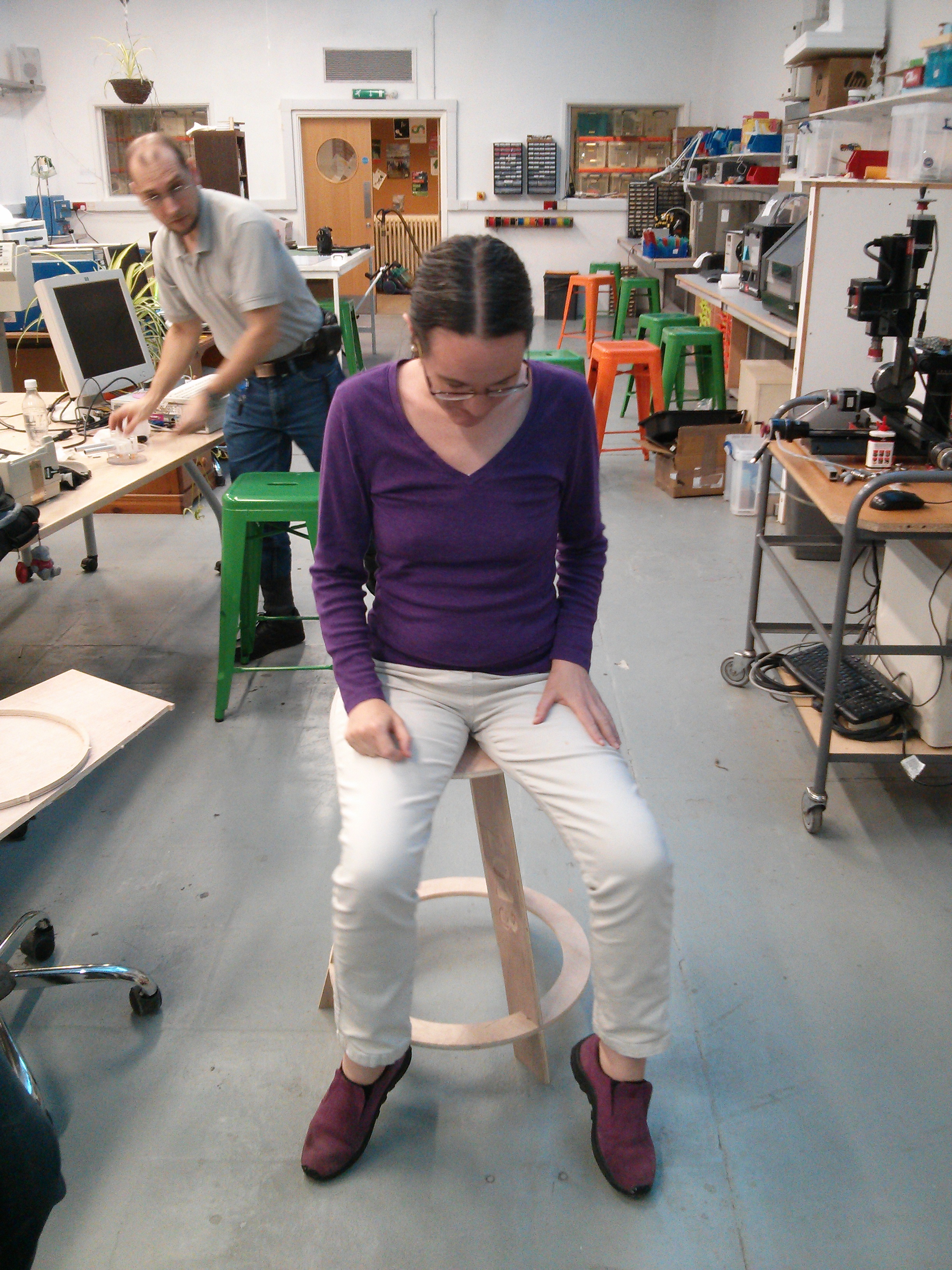
Anne Harrison volunteering to try the wobbly stool of doom
Success! It physically fit together and if you were brave enough you could sit on it. Unfortunately the plywood seemed to flex around the central axis of rotation in a rather alarming way, fine if you are under 70 kilos but not giving the impression of security most people want from their seating.

Ok, lets try with five legs instead of three (at least we can reuse the existing three legs)...nope still not good enough and another 10 gone.

18mm Plywood stool design
The others in the space suggested a few ideas to improve matters and the one I selected was to use 18mm plywood instead of 12mm, this should improve rigidity. There was a brief pause in proceedings to discover 18mm sheet is actually 17.7mm and needs a 17.5mm slot to make the interference fit work.

Completed 18mm stool
A swift redesign later altering the seat radius, gap, ring width and leg height to accommodate the new material and we have version 4 and it works without caveat. Tested up to 150Kg load without trouble, there is a small amount of flex still but nothing that feels worrying.

I finished the stool by rounding the seat top edge with a ball bearing rounding bit in a manual router and applying a couple of coats of gloss acrylic varnish. Finished stool is now doing service at the space.

In conclusion the final design allows someone with a CNC router to create a useful 580mm high fixed stool for 7.50 in timber plus cutter wear and varnish so maybe 8.50 total.

You can actually get five legs and a seat/ring out of a 1220x606 sheet and with intelligent arrangement a single 1220x2440 sheet will probably yield five or possibly six stools in total

I am making the design files of the proven 18mm version available (heck they are all there...but you have been warned, none of the other solutions produce a satisfactory result) under the MIT licence so anyone can reproduce. More pretty pictures are also available.

Raphael Geissert: Scheduling mistake

Sometimes people make mistakes and things don't go as expected. Eventually, they find out and say oops.

The next blog post for the a bashism a week series was scheduled for publishing on next Wednesday due to a mistake from my side. Sorry about that! given that it's a bit late today, let's better take a break this week.

Matt Zimmerman: Scaling Human Systems: Roles and Responsibilities

This is part 5 in a series on organizational design and growth. What it means

Each of us has a job to do, probably more than one, and our teammates should know what they are. Why it s important

Roles are a kind of standing commitment we make to each other. They re a way of dividing up work which is easy to understand and simple to apply. Utilizing this tool will make it easier for us to coordinate our day to day work, and manage the changes and growth we re going through. Old Status Quo

Roles are vague or nonexistent. Management roles in particular are probably not well understood. Many people juggle multiple roles, all of which are implicit. Moving to a new team means learning from scratch what other people do. People take responsibility for tasks and decisions largely on a case-by-case basis, or based on implicit knowledge of what someone does (or doesn t do). In many cases, there is only one person in the company who knows how to perform a certain function. When someone leaves or goes on vacation, gaps are left behind. New Status Quo

Each individual has a clear understanding of the scope of their job. We have a handful of well defined roles, which are used by multiple teams and have written definitions. People who are new or transfer between teams have a relatively easy time understanding what the people around them are doing. Many day to day responsibilities are defined by roles, and more than one person can fill that role. When someone leaves a team, another person can cover their critical roles. Behaviors that help

Obstacles that stand in our way

27 August 2013

Neil McGovern: Adblock adding ads to block ads

shutterstock_151488752Confused yet? The popular browser extension AdBlock for Chrome/Chromium and Safari has launched a new crowdsourced campaign - to buy up internet advertising space inviting people to download AdBlock, so they can block ads. Additionally, if they raise enough, they'd like to get additional space for a billboard at Times Square, a full page spread in the New York Times, and even a TV slot at the Superbowl (although the target for this is $4.2M, so I'm not entirely confident they'll make it.) However, this does raise an interesting question, which has been under debate for some time. How do you make money on the internet without adverts? Wikipedia has a few interesting suggestions. Firstly, affiliate programmes. These mean that any products or services that are linked or searched via the original site earn a little bit of commission for that site. Founded in the mid-90s, and most famously used by Amazon, it's a possible method for getting money. However, it should be deployed with careful thought. If a blogger or reviewer is recommending a product, is it simply because they are being paid to do so, or is it a genuine endorsement? The BBC ban this practice, and the Society of Professional Journalists also has strong guidelines on taking gifts. Interestingly, a few search engines now offer this to browsers for them sending their default search traffic to them. Secondly, you could engage in (what I consider to be) the shady practice of data monetisation. People visit a website, and they leave data about their visit. By visiting here, you've told me that you're probably interested in technology issues, what country and city you're from, and where you came from. Other programmes and sites will also be able to wrap up what other sites you've visited, and can build up quite a profile of your browsing habits. Add together a rather unscrupulous vendor, and they can also know your contact details. This metadata can then be sold on. Thirdly, you can essentially ask your readers for money. Donations, via a micropayment link (which I use) or larger donation requests. Another method is to have a membership system, where content is locked up behind a paywall. This does, however, risk making your content less valuable as people will just head elsewhere for news and opinion. To counter this, a couple of sites (LWN, Slashdot) simply delay the latest news for a little while. Alternatively, you can just ask like the fantastic C G P Grey has done. Interestingly, he also has a great video on why advertising can be a bad thing for content creators. Lastly, you can sell things. This could be your authorship services on another site as a guest post, writing a book, offering consultancy services, or simple merchandise. In summary though, which is more honest? An advert may well bend your view on what sort of content is being created, but is at least a lot more open than potentially hiding real motives behind affiliate links, and a lot more open than selling data. Asking for money is fairly straightforward, though could easily backfire if it's viewed as begging. Google's advertising income totalled $43.7 billion in 2012 - so it's quite clear that advertising is big business. Websites cost money to run, can the web survive in an ad-free environment? If so, it certainly won't be the same web as we know today.

26 August 2013

Jose Luis Rivas: MongoDB: $pull from an embedded document array

TL;DR: db.collection.update( _id: 'x' , $pull: embedded_doc: _id: 'y' ) Queries are wrote for the mongo shell Dot based access If you have been using MongoDB for some time, then there are big chances that you will know the "dot-based access" on the find queries. This is the easier way to write those queries and will probably want to keep using that. Like:
db.collection.find( _id: 'x', 'embedded_doc._id': 'y' )
The thing is that does not work with everything, like: Arrays of embedded documents! Little example schema Let's suppose the following little schema (written for Mongoose): A = new Schema( w: String, x: String ); Document = new Schema( embedded_doc: [A] ); The collection of Document is called documents. Updating arrays If the arrays are not embedded documents I can actually just use a regular update like with any other field combined with a $set and change all the array like:
db.documents.update( _id: 'x',  $set:  array: [
   a: 1 , 
   a: 2 , 
   a: 3 
] )
And using conveniently $pull and $addToSet. But when it comes to embedded documents the history is very different. You can't make a simple $set because it will give you an error related to ModId which you can't change. So you really need to use $push, $addToSet, $pull and it's friends. So all those you can do it as in the manual, but what if you want to make a $pull over an array of objects and w and x are not unique? Well, that's why you probably made them an embedded document! Then you have the _id and you try to use the dot notation like:
db.documents.update( _id: 'x' ,  $pull:  "embedded_doc._id": 'y' )
And it looks good, except that it wont work. You have to use the complete syntax like:
db.documents.update( _id: 'x' ,  $pull:  embedded_doc:  _id: 'y' )

25 August 2013

Gregor Herrmann: RC bugs 2013/31-34

after a break, here's again a report about my work on RC bugs. in this case, all bugs either affect packages in the pkg-perl group and/or packages involved in the Perl 5.18 transition.

Joey Hess: idea: git push requests

This is an idea that Keith Packard told me. It's a brilliant way to reduce GitHub's growing lockin, but I don't know how to implement it. And I almost forgot about it, until I had another annoying "how do I send you a patch with this amazing git technology?" experience and woke up with my memory refreshed. The idea is to allow anyone to git push to any anonymous git:// repository. But the objects pushed are not stored in a public part of the repository (which could be abused). Instead the receiving repository emails them off to the repository owner, in a git-am-able format. So this is like a github pull request except it can be made on any git repository, and you don't have to go look up the obfuscated contact email address and jump through git-format-patch hoops to make it. You just commit changes to your local repository, and git push to wherever you cloned from in the first place. If the push succeeds, you know your patch is on its way for review. Keith may have also wanted to store the objects in the repository in some way that a simple git command run there could apply them without the git-am bother on the receiving end. I forget. I think git-am would be good enough -- and including the actual diffs in the email would actually make this far superior to github pull request emails, which are maximally annoying by not doing so.
Hmm, I said I didn't know how to implement this, but I do know one way. Make the git-daemon run an arbitrary script when receiving a push request. A daemon.pushscript config setting could enable this. The script could be something like this:
#!/bin/sh
set -e
tmprepo="$(mktemp -d)"
# this shared clone is *really* fast even for huge repositories, and uses
# only a few 100 kb of disk space!
git clone --shared --bare "$GIT_DIR" "$tmprepo"
git-receive-pack "$tmprepo"
# XXX add email sending code here.
rm -rf "$tmprepo"
Of course, this functionality could be built into the git-daemon too. I suspect a script hook and an example script in contrib/ might be an easier patch to get accepted into git though. That may be as far as I take this idea, at least for now..

Vincent Bernat: Boilerplate for autotools-based C project

When starting a new HTML project, a common base is to use HTML5 Boilerplate which helps by setting up the essential bits. Such a template is quite useful for both beginners and experienced developers as it is kept up-to-date with best practices and it avoids forgetting some of them. Recently, I have started several little projects written in C for a customer. Each project was bootstrapped from the previous one. I thought it would be useful to start a template that I could reuse easily. Hence, bootstrap.c1, a template for simple projects written in C with the autotools, was born.

Usage A new project can be created from this template in three steps:
  1. Run Cookiecutter, a command-line tool to create projects from project templates, and answer the questions.
  2. Setup Git.
  3. Complete the todo list .

Cookiecutter Cookiecutter is a new tool to create projects from project templates. It uses Jinja2 as a template engine for file names and contents. It is language agnostic: you can use it for Python, HTML, Javascript or C! Cookiecutter is quite simple. You can read an introduction from Daniel Greenfeld. The Debian package is currently waiting in the NEW queue and should be available in a few weeks in Debian Sid. You can also install it with pip. Bootstrapping a new project is super easy:
$ cookiecutter https://github.com/vincentbernat/bootstrap.c.git
Cloning into 'bootstrap.c'...
remote: Counting objects: 90, done.
remote: Compressing objects: 100% (68/68), done.
remote: Total 90 (delta 48), reused 64 (delta 22)
Unpacking objects: 100% (90/90), done.
Checking connectivity... done
full_name (default is "Vincent Bernat")? Alfred Thirsty
email (default is "bernat@luffy.cx")? alfred@thirsty.eu
repo_name (default is "bootstrap")? secretproject
project_name (default is "bootstrap")? secretproject
project_description (default is "boilerplate for small C programs with autotools")? Super secret project for humans
Cookiecutter asks a few questions to instantiate the template correctly. The result has been stored in the supersecret directory:
.
  autogen.sh
  configure.ac
  get-version
  m4
      ax_cflags_gcc_option.m4
      ax_ld_check_flag.m4
  Makefile.am
  README.md
  src
      log.c
      log.h
      Makefile.am
  secretproject.8
  secretproject.c
  secretproject.h
2 directories, 13 files

Remaining steps There are still some steps to be executed manually. You first need to initalize Git, as some features of this template rely on it:
$ git init
Initialized empty Git repository in /home/bernat/tmp/secretproject/.git/
$ git add .
$ git commit -m "Initial import"
[...]
Then, you need to extract the todo list built from the comments contained in source files:
$ git ls-tree -r --name-only HEAD   \
>   xargs grep -nH "T[O]DO:"   \
>   sed 's/\([^:]*:[^:]*\):\(.*\)T[O]DO:\(.*\)/\3 (\1)/'   \
>   sort -ns   \
>   awk '(last != $1)  print ""   last=$1 ; print '
2003 Add the dependencies of your project here. (configure.ac:52)
2003 The use of "Jansson" here is an example, you don't have (configure.ac:53)
2003 to keep it. (configure.ac:54)
2004 Each time you have used  PKG_CHECK_MODULES  macro (src/Makefile.am:12)
2004 in  configure.ac , you get two variables that (src/Makefile.am:13)
2004 you can substitute like above. (src/Makefile.am:14)
3000 It's time for you program to do something. Add anything (src/secretproject.c:76)
3000 you want here. */ (src/secretproject.c:77)
[...]
Only a few minutes are needed to complete those steps.

What do you get? Here are the main features:
  • Minimal configure.ac and Makefile.am.
  • Changelog based on Git logs and automatic version from Git tags2.
  • Manual page skeleton.
  • Logging infrastructure with variadic functions like log_warn(), log_info().
logging output of lldpd

About the use of the autotools The autotools are a suite of tools to provide a build system for a project, including:
  • autoconf to generate a configure script, and
  • automake to generate makefiles using a similar but higher-level language.
Understanding the autotools can be a quite difficult task. There are a lot of bad documentations on the web and the manual does not help by describing corner-cases that would be useful if you wanted your project to compile for HP-UX. So, why do I use it?
  1. I have invested a lot of time in the understanding of this build system. Once you grasp how it should be used, it works reasonably well and can cover most of your needs. Maybe CMake would be a better choice but I have yet to learn it. Moreover, the autotools are so widespread that you have to know how they work.
  2. There are a lot of macros available for autoconf. Many of them are included in the GNU Autoconf Archive and ready to use. The quality of such macros are usually quite good. If you need to correctly detect the appropriate way to compile a program with GNU Readline or something compatible, there is a macro for that.
If you want to learn more about the autotools, do not read the manual. Instead, have a look at Autotools Mythbuster. Start with a minimal configure.ac and do not add useless macros: a macro should be used only if it solves a real problem. Happy hacking!

  1. Retrospectively, I think boilerplate.c would have been a better name.
  2. For more information on those features, have a look at their presentation in a previous post about lldpd.

Francesca Ciceri: Some things I learnt at DebConf13

My self-tagged badge

Matthias Klumpp: Some Tanglu updates

Tanglu Logo (big)Long time since I published the last update about Tanglu. So here is a short summary about what we did meanwhile (even if you don t hear that much, there is lots of stuff going on!) Better QA in the archive We now use a modified version of Debian s Britney tool to migrate packages from the newly-created staging suite to our current development branch aequorea . This ensures that all packages are completely built on all architectures and don t break other packages. New uploads and syncs/merges now happen through the staging area and can be tested there as well as being blocked on demand, so our current aequorea development branch stays installable and usable for development. People who want the *very* latest stuff, can embed the staging-sources into their sources.list (but we don t encourage you to do that). Improved syncs from Debian The Synchrotron toolset we use to sync packages with Debian recently gained the ability to sync packages using regular expressions. This makes it possible to sync many packages quickly which match a pattern. Tons of infrastructure bugfixes The infrastructure has been tweaked a lot to remove quirks, and it now works quite smoothly. Also, all Debian tools now work flawless in the Tanglu environment. A few issues are remaining, but nothing really important is affected anymore (and some problems are merely cosmetic). Long term we plan to replace the Jenkins build-infrastructure with the software which is running Paul Tagliamontes debuild.me (only the buildd service, the archive will still be managed by dak). This requires lots of work, but will result in software not only usable by Tanglu, but also by Debian itself and everyone who wants a build-service capable of building a Debian-distro. KDE 4.10 and GNOME 3.8 Tanglu now offers KDE 4.10 by default, a sync of GNOME 3.8 is currently in progress. The packages will be updated depending on our resources and otherwise just be synced from Debian unstable/experimental (and made working for Tanglu). systemd 204 & libudev1 Tanglu now offers systemd 204 as default init system, and we transitioned the whole distribution to the latest version of udev. This even highlighted a few issues which could be fixed before the latest systemd reached Debian experimental. The udev transition went nicely, and hopefully Debian will fix bug#717418 too, soon, so both distributions run with the same udev version (which obviously makes things easier for Tanglu ^^) Artwork We now have a plymouth-bootscreen and wallpapers and stuff is in progress :-) Alpha-release & Live-CD ? This is what we are working on we have some issues in creating a working live-cd, since live-build does have some issues with our stack. We are currently resolving issues, but because of the lack of manpower, this is progressing slowly (all contributors also work on other FLOSS projects and of course also have their work :P ) As soon as we have working live-media, we can do a first alpha release and offer installation media. You! Tanglu is a large task. And we need every help we can get, right now especially technical help from people who can build packages (Debian Developers/Maintainers, Ubuntu developers, etc.) We especially need someone to take care of the live-cd. But also the website needs some help, and we need more artwork or improved artwork ;-) In general, if you have an idea how to make Tanglu better (of course, something which matches it s goals :P ) and want to realize it, just come back to us! You can reach us on the mailiglists (tanglu-project for stuff related to the project, tanglu-devel for development of the distro) or in #tanglu / #tanglu-devel (on Freenode).

24 August 2013

Marko Lalic: PTS Rewrite Project Status

The rewrite has already achieved some of the major goals which have been set in the beginning, as well as made some changes and improvements along the way. Some of the major points of the new system implemented so far will be presented here.

    Tasks framework
    The current PTS implementation regenerates the HTML pages for all packages a few times per day. A goal of the rewrite was to make smaller incremental updates possible so that the information displayed for each package can be much more dynamic.

    In order to allow incremental updates, it is necessary to consider the situation where updating some information should trigger an update of other information.

    This is where the tasks framework comes in. It allows developers to define a task with a list of "events" that it produces. An event can be triggered by any change to shared information or anything else the task would like to signal. Each event is identified by a simple unique string name. Events can also contain arbitrary (JSON-serializable) objects. Other than events that it produces, a task defines a list of dependencies events it depends on.

    When a single task should be executed, the tasks framework uses this information to build a dependency graph (a DAG) and executes the tasks in topological sort order, making sure each task runs only after all tasks which could raise an event it depends on have finished. It automatically makes the raised events available to the task so that it can access the extra data. Tasks for which no event was raised are skipped.

    Such execution of a task along with all its dependencies is called a Job. A Job's state is persisted to the database after each task completes its operation. This allows Jobs to be continued if there is an unexpected error causing it to terminate.

    So far, the tasks framework has already proven useful. For example, there are tasks which extract some package information to a denormalized model suited for directly displaying the data in the package page after a new package version is detected in a repository. Other examples are tasks which update standards-version warnings (after a new package version is detected) and the news generation task based on various detected changes to the packages (new source version, version removed from repository, version migrated to another repository).

    Vendor-specific customizationAnother goal of the rewrite was to make the PTS less Debian-specific. This is so that derivatives could easily deploy their own versions of the PTS. The idea is to have a number of core PTS services which alternative deployments can customize and augment.

    The simplest way vendors can customize PTS is by changing some of the local settings values. An example of this would be changing the PTS_VENDOR_NAME which leads to this name being displayed in any part of the system.

    This is fairly uninteresting since the information is always static. What is more interesting is when the vendor should provide different information based on some context, e.g. package name, received message, etc. This requirement led to the concept of the vendor app with a rules module.

    Various core parts of the PTS specify hook functions which different vendors can implement to provide customized behavior of the core component. Some examples are:
    • providing URLs to a developer information site (e.g. http://qa.debian.org/developer.php in Debian's case) based on a developer's email
    • providing a URL to a bug tracker for a particular package (based on the package type and bug category type)
    • providing additional rules to tag received package mails with keywords
    • providing additional headers to be injected in the forwarded package mails
    • providing a list of bugs which should be displayed in the bugs panel
    A settings value is set giving the full dotted path to the Python module containing the implementation of these hook functions.

    Vendor-specific featuresA step beyond customizing core features is for vendors to include their own specific functionality. The already described tasks framework allows for implementing custom data update/generation processes (optionally depending on core events). Furthermore, since a vendor-specific Django app is expected, it can contain any vendor-specific models which are managed just as the core models are (syncdb, migrations, etc. all work as expected). The last piece of the puzzle is displaying this information on the package page.

    Currently, all package information is provided in various boxes (general, bugs, links, etc.) which were named panels. The rewrite has made it possible to implement additional panels in a really elegant way.

    It is required to implement a class with some properties giving:
    • the panel's title
    • position in the page (left, center, right)
    • panel importance (higher importance panels are placed above lower importance ones in the same column)
    To generate the HTML for a package, two alternatives are allowed. The first is to provide a property which gives (explicitly marked safe) HTML output which is then included in the correct position verbatim. The second alternative, which is what should cover most needs and should be preferred, is to provide a property giving a template name and a property giving the additional context variables necessary to render this template. By using the power of Python properties, the context can be dynamically generated for each package by the panel. The PTS then makes sure to pass the correct panel's context when rendering its template and to include the rendered result in the final package page.

    Various convenience classes are implemented in the panel API, but those are better left to be read about in the panels API documentation.

    Changes from current PTSSome existing features of PTS were not simply rewritten to fit into a Django project, but also improved upon.

    One of the first such changes was reducing the number of confirmation mails sent by the email control bot to only one per received control mail (as per a wishlist PTS bug).

    Work started by Markus Wanner (see this bug) was expanded on and integrated with the new News model so that any inline GPG signatures found in the content of a news item are automatically extracted and the signers name displayed in the package page.

    The existing TODO and Probems panels have been merged into a single Action Needed panel. However, besides merging their representation in the package page, all the package issues are now represented as an ActionItem Django model which provides additional meta-data (item type, date created/updated, severity level) which could be used in the future to provide additional functionality (such as all packages with a certain issue type).

    The descriptions of the action items were also shortened from their current rendition, with the detailed description being moved to a dedicated item page. If Javascript is enabled in the user's browser, it can also be displayed in a popup.

    GUIThe graphical interface has seen some changes, however I hesitate to claim improvements. In my opinion, some of it is definitely better, more polished and more "modern" (for what it's worth).

    Still, this could benefit from more people getting involved in testing and providing feedback so that the design is polished to suit the largest number of users. For example, the padding between the panels is increased, which to me definitely looks better, however, it is possible that this introduces too much whitespace and reduces the information density below what some may expect.

    RecapOverall, I am quite pleased with where the project is currently. Most of the information provided by the current PTS has been reimplemented, with only a few smaller ones remaining. For now, since we are nearly entering the final month of GSoC, the development will switch focus from porting old features to the new PTS to adding in some new ones. Namely, user registration and account management is in the pipeline for the coming week. It entails features such as managing package subscriptions via the online interface (for multiple emails associated with the account) and sso.debian.org integration for Debian Developers.

    This post aimed to provide the most notable changes and improvements made so far to the PTS. In reality, there has been quite a lot of them and not everything is covered here. For more information, check out the PTS documentation which is updated weekly (corresponding to the weekly deployments) or the source code repository.

    The latest iteration of the PTS can always be found at http://pts.debian.net. The mail control interface bot responds to mails sent to control@pts.debian.net.

    Stay tuned for updates and be sure to check out pts.debian.net on at least a weekly basis to see new deployments in action!

    23 August 2013

    Thorsten Glaser: FrOSCon 2013, or, why is there no MirBSD exhibit?

    FrOSCon is approaching, and all MirBSD developers will attend but why s there no MirBSD exhibit? The answer to that is a bit complex. First let s state that of course we will participate in the event as well as the Open Source world. We ll also be geocaching around the campus with other interested (mostly OSS) people (including those we won for this sport) and helping out other OSS projects we ve become attached to. MirOS BSD, the operating system, is a niche system. The conference on the other hand got younger and more mainstream. This means that almost all conference visitors do not belong to the target group of MirOS BSD which somewhat is an ancient solution : the most classical BSD around (NetBSD loses because they have rc.d and PAM and lack sendmail(8), sorry guys, your attempt at being not reformable doesn t count) and running on restricted hardware (such as my 486SLC with 12 MiB RAM) and exots (SPARCstation). It s viable even as developer workstation (if your hardware is supported otherwise just virtualise it) but its strength lies with SPARC support and embedded x86 . And being run as virtual machine: we re reportedly more stable and more performant than OpenBSD. MirBSD is not cut off from modern development and occasionally takes a questionable but justified choice (such as using 16-bit Unicode internally) or a weird-looking but beneficial one (such as OPTU encoding saving us locale(1) hassles) or even acts as technological pioneer (64-bit time_t on ILP32 platforms) or, at least, is faster than OpenBSD (newer GNU toolchain, things like that), but usually more conservatively, and yes, this is by design, not by lack of manpower, most of the time. The MirPorts Framework, while technically superiour in enough places, is something that just cannot happen without manpower. I (tg@) am still using it exclusively, continuing to update ports I use and occasionally creating new ones (mupdf is in the works!), but it s not something I d recommend someone (other than an Mac OSX user) to use on a n n-MirBSD system (Interix is not exactly thriving either, and the Interix support was only begun; other OSes are not widely tested). The MirBSD Korn Shell is probably the one thing I will be remembered for. But I have absolutely no idea how one would present it on a booth at such an exhibition. A talk is much more likely. So no on that front too. jupp, the editor which sucks less, is probably something that does deserve mainstream interest (especially considering Natureshadow is using it while teaching computing to kids) but probably more in a workshop setting. And booth space is precious enough in the FH so I think that d be unfair. All the other subprojects and side projects Benny and I have, such as mir c , josef stalin, FreeWRT, Lunix Ewe, Shellsnippets, the fonts, etc. are interesting but share few, if any, common ground. Again, this does not match the vast majority of visitors. While we probably should push a number of these more, but a booth isn t it here, either. MirOS Linux ( MirLinux ) and MirOS Windows are, despite otherwise-saying rumours called W*k*p*d*a, only premature ideas that will not really be worked on (though MirLinux concepts are found in mir c and stalin). As you can see, despite all developers having full-time dayjobs, The MirOS Project is far from being obsolete. We hope that our website visitors understand our reasons to not have an exhibition booth of our own (even if the SPARCstation makes for a way cool one, it s too heavy to lift all the time), and would like to point out that there are several other booths (commercial ones, as well as OSS ones such as AllBSD, Debian and (talking to) others) and other itineries we participate in. This year both Benny and I have been roped into helping out the conference itself, too (not exactly unvoluntarily though). The best way to talk to us is IRC during regular European geek hours (i.e. until way too late into the night which Americans should benefit from), semi-synchronously, or mailing lists. We sort of expect you to not be afraid to RTFM and look up acronyms you don t understand; The MirOS Project is not unfriendly but definitely not suited for your proverbial Aunt Tilly, newbies, desktop users, and people who aren t at least somewhat capable of using written English (this is by design).

    Justus Winter: No noweb anymore...

    ... which is probably a good thing. But here is the boot log you all have been waiting for:
    start ext2fs: Hurd server bootstrap: ext2fs[device:hd0s1] exec init proc auth
    INIT: version 2.88 booting
    Using makefile-style concurrent boot in runlevel S.
    Activating swap...done.
    Checking root file system...fsck from util-linux 2.20.1
    hd2 : tray open or drive not ready
    hd2 : tray open or drive not ready
    hd2 : tray open or drive not ready
    hd2 : tray open or drive not ready
    end_request: I/O error, dev 02:00, sector 0
    /dev/hd0s1: clean, 44693/181056 files, 291766/723200 blocks
    done.
    Activating lvm and md swap...(default pager): Already paging to partition hd0s5!
    done.
    Checking file systems...fsck from util-linux 2.20.1
    hd2 : tray open or drive not ready
    hd2 : tray open or drive not ready
    end_request: I/O error, dev 02:00, sector 0
    done.
    Cleaning up temporary files... /tmp.
    Mounting local filesystems...done.
    Activating swapfile swap...(default pager): Already paging to partition hd0s5!
    done.
    df: Warning: cannot read table of mounted file systems: No such file or directory
    Cleaning up temporary files....
    Configuring network interfaces...Internet Systems Consortium DHCP Client 4.2.2
    Copyright 2004-2011 Internet Systems Consortium.
    All rights reserved.
    For info, please visit https://www.isc.org/software/dhcp/
    Listening on Socket//dev/eth0
    Sending on   Socket//dev/eth0
    *** stack smashing detected ***: dhclient terminated
    Aborted
    Failed to bring up /dev/eth0.
    done.
    Cleaning up temporary files....
    Setting up X socket directories... /tmp/.X11-unix /tmp/.ICE-unix.
    INIT: Entering runlevel: 2
    Using makefile-style concurrent boot in runlevel 2.
    Starting enhanced syslogd: rsyslogd.
    Starting deferred execution scheduler: atd.
    Starting periodic command scheduler: cron.
    Starting system message bus: dbusFailed to set socket option"/var/run/dbus/system_bus_socket": Protocol not available.
    Starting OpenBSD Secure Shell server: sshd.
    unexpected ACK from keyboard
    GNU 0.3 (debian) (console)
    login: root
    [...]
    root@debian:~# ifup /dev/eth0
    Internet Systems Consortium DHCP Client 4.2.2
    Copyright 2004-2011 Internet Systems Consortium.
    All rights reserved.
    For info, please visit https://www.isc.org/software/dhcp/
    Listening on Socket//dev/eth0
    Sending on   Socket//dev/eth0
    *** stack smashing detected ***: dhclient terminated
    Aborted
    Failed to bring up /dev/eth0.
    root@debian:~# dhclient -v -pf /run/dhclient.-dev-eth0.pid -lf /var/lib/dhcp/dhclient.-dev-eth0.leases /dev/eth0
    Internet Systems Consortium DHCP Client 4.2.2
    Copyright 2004-2011 Internet Systems Consortium.
    All rights reserved.
    For info, please visit https://www.isc.org/software/dhcp/
    Listening on Socket//dev/eth0
    Sending on   Socket//dev/eth0
    *** stack smashing detected ***: dhclient terminated
    Aborted
    root@debian:~# dhclient -pf /run/dhclient.-dev-eth0.pid -lf /var/lib/dhcp/dhclient.-dev-eth0.leases /dev/eth0
    root@debian:~# ifup /dev/eth0
    Internet Systems Consortium DHCP Client 4.2.2
    Copyright 2004-2011 Internet Systems Consortium.
    All rights reserved.
    For info, please visit https://www.isc.org/software/dhcp/
    Listening on Socket//dev/eth0
    Sending on   Socket//dev/eth0
    DHCPREQUEST on /dev/eth0 to 255.255.255.255 port 67
    DHCPACK from 10.0.2.2
    bound to 10.0.2.15 -- renewal in 34108 seconds.
    ps: comm: Unknown format spec
    root@debian:~# halt
    Broadcast message from root@debian (console) (Fri Aug 23 19:42:19 2013):
    The system is going down for system halt NOW!
    INIT: Switching to runlevel: 0root@debian:~#
    INIT: Sending processes the TERM signal
    INIT: Sending processes the KILL signal
    Using makefile-style concurrent boot in runlevel 0.
    Stopping deferred execution scheduler: atd.
    task c10f53f8 deallocating an invalid port 2098928, most probably a bug.
    Asking all remaining processes to terminate...done.
    All processes ended within 1 seconds...done.
    Stopping enhanced syslogd: rsyslogd.
    Deconfiguring network interfaces...Internet Systems Consortium DHCP Client 4.2.2
    Copyright 2004-2011 Internet Systems Consortium.
    All rights reserved.
    For info, please visit https://www.isc.org/software/dhcp/
    Listening on Socket//dev/eth0
    Sending on   Socket//dev/eth0
    DHCPRELEASE on /dev/eth0 to 10.0.2.2 port 67
    /dev/eth0 (2):
      inet address  0.0.0.0
      netmask       255.255.255.0
      broadcast     10.0.2.255
      flags         BROADCAST ALLMULTI MULTICAST
      mtu           1500
    done.
    Deactivating swap...swapoff: /dev/hd0s5: 177152k swap space
    done.
    Unmounting weak filesystems...umount: /etc/mtab: Warning: duplicate entry for device /dev/hd0s1 (/servers/socket/26)
    umount: /etc/mtab: Warning: duplicate entry for device /dev/hd0s1 (/dev/cons)
    umount: could not find entry for: /dev/cons
    umount: could not find entry for: /servers/socket/26
    done.
    mount: cannot remount /: Device or resource busy
    Will now halt.
    store a new irq 11init: notifying pfinet of shutdown...init: notifying tmpfs swap of shutdown...init: notifying tmpfs swap of shutdown...init: notifying tmpfs swap of shutdown...init: notifying ext2fs device:hd0s1 of shutdown...init: halting Mach (flags 0x8)...
    In tight loop: hit ctl-alt-del to reboot
    
    With some tiny patches for ifupdown I've been able to resolve network related issues. All of them? Of course not, funny thing about developing for the Hurd is that once you fix one thing, then some other thing or code path is executed that has never been run on Hurd before, and therefore something else breaks. In this case I fixed ifupdown to generate valid names for the pid file and leases file and all of the sudden dhclient starts dying. Funny thing about that is, if one drops the -v flag from the dhclient invocation as I did it above, the crash isn't triggered and once the lease file has been successfully written, it is safe to add the -v flag again. Not yet sure what goes on there, then again, looking at the source of isc-dhcp-client it is not so surprising that it crashes :/ When I first looked at ifupdown it was written in noweb, a literate programming tool. It is an interesting idea, even more so since (classic) c can be very verbose and cryptic. But it decouples the control flow from the structure of the program, which makes patching it quite a challenge since it is not as obvious where the changes have to go in. This is how ifupdown looked some weeks ago:
    % wc --lines ifupdown.nw
    6123 ifupdown.nw
    % pdftk ifupdown.pdf dump_data   grep NumberOfPages
    NumberOfPages: 113
    
    The ifupdown.nw is the noweb source, from which seven .c, four .h, two .pl and one Makefile are generated. It also contains a redicioulus amount of documentation, to the point that the authors at several points did not now what to write and just drop some nonsensical lines into the file. The source also compiles to a 113 page pdf file, that contains all of the documentation and all of the code, not at all in the order that one would expect a program to be written, but in the order the authors chose to structure the documentation. Fortunately for me the maintainer decided to drop the noweb source and to add the generated files to the source control system. This made my job much easier :) So here are the patches I published this week: I must admit that I do not know exactly what I will do next week. Obviously fixing the dhclient crash would be nice, I'll look into that. But I'm surely find some useful thing to do.

    Gregor Herrmann: DebConf 2013

    [still no pictures here, feel free to go to gallery.debconf.org]. After my report about DebCamp, & after being home for 5 days now, here are some thoughts about DebConf13: First of all, I really enjoyed being there, & this was one of the best DebConfs for me so far. An important reason for this was the place: Le Camp was in my opinion the best DebConf venue ever (I've been to), with everything & everyone in one place, & still enough space (especially outdoors space!) for work & relaxing. Kudos to the local team for finding this spot, & for sticking to it despite some criticism. In general, I'd like to say thanks to the local team for the perfect organisation of all aspects you did a great job! What else did I enjoy? As usual, meeting old friends & making new ones was an important part. It was great to see people I've worked together with on-line in person for the first time, & also to get to know new people. Debian not only produces a great operating system, it also is an awesome community! Speaking of which: I attended quite a few seesions from the Community and Team tracks, & it's good to see that lots of energy & thoughts are going into improving how we deal with new or existing contributors. Like each year, we had the "use Perl;" BoF, the annual meeting of the Debian Perl Group, where we discussed various topics around our tasks, tools, & workflow. As each year, in a very friendly & collaborative atmosphere. Besides that, I attended talks about systemd & upstart; the first one disappointed me, since it felt more like a sales pitch than a technical talk & the presenter come across alot like "I know better than you what's good for you", the latter was better but tried to avoid upstart's main issue, the infamous Canonical Contributor License Agreement; of course the audience raised this topic in the Q&A part afterwards. Rock vs. hard place Other interesting topics were what Debian can learn from Ubuntu's QA processes for its own testing migration (mail from the Release Team pending, AFAIK); lots of git stuff, & especially the "birth" of dgit, a tool to treat the Debian archive as a git remote. If this gets traction, it could be a revolution in packaging! The lintian BoF encouraged me further to try to create some pkg-perl specific checks, & then there was jenkins, piuparts, autopkgtest, etc. On Friday we celebrated Debian's 20th birthday with a huge Krem nita/Cr meschnitte/mille-feuille. & with the Poetry Night at the campfire. Usually I'd close with "See you next year in Portland!"; but since it seems like the local team has decided to scratch DebCamp (which they only said after being asked in the Q&A after their presentation), I'm not sure how attractive this really is for me We'll see. Thanks again to everyone who made this DebConf possible!

    22 August 2013

    Matthew Garrett: Re: Default offerings, target audiences, and the future of Fedora

    Eric (a fellow Fedora board member) has a post describing his vision for what Fedora as an end goal should look like. It's essentially an assertion that since we have no idea who our users are or what they want, we should offer them everything on an equal footing.

    Shockingly enough, I disagree.

    At the most basic level, the output of different Special Interest Groups is not all equal. We've had issues over the past few releases where various spins have shipped in a broken state, because the SIG responsible for producing them doesn't have the resources to actually test them. We're potentially going to end up shipping F20 with old Bluetooth code because the smaller desktops aren't able to port to the new API in time[1]. Promoting these equally implies that they're equal, and doing so when we know it isn't the case is a disservice to our users.

    But it's not just about our users. Before I joined the Fedora project, I'd worked on both Debian and Ubuntu. Debian is broadly similar to the current state of Fedora - no strong idea about what is actually being produced, and a desire among many developers to cater to every user's requirements. Ubuntu's pretty much the direct opposite, with a strongly defined goal and a willingness to sacrifice some use cases in order to achieve that goal.

    This leads to an interestingly different social dynamic. Ubuntu contributors know what they're working on. If a change furthers the well-defined aim of the project, that change happens. Moving from Ubuntu to Fedora was a shock to me - there were several rough edges in Fedora that simply couldn't be smoothed out because fixing them for one use case would compromise another use case, and nobody could decide which was more important[2]. It's basically unthinkable that such a situation could arise in Ubuntu, not just because there was a self appointed dictator but because there was an explicit goal and people could prioritise based on that[3].

    Bluntly, if you have a well-defined goal, people are more likely to either work towards that goal or go and do something else. If you don't, people will just do whatever they want. The risk of defining that goal is that you'll lose some of your existing contributors, but the benefit is that the existing contributors will be more likely to work together rather than heading off in several different directions.

    But perhaps more importantly, having a goal can attract people. Ubuntu's Bug #1 was a solid statement of intent. Being freer than Microsoft wasn't enough. Ubuntu had to be better than Microsoft products on every axis, and joining Ubuntu meant that you were going to be part of that. Now it's been closed and Ubuntu's wandered off into convergence land, and signing up to spend your free time on producing something to help someone sell phones is much less compelling than doing it to produce a product you can give to your friends.

    Fedora should be the obvious replacement, but it's not because it's unclear to a casual observer what Fedora actually is. The website proudly leads with a description of Fedora as a fast, stable and powerful operating system, but it's obvious that many of the community don't think of Fedora that way - instead it's a playground to produce a range of niche derivatives, with little consideration as to whether contributing to Fedora in that way benefits the project as a whole. Codifying that would actively harm our ability to produce a compelling product, and in turn reduce our ability to attract new contributors even further.

    Which is why I think the current proposal to produce three first-class products is exciting. Offering several different desktops on the download page is confusing. Offering distinct desktop, server and cloud products isn't. It makes it clear to our users what we care about, and in turn that makes it easier for users to be excited about contributing to Fedora. Let's not make the mistake of trying to be all things to all people.

    [1] Although clearly in this case the absence of a stable ABI in BlueZ despite it having had a dbus interface for the best part of a decade is a pretty fundamental problem.
    [2] See the multi-year argument over default firewall rules and the resulting lack of working SMB browsing or mDNS resolving
    [3] To be fair, one of the reasons I was happy to jump ship was because of the increasingly autocratic way Ubuntu was being run. By the end of my involvement, significant technical decisions were being made in internal IRC channels - despite being on the project's Technical Board, I had no idea how or why some significant technical changes were being made. I don't think this is a fundamental outcome of having a well-defined goal, though. A goal defined by the community (or their elected representatives) should function just as well.

    comment count unavailable comments

    Petter Reinholdtsen: Second beta release (beta 1) of Debian Edu/Skolelinux based on Debian Wheezy

    The second wheezy based beta release of Debian Edu was wrapped up today, slightly delayed because of some bugs in the initial Windows integration fixes . This is the release announcement: New features for Debian Edu 7.1+edu0~b1 released 2013-08-22 These are the release notes for Debian Edu / Skolelinux 7.1+edu0~b1, based on Debian with codename "Wheezy". About Debian Edu and Skolelinux Debian Edu, also known as Skolelinux, is a Linux distribution based on Debian providing an out-of-the box environment of a completely configured school network. Immediately after installation a school server running all services needed for a school network is set up just waiting for users and machines being added via GOsa , a comfortable Web-UI. A netbooting environment is prepared using PXE, so after initial installation of the main server from CD or USB stick all other machines can be installed via the network. The provided school server provides LDAP database and Kerberos authentication service, centralized home directories, DHCP server, web proxy and many other services. The desktop contains more than 60 educational software packages and more are available from the Debian archive, and schools can choose between KDE, Gnome, LXDE and Xfce desktop environment. This is the sixth test release based on Debian Wheezy. Basically this is an updated and slightly improved version compared to the Squeeze release. ALERT: Alpha based installations should reinstall or downgrade the versions of gosa and libpam-mklocaluser to the ones used in this beta release. Both alpha and beta0 based installations should reinstall or deal with gosa.conf manually; there are two options: (1) Keep gosa.conf and edit this file as outlined on the mailing list. (2) Accept the new version of gosa.conf and replace both contained admin password placeholders with the password hashes found in the old one (backup copy!). In both cases every user need to change their their password to make sure a password is set for CIFS access to their home directory. Software updates
    • Added ssh askpass packages to default installation, to ensure ssh work also without a attached tty.
    • Add the command-not-found package to the default installation to make it easier to figure out where to find missing command line tools. Please note, that the command 'update-command-not-found' has to be run as root to actually make it useful (internet access required).
    Other changes
    • Adjusted the USB stick ISO image build to include every tool needed for desktop=xfce installations.
    • Adjust thin-client-server task to work when installing from USB stick ISO image.
    • Made new grub artwork (changed png from indexed to RGB format).
    • Minor cleanup in the CUPS setup.
    • Make sure that bootstrapping of the Samba domain really happens during installation of the main server and adjust SID handling to cope with this.
    • Make Samba passwords changeable (again) via GOsa .
    • Fix generation of LM and NT password hashes via GOsa to avoid empty password hashes.
    • Adapted Samba machine domain joining to latest change in the smbldap-tools Perl package, fixing bugs blocking Windows machines from joining the Samba domain.
    Known issues
    • KDE fails to understand the wpad.dat file provided, causing it to not use the http proxy as it should.
    • Chromium also fails to use the proxy when using the KDE desktop (using the KDE configuration).
    Where to get it To download the multiarch netinstall CD release you can use The MD5SUM of this image is: 1e357f80b55e703523f2254adde6d78b
    The SHA1SUM of this image is: 7157f9be5fd27c7694d713c6ecfed61c3edda3b2 To download the multiarch USB stick ISO release you can use The MD5SUM of this image is: 7a8408ead59cf7e3cef25afb6e91590b
    The SHA1SUM of this image is: f1817c031f02790d5edb3bfa0dcf8451088ad119 How to report bugs http://wiki.debian.org/DebianEdu/HowTo/ReportBugs

    Matthew Garrett: If you ever use text VTs, don't run XMir right now

    It'd be easy to assume that in a Mir-based world, the Mir server receives input events and hands them over to Mir clients. In fact, as I described here, XMir uses standard Xorg input drivers and so receives all input events directly. This led to issues like the duplicate mouse pointer seen in earlier versions of XMir - as well as the pointer being drawn by XMir, Mir was drawing its own pointer.

    But there's also some more subtle issues. Mir recently gained a fairly simple implementation of VT switching, simply listening for input events where a function key is hit while the ctrl and alt modifiers are set[1]. It then performs the appropriate ioctl on /dev/console and the kernel switches the VT. The problem here is that Mir doesn't tell XMir that this has happened, and so XMir still has all of its input devices open and still pays attention to any input events.

    This is pretty easy to demonstrate. Open a terminal or text editor under Xmir and make sure it has focus. Hit ctrl+alt+f1 and log in. Hit ctlr+alt+f7 again. Your username and password will be sitting in the window.

    This is Launchpad bug 1192843, filed on the 20th of June. A month and a half later, Mir was added to the main Ubuntu repositories. Towards the bottom, there's a note saying "XMir always listening to keyboard, passwords may appear in other X sessions". This is pretty misleading, since "other X sessions" implies that it's only going to happen if you run multiple X sessions. Regardless, it's a known bug that can potentially leak user passwords.

    So it's kind of odd that that's the only mention of it, hidden in a disused toilet behind a "Doesn't work on VESA" sign. If you follow the link to installation instructions you get this page which doesn't mention the problem at all. Now, to be fair, it doesn't mention any of the other problems with Mir either, but the other problems merely result in things not working rather than your password ending up in IRC.

    This being developmental software isn't an excuse. There's been plenty of Canonical-led publicity about Mir and people are inevitably going to test it out. The lack of clear and explicit warnings is utterly inexcusable, and these packages shouldn't have landed in the archive until the issue was fixed. This is brutally irresponsible behaviour on the part of Canonical.

    So, if you ever switch to a text VT, either make sure you're not running XMir at the moment or make sure that you never leave any kind of network client focused when you switch away from X. And you might want to check IRC and IM logs to make sure you haven't made a mistake already.

    [1] One lesser-known feature of X is that the VT switching events are actually configured in the keymap. ctrl+alt+f1 defaults to switching to VT1, but you can remap any key combination to any VT switch event. Except, of course, this is broken in XMir because Mir catches the keystroke and handles it anyway.

    comment count unavailable comments

    Mart&iacute;n Ferrari: Setting up my server: re-installing on an encripted LVM

    Very long post ahead (sorry for the wall of text), part of a series of posts on some sysadmin topics, see post 1 and post 2. I want to show you how I set up my tiny dedicated server to have encrypted partitions, and to reinstall it from scratch. All of this without ever accessing the actual server console.

    Introduction As much as my provider may have gold standards on how to do things (they don't, there are some very bad practises in the default installation, like putting their SSH key into root's authorized_keys file), I wouldn't trust an installation done by a third party. Also, I wanted to have all my data securely encrypted. I know this is not perfect, and there are possible attacks. But I think it is a good barrier to have to deter entities without big budgets from getting my data. I have done this twice on my servers, and today I was reviewing each step as he was doing the same thing (with some slight differences) on his brand new server, so I think this is all mostly correct. Please, tell me if you find a bug in this guide. This was done on my 12 /month Kimsufi dedicated server, sold by OVH (see my previous post on why I chose it), and some things are specific to them. But you can do the same thing with any dedicated server that has a rescue netboot image. The process is to boot into the rescue image (this is of course a weak link, as the image could have a keylogger, but we have to stop the paranoia at some point), manually partition the disk, set-up encryption, and LVM; and then install a Debian system with debootstrap. To be able to unlock the encrypted disks, you will have to ssh into the server after a reboot and enter the passphrase (this is done inside the initrd phase). Once unlocked, the normal boot process continues. If anything fails, you end up with an unreachable system: it might or might have not booted, the disk might or might not be unlocked, etc. You can always go back into the rescue netboot image, but that does not allow you to see the boot process. Some providers will give you real remote console access, OVH charges you silly money for that. They used to offer a "virtual KVM", which was a bit of a kludge, but it worked: another netboot image that started a QEMU connected to a VNC server, so by connecting to the VNC server, you would be able to interact with the emulated boot process, but with a fake BIOS and a virtual network. For some unspecified reason they've stopped offering this, but there is a workaround available. The bottom line is, if you have some kind of rescue netboot image, you can just download and run QEMU on it and do the same trick.

    The gritty details Start by netbooting into your rescue image. For OVH, you'd go to the control panel, in the Services/Netboot section and select "rescue pro". Then reboot your server. OVH will mail you a temporary password when it finishes rebooting. Connect to it, without saving the temporary SSH key:
    $ ssh -oUserKnownHostsFile=/dev/null -oStrictHostKeyChecking=no root@$ IP 
    
    For the rest of the text, I am assuming you have one hard drive called /dev/sda. We start by partitioning it:
    # fdisk /dev/sda
    
    Start a new partition table with o, and then create two primary partitions: a small one for /boot at the beginning (100 to 300 MB would do), and a second one with the remaining space. Set both as type 83 (Linux), and don't forget to activate the first one, as this servers refuse to boot from the hard drive without that. Create the file system for /boot, and the encrypted device:
    # mkfs.ext4 /dev/sda1
    # cryptsetup -s 512 -c aes-xts-plain64 luksFormat /dev/sda2
    
    The encryption parameters are the same as the ones used by the Debian Installer by default, so don't change them unless you really know what you are doing. You will need to type a passphrase for the encrypted device, be sure not to forget it! This passphrase can later be changed (or secondary passphrases added) with the cryptsetup tool. Look up the crypt device's UUID, and save it for later:
    # cryptsetup luksDump /dev/sda2   grep UUID:
    UUID:           xxxxxxxx-xxxx-xxxx-xxxx-xxxxxxxxxxxx
    
    Open the encrypted device (type the passphrase again), and set up the LVM volume group:
    # cryptsetup luksOpen /dev/sda2 sda2_crypt
    # pvcreate /dev/mapper/sda2_crypt
    # vgcreate vg0 /dev/mapper/sda2_crypt
    
    Create the logical volumes, this is of course a matter of personal taste and there are many possible variations. This is my current layout, note that I put most of the "big data" in /srv.
    # lvcreate -L 500m -n root vg0
    # lvcreate -L 1.5g -n usr vg0
    # lvcreate -L 3g -n var vg0
    # lvcreate -L 1g -n home vg0
    # lvcreate -L 10g -n srv vg0
    # lvcreate -L 500m -n swap vg0
    # lvcreate -L 100m -n tmp vg0
    
    Some possible variations:
    • You can decide to use a ramdisk for /tmp, so instead of creating a logical volume, you would add RAMTMP=yes to /etc/default/tmpfs.
    • You can merge / and /usr in one same partition, as neither of them change much.
    • You can avoid having swap if you prefer.
    • You can put /home in /srv, and bind mount it later.
    Now, create the file systems, swap space, and mount them in /target. Note that I like to use human-readable labels.
    # for i in home root srv tmp usr var; do 
      mkfs.ext4 -L $i /dev/mapper/vg-$i; done
    # mkswap -L swap /dev/mapper/vg0-swap
    # mkdir /target
    # mount /dev/mapper/vg0-root /target
    # mkdir /target/ boot,home,srv,tmp,usr,var 
    # mount /dev/sda1 /target/boot
    # for i in home srv tmp usr var; do
      mount /dev/mapper/vg-$i /target/$i; done
    # swapon /dev/mapper/vg-swap
    
    Don't forget to set the right permissions for /tmp.
    # chmod 1777 /target/tmp
    
    If you want to do the /home on /srv, you'll need to do this (and then copy to /etc/fstab):
    # mkdir /target/srv/home
    # mount -o bind /target/srv/home /target/home
    
    The disk is ready now. We will use debootstrap to install the base system. The OVH image carries it, otherwise consult the relevant section in the Install manual for details. It is important that at this point you check that you have a good GPG keyring for debootstrap to verify the installation source, by comparing it to a good one (for example, the one in your machine):
    # gpg /usr/share/keyrings/debian-archive-keyring.gpg
    pub  4096R/B98321F9 2010-08-07 Squeeze Stable Release Key <debian-release@lists.debian.org>
    pub  4096R/473041FA 2010-08-27 Debian Archive Automatic Signing Key (6.0/squeeze) <ftpmaster@debian.org>
    pub  4096R/65FFB764 2012-05-08 Wheezy Stable Release Key <debian-release@lists.debian.org>
    pub  4096R/46925553 2012-04-27 Debian Archive Automatic Signing Key (7.0/wheezy) <ftpmaster@debian.org>
    
    Now, for the actual installation. You can use any Debian mirror, OVH has their own in the local network. In OVH's case it is critical to specify the architecture, as the rescue image is i386. I didn't notice that and had to painfully switch architectures in place (which was absolutely not possible a couple of years ago).
    # debootstrap --arch amd64 wheezy /target http://debian.mirrors.ovh.net/debian
    
    After a few minutes downloading and installing stuff, you almost have a Debian system ready to go. Since this is not D-I, we still need to tighten a few screws manually. Let's mount some needed file systems, and enter the brand new system with chroot:
    # mount -o bind /dev /target/dev
    # mount -t proc proc /target/proc
    # mount -t sysfs sys /target/sys
    # XTERM=xterm-color LANG=C.UTF-8 chroot /target /bin/bash
    
    The most critical parts now are to correctly save the parameters for the encrypted device, and the partitions and logical volumes. You'll need the UUID saved before:
    # echo 'sda2_crypt UUID=xxxxxxxx-xxxx-xxxx-xxxx-xxxxxxxxxxxx none luks' \
      > /etc/crypttab
    
    Create the file systems table in /etc/fstab. Here I use labels to identify the devices:
    # file system   mount point type    options             dump    pass
    LABEL=root      /           ext4    errors=remount-ro   0       1
    LABEL=tmp       /tmp        ext4    rw,nosuid,nodev     0       2
    LABEL=var       /var        ext4    rw                  0       2
    LABEL=usr       /usr        ext4    rw,nodev            0       2
    LABEL=home      /home       ext4    rw,nosuid,nodev     0       2
    # Alternative home in /srv:
    #/srv/home      /home       auto    bind                0       0
    LABEL=srv       /srv        ext4    rw,nosuid,nodev     0       2
    LABEL=boot      /boot       ext4    rw,nosuid,nodev     0       2
    LABEL=swap      none        swap    sw                  0       0
    
    You can also just use the device mapper's names (/dev/mapper/<volume_group>-<logical_volume>), be sure not to use the /dev/<volume_group>/<logical_volume> naming, as there are some initrd-tools that choked on them.
    # file system           mount point type    options             dump    pass
    /dev/mapper/vg0-root    /           ext4    errors=remount-ro   0       1
    /dev/mapper/vg0-tmp     /tmp        ext4    rw,nosuid,nodev     0       2
    /dev/mapper/vg0-var     /var        ext4    rw                  0       2
    /dev/mapper/vg0-usr     /usr        ext4    rw,nodev            0       2
    /dev/mapper/vg0-home    /home       ext4    rw,nosuid,nodev     0       2
    # Alternative home in /srv:
    #/srv/home              /home       auto    bind                0   0
    /dev/mapper/vg0-srv     /srv        ext4    rw,nosuid,nodev     0   2
    /dev/sda1               /boot       ext4    rw,nosuid,nodev     0   2
    /dev/mapper/vg0-swap    none        swap    sw                  0   0
    
    Some tools depend on /etc/mtab, which now is just a symbolic link:
    # ln -sf /proc/mounts /etc/mtab
    
    Now configure the network. You most surely can use DHCP, but you might prefer static configuration, that's personal choice. For DHCP, it is very straightforward:
    # cat >> /etc/network/interfaces
    auto eth0
    iface eth0 inet dhcp
    
    For static configuration, first find the current valid addresses and routes as obtained by DHCP:
    # ip address
    # ip route
    
    And then store them:
    # cat >> /etc/network/interfaces
    auto eth0
    iface eth0 inet static
        address AAA.BBB.CCC.DDD/24
        gateway AAA.BBB.CCC.254
        pre-up /sbin/ip addr flush dev eth0   true
    
    Note that pre-up command I added; that is to remove the configuration that is to be done by the kernel during boot (more on that later), otherwise ifupdown will complain about existing addresses. If your provider does IPv6, add it too. For OVH, the IPv6 set-up is a bit weird, so you need to add the routes in post-up. Your default gateway is going to be your /64 prefix, with the last byte replaced by ff, and then followed by :ff:ff:ff:ff. As you can see, that gateway is not in your network segment, so you need to add an explicit route to it. They have some information, but it is completely unreadable. If your IPv6 address is 2001:41D0:1234:5678::1/64, you will add:
    iface eth0 inet6 static
        address 2001:41D0:1234:5678::1/64
        post-up /sbin/ip -6 route add 2001:41D0:1234:56ff:ff:ff:ff:ff dev eth0
        post-up /sbin/ip -6 route add default via 2001:41D0:1234:56ff:ff:ff:ff:ff
    
    You probably don't want the auto-configured IPv6 addresses, so disable them via sysctl:
    # cat >> /etc/sysctl.conf
    # Disable IPv6 autoconf 
    net.ipv6.conf.all.autoconf = 0
    net.ipv6.conf.default.autoconf = 0
    net.ipv6.conf.eth0.autoconf = 0
    net.ipv6.conf.all.accept_ra = 0
    net.ipv6.conf.default.accept_ra = 0
    net.ipv6.conf.eth0.accept_ra = 0
    
    To have a working DNS resolver, we can use the local server (OVH in this case):
    # cat > /etc/resolv.conf 
    search $DOMAIN
    nameserver 213.186.33.99
    
    The most important part of a new install: choose a host name (and make the system use it).
    # echo $HOSTNAME > /etc/hostname
    # hostname $HOSTNAME
    # echo "127.0.1.1 $HOSTNAME.$DOMAIN $HOSTNAME" >> /etc/hosts
    
    If we want to speficy the BIOS clock to use UTC:
    # echo -e '0.0 0 0.0\n0\nUTC' > /etc/adjtime
    
    Set up your time zone:
    # dpkg-reconfigure tzdata
    
    Configure APT with your preferred mirrors. I also prevent APT from installing recommends by default.
    # echo deb http://ftp2.fr.debian.org/debian wheezy main contrib non-free \
      >> /etc/apt/sources.list
    # echo deb http://ftp2.fr.debian.net/debian wheezy-updates main contrib non-free \
      >> /etc/apt/sources.list
    # echo deb http://security.debian.org/ wheezy/updates main contrib non-free \
      >> /etc/apt/sources.list
    # echo 'APT::Install-Recommends "False";' > /etc/apt/apt.conf.d/02recommends
    # apt-get update
    
    Before installing any package, let's make sure that the initial ram disk (initrd) that is going to be created will allow us to connect. There will be no chance of using the root password during boot. Your public key is usually found in $HOME/.ssh/id_rsa.pub.
    # mkdir -p /etc/initramfs-tools/root/.ssh/
    # echo $(YOUR_PUB_RSA_KEY) > /etc/initramfs-tools/root/.ssh/authorized_keys
    
    If you change this, or the host key stored at /etc/dropbear/dropbear_*_host_key, the /etc/crypttab, or any other critical piece of information for the booting process, you need to run update-initramfs -u. Now we can install the missing pieces:
    # apt-get install makedev cryptsetup lvm2 ssh dropbear busybox ssh \
      initramfs-tools locales linux-image-amd64 grub-pc kbd console-setup
    
    During the installation you will have to choose where to install grub, I recommend directly on /dev/sda. Also, the magic initrd will be created. We want to double check that it has all the important pieces for a successful boot:
    # zcat /boot/initrd.img-3.2.0-4-amd64   cpio -t conf/conf.d/cryptroot \
      etc/lvm/lvm.conf etc/dropbear/\* root/.ssh/authorized_keys sbin/dropbear
    etc/lvm/lvm.conf
    etc/dropbear/dropbear_dss_host_key
    etc/dropbear/dropbear_rsa_host_key
    sbin/dropbear
    root/.ssh/authorized_keys
    conf/conf.d/cryptroot
    
    All these files need to be there. Most critically, we need to check that the cryptroot file has the right information to access the root file system:
    # zcat /boot/initrd.img-*   cpio -i --to-stdout conf/conf.d/cryptroot
    target=sda2_crypt,source=UUID=xxxxxxxx-xxxx-xxxx-xxxx-xxxxxxxxxx,key=none,rootdev,lvm=vg0-root
    
    If all that was correct, now we need to tell the kernel to configure the network as soon as possible so we can connect to the initrd and unlock the disks. This is done by passing a command-line option though grub. This should match what was done in /etc/network/interfaces: either DHCP or static configuration. For DHCP, this line should be changed in /etc/default/grub:
    GRUB_CMDLINE_LINUX="ip=:::::eth0:dhcp"
    
    For static configuration:
    GRUB_CMDLINE_LINUX="ip=MY_IP_ADDR::MY_DEFAULT_GW:MY_NETMASK::eth0:none"
    
    It is also a good idea to disable the quiet boot and graphical boot splash, in case we need to use QEMU to fix some booting issue:
    GRUB_CMDLINE_LINUX_DEFAULT=""
    GRUB_TERMINAL=console
    
    And make the changes effective:
    # update-grub2
    
    Having fsck fix problems automatically can be a life-saver too:
    # echo FSCKFIX=yes >> /etc/default/rcS
    
    Get some very useful packages:
    # apt-get install vim less ntpdate sudo
    
    Create an user for yourself, possibly make it an administrator:
    # adduser tincho
    # adduser tincho sudo
    # adduser tincho adm
    
    This is mostly done, exit the chroot, and unmount everything.
    # exit  # the chroot.
    # umount /target/ dev,proc,sys,boot,home,srv,tmp,usr,var 
    # umount /target
    # swapoff -a
    # lvchange -an /dev/mapper/vg0-*
    # cryptsetup luksClose sda2_crypt
    
    Disable the netboot option from your administration panel, reboot, and hope it all goes well. If you followed every step carefully, a few minutes later you should be able to ping your server. Use this snippet to enter the password remotely:
    $ stty -echo; ssh -o UserKnownHostsFile=$HOME/.ssh/known_hosts.initramfs \
      -o BatchMode=yes root@"$HOST" 'cat > /lib/cryptsetup/passfifo'; \
      stty echo
    
    It is very important that you close the pipe (with control-D twice) without typing enter. For my servers, I have a script that reads the passphrase from a GPG-encrypted file and pipes it directly into the remote server. That way, I only type the GPG passphrase locally:
    $ cat unlock.sh 
    #!/bin/sh
    BASE="$(dirname "$0")"
    HOST="$1"
    gpg --decrypt "$BASE"/key-"$HOST".gpg   \
        ssh -o UserKnownHostsFile="$BASE"/known_hosts.initramfs -o BatchMode=yes \
            root@"$HOST" 'cat > /lib/cryptsetup/passfifo'
    
    It might be a good idea to create a long, impossible to guess passphrase that you can use in the GPG-encrypted file, and that you can also print and store in somewhere safe. See the luksAddKey function in the cryptsetup(8) man page. Once again, if everything went right, a few seconds later the openSSH server will replace the tiny dropbear and you will be able to access your server normally (and with the real SSH host key). Hope you find this article helpful! I would love to hear your feedback.

    Next.

    Previous.