Search Results: "ana"

12 September 2010

Clint Adams: U-Booting off of the SD card on the Sheevaplug

Finally (2010.09~rc1-2) I am running Debian's U-Boot on the Sheevaplug, and booting with this env:
bootcmd=run bootcmd_mmc; bootm 0x300000 0x0800000
bootargs=console=ttyS0,115200 root=/dev/mmcblk0p2
bootcmd_mmc=mmc init; mmc init; ext2load mmc 0 0x0800000 /uInitrd; ext2load mmc 0 0x300000 /uImage
Having to run mmc init twice is annoying, but it beats dealing with whichever fork I had on it last.

Gregor Herrmann: RC bugs 2010/34 - 2010/36

I thought it's about time to write a short report on my RC bug squashing activities again; nothing spectacular, but maybe it motivats others *hint*

Iustin Pop: Xen PVM under VirtualBox

Most people won't need this, but for testing things like Debian bug #596009, it is very handy. A few posts on the internet say this doesn't work, or not reliably, so here is my recipe. System: VirtualBox from sid (3.2.8), and VMs created with Enable IO APIC, Enable PAE/NX, Enable VT-x/AMD-V (I have an AMD Phenom II 940), and finally Enable Nested Paging. I don't know if all these are absolutely needed, but with this config the final guest runs nicely for some quick tests. There are just a few gotchas that I stumbled upon: If however dom0 hangs, you should activate the first serial port in the VirtualBox config (raw file), and then you can get at least a kernel trace. As for the pure CPU, speed, the results are interesting; I've used openssl speed rsa to do a quick test. Host (non-virtualized):
                  sign    verify    sign/s verify/s
rsa  512 bits 0.000089s 0.000009s  11176.2 116018.4
rsa 1024 bits 0.000422s 0.000024s   2370.9  41914.3
rsa 2048 bits 0.002643s 0.000075s    378.4  13255.5
rsa 4096 bits 0.017623s 0.000272s     56.7   3680.9
And domU guest (double-virtualized, that is):
                  sign    verify    sign/s verify/s slowdown
rsa  512 bits 0.000051s 0.000009s  19620.1 111644.0    3.78%
rsa 1024 bits 0.000390s 0.000026s   2561.1  38929.4    7.13%
rsa 2048 bits 0.002752s 0.000080s    363.4  12566.9    5.20%
rsa 4096 bits 0.018628s 0.000288s     53.7   3474.3    5.62%
So we have less than 10% for pure CPU work, nice. I'm not able to do I/O testing since my VirtualBox machines are using write-back cache, not write-through, so I end with this unrealistic speed:
# dd if=/dev/zero of=big-file bs=1024k count=127 oflag=direct
127+0 records in
127+0 records out
133169152 bytes (133 MB) copied, 1.21597 s, 110 MB/s
So no, this should not be used for any kind of benchmarking; but for testing and debugging issues, it's a good way to fire up a Xen box without having to change any config or risk breaking your main machine

Luca Falavigna: Less cruft for a better release

Now that Squeeze is frozen, and release date is approaching, removing unused and buggy packages from the archive is a nice task to save maintenance burden which often involves several people (QA guys and Release Managers, mostly). A lot of removal bugs are coming to ftp.debian.org pseudo-package, so I d like to thank fellow contributors who spent part of their time on this task. A special thank goes to Moritz Muehlenhoff, who filed tons of bugs, and contributed to remove a lot of unused packages. If you re interested too, you could look at these guidelines. Keep up the good work, guys!

Francois Marier: Setting up your own DNSSEC-aware resolver using Unbound

Now that the root DNS servers are signed, I thought it was time I started using DNSSEC on my own PC. However, not wanting to wait for my ISP to enable it, I decided to setup a private recursive DNS resolver for myself using Unbound.

Installing UnboundBeing already packaged in Debian and Ubuntu, unbound is only an apt-get away:
apt-get install unbound
though if you are running lenny, I suggest you grab the latest backport.

Once unbound is installed, follow these instructions to enable DNSSEC.

Optional settingsIn my /etc/unbound/unbound.conf, I enabled the following security options:
harden-referral-path: yes
use-caps-for-id: yes
and turned on prefetching to hopefully keep in cache the sites I visit regularly:
prefetch: yes
prefetch-key: yes
Finally, I also enabled statistics:
extended-statistics: yes
control-enable: yes
control-interface: 127.0.0.1
and ran sudo unbound-control-setup to generate the necessary keys.

Once unbound is restarted (sudo /etc/init.d/unbound restart) stats can be queried to make sure that the DNS resolver is working:
unbound-control stats

Overriding DHCP settingsIn order to use my own unbound server for DNS lookups and not the one received via DHCP, I added this line to /etc/dhcp/dhclient.conf:
supersede domain-name-servers 127.0.0.1;
and restarted dhclient:
sudo killall dhclient
sudo /etc/init.d/network-manager restart
If you're not using DHCP, then you simply need to put this in your /etc/resolv.conf:
nameserver 127.0.0.1

Testing DNSSEC resolutionOnce everything is configured properly, the best way I found to test that this setup was actually working is to use a web browser to visit these sites:
and using dig:
$ dig +dnssec A www.dnssec.cz   grep ad
;; flags: qr rd ra ad; QUERY: 1, ANSWER: 2, AUTHORITY: 3, ADDITIONAL: 1

Are there any other ways of making sure that DNSSEC is fully functional?

Christian Perrier: Release team...

(update: yesterday's version was using http://wiki.debian.org/Teams/ReleaseTeam as reference, while http://www.debian.org/intro/organization is the one that's up-to-date. Those watching the current traffic in debian-release can probably realize the huge *thank you* deserved by the entire release team for the work they're doing. So, how about spamming the release team members with (private!) "thank you" messages when they unblock a package of yours? And (even more difficult) also one when they don't unblock your package...but spent time reviewing it and more time to explain you why they prefer not unblocking it... In any case, thank you, Neil Maulkin, Adam adsb, Dann dannf, Felipe faw, Jurij trave11er, Luk luk, Mehdi mehdi, Pierre MadCoder, Julien jcristau (doh, French Cabal!)...and Martin zobel (who's apparently forgotten on the page). Not to forget Adam adsb and Phil phil for managing stable releases....and the Wise Release Wizards (vorlon, aba, luk, HE). Hat off, guys (only guys there, yet another place for d-w to show up).

11 September 2010

Antti-Juhani Kaijanaho: Have you edited /etc/grep-dctrl.rc or ~/.grep-dctrlrc ?

If so, please tell me in the comments, how and for what purpose. I m pondering if this configurability is unnecessary baggage.

Christian Perrier: Release team...

Those watching the current traffic in debian-release can probably realize the huge *thank you* deserved by the entire release team for the work they're doing. So, how about spamming the release team members with (private!) "thank you" messages when they unblock a package of yours? And (even more difficult) also one when they don't unblock your package...but spent time reviewing it and more time to explain you why they prefer not unblocking it... In any case, thank you, Neil Maulkin, Adam adsb, Dann dannf, Felipe faw, Jurij trave11er, Luk luk, Mehdi mehdi, Pierre MadCoder, Julien jcristau (doh, French Cabal!). Not to forget Adam adsb and Phil phil for managing stable releases....and the Wise Release Wizards (vorlon, aba, HE). Hat off....

10 September 2010

Bernd Zeimetz: refactoring the guruplug server plus

As mentioned in my last blog post the GuruPlug Server Plus needs some major refactoring before it can be used. Not doing so will make you end up with a fried brick. There are various stories in the forums about cooling it properly, so you might want to have a look first instead of following mine blindly. And of course - whatever you do - it is your fault when you end up with a brick, not mine!.

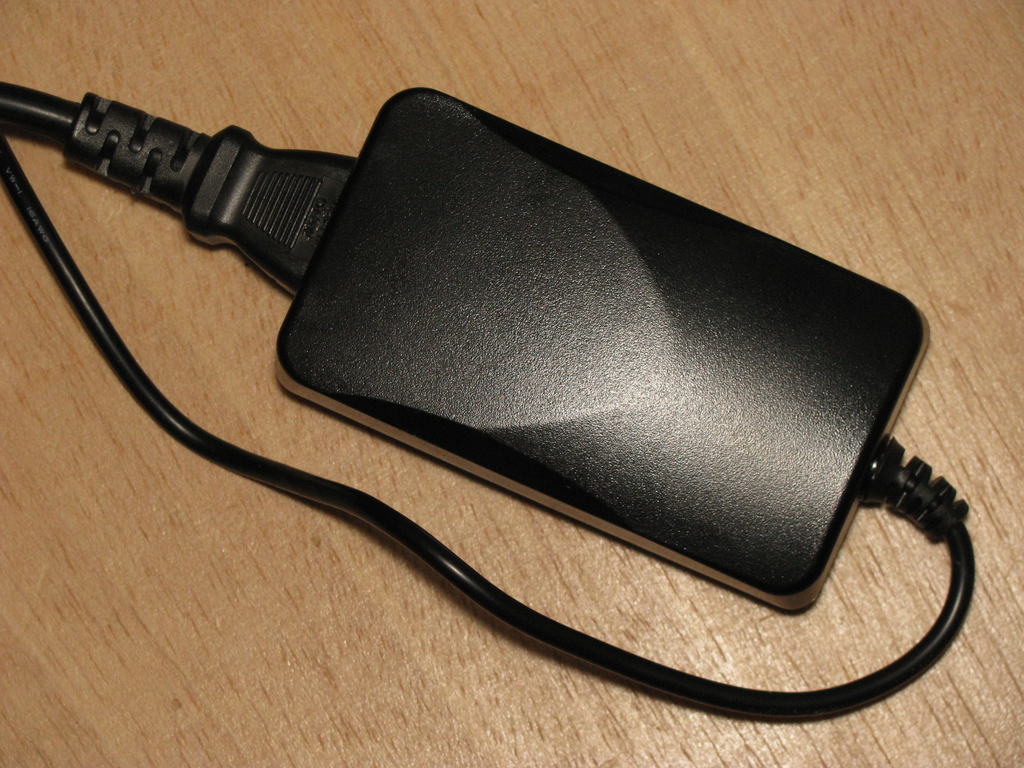
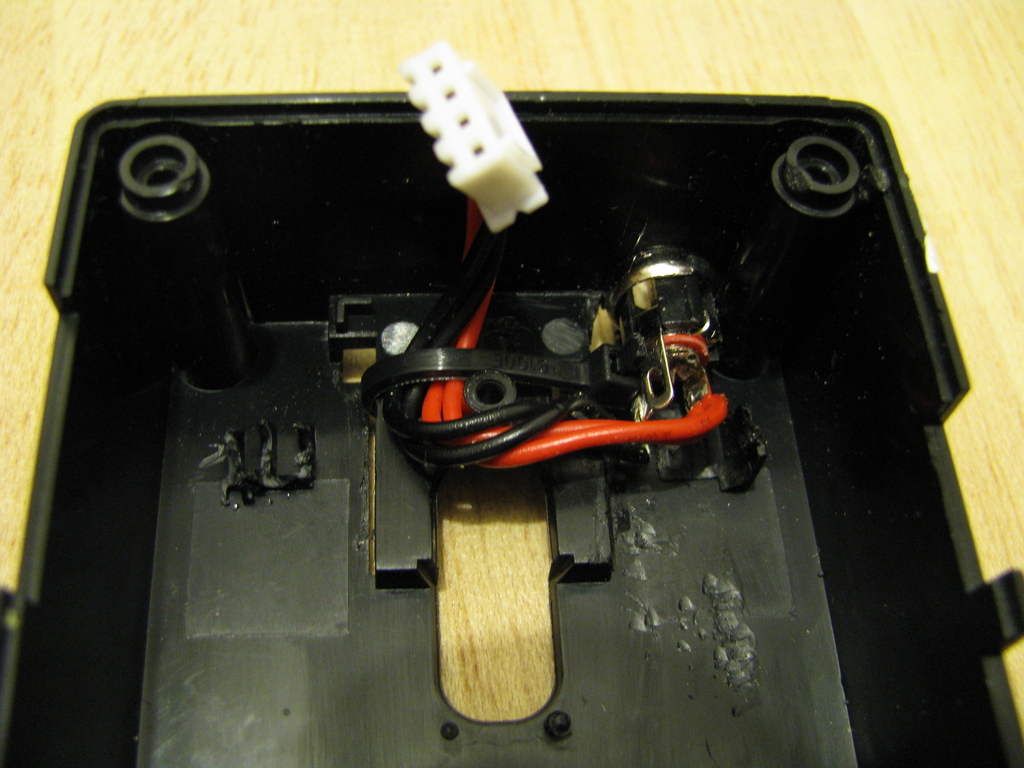
Replacing the power supply As I would never ever trust the PSU (see my last blog post for the gory details) and some additional free space in the case is necessary, it is time to rip it out. As replacement I've ordered an external 5V/20W PSU. To connect it to the plug I've drilled a hole into the case and added a proper connector after soldering the original cable from the old PSU to it. Make sure to add some retainer to stop the cable from touching the CPU/memory heat sinks later. GuruPlug Server Plus PSU replacement GuruPlug Server Plus PSU cabling

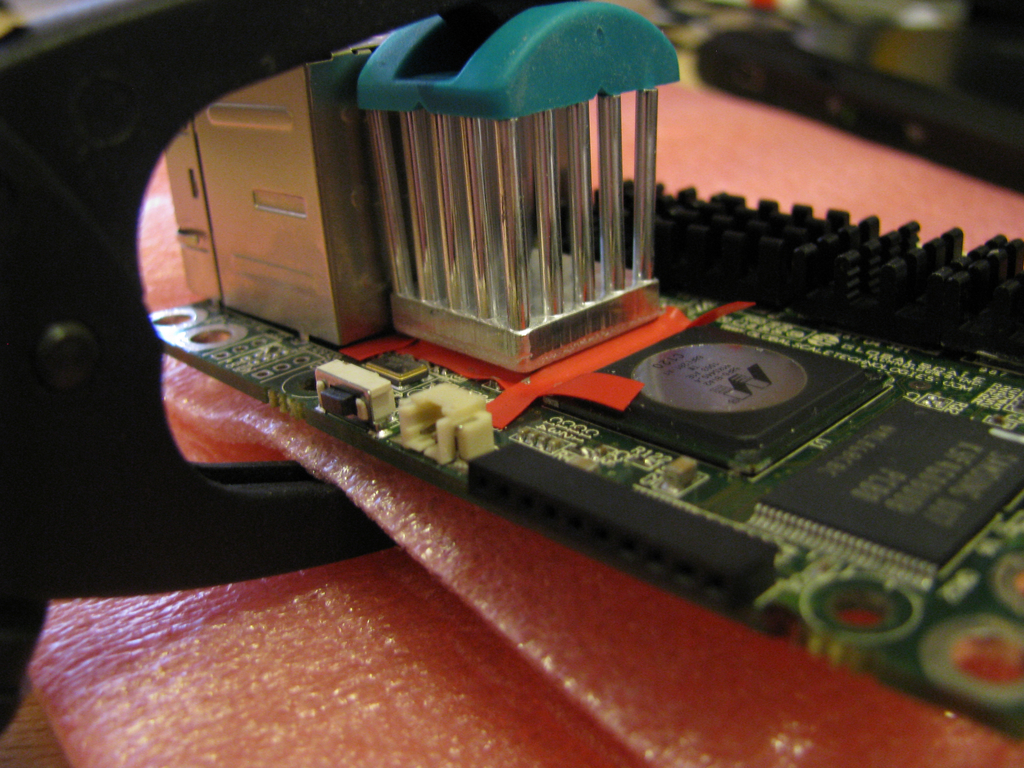
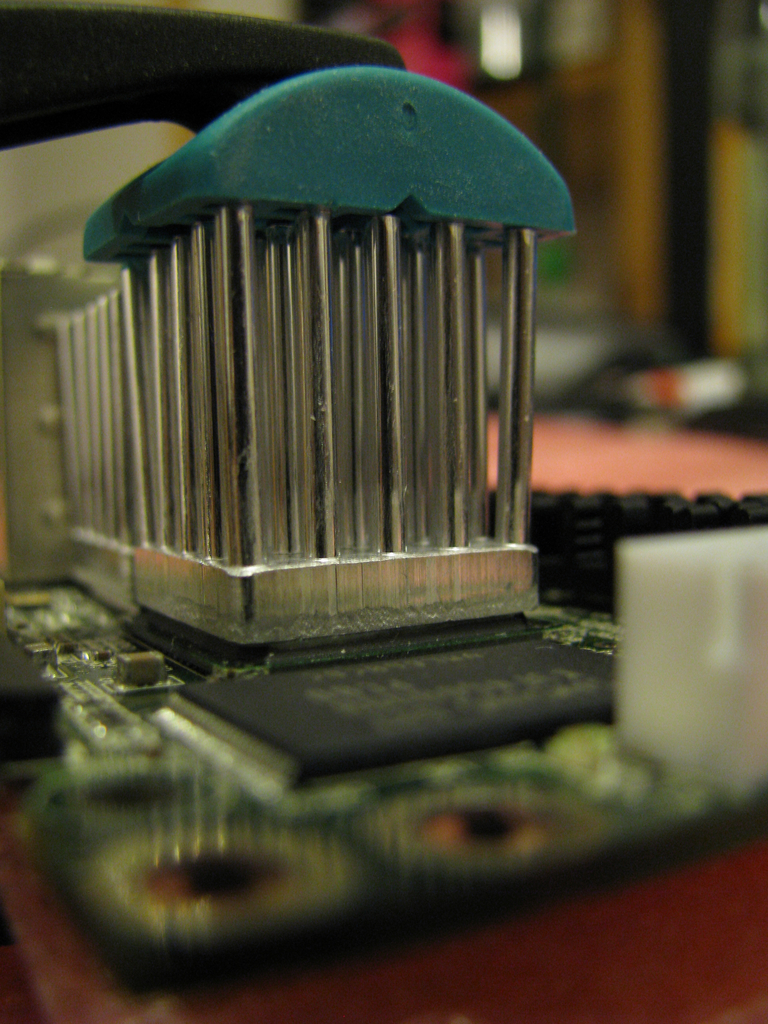
Proper heatsinks One of the biggest problems in the original GuruPlug design is the heat spreading and collecting piece of alloy, which probably makes things even worse than better. After some discussion in #debian-devel the idea came up, that the board should be able to run fine without a heatsink - at least when idling. That is the case, indeed. So let's get rid of that piece of alloy, together with the holders and springs. Unfortunately heat things are necessary to handle some work load. To mount them make sure you get some good thermal glue as you don't want to insulate the chips from their heat sinks. I've used Arctic Silver II thermal glue - not cheap, but working well. Make sure to clean the heat sinks and chips properly with alcohol (2-Propanol is my favourite for that), so there is no fat and dust left. When you use the glue be careful to read the documentation properly and make sure you apply only as much as necessary - a thin coating is enough. After applying the glue and mounting the heat sink you need a clamp to put some pressure on it while the glue dries.

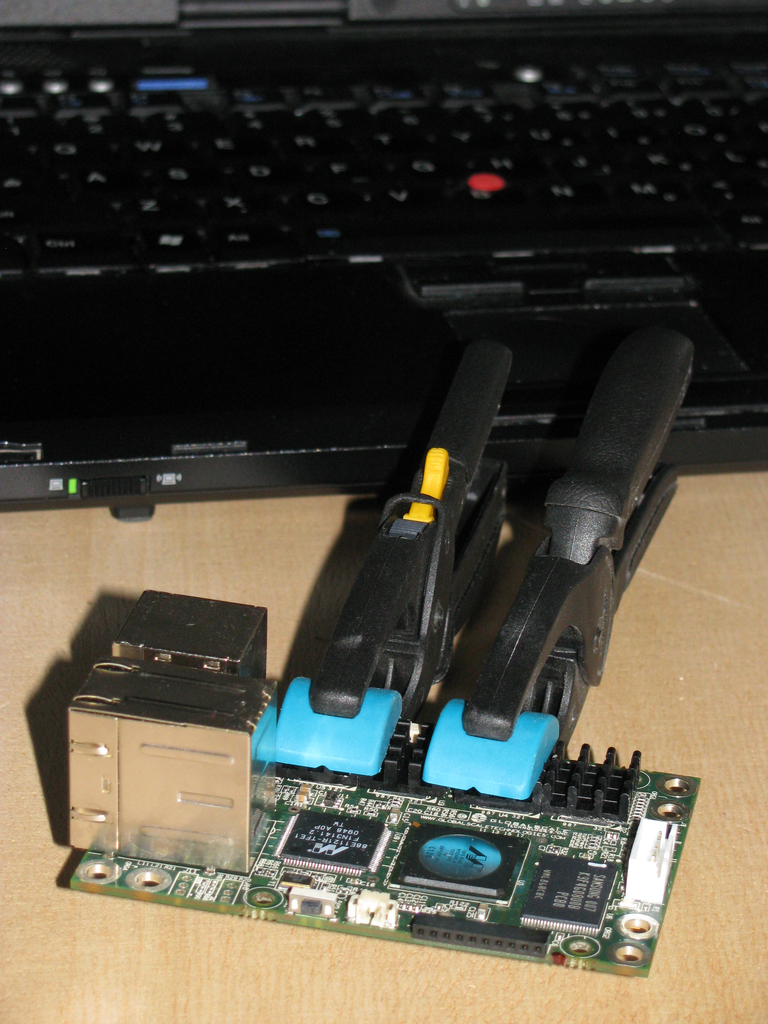
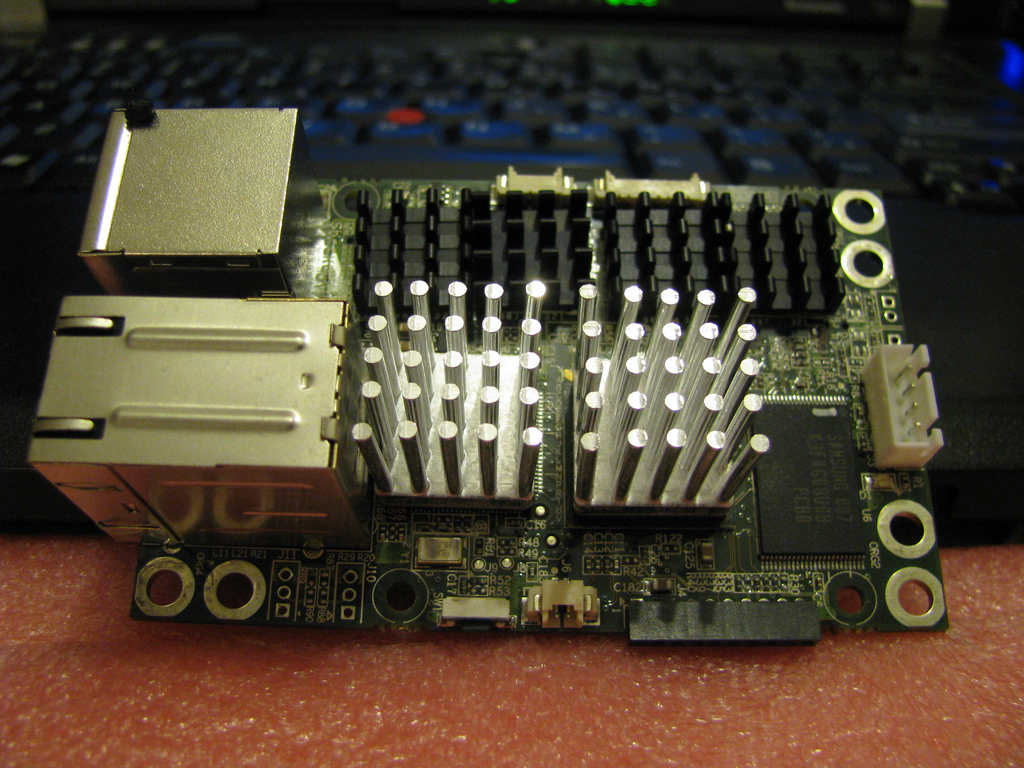
Heat sinks for the memory As there is a lot of space around the memory chips, I've got some 14x14x6mm heat sinks. Luckily there are only small parts on the other side of the board, so it was not hard to attach clamps to ensure the glue is able to dry properly. In case largish amounts of glue are squeezing out between heat sink and chip you probably want to start from scratch and clean everything (quickly!) with alcohol again. GuruPlug Server Plus memory heat sink clamping

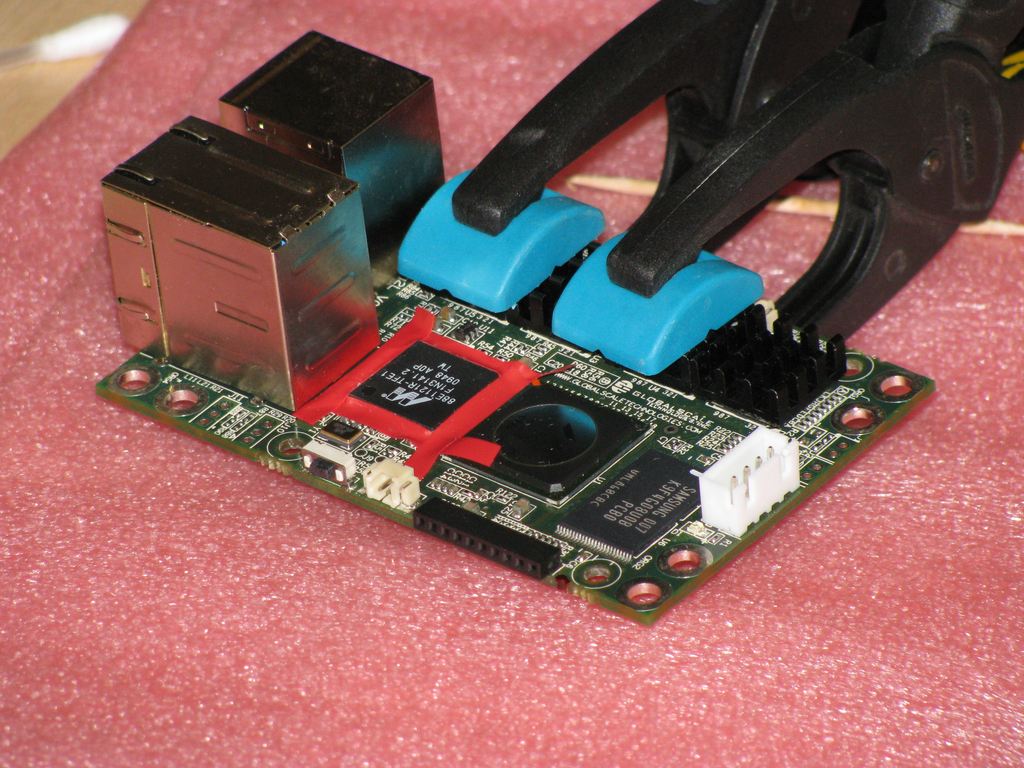
Gigabit Ethernet PHY and CPU heatsinks PHY and CPU need proper heatsinks as they're becoming pretty hot under load. Due to space limitations I had to stick with a 17x17x20mm heat sink for the PHY. I've tried to get a largish heat sink with BGA mount for the CPU, but I was not able to find one in short time and without ordering 1000 of them. So I've got another one of the 17x17x20mm model for the CPU. Later I found two other heat sinks which might fit on the GuruPlug's CPU: Malico 19x19x25mm or a Advanced Thermal Solutions Maxigrip. But for now the smaller one will have to do the job, also I'm scared to removed it without destroying the CPU. To mount the heat sink on the PHY a bit of preparation is necessary to ensure that the glue doesn't result in short cuts on the IC's pins. The arctic silver documentation recommends to use silicone on the pins to stop the glue. As I neither had the proper silicone nor did I want to make such a mess, I've decided to get a sticky insulating tape and some tooth picks to mount it properly on the IC pins. Make sure to do a proper job here! With good clamps you can work on the PHY while the memory heat sink glue is still drying. GuruPlug Server Plus - preparing the PHY The other problem on this side of the board is that some higher parts are mounted on the lower side of the board, so make sure to get some foam to protect them from your clamps. Except of the size of the heat sinks there is no real difference to the small ones: add glue, mount the heat sink and fix it with a clamp. GuruPlug Server Plus - mounting the PHY heatsink Before the glue dries completely make sure you remove the duct tape strips again. Be careful not to wipe any excess glue onto the IC pins. If you manage to do so you might want to remove and clean everything properly. So just be careful and everything should be fine. GuruPlug Server Plus - mounting the PHY heatsink 3 Mounting the heat sink on the CPU is easier as the CPU is a nice BGA package. No need to protect pins an there are none. GuruPlug Server Plus - mounting the CPU heatsink

Finished As you're able to see on the photo I did not the very perfect job, but fine enough to work properly. GuruPlug Server Plus - heatsinks

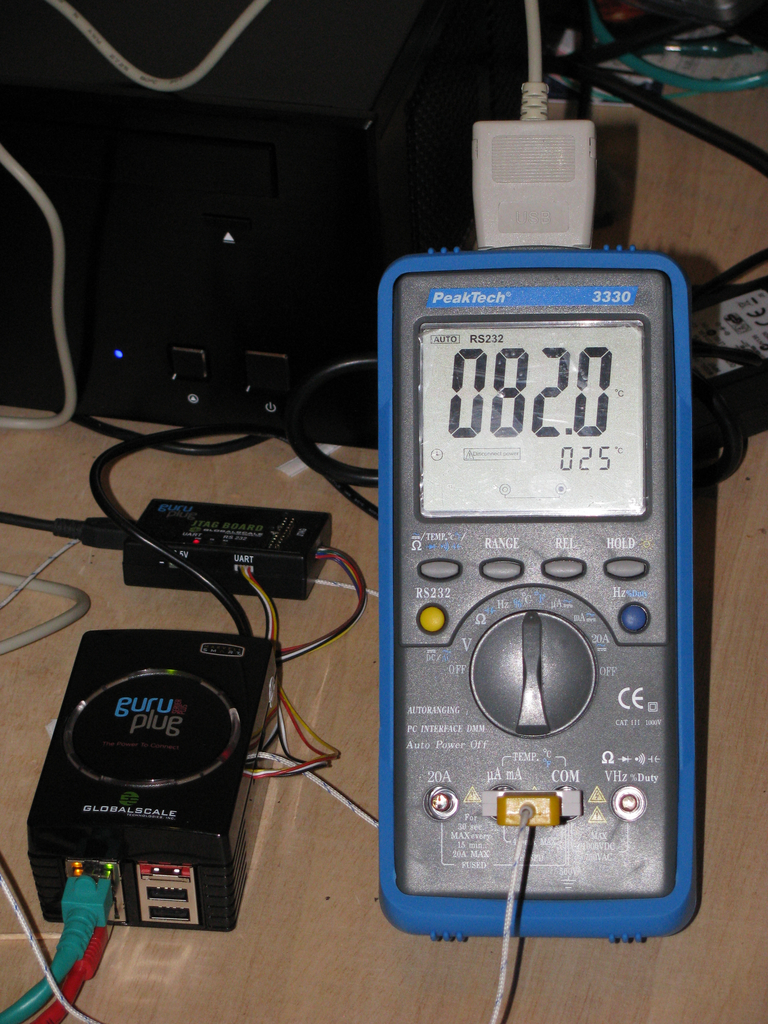
First tests with the new heatsinks Some tests with stress and some heavy network traffic showed quickly that the heat sinks are working well! But not well enough to be able to mount them into the original closed case (how the hell was this supposed to work before!?). Without any air to breath the temperature on the CPU heat sink went up to 85 deg C quickly. So on the CPU's die are > 100 deg C, which is at least close to the max allowed temperature. GuruPlug Server Plus - still too hot

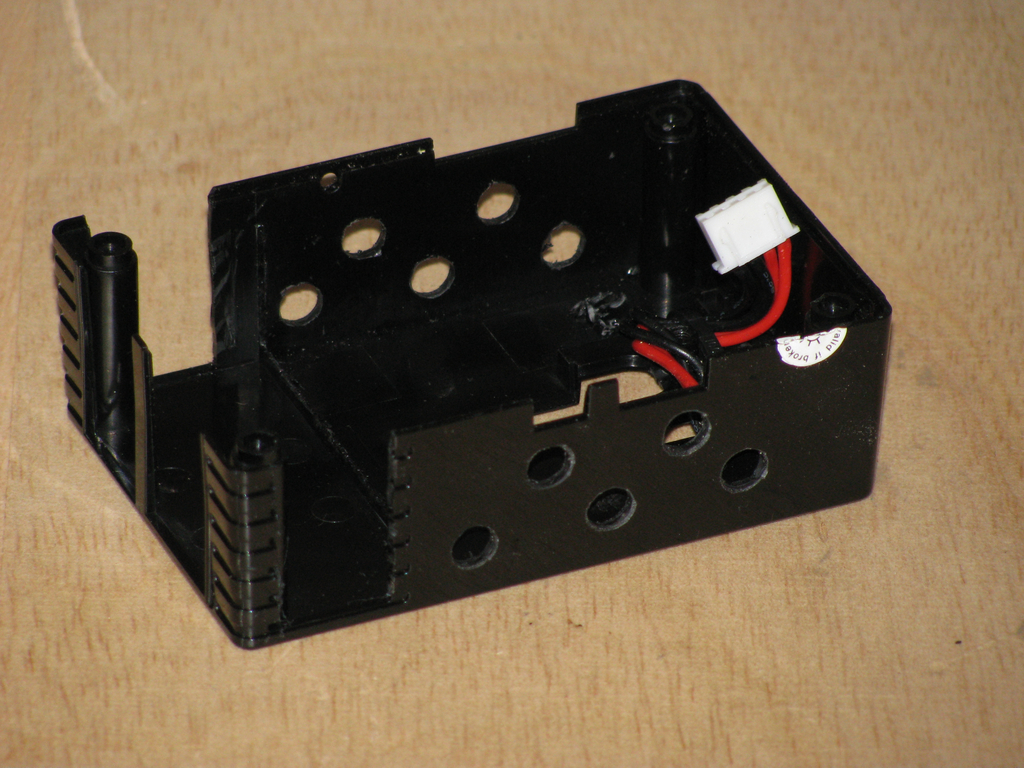
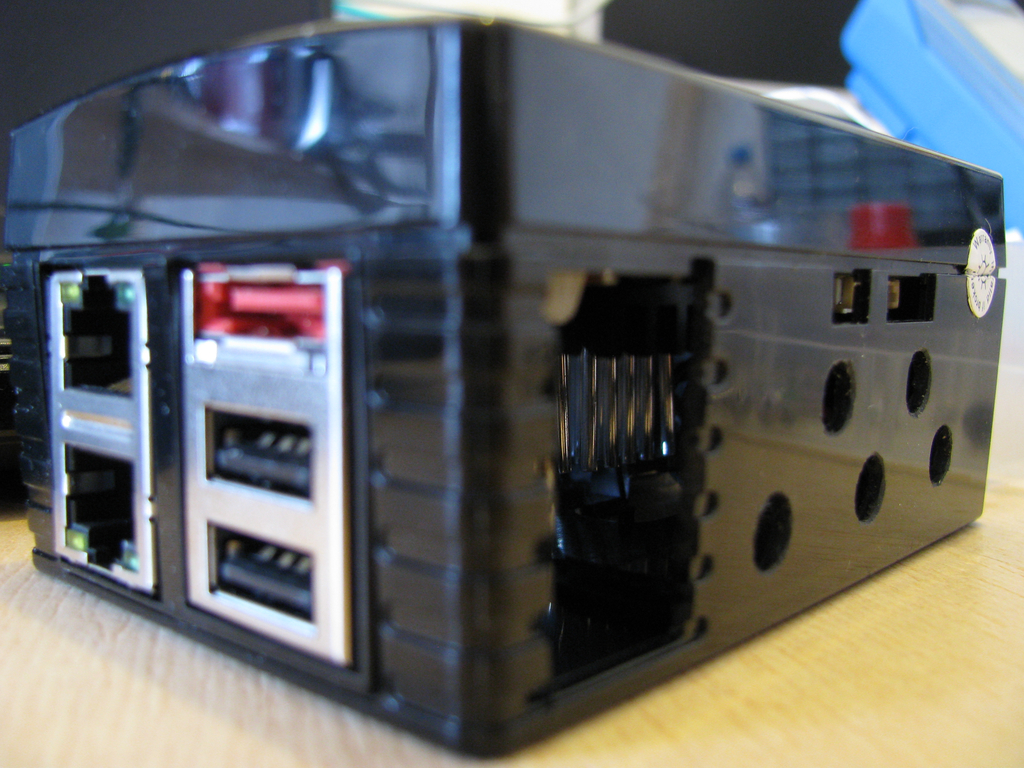
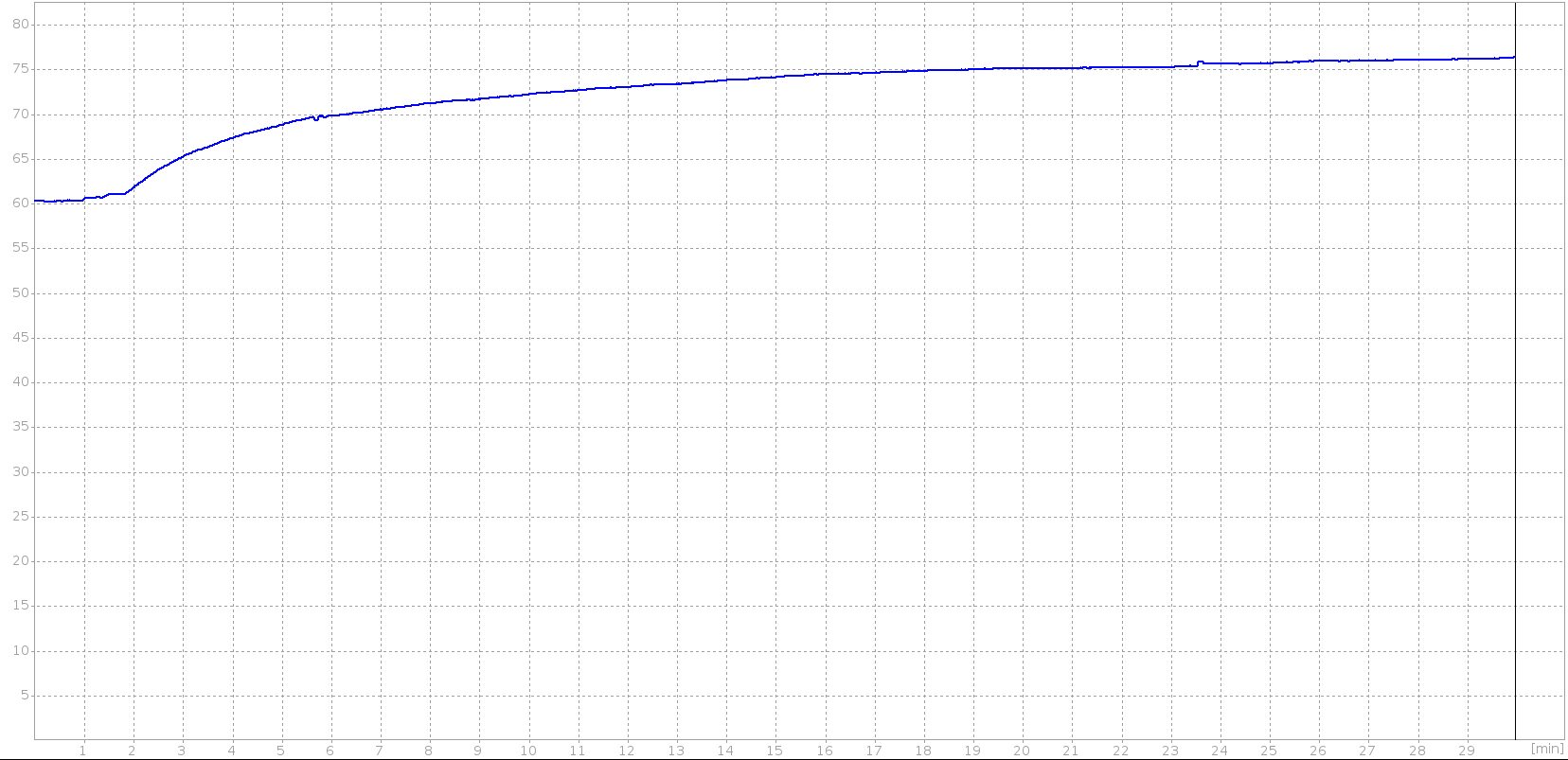
Adding air holes Obviously some additional air holes are necessary. After meeting my drill and cutter, the original case looks a bit like a piece of cheese now. GuruPlug Server Plus - case with air holes 1 GuruPlug Server Plus - case with air holes 2 Some more tests show that the temperature sticks around 76 deg C under heavy load now. That is still pretty hot, especially when the temperature in the room becomes hotter in summer. As I'm not going to run a lot of traffic trough it (my cable connection is limited to 20 MBit/s anyway), I guess it will work. Below is a graph I've recorded with my multimeter and qtdmm. It shows that the temperature rises to ~76 deg C and stays there. GuruPlug Server Plus - temperature curve Not sure if I could introuce some more load, the CPU had a load of 6 running stress. Network traffic was around 2x100MBit/s again. I could imagine with 2xGBit the CPU and PHY would become much hotter (no idea if it would be able to handle it at all, though). The PHY was usually a bit cooler than the CPU, so I didn't spend time to measure the temperature properly.

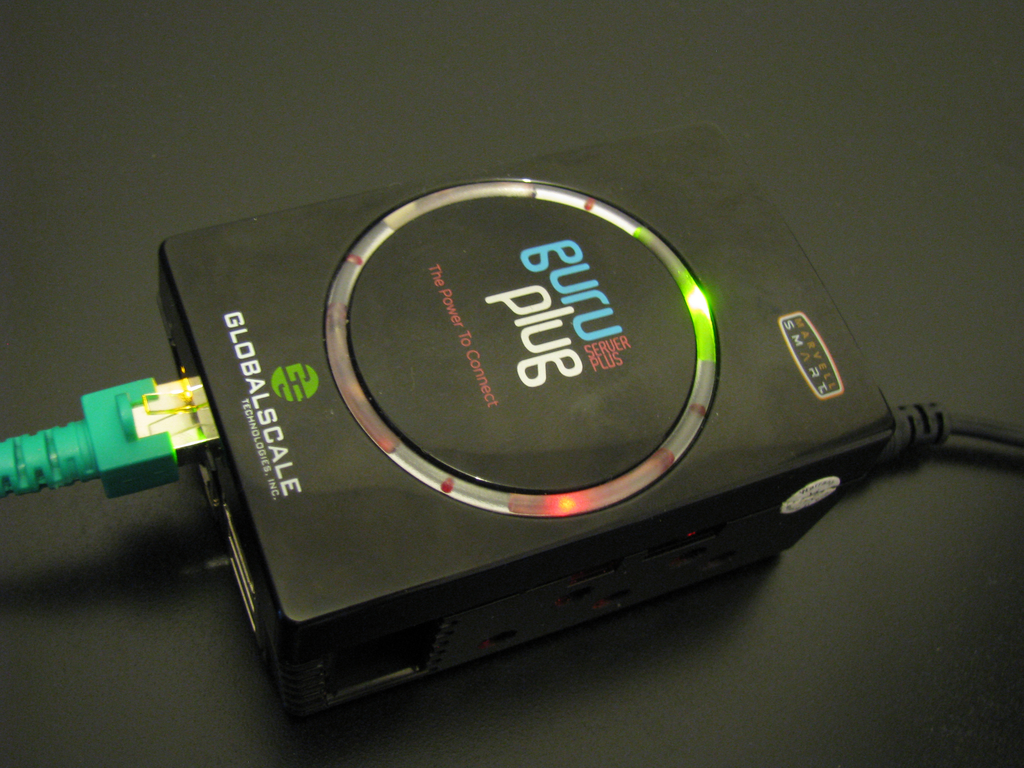
Conclusion My opinion is still the the original design of the plug is an insane QA and design failure. There is no way that it could ever work as shipped originally. If I'd have to design a new case for it, it should have a single insulated compartment for a PSU to ensure that no contact with high voltage is possible. The case around all other parts should be made of alloy with a lot of air holes. So the case could be used as heat sink (properly done, not with these insulating duct tape strips) and at the same time allow air circulation and a nice view on the LEDs on the board. Of course the case would be much more expensive than, but I'm sure it would work properly and would be worth the money. And if done peoperly, it would look much better than this blinking plastic thing. I could imagine it would sell well! So at the end I'm wondering what GlobalScale Technologies will do. I doubt it will be possible to create the 'professional upgrade kit' as they had announced before. Replacing all units is the only proper way. We'll see what happens. At least my GuruPlug is working well now and it will be used as replacement for my OpenWRT router soon. WiFi is not working, but that will be handled by my media center anyway. GuruPlug Server Plus - running plug

Gerfried Fuchs: Lenny: 900 RC bugs

It is a while since we managed to get below the 1000 stable RC mark. Last weekend we managed the next mark, that is we are below 900 now! Obviously my effort during the RCBC did take us a fair step in that direction, but I don't want to take full credit for it. The last bit that got us below the 900 happened through an event of last weekend: The current point release of lenny. Be aware that the BTS doesn't know about proposed-updates, so bugs closed through uploads to there only are seen when they hit the main pool which is the reason for point releases. It were something around 25 RC bugs that were closed by that. I haven't checked who exactly is to thank here, but looking at the non-DSA packages one finds some perl packages and at least two font packages. Thanks to the corresponding teams for their help! I plan to continue these efforts, so if you think it's a good idea you might want to flattr it. I think this quote sums up the motivation behind this pretty well:
<jwilk> Yay, only 900 bugs to fix and we can release lenny! Oh wait...

/debian permanent link Comments: 0 Flattr this

Alexander Reichle-Schmehl: Release Critical Bug report for Week 36

The unofficial rc bug tracker currently knows about the following bugs:
In Total:420
Affecting Squeeze:301
Squeeze only:66
Remaining to be fixed in Squeeze:235
Of these 235 bugs, the following tags are set:
Pending in Squeeze:16
Patched in Squeeze:53
Duplicates in Squeeze:26
Contrib or non-free in Squeeze:10
Claimed in Squeeze:2
Delayed in Squeeze:8
Can fixed in a security Update:15
Otherwise fixed in Squeeze:19
Ignoring all the above (multiple tags possible), 133 bugs need to be fixed by Debian Contributers to get Debian 6.0 Squeeze released. However, with the view of the Release Managers, 254 need to be dealt with for the release to happen. Please see my older post for an explanation of the different numbers.

9 September 2010

Joerg Jaspert: Debian work

It has been a pretty exhausting time since my last blog post in my area of Debian land . If you followed the news you should have seen some of it. Last weekend there was the point release. For those I have the (good?) position to sit in the middle of the working queue, where the hardest part (sorting out which stuff to include, getting it all build, etc) is already done. Still, due to the amount of steps neccessary to take its usually a multi-hour thing. This one release was even slower, as we had to wait for hours until the package lists had all been built - unfortunately the thing writing that keeps berkeley db files of data around as cache - and uses the FULL path to the files as key. How stupidly annoying when the path changes during a server move. Ohwell. The other big part that got a tiny bit of press coverage was the move from www.backports.org over to backports.debian.org. This was actually waiting for me for a good longish while already (err, well, since well before DC9 this was decided to happen) but now I finally got myself moved. This turned out to be much more work than I ever feared (which is part of the reason why it took so long), but some numbers: The db update alone took me a week to figure out which steps to do in which order. Good to have an automated system, if you the manage to have the updates run specific to the main archive. Ups. When I was done with the database (during which I managed to just erase all work done by formorer and rhonda on the webpage, ups^2) I had some code and config cleanups to do, and especially manage to get it all running with a new path layout. Much less complicated, but enough work to do, before I finally was far enough to get it all move so far that formorer could start testing it and we could turn off the old system. At this time I had to fix up our shell scripts for our cron jobs, but that (with one exception) was a nearly straight forward easy task. And on Wednesday I managed another goal - backports is fully running the master branch of dak, the exact same code as on ftp-master. The cronjobs are slightly different, as well as the config (of course, duh), but otherwise its the same. My current goal and the last things left on this move todo is to change the cronjobs so that debian as well as backports do run the SAME scripts, but their configs list which tools should be run when. Considering that my dinstall cron already contains something pretty much a state machine I think I m insane enough to get this in shell, but when I told that to Mark (you know, the second ftpmaster :) ), I heard something very much like vomiting (you know, 700km between us, this might mean something) and then the plea to use a real language for the task. Oh my. I like my shell. :)
There is one big black cloud on the horizon to see. I have to do something similar for security. They are at a dak (and database) version pretty similar to what bpo had. They do need to support this obnoxious spare new format too before they can support security for squeeze, so there is no way I can ignore that archive for much longer. I already asked DSA for a vm in which I can play (not good to interrupt security archive for long), but probably wont start on this before the upcoming FTPMaster meeting. Pretty busy otherwise. Wellwell, I hope it will be less painful, as I now know the steps already. :)

Matthew Garrett: Linux backlight control

Backlight control is one of those things that you'd think would be simple, but ha ha this is computing so of course it's an utter disaster and everything is a huge mess. There's three main classes of backlight control in the x86 world, all of which have drawbacks:
Right now, if there's an ACPI backlight interface then that's usually the only thing we'll show you. We can do that because we can identify if there's an ACPI backlight interface when we parse the ACPI tables at the start of booting, and that information can be registered before we start setting up any other backlights. The problem comes when we have no ACPI backlight interface. We don't have any idea whether there's a platform mechanism until a platform driver loads, which could be at any time. As a result, we've been reluctant to expose GPU-level backlight control because doing so would often give you two separate backlight controls and no indication as to which should be used. Userspace doesn't really have a way to make that decision either, so everyone ends up unhappy.

This is especially problematic with some machines which provide no ACPI or known platform control (or, in the case of some Samsungs, only provide platform control if you have a special Linux BIOS that Samsung won't give you) but can control the backlight via the gpu. Right now you get nothing, because giving you something would potentially break other systems and the needs of the many etc. Sorry! But this is obviously problematic in the long term, especially because multi-GPU machines tend to have multiple ACPI backlight interfaces, so I've been working on a better approach.

When a backlight device is registered, it appears under /sys/class/backlight. If it's an ACPI device it has a symlink pointing to some random ACPI device. If it's a platform device it's pointing at something like "dell-laptop" which is approximately unhelpful when it comes to figuring out what it controls. If it's a GPU-level device then it probably points at the PCI device, which is helpful except in the case where you have multiple backlight controls on a single GPU. So, by and large, you have no good way to identify which backlight control is preferable unless you keep a huge list of all possible backlights along with some scoring.

The first thing I've added to improve this is a "type" attribute. This tells you whether a given backlight is firmware-level (like ACPI), platform-level (like the various laptop drivers) or performs raw register writes (like a GPU driver). That lets userspace decide which interface is preferable. It'll typically be the ACPI interface, because that's the most likely to keep synchronisation and so avoid bizarre brightness bugs. The next thing has been to start fixing up the parent links. There's nothing we can do for the platform level devices, but the ACPI drivers could at least point at PCI devices rather than into ACPI space. That means that multi-GPU systems can now identify which interface to use based on the currently active GPU. Finally, I've started pointing the GPU-level backlight controls at the specific output rather than merely at the PCI device. This probably makes little difference for laptops as such, but once we start exposing backlight control for monitors that support ddcci it'll make things much easier as we'll know which backlight control corresponds to which monitor.

I've then written a small library that accepts information about the output and picks the "best" backlight for the device. It's obviously based on a pile of heuristics and there's a couple of bits of API that I suspect need to be nailed down yet, but it means that this code only needs to be written once. It's then simple to glue this into X drivers, which means that they can expose a "Backlight" xrandr property on each relevant display. That means that backlight control is then handled at the session level with the X server acting as the privileged agent, which simplifies a bunch of things and means we can finally let hal die entirely. Long-term this means we'll have unified backlight control for all of your displays, which is a wonderful thing.

Summary: We kind of suck right now, but there's a reasonably clear path to getting better.

Kartik Mistry: non-free (web) services

* I was thinking to move out of as many as non-free (FaiF) web services after reading mako s this post and now zack wrote about it with good explanations and reasons. What things I m using? And its replacement: - GMail [and related stuffs] (I don t own server/email setup, may be next year s plan?)
- Facebook (Big question here how will I keep touch with my wife?)
- LinkedIn (My profile there is crap, half baked. Can leave it without worry)
- Twitter (Identi.ca)
- Orkut (Already not using much)
- Github (Gitorious) Thank God. WordPress is amazing and free. I can keep in touch with this amazing blue pill virtual world with blog posts at least. Starting acting on the list from bottom-up. Lets see how far I can go.

Christian Perrier: Care about samba in squeeze?

If you do care about having good samba packages in squeeze, you can help. If you're in a hurry and don't want to read the blah-blah, just skip to the end of this story and read the last paragraph. Thanks to the confidence of the release team, we (samba packagers) have been "authorized" to upload samba 3.5.4 in unstable, thus targeting having that version in squeeze. Up to July, we were indeed targeting 3.4.8 for squeeze, on the assumption that, as usual, samba upstream releases need some maturation before being strong guarantee that no regression happens. In July we were ready to move and finally upload in unstable the 3.5 packages we kept in experimental until then. The final decision was to be taken during DebConf10. It was roughly taken with Steve Langasek, but....I couldn't upload immediately (most people know that working on major packages during DebConf is a dream)...and had holidays afteer. In the meantime, the freeze happened so we got theoretically screwed... Still, I could manage to convince the release team that long term support for samba 3.5 will certainly be better than 3.4...and that functionality in that version (particularly several Win7-related fixes and a much improved code for printing support) and we got a notice "please upload to unstable and come back to us in a few weeks". That happened, finally. So, now, we need YOU, samba users and admins, to test these packages. Merging our packaging branches was hard (thanks, Steve Langasek, for your help) and glitches are always possible. So, please TEST these packages by installing samba, winbind, libsmbclient and friends from unstable....and report bugs, preferrably the release critical ones....

Stefano Zacchiroli: yes we can

(... achieve Debian world domination without endorsing Facebook) Yes Raphael, we can.
Nobody said it would have been easy, to reach Total World Domination endorsing Free Software only, but that's not a reason to stop trying. I've recently stumbled upon a very nice article by Benjamin Mako Hill, titled Free Software Needs Free Tools, which I believe it's the best possible commentary to the proposal of having an official Debian Facebook page. Of course there is nothing wrong in having non-official, or let's call them "fan" pages, about Debian on Facebook. As a matter of fact we already have one, as you point out. And I also agree that it would be better to know who is behind that page. Individuals, including Debian Developers, are obviously free to use whatever media they please to spread the cause of Debian. After all, as individuals, each of us decide upon her own personal trade-offs (for instance, a trade-off of mine is to have both identi.ca and twitter accounts and to post only to the former with forwarding to the latter). There is no way to have an official Debian Facebook page and pretend that we are not, de facto, endorsing Facebook. That's why I believe having official Debian presence on Facebook, or on any other non Free Software platform, will just weaken our cause. It will send out the message that Free Software it's something which is good for others to use, but not necessarily for Debian as a project. That does not mean that we live under a rock and that we consider social networks useless to promote the Debian cause. It just mean that we should be picky in choosing social networks that respect our Free Software principles, as we are picky in choosing licenses that are DSFG-free. For instance, I'm glad to mention here that the Debian publicity team has recently obtained access to http://identi.ca/debian and will start using it soon. Subscribe! :-) PS This post also gives me a chance to comment on a so called "community page" of mine on Facebook. As I've briefly commented a few days ago I've nothing to do with that page. TTBOMK its content is just automatically injected from Wikipedia. The "Stefano Zacchiroli is on Facebook" claim on the upper left is true only in the sense that there are other people with my name on Facebook. IANAL, but such a claim (not the page in itself) will probably be considered an abusive advertisement in many countries around the world. update: re-word the identi.ca/debian paragraph, to better blend with surrounding text
update: mention "Debian" in heading

8 September 2010

Julien Danjou: Emacs, Org, whatever the weather!

Another week, another Emacs extension! I had (once again) a wonderful idea: what if I could have the weather forecasts in my Org agenda? Wouldn't that be wonderful? My quest started by looking for a service offering a good weather forecast API. I found nothing simple as the hidden Google Weather API, which is nice, but not documented. Not at all. Not a single line. Nah. Then, I wrote a google-weather extension, implementing a basic Emacs Lisp API to retrieve data from the Google service:

ELISP> (google-weather-data->forecast (google-weather-get-data "Paris"))
(((9 8 2010)
  (low "53")
  (high "63")
  (icon "http://www.google.com/ig/images/weather/rain.gif")
  (condition "Rain"))
 ((9 9 2010)
  (low "53")
  (high "69")
  (icon "http://www.google.com/ig/images/weather/chance_of_rain.gif")
  (condition "Scattered Showers"))
 ((9 10 2010)
  (low "54")
  (high "72")
  (icon "http://www.google.com/ig/images/weather/partly_cloudy.gif")
  (condition "Partly Cloudy"))
 ((9 11 2010)
  (low "55")
  (high "75")
  (icon "http://www.google.com/ig/images/weather/partly_cloudy.gif")
  (condition "Partly Cloudy")))
My API even implements data caching, which is nice to speed up the agenda display. By the way, I think my next job will be to hack on the url-cache feature of Emacs, which is utterly buggy and has probably never be used. But that's another topic. Finally, I just had to write another module on top of that to export the forecasts to Org. A screen shot is probably better than a long and boring explanation, so here's the result. My only regret is that the icons provided by Google are ugly squares, so I did not want to use them. On the other hand, I did not found any icon set that would have all the icons Google provides (around 20). So I felt back on the icon naming specification to map the Google images to standard images. Any better idea would be welcome, of course. All the information can be found on the Google Weather for Emacs extension homepage. Flattr this

Mirco Bauer: Smuxi 0.8 "Godsend" Release

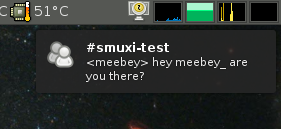
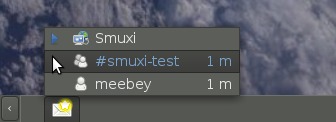
5 weeks after the 0.7.2.2 "Lovegood" release, I am very happy to announce the major feature release, 0.8 codenamed "Godsend". Major feature highlights of this release are desktop notifications (with full support of actions, icons, updates, append and sound), messaging menu / indicators (as provided by Ubuntu's Ayatana project) and working Twitter support with OAuth (basic auth was disabled by Twitter on 31st August). This version also fixes all bugs that were reported since the release of 0.7.2.2. Desktop Notifications
Messaging Menu
Further on, Smuxi comes with the following improvements in its user interface: Smuxi provides better connectivity and security by supporting: HTTP and SOCKS proxies as well as secure connections to IRC servers by using SSL with optional certificate validation. Last but not least, it comes with an enhanced Twitter experience by supporting the use of multiple Twitter accounts at the same time, reformatting tweets that contain newlines and showing the full retweet instead of a truncated version. Updated languages includes: French (Cl ment BOURGEOIS) and German (Bianca Mix) The #smuxi IRC channel can now also be found, in addition to OFTC, on other popular IRC networks such as freenode and GIMPnet. The messages on #smuxi are automatically relayed between the 3 IRC networks. If you like Smuxi and want to support it by making micro-donations, Smuxi is available on Flattr. There are also many other nice FOSS projects available on Flattr, see the Flattr-FOSS project. Smuxi is available for download from here. Binary Packages of Smuxi 0.8 are ready to be used by Debian/Experimental, Ubuntu/Maverick, Ubuntu/Lucid (via PPA), OpenSUSE, Foresight Linux, FreeBSD, and Windows.

John Goerzen: Stories of Amateur Radio

It was back in July that I got my amateur radio license, and I haven t written much about it since. It s about time I do. I ve been really enjoying it. I am now wishing I hadn t put off getting into it for so many years. It s a lot of fun and promises to be a lot of fun for a long time. Why? I am frequently asked, What can you do with amateur radio? Yes, you can talk to people all around the world, but of course you can do that with the Internet. Talking to people all around the world can be done with no infrastructure in between, so that s a pretty neat feature, but not compelling to everyone. I have realized that the question is poorly-framed. I had asked that question myself for a long time and only recently realized that I was asking the wrong question. I think the better question would be, What makes amateur radio fun and a good way to spend your time? One thing I ve discovered is that the amateur radio community has an amazing sense of community. Hams, almost universally, seem to love helping out each other, whatever the task may be: setting up antennas, learning how to operate a radio, even fixing a flat tire. I ve seen this directly, and heard about it from others, time and time again. There s an excellent article out there by Nate Bargmann called Why I consider Amateur Radio an asset in my life that makes for good reading. There is a lot of fun in amateur radio. It was quite exciting the first time I talked to someone out of state, realizing that the piece of wire in my trees, and 100W of transmitter power, were all it took to get a message 700 miles away. And even more exciting when I talked to a person in Kazakhstan the same way. No satellites, no phone lines, no undersea cables just my antenna, his, and radio waves. Then there s the fun in talking to somewhat random people. It s not completely random, as I m only talking to people that have passed a test there are about a million of us in the USA. (And for the long-distance HF communication, a more rigorous exam is required, so the number is probably less than that.) But when I call CQ an invitation for anyone listening to reply I never know who will reply. I ve talked to a retired Canadian museum curator, a Mississippi farmer, a resident of Long Island, Russians participating in a contest, two Hawaiians participating in a different contest, and the list goes on. Some of these have been brief contacts lasting only seconds, while others have been conversations that stretch on towards an hour. I liken amateur radio to buying my first iPod. I had never owned a portable MP3 player. I had always figured, why bother? How often am I away from a computer or a CD player? But once I got one, I realized how nice it was. It was convenient to just store my entire library on there and not have to try to sync it across multiple devices. It was convenient to not have to carry CDs with me in the car, and to listen to music at places I hadn t tried to before. The same sort of thing applied to getting a Kindle, and to amateur radio. I didn t realize how much fun it would be until I tried. Some Memorable Moments Towards the end of showing you some things that have been exciting, here are a few memorable moments from my ham radio experience so far. Saturday night was one. I was tuning around listening to anybody to talk to. I heard some people calling CQ in heavy accents. I eventually realized that the All-Asia contest was going on, and figured out how to participate. I made my first voice-mode contact with people on a different continent and it was with Kazakhstan! Within a few minutes, I also talked with three stations in Russia. I had not expected that. I ve made contact with several stations in the Indianapolis area, where I used to live. It was particularly fun to talk to W9IMS, located at the Indianapolis Motor Speedway, which operates around race times only. Again I discovered that station simply by tuning around on the band. I took a 5W handheld radio with me to New York City during my trip there for Debconf. It was a lot of fun to talk to random New Yorkers while visiting, and they were all very interested in my impression of the city, what I ve done so far, and what they thought I ought to do. Some offered specific tips (such as which train from Manhattan to Brooklyn offers a good view while elevated). A local ham, W0BH, gave me some basic training on how to operate during amateur radio contests. During these contests, hams try to make contact with as many other hams in as many places as they can. I didn t think this sounded like a lot of fun. Until I tried it. It was indeed a lot of fun, and interesting being occasionally that rare Kansas station that a bunch of people are trying to talk to at once. One evening, we lost power. I tried calling the electric company, but there was no answer over there for some reason. We re out in the country, and there are no neighbors visible that can inform us whether it s a big problem that the power company probably knows about, or whether it s localized to us. So after wondering what to do for a minute, I thought I d get on the radio and ask. (We own a backup generator for these situations.) Almost right away I heard from a person driving in his pickup. He told me he saw a widespread outage, and heard on his police scanner about other towns that were down for the same reason. I wouldn t have known otherwise.

Andrew McMillan: Making my laptop quiet

A few days ago I talked about how noisy my new Dell Studio 15 was but I can now report back with the beginnings of a solution to that problem, and it doesn't appear to be ACPI related. The first clue I needed was that if I switch to the proprietary fglrx drivers for the Radeon the fan quite quickly drops off to a much more reasonable level. It seems the fglrx drivers have issues, however, in particular I get big black patches on my screen. This video corruption happens especially in Firefox, but sometimes in other applications as well. They also appear to screw up my suspend/resume, which is probably even more annoying to me. The second clue that I needed was that Radeon power management support has only just made it into recent kernels. Thanks to Michael Kirkland for providing me with both of those clues :-) Looking under /sys/class/drm/ I find a whole bunch of stuff, but in particular there are /sys/class/drm/card0/device/power_method and /sys/class/drm/card0/device/power_profile. Looking through the kernel source code I can see that power_profile can be set to low, mid, high, auto and default, while power_method can be set to either dynpm or profile. Trying out all of these values, it seems I get the quietest result with the profile method and either the low or mid profile. The dynpm method is nearly as good, and I would think it should really be the default for a 'Mobility' chipset. From the detailed benchmarking that Phoronix did I wonder if it shouldn't be the default for everyone. For myself, I see some small 'tearing' artifacts occasionally when running with the low profile. These disappear when I run with the mid profile, and since that seems to have pretty much the same temperature (and noise) results I'll go with that one. Though the laptop often does still make more noise than I would prefer it to, it is no longer annoying everyone in the room. Not unexpectedly this seems to have a huge impact on power use, too. It appears that the laptop should now give me around 4.5 hours when I do everything I can think of to lower the power use, whereas before it was more like 2.5 hours. Now I guess I can get back to hacking on DAViCal...

Next.

Previous.