Search Results: "tin"

21 February 2017

Shirish Agarwal: The Indian elections hungama

a person showing s(he) showing s(he) Before I start, I would like to point out #855549 . This is a normal/wishlist bug I have filed against apt, the command-line package manager. I sincerely believe having a history command to know what packages were installed, which were upgraded, which were purged should be easily accessible, easily understood and if the output looks pretty, so much the better. Of particular interest to me is having a list of new packages I have installed in last couple of years after jessie became the stable release. It probably would make for some interesting reading. I dunno how much efforts would be to code something like that, but if it works, it would be the greatest. Apt would have finally arrived. Not that it s a bad tool, it s just that it would then make for a heck of a useful tool. Coming back to the topic on hand, Now for the last couple of weeks we don t have water or rather pressure of water. Water crisis has been hitting Pune every year since 2014 with no end in sight. This has been reported in newspapers addendum but it seems it has been felling on deaf ears. The end result of it is that I have to bring buckets of water from around 50 odd metres. It s not a big thing, it s not like some women in some villages in Rajasthan who have to walk in between 200 metres to 5 odd kilometres to get potable water or Darfur, Western Sudan where women are often kidnapped and sold as sexual slaves when they get to fetch water. The situation in Darfur has been shown quite vividly in Darfur is Dying . It is possible that I may have mentioned about Darfur before. While unfortunately the game is in flash as a web resource, the most disturbing part is that the game is extremely depressing, there is a no-win scenario. So knowing and seeing both those scenarios, I can t complain about 50 metres. BUT .but when you extrapolate the same data over some more or less 3.3-3.4 million citizens, 3.1 million during 2011 census with a conservative 2.3-2.4 percent population growth rate according to scroll.in. Fortunately or unfortunately, Pune Municipal Corporation elections were held today. Fortunately or unfortunately, this time all the political parties bought majorly unknown faces in these elections. For e.g. I belong to ward 14 which is spread over quite a bit of area and has around 10k of registered voters. Now the unfortunate part of having new faces in elections, you don t know anything about them. Apart from the affidavits filed, the only thing I come to know is whether there are criminal cases filed against them and what they have shown as their wealth. While I am and should be thankful to ADR which actually is the force behind having the collated data made public. There is a lot of untold story about political push-back by all the major national and regional political parties even when this bit of news were to be made public. It took major part of a decade for such information to come into public domain. But for my purpose of getting clean air and water supply 24 7 to each household seems a very distant dream. I tried to connect with the corporators about a week before the contest and almost all of the lower party functionaries hid behind their political parties manifestos stating they would do the best without any viable plan. For those not knowing, India has been blessed with 6 odd national parties and about 36 odd regional parties and every election some 20-25 new parties try their luck every time. The problem is we, the public, don t trust them or their manifestos. First of all the political parties themselves engage in mud-slinging as to who s copying whom with the manifesto.Even if a political party wins the elections, there is no *real* pressure for them to follow their own manifesto. This has been going for many a year. OF course, we the citizens are to also blame as most citizens for one reason or other chose to remain aloof of the process. I scanned/leafed through all the manifestos and all of them have the vague-wording we will make Pune tanker-free without any implementation details. While I was unable to meet the soon-to-be-Corporators, I did manage to meet a few of the assistants but all the meetings were entirely fruitless. Diagram of Rain Water Harvesting I asked why can t the city follow the Chennai model. Chennai, not so long ago was at the same place where Pune is, especially in relation to water. What happened next, in 2001 has been beautifully chronicled in Hindustan Times . What has not been shared in that story is that the idea was actually fielded by one of Chennai Mayor s assistants, an IAS Officer, I have forgotten her name, Thankfully, her advise/idea was taken to heart by the political establishment and they drove RWH. Saying why we can t do something similar in Pune, I heard all kinds of excuses. The worst and most used being Marathas can never unite which I think is pure bullshit. For people unfamiliar to the term, Marathas was a warrior clan in Shivaji s army. Shivaji, the king of Marathas were/are an expert tactician and master of guerilla warfare. It is due to the valor of Marathas, that we still have the Maratha Light Infantry a proud member of the Indian army. Why I said bullshit was the composition of people living in Maharashtra has changed over the decades. While at one time both the Brahmins and the Marathas had considerable political and population numbers, that has changed drastically. Maharashtra and more pointedly, Mumbai, Pune and Nagpur have become immigrant centres. Why just a decade back, Shiv Sena, an ultra right-wing political party used to play the Maratha card at each and every election and heckle people coming from Uttar Pradesh and Bihar, this has been documented as the 2008 immigrants attacks and 9 years later we see Shiv Sena trying to field its candidates in Uttar Pradesh. So, obviously they cannot use the same tactics which they could at one point of time. One more reason I call it bullshit, is it s a very lame excuse. When the Prime Minister of the country calls for demonetization which affects 1.25 billion people, people die, people stand in queues and is largely peaceful, I do not see people resisting if they bring a good scheme. I almost forgot, as an added sweetener, the Chennai municipality said that if you do RWH and show photos and certificates of the job, you won t have to pay as much property tax as otherwise you would, that also boosted people s participation. And that is not the only solution, one more solution has been outlined in Aaj Bhi Khade hain talaab written by just-deceased Gandhian environmental activist Anupam Mishra. His Book can be downloaded for free at India Water Portal . Unfortunately, the said book doesn t have a good English translation till date. Interestingly, all of his content is licensed under public domain (CC-0) so people can continue to enjoy and learn from his life-work. Another lesson or understanding could be taken from Israel, the father of the modern micro-drip irrigation for crops. One of the things on my bucket lists is to visit Israel and if possible learn how they went from a water-deficient country to a water-surplus one. India labor Which brings me to my second conundrum, most of the people believe that it s the Government s job to provide jobs to its people. India has been experiencing jobless growth for around a decade now, since the 2008 meltdown. While India was lucky to escape that, most of its trading partners weren t hence it slowed down International trade which slowed down creation of new enterprises etc. Laws such as the Bankruptcy law and the upcoming Goods and Services Tax . As everybody else, am a bit excited and a bit apprehensive about how the actual implementation will take place. null Even International businesses has been found wanting. The latest example has been Uber and Ola. There have been protests against the two cab/taxi aggregators operating in India. For the millions of jobless students coming out of schools and Universities, there aren t simply enough jobs for them, nor are most (okay 50%) of them qualified for the jobs, these 50 percent are also untrainable, so what to do ? In reality, this is what keeps me awake at night. India is sitting on this ticking bomb-shell. It is really, a miracle that the youths have not rebelled yet. While all the conditions, proposals and counter-proposals have been shared before, I wanted/needed to highlight it. While the issue seems to be local, I would assert that they are all glocal in nature. The questions we are facing, I m sure both developing and to some extent even developed countries have probably been affected by it. I look forward to know what I can learn from them. Update 23/02/17 I had wanted to share about Debian s Voting system a bit, but that got derailed. Hence in order not to do, I ll just point towards 2015 platforms where 3 people vied for DPL post. I *think* I shared about DPL voting process earlier but if not, would do in detail in some future blog post.
Filed under: Miscellenous Tagged: #Anupam Mishra, #Bankruptcy law, #Chennai model, #clean air, #clean water, #elections, #GST, #immigrant, #immigrants, #Maratha, #Maratha Light Infantry, #migration, #national parties, #Political party manifesto, #regional parties, #ride-sharing, #water availability, Rain Water Harvesting

Steinar H. Gunderson: 8-bit Y'CbCr ought to be enough for anyone?

If you take a random computer today, it's pretty much a given that it runs a 24-bit mode (8 bits of each of R, G and B); as we moved from palettized displays at some point during the 90s, we quickly went past 15- and 16-bit and settled on 24-bit. The reasons are simple; 8 bits per channel is easy to work with on CPUs, and it's on the verge of what human vision can distinguish, at least if you add some dither. As we've been slowly taking the CPU off the pixel path and replacing it with GPUs (which has specialized hardware for more kinds of pixels formats), changing formats have become easier, and there's some push to 10-bit (30-bit) deep color for photo pros, but largely, 8-bit per channel is where we are. Yet, I'm now spending time adding 10-bit input (and eventually also 10-bit output) to Nageru. Why? The reason is simple: Y'CbCr. Video traditionally isn't done in RGB, but in Y'CbCr; that is, a black-and-white signal (Y) and then two color-difference signals (Cb and Cr, roughly additional blueness and additional redness , respectively). We started doing this because it was convenient in analog TV (if you separate the two, black-and-white TVs can just ignore the color signal), but we kept doing it because it's very nice for reducing bandwidth: Human vision is much less sensitive to color than to brightness, so we can transfer the color channels in lower resolution and get away with it. (Also, a typical Bayer sensor can't deliver full color resolution anyway.) So most cameras and video codecs work in Y'CbCr, not RGB. Let's look at the implications of using 8-bit Y'CbCr, using a highly simplified model for, well, simplicity. Let's define Y = 1/3 (R + G + B), Cr = R - Y and Cb = B - Y. (The reverse transformation becomes R = Y + Cr, B = Y + Cb and G = 3Y - R - B.) This means that an RGB color such as pure gray ([127, 127, 127]) becomes [127, 0, 0]. All is good, and Y can go from 0 to 255, just like R, G and B can. A pure red ([255, 0, 0]) becomes [85, 170, 0], and a pure blue ([255, 0, 0]) becomes correspondingly [85, 0, 170]. But we can also have negative Cr and Cb values; a pure yellow ([0, 255, 255]) becomes [170, -170, 85], for instance. So we need to squeeze values from -170 to +170 into an 8-bit range, losing accuracy. Even worse, there are valid Y'CbCr triplets that don't correspond to meaningful RGB colors at all. For instance, Y'CbCr [255, 170, 0] would be RGB [425, 85, 255]; R is out of range! And Y'CbCr [255, -170, 0] would be RGB [85, -85, 255], that is, negative green. This isn't a problem for compression, as we can just avoid using those illegal colors with no loss of efficiency. But it means that the conversion in itself causes a loss; actually, if you do the maths on the real formulas (using the BT.601 standard), it turns out only 17% of the 24-bit Y'CbCr code words are valid! In other words, we lose about two and a half bits of data, and our 24 bits of accuracy have been reduced to 21.5. Or, to put it another way; 8-bit Y'CbCr is roughly equivalent to 7-bit RGB. Thus, pretty much all professional video uses 10-bit Y'CbCr. It's much more annoying to deal with (especially when you've got subsampling!), but if you're using SDI, there's not even any 8-bit version defined, so if you insist on 8-bit, you're taking data you're getting on the wire (whether you want it or not) and throwing 20% of it away. UHDTV standards (using HEVC) are also simply not defined for 8-bit; it's 10- and 12-bit only, even on the codec level. Parts of this is because UHDTV also supports HDR, so you have a wider RGB range than usual to begin with, and 8-bit would cause excessive banding. Using it on the codec level makes a lot of sense for another reason, namely that you reduce internal roundoff errors during processing by a lot; errors equal noise, and noise is bad for compression. I've seen numbers of 15% lower bitrate for H.264 at the same quality, although you also have to take into account that the encoeder also needs more CPU power that you could have used for a higher preset in 8-bit. I don't know how the tradeoff here works out, and you also have to take into account decoder support for 10-bit, especially when it comes to hardware. (When it comes to HEVC, Intel didn't get full fixed-function 10-bit support before Kaby Lake!) So indeed, 10-bit Y'CbCr makes sense even for quite normal video. It isn't a no-brainer to turn it on, though even though Nageru uses a compute shader to convert the 4:2:2 10-bit Y'CbCr to something the GPU can sample from quickly (ie., the CPU doesn't need to touch it), and all internal processing is in 16-bit floating point anyway, it still takes a nonzero amount of time to convert compared to just blasting through 8-bit, so my ultraportable probably won't make it anymore. (A discrete GPU has no issues at all, of course. My laptop converts a 720p frame in about 1.4 ms, FWIW.) But it's worth considering when you want to squeeze even more quality out of the system. And of course, there's still 10-bit output support to be written...
Reproducible builds folks: Reproducible Builds: week 95 in Stretch cycle

Here's what happened in the Reproducible Builds effort between Sunday February 12 and Saturday February 18 2017: Upcoming Events The Reproducible Build Zoo will be presented by Vagrant Cascadian at the Embedded Linux Conference in Portland, Oregon, February 22nd. Introduction to Reproducible Builds will be presented by Vagrant Cascadian at Scale15x in Pasadena, California, March 5th. Toolchain development and fixes Ximin Luo posted a preliminary spec for BUILD_PATH_PREFIX_MAP, bringing together work and research from previous weeks. Ximin refactored and consolidated much of our existing documentation on both SOURCE_DATE_EPOCH and BUILD_PATH_PREFIX_MAP into one unified page, Standard Environment Variables, with extended discussion on related solutions and how these all fit into people's ideas of what reproducible builds should look like in the long term. The specific pages for each variable still remain, at Timestamps Proposal and Build Path Proposal, only without content that was previously duplicated on both pages. Ximin filed #855282 against devscripts for debsign(1) to support buildinfo files, and wrote an initial series of patches for it with some further additions from Guillem Jover. Packages reviewed and fixed, and bugs filed Chris Lamb: Reviews of unreproducible packages 35 package reviews have been added, 1 have been updated and 17 have been removed in this week, adding to our knowledge about identified issues. 1 issue type has been added: Weekly QA work During our reproducibility testing, the following FTBFS bugs have been detected and reported by: diffoscope development diffoscope 77 was uploaded to unstable by Mattia Rizzolo. It included contributions from: strip-nondeterminism development strip-nondeterminism 0.031-1 was uploaded to unstable by Chris Lamb. It included contributions from: strip-nondeterminism 0.031-1~bpo8+1 was uploaded to jessie-backports by Mattia. tests.reproducible-builds.org Misc. This week's edition was written by Ximin Luo & reviewed by a bunch of Reproducible Builds folks on IRC & the mailing lists.

Arturo Borrero Gonz lez: About process limits, round 2

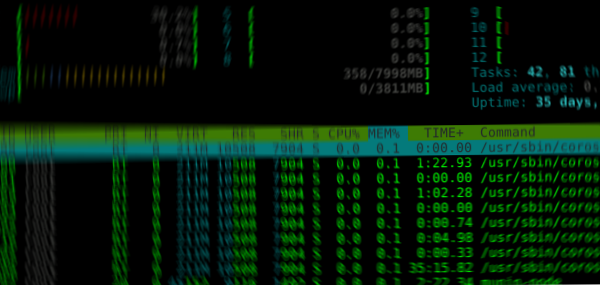
htop I was wrong. After the other blog post About process limits, some people contacted me with additional data and information. I myself continued to investigate on the issue, so I have new facts. I read again the source code of the slapd daemon and the picture seems clearer now. A new message appeared in the log files:

[...]
Feb 20 06:26:03 slapd[18506]: daemon: 1025 beyond descriptor table size 1024
[...]
This message is clearly produced by the daemon itself, and searching for the string leads to this source code, in servers/slapd/daemon.c:
[...]
sfd = SLAP_SOCKNEW( s );
/* make sure descriptor number isn't too great */
if ( sfd >= dtblsize )  
	Debug( LDAP_DEBUG_ANY,
		"daemon: %ld beyond descriptor table size %ld\n",
		(long) sfd, (long) dtblsize, 0 );
	tcp_close(s);
	ldap_pvt_thread_yield();
	return 0;
 
[...]
In that same file, dtblsize is set to:
[...]
#ifdef HAVE_SYSCONF
        dtblsize = sysconf( _SC_OPEN_MAX );
#elif defined(HAVE_GETDTABLESIZE)
        dtblsize = getdtablesize();
#else /* ! HAVE_SYSCONF && ! HAVE_GETDTABLESIZE */
        dtblsize = FD_SETSIZE;
#endif /* ! HAVE_SYSCONF && ! HAVE_GETDTABLESIZE */
[...]
If you keep pulling the string, the first two options use system limits to know the value, getrlimit(), and the last one uses a fixed value of 4096 (set at build time). It turns out that this routine slapd_daemon_init() is called once, at daemon startup (see main() function at servers/slapd/main.c). So the daemon is limiting itself to the limit imposed by the system at daemon startup time. That means that our previous limits settings at runtime was not being read by the slapd daemon. Let s back to the previous approach of establishing the process limits by setting them on the user. The common method is to call ulimit in the init.d script (or systemd service file). One of my concerns of this approach was that slapd runs as a different user, usually openldap. Again, reading the source code:
[...]
if( check == CHECK_NONE && slapd_daemon_init( urls ) != 0 )  
	rc = 1;
        SERVICE_EXIT( ERROR_SERVICE_SPECIFIC_ERROR, 16 );
        goto stop;
 
#if defined(HAVE_CHROOT)
	if ( sandbox )  
		if ( chdir( sandbox ) )  
			perror("chdir");
			rc = 1;
			goto stop;
		 
		if ( chroot( sandbox ) )  
			perror("chroot");
			rc = 1;
			goto stop;
		 
	 
#endif
#if defined(HAVE_SETUID) && defined(HAVE_SETGID)
	if ( username != NULL   groupname != NULL )  
		slap_init_user( username, groupname );
	 
#endif
[...]
So, the slapd daemon first reads the limits and then change user to openldap, (the slap_init_user() function). We can then asume that if we set the limits to the root user, calling ulimit in the init.d script, the slapd daemon will actually inherint them. This is what is originally suggested in debian bug #660917. Let s use this solution for now. Many thanks to John Hughes john@atlantech.com for the clarifications via email.

20 February 2017

Ritesh Raj Sarraf: Setting up appliances - the new way

I own a Fitbit Surge. But Fitibit chose to remain exclusive in terms of interoperability. Which means to make any sense out of the data that the watch gathers, you need to stick with what Fitbit mandates. Fair enough in today's trends. It also is part of their business model to restrict useful aspects of the report to Premium Membership. Again, fair enough in today's business' trends. But a nice human chose to write a bridge; to extract Fitbit data and feed into Google Fit. The project is written in Python, so you can get it to work on most common computer platforms. I never bothered to package this tool for Debian, because I never was sure when I'd throw away the Fitbit. But until that happens, I decided to use the tool to sync my data to Google Fit. Which led me to requirements.txt This project's requirement.txt lists versioned module dependencies, of which many modules in Debian, were either older or newer than what was mentioned in the requirements. To get the tool working, I installed it the pip way. 3 months later, something broke and I needed to revisit the installed modules. At that point, I realized that there's no such thing as: pip upgrade That further led me to dig on why anyone wouldn't add something so simple, because today, in the days of pip, snap, flatpak and dockers, Distributions are predicted to go obsolete and irrelevant. Users should get the SOURCES directly from the developers. But just looking at the date the bug was filed, killed my enthusiasm any further. So, without packaging for Debian, and without installing through pip, I was happy that my init has the ability to create confined and containerized environments, something that I could use to get the job done.
rrs@chutzpah:~$ sudo machinectl login fitbit
[sudo] password for rrs:
Connected to machine fitbit. Press ^] three times within 1s to exit session.
Debian GNU/Linux 9 fitbit pts/0
fitbit login: root
Last login: Fri Feb 17 12:44:25 IST 2017 on pts/1
The programs included with the Debian GNU/Linux system are free software;
the exact distribution terms for each program are described in the
individual files in /usr/share/doc/*/copyright.
Debian GNU/Linux comes with ABSOLUTELY NO WARRANTY, to the extent
permitted by applicable law.
root@fitbit:~# tail -n 25 /var/tmp/lxc/fitbit-google.log
synced calories - 1440 data points
------------------------------   2017-02-19  -------------------------
synced steps - 1440 data points
synced distance - 1440 data points
synced heart_rate - 38215 data points
synced weight - 0 logs
synced body_fat - 0 logs
synced calories - 1440 data points
------------------------------   2017-02-20  -------------------------
synced steps - 1270 data points
synced distance - 1270 data points
synced heart_rate - 32547 data points
synced weight - 0 logs
synced body_fat - 0 logs
synced calories - 1271 data points
Synced 7 exercises between : 2017-02-15 -- 2017-02-20
--------------------------------------------------------------------------
                                     Like it ?
star the repository : https://github.com/praveendath92/fitbit-googlefit
--------------------------------------------------------------------------
root@fitbit:~#

Categories:

Keywords:

Like:

Holger Levsen: How to use .ics files like it's 1997

$ sudo apt install khal
 
Unpacking khal (0.8.4-3) ...
 
$ (echo 1;echo 0;echo y;echo 0; echo y; echo n; echo y; echo y)    khal configure
 
Do you want to write the config to /home/user/.config/khal/khal.conf? (Choosing  No  will abort) [y/N]: Successfully wrote configuration to /home/user/.config/khal/khal.conf
$ wget https://anonscm.debian.org/cgit/debconf-data/dc17.git/plain/misc/until-dc17.ics
 
HTTP request sent, awaiting response... 200 OK
Length: 6120 (6.0K) [text/plain]
Saving to:  until-dc17.ics 
 
$ khal import --batch -a private until-dc17.ics
$ khal agenda --days 14
Today:
16:30-17:30: DebConf Weekly Meeting  
27-02-2017
16:30-17:30: DebConf Weekly Meeting  
khal is available in stretch and newer and is probably best run from cron piping into '/usr/bin/mail' :-) Thanks to Gunnar Wolf for figuring it all out.

Jonathan Dowland: Blinkenlights!

blinkenlights! blinkenlights!
Part one of a series. part 2, part 3. Late last year, I was pondering how one might add a status indicator to a headless machine like my NAS to indicate things like failed jobs. After a brief run through of some options (a USB-based custom device; a device pretending to be a keyboard attached to a PS/2 port; commandeering the HD activity LED; commandeering the PC speaker wire) I decided that I didn't have the time to learn the kind of skills needed to build something at that level and opted to buy a pre-assembled programmable USB thing instead, called the BlinkStick. Little did I realise that my friend Jonathan McDowell thought that this was an interesting challenge and actually managed to design, code and build something! Here's his blog post outlining his solution and here's his code on github (or canonically) Even thought I've bought the blinkstick, given Jonathan's efforts (and the bill of materials) I'm going to have to try and assemble this for myself and give it a go. I've also managed to borrow an Arduino book from a colleague at work. Either way, I still have some work to do on the software/configuration side to light the LEDs up at the right time and colour based on the jobs running on the NAS and their state.

Jonathan Dowland: Blinkenlights, part 2

Part two of a series. part 1, part 3. To start with configuring my NAS to use the new blinkenlights, I thought I'd start with a really easy job: I plug in my iPod, a script runs to back it up, then the iPod gets unmounted. It's one of the simpler jobs to start with because the iPod is a simple block device and there's no encryption in play. For now, I'm also going to assume the LED Is going to be used exclusively for this job. In the future I will want many independent jobs to perhaps use the LED to signal things and figuring out how that will work is going to be much harder. I'll skip over the journey and go straight to the working solution. I have a systemd job that is used to invoke a sync from the iPod as follows:
[Service]
Type=oneshot
ExecStart=/bin/mount /media/ipod
ExecStart=/usr/local/bin/blinkstick --index 1 --limit 10 --set-color 33c280
ExecStart=/usr/bin/rsync ...
ExecStop=/bin/umount /media/ipod
ExecStop=/usr/local/bin/blinkstick --index 1 --limit 10 --set-color green
[Install]
WantedBy=dev-disk-by\x2duuid-A2EA\x2d96ED.device
[Unit]
OnFailure=blinkstick-fail.service
/media/ipod is a classic mount configured in /etc/fstab. I've done this rather than use the newer systemd .mount units which sadly don't give you enough hooks for running things after unmount or in the failure case. This feels quite unnatural, much more "systemdy" would be to Requires= the mount unit, but I couldn't figure out an easy way to set the LED to green after the unmount. I'm sure it's possible, but convoluted. The first blinkstick command sets the LED to a colour to indicate "in progress". I explored some of the blinkstick tool's options for a fading or throbbing colour but they didn't work very well. I'll take another look in the future. After the LED is set, the backup job itself runs. The last blinkstick command, which is only run if the previous umount has succeeded, sets the LED to indicate "safe to unplug". The WantedBy here instructs systemd that when the iPod device-unit is activated, it should activate my backup service. I can refer to the iPod device-unit using this name based on the partition's UUID; this is not the canonical device name that you see if you run systemctl but it's much shorter and crucially its stable, the canonical name depends on exactly where you plugged it in and what other devices might have been connected at the same time. If something fails, a second unit blinkstick-fail.service gets activated. This is very short:
[Service]
ExecStart=/usr/local/bin/blinkstick --index 1 --limit 50 --set-color red
This simply sets the LED to be red. Again it's a bit awkward that in 2 cases I'm setting the LED with a simple Exec but in the third I have to activate a separate systemd service: this seems to be the nature of the beast. At least when I come to look at concurrent jobs all interacting with the LED, the failure case should be simple: red trumps any other activity, user must go and check what's up.

Russ Allbery: Haul via parents

My parents were cleaning out a bunch of books they didn't want, so I grabbed some of the ones that looked interesting. A rather wide variety of random stuff. Also, a few more snap purchases on the Kindle even though I've not been actually finishing books recently. (I do have two finished and waiting for me to write reviews, at least.) Who knows when, if ever, I'll read these. Mark Ames Going Postal (nonfiction)
Catherine Asaro The Misted Cliffs (sff)
Ambrose Bierce The Complete Short Stores of Ambrose Bierce (collection)
E. William Brown Perilous Waif (sff)
Joseph Campbell A Hero with a Thousand Faces (nonfiction)
Jacqueline Carey Miranda and Caliban (sff)
Noam Chomsky 9-11 (nonfiction)
Noam Chomsky The Common Good (nonfiction)
Robert X. Cringely Accidental Empires (nonfiction)
Neil Gaiman American Gods (sff)
Neil Gaiman Norse Mythology (sff)
Stephen Gillet World Building (nonfiction)
Donald Harstad Eleven Days (mystery)
Donald Harstad Known Dead (mystery)
Donald Harstad The Big Thaw (mystery)
James Hilton Lost Horizon (mainstream)
Spencer Johnson The Precious Present (nonfiction)
Michael Lerner The Politics of Meaning (nonfiction)
C.S. Lewis The Joyful Christian (nonfiction)
Grigori Medredev The Truth about Chernobyl (nonfiction)
Tom Nadeu Seven Lean Years (nonfiction)
Barak Obama The Audacity of Hope (nonfiction)
Ed Regis Great Mambo Chicken and the Transhuman Condition (nonfiction)
Fred Saberhagen Berserker: Blue Death (sff)
Al Sarrantonio (ed.) Redshift (sff anthology)
John Scalzi Fuzzy Nation (sff)
John Scalzi The End of All Things (sff)
Kristine Smith Rules of Conflict (sff)
Henry David Thoreau Civil Disobedience and Other Essays (nonfiction)
Alan W. Watts The Book (nonfiction)
Peter Whybrow A Mood Apart (nonfiction) I've already read (and reviewed) American Gods, but didn't own a copy of it, and that seemed like a good book to have a copy of. The Carey and Brown were snap purchases, and I picked up a couple more Scalzi books in a recent sale.

Norbert Preining: Ryu Murakami Tokyo Decadence

The other Murakami, Ryu Murakami ( ), is hard to compare to the more famous Haruki. His collection of stories reflects the dark sides of Tokyo, far removed from the happy world of AKB48 and the like. Criminals, prostitutes, depression, loss. A bleak image onto a bleak society.
This collection of short stories is a consequent deconstruction of happiness, love, everything we believe to make our lives worthwhile. The protagonists are idealistic students loosing their faith, office ladies on aberrations, drunkards, movie directors, the usual mixture. But the topic remains constant the unfulfilled search for happiness and love.

I felt I was beginning to understand what happiness is about. It isn t about guzzling ten or twenty energy drinks a day, barreling down the highway for hours at a time, turning over your paycheck to your wife without even opening the envelope, and trying to force your family to respect you. Happiness is based on secrets and lies.Ryu Murakami, It all started just about a year and a half ago
A deep pessimistic undertone is echoing through these stories, and the atmosphere and writing reminds of Charles Bukowski. This pessimism resonates in the melancholy of the running themes in the stories, Cuban music. Murakami was active in disseminating Cuban music in Japan, which included founding his own label. Javier Olmo s pieces are often the connecting parts, as well as lending the short stories their title: Historia de un amor, Se fu .
The belief that what s missing now used to be available to us is just an illusion, if you ask me. But the social pressure of You ve got everything you need, what s your problem? is more powerful than you might ever think, and it s hard to defend yourself against it. In this country it s taboo even to think about looking for something more in life.Ryu Murakami, Historia de un amor
It is interesting to see that on the surface, the women in the stories are the broken characters, leading feminists to incredible rants about the book, see the rant^Wreview of Blake Fraina at Goodreads:
I ll start by saying that, as a feminist, I m deeply suspicious of male writers who obsess over the sex lives of women and, further, have the audacity to write from a female viewpoint
female characters are pretty much all pathetic victims of the male characters
I wish there was absolutely no market for stuff like this and I particularly discourage women readers from buying it Blake Fraina, Goodreads review
On first sight it might look like that the female characters are pretty much all pathetic victims of the male characters, but in fact it is the other way round, the desperate characters, the slaves of their own desperation, are the men, and not the women, in these stories. It is dual to the situation in Hitomi Kanehara s Snakes and Earrings, where on first sight the tattooist and the outlaw friends are the broken characters, but the really cracked one is the sweet Tokyo girly.
Male-female relationships are always in transition. If there s no forward progress, things tend to slip backwards.Ryu Murakami, Se fu
Final verdict: Great reading, hard to put down, very much readable and enjoyable, if one is in the mood of dark and depressing stories. And last but not least, don t trust feminist book reviews.

18 February 2017

Steve Kemp: Apologies for the blog-churn.

I've been tweaking my blog a little over the past few days, getting ready for a new release of the chronicle blog compiler (github). During the course of that I rewrote all the posts to have 100% lower-case file-paths. Redirection-pages have been auto-generated for each page which was previously mixed-case, but unfortunately that will have meant that the RSS feed updated unnecessarily: That triggered a lot of spamming, as the URLs would have shown up as being new/unread/distinct.

Dirk Eddelbuettel: RPushbullet 0.3.1

RPpushbullet demo A new release 0.3.1 of the RPushbullet package, following the recent 0.3.0 release is now on CRAN. RPushbullet is interfacing the neat Pushbullet service for inter-device messaging, communication, and more. It lets you easily send alerts like the one to the to your browser, phone, tablet, ... -- or all at once. This release owes once again a lot to Seth Wenchel who helped to update and extend a number of features. We fixed one more small bug stemming from the RJSONIO to jsonlite transition, and added a few more helpers. We also enabled Travis testing and with it covr-based coverage analysis using pretty much the same setup I described in this recent blog post.

Changes in version 0.3.1 (2017-02-17)
  • The target device designation was corrected (#39).
  • Three new (unexported) helper functions test the validity of the api key, device and channel (Seth in #41).
  • The summary method for the pbDevices class was corrected (Seth in #43).
  • New helper functions pbValidateConf, pbGetUser, pbGetChannelInfo were added (Seth in #44 closing #40).
  • New classes pbUser and pbChannelInfo were added (Seth in #44).
  • Travis CI tests (and covr coverage analysis) are now enabled via an encrypted config file (#45).

Courtesy of CRANberries, there is also a diffstat report for this release. More details about the package are at the RPushbullet webpage and the RPushbullet GitHub repo.

This post by Dirk Eddelbuettel originated on his Thinking inside the box blog. Please report excessive re-aggregation in third-party for-profit settings.

17 February 2017

Ingo Juergensmann: Migrating from Owncloud 7 on Debian to Nextcloud 11

These days I got a mail by my hosting provider stating that my Owncloud instance is unsecure, because the online scan from scan.nextcloud.com mailed them. However the scan seemed quite bogus: it reported some issues that were listed as already solved in Debians changelog file. But unfortunately the last entry in changelog was on January 5th, 2016. So, there has been more than a whole year without security updates for Owncloud in Debian stable. In an discussion with the Nextcloud team I complained a little bit that the scan/check is not appropriate. The Nextcloud team replied very helpful with additional information, such as two bug reports in Debian to clarify that the Owncloud package will most likely be removed in the next release: #816376 and #822681. So, as there is no nextcloud package in Debian unstable as of now, there was no other way to manually upgrade & migrate to Nextcloud. This went fairly well:
ownCloud 7 -> ownCloud 8.0 -> ownCloud 8.1 -> ownCloud 8.2 -> ownCloud 9.0 -> ownCloud 9.1 -> Nextcloud 10 -> Nextcloud 11
There were some smaller caveats:
  1. When migrating from OC 9.0 to OC 9.1 you need to migrate your addressbooks and calendars as described in the OC 9.0 Release Notes
  2. When migrating from OC 9.1 to Nextcloud 10, the OC 9.1 is higher than expected by the Mextcloud upgrade script, so it warns about that you can't downgrade your installation. The fix was simply to change the OC version in the config.php
  3. The Documents App of OC 7 is no longer available in Nextcloud 11 and is replaced by Collabora App, which is way more complex to setup
The installation and setup of the Docker image for collabora/code was the main issue, because I wanted to be able to edit documents in my cloud. For some reason Nextcloud couldn't connect to my docker installation. After some web searches I found "Can't connect to Collabora Online" which led me to the next entry in the Nextcloud support forum. But in the end it was this posting that finally made it work for me. So, in short I needed to add...
DOCKER_OPTS="--storage-driver=devicemapper"
to /etc/default/docker. So, in the end everything worked out well and my cloud instance is secure again. :-) UPDATE 2016-02-18 10:52:
Sadly with that working Collabora Online container from Docker I now face this issue of zombie processes for loolforkit inside of that container.
Kategorie:

Michal Čihař: What's coming in Weblate 2.12

Weblate should be released by end of February, so it's now pretty much clear what will be there. So let's look at some of the upcoming features. There were many improvements in search related features. They got performance improvements (this is especially noticeable on site wide search). Additionally you can search for strings within translation project. On related topic, search and replace is now available for component or project wide operations, what can help you in case of massive renaming in your translations. We have worked on improving machine translations as well, this time we've added support for Yandex. In case you know some machine translation service which we do not yet support, please submit that to our issue tracker. Biggest improvement so far comes for visual context feature - it allows you to upload screenshots which are later shown to translators to give them better idea where and in which context the translation is used. So far you had to manually upload screenshot for every source string, what was far from being easy to use. With Weblate 2.12 (and this is already available on Hosted Weblate right now) the screenshots management got way better. There is now separate interface to manage screenshots (see screenshots for Weblate as an example), you can assign every screenshot to multiple source strings, however you can also let Weblate automatically recognize texts on the screenshots using OCR and suggest strings to assign. This can save you quite a lot of effort, especially with screenshots with lot of strings. This feature is still in early phase, so the suggestions are not always 100% matching, but we're working to improve it further. There will be some more features as well, you can look at our 2.12 milestone at GitHub to follow the process.

Filed under: Debian English SUSE Weblate 0 comments

Joey Hess: Presenting at LibrePlanet 2017

I've gotten in the habit of going to the FSF's LibrePlanet conference in Boston. It's a very special conference, much wider ranging than a typical technology conference, solidly grounded in software freedom, and full of extraordinary people. (And the only conference I've ever taken my Mom to!) After attending for four years, I finally thought it was time to perhaps speak at it.
Four keynote speakers will anchor the event. Kade Crockford, director of the Technology for Liberty program of the American Civil Liberties Union of Massachusetts, will kick things off on Saturday morning by sharing how technologists can enlist in the growing fight for civil liberties. On Saturday night, Free Software Foundation president Richard Stallman will present the Free Software Awards and discuss pressing threats and important opportunities for software freedom. Day two will begin with Cory Doctorow, science fiction author and special consultant to the Electronic Frontier Foundation, revealing how to eradicate all Digital Restrictions Management (DRM) in a decade. The conference will draw to a close with Sumana Harihareswara, leader, speaker, and advocate for free software and communities, giving a talk entitled "Lessons, Myths, and Lenses: What I Wish I'd Known in 1998." That's not all. We'll hear about the GNU philosophy from Marianne Corvellec of the French free software organization April, Joey Hess will touch on encryption with a talk about backing up your GPG keys, and Denver Gingerich will update us on a crucial free software need: the mobile phone. Others will look at ways to grow the free software movement: through cross-pollination with other activist movements, removal of barriers to free software use and contribution, and new ideas for free software as paid work.
-- Here's a sneak peek at LibrePlanet 2017: Register today! I'll be giving some varient of the keysafe talk from Linux.Conf.Au. By the way, videos of my keysafe and propellor talks at Linux.Conf.Au are now available, see the talks page.

Dirk Eddelbuettel: littler 0.3.2

max-heap image The third release of littler as a CRAN package is now available, following in the now more than ten-year history as a package started by Jeff in the summer of 2006, and joined by me a few weeks later. littler is the first command-line interface for R and predates Rscript. It is still faster, and in my very biased eyes better as it allows for piping as well shebang scripting via #!, uses command-line arguments more consistently and still starts faster. It prefers to live on Linux and Unix, has its difficulties on OS X due to yet-another-braindeadedness there (who ever thought case-insensitive filesystems where a good idea?) and simply does not exist on Windows (yet -- the build system could be extended -- see RInside for an existence proof, and volunteers welcome!). This release brings several new examples script to run package checks, use the extraordinary R Hub, download RStudio daily builds, and more -- see below for details. No internals were changed. The NEWS file entry is below.

Changes in littler version 0.3.2 (2017-02-14)
  • Changes in examples
    • New scripts getRStudioServer.r and getRStudioDesktop.r to download daily packages, currently defaults to Ubuntu amd64
    • New script c4c.r calling rhub::check_for_cran()
    • New script rd2md.r to convert Rd to markdown.
    • New script build.r to create a source tarball.
    • The installGitHub.r script now use package remotes (PR #44, #46)

Courtesy of CRANberries, there is a comparison to the previous release. Full details for the littler release are provided as usual at the ChangeLog page. The code is available via the GitHub repo, from tarballs off my littler page and the local directory here -- and now of course all from its CRAN page and via install.packages("littler"). Binary packages are available directly in Debian as well as soon via Ubuntu binaries at CRAN thanks to the tireless Michael Rutter. Comments and suggestions are welcome at the GitHub repo.

This post by Dirk Eddelbuettel originated on his Thinking inside the box blog. Please report excessive re-aggregation in third-party for-profit settings.

15 February 2017

Antoine Beaupr : A look at password managers

As we noted in an earlier article, passwords are a liability and we'd prefer to get rid of them, but the current reality is that we do use a plethora of passwords in our daily lives. This problem is especially acute for technology professionals, particularly system administrators, who have to manage a lot of different machines. But it also affects regular users who still use a large number of passwords, from their online bank to their favorite social-networking site. Despite the remarkable memory capacity of the human brain, humans are actually terrible at recalling even short sets of arbitrary characters with the precision needed for passwords. Therefore humans reuse passwords, make them trivial or guessable, write them down on little paper notes and stick them on their screens, or just reset them by email every time. Our memory is undeniably failing us and we need help, which is where password managers come in. Password managers allow users to store an arbitrary number of passwords and just remember a single password to unlock them all. But there is a large variety of password managers out there, so which one should we be using? At my previous job, an inventory was done of about 40 different free-software password managers in different stages of development and of varying quality. So, obviously, this article will not be exhaustive, but instead focus on a smaller set of some well-known options that may be interesting to readers.

KeePass: the popular alternative The most commonly used password-manager design pattern is to store passwords in a file that is encrypted and password-protected. The most popular free-software password manager of this kind is probably KeePass. An important feature of KeePass is the ability to auto-type passwords in forms, most notably in web browsers. This feature makes KeePass really easy to use, especially considering it also supports global key bindings to access passwords. KeePass databases are designed for simultaneous access by multiple users, for example, using a shared network drive. KeePass has a graphical interface written in C#, so it uses the Mono framework on Linux. A separate project, called KeePassX is a clean-room implementation written in C++ using the Qt framework. Both support the AES and Twofish encryption algorithms, although KeePass recently added support for the ChaCha20 cipher. AES key derivation is used to generate the actual encryption key for the database, but the latest release of KeePass also added using Argon2, which was the winner of the July 2015 password-hashing competition. Both programs are more or less equivalent, although the original KeePass seem to have more features in general. The KeePassX project has recently been forked into another project now called KeePassXC that implements a set of new features that are present in KeePass but missing from KeePassX like:
  • auto-type on Linux, Mac OS, and Windows
  • database merging which allows multi-user support
  • using the web site's favicon in the interface
So far, the maintainers of KeePassXC seem to be open to re-merging the project "if the original maintainer of KeePassX in the future will be more active and will accept our merge and changes". I can confirm that, at the time of writing, the original KeePassX project now has 79 pending pull requests and only one pull request was merged since the last release, which was 2.0.3 in September 2016. While KeePass and derivatives allow multiple users to access the same database through the merging process, they do not support multi-party access to a single database. This may be a limiting factor for larger organizations, where you may need, for example, a different password set for different technical support team levels. The solution in this case is to use separate databases for each team, with each team using a different shared secret.

Pass: the standard password manager? I am currently using password-store, or pass, as a password manager. It aims to be "the standard Unix password manager". Pass is a GnuPG-based password manager that features a surprising number of features given its small size:
  • copy-paste support
  • Git integration
  • multi-user/group support
  • pluggable extensions (in the upcoming 1.7 release)
The command-line interface is simple to use and intuitive. The following, will, for example, create a pass repository, a 20 character password for your LWN account and copy it to the clipboard:
    $ pass init
    $ pass generate -c lwn 20
The main issue with pass is that it doesn't encrypt the name of those entries: if someone were to compromise my machine, they could easily see which sites I have access to simply by listing the passwords stored in ~/.password-store. This is a deliberate design decision by the upstream project, as stated by a mailing list participant, Allan Odgaard:
Using a single file per item has the advantage of shell completion, using version control, browse, move and rename the items in a file browser, edit them in a regular editor (that does GPG, or manually run GPG first), etc.
Odgaard goes on to point out that there are alternatives that do encrypt the entire database (including the site names) if users really need that feature. Furthermore, there is a tomb plugin for pass that encrypts the password store in a LUKS container (called a "tomb"), although it requires explicitly opening and closing the container, which makes it only marginally better than using full disk encryption system-wide. One could also argue that password file names do not hold secret information, only the site name and username, perhaps, and that doesn't require secrecy. I do believe those should be kept secret, however, as they could be used to discover (or prove) which sites you have access to and then used to perform other attacks. One could draw a parallel with the SSH known_hosts file, which used to be plain text but is now hashed so that hosts are more difficult to discover. Also, sharing a database for multi-user support will require some sort of file-sharing mechanism. Given the integrated Git support, this will likely involve setting up a private Git repository for your team, something which may not be accessible to the average Linux user. Nothing keeps you, however, from sharing the ~/.password-store directory through another file sharing mechanism like (say) Syncthing or Dropbox. You can use multiple distinct databases easily using the PASSWORD_STORE_DIR environment variable. For example, you could have a shell alias to use a different repository for your work passwords with:
    alias work-pass="PASSWORD_STORE_DIR=~/work-passwords pass"
Group support comes from a clever use of the GnuPG multiple-recipient encryption support. You simply have to specify multiple OpenPGP identities when initializing the repository, which also works in subdirectories:
    $ pass init -p Ateam me@example.com joelle@example.com
    mkdir: created directory '/home/me/.password-store/Ateam'
    Password store initialized for me@example.com, joelle@example.com
    [master 0e3dbe7] Set GPG id to me@example.com, joelle@example.com.
     1 file changed, 2 insertions(+)
     create mode 100644 Ateam/.gpg-id
The above will configure pass to encrypt the passwords in the Ateam directory for me@example.com and joelle@example.com. Pass depends on GnuPG to do the right thing when encrypting files and how those identities are treated is entirely delegated to GnuPG's default configuration. This could lead to problems if arbitrary keys can be injected into your key ring, which could confuse GnuPG. I would therefore recommend using full key fingerprints instead of user identifiers. Regarding the actual encryption algorithms used, in my tests, GnuPG 1.4.18 and 2.1.18 seemed to default to 256-bit AES for encryption, but that has not always been the case. The chosen encryption algorithm actually depends on the recipient's key preferences, which may vary wildly: older keys and versions may use anything from 128-bit AES to CAST5 or Triple DES. To figure out which algorithm GnuPG chose, you may want to try this pipeline:
    $ echo test   gpg -e -r you@example.com   gpg -d -v
    [...]
    gpg: encrypted with 2048-bit RSA key, ID XXXXXXX, created XXXXX
      "You Person You <you@example.com>"
    gpg: AES256 encrypted data
    gpg: original file name=''
    test
As you can see, pass is primarily a command-line application, which may make it less accessible to regular users. The community has produced different graphical interfaces that are either using pass directly or operate on the storage with their own GnuPG integration. I personally use pass in combination with Rofi to get quick access to my passwords, but less savvy users may want to try the QtPass interface, which should be more user-friendly. QtPass doesn't actually depend on pass and can use GnuPG directly to interact with the pass database; it is available for Linux, BSD, OS X, and Windows.

Browser password managers Most users are probably already using a password manager through their web browser's "remember password" functionality. For example, Chromium will ask if you want it to remember passwords and encrypt them with your operating system's facilities. For Windows, this encrypts the passwords with your login password and, for GNOME, it will store the passwords in the gnome-keyring storage. If you synchronize your Chromium settings with your Google account, Chromium will store those passwords on Google's servers, encrypted with a key that is stored in the Google Account itself. So your passwords are then only as safe as your Google account. Note that this was covered here in 2010, although back then Chromium didn't synchronize with the Google cloud or encrypt with the system-level key rings. That facility was only added in 2013. In Firefox, there's an optional, profile-specific master password that unlocks all passwords. In this case, the issue is that browsers are generally always open, so the vault is always unlocked. And this is for users that actually do pick a master password; users are often completely unaware that they should set one. The unlocking mechanism is a typical convenience-security trade-off: either users need to constantly input their master passwords to login or they don't, and the passwords are available in the clear. In this case, Chromium's approach of actually asking users to unlock their vault seems preferable, even though the developers actually refused to implement the feature for years. Overall, I would recommend against using a browser-based password manager. Even if it is not used for critical sites, you will end up with hundreds of such passwords that are vulnerable while the browser is running (in the case of Firefox) or at the whim of Google (in the case of Chromium). Furthermore, the "auto-fill" feature that is often coupled with browser-based password managers is often vulnerable to serious attacks, which is mentioned below. Finally, because browser-based managers generally lack a proper password generator, users may fail to use properly generated passwords, so they can then be easily broken. A password generator has been requested for Firefox, according to this feature request opened in 2007, and there is a password generator in Chrome, but it is disabled by default and hidden in the mysterious chrome://flags URL.

Other notable password managers Another alternative password manager, briefly mentioned in the previous article, is the minimalistic Assword password manager that, despite its questionable name, is also interesting. Its main advantage over pass is that it uses a single encrypted JSON file for storage, and therefore doesn't leak the name of the entries by default. In addition to copy/paste, Assword also supports automatically entering passphrases in fields using the xdo library. Like pass, it uses GnuPG to encrypt passphrases. According to Assword maintainer Daniel Kahn Gillmor in email, the main issue with Assword is "interaction between generated passwords and insane password policies". He gave the example of the Time-Warner Cable registration form that requires, among other things, "letters and numbers, between 8 and 16 characters and not repeat the same characters 3 times in a row". Another well-known password manager is the commercial LastPass service which released a free-software command-line client called lastpass-cli about three years ago. Unfortunately, the server software of the lastpass.com service is still proprietary. And given that LastPass has had at least two serious security breaches since that release, one could legitimately question whether this is a viable solution for storing important secrets. In general, web-based password managers expose a whole new attack surface that is not present in regular password managers. A 2014 study by University of California researchers showed that, out of five password managers studied, every one of them was vulnerable to at least one of the vulnerabilities studied. LastPass was, in particular, vulnerable to a cross-site request forgery (CSRF) attack that allowed an attacker to bypass account authentication and access the encrypted database.

Problems with password managers When you share a password database within a team, how do you remove access to a member of the team? While you can, for example, re-encrypt a pass database with new keys (thereby removing or adding certain accesses) or change the password on a KeePass database, a hostile party could have made a backup of the database before the revocation. Indeed, in the case of pass, older entries are still in the Git history. So access revocation is a problematic issue found with all shared password managers, as it may actually mean going through every password and changing them online. This fundamental problem with shared secrets can be better addressed with a tool like Vault or SFLvault. Those tools aim to provide teams with easy ways to store dynamic tokens like API keys or service passwords and share them not only with other humans, but also make them accessible to machines. The general idea of those projects is to store secrets in a central server and send them directly to relevant services without human intervention. This way, passwords are not actually shared anymore, which is similar in spirit to the approach taken by centralized authentication systems like Kerberos. If you are looking at password management for teams, those projects may be worth a look. Furthermore, some password managers that support auto-typing were found to be vulnerable to HTML injection attacks: if some third-party ad or content is able to successfully hijack the parent DOM content, it masquerades as a form that could fool auto-typing software as demonstrated by this paper that was submitted at USENIX 2014. Fortunately, KeePass was not vulnerable according to the security researchers, but LastPass was, again, vulnerable.

Future of password managers? All of the solutions discussed here assume you have a trusted computer you regularly have access to, which is a usage pattern that seems to be disappearing with a majority of the population. You could consider your phone to be that trusted device, yet a phone can be lost or stolen more easily than a traditional workstation or even a laptop. And while KeePass has Android and iOS ports, those do not resolve the question of how to share the password storage among those devices or how to back them up. Password managers are fundamentally file-based, and the "file" concept seems to be quickly disappearing, faster than we technologists sometimes like to admit. Looking at some relatives' use of computers, I notice it is less about "files" than images, videos, recipes, and various abstract objects that are stored in the "cloud". They do not use local storage so much anymore. In that environment, password managers lose their primary advantage, which is a local, somewhat offline file storage that is not directly accessible to attackers. Therefore certain password managers are specifically designed for the cloud, like LastPass or web browser profile synchronization features, without necessarily addressing the inherent issues with cloud storage and opening up huge privacy and security issues that we absolutely need to address. This is where the "password hasher" design comes in. Also known as "stateless" or "deterministic" password managers, password hashers are emerging as a convenient solution that could possibly replace traditional password managers as users switch from generic computing platforms to cloud-based infrastructure. We will cover password hashers and the major security challenges they pose in a future article.
Note: this article first appeared in the Linux Weekly News.

Antoine Beaupr : A look at password managers

As we noted in an earlier article, passwords are a liability and we'd prefer to get rid of them, but the current reality is that we do use a plethora of passwords in our daily lives. This problem is especially acute for technology professionals, particularly system administrators, who have to manage a lot of different machines. But it also affects regular users who still use a large number of passwords, from their online bank to their favorite social-networking site. Despite the remarkable memory capacity of the human brain, humans are actually terrible at recalling even short sets of arbitrary characters with the precision needed for passwords. Therefore humans reuse passwords, make them trivial or guessable, write them down on little paper notes and stick them on their screens, or just reset them by email every time. Our memory is undeniably failing us and we need help, which is where password managers come in. Password managers allow users to store an arbitrary number of passwords and just remember a single password to unlock them all. But there is a large variety of password managers out there, so which one should we be using? At my previous job, an inventory was done of about 40 different free-software password managers in different stages of development and of varying quality. So, obviously, this article will not be exhaustive, but instead focus on a smaller set of some well-known options that may be interesting to readers.

KeePass: the popular alternative The most commonly used password-manager design pattern is to store passwords in a file that is encrypted and password-protected. The most popular free-software password manager of this kind is probably KeePass. An important feature of KeePass is the ability to auto-type passwords in forms, most notably in web browsers. This feature makes KeePass really easy to use, especially considering it also supports global key bindings to access passwords. KeePass databases are designed for simultaneous access by multiple users, for example, using a shared network drive. KeePass has a graphical interface written in C#, so it uses the Mono framework on Linux. A separate project, called KeePassX is a clean-room implementation written in C++ using the Qt framework. Both support the AES and Twofish encryption algorithms, although KeePass recently added support for the ChaCha20 cipher. AES key derivation is used to generate the actual encryption key for the database, but the latest release of KeePass also added using Argon2, which was the winner of the July 2015 password-hashing competition. Both programs are more or less equivalent, although the original KeePass seem to have more features in general. The KeePassX project has recently been forked into another project now called KeePassXC that implements a set of new features that are present in KeePass but missing from KeePassX like:
  • auto-type on Linux, Mac OS, and Windows
  • database merging which allows multi-user support
  • using the web site's favicon in the interface
So far, the maintainers of KeePassXC seem to be open to re-merging the project "if the original maintainer of KeePassX in the future will be more active and will accept our merge and changes". I can confirm that, at the time of writing, the original KeePassX project now has 79 pending pull requests and only one pull request was merged since the last release, which was 2.0.3 in September 2016. While KeePass and derivatives allow multiple users to access the same database through the merging process, they do not support multi-party access to a single database. This may be a limiting factor for larger organizations, where you may need, for example, a different password set for different technical support team levels. The solution in this case is to use separate databases for each team, with each team using a different shared secret.

Pass: the standard password manager? I am currently using password-store, or pass, as a password manager. It aims to be "the standard Unix password manager". Pass is a GnuPG-based password manager that features a surprising number of features given its small size:
  • copy-paste support
  • Git integration
  • multi-user/group support
  • pluggable extensions (in the upcoming 1.7 release)
The command-line interface is simple to use and intuitive. The following, will, for example, create a pass repository, a 20 character password for your LWN account and copy it to the clipboard:
    $ pass init
    $ pass generate -c lwn 20
The main issue with pass is that it doesn't encrypt the name of those entries: if someone were to compromise my machine, they could easily see which sites I have access to simply by listing the passwords stored in ~/.password-store. This is a deliberate design decision by the upstream project, as stated by a mailing list participant, Allan Odgaard:
Using a single file per item has the advantage of shell completion, using version control, browse, move and rename the items in a file browser, edit them in a regular editor (that does GPG, or manually run GPG first), etc.
Odgaard goes on to point out that there are alternatives that do encrypt the entire database (including the site names) if users really need that feature. Furthermore, there is a tomb plugin for pass that encrypts the password store in a LUKS container (called a "tomb"), although it requires explicitly opening and closing the container, which makes it only marginally better than using full disk encryption system-wide. One could also argue that password file names do not hold secret information, only the site name and username, perhaps, and that doesn't require secrecy. I do believe those should be kept secret, however, as they could be used to discover (or prove) which sites you have access to and then used to perform other attacks. One could draw a parallel with the SSH known_hosts file, which used to be plain text but is now hashed so that hosts are more difficult to discover. Also, sharing a database for multi-user support will require some sort of file-sharing mechanism. Given the integrated Git support, this will likely involve setting up a private Git repository for your team, something which may not be accessible to the average Linux user. Nothing keeps you, however, from sharing the ~/.password-store directory through another file sharing mechanism like (say) Syncthing or Dropbox). You can use multiple distinct databases easily using the PASSWORD_STORE_DIR environment variable. For example, you could have a shell alias to use a different repository for your work passwords with:
    alias work-pass="PASSWORD_STORE_DIR=~/work-passwords pass"
Group support comes from a clever use of the GnuPG multiple-recipient encryption support. You simply have to specify multiple OpenPGP identities when initializing the repository, which also works in subdirectories:
    $ pass init -p Ateam me@example.com joelle@example.com
    mkdir: created directory '/home/me/.password-store/Ateam'
    Password store initialized for me@example.com, joelle@example.com
    [master 0e3dbe7] Set GPG id to me@example.com, joelle@example.com.
     1 file changed, 2 insertions(+)
     create mode 100644 Ateam/.gpg-id
The above will configure pass to encrypt the passwords in the Ateam directory for me@example.com and joelle@example.com. Pass depends on GnuPG to do the right thing when encrypting files and how those identities are treated is entirely delegated to GnuPG's default configuration. This could lead to problems if arbitrary keys can be injected into your key ring, which could confuse GnuPG. I would therefore recommend using full key fingerprints instead of user identifiers. Regarding the actual encryption algorithms used, in my tests, GnuPG 1.4.18 and 2.1.18 seemed to default to 256-bit AES for encryption, but that has not always been the case. The chosen encryption algorithm actually depends on the recipient's key preferences, which may vary wildly: older keys and versions may use anything from 128-bit AES to CAST5 or Triple DES. To figure out which algorithm GnuPG chose, you may want to try this pipeline:
    $ echo test   gpg -e -r you@example.com   gpg -d -v
    [...]
    gpg: encrypted with 2048-bit RSA key, ID XXXXXXX, created XXXXX
      "You Person You <you@example.com>"
    gpg: AES256 encrypted data
    gpg: original file name=''
    test
As you can see, pass is primarily a command-line application, which may make it less accessible to regular users. The community has produced different graphical interfaces that are either using pass directly or operate on the storage with their own GnuPG integration. I personally use pass in combination with Rofi to get quick access to my passwords, but less savvy users may want to try the QtPass interface, which should be more user-friendly. QtPass doesn't actually depend on pass and can use GnuPG directly to interact with the pass database; it is available for Linux, BSD, OS X, and Windows.

Browser password managers Most users are probably already using a password manager through their web browser's "remember password" functionality. For example, Chromium will ask if you want it to remember passwords and encrypt them with your operating system's facilities. For Windows, this encrypts the passwords with your login password and, for GNOME, it will store the passwords in the gnome-keyring storage. If you synchronize your Chromium settings with your Google account, Chromium will store those passwords on Google's servers, encrypted with a key that is stored in the Google Account itself. So your passwords are then only as safe as your Google account. Note that this was covered here in 2010, although back then Chromium didn't synchronize with the Google cloud or encrypt with the system-level key rings. That facility was only added in 2013. In Firefox, there's an optional, profile-specific master password that unlocks all passwords. In this case, the issue is that browsers are generally always open, so the vault is always unlocked. And this is for users that actually do pick a master password; users are often completely unaware that they should set one. The unlocking mechanism is a typical convenience-security trade-off: either users need to constantly input their master passwords to login or they don't, and the passwords are available in the clear. In this case, Chromium's approach of actually asking users to unlock their vault seems preferable, even though the developers actually refused to implement the feature for years. Overall, I would recommend against using a browser-based password manager. Even if it is not used for critical sites, you will end up with hundreds of such passwords that are vulnerable while the browser is running (in the case of Firefox) or at the whim of Google (in the case of Chromium). Furthermore, the "auto-fill" feature that is often coupled with browser-based password managers is often vulnerable to serious attacks, which is mentioned below. Finally, because browser-based managers generally lack a proper password generator, users may fail to use properly generated passwords, so they can then be easily broken. A password generator has been requested for Firefox, according to this feature request opened in 2007, and there is a password generator in Chrome, but it is disabled by default and hidden in the mysterious chrome://flags URL.

Other notable password managers Another alternative password manager, briefly mentioned in the previous article, is the minimalistic Assword password manager that, despite its questionable name, is also interesting. Its main advantage over pass is that it uses a single encrypted JSON file for storage, and therefore doesn't leak the name of the entries by default. In addition to copy/paste, Assword also supports automatically entering passphrases in fields using the xdo library. Like pass, it uses GnuPG to encrypt passphrases. According to Assword maintainer Daniel Kahn Gillmor in email, the main issue with Assword is "interaction between generated passwords and insane password policies". He gave the example of the Time-Warner Cable registration form that requires, among other things, "letters and numbers, between 8 and 16 characters and not repeat the same characters 3 times in a row". Another well-known password manager is the commercial LastPass service which released a free-software command-line client called lastpass-cli about three years ago. Unfortunately, the server software of the lastpass.com service is still proprietary. And given that LastPass has had at least two serious security breaches since that release, one could legitimately question whether this is a viable solution for storing important secrets. In general, web-based password managers expose a whole new attack surface that is not present in regular password managers. A 2014 study by University of California researchers showed that, out of five password managers studied, every one of them was vulnerable to at least one of the vulnerabilities studied. LastPass was, in particular, vulnerable to a cross-site request forgery (CSRF) attack that allowed an attacker to bypass account authentication and access the encrypted database.

Problems with password managers When you share a password database within a team, how do you remove access to a member of the team? While you can, for example, re-encrypt a pass database with new keys (thereby removing or adding certain accesses) or change the password on a KeePass database, a hostile party could have made a backup of the database before the revocation. Indeed, in the case of pass, older entries are still in the Git history. So access revocation is a problematic issue found with all shared password managers, as it may actually mean going through every password and changing them online. This fundamental problem with shared secrets can be better addressed with a tool like Vault or SFLvault. Those tools aim to provide teams with easy ways to store dynamic tokens like API keys or service passwords and share them not only with other humans, but also make them accessible to machines. The general idea of those projects is to store secrets in a central server and send them directly to relevant services without human intervention. This way, passwords are not actually shared anymore, which is similar in spirit to the approach taken by centralized authentication systems like Kerberos). If you are looking at password management for teams, those projects may be worth a look. Furthermore, some password managers that support auto-typing were found to be vulnerable to HTML injection attacks: if some third-party ad or content is able to successfully hijack the parent DOM content, it masquerades as a form that could fool auto-typing software as demonstrated by this paper that was submitted at USENIX 2014. Fortunately, KeePass was not vulnerable according to the security researchers, but LastPass was, again, vulnerable.

Future of password managers? All of the solutions discussed here assume you have a trusted computer you regularly have access to, which is a usage pattern that seems to be disappearing with a majority of the population. You could consider your phone to be that trusted device, yet a phone can be lost or stolen more easily than a traditional workstation or even a laptop. And while KeePass has Android and iOS ports, those do not resolve the question of how to share the password storage among those devices or how to back them up. Password managers are fundamentally file-based, and the "file" concept seems to be quickly disappearing, faster than we technologists sometimes like to admit. Looking at some relatives' use of computers, I notice it is less about "files" than images, videos, recipes, and various abstract objects that are stored in the "cloud". They do not use local storage so much anymore. In that environment, password managers lose their primary advantage, which is a local, somewhat offline file storage that is not directly accessible to attackers. Therefore certain password managers are specifically designed for the cloud, like LastPass or web browser profile synchronization features, without necessarily addressing the inherent issues with cloud storage and opening up huge privacy and security issues that we absolutely need to address. This is where the "password hasher" design comes in. Also known as "stateless" or "deterministic" password managers, password hashers are emerging as a convenient solution that could possibly replace traditional password managers as users switch from generic computing platforms to cloud-based infrastructure. We will cover password hashers and the major security challenges they pose in a future article.
Note: this article first appeared in the Linux Weekly News.

Jamie McClelland: Re-thinking Web App Security

An organizer friend interested in activating a rapid response network to counter Trump-era ICE raids on immigrants asked me about any existing simple and easy tools that could send out emergency SMS/text message alerts. I thought about it and ended up writing my first pouchdb web application to accomplish the task. For the curious, you can see it in action and browse the source code. To use it to send SMS, you have to register for a Twilio account - you can get a free account that has very restricted SMS sending capability or pay for full functionality. The project is unlike anything I have done before. I chose pouchdb because it stores all of your contacts in your browser not on a server somewhere in the so-called cloud. (You can also choose to sync to a server, a feature I have not yet implemented.) The implications of storing your data locally are quite profound. Classic Web App Let's first consider the more common web application: You visit a web site (the same web site that your colleagues visit, or in the case of a massive application like gmail.com, the same web site that everyone in the world visits). Then, you login with your own unique username and password, which grants you access to the portion the database that you are suppose to have access to. For most use-cases, this model is fairly ideal: However, there are some downsides: pouchdb no sync Assuming you are accessing your database on a device with an encrypted disk and you manage your own backups, pouchdb without synchoronizing provides the most privacy and autonomy. You have complete control of your data and you are not dependent on any server operator. However, the trade-offs are harsh: It seems this model is fairly useless except in very tight corner cases. pouchdb that synchronizes to a server With this model, you avoid the trade-offs of the no sync model (hooray!). However, you also lose all of the privacy benefits, and it's even worse: your data can be compromised either via a server breach or via a compromise of any of the devices you are using. If any of these devices lack encrypted disks, then it's borderline reckless. On the other hand, you gain a huge benefit in terms of reliability. If the server goes down, loses your data, fails to backup or is taken offline by a legal order, you can still function perfectly well and can optionally choose to sync to a different host. Conclusions Ultimately, we need to better evaluate the trade-offs between privacy and availability for each given use of a database and try to make the best decision. And... keep working on new models. For example, it seems an ideal middle ground would be to sync in a peer-to-peer fashion with our colleagues (see PeerPouch) or sync to a server under your control in your office.

Clint Adams: Tom's birthday happens every year

Sure, she said, while having a drink for breakfast at the post office.
Posted on 2017-02-15
Tags: mintings

Next.

Previous.