Russell Coker: Phone Car Accessories
Tree Frog Dashboard Mat
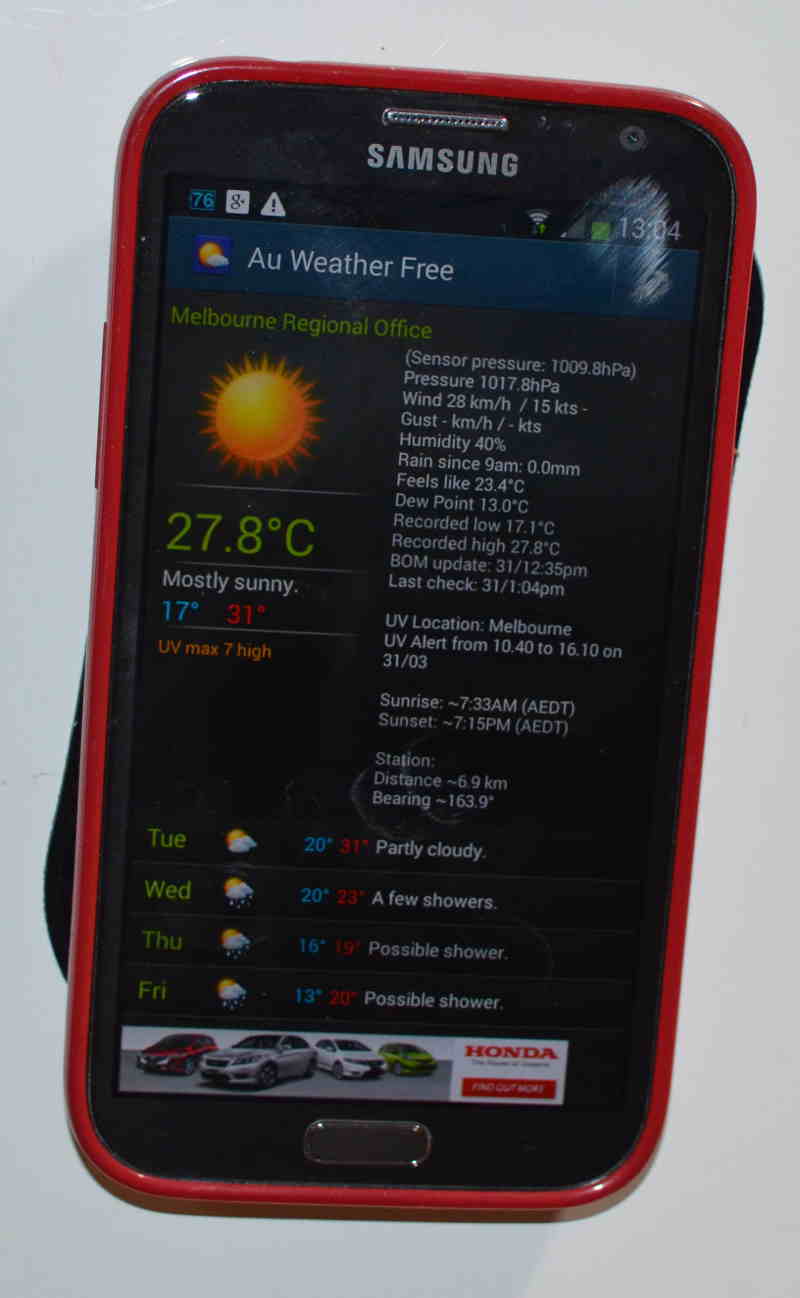 I ve been given some more MobileZap products to review. The first is the Tree Frog anti-slip dashboard mat [1]. This is designed to allow a phone to stick to an angled surface of the inside of the car without slipping. The pictures on the web site show a phone stuck to a curved angular surface of a car dash. To test this I stuck my phone to my fridge, the flat metal surface of the fridge and the almost flat plastic surface of the gel case of my phone are pretty much ideal surfaces for the sticky mat to adhere to. But even so keeping my phone stuck to a vertical surface is impressive. This mat is cheap enough that it could be used for many other tasks than securing a phone in a car, for example it could be used to stick a phone to the wall of your office. It s apparently washable and can be expected to keep gripping things if washed regularly.
One thing that could be improved in the mat would be to have some holes in it. When I detached my phone from the fridge some large air bubbles developed between the mat and the fridge, this would be a problem if I wanted to regularly stick my phone to a flat surface such as an office wall.
When in my car it didn t work nearly as well. The pattern on the surface of the car dash which is designed to avoid glare when driving is difficult to stick to, it s a bit like trying to attach sticky-tape to unpainted wood for similar reasons. A phone will still remain in place on a 30 degree angle from the horizontal (which is significant) but the mat grips much more tightly to the phone than the dash, which is a little inconvenient as the mat stays attached to the phone when you remove it from the dash.
Sorry for the boring picture, it s black and flat so there s not much scope for making it interesting.
3.1A USB Car Charger
I ve been given some more MobileZap products to review. The first is the Tree Frog anti-slip dashboard mat [1]. This is designed to allow a phone to stick to an angled surface of the inside of the car without slipping. The pictures on the web site show a phone stuck to a curved angular surface of a car dash. To test this I stuck my phone to my fridge, the flat metal surface of the fridge and the almost flat plastic surface of the gel case of my phone are pretty much ideal surfaces for the sticky mat to adhere to. But even so keeping my phone stuck to a vertical surface is impressive. This mat is cheap enough that it could be used for many other tasks than securing a phone in a car, for example it could be used to stick a phone to the wall of your office. It s apparently washable and can be expected to keep gripping things if washed regularly.
One thing that could be improved in the mat would be to have some holes in it. When I detached my phone from the fridge some large air bubbles developed between the mat and the fridge, this would be a problem if I wanted to regularly stick my phone to a flat surface such as an office wall.
When in my car it didn t work nearly as well. The pattern on the surface of the car dash which is designed to avoid glare when driving is difficult to stick to, it s a bit like trying to attach sticky-tape to unpainted wood for similar reasons. A phone will still remain in place on a 30 degree angle from the horizontal (which is significant) but the mat grips much more tightly to the phone than the dash, which is a little inconvenient as the mat stays attached to the phone when you remove it from the dash.
Sorry for the boring picture, it s black and flat so there s not much scope for making it interesting.
3.1A USB Car Charger
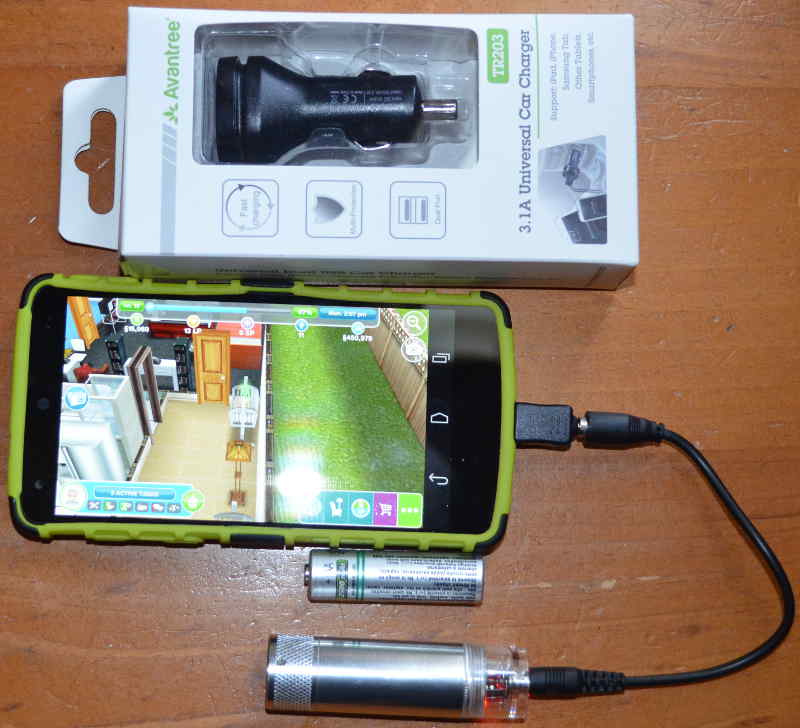 Above is a picture of a 3.1A USB car charger and a AA battery charger. The car charger isn t particularly exciting, but providing 3.1A through two USB sockets is noteworthy it can charge one device at 2.1A (the maximum any device draws) or two devices for a total of up to 3.1A [2] (with protection against over-current). Previously in my car I used the 2.1A charger that shipped with my Galaxy Note 2 and an inverter to provide 240VAC as the devices I had to charge a phone from a car socket didn t provide enough current. This new device uses less space and also allows charging two phones at once. One problem with this device was finding USB cables that could handle the current, for benchmarking I used a phone that was running Ingress and acting as a Wifi access point. I discovered that the cables that Samsung ships with their recent devices (Galaxy Note 2 and Galaxy Note 10.1 tablet) seem to work best and support charging my Galaxy Note 2 or my wife s Nexus 5 while playing Ingress and running as a Wifi AP. Most of the other cables that I have in my collection won t even allow a phone to remain at the same charge level while playing Ingress.
AA Emergency Phone Charger
The AA phone charger is best suited for emergency use only, it takes one AA battery and has limited current capacity [3]. A NiMh rechargeable battery has a nominal Voltage of 1.2V, to provide 5V to charge a phone the Voltage has to be boosted by a factor of 4.16 which would reduce the current by a factor of 4.16 if the charger was 100% efficient. As 100% efficiency is impossible the current would be reduced even more. It seems unlikely that a AA battery would be able to sustain a current of 2A so the supply from that charger would be less than 500mA IE less than the least capable PC USB port or mains powered phone charger. A test with a Nexus 5 showed the phone charge level decreasing while being very lightly used (mostly just checking whether the charge level was increasing) when a NiMH battery was connected. A test with an alkaline battery and the same Nexus 5 showed the phone charge level increasing when lightly used but it probably wouldn t do so while playing Ingress.
It seems that a single NiMH AA battery can only be used for charging a phone in a real emergency situation (IE an act of god type disaster not a need to level up in Ingress). If mains power was out then you could charge a phone while it s turned off (AFAIK all Android phones support this) and then use it once it s charged. This charger supports a wide range of phones (including LG phones from 5+ years ago and Nokia from ~10 years ago) so it could be good for charging an old phone in an emergency. Older phones need less power to charge and generally last longer between charges.
With an alkaline battery the charger works a lot better, but it s still for emergency use as I generally only use rechargeable batteries. This is a device I might put in the bottom of my case when travelling, not a device that I ll use regularly. I don t think that this is a deficiency in the product, it s just a limit of what can be done with the power requirements of modern phones and the capabilities of AA batteries. If you want a battery to use while playing Ingress you definitely need something a lot larger.
This charger is good for emergencies but not suitable for my main use (charging phones while playing Ingress) so I ll give it to my parents, they do a lot of hiking and camping and my father often goes fishing. Taking a few AA batteries to charge a phone would be much more convenient for such use than taking one of the larger batteries I use for Ingress. Also as the charger is relatively cheap there s less potential financial loss if you drop it in sea-water.
20800mAh Battery
Above is a picture of a 3.1A USB car charger and a AA battery charger. The car charger isn t particularly exciting, but providing 3.1A through two USB sockets is noteworthy it can charge one device at 2.1A (the maximum any device draws) or two devices for a total of up to 3.1A [2] (with protection against over-current). Previously in my car I used the 2.1A charger that shipped with my Galaxy Note 2 and an inverter to provide 240VAC as the devices I had to charge a phone from a car socket didn t provide enough current. This new device uses less space and also allows charging two phones at once. One problem with this device was finding USB cables that could handle the current, for benchmarking I used a phone that was running Ingress and acting as a Wifi access point. I discovered that the cables that Samsung ships with their recent devices (Galaxy Note 2 and Galaxy Note 10.1 tablet) seem to work best and support charging my Galaxy Note 2 or my wife s Nexus 5 while playing Ingress and running as a Wifi AP. Most of the other cables that I have in my collection won t even allow a phone to remain at the same charge level while playing Ingress.
AA Emergency Phone Charger
The AA phone charger is best suited for emergency use only, it takes one AA battery and has limited current capacity [3]. A NiMh rechargeable battery has a nominal Voltage of 1.2V, to provide 5V to charge a phone the Voltage has to be boosted by a factor of 4.16 which would reduce the current by a factor of 4.16 if the charger was 100% efficient. As 100% efficiency is impossible the current would be reduced even more. It seems unlikely that a AA battery would be able to sustain a current of 2A so the supply from that charger would be less than 500mA IE less than the least capable PC USB port or mains powered phone charger. A test with a Nexus 5 showed the phone charge level decreasing while being very lightly used (mostly just checking whether the charge level was increasing) when a NiMH battery was connected. A test with an alkaline battery and the same Nexus 5 showed the phone charge level increasing when lightly used but it probably wouldn t do so while playing Ingress.
It seems that a single NiMH AA battery can only be used for charging a phone in a real emergency situation (IE an act of god type disaster not a need to level up in Ingress). If mains power was out then you could charge a phone while it s turned off (AFAIK all Android phones support this) and then use it once it s charged. This charger supports a wide range of phones (including LG phones from 5+ years ago and Nokia from ~10 years ago) so it could be good for charging an old phone in an emergency. Older phones need less power to charge and generally last longer between charges.
With an alkaline battery the charger works a lot better, but it s still for emergency use as I generally only use rechargeable batteries. This is a device I might put in the bottom of my case when travelling, not a device that I ll use regularly. I don t think that this is a deficiency in the product, it s just a limit of what can be done with the power requirements of modern phones and the capabilities of AA batteries. If you want a battery to use while playing Ingress you definitely need something a lot larger.
This charger is good for emergencies but not suitable for my main use (charging phones while playing Ingress) so I ll give it to my parents, they do a lot of hiking and camping and my father often goes fishing. Taking a few AA batteries to charge a phone would be much more convenient for such use than taking one of the larger batteries I use for Ingress. Also as the charger is relatively cheap there s less potential financial loss if you drop it in sea-water.
20800mAh Battery
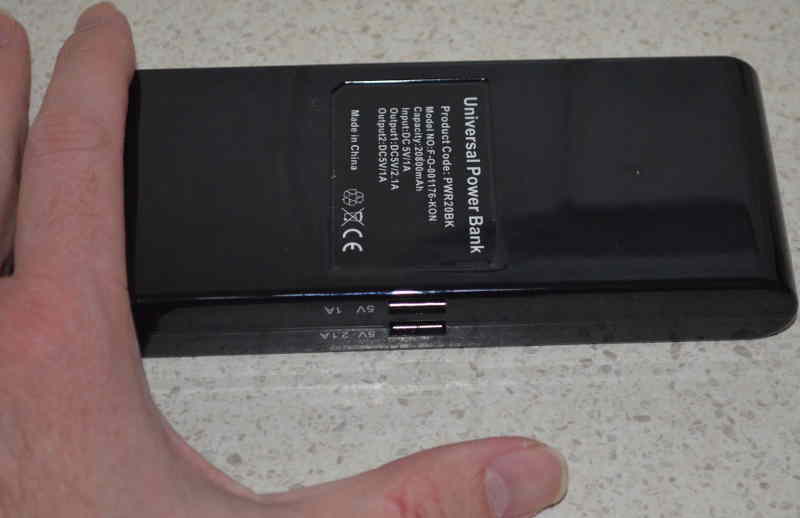 Above is a picture of a 20800mAh battery pack that MobileZap sent me [4]. I haven t yet discovered what it s capacity is, during the recent Interitus anomaly it kept my Galaxy Note 2 and my wife s Nexus 5 adequately charged for 5 hours of intensive Ingress playing (we alternated between phones). Without an external battery it would be unusual for either of those phones to last for 2 hours.
The battery has two ports labeled 1A and 2.1A which implies that it can supply a total of 3.1A. I am a little dubious of that implication. After the Interitus anomaly my wife and I had dinner with some friends and I let a friend charge her Samsung Galaxy S5 on the battery at the same time as my Note 2 (which claimed to be 2% charged). When I connected my friend s phone my phone instantly shut itself down due to lack of charge, so I presume that the supply on the 2.1A port is reduced when a demanding device is connected to the 1A port.
The next day my wife and I went to the city again to play Ingress and attend a protest against some of the awful things that the Abbott government is doing. As an experiment I didn t charge this battery to see how it would go for two days of use charging two phones. Again there was no problem and it still claimed to be half charged when we got home.
So far the only problem I ve found with this battery is that it never reports being fully charged, not even if I leave it on charge for days. That doesn t seem to be a great problem to me, if I disconnect it before it s fully charged then that won t hurt the battery life (unlike NiCd batteries that have to be fully charged every time) and even if it s not fully charged it will still charge phones for a long time.
The battery is about 19cm long. I have jeans with unusually large pockets to fit large phones [5] so I can fit this battery in my pocket while a USB cable is connected to charge my phone. I also have a new winter jacket from Scottwear which has pockets that can fit the battery (and lots of other things). Anyone who doesn t have such clothing should plan to use a backpack, handbag, or some other bag this type of battery won t fit in the pockets in most clothing.
MobileZap also has some other interesting Nexus 5 accessories [6].
Above is a picture of a 20800mAh battery pack that MobileZap sent me [4]. I haven t yet discovered what it s capacity is, during the recent Interitus anomaly it kept my Galaxy Note 2 and my wife s Nexus 5 adequately charged for 5 hours of intensive Ingress playing (we alternated between phones). Without an external battery it would be unusual for either of those phones to last for 2 hours.
The battery has two ports labeled 1A and 2.1A which implies that it can supply a total of 3.1A. I am a little dubious of that implication. After the Interitus anomaly my wife and I had dinner with some friends and I let a friend charge her Samsung Galaxy S5 on the battery at the same time as my Note 2 (which claimed to be 2% charged). When I connected my friend s phone my phone instantly shut itself down due to lack of charge, so I presume that the supply on the 2.1A port is reduced when a demanding device is connected to the 1A port.
The next day my wife and I went to the city again to play Ingress and attend a protest against some of the awful things that the Abbott government is doing. As an experiment I didn t charge this battery to see how it would go for two days of use charging two phones. Again there was no problem and it still claimed to be half charged when we got home.
So far the only problem I ve found with this battery is that it never reports being fully charged, not even if I leave it on charge for days. That doesn t seem to be a great problem to me, if I disconnect it before it s fully charged then that won t hurt the battery life (unlike NiCd batteries that have to be fully charged every time) and even if it s not fully charged it will still charge phones for a long time.
The battery is about 19cm long. I have jeans with unusually large pockets to fit large phones [5] so I can fit this battery in my pocket while a USB cable is connected to charge my phone. I also have a new winter jacket from Scottwear which has pockets that can fit the battery (and lots of other things). Anyone who doesn t have such clothing should plan to use a backpack, handbag, or some other bag this type of battery won t fit in the pockets in most clothing.
MobileZap also has some other interesting Nexus 5 accessories [6].
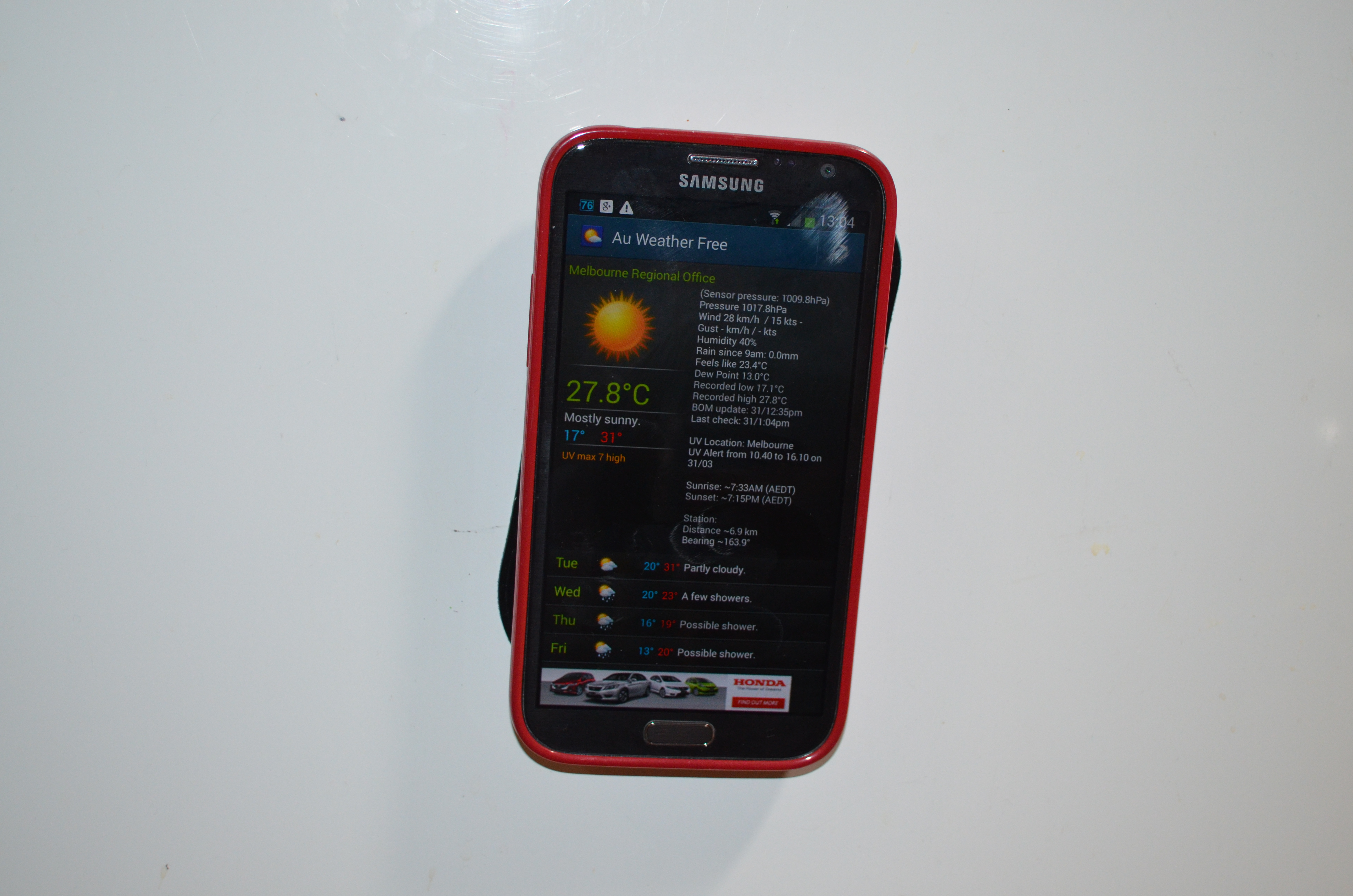 I ve been given some more MobileZap products to review. The first is the Tree Frog anti-slip dashboard mat [1]. This is designed to allow a phone to stick to an angled surface of the inside of the car without slipping. The pictures on the web site show a phone stuck to a curved angular surface of a car dash. To test this I stuck my phone to my fridge, the flat metal surface of the fridge and the almost flat plastic surface of the gel case of my phone are pretty much ideal surfaces for the sticky mat to adhere to. But even so keeping my phone stuck to a vertical surface is impressive. This mat is cheap enough that it could be used for many other tasks than securing a phone in a car, for example it could be used to stick a phone to the wall of your office. It s apparently washable and can be expected to keep gripping things if washed regularly.
One thing that could be improved in the mat would be to have some holes in it. When I detached my phone from the fridge some large air bubbles developed between the mat and the fridge, this would be a problem if I wanted to regularly stick my phone to a flat surface such as an office wall.
When in my car it didn t work nearly as well. The pattern on the surface of the car dash which is designed to avoid glare when driving is difficult to stick to, it s a bit like trying to attach sticky-tape to unpainted wood for similar reasons. A phone will still remain in place on a 30 degree angle from the horizontal (which is significant) but the mat grips much more tightly to the phone than the dash, which is a little inconvenient as the mat stays attached to the phone when you remove it from the dash.
Sorry for the boring picture, it s black and flat so there s not much scope for making it interesting.
3.1A USB Car Charger
I ve been given some more MobileZap products to review. The first is the Tree Frog anti-slip dashboard mat [1]. This is designed to allow a phone to stick to an angled surface of the inside of the car without slipping. The pictures on the web site show a phone stuck to a curved angular surface of a car dash. To test this I stuck my phone to my fridge, the flat metal surface of the fridge and the almost flat plastic surface of the gel case of my phone are pretty much ideal surfaces for the sticky mat to adhere to. But even so keeping my phone stuck to a vertical surface is impressive. This mat is cheap enough that it could be used for many other tasks than securing a phone in a car, for example it could be used to stick a phone to the wall of your office. It s apparently washable and can be expected to keep gripping things if washed regularly.
One thing that could be improved in the mat would be to have some holes in it. When I detached my phone from the fridge some large air bubbles developed between the mat and the fridge, this would be a problem if I wanted to regularly stick my phone to a flat surface such as an office wall.
When in my car it didn t work nearly as well. The pattern on the surface of the car dash which is designed to avoid glare when driving is difficult to stick to, it s a bit like trying to attach sticky-tape to unpainted wood for similar reasons. A phone will still remain in place on a 30 degree angle from the horizontal (which is significant) but the mat grips much more tightly to the phone than the dash, which is a little inconvenient as the mat stays attached to the phone when you remove it from the dash.
Sorry for the boring picture, it s black and flat so there s not much scope for making it interesting.
3.1A USB Car Charger
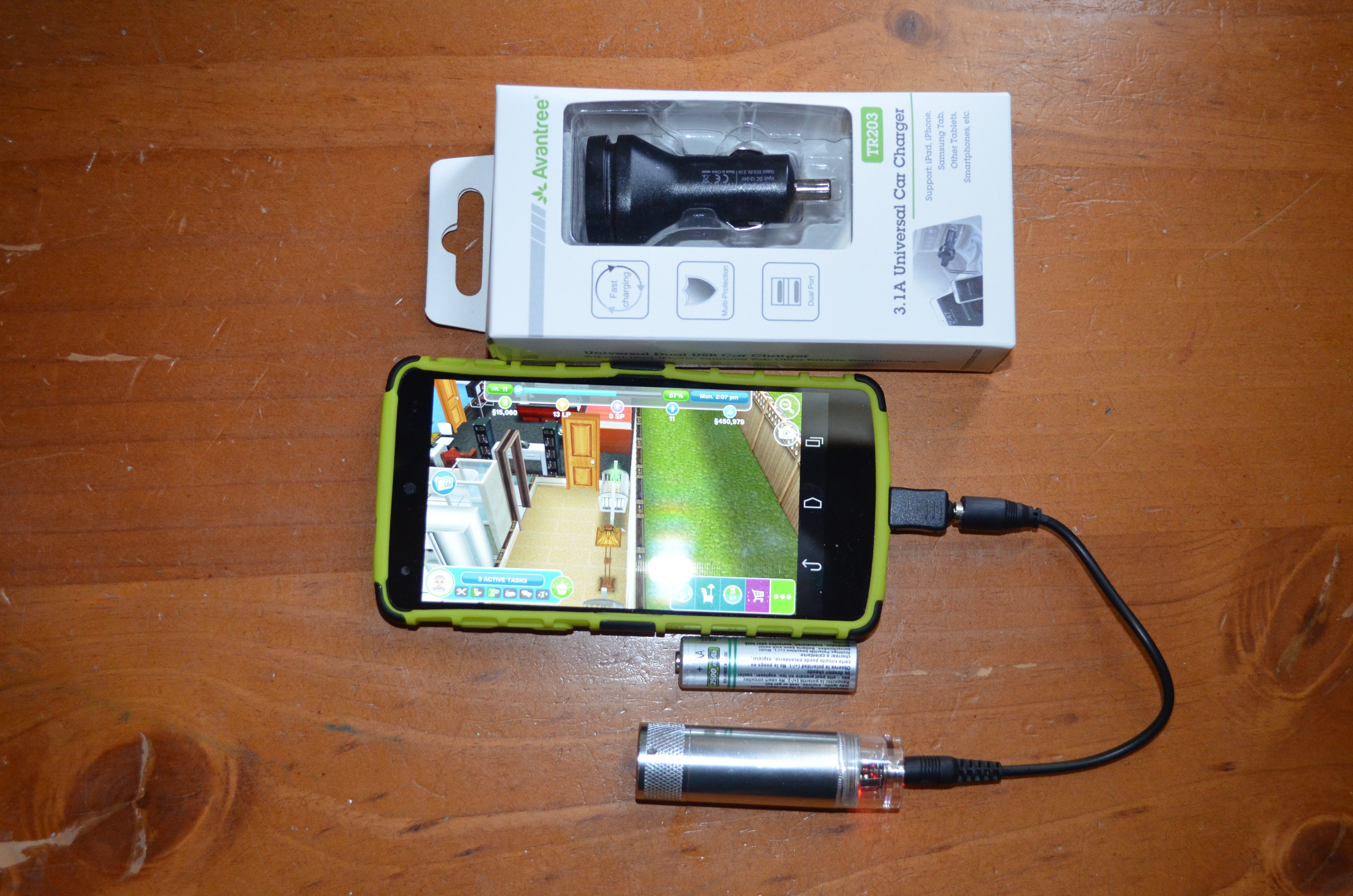 Above is a picture of a 3.1A USB car charger and a AA battery charger. The car charger isn t particularly exciting, but providing 3.1A through two USB sockets is noteworthy it can charge one device at 2.1A (the maximum any device draws) or two devices for a total of up to 3.1A [2] (with protection against over-current). Previously in my car I used the 2.1A charger that shipped with my Galaxy Note 2 and an inverter to provide 240VAC as the devices I had to charge a phone from a car socket didn t provide enough current. This new device uses less space and also allows charging two phones at once. One problem with this device was finding USB cables that could handle the current, for benchmarking I used a phone that was running Ingress and acting as a Wifi access point. I discovered that the cables that Samsung ships with their recent devices (Galaxy Note 2 and Galaxy Note 10.1 tablet) seem to work best and support charging my Galaxy Note 2 or my wife s Nexus 5 while playing Ingress and running as a Wifi AP. Most of the other cables that I have in my collection won t even allow a phone to remain at the same charge level while playing Ingress.
AA Emergency Phone Charger
The AA phone charger is best suited for emergency use only, it takes one AA battery and has limited current capacity [3]. A NiMh rechargeable battery has a nominal Voltage of 1.2V, to provide 5V to charge a phone the Voltage has to be boosted by a factor of 4.16 which would reduce the current by a factor of 4.16 if the charger was 100% efficient. As 100% efficiency is impossible the current would be reduced even more. It seems unlikely that a AA battery would be able to sustain a current of 2A so the supply from that charger would be less than 500mA IE less than the least capable PC USB port or mains powered phone charger. A test with a Nexus 5 showed the phone charge level decreasing while being very lightly used (mostly just checking whether the charge level was increasing) when a NiMH battery was connected. A test with an alkaline battery and the same Nexus 5 showed the phone charge level increasing when lightly used but it probably wouldn t do so while playing Ingress.
It seems that a single NiMH AA battery can only be used for charging a phone in a real emergency situation (IE an act of god type disaster not a need to level up in Ingress). If mains power was out then you could charge a phone while it s turned off (AFAIK all Android phones support this) and then use it once it s charged. This charger supports a wide range of phones (including LG phones from 5+ years ago and Nokia from ~10 years ago) so it could be good for charging an old phone in an emergency. Older phones need less power to charge and generally last longer between charges.
With an alkaline battery the charger works a lot better, but it s still for emergency use as I generally only use rechargeable batteries. This is a device I might put in the bottom of my case when travelling, not a device that I ll use regularly. I don t think that this is a deficiency in the product, it s just a limit of what can be done with the power requirements of modern phones and the capabilities of AA batteries. If you want a battery to use while playing Ingress you definitely need something a lot larger.
This charger is good for emergencies but not suitable for my main use (charging phones while playing Ingress) so I ll give it to my parents, they do a lot of hiking and camping and my father often goes fishing. Taking a few AA batteries to charge a phone would be much more convenient for such use than taking one of the larger batteries I use for Ingress. Also as the charger is relatively cheap there s less potential financial loss if you drop it in sea-water.
20800mAh Battery
Above is a picture of a 3.1A USB car charger and a AA battery charger. The car charger isn t particularly exciting, but providing 3.1A through two USB sockets is noteworthy it can charge one device at 2.1A (the maximum any device draws) or two devices for a total of up to 3.1A [2] (with protection against over-current). Previously in my car I used the 2.1A charger that shipped with my Galaxy Note 2 and an inverter to provide 240VAC as the devices I had to charge a phone from a car socket didn t provide enough current. This new device uses less space and also allows charging two phones at once. One problem with this device was finding USB cables that could handle the current, for benchmarking I used a phone that was running Ingress and acting as a Wifi access point. I discovered that the cables that Samsung ships with their recent devices (Galaxy Note 2 and Galaxy Note 10.1 tablet) seem to work best and support charging my Galaxy Note 2 or my wife s Nexus 5 while playing Ingress and running as a Wifi AP. Most of the other cables that I have in my collection won t even allow a phone to remain at the same charge level while playing Ingress.
AA Emergency Phone Charger
The AA phone charger is best suited for emergency use only, it takes one AA battery and has limited current capacity [3]. A NiMh rechargeable battery has a nominal Voltage of 1.2V, to provide 5V to charge a phone the Voltage has to be boosted by a factor of 4.16 which would reduce the current by a factor of 4.16 if the charger was 100% efficient. As 100% efficiency is impossible the current would be reduced even more. It seems unlikely that a AA battery would be able to sustain a current of 2A so the supply from that charger would be less than 500mA IE less than the least capable PC USB port or mains powered phone charger. A test with a Nexus 5 showed the phone charge level decreasing while being very lightly used (mostly just checking whether the charge level was increasing) when a NiMH battery was connected. A test with an alkaline battery and the same Nexus 5 showed the phone charge level increasing when lightly used but it probably wouldn t do so while playing Ingress.
It seems that a single NiMH AA battery can only be used for charging a phone in a real emergency situation (IE an act of god type disaster not a need to level up in Ingress). If mains power was out then you could charge a phone while it s turned off (AFAIK all Android phones support this) and then use it once it s charged. This charger supports a wide range of phones (including LG phones from 5+ years ago and Nokia from ~10 years ago) so it could be good for charging an old phone in an emergency. Older phones need less power to charge and generally last longer between charges.
With an alkaline battery the charger works a lot better, but it s still for emergency use as I generally only use rechargeable batteries. This is a device I might put in the bottom of my case when travelling, not a device that I ll use regularly. I don t think that this is a deficiency in the product, it s just a limit of what can be done with the power requirements of modern phones and the capabilities of AA batteries. If you want a battery to use while playing Ingress you definitely need something a lot larger.
This charger is good for emergencies but not suitable for my main use (charging phones while playing Ingress) so I ll give it to my parents, they do a lot of hiking and camping and my father often goes fishing. Taking a few AA batteries to charge a phone would be much more convenient for such use than taking one of the larger batteries I use for Ingress. Also as the charger is relatively cheap there s less potential financial loss if you drop it in sea-water.
20800mAh Battery
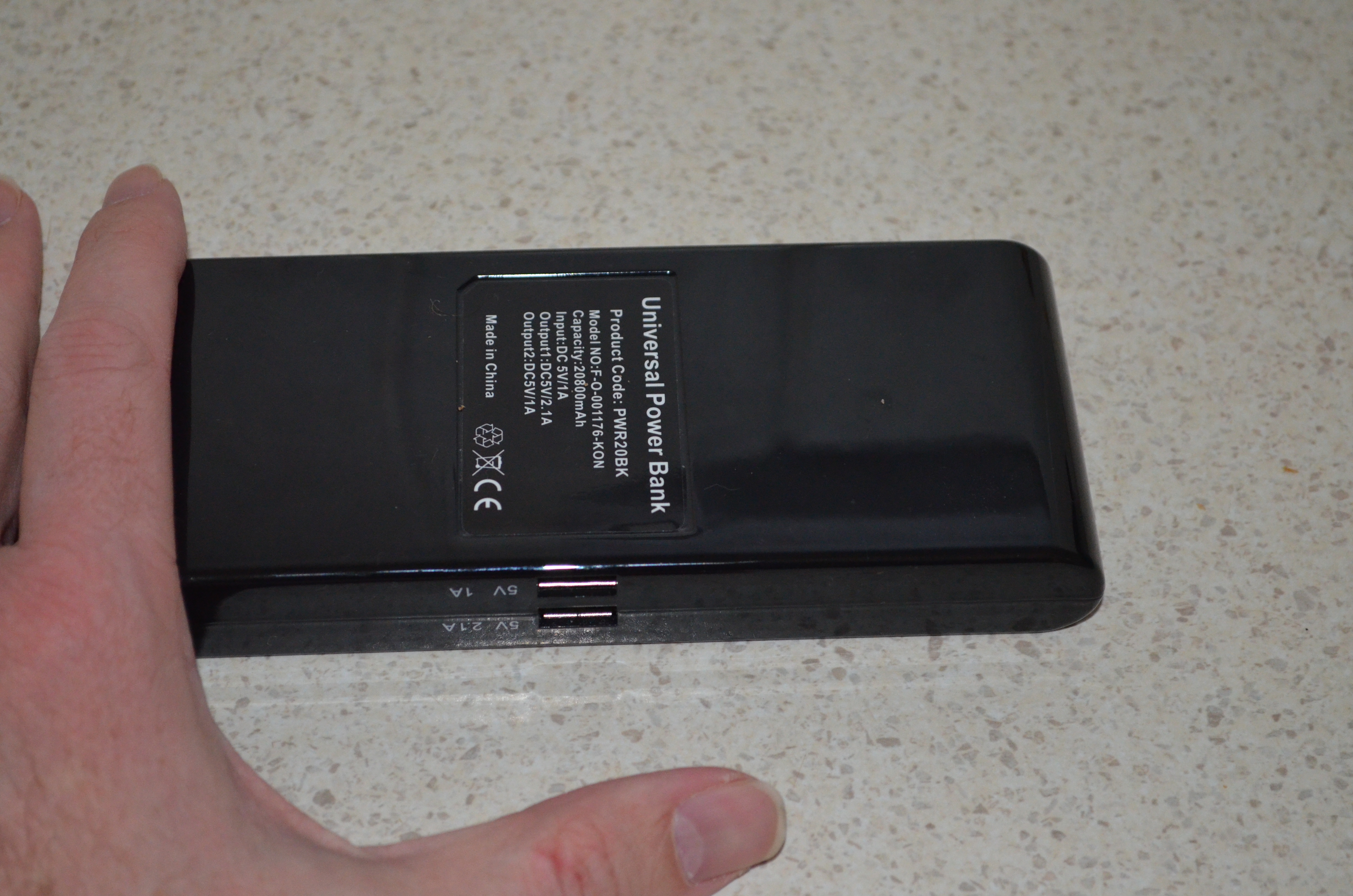 Above is a picture of a 20800mAh battery pack that MobileZap sent me [4]. I haven t yet discovered what it s capacity is, during the recent Interitus anomaly it kept my Galaxy Note 2 and my wife s Nexus 5 adequately charged for 5 hours of intensive Ingress playing (we alternated between phones). Without an external battery it would be unusual for either of those phones to last for 2 hours.
The battery has two ports labeled 1A and 2.1A which implies that it can supply a total of 3.1A. I am a little dubious of that implication. After the Interitus anomaly my wife and I had dinner with some friends and I let a friend charge her Samsung Galaxy S5 on the battery at the same time as my Note 2 (which claimed to be 2% charged). When I connected my friend s phone my phone instantly shut itself down due to lack of charge, so I presume that the supply on the 2.1A port is reduced when a demanding device is connected to the 1A port.
The next day my wife and I went to the city again to play Ingress and attend a protest against some of the awful things that the Abbott government is doing. As an experiment I didn t charge this battery to see how it would go for two days of use charging two phones. Again there was no problem and it still claimed to be half charged when we got home.
So far the only problem I ve found with this battery is that it never reports being fully charged, not even if I leave it on charge for days. That doesn t seem to be a great problem to me, if I disconnect it before it s fully charged then that won t hurt the battery life (unlike NiCd batteries that have to be fully charged every time) and even if it s not fully charged it will still charge phones for a long time.
The battery is about 19cm long. I have jeans with unusually large pockets to fit large phones [5] so I can fit this battery in my pocket while a USB cable is connected to charge my phone. I also have a new winter jacket from Scottwear which has pockets that can fit the battery (and lots of other things). Anyone who doesn t have such clothing should plan to use a backpack, handbag, or some other bag this type of battery won t fit in the pockets in most clothing.
MobileZap also has some other interesting Nexus 5 accessories [6].
Above is a picture of a 20800mAh battery pack that MobileZap sent me [4]. I haven t yet discovered what it s capacity is, during the recent Interitus anomaly it kept my Galaxy Note 2 and my wife s Nexus 5 adequately charged for 5 hours of intensive Ingress playing (we alternated between phones). Without an external battery it would be unusual for either of those phones to last for 2 hours.
The battery has two ports labeled 1A and 2.1A which implies that it can supply a total of 3.1A. I am a little dubious of that implication. After the Interitus anomaly my wife and I had dinner with some friends and I let a friend charge her Samsung Galaxy S5 on the battery at the same time as my Note 2 (which claimed to be 2% charged). When I connected my friend s phone my phone instantly shut itself down due to lack of charge, so I presume that the supply on the 2.1A port is reduced when a demanding device is connected to the 1A port.
The next day my wife and I went to the city again to play Ingress and attend a protest against some of the awful things that the Abbott government is doing. As an experiment I didn t charge this battery to see how it would go for two days of use charging two phones. Again there was no problem and it still claimed to be half charged when we got home.
So far the only problem I ve found with this battery is that it never reports being fully charged, not even if I leave it on charge for days. That doesn t seem to be a great problem to me, if I disconnect it before it s fully charged then that won t hurt the battery life (unlike NiCd batteries that have to be fully charged every time) and even if it s not fully charged it will still charge phones for a long time.
The battery is about 19cm long. I have jeans with unusually large pockets to fit large phones [5] so I can fit this battery in my pocket while a USB cable is connected to charge my phone. I also have a new winter jacket from Scottwear which has pockets that can fit the battery (and lots of other things). Anyone who doesn t have such clothing should plan to use a backpack, handbag, or some other bag this type of battery won t fit in the pockets in most clothing.
MobileZap also has some other interesting Nexus 5 accessories [6].
- [1] http://www.mobilezap.com.au/38308-tree-frog-anti-slip-dashboard-pad.htm
- [2] http://www.mobilezap.com.au/39366-avantree-high-power-31a-dual-usb-universal-car-charger.htm
- [3] http://www.mobilezap.com.au/13786-chargetube-emergency-phone-charger.htm
- [4] http://www.mobilezap.com.au/42214-kit-high-power-20800-mah-dual-usb-portable-charger.htm
- [5] http://etbe.coker.com.au/2012/11/17/geeky-jeans/
- [6] http://www.mobilezap.com.au/34597/google/nexus-5.htm

 Transitions
There is huge ongoing work on package transitions. Take a look at our
Transitions
There is huge ongoing work on package transitions. Take a look at our 
 KDE
We will ship with at least KDE Applications 4.13, maybe some 4.14 things as well (if we are lucky, since Tanglu will likely be in feature-freeze when this stuff is released). The other KDE parts will remain on their latest version from the 4.x series. For Tanglu 3, we might update KDE SC 4.x to KDE Frameworks 5 and use Plasma 5 though.
GNOME
Due to the lack manpower on the GNOME flavor, GNOME will ship in the same version available in Debian Sid maybe with some stuff pulled from Experimental, where it makes sense. A GNOME flavor is planned to be available.
Common infrastructure
We currently run with systemd 208, but a switch to 210 is planned. Tanglu 2 also targets the X.org server in version 1.16. For more changes, stay tuned. The kernel release for Bartholomea is also not yet decided.
Artwork
Work on the default Tanglu 2 design has started as well any artwork submissions are most welcome!
Tanglu joins the OIN
The Tanglu project is now a proud member (licensee) of the
KDE
We will ship with at least KDE Applications 4.13, maybe some 4.14 things as well (if we are lucky, since Tanglu will likely be in feature-freeze when this stuff is released). The other KDE parts will remain on their latest version from the 4.x series. For Tanglu 3, we might update KDE SC 4.x to KDE Frameworks 5 and use Plasma 5 though.
GNOME
Due to the lack manpower on the GNOME flavor, GNOME will ship in the same version available in Debian Sid maybe with some stuff pulled from Experimental, where it makes sense. A GNOME flavor is planned to be available.
Common infrastructure
We currently run with systemd 208, but a switch to 210 is planned. Tanglu 2 also targets the X.org server in version 1.16. For more changes, stay tuned. The kernel release for Bartholomea is also not yet decided.
Artwork
Work on the default Tanglu 2 design has started as well any artwork submissions are most welcome!
Tanglu joins the OIN
The Tanglu project is now a proud member (licensee) of the


 Some days ago, I bit the bullet and accepted the

 [update] I will do another blog post. Good news: My Tor node is alive again! Just no longer as an exit relay, as properly pointed out by many, but as a
 If you follow my blog closely, you noticed that I skipped all my usual monthly summaries in 2014. It s not that I stopped doing free software work, instead I was just too busy to be able to report about what I did. As an excuse, let me tell you that we just moved into a new house which was in construction since may last year.
The lack of visible activity on my blog resulted in a steady decrease of the amount of
If you follow my blog closely, you noticed that I skipped all my usual monthly summaries in 2014. It s not that I stopped doing free software work, instead I was just too busy to be able to report about what I did. As an excuse, let me tell you that we just moved into a new house which was in construction since may last year.
The lack of visible activity on my blog resulted in a steady decrease of the amount of  I also helped Sylvestre Ledru to finalize and close the



 At one particular customer, increasing storage needs require that we add
a large file server which should be as fast as possible. In that
context, I'm currently evaluating using Debian GNU/kFreeBSD ("Debian,"
from now on) on ZFS. Not being hampered by a large degree of knowledge
on the subject, here's a blog post with things I've learned so far.
For context, the system on which we'll be installing will have 64 gigs
of RAM, about two dozen SAS disks connected to a RAID controller of
which I'm reasonably sure (though not 100% so) that it supports JBOD
mode, and a PCIe-attached solid state storage device of several
terabytes. If it turns out the RAID controller doesn't support JBOD
mode, I'll probably create as many RAID0 devices as possible and hand
those over to ZFS as "hard disks", instead; this wouldn't be an ideal
solution, but I don't have much of a choice of hard disk attachment,
unfortunately.
That being said, the system on which I'm testing right now is the latest
incantation of samba, an HP ProLiant ML115 server. A system with far
more modest hardware specifications, it has 2G of RAM (which isn't
really enough for ZFS), a single 160G SATA hard disk, and a dual-core
AMD processor of about half a decade ago. And oh yes, no SSD. So for
evaluating ZFS performance it's not ideal, but for evaluating Debian and
ZFS features, it will do.
Anyway, what I've found so far on samba:
At one particular customer, increasing storage needs require that we add
a large file server which should be as fast as possible. In that
context, I'm currently evaluating using Debian GNU/kFreeBSD ("Debian,"
from now on) on ZFS. Not being hampered by a large degree of knowledge
on the subject, here's a blog post with things I've learned so far.
For context, the system on which we'll be installing will have 64 gigs
of RAM, about two dozen SAS disks connected to a RAID controller of
which I'm reasonably sure (though not 100% so) that it supports JBOD
mode, and a PCIe-attached solid state storage device of several
terabytes. If it turns out the RAID controller doesn't support JBOD
mode, I'll probably create as many RAID0 devices as possible and hand
those over to ZFS as "hard disks", instead; this wouldn't be an ideal
solution, but I don't have much of a choice of hard disk attachment,
unfortunately.
That being said, the system on which I'm testing right now is the latest
incantation of samba, an HP ProLiant ML115 server. A system with far
more modest hardware specifications, it has 2G of RAM (which isn't
really enough for ZFS), a single 160G SATA hard disk, and a dual-core
AMD processor of about half a decade ago. And oh yes, no SSD. So for
evaluating ZFS performance it's not ideal, but for evaluating Debian and
ZFS features, it will do.
Anyway, what I've found so far on samba:
 Somebody recent got in touch offering to mail me a Cubox, in exchange for me experimenting with it and writing about it. In the past I've written book reviews in exchange for receiving free copies, and while I don't want to make a habit of it I don't see a problem providing I'm up-front and honest.
So, what is the cubox-i? It's another one of those "small computers", roughly similar to the Raspberry Pi, but with slightly different hardware, and a really neat little case design, as the name suggests it just looks like a tiny two inch cube, only spoiled by the mass of cabling attached to the back.
Me? I was cheeky and said I'd have no use for one, unless it was the fancy-model. The hardware comes in 4 different versions, which you can read about on the
Somebody recent got in touch offering to mail me a Cubox, in exchange for me experimenting with it and writing about it. In the past I've written book reviews in exchange for receiving free copies, and while I don't want to make a habit of it I don't see a problem providing I'm up-front and honest.
So, what is the cubox-i? It's another one of those "small computers", roughly similar to the Raspberry Pi, but with slightly different hardware, and a really neat little case design, as the name suggests it just looks like a tiny two inch cube, only spoiled by the mass of cabling attached to the back.
Me? I was cheeky and said I'd have no use for one, unless it was the fancy-model. The hardware comes in 4 different versions, which you can read about on the 



 I've been using
  I wrote my own
  Recently I was wearing my
 I was invited to give a talk at a local conference, OS-UPIITA. I have been invited to this conference before, and will gladly be there again. But I was recently pointed at the invitation poster they are distributing (which I reproduce here for your convenience) And I must make a couple of corrections here:
 About a month ago, on 20th of March,