At
Collabora one of the
many things we do is build
Debian
derivatives/overlays for customers on a variety of architectures
including 32 bit and 64 bit ARM systems. And just as Debian does,
our
OBS system builds on
native systems rather than emulators.
Luckily with the advent of ARM server systems some years ago
building natively for those systems has been a lot less painful
than it used to be. For 32 bit ARM we've been relying on
Calxeda blade servers,
however Calxeda unfortunately tanked ages ago and the hardware is
starting to show its age (though luckily Debian Stretch does
support it properly, so at least the software is still fresh).
On the 64 bit ARM side, we're running on Gigabyte MP30-AR1 based
servers which can run 32 bit arm code (As opposed to e.g. ThunderX
based servers which can only run 64 bit code). As such running
armhf VMs on them to act as build slaves seems a good choice, but
setting that up is a bit more involved than it might appear.
The first pitfall is that there is no standard bootloader or
boot firmware available in Debian to boot on the "virt" machine
emulated by qemu (I didn't want to use an emulation of a real
machine). That also means there is nothing to pick the kernel
inside the guest at boot nor something which can e.g. have the
guest network boot, which means direct kernel booting needs to be
used.
The second pitfall was that the current Debian Stretch armhf
kernel isn't built with support for the generic PCI host controller
which the qemu virtual machine exposes, which means no storage and
no network shows up in the guest. Hopefully that will get solved
soonish (
Debian
bug 864726) and can be in a Stretch update, until then a custom
kernel package is required using the patch attach to the bug report
is required but I won't go into that any further in this post.
So on the happy assumption that we have a kernel that works, the
challenge left is to nicely manage direct kernel loading. Or more
specifically, how ensure the hosts boots the kernel the guest has
installed via the standard apt tools without having to copy kernels
around between guest/host, which essentially comes down to exposing
/boot from the guest to the host. The solution we picked is to use
qemu's 9pfs support to share a folder from the host and use that as
/boot of the guest. For the 9p folder the "mapped" security mode
seems needed as the "none" mode seems to get confused by dpkg
(
Debian
bug 864718).
As we're using libvirt as our virtual machine manager the
remainder of how to glue it all together will be mostly specific to
that.
First step is to install the system, mostly as normal. One can
directly boot into the vmlinuz and initrd.gz provided by normal
Stretch armhf netboot installer (downloaded into e.g /tmp). The
setup overall is straight-forward with a few small tweaks:
- /srv/armhf-vm-boot is setup to be the 9p shared folder (this
should exist and owned by the libvirt-qemu user) that will be used
for sharing /boot later
- the kernel args are setup to setup root= with root partition
intended to be used in the VM, adjust for your usage.
- The image file to use the virtio bus, which doesn't seem the
default.
Apart from those tweaks the resulting example command is similar
to the one that can be found in the virt-install man-page:
virt-install --name armhf-vm --arch armv7l --memory 512 \
  --disk /srv/armhf-vm.img,bus=virtio
  --filesystem /srv/armhf-vm-boot,virtio-boot,mode=mapped \
  --boot=kernel=/tmp/vmlinuz,initrd=/tmp/initrd.gz,kernel_args="console=ttyAMA0,root=/dev/vda1"
Run through the install as you'd normally would. Towards the end
the installer will likely complain it can't figure out how to
install a bootloader, which is fine. Just before ending the
install/reboot, switch to the shell and copy the /boot/vmlinuz and
/boot/initrd.img from the target system to the host in some fashion
(e.g. chroot into /target and use scp from the installed system).
This is required as the installer doesn't support 9p, but to boot
the system an initramfs will be needed with the modules needed to
mount the root fs, which is provided by the installed initramfs :).
Once that's all moved around, the installer can be finished.
Next, booting the installed system. For that adjust the libvirt
config (e.g. using virsh edit and tuning the xml) to use the kernel
and initramfs copied from the installer rather then the installer
ones. Spool up the VM again and it should happily boot into a
freshly installed Debian system.
To finalize on the guest side /boot should be moved onto the
shared 9pfs, the fstab entry for the new /boot should look
something like:
virtio-boot /boot 9p trans=virtio,version=9p2000.L,x-systemd.automount 0 0
With that setup, it's just a matter of shuffling the files in
/boot around to the new filesystem and the guest is done (make sure
vmlinuz/initrd.img stay symlinks). Kernel upgrades will work as
normal and visible to the host.
Now on the host side there is one extra hoop to jump through, as
the guest uses the 9p mapped security model symlinks in the guest
will be normal files on the host containing the symlink target. To
resolve that one, we've used libvirt's qemu hook support to setup a
proper symlink before the guest is started. Below is the script we
ended up using as an example (/etc/libvirt/hooks/qemu):
vm=$1
action=$2
bootdir=/srv/$ vm -boot
if [ $ action  != "prepare" ] ; then
  exit 0
fi
if [ ! -d $ bootdir  ] ; then
  exit 0
fi
ln -sf $(basename $(cat $ bootdir /vmlinuz))  $ bootdir /virtio-vmlinuz
ln -sf $(basename $(cat $ bootdir /initrd.img))  $ bootdir /virtio-initrd.img
With that in place, we can simply point the libvirt definition
to use /srv/$ vm -boot/virtio- vmlinuz,initrd.img as the
kernel/initramfs for the machine and it'll automatically get the
latest kernel/initramfs as installed by the guest when the VM is
started.
Just one final rough edge remains, when doing reboot from the VM
libvirt leaves qemu to handle that rather than restarting qemu.
This unfortunately means a reboot won't pick up a new kernel if
any, for now we've solved this by configuring libvirt to stop the
VM on reboot instead. As we typically only reboot VMs on kernel
(security) upgrades, while a bit tedious, this avoid rebooting with
an older kernel/initramfs than intended.







 Let yourself be embraced by the purple rubber toy octopus! We're happy to announce
the release of Debian 9.0, codenamed Stretch.
Want to install it?
Choose your favourite


 To get some idea about the expectations and current usage of alioth I created
a
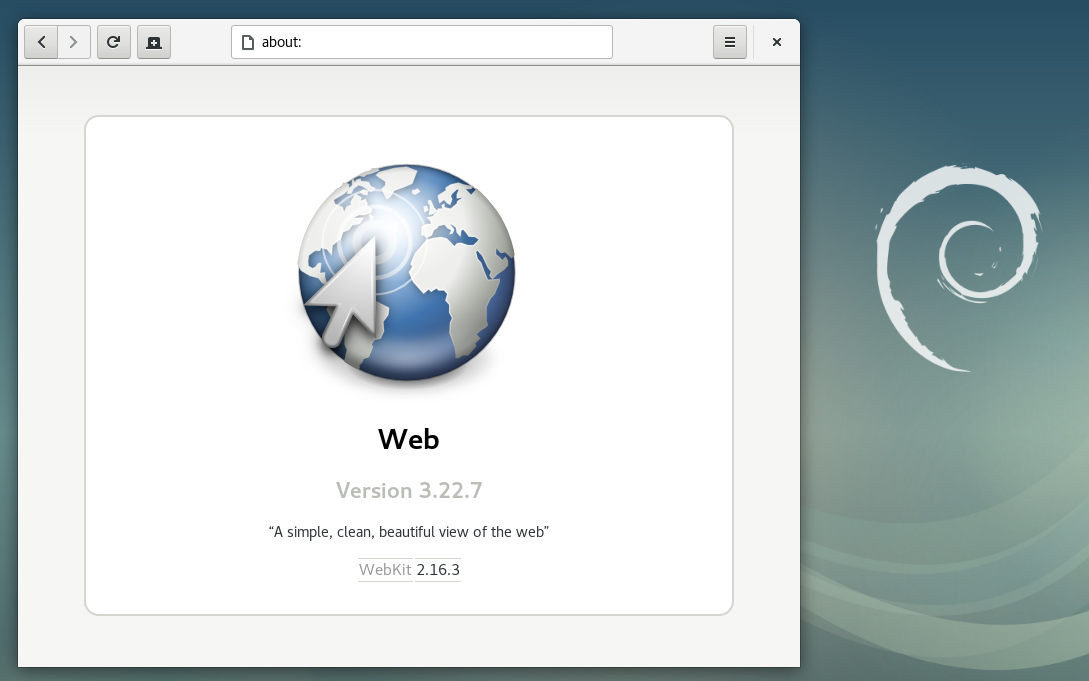
 The Debian Release Team in coordination with several other teams are preparing the last bits needed for releasing Debian 9 Stretch.
Please, be patient! Lots of steps are involved and some of them take some time, such as building the images, propagating the release through the mirror network, and rebuilding the Debian website so that "stable" points to Debian 9.
Follow the live coverage of the release on


 It's been a while. And currently I shouldn't even post but rather pack my stuff because I'll get the keys to my flat in 6 days. Yay!
But, for packing I need a good sound track. And today it is
 If you have a bunch of machines running OpenBSD for firewalling purposes, which is pretty standard, you might start to use source-control to maintain the rulesets. You might go further, and use some kind of integration testing to deploy changes from your revision control system into production.
Of course before you deploy any