Search Results: "noodles"

2 December 2021

Jonathan McDowell: Building a desktop to improve my work/life balance

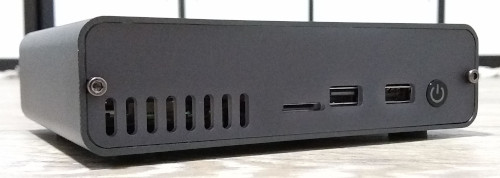
ASRock DeskMini X300 It s been over 20 months since the first COVID lockdown kicked in here in Northern Ireland and I started working from home. Even when the strict lockdown was lifted the advice here has continued to be If you can work from home you should work from home . I ve been into the office here and there (for new starts given you need to hand over a laptop and sort out some login details it s generally easier to do so in person, and I ve had a couple of whiteboard sessions that needed the high bandwidth face to face communication), but day to day is all from home. Early on I commented that work had taken over my study. This has largely continued to be true. I set my work laptop on the stand on a Monday morning and it sits there until Friday evening, when it gets switched for the personal laptop. I have a lovely LG 34UM88 21:9 Ultrawide monitor, and my laptops are small and light so I much prefer to use them docked. Also my general working pattern is to have a lot of external connections up and running (build machine, test devices, log host) which means a suspend/resume cycle disrupts things. So I like to minimise moving things about. I spent a little bit of time trying to find a dual laptop stand so I could have both machines setup and switch between them easily, but I didn t find anything that didn t seem to be geared up for DJs with a mixer + laptop combo taking up quite a bit of desk space rather than stacking laptops vertically. Eventually I realised that the right move was probably a desktop machine. Now, I haven t had a desktop machine since before I moved to the US, realising at the time that having everything on my laptop was much more convenient. I decided I didn t want something too big and noisy. Cheap GPUs seem hard to get hold of these days - I m not a gamer so all I need is something that can drive a ~ 4K monitor reliably enough. Looking around the AMD Ryzen 7 5700G seemed to be a decent CPU with one of the better integrated GPUs. I spent some time looking for a reasonable Mini-ITX case + motherboard and then I happened upon the ASRock DeskMini X300. This turns out to be perfect; I ve no need for a PCIe slot or anything more than an m.2 SSD. I paired it with a Noctua NH-L9a-AM4 heatsink + fan (same as I use in the house server), 32GB DDR4 and a 1TB WD SN550 NVMe SSD. Total cost just under 650 inc VAT + delivery (and that s a story for another post). A desktop solves the problem of fitting both machines on the desk at once, but there s still the question of smoothly switching between them. I read Evgeni Golov s article on a simple KVM switch for 30. My monitor has multiple inputs, so that s sorted. I did have a cheap USB2 switch (all I need for the keyboard/trackball) but it turned out to be pretty unreliable at the host detecting the USB change. I bought a UGREEN USB 3.0 Sharing Switch Box instead and it s turned out to be pretty reliable. The problem is that the LG 32UM88 turns out to have a poor DDC implementation, so while I can flip the keyboard easily with the UGREEN box I also have to manually select the monitor input. Which is a bit annoying, but not terrible. The important question is whether this has helped. I built all this at the end of October, so I ve had a month to play with it. Turns out I should have done it at some point last year. At the end of the day instead of either sitting at work for a bit longer, or completely avoiding the study, I m able to lock the work machine and flick to my personal setup. Even sitting in the same seat that disconnect , and the knowledge I won t see work Slack messages or emails come in and feeling I should respond, really helps. It also means I have access to my personal setup during the week without incurring a hit at the start of the working day when I have to set things up again. So it s much easier to just dip in to some personal tech stuff in the evening than it was previously. Also from the point of view I don t need to setup the personal config, I can pick up where I left off. All of which is really nice. It s also got me thinking about other minor improvements I should make to my home working environment to try and improve things. One obvious thing now the winter is here again is to improve my lighting; I have a good overhead LED panel but it s terribly positioned for video calls, being just behind me. So I think I m looking some sort of strip light I can have behind the large monitor to give a decent degree of backlight (possibly bouncing off the white wall). Lots of cheap options I m not convinced about, and I ve had a few ridiculously priced options from photographer friends; suggestions welcome.

28 September 2021

Jonathan McDowell: Adding Zigbee to my home automation

SonOff Zigbee Door Sensor My home automation setup has been fairly static recently; it does what we need and generally works fine. One area I think could be better is controlling it; we have access Home Assistant on our phones, and the Alexa downstairs can control things, but there are no smart assistants upstairs and sometimes it would be nice to just push a button to turn on the light rather than having to get my phone out. Thanks to the fact the UK generally doesn t have neutral wire in wall switches that means looking at something battery powered. Which means wifi based devices are a poor choice, and it s necessary to look at something lower power like Zigbee or Z-Wave. Zigbee seems like the better choice; it s a more open standard and there are generally more devices easily available from what I ve seen (e.g. Philips Hue and IKEA TR DFRI). So I bought a couple of Xiaomi Mi Smart Home Wireless Switches, and a CC2530 module and then ignored it for the best part of a year. Finally I got around to flashing the Z-Stack firmware that Koen Kanters kindly provides. (Insert rant about hardware manufacturers that require pay-for tool chains. The CC2530 is even worse because it s 8051 based, so SDCC should be able to compile for it, but the TI Zigbee libraries are only available in a format suitable for IAR s embedded workbench.) Flashing the CC2530 is a bit of faff. I ended up using the CCLib fork by Stephan Hadinger which supports the ESP8266. The nice thing about the CC2530 module is it has 2.54mm pitch pins so nice and easy to jumper up. It then needs a USB/serial dongle to connect it up to a suitable machine, where I ran Zigbee2MQTT. This scares me a bit, because it s a bunch of node.js pulling in a chunk of stuff off npm. On the flip side, it Just Works and I was able to pair the Xiaomi button with the device and see MQTT messages that I could then use with Home Assistant. So of course I tore down that setup and went and ordered a CC2531 (the variant with USB as part of the chip). The idea here was my test setup was upstairs with my laptop, and I wanted something hooked up in a more permanent fashion. Once the CC2531 arrived I got distracted writing support for the Desk Viking to support CCLib (and modified it a bit for Python3 and some speed ups). I flashed the dongle up with the Z-Stack Home 1.2 (default) firmware, and plugged it into the house server. At this point I more closely investigated what Home Assistant had to offer in terms of Zigbee integration. It turns out the ZHA integration has support for the ZNP protocol that the TI devices speak (I m reasonably sure it didn t when I first looked some time ago), so that seemed like a better option than adding the MQTT layer in the middle. I hit some complexity passing the dongle (which turns up as /dev/ttyACM0) through to the Home Assistant container. First I needed an override file in /etc/systemd/nspawn/hass.nspawn:
[Files]
Bind=/dev/ttyACM0:/dev/zigbee
[Network]
VirtualEthernet=true
(I m not clear why the VirtualEthernet needed to exist; without it networking broke entirely but I couldn t see why it worked with no override file.) A udev rule on the host to change the ownership of the device file so the root user and dialout group in the container could see it was also necessary, so into /etc/udev/rules.d/70-persistent-serial.rules went:
# Zigbee for HASS
SUBSYSTEM=="tty", ATTRS idVendor =="0451", ATTRS idProduct =="16a8", SYMLINK+="zigbee", \
	MODE="660", OWNER="1321926676", GROUP="1321926676"
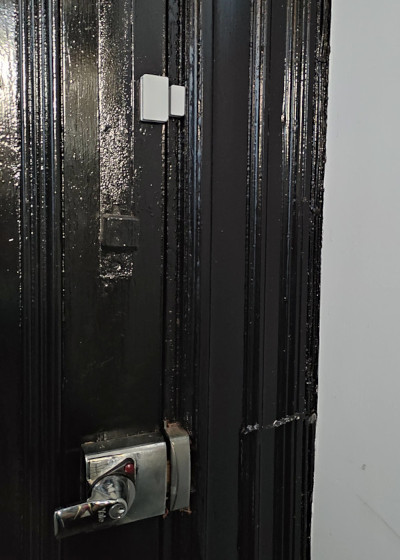
In the container itself I had to switch PrivateDevices=true to PrivateDevices=false in the home-assistant.service file (which took me a while to figure out; yay for locking things down and then needing to use those locked down things). Finally I added the hass user to the dialout group. At that point I was able to go and add the integration with Home Assistant, and add the button as a new device. Excellent. I did find I needed a newer version of Home Assistant to get support for the button, however. I was still on 2021.1.5 due to upstream dropping support for Python 3.7 and not being prepared to upgrade to Debian 11 until it was actually released, so the version of zha-quirks didn t have the correct info. Upgrading to Home Assistant 2021.8.7 sorted that out. There was another slight problem. Range. Really I want to use the button upstairs. The server is downstairs, and most of my internal walls are brick. The solution turned out to be a TR DFRI socket, which replaced the existing ESP8266 wifi socket controlling the stair lights. That was close enough to the server to have a decent signal, and it acts as a Zigbee router so provides a strong enough signal for devices upstairs. The normal approach seems to be to have a lot of Zigbee light bulbs, but I have mostly kept overhead lights as uncontrolled - we don t use them day to day and it provides a nice fallback if the home automation has issues. Of course installing Zigbee for a single button would seem to be a bit pointless. So I ordered up a Sonoff door sensor to put on the front door (much smaller than expected - those white boxes on the door are it in the picture above). And I have a 4 gang wireless switch ordered to go on the landing wall upstairs. Now I ve got a Zigbee setup there are a few more things I m thinking of adding, where wifi isn t an option due to the need for battery operation (monitoring the external gas meter springs to mind). The CC2530 probably isn t suitable for my needs, as I ll need to write some custom code to handle the bits I want, but there do seem to be some ARM based devices which might well prove suitable

3 June 2021

Jonathan McDowell: Digging into Kubernetes containers

Having build a single node Kubernetes cluster and had a poke at what it s doing in terms of networking the next thing I want to do is figure out what it s doing in terms of containers. You might argue this should have come before networking, but to me the networking piece is more non-standard than the container piece, so I wanted to understand that first. Let s start with a process listing on the host. ps faxno user,stat,cmd There are a number of processes from the host kernel we don t care about:
kernel processes
    USER STAT CMD
       0 S    [kthreadd]
       0 I<    \_ [rcu_gp]
       0 I<    \_ [rcu_par_gp]
       0 I<    \_ [kworker/0:0H-events_highpri]
       0 I<    \_ [mm_percpu_wq]
       0 S     \_ [rcu_tasks_rude_]
       0 S     \_ [rcu_tasks_trace]
       0 S     \_ [ksoftirqd/0]
       0 I     \_ [rcu_sched]
       0 S     \_ [migration/0]
       0 S     \_ [cpuhp/0]
       0 S     \_ [cpuhp/1]
       0 S     \_ [migration/1]
       0 S     \_ [ksoftirqd/1]
       0 I<    \_ [kworker/1:0H-kblockd]
       0 S     \_ [cpuhp/2]
       0 S     \_ [migration/2]
       0 S     \_ [ksoftirqd/2]
       0 I<    \_ [kworker/2:0H-events_highpri]
       0 S     \_ [cpuhp/3]
       0 S     \_ [migration/3]
       0 S     \_ [ksoftirqd/3]
       0 I<    \_ [kworker/3:0H-kblockd]
       0 S     \_ [kdevtmpfs]
       0 I<    \_ [netns]
       0 S     \_ [kauditd]
       0 S     \_ [khungtaskd]
       0 S     \_ [oom_reaper]
       0 I<    \_ [writeback]
       0 S     \_ [kcompactd0]
       0 SN    \_ [ksmd]
       0 SN    \_ [khugepaged]
       0 I<    \_ [kintegrityd]
       0 I<    \_ [kblockd]
       0 I<    \_ [blkcg_punt_bio]
       0 I<    \_ [edac-poller]
       0 I<    \_ [devfreq_wq]
       0 I<    \_ [kworker/0:1H-kblockd]
       0 S     \_ [kswapd0]
       0 I<    \_ [kthrotld]
       0 I<    \_ [acpi_thermal_pm]
       0 I<    \_ [ipv6_addrconf]
       0 I<    \_ [kstrp]
       0 I<    \_ [zswap-shrink]
       0 I<    \_ [kworker/u9:0-hci0]
       0 I<    \_ [kworker/2:1H-kblockd]
       0 I<    \_ [ata_sff]
       0 I<    \_ [sdhci]
       0 S     \_ [irq/39-mmc0]
       0 I<    \_ [sdhci]
       0 S     \_ [irq/42-mmc1]
       0 S     \_ [scsi_eh_0]
       0 I<    \_ [scsi_tmf_0]
       0 S     \_ [scsi_eh_1]
       0 I<    \_ [scsi_tmf_1]
       0 I<    \_ [kworker/1:1H-kblockd]
       0 I<    \_ [kworker/3:1H-kblockd]
       0 S     \_ [jbd2/sda5-8]
       0 I<    \_ [ext4-rsv-conver]
       0 S     \_ [watchdogd]
       0 S     \_ [scsi_eh_2]
       0 I<    \_ [scsi_tmf_2]
       0 S     \_ [usb-storage]
       0 I<    \_ [cfg80211]
       0 S     \_ [irq/130-mei_me]
       0 I<    \_ [cryptd]
       0 I<    \_ [uas]
       0 S     \_ [irq/131-iwlwifi]
       0 S     \_ [card0-crtc0]
       0 S     \_ [card0-crtc1]
       0 S     \_ [card0-crtc2]
       0 I<    \_ [kworker/u9:2-hci0]
       0 I     \_ [kworker/3:0-events]
       0 I     \_ [kworker/2:0-events]
       0 I     \_ [kworker/1:0-events_power_efficient]
       0 I     \_ [kworker/3:2-events]
       0 I     \_ [kworker/1:1]
       0 I     \_ [kworker/u8:1-events_unbound]
       0 I     \_ [kworker/0:2-events]
       0 I     \_ [kworker/2:2]
       0 I     \_ [kworker/u8:0-events_unbound]
       0 I     \_ [kworker/0:1-events]
       0 I     \_ [kworker/0:0-events]
There are various basic host processes, including my SSH connections, and Docker. I note it s using containerd. We also see kubelet, the Kubernetes node agent.
host processes
    USER STAT CMD
       0 Ss   /sbin/init
       0 Ss   /lib/systemd/systemd-journald
       0 Ss   /lib/systemd/systemd-udevd
     101 Ssl  /lib/systemd/systemd-timesyncd
       0 Ssl  /sbin/dhclient -4 -v -i -pf /run/dhclient.enx00e04c6851de.pid -lf /var/lib/dhcp/dhclient.enx00e04c6851de.leases -I -df /var/lib/dhcp/dhclient6.enx00e04c6851de.leases enx00e04c6851de
       0 Ss   /usr/sbin/cron -f
     104 Ss   /usr/bin/dbus-daemon --system --address=systemd: --nofork --nopidfile --systemd-activation --syslog-only
       0 Ssl  /usr/sbin/dockerd -H fd://
       0 Ssl  /usr/sbin/rsyslogd -n -iNONE
       0 Ss   /usr/sbin/smartd -n
       0 Ss   /lib/systemd/systemd-logind
       0 Ssl  /usr/bin/containerd
       0 Ss+  /sbin/agetty -o -p -- \u --noclear tty1 linux
       0 Ss   sshd: /usr/sbin/sshd -D [listener] 0 of 10-100 startups
       0 Ss    \_ sshd: root@pts/1
       0 Ss        \_ -bash
       0 R+            \_ ps faxno user,stat,cmd
       0 Ss    \_ sshd: noodles [priv]
    1000 S         \_ sshd: noodles@pts/0
    1000 Ss+           \_ -bash
       0 Ss   /lib/systemd/systemd --user
       0 S     \_ (sd-pam)
    1000 Ss   /lib/systemd/systemd --user
    1000 S     \_ (sd-pam)
       0 Ssl  /usr/bin/kubelet --bootstrap-kubeconfig=/etc/kubernetes/bootstrap-kubelet.conf --kubeconfig=/etc/kubernetes/kubelet.conf --config=/var/lib/kubelet/config.yaml --network-plugin=cni --pod-infra-container-image=k8s.gcr.io/pause:3.4.1
And that just leaves a bunch of container related processes:
container processes
       0 Sl   /usr/bin/containerd-shim-runc-v2 -namespace moby -id fd95c597ff3171ff110b7bf440229e76c5108d5d93be75ffeab54869df734413 -address /run/containerd/containerd.sock
       0 Ss    \_ /pause
       0 Sl   /usr/bin/containerd-shim-runc-v2 -namespace moby -id c2ff2c50f0bc052feda2281741c4f37df7905e3b819294ec645148ae13c3fe1b -address /run/containerd/containerd.sock
       0 Ss    \_ /pause
       0 Sl   /usr/bin/containerd-shim-runc-v2 -namespace moby -id 589c1545d9e0cdf8ea391745c54c8f4db49f5f437b1a2e448e7744b2c12f8856 -address /run/containerd/containerd.sock
       0 Ss    \_ /pause
       0 Sl   /usr/bin/containerd-shim-runc-v2 -namespace moby -id 6f417fd8a8c573a2b8f792af08cdcd7ce663457f0f7218c8d55afa3732e6ee94 -address /run/containerd/containerd.sock
       0 Ss    \_ /pause
       0 Sl   /usr/bin/containerd-shim-runc-v2 -namespace moby -id afa9798c9f663b21df8f38d9634469e6b4db0984124547cd472a7789c61ef752 -address /run/containerd/containerd.sock
       0 Ssl   \_ kube-scheduler --authentication-kubeconfig=/etc/kubernetes/scheduler.conf --authorization-kubeconfig=/etc/kubernetes/scheduler.conf --bind-address=127.0.0.1 --kubeconfig=/etc/kubernetes/scheduler.conf --leader-elect=true --port=0
       0 Sl   /usr/bin/containerd-shim-runc-v2 -namespace moby -id 4b3708b62f4d427690f5979848c59fce522dab6c62a9c53b806ffbaef3f88e62 -address /run/containerd/containerd.sock
       0 Ssl   \_ kube-controller-manager --authentication-kubeconfig=/etc/kubernetes/controller-manager.conf --authorization-kubeconfig=/etc/kubernetes/controller-manager.conf --bind-address=127.0.0.1 --client-ca-file=/etc/kubernetes/pki/ca.crt --cluster-name=kubernetes --cluster-signing-cert-file=/etc/kubernetes/pki/ca.crt --cluster-signing-key-file=/etc/kubernetes/pki/ca.key --controllers=*,bootstrapsigner,tokencleaner --kubeconfig=/etc/kubernetes/controller-manager.conf --leader-elect=true --port=0 --requestheader-client-ca-file=/etc/kubernetes/pki/front-proxy-ca.crt --root-ca-file=/etc/kubernetes/pki/ca.crt --service-account-private-key-file=/etc/kubernetes/pki/sa.key --use-service-account-credentials=true
       0 Sl   /usr/bin/containerd-shim-runc-v2 -namespace moby -id 89f35bf7a825eb97db7035d29aa475a3a1c8aaccda0860a46388a3a923cd10bc -address /run/containerd/containerd.sock
       0 Ssl   \_ kube-apiserver --advertise-address=192.168.53.147 --allow-privileged=true --authorization-mode=Node,RBAC --client-ca-file=/etc/kubernetes/pki/ca.crt --enable-admission-plugins=NodeRestriction --enable-bootstrap-token-auth=true --etcd-cafile=/etc/kubernetes/pki/etcd/ca.crt --etcd-certfile=/etc/kubernetes/pki/apiserver-etcd-client.crt --etcd-keyfile=/etc/kubernetes/pki/apiserver-etcd-client.key --etcd-servers=https://127.0.0.1:2379 --insecure-port=0 --kubelet-client-certificate=/etc/kubernetes/pki/apiserver-kubelet-client.crt --kubelet-client-key=/etc/kubernetes/pki/apiserver-kubelet-client.key --kubelet-preferred-address-types=InternalIP,ExternalIP,Hostname --proxy-client-cert-file=/etc/kubernetes/pki/front-proxy-client.crt --proxy-client-key-file=/etc/kubernetes/pki/front-proxy-client.key --requestheader-allowed-names=front-proxy-client --requestheader-client-ca-file=/etc/kubernetes/pki/front-proxy-ca.crt --requestheader-extra-headers-prefix=X-Remote-Extra- --requestheader-group-headers=X-Remote-Group --requestheader-username-headers=X-Remote-User --secure-port=6443 --service-account-issuer=https://kubernetes.default.svc.cluster.local --service-account-key-file=/etc/kubernetes/pki/sa.pub --service-account-signing-key-file=/etc/kubernetes/pki/sa.key --service-cluster-ip-range=10.96.0.0/12 --tls-cert-file=/etc/kubernetes/pki/apiserver.crt --tls-private-key-file=/etc/kubernetes/pki/apiserver.key
       0 Sl   /usr/bin/containerd-shim-runc-v2 -namespace moby -id 2dabff6e4f59c96d931d95781d28314065b46d0e6f07f8c65dc52aa465f69456 -address /run/containerd/containerd.sock
       0 Ssl   \_ etcd --advertise-client-urls=https://192.168.53.147:2379 --cert-file=/etc/kubernetes/pki/etcd/server.crt --client-cert-auth=true --data-dir=/var/lib/etcd --initial-advertise-peer-urls=https://192.168.53.147:2380 --initial-cluster=udon=https://192.168.53.147:2380 --key-file=/etc/kubernetes/pki/etcd/server.key --listen-client-urls=https://127.0.0.1:2379,https://192.168.53.147:2379 --listen-metrics-urls=http://127.0.0.1:2381 --listen-peer-urls=https://192.168.53.147:2380 --name=udon --peer-cert-file=/etc/kubernetes/pki/etcd/peer.crt --peer-client-cert-auth=true --peer-key-file=/etc/kubernetes/pki/etcd/peer.key --peer-trusted-ca-file=/etc/kubernetes/pki/etcd/ca.crt --snapshot-count=10000 --trusted-ca-file=/etc/kubernetes/pki/etcd/ca.crt
       0 Sl   /usr/bin/containerd-shim-runc-v2 -namespace moby -id 73fae81715b670255b66419a7959798b287be7bbb41e96f8b711fa529aa02f0d -address /run/containerd/containerd.sock
       0 Ss    \_ /pause
       0 Sl   /usr/bin/containerd-shim-runc-v2 -namespace moby -id 26d92a720c560caaa5f8a0217bc98e486b1c032af6c7c5d75df508021d462878 -address /run/containerd/containerd.sock
       0 Ssl   \_ /usr/local/bin/kube-proxy --config=/var/lib/kube-proxy/config.conf --hostname-override=udon
       0 Sl   /usr/bin/containerd-shim-runc-v2 -namespace moby -id 7104f65b5d92a56a2df93514ed0a78cfd1090ca47b6ce4e0badc43be6c6c538e -address /run/containerd/containerd.sock
       0 Ss    \_ /pause
       0 Sl   /usr/bin/containerd-shim-runc-v2 -namespace moby -id 48d735f7f44e3944851563f03f32c60811f81409e7378641404035dffd8c1eb4 -address /run/containerd/containerd.sock
       0 Ssl   \_ /usr/bin/weave-npc
       0 S<        \_ /usr/sbin/ulogd -v
       0 Sl   /usr/bin/containerd-shim-runc-v2 -namespace moby -id 36b418e69ae7076fe5a44d16cef223d8908016474cb65910f2fd54cca470566b -address /run/containerd/containerd.sock
       0 Ss    \_ /bin/sh /home/weave/launch.sh
       0 Sl        \_ /home/weave/weaver --port=6783 --datapath=datapath --name=12:82:8f:ed:c7:bf --http-addr=127.0.0.1:6784 --metrics-addr=0.0.0.0:6782 --docker-api= --no-dns --db-prefix=/weavedb/weave-net --ipalloc-range=192.168.0.0/24 --nickname=udon --ipalloc-init consensus=0 --conn-limit=200 --expect-npc --no-masq-local
       0 Sl        \_ /home/weave/kube-utils -run-reclaim-daemon -node-name=udon -peer-name=12:82:8f:ed:c7:bf -log-level=debug
       0 Sl   /usr/bin/containerd-shim-runc-v2 -namespace moby -id 534c0a698478599277482d97a137fab8ef4d62db8a8a5cf011b4bead28246f70 -address /run/containerd/containerd.sock
       0 Ss    \_ /pause
       0 Sl   /usr/bin/containerd-shim-runc-v2 -namespace moby -id 9ffd6b668ddfbf3c64c6783bc6f4f6cc9e92bfb16c83fb214c2cbb4044993bf0 -address /run/containerd/containerd.sock
       0 Ss    \_ /pause
       0 Sl   /usr/bin/containerd-shim-runc-v2 -namespace moby -id 4a30785f91873a7e6a191e86928a789760a054e4fa6dcd7048a059b42cf19edf -address /run/containerd/containerd.sock
       0 Ssl   \_ /coredns -conf /etc/coredns/Corefile
       0 Sl   /usr/bin/containerd-shim-runc-v2 -namespace moby -id 649a507d45831aca1de5231b49afc8ff37d90add813e7ecd451d12eedd785b0c -address /run/containerd/containerd.sock
       0 Ssl   \_ /coredns -conf /etc/coredns/Corefile
       0 Sl   /usr/bin/containerd-shim-runc-v2 -namespace moby -id 62b369de8d8cece4d33ec9fda4d23a9718379a8df8b30173d68f20bff830fed2 -address /run/containerd/containerd.sock
       0 Ss    \_ /pause
       0 Sl   /usr/bin/containerd-shim-runc-v2 -namespace moby -id 7cbb177bee18dbdeed21fb90e74378e2081436ad5bf116b36ad5077fe382df30 -address /run/containerd/containerd.sock
       0 Ss    \_ /bin/bash /usr/local/bin/run.sh
       0 S         \_ nginx: master process nginx -g daemon off;
   65534 S             \_ nginx: worker process
       0 Ss   /lib/systemd/systemd --user
       0 S     \_ (sd-pam)
       0 Sl   /usr/bin/containerd-shim-runc-v2 -namespace moby -id 6669168db70db4e6c741e8a047942af06dd745fae4d594291d1d6e1077b05082 -address /run/containerd/containerd.sock
       0 Ss    \_ /pause
       0 Sl   /usr/bin/containerd-shim-runc-v2 -namespace moby -id d5fa78fa31f11a4c5fb9fd2e853a00f0e60e414a7bce2e0d8fcd1f6ab2b30074 -address /run/containerd/containerd.sock
     101 Ss    \_ /usr/bin/dumb-init -- /nginx-ingress-controller --publish-service=ingress-nginx/ingress-nginx-controller --election-id=ingress-controller-leader --ingress-class=nginx --configmap=ingress-nginx/ingress-nginx-controller --validating-webhook=:8443 --validating-webhook-certificate=/usr/local/certificates/cert --validating-webhook-key=/usr/local/certificates/key
     101 Ssl       \_ /nginx-ingress-controller --publish-service=ingress-nginx/ingress-nginx-controller --election-id=ingress-controller-leader --ingress-class=nginx --configmap=ingress-nginx/ingress-nginx-controller --validating-webhook=:8443 --validating-webhook-certificate=/usr/local/certificates/cert --validating-webhook-key=/usr/local/certificates/key
     101 S             \_ nginx: master process /usr/local/nginx/sbin/nginx -c /etc/nginx/nginx.conf
     101 Sl                \_ nginx: worker process
     101 Sl                \_ nginx: worker process
     101 Sl                \_ nginx: worker process
     101 Sl                \_ nginx: worker process
     101 S                 \_ nginx: cache manager process
There s a lot going on there. Some bits are obvious; we can see the nginx ingress controller, our echoserver (the other nginx process hanging off /usr/local/bin/run.sh), and some things that look related to weave. The rest appears to be Kubernete s related infrastructure. kube-scheduler, kube-controller-manager, kube-apiserver, kube-proxy all look like core Kubernetes bits. etcd is a distributed, reliable key-value store. coredns is a DNS server, with plugins for Kubernetes and etcd. What does Docker claim is happening?
docker ps
CONTAINER ID   IMAGE                                 COMMAND                  CREATED      STATUS      PORTS     NAMES
d5fa78fa31f1   k8s.gcr.io/ingress-nginx/controller   "/usr/bin/dumb-init  "   3 days ago   Up 3 days             k8s_controller_ingress-nginx-controller-5b74bc9868-bczdr_ingress-nginx_4d7d3d81-a769-4de9-a4fb-04763b7c1605_0
6669168db70d   k8s.gcr.io/pause:3.4.1                "/pause"                 3 days ago   Up 3 days             k8s_POD_ingress-nginx-controller-5b74bc9868-bczdr_ingress-nginx_4d7d3d81-a769-4de9-a4fb-04763b7c1605_0
7cbb177bee18   k8s.gcr.io/echoserver                 "/usr/local/bin/run. "   3 days ago   Up 3 days             k8s_echoserver_hello-node-59bffcc9fd-8hkgb_default_c7111c9e-7131-40e0-876d-be89d5ca1812_0
62b369de8d8c   k8s.gcr.io/pause:3.4.1                "/pause"                 3 days ago   Up 3 days             k8s_POD_hello-node-59bffcc9fd-8hkgb_default_c7111c9e-7131-40e0-876d-be89d5ca1812_0
649a507d4583   296a6d5035e2                          "/coredns -conf /etc "   4 days ago   Up 4 days             k8s_coredns_coredns-558bd4d5db-flrfq_kube-system_f8b2b52e-6673-4966-82b1-3fbe052a0297_0
4a30785f9187   296a6d5035e2                          "/coredns -conf /etc "   4 days ago   Up 4 days             k8s_coredns_coredns-558bd4d5db-4nvrg_kube-system_1976f4d6-647c-45ca-b268-95f071f064d5_0
9ffd6b668ddf   k8s.gcr.io/pause:3.4.1                "/pause"                 4 days ago   Up 4 days             k8s_POD_coredns-558bd4d5db-flrfq_kube-system_f8b2b52e-6673-4966-82b1-3fbe052a0297_0
534c0a698478   k8s.gcr.io/pause:3.4.1                "/pause"                 4 days ago   Up 4 days             k8s_POD_coredns-558bd4d5db-4nvrg_kube-system_1976f4d6-647c-45ca-b268-95f071f064d5_0
36b418e69ae7   df29c0a4002c                          "/home/weave/launch. "   4 days ago   Up 4 days             k8s_weave_weave-net-mchmg_kube-system_b9af9615-8cde-4a18-8555-6da1f51b7136_1
48d735f7f44e   weaveworks/weave-npc                  "/usr/bin/launch.sh"     4 days ago   Up 4 days             k8s_weave-npc_weave-net-mchmg_kube-system_b9af9615-8cde-4a18-8555-6da1f51b7136_0
7104f65b5d92   k8s.gcr.io/pause:3.4.1                "/pause"                 4 days ago   Up 4 days             k8s_POD_weave-net-mchmg_kube-system_b9af9615-8cde-4a18-8555-6da1f51b7136_0
26d92a720c56   4359e752b596                          "/usr/local/bin/kube "   4 days ago   Up 4 days             k8s_kube-proxy_kube-proxy-6d8kg_kube-system_8bf2d7ec-4850-427f-860f-465a9ff84841_0
73fae81715b6   k8s.gcr.io/pause:3.4.1                "/pause"                 4 days ago   Up 4 days             k8s_POD_kube-proxy-6d8kg_kube-system_8bf2d7ec-4850-427f-860f-465a9ff84841_0
89f35bf7a825   771ffcf9ca63                          "kube-apiserver --ad "   4 days ago   Up 4 days             k8s_kube-apiserver_kube-apiserver-udon_kube-system_1af8c5f362b7b02269f4d244cb0e6fbf_0
afa9798c9f66   a4183b88f6e6                          "kube-scheduler --au "   4 days ago   Up 4 days             k8s_kube-scheduler_kube-scheduler-udon_kube-system_629dc49dfd9f7446eb681f1dcffe6d74_0
2dabff6e4f59   0369cf4303ff                          "etcd --advertise-cl "   4 days ago   Up 4 days             k8s_etcd_etcd-udon_kube-system_c2a3008c1d9895f171cd394e38656ea0_0
4b3708b62f4d   e16544fd47b0                          "kube-controller-man "   4 days ago   Up 4 days             k8s_kube-controller-manager_kube-controller-manager-udon_kube-system_1d1b9018c3c6e7aa2e803c6e9ccd2eab_0
fd95c597ff31   k8s.gcr.io/pause:3.4.1                "/pause"                 4 days ago   Up 4 days             k8s_POD_kube-scheduler-udon_kube-system_629dc49dfd9f7446eb681f1dcffe6d74_0
589c1545d9e0   k8s.gcr.io/pause:3.4.1                "/pause"                 4 days ago   Up 4 days             k8s_POD_kube-controller-manager-udon_kube-system_1d1b9018c3c6e7aa2e803c6e9ccd2eab_0
6f417fd8a8c5   k8s.gcr.io/pause:3.4.1                "/pause"                 4 days ago   Up 4 days             k8s_POD_kube-apiserver-udon_kube-system_1af8c5f362b7b02269f4d244cb0e6fbf_0
c2ff2c50f0bc   k8s.gcr.io/pause:3.4.1                "/pause"                 4 days ago   Up 4 days             k8s_POD_etcd-udon_kube-system_c2a3008c1d9895f171cd394e38656ea0_0
Ok, that s interesting. Before we dig into it, what does Kubernetes say? (I ve trimmed the RESTARTS + AGE columns to make things fit a bit better here; they weren t interesting).
noodles@udon:~$ kubectl get pods --all-namespaces
NAMESPACE       NAME                                        READY   STATUS
default         hello-node-59bffcc9fd-8hkgb                 1/1     Running
ingress-nginx   ingress-nginx-admission-create-8jgkt        0/1     Completed
ingress-nginx   ingress-nginx-admission-patch-jdq4t         0/1     Completed
ingress-nginx   ingress-nginx-controller-5b74bc9868-bczdr   1/1     Running
kube-system     coredns-558bd4d5db-4nvrg                    1/1     Running
kube-system     coredns-558bd4d5db-flrfq                    1/1     Running
kube-system     etcd-udon                                   1/1     Running
kube-system     kube-apiserver-udon                         1/1     Running
kube-system     kube-controller-manager-udon                1/1     Running
kube-system     kube-proxy-6d8kg                            1/1     Running
kube-system     kube-scheduler-udon                         1/1     Running
kube-system     weave-net-mchmg                             2/2     Running
So there are a lot more Docker instances running than Kubernetes pods. What s happening there? Well, it turns out that Kubernetes builds pods from multiple different Docker instances. If you think of a traditional container as being comprised of a set of namespaces (process, network, hostname etc) and a cgroup then a pod is made up of the namespaces and then each docker instance within that pod has it s own cgroup. Ian Lewis has a much deeper discussion in What are Kubernetes Pods Anyway?, but my takeaway is that a pod is a set of sort-of containers that are coupled. We can see this more clearly if we ask systemd for the cgroup breakdown:
systemd-cgls
Control group /:
-.slice
 user.slice 
   user-0.slice 
     session-29.scope 
        515899 sshd: root@pts/1
        515913 -bash
       3519743 systemd-cgls
       3519744 cat
     user@0.service  
       init.scope 
         515902 /lib/systemd/systemd --user
         515903 (sd-pam)
   user-1000.slice 
     user@1000.service  
       init.scope 
         2564011 /lib/systemd/systemd --user
         2564012 (sd-pam)
     session-110.scope 
       2564007 sshd: noodles [priv]
       2564040 sshd: noodles@pts/0
       2564041 -bash
 init.scope 
   1 /sbin/init
 system.slice 
   containerd.service  
       21383 /usr/bin/containerd-shim-runc-v2 -namespace moby -id fd95c597ff31 
       21408 /usr/bin/containerd-shim-runc-v2 -namespace moby -id c2ff2c50f0bc 
       21432 /usr/bin/containerd-shim-runc-v2 -namespace moby -id 589c1545d9e0 
       21459 /usr/bin/containerd-shim-runc-v2 -namespace moby -id 6f417fd8a8c5 
       21582 /usr/bin/containerd-shim-runc-v2 -namespace moby -id afa9798c9f66 
       21607 /usr/bin/containerd-shim-runc-v2 -namespace moby -id 4b3708b62f4d 
       21640 /usr/bin/containerd-shim-runc-v2 -namespace moby -id 89f35bf7a825 
       21648 /usr/bin/containerd-shim-runc-v2 -namespace moby -id 2dabff6e4f59 
       22343 /usr/bin/containerd-shim-runc-v2 -namespace moby -id 73fae81715b6 
       22391 /usr/bin/containerd-shim-runc-v2 -namespace moby -id 26d92a720c56 
       26992 /usr/bin/containerd-shim-runc-v2 -namespace moby -id 7104f65b5d92 
       27405 /usr/bin/containerd-shim-runc-v2 -namespace moby -id 48d735f7f44e 
       27531 /usr/bin/containerd-shim-runc-v2 -namespace moby -id 36b418e69ae7 
       27941 /usr/bin/containerd-shim-runc-v2 -namespace moby -id 534c0a698478 
       27960 /usr/bin/containerd-shim-runc-v2 -namespace moby -id 9ffd6b668ddf 
       28131 /usr/bin/containerd-shim-runc-v2 -namespace moby -id 4a30785f9187 
       28159 /usr/bin/containerd-shim-runc-v2 -namespace moby -id 649a507d4583 
      514667 /usr/bin/containerd-shim-runc-v2 -namespace moby -id 62b369de8d8c 
      514976 /usr/bin/containerd-shim-runc-v2 -namespace moby -id 7cbb177bee18 
      698904 /usr/bin/containerd-shim-runc-v2 -namespace moby -id 6669168db70d 
      699284 /usr/bin/containerd-shim-runc-v2 -namespace moby -id d5fa78fa31f1 
     2805479 /usr/bin/containerd
   systemd-udevd.service 
     2805502 /lib/systemd/systemd-udevd
   cron.service 
     2805474 /usr/sbin/cron -f
   docker.service  
     528 /usr/sbin/dockerd -H fd://
   kubelet.service 
     2805501 /usr/bin/kubelet --bootstrap-kubeconfig=/etc/kubernetes/bootstrap 
   systemd-journald.service 
     2805505 /lib/systemd/systemd-journald
   ssh.service 
     2805500 sshd: /usr/sbin/sshd -D [listener] 0 of 10-100 startups
   ifup@enx00e04c6851de.service 
     2805675 /sbin/dhclient -4 -v -i -pf /run/dhclient.enx00e04c6851de.pid -lf 
   rsyslog.service 
     2805488 /usr/sbin/rsyslogd -n -iNONE
   smartmontools.service 
     2805499 /usr/sbin/smartd -n
   dbus.service 
     527 /usr/bin/dbus-daemon --system --address=systemd: --nofork --nopidfile 
   systemd-timesyncd.service 
     2805513 /lib/systemd/systemd-timesyncd
   system-getty.slice 
     getty@tty1.service 
       536 /sbin/agetty -o -p -- \u --noclear tty1 linux
   systemd-logind.service 
     533 /lib/systemd/systemd-logind
 kubepods.slice 
   kubepods-burstable.slice 
     kubepods-burstable-pod1af8c5f362b7b02269f4d244cb0e6fbf.slice 
       docker-6f417fd8a8c573a2b8f792af08cdcd7ce663457f0f7218c8d55afa3732e6ee94.scope  
         21493 /pause
       docker-89f35bf7a825eb97db7035d29aa475a3a1c8aaccda0860a46388a3a923cd10bc.scope  
         21699 kube-apiserver --advertise-address=192.168.33.147 --allow-privi 
     kubepods-burstable-podf8b2b52e_6673_4966_82b1_3fbe052a0297.slice 
       docker-649a507d45831aca1de5231b49afc8ff37d90add813e7ecd451d12eedd785b0c.scope  
         28187 /coredns -conf /etc/coredns/Corefile
       docker-9ffd6b668ddfbf3c64c6783bc6f4f6cc9e92bfb16c83fb214c2cbb4044993bf0.scope  
         27987 /pause
     kubepods-burstable-podc2a3008c1d9895f171cd394e38656ea0.slice 
       docker-c2ff2c50f0bc052feda2281741c4f37df7905e3b819294ec645148ae13c3fe1b.scope  
         21481 /pause
       docker-2dabff6e4f59c96d931d95781d28314065b46d0e6f07f8c65dc52aa465f69456.scope  
         21701 etcd --advertise-client-urls=https://192.168.33.147:2379 --cert 
     kubepods-burstable-pod629dc49dfd9f7446eb681f1dcffe6d74.slice 
       docker-fd95c597ff3171ff110b7bf440229e76c5108d5d93be75ffeab54869df734413.scope  
         21491 /pause
       docker-afa9798c9f663b21df8f38d9634469e6b4db0984124547cd472a7789c61ef752.scope  
         21680 kube-scheduler --authentication-kubeconfig=/etc/kubernetes/sche 
     kubepods-burstable-podb9af9615_8cde_4a18_8555_6da1f51b7136.slice 
       docker-48d735f7f44e3944851563f03f32c60811f81409e7378641404035dffd8c1eb4.scope  
         27424 /usr/bin/weave-npc
         27458 /usr/sbin/ulogd -v
       docker-36b418e69ae7076fe5a44d16cef223d8908016474cb65910f2fd54cca470566b.scope  
         27549 /bin/sh /home/weave/launch.sh
         27629 /home/weave/weaver --port=6783 --datapath=datapath --name=12:82 
         27825 /home/weave/kube-utils -run-reclaim-daemon -node-name=udon -pee 
       docker-7104f65b5d92a56a2df93514ed0a78cfd1090ca47b6ce4e0badc43be6c6c538e.scope  
         27011 /pause
     kubepods-burstable-pod4d7d3d81_a769_4de9_a4fb_04763b7c1605.slice 
       docker-6669168db70db4e6c741e8a047942af06dd745fae4d594291d1d6e1077b05082.scope  
         698925 /pause
       docker-d5fa78fa31f11a4c5fb9fd2e853a00f0e60e414a7bce2e0d8fcd1f6ab2b30074.scope  
          699303 /usr/bin/dumb-init -- /nginx-ingress-controller --publish-ser 
          699316 /nginx-ingress-controller --publish-service=ingress-nginx/ing 
          699405 nginx: master process /usr/local/nginx/sbin/nginx -c /etc/ngi 
         1075085 nginx: worker process
         1075086 nginx: worker process
         1075087 nginx: worker process
         1075088 nginx: worker process
         1075089 nginx: cache manager process
     kubepods-burstable-pod1976f4d6_647c_45ca_b268_95f071f064d5.slice 
       docker-4a30785f91873a7e6a191e86928a789760a054e4fa6dcd7048a059b42cf19edf.scope  
         28178 /coredns -conf /etc/coredns/Corefile
       docker-534c0a698478599277482d97a137fab8ef4d62db8a8a5cf011b4bead28246f70.scope  
         27995 /pause
     kubepods-burstable-pod1d1b9018c3c6e7aa2e803c6e9ccd2eab.slice 
       docker-589c1545d9e0cdf8ea391745c54c8f4db49f5f437b1a2e448e7744b2c12f8856.scope  
         21489 /pause
       docker-4b3708b62f4d427690f5979848c59fce522dab6c62a9c53b806ffbaef3f88e62.scope  
         21690 kube-controller-manager --authentication-kubeconfig=/etc/kubern 
   kubepods-besteffort.slice 
     kubepods-besteffort-podc7111c9e_7131_40e0_876d_be89d5ca1812.slice 
       docker-62b369de8d8cece4d33ec9fda4d23a9718379a8df8b30173d68f20bff830fed2.scope  
         514688 /pause
       docker-7cbb177bee18dbdeed21fb90e74378e2081436ad5bf116b36ad5077fe382df30.scope  
         514999 /bin/bash /usr/local/bin/run.sh
         515039 nginx: master process nginx -g daemon off;
         515040 nginx: worker process
     kubepods-besteffort-pod8bf2d7ec_4850_427f_860f_465a9ff84841.slice 
       docker-73fae81715b670255b66419a7959798b287be7bbb41e96f8b711fa529aa02f0d.scope  
         22364 /pause
       docker-26d92a720c560caaa5f8a0217bc98e486b1c032af6c7c5d75df508021d462878.scope  
         22412 /usr/local/bin/kube-proxy --config=/var/lib/kube-proxy/config.c 
Again, there s a lot going on here, but if you look for the kubepods.slice piece then you can see our pods are divided into two sets, kubepods-burstable.slice and kubepods-besteffort.slice. Under those you can see the individual pods, all of which have at least 2 separate cgroups, one of which is running /pause. Turns out this is a generic Kubernetes image which basically performs the process reaping that an init process would do on a normal system; it just sits and waits for processes to exit and cleans them up. Again, Ian Lewis has more details on the pause container. Finally let s dig into the actual containers. The pause container seems like a good place to start. We can examine the details of where the filesystem is (may differ if you re not using the overlay2 image thingy). The hex string is the container ID listed by docker ps.
# docker inspect --format=' .GraphDriver.Data.MergedDir ' 6669168db70d
/var/lib/docker/overlay2/5a2d76012476349e6b58eb6a279bac400968cefae8537082ea873b2e791ff3c6/merged
# cd /var/lib/docker/overlay2/5a2d76012476349e6b58eb6a279bac400968cefae8537082ea873b2e791ff3c6/merged
# find .   sed -e 's;^./;;'
pause
proc
.dockerenv
etc
etc/resolv.conf
etc/hostname
etc/mtab
etc/hosts
sys
dev
dev/shm
dev/pts
dev/console
# file pause
pause: ELF 64-bit LSB executable, x86-64, version 1 (GNU/Linux), statically linked, for GNU/Linux 3.2.0, BuildID[sha1]=d35dab7152881e37373d819f6864cd43c0124a65, stripped
This is a nice, minimal container. The pause binary is statically linked, so there are no extra libraries required and it s just a basic set of support devices and files. I doubt the pieces in /etc are even required. Let s try the echoserver next:
# docker inspect --format=' .GraphDriver.Data.MergedDir ' 7cbb177bee18
/var/lib/docker/overlay2/09042bc1aff16a9cba43f1a6a68f7786c4748e989a60833ec7417837c4bfaacb/merged
# cd /var/lib/docker/overlay2/09042bc1aff16a9cba43f1a6a68f7786c4748e989a60833ec7417837c4bfaacb/merged
# find .   wc -l
3358
Wow. That s a lot more stuff. Poking /etc/os-release shows why:
# grep PRETTY etc/os-release
PRETTY_NAME="Ubuntu 16.04.2 LTS"
Aha. It s an Ubuntu-based image. We can cut straight to the chase with the nginx ingress container:
# docker exec d5fa78fa31f1 grep PRETTY /etc/os-release
PRETTY_NAME="Alpine Linux v3.13"
That s a bit more reasonable an image for a container; Alpine Linux is a much smaller distro. I don t feel there s a lot more poking to do here. It s not something I d expect to do on a normal Kubernetes setup, but I wanted to dig under the hood to make sure it really was just a normal container situation. I think the next steps involve adding a bit more complexity - that means building a pod with more than a single node, and then running an application that s a bit more complicated. That should help explore two major advantages of running this sort of setup; resilency from a node dying, and the ability to scale out beyond what a single node can do.

28 May 2021

Jonathan McDowell: Trying to understand Kubernetes networking

I previously built a single node Kubernetes cluster as a test environment to learn more about it. The first thing I want to try to understand is its networking. In particular the IP addresses that are listed are all 10.* and my host s network is a 192.168/24. I understand each pod gets its own virtual ethernet interface and associated IP address, and these are generally private within the cluster (and firewalled out other than for exposed services). What does that actually look like?
$ ip route
default via 192.168.53.1 dev enx00e04c6851de
172.17.0.0/16 dev docker0 proto kernel scope link src 172.17.0.1 linkdown
192.168.0.0/24 dev weave proto kernel scope link src 192.168.0.1
192.168.53.0/24 dev enx00e04c6851de proto kernel scope link src 192.168.53.147
Huh. No sign of any way to get to 10.107.66.138 (the IP my echoserver from the previous post is available on directly from the host). What about network interfaces? (under the cut because it s lengthy)
ip addr
1: lo: <LOOPBACK,UP,LOWER_UP> mtu 65536 qdisc noqueue state UNKNOWN group default qlen 1000
    link/loopback 00:00:00:00:00:00 brd 00:00:00:00:00:00
    inet 127.0.0.1/8 scope host lo
       valid_lft forever preferred_lft forever
2: enx00e04c6851de: <BROADCAST,MULTICAST,UP,LOWER_UP> mtu 1500 qdisc pfifo_fast state UP group default qlen 1000
    link/ether 00:e0:4c:68:51:de brd ff:ff:ff:ff:ff:ff
    inet 192.168.53.147/24 brd 192.168.53.255 scope global dynamic enx00e04c6851de
       valid_lft 41571sec preferred_lft 41571sec
3: wlp1s0: <BROADCAST,MULTICAST> mtu 1500 qdisc noop state DOWN group default qlen 1000
    link/ether 74:d8:3e:70:3b:18 brd ff:ff:ff:ff:ff:ff
4: docker0: <NO-CARRIER,BROADCAST,MULTICAST,UP> mtu 1500 qdisc noqueue state DOWN group default
    link/ether 02:42:18:04:9e:08 brd ff:ff:ff:ff:ff:ff
    inet 172.17.0.1/16 brd 172.17.255.255 scope global docker0
       valid_lft forever preferred_lft forever
5: datapath: <BROADCAST,MULTICAST,UP,LOWER_UP> mtu 1376 qdisc noqueue state UNKNOWN group default qlen 1000
    link/ether d2:5a:fd:c1:56:23 brd ff:ff:ff:ff:ff:ff
7: weave: <BROADCAST,MULTICAST,UP,LOWER_UP> mtu 1376 qdisc noqueue state UP group default qlen 1000
    link/ether 12:82:8f:ed:c7:bf brd ff:ff:ff:ff:ff:ff
    inet 192.168.0.1/24 brd 192.168.0.255 scope global weave
       valid_lft forever preferred_lft forever
9: vethwe-datapath@vethwe-bridge: <BROADCAST,MULTICAST,UP,LOWER_UP> mtu 1376 qdisc noqueue master datapath state UP group default
    link/ether b6:49:88:d6:6d:84 brd ff:ff:ff:ff:ff:ff
10: vethwe-bridge@vethwe-datapath: <BROADCAST,MULTICAST,UP,LOWER_UP> mtu 1376 qdisc noqueue master weave state UP group default
    link/ether 6e:6c:03:1d:e5:0e brd ff:ff:ff:ff:ff:ff
11: vxlan-6784: <BROADCAST,MULTICAST,UP,LOWER_UP> mtu 65535 qdisc noqueue master datapath state UNKNOWN group default qlen 1000
    link/ether 9a:af:c5:0a:b3:fd brd ff:ff:ff:ff:ff:ff
13: vethwepl534c0a6@if12: <BROADCAST,MULTICAST,UP,LOWER_UP> mtu 1376 qdisc noqueue master weave state UP group default
    link/ether 1e:ac:f1:85:61:9a brd ff:ff:ff:ff:ff:ff link-netnsid 0
15: vethwepl9ffd6b6@if14: <BROADCAST,MULTICAST,UP,LOWER_UP> mtu 1376 qdisc noqueue master weave state UP group default
    link/ether 56:ca:71:2a:ab:39 brd ff:ff:ff:ff:ff:ff link-netnsid 1
17: vethwepl62b369d@if16: <BROADCAST,MULTICAST,UP,LOWER_UP> mtu 1376 qdisc noqueue master weave state UP group default
    link/ether e2:a0:bb:ee:fc:73 brd ff:ff:ff:ff:ff:ff link-netnsid 2
23: vethwepl6669168@if22: <BROADCAST,MULTICAST,UP,LOWER_UP> mtu 1376 qdisc noqueue master weave state UP group default
    link/ether f2:e7:e6:95:e0:61 brd ff:ff:ff:ff:ff:ff link-netnsid 3
That looks like a collection of virtual ethernet devices that are being managed by the weave networking plugin, and presumably partnered inside each pod. They re bridged to the weave interface (the master weave bit). Still no clues about the 10.* range. What about ARP?
ip neigh
192.168.53.1 dev enx00e04c6851de lladdr e4:8d:8c:35:98:d5 DELAY
192.168.0.4 dev datapath lladdr da:22:06:96:50:cb STALE
192.168.0.2 dev weave lladdr 66:eb:ce:16:3c:62 REACHABLE
192.168.53.136 dev enx00e04c6851de lladdr 00:e0:4c:39:f2:54 REACHABLE
192.168.0.6 dev weave lladdr 56:a9:f0:d2:9e:f3 STALE
192.168.0.3 dev datapath lladdr f2:42:c9:c3:08:71 STALE
192.168.0.3 dev weave lladdr f2:42:c9:c3:08:71 REACHABLE
192.168.0.2 dev datapath lladdr 66:eb:ce:16:3c:62 STALE
192.168.0.6 dev datapath lladdr 56:a9:f0:d2:9e:f3 STALE
192.168.0.4 dev weave lladdr da:22:06:96:50:cb STALE
192.168.0.5 dev datapath lladdr fe:6f:1b:14:56:5a STALE
192.168.0.5 dev weave lladdr fe:6f:1b:14:56:5a REACHABLE
Nope. That just looks like addresses on the weave managed bridge. Alright. What about firewalling?
nft list ruleset
table ip nat  
	chain DOCKER  
		iifname "docker0" counter packets 0 bytes 0 return
	 
	chain POSTROUTING  
		type nat hook postrouting priority srcnat; policy accept;
		 counter packets 531750 bytes 31913539 jump KUBE-POSTROUTING
		oifname != "docker0" ip saddr 172.17.0.0/16 counter packets 1 bytes 84 masquerade 
		counter packets 525600 bytes 31544134 jump WEAVE
	 
	chain PREROUTING  
		type nat hook prerouting priority dstnat; policy accept;
		 counter packets 180 bytes 12525 jump KUBE-SERVICES
		fib daddr type local counter packets 23 bytes 1380 jump DOCKER
	 
	chain OUTPUT  
		type nat hook output priority -100; policy accept;
		 counter packets 527005 bytes 31628455 jump KUBE-SERVICES
		ip daddr != 127.0.0.0/8 fib daddr type local counter packets 285425 bytes 17125524 jump DOCKER
	 
	chain KUBE-MARK-DROP  
		counter packets 0 bytes 0 meta mark set mark or 0x8000 
	 
	chain KUBE-MARK-MASQ  
		counter packets 0 bytes 0 meta mark set mark or 0x4000 
	 
	chain KUBE-POSTROUTING  
		mark and 0x4000 != 0x4000 counter packets 4622 bytes 277720 return
		counter packets 0 bytes 0 meta mark set mark xor 0x4000 
		 counter packets 0 bytes 0 masquerade 
	 
	chain KUBE-KUBELET-CANARY  
	 
	chain INPUT  
		type nat hook input priority 100; policy accept;
	 
	chain KUBE-PROXY-CANARY  
	 
	chain KUBE-SERVICES  
		meta l4proto tcp ip daddr 10.96.0.10  tcp dport 9153 counter packets 0 bytes 0 jump KUBE-SVC-JD5MR3NA4I4DYORP
		meta l4proto tcp ip daddr 10.107.66.138  tcp dport 8080 counter packets 1 bytes 60 jump KUBE-SVC-666FUMINWJLRRQPD
		meta l4proto tcp ip daddr 10.111.16.129  tcp dport 443 counter packets 0 bytes 0 jump KUBE-SVC-EZYNCFY2F7N6OQA2
		meta l4proto tcp ip daddr 10.96.9.41  tcp dport 443 counter packets 0 bytes 0 jump KUBE-SVC-EDNDUDH2C75GIR6O
		meta l4proto tcp ip daddr 192.168.53.147  tcp dport 443 counter packets 0 bytes 0 jump KUBE-XLB-EDNDUDH2C75GIR6O
		meta l4proto tcp ip daddr 10.96.9.41  tcp dport 80 counter packets 0 bytes 0 jump KUBE-SVC-CG5I4G2RS3ZVWGLK
		meta l4proto tcp ip daddr 192.168.53.147  tcp dport 80 counter packets 0 bytes 0 jump KUBE-XLB-CG5I4G2RS3ZVWGLK
		meta l4proto tcp ip daddr 10.96.0.1  tcp dport 443 counter packets 0 bytes 0 jump KUBE-SVC-NPX46M4PTMTKRN6Y
		meta l4proto udp ip daddr 10.96.0.10  udp dport 53 counter packets 0 bytes 0 jump KUBE-SVC-TCOU7JCQXEZGVUNU
		meta l4proto tcp ip daddr 10.96.0.10  tcp dport 53 counter packets 0 bytes 0 jump KUBE-SVC-ERIFXISQEP7F7OF4
		 fib daddr type local counter packets 3312 bytes 198720 jump KUBE-NODEPORTS
	 
	chain KUBE-NODEPORTS  
		meta l4proto tcp  tcp dport 31529 counter packets 0 bytes 0 jump KUBE-MARK-MASQ
		meta l4proto tcp  tcp dport 31529 counter packets 0 bytes 0 jump KUBE-SVC-666FUMINWJLRRQPD
		meta l4proto tcp ip saddr 127.0.0.0/8  tcp dport 30894 counter packets 0 bytes 0 jump KUBE-MARK-MASQ
		meta l4proto tcp  tcp dport 30894 counter packets 0 bytes 0 jump KUBE-XLB-EDNDUDH2C75GIR6O
		meta l4proto tcp ip saddr 127.0.0.0/8  tcp dport 32740 counter packets 0 bytes 0 jump KUBE-MARK-MASQ
		meta l4proto tcp  tcp dport 32740 counter packets 0 bytes 0 jump KUBE-XLB-CG5I4G2RS3ZVWGLK
	 
	chain KUBE-SVC-NPX46M4PTMTKRN6Y  
		 counter packets 0 bytes 0 jump KUBE-SEP-Y6PHKONXBG3JINP2
	 
	chain KUBE-SEP-Y6PHKONXBG3JINP2  
		ip saddr 192.168.53.147  counter packets 0 bytes 0 jump KUBE-MARK-MASQ
		meta l4proto tcp   counter packets 0 bytes 0 dnat to 192.168.53.147:6443
	 
	chain WEAVE  
		# match-set weaver-no-masq-local dst  counter packets 135966 bytes 8160820 return
		ip saddr 192.168.0.0/24 ip daddr 224.0.0.0/4 counter packets 0 bytes 0 return
		ip saddr != 192.168.0.0/24 ip daddr 192.168.0.0/24 counter packets 0 bytes 0 masquerade 
		ip saddr 192.168.0.0/24 ip daddr != 192.168.0.0/24 counter packets 33 bytes 2941 masquerade 
	 
	chain WEAVE-CANARY  
	 
	chain KUBE-SVC-JD5MR3NA4I4DYORP  
		  counter packets 0 bytes 0 jump KUBE-SEP-6JI23ZDEH4VLR5EN
		 counter packets 0 bytes 0 jump KUBE-SEP-FATPLMAF37ZNQP5P
	 
	chain KUBE-SEP-6JI23ZDEH4VLR5EN  
		ip saddr 192.168.0.2  counter packets 0 bytes 0 jump KUBE-MARK-MASQ
		meta l4proto tcp   counter packets 0 bytes 0 dnat to 192.168.0.2:9153
	 
	chain KUBE-SVC-TCOU7JCQXEZGVUNU  
		  counter packets 0 bytes 0 jump KUBE-SEP-JTN4UBVS7OG5RONX
		 counter packets 0 bytes 0 jump KUBE-SEP-4TCKAEJ6POVEFPVW
	 
	chain KUBE-SEP-JTN4UBVS7OG5RONX  
		ip saddr 192.168.0.2  counter packets 0 bytes 0 jump KUBE-MARK-MASQ
		meta l4proto udp   counter packets 0 bytes 0 dnat to 192.168.0.2:53
	 
	chain KUBE-SVC-ERIFXISQEP7F7OF4  
		  counter packets 0 bytes 0 jump KUBE-SEP-UPZX2EM3TRFH2ASL
		 counter packets 0 bytes 0 jump KUBE-SEP-KPHYKKPVMB473Z76
	 
	chain KUBE-SEP-UPZX2EM3TRFH2ASL  
		ip saddr 192.168.0.2  counter packets 0 bytes 0 jump KUBE-MARK-MASQ
		meta l4proto tcp   counter packets 0 bytes 0 dnat to 192.168.0.2:53
	 
	chain KUBE-SEP-4TCKAEJ6POVEFPVW  
		ip saddr 192.168.0.3  counter packets 0 bytes 0 jump KUBE-MARK-MASQ
		meta l4proto udp   counter packets 0 bytes 0 dnat to 192.168.0.3:53
	 
	chain KUBE-SEP-KPHYKKPVMB473Z76  
		ip saddr 192.168.0.3  counter packets 0 bytes 0 jump KUBE-MARK-MASQ
		meta l4proto tcp   counter packets 0 bytes 0 dnat to 192.168.0.3:53
	 
	chain KUBE-SEP-FATPLMAF37ZNQP5P  
		ip saddr 192.168.0.3  counter packets 0 bytes 0 jump KUBE-MARK-MASQ
		meta l4proto tcp   counter packets 0 bytes 0 dnat to 192.168.0.3:9153
	 
	chain KUBE-SVC-666FUMINWJLRRQPD  
		 counter packets 1 bytes 60 jump KUBE-SEP-LYLDBZYLHY4MT3AQ
	 
	chain KUBE-SEP-LYLDBZYLHY4MT3AQ  
		ip saddr 192.168.0.4  counter packets 0 bytes 0 jump KUBE-MARK-MASQ
		meta l4proto tcp   counter packets 1 bytes 60 dnat to 192.168.0.4:8080
	 
	chain KUBE-XLB-EDNDUDH2C75GIR6O  
		 fib saddr type local counter packets 0 bytes 0 jump KUBE-MARK-MASQ
		 fib saddr type local counter packets 0 bytes 0 jump KUBE-SVC-EDNDUDH2C75GIR6O
		 counter packets 0 bytes 0 jump KUBE-SEP-BLQHCYCSXY3NRKLC
	 
	chain KUBE-XLB-CG5I4G2RS3ZVWGLK  
		 fib saddr type local counter packets 0 bytes 0 jump KUBE-MARK-MASQ
		 fib saddr type local counter packets 0 bytes 0 jump KUBE-SVC-CG5I4G2RS3ZVWGLK
		 counter packets 0 bytes 0 jump KUBE-SEP-5XVRKWM672JGTWXH
	 
	chain KUBE-SVC-EDNDUDH2C75GIR6O  
		 counter packets 0 bytes 0 jump KUBE-SEP-BLQHCYCSXY3NRKLC
	 
	chain KUBE-SEP-BLQHCYCSXY3NRKLC  
		ip saddr 192.168.0.5  counter packets 0 bytes 0 jump KUBE-MARK-MASQ
		meta l4proto tcp   counter packets 0 bytes 0 dnat to 192.168.0.5:443
	 
	chain KUBE-SVC-CG5I4G2RS3ZVWGLK  
		 counter packets 0 bytes 0 jump KUBE-SEP-5XVRKWM672JGTWXH
	 
	chain KUBE-SEP-5XVRKWM672JGTWXH  
		ip saddr 192.168.0.5  counter packets 0 bytes 0 jump KUBE-MARK-MASQ
		meta l4proto tcp   counter packets 0 bytes 0 dnat to 192.168.0.5:80
	 
	chain KUBE-SVC-EZYNCFY2F7N6OQA2  
		 counter packets 0 bytes 0 jump KUBE-SEP-JYW326XAJ4KK7QPG
	 
	chain KUBE-SEP-JYW326XAJ4KK7QPG  
		ip saddr 192.168.0.5  counter packets 0 bytes 0 jump KUBE-MARK-MASQ
		meta l4proto tcp   counter packets 0 bytes 0 dnat to 192.168.0.5:8443
	 
 
table ip filter  
	chain DOCKER  
	 
	chain DOCKER-ISOLATION-STAGE-1  
		iifname "docker0" oifname != "docker0" counter packets 0 bytes 0 jump DOCKER-ISOLATION-STAGE-2
		counter packets 0 bytes 0 return
	 
	chain DOCKER-ISOLATION-STAGE-2  
		oifname "docker0" counter packets 0 bytes 0 drop
		counter packets 0 bytes 0 return
	 
	chain FORWARD  
		type filter hook forward priority filter; policy drop;
		iifname "weave"  counter packets 213 bytes 54014 jump WEAVE-NPC-EGRESS
		oifname "weave"  counter packets 150 bytes 30038 jump WEAVE-NPC
		oifname "weave" ct state new counter packets 0 bytes 0 log group 86 
		oifname "weave" counter packets 0 bytes 0 drop
		iifname "weave" oifname != "weave" counter packets 33 bytes 2941 accept
		oifname "weave" ct state related,established counter packets 0 bytes 0 accept
		 counter packets 0 bytes 0 jump KUBE-FORWARD
		ct state new  counter packets 0 bytes 0 jump KUBE-SERVICES
		ct state new  counter packets 0 bytes 0 jump KUBE-EXTERNAL-SERVICES
		counter packets 0 bytes 0 jump DOCKER-USER
		counter packets 0 bytes 0 jump DOCKER-ISOLATION-STAGE-1
		oifname "docker0" ct state related,established counter packets 0 bytes 0 accept
		oifname "docker0" counter packets 0 bytes 0 jump DOCKER
		iifname "docker0" oifname != "docker0" counter packets 0 bytes 0 accept
		iifname "docker0" oifname "docker0" counter packets 0 bytes 0 accept
	 
	chain DOCKER-USER  
		counter packets 0 bytes 0 return
	 
	chain KUBE-FIREWALL  
		 mark and 0x8000 == 0x8000 counter packets 0 bytes 0 drop
		ip saddr != 127.0.0.0/8 ip daddr 127.0.0.0/8  ct status dnat counter packets 0 bytes 0 drop
	 
	chain OUTPUT  
		type filter hook output priority filter; policy accept;
		ct state new  counter packets 527014 bytes 31628984 jump KUBE-SERVICES
		counter packets 36324809 bytes 6021214027 jump KUBE-FIREWALL
		meta l4proto != esp  mark and 0x20000 == 0x20000 counter packets 0 bytes 0 drop
	 
	chain INPUT  
		type filter hook input priority filter; policy accept;
		 counter packets 35869492 bytes 5971008896 jump KUBE-NODEPORTS
		ct state new  counter packets 390938 bytes 23457377 jump KUBE-EXTERNAL-SERVICES
		counter packets 36249774 bytes 6030068622 jump KUBE-FIREWALL
		meta l4proto tcp ip daddr 127.0.0.1 tcp dport 6784 fib saddr type != local ct state != related,established  counter packets 0 bytes 0 drop
		iifname "weave" counter packets 907273 bytes 88697229 jump WEAVE-NPC-EGRESS
		counter packets 34809601 bytes 5818213726 jump WEAVE-IPSEC-IN
	 
	chain KUBE-KUBELET-CANARY  
	 
	chain KUBE-PROXY-CANARY  
	 
	chain KUBE-EXTERNAL-SERVICES  
	 
	chain KUBE-NODEPORTS  
		meta l4proto tcp  tcp dport 32196 counter packets 0 bytes 0 accept
		meta l4proto tcp  tcp dport 32196 counter packets 0 bytes 0 accept
	 
	chain KUBE-SERVICES  
	 
	chain KUBE-FORWARD  
		ct state invalid counter packets 0 bytes 0 drop
		 mark and 0x4000 == 0x4000 counter packets 0 bytes 0 accept
		 ct state related,established counter packets 0 bytes 0 accept
		 ct state related,established counter packets 0 bytes 0 accept
	 
	chain WEAVE-NPC-INGRESS  
	 
	chain WEAVE-NPC-DEFAULT  
		# match-set weave-;rGqyMIl1HN^cfDki~Z$3]6!N dst  counter packets 14 bytes 840 accept
		# match-set weave-P.B !ZhkAr5q=XZ?3 tMBA+0 dst  counter packets 0 bytes 0 accept
		# match-set weave-Rzff h:=]JaaJl/G;(XJpGjZ[ dst  counter packets 0 bytes 0 accept
		# match-set weave-]B*(W?)t*z5O17G044[gUo#$l dst  counter packets 0 bytes 0 accept
		# match-set weave-iLgO^ o=U/*%KE[@=W:l~ 9T dst  counter packets 9 bytes 540 accept
	 
	chain WEAVE-NPC  
		ct state related,established counter packets 124 bytes 28478 accept
		ip daddr 224.0.0.0/4 counter packets 0 bytes 0 accept
		# PHYSDEV match --physdev-out vethwe-bridge --physdev-is-bridged counter packets 3 bytes 180 accept
		ct state new counter packets 23 bytes 1380 jump WEAVE-NPC-DEFAULT
		ct state new counter packets 0 bytes 0 jump WEAVE-NPC-INGRESS
	 
	chain WEAVE-NPC-EGRESS-ACCEPT  
		counter packets 48 bytes 3769 meta mark set mark or 0x40000 
	 
	chain WEAVE-NPC-EGRESS-CUSTOM  
	 
	chain WEAVE-NPC-EGRESS-DEFAULT  
		# match-set weave-s_+ChJId4Uy_$ G;WdH ~TK)I src  counter packets 0 bytes 0 jump WEAVE-NPC-EGRESS-ACCEPT
		# match-set weave-s_+ChJId4Uy_$ G;WdH ~TK)I src  counter packets 0 bytes 0 return
		# match-set weave-E1ney4o[ojNrLk.6rOHi;7MPE src  counter packets 31 bytes 2749 jump WEAVE-NPC-EGRESS-ACCEPT
		# match-set weave-E1ney4o[ojNrLk.6rOHi;7MPE src  counter packets 31 bytes 2749 return
		# match-set weave-41s)5vQ^o/xWGz6a20N:~?# E src  counter packets 0 bytes 0 jump WEAVE-NPC-EGRESS-ACCEPT
		# match-set weave-41s)5vQ^o/xWGz6a20N:~?# E src  counter packets 0 bytes 0 return
		# match-set weave-sui%__gZ kX~oZgI_Ttqp=Dp src  counter packets 0 bytes 0 jump WEAVE-NPC-EGRESS-ACCEPT
		# match-set weave-sui%__gZ kX~oZgI_Ttqp=Dp src  counter packets 0 bytes 0 return
		# match-set weave-nmMUaDKV*YkQcP5s?Q[R54Ep3 src  counter packets 17 bytes 1020 jump WEAVE-NPC-EGRESS-ACCEPT
		# match-set weave-nmMUaDKV*YkQcP5s?Q[R54Ep3 src  counter packets 17 bytes 1020 return
	 
	chain WEAVE-NPC-EGRESS  
		ct state related,established counter packets 907425 bytes 88746642 accept
		# PHYSDEV match --physdev-in vethwe-bridge --physdev-is-bridged counter packets 0 bytes 0 return
		fib daddr type local counter packets 11 bytes 640 return
		ip daddr 224.0.0.0/4 counter packets 0 bytes 0 return
		ct state new counter packets 50 bytes 3961 jump WEAVE-NPC-EGRESS-DEFAULT
		ct state new mark and 0x40000 != 0x40000 counter packets 2 bytes 192 jump WEAVE-NPC-EGRESS-CUSTOM
	 
	chain WEAVE-IPSEC-IN  
	 
	chain WEAVE-CANARY  
	 
 
table ip mangle  
	chain KUBE-KUBELET-CANARY  
	 
	chain PREROUTING  
		type filter hook prerouting priority mangle; policy accept;
	 
	chain INPUT  
		type filter hook input priority mangle; policy accept;
		counter packets 35716863 bytes 5906910315 jump WEAVE-IPSEC-IN
	 
	chain FORWARD  
		type filter hook forward priority mangle; policy accept;
	 
	chain OUTPUT  
		type route hook output priority mangle; policy accept;
		counter packets 35804064 bytes 5938944956 jump WEAVE-IPSEC-OUT
	 
	chain POSTROUTING  
		type filter hook postrouting priority mangle; policy accept;
	 
	chain KUBE-PROXY-CANARY  
	 
	chain WEAVE-IPSEC-IN  
	 
	chain WEAVE-IPSEC-IN-MARK  
		counter packets 0 bytes 0 meta mark set mark or 0x20000
	 
	chain WEAVE-IPSEC-OUT  
	 
	chain WEAVE-IPSEC-OUT-MARK  
		counter packets 0 bytes 0 meta mark set mark or 0x20000
	 
	chain WEAVE-CANARY  
	 
 
Wow. That s a lot of nftables entries, but it explains what s going on. We have a nat entry for:
meta l4proto tcp ip daddr 10.107.66.138 tcp dport 8080 counter packets 1 bytes 60 jump KUBE-SVC-666FUMINWJLRRQPD
which ends up going to KUBE-SEP-LYLDBZYLHY4MT3AQ and:
meta l4proto tcp counter packets 1 bytes 60 dnat to 192.168.0.4:8080
So packets headed for our echoserver are eventually ending up in a container that has a local IP address of 192.168.0.4. Which we can see in our routing table via the weave interface. Mystery explained. We can see the ingress for the externally visible HTTP service as well:
meta l4proto tcp ip daddr 192.168.33.147 tcp dport 80 counter packets 0 bytes 0 jump KUBE-XLB-CG5I4G2RS3ZVWGLK
which ends up redirected to:
meta l4proto tcp counter packets 0 bytes 0 dnat to 192.168.0.5:80
So from that we d expect the IP inside the echoserver pod to be 192.168.0.4 and the IP address instead our nginx ingress pod to be 192.168.0.5. Let s look:
root@udon:/# docker ps   grep echoserver
7cbb177bee18   k8s.gcr.io/echoserver                 "/usr/local/bin/run. "   3 days ago   Up 3 days             k8s_echoserver_hello-node-59bffcc9fd-8hkgb_default_c7111c9e-7131-40e0-876d-be89d5ca1812_0
root@udon:/# docker exec -it 7cbb177bee18 /bin/bash
root@hello-node-59bffcc9fd-8hkgb:/# awk '/32 host/   print f    f=$2 ' <<< "$(</proc/net/fib_trie)"   sort -u
127.0.0.1
192.168.0.4
It s a slightly awkward method of determining the local IPs addresses due to the stripped down nature of the container, but it clearly shows the expected 192.168.0.4 address. I ve touched here upon the ability to actually enter a container and have a poke around its running environment by using docker directly. Next step is to use that to investigate what containers have actually been spun up and what they re doing. I ll also revisit networking when I get to the point of building a multi-node cluster, to examine how the bridging between different hosts is done.

20 May 2021

Jonathan McDowell: Losing control to Kubernetes

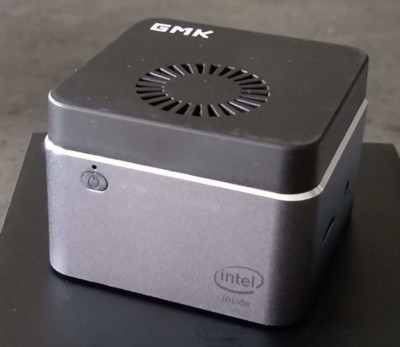
GMK NucBox Kubernetes is about giving up control. As someone who likes to understand what s going on that s made it hard for me to embrace it. I ve also mostly been able to ignore it, which has helped. However I m aware it s incredibly popular, and there s some infrastructure at work that uses it. While it s not my responsibility I always find having an actual implementation of something is useful in understanding it generally, so I decided it was time to dig in and learn something new. First up, I should say I understand the trade-off here about handing a bunch of decisions off to Kubernetes about the underlying platform allowing development/deployment to concentrate on a nice consistent environment. I get the analogy with the shipping container model where you can abstract out both sides knowing all you have to do is conform to the TEU API. In terms of the underlying concepts I ve got some virtualisation and container experience, so I m not coming at this as a complete newcomer. And I understand multi-site dynamically routed networks. That said, let s start with a basic goal. I d like to understand k8s (see, I can be cool and use the short name) enough to be comfortable with what s going on under the hood and be able to examine a running instance safely (i.e. enough confidence about pulling logs, probing state etc without fearing I might modify state). That ll mean when I come across such infrastructure I have enough tools to be able to hopefully learn from it. To do this I figure I ll need to build myself a cluster and deploy some things on it, then poke it. I ll start by doing so on bare metal; that removes variables around cloud providers and virtualisation and gives me an environment I know is isolated from everything else. I happen to have a GMK NucBox available, so I ll use that. As a first step I m aiming to get a single node cluster deployed running some sort of web accessible service that is visible from the rest of my network. That should mean I ve covered the basics of a Kubernetes install, a running service and actually making it accessible. Of course I m running Debian. I ve got a Bullseye (Debian 11) install - not yet released as stable, but in freeze and therefore not a moving target. I wanted to use packages from Debian as much as possible but it seems that the bits of Kubernetes available in main are mostly just building blocks and not a great starting point for someone new to Kubernetes. So to do the initial install I did the following:
# Install docker + nftables from Debian
apt install docker.io nftables
# Add the Kubernetes repo and signing key
curl -s https://packages.cloud.google.com/apt/doc/apt-key.gpg > /etc/apt/k8s.gpg
cat > /etc/apt/sources.list.d/kubernetes.list <<EOF
deb [signed-by=/etc/apt/k8s.gpg] https://apt.kubernetes.io/ kubernetes-xenial main
EOF
apt update
apt install kubelet kubeadm kubectl
That resulted in a 1.21.1-00 install, which is current at the time of writing. I then used kubeadm to create the cluster:
kubeadm init --apiserver-advertise-address 192.168.53.147 --apiserver-cert-extra-sans udon.mynetwork
The extra parameters were to make the API server externally accessible from the host. I don t know if that was a good idea or not at this stage kubeadm spat out a bunch of instructions but the key piece was about copying the credentials to my user account. So I did:
mkdir ~noodles/.kube
cp -i /etc/kubernetes/admin.conf ~noodles/.kube/config
chown -R noodles ~noodles/.kube/
I then was able to see my pod:
noodles@udon:~$ kubectl get nodes
NAME   STATUS     ROLES                  AGE     VERSION
udon   NotReady   control-plane,master   4m31s   v1.21.1
Ooooh. But why s it NotReady? Seems like it s a networking issue and I need to install a networking provider. The documentation on this is appalling. Flannel gets recommended as a simple option but then turns out to need a --pod-network-cidr option passed to kubeadm and I didn t feel like cleaning up and running again (I ve omitted all the false starts it took me to get to this point). Another pointer was to Weave so I decided to try that with the following magic runes:
mkdir -p /var/lib/weave
head -c 16 /dev/urandom   shasum -a 256   cut -d " " -f1 > /var/lib/weave/weave-passwd
kubectl create secret -n kube-system generic weave-passwd --from-file=/var/lib/weave/weave-passwd
kubectl apply -f "https://cloud.weave.works/k8s/net?k8s-version=$(kubectl version   base64   tr -d '\n')&password-secret=weave-passwd&env.IPALLOC_RANGE=192.168.0.0/24"
(I believe what that s doing is the first 3 lines create a password and store it into the internal Kubernetes config so the weave pod can retrieve it. The final line then grabs a YAML config from Weaveworks to configure up weave. My intention is to delve deeper into what s going on here later; for now the primary purpose is to get up and running.) As I m running a single node cluster I then had to untaint my control node so I could use it as a worker node too:
kubectl taint nodes --all node-role.kubernetes.io/master-
And then:
noodles@udon:~$ kubectl get nodes
NAME   STATUS   ROLES                  AGE   VERSION
udon   Ready    control-plane,master   15m   v1.21.1
Result. What s actually running? Nothing except the actual system stuff, so we need to ask for all namespaces:
noodles@udon:~$ kubectl get pods --all-namespaces
NAMESPACE     NAME                           READY   STATUS    RESTARTS   AGE
kube-system   coredns-558bd4d5db-4nvrg       1/1     Running   0          18m
kube-system   coredns-558bd4d5db-flrfq       1/1     Running   0          18m
kube-system   etcd-udon                      1/1     Running   0          18m
kube-system   kube-apiserver-udon            1/1     Running   0          18m
kube-system   kube-controller-manager-udon   1/1     Running   0          18m
kube-system   kube-proxy-6d8kg               1/1     Running   0          18m
kube-system   kube-scheduler-udon            1/1     Running   0          18m
kube-system   weave-net-mchmg                2/2     Running   1          3m26s
These are all things I m going to have to learn about, but for now I ll nod and smile and pretend I understand. Now I want to actually deploy something to the cluster. I ended up with a simple HTTP echoserver (though it s not entirely clear that s actually the source for what I ended up pulling):
$ kubectl create deployment hello-node --image=k8s.gcr.io/echoserver:1.10
deployment.apps/hello-node created
$ kubectl get pod
NAME                          READY   STATUS    RESTARTS   AGE
hello-node-59bffcc9fd-8hkgb   1/1     Running   0          36s
$ kubectl expose deployment hello-node --type=NodePort --port=8080
$ kubectl get services
NAME         TYPE        CLUSTER-IP      EXTERNAL-IP   PORT(S)          AGE
hello-node   NodePort    10.107.66.138   <none>        8080:31529/TCP   1m
Looks good. And to test locally:
curl http://10.107.66.138:8080/

Hostname: hello-node-59bffcc9fd-8hkgb
Pod Information:
	-no pod information available-
Server values:
	server_version=nginx: 1.13.3 - lua: 10008
Request Information:
	client_address=192.168.53.147
	method=GET
	real path=/
	query=
	request_version=1.1
	request_scheme=http
	request_uri=http://10.107.66.138:8080/
Request Headers:
	accept=*/*
	host=10.107.66.138:8080
	user-agent=curl/7.74.0
Request Body:
	-no body in request-
Neat. But my external network is 192.168.53.0/24 and that s a 10.* address so how do I actually make it visible to other hosts? What I seem to need is an Ingress Controller which provide some sort of proxy between the outside world and pods within the cluster. Let s pick nginx because at least I have some vague familiarity with that and it seems like it should be able to do a bunch of HTTP redirection to different pods depending on the incoming request.
kubectl apply -f https://raw.githubusercontent.com/kubernetes/ingress-nginx/controller-v0.46.0/deploy/static/provider/cloud/deploy.yaml
I then want to expose the hello-node to the outside world and I finally had to write some YAML:
cat > hello-ingress.yaml <<EOF
apiVersion: networking.k8s.io/v1
kind: Ingress
metadata:
  name: example-ingress
  annotations:
    nginx.ingress.kubernetes.io/rewrite-target: /$1
spec:
  rules:
    - host: udon.mynetwork
      http:
        paths:
          - path: /
            pathType: Prefix
            backend:
              service:
                name: hello-node
                port:
                  number: 8080
EOF
i.e. incoming requests to http://udon.mynetwork/ should go to the hello-node on port 8080. I applied this:
$ kubectl apply -f hello-ingress.yaml
ingress.networking.k8s.io/example-ingress created
$ kubectl get ingress
NAME              CLASS    HOSTS            ADDRESS   PORTS   AGE
example-ingress   <none>   udon.mynetwork             80      3m8s
No address? What have I missed? Let s check the nginx service, which apparently lives in the ingress-nginx namespace:
noodles@udon:~$ kubectl get services -n ingress-nginx
NAME                                 TYPE           CLUSTER-IP      EXTERNAL-IP   PORT(S)                    AGE
ingress-nginx-controller             LoadBalancer   10.96.9.41      <pending>     80:32740/TCP,443:30894/TCP 13h
ingress-nginx-controller-admission   ClusterIP      10.111.16.129   <none>        443/TCP                    13h
<pending> does not seem like something I want. Digging around it seems I need to configure the external IP. So I do:
kubectl patch svc ingress-nginx-controller -n ingress-nginx -p \
	' "spec":  "type": "LoadBalancer", "externalIPs":["192.168.53.147"] '
and things look happier:
noodles@udon:~$ kubectl get services -n ingress-nginx
NAME                                 TYPE           CLUSTER-IP      EXTERNAL-IP      PORT(S)                 AGE
ingress-nginx-controller             LoadBalancer   10.96.9.41      192.168.53.147   80:32740/TCP,443:30894/TCP   14h
ingress-nginx-controller-admission   ClusterIP      10.111.16.129   <none>           443/TCP                 14h
noodles@udon:~$ kubectl get ingress
NAME              CLASS    HOSTS           ADDRESS          PORTS   AGE
example-ingress   <none>   udon.mynetwork  192.168.53.147   80      14h
Let s try a curl from a remote host:
curl http://udon.mynetwork/

Hostname: hello-node-59bffcc9fd-8hkgb
Pod Information:
	-no pod information available-
Server values:
	server_version=nginx: 1.13.3 - lua: 10008
Request Information:
	client_address=192.168.0.5
	method=GET
	real path=/
	query=
	request_version=1.1
	request_scheme=http
	request_uri=http://udon.mynetwork:8080/
Request Headers:
	accept=*/*
	host=udon.mynetwork
	user-agent=curl/7.64.0
	x-forwarded-for=192.168.53.136
	x-forwarded-host=udon.mynetwork
	x-forwarded-port=80
	x-forwarded-proto=http
	x-real-ip=192.168.53.136
	x-request-id=6aaef8feaaa4c7d07c60b2d05c45f75c
	x-scheme=http
Request Body:
	-no body in request-
Ok, so that seems like success. I ve got a single node cluster running a single actual application pod (the echoserver) and exporting it to the outside world. That s enough to start poking under the hood. Which is for another post, as this one is already getting longer than I d like. I ll just leave some final thoughts of things I need to work out:

28 April 2021

Jonathan McDowell: DeskPi Pro update

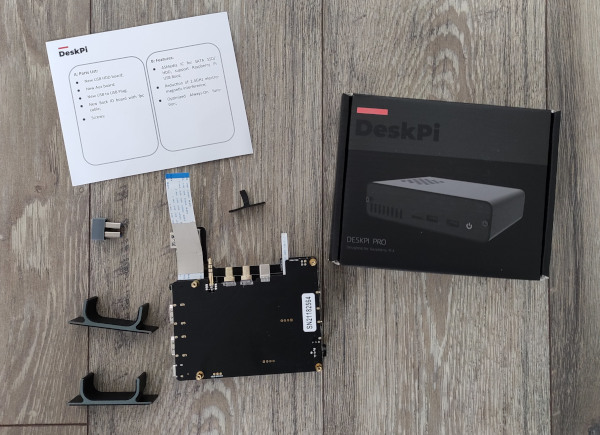
I wrote previously about my DeskPi Pro + 8GB Pi 4 setup. My main complaint at the time was the fact one of the forward facing USB ports broke off early on in my testing. For day to day use that hasn t been a problem, but it did mar the whole experience. Last week I received an unexpected email telling me The new updated PCB Board for your DeskPi order was shipped. . Apparently this was due to problems with identifying SSDs and WiFi/HDMI issues. I wasn t quite sure how much of the internals they d be replacing, so I was pleasantly surprised when it turned out to be most of them; including the PCB with the broken USB port on my device. DeskPi Pro replacement PCB They also provided a set of feet allowing for vertical mounting of the device, which was a nice touch. The USB/SATA bridge chip in use has changed; the original was:
usb 2-1: New USB device found, idVendor=152d, idProduct=0562, bcdDevice= 1.09
usb 2-1: New USB device strings: Mfr=1, Product=2, SerialNumber=3
usb 2-1: Product: RPi_SSD
usb 2-1: Manufacturer: 52Pi
usb 2-1: SerialNumber: DD5641988389F
and the new one is:
usb 2-1: New USB device found, idVendor=174c, idProduct=1153, bcdDevice= 0.01
usb 2-1: New USB device strings: Mfr=2, Product=3, SerialNumber=1
usb 2-1: Product: AS2115
usb 2-1: Manufacturer: ASMedia
usb 2-1: SerialNumber: 00000000000000000000
That s a move from a JMicron 6Gb/s bridge to an ASMedia 3Gb/s bridge. It seems there are compatibility issues with the JMicron that mean the downgrade is the preferred choice. I haven t retried the original SSD I wanted to use (that wasn t detected), but I did wonder if this might have resolved that issue too. Replacing the PCB was easier than the original install; everything was provided pre-assembled and I just had to unscrew the Pi4 and slot it out, then screw it into the new PCB assembly. Everything booted fine without the need for any configuration tweaks. Nice and dull. I ve tried plugging things into the new USB ports and they seem ok so far as well. However I also then ended up pulling in a new backports kernel from Debian (upgrading from 5.9 to 5.10) which resulted in a failure to boot. The kernel and initramfs were loaded fine, but no login prompt ever appeared. Some digging led to the discovery that a change in boot ordering meant USB was not being enabled. The solution is to add reset_raspberrypi to the /etc/initramfs-tools/modules file - that way this module is available in the initramfs, the appropriate pre-USB reset can happen and everything works just fine again. The other niggle with the new kernel was a regular set of errors in the kernel log:
mmc1: Timeout waiting for hardware cmd interrupt.
mmc1: sdhci: ============ SDHCI REGISTER DUMP ===========
and a set of registers afterwards, roughly every 10s or so. This seems to be fallout from an increase in the core clock due to the VC4 driver now being enabled, the fact I have no SD card in the device and a lack of working card-detect line for the MicroSD slot. There s a GitHub issue but I solved it by removing the sdhci_iproc for now - I m not using the wifi so loss of MMC isn t a problem. Credit to DeskPi for how they handled this. I didn t have to do anything and didn t even realise anything was happening until I got the email with my tracking number and a description of what they were sending out in it. Delivery took less than a week. This is a great example of how to handle a product issue - no effort required on the part of the customer.

18 February 2021

Jonathan McDowell: Hacking and Bricking the EE Opsrey 2 Mini

I ve mentioned in the past my twisted EE network setup from when I moved in to my current house. The 4GEE WiFi Mini (also known as the EE Osprey 2 Mini or the EE40VB, and actually a rebadged Alcatel Y853VB) has been sitting unused since then, so I figured I d see about trying to get a shell on it. TL;DR: Of course it s running Linux, there s a couple of test points internally which bring out the serial console, but after finding those and logging in I discovered it s running ADB on port 5555 quite happily available without authentication both via wifi and the USB port. So if you have physical or local network access, instant root shell. Well done, folks. And then I bricked it before I could do anything more interesting. There s a lack of information about this device out there - most of the links I can find are around removing the SIM lock - so I thought I d document the pieces I found just in case anyone else is trying to figure it out. It s based around a Qualcomm MDM9607 SoC, paired with 64M RAM and 256M NAND flash. Wifi is via an RTL8192ES. Kernel is 3.18.20. Busybox is v1.23.1. It s running dnsmasq but I didn t grab the version. Of course there s no source or offer of source provided. Taking it apart is fairly easy. There s a single screw to remove, just beside the SIM slot. The coloured rim can then be carefully pried away from the back, revealing the battery. There are then 4 screws in the corners which need removed in order to be able to lift out the actual PCB and gain access to the serial console test points. EE40VB PCB serial console test points My mistake was going poking around trying to figure out where the updates are downloaded from - I know I m running a slightly older release than what s current, and the device can do an automatic download + update. Top tip; don t run Jrdrecovery. It ll error on finding /cache/update.zip and wipe the main partition anyway. That ll leave you in a boot loop where the device boots the recovery partition which tries to install /cache/update.zip which of course still doesn t exist. So. Where next? First, I need to get the device into a state where I can actually do something other than watch it boot into recovery, fail to flash and reboot. Best guess at present is to try and get it to enter the Qualcomm EDL (Emergency Download) mode. That might be possible with a custom USB cable that grounds D+ on boot. Alternatively I need to probe some of the other test points on the PCB and see if grounding any of those helps enter EDL mode. I then need a suitable firehose OEM-signed programmer image. And then I need to actually get hold of a proper EE40VB firmware image, either via one of the OTA update files or possibly via an Alcatel ADSU image (though no idea how to get hold of one, other than by posting to a random GSM device forum and hoping for the kindness of strangers). More updates if/when I make progress
Qualcomm bootloader log
Format: Log Type - Time(microsec) - Message - Optional Info
Log Type: B - Since Boot(Power On Reset),  D - Delta,  S - Statistic
S - QC_IMAGE_VERSION_STRING=BOOT.BF.3.1.2-00053
S - IMAGE_VARIANT_STRING=LAATANAZA
S - OEM_IMAGE_VERSION_STRING=linux3
S - Boot Config, 0x000002e1
B -    105194 - SBL1, Start
D -     61885 - QSEE Image Loaded, Delta - (451964 Bytes)
D -     30286 - RPM Image Loaded, Delta - (151152 Bytes)
B -    459330 - Roger:boot_jrd_oem_main
B -    461526 - Welcome to key_check_poweron!!!
B -    466436 - REG0x00, rc=47
B -    469120 - REG0x01, rc=1f
B -    472018 - REG0x02, rc=1c
B -    474885 - REG0x03, rc=47
B -    477782 - REG0x04, rc=b2
B -    480558 - REG0x05, rc=
B -    483272 - REG0x06, rc=9e
B -    486139 - REG0x07, rc=
B -    488854 - REG0x08, rc=a4
B -    491721 - REG0x09, rc=80
B -    494130 - bq24295_probe: vflt/vsys/vprechg=0mV/0mV/0mV, tprechg/tfastchg=0Min/0Min, [0C, 0C]
B -    511546 - come to calculate vol and temperature!!
B -    511637 - ##############battery_core_convert_vntc: NTC_voltage=1785690
B -    517280 - battery_core_convert_vntc: <-44C, 1785690uV>, present=0
B -    529358 - bq24295_set_current_limit: setting=0mA, mode=-1, input/fastchg/prechg/termchg=-1mA/0mA/0mA/0mA
B -    534360 - bq24295_set_charge_current, rc=0,reg_val=0,i=0
B -    539636 - bq24295_enable_charge: setting=0, chg_enable=-1, otg_enable=0
B -    546072 - bq24295_enable_charging: enable_charging=0
B -    552172 - bq24295_set_current_limit: setting=0mA, mode=-1, input/fastchg/prechg/termchg=-1mA/0mA/0mA/0mA
B -    561566 - bq24295_set_charge_current, rc=0,reg_val=0,i=0
B -    567056 - bq24295_enable_charge: setting=0, chg_enable=0, otg_enable=0
B -    579286 - come to calculate vol and temperature!!
B -    579378 - ##############battery_core_convert_vntc: NTC_voltage=1785777
B -    585539 - battery_core_convert_vntc: <-44C, 1785777uV>, present=0
B -    597617 - charge_main: battery is plugout!!
B -    597678 - Welcome to pca955x_probe!!!
B -    601063 - pca955x_probe: PCA955X probed successfully!
D -     27511 - APPSBL Image Loaded, Delta - (179348 Bytes)
B -    633271 - QSEE Execution, Start
D -       213 - QSEE Execution, Delta
B -    638944 - >>>>>>>>>>>>>>>>>>>>>>>>>>>>>>>>>Start writting JRD RECOVERY BOOT
B -    650107 - >>>>>>>>>>>>>>>>>>>>>>>>>>>>>>>>>Start writting  RECOVERY BOOT
B -    653218 - >>>>>>>>>>>>>>>>>>>>>>>>>>>>>>>>>read_buf[0] == 0
B -    659044 - SBL1, End
D -    556137 - SBL1, Delta
S - Throughput, 2000 KB/s  (782884 Bytes,  278155 us)
S - DDR Frequency, 240 MHz
littlekernel aboot log
Android Bootloader - UART_DM Initialized!!!
[0] welcome to lk
[0] SCM call: 0x2000601 failed with :fffffffc
[0] Failed to initialize SCM
[10] platform_init()
[10] target_init()
[10] smem ptable found: ver: 4 len: 17
[10] ERROR: No devinfo partition found
[10] Neither 'config' nor 'frp' partition found
[30] voltage of NTC  is 1789872!
[30] voltage of BAT  is 3179553!
[30] usb present is 1!
[30] Loading (boot) image (4171776): start
[530] Loading (boot) image (4171776): done
[540] DTB Total entry: 25, DTB version: 3
[540] Using DTB entry 0x00000129/00010000/0x00000008/0 for device 0x00000129/00010000/0x00010008/0
[560] JRD_CHG_OFF_FEATURE!
[560] come to jrd_target_pause_for_battery_charge!
[570] power_on_status.hard_reset = 0x0
[570] power_on_status.smpl = 0x0
[570] power_on_status.rtc = 0x0
[580] power_on_status.dc_chg = 0x0
[580] power_on_status.usb_chg = 0x0
[580] power_on_status.pon1 = 0x1
[590] power_on_status.cblpwr = 0x0
[590] power_on_status.kpdpwr = 0x0
[590] power_on_status.bugflag = 0x0
[590] cmdline: noinitrd  rw console=ttyHSL0,115200,n8 androidboot.hardware=qcom ehci-hcd.park=3 msm_rtb.filter=0x37 lpm_levels.sleep_disabled=1  earlycon=msm_hsl_uart,0x78b3000  androidboot.serialno=7e6ba58c androidboot.baseband=msm rootfstype=ubifs rootflags=b
[620] Updating device tree: start
[720] Updating device tree: done
[720] booting linux @ 0x80008000, ramdisk @ 0x80008000 (0), tags/device tree @ 0x81e00000
Linux kernel console boot log
[    0.000000] Booting Linux on physical CPU 0x0
[    0.000000] Linux version 3.18.20 (linux3@linux3) (gcc version 4.9.2 (GCC) ) #1 PREEMPT Thu Aug 10 11:57:07 CST 2017
[    0.000000] CPU: ARMv7 Processor [410fc075] revision 5 (ARMv7), cr=10c53c7d
[    0.000000] CPU: PIPT / VIPT nonaliasing data cache, VIPT aliasing instruction cache
[    0.000000] Machine model: Qualcomm Technologies, Inc. MDM 9607 MTP
[    0.000000] Early serial console at I/O port 0x0 (options '')
[    0.000000] bootconsole [uart0] enabled
[    0.000000] Reserved memory: reserved region for node 'modem_adsp_region@0': base 0x82a00000, size 56 MiB
[    0.000000] Reserved memory: reserved region for node 'external_image_region@0': base 0x87c00000, size 4 MiB
[    0.000000] Removed memory: created DMA memory pool at 0x82a00000, size 56 MiB
[    0.000000] Reserved memory: initialized node modem_adsp_region@0, compatible id removed-dma-pool
[    0.000000] Removed memory: created DMA memory pool at 0x87c00000, size 4 MiB
[    0.000000] Reserved memory: initialized node external_image_region@0, compatible id removed-dma-pool
[    0.000000] cma: Reserved 4 MiB at 0x87800000
[    0.000000] Memory policy: Data cache writeback
[    0.000000] CPU: All CPU(s) started in SVC mode.
[    0.000000] Built 1 zonelists in Zone order, mobility grouping on.  Total pages: 17152
[    0.000000] Kernel command line: noinitrd  rw console=ttyHSL0,115200,n8 androidboot.hardware=qcom ehci-hcd.park=3 msm_rtb.filter=0x37 lpm_levels.sleep_disabled=1  earlycon=msm_hsl_uart,0x78b3000  androidboot.serialno=7e6ba58c androidboot.baseband=msm rootfstype=ubifs rootflags=bulk_read root=ubi0:rootfs ubi.mtd=16
[    0.000000] PID hash table entries: 512 (order: -1, 2048 bytes)
[    0.000000] Dentry cache hash table entries: 16384 (order: 4, 65536 bytes)
[    0.000000] Inode-cache hash table entries: 8192 (order: 3, 32768 bytes)
[    0.000000] Memory: 54792K/69632K available (5830K kernel code, 399K rwdata, 2228K rodata, 276K init, 830K bss, 14840K reserved)
[    0.000000] Virtual kernel memory layout:
[    0.000000]     vector  : 0xffff0000 - 0xffff1000   (   4 kB)
[    0.000000]     fixmap  : 0xffc00000 - 0xfff00000   (3072 kB)
[    0.000000]     vmalloc : 0xc8800000 - 0xff000000   ( 872 MB)
[    0.000000]     lowmem  : 0xc0000000 - 0xc8000000   ( 128 MB)
[    0.000000]     modules : 0xbf000000 - 0xc0000000   (  16 MB)
[    0.000000]       .text : 0xc0008000 - 0xc07e6c38   (8060 kB)
[    0.000000]       .init : 0xc07e7000 - 0xc082c000   ( 276 kB)
[    0.000000]       .data : 0xc082c000 - 0xc088fdc0   ( 400 kB)
[    0.000000]        .bss : 0xc088fe84 - 0xc095f798   ( 831 kB)
[    0.000000] SLUB: HWalign=64, Order=0-3, MinObjects=0, CPUs=1, Nodes=1
[    0.000000] Preemptible hierarchical RCU implementation.
[    0.000000] NR_IRQS:16 nr_irqs:16 16
[    0.000000] GIC CPU mask not found - kernel will fail to boot.
[    0.000000] GIC CPU mask not found - kernel will fail to boot.
[    0.000000] mpm_init_irq_domain(): Cannot find irq controller for qcom,gpio-parent
[    0.000000] MPM 1 irq mapping errored -517
[    0.000000] Architected mmio timer(s) running at 19.20MHz (virt).
[    0.000011] sched_clock: 56 bits at 19MHz, resolution 52ns, wraps every 3579139424256ns
[    0.007975] Switching to timer-based delay loop, resolution 52ns
[    0.013969] Switched to clocksource arch_mem_counter
[    0.019687] Console: colour dummy device 80x30
[    0.023344] Calibrating delay loop (skipped), value calculated using timer frequency.. 38.40 BogoMIPS (lpj=192000)
[    0.033666] pid_max: default: 32768 minimum: 301
[    0.038411] Mount-cache hash table entries: 1024 (order: 0, 4096 bytes)
[    0.044902] Mountpoint-cache hash table entries: 1024 (order: 0, 4096 bytes)
[    0.052445] CPU: Testing write buffer coherency: ok
[    0.057057] Setting up static identity map for 0x8058aac8 - 0x8058ab20
[    0.064242]
[    0.064242] **********************************************************
[    0.071251] **   NOTICE NOTICE NOTICE NOTICE NOTICE NOTICE NOTICE   **
[    0.077817] **                                                      **
[    0.084302] ** trace_printk() being used. Allocating extra memory.  **
[    0.090781] **                                                      **
[    0.097320] ** This means that this is a DEBUG kernel and it is     **
[    0.103802] ** unsafe for produciton use.                           **
[    0.110339] **                                                      **
[    0.116850] ** If you see this message and you are not debugging    **
[    0.123333] ** the kernel, report this immediately to your vendor!  **
[    0.129870] **                                                      **
[    0.136380] **   NOTICE NOTICE NOTICE NOTICE NOTICE NOTICE NOTICE   **
[    0.142865] **********************************************************
[    0.150225] MSM Memory Dump base table set up
[    0.153739] MSM Memory Dump apps data table set up
[    0.168125] VFP support v0.3: implementor 41 architecture 2 part 30 variant 7 rev 5
[    0.176332] pinctrl core: initialized pinctrl subsystem
[    0.180930] regulator-dummy: no parameters
[    0.215338] NET: Registered protocol family 16
[    0.220475] DMA: preallocated 256 KiB pool for atomic coherent allocations
[    0.284034] cpuidle: using governor ladder
[    0.314026] cpuidle: using governor menu
[    0.344024] cpuidle: using governor qcom
[    0.355452] msm_watchdog b017000.qcom,wdt: wdog absent resource not present
[    0.361656] msm_watchdog b017000.qcom,wdt: MSM Watchdog Initialized
[    0.371373] irq: no irq domain found for /soc/pinctrl@1000000 !
[    0.381268] spmi_pmic_arb 200f000.qcom,spmi: PMIC Arb Version-2 0x20010000
[    0.389733] platform 4080000.qcom,mss: assigned reserved memory node modem_adsp_region@0
[    0.397409] mem_acc_corner: 0 <--> 0 mV
[    0.401937] hw-breakpoint: found 5 (+1 reserved) breakpoint and 4 watchpoint registers.
[    0.408966] hw-breakpoint: maximum watchpoint size is 8 bytes.
[    0.416287] __of_mpm_init(): MPM driver mapping exists
[    0.420940] msm_rpm_glink_dt_parse: qcom,rpm-glink compatible not matches
[    0.427235] msm_rpm_dev_probe: APSS-RPM communication over SMD
[    0.432977] smd_open() before smd_init()
[    0.437544] msm_mpm_dev_probe(): Cannot get clk resource for XO: -517
[    0.445730] smd_channel_probe_now: allocation table not initialized
[    0.453100] mdm9607_s1: 1050 <--> 1350 mV at 1225 mV normal idle
[    0.458566] spm_regulator_probe: name=mdm9607_s1, range=LV, voltage=1225000 uV, mode=AUTO, step rate=4800 uV/us
[    0.468817] cpr_efuse_init: apc_corner: efuse_addr = 0x000a4000 (len=0x1000)
[    0.475353] cpr_read_fuse_revision: apc_corner: fuse revision = 2
[    0.481345] cpr_parse_speed_bin_fuse: apc_corner: [row: 37]: 0x79e8bd327e6ba58c, speed_bits = 4
[    0.490124] cpr_pvs_init: apc_corner: pvs voltage: [1050000 1100000 1275000] uV
[    0.497342] cpr_pvs_init: apc_corner: ceiling voltage: [1050000 1225000 1350000] uV
[    0.504979] cpr_pvs_init: apc_corner: floor voltage: [1050000 1050000 1150000] uV
[    0.513125] i2c-msm-v2 78b8000.i2c: probing driver i2c-msm-v2
[    0.518335] i2c-msm-v2 78b8000.i2c: error on clk_get(core_clk):-517
[    0.524478] i2c-msm-v2 78b8000.i2c: error probe() failed with err:-517
[    0.531111] i2c-msm-v2 78b7000.i2c: probing driver i2c-msm-v2
[    0.536788] i2c-msm-v2 78b7000.i2c: error on clk_get(core_clk):-517
[    0.542886] i2c-msm-v2 78b7000.i2c: error probe() failed with err:-517
[    0.549618] i2c-msm-v2 78b9000.i2c: probing driver i2c-msm-v2
[    0.555202] i2c-msm-v2 78b9000.i2c: error on clk_get(core_clk):-517
[    0.561374] i2c-msm-v2 78b9000.i2c: error probe() failed with err:-517
[    0.570613] msm-thermal soc:qcom,msm-thermal: msm_thermal:Failed reading node=/soc/qcom,msm-thermal, key=qcom,core-limit-temp. err=-22. KTM continues
[    0.583049] msm-thermal soc:qcom,msm-thermal: probe_therm_reset:Failed reading node=/soc/qcom,msm-thermal, key=qcom,therm-reset-temp err=-22. KTM continues
[    0.596926] msm_thermal:msm_thermal_dev_probe Failed reading node=/soc/qcom,msm-thermal, key=qcom,online-hotplug-core. err:-517
[    0.609370] sps:sps is ready.
[    0.613137] msm_rpm_glink_dt_parse: qcom,rpm-glink compatible not matches
[    0.619020] msm_rpm_dev_probe: APSS-RPM communication over SMD
[    0.625773] mdm9607_s2: 750 <--> 1275 mV at 750 mV normal idle
[    0.631584] mdm9607_s3_level: 0 <--> 0 mV at 0 mV normal idle
[    0.637085] mdm9607_s3_level_ao: 0 <--> 0 mV at 0 mV normal idle
[    0.643092] mdm9607_s3_floor_level: 0 <--> 0 mV at 0 mV normal idle
[    0.649512] mdm9607_s3_level_so: 0 <--> 0 mV at 0 mV normal idle
[    0.655750] mdm9607_s4: 1800 <--> 1950 mV at 1800 mV normal idle
[    0.661791] mdm9607_l1: 1250 mV normal idle
[    0.666090] mdm9607_l2: 1800 mV normal idle
[    0.670276] mdm9607_l3: 1800 mV normal idle
[    0.674541] mdm9607_l4: 3075 mV normal idle
[    0.678743] mdm9607_l5: 1700 <--> 3050 mV at 1700 mV normal idle
[    0.684904] mdm9607_l6: 1700 <--> 3050 mV at 1700 mV normal idle
[    0.690892] mdm9607_l7: 1700 <--> 1900 mV at 1700 mV normal idle
[    0.697036] mdm9607_l8: 1800 mV normal idle
[    0.701238] mdm9607_l9: 1200 <--> 1250 mV at 1200 mV normal idle
[    0.707367] mdm9607_l10: 1050 mV normal idle
[    0.711662] mdm9607_l11: 1800 mV normal idle
[    0.716089] mdm9607_l12_level: 0 <--> 0 mV at 0 mV normal idle
[    0.721717] mdm9607_l12_level_ao: 0 <--> 0 mV at 0 mV normal idle
[    0.727946] mdm9607_l12_level_so: 0 <--> 0 mV at 0 mV normal idle
[    0.734099] mdm9607_l12_floor_lebel: 0 <--> 0 mV at 0 mV normal idle
[    0.740706] mdm9607_l13: 1800 <--> 2850 mV at 2850 mV normal idle
[    0.746883] mdm9607_l14: 2650 <--> 3000 mV at 2650 mV normal idle
[    0.752515] msm_mpm_dev_probe(): Cannot get clk resource for XO: -517
[    0.759036] cpr_efuse_init: apc_corner: efuse_addr = 0x000a4000 (len=0x1000)
[    0.765807] cpr_read_fuse_revision: apc_corner: fuse revision = 2
[    0.771809] cpr_parse_speed_bin_fuse: apc_corner: [row: 37]: 0x79e8bd327e6ba58c, speed_bits = 4
[    0.780586] cpr_pvs_init: apc_corner: pvs voltage: [1050000 1100000 1275000] uV
[    0.787808] cpr_pvs_init: apc_corner: ceiling voltage: [1050000 1225000 1350000] uV
[    0.795443] cpr_pvs_init: apc_corner: floor voltage: [1050000 1050000 1150000] uV
[    0.803094] cpr_init_cpr_parameters: apc_corner: up threshold = 2, down threshold = 3
[    0.810752] cpr_init_cpr_parameters: apc_corner: CPR is enabled by default.
[    0.817687] cpr_init_cpr_efuse: apc_corner: [row:65] = 0x15000277277383
[    0.824272] cpr_init_cpr_efuse: apc_corner: CPR disable fuse = 0
[    0.830225] cpr_init_cpr_efuse: apc_corner: Corner[1]: ro_sel = 0, target quot = 631
[    0.837976] cpr_init_cpr_efuse: apc_corner: Corner[2]: ro_sel = 0, target quot = 631
[    0.845703] cpr_init_cpr_efuse: apc_corner: Corner[3]: ro_sel = 0, target quot = 899
[    0.853592] cpr_config: apc_corner: Timer count: 0x17700 (for 5000 us)
[    0.860426] apc_corner: 0 <--> 0 mV
[    0.864044] i2c-msm-v2 78b8000.i2c: probing driver i2c-msm-v2
[    0.869261] i2c-msm-v2 78b8000.i2c: error on clk_get(core_clk):-517
[    0.875492] i2c-msm-v2 78b8000.i2c: error probe() failed with err:-517
[    0.882225] i2c-msm-v2 78b7000.i2c: probing driver i2c-msm-v2
[    0.887775] i2c-msm-v2 78b7000.i2c: error on clk_get(core_clk):-517
[    0.893941] i2c-msm-v2 78b7000.i2c: error probe() failed with err:-517
[    0.900719] i2c-msm-v2 78b9000.i2c: probing driver i2c-msm-v2
[    0.906256] i2c-msm-v2 78b9000.i2c: error on clk_get(core_clk):-517
[    0.912430] i2c-msm-v2 78b9000.i2c: error probe() failed with err:-517
[    0.919472] msm-thermal soc:qcom,msm-thermal: msm_thermal:Failed reading node=/soc/qcom,msm-thermal, key=qcom,core-limit-temp. err=-22. KTM continues
[    0.932372] msm-thermal soc:qcom,msm-thermal: probe_therm_reset:Failed reading node=/soc/qcom,msm-thermal,
key=qcom,therm-reset-temp err=-22. KTM continues
[    0.946361] msm_thermal:get_kernel_cluster_info CPU0 topology not initialized.
[    0.953824] cpu cpu0: dev_pm_opp_get_opp_count: device OPP not found (-19)
[    0.960300] msm_thermal:get_cpu_freq_plan_len Error reading CPU0 freq table len. error:-19
[    0.968533] msm_thermal:vdd_restriction_reg_init Defer vdd rstr freq init.
[    0.975846] cpu cpu0: dev_pm_opp_get_opp_count: device OPP not found (-19)
[    0.982219] msm_thermal:get_cpu_freq_plan_len Error reading CPU0 freq table len. error:-19
[    0.991378] cpu cpu0: dev_pm_opp_get_opp_count: device OPP not found (-19)
[    0.997544] msm_thermal:get_cpu_freq_plan_len Error reading CPU0 freq table len. error:-19
[    1.013642] qcom,gcc-mdm9607 1800000.qcom,gcc: Registered GCC clocks
[    1.019451] clock-a7 b010008.qcom,clock-a7: Speed bin: 4 PVS Version: 0
[    1.025693] a7ssmux: set OPP pair(400000000 Hz: 1 uV) on cpu0
[    1.031314] a7ssmux: set OPP pair(1305600000 Hz: 7 uV) on cpu0
[    1.038805] i2c-msm-v2 78b8000.i2c: probing driver i2c-msm-v2
[    1.043587] AXI: msm_bus_scale_register_client(): msm_bus_scale_register_client: Bus driver not ready.
[    1.052935] i2c-msm-v2 78b8000.i2c: msm_bus_scale_register_client(mstr-id:86):0 (not a problem)
[    1.062006] irq: no irq domain found for /soc/wcd9xxx-irq !
[    1.069884] i2c-msm-v2 78b7000.i2c: probing driver i2c-msm-v2
[    1.074814] AXI: msm_bus_scale_register_client(): msm_bus_scale_register_client: Bus driver not ready.
[    1.083716] i2c-msm-v2 78b7000.i2c: msm_bus_scale_register_client(mstr-id:86):0 (not a problem)
[    1.093850] i2c-msm-v2 78b9000.i2c: probing driver i2c-msm-v2
[    1.098889] AXI: msm_bus_scale_register_client(): msm_bus_scale_register_client: Bus driver not ready.
[    1.107779] i2c-msm-v2 78b9000.i2c: msm_bus_scale_register_client(mstr-id:86):0 (not a problem)
[    1.167871] KPI: Bootloader start count = 24097
[    1.171364] KPI: Bootloader end count = 48481
[    1.175855] KPI: Bootloader display count = 3884474147
[    1.180825] KPI: Bootloader load kernel count = 16420
[    1.185905] KPI: Kernel MPM timestamp = 105728
[    1.190286] KPI: Kernel MPM Clock frequency = 32768
[    1.195209] socinfo_print: v0.10, id=297, ver=1.0, raw_id=72, raw_ver=0, hw_plat=8, hw_plat_ver=65536
[    1.195209]  accessory_chip=0, hw_plat_subtype=0, pmic_model=65539, pmic_die_revision=131074 foundry_id=0 serial_number=2120983948
[    1.216731] sdcard_ext_vreg: no parameters
[    1.220555] rome_vreg: no parameters
[    1.224133] emac_lan_vreg: no parameters
[    1.228177] usbcore: registered new interface driver usbfs
[    1.233156] usbcore: registered new interface driver hub
[    1.238578] usbcore: registered new device driver usb
[    1.244507] cpufreq: driver msm up and running
[    1.248425] ION heap system created
[    1.251895] msm_bus_fabric_init_driver
[    1.262563] qcom,qpnp-power-on qpnp-power-on-c7303800: PMIC@SID0 Power-on reason: Triggered from PON1 (secondary PMIC) and 'cold' boot
[    1.273747] qcom,qpnp-power-on qpnp-power-on-c7303800: PMIC@SID0: Power-off reason: Triggered from UVLO (Under Voltage Lock Out)
[    1.285430] input: qpnp_pon as /devices/virtual/input/input0
[    1.291246] PMIC@SID0: PM8019 v2.2 options: 3, 2, 2, 2
[    1.296706] Advanced Linux Sound Architecture Driver Initialized.
[    1.302493] Add group failed
[    1.305291] cfg80211: Calling CRDA to update world regulatory domain
[    1.311216] cfg80211: World regulatory domain updated:
[    1.317109] Switched to clocksource arch_mem_counter
[    1.334091] cfg80211:  DFS Master region: unset
[    1.337418] cfg80211:   (start_freq - end_freq @ bandwidth), (max_antenna_gain, max_eirp), (dfs_cac_time)
[    1.354087] cfg80211:   (2402000 KHz - 2472000 KHz @ 40000 KHz), (N/A, 2000 mBm), (N/A)
[    1.361055] cfg80211:   (2457000 KHz - 2482000 KHz @ 40000 KHz), (N/A, 2000 mBm), (N/A)
[    1.370545] NET: Registered protocol family 2
[    1.374082] cfg80211:   (2474000 KHz - 2494000 KHz @ 20000 KHz), (N/A, 2000 mBm), (N/A)
[    1.381851] cfg80211:   (5170000 KHz - 5250000 KHz @ 80000 KHz), (N/A, 2000 mBm), (N/A)
[    1.389876] cfg80211:   (5250000 KHz - 5330000 KHz @ 80000 KHz), (N/A, 2000 mBm), (N/A)
[    1.397857] cfg80211:   (5490000 KHz - 5710000 KHz @ 80000 KHz), (N/A, 2000 mBm), (N/A)
[    1.405841] cfg80211:   (5735000 KHz - 5835000 KHz @ 80000 KHz), (N/A, 2000 mBm), (N/A)
[    1.413795] cfg80211:   (57240000 KHz - 63720000 KHz @ 2160000 KHz), (N/A, 0 mBm), (N/A)
[    1.422355] TCP established hash table entries: 1024 (order: 0, 4096 bytes)
[    1.428921] TCP bind hash table entries: 1024 (order: 0, 4096 bytes)
[    1.435192] TCP: Hash tables configured (established 1024 bind 1024)
[    1.441528] TCP: reno registered
[    1.444738] UDP hash table entries: 256 (order: 0, 4096 bytes)
[    1.450521] UDP-Lite hash table entries: 256 (order: 0, 4096 bytes)
[    1.456950] NET: Registered protocol family 1
[    1.462779] futex hash table entries: 256 (order: -1, 3072 bytes)
[    1.474555] msgmni has been set to 115
[    1.478551] Block layer SCSI generic (bsg) driver version 0.4 loaded (major 251)
[    1.485041] io scheduler noop registered
[    1.488818] io scheduler deadline registered
[    1.493200] io scheduler cfq registered (default)
[    1.502142] msm_rpm_log_probe: OK
[    1.506717] msm_serial_hs module loaded
[    1.509803] msm_serial_hsl_probe: detected port #0 (ttyHSL0)
[    1.515324] AXI: get_pdata(): Error: Client name not found
[    1.520626] AXI: msm_bus_cl_get_pdata(): client has to provide missing entry for successful registration
[    1.530171] msm_serial_hsl_probe: Bus scaling is disabled                      [    1.074814] AXI: msm_bus_scale_register_client(): msm_bus_scale_register_client: Bus driver not ready.
[    1.083716] i2c-msm-v2 78b7000.i2c: msm_bus_scale_register_client(mstr-id:86):0 (not a problem)
[    1.093850] i2c-msm-v2 78b9000.i2c: probing driver i2c-msm-v2
[    1.098889] AXI: msm_bus_scale_register_client(): msm_bus_scale_register_client: Bus driver not ready.
[    1.107779] i2c-msm-v2 78b9000.i2c: msm_bus_scale_register_client(mstr-id:86):0 (not a problem)
[    1.167871] KPI: Bootloader start count = 24097
[    1.171364] KPI: Bootloader end count = 48481
[    1.175855] KPI: Bootloader display count = 3884474147
[    1.180825] KPI: Bootloader load kernel count = 16420
[    1.185905] KPI: Kernel MPM timestamp = 105728
[    1.190286] KPI: Kernel MPM Clock frequency = 32768
[    1.195209] socinfo_print: v0.10, id=297, ver=1.0, raw_id=72, raw_ver=0, hw_plat=8, hw_plat_ver=65536
[    1.195209]  accessory_chip=0, hw_plat_subtype=0, pmic_model=65539, pmic_die_revision=131074 foundry_id=0 serial_number=2120983948
[    1.216731] sdcard_ext_vreg: no parameters
[    1.220555] rome_vreg: no parameters
[    1.224133] emac_lan_vreg: no parameters
[    1.228177] usbcore: registered new interface driver usbfs
[    1.233156] usbcore: registered new interface driver hub
[    1.238578] usbcore: registered new device driver usb
[    1.244507] cpufreq: driver msm up and running
[    1.248425] ION heap system created
[    1.251895] msm_bus_fabric_init_driver
[    1.262563] qcom,qpnp-power-on qpnp-power-on-c7303800: PMIC@SID0 Power-on reason: Triggered from PON1 (secondary PMIC) and 'cold' boot
[    1.273747] qcom,qpnp-power-on qpnp-power-on-c7303800: PMIC@SID0: Power-off reason: Triggered from UVLO (Under Voltage Lock Out)
[    1.285430] input: qpnp_pon as /devices/virtual/input/input0
[    1.291246] PMIC@SID0: PM8019 v2.2 options: 3, 2, 2, 2
[    1.296706] Advanced Linux Sound Architecture Driver Initialized.
[    1.302493] Add group failed
[    1.305291] cfg80211: Calling CRDA to update world regulatory domain
[    1.311216] cfg80211: World regulatory domain updated:
[    1.317109] Switched to clocksource arch_mem_counter
[    1.334091] cfg80211:  DFS Master region: unset
[    1.337418] cfg80211:   (start_freq - end_freq @ bandwidth), (max_antenna_gain, max_eirp), (dfs_cac_time)
[    1.354087] cfg80211:   (2402000 KHz - 2472000 KHz @ 40000 KHz), (N/A, 2000 mBm), (N/A)
[    1.361055] cfg80211:   (2457000 KHz - 2482000 KHz @ 40000 KHz), (N/A, 2000 mBm), (N/A)
[    1.370545] NET: Registered protocol family 2
[    1.374082] cfg80211:   (2474000 KHz - 2494000 KHz @ 20000 KHz), (N/A, 2000 mBm), (N/A)
[    1.381851] cfg80211:   (5170000 KHz - 5250000 KHz @ 80000 KHz), (N/A, 2000 mBm), (N/A)
[    1.389876] cfg80211:   (5250000 KHz - 5330000 KHz @ 80000 KHz), (N/A, 2000 mBm), (N/A)
[    1.397857] cfg80211:   (5490000 KHz - 5710000 KHz @ 80000 KHz), (N/A, 2000 mBm), (N/A)
[    1.405841] cfg80211:   (5735000 KHz - 5835000 KHz @ 80000 KHz), (N/A, 2000 mBm), (N/A)
[    1.413795] cfg80211:   (57240000 KHz - 63720000 KHz @ 2160000 KHz), (N/A, 0 mBm), (N/A)
[    1.422355] TCP established hash table entries: 1024 (order: 0, 4096 bytes)
[    1.428921] TCP bind hash table entries: 1024 (order: 0, 4096 bytes)
[    1.435192] TCP: Hash tables configured (established 1024 bind 1024)
[    1.441528] TCP: reno registered
[    1.444738] UDP hash table entries: 256 (order: 0, 4096 bytes)
[    1.450521] UDP-Lite hash table entries: 256 (order: 0, 4096 bytes)
[    1.456950] NET: Registered protocol family 1
[    1.462779] futex hash table entries: 256 (order: -1, 3072 bytes)
[    1.474555] msgmni has been set to 115
[    1.478551] Block layer SCSI generic (bsg) driver version 0.4 loaded (major 251)
[    1.485041] io scheduler noop registered
[    1.488818] io scheduler deadline registered
[    1.493200] io scheduler cfq registered (default)
[    1.502142] msm_rpm_log_probe: OK
[    1.506717] msm_serial_hs module loaded
[    1.509803] msm_serial_hsl_probe: detected port #0 (ttyHSL0)
[    1.515324] AXI: get_pdata(): Error: Client name not found
[    1.520626] AXI: msm_bus_cl_get_pdata(): client has to provide missing entry for successful registration
[    1.530171] msm_serial_hsl_probe: Bus scaling is disabled
[    1.535696] 78b3000.serial: ttyHSL0 at MMIO 0x78b3000 (irq = 153, base_baud = 460800 [    1.544155] msm_hsl_console_setup: console setup on port #0
[    1.548727] console [ttyHSL0] enabled
[    1.548727] console [ttyHSL0] enabled
[    1.556014] bootconsole [uart0] disabled
[    1.556014] bootconsole [uart0] disabled
[    1.564212] msm_serial_hsl_init: driver initialized
[    1.578450] brd: module loaded
[    1.582920] loop: module loaded
[    1.589183] sps: BAM device 0x07984000 is not registered yet.
[    1.594234] sps:BAM 0x07984000 is registered.
[    1.598072] msm_nand_bam_init: msm_nand_bam_init: BAM device registered: bam_handle 0xc69f6400
[    1.607103] sps:BAM 0x07984000 (va:0xc89a0000) enabled: ver:0x18, number of pipes:7
[    1.616588] msm_nand_parse_smem_ptable: Parsing partition table info from SMEM
[    1.622805] msm_nand_parse_smem_ptable: SMEM partition table found: ver: 4 len: 17
[    1.630391] msm_nand_version_check: nand_major:1, nand_minor:5, qpic_major:1, qpic_minor:5
[    1.638642] msm_nand_scan: NAND Id: 0x1590aa98 Buswidth: 8Bits Density: 256 MByte
[    1.646069] msm_nand_scan: pagesize: 2048 Erasesize: 131072 oobsize: 128 (in Bytes)
[    1.653676] msm_nand_scan: BCH ECC: 8 Bit
[    1.657710] msm_nand_scan: CFG0: 0x290408c0,           CFG1: 0x0804715c
[    1.657710]             RAWCFG0: 0x2b8400c0,        RAWCFG1: 0x0005055d
[    1.657710]           ECCBUFCFG: 0x00000203,      ECCBCHCFG: 0x42040d10
[    1.657710]           RAWECCCFG: 0x42000d11, BAD BLOCK BYTE: 0x000001c5
[    1.684101] Creating 17 MTD partitions on "7980000.nand":
[    1.689447] 0x000000000000-0x000000140000 : "sbl"
[    1.694867] 0x000000140000-0x000000280000 : "mibib"
[    1.699560] 0x000000280000-0x000000e80000 : "efs2"
[    1.704408] 0x000000e80000-0x000000f40000 : "tz"
[    1.708934] 0x000000f40000-0x000000fa0000 : "rpm"
[    1.713625] 0x000000fa0000-0x000001000000 : "aboot"
[    1.718582] 0x000001000000-0x0000017e0000 : "boot"
[    1.723281] 0x0000017e0000-0x000002820000 : "scrub"
[    1.728174] 0x000002820000-0x000005020000 : "modem"
[    1.732968] 0x000005020000-0x000005420000 : "rfbackup"
[    1.738156] 0x000005420000-0x000005820000 : "oem"
[    1.742770] 0x000005820000-0x000005f00000 : "recovery"
[    1.747972] 0x000005f00000-0x000009100000 : "cache"
[    1.752787] 0x000009100000-0x000009a40000 : "recoveryfs"
[    1.758389] 0x000009a40000-0x00000aa40000 : "cdrom"
[    1.762967] 0x00000aa40000-0x00000ba40000 : "jrdresource"
[    1.768407] 0x00000ba40000-0x000010000000 : "system"
[    1.773239] msm_nand_probe: NANDc phys addr 0x7980000, BAM phys addr 0x7984000, BAM IRQ 164
[    1.781074] msm_nand_probe: Allocated DMA buffer at virt_addr 0xc7840000, phys_addr 0x87840000
[    1.791872] PPP generic driver version 2.4.2
[    1.801126] cnss_sdio 87a00000.qcom,cnss-sdio: CNSS SDIO Driver registered
[    1.807554] msm_otg 78d9000.usb: msm_otg probe
[    1.813333] msm_otg 78d9000.usb: OTG regs = c88f8000
[    1.820702] gbridge_init: gbridge_init successs.
[    1.826344] msm_otg 78d9000.usb: phy_reset: success
[    1.830294] qcom,qpnp-rtc qpnp-rtc-c7307000: rtc core: registered qpnp_rtc as rtc0
[    1.838474] i2c /dev entries driver
[    1.842459] unable to find DT imem DLOAD mode node
[    1.846588] unable to find DT imem EDLOAD mode node
[    1.851332] unable to find DT imem dload-type node
[    1.856921] bq24295-charger 4-006b: bq24295 probe enter
[    1.861161] qcom,iterm-ma = 128
[    1.864476] bq24295_otg_vreg: no parameters
[    1.868502] charger_core_register: Charger Core Version 5.0.0(Built at 20151202-21:36)!
[    1.877007] i2c-msm-v2 78b8000.i2c: msm_bus_scale_register_client(mstr-id:86):0x3 (ok)
[    1.885559] bq24295-charger 4-006b: bq24295_set_bhot_mode 3
[    1.890150] bq24295-charger 4-006b: power_good is 1,vbus_stat is 2
[    1.896588] bq24295-charger 4-006b: bq24295_set_thermal_threshold 100
[    1.902952] bq24295-charger 4-006b: bq24295_set_sys_min 3700
[    1.908639] bq24295-charger 4-006b: bq24295_set_max_target_voltage 4150
[    1.915223] bq24295-charger 4-006b: bq24295_set_recharge_threshold 300
[    1.922119] bq24295-charger 4-006b: bq24295_set_terminal_current_limit iterm_disabled=0, iterm_ma=128
[    1.930917] bq24295-charger 4-006b: bq24295_set_precharge_current_limit bdi->prech_cur=128
[    1.940038] bq24295-charger 4-006b: bq24295_set_safty_timer 0
[    1.945088] bq24295-charger 4-006b: bq24295_set_input_voltage_limit 4520
[    1.972949] sdhci: Secure Digital Host Controller Interface driver
[    1.978151] sdhci: Copyright(c) Pierre Ossman
[    1.982441] sdhci-pltfm: SDHCI platform and OF driver helper
[    1.989092] sdhci_msm 7824900.sdhci: sdhci_msm_probe: ICE device is not enabled
[    1.995473] sdhci_msm 7824900.sdhci: No vreg data found for vdd
[    2.001530] sdhci_msm 7824900.sdhci: sdhci_msm_pm_qos_parse_irq: error -22 reading irq cpu
[    2.009809] sdhci_msm 7824900.sdhci: sdhci_msm_pm_qos_parse: PM QoS voting for IRQ will be disabled
[    2.018600] sdhci_msm 7824900.sdhci: sdhci_msm_pm_qos_parse: PM QoS voting for cpu group will be disabled
[    2.030541] sdhci_msm 7824900.sdhci: sdhci_msm_probe: sdiowakeup_irq = 353
[    2.036867] sdhci_msm 7824900.sdhci: No vmmc regulator found
[    2.042027] sdhci_msm 7824900.sdhci: No vqmmc regulator found
[    2.048266] mmc0: SDHCI controller on 7824900.sdhci [7824900.sdhci] using 32-bit ADMA in legacy mode
[    2.080401] Welcome to pca955x_probe!!
[    2.084362] leds-pca955x 3-0020: leds-pca955x: Using pca9555 16-bit LED driver at slave address 0x20
[    2.095400] sdhci_msm 7824900.sdhci: card claims to support voltages below defined range
[    2.103125] i2c-msm-v2 78b7000.i2c: msm_bus_scale_register_client(mstr-id:86):0x5 (ok)
[    2.114183] msm_otg 78d9000.usb: Avail curr from USB = 1500
[    2.120251] come to USB_SDP_CHARGER!
[    2.123215] Welcome to sn3199_probe!
[    2.126718] leds-sn3199 5-0064: leds-sn3199: Using sn3199 9-bit LED driver at slave address 0x64
[    2.136511] sn3199->led_en_gpio=21
[    2.139143] i2c-msm-v2 78b9000.i2c: msm_bus_scale_register_client(mstr-id:86):0x6 (ok)
[    2.150207] usbcore: registered new interface driver usbhid
[    2.154864] usbhid: USB HID core driver
[    2.159825] sps:BAM 0x078c4000 is registered.
[    2.163573] bimc-bwmon 408000.qcom,cpu-bwmon: BW HWmon governor registered.
[    2.171080] devfreq soc:qcom,cpubw: Couldn't update frequency transition information.
[    2.178513] coresight-fuse a601c.fuse: QPDI fuse not specified
[    2.184242] coresight-fuse a601c.fuse: Fuse initialized
[    2.192407] coresight-csr 6001000.csr: CSR initialized
[    2.197263] coresight-tmc 6026000.tmc: Byte Counter feature enabled
[    2.203204] sps:BAM 0x06084000 is registered.
[    2.207301] coresight-tmc 6026000.tmc: TMC initialized
[    2.212681] coresight-tmc 6025000.tmc: TMC initialized
[    2.220071] nidnt boot config: 0
[    2.224563] mmc0: new ultra high speed SDR50 SDIO card at address 0001
[    2.231120] coresight-tpiu 6020000.tpiu: NIDnT on SDCARD only mode
[    2.236440] coresight-tpiu 6020000.tpiu: TPIU initialized
[    2.242808] coresight-replicator 6024000.replicator: REPLICATOR initialized
[    2.249372] coresight-stm 6002000.stm: STM initialized
[    2.255034] coresight-hwevent 606c000.hwevent: Hardware Event driver initialized
[    2.262312] Netfilter messages via NETLINK v0.30.
[    2.266306] nf_conntrack version 0.5.0 (920 buckets, 3680 max)
[    2.272312] ctnetlink v0.93: registering with nfnetlink.
[    2.277565] ip_set: protocol 6
[    2.280568] ip_tables: (C) 2000-2006 Netfilter Core Team
[    2.285723] arp_tables: (C) 2002 David S. Miller
[    2.290146] TCP: cubic registered
[    2.293915] NET: Registered protocol family 10
[    2.298740] ip6_tables: (C) 2000-2006 Netfilter Core Team
[    2.303407] sit: IPv6 over IPv4 tunneling driver
[    2.308481] NET: Registered protocol family 17
[    2.312340] bridge: automatic filtering via arp/ip/ip6tables has been deprecated. Update your scripts to load br_netfilter if you need this.
[    2.325094] Bridge firewalling registered
[    2.328930] Ebtables v2.0 registered
[    2.333260] NET: Registered protocol family 27
[    2.341362] battery_core_register: Battery Core Version 5.0.0(Built at 20151202-21:36)!
[    2.348466] pmu_battery_probe: vbat_channel=21, tbat_channel=17
[    2.420236] ubi0: attaching mtd16
[    2.723941] ubi0: scanning is finished
[    2.732997] ubi0: attached mtd16 (name "system", size 69 MiB)
[    2.737783] ubi0: PEB size: 131072 bytes (128 KiB), LEB size: 126976 bytes
[    2.744601] ubi0: min./max. I/O unit sizes: 2048/2048, sub-page size 2048
[    2.751333] ubi0: VID header offset: 2048 (aligned 2048), data offset: 4096
[    2.758540] ubi0: good PEBs: 556, bad PEBs: 2, corrupted PEBs: 0
[    2.764305] ubi0: user volume: 3, internal volumes: 1, max. volumes count: 128
[    2.771476] ubi0: max/mean erase counter: 192/64, WL threshold: 4096, image sequence number: 35657280
[    2.780708] ubi0: available PEBs: 0, total reserved PEBs: 556, PEBs reserved for bad PEB handling: 38
[    2.789921] ubi0: background thread "ubi_bgt0d" started, PID 96
[    2.796395] android_bind cdev: 0xC6583E80, name: ci13xxx_msm
[    2.801508] file system registered
[    2.804974] mbim_init: initialize 1 instances
[    2.809228] mbim_init: Initialized 1 ports
[    2.815074] rndis_qc_init: initialize rndis QC instance
[    2.819713] jrd device_desc.bcdDevice: [0x0242]
[    2.823779] android_bind scheduled usb start work: name: ci13xxx_msm
[    2.830230] android_usb gadget: android_usb ready
[    2.834845] msm_hsusb msm_hsusb: [ci13xxx_start] hw_ep_max = 32
[    2.840741] msm_hsusb msm_hsusb: CI13XXX_CONTROLLER_RESET_EVENT received
[    2.847433] msm_hsusb msm_hsusb: CI13XXX_CONTROLLER_UDC_STARTED_EVENT received
[    2.855851] input: gpio-keys as /devices/soc:gpio_keys/input/input1
[    2.861452] qcom,qpnp-rtc qpnp-rtc-c7307000: setting system clock to 1970-01-01 06:36:41 UTC (23801)
[    2.870315] open file error /usb_conf/usb_config.ini
[    2.876412] jrd_usb_start_work open file erro /usb_conf/usb_config.ini, retry_count:0
[    2.884324] parse_legacy_cluster_params(): Ignoring cluster params
[    2.889468] ------------[ cut here ]------------
[    2.894186] WARNING: CPU: 0 PID: 1 at /home/linux3/jrd/yanping.an/ee40/0810/MDM9607.LE.1.0-00130/apps_proc/oe-core/build/tmp-glibc/work-shared/mdm9607/kernel-source/drivers/cpuidle/lpm-levels-of.c:739 parse_cluster+0xb50/0xcb4()
[    2.914366] Modules linked in:
[    2.917339] CPU: 0 PID: 1 Comm: swapper Not tainted 3.18.20 #1
[    2.923171] [<c00132ac>] (unwind_backtrace) from [<c0011460>] (show_stack+0x10/0x14)
[    2.931092] [<c0011460>] (show_stack) from [<c001c6ac>] (warn_slowpath_common+0x68/0x88)
[    2.939175] [<c001c6ac>] (warn_slowpath_common) from [<c001c75c>] (warn_slowpath_null+0x18/0x20)
[    2.947895] [<c001c75c>] (warn_slowpath_null) from [<c034e180>] (parse_cluster+0xb50/0xcb4)
[    2.956189] [<c034e180>] (parse_cluster) from [<c034b6b4>] (lpm_probe+0xc/0x1d4)
[    2.963527] [<c034b6b4>] (lpm_probe) from [<c024857c>] (platform_drv_probe+0x30/0x7c)
[    2.971380] [<c024857c>] (platform_drv_probe) from [<c0246d54>] (driver_probe_device+0xb8/0x1e8)
[    2.980118] [<c0246d54>] (driver_probe_device) from [<c0246f30>] (__driver_attach+0x68/0x8c)
[    2.988467] [<c0246f30>] (__driver_attach) from [<c02455d0>] (bus_for_each_dev+0x6c/0x90)
[    2.996626] [<c02455d0>] (bus_for_each_dev) from [<c02465a4>] (bus_add_driver+0xe0/0x1c8)
[    3.004786] [<c02465a4>] (bus_add_driver) from [<c02477bc>] (driver_register+0x9c/0xe0)
[    3.012739] [<c02477bc>] (driver_register) from [<c080c3d8>] (lpm_levels_module_init+0x14/0x38)
[    3.021459] [<c080c3d8>] (lpm_levels_module_init) from [<c0008980>] (do_one_initcall+0xf8/0x1a0)
[    3.030217] [<c0008980>] (do_one_initcall) from [<c07e7d4c>] (kernel_init_freeable+0xf0/0x1b0)
[    3.038818] [<c07e7d4c>] (kernel_init_freeable) from [<c0582d48>] (kernel_init+0x8/0xe4)
[    3.046888] [<c0582d48>] (kernel_init) from [<c000dda0>] (ret_from_fork+0x14/0x34)
[    3.054432] ---[ end trace e9ec50b1ec4c8f73 ]---
[    3.059012] ------------[ cut here ]------------
[    3.063604] WARNING: CPU: 0 PID: 1 at /home/linux3/jrd/yanping.an/ee40/0810/MDM9607.LE.1.0-00130/apps_proc/oe-core/build/tmp-glibc/work-shared/mdm9607/kernel-source/drivers/cpuidle/lpm-levels-of.c:739 parse_cluster+0xb50/0xcb4()
[    3.083858] Modules linked in:
[    3.086870] CPU: 0 PID: 1 Comm: swapper Tainted: G        W      3.18.20 #1
[    3.093814] [<c00132ac>] (unwind_backtrace) from [<c0011460>] (show_stack+0x10/0x14)
[    3.101575] [<c0011460>] (show_stack) from [<c001c6ac>] (warn_slowpath_common+0x68/0x88)
[    3.109641] [<c001c6ac>] (warn_slowpath_common) from [<c001c75c>] (warn_slowpath_null+0x18/0x20)
[    3.118412] [<c001c75c>] (warn_slowpath_null) from [<c034e180>] (parse_cluster+0xb50/0xcb4)
[    3.126745] [<c034e180>] (parse_cluster) from [<c034b6b4>] (lpm_probe+0xc/0x1d4)
[    3.134126] [<c034b6b4>] (lpm_probe) from [<c024857c>] (platform_drv_probe+0x30/0x7c)
[    3.141906] [<c024857c>] (platform_drv_probe) from [<c0246d54>] (driver_probe_device+0xb8/0x1e8)
[    3.150702] [<c0246d54>] (driver_probe_device) from [<c0246f30>] (__driver_attach+0x68/0x8c)
[    3.159120] [<c0246f30>] (__driver_attach) from [<c02455d0>] (bus_for_each_dev+0x6c/0x90)
[    3.167285] [<c02455d0>] (bus_for_each_dev) from [<c02465a4>] (bus_add_driver+0xe0/0x1c8)
[    3.175444] [<c02465a4>] (bus_add_driver) from [<c02477bc>] (driver_register+0x9c/0xe0)
[    3.183398] [<c02477bc>] (driver_register) from [<c080c3d8>] (lpm_levels_module_init+0x14/0x38)
[    3.192107] [<c080c3d8>] (lpm_levels_module_init) from [<c0008980>] (do_one_initcall+0xf8/0x1a0)
[    3.200877] [<c0008980>] (do_one_initcall) from [<c07e7d4c>] (kernel_init_freeable+0xf0/0x1b0)
[    3.209475] [<c07e7d4c>] (kernel_init_freeable) from [<c0582d48>] (kernel_init+0x8/0xe4)
[    3.217542] [<c0582d48>] (kernel_init) from [<c000dda0>] (ret_from_fork+0x14/0x34)
[    3.225090] ---[ end trace e9ec50b1ec4c8f74 ]---
[    3.229667] /soc/qcom,lpm-levels/qcom,pm-cluster@0: No CPU phandle, assuming single cluster
[    3.239954] qcom,cc-debug-mdm9607 1800000.qcom,debug: Registered Debug Mux successfully
[    3.247619] emac_lan_vreg: disabling
[    3.250507] mem_acc_corner: disabling
[    3.254196] clock_late_init: Removing enables held for handed-off clocks
[    3.262690] ALSA device list:
[    3.264732]   No soundcard [    3.274083] UBIFS (ubi0:0): background thread "ubifs_bgt0_0" started, PID 102
[    3.305224] UBIFS (ubi0:0): recovery needed
[    3.466156] UBIFS (ubi0:0): recovery completed
[    3.469627] UBIFS (ubi0:0): UBIFS: mounted UBI device 0, volume 0, name "rootfs"
[    3.476987] UBIFS (ubi0:0): LEB size: 126976 bytes (124 KiB), min./max. I/O unit sizes: 2048 bytes/2048 bytes
[    3.486876] UBIFS (ubi0:0): FS size: 45838336 bytes (43 MiB, 361 LEBs), journal size 9023488 bytes (8 MiB, 72 LEBs)
[    3.497417] UBIFS (ubi0:0): reserved for root: 0 bytes (0 KiB)
[    3.503078] UBIFS (ubi0:0): media format: w4/r0 (latest is w4/r0), UUID 4DBB2F12-34EB-43B6-839B-3BA930765BAE, small LPT model
[    3.515582] VFS: Mounted root (ubifs filesystem) on device 0:12.
[    3.520940] Freeing unused kernel memory: 276K (c07e7000 - c082c000)
INIT: version 2.88 booting

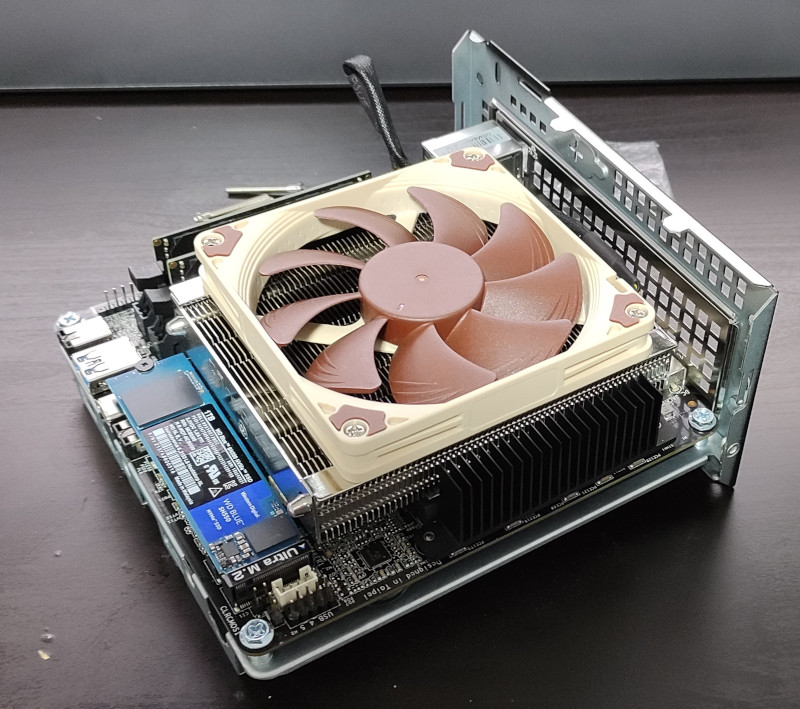
29 January 2021

Jonathan McDowell: Working better with an online whiteboard

LCD Writing Tablet One of the challenges I find about being fully remote is that one of the ways I think while I explain things is I draw diagrams. I m not artistic in any manner (my brothers got that skillset), but a set of boxes and lines and some text scribbled as I talk really helps. I do think even for myself, which is obviously as easy to replicate at home as in the office; I have plenty of paper and a whiteboard in my study. It s not so easy when having a design discussion with someone remotely. Doodling with a mouse doesn t quite work; my art skills are bad enough without then factoring in the fact it s not a pen-like device I m using to do it. I ve previously tried a proper graphics tablet, but there s a disconnect between where you are writing and where the output appears. That makes doing things like labelling within a diagram, or going back to draw an update, quite difficult. Or it does if you re me anyway. The modern solution is probably a laptop with a stylus capable touchscreen, but I ve shied away from such things because I don t want fingerprints all over my screen and don t want to pay extra for something I haven t previously thought I d use. An alternative is a tablet with a stylus capable screen, but those turn out to be premium models these days (remember when resistive was the cheap option because no one wanted to use the stylus?) and mine doesn t support it. You can get capacitive styli (styluses?) but then when you lean on the tablet it all gets confused. When I m due a technology refresh of my laptop or tablet I ll perhaps factor such things in, but what to do now, when I m not entirely sure how much usage I ll get out of such a device and thus can t justify a major expense on it? Buy a random thing from the internet, of course! It turns out there are a range of LCD writing tablets out there, which let you scribble on a screen and then erase it at the press of a button. An electronic etch-a-sketch, as it were. Most of them don t count as smart , with power only needed for the erase, but there appears to have been a device called the Boogie Board Sync in the past which offered some ability to save things. Searching around I found the NEWYES 10 Bluetooth Archive Writing Tablet from BangGood. Which looked like it had enough smarts to be able to send the images over bluetooth and therefore might be hackable in some manner. At 45 it seemed a reasonable punt, so I ordered one. It arrived within 2 weeks and I was surprised to find that when plugged in as a USB device it actually presented as a tablet. So much for a hackery requirement! It was detected by the kernel fine:
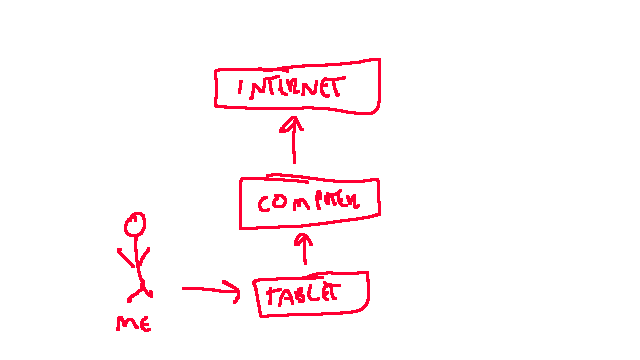
kernel dmesg output
usb 1-1.2: new full-speed USB device number 19 using xhci_hcd
usb 1-1.2: New USB device found, idVendor=6161, idProduct=4d15, bcdDevice=30.00
usb 1-1.2: New USB device strings: Mfr=5, Product=6, SerialNumber=0
usb 1-1.2: Product: LetSketch
usb 1-1.2: Manufacturer: LetSketch
hid-generic 0003:6161:4D15.0010: hiddev0,hidraw4: USB HID v1.11 Device [LetSketch LetSketch] on usb-0000:00:14.0-1.2/input0
input: LetSketch LetSketch as /devices/pci0000:00/0000:00:14.0/usb1/1-1/1-1.2/1-1.2:1.1/0003:6161:4D15.0011/input/input35
hid-generic 0003:6161:4D15.0011: input,hidraw5: USB HID v1.11 Device [LetSketch LetSketch] on usb-0000:00:14.0-1.2/input1
lsusb output
Bus 001 Device 016: ID 6161:4d15  
Device Descriptor:
  bLength                18
  bDescriptorType         1
  bcdUSB               1.00
  bDeviceClass            0 
  bDeviceSubClass         0 
  bDeviceProtocol         0 
  bMaxPacketSize0        64
  idVendor           0x6161 
  idProduct          0x4d15 
  bcdDevice           30.00
  iManufacturer           5 LetSketch
  iProduct                6 LetSketch
  iSerial                 0 
  bNumConfigurations      1
  Configuration Descriptor:
    bLength                 9
    bDescriptorType         2
    wTotalLength       0x003b
    bNumInterfaces          2
    bConfigurationValue     1
    iConfiguration          0 
    bmAttributes         0xa0
      (Bus Powered)
      Remote Wakeup
    MaxPower              480mA
    Interface Descriptor:
      bLength                 9
      bDescriptorType         4
      bInterfaceNumber        0
      bAlternateSetting       0
      bNumEndpoints           1
      bInterfaceClass         3 Human Interface Device
      bInterfaceSubClass      1 Boot Interface Subclass
      bInterfaceProtocol      2 Mouse
      iInterface              0 
        HID Device Descriptor:
          bLength                 9
          bDescriptorType        33
          bcdHID               1.11
          bCountryCode            0 Not supported
          bNumDescriptors         1
          bDescriptorType        34 Report
          wDescriptorLength      18
         Report Descriptors: 
           ** UNAVAILABLE **
      Endpoint Descriptor:
        bLength                 7
        bDescriptorType         5
        bEndpointAddress     0x81  EP 1 IN
        bmAttributes            3
          Transfer Type            Interrupt
          Synch Type               None
          Usage Type               Data
        wMaxPacketSize     0x0010  1x 16 bytes
        bInterval               2
    Interface Descriptor:
      bLength                 9
      bDescriptorType         4
      bInterfaceNumber        1
      bAlternateSetting       0
      bNumEndpoints           1
      bInterfaceClass         3 Human Interface Device
      bInterfaceSubClass      1 Boot Interface Subclass
      bInterfaceProtocol      2 Mouse
      iInterface              0 
        HID Device Descriptor:
          bLength                 9
          bDescriptorType        33
          bcdHID               1.11
          bCountryCode            0 Not supported
          bNumDescriptors         1
          bDescriptorType        34 Report
          wDescriptorLength      83
         Report Descriptors: 
           ** UNAVAILABLE **
      Endpoint Descriptor:
        bLength                 7
        bDescriptorType         5
        bEndpointAddress     0x82  EP 2 IN
        bmAttributes            3
          Transfer Type            Interrupt
          Synch Type               None
          Usage Type               Data
        wMaxPacketSize     0x0010  1x 16 bytes
        bInterval               2
Device Status:     0x0003
  Self Powered
  Remote Wakeup Enabled
Nice. X wasn t happy though:
non-working Xorg log
(II) config/udev: Adding input device LetSketch LetSketch (/dev/input/event8)
(**) LetSketch LetSketch: Applying InputClass "libinput tablet catchall"
(II) Using input driver 'libinput' for 'LetSketch LetSketch'
(II) systemd-logind: got fd for /dev/input/event8 13:72 fd 34 paused 0
(**) LetSketch LetSketch: always reports core events
(**) Option "Device" "/dev/input/event8"
(**) Option "_source" "server/udev"
(II) event8  - LetSketch LetSketch: is tagged by udev as: Tablet
(EE) event8  - LetSketch LetSketch: libinput bug: missing tablet capabilities: resolution. Ignoring this device.
(II) event8  - LetSketch LetSketch: device is a tablet
(II) event8  - failed to create input device '/dev/input/event8'.
(EE) libinput: LetSketch LetSketch: Failed to create a device for /dev/input/event8
(EE) PreInit returned 2 for "LetSketch LetSketch"
(II) UnloadModule: "libinput"
I ended up digging into the libinput source to figure out what was going on here, and it turned out to be the fact there was no report of the physical size of the tablet, so no indication of what the resolution was. That s solvable with an entry in the udev hwdb for evdev devices, so I sent a patch upstream and with that applied (or just dropped into /etc/udev/hwdb.d/61-evdev-local.hwdb and then running systemd-hwdb update and replugging the device) everything looks much happier:
working Xorg log
(II) config/udev: Adding input device LetSketch LetSketch (/dev/input/event8)
(**) LetSketch LetSketch: Applying InputClass "libinput tablet catchall"
(II) Using input driver 'libinput' for 'LetSketch LetSketch'
(II) systemd-logind: got fd for /dev/input/event8 13:72 fd 86 paused 0
(**) LetSketch LetSketch: always reports core events
(**) Option "Device" "/dev/input/event8"
(**) Option "_source" "server/udev"
(II) event8  - LetSketch LetSketch: is tagged by udev as: Tablet
(II) event8  - LetSketch LetSketch: tablet 'LetSketch LetSketch' unknown to libwacom
(II) event8  - LetSketch LetSketch: device is a tablet
(II) event8  - LetSketch LetSketch: device removed
(**) Option "config_info" "udev:/sys/devices/pci0000:00/0000:00:08.1/0000:04:00.3/usb1/1-1/1-1.2/1-1.2:1.1/0003:6161:4D15.000A/input/input24/event8"
(II) XINPUT: Adding extended input device "LetSketch LetSketch" (type: TABLET, id 20)
(II) event8  - LetSketch LetSketch: is tagged by udev as: Tablet
(II) event8  - LetSketch LetSketch: tablet 'LetSketch LetSketch' unknown to libwacom
(II) event8  - LetSketch LetSketch: device is a tablet
(II) libinput: LetSketch LetSketch: needs a virtual subdevice
(**) LetSketch LetSketch Pen (0): Applying InputClass "libinput tablet catchall"
(II) Using input driver 'libinput' for 'LetSketch LetSketch Pen (0)'
(II) systemd-logind: returning pre-existing fd for /dev/input/event8 13:72
(**) LetSketch LetSketch Pen (0): always reports core events
(**) Option "Device" "/dev/input/event8"
(**) Option "_source" "_driver/libinput"
(II) libinput: LetSketch LetSketch Pen (0): is a virtual subdevice
(**) Option "config_info" "udev:/sys/devices/pci0000:00/0000:00:08.1/0000:04:00.3/usb1/1-1/1-1.2/1-1.2:1.1/0003:6161:4D15.000A/input/input24/event8"
(II) XINPUT: Adding extended input device "LetSketch LetSketch Pen (0)" (type: STYLUS, id 21)
(**) Option "AccelerationScheme" "none"
(**) LetSketch LetSketch Pen (0): (accel) selected scheme none/0
(**) LetSketch LetSketch Pen (0): (accel) acceleration factor: 2.000
(**) LetSketch LetSketch Pen (0): (accel) acceleration threshold: 4
The only additional piece I ve done is tie the tablet to a single screen, so I can then full screen whichever whiteboard system I m using on that screen and have it map to the tablet - haven t worked out how to tie it to just the application window yet, but the fullscreen approach works fine, using my smaller laptop screen. To do that I use xinput list to figure out the ID of the tablet and then xinput map-to-output 23 eDP-1 to map it to the eDP-1 output (the internal laptop screen), assuming the ID that comes out of the list is 23. But is it any good? Well, the quality of the screen isn t fantastic - no fine art or anything here - but the tablet part seems fine (complete with some pressure sensitivity) and the fact I can see what I ve drawn where I m trying to draw something new makes it a lot more useful for me. I ve had a play with just screen sharing the GIMP and doodling in that, but equally work has an O365 subscription and the Microsoft Whiteboard turns out to be pretty good without anyone I m sharing with needing to install anything. Of course my artistic skills are still dreadful, but I have actually managed to use it for drawing out a couple of things while discussing them, so I m considering that a win. Saved Tablet image

9 January 2021

Jonathan McDowell: Free Software Activities for 2020

As a reader of Planet Debian I see a bunch of updates at the start of each month about what people are up to in terms of their Free Software activities. I m not generally active enough in the Free Software world to justify a monthly report, but I did a report of my Free Software Activities for 2019 and thought I d do another for 2020. I ended up not doing as much as last year; I put a lot of that down to fatigue about the state of the world and generally not wanting to spend time on the computer at the end of the working day.

Conferences 2020 was unsurprisingly not a great year for conference attendance. I was fortunate enough to make it to FOSDEM and CopyleftConf 2020 - I didn t speak at either, but had plenty of interesting hallway track conversations as well as seeing some good talks. I hadn t been planning to attend DebConf20 due to time constraints, but its move to an entirely online conference meant I was able to attend a few talks at least. I have to say I don t like virtual conferences as much as the real thing; it s not as easy to have the casual chats at them, and it s also harder to carve out the exclusive time when you re at home. That said I spoke at NIDevConf this year, which was also fully virtual. It s not a Free Software focussed conference, but there s a lot of crossover in terms of technologies and I spoke on my experiences with Go, some of which are influenced by my packaging experiences within Debian.

Debian Most of my contributions to Free software happen within Debian. As part of the Data Protection Team I responded to various inbound queries to that team. Some of this involved chasing up other project teams who had been slow to respond - folks, if you re running a service that stores personal data about people then you need to be responsive to requests about it. The Debian Keyring was possibly my largest single point of contribution. We re in a roughly 3 month rotation of who handles the keyring updates, and I handled 2020.02.02, 2020.03.24, 2020.06.24, 2020.09.24 + 2020.12.24 For Debian New Members I m mostly inactive as an application manager - we generally seem to have enough available recently. If that changes I ll look at stepping in to help, but I don t see that happening. I continue to be involved in Front Desk, having various conversations throughout the year with the rest of the team, but there s no doubt Mattia and Pierre-Elliott are the real doers at present. In terms of package uploads I continued to work on gcc-xtensa-lx106, largely doing uploads to deal with updates to the GCC version or packaging (5, 6 + 7). sigrok had a few minor updates, libsigkrok 0.5.2-2, libsigrokdecode 0.5.3-2 as well as a new upstream release of Pulseview 0.4.2-1 and a fix to cope with change to QT 0.4.2-2. Due to the sigrok-firmware requirement on sdcc I also continued to help out there, updating to 4.0.0+dfsg-1 and doing some fixups in 4.0.0+dfsg-2. Despite still not writing an VHDL these days I continue to try and make sure ghdl is ok, because I found it a useful tool in the past. In 2020 that meant a new upstream release, 0.37+dfsg-1 along with a couple of more minor updates (0.37+dfsg-2 + 0.37+dfsg-3. libcli had a new upstream release, 1.10.4-1, and I did a long overdue update to sendip to the latest upstream release, 2.6-1 having been poked about an outstanding bug by the Reproducible Builds folk. OpenOCD is coming up to 4 years since its last stable release, but I did a snapshot upload to Debian experimental (0.10.0+g20200530-1) and a subsequent one to unstable (0.10.0+g20200819-1). There are also moves to produce a 0.11.0 release and I uploaded 0.11.0~rc1-1 as a result. libjaylink got a bump as a result (0.2.0-1) after some discussion with upstream.

OpenOCD On the subject of OpenOCD I ve tried to be a bit more involved upstream. I m not familiar enough with the intricacies of JTAG/SWD/the various architectures supported to contribute to the core, but I pushed the config for my HIE JTAG adapter upstream and try and review patches that don t require in depth hardware knowledge.

Linux I ve been contributing to the Linux kernel for a number of years now, mostly just minor bits here and there for issues I hit. This year I spent a lot of time getting support for the MikoTik RB3011 router upstreamed. That included the basic DTS addition, fixing up QCA8K to support SGMII CPU connections, adding proper 802.1q VLAN support to QCA8K and cleaning up an existing QCOM ADM driver that s required for the NAND. There were a number of associated bugfixes/minor changes found along the way too. It can be a little frustrating at times going round the review loop with submitting things upstream, but I do find it quite satisfying when it all comes together and I have no interest in weird vendor trees that just bitrot over time.

Software in the Public Interest I haven t sat on the board of SPI since 2015 but I was still acting as the primary maintainer of the membership website (with Martin Michlmayr as the other active contributor) and hosting it on my own machine. I managed to finally extricate myself from this role in August. I remain a contributing member.

Personal projects 2020 finally saw another release (0.6.0, followed swiftly by 0.6.1 to allow the upload of 0.6.1-1 to Debian) of onak. This release finally adds various improvements to deal with the hostility shown to the OpenPGP keyserver network in recent years, including full signature verification as an option. I fixed an oversight in my Digoo/1-wire temperature decoder and a bug that turned up on ARM but not MIPS in my mqtt-arp code. I should probably package it for Debian (even if I don t upload it), as I m running it on my RB3011 now.

23 December 2020

Jonathan McDowell: Rooting the Tesco Hudl

Tesco Hudl I have an original Tesco Hudl - a Rockchip RK3188 based Android tablet. It s somewhat long in the tooth and mine is running Android 4.2.2 (Jelly Bean). As a first step in trying to get it updated a bit I decided to root it and have a poke about. There are plenty of guides for this, but they mostly involve downloading Android apps that look dodgy or don t exist any more. Thankfully the bootloader is unlocked, so I did it the hard (manual) way from a Debian 10 (Buster) box. I doubt this is useful to many folk, but I thought I d write it up. As you d expect follow this at your own risk; there is the potential to brick the Hudl. First, enable developer mode on the Hudl (so we can adb in). Open the Settings app, scroll down to the bottom and click About Tablet , scroll down to the bottom and tap Build number 7 times, at which point it will tell you You are now a developer! . Go back to the main settings menu and just above About Tablet there will now be a Developer options entry. Click it, then make sure the box beside USB debugging is ticked. Now you need to install the appropriate tools on your Debian box. That should be:
$ sudo apt install adb rkflashtool
We also need to download a suitable su tool. I lazily went for the prebuilt SuperSU Root:
$ mkdir hudl-root
$ cd hudl-root
$ wget https://supersuroot.org/downloads/SuperSU-v2.79-201612051815.zip
$ unzip SuperSU-v2.79-201612051815.zip
2.82 is the latest version but has problems on Jelly Bean; the device will end up not properly booting. Hook the Hudl up to your machine with a suitable USB cable and you ll now be able to get a shell on it:
$ adb shell
* daemon not running; starting now at tcp:5037
* daemon started successfully
shell@android:/ $
Ctrl-D will quit the shell and return you back to the local prompt. Next step is to reboot into the Rockchip bootloader, and use that to download the system partition (just over 1G in size)
$ adb reboot bootloader
$ sudo rkflashtool r system > system.img
rkflashtool: info: rkflashtool v5.2
rkflashtool: info: Detected RK3188...
rkflashtool: info: interface claimed
rkflashtool: info: working with partition: system
rkflashtool: info: found offset: 0x00142000
rkflashtool: info: found size: 0x00200000
rkflashtool: info: reading flash memory at offset 0x00341fe0... Done!
We now have a system.img file which represents the system partition of the device. We can mount that and copy over the su binary and SuperSU apk.
$ sudo mount -o loop system.img /mnt
$ sudo cp common/Superuser.apk /mnt/app/
$ sudo cp armv7/su /mnt/xbin/
$ sudo chmod +sx /mnt/xbin/su
$ sudo umount /mnt
Finally we can write this image back to the device, reboot and once the reboot has completed use adb to connect and su to root. SuperSU might pop up a dialog on the tablet asking you to ok the action (and possibly indicate it needs to do a fixup of the installation):
$ sudo rkflashtool w system < system.img
$ sudo rkflashtool b
$ adb shell
shell@android:/ $ su -
root@android:/ #

16 December 2020

Jonathan McDowell: DeskPi Pro + 8GB Pi 4

DeskPi Pro Raspberry Pi case Despite having worked on a number of ARM platforms I ve never actually had an ARM based development box at home. I have a Raspberry Pi B Classic (the original 256MB rev 0002 variant) a coworker gave me some years ago, but it s not what you d choose for a build machine and generally gets used as a self contained TFTP/console server for hooking up to devices under test. Mostly I ve been able to do kernel development with the cross compilers already built as part of Debian, and either use pre-built images or Debian directly when I need userland pieces. At a previous job I had a Marvell MACCHIATObin available to me, which works out as a nice platform - quad core A72 @ 2GHz with 16GB RAM, proper SATA and a PCIe slot. However they re still a bit pricey for a casual home machine. I really like the look of the HoneyComb LX2 - 16 A72 cores, up to 64GB RAM - but it s even more expensive. So when I saw the existence of the 8GB Raspberry Pi 4 I was interested. Firstly, the Pi 4 is a proper 64 bit device (my existing Pi B is ARMv6 which means it needs to run Raspbian instead of native Debian armhf), capable of running an upstream kernel and unmodified Debian userspace. Secondly the Pi 4 has a USB 3 controller sitting on a PCIe bus rather than just the limited SoC USB 2 controller. It s not SATA, but it s still a fairly decent method of attaching some storage that s faster/more reliable than an SD card. Finally 8GB RAM is starting to get to a decent amount - for a headless build box 4GB is probably generally enough, but I wanted some headroom. The Pi comes as a bare board, so I needed a case. Ideally I wanted something self contained that could take the Pi, provide a USB/SATA adaptor and take the drive too. I came across the pre-order for the DeskPi Pro, decided it was the sort of thing I was after, and ordered one towards the end of September. It finally arrived at the start of December, at which point I got round to ordering a Pi 4 from CPC. Total cost ~ 120 for the case + Pi.

The Bad First, let s get the bad parts out of the way. Broken USB port (right) I managed to break a USB port on the Desk Pi. It has a pair of forward facing ports, I plugged my wireless keyboard dongle into it and when trying to remove it the solid spacer bit in the socket broke off. I ve never had this happen to me before and I ve been using USB devices for 20 years, so I m putting the blame on a shoddy socket. The first drive I tried was an old Crucial M500 mSATA device. I have an adaptor that makes it look like a normal 2.5 drive so I used that. Unfortunately it resulted in a boot loop; the Pi would boot its initial firmware, try to talk to the drive and then reboot before even loading Linux. The DeskPi Pro comes with an m2 adaptor and I had a spare m2 drive, so I tried that and it all worked fine. This might just be power issues, but it was an unfortunate experience especially after the USB port had broken off. (Given I ended up using an M.2 drive another case option would have been the Argon ONE M.2, which is a bit more compact.)
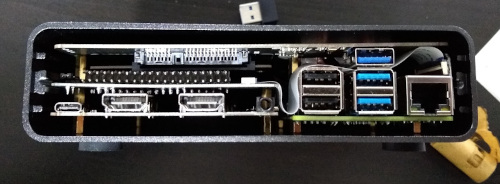
The Annoying DeskPi Pro without rear bezel The case is a little snug; I was worried I was going to damage things as I slid it in. Additionally the construction process is a little involved. There s a good set of instructions, but there are a lot of pieces and screws involved. This includes a couple of FFC cables to join things up. I think this is because they ve attempted to make a compact case rather than allowing a little extra room, and it does have the advantage that once assembled it feels robust without anything loose in it. DeskPi Pro with rear bezel and USB3 dongle I hate the need for an external USB3 dongle to bridge from the Pi to the USB/SATA adaptor. All the cases I ve seen with an internal drive bay have to do this, because the USB3 isn t brought out internally by the Pi, but it just looks ugly to me. It s hidden at the back, but meh. Fan control is via a USB/serial device, which is fine, but it attaches to the USB C power port which defaults to being a USB peripheral. Raspbian based kernels support device tree overlays which allows easy reconfiguration to host mode, but for a Debian based system I ended up rolling my own dtb file. I changed
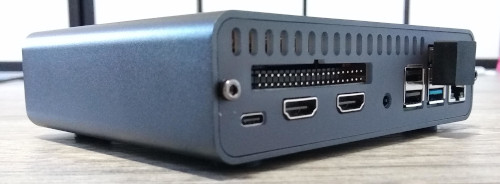
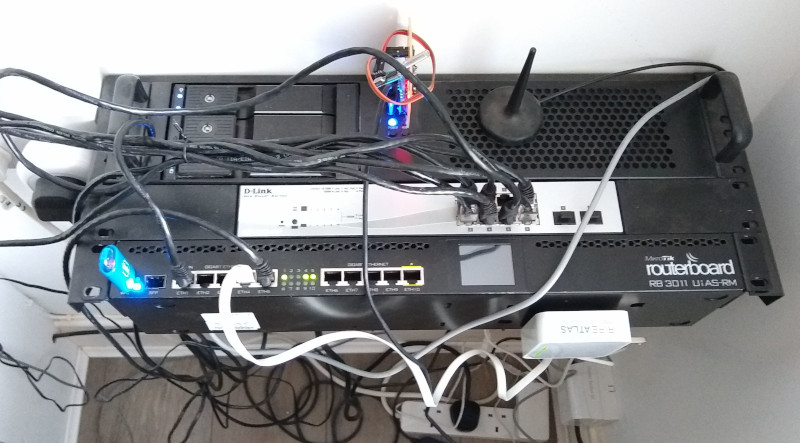
#include "bcm283x-rpi-usb-peripheral.dtsi"
to
#include "bcm283x-rpi-usb-host.dtsi"
in arch/arm/boot/dts/bcm2711-rpi-4-b.dts and then I did:
cpp -nostdinc -I include -I arch -undef -x assembler-with-cpp \
    arch/arm/boot/dts/bcm2711-rpi-4-b.dts > rpi4.preprocessed
dtc -I dts -O dtb rpi4.preprocessed -o bcm2711-rpi-4-b.dtb
and the resulting bcm2711-rpi-4-b.dtb file replaced the one in /boot/firmware. This isn t a necessary step if you don t want to use the cooling fan in the case, or the front USB ports, and it s not really anyone s fault, but it was an annoying extra step to have to figure out. The DeskPi came with a microSD card that was supposed to have RaspiOS already on it. It didn t, it was blank. In my case that was fine, because I wanted to use Debian, but it was a minor niggle.

The Good I used Gunnar s pre-built Pi Debian image and it Just Worked; I dd d it to the microSD as instructed and the Pi 4 came up with working wifi, video and USB enabling me to get it configured for my network. I did an apt upgrade and got updated to the Buster 10.7 release, as well as the latest 5.9 backport kernel, and everything came back without effort after a reboot. It s lovely to be able to run Debian on this device without having to futz around with self-compiled kernels. The DeskPi makes a lot of effort to route things externally. The SD slot is brought out to the front, making it easy to fiddle with the card contents without having to open the case to replace it. All the important ports are brought out to the back either through orientation of the Pi, or extenders in the case. That means the built in Pi USB ports, the HDMI sockets (conveniently converted to full size internally), an audio jack and a USB-C power port. The aforementioned USB3 dongle for the bridge to the drive is the only external thing that s annoying. Thermally things seem good too. I haven t done a full torture test yet, but with the fan off the system is sitting at about 40 C while fairly idle. Some loops in bash that push load up to above 2 get the temperature up to 46 C or so, and turning the fan on brings it down to 40 C again. It s audible, but quieter than my laptop and not annoying. I liked the way the case came with everything I needed other than the Pi 4 and a suitable disk drive. There was an included PSU (a proper USB-C PD device, UK plug), the heatsink/fan is there, the USB/SATA converter is there and even an SD card is provided (though that s just because I had a pre-order). Speaking of the SD, I only needed it for initial setup. Recent Pi 4 bootloaders are capable of booting directly from USB mass storage devices. So I upgraded using the RPi EEPROM Recovery image (which just needs extracted to the SD FAT partition, no need for anything complicated - boot with it and the screen goes all green and you know it s ok), then created a FAT partition at the start of the drive for the kernel / bootloader config and a regular EXT4 partition for root. Copies everything over, updated paths, took out the SD and it all just works happily.

Summary My main complaint is the broken USB port, which feels like the result of a cheap connector. For a front facing port expected to see more use than the rear ports I think there s a reasonable expectation of robustness. However I m an early adopter and maybe future runs will be better. Other than that I m pretty happy. The case is exactly the sort of thing I wanted; I was looking for something that would turn the Pi into a box that can sit on my desk on the network and that I don t have to worry about knocking wires out of or lots of cables hooking bits up. Everything being included made it very convenient to get up and running. I still haven t poked the Pi that hard, but first impressions are looking good for it being a trouble free ARM64 dev box in the corner, until I can justify a HoneyComb.

21 September 2020

Jonathan McDowell: Mainline Linux on the MikroTik RB3011

I upgraded my home internet connection to fibre (FTTP) last October. I m still on an 80M/20M service, so it s no faster than my old VDSL FTTC connection was, and as a result for a long time I continued to use my HomeHub 5A running OpenWRT. However the FTTP ONT meant I was using up an additional ethernet port on the router, and I was already short, so I ended up with a GigE switch in use as well. Also my wifi is handled by a UniFi, which takes its power via Power-over-Ethernet. That mean I had a router, a switch and a PoE injector all in close proximity. I wanted to reduce the number of devices, and ideally upgrade to something that could scale once I decide to upgrade my FTTP service speed. Looking around I found the MikroTik RB3011UiAS-RM, which is a rack mountable device with 10 GigE ports (plus an SFP slot) and a dual core Qualcomm IPQ8064 ARM powering it. There s 1G RAM and 128MB NAND flash, as well as a USB3 port. It also has PoE support. On paper it seemed like an ideal device. I wasn t particularly interested in running RouterOS on it (the provided software), but that s based on Linux and there was some work going on within OpenWRT to add support, so it seemed like a worthwhile platform to experiment with (what, you expected this to be about me buying an off the shelf device and using it with only the supplied software?). As an added bonus a friend said he had one he wasn t using, and was happy to sell it to me for a bargain price. RB3011 router in use I did try out RouterOS to start with, but I didn t find it particularly compelling. I m comfortable configuring firewalling and routing at a Linux command line, and I run some additional services on the router like my MQTT broker, and mqtt-arp, my wifi device presence monitor. I could move things around such that they ran on the house server, but I consider them core services and as a result am happier with them on the router. The first step was to get something booting on the router. Luckily it has an RJ45 serial console port on the back, and a reasonably featured bootloader that can manage to boot via tftp over the network. It wants an ELF binary rather than a plain kernel, but Sergey Sergeev had done the hard work of getting u-boot working for the IPQ8064, which mean I could just build normal u-boot images to try out. Linux upstream already had basic support for a lot of the pieces I was interested in. There s a slight fudge around AUTO_ZRELADDR because the network coprocessors want a chunk of memory at the start of RAM, but there s ongoing discussions about how to handle this cleanly that I m hopeful will eventually mean I can drop that hack. Serial, ethernet, the QCA8337 switches (2 sets of 5 ports, tied to different GigE devices on the processor) and the internal NOR all had drivers, so it was a matter of crafting an appropriate DTB to get them working. That left niggles. First, the second switch is hooked up via SGMII. It turned out the IPQ806x stmmac driver didn t initialise the clocks in this mode correctly, and neither did the qca8k switch driver. So I need to fix up both of those (Sergey had handled the stmmac driver, so I just had to clean up and submit his patch). Next it turned out the driver for talking to the Qualcomm firmware (SCM) had been updated in a way that broke the old method needed on the IPQ8064. Some git archaeology figured that one out and provided a solution. Ansuel Smith helpfully provided the DWC3 PHY driver for the USB port. That got me to the point I could put a Debian armhf image onto a USB stick and mount that as root, which made debugging much easier. At this point I started to play with configuring up the device to actually act as a router. I make use of a number of VLANs on my home network, so I wanted to make sure I could support those. Turned out the stmmac driver wasn t happy reconfiguring its MTU because the IPQ8064 driver doesn t configure the FIFO sizes. I found what seem to be the correct values and plumbed them in. Then the qca8k driver only supported port bridging. I wanted the ability to have a trunk port to connect to the upstairs switch, while also having ports that only had a single VLAN for local devices. And I wanted the switch to handle this rather than requiring the CPU to bridge the traffic. Thankfully it s easy to find a copy of the QCA8337 datasheet and the kernel Distributed Switch Architecture is pretty flexible, so I was able to implement the necessary support. I stuck with Debian on the USB stick for actually putting the device into production. It makes it easier to fix things up if necessary, and the USB stick allows for a full Debian install which would be tricky on the 128M of internal NAND. That means I can use things like nftables for my firewalling, and use the standard Debian packages for things like collectd and mosquitto. Plus for debug I can fire up things like tcpdump or tshark. Which ended up being useful because when I put the device into production I started having weird IPv6 issues that turned out to be a lack of proper Ethernet multicast filter support in the IPQ806x ethernet device. The driver would try and setup the multicast filter for the IPv6 NDP related packets, but it wouldn t actually work. The fix was to fall back to just receiving all multicast packets - this is what the vendor driver does. Most of this work will be present once the 5.9 kernel is released - the basics are already in 5.8. Currently not queued up that I can think of are the following: Overall I consider the device a success, and it s been entertaining getting it working properly. I m running a mostly mainline kernel, it s handling my house traffic without breaking a sweat, and the fact it s running Debian makes it nice and easy to throw more things on it as I desire. However it turned out the RB3011 isn t as perfect device as I d hoped. The PoE support is passive, and the UniFi wants 802.1af. So I was going to end up with 2 devices. As it happened I picked up a cheap D-Link DGS-1210-10P switch, which provides the PoE support as well as some additional switch ports. Plus it runs Linux, so more on that later
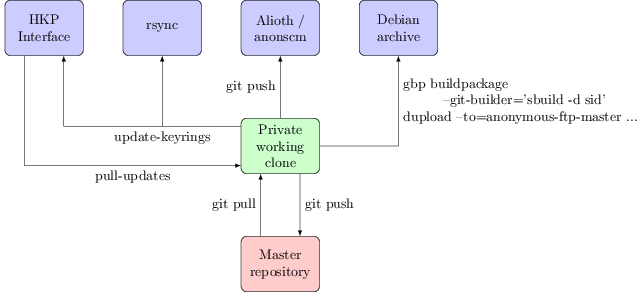
14 September 2020

Jonathan McDowell: onak 0.6.1 released

Yesterday I did the first release of my OpenPGP compatible keyserver, onak, in 4 years. Actually, 2 releases because I discovered my detection for various versions of libnettle needed some fixing. It was largely driven by the need to get an updated package sorted for Debian due to the removal of dh-systemd, but it should have come sooner. This release has a number of clean-ups for dealing with the hostility shown to the keyserver network in recent years. In particular it implements some of dkg s Abuse-Resistant OpenPGP Keystores, and finally adds support for verifying signatures fully. That opens up the ability to run a keyserver that will only allow verifiable updates to keys. This doesn t tie in with folk who want to run PGP based systems because of the anonymity, but for those of us who think PGP s strength is in the web of trust it s pretty handy. And it s all configurable to taste; you can turn off all the verification if you want, or verify everything but not require any signatures, or even enable v3 keys if you feel like it. The main reason this release didn t come sooner is that I m painfully aware of the bits that are missing. In particular: Anyway. Available locally or via GitHub.
0.6.0 - 13th September 2020
  • Move to CMake over autoconf
  • Add support for issuer fingerprint subpackets
  • Add experimental support for v5 keys
  • Add read-only OpenPGP keyring backed DB backend
  • Move various bits into their own subdirectories in the source tree
  • Add support for full signature verification
  • Drop v3 keys by default when cleaning keys
  • Various code cleanups
  • Implement pieces of draft-dkg-openpgp-abuse-resistant-keystore-03
  • Add support for a fingerprint blacklist (e.g. Evil32)
  • Deprecate the .conf configuration file format
  • Drop version info from armored output
  • Add option to deny new keys and only allow updates to existing keys
  • Various pieces of work removing support for 32 bit key IDs and coping with colliding 64 bit key IDs.
  • Remove support for libnettle versions that lack the full SHA2 suite
0.6.1 - 13th September 2020
  • Fixes for compilation without nettle + with later releases of nettle

31 May 2020

Jonathan McDowell: OpenOCD snapshot uploaded to Debian experimental

One of the things I maintain in Debian is OpenOCD. I say maintain, but it s so far required very little work, as it s been 3 years since a release (0.10.0). I ve talked about doing a git snapshot package for some time (I have an email from last DebConf in my inbox about it, and that wasn t the first time someone had asked), but never got around to it. Spurred on by some moves towards a 0.11.0 release I ve built a recent snapshot and uploaded it to the experimental suite in Debian. Of particular interest is the support for more recent architectures that this brings - ARMv8/aarch64 and RISC-V being the big ones, but also MIPS64 and various other ARM improvements. I no longer have access to Xilinx Zynq or Mellanox Bluefield platforms to test against so I ve just done some some basic tests with a Sheevaplug and BusPirate/STM32F103, but those worked just fine. Builds should hopefully happen shortly. Enjoy!

30 April 2020

Jonathan McDowell: Let's talk about work/life balance in lock down

A SYNCNI article passed by on my Twitter feed this morning, talking about balancing work life balance while working from home in these times of COVID-19 inspired lock down. The associated Twitter thread expressed an interest in some words of advice from men to other men (because of course the original article has the woman having to do all the balancing). This post does not contain the words of advice searched for, but it hopefully at least offers some reassurance that if you re finding all of this difficult you re not alone. From talking to others I don t think there s anything particularly special we re doing in this house; a colleague is taking roughly the same approach, and some of the other folk I ve spoken to in the local tech scene seem to be doing likewise. First, the situation. Like many households both my wife and I work full time. We have a small child (not even a year and a half old yet). I work for a software startup, my wife is an HR business partner for a large multinational, dealing with employees all over the UK and Ireland. We re both luckily able to work from home easily - our day to day work machines are laptops, our employers were already setup with the appropriate VPN / video conferencing etc facilities. Neither of us has seen any decrease in workload since lock down; there are always more features and/or bugs to work on when it comes to a software product, and, as I m sure you can imagine, there has been a lot more activity in the HR sphere over the past 6 weeks as companies try to work out what to do. On top of this our childcare arrangements, like everyone else s, are completely gone. Nursery understandably shut down around the same time as the schools (slightly later, but not by much) and contact with grandparents is obviously out (which they re finding hard). So we re left with trying to fit 2 full time jobs in with full time childcare, of a child who up until recently tried to go down stairs by continuing to crawl forward. Make no mistake, this is hard. I know we are exceptionally lucky in our situation, but that doesn t mean we re finding it easy. We ve adopted an approach of splitting the day up. I take the morning slot (previously I would have got up with our son anyway), getting him up and fed while my wife showers. She takes over for a bit while I shower and dress, then I take over again in time for her to take her daily 8am conference call. My morning is mostly taken up with childcare until nap time; I try to check in first thing to make sure there s nothing urgent, and get a handle on what I might have to work on later in the day. My local team mates know they re more likely to get me late morning and it s better to arrange meetings in the afternoon. Equally I work with a lot of folk on the US West coast, so shifting my hours to be a bit later is not a problem there. After nap time (which, if we re lucky, takes us to lunch) my wife takes over. As she deals with UK/Ireland folk she often ends up having to take calls even while looking after our son; generally important meetings can be moved to the morning and meetings with folk who understand there might be a lot of pot banging going on in the background can happen in the afternoon. Having started late I generally work late - past the point where I d normally get home; if I m lucky I pop my head in for bath time, but sometimes it s only for a couple of minutes. We alternate cooking; usually based on work load + meetings. For example tonight I m cooking while my wife catches up on some work after having put our son to bed. Last night I had a few meetings so my wife cooked. So what s worked for us? Splitting the day means we can plan with our co-workers. We always make sure we eat together in the evening, and that generally is the cut-off point for either of us doing any work. I m less likely to be online in the evening because my study has become the place I work. That means I m not really doing any of my personal projects - this definitely isn t a case of being at home during lock down and having lots of time to achieve new things. It s much more of case of trying to find a sustainable way to get through the current situation, however long it might last.

18 April 2020

Jonathan McDowell: Building a very minimal initramfs

I m working on trying to get a Qualcomm IPQ8064 device working properly. I d got as far as an extremely hacked up chain of networking booting and the serial console working, so the next stage was to try and get a basic userland in place to try and make poking things a bit easier. While I have a cross-compiling environment all setup (that s how I m building my kernels) I didn t really want to get into something complicated just to be able to poke around sysfs etc. I figured I could use a static BusyBox in an initramfs. I was right, but there were a couple of hiccups along the way so I m writing it up so I remember next time. First, I cheated and downloaded a prebuilt static binary from https://busybox.net/downloads/binaries/ (very convenient, thanks) - the IPQ8064 is a dual core ARMv7 so I used busybox-armv7l. There were various sites with init scripts to go along with this; I ended up with a variation of Star Brilliant s gist:
Minimal init script
#!/bin/busybox sh
busybox mkdir -p /dev /etc /proc /root /sbin /sys /usr/bin /usr/sbin
busybox mount -t proc proc /proc
busybox mount -t sysfs sys /sys
busybox mount -t devtmpfs dev /dev
echo Starting up...
echo ttyMSM0::respawn:/sbin/getty -L ttyMSM0 115200 vt100 >> /etc/inittab
echo Login with root and no password. > /etc/issue
echo >> /etc/issue
echo root::0:0:root:/root:/bin/sh > /etc/passwd
busybox mdev -s
busybox --install
hostname localhost
ip link set lo up
echo 5 > /proc/sys/kernel/printk
exec /linuxrc
busybox and the init script aren t sufficient. If you have any problems then you re going to want a console device. Otherwise you ll do what I did, forget to change one of the tty references in the script to the right device, and spend too long trying to figure out why you re not getting any output as soon as you start running userspace. It turns out that CONFIG_DEVTMPFS_MOUNT isn t sufficient for the initramfs (the Kconfig help even tells you that). So I need to create a /dev/console device file inside the initramfs too. And I don t build as root (and you shouldn t either) which makes creating a device node hard. It s ok though, because the Linux kernel doesn t need you to be root to build it, and it has a default initramfs with a console device in it. This is helpfully generated using usr/gen_init_cpio, which takes a file defining what you want to put in the cpio file that becomes your initramfs. I used the following:
Minimal initramfs creation file
# Simple busybox based initramfs
dir /dev 0755 0 0
nod /dev/console 0600 0 0 c 5 1
dir /root 0700 0 0
dir /bin 0755 0 0
dir /sbin 0755 0 0
file /init basic-init 0755 0 0
file /bin/busybox busybox-armv7l 0755 0 0
All that then needs to be done is linux/usr/gen_init_cpio initramfs.list > initramfs.cpio and the resulting initramfs.cpio is suitable for inclusion in your kernel. The precompiled binaries have a lot of stuff enabled, which makes for a pretty useful debugging environment with fairly minimal work.

31 August 2017

Jonathan McDowell: C, floating point, and help!

Floating point is a pain. I know this. But I recently took over the sigrok packages in Debian and as part of updating to the latest libsigkrok4 library enabled the post compilation tests. Which promptly failed on i386. Some narrowing down of the problem leads to the following test case (which fails on both gcc-6 under Debian/Stretch and gcc-7 on Debian/Testing):
#include <inttypes.h>
#include <stdio.h>
#include <stdint.h>
int main(int argc, char *argv[])
 
        printf("%" PRIu64 "\n", (uint64_t)((1.034567) * (uint64_t)(1000000ULL)));
 
We expect to see 1.034567 printed out. On x86_64 we do:
$ arch
x86_64
$ gcc -Wall t.c -o t ; ./t
1034567
If we compile for 32-bit the result is also as expected:
$ gcc -Wall -m32 t.c -o t ; ./t
1034567
Where things get interesting is when we enable --std=c99:
$ gcc -Wall --std=c99 t.c -o t ; ./t
1034567
$ gcc -Wall -m32 --std=c99 t.c -o t ; ./t
1034566
What? It turns out all the cXX standards result in the last digit incorrectly being 6, while the gnuXX standards (gnu11 is apparently the default) result in the correct trailing 7. Is there some postfix I can add to the value to prevent the floating point truncation taking place? Or do I just have to accept this? It works fine on armel, so it s not a simple 32/64 bit issue.

27 August 2017

Jonathan McDowell: On my way home from OMGWTFBBQ

I started writing this while sitting in Stansted on my way home from the annual UK Debian BBQ. I m finally home now, after a great weekend catching up with folk. It s a good social event for a bunch of Debian folk, and I m very grateful that Steve and Jo continue to make it happen. These days there are also a number of generous companies chipping in towards the cost of food and drink, so thanks also to Codethink and QvarnLabs AB for the food, Collabora and Mythic Beasts for the beer and Chris for the coffee. And Rob for chasing us all for contributions to cover the rest. I was trying to remember when the first one of these I attended was; trawling through mail logs there was a Cambridge meetup that ended up at Steve s old place in April 2001, and we ve consistently had the summer BBQ since 2004, but I m not clear on what happened in between. Nonetheless it s become a fixture in the calendar for those of us in the UK (and a number of people from further afield who regularly turn up). We ve become a bit more sedate, but it s good to always see a few new faces, drink some good beer (yay Milton), eat a lot and have some good conversations. This year also managed to get me a SheevaPlug so I could investigate #837989 - a bug with OpenOCD not being able to talk to the device. Turned out to be a channel configuration error in the move to new style FTDI support, so I ve got that fixed locally and pushed the one line fix upstream as well.

22 August 2017

Jonathan McDowell: Notes on upgrading from Jessie to Stretch

I upgraded my last major machine from Jessie to Stretch last week. That machine was the one running the most services, but I d made notes while updating various others to ensure it went smoothly. Below are the things I noted along the way, both for my own reference and in case they are of use to anyone else. Other than those points things were pretty smooth. Nice work by all those involved!

31 July 2017

Jonathan McDowell: How to make a keyring

Every month or two keyring-maint gets a comment about how a key update we say we ve performed hasn t actually made it to the active keyring, or a query about why the keyring is so out of date, or told that although a key has been sent to the HKP interface and that is showing the update as received it isn t working when trying to upload to the Debian archive. It s frustrating to have to deal with these queries, but the confusion is understandable. There are multiple public interfaces to the Debian keyrings and they re not all equal. This post attempts to explain the interactions between them, and how I go about working with them as part of the keyring-maint team. First, a diagram to show the different interfaces to the keyring and how they connect to each other: keyring-maint workflow

Public interfaces

rsync: keyring.debian.org::keyrings This is the most important public interface; it s the one that the Debian infrastructure uses. It s the canonical location of the active set of Debian keyrings and is what you should be using if you want the most up to date copy. The validity of the keyrings can be checked using the included sha512sums.txt file, which will be signed by whoever in keyring-maint did the last keyring update.

HKP interface: hkp://keyring.debian.org/ What you talk to with gpg --keyserver keyring.debian.org. Serves out the current keyrings, and accepts updates to any key it already knows about (allowing, for example, expiry updates, new subkeys + uids or new signatures without the need to file a ticket in RT or otherwise explicitly request it). Updates sent to this interface will be available via it within a few hours, but must be manually folded into the active keyring. This in general happens about once a month when preparing for a general update of the keyring; for example b490c1d5f075951e80b22641b2a133c725adaab8. Why not do this automatically? Even though the site uses GnuPG to verify incoming updates there are still occasions we ve seen bugs (such as #787046, where GnuPG would always import subkeys it didn t understand, even when that subkey was already present). Also we don t want to allow just any UID to be part of the keyring. It is thus useful to retain a final set of human based sanity checking for any update before it becomes part of the keyring proper.

Alioth/anonscm: https://anonscm.debian.org/git/keyring/keyring/ A public mirror of the git repository the keyring-maint team use to maintain the keyring. Every action is recorded here, and in general each commit should be a single action (such as adding a new key, doing a key replacement or moving a key between keyrings). Note that pulling in the updates sent via HKP count as a single action, rather than having a commit per key updated. This mirror is updated whenever a new keyring is made active (i.e. made available via the rsync interface). Until that point pending changes are kept private; we sometimes deal with information such as the fact someone has potentially had a key compromised that we don t want to be public until we ve actually disabled it. Every keyring push (as we refer to the process of making a new keyring active) is tagged with the date it was performed. Releases are also tagged with their codenames, to make it easy to do comparisons over time.

Debian archive This is actually the least important public interface to the keyring, at least from the perspective of the keyring-maint team. No infrastructure makes use of it and while it s mostly updated when a new keyring is made active we only make a concerted effort to do so when it is coming up to release. It s provided as a convenience package rather than something which should be utilised for active verification of which keys are and aren t currently part of the keyring.

Team interface

Master repository: kaufmann.debian.org:/srv/keyring.debian.org/master-keyring.git The master git repository for keyring maintenance is stored on kaufmann.debian.org AKA keyring.debian.org. This system is centrally managed by DSA, with only DSA and keyring-maint having login rights to it. None of the actual maintenance work takes place here; it is a bare repo providing a central point for the members of keyring-maint to collaborate around.

Private interface

Private working clone This is where all of the actual keyring work happens. I have a local clone of the repository from kaufmann on a personal machine. The key additions / changes I perform all happen here, and are then pushed to the master repository so that they re visible to the rest of the team. When preparing to make a new keyring active the changes that have been sent to the HKP interface are copied from kaufmann via scp and folded in using the pull-updates script. The tree is assembled into keyrings with a simple make and some sanity tests performed using make test. If these are successful the sha512sums.txt file is signed using gpg --clearsign and the output copied over to kaufmann. update-keyrings is then called to update the active keyrings (both rsync + HKP). A git push public pushes the changes to the public repository on anonscm. Finally gbp buildpackage --git-builder='sbuild -d sid' tells git-buildpackage to use sbuild to build a package ready to be uploaded to the archive. Hopefully that helps explain the different stages and outputs of keyring maintenance; I m aware that it would be a good idea for this to exist somewhere on keyring.debian.org as well and will look at doing so.

Next.

Previous.