Search Results: "fh"

10 June 2023

Marco d'Itri: On having a track record in operating systems development

Now that Debian 12 has been released with proprietary firmwares on the official media, non-optional merged-/usr and systemd adopted by everybody, I want to take a moment to list, not without some pride, a few things that I was right about over the last 20 years: Accepting the obvious solution about firmwares took 18 years. My work on the merged-/usr transition started in 2014, and the first discussions about replacing sysvinit are from 2011. The general adoption of udev (and dynamic device names, and persistent network interface names...) took less time in comparison and no large-scale flame wars, since people could enable it at their own pace. But it required countless little debates in the Debian Bug Tracking System: I still remember the people insisting that they would never use this newfangled dynamic /dev/, or complaining about their beloved /dev/cdrom symbolic link and persistent network interface names. So follow me for more rants about inevitable technologies.

6 June 2023

Shirish Agarwal: Odisha Train Crash and Coverup, Demonetization 2.0 & NHFS-6 Survey

Just a few days back we came to know about the horrific Train Crash that happened in Odisha (Orissa). There are some things that are known and somethings that can be inferred by observance. Sadly, it seems the incident is going to be covered up  . Some of the facts that have not been contested in the public domain are that there were three lines. One loop line on which the Goods Train was standing and there was an up and a down line. So three lines were there. Apparently, the signalling system and the inter-locking system had issues as highlighted by an official about a month back. That letter, thankfully is in the public domain and I have downloaded it as well. It s a letter that goes to 4 pages. The RW is incensed that the letter got leaked and is in public domain. They are blaming everyone and espousing conspiracy theories rather than taking the minister to task. Incidentally, the Minister has three ministries that he currently holds. Ministry of Communication, Ministry of Electronics and Information Technology (MEIT), and Railways Ministry. Each Ministry in itself is important and has revenues of more than 6 lakh crore rupees. How he is able to do justice to all the three ministries is beyond me  The other thing is funds both for safety and relaying of tracks has been either not sanctioned or unutilized. In fact, CAG and the Railway Brass had shared how derailments have increased and unfulfilled vacancies but they were given no importance  In fact, not talking about safety in the recently held Chintan Shivir (brainstorming session) tells you how much the Govt. is serious about safety. In fact, most of the programme was on high speed rail which is a white elephant. I have shared a whitepaper done by RW in the U.S. that tells how high-speed rail doesn t make economic sense. And that is an economy that is 20 times + the Indian Economy. Even the Chinese are stopping with HSR as it doesn t make economic sense. Incidentally, Air Fares again went up 200% yesterday. Somebody shared in the region of 20k + for an Air ticket from their place to Bangalore  Coming back to the story itself. the Goods Train was on the loopline. Some say it was a little bit on the outer, some say otherwise, but it is established that it was on the loopline. This is standard behavior on and around Railway Stations around the world. Whether it was in the Inner or Outer doesn t make much of a difference with what happened next. The first train that collided with the goods train was the 12864 (SMVB-HWH) Yashwantpur Howrah Express and got derailed on to the next track where from the opposite direction 12841 (Shalimar- Bangalore) Coramandel Express was coming. Now they have said that around 300 people have died and that seems to be part of the cover-up. Both the trains are long trains, having between 23 odd coaches each. Even if you have reserved tickets you have 80 odd people in a coach and usually in most of these trains, it is at least double of that. Lot of money goes to TC and then above (Corruption). The Railway fares have gone up enormously but that s a question for perhaps another time  . So at the very least, we could be looking at more than 1000 people having died. The numbers are being under-reported so that nobody has to take responsibility. The Railways itself has told that it is unable to identify 80% of the people who have died. This means that 80% were unreserved ticket holders or a majority of them. There have been disturbing images as how bodies have been flung over on tractors and whatnot to be either buried or cremated without a thought. We are in peak summer season so bodies will start to rot within 24-48 hours  No arrangements made to cool the bodies and take some information and identifying marks or whatever. The whole thing being done in a very callous manner, not giving dignity to even those who have died for no fault of their own. The dissent note also tells that a cover-up is also in the picture. Apparently, India doesn t have nor does it feel to have a need for something like the NTSB that the U.S. used when it hauled both the plane manufacturer (Boeing) and the FAA when the 737 Max went down due to improper data collection and sharing of data with pilots. And with no accountability being fixed to Minister or any of the senior staff, a small junior staff person may be fired. Perhaps the same official that actually told them about the signal failures almost 3 months back  There were and are also some reports that some jugaadu /temporary fixes were applied to signalling and inter-locking just before this incident happened. I do not know nor confirm one way or the other if the above happened. I can however point out that if such a thing happened, then usually a traffic block is announced and all traffic on those lines are stopped. This has been the thing I know for decades. Traveling between Mumbai and Pune multiple times over the years am aware about traffic block. If some repair work was going on and it wasn t able to complete the work within the time-frame then that may well have contributed to the accident. There is also a bit muddying of the waters where it is being said that one of the trains was 4 hours late, which one is conflicting stories. On top of the whole thing, they have put the case to be investigated by CBI and hinting at sabotage. They also tried to paint a religious structure as mosque, later turned out to be a temple. The RW says done by Muslims as it was Friday not taking into account as shared before that most Railway maintenance works are usually done between Friday Monday. This is a practice followed not just in India but world over. There has been also move over a decade to remove wooden sleepers and have concrete sleepers. Unlike the wooden ones they do not expand and contract as much and their life is much more longer than the wooden ones. Funds had been marked (although lower than last few years) but not yet spent. As we know in case of any accident, it is when all the holes in cheese line up it happens. Fukushima is a great example of that, no sea wall even though Japan is no stranger to Tsunamis. External power at the same level as the plant. (10 meters above sea-level), no training for cascading failures scenarios which is what happened. The Days mini-series shares some but not all the faults that happened at Fukushima and the Govt. response to it. There is a difference though, the Japanese Prime Minister resigned on moral grounds. Here, nor the PM, nor the Minister would be resigning on moral grounds or otherwise :(. Zero accountability and that was partly a natural disaster, here it s man-made. In fact, both the Minister and the Prime Minister arrived with their entourages, did a PR blitzkrieg showing how concerned they are. Within 50 hours, the lines were cleared. The part-time Railway Minister shared that he knows the root cause and then few hours later has given the case to CBI. All are saying, wait for the inquiry report. To date, none of the accidents even in this Govt. has produced an investigation report. And even if it did, I am sure it will whitewash as it did in case of Adani as I had shared before in the previous blog post. Incidentally, it is reported that Adani paid off some of its debt, but when questioned as to where they got the money, complete silence on that part :(. As can be seen cover-up after cover-up  FWIW, the Coramandel Express is known as the Migrant train so has a huge number of passengers, the other one which was collided with is known as sick train as huge number of cancer patients use it to travel to Chennai and come back

Demonetization 2.0 Few days back, India announced demonetization 2.0. Surprised, don t be. Apparently, INR 2k/- is being used for corruption and Mr. Modi is unhappy about it. He actually didn t like the INR 2k/- note but was told that it was needed, who told him we are unaware to date. At that time the RBI Governor was Mr. Urjit Patel who didn t say about INR 2k/- he had said that INR 1k/- note redesigned would come in the market. That has yet to happen. What has happened is that just like INR 500/- and INR 1k/- note is concerned, RBI will no longer honor the INR 2k/- note. Obviously, this has made our neighbors angry, namely Nepal, Sri Lanka, Bhutan etc. who do some trading with us. 2 Deccan herald columns share the limelight on it. Apparently, India wants to be the world s currency reserve but doesn t want to play by the rules for everyone else. It was pointed out that both the U.S. and Singapore had retired their currencies but they will honor that promise even today. The Singapore example being a bit closer (as it s in Asia) is perhaps a bit more relevant than the U.S. one. Singapore retired the SGD $10,000 as of 2014 but even in 2022, it remains as legal tender. They also retired the SGD $1,000 in 2020 but still remains legal tender.

So let s have a fictitious example to illustrate what is meant by what Singapore has done. Let s say I go to Singapore, rent a flat, and find a $1000 note in that house somewhere. Both practically and theoretically, I could go down to any of the banks, get the amount transferred to my wallet, bank account etc. and nobody will question. Because they have promised the same. Interestingly, the Singapore Dollar has been pretty resilient against the USD for quite a number of years vis-a-vis other Asian currencies. Most of the INR 2k/- notes were also found and exchanged in Gujarat in just a few days (The PM and HM s state.). I am sure you are looking into the mental gymnastics that the RW indulge in :(. What is sadder that most of the people who try to defend can t make sense one way or the other and start to name-call and get personal as they have nothing else

Disability questions dropped in NHFS-6 Just came to know today that in the upcoming National Family Health Survey-6 disability questions are being dropped. Why is this important. To put it simply, if you don t have numbers, you won t and can t make policies for them. India is one of the worst countries to live if you are disabled. The easiest way to share to draw attention is most Railway platforms are not at level with people. Just as Mick Lynch shares in the UK, the same is pretty much true for India too. Meanwhile in Europe, they do make an effort to be level so even disabled people have some dignity. If your public transport is sorted, then people would want much more and you will be obligated to provide for them as they are citizens. Here, we have had many reports of women being sexually molested when being transferred from platform to coach irrespective of their age or whatnot  The main takeaway is if you do not have their voice, you won t make policies for them. They won t go away but you will make life hell for them. One thing to keep in mind that most people assume that most people are disabled from birth. This may or may not be true. For e.g. in the above triple Railways accidents, there are bound to be disabled people or newly disabled people who were healthy before the accident. The most common accident is road accidents, some involving pedestrians and vehicles or both, the easiest is Ministry of Road Transport data that says 4,00,000 people sustained injuries in 2021 alone in road mishaps. And this is in a country where even accidents are highly under-reported, for more than one reason. The biggest reason especially in 2 and 4 wheeler is the increased premium they would have to pay if in an accident, so they usually compromise with the other and pay off the Traffic Inspector. Sadly, I haven t read a new book, although there are a few books I m looking forward to have. People living in India and neighbors please be careful as more heat waves are expected. Till later.

9 May 2023

C.J. Collier: Instructions for installing Proxmox onto the Qotom device

These instructions are for qotom devices Q515P and Q1075GE. You can order one from Amazon or directly from Cherry Ni <export03@qotom.com>. Instructions are for those coming from Windows. Prerequisites: To find your windows network details, run the following command at the command prompt:
netsh interface ip show addresses
Here s my output:
PS C:\Users\cjcol> netsh interface ip show addresses "Wi-Fi"
Configuration for interface "Wi-Fi"
    DHCP enabled:                         Yes
    IP Address:                           172.16.79.53
    Subnet Prefix:                        172.16.79.0/24 (mask 255.255.255.0)
    Default Gateway:                      172.16.79.1
    Gateway Metric:                       0
    InterfaceMetric:                      50
Did you follow the instructions linked above in the prerequisites section? If not, take a moment to do so now.
Open Rufus and select the proxmox iso which you downloaded. You may be warned that Rufus will be acting as dd.
Don t forget to select the USB drive that you want to write the image to. In my example, the device is creatively called NO_LABEL .
You may be warned that re-imaging the USB disk will result in the previous data on the USB disk being lost.
Once the process is complete, the application will indicate that it is complete.
You should now have a USB disk with the Proxmox installer image on it. Place the USB disk into one of the blue, USB-3.0, USB-A slots on the Qotom device so that the system can read the installer image from it at full speed. The Proxmox installer requires a keyboard, video and mouse. Please attach these to the device along with inserting the USB disk you just created. Press the power button on the Qotom device. Press the F11 key repeatedly until you see the AMI BIOS menu. Press F11 a couple more times. You ll be presented with a boot menu. One of the options will launch the Proxmox installer. By trial and error, I found that the correct boot menu option was UEFI OS Once you select the correct option, you will be presented with a menu that looks like this. Select the default option and install. During the install, you will be presented with an option of the block device to install to. I think there s only a single block device in this celeron, but if there are more than one, I prefer the smaller one for the ProxMox OS. I also make a point to limit the size of the root filesystem to 16G. I think it will take up the entire volume group if you don t set a limit. Okay, I ll do another install and select the correct filesystem. If you read this far and want me to add some more screenshots and better instructions, leave a comment.

14 April 2023

John Goerzen: Easily Accessing All Your Stuff with a Zero-Trust Mesh VPN

Probably everyone is familiar with a regular VPN. The traditional use case is to connect to a corporate or home network from a remote location, and access services as if you were there. But these days, the notion of corporate network and home network are less based around physical location. For instance, a company may have no particular office at all, may have a number of offices plus a number of people working remotely, and so forth. A home network might have, say, a PVR and file server, while highly portable devices such as laptops, tablets, and phones may want to talk to each other regardless of location. For instance, a family member might be traveling with a laptop, another at a coffee shop, and those two devices might want to communicate, in addition to talking to the devices at home. And, in both scenarios, there might be questions about giving limited access to friends. Perhaps you d like to give a friend access to part of your file server, or as a company, you might have contractors working on a limited project. Pretty soon you wind up with a mess of VPNs, forwarded ports, and tricks to make it all work. With the increasing prevalence of CGNAT, a lot of times you can t even open a port to the public Internet. Each application or device probably has its own gateway just to make it visible on the Internet, some of which you pay for. Then you add on the question of: should you really trust your LAN anyhow? With possibilities of guests using it, rogue access points, etc., the answer is probably no . We can move the responsibility for dealing with NAT, fluctuating IPs, encryption, and authentication, from the application layer further down into the network stack. We then arrive at a much simpler picture for all. So this page is fundamentally about making the network work, simply and effectively.

How do we make the Internet work in these scenarios? We re going to combine three concepts:
  1. A VPN, providing fully encrypted and authenticated communication and stable IPs
  2. Mesh Networking, in which devices automatically discover optimal paths to reach each other
  3. Zero-trust networking, in which we do not need to trust anything about the underlying LAN, because all our traffic uses the secure systems in points 1 and 2.
By combining these concepts, we arrive at some nice results:
  • You can ssh hostname, where hostname is one of your machines (server, laptop, whatever), and as long as hostname is up, you can reach it, wherever it is, wherever you are.
    • Combined with mosh, these sessions will be durable even across moving to other host networks.
    • You could just as well use telnet, because the underlying network should be secure.
  • You don t have to mess with encryption keys, certs, etc., for every internal-only service. Since IPs are now trustworthy, that s all you need. hosts.allow could make a comeback!
  • You have a way of transiting out of extremely restrictive networks. Every tool discussed here has a way of falling back on routing things via a broker (relay) on TCP port 443 if all else fails.
There might sometimes be tradeoffs. For instance:
  • On LANs faster than 1Gbps, performance may degrade due to encryption and encapsulation overhead. However, these tools should let hosts discover the locality of each other and not send traffic over the Internet if the devices are local.
  • With some of these tools, hosts local to each other (on the same LAN) may be unable to find each other if they can t reach the control plane over the Internet (Internet is down or provider is down)
Some other features that some of the tools provide include:
  • Easy sharing of limited access with friends/guests
  • Taking care of everything you need, including SSL certs, for exposing a certain on-net service to the public Internet
  • Optional routing of your outbound Internet traffic via an exit node on your network. Useful, for instance, if your local network is blocking tons of stuff.
Let s dive in.

Types of Mesh VPNs I ll go over several types of meshes in this article:
  1. Fully decentralized with automatic hop routing This model has no special central control plane. Nodes discover each other in various ways, and establish routes to each other. These routes can be direct connections over the Internet, or via other nodes. This approach offers the greatest resilience. Examples I ll cover include Yggdrasil and tinc.
  2. Automatic peer-to-peer with centralized control In this model, nodes, by default, communicate by establishing direct links between them. A regular node never carries traffic on behalf of other nodes. Special-purpose relays are used to handle cases in which NAT traversal is impossible. This approach tends to offer simple setup. Examples I ll cover include Tailscale, Zerotier, Nebula, and Netmaker.
  3. Roll your own and hybrid approaches This is a grab bag of other ideas; for instance, running Yggdrasil over Tailscale.

Terminology For the sake of consistency, I m going to use common language to discuss things that have different terms in different ecosystems:
  • Every tool discussed here has a way of dealing with NAT traversal. It may assist with establishing direct connections (eg, STUN), and if that fails, it may simply relay traffic between nodes. I ll call such a relay a broker . This may or may not be the same system that is a control plane for a tool.
  • All of these systems operate over lower layers that are unencrypted. Those lower layers may be a LAN (wired or wireless, which may or may not have Internet access), or the public Internet (IPv4 and/or IPv6). I m going to call the unencrypted lower layer, whatever it is, the clearnet .

Evaluation Criteria Here are the things I want to see from a solution:
  • Secure, with all communications end-to-end encrypted and authenticated, and prevention of traffic from untrusted devices.
  • Flexible, adapting to changes in network topology quickly and automatically.
  • Resilient, without single points of failure, and with devices local to each other able to communicate even if cut off from the Internet or other parts of the network.
  • Private, minimizing leakage of information or metadata about me and my systems
  • Able to traverse CGNAT without having to use a broker whenever possible
  • A lesser requirement for me, but still a nice to have, is the ability to include others via something like Internet publishing or inviting guests.
  • Fully or nearly fully Open Source
  • Free or very cheap for personal use
  • Wide operating system support, including headless Linux on x86_64 and ARM.

Fully Decentralized VPNs with Automatic Hop Routing Two systems fit this description: Yggdrasil and Tinc. Let s dive in.

Yggdrasil I ll start with Yggdrasil because I ve written so much about it already. It featured in prior posts such as:

Yggdrasil can be a private mesh VPN, or something more Yggdrasil can be a private mesh VPN, just like the other tools covered here. It s unique, however, in that a key goal of the project is to also make it useful as a planet-scale global mesh network. As such, Yggdrasil is a testbed of new ideas in distributed routing designed to scale up to massive sizes and all sorts of connection conditions. As of 2023-04-10, the main global Yggdrasil mesh has over 5000 nodes in it. You can choose whether or not to participate. Every node in a Yggdrasil mesh has a public/private keypair. Each node then has an IPv6 address (in a private address space) derived from its public key. Using these IPv6 addresses, you can communicate right away. Yggdrasil differs from most of the other tools here in that it does not necessarily seek to establish a direct link on the clearnet between, say, host A and host G for them to communicate. It will prefer such a direct link if it exists, but it is perfectly happy if it doesn t. The reason is that every Yggdrasil node is also a router in the Yggdrasil mesh. Let s sit with that concept for a moment. Consider:
  • If you have a bunch of machines on your LAN, but only one of them can peer over the clearnet, that s fine; all the other machines will discover this route to the world and use it when necessary.
  • All you need to run a broker is just a regular node with a public IP address. If you are participating in the global mesh, you can use one (or more) of the free public peers for this purpose.
  • It is not necessary for every node to know about the clearnet IP address of every other node (improving privacy). In fact, it s not even necessary for every node to know about the existence of all the other nodes, so long as it can find a route to a given node when it s asked to.
  • Yggdrasil can find one or more routes between nodes, and it can use this knowledge of multiple routes to aggressively optimize for varying network conditions, including combinations of, say, downloads and low-latency ssh sessions.
Behind the scenes, Yggdrasil calculates optimal routes between nodes as necessary, using a mesh-wide DHT for initial contact and then deriving more optimal paths. (You can also read more details about the routing algorithm.) One final way that Yggdrasil is different from most of the other tools is that there is no separate control server. No node is special , in charge, the sole keeper of metadata, or anything like that. The entire system is completely distributed and auto-assembling.

Meeting neighbors There are two ways that Yggdrasil knows about peers:
  • By broadcast discovery on the local LAN
  • By listening on a specific port (or being told to connect to a specific host/port)
Sometimes this might lead to multiple ways to connect to a node; Yggdrasil prefers the connection auto-discovered by broadcast first, then the lowest-latency of the defined path. In other words, when your laptops are in the same room as each other on your local LAN, your packets will flow directly between them without traversing the Internet.

Unique uses Yggdrasil is uniquely suited to network-challenged situations. As an example, in a post-disaster situation, Internet access may be unavailable or flaky, yet there may be many local devices perhaps ones that had never known of each other before that could share information. Yggdrasil meets this situation perfectly. The combination of broadcast auto-detection, distributed routing, and so forth, basically means that if there is any physical path between two nodes, Yggdrasil will find and enable it. Ad-hoc wifi is rarely used because it is a real pain. Yggdrasil actually makes it useful! Its broadcast discovery doesn t require any IP address provisioned on the interface at all (it just uses the IPv6 link-local address), so you don t need to figure out a DHCP server or some such. And, Yggdrasil will tend to perform routing along the contours of the RF path. So you could have a laptop in the middle of a long distance relaying communications from people farther out, because it could see both. Or even a chain of such things.

Yggdrasil: Security and Privacy Yggdrasil s mesh is aggressively greedy. It will peer with any node it can find (unless told otherwise) and will find a route to anywhere it can. There are two main ways to make sure you keep unauthorized traffic out: by restricting who can talk to your mesh, and by firewalling the Yggdrasil interface. Both can be used, and they can be used simultaneously. I ll discuss firewalling more at the end of this article. Basically, you ll almost certainly want to do this if you participate in the public mesh, because doing so is akin to having a globally-routable public IP address direct to your device. If you want to restrict who can talk to your mesh, you just disable the broadcast feature on all your nodes (empty MulticastInterfaces section in the config), and avoid telling any of your nodes to connect to a public peer. You can set a list of authorized public keys that can connect to your nodes listening interfaces, which you ll probably want to do. You will probably want to either open up some inbound ports (if you can) or set up a node with a known clearnet IP on a place like a $5/mo VPS to help with NAT traversal (again, setting AllowedPublicKeys as appropriate). Yggdrasil doesn t allow filtering multicast clients by public key, only by network interface, so that s why we disable broadcast discovery. You can easily enough teach Yggdrasil about static internal LAN IPs of your nodes and have things work that way. (Or, set up an internal gateway node or two, that the clients just connect to when they re local). But fundamentally, you need to put a bit more thought into this with Yggdrasil than with the other tools here, which are closed-only. Compared to some of the other tools here, Yggdrasil is better about information leakage; nodes only know details, such as clearnet IPs, of directly-connected peers. You can obtain the list of directly-connected peers of any known node in the mesh but that list is the public keys of the directly-connected peers, not the clearnet IPs. Some of the other tools contain a limited integrated firewall of sorts (with limited ACLs and such). Yggdrasil does not, but is fully compatible with on-host firewalls. I recommend these anyway even with many other tools.

Yggdrasil: Connectivity and NAT traversal Compared to the other tools, Yggdrasil is an interesting mix. It provides a fully functional mesh and facilitates connectivity in situations in which no other tool can. Yet its NAT traversal, while it exists and does work, results in using a broker under some of the more challenging CGNAT situations more often than some of the other tools, which can impede performance. Yggdrasil s underlying protocol is TCP-based. Before you run away screaming that it must be slow and unreliable like OpenVPN over TCP it s not, and it is even surprisingly good around bufferbloat. I ve found its performance to be on par with the other tools here, and it works as well as I d expect even on flaky 4G links. Overall, the NAT traversal story is mixed. On the one hand, you can run a node that listens on port 443 and Yggdrasil can even make it speak TLS (even though that s unnecessary from a security standpoint), so you can likely get out of most restrictive firewalls you will ever encounter. If you join the public mesh, know that plenty of public peers do listen on port 443 (and other well-known ports like 53, plus random high-numbered ones). If you connect your system to multiple public peers, there is a chance though a very small one that some public transit traffic might be routed via it. In practice, public peers hopefully are already peered with each other, preventing this from happening (you can verify this with yggdrasilctl debug_remotegetpeers key=ABC...). I have never experienced a problem with this. Also, since latency is a factor in routing for Yggdrasil, it is highly unlikely that random connections we use are going to be competitive with datacenter peers.

Yggdrasil: Sharing with friends If you re open to participating in the public mesh, this is one of the easiest things of all. Have your friend install Yggdrasil, point them to a public peer, give them your Yggdrasil IP, and that s it. (Well, presumably you also open up your firewall you did follow my advice to set one up, right?) If your friend is visiting at your location, they can just hop on your wifi, install Yggdrasil, and it will automatically discover a route to you. Yggdrasil even has a zero-config mode for ephemeral nodes such as certain Docker containers. Yggdrasil doesn t directly support publishing to the clearnet, but it is certainly possible to proxy (or even NAT) to/from the clearnet, and people do.

Yggdrasil: DNS There is no particular extra DNS in Yggdrasil. You can, of course, run a DNS server within Yggdrasil, just as you can anywhere else. Personally I just add relevant hosts to /etc/hosts and leave it at that, but it s up to you.

Yggdrasil: Source code, pricing, and portability Yggdrasil is fully open source (LGPLv3 plus additional permissions in an exception) and highly portable. It is written in Go, and has prebuilt binaries for all major platforms (including a Debian package which I made). There is no charge for anything with Yggdrasil. Listed public peers are free and run by volunteers. You can run your own peers if you like; they can be public and unlisted, public and listed (just submit a PR to get it listed), or private (accepting connections only from certain nodes keys). A peer in this case is just a node with a known clearnet IP address. Yggdrasil encourages use in other projects. For instance, NNCP integrates a Yggdrasil node for easy communication with other NNCP nodes.

Yggdrasil conclusions Yggdrasil is tops in reliability (having no single point of failure) and flexibility. It will maintain opportunistic connections between peers even if the Internet is down. The unique added feature of being able to be part of a global mesh is a nice one. The tradeoffs include being more prone to need to use a broker in restrictive CGNAT environments. Some other tools have clients that override the OS DNS resolver to also provide resolution of hostnames of member nodes; Yggdrasil doesn t, though you can certainly run your own DNS infrastructure over Yggdrasil (or, for that matter, let public DNS servers provide Yggdrasil answers if you wish). There is also a need to pay more attention to firewalling or maintaining separation from the public mesh. However, as I explain below, many other options have potential impacts if the control plane, or your account for it, are compromised, meaning you ought to firewall those, too. Still, it may be a more immediate concern with Yggdrasil. Although Yggdrasil is listed as experimental, I have been using it for over a year and have found it to be rock-solid. They did change how mesh IPs were calculated when moving from 0.3 to 0.4, causing a global renumbering, so just be aware that this is a possibility while it is experimental.

tinc tinc is the oldest tool on this list; version 1.0 came out in 2003! You can think of tinc as something akin to an older Yggdrasil without the public option. I will be discussing tinc 1.0.36, the latest stable version, which came out in 2019. The development branch, 1.1, has been going since 2011 and had its latest release in 2021. The last commit to the Github repo was in June 2022. Tinc is the only tool here to support both tun and tap style interfaces. I go into the difference more in the Zerotier review below. Tinc actually provides a better tap implementation than Zerotier, with various sane options for broadcasts, but I still think the call for an Ethernet, as opposed to IP, VPN is small. To configure tinc, you generate a per-host configuration and then distribute it to every tinc node. It contains a host s public key. Therefore, adding a host to the mesh means distributing its key everywhere; de-authorizing it means removing its key everywhere. This makes it rather unwieldy. tinc can do LAN broadcast discovery and mesh routing, but generally speaking you must manually teach it where to connect initially. Somewhat confusingly, the examples all mention listing a public address for a node. This doesn t make sense for a laptop, and I suspect you d just omit it. I think that address is used for something akin to a Yggdrasil peer with a clearnet IP. Unlike all of the other tools described here, tinc has no tool to inspect the running state of the mesh. Some of the properties of tinc made it clear I was unlikely to adopt it, so this review wasn t as thorough as that of Yggdrasil.

tinc: Security and Privacy As mentioned above, every host in the tinc mesh is authenticated based on its public key. However, to be more precise, this key is validated only at the point it connects to its next hop peer. (To be sure, this is also the same as how the list of allowed pubkeys works in Yggdrasil.) Since IPs in tinc are not derived from their key, and any host can assign itself whatever mesh IP it likes, this implies that a compromised host could impersonate another. It is unclear whether packets are end-to-end encrypted when using a tinc node as a router. The fact that they can be routed at the kernel level by the tun interface implies that they may not be.

tinc: Connectivity and NAT traversal I was unable to find much information about NAT traversal in tinc, other than that it does support it. tinc can run over UDP or TCP and auto-detects which to use, preferring UDP.

tinc: Sharing with friends tinc has no special support for this, and the difficulty of configuration makes it unlikely you d do this with tinc.

tinc: Source code, pricing, and portability tinc is fully open source (GPLv2). It is written in C and generally portable. It supports some very old operating systems. Mobile support is iffy. tinc does not seem to be very actively maintained.

tinc conclusions I haven t mentioned performance in my other reviews (see the section at the end of this post). But, it is so poor as to only run about 300Mbps on my 2.5Gbps network. That s 1/3 the speed of Yggdrasil or Tailscale. Combine that with the unwieldiness of adding hosts and some uncertainties in security, and I m not going to be using tinc.

Automatic Peer-to-Peer Mesh VPNs with centralized control These tend to be the options that are frequently discussed. Let s talk about the options.

Tailscale Tailscale is a popular choice in this type of VPN. To use Tailscale, you first sign up on tailscale.com. Then, you install the tailscale client on each machine. On first run, it prints a URL for you to click on to authorize the client to your mesh ( tailnet ). Tailscale assigns a mesh IP to each system. The Tailscale client lets the Tailscale control plane gather IP information about each node, including all detectable public and private clearnet IPs. When you attempt to contact a node via Tailscale, the client will fetch the known contact information from the control plane and attempt to establish a link. If it can contact over the local LAN, it will (it doesn t have broadcast autodetection like Yggdrasil; the information must come from the control plane). Otherwise, it will try various NAT traversal options. If all else fails, it will use a broker to relay traffic; Tailscale calls a broker a DERP relay server. Unlike Yggdrasil, a Tailscale node never relays traffic for another; all connections are either direct P2P or via a broker. Tailscale, like several others, is based around Wireguard; though wireguard-go rather than the in-kernel Wireguard. Tailscale has a number of somewhat unique features in this space:
  • Funnel, which lets you expose ports on your system to the public Internet via the VPN.
  • Exit nodes, which automate the process of routing your public Internet traffic over some other node in the network. This is possible with every tool mentioned here, but Tailscale makes switching it on or off a couple of quick commands away.
  • Node sharing, which lets you share a subset of your network with guests
  • A fantastic set of documentation, easily the best of the bunch.
Funnel, in particular, is interesting. With a couple of tailscale serve -style commands, you can expose a directory tree (or a development webserver) to the world. Tailscale gives you a public hostname, obtains a cert for it, and proxies inbound traffic to you. This is subject to some unspecified bandwidth limits, and you can only choose from three public ports, so it s not really a production solution but as a quick and easy way to demonstrate something cool to a friend, it s a neat feature.

Tailscale: Security and Privacy With Tailscale, as with the other tools in this category, one of the main threats to consider is the control plane. What are the consequences of a compromise of Tailscale s control plane, or of the credentials you use to access it? Let s begin with the credentials used to access it. Tailscale operates no identity system itself, instead relying on third parties. For individuals, this means Google, Github, or Microsoft accounts; Okta and other SAML and similar identity providers are also supported, but this runs into complexity and expense that most individuals aren t wanting to take on. Unfortunately, all three of those types of accounts often have saved auth tokens in a browser. Personally I would rather have a separate, very secure, login. If a person does compromise your account or the Tailscale servers themselves, they can t directly eavesdrop on your traffic because it is end-to-end encrypted. However, assuming an attacker obtains access to your account, they could:
  • Tamper with your Tailscale ACLs, permitting new actions
  • Add new nodes to the network
  • Forcibly remove nodes from the network
  • Enable or disable optional features
Of note is that they cannot just commandeer an existing IP. I would say the riskiest possibility here is that could add new nodes to the mesh. Because they could also tamper with your ACLs, they could then proceed to attempt to access all your internal services. They could even turn on service collection and have Tailscale tell them what and where all the services are. Therefore, as with other tools, I recommend a local firewall on each machine with Tailscale. More on that below. Tailscale has a new alpha feature called tailnet lock which helps with this problem. It requires existing nodes in the mesh to sign a request for a new node to join. Although this doesn t address ACL tampering and some of the other things, it does represent a significant help with the most significant concern. However, tailnet lock is in alpha, only available on the Enterprise plan, and has a waitlist, so I have been unable to test it. Any Tailscale node can request the IP addresses belonging to any other Tailscale node. The Tailscale control plane captures, and exposes to you, this information about every node in your network: the OS hostname, IP addresses and port numbers, operating system, creation date, last seen timestamp, and NAT traversal parameters. You can optionally enable service data capture as well, which sends data about open ports on each node to the control plane. Tailscale likes to highlight their key expiry and rotation feature. By default, all keys expire after 180 days, and traffic to and from the expired node will be interrupted until they are renewed (basically, you re-login with your provider and do a renew operation). Unfortunately, the only mention I can see of warning of impeding expiration is in the Windows client, and even there you need to edit a registry key to get the warning more than the default 24 hours in advance. In short, it seems likely to cut off communications when it s most important. You can disable key expiry on a per-node basis in the admin console web interface, and I mostly do, due to not wanting to lose connectivity at an inopportune time.

Tailscale: Connectivity and NAT traversal When thinking about reliability, the primary consideration here is being able to reach the Tailscale control plane. While it is possible in limited circumstances to reach nodes without the Tailscale control plane, it is a fairly brittle setup and notably will not survive a client restart. So if you use Tailscale to reach other nodes on your LAN, that won t work unless your Internet is up and the control plane is reachable. Assuming your Internet is up and Tailscale s infrastructure is up, there is little to be concerned with. Your own comfort level with cloud providers and your Internet should guide you here. Tailscale wrote a fantastic article about NAT traversal and they, predictably, do very well with it. Tailscale prefers UDP but falls back to TCP if needed. Broker (DERP) servers step in as a last resort, and Tailscale clients automatically select the best ones. I m not aware of anything that is more successful with NAT traversal than Tailscale. This maximizes the situations in which a direct P2P connection can be used without a broker. I have found Tailscale to be a bit slow to notice changes in network topography compared to Yggdrasil, and sometimes needs a kick in the form of restarting the client process to re-establish communications after a network change. However, it s possible (maybe even probable) that if I d waited a bit longer, it would have sorted this all out.

Tailscale: Sharing with friends I touched on the funnel feature earlier. The sharing feature lets you give an invite to an outsider. By default, a person accepting a share can make only outgoing connections to the network they re invited to, and cannot receive incoming connections from that network this makes sense. When sharing an exit node, you get a checkbox that lets you share access to the exit node as well. Of course, the person accepting the share needs to install the Tailnet client. The combination of funnel and sharing make Tailscale the best for ad-hoc sharing.

Tailscale: DNS Tailscale s DNS is called MagicDNS. It runs as a layer atop your standard DNS taking over /etc/resolv.conf on Linux and provides resolution of mesh hostnames and some other features. This is a concept that is pretty slick. It also is a bit flaky on Linux; dueling programs want to write to /etc/resolv.conf. I can t really say this is entirely Tailscale s fault; they document the problem and some workarounds. I would love to be able to add custom records to this service; for instance, to override the public IP for a service to use the in-mesh IP. Unfortunately, that s not yet possible. However, MagicDNS can query existing nameservers for certain domains in a split DNS setup.

Tailscale: Source code, pricing, and portability Tailscale is almost fully open source and the client is highly portable. The client is open source (BSD 3-clause) on open source platforms, and closed source on closed source platforms. The DERP servers are open source. The coordination server is closed source, although there is an open source coordination server called Headscale (also BSD 3-clause) made available with Tailscale s blessing and informal support. It supports most, but not all, features in the Tailscale coordination server. Tailscale s pricing (which does not apply when using Headscale) provides a free plan for 1 user with up to 20 devices. A Personal Pro plan expands that to 100 devices for $48 per year - not a bad deal at $4/mo. A Community on Github plan also exists, and then there are more business-oriented plans as well. See the pricing page for details. As a small note, I appreciated Tailscale s install script. It properly added Tailscale s apt key in a way that it can only be used to authenticate the Tailscale repo, rather than as a systemwide authenticator. This is a nice touch and speaks well of their developers.

Tailscale conclusions Tailscale is tops in sharing and has a broad feature set and excellent documentation. Like other solutions with a centralized control plane, device communications can stop working if the control plane is unreachable, and the threat model of the control plane should be carefully considered.

Zerotier Zerotier is a close competitor to Tailscale, and is similar to it in a lot of ways. So rather than duplicate all of the Tailscale information here, I m mainly going to describe how it differs from Tailscale. The primary difference between the two is that Zerotier emulates an Ethernet network via a Linux tap interface, while Tailscale emulates a TCP/IP network via a Linux tun interface. However, Zerotier has a number of things that make it be a somewhat imperfect Ethernet emulator. For one, it has a problem with broadcast amplification; the machine sending the broadcast sends it to all the other nodes that should receive it (up to a set maximum). I wouldn t want to have a lot of programs broadcasting on a slow link. While in theory this could let you run Netware or DECNet across Zerotier, I m not really convinced there s much call for that these days, and Zerotier is clearly IP-focused as it allocates IP addresses and such anyhow. Zerotier provides special support for emulated ARP (IPv4) and NDP (IPv6). While you could theoretically run Zerotier as a bridge, this eliminates the zero trust principle, and Tailscale supports subnet routers, which provide much of the same feature set anyhow. A somewhat obscure feature, but possibly useful, is Zerotier s built-in support for multipath WAN for the public interface. This actually lets you do a somewhat basic kind of channel bonding for WAN.

Zerotier: Security and Privacy The picture here is similar to Tailscale, with the difference that you can create a Zerotier-local account rather than relying on cloud authentication. I was unable to find as much detail about Zerotier as I could about Tailscale - notably I couldn t find anything about how sticky an IP address is. However, the configuration screen lets me delete a node and assign additional arbitrary IPs within a subnet to other nodes, so I think the assumption here is that if your Zerotier account (or the Zerotier control plane) is compromised, an attacker could remove a legit device, add a malicious one, and assign the previous IP of the legit device to the malicious one. I m not sure how to mitigate against that risk, as firewalling specific IPs is ineffective if an attacker can simply take them over. Zerotier also lacks anything akin to Tailnet Lock. For this reason, I didn t proceed much further in my Zerotier evaluation.

Zerotier: Connectivity and NAT traversal Like Tailscale, Zerotier has NAT traversal with STUN. However, it looks like it s more limited than Tailscale s, and in particular is incompatible with double NAT that is often seen these days. Zerotier operates brokers ( root servers ) that can do relaying, including TCP relaying. So you should be able to connect even from hostile networks, but you are less likely to form a P2P connection than with Tailscale.

Zerotier: Sharing with friends I was unable to find any special features relating to this in the Zerotier documentation. Therefore, it would be at the same level as Yggdrasil: possible, maybe even not too difficult, but without any specific help.

Zerotier: DNS Unlike Tailscale, Zerotier does not support automatically adding DNS entries for your hosts. Therefore, your options are approximately the same as Yggdrasil, though with the added option of pushing configuration pointing to your own non-Zerotier DNS servers to the client.

Zerotier: Source code, pricing, and portability The client ZeroTier One is available on Github under a custom business source license which prevents you from using it in certain settings. This license would preclude it being included in Debian. Their library, libzt, is available under the same license. The pricing page mentions a community edition for self hosting, but the documentation is sparse and it was difficult to understand what its feature set really is. The free plan lets you have 1 user with up to 25 devices. Paid plans are also available.

Zerotier conclusions Frankly I don t see much reason to use Zerotier. The virtual Ethernet model seems to be a weird hybrid that doesn t bring much value. I m concerned about the implications of a compromise of a user account or the control plane, and it lacks a lot of Tailscale features (MagicDNS and sharing). The only thing it may offer in particular is multipath WAN, but that s esoteric enough and also solvable at other layers that it doesn t seem all that compelling to me. Add to that the strange license and, to me anyhow, I don t see much reason to bother with it.

Netmaker Netmaker is one of the projects that is making noise these days. Netmaker is the only one here that is a wrapper around in-kernel Wireguard, which can make a performance difference when talking to peers on a 1Gbps or faster link. Also, unlike other tools, it has an ingress gateway feature that lets people that don t have the Netmaker client, but do have Wireguard, participate in the VPN. I believe I also saw a reference somewhere to nodes as routers as with Yggdrasil, but I m failing to dig it up now. The project is in a bit of an early state; you can sign up for an upcoming closed beta with a SaaS host, but really you are generally pointed to self-hosting using the code in the github repo. There are community and enterprise editions, but it s not clear how to actually choose. The server has a bunch of components: binary, CoreDNS, database, and web server. It also requires elevated privileges on the host, in addition to a container engine. Contrast that to the single binary that some others provide. It looks like releases are frequent, but sometimes break things, and have a somewhat more laborious upgrade processes than most. I don t want to spend a lot of time managing my mesh. So because of the heavy needs of the server, the upgrades being labor-intensive, it taking over iptables and such on the server, I didn t proceed with a more in-depth evaluation of Netmaker. It has a lot of promise, but for me, it doesn t seem to be in a state that will meet my needs yet.

Nebula Nebula is an interesting mesh project that originated within Slack, seems to still be primarily sponsored by Slack, but is also being developed by Defined Networking (though their product looks early right now). Unlike the other tools in this section, Nebula doesn t have a web interface at all. Defined Networking looks likely to provide something of a SaaS service, but for now, you will need to run a broker ( lighthouse ) yourself; perhaps on a $5/mo VPS. Due to the poor firewall traversal properties, I didn t do a full evaluation of Nebula, but it still has a very interesting design.

Nebula: Security and Privacy Since Nebula lacks a traditional control plane, the root of trust in Nebula is a CA (certificate authority). The documentation gives this example of setting it up:
./nebula-cert sign -name "lighthouse1" -ip "192.168.100.1/24"
./nebula-cert sign -name "laptop" -ip "192.168.100.2/24" -groups "laptop,home,ssh"
./nebula-cert sign -name "server1" -ip "192.168.100.9/24" -groups "servers"
./nebula-cert sign -name "host3" -ip "192.168.100.10/24"
So the cert contains your IP, hostname, and group allocation. Each host in the mesh gets your CA certificate, and the per-host cert and key generated from each of these steps. This leads to a really nice security model. Your CA is the gatekeeper to what is trusted in your mesh. You can even have it airgapped or something to make it exceptionally difficult to breach the perimeter. Nebula contains an integrated firewall. Because the ability to keep out unwanted nodes is so strong, I would say this may be the one mesh VPN you might consider using without bothering with an additional on-host firewall. You can define static mappings from a Nebula mesh IP to a clearnet IP. I haven t found information on this, but theoretically if NAT traversal isn t required, these static mappings may allow Nebula nodes to reach each other even if Internet is down. I don t know if this is truly the case, however.

Nebula: Connectivity and NAT traversal This is a weak point of Nebula. Nebula sends all traffic over a single UDP port; there is no provision for using TCP. This is an issue at certain hotel and other public networks which open only TCP egress ports 80 and 443. I couldn t find a lot of detail on what Nebula s NAT traversal is capable of, but according to a certain Github issue, this has been a sore spot for years and isn t as capable as Tailscale. You can designate nodes in Nebula as brokers (relays). The concept is the same as Yggdrasil, but it s less versatile. You have to manually designate what relay to use. It s unclear to me what happens if different nodes designate different relays. Keep in mind that this always happens over a UDP port.

Nebula: Sharing with friends There is no particular support here.

Nebula: DNS Nebula has experimental DNS support. In contrast with Tailscale, which has an internal DNS server on every node, Nebula only runs a DNS server on a lighthouse. This means that it can t forward requests to a DNS server that s upstream for your laptop s particular current location. Actually, Nebula s DNS server doesn t forward at all. It also doesn t resolve its own name. The Nebula documentation makes reference to using multiple lighthouses, which you may want to do for DNS redundancy or performance, but it s unclear to me if this would make each lighthouse form a complete picture of the network.

Nebula: Source code, pricing, and portability Nebula is fully open source (MIT). It consists of a single Go binary and configuration. It is fairly portable.

Nebula conclusions I am attracted to Nebula s unique security model. I would probably be more seriously considering it if not for the lack of support for TCP and poor general NAT traversal properties. Its datacenter connectivity heritage does show through.

Roll your own and hybrid Here is a grab bag of ideas:

Running Yggdrasil over Tailscale One possibility would be to use Tailscale for its superior NAT traversal, then allow Yggdrasil to run over it. (You will need a firewall to prevent Tailscale from trying to run over Yggdrasil at the same time!) This creates a closed network with all the benefits of Yggdrasil, yet getting the NAT traversal from Tailscale. Drawbacks might be the overhead of the double encryption and double encapsulation. A good Yggdrasil peer may wind up being faster than this anyhow.

Public VPN provider for NAT traversal A public VPN provider such as Mullvad will often offer incoming port forwarding and nodes in many cities. This could be an attractive way to solve a bunch of NAT traversal problems: just use one of those services to get you an incoming port, and run whatever you like over that. Be aware that a number of public VPN clients have a kill switch to prevent any traffic from egressing without using the VPN; see, for instance, Mullvad s. You ll need to disable this if you are running a mesh atop it.

Other

Combining with local firewalls For most of these tools, I recommend using a local firewal in conjunction with them. I have been using firehol and find it to be quite nice. This means you don t have to trust the mesh, the control plane, or whatever. The catch is that you do need your mesh VPN to provide strong association between IP address and node. Most, but not all, do.

Performance I tested some of these for performance using iperf3 on a 2.5Gbps LAN. Here are the results. All speeds are in Mbps.
Tool iperf3 (default) iperf3 -P 10 iperf3 -R
Direct (no VPN) 2406 2406 2764
Wireguard (kernel) 1515 1566 2027
Yggdrasil 892 1126 1105
Tailscale 950 1034 1085
Tinc 296 300 277
You can see that Wireguard was significantly faster than the other options. Tailscale and Yggdrasil were roughly comparable, and Tinc was terrible.

IP collisions When you are communicating over a network such as these, you need to trust that the IP address you are communicating with belongs to the system you think it does. This protects against two malicious actor scenarios:
  1. Someone compromises one machine on your mesh and reconfigures it to impersonate a more important one
  2. Someone connects an unauthorized system to the mesh, taking over a trusted IP, and uses the privileges of the trusted IP to access resources
To summarize the state of play as highlighted in the reviews above:
  • Yggdrasil derives IPv6 addresses from a public key
  • tinc allows any node to set any IP
  • Tailscale IPs aren t user-assignable, but the assignment algorithm is unknown
  • Zerotier allows any IP to be allocated to any node at the control plane
  • I don t know what Netmaker does
  • Nebula IPs are baked into the cert and signed by the CA, but I haven t verified the enforcement algorithm
So this discussion really only applies to Yggdrasil and Tailscale. tinc and Zerotier lack detailed IP security, while Nebula expects IP allocations to be handled outside of the tool and baked into the certs (therefore enforcing rigidity at that level). So the question for Yggdrasil and Tailscale is: how easy is it to commandeer a trusted IP? Yggdrasil has a brief discussion of this. In short, Yggdrasil offers you both a dedicated IP and a rarely-used /64 prefix which you can delegate to other machines on your LAN. Obviously by taking the dedicated IP, a lot more bits are available for the hash of the node s public key, making collisions technically impractical, if not outright impossible. However, if you use the /64 prefix, a collision may be more possible. Yggdrasil s hashing algorithm includes some optimizations to make this more difficult. Yggdrasil includes a genkeys tool that uses more CPU cycles to generate keys that are maximally difficult to collide with. Tailscale doesn t document their IP assignment algorithm, but I think it is safe to say that the larger subnet you use, the better. If you try to use a /24 for your mesh, it is certainly conceivable that an attacker could remove your trusted node, then just manually add the 240 or so machines it would take to get that IP reassigned. It might be a good idea to use a purely IPv6 mesh with Tailscale to minimize this problem as well. So, I think the risk is low in the default configurations of both Yggdrasil and Tailscale (certainly lower than with tinc or Zerotier). You can drive the risk even lower with both.

Final thoughts For my own purposes, I suspect I will remain with Yggdrasil in some fashion. Maybe I will just take the small performance hit that using a relay node implies. Or perhaps I will get clever and use an incoming VPN port forward or go over Tailscale. Tailscale was the other option that seemed most interesting. However, living in a region with Internet that goes down more often than I d like, I would like to just be able to send as much traffic over a mesh as possible, trusting that if the LAN is up, the mesh is up. I have one thing that really benefits from performance in excess of Yggdrasil or Tailscale: NFS. That s between two machines that never leave my LAN, so I will probably just set up a direct Wireguard link between them. Heck of a lot easier than trying to do Kerberos! Finally, I wrote this intending to be useful. I dealt with a lot of complexity and under-documentation, so it s possible I got something wrong somewhere. Please let me know if you find any errors.
This blog post is a copy of a page on my website. That page may be periodically updated.

9 April 2023

Marco d'Itri: Installing Debian 12 on a Banana Pi M5

I recently bought a Banana Pi BPI-M5, which uses the Amlogic S905X3 SoC: these are my notes about installing Debian on it. While this SoC is supported by the upstream U-Boot it is not supported by the Debian U-Boot package, so debian-installer does not work. Do not be fooled by seeing the DTB file for this exact board being distributed with debian-installer: all DTB files are, and it does not mean that the board is supposed to work. As I documented in #1033504, the Debian kernels are currently missing some patches needed to support the SD card reader. I started by downloading an Armbian Banana Pi image and booted it from an SD card. From there I partitioned the eMMC, which always appears as /dev/mmcblk1:
parted /dev/mmcblk1
(parted) mklabel msdos
(parted) mkpart primary ext4 4194304B -1
(parted) align-check optimal 1
mkfs.ext4 /dev/mmcblk1p1
Make sure to leave enough space before the first partition, or else U-Boot will overwrite it: as it is common for many ARM SoCs, U-Boot lives somewhere in the gap between the MBR and the first partition. I looked at Armbian's /usr/lib/u-boot/platform_install.sh and installed U-Boot by manually copying it to the eMMC:
dd if=/usr/lib/linux-u-boot-edge-bananapim5_22.08.6_arm64/u-boot.bin of=/dev/mmcblk1 bs=1 count=442
dd if=/usr/lib/linux-u-boot-edge-bananapim5_22.08.6_arm64/u-boot.bin of=/dev/mmcblk1 bs=512 skip=1 seek=1
Beware: Armbian's U-Boot 2022.10 is buggy, so I had to use an older image. I did not want to install a new system, so I copied over my old Cubieboard install:
mount /dev/mmcblk1p1 /mnt/
rsync -xaHSAX --delete --numeric-ids root@old-server:/ /mnt/ --exclude='/tmp/*' --exclude='/var/tmp/*'
Since the Cubieboard has a 32 bit CPU and the Banana Pi requires an arm64 kernel I enabled the architecture and installed a new kernel:
dpkg --add-architecture arm64
apt update
apt install linux-image-arm64
apt purge linux-image-6.1.0-6-armmp linux-image-armmp
At some point I will cross-grade the entire system. Even if ttyS0 exists it is not the serial console, which appears as ttyAML0 instead. Nowadays systemd automatically start a getty if the serial console is enabled on the kernel command line, so I just had to disable the old manually-configured getty:
systemctl disable serial-getty@ttyS0.service
I wanted to have a fully working flash-kernel, so I used Armbian's boot.scr as a template to create /etc/flash-kernel/bootscript/bootscr.meson and then added a custom entry for the Banana Pi to /etc/flash-kernel/db:
Machine: Banana Pi BPI-M5
Kernel-Flavors: arm64
DTB-Id: amlogic/meson-sm1-bananapi-m5.dtb
U-Boot-Initrd-Address: 0x0
Boot-Initrd-Path: /boot/uInitrd
Boot-Initrd-Path-Version: yes
Boot-Script-Path: /boot/boot.scr
U-Boot-Script-Name: bootscr.meson
Required-Packages: u-boot-tools
All things considered I do not think that I would recommend to Debian users to buy Amlogic-based boards since there are many other better supported SoCs.

6 March 2023

Vincent Bernat: DDoS detection and remediation with Akvorado and Flowspec

Akvorado collects sFlow and IPFIX flows, stores them in a ClickHouse database, and presents them in a web console. Although it lacks built-in DDoS detection, it s possible to create one by crafting custom ClickHouse queries.

DDoS detection Let s assume we want to detect DDoS targeting our customers. As an example, we consider a DDoS attack as a collection of flows over one minute targeting a single customer IP address, from a single source port and matching one of these conditions:
  • an average bandwidth of 1 Gbps,
  • an average bandwidth of 200 Mbps when the protocol is UDP,
  • more than 20 source IP addresses and an average bandwidth of 100 Mbps, or
  • more than 10 source countries and an average bandwidth of 100 Mbps.
Here is the SQL query to detect such attacks over the last 5 minutes:
SELECT *
FROM (
  SELECT
    toStartOfMinute(TimeReceived) AS TimeReceived,
    DstAddr,
    SrcPort,
    dictGetOrDefault('protocols', 'name', Proto, '???') AS Proto,
    SUM(((((Bytes * SamplingRate) * 8) / 1000) / 1000) / 1000) / 60 AS Gbps,
    uniq(SrcAddr) AS sources,
    uniq(SrcCountry) AS countries
  FROM flows
  WHERE TimeReceived > now() - INTERVAL 5 MINUTE
    AND DstNetRole = 'customers'
  GROUP BY
    TimeReceived,
    DstAddr,
    SrcPort,
    Proto
)
WHERE (Gbps > 1)
   OR ((Proto = 'UDP') AND (Gbps > 0.2)) 
   OR ((sources > 20) AND (Gbps > 0.1)) 
   OR ((countries > 10) AND (Gbps > 0.1))
ORDER BY
  TimeReceived DESC,
  Gbps DESC
Here is an example output1 where two of our users are under attack. One from what looks like an NTP amplification attack, the other from a DNS amplification attack:
TimeReceived DstAddr SrcPort Proto Gbps sources countries
2023-02-26 17:44:00 ::ffff:203.0.113.206 123 UDP 0.102 109 13
2023-02-26 17:43:00 ::ffff:203.0.113.206 123 UDP 0.130 133 17
2023-02-26 17:43:00 ::ffff:203.0.113.68 53 UDP 0.129 364 63
2023-02-26 17:43:00 ::ffff:203.0.113.206 123 UDP 0.113 129 21
2023-02-26 17:42:00 ::ffff:203.0.113.206 123 UDP 0.139 50 14
2023-02-26 17:42:00 ::ffff:203.0.113.206 123 UDP 0.105 42 14
2023-02-26 17:40:00 ::ffff:203.0.113.68 53 UDP 0.121 340 65

DDoS remediation Once detected, there are at least two ways to stop the attack at the network level:
  • blackhole the traffic to the targeted user (RTBH), or
  • selectively drop packets matching the attack patterns (Flowspec).

Traffic blackhole The easiest method is to sacrifice the attacked user. While this helps the attacker, this protects your network. It is a method supported by all routers. You can also offload this protection to many transit providers. This is useful if the attack volume exceeds your internet capacity. This works by advertising with BGP a route to the attacked user with a specific community. The border router modifies the next hop address of these routes to a specific IP address configured to forward the traffic to a null interface. RFC 7999 defines 65535:666 for this purpose. This is known as a remote-triggered blackhole (RTBH) and is explained in more detail in RFC 3882. It is also possible to blackhole the source of the attacks by leveraging unicast Reverse Path Forwarding (uRPF) from RFC 3704, as explained in RFC 5635. However, uRPF can be a serious tax on your router resources. See NCS5500 uRPF: Configuration and Impact on Scale for an example of the kind of restrictions you have to expect when enabling uRPF. On the advertising side, we can use BIRD. Here is a complete configuration file to allow any router to collect them:
log stderr all;
router id 192.0.2.1;
protocol device  
  scan time 10;
 
protocol bgp exporter  
  ipv4  
    import none;
    export where proto = "blackhole4";
   ;
  ipv6  
    import none;
    export where proto = "blackhole6";
   ;
  local as 64666;
  neighbor range 192.0.2.0/24 external;
  multihop;
  dynamic name "exporter";
  dynamic name digits 2;
  graceful restart yes;
  graceful restart time 0;
  long lived graceful restart yes;
  long lived stale time 3600;  # keep routes for 1 hour!
 
protocol static blackhole4  
  ipv4;
  route 203.0.113.206/32 blackhole  
    bgp_community.add((65535, 666));
   ;
  route 203.0.113.68/32 blackhole  
    bgp_community.add((65535, 666));
   ;
 
protocol static blackhole6  
  ipv6;
 
We use BGP long-lived graceful restart to ensure routes are kept for one hour, even if the BGP connection goes down, notably during maintenance. On the receiver side, if you have a Cisco router running IOS XR, you can use the following configuration to blackhole traffic received on the BGP session. As the BGP session is dedicated to this usage, The community is not used, but you can also forward these routes to your transit providers.
router static
 vrf public
  address-family ipv4 unicast
   192.0.2.1/32 Null0 description "BGP blackhole"
  !
  address-family ipv6 unicast
   2001:db8::1/128 Null0 description "BGP blackhole"
  !
 !
!
route-policy blackhole_ipv4_in_public
  if destination in (0.0.0.0/0 le 31) then
    drop
  endif
  set next-hop 192.0.2.1
  done
end-policy
!
route-policy blackhole_ipv6_in_public
  if destination in (::/0 le 127) then
    drop
  endif
  set next-hop 2001:db8::1
  done
end-policy
!
router bgp 12322
 neighbor-group BLACKHOLE_IPV4_PUBLIC
  remote-as 64666
  ebgp-multihop 255
  update-source Loopback10
  address-family ipv4 unicast
   maximum-prefix 100 90
   route-policy blackhole_ipv4_in_public in
   route-policy drop out
   long-lived-graceful-restart stale-time send 86400 accept 86400
  !
  address-family ipv6 unicast
   maximum-prefix 100 90
   route-policy blackhole_ipv6_in_public in
   route-policy drop out
   long-lived-graceful-restart stale-time send 86400 accept 86400
  !
 !
 vrf public
  neighbor 192.0.2.1
   use neighbor-group BLACKHOLE_IPV4_PUBLIC
   description akvorado-1
When the traffic is blackholed, it is still reported by IPFIX and sFlow. In Akvorado, use ForwardingStatus >= 128 as a filter. While this method is compatible with all routers, it makes the attack successful as the target is completely unreachable. If your router supports it, Flowspec can selectively filter flows to stop the attack without impacting the customer.

Flowspec Flowspec is defined in RFC 8955 and enables the transmission of flow specifications in BGP sessions. A flow specification is a set of matching criteria to apply to IP traffic. These criteria include the source and destination prefix, the IP protocol, the source and destination port, and the packet length. Each flow specification is associated with an action, encoded as an extended community: traffic shaping, traffic marking, or redirection. To announce flow specifications with BIRD, we extend our configuration. The extended community used shapes the matching traffic to 0 bytes per second.
flow4 table flowtab4;
flow6 table flowtab6;
protocol bgp exporter  
  flow4  
    import none;
    export where proto = "flowspec4";
   ;
  flow6  
    import none;
    export where proto = "flowspec6";
   ;
  # [ ]
 
protocol static flowspec4  
  flow4;
  route flow4  
    dst 203.0.113.68/32;
    sport = 53;
    length >= 1476 && <= 1500;
    proto = 17;
   
    bgp_ext_community.add((generic, 0x80060000, 0x00000000));
   ;
  route flow4  
    dst 203.0.113.206/32;
    sport = 123;
    length = 468;
    proto = 17;
   
    bgp_ext_community.add((generic, 0x80060000, 0x00000000));
   ;
 
protocol static flowspec6  
  flow6;
 
If you have a Cisco router running IOS XR, the configuration may look like this:
vrf public
 address-family ipv4 flowspec
 address-family ipv6 flowspec
!
router bgp 12322
 address-family vpnv4 flowspec
 address-family vpnv6 flowspec
 neighbor-group FLOWSPEC_IPV4_PUBLIC
  remote-as 64666
  ebgp-multihop 255
  update-source Loopback10
  address-family ipv4 flowspec
   long-lived-graceful-restart stale-time send 86400 accept 86400
   route-policy accept in
   route-policy drop out
   maximum-prefix 100 90
   validation disable
  !
  address-family ipv6 flowspec
   long-lived-graceful-restart stale-time send 86400 accept 86400
   route-policy accept in
   route-policy drop out
   maximum-prefix 100 90
   validation disable
  !
 !
 vrf public
  address-family ipv4 flowspec
  address-family ipv6 flowspec
  neighbor 192.0.2.1
   use neighbor-group FLOWSPEC_IPV4_PUBLIC
   description akvorado-1
Then, you need to enable Flowspec on all interfaces with:
flowspec
 vrf public
  address-family ipv4
   local-install interface-all
  !
  address-family ipv6
   local-install interface-all
  !
 !
!
As with the RTBH setup, you can filter dropped flows with ForwardingStatus >= 128.

DDoS detection (continued) In the example using Flowspec, the flows were also filtered on the length of the packet:
route flow4  
  dst 203.0.113.68/32;
  sport = 53;
  length >= 1476 && <= 1500;
  proto = 17;
 
  bgp_ext_community.add((generic, 0x80060000, 0x00000000));
 ;
This is an important addition: legitimate DNS requests are smaller than this and therefore not filtered.2 With ClickHouse, you can get the 10th and 90th percentiles of the packet sizes with quantiles(0.1, 0.9)(Bytes/Packets). The last issue we need to tackle is how to optimize the request: it may need several seconds to collect the data and it is likely to consume substantial resources from your ClickHouse database. One solution is to create a materialized view to pre-aggregate results:
CREATE TABLE ddos_logs (
  TimeReceived DateTime,
  DstAddr IPv6,
  Proto UInt32,
  SrcPort UInt16,
  Gbps SimpleAggregateFunction(sum, Float64),
  Mpps SimpleAggregateFunction(sum, Float64),
  sources AggregateFunction(uniqCombined(12), IPv6),
  countries AggregateFunction(uniqCombined(12), FixedString(2)),
  size AggregateFunction(quantiles(0.1, 0.9), UInt64)
) ENGINE = SummingMergeTree
PARTITION BY toStartOfHour(TimeReceived)
ORDER BY (TimeReceived, DstAddr, Proto, SrcPort)
TTL toStartOfHour(TimeReceived) + INTERVAL 6 HOUR DELETE ;
CREATE MATERIALIZED VIEW ddos_logs_view TO ddos_logs AS
  SELECT
    toStartOfMinute(TimeReceived) AS TimeReceived,
    DstAddr,
    Proto,
    SrcPort,
    sum(((((Bytes * SamplingRate) * 8) / 1000) / 1000) / 1000) / 60 AS Gbps,
    sum(((Packets * SamplingRate) / 1000) / 1000) / 60 AS Mpps,
    uniqCombinedState(12)(SrcAddr) AS sources,
    uniqCombinedState(12)(SrcCountry) AS countries,
    quantilesState(0.1, 0.9)(toUInt64(Bytes/Packets)) AS size
  FROM flows
  WHERE DstNetRole = 'customers'
  GROUP BY
    TimeReceived,
    DstAddr,
    Proto,
    SrcPort
The ddos_logs table is using the SummingMergeTree engine. When the table receives new data, ClickHouse replaces all the rows with the same sorting key, as defined by the ORDER BY directive, with one row which contains summarized values using either the sum() function or the explicitly specified aggregate function (uniqCombined and quantiles in our example).3 Finally, we can modify our initial query with the following one:
SELECT *
FROM (
  SELECT
    TimeReceived,
    DstAddr,
    dictGetOrDefault('protocols', 'name', Proto, '???') AS Proto,
    SrcPort,
    sum(Gbps) AS Gbps,
    sum(Mpps) AS Mpps,
    uniqCombinedMerge(12)(sources) AS sources,
    uniqCombinedMerge(12)(countries) AS countries,
    quantilesMerge(0.1, 0.9)(size) AS size
  FROM ddos_logs
  WHERE TimeReceived > now() - INTERVAL 60 MINUTE
  GROUP BY
    TimeReceived,
    DstAddr,
    Proto,
    SrcPort
)
WHERE (Gbps > 1)
   OR ((Proto = 'UDP') AND (Gbps > 0.2)) 
   OR ((sources > 20) AND (Gbps > 0.1)) 
   OR ((countries > 10) AND (Gbps > 0.1))
ORDER BY
  TimeReceived DESC,
  Gbps DESC

Gluing everything together To sum up, building an anti-DDoS system requires to following these steps:
  1. define a set of criteria to detect a DDoS attack,
  2. translate these criteria into SQL requests,
  3. pre-aggregate flows into SummingMergeTree tables,
  4. query and transform the results to a BIRD configuration file, and
  5. configure your routers to pull the routes from BIRD.
A Python script like the following one can handle the fourth step. For each attacked target, it generates both a Flowspec rule and a blackhole route.
import socket
import types
from clickhouse_driver import Client as CHClient
# Put your SQL query here!
SQL_QUERY = " "
# How many anti-DDoS rules we want at the same time?
MAX_DDOS_RULES = 20
def empty_ruleset():
    ruleset = types.SimpleNamespace()
    ruleset.flowspec = types.SimpleNamespace()
    ruleset.blackhole = types.SimpleNamespace()
    ruleset.flowspec.v4 = []
    ruleset.flowspec.v6 = []
    ruleset.blackhole.v4 = []
    ruleset.blackhole.v6 = []
    return ruleset
current_ruleset = empty_ruleset()
client = CHClient(host="clickhouse.akvorado.net")
while True:
    results = client.execute(SQL_QUERY)
    seen =  
    new_ruleset = empty_ruleset()
    for (t, addr, proto, port, gbps, mpps, sources, countries, size) in results:
        if (addr, proto, port) in seen:
            continue
        seen[(addr, proto, port)] = True
        # Flowspec
        if addr.ipv4_mapped:
            address = addr.ipv4_mapped
            rules = new_ruleset.flowspec.v4
            table = "flow4"
            mask = 32
            nh = "proto"
        else:
            address = addr
            rules = new_ruleset.flowspec.v6
            table = "flow6"
            mask = 128
            nh = "next header"
        if size[0] == size[1]:
            length = f"length =  int(size[0]) "
        else:
            length = f"length >=  int(size[0])  && <=  int(size[1]) "
        header = f"""
# Time:  t 
# Source:  address , protocol:  proto , port:  port 
# Gbps/Mpps:  gbps:.3 / mpps:.3 , packet size:  int(size[0]) <=X<= int(size[1]) 
# Flows:  flows , sources:  sources , countries:  countries 
"""
        rules.append(
                f""" header 
route  table   
  dst  address / mask ;
  sport =  port ;
   length ;
   nh  =  socket.getprotobyname(proto) ;
 
  bgp_ext_community.add((generic, 0x80060000, 0x00000000));
 ;
"""
        )
        # Blackhole
        if addr.ipv4_mapped:
            rules = new_ruleset.blackhole.v4
        else:
            rules = new_ruleset.blackhole.v6
        rules.append(
            f""" header 
route  address / mask  blackhole  
  bgp_community.add((65535, 666));
 ;
"""
        )
        new_ruleset.flowspec.v4 = list(
            set(new_ruleset.flowspec.v4[:MAX_DDOS_RULES])
        )
        new_ruleset.flowspec.v6 = list(
            set(new_ruleset.flowspec.v6[:MAX_DDOS_RULES])
        )
        # TODO: advertise changes by mail, chat, ...
        current_ruleset = new_ruleset
        changes = False
        for rules, path in (
            (current_ruleset.flowspec.v4, "v4-flowspec"),
            (current_ruleset.flowspec.v6, "v6-flowspec"),
            (current_ruleset.blackhole.v4, "v4-blackhole"),
            (current_ruleset.blackhole.v6, "v6-blackhole"),
        ):
            path = os.path.join("/etc/bird/", f" path .conf")
            with open(f" path .tmp", "w") as f:
                for r in rules:
                    f.write(r)
            changes = (
                changes or not os.path.exists(path) or not samefile(path, f" path .tmp")
            )
            os.rename(f" path .tmp", path)
        if not changes:
            continue
        proc = subprocess.Popen(
            ["birdc", "configure"],
            stdin=subprocess.DEVNULL,
            stdout=subprocess.PIPE,
            stderr=subprocess.PIPE,
        )
        stdout, stderr = proc.communicate(None)
        stdout = stdout.decode("utf-8", "replace")
        stderr = stderr.decode("utf-8", "replace")
        if proc.returncode != 0:
            logger.error(
                "  error:\n \n ".format(
                    "birdc reconfigure",
                    "\n".join(
                        [" O:  ".format(line) for line in stdout.rstrip().split("\n")]
                    ),
                    "\n".join(
                        [" E:  ".format(line) for line in stderr.rstrip().split("\n")]
                    ),
                )
            )

Until Akvorado integrates DDoS detection and mitigation, the ideas presented in this blog post provide a solid foundation to get started with your own anti-DDoS system.

  1. ClickHouse can export results using Markdown format when appending FORMAT Markdown to the query.
  2. While most DNS clients should retry with TCP on failures, this is not always the case: until recently, musl libc did not implement this.
  3. The materialized view also aggregates the data at hand, both for efficiency and to ensure we work with the right data types.

15 February 2023

Marco d'Itri: I replaced grub with systemd-boot

To be able to investigate and work on the the measured boot features I have switched from grub to systemd-boot (sd-boot). This initial step is optional, but it is useful because this way /etc/kernel/cmdline will become the new place where the kernel command line can be configured:
. /etc/default/grub
echo "root=/dev/mapper/root $GRUB_CMDLINE_LINUX $GRUB_CMDLINE_LINUX_DEFAULT" > /etc/kernel/cmdline
Do not forget to set the correct root file system there, because initramfs-tools does not support discovering it at boot time using the Discoverable Partitions Specification. The installation has been automated since systemd version 252.6-1, so installing the package has the effect of installing sd-boot in the ESP, enabling it in the UEFI boot sequence and then creating boot loader entries for the kernels already installed on the system:
apt install systemd-boot
If needed, it could be manually installed again just by running bootctl install. I like to show the boot menu by default, at least until I will be more familiar with sd-boot:
bootctl set-timeout 4
Since other UEFI binaries can be easily chainloaded, I am also going to keep around grub for a while, just to be sure:
cat <<END > /boot/efi/loader/entries/grub.conf
title Grub
linux /EFI/debian/grubx64.efi
END
At this point sd-boot works, but I still had to enable secure boot. So far sd-boot has not been signed with a Debian key known to the shim bootloader, so I needed to create a Machine Owner Key (MOK), enroll it in UEFI and then use it to sign everything. I dislike the complexity of mokutil and the other related programs, so after removing it and the boot shim I have decided to use sbctl instead. With it I easily created new keys, enrolled them in the EFI key store and then signed everything:
sbctl create-keys
sbctl enroll-keys
for file in /boot/efi/*/*/linux /boot/efi/EFI/*/*.efi; do
  sbctl sign -s $file
done
Since there is no sbctl package yet I need to make sure that also the kernels installed in the future will be automatically signed, so I have created a trivial script in /etc/kernel/install.d/ which automatically runs sbctl sign -s or sbctl remove-file. The Debian wiki SecureBoot page documents how do do this with mokutil and sbsigntool, but I think that sbctl is much friendlier. Since I am not using the boot shim, I also had to set DisableShimForSecureBoot=true in /etc/fwupd/uefi_capsule.conf to make firmware updates work automatically. As a bonus, I have also added to the boot menu the excellent Debian-based GRML live distribution. Since sd-boot is not capable of loopback-mounting CD-ROM images like grub, I first had to extract the kernel and initramfs and copy them to the ESP:
mount -o loop /boot/grml/grml64-full_2022.11.iso /mnt/
mkdir /boot/efi/grml/
cp /mnt/boot/grml64full/* /boot/efi/grml/
umount /mnt/
cat <<END > /boot/efi/loader/entries/grml.conf
title GRML
linux /grml/vmlinuz
initrd /grml/initrd.img
options boot=live bootid=grml64full202211 findiso=/grml/grml64-full_2022.11.iso live-media-path=/live/grml64-full net.ifnames=0 
END
As expected, after a reboot bootctl reports the new security features:
System:
      Firmware: UEFI 2.70 (Lenovo 0.4496)
 Firmware Arch: x64
   Secure Boot: enabled (user)
  TPM2 Support: yes
  Boot into FW: supported
Current Boot Loader:
      Product: systemd-boot 252.5-2
     Features:   Boot counting
                 Menu timeout control
                 One-shot menu timeout control
                 Default entry control
                 One-shot entry control
                 Support for XBOOTLDR partition
                 Support for passing random seed to OS
                 Load drop-in drivers
                 Support Type #1 sort-key field
                 Support @saved pseudo-entry
                 Support Type #1 devicetree field
                 Boot loader sets ESP information
          ESP: /dev/disk/by-partuuid/1b767f8e-70fa-5a48-b444-cfe5c272d66e
         File:  /EFI/systemd/systemd-bootx64.efi
...
Relevant documentation:

9 February 2023

Jonathan McDowell: Building a read-only Debian root setup: Part 2

This is the second part of how I build a read-only root setup for my router. You might want to read part 1 first, which covers the initial boot and general overview of how I tie the pieces together. This post will describe how I build the squashfs image that forms the main filesystem. Most of the build is driven from a script, make-router, which I ll dissect below. It s highly tailored to my needs, and this is a fairly lengthy post, but hopefully the steps I describe prove useful to anyone trying to do something similar.
Breakdown of make-router
#!/bin/bash
# Either rb3011 (arm) or rb5009 (arm64)
#HOSTNAME="rb3011"
HOSTNAME="rb5009"
if [ "x$ HOSTNAME " == "xrb3011" ]; then
	ARCH=armhf
elif [ "x$ HOSTNAME " == "xrb5009" ]; then
	ARCH=arm64
else
	echo "Unknown host: $ HOSTNAME "
	exit 1
fi

It s a bash script, and I allow building for either my RB3011 or RB5009, which means a different architecture (32 vs 64 bit). I run this script on my Pi 4 which means I don t have to mess about with QemuUserEmulation.
BASE_DIR=$(dirname $0)
IMAGE_FILE=$(mktemp --tmpdir router.$ ARCH .XXXXXXXXXX.img)
MOUNT_POINT=$(mktemp -p /mnt -d router.$ ARCH .XXXXXXXXXX)
# Build and mount an ext4 image file to put the root file system in
dd if=/dev/zero bs=1 count=0 seek=1G of=$ IMAGE_FILE 
mkfs -t ext4 $ IMAGE_FILE 
mount -o loop $ IMAGE_FILE  $ MOUNT_POINT 

I build the image in a loopback ext4 file on tmpfs (my Pi4 is the 8G model), which makes things a bit faster.
# Add dpkg excludes
mkdir -p $ MOUNT_POINT /etc/dpkg/dpkg.cfg.d/
cat <<EOF > $ MOUNT_POINT /etc/dpkg/dpkg.cfg.d/path-excludes
# Exclude docs
path-exclude=/usr/share/doc/*
# Only locale we want is English
path-exclude=/usr/share/locale/*
path-include=/usr/share/locale/en*/*
path-include=/usr/share/locale/locale.alias
# No man pages
path-exclude=/usr/share/man/*
EOF

Create a dpkg excludes config to drop docs, man pages and most locales before we even start the bootstrap.
# Setup fstab + mtab
echo "# Empty fstab as root is pre-mounted" > $ MOUNT_POINT /etc/fstab
ln -s ../proc/self/mounts $ MOUNT_POINT /etc/mtab
# Setup hostname
echo $ HOSTNAME  > $ MOUNT_POINT /etc/hostname
# Add the root SSH keys
mkdir -p $ MOUNT_POINT /root/.ssh/
cat <<EOF > $ MOUNT_POINT /root/.ssh/authorized_keys
ssh-rsa AAAAB3NzaC1yc2EAAAABIwAAAQEAv8NkUeVdsVdegS+JT9qwFwiHEgcC9sBwnv6RjpH6I4d3im4LOaPOatzneMTZlH8Gird+H4nzluciBr63hxmcFjZVW7dl6mxlNX2t/wKvV0loxtEmHMoI7VMCnrWD0PyvwJ8qqNu9cANoYriZRhRCsBi27qPNvI741zEpXN8QQs7D3sfe4GSft9yQplfJkSldN+2qJHvd0AHKxRdD+XTxv1Ot26+ZoF3MJ9MqtK+FS+fD9/ESLxMlOpHD7ltvCRol3u7YoaUo2HJ+u31l0uwPZTqkPNS9fkmeCYEE0oXlwvUTLIbMnLbc7NKiLgniG8XaT0RYHtOnoc2l2UnTvH5qsQ== noodles@earth.li
ssh-rsa AAAAB3NzaC1yc2EAAAADAQABAAACAQDQb9+qFemcwKhey3+eTh5lxp+3sgZXW2HQQEZMt9hPvVXk+MiiNMx9WUzxPJnwXqlmmVdKsq+AvjA0i505Pp8fIj5DdUBpSqpLghmzpnGuob7SSwXYj+352hjD52UC4S0KMKbIaUpklADgsCbtzhYYc4WoO8F7kK63tS5qa1XSZwwRwPbYOWBcNocfr9oXCVWD9ismO8Y0l75G6EyW8UmwYAohDaV83pvJxQerYyYXBGZGY8FNjqVoOGMRBTUcLj/QTo0CDQvMtsEoWeCd0xKLZ3gjiH3UrknkaPra557/TWymQ8Oh15aPFTr5FvKgAlmZaaM0tP71SOGmx7GpCsP4jZD1Xj/7QMTAkLXb+Ou6yUOVM9J4qebdnmF2RGbf1bwo7xSIX6gAYaYgdnppuxqZX1wyAy+A2Hie4tUjMHKJ6OoFwBsV1sl+3FobrPn6IuulRCzsq2aLqLey+PHxuNAYdSKo7nIDB3qCCPwHlDK52WooSuuMidX4ujTUw7LDTia9FxAawudblxbrvfTbg3DsiDBAOAIdBV37HOAKu3VmvYSPyqT80DEy8KFmUpCEau59DID9VERkG6PWPVMiQnqgW2Agn1miOBZeIQV8PFjenAySxjzrNfb4VY/i/kK9nIhXn92CAu4nl6D+VUlw+IpQ8PZlWlvVxAtLonpjxr9OTw== noodles@yubikey
ssh-rsa AAAAB3NzaC1yc2EAAAADAQABAAABAQC0I8UHj4IpfqUcGE4cTvLB0d2xmATSUzqtxW6ZhGbZxvQDKJesVW6HunrJ4NFTQuQJYgOXY/o82qBpkEKqaJMEFHTCjcaj3M6DIaxpiRfQfs0nhtzDB6zPiZn9Suxb0s5Qr4sTWd6iI9da72z3hp9QHNAu4vpa4MSNE+al3UfUisUf4l8TaBYKwQcduCE0z2n2FTi3QzmlkOgH4MgyqBBEaqx1tq7Zcln0P0TYZXFtrxVyoqBBIoIEqYxmFIQP887W50wQka95dBGqjtV+d8IbrQ4pB55qTxMd91L+F8n8A6nhQe7DckjS0Xdla52b9RXNXoobhtvx9K2prisagsHT noodles@cup
ecdsa-sha2-nistp256 AAAAE2VjZHNhLXNoYTItbmlzdHAyNTYAAAAIbmlzdHAyNTYAAABBBK6iGog3WbNhrmrkglNjVO8/B6m7mN6q1tMm1sXjLxQa+F86ETTLiXNeFQVKCHYrk8f7hK0d2uxwgj6Ixy9k0Cw= noodles@sevai
EOF

Setup fstab, the hostname and SSH keys for root.
# Bootstrap our install
debootstrap \
	--arch=$ ARCH  \
	--include=collectd-core,conntrack,dnsmasq,ethtool,iperf3,kexec-tools,mosquitto,mtd-utils,mtr-tiny,ppp,tcpdump,rng-tools5,ssh,watchdog,wget \
	--exclude=dmidecode,isc-dhcp-client,isc-dhcp-common,makedev,nano \
	bullseye $ MOUNT_POINT  https://deb.debian.org/debian/

Actually do the debootstrap step, including a bunch of extra packages that we want.
# Install mqtt-arp
cp $ BASE_DIR /debs/mqtt-arp_1_$ ARCH .deb $ MOUNT_POINT /tmp
chroot $ MOUNT_POINT  dpkg -i /tmp/mqtt-arp_1_$ ARCH .deb
rm $ MOUNT_POINT /tmp/mqtt-arp_1_$ ARCH .deb
# Frob the mqtt-arp config so it starts after mosquitto
sed -i -e 's/After=.*/After=mosquitto.service/' $ MOUNT_POINT /lib/systemd/system/mqtt-arp.service

I haven t uploaded mqtt-arp to Debian, so I install a locally built package, and ensure it starts after mosquitto (the MQTT broker), given they re running on the same host.
# Frob watchdog so it starts earlier than multi-user
sed -i -e 's/After=.*/After=basic.target/' $ MOUNT_POINT /lib/systemd/system/watchdog.service
# Make sure the watchdog is poking the device file
sed -i -e 's/^#watchdog-device/watchdog-device/' $ MOUNT_POINT /etc/watchdog.conf

watchdog timeouts were particularly an issue on the RB3011, where the default timeout didn t give enough time to reach multiuser mode before it would reset the router. Not helpful, so alter the config to start it earlier (and make sure it s configured to actually kick the device file).
# Clean up docs + locales
rm -r $ MOUNT_POINT /usr/share/doc/*
rm -r $ MOUNT_POINT /usr/share/man/*
for dir in $ MOUNT_POINT /usr/share/locale/*/; do
	if [ "$ dir " != "$ MOUNT_POINT /usr/share/locale/en/" ]; then
		rm -r $ dir 
	fi
done

Clean up any docs etc that ended up installed.
# Set root password to root
echo "root:root"   chroot $ MOUNT_POINT  chpasswd

The only login method is ssh key to the root account though I suppose this allows for someone to execute a privilege escalation from a daemon user so I should probably randomise this. Does need to be known though so it s possible to login via the serial console for debugging.
# Add security to sources.list + update
echo "deb https://security.debian.org/debian-security bullseye-security main" >> $ MOUNT_POINT /etc/apt/sources.list
chroot $ MOUNT_POINT  apt update
chroot $ MOUNT_POINT  apt -y full-upgrade
chroot $ MOUNT_POINT  apt clean
# Cleanup the APT lists
rm $ MOUNT_POINT /var/lib/apt/lists/www.*
rm $ MOUNT_POINT /var/lib/apt/lists/security.*

Pull in any security updates, then clean out the APT lists rather than polluting the image with them.
# Disable the daily APT timer
rm $ MOUNT_POINT /etc/systemd/system/timers.target.wants/apt-daily.timer
# Disable daily dpkg backup
cat <<EOF > $ MOUNT_POINT /etc/cron.daily/dpkg
#!/bin/sh
# Don't do the daily dpkg backup
exit 0
EOF
# We don't want a persistent systemd journal
rmdir $ MOUNT_POINT /var/log/journal

None of these make sense on a router.
# Enable nftables
ln -s /lib/systemd/system/nftables.service \
	$ MOUNT_POINT /etc/systemd/system/sysinit.target.wants/nftables.service

Ensure we have firewalling enabled automatically.
# Add systemd-coredump + systemd-timesync user / group
echo "systemd-timesync:x:998:" >> $ MOUNT_POINT /etc/group
echo "systemd-coredump:x:999:" >> $ MOUNT_POINT /etc/group
echo "systemd-timesync:!*::" >> $ MOUNT_POINT /etc/gshadow
echo "systemd-coredump:!*::" >> $ MOUNT_POINT /etc/gshadow
echo "systemd-timesync:x:998:998:systemd Time Synchronization:/:/usr/sbin/nologin" >> $ MOUNT_POINT /etc/passwd
echo "systemd-coredump:x:999:999:systemd Core Dumper:/:/usr/sbin/nologin" >> $ MOUNT_POINT /etc/passwd
echo "systemd-timesync:!*:47358::::::" >> $ MOUNT_POINT /etc/shadow
echo "systemd-coredump:!*:47358::::::" >> $ MOUNT_POINT /etc/shadow
# Create /etc/.pwd.lock, otherwise it'll end up in the overlay
touch $ MOUNT_POINT /etc/.pwd.lock
chmod 600 $ MOUNT_POINT /etc/.pwd.lock

Create a number of users that will otherwise get created at boot, and a lock file that will otherwise get created anyway.
# Copy config files
cp --recursive --preserve=mode,timestamps $ BASE_DIR /etc/* $ MOUNT_POINT /etc/
cp --recursive --preserve=mode,timestamps $ BASE_DIR /etc-$ ARCH /* $ MOUNT_POINT /etc/
chroot $ MOUNT_POINT  chown mosquitto /etc/mosquitto/mosquitto.users
chroot $ MOUNT_POINT  chown mosquitto /etc/ssl/mqtt.home.key

There are config files that are easier to replace wholesale, some of which are specific to the hardware (e.g. related to network interfaces). See below for some more details.
# Build symlinks into flash for boot / modules
ln -s /mnt/flash/lib/modules $ MOUNT_POINT /lib/modules
rmdir $ MOUNT_POINT /boot
ln -s /mnt/flash/boot $ MOUNT_POINT /boot

The kernel + its modules live outside the squashfs image, on the USB flash drive that the image lives on. That makes for easier kernel upgrades.
# Put our git revision into os-release
echo -n "GIT_VERSION=" >> $ MOUNT_POINT /etc/os-release
(cd $ BASE_DIR  ; git describe --tags) >> $ MOUNT_POINT /etc/os-release

Always helpful to be able to check the image itself for what it was built from.
# Add some stuff to root's .bashrc
cat << EOF >> $ MOUNT_POINT /root/.bashrc
alias ls='ls -F --color=auto'
eval "\$(dircolors)"
case "\$TERM" in
xterm* rxvt*)
	PS1="\\[\\e]0;\\u@\\h: \\w\a\\]\$PS1"
	;;
*)
	;;
esac
EOF

Just some niceties for when I do end up logging in.
# Build the squashfs
mksquashfs $ MOUNT_POINT  /tmp/router.$ ARCH .squashfs \
	-comp xz

Actually build the squashfs image.
# Save the installed package list off
chroot $ MOUNT_POINT  dpkg --get-selections > /tmp/wip-installed-packages

Save off the installed package list. This was particularly useful when trying to replicate the existing router setup and making sure I had all the important packages installed. It doesn t really serve a purpose now.
In terms of the config files I copy into /etc, shared across both routers are the following:
Breakdown of shared config
  • apt config (disable recommends, periodic updates):
    • apt/apt.conf.d/10periodic, apt/apt.conf.d/local-recommends
  • Adding a default, empty, locale:
    • default/locale
  • DNS/DHCP:
    • dnsmasq.conf, dnsmasq.d/dhcp-ranges, dnsmasq.d/static-ips
    • hosts, resolv.conf
  • Enabling IP forwarding:
    • sysctl.conf
  • Logs related:
    • logrotate.conf, rsyslog.conf
  • MQTT related:
    • mosquitto/mosquitto.users, mosquitto/conf.d/ssl.conf, mosquitto/conf.d/users.conf, mosquitto/mosquitto.acl, mosquitto/mosquitto.conf
    • mqtt-arp.conf
    • ssl/lets-encrypt-r3.crt, ssl/mqtt.home.key, ssl/mqtt.home.crt
  • PPP configuration:
    • ppp/ip-up.d/0000usepeerdns, ppp/ipv6-up.d/defaultroute, ppp/pap-secrets, ppp/chap-secrets
    • network/interfaces.d/pppoe-wan
The router specific config is mostly related to networking:
Breakdown of router specific config
  • Firewalling:
    • nftables.conf
  • Interfaces:
    • dnsmasq.d/interfaces
    • network/interfaces.d/eth0, network/interfaces.d/p1, network/interfaces.d/p2, network/interfaces.d/p7, network/interfaces.d/p8
  • PPP config (network interface piece):
    • ppp/peers/aquiss
  • SSH keys:
    • ssh/ssh_host_ecdsa_key, ssh/ssh_host_ed25519_key, ssh/ssh_host_rsa_key, ssh/ssh_host_ecdsa_key.pub, ssh/ssh_host_ed25519_key.pub, ssh/ssh_host_rsa_key.pub
  • Monitoring:
    • collectd/collectd.conf, collectd/collectd.conf.d/network.conf

27 December 2022

Chris Lamb: Favourite books of 2022: Fiction

This post marks the beginning my yearly roundups of the favourite books and movies that I read and watched in 2022 that I plan to publish over the next few days. Just as I did for 2020 and 2021, I won't reveal precisely how many books I read in the last year. I didn't get through as many books as I did in 2021, though, but that's partly due to reading a significant number of long nineteenth-century novels in particular, a fair number of those books that American writer Henry James once referred to as "large, loose, baggy monsters." However, in today's post I'll be looking at my favourite books that are typically filed under fiction, with 'classic' fiction following tomorrow. Works that just missed the cut here include John O'Brien's Leaving Las Vegas, Colson Whitehead's Sag Harbor and possibly The Name of the Rose by Umberto Eco, or Elif Batuman's The Idiot. I also feel obliged to mention (or is that show off?) that I also read the 1,079-page Infinite Jest by David Foster Wallace, but I can't say it was a favourite, let alone recommend others unless they are in the market for a good-quality under-monitor stand.

Mona (2021) Pola Oloixarac Mona is the story of a young woman who has just been nominated for the 'most important literary award in Europe'. Mona sees the nomination as a chance to escape her substance abuse on a Californian campus and so speedily decamps to the small village in the depths of Sweden where the nominees must convene for a week before the overall winner is announced. Mona didn't disappear merely to avoid pharmacological misadventures, though, but also to avoid the growing realisation that she is being treated as something of an anthropological curiosity at her university: a female writer of colour treasured for her flourish of exotic diversity that reflects well upon her department. But Mona is now stuck in the company of her literary competitors who all have now gathered from around the world in order to do what writers do: harbour private resentments, exchange empty flattery, embody the selfsame racialised stereotypes that Mona left the United States to avoid, stab rivals in the back, drink too much, and, of course, go to bed together. But as I read Mona, I slowly started to realise that something else is going on. Why does Mona keep finding traces of violence on her body, the origins of which she cannot or refuses to remember? There is something eerily defensive about her behaviour and sardonic demeanour in general as well. A genre-bending and mind-expanding novel unfolded itself, and, without getting into spoiler territory, Mona concludes with such a surprising ending that, according to Adam Thirlwell:
Perhaps we need to rethink what is meant by a gimmick. If a gimmick is anything that we want to reject as extra or excessive or ill-fitting, then it may be important to ask what inhibitions or arbitrary conventions have made it seem like excess, and to revel in the exorbitant fictional constructions it produces. [...]
Mona is a savage satire of the literary world, but it's also a very disturbing exploration of trauma and violence. The success of the book comes in equal measure from the author's commitment to both ideas, but also from the way the psychological damage component creeps up on you. And, as implied above, the last ten pages are quite literally out of this world.

My Brilliant Friend (2011)
The Story of a New Name (2012)
Those Who Leave and Those Who Stay (2013)
The Story of the Lost Child (2014) Elena Ferrante Elena Ferrante's Neopolitan Quartet follows two girls, both brilliant in their own way. Our protagonist-narrator is Elena, a studious girl from the lower rungs of the middle class of Naples who is inspired to be more by her childhood friend, Lila. Lila is, in turn, far more restricted by her poverty and class, but can transcend it at times through her fiery nature, which also brands her as somewhat unique within their inward-looking community. The four books follow the two girls from the perspective of Elena as they grow up together in post-war Italy, where they drift in-and-out of each other's lives due to the vicissitudes of change and the consequences of choice. All the time this is unfolding, however, the narrative is very always slightly charged by the background knowledge revealed on the very first page that Lila will, many years later, disappear from Elena's life. Whilst the quartet has the formal properties of a bildungsroman, its subject and conception are almost entirely different. In particular, the books are driven far more by character and incident than spectacular adventures in picturesque Italy. In fact, quite the opposite takes place: these are four books where ordinary-seeming occurrences take on an unexpected radiance against a background of poverty, ignorance, violence and other threats, often bringing to mind the films of the Italian neorealism movement. Brilliantly rendered from beginning to end, Ferrante has a seemingly studious eye for interpreting interactions and the psychology of adolescence and friendship. Some utterances indeed, perhaps even some glances are dissected at length over multiple pages, something that Vittorio De Sica's classic Bicycle Thieves (1948) could never do. Potential readers should not take any notice of the saccharine cover illustrations on most editions of the books. The quartet could even win an award for the most misleading artwork, potentially rivalling even Vladimir Nabokov's Lolita. I wouldn't be at all surprised if it is revealed that the drippy illustrations and syrupy blurbs ("a rich, intense and generous-hearted story ") turn out to be part of a larger metatextual game that Ferrante is playing with her readers. This idiosyncratic view of mine is partially supported by the fact that each of the four books has been given a misleading title, the true ambiguity of which often only becomes clear as each of the four books comes into sharper focus. Readers of the quartet often fall into debating which is the best of the four. I've heard from more than one reader that one has 'too much Italian politics' and another doesn't have enough 'classic' Lina moments. The first book then possesses the twin advantages of both establishing the environs and finishing with a breathtaking ending that is both satisfying and a cliffhanger as well but does this make it 'the best'? I prefer to liken the quartet more like the different seasons of The Wire (2002-2008) where, personal favourites and preferences aside, although each season is undoubtedly unique, it would take a certain kind of narrow-minded view of art to make the claim that, say, series one of The Wire is 'the best' or that the season that focuses on the Baltimore docks 'is boring'. Not to sound like a neo-Wagnerian, but each of them adds to final result in its own. That is to say, both The Wire and the Neopolitan Quartet achieve the rare feat of making the magisterial simultaneously intimate.

Out There: Stories (2022) Kate Folk Out There is a riveting collection of disturbing short stories by first-time author Kate Fork. The title story first appeared in the New Yorker in early 2020 imagines a near-future setting where a group of uncannily handsome artificial men called 'blots' have arrived on the San Francisco dating scene with the secret mission of sleeping with women, before stealing their personal data from their laptops and phones and then (quite literally) evaporating into thin air. Folk's satirical style is not at all didactic, so it rarely feels like she is making her points in a pedantic manner. But it's clear that the narrator of Out There is recounting her frustration with online dating. in a way that will resonate with anyone who s spent time with dating apps or indeed the contemporary hyper-centralised platform-based internet in general. Part social satire, part ghost story and part comic tales, the blurring of the lines between these factors is only one of the things that makes these stories so compelling. But whilst Folk constructs crazy scenarios and intentionally strange worlds, she also manages to also populate them with characters that feel real and genuinely sympathetic. Indeed, I challenge you not to feel some empathy for the 'blot' in the companion story Big Sur which concludes the collection, and it complicates any primary-coloured view of the dating world of consisting entirely of predatory men. And all of this is leavened with a few stories that are just plain surreal. I don't know what the deal is with Dating a Somnambulist (available online on Hobart Pulp), but I know that I like it.

Solaris (1961) Stanislaw Lem When Kelvin arrives at the planet Solaris to study the strange ocean that covers its surface, instead of finding an entirely physical scientific phenomenon, he soon discovers a previously unconscious memory embodied in the physical manifestation of a long-dead lover. The other scientists on the space station slowly reveal that they are also plagued with their own repressed corporeal memories. Many theories are put forward as to why all this is occuring, including the idea that Solaris is a massive brain that creates these incarnate memories. Yet if that is the case, the planet's purpose in doing so is entirely unknown, forcing the scientists to shift focus and wonder whether they can truly understand the universe without first understanding what lies within their own minds and in their desires. This would be an interesting outline for any good science fiction book, but one of the great strengths of Solaris is not only that it withholds from the reader why the planet is doing anything it does, but the book is so forcefully didactic in its dislike of the hubris, destructiveness and colonial thinking that can accompany scientific exploration. In one of its most vitriolic passages, Lem's own anger might be reaching out to the reader:
We are humanitarian and chivalrous; we don t want to enslave other races, we simply want to bequeath them our values and take over their heritage in exchange. We think of ourselves as the Knights of the Holy Contact. This is another lie. We are only seeking Man. We have no need of other worlds. We need mirrors. We don t know what to do with other worlds. A single world, our own, suffices us; but we can t accept it for what it is. We are searching for an ideal image of our own world: we go in quest of a planet, of a civilisation superior to our own, but developed on the basis of a prototype of our primaeval past. At the same time, there is something inside us that we don t like to face up to, from which we try to protect ourselves, but which nevertheless remains since we don t leave Earth in a state of primal innocence. We arrive here as we are in reality, and when the page is turned, and that reality is revealed to us that part of our reality that we would prefer to pass over in silence then we don t like it anymore.
An overwhelming preoccupation with this idea infuses Solaris, and it turns out to be a common theme in a lot of Lem's work of this period, such as in his 1959 'anti-police procedural' The Investigation. Perhaps it not a dislike of exploration in general or the modern scientific method in particular, but rather a savage critique of the arrogance and self-assuredness that accompanies most forms of scientific positivism, or at least pursuits that cloak themselves under the guise of being a laudatory 'scientific' pursuit:
Man has gone out to explore other worlds and other civilizations without having explored his own labyrinth of dark passages and secret chambers and without finding what lies behind doorways that he himself has sealed.
I doubt I need to cite specific instances of contemporary scientific pursuits that might meet Lem's punishing eye today, and the fact that his critique works both in 2022 and 1961 perhaps tells us more about the human condition than we'd care to know. Another striking thing about Solaris isn't just the specific Star Trek and Stargate SG-1 episodes that I retrospectively realised were purloined from the book, but that almost the entire register of Star Trek: The Next Generation in particular seems to be rehearsed here. That is to say, TNG presents itself as hard and fact-based 'sci-fi' on the surface, but, at its core, there are often human, existential and sometimes quite enormously emotionally devastating human themes being discussed such as memory, loss and grief. To take one example from many, the painful memories that the planet Solaris physically materialises in effect asks us to seriously consider what it actually is taking place when we 'love' another person: is it merely another 'mirror' of ourselves? (And, if that is the case, is that... bad?) It would be ahistorical to claim that all popular science fiction today can be found rehearsed in Solaris, but perhaps it isn't too much of a stretch:
[Solaris] renders unnecessary any more alien stories. Nothing further can be said on this topic ...] Possibly, it can be said that when one feels the urge for such a thing, one should simply reread Solaris and learn its lessons again. Kim Stanley Robinson [...]
I could go on praising this book for quite some time; perhaps by discussing the extreme framing devices used within the book at one point, the book diverges into a lengthy bibliography of fictional books-within-the-book, each encapsulating a different theory about what the mechanics and/or function of Solaris is, thereby demonstrating that 'Solaris studies' as it is called within the world of the book has been going on for years with no tangible results, which actually leads to extreme embarrassment and then a deliberate and willful blindness to the 'Solaris problem' on the part of the book's scientific community. But I'll leave it all here before this review gets too long... Highly recommended, and a likely reread in 2023.

Brokeback Mountain (1997) Annie Proulx Brokeback Mountain began as a short story by American author Annie Proulx which appeared in the New Yorker in 1997, although it is now more famous for the 2005 film adaptation directed by Taiwanese filmmaker Ang Lee. Both versions follow two young men who are hired for the summer to look after sheep at a range under the 'Brokeback' mountain in Wyoming. Unexpectedly, however, they form an intense emotional and sexual attachment, yet life intervenes and demands they part ways at the end of the summer. Over the next twenty years, though, as their individual lives play out with marriages, children and jobs, they continue reuniting for brief albeit secret liaisons on camping trips in remote settings. There's no feigned shyness or self-importance in Brokeback Mountain, just a close, compassionate and brutally honest observation of a doomed relationship and a bone-deep feeling for the hardscrabble life in the post-War West. To my mind, very few books have captured so acutely the desolation of a frustrated and repressed passion, as well as the particular flavour of undirected anger that can accompany this kind of yearning. That the original novella does all this in such a beautiful way (and without the crutch of the Wyoming landscape to look at ) is a tribute to Proulx's skills as a writer. Indeed, even without the devasting emotional undertones, Proulx's descriptions of the mountains and scree of the West is likely worth the read alone.

Luster (2020) Raven Leilani Edie is a young Black woman living in New York whose life seems to be spiralling out of control. She isn't good at making friends, her career is going nowhere, and she has no close family to speak of as well. She is, thus, your typical NYC millennial today, albeit seen through a lens of Blackness that complicates any reductive view of her privilege or minority status. A representative paragraph might communicate the simmering tone:
Before I start work, I browse through some photos of friends who are doing better than me, then an article on a black teenager who was killed on 115th for holding a weapon later identified as a showerhead, then an article on a black woman who was killed on the Grand Concourse for holding a weapon later identified as a cell phone, then I drown myself in the comments section and do some online shopping, by which I mean I put four dresses in my cart as a strictly theoretical exercise and then let the page expire.
She starts a sort-of affair with an older white man who has an affluent lifestyle in nearby New Jersey. Eric or so he claims has agreed upon an 'open relationship' with his wife, but Edie is far too inappropriate and disinhibited to respect any boundaries that Eric sets for her, and so Edie soon becomes deeply entangled in Eric's family life. It soon turns out that Eric and his wife have a twelve-year-old adopted daughter, Akila, who is also wait for it Black. Akila has been with Eric's family for two years now and they aren t exactly coping well together. They don t even know how to help her to manage her own hair, let alone deal with structural racism. Yet despite how dark the book's general demeanour is, there are faint glimmers of redemption here and there. Realistic almost to the end, Edie might finally realise what s important in her life, but it would be a stretch to say that she achieves them by the final page. Although the book is full of acerbic remarks on almost any topic (Dogs: "We made them needy and physically unfit. They used to be wolves, now they are pugs with asthma."), it is the comments on contemporary race relations that are most critically insightful. Indeed, unsentimental, incisive and funny, Luster had much of what I like in Colson Whitehead's books at times, but I can't remember a book so frantically fast-paced as this since the Booker-prize winning The Sellout by Paul Beatty or Sam Tallent's Running the Light.

Ian Wienand: Redirecting webfinger requests with Apache

If you have a personal domain, it is nice if you can redirect webfinger requests so you can be easily found via your email. This is hardly a new idea, but the growth of Mastodon recently has made this more prominent. I wanted to redirect webfinger endpoints to a Mastondon host I am using, but only my email and only standard Apache rewrites. Below, replace xxx@yyy\.com with your email and zzz.social with the account to be redirected to. There are a couple of tricks in being able to inspect the query-string and quoting, but the end result that works for me is
RewriteEngine On
RewriteMap lc int:tolower
RewriteMap unescape int:unescape
RewriteCond % REQUEST_URI  ^/\.well-known/webfinger$
RewriteCond $ lc:$ unescape:% QUERY_STRING  (?:^ &)resource=acct:xxx@yyy\.com(?:$ &)
RewriteRule ^(.*)$ https://zzz.social/.well-known/webfinger?resource=acct:xxx@zzz.social [L,R=302]
RewriteCond % REQUEST_URI  ^/\.well-known/host-meta$
RewriteCond $ lc:$ unescape:% QUERY_STRING  (?:^ &)resource=acct:xxx@yyy\.com(?:$ &)
RewriteRule ^(.*)$ https://zzz.social/.well-known/host-meta?resource=acct:xxx@zzz.social [L,R=302]
RewriteCond % REQUEST_URI  ^/\.well-known/nodeinfo$
RewriteCond $ lc:$ unescape:% QUERY_STRING  (?:^ &)resource=acct:xxx@yyy\.org(?:$ &)
RewriteRule ^(.*)$ https://zzz.social/.well-known/nodeinfo?resource=acct:xxx@zzz.social [L,R=302]
c.f. https://blog.bofh.it/debian/id_464

12 December 2022

Vasudev Kamath: Installing Debian from GRML Live CD

I had bought a Thinkpad E470 laptop back in 2018 which was lying unused for quite some time. Recently when I wanted to use it, I found that the keyboard is not working, especially some keys and after some time the laptop will hang in Lenovo boot screen. I came back to Bangalore almost after 2 years from my hometown (WFH due to Covid) and thought it was the right time to get my laptop back to normal working state. After getting the keyboard replaced I noticed that 1TB HDD is no longer fast enough for my taste!. I've to admit I never thought I would start disliking HDD so quickly thanks to modern SSD based work laptops. So as a second upgrade I got the HDD removed from my laptop and got a 240G SSD. Yeah I know its reduction from my original size but I intend to continue using my old HDD via USB SATA enclosure as an external HDD which can house the extra data which I need to save. So now that I've a SSD I need to install Debian Unstable again on it and this is where I tried something new. My colleague (name redacted on request) suggested to me use GRML live CD and install Debian via debootstrap. And after giving a thought I decided to try this out. Some reason for going ahead with this are listed below
  1. Debian Installer does not support a proper BTRFS based root file system. It just allows btrfs as root but no subvolume support. Also I'm not sure about the luks support with btrfs as root.
  2. I also wanted to give a try to systemd-boot as my laptop is UEFI capable and I've slowly started disliking Grub.
  3. I really hate installing task-kde-desktop (Yeah you read it right, I've switched to be a KDE user for quite some time) which will pull tons of unwanted stuff and bloat. Well it's not just task-kde-desktop but any other task-desktop package does similar and I don't want to have too much of unused stuff and services running.
Disk Preparation As a first step I went to GRML website and downloaded current pre-release. Frankly, I'm using GRML for first time and I was not sure what to expect. When I booted it up I was bit taken a back to see its console based and I did not have a wired lan just a plain wireless dongle (Jiofi device) and was wondering what it will take to connect. But surprisingly curses based UI was pretty much straight forward to allow me to connect to Wifi AP. Another thing was the rescue CD had non-free firmware as the laptop was using ath10k device and needed non-free blobs to operate. Once I got shell prompt in rescue CD first thing I did was to reconfigure console-setup to increase font size which was very very small on default boot. Once that is done I did the following to create a 1G (FAT32) partition for EFI.
parted -a optimal -s /dev/sda mklabel gpt
parted -a optimal -s /dev/sda mkpart primary vfat 0% 1G
parted -a optimal -s /dev/sda set 1 esp on
mkfs.vfat -n boot_disk -F 32 /dev/sda1
So here is what I did: created a 1G vfat type partition and set the esp flag on it. This will be mounted to /boot/efi for systemd-boot. Next I created a single partition on the rest of the available free disk which will be used as the root file system. Next I encrypted the root parition using LUKS and then created the BTRFS file system on top of it.
cryptsetup luksFormat /dev/sda2
cryptsetup luksOpen /dev/sda2 ENC
mkfs.btrfs -L root_disk /dev/mapper/ENC
Next is to create subvolumes in BTRFS. I followed suggestion by colleague and created a top-level @ as subvolume below which created @/home @/var/log @/opt . Also enabled compression with zstd and level of 1 to avoid battery drain. Finally marked the @ as default subvolume to avoid adding it to fstab entry.
mount -o compress=zstd:1 /dev/mapper/ENC /mnt
btrfs subvol create /mnt/@
cd /mnt/@
btrfs subvol create ./home
btrfs subvol create ./opt
mkdir -p var
btrfs subvol create ./var/log
btrfs suvol set-default /mnt/@
Bootstrapping Debian Now that root disk is prepared next step was to bootstrap the root file system. I used debootstrap for this job. One thing I missed here from installer was ability to preseed. I tried looking around to figure out if we can preseed debootstrap but did not find much. If you know the procedure do point it to me.
cd /mnt/
debootstrap --include=dbus,locales,tzdata unstable @/ http://deb.debian.org/debian
Well this just gets a bare minimal installation of Debian I need to install rest of the things post this step manually by chroot into target folder @/. I like the grml-chroot command for chroot purpose, it does most of the job of mounting all required directory like /dev/ /proc /sys etc. But before entering chroot I need to mount the ESP partition we created to /boot/efi so that I can finalize the installation of kernel and systemd-boot.
umount /mnt
mount -o compress=zstd:1 /dev/mapper/ENC /mnt
mkdir -p /mnt/boot/efi
mount /dev/sda1 /mnt/boot/efi
grml-chroot /mnt /bin/bash
I remounted the root subvolume @ directly to /mnt now, remember I made @ as default subvolume before. I also mounted ESP partition with FAT32 file system to /boot/efi. Finally I used grml-chroot to get into chroot of newly bootstrapped file system. Now I will install the kernel and minimal KDE desktop installation and configure locales and time zone data for the new system. I wanted to use dracut instead of default initramfs-tools for initrd. I also need to install cryptsetup and btrfs-progs so I can decrypt and really boot into my new system.
apt-get update
apt-get install linux-image-amd64 dracut openssh-client \
                        kde-plasma-desktop plasma-workspace-wayland \
                        plasma-nm cryptsetup btrfs-progs sudo
Next is setting up crypttab and fstab entries for new system. Following entry is added to fstab
LABEL="root_disk" / btrfs defaults,compress=zstd:1 0 0
And the crypttab entry
ENCRYPTED_ROOT UUID=xxxx none discard,x-initrd.attach
I've not written actual UUID above this is just for the purpose of showing the content of /etc/crypttab. Once these entries are added we need to recreate initrd. I just reconfigured the installed kernel package for retriggerring the recreation of initrd using dracut. .. Reconfiguration was locales is done by editing /etc/locales.gen to uncomment en_US.UTF-8 and writing /etc/timezone with Asia/Kolkata. I used DEBIAN_FRONTEND=noninteractive to avoid another prompt asking for locale and timezone information.
export DEBIAN_FRONTEND=noninteractive
dpkg-reconfigure locales
dpkg-reconfigure tzdata
Added my user using adduser command and also set the root password as well. Added my user to sudo group so I can use sudo to elevate privileges.
Setting up systemd-boot So now basic usable system is ready last part is enabling the systemd-boot configuration as I'm not gonna use grub. I did following to install systemd-boot. Frankly I'm not expert of this it was colleague's suggestion. Before installing the systemd-boot I had to setup kernel command line. This can be done by writing command line to /etc/kernel/cmdline with following contents.
systemd.gpt_auto=no quiet root=LABEL=root_disk
I'm disabling systemd-gpt-generator to avoid race condition between crypttab entry and auto generated entry by systemd. I faced this mainly because of my stupidity of not adding entry root=LABEL=root_disk
apt-get install -y systemd-boot
bootctl install --make-entry-directory=yes --entry-token=machine-id
dpkg-reconfigure linux-image-6.0.0-5-amd64
Finally exit from the chroot and reboot into the freshly installed system. systemd-boot already ships a hook file zz-systemd-boot under /etc/kernel so its pretty much usable without any manual intervention. Previously after kernel installation we had to manually update kernel image in efi partitions using bootctl
Conclussion Though installing from live image is not new and debian-installer also does the same only difference is more control over installation and doing things which is installer is not letting you do (or should I say is not part of default installation?). If properly automated using scripts we can leverage this to do custom installation in large scale environments. I know there is FAI but I've not explored it and felt there is too much to setup for a simple installations with specific requirements. So finally I've a system with Debian which differs from default Debian installation :-). I should thank my colleague for rekindling nerd inside me who had stopped experimenting quite a long time back.

6 November 2022

Marco d'Itri: Using a custom domain as the Mastodon identity

I just did again the usual web search, and I have verified that Mastodon still does not support managing multiple domains on the same instance, and that there is still no way to migrate an account to a different instance without losing all posts (and more?). As much as I like the idea of a federated social network, open standards and so on, I do not think that it would be wise for me to spend time developing a social network identity on somebody else's instance which could disappear at any time. I have managed my own email server since the '90s, but I do not feel that the system administration effort required to maintain a private Mastodon instance would be justified at this point: there is not even a Debian package! Mastodon either needs to become much simpler to maintain or become much more socially important, and so far it is neither. Also, it would be wasteful to use so many computing resources for a single-user instance. While it is not ideal, for the time being I compromised by redirecting WebFinger requests for md@linux.it using this Apache configuration:
<Location /.well-known/host-meta>
  Header set Access-Control-Allow-Origin: "*"
  Header set Content-Type: "application/xrd+json; charset=utf-8"
  Header set Cache-Control: "max-age=86400"
</Location>
<Location /.well-known/webfinger>
  Header set Access-Control-Allow-Origin: "*"
  Header set Content-Type: "application/jrd+json; charset=utf-8"
  Header set Cache-Control: "max-age=86400"
</Location>
# WebFinger (https://www.rfc-editor.org/rfc/rfc7033)
RewriteMap lc int:tolower
RewriteMap unescape int:unescape
RewriteCond % REQUEST_URI  ^/\.well-known/webfinger$
RewriteCond $ lc:$ unescape:% QUERY_STRING  (?:^ &)resource=acct:([^&]+)@linux\.it(?:$ &)
RewriteRule .+ /home/soci/%1/public_html/webfinger.json [L,QSD]
# answer 404 to requests missing "acct:" or for domains != linux.it
RewriteCond % REQUEST_URI  ^/\.well-known/webfinger$
RewriteCond $ unescape:% QUERY_STRING  (?:^ &)resource=
RewriteRule .+ - [L,R=404]
# answer 400 to requests without the resource parameter
RewriteCond % REQUEST_URI  ^/\.well-known/webfinger$
RewriteRule .+ - [L,R=400]

3 November 2022

Arturo Borrero Gonz lez: New OpenPGP key and new email

Post logo I m trying to replace my old OpenPGP key with a new one. The old key wasn t compromised or lost or anything bad. Is still valid, but I plan to get rid of it soon. It was created in 2013. The new key id fingerprint is: AA66280D4EF0BFCC6BFC2104DA5ECB231C8F04C4 I plan to use the new key for things like encrypted emails, uploads to the Debian archive, and more. Also, the new key includes an identity with a newer personal email address I plan to use soon: arturo.bg@arturo.bg The new key has been uploaded to some public keyservers. If you would like to sign the new key, please follow the steps in the Debian wiki.
-----BEGIN PGP PUBLIC KEY BLOCK-----
mQINBGNjvX4BEADE4w5x0SQmxWLAI1R17RCC98ngTkD/FMyos0GF5xmv0VJeLYhw
x6oJRmiNGHY8+gjq7SyVCWmlwbLKBEPFNI1k5WcrTB+ClgGkWB5KBnbLKm6CSP4N
ccSbrUQrZW+zxk3Q5h3CJljZpmflB2dvRfnDMSSaw8zOc37EtszW3AVVKNYAu3wj
mXpfwI72/OSELhSvhkr51L+ZlEYUMCITeO+jpiWsnU+sA8oKKPjW4+X8cjrN4eFa
1PAPILDf+Omst5SKM2aV5LGZ8rBzb5wNJF6yDexDw2XmfbFWLOfYzFRY6GTXJz/p
8Fh6O1wkHM9RnwmesCXTtkaGQsVFiVsoqGFyzrkIdWPUruB3RG5EzOkapWi/cnbD
1sy7yrUgy99Ew5yzmLaZ40hmRyq/gBBw4yRkdQaddbkErx+9hT+2tJELa5wrmWkb
FtaVZ38xC6gacOZqRjp0Xqtr0jobI0vED8vzIyY0zJwWM0Hu6qqq4hkLWZHjCy8a
T5Oe/Cb78Kqwa2mzJfncDahPxcgxpnbkYdvKokRtNBDftLVEz+Do8Dczw7Me4BoK
HmU8wLyeGeDTmeoBXpxKH90T+rQokgsiiD13bWZ+nBxILun1tjOTVVONG6SHdP3f
unolq8SU3K+m67lLa+pWjyYcNRS2OTWGOz/1zsH2R39ZOyfGD09/10aAKwARAQAB
tC1BcnR1cm8gQm9ycmVybyBHb256YWxleiA8YXJ0dXJvLmJnQGFydHVyby5iZz6J
AlQEEwEKAD4WIQSqZigNTvC/zGv8IQTaXssjHI8ExAUCY2O9fgIbAwUJA8JnAAUL
CQgHAwUVCgkICwUWAgMBAAIeAQIXgAAKCRDaXssjHI8ExCZdD/9Z3vR4sV7vBED4
+mCjdNWWf/mw5YlkZo+XQiMVVss4HfQLdt7VxXgGdcOz5Hond9ax3+qeCEo4DdXq
TC0ACpSCu/TPil6vzbE/kO6i6a4oZjFyteAbbcMXP35stbtDM0U5EZH0adIKknfF
msIPTIdJ/dpkcshtBJIoPqjuuTEBa7bF3OYCajHVqwP4Wsgjy4TvDOwl3hy7bhrQ
ZZHqbh7kW40+alQYaJ8jDvbDh/jhN1/pEiZS9ETu0JfBAF3PYPRLW6XedvwZiPWd
jTXwJd0E+vN5LE1Go8OaYvZb9iitZ21UaYOUnFuhw7SEOSQGfEUBs39+41gBj6vW
05HKCEA6kda9NpfptMbUoSSU+hwRfNA5TdnlxtcRv4NqUigzqa1LoXLdxTsyus+K
BL7dRpKXc72JCrEA3vClisD2FgsxLLRCCSDVM8UM/it/YW7tv42XuhQkTW+okQX4
c5laMzTL+ZV8UOoshseTDOsQsdXhskdnWbnuSwAez2/Dd1gHczuN/+lPiiEnyaTF
XgH17K/F25+92MmwPQcFRVPQcYcbyx1VylA6aCgK6gOEqHCejlZv5XLouzbQh1j1
k6MjUR1ncz8vPV5xSuOMAISqozJ9GxUZT2O3o9Vc9pNg5UEzqTvyURgLOdie8yM4
T93S3nKuHVZ++ZVxEOlPnfEfbFP+xbQrQXJ0dXJvIEJvcnJlcm8gR29uemFsZXog
PGFydHVyb0BkZWJpYW4ub3JnPokCVAQTAQoAPhYhBKpmKA1O8L/Ma/whBNpeyyMc
jwTEBQJjY73LAhsDBQkDwmcABQsJCAcDBRUKCQgLBRYCAwEAAh4BAheAAAoJENpe
yyMcjwTEMKQQAIe18Np+jdhwxHEFZNppBQ69BtyrnPQg4K5VngZ0NUZdVi+/FU7q
Tc9Z1qNydnXgmav3dafL2/l5zDX9wz7mQD2F0a6luOxZwl1PE6iP5f3cUD7uC9zb
148i1bZGEJbO4iNZKTlJKlbNR9m1PG47pv964CHZnNGp6lsnEspxe2G8DJD48Pje
gbhYukgOtIhQ1CaB1fc8aVwZvXZVSbNBLAqp7pAGhTFJqzHE8/U0sn1/V/wPzFAd
TZtWzKfYAkIIFJI5Rr6LVApIwIe7nWymTdgH4crCd2GZkGR+d6ihPKVSxUAUfoAx
EJQUSJY8rYi39gSDhPuEoK8BYXS1nWFGJiNV1o8xaljQo8rNT9myCaeZuQBLX41/
LRzK4XrxYPvjZpKNucc7fSK+UFriQGzdcAaWtW45Kp/8GmAoLVyCD0DPZNWNJdxp
IORhB33aWakhvDKgaLQa16MJ8fSc3ytn/1lxWzDXA1j05i81y/AOKPtCwBKzQWPF
biuZs3kJgZagLq6L6VOQDHlKqf+jqfl1fWeo04iDg98e0TYKABUfiTz8/MdQcV/X
8VkCgtuZ8BcPPyYzBjvuXWZTvdu0n2pikqAPL4u2cbWfD8JIP2AVCJp9HMGKvENo
XcJgY4h6T3rrC/9EidxECfXlsDbUJxLq0WfJLik84+LRtde3kZiReaIRtC5BcnR1
cm8gQm9ycmVybyBHb256YWxleiA8YXJ0dXJvQG5ldGZpbHRlci5vcmc+iQJUBBMB
CgA+FiEEqmYoDU7wv8xr/CEE2l7LIxyPBMQFAmNjvd8CGwMFCQPCZwAFCwkIBwMF
FQoJCAsFFgIDAQACHgECF4AACgkQ2l7LIxyPBMSP/g/+MHmxCAi/X+NMHodg9Qou
wEG4Vf1uluAE6c+c1QECCdtSsRjBs1dZoJzGsA23t4LWqluyaptuLDWJQEz+EVKR
mG0bvvropNaoOEShnY069pg7lUHuO/GLeDRhfEH3KT45sIVbLly8QkoGaINSCDLe
RBNaHC6feIC8NfQzQEt72nbi4SgdSQUg0F3lj4WxxECVhXsw/YCqh1d3QYqwRVEE
lCGQ4EbavjtRhO8U7dcL1VwHemKHNq3XvM3PJf1OoPgxWqFW5rHbAdlXdN3WAI6u
DAy7kY+qihz3w6rIDTFq6I3YBTrZ44J+5mN21ZC2iDXAsa/C3Uam0vFsjs/pizuq
WgGI9Vmsyap+bOOjuRSX4hemZoOT4a2GC723fS1dFresYWo3MmwfA3sjgV5tK3ZN
XIpxYIvi6HAHLOAarDaE8Sha1GHvrmPwfZ+cEgTL0mqW3efSF3AFmGHduMB+agzK
rM9sksrRQhbY2fHnBLo1t06SQx3rmhlz5mD1ljQEIzna9D6QKleRu4hgImRLHnCB
CN3o+mZa1MHhaIFzViaD2i3Fv2+bYgT7vnS4QAneLW8O/ZgpAc2MUxMoci5JNyfJ
mWdae7Kbs4Z8rrt/mH2gYyioSB0po4VtVwKWEUW9cLtZusA6mFnMviFpfjakb9TX
MimBAv9hAYpxd+HdfHinmqS0MEFydHVybyBCb3JyZXJvIEdvbnphbGV6IDxhYm9y
cmVyb0B3aWtpbWVkaWEub3JnPokCVAQTAQoAPhYhBKpmKA1O8L/Ma/whBNpeyyMc
jwTEBQJjY735AhsDBQkDwmcABQsJCAcDBRUKCQgLBRYCAwEAAh4BAheAAAoJENpe
yyMcjwTEGooP/20PR5N34m7CNtyaO96H5W0ULuAuSNuoXaKWDo5LGU6zzDriXbIu
ryYtR66vWF5suf7fHZYX8Ufq4PEsG1UNYEGA9hnjPg3oVwGzBJI7f6Rl2P5Pc8wJ
Eq2kN/xKmfUKIrvgh1f5xgFqC4hzcLDkVlLsPowZWfep8dLY4mtVrsrCD1URhelw
zRDGZ3rTVHWXmfXbSHWR2bgZIIrCtVF8BHStg5b6HuAWpj4Oa0eMfBde0N2RZkLE
ye/r2y/lraHfpT7MXnRMcEmltrv8fic7yvj/Nh4ESWr7UmfbV+GiSw9dc/AlVMXM
ihaW0eXv4F5uMtLJOiqI7bv3UfWSvoqwf2a8EPnzOeBBHhQOOJN7O4UzKBK5GAO8
C3k0I1AV3cTmrXrqT/5yoYAHSekDFCIPES//6Y/pO0ITtCbXkA5e8vaulJbtyXpE
g0Z7I7M1kikL6reZ2PuzsR0psEb/x81bWXODIegyOJolPXMRAY7n9J0xpCnSW9yr
CN4j6YT3Oame04JslwX5Xg1cyheuiusotETYNSKRaGaYBCxYffOWoTLNIBa+RCGc
SVOzJq5pd8fVRM1h2ZZFnfpPJBUb62qPsbk6VwmesGoGevB70zcNQYEI+c35kRfM
IOuJWRIN3Wxx0rpxb5E3i/3TASHM86Dix1VW9vsC/atGU/cgaoTOiNVztDdBcnR1
cm8gQm9ycmVybyBHb256YWxleiA8YXJ0dXJvLmJvcnJlcm8uZ2xlekBnbWFpbC5j
b20+iQJUBBMBCgA+FiEEqmYoDU7wv8xr/CEE2l7LIxyPBMQFAmNjvg8CGwMFCQPC
ZwAFCwkIBwMFFQoJCAsFFgIDAQACHgECF4AACgkQ2l7LIxyPBMS7NA/9F7OL/j7a
xnTDjxAHEiyrCzrBQc/DEAM/yim8E+0UBeTJSZR/bShtbvLbSukeL43tKksPhN/X
skjRF8sJ8KWUnpmSWjv1DQTh7AtkJqACnq7+VtQZq3yuKUCNRNpM8lSFxtmYDUqE
XXD4eMXKoJfdphQ+qpViba+RGXg6sd69Dq739zT/OFMuKZ33z8h7hVNXmoWGcBz6
txvN3cWVJhTLdiBvtn38/0dX7IupQLypLOtP0oZdjoUjkRxTo5biOxt3hUGnxS4x
97PPeRGc4j7lv5ADwFV8bo+g54ZMGRjOcyZmA7dlWFN51JrTx3udW2jgXkYqm7UM
xP4lNwDs9TmT3jan6wR08uwlDakOXfDm3gCQEviN+350sJs2tY+JKBN4QR7NpqeU
2aDFOo0G/0ggf0QbFsMkaTSozerVHRGXMdAi+pbYA6pPWPu8lHIkvvdoj4xUu+Ko
cHX0DCRxmL9mylTbZEanrp5gSpne79McrkbQX2/Yc8lWykCtL5/jHVTD4iNiO5Rf
IJYPAVmC2nlj2URfzwGjjoL5apTStZfng4H2Ccq+3cmhwOXI7pb+PsGeI5PND00A
qHFxe590HFhPxLHoftMIlspstoCvHYGcWQxHNbXW6ccmhHdNYT8Pn4ecKgfr6pCt
0ysilOD2ppPJ88hffKA4nTdtX2Tz2ZwOYwG5Ag0EY2O9fgEQALrapVuv1IcLDit8
9gejdA/Dtlufb2/baImVaQD+dTx2QdMxxEiNKl00a5OhMzXDj9tFrB1Lv4z0t8cY
iDJ+NuydDGgz3MlJgWW0GlpAz8yiul2iqTnkWl3cWeiI+VaX8wzL+acmmkPvlrN8
hM7I55BPr8uBWVIQ7VDmI+ts8gi73xE+Etzzrh13GSSnnYnezfGUQrNfYFcip7D0
hB3bpUIGiPdQ45vSZqXUQx/B6FlabiIGRau8Rt4vaEBGXGFZ9rIR+rMJWx6GqYX4
uY1KM2JZ3SKHk++MWGYdzHdM2oaP6xckZq+u/WiwutkYLLO2hnr03lcAu1IDT1C1
YNPrbTKfqUt+3r0oUK5BrG1Cjdc1mZqcXzYcexOLp79FJLb0t5wPdfgU8dT10kjE
uQxeSYiS4oSpikVQkKoFk++/U95d/z/y/81A6v+cfRus6mW+wRSFSwks7Q5ct7zW
UyKELLC4i4EDgnJXmavVcBD0TWzhH/rZpz9FsO4Mb18IYwbV1/144019/RjiPk5Z
MMNdsjorjV2MtrCIoeAGRgZhbFP2P7CcZOp6ZWzjj40ENlElbLp3VCfkYcTiPHJv
2iaiDz2Mhfmhb1Q/5d/a9tYTYINPmv2QVo+m5Zf+1/U29d2HZMRhD4aqDsivvgtd
GpAnKeus6ePSMqpwjO6v2bmQhjpbABEBAAGJAjwEGAEKACYWIQSqZigNTvC/zGv8
IQTaXssjHI8ExAUCY2O9fgIbDAUJA8JnAAAKCRDaXssjHI8ExA5AD/9VWS1/jHM9
aE3HKCDL4CpiXQPc4ds+3/ft6LXwuCMA/tkt8I4svKZGCCi/X5NfiQetVD+cSzVO
nmloctMt/24yjnGNNSFsDozkn/RqzZIhLJBI69gX4JWR4wpeh4kXMItNM5ZlYw3H
DmuLrf/ey8E2NzbFdzj1VQNoENuwtL2pIJrvK92AcS7acvP0FpiS8riLc5a933SW
oPgelQ1j/04WAH8cyKXB/pruq3OhtK0/b8ylIeI0f7a57dxQj5wysyBVKl+EJd/n
UhypVqMDRWL7N0FttGb9gZ6OVvQnt7iwbtS3tYqAK479+GZwi/Wh/RB2dCDyz8jk
zE0j6y7huP4XzpbBbPVntLDdVAYmpW6iIaTWYxlu79FEUw4JmZdY7hJoEDpHuDIz
ylo0YQgjnRfRfWSdnGCosFrY5UgThPVTaQAILCPtdVyWY4/6s1UaeNs3H0PRA5mz
UT4vDKxGq9gXHnE+qg3dfwMcLR3cDPPWUFVeTfNitZ3Y9eV7SdbQXt5NeOXzFadz
DBc9ZzNx3rBEyUUooU0MEmbltyUFM7R/hVcdpFxs12SgHrvgh13tuxVVVNBXTwwo
pSxmap42vHJERQ8ZJQ4lrvnxNZcuwLHSZK7xVzb0b/1wMooNnhw18vlStMWQJwKl
DiXs/L/ifab2amg9jshULAPgVSw7QeP2OQ==
=UABf
-----END PGP PUBLIC KEY BLOCK-----
If you are curious about what that long code block contains, check this https://cirw.in/gpg-decoder/ For the record, the old key fingerprint is: DD9861AB23DC3333892E07A968E713981D1515F8 Cheers!

16 October 2022

Vincent Fourmond: Tutorial: analysis of multiwavelength fast kinetics data

The purpose of this post is to demonstrate a first approach to the analysis of multiwavelength kinetic data, like those obtained using stopped-flow data. To practice, we will use data that were acquired during the stopped flow practicals of the MetBio summer school from the FrenchBIC. During the practicals, the student monitored the reaction of myoglobin (in its Fe(III) state) with azide, which yields a fast and strong change in the absorbance spectrum of the protein, which was monitored using a diode array. The data is publicly available on zenodo. Aims of this tutorial The purpose of this tutorial is to teach you to use the free softwareQSoas to run a simple, multiwavelength exponential fit on the data, and to look at the results. This is not a kinetics lecture, so that it will not go in depth about the use of the exponential fit and its meaning. Getting started: loading the file First, make sure you have a working version of QSoas, you can download them (for free) there. Then download the data files from zenodo. We will work only on the data file Azide-1.25mm_001.dat, but of course, the purpose of this tutorial is to enable you to work on all of them. The data files contain the time evolution of the absorbance for all wavelengths, in a matrix format, in which each row correpond to a time point and each column to a wavelength. Start QSoas, and launch the command:
QSoas> load /comments='"'
Then, choose the Azide-1.25mm_001.dat data file. This should bring up a horizontal red line at the bottom of the data display, with X values between about 0 and 2.5. If you zoom on the red line with the mouse wheel, you'll realize it is data. The /comments='"' part is very important since it allows the extraction of the wavelength from the data. We will look at what it means another day. At this stage, you can look at the loaded data using the command:
QSoas> edit
You should have a window looking like this:
The rows each correspond to a data point displayed on the window below. The first column correspond to the X values, the second the Y values, and all the other ones to extra Y columns (they are not displayed by default). What is especially interesting is the first row, which contains a nan as the X value and what is obviously the wavelength for all the Y values. To tell that QSoas should take this line as the wavelength (which will be the perpendicular coordinate, the coordinate of the other direction of the matrix), first close the edit window and run:
QSoas> set-perp /from-row=0
Splitting and fitting Now, we have a single dataset containing a lot of Y columns. We want to fit all of them simultaneously with a (mono) exponential fit. For that, we first need to split the big matrix into a series of X,Y datasets (because fitting only works on the first Y). This is possible by running:
QSoas> expand /style=red-to-blue /flags=kinetics
Your screen should now look like this:
You're looking at the kinetics at all wavelengths at the same time (this may take some time to display on your computer, it is after all a rather large number of data points). The /style=red-to-blue is not strictly necessary, but it gives the red to blue color gradient which makes things easier to look at (and cooler !). The /flags=kinetics is there to attach a label (a flag) to the newly created datasets so we can easily manipulate all of them at the same time. Then it's time to fit, with the following command:
QSoas> mfit-exponential-decay flagged:kinetics
This should bring up a new window. After resizing it, you should have something that looks like this:
The bottom of the fit window is taken by the parameters, each with two checkboxes on the right to set them fixed (i.e. not determined by the fitting mechanism) and/or global (i.e. with a single value for all the datasets, here all the wavelengths). The top shows the current dataset along with the corresponding fit (in green), and, below, the residuals. You can change the dataset by clicking on the horizontal arrows or using Ctrl+PgUp or Ctrl+PgDown (keep holding it to scan fast). See the Z = 728.15 showing that QSoas has recognized that the currently displayed dataset corresponds to the wavelength 728.15. The equation fitted to the data is: $$y(x) = A_\infty + A_1 \times \exp -(x - x_0)/\tau_1$$ In this case, while the \(A_1\) and \(A_\infty\) parameters clearly depend on the wavelength, the time constant of evolution should be independent of wavelength (the process happens at a certain rate regardless of the wavelength we're analyzing), so that the \(\tau_1\) parameter should be common for all the datasets/wavelengths. Just click on the global checkbox at the right of the tau_1 parameter, make sure it is checked, and hit the Fit button... The fit should not take long (less than a minute), and then you end up with the results of the fits: all the parameters. The best way to look at the non global parameters like \(A_1\) and \(A_\infty\) is to use the Show Parameters item from the Parameters menu. Using it and clicking on A_inf too should give you a display like this one:
The A_inf parameter corresponds to the spectum at infinite time (of azide-bound heme), while the A_1 parameter corresponds to the difference spectrum between the initial (azide-free) and final (azide-bound) states. Now, the fit is finished, you can save the parameters if you want to reload them in a later fit by using the Parameters/Save menu item or export them in a form more suitable for plotting using Parameters/Export (although QSoas can also display and the parameters saved using Save). This concludes this first approach to fitting the data. What you can do is
  • look at the depence of the tau_1 parameter as a function of the azide concentration;
  • try fitting more than one exponential, using for instance:
    QSoas> mfit-exponential-decay /exponentials=2 flagged:kinetics
    
How to read the code above All the lines starting by QSoas> in the code areas above are meant to be typed into the QSoas command line (at the bottom of the window), and started by pressing enter at the end. You must remove the QSoas> bit. The other lines (when applicable) show you the response of QSoas, in the terminal just above the command-line. You may want to play with the QSoas tutorial to learn more about how to interact with QSoas. About QSoas QSoas is a powerful open source data analysis program that focuses on flexibility and powerful fitting capacities. It is released under the GNU General Public License. It is described in Fourmond, Anal. Chem., 2016, 88 (10), pp 5050 5052. Current version is 3.1. You can freely (and at no cost) download its source code or precompiled versions for MacOS and Windows there. Alternatively, you can clone from the GitHub repository.
Contact: find my email address there, or contact me on LinkedIn.

3 October 2022

Marco d'Itri: Debian bookworm on a Lenovo T14s Gen3 AMD

I recently upgraded my laptop to a Lenovo T14s Gen3 AMD and I am happy to report that it works just fine with Debian/unstable using a 5.19 kernel. The only issue is that some firmware files are still missing and I had to install them manually. Updates are needed for the firmware-amd-graphics package (#1019847) for the Radeon 680M GPU (AMD Rembrandt) and for the firmware-atheros package (#1021157) for the Qualcomm NFA725A Wi-Fi card (which is actually reported as a NFA765). s2idle (AKA "modern suspend") works too, and a ~10 seconds delay on resume has been removed by setting iommu=pt on the kernel command line. For improved energy efficiency it is recommended to switch from the acpi_cpufreq CPU frequency scaling driver to amd_pstate. Please note that so far it is not loaded automatically. As expected, fwupdmgr can update the system BIOS and the firmware of the NVMe device. Everybody should do it immediately, because there are major suspend bugs with BIOS releases earlier than 1.25.

30 August 2022

John Goerzen: The PC & Internet Revolution in Rural America

Inspired by several others (such as Alex Schroeder s post and Szcze uja s prompt), as well as a desire to get this down for my kids, I figure it s time to write a bit about living through the PC and Internet revolution where I did: outside a tiny town in rural Kansas. And, as I ve been back in that same area for the past 15 years, I reflect some on the challenges that continue to play out. Although the stories from the others were primarily about getting online, I want to start by setting some background. Those of you that didn t grow up in the same era as I did probably never realized that a typical business PC setup might cost $10,000 in today s dollars, for instance. So let me start with the background.

Nothing was easy This story begins in the 1980s. Somewhere around my Kindergarten year of school, around 1985, my parents bought a TRS-80 Color Computer 2 (aka CoCo II). It had 64K of RAM and used a TV for display and sound. This got you the computer. It didn t get you any disk drive or anything, no joysticks (required by a number of games). So whenever the system powered down, or it hung and you had to power cycle it a frequent event you d lose whatever you were doing and would have to re-enter the program, literally by typing it in. The floppy drive for the CoCo II cost more than the computer, and it was quite common for people to buy the computer first and then the floppy drive later when they d saved up the money for that. I particularly want to mention that computers then didn t come with a modem. What would be like buying a laptop or a tablet without wifi today. A modem, which I ll talk about in a bit, was another expensive accessory. To cobble together a system in the 80s that was capable of talking to others with persistent storage (floppy, or hard drive), screen, keyboard, and modem would be quite expensive. Adjusted for inflation, if you re talking a PC-style device (a clone of the IBM PC that ran DOS), this would easily be more expensive than the Macbook Pros of today. Few people back in the 80s had a computer at home. And the portion of those that had even the capability to get online in a meaningful way was even smaller. Eventually my parents bought a PC clone with 640K RAM and dual floppy drives. This was primarily used for my mom s work, but I did my best to take it over whenever possible. It ran DOS and, despite its monochrome screen, was generally a more capable machine than the CoCo II. For instance, it supported lowercase. (I m not even kidding; the CoCo II pretty much didn t.) A while later, they purchased a 32MB hard drive for it what luxury! Just getting a machine to work wasn t easy. Say you d bought a PC, and then bought a hard drive, and a modem. You didn t just plug in the hard drive and it would work. You would have to fight it every step of the way. The BIOS and DOS partition tables of the day used a cylinder/head/sector method of addressing the drive, and various parts of that those addresses had too few bits to work with the big drives of the day above 20MB. So you would have to lie to the BIOS and fdisk in various ways, and sort of work out how to do it for each drive. For each peripheral serial port, sound card (in later years), etc., you d have to set jumpers for DMA and IRQs, hoping not to conflict with anything already in the system. Perhaps you can now start to see why USB and PCI were so welcomed.

Sharing and finding resources Despite the two computers in our home, it wasn t as if software written on one machine just ran on another. A lot of software for PC clones assumed a CGA color display. The monochrome HGC in our PC wasn t particularly compatible. You could find a TSR program to emulate the CGA on the HGC, but it wasn t particularly stable, and there s only so much you can do when a program that assumes color displays on a monitor that can only show black, dark amber, or light amber. So I d periodically get to use other computers most commonly at an office in the evening when it wasn t being used. There were some local computer clubs that my dad took me to periodically. Software was swapped back then; disks copied, shareware exchanged, and so forth. For me, at least, there was no online to download software from, and selling software over the Internet wasn t a thing at all.

Three Different Worlds There were sort of three different worlds of computing experience in the 80s:
  1. Home users. Initially using a wide variety of software from Apple, Commodore, Tandy/RadioShack, etc., but eventually coming to be mostly dominated by IBM PC clones
  2. Small and mid-sized business users. Some of them had larger minicomputers or small mainframes, but most that I had contact with by the early 90s were standardized on DOS-based PCs. More advanced ones had a network running Netware, most commonly. Networking hardware and software was generally too expensive for home users to use in the early days.
  3. Universities and large institutions. These are the places that had the mainframes, the earliest implementations of TCP/IP, the earliest users of UUCP, and so forth.
The difference between the home computing experience and the large institution experience were vast. Not only in terms of dollars the large institution hardware could easily cost anywhere from tens of thousands to millions of dollars but also in terms of sheer resources required (large rooms, enormous power circuits, support staff, etc). Nothing was in common between them; not operating systems, not software, not experience. I was never much aware of the third category until the differences started to collapse in the mid-90s, and even then I only was exposed to it once the collapse was well underway. You might say to me, Well, Google certainly isn t running what I m running at home! And, yes of course, it s different. But fundamentally, most large datacenters are running on x86_64 hardware, with Linux as the operating system, and a TCP/IP network. It s a different scale, obviously, but at a fundamental level, the hardware and operating system stack are pretty similar to what you can readily run at home. Back in the 80s and 90s, this wasn t the case. TCP/IP wasn t even available for DOS or Windows until much later, and when it was, it was a clunky beast that was difficult. One of the things Kevin Driscoll highlights in his book called Modem World see my short post about it is that the history of the Internet we usually receive is focused on case 3: the large institutions. In reality, the Internet was and is literally a network of networks. Gateways to and from Internet existed from all three kinds of users for years, and while TCP/IP ultimately won the battle of the internetworking protocol, the other two streams of users also shaped the Internet as we now know it. Like many, I had no access to the large institution networks, but as I ve been reflecting on my experiences, I ve found a new appreciation for the way that those of us that grew up with primarily home PCs shaped the evolution of today s online world also.

An Era of Scarcity I should take a moment to comment about the cost of software back then. A newspaper article from 1985 comments that WordPerfect, then the most powerful word processing program, sold for $495 (or $219 if you could score a mail order discount). That s $1360/$600 in 2022 money. Other popular software, such as Lotus 1-2-3, was up there as well. If you were to buy a new PC clone in the mid to late 80s, it would often cost $2000 in 1980s dollars. Now add a printer a low-end dot matrix for $300 or a laser for $1500 or even more. A modem: another $300. So the basic system would be $3600, or $9900 in 2022 dollars. If you wanted a nice printer, you re now pushing well over $10,000 in 2022 dollars. You start to see one barrier here, and also why things like shareware and piracy if it was indeed even recognized as such were common in those days. So you can see, from a home computer setup (TRS-80, Commodore C64, Apple ][, etc) to a business-class PC setup was an order of magnitude increase in cost. From there to the high-end minis/mainframes was another order of magnitude (at least!) increase. Eventually there was price pressure on the higher end and things all got better, which is probably why the non-DOS PCs lasted until the early 90s.

Increasing Capabilities My first exposure to computers in school was in the 4th grade, when I would have been about 9. There was a single Apple ][ machine in that room. I primarily remember playing Oregon Trail on it. The next year, the school added a computer lab. Remember, this is a small rural area, so each graduating class might have about 25 people in it; this lab was shared by everyone in the K-8 building. It was full of some flavor of IBM PS/2 machines running DOS and Netware. There was a dedicated computer teacher too, though I think she was a regular teacher that was given somewhat minimal training on computers. We were going to learn typing that year, but I did so well on the very first typing program that we soon worked out that I could do programming instead. I started going to school early these machines were far more powerful than the XT at home and worked on programming projects there. Eventually my parents bought me a Gateway 486SX/25 with a VGA monitor and hard drive. Wow! This was a whole different world. It may have come with Windows 3.0 or 3.1 on it, but I mainly remember running OS/2 on that machine. More on that below.

Programming That CoCo II came with a BASIC interpreter in ROM. It came with a large manual, which served as a BASIC tutorial as well. The BASIC interpreter was also the shell, so literally you could not use the computer without at least a bit of BASIC. Once I had access to a DOS machine, it also had a basic interpreter: GW-BASIC. There was a fair bit of software written in BASIC at the time, but most of the more advanced software wasn t. I wondered how these .EXE and .COM programs were written. I could find vague references to DEBUG.EXE, assemblers, and such. But it wasn t until I got a copy of Turbo Pascal that I was able to do that sort of thing myself. Eventually I got Borland C++ and taught myself C as well. A few years later, I wanted to try writing GUI programs for Windows, and bought Watcom C++ much cheaper than the competition, and it could target Windows, DOS (and I think even OS/2). Notice that, aside from BASIC, none of this was free, and none of it was bundled. You couldn t just download a C compiler, or Python interpreter, or whatnot back then. You had to pay for the ability to write any kind of serious code on the computer you already owned.

The Microsoft Domination Microsoft came to dominate the PC landscape, and then even the computing landscape as a whole. IBM very quickly lost control over the hardware side of PCs as Compaq and others made clones, but Microsoft has managed in varying degrees even to this day to keep a stranglehold on the software, and especially the operating system, side. Yes, there was occasional talk of things like DR-DOS, but by and large the dominant platform came to be the PC, and if you had a PC, you ran DOS (and later Windows) from Microsoft. For awhile, it looked like IBM was going to challenge Microsoft on the operating system front; they had OS/2, and when I switched to it sometime around the version 2.1 era in 1993, it was unquestionably more advanced technically than the consumer-grade Windows from Microsoft at the time. It had Internet support baked in, could run most DOS and Windows programs, and had introduced a replacement for the by-then terrible FAT filesystem: HPFS, in 1988. Microsoft wouldn t introduce a better filesystem for its consumer operating systems until Windows XP in 2001, 13 years later. But more on that story later.

Free Software, Shareware, and Commercial Software I ve covered the high cost of software already. Obviously $500 software wasn t going to sell in the home market. So what did we have? Mainly, these things:
  1. Public domain software. It was free to use, and if implemented in BASIC, probably had source code with it too.
  2. Shareware
  3. Commercial software (some of it from small publishers was a lot cheaper than $500)
Let s talk about shareware. The idea with shareware was that a company would release a useful program, sometimes limited. You were encouraged to register , or pay for, it if you liked it and used it. And, regardless of whether you registered it or not, were told please copy! Sometimes shareware was fully functional, and registering it got you nothing more than printed manuals and an easy conscience (guilt trips for not registering weren t necessarily very subtle). Sometimes unregistered shareware would have a nag screen a delay of a few seconds while they told you to register. Sometimes they d be limited in some way; you d get more features if you registered. With games, it was popular to have a trilogy, and release the first episode inevitably ending with a cliffhanger as shareware, and the subsequent episodes would require registration. In any event, a lot of software people used in the 80s and 90s was shareware. Also pirated commercial software, though in the earlier days of computing, I think some people didn t even know the difference. Notice what s missing: Free Software / FLOSS in the Richard Stallman sense of the word. Stallman lived in the big institution world after all, he worked at MIT and what he was doing with the Free Software Foundation and GNU project beginning in 1983 never really filtered into the DOS/Windows world at the time. I had no awareness of it even existing until into the 90s, when I first started getting some hints of it as a port of gcc became available for OS/2. The Internet was what really brought this home, but I m getting ahead of myself. I want to say again: FLOSS never really entered the DOS and Windows 3.x ecosystems. You d see it make a few inroads here and there in later versions of Windows, and moreso now that Microsoft has been sort of forced to accept it, but still, reflect on its legacy. What is the software market like in Windows compared to Linux, even today? Now it is, finally, time to talk about connectivity!

Getting On-Line What does it even mean to get on line? Certainly not connecting to a wifi access point. The answer is, unsurprisingly, complex. But for everyone except the large institutional users, it begins with a telephone.

The telephone system By the 80s, there was one communication network that already reached into nearly every home in America: the phone system. Virtually every household (note I don t say every person) was uniquely identified by a 10-digit phone number. You could, at least in theory, call up virtually any other phone in the country and be connected in less than a minute. But I ve got to talk about cost. The way things worked in the USA, you paid a monthly fee for a phone line. Included in that monthly fee was unlimited local calling. What is a local call? That was an extremely complex question. Generally it meant, roughly, calling within your city. But of course, as you deal with things like suburbs and cities growing into each other (eg, the Dallas-Ft. Worth metroplex), things got complicated fast. But let s just say for simplicity you could call others in your city. What about calling people not in your city? That was long distance , and you paid often hugely by the minute for it. Long distance rates were difficult to figure out, but were generally most expensive during business hours and cheapest at night or on weekends. Prices eventually started to come down when competition was introduced for long distance carriers, but even then you often were stuck with a single carrier for long distance calls outside your city but within your state. Anyhow, let s just leave it at this: local calls were virtually free, and long distance calls were extremely expensive.

Getting a modem I remember getting a modem that ran at either 1200bps or 2400bps. Either way, quite slow; you could often read even plain text faster than the modem could display it. But what was a modem? A modem hooked up to a computer with a serial cable, and to the phone system. By the time I got one, modems could automatically dial and answer. You would send a command like ATDT5551212 and it would dial 555-1212. Modems had speakers, because often things wouldn t work right, and the telephone system was oriented around speech, so you could hear what was happening. You d hear it wait for dial tone, then dial, then hopefully the remote end would ring, a modem there would answer, you d hear the screeching of a handshake, and eventually your terminal would say CONNECT 2400. Now your computer was bridged to the other; anything going out your serial port was encoded as sound by your modem and decoded at the other end, and vice-versa. But what, exactly, was the other end? It might have been another person at their computer. Turn on local echo, and you can see what they did. Maybe you d send files to each other. But in my case, the answer was different: PC Magazine.

PC Magazine and CompuServe Starting around 1986 (so I would have been about 6 years old), I got to read PC Magazine. My dad would bring copies that were being discarded at his office home for me to read, and I think eventually bought me a subscription directly. This was not just a standard magazine; it ran something like 350-400 pages an issue, and came out every other week. This thing was a monster. It had reviews of hardware and software, descriptions of upcoming technologies, pages and pages of ads (that often had some degree of being informative to them). And they had sections on programming. Many issues would talk about BASIC or Pascal programming, and there d be a utility in most issues. What do I mean by a utility in most issues ? Did they include a floppy disk with software? No, of course not. There was a literal program listing printed in the magazine. If you wanted the utility, you had to type it in. And a lot of them were written in assembler, so you had to have an assembler. An assembler, of course, was not free and I didn t have one. Or maybe they wrote it in Microsoft C, and I had Borland C, and (of course) they weren t compatible. Sometimes they would list the program sort of in binary: line after line of a BASIC program, with lines like 64, 193, 253, 0, 53, 0, 87 that you would type in for hours, hopefully correctly. Running the BASIC program would, if you got it correct, emit a .COM file that you could then run. They did have a rudimentary checksum system built in, but it wasn t even a CRC, so something like swapping two numbers you d never notice except when the program would mysteriously hang. Eventually they teamed up with CompuServe to offer a limited slice of CompuServe for the purpose of downloading PC Magazine utilities. This was called PC MagNet. I am foggy on the details, but I believe that for a time you could connect to the limited PC MagNet part of CompuServe for free (after the cost of the long-distance call, that is) rather than paying for CompuServe itself (because, OF COURSE, that also charged you per the minute.) So in the early days, I would get special permission from my parents to place a long distance call, and after some nerve-wracking minutes in which we were aware every minute was racking up charges, I could navigate the menus, download what I wanted, and log off immediately. I still, incidentally, mourn what PC Magazine became. As with computing generally, it followed the mass market. It lost its deep technical chops, cut its programming columns, stopped talking about things like how SCSI worked, and so forth. By the time it stopped printing in 2009, it was no longer a square-bound 400-page beheamoth, but rather looked more like a copy of Newsweek, but with less depth.

Continuing with CompuServe CompuServe was a much larger service than just PC MagNet. Eventually, our family got a subscription. It was still an expensive and scarce resource; I d call it only after hours when the long-distance rates were cheapest. Everyone had a numerical username separated by commas; mine was 71510,1421. CompuServe had forums, and files. Eventually I would use TapCIS to queue up things I wanted to do offline, to minimize phone usage online. CompuServe eventually added a gateway to the Internet. For the sum of somewhere around $1 a message, you could send or receive an email from someone with an Internet email address! I remember the thrill of one time, as a kid of probably 11 years, sending a message to one of the editors of PC Magazine and getting a kind, if brief, reply back! But inevitably I had

The Godzilla Phone Bill Yes, one month I became lax in tracking my time online. I ran up my parents phone bill. I don t remember how high, but I remember it was hundreds of dollars, a hefty sum at the time. As I watched Jason Scott s BBS Documentary, I realized how common an experience this was. I think this was the end of CompuServe for me for awhile.

Toll-Free Numbers I lived near a town with a population of 500. Not even IN town, but near town. The calling area included another town with a population of maybe 1500, so all told, there were maybe 2000 people total I could talk to with a local call though far fewer numbers, because remember, telephones were allocated by the household. There was, as far as I know, zero modems that were a local call (aside from one that belonged to a friend I met in around 1992). So basically everything was long-distance. But there was a special feature of the telephone network: toll-free numbers. Normally when calling long-distance, you, the caller, paid the bill. But with a toll-free number, beginning with 1-800, the recipient paid the bill. These numbers almost inevitably belonged to corporations that wanted to make it easy for people to call. Sales and ordering lines, for instance. Some of these companies started to set up modems on toll-free numbers. There were few of these, but they existed, so of course I had to try them! One of them was a company called PennyWise that sold office supplies. They had a toll-free line you could call with a modem to order stuff. Yes, online ordering before the web! I loved office supplies. And, because I lived far from a big city, if the local K-Mart didn t have it, I probably couldn t get it. Of course, the interface was entirely text, but you could search for products and place orders with the modem. I had loads of fun exploring the system, and actually ordered things from them and probably actually saved money doing so. With the first order they shipped a monster full-color catalog. That thing must have been 500 pages, like the Sears catalogs of the day. Every item had a part number, which streamlined ordering through the modem.

Inbound FAXes By the 90s, a number of modems became able to send and receive FAXes as well. For those that don t know, a FAX machine was essentially a special modem. It would scan a page and digitally transmit it over the phone system, where it would at least in the early days be printed out in real time (because the machines didn t have the memory to store an entire page as an image). Eventually, PC modems integrated FAX capabilities. There still wasn t anything useful I could do locally, but there were ways I could get other companies to FAX something to me. I remember two of them. One was for US Robotics. They had an on demand FAX system. You d call up a toll-free number, which was an automated IVR system. You could navigate through it and select various documents of interest to you: spec sheets and the like. You d key in your FAX number, hang up, and US Robotics would call YOU and FAX you the documents you wanted. Yes! I was talking to a computer (of a sorts) at no cost to me! The New York Times also ran a service for awhile called TimesFax. Every day, they would FAX out a page or two of summaries of the day s top stories. This was pretty cool in an era in which I had no other way to access anything from the New York Times. I managed to sign up for TimesFax I have no idea how, anymore and for awhile I would get a daily FAX of their top stories. When my family got its first laser printer, I could them even print these FAXes complete with the gothic New York Times masthead. Wow! (OK, so technically I could print it on a dot-matrix printer also, but graphics on a 9-pin dot matrix is a kind of pain that is a whole other article.)

My own phone line Remember how I discussed that phone lines were allocated per household? This was a problem for a lot of reasons:
  1. Anybody that tried to call my family while I was using my modem would get a busy signal (unable to complete the call)
  2. If anybody in the house picked up the phone while I was using it, that would degrade the quality of the ongoing call and either mess up or disconnect the call in progress. In many cases, that could cancel a file transfer (which wasn t necessarily easy or possible to resume), prompting howls of annoyance from me.
  3. Generally we all had to work around each other
So eventually I found various small jobs and used the money I made to pay for my own phone line and my own long distance costs. Eventually I upgraded to a 28.8Kbps US Robotics Courier modem even! Yes, you heard it right: I got a job and a bank account so I could have a phone line and a faster modem. Uh, isn t that why every teenager gets a job? Now my local friend and I could call each other freely at least on my end (I can t remember if he had his own phone line too). We could exchange files using HS/Link, which had the added benefit of allowing split-screen chat even while a file transfer is in progress. I m sure we spent hours chatting to each other keyboard-to-keyboard while sharing files with each other.

Technology in Schools By this point in the story, we re in the late 80s and early 90s. I m still using PC-style OSs at home; OS/2 in the later years of this period, DOS or maybe a bit of Windows in the earlier years. I mentioned that they let me work on programming at school starting in 5th grade. It was soon apparent that I knew more about computers than anybody on staff, and I started getting pulled out of class to help teachers or administrators with vexing school problems. This continued until I graduated from high school, incidentally often to my enjoyment, and the annoyance of one particular teacher who, I must say, I was fine with annoying in this way. That s not to say that there was institutional support for what I was doing. It was, after all, a small school. Larger schools might have introduced BASIC or maybe Logo in high school. But I had already taught myself BASIC, Pascal, and C by the time I was somewhere around 12 years old. So I wouldn t have had any use for that anyhow. There were programming contests occasionally held in the area. Schools would send teams. My school didn t really send anybody, but I went as an individual. One of them was run by a local college (but for jr. high or high school students. Years later, I met one of the professors that ran it. He remembered me, and that day, better than I did. The programming contest had problems one could solve in BASIC or Logo. I knew nothing about what to expect going into it, but I had lugged my computer and screen along, and asked him, Can I write my solutions in C? He was, apparently, stunned, but said sure, go for it. I took first place that day, leading to some rather confused teams from much larger schools. The Netware network that the school had was, as these generally were, itself isolated. There was no link to the Internet or anything like it. Several schools across three local counties eventually invested in a fiber-optic network linking them together. This built a larger, but still closed, network. Its primary purpose was to allow students to be exposed to a wider variety of classes at high schools. Participating schools had an ITV room , outfitted with cameras and mics. So students at any school could take classes offered over ITV at other schools. For instance, only my school taught German classes, so people at any of those participating schools could take German. It was an early Zoom room. But alongside the TV signal, there was enough bandwidth to run some Netware frames. By about 1995 or so, this let one of the schools purchase some CD-ROM software that was made available on a file server and could be accessed by any participating school. Nice! But Netware was mainly about file and printer sharing; there wasn t even a facility like email, at least not on our deployment.

BBSs My last hop before the Internet was the BBS. A BBS was a computer program, usually ran by a hobbyist like me, on a computer with a modem connected. Callers would call it up, and they d interact with the BBS. Most BBSs had discussion groups like forums and file areas. Some also had games. I, of course, continued to have that most vexing of problems: they were all long-distance. There were some ways to help with that, chiefly QWK and BlueWave. These, somewhat like TapCIS in the CompuServe days, let me download new message posts for reading offline, and queue up my own messages to send later. QWK and BlueWave didn t help with file downloading, though.

BBSs get networked BBSs were an interesting thing. You d call up one, and inevitably somewhere in the file area would be a BBS list. Download the BBS list and you ve suddenly got a list of phone numbers to try calling. All of them were long distance, of course. You d try calling them at random and have a success rate of maybe 20%. The other 80% would be defunct; you might get the dreaded this number is no longer in service or the even more dreaded angry human answering the phone (and of course a modem can t talk to a human, so they d just get silence for probably the nth time that week). The phone company cared nothing about BBSs and recycled their numbers just as fast as any others. To talk to various people, or participate in certain discussion groups, you d have to call specific BBSs. That s annoying enough in the general case, but even more so for someone paying long distance for it all, because it takes a few minutes to establish a connection to a BBS: handshaking, logging in, menu navigation, etc. But BBSs started talking to each other. The earliest successful such effort was FidoNet, and for the duration of the BBS era, it remained by far the largest. FidoNet was analogous to the UUCP that the institutional users had, but ran on the much cheaper PC hardware. Basically, BBSs that participated in FidoNet would relay email, forum posts, and files between themselves overnight. Eventually, as with UUCP, by hopping through this network, messages could reach around the globe, and forums could have worldwide participation asynchronously, long before they could link to each other directly via the Internet. It was almost entirely volunteer-run.

Running my own BBS At age 13, I eventually chose to set up my own BBS. It ran on my single phone line, so of course when I was dialing up something else, nobody could dial up me. Not that this was a huge problem; in my town of 500, I probably had a good 1 or 2 regular callers in the beginning. In the PC era, there was a big difference between a server and a client. Server-class software was expensive and rare. Maybe in later years you had an email client, but an email server would be completely unavailable to you as a home user. But with a BBS, I could effectively run a server. I even ran serial lines in our house so that the BBS could be connected from other rooms! Since I was running OS/2, the BBS didn t tie up the computer; I could continue using it for other things. FidoNet had an Internet email gateway. This one, unlike CompuServe s, was free. Once I had a BBS on FidoNet, you could reach me from the Internet using the FidoNet address. This didn t support attachments, but then email of the day didn t really, either. Various others outside Kansas ran FidoNet distribution points. I believe one of them was mgmtsys; my memory is quite vague, but I think they offered a direct gateway and I would call them to pick up Internet mail via FidoNet protocols, but I m not at all certain of this.

Pros and Cons of the Non-Microsoft World As mentioned, Microsoft was and is the dominant operating system vendor for PCs. But I left that world in 1993, and here, nearly 30 years later, have never really returned. I got an operating system with more technical capabilities than the DOS and Windows of the day, but the tradeoff was a much smaller software ecosystem. OS/2 could run DOS programs, but it ran OS/2 programs a lot better. So if I were to run a BBS, I wanted one that had a native OS/2 version limiting me to a small fraction of available BBS server software. On the other hand, as a fully 32-bit operating system, there started to be OS/2 ports of certain software with a Unix heritage; most notably for me at the time, gcc. At some point, I eventually came across the RMS essays and started to be hooked.

Internet: The Hunt Begins I certainly was aware that the Internet was out there and interesting. But the first problem was: how the heck do I get connected to the Internet?

Computer labs There was one place that tended to have Internet access: colleges and universities. In 7th grade, I participated in a program that resulted in me being invited to visit Duke University, and in 8th grade, I participated in National History Day, resulting in a trip to visit the University of Maryland. I probably sought out computer labs at both of those. My most distinct memory was finding my way into a computer lab at one of those universities, and it was full of NeXT workstations. I had never seen or used NeXT before, and had no idea how to operate it. I had brought a box of floppy disks, unaware that the DOS disks probably weren t compatible with NeXT. Closer to home, a small college had a computer lab that I could also visit. I would go there in summer or when it wasn t used with my stack of floppies. I remember downloading disk images of FLOSS operating systems: FreeBSD, Slackware, or Debian, at the time. The hash marks from the DOS-based FTP client would creep across the screen as the 1.44MB disk images would slowly download. telnet was also available on those machines, so I could telnet to things like public-access Archie servers and libraries though not Gopher. Still, FTP and telnet access opened up a lot, and I learned quite a bit in those years.

Continuing the Journey At some point, I got a copy of the Whole Internet User s Guide and Catalog, published in 1994. I still have it. If it hadn t already figured it out by then, I certainly became aware from it that Unix was the dominant operating system on the Internet. The examples in Whole Internet covered FTP, telnet, gopher all assuming the user somehow got to a Unix prompt. The web was introduced about 300 pages in; clearly viewed as something that wasn t page 1 material. And it covered the command-line www client before introducing the graphical Mosaic. Even then, though, the book highlighted Mosaic s utility as a front-end for Gopher and FTP, and even the ability to launch telnet sessions by clicking on links. But having a copy of the book didn t equate to having any way to run Mosaic. The machines in the computer lab I mentioned above all ran DOS and were incapable of running a graphical browser. I had no SLIP or PPP (both ways to run Internet traffic over a modem) connectivity at home. In short, the Web was something for the large institutional users at the time.

CD-ROMs As CD-ROMs came out, with their huge (for the day) 650MB capacity, various companies started collecting software that could be downloaded on the Internet and selling it on CD-ROM. The two most popular ones were Walnut Creek CD-ROM and Infomagic. One could buy extensive Shareware and gaming collections, and then even entire Linux and BSD distributions. Although not exactly an Internet service per se, it was a way of bringing what may ordinarily only be accessible to institutional users into the home computer realm.

Free Software Jumps In As I mentioned, by the mid 90s, I had come across RMS s writings about free software most probably his 1992 essay Why Software Should Be Free. (Please note, this is not a commentary on the more recently-revealed issues surrounding RMS, but rather his writings and work as I encountered them in the 90s.) The notion of a Free operating system not just in cost but in openness was incredibly appealing. Not only could I tinker with it to a much greater extent due to having source for everything, but it included so much software that I d otherwise have to pay for. Compilers! Interpreters! Editors! Terminal emulators! And, especially, server software of all sorts. There d be no way I could afford or run Netware, but with a Free Unixy operating system, I could do all that. My interest was obviously piqued. Add to that the fact that I could actually participate and contribute I was about to become hooked on something that I ve stayed hooked on for decades. But then the question was: which Free operating system? Eventually I chose FreeBSD to begin with; that would have been sometime in 1995. I don t recall the exact reasons for that. I remember downloading Slackware install floppies, and probably the fact that Debian wasn t yet at 1.0 scared me off for a time. FreeBSD s fantastic Handbook far better than anything I could find for Linux at the time was no doubt also a factor.

The de Raadt Factor Why not NetBSD or OpenBSD? The short answer is Theo de Raadt. Somewhere in this time, when I was somewhere between 14 and 16 years old, I asked some questions comparing NetBSD to the other two free BSDs. This was on a NetBSD mailing list, but for some reason Theo saw it and got a flame war going, which CC d me. Now keep in mind that even if NetBSD had a web presence at the time, it would have been minimal, and I would have not all that unusually for the time had no way to access it. I was certainly not aware of the, shall we say, acrimony between Theo and NetBSD. While I had certainly seen an online flamewar before, this took on a different and more disturbing tone; months later, Theo randomly emailed me under the subject SLIME saying that I was, well, SLIME . I seem to recall periodic emails from him thereafter reminding me that he hates me and that he had blocked me. (Disclaimer: I have poor email archives from this period, so the full details are lost to me, but I believe I am accurately conveying these events from over 25 years ago) This was a surprise, and an unpleasant one. I was trying to learn, and while it is possible I didn t understand some aspect or other of netiquette (or Theo s personal hatred of NetBSD) at the time, still that is not a reason to flame a 16-year-old (though he would have had no way to know my age). This didn t leave any kind of scar, but did leave a lasting impression; to this day, I am particularly concerned with how FLOSS projects handle poisonous people. Debian, for instance, has come a long way in this over the years, and even Linus Torvalds has turned over a new leaf. I don t know if Theo has. In any case, I didn t use NetBSD then. I did try it periodically in the years since, but never found it compelling enough to justify a large switch from Debian. I never tried OpenBSD for various reasons, but one of them was that I didn t want to join a community that tolerates behavior such as Theo s from its leader.

Moving to FreeBSD Moving from OS/2 to FreeBSD was final. That is, I didn t have enough hard drive space to keep both. I also didn t have the backup capacity to back up OS/2 completely. My BBS, which ran Virtual BBS (and at some point also AdeptXBBS) was deleted and reincarnated in a different form. My BBS was a member of both FidoNet and VirtualNet; the latter was specific to VBBS, and had to be dropped. I believe I may have also had to drop the FidoNet link for a time. This was the biggest change of computing in my life to that point. The earlier experiences hadn t literally destroyed what came before. OS/2 could still run my DOS programs. Its command shell was quite DOS-like. It ran Windows programs. I was going to throw all that away and leap into the unknown. I wish I had saved a copy of my BBS; I would love to see the messages I exchanged back then, or see its menu screens again. I have little memory of what it looked like. But other than that, I have no regrets. Pursuing Free, Unixy operating systems brought me a lot of enjoyment and a good career. That s not to say it was easy. All the problems of not being in the Microsoft ecosystem were magnified under FreeBSD and Linux. In a day before EDID, monitor timings had to be calculated manually and you risked destroying your monitor if you got them wrong. Word processing and spreadsheet software was pretty much not there for FreeBSD or Linux at the time; I was therefore forced to learn LaTeX and actually appreciated that. Software like PageMaker or CorelDraw was certainly nowhere to be found for those free operating systems either. But I got a ton of new capabilities. I mentioned the BBS didn t shut down, and indeed it didn t. I ran what was surely a supremely unique oddity: a free, dialin Unix shell server in the middle of a small town in Kansas. I m sure I provided things such as pine for email and some help text and maybe even printouts for how to use it. The set of callers slowly grew over the time period, in fact. And then I got UUCP.

Enter UUCP Even throughout all this, there was no local Internet provider and things were still long distance. I had Internet Email access via assorted strange routes, but they were all strange. And, I wanted access to Usenet. In 1995, it happened. The local ISP I mentioned offered UUCP access. Though I couldn t afford the dialup shell (or later, SLIP/PPP) that they offered due to long-distance costs, UUCP s very efficient batched processes looked doable. I believe I established that link when I was 15, so in 1995. I worked to register my domain, complete.org, as well. At the time, the process was a bit lengthy and involved downloading a text file form, filling it out in a precise way, sending it to InterNIC, and probably mailing them a check. Well I did that, and in September of 1995, complete.org became mine. I set up sendmail on my local system, as well as INN to handle the limited Usenet newsfeed I requested from the ISP. I even ran Majordomo to host some mailing lists, including some that were surprisingly high-traffic for a few-times-a-day long-distance modem UUCP link! The modem client programs for FreeBSD were somewhat less advanced than for OS/2, but I believe I wound up using Minicom or Seyon to continue to dial out to BBSs and, I believe, continue to use Learning Link. So all the while I was setting up my local BBS, I continued to have access to the text Internet, consisting of chiefly Gopher for me.

Switching to Debian I switched to Debian sometime in 1995 or 1996, and have been using Debian as my primary OS ever since. I continued to offer shell access, but added the WorldVU Atlantis menuing BBS system. This provided a return of a more BBS-like interface (by default; shell was still an uption) as well as some BBS door games such as LoRD and TradeWars 2002, running under DOS emulation. I also continued to run INN, and ran ifgate to allow FidoNet echomail to be presented into INN Usenet-like newsgroups, and netmail to be gated to Unix email. This worked pretty well. The BBS continued to grow in these days, peaking at about two dozen total user accounts, and maybe a dozen regular users.

Dial-up access availability I believe it was in 1996 that dial up PPP access finally became available in my small town. What a thrill! FINALLY! I could now FTP, use Gopher, telnet, and the web all from home. Of course, it was at modem speeds, but still. (Strangely, I have a memory of accessing the Web using WebExplorer from OS/2. I don t know exactly why; it s possible that by this time, I had upgraded to a 486 DX2/66 and was able to reinstall OS/2 on the old 25MHz 486, or maybe something was wrong with the timeline from my memories from 25 years ago above. Or perhaps I made the occasional long-distance call somewhere before I ditched OS/2.) Gopher sites still existed at this point, and I could access them using Netscape Navigator which likely became my standard Gopher client at that point. I don t recall using UMN text-mode gopher client locally at that time, though it s certainly possible I did.

The city Starting when I was 15, I took computer science classes at Wichita State University. The first one was a class in the summer of 1995 on C++. I remember being worried about being good enough for it I was, after all, just after my HS freshman year and had never taken the prerequisite C class. I loved it and got an A! By 1996, I was taking more classes. In 1996 or 1997 I stayed in Wichita during the day due to having more than one class. So, what would I do then but enjoy the computer lab? The CS dept. had two of them: one that had NCD X terminals connected to a pair of SunOS servers, and another one running Windows. I spent most of the time in the Unix lab with the NCDs; I d use Netscape or pine, write code, enjoy the University s fast Internet connection, and so forth. In 1997 I had graduated high school and that summer I moved to Wichita to attend college. As was so often the case, I shut down the BBS at that time. It would be 5 years until I again dealt with Internet at home in a rural community. By the time I moved to my apartment in Wichita, I had stopped using OS/2 entirely. I have no memory of ever having OS/2 there. Along the way, I had bought a Pentium 166, and then the most expensive piece of computing equipment I have ever owned: a DEC Alpha, which, of course, ran Linux.

ISDN I must have used dialup PPP for a time, but I eventually got a job working for the ISP I had used for UUCP, and then PPP. While there, I got a 128Kbps ISDN line installed in my apartment, and they gave me a discount on the service for it. That was around 3x the speed of a modem, and crucially was always on and gave me a public IP. No longer did I have to use UUCP; now I got to host my own things! By at least 1998, I was running a web server on www.complete.org, and I had an FTP server going as well.

Even Bigger Cities In 1999 I moved to Dallas, and there got my first broadband connection: an ADSL link at, I think, 1.5Mbps! Now that was something! But it had some reliability problems. I eventually put together a server and had it hosted at an acquantaince s place who had SDSL in his apartment. Within a couple of years, I had switched to various kinds of proper hosting for it, but that is a whole other article. In Indianapolis, I got a cable modem for the first time, with even tighter speeds but prohibitions on running servers on it. Yuck.

Challenges Being non-Microsoft continued to have challenges. Until the advent of Firefox, a web browser was one of the biggest. While Netscape supported Linux on i386, it didn t support Linux on Alpha. I hobbled along with various attempts at emulators, old versions of Mosaic, and so forth. And, until StarOffice was open-sourced as Open Office, reading Microsoft file formats was also a challenge, though WordPerfect was briefly available for Linux. Over the years, I have become used to the Linux ecosystem. Perhaps I use Gimp instead of Photoshop and digikam instead of well, whatever somebody would use on Windows. But I get ZFS, and containers, and so much that isn t available there. Yes, I know Apple never went away and is a thing, but for most of the time period I discuss in this article, at least after the rise of DOS, it was niche compared to the PC market.

Back to Kansas In 2002, I moved back to Kansas, to a rural home near a different small town in the county next to where I grew up. Over there, it was back to dialup at home, but I had faster access at work. I didn t much care for this, and thus began a 20+-year effort to get broadband in the country. At first, I got a wireless link, which worked well enough in the winter, but had serious problems in the summer when the trees leafed out. Eventually DSL became available locally highly unreliable, but still, it was something. Then I moved back to the community I grew up in, a few miles from where I grew up. Again I got DSL a bit better. But after some years, being at the end of the run of DSL meant I had poor speeds and reliability problems. I eventually switched to various wireless ISPs, which continues to the present day; while people in cities can get Gbps service, I can get, at best, about 50Mbps. Long-distance fees are gone, but the speed disparity remains.

Concluding Reflections I am glad I grew up where I did; the strong community has a lot of advantages I don t have room to discuss here. In a number of very real senses, having no local services made things a lot more difficult than they otherwise would have been. However, perhaps I could say that I also learned a lot through the need to come up with inventive solutions to those challenges. To this day, I think a lot about computing in remote environments: partially because I live in one, and partially because I enjoy visiting places that are remote enough that they have no Internet, phone, or cell service whatsoever. I have written articles like Tools for Communicating Offline and in Difficult Circumstances based on my own personal experience. I instinctively think about making protocols robust in the face of various kinds of connectivity failures because I experience various kinds of connectivity failures myself.

(Almost) Everything Lives On In 2002, Gopher turned 10 years old. It had probably been about 9 or 10 years since I had first used Gopher, which was the first way I got on live Internet from my house. It was hard to believe. By that point, I had an always-on Internet link at home and at work. I had my Alpha, and probably also at least PCMCIA Ethernet for a laptop (many laptops had modems by the 90s also). Despite its popularity in the early 90s, less than 10 years after it came on the scene and started to unify the Internet, it was mostly forgotten. And it was at that moment that I decided to try to resurrect it. The University of Minnesota finally released it under an Open Source license. I wrote the first new gopher server in years, pygopherd, and introduced gopher to Debian. Gopher lives on; there are now quite a few Gopher clients and servers out there, newly started post-2002. The Gemini protocol can be thought of as something akin to Gopher 2.0, and it too has a small but blossoming ecosystem. Archie, the old FTP search tool, is dead though. Same for WAIS and a number of the other pre-web search tools. But still, even FTP lives on today. And BBSs? Well, they didn t go away either. Jason Scott s fabulous BBS documentary looks back at the history of the BBS, while Back to the BBS from last year talks about the modern BBS scene. FidoNet somehow is still alive and kicking. UUCP still has its place and has inspired a whole string of successors. Some, like NNCP, are clearly direct descendents of UUCP. Filespooler lives in that ecosystem, and you can even see UUCP concepts in projects as far afield as Syncthing and Meshtastic. Usenet still exists, and you can now run Usenet over NNCP just as I ran Usenet over UUCP back in the day (which you can still do as well). Telnet, of course, has been largely supplanted by ssh, but the concept is more popular now than ever, as Linux has made ssh be available on everything from Raspberry Pi to Android. And I still run a Gopher server, looking pretty much like it did in 2002. This post also has a permanent home on my website, where it may be periodically updated.

15 August 2022

John Goerzen: The Joy of Easy Personal Radio: FRS, GMRS, and Motorola DLR/DTR

Most of us carry cell phones with us almost everywhere we go. So much so that we often forget not just the usefulness, but even the joy, of having our own radios. For instance:
  • When traveling to national parks or other wilderness areas, family and friends can keep in touch even where there is no cell coverage.
  • It is a lot faster to just push a button and start talking than it is to unlock a phone, open the phone app, select a person, wait for the call to connect, wait for the other person to answer, etc. I m heading back. OK. Boom, 5 seconds, done. A phone user wouldn t have even dialed in that time.
  • A whole group of people can be on the same channel.
  • You can often buy a radio for less than the monthly cost of a cell plan.
From my own experience, as a person and a family that enjoys visiting wilderness areas, having radio communication is great. I have also heard from others that they re also very useful on cruise ships (I ve never been on one so I can t attest to that). There is also a sheer satisfaction in not needing anybody else s infrastructure, not paying any sort of monthly fee, and setting up the radios ourselves.

How these services fit in This article is primarily about handheld radios that can be used by anybody. I laid out some of their advantages above. Before continuing, I should point out some of the other services you may consider:
  • Cell phones, obviously. Due to the impressive infrastructure you pay for each month (many towers in high locations), in areas of cell coverage, you have this ability to connect to so many other phones around the world. With radios like discussed here, your range will likely a few miles.
  • Amateur Radio has often been a decade or more ahead of what you see in these easy personal radio devices. You can unquestionably get amateur radio devices with many more features and better performance. However, generally speaking, each person that transmits on an amateur radio band must be licensed. Getting an amateur radio license isn t difficult, but it does involve passing a test and some time studying for the exam. So it isn t something you can count on random friends or family members being able to do. That said, I have resources on Getting Started With Amateur Radio and it s not as hard as you might think! There are also a lot of reasons to use amateur radio if you want to go down that path.
  • Satellite messengers such as the Garmin Inreach or Zoleo can send SMS-like messages across anywhere in the globe with a clear view of the sky. They also often have SOS features. While these are useful safety equipment, it can take many minutes for a message to be sent and received it s not like an interactive SMS conversation and there are places where local radios will have better signal. Notably, satellite messengers are almost useless indoors and can have trouble in areas without a clear view of the sky, such as dense forests, valleys, etc.
  • My earlier Roundup of secure messengers with off-the-grid capabilities (distributed/mesh messengers) highlighted a number of other options as well, for text-only communication. For instance:
    • For very short-range service, Briar can form a mesh over Bluetooth from cell phones or over Tor, if Internet access is available.
    • Dedicated short message services Mesh Networks like Meshtastic or Beartooth have no voice capability, but share GPS locations and short text messages over their own local mesh. Generally they need to pair to a cell phone (even if that phone has no cell service) for most functionality.
  • Yggdrasil can do something similar over ad-hoc Wifi, but it is a lower-level protocol and you d need some sort of messaging to run atop it.
This article is primarily about the USA, though these concepts, if not the specific implementation, apply many other areas as well.

The landscape of easy personal radios The oldest personal radio service in the US is Citizens Band (CB). Because it uses a lower frequency band than others, handheld radios are larger, heavier, and less efficient. It is mostly used in vehicles or other installations where size isn t an issue. The FRS/GMRS services mostly share a set of frequencies. The Family Radio Service is unlicensed (you don t have to get a license to use it) and radios are plentiful and cheap. When you get a blister pack or little radios for maybe $50 for a pair or less, they re probably FRS. FRS was expanded by the FCC in 2017, and now most FRS channels can run up to 2 watts of power (with channels 8-14 still limited to 0.5W). FRS radios are pretty much always handheld. GMRS runs on mostly the same frequencies as FRS. GMRS lets you run up to 5W on some channels, up to 50W on others, and operate repeaters. GMRS also permits limited occasional digital data bursts; three manufacturers currently use this to exchange GPS data or text messages. To use GMRS, you must purchase a GMRS license; it costs $35 for a person and their immediate family and is good for 10 years. No exam is required. GMRS radios can transmit on FRS frequencies using the GMRS authorization. The extra power of GMRS gets you extra distance. While only the best handheld GMRS radios can put out 5W of power, some mobile (car) or home radios can put out the full 50W, and use more capable exterior antennas too. There is also the MURS band, which offers very few channels and also very few devices. It is not in wide use, probably for good reason. Finally, some radios use some other unlicensed bands. The Motorola DTR and DLR series I will talk about operate in the 900MHz ISM band. Regulations there limit them to a maximum power of 1W, but as you will see, due to some other optimizations, their range is often quite similar to a 5W GMRS handheld. All of these radios share something in common: your radio can either transmit, or receive, but not both simultaneously. They all have a PTT (push-to-talk) button that you push and hold while you are transmitting, and at all other times, they act as receivers. You ll learn that doubling is a thing where 2 or more people attempt to transmit at the same time. To listeners, the result is often garbled. To the transmitters, they may not even be aware they did it since, after all, they were transmitting. Usually it will be clear pretty quickly as people don t get responses or responses say it was garbled. Only the digital Motorola DLR/DTR series detects and prevents this situation.

FRS and GMRS radios As mentioned, the FRS/GMRS radios are generally the most popular, and quite inexpensive. Those that can emit 2W will have pretty decent range; 5W even better (assuming a decent antenna), though the 5W ones will require a GMRS license. For the most part, there isn t much that differentiates one FRS radio from another, or (with a few more exceptions) one GMRS handheld from another. Do not believe the manufacturers claims of 50 mile range or whatever; more on range below. FRS and GMRS radios use FM. GMRS radios are permitted to use a wider bandwidth than FRS radios, but in general, FRS and GMRS users can communicate with each other from any brand of radio to any other brand of radio, assuming they are using basic voice services. Some FRS and GMRS radios can receive the NOAA weather radio. That s nice for wilderness use. Nicer ones can monitor it for alert tones, even when you re tuned to a different channel. The very nicest on this as far as I know, only the Garmin Rino series will receive and process SAME codes to only trigger alerts for your specific location. GMRS (but not FRS) also permits 1-second digital data bursts at periodic intervals. There are now three radio series that take advantage of this: the Garmin Rino, the Motorola T800, and BTech GMRS-PRO. Garmin s radios are among the priciest of GMRS handhelds out there; the top-of-the-line Rino will set you back $650. The cheapest is $350, but does not contain a replaceable battery, which should be an instant rejection of a device like this. So, for $550, you can get the middle-of-the-road Rino. It features a sophisticated GPS system with Garmin trail maps and such, plus a 5W GMRS radio with GPS data sharing and a very limited (13-character) text messaging system. It does have a Bluetooth link to a cell phone, which can provide a link to trail maps and the like, and limited functionality for the radio. The Rino is also large and heavy (due to its large map-capable screen). Many consider it to be somewhat dated technology; for instance, other ways to have offline maps now exist (such as my Garmin Fenix 6 Pro, which has those maps on a watch!). It is bulky enough to likely be left at home in many situations. The Motorola T800 doesn t have much to talk about compared to the other two. Both of those platforms are a number of years old. The newest entrant in this space, from budget radio maker Baofeng, is the BTech GMRS-PRO, which came out just a couple of weeks ago. Its screen, though lacking built-in maps, does still have a GPS digital link similar to Garmin s, and can show you a heading and distance to other GMRS-PRO users. It too is a 5W unit, and has a ton of advanced features that are rare in GMRS: ability to pair a Bluetooth headset to it directly (though the Garmin Rino supports Bluetooth, it doesn t support this), ability to use the phone app as a speaker/mic for the radio, longer text messages than the Garmin Rino, etc. The GMRS-PRO sold out within a few days of its announcement, and I am presently waiting for mine to arrive to review. At $140 and with a more modern radio implementation, for people that don t need the trail maps and the like, it makes a compelling alternative to Garmin for outdoor use. Garmin documents when GPS beacons are sent out: generally, when you begin a transmission, or when another radio asks for your position. I couldn t find similar documentation from Motorola or BTech, but I believe FCC regulations mean that the picture would be similar with them. In other words, none of these devices is continuously, automatically, transmitting position updates. However, you can request a position update from another radio. It should be noted that, while voice communication is compatible across FRS/GMRS, data communication is not. Garmin, Motorola, and BTech all have different data protocols that are incompatible with radios from other manufacturers. FRS/GMRS radios often advertise privacy codes. These do nothing to protect your privacy; see more under the privacy section below.

Motorola DLR and DTR series Although they can be used for similar purposes, and I do, these radios are unique from the others in this article in several ways:
  • Their sales and marketing is targeted at businesses rather than consumers
  • They use digital encoding of audio, rather than analog FM or AM
  • They use FHSS (Frequency-Hopping Spread Spectrum) rather than a set frequency
  • They operate on the 900MHz ISM band, rather than a 460MHz UHF band (or a lower band yet for MURS and CB)
  • The DLR series is quite small, smaller than many GMRS radios.
I don t have space to go into a lot of radio theory in this article, but I ll briefly expand on some of this. First, FHSS. A FHSS radio hops from frequency to frequency many times per second, following some preset hopping algorithm that is part of the radio. Although it complicates the radio design, it has some advantages; it tends to allow more users to share a band, and if one particular frequency has a conflict with something else, it will be for a brief fraction of a second and may not even be noticeable. Digital encoding generally increases the quality of the audio, and keeps the quality high even in degraded signal conditions where analog radios would experience static or a quieter voice. However, you also lose that sort of audible feedback that your signal is getting weak. When you get too far away, the digital signal drops off a cliff . Often, either you have a crystal-clear signal or you have no signal at all. Motorola s radios leverage these features to build a unique radio. Not only can you talk to a group, but you can select a particular person to talk to with a private conversation, and so forth. DTR radios can send text messages to each other (but only preset canned ones, not arbitrary ones). Channels are more like configurations; they can include various arbitrary groupings of radios. Deconfliction with other users is established via hopsets rather than frequencies; that is, the algorithm that it uses to hop from frequency to frequency. There is a 4-digit PIN in the DLR radios, and newer DTR radios, that makes privacy very easy to set up and maintain. As far as I am aware, no scanner can monitor DLR/DTR signals. Though they technically aren t encrypted, cracking a DLR/DTR conversation would require cracking Motorola s firmware, and the chances of this happening in your geographical proximity seem vanishingly small. I will write more below on comparing the range of these to GMRS radios, but in a nutshell, it compares well, despite the fact that the 900MHz band restrictions allow Motorola only 1W of power output with these radios. There are three current lines of Motorola DLR/DTR radios:
  • The Motorola DLR1020 and DLR1060 radios. These have no screen; the 1020 has two channels (configurations) while the 1060 supports 6. They are small and compact and great pocketable just work radios.
  • The Motorola DTR600 and DTR700 radios. These are larger, with a larger antenna (that should theoretically provide greater range) and have a small color screen. They support more channels and more features (eg, short messages, etc).
  • The Motorola Curve (aka DLR110). Compared to the DLR1060, it adds limited WiFi capabilities that are primarily useful in certain business environments. See this thread for more. These features are unlikely to be useful in the environments we re talking about here.
These radios are fairly expensive new, but DLRs can be readily found at around $60 on eBay. (DTRs for about $250) They are quite rugged. Be aware when purchasing that some radios sold on eBay may not include a correct battery and charger. (Not necessarily a problem; Motorola batteries are easy to find online, and as with any used battery, the life of a used one may not be great.) For more advanced configuration, the Motorola CPS cable works with both radios (plugs into the charging cradle) and is used with the programming software to configure them in more detail. The older Motorola DTR650, DTR550, and older radios are compatible with the newer DLR and DTR series, if you program the newer ones carefully. The older ones don t support PINs and have a less friendly way of providing privacy, but they do work also. However, for most, I think the newer ones will be friendlier; but if you find a deal on the older ones, hey, why not? This thread on the MyGMRS forums has tons of useful information on the DLR/DTR radios. Check it out for a lot more detail. One interesting feature of these radios is that they are aware if there are conflicting users on the channel, and even if anybody is hearing your transmission. If your transmission is not being heard by at least one radio, you will get an audible (and visual, on the DTR) indication that your transmission failed. One thing that pleasantly surprised me is just how tiny the Motorola DLR is. The whole thing with antenna is like a small candy bar, and thinner. My phone is slightly taller, much wider, and only a little thinner than the Motorola DLR. Seriously, it s more pocketable than most smartphones. The DTR is of a size more commonly associated with radios, though still on the smaller side. Some of the most low-power FRS radios might get down to that size, but to get equivolent range, you need a 5W GMRS unit, which will be much bulkier. Being targeted at business users, the DLR/DTR don t include NOAA weather radio or GPS.

Power These radios tend to be powered by:
  • NiMH rechargable battery packs
  • AA/AAA batteries
  • Lithium Ion batteries
Most of the cheap FRS/GMRS radios have a NiMH rechargable battery pack and a terrible charge controller that will tend to overcharge, and thus prematurely destroy, the NiMH packs. This has long ago happened in my GMRS radios, and now I use Eneloop NiMH AAs in them (charged separately by a proper charger). The BTech, Garmin, and Motorola DLR/DTR radios all use Li-Ion batteries. These have the advantage of being more efficient batteries, though you can t necessarily just swap in AAs in a pinch. Pay attention to your charging options; if you are backpacking, for instance, you may want something that can charge from solar-powered USB or battery banks. The Motorola DLR/DTR radios need to sit in a charging cradle, but the cradle is powered by a Micro USB cable. The BTech GMRS-PRO is charged via USB-C. I don t know about the Garmin Rino or others. Garmin offers an optional AA battery pack for the Rino. BTech doesn t (yet) for the GMRS-PRO, but they do for some other models, and have stated accessories for the GMRS-PRO are coming. I don t have information about the T800. This is not an option for the DLR/DTR.

Meshtastic I ll briefly mention Meshtastic. It uses a low-power LoRa system. It can t handle voice transmissions; only data. On its own, it can transmit and receive automatic GPS updates from other Meshtastic devices, which you can view on its small screen. It forms a mesh, so each node can relay messages for others. It is also the only unit in this roundup that uses true encryption, and its battery lasts about a week more than the a solid day you can expect out of the best of the others here. When paired with a cell phone, Meshtastic can also send and receive short text messages. Meshtastic uses much less power than even the cheapest of the FRS radios discussed here. It can still achieve respectable range because it uses LoRa, which can trade bandwidth for power or range. It can take it a second or two to transmit a 50-character text message. Still, the GMRS or Motorola radios discussed here will have more than double the point-to-point range of a Meshtastic device. And, if you intend to take advantage of the text messaging features, keep in mind that you must now take two electronic devices with you and maintain a charge for them both.

Privacy The privacy picture on these is interesting.

Cell phone privacy Cell phones are difficult for individuals to eavesdrop, but a sophisticated adversary probably could: or an unsophisticated adversary with any manner of malware. Privacy on modern smartphones is a huge area of trouble, and it is safe to say that data brokers and many apps probably know at least your location and contact list, if not also the content of your messages. Though end-to-end encrypted apps such as Signal can certainly help. See Tools for Communicating Offline and in Difficult Circumstances for more details.

GMRS privacy GMRS radios are unencrypted and public. Anyone in range with another GMRS radio, or a scanner, can listen to your conversations even if you have a privacy code set. The privacy code does not actually protect your privacy; rather, it keeps your radio from playing conversations from others using the same channel, for your convenience. However, note the in range limitation. An eavesdropper would generally need to be within a few miles of you.

Motorola DLR/DTR privacy As touched on above, while these also aren t encrypted, as far as I am aware, no tools exist to eavesdrop on DLR/DTR conversations. Change the PIN away from the default 0000, ideally to something that doesn t end in 0 (to pick a different hopset) and you have pretty decent privacy right there. Decent doesn t mean perfect; it is certainly possible that sophisticated adversaries or state agencies could decode DLR/DTR traffic, since it is unencrypted. As a practical matter, though, the lack of consumer equipment that can decode this makes it be, as I say, pretty decent .

Meshtastic Meshtastic uses strong AES encryption. But as messaging features require a paired phone, the privacy implications of a phone also apply here.

Range I tested my best 5W GMRS radios, as well as a Motorola DTR600 talking to a DLR1060. (I also tried two DLR1060s talking to each other; there was no change in rnage.) I took a radio with me in the car, and had another sitting on my table indoors. Those of you familiar with radios will probably recognize that being in a car and being indoors both attenuate (reduce the strength of) the signal significantly. I drove around in a part of Kansas with gentle rolling hills. Both the GMRS and the DLR/DTR had a range of about 2-3 miles. There were times when each was able to pull out a signal when the other was not. The DLR/DTR series was significantly better while the vehicle was in motion. In weaker signal conditions, the GMRS radios were susceptible to significant picket fencing (static caused by variation in the signal strength when passing things like trees), to the point of being inaudible or losing the signal entirely. The DLR/DTR remained perfectly clear there. I was able to find some spots where, while parked, the GMRS radios had a weak but audible signal but the DLR/DTR had none. However, in all those cases, the distance to GMRS dropping out as well was small. Basically, no radios penetrate the ground, and the valleys were a problem for them all. Differences may play out in other ways in other environments as well: for instance, dense urban environments, heavy woods, indoor buildings, etc. GMRS radios can be used with repeaters, or have a rooftop antenna mounted on a car, both of which could significantly extend range and both of which are rare. The DLR/DTR series are said to be exceptionally good at indoor environments; Motorola rates them for penetrating 20 floors, for instance. Reports on MyGMRS forums state that they are able to cover an entire cruise ship, while the metal and concrete in them poses a big problem for GMRS radios. Different outdoor landscapes may favor one or the other also. Some of the cheapest FRS radios max out at about 0.5W or even less. This is probably only a little better than yelling distance in many cases. A lot of manufacturers obscure transmit power and use outlandish claims of range instead; don t believe those. Find the power output. A 2W FRS transmitter will be more credible range-wise, and the 5W GMRS transmitter as I tested better yet. Note that even GMRS radios are restricted to 0.5W on channels 8-14. The Motorola DLR/DTR radio gets about the same range with 1W as a GMRS radio does with 5W. The lower power output allows the DLR to be much smaller and lighter than a 5W GMRS radio for similar performance.

Overall conclusions Of course, what you use may depend on your needs. I d generally say:
  • For basic use, the high quality, good range, reasonable used price, and very small size of the Motorola DLR would make it a good all-arounder. Give one to each person (or kid) for use at the mall or amusement park, take them with you to concerts and festivals, etc.
  • Between vehicles, the Motorola DLR/DTR have a clear range advantage over the GMRS radios for vehicles in motion, though the GPS features of the more advanced GMRS radios may be more useful here.
  • For wilderness hiking and the like, GMRS radios that have GPS, maps, and NOAA weather radio reception may prove compelling and worth the extra bulk. More flexible power options may also be useful.
  • Low-end FRS radios can be found very cheap; around $20-$30 new for the lowest end, though their low power output and questionable charging circuits may limit their utility where it really counts.
  • If you just can t move away from cell phones, try the Zoleo app, which can provide some radio-like features.
  • A satellite communicator is still good backup safety gear for the wilderness.

Postscript: A final plug for amateur radio My 10-year-old Kenwood TH-D71A already had features none of these others have. For instance, its support for APRS and ability to act as a digipeater for APRS means that TH-D71As can form an automatic mesh between them, each one repeating new GPS positions or text messages to the others. Traditional APRS doesn t perform well in weak signal situations; however, more modern digital systems like D-Star and DMR also support APRS over more modern codecs and provide all sorts of other advantages as well (though not FHSS). My conclusions above assume a person is not going to go the amateur radio route for whatever reason. If you can get those in your group to get their license the technician is all you need a whole world of excellent options opens to you.

Appendix: The Trisquare eXRS Prior to 2012, a small company named Trisquare made a FHSS radio they called the eXRS that operated on the 900MHz band like Motorola s DLR/DTR does. Trisquare aimed at consumers and their radios were cheaper than the Motorola DLR/DTR. However, that is where the similarities end. Trisquare had an analog voice transmission, even though it used FHSS. Also, there is a problem that can arise with FHSS systems: synchronization. The receiver must hop frequencies in exactly the same order at exactly the same time as the sender. Motorola has clearly done a lot of engineering around this, and I have never encountered a synchronization problem in my DLR/DTR testing, not even once. eXRS, on the other hand, had frequent synchronization problems, which manifested themselves in weak signal conditions and sometimes with doubling. When it would happen, everyone would have to be quiet for a minute or two to give all the radios a chance to timeout and reset to the start of the hop sequence. In addition, the eXRS hardware wasn t great, and was susceptible to hardware failure. There are some that still view eXRS as a legendary device and hoard them. You can still find them used on eBay. When eXRS came out in 2007, it was indeed nice technology for the day, ahead of its time in some ways. I used and loved the eXRS radios back then; powerful GMRS wasn t all that common. But compared to today s technology, eXRS has inferior range to both GMRS and Motorola DLR/DTR (from my recollection, about a third to half of what I get with today s GMRS and DLR/DTR), is prone to finicky synchronization issues when signals are weak, and isn t made very robustly. I therefore don t recommend the eBay eXRS units. Don t assume that the eXRS weaknesses extend to Motorola DLR/DTR. The DLR/DTR radios are done well and don t suffer from the same problems. Note: This article has a long-term home on my website, where it may be updated from time to time.

18 July 2022

Bits from Debian: DebConf22 welcomes its sponsors!

DebConf22 is taking place in Prizren, Kosovo, from 17th to 24th July, 2022. It is the 23rd edition of the Debian conference and organizers are working hard to create another interesting and fruitful event for attendees. We would like to warmly welcome the sponsors of DebConf22, and introduce you to them. We have four Platinum sponsors. Our first Platinum sponsor is Lenovo. As a global technology leader manufacturing a wide portfolio of connected products, including smartphones, tablets, PCs and workstations as well as AR/VR devices, smart home/office and data center solutions, Lenovo understands how critical open systems and platforms are to a connected world. Infomaniak is our second Platinum sponsor. Infomaniak is Switzerland's largest web-hosting company, also offering backup and storage services, solutions for event organizers, live-streaming and video on demand services. It wholly owns its datacenters and all elements critical to the functioning of the services and products provided by the company (both software and hardware). The ITP Prizren is our third Platinum sponsor. ITP Prizren intends to be a changing and boosting element in the area of ICT, agro-food and creatives industries, through the creation and management of a favourable environment and efficient services for SMEs, exploiting different kinds of innovations that can contribute to Kosovo to improve its level of development in industry and research, bringing benefits to the economy and society of the country as a whole. Google is our fourth Platinum sponsor. Google is one of the largest technology companies in the world, providing a wide range of Internet-related services and products such as online advertising technologies, search, cloud computing, software, and hardware. Google has been supporting Debian by sponsoring DebConf for more than ten years, and is also a Debian partner sponsoring parts of Salsa's continuous integration infrastructure within Google Cloud Platform. Our Gold sponsors are: Roche, a major international pharmaceutical provider and research company dedicated to personalized healthcare. Microsoft, enables digital transformation for the era of an intelligent cloud and an intelligent edge. Its mission is to empower every person and every organization on the planet to achieve more. Ipko Telecommunications, provides telecommunication services and it is the first and the most dominant mobile operator which offers fast-speed mobile internet 3G and 4G networks in Kosovo. Ubuntu, the Operating System delivered by Canonical. U.S. Agency for International Development, leads international development and humanitarian efforts to save lives, reduce poverty, strengthen democratic governance and help people progress beyond assistance. Our Silver sponsors are: Pexip, is the video communications platform that solves the needs of large organizations. Deepin is a Chinese commercial company focusing on the development and service of Linux-based operating systems. Hudson River Trading, a company researching and developing automated trading algorithms using advanced mathematical techniques. Amazon Web Services (AWS), is one of the world's most comprehensive and broadly adopted cloud platforms, offering over 175 fully featured services from data centers globally. The Bern University of Applied Sciences with near 7,800 students enrolled, located in the Swiss capital. credativ, a service-oriented company focusing on open-source software and also a Debian development partner. Collabora, a global consultancy delivering Open Source software solutions to the commercial world. Arm: with the world s Best SoC Design Portfolio, Arm powered solutions have been supporting innovation for more than 30 years and are deployed in over 225 billion chips to date. GitLab, an open source end-to-end software development platform with built-in version control, issue tracking, code review, CI/CD, and more. Two Sigma, rigorous inquiry, data analysis, and invention to help solve the toughest challenges across financial services. Starlabs, builds software experiences and focus on building teams that deliver creative Tech Solutions for our clients. Solaborate, has the world s most integrated and powerful virtual care delivery platform. Civil Infrastructure Platform, a collaborative project hosted by the Linux Foundation, establishing an open source base layer of industrial grade software. Matanel Foundation, operates in Israel, as its first concern is to preserve the cohesion of a society and a nation plagued by divisions. Bronze sponsors: bevuta IT, Kutia, Univention, Freexian. And finally, our Supporter level sponsors: Altus Metrum, Linux Professional Institute, Olimex, Trembelat, Makerspace IC Prizren, Cloud68.co, Gandi.net, ISG.EE, IPKO Foundation, The Deutsche Gesellschaft f r Internationale Zusammenarbeit (GIZ) GmbH. Thanks to all our sponsors for their support! Their contributions make it possible for a large number of Debian contributors from all over the globe to work together, help and learn from each other in DebConf22. DebConf22 logo

17 June 2022

Antoine Beaupr : Matrix notes

I have some concerns about Matrix (the protocol, not the movie that came out recently, although I do have concerns about that as well). I've been watching the project for a long time, and it seems more a promising alternative to many protocols like IRC, XMPP, and Signal. This review may sound a bit negative, because it focuses on those concerns. I am the operator of an IRC network and people keep asking me to bridge it with Matrix. I have myself considered just giving up on IRC and converting to Matrix. This space is a living document exploring my research of that problem space. The TL;DR: is that no, I'm not setting up a bridge just yet, and I'm still on IRC. This article was written over the course of the last three months, but I have been watching the Matrix project for years (my logs seem to say 2016 at least). The article is rather long. It will likely take you half an hour to read, so copy this over to your ebook reader, your tablet, or dead trees, and lean back and relax as I show you around the Matrix. Or, alternatively, just jump to a section that interest you, most likely the conclusion.

Introduction to Matrix Matrix is an "open standard for interoperable, decentralised, real-time communication over IP. It can be used to power Instant Messaging, VoIP/WebRTC signalling, Internet of Things communication - or anywhere you need a standard HTTP API for publishing and subscribing to data whilst tracking the conversation history". It's also (when compared with XMPP) "an eventually consistent global JSON database with an HTTP API and pubsub semantics - whilst XMPP can be thought of as a message passing protocol." According to their FAQ, the project started in 2014, has about 20,000 servers, and millions of users. Matrix works over HTTPS but over a special port: 8448.

Security and privacy I have some concerns about the security promises of Matrix. It's advertised as a "secure" with "E2E [end-to-end] encryption", but how does it actually work?

Data retention defaults One of my main concerns with Matrix is data retention, which is a key part of security in a threat model where (for example) an hostile state actor wants to surveil your communications and can seize your devices. On IRC, servers don't actually keep messages all that long: they pass them along to other servers and clients as fast as they can, only keep them in memory, and move on to the next message. There are no concerns about data retention on messages (and their metadata) other than the network layer. (I'm ignoring the issues with user registration, which is a separate, if valid, concern.) Obviously, an hostile server could log everything passing through it, but IRC federations are normally tightly controlled. So, if you trust your IRC operators, you should be fairly safe. Obviously, clients can (and often do, even if OTR is configured!) log all messages, but this is generally not the default. Irssi, for example, does not log by default. IRC bouncers are more likely to log to disk, of course, to be able to do what they do. Compare this to Matrix: when you send a message to a Matrix homeserver, that server first stores it in its internal SQL database. Then it will transmit that message to all clients connected to that server and room, and to all other servers that have clients connected to that room. Those remote servers, in turn, will keep a copy of that message and all its metadata in their own database, by default forever. On encrypted rooms those messages are encrypted, but not their metadata. There is a mechanism to expire entries in Synapse, but it is not enabled by default. So one should generally assume that a message sent on Matrix is never expired.

GDPR in the federation But even if that setting was enabled by default, how do you control it? This is a fundamental problem of the federation: if any user is allowed to join a room (which is the default), those user's servers will log all content and metadata from that room. That includes private, one-on-one conversations, since those are essentially rooms as well. In the context of the GDPR, this is really tricky: who is the responsible party (known as the "data controller") here? It's basically any yahoo who fires up a home server and joins a room. In a federated network, one has to wonder whether GDPR enforcement is even possible at all. But in Matrix in particular, if you want to enforce your right to be forgotten in a given room, you would have to:
  1. enumerate all the users that ever joined the room while you were there
  2. discover all their home servers
  3. start a GDPR procedure against all those servers
I recognize this is a hard problem to solve while still keeping an open ecosystem. But I believe that Matrix should have much stricter defaults towards data retention than right now. Message expiry should be enforced by default, for example. (Note that there are also redaction policies that could be used to implement part of the GDPR automatically, see the privacy policy discussion below on that.) Also keep in mind that, in the brave new peer-to-peer world that Matrix is heading towards, the boundary between server and client is likely to be fuzzier, which would make applying the GDPR even more difficult. Update: this comment links to this post (in german) which apparently studied the question and concluded that Matrix is not GDPR-compliant. In fact, maybe Synapse should be designed so that there's no configurable flag to turn off data retention. A bit like how most system loggers in UNIX (e.g. syslog) come with a log retention system that typically rotate logs after a few weeks or month. Historically, this was designed to keep hard drives from filling up, but it also has the added benefit of limiting the amount of personal information kept on disk in this modern day. (Arguably, syslog doesn't rotate logs on its own, but, say, Debian GNU/Linux, as an installed system, does have log retention policies well defined for installed packages, and those can be discussed. And "no expiry" is definitely a bug.

Matrix.org privacy policy When I first looked at Matrix, five years ago, Element.io was called Riot.im and had a rather dubious privacy policy:
We currently use cookies to support our use of Google Analytics on the Website and Service. Google Analytics collects information about how you use the Website and Service. [...] This helps us to provide you with a good experience when you browse our Website and use our Service and also allows us to improve our Website and our Service.
When I asked Matrix people about why they were using Google Analytics, they explained this was for development purposes and they were aiming for velocity at the time, not privacy (paraphrasing here). They also included a "free to snitch" clause:
If we are or believe that we are under a duty to disclose or share your personal data, we will do so in order to comply with any legal obligation, the instructions or requests of a governmental authority or regulator, including those outside of the UK.
Those are really broad terms, above and beyond what is typically expected legally. Like the current retention policies, such user tracking and ... "liberal" collaboration practices with the state set a bad precedent for other home servers. Thankfully, since the above policy was published (2017), the GDPR was "implemented" (2018) and it seems like both the Element.io privacy policy and the Matrix.org privacy policy have been somewhat improved since. Notable points of the new privacy policies:
  • 2.3.1.1: the "federation" section actually outlines that "Federated homeservers and Matrix clients which respect the Matrix protocol are expected to honour these controls and redaction/erasure requests, but other federated homeservers are outside of the span of control of Element, and we cannot guarantee how this data will be processed"
  • 2.6: users under the age of 16 should not use the matrix.org service
  • 2.10: Upcloud, Mythic Beast, Amazon, and CloudFlare possibly have access to your data (it's nice to at least mention this in the privacy policy: many providers don't even bother admitting to this kind of delegation)
  • Element 2.2.1: mentions many more third parties (Twilio, Stripe, Quaderno, LinkedIn, Twitter, Google, Outplay, PipeDrive, HubSpot, Posthog, Sentry, and Matomo (phew!) used when you are paying Matrix.org for hosting
I'm not super happy with all the trackers they have on the Element platform, but then again you don't have to use that service. Your favorite homeserver (assuming you are not on Matrix.org) probably has their own Element deployment, hopefully without all that garbage. Overall, this is all a huge improvement over the previous privacy policy, so hats off to the Matrix people for figuring out a reasonable policy in such a tricky context. I particularly like this bit:
We will forget your copy of your data upon your request. We will also forward your request to be forgotten onto federated homeservers. However - these homeservers are outside our span of control, so we cannot guarantee they will forget your data.
It's great they implemented those mechanisms and, after all, if there's an hostile party in there, nothing can prevent them from using screenshots to just exfiltrate your data away from the client side anyways, even with services typically seen as more secure, like Signal. As an aside, I also appreciate that Matrix.org has a fairly decent code of conduct, based on the TODO CoC which checks all the boxes in the geekfeminism wiki.

Metadata handling Overall, privacy protections in Matrix mostly concern message contents, not metadata. In other words, who's talking with who, when and from where is not well protected. Compared to a tool like Signal, which goes through great lengths to anonymize that data with features like private contact discovery, disappearing messages, sealed senders, and private groups, Matrix is definitely behind. (Note: there is an issue open about message lifetimes in Element since 2020, but it's not at even at the MSC stage yet.) This is a known issue (opened in 2019) in Synapse, but this is not just an implementation issue, it's a flaw in the protocol itself. Home servers keep join/leave of all rooms, which gives clear text information about who is talking to. Synapse logs may also contain privately identifiable information that home server admins might not be aware of in the first place. Those log rotation policies are separate from the server-level retention policy, which may be confusing for a novice sysadmin. Combine this with the federation: even if you trust your home server to do the right thing, the second you join a public room with third-party home servers, those ideas kind of get thrown out because those servers can do whatever they want with that information. Again, a problem that is hard to solve in any federation. To be fair, IRC doesn't have a great story here either: any client knows not only who's talking to who in a room, but also typically their client IP address. Servers can (and often do) obfuscate this, but often that obfuscation is trivial to reverse. Some servers do provide "cloaks" (sometimes automatically), but that's kind of a "slap-on" solution that actually moves the problem elsewhere: now the server knows a little more about the user. Overall, I would worry much more about a Matrix home server seizure than a IRC or Signal server seizure. Signal does get subpoenas, and they can only give out a tiny bit of information about their users: their phone number, and their registration, and last connection date. Matrix carries a lot more information in its database.

Amplification attacks on URL previews I (still!) run an Icecast server and sometimes share links to it on IRC which, obviously, also ends up on (more than one!) Matrix home servers because some people connect to IRC using Matrix. This, in turn, means that Matrix will connect to that URL to generate a link preview. I feel this outlines a security issue, especially because those sockets would be kept open seemingly forever. I tried to warn the Matrix security team but somehow, I don't think this issue was taken very seriously. Here's the disclosure timeline:
  • January 18: contacted Matrix security
  • January 19: response: already reported as a bug
  • January 20: response: can't reproduce
  • January 31: timeout added, considered solved
  • January 31: I respond that I believe the security issue is underestimated, ask for clearance to disclose
  • February 1: response: asking for two weeks delay after the next release (1.53.0) including another patch, presumably in two weeks' time
  • February 22: Matrix 1.53.0 released
  • April 14: I notice the release, ask for clearance again
  • April 14: response: referred to the public disclosure
There are a couple of problems here:
  1. the bug was publicly disclosed in September 2020, and not considered a security issue until I notified them, and even then, I had to insist
  2. no clear disclosure policy timeline was proposed or seems established in the project (there is a security disclosure policy but it doesn't include any predefined timeline)
  3. I wasn't informed of the disclosure
  4. the actual solution is a size limit (10MB, already implemented), a time limit (30 seconds, implemented in PR 11784), and a content type allow list (HTML, "media" or JSON, implemented in PR 11936), and I'm not sure it's adequate
  5. (pure vanity:) I did not make it to their Hall of fame
I'm not sure those solutions are adequate because they all seem to assume a single home server will pull that one URL for a little while then stop. But in a federated network, many (possibly thousands) home servers may be connected in a single room at once. If an attacker drops a link into such a room, all those servers would connect to that link all at once. This is an amplification attack: a small amount of traffic will generate a lot more traffic to a single target. It doesn't matter there are size or time limits: the amplification is what matters here. It should also be noted that clients that generate link previews have more amplification because they are more numerous than servers. And of course, the default Matrix client (Element) does generate link previews as well. That said, this is possibly not a problem specific to Matrix: any federated service that generates link previews may suffer from this. I'm honestly not sure what the solution is here. Maybe moderation? Maybe link previews are just evil? All I know is there was this weird bug in my Icecast server and I tried to ring the bell about it, and it feels it was swept under the rug. Somehow I feel this is bound to blow up again in the future, even with the current mitigation.

Moderation In Matrix like elsewhere, Moderation is a hard problem. There is a detailed moderation guide and much of this problem space is actively worked on in Matrix right now. A fundamental problem with moderating a federated space is that a user banned from a room can rejoin the room from another server. This is why spam is such a problem in Email, and why IRC networks have stopped federating ages ago (see the IRC history for that fascinating story).

The mjolnir bot The mjolnir moderation bot is designed to help with some of those things. It can kick and ban users, redact all of a user's message (as opposed to one by one), all of this across multiple rooms. It can also subscribe to a federated block list published by matrix.org to block known abusers (users or servers). Bans are pretty flexible and can operate at the user, room, or server level. Matrix people suggest making the bot admin of your channels, because you can't take back admin from a user once given.

The command-line tool There's also a new command line tool designed to do things like:
  • System notify users (all users/users from a list, specific user)
  • delete sessions/devices not seen for X days
  • purge the remote media cache
  • select rooms with various criteria (external/local/empty/created by/encrypted/cleartext)
  • purge history of theses rooms
  • shutdown rooms
This tool and Mjolnir are based on the admin API built into Synapse.

Rate limiting Synapse has pretty good built-in rate-limiting which blocks repeated login, registration, joining, or messaging attempts. It may also end up throttling servers on the federation based on those settings.

Fundamental federation problems Because users joining a room may come from another server, room moderators are at the mercy of the registration and moderation policies of those servers. Matrix is like IRC's +R mode ("only registered users can join") by default, except that anyone can register their own homeserver, which makes this limited. Server admins can block IP addresses and home servers, but those tools are not easily available to room admins. There is an API (m.room.server_acl in /devtools) but it is not reliable (thanks Austin Huang for the clarification). Matrix has the concept of guest accounts, but it is not used very much, and virtually no client or homeserver supports it. This contrasts with the way IRC works: by default, anyone can join an IRC network even without authentication. Some channels require registration, but in general you are free to join and look around (until you get blocked, of course). I have seen anecdotal evidence (CW: Twitter, nitter link) that "moderating bridges is hell", and I can imagine why. Moderation is already hard enough on one federation, when you bridge a room with another network, you inherit all the problems from that network but without the entire abuse control tools from the original network's API...

Room admins Matrix, in particular, has the problem that room administrators (which have the power to redact messages, ban users, and promote other users) are bound to their Matrix ID which is, in turn, bound to their home servers. This implies that a home server administrators could (1) impersonate a given user and (2) use that to hijack the room. So in practice, the home server is the trust anchor for rooms, not the user themselves. That said, if server B administrator hijack user joe on server B, they will hijack that room on that specific server. This will not (necessarily) affect users on the other servers, as servers could refuse parts of the updates or ban the compromised account (or server). It does seem like a major flaw that room credentials are bound to Matrix identifiers, as opposed to the E2E encryption credentials. In an encrypted room even with fully verified members, a compromised or hostile home server can still take over the room by impersonating an admin. That admin (or even a newly minted user) can then send events or listen on the conversations. This is even more frustrating when you consider that Matrix events are actually signed and therefore have some authentication attached to them, acting like some sort of Merkle tree (as it contains a link to previous events). That signature, however, is made from the homeserver PKI keys, not the client's E2E keys, which makes E2E feel like it has been "bolted on" later.

Availability While Matrix has a strong advantage over Signal in that it's decentralized (so anyone can run their own homeserver,), I couldn't find an easy way to run a "multi-primary" setup, or even a "redundant" setup (even if with a single primary backend), short of going full-on "replicate PostgreSQL and Redis data", which is not typically for the faint of heart.

How this works in IRC On IRC, it's quite easy to setup redundant nodes. All you need is:
  1. a new machine (with it's own public address with an open port)
  2. a shared secret (or certificate) between that machine and an existing one on the network
  3. a connect block on both servers
That's it: the node will join the network and people can connect to it as usual and share the same user/namespace as the rest of the network. The servers take care of synchronizing state: you do not need to worry about replicating a database server. (Now, experienced IRC people will know there's a catch here: IRC doesn't have authentication built in, and relies on "services" which are basically bots that authenticate users (I'm simplifying, don't nitpick). If that service goes down, the network still works, but then people can't authenticate, and they can start doing nasty things like steal people's identity if they get knocked offline. But still: basic functionality still works: you can talk in rooms and with users that are on the reachable network.)

User identities Matrix is more complicated. Each "home server" has its own identity namespace: a specific user (say @anarcat:matrix.org) is bound to that specific home server. If that server goes down, that user is completely disconnected. They could register a new account elsewhere and reconnect, but then they basically lose all their configuration: contacts, joined channels are all lost. (Also notice how the Matrix IDs don't look like a typical user address like an email in XMPP. They at least did their homework and got the allocation for the scheme.)

Rooms Users talk to each other in "rooms", even in one-to-one communications. (Rooms are also used for other things like "spaces", they're basically used for everything, think "everything is a file" kind of tool.) For rooms, home servers act more like IRC nodes in that they keep a local state of the chat room and synchronize it with other servers. Users can keep talking inside a room if the server that originally hosts the room goes down. Rooms can have a local, server-specific "alias" so that, say, #room:matrix.org is also visible as #room:example.com on the example.com home server. Both addresses refer to the same room underlying room. (Finding this in the Element settings is not obvious though, because that "alias" are actually called a "local address" there. So to create such an alias (in Element), you need to go in the room settings' "General" section, "Show more" in "Local address", then add the alias name (e.g. foo), and then that room will be available on your example.com homeserver as #foo:example.com.) So a room doesn't belong to a server, it belongs to the federation, and anyone can join the room from any serer (if the room is public, or if invited otherwise). You can create a room on server A and when a user from server B joins, the room will be replicated on server B as well. If server A fails, server B will keep relaying traffic to connected users and servers. A room is therefore not fundamentally addressed with the above alias, instead ,it has a internal Matrix ID, which basically a random string. It has a server name attached to it, but that was made just to avoid collisions. That can get a little confusing. For example, the #fractal:gnome.org room is an alias on the gnome.org server, but the room ID is !hwiGbsdSTZIwSRfybq:matrix.org. That's because the room was created on matrix.org, but the preferred branding is gnome.org now. As an aside, rooms, by default, live forever, even after the last user quits. There's an admin API to delete rooms and a tombstone event to redirect to another one, but neither have a GUI yet. The latter is part of MSC1501 ("Room version upgrades") which allows a room admin to close a room, with a message and a pointer to another room.

Spaces Discovering rooms can be tricky: there is a per-server room directory, but Matrix.org people are trying to deprecate it in favor of "Spaces". Room directories were ripe for abuse: anyone can create a room, so anyone can show up in there. It's possible to restrict who can add aliases, but anyways directories were seen as too limited. In contrast, a "Space" is basically a room that's an index of other rooms (including other spaces), so existing moderation and administration mechanism that work in rooms can (somewhat) work in spaces as well. This enables a room directory that works across federation, regardless on which server they were originally created. New users can be added to a space or room automatically in Synapse. (Existing users can be told about the space with a server notice.) This gives admins a way to pre-populate a list of rooms on a server, which is useful to build clusters of related home servers, providing some sort of redundancy, at the room -- not user -- level.

Home servers So while you can workaround a home server going down at the room level, there's no such thing at the home server level, for user identities. So if you want those identities to be stable in the long term, you need to think about high availability. One limitation is that the domain name (e.g. matrix.example.com) must never change in the future, as renaming home servers is not supported. The documentation used to say you could "run a hot spare" but that has been removed. Last I heard, it was not possible to run a high-availability setup where multiple, separate locations could replace each other automatically. You can have high performance setups where the load gets distributed among workers, but those are based on a shared database (Redis and PostgreSQL) backend. So my guess is it would be possible to create a "warm" spare server of a matrix home server with regular PostgreSQL replication, but that is not documented in the Synapse manual. This sort of setup would also not be useful to deal with networking issues or denial of service attacks, as you will not be able to spread the load over multiple network locations easily. Redis and PostgreSQL heroes are welcome to provide their multi-primary solution in the comments. In the meantime, I'll just point out this is a solution that's handled somewhat more gracefully in IRC, by having the possibility of delegating the authentication layer.

Delegations If you do not want to run a Matrix server yourself, it's possible to delegate the entire thing to another server. There's a server discovery API which uses the .well-known pattern (or SRV records, but that's "not recommended" and a bit confusing) to delegate that service to another server. Be warned that the server still needs to be explicitly configured for your domain. You can't just put:
  "m.server": "matrix.org:443"  
... on https://example.com/.well-known/matrix/server and start using @you:example.com as a Matrix ID. That's because Matrix doesn't support "virtual hosting" and you'd still be connecting to rooms and people with your matrix.org identity, not example.com as you would normally expect. This is also why you cannot rename your home server. The server discovery API is what allows servers to find each other. Clients, on the other hand, use the client-server discovery API: this is what allows a given client to find your home server when you type your Matrix ID on login.

Performance The high availability discussion brushed over the performance of Matrix itself, but let's now dig into that.

Horizontal scalability There were serious scalability issues of the main Matrix server, Synapse, in the past. So the Matrix team has been working hard to improve its design. Since Synapse 1.22 the home server can horizontally scale to multiple workers (see this blog post for details) which can make it easier to scale large servers.

Other implementations There are other promising home servers implementations from a performance standpoint (dendrite, Golang, entered beta in late 2020; conduit, Rust, beta; others), but none of those are feature-complete so there's a trade-off to be made there. Synapse is also adding a lot of feature fast, so it's an open question whether the others will ever catch up. (I have heard that Dendrite might actually surpass Synapse in features within a few years, which would put Synapse in a more "LTS" situation.)

Latency Matrix can feel slow sometimes. For example, joining the "Matrix HQ" room in Element (from matrix.debian.social) takes a few minutes and then fails. That is because the home server has to sync the entire room state when you join the room. There was promising work on this announced in the lengthy 2021 retrospective, and some of that work landed (partial sync) in the 1.53 release already. Other improvements coming include sliding sync, lazy loading over federation, and fast room joins. So that's actually something that could be fixed in the fairly short term. But in general, communication in Matrix doesn't feel as "snappy" as on IRC or even Signal. It's hard to quantify this without instrumenting a full latency test bed (for example the tools I used in the terminal emulators latency tests), but even just typing in a web browser feels slower than typing in a xterm or Emacs for me. Even in conversations, I "feel" people don't immediately respond as fast. In fact, this could be an interesting double-blind experiment to make: have people guess whether they are talking to a person on Matrix, XMPP, or IRC, for example. My theory would be that people could notice that Matrix users are slower, if only because of the TCP round-trip time each message has to take.

Transport Some courageous person actually made some tests of various messaging platforms on a congested network. His evaluation was basically:
  • Briar: uses Tor, so unusable except locally
  • Matrix: "struggled to send and receive messages", joining a room takes forever as it has to sync all history, "took 20-30 seconds for my messages to be sent and another 20 seconds for further responses"
  • XMPP: "worked in real-time, full encryption, with nearly zero lag"
So that was interesting. I suspect IRC would have also fared better, but that's just a feeling. Other improvements to the transport layer include support for websocket and the CoAP proxy work from 2019 (targeting 100bps links), but both seem stalled at the time of writing. The Matrix people have also announced the pinecone p2p overlay network which aims at solving large, internet-scale routing problems. See also this talk at FOSDEM 2022.

Usability

Onboarding and workflow The workflow for joining a room, when you use Element web, is not great:
  1. click on a link in a web browser
  2. land on (say) https://matrix.to/#/#matrix-dev:matrix.org
  3. offers "Element", yeah that's sounds great, let's click "Continue"
  4. land on https://app.element.io/#/room%2F%23matrix-dev%3Amatrix.org and then you need to register, aaargh
As you might have guessed by now, there is a specification to solve this, but web browsers need to adopt it as well, so that's far from actually being solved. At least browsers generally know about the matrix: scheme, it's just not exactly clear what they should do with it, especially when the handler is just another web page (e.g. Element web). In general, when compared with tools like Signal or WhatsApp, Matrix doesn't fare so well in terms of user discovery. I probably have some of my normal contacts that have a Matrix account as well, but there's really no way to know. It's kind of creepy when Signal tells you "this person is on Signal!" but it's also pretty cool that it works, and they actually implemented it pretty well. Registration is also less obvious: in Signal, the app confirms your phone number automatically. It's friction-less and quick. In Matrix, you need to learn about home servers, pick one, register (with a password! aargh!), and then setup encryption keys (not default), etc. It's a lot more friction. And look, I understand: giving away your phone number is a huge trade-off. I don't like it either. But it solves a real problem and makes encryption accessible to a ton more people. Matrix does have "identity servers" that can serve that purpose, but I don't feel confident sharing my phone number there. It doesn't help that the identity servers don't have private contact discovery: giving them your phone number is a more serious security compromise than with Signal. There's a catch-22 here too: because no one feels like giving away their phone numbers, no one does, and everyone assumes that stuff doesn't work anyways. Like it or not, Signal forcing people to divulge their phone number actually gives them critical mass that means actually a lot of my relatives are on Signal and I don't have to install crap like WhatsApp to talk with them.

5 minute clients evaluation Throughout all my tests I evaluated a handful of Matrix clients, mostly from Flathub because almost none of them are packaged in Debian. Right now I'm using Element, the flagship client from Matrix.org, in a web browser window, with the PopUp Window extension. This makes it look almost like a native app, and opens links in my main browser window (instead of a new tab in that separate window), which is nice. But I'm tired of buying memory to feed my web browser, so this indirection has to stop. Furthermore, I'm often getting completely logged off from Element, which means re-logging in, recovering my security keys, and reconfiguring my settings. That is extremely annoying. Coming from Irssi, Element is really "GUI-y" (pronounced "gooey"). Lots of clickety happening. To mark conversations as read, in particular, I need to click-click-click on all the tabs that have some activity. There's no "jump to latest message" or "mark all as read" functionality as far as I could tell. In Irssi the former is built-in (alt-a) and I made a custom /READ command for the latter:
/ALIAS READ script exec \$_->activity(0) for Irssi::windows
And yes, that's a Perl script in my IRC client. I am not aware of any Matrix client that does stuff like that, except maybe Weechat, if we can call it a Matrix client, or Irssi itself, now that it has a Matrix plugin (!). As for other clients, I have looked through the Matrix Client Matrix (confusing right?) to try to figure out which one to try, and, even after selecting Linux as a filter, the chart is just too wide to figure out anything. So I tried those, kind of randomly:
  • Fractal
  • Mirage
  • Nheko
  • Quaternion
Unfortunately, I lost my notes on those, I don't actually remember which one did what. I still have a session open with Mirage, so I guess that means it's the one I preferred, but I remember they were also all very GUI-y. Maybe I need to look at weechat-matrix or gomuks. At least Weechat is scriptable so I could continue playing the power-user. Right now my strategy with messaging (and that includes microblogging like Twitter or Mastodon) is that everything goes through my IRC client, so Weechat could actually fit well in there. Going with gomuks, on the other hand, would mean running it in parallel with Irssi or ... ditching IRC, which is a leap I'm not quite ready to take just yet. Oh, and basically none of those clients (except Nheko and Element) support VoIP, which is still kind of a second-class citizen in Matrix. It does not support large multimedia rooms, for example: Jitsi was used for FOSDEM instead of the native videoconferencing system.

Bots This falls a little aside the "usability" section, but I didn't know where to put this... There's a few Matrix bots out there, and you are likely going to be able to replace your existing bots with Matrix bots. It's true that IRC has a long and impressive history with lots of various bots doing various things, but given how young Matrix is, there's still a good variety:
  • maubot: generic bot with tons of usual plugins like sed, dice, karma, xkcd, echo, rss, reminder, translate, react, exec, gitlab/github webhook receivers, weather, etc
  • opsdroid: framework to implement "chat ops" in Matrix, connects with Matrix, GitHub, GitLab, Shell commands, Slack, etc
  • matrix-nio: another framework, used to build lots more bots like:
    • hemppa: generic bot with various functionality like weather, RSS feeds, calendars, cron jobs, OpenStreetmaps lookups, URL title snarfing, wolfram alpha, astronomy pic of the day, Mastodon bridge, room bridging, oh dear
    • devops: ping, curl, etc
    • podbot: play podcast episodes from AntennaPod
    • cody: Python, Ruby, Javascript REPL
    • eno: generic bot, "personal assistant"
  • mjolnir: moderation bot
  • hookshot: bridge with GitLab/GitHub
  • matrix-monitor-bot: latency monitor
One thing I haven't found an equivalent for is Debian's MeetBot. There's an archive bot but it doesn't have topics or a meeting chair, or HTML logs.

Working on Matrix As a developer, I find Matrix kind of intimidating. The specification is huge. The official specification itself looks somewhat digestable: it's only 6 APIs so that looks, at first, kind of reasonable. But whenever you start asking complicated questions about Matrix, you quickly fall into the Matrix Spec Change specification (which, yes, is a separate specification). And there are literally hundreds of MSCs flying around. It's hard to tell what's been adopted and what hasn't, and even harder to figure out if your specific client has implemented it. (One trendy answer to this problem is to "rewrite it in rust": Matrix are working on implementing a lot of those specifications in a matrix-rust-sdk that's designed to take the implementation details away from users.) Just taking the latest weekly Matrix report, you find that three new MSCs proposed, just last week! There's even a graph that shows the number of MSCs is progressing steadily, at 600+ proposals total, with the majority (300+) "new". I would guess the "merged" ones are at about 150. That's a lot of text which includes stuff like 3D worlds which, frankly, I don't think you should be working on when you have such important security and usability problems. (The internet as a whole, arguably, doesn't fare much better. RFC600 is a really obscure discussion about "INTERFACING AN ILLINOIS PLASMA TERMINAL TO THE ARPANET". Maybe that's how many MSCs will end up as well, left forgotten in the pits of history.) And that's the thing: maybe the Matrix people have a different objective than I have. They want to connect everything to everything, and make Matrix a generic transport for all sorts of applications, including virtual reality, collaborative editors, and so on. I just want secure, simple messaging. Possibly with good file transfers, and video calls. That it works with existing stuff is good, and it should be federated to remove the "Signal point of failure". So I'm a bit worried with the direction all those MSCs are taking, especially when you consider that clients other than Element are still struggling to keep up with basic features like end-to-end encryption or room discovery, never mind voice or spaces...

Conclusion Overall, Matrix is somehow in the space XMPP was a few years ago. It has a ton of features, pretty good clients, and a large community. It seems to have gained some of the momentum that XMPP has lost. It may have the most potential to replace Signal if something bad would happen to it (like, I don't know, getting banned or going nuts with cryptocurrency)... But it's really not there yet, and I don't see Matrix trying to get there either, which is a bit worrisome.

Looking back at history I'm also worried that we are repeating the errors of the past. The history of federated services is really fascinating:. IRC, FTP, HTTP, and SMTP were all created in the early days of the internet, and are all still around (except, arguably, FTP, which was removed from major browsers recently). All of them had to face serious challenges in growing their federation. IRC had numerous conflicts and forks, both at the technical level but also at the political level. The history of IRC is really something that anyone working on a federated system should study in detail, because they are bound to make the same mistakes if they are not familiar with it. The "short" version is:
  • 1988: Finnish researcher publishes first IRC source code
  • 1989: 40 servers worldwide, mostly universities
  • 1990: EFnet ("eris-free network") fork which blocks the "open relay", named Eris - followers of Eris form the A-net, which promptly dissolves itself, with only EFnet remaining
  • 1992: Undernet fork, which offered authentication ("services"), routing improvements and timestamp-based channel synchronisation
  • 1994: DALnet fork, from Undernet, again on a technical disagreement
  • 1995: Freenode founded
  • 1996: IRCnet forks from EFnet, following a flame war of historical proportion, splitting the network between Europe and the Americas
  • 1997: Quakenet founded
  • 1999: (XMPP founded)
  • 2001: 6 million users, OFTC founded
  • 2002: DALnet peaks at 136,000 users
  • 2003: IRC as a whole peaks at 10 million users, EFnet peaks at 141,000 users
  • 2004: (Facebook founded), Undernet peaks at 159,000 users
  • 2005: Quakenet peaks at 242,000 users, IRCnet peaks at 136,000 (Youtube founded)
  • 2006: (Twitter founded)
  • 2009: (WhatsApp, Pinterest founded)
  • 2010: (TextSecure AKA Signal, Instagram founded)
  • 2011: (Snapchat founded)
  • ~2013: Freenode peaks at ~100,000 users
  • 2016: IRCv3 standardisation effort started (TikTok founded)
  • 2021: Freenode self-destructs, Libera chat founded
  • 2022: Libera peaks at 50,000 users, OFTC peaks at 30,000 users
(The numbers were taken from the Wikipedia page and Netsplit.de. Note that I also include other networks launch in parenthesis for context.) Pretty dramatic, don't you think? Eventually, somehow, IRC became irrelevant for most people: few people are even aware of it now. With less than a million users active, it's smaller than Mastodon, XMPP, or Matrix at this point.1 If I were to venture a guess, I'd say that infighting, lack of a standardization body, and a somewhat annoying protocol meant the network could not grow. It's also possible that the decentralised yet centralised structure of IRC networks limited their reliability and growth. But large social media companies have also taken over the space: observe how IRC numbers peak around the time the wave of large social media companies emerge, especially Facebook (2.9B users!!) and Twitter (400M users).

Where the federated services are in history Right now, Matrix, and Mastodon (and email!) are at the "pre-EFnet" stage: anyone can join the federation. Mastodon has started working on a global block list of fascist servers which is interesting, but it's still an open federation. Right now, Matrix is totally open, but matrix.org publishes a (federated) block list of hostile servers (#matrix-org-coc-bl:matrix.org, yes, of course it's a room). Interestingly, Email is also in that stage, where there are block lists of spammers, and it's a race between those blockers and spammers. Large email providers, obviously, are getting closer to the EFnet stage: you could consider they only accept email from themselves or between themselves. It's getting increasingly hard to deliver mail to Outlook and Gmail for example, partly because of bias against small providers, but also because they are including more and more machine-learning tools to sort through email and those systems are, fundamentally, unknowable. It's not quite the same as splitting the federation the way EFnet did, but the effect is similar. HTTP has somehow managed to live in a parallel universe, as it's technically still completely federated: anyone can start a web server if they have a public IP address and anyone can connect to it. The catch, of course, is how you find the darn thing. Which is how Google became one of the most powerful corporations on earth, and how they became the gatekeepers of human knowledge online. I have only briefly mentioned XMPP here, and my XMPP fans will undoubtedly comment on that, but I think it's somewhere in the middle of all of this. It was co-opted by Facebook and Google, and both corporations have abandoned it to its fate. I remember fondly the days where I could do instant messaging with my contacts who had a Gmail account. Those days are gone, and I don't talk to anyone over Jabber anymore, unfortunately. And this is a threat that Matrix still has to face. It's also the threat Email is currently facing. On the one hand corporations like Facebook want to completely destroy it and have mostly succeeded: many people just have an email account to register on things and talk to their friends over Instagram or (lately) TikTok (which, I know, is not Facebook, but they started that fire). On the other hand, you have corporations like Microsoft and Google who are still using and providing email services because, frankly, you still do need email for stuff, just like fax is still around but they are more and more isolated in their own silo. At this point, it's only a matter of time they reach critical mass and just decide that the risk of allowing external mail coming in is not worth the cost. They'll simply flip the switch and work on an allow-list principle. Then we'll have closed the loop and email will be dead, just like IRC is "dead" now. I wonder which path Matrix will take. Could it liberate us from these vicious cycles? Update: this generated some discussions on lobste.rs.

  1. According to Wikipedia, there are currently about 500 distinct IRC networks operating, on about 1,000 servers, serving over 250,000 users. In contrast, Mastodon seems to be around 5 million users, Matrix.org claimed at FOSDEM 2021 to have about 28 million globally visible accounts, and Signal lays claim to over 40 million souls. XMPP claims to have "millions" of users on the xmpp.org homepage but the FAQ says they don't actually know. On the proprietary silo side of the fence, this page says
    • Facebook: 2.9 billion users
    • WhatsApp: 2B
    • Instagram: 1.4B
    • TikTok: 1B
    • Snapchat: 500M
    • Pinterest: 480M
    • Twitter: 397M
    Notable omission from that list: Youtube, with its mind-boggling 2.6 billion users... Those are not the kind of numbers you just "need to convince a brother or sister" to grow the network...

13 May 2022

Arturo Borrero Gonz lez: Toolforge GridEngine Debian 10 Buster migration

Toolforge logo, a circle with an anvil in the middle This post was originally published in the Wikimedia Tech blog, authored by Arturo Borrero Gonzalez. In accordance with our operating system upgrade policy, we should migrate our servers to Debian Buster. As discussed in the previous post, one of the most important and successful services provided by the Wikimedia Cloud Services team at the Wikimedia Foundation is Toolforge. Toolforge is a platform that allows users and developers to run and use a variety of applications with the ultimate goal of helping the Wikimedia mission from the technical side. As you may know already, all Wikimedia Foundation servers are powered by Debian, and this includes Toolforge and Cloud VPS. The Debian Project mostly follows a two year cadence for releases, and Toolforge has been using Debian Stretch for some years now, which nowadays is considered old-old-stable . In accordance with our operating system upgrade policy, we should migrate our servers to Debian Buster. Toolforge s two different backend engines, Kubernetes and Grid Engine, are impacted by this upgrade policy. Grid Engine is notably tied to the underlying Debian release, and the execution environment offered to tools running in the grid is limited to what the Debian archive contains for a given release. This is unlike in Kubernetes, where tool developers can leverage container images and decouple the runtime environment selection from the base operating system. Since the Toolforge grid original conception, we have been doing the same operation over and over again:
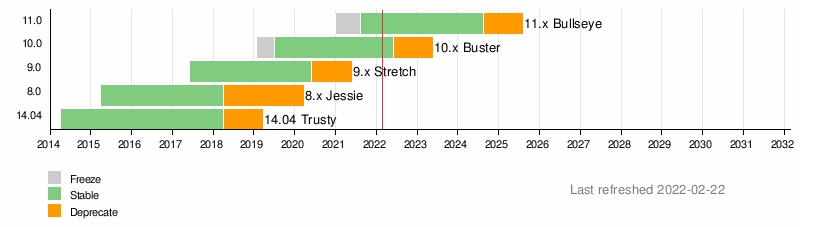
  • Prepare a parallel grid deployment with the new operating system.
  • Ask our users (tool developers) to evaluate a newer version of their runtime and programming languages.
  • Introduce a migration window and coordinate a quick migration.
  • Finally, drop the old operating system from grid servers.
We ve done this type of migration several times before. The last few ones were Ubuntu Precise to Ubuntu Trusty and Ubuntu Trusty to Debian Stretch. But this time around we had some special angles to consider.

So, you are upgrading the Debian release
  • You are migrating to Debian 11 Bullseye, no?
  • No, we re migrating to Debian 10 Buster
  • Wait, but Debian 11 Bullseye exists!
  • Yes, we know! Let me explain
We re migrating the grid from Debian 9 Stretch to Debian 10 Buster, but perhaps we should be migrating from Debian 9 Stretch to Debian 11 Bullseye directly. This is a legitimate concern, and we discussed it in September 2021. A timeline showing Debian versions since 2014 Back then, our reasoning was that skipping to Debian 11 Bullseye would be more difficult for our users, especially because greater jump in version numbers for the underlying runtimes. Additionally, all the migration work started before Debian 11 Bullseye was released. Our original intention was for the migration to be completed before the release. For a couple of reasons the project was delayed, and when it was time to restart the project we decided to continue with the original idea. We had some work done to get Debian 10 Buster working correctly with the grid, and supporting Debian 11 Bullseye would require an additional effort. We didn t even check if Grid Engine could be installed in the latest Debian release. For the grid, in general, the engineering effort to do a N+1 upgrade is lower than doing a N+2 upgrade. If we had tried a N+2 upgrade directly, things would have been much slower and difficult for us, and for our users. In that sense, our conclusion was to not skip Debian 10 Buster.
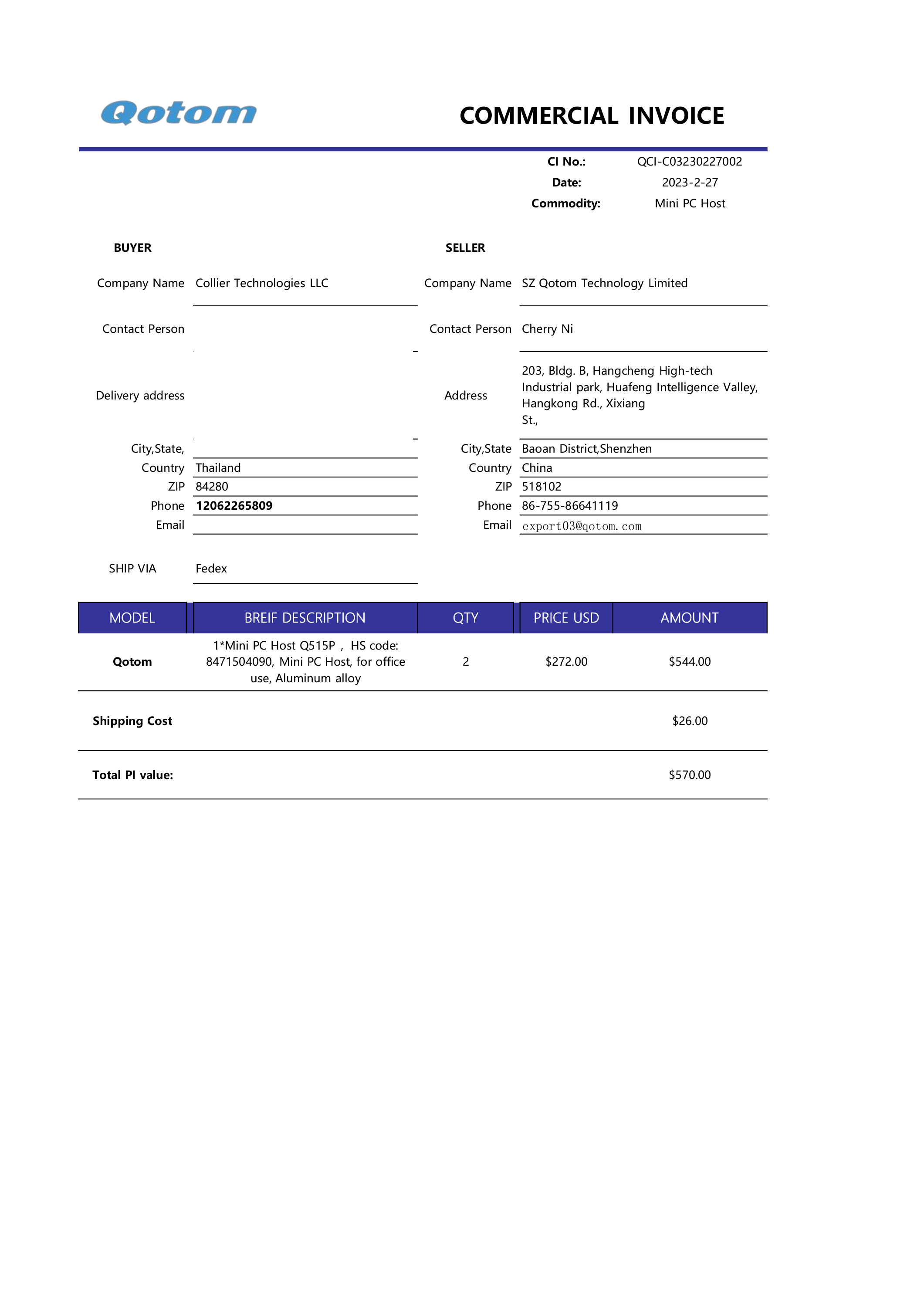
We no longer want to run Grid Engine In a previous blog post we shared information about our desired future for Grid Engine in Toolforge. Our intention is to discontinue our usage of this technology.

No grid? What about my tools? Toolforge logo, a circle with an anvil in the middle Traditionally there have been two main workflows or use cases that were supported in the grid, but not in our Kubernetes backend:
  • Running jobs, long-running bots and other scheduled tasks.
  • Mixing runtime environments (for example, a nodejs app that runs some python code).
The good news is that work to handle the continuity of such use cases has already started. This takes the form of two main efforts:
  • The Toolforge buildpacks project to support arbitrary runtime environments.
  • The Toolforge Jobs Framework to support jobs, scheduled tasks, etc.
In particular, the Toolforge Jobs Framework has been available for a while in an open beta phase. We did some initial design and implementation, then deployed it in Toolforge for some users to try it and report bugs, report missing features, etc. These are complex, and feature-rich projects, and they deserve a dedicated blog post. More information on each will be shared in the future. For now, it is worth noting that both initiatives have some degree of development already. The conclusion Knowing all the moving parts, we were faced with a few hard questions when deciding how to approach the Debian 9 Stretch deprecation:
  • Should we not upgrade the grid, and focus on Kubernetes instead? Let Debian 9 Stretch be the last supported version on the grid?
  • What is the impact of these decisions on the technical community? What is best for our users?
The choices we made are already known in the community. A couple of weeks ago we announced the Debian 9 Stretch Grid Engine deprecation. In parallel to this migration, we decided to promote the new Toolforge Jobs Framework, even if it s still in beta phase. This new option should help users to future-proof their tool, and reduce maintenance effort. An early migration to Kubernetes now will avoid any more future grid problems. We truly hope that Debian 10 Buster is the last version we have for the grid, but as they say, hope is not a good strategy when it comes to engineering. What we will do is to work really hard in bringing Toolforge to the service level we want, and that means to keep developing and enabling more Kubernetes-based functionalities. Stay tuned for more upcoming blog posts with additional information about Toolforge. This post was originally published in the Wikimedia Tech blog, authored by Arturo Borrero Gonzalez.

Next.

Previous.