
sbuild is a tool used by those maintaining packages in Debian, and
derived distributions such as Ubuntu. When used correctly, it can
catch a lot of categories of bugs before packages are uploaded. It
does this by building the package in a clean environment, and then
running the package through the Lintian, piuparts, adequate and
autopkgtest tools. However, configuring sbuild so that it makes use
of all of these tools is cumbersome.
In response to this complexity, I wrote
a module for the
Propellor configuration management system to prepare a system such
that a user can just go ahead and run the sbuild(1) command.
This module is useful on one s development laptop if you need to
reinstall your OS, you don t have to look up the instructions for
setting up sbuild again. But it s also useful on throwaway build
boxes. I can instruct propellor to provision a new virtual machine to
build packages with sbuild, and all the different tools mentioned
above will be connected together for me.
I just uploaded Propellor version 5.1.0 to Debian unstable. The
version overhauls the API and internals of the Sbuild module to take
better advantage of Propellor s design. I won t get into those
details in this post. What I d like to do is demonstrate how you can
set up sbuild on your own machines, using Propellor.
Getting started with Propellor
apt-get install propellor, and then
propellor --init.
You ll be offered two setups, options A and B. I suggest starting
with option B.
If you never use Propellor for anything other than provisioning
sbuild, you can stick with option B. If this tutorial makes you want
to check out more features of Propellor, you might consider switching
to option A and importing your old configuration.
Open
~/.propellor/config.hs. You will see something like this:
-- The hosts propellor knows about.
hosts :: [Host]
hosts =
        [ mybox
        ]
-- An example host.
mybox :: Host
mybox = host "mybox.example.com" $ props
        & osDebian Unstable X86_64
        & Apt.stdSourcesList
        & Apt.unattendedUpgrades
        & Apt.installed ["etckeeper"]
        & Apt.installed ["ssh"]
        & User.hasSomePassword (User "root")
        & File.dirExists "/var/www"
        & Cron.runPropellor (Cron.Times "30 * * * *")
You ll want to customise this so that it reflects your computer. My
laptop is called
iris, so I might replace the above with this:
-- The hosts propellor knows about.
hosts :: [Host]
hosts =
        [ iris
        ]
-- My laptop.
iris :: Host
iris = host "iris.silentflame.com" $ props
        & osDebian Testing X86_64
The list of lines beginning with
& are the
properties of the host
iris. Here, I ve removed all properties except the
osDebian
property, which informs propellor that iris runs Debian testing and
has the amd64 architecture.
The effect of this is that Propellor will not try to change anything
about iris. In this tutorial, we are not going to let Propellor
configure anything about iris other than setting up sbuild.
(The
osDebian property is a
pure info property, which means that
it tells Propellor information about the host to which other
properties might refer, but it doesn t itself change anything about
iris.)
Telling Propellor to configure sbuild
First, add to the
import lines at the top of
config.hs the lines:
import qualified Propellor.Property.Sbuild as Sbuild
import qualified Propellor.Property.Schroot as Schroot
to enable use of the Sbuild module. Here is the full config for iris,
which I ll go through line-by-line:
-- The hosts propellor knows about.
hosts :: [Host]
hosts =
        [ iris
        ]
-- My laptop.
iris :: Host
iris = host "iris.silentflame.com" $ props
        & osDebian Testing X86_64
        & Apt.useLocalCacher
        & sidSchrootBuilt
        & Sbuild.usableBy (User "spwhitton")
        & Schroot.overlaysInTmpfs
        & Cron.runPropellor (Cron.Times "30 * * * *")
  where
        sidSchrootBuilt = Sbuild.built Sbuild.UseCcache $ props
                & osDebian Unstable X86_64
                & Sbuild.update  period  Daily
                & Sbuild.useHostProxy iris
Apt.useLocalCacher set up apt-cacher-ng and points apt on iris
at the cacher. This is the most efficient way to share a cache of
packages between apt on iris, and apt within the sbuild chroot.sidSchrootBuilt builds the sbuild schroot. Unfortunately, we have
to use a where clause because of Haskell s rules about operator
precedence. But it s just a simple substitution: imagine that &
Sbuild.built ... replaces & sidSchrootBuilt.
osDebian specifies that this is a Debian unstable chroot. You
can easily change this, or add another chroot, for building
stable backports, etc.Sbuild.UseCcache enables ccache for builds in this chroot.
You can replace this with Sbuild.NoCcache when building a
package which is broken by ccache, which happens from
time-to-time.Sbuild.update updates the chroot once per day.Sbuild.useHostProxy iris causes Propellor to propagate iris s
apt proxy into the chroot, so that apt in the chroot will also
use iris s apt cacher.
Sbuild.usableBy adds spwhitton to the right group, so that he is
allowed to invoke sbuild(1).Schroot.overlaysInTmpfs configures sbuild to install build
dependencies and build packages in tmpfs. You can omit this
property on machines with low amounts of memory.Cron.runPropellor sets up a cron job to re-run propellor once per
hour. This is needed to ensure that things like Sbuild.update
actually happen. It will also normalise sbuild configuration files,
replace chroots that you accidently deleted, etc.
Running Propellor to configure your laptop
propellor iris.silentflame.com.
In this configuration, you don t need to worry about whether the
hostname
iris.silentflame.com actually resolves to your laptop.
However, it must be possible to
ssh root@localhost.
This should be enough that
spwhitton can:
$ sbuild -A --run-lintian --run-autopkgtest --run-piuparts foo.dsc
Further configuration
It is easy to add new schroots; for example, for building backports:
        ...
        & stretchSchrootBuilt
        ...
  where
        ...
        stretchSchrootBuilt = Sbuild.built Sbuild.UseCcache $ props
                & osDebian (Stable "stretch") X86_64
                & Sbuild.update  period  Daily
                & Sbuild.useHostProxy iris
You can also add additional properties to configure your chroot.
Perhaps on your LAN you need sbuild to install packages via https, and
you already have an apt cacher available. You can replace the
apt-cacher-ng configuration like this:
  where
        sidSchrootBuilt = Sbuild.built Sbuild.UseCcache $ props
                & osDebian Unstable X86_64
                & Sbuild.update  period  Daily
                & Apt.mirror "https://foo.mirror/debian/"
                & Apt.installed ["apt-transport-https"]
Thanks
Thanks to Propellor s author, Joey Hess, for help navigating
Propellor s type system while performing the overhaul included in
version 5.1.0. Also for a conversation at DebConf17 which enabled
this work by clearing some misconceptions of mine.
 Map of conflict
I've been practising Non-Violent Communication (NVC) for several years. It helps me to better understand my feelings and needs. The concepts of NVC can also help to look at conflicts. I would like to introduce a way to look at conflict using the basic concepts of NVC:
 March came. I was wasting more time writing and reading epidemic curves due to COVID-19. Not sure if me doing that helped anything.

 Here is my monthly update covering what I have been doing in the free software world during February 2020 (






 Last year I wrote about
 A new firmware for the Kobo ebook reader came out and I adjusted the mega update pack to use it. According to the comments in the

 About powerline
Powerline does some font substitutions that allow additional theming for terminal applications such as tmux, vim, zsh, bash and more. The powerline font has been packaged in Debian for a while now, and I ve packaged two powerline themes for vim and zsh. They re currently only in testing, but once my current todo list on packages look better, I ll upload them to stretch-backports.
For vim, vim-airline
 How to enable
Install the vim-airline package, and add the following to your .vimrc file:
 Powerlevel9k has lots of options and features. If you re interested in it, you should probably take a look at their
 No more nagging me about the placeholder image from Wikipedia I used in
 Here's what the team did today:
tumbleweed
Stefano started the day by hacking away on our video archive. We eventually want
to upload all our videos to YouTube to give them exposure, but sadly our archive
metadata is in a pretty poor shape.
With the script tumbleweed wrote, we can scrape the archive for matches against
the old DebConf's pentabarf XML we have.
tumbleweed also helped Ivo with the ansible PXE setup he's working on. Some
recent contributions from a collaborator implemented new features (like a nice
menu to choose from) but also came with a few annoying bugs.
ivodd
Ivo continued working on the PXE setup today. He also tried to break our ansible
setup by using fresh installs with different user cases (locales, interfaces,
etc.), with some success.
The reason he and Stefano are working so hard on the PXE boot is that we had a
discussion about the future of our USB install method. The general consensus on
this was although we would not remove it, we would not actively maintain it
anymore.
PXE is less trouble for multiple machines. For single machines or if you don't
control the DHCP server, using ansible manually on a fresh Debian install will
be the recommended way.
olasd
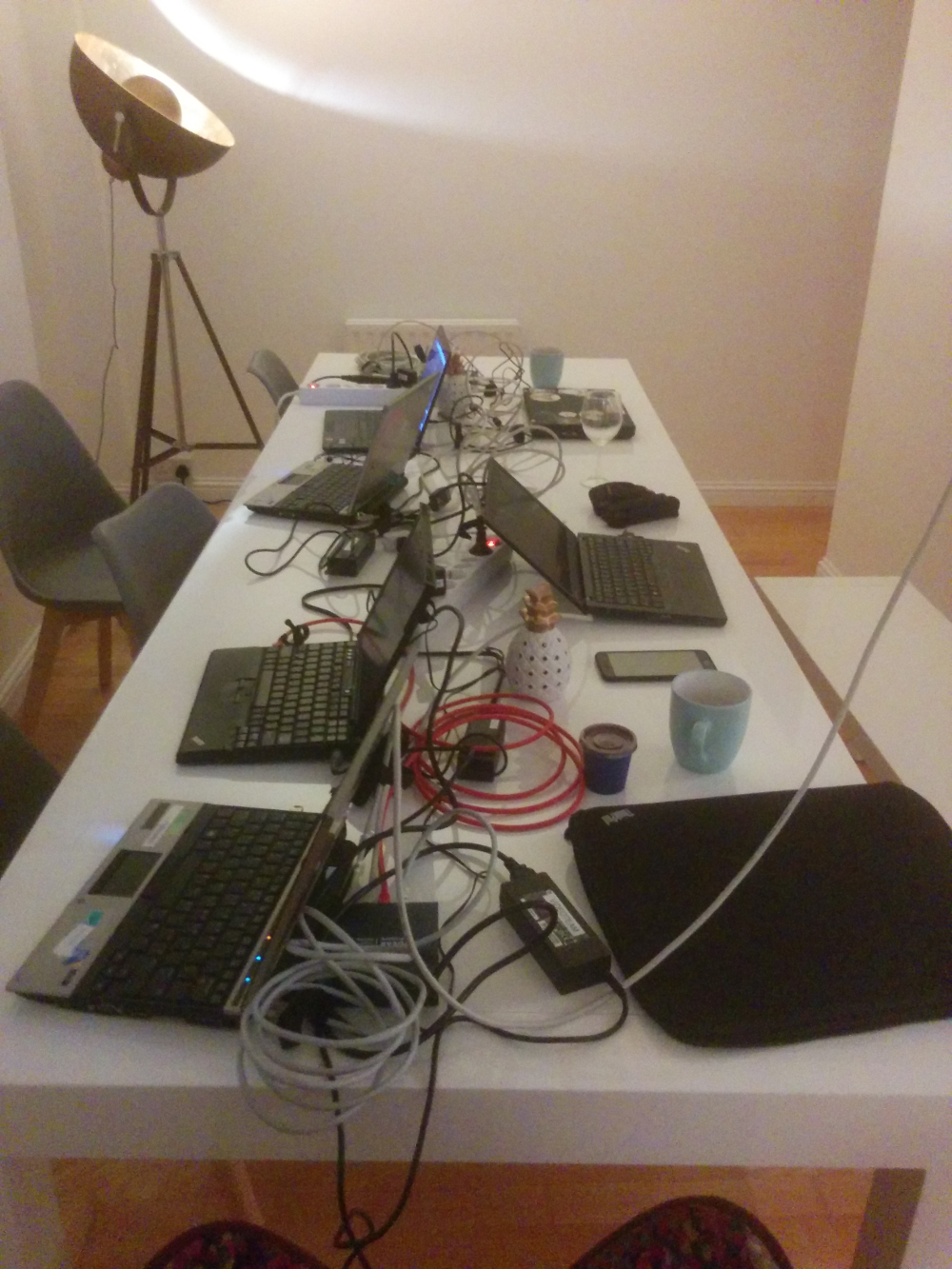
After a very long drive, olasd arrived late in the evening with all our gear.
Hurray! We were thus able to set up some test boxes and start wiring the airbnb
properly. Tomorrow will certainly be more productive with all this stuff at our
disposition.
pollo
Today I mainly worked on setting up our documentation website. After some
debate, we decided that

 A maintenance release 0.3.3.3.1 of
 Following up on



 Of course, reality has trouble matching all the post-processing filters.
Plan for the week
Now on a more serious note; apart from enjoying the beautiful city of Cambridge,
here's what the team plans to do this week:
tumbleweed
Stefano wants to continue refactoring our ansible setup. A lot of things have
been added in the last year, but some of it are hacks we should remove and
implement correctly.
highvoltage
Jonathan won't be able to come to Cambridge, but plans to work remotely, mainly
on our desktop/xfce session implementation. Another pile of hacks waiting to be
cleaned!
ivodd
Ivo has been working a lot of the pre-ansible part of our installation and plans
to continue working on that. At the moment, creating an installation USB key is
pretty complicated and he wants to make that simpler.
olasd
Nicolas completely reimplemented our streaming setup for DC17 and wants to
continue working on that.
More specifically, he wants to write scripts to automatically setup and teardown
- via API calls - the distributed streaming network we now use.
Finding a way to push TLS certificates to those mirrors, adding a live stream
viewer on