Search Results: "ag"

11 August 2017

Mike Gabriel: @DebConf 2017: Ayatana Indicators

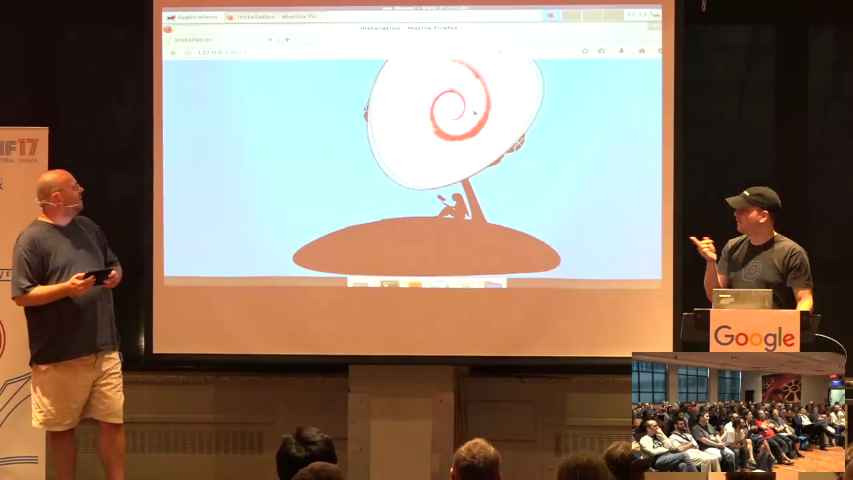
On last Tuesday, I gave a 20 min talk about Ayatana Indicators at DebConf 17 in Montreal. Ayatana Indicators Talk The talk had video coverage, so big thanks to the DebConf video team for making it possible to send the below video link around to people in the world: http://meetings-archive.debian.net/pub/debian-meetings/2017/debconf17/ay... The document of notes shown in the video is available on Debian's Infinote (Gobby) server:
$ sudo apt-get install gobby
$ sudo gobby infinote://gobby.debian.org/debconf17/talk/ayatana-indicators 
The major outcome of this talk was getting to know Dimitri John Ledkov from the Foundation Team at Canonical Ltd. We agreed on investigating the following actions, targetting the Ubuntu 18.04 LTS release and later on Debian 10 (aka buster): Upstream Todos Debian/Ubuntu Todos Please get in Touch... As this is going to be quite an effort, esp. if we want to get this done until 18.04 LTS, let me say, that this blog post is a call for help. If you are attached to Ubuntu and have used desktops with indicator support until now, please get in touch with the Ayatana Indicators team upstream as well as downstream (Debian/Ubuntu). Contact: Looking forward to meeting you online or on person and possibly working together with you on this transition project.

Mike Gabriel: @DebConf17: Story Telling about Debian Edu in Northern Germany

Last Monday, I gave a 20min talk about our little FLOSS school project "IT-Zukunft Schule" at the Debian Conference 17 in Montreal. The talk had video coverage, so may want to peek in, if you couldn't manage to watch the life stream: http://meetings-archive.debian.net/pub/debian-meetings/2017/debconf17/su... I'd like to share some major outcomes (so far) of this talk.
  1. I realized how attached I am to "IT-Zukunft Schule" and how much it means to me that our kids grow up in a world of freedom and choice. Also and esp. when it comes to choosing your daily communication tools and computer working environment
  2. I met Foteini Tsiami and Alkis Georgopoulos from Greece. They work on LTSP and have deployed 1000+ schools in Greece with LTSP + Debian GNU/Linux + MATE Desktop Environment
  3. I met Vagrant Cascadian who is the maintainer of LTSP in Debian and also a major LTSP upstream contributor
  4. I received a lot of fine feedback that was very encouraging to go on with our local work in Schleswig-Holstein
If you have some more time for watching DebConf talks on video, I dearly recommend the talk given by Alkis and Foteini on their Greek FLOSS success story. If you don't have that much time, please skip through the video until you are at 26:15 and enjoy the map that shows how much Debian + LTSP has spread over all of Greece. http://meetings-archive.debian.net/pub/debian-meetings/2017/debconf17/lt... Unfortunately, the schools in Greece are so much smaller than schools in Germany. Most schools there have between 50 and 300 students. So at the Greek schools, it is possible to have a teacher machine being the server for one computer lab. This teacher / server machine provides the infrastructure for a room full of LTSP fat clients (no hard drive inside) and that's it. For German schools, unfortunately, we need a larger scale setup. German schools often have 800+ students and network services need to be spread over more than one server machine. So, the current approach with one server running LDAP, Kerberos etc. is quite appropriate, but also extendible, possibly on municipality level or on county level. We (from IT-Zukunft Schule) are quite positive that there will be opportunities for introducing FLOSS approaches more on the county level in Schleswig-Holstein in the near future. So stay tuned...

Lucas Nussbaum: systemd services, and queue management?

I ve been increasingly using systemd timers as a replacement for cron jobs. The fact that you get free logging is great, and also the fact that you don t have to care about multiple instances running simultaneously. However, sometimes I would be interested in more complex scenarios, such as: Is this doable with systemd? If not, how do people do that outside of systemd?

Dirk Eddelbuettel: #8: Customizing Spell Checks for R CMD check

Welcome to the eight post in the ramblingly random R rants series, or R4 for short. We took a short break over the last few weeks due to some conferencing followed by some vacationing and general chill. But we're back now, and this post gets us back to initial spirit of (hopefully) quick and useful posts. Perusing yesterday's batch of CRANberries posts, I noticed a peculiar new directory shown the in the diffstat output we use to compare two subsequent source tarballs. It was entitled .aspell/, in the top-level directory, and in two new packages by R Core member Kurt Hornik himself. The context is, of course, the not infrequently-expressed desire to customize the spell checking done on CRAN incoming packages, see e.g. this r-package-devel thread. And now we can as I verified with (the upcoming next release of) RcppArmadillo, along with a recent-enough (i.e. last few days) version of r-devel. Just copying what Kurt did, i.e. adding a file .aspell/defaults.R, and in it pointing to rds file (named as the package) containing a character vector with words added to the spell checker's universe is all it takes. For my package, see here for the peculiars. Or see here:

edd@bud:~/git/rcpparmadillo/.aspell(master)$ cat defaults.R 
Rd_files <- vignettes <- R_files <- description <-
    list(encoding = "UTF-8",
         language = "en",
         dictionaries = c("en_stats", "RcppArmadillo"))
edd@bud:~/git/rcpparmadillo/.aspell(master)$ r -p -e 'readRDS("RcppArmadillo.rds")'
[1] "MPL"            "Sanderson"      "Templated"
[4] "decompositions" "onwards"        "templated"
edd@bud:~/git/rcpparmadillo/.aspell(master)$     
And now R(-devel) CMD check --as-cran ... is silent about spelling. Yay! But take this with a grain of salt as this does not yet seem to be "announced" as e.g. yesterday's change in the CRAN Policy did not mention it. So things may well change -- but hey, it worked for me. And this all is about aspell, here is something topical about a spell to close the post:

This post by Dirk Eddelbuettel originated on his Thinking inside the box blog. Please report excessive re-aggregation in third-party for-profit settings.

10 August 2017

Fran ois Marier: pristine-tar and git-buildpackage Work-arounds

I recently ran into problems trying to package the latest version of my planetfilter tool. This is how I was able to temporarily work-around bugs in my tools and still produce a package that can be built reproducibly from source and that contains a verifiable upstream signature.

pristine-tar being is unable to reproduce a tarball After importing the latest upstream tarball using gbp import-orig, I tried to build the package but ran into this pristine-tar error:
$ gbp buildpackage
gbp:error: Pristine-tar couldn't checkout "planetfilter_0.7.4.orig.tar.gz": xdelta3: target window checksum mismatch: XD3_INVALID_INPUT
xdelta3: normally this indicates that the source file is incorrect
xdelta3: please verify the source file with sha1sum or equivalent
xdelta3 decode failed! at /usr/share/perl5/Pristine/Tar/DeltaTools.pm line 56.
pristine-tar: command failed: pristine-gz --no-verbose --no-debug --no-keep gengz /tmp/user/1000/pristine-tar.mgnaMjnwlk/wrapper /tmp/user/1000/pristine-tar.EV5aXIPWfn/planetfilter_0.7.4.orig.tar.gz.tmp
pristine-tar: failed to generate tarball
So I decided to throw away what I had, re-import the tarball and try again. This time, I got a different pristine-tar error:
$ gbp buildpackage
gbp:error: Pristine-tar couldn't checkout "planetfilter_0.7.4.orig.tar.gz": xdelta3: target window checksum mismatch: XD3_INVALID_INPUT
xdelta3: normally this indicates that the source file is incorrect
xdelta3: please verify the source file with sha1sum or equivalent
xdelta3 decode failed! at /usr/share/perl5/Pristine/Tar/DeltaTools.pm line 56.
pristine-tar: command failed: pristine-gz --no-verbose --no-debug --no-keep gengz /tmp/user/1000/pristine-tar.mgnaMjnwlk/wrapper /tmp/user/1000/pristine-tar.EV5aXIPWfn/planetfilter_0.7.4.orig.tar.gz.tmp
pristine-tar: failed to generate tarball
I filed bug 871938 for this. As a work-around, I simply symlinked the upstream tarball I already had and then built the package using the tarball directly instead of the upstream git branch:
ln -s ~/deve/remote/planetfilter/dist/planetfilter-0.7.4.tar.gz ../planetfilter_0.7.4.orig.tar.gz
gbp buildpackage --git-tarball-dir=..
Given that only the upstream and master branches are signed, the .delta file on the pristine-tar branch could be fixed at any time in the future by committing a new .delta file once pristine-tar gets fixed. This therefore seems like a reasonable work-around.

git-buildpackage doesn't import the upstream tarball signature The second problem I ran into was a missing upstream signature after building the package with git-buildpackage:
$ lintian -i planetfilter_0.7.4-1_amd64.changes
E: planetfilter changes: orig-tarball-missing-upstream-signature planetfilter_0.7.4.orig.tar.gz
N: 
N:    The packaging includes an upstream signing key but the corresponding
N:    .asc signature for one or more source tarballs are not included in your
N:    .changes file.
N:    
N:    Severity: important, Certainty: certain
N:    
N:    Check: changes-file, Type: changes
N: 
This problem (and the lintian error I suspect) is fairly new and hasn't been solved yet. So until gbp import-orig gets proper support for upstream signatures, my work-around was to copy the upstream signature in the export-dir output directory (which I set in ~/.gbp.conf) so that it can be picked up by the final stages of gbp buildpackage:
ln -s ~/deve/remote/planetfilter/dist/planetfilter-0.7.4.tar.gz.asc ../build-area/planetfilter_0.7.4.orig.tar.gz.asc
If there's a better way to do this, please feel free to leave a comment (authentication not required)!

John Goerzen: A new baby and deep smiles

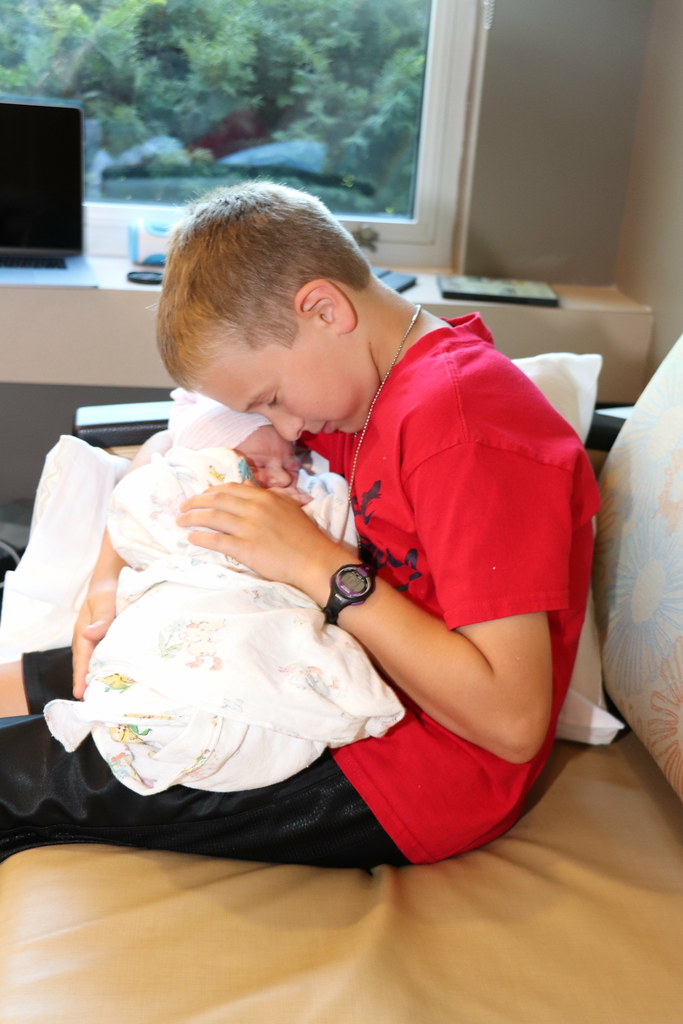
IMG_2059 A month ago, we were waiting for our new baby; time seemed to stand still. Now she is here! Martha Goerzen was born recently, and she is doing well and growing! Laura and I have enjoyed moments of cuddling her, watching her stare at our faces, hearing her (hopefully) soft sounds as she falls asleep in our arms. It is also heart-warming to see Martha s older brothers take such an interest in her. Here is the first time Jacob got to hold her: IMG_1846 Oliver, who is a boy very much into sports, play involving police and firefighters, and such, has started adding aww and she s so cute! to his common vocabulary. He can be very insistent about interrupting me to hold her, too.

Thorsten Glaser: New mksh and jupp releases, mksh FAQ, jupprc for JOE 4.4; MuseScore

mksh R56 was released with experimental fixes for the history no longer persisted when HISTFILE near-full and interactive shell cannot wait on coprocess by PID issues (I hope they do not introduce any regressioins) and otherwise as a bugfix release. You might wish to know the $EDITOR selection mechanism in dot.mkshrc changed. Some more alias characters are allowed again, and POSIX character classes (for ASCII, and EBCDIC, only) appeared by popular vote. mksh now has a FAQ; enjoy. Do feel free to contribute (answers, too, of course). The jupp text editor has also received a new release; asides from being much smaller, and updated (mksh too, btw) to Unicode 10, and some segfault fixes, it features falling back to using /dev/tty if stdin or stdout is not a terminal (for use on GNU with find xargs jupp, since they don t have our xargs(1) -o option yet), a new command to exit nonzero (sometimes, utilities invoking the generic visual editor need this), and presentation mode . Presentation mode, crediting Natureshadow, is basically putting your slides as (UTF-8, with fancy stuff inside) plaintext files into one directory, with sorting names (so e.g. zero-padded slide numbers as filenames), presenting them with jupp * in a fullscreen xterm. You d hit F6 to switch to one-file view first, then present by using F8 to go forward (F7 to go backward), and, for demonstrations, F9 to pipe the entire slide through an external command (could be just sh ) offering the previous one as default. Simple yet powerful; I imagine Sven Guckes would love it, were he not such a vim user. The new release is offered as source tarball (as usual) and in distribution packages, but also, again, a Win32 version as PKZIP archive (right-click on setup.inf and hit I nstall to install it). Note that this comes with its own (thankfully local) version of the Cygwin32 library (compatible down to Windows 95, apparently), so if you have Cygwin installed yourself you re better off compiling it there and using your own version instead. I ve also released a new DOS version of 2.8 with no code patches but an updated jupprc; the binary (self-extracting LHarc archive) this time comes with all resource files, not just jupp s. Today, the jupprc drop-in file for JOE 3.7 got a matching update (and some fixes for bugs discovered during that) and I added a new one for JOE 4.4 (the former being in Debian wheezy, the latter in jessie, stretch and buster/sid). It s a bit rudimentary (the new shell window functionality is absent) but, mostly, gives the desired jupp feeling, more so than just using stock jstar would. CVS ability to commit to multiple branches of a file at the same time, therefore grouping the commit (by commitid at least, unsure if cvsps et al. can be persuaded to recognise it). If you don t know what cvs(GNU) is: it is a proper (although not distributed) version control system and the best for centralised tasks. (For decentral tasks, abusing git as pseudo-VCS has won by popularity vote; take this as a comparison.) If desired, I can make these new versions available in my WTF APT repository on request. (Debian buster/sid users: please change https to http there, the site is only available with TLSv1.0 as it doesn t require bank-level security.) I d welcome it very much if people using an OS which does not yet carry either to package it there. Message me when one more is added, too In unrelated news I uploaded MuseScore 2.1 to Debian unstable, mostly because the maintainers are busy (though I could comaintain it if needed, I d just need help with the C++ and CMake details). Bonus side effect is that I can now build 2.2~ test versions with patches of mine added I plan to produce to fix some issues (and submit upstream) (read more )

9 August 2017

Petter Reinholdtsen: Simpler recipe on how to make a simple $7 IMSI Catcher using Debian

On friday, I came across an interesting article in the Norwegian web based ICT news magazine digi.no on how to collect the IMSI numbers of nearby cell phones using the cheap DVB-T software defined radios. The article refered to instructions and a recipe by Keld Norman on Youtube on how to make a simple $7 IMSI Catcher, and I decided to test them out. The instructions said to use Ubuntu, install pip using apt (to bypass apt), use pip to install pybombs (to bypass both apt and pip), and the ask pybombs to fetch and build everything you need from scratch. I wanted to see if I could do the same on the most recent Debian packages, but this did not work because pybombs tried to build stuff that no longer build with the most recent openssl library or some other version skew problem. While trying to get this recipe working, I learned that the apt->pip->pybombs route was a long detour, and the only piece of software dependency missing in Debian was the gr-gsm package. I also found out that the lead upstream developer of gr-gsm (the name stand for GNU Radio GSM) project already had a set of Debian packages provided in an Ubuntu PPA repository. All I needed to do was to dget the Debian source package and built it. The IMSI collector is a python script listening for packages on the loopback network device and printing to the terminal some specific GSM packages with IMSI numbers in them. The code is fairly short and easy to understand. The reason this work is because gr-gsm include a tool to read GSM data from a software defined radio like a DVB-T USB stick and other software defined radios, decode them and inject them into a network device on your Linux machine (using the loopback device by default). This proved to work just fine, and I've been testing the collector for a few days now. The updated and simpler recipe is thus to
  1. start with a Debian machine running Stretch or newer,
  2. build and install the gr-gsm package available from http://ppa.launchpad.net/ptrkrysik/gr-gsm/ubuntu/pool/main/g/gr-gsm/,
  3. clone the git repostory from https://github.com/Oros42/IMSI-catcher,
  4. run grgsm_livemon and adjust the frequency until the terminal where it was started is filled with a stream of text (meaning you found a GSM station).
  5. go into the IMSI-catcher directory and run 'sudo python simple_IMSI-catcher.py' to extract the IMSI numbers.
To make it even easier in the future to get this sniffer up and running, I decided to package the gr-gsm project for Debian (WNPP #871055), and the package was uploaded into the NEW queue today. Luckily the gnuradio maintainer has promised to help me, as I do not know much about gnuradio stuff yet. I doubt this "IMSI cacher" is anywhere near as powerfull as commercial tools like The Spy Phone Portable IMSI / IMEI Catcher or the Harris Stingray, but I hope the existance of cheap alternatives can make more people realise how their whereabouts when carrying a cell phone is easily tracked. Seeing the data flow on the screen, realizing that I live close to a police station and knowing that the police is also wearing cell phones, I wonder how hard it would be for criminals to track the position of the police officers to discover when there are police near by, or for foreign military forces to track the location of the Norwegian military forces, or for anyone to track the location of government officials... It is worth noting that the data reported by the IMSI-catcher script mentioned above is only a fraction of the data broadcasted on the GSM network. It will only collect one frequency at the time, while a typical phone will be using several frequencies, and not all phones will be using the frequencies tracked by the grgsm_livemod program. Also, there is a lot of radio chatter being ignored by the simple_IMSI-catcher script, which would be collected by extending the parser code. I wonder if gr-gsm can be set up to listen to more than one frequency?

Joey Hess: unifying OS installation and configuration management

Three years ago, I realized that propellor (my configuration management system that is configured using haskell) could be used as an installer for Debian (or other versions of Linux). In propellor is d-i 2.0, I guessed it would take "a month and adding a few thousand lines of code". I've now taken that month, and written that code, and I presented the result at DebConf yesterday. I demoed propellor building a live Debian installation image, and then handed it off to a volenteer from the audience to play with its visual user interface and perform the installation. The whole demo took around 20 minutes, and ended with a standard Debian desktop installation. (Video) The core idea is to reuse the same configuration management system for several different purposes.
  1. Building a bootable disk image that can be used as both a live system and as an OS installer.
  2. Running on that live system, to install the target system. Which can just involve copying the live system to the target disk and then letting the configuration management system make the necessary changes to get from the live system configuration to the target system configuration.
  3. To support such things as headless arm boards, building customized images tuned for the target board and use case, that can then simply be copied to the board to install.
  4. Optionally, running on the installed system later, to futher customize it. Starting from the same configuration that produced the installed system in the first place.
There can be enourmous code reuse here, and improvements made for one of those will often benefit all the rest as well. Once everything is handled by configuration management, all user interface requirements become just a matter of editing the configuration. Including: That's the gist of it. Configuration management reused for installation and image building, and multiple editor interfaces to make it widely usable. I was glad, sitting in to a BoF session before my talk, that several people in Debian are already thinking along similar lines. And if Debian wanted to take this work and run with it, I'd be glad to assist as propellor's maintainer. But the idea is more important than the code and I hope my elaboration of it helps point a way if not the way. While what I've built installs Debian, little of it is Debian-specific. It would probably be easy to port it to Arch Linux, which propellor already supports. There are Linux-specific parts, so porting to FreeBSD would be harder, but propellor knows, at the type level which OSs properties support, which will ease porting. GuixSD and NixOS already use configuration management for installation, and were part of my inspiration. I've extended what they do in some ways (in other ways they remain far ahead).
The code is here. And here are some links to more details about what I built, and ideas encountered along the way:

8 August 2017

Jonathan Dowland: libraries

Cover for The Rise Of The Meritocracy Cover for The Rise Of The Meritocracy
At some point during my Undergraduate years I lost the habit of using Libraries. On reflection this is probably Amazon's fault. In recent years I've tried to get back into the habit of using them. Using libraries is a great idea if you are trying to lead a more minimalist life. I am registered to use Libraries in two counties: North Tyneside, where I live, and Newcastle, where I work. The union of the two counties' catalogues is pretty extensive. Perhaps surprisingly I have found North Tyneside to offer both better customer service and a more interesting selection of books. Sometimes there are still things that are hard to get ahold of. After listening to BBC Radio 4's documentary The Rise and Fall of Meritocracy, presented by Toby Young, I became interested in reading The Rise of the Meritocracy: an alarmist, speculative essay that coined the term meritocracy, written by Toby's father, Michael Young. The book was not on either catalogue. It is out of print, with the price of second hand copies fluctuating but generally higher than I am prepared to pay. I finally managed to find a copy in Newcastle University's Library. As an associate of the School of Computing I have access to the Library services. It's an interesting read, and I think if it were framed more as a novel than as an essay it might be remembered in the same bracket as Brave New World or 1984.

7 August 2017

Rapha&#235;l Hertzog: My Free Software Activities in July 2017

My monthly report covers a large part of what I have been doing in the free software world. I write it for my donors (thanks to them!) but also for the wider Debian community because it can give ideas to newcomers and it s one of the best ways to find volunteers to work with me on projects that matter to me. Debian LTS This month I was allocated 12 hours but I only managed to work for 7 hours (due to vacation and unanticipated customer work). I gave back the remaining hours to the pool as I didn t want to carry them over for August which will be also short due to vacation (BTW I m not attending Debconf). I spent my 7 hours doing CVE triaging during the week where I was in charge of the LTS frontdesk (I committed 22 updates to the security tracker). I did publish DLA-1010-1 on vorbis-tools but the package update had been prepared by Petter Reinholdtsen. Misc Debian work zim. I published an updated package in experimental (0.67~rc2-2) with the upstream bug fixes on the current release candidate. The final version has been released during my vacation and I will soon upload it to unstable. Debian Handbook. I worked with Petter Reinholdtsen to finalize the paperback version of the Norwegian translation of the Debian Administrator s Handbook (still covering Debian 8 Jessie). It s now available. Bug reports. I filed a few bugs related to my Kali work. #868678: autopkgtest s setup-testbed script is not friendly to derivatives. #868749: aideinit fails with syntax errors when /etc/debian_version contains spaces. debian-installer. I submitted a few d-i patches that I prepared for a customer who had some specific needs (using the hd-media image to boot the installer from an ISO stored in an LVM logical volume). I made changes to debian-installer-utils (#868848), debian-installer (#868852), and iso-scan (#868859, #868900). Thanks See you next month for a new summary of my activities.

No comment Liked this article? Click here. My blog is Flattr-enabled.

Mario Lang: If your software should be cross platform and accessible, forget about Qt

A few years ago, I started to write software which primary audience is going to be blind musicians. I did a small presentation of the UI at DebConf15. Most of the functionality is in a compiler-alike backend. But eventually, I wanted to create a user interface to improve the interactive experience. So, the problem again: which toolkit to choose which would be accessible on most platforms? Last time I needed to solve a similar problem, I used Java/Swing. This has its problems, but it actually works on Windows, Linux and (supposedly) Mac. This time around, my implementation language is C++, so Swing didn't look that interesting. It appears there is not much that fullfils these requirements. Qt looked like it could. But since I had my bad experiences already with Qt claiming accessibility they really never implemented, I was at least a bit cautious. Around 10 years ago, when Qt 4 was released, I found that the documentation claimed that Qt4 was accessible on Linux, but it really never was until a very late 4.x release. This information was a blatant lie, trying to lure uninformed programmers into using Qt, much to the disservice of their disabled users. If you ask a random blind Windows user who knows a bit about toolkits, they will readily tell you that they hate every app written in Qt. With this knowledge, and the spirit of "We can change the world" I wrote a private mail to the person responsible for maintaining Qt accessibility. I explained to them that I am about to choose Qt as the UI platform for my program, and that my primary audience is users that rely on Accessibility. I also explained that cross-platform support (esp. good support on Windows) is a necessary requirement for my project. I basically got a nice marketing speak answer back, but when I read it back then, I didn't fully realize that just yet. The tone basicallly: "No problem. Qt works on Linux, Mac and Windows, and if you find any problems, just report them to us and we are going to fix them." Well, I was aware that I am not a paying customer of Qt Company, so the promise above is probbably a bit vague (I thought), but still, it sounded quite encouraging. So off I went, and started to learn enough Qt to implement the simple user interface I wanted. First tests on Linux seemed to work, that is nice. After a while, I started to test on Windows. And BANG, of course, there is a "hidden" problem. The most wide-spread (commercial) screen reader used by most blind people somehow does not see the content of text entry widgets. This was and still is a major problem for my project. I have a number of text entry fields in my UI. Actually, the main part of the UI is a simple editor, so you might see the problem already. So some more testing was done, just to realize that yes, text entry fields indeed do not work with the most widely used screen reader on Windows. While other screen readers seemed to work (NVDA) it is simply not feasable to ask my future users to switch to a different screen reader just for a single program. So I either needed to get JAWS fixed, or drop Qt. Well, after a lot of testing, I ended up submitting a bug to the Qt tracker. That was a little over a year ago. The turnaround time of private mail was definitely faster. And now I get a reply to my bug explaining that JAWS was never a priority, still is not, and that my problem will probably go away after a rewrite which has no deadline yet. Why did I expect this already? At least now I know why no blind users wants to have any Qt on their machines. If you want to write cross-platform accessible software: You definitely should not use Qt. And no other Free Software toolkit for that matter, because they basically all dont give a shit about accessibility on non-Linux platforms. Yes, GTK has a Windows port, but that isn't accessible at all. Yes, wxWindows has a Windows port, but that has problems with, guess what, text entry fields (at least last time I checked). Free Software is NOT about Accessibility or equality. I see evidence for that claim since more then 15 years now. It is about coolness, self-staging, scratch-your-own-itchness and things like that. When Debian released Jessie, I was told that something like Accessibility is not important enough to delay the release. If GNOME just broke all the help system by switching to not-yet-accessible webkit, that is just bad luck, I was told. But it is outside of the abilities of package maintainers to ensure that what we ship is accessible. I hereby officially give up. And I admit my own stupidity. Sorry for claiming Free Software would be a good thing for the world. It is definitely not for my kin. If Free Software ever takes over, the blind will be unable to use their computers. Don't get me wrong. I love my command-line. But as the well-known saying goes: "Free Software will be ready for the desktop user, perhaps, next year?" The scratch-your-own-itch philosophy simply doesn't work together with a broad list of user requirements. If you want to support users with disabilities, you probably should not rely on hippie coders right now. I repeat: If you want to write compliant software, that would be also useable to people with disabilities, you can not use Qt. For now, you will need to write a native UI for every platform you want to support. Oh, and do not believe Qt Company marketing texts, your users will suffer if you do.

6 August 2017

Fran ois Marier: Time Synchronization with NTP and systemd

I recently ran into problems with generating TOTP 2-factor codes on my laptop. The fact that some of the codes would work and some wouldn't suggested a problem with time keeping on my laptop. This was surprising since I've been running NTP for a many years and have therefore never had to think about time synchronization. After realizing that ntpd had stopped working on my machine for some reason, I found that systemd provides an easier way to keep time synchronized.

The new systemd time synchronization daemon On a machine running systemd, there is no need to run the full-fledged ntpd daemon anymore. The built-in systemd-timesyncd can do the basic time synchronization job just fine. However, I noticed that the daemon wasn't actually running:
$ systemctl status systemd-timesyncd.service 
  systemd-timesyncd.service - Network Time Synchronization
   Loaded: loaded (/lib/systemd/system/systemd-timesyncd.service; enabled; vendor preset: enabled)
  Drop-In: /lib/systemd/system/systemd-timesyncd.service.d
            disable-with-time-daemon.conf
   Active: inactive (dead)
Condition: start condition failed at Thu 2017-08-03 21:48:13 PDT; 1 day 20h ago
     Docs: man:systemd-timesyncd.service(8)
referring instead to a mysterious "failed condition". Attempting to restart the service did provide more details though:
$ systemctl restart systemd-timesyncd.service 
$ systemctl status systemd-timesyncd.service 
  systemd-timesyncd.service - Network Time Synchronization
   Loaded: loaded (/lib/systemd/system/systemd-timesyncd.service; enabled; vendor preset: enabled)
  Drop-In: /lib/systemd/system/systemd-timesyncd.service.d
            disable-with-time-daemon.conf
   Active: inactive (dead)
Condition: start condition failed at Sat 2017-08-05 18:19:12 PDT; 1s ago
             ConditionFileIsExecutable=!/usr/sbin/ntpd was not met
     Docs: man:systemd-timesyncd.service(8)
The above check for the presence of /usr/sbin/ntpd points to a conflict between ntpd and systemd-timesyncd. The solution of course is to remove the former before enabling the latter:
apt purge ntp

Enabling time synchronization with NTP Once the ntp package has been removed, it is time to enable NTP support in timesyncd. Start by choosing the NTP server pool nearest you and put it in /etc/systemd/timesyncd.conf. For example, mine reads like this:
[Time]
NTP=ca.pool.ntp.org
before restarting the daemon:
systemctl restart systemd-timesyncd.service 
That may not be enough on your machine though. To check whether or not the time has been synchronized with NTP servers, run the following:
$ timedatectl status
...
 Network time on: yes
NTP synchronized: no
 RTC in local TZ: no
If NTP is not enabled, then you can enable it by running this command:
timedatectl set-ntp true
Once that's done, everything should be in place and time should be kept correctly:
$ timedatectl status
...
 Network time on: yes
NTP synchronized: yes
 RTC in local TZ: no

Daniel Silverstone: STM32 and RTFM

I have been working with STM32 chips on-and-off for at least eight, possibly closer to nine years. About as long as ST have been touting them around. I love the STM32, and have done much with them in C. But, as my previous two posts may have hinted, I would like to start working with Rust instead of C. To that end, I have been looking with great joy at the work which Jorge Aparicio has been doing around Cortex-M3 and Rust. I've had many comments in person at Debconf, and also several people mention on Twitter, that they're glad more people are looking at this. But before I can get too much deeper into trying to write my USB stack, I need to sort a few things from what Jorge has done as demonstration work.

Okay, this is fast, but we need Ludicrous speed All of Jorge's examples seem to leave the system clocks in a fairly default state, excepting turning on the clocks to the peripherals needed during the initialisation phase. Sadly, if we're going to be running the USB at all, we need the clocks to run a tad faster. Since my goal is to run something moderately CPU intensive on the end of the USB too, it makes sense to try and get our STM32 running at maximum clock speed. For the one I have, that's 72MHz rather than the 8MHz it starts out with. Nine times more cycles to do computing in makes a lot of sense. As I said above, I've been doing STM32 in C a lot for many years; and fortunately I have built systems with the exact chip that's on the blue-pill before. As such, if I rummage, I can find some old C code which does what we need...
    /* Enable HSE */
    RCC_HSEConfig(RCC_HSE_ON);
    /* Wait till HSE is ready */
    HSEStartUpStatus = RCC_WaitForHSEStartUp();
    if (HSEStartUpStatus == SUCCESS)
     
      /* Enable Prefetch Buffer */
      FLASH_PrefetchBufferCmd(FLASH_PrefetchBuffer_Enable);
      /* Flash 2 wait state */
      FLASH_SetLatency(FLASH_Latency_2);
      /* HCLK = SYSCLK */
      RCC_HCLKConfig(RCC_SYSCLK_Div1);
      /* PCLK2 = HCLK */
      RCC_PCLK2Config(RCC_HCLK_Div1);
      /* PCLK1 = HCLK/2 */
      RCC_PCLK1Config(RCC_HCLK_Div2);
      /* ADCCLK = PCLK2/6 */
      RCC_ADCCLKConfig(RCC_PCLK2_Div6);
      /* PLLCLK = 8MHz * 9 = 72 MHz */
      RCC_PLLConfig(RCC_PLLSource_HSE_Div1, RCC_PLLMul_9);
      /* Enable PLL */
      RCC_PLLCmd(ENABLE);
      /* Wait till PLL is ready */
      while (RCC_GetFlagStatus(RCC_FLAG_PLLRDY) == RESET)
       
      /* Select PLL as system clock source */
      RCC_SYSCLKConfig(RCC_SYSCLKSource_PLLCLK);
      /* Wait till PLL is used as system clock source */
      while (RCC_GetSYSCLKSource() != 0x08)
       
     
This code, rather conveniently, uses an 8MHz external crystal so we can almost direct-port it to the blue-pill Rust code and see how we go. If you're used to the CMSIS libraries for STM32, then you won't completely recognise the above since it uses the pre-CMSIS core libraries to do its thing. Library code from 2008 and it's still good on today's STM32s providing they're in the right family :-) A direct conversion to Rust, using Jorge's beautifully easy to work with crates made from svd2rust results in:
    fn make_go_faster(rcc: &RCC, flash: &FLASH)  
        rcc.cr.modify( _, w  w.hseon().enabled());
        while !rcc.cr.read().hserdy().is_ready()  
        flash.acr.modify( _, w  w.prftbe().enabled());
        flash.acr.modify( _, w  w.latency().two());
        rcc.cfgr.modify( _, w  w
                        .hpre().div1()
                        .ppre2().div1()
                        .ppre1().div2()
                        // .adcpre().bits(8)
                        .pllsrc().external()
                        .pllxtpre().div1()
                        .pllmul().mul9()
        );
        rcc.cr.modify( _, w  w.pllon().enabled());
        while rcc.cr.read().pllrdy().is_unlocked()  
        rcc.cfgr.modify( _,w  w.sw().pll());
        while !rcc.cfgr.read().sws().is_pll()  
     
Now, I've not put the comments in which were in the C code, because I'm being very lazy right now, but if you follow the two together you should be able to work it through. I don't have timeouts for the waits, and you'll notice a single comment there (I cannot set up the ADC prescaler because for some reason the SVD is missing any useful information and so the generated crate only carries an unsafe function (bits()) and I'm trying to steer clear of unsafe for now. Still, I don't need the ADC immediately, so I'm okay with this. By using this function in the beginning of the init() function of the blinky example, I can easily demonstrate the clock is going faster since the LED blinks more quickly. This function demonstrates just how simple it is to take bit-manipulation from the C code and turn it into (admittedly bad looking) Rust with relative ease and without any of the actual bit-twiddling. I love it.

Mess with time, and you get unexpected consequences Sadly, when you mess with the clock tree on a microcontroller, you throw a lot of things out of whack. Not least, by adjusting the clock frequency up we end up adjusting the AHB, APB1, and APB2 clock frequencies. This has direct consequences for peripherals floating around on those busses. Fortunately Jorge thought of this and while the blue-pill crate hard-wires those frequencies to 8MHz, they are, at least, configurable in code in some sense. If we apply the make_go_faster() function to the serial loopback example, it simply fails to work because now the bus which the USART1 peripheral is connected to (APB2) is going at a different speed from the expected power-on default of 8MHz. If you remember from the function, we did .hpre().div1() which set HCLK to 72MHz, then .ppre1().div2() which sets the APB1 bus clock to be HCLK divided by 2, and .ppre2().div1() which sets APB2 bus clock to be HCLK. This means that we'd need to alter src/lib.rs to reflect these changes in the clock frequences and in theory loopback would start working once more. It'd be awkward to try and demonstrate all that to you since I only have a phone camera to hand, but if you own a blue-pill then you can clone Jorge's repo and have a go yourself and see that I'm not bluffing you. With all this done, it'll be time to see if we can bring the USB peripheral in the STM32 online, and that will be the topic of my next post in this discovery series.

Joachim Breitner: Communication Failure

I am still far from being a professor, but I recently got a glimps of what awaits you in that role
From: Sebastian R. < @gmail.com>
To: joachim@cis.upenn.edu
Subject: re: Errors I've spotted a basic error in your course on Haskell (https://www.seas.upenn.edu/~cis194/fall16/). Before I proceed, it's cool if you're not receptive to errors being indicated; I've come across a number of professors who would rather take offense than admit we're all human and thus capable of making mistakes... My goal is to find a resource that might be useful well into the future, and a good indicator of that is how responsive the author is to change. In your introduction note you have written:
n contrast to a classical intro into Haskell, we do not start with numbers, booleans, tuples, lists and strings, but we start with pictures. These are of course library-defined (hence the input CodeWorld) and not part of the language . But that does not make them less interesting, and in fact, even the basic boolean type is library defined it just happens to be the standard library.
Howeverm there is no input CodeWorld in the code above. Have you been made aware of this error earlier? Regards, ...
Nice. I like when people learn from my lectures. The introduction is a bit werid, but ok, maybe this guy had some bad experiences. Strangley, I don t see a mistake in the material, so I respond:
From: Joachim Breitner <noscript>joachim at cis dot upenn dot edu</noscript>
To: Sebastian R. < @gmail.com>
Subject: Re: Errors Dear Sebastian, thanks for pointing out errors. But the first piece of code under Basic Haskell starts with
 -# LANGUAGE OverloadedStrings #- 
import CodeWorld
so I am not sure what you are referring to. Note that these are lecture notes, so you have to imagine a lecturer editing code live on stage along with it. If you only have the notes, you might have to infer a few things. Regards, Joachim
A while later, I receive this response:
From: Sebastian R. < @gmail.com>
To: Joachim Breitner <noscript>joachim at cis dot upenn dot edu</noscript>
Subject: Re: Errors Greetings, Joachim. Kindly open the lecture slides and search for "input CodeWorld" to find the error; it is not in the code, but in the paragraph that implicitly refers back to the code. You might note that I quoted this precisely from the lectures... and so I repeat myself... this came from your lectures; they're not my words!
In contrast to a classical intro into Haskell, we do not start with numbers, booleans, tuples, lists and strings, but we start with pictures. These are of course library-defined (hence the input CodeWorld) and not part of the language . But that does not make them less interesting, and in fact, even the basic boolean type is library defined it just happens to be the standard library.
This time around, I've highlighted the issue. I hope that made it easier for you to spot... Nonetheless, I got my answer. Don't reply if you're going to fight tooth and nail about such a basic fix; it's simply a waste of both of our time. I'd rather learn from somewhere else... On Tue, Aug 1, 2017 at 11:19 PM, Joachim Breitner <noscript>joachim at cis dot upenn dot edu</noscript> wrote:
I am a bit reminded of Sean Spicer they re not my words! but clearly I am missing something. And indeed I am: In the code snippet, I wrote correctly import CodeWorld, but in the text I had input CodeWorld. I probably did write LaTeX before writing the lecture notes. Well, glad to have that sorted out. I fixed the mistake and wrote back:
From: Joachim Breitner <noscript>joachim at cis dot upenn dot edu</noscript>
To: Sebastian R. < @gmail.com>
Betreff: Re: Errors Dear Sebastian, nobody is fighting, and I see the mistake now: The problem is not that the line is not in the code, the problem is that there is a typo in the line and I wrote input instead of import . Thanks for the report, although you did turn it into quite a riddle a simple you wrote import when it should have been import would have been a better user of both our time. Regards, Joachim Am Donnerstag, den 03.08.2017, 13:32 +1000 schrieb Sebastian R.:
(And it seems I now made the inverse typo, writing import instead of input . Anyways, I did not think of this any more until a few days later, when I found this nice message in my mailbox:
From: Sebastian R. < @gmail.com>
To: Joachim Breitner <noscript>joachim at cis dot upenn dot edu</noscript>
Subject: Re: Errors
a simple you wrote import when it should have been import would have been a better user of both our time.
We're both programmers. How about I cut ALL of the unnecessary garbage and just tell you to s/import/input/ on that last quotation (the thing immediately before this paragraph, in case you didn't know). I blatantly quoted the error, like this:
In your introduction note you have written:
n contrast to a classical intro into Haskell, we do not start with numbers, booleans, tuples, lists and strings, but we start with pictures. These are of course library-defined (hence the input CodeWorld) and not part of the language . But that does not make them less interesting, and in fact, even the basic boolean type is library defined it just happens to be the standard library.
Howeverm there is no input CodeWorld in the code above.
Since that apparently wasn't clear enough, in my second email to you I had to highlight it like so:
You might note that I quoted this precisely from the lectures... and so I repeat myself... this came from your lectures; they're not my words!
In contrast to a classical intro into Haskell, we do not start with numbers, booleans, tuples, lists and strings, but we start with pictures. These are of course library-defined (hence the input CodeWorld) and not part of the language . But that does not make them less interesting, and in fact, even the basic boolean type is library defined it just happens to be the standard library.
This time around, I've highlighted the issue. I hope that made it easier for you to spot...
I'm not sure if you're memeing at me or not now, but it seems either your reading comprehension, or your logical deduction skills might be substandard. Unfortunately, there isn't much either of us can do about that, so I'm happy to accept that some people will be so stupid; after all, it's to be expected and if we don't accept that which is to be expected then we live our lives in denial. Happy to wrap up this discusson here, Seb... On Fri, Aug 4, 2017 at 12:22 AM, Joachim Breitner <noscript>joachim at cis dot upenn dot edu</noscript> wrote:
Well, I chose to be amused by this, and I am sharing my amusement with you.

Foteini Tsiami: Internationalization, part four: localization

Now, I am working in the fourth part of my Outreachy project which is the localization of the just-internationalized LTSP Manager software. Specifically, I am translating every message of the application s GUI from English to Greek (the reverse task from part 1), using the Translations environment of Launchpad, that my mentors pointed out to me. localization_08_17I am writing this post from Montreal, where I have traveled in order to attend the 18th DebConf and present my Outreachy project to the Debian community. My mentor and I are giving a joined presentation titled: LTSP Manager: how 1000+ Greek schools switched to Debian-based distributions. Last but not least, I would like to mention that today, t my great surprise, when I logged in to the launchpad translating environment, I saw that a Czech translation to the LTSP Manager software had started! The internationalization of the LTSP Manager software progresses well: it is already available in English and very soon in Greek and Czech!

Bits from Debian: DebConf17 starts today in Montreal

DebConf17 logo DebConf17, the 18th annual Debian Conference, is taking place in Montreal, Canada from August 6 to August 12, 2017. Debian contributors from all over the world have come together at Coll ge Maisonneuve during the preceding week for DebCamp (focused on individual work and team sprints for in-person collaboration developing Debian), and the Open Day on August 5th (with presentations and workshops of interest to a wide audience). Today the main conference starts with nearly 400 attendants and over 120 activities scheduled, including 45- and 20-minute talks and team meetings, workshops, a job fair, talks from invited speakers, as well as a variety of other events. The full schedule at https://debconf17.debconf.org/schedule/ is updated every day, including activities planned ad-hoc by attendees during the whole conference. If you want to engage remotely, you can follow the video streaming of the events happening in the three talk rooms: Buzz (the main auditorium), Rex, and Bo, or join the conversation about what is happening in the talk rooms: #debconf17-buzz, #debconf17-rex and #debconf17-bo, and the BoF (discussions) rooms: #debconf17-potato and #debconf17-woody (all those channels in the OFTC IRC network). DebConf is committed to a safe and welcome environment for all participants. See the DebConf Code of Conduct and the Debian Code of Conduct for more details on this. Debian thanks the commitment of numerous sponsors to support DebConf17, particularly our Platinum Sponsors Savoir-Faire Linux, Hewlett Packard Enterprise, and Google.

5 August 2017

Bits from Debian: Google Platinum Sponsor of DebConf17

Googlelogo We are very pleased to announce that Google has committed support to DebConf17 as a Platinum sponsor. Google is one of the largest technology companies in the world, providing a wide range of Internet-related services and products as online advertising technologies, search, cloud computing, software, and hardware. Google has been supporting Debian by sponsoring DebConf since more than ten years, and at gold level since DebConf12. With this additional commitment as Platinum Sponsor for DebConf17, Google contributes to make possible our annual conference, and directly supports the progress of Debian and Free Software helping to strengthen the community that continues to collaborate on Debian projects throughout the rest of the year. Thank you very much Google, for your support of DebConf17! DebConf17 is starting! Many Debian contributors are already taking advantage of DebCamp and the Open Day to work individually or in groups developing and improving Debian. DebConf17 will officially start on August 6, 2017. Visit the DebConf17 website at https://debconf17.debconf.org to know the schedule, live streaming and other details.

Lars Wirzenius: Enabling TRIM/DISCARD on Debian, ext4, luks, and lvm

I realised recently that my laptop isn't set up to send TRIM or DISCARD commands to its SSD. That means the SSD firmware has a harder time doing garbage collection (see whe linked Wikipedia page for more details.) After some searching, I found two articles by Christopher Smart: one, update. Those, plus some addition reading of documentation, and a little experimentation, allowed me to do this. Since the information is a bit scattered, here's the details, for Debian stretch, as much for my own memory as to make sure this is collected into one place. Note that it seems to be a possible information leak to TRIM encryped devices. I don't know the details, but if that bothers you, don't do it. I don't know of any harmful effects for enabling TRIM for everything, except the crypto bit above, so I wonder if it wouldn't make sense for the Debian installer to do this by default.

Daniel Silverstone: USB Device Stacks, on RTFM, part 2

Previously we talked about all the different kinds of descriptors which USB devices use to communicate their capability. This is important stuff because to write any useful USB device firmware we need to be able to determine how to populate our descriptors. However, having that data on the device is entirely worthless without an understanding of how it gets from the device to the host so that it can be acted upon. To understand that, let's look at the USB wire protocol.
Note, I'll again be talking mostly about USB2.0 low- and full-speed. I believe that high speed is approximately the same but with faster wires, except not quite that simple.

Down to the wire I don't intend to talk about the actual electrical signalling, though it's not un-reasonable for you to know that USB is a pair of wires forming a differentially signalled bidirectional serial communications link. The host is responsible for managing all the framing and timing on the link, and for formatting the communications into packets. There are a number of packet types which can appear on the USB link:
Packet type Purpose
Token Packet When the host wishes to send a message to the Control endpoint to configure the device, read data IN, or write data OUT, it uses this to start the transaction.
Data(0/1) Packet Following a Setup, In, or Out token, a Data packet is a transfer of data (in either direction). The 0 and 1 alternate to provide a measure of confidence against lost packets.
Handshake Packet Following a data packet of some kind, the other end may ACK the packet (all was well), NAK the packet (report that the device cannot, temporarily, send/receive data, or that an interrupt endpoint isn't triggered), or STALL the bus in which case the host needs to intervene.
Start of Frame Every 1ms (full-speed) the host will send a SOF packet which carries a frame number. This can be used to help keep time on very simple devices. It also divides the bus into frames within which bandwidth is allocated.
As an example, when the host wishes to perform a control transfer, the following packets are transacted in turn:
  1. Setup Token - The host addresses the device and endpoint (OUT0)
  2. Data0 Packet - The host transmits a GET_DESCRIPTOR for the device descriptor
  3. Ack Packet - The device acknowledges receipt of the request
This marks the end of the first transaction. The device decodes the GET_DESCRIPTOR request and prepares the device descriptor for transmission. The transmission occurs as the next transaction on the bus. In this example, we're assuming 8 byte maximum transmission sizes, for illustrative purposes.
  1. In Token - The host addresses the device and endpoint (IN0)
  2. Data1 Packet - The device transmits the first 8 bytes of the descriptor
  3. Ack Packet - The host acknowledges the data packet
  4. In Token - The host addresses the device and endpoint (IN0)
  5. Data0 Packet - The device transmits the remaining 4 bytes of the descriptor (padded)
  6. Ack Packet - The host acknowledges the data packet
The second transaction is now complete, and the host has all the data it needs to proceed. Finally a status transaction occurs in which:
  1. Out Token - The host addresses the device and endpoint (OUT0)
  2. Data1 Packet - The host transmits a 0 byte data packet to indicate successful completion
  3. Ack Packet - The device acknowledges the completion, indicating its own satisfaction
And thus ends the full control transaction in which the host retrieves the device descriptor. From a high level, we need only consider the activity which occurs at the point of the acknowledgement packets. In the above example:
  1. On the first ACK the device prepares IN0 to transmit the descriptor, readying whatever low level device stack there is with a pointer to the descriptor and its length in bytes.
  2. On the second ACK the low levels are still thinking.
  3. On the third ACK the transmission from IN0 is complete and the endpoint no longer expects to transfer data.
  4. On the fourth ACK the control transaction is entirely complete.

Thinking at the low levels of the control interface Before we can build a high level USB stack, we need to consider the activity which might occur at the lower levels. At the low levels, particularly of the device control interface, work has to be done at each and every packet. The hardware likely deals with the token packet for us, leaving the data packets for us to process, and the resultant handshake packets will be likely handled by the hardware in response to our processing the data packets. Since every control transaction is initiated by a setup token, let's look at the setup requests which can come our way...
Setup Packet (Data) Format
Field Name Byte start Byte length Encoding Meaning
bmRequestType 0 1 Bitmap Describes the kind of request, and the target of it. See below.
bRequest 1 1 Code The request code itself, meanings of the rest of the fields vary by bRequest
wValue 2 2 Number A 16 bit value whose meaning varies by request type
wIndex 4 2 Number A 16 bit value whose meaning varies by request type but typically encodes an interface number or endpoint.
wLength 6 2 Number A 16 bit value indicating the length of the transfer to come.
Since bRequest is essentially a switch against which multiple kinds of setup packet are selected between, here's the meanings of a few...
GET_DESCRIPTOR (Device) setup packet
Field Name Value Meaning
bmRequestType 0x08 Data direction is IN (from device to host), recipient is the device
bRequest 0x06 GET_DESCRIPTOR (in this instance, the device descriptor is requested)
wValue 0x0001 This means the device descriptor
wIndex 0x0000 Irrelevant, there's only 1 device descriptor anyway
wLength 12 This is the length of a device descriptor (12 bytes)
SET_ADDRESS to set a device's USB address
Field Name Value Meaning
bmRequestType 0x00 Data direction is OUT (from host to device), recipient is the device
bRequest 0x05 SET_ADDRESS (Set the device's USB address)
wValue 0x00nn The address for the device to adopt (max 127)
wIndex 0x0000 Irrelevant for address setting
wLength 0 There's no data transfer expected for this setup operation
Most hardware blocks will implement an interrupt at the point that the Data packet following the Setup packet has been receive. This is typically called receiving a 'Setup' packet and then it's up to the device stack low levels to determine what to do and dispatch a handler. Otherwise an interrupt will fire for the IN or OUT tokens and if the endpoint is zero, the low level stack will handle it once more. One final thing worth noting about SET_ADDRESS is that it doesn't take effect until the completion of the zero-length "status" transaction following the setup transaction. As such, the status request from the host will still be sent to address zero (the default for new devices).

A very basic early "packet trace" This is an example, and is not guaranteed to be the packet sequence in all cases. It's a good indication of the relative complexity involved in getting a fresh USB device onto the bus though... When a device first attaches to the bus, the bus is in RESET state and so the first event a device sees is a RESET which causes it to set its address to zero, clear any endpoints, clear the configuration, and become ready for control transfers. Shortly after this, the device will become suspended. Next, the host kicks in and sends a port reset of around 30ms. After this, the host is ready to interrogate the device. The host sends a GET_DESCRIPTOR to the device, whose address at this point is zero. Using the information it receives from this, it can set up the host-side memory buffers since the device descriptor contains the maximum transfer size which the device supports. The host is now ready to actually 'address' the device, and so it sends another reset to the device, again around 30ms in length. The host sends a SET_ADDRESS control request to the device, telling it that its new address is nn. Once the acknowledgement has been sent from the host for the zero-data status update from the device, the device sets its internal address to the value supplied in the request. From now on, the device shall respond only to requests to nn rather than to zero. At this point, the host will begin interrogating further descriptors, looking at the configuration descriptors and the strings, to build its host-side representation of the device. These will be GET_DESCRIPTOR and GET_STRING_DESCRIPTOR requests and may continue for some time. Once the host has satisfied itself that it knows everything it needs to about the device, it will issue a SET_CONFIGURATION request which basically starts everything up in the device. Once the configuration is set, interrupt endpoints will be polled, bulk traffic will be transferred, Isochronous streams begin to run, etc.

Okay, but how do we make this concrete? So far, everything we've spoken about has been fairly abstract, or at least "soft". But to transfer data over USB does require some hardware. (Okay, okay, we could do it all virtualised, but there's no fun in that). The hardware I'm going to be using for the duration of this series is the STM32 on the blue-pill development board. This is a very simple development board which does (in theory at least) support USB device mode. If we view the schematic for the blue-pill, we can see a very "lightweight" USB interface which has a pullup resistor for D+. This is the way that a device signals to the host that it is present, and that it wants to speak at full-speed. If the pullup were on D- then it would be a low-speed device. High speed devices need a little more complexity which I'm not going to go into for today. The USB lines connect to pins PA11 and PA12 which are the USB pins on the STM32 on the board. Since USB is quite finicky, the STM32 doesn't let you remap that function elsewhere, so this is all looking quite good for us so far. The specific STM32 on the blue-pill is the STM32F103C8T6. By viewing its product page on ST's website we can find the reference manual for the part. Jumping to section 23 we learn that this STM32 supports full-speed USB2.0 which is convenient given the past article and a half. We also learn it supports up to eight endpoints active at any one time, and offers double-buffering for our bulk and isochronous transfers. It has some internal memory for packet buffering, so it won't use our RAM bandwidth while performing transfers, which is lovely. I'm not going to distill the rest of that section here, because there's a large amount of data which explains how the USB macrocell operates. However useful things to note are:
  • How IN OUT and SETUP transfers work.
  • How the endpoint buffer memory is configured.
  • That all bus-powered devices MUST respond to suspend/resume properly
  • That the hardware will prioritise endpoint interrupts for us so that we only need deal with the most pressing item at any given time.
  • There is an 'Enable Function' bit in the address register which must be set or we won't see any transactions at all.
  • How the endpoint registers signal events to the device firmware.
Next time, we're going to begin the process of writing a very hacky setup routine to try and initialise the USB device macrocell so that we can see incoming transactions through the ITM. It should be quite exciting, but given how complex this will be for me to learn, it might be a little while before it comes through.

Next.

Previous.