Search Results: "ean"

3 September 2011

Benjamin Mako Hill: In Defense of Negativity

I often hear criticism of "negative campaigning" in the free software movement. For example, in reply to a blog post I once wrote about an FSF campaign, several people argued against, "negative campaigning of any sort, in any realm." Drawing an analogy to political smear campaigns, some members of the free software community have taken the position that negative campaigning in general is not useful and that negativity has no place in our advocacy. First, it is important to be clear on what we mean by a negative campaigns. I believe that there is a fundamental difference between speaking out against policies or actions and smear campaigns that employ untrue claims, ad hominem attacks, and that attempt to avoid a real conversation about issues. I will categorically condemn the latter form of smear campaigning in campaigns for software freedom or for anything else. That said, negativity directed at negativity has had a positive effect in many social movements. I have supported and participated in "negative" campaigns against proprietary software, software patents, DRM, centralized network services, and the firms behind these practices. I've done so because I believe that if one is taking an ethical position, it is justified, and often necessary, to not only speak about the benefits of freedom but against acts of dispossession and disenfranchisement. In some of the most effective social movements, unambiguously negative messages have been central. Should a campaign for abolishing child labor talk only about how valuable adult workers are to their employers or how happy kids are when they don't work? Should a campaign trying to abolish land mines talk only about the benefits of bomb-free fields and intact lower limbs? Should a free speech organization only speak out about the social welfare brought by a free press and never against acts of censorship? These may seem like outlandish comparisons but you can find people writing, only a couple centuries ago, about how slavery should be abolished by arguing in favor of the benefits of paid labor. Even if the economic arguments in favor of paid work are strong, these arguments seems irrelevant and offensive today. Whether slavery is more or less efficient is a moot point. Society has rejected it because it is wrong. We have made important strides toward eliminating injustices like child labor and slavery because activists waged decidedly negative campaigns against them and convinced others to join in opposition. In doing so, activists declared the status quo unconscionable and created an ethical responsibility to find alternatives and to redefine what was "realistic." While I will not suggest that the movement for software freedom is comparable in ethical weight to these other causes, I know that the free software mission is similar in kind. Of course, if one does not think that user control over technology is an ethical issue but is instead merely a matter of choice, one will probably oppose negative campaigns. It is also possible that a particular negative campaign is tactically unwise in that it is unlikely to reach a large audience, unlikely to change people's minds, or be difficult to carry out successfully. But such campaigns are a bad idea because they are ineffective, not because they are negative. Additionally, a movement that is purely negative and offers no reasonable alternative to the stated ill may also be unlikely to succeed. This is why, for example, I believe it is good that the FSF uses the large majority of its resources in the "positive" role of supporting free software. For those that do treat technological empowerment as an ethical ideal, it is both justified and essential to condemn the systematic disempowerment of others through non-free software just as we celebrate the benefits of software freedom. "Negative" campaigns against proprietary software, software patents, and DRM in music have already led our community to important -- if incomplete -- victories. The desire to right wrongs has been a critical part of our movement's success and of many others'. We would be wise not to give it up.

2 September 2011

Asheesh Laroia: Debian bug squashing party at SIPB, MIT


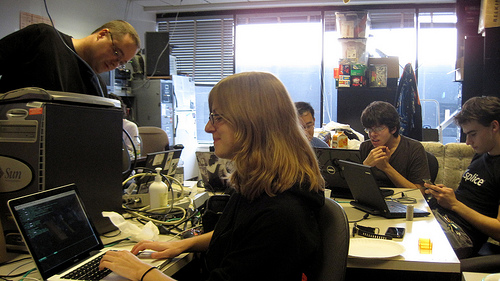
(Photo credit: Obey Arthur Liu; originally on Picasa, license.) Three weekends ago, I participated in a Debian bug squashing party. It was more fun than I had guessed! The event worked: we squashed bugs. Geoffrey Thomas (geofft) organized it as an event for MIT's student computing group, SIPB. In this post, I'll review the good parts and the bad. I'll conclude with beaming photos of my two mentees and talk about the bugs they fixed. So, the good:

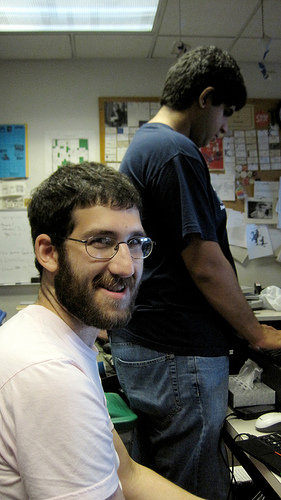
The event was a success, but as always, there are some things that could have gone more smoothly. Here's that list: Still, it turned out well! I did three NMUs, corresponding to three patches submitted for release-critical bugs by my two mentees. Those mentees were: Jessica enjoying herself Jessica McKellar is a software engineer at Ksplice Oracle and a recent graduate of MIT's EECS program. She solved three release-critical bugs. This was her first direct contribution to Debian. In particular: Jessica has since gotten involved in the Twisted project's personal package archive. Toward the end of the sprint, she explained, "I like fixing bugs. I will totally come to the next bug squashing party." Noah grinning Noah Swartz is a recent graduate of Case Western Reserve University where he studied Mathematics and played Magic. He is an intern at the MIT Media Lab where he contributes to DoppelLab in Joe Paradiso's Responsive Environments group. This was definitely his first direct contribution to Debian. It was also one of the most intense command-line experiences he has had so far. Noah wasn't originally planning to come, but we were having lunch together before the hackathon, and I convinced him to join us. Noah fixed #625177, a fails-to-build-from-source (FTBFS) bug in nslint. The problem was that "-Wl" was instead written in all lowercase in the debian/rules file, as "-wl". Noah fixed that, making sure the package properly built in pbuilder, and then spent some quality time with lintian figuring out the right way to write a debian/changelog. That's a wrap! We'll hopefully have one again in a few months, and before that, I hope to write up a guide so that we run things even more smoothly next time.

Wouter Verhelst: Mind reading

As a spectator to sporting events, there are times when the ability to read a sport(wo)man's mind would be... interesting. For instance. Yesterday's woman's 1500m final at the world athletics championships in Daegu was won by Jennifer Simpson. This was a surprise to many, including (apparently) Jennifer herself, as evidenced by the look on her face after the finish. See, for instance, this youtube clip (interesting bits around the 4 minute mark) Alternatively, I'd love to know what went through Carlos Berlocq when he won his first game in the match against Novak Djokovic in the third set. I mean, obviously nobody expected the world number one to lose from a relatively unknown 74-ranked argentine player, but that doesn't make it less painful.

Raphaël Hertzog: Google plus and server to give away

Just a quick note to let you know that (like many free software hackers apparently) I have an account on Google+. I m not using it much yet but I like it in general. It s interesting to see how Google transformed Joindiaspora s aspects into circles . When Google will make an API available, I ll probably setup it like my public Facebook page so that new blog posts are automatically announced. In the mean time, it s going to be very quiet on my Google+ profile. That said, I used it twice this week: the first time because I m looking for a French developer with sysadmin skills, and the second time because I have a server to give away (Pentium IV 3Ghz, 4 Gb RAM, 200 Gb of diskspace in RAID1 Hard). If you take the server for a free software project, it can be hosted for free where it currently is (courtesy of Julien Danjou). So if you re also a Google+ user, feel free to add me to one of your circles.

5 comments Liked this article? Click here. My blog is Flattr-enabled.

1 September 2011

Matthew Garrett: The Android/GPL situation

There was another upsurge in discussion of Android GPL issues last month, triggered by couple of posts by Edward Naughton, followed by another by Florian Mueller. The central thrust is that section 4 of GPLv2 terminates your license on violation, and you need the copyright holders to grant you a new one. If they don't then you don't get to distribute any more copies of the code, even if you've now come into compliance. TLDR; most Android vendors are no longer permitted to distribute Linux.

I'll get to that shortly. There's a few other issues that could do with some clarification. The first is Naughton's insinuation that Google are violating the GPL due to Honeycomb being closed or their "license washing" of some headers. There's no evidence whatsoever that Google have failed to fulfil their GPL obligations in terms of providing source to anyone who received GPL-covered binaries from them. If anyone has some, please do get in touch. Some vendors do appear to be unwilling to hand over code for GPLed bits of Honeycomb. That's an issue with the vendors, not Google.

His second point is more interesting, but the summary is "Google took some GPLed header files and relicensed them under Apache 2.0, and they've taken some other people's GPLv2 code and put it under Apache 2.0 as well". As far as the headers go, there's probably not much to see here. The intent was to produce a set of headers for the C library by taking the kernel headers and removing the kernel-only components. The majority of what's left is just structure definitions and function prototypes, and is almost certainly not copyrightable. And remember that these are the headers that are distributed with the kernel and intended for consumption by userspace. If any of the remaining macros or inline functions are genuinely covered by the GPLv2, any userspace application including them would end up a derived work. This is clearly not the intention of the authors of the code. The risk to Google here is indistinguishable from zero.

How about the repurposing of other code? Naughton's most explicit description is:

For example, Android uses bootcharting logic, which uses the 'bootchartd' script provided by www.bootchart.org, but a C re-implementation that is directly compiled into our init program. The license that appears at www.bootchart.org is the GPLv2, not the Apache 2.0 license that Google claims for its implementation.

, but there's no indication that Google's reimplementation is a derived work of the GPLv2 original.

In summary: No sign that Google's violating the GPL.

Florian's post appears to be pretty much factually correct, other than this bit discussing the SFLC/Best Buy case:

I personally believe that intellectual property rights should usually be enforced against infringing publishers/manufacturers rather than mere resellers, but that's a separate issue.

The case in question was filed against Best Buy because Best Buy were manufacturing infringing devices. It was a set of own-brand Blu Ray players that incorporated Busybox. Best Buy were not a mere reseller.

Anyway. Back to the original point. Nobody appears to disagree that section 4 of the GPLv2 means that violating the license results in total termination of the license. The disagreement is over what happens next. Armijn Hemel, who has done various work on helping companies get back into compliance, believes that simply downloading a new copy of the code will result in a new license being granted, and that he's received legal advice that supports that. Bradley Kuhn disagrees. And the FSF seem to be on his side.

The relevant language in v2 is:

You may not copy, modify, sublicense, or distribute the Program except as expressly provided under this License. Any attempt otherwise to copy, modify, sublicense or distribute the Program is void, and will automatically terminate your rights under this License.

The relevant language in v3 is:

You may not propagate or modify a covered work except as expressly provided under this License. Any attempt otherwise to propagate or modify it is void, and will automatically terminate your rights under this License

which is awfully similar. However, v3 follows that up with:

However, if you cease all violation of this License, then your license from a particular copyright holder is reinstated (a) provisionally, unless and until the copyright holder explicitly and finally terminates your license, and (b) permanently, if the copyright holder fails to notify you of the violation by some reasonable means prior to 60 days after the cessation.

In other words, with v3 you get your license back providing you're in compliance. This doesn't mesh too well with the assumption that you can get a new license by downloading a new copy of the software. It seems pretty clear that the intent of GPLv2 was that the license termination was final and required explicit reinstatement.

So whose interpretation is correct? At this point we really don't know - the only people who've tried to use this aspect of the GPL are the SFLC, and as part of their settlements they've always reinstated permission to distribute Busybox. There's no clear legal precedent. Which makes things a little awkward.

It's not possible to absolutely say that many Android distributors no longer have the right to distribute Linux. But nor is it possible to absolutely say that they haven't lost that right. Any sufficiently motivated kernel copyright holder probably could engage in a pretty effective shakedown racket against Android vendors. Whether they will do remains to be seen, but honestly if I were an Android vendor I'd be worried. There's plenty of people out there who hold copyright over significant parts of the kernel. Would you really bet on all of them being individuals of extreme virtue?

comment count unavailable comments

Niels Thykier: DEP-5, JW, dev docs and other goodies

Are you using DEP-5 in copyright file? Are you doing it right? Thanks to the work of Jakub Wilk, Lintian 2.5.3 will spot some of the regular mistakes (including syntax errors) and check if you are using the newest revision. This is far from the only thing Jakub Wilk has added to Lintian in this development cycle. Most of his contributions in 2.5.3 are listed next to a little [JW] in the changelog and I hope to see a lot more of those. :) Together with Jeremiah Foster, we have created a small POD document that hopefully will help aspiring developers. The file currently explains how the source code is divided, some core concepts and how to run specific tests in the test suite. The plan is to make it available on lintian.d.o along with a link to the git source code (#639974). Last time, I mentioned we have gotten rid of collection/fields by a simple improvement to our Lintian::Collect API. Turns out the same improvement could also be used on collection/source-control-file. This means we no longer create a file per field in the d/control of the source package. To avoid (any more) confusion, Lintian will now inform you if the package carries an override for a non-overridable tag (except if you use --quiet). On a related note, Lintian will now error out if it sees an unknown field in a vendor profile. Previously it would just silently ignore the field. There is one more change I would like to highlight and this one is probably best served with an example:
$ lintian --show-overrides ../lintian_2.5.2.dsc
N: We build-depend on cdbs for the test suite
O: lintian source: unused-build-dependency-on-cdbs
N: We build-depend on quilt for the test suite
O: lintian source: quilt-build-dep-but-no-series-file
N: We don't have a patch system for lintian itself
O: lintian source: patch-system-but-no-source-readme
Lintian will now attempt to extract and print the comment related to the override from the overrides file. The comment will be printed above each tag the override applies to (so you may see some repeated comments). The full documentation for how Lintian finds the comments (or why it does not find the comment) is available in the Lintian User Manual. The exact format of the comments being outputted may change in the near future. Particularly, we may add a marker to assist the tools generating lintian.d.o to find the comments. Hopefully we will be able to close #512901 soon. Beyond the changes above, I am very happy to see the bug count drop below 180 unfixed bugs[1]. We have not been this low there since the 2.5.0~rc1 upload (in February) and I hope we can keep it this time. :) Finally if you ever wanted to run your own little lintian.d.o , then you may find the Lintian harness proposal interesting. The basic idea the is to clean up the current tools and make a proper frontend out of them. Should you be interested, feel free to come with suggestions or requests. [1] Lintain bug page I use the number next to Outstanding under Status near the bottom. So pending bugs are considered fixed in my numbering.

Lars Wirzenius: File copying and removal benchmarking

As part of my development of a backup application, I run benchmarks on it, and that means creating a test data set, running some backups, and then removing the test data set. One of the test data sets I use is a 140 gibibytes of my real data. The benchmark first copies the data to a temporary location. In other words, a fair bit of my current life is spent waiting for files to be copied and removed. The faster that goes, the better. Overnight, I ran a little benchmark on those operations, to compare a couple of ways to do them. The results are below:
  elapsed  cmd
      (s)
    107.2  rm -rf tmp/data
     98.4  find tmp/data -delete
    100.1  find tmp/data -exec rm -rf   +
    116.2  find tmp/data -depth -print0   xargs -0 rm -rf
  elapsed  cmd
      (s)
   3567.5  cp -a tmp/data tmp/copy
   3219.5  cd tmp && mkdir copy && tar -C data -cf - .   tar -C copy -xf -
It is surprising, but it's clear that find is significantly faster than rm in deleting files, by almost ten percent. Since performance is a feature, this would indicate that that feature in rm is buggy. For file copying, the piping of two tars is a common trick, and it really is faster, again by almost ten percent. Obviously, there might also be a problem with the benchmark. I attach the script, which uses benchmark-cmd in extrautils, which I wrote for this kind of thing. If there is a problem with the benchmark, don't hesitate to provide a patch to fix that. There may be other ways to remove or copy files that should be compared, too. rsync? cpio? For file removal, a tool using Linux getdents directly would probably be faster than the portable code in GNU coreutils and findutils. Somebody should write that and compare. In all cases above, the test data set to be removed or copied is 30 GiB. Copies happened to the same disk (that's what happens with my backup benchmarks too). The filesystem used was ext4.

31 August 2011

Keith Packard: Altos1.0

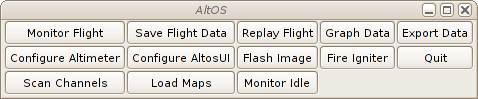
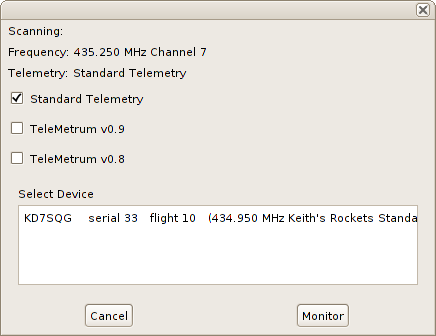
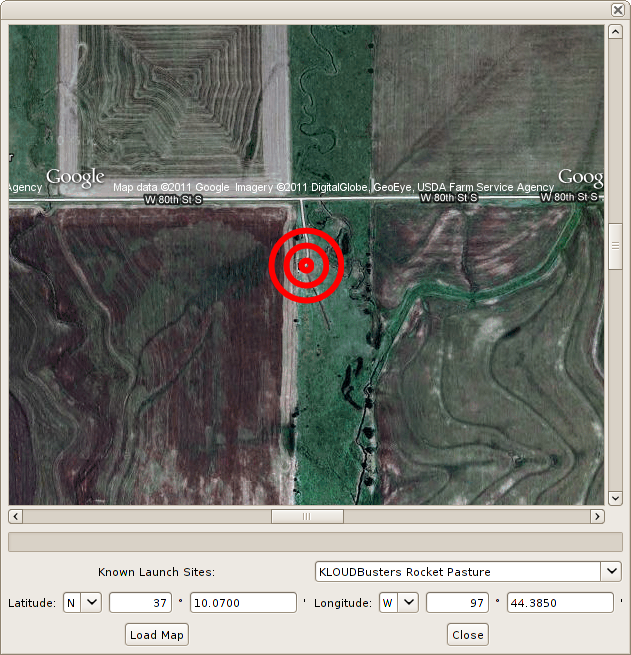
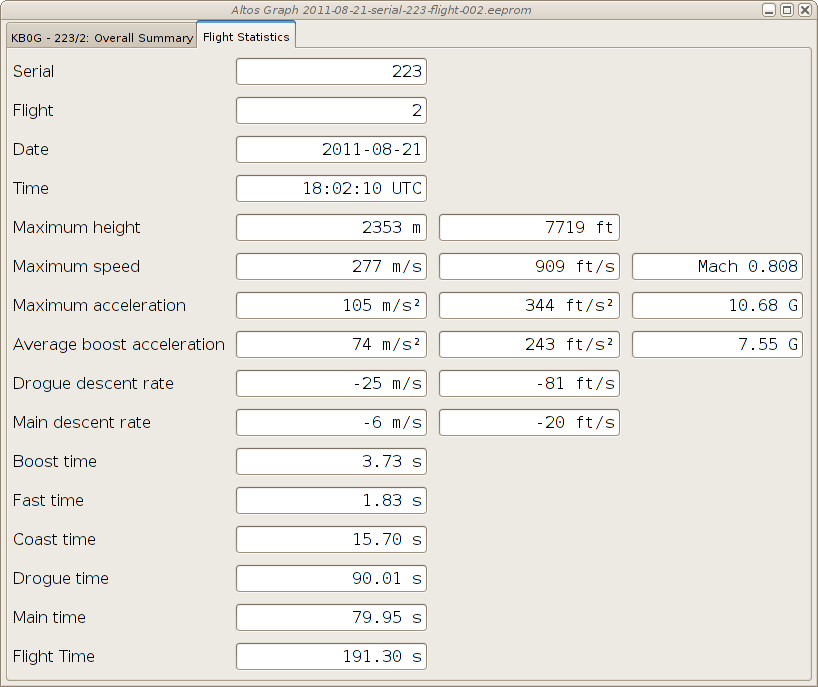
AltOS 1.0 TeleMini support and a host of new features Bdale and I are pleased to announce the release of AltOS version 1.0. AltOS is the core of the software for all of the Altus Metrum products. It consists of cc1111-based microcontroller firmware and Java-based ground station software. AltOS Firmware TeleMini support, Kalman Filtering and more Support for the new TeleMini altimeter is included in version 1.0 along with a wealth of other new features: AltosUI New Features AltosUI has also seen quite a bit of work for the 1.0.1 release. Of course, many of the changes in AltosUI are to accomodate the new TeleMini altimeter and changes in the AltOS firmware for TeleMetrum. In addition, we ve also added lots of new features in response to user requests.

30 August 2011

Sune Vuorela: Desktopsummit, jobs, prison and such

It s been a while since I last blogged, and some things has happened. Jobs
I m out looking for a job. Preferably KDE/Qt or Debian related. Or at least opensource related. Feel free to contact me if you know of anything. sune AT vuorela DOT dk Desktop Summit I ve been at Desktop Summit, awesome as usual to see all these great people, except monday morning. I think intel is partly to blame here :-). Prison and such
The upcoming release of Prison will at least have a couple of new features, beside a couple of bugfixes: I ve also started to enjoy -Werror=unused-but-set-variable in GCC and killed some of those in KDE land. end There is more to come later, hopefully things about the ExoPC I gotborrowed at Desktop Summit, which is now running Plasma Active & Contour. Things about a new librison release, and maybe more places to use libprison. Oh. And yes, I m out looking for a job.

Timo Jyrinki: MeeGo (CE) and the FreeSmartphone.Org Distributions

Debian MeeGo mixup. MeeGo screenshot CC-BY wiki.meego.com, Debian screenshot by me
FreeSmartphone.Org (FSO), Openmoko, Debian's FSO group, SHR, QtMoko et cetera are a few of the community based intertwined projects to bring free software to smartphones. They have a relatively long and colorful history of doing this, and have nowadays been approaching multiple target devices despite limited resources and for example the losing of Openmoko Inc. in 2009. I've been using Debian on my Neo FreeRunner phone for over two years now, and over three years of FreeRunner use altogether. FSO2, the next generation freesmartphone.org stack, is finally coming into Debian now, extending the basic phone support besides Openmoko phones to eg. Palm Pre, Nexus One, Nokia N900 and a few HTC phones. It needs a lot of tweaking and eg. a proper kernel, but still.

Four years after beginning of sales of the first Openmoko device (Neo1973), we're still in the pioneering phase of free distributions for mobile phones. There is no "Ubuntu for phones" so to speak, not for even a selected models. Meanwhile, like so often in the wide world, competing free software approaches have arrived. Android is the obvious one, and has seen a port to Neo Freerunner among else. Android is not as open a project as one could like, and replaces everything we've known with its own code, but nevertheless it requires to be noted and is completely usable in its free software form. But since there are limitations to its approach, and since it's more of an own separate world from the rest of Linux distributions, it is not as interesting to me as the others in the long run, at least in its current shape.

A more similar competitor to FSO and distributions using FSO is MeeGo and its middleware, and to be more precise so far specifically Nokia's efforts on it. Obviously there is the strong competitor for the best general population smartphone of the year, the Qt based Nokia N9, but its default software is more of a proprietary thing even though it has a neatly rock solid free software foundation with separate free/non-free repositories and all that. Nice and great for the (GNU/)Linux in general, but the Harmattan software is not exactly on topic for this blog post. It's however in my opinion the best marketing to vendors around the world GNU/Linux + Qt can get as Android Linux has been taking most of the limelight. But meanwhile, with significantly smaller focus and resources, Nokia has also been sponsoring to try to create a truly community based mobile phone software stack at the MeeGo upstream, nowadays called "MeeGo Community Edition" or MeeGo CE for short. It co-operates with the MeeGo Handset target of MeeGo (and Intel) that hasn't got actual target consumer hardware at the moment, although that might change soon (?), but has been doing some nice applications recently. CE has the target hardware and additional device specific and non-specific software cooking. It used to target Nokia N900 only, but nowadays the project has added N950 (the for-developers-only phone) and N9 to the targets, and it is starting to seem there should be no showstoppers to bring MeeGo CE (or other distributions later on) to them, despite some earlier doubts. A few needed bits to void the warranty we all want to do are still missing, though, but coming. After that it's just developing free software. Usual caveats about specifics of a few kernel drivers apply, as the devices were not designed with the sole purpose of free software drivers in mind. Hopefully mobile 3D gets into a better shape in the coming years, but that's another story.

MeeGo (CE) smartphone middleware, of course, shares nothing with FSO *). While FSO is a "handle everything" in itself with its wide variety of daemons, MeeGo consists of more separate software like Intel's and Nokia's oFono for modem support. FSO demo UIs and SHR UIs have traditionally focused on using Enlightenment 17 for its suitability to low power machines, while in MeeGo everything is written in Qt. As Qt/QML is becoming faster and faster, and it's very powerful to write, there might be quite a bit of useful software emerging from there also for other distributions besides MeeGo itself. Actually, there is already a Debian MeeGo stack maintainer group available, although it hasn't yet focused on the UIs as far as I can see (if I'll have free time I'll join the effort and see for myself in more detail). There is also the QtMoko distribution, based on the original, canceled Trolltech/Nokia Qt Extended (Qtopia) project, but ported to newer Qt:s and put on top of Debian.

*) Although, correct me if I'm wrong and I might be, the Nokia N900 isi modem driver in FSO was ported/learned from oFono.

MeeGo CE is not only a project to bring a proper MeeGo distribution to a few smartphones, but also to shake out bugs in the MeeGo project's contributions and community processes. It is acting as a completely open MeeGo product contributor, and investigating how things should be optimally done so that everything gets integrated into the MeeGo properly, and that proper MeeGo software releases can be done for the target devices. Therefore it's also an important project for the vitality of the whole MeeGo.

MeeGo CE has so far had a whole team in Nokia working on it, but for obvious strategy related reasons community cannot rely on it lasting forever. The real hurdle is for the wider free smartphones community to be ready for really embracing a project that is already a community project but to outsiders might seem like a company project. I believe it's never easy to grow a volunteer community if the starting setup is a paid company team, but it mainly requires a) the interested people and b) the few smart ones to take control and communication responsibility so that it's not anymore seen as a company project. MeeGo CE never was a traditional company project, everything being done in the open and together with volunteers, but I just know how people perceive these things by default. People tend to assume stuff as someone else's responsibility

Whatever happens, I hope there are enough people interested in free software for mobile phones to carry on all these different approaches to the software needed. I hope MeeGo / MeeGo CE will have a great future, and I hope that both the middleware like FSO and MeeGo's components, and the UIs like FSO, SHR, QtMoko and MeeGo Handheld UIs continue to develop. I also hope other distributions like Debian will gather a strong suite of packaged software for smartphones. I know I have had some hard time to find suitable apps for my phone at times.

For those interested about how I use Debian as my mobile phone OS, see http://wiki.openmoko.org/wiki/User:TimoJyrinki

29 August 2011

Biella Coleman: Redesign

I sorely need to update this blog with some real content and news as there is some big news. In the meantime, I did redesign my main website (finally) and you can see what I have been up to there

28 August 2011

Christian Perrier: 10 years being Debian Developer - part 3: the news and genealogy years

I stopped my story in early 1994, after my Big Switch to the mysterious and new world of Linux. My home server, kheops, is now running Debian and is fed with news and mail by FrMug, formerly French Minix Users Group and now run by AFAU, the "Association Fran aise des Amateurs de Usenet". As I'm still console-challenged, I'm reading mail and news on another machine I have at home, named "khephren", which is running an, ahem, beta copy of Microsoft Windows 95. Yeah, I know...:-) These 1994-1999 years were mostly the Usenet years, for me. I gradually became more and more involved in several fr.* newsgroups, either related to the Linux world...or to the Windows world. The latter was professionnally a bonus for me as 1994 is also the year where I switched from the Material Science department at Onera to the Network and Computing Department. My mission there was to accompany the increasing prevalence of personal desktop workstations in the daily life of what was formerly the Big Castle of Computing at Onera, hosting various generations of Cray computers, most of which being in the Top500 world supercomputers (we even had one in the Top10, very briefly, at somepoint). So, I was "the PC and Windows guy" in this world of supercomputing, Unix and network wizards. But my hobby at home helped me keeping and growing skills in both "worlds" which, over the years, has proven to be a not so common profile..:-) Meanwhile, at home, I was spending hours and nights reading those newsgroups...or getting involved in fr.* hierarchy management..or expanding my friends network to many people in the news, Linux, BSD worlds. That lasted for about 3 years with ups and downs (with three young kids at home, you end up having slightly less time...). I was gradually improving my home server use, adding more functionalities to it, for instance setting it up as a file and print server with Samba 1.9.something (this will be the beginning of a long story with samba!). Unfortunately, my dear Ren had passed in the meantime. Ren did so much for Linux in France that he'll be the only link I give in this article. If you happen to go through P re Lachaise cemetery in Paris, go to its Memory garden instead of visiting Jim Morrison's grave and drink a whisky bottle in memory of Ren . Or just install one of the most funnily named Debian packages: le-dico-de-rene-cougnenc and, again, drink something to his memory (whisky is highly preferred). We then reached 1997 and a specific event: my father (who was very sick for years) passed during summer, some time after my grand-father passed too. As it apparently happens for many people, it triggerred me into the interest for family history. After all, those people who are going away are family memories. And, in some way, I wanted to keep track of this memory. As a consequence, I started collecting family memories, interviewing my close relatives (the oldest ones) and ending, of course, in tracking all this with my computers. That was the start of a long genealogy research that sent me on the track of the Perrier family (of course), but also all other branches, on my mother and father side, as well as reconstructing the tree of cousins we have, etc, etc. As anybody who did that knows, this is quite an endless task but I went very committed to it. I quickly ended up in joining research groups that were using the recent growth of personal access to Internet communication. Those groups were, in these 90's, building elaborated systems where people can help together in their research instead of having to travel to places where archives are stored. I participated to many such groups and even ended up animating one who was doing research in archives of the "Yvelines" "d partement", my place of living (even though I have no family branch there). At the same time, other groups were sending me research results for my own family in the French region where my roots are. Collective effort, help others for free, you can recognize things that are a constant all over these years, indeed. It actually helped me in tracking my Perrier ancestors up to about 1680, with 11 generations of men holding that name (from Jean-Baptiste, my son, up to tienne Perrier, who is born about 1640-1650, in the small village named Briant in Sa ne et Loire, in France). Or even climbing up to Laurent Polette, born circa 1510, mentioned in a document date February 1562. He his my oldest known ancestor.Those folks being 15 generations before me. My oldest ancestor is born under Fran ois the First, King of France, protector of Leonardo Da Vinci, at the time La Joconde was painted or the Chambord castle was built. Doh. Unfortunately, genealogy software, at that time, was quite poor for Unix systems. Lifelines was a quite strong development but wasn't that user-friendly and I ended up using a Windows-based "shareware" software written by an individual. Still, my Linux machine was used quite intensively: databases were stored there, and saved there, all important informations were there, my mail was received there, along with dozens of mailing lists I was reading. I even hosted a few mailing lists on my home server. Still, in the meantime also, again in 1997, in October, another event happened. We had a pollution peak in Paris area and October 1st was the first (and as of now the only ever) day where driving restrictions were applied. Up to that moment, I was driving to/from work (30 kilometers one way). I decided to use this opportunity to really test public transport, for one full month. As I knew it would take me much more time than driving, I tried to imagine a way to use that time. How about reading mail and news on a laptop instead of only at home? Done... In a few days, I found a used Compaq Aero laptop (486 16MHz), I installed Debian "bo" on it, switched my mail and news workflow to console programs (mutt and slrn) and here we go! So, finally, in October 1997, I was using Linux nearly all time long, the only exception being genealogy data handling. That laptop was named "mykerinos" (the small pyramid) and....my laptop is still named mykerinos, though it's now the 5th mykerinos I have..:-) Ah, and since then, I nearly always use public transport to go to/from work. Debian addiction is good for the planet! At some point (I don't remember exactly when...about 1999, I think), DSL connections appeared and one of the first DSL FAI emerged on France: Free. I was already using their services for dialup access, but DSL was then a revolution: persistent connection! And nearly immediately, static IP! I became one of their first DSL customers (and I'm still one). Moreover, I had then friends working there...and they had many Debian machines to host their services. So, with the help of my Freenix friends, some DNS hosting on their machines and the still tireless eu.org entirely free domain, perrier.eu.org was born. Immediately, this gave me opportunities for doing many interesting things with my home server: setting up www.perrier.eu.org and use it....for learning web things and sharing genealogical data. For instance, I ended up hosting some data sent by other genealogists such as digital copies of archives for some French regions, all served through my 512/128kbps DSL line (quickly upgraded to 2Mb, IIRC). And, very quickly, I felt the need to share my family tree, of course! And here comes Geneweb. Written (in Ocaml) by Daniel de Rauglaudre, Geneweb was (and still is) by far one of the best tools to share genealogy data over the Net. So, I ended up installing it on my home machine. Guess how I did that? "apt-get install geneweb", of course. Yes, it was packaged. Indeed by Brent Fulgham who did the initial release on July 22nd 2000. Here, my memory is a little bit vague. I think I actually packaged Geneweb for my own use and sharing it on upstream FTP site, forking Brent's package as a start, but updating to latest upstream release. Then I quickly ended up having discussions with Brent about this new upstream release, and that lead to:
geneweb (3.10-3) unstable; urgency=low
  * Merging with unofficial package from Geneweb ftp site
    (in preparation of new maintainer [Christian Perrier] takeing
    over responsibility).  Note that all of this work is from
    Christian.
  * Default database dir is now writable by members of geneweb group
  * New geneweb group added at installation
  * Package tries to properly handle former installations of the
    unofficial Geneweb package available on Geneweb ftp site
  * Debconf dialogs translated in french
  * More languages available
  * Creation of /var/geneweb/etc, /var/geneweb/cnt, /var/geneweb/images
    with proper permission so that authorised users may use these also
  * When de-installed, all databases are exported with gwu (should allow
    smooth upgrades when the databse format changes)
 -- Brent A. Fulgham <bfulgham>  Mon, 22 Jan 2001 19:30:47 -0800
See? Already "debconf translation to French"! "More languages available". Here we are. As discussed with Brent, he propsoed me to take the package over. So, on January 11th 2001, I had applied in the New Maintainer Process. I'm amazed how quickly it went indeed: there was a tool I needed, it needed to be packaged, I could handle the packaging...and then I decided to be involved. Here we are: bubulle is on his way to become one of those magicians who are building the best universal operating system. Yes, me, the clueless material scientist..:-) How did it go? You'll know this in next episode, of course...

Wouter Verhelst: At Steve's, again

for the second time, I'm at Steve's for his yearly barbecue. After I'd done my waffles back at Banja Luka, I off-hand suggested to do them again at the barbecue, which people replied to with an enthousiastic 'oh yes!' from multiple mouths. So that's what happened. I did overdo it on the amounts, though since after I'd baked 750g flour worth of dough, everyone still awake had already had a waffle; and I still had 500g flour worth to go. Since the dough can't be conserved overnight, I had to finish all of them. Which meant that I was still making waffles at 2AM, and no-one was eating them anymore. Bummer. Oh well, some people (including myself) had waffles this morning instead. Speaking of waffles, and by popular demand: A few years ago I blogged the recipe of my waffles (hidden in a blog post about a large number of other things). The rest of the barbecue was fairly nice, too. I mean, obviously it is: good food, good beer, good people to talk to, what more would you want? Exactly. Right now I'm waiting for food that is being prepared, after which I'll probably get in my car and start driving home again. But that's not for now just yet.

Cyril Brulebois: Everybody be cool

this is not a robbery, only a regular X server branch switch, from 1.10 to 1.11. That means X drivers (for input and video) need to be rebuilt against the new server, which is happening through binNMUs. That also means the X stack from sid might be uninstallable for a few hours, but impatient people can still use the stack from wheezy in the meanwhile. Please refrain from reporting uninstallability bugs. That s expected, can t be avoided, and only for a few hours (assuming no driver starts to Fail To Build From Source). Many thanks to the following people, who joined the let s do a pre-upload crash test effort:

26 August 2011

Sylvestre Ledru: sun-java6 packages removed soon from Debian/Ubuntu (and all other linux distros)

For the story, due to license reasons, the version of Java packaged in Linux distributions is not the same as the one released on the official website.
Each time a new version of Java is was released, Sun/Oracle people are were publishing a other distro specific release available on a dedicated website. Since I have been maintaining sun-java6 packages for a year and half, I am following the rhythm releases (security is one of the reasons).
A few days ago, I pinged on Twitter Dalibor Topic, who is, AFAIK, the person in charge of this at Oracle, he replied with a blog post Retiring the DLJ. The main information from this blog post is:
[...] further Oracle JDK 6 (or Oracle JDK 7) releases on Linux and Solaris will not be provided under the DLJ [...]
Basically, that means that Linux distributions will not be able to package new releases of the proprietary JVM/JDK (including the latest update -27). The only release available in the Linux distro will be the OpenJDK. While I am glad to see Oracle pushing the free JDK, I am a bit concern by this sudden decision. There are still bugs (for example, with fonts, applets or other others issues) present in the OpenJDK which does not happen in the sun-java6 packages.
And also, as Andrew John Hughes said on Twitter, the Oracle proprietary JVM just lost one of the two freedoms it had (free to redistribute the software)... Moreover, many people are still using the proprietary JVM. For example, Debian popularity contest or Ubuntu Popularity Contest reports 836864 installations of sun-java6-jre against 749731 of openjdk-6-jre. The bottom line is, if you are aware of bugs present only in OpenJDK, please report them (on the Debian bug tracker, launchpad or as a comment of this blog post). We will report them upstream to make sure OpenJDK is as good as sun-java6. Edit: comments closed due to the spams... Drop me an email on sylvestre@debian.org. I will push them.

Axel Beckert: Useful but Unknown Unix Tools: Kill all processes of a user

I already got mails like What a pity that your nice blog posting series ended . No, it didn t end. As announced, I knew that I won t be able to keep up a daily schedule. It worked as long as I had already written the postings in advanced. But in the end the last postings were already written just in time and then I ran out of leisure and muse for a time. But as I said: It didn t end, it will be continued. And this is the next such posting. Oh, and for those who tell me further tools, I should blog about: I appreciate that, especially because that way I also hear about tools I didn t know about. But why just telling me and not blogging yourself about it? :-) At least those whose blog is part of Planet Debian or Planet Symlink anyway really should do this themselves. I d really like to see also others writing about cool tools. I neither have a right on the idea nor on the name of this series (call it meme if you want :-), so please go on and publish your favourite tools in a blog posting, too. :-) And for all those who want to join me and Myon blogging about cool Unix tools, independent if listed on Planet Debian or Planet Symlink, I encourage you to offer a separate feed for this kind of postings and join us on Planet Commandline. Anyway, here s the next such posting: As system administrator you often have the case that you have to kill all processes of one user, e.g. if a daemon didn t properly shut down itself or amok running leftovers of a GUI session. Many use pkill -SIGNAL -u user from the procps package or killall -SIGNAL -u user from the psmisc package for it. But that s a) quite cumbersome to type and b) is there a chance to forget about the -u and then bad things may happen, especially with pkill s default substring match, so I prefer another tool with a more explicit name:

slay slay has an easy to remember name (at least for BOFHs ;-) which is even quicker to type (alternating one character with the left and the right hand, at least on US layout keyboards) than pkill (all characters to type with the right hand), and has the same easy to remember commandline syntax like kill itself:
slay -SIGNAL user [user  ]
But beware, slay is

not only for BOFHs, but also from a BOFH It has a mean mode which is activated by default. With mean mode on, it won t kill the given user but the user who called the program if it is invoked as an ordinary user without root rights. *g* Interestingly I never ran into this issue despite I use this program often and for many years now. But some Ubuntu users did, probably because adding a sudo in front of some command is easier to forget than doing an ssh root@localhost or su - beforehand. They even seem to be so desperate about it that they forwarded the issue from Launchpad to the Debian Bug Tracking System. ;-) But to be honest even if I was very amused about those bug reports isn t this issue grave , as it causes very likely (unexpected) data loss?

Now playing: Monzy kill dash nine ( and your process is mine ;-)

25 August 2011

Roland Mas: Hack of the day: wondershaper vs. SSH shared connections vs. SCP

We all hate the A in ADSL, but most of us are stuck with it. So there are any number of workarounds that keep our link to the Internet working with a certain amount of perceived fluidity, by way of "traffic shaping". Many of us use wondershaper for that purpose: it's a magic tool that keeps the latency low for interactive traffic by ensuring that the bulk traffic doesn't interfere too much with it. We all hate the A in ADSL, but most of us are stuck with it. So there are any number of workarounds that make the establishment of new connections to external servers feel faster. Many of us use the SSH "ControlMaster" series of options for that purpose: it's a set of options that allow new connections to a server to reuse an existing one if there is already a connection open (or if there was one until not too long ago), so some time is saved becaused the handshake to establish the connection is only needed once. Now combine both. SSH to an external server, for instance, work on it. Since it's meant to be an interactive connection, slogin will set some appropriate flags on the IP packets, and wondershaper will give these packets priority over whatever bulk traffic is happening at the time. At some point, you realise you need to transfer a large set of files to there, so you start an SCP transfer. scp, being part of the SSH suite, will reuse the existing connection. Suddenly, your bulk transfer will not only get priority over the other kinds of traffic you might have, but also get intermingled with your keystrokes in the slogin session to the same server. Which means your keystrokes will be delayed significantly, and working interactively becomes even more of a pain. In my case, the priority boost given to the SCP transfer is sometimes enough to cause other unrelated sockets to time out. After reading some docs, I found my solution. It isn't much, but it's going to change my way of working significantly enough that I'm going to share it anyway.
alias scp='scp -oControlPath=none'
Also, since I use dput extensively, and it invokes scp in many cases without reusing my shell aliases, part of my ~/.dput.cf file reads:
[DEFAULT]
ssh_config_options = ControlPath=none
[ ]
This means I keep the advantages of traffic shaping for interactive sessions, but SCP stuff won't interfere anymore, and I can continue working on the server while the new version of the packages that I need to get there are in transit. One small improvement at a time, progress!

24 August 2011

Christian Perrier: 10 years being Debian Developer - part 2: before 1992-1994 - the switch

So, we stopped our very boring story around 1992. Let's summarize where I was at that moment: We're in 1992. Magali is about to come. Three children, from 0 to 4. I'm getting bored of these BBS things. OK, I did fun things like translating (eh) the documentation of Frontdoor a Fidonet node system written by a norwegian dude. But, still. Among my BBS friends, Ren is now playing regularly with a strange thing coming from Finland. This is pretty much like these mysterious "Unix" machines I hear about, sometimes at Onera, ran by strange wizards that often look like hippies from the 70's (hey...these were my youth years). I also have these few friends from the BBS world who are also playing with these thingies. Ollivier, noticeably, who is using of these mysterious @frmug.fr.net "email" addresses, from his PC running 386BSD (what? A PC not running those wonderful MS-DOS programs? How weird). Ren is apparently playing with another tribe. He often talks about an evolution of Minix written by a Finnish student, which is available with source code, just like Ren programs. Ren is also a member of that FrMug tribe, the FRench Minix Users Group, who are comunicating with "newsgroups" that are apparently similar to what we're doing with our BBS....but apparently more funnily hackish...and most often in that mysterious "U**x" world. Ah, that thing is called Linux. You can download it by FTP on "the Internet". But I don't have "the Internet". Oh, sure, we have this thing called BitNet at work, I even have what they call "an email address" as perrier@froner81.bitnet. We can maybe do things with that. Ah yes, there are funny tools that allow "downloading" files on "FTP" (WTH is that?) servers but doing that by mail. You receive dozenes of mails "uuencoded" (WTH is that? I'm not using Unix, I'm using Dos...but, eh, it works, still). Oh, fun, I now downloaded a full set of disks (14....I need to find 14 floppies, doh!) of something called Slackware. Apparently, a crazy freak, somewhere, did assemble things so that it's easy for dummies like me to install "a Linux machine". What? This 386 DX/16 PC I borrowed from my lab could be something like one of these very very very mysterious and expensive Sun machines that a few very bearded and very smelly dudes are using at Onera to perform high performance calculations? I have to do this. Not growing a beard, but install Linux. I could even "read mail" on them. Doh, I could even read those mysterious "newsgroups", that look like our Fidonet "conferences", the only difference being. All this is so interesting. So, at first, let's help my friend Ren to spread out this marvel to the world. Ren did setup his "Renux" box for this and everybody can access it through this very modern UUCP technology, to download Slackware disk images, last versions of the Linux kernel (direct from ftp.ibp.fr, thanks to another pionneer, R my Card....ext2fs author). So, I did setup an incredibly weird system to "download" this stuff by FTPmail, de-uuencode it, process it on my work machine and then re-upload it to my home BBS and make it available in one of the first "Linux" sections of French BBS. Yay. Even of my BBS machine is not running this wonder. Still, gradually, I was becoming bored of this BBS stuff. The sirens of open systems were constantly singing in my ears and the amount of work to put in running a Fidonet node wasn't really motivating for me anymore. Finally, after our daughter Magali was born, in March 1992, I decided to shut down my BBS....and just run as a Fidonet "point" (a personal system not opened to the public) and gradually switched my interest to these open systems. I thus ended running an "experimental" Linux system at work on this refurbished 386DX machine, already and playing between both worlds for about 18 months. At some point, around mid-1993, it became obvious to me that I more wanted to participate to newsgroups-style communication, participate to the advent of this Linux thing and learn things about what was to become "The Internet" (understand "the web", aha). Meanwhile, Ren did great work translating "The Linux System" by this guy, Matt Welsh, making The Thing accessible to dummies like me. So, after summer, I decided it was time to move on and shutdown this Fidonet thing and build something like my "Freenix" friends were running, and be able to download news and mail by UUCP, with my fast HST modem, and process them with Real Men tools such as inn, sendmail, pine and trn. And then, around October 1993, here I come ready to install a Linux machine at home, and therefore zap a few years of BBS stuff on my 40MB hard disk. But, eh, I just read about this shiny new thing named Debian, that was just announced a few weeks ago. It seems to be meant for dummies like me who need a little bit more than tarballs of binary code and have no clue about libraries, ABI and such mysterious things that apparenyl constantly lead to "core dumps" on my work experimental Slackware machine. Also, I don't really understand everything to what these dude says in his "Manifesto" but that seems interesting and his (their? dunno) thing seem easy to use. Let's download the 0.93whatever version of this thing and put this on a big set of floppies. A few days after, voil . I have my first Linux system at home and it is running that Debian thing. It will need several weeks of poking around documentations, playing weird things with INN and sendmail without understanding a s**t of both....and a lot of help from Freenix friends....and I end up with a working machine that can call out FrMug for UUCP downloads of mail and news and then feed local sendmail and INN servers with them and then allow the "bubulle" user to read them remotely...from his Windows machine. Yay, admitedly, I spent a few years still using a Windows machine for mail and news! How to say that? At that time, the GUI environments were a little bit rustic and, anyway, there was no point-and-click programs for mail and news. In the meantime, the machine got upgraded to Debian 1.1 by reinstalling the system. "kheops" was born....and so was bubulle@kheops.frmug.fr.net. We're probably around early 1994 and I'm running my first Debian server at home. The beard didn't grew up, I'm not eating pizzas all day long (but I drink beer) and I'm even practicing physical activities (I was a volleyball player at that time). Despite all these flaws, I'm turning into a geek, slowly. In next episode, you'll learn how I ended up dropping the use of Windows, compiling some free software and contributing to my first package. These will be "the genealogy years".

Russell Coker: Digital Cameras

In May I gave a talk for LUV about the basics of creating video on Linux. As part of the research for that I investigated which cameras were good for such use. I determined that 720p was a good enough resolution, as nothing that does 1080p was affordable and 1080i is lower quality. One thing to note is that 854*480 and 850*480 are both common resolutions for mobile phones and either of those resolutions can be scaled up to full screen on a 1920*1080 monitor without looking too blocky. So it seems that anything that s at least 850*480 will be adequate by today s standards. Of course as Dell is selling a 27 inch monitor that can do 2560*1440 resolution for a mere $899 in the near future 720p will be the minimum that s usable. Cheap Digital Video Cameras The cameras I suggested at the time of my talk (based on what was on offer in Melbourne stores) were the Panasonic Lumix DMC-S3 which has 4*optical zoom for $148 from Dick Smith [1] and the Olympus MJU 5010 which has 5*optical zoom camera for $168 (which is now $128) from Dick Smith [2]. Both of them are compact cameras that do 720p video. They are fairly cheap cameras but at the time I couldn t find anything on offer that had significantly better specs for video without being unreasonably expensive (more than $600). Update: In the comments Chris Samuel pointed out that Kogan has a FullHD digital video camera for $289 [13]. That s a very tempting offer. More Expensive Digital Video Cameras Teds Cameras has a good range of Digital Video Cameras (including wearable cameras, and cameras that are designed to be attached to a helmet, surfboard, or car) [3]. These are specifically designed as video cameras rather than having the video function be an afterthought. Ted sells the Sony Handycam HDR-CX110 which does 1080p video, 3MP photos, and 25* optical zoom for $450 [4]. They also sell the pistol-style Panasonic HX-WA10 which is waterproof to 3M, does 1080p video, 11MP pictures, and 5* optical zoom for $500 [5]. For my use I can t justify the extra expense of the digital video cameras (as opposed to digital cameras that can take video), I don t think that they offer enough. So a cheap $128 Olympus MJU 5010 is what I will probably get if I buy a device for making video. I can afford to replace a $128 camera in a year or two but a device that costs $500 or more needs to last a bit longer. I expect that in a year or two I will be able to buy something that does 1080p for $200. Features to look for in Great Digital Cameras The other option when buying a camera is to buy something that is designed to be a great camera. It seems that RAW file capture [6] is a requirement for good photography. RAW files don t just contain uncompressed data (which is what I previously thought) but they have raw sensor data which may not even be in a cartesian grid. There is some processing of the data that can be best done with raw sensor data (which may be in a hexagonal array) and which can t be done properly once it s been converted to a cartesian array of pixels. Image Magick can convert RAW files to JPEG or TIFF. I haven t yet investigated the options on Linux for processing a RAW file in any way other than just generating a JPEG. A client has several TB of RAW files and has found Image Magick to be suitable for converting them so it should do. The next issue is the F number [7]. A brief summary of the F number is that it determines the inverse-square of the amount of light that gets to the CCD which determines the possible shutter speed. For example a camera set to F1 would have a 4* faster shutter speed than a camera set to F2. The F rating of a camera (or lens for interchangeable lens cameras) is a range on many good cameras (or lenses for detachable lens cameras), if you want to take long exposure shots then you increase the F number proportionally. A casual scan of some web sites indicates that anything less than F3 is good, approaching F1 is excellent, and less than F1 is rare. But you don t want to only use low F numbers, having a higher F number gives a larger Depth of Field, that means that the distance between the nearest and furthest objects that appear to be in focus is greater. So increasing the F number and using a flash can result in more things being in focus than using a low F number without a flash. Another important issue is the focal length, cheap cameras are advertised as having a certain optical zoom which apparently isn t quite how things work. The magnification apparently varies depending on the distance to the object. Expensive cameras/lenses are specified with the range of focal lengths which can be used to calculate the possible magnification. According to DPReview.com Optical zoom = maximum focal length / minimum focal length, so a 28mm-280mm lens would be 10* optical zoom [8]. Finally it seems to be that the specified focal length of cameras is usually in 35mm equivalent. So a lens described as 280mm won t be 28cm long, it will be some fraction of that based on the size of the CCD as a proportion of the 35mm film standard (which is 36*24mm for the image/CCD size). Update: In the comments Aigars Mahinovs said: Don t bother too much with the zoom. The view of a normal person is equivalent to 50mm lens (in 35mm film equivalent). Anything under 24mm is for landscapes and buildings it is for sights where you would actually have to move your head to take in the view. Zooms are rarely useful. Something in 85-100mm range is perfectly fine to capture a bird or a person some distance away or some interesting piece of landscape, but anything more and you are in the range of silly stuff for capturing portraits of football players from the stands or for paparazzi photos. And the more zoom is in the lens the crappier the lens optics will be (or more expensive, or both) that is why the best optics are prime lenses with no zoom at all and just one specific optical length each. For example almost all my Debconf photos of the last two years are taken with one lens Canon 35mm f/2.0 (a 50mm equivalent on my camera) and only the group shots are taken with a lens that is equivalent to 85mm. So I guess if I was going to get an interchangeable lens camera then I could get fixed focus lenses for things that are close and far away and one with a small zoom range for random other stuff. Of course that would get me way outside my budget unless I got some good deals on the second hand market. Also having a camera that can fit into a pocket is a real benefit, and the ability to rapidly get a camera out and take a picture is important! A final item is the so-called ISO Number which specifies how fast the film is. A higher number means that a photograph can be taken with less light but that the quality will generally be lower. It seems that you have a trade-off between a low F number (and therefore low Depth of Field), good lighting (maybe a flash), a long exposure time (blurry if the subject or camera isn t still) and a grainy picture from a high ISO number. Comparing Almost-Affordable Great Digital Cameras I visited Michaels camera store in Melbourne [9] and asked for advice about affordable cameras that support RAW capture (every DSLR does but I don t want to pay for a DSLR). The first option they suggested was the Samsung EX1 that does 10MP, F1.8-F2.4 with a 24-72mm equivalent focal range (3* optical zoom), and 640*480 video [10] for $399. The next was a Nikon P7000 that does 10MP, F2.8-5.6 with 7* optical zoom (28-200mm equivalent), and 720p video [11] for $599. The final option they had was the Canon G12 that does 10MP, F2.8-4.5 with 5* optical zoom (28-140mm equivalent), and 720p video [12] for $599. 3* optical zoom isn t really enough, and $599 is a bit too much for me, so it seems that RAW format might not be an option at this time. Conclusion I can t get what I want for great photography at this time, there seems to be nothing that meets my minimum desired feature set and costs less than $550. A client who s a professional photographer is going to lend me an old DSLR that he has hanging around for some photography I want to do on the weekend. I am also considering buying a Olympus MJU 5010 for making videos and general photography, it s better than anything else I own at this time and $128 is no big deal. Please let me know if I made any errors (as opposed to gross simplifications) in the above summary of the technical issues, also let me know if there are other things to consider. I will eventually buy a camera that can capture RAW images.

23 August 2011

Nathan Handler: Google Summer of Code Report #5

This is my fifth and final report about dextools for the 2011 Google Summer of Code program. During the summer, I worked with Matt Zimmerman and Stefano Zacchiroli to create a replacement web dashboard for the Debian Derivatives Exchange (DEX). The dashboard displays a list of projects and their respective tasks and then allows users to easily update the status of these tasks. The dashboard also contains two graphs for tracking the progress of projects and providing instant recognition of all contributions to a project. At the start of the summer, I knew that I wanted to to work on improving the DEX infrastructure. I had worked with the team on the ancient-merges project, and while a lot of good work was accomplished, the process for tracking our progress was a bit clunky and difficult to interact with. Anyone who read my initial proposal for the Summer of Code would probably agree that it was quite vague. I really did not have a solid plan for what I wanted to accomplish. This began to change after my initial phone call with my mentor, Matt Zimmerman. We decided that the first thing I would work on would be a basic dashboard. Our plan was to have all of the data stored on the Debian BTS. This would allow Debian Maintainers to benefit from DEX without needing to learn about DEX s tools and workflows. The dashboard would support multiple derivatives and multiple projects for each derivative. Each project would be made up of a list of tasks, where each task is linked to a BTS bug. I prepared a mockup and some initial code based on that plan. The dashboard was able to successfully display a list of BTS bugs and their information. It generated the lists by assuming that bugs would be usertagged with a user of debian-derivatives@lists.debian.org and a tag in the format of dex
. At this point, we started trying to make sure that the dashboard would work for things like the ancient-patches, python2.7, and the upcoming large-merges projects. It did not take long to determine that it would not work for all of these things. The ancient-patches project started with a simple list of patch names. While most of these patches eventually ended up as bugs on the BTS, they did not start this way. The dashboard would need to support specifying a list of task names. This meant that it would also need to store data itself and that not all data could be located on the BTS. This is when we first started to define what a task is. The dashboard tracks tasks. It does not directly track bugs or patches. A task is nothing more than a title and status with an optional assignee, note, and bug. This made it simple to convert a list of patch names or a list of bug numbers to a list of tasks. During the early early stages of the project, the dashboard moved around a lot. We hoped to have it end up on dex.alioth.debian.org, but we were not sure whether Alioth would meet all of our needs. This was right around the time of the Alioth migration. Thanks to some tips, I figured out that I could use a simple cronjob on wagner to pull the git repository for vasks. This would allow the running instance of the dashboard to always be up-to-date. The Alioth admins have also been quite supportive. They have installed several additional packages for me that were necessary to keep the dashboard running. From the start, Matt felt it was important to have some public documentation about the project. This would allow us to point people to something other than my blog posts. I decided to put this information on the wiki. At one point, I also had a copy of the wiki page stored in the git repository. This file was updated via a cronjob, and I then committed and pushed it when I had code changes. I ultimately decided that the best approach would be to maintain the page on the wiki. A basic README file is included in the git repository that simply links to the wiki page. On wagner, I have a cronjob running to pull a copy of the wiki page so that it can be accessed via the web. Since Matt was traveling/moving this Summer, he arranged for Stefano Zacchiroli to fill in for him as my mentor temporarily. It was at this point in the summer that I began working on the first graph script. The goal was to have a script to parse the list of tasks and generate a graph showing the number of open tasks versus time. This would allow us to easily track our progress, estimate when a project will be complete, and detect periods of slowing down. We decided that while we liked the Ubuntu burndown charts, they were a bit more complex than we needed, so we did not reuse their code. A dashboard that can t be modified is not that useful. An early goal of this project was to allow users to update the dashboard via the web. This proved to be a bit more difficult than I initially thought. First, all of the html files that make up the dashboard are generated by a script. This means that if you modify one of the html files directly, all changes will be lost the next time the script runs. When you make a change on a web form and hit submit, you usually expect to see the changes the next time you visit the page. In order to accomplish this, I made the form processing script directly modify the html files. However, at this point, we did not have a way to locally store extended information about tasks, causing the python script to delete all changes made via the web form. This issue was rectified fairly quickly. There is now a changes file that stores all information submitted via the web form. The python script reads this file and applies the changes when it is generating the html files. A second problem concerned the text inputs that were being used in most of the cells on the table. By default, some fields would have text cut-off if the string was too long. Text inputs have a size attribute that is meant to specify the number of visible characters. I attempted to set this attribute in a script to the length of the input s value. Strangely, the inputs ended up with a lot of extra whitespace following the text. This resulted in the table being stretched horizontally. After many hours of research and testing, I was unable to find a solution to this problem. We ultimately decided to simply remove the size attribute and accept that text will be cut-off. My code got some early testing from Allison Randal and other people working on the dex-ubuntu-python2.7 project. They were a huge help in providing feedback and finding bugs in the code. While the dashboard was unable to meet all of their needs (due to being in the early stages of development), I hope that it at least helped to make it easier to track the project s status. Whenever a script is accepting input from a user, it is important to validate it. Although the dashboard uses a select box to limit the choices for the status , it is still trivial to submit an arbitrary status for a task. That is why I added some validation to the form processing script. It will ignore any unknown values, ensuring that all tasks have a valid status. The other fields are a bit more tricky. They were designed to be arbitrary text fields. As a result, almost anything can be entered. There is no way to tell if something is a title or a person. We thought of a few ways we could change this, but most of them involved locking down the dashboard and restricting changes. The old dashboard treated the fields as arbitrary text, so we decided to not include any validation in the new one. One popular feature request was the ability to link directly to a project. Early versions of the dashboard had one main dex.html page that used javascript to pull in the various projects. To get around this, I first trying using the query string to allow users to specify a distribution and project. While this worked, it resulted in long and ugly URLs. It took a while for me to be able to implement a cleaner solution. However, I eventually split each project into its own static HTML file. This meant that people could simply copy the URL from the address bar to link to a particular project. The main reason for doing this was that we felt the typical person would be interested in working on a specific project; most people won t be interested in navigating between the different projects. This change also allowed links that utilized the #graph anchor to function properly. Before, due to the way the page went about loading the project, trying to specify a specific project and #graph in the URL did not work properly. There is a plugin for jquery that allows tables to be sorted by particular columns. For tables that just contain text, this works fine without any issues. However, once I started using select boxes and text inputs, things got a bit messed up. After some research, I finally figured out how to use addParser to instruct the tablesorter plugin in how to sort each column in the table. In some of the earlier versions, I used some zebra stripes to make the table easy to read. Thanks to a suggestion from Paul Wise (pabs), I got rid of this striping and modified the code to color the rows based on the task s status. Complete tasks are green, in progress tasks are yellow, and incomplete tasks are red. This makes it very easy to find tasks that still need work as well as measure the overall status of a project. Sometimes, a large task list can feel very intimidating. That is why I added the ability to hide completed tasks with the check of a box. Matt wanted to take this one step farther; he wanted the ability to also hide tasks with a closed bug. This is why you will find 2 checkboxes at the top of the dashboard that allow you to custimize which tasks are visible. Eventually, I might add support for specifying this in the URL to allow groups to link to a particular view of the dashboard. In order to make it as easy as possible for new contributors to get involved with DEX projects, I wanted to have a way to document what a project is about and how to handle tasks. I decided to use the wiki for this. All of the per-project documentation lives at http://wiki.debian.org/DEX//
. You can even take advantage of wiki markup to format the documentation. The script will parse the HTML files generated by the wiki, do some minor cleanup, and then display the documentation at the top of the page. My original plan was to use the ?action=raw output, but the lack of formatting proved too restrictive. My second plan was to try and use something like BeautifulSoup or a regex to filter non-whitelisted tags out of the wiki-generated html. This failed and proved to be unnecessary. The wiki does a pretty decent job of preventing malicious markup from ending up on the dashboard. There is a second graph that is displayed on the dashboard. This graph shows the number of tasks each person has completed. The graph is sorted so that the tallest bars on the left, and the goal is to provide some immediate recognition of work done by contributors. Since we essentially allow anyone to go ahead and modify the dashboard, we knew it was important to have a method in place for dealing with abuse. Any malicious edits made on the wiki can easily be reverted. This idea of reverting to an earlier revision is what inspired me to use a second local git repository to store the projects/ directory. This directory stores all of the changes made via the web interface. Whenever the form is submitted or the script runs to update the list of tasks, any changes made to the projects/ directory are committed. This means that if a malicious user decides to delete everything on the dashboard, we can quickly and easily revert the changes. The revision history might also be interesting to analyze at a future date. When multiple people are collaborating on a project, an issue tracker can be quite useful. For some reason, we did not set one up until quite late into the project. Despite that, we are still using it to track known bugs and feature requests. The issue tracker will become even more useful once the dashboard starts to be utilized by more people. I spent a fair bit of time working on having the dashboard immediately respond to changes. For example, if you change the status of a task, the row color will instantly update. The form will also be submitted in the background, eliminating the need to hit submit to save the change. I also use ajax in some new dialogs that allow the user to create new projects and/or tasks via the web. While these forms are submitted in the background via ajax, I am unable to have the changes show up on the dashboard immediately. The generation of the task list is a bit slow, so having the script run more often is not really a good idea. The next step for the dashboard is to really open it up for testing. We hope to start up a new DEX project shortly. This will allow us to see which features work and which need fixing. It will also help us find some of the bugs that are probably hiding in the code. Finally, if you are interested in helping out with DEX or dextools, my code is available in a git repository (http://anonscm.debian.org/gitweb/?p=dex/gsoc2011.git) on alioth. There is also the issue tracker (https://alioth.debian.org/tracker/index.php?group_id=100600&atid=413120) where you can report bugs and request new features. Finally, you can join the debian-derivatives mailing list, join #debian-derivatives on OFTC, or contact me directly via email or on IRC (nhandler). I have really enjoyed working on dextools this summer. I would like to thank Matt Zimmerman, Stefano Zacchiroli, and everyone else who helped with the project. I look forward to working with all of you more in the future.

Next.

Previous.