Petter Reinholdtsen: Debian Edu interview: Yvan Masson
It has been way too long since my last interview, but as the
Debian Edu / Skolelinux
community is still active, and new people keep showing up on the IRC
channel #debian-edu and
the debian-edu mailing
list, I decided to give it another go. I was hoping someone else
might pick up the idea and run with it, but this has not happened as
far as I can tell, so here we are This time the announcement of a new
free software tool to
create a school year
book triggered my interest, and I decided to learn more about its
author.
Who are you, and how do you spend your days?
My name is Yvan MASSON, I live in France. I have my own one person
business in computer services. The work consist of visiting my
customers (person's home, local authority, small business) to give
advise, install computers and software, fix issues, and provide
computing usage training. I spend the rest of my time enjoying my
family and promoting free software.
What is your approach for promoting free
software?
When I think that free software could be suitable for someone, I
explain what it is, with simple words, give a few known examples, and
explain that while there is no fee it is a viable alternative in many
situations. Most people are receptive when you explain how it is
better (I simplify arguments here, I know that it is not so simple):
Linux works on older hardware, there are no viruses, and the software
can be audited to ensure user is not spied upon. I think the most
important is to keep a clear but moderated speech: when you try to
convince too much, people feel attacked and stop listening.
How did you get in contact with the Skolelinux / Debian Edu
project?
I can not remember how I first heard of Skolelinux / Debian Edu,
but probably on planet.debian.org. As I have been working for a
school, I have interest in this type of project.
The school I am involved in is a school for "children" between 14
and 18 years old. The French government has recommended free software
since 2012, but they do not always use free software themselves. The
school computers are still using the Windows operating system, but all
of them have the classic set of free software: Firefox ESR,
LibreOffice (with the excellent extension Grammalecte that indicates
French grammatical errors), SumatraPDF, Audacity, 7zip, KeePass2, VLC,
GIMP, Inkscape
What do you see as the advantages of Skolelinux / Debian
Edu?
It is free software! Built on Debian, I am sure that users are not
spied upon, and that it can run on low end hardware. This last point
is very important, because we really need to improve "green IT". I do
not know enough about Skolelinux / Debian Edu to tell how it is better
than another free software solution, but what I like is the "all in
one" solution: everything has been thought of and prepared to ease
installation and usage.
I like Free Software because I hate using something that I can not
understand. I do not say that I can understand everything nor that I
want to understand everything, but knowing that someone / some company
intentionally prevents me from understanding how things work is really
unacceptable to me.
Secondly, and more importantly, free software is a requirement to
prevent abuses regarding human rights and environmental care.
Humanity can not rely on tools that are in the hands of small group of
people.
What do you see as the disadvantages of Skolelinux / Debian
Edu?
Again, I don't know this project enough. Maybe a dedicated website?
Debian wiki works well for documentation, but is not very appealing to
someone discovering the project. Also, as Skolelinux / Debian Edu uses
OpenLDAP, it probably means that Windows workstations cannot use
centralized authentication. Maybe the project could use Samba as an
Active Directory domain controller instead, allowing Windows desktop
usage when necessary.
(Editors note: In fact Windows workstations can
use
the centralized authentication in a Debian Edu setup, at least for
some versions of Windows, but the fact that this is not well known can
be seen as an indication of the need for better documentation and
marketing. :)
Which free software do you use daily?
Nothing original: Debian testing/sid with Gnome desktop, Firefox,
Thunderbird, LibreOffice
Which strategy do you believe is the right one to use to
get schools to use free software?
Every effort to spread free software into schools is important,
whatever it is. But I think, at least where I live, that IT
professionals maintaining schools networks are still very "Microsoft
centric". Schools will use any working solution, but they need people
to install and maintain it. How to make these professionals sensitive
about free software and train them with solutions like Debian Edu /
Skolelinux is a really good question :-)
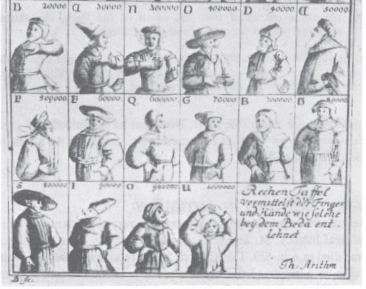
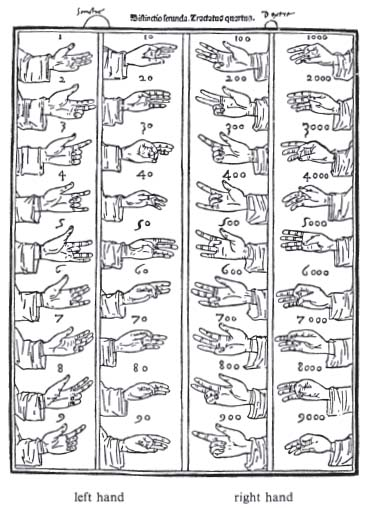 (Note that in this diagram 60 is, in fact, wrong,
and this picture swaps the hundreds and the thousands.)
We ll start with the units.
The last three fingers of the left hand, middle, ring, and pinkie,
are used to form them.
Zero is formed with an open hand, the opposite of the finger
counting we re used to.
One is formed by bending the middle joint of the pinkie,
two by including the ring finger and three by including the
middle finger, all at the middle joint.
You ll want to keep all these bends fairly loose, as otherwise
these numbers can get quite uncomfortable.
For four, you extend your pinkie again, for five, also raise your
ring finger, and for six, you raise your middle finger as well, but
then lower your ring finger.
For seven you bend your pinkie at the bottom joint, for eight
adding your ring finger, and for nine, including your middle
finger. This mirrors what you did for one, two and three, but
bending the finger at the bottom joint now instead.
This leaves your thumb and index finger for the tens.
For ten, touch the nail of your index finger to the inside of your top thumb
joint.
For twenty, put your thumb between your index and middle fingers.
For thirty, touch the nails of your thumb and index fingers.
For forty, bend your index finger slightly towards your palm
and place your thumb between the middle and top knuckle of your
index finger.
For fifty, place your thumb against your palm.
For sixty, leave your thumb where it is and wrap your index
finger around it (the diagram above is wrong).
For seventy, move your thumb so that the nail touches between the
middle and top knuckle of your index finger.
For eighty, flip your thumb so that the bottom of it now
touches the spot between the middle and top knuckle of your index
finger.
For ninety, touch the nail of your index finger to your bottom
thumb joint.
The hundreds and thousands use the same positions on the right
hand, with the units being the thousands and the tens being the
hundreds. One account, from which the picture above comes, swaps
these two, but the first account we have uses this ordering.
Combining all these symbols, you can count all the way to 9,999
yourself on just two hands. Try it!
 Welcome to gambaru.de. Here is my monthly report (+ the first week in May) that covers what I have been doing for Debian. If you re interested in Java, Games and LTS topics, this might be interesting for you.
Debian Games
 Playonlinux

 Earlier this year, I was supposed to participate to

 After losing a fair bit of hair due to quality and reliability issues
with our home laser multifunctional (
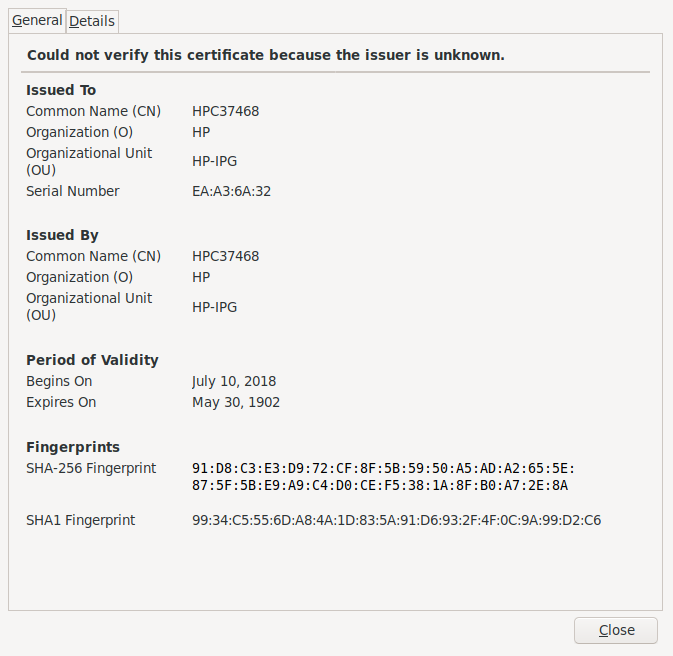 So, the self-signed certificate the printer issued at itself expired
116 years before even being issued. (is this maybe a Y2k38 bug?
Sounds like it!) Interesting thing, my CUPS log mentions the printer
credentials to expire at the beginning of the Unix Epoch
(
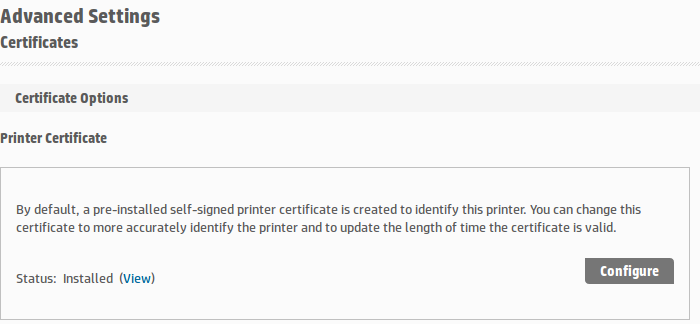 However, clicking on Configure leads me to the not very
reassuring
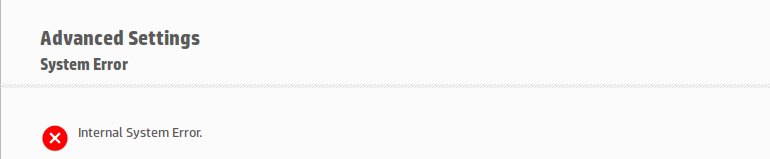 I don t remember what I did for the next couple of minutes. Kept
fuming Until I parsed again the output of
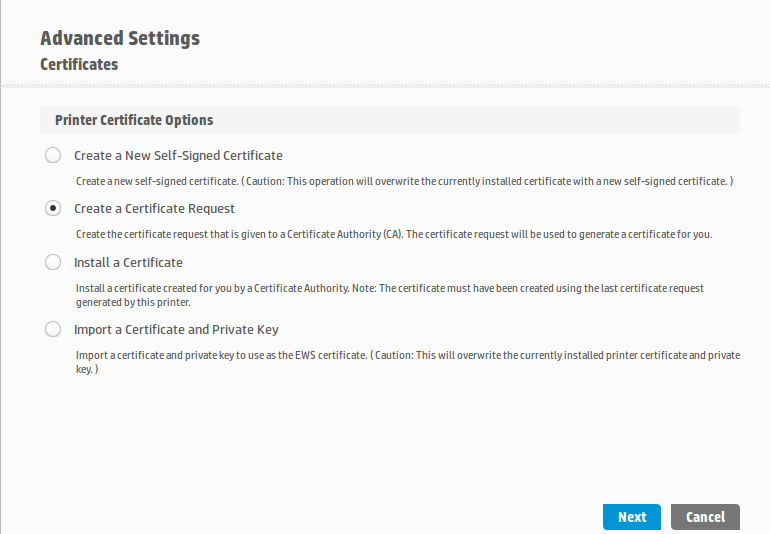 Click on New self-signed certificate , click on Next, a couple of
reloads And a very nice color print came out of the printer, yay!
Now, it still baffles me (of course I checked!): The self-signed
certificate is now said to come from
 The first proper video (following
 I was assigned 20 hours of work by Freexian's Debian LTS initiative,
and carried over 8.5 hours from March. I worked 26 hours this month,
so I will carry over 2.5 hours to May.
I sent a (belated)
 A tweet of a friend pointed me at the removal of
 Based on the latest released version of Dovecot, 2.3.10, I have made a package starting from the current Debian packaging and adjusted to the newer upstream. The package builds on Debian Buster (10), Testing, and Unstable on i386 and x64 archs. The packages are available on OBS, as usual:
For Unstable: