Andrew Cater: How to use jigdo to download media images
I worked with the CD release team over the weekend for the final release of Debian Stretch. One problem: we have media images which we cannot test because the team does not have the hardware. I asked questions on the debian-cd mailing list about the future of these and various other .iso images.
Could we replace some DVDs and larger files with smaller jigdo files so that people can download files to build the DVD locally?
People asked me:
Jigdo uses information from a template file to reconstruct an .iso file by downloading Debian packages from a mirror. The image is checksummed and verified at the end of the complete download. if the download is interrupted, you can import the previously downloaded part of the file.
Could we replace some DVDs and larger files with smaller jigdo files so that people can download files to build the DVD locally?
People asked me:
- How do you actually use jigdo to produce a usable media image?
- What advantages does jigdo bring over just downloading a large .iso image?
- Downloading large files on a slow or lossy link is difficult.
- Downloading large (several GB) files via http can be unreliable.
- Jigdo can be quicker than trying to download one large file and failing.
- There are few CD mirrors worldwide: jigdo can use a local Debian mirror.
- The transport mechanism is http - no need for a particular port to be opened.
Jigdo uses information from a template file to reconstruct an .iso file by downloading Debian packages from a mirror. The image is checksummed and verified at the end of the complete download. if the download is interrupted, you can import the previously downloaded part of the file.
It's a command line application - the GUI never really happened - but it is fairly easy to use. apt install jigdo-file then find the .jigdo file and .template files that you need for the image from a CD mirror: https://cdimage.debian.org/debian-cd/current/amd64/jigdo-cd/
To build the netinst CD for AMD64, for example: you need the .jigdo file as a minimum: debian-10.4.0-amd64-netinst.jigdo
If you only have this file, jigdo-lite will download the template later but you can save the template in the same directory and save time. The jigdo file is only 25k or so and the template is 4.6M rather than 336M. I copied them into my home directory to build there. The process does not need root permissions.
Run the command jigdo-lite This prompts you for a .jigdo file to use. By default, this uses http to fetch the file from a distant webserver.
(If the files are local, you can use the file:/// syntax.For example: file:///home/amacater/debian-10.4.0-amd64-netinst.jigdo)
jigdo-lite then reads the .jigdo file and outputs some information about the .iso
It offers the chance to reload any failed download, then prompts for a mirror name. The download pulls in small numbers of files at a time, saves to a temporary directory and will checksum the eventual .iso file.
This will work for any larger file including the 16GB .iso distributed only as a .jigdo
For i386 and AMD, the images are bootable when copied to a USB stick. Use dd to write them and verify the copy.
- Plug in a USB that can be overwritten.
- Use dmesg as root to work out which device this is.
- Change to the directory in which you have your .iso image.
- Write the image to the stick in 4M blocks and display progress with the syntax of the command below (all one line if wrapped).
dd if=debian-10.4.0-amd64-netinst.iso of=/dev/sdX obs=4M oflag=sync status=progress


 The following contributors got their Debian Developer accounts in the last two months:
 Those faint white vertical lines one can see, are actually window borders, and
the lock screen is leaking contents of my unlocked desktop! Here is the same
screen, unlocked:
 However, moving the windows around does not reflect on the ghost image on top
of the lock screen: reshuffling windows then locking, produces always the same
ghost image. The white border reflects where the window has been at some time
in the past.
The lock screen does not seem to be responsible, either: dragging a solid
colored window on the laptop screen has the same effect:
 But taking a screenshot of it does not show the time traveling ghost windows:
 This is happening on two different laptops, an HP EliteBook x360 G1, and a
Lenovo ThinkPad X240, one that I've been using since 3 years, one that I've
been using since a week, and whose only thing in common is a 1920x1080 IPS
screen and an Intel GPU.
I have no idea where to start debugging this. Please reach out to me at
enrico@debian.org if any of this makes sense to you.
Update: Jim Paris pointed me to

 I used AKS to setup a cluster for my first client as a
 Ouch
 My first reflex was to reduce the amount of logs produced by all our
 Should we be worried about our database credentials which are, legacy
 And we don t need it because our environment variables do not change.
Well, it s now time to fix these issues.
 We re going to:
 Sorry for not being on blog for sometime, the last few months have been brutal. While I am externally ok, because of the lockdown I sensed major hearing loss. First, I thought it may be a hallucination or something but as it persisted for days, I got myself checked and found out that I got 80% hearing loss in my right ear. How and why I don t know. Is this
 Example of Medical Bills people have to pay.
 India-China Border Areas Copyright DW.com 2020
 By now everyone must have seen the versions of comedy shows with the laugh track edited out. The removal of the laughter doesn't just reveal the artificial nature of television and how it conscripts the viewer into laughing along; by subverting key conversational conventions, it reveals some of the myriad and subtle ways humans communicate with one another:



 A new version 0.1.3 of the
 A new version of


 Hello,
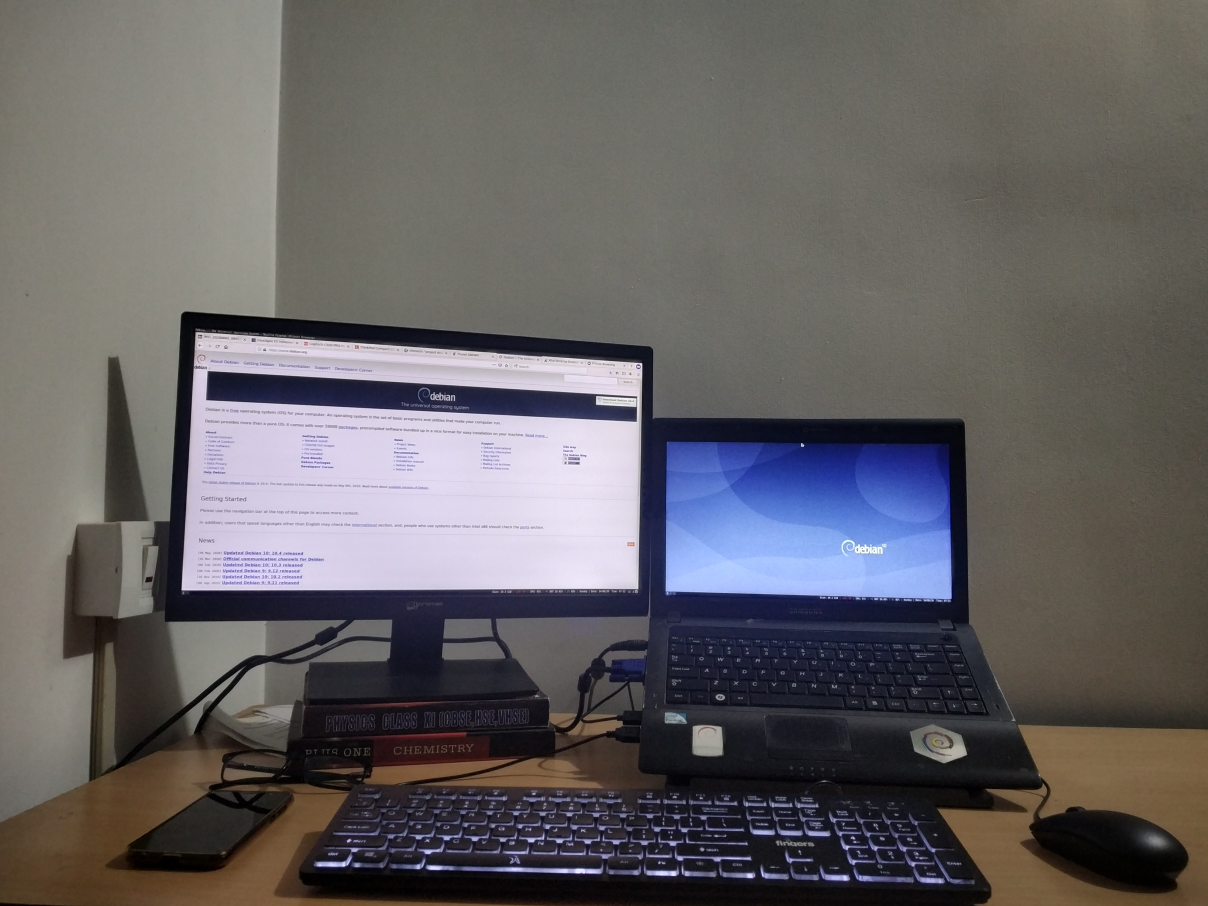
Recently I ve seen lot of people sharing about their home office
setup. I thought why don t I do something similar. Not to beat