Clint Adams: Accessorize with an iPad
 Fashion is definitely one of those things at which it is far,
far worse to try and fail than to not try at all.
Fashion is definitely one of those things at which it is far,
far worse to try and fail than to not try at all.

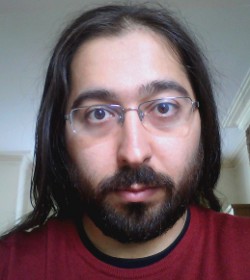 Even though Enrico is not smiling on this picture, he s one of the friendliest Debian person that I know. I always enjoy his presentations because he can t refrain from inserting jokes or other funny tricks.
 That said he s serious too, there s lots of good stuff that he has developed over the years (starting with Debtags) and he has put a lot of effort in reforming the New Maintainer process. Read on to learn more about his various projects.
Raphael: Who are you?
Enrico: Hi, I m Enrico Zini, a DD from Italy. I m 35 and I work as a freelance Free Software developer. One of my historical roles in Debian is taking care of Debtags, but that is not all I do: my paid work led me to write and maintain some weather forecast related software in Debian, and recently I gained a Front Desk hat, and then a DAM hat.
Raphael: How did you start contributing to Debian?
Enrico: It was 2001, I was at uni, I was using Debian. At some point I wanted to
learn packaging so I read through the whole Policy from top to bottom.
Then I thought: why package only for myself? . There were many DDs at
my uni, and it only seemed natural to me to join Debian as well.
Evidently this was also natural for Zack [Note from editor: Stefano Zacchiroli], who had become DD 6 months
earlier and didn t hesitate to advocate me.
I found the Policy and the Developer s Reference to be very interesting
things to read, and I welcomed my AM s questions as an excuse to learn
more. I completely understand those people who have fun trying to answer
all the questions in the NM templates while they wait for an AM.
With my super DAM powers I can see that my AM report was submitted on
October 16, 2001 by my AM Martin Michlmayr, and that James Troup created
my account 9 days later, on October 25.
Raphael: You have a special interest in the New Maintainer (NM) Process
since you are a Debian Account Manager (DAM) and a member of the NM Frontdesk.
Thanks to your work the process is much less academic/bureaucratic than it
used to be. Can you remember us the main changes?
Enrico: One of the first things I noticed when I become a Front Desk member is
that there was a tendency to advocate people too early, thinking by
the time they ll get an AM, they ll know enough .
Unfortunately, this didn t always work, and once the real NM process
started it would turn into a very long and demotivating experience both
for the applicant and for the AM. So we tried raising the bar on
advocacies, and that seems to have helped a lot. If people join NM
when they are ready, it means that NM is quick and painless both for
them and their AMs, who are therefore able to process more applicants.
We also did a rather radical cleanup of the NM templates , which are
a repository of questions that Application Managers can ask to their
applicants. We realized that AMs were just sending the whole templates
to their applicants, so we moved all non-essential questions to separate
files, to drastically reduce the amounts of questions that are asked by
default.
Other improvements in the NM process came from other parts of Debian:
nowadays there are lots of ways to learn and gradually gain experience
and reputation inside the project before joining NM, which means that we
get many candidates who we can process quickly.
For example, packages can now be uploaded via sponsors, and the Mentors
project helps new contributors to find sponsors and get their first
packages reviewed.
Then one can now become Debian Maintainer and take full
responsibility of their own packages, gaining experience and reputation.
The idea of working in teams also helped: big teams like the
Perl, Python, KDE, Ocaml, Haskell teams (and many more)
are excellent entry points for people who have something to package.
But Debian is not just for packagers, and one could join teams
like the Website team, the Press and Publicity team, the Events
and Merchandise team or their local translation team.
Becoming DDs the non-uploading way is not just for non-technical people:
one could enjoy programming but not packaging. An interesting way to get
involved in that way is to help writing or maintaining some of the many
Debian services. Note that I m not suggesting this as a way to learn
how to program, but as a way to get involved in Debian by writing code.
Finally, we started to appreciate the importance of having people
activities in Debian explicitly visible, which means that the more
obviously good work one has done in Debian, the less questions we need
to ask. Jan Dittberner s DDPortfolio is an excellent resource for AMs
and Front Desk, and I m maintaining a service called minechangelogs
that for people who have done lots of work in Debian is able to
fully replace the Tasks&Skills parts of the NM process.
Raphael: What are your plans for Debian Wheezy?
Enrico: For Wheezy I hope to be able to streamline and simplify Debtags a bit
more. At Debconf11 I had a conversation with FTP-masters on how to make
some tags more official, and I now have to work a bit more on that.
I d also like to considerably downsize the codebase behind the debtags
package, now that its job is quite clear and I don t need to experiment
with fancy features the way I did in the past.
I have to say that I enjoy programming more than I enjoy packaging, so
most of my plans in Debian are not tied to releases. For example, I d
like to finish and deploy the new NM website codebase soon: it would
mean to have a codebase that s much easier to maintain, and in which
it s much easier to implement new features.
I d also like to design a way to allow maintainers to review the tag
submission to their own packages instead of having to wait for me or
David Paleino to do a regular review of all the submissions.
Finally, I d like to promote the usage of apt-xapian-index
in more cutting-edge packaging applications. And to design a way to
maintain up to date popcon information in one s local index. And improve
and promote those services that I maintain, and I tend to often have
ideas for new ones.
Raphael: If you could spend all your time on Debian, what would you work on?
Enrico: If I could spend all my time on Debian, I would do a lot of software
development: I love doing software development, but most of my
development energy is spent on my paid work.
I guess I would start my all your time in Debian by taking better care
of the things that I m already doing, and by promoting them better so
that I wouldn t end up being the only person maintaining them.
After that, however, I reckon that I do have a tendency of noticing new,
interesting problems in need(?) of a solution, and I guess I would end
up wildly experimenting new ideas in Debian much like a victorian mad
scientist. Which reminds me that I most definitely need minions! Where
can I find minions?
Raphael: You re the author of the Debian Community Guidelines. I have always felt that this document
should be more broadly advertised. For example by integrating it in the
Developer s Reference. What do you think?
Enrico: The DCG was really a collection of tips to improve one s online
communication, based on ideas and feedback that I collected from
pestering many experienced and well-respected people for some time.
Like every repository of common sense, I think it should be widely
promoted but never ever turned into law.
It wouldn t be a bad idea to mention it in the Developer s Reference, or
to package it as a separate file in the developers-reference package.
The reasons I haven t actively been pushing for that to happen are two:
there isn t much in the DCG that is specific to Debian, and I don t have
the resources to do a proper job maintaining it.
It d be great if somebody could take over its maintenance and make it
become some proper, widespread, easy-to-quote online reference document,
like one of those HOWTOs that all serious people have read at some point
in their lives.
Raphael: What s the biggest problem of Debian?
Enrico: It s sometimes hard to get feedback or help if you work on something
unusual. That is partly to be expected, and partly probably due to me
not having yet learnt how to get people involved in what I do.
Raphael: What motivates you to continue to contribute year after year?
Enrico: Debian keeps evolving, so there is always something to learn. And Debian
is real, so everything I do is constantly measured against reality. What
more intellectual stimulation could one possibly want?
Raphael: Is there someone in Debian that you admire for their contributions?
Enrico: I don t think I could reasonably list everyone I admire in Debian:
pretty much in every corner of the project there is someone, sometimes
not very well known, who is putting a lot of Quality in what they do.
Someone who decided that X should work well in Debian or that Debian
should work well for Y or that Z is something Debian people can rely
on and makes sure that it is so.
Those are the people who make sure Debian is and will be not just a
hobby, but a base upon which I can rely for my personal and working
life.
Subscribe to my newsletter to get my monthly summary of the Debian/Ubuntu news and to not miss further interviews. You can also follow along on Identi.ca, Twitter and Facebook.
5 comments Liked this article? Click here. My blog is Flattr-enabled.
 There was another question recently on StackOverflow that I had meant to
discuss in a follow-up post here. User deltanovember asked
about slow recursive functions
and used the very classic
Fibonacci number
as an example. To recap, Fibonacci number are defined with two initial
values F(0) = 0 and F(1) = 1; thereafter the Fibonacci number F(n) is defined
as the sum of the two preceding numbers: F(n) = F(n-2) + F(n-1).
This leads to very straightforward implementations using recursion:
Unfortunately, this elegant implementation which remain close to the abtract formulation of the recurrence algorithm performs very poorly in R as there is noticeable overhead in function calls which becomes dominant in a recursion. This lead to the original question on StackOverflow, and the accepted answer uses a trick presented by Pat Burns in his lovely R Inferno: rewrite the solution using a computer science trick called memoization:## R implementation of recursive Fibonacci sequence fibR <- function(n) if (n == 0) return(0) if (n == 1) return(1) return (fibR(n - 1) + fibR(n - 2))
That is a fair answer, and even more was suggested with a link to a terrific analysis calling the Fibonacci recurrence the worst algorithm in the world. That is also fair, but all the basic research into better algorithms exploiting some structure of the problem to advance performance (and of course understanding) is overlooking one crucial part: algorithm analysis is essentially independent of the language. So whatever improvements we obtain by thinking really hard about a problem are then available for other implementations too. So with a tip of the hat to the old Larry Wall quote about Lazyness, Impatience and Hubris, I would like to suggest what I consider a much simpler route to much better performance: recode it in C++ using both Rcpp (for the R/C++ integration) and inline for the on-the-fly compilation, linking and loading of C++ code into R.fibonacci <- local( memo <- c(1, 1, rep(NA, 100)) f <- function(x) if(x == 0) return(0) if(x < 0) return(NA) if(x > length(memo)) stop("'x' too big for implementation") if(!is.na(memo[x])) return(memo[x]) ans <- f(x-2) + f(x-1) memo[x] <<- ans ans )
This single R function call## inline to compile, load and link the C++ code require(inline) ## we need a pure C/C++ function as the generated function ## will have a random identifier at the C++ level preventing ## us from direct recursive calls incltxt <- ' int fibonacci(const int x) if (x == 0) return(0); if (x == 1) return(1); return (fibonacci(x - 1)) + fibonacci(x - 2); ' ## now use the snippet above as well as one argument conversion ## in as well as out to provide Fibonacci numbers via C++ fibRcpp <- cxxfunction(signature(xs="int"), plugin="Rcpp", incl=incltxt, body =' int x = Rcpp::as<int>(xs); return Rcpp::wrap( fibonacci(x) ); ')
cxxfunction() takes the code
embedded in the arguments to the body variable (for the core
function) and the incltxt variable for the helper function we
need to call. This helper function is needed for the recursion as
cxxfunction() will use an randomized internal identifier for the
function called from R preventing us from calling this (unknown) indentifier.
But the rest of the algorithm is simple, and as beautiful as the initial
recurrence. Three lines, three statements, and three cases for F(0), F(1) and
the general case F(n) solved by recursive calls. This also illustrates how
easy it is to get an integer from R to C++ and back: the
as and wrap simply do the right thing
converting to and from the SEXP types used internally by the C
API of R.
A performance comparison of the basic R version fibR, its
byte-compiled variant fibRC and
and the C++ version fibRcpp shown above is very compelling.
We have added a file fibonacci.r to the large and still growing
set of examples included with Rcpp, and we can just
execute that script with Rscript or (as here) r
from the littler package:
So the recursion for the original argument of N=35 takes just over a minute at about 61.5 and 61.9 seconds, respectively, for the R version and its byte-compiled variant (as per the column titled elapsed). So byte-compilation essentially offers no help for the bottleneck of slow function calls. The C++ versions relying on Rcpp which created in a few lines of code and a single call toedd@max:~/svn/rcpp/pkg/Rcpp/inst/examples/Misc$ r fibonacci.r Loading required package: inline Loading required package: methods Loading required package: compiler test replications elapsed relative user.self sys.self 3 fibRcpp(N) 1 0.092 1.0000 0.09 0.00 2 fibRC(N) 1 61.480 668.2609 61.47 0.00 1 fibR(N) 1 61.877 672.5761 61.83 0.02 edd@max:~/svn/rcpp/pkg/Rcpp/inst/examples/Misc$
cxxfunction however takes just 92
milliseconds---or a relative gain of well over six-hundred times.
That provides another nice demonstration of what Rcpp can do. Improved
algorithms for well-understood problems are surely one way to accelerate solutions.
But there are (many ?) times when we do not have the luxury of being able to
think through to a new and improved approach. Or worse, such an approach may
even introduce new errors or inaccurracies if we get it wrong on a first try.
With Rcpp, we are able to the express the problem as written in its original statement: a simple
recursion. The gain relative to a slow R implementation is noteworthy---and
could of course be improved further if we really needed to by relying on
better algorithms like memoization. But for day to day tasks, I gladly take
speedups of (up to) a few hundred times thanks to
Rcpp without having to do hard
algorithmic work.
Before closing, a quick reminder that I will be giving two classes on
Rcpp in a few weeks. These will be in New York on September 24, and San Franciso on October 8, see
this blog post as well as
this page at Revolution Analytics (who are a
co-organiser of the classes) for details and registration information.
 Am I online or not?
There is a summary at the end for the quick readers.
It is in many modern applications important to be able to more or less gracefully handle if the application user is online or not. For example, there is no need to try to fetch emails if the device (computer, phone, tablet, laptop, ) doesn t have network (wifi, cable, umts, ip over avian carriers, ..).
KDE has of course made nice functionality for this, and here I will try to describe how to make your app network status aware and what to be aware of in the process.
Solid background
All this is going on in Solid, using two parts of Solid and a bit of KDE s infrastructure:
enum Status

             Unknown,

             Unconnected,

             Disconnecting,

             Connecting,

             Connected

          ;
Solid::Networking::Status currentStatus = Solid::Networking::status();

if(currentStatus==Connected   currentStatus==Unknown)

  //try to do networking things

  else

  //mark application as offline.
class MyNetworkAwareClass : public QObject

  Q_OBJECT

  public:

    MyNetworkAwareClass();

    void doNetworkActivity();

  private Q_SLOTS:

    void networkStatusChanged(Solid::Networking::Status newstatus);

  private:

    Solid::Networking::Status m_current_state

 ;
MyNetworkAwareClass::MyNetworkAwareClass : m_current_state(Solid::Networking::Status())

  connect(Solid::Networking::notifier(), SIGNAL(statusChanged(Solid::Networking::Status),this,SLOT(networkStatusChanged(Solid::Networking::Status)));


void MyNetworkAwareClass::networkStatusChanged(Solid::Networking::Status newstate)

  m_current_state = newstate;
void MyNetworkAwareClass::doNetworkActivity()

  if(m_current_state == Unknown   m_current_state == Connected)

    //try to do network activity
I guess this should be pretty self explaining.
Summary
 While
other people are squashing RC bugs
I was using this week to fix (or investigationg) some more kFreeBSD issues -- mostly looking at
failed build logs and trying to fix the problems and after some nice
fish for dinner writing things up.
acceleration architecture with no well-defined acronymEXA superseded the older XAA and offers 2D acceleration, often in conjunction with XRender.
 I often hear criticism of "negative campaigning" in the free software
movement. For example, in reply to a blog post I once wrote about
an FSF campaign, several people argued against, "negative campaigning
of any sort, in any realm." Drawing an analogy to political smear
campaigns, some members of the free software community have taken
the position that negative campaigning in general is not useful
and that negativity has no place in our advocacy.
First, it is important to be clear on what we mean by a negative
campaigns. I believe that there is a fundamental difference between
speaking out against policies or actions and smear campaigns that
employ untrue claims, ad hominem attacks, and that attempt to avoid a
real conversation about issues. I will categorically condemn the
latter form of smear campaigning in campaigns for software freedom or
for anything else.
That said, negativity directed at negativity has had a positive effect
in many social movements. I have supported and participated in
"negative" campaigns against proprietary software, software patents,
DRM, centralized network services, and the firms behind these
practices. I've done so because I believe that if one is taking an
ethical position, it is justified, and often necessary, to not only
speak about the benefits of freedom but against acts of dispossession
and disenfranchisement.
In some of the most effective social movements, unambiguously negative
messages have been central. Should a campaign for abolishing child
labor talk only about how valuable adult workers are to their
employers or how happy kids are when they don't work? Should a
campaign trying to abolish land mines talk only about the benefits of
bomb-free fields and intact lower limbs? Should a free speech
organization only speak out about the social welfare brought by a free
press and never against acts of censorship? These may seem like
outlandish comparisons but you can find people writing, only a couple
centuries ago, about how slavery should be abolished by arguing in
favor of the benefits of paid labor. Even if the economic arguments
in favor of paid work are strong, these arguments seems irrelevant and
offensive today. Whether slavery is more or less efficient is a moot
point. Society has rejected it because it is wrong.
We have made important strides toward eliminating injustices like
child labor and slavery because activists waged decidedly negative
campaigns against them and convinced others to join in opposition. In
doing so, activists declared the status quo unconscionable and created
an ethical responsibility to find alternatives and to redefine what
was "realistic." While I will not suggest that the movement for
software freedom is comparable in ethical weight to these other
causes, I know that the free software mission is similar in kind.
Of course, if one does not think that user control over technology is
an ethical issue but is instead merely a matter of choice, one will
probably oppose negative campaigns. It is also possible that a
particular negative campaign is tactically unwise in that it is
unlikely to reach a large audience, unlikely to change people's minds,
or be difficult to carry out successfully. But such campaigns are a
bad idea because they are ineffective, not because they are
negative. Additionally, a movement that is purely negative and offers
no reasonable alternative to the stated ill may also be unlikely to
succeed. This is why, for example, I believe it is good that the FSF
uses the large majority of its resources in the "positive" role of
supporting free software.
For those that do treat technological empowerment as an ethical ideal,
it is both justified and essential to condemn the systematic
disempowerment of others through non-free software just as we
celebrate the benefits of software freedom. "Negative" campaigns
against proprietary software, software patents, and DRM in music have
already led our community to important -- if incomplete --
victories. The desire to right wrongs has been a critical part of our
movement's success and of many others'. We would be wise not to give
it up.

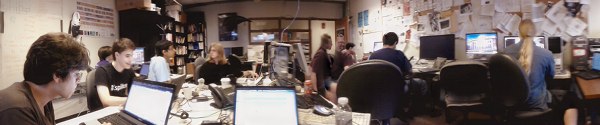
(Photo credit: Obey Arthur Liu; originally on Picasa, license.)
Three weekends ago, I participated in a Debian bug squashing party. It was more fun than I had guessed!
The event worked: we squashed bugs. Geoffrey Thomas (geofft) organized it as an event for MIT's student computing group, SIPB. In this post, I'll review the good parts and the bad. I'll conclude with beaming photos of my two mentees and talk about the bugs they fixed.
So, the good:
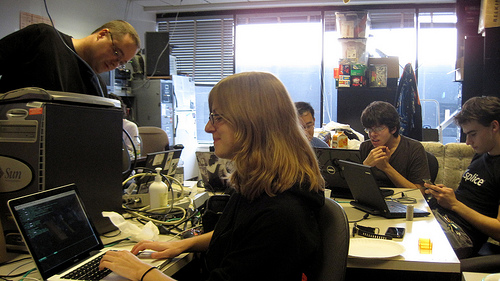 Jessica McKellar is a software engineer at
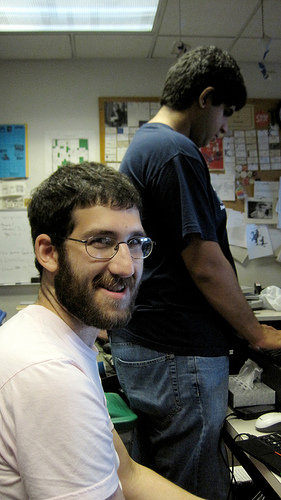 Noah Swartz is a recent graduate of Case Western Reserve University where he studied Mathematics and played Magic. He is an intern at the MIT Media Lab where he contributes to DoppelLab in Joe Paradiso's Responsive Environments group. This was definitely his first direct contribution to Debian. It was also one of the most intense command-line experiences he has had so far. Noah wasn't originally planning to come, but we were having lunch together before the hackathon, and I convinced him to join us.
Noah fixed #625177, a fails-to-build-from-source (FTBFS) bug in nslint. The problem was that "-Wl" was instead written in all lowercase in the debian/rules file, as "-wl". Noah fixed that, making sure the package properly built in pbuilder, and then spent some quality time with lintian figuring out the right way to write a debian/changelog.
That's a wrap! We'll hopefully have one again in a few months, and before that, I hope to write up a guide so that we run things even more smoothly next time.
 The kernel.org compromise has people talking about the security of git's
use of sha1. Talking about this is a good thing, I think, but there's
a lot of smug "we're cryptographically secure" in the air that does not
seem warranted coming from non-cryptographers like me.
Two years ago I had a discussion on my blog about git and
sha1, that reached similar conclusions to what I'm seeing
here: It seems that current known
sha1 attacks require somehow getting an ugly colliding binary file accepted
into the repository in the first place. Hard to manage for peer reviewed
source code. We all hate firmware in the kernel, so perhaps this is another
reason it's bad. ;-) Etc.
Well, not so fast. Git's exposure to sha1 collisions is broader than
just files. Git also stores data for commits, and directory trees.
Git's tree objects are interesting because they're a bag of bytes that is
rarely if ever manually examined. If there was a way to exploit git such
that it ignored some trailing garbage at the end of a tree object, then
here's an attack injection vector that would be unlikely to be caught by
peer review.
If you can change the content of a tree without changing its sha1, you can
simply make it link to an older version of a file that had an exploitable
problem. Or you can assemble a combination of files that results in an
new exploitable problem. (For example, suppose a buffer size was hardcoded
in two files in the kernel, and then the size was changed in both -- make a
tree that contains one change and not the other.)
Now, git's tree-walk code, until 2008, mishandled
malformed data by accessing memory outside the tree buffer. Was this
an exploitable bug in git? I don't know. It is interesting that
the fix, in 64cc1c0909949fa2866ad71ad2d1ab7ccaa673d9 relied on the
parser stopping at a NULL -- great if you want to put some garbage after
the tree's filename. With that said, the particular exploit I describe
above probably won't work -- I tried! Here's all the code that stands
between us and this exploit:
        if (size < 24   buf[size - 21])
                die("corrupt tree file");
        path = get_mode(buf, &mode);
        if (!path   !*path)
                die("corrupt tree file");
Any good C programmer would recognise that this magic-constant-laden code
needs to be careful about the size of the buffer. It's not as clear though,
that it needs to be careful about consuming the entire contents of the
buffer. And C programmers involved with git have gotten this code wrong
before.
tldr: If git is a castle, it was built just after cannons were invented,
and we've had our fingers in our ears for several years as their power
improved. Now the outer wall of sha1 is looking increasingly like one of
straw, and we're down to a rather thin inner wall of C code.
John Layt recently blogged about his adventure with having children use Plasma Active with quite some success.
The task
I was this evening out at a board meeting in my local scout group, and for such a event you of course need the following
 AltOS 1.0 TeleMini support and a host of new features
Bdale and I are pleased to announce the release of
AltOS version 1.0.
AltOS is the core of the software
for all of the Altus Metrum products. It
consists of cc1111-based microcontroller firmware and Java-based
ground station software.
AltOS Firmware TeleMini support, Kalman Filtering and more
Support for the new
TeleMini
altimeter is included in version 1.0 along with a wealth of other new
features:
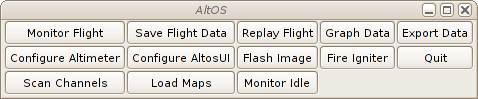
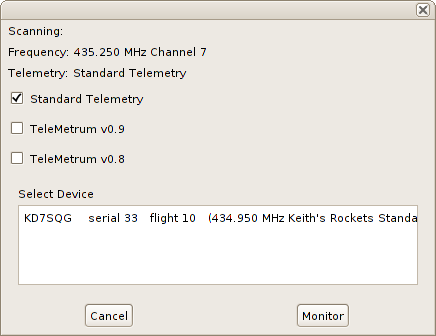
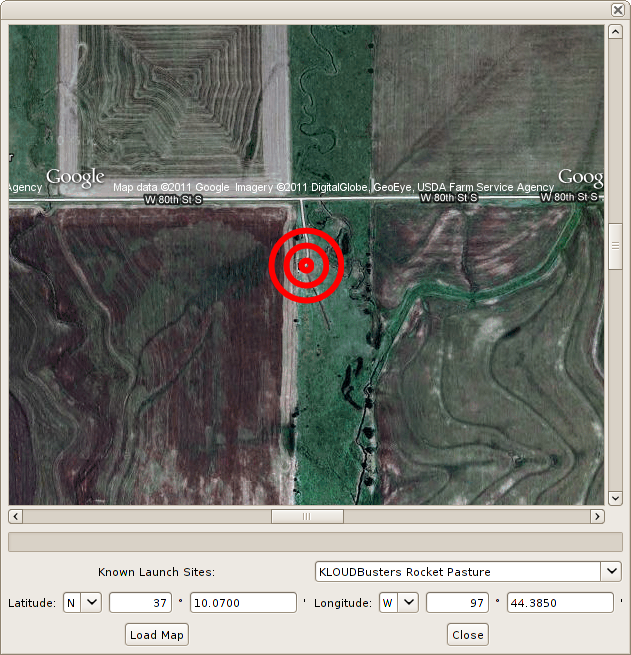
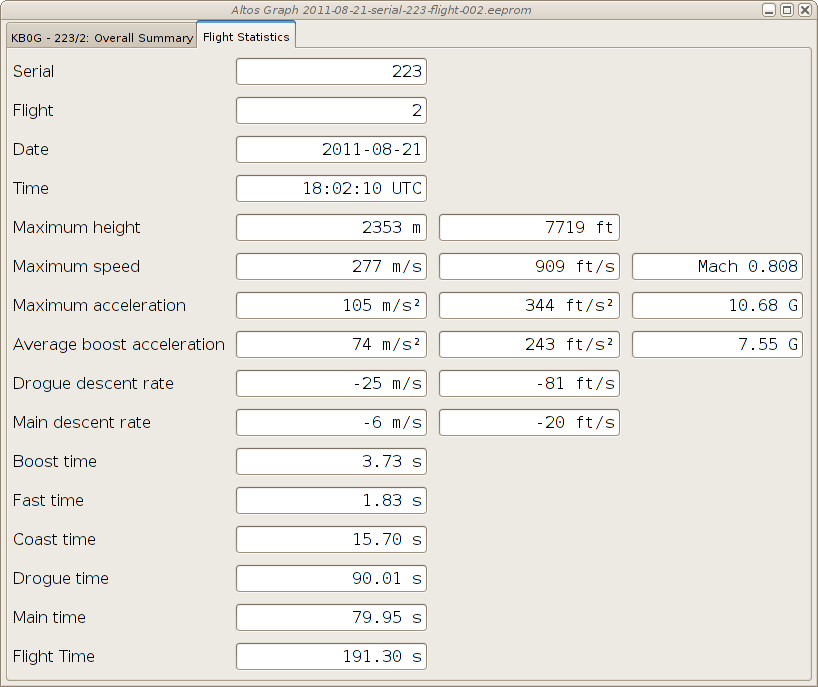
 |  |  |

about:tabs url to see the damage on your session. Please note that the number of groups is currently wrong until you open the tab grouping interface.
This is what the extension has to say about my session 2 days ago, right after a startup:
http://buildd.debian.org/iceweasel. It gives me the build status of the latest iceweasel package I uploaded to Debian unstable. That url is particularly known in my browsing history, and is the first hit when I type buildd in the urlbar (actually, even typing b brings it first). Unfortunately, that url redirects to https://buildd.debian.org/status/package.php?p=iceweasel through an HTTP redirection. I say unfortunately because when I type buildd in the urlbar, I get 6 suggestions for urls in the form http://buildd.debian.org/package (I also watch other packages build status), and the suggestion to switch to the existing tab for what the first hit would get me to is 7th. Guess what? The suggestion list only shows 6 items ; you have to scroll to see the 7th.
The result is that I effectively have fifteen tabs open on that url.
I also keep a lot of bugzilla.mozilla.org bugs open in different tabs. The extension tells me there are 255 of them for 166 unique bugs. Largely, the duplicate bug tabs are due to having these bugs open in some tab, but accessing the same bugs from somewhere else, usually a dependent bug or TBPL. I also have 5 tabs opened on my request queue. I usually get there by going to the bugzilla home page and clicking on the My Requests link. And I have several tabs opened on the same bug lists. For the same reason.
When I started using tab groups, I splitted in very distinct groups. Basically, one for Mozilla, one for Debian, one for stuff I want to follow (usually blog posts I want to follow comments from), and one for the rest. While I was keeping up with grouping at the beginning, I don t anymore, and the result is that each group is now a real mess.
Firefox has hundreds of millions users. It s impossible to create a user experience that works for everyone. One thing is sure, it doesn t work for me. My usage is probably very wrong at different levels, but I don t feel my browser is encouraging me to use it better, except by making my number of opened tabs explode to an unmanageable level (I already have 30 tabs more than when I started writing this post 2 days ago).
There are a few other things I would like to know about my usage that my extension hasn t told me yet, either because it doesn t tell, or because I haven t looked:
 I stopped my story in early 1994, after my Big Switch to the
mysterious and new world of Linux.
My home server, kheops, is now running Debian and is fed with news and
mail by FrMug, formerly French Minix Users Group and now run by AFAU,
the "Association Fran aise des Amateurs de Usenet".
As I'm still console-challenged, I'm reading mail and news on another
machine I have at home, named "khephren", which is running an, ahem,
beta copy of Microsoft Windows 95. Yeah, I know...:-)
These 1994-1999 years were mostly the Usenet years, for me. I
gradually became more and more involved in several fr.* newsgroups,
either related to the Linux world...or to the Windows world. The
latter was professionnally a bonus for me as 1994 is also the year
where I switched from the Material Science department at Onera to the
Network and Computing Department. My mission there was to accompany
the increasing prevalence of personal desktop workstations in the
daily life of what was formerly the Big Castle of Computing at Onera,
hosting various generations of Cray computers, most of which being in
the Top500 world supercomputers (we even had one in the Top10, very
briefly, at somepoint).
So, I was "the PC and Windows guy" in this world of supercomputing,
Unix and network wizards. But my hobby at home helped me keeping and
growing skills in both "worlds" which, over the years, has proven to
be a not so common profile..:-)
Meanwhile, at home, I was spending hours and nights reading those
newsgroups...or getting involved in fr.* hierarchy management..or
expanding my friends network to many people in the news, Linux, BSD
worlds.
That lasted for about 3 years with ups and downs (with three young
kids at home, you end up having slightly less time...). I was
gradually improving my home server use, adding more functionalities to
it, for instance setting it up as a file and print server with Samba
1.9.something (this will be the beginning of a long story with
samba!).
Unfortunately, my dear Ren had
passed in the meantime. Ren did so
much for Linux in France that he'll be the only link I give in
this article. If you happen to go through P re Lachaise cemetery in
Paris, go to its Memory garden instead of visiting Jim Morrison's
grave and drink a whisky bottle in memory of Ren .
Or just install one of the most funnily named Debian packages: le-dico-de-rene-cougnenc
and, again, drink something to his memory (whisky is highly preferred).
We then reached 1997 and a specific event: my father (who was very
sick for years) passed during summer, some time after my grand-father
passed too. As it apparently happens for
many people, it triggerred me into the interest for family
history. After all, those people who are going away are family
memories. And, in some way, I wanted to keep track of this memory.
As a consequence, I started collecting family memories, interviewing
my close relatives (the oldest ones) and ending, of course, in
tracking all this with my computers. That was the start of a long
genealogy research that sent me on the track of the Perrier family (of
course), but also all other branches, on my mother and father side, as
well as reconstructing the tree of cousins we have, etc, etc.
As anybody who did that knows, this is quite an endless task but I
went very committed to it. I quickly ended up in joining research
groups that were using the recent growth of personal access to
Internet communication. Those groups were, in these 90's, building
elaborated systems where people can help together in their research
instead of having to travel to places where archives are stored. I
participated to many such groups and even ended up animating one who
was doing research in archives of the "Yvelines" "d partement", my
place of living (even though I have no family branch there). At the
same time, other groups were sending me research results for my own
family in the French region where my roots are.
Collective effort, help others for free, you can recognize things that
are a constant all over these years, indeed.
It actually helped me in tracking my Perrier ancestors up to about
1680, with 11 generations of men holding that name (from
Jean-Baptiste, my son, up to tienne Perrier, who is born about
1640-1650, in the small village named Briant in Sa ne et Loire, in
France). Or even climbing up to Laurent Polette, born circa 1510,
mentioned in a document date February 1562. He his my oldest known ancestor.Those folks being 15 generations
before me. My oldest ancestor is born under Fran ois the First, King
of France, protector of Leonardo Da Vinci, at the time La Joconde was
painted or the Chambord castle was built. Doh.
Unfortunately, genealogy software, at that time, was quite poor for
Unix systems. Lifelines was a quite strong development but wasn't that
user-friendly and I ended up using a Windows-based "shareware"
software written by an individual. Still, my Linux machine was used
quite intensively: databases were stored there, and saved there, all
important informations were there, my mail was received there, along
with dozens of mailing lists I was reading. I even hosted a few
mailing lists on my home server.
Still, in the meantime also, again in 1997, in October, another event
happened. We had a pollution peak in Paris area and October 1st was
the first (and as of now the only ever) day where driving restrictions were applied.
Up to that moment, I was driving to/from work (30 kilometers one way).
I decided to use this opportunity to really test public transport, for
one full month. As
I knew it would take me much more time than driving, I tried to
imagine a way to use that time.
How about reading mail and news on a laptop instead of only at home?
Done... In a few days, I found a used Compaq Aero laptop (486 16MHz),
I installed Debian "bo" on it, switched my mail and news workflow to
console programs (mutt and slrn) and here we go!
So, finally, in October 1997, I was using Linux nearly all time long,
the only exception being genealogy data handling.
That laptop was named "mykerinos" (the small pyramid) and....my laptop
is still named mykerinos, though it's now the 5th mykerinos I have..:-)
Ah, and since then, I nearly always use public transport to go to/from
work. Debian addiction is good for the planet!
At some point (I don't remember exactly when...about 1999, I think), DSL connections
appeared and one of the first DSL FAI emerged on France: Free. I was already
using their services for dialup access, but DSL was then a revolution:
persistent connection! And nearly immediately, static IP!
I became one of their first DSL customers (and I'm still
one). Moreover, I had then friends working there...and they had many
Debian machines to host their services.
So, with the help of my Freenix friends, some DNS hosting on their
machines and the still tireless eu.org entirely free domain, perrier.eu.org was born.
Immediately, this gave me opportunities for doing many interesting
things with my home server: setting up www.perrier.eu.org and use
it....for learning web things and sharing genealogical data. For
instance, I ended up hosting some data sent by other genealogists such
as digital copies of archives for some French regions, all served
through my 512/128kbps DSL line (quickly upgraded to 2Mb, IIRC).
And, very quickly, I felt the need to share my family tree, of course!
And here comes Geneweb.
Written (in Ocaml) by Daniel de Rauglaudre, Geneweb was (and still is)
by far one of the best tools to share genealogy data over the Net. So,
I ended up installing it on my home machine. Guess how I did that?
"apt-get install geneweb", of course. Yes, it was packaged. Indeed by
Brent Fulgham who did the initial release on July 22nd 2000.
Here, my memory is a little bit vague. I think I actually packaged
Geneweb for my own use and sharing it on upstream FTP site, forking Brent's package as a start, but updating
to latest upstream release. Then I quickly ended up having discussions
with Brent about this new upstream release, and that lead to:
geneweb (3.10-3) unstable; urgency=low
  * Merging with unofficial package from Geneweb ftp site
    (in preparation of new maintainer [Christian Perrier] takeing
    over responsibility).  Note that all of this work is from
    Christian.
  * Default database dir is now writable by members of geneweb group
  * New geneweb group added at installation
  * Package tries to properly handle former installations of the
    unofficial Geneweb package available on Geneweb ftp site
  * Debconf dialogs translated in french
  * More languages available
  * Creation of /var/geneweb/etc, /var/geneweb/cnt, /var/geneweb/images
    with proper permission so that authorised users may use these also
  * When de-installed, all databases are exported with gwu (should allow
    smooth upgrades when the databse format changes)
 -- Brent A. Fulgham <bfulgham>  Mon, 22 Jan 2001 19:30:47 -0800
See? Already "debconf translation to French"! "More languages
available". Here we are.
As discussed with Brent, he propsoed me to take the package over. So,
on January 11th 2001, I had applied in the New Maintainer Process.
I'm amazed how quickly it went indeed: there was a tool I needed, it
needed to be packaged, I could handle the packaging...and then I
decided to be involved.
Here we are: bubulle is on his way to become one of those magicians
who are building the best universal operating system. Yes, me, the
clueless material scientist..:-)
How did it go? You'll know this in next episode, of course...
-----BEGIN PGP SIGNED MESSAGE-----
Hash: SHA1,SHA256
I am transitioning my GPG key from an old 1024-bit key to a new 4096-bit key.
The old key will continue to be valid for some time, but I prefer all new
correspondence to be encrypted for the new key, and will be making all
signatures going forward with the new key.
If you have signed my old key, I would appreciate signatures on my new key as
well, provided that your signing policy permits that without reauthenticating
me.
The old key, which I am transitioning away from, is:
pub   1024D/99E141B4 2004-02-10
      Key fingerprint = 25FE 4741 4770 0558 949D  1DB1 58DD 3FE2 99E1 41B4
The new key, to which I am transitioning, is:
pub   4096R/51B85139 2009-06-18
      Key fingerprint = A3EB B41F C5AB D675 CEE4  1C45 EA6C A6B9 51B8 5139
Thanks in advance.
Cheers,
Micha Lenk
-----BEGIN PGP SIGNATURE-----
Version: GnuPG v1.4.10 (GNU/Linux)
iEYEARECAAYFAk5aOnkACgkQWN0/4pnhQbTxPgCgzRhREZlQiKJyI9UIdJLLs3Zq
bH4AnA1myFxgDWM7aUMHXgvvsujLTjiWiQIcBAEBCAAGBQJOWjp5AAoJEOpsprlR
uFE5gCsP/0dtCUPl9aQHV1MbQl7+bMofpsC2ikkpdZmrzi68jTG16We49BuzY+PV
S8FhXqg17/YxhKYDnDNTowfztUOyjAOJxy5vrqm3X5xiLwTqN3js9mra+vb4s35k
EVbKMzLLDhj3i0FjeargWEmJmm9cVhaZWKvOvQUhDJAilqvEQ0/50P7B8I+1YvtV
UHoQKbweTljVSlK5R1YPPy9i6r2/oZBYxK4nrknWwS+qPQ5luqelJd+mZdgQ6tow
7HIvtmPgCblJ+hYZWFpoZK6vxs8RaBbuCQcKwYArNhZT/v4TeD/LAaUmIkbQMyKV
J2TKuEHya4+5GMbtg6BGKeiZpleEHPnAq1AfvGpz6opkxjxCLG3RO3X8D3EuM3RW
mkq60mWM8+Zwu1yKbb62iHplp6jpyiQgdjJlB6eHjX7SdY7CvHgYZxGDx4kclP0/
HAdig2U1T+nG6Nn5XflmmKwvNLuKlQlIwJ5NeXyCONRnYvdomQn2hgvkjwMLCdFh
ulIhxa4UvDY7/aQNPZeOrvDHb2XYpiV3TwA9hLgQXXWd0FPmUMVVPpKpRjilaWth
Mtq/QiMGP5Mq/YxgLInRZHGyajDtE67RD4+RgHYOP50cP3UGPoB4ncc2EEtM2kfe
BzJrXPHmdtyGEA6Korl0YwUTRnYsqkqkY1VqDsO0UkOLlV7RAzb9
=9vw1
-----END PGP SIGNATURE-----
Next.

