Search Results: "enrico"

20 January 2007

Bernhard R. Link: please add mime-types

Enrico blogged about translating the mime-types of file to a debtags, stating "I&aposm not sure it&aposs a good idea to encode mime types in debtags".

I just want to throw my two cent in here and state that I only once looked into debtooks and gave up because it does not list mime-types but some obscure other specification.

Getting suggested programs that support formats which have the same type of content like the one I want to show, to convert or to create does not help me. I most of the time do not want to edit "a video" or "a spreadsheet", but I first of all have a very specific file I want to do something with, or a specific set of formats I want to create something in. If I have a AbiWord file, Openoffice.org will not help me, and with video or audio formats it is even worse.

So after turning away disappointetly from debtags, I had to do a full mirror scan for /usr/lib/mime/packages/ files and their contents. Having that data cached in debtags would be something that really makes debtags usefull in my eyes. (And the more direct and verbatim the mime-type is encoded, the more useful it would be for me).

19 January 2007

Enrico Zini: tagminer

Cute things one could do with debtags While answering to a long message in the debtags-devel mailing list I accidentally put together the pieces of a fun idea. This is the bit of message I was answering:
  • It would be very useful if the means for indicating the supported
    data formats was more comprehensive. This could mean a lot of
    expanding in the "works-with-format" section of the vocabulary, which
    doesn't even include formats such as gif or mpg at the moment. I don't
    know how feasible it is to alter underlying debtags functionality, but
    perhaps it would be the easiest to make "works-with-format" a special
    case tag which allows for formats not listed in the vocabulary.
This is my answer:
Good point. The idea has popped up in the past to list supported mime types among the package metadata, so that one could point to a file and get a list of all the packages that can work with it. I'm not sure it's a good idea to encode mime types in debtags and I'd like to see something ad-hoc for it. In the meantime works-with-format is the best we can do, but we should limit it to the most common formats.
This is the fun idea: if works-with-format is the best we can do, what can we do with it? Earlier today I worked on resurrecting some old code of mine to expand Zack's ls2rss with Dublin Core metadata extracted from the files. The mime type scanner was ready for action. Some imports:
import sys
# Requires python-extractor, python-magic, python-apt
# and an unreleased python-debtags from http://bzr.debian.org/bzr/pkg-python-debian/trunk/
import extractor
import magic
from debian_bundle import debtags
import re
from optparse import OptionParser
import apt
A tenative mapping between mime types and debtags tags:
mime_map = (
        ( r'text/html\b', ("works-with::text","works-with-format::html") ),
        ( r'text/plain\b', ("works-with::text","works-with-format::plaintext") ),
        ( r'text/troff\b', ("works-with::text", "works-with-format::man") ),
        ( r'image/', ("works-with::image",) ),
        ( r'image/jpeg\b', ("works-with::image:raster","works-with-format::jpg") ),
        ( r'image/png\b', ("works-with::image:raster","works-with-format::png") ),
        ( r'application/pdf\b', ("works-with::text","works-with-format::pdf")),
        ( r'application/postscript\b', ("works-with::text","works-with-format::postscript")),
        ( r'application/x-iso9660\b', ('works-with-format::iso9660',)),
        ( r'application/zip\b', ('works-with::archive', 'works-with-format::zip')),
        ( r'application/x-tar\b', ('works-with::archive', 'works-with-format::tar')),
        ( r'audio/', ("works-with::audio",) ),
        ( r'audio/mpeg\b', ("works-with-format::mp3",) ),
        ( r'audio/x-wav\b', ("works-with-format::wav",) ),
        ( r'message/rfc822\b', ("works-with::mail",) ),
        ( r'video/', ("works-with::video",)),
        ( r'application/x-debian-package\b', ("works-with::software:package",)),
        ( r'application/vnd.oasis.opendocument.text\b', ("works-with::text",)),
        ( r'application/vnd.oasis.opendocument.graphics\b', ("works-with::image:vector",)),
        ( r'application/vnd.oasis.opendocument.spreadsheet\b', ("works-with::spreadsheet",)),
        ( r'application/vnd.sun.xml.base\b', ("works-with::db",)),
        ( r'application/rtf\b', ("works-with::text",)),
        ( r'application/x-dbm\b', ("works-with::db",)),
)
Code that does its best to extract a mime type:
extractor = extractor.Extractor()
magic = magic.open(magic.MAGIC_MIME)
magic.load()
def mimetype(fname):
    keys = extractor.extract(fname)
    xkeys =  
    for k, v in keys:
        if xkeys.has_key(k):
            xkeys[k].append(v)
        else:
            xkeys[k] = [v]
    namemagic =  magic.file(fname)
    contentmagic = magic.buffer(file(fname, "r").read(4096))
    return xkeys.has_key("mimetype") and xkeys['mimetype'][0] or contentmagic or namemagic
Command line parser:
parser = OptionParser(usage="usage: %prog [options] filename",
        version="%prog "+ VERSION,
        description="search Debian packages that can handle a given file")
parser.add_option("--tagdb", default="/var/lib/debtags/package-tags", help="Tag database to use (default: %default)")
parser.add_option("--action", default=None, help="Show the packages that allow the given action on the file (default: %default)")
(options, args) = parser.parse_args()
if len(args) == 0:
    parser.error("Please provide the name of a file to scan")
And here starts the fun: first we load the debtags data:
# Read full database 
fullcoll = debtags.DB()
tagFilter = re.compile(r"^special::.+$ ^.+::TODO$")
fullcoll.read(open(options.tagdb, "r"), lambda x: not tagFilter.match(x))
Then we scan the mime type and look up tags in the mime_map above:
type = mimetype(args[0])
#print >>sys.stderr, "Mime type:", type
found = set()
for match, tags in mime_map:
    match = re.compile(match)
    if match.match(type):
        for t in tags:
            found.add(t)
if len(found) == 0:
    print >>sys.stderr, "Unhandled mime type:", type
else:
If the user only gave the file name, let's show what Debian can do with that file:
    if options.action == None:
        print "Debtags query:", " && ".join(found)
        query = found.copy()
        query.add("role::program")
        subcoll = fullcoll.filterPackagesTags(lambda pt: query.issubset(pt[1]))
        uses = map(lambda x:x[5:], filter(lambda x:x.startswith("use::"), subcoll.iterTags()))
        print "Available actions:", ", ".join(uses)
If the user picked one of the available actions, let's show the packages that do it:
    else:
        aptCache = apt.Cache()
        query = found.copy()
        query.add("role::program")
        query.add("use::"+options.action)
        print "Debtags query:", " && ".join(query)
        subcoll = fullcoll.filterPackagesTags(lambda pt: query.issubset(pt[1]))
        for i in subcoll.iterPackages():
            aptpkg = aptCache[i]
            desc = aptpkg.rawDescription.split("\n")[0]
            print i, "-", desc
\o/ The morale of the story:

17 January 2007

Benjamin Mako Hill: Geography Lesson (Part II)

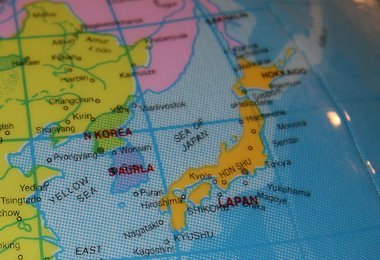
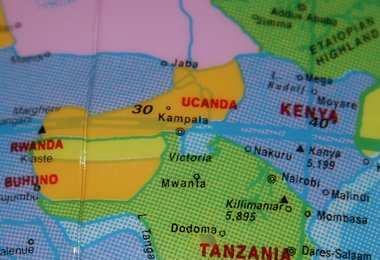
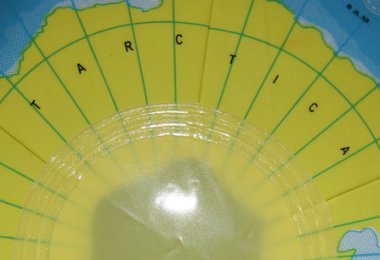
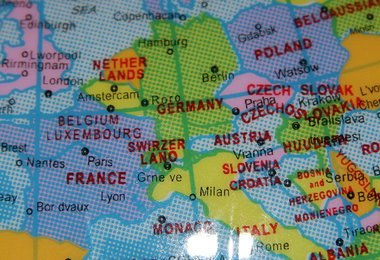
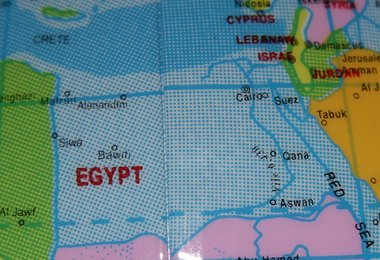
Yesterday, I received many requests to post pictures of my rather inaccurate globe. I'm pleased to oblige. Please read the summary I posted yesterday for a list of some of the errors you should have little trouble picking out. You can click on each cropped thumbnail to see much larger, higher resolution versions of the area and the surrounding continent or region.
/copyrighteous/images/bad_map-1-thumb.jpg
/copyrighteous/images/bad_map-2-thumb.jpg
/copyrighteous/images/bad_map-3-thumb.jpg
/copyrighteous/images/bad_map-4-thumb.jpg
/copyrighteous/images/bad_map-5-thumb.jpg
Enrico suggested that if the globe was manufactutered in China, Taiwan would be the same color as China and Taipei would be marked as a provincial, rather than national capital. Sure enough, I now have both a good idea of the globe's origin plus an idea of how to spell Taipei with an o.

16 January 2007

Rodrigo Gallardo: Lucky me

Enrico reported this morning that liferea dies on Sam’s entry about file parsing vulnerabilities (talk about irony). So, what does silly me do almost right after? Well, I went and read Planet Debian on liferea, of course. And, behold, liferea 1.2 doesn’t crash! I really must finally get my experimental packages ready and uploaded. Update (5 seconds later): Nope, I was wrong. It does crash.

15 January 2007

Enrico Zini: latex-beamer

Some latex-beamer tips Using with source-highlight source-highlight's latexcolor output uses colors that are not available in latex-beamer. Normally one would have to include them with \usepackage[usenames,dvipsnames] color , but under latex-beamer it does not work. One solution is to include the relevant colours from /usr/share/texmf-tetex/tex/latex/graphics/dvipsnam.def:
%% For source-highlight's output
% This unfortunately does not work
%\usepackage[usenames,dvipsnames] color 
% Therefore, I will copy them from /usr/share/texmf-tetex/tex/latex/graphics/dvipsnam.def
\DefineNamedColor named Blue            cmyk 1,1,0,0 
\DefineNamedColor named BrickRed        cmyk 0,0.89,0.94,0.28 
\DefineNamedColor named Brown           cmyk 0,0.81,1,0.60 
\DefineNamedColor named ForestGreen     cmyk 0.91,0,0.88,0.12 
\DefineNamedColor named Purple          cmyk 0.45,0.86,0,0 
\DefineNamedColor named Red             cmyk 0,1,1,0 
\DefineNamedColor named Black           cmyk 0,0,0,1 
\DefineNamedColor named RoyalBlue       cmyk 1,0.50,0,0 
After this is done, including a source is just a matter of:
# In the shell
$ source-highlight -f latexcolor filename.ext
# In the latex-beamer frame
\input filename.ext.tex 
Proportional columns In the latex-beamer documentation I have only seen columns with fixed sizes. \textwidth luckily works:
\begin frame 
  \frametitle Correzione dei compiti 
  \framesubtitle Il programmino da Fortran. 
  \begin columns 
  \column .5\textwidth 
   \tiny
  \input fortran/01-inizio.f77.tex 
   
  \column .5\textwidth 
   \tiny
  \input fortran/02-inizio.py.tex 
   
  \end columns 
\end frame 

Enrico Zini: suspend-on-asus-u5f

Suspend on ASUS U5F I have suspend. The acpi4asus developers now added support for the U5F. I pulled their code and now I can control the screen brightness writing numbers into /etc/acpi/asus/brn. I also discovered that the problem I had on suspend was that the laptop wakes up with some weird brightness setting that causes the light not to turn on. Writing to /etc/acpi/asus/brn I can now manage to turn it on again, and I added trivial script that save /etc/acpi/asus/brn on suspend and restore it on resume. \o/

12 January 2007

Enrico Zini: python-scoping

Python scoping How do you create a list of similar functions in Python? As a simple example, let's say we want to create an array of 10 elements like this:
a[0] = lambda x: x
a[1] = lambda x: x+1
a[2] = lambda x: x+2
...
a[9] = lambda x: x+9
Simple:
>>> a = []
>>> for i in range(0,10): a.append(lambda x: x+i)
...
...but wrong:
>>> a[0](1)
10
What happened here? In Python, that lambda x: x+i uses the value that i will have when the function is invoked. This is the trick to get it right:
>>> a = []
>>> for i in range(0,10): a.append(lambda x, i=i: x + i)
...
>>> a[0](1)
1
What happens here is explained in the section "A Jedi Mind Trick" of the Instant Python article: i=i assigns as the default value of the parameter i the current value of i. Strangely enough the same article has "A Note About Python 2.1 and Nested Scopes" which seems to imply that from Python 2.2 the scoping has changed to "work as it should". I don't understand: the examples above are run on Python 2.4.4. Googling for keywords related to python closure scoping only yields various sorts of complicated PEPs and an even uglier list trick:
a lot of people might not know about the trick of using a list to box variables within a closure.
Now I know about the trick, but I wish I didn't need to know :-(

10 January 2007

Eddy Petrișor: bts-utils, nice, but...

Enrico, nice idea, but, please, may I have the luxury of configuring the cache in ~/var/cache/bts-utils or even ~/.bts-utils/cache?

I don't want cache directories all over the place.

9 January 2007

Enrico Zini: bts-utils

A couple of BTS utilities I had the idea of creating a script that would tell me which bug numbers have unanswered mails. The idea is simple: get me all the bug numbers for which the last message posted has not been sent neither by me nor by any of the comaintainers. Firstly, I needed a script that gives the e-mail address of the sender of the last message received for a given bug:
$ mkdir cache
$ ./getlast 370102
enrico@debian.org
Then I needed a srcipt that gives the bug numbers currently in open state for a given source package:
$ ./getopen debtags
246678
277626
290457
[...]
Finally I needed to correlate the information from a maintainer database with the results of the previous scripts:
$ ./show-unanswered enrico@enricozini.org enrico@debian.org
Buffy comaintained by xxxxxxx@debian.org, xxxxxxxxx@xxxxxxxx.xx
  bug #269386 answered by me
  bug #293898 answered by me
  bug #294436 answered by comaintainer xxxxxxx@debian.org
  bug #300444 answered by me
  bug #372513 answered by comaintainer xxxxxxx@debian.org
  bug #383610 answered by comaintainer xxxxxxx@debian.org
  bug #384108 unanswered message from xxxxxxxx@debian.org
  bug #384116 unanswered message from xxxxxxxx@debian.org
[...]
This could make some people happy. You can get it with bzr branch http://people.debian.org/~enrico/bts-utils

26 December 2006

Enrico Zini: amis-input-and-charset

Amis and Paiwan input method and character set Arne G tje ( ) created: The scripts, especially Amis, make heavy use of Unicode combination characters. They should display well at least with the Dejavu Sans font in many applications. Try it out: if it displays correctly, you should see: Update: there is now a wiki page on i18n.debian.net.

Enrico Zini: pcmanfm-nautilus

Replace nautilus with pcmanfm I'm sponsoring the upload of pcmanfm and I think it's a very interesting piece of software. There's a new upload coming, and I'd like it to have some instructions on how to replace nautilus with pcmanfm, and possibly how to go back to nautilus. Here's the best I found. Replacing nautilus with pcmanfm To have pcmanfm start instead of nautilus:
  1. Go to Desktop -> Preferences -> Session manager
  2. Go to the 'Current Session' tab
  3. There's an entry like 40 Restart nautilus --sm-config-prefix /nautilus-SoMeThInG/: remove it
  4. Go to the 'Startup Programs'
  5. Add an entry to run pcmanfm
Alternatively:
  1. Run gnome-session-remove nautilus
  2. Go to Desktop -> Preferences -> Session manager
  3. Go to the 'Startup Programs'
  4. Add an entry to run pcmanfm
To configure pcmanfm to draw the background:
  1. Run pcmanfm
  2. Go to Edit -> Preferences
  3. Go to the Desktop tab
  4. Enable "Show file icons on desktop"
  5. Customise wallpaper as you wish
Alternatively, I wrote a little script that will generate a ~/.pcmanfm/main configuration file from you taking some settings from gconf:
#!/bin/bash
# Generate a pcmanfm configuration file reading values from gconf
echo "# ~/.pcmanfm/main configuration file generated by $0"
echo
echo '[General]'
echo 'terminal=gnome-terminal'
echo
echo '[Desktop]'
echo 'showDesktop=1'
# Detect wallpaper setting
WALLPAPER= gconftool-2 --get /desktop/gnome/background/picture_filename 
if ! [ -z "$WALLPAPER" ]
then
    echo 'showWallpaper=1'
    echo "wallpaper=$WALLPAPER"
fi
# Detect color setting (doesn't really work: I could not find significant keys)
#COLOR= gconftool-2 --get /desktop/gnome/background/primary_color 
#if ! [ -z "$COLOR" ]
#then
#   R=$(( $(printf %d 0x$ COLOR:1:2 ) * 65536 / 256 ))
#   G=$(( $(printf %d 0x$ COLOR:3:2 ) * 65536 / 256 ))
#   B=$(( $(printf %d 0x$ COLOR:5:2 ) * 65536 / 256 ))
#   echo "Bg1=$R,$G,$B"
#fi
Getting nautilus again
  1. Kill pcmanfm
  2. Run nautilus: it will register itself with the session manager
Open questions Originally, I had nautilus registered in the session manager as something like nautilus --sm-config-prefix /nautilus-SoMeThInG/. After removing it and having it reregister itself, I have it only as nautilus. I have not been able to find out what is the difference. It would also be cool to have a little program that registers pcmanfm as a 'Restart' entry with priority 40, just like nautilus.

Enrico Zini: earthquake

Shakey Interesting experience.

24 December 2006

Enrico Zini: paiwan-character-list

Character list for the Paiwan language We mapped the available glyphs and accents for the Paiwan language. The letters in alphabetical order:
a b c d e f h i j k l m n p q r s t u v w y z   n       
No uppercase. All the characters are in Unicode except n , which already needs to be requested for the Amis script. We need to design an input method to enter the underlined letters and the n .

23 December 2006

Enrico Zini: amis-character-list

Character list for the Amis language We mapped the available glyphs and accents for the Amis language. The letters in alphabetical order:
    a c d f n  h i k l m n o p r s t u w y
Everyone of them can get an acute, grave or circumflex accent on top. Literally on top: i would get the dot PLUS the accent on top. The only exception is for the letter n , which gets the dot on top of the g replaced by the accents. Some accent combinations are missing in Unicode, like accented d, f, h and k, and i with dot and accents. So we need an extension of Unicode. Then we need an input method that would insert n instead of g and allow to type all the accent combinations. Here is the full character set:
    a              
    c       ?      
    d       ?  ?  ?
    f       ?  ?  ?
    n       ? n  n  [1]
    h       ?  ?   
    i       ?  ?  ? [2]
    k       ?     ?
    l       ?     ?
    m       ?     ?
    n             ?
    o              
    p       ?     ?
    r       ?     ?
    s       ?      
    t       ?  ?  ?
    u              
    w              
    y              
[1] the gliph for 'n ' is actually missing, because it needs to be a single character: since it is a letter, backspace and delete need to erase all of it in a single shot. [2] missing because of the accent on top of the dot. Question marks mark where a character is currently missing in Unicode. We have a problem because Unicode would not want anymore latin accent combinations, so we will need to use character combinations and hope that fonts and applications display them well. This raises the issue that hitting delete or backspace on a character built using combining accents would delete only half of it. For consistency of interaction, it can make sense to use combining accents for all the combinations, even if an accented letter does exist in Unicode. This would avoid backspace and delete to have different behaviors, for example, on s-grave and s-acute. The accents are not taken into account when sorting. Uppercase letters are not used.

22 December 2006

Enrico Zini: creating-a-new-locale

Creating a new locale I'm currently in Cilamitay, in the east of Taiwan. There is a little meeting of Taiwanese Free Software people and people from the Amis, Taroko and Puyuma tribes, with the idea of starting localisation efforts for some aboriginal languages. These are some of the issues we are going to discuss: Language code A new ISO standard (639-3) will hopefully be formalised in January that will include the language codes for the Taiwanese aboriginal tribes. We'll have to work some temporary solution, but there's good hope that it won't have to be temporary for long. List of characters Because of Christian missionary influence, both Amis and Taroko use a roman alphabet, with accents. We need to work out the complete list of character and accent combination, see if everything is in Unicode, see how they sort. We then need to find a comfortable way to input them using the keyboards normally available here (English US layout): compose key? Dead keys? How about on Windows? Womble2 on IRC tells me that on Windows one can works with MSKLC. Technical terms and country list We need to work out how to map terms that do not exist in the language. Technical terms are usually borrowed from Japanese. Names for all the countries in the world probably do not exist. Translation interface We need to find an easy to use interface to input the translations. There is Rosetta. There is Pootle. (Thanks to Christian Perrier for pointing me at it) There is Webpot.

21 December 2006

Enrico Zini: etch-on-asus-U5F

Debian Etch on Asus U5F Model Asus U5F, with Intel Core 2 Duo T5500 Distribution Debian Etch amd64. Summary Video: works, with 3D and everything. Audio: works, with a little config change. Wireless LAN: works, with drivers from non-free. Bluetooth: works. Ethernet: works. SD card reader: works. DVD reader/burner: works. ACPI features: various problems. Suspend: broken. Installation and wireless card To have the wireless card working you need some package from non-free that is not provided with the standard installer. I installed using the binary 1 CD, then I fetched the following packages from unstable:
firmware-ipw3945_0.3_all.deb
ipw3945d_1.7.22-2_amd64.deb
ipw3945-modules-2.6.18-3-amd64_2.6.18+1.1.2-2_amd64.deb
linux-headers-2.6.18-3_2.6.18-8_amd64.deb
linux-image-2.6.18-3-amd64_2.6.18-8_amd64.deb
Once those packages are installed, wireless just works. Video Intel 945GM/GMS/940GML It just works, with 3D and everything. To turn on AIGLX and Compiz, just follow the HOWTO in the Debian wiki. Audio Intel 82801G To make it work add:
options snd-hda-intel model=laptop-eapd
to /etc/modprobe.d/alsa-base. Rationale: this link gives the quick solution. Note: no need to reboot:
/etc/init.d/alsa unload
modprobe snd-hda-intel
The list of models available for the driver is in /usr/share/doc/alsa-base/driver/ALSA-Configuration.txt.gz A hint about the model to use can be found at the beginning of /proc/asound/card0/codec#0. CPU speed scaling Just modprobe speedstep-centrino. Then the cpufreq_ondemand module works fine. I'm a bit disappointed that it doesn't want to go below 996Mhz (60%) and it has only 3 scaling modes: 1.66 GHz, 1.33 GHz, 996 MHz. It used to display available scaling modes weirdly (it would repeat 1.66Ghz 6 times), then I updated the BIOS to version 304 and now it shows just those 3. The laptop tends to get warm, this disappoints me. I hope things will improve with newer kernels. USB Just works. SD card reader Just works. I put an SD card in and it gets mounted automatically. In the old Asus M2 the card reader was just some unsupported obscure thing. Ethernet RTL8111/8168B Gigabit Ethernet. I'm not sure it was working in the installer, but in the installed system it works out of the box. Very pleasant thing: it can cross the cable if needed. DVD reader/writer Just works. I haven't tried burning CDs or DVDs, but k3b sees it and correctly detects the writing speed. Bluetooth Just works. I connected to the bluetooth GPS just fine. ACPI Still quirky. Brightness control buttons don't work: before updating the BIOS I would get this reaction on syslog:
Dec 17 23:57:35 viaza kernel: ACPI Error (psparse-0537): Method parse/execution failed [\_SB_.PCI0.SBRG.EC0_._Q0E] (Node ffff81003e98bd90), AE_NOT_FOUND
Dec 17 23:57:35 viaza kernel: ACPI Error (psargs-0355): [\_SB_.PCI0.P0P2.VGA_.LCDD] Namespace lookup failure, AE_NOT_FOUND
After updating the BIOS I get this reaction instead:
Dec 21 21:17:38 viaza kernel: video device notify
Dec 21 21:17:38 viaza kernel: set_level status: 0
Dec 21 21:17:38 viaza kernel: compiz.real[4013]: segfault at 0000000000000060 rip 000000000040b3b0 rsp 00007fff6c47f4e0 error 4
compiz segfaults and I'm back to gdm, with the brightness unchanged. The LCD on/off button works. Controlling the LCD via software does not work:
# echo 1 > /proc/acpi/asus/lcd
Dec 21 22:22:45 viaza kernel: Asus ACPI: Error switching LCD
# cat /proc/acpi/asus/lcd
Dec 21 22:22:49 viaza kernel: Asus ACPI: Error reading LCD status
0
In fact, asus-acpi complains:
Dec 21 17:08:29 viaza kernel: Asus Laptop ACPI Extras version 0.30
Dec 21 17:08:29 viaza kernel:   unsupported model U5F, trying default values
Dec 21 17:08:29 viaza kernel:   send /proc/acpi/dsdt to the developers
Therefore, I sent the dsdt to the developers. The wireless on/off button turns on and off the wlan and bluetooth leds, and apparently also the wireless hardware. I still don't know how to turn off bluetooth and leave wlan on. Suspend Suspend to ram works, but on resume it does not turn on the LCD display. The LCD on/off button has no effect. Other things work fine, so I can blind-type a shutdown command. I have vbetool installed, but it doesn't seem to help. So far, suspend is still not usable. Modem Not tried.

13 December 2006

MJ Ray: Yet more on "Micro FM"

Enrico Zini told me about the use of Micro FM transmitters for translation at events including the World Social Forum and gave me links to Open-Source Streaming Translations in Porto Alegre [Roland Piquepaille's Technology Trends], Nomad [eurotopia], November meetings in Porto Alegre [Babels] and Speechless in Europe [Blogos]

10 December 2006

Julien Blache: mbpeventd 0.6: MacBook support

mbeventd 0.6 is out, featuring support for the MacBook. Thanks go to Ryan Lortie for his macbook-backlight tool, providing the backlight control routines for the Intel GMA950, and to Enrico Tassi for bringing this to my intention with his ITP (#402193) and testing the new version. Thanks to Ludovic Rousseau who confirmed that mbpeventd was working on the Core Duo MacBook Pro. Additionally, mbpeventd should now detect all versions of the Mac Intel laptops. If it doesn’t, please drop me a mail and the output of mbpeventd -f run as root. I’m still not sure that the SMBIOS detection will work when using an EFI-aware kernel. Note: for the Core2 Duo machines, you need to use a kernel >= 2.6.19 for the function keys to work. Version 0.6 AMD64 packages and sources: http://people.debian.org/~jblache/pkg/mbpeventd/ Still no sound support, it’s the next item on the TODO list. It’s going to be a bit tricky, and I’m not yet sure how that should work (wrt the fact that the laptops use 2 different outputs for the headphones and speakers).

3 December 2006

Enrico Zini: maintainer-page

New Go tagging! maintainer view A new maintainer view has been added to the Go tagging! page. It shows all the packages one maintains and comaintains. It shows smart tagging tips when it can detect work that needs to be done. Thanks to Myon, it is now linked from the Debian Developer's Packages Overview.

2 December 2006

Erich Schubert: Go Tagging!

Debtags made quite some progress the last months. Many thanks to Enrico Zini, who did most of the work. We now have a new database (on alioth), a new editing frontend (using Ajax, and accessing this database) and a couple of nice utils around it. Go Tagging is a page listing untagged packages - by popularity contest score. Just go there, click a package you are somewhat familiar with (sorry, the really popular ones are already gone :-) but there are still some well-known ones in there such as "rails") and edit the tags. Enrico also did some kind of AI to suggest tags. This is not based on the Google Summer of Code project, but something Enrico did using the Xapian search engine index he's been using for the main search function. A couple of good features have been proposed, but are not yet implemented. For example, a "similar packages" overview, so that when you've been tagging one package you could easily switch over to another similar package. Or a per-maintainer view. It was suggested that it should be added to the packages.qa.debian.org per-maintainer view page; this would be great, but will require some more work to be done. On a related base, it would be interesting to make a tag cloud (like this Debian package cloud) on one maintainers packages only. This would then be a view of one maintainers interests in Debian... Anyway, thanks to everybody who has been tagging packages and helping with the backend databases and applications.

Next.

Previous.