Emmanuel Kasper: Wireless headset dongle not detected by PulseAudio

For whatever reason, when I plug and unplug my Wireless Headset dongle over USB,
it is not always detected by the PulseAudio/Pipewire stack which is
running our desktop sound Linux those days. But we can fix that with a restart
of the handling daemon, see below.
In PulseAudio terminology an input device (microphone) is called a source, and an output device a sink. When the headset dongle is plugged in, we can see it on the USB bus:
In PulseAudio terminology an input device (microphone) is called a source, and an output device a sink. When the headset dongle is plugged in, we can see it on the USB bus:
$ lsusb   grep Headset
Bus 001 Device 094: ID 046d:0af7 Logitech, Inc. Logitech G PRO X 2 Gaming Headset
$ dmesg
...
[310230.507591] input: Logitech Logitech G PRO X 2 Gaming Headset as /devices/pci0000:00/0000:00:14.0/usb1/1-1/1-1.1/1-1.1.4/1-1.1.4:1.3/0003:046D:0AF7.0060/input/input163
[310230.507762] hid-generic 0003:046D:0AF7.0060: input,hiddev2,hidraw11: USB HID v1.10 Device [Logitech Logitech G PRO X 2 Gaming Headset] on usb-0000:00:14.0-1.1.4/input
$ pactl list short sinks
58      alsa_output.usb-Lenovo_ThinkPad_Thunderbolt_3_Dock_USB_Audio_000000000000-00.analog-stereo      PipeWire        s16le 2ch 48000Hz       IDLE
62      alsa_output.pci-0000_00_1f.3.analog-stereo      PipeWire        s32le 2ch 48000Hz       SUSPENDED
95      bluez_output.F4_4E_FD_D2_97_1F.1        PipeWire        s16le 2ch 48000Hz       IDLE
$ systemctl --user restart pipewire
$ pactl list short sinks
54      alsa_output.usb-Lenovo_ThinkPad_Thunderbolt_3_Dock_USB_Audio_000000000000-00.analog-stereo      PipeWire        s16le 2ch 48000Hz       SUSPENDED
56      alsa_output.usb-Logitech_Logitech_G_PRO_X_2_Gaming_Headset_0000000000000000-00.analog-stereo    PipeWire        s16le 2ch 48000Hz       SUSPENDED
58      alsa_output.pci-0000_00_1f.3.analog-stereo      PipeWire        s32le 2ch 48000Hz       SUSPENDED
77      bluez_output.F4_4E_FD_D2_97_1F.1        PipeWire        s16le 2ch 48000Hz       SUSPENDED
$ pactl info   egrep '(Sink Source)'
Default Sink: alsa_output.usb-Logitech_Logitech_G_PRO_X_2_Gaming_Headset_0000000000000000-00.analog-stereo
Default Source: alsa_input.usb-Logitech_Logitech_G_PRO_X_2_Gaming_Headset_0000000000000000-00.mono-fallback
$ speaker-test --test wav --nloops 1 --channels 2
# don't do this when the output is a speaker, this will create audio feedback (larsen effect)
$ arecord -f cd -   aplay
 Since these templates were bound to evolve, the teams providing these template relied on
  creates new project with cookiecutter template
 makes modification on their code, including on code provided by template
 runs cruft to update template code
 discovers a lot of code conflicts (similar to git merge conflicts)
 often rolls back cruft update and gives up on template update
 Note that code conflicts seen with cruft are similar to git merge conflicts, but harder to resolve because, unlike with a git merge, there s no common ancestor, so




 . I guess that, in the cron job, just checking the list of PV to snapshot was enough to exhaust our API quota.
  Azure
Azure  I was puzzled
  .
I looked for similar problems in
.
I looked for similar problems in  I was flabbergasted
  by this parameter: why is CSI file driver able to use 2 APIs ? Why is one on them so limited ? And more importantly, why is the limited API the default one ?
Anyway, setting
by this parameter: why is CSI file driver able to use 2 APIs ? Why is one on them so limited ? And more importantly, why is the limited API the default one ?
Anyway, setting  But not the snaphot issue
  . Amongst the 80 PV, I still had 2 snaphots failing.
 Fortunately, the error was mentioned in the description of the failed snapshots: we had too many (200) snapshots for these shared volumes.
What ??
Fortunately, the error was mentioned in the description of the failed snapshots: we had too many (200) snapshots for these shared volumes.
What ??  All these snapshots were cleaned up last week.
I then tried to delete these snaphots through azure console. But the console failed to delete these snapshot due to API throttling. Looks like Azure console is not using the right API.
All these snapshots were cleaned up last week.
I then tried to delete these snaphots through azure console. But the console failed to delete these snapshot due to API throttling. Looks like Azure console is not using the right API.  Anyway, I went back to the solution explained in my previous blog, I listed all snapshots with
  . What a mess.
Anyway, I ve cleaned up again these bogus snapshot
. What a mess.
Anyway, I ve cleaned up again these bogus snapshot  , and now, snaphot creation is working fine
  .
For now.
All the best.
.
For now.
All the best.
 The
The 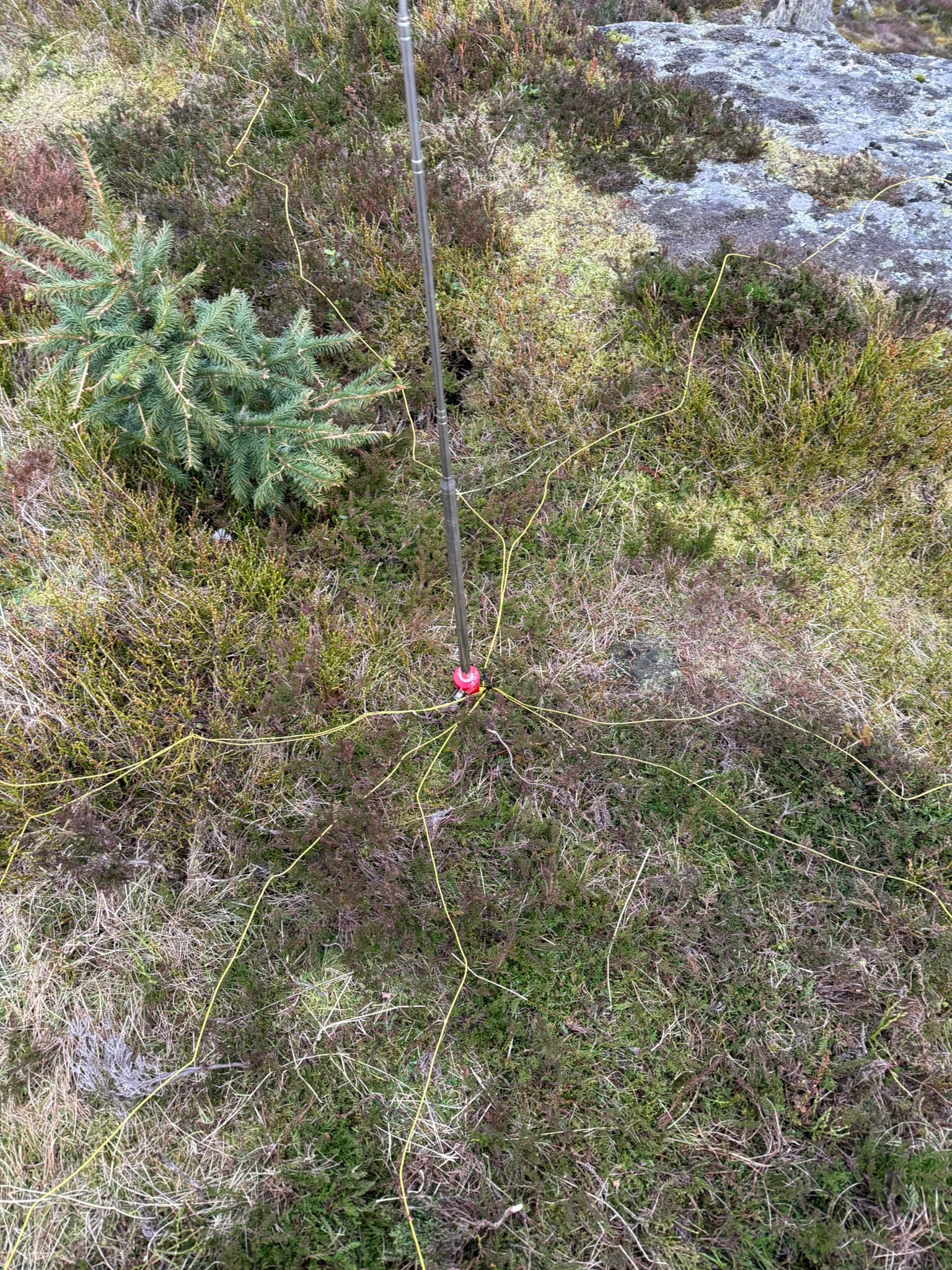 Quick to deploy which is what I was after. My new 5m of coax with a choke fitted attached to the radio and we were off to the races - A convenient thing of beauty when it s up:
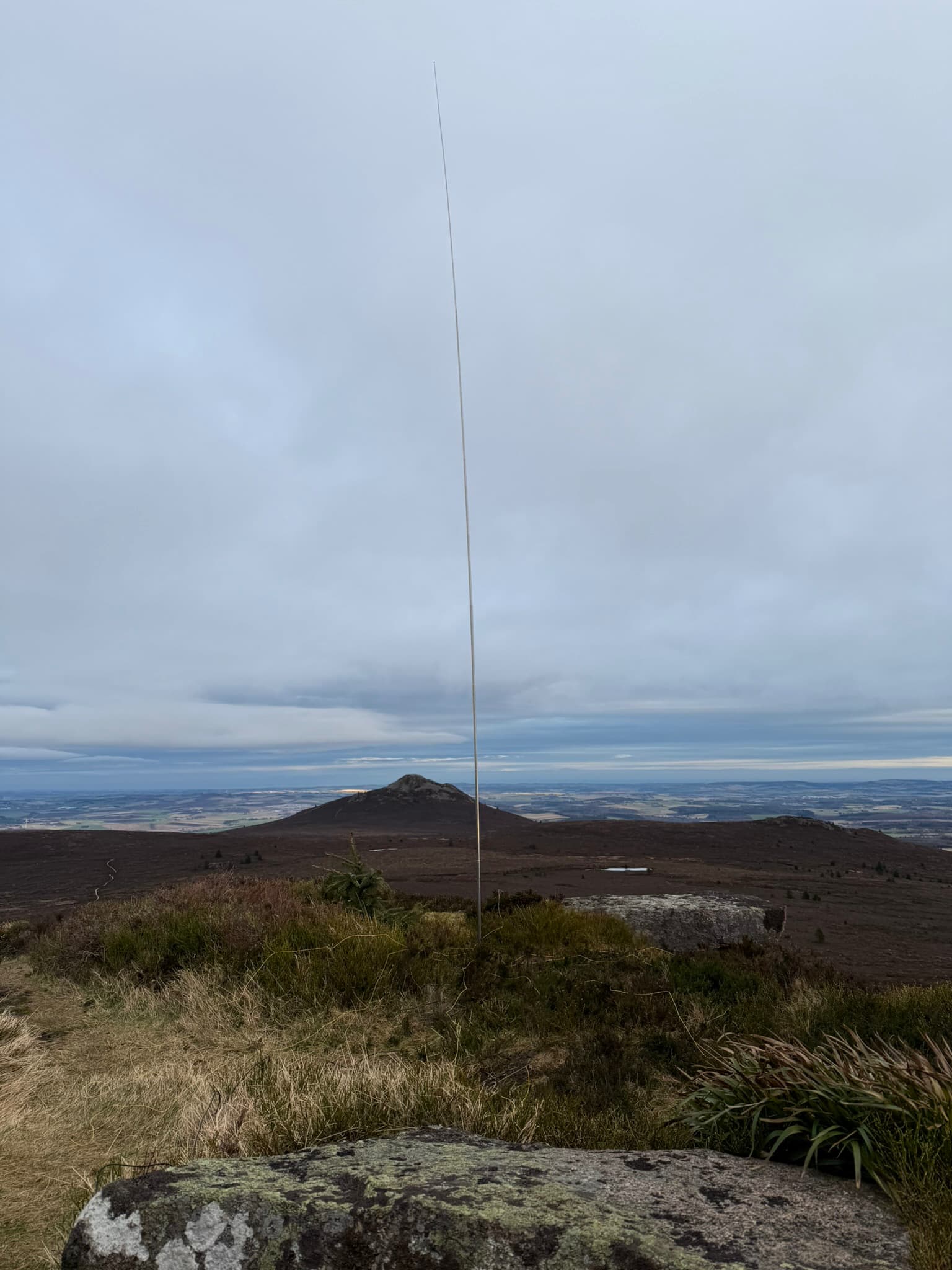 I ve made a single guy with a sotabeams
  For many years I wished I had a setup that would allow me to work (that is, code) productively outside in the bright sun. It s winter right now, but when its summer again it s always a bit. this weekend I got closer to that goal.
TL;DR: Using
For many years I wished I had a setup that would allow me to work (that is, code) productively outside in the bright sun. It s winter right now, but when its summer again it s always a bit. this weekend I got closer to that goal.
TL;DR: Using  Passively lit coding
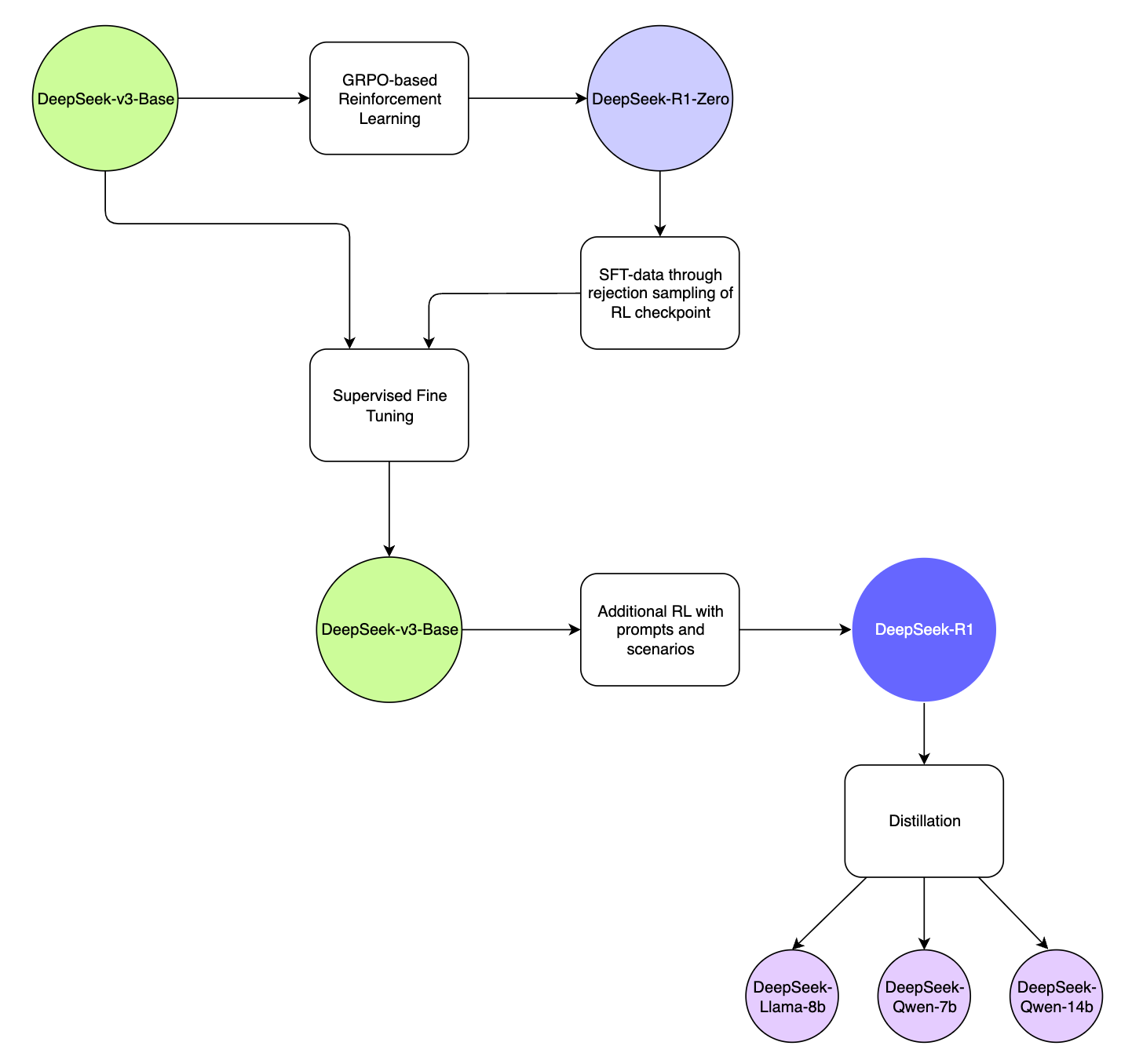
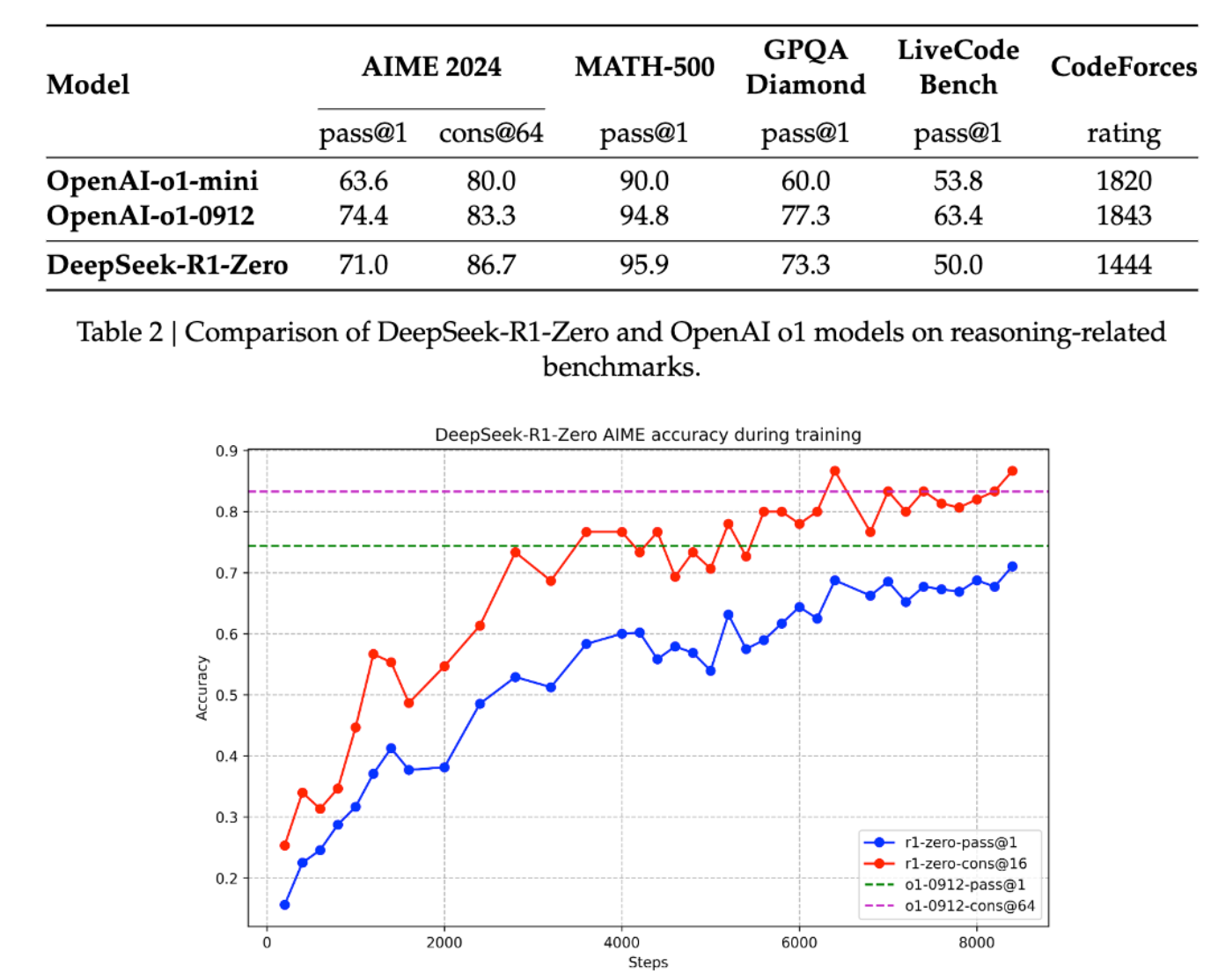
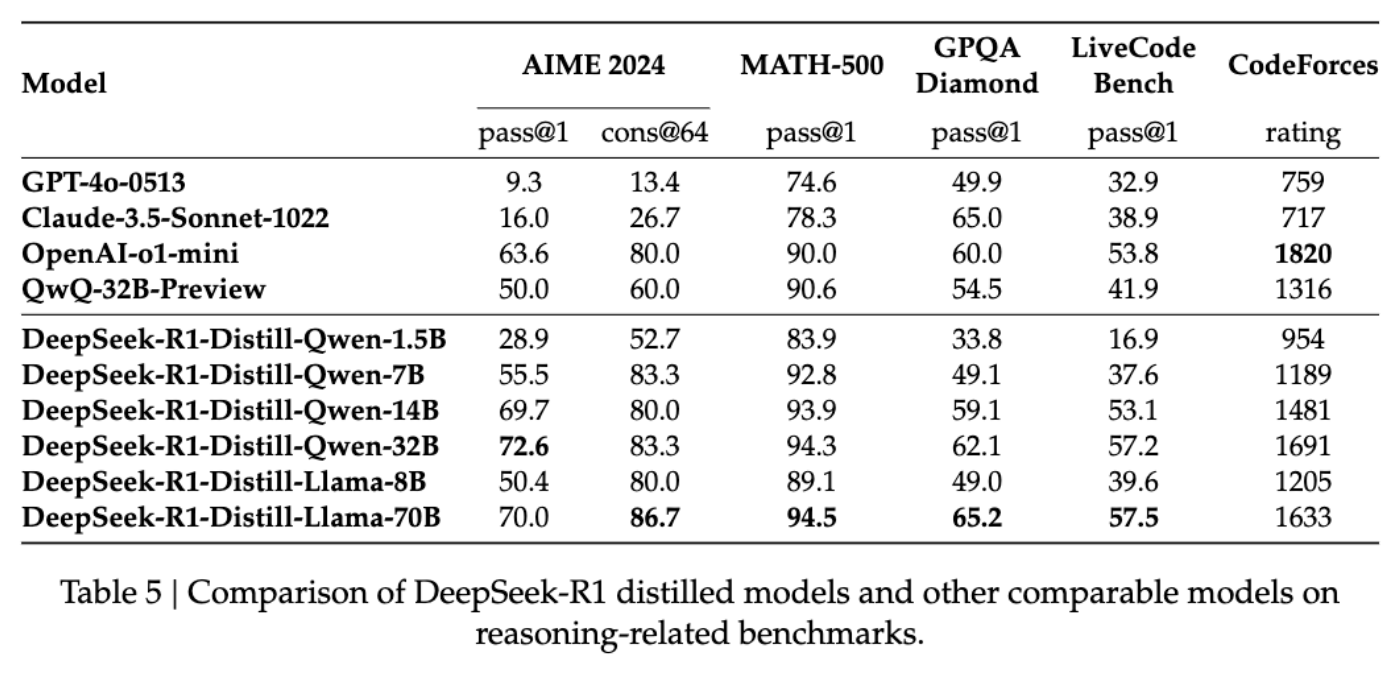
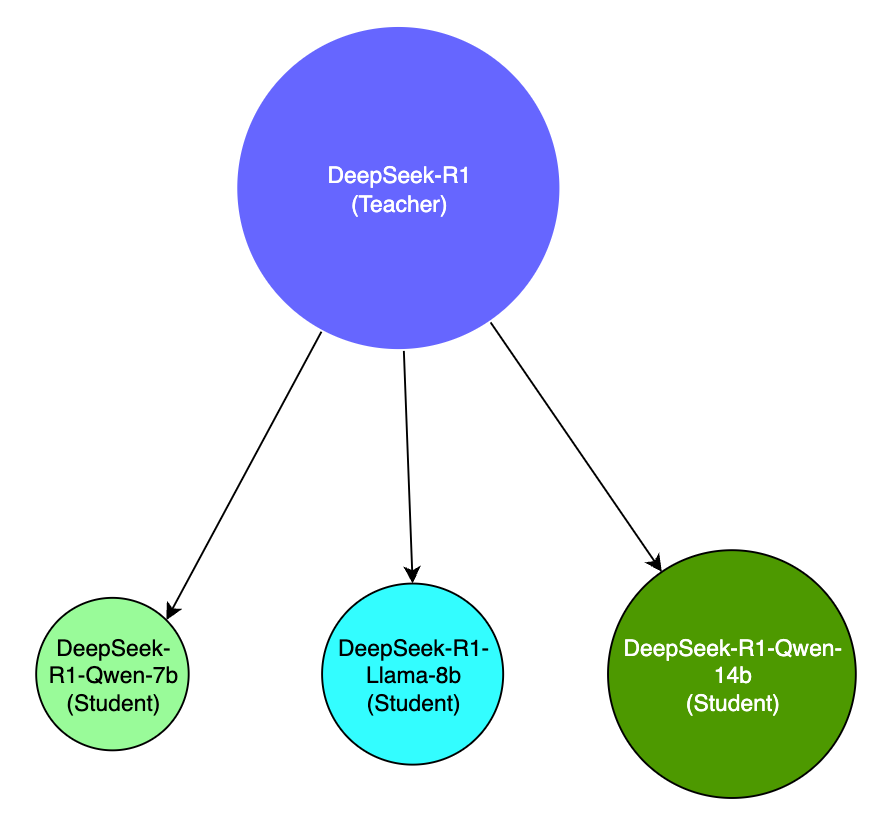
 DeepSeek R1, the new entrant to the Large Language Model wars has created quite a splash over the last few weeks. Its entrance into a space dominated by the Big Corps, while pursuing asymmetric and novel strategies has been a refreshing eye-opener.GPT AI improvement was starting to show signs of slowing down, and has been observed to be reaching a point of diminishing returns as it runs out of data and compute required to train, fine-tune increasingly large models. This has turned the focus towards building "reasoning" models that are post-trained through reinforcement learning, techniques such as inference-time and test-time scaling and search algorithms to make the models appear to think and reason better. OpenAI&aposs o1-series models were the first to achieve this successfully with its inference-time scaling and Chain-of-Thought reasoning.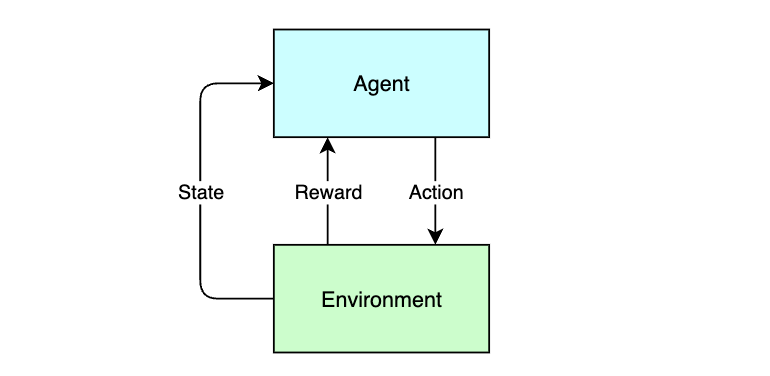
 Another short status update of what happened on my side last
month. Mostly focused on quality of life improvements in phosh and
cleaning up and improving phoc this time around (including catching up
with wlroots git) but some improvements for other things like
phosh-osk-stub happened on the side line too.
Another short status update of what happened on my side last
month. Mostly focused on quality of life improvements in phosh and
cleaning up and improving phoc this time around (including catching up
with wlroots git) but some improvements for other things like
phosh-osk-stub happened on the side line too.
 Apparently somebody managed to
 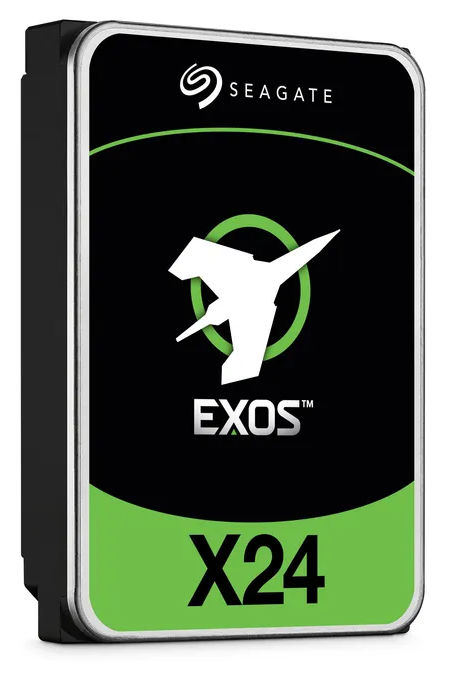 Luckily Seagate has a proprietary extension "Seagate FARM (Field Access Reliability Metrics)" implemented in their disks that ... the crooks did not reset.
Luckily ... because other manufacturers do not have that extension. And you think the crooks only re-sell used Seagate disks? Lol.
The get access to the Seagate FARM extension, you need
Luckily Seagate has a proprietary extension "Seagate FARM (Field Access Reliability Metrics)" implemented in their disks that ... the crooks did not reset.
Luckily ... because other manufacturers do not have that extension. And you think the crooks only re-sell used Seagate disks? Lol.
The get access to the Seagate FARM extension, you need  With all the recent buzz about
  The following contributors got their Debian Developer accounts in the last two
months:
The following contributors got their Debian Developer accounts in the last two
months:

 Becoming a