Search Results: "don"

20 June 2014

Ian Donnelly: Week 4: New Release Work

Hi All, Team Elektra recently released version 0.8.6 to download, more information on that here: http://sourceforge.net/p/registry/mailman/message/32418614/ However, since I am working with Debian, and the Debian package isn t ready yet I have spent a large chunk of the week working on that. Namely I fixed a few minor lintian errors and worked on packaging the lua and python bindings for Elektra. These two packages, libelektra-python4 and libelektra-lua4 uses a tool called SWIG. SWIG allows C and C++ programs to connect to programs written in higher-level languages such as Python. So these two packages use the power of SWIG to bring the features of the Elektra API (which is written in C) to Python and Lua developers. I personally think it is a really neat feature and allows Elektra to be used more widely than ever before. As our project develops Elektra will support more languages and we are even moving to allowing Developers to write Elektra plugins using other languages. Additionally, I worked on improving the MergeTools library for Elektra. This library just contains the necessary functions to allow developers to complete a three-way merge of KeySets. This library also serves as the backbone of the kdb merge command. First, the KeySetMerge command now returns an empty KeySet if its unsuccessful. I added operator overloads for == and != to the KeySet.hpp class so developers can tell if the returned keyset is empty. I created a new function that takes in 3 KeySets, their parent keys (for the purposes of merging), and a merge_root key which will be where the merged keys are stored under. The prototype for this function is KeySet(KeySet base, Key base_root, KeySet ours, Key our_root, KeySet theirs, Key their_root, Key merge_root). A function still exists that just takes in 3 KeySets and a key, merge_root. That function attempts to find each root key and then calls the previously mentioned function. Why? This week I finalized the kdb merge command (not including options). This command takes in 4 root keys, one for base, one for ours, one for theirs, and one for where the merged keys should be stored. The merge command now uses the new function to be able to handle more complex KeySets and so far it works great! In this case we don t need to make any assumptions about the KeySet since the user needs to pass in the root keys (this is how the kdb commands typically work) so we make good use of this information. Now the kdb merge command only appends the merge KeySet to the database upon successful merge, otherwise it tells you what went wrong. Also, looking into the main feature of my GSoC project, automatic conffile merging, it seems that it will require patching dpkg. Originally I though package maintainers would have to edit their packages to not define their conffiles as such in order to use the automatic merge. However this is obviously a messy workaround. Patching dpkg however would allow very clean integration of this feature. If this project is successful and the patch makes its way upstream, all Debian packages that utilize conffiles (most of them) will basically allow automatic merging practically overnight. dpkg would attempt a merge on the conffiles during an upgrade and if unsuccessful would just prompt the user like it does now. In most situations however, because of the features of Elektra, conffiles should merge fine. This would make Debian much more user-friendly and could save users a lot of time manually merging conffiles. Oh, and look for a little tutorial and explanation of the kdb mount command in the next few days. I will post it here. Until Then,
Ian S. Donnelly

Wouter Verhelst: Supporting the eID

Since about a month, I've been working for a customer whose customer is FedICT, and am now helping out with maintaining the official software for the Belgian electronic ID card (eID). One of the first things I did was revamp the way in which the official Linux binaries are built and distributed, and also made work of the (somewhat overdue) new release for Linux. Previously, the website contained downloadable packages for a number of distributions: two .deb files (one for i386 and one for amd64, for all .deb-based distributions), and a number of RPM files (one each for fedora 15, 16, and red hat enterprise 5, also for both architectures). The builds as well as the supported distributions were somewhat outdated. This was a problem in and of itself, as eID cards issued since March 2014 are signed by the new government CA3 certificate rather than the older CA2 one, which required minor updates for the middleware to work. Since the Linux packages available on the website predated the required change, they wouldn't work for more recent cards. Moreover, the actual distributions that were supported were also outdated Fedora 16 hasn't been supported in over a year by the Fedora project, for instance and there was a major gap in our list of supported distributions, in that openSUSE RPMs were not provided. If you check out the install on Linux pages now, however, you'll see that the installation instructions have been changed somewhat. Rather than links to packages to install, we now pass you an 'eid-archive' package that you can install; this package adds relevant configuration for your distribution, after which you can install the packages you need eid-mw for the PKCS#11 library and the firefox and chrome plugins; eid-viewer for the graphical viewer application to view and possibly print data from your id card. Apart from the fact that there are now repositories rather than just single-file downloads, the repositories (and in case of RPM packages, the RPM files themselves) are now also signed with an OpenPGP key. Actually, they are signed with two OpenPGP keys; the first one is for officially released builds (i.e., builds that have seen some extensive testing before they were deemed "working"), while the second one is for automatic builds that are generated through a continuous integration system after each and every commit. These untested packages are also in a separate repository that is disabled by default. In addition, there's also support for openSUSE now which required more work than I expected, but wasn't a major problem. Enjoy! (for clarity: while I now work at FedICT, there's an obvious reason why I'm publishing this on my blog and not on any .belgium.be website don't assume this is an official Belgian message or anything...)

Russell Coker: Expectations of Skill and Time

On many occasions I ve seen discussions about the background knowledge that people are expected to have to contribute to FOSS projects. Often the background knowledge is quite different from the core skills related to their contributions (EG documentation mark-up skills required for coding work or knowledge of code required for writing documentation). One argument in favor of requiring such skills is of the form anyone who s good at one aspect of the project can learn skills for the other areas . Another is of the form anyone who has time to contribute in one area has time to learn all the other areas, anyone who doesn t want to learn is being lazy . I think it s reasonable that someone who is considering donating their time to a project would want to start doing something productive immediately. If someone has to spend many hours learning how things work before contributing anything of value they may decide that it s not a good use of their time or just not fun. Also if the project is structured to require a lot of background knowledge then that will increase the amount of time that long-term contributors spend teaching newbies which is another way of sucking productive energy out of a project. I don t think it s lazy to want to avoid learning unusual tools before starting a project. Firstly there is the issue of wanting to make productive use of your time. If you have a day for FOSS contributions and you can choose between spending 6 hours learning an environment for one project or 1 hour for another project then there s a choice of 2 hours or 7 hours of productive work. Someone who has the luxury of being able to spend several days a month on FOSS projects might think it s lazy to want to make effective use of 1 day, but there are a lot of people out there who are really busy and can only spend a few days a YEAR contributing, spending half a day learning an obscure development environment or documentation system can take a significant amount of someone s yearly time for such work. To make things even worse some of the best programmers are the ones who have little free time. For documentation MediaWiki (the software behind Wikipedia and Wikia.com) has a lot going for it. While it s arguable that it s not the best Wiki software out there (many people have wanted to argue this with me even though I don t care) it s obvious that MediaWiki is the most widely used Wiki software. If you have documentation stored in MediaWiki then most people who have any exposure to the IT industry, the FOSS community, or the Internet in general will already have experience using it. Also Wikipedia serves as a large example of what can be done with MediaWiki, there have been more than a few occasions when I have looked at Wikipedia for examples of how to layout text. Some people might think I m lazy for never reading the MediaWiki documentation, but again I ve got lots of other things to do and don t want to spend a lot of time learning about MediaWiki instead of doing more useful things like creating content. Project source code should be as consistent as possible. While large projects may have lots of modules and dependencies it s best to try and keep them all in one place. If your project depends on libraries of code from other sources then it s helpful to distribute copies of those libraries from the same location as the project source particularly when the project depends on development versions of libraries. Then if there s any mismatch between versions of libraries it will be a clear unambiguous bug that can be reported or fixed instead of being an issue that requires checks of what versions everyone is using. One thing we should aim for in FOSS projects is to get the long tail of contributions. If someone spends a day fixing bugs in a dozen projects to get their own system working as desired then it would be good if they could submit patches without excessive effort at the same time. This doesn t just apply to FOSS development, it also applies to a large extent to any collaborative project on the Internet. For example if I was to start a Wiki for fans of a sci-fi series wikia would be the first option I d consider because most potential contributors know it. Proprietary Software Development I ve seen all the same problems when developing proprietary software. The difference is that money and morale is wasted instead of contributions. Often in commercial projects managers choose products that have a good feature list without considering whether all their staff need to be retrained. Programmers can usually train themselves so it s often a hidden cost, the training is paid for in lost development time (both directly in time spent learning and indirectly when people make mistakes). One significant advantage of using free software on Windows is that programmers can play with it on their own. For example I ve never done a fresh installation of SourceSafe or ClearCase, but if I was going to work on a project that involved Git or Subversion on Windows then I could play with it and learn without risking disruption to the rest of the team. If commercial software is to be used then being common and relatively cheap is a significant advantage. MS SourceSafe offers significant benefits over most version control software on Windows simply because the vast majority of Windows developers have already used it and because it s cheap and easy to setup a test instance if necessary. I don t care about the success or failure of proprietary software projects in general (I only care when I m paid to care). I also don t expect that people read my blog with the aim of getting advice on running successful proprietary software development projects. This section is merely to illustrate the general nature of such wasted effort on collaborative projects and I should put my observations of failing proprietary software development projects to use. Debian Some Debian Developers are having a discussion about such things at the moment. That discussion inspired me to write this post. But I m mostly writing about my experience over the course of 20+ years working in the IT industry and contributing to FOSS projects not in a direct response to the Debian discussion (most of which I haven t yet read).

19 June 2014

Joachim Breitner: Another instance of Haskell Bytes

When I gave my Haskell Bytes talk on the runtime representation of Haskell values the first time, I wrote here It is in German, so [..] if you want me to translate it, then (convince your professor or employer to) invite me to hold the talk again . This has just happened: I got to hold the talk as a Tech Talk at Galois in Portland, so now you can fetch the text also in English. Thanks to Jason for inviting me!
This was on my way to the Oregon Summer School on Programming Languages in Eugene, where I m right now enjoying the shade of a tree next to the campus. We ve got a relatively packed program with lectures on dependent types, categorical logic and other stuff, and more student talks in the evening (which unfortunately always collide with the open board game evenings at the local board game store). So at least we started to have a round of diplomacy, where I am about to be crushed from four sides at once. (And no, I don t think that this has triggered the illegal download warning that the University of Oregon received about our internet use and threatens our internet connectivity.)

Joey Hess: what does docker.io run -it debian sh run?

When you type docker.io run -it debian sh, it goes off and gets "debian" and runs it. But what is in this "debian" image? How was it built? The docker hub does not really say. All it tells us is this is a "(Semi) Official Debian base image" and that its sources.list uses http.debian.net for geolocation. There's a link to https://github.com/dotcloud/stackbrew/blob/master/library/debian which in turn uses a very strange git repository, owned by Debian maintainer Tianon Gravi, that contains compressed tarballs of Debian: http://github.com/tianon/docker-brew-debian "Git is not a fan of what we're doing here." The "source", such as it is, that is used to build this image consists of:
FROM scratch
ADD rootfs.tar.xz /
CMD ["/bin/bash"]
and
mkimage.sh -t tianon/debian:wheezy -d . debootstrap --variant=minbase --components=main --include=inetutils-ping,iproute wheezy http://http.debian.net/debian
I don't know where mkimage.sh is. [Update: Probably /usr/share/docker.io/contrib/mkimage-debootstrap.sh or a modified version] And anyway, I have no reason to trust that this image is built the way it claims to be built. So, the question remains: What is in this image? To find out, I did a debootstap --variant=minbase stable and diffed the entire docker debian image against it. The diff was 6738 lines, from which I found the following interesting differences. added packages The image has iputils-ping and netbase and iproute added. These are not in a minbase debootstrap, but are in a regular debootstrap. It's rather weird that the docker image is based on a minbase debootstrap, since this means they have to add back important stuff like this on an ad-hoc basis.
If the expectation is that an experienced Unix person who found it missing would say "What on earth is going on, where is 'foo'?", it must be an 'important' package. -- Debian Policy
apt hooks
DPkg::Post-Invoke   "rm -f /var/cache/apt/archives/*.deb /var/cache/apt/archives/partial/*.deb /var/cache/apt/*.bin   true";  ;
APT::Update::Post-Invoke   "rm -f /var/cache/apt/archives/*.deb /var/cache/apt/archives/partial/*.deb /var/cache/apt/*.bin   true";  ;
Dir::Cache::pkgcache "";
Dir::Cache::srcpkgcache "";
Acquire::Languages "none";
These are some strange modifications to apt's config. The intent is clearly to avoid wasting disk space, even at the expense of making apt slower (by disabling caches) and losing translations. I am curious if apt might ever invoke the DPkg::Post-Invoke twice in an upgrade in which it runs dpkg twice. I'm also curious whether deleting /var/cache/apt/archives/lock could cause a problem. unsafe-io dpkg is configured to use unsafe-io. motd
Linux viper 3.12.20-gentoo #1 SMP Sun May 18 12:36:24 MDT 2014 x86_64
Yes, that's "gentoo". Presumably this tells us something about the build host. policy-rc.d /usr/sbin/policy-rc.d contains "exit 101", which prevents daemons from being automatically started after they are installed. This may or may not be desirable, depending on what you're doing with docker. It notably also prevents restarting running daemons in this container if they're upgraded for eg, a security fix. It would almost certianly be better if this script allowed restarting running daemons. diversions /sbin/initctl is diverted and replaced with /bin/true. This is a workaround for a bug in sysvinit; when upgraded inside a docker container it hangs while trying to run initctl. missing devices Some versions of the debian image are missing things in /dev. See this bug. (I had listed some device files that I thought were missing, but I was wrong.) some gpg thing is different
Binary files pure-debootstrap/etc/apt/trustdb.gpg and from-docker/etc/apt/trustdb.gpg differ
Oh well, that can't be important.. Or can it? I did not check. conclusions I would hardly consider this to be an "(Semi) Official Debian image". Some of the changes are quite dubious. The build environment is not Debian. There is no guarantee you'll get the same image I examined. Diffing thousands of lines of filesystem changes is not particularly fun or reliable way to spot accidental or malicious changes. I'd recommend only trusting docker images you build yourself. I have some docker images published somewhere that are built with 100% straight debootstrap with no modifications (and even an armel image that can be used on an x86 system thanks to qemu). But I'm not going to link to them, because again, you should only trust docker images you built yourself. To help increase your mistrust of me, I present this IRC snippet:
<joeyh> I'll bet I could publish an image that just did a killall5 as root on startup and get plenty of people to nuke their container hosts
Here are some ideas for things Debian could do to improve this: PS, if this wasn't enough fun, just consider the tweaks made to the "Debian" images on all the VPS hosts out there.

Russell Coker: Phone Car Accessories

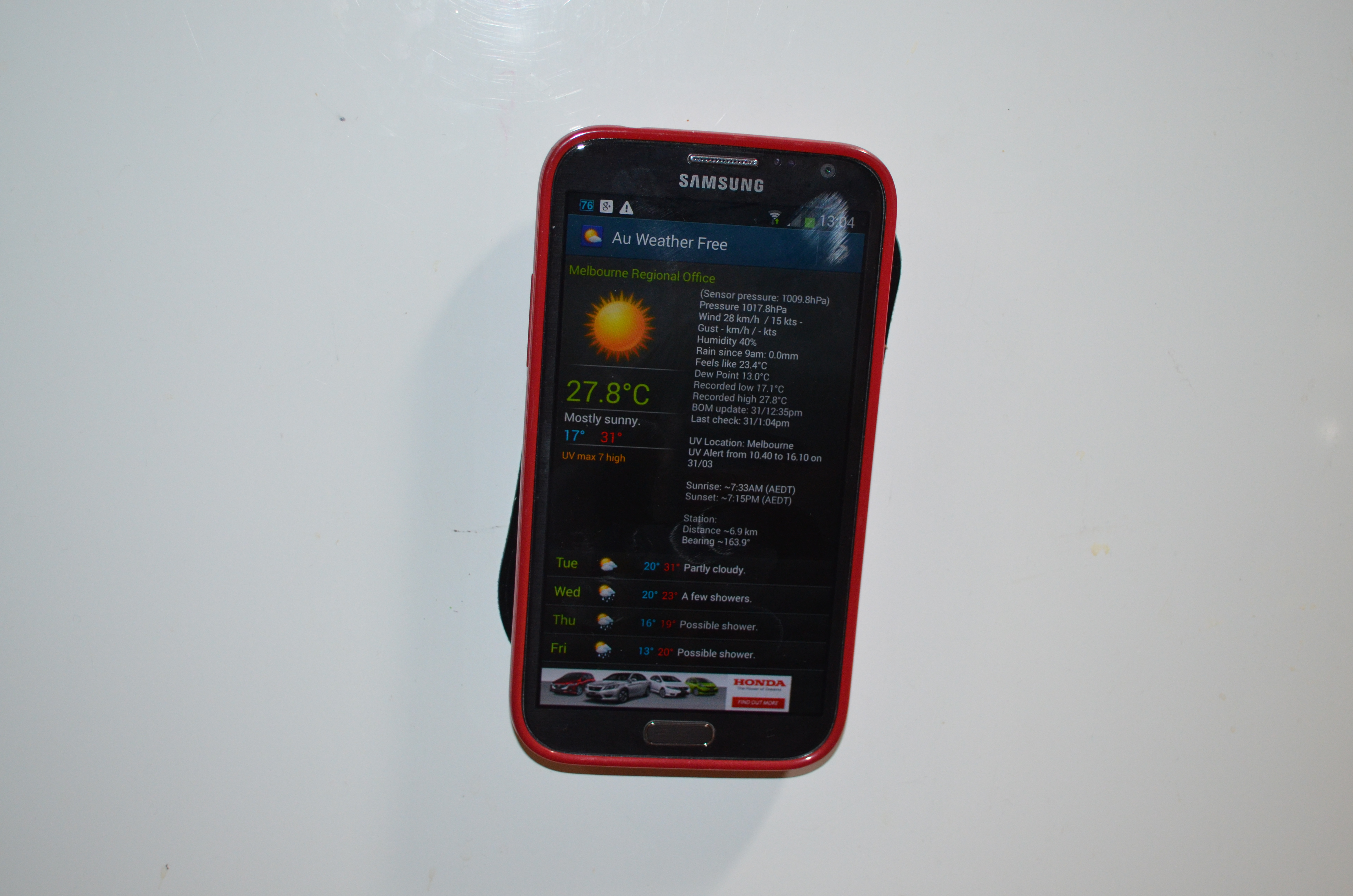
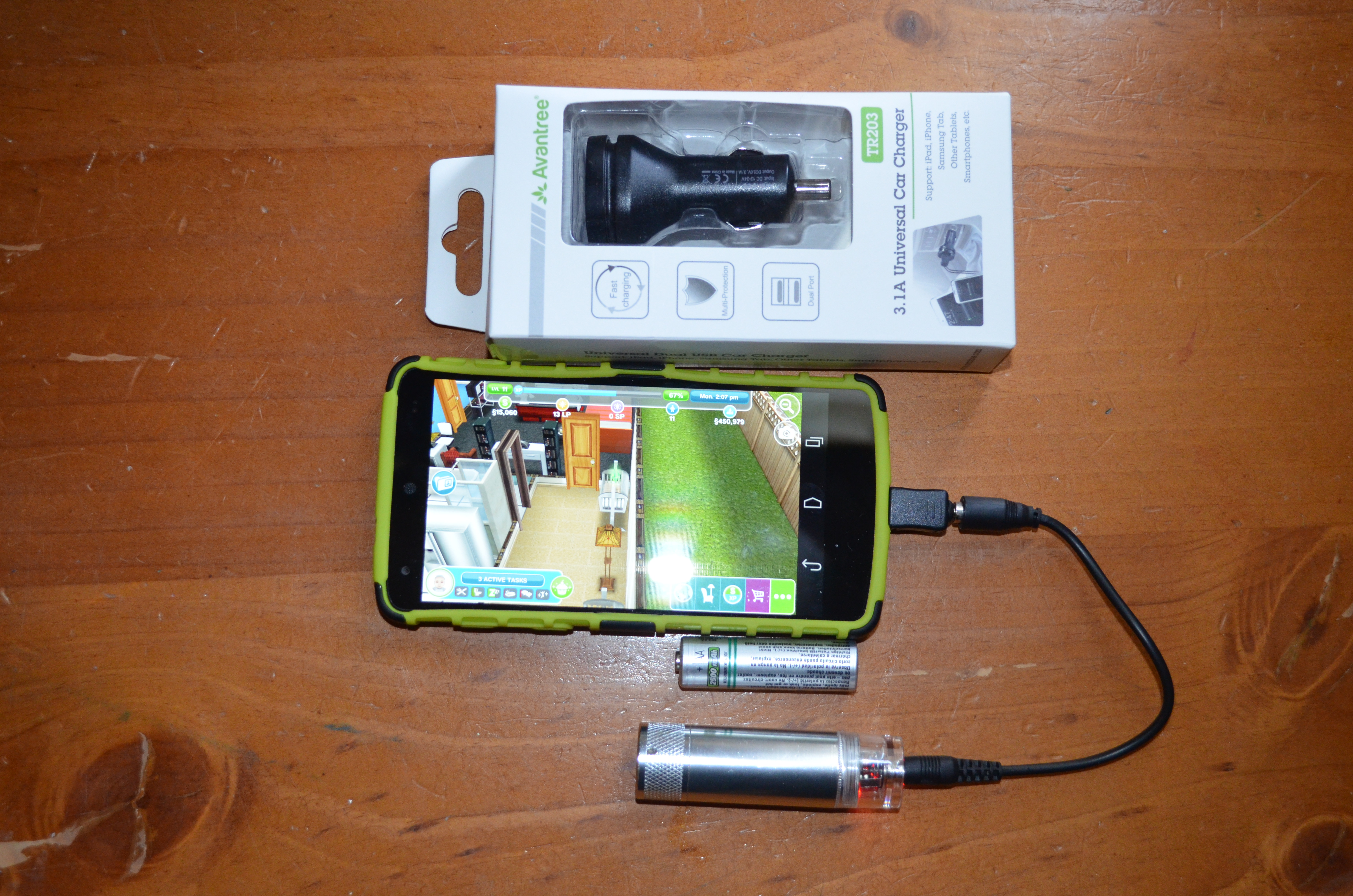
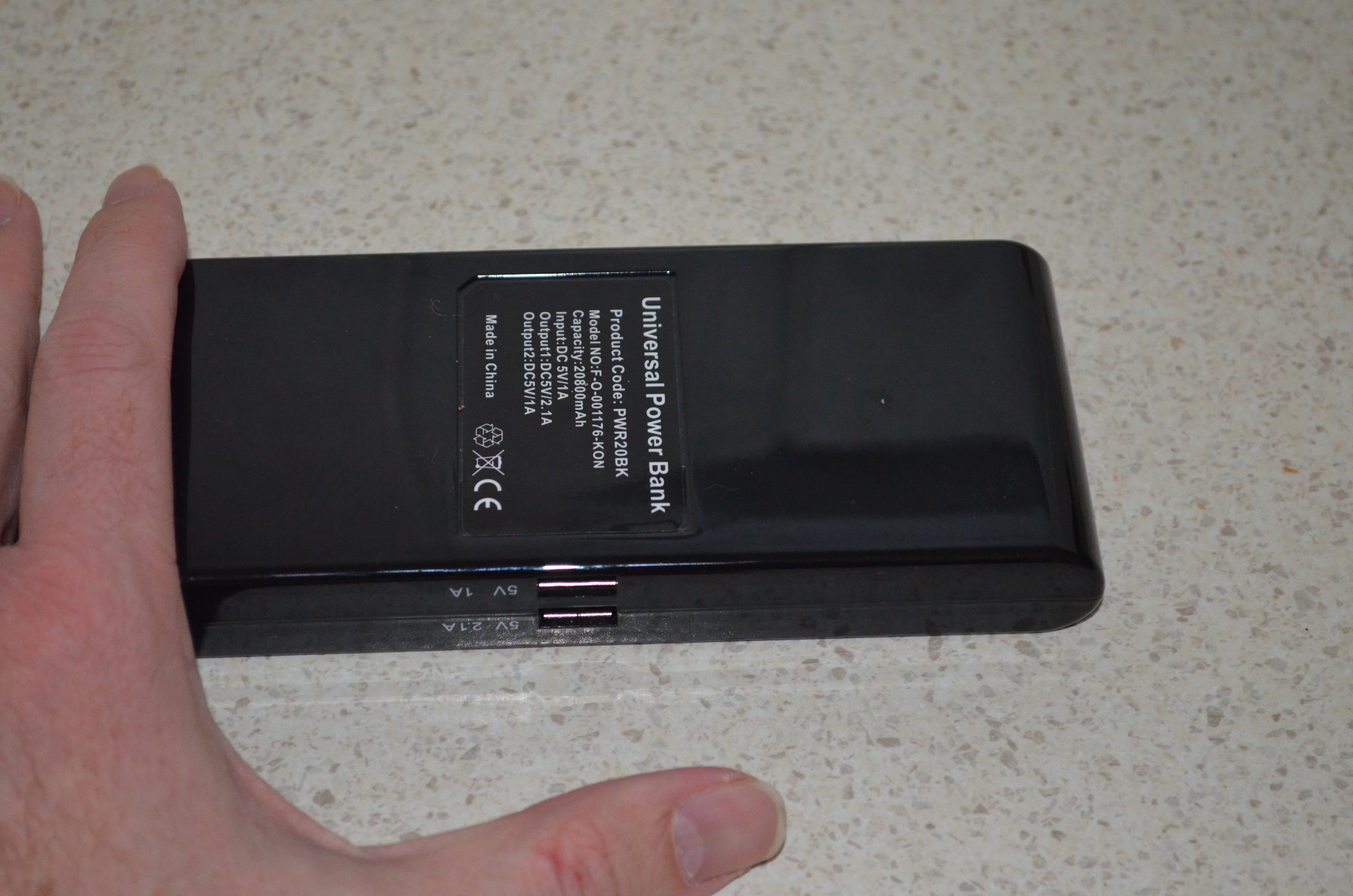
Tree Frog Dashboard Mat phone stuck to fridge I ve been given some more MobileZap products to review. The first is the Tree Frog anti-slip dashboard mat [1]. This is designed to allow a phone to stick to an angled surface of the inside of the car without slipping. The pictures on the web site show a phone stuck to a curved angular surface of a car dash. To test this I stuck my phone to my fridge, the flat metal surface of the fridge and the almost flat plastic surface of the gel case of my phone are pretty much ideal surfaces for the sticky mat to adhere to. But even so keeping my phone stuck to a vertical surface is impressive. This mat is cheap enough that it could be used for many other tasks than securing a phone in a car, for example it could be used to stick a phone to the wall of your office. It s apparently washable and can be expected to keep gripping things if washed regularly. One thing that could be improved in the mat would be to have some holes in it. When I detached my phone from the fridge some large air bubbles developed between the mat and the fridge, this would be a problem if I wanted to regularly stick my phone to a flat surface such as an office wall. When in my car it didn t work nearly as well. The pattern on the surface of the car dash which is designed to avoid glare when driving is difficult to stick to, it s a bit like trying to attach sticky-tape to unpainted wood for similar reasons. A phone will still remain in place on a 30 degree angle from the horizontal (which is significant) but the mat grips much more tightly to the phone than the dash, which is a little inconvenient as the mat stays attached to the phone when you remove it from the dash. Sorry for the boring picture, it s black and flat so there s not much scope for making it interesting. 3.1A USB Car Charger AA battery charger and 3.1A car charger Above is a picture of a 3.1A USB car charger and a AA battery charger. The car charger isn t particularly exciting, but providing 3.1A through two USB sockets is noteworthy it can charge one device at 2.1A (the maximum any device draws) or two devices for a total of up to 3.1A [2] (with protection against over-current). Previously in my car I used the 2.1A charger that shipped with my Galaxy Note 2 and an inverter to provide 240VAC as the devices I had to charge a phone from a car socket didn t provide enough current. This new device uses less space and also allows charging two phones at once. One problem with this device was finding USB cables that could handle the current, for benchmarking I used a phone that was running Ingress and acting as a Wifi access point. I discovered that the cables that Samsung ships with their recent devices (Galaxy Note 2 and Galaxy Note 10.1 tablet) seem to work best and support charging my Galaxy Note 2 or my wife s Nexus 5 while playing Ingress and running as a Wifi AP. Most of the other cables that I have in my collection won t even allow a phone to remain at the same charge level while playing Ingress. AA Emergency Phone Charger The AA phone charger is best suited for emergency use only, it takes one AA battery and has limited current capacity [3]. A NiMh rechargeable battery has a nominal Voltage of 1.2V, to provide 5V to charge a phone the Voltage has to be boosted by a factor of 4.16 which would reduce the current by a factor of 4.16 if the charger was 100% efficient. As 100% efficiency is impossible the current would be reduced even more. It seems unlikely that a AA battery would be able to sustain a current of 2A so the supply from that charger would be less than 500mA IE less than the least capable PC USB port or mains powered phone charger. A test with a Nexus 5 showed the phone charge level decreasing while being very lightly used (mostly just checking whether the charge level was increasing) when a NiMH battery was connected. A test with an alkaline battery and the same Nexus 5 showed the phone charge level increasing when lightly used but it probably wouldn t do so while playing Ingress. It seems that a single NiMH AA battery can only be used for charging a phone in a real emergency situation (IE an act of god type disaster not a need to level up in Ingress). If mains power was out then you could charge a phone while it s turned off (AFAIK all Android phones support this) and then use it once it s charged. This charger supports a wide range of phones (including LG phones from 5+ years ago and Nokia from ~10 years ago) so it could be good for charging an old phone in an emergency. Older phones need less power to charge and generally last longer between charges. With an alkaline battery the charger works a lot better, but it s still for emergency use as I generally only use rechargeable batteries. This is a device I might put in the bottom of my case when travelling, not a device that I ll use regularly. I don t think that this is a deficiency in the product, it s just a limit of what can be done with the power requirements of modern phones and the capabilities of AA batteries. If you want a battery to use while playing Ingress you definitely need something a lot larger. This charger is good for emergencies but not suitable for my main use (charging phones while playing Ingress) so I ll give it to my parents, they do a lot of hiking and camping and my father often goes fishing. Taking a few AA batteries to charge a phone would be much more convenient for such use than taking one of the larger batteries I use for Ingress. Also as the charger is relatively cheap there s less potential financial loss if you drop it in sea-water. 20800mAh Battery picture of 20800mAh USB battery Above is a picture of a 20800mAh battery pack that MobileZap sent me [4]. I haven t yet discovered what it s capacity is, during the recent Interitus anomaly it kept my Galaxy Note 2 and my wife s Nexus 5 adequately charged for 5 hours of intensive Ingress playing (we alternated between phones). Without an external battery it would be unusual for either of those phones to last for 2 hours. The battery has two ports labeled 1A and 2.1A which implies that it can supply a total of 3.1A. I am a little dubious of that implication. After the Interitus anomaly my wife and I had dinner with some friends and I let a friend charge her Samsung Galaxy S5 on the battery at the same time as my Note 2 (which claimed to be 2% charged). When I connected my friend s phone my phone instantly shut itself down due to lack of charge, so I presume that the supply on the 2.1A port is reduced when a demanding device is connected to the 1A port. The next day my wife and I went to the city again to play Ingress and attend a protest against some of the awful things that the Abbott government is doing. As an experiment I didn t charge this battery to see how it would go for two days of use charging two phones. Again there was no problem and it still claimed to be half charged when we got home. So far the only problem I ve found with this battery is that it never reports being fully charged, not even if I leave it on charge for days. That doesn t seem to be a great problem to me, if I disconnect it before it s fully charged then that won t hurt the battery life (unlike NiCd batteries that have to be fully charged every time) and even if it s not fully charged it will still charge phones for a long time. The battery is about 19cm long. I have jeans with unusually large pockets to fit large phones [5] so I can fit this battery in my pocket while a USB cable is connected to charge my phone. I also have a new winter jacket from Scottwear which has pockets that can fit the battery (and lots of other things). Anyone who doesn t have such clothing should plan to use a backpack, handbag, or some other bag this type of battery won t fit in the pockets in most clothing. MobileZap also has some other interesting Nexus 5 accessories [6].

B lint R czey: Run Wireshark on Android using Lil Debi!

Running Wireshark for Android has been an dream for a long time. Now it became a reality!
Wireshark running on Android using Lil'Debi

Wireshark running on Android using Lil Debi

You only need a rooted Android device with ~2GB free space, Internet connectivity and some patience to follow the steps below.
  1. Install Lil Debi from Google Play or F-Droid. Lil Debi will install a Debian root file system in a loop device separately from the Android file system allowing us running Debian side-by-side to the Android apps.
  2. Start Lil Debi and create the Debian system with 2000 MB image size. We will need some space for Wireshark, the graphical interface Wireshark depends on and for the capture files.
  3. Start the newly created Debian system and log in to it. You will see the error message bash: [: : integer expression expected , but you can continue.
  4. Now run the following commands at the command line to install all the packages Wireshark will need:
    # some important directories are missing from the PATH by default
    export PATH=/sbin:/usr/sbin/:$PATH
    # we will start an X server later
    export DISPLAY=127.0.0.1:0
    # install wireshark an a few things to make it nicer
    apt-get install openbox gnome-themes-standard tshark wireshark
    # gnome-settings-daemon depends on plenty of packages we don't need now,
    # but we need gnome-settings-daemon for the GNOME theme to be applied
    apt-get install --no-install-recommends gnome-settings-daemon
  5. To run graphical applications from the Debian chroot we need to set up an X server on Android because Android uses a different method for presenting the GUI. XServer XSDL is available from Google Play and from SourceForge. Install and start it. It will show the display it is serving which will most probably end with :0, so the DISPLAY environment variable we set before is correct. (If there is an other number after the : , fix your DISPLAY variable.)
  6. Start the openbox window manager, gnome-settings-daemon and finally wireshark in capturing mode:
    openbox &
    # if you would like to have bigger menu fonts skip starting gnome-settings-daemon
    gnome-settings-daemon &
    wireshark -k -i wlan0
    
  7. Switch to the X server to see wireshark starting up, close the warning dialogs start capturing traffic!
I tested the tests above using a Nexus 7 (Asus 2013 version) running CyanogenMod M7, thus root access was granted by default, Lil Debi 0.4.7, and XServer XSDL 1.11.14.

Ian Wienand: Non-stick tortilla technique

I have never had much success with tortilla making, generally finding the fragile masa would stick to everything and tear easily. However I was listening to the Cook's Illustrated podcast where they mentioned that cooking a pizza on a stone with silicone-paper makes no difference over doing it on the stone directly. For some reason I had just never thought of cooking it with the silicone-paper on; I'd always frustrated myself trying to separate the pressed tortilla in various ways. So here's my technique:
  1. Mix the masa as on the packet; 2 cups to 2-half cups water
  2. Leave for 20 minutes or so
  3. Use plastic-wrap on the top of the tortilla press
  4. Cut a silicone-paper square for the bottom
  5. Ball the masa and press
  6. Now the plastic-wrap will peel easily off the top of the uncooked tortilla
  7. Take the silcone-paper and put the tortilla down on the pan/hotplate
  8. Give a slight press with the spatula around the edges
  9. After about 20 seconds, the silicone-paper should peel off the tortilla fairly easily.
  10. repeat!
I've tried mixing in suet, oil and copha and none of them are worth the extra calories over just plain masa in my opinion and don't help with sticking anyway. Enjoy!

18 June 2014

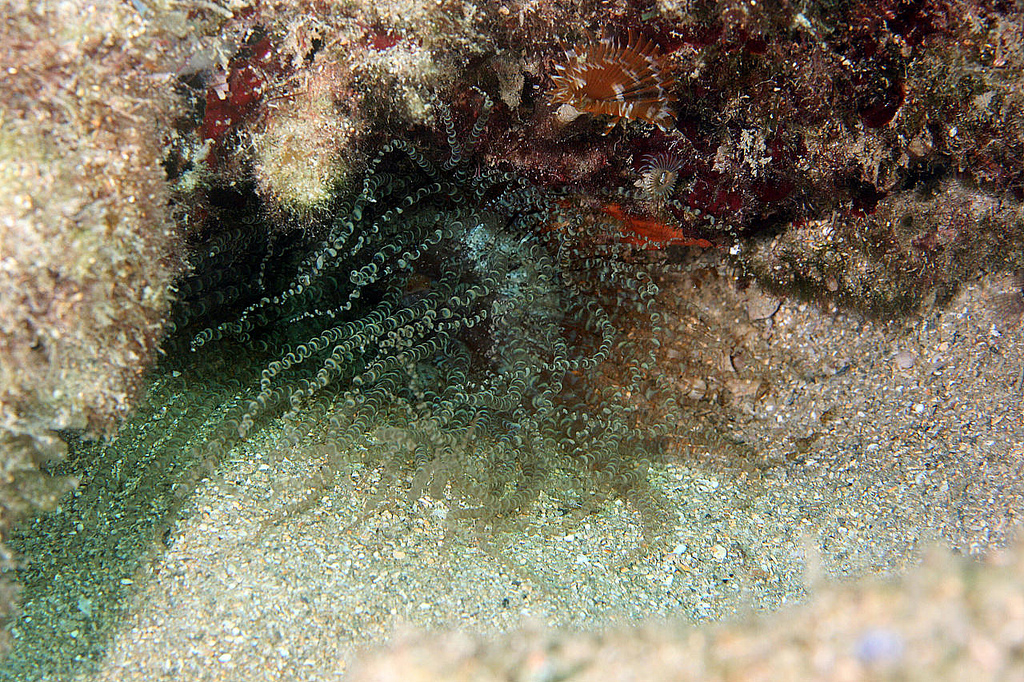
Matthias Klumpp: Tanglu 2 (Bartholomea annulata) status update #1

bartholomea-annulata

Bartholomea annulata (c) Kevin Bryant

It is time for a new Tanglu update, which has been overdue for a long time now! Many things happened in Tanglu development, so here is just a short overview of what was done in the past months. Infrastructure Debile The whole Tanglu distribution is now built with Debile, replacing Jenkins, which was difficult to use for package building purposes (although Jenkins is great for other things). You can see the Tanglu builders in action at buildd.tg.o. The migration to Debile took a lot of time (a lot more than expected), and blocked the Bartholomea development at the beginning, but now it is working smoothly. Many thanks to all people who have been involved with making Debile work for Tanglu, especially Jon Severinsson. And of course many thanks to the Debile developers for helping with the integration, Sylvestre Ledru and of course Paul Tagliamonte. Archive Server Migration Those who read the tanglu-announce mailinglist know this already: We moved the main archive server stuff at archive.tg.o to to a new location, and to a very powerful machine. We also added some additional security measures to it, to prevent attacks. The previous machine is now being used for the bugtracker at bugs.tg.o and for some other things, including an archive mirror and the new Tanglu User Forums. See more about that below :-) Transitions There is huge ongoing work on package transitions. Take a look at our transition tracker and the staging migration log to get a taste of it. Merging with Debian Unstable is also going on right now, and we are working on merging some of the Tanglu changes which are useful for Debian as well (or which just reduce the diff to Tanglu) back to their upstream packages. Installer Work on the Tanglu Live-Installer, although badly needed, has not yet been started (it s a task ready for taking by anyone who likes to do it!) however, some awesome progress has been made in making the Debian-Installer work for Tanglu, which allows us to perform minimal installations of the Tanglu base systems and allows easier support of alternative Tanglu falvours. The work on d-i also uncovered a bug which appeared with the latest version of findutils, which has been reported upstream before Debian could run into it. This awesome progress was possible thanks to the work of Philip Mu kovac and Thomas Funk (in really hard debug sessions).

Tanglu ForumsTanglu Users We finally have the long-awaited Tanglu user forums ready! As discussed in the last meeting, a popular demand on IRC and our mailing lists was a forum or Stackexchange-like service for users to communicate, since many people can work better with that than with mailinglists. Therefore, the new English TangluUsers forum is now ready at TangluUsers.org. The forum software is in an alpha version though, so we might experience some bugs which haven t been uncovered in the testing period. We will watch how the software performs and then decide if we stick to it or maybe switch to another one. But so far, we are really happy with the Misago Forums, and our usage of it already led to the inclusion of some patches against Misago. It also is actively maintained and has an active community. Misc Thingstanglu logo pure KDE We will ship with at least KDE Applications 4.13, maybe some 4.14 things as well (if we are lucky, since Tanglu will likely be in feature-freeze when this stuff is released). The other KDE parts will remain on their latest version from the 4.x series. For Tanglu 3, we might update KDE SC 4.x to KDE Frameworks 5 and use Plasma 5 though. GNOME Due to the lack manpower on the GNOME flavor, GNOME will ship in the same version available in Debian Sid maybe with some stuff pulled from Experimental, where it makes sense. A GNOME flavor is planned to be available. Common infrastructure We currently run with systemd 208, but a switch to 210 is planned. Tanglu 2 also targets the X.org server in version 1.16. For more changes, stay tuned. The kernel release for Bartholomea is also not yet decided. Artwork Work on the default Tanglu 2 design has started as well any artwork submissions are most welcome! Tanglu joins the OIN The Tanglu project is now a proud member (licensee) of the Open Invention Network (OIN), which build a pool of defensive patents to protect the Linux ecosystem from companies who are trying to use patents against Linux. Although the Tanglu community does not fully support the generally positive stance the OIN has about software patents, the OIN effort is very useful and we agree with it s goal. Therefore, Tanglu joined the OIN as licensee.
And that s the stuff for now! If you have further questions, just join us on #tanglu or #tanglu-devel on Freenode, or write to our newly created forum! You can, as always, also subscribe to our mailinglists to get in touch.

Wouter Verhelst: Belgium vs Algeria

Yesterday, the Belgian team played against Algeria, and won 2-1. Before the match, there was some criticism about coach Wilmots' decision not to field a number of top players in the team at the start of the match. Today, some journalists -- including, apparently, some Russian journalists -- seem to think that the team didn't play all that well, and that the Belgian team could be beaten by a better team. I don't think that's the case; I think the strategy of Wilmots was a stroke of genius. The Algerian coach fielded a wall of 5 defenders, and played a pretty good counter game. When the Belgian team had posession -- for about 65% of the time during the entire match -- the Algerians returned every man to their own half of the field. Whenever one of the Belgian strikers came close to the Algerian penalty area, at least two Algerian players would be near and block them off. How does one win from a team that doesn't want to give you a millimeter of room? One way is to wear them out, and that's exactly what the team did: by keeping the pressure on the Algerian defense, the Algerian defense had to run a lot. Running a lot makes you tired, and if you're tired you make mistakes, or you can't follow a fresh substitute player. During half-time, it was reported that Wilmots had relayed the message to his players that "the bench will make the difference". And indeed it did; some time into through the second half, Wilmots substituted three players -- two strikers and one offensive midfielder -- with the top players he'd kept on the bench. Two of these three players made the difference, scoring two goals to end up with 2-1. Reading some articles today, it seems like many analysts think that this was a spur of the moment thing by Wilmots; but I think it's more likely that this was a deliberate strategy. Making the opposing defense run a lot is certainly a good strategy; but the downside of that is that your own offensive players will need to run a lot, too. If you can swap those out for top players on the bench... It'll be interesting to see the next matches.

17 June 2014

Tiago Bortoletto Vaz: Little garden project

After three years living in Montr al we're still amazed by the fact that here we have er... seasons!! I believe that things have a special beauty when they don't last the time we want them to last, and seasons are all about it! (some people will exclude winter here) Anyways, taking pictures may give them more lifetime without compromising too much their beauty. And sharing them here and there is somewhat sharing our happiness, which might be a good balance in the end :)
/images/01.JPG

At the time we moved the garden was just a single white thing...

/images/02.JPG

then we realized that it provided some chairs, a table and a compost container, yay!

/images/03.JPG

But the grey ground was something to be fixed...

/images/04.JPG

so we hacked it and got some land :)

/images/05.JPG

Few months later and it's finally becoming chard, beets, carrots, spinach, berries, cheries, okra, tomatoes, basil, potatoes, sage, agastache and a saskatoon berry tree!

Petter Reinholdtsen: From English wiki to translated PDF and epub via Docbook

The Debian Edu / Skolelinux project provide an instruction manual for teachers, system administrators and other users that contain useful tips for setting up and maintaining a Debian Edu installation. This text is about how the text processing of this manual is handled in the project. One goal of the project is to provide information in the native language of its users, and for this we need to handle translations. But we also want to make sure each language contain the same information, so for this we need a good way to keep the translations in sync. And we want it to be easy for our users to improve the documentation, avoiding the need to learn special formats or tools to contribute, and the obvious way to do this is to make it possible to edit the documentation using a web browser. We also want it to be easy for translators to keep the translation up to date, and give them help in figuring out what need to be translated. Here is the list of tools and the process we have found trying to reach all these goals. We maintain the authoritative source of our manual in the Debian wiki, as several wiki pages written in English. It consist of one front page with references to the different chapters, several pages for each chapter, and finally one "collection page" gluing all the chapters together into one large web page (aka the AllInOne page). The AllInOne page is the one used for further processing and translations. Thanks to the fact that the MoinMoin installation on wiki.debian.org support exporting pages in the Docbook format, we can fetch the list of pages to export using the raw version of the AllInOne page, loop over each of them to generate a Docbook XML version of the manual. This process also download images and transform image references to use the locally downloaded images. The generated Docbook XML files are slightly broken, so some post-processing is done using the documentation/scripts/get_manual program, and the result is a nice Docbook XML file (debian-edu-wheezy-manual.xml) and a handfull of images. The XML file can now be used to generate PDF, HTML and epub versions of the English manual. This is the basic step of our process, making PDF (using dblatex), HTML (using xsltproc) and epub (using dbtoepub) version from Docbook XML, and the resulting files are placed in the debian-edu-doc-en binary package. But English documentation is not enough for us. We want translated documentation too, and we want to make it easy for translators to track the English original. For this we use the poxml package, which allow us to transform the English Docbook XML file into a translation file (a .pot file), usable with the normal gettext based translation tools used by those translating free software. The pot file is used to create and maintain translation files (several .po files), which the translations update with the native language translations of all titles, paragraphs and blocks of text in the original. The next step is combining the original English Docbook XML and the translation file (say debian-edu-wheezy-manual.nb.po), to create a translated Docbook XML file (in this case debian-edu-wheezy-manual.nb.xml). This translated (or partly translated, if the translation is not complete) Docbook XML file can then be used like the original to create a PDF, HTML and epub version of the documentation. The translators use different tools to edit the .po files. We recommend using lokalize, while some use emacs and vi, others can use web based editors like Poodle or Transifex. All we care about is where the .po file end up, in our git repository. Updated translations can either be committed directly to git, or submitted as bug reports against the debian-edu-doc package. One challenge is images, which both might need to be translated (if they show translated user applications), and are needed in different formats when creating PDF and HTML versions (epub is a HTML version in this regard). For this we transform the original PNG images to the needed density and format during build, and have a way to provide translated images by storing translated versions in images/$LANGUAGECODE/. I am a bit unsure about the details here. The package maintainers know more. If you wonder what the result look like, we provide the content of the documentation packages on the web. See for example the Italian PDF version or the German HTML version. We do not yet build the epub version by default, but perhaps it will be done in the future. To learn more, check out the debian-edu-doc package, the manual on the wiki and the translation instructions in the manual.

Wouter Verhelst: Trying out bash completion

I've never liked the contents of the bash-completion package. I've found its results to be confusing, mildly buggy, and therefore terribly annoying. As such, for the longest time, one of the first things I used to do when installing a new system was to just remove it entirely -- or add "complete -r" or similar to my .bashrc on systems where I did not have sysadmin powers. However, that's not to say that I don't understand the reason for programmable completion. Filename completion is nice, but it's great if one can have things like command option completion, etc. As such, I've resolved to give the bash-completion another shot for, say, a month or so, and to actually file bugs when things happen that I think should not. Of course, it's very well possible that in the time since I last tried it, all those annoyingly small confusing bugs have been fixed. But somehow, I doubt that. I guess we'll find out.

16 June 2014

Wouter Verhelst: /etc/hosts is mine, dammit

I try to use Debian everywhere. Not because I think it's perfect, but it's close. But if I had to point out one misdesign that I hate, it would be the fact that applications care about the contents of /etc/hosts. If I don't put the FQDN on the line containing 127.0.0.1 in /etc/hosts, then one set of (proprietary) applications stops working. If I do put the FQDN on the line containing 127.0.0.1 in /etc/hosts, then another set of (proprietary) applications stops working. I want to kill people. I've been considering writing a custom NSS module which changes the return value of gethostbyname() and friends depending on who's calling the function. That would be ugly, but I suppose it could work. But I really, really, really don't want to start doing this. Grrr.

Simon Kainz: on using crippled installers

Maybe someone else is using iDataPlex HW, so this might come in helpful... TL, DR: Dear Hardware Vendors! Please don't force people to use specific Linux distributions when a simple unzip command would do the same. At work we run (amongst others) an HPC system consisting of 120 IBM System X iDataPlex dx360 M4 Nodes. Recently, after some MCE logs caused by DIMM errors, the IBM guy refused to send me replacement DIMMs if if didn't update IMM firware and tortue test the machine some days more. Well, ok... IBM uses the so called UpdateXpress tool to update IMM and UEFI firmware. The tool is available for rhel4 to rhel7 (both 32 and 64 bit), SLES10 & SLES11 and Microsoft Windows. I tried all of the available UpdateXpress System Pack Installers, with basically the same result everytime:
WARNING! This package doesn't appear to match your system.
         The following information was determined for your system:
           distribution = Unknown
           release = -1
           processor architecture = Unknown
I tried to set up a fake RHEL environment (customized /usr/local/uname, custom /et/RHel-release, etc...) but after some more tries, the installer (yes, it's still the installer I am trying to run) fails with some strange SEGFAULTS. After some closer inspection, (well, the RHEL4 uxspi binary is about 109MB big!) i tried to unzip it, and voila:
~/firmware$ unzip ibm_utl_uxspi_9.60_rhel4_32-64.bin
Archive:  ibm_utl_uxspi_9.60_rhel4_32-64.bin
   creating: rhel6_64/image/
  inflating: rhel6_64/image/libpegasus.nsp.so  
  inflating: rhel6_64/image/libUxliteImmUsbLan.so  
  inflating: rhel6_64/image/eccConnect.properties  
  inflating: rhel6_64/image/libpegslp_client.so  
   creating: rhel6_64/image/esxi_assoc_templates/
  inflating: rhel6_64/image/esxi_assoc_templates/elxFC.uxt  
  inflating: rhel6_64/image/esxi_assoc_templates/elxCNA.uxt  
  inflating: rhel6_64/image/esxi_assoc_templates/ibmc.uxt  
  inflating: rhel6_64/image/esxi_assoc_templates/FPGA-S.uxt  
  inflating: rhel6_64/image/esxi_assoc_templates/degraded.uxt  
  inflating: rhel6_64/image/esxi_assoc_templates/brocadeFC.uxt  
  inflating: rhel6_64/image/esxi_assoc_templates/qlgcFC.uxt  
  inflating: rhel6_64/image/esxi_assoc_templates/broadcom.uxt  
  inflating: rhel6_64/image/esxi_assoc_templates/LSI.uxt  
  inflating: rhel6_64/image/esxi_assoc_templates/brocadeCNA.uxt  
  inflating: rhel6_64/image/esxi_assoc_templates/uefi.uxt  
  inflating: rhel6_64/image/esxi_assoc_templates/diags.uxt  
  inflating: rhel6_64/image/esxi_assoc_templates/qlgcCNA.uxt  
  inflating: rhel6_64/image/esxi_assoc_templates/VMwareESXi.uxt  
  inflating: rhel6_64/image/esxi_assoc_templates/ibmc2.uxt  
  inflating: rhel6_64/image/esxi_assoc_templates/FPGA.uxt  
  inflating: rhel6_64/image/libipmi_client.so  
  inflating: rhel6_64/image/UXLite_UPDATEID.dat  
  inflating: rhel6_64/image/libacpi.so  
  inflating: rhel6_64/image/libibmsp6_openipmi.so  
  ...
I managed to find a iflash64 binary, and after so trial and error, came up with the following workflow:
./iflash64 --host your_host_imm_IP --user your_username --password your_password --package imm2_1aoo56d-3.73.upd --reboot
IBM Command Line IMM Flash Update Utility v2.02.11
Licensed Materials - Property of IBM
(C) Copyright IBM Corp. 2009 - 2014  All Rights Reserved.
Connected to IMM at IP address x.x.x.x.
Update package firmware type: IMM2
Update package build level:   xxxxxx
Target's current build level: xxxxxx
Would you like to continue with the update? y/n: y
Node 0: The IMM is preparing to receive the update.
Node 0: Transferring image: 98%
Node 0: Transfer complete.
Node 0: Validating image.
Node 0: Updating firmware:  0%
Node 0: Updating firmware:  100%
Node 0: Update complete.
Performing activation of the firmware:
Connected to IMM at IP address 10.8.2.4 successfully.
..........
Waiting up to 360 seconds for the activation to complete:
..
..
And so on... Conclusio: Dear Hardware Vendors! Please don't force people to use specific Linux distributions when a simple unzip command would do the same.

15 June 2014

Dominique Dumont: Edit your debian patch header for DEP-3 compliance with cme

While not required by Debian policy, the patch tagging guidelines (aka DEP-3) recommends to add a structured header to source package patches. Long story short, patches should begin with something like :
Description: tweak lcdproc config for debian
patch LCDd.conf to:
* use syslog instead of stderr to show message
* run LCDd as root (to read /dev/lcd* file)
.
The latter could be done better by tweaking udev rule
Author: dod
Applied-Upstream: NA
Making sure that the DEP-3 recommendation is respected may not be fun. Do not despair: once libconfig-model-dpkg-perl is installed on your system, you can check whether your patches respect the DEP3 recommendation with the following command: $ cme check dpkg-patches
loading data
checking data
check done
You can also check individual patches with: cme check dpkg-patch tweak-conf Note that bash auto-completion is provided only from version 2.049 of libconfig-model-dpkg-perl package. If editing the header of your patches with your favorite editor does not strike you as fun, you can also use cme graphical editor provided by libconfig-model-tkui-perl. Once this package is installed, you can run: cme edit dpkg-patches You will get this editor to update your patches: -usr-bin-cme Dpkg::Patches_001 This editor will show you the available parameters and the associated documentation to let you provide relevant information. Last but not least, patch header check is also performed when you check your whole package with cme check dpkg All the best
Tagged: Config::Model, debian, package, patch

Iustin Pop: Edge of Tomorrow, book vs. movie

Warning: some spoilers ahead. A few months ago I saw the trailer for Edge of Tomorrow (film). Normally I don't look for trailers, probably this was shared on G+ by someone; but the basic idea behind the trailer was interesting enough I tried to look for more information about the (then upcoming) movie. To my surprise, I learned that this Hollywood movie is based on a Japanese novel - All You Need Is Kill. Since (broadly speaking) Japanese style is quite different from Hollywood style, I became even more interested. So I bought the book, and went through it quite quickly - I liked it a lot, and for the most part is has kept me reading and reading. I would say the book is quite straightforward, with a bitter-sweet ending that is what I (dreaded and) expected from it. Fast forward a few months, and yesterday I saw the movie. I had somewhat lower expectations for it compared to the book, but I was surprised at how they managed to morph the Japanese setting in the book into an European one and give a good introduction into the plot. The downside is that they had to make it somewhat melodramatic here and there, and that they added quite a bit of extra plot to fill in the time; on the other hand, it skipped a lot of background detail that the book brought and which explains the setting of the war. The biggest change however was to the overall plot line: the book is only about a single battle, and makes it clear at the end that the war is far from over. The movie, in grand Hollywood style, solves the entire war in one neat swipe, and has a quite happy ending. Which is not bad per se, but doesn't have the same emotional impact as the book. Oh, and they made the aliens scarier but in a strange way prettier (or better said less alien). Interesting that they felt the need to do it: the aliens in the book were (definitely) scary by their behaviour/abilities, yet they had to make them "look scary" in a way that connects to our visceral feelings, rather to the logical fear that a non-earth-like life form would bring. Speaking about the cast: I would still have preferred the Japanese setting of the book compared to the more western one in the movie, but at least one of the two main characters in the movie had a well-chosen person playing it. Overall, I'd give the book a 4/5 rating, and the movie (still) a 3/5. I enjoyed both, and the main plot idea is, if not new in SF, still appealing.

14 June 2014

Craig Small: WordPress 3.9.1

The Debian package of WordPress version 3.9.1 was uploaded to the ftp master recently. While the update was pretty simple, the upload took a lot more doing. I m not sure why the Debian ftp-master server didn t like me, but it was so slow. Strangely, even dcut uploads were slow and they are only a few lines of text. Apologies for the delay too, I m not sure why I didn t notice the update from 3.9 to 3.9.1 but there you go. The other change is that the package uses the system CA certificates rather than the ones pre-shipped with wordpress. This is done so that if the administrator makes decisions on what certificates to trust, then the wordpress client http libraries will follow that decision.

Ian Donnelly: Week 3: Learning Debian Packaging

This was another good week. This week I focused on cleaning up the merge implementation as well as learning about Debian packaging. As far as cleaning up the implementation, I got a few tests written to test the merge function. Additionally I rewrote the merge command code (the code responsible for the kdb merge command, it depends on the implementation of merge I wrote last week). Now the kdb merge command takes in a parent key for each keyset and creates a keyset containing all the keys under the parent key. It then invokes the KeysetMerge function I wrote on those keysets and saves the returned keyset to the key database. Most of the week I spent learning about Debian packaging. I was able to get some hand-on experience by creating a package for the augeas plugin for Elektra. I modified the control file to include the libaugeas0 dependency and adding in a description of the plugin. Also I created a new libelektra-augeas4.install file to install the share library to the correct location on the system. Then, I tried building the source using git-buildpackage but unfortunately it failed on packaging the plugin because the libelektra-augeas.so file was never built. It turned out that the augeas plugin had to be added to ElektraCache.cmake under plugins_dep (plugins with dependencies) so that the plugin would be built on make. So I fixed that and ran buildpackage again and voila! It worked! I successfully make my first Debian package! The other thing I looked into was how configuration files get updated during a package upgrade under Debian. It turns out, most package define their configurations as conffiles . These conffiles do not get overwritten during package upgrade if the user has edited them. Basically, during an upgrade, dpkg calculates a checksum on each conffile and if it has changed, prompts the user what to do. Instead, the goal of our project is to attempt an automatic merge of the conffile and if successful, used the merge version. If the merge is unsuccessful dpkg will prompt the user as usual. I need to figure out how to change dpkg s behavior during an upgrade with a conffile so I can build a prototype of a package upgrade merging a file. Lastly, this week I looked into adding tab completion to the kdb tool. Currently kdb does not try to complete commands using tab completion in bash. It turns out adding tab completion isn t that difficult. You basically just need to write rules for how tab completion should work for your program and add it to /etc/bash_completion.d/ I wrote a basic tab completion script for kdb that will complete the commands for kdb. It follows here: #Proof of concept bash completion for kdb. You must copy this file to /etc/bash_completion.d/kdb and load it with ". /etc/bash_completion.d/kdb"
_kdb()

local cur prev opts
COMPREPLY=()
cur="$ COMP_WORDS[COMP_CWORD] "
prev="$ COMP_WORDS[COMP_CWORD-1] "
opts="check convert cp export file fstab get getmeta import info ls lsmeta merge mount mv rm set setmeta sget shell test umount vset"
if [[ $ cur == * ]] ; then
COMPREPLY=( $(compgen -W "$ opts " -- $ cur ) )
return 0
fi

complete -F _kdb kdb
Its just a proof on concept but its a really neat feature and surprisingly easy to implement. One of the other students working on Elektra, Felix, is also working on tab completion. I think we will collaborate and have this feature implemented for kdb very soon. For next week I have a few goals I would like to accomplish. First of all I will have a working prototype of a package being upgraded with automatic conffile merging using kdb merge. Second, I want to continue working on the merge implementation to make it cleaner and work on more sophisticated keysets. I also need to add better error handling to tell if a merge was successful or not, and if not why. Third, I want to work on some of the lintan errors for the deb package of Elektra 0.8.6 and try to get some of those fixed to move closer toward release. Lastly I want to updated the kdb man page for Debian to make it more informative for the shell tool. I was able to get all my goals done for this week except the man page and getting some of the lintian errors fixed up. Overall though it was a very productive week. Until next week,
Ian S. Donnelly

11 June 2014

Yves-Alexis Perez: Debian, Xfce, policykit and permissions

So, it seems that for a lot of people using unstable, hardware-related permissions (shutdown/reboot, suspend/hibernate, devices mount/umount etc.) have been broken since some times. That's usually the case for people using GNOME with lightdm display manager, Xfce with either gdm or lightdm. It seems that recently, policykit (which is used by GNOME and Xfce) switched from consolekit backend to logind backend (yeah, systemd-logind). So applications using policykit needs to handle that correctly, and that means beeing sure a logind session is correctly setup, which is done by installing the package libpam-systemd. For now, it's still possible to not switch to systemd as init system, by installing the systemd-shim package before libpam-systemd. Be aware that (at least with the current state of affairs), this is only true with logind before 204. When systemd maintainers start transitionning to a later version, only systemd-sysv (so, systemd as init system) will work. For people reluctant to switch to systemd, they can use systemd-shim for now. Then when systemd 205+ enters the archive, either lose those hardware permissions, or try to improve systemd-shim to handle that situation. There's not much we (Xfce/LightDM maintainers) can do about that.

Next.

Previous.