Search Results: "cas"

5 September 2011

Tanguy Ortolo: Startup scripts of Bash and Zsh

Both Bash and Zsh use several startup scripts: profile, bashrc, zlogin, zshrc, etc. The existence of several startup scripts exists to allow you to apply specific actions for interactive or login shells. For instance, you may want to set up a fancy colour prompt or to enable a powerful completion system for interactive shells only, as it would be pointless to apply it to non-interactive shells (that is, for shell scripts). Or you may want to display a joke and the weather forecast at login, but not each time you spawn a shell by other means.Common Both Bash and Zsh first execute a system-wide file, then the corresponding user-specific one. For instance, /etc/profile then ~/.profile. For simplicity I shall only mention the files' base names. Bash At startup, depending on the case: At exit, it executes ~/.bash_logout (no system-wide version). Note the funny (read: insane) non-login condition for executing bashrc: it is often worked around by having the profile execute bashrc anyway. Zsh Zsh always executes zshenv. Then, depending on the case: At the end of a login session, it executes zlogout, but in reverse order, the user-specific file first, then the system-wide one, constituting a chiasmus with the zlogin files. Summary
Bash
login
yes no
interactiveyesprofilebashrc
no profile-
Zsh
login
yes no
interactiveyeszshenv zprofile zshrc zloginzshenv zshrc
no zshenv zprofile zlogin zshenv
I personally find the Zsh process much saner. To be honest I should rather say that I find Bash's behaviour insane, with an absurd process (bashrc for interactive, non-login shells ) that needs to be worked around, and an inconsistent naming and search convention (~/.bashrc vs. /etc/bash.bashrc, no system-wide version of bash_logout).

Kai Wasserb ch: What wasn't said about the Linux graphics stack

This post is a small follow-up on yesterday's post about the Linux graphics stack. I'm still keeping to high level stuff and won't dig too deep, but a few questions arose (others reached me by e-mail), so, here we go. Gallium3D is a framework, initially developed by Tungsten Graphics, which were bought by VMware. The idea behind Gallium3D is, that many functions can be shared between drivers for different GPUs and that the effort to support a new platform/system is for classic drivers pretty high. With Gallium3D you just need a state tracker and a target. The state tracker is code, that gives the pipeline of Gallium3D drivers access to a platform/system, like OpenGL or X on various operating systems. A target is the required as glue between a state tracker and the actual driver. For example: there is a state tracker for video playback acceleration (the recently added g3dvl). The state tracker itself offers the interface and common functions (with some help from the auxilliary stuff) between the Gallium3D pipeline and the userland libraries like libvdpau1. Targets like vdpau-[DRIVER] glue the driver and the state tracker together. The winsys part of Gallium3D is a similar concept but it abstracts the windowing system on the target platform away (e.g. Wayland, X or GDI). I didn't write about the proprietary drivers yesterday, as I don't consider them a real part of the Linux graphics stack, more like parasites, and didn't want to encourage anyone to use them (yes, I know, there are some cases in which you might be better off with them, but generally I'd avoid them). Anyway, I got some questions about those (some by e-mail, the other I'm aware off, can be found behind the link at the beginning of this entry). So, where do the proprietary drivers come in? They are basically the entire stack in a closed form, plugging into the public interfaces of the Kernel (whether that's legal is disputed), some other parts like X (by building a DDX) and building their own libGL. Especially the last part can be a cause for a lot of pain, when you don't use the proprietary driver packages offered by the distribution (e.g. Debian's fglrx packages divert the libGL and restore the default one on unistallation, with the vendor build scripts and tools this is not really guaranteed, which might leave you with a broken OpenGL setup). Another question was, why Mesa was lacking support for a recent OpenGL version (i.e. 4.x). In my opinion there are a few reasons, though I don't really feal like the best person to answer this. The first are design issues by some internal representations (e.g. missing integer support in the intermediate representations). The second is the available number of developers being able to implement new OpenGL functions. Apart from a not all too clear specification the Mesa code base is huge (even if you ignore most of the drivers), which makes it difficult for new developers to start coding away. Then you need an understanding of how modern GPUs operate to find good solutions for the problems faced. If you want to get an idea for this, take a look at Zack Rusin's or Alex Deucher's blog. Then, there is a sad split of developers, on the one hand we've got the Gallium3D-using developers on the other we've got the ones staying with the classic driver model. This means, that you have to implement e.g. GLSL extensions for TGSI and Mesa's IR respectivly. There might be other reasons, I'm totally missing, but this should give you some insight into why it takes so long, to get current OpenGL versions supported. I hope this clears some of the remaining questions, if not, feel free to write me an e-mail, but please remember, that this is not an in-depth analysis.

4 September 2011

Sune Vuorela: Network status aware apps

Am I online or not? There is a summary at the end for the quick readers. It is in many modern applications important to be able to more or less gracefully handle if the application user is online or not. For example, there is no need to try to fetch emails if the device (computer, phone, tablet, laptop, ) doesn t have network (wifi, cable, umts, ip over avian carriers, ..). KDE has of course made nice functionality for this, and here I will try to describe how to make your app network status aware and what to be aware of in the process. Solid background All this is going on in Solid, using two parts of Solid and a bit of KDE s infrastructure: The networkstatus KDED module is trying it best to gather information from the computer to see if one is connected or not. It has the possibility to gather information from various sources, and handle changes and such. The as of writing available sources that the networkstatus module gathers information from is Collecting from different sources is important, because some people might have configurations like Manage wireless thru wicd , manage umts dongle with Network Manager and manage wired network with /etc/network/interfaces and all of it needs to be combined. Solid reports, if wicd thinks online , and network manager thinks offline that the user is Connected.. Solid States There is a enum with 5 values in Solid to describe the current state of the network:

enum Status
Unknown,
Unconnected,
Disconnecting,
Connecting,
Connected
;
Connected is the easy state. Here, Solid knows that you are having some kind of connection according to at least one of the sources. But it might just be a local network connection, and not actually a internet connection. So one here should handle connection failures gracefully. Unconnected is a similar easy state. Here, Solid knows that you don t have any internet connection according to the sources it knows about. One should here not try to do any networking. Connecting and Disconnecting is that a state change is happening, so that you can prepare to react on it. Solid also has the state of Unknown, used for cases where Solid doesn t have the required data to actually know it. A example could be a system without any of the data providers. You should here probably try to connect, and be able to handle failures gracefully. Also described as Proceed with caution . The bright reader might here notice that one both in the Unknown and Connected case actually should do the same. Querying for network status At any given time:

Solid::Networking::Status currentStatus = Solid::Networking::status();
if(currentStatus==Connected currentStatus==Unknown)
//try to do networking things
else
//mark application as offline.

Here, we first query Solid for current status, and then if the state is Connected OR Unknown, then we proceed. Getting notified Maybe you don t want the roundtrip of asking (resulting in a dbus rountrip each time) when you need to know the state changes. Then you of course can get notified. class MyNetworkAwareClass : public QObject
Q_OBJECT
public:
MyNetworkAwareClass();
void doNetworkActivity();
private Q_SLOTS:
void networkStatusChanged(Solid::Networking::Status newstatus);
private:
Solid::Networking::Status m_current_state
;
MyNetworkAwareClass::MyNetworkAwareClass : m_current_state(Solid::Networking::Status())
connect(Solid::Networking::notifier(), SIGNAL(statusChanged(Solid::Networking::Status),this,SLOT(networkStatusChanged(Solid::Networking::Status)));

void MyNetworkAwareClass::networkStatusChanged(Solid::Networking::Status newstate)
m_current_state = newstate;
void MyNetworkAwareClass::doNetworkActivity()
if(m_current_state == Unknown m_current_state == Connected)
//try to do network activity


I guess this should be pretty self explaining. Summary Oh. And I m out looking for a job.

Christoph Egger: A week of Debian GNU/kFreeBSD

While other people are squashing RC bugs I was using this week to fix (or investigationg) some more kFreeBSD issues -- mostly looking at failed build logs and trying to fix the problems and after some nice fish for dinner writing things up.

Raphaël Hertzog: My Debian activities in August 2011

This is my monthly summary of my Debian related activities. If you re among the people who made a donation to support my work (91.44 , thanks everybody!), then you can learn how I spent your money. Otherwise it s just an interesting status update on my various projects. Dpkg work When I came back from Debconf, I merged my implementation of dpkg-source --commit (already presented last month). I continued some work on the hardening build flags but it s currently stalled waiting on Kees Cook to provide the required documentation to integrate in dpkg-buildflags(1). Following a discussion held during DebConf, Michael Prokop has been kind enough to setup a git-triggered auto-builder of dpkg (using Jenkins). You can now help us by testing the latest git version. Follow those instructions:
$ wget -O - http://jenkins.grml.org/debian/C525F56752D4A654.asc   sudo apt-key add -
$ sudo sponge /etc/apt/sources.list.d/dpkg-git <<END
deb http://jenkins.grml.org/debian dpkg main
END
$ sudo apt-get update && sudo apt-get upgrade
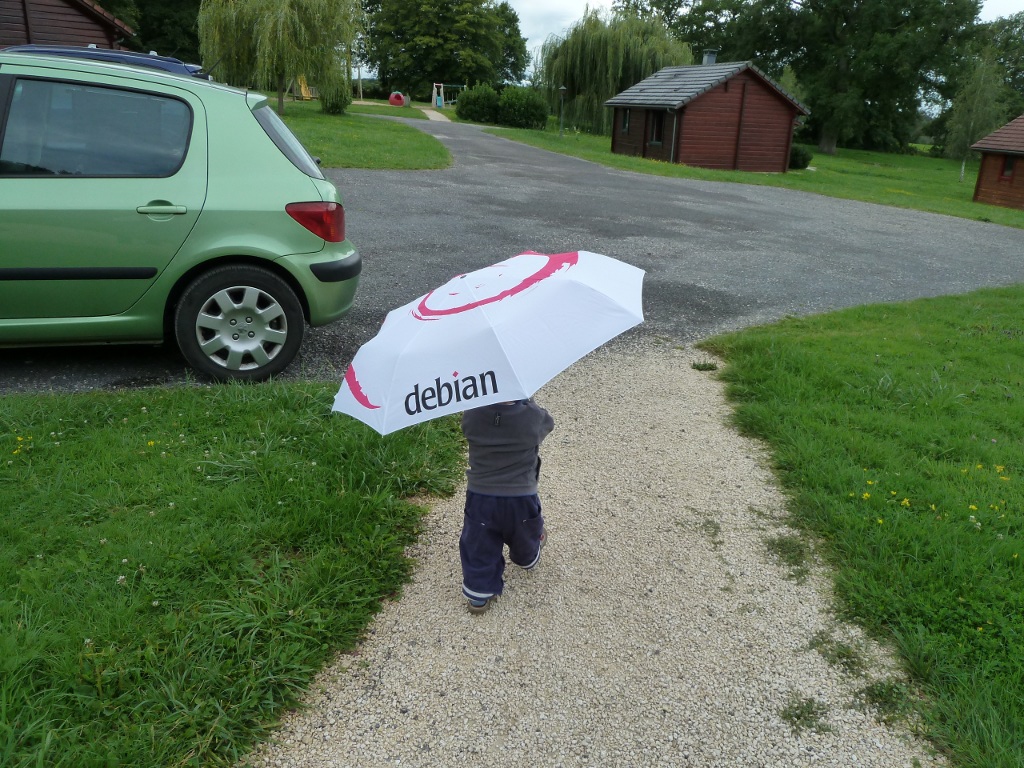
On the bug fixing side I took care of #640198 (minor man page update), #638291 (a fix to correctly handle hardlinks of conffiles), #637564 (the simplification logic of union dependencies was broken in some cases) and #631494 (interrupting dpkg-source while building a native source package left some temporary files around that should have been cleaned). WordPress update I released WordPress 3.2.1 in unstable (after having taken the time to test the updated package on my blog!) and fixed its RC bug (#625773). In the process I discovered a false positive in lintian (I reported it in 637473). Gnome-shell-timer package From time to time, I like to use the Pomodoro Technique. That s why I was an user of timer-applet in GNOME 2. Now with the switch to GNOME 3, I lost this feature. But I recently discovered gnome-shell-timer, a GNOME Shell extension that provides the same features. I created a Debian package of it and quickly filed some bugs while I was testing it (two usability issues and an encoding problem) QA Work During DebConf I met Giovanni Mascellani and he was interested to help the QA team. He started working on the backlog of bugs concerning the Package Tracking System (PTS) and submitted a bunch of patches. I reviewed them and merged them but since they were good, I quickly got lazy and got him added to the QA team so that he can commit his fixes alone. It also helps to build trust when you have had the opportunity to discuss face to face. :-) Vacation That s not so much compared to usual but to my defense I also took 2 weeks of vacation with my family. But somehow even in vacation I can t really forget Debian. Here s my son:
Thanks See you next month for a new summary of my activities.

3 comments Liked this article? Click here. My blog is Flattr-enabled.

3 September 2011

Benjamin Mako Hill: In Defense of Negativity

I often hear criticism of "negative campaigning" in the free software movement. For example, in reply to a blog post I once wrote about an FSF campaign, several people argued against, "negative campaigning of any sort, in any realm." Drawing an analogy to political smear campaigns, some members of the free software community have taken the position that negative campaigning in general is not useful and that negativity has no place in our advocacy. First, it is important to be clear on what we mean by a negative campaigns. I believe that there is a fundamental difference between speaking out against policies or actions and smear campaigns that employ untrue claims, ad hominem attacks, and that attempt to avoid a real conversation about issues. I will categorically condemn the latter form of smear campaigning in campaigns for software freedom or for anything else. That said, negativity directed at negativity has had a positive effect in many social movements. I have supported and participated in "negative" campaigns against proprietary software, software patents, DRM, centralized network services, and the firms behind these practices. I've done so because I believe that if one is taking an ethical position, it is justified, and often necessary, to not only speak about the benefits of freedom but against acts of dispossession and disenfranchisement. In some of the most effective social movements, unambiguously negative messages have been central. Should a campaign for abolishing child labor talk only about how valuable adult workers are to their employers or how happy kids are when they don't work? Should a campaign trying to abolish land mines talk only about the benefits of bomb-free fields and intact lower limbs? Should a free speech organization only speak out about the social welfare brought by a free press and never against acts of censorship? These may seem like outlandish comparisons but you can find people writing, only a couple centuries ago, about how slavery should be abolished by arguing in favor of the benefits of paid labor. Even if the economic arguments in favor of paid work are strong, these arguments seems irrelevant and offensive today. Whether slavery is more or less efficient is a moot point. Society has rejected it because it is wrong. We have made important strides toward eliminating injustices like child labor and slavery because activists waged decidedly negative campaigns against them and convinced others to join in opposition. In doing so, activists declared the status quo unconscionable and created an ethical responsibility to find alternatives and to redefine what was "realistic." While I will not suggest that the movement for software freedom is comparable in ethical weight to these other causes, I know that the free software mission is similar in kind. Of course, if one does not think that user control over technology is an ethical issue but is instead merely a matter of choice, one will probably oppose negative campaigns. It is also possible that a particular negative campaign is tactically unwise in that it is unlikely to reach a large audience, unlikely to change people's minds, or be difficult to carry out successfully. But such campaigns are a bad idea because they are ineffective, not because they are negative. Additionally, a movement that is purely negative and offers no reasonable alternative to the stated ill may also be unlikely to succeed. This is why, for example, I believe it is good that the FSF uses the large majority of its resources in the "positive" role of supporting free software. For those that do treat technological empowerment as an ethical ideal, it is both justified and essential to condemn the systematic disempowerment of others through non-free software just as we celebrate the benefits of software freedom. "Negative" campaigns against proprietary software, software patents, and DRM in music have already led our community to important -- if incomplete -- victories. The desire to right wrongs has been a critical part of our movement's success and of many others'. We would be wise not to give it up.

Tanguy Ortolo: Repacking ZIP-based containers

An open package showing two egg-like objects Several modern complex file formats are based on a ZIP container: this is at least the case of OpenDocument and EPUB. However, they are not simply a bunch of files joined into an archive, but they follow some rules in order to be easily recognized by tools such as file. As I had to unpack, modify and repack such a container, here is a recipe to do that.The zip command is flexible enough to allow you to work in place (I am not sure that it is really in place) to add, remove and replace files in the archive, however I find it more convenient to work on the unpacked tree and repack later. Unpack and work To unpack, just unzip, being aware that these containers do not have a root directory, so it is better to extract them to a dedicated directory. Modify as you wish; if you add, remove or replace files, remember that there is a file list to modify accordingly: META-INF/manifest.xml for OpenDocument, OEBPS/content.opf and possibly OEBPS/toc.ncx for EPUB. Repack To repack, you must create a ZIP archive without extra file attributes, and put the file mimetype uncompressed in first position. Its goal is to be visible as plain text at a fixed position, to serve as a magic file type indication. The remaining files can be stored compressed and in random order. For an EPUB, for instance, this gives the following commands:
% zip --no-extra --compression-method store ../book.epub mimetype
% zip --recurse-paths ../book.epub META-INF OEBPS
This could be automated by a dedicated script, but I felt no need to write one yet. By the way, these options can be abbreviated as -X0 and -r.

2 September 2011

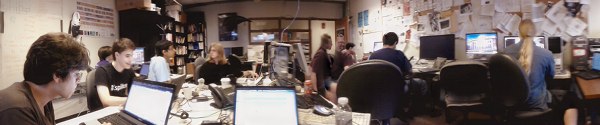
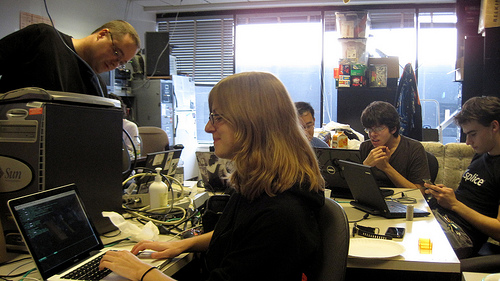
Asheesh Laroia: Debian bug squashing party at SIPB, MIT


(Photo credit: Obey Arthur Liu; originally on Picasa, license.) Three weekends ago, I participated in a Debian bug squashing party. It was more fun than I had guessed! The event worked: we squashed bugs. Geoffrey Thomas (geofft) organized it as an event for MIT's student computing group, SIPB. In this post, I'll review the good parts and the bad. I'll conclude with beaming photos of my two mentees and talk about the bugs they fixed. So, the good:

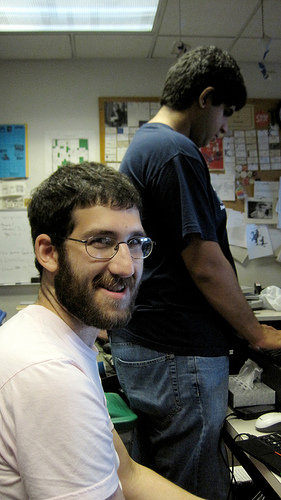
The event was a success, but as always, there are some things that could have gone more smoothly. Here's that list: Still, it turned out well! I did three NMUs, corresponding to three patches submitted for release-critical bugs by my two mentees. Those mentees were: Jessica enjoying herself Jessica McKellar is a software engineer at Ksplice Oracle and a recent graduate of MIT's EECS program. She solved three release-critical bugs. This was her first direct contribution to Debian. In particular: Jessica has since gotten involved in the Twisted project's personal package archive. Toward the end of the sprint, she explained, "I like fixing bugs. I will totally come to the next bug squashing party." Noah grinning Noah Swartz is a recent graduate of Case Western Reserve University where he studied Mathematics and played Magic. He is an intern at the MIT Media Lab where he contributes to DoppelLab in Joe Paradiso's Responsive Environments group. This was definitely his first direct contribution to Debian. It was also one of the most intense command-line experiences he has had so far. Noah wasn't originally planning to come, but we were having lunch together before the hackathon, and I convinced him to join us. Noah fixed #625177, a fails-to-build-from-source (FTBFS) bug in nslint. The problem was that "-Wl" was instead written in all lowercase in the debian/rules file, as "-wl". Noah fixed that, making sure the package properly built in pbuilder, and then spent some quality time with lintian figuring out the right way to write a debian/changelog. That's a wrap! We'll hopefully have one again in a few months, and before that, I hope to write up a guide so that we run things even more smoothly next time.

Joey Hess: size of the git sha1 collision attack surface

The kernel.org compromise has people talking about the security of git's use of sha1. Talking about this is a good thing, I think, but there's a lot of smug "we're cryptographically secure" in the air that does not seem warranted coming from non-cryptographers like me. Two years ago I had a discussion on my blog about git and sha1, that reached similar conclusions to what I'm seeing here: It seems that current known sha1 attacks require somehow getting an ugly colliding binary file accepted into the repository in the first place. Hard to manage for peer reviewed source code. We all hate firmware in the kernel, so perhaps this is another reason it's bad. ;-) Etc. Well, not so fast. Git's exposure to sha1 collisions is broader than just files. Git also stores data for commits, and directory trees. Git's tree objects are interesting because they're a bag of bytes that is rarely if ever manually examined. If there was a way to exploit git such that it ignored some trailing garbage at the end of a tree object, then here's an attack injection vector that would be unlikely to be caught by peer review. If you can change the content of a tree without changing its sha1, you can simply make it link to an older version of a file that had an exploitable problem. Or you can assemble a combination of files that results in an new exploitable problem. (For example, suppose a buffer size was hardcoded in two files in the kernel, and then the size was changed in both -- make a tree that contains one change and not the other.) Now, git's tree-walk code, until 2008, mishandled malformed data by accessing memory outside the tree buffer. Was this an exploitable bug in git? I don't know. It is interesting that the fix, in 64cc1c0909949fa2866ad71ad2d1ab7ccaa673d9 relied on the parser stopping at a NULL -- great if you want to put some garbage after the tree's filename. With that said, the particular exploit I describe above probably won't work -- I tried! Here's all the code that stands between us and this exploit:
        if (size < 24   buf[size - 21])
                die("corrupt tree file");
        path = get_mode(buf, &mode);
        if (!path   !*path)
                die("corrupt tree file");
Any good C programmer would recognise that this magic-constant-laden code needs to be careful about the size of the buffer. It's not as clear though, that it needs to be careful about consuming the entire contents of the buffer. And C programmers involved with git have gotten this code wrong before. tldr: If git is a castle, it was built just after cannons were invented, and we've had our fingers in our ears for several years as their power improved. Now the outer wall of sha1 is looking increasingly like one of straw, and we're down to a rather thin inner wall of C code.

1 September 2011

Sune Vuorela: First Plasma Active experience

John Layt recently blogged about his adventure with having children use Plasma Active with quite some success. The task I was this evening out at a board meeting in my local scout group, and for such a event you of course need the following I ve heard from various people that an iPad is great for such meetings, and produces much less paper waste, so of course, I wanted to try with my brand new Plasma Active tablet. Before meeting So before meeting: Charge tablet & fetch needed documents.
Possible issues: Everything was on a my imap server. Minutes was a plain text file, Agenda was a docx file, treasures report was a xls spreadsheet, and the various other papers were pdf files. For fetching, I ve heard a lot about Kontact Touch and everything using Akonadi. Besides me not being fully able to properly enter my password in the first 10 tries, and a sometimes flaky internet connection, everything here was a breeze. To the three first documents, the answer was Calligra Mobile . Rendered even the docx file better than libreoffice did. And Calligra Mobile was nice and touch friendly and worked pretty well for this. There is also something called Calligra Active , which is supposed to be way cooler, but still misses at least one essential feature to be used for a touchscreen only. It can only open documents passed to it on command line. And I m not yet very comfortable with a onscreen keyboard. For the last, there was Okular. The desktop edition of Okular. I was impressed by *how* usable Okular were for a touch screen device. A quick and dirty edition of a mobile Okular could probably be done with remove all toolbars and menubars and such and if no file is passed on command line, then open a file selector window and open selected file , which shouldn t take a person knowing the Okular code much time. But that s still just the Quick and dirty edition During And during the meeting, everything worked flawlessly, except the internet on site, so I was happy I had prepared in advance. As a extra bonus, Plasma Active offered the nice KDE Games, as John Layt also mentioned, for the parts of the meeting where it was a bit boring. So. At least for me and in this case, Plasma Active did its job, at least to a A. And it is still described as Alpha software. Issues There is, though, a few important usability issues: For QWidget based applications, oxygen s nice desktop feature of being able to move the application by dragging it from almost everywhere is just completely useless on a touch screen device when you are only using full screen applications. Luckily, oxygen-settings can disable this. Update: People tells me that this has already been fixed. The Network Manager Plasma Widget, in case of no network , is very hard to activate in order to select a network. A bit larger touch area here would be very nice. Currently, it feels like it is only slightly larger than a dot: . Future Oh boy, I m looking forward for Plasma Active getting to Beta or RC status. Or Final! And btw, I m looking for a job.

Matthew Garrett: The Android/GPL situation

There was another upsurge in discussion of Android GPL issues last month, triggered by couple of posts by Edward Naughton, followed by another by Florian Mueller. The central thrust is that section 4 of GPLv2 terminates your license on violation, and you need the copyright holders to grant you a new one. If they don't then you don't get to distribute any more copies of the code, even if you've now come into compliance. TLDR; most Android vendors are no longer permitted to distribute Linux.

I'll get to that shortly. There's a few other issues that could do with some clarification. The first is Naughton's insinuation that Google are violating the GPL due to Honeycomb being closed or their "license washing" of some headers. There's no evidence whatsoever that Google have failed to fulfil their GPL obligations in terms of providing source to anyone who received GPL-covered binaries from them. If anyone has some, please do get in touch. Some vendors do appear to be unwilling to hand over code for GPLed bits of Honeycomb. That's an issue with the vendors, not Google.

His second point is more interesting, but the summary is "Google took some GPLed header files and relicensed them under Apache 2.0, and they've taken some other people's GPLv2 code and put it under Apache 2.0 as well". As far as the headers go, there's probably not much to see here. The intent was to produce a set of headers for the C library by taking the kernel headers and removing the kernel-only components. The majority of what's left is just structure definitions and function prototypes, and is almost certainly not copyrightable. And remember that these are the headers that are distributed with the kernel and intended for consumption by userspace. If any of the remaining macros or inline functions are genuinely covered by the GPLv2, any userspace application including them would end up a derived work. This is clearly not the intention of the authors of the code. The risk to Google here is indistinguishable from zero.

How about the repurposing of other code? Naughton's most explicit description is:

For example, Android uses bootcharting logic, which uses the 'bootchartd' script provided by www.bootchart.org, but a C re-implementation that is directly compiled into our init program. The license that appears at www.bootchart.org is the GPLv2, not the Apache 2.0 license that Google claims for its implementation.

, but there's no indication that Google's reimplementation is a derived work of the GPLv2 original.

In summary: No sign that Google's violating the GPL.

Florian's post appears to be pretty much factually correct, other than this bit discussing the SFLC/Best Buy case:

I personally believe that intellectual property rights should usually be enforced against infringing publishers/manufacturers rather than mere resellers, but that's a separate issue.

The case in question was filed against Best Buy because Best Buy were manufacturing infringing devices. It was a set of own-brand Blu Ray players that incorporated Busybox. Best Buy were not a mere reseller.

Anyway. Back to the original point. Nobody appears to disagree that section 4 of the GPLv2 means that violating the license results in total termination of the license. The disagreement is over what happens next. Armijn Hemel, who has done various work on helping companies get back into compliance, believes that simply downloading a new copy of the code will result in a new license being granted, and that he's received legal advice that supports that. Bradley Kuhn disagrees. And the FSF seem to be on his side.

The relevant language in v2 is:

You may not copy, modify, sublicense, or distribute the Program except as expressly provided under this License. Any attempt otherwise to copy, modify, sublicense or distribute the Program is void, and will automatically terminate your rights under this License.

The relevant language in v3 is:

You may not propagate or modify a covered work except as expressly provided under this License. Any attempt otherwise to propagate or modify it is void, and will automatically terminate your rights under this License

which is awfully similar. However, v3 follows that up with:

However, if you cease all violation of this License, then your license from a particular copyright holder is reinstated (a) provisionally, unless and until the copyright holder explicitly and finally terminates your license, and (b) permanently, if the copyright holder fails to notify you of the violation by some reasonable means prior to 60 days after the cessation.

In other words, with v3 you get your license back providing you're in compliance. This doesn't mesh too well with the assumption that you can get a new license by downloading a new copy of the software. It seems pretty clear that the intent of GPLv2 was that the license termination was final and required explicit reinstatement.

So whose interpretation is correct? At this point we really don't know - the only people who've tried to use this aspect of the GPL are the SFLC, and as part of their settlements they've always reinstated permission to distribute Busybox. There's no clear legal precedent. Which makes things a little awkward.

It's not possible to absolutely say that many Android distributors no longer have the right to distribute Linux. But nor is it possible to absolutely say that they haven't lost that right. Any sufficiently motivated kernel copyright holder probably could engage in a pretty effective shakedown racket against Android vendors. Whether they will do remains to be seen, but honestly if I were an Android vendor I'd be worried. There's plenty of people out there who hold copyright over significant parts of the kernel. Would you really bet on all of them being individuals of extreme virtue?

comment count unavailable comments

Thorsten Glaser: Subversion for Dummies (or visitors of the #cvs IRC channel)

Oh well someone came into the #cvs channel on IRC without a clue, again. I ve made a nice picture to show the competition (rival, whatever) to newbies (warning, sarcasm ahead)

Lars Wirzenius: File copying and removal benchmarking

As part of my development of a backup application, I run benchmarks on it, and that means creating a test data set, running some backups, and then removing the test data set. One of the test data sets I use is a 140 gibibytes of my real data. The benchmark first copies the data to a temporary location. In other words, a fair bit of my current life is spent waiting for files to be copied and removed. The faster that goes, the better. Overnight, I ran a little benchmark on those operations, to compare a couple of ways to do them. The results are below:
  elapsed  cmd
      (s)
    107.2  rm -rf tmp/data
     98.4  find tmp/data -delete
    100.1  find tmp/data -exec rm -rf   +
    116.2  find tmp/data -depth -print0   xargs -0 rm -rf
  elapsed  cmd
      (s)
   3567.5  cp -a tmp/data tmp/copy
   3219.5  cd tmp && mkdir copy && tar -C data -cf - .   tar -C copy -xf -
It is surprising, but it's clear that find is significantly faster than rm in deleting files, by almost ten percent. Since performance is a feature, this would indicate that that feature in rm is buggy. For file copying, the piping of two tars is a common trick, and it really is faster, again by almost ten percent. Obviously, there might also be a problem with the benchmark. I attach the script, which uses benchmark-cmd in extrautils, which I wrote for this kind of thing. If there is a problem with the benchmark, don't hesitate to provide a patch to fix that. There may be other ways to remove or copy files that should be compared, too. rsync? cpio? For file removal, a tool using Linux getdents directly would probably be faster than the portable code in GNU coreutils and findutils. Somebody should write that and compare. In all cases above, the test data set to be removed or copied is 30 GiB. Copies happened to the same disk (that's what happens with my backup benchmarks too). The filesystem used was ext4.

31 August 2011

Axel Beckert: Useful but Unknown Unix Tools: How wdiff and colordiff help to choose the right Swiss Army Knife

In light of the fact that it seems possible to fit the plastic caps of a Debian branded Swiss Army Knife (Last orders today!) on an existing Swiss Army Knife (German written howto as PDF), I started to think about which Victorinox Cybertool would be the best fitting for me. And because the Victorinox comparison page doesn t really show diffs, just columns with floating text which are not very helpful for generating diffs in your head, I used command line tools for that purpose: wdiff Because the floating texts are not line- but just whitespace-based, the tool of choice is not diff but wdiff, a word-based diff. It encloses additions and removals in + + and [- -] blocks. (No, those aren t Japanese smileys although they look a lot like some. ^^). The easiest and clearest way is to copy and paste the texts from Victorinox comparison page into some text files and compare them with wdiff:
$ wdiff cybertool34.txt cybertool41.txt
+Schraubendreher 2.5mm,+ Pinzette, N hahle mit Nadel hr, +Holzs ge,+ Bit-Schl ssel( 5 mm Innensechskant f r die D-SUB Steckverbinder, 4 mm Innensechskant f r Bits, Bit Phillips 0, Bit Phillips 1, Bit-Schlitzschrauben 4 mm, Bit Phillips 2, Bit Hex 4 mm, Bit Torx 8, Bit Torx 10, Bit Torx 15 ), Kombizange( H lsenpresser, Drahtschneider ), Stech-Bohrahle, Kugelschreiber( auch zum DIP-Switch verstellen ), Mehrzweckhaken (Pakettr ger), +Metalls ge( Metallfeile, Nagelfeile, Nagelreiniger ),+ Dosen ffner( kleiner Schraubendreher ), Kleine Klinge, Grosse Klinge, Ring, inox, Mini-Schraubendreher, Kapselheber( Schraubendreher, Drahtabisolierer ), +Holzmeissel / Schaber,+ Bit-Halter, Stecknadel, inox, Schere, Korkenzieher, Zahnstocher
So this already extracted the information which are the seven tools which are in the Cybertool 41, but not in the Cybertool 34. Nevertheless the diff is still not easily recognizable on the first glance. There are several ways to help here. First wdiff has an option --no-common (the according short option is -3) which just shows added and removed words:
$ wdiff -3 cybertool34.txt cybertool41.txt
======================================================================
 +Schraubendreher 2.5mm,+ 
======================================================================
  +Holzs ge,+ 
======================================================================
  +Metalls ge( Metallfeile, Nagelfeile, Nagelreiniger ),+ 
======================================================================
  +Holzmeissel / Schaber,+ 
======================================================================
This is already way better to quickly recognize the actual differences. But if you still also want to see the common tools of the two knifes you need some visual help: One option is to use wdiff s --terminal (or short -t) option. Added words are then displayed inverse and removed words are shown underlined (background and foreground colors hardcoded as there is no invert colors style in CSS or HTML):

$ wdiff -t cybertool34.txt cybertool41.txt
Schraubendreher 2.5mm, Pinzette, N hahle mit Nadel hr, Holzs ge, Bit-Schl ssel( 5 mm Innensechskant f r die D-SUB Steckverbinder, 4 mm Innensechskant f r Bits, Bit Phillips 0, Bit Phillips 1, Bit-Schlitzschrauben 4 mm, Bit Phillips 2, Bit Hex 4 mm, Bit Torx 8, Bit Torx 10, Bit Torx 15 ), Kombizange( H lsenpresser, Drahtschneider ), Stech-Bohrahle, Kugelschreiber( auch zum DIP-Switch verstellen ), Mehrzweckhaken (Pakettr ger), Metalls ge( Metallfeile, Nagelfeile, Nagelreiniger ), Dosen ffner( kleiner Schraubendreher ), Kleine Klinge, Druckkugelschreiber, Grosse Klinge, Ring, inox, Mini-Schraubendreher, Kapselheber( Schraubendreher, Drahtabisolierer ), Holzmeissel / Schaber, Bit-Halter, Stecknadel, inox, Schere, Korkenzieher, Zahnstocher

But some still like to to use color instead of the contrast-rich inverse and the easily to oversee underlining. This is where colordiff comes into play: colordiff colordiff is like syntax highlighting for diffs on the command line. I works with classic and unified diffs as well as with wdiffs and debdiffs (the debdiff command is part of the devscripts package).
$ wdiff cybertool34.txt cybertool41.txt colordiff
+Schraubendreher 2.5mm,+ Pinzette, N hahle mit Nadel hr, +Holzs ge,+ Bit-Schl ssel( 5 mm Innensechskant f r die D-SUB Steckverbinder, 4 mm Innensechskant f r Bits, Bit Phillips 0, Bit Phillips 1, Bit-Schlitzschrauben 4 mm, Bit Phillips 2, Bit Hex 4 mm, Bit Torx 8, Bit Torx 10, Bit Torx 15 ), Kombizange( H lsenpresser, Drahtschneider ), Stech-Bohrahle, Kugelschreiber( auch zum DIP-Switch verstellen ), Mehrzweckhaken (Pakettr ger), +Metalls ge( Metallfeile, Nagelfeile, Nagelreiniger ),+ Dosen ffner( kleiner Schraubendreher ), Kleine Klinge, Grosse Klinge, Ring, inox, Mini-Schraubendreher, Kapselheber( Schraubendreher, Drahtabisolierer ), +Holzmeissel / Schaber,+ Bit-Halter, Stecknadel, inox, Schere, Korkenzieher, Zahnstocher
$ wdiff cybertool29.txt cybertool41.txt colordiff
+Schraubendreher 2.5mm,+ Pinzette, N hahle mit Nadel hr, +Holzs ge,+ Bit-Schl ssel( 5 mm Innensechskant f r die D-SUB Steckverbinder, 4 mm Innensechskant f r Bits, Bit Phillips 0, Bit Phillips 1, Bit-Schlitzschrauben 4 mm, Bit Phillips 2, Bit Hex 4 mm, Bit Torx 8, Bit Torx 10, Bit Torx 15 ), +Kombizange( H lsenpresser, Drahtschneider ),+ Stech-Bohrahle, +Kugelschreiber( auch zum DIP-Switch verstellen ), Mehrzweckhaken (Pakettr ger), Metalls ge( Metallfeile, Nagelfeile, Nagelreiniger ),+ Dosen ffner( kleiner Schraubendreher ), Kleine Klinge, [-Druckkugelschreiber,-] Grosse Klinge, Ring, inox, Mini-Schraubendreher, Kapselheber( Schraubendreher, Drahtabisolierer ), +Holzmeissel / Schaber,+ Bit-Halter, Stecknadel, inox, +Schere,+ Korkenzieher, Zahnstocher
(Coloured Screenshots done with ANSI HTML Adapter from the package aha.) Some, especially those who are used to git, are probably confused by the default choice of diff colors. This is easily fixable by writing the following into you ~/.colordiffrc:
newtext=green
oldtext=red
diffstuff=darkblue
cvsstuff=darkyellow
(See also /etc/colordiff for the defaults and hints.) colordiff has by the way two operating modes: So now let us compare the Cybertool 29 with Cybertool 34 in a normal diff (by using the texts from above and replacing all commata with newline characters) with git-like colors:
$ colordiff cybertool29-lines.txt cybertool34-lines.txt
12a13,14
> Kombizange( H lsenpresser
> Drahtschneider )
13a16,17
> Kugelschreiber( auch zum DIP-Switch verstellen )
> Mehrzweckhaken (Pakettr ger)
16d19
< Druckkugelschreiber
25a29
> Schere
Or as unifed diff with some context:
$ colordiff -u cybertool29-lines.txt cybertool34-lines.txt
--- cybertool29-lines.txt     2011-08-31 20:55:37.195546238 +0200
+++ cybertool34-lines.txt   2011-08-31 20:55:11.667710504 +0200
@@ -10,10 +10,13 @@
 Bit Torx 8
 Bit Torx 10
 Bit Torx 15 )
+Kombizange( H lsenpresser
+Drahtschneider )
 Stech-Bohrahle
+Kugelschreiber( auch zum DIP-Switch verstellen )
+Mehrzweckhaken (Pakettr ger)
 Dosen ffner( kleiner Schraubendreher )
 Kleine Klinge
-Druckkugelschreiber
 Grosse Klinge
 Ring
 inox
@@ -23,5 +26,6 @@
 Bit-Halter
 Stecknadel
 inox
+Schere
 Korkenzieher
 Zahnstocher
So if you want nicely colored diffs with Subversion like you re used to with git, you can use svn diff colordiff.

30 August 2011

Sune Vuorela: Desktopsummit, jobs, prison and such

It s been a while since I last blogged, and some things has happened. Jobs
I m out looking for a job. Preferably KDE/Qt or Debian related. Or at least opensource related. Feel free to contact me if you know of anything. sune AT vuorela DOT dk Desktop Summit I ve been at Desktop Summit, awesome as usual to see all these great people, except monday morning. I think intel is partly to blame here :-). Prison and such
The upcoming release of Prison will at least have a couple of new features, beside a couple of bugfixes: I ve also started to enjoy -Werror=unused-but-set-variable in GCC and killed some of those in KDE land. end There is more to come later, hopefully things about the ExoPC I gotborrowed at Desktop Summit, which is now running Plasma Active & Contour. Things about a new librison release, and maybe more places to use libprison. Oh. And yes, I m out looking for a job.

Miriam Ruiz: Fantastic Park 2011 is over

On the 26th of June I wrote that I wouldn t be able to travel anywhere this summer (including DebConf 11), because I was going to be teaching lots of things related to Information and Communication Technologies (ICT) to a bunch of kids. That was a bit more than two months ago. On the 27th of June we started the first edition of Fantastic Park with a lot of enthusiasm, and hoping that the kids participating could get in touch to the ICT world while having fun. After all, it was summer holidays. The results have not only more than fulfilled our expectations but, from what their parents tell, we have also been able to overcome what the children were expecting. It was somehow encouraging to know that the kids were telling their parents to get up half an hour earlier (heh, sorry for them, but that s what being a parent is about, isn t it?), to be able to start as soon as they could, and also to make them wait until the last minute for going back home. These four editions have involved more than two months of work (280 hours), and 82 kids have taken part on it (57 boys and 25 girls). There have also been visits to different companies that work on the field of ICT (32 in total), and there was an important number of other people collaborating (thanks to all of them). Finally, the last edition of the Park has ended yesterday. Along these weeks, the kids have been able to get acquainted with a lot of different things, such as robotics (using Lego WeDo), digital photography and photo edition (using Pinta), Free Software, satellites, GPS or learning to code with Scratch. It has been very intensive and I m almost exhausted, but I m also quite sad that it s over. Hopefully some of these children might have developed an interest in this field, and who knows what might come out of it. If somebody is interested in the daily activities at the Park, we have been writing a blog with daily entries (in Spanish, sorry). We have also published quite a lot of photos of the activities. Of course, needless is to say that I m really happy to have taken part on it, and that the kids participating were simply great. I ll miss them.

29 August 2011

Axel Beckert: SSH Multiplexer: parallel-ssh

There are many SSH multiplexers in Debian and most of them have one or two features which make them unique and especially useful for that one use case. I use some of them regularily (I even maintain the Debian package of one of them, namely pconsole :-) and I ll present then and when one of them here. For non-interactive purposes I really like parallel-ssh aka pssh. It takes a file of hostnames and a bunch of common ssh parameters as parameters, executes the given command in parallel in up to 32 threads (by default, adjustable with -p) and waits by default for 60 seconds (adjustable with -t). For example to restart hobbit-client on all hosts in kiva.txt, the following command is suitable:
$ parallel-ssh -h kiva.txt -l root /etc/init.d/hobbit-client restart
[1] 19:56:03 [FAILURE] kiva6 Exited with error code 127
[2] 19:56:04 [SUCCESS] kiva
[3] 19:56:04 [SUCCESS] kiva4
[4] 19:56:04 [SUCCESS] kiva2
[5] 19:56:04 [SUCCESS] kiva5
[6] 19:56:04 [SUCCESS] kiva3
[7] 19:57:03 [FAILURE] kiva1 Timed out, Killed by signal 9
(Coloured Screenshots done with ANSI HTML Adapter from the package aha.) You easily see on which hosts the command failed and partially also why: On kiva6 hobbit-client is not installed and therefore the init.d script is not present. kiva1 is currently offline so the ssh connection timed out. If you want to see the output of the commands, you have a two choices. Which one to choose depends on the expected amount of output: If you don t expect a lot of output, the -i (or --inline) option for inline aggregated output is probably the right choice:
$ parallel-ssh -h kiva.txt -l root -t 10 -i uptime
[1] 20:30:20 [SUCCESS] kiva
 20:30:20 up 7 days,  5:51,  0 users,  load average: 0.12, 0.08, 0.06
[2] 20:30:20 [SUCCESS] kiva2
 20:30:20 up 7 days,  5:50,  0 users,  load average: 0.19, 0.08, 0.02
[3] 20:30:20 [SUCCESS] kiva3
 20:30:20 up 7 days,  5:49,  0 users,  load average: 0.10, 0.06, 0.06
[4] 20:30:20 [SUCCESS] kiva4
 20:30:20 up 7 days,  5:49,  0 users,  load average: 0.25, 0.17, 0.14
[5] 20:30:20 [SUCCESS] kiva6
 20:30:20 up 7 days,  5:49, 10 users,  load average: 0.16, 0.08, 0.02
[6] 20:30:21 [SUCCESS] kiva5
 20:30:21 up 7 days,  5:49,  0 users,  load average: 3.11, 3.36, 3.06
[7] 20:30:29 [FAILURE] kiva1 Timed out, Killed by signal 9
If you expect a lot of output you can give directories with the -o (or --outdir) and -e (or --errdir) option:
$ parallel-ssh -h kiva.txt -l root -t 20 -o kiva-output lsb_release -a
[1] 20:36:51 [SUCCESS] kiva
[2] 20:36:51 [SUCCESS] kiva2
[3] 20:36:51 [SUCCESS] kiva3
[4] 20:36:51 [SUCCESS] kiva4
[5] 20:36:53 [SUCCESS] kiva6
[6] 20:36:54 [SUCCESS] kiva5
[7] 20:37:10 [FAILURE] kiva1 Timed out, Killed by signal 9
$ ls -l kiva-output
total 24
-rw-r--r-- 1 abe abe  98 Aug 28 20:36 kiva
-rw-r--r-- 1 abe abe   0 Aug 28 20:36 kiva1
-rw-r--r-- 1 abe abe  98 Aug 28 20:36 kiva2
-rw-r--r-- 1 abe abe  98 Aug 28 20:36 kiva3
-rw-r--r-- 1 abe abe  98 Aug 28 20:36 kiva4
-rw-r--r-- 1 abe abe 102 Aug 28 20:36 kiva5
-rw-r--r-- 1 abe abe 100 Aug 28 20:36 kiva6
$ cat kiva-output/kiva5
Distributor ID:	Debian
Description:	Debian GNU/Linux 6.0.2 (squeeze)
Release:	6.0.2
Codename:	squeeze
The only annoying thing IMHO is that the host list needs to be in a file. With zsh, bash and the original ksh (but neither tcsh, pdksh nor mksh), you can circumvent this restriction with one of the following command lines:
$ parallel-ssh -h <(printf "host1\nhost2\nhost3\n ") -l root uptime
[ ]
$ parallel-ssh -h <(echo host1 host2 host3     xargs -n1) -l root uptime
[ ]
In addition to parallel-ssh the pssh package also contains some more ssh based tools: I though think that parallel-ssh is by far the most useful tool from the pssh package. (Probably no wonder as it s the most generic one. :-)

Erich Schubert: ELKI 0.4 beta release

Two weeks ago, I've published the first beta of the upcoming ELKI 0.4 release. The accompanying publication at SSTD 2011 won the "Best Demonstration Paper Award"!
ELKI is a Java framework for developing data mining algorithms and index structures. It has indexes such as the R*-Tree and M-Tree, and a huge collection of algorithms and distance functions. These are all writen rather generic, so you can build all the combinations of indexes, algorithms and distances. There are evaluation and visualization modules.
Note that I'm using "data mining" in the broad, original sense that focuses on knowledge discovery by unsupervised methods such as clustering and outlier detection. Today, many people just think of machine learning and "artificial intelligence" - or even worse: large scale data collecting - when they hear data mining. But there is much more to it than just learning!
Java comes at a certain price. The latest version got already around 50% faster than the previous release just by reducing Java boxing and unboxing that puts quite some pressure on the memory management. So you could implement these things in C to become a lot faster; but this is not production software. I need code that I can put students on to work with it and extend it, this is much more important than getting the maximum speed. You can probably still use this for prototyping. See what works, then implement just that which you really need in a low level language for maximum performance.
You can do some of that in Java. You could work on a large chunk of doubles, and access them via the Unsafe class. But is that then still Java, or aren't you actually doing just plain C? In our framework, we want to be able to support non-numerical vectors and non-double distances, too. Even when they are only applicable to certain specialized use cases. Plus, generic and Java-style code is usually much more readable, and the performance cost is not critical for research use.
Release 0.4 has plenty of under the hood changes. It allows multiple indexes to exist in parallel, it support multi-relational data. There are also a dozen new algorithms, mostly from the geo/spatial outlier field, which were used for the demonstration. But for example, it also includes methods for rescaling the output of outlier detection methods to a more sensible numerical scale for visualization and comparison.
You can install ELKI on a Debian testing and unstable system by the usual "aptitude install elki" command. It will install a menu entry for the UI and also includes the command-line launcher "elki-cli" for batch operation. The "-h" flag can produce an extensive online help, or you can just copy the parameters from the GUI. By reusing Java packages such as Batik and FOP already in Debian, this also is a smaller download. I guess the package will at some point also transition to Ubuntu - since it is Java you can just download and install it anyway I guess.

Mike Hommey: Extreme tab browsing

I have a pathological use of browser tabs: I use a lot of them. A lot is probably an understatement. We could say I use them as bookmarks of things I need to track. A couple weeks ago, I was saying I had around two hundred tabs opened. I now actually have much more. It affected startup until I discovered that setting the browser.sessionstore.max_concurrent_tabs pref to 0 was making things much better by only loading tabs when they are selected. This preference has/will become browser.sessionstore.restore_on_demand. However, since I only start my main browser once a day, while other applications start and while I begin to read email, I hadn t noticed that this was still heavily affecting startup time: about:startup tells me reaching the sessionRestored state takes seven seconds, even on a warm startup. It also affects memory usage, because even when tabs are only loaded on demand, there is a quite big overhead for each tab. And more importantly, it gets worse with time. And I think the user interface is actively making it worse. So, to get an idea how bad things were in my session, I wrote a little restartless extension. After installing it, you can go to the about:tabs url to see the damage on your session. Please note that the number of groups is currently wrong until you open the tab grouping interface. This is what the extension has to say about my session 2 days ago, right after a startup: The first thing to note is that when I filed the memory bug 4 days earlier, I had a bit more than 470 tabs in that session. You can see 4 days later, I now have 555 tabs (if excluding the about:tabs tab). The second thing to note is something I suspected because it s so easy to get there: a lot of the tabs are opened on the same address. Since Firefox 4.0, if I m not mistaken, there is a great feature in the awesomebar, that allows to jump to an existing tab matching what you type in the urlbar. That is very useful, and I use it a lot. However, there are a lot of cases where it s not as useful as it could be. One of the addresses I visit a lot is http://buildd.debian.org/iceweasel. It gives me the build status of the latest iceweasel package I uploaded to Debian unstable. That url is particularly known in my browsing history, and is the first hit when I type buildd in the urlbar (actually, even typing b brings it first). Unfortunately, that url redirects to https://buildd.debian.org/status/package.php?p=iceweasel through an HTTP redirection. I say unfortunately because when I type buildd in the urlbar, I get 6 suggestions for urls in the form http://buildd.debian.org/package (I also watch other packages build status), and the suggestion to switch to the existing tab for what the first hit would get me to is 7th. Guess what? The suggestion list only shows 6 items ; you have to scroll to see the 7th. The result is that I effectively have fifteen tabs open on that url. I also keep a lot of bugzilla.mozilla.org bugs open in different tabs. The extension tells me there are 255 of them for 166 unique bugs. Largely, the duplicate bug tabs are due to having these bugs open in some tab, but accessing the same bugs from somewhere else, usually a dependent bug or TBPL. I also have 5 tabs opened on my request queue. I usually get there by going to the bugzilla home page and clicking on the My Requests link. And I have several tabs opened on the same bug lists. For the same reason. When I started using tab groups, I splitted in very distinct groups. Basically, one for Mozilla, one for Debian, one for stuff I want to follow (usually blog posts I want to follow comments from), and one for the rest. While I was keeping up with grouping at the beginning, I don t anymore, and the result is that each group is now a real mess. Firefox has hundreds of millions users. It s impossible to create a user experience that works for everyone. One thing is sure, it doesn t work for me. My usage is probably very wrong at different levels, but I don t feel my browser is encouraging me to use it better, except by making my number of opened tabs explode to an unmanageable level (I already have 30 tabs more than when I started writing this post 2 days ago). There are a few other things I would like to know about my usage that my extension hasn t told me yet, either because it doesn t tell, or because I haven t looked: Reflecting on my usage patterns, I think a few improvements, either in the stock browser, or through extensions, could make my browsing easier: Maybe these exist as extensions, I don t know. It s hard to find very specific things like that through an add-on search (though I haven t searched very hard). [Looks like there is an experiment for the auto tab grouping part] I think it would also be interesting to have something like Test Pilot, but for users that want to know the answer to How do I use my browser? . As I understand it, Test Pilot can show individual user data, but it only can do so if there is such data, and you can t get data for past studies you didn t take. In my case, I m not entirely sure that, apart from the pinned tabs, I use the tab bar a lot. And even for pinned tabs, most of the time I use keyboard shortcuts. I m not using the menu button that much either. I already removed the url and search bar (most of the time) with LessChrome HD. Maybe I could go further and use the full window for web browsing.

28 August 2011

Blars Blarson: oogoo-raspberrypi

Oogoo and Raspberry Pi While I haven't been doing much blogable myself, I have recently found a couple of interesting things via Hack A Day: Oogoo is a moldable silicone clay that is easy to make from readily available substances. The main problem for what I'm thinking of using it for is it releases acid as it cures, so I'm not sure using it to encapsulate metal is a good idea. Still, it looks like something fun to work with. Raspberry Pi while not shipping yet (they hope for November/December) looks very interesting -- a $35 (or $25 for the less well configured one) low-power credit-card sized Arm board running Linux with a reasonable amount of I/O (USB, Ethernet, HDMI, I2C, I2S, SPI, serial, audio, composite video, and GPIO). The alpha version is running Debian, but they plan on shipping with Ubuntu or another distro. While the first version is aimed at experimenters (no case, no power supply) they are a UK non-profit aiming at the education market. This is not a direct competitor with the OLPC, which is aimed at younger children.

Next.

Previous.