Search Results: "ed"

25 July 2020

Craig Small: 25 Years of Free Software

When did I start writing Free Software, now called Open Source? That s a tricky question. Does the time start with the first file edited, the first time it compiles or perhaps even some proto-program you use to work out a concept for the real program formed later on. So using the date you start writing, especially in a era before decent version control systems, is problematic. That is why I use the date of the first release of the first package as the start date. For me, that was Monday 24th July 1995. axdigi and before My first released Free Software program was axdigi which was a layer-2 packet repeater for hamradio. This was uploaded to some FTP server, probably UCSD in late July 1995. The README is dated 24th July 1995. There were programs before this. I had written a closed-source (probably undistributable) driver for the Gracilis PackeTwin serial card and also some sort of primitive wireshark/tcpdump thing for capturing packet radio. Funny thing is that the capture program is the predecessor of both axdigi and a system that was used by a major Australian ISP for their internet billing system. Choosing Free Software So you have written something you think others might like, what software license will you use to distribute it? In 1995 it wasn t that clear. This was the era of strange boutique licenses including ones where it was ok to run the program as a hamradio operator but not a CB radio operator (or at least they tried to work it that way). A friend of mine and the author of the Linux HAM HOWTO amongst other documents, Terry Dawson, suggested I use GPL or another Free Software license. He explained what this Free Software thing was and said that if you want your program to be the most useful then something like GPL will do it. So I released axdigi under the GPL license and most of my programs since then have used the same license. Something like MIT or BSD licenses would have been fine too, I was just not going to use something closed or hand-crafted. That was a while ago, I ve written or maintained many programs since then. I also became a Debian maintainer (23 years so far) and adopted both procps and psmisc which I still maintain as both the Debian developer and upstream to this day. What Next? So it has been 25 years or a quarter of a century, what will happen next? Probably more of the same, though I m not sure I will be maintaining Free Software by the end of the next 25 years (I ll be over 70 then). Perhaps the singularity will arrive and writing software will be something people only do at Rennie Festivals. Come to the Festival! There is someone making horseshoes! Other there is a steam engine. See this other guy writing computer programs on a thing called keyboard!

24 July 2020

Dirk Eddelbuettel: anytime 0.3.8: Minor Maintenance

A new minor release of the anytime package arrived on CRAN overnight. This is the nineteenth release, and it comes just over six months after the previous release giving further indicating that we appear to have reached a nice level of stability. anytime is a very focused package aiming to do just one thing really well: to convert anything in integer, numeric, character, factor, ordered, format to either POSIXct or Date objects and to do so without requiring a format string. See the anytime page, or the GitHub README.md for a few examples. This release mostly plays games with CRAN. Given the lack of specification for setups on their end, reproducing test failures remains, to put it mildly, somewhat challenging . So we eventually gave up and weaponed up once more and now explicitly test for the one distribution where tests failed (when they clearly passed everywhere else). With that we now have three new logical predicates for various Linux distribution flavours, and if that dreaded one is seen in one test file the test is skipped. And with that we now score twelve out of twelve OKs. This being a game of cat and mouse, I am sure someone somewhere will soon invent a new test The full list of changes follows.

Changes in anytime version 0.3.8 (2020-07-23)
  • A small utility function was added to detect the Linux distribution used in order to fine-tune tests once more.
  • Travis now uses Ubuntu 'bionic' and R 4.0.*.

Courtesy of CRANberries, there is a comparison to the previous release. More information is on the anytime page. The issue tracker tracker off the GitHub repo can be use for questions and comments. If you like this or other open-source work I do, you can now sponsor me at GitHub. For the first year, GitHub will match your contributions.

This post by Dirk Eddelbuettel originated on his Thinking inside the box blog. Please report excessive re-aggregation in third-party for-profit settings.

Mike Gabriel: Ayatana Indicators / IDO - Menu Rendering Fixed with vanilla GTK-3+

At DebConf 17 in Montreal, I gave a talk about Ayatana Indicators [1] and the project's goal to continue the by then already dropped out of maintenance Ubuntu Indicators in a separate upstream project, detached from Ubuntu and its Ubuntu'isms. Stalling The whole Ayatana Indicators project received a bit of a show stopper by the fact that the IDO (Indicator Display Object) rendering was not working in vanilla GTK-3 without a certain patch [2] that only Ubuntu has in their GTK-3 package. Addressing GTK developers upstream some years back (after GTK 3.22 had already gone into long term maintenance mode) and asking for a late patch acceptance did not work out (as already assumed). Ayatana Indicators stalled at a level of 90% actually working fine, but those nice and shiny special widgets, like the calendar widget, the audio volume slider widgets, switch widgets, etc. could not be rendered appropriately in GTK based desktop environments (e.g. via MATE Indicator Applet) on other distros than Ubuntu. I never really had the guts to sit down without a defined ending and find a patch / solution to this nasty problem. Ayatana Indicators stalled as a whole. I kept it alive and defended its code base against various GLib and what-not deprecations and kept it in Debian, but the software was actually partially broken / dysfunctional. Taking the Dog for a Walk and then It Became all Light+Love Several days back, I received a mail from Robert Tari [3]. I was outside on a hike with our dog and thought, ah well, let's check emails... I couldn't believe what I read then, 15 seconds later. I could in fact, hardly breathe... I have known Robert from earlier email exchanges. Robert maintains various "little" upstream projects, like e.g. Caja Rename, Odio, Unity Mail, etc. that I have looked into earlier regarding Debian packaging. Robert is also a Manjaro contributor and he has been working on bringing Ayatana Indicators to Manjaro MATE. In the early days, without knowing Robert, I even forked one of his projects (indicator-notification) and turned it into an Ayatana Indicator. Robert and I also exchanged some emails about Ayatana Indicators already a couple of weeks ago. I got the sense of him maybe being up to something already then. Oh, yeah!!! It turned out that Robert and I share the same "love" for the Ubuntu Indicators concept [4]. From his email, it became clear that Robert had spent the last 1-2 weeks drowned in the Ayatana IDO and libayatana-indicator code and worked him self through the bowels of it in order to understand the code concept of Indicators to its very depth. When emerging back from his journey, he presented me (or rather: the world) a patch [5] against libayatana-indicator that makes it possible to render IDO objects even if a vanilla GTK-3 is installed on the system. This patch is a game changer for Indicator lovers. When Robert sent me his mail pointing me to this patch, I think, over the past five years, I have never felt more excited (except from the exact moment of getting married to my wife two-to-three years ago) than during that moment when my brain tried to process his email. "Like a kid on Christmas Eve...", Robert wrote in one of his later mails to me. Indeed, like a "kid on Christmas Eve", Robert. Try It Out As a proof of all this to the Debian people, I have just done the first release of ayatana-indicator-datetime and uploaded it to Debian's NEW queue. Robert is doing the same for Manjaro. The Ayatana Indicator Sound will follow after my vacation. For fancy widget rendering in Ayatana Indicator's system indicators, make sure you have libayatana-indicator 0.7.0 or newer installed on your system. Credits One of the biggest thanks ever I send herewith to Robert Tari! Robert is now co-maintainer of Ayatana Indicators. Welcome! Now, there is finally a team of active contributors. This is so delightful!!! References P.S. Expect more Ayatana Indicators to appear in your favourite distro soon...

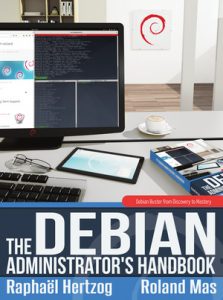
Raphaël Hertzog: The Debian Handbook has been updated for Debian 10

Better late than never as we say thanks to the work of Daniel Leidert and Jorge Maldonado Ventura, we managed to complete the update of my book for Debian 10 Buster. You can get the electronic version on debian-handbook.info or the paperback version on lulu.com. Or you can just read it online. Translators are busy updating their translations, with German and Norvegian Bokmal leading the way

One comment Liked this article? Click here. My blog is Flattr-enabled.

Evgeni Golov: Building documentation for Ansible Collections using antsibull

In my recent post about building and publishing documentation for Ansible Collections, I've mentioned that the Ansible Community is currently in the process of making their build tools available as a separate project called antsibull instead of keeping them in the hacking directory of ansible.git. I've also said that I couldn't get the documentation to build with antsibull-docs as it wouldn't support collections yet. Thankfully, Felix Fontein, one of the maintainers of antsibull, pointed out that I was wrong and later versions of antsibull actually have partial collections support. So I went ahead and tried it again. And what should I say? Two bug reports by me and four patches by Felix Fontain later I can use antsibull-docs to generate the Foreman Ansible Modules documentation! Let's see what's needed instead of the ugly hack in detail. We obviously don't need to clone ansible.git anymore and install its requirements manually. Instead we can just install antsibull (0.17.0 contains all the above patches). We also need Ansible (or ansible-base) 2.10 or never, which currently only exists as a pre-release. 2.10 is the first version that has an ansible-doc that can list contents of a collection, which antsibull-docs requires to work properly. The current implementation of collections documentation in antsibull-docs requires the collection to be installed as in "Ansible can find it". We had the same requirement before to find the documentation fragments and can just re-use the installation we do for various other build tasks in build/collection and point at it using the ANSIBLE_COLLECTIONS_PATHS environment variable or the collections_paths setting in ansible.cfg1. After that, it's only a matter of passing --use-current to make it pick up installed collections instead of trying to fetch and parse them itself. Given the main goal of antisibull-docs collection is to build documentation for multiple collections at once, it defaults to place the generated files into <dest-dir>/collections/<namespace>/<collection>. However, we only build documentation for one collection and thus pass --squash-hierarchy to avoid this longish path and make it generate documentation directly in <dest-dir>. Thanks to Felix for implementing this feature for us! And that's it! We can generate our documentation with a single line now!
antsibull-docs collection --use-current --squash-hierarchy --dest-dir ./build/plugin_docs theforeman.foreman
The PR to switch to antsibull is open for review and I hope to get merged in soon! Oh and you know what's cool? The documentation is now also available as a preview on ansible.com!

  1. Yes, the paths version of that setting is deprecated in 2.10, but as we support older Ansible versions, we still use it.

Martin Michlmayr: beancount2ledger 1.1 released

Martin Blais recently announced that he'd like to re-organize the beancount code and split out some functionality into separate projects, including the beancount to ledger/hledger conversion code previously provided by bean-report. I agreed to take on the maintenance of this code and I've now released beancount2ledger, a beancount to ledger/hledger converter. You can install beancount2ledger with pip:
pip3 install beancount2ledger
Please report issues to the GitHub tracker. There are a number of outstanding issues I'll fix soon, but please report any other issues you encounter. Note that I'm not very familiar with hledger. I intend to sync up with hledger author Simon Michael soon, but please file an issue if you notice any problems with the hledger conversion. Version 1.1 contains a number of fixes compared to the latest code in bean-report: 1.1 (2020-07-24) 1.0 (2020-07-22)

Reproducible Builds (diffoscope): diffoscope 153 released

The diffoscope maintainers are pleased to announce the release of diffoscope version 153. This version includes the following changes:
[ Chris Lamb ]
* Drop some legacy argument styles; --exclude-directory-metadata and
  --no-exclude-directory-metadata have been replaced with
  --exclude-directory-metadata= yes,no .
* Code improvements:
  - Make it easier to navigate the main.py entry point.
  - Use a relative import for get_temporary_directory in diffoscope.diff.
  - Rename bail_if_non_existing to exit_if_paths_do_not_exist.
  - Rewrite exit_if_paths_do_not_exist to not check files multiple times.
* Documentation improvements:
  - CONTRIBUTING.md:
    - Add a quick note about adding/suggesting new options.
    - Update and expand the release process documentation.
    - Add a reminder to regenerate debian/tests/control.
  - README.rst:
    - Correct URL to build job on Jenkins.
    - Clarify and correct contributing info to point to salsa.debian.org.
You find out more by visiting the project homepage.

23 July 2020

Sean Whitton: keyboardingupdates

Marks and mark rings in GNU Emacs I recently attempted to answer the question of whether experienced Emacs users should consider partially or fully disabling Transient Mark mode, which is (and should be) the default in modern GNU Emacs. That blog post was meant to be as information-dense as I could make it, but now I d like to describe the experience I have been having after switching to my custom pseudo-Transient Mark mode, which is labelled mitigation #2 in my older post. In summary: I feel like I ve uncovered a whole editing paradigm lying just beneath the surface of the editor I ve already been using for years. That is cool and enjoyable in itself, but I think it s also helped me understand other design decisions about the basics of the Emacs UI better than before in particular, the ideas behind how Emacs chooses where to display buffers, which were very frustrating to me in the past. I am now regularly using relatively obscure commands like C-x 4 C-o. I see it! It all makes sense now! I would encourage everyone who has never used Emacs without Transient Mark mode to try turning it off for a while, either fully or partially, just to see what you can learn. It s fascinating how it can come to seem more convenient and natural to pop the mark just to go back to the end of the current line after fixing up something earlier in the line, even though doing so requires pressing two modified keys instead of just C-e. Eshell I was amused to learn some years ago that someone was trying to make Emacs work as an X11 window manager. I was amazed and impressed to learn, more recently, that the project is still going and a fair number of people are using it. Kudos! I suspect that the basic motivation for such projects is that Emacs is a virtual Lisp machine, and it has a certain way of managing visible windows, and people would like to be able to bring both of those to their X11 window management. However, I am beginning to suspect that the intrinsic properties of Emacs buffers are tightly connected to the ways in which Emacs manages visible windows, and the intrinsic properties of Emacs buffers are at least as fundamental as its status as a virtual Lisp machine. Thus I am not convinced by the idea of trying to use Emacs ways of handling visible windows to handle windows which do not contain Emacs buffers. (but it s certainly nice to learn it s working out for others) The more general point is this. Emacs buffers are as fundamental to Emacs as anything else is, so it seems unlikely to be particularly fruitful to move something typically done outside of Emacs into Emacs, unless that activity fits naturally into an Emacs buffer or buffers. Being suited to run on a virtual Lisp machine is not enough. What could be more suited to an Emacs buffer, however, than a typical Unix command shell session? By this I mean things like running commands which produce text output, and piping this output between commands and into and out of files. Typically the commands one enters are sort of like tiny programs in themselves, even if there are no pipes involved, because you have to spend time determining just what options to pass to achieve what you want. It is great to have all your input and output available as ordinary buffer text, navigable just like all your other Emacs buffers. Full screen text user interfaces, like top(1), are not the sort of thing I have in mind here. These are suited to terminal emulators, and an Emacs buffer makes a poor terminal emulator what you end up with is a sort of terminal emulator emulator. Emacs buffers and terminal emulators are just different things. These sorts of thoughts lead one to Eshell, the Emacs Shell. Quoting from its documentation:
The shell s role is to make [system] functionality accessible to the user in an unformed state. Very roughly, it associates kernel functionality with textual commands, allowing the user to interact with the operating system via linguistic constructs. Process invocation is perhaps the most significant form this takes, using the kernel s fork' andexec functions. Emacs is a user application, but it does make the functionality of the kernel accessible through an interpreted language namely, Lisp. For that reason, there is little preventing Emacs from serving the same role as a modern shell. It too can manipulate the kernel in an unpredetermined way to cause system changes. All it s missing is the shell-ish linguistic model.
Eshell has been working very well for me for the past month or so, for, at least, Debian packaging work, which is very command shell-oriented (think tools like dch(1)). The other respects in which Eshell is tightly integrated with the rest of Emacs are icing on the cake. In particular, Eshell can transparently operate on remote hosts, using TRAMP. So when I need to execute commands on Debian s ftp-master server to process package removal requests, I just cd /ssh:fasolo: in Eshell. Emacs takes care of disconnecting and connecting to the server when needed there is no need to maintain a fragile SSH connection and a shell process (or anything else) running on the remote end. Or I can cd /ssh:athena\ sudo:root@athena: to run commands as root on the webserver hosting this blog, and, again, the text of the session survives on my laptop, and may be continued at my leisure, no matter whether athena reboots, or I shut my laptop and open it up again the next morning. And of course you can easily edit files on the remote host.

Sean Whitton: Kinesis Advantage 2 for heavy Emacs users

A little under two months ago I invested in an expensive ergonomic keyboard, a Kinesis Advantage 2, and set about figuring out how to use it most effectively with Emacs. The default layout for the keyboard is great for strong typists who control their computer mostly with their mouse, but less good for Emacs users, who are strong typists that control their computer mostly with their keyboard. It took me several tries to figure out where to put the ctrl, alt, backspace, delete, return and spacebar keys, and aside from one forum post I ran into, I haven t found anyone online who came up with anything much like what I ve come up with, so I thought I should probably write up a blog post. The mappings Sequences of two modified keys on different halves of the keyboard It is desirable to input sequences like C-x C-o without switching which hand is holding the control key. This requires one-handed chording, but this is trecherous when the modifier keys not under the thumbs, because you might need to press the modified key with the same finger that s holding the modifier! Fortunately, most or all sequences of two keys modified by ctrl or alt/meta, where each of the two modifier keys is typed by a different hand, begin with C-c, C-x or M-g, and the left hand can handle each of these on its own. This leaves the right hand completely free to hit the second modified key while the left hand continues to hold down the modifier. My rebindings for ordinary keyboards I have some rebindings to make Emacs usage more ergonomic on an ordinary keyboard. So far, my Kinesis Advantage setup is close enough to that setup that I m not having difficulty switching back and forth from my laptop keyboard. The main difference is for sequences of two modified keys on different halves of the keyboard which of the two modified keys is easiest to type as a one-handed chord is different on the Kinesis Advantage than on my laptop keyboard. At this point, I m executing these sequences without any special thought, and they re rare enough that I don t think I need to try to determine what would be the most ergonomic way to handle them.

Dima Kogan: Finding long runs of "notable" data in a log

Here's yet another instance where the data processing I needed done could be acomplished entirely in the shell, with vnlog tools. I have some time-series data in a text table. Via some join and filter operations, I have boiled down this table to a sequence of time indices where something interesting happened. For instance let's say it looks like this: t.vnl
# time
1976
1977
1978
1979
1980
1986
1987
1988
1989
2011
2012
2013
2014
2015
4679
4680
4681
4682
4683
4684
4685
4686
4687
7281
7282
7283
7291
7292
7293
I'd like to find the longest contiguous chunk of time where the interesting thing kept happening. How? Like this!
$ < t.vnl vnl-filter -p 'time,d=diff(time)'  
          vnl-uniq -c -f -1  
          vnl-filter 'd==1' -p 'count=count+1,time=time-1'  
          vnl-sort -nrk count  
          vnl-align
# count time
9       4679
5       2011
5       1976
4       1986
3       7291
3       7281
Bam! So the longest run was 9-frames-long, starting at time = 4679.

Rapha&#235;l Hertzog: Freexian s report about Debian Long Term Support, June 2020

A Debian LTS logo Like each month, here comes a report about the work of paid contributors to Debian LTS. Individual reports In June, 202.00 work hours have been dispatched among 12 paid contributors. Their reports are available: Evolution of the situation June was the last month of Jessie LTS which ended on 2020-06-20. If you still need to run Jessie somewhere, please read the post about keeping Debian 8 Jessie alive for longer than 5 years.
So, as (Jessie) LTS is dead, long live the new LTS, Stretch LTS! Stretch has received its last point release, so regular LTS operations can now continue.
Accompanying this, for the first time, we have prepared a small survey about our users and contributors, who they are and why they are using LTS. Filling out the survey should take less than 10 minutes. We would really appreciate if you could participate in the survey online! On July 27th 2020 we will close the survey, so please don t hesitate and participate now! After that, there will be a followup with the results. The security tracker for Stretch LTS currently lists 29 packages with a known CVE and the dla-needed.txt file has 44 packages needing an update in Stretch LTS. Thanks to our sponsors New sponsors are in bold. We welcome CoreFiling this month!

No comment Liked this article? Click here. My blog is Flattr-enabled.

Enrico Zini: Build Qt5 cross-builder with raspbian sysroot: compiling with the sysroot (continued)

Lite extra ball, from https://www.flickr.com/photos/st3f4n/143623902 This is part of a series of posts on compiling a custom version of Qt5 in order to develop for both amd64 and a Raspberry Pi. The previous rounds of attempts ended in one issue too many to investigate in the allocated hourly budget. Andreas Gruber wrote:
Long story short, a fast solution for the issue with EGLSetBlobFuncANDROID is to remove libraspberrypi-dev from your sysroot and do a full rebuild. There will be some changes to the configure results, so please review them - if they are relevant for you - before proceeding with your work.
That got me unstuck! dpkg --purge libraspberrypi-dev in the sysroot, and we're back in the game. While Qt5's build has proven extremely fragile, I was surprised that some customization from Raspberry Pi hadn't yet broken something. In the end, they didn't disappoint. More i386 issues The run now stops with a new 32bit issue related to v8 snapshots:
qt-everywhere-src-5.15.0/qtwebengine/src/core/release$ /usr/bin/g++ -pie -Wl,--fatal-warnings -Wl,--build-id=sha1 -fPIC -Wl,-z,noexecstack -Wl,-z,relro -Wl,-z,now -Wl,-z,defs -Wl,--as-needed -m32 -pie -Wl,--disable-new-dtags -Wl,-O2 -Wl,--gc-sections -o "v8_snapshot/mksnapshot" -Wl,--start-group @"v8_snapshot/mksnapshot.rsp"  -Wl,--end-group  -ldl -lpthread -lrt -lz
/usr/bin/ld: skipping incompatible //usr/lib/x86_64-linux-gnu/libz.so when searching for -lz
/usr/bin/ld: skipping incompatible //usr/lib/x86_64-linux-gnu/libz.a when searching for -lz
/usr/bin/ld: cannot find -lz
collect2: error: ld returned 1 exit status
Attempted solution: apt install zlib1g-dev:i386. Alternative solution (untried): configure Qt5 with -no-webengine-v8-snapshot. It builds! Installation paths Now it tries to install files into debian/tmp/home/build/sysroot/opt/qt5custom-armhf/. I realise that I now need to package the sysroot itself, both as a build-dependency of the Qt5 cross-compiler, and as a runtime dependency of the built cross-builder. Conclusion The current work in progress, patches, and all, is at https://github.com/Truelite/qt5custom/tree/master/debian-cross-qtwebengine It blows my mind how ridiculously broken is the Qt5 cross-compiler build, for a use case that, looking at how many people are trying, seems to be one of the main ones for the cross-builder.

22 July 2020

Junichi Uekawa: Joys of sshfs slave mode.

Joys of sshfs slave mode. When I want to have parts of my source tree on remote, I use sshfs slave mode, combined with emacs tramp things look very much integrated. sshfs interface only has obnoxious -o slave option which makes it talk to stdin/stdout, which needs to be connected to sftp-server from the local host. Using dpipe from vde2 seems to be a popular method to run the tool. Something like: dpipe /usr/lib/openssh/sftp-server = ssh hostname sshfs :/directory/to/be/shared ~/mnt/src -o slave I wish I can limit the visibility from sftp-server but maybe that's okay.

Bits from Debian: Let's celebrate DebianDay 2020 around the world

We encourage our community to celebrate around the world the 27th Debian anniversary with organized DebianDay events. This year due to the COVID-19 pandemic we cannot organize in-person events, so we ask instead that contributors, developers, teams, groups, maintainers, and users promote The Debian Project and Debian activities online on August 16th (and/or 15th). Communities can organize a full schedule of online activities throughout the day. These activities can include talks, workshops, active participation with contributions such as translations assistance or editing, debates, BoFs, and all of this in your local language using tools such as Jitsi for capturing audio and video from presenters for later streaming to YouTube. If you are not aware of any local community organizing a full event or you don't want to join one, you can solo design your own activity using OBS and stream it to YouTube. You can watch an OBS tutorial here. Don't forget to record your activity as it will be a nice idea to upload it to Peertube later. Please add your event/activity on the DebianDay wiki page and let us know about and advertise it on Debian micronews. To share it, you have several options: PS: DebConf20 online is coming! It will be held from August 23rd to 29th, 2020. Registration is already open.

Enrico Zini: nc sudo

Question: what does this command do?
# Don't do this
nc localhost 12345   sudo tar xf -
Answer: it sends the password typed into sudo to the other endpoint of netcat. I can reproduce this with both nc.traditional and nc.openbsd. One might be tempted to just put sudo in front of everything, but it'll mean that only nc will run as root:
# This is probably not what you want
sudo nc localhost 12345   tar xf -
The fix that I will never remember, thanks to twb on IRC, is to close nc's stdin:
<&- nc localhost 12345   sudo tar xf -
Or flip the table and just use sudo -s:
$ sudo -s
# nc localhost 12345   tar xf -
Updates Harald Koenig suggested two alternative spellings that might be easier to remember:
nc localhost 12345 < /dev/null   sudo tar xf -
< /dev/null nc localhost 12345   sudo tar xf -
And thinking along those lines, there could also be the disappointed face variant:
:  nc localhost 12345   sudo tar xf -
Matthias Urlichs suggested the approach of precaching sudo's credentials, making the rest of the command lines more straightforward (and TIL: sudo id):
sudo id
nc localhost 12345   sudo tar xf -
Or even better:
sudo id && nc localhost 12345   sudo tar xf -
Shortcomings of nc tar Tomas Janousek commented:
There's one more problem with a plain tar nc tar without redirection or extra parameteres: it doesn't know when to stop. So the best way to use it, I believe, is: tar c nc -N nc -d tar x The -N option terminates the sending end of the connection, and the -d option tells the receiving netcat to never read any input. These two parameters, I hope, should also fix your sudo/password problem. Hope it helps!

21 July 2020

Andrew Cater: How to use jigdo to download media images

I worked with the CD release team over the weekend for the final release of Debian Stretch. One problem: we have media images which we cannot test because the team does not have the hardware. I asked questions on the debian-cd mailing list about the future of these and various other .iso images.

Could we replace some DVDs and larger files with smaller jigdo files so that people can download files to build the DVD locally?

People asked me:
Why jigdo?
Using jigdo

Jigdo uses information from a template file to reconstruct an .iso file by downloading Debian packages from a mirror. The image is checksummed and verified at the end of the complete download. if the download is interrupted, you can import the previously downloaded part of the file.

It's a command line application - the GUI never really happened - but it is fairly easy to use. apt install jigdo-file then find the .jigdo file and .template files that you need for the image from a CD mirror: https://cdimage.debian.org/debian-cd/current/amd64/jigdo-cd/

To build the netinst CD for AMD64, for example: you need the .jigdo file as a minimum: debian-10.4.0-amd64-netinst.jigdo

If you only have this file, jigdo-lite will download the template later but you can save the template in the same directory and save time. The jigdo file is only 25k or so and the template is 4.6M rather than 336M. I copied them into my home directory to build there. The process does not need root permissions.

Run the command jigdo-lite This prompts you for a .jigdo file to use. By default, this uses http to fetch the file from a distant webserver.
(If the files are local, you can use the file:/// syntax.For example: file:///home/amacater/debian-10.4.0-amd64-netinst.jigdo)

jigdo-lite then reads the .jigdo file and outputs some information about the .iso
It offers the chance to reload any failed download, then prompts for a mirror name. The download pulls in small numbers of files at a time, saves to a temporary directory and will checksum the eventual .iso file.

This will work for any larger file including the 16GB .iso distributed only as a .jigdo

For i386 and AMD, the images are bootable when copied to a USB stick. Use dd to write them and verify the copy.
  • Plug in a USB that can be overwritten.
  • Use dmesg as root to work out which device this is.
  • Change to the directory in which you have your .iso image.
  • Write the image to the stick in 4M blocks and display progress with the syntax of the command below (all one line if wrapped).

dd if=debian-10.4.0-amd64-netinst.iso of=/dev/sdX obs=4M oflag=sync status=progress


Jonathan Dowland: FlashFloppy OLED display

This is the tenth part in a series of blog posts. The previous post was Amiga floppy recovery project: what next?. The whole series is available here: Amiga.
Rotary encoder, OLED display and mount Rotary encoder, OLED display and mount
I haven't made any substantive progress on my Amiga floppy recovery project for a while, but I felt like some retail therapy a few days ago so I bought a rotary encoder and OLED display for the Gotek floppy disk emulator along with a 3D-printed mount for them. I'm pleased with the results! The rather undescriptive "DSKA0001" in the picture is a result of my floppy image naming scheme: the display is capable of much more useful labels such as "Lemmings", "Deluxe Paint IV", etc. The Gotek and all the new bits can now be moved inside the Amiga A500's chassis.

Bits from Debian: New Debian Developers and Maintainers (May and June 2020)

The following contributors got their Debian Developer accounts in the last two months: The following contributors were added as Debian Maintainers in the last two months: Congratulations!

Enrico Zini: Screen ghosts

I noticed an odd effect, that reminds me of screen ghosting on old CRT monitors, when my laptop screen is locked: Those faint white vertical lines one can see, are actually window borders, and the lock screen is leaking contents of my unlocked desktop! Here is the same screen, unlocked: However, moving the windows around does not reflect on the ghost image on top of the lock screen: reshuffling windows then locking, produces always the same ghost image. The white border reflects where the window has been at some time in the past. The lock screen does not seem to be responsible, either: dragging a solid colored window on the laptop screen has the same effect: But taking a screenshot of it does not show the time traveling ghost windows: This is happening on two different laptops, an HP EliteBook x360 G1, and a Lenovo ThinkPad X240, one that I've been using since 3 years, one that I've been using since a week, and whose only thing in common is a 1920x1080 IPS screen and an Intel GPU. I have no idea where to start debugging this. Please reach out to me at enrico@debian.org if any of this makes sense to you. Update: Jim Paris pointed me to https://en.wikipedia.org/wiki/Image_persistence which looks pretty much like what is happening here. Jim Paris also pointed out that a black background doesn't show the ghosting. I changed the lock screen background by editing /etc/lightdm/lightdm-gtk-greeter.conf and adding background=#000000 to the [greeter] section, to limit information leakage through ghosting in the lock screen.

20 July 2020

Evgeni Golov: Building and publishing documentation for Ansible Collections

I had a draft of this article for about two months, but never really managed to polish and finalize it, partially due to some nasty hacks needed down the road. Thankfully, one of my wishes was heard and I had now the chance to revisit the post and try a few things out. Sadly, my wish was granted only partially and the result is still not beautiful, but read yourself ;-) UPDATE: I've published a follow up post on building documentation for Ansible Collections using antsibull, as my wish was now fully granted. As part of my day job, I am maintaining the Foreman Ansible Modules - a collection of modules to interact with Foreman and its plugins (most notably Katello). We've been maintaining this collection (as in set of modules) since 2017, so much longer than collections (as in Ansible Collections) existed, but the introduction of Ansible Collections allowed us to provide a much easier and supported way to distribute the modules to our users. Now users usually want two things: features and documentation. Features are easy, we already have plenty of them. But documentation was a bit cumbersome: we had documentation inside the modules, so you could read it via ansible-doc on the command line if you had the collection installed, but we wanted to provide online readable and versioned documentation too - something the users are used to from the official Ansible documentation. Building HTML from Ansible modules Ansible modules contain documentation in form of YAML blocks documenting the parameters, examples and return values of the module. The Ansible documentation site is built using Sphinx from reStructuredText. As the modules don't contain reStructuredText, Ansible hashad a tool to generate it from the documentation YAML: build-ansible.py document-plugins. The tool and the accompanying libraries are not part of the Ansible distribution - they just live in the hacking directory. To run them we need a git checkout of Ansible and source hacking/env-setup to set PYTHONPATH and a few other variables correctly for Ansible to run directly from that checkout. It would be nice if that'd be a feature of ansible-doc, but while it isn't, we need to have a full Ansible git checkout to be able to continue.The tool has been recently split out into an own repository/distribution: antsibull. However it was also a bit redesigned to be easier to use (good!), and my hack to abuse it to build documentation for out-of-tree modules doesn't work anymore (bad!). There is an issue open for collections support, so I hope to be able to switch to antsibull soon. Anyways, back to the original hack. As we're using documentation fragments, we need to tell the tool to look for these, because otherwise we'd get errors about not found fragments. We're passing ANSIBLE_COLLECTIONS_PATHS so that the tool can find the correct, namespaced documentation fragments there. We also need to provide --module-dir pointing at the actual modules we want to build documentation for.
ANSIBLEGIT=/path/to/ansible.git
source $ ANSIBLEGIT /hacking/env-setup
ANSIBLE_COLLECTIONS_PATHS=../build/collections python3 $ ANSIBLEGIT /hacking/build-ansible.py document-plugins --module-dir ../plugins/modules --template-dir ./_templates --template-dir $ ANSIBLEGIT /docs/templates --type rst --output-dir ./modules/
Ideally, when antsibull supports collections, this will become antsibull-docs collection without any need to have an Ansible checkout, sourcing env-setup or pass tons of paths. Until then we have a Makefile that clones Ansible, runs the above command and then calls Sphinx (which provides a nice Makefile for building) to generate HTML from the reStructuredText. You can find our slightly modified templates and themes in our git repository in the docs directory. Publishing HTML documentation for Ansible Modules Now that we have a way to build the documentation, let's also automate publishing, because nothing is worse than out-of-date documentation! We're using GitHub and GitHub Actions for that, but you can achieve the same with GitLab, TravisCI or Jenkins. First, we need a trigger. As we want always up-to-date documentation for the main branch where all the development happens and also documentation for all stable releases that are tagged (we use vX.Y.Z for the tags), we can do something like this:
on:
  push:
    tags:
      - v[0-9]+.[0-9]+.[0-9]+
    branches:
      - master
Now that we have a trigger, we define the job steps that get executed:
    steps:
      - name: Check out the code
        uses: actions/checkout@v2
      - name: Set up Python
        uses: actions/setup-python@v2
        with:
          python-version: "3.7"
      - name: Install dependencies
        run: make doc-setup
      - name: Build docs
        run: make doc
At this point we will have the docs built by make doc in the docs/_build/html directory, but not published anywhere yet. As we're using GitHub anyways, we can also use GitHub Pages to host the result.
      - uses: actions/checkout@v2
      - name: configure git
        run:  
          git config user.name "$ GITHUB_ACTOR "
          git config user.email "$ GITHUB_ACTOR @bots.github.com"
          git fetch --no-tags --prune --depth=1 origin +refs/heads/*:refs/remotes/origin/*
      - name: Set up Python
        uses: actions/setup-python@v2
        with:
          python-version: "3.7"
      - name: Install dependencies
        run: make doc-setup
      - name: Build docs
        run: make doc
      - name: commit docs
        run:  
          git checkout gh-pages
          rm -rf $(basename $ GITHUB_REF )
          mv docs/_build/html $(basename $ GITHUB_REF )
          dirname */index.html   sort --version-sort   xargs -I@@ -n1 echo '<div><a href="@@/"><p>@@</p></a></div>' >> index.html
          git add $(basename $ GITHUB_REF ) index.html
          git commit -m "update docs for $(basename $ GITHUB_REF )"   true
      - name: push docs
        run: git push origin gh-pages
As this is not exactly self explanatory:
  1. Configure git to have a proper author name and email, as otherwise you get ugly history and maybe even failing commits
  2. Fetch all branch names, as the checkout action by default doesn't do this.
  3. Setup Python, Sphinx, Ansible etc.
  4. Build the documentation as described above.
  5. Switch to the gh-pages branch from the commit that triggered the workflow.
  6. Remove any existing documentation for this tag/branch ($GITHUB_REF contains the name which triggered the workflow) if it exists already.
  7. Move the previously built documentation from the Sphinx output directory to a directory named after the current target.
  8. Generate a simple index of all available documentation versions.
  9. Commit all changes, but don't fail if there is nothing to commit.
  10. Push to the gh-pages branch which will trigger a GitHub Pages deployment.
Pretty sure this won't win any beauty contest for scripting and automation, but it gets the job done and nobody on the team has to remember to update the documentation anymore. You can see the results on theforeman.org or directly on GitHub.

Next.

Previous.