Search Results: "az"

8 December 2022

Russell Coker: Thinkpad X1 Carbon Gen5

Gen1 Since February 2018 I have been using a Thinkpad X1 Carbon Gen1 [1] as my main laptop. Generally I ve been very happy with it, it s small and light, has good performance for web browsing etc, and with my transition to doing all compiles etc on servers it works well. When I wrote my original review I was unhappy with the keyboard, but I got used to that and found it to be reasonably good. The things that I have found as limits on it are the display resolution as 1600*900 isn t that great by modern standards (most phones are a lot higher resolution), the size (slightly too large for the pocket of my Scott e Vest [2] jacket), and the lack of USB-C. Modern laptops can charge via USB-C/Thunderbolt while also doing USB and DisplayPort video over the same cable. USB-C monitors which support charging a laptop over the same cable as used for video input are becoming common (last time I checked the Dell web site for many models of monitor there was a USB-C one that cost about $100 more). I work at a company with lots of USB-C monitors and docks so being able to use my personal laptop with the same displays when on breaks is really handy. A final problem with the Gen1 is that it has a proprietary and unusual connector for the SSD which means that a replacement SSD costs about what I paid for the entire laptop. Ever since the SSD gave a BTRFS checksum error I ve been thinking of replacing it. Choosing a Replacement The Gen5 is the first Thinkpad X1 Carbon to have USB-C. For work I had used a Gen6 which was quite nice [3]. But it didn t seem to offer much over the Gen5. So I started looking for cheap Thinkpad X1 Carbons of Gen5+. A Cheap? Gen5 In July I saw an ebay advert for a Gen5 with FullHD display for $370 or nearest offer, with the downside being that the BIOS password had been lost. I offered $330 and the seller accepted, in retrospect that was unusually cheap and should have been a clue that I needed to do further investigation. It turned out that resetting the BIOS password is unusually difficult as it s in the TPM so the system would only boot Windows. When I learned that I should have sold the laptop to someone who wanted to run Windows and bought another. Instead I followed some instructions on the Internet about entering a wrong password multiple times to get to a password recovery screen, instead the machine locked up entirely and became unusable for windows (so don t do that). Then I looked for ways of fixing the motherboard. The cheapest was $75.25 for a replacement BIOS flash chip that had a BIOS that didn t check the validity of passwords. The aim was to solder that on, set a new password (with any random text being accepted as the old password), then solder the old one back on for normal functionality. It turned out that I m not good at fine soldering, after I had hacked at it a friend diagnosed the chip and motherboard to probably both be damaged (he couldn t get it going). The end solution was that my friend found a replacement motherboard for $170 from China. This gave a total cost of $575.25 for the laptop which is more than the usual price of a Gen6 and more than I expected to pay. In the past when advocating buying second hand or refurbished laptops people would say what happens if you get one that doesn t work properly , the answer to that question is that I paid a lot less than the new cost of $2700+ for a Thinkpad X1 Carbon and got a computer that does everything I need. One of the advantages of getting a cheap laptop is that I won t be so unhappy if I happen to drop it. A Cheap Gen6 After the failed experiment with a replacement BIOS on the Gen5 I was considering selling it for scrap. So I bought a Gen6 from Australian Computer Traders via Amazon for $390 in August. The advert clearly stated that it was for a laptop with USB-C and Thunderbolt (Gen5+ features) but they shipped me a Gen4 that didn t even have USB-C. They eventually refunded me but I will try to avoid buying from them again. Finally Working The laptop I now have has a i5-6300U CPU that rates 3242 on cpubenchmark.net. My Gen1 thinkpad has a i7-3667U CPU that rates 2378 on cpubenchmark.net, note that the cpubenchmark.net people have rescaled their benchmark since my review of the Gen1 in 2018. So according to the benchmarks my latest laptop is about 36% faster for CPU operations. Not much of a difference when comparing systems manufactured in 2012 and 2017! According to the benchmarks a medium to high end recent CPU will be more than 10* faster than the one in my Gen5 laptop, but such a CPU would cost more than my laptop cost. The storage is a 256G NVMe device that can do sustained reads at 900MB/s, that s not even twice as fast as the SSD in my Gen1 laptop although NVMe is designed to perform better for small IO. It has 2*USB-C ports both of which can be used for charging, which is a significant benefit over the Gen6 I had for work in 2018 which only had one. I don t know why Lenovo made Gen6 machines that were lesser than Gen5 in such an important way. It can power my Desklab portable 4K monitor [4] but won t send a DisplayPort signal over the same USB-C cable. I don t know if this is a USB-C cable issue or some problem with the laptop recognising displays. It works nicely with Dell USB-C monitors and docks that power the laptop over the same cable as used for DisplayPort. Also the HDMI port works with 4K monitors, so at worst I could connect my Desklab monitor via a USB-C cable for power and HDMI for data. The inability to change the battery without disassembly is still a problem, but hopefully USB-C connected batteries capable of charging such a laptop will become affordable in the near future and I have had some practice at disassembling this laptop. It still has the Ethernet dongle annoyance, and of course the seller didn t include that. But USB ethernet devices are quite good and I have a few of them. In conclusion it s worth the $575.25 I paid for it and would have been even better value for money if I had been a bit smarter when buying. It meets the initial criteria of USB-C power and display and of fitting in my jacket pocket as well as being slightly better than my old laptop in every other way.

30 November 2022

Matthew Garrett: Making unphishable 2FA phishable

One of the huge benefits of WebAuthn is that it makes traditional phishing attacks impossible. An attacker sends you a link to a site that looks legitimate but isn't, and you type in your credentials. With SMS or TOTP-based 2FA, you type in your second factor as well, and the attacker now has both your credentials and a legitimate (if time-limited) second factor token to log in with. WebAuthn prevents this by verifying that the site it's sending the secret to is the one that issued it in the first place - visit an attacker-controlled site and said attacker may get your username and password, but they won't be able to obtain a valid WebAuthn response.

But what if there was a mechanism for an attacker to direct a user to a legitimate login page, resulting in a happy WebAuthn flow, and obtain valid credentials for that user anyway? This seems like the lead-in to someone saying "The Aristocrats", but unfortunately it's (a) real, (b) RFC-defined, and (c) implemented in a whole bunch of places that handle sensitive credentials. The villain of this piece is RFC 8628, and while it exists for good reasons it can be used in a whole bunch of ways that have unfortunate security consequences.

What is the RFC 8628-defined Device Authorization Grant, and why does it exist? Imagine a device that you don't want to type a password into - either it has no input devices at all (eg, some IoT thing) or it's awkward to type a complicated password (eg, a TV with an on-screen keyboard). You want that device to be able to access resources on behalf of a user, so you want to ensure that that user authenticates the device. RFC 8628 describes an approach where the device requests the credentials, and then presents a code to the user (either on screen or over Bluetooth or something), and starts polling an endpoint for a result. The user visits a URL and types in that code (or is given a URL that has the code pre-populated) and is then guided through a standard auth process. The key distinction is that if the user authenticates correctly, the issued credentials are passed back to the device rather than the user - on successful auth, the endpoint the device is polling will return an oauth token.

But what happens if it's not a device that requests the credentials, but an attacker? What if said attacker obfuscates the URL in some way and tricks a user into clicking it? The user will be presented with their legitimate ID provider login screen, and if they're using a WebAuthn token for second factor it'll work correctly (because it's genuinely talking to the real ID provider!). The user will then typically be prompted to approve the request, but in every example I've seen the language used here is very generic and doesn't describe what's going on or ask the user. AWS simply says "An application or device requested authorization using your AWS sign-in" and has a big "Allow" button, giving the user no indication at all that hitting "Allow" may give a third party their credentials.

This isn't novel! Christoph Tafani-Dereeper has an excellent writeup on this topic from last year, which builds on Nestori Syynimaa's earlier work. But whenever I've talked about this, people seem surprised at the consequences. WebAuthn is supposed to protect against phishing attacks, but this approach subverts that protection by presenting the user with a legitimate login page and then handing their credentials to someone else.

RFC 8628 actually recognises this vector and presents a set of mitigations. Unfortunately nobody actually seems to implement these, and most of the mitigations are based around the idea that this flow will only be used for physical devices. Sadly, AWS uses this for initial authentication for the aws-cli tool, so there's no device in that scenario. Another mitigation is that there's a relatively short window where the code is valid, and so sending a link via email is likely to result in it expiring before the user clicks it. An attacker could avoid this by directing the user to a domain under their control that triggers the flow and then redirects the user to the login page, ensuring that the code is only generated after the user has clicked the link.

Can this be avoided? The best way to do so is to ensure that you don't support this token issuance flow anywhere, or if you do then ensure that any tokens issued that way are extremely narrowly scoped. Unfortunately if you're an AWS user, that's probably not viable - this flow is required for the cli tool to perform SSO login, and users are going to end up with broadly scoped tokens as a result. The logs are also not terribly useful.

The infuriating thing is that this isn't necessary for CLI tooling. The reason this approach is taken is that you need a way to get the token to a local process even if the user is doing authentication in a browser. This can be avoided by having the process listen on localhost, and then have the login flow redirect to localhost (including the token) on successful completion. In this scenario the attacker can't get access to the token without having access to the user's machine, and if they have that they probably have access to the token anyway.

There's no real moral here other than "Security is hard". Sorry.

comment count unavailable comments

Russell Coker: Links November 2022

Here s the US Senate Statement of Frances Haugen who used to work for Facebook countering misinformation and espionage [1]. She believes that Facebook is capable of dealing with the online radicalisation and promotion of bad things on it s platform but is unwilling to do so for financial reasons. We need strong regulation of Facebook and it probably needs to be broken up. Interesting article from The Atlantic about filtered cigarettes being more unhealthy than unfiltered [2]. Every time I think I know how evil tobacco companies are I get surprised by some new evidence. Cory Doctorow wrote an insightful article about resistance to rubber hose cryptanalysis [3]. Cory Doctorow wrote an interesting article When Automation Becomes Enforcement with a new way of thinking about Snapchat etc [4]. Cory Doctorow wrote an insightful and informative article Big Tech Isn t Stealing News Publishers Content, It s Stealing Their Money [5] which should be read by politicians from all countries that are trying to restrict quoting news on the Internet. Interesting articl;e on Santiago Genoves who could be considered as a pioneer of reality TV for deliberately creating disputes between a group of young men and women on a raft in the Atlantic for 3 months [6]. Matthew Garrett wrote an interesting review of the Freedom Phone, seems that it s not good for privacy and linked to some companies doing weird stuff [7]. Definitely worth reading. Cory Doctorow wrote an interesting and amusing article about backdoors for machine learning [8] Petter Reinholdtsen wrote an informative post on how to make a bootable USB stick image from an ISO file [9]. Apparently Lenovo provides ISO images to update laptops that don t have DVD drives. :( Barry Gander wrote an interesting article about the fall of Rome and the decline of the US [10]. It s a great concern that the US might fail in the same way as Rome. Ethan Siegel wrote an interesting article about Iapetus, a moon of Saturn that is one of the strangest objects in the solar system [11]. Cory Doctorow s article Revenge of the Chickenized Reverse-Centaurs has some good insights into the horrible things that companies like Amazon are doing to their employees and how we can correct that [12]. Charles Stross wrote an insightful blog post about Billionaires [13]. They can t do much for themselves with the extra money beyond about $10m or $100m (EG Steve Jobs was unable to extend his own life much when he had cancer) and their money is trivial when compared to the global economy. They are however effective parasites capable of performing great damage to the country that hosts them. Cory Doctorow has an interesting article about how John Deere is being evil again [14]. This time with potentially catastrophic results.

Utkarsh Gupta: FOSS Activites in November 2022

Here s my (thirty-eighth) monthly but brief update about the activities I ve done in the F/L/OSS world.

Debian
This was my 47th month of actively contributing to Debian. I became a DM in late March 2019 and a DD on Christmas 19! \o/ There s a bunch of things I do, both, technical and non-technical. Here are the things I did this month:

Debian Uploads

Other $things:
  • Sponsoring stuff for non-DDs.
  • Mentoring for newcomers.
  • Moderation of -project mailing list.

Ubuntu
This was my 22nd month of actively contributing to Ubuntu. Now that I joined Canonical to work on Ubuntu full-time, there s a bunch of things I do! \o/ I mostly worked on different things, I guess. I was too lazy to maintain a list of things I worked on so there s no concrete list atm. Maybe I ll get back to this section later or will start to list stuff from the fall, as I was doing before. :D

Debian (E)LTS
Debian Long Term Support (LTS) is a project to extend the lifetime of all Debian stable releases to (at least) 5 years. Debian LTS is not handled by the Debian security team, but by a separate group of volunteers and companies interested in making it a success. And Debian Extended LTS (ELTS) is its sister project, extending support to the stretch and jessie release (+2 years after LTS support). This was my thirty-eighth month as a Debian LTS and twenty-nine month as a Debian ELTS paid contributor.
I worked for 41.00 hours for LTS and 30.25 hours for ELTS.

LTS CVE Fixes and Announcements:

ELTS CVE Fixes and Announcements:
  • Issued ELA 731-1, fixing CVE-2022-39377, for sysstat.
    For Debian 9 stretch, these problems have been fixed in version 11.4.3-2+deb9u1.
    For Debian 8 jessie, these problems have been fixed in version 11.0.1-1+deb8u1.
  • Issued ELA 749-1, fixing CVE-2022-41325, for vlc.
    For Debian 9 stretch, these problems have been fixed in version 3.0.17.4-0+deb9u2.
  • Issued ELA 750-1 for a new upstream version update of clamav.
    For Debian 9 stretch, the package has been updated to version 0.103.7+dfsg-0+deb9u1. For Debian 8 jessie, the package has been updated to version 0.103.7+dfsg-0+deb8u1.
  • Started to look at other set of packages.

Other (E)LTS Work:
  • Front desk duty from 21-11 until 27-11 for both, LTS and ELTS.
  • Triaged jqueryui, open-vm-tools, systemd, ffmpeg, lava, pngcheck, snapd, vlc, g810-led, libpgjava, dropbear, python3.5, python3.4, clamav, systat, postgresql-11, and mariadb-10.1.
  • Marked CVE-2009-1143/open-vm-tools as postponed for buster, stretch and jessie.
  • Marked CVE-2022-45873/systemd as not-affected in stretch and jessie.
  • Marked CVE-2022-396 4,5 /ffmpeg as postponed for buster and stretch.
  • Marked CVE-2022-45061/python3. 4,5 as postponed for stretch and jessie.
  • Marked CVE-2022-31160/jqueryui as not-affected for jessie instead.
  • Noted CVE-2022-45061/python3.4 to be marked as postponed; only things to fix is the armhf FTBFS.
  • Auto EOL d linux, libpgjava, nvidia-graphics-drivers, maradns, chromium, and glance for ELTS.
  • Helped and assisted new contributors joining Freexian (LTS/ELTS/internally).
  • Answered questions (& discussions) on IRC (#debian-lts and #debian-elts) and Matrix.
  • Participated and helped fellow members with their queries via private mail and chat.
  • General and other discussions on LTS private and public mailing list.
  • Attended the monthly meeting held on IRC on November 24th.

Until next time.
:wq for today.

16 November 2022

Antoine Beaupr : Wayland: i3 to Sway migration

I started migrating my graphical workstations to Wayland, specifically migrating from i3 to Sway. This is mostly to address serious graphics bugs in the latest Framwork laptop, but also something I felt was inevitable. The current status is that I've been able to convert my i3 configuration to Sway, and adapt my systemd startup sequence to the new environment. Screen sharing only works with Pipewire, so I also did that migration, which basically requires an upgrade to Debian bookworm to get a nice enough Pipewire release. I'm testing Wayland on my laptop, but I'm not using it as a daily driver because I first need to upgrade to Debian bookworm on my main workstation. Most irritants have been solved one way or the other. My main problem with Wayland right now is that I spent a frigging week doing the conversion: it's exciting and new, but it basically sucked the life out of all my other projects and it's distracting, and I want it to stop. The rest of this page documents why I made the switch, how it happened, and what's left to do. Hopefully it will keep you from spending as much time as I did in fixing this. TL;DR: Wayland is mostly ready. Main blockers you might find are that you need to do manual configurations, DisplayLink (multiple monitors on a single cable) doesn't work in Sway, HDR and color management are still in development. I had to install the following packages:
apt install \
    brightnessctl \
    foot \
    gammastep \
    gdm3 \
    grim slurp \
    pipewire-pulse \
    sway \
    swayidle \
    swaylock \
    wdisplays \
    wev \
    wireplumber \
    wlr-randr \
    xdg-desktop-portal-wlr
And did some of tweaks in my $HOME, mostly dealing with my esoteric systemd startup sequence, which you won't have to deal with if you are not a fan.

Why switch? I originally held back from migrating to Wayland: it seemed like a complicated endeavor hardly worth the cost. It also didn't seem actually ready. But after reading this blurb on LWN, I decided to at least document the situation here. The actual quote that convinced me it might be worth it was:
It s amazing. I have never experienced gaming on Linux that looked this smooth in my life.
... I'm not a gamer, but I do care about latency. The longer version is worth a read as well. The point here is not to bash one side or the other, or even do a thorough comparison. I start with the premise that Xorg is likely going away in the future and that I will need to adapt some day. In fact, the last major Xorg release (21.1, October 2021) is rumored to be the last ("just like the previous release...", that said, minor releases are still coming out, e.g. 21.1.4). Indeed, it seems even core Xorg people have moved on to developing Wayland, or at least Xwayland, which was spun off it its own source tree. X, or at least Xorg, in in maintenance mode and has been for years. Granted, the X Window System is getting close to forty years old at this point: it got us amazingly far for something that was designed around the time the first graphical interface. Since Mac and (especially?) Windows released theirs, they have rebuilt their graphical backends numerous times, but UNIX derivatives have stuck on Xorg this entire time, which is a testament to the design and reliability of X. (Or our incapacity at developing meaningful architectural change across the entire ecosystem, take your pick I guess.) What pushed me over the edge is that I had some pretty bad driver crashes with Xorg while screen sharing under Firefox, in Debian bookworm (around November 2022). The symptom would be that the UI would completely crash, reverting to a text-only console, while Firefox would keep running, audio and everything still working. People could still see my screen, but I couldn't, of course, let alone interact with it. All processes still running, including Xorg. (And no, sorry, I haven't reported that bug, maybe I should have, and it's actually possible it comes up again in Wayland, of course. But at first, screen sharing didn't work of course, so it's coming a much further way. After making screen sharing work, though, the bug didn't occur again, so I consider this a Xorg-specific problem until further notice.) There were also frustrating glitches in the UI, in general. I actually had to setup a compositor alongside i3 to make things bearable at all. Video playback in a window was laggy, sluggish, and out of sync. Wayland fixed all of this.

Wayland equivalents This section documents each tool I have picked as an alternative to the current Xorg tool I am using for the task at hand. It also touches on other alternatives and how the tool was configured. Note that this list is based on the series of tools I use in desktop. TODO: update desktop with the following when done, possibly moving old configs to a ?xorg archive.

Window manager: i3 sway This seems like kind of a no-brainer. Sway is around, it's feature-complete, and it's in Debian. I'm a bit worried about the "Drew DeVault community", to be honest. There's a certain aggressiveness in the community I don't like so much; at least an open hostility towards more modern UNIX tools like containers and systemd that make it hard to do my work while interacting with that community. I'm also concern about the lack of unit tests and user manual for Sway. The i3 window manager has been designed by a fellow (ex-)Debian developer I have a lot of respect for (Michael Stapelberg), partly because of i3 itself, but also working with him on other projects. Beyond the characters, i3 has a user guide, a code of conduct, and lots more documentation. It has a test suite. Sway has... manual pages, with the homepage just telling users to use man -k sway to find what they need. I don't think we need that kind of elitism in our communities, to put this bluntly. But let's put that aside: Sway is still a no-brainer. It's the easiest thing to migrate to, because it's mostly compatible with i3. I had to immediately fix those resources to get a minimal session going:
i3 Sway note
set_from_resources set no support for X resources, naturally
new_window pixel 1 default_border pixel 1 actually supported in i3 as well
That's it. All of the other changes I had to do (and there were actually a lot) were all Wayland-specific changes, not Sway-specific changes. For example, use brightnessctl instead of xbacklight to change the backlight levels. See a copy of my full sway/config for details. Other options include:
  • dwl: tiling, minimalist, dwm for Wayland, not in Debian
  • Hyprland: tiling, fancy animations, not in Debian
  • Qtile: tiling, extensible, in Python, not in Debian (1015267)
  • river: Zig, stackable, tagging, not in Debian (1006593)
  • velox: inspired by xmonad and dwm, not in Debian
  • vivarium: inspired by xmonad, not in Debian

Status bar: py3status waybar I have invested quite a bit of effort in setting up my status bar with py3status. It supports Sway directly, and did not actually require any change when migrating to Wayland. Unfortunately, I had trouble making nm-applet work. Based on this nm-applet.service, I found that you need to pass --indicator for it to show up at all. In theory, tray icon support was merged in 1.5, but in practice there are still several limitations, like icons not clickable. Also, on startup, nm-applet --indicator triggers this error in the Sway logs:
nov 11 22:34:12 angela sway[298938]: 00:49:42.325 [INFO] [swaybar/tray/host.c:24] Registering Status Notifier Item ':1.47/org/ayatana/NotificationItem/nm_applet'
nov 11 22:34:12 angela sway[298938]: 00:49:42.327 [ERROR] [swaybar/tray/item.c:127] :1.47/org/ayatana/NotificationItem/nm_applet IconPixmap: No such property  IconPixmap 
nov 11 22:34:12 angela sway[298938]: 00:49:42.327 [ERROR] [swaybar/tray/item.c:127] :1.47/org/ayatana/NotificationItem/nm_applet AttentionIconPixmap: No such property  AttentionIconPixmap 
nov 11 22:34:12 angela sway[298938]: 00:49:42.327 [ERROR] [swaybar/tray/item.c:127] :1.47/org/ayatana/NotificationItem/nm_applet ItemIsMenu: No such property  ItemIsMenu 
nov 11 22:36:10 angela sway[313419]: info: fcft.c:838: /usr/share/fonts/truetype/dejavu/DejaVuSans.ttf: size=24.00pt/32px, dpi=96.00
... but that seems innocuous. The tray icon displays but is not clickable. Note that there is currently (November 2022) a pull request to hook up a "Tray D-Bus Menu" which, according to Reddit might fix this, or at least be somewhat relevant. If you don't see the icon, check the bar.tray_output property in the Sway config, try: tray_output *. The non-working tray was the biggest irritant in my migration. I have used nmtui to connect to new Wifi hotspots or change connection settings, but that doesn't support actions like "turn off WiFi". I eventually fixed this by switching from py3status to waybar, which was another yak horde shaving session, but ultimately, it worked.

Web browser: Firefox Firefox has had support for Wayland for a while now, with the team enabling it by default in nightlies around January 2022. It's actually not easy to figure out the state of the port, the meta bug report is still open and it's huge: it currently (Sept 2022) depends on 76 open bugs, it was opened twelve (2010) years ago, and it's still getting daily updates (mostly linking to other tickets). Firefox 106 presumably shipped with "Better screen sharing for Windows and Linux Wayland users", but I couldn't quite figure out what those were. TL;DR: echo MOZ_ENABLE_WAYLAND=1 >> ~/.config/environment.d/firefox.conf && apt install xdg-desktop-portal-wlr

How to enable it Firefox depends on this silly variable to start correctly under Wayland (otherwise it starts inside Xwayland and looks fuzzy and fails to screen share):
MOZ_ENABLE_WAYLAND=1 firefox
To make the change permanent, many recipes recommend adding this to an environment startup script:
if [ "$XDG_SESSION_TYPE" == "wayland" ]; then
    export MOZ_ENABLE_WAYLAND=1
fi
At least that's the theory. In practice, Sway doesn't actually run any startup shell script, so that can't possibly work. Furthermore, XDG_SESSION_TYPE is not actually set when starting Sway from gdm3 which I find really confusing, and I'm not the only one. So the above trick doesn't actually work, even if the environment (XDG_SESSION_TYPE) is set correctly, because we don't have conditionals in environment.d(5). (Note that systemd.environment-generator(7) do support running arbitrary commands to generate environment, but for some some do not support user-specific configuration files... Even then it may be a solution to have a conditional MOZ_ENABLE_WAYLAND environment, but I'm not sure it would work because ordering between those two isn't clear: maybe the XDG_SESSION_TYPE wouldn't be set just yet...) At first, I made this ridiculous script to workaround those issues. Really, it seems to me Firefox should just parse the XDG_SESSION_TYPE variable here... but then I realized that Firefox works fine in Xorg when the MOZ_ENABLE_WAYLAND is set. So now I just set that variable in environment.d and It Just Works :
MOZ_ENABLE_WAYLAND=1

Screen sharing Out of the box, screen sharing doesn't work until you install xdg-desktop-portal-wlr or similar (e.g. xdg-desktop-portal-gnome on GNOME). I had to reboot for the change to take effect. Without those tools, it shows the usual permission prompt with "Use operating system settings" as the only choice, but when we accept... nothing happens. After installing the portals, it actualyl works, and works well! This was tested in Debian bookworm/testing with Firefox ESR 102 and Firefox 106. Major caveat: we can only share a full screen, we can't currently share just a window. The major upside to that is that, by default, it streams only one output which is actually what I want most of the time! See the screencast compatibility for more information on what is supposed to work. This is actually a huge improvement over the situation in Xorg, where Firefox can only share a window or all monitors, which led me to use Chromium a lot for video-conferencing. With this change, in other words, I will not need Chromium for anything anymore, whoohoo! If slurp, wofi, or bemenu are installed, one of them will be used to pick the monitor to share, which effectively acts as some minimal security measure. See xdg-desktop-portal-wlr(1) for how to configure that.

Side note: Chrome fails to share a full screen I was still using Google Chrome (or, more accurately, Debian's Chromium package) for some videoconferencing. It's mainly because Chromium was the only browser which will allow me to share only one of my two monitors, which is extremely useful. To start chrome with the Wayland backend, you need to use:
chromium  -enable-features=UseOzonePlatform -ozone-platform=wayland
If it shows an ugly gray border, check the Use system title bar and borders setting. It can do some screensharing. Sharing a window and a tab seems to work, but sharing a full screen doesn't: it's all black. Maybe not ready for prime time. And since Firefox can do what I need under Wayland now, I will not need to fight with Chromium to work under Wayland:
apt purge chromium
Note that a similar fix was necessary for Signal Desktop, see this commit. Basically you need to figure out a way to pass those same flags to signal:
--enable-features=WaylandWindowDecorations --ozone-platform-hint=auto

Email: notmuch See Emacs, below.

File manager: thunar Unchanged.

News: feed2exec, gnus See Email, above, or Emacs in Editor, below.

Editor: Emacs okay-ish Emacs is being actively ported to Wayland. According to this LWN article, the first (partial, to Cairo) port was done in 2014 and a working port (to GTK3) was completed in 2021, but wasn't merged until late 2021. That is: after Emacs 28 was released (April 2022). So we'll probably need to wait for Emacs 29 to have native Wayland support in Emacs, which, in turn, is unlikely to arrive in time for the Debian bookworm freeze. There are, however, unofficial builds for both Emacs 28 and 29 provided by spwhitton which may provide native Wayland support. I tested the snapshot packages and they do not quite work well enough. First off, they completely take over the builtin Emacs they hijack the $PATH in /etc! and certain things are simply not working in my setup. For example, this hook never gets ran on startup:
(add-hook 'after-init-hook 'server-start t) 
Still, like many X11 applications, Emacs mostly works fine under Xwayland. The clipboard works as expected, for example. Scaling is a bit of an issue: fonts look fuzzy. I have heard anecdotal evidence of hard lockups with Emacs running under Xwayland as well, but haven't experienced any problem so far. I did experience a Wayland crash with the snapshot version however. TODO: look again at Wayland in Emacs 29.

Backups: borg Mostly irrelevant, as I do not use a GUI.

Color theme: srcery, redshift gammastep I am keeping Srcery as a color theme, in general. Redshift is another story: it has no support for Wayland out of the box, but it's apparently possible to apply a hack on the TTY before starting Wayland, with:
redshift -m drm -PO 3000
This tip is from the arch wiki which also has other suggestions for Wayland-based alternatives. Both KDE and GNOME have their own "red shifters", and for wlroots-based compositors, they (currently, Sept. 2022) list the following alternatives: I configured gammastep with a simple gammastep.service file associated with the sway-session.target.

Display manager: lightdm gdm3 Switched because lightdm failed to start sway:
nov 16 16:41:43 angela sway[843121]: 00:00:00.002 [ERROR] [wlr] [libseat] [common/terminal.c:162] Could not open target tty: Permission denied
Possible alternatives:

Terminal: xterm foot One of the biggest question mark in this transition was what to do about Xterm. After writing two articles about terminal emulators as a professional journalist, decades of working on the terminal, and probably using dozens of different terminal emulators, I'm still not happy with any of them. This is such a big topic that I actually have an entire blog post specifically about this. For starters, using xterm under Xwayland works well enough, although the font scaling makes things look a bit too fuzzy. I have also tried foot: it ... just works! Fonts are much crisper than Xterm and Emacs. URLs are not clickable but the URL selector (control-shift-u) is just plain awesome (think "vimperator" for the terminal). There's cool hack to jump between prompts. Copy-paste works. True colors work. The word-wrapping is excellent: it doesn't lose one byte. Emojis are nicely sized and colored. Font resize works. There's even scroll back search (control-shift-r). Foot went from a question mark to being a reason to switch to Wayland, just for this little goodie, which says a lot about the quality of that software. The selection clicks are a not quite what I would expect though. In rxvt and others, you have the following patterns:
  • single click: reset selection, or drag to select
  • double: select word
  • triple: select quotes or line
  • quadruple: select line
I particularly find the "select quotes" bit useful. It seems like foot just supports double and triple clicks, with word and line selected. You can select a rectangle with control,. It correctly extends the selection word-wise with right click if double-click was first used. One major problem with Foot is that it's a new terminal, with its own termcap entry. Support for foot was added to ncurses in the 20210731 release, which was shipped after the current Debian stable release (Debian bullseye, which ships 6.2+20201114-2). A workaround for this problem is to install the foot-terminfo package on the remote host, which is available in Debian stable. This should eventually resolve itself, as Debian bookworm has a newer version. Note that some corrections were also shipped in the 20211113 release, but that is also shipped in Debian bookworm. That said, I am almost certain I will have to revert back to xterm under Xwayland at some point in the future. Back when I was using GNOME Terminal, it would mostly work for everything until I had to use the serial console on a (HP ProCurve) network switch, which have a fancy TUI that was basically unusable there. I fully expect such problems with foot, or any other terminal than xterm, for that matter. The foot wiki has good troubleshooting instructions as well. Update: I did find one tiny thing to improve with foot, and it's the default logging level which I found pretty verbose. After discussing it with the maintainer on IRC, I submitted this patch to tweak it, which I described like this on Mastodon:
today's reason why i will go to hell when i die (TRWIWGTHWID?): a 600-word, 63 lines commit log for a one line change: https://codeberg.org/dnkl/foot/pulls/1215
It's Friday.

Launcher: rofi rofi?? rofi does not support Wayland. There was a rather disgraceful battle in the pull request that led to the creation of a fork (lbonn/rofi), so it's unclear how that will turn out. Given how relatively trivial problem space is, there is of course a profusion of options:
Tool In Debian Notes
alfred yes general launcher/assistant tool
bemenu yes, bookworm+ inspired by dmenu
cerebro no Javascript ... uh... thing
dmenu-wl no fork of dmenu, straight port to Wayland
Fuzzel ITP 982140 dmenu/drun replacement, app icon overlay
gmenu no drun replacement, with app icons
kickoff no dmenu/run replacement, fuzzy search, "snappy", history, copy-paste, Rust
krunner yes KDE's runner
mauncher no dmenu/drun replacement, math
nwg-launchers no dmenu/drun replacement, JSON config, app icons, nwg-shell project
Onagre no rofi/alfred inspired, multiple plugins, Rust
menu no dmenu/drun rewrite
Rofi (lbonn's fork) no see above
sirula no .desktop based app launcher
Ulauncher ITP 949358 generic launcher like Onagre/rofi/alfred, might be overkill
tofi yes, bookworm+ dmenu/drun replacement, C
wmenu no fork of dmenu-wl, but mostly a rewrite
Wofi yes dmenu/drun replacement, not actively maintained
yofi no dmenu/drun replacement, Rust
The above list comes partly from https://arewewaylandyet.com/ and awesome-wayland. It is likely incomplete. I have read some good things about bemenu, fuzzel, and wofi. A particularly tricky option is that my rofi password management depends on xdotool for some operations. At first, I thought this was just going to be (thankfully?) impossible, because we actually like the idea that one app cannot send keystrokes to another. But it seems there are actually alternatives to this, like wtype or ydotool, the latter which requires root access. wl-ime-type does that through the input-method-unstable-v2 protocol (sample emoji picker, but is not packaged in Debian. As it turns out, wtype just works as expected, and fixing this was basically a two-line patch. Another alternative, not in Debian, is wofi-pass. The other problem is that I actually heavily modified rofi. I use "modis" which are not actually implemented in wofi or tofi, so I'm left with reinventing those wheels from scratch or using the rofi + wayland fork... It's really too bad that fork isn't being reintegrated... For now, I'm actually still using rofi under Xwayland. The main downside is that fonts are fuzzy, but it otherwise just works. Note that wlogout could be a partial replacement (just for the "power menu").

Image viewers: geeqie ? I'm not very happy with geeqie in the first place, and I suspect the Wayland switch will just make add impossible things on top of the things I already find irritating (Geeqie doesn't support copy-pasting images). In practice, Geeqie doesn't seem to work so well under Wayland. The fonts are fuzzy and the thumbnail preview just doesn't work anymore (filed as Debian bug 1024092). It seems it also has problems with scaling. Alternatives: See also this list and that list for other list of image viewers, not necessarily ported to Wayland. TODO: pick an alternative to geeqie, nomacs would be gorgeous if it wouldn't be basically abandoned upstream (no release since 2020), has an unpatched CVE-2020-23884 since July 2020, does bad vendoring, and is in bad shape in Debian (4 minor releases behind). So for now I'm still grumpily using Geeqie.

Media player: mpv, gmpc / sublime This is basically unchanged. mpv seems to work fine under Wayland, better than Xorg on my new laptop (as mentioned in the introduction), and that before the version which improves Wayland support significantly, by bringing native Pipewire support and DMA-BUF support. gmpc is more of a problem, mainly because it is abandoned. See 2022-08-22-gmpc-alternatives for the full discussion, one of the alternatives there will likely support Wayland. Finally, I might just switch to sublime-music instead... In any case, not many changes here, thankfully.

Screensaver: xsecurelock swaylock I was previously using xss-lock and xsecurelock as a screensaver, with xscreensaver "hacks" as a backend for xsecurelock. The basic screensaver in Sway seems to be built with swayidle and swaylock. It's interesting because it's the same "split" design as xss-lock and xsecurelock. That, unfortunately, does not include the fancy "hacks" provided by xscreensaver, and that is unlikely to be implemented upstream. Other alternatives include gtklock and waylock (zig), which do not solve that problem either. It looks like swaylock-plugin, a swaylock fork, which at least attempts to solve this problem, although not directly using the real xscreensaver hacks. swaylock-effects is another attempt at this, but it only adds more effects, it doesn't delegate the image display. Other than that, maybe it's time to just let go of those funky animations and just let swaylock do it's thing, which is display a static image or just a black screen, which is fine by me. In the end, I am just using swayidle with a configuration based on the systemd integration wiki page but with additional tweaks from this service, see the resulting swayidle.service file. Interestingly, damjan also has a service for swaylock itself, although it's not clear to me what its purpose is...

Screenshot: maim grim, pubpaste I'm a heavy user of maim (and a package uploader in Debian). It looks like the direct replacement to maim (and slop) is grim (and slurp). There's also swappy which goes on top of grim and allows preview/edit of the resulting image, nice touch (not in Debian though). See also awesome-wayland screenshots for other alternatives: there are many, including X11 tools like Flameshot that also support Wayland. One key problem here was that I have my own screenshot / pastebin software which will needed an update for Wayland as well. That, thankfully, meant actually cleaning up a lot of horrible code that involved calling xterm and xmessage for user interaction. Now, pubpaste uses GTK for prompts and looks much better. (And before anyone freaks out, I already had to use GTK for proper clipboard support, so this isn't much of a stretch...)

Screen recorder: simplescreenrecorder wf-recorder In Xorg, I have used both peek or simplescreenrecorder for screen recordings. The former will work in Wayland, but has no sound support. The latter has a fork with Wayland support but it is limited and buggy ("doesn't support recording area selection and has issues with multiple screens"). It looks like wf-recorder will just do everything correctly out of the box, including audio support (with --audio, duh). It's also packaged in Debian. One has to wonder how this works while keeping the "between app security" that Wayland promises, however... Would installing such a program make my system less secure? Many other options are available, see the awesome Wayland screencasting list.

RSI: workrave nothing? Workrave has no support for Wayland. activity watch is a time tracker alternative, but is not a RSI watcher. KDE has rsiwatcher, but that's a bit too much on the heavy side for my taste. SafeEyes looks like an alternative at first, but it has many issues under Wayland (escape doesn't work, idle doesn't work, it just doesn't work really). timekpr-next could be an alternative as well, and has support for Wayland. I am also considering just abandoning workrave, even if I stick with Xorg, because it apparently introduces significant latency in the input pipeline. And besides, I've developed a pretty unhealthy alert fatigue with Workrave. I have used the program for so long that my fingers know exactly where to click to dismiss those warnings very effectively. It makes my work just more irritating, and doesn't fix the fundamental problem I have with computers.

Other apps This is a constantly changing list, of course. There's a bit of a "death by a thousand cuts" in migrating to Wayland because you realize how many things you were using are tightly bound to X.
  • .Xresources - just say goodbye to that old resource system, it was used, in my case, only for rofi, xterm, and ... Xboard!?
  • keyboard layout switcher: built-in to Sway since 2017 (PR 1505, 1.5rc2+), requires a small configuration change, see this answer as well, looks something like this command:
     swaymsg input 0:0:X11_keyboard xkb_layout de
    
    or using this config:
     input *  
         xkb_layout "ca,us"
         xkb_options "grp:sclk_toggle"
      
    
    That works refreshingly well, even better than in Xorg, I must say. swaykbdd is an alternative that supports per-window layouts (in Debian).
  • wallpaper: currently using feh, will need a replacement, TODO: figure out something that does, like feh, a random shuffle. swaybg just loads a single image, duh. oguri might be a solution, but unmaintained, used here, not in Debian. wallutils is another option, also not in Debian. For now I just don't have a wallpaper, the background is a solid gray, which is better than Xorg's default (which is whatever crap was left around a buffer by the previous collection of programs, basically)
  • notifications: currently using dunst in some places, which works well in both Xorg and Wayland, not a blocker, salut a possible alternative (not in Debian), damjan uses mako. TODO: install dunst everywhere
  • notification area: I had trouble making nm-applet work. based on this nm-applet.service, I found that you need to pass --indicator. In theory, tray icon support was merged in 1.5, but in practice there are still several limitations, like icons not clickable. On startup, nm-applet --indicator triggers this error in the Sway logs:
     nov 11 22:34:12 angela sway[298938]: 00:49:42.325 [INFO] [swaybar/tray/host.c:24] Registering Status Notifier Item ':1.47/org/ayatana/NotificationItem/nm_applet'
     nov 11 22:34:12 angela sway[298938]: 00:49:42.327 [ERROR] [swaybar/tray/item.c:127] :1.47/org/ayatana/NotificationItem/nm_applet IconPixmap: No such property  IconPixmap 
     nov 11 22:34:12 angela sway[298938]: 00:49:42.327 [ERROR] [swaybar/tray/item.c:127] :1.47/org/ayatana/NotificationItem/nm_applet AttentionIconPixmap: No such property  AttentionIconPixmap 
     nov 11 22:34:12 angela sway[298938]: 00:49:42.327 [ERROR] [swaybar/tray/item.c:127] :1.47/org/ayatana/NotificationItem/nm_applet ItemIsMenu: No such property  ItemIsMenu 
     nov 11 22:36:10 angela sway[313419]: info: fcft.c:838: /usr/share/fonts/truetype/dejavu/DejaVuSans.ttf: size=24.00pt/32px, dpi=96.00
    
    ... but it seems innocuous. The tray icon displays but, as stated above, is not clickable. If you don't see the icon, check the bar.tray_output property in the Sway config, try: tray_output *. Note that there is currently (November 2022) a pull request to hook up a "Tray D-Bus Menu" which, according to Reddit might fix this, or at least be somewhat relevant. This was the biggest irritant in my migration. I have used nmtui to connect to new Wifi hotspots or change connection settings, but that doesn't support actions like "turn off WiFi". I eventually fixed this by switching from py3status to waybar.
  • window switcher: in i3 I was using this bespoke i3-focus script, which doesn't work under Sway, swayr an option, not in Debian. So I put together this other bespoke hack from multiple sources, which works.
  • PDF viewer: currently using atril (which supports Wayland), could also just switch to zatura/mupdf permanently, see also calibre for a discussion on document viewers
See also this list of useful addons and this other list for other app alternatives.

More X11 / Wayland equivalents For all the tools above, it's not exactly clear what options exist in Wayland, or when they do, which one should be used. But for some basic tools, it seems the options are actually quite clear. If that's the case, they should be listed here:
X11 Wayland In Debian
arandr wdisplays yes
autorandr kanshi yes
xdotool wtype yes
xev wev yes
xlsclients swaymsg -t get_tree yes
xrandr wlr-randr yes
lswt is a more direct replacement for xlsclients but is not packaged in Debian. See also: Note that arandr and autorandr are not directly part of X. arewewaylandyet.com refers to a few alternatives. We suggest wdisplays and kanshi above (see also this service file) but wallutils can also do the autorandr stuff, apparently, and nwg-displays can do the arandr part. Neither are packaged in Debian yet. So I have tried wdisplays and it Just Works, and well. The UI even looks better and more usable than arandr, so another clean win from Wayland here. TODO: test kanshi as a autorandr replacement

Other issues

systemd integration I've had trouble getting session startup to work. This is partly because I had a kind of funky system to start my session in the first place. I used to have my whole session started from .xsession like this:
#!/bin/sh
. ~/.shenv
systemctl --user import-environment
exec systemctl --user start --wait xsession.target
But obviously, the xsession.target is not started by the Sway session. It seems to just start a default.target, which is really not what we want because we want to associate the services directly with the graphical-session.target, so that they don't start when logging in over (say) SSH. damjan on #debian-systemd showed me his sway-setup which features systemd integration. It involves starting a different session in a completely new .desktop file. That work was submitted upstream but refused on the grounds that "I'd rather not give a preference to any particular init system." Another PR was abandoned because "restarting sway does not makes sense: that kills everything". The work was therefore moved to the wiki. So. Not a great situation. The upstream wiki systemd integration suggests starting the systemd target from within Sway, which has all sorts of problems:
  • you don't get Sway logs anywhere
  • control groups are all messed up
I have done a lot of work trying to figure this out, but I remember that starting systemd from Sway didn't actually work for me: my previously configured systemd units didn't correctly start, and especially not with the right $PATH and environment. So I went down that rabbit hole and managed to correctly configure Sway to be started from the systemd --user session. I have partly followed the wiki but also picked ideas from damjan's sway-setup and xdbob's sway-services. Another option is uwsm (not in Debian). This is the config I have in .config/systemd/user/: I have also configured those services, but that's somewhat optional: You will also need at least part of my sway/config, which sends the systemd notification (because, no, Sway doesn't support any sort of readiness notification, that would be too easy). And you might like to see my swayidle-config while you're there. Finally, you need to hook this up somehow to the login manager. This is typically done with a desktop file, so drop sway-session.desktop in /usr/share/wayland-sessions and sway-user-service somewhere in your $PATH (typically /usr/bin/sway-user-service). The session then looks something like this:
$ systemd-cgls   head -101
Control group /:
-.slice
 user.slice (#472)
    user.invocation_id: bc405c6341de4e93a545bde6d7abbeec
    trusted.invocation_id: bc405c6341de4e93a545bde6d7abbeec
   user-1000.slice (#10072)
      user.invocation_id: 08f40f5c4bcd4fd6adfd27bec24e4827
      trusted.invocation_id: 08f40f5c4bcd4fd6adfd27bec24e4827
     user@1000.service   (#10156)
        user.delegate: 1
        trusted.delegate: 1
        user.invocation_id: 76bed72a1ffb41dca9bfda7bb174ef6b
        trusted.invocation_id: 76bed72a1ffb41dca9bfda7bb174ef6b
       session.slice (#10282)
         xdg-document-portal.service (#12248)
           9533 /usr/libexec/xdg-document-portal
           9542 fusermount3 -o rw,nosuid,nodev,fsname=portal,auto_unmount,subt 
         xdg-desktop-portal.service (#12211)
           9529 /usr/libexec/xdg-desktop-portal
         pipewire-pulse.service (#10778)
           6002 /usr/bin/pipewire-pulse
         wireplumber.service (#10519)
           5944 /usr/bin/wireplumber
         gvfs-daemon.service (#10667)
           5960 /usr/libexec/gvfsd
         gvfs-udisks2-volume-monitor.service (#10852)
           6021 /usr/libexec/gvfs-udisks2-volume-monitor
         at-spi-dbus-bus.service (#11481)
           6210 /usr/libexec/at-spi-bus-launcher
           6216 /usr/bin/dbus-daemon --config-file=/usr/share/defaults/at-spi2 
           6450 /usr/libexec/at-spi2-registryd --use-gnome-session
         pipewire.service (#10403)
           5940 /usr/bin/pipewire
         dbus.service (#10593)
           5946 /usr/bin/dbus-daemon --session --address=systemd: --nofork --n 
       background.slice (#10324)
         tracker-miner-fs-3.service (#10741)
           6001 /usr/libexec/tracker-miner-fs-3
       app.slice (#10240)
         xdg-permission-store.service (#12285)
           9536 /usr/libexec/xdg-permission-store
         gammastep.service (#11370)
           6197 gammastep
         dunst.service (#11958)
           7460 /usr/bin/dunst
         wterminal.service (#13980)
           69100 foot --title pop-up
           69101 /bin/bash
           77660 sudo systemd-cgls
           77661 head -101
           77662 wl-copy
           77663 sudo systemd-cgls
           77664 systemd-cgls
         syncthing.service (#11995)
           7529 /usr/bin/syncthing -no-browser -no-restart -logflags=0 --verbo 
           7537 /usr/bin/syncthing -no-browser -no-restart -logflags=0 --verbo 
         dconf.service (#10704)
           5967 /usr/libexec/dconf-service
         gnome-keyring-daemon.service (#10630)
           5951 /usr/bin/gnome-keyring-daemon --foreground --components=pkcs11 
         gcr-ssh-agent.service (#10963)
           6035 /usr/libexec/gcr-ssh-agent /run/user/1000/gcr
         swayidle.service (#11444)
           6199 /usr/bin/swayidle -w
         nm-applet.service (#11407)
           6198 /usr/bin/nm-applet --indicator
         wcolortaillog.service (#11518)
           6226 foot colortaillog
           6228 /bin/sh /home/anarcat/bin/colortaillog
           6230 sudo journalctl -f
           6233 ccze -m ansi
           6235 sudo journalctl -f
           6236 journalctl -f
         afuse.service (#10889)
           6051 /usr/bin/afuse -o mount_template=sshfs -o transform_symlinks - 
         gpg-agent.service (#13547)
           51662 /usr/bin/gpg-agent --supervised
           51719 scdaemon --multi-server
         emacs.service (#10926)
            6034 /usr/bin/emacs --fg-daemon
           33203 /usr/bin/aspell -a -m -d en --encoding=utf-8
         xdg-desktop-portal-gtk.service (#12322)
           9546 /usr/libexec/xdg-desktop-portal-gtk
         xdg-desktop-portal-wlr.service (#12359)
           9555 /usr/libexec/xdg-desktop-portal-wlr
         sway.service (#11037)
           6037 /usr/bin/sway
           6181 swaybar -b bar-0
           6209 py3status
           6309 /usr/bin/i3status -c /tmp/py3status_oy4ntfnq
           6969 Xwayland :0 -rootless -terminate -core -listen 29 -listen 30 - 
       init.scope (#10198)
         5909 /lib/systemd/systemd --user
         5911 (sd-pam)
     session-7.scope (#10440)
       5895 gdm-session-worker [pam/gdm-password]
       6028 /usr/libexec/gdm-wayland-session --register-session sway-user-serv 
[...]
I think that's pretty neat.

Environment propagation At first, my terminals and rofi didn't have the right $PATH, which broke a lot of my workflow. It's hard to tell exactly how Wayland gets started or where to inject environment. This discussion suggests a few alternatives and this Debian bug report discusses this issue as well. I eventually picked environment.d(5) since I already manage my user session with systemd, and it fixes a bunch of other problems. I used to have a .shenv that I had to manually source everywhere. The only problem with that approach is that it doesn't support conditionals, but that's something that's rarely needed.

Pipewire This is a whole topic onto itself, but migrating to Wayland also involves using Pipewire if you want screen sharing to work. You can actually keep using Pulseaudio for audio, that said, but that migration is actually something I've wanted to do anyways: Pipewire's design seems much better than Pulseaudio, as it folds in JACK features which allows for pretty neat tricks. (Which I should probably show in a separate post, because this one is getting rather long.) I first tried this migration in Debian bullseye, and it didn't work very well. Ardour would fail to export tracks and I would get into weird situations where streams would just drop mid-way. A particularly funny incident is when I was in a meeting and I couldn't hear my colleagues speak anymore (but they could) and I went on blabbering on my own for a solid 5 minutes until I realized what was going on. By then, people had tried numerous ways of letting me know that something was off, including (apparently) coughing, saying "hello?", chat messages, IRC, and so on, until they just gave up and left. I suspect that was also a Pipewire bug, but it could also have been that I muted the tab by error, as I recently learned that clicking on the little tiny speaker icon on a tab mutes that tab. Since the tab itself can get pretty small when you have lots of them, it's actually quite frequently that I mistakenly mute tabs. Anyways. Point is: I already knew how to make the migration, and I had already documented how to make the change in Puppet. It's basically:
apt install pipewire pipewire-audio-client-libraries pipewire-pulse wireplumber 
Then, as a regular user:
systemctl --user daemon-reload
systemctl --user --now disable pulseaudio.service pulseaudio.socket
systemctl --user --now enable pipewire pipewire-pulse
systemctl --user mask pulseaudio
An optional (but key, IMHO) configuration you should also make is to "switch on connect", which will make your Bluetooth or USB headset automatically be the default route for audio, when connected. In ~/.config/pipewire/pipewire-pulse.conf.d/autoconnect.conf:
context.exec = [
      path = "pactl"        args = "load-module module-always-sink"  
      path = "pactl"        args = "load-module module-switch-on-connect"  
    #  path = "/usr/bin/sh"  args = "~/.config/pipewire/default.pw"  
]
See the excellent as usual Arch wiki page about Pipewire for that trick and more information about Pipewire. Note that you must not put the file in ~/.config/pipewire/pipewire.conf (or pipewire-pulse.conf, maybe) directly, as that will break your setup. If you want to add to that file, first copy the template from /usr/share/pipewire/pipewire-pulse.conf first. So far I'm happy with Pipewire in bookworm, but I've heard mixed reports from it. I have high hopes it will become the standard media server for Linux in the coming months or years, which is great because I've been (rather boldly, I admit) on the record saying I don't like PulseAudio. Rereading this now, I feel it might have been a little unfair, as "over-engineered and tries to do too many things at once" applies probably even more to Pipewire than PulseAudio (since it also handles video dispatching). That said, I think Pipewire took the right approach by implementing existing interfaces like Pulseaudio and JACK. That way we're not adding a third (or fourth?) way of doing audio in Linux; we're just making the server better.

Keypress drops Sometimes I lose keyboard presses. This correlates with the following warning from Sway:
d c 06 10:36:31 curie sway[343384]: 23:32:14.034 [ERROR] [wlr] [libinput] event5  - SONiX USB Keyboard: client bug: event processing lagging behind by 37ms, your system is too slow 
... and corresponds to an open bug report in Sway. It seems the "system is too slow" should really be "your compositor is too slow" which seems to be the case here on this older system (curie). It doesn't happen often, but it does happen, particularly when a bunch of busy processes start in parallel (in my case: a linter running inside a container and notmuch new). The proposed fix for this in Sway is to gain real time privileges and add the CAP_SYS_NICE capability to the binary. We'll see how that goes in Debian once 1.8 gets released and shipped.

Improvements over i3

Tiling improvements There's a lot of improvements Sway could bring over using plain i3. There are pretty neat auto-tilers that could replicate the configurations I used to have in Xmonad or Awesome, see:

Display latency tweaks TODO: You can tweak the display latency in wlroots compositors with the max_render_time parameter, possibly getting lower latency than X11 in the end.

Sound/brightness changes notifications TODO: Avizo can display a pop-up to give feedback on volume and brightness changes. Not in Debian. Other alternatives include SwayOSD and sway-nc, also not in Debian.

Debugging tricks The xeyes (in the x11-apps package) will run in Wayland, and can actually be used to easily see if a given window is also in Wayland. If the "eyes" follow the cursor, the app is actually running in xwayland, so not natively in Wayland. Another way to see what is using Wayland in Sway is with the command:
swaymsg -t get_tree

Other documentation

Conclusion In general, this took me a long time, but it mostly works. The tray icon situation is pretty frustrating, but there's a workaround and I have high hopes it will eventually fix itself. I'm also actually worried about the DisplayLink support because I eventually want to be using this, but hopefully that's another thing that will hopefully fix itself before I need it.

A word on the security model I'm kind of worried about all the hacks that have been added to Wayland just to make things work. Pretty much everywhere we need to, we punched a hole in the security model: Wikipedia describes the security properties of Wayland as it "isolates the input and output of every window, achieving confidentiality, integrity and availability for both." I'm not sure those are actually realized in the actual implementation, because of all those holes punched in the design, at least in Sway. For example, apparently the GNOME compositor doesn't have the virtual-keyboard protocol, but they do have (another?!) text input protocol. Wayland does offer a better basis to implement such a system, however. It feels like the Linux applications security model lacks critical decision points in the UI, like the user approving "yes, this application can share my screen now". Applications themselves might have some of those prompts, but it's not mandatory, and that is worrisome.

Scarlett Gately Moore: Representing KDE @ Ubuntu Summit in Prague

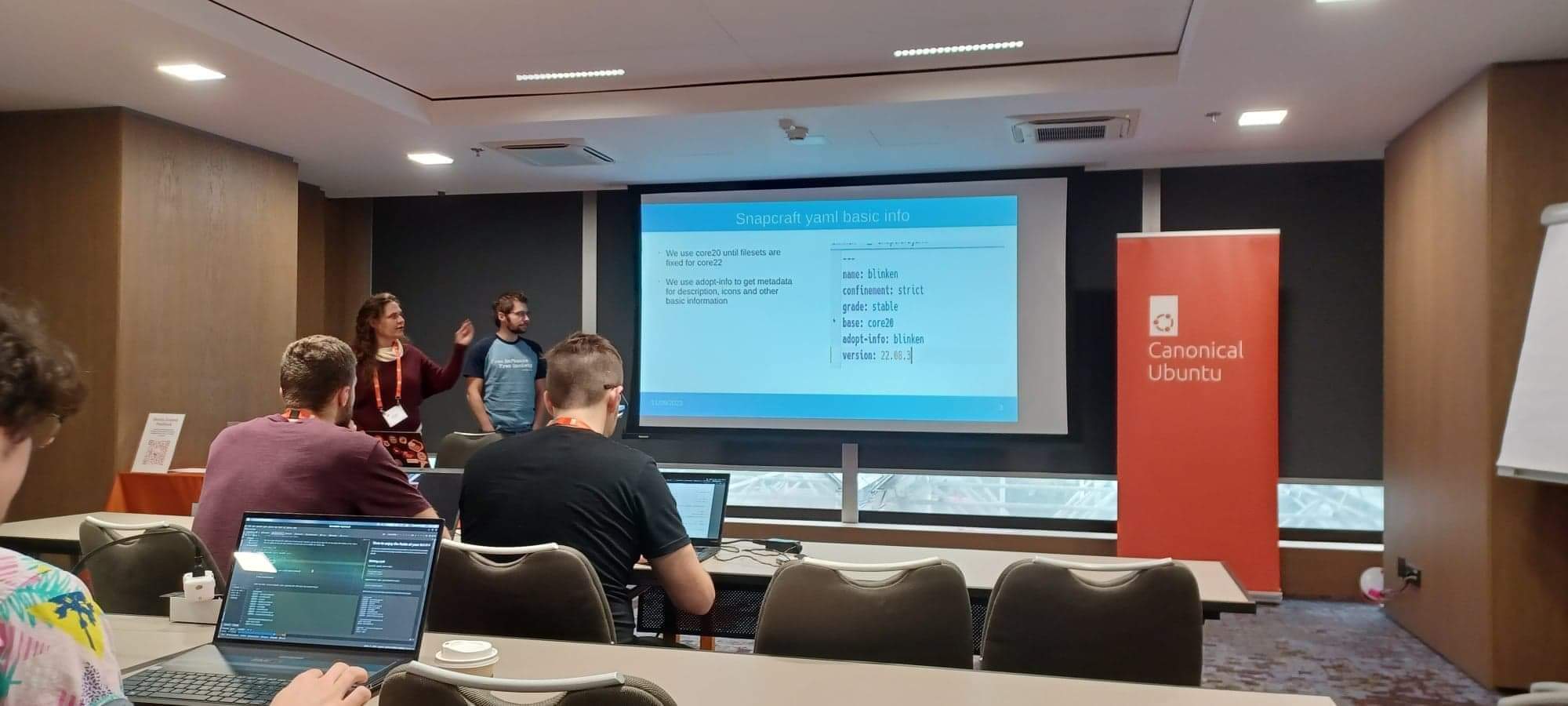
First, I would like to send a big Thank you! to Canonical for sponsoring my trip to Prague for the Ubuntu Summit! It was a great success. I saw some great talks and valuable workshops. I now know how to snap our applications the have daemons and services thanks to the Snapping Daemons and Services workshop. Prague itself is an amazing city. Wow. Just wow. I got to see old friends and meet many new ones. I will take away some wonderful memories. Did I mention a river cruise? Yes! It was great fun. I did a lightning talk with Jonathon and a Snapping Desktop Applications workshop with Olivier. The talk was lightning fast! But good practice for my speech giving skills ( a challenge for a shy person such as myself!) The workshop was great presentations of different ways snaps are done for different projects. The audience was smaller than I had hoped ( it was the end of the summit and many folks were wrapping up to leave.) I still left with a feeling of accomplishment. This week I will apply my new found knowledge and push out some more snaps!

12 November 2022

Debian Brasil: About Debian Brasil at Latinoware 2022

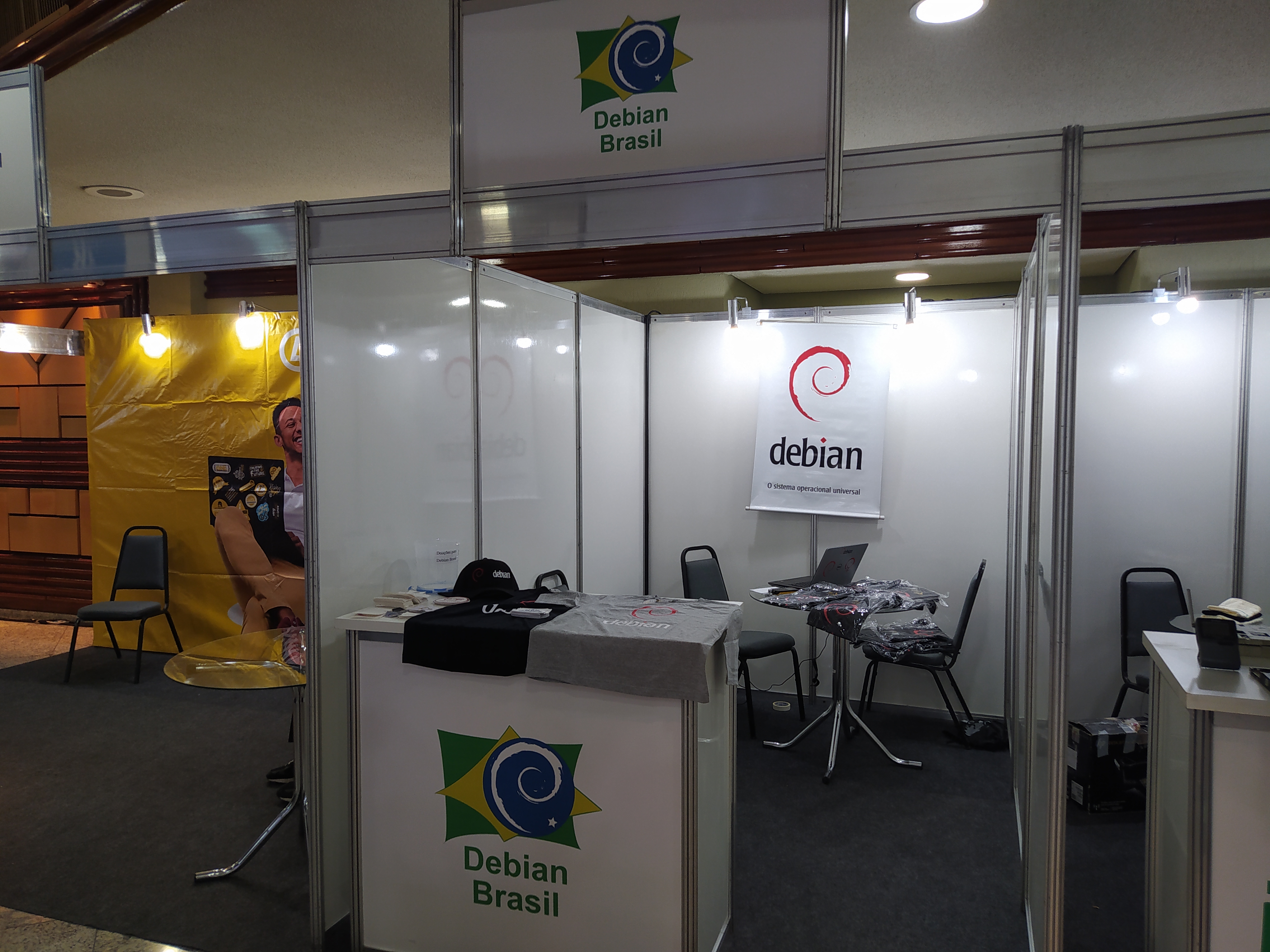
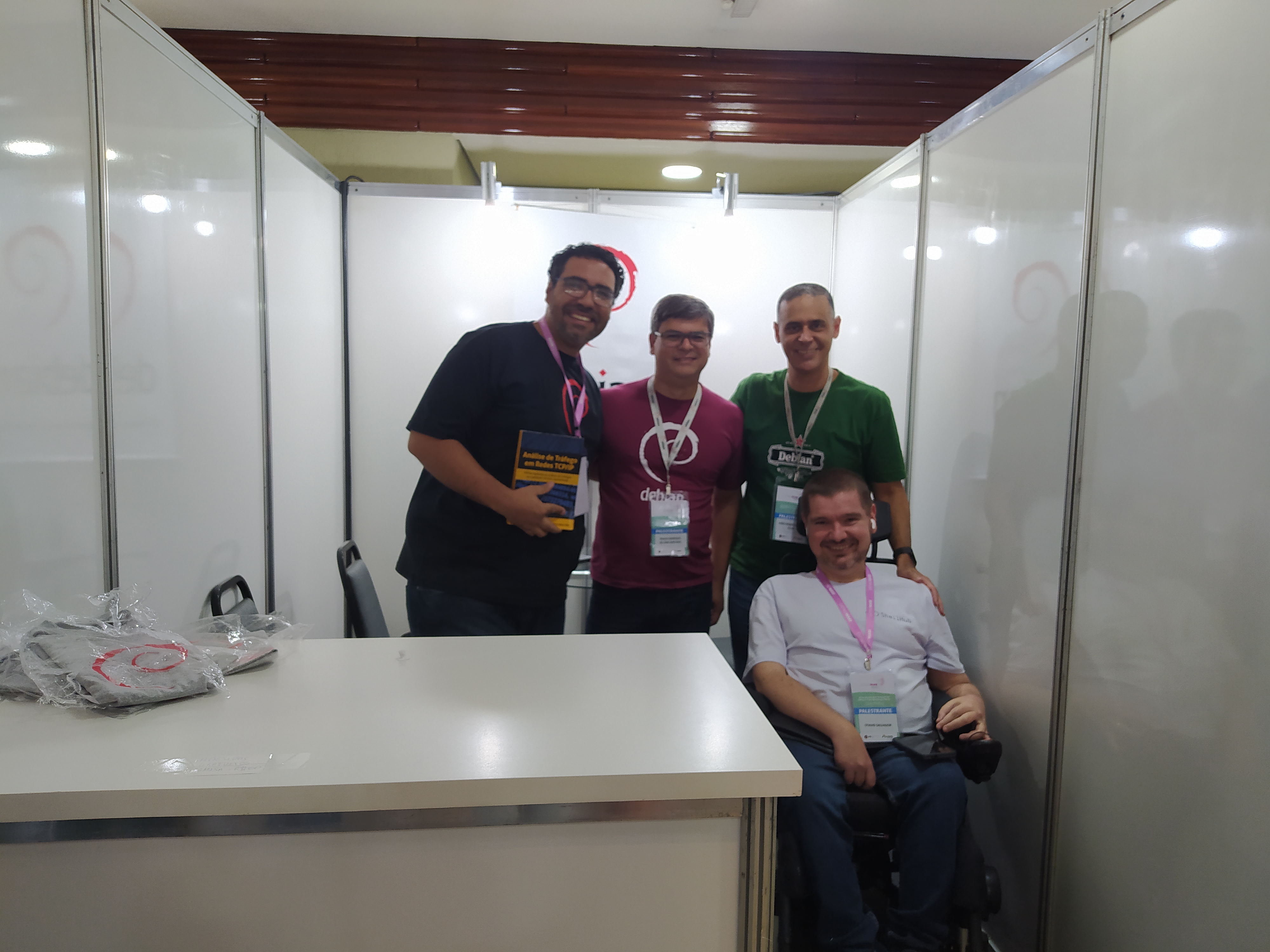
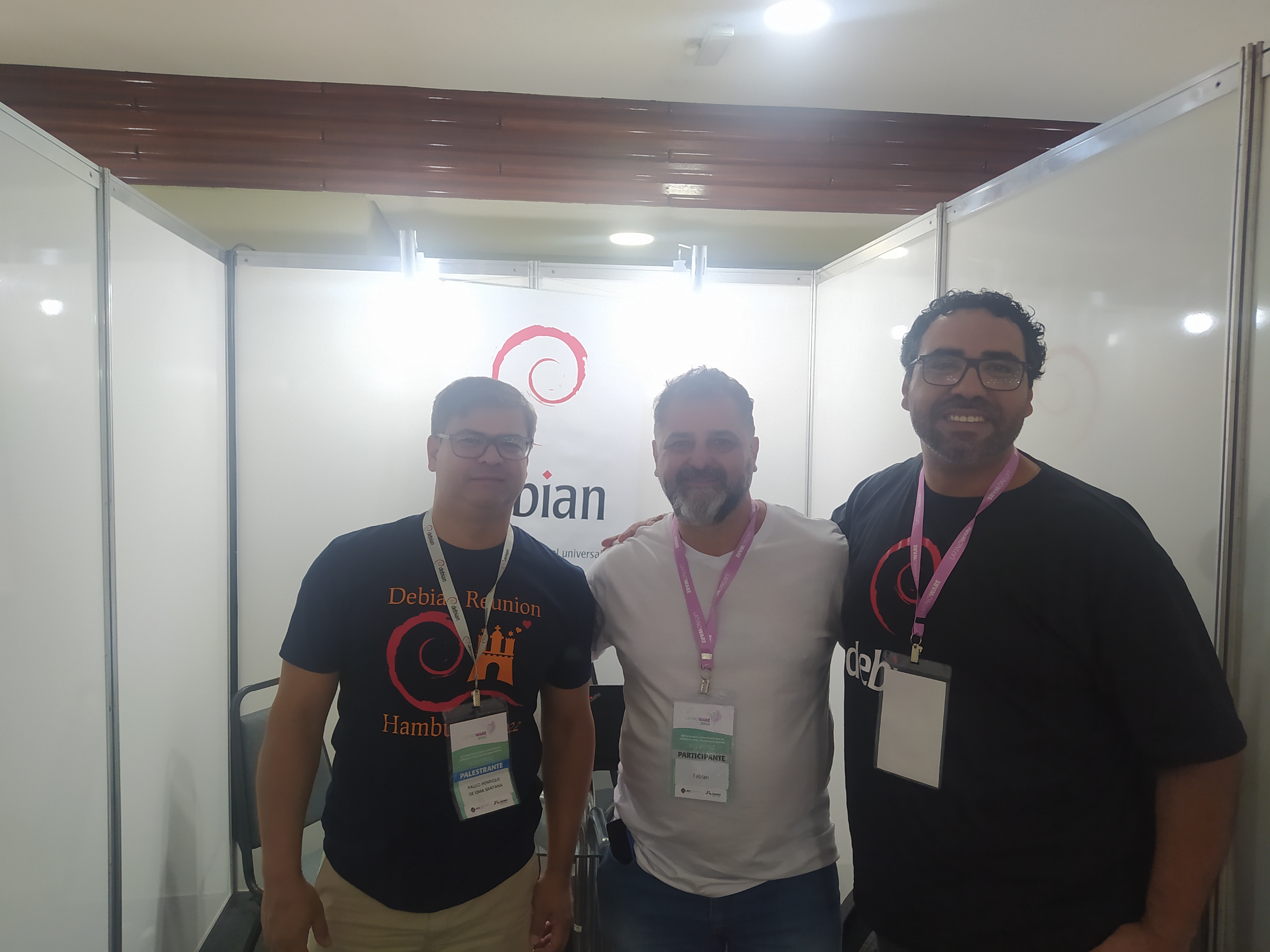
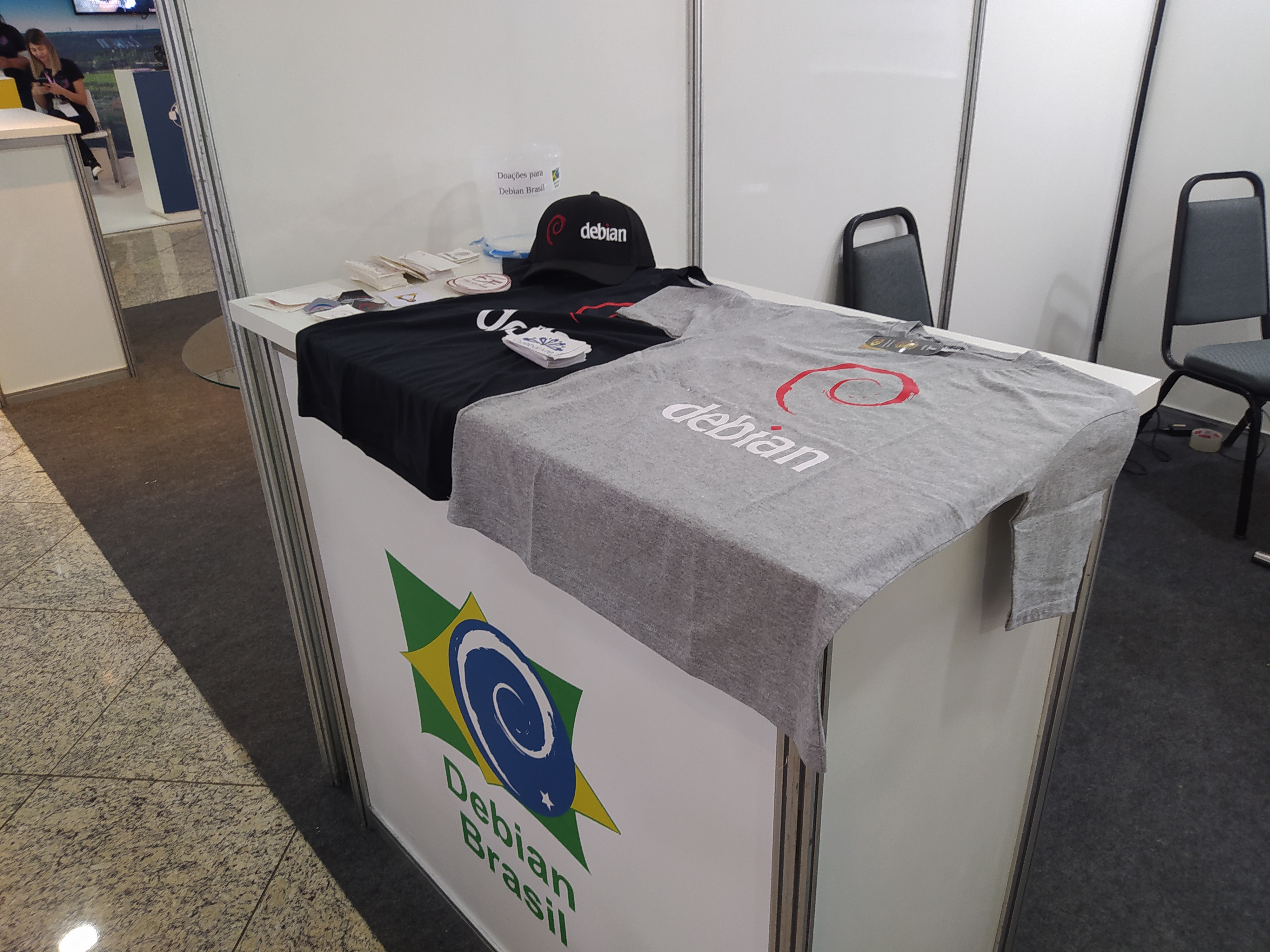
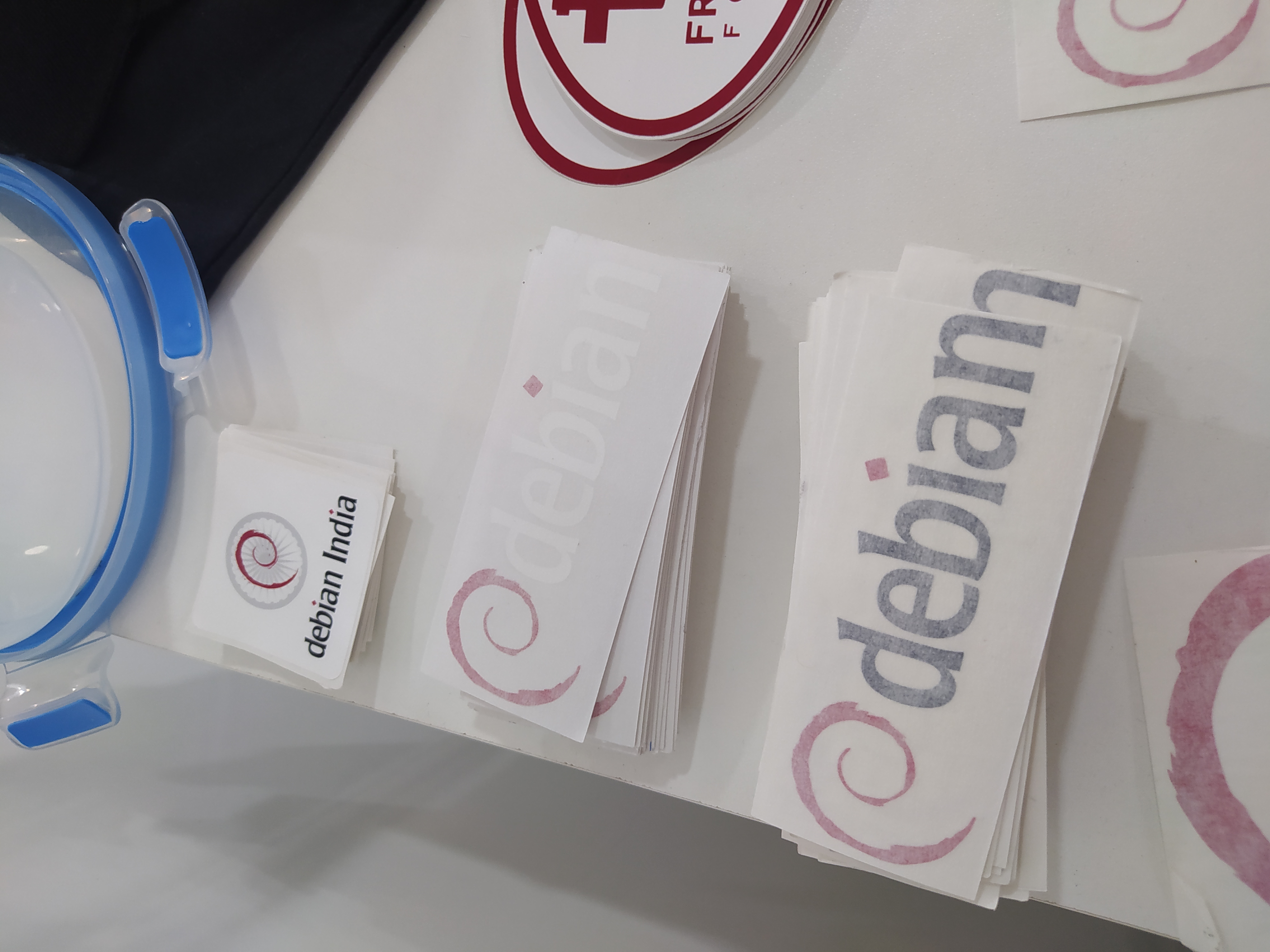
From November 2nd to 4th, 2022, the 19th edition of Latinoware - Latin American Congress of Free Software and Open Technologies took place in Foz do Igua u. After 2 years happening online due to the COVID-19 pandemic, the event was back in person and we felt Debian Brasil community should be there. Out last time at Latinoware was in 2016 The Latinoware organization provided the Debian Brazil community with a booth so that we could have contact with people visiting the open exhibition area and thus publicize the Debian project. During the 3 days of the event, the booth was organized by me (Paulo Henrique Santana) as Debian Developer, and by Leonardo Rodrigues as Debian contributor. Unfortunately Daniel Lenharo had an issue and could not travel to Foz do Igua u (we miss you there!). Latinoware 2022 booth 1 A huge number of people visited the booth, and the beginners (mainly students) who didn't know Debian, asked what our group was about and we explained various concepts such as what Free Software is, GNU/Linux distribution and Debian itself. We also received people from the Brazilian Free Software community and from other Latin American countries who were already using a GNU/Linux distribution and, of course, many people who were already using Debian. We had some special visitors as Jon maddog Hall, Debian Developer Emeritus Ot vio Salvador, Debian Developer Eriberto Mota, and Debian Maintainers Guilherme de Paula Segundo and Paulo Kretcheu. Latinoware 2022 booth 4 Photo from left to right: Leonardo, Paulo, Eriberto and Ot vio. Latinoware 2022 estande 5 Photo from left to right: Paulo, Fabian (Argentina) and Leonardo. In addition to talking a lot, we distributed Debian stickers that were produced a few months ago with Debian's sponsorship to be distributed at DebConf22 (and that were left over), and we sold several Debian t-shirts) produced by Curitiba Livre community). Latinoware 2022 booth 2 Latinoware 2022 booth 3 We also had 3 talks included in Latinoware official schedule. I) talked about: "how to become a Debian contributor by doing translations" and "how the SysAdmins of a global company use Debian". And Leonardo) talked about: "advantages of Open Source telephony in companies". Latinoware 2022 booth 6 Photo Paulo in his talk. Many thanks to Latinoware organization for once again welcoming the Debian community and kindly providing spaces for our participation, and we congratulate all the people involved in the organization for the success of this important event for our community. We hope to be present again in 2023. We also thank Jonathan Carter for approving financial support from Debian for our participation at Latinoware. Portuguese version
Debian Brasil: Participa o da comunidade Debian no Latinoware 2022

De 2 a 4 de novembro de 2022 aconteceu a 19 edi o do Latinoware - Congresso Latino-americano de Software Livre e Tecnologias Abertas, em Foz do Igua u. Ap s 2 anos acontecendo de forma online devido a pandemia do COVID-19, o evento voltou a ser presencial e sentimos que a comunidade Debian Brasil deveria estar presente. Nossa ltima participa o no Latinoware foi em 2016 A organiza o do Latinoware cedeu para a comunidade Debian Brasil um estande para que pud ssemos ter contato com as pessoas que visitavam a rea aberta de exposi es e assim divulgarmos o projeto Debian. Durante os 3 dias do evento, o estande foi organizado por mim (Paulo Henrique Santana) como Desenvolvedor Debian, e pelo Leonardo Rodrigues como contribuidor Debian. Infelizmente o Daniel Lenharo teve um imprevisto de ltima hora e n o pode ir para Foz do Igua u (sentimos sua falta l !). Latinoware 2022 estande 1 V rias pessoas visitaram o estande e aquelas mais iniciantes (principalmente estudantes) que n o conheciam o Debian, perguntavam do que se tratava o nosso grupo e a gente explicava v rios conceitos como o que Software Livre, distribui o GNU/Linux e o Debian propriamente dito. Tamb m recebemos pessoas da comunidade de Software Livre brasileira e de outros pa ses da Am rica Latina que j utilizavam uma distribui o GNU/Linux e claro, muitas pessoas que j utilizavam Debian. Tivemos algumas visitas especiais como do Jon maddog Hall, do Desenvolvedor Debian Emeritus Ot vio Salvador, do Desenvolvedor Debian Eriberto Mota, e dos Mantenedores Debian Guilherme de Paula Segundo e Paulo Kretcheu. Latinoware 2022 estande 4 Foto da esquerda pra direita: Leonardo, Paulo, Eriberto e Ot vio. Latinoware 2022 estande 5 Foto da esquerda pra direita: Paulo, Fabian (Argentina) e Leonardo. Al m de conversarmos bastante, distribu mos adesivos do Debian que foram produzidos alguns meses atr s com o patroc nio do Debian para serem distribu dos na DebConf22(e que haviam sobrado), e vendemos v rias camisetas do Debian produzidas pela comunidade Curitiba Livre. Latinoware 2022 estande 2 Latinoware 2022 estande 3 Tamb m tivemos 3 palestras inseridas na programa o oficial do Latinoware. Eu fiz as palestras: como tornar um(a) contribuidor(a) do Debian fazendo tradu es e como os SysAdmins de uma empresa global usam Debian . E o Leonardo fez a palestra: vantagens da telefonia Open Source nas empresas . Latinoware 2022 estande 6 Foto Paulo na palestra. Agradecemos a organiza o do Latinoware por receber mais uma vez a comunidade Debian e gentilmente ceder os espa os para a nossa participa o, e parabenizamos a todas as pessoas envolvidas na organiza o pelo sucesso desse importante evento para a nossa comunidade. Esperamos estar presentes novamente em 2023. Agracemos tamb m ao Jonathan Carter por aprovar o suporte financeiro do Debian para a nossa participa o no Latinoware. Vers o em ingl s

11 November 2022

Debian Brasil: Participa o da comunidade Debian no Latinoware 2022

De 2 a 4 de novembro de 2022 aconteceu a 19 edi o do Latinoware - Congresso Latino-americano de Software Livre e Tecnologias Abertas, em Foz do Igua u. Ap s 2 anos acontecendo de forma online devido a pandemia do COVID-19, o evento voltou a ser presencial e sentimos que a comunidade Debian Brasil deveria estar presente. Nossa ltima participa o no Latinoware foi em 2016 A organiza o do Latinoware cedeu para a comunidade Debian Brasil um estande para que pud ssemos ter contato com as pessoas que visitavam a rea aberta de exposi es e assim divulgarmos o projeto Debian. Durante os 3 dias do evento, o estande foi organizado por mim (Paulo Henrique Santana) como Desenvolvedor Debian, e pelo Leonardo Rodrigues como contribuidor Debian. Infelizmente o Daniel Lenharo teve um imprevisto de ltima hora e n o pode ir para Foz do Igua u (sentimos sua falta l !). Latinoware 2022 estande 1 V rias pessoas visitaram o estande e aquelas mais iniciantes (principalmente estudantes) que n o conheciam o Debian, perguntavam do que se tratava o nosso grupo e a gente explicava v rios conceitos como o que Software Livre, distribui o GNU/Linux e o Debian propriamente dito. Tamb m recebemos pessoas da comunidade de Software Livre brasileira e de outros pa ses da Am rica Latina que j utilizavam uma distribui o GNU/Linux e claro, muitas pessoas que j utilizavam Debian. Tivemos algumas visitas especiais como do Jon maddog Hall, do Desenvolvedor Debian Emeritus Ot vio Salvador, do Desenvolvedor Debian Eriberto Mota, e dos Mantenedores Debian Guilherme de Paula Segundo e Paulo Kretcheu. Latinoware 2022 estande 4 Foto da esquerda pra direita: Leonardo, Paulo, Eriberto e Ot vio. Latinoware 2022 estande 5 Foto da esquerda pra direita: Paulo, Fabian (Argentina) e Leonardo. Al m de conversarmos bastante, distribu mos adesivos do Debian que foram produzidos alguns meses atr s com o patroc nio do Debian para serem distribu dos na DebConf22(e que haviam sobrado), e vendemos v rias camisetas do Debian produzidas pela comunidade Curitiba Livre. Latinoware 2022 estande 2 Latinoware 2022 estande 3 Tamb m tivemos 3 palestras inseridas na programa o oficial do Latinoware. Eu fiz as palestras: como tornar um(a) contribuidor(a) do Debian fazendo tradu es e como os SysAdmins de uma empresa global usam Debian . E o Leonardo fez a palestra: vantagens da telefonia Open Source nas empresas . Latinoware 2022 estande 6 Foto Paulo na palestra. Agradecemos a organiza o do Latinoware por receber mais uma vez a comunidade Debian e gentilmente ceder os espa os para a nossa participa o, e parabenizamos a todas as pessoas envolvidas na organiza o pelo sucesso desse importante evento para a nossa comunidade. Esperamos estar presentes novamente em 2023. Agracemos tamb m ao Jonathan Carter por aprovar o suporte financeiro do Debian para a nossa participa o no Latinoware. Vers o em ingl s

Debian Brasil: About Debian Brasil at Latinoware 2022

From November 2nd to 4th, 2022, the 19th edition of Latinoware - Latin American Congress of Free Software and Open Technologies took place in Foz do Igua u. After 2 years happening online due to the COVID-19 pandemic, the event was back in person and we felt Debian Brasil community should be there. Out last time at Latinoware was in 2016 The Latinoware organization provided the Debian Brazil community with a booth so that we could have contact with people visiting the open exhibition area and thus publicize the Debian project. During the 3 days of the event, the booth was organized by me (Paulo Henrique Santana) as Debian Developer, and by Leonardo Rodrigues as Debian contributor. Unfortunately Daniel Lenharo had an issue and could not travel to Foz do Igua u (we miss you there!). Latinoware 2022 booth 1 A huge number of people visited the booth, and the beginners (mainly students) who didn't know Debian, asked what our group was about and we explained various concepts such as what Free Software is, GNU/Linux distribution and Debian itself. We also received people from the Brazilian Free Software community and from other Latin American countries who were already using a GNU/Linux distribution and, of course, many people who were already using Debian. We had some special visitors as Jon maddog Hall, Debian Developer Emeritus Ot vio Salvador, Debian Developer Eriberto Mota, and Debian Maintainers Guilherme de Paula Segundo and Paulo Kretcheu. Latinoware 2022 booth 4 Photo from left to right: Leonardo, Paulo, Eriberto and Ot vio. Latinoware 2022 estande 5 Photo from left to right: Paulo, Fabian (Argentina) and Leonardo. In addition to talking a lot, we distributed Debian stickers that were produced a few months ago with Debian's sponsorship to be distributed at DebConf22 (and that were left over), and we sold several Debian t-shirts) produced by Curitiba Livre community). Latinoware 2022 booth 2 Latinoware 2022 booth 3 We also had 3 talks included in Latinoware official schedule. I) talked about: "how to become a Debian contributor by doing translations" and "how the SysAdmins of a global company use Debian". And Leonardo) talked about: "advantages of Open Source telephony in companies". Latinoware 2022 booth 6 Photo Paulo in his talk. Many thanks to Latinoware organization for once again welcoming the Debian community and kindly providing spaces for our participation, and we congratulate all the people involved in the organization for the success of this important event for our community. We hope to be present again in 2023. We also thank Jonathan Carter for approving financial support from Debian for our participation at Latinoware. Portuguese version
8 November 2022

Antoine Beaupr : Using the bell as modern notification

Computer terminals have traditionally had an actual bell that would ring when a certain control character (the bell character, typically control-g or \a in an C escape sequence) would come in the input stream. That feature actually predates computers altogether, and was present in Baudot code, "an early character encoding for telegraphy invented by mile Baudot in the 1870s", itself superseding Morse code. Modern terminal emulators have, of course, kept that feature: if you run this command in a terminal right now:
printf '\a'
... you may hear some annoying beep. Or not. It actually depends on a lot of factors, including which terminal emulator you're using, how it's configured, whether you have headphones on, or speakers connected, or, if you're really old school, a PC speaker, even. Typically, I have this theory that it does the exact opposite of what you want, regardless of whether you have configured it or not. That is, if you want it to make noises, it won't, and if you want it to stay silent, it will make brutal, annoying noises in moments you would the least expect. I suspect this is a law in computer science, but I'm too lazy to come up with a formal definition. Yet something can be done with this.

Making the bell useful and silent Many terminal emulators have this feature where they can silence the bell somehow. It can be turned into a "visual bell" which basically flashes the screen when a bell arrives. Or that can also be disabled and the bell is just completely ignored. What I did instead is turn the bell into a "urgency hint" (part of the ICCCM standard. In xterm, this is done with this X resource entry (typically in ~/.Xresources):
XTerm*bellIsUrgent:  true
XTerm*visualBell: false
Interestingly, this doesn't clearly say "bell is muted", but it's effectively what it does. Or maybe it works because I have muted "System Sounds" in Pulseaudio. Who knows. I do have this in my startup scripts though:
xset b off
... which, according to the xset(1) manpage, means
If the dash or 'off' are given, the bell will be turned off.
Interestingly, you have the option of setting the bell "volume", "pitch, in hertz, and [...] duration in milliseconds. Note that not all hardware can vary the bell characteristics." In any case, I think that's the magic trick to turn the darn thing off. Now this should send urgency hints to your window manager:
sleep 3 ; printf '\a'
Try it: run the command, switch to another desktop, then wait 3 seconds. You should see the previous desktop show up in red or something. In the i3 window manager I am currently using, this is the default, although I did set the colors (client.urgent and urgent_workspace in bar.colors). Other window managers or desktop environments may require different configurations.

Sending a bell... Now that, on itself, will only be useful when something sets a bell. One place I had found a trick like this, long ago, is this post (dead link, archived) which has various instructions for different tools. I'll recopy some of them here since the original site is dead, but credit goes to the Netbuz blog. (Note that the blog post also features an Awesome WM configuration for urgency hints.)

Mutt
set beep=yes
set beep_new=yes

Irssi
/set beep_when_window_active ON
/set beep_when_away ON
/set beep_msg_level MSGS DCC DCCMSGS HILIGHT
It was also recommending this setting, but it appears to be deprecated and gives a warning in modern irssi versions:
/set bell_beeps ON

GNU Screen This is an important piece of the puzzle, because by default, terminal multiplexers have their own opinion of what to do with the bell as well:
# disabled: we want to propagate bell to clients, which should handle
# it in their own terminal settings. this  vbell off  is also the
# upstream and tmux's default
#
# see also: http://netbuz.org/blog/2011/11/x-bells-and-urgency-hints/
vbell off
# propagate bell from other windows up to the terminal emulator as well
bell_msg 'Bell in window %n^G'
The bell_msg bit is an extra from me: it uses the bell message that pops up when screen detects a bell in another window to resend the bell control character up to the running terminal. This makes it so a bell in any multiplexed window will also propagate to the parent terminal, which is not the default.

Tmux Untested, but that is apparently how you do it:
# listen to alerts from all windows
set -g bell-action any
# notice bell in windows
set -g monitor-bell on
# only propagate bell, don't warn user, as it hangs tmux for a second
set -g visual-bell off
# send bell *and* notify when activity (if monitor-activity)
set -g visual-activity both
Note that this config goes beyond what we have in GNU screen in that inactivity or activity will trigger a bell as well. This might be useful for cases where you don't have the prompt hack (below) but it could also very well be very noisy. It will only generate noise when monitor-activity is enabled though.

bash and shell prompts Now the icing on cake is to actually send the bell when a command completes. This is what I use this for the most, actually. I was previously using undistract-me for this, actually. That was nice: it would send me a nice desktop notification when a command was running more than a certain amount of time, and if the window was unfocused. But configuring this was a nightmare: because it uses a complex PROMPT_COMMAND in bash, it would conflict with my (already existing and way too) complex bash prompt, and lead to odd behaviors. It would also not work for remote commands, of course, as it wouldn't have access to my local D-BUS to send notifications (thankfully!). So instead, what I do now is systematically print a bell whenever a command terminates, in all my shells. I have this in my /root/.bashrc on all my servers, deployed in Puppet:
PROMPT_COMMAND='printf "\a"'
Or you can just put it directly in the shell prompt, with something like:
PS1='\[\a\]'"$PS1"
(I have the equivalent in my own .bashrc, although that thing is much more complex, featuring multi-command pipeline exit status, colors, terminal title setting, and more, which should probably warrant its own blog post.) This sounds a little bonkers and really noisy, but remember that I turned off the audible bell. And urgency hints are going to show up only if the window is unfocused. So it's actually really nice and not really distracting. Or, to reuse the undistract-me concept: it allows me to not lose focus too much when I'm waiting for a long process to complete. That idea actually came from ahf, so kudos to him on that nice hack.

Caveats That is not setup on all the machines I administer for work, that said. I'm afraid that would be too disruptive for people who do not have that configuration. This implies that I don't get notifications for commands that run for a long time on remote servers, most of the time. That said, I could simply run a command with a trailing printf '\a' to get a notification. This might not work in Wayland, your window manager, your desktop environment, your Linux console, or your telegraphy session.

4 November 2022

Louis-Philippe V ronneau: Book Review: Chokepoint Capitalism, by Rebecca Giblin and Cory Doctorow

Two weeks ago, I had the chance to go see Cory Doctorow at my local independent bookstore, in Montr al. He was there to present his latest essay, co-written with Rebecca Giblin1. Titled Chokepoint Capitalism: How Big Tech and Big Content Captured Creative Labor Markets and How We'll Win Them Back, it focuses on the impact of monopolies and monopsonies (more on this later) on creative workers. The book is divided in two main parts: A picture of the book cover Although Doctorow is known for his strong political stances, I have to say I'm quite surprised by the quality of the research Giblin and he did for this book. They both show a pretty advanced understanding of the market dynamics they look at, and even though most of the solutions they propose aren't new or groundbreaking, they manage to be convincing and clear. That is to say, you certainly don't need to be an economist to understand or enjoy this book :) As I have mentioned before, the book heavily criticises monopolies, but also monopsonies a market structure that has only one buyer (instead of one seller). I find this quite interesting, as whereas people are often familiar with the concept of monopolies, monopsonies are frequently overlooked. The classic example of a monopsony is a labor market with a single employer: there is a multitude of workers trying to sell their labor power, but in the end, working conditions are dictated by the sole employer, who gets to decide who has a job and who hasn't. Mining towns are good real-world examples of monopsonies. In the book, the authors argue most of the contemporary work produced by creative workers (especially musicians and writers) is sold to monopsonies and oligopsonies, like Amazon2 or major music labels. This creates a situation where the consumers are less directly affected by the lack of competition in the market (they often get better prices), but where creators have an increasingly hard time making ends meet. Not only this, but natural monopsonies3 are relatively rare, making the case for breaking the existing ones even stronger. Apart from the evident need to actually start applying (the quite good) antitrust laws in the USA, some of the other solutions put forward are: Overall, I found this book quite enjoying and well written. Since I am not a creative worker myself and don't experience first-hand the hardships presented in the book, it was the occasion for me to delve more deeply in this topic. Chances are I'll reuse some of the expos s in my classes too.

  1. Professor at the Melbourne Law School and Director of the Intellectual Property Research Institute of Australia, amongst other things. More on her here.
  2. Amazon owns more than 50% of the US physical book retail market and has an even higher market share for ebooks and audiobooks (via Audible). Not only this, but with the decline of the physical book market, audiobooks are an increasingly important source of revenue for authors.
  3. Natural monopolies happen when it does not make economic sense for multiple enterprises to compete in a market. Critical infrastructures, like water supply or electricity, make for good examples of natural monopolies. It simply wouldn't be efficient to have 10 separate electrical cables connecting your house to 10 separate electric grids. In my opinion, such monopolies are acceptable (and even desirable), as long as they are collectively owned, either by the State or by local entities (municipalities, non-profits, etc.).

3 November 2022

Arturo Borrero Gonz lez: New OpenPGP key and new email

Post logo I m trying to replace my old OpenPGP key with a new one. The old key wasn t compromised or lost or anything bad. Is still valid, but I plan to get rid of it soon. It was created in 2013. The new key id fingerprint is: AA66280D4EF0BFCC6BFC2104DA5ECB231C8F04C4 I plan to use the new key for things like encrypted emails, uploads to the Debian archive, and more. Also, the new key includes an identity with a newer personal email address I plan to use soon: arturo.bg@arturo.bg The new key has been uploaded to some public keyservers. If you would like to sign the new key, please follow the steps in the Debian wiki.
-----BEGIN PGP PUBLIC KEY BLOCK-----
mQINBGNjvX4BEADE4w5x0SQmxWLAI1R17RCC98ngTkD/FMyos0GF5xmv0VJeLYhw
x6oJRmiNGHY8+gjq7SyVCWmlwbLKBEPFNI1k5WcrTB+ClgGkWB5KBnbLKm6CSP4N
ccSbrUQrZW+zxk3Q5h3CJljZpmflB2dvRfnDMSSaw8zOc37EtszW3AVVKNYAu3wj
mXpfwI72/OSELhSvhkr51L+ZlEYUMCITeO+jpiWsnU+sA8oKKPjW4+X8cjrN4eFa
1PAPILDf+Omst5SKM2aV5LGZ8rBzb5wNJF6yDexDw2XmfbFWLOfYzFRY6GTXJz/p
8Fh6O1wkHM9RnwmesCXTtkaGQsVFiVsoqGFyzrkIdWPUruB3RG5EzOkapWi/cnbD
1sy7yrUgy99Ew5yzmLaZ40hmRyq/gBBw4yRkdQaddbkErx+9hT+2tJELa5wrmWkb
FtaVZ38xC6gacOZqRjp0Xqtr0jobI0vED8vzIyY0zJwWM0Hu6qqq4hkLWZHjCy8a
T5Oe/Cb78Kqwa2mzJfncDahPxcgxpnbkYdvKokRtNBDftLVEz+Do8Dczw7Me4BoK
HmU8wLyeGeDTmeoBXpxKH90T+rQokgsiiD13bWZ+nBxILun1tjOTVVONG6SHdP3f
unolq8SU3K+m67lLa+pWjyYcNRS2OTWGOz/1zsH2R39ZOyfGD09/10aAKwARAQAB
tC1BcnR1cm8gQm9ycmVybyBHb256YWxleiA8YXJ0dXJvLmJnQGFydHVyby5iZz6J
AlQEEwEKAD4WIQSqZigNTvC/zGv8IQTaXssjHI8ExAUCY2O9fgIbAwUJA8JnAAUL
CQgHAwUVCgkICwUWAgMBAAIeAQIXgAAKCRDaXssjHI8ExCZdD/9Z3vR4sV7vBED4
+mCjdNWWf/mw5YlkZo+XQiMVVss4HfQLdt7VxXgGdcOz5Hond9ax3+qeCEo4DdXq
TC0ACpSCu/TPil6vzbE/kO6i6a4oZjFyteAbbcMXP35stbtDM0U5EZH0adIKknfF
msIPTIdJ/dpkcshtBJIoPqjuuTEBa7bF3OYCajHVqwP4Wsgjy4TvDOwl3hy7bhrQ
ZZHqbh7kW40+alQYaJ8jDvbDh/jhN1/pEiZS9ETu0JfBAF3PYPRLW6XedvwZiPWd
jTXwJd0E+vN5LE1Go8OaYvZb9iitZ21UaYOUnFuhw7SEOSQGfEUBs39+41gBj6vW
05HKCEA6kda9NpfptMbUoSSU+hwRfNA5TdnlxtcRv4NqUigzqa1LoXLdxTsyus+K
BL7dRpKXc72JCrEA3vClisD2FgsxLLRCCSDVM8UM/it/YW7tv42XuhQkTW+okQX4
c5laMzTL+ZV8UOoshseTDOsQsdXhskdnWbnuSwAez2/Dd1gHczuN/+lPiiEnyaTF
XgH17K/F25+92MmwPQcFRVPQcYcbyx1VylA6aCgK6gOEqHCejlZv5XLouzbQh1j1
k6MjUR1ncz8vPV5xSuOMAISqozJ9GxUZT2O3o9Vc9pNg5UEzqTvyURgLOdie8yM4
T93S3nKuHVZ++ZVxEOlPnfEfbFP+xbQrQXJ0dXJvIEJvcnJlcm8gR29uemFsZXog
PGFydHVyb0BkZWJpYW4ub3JnPokCVAQTAQoAPhYhBKpmKA1O8L/Ma/whBNpeyyMc
jwTEBQJjY73LAhsDBQkDwmcABQsJCAcDBRUKCQgLBRYCAwEAAh4BAheAAAoJENpe
yyMcjwTEMKQQAIe18Np+jdhwxHEFZNppBQ69BtyrnPQg4K5VngZ0NUZdVi+/FU7q
Tc9Z1qNydnXgmav3dafL2/l5zDX9wz7mQD2F0a6luOxZwl1PE6iP5f3cUD7uC9zb
148i1bZGEJbO4iNZKTlJKlbNR9m1PG47pv964CHZnNGp6lsnEspxe2G8DJD48Pje
gbhYukgOtIhQ1CaB1fc8aVwZvXZVSbNBLAqp7pAGhTFJqzHE8/U0sn1/V/wPzFAd
TZtWzKfYAkIIFJI5Rr6LVApIwIe7nWymTdgH4crCd2GZkGR+d6ihPKVSxUAUfoAx
EJQUSJY8rYi39gSDhPuEoK8BYXS1nWFGJiNV1o8xaljQo8rNT9myCaeZuQBLX41/
LRzK4XrxYPvjZpKNucc7fSK+UFriQGzdcAaWtW45Kp/8GmAoLVyCD0DPZNWNJdxp
IORhB33aWakhvDKgaLQa16MJ8fSc3ytn/1lxWzDXA1j05i81y/AOKPtCwBKzQWPF
biuZs3kJgZagLq6L6VOQDHlKqf+jqfl1fWeo04iDg98e0TYKABUfiTz8/MdQcV/X
8VkCgtuZ8BcPPyYzBjvuXWZTvdu0n2pikqAPL4u2cbWfD8JIP2AVCJp9HMGKvENo
XcJgY4h6T3rrC/9EidxECfXlsDbUJxLq0WfJLik84+LRtde3kZiReaIRtC5BcnR1
cm8gQm9ycmVybyBHb256YWxleiA8YXJ0dXJvQG5ldGZpbHRlci5vcmc+iQJUBBMB
CgA+FiEEqmYoDU7wv8xr/CEE2l7LIxyPBMQFAmNjvd8CGwMFCQPCZwAFCwkIBwMF
FQoJCAsFFgIDAQACHgECF4AACgkQ2l7LIxyPBMSP/g/+MHmxCAi/X+NMHodg9Qou
wEG4Vf1uluAE6c+c1QECCdtSsRjBs1dZoJzGsA23t4LWqluyaptuLDWJQEz+EVKR
mG0bvvropNaoOEShnY069pg7lUHuO/GLeDRhfEH3KT45sIVbLly8QkoGaINSCDLe
RBNaHC6feIC8NfQzQEt72nbi4SgdSQUg0F3lj4WxxECVhXsw/YCqh1d3QYqwRVEE
lCGQ4EbavjtRhO8U7dcL1VwHemKHNq3XvM3PJf1OoPgxWqFW5rHbAdlXdN3WAI6u
DAy7kY+qihz3w6rIDTFq6I3YBTrZ44J+5mN21ZC2iDXAsa/C3Uam0vFsjs/pizuq
WgGI9Vmsyap+bOOjuRSX4hemZoOT4a2GC723fS1dFresYWo3MmwfA3sjgV5tK3ZN
XIpxYIvi6HAHLOAarDaE8Sha1GHvrmPwfZ+cEgTL0mqW3efSF3AFmGHduMB+agzK
rM9sksrRQhbY2fHnBLo1t06SQx3rmhlz5mD1ljQEIzna9D6QKleRu4hgImRLHnCB
CN3o+mZa1MHhaIFzViaD2i3Fv2+bYgT7vnS4QAneLW8O/ZgpAc2MUxMoci5JNyfJ
mWdae7Kbs4Z8rrt/mH2gYyioSB0po4VtVwKWEUW9cLtZusA6mFnMviFpfjakb9TX
MimBAv9hAYpxd+HdfHinmqS0MEFydHVybyBCb3JyZXJvIEdvbnphbGV6IDxhYm9y
cmVyb0B3aWtpbWVkaWEub3JnPokCVAQTAQoAPhYhBKpmKA1O8L/Ma/whBNpeyyMc
jwTEBQJjY735AhsDBQkDwmcABQsJCAcDBRUKCQgLBRYCAwEAAh4BAheAAAoJENpe
yyMcjwTEGooP/20PR5N34m7CNtyaO96H5W0ULuAuSNuoXaKWDo5LGU6zzDriXbIu
ryYtR66vWF5suf7fHZYX8Ufq4PEsG1UNYEGA9hnjPg3oVwGzBJI7f6Rl2P5Pc8wJ
Eq2kN/xKmfUKIrvgh1f5xgFqC4hzcLDkVlLsPowZWfep8dLY4mtVrsrCD1URhelw
zRDGZ3rTVHWXmfXbSHWR2bgZIIrCtVF8BHStg5b6HuAWpj4Oa0eMfBde0N2RZkLE
ye/r2y/lraHfpT7MXnRMcEmltrv8fic7yvj/Nh4ESWr7UmfbV+GiSw9dc/AlVMXM
ihaW0eXv4F5uMtLJOiqI7bv3UfWSvoqwf2a8EPnzOeBBHhQOOJN7O4UzKBK5GAO8
C3k0I1AV3cTmrXrqT/5yoYAHSekDFCIPES//6Y/pO0ITtCbXkA5e8vaulJbtyXpE
g0Z7I7M1kikL6reZ2PuzsR0psEb/x81bWXODIegyOJolPXMRAY7n9J0xpCnSW9yr
CN4j6YT3Oame04JslwX5Xg1cyheuiusotETYNSKRaGaYBCxYffOWoTLNIBa+RCGc
SVOzJq5pd8fVRM1h2ZZFnfpPJBUb62qPsbk6VwmesGoGevB70zcNQYEI+c35kRfM
IOuJWRIN3Wxx0rpxb5E3i/3TASHM86Dix1VW9vsC/atGU/cgaoTOiNVztDdBcnR1
cm8gQm9ycmVybyBHb256YWxleiA8YXJ0dXJvLmJvcnJlcm8uZ2xlekBnbWFpbC5j
b20+iQJUBBMBCgA+FiEEqmYoDU7wv8xr/CEE2l7LIxyPBMQFAmNjvg8CGwMFCQPC
ZwAFCwkIBwMFFQoJCAsFFgIDAQACHgECF4AACgkQ2l7LIxyPBMS7NA/9F7OL/j7a
xnTDjxAHEiyrCzrBQc/DEAM/yim8E+0UBeTJSZR/bShtbvLbSukeL43tKksPhN/X
skjRF8sJ8KWUnpmSWjv1DQTh7AtkJqACnq7+VtQZq3yuKUCNRNpM8lSFxtmYDUqE
XXD4eMXKoJfdphQ+qpViba+RGXg6sd69Dq739zT/OFMuKZ33z8h7hVNXmoWGcBz6
txvN3cWVJhTLdiBvtn38/0dX7IupQLypLOtP0oZdjoUjkRxTo5biOxt3hUGnxS4x
97PPeRGc4j7lv5ADwFV8bo+g54ZMGRjOcyZmA7dlWFN51JrTx3udW2jgXkYqm7UM
xP4lNwDs9TmT3jan6wR08uwlDakOXfDm3gCQEviN+350sJs2tY+JKBN4QR7NpqeU
2aDFOo0G/0ggf0QbFsMkaTSozerVHRGXMdAi+pbYA6pPWPu8lHIkvvdoj4xUu+Ko
cHX0DCRxmL9mylTbZEanrp5gSpne79McrkbQX2/Yc8lWykCtL5/jHVTD4iNiO5Rf
IJYPAVmC2nlj2URfzwGjjoL5apTStZfng4H2Ccq+3cmhwOXI7pb+PsGeI5PND00A
qHFxe590HFhPxLHoftMIlspstoCvHYGcWQxHNbXW6ccmhHdNYT8Pn4ecKgfr6pCt
0ysilOD2ppPJ88hffKA4nTdtX2Tz2ZwOYwG5Ag0EY2O9fgEQALrapVuv1IcLDit8
9gejdA/Dtlufb2/baImVaQD+dTx2QdMxxEiNKl00a5OhMzXDj9tFrB1Lv4z0t8cY
iDJ+NuydDGgz3MlJgWW0GlpAz8yiul2iqTnkWl3cWeiI+VaX8wzL+acmmkPvlrN8
hM7I55BPr8uBWVIQ7VDmI+ts8gi73xE+Etzzrh13GSSnnYnezfGUQrNfYFcip7D0
hB3bpUIGiPdQ45vSZqXUQx/B6FlabiIGRau8Rt4vaEBGXGFZ9rIR+rMJWx6GqYX4
uY1KM2JZ3SKHk++MWGYdzHdM2oaP6xckZq+u/WiwutkYLLO2hnr03lcAu1IDT1C1
YNPrbTKfqUt+3r0oUK5BrG1Cjdc1mZqcXzYcexOLp79FJLb0t5wPdfgU8dT10kjE
uQxeSYiS4oSpikVQkKoFk++/U95d/z/y/81A6v+cfRus6mW+wRSFSwks7Q5ct7zW
UyKELLC4i4EDgnJXmavVcBD0TWzhH/rZpz9FsO4Mb18IYwbV1/144019/RjiPk5Z
MMNdsjorjV2MtrCIoeAGRgZhbFP2P7CcZOp6ZWzjj40ENlElbLp3VCfkYcTiPHJv
2iaiDz2Mhfmhb1Q/5d/a9tYTYINPmv2QVo+m5Zf+1/U29d2HZMRhD4aqDsivvgtd
GpAnKeus6ePSMqpwjO6v2bmQhjpbABEBAAGJAjwEGAEKACYWIQSqZigNTvC/zGv8
IQTaXssjHI8ExAUCY2O9fgIbDAUJA8JnAAAKCRDaXssjHI8ExA5AD/9VWS1/jHM9
aE3HKCDL4CpiXQPc4ds+3/ft6LXwuCMA/tkt8I4svKZGCCi/X5NfiQetVD+cSzVO
nmloctMt/24yjnGNNSFsDozkn/RqzZIhLJBI69gX4JWR4wpeh4kXMItNM5ZlYw3H
DmuLrf/ey8E2NzbFdzj1VQNoENuwtL2pIJrvK92AcS7acvP0FpiS8riLc5a933SW
oPgelQ1j/04WAH8cyKXB/pruq3OhtK0/b8ylIeI0f7a57dxQj5wysyBVKl+EJd/n
UhypVqMDRWL7N0FttGb9gZ6OVvQnt7iwbtS3tYqAK479+GZwi/Wh/RB2dCDyz8jk
zE0j6y7huP4XzpbBbPVntLDdVAYmpW6iIaTWYxlu79FEUw4JmZdY7hJoEDpHuDIz
ylo0YQgjnRfRfWSdnGCosFrY5UgThPVTaQAILCPtdVyWY4/6s1UaeNs3H0PRA5mz
UT4vDKxGq9gXHnE+qg3dfwMcLR3cDPPWUFVeTfNitZ3Y9eV7SdbQXt5NeOXzFadz
DBc9ZzNx3rBEyUUooU0MEmbltyUFM7R/hVcdpFxs12SgHrvgh13tuxVVVNBXTwwo
pSxmap42vHJERQ8ZJQ4lrvnxNZcuwLHSZK7xVzb0b/1wMooNnhw18vlStMWQJwKl
DiXs/L/ifab2amg9jshULAPgVSw7QeP2OQ==
=UABf
-----END PGP PUBLIC KEY BLOCK-----
If you are curious about what that long code block contains, check this https://cirw.in/gpg-decoder/ For the record, the old key fingerprint is: DD9861AB23DC3333892E07A968E713981D1515F8 Cheers!

2 November 2022

Antoine Beaupr : A typical yak shaving session

Someone recently asked what yak shaving means and, because I am a professional at this pastime, I figured I would share my most recent excursion in the field. As a reminder, "yak shaving" describes a (anti?) pattern by which you engage in more and more (possibly useless) tasks that lead you further and further away from your original objective. The path I took through the yak heard is this:
  1. i wondered if i can use my home network to experiment with another VPN software (e.g. Wireguard instead of IPsec)
  2. then i tried Tailscale because I heard good things about it, and they have an interesting approach to opensource
  3. I wasn't happy with that, so i tried an IPv6 tunnel
  4. that broke after a few minutes, so i went on to try deploying Wireguard with Puppet), which involved reviewing about 4 different Puppet modules
  5. while I was there, I might as well share those findings with the community, so I publish that as a blog post
  6. someone else mentions that Nebula (from Slack) is a thing, but after investigation, it's not well packaged in Debian, so didn't test it, but add it to the blog post
  7. now that I found the right Puppet module, I tried to deploy it with Puppet's g10k, which requires me to input a checksum
  8. I got lazy and figured if i would put the checksum wrong, it would tell me what the right checksum was, but it didn't: instead it silently succeeded instead of failing, which seemed really bad
  9. then I looked upstream for such a bug report and saw that the Debian package was many versions behind and, because I'm on the Golang packaging team, I figured I would just do the upgrade myself
  10. then there were problems with the Debian-specific patch trying to disable network tests, so i rewrote the patch
  11. ... but ended up realizing basically all tests require the network, so I just disabled the build-time tests
  12. ... but then tried to readd it to Debian CI instead, which didn't work
At that point, I had given up, after shaving a 12th yak. Thankfully, a kind soul provided a working test suite and I was able to roll back all those parenthesis and:
  1. test the g10k package and confirm it works (and checks the checksums)
  2. upload the package to the Debian archive
  3. deploy the package in my Puppet manifests
  4. deploy a first tunnel
You'll also notice the work is not complete at all. I still need to: Also notice the 8th yak, above, which might be a security issue. I wasn't able to confirm it, because g10k does some pretty aggressive caching, and I could "reproduce" it in the sense that the checksum wasn't checked if it exists in the cache. So it might have just been that I had actually already deployed the module before adding the checksum... but I still had that distressing sentiment:
<anarcat> there's a huge yak breathing down my neck with "CVE" written in large red letters on the side
<anarcat> i'm trying to ignore it, it stinks like hell
Hopefully it's nothing to worry about. Right? Riiight. Oh. And obviously, writing this blog post is the sugar on top, the one last yak that is self-documented here.

1 November 2022

Jonathan Dowland: Halloween playlist 2022

I hope you had a nice Halloween! I've collected together some songs that I've enjoyed over the last couple of years that loosely fit a theme: ambient, instrumental, experimental, industrial, dark, disconcerting, etc. I've prepared a Spotify playlist of most of them, but not all. The list is inline below as well, with many (but not all) tracks linking to Bandcamp, if I could find them there. This is a bit late, sorry. If anyone listens to something here and has any feedback I'd love to hear it. (If you are reading this on an aggregation site, it's possible the embeds won't work. If so, click through to my main site) Spotify playlist: https://open.spotify.com/playlist/3bEvEguRnf9U1RFrNbv5fk?si=9084cbf78c364ac8; The list, with Bandcamp embeds where possible: Some sources

  1. Via Stuart Maconie's Freak Zone
  2. Via Mary Anne Hobbs
  3. Via Lose yourself with
  4. Soma FM - Doomed (Halloween Special)

Louis-Philippe V ronneau: Montreal's Debian & Stuff - October 2022

Our local Debian user group gathered on Sunday October 30th to chat, work on Debian and do other, non-Debian related hacking :) This time around, we met at EfficiOS's1 offices. As you can see from the following picture, it's a great place and the view they have is pretty awesome. Many thanks for hosting us! The view from EfficiOS' offices, overlooking the Mont-Royal This was our 4th meeting this year and once again, attendance was great: 10 people showed up to work on various things. Following our bi-monthly schedule, our next meeting should be in December, but I'm not sure it'll happen. December can be a busy month here and I will have to poke our mailing list to see if people have the spoons for an event. This time around, I was able to get a rough log of the Debian work people did: pollo: mjeanson: viashimo: lavamind: anarcat: babelouest: tvaz: As always, thanks to the Debian project for granting us a budget to buy some food!

  1. Makers of the awesome LTTng project, amongst other things.

31 October 2022

Jonathan Dowland: Cosey Fanni Tutti - Guitar/Amplitude

I haven't posted a crate digging picture for a while: Amongst other distractions, I needed to replace my turntable needle. The dead needle lasted me about 20 years, although a fair chunk of that was not spent not doing anything.
yellow 7inch record playing
I love Cosey Fanni Tutti's solo work, as well as her stuff with Chris Carter and some other collaborations: although I was familiar with Throbbing Gristle, it was the live experiment Carter Tutti Void and the recording of it pressed as Transverse that got me interested. "Tutti" was one of my top albums of 2019. Her autobiography Art, Sex, Music was fascinating. I haven't read the follow-up, Re-Sisters yet, but it's on my list. The Arena documentary she was involved with DELIA DERBYSHIRE: THE MYTHS AND THE LEGENDARY TAPES was fabulous. I've yet to hear Tutti's soundtrack album taken from it. This morning's record is a 7" from Electronic Sound magazine with two dark ambient instrumental pieces.

30 October 2022

Utkarsh Gupta: FOSS Activites in October 2022

Here s my (thirty-seventh) monthly but brief update about the activities I ve done in the F/L/OSS world.

Debian
This was my 46th month of actively contributing to Debian. I became a DM in late March 2019 and a DD on Christmas 19! \o/ There s a bunch of things I do, both, technical and non-technical. Here are the things I did this month:

Debian Uploads
  • ruby-espeak (1.1.0-1) - New upstream version, v1.1.0.

Other $things:
  • Being an AM for Arun Kumar, process #1024. Process completed. \o/
  • Sponsoring stuff for non-DDs.
  • Mentoring for newcomers.
  • Moderation of -project mailing list.

Ubuntu
This was my 21st month of actively contributing to Ubuntu. Now that I joined Canonical to work on Ubuntu full-time, there s a bunch of things I do! \o/ I mostly worked on different things, I guess. I was too lazy to maintain a list of things I worked on so there s no concrete list atm. Maybe I ll get back to this section later or will start to list stuff from the fall, as I was doing before. :D

Debian (E)LTS
Debian Long Term Support (LTS) is a project to extend the lifetime of all Debian stable releases to (at least) 5 years. Debian LTS is not handled by the Debian security team, but by a separate group of volunteers and companies interested in making it a success. And Debian Extended LTS (ELTS) is its sister project, extending support to the Jessie release (+2 years after LTS support). This was my thirty-seventh month as a Debian LTS and twenty-eighth month as a Debian ELTS paid contributor.
I worked for 35.00 hours for LTS and 25.00 hours for ELTS.

LTS CVE Fixes and Announcements:
  • Issued DLA 3146-1, fixing CVE-2022-2928 and CVE-2022-2929, for isc-dhcp.
    For Debian 10 buster, these problems have been fixed in version 4.4.1-2+deb10u2.
  • Issued DLA 3165-1, fixing CVE-2022-43680, for expat.
    For Debian 10 buster, these problems have been fixed in version 2.2.6-2+deb10u6.
  • Issued DLA 3166-1, fixing CVE-2022-29970, for ruby-sinatra.
    For Debian 10 buster, these problems have been fixed in version 2.0.5-4+deb10u1.
  • Uploaded dropbear to fix CVE-2021-36369 in buster. Waiting for ELTS upload to issue the DLA. But will do soon now.
  • src:joblib is a bit painful - having to backport patches to Py2. :/
  • Started to look at other set of packages.

ELTS CVE Fixes and Announcements:
  • Issued ELA 715-1, fixing CVE-2022-43680, for expat.
    For Debian 9 stretch, these problems have been fixed in version 2.2.0-2+deb9u7.
    For Debian 8 jessie, these problems have been fixed in version 2.1.0-6+deb8u10.
  • Issued ELA 716-1, fixing CVE-2018-25045 and CVE-2020-25626, for djangorestframework.
    For Debian 9 stretch, these problems have been fixed in version 3.4.0-2+deb9u1.
  • Uploaded dropbear to fix CVE-2021-36369 in buster. Waiting for ELTS upload, too. But some backporting problems. :/
  • src:joblib is a bit painful - having to backport patches to Py2. :/
  • Started to look at other set of packages.

Other (E)LTS Work:
  • Triaged joblib, dropbear, ruby-sinatra, djangorestframework, isc-dhcp, and expat.
  • Reverted Mark freerdp CVEs wrongly affecting freerdp <2.0.0 in the ELTS tracker.
  • Helped and assisted new contributors joining Freexian (LTS/ELTS).
  • Answered questions (& discussions) on IRC (#debian-lts and #debian-elts) and Matrix.
  • Participated and helped fellow members with their queries via private mail and chat.
  • General and other discussions on LTS private and public mailing list.
  • Attended the monthly meeting held on Jitsi on October 27th.

Until next time.
:wq for today.

29 October 2022

Russ Allbery: California general election

As usual with these every-two-year posts, probably of direct interest only to California residents. Maybe the more obscure things we're voting on will be a minor curiosity to people elsewhere. Apologies to Planet Debian readers for the explicitly political post because I'm too lazy to change my blog software to do more fine-grained post classification. For what it's worth, most of the discussion here will be about the more fiddly and nuanced things we vote on, not on the major hot-button proposition. As in 2020, I'm only going to cover the ballot propositions, as all of the state-wide and most of the district races are both obvious to me and boring to talk about. The hyperlocal races are more interesting this year, but the number of people who would care and who are also reading this blog is essentially nonexistent, so I won't bother writing them up. This year, everything except Proposition 1 is an initiative (not put on the ballot by the legislature), which means I default to voting against them because they're usually poorly-written. Proposition 1: YES. Adds reproductive rights to the California state constitution. I'm fairly sure everyone reading this has already made up their mind on this topic and certainly nothing will ever change my mind, so I'll leave it at that. Proposition 26: YES. This mushes two different things together in an unhelpful way: allowing sports betting at some racetracks, and allowing a wider variety of gambling on tribal lands. I have no strong opinion about the former (I'll get into that more with the next proposition). For the latter, my starting point is that Native American tribes are and should be treated like independent governments with their own laws (which is what we promised them by treaty and then have systematically and maliciously betrayed ever since). I am not a citizen of any of the tribes and therefore fundamentally I should not get a say on this. I'm not a big fan of gambling or of the companies they're likely to hire to run casinos, but it should be their land and their decision. Proposition 27: NO. This, on the other hand, is about on-line sports betting outside of tribal lands, and looks to be a lot more about corruption and corporate greed. I am fairly dubious that outlawing gambling in general is that good of an idea. I think the harms are overstated given the existence of even wilder forms of gambling (crypto and financial derivatives) that are perfectly legal, and I'm always suspicious of attempting to solve social problems with police and prohibition systems. If there were a ballot proposition to simply legalize gambling in California, I'd have to think hard about that. But this is not that. This requires companies that want to offer on-line gambling to pay substantial up-front costs (which will restrict this to only huge gambling companies). In return, they are allowed entry into what is essentially a state-constructed partial monopoly. As usual, there's a typical vice tax deal attached where those companies are taxed to fund some program (in this case, homeless services and mental health treatment), but these sorts of taxes tend to be regressive in effect. We could just tax richer people like me to pay for those services instead. I'm also dubious that the money for homelessness will be used to build housing, which is what we need to do to address the problem. Proposition 28: YES. Sets aside money for art and music funding in public and charter schools. This is a reluctant yes because this sort of law should not be done via proposition; it should be done through a normal legislative process that balances all of the priorities for school funding. But despite the broken process by which this was put forward, it seems like a reasonable law and no one is opposing it, so okay, fine. Proposition 29: NO. The attempt to force all dialysis clinics to have licensed doctors on site is back again. Everything about the way dialysis health care is provided in California makes me angry. We should have a state health care system similar to the NHS. We should open dialysis clinics based on the number of people requiring dialysis in that area. Every one of them should be unionized. We absolutely should not allow for-profit companies to have primary responsibility for basic life-saving medical care like dialysis. But this proposition does not solve any of those problems, and what it claims to do is false. It claims that by setting credential requirements on who has to be on-site at a dialysis clinic, the clinics will become safer. This is simply not true, for all of the reasons discussed in Still Not Safe. This is not how safety works. The safest person to do dialysis is someone with extensive experience in performing dialysis, who has seen all the problems and has an intuition for what to watch out for. That has less to do with credentials than with good training specifically in dialysis, apprenticeship, and practice, not to mention reasonable hours and good pay so that the workers are not stressed. Do I think the private dialysis clinics are likely doing a good job with this? Hah. (Do I think dialysis clinics run by large medical non-profits would do a good job with this? Also hah.) But this would enshrine into law a fundamentally incorrect solution to the problem that makes dialysis more expensive without addressing any of the other problems with the system. It's the same tactic that was used on abortion clinics, with the same bogus argument that having people with specific credentials on-site would make them safer. It was false then and it's still false now. I would agree with better regulation of dialysis clinics, but this specific regulation is entirely wrong-headed. Also, while this isn't an overriding factor, I get annoyed when the same proposition shows up again without substantial changes. For matters of fundamental rights, okay, sure. But for technical regulation fixes like this one, the proponents should consider taking no for an answer and trying a different approach. Like going to the legislature, which is where this kind of regulation should be designed anyway. Proposition 30: YES. Raises taxes on the personal income of extremely rich Californians (over $2 million in income in one year) to fund various climate change mitigation programs. This is another reluctant yes vote, because once again this shouldn't be done by initiative and should be written properly by the legislature. I also don't like restricting tax revenue to particular programs, which reduce budget flexibilty to no real purpose. It's not important to me that these revenues go to these specific programs, although the programs seem like good ones to fund. But the reality remains that wealthy Silicon Valley executives are undertaxed and the only way we can ever manage to raise taxes is through voting for things like this, so fine. Proposition 31: NO. The Calfornia legislature banned the sale of flavored vape products. If NO beats YES on this proposition, that ban will be overturned. Drug prohibition has never, ever worked, and yet we keep trying it over and over again in the hope that this time we'll get a different outcome. As usual, the pitch in favor of this is all about the children, specifically the claim that flavored tobacco products are only about increasing their appeal to kids because... kids like candy? Or something? I am extremely dubious of this argument; it's obvious to me from walking around city streets that adults prefer the flavored products as well and sale to kids is already prohibited and unchanged by this proposition. I don't like vaping. I wish people would stop, at least around me, because the scent is obnoxious and the flavored stuff is even more obnoxious, even apart from whatever health problems it causes. But I'm never going to vote for drug prohibition because drug prohibition doesn't work. It just creates a black market and organized crime and makes society overall worse. Yes, the tobacco companies are some of the worst corporations on the planet, and I hope they get sued into oblivion (and ideally prosecuted) for all the lying they do, but I'm still not going to vote for prohibition. Even the best kind of prohibition that only outlaws sale and not possession. Also, secondarily but still significant, bans like this just frustrate a bunch of people and burn good will and political capital, which we should be trying to preserve to tackle far more important problems. The politics of outlawing people's pleasures for their own good are not great. We have a lot of serious problems to deal with; maybe let's not pick fights we don't have to.

28 October 2022

Antoine Beaupr : Debating VPN options

In my home lab(s), I have a handful of machines spread around a few points of presence, with mostly residential/commercial cable/DSL uplinks, which means, generally, NAT. This makes monitoring those devices kind of impossible. While I do punch holes for SSH, using jump hosts gets old quick, so I'm considering adding a virtual private network (a "VPN", not a VPN service) so that all machines can be reachable from everywhere. I see three ways this can work:
  1. a home-made Wireguard VPN, deployed with Puppet
  2. a Wireguard VPN overlay, with Tailscale or equivalent
  3. IPv6, native or with tunnels
So which one will it be?

Wireguard Puppet modules As is (unfortunately) typical with Puppet, I found multiple different modules to talk with Wireguard.
module score downloads release stars watch forks license docs contrib issue PR notes
halyard 3.1 1,807 2022-10-14 0 0 0 MIT no requires firewall and Configvault_Write modules?
voxpupuli 5.0 4,201 2022-10-01 2 23 7 AGPLv3 good 1/9 1/4 1/61 optionnally configures ferm, uses systemd-networkd, recommends systemd module with manage_systemd to true, purges unknown keys
abaranov 4.7 17,017 2021-08-20 9 3 38 MIT okay 1/17 4/7 4/28 requires pre-generated private keys
arrnorets 3.1 16,646 2020-12-28 1 2 1 Apache-2 okay 1 0 0 requires pre-generated private keys?
The voxpupuli module seems to be the most promising. The abaranov module is more popular and has more contributors, but it has more open issues and PRs. More critically, the voxpupuli module was written after the abaranov author didn't respond to a PR from the voxpupuli author trying to add more automation (namely private key management). It looks like setting up a wireguard network would be as simple as this on node A:
wireguard::interface   'wg0':
  source_addresses => ['2003:4f8:c17:4cf::1', '149.9.255.4'],
  public_key       => $facts['wireguard_pubkeys']['nodeB'],
  endpoint         => 'nodeB.example.com:53668',
  addresses        => [ 'Address' => '192.168.123.6/30', , 'Address' => 'fe80::beef:1/64' ,],
 
This configuration come from this pull request I sent to the module to document how to use that fact. Note that the addresses used here are examples that shouldn't be reused and do not confirm to RFC5737 ("IPv4 Address Blocks Reserved for Documentation", 192.0.2.0/24 (TEST-NET-1), 198.51.100.0/24 (TEST-NET-2), and 203.0.113.0/24 (TEST-NET-3)) or RFC3849 ("IPv6 Address Prefix Reserved for Documentation", 2001:DB8::/32), but that's another story. (To avoid boostrapping problems, the resubmit-facts configuration could be used so that other nodes facts are more immediately available.) One problem with the above approach is that you explicitly need to take care of routing, network topology, and addressing. This can get complicated quickly, especially if you have lots of devices, behind NAT, in multiple locations (which is basically my life at home, unfortunately). Concretely, basic Wireguard only support one peer behind NAT. There are some workarounds for this, but they generally imply a relay server of some sort, or some custom registry, it's kind of a mess. And this is where overlay networks like Tailscale come in.

Tailscale Tailscale is basically designed to deal with this problem. It's not fully opensource, but pretty close, and they have an interesting philosophy behind that. The client is opensource, and there is an opensource version of the server side, called headscale. They have recently (late 2022) hired the main headscale developer while promising to keep supporting it, which is pretty amazing. Tailscale provides an overlay network based on Wireguard, where each peer basically has a peer-to-peer encrypted connexion, with automatic key rotation. They also ship a multitude of applications and features on top of that like file sharing, keyless SSH access, and so on. The authentication layer is based on an existing SSO provider, you don't just register with Tailscale with new account, you login with Google, Microsoft, or GitHub (which, really, is still Microsoft). The Headscale server ships with many features out of that:
  • Full "base" support of Tailscale's features
  • Configurable DNS
    • Split DNS
    • MagicDNS (each user gets a name)
  • Node registration
    • Single-Sign-On (via Open ID Connect)
    • Pre authenticated key
  • Taildrop (File Sharing)
  • Access control lists
  • Support for multiple IP ranges in the tailnet
  • Dual stack (IPv4 and IPv6)
  • Routing advertising (including exit nodes)
  • Ephemeral nodes
  • Embedded DERP server (AKA NAT-to-NAT traversal)
Neither project (client or server) is in Debian (RFP 972439 for the client, none filed yet for the server), which makes deploying this for my use case rather problematic. Their install instructions are basically a curl bash but they also provide packages for various platforms. Their Debian install instructions are surprisingly good, and check most of the third party checklist we're trying to establish. (It's missing a pin.) There's also a Puppet module for tailscale, naturally. What I find a little disturbing with Tailscale is that you not only need to trust Tailscale with authorizing your devices, you also basically delegate that trust also to the SSO provider. So, in my case, GitHub (or anyone who compromises my account there) can penetrate the VPN. A little scary. Tailscale is also kind of an "all or nothing" thing. They have MagicDNS, file transfers, all sorts of things, but those things require you to hook up your resolver with Tailscale. In fact, Tailscale kind of assumes you will use their nameservers, and have suffered great lengths to figure out how to do that. And naturally, here, it doesn't seem to work reliably; my resolv.conf somehow gets replaced and the magic resolution of the ts.net domain fails. (I wonder why we can't opt in to just publicly resolve the ts.net domain. I don't care if someone can enumerate the private IP addreses or machines in use in my VPN, at least I don't care as much as fighting with resolv.conf everywhere.) Because I mostly have access to the routers on the networks I'm on, I don't think I'll be using tailscale in the long term. But it's pretty impressive stuff: in the time it took me to even review the Puppet modules to configure Wireguard (which is what I'll probably end up doing), I was up and running with Tailscale (but with a broken DNS, naturally). (And yes, basic Wireguard won't bring me DNS either, but at least I won't have to trust Tailscale's Debian packages, and Tailscale, and Microsoft, and GitHub with this thing.)

IPv6 IPv6 is actually what is supposed to solve this. Not NAT port forwarding crap, just real IPs everywhere. The problem is: even though IPv6 adoption is still growing, it's kind of reaching a plateau at around 40% world-wide, with Canada lagging behind at 34%. It doesn't help that major ISPs in Canada (e.g. Bell Canada, Videotron) don't care at all about IPv6 (e.g. Videotron in beta since 2011). So we can't rely on those companies to do the right thing here. The typical solution here is often to use a tunnel like HE's tunnelbroker.net. It's kind of tricky to configure, but once it's done, it works. You get end-to-end connectivity as long as everyone on the network is on IPv6. And that's really where the problem lies here; the second one of your nodes can't setup such a tunnel, you're kind of stuck and that tool completely breaks down. IPv6 tunnels also don't give you the kind of security a VPN provides as well, naturally. The other downside of a tunnel is you don't really get peer-to-peer connectivity: you go through the tunnel. So you can expect higher latencies and possibly lower bandwidth as well. Also, HE.net doesn't currently charge for this service (and they've been doing this for a long time), but this could change in the future (just like Tailscale, that said). Concretely, the latency difference is rather minimal, Google:
--- ipv6.l.google.com ping statistics ---
10 packets transmitted, 10 received, 0,00% packet loss, time 136,8ms
RTT[ms]: min = 13, median = 14, p(90) = 14, max = 15
--- google.com ping statistics ---
10 packets transmitted, 10 received, 0,00% packet loss, time 136,0ms
RTT[ms]: min = 13, median = 13, p(90) = 14, max = 14
In the case of GitHub, latency is actually lower, interestingly:
--- ipv6.github.com ping statistics ---
10 packets transmitted, 10 received, 0,00% packet loss, time 134,6ms
RTT[ms]: min = 13, median = 13, p(90) = 14, max = 14
--- github.com ping statistics ---
10 packets transmitted, 10 received, 0,00% packet loss, time 293,1ms
RTT[ms]: min = 29, median = 29, p(90) = 29, max = 30
That is because HE.net peers directly with my ISP and Fastly (which is behind GitHub.com's IPv6, apparently?), so it's only 6 hops away. While over IPv4, the ping goes over New York, before landing AWS's Ashburn, Virginia datacenters, for a whopping 13 hops... I managed setup a HE.net tunnel at home, because I also need IPv6 for other reasons (namely debugging at work). My first attempt at setting this up in the office failed, but now that I found the openwrt.org guide, it worked... for a while, and I was able to produce the above, encouraging, mini benchmarks. Unfortunately, a few minutes later, IPv6 just went down again. And the problem with that is that many programs (and especially OpenSSH) do not respect the Happy Eyeballs protocol (RFC 8305), which means various mysterious "hangs" at random times on random applications. It's kind of a terrible user experience, on top of breaking the one thing it's supposed to do, of course, which is to give me transparent access to all the nodes I maintain. Even worse, it would still be a problem for other remote nodes I might setup where I might not have acess to the router to setup the tunnel. It's also not absolutely clear what happens if you setup the same tunnel in two places... Presumably, something is smart enough to distribute only a part of the /48 block selectively, but I don't really feel like going that far, considering how flaky the setup is already.

Other options If this post sounds a little biased towards IPv6 and Wireguard, it's because it is. I would like everyone to migrate to IPv6 already, and Wireguard seems like a simple and sound system. I'm aware of many other options to make VPNs. So before anyone jumps in and says "but what about...", do know that I have personnally experimented with:
  • tinc: nice, automatic meshing, used for the Montreal mesh, serious design flaws in the crypto that make it generally unsafe to use; supposedly, v1.1 (or 2.0?) will fix this, but that's been promised for over a decade by now
  • ipsec, specifically strongswan: hard to configure (especially configure correctly!), harder even to debug, otherwise really nice because transparent (e.g. no need for special subnets), used at work, but also considering a replacement there because it's a major barrier to entry to train new staff
  • OpenVPN: mostly used as a client for [VPN service][]s like Riseup VPN or Mullvad, mostly relevant for client-server configurations, not really peer-to-peer, shared secrets or TLS, kind of an hassle to maintain, see also SoftEther for an alternative implementation
All of those solutions have significant problems and I do not wish to use any of those for this project. Also note that Tailscale is only one of many projects laid over Wireguard to do that kind of thing, see this LWN review for others (basically NetbBird, Firezone, and Netmaker).

Future work Those are options that came up after writing this post, and might warrant further examination in the future.
  • Meshbird, a "distributed private networking" with little information about how it actually works other than "encrypted with strong AES-256"
  • Nebula, "A scalable overlay networking tool with a focus on performance, simplicity and security", written by Slack people to replace IPsec, docs, runs as an overlay for Slack's 50k node network, only packaged in Debian experimental, lagging behind upstream (1.4.0, from May 2021 vs upstream's 1.6.1 from September 2022), requires a central CA, Golang, I'm in "wait and see" mode for now
  • n2n: "layer two VPN", seems packaged in Debian but inactive
  • ouroboros: "peer-to-peer packet network prototype", sounds and seems complicated
  • QuickTUN is interesting because it's just a small wrapper around NaCL, and it's in Debian... but maybe too obscure for my own good
  • unetd: Wireguard-based full mesh networking from OpenWRT, not in Debian
  • vpncloud: "high performance peer-to-peer mesh VPN over UDP supporting strong encryption, NAT traversal and a simple configuration", sounds interesting, not in Debian
  • Yggdrasil: actually a pretty good match for my use case, but I didn't think of it when starting the experiments here; packaged in Debian, with the Golang version planned, Puppet module; major caveat: nodes exposed publicly inside the global mesh unless configured otherwise (firewall suggested), requires port forwards, alpha status

Conclusion Right now, I'm going to deploy Wireguard tunnels with Puppet. It seems like kind of a pain in the back, but it's something I will be able to reuse for work, possibly completely replacing strongswan. I have another Puppet module for IPsec which I was planning to publish, but now I'm thinking I should just abort that and replace everything with Wireguard, assuming we still need VPNs at work in the future. (I have a number of reasons to believe we might not need any in the near future anyways...)

Next.

Previous.