Evgeni Golov: building a simple KVM switch for 30

Prompted by tweets from Lesley and Dave, I thought about KVM switches again and came up with a rather cheap solution to my individual situation (YMMY, as usual).
As I've written last year, my desk has one monitor, keyboard and mouse and two computers. Since writing that post I got a new (bigger) monitor, but also an USB switch again (a DIGITUS USB 3.0 Sharing Switch) - this time one that doesn't freak out my dock \o/
However, having to switch the used computer in two places (USB and monitor) is rather inconvenient, but also getting an KVM switch that can do 4K@60Hz was out of question.
Luckily, hackers gonna hack, everything, and not only receipt printers ( ). There is a tool called
ddcutil that can talk to your monitor and change various settings. And udev can execute commands when (USB) devices connect You see where this is going?
After installing the package (available both in Debian and Fedora), we can inspect our system with ddcutil detect. You might have to load the i2c_dev module (thanks Philip!) before this works -- it seems to be loaded automatically on my Fedora, but you never know .
$ sudo ddcutil detect
Invalid display
   I2C bus:             /dev/i2c-4
   EDID synopsis:
      Mfg id:           BOE
      Model:
      Serial number:
      Manufacture year: 2017
      EDID version:     1.4
   DDC communication failed
   This is an eDP laptop display. Laptop displays do not support DDC/CI.
Invalid display
   I2C bus:             /dev/i2c-5
   EDID synopsis:
      Mfg id:           AOC
      Model:            U2790B
      Serial number:
      Manufacture year: 2020
      EDID version:     1.4
   DDC communication failed
Display 1
   I2C bus:             /dev/i2c-7
   EDID synopsis:
      Mfg id:           AOC
      Model:            U2790B
      Serial number:
      Manufacture year: 2020
      EDID version:     1.4
   VCP version:         2.2
The first detected display is the built-in one in my laptop, and those don't support DDC anyways. The second one is a ghost (see ddcutil#160) which we can ignore. But the third one is the one we can (and will control). As this is the only valid display
ddcutil found, we don't need to specify which display to talk to in the following commands. Otherwise we'd have to add something like --display 1 to them.
A ddcutil capabilities will show us what the monitor is capable of (or what it thinks, I've heard some give rather buggy output here) -- we're mostly interested in the "Input Source" feature (Virtual Control Panel (VCP) code 0x60):
$ sudo ddcutil capabilities

   Feature: 60 (Input Source)
      Values:
         0f: DisplayPort-1
         11: HDMI-1
         12: HDMI-2
Seems mine supports it, and I should be able to switch the inputs by jumping between
0x0f, 0x11 and 0x12. You can see other values defined by the spec in ddcutil vcpinfo 60 --verbose, some monitors are using wrong values for their inputs . Let's see if ddcutil getvcp agrees that I'm using DisplayPort now:
$ sudo ddcutil getvcp 0x60
VCP code 0x60 (Input Source                  ): DisplayPort-1 (sl=0x0f)
And try switching to HDMI-1 using
ddcutil setvcp:
$ sudo ddcutil setvcp 0x60 0x11
Cool, cool. So now we just need a way to trigger input source switching based on some event
There are three devices connected to my USB switch: my keyboard, my mouse and my Yubikey. I do use the mouse and the Yubikey while the laptop is not docked too, so these are not good indicators that the switch has been turned to the laptop. But the keyboard is!
Let's see what vendor and product IDs it has, so we can write an udev rule for it:
$ lsusb

Bus 005 Device 006: ID 17ef:6047 Lenovo ThinkPad Compact Keyboard with TrackPoint
Okay, so let's call
ddcutil setvcp 0x60 0x0f when the USB device 0x17ef:0x6047 is added to the system:
ACTION=="add", SUBSYSTEM=="usb", ATTR idVendor =="17ef", ATTR idProduct =="6047", RUN+="/usr/bin/ddcutil setvcp 0x60 0x0f"
$ sudo vim /etc/udev/rules.d/99-ddcutil.rules
$ sudo udevadm control --reload
And done! Whenever I connect my keyboard now, it will force my screen to use DisplayPort-1. On my workstation, I deployed the same rule, but with
ddcutil setvcp 0x60 0x11 to switch to HDMI-1 and my cheap not-really-KVM-but-in-the-end-KVM-USB-switch is done, for the price of one USB switch (~30 ).
Note: if you want to use ddcutil with a Lenovo Thunderbolt 3 Dock (or any other dock using Displayport Multi-Stream Transport (MST)), you'll need kernel 5.10 or newer, which fixes a bug that prevents ddcutil from talking to the monitor using I C. ... isn't ready yet, but it's getting there.
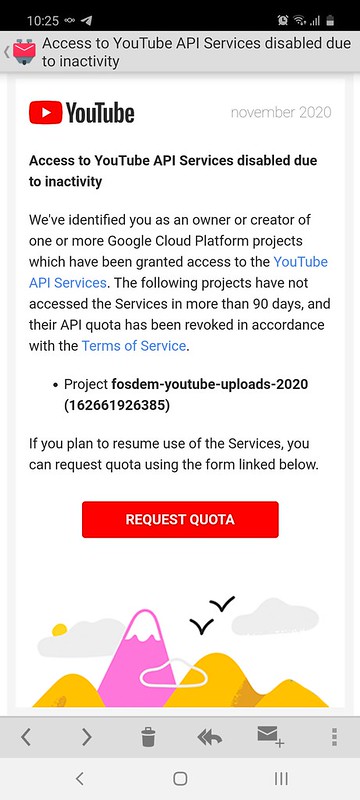
I had planned to release a new version of SReview, my online video review and
transcoding system that I wrote originally for FOSDEM but is being used for
DebConf, too, after it was set up and running properly for FOSDEM 2020.
However, things got a bit busy (both in my personal life and in the world at
large), so it fell a bit by the wayside.
I've now also been working on things a bit more, in preparation for an
improved administrator's interface, and have started implementing a REST
API to deal with talks etc through HTTP calls. This seems to be coming
along nicely, thanks to
 Anyway...
[[!img
 Yesterday was our monthly Debian meeting.
We do one every month for Tokyo and Kansai combined, because it's online and no reason to split for now.
I presented what I learnt about nodejs packaging in Debian.
This time, I started using Emacs for presentation, presenting PDF file.
This week I switched most of my login shells to emacsclient, and
experimenting. It's interesting how much things break, and
how much I depended on .bashrc and .profile being loaded.
But most things work and I don't need most things outside of emacs...
 There are ton of articles out there to configure mutt and all related
things to it. But I find certain configs very hard to get. So I will
write down those.

 The Rcpp team is proud to announce release 1.0.6 of

 Mainly to recall what happened last year and to give thoughts and plan for the upcoming year(s) I m once again revisiting my previous year (previous editions:
 Before and during FOSDEM 2020, I agreed with the people (developers, supporters, managers) of the UBports Foundation to package the Unity8 Operating Environment for Debian. Since 27th Feb 2020, Unity8 has now become Lomiri.
Things got delayed a little recently as my main developer contact on the upstream side was on sick leave for a while. Fortunately, he has now fully recovered and work is getting back on track.
Recent Uploads to Debian related to Lomiri
Over the past 3 months I worked on the following bits and pieces regarding Lomiri in Debian:

