Search Results: "ron"

27 May 2013

Mike Hommey: signal() doubly considered harmful

When you want to set signal handlers on UNIX systems, the typical choice is to use signal (specified in C89, C99 and POSIX.1-2001) or sigaction (specified in POSIX.1-2001 and System V r4). Quoting the signal manual page:
The only portable use of signal() is to set a signal s disposition to SIG_DFL or SIG_IGN. The semantics when using signal() to establish a signal handler vary across systems (and POSIX.1 explicitly permits this variation); do not use it for this purpose. POSIX.1 solved the portability mess by specifying sigaction(2), which provides explicit control of the semantics when a signal handler is invoked; use that interface instead of signal().
Then it goes on about the UNIX vs BSD semantics, and how they affect signal delivery, which essentially is the main reason why one would want to stop using signal and use sigaction instead, with specifically chosen flags. But this is not really what I wanted to talk about here. One of the uses of signal or sigaction is to temporarily set a signal handler and restore the old signal handler once the job is done. Notwithstanding the fact that it s a pretty horrible thing to do in a multi-threaded program, it s also a horrible thing to do at all with signal if sigaction is used. The core of the problem is the following: the information you get from signal() about the old signal handler is missing all the important pieces about it if it was originally set with sigaction(), namely, flags, masks and restorer. So if you do use signal() to temporarily set a signal handler and then restore the previous signal handler, you risk resetting flags, masks and restorer. The first awful thing this means is the previous signal handler might be expecting three arguments, only one of which will be valid when it s invoked. Unexpected things can also happen with the lack of expected flags or masks. This is why you ll see horrible workarounds like this or that. In short, if you do use signal() to temporarily set a signal handler and then restore the previous signal handler, you re doing it wrong. And if you do that in a system library or driver, thank you for screwing things up. I m looking at you libsc-a3xx.so.

26 May 2013

Thomas Koch: What do you think about the FairPhone?

My new employer sponsors me a phone of my choice (up to a certain cost) and I'm very inclined to order a FairPhone. I want to support them and I like to have a device that'd be easily hackable and allows me to run Debian on it.
But it'd be my first smartphone and I don't really know much about android phones. What do you think about the specs of the Fairphone? Do you think it'd be easy to run a free environment (Debian) on it?
update: apparently, this PHP blog engine does not allow any comments right now. Please send your comment to thomas (at ) koch.ro instead. I'm really looking forward to replace this thing with something sane.

25 May 2013

Joachim Breitner: My first CTAN package: Typesetting Continued Equalities

I recently had a TeX itch to scratch: I am working on a paper that has several multi-line continued equalities where, depending on the size of the expressions and the explanations of each step, I chose among a few layouts. But implementing the layout together with the actual code was inefficient, as switching the layout involved changing every line. So I came up with the package conteq which allows you to typeset continued equations in a simple declarative manner, e.g.
\begin conteq 
  e^ \pi\cdot i  \\
= -1               & Euler's formula \\
< 0                & this is an inequality \\ 
< \sqrt 3 \\
= \int e^ -x^2  dx & this is due to Gauss.
\end conteq 
and allows you to select the layout via an parameter to the environment, or globally, or either. Also, the styling of the explanations (italics? wrapped in ... ?) can be configured simply by redefining a macro. For more details and an overview of the various styles, check out the package documentation.
If this sounds useful to you, fetch the conteq package from CTAN. But beware: It uses quite current features of the expl3 package, so you need at least the version from 2012/07/02 (TeXLive 2013 is good). You can file bug reports at the GitHub mirror of my git repository.
I d like to thank Bruno Le Floch and Joseph Wright, who made me aware of expl3 on various TeX Exchange questions. I haven t heard of this term before, but supposedly it is the right translation for the German word Gleichungskette .

23 May 2013

Clint Adams: Oh, free software

I want a CLI WebDAV client that's better than cadaver or hdav. I want a program that can sync an .ics file with a CalDAV server, by dividing it up into events and individually synchronizing each of those. I don't have a clue how deletions would be handled, but that would be nice too. Then I want a program that can synchronize the .ics file with org-mode files. I want a SIP client that works as well as Twinkle but has the architecture of SFLphone or is a library upon which an arbitrary UI can be constructed. I want an HTML-rendering library that has callbacks or hooks for security- and privacy-relevant things like cookies and SSL certificates. I want at least one browser built on this library. I want it to support vi-like keybindings. I want an HTTP(S) proxy that can be dynamically-configured per-client or per-connection through a standardized protocol that web browsers or their plugins can speak. I want it to be able to handle all the relevant things covered by AdBlock Plus, RequestPolicy, and NoScript. I want HTTPS authentication through Monkeysphere and mod_gnutls. I want a git-annex backend for Ogg Vorbis files that treat the audio streams independently of the metadata yet stores them together in the same file so that everything behaves as usual but the annex doesn't bloat by 400Go after I run beets. I want a file transfer queuing system that can work over any sort of transport mechanism, direct or asynchronous, that handles partial transfers and throttling, and is generally magical. I want all kinds of accounting software improvements. I want sane PBX software. I want an OpenStack that doesn't use libvirt for KVM. I want backup software that behaves some weird hybrid of BoxBackup and Dirvish. I want a peer-to-peer card- and board-game platform that uses cryptographic assurance. I want everyone to use YAML instead of XML. I want a phone that's not running a doomed operating system. I want lots of other stuff.

22 May 2013

Keith Packard: Altos1.2.1

AltOS 1.2.1 TeleBT support, bug fixes and new AltosUI features Bdale and I are pleased to announce the release of AltOS version 1.2.1. AltOS is the core of the software for all of the Altus Metrum products. It consists of cc1111-based micro-controller firmware and Java-based ground station software. The biggest new feature for AltOS is the addition of support for TeleBT, our ground station designed to operate with Android phones and tablets. In addition, there s a change in the TeleDongle radio configuration that should improve range, some other minor bug fixes and new features in AltosUI AltOS Firmware Features and fixes There are bug fixes in both ground station and flight software, so you should plan on re-flashing both units at some point. However, there aren t any incompatible changes, so you don t have to do it all at once. New features: Bug fixes: AltosUI Easier to use AltosUI has also seen quite a bit of work for the 1.2.1 release. It s got several fun new features and a few bug fixes. New Graph UI features: Other new AltosUI features: Bug fixes:

21 May 2013

Russell Coker: No Backups WTF

Some years ago I was working on a project that involved a database cluster of two Sun E6500 servers that were fairly well loaded. I believe that the overall price was several million pounds. It s the type of expensive system where it would make sense to spend adequately to do things properly in all ways. The first interesting thing was the data center where it was running. The front door had a uniformed security guard and a sign threatening immediate dismissal for anyone who left the security door open. The back door was wide open for the benefit of the electricians who were working there. Presumably anyone who had wanted to steal some servers could have gone to the back door and asked the electricians for assistance in removing them. The system was poorly tested. My colleagues thought that with big important servers you shouldn t risk damage by rebooting them. My opinion has always been that rebooting a cluster should be part of standard testing and that it s especially important with clusters which have more interesting boot sequences. But I lost the vote and there was no testing of rebooting. Along the way there were a number of WTFs in that project. One of which was when the web developers decided to force all users to install the latest beta release of Internet Explorer, a decision that was only revoked when the IE install process broke MS-Office on the PC of a senior manager. Another was putting systems with a default Solaris installation live on the Internet with all default services running, there s never a reason for a database server to be directly accessible over the Internet. No Backups At All But I think that the most significant failing was the decision not to make any backups. This wasn t merely forgetting to make backups, when I raised the issue I received a negative reaction from almost everyone. As an aside I find it particularly annoying when someone implies that I want backups because I am likely to stuff things up. There are many ways of proving that there s a general lack of competence in the computer industry. But I think that one of the best is the number of projects where the person who wants backups has their competence questioned instead of all the people who don t want backups. A decision to make no backups relies on one of two conditions, either the service has to be entirely unimportant or you need to have no bugs in the OS or hardware defects that can corrupt data, no application bugs, and a team of sysadmins who never make mistakes. The former condition raises the question of why the service is being run and the latter is impossible. As I m more persistent than most people I kept raising the issue via email and adding more people to the CC list until I got a positive reaction. Eventually I CC d someone who responded with What the fuck which I consider to be a reasonable response to a huge and expensive project with no backups. However the managers on the CC list regarded the use of profanity in email to be a much more serious problem. To the best of my knowledge there were never any backups of that system but the policy on email was strongly enforced. This is only a partial list of WTF incidents that assisted in my decision to leave the UK and migrate to the Netherlands. Not Doing Much About a year after leaving I returned to London for a holiday and had dinner with a former colleague. When I asked what he was working on he said Not much . It turned out that proximity to the nearest manager determined the amount of work that was assigned. As his desk was a long way from the nearest manager he had spent about 6 months getting paid to read Usenet. That wasn t really a surprise given my observations of the company in question.

Russell Coker: Advice on Buying a PC

A common topic of discussion on computer users group mailing lists is advice on buying a PC. I think that most of the offered advice isn t particularly useful with an excessive focus on building or upgrading PCs and on getting the latest and greatest. So I ll blog about it instead of getting involved in more mailing-list debates. A Historical Perspective the PC as an Investment In the late 80 s a reasonably high-end white-box PC cost a bit over $5,000 in Australia (or about $4,000 without a monitor). That was cheaper than name-brand PCs which cost upwards of $7,000 but was still a lot of money. $5,000 in 1988 would be comparable to $10,000 in today s money. That made a PC a rather expensive item which needed to be preserved. There weren t a lot of people who could just discard such an investment so a lot of thought was given to upgrading a PC. Now a quite powerful desktop PC can be purchased for a bit under $400 (maybe $550 if you include a good monitor) and a nice laptop is about the same price as a desktop PC and monitor. Laptops are almost impossible to upgrade apart from adding more RAM or storage but hardly anyone cares because they are so cheap. Desktop PCs can be upgraded in some ways but most people don t bother apart from RAM, storage, and sometimes a new video card. If you have the skill required to successfully replace a CPU or motherboard then your time is probably worth enough that getting more value out of a PC that was worth $400 when new and is worth maybe $100 when it s a couple of years old probably isn t a good investment. Times have changed and PCs just aren t worth enough to be bothered upgrading. A PC is a disposable item not an investment. Buying Something Expensive? There are a range of things that you can buy. You can spend $200 on a second-hand PC that s a couple of years old, $400 on a new PC that s OK but not really fast, or you can spend $1000 or more on a very high end PC. The $1000 PC will probably perform poorly when compared to a PC that sells for $400 next year. The $400 PC will probably perform poorly when compared to the second-hand systems that are available next year. If you spend more money to get a faster PC then you are only getting a faster PC for a year until newer cheaper systems enter the market. As newer and better hardware is continually being released at low enough prices that make upgrades a bad deal I recommend just not buying expensive systems. For my own use I find that e-waste is a good source of hardware. If I couldn t do that then I d buy from an auction site that specialises in corporate sales, they have some nice name-brand systems in good condition at low prices. One thing to note is that this is more difficult for Windows users due to anti-piracy features. With recent versions of Windows you can t just put an old hard drive in a new PC and have it work. So the case for buying faster hardware is stronger for Windows than for Linux. That said, $1,000 isn t a lot of money. So spending more money for a high-end system isn t necessarily a big deal. But we should keep in mind that it s just a matter of getting a certain level of performance a year before it is available in cheaper systems. Getting a $1,000 high-end system instead of a $400 cheap system means getting that level of performance maybe a year earlier and therefore at a price premium of maybe $2 per day. I m sure that most people spend more than $2 per day on more frivolous things than a faster PC. Understanding How a Computer Works As so many things are run by computers I believe that everyone should have some basic knowledge about how computers work. But a basic knowledge of computer architecture isn t required when selecting parts to assemble to make a system, one can know all about selecting a CPU and motherboard to match without understanding what a CPU does (apart from a vague idea that it s something to do with calculations). Also one can have a good knowledge of how computers work without knowing anything about the part numbers that could be assembled to make a working system. If someone wants to learn about the various parts on sale then sites such as Tom s Hardware [1] provide a lot of good information that allows people to learn without the risk of damaging expensive parts. In fact the people who work for Tom s Hardware frequently test parts to destruction for the education and entertainment of readers. But anyone who wants to understand computers would be better off spending their time using any old PC to read Wikipedia pages on the topic instead of spending their time and money assembling one PC. To learn about the basics of computer operation the Wikipedia page for CPU is a good place to start. Then the Wikipedia page for hard drive is a good start for learning about storage and the Wikipedia page for Graphics Processing Unit to learn about graphics processing. Anyone who reads those three pages as well as a selection of pages that they link to will learn a lot more than they could ever learn by assembling a PC. Of course there s lots of other things to learn about computers but Wikipedia has pages for every topic you can imagine. I think that the argument that people should assemble PCs to understand how they work was not well supported in 1990 and ceased to be accurate once Wikipedia became popular and well populated. Getting a Quality System There are a lot of arguments about quality and reliability, most without any supporting data. I believe that a system designed and manufactured by a company such as HP, Lenovo, NEC, Dell, etc is likely to be more reliable than a collection of parts uniquely assembled by a home user but I admit to a lack of data to support this belief. One thing that is clear however is the fact that ECC RAM can make a significant difference to system reliability as many types of error (including power problems) show up as corrupted memory. The cheapest Dell PowerEdge server (which has ECC RAM) is advertised at $699 so it s not a feature that s out of reach of regular users. I think that anyone who makes claims about PC reliability and fails to mention the benefits of ECC RAM (as used in Dell PowerEdge tower systems, Dell Precision workstations, and HP XW workstations among others) hasn t properly considered their advice. Also when discussing overall reliability the use of RAID storage and a good backup scheme should be considered. Good backups can do more to save your data than anything else. Conclusion I think it s best to use a system with ECC RAM as a file server. Make good backups. Use ZFS (in future BTRFS) for file storage so that data doesn t get corrupted on disk. Use reasonably cheap systems as workstations and replace them when they become too old. Update: I find it rather ironic when a discussion about advice on buying a PC gets significant input from people who are well paid for computer work. It doesn t take long for such a discussion to take enough time that the people involved could spent their time working instead, put enough money in a hat to buy a new PC for the user in question, and still had money left over.

Hideki Yamane: transition newbie (I'm moron)

I'm newbie for library transition, so sorry to violate to "Please do not upload the package to unstable without approval from the release team" term for transition from libsnmp15 to libsnmp30.

Now you can track it via tracker, thanks to release team to file it.

19 May 2013

Evgeni Golov: powerdyn a dynamic DNS service for PowerDNS users

You may not know this, but I am a huge PowerDNS fan. This may be because it is so simple to use, supports different databases as backends or maybe just because I do not like BIND, pick one. I also happen to live in Germany where ISPs usually do not give static IP-addresses to private customers. Unless you pay extra or limit yourself to a bunch of providers that do good service but rely on old (DSL) technology, limiting you to some 16MBit/s down and 1MBit/s up. Luckily my ISP does not force the IP-address change, but it does happen from time to time (once in a couple of month usually). To access the machine(s) at home while on a non-IPv6-capable connection, I have been using my old (old, old, old) DynDNS.com account and pointing a CNAME from under die-welt.net to it. Some time ago, DynDNS.com started supporting AAAA records in their zones and I was happy: no need to type hostname.ipv6.kerker.die-welt.net to connect via v6 just let the application decide. Well, yes, almost. It s just DynDNS.com resets the AAAA record when you update the A record with ddclient and there is currently no IPv6 support in any of the DynDNS.com clients for Linux. So I end up with no AAAA record and am not as happy as I should be. Last Friday I got a mail from DynDNS:
Starting now, if you would like to maintain your free Dyn account, you must now log into your account once a month. Failure to do so will result in expiration and loss of your hostname. Note that using an update client will no longer suffice for this monthly login. You will still continue to get email alerts every 30 days if your email address is current.
Yes, thank you very much
Given that I have enough nameservers under my control and love hacking, I started writing an own dynamic DNS service. Actually you cannot call it a service. Or dynamic. But it s my own, and it does DNS: powerdyn. It is actually just a script, that can update DNS records in SQL (from which PowerDNS serves the zones). When you design such a service , you first think about user authentication and proper information transport. The machine that runs my PowerDNS database is reachable via SSH, so let s use SSH for that. You do not only get user authentication, server authentication and properly crypted data transport, you also do not have to try hard to find out the IP-address you want to update the hostname to, just use $SSH_CLIENT from your environment. If you expected further explanation what has to be done next: sorry, we re done. We have the user (or hostname) by looking at the SSH credentials, and we have the IP-address to update it to if the data in the database is outdated. The only thing missing is some execution daemon or cron(8). :) The machine at home has the following cron entry now:
*/5 * * * * ssh -4 -T -i /home/evgeni/.ssh/powerdyn_rsa powerdyn@ssh.die-welt.net
This connects to the machine with the database via v4 (my IPv6 address does not change) and that s all.
As an alternative, one can add the ssh call in /etc/network/if-up.d/, /etc/ppp/ip-up.d/ or /etc/ppp/ipv6-up.d (depending on your setup) to be executed every time the connection goes up. The machine with the database has the following authorized_keys entry for the powerdyn user:
no-agent-forwarding,no-port-forwarding,no-pty,no-X11-forwarding,no-user-rc,\ 
command="/home/powerdyn/powerdyn/powerdyn dorei.kerker.die-welt.net" ssh-rsa AAAA... evgeni@dorei
By forcing the command, the user has no way to get the database-credentials the script uses to write to the database and neither cannot update a different host. That seems secure enough for me. It won t scale for a setup as DynDNS.com and the user-management sucks (you even have to create the entries in the database first, the script can only update them), but it works fine for me and I bet it would for others too :) Update: included suggestions by XX and Helmut from the comments.

Neil Williams: pybit 1.0.0 - distributed, scalable builds direct from VCS or archives

PyBit is a distributed build system able to build packages in response to VCS commits or other triggers, across multiple architectures, multiple clients and multiple build environments with automated uploads to a nominated repository.

Support is included in 1.0.0 for building Debian packages using sbuild in response to subversion commits or changes in debian-devel-changes@lists.debian.org (by using apt as a version control handler) for any architecture and build environment which sbuild can support. There is also an example git commit template. Pybit has been designed to be fully extensible, so support for RPM or other package formats can be added as well as other version control handlers, other build environments and other architectures. Pybit is also scalable, when one type of client is struggling with the workload, another machine of the same architecture can be added to the pool to share the load. Pybit can also build a package for any number of architectures and build environments at the same time. The Pybit web interface provides an at-a-glance summary of all current builds as well as options to blacklist certain combinations, cancel and retry specific jobs and add monitor each pybit client. Current use cases include:

18 May 2013

Francois Marier: Three wrappers to run commands without impacting the rest of the system

Most UNIX users have heard of the nice utility used to run a command with a lower priority to make sure that it only runs when nothing more important is trying to get a hold of the CPU:
nice long_running_script.sh
That's only dealing with part of the problem though because the CPU is not all there is. A low priority command could still be interfering with other tasks by stealing valuable I/O cycles (e.g. accessing the hard drive).

Prioritizing I/O Another Linux command, ionice, allows users to set the I/O priority to be lower than all other processes. Here's how to make sure that a script doesn't get to do any I/O unless the resource it wants to use is idle:
sudo ionice -c3 hammer_disk.sh
The above only works as root, but the following is a pretty good approximation that works for non-root users as well:
ionice -n7 hammer_disk.sh
You may think that running a command with both nice and ionice would have absolutely no impact on other tasks running on the same machine, but there is one more aspect to consider, at least on machines with limited memory: the disk cache.

Polluting the disk cache If you run a command (for example a program that goes through the entire file system checking various things, you will find that the kernel will start pulling more files into its cache and expunge cache entries used by other processes. This can have a very significant impact on a system as useful portions of memory are swapped out. For example, on my laptop, the nightly debsums, rkhunter and tiger cron jobs essentially clear my disk cache of useful entries and force the system to slowly page everything back into memory as I unlock my screen saver in the morning. Thankfully, there is now a solution for this in Debian: the nocache package. This is what my long-running cron jobs now look like:
nocache ionice -c3 nice long_running.sh

Turning off disk syncs Another relatively unknown tool, which I would certainly not recommend for all cron jobs but is nevertheless related to I/O, is eatmydata. If you wrap it around a command, it will run without bothering to periodically make sure that it flushes any changes to disk. This can speed things up significantly but it should obviously not be used for anything that has important side effects or that cannot be re-run in case of failure. After all, its name is very appropriate. It will eat your data!

17 May 2013

Petter Reinholdtsen: How to transform a Debian based system to a Debian Edu installation

Debian Edu / Skolelinux is an operating system based on Debian intended for use in schools. It contain a turn-key solution for the computer network provided to pupils in the primary schools. It provide both the central server, network boot servers and desktop environments with heaps of educational software. The project was founded almost 12 years ago, 2001-07-02. If you want to support the project, which is in need for cash to fund developer gatherings and other project related activity, please donate some money. A topic that come up again and again on the Debian Edu mailing lists and elsewhere, is the question on how to transform a Debian or Ubuntu installation into a Debian Edu installation. It isn't very hard, and last week I wrote a script to replicate the steps done by the Debian Edu installer. The script, debian-edu-bless in the debian-edu-config package, will go through these six steps and transform an existing Debian Wheezy or Ubuntu (untested) installation into a Debian Edu Workstation:
  1. Add skolelinux related APT sources.
  2. Create /etc/debian-edu/config with the wanted configuration.
  3. Install debian-edu-install to load preseeding values and pull in our configuration.
  4. Preseed debconf database with profile setup in /etc/debian-edu/config, and run tasksel to install packages according to the profile specified in the config above, overriding some of the Debian automation machinery.
  5. Run debian-edu-cfengine-D installation to configure everything that could not be done using preseeding.
  6. Ask for a reboot to enable all the configuration changes.
There are some steps in the Debian Edu installation that can not be replicated like this. Disk partitioning and LVM setup, for example. So this script just assume there is enough disk space to install all the needed packages. The script was created to help a Debian Edu student working on setting up Raspberry Pi as a Debian Edu client, and using it he can take the existing Raspbian installation and transform it into a fully functioning Debian Edu Workstation (or Roaming Workstation, or whatever :). The default setting in the script is to create a KDE Workstation. If a LXDE based Roaming workstation is wanted instead, modify the PROFILE and DESKTOP values at the top to look like this instead:
PROFILE="Roaming-Workstation"
DESKTOP="lxde"
The script could even become useful to set up Debian Edu servers in the cloud, by starting with a virtual Debian installation at some virtual hosting service and setting up all the services on first boot.

Russell Coker: Voltage Inside a Car

I previously wrote a post with some calculations about the power supplied to laptops from a car battery [1]. A comment on the post suggested that I might have made a mistake in testing the Voltage because leaving the door open (and thus the internal lights on) will cause a Voltage drop. So I ve done some more tests:
Test Voltage
battery terminals 12.69
front power socket with doors closed 12.64
front power socket with doors open OR ignition switch on 12.37
cigarette lighter socket with ignition switch on 12.32
front power socket with doors closed and headlights on 11.96
front power socket with engine running 14.38
front power socket with engine running and headlights on 14.29
In my previous tests I recorded 12.85V inside my car (from the front power socket which although having the same connector as a cigarette lighter isn t designed for lighting cigarettes) and 13.02V from the battery terminals a 0.17V difference. In my tests today I was unable to reproduce that but I think that my biggest mistake was to take the reading too quickly. Today I noticed that it took up to a minute for the Voltage to stabilise after opening a door (the Voltage dips after any current draw and takes time to recover) so a quick reading isn t going to be accurate. My car is a Kia Carnival which has two sockets in the front for power and for actually lighting cigarettes. The one for lighting cigarettes has a slightly lower Voltage and only works when the ignition is turned on. The car also has a power socket in the boot (the trunk for US readers) which delivers the same Voltage as the power socket in the front. Also one thing to note is that today is a reasonably cold day (16.5C outside right now) and my car hasn t been driven since last night so the battery would be quite cold (maybe 12C or less). My previous measurements were taken in summer so the battery would have been a lot warmer and therefore working more effectively. Conclusion The Voltage drop from turning on the internal lights surprised me, I had expected that a car battery which is designed to supply high current wouldn t be affected by such things. Certainly not to give a 2% Voltage drop! The Voltage difference from reading inside the car and at the battery terminals might be partly due to the apparent lead coating on the terminals, I pushed the probes of my multimeter beneath the surface of the metal and got a really good connection. The 14% Voltage increase when the engine was running was also a surprise. It seems to me that if you are running a power hungry device (such as a laptop) it would be a good idea to disconnect it when the engine is turned off. A 14% higher voltage will give a 14% lower current if the PSU is efficient and therefore less problems with heat in the wiring and less risk of blowing a fuse. Also it s a good idea to be more methodical about performing tests than I was before my last post. There are lots of other tests I could run (such as testing after the engine has been running for a while) but at the moment I don t have enough interest in this topic to do more tests. Please leave a comment if there s something interesting that you think I missed.

16 May 2013

Vincent Sanders: True art selects and paraphrases, but seldom gives a verbatim translation

In my professional life I am sometimes required to provide technical support to one of our salesmen. I find this an interesting change in pace though sometimes challenging.

Occasionally I fail to clearly convey the solution we are trying to sell because of my tendency to focus on detail the customer probably does not need to understand but I think is the interesting part of the problem.

Conversely sometimes the sales people gloss over important technology choices which have a deeper impact on the overall solution. I was recently in such a situation where as part of a larger project the subject of internationalisation (you can see why it gets abbreviated to i18n) was raised.

I had little direct personal experience with handling this within a project workflow so could not give any guidance but the salesman recommended the Transifex service as he had seen it used before, indicated integration was simple and we moved onto the next topic.

Unfortunately previous experience tells me that sometime in the near future someone is going to ask me hard technical questions about i18n and possibly how to integrate Transifex into their workflow (or at least give a good estimate on the work required).
LearningBeing an engineer I have few coping strategies available for situations when I do not know how something works. The approach I best know how to employ is to give myself a practical crash course and write up what I learned...so I did.

I proceeded to do all the usual things you do when approaching something unfamiliar (wikipedia, google, colleagues etc.) and got a basic understanding of internationalisation and localisation and how they fit together.

This enabled me to understand that the Transifex workflow proposed only covered the translation part of the problem and that, as Aldrich observed in my title quote, there is an awful lot more to translation than I suspected.
PlatformsMy research indicated that there are numerous translation platforms available for both open source and commercial projects and Transifex is one of many solutions.

Although the specific platform used was Transifex most of these observations apply to all these other platforms. The main lesson though is that all platforms are special snowflakes and once a project invests effort and time into one platform it will result in the dreaded lock in. The effort to move to another platform afterwards is at least as great as the initial implementation.

It became apparent to me that all of these services, regardless of their type, boil down to a very simple data structure. They appear to be a trivial table of Key:Language:Value wrapped in a selection of tools to perform format conversions and interfaces to manipulate the data.

There may be facilities to attach additional metadata to the table such as groupings for specific sets of keys (often referred to as resources) or translator hints to provide context but the fundamental operation is common.

The pseudo workflow is:
The first three steps are almost always performed together by the uploading of a resource file containing an initial set of translations in the "default" language and due to the world being the way it is this is almost always english (some services are so poorly tested with other defaults they fail if this is not the case!)

The platforms I looked at generally follow this pattern with a greater or lesser degree of freedom in what the keys are, how the groupings into resources are made and the languages that can be used. The most common issue with these platforms (especially open source ones) is that the input convertors will only accept a very limited number of formats and often restricted to just GNU gettext PO files. This means that to use those platforms a project would have to be able to convert any internal resources into gettext translatable format.

The prevalence of the PO format pushes assumptions into almost every platform I examined, mainly that a resource is for a single language translation and that the Key (msgid in gettext terms) is the untranslated default language string in the C locale.

The Transifex service does at least allow for the Key values to be arbitrary although the resources are separated by language.

Even assuming a project uses gettext PO files and UTF-8 character encoding (and please can we kill every other character encoding and move the whole world to UTF-8) the tools to integrate the import/export into the project must be written.

A project must decide some pretty important policies, including:
These are project policy decisions and, as I discovered, just as difficult to answer as the technical challenges.

Armed with my basic understanding it was time to move on and see how the transifex platform could be integrated into a real project workflow.
ImplementingProof of conceptMy first exercise was to take a trivial command line tool, use xgettext to generate a PO file and add the relevant libintl calls to produce gettext internationalised tool.

A transifex project was created and the english po file uploaded as the initial resource. A french language was added and the online editor used to provide translations for some strings. The PO resource file for french was exported and the tool executed with LANGUAGE=fr and the french translation seen.

This proved the trivial workflow was straightforward to implement. It also provided insight into the need to automate the process as the manual website operation would soon become exceptionally tedious and error prone.
Something more usefulTo get a better understanding of a real world workflow I needed a project that:
I selected the NetSurf web browser as it best fit this list.

Internally NetSurf keeps all the translated messages in a simple associative array this is serialised to an equally straightforward file named FatMessages. The file is UTF-8 encoded with keys separated from values by a colon. The Key is constrained to be ASCII characters with no colons and is structured as language.toolkit.identifier and is unique on identifier part alone.

This file is processed at build time into a simple identifier:value dictionary for each language and toolkit.

Transifex can import several resource formats similar to this, after experimenting with YAML and Android Resource format I immediately discovered a problem, the services import and export routines were somewhat buggy.

These routines coped ok with simple use cases but having more complex characters such as angle brackets and quotation marks in the translated strings would completely defeat the escaping mechanisms employed by both these formats (through entity escaping in android resource format XML is problematic anyway)

Finally the Java property file format was used (with UTF-8 encoding) which while having bugs in the import and export escaping these could at least be worked around. The existing tool that was used to process the FatMessages file was rewritten to cope with generating different output formats and a second tool to merge the java property format resources.

To create these two tools I enlisted the assistance of my colleague Vivek Dasmohapatra as his Perl language skills exceeded my own. He eventually managed to overcome the format translation issues and produce correct input and output.
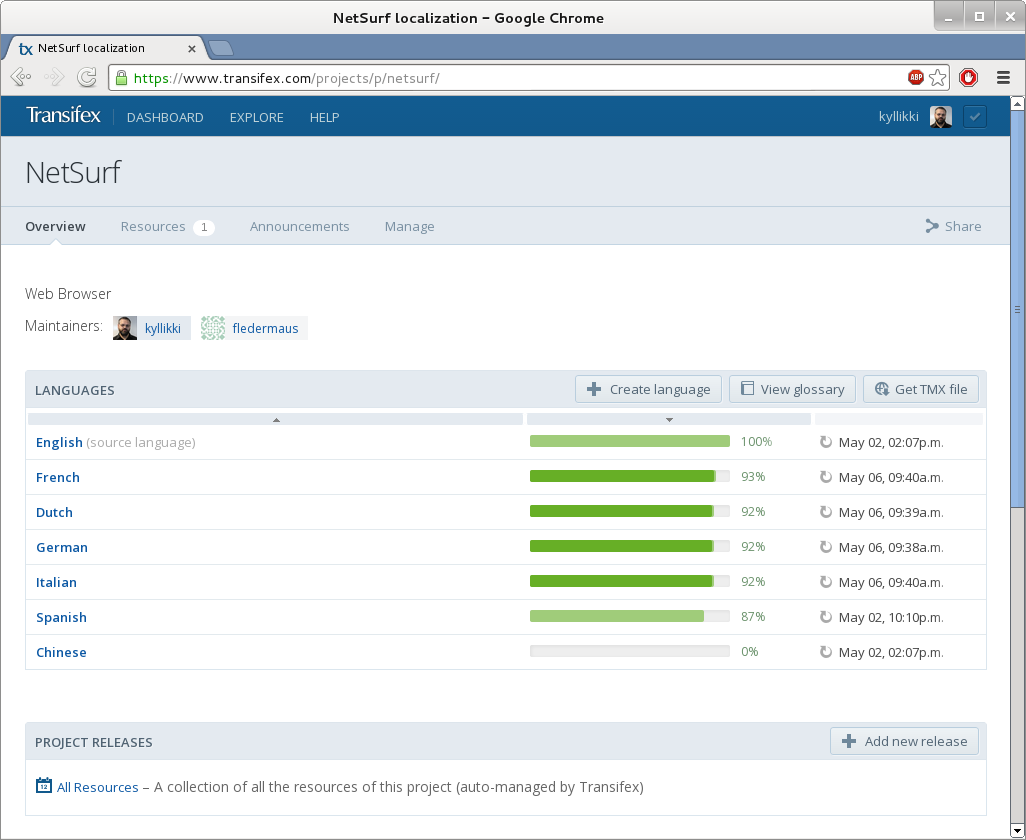
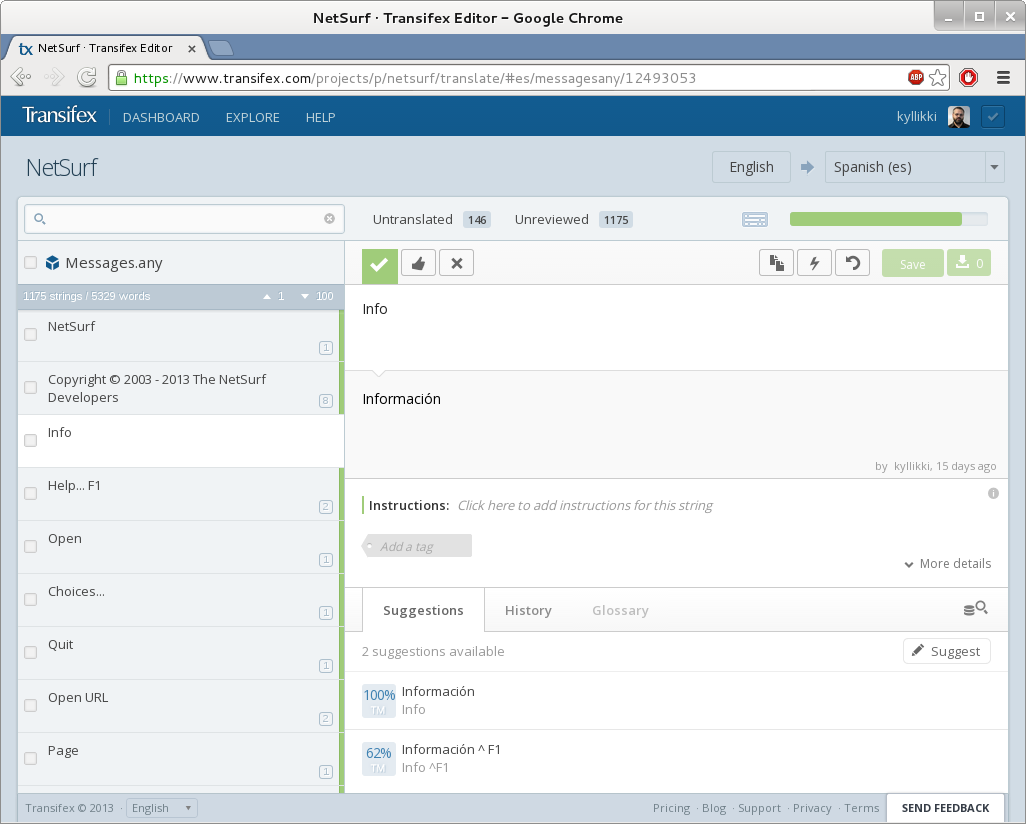
I used the Transifex platforms free open source product, created a new project and configured it for free machine translation from the Microsoft service, all of which is pretty clearly documented by Transifex.

Once this was done the messages file was split up tinto resources for the supported languages and uploaded to the transifex system.

I manually marked all the uploaded translations as "verified" and then added a few machine translations to a couple of languages. I also created spanish as a new language and machine translated most of the keys.

The resources for each language were then downloaded and merged and the resulting FatMessages file checked for differences and verified only the changes I expected appeared.

I quickly determined that manually downloading the language resources every time was not going to work with any form of automation, so I wrote a perl script to retrieve the resources automatically (might be useful for other projects too).

Once these tools were written and integrated into the build system I could finally make an evaluation as to how successful this exercise had been.
ConclusionsThe main things I learned from this investigation were:

Overall I think the final observation has to be that integrating translation services is not a straightforward operation and each project has unique challenges and requirements which reduce the existing platforms to compromise solutions.

Wouter Verhelst: Single-stepping init systems

The Linux init systems are a bit in flux at the moment. That is, they're in flux in Debian; outside Debian, most other distributions have stepped away from sysvinit and towards something else (systemd, openrc, or upstart). I've not been a proponent of any switch, though I understand the reasoning, and it probably makes sense for us to switch at some point. But yesterday, the fact that this customer's system was running sysvinit and not systemd or upstart saved me quite a bit. There's a server. It has one quadcore processor. For reasons that I won't go into here, the customer wants an extra quadcore processor to be added to the system. After having done so, I power on the system... only to see it power itself off at some point during boot. I did notice some kernel messages fly by just moments before the system would power itself off, but it was impossible for me to read them. So what did I do? That last bit is, obviously, a bit of an ugly workaround; the better way to fix this issue would have been to debug what the actual issue was, and implement a proper fix. However, I didn't have time for that (the fact that there was need for a second quadcore chip explains how much this system is in use), and the workaround was acceptable for the customer. It is not the first time that this ability to single-step the init system has saved me. The fact that sysvinit is so simplistic is what makes this possible, and I consider that one of its most important features. Recently, I came into contact with a distribution that uses systemd as its init system (in casu, Arch Linux). I had made a mistake in configuration; I had installed and enabled a graphical login system, but had no xterm or similar available, and had done something else wrong through which I couldn't get a regular shell on the console anymore, either. To fix this, I tried doing something like the above (running with init=/bin/bash and single-stepping the init system), but found that doing so with systemd is nigh impossible. In the end, I knew what exactly the problem was and could disable automatically starting the login manager through removing a symlink, but it brought home the issue that debugging a similar issue when running systemd rather than sysvinit might be a lot harder to do. We'll see what the future brings.

15 May 2013

Benjamin Mako Hill: Sounds Like a Map

Colored visualization of the puzzle. I love maps something that became clear to me when I was looking at the tag cloud of my bookmarks a few years back. One of my favorite blogs (now a book) is Frank Jabobs Strange Maps. So it s no coincidence that a number of my favorite MIT Mystery Hunt puzzles are map based. Trying to connect the two worlds, I sent Jacobs a write-up of the hunt and of a particularly strange sound-based map puzzle called White Noise that I worked with Don Armstrong to solve in the 2006 hunt. While I wasn t paying attention, Jacobs did a very nice writeup of my writeup of the puzzle for Strange Maps!

Russ Allbery: WebAuth 4.5.2

Last weekend, I spent several hours carefully going over some of the WebLogin code to try to track down a weird bug that we ran into in our UAT environment. The bad part is that I didn't find it, although restarting Apache made it disappear. The good part is that I found a bunch of other bugs that would have been troublesome later. This release is just a WebLogin bug fix release, cleaning up those issues plus a few other things we've found in testing for our upcoming production upgrade. Specifically, there's now a way to preserve remember_login across a failed login attempt, clearing of failed login attempts after a successful one works properly, cookies are set correctly on the error page, and WebLogin no longer erroneously clears cookies when redirecting to check for cookie support. You can get the latest release from the official WebAuth distribution site or from my WebAuth distribution pages.

Daniel Kahn Gillmor: OpenPGP User ID Comments considered harmful

Most OpenPGP User IDs look like this:
Jane Q. Public <jane@example.org>
This is clean, clear, and unambiguous. However, some tools (gpg, enigmail among others) ask the user to provide a "Comment:" field when they are choosing a new User ID (e.g. when making a new key). These UI prompts are evil. The savvy user knows to avoid entering anything in this field, so that they can end up with a User ID like the one above. The user who provides something here (perhaps even something inconsequential like "I like strawberries", due to not being sure what should go in this little box) will instead end up with a User ID like:
Jane Q. Public (I like strawberries) <jane@example.org>
This is bad. This means that Jane is asking the people who certify her key+userid to certify whether she actually likes strawberries (how could they know? what if she changes her mind? should they revoke their certifications?) and anywhere that she is referred to by name will include this mention of strawberries. This is not Jane's identity, and it doesn't belong in an OpenPGP User ID packet. Furthermore, since User IDs are atomic, if Jane wants to change the comment field (but leave her name and e-mail address the same), she will instead need to create a new User ID, publish it, get everyone who has certified her old key+userid to certify the key+newuserid, and then revoke the old one. It is difficult already to help people understand and participate in the certification network that forms that backbone of OpenPGP's so-called "web of trust". These bogus comment fields make an already-difficult task harder. And all because of strawberries! Tools like enigmail and gpg should not expose the "Comment:" field to users who are generating keys or choosing new User IDs. If they feel it absolutely must be present for some weird corner case that 0.1% of their users will have, they could require that the user enters some sort of "expert mode" before prompting the user to do something that is likely to be a mistake. There is almost no legitimate reason for anyone to use this field. Let's go through some examples of this people use, taken from some examples i have lying around (identifying marks have been changed to protect the innocent who were duped by this bad UI choice, but you can probably find them on the public keyserver network if you want to hunt around):
domain repetition
John Q. Public (Debian) <johnqpublic@debian.org>
We know you're with debian already from the @debian.org address. If this is in contrast to your other address (johnqpublic@example.org) so that people know where to send you debian-related e-mail, this is still not necessary. Lest you think i'm just calling out debian developers, people with @ubuntu.com addresses and (Ubuntu) comments (as well as @example.edu addresses and (Example University) comments and @example.com addresses and (Example Corp) comments) are out there too.
nicknames already evident
John Q. Public (Johnny) <johnqpublic@example.net>
John Q. Public (wackydude) <wackydude@example.net>
Again, the information these comments are providing offers no clear disambiguation from the info already contained in the name and e-mail address, and just muddies the water about what the people who certify this identity should actually be trying to verify before they make their certification.
"Work"
John Q. Public (Work) <johnqpublic@example.com>
if John's correspondents know that he works for Example Corp, then "Work" isn't helpful to them, because they already know this as the address that they're writing to him with. If they don't know that, then they probably aren't writing to him at work, so they don't need this comment either. The same problem appears (for example) with literal comments of (School) next to their @example.edu address.
This is my nth try at this crazy system!
John Q. Public (This is my second key) <johnqpublic@example.com>
John Q. Public (This is my primary key) <johnqpublic@example.com>
John Q. Public (No wait really use this one) <johnqpublic@example.com>
OpenPGP is confusing, and it can be tricky to get it right. We all know :) This is still not part of John's identity. If you want to designate a key as your preferred key, keep it up-to-date, get people to certify it, and revoke or expire your old keys. People who care can look at the timestamps on your keys and tell which ones are the most recent ones. You do have a revocation certificate for your key handy just in case you lose it, right?
Don't use this key
John Q. Public (Old key, do not use) <johnqpublic@example.com>
John Q. Public (Please only use this through September 2004) <johnqpublic@example.com>
This kind of sentiment is better expressed by revoking the key in question or setting an expiration time on the key or User ID self-sig directly. This sentiment is not part of John's identity, and shouldn't be included as though it were.
"none"
John Q. Public (none) <johnqpublic@example.com>
sigh. This is clearly someone getting mixed up by the UI.
I use strong crypto!
John Q. Public (3092 bits of RSA) <johnqpublic@example.com>
This comment refers to the strength of the key material, or the algorithms preferred by the user. Since the User ID is associated with the key material already, people who care about this information can get it from the key directly. This is also not part of the user's actual identity.
"no comment"
John Q. Public (no comment) <johnqpublic@example.com>
This is actually not uncommon (some keyservers reply "too many matches!"). It shows that the user is witty and can think on their feet (at least once), but it is still not part of the user's identity.
But wait (i hear you say)! I have a special case that actually is a legitimate use of the comment field that cannot be expressed in OpenPGP in any other way! I'm sure that such cases exist. I've even seen one or two of them. The fact that one or two cases exist does not excuse the fact that that overwhelming majority of these comments in OpenPGP User IDs are a mistake, caused only by bad UI design that prompts people to put something (anything!) in the empty box (or on the command prompt, depending on your preference). And this mistake is one of the thousand papercuts that inhibits the robust growth of the OpenPGP certification network that some people call the "web of trust". Let's avoid them so we can focus on the other 999 papercuts. Please don't use comments in your OpenPGP User ID. And if you make a user interface for OpenPGP that prompts the user to decide on a new User ID, please don't include a prompt for "Comment" unless the user has already certified that they are really and truly a special special snowflake. Thanks!Tags: openpgp, ui

14 May 2013

Petter Reinholdtsen: Second alpha release of Debian Edu / Skolelinux based on Debian Wheezy

The Debian Edu / Skolelinux project is making great progress and made its second Wheezy based release today. This is the release announcement: New features for Debian Edu 7.0.0 alpha1 released 2013-05-14 This is the release notes for for Debian Edu / Skolelinux 7.0.0 edu alpha1, based on <ahref>Debian with codename "Wheezy". About Debian Edu and Skolelinux Debian Edu, also known as Skolelinux, is a Linux distribution based on Debian providing an out-of-the box environment of a completely configured school network. Immediatly after installation a school server running all services needed for a school network is set up just waiting for users and machines being added via GOsa , a comfortable Web-UI. A netbooting environment is prepared using PXE, so after initial installation of the main server from CD, DVD or USB stick all other machines can be installed via the network. This is the first test release based on Wheezy (which currently is not released yet). Basically this is an updated and slightly improved version compared to the Squeeze release. Software updates Other changes Known issues Where to get it To download the multiarch netinstall CD release you can use The MD5SUM of this image is: 685ed76c1aa8e44b12d3fde21faf450b The SHA1SUM of this image is: 6c874de157024da13e115bab29c068080a11ec4c How to report bugs http://wiki.debian.org/DebianEdu/HowTo/ReportBugs

M nica Ram rez Arceda: Outreach Program for Women talk

Last Saturday (2013-05-11), I gave a talk about Outreach Program for Women (OPW) at the Ubuntu Party Festa Raring Ringtail. I was invited to give this talk because I'm one of the coordinators of this program in Debian side. This was a small talk and was split in three parts. During the first part I talked about the problem in general: lack of women in technology world. In the second part I talked about the paradox that there are even less women in FLOSS, giving Debian as an example: a very wonderful project, where techie (or non-techie) women should be in love with (at least I am!), has only about 1.6% of women DD. The last part was focused in OPW itself, the successful experience of GNOME with an increasing number of women in their organization and how the program works. I hope that women attendees will think about applying to OPW or collaborating actively in FLOSS :-) Here you have the slides (in Catalan): talk_debian_opw

Next.

Previous.