Search Results: "hertzog"

25 October 2010

Raphaël Hertzog: Secret figures of a Debian/Ubuntu blogger: what you liked most on raphaelhertzog.com

Chart goes up on screenI launched raphaelhertzog.com this summer (taking over the English content of my former multi-lingual blog), when I decided that I would be more serious about blogging on Debian/Ubuntu related topics. On September, I decided to write 2 articles per week and up to now I managed to keep the schedule. Two of my articles were published by Linux Weekly News, those are much more researched than the average blog article (they are tagged with [LWN] in the list below). The most popular articles Most people read my blog through the RSS feed which happens to be syndicated on Planet Debian and Planet Ubuntu. According to the feedburner s statistics, the top-5 articles are:
  1. 5 reasons why I still contribute to Debian after 12 years (32700 views)
  2. [LWN] Understanding Membership Structures in Debian and Ubuntu (31700 views)
  3. Social Micropayment Can Foster Free Software, Discover Flattr (30100 views)
  4. Everything you need to know about conffiles: configuration files managed by dpkg (29900 views)
  5. How to make 110.28 EUR in one month with free software and Flattr (29400 views)
But I also have occasional readers visiting my blog because my articles are announced on Identi.ca, Twitter and Facebook (and they circulate on social networks, thanks to those who are sharing them!). The top-5 articles according to the statistics of my website are:
  1. 5 reasons why I still contribute to Debian after 12 years (6000 views)
  2. [LWN] Can Debian offer a Constantly Usable Testing distribution? (5000 views)
  3. Understanding Debian s release process (1500 views)
  4. Flattr FOSS (1400 views, not an article but I regularly blog about this project)
  5. Can Debian achieve world domination without being on Facebook? (1100 views)
The most flattered Since I am using Flattr on my blog, it can be interesting to see the articles which generated lots of flattr micro-donations. The top-3 articles are my articles about Flattr (1, 2, 3). Excluding articles related to Flattr, the top-5 is:
  1. 5 reasons why I still contribute to Debian after 12 years (12 flattr)
  2. The secret plan behind the 3.0 (quilt) Debian source package format (10 flattr)
  3. How to use multiple upstream tarballs in Debian source packages? (5 flattr)
  4. [LWN] Understanding Membership Structures in Debian and Ubuntu (4 flattr)
  5. Do You Want a Free Debian Book? Read on. (4 flattr)
Most articles get 2 to 3 flattr clicks. The most commented I usually get 4-5 comments on most articles but some generate much more feedback:
  1. [LWN] Can Debian offer a Constantly Usable Testing distribution? (40 comments)
  2. 5 reasons why I still contribute to Debian after 12 years (22 comments)
  3. Can Debian achieve world domination without being on Facebook? (15 comments)
  4. How to generate different dependencies on Debian and Ubuntu with a common source package (14 comments)
  5. [LWN] Understanding Membership Structures in Debian and Ubuntu (12 comments)
Factoids Here are my conclusions based on the above figures: If you also appreciate the above-linked articles, you should click here to subscribe to my email newsletter.

Flattr this Share/Bookmark 4 comments Support my work

21 October 2010

Raphaël Hertzog: The secret plan behind the 3.0 (quilt) Debian source package format

New source package formats do wondersWhile I have spent countless hours working on the new source format known as 3.0 (quilt) , I ve just realized that I have never blogged about its features and the reasons that lead me to work on it. Let s fix this. The good old 1.0 format Up to 2008, dpkg-source was only able to cope with a single source format (now named 1.0 ). That format was used since the inception of the project. While it worked fine for most cases, it suffered from a number of limitations mainly because it stored the Debian packaging files as a patch to apply on top of the upstream source tarball. This patch can have two functions: creating the required files in the debian sub-directory and applying changes to the upstream sources. Over time, if the maintainer made several modifications to the upstream source code, they would end up entangled (and undocumented) in this single patch. In order to solve this problem, patch systems were created (dpatch, quilt, simple-patchsys, dbs, ) and many maintainers started using them. Each implementation is slightly different but the basic principle is always the same: store the upstream changes as multiple patches in the debian/patches/ directory and apply them at build-time (and remove them during cleanup). Design goals for the new formats When I started working on the new source package format, I set out to get rid of all the known limitations and to integrate a patch system in dpkg-source. I wanted to clear up the situation so that learning packaging only requires to learn one patch system and would not require modifying debian/rules to use it. I picked quilt because it was popular, came with a large set of features, and was not suffering from NIH syndrome. This lead to the 3.0 (quilt) source format. I also created 3.0 (native) as a distinct format. 1.0 was able to generate two types of source packages (native and non-native) but I did not want to continue with this mistake of mixing both in a single format. The KISS principle dictated that the user should pick the format of his choice, put it in debian/source/format and be done with it. Now the build can rightfully fail when the requirements are not met instead of doing something unexpected as a fallback. Features of 3.0 (quilt) This is the format that replaces the non-native variant of the 1.0 source format. The features below are specific to the new format and differentiate it from its ancestor: Features of 3.0 (native) This format is very similar to the native variant of the 1.0 source format except for two things: Timeline Looking back at the history is interesting. This project already spans multiple years and is not really over until a majority of packages have switched to the new formats. As you can see this project is not over yet, although the most difficult part is already behind me. For my part, the biggest lesson is that you won t ever get enough review until your work is used within unstable. So if you have a Debian project that impacts a lot of people, make sure to organize an official review process from the start. And specifying your project through a Debian Enhancement Proposal is probably the best way to achieve this. If you appreciate the work that I put into this project, feel free to join Flattr and to flattr dpkg from time to time. Or check out my page Support my work .

Flattr this Share/Bookmark 12 comments Support my work

18 October 2010

Raphaël Hertzog: Understanding Debian s release process

Currently, the main product of the Debian project is its stable release[1]. Those release come out approximately every 18-24 months. This article gives a short overview of the process leading to the next stable release. Creating a new distribution Immediately after a stable release, a new distribution is created in the Debian archive. Its initial content is a copy of the (just released) stable distribution. Its codename is decided by the release managers and there s a tradition of picking a character s name from the Toy Story movie. As an example, the wheezy distribution will be created once squeeze (aka Debian 6.0) is out. For simplicity there s a generic name to refer to the distribution used to prepare the next stable release: it s testing. In the Debian archive, testing is just a symbolic link pointing to the right directory (squeeze currently). Updating packages, working on release goals During most of the cycle, developers work on packaging new upstream versions and implementing release goals. They upload their packages in the unstable distribution. From there packages trickle to the testing distribution once they satisfy some quality checks: they must not have new release-critical bugs, they must have been built on all architectures that were previously supported, they must not break any dependency in testing, and they must have spent at least 10 days in unstable. This minimal period ensures the package has been tested and gives enough time to users to file bugs if the package is suffering from problems. If the problems are deemed release-critical, they will block the migration of the package to testing. During this part of the release cycle, the main work of the release team is ensuring that updated packages flow from unstable to testing. It can be a tricky task: package dependencies frequently tie packages together so that they can only migrate to testing together. If only one of the tied packages is not ready (for example if a new revision has been uploaded and has not spent 10 days in unstable yet), then none of them can migrate. Stabilizing, polishing, fixing release-critical issues The constant churn of new packages makes it very difficult to build a very polished release. That s why, at some point, release managers freeze the testing distribution: automatic updates are stopped and they vet every single update made to testing. They have strong requirements, the goal is to only allow updates fixing release critical bugs, or those which are low-risk and bring significant value to the user experience (like new translations, updated documentation, etc.). During freeze, some packages are also removed because the current upstream version can t be supported for the lifetime of the stable release. The freeze tends to slow down the pace of changes in unstable. Many maintainers opt to push new upstream versions in experimental instead so that if they need to update their packages in testing, they can still do it through unstable. This procedure is recommended by the release managers because it means that updates that they unblock have been tested as usual. It s not the case for updates uploaded directly to testing (through testing-proposed-updates). This behavior is rather annoying for the bleeding-edge users that use testing or unstable like a rolling release. Release time Once release managers are satisfied of the quality of the new distribution, some last minute work is needed, like generating the CD images. In the Debian archive, the release is made official by pointing the stable symbolic link to the new distribution (and the oldstable one to the previous distribution). Now it s party time, the cycle is over, and a new one can start. :-) [1] The Constantly Usable Testing project aims to make testing a first-class product like stable but with a very different update policy.
Follow me on Identi.ca, Twitter and Facebook.

Flattr this Share/Bookmark 3 comments Support my work

14 October 2010

Raphaël Hertzog: Correctly renaming a conffile in Debian package maintainer scripts

After having dealt with the removal of obsolete conffiles, I ll now explain what you should do when a configuration file managed by dpkg must be renamed. The problem Let s suppose that version 1.2 of the software stopped providing /etc/foo.conf. Instead it provides /etc/bar.conf because the configuration file got renamed. If you do nothing special, the new conffile will be installed with the default configuration, and the old one will stay around. Any customization made by the administrator are lost in the process (in fact they are not lost, they are still in foo.conf but they are unused). Of course, you could do mv /etc/foo.conf /etc/bar.conf in the pre-installation script. But that s not satisfactory: it will generate a spurious conffile prompt that the end-user will not understand. The solution In the preinst script, you have to verify if the old conffile has been modified by the administrator. If yes, you want to keep the file around. Otherwise you know you will be able to ditch it once the upgrade is over, and you rename it to /etc/foo.conf.dpkg-remove to remember this fact. In the postinst script, you remove /etc/foo.conf.dpkg-remove. If the old conffile (/etc/foo.conf) still exists, it s because it was modified by the administrator. You make a backup of the new conffile in /etc/bar.conf.dpkg-dist and rename the old one into /etc/bar.conf. In the postrm, when called to abort an upgrade, you move /etc/foo.conf.dpkg-remove back to its original name. In practice, use dpkg-maintscript-helper dpkg-maintscript-helper can automate all those tasks. You just have to put the following snippet in the maintainer scripts (postinst, postrm, preinst):
if dpkg-maintscript-helper supports mv_conffile 2>/dev/null; then
    dpkg-maintscript-helper mv_conffile /etc/foo.conf /etc/bar.conf 1.1-3 -- "$@"
fi
In this example, I assumed that version 1.1-3 was the last version of the package that contained /etc/foo.conf (i.e. the last version released before 1.2-1 was packaged). You can avoid the preliminary test if you pre-depend on dpkg (>= 1.15.7.2) or if enough time has passed to assume that everybody has a newer version anyway. You can learn all the details in dpkg-maintscript-helper s manual page. Found it useful? Be sure to not miss other packaging tips (or lessons), click here to subscribe to my free newsletter and get new articles by email (just check Send me blog updates ).
Flattr this Share/Bookmark No comment Support my work

11 October 2010

Raphaël Hertzog: 5 reasons why I still contribute to Debian after 12 years

Debian is packaging the free sofware world.If you re using Debian, you know that this distribution is built entirely by volunteers that form a very diverse community. And you could be part of it. But why should you do that? I can t tell for you but I can share my own experience. It s been 12 years since I joined Debian and I m going to tell you what keeps me on board. 1. Technical excellence When facing a new challenge, Debian will strive to do the right thing. This pays off in the long term. In many cases, it means that we will take more time to implement our solution compared to other distributions out there, but this is also the reason why our packaging infrastructure allows us to offer painless upgrades and consistency across all packages. Debian is committed to quality and builds up on his experience thanks to the Debian Policy. My time is precious, I like to spend it on something useful in the long term. 2. Inspiring goals In its social contract, Debian has set out to create a 100% free as in freedom operating system. The criteria defining what constitutes a free work are listed in the Debian Free Software Guidelines (DFSG). While the above is relatively ambitious in itself, it doesn t inspire me much. What makes the difference to me is the emphasis given by the social contract on our users and free software. We don t build a free operating system in the void, we build it for people. Debian s motto the universal operating system can also be interpreted in multiple ways: universal as in for everybody on the world , on all kinds of computers , or for every possible usage . 3. High impact work Knowing that my work is useful to people is important, but it s even better when I know that it will benefit to lots of people. With Ubuntu and the hundreds of other derivatives, there are nowadays literally millions of users impacted by my work. Even an insignificant one second improvement experienced by 10 millions of people represent 115 days of time saved for something else, you get the idea 4. Working with great people Debian has the chance to have lots of smart people on board. There s always someone sharing valuable advice when you read Debian s mailing lists. When I joined in 1998, I was a real newbie and I learned a lot of things by reading and interacting with people more knowledgeable than me. You can still experience the same thing nowadays but there s one caveat: you must cope with various kinds of mailing list contributors including the smart but uncivilized (don t be offended too quickly!) and the occasional troll (best ignore it, don t feed it!). 5. Recognition of work When you contribute to Debian, people get to know you through your contributions. It s very rewarding to be thanked by your peers and by Debian s users. Check out thanks.debian.net to convince you that many people are grateful for the work we put into Debian. So that s it for me. But what about you? What motivates you to contribute year after year, or to start contributing if you re a prospective contributor?
Subscribe to this blog (it s free!) by RSS, by email, or on Facebook.
Flattr this Share/Bookmark 21 comments Support my work

7 October 2010

Raphaël Hertzog: The right way to remove an obsolete conffile in a Debian package

A conffile is a configuration file managed by dpkg, I m sure you remember the introductory article about conffiles. When your package stops providing a conffile, the file stays on disk and it s recorded as obsolete by the package manager. It s only removed during purge. If you want the file to go away, you have to remove it yourself within your package s configuration scripts. You will now learn how to do this right. When is that needed? dpkg errs on the side of safety by not removing the file until purge but in most cases it s best to remove it sooner so as to not confuse the user. In some cases, it s even required because keeping the file could break the software (for example if the file is in a .d configuration directory, and if it contains directives that are either no longer supported by the new version or in conflict with other new configuration files). What s complicated in rm ? So you want to remove the conffile. Adding an rm command in debian/postinst sounds easy. Except it s not the right thing to do. The conffile might contain customizations made by the administrator and you don t want to wipe those. Instead you want to keep the file around so that he can get his changes back and do whatever is required with those. The correct action is thus to move the file away in the prerm, to ensure it doesn t disturb the new version. At the same time, you need to verify whether the conffile has been modified by the administrator and remember it for later. In the postinst, you need to remove the file if it s unmodified, or keep it under a different name that doesn t interfere with the software. In many cases adding a simple .dpkg-bak suffix is enough. For instance, run-parts ignore files that contain a dot, and many other software are configured to only include files with a certain extension say *.conf. In the postrm, you have to remove the obsolete conffiles that were kept due to local changes and you should also restore the original conffile in case the upgrade obsoleting the conffile is aborted. Automating everything with dpkg-maintscript-helper Phewww that s a lot of things to do for a seemingly simple task. Fortunately everything can be automated with dpkg-maintscript-helper. Let s assume you want to remove /etc/foo/conf.d/bar because it s obsolete and you re going to prepare a new version 1.2-1 with the appropriate code to remove the file on upgrade. You just have to put this snippet in the 3 relevant scripts (preinst, postinst, postrm):
if dpkg-maintscript-helper supports rm_conffile 2>/dev/null; then
    dpkg-maintscript-helper rm_conffile /etc/foo/conf.d/bar 1.2-1 -- "$@"
fi
You can avoid the preliminary test if you pre-depend on dpkg (>= 1.15.7.2) or if enough time has passed to assume that everybody has a newer version anyway. You can learn all the details in dpkg-maintscript-helper s manual page. I hope you found this article helpful. You can follow me on Identi.ca, Twitter and Facebook.
Flattr this Share/Bookmark 5 comments Support my work

4 October 2010

Raphaël Hertzog: Can Debian offer a Constantly Usable Testing distribution?

Debian s testing distribution is where Debian developers prepare the next stable distribution. While this is still its main purpose, many users have adopted this version of Debian because it offers them a good trade-off between stability and freshness. But there are downsides to using this distribution and the Constantly Usable Testing (CUT) project aims to resolve those. This article will present the project and the challenges involved to make it happen. About Debian unstable & testing Debian unstable is the distribution where developers upload new versions of their packages. It happens frequently that some packages are not installable due to changes in other packages or due to transitions not yet completed. Debian testing, on the contrary, is managed by a tool that ensures the consistency of the whole distribution: it picks updates from unstable only if the package has been enough tested (10 days usually), if it s free of new release-critical bugs, if it s available on all supported architectures, and if it doesn t break any other package already present in testing. The Release Team (RT) controls this tool and provide hints to help it find a set of packages that can flow from unstable to testing. Those rules also ensure that the packages that flow into testing are reasonably free of show-stopper bugs (like a system that doesn t boot, or X that doesn t work at all). This makes it very attractive to users who like to regularly get new upstream versions of their software without dealing with the biggest problems associated to them. This is all very attractive, yet several Debian developers advise people to not use testing. Why is that? Known problems with testing Disappearing software The release team use this distribution to prepare the next stable release and from time to time they remove packages from it. Either because it s needed to ensure that other packages can migrate from unstable to testing, or because they have long-standing release-critical bugs without progress towards a resolution. It also happens that they remove packages on request of the maintainers because they believe that the current version of the software cannot be supported (security-wise) for 2 years or more. The security team also regularly issues such requests. Long delays for security and important fixes Despite the 10-day delay in unstable, there are always some annoying bugs (and security bugs are no exceptions) that are only discovered when the package already has migrated to testing. The maintainer might be quick to upload a fixed package in unstable, and might even raise the urgency to allow the package to migrate sooner, but if the packages gets entangled in a large ongoing transition, it will not migrate before the transition is completed. Sometimes it can take weeks for that to happen. This delay can be avoided by doing direct uploads to testing (through testing-proposed-updates) but this is almost never used, except during a freeze, where targeted bugfixes are the norm. Not always installable With testing evolving daily, updates sometimes break the last installation images available (in particular netboot images that get everything from the network). The debian-installer (d-i) packages are usually quickly fixed but they don t move to testing automatically because the new combination of d-i packages has not necessarily been validated yet. Colin Watson sums up the problem:
Getting new installer code into testing takes too long, and problems remain unfixed in testing for too long. [...] The problem with d-i development at the moment is more that we re very slow at producing new d-i *releases*. [...] Your choices right now are to work with stable (too old), testing (would be nice except for the way sometimes it breaks and then it tends to take a week to fix anything), unstable (breaks all the time).
CUT s history CUT finds its root in an old proposal by Joey Hess: it introduces the idea that the stable release is not Debian s sole product and that testing could become with some work a suitable choice for end-users. Nobody took on that work and there was no visible progress in the last 3 years. But recently Joey brought up CUT again on the debian-devel mailing list and Stefano Zacchiroli (the Debian project leader) challenged him to setup a BoF on CUT for Debconf10. It turned out to be one of the most heavily attended BoF (video recording is here), there is clearly a lot of interest in the topic. There s now a dedicated wiki and an Alioth project with a mailing list. The rest of this article tries to summarize the various options discussed and how they re supposed to address the problems identified. The ideas behind CUT Among all the ideas, there are two main approaches that have been discussed. The first is to regularly snapshot testing at points where it is known to work reasonably well (those snapshots would be named cut ). The second is to build an improved testing distribution tailored to the needs of users who want a working distribution with daily updates, its name would be rolling . Regular snapshots of testing There s general agreement that regular snapshots of testing are required: it s the only way to ensure that the generated installation media will continue to work until the next snapshot. If tests of the snapshot do not reveal any major problem, then it becomes the latest cut . For clarity, the official codename would be date based: e.g. cut-2010-09 would be the cut taken during September 2010. While the frequency has not been fixed yet, the goal is clearly to be on the aggressive side: at the very least every 6 months, but every month has been suggested as well. In order to reach a decision, many aspects have to be balanced. One of them (and possibly the most important) is the security support. Given that the security team is already overworked, it s difficult to put more work on their shoulders by declaring that cuts will be supported like any stable release. No official security support sounds bad but it s not necessarily so problematic as one might imagine. Testing s security record is generally better than stable s one (see the security tracker) because fixes flow in naturally with new upstream versions. Stable still get fixes for very important security issues sooner than testing, but on the whole there are less known security-related problems in testing than in stable. Since it s only a question of time until the fixed version comes naturally from upstream, more frequent cut releases means that users get security fixes sooner. But Stefan Fritsch, who used to be involved in the Debian testing security team, has also experienced the downside for anyone who tries to contribute security updates:
The updates to testing-security usually stay useful only for a few weeks, until a fixed version migrates from unstable. In stable, the updates stay around for a few years, which gives a higher motivation to spend time on preparing them.
So if it s difficult to form a dedicated security team, the work of providing security updates comes back to the package maintainer. They are usually quite quick to upload fixed packages in unstable but tend to not monitor whether the packages migrate to testing. They can t be blamed because testing was created to prepare the next stable release and there is thus no urgency to get the fix in as long as it makes it before the release. CUT can help in this regard precisely because it changes this assumption: there will be users of the testing packages and they deserve to get security fixes much like the stable users. Another aspect to consider when picking a release frequency is the amount of associated work that comes with any official release: testing upgrades from the previous version, writing release notes and preparing installation images. It seems difficult to do this every month. With this frequency it s also impossible to have a new major kernel release for each cut (since they tend to come out only every 2 to 3 months) and the new hardware support that it brings is something worthwhile to many users. In summary, regular snapshots address the not always installable problem and changes the perception of maintainers towards testing, so that hopefully they care more of security updates in that distribution (and in cuts). But they do not solve the problem of disappearing packages. Something else is needed to fix that problem. A new rolling distribution? Lucas Nussbaum pointed out that regular snapshots of Debian is not really a new concept:
How would this differentiate from other distributions doing 6-month release cycles, and in particular Ubuntu, which can already be seen as Debian snapshots (+ added value)?
In Lucas s eyes, CUT becomes interesting if it can provide a rolling distribution (like testing) with a constant flux of new upstream releases . For him, that would be something quite unique in the Free Software world . The snapshots would be used as starting point for the initial installation, but the installed system would point to the rolling distribution and users would then upgrade as often as they want. In this scenario, security support for the snapshots is not so important, what matters is the state of the rolling distribution. If testing were used as the rolling distribution, the problem of disappearing packages would not be fixed. That s why there have been discussions of introducing a new distribution named rolling that would work like testing but with adapted rules, and the cuts would then be snapshots of rolling instead of testing. The basic proposal is to make a copy of testing and to re-add the packages which have been removed because they are not suited for a long term release while they are perfectly acceptable for a constantly updated release (the most recent example being Chromium). Then it s possible to go one step further: during freeze, testing is no longer automatically updated which makes it inappropriate to feed the rolling distribution. That s why rolling would be reconfigured to grab updates from unstable (but using the same rules than testing). Given the frequent releases, it s likely that only a subset of architectures would be officially supported. This is not a real problem because the users who want bleeding edge software tends to be desktop users on mainly i386/amd64 (and maybe armel for tablets and similar mobile products). This choice if made opens up the door to even more possibilities: if rolling is configured exactly like testing but with only a subset of the architectures, it s likely that some packages migrate to rolling before testing when non-mainstream architectures are lagging in terms of auto-building (or have toolchain problems). While being ahead of testing can be positive for the users, it s also problematic on several levels. First, managing rolling becomes much more complicated because the transition management work done by the release team can t be reused as-is. Then it introduces competition between both distributions which can make it more difficult to get a stable release out, for example if maintainers stop caring of the migration to testing once the migration to rolling has been completed. The rolling distribution is certainly a good idea but the rules governing it must be designed to avoid any conflict with the process of releasing a stable distribution. Lastly, the mere existence of rolling would finally fix the marketing problem plaguing testing: the name rolling does not suggest that the software is not yet ready for prime time. Conclusion Whether CUT will be implemented remains to be seen, but it s off for a good start: ftpmaster Joerg Jaspert said that the new archive server can cope with a new distribution, and there s now a proposal shaping up. The project might start quickly: there is already an implementation plan for the snapshot side of the project. The rolling distribution can always be introduced later, once it is ready. Both approaches can complement each other and provide something useful to different kind of users. The global proposal is certainly appealing: it would address the concerns of obsolescence of Debian s stable release by making intermediary releases. Anyone needing something more recent for hardware support can start by installing a cut and follow the subsequent releases until the next stable version. And users who always want the latest version of every software could use rolling after having installed a cut. From a user point of view, there are similarities with the mix of usual and long term releases of Ubuntu. But from the development side, the process followed would be quite different, and the constraints imposed by having a constantly usable distribution are stronger: any wide-scale change must be designed in a way that it can happen progressively in a transparent manner for the user.
This article was first published in Linux Weekly News. If you want to see more articles like this, join Flattr and click on the flattr button below every article that you like.
Flattr this Share/Bookmark 21 comments Support my work

1 October 2010

Raphaël Hertzog: Flattr FOSS suggestions for october

Flattr FOSS LogoA new month has just begun, it s again time for a few suggestions of free software projects to flattr. This is Flattr FOSS in action. Enough said, let s start with my suggestions:
  1. The battle for Wesnoth is a great turn-based tactical strategy game (I spent countless hours on it a few years ago). It s been a long time I have not played on my computer, but opensource games should be encouraged. Lack of good games is one of the few recurring complaints that come back from people trying out Linux for the first time. And The battle for Wesnoth is a very active project, so there s no reason to not support them.
  2. Shutter is the next-generation tool to take screenshots, it s quite popular at least in Ubuntu and it can easily replace the default gnome-screenshot application. You can apply various effects on the fly, and upload the resulting pictures directly on image hosting sites (Flickr, Picasa, etc.).
  3. Awesome is a highly configurable window-manager for X. I use it as a tiling window manager (windows are arranged to always fill the entire screen). Its configuration file consists of LUA code so it s for power-users mainly Julien Danjou started Awesome but he has also written many other small nifty tools, discover them in his Flattr profile.
  4. Sparkleshare is a new collaboration tool that will transparently synchronize a folder between several computers/persons and inform you in real-time of changes. Under the hood, it uses public Git hosting sites (like Github or Gitorious) to store and exchange the data. In some aspects, it s like Dropbox s shared folders. You can also read Linux Weekly News review of it.
  5. My last suggestion is to support Harald Welte and his projects. Click here to see his Flattr profile. He is someone in the free software world. First of all he s a famous kernel hacker, he wrote much of the firewalling code (known as netfilter). He also initiated gpl-violations.org and ensured that the GNU General Public License was respected when he found out companies that failed to meet the terms of the license. Lately he has been reverse-engineering the whole GSM stack pointing out security problems as he discovers them with the goal to provide a free implementation of everything (first results are in projects OsmocomBB and OpenBSC). Isn t that impressive?
That s it for this month. By the way, did you tell your friends how easy it is to support free software with Flattr? Share this article with them and let them join Flattr FOSS too.
Flattr this Share/Bookmark No comment Support my work

27 September 2010

Raphaël Hertzog: How to generate different dependencies on Debian and Ubuntu with a common source package

There are situations in which a given package needs to have different dependencies in Debian and in Ubuntu. Despite this difference it s possible to keep a single source package that will build both variants of the package. Continue reading to discover a step-by-step explanation. 1. When is that needed? While it is possible to have different dependencies depending on the distribution on which the package is built, it should be usually avoided when possible. This infrastructure should only be used as a last resort when there are no better alternatives. Here are some examples of when it might be needed: 2. Using substitution variables in debian/control The dependency that varies between both distributions can t be hardcoded in debian/control, instead you should put a substitution variable (substvar) that will be replaced at build time by dpkg-gencontrol. You can name it $ dist:Depends for example:
[...]
Depends: bzip2, $ shlibs:Depends , $ misc:Depends , $ dist:Depends 
[...]
Note that you typically already have other substitution variables ($ shlibs:Depends comes from dpkg-shlibdeps and $ misc:Depends from debhelper and its dh_* scripts). 3. dpkg-gencontrol needs a -V option The value used to replace this new variable needs to be communicated to dpkg-gencontrol. You can use the -V option for this, the syntax would be something like this:
dpkg-gencontrol [...] -Vdist:Depends="foo (>= 2), bar"
If you use debhelper, you have to pass the option to dh_gencontrol after two dashes (--):
dh_gencontrol -- -Vdist:Depends="foo (>= 2), bar"
If you use CDBS, you can set the DEB_DH_GENCONTROL_ARGS_ALL make variable:
include /usr/share/cdbs/1/rules/debhelper.mk
DEB_DH_GENCONTROL_ARGS_ALL = -Vdist:Depends="foo (>= 2), bar"
The value given to dpkg-gencontrol is static in all those examples, now let s see how we can use give a different value depending on the distribution that we re targetting. 4. Using dpkg-vendor in debian/rules dpkg-vendor is a small tool (provided by the dpkg-dev package) that parses the /etc/dpkg/origins/default file (provided by the base-files package) to know the current distribution and its ancestry. It can be used in debian/rules to adjust the behavior depending on the current distribution. You can check its man-page to learn about the various options supported but we re only going to use --derives-from <vendor> in this sample. With this option the script exits with zero if the current distribution is or derives from the indicated distribution, or with 1 otherwise. Now combining all together, we can use dpkg-vendor to dynamically define the content of the substitution variable in debian/rules. Let s suppose that you want $ dist:Depends to be foo (>= 2) on Ubuntu (and its derivatives) and bar everywhere else. Using debhelper s 7 tiny rules file, this example could be:
ifeq ($(shell dpkg-vendor --derives-from Ubuntu && echo yes),yes)
	SUBSTVARS = -Vdist:Depends="foo (>= 2)"
else
	SUBSTVARS = -Vdist:Depends="bar"
endif
%:
	dh $@
override_dh_gencontrol:
	dh_gencontrol -- $(SUBSTVARS)
If you use CDBS, it could be this:
include /usr/share/cdbs/1/rules/debhelper.mk
ifeq ($(shell dpkg-vendor --derives-from Ubuntu && echo yes),yes)
	DEB_DH_GENCONTROL_ARGS_ALL = -Vdist:Depends="foo (>= 2)"
else
	DEB_DH_GENCONTROL_ARGS_ALL = -Vdist:Depends="bar"
endif
Do you want to read more tutorials like this one? Click here to subscribe to my free newsletter, you can opt to receive future articles by email.
Flattr this Share/Bookmark 9 comments Support my work

21 September 2010

Rapha&#235;l Hertzog: Everything you need to know about conffiles: configuration files managed by dpkg

The Debian policy dictates that package upgrades must take care of preserving user changes to configuration files. This article will explain you how most packages ensure this. This is important knowledge for anyone who has to manage upgrades: knowing how it works lets you easily automate most of it and deal correctly with the fallout. How dpkg manages configuration files Most packages rely on dpkg to properly install configuration files. Dpkg keeps a checksum of the last installed version of configuration file. When it must install a new version, it calculates the checksum of the currently installed file and if it doesn t match anymore, it knows that the user has edited the file. In that case, instead of overwriting the configuration file, it asks the user what to do. You probably already have seen those questions, they look like this:
Configuration file  /etc/bash.bashrc'
 ==> Modified (by you or by a script) since installation.
 ==> Package distributor has shipped an updated version.
   What would you like to do about it ?  Your options are:
    Y or I  : install the package maintainer's version
    N or O  : keep your currently-installed version
      D     : show the differences between the versions
      Z     : start a shell to examine the situation
 The default action is to keep your current version.
*** bash.bashrc (Y/I/N/O/D/Z) [default=N] ?
In this specific example, if you answer Y or I (for yes or install ), dpkg will install the new version of /etc/bash.bashrc but it will also backup the current version in /etc/bash.bashrc.dpkg-old. If you answer N or O (for no or old ), dpkg will install the new version in /etc/bash.bashrc.dpkg-dist and /etc/bash.bashrc is left untouched. The two other answers allow you to examine the differences before taking a decision. Note that if you choose to start a shell, the new version is currently available as /etc/bash.bashrc.dpkg-new (and since Squeeze there are convenient environment variables $DPKG_CONFFILE_OLD and $DPKG_CONFFILE_NEW in case you want to create a custom review script). All configurations files managed by dpkg are called conffiles because that s the name of the field where they are recorded in the dpkg database. You can display the list of conffiles for any package:
$ dpkg --status bash
[...]
Conffiles:
 /etc/skel/.profile ecb6d3479ac3823f1da7f314d871989b
 /etc/skel/.bashrc 2afdd6c53990f2387a7ef9989af0bc07
 /etc/skel/.bash_logout 22bfb8c1dd94b5f3813a2b25da67463f
 /etc/bash.bashrc 5b3c3bc73d236e4e1b6f9b6c1ed5964e
[...]
The command dpkg-query --showformat='$ Conffiles \n' --show bash can give you the same information if you need to retrieve only that field. The 32 characters after the filename are the MD5 checksum of the original configuration file provided by the package. Avoiding the conffile prompt Every time that dpkg must install a new conffile that you have modified (and a removed file is only a particular case of a modified file in dpkg s eyes), it will stop the upgrade and wait your answer. This can be particularly annoying for major upgrades. That s why you can give predefined answers to dpkg with the help of multiple --force-conf* options: If you use Apt, you can pass options to dpkg with a command-line like this:
$ apt-get -o Dpkg::Options::="--force-confdef" -o Dpkg::Options::="--force-confold" dist-upgrade
You can also make those options permanent by creating /etc/apt/apt.conf.d/local:
Dpkg::Options  
   "--force-confdef";
   "--force-confold";
 
Bringing up the conffile prompt at any time The conffile prompt is only displayed when dpkg detects that the package provides an new version of the conffile. Thus reinstalling the same package will not bring up the prompt. But you can instruct dpkg to ask nevertheless with the --force-confask option. This is a new feature in Debian Squeeze. It will only ask for files that are locally modified.
If you want to read more articles like this one, click here to subscribe to my free newsletter. You can also follow me on Identi.ca, Twitter and Facebook.
Flattr this Share/Bookmark 4 comments Support my work

17 September 2010

Rapha&#235;l Hertzog: How to create Debian packages with alternative compression methods

While gzip is the standard Unix tool when it comes to compression, there are other tools available and some of them are performing better than gzip in terms of compression ratio. This article will explain where you can make use of them in your Debian packaging work. In the source package A source package is composed of multiple files. The .dsc file is always uncompressed and it s fine since it s a small textual file. The upstream tarballs can be compressed with gzip (orig.tar.gz), bzip2 (orig.tar.bz2), lzma (orig.tar.lzma) or xz (orig.tar.xz), so choose the one that you want if upstream provides the tarball compressed with multiple tools. Put it at the right place and dpkg-source will automatically use it. Note however that packages using source format 1.0 are restricted to gzip, and the main Debian archive currently only allows gzip and bzip2 (xz might be allowed later) even if the source format 3.0 (quilt) supports all of them. The debian packaging files are provided either in a .diff.gz file for source format 1.0 (again only gzip is supported) or in a .debian.tar file for source format 3.0 (quilt) . The latter tarball can be compressed with the tool of your choice, you just have to tell dpkg-source which one to use (see below, note that gzip is the default). In a native package, dpkg-source must generate the main tarball and you can instruct it to use another tool than gzip with the --compression option. That option is usually put in debian/source/options:
# Use bzip2 instead of gzip
compression = "bzip2"
compression-level = 9
For 3.0 (quilt) source packages, this option is not very useful as the debian tarball that gets compressed is usually not very large. But some maintainers like to use the same compression tool for the upstream tarball and the debian tarball, so you can use this option to harmonize both. In native packages, it s much more interesting: for instance the size of dpkg s source package has been reduced of 30% by switching to bzip2, saving 2Mb of disk. In the binary packages .deb files also contain compressed tar archives and by default they use gzip as well:
$ ar t dpkg_1.15.9_i386.deb
debian-binary
control.tar.gz
data.tar.gz
data.tar.gz is the archive that contains all the files to be installed and it s the one that you can compress with another tool if you want. Again this is mostly interesting for (very) large packages where the size difference clearly justifies deviating from the default compression tool. Try it out and see how many megabytes you can shove. Another aspect that you must keep in mind is that those alternative tools might use important amount of memory to do their job, both for compression and decompression. So if your package is meant to be installed on embedded platforms, or if you want to build your package on low-end hardware with few memory, you might want to stick with gzip. Now how do you change the compression tool? Easy, dpkg-deb supports a -Z option, so you just have to pass -Zbzip2 for example. You can also pass -z6 for example to change the compression level to 6 (it s interesting because a lower compression level might require less memory depending on the tool used). The dpkg-deb invocation is typically hidden behind the call to dh_builddeb in your debian/rules so you have to replace that invocation with dh_builddeb -- -Zbzip2 . If you are using a debhelper 7 tiny rules files, you have to add an override like in this example:
%:
	dh $@
override_dh_builddeb:
	dh_builddeb -- -Zbzip2
If you are using CDBS, you have to set the variable DEB_DH_BUILDDEB_ARGS:
include /usr/share/cdbs/1/rules/debhelper.mk
[...]
DEB_DH_BUILDDEB_ARGS = -- -Zbzip2
I hope you found this article helpful. Follow me on identi.ca or on twitter.
Flattr this Share/Bookmark One comment Support my work

14 September 2010

Rapha&#235;l Hertzog: How to customize dpkg-source s behaviour in your Debian source package

dpkg-source is the program that generates the Debian source package when a new package version is built. It offers many interesting command-line options but they are often not used because people don t know how to ensure that they are used every time the package is built. Let s fill that gap! It is possible to forward some options to dpkg-source by typing them on the dpkg-buildpackage command line but you d have to remember to type them every time. You could create a shell alias to avoid typing them but then you can t have different options for different packages. Not very practical. The proper solution has been implemented last year (in dpkg 1.15.5). It is now possible to put options in debian/source/options. Any long option (those starting with -- ) can be put in that file, one option per line with the leading -- stripped. Here s an example:
# Bzip2 compression for debian.tar
compression = "bzip2"
compression-level = 7
# Do not generate diff for changes in config.(sub guess)
extend-diff-ignore = "(^ /)config.(sub guess)$"
Notice that spaces around the equal sign are possible contrary on the command line. You can use quotes around the value but it s not required. The debian/source/options file is part of the source package so if someone else grabs the resulting source package and rebuilds everything, they will use the options that you defined in that file. You can also use debian/source/local-options but this time the file will not be included in the resulting source package. This is interesting for options that you want to use when you build from the VCS (Version Control Repository, aka git/svn/bzr/etc.) but that people downloading the resulting source package should not have. Some options (like --unapply-patches) are only allowed in that file to ensure a consistent experience for users of source packages. You can learn more about the existing options in the dpkg-source manual page. Read it, I m sure you ll learn something. Did you know that you can tell dpkg-source to abort if you have upstream changes not managed by an existing patch in debian/patches? It s --abort-on-uptream-changes and it s only allowed in debian/source/local-options. Be sure to subscribe to the RSS feed or to the email newsletter to not miss useful documentation for Debian contributors! Flattr this Share/Bookmark 3 comments Support my work

Dominique Dumont: Creating a DEP-5 parser with Config::Model

Hello Following a discussion on #debian-perl IRC channel, I ve proposed to provide a script to parse DEP-5 files. The goal is to be able to parse *and* validate DEP-5 files. DEP-5 is a
proposal to make debian/copyright machine-interpretable. This proposal is driven by Lars Wirzenius. With Config::Model, any evolution of DEP-5 specification will
be easy to include in the DEP-5 model read by Config::Model. What DEP-5 model ? To keep a long story short, let s say that DEP-5 model is a description of DEP-5 syntax and semantic that can be used by Config::Model to perform validation. For more detail on how to create a model, please read this doc. In other word, DEP-5 model is DEP-5 document translated into a special format. First step was to directly edit the doc and munge it into a YAML document describing the structure of DEP-5. Here s a small extract of this YAML file (slightly edited to remove most long descriptions) :
 
---
class:
  Debian::Dep5:
    class_description: >
       Machine-readable debian/copyright
    accept:
      name_match: X-.*
      type: leaf
      value_type: string
    element:
      Format-Specification:
        mandatory: 1
        type: leaf
        value_type: uniline
        description: >-
          URI of the format specification, such as ...
      Name:
        type: leaf
        value_type: uniline
      Files:
        type: hash
        index_type: string
        ordered: 1
        cargo:
          type: node
          config_class_name: Debian::Dep5::Content

During this YAML file creation step, the problem raised by the License keyword became obvious because of License properties: Long story short, I had to add to Config::Model the possibility to specify a Parse::RecDescent grammar to validate a value. More on this later. Of course, the first draft of a model in YAML was far from being perfect. So the second step was to load it with config-edit-model. I had to fix a number of YAML errors and then some errors in the model description. Then, I had to write a parser to load the DEP-5 data into Config::Model tree. I first used Rapha l Hertzog s Dpkg::Control::Hash module. But this one is not able to cope with repeated fields without clobbering them. So I had to provide my own parser. The parser is divided in 2 parts:
- the parse function to load DEP-5 data in a simple data structure
- the read function to load the simple data structure into Config::Model s configuration tree You can view the code on Config::Model repository. Then the model is divided in 3 configuration classes: And the full model of Dep-5 can be also read on Config::Model repository: (The models are biggish because they include help text taken from DEP-5 documentation) Now some explanation is required on how is performed the License validation. The trick is that each License used must be listed in Dep5 s license parameter which is specified this way (in YAML syntax):
 
License:
  type: hash
  index_type: string
  allow_keys_matching: '^(?i:Apache Artistic BSD etc... other)[\d\.\-]*\+?$'
  cargo:
     type: leaf
     value_type: string
So this License element contains the list of licenses with their full text and only Licenses whose name matches the regular expression are accepted. Now, let s explain how the files are tied to the declaredlicenses. The Debian::Dep5::Content class had a License element that represent the relation between the files and the License(s). This bond is represented by Debian::Dep5::License configuration class. The abbrev and full_license elements are fairly obvious. The abbrev element is another matter. Here s its declaration (minus the description and help):
 abbrev:
 type: leaf
 value_type: uniline
 default: other
So far, so good. Now the meaty part: the validation requirement based on Parse::RecDescent
grammar: "license (oper license)(s?)
          oper: 'and'   'or'
          license: /[\\w\\-\\.\\+]+/i\n
               # PRD action to check if the license text is provided
               $return = $arg[0]->grab('! License')->defined($item[0]);
               "
This grammar specifies: This way, an abbreviation cannot be used without a proper License statement. This code is the first stab. Some more work is to be done soon: Anyway, I ll soon release Config::Model with this first version of DEP-5 parser. As always feedback are more than welcome. All the best update: added missing Parse::RecDescent link

9 September 2010

Stefano Zacchiroli: yes we can

(... achieve Debian world domination without endorsing Facebook) Yes Raphael, we can.
Nobody said it would have been easy, to reach Total World Domination endorsing Free Software only, but that's not a reason to stop trying. I've recently stumbled upon a very nice article by Benjamin Mako Hill, titled Free Software Needs Free Tools, which I believe it's the best possible commentary to the proposal of having an official Debian Facebook page. Of course there is nothing wrong in having non-official, or let's call them "fan" pages, about Debian on Facebook. As a matter of fact we already have one, as you point out. And I also agree that it would be better to know who is behind that page. Individuals, including Debian Developers, are obviously free to use whatever media they please to spread the cause of Debian. After all, as individuals, each of us decide upon her own personal trade-offs (for instance, a trade-off of mine is to have both identi.ca and twitter accounts and to post only to the former with forwarding to the latter). There is no way to have an official Debian Facebook page and pretend that we are not, de facto, endorsing Facebook. That's why I believe having official Debian presence on Facebook, or on any other non Free Software platform, will just weaken our cause. It will send out the message that Free Software it's something which is good for others to use, but not necessarily for Debian as a project. That does not mean that we live under a rock and that we consider social networks useless to promote the Debian cause. It just mean that we should be picky in choosing social networks that respect our Free Software principles, as we are picky in choosing licenses that are DSFG-free. For instance, I'm glad to mention here that the Debian publicity team has recently obtained access to http://identi.ca/debian and will start using it soon. Subscribe! :-) PS This post also gives me a chance to comment on a so called "community page" of mine on Facebook. As I've briefly commented a few days ago I've nothing to do with that page. TTBOMK its content is just automatically injected from Wikipedia. The "Stefano Zacchiroli is on Facebook" claim on the upper left is true only in the sense that there are other people with my name on Facebook. IANAL, but such a claim (not the page in itself) will probably be considered an abusive advertisement in many countries around the world. update: re-word the identi.ca/debian paragraph, to better blend with surrounding text
update: mention "Debian" in heading

Rapha&#235;l Hertzog: Can Debian achieve world domination without being on Facebook?

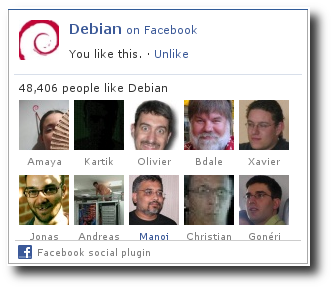
Debian Developers who like Debian on FacebookFacebook is not very popular among free software hackers. When I announced my Facebook page on identi.ca (see here) I got a few replies suggesting it was odd for me to use Facebook. Indeed there are many good reasons why Facebook should be avoided: it is a centralized and proprietary service that is not very privacy-friendly. But the truth is that lots of people are using it (even Debian developers, can you recognize them on the picture?) and some are using their Facebook news feed as their main source of news. You might wonder how many persons that represents, so here are the figures: the Debian Facebook page has 48,361 fans and the Ubuntu one has 247,932 fans. That s right, an announce put on the Debian facebook page would reach more persons than the most popular announce list that Debian is currently running (debian-announce@lists.debian.org has about 29,000 subscribers). Unfortunately that Debian Facebook page is empty and I don t even know who the administrator is. The Ubuntu page on the contrary is properly configured to relay news from The Fridge and Jono Bacon is posting some custom updates from time to time. Debian contributors regularly mention world domination as the ultimate goal of the universal operating system (I even feature this in my blog header banner! :-) ). But working towards world domination means in my opinion that we should communicate our ideals of freedom to as many people as possible, even if they are using a service that we don t want to promote. The Debian social contract acknowledges that some users have to use non-free software and we provide the non-free section for them. In the same spirit, I believe we must have a presence on Facebook. That does not mean that we endorse Facebook, and we should surely promote Joindiaspora once it s usable. But in the mean time we should reach out to Facebook users and allow them to follow us with the platform of their choice. That s the choice I recently made when I decided to setup a public facebook page featuring my free software work, my blog and my book. So if you are a Facebook user, click here to visit my page and click on Like if you want to follow this blog in your Facebook news feed. I also share interesting Debian or Ubuntu related articles that I discover while reading my RSS subscriptions. Below are the usual facebook widgets for the 3 pages quoted in this article (they might not show up if you read this article through an RSS feed):
<iframe allowtransparency="true" frameborder="0" scrolling="no" src="http://www.facebook.com/plugins/likebox.php?id=103161013077063&amp;width=292&amp;connections=0&amp;stream=false&amp;header=false&amp;height=62" style="border:none; overflow:hidden; width:292px; height:62px;"></iframe>
<iframe allowtransparency="true" frameborder="0" scrolling="no" src="http://www.facebook.com/plugins/likebox.php?id=9801962186&amp;width=292&amp;connections=0&amp;stream=false&amp;header=false&amp;height=62" style="border:none; overflow:hidden; width:292px; height:62px;"></iframe>
<iframe allowtransparency="true" frameborder="0" scrolling="no" src="http://www.facebook.com/plugins/likebox.php?id=6723083591&amp;width=292&amp;connections=0&amp;stream=false&amp;header=false&amp;height=62" style="border:none; overflow:hidden; width:292px; height:62px;"></iframe> Flattr this Share/Bookmark 14 comments Support my work

8 September 2010

Mirco Bauer: Smuxi 0.8 "Godsend" Release

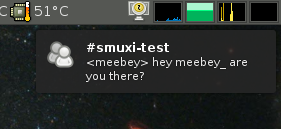
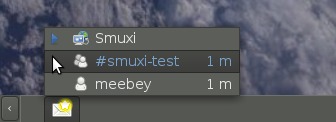
5 weeks after the 0.7.2.2 "Lovegood" release, I am very happy to announce the major feature release, 0.8 codenamed "Godsend". Major feature highlights of this release are desktop notifications (with full support of actions, icons, updates, append and sound), messaging menu / indicators (as provided by Ubuntu's Ayatana project) and working Twitter support with OAuth (basic auth was disabled by Twitter on 31st August). This version also fixes all bugs that were reported since the release of 0.7.2.2. Desktop Notifications
Messaging Menu
Further on, Smuxi comes with the following improvements in its user interface: Smuxi provides better connectivity and security by supporting: HTTP and SOCKS proxies as well as secure connections to IRC servers by using SSL with optional certificate validation. Last but not least, it comes with an enhanced Twitter experience by supporting the use of multiple Twitter accounts at the same time, reformatting tweets that contain newlines and showing the full retweet instead of a truncated version. Updated languages includes: French (Cl ment BOURGEOIS) and German (Bianca Mix) The #smuxi IRC channel can now also be found, in addition to OFTC, on other popular IRC networks such as freenode and GIMPnet. The messages on #smuxi are automatically relayed between the 3 IRC networks. If you like Smuxi and want to support it by making micro-donations, Smuxi is available on Flattr. There are also many other nice FOSS projects available on Flattr, see the Flattr-FOSS project. Smuxi is available for download from here. Binary Packages of Smuxi 0.8 are ready to be used by Debian/Experimental, Ubuntu/Maverick, Ubuntu/Lucid (via PPA), OpenSUSE, Foresight Linux, FreeBSD, and Windows.

7 September 2010

Rapha&#235;l Hertzog: How to use multiple upstream tarballs in Debian source packages?

Since the introduction of the 3.0 (quilt) source format, it is now possible to integrate multiple upstream tarballs in Debian source packages. This article will show you how to do the same with your own package shall you need it. It s quite useful to easily integrate supplementary plugins, translations, or documentation that the upstream developers are providing in separate tarballs. Step by step explanation We ll take the spamassassin source package as an example. The upstream version is 3.3.1. The main upstream tarball is named as usual (spamassassin_3.3.1.orig.tar.gz) and contains the top directory of our source package. We already have a debian directory because the package is not new. Upstream provides spamassassin rules in a separate tarball named Mail-SpamAssassin-rules-3.3.1.r901671.tgz. We grab it, rename it to spamassassin_3.3.1.orig-pkgrules.tar.gz and put it next to the main tarball. The pkgrules part is the component name that we choose to identify the tarball, it s also the name of the directory in which it will be extracted inside the source package. For now that directory doesn t exist yet so we must create it.
$ mv Mail-SpamAssassin-rules-3.3.1.r901671.tgz spamassassin_3.3.1.orig-pkgrules.tar.gz
$ cd spamassassin-3.3.1
$ mkdir pkgrules
$ tar -C pkgrules -zxf ../spamassassin_3.3.1.orig-pkgrules.tar.gz
This is already enough, the next time that you will build the source package, the supplementary tarball will be automatically integrated in the generated source package.
$ dpkg-buildpackage -S
[...]
 dpkg-source -b spamassassin-3.3.1
dpkg-source: info: using source format  3.0 (quilt)'
dpkg-source: info: building spamassassin using existing ./spamassassin_3.3.1.orig-pkgrules.tar.gz ./spamassassin_3.3.1.orig.tar.gz
dpkg-source: info: building spamassassin in spamassassin_3.3.1-1.debian.tar.gz
dpkg-source: info: building spamassassin in spamassassin_3.3.1-1.dsc
The supplementary tarball is now part of the source package but we re not making anything useful out of it. We have to modify debian/rules (or debian/spamassin.install) to install the new files in the binary package. A special case: bundling related software In very rare cases, you might want to create a bundle of several software (small perl modules for example) and you don t have any main tarball, you only have several small tarballs. Rename all the tarballs following the same logic as above and when building the source package you can ask dpkg-source to create an empty (and fake) main archive for you with the option --create-empty-orig:
$ dpkg-buildpackage -S --source-option=--create-empty-orig
Use with care as the version number you give to the bundle is what users will see and it s likely unrelated to the version number of each individual software. Common mistakes Forgetting to extract the supplementary tarball If you forget to extract the content of the supplementary tarball in the pkgrules directory, dpkg-source will emit lots of warnings about those files being deleted. In fact, you did not delete them but you only forgot to create them in the first place.
dpkg-source: warning: ignoring deletion of directory pkgrules
dpkg-source: warning: ignoring deletion of file pkgrules/20_fake_helo_tests.cf
dpkg-source: warning: ignoring deletion of file pkgrules/60_shortcircuit.cf
[...]
Using a bad version number for the supplementary tarball Sometimes the supplementary tarball has a version of its own that does not match the upstream version. You must still name the file in a way that matches the upstream version of the main tarball otherwise it will not be picked up by dpkg-source and it will generate a new patch in debian/patches/ containing the whole new directory. It s possible to encode the version number of the supplementary tarball in the component name (in our example above we could have picked pkgrules-r901671 as component name) but this means that the name of the associated directory will regularly change and you must adapt your packaging rules to cope with this. However this last trick has the benefit of being able to update the additional tarball without bumping the upstream version. A sourceful upload of a new revision of the package will be accepted by the archive: the main tarball is ignored since it s unchanged but the supplementary tarball is taken since it s a new file for the archive (it has a different filename). Be sure to move away old versions of the additional tarball when you do that if you don t want to upload several versions of the same tarball by mistake! Misextracting the supplementary tarball dpkg-source is very smart when it extracts the supplementary tarball and you should be as well when you manually extract it. If the tarball contains only a single top-level directory, that directory is extracted, renamed to match the component name and moved in the source package directory.
If the tarball contains several top-level files or directories, then the target directory is first created and the content of the archive is directly extracted into that directory. Here are commands to install the files in both cases (we re already in the source package directory):
$ mkdir pkgrules
# Archive contains a single top-level directory
$ tar -C pkgrules --strip-components=1 -zxf ../spamassassin_3.3.1.orig-pkgrules.tar.gz
# Archive contains many top-level entries
$ tar -C pkgrules -zxf ../spamassassin_3.3.1.orig-pkgrules.tar.gz
Flattr this Share/Bookmark 2 comments Support my work

1 September 2010

Rapha&#235;l Hertzog: Free and opensource software to Flattr

Flattr FOSS LogoSince I published How to make 110.28 EUR in one month with free software and Flattr , quite a few people joined the movement and I had less troubles finding projects to Flattr. That s great! :-) Without further ado, here are my recommendations for september:
  1. Smuxi is an IRC application that integrates from the start the need to be permanently connected. You can run the engine on a server and the graphical interface connects there. The engine has all the intelligence so it remembers what message you last saw in each channel (including highlights) and you won t miss anything. I recently switched to it and I like it. It s not perfect but it s improving quickly. The next version even supports Ubuntu s messaging indicator for better integration with the desktop.
  2. Geshi is a PHP class used by many other software to provide enhanced views of code on web pages by coloring the various parts based on the syntax of the respective programming language. It s used by Wikipedia, many blog plugins and lots of other web applications.
  3. Git-buildpackage is a set of tools developed by Guido G nther to make it easier to maintain Debian packages in Git repositories. I use it for several packages that I maintain.
  4. Mixare is an augmented reality browser. Take your Android phone and it will incrust information in the (camera) view of the environment. Impressive video on the website.
  5. Lightspark is is a modern flash player implementation targetting ActionScript 3.0 support (while Gnash only supports older versions). It s one of those few projects that are really needed to get rid of the non-free Adobe plugin that almost everybody installs because there s nothing else that work well enough.
This article is part of the Flattr FOSS project.
Flattr this Share/Bookmark 10 comments Support my work

30 August 2010

Rapha&#235;l Hertzog: Understanding Membership Structures in Debian and Ubuntu

Debian and Ubuntu have a set of official membership roles that can be granted to regular contributors. Those roles come with rights that enable the contributors to do their work and to participate in the project governance (elections and other official decision-making processes). It s also a way for the distributions to acknowledge the work done: most contributors are proud of the status they reached. The membership structure plays an important role in the development of a distribution: it defines the kind of contributors that are welcome in the project, it sets expectations of the project towards its contributors and defines their rights. In the end, this shapes the project s ability to recruit new contributors to keep the project alive and kicking. This article introduces the existing statuses in Debian and Ubuntu, and defines the sometimes confusing jargon associated with them. The Debian Case Debian only has two types of official members: Debian Developers (DD) and Debian Maintainers (DM). The rights of the developers are codified in the Debian Constitution while those of the maintainers have been defined in a general resolution of 2007. The Debian Maintainer status is still mostly documented in a wiki page. The integration of this new status in Debian s official processes has been slow to come largely because it was introduced at that time without enough negotiation with the involved parties. Nowadays, it is preferred that people get the DM status before applying for DD. DM is a very limited role: maintainers can only upload packages that already have their name on them (either in the Maintainer or Uploaders field) and a specific flag (DM-Upload-Allowed: yes) that only Debian Developers can add. They have no other rights and limited access to Debian s resources. Besides those official roles, there are also maintainers of packages that have no official status within Debian except that they are listed in the Maintainer field of the package. They are doing the maintenance work but all uploads are done by a Debian Developer after verification of the work done (this is called sponsorship and is the only way to start with official packaging work). Once the DD trusts the maintainer, the developer will typically ask the maintainer to apply for DM status in order to be relieved from the sponsorship work. In the end, that makes three different kind of package maintainers and a lot of confusion when you discuss membership issues in particular when the New Maintainer process is the path that you follow to become a Debian Developer. Don t be fooled by the names when reading Debian s documentation! The Ubuntu Case Ubuntu had, from the start, an official Ubuntu Member status that includes all contributors: developers of course, but also documentation writers, artists, translators, etc. This status notably grants the right to vote in elections of the Community Council, the right to participate on Planet Ubuntu, and the @ubuntu.com email alias. For developers, the situation is more complicated: the wiki page lists no less than five different statuses. Initially, developers were split between Ubuntu Core Developers and the MOTU (Masters Of The Universe). The latter were responsible of the universe/multiverse sections of the archive while the former also had upload rights for the main/restricted sections. But, inspired by the Debian Maintainers concept and facing concrete problems in terms of archive management, they changed their infrastructure to offer more fine-grained control on package uploads. Ubuntu can now grant upload permissions on a package-per-package basis, but it can also delegate the right to grant upload permissions with the same granularity. This lead to the new Per-Package Uploader status which is simply an Ubuntu Member with upload rights on a limited set of packages where they have a specific expertise. The more generic Ubuntu Developers status now encompasses members of various development teams that have been delegated the right to manage upload permissions on a (usually large) package set (the current teams are Ubuntu Desktop, Mythubuntu, Kubuntu, and Edubuntu). Those teams can define their own policy to add new members provided they follow the basic rules defined by the Developer Membership Board (see this wiki page). Ubuntu Contributing Developer is an intermediate status for someone who is not yet ready for one of the other developer statuses but who has still shown enough commitment to be an Ubuntu Member. All those statuses can be obtained in a similar way: you prepare a wiki page listing your past contributions, you collect testimonials from existing members that you have worked with, you add yourself in the agenda of the next meeting of the board (or council) that grants the status that you seek, and you attend the meeting. The members of the board will decide whether you are ready for the status (or not) based on what you provided in the wiki, based on your answers during the meeting (and on a mailing-list for developers), and based on what others have to say about you. The most important boards are usually elected by the community while others are commonly appointed by the community council. Those governance bodies include Canonical employees but not as many as one would expect: two out of eight in the Developer Membership Board, two out of eight in the Community Council, but all six members of the Technical Board. The last figure, while not intended, is not surprising given the high expectations set on potential members of the technical board. Mark, as the founder, is the only person to have a permanent seat on both the Community Council and the Technical Board. Comparison of the Statuses Between Debian and Ubuntu The following table summarizes the rights given to each developer role in the two projects (Put the mouse over the abbreviations to know what they are referring to).
Rights Debian Ubuntu
DM DD UM PPU/UD MOTU UCD
Package maintenance via sponsorshipYN/AYYYN/A
Official email alias-YYYYY
Participate in votes for members-YYYYY
Participate in votes for developers-Y-YYY
Upload rights restricted to pre-approved packagesY--Y--
Upload rights restricted to a section of the archive----Y-
Unlimited upload rights-Y---Y
Number of contributors (as of 2010-07-27)117904462278563
Please note that the number of contributors are not 100% accurate for Ubuntu. A contributor can have multiple statuses (direct membership to a launchpad group) granted over time (while gaining experience). The problem has been mostly avoided by calculating differences between number of members of the various groups but it s not perfect and it can t be: some MOTU are also PPU for packages in main and it s legitimate (but I only counted them as MOTU and not as PPU). Another limitation is that members of some administrative teams are included indirectly in many teams and thus appear in the count while they should not. Anyway, this simple table makes it obvious that Ubuntu s structure offers a broader choice of statuses. They acknowledge the work of all contributors from the start while still giving the most critical rights only to those who have proven that they deserve them. Despite this difference, Debian still has a significant advantage in terms of number of developers. That number does not tell the whole story though: the Ubuntu contributors include many Canonical employees (e.g. 36 out of 63 core developers have a @canonical.com email registered on their launchpad account) that are likely to spend more time working on the distribution than the average Debian member. But even if comparing person-hours would be a challenging thought experiment, in practice it s of not much interest if both projects continue to cooperate and if more and more of the contributions flow in both directions. Debian is aware of the shortcomings of its structure. Changes to better accommodate non-packagers have been discussed several times already. The last efforts in that direction were unfortunately perceived as a solution ready to go rather than a proposal to be discussed, and the project got quickly buried by a general resolution (GR). Even if that resolution invited for further discussion and a new proposal, the truth is that when someone s initiative is corrected by way of GR, it usually kills any motivation to go forward. Possible Evolution? On the Ubuntu side, the infrastructural changes were completed recently and they don t expect any further change in the near future. They do plan, however, to expand usage of those new features so that more teams benefit from the possibility to control upload rights on packages that are relevant to them, and so that more individuals developers apply to become Per-Package Uploaders on packages that they know very well. On the Debian side, a recent discussion on the debian-project list brought back the topic of the bad terminology and it was agreed that the New Maintainer process should be renamed into something else ( New Developer process has been suggested). But Christoph Berg Debian Account Manager and hence heavily involved in the New Maintainer Team suggested that Debian would be better off implementing the long-awaited membership changes before trying to update all the documentation. It would certainly imply some more vocabulary updates. Later in the discussion, he confirmed that membership reform is on the top of the TODO list of the new maintainer team (just after the rewrite of the nm.debian.org website). What can be expected from this reform? The following answers are my own guesses based on my experience of Debian, but the project hasn t decided anything yet. Almost two years have elapsed since the previous efforts in that direction, the new maintainer team has recruited new members and is in a general better shape. Hopefully, the next episode of this saga will have a better outcome.
This article was first published in Linux Weekly News. In a comment, Mark Shuttleworth tried to explain how the Ubuntu community is being setup.
Flattr this Share/Bookmark 10 comments Support my work

12 August 2010

Rapha&#235;l Hertzog: How to make 110.28 EUR in one month with free software and Flattr

Flattr FOSS Logo
  1. Create an account on Flattr.com (mine is here);
  2. Submit the URL of your free software project to the Flattr directory with a good description and the proper tags (here s my entry for dpkg);
  3. Add a Flattr button on your website (I put one on wiki.debian.org/Teams/Dpkg);
  4. Inform your users and reach out to free software users using Flattr by registering your project in Flattr FOSS.
And I m not alone, Joey Hess made 25 EUR in one week only. And right now only 30K people are using Flattr. I expect this number to increase significantly now that invites are no longer required to open a Flattr account (see the announce on Flattr s blog). It s time to spread the word about Flattr FOSS! Flattr this Share/Bookmark 8 comments Support my work

Next.

Previous.