This is a story about counter-intuitive probabilities and how a small bit of doubt turned out to be very justified.
It begins with the game To Court the King (German: Um Krone und Kragen ). It is a nice game with dice and cards, where you start with a few dice, and use your dice rolls to buy additional cards, which give you extra dice or special powers to modify the dice that you rolled. You can actually roll your dice many times, but every time, you have to set aside at least one die, which you can no longer change or reroll, until eventually all dice have been set aside.
A few years ago, I have played this game a lot, both online (on yucata.de) as well as in real life. It soon became apparent that it is almost always better to go for the cards that give you an extra die, instead of those that let you modify the dice. Intuitively, this is because every additional die allows you to re-roll your dice once more.
I concluded that if I have a certain number of dice (say, n), and I want to have a sum as high as possible at the end, then it may make sense to reroll as many dice as possible, setting aside only those showing a 6 (because that is the best you can get) or, if there is no dice showing a 6, then a single die with the best score. Besides for small number of dice (2 or 3), where even a 4 or 5 is worth keeping, this seemed to be a simple, obvious and correct strategy to maximize the expected outcome of this simplified game.
It is definitely simple and obvious. But some doubt that it was correct remained. Having one more die still in the game (i.e. not set aside) definitely improves your expected score, because you can reroll the dice more often. How large is this advantage? What if it ever exceeds 6 then it would make sense to reroll a 6. The thought was strange, but I could not dismiss it.
So I did what one does these days if one has a question: I posed it on the mathematics site of StackExchange. That was January 2015, and nothing happened.
I tried to answer it myself a month later, or at least work towards at an answer, and did that by brute force. Using a library for probabilistic calculations for Haskell I could write some code that simply calculated the various expected values of n dice for up to n = 9 (beyond that, my unoptimized code would take too long):
Note that this calculation, although printed as floating point numbers, is performed using fractions of unbounded integers, so there are no rounding issues that could skew the result.
The result supported the hypothesis that there is no point in rolling a 6 again: The value of an additional die grows and approaches 6 from beyond, but judging from these number is never going to reach it.
Then again nothing happened. Until 14 month later, when some Byron Schmuland came along, found this an interesting puzzle, and set out a 500 point bounty to whoever solved this problem. This attracted a bit attention, and a few not very successful attempts at solving this. Eventually it reached twitter, where Roman Cheplyaka linked to it.
Coincidally a day later some joriki came along, and he had a very good idea: Why not make our life easier and think about dice with less sides, and look at 3 instead of 6. This way, and using a more efficient implementation (but still properly using rationals), he could do a similar calculation for up to 50 dice. And it was very lucky that he went to 50, and not just 25, because up to 27, the results were very much as expected, approaching value of +3 from below. But then it surpassed +3 and became +3.000000008463403.
In other words: If you have roll 28 dice, and you have exactly two dice showing a 3, then it gives you better expected score if you set aside only one 3, and not both of them. The advantage is minuscule, but that does not matter it is there.
From then on, the results behaved strangely. Between 28 and 34, the additional value was larger than 3. Then, from 35 on again lower than 2. It oscillated. Something similar could be observed when the game is played with coins.
Eventually, joriki improved his code and applied enough tricks so that he could solve it also for the 6-sided die: The difference of the expected value of 198 dice and having 199 dice is larger than 6 (by 10 21...)!
The optimizations that allowed him to calculate these numbers in a reasonable amount of time unfortunately was to assume that my original hypothesis (never rerolling a 6 is optimal), which held until n < 199. But this meant that for n > 199, the code did not yield correct results.
What is the rationale of the story? Don t trust common sense when it comes to statistics; don t judge a sequence just from a few initial numbers; if you have an interesting question, post it online and wait for 16 months.
I tend to save up my vacation time to use in summer for family activities, and today was one of those days.
Yesterday, Jacob and Oliver enjoyed planning what they were going to do with me. They ruled out all sorts of things nearby, but they decided they would like to fly to Ponca City, explore the oil museum there, then eat at Enrique s before flying home.
Of course, it is not particularly hard to convince me to fly somewhere. So off we went today for some great father-son time.
The weather on the way was just gorgeous. We cruised along at about a mile above ground, which gave us pleasantly cool air through the vents and a smooth ride. Out in the distance, a few clouds were trying to form.
Whether I m flying or driving, a pilot is always happy to pass a small airport. Here was the Winfield, KS airport (KWLD):
This is a beautiful time of year in Kansas. The freshly-cut wheat fields are still a vibrant yellow. Other crops make a bright green, and colors just pop from the sky. A camera can t do it justice.
They enjoyed the museum, and then Oliver wanted to find something else to do before we returned to the airport for dinner. A little exploring yielded the beautiful and shady Garfield Park, complete with numerous old stone bridges.
Of course, the hit of any visit to Enrique s is their ice cream tacos (sopapillas with ice cream). Here is Oliver polishing off his.
They had both requested sightseeing from the sky on our way back, but both fell asleep so we opted to pass on that this time. Oliver slept through the landing, and I had to wake him up when it was time to go. I always take it as a compliment when a 6-year-old sleeps through a landing!
Most small airports have a bowl of candy setting out somewhere. Jacob and Oliver have become adept at finding them, and I will usually let them talk me into a piece of candy at one of them. Today, after we got back, they were intent at exploring the small gift shop back home, and each bought a little toy helicopter for $1.25. They may have been too tired to enjoy it though.
They ve been in bed for awhile now, and I m still smiling about the day. Time goes fast when you re having fun, and all three of us were. It is fun to see them inheriting my sense of excitement at adventure, and enjoying the world around them as they go.
The lady at the museum asked how we had heard about them, and noticed I drove up in an airport car (most small airports have an old car you can borrow for a couple hours for free if you re a pilot). I told the story briefly, and she said, So you flew out to this small town just to spend some time here? Yep. Wow, that s really neat. I don t think we ve ever had a visitor like you before. Then she turned to the boys and said, You boys are some of the luckiest kids in the world.
And I can t help but feel like the luckiest dad in the world.
I wrote recently about using git-annex for encrypted sync, but due to a number of issues with it, I ve opted to switch to Syncthing.
I d been using git-annex with real but noncritical data. Among the first issues I noticed was occasional but persistent high CPU usage spikes, which once started, would persist apparently forever. I had an issue where git-annex tried to replace files I d removed from its repo with broken symlinks, but the real final straw was a number of issues with the gcrypt remote repos. git-remote-gcrypt appears to have a number of issues with possible race conditions on the remote, and at least one of them somehow caused encrypted data to appear in a packfile on a remote repo. Why there was data in a packfile there, I don t know, since git-annex is supposed to keep the data out of packfiles.
Anyhow, git-annex is still an awesome tool with a lot of use cases, but I m concluding that live sync to an encrypted git remote isn t quite there yet enough for me.
So I looked for alternatives. My main criteria were supporting live sync (via inotify or similar) and not requiring the files to be stored unencrypted on a remote system (my local systems all use LUKS). I found Syncthing met these requirements.
Syncthing is pretty interesting in that, like git-annex, it doesn t require a centralized server at all. Rather, it forms basically a mesh between your devices. Its concept is somewhat similar to the proprietary Bittorrent Sync basically, all the nodes communicate about what files and chunks of files they have, and the changes that are made, and immediately propagate as much as possible. Unlike, say, Dropbox or Owncloud, Syncthing can actually support simultaneous downloads from multiple remotes for optimum performance when there are many changes.
Combined with syncthing-inotify or syncthing-gtk, it has immediate detection of changes and therefore very quick propagation of them.
Syncthing is particularly adept at figuring out ways for the nodes to communicate with each other. It begins by broadcasting on the local network, so known nearby nodes can be found directly. The Syncthing folks also run a discovery server (though you can use your own if you prefer) that lets nodes find each other on the Internet. Syncthing will attempt to use UPnP to configure firewalls to let it out, but if that fails, the last resort is a traffic relay server again, a number of volunteers host these online, but you can run your own if you prefer.
Each node in Syncthing has an RSA keypair, and what amounts to part of the public key is used as a globally unique node ID. The initial link between nodes is accomplished by pasting the globally unique ID from one node into the add node screen on the other; the user of the first node then must accept the request, and from that point on, syncing can proceed. The data is all transmitted encrypted, of course, so interception will not cause data to be revealed.
Really my only complaint about Syncthing so far is that, although it binds to localhost, the web GUI does not require authentication by default.
There is an ITP open for Syncthing in Debian, but until then, their apt repo works fine. For syncthing-gtk, the trusty version of the webupd8 PPD works in Jessie (though be sure to pin it to a low priority if you don t want it replacing some unrelated Debian packages).
Review wiki RecentChanges since my bookmark.
Usual spam reporting.
Mention microG on #debian-mobile.
Answer pkg-config question on #debian-mentors.
Suggest using UUIDs in response to a debian-arm query.
Reported Debian bug #828103 against needrestart.
A giant yellow SOS crane between the balcony hacklab and a truly misty city.
Locate the 2014 Debian & stuff podcast on archive.org.
Poke the SPARC porters in response to a suggestion on debian-www.
Mention systemctl daemon-reload wrt buildd service changes.
Automate updating some extension lists from check-all-the-things.
Reported wishlist Debian bug #828128 against debsources.
Engage lizard mode! Wish for better display technology.
Nice vegetarian food with nice folks and
interesting discussions with interesting locals.
Polish and release check-all-the-things.
Close bugs I forgot to close in the changelog.
Add link to debian-boot on Debootstrap wiki page.
Notice first mockup of a theme for Debian stretch.
Answer a question about package naming on #debian-mentors.
Discuss the future of cross compilation on Debian.
Notice a talk about FOSSology & update a wiki page.
Mention AsteroidOS and MaruOS on the mobile wiki page.
Contemplate how close to the FSDG Debian might be
and approaches to improving that.
texlive-bin/2016.20160513.41080-3 has been uploaded to unstable,
featuring support for FORCE_SOURCE_DATE. See the last post
for details on it.
doxygen/1.4.4-1 has been uploaded to unstable, fixing #822197
(upstream bug), which caused
some generated html file to contain unreproducible memory addresses of Python
objects used at build time.
debhelper/9.20160618 has been uploaded to unstable, fixing #824490,
which instructs ant to not save the username of the build user in the
generated files. Original patch by Emmanuel Bourg.
epydoc/3.0.1+dfsg-13 and 3.0.1+dfsg-14 have been uploaded by Kenneth J.
Pronovici which fixes nondeterministic ordering issues in generated
documentation and removes memory addresses. Original patches (#825968
and #827416) by Sascha Steinbiss.
With this upload of texlive-bin we decided to stop keeping our patched fork of
as most of the patches for SOURCE_DATE_EPOCH support had been integrated
upstream already, and the last one (making FORCE_SOURCE_DATE default to 1)
had been refused. So, we are now going to let the archive be rebuilt against
unstable's texlive-bin and see how many packages will become unreproducible
with this change; once enough data will be collected we will ponder whether
FORCE_SOURCE_DATE should be exported by helper tools (such as debhelper) or
manually exported by every package that needs it.
(For those wondering: we still recommend to follow SOURCE_DATE_EPOCH always
and don't recommend other projects to implement FORCE_SOURCE_DATE )
With the drop of texlive-bin we now have only three modified packages in our
experimental repository.
Reproducible work in other projects
Ed Maste sent a patch to have
ELF Tool Chain's elfcopy support SOURCE_DATE_EPOCH.
Ed Maste changed
FreeBSD's ar(1) to have a reproducible output by default when invoked with -s.
Ed Maste merged changes
from NetBSD's makefs to FreeBSD's to add a command line option for setting the
timestamp.
Holger Levsen spent some time thinking and documenting how to store package notes
and issues in a multi-distribution friendly manner, so that we can share
these issues and notes between reproducible efforts across different projects.
Thoughts we had about this topic
during the Athens meeting last December are included in the updated README.
Uploads with reproducibility fixes that currently fail to build:
ruby2.3/2.3.1-3 by Christian Hofstaedtler, avoids unreproducible rbconfig.rb files by always using bash for building.
Patches submitted that have not made their way to the archive yet:
#827109 against asciijump by Reiner Herrmann: sort source files for deterministic linking order.
#827112 against boswars by Reiner Herrmann: sort source files for deterministic linking order.
#827114 against overgod by Reiner Herrmann: use C locale for sorting source files.
#827115 against netpbm by Alexis Bienven e: honour SOURCE_DATE_EPOCH while generating output.
#827124 against funguloids by Reiner Herrmann: use C locale for sorting files.
#827145 against scummvm by Reiner Herrmann: don't embed extra fields in zip archive and build with proper host architecture.
#827150 against netpanzer by Reiner Herrmann: sort source files for deterministic linking order.
#827172 against reaver by Alexis Bienven e: sort object files for deterministic linking order.
#827187 against latex2html by Alexis Bienven e: iterate deterministic over Perl hashes; honour SOURCE_DATE_EPOCH for output; strip username from output; sort index keys.
#827313 against cherrypy3 by Sascha Steinbiss: prevent memory addresses in output.
#827361 against matplotlib by Alexis Bienven e: honour SOURCE_DATE_EPOCH in output and sort keys while iterating over dict.
#827382 against dwarfutils by Reiner Herrmann: fix array size, which caused memory from outside a table to be embedded into output.
#827384 against skytools3 by Sascha Steinbiss: use stable sorting order and remove timestamps from documentation.
#827419 against ldaptor by Sascha Steinbiss: sort list of input files and prevent home directory from leaking into documentation.
#827546 against git-buildpackage by Sascha Steinbiss: replace timestamps in documentation with changelog date; prevent temporary paths in documentation.
#827572 against xprobe by Reiner Herrmann: sort list of object files in static library archives.
Package reviews
36 reviews have been added, 12 have been updated and 31 have been removed in this week.
17 FTBFS bugs have been reported by Chris Lamb, Santiago Vila and Dominic Hargreaves.
diffoscope development
Satyam worked on argument completion (#826711) for diffoscope.
strip-nondeterminism development
Mattia Rizzolo uploaded strip-nondeterminism 0.019-1~bpo8+1 to
jessie-backports.
reprotest development
Ceridwen filed an Intent To Package (ITP) bug for reprotest as #827293.
tests.reproducible-builds.org
Mattia Rizzolo uploaded pbuilder 0.225 to unstable, providing built-in
support for eatmydata. We're planning to use it in armhf and i386 builders
where we don't build in tmpfs, to increase the build speed some more.
Valery Young reworked the appearance of the package page, hopefully making them more
intuitive and usable. In the process she changed the script generating them
to use a real templating system, thus improving
maintenance for the future.
Holger adjusted the scheduler to reschedule packages in state 'depwait' after
two days instead of three.
Mattia added the bug title next to the bug numbers in the notes.
Misc.
This week's edition was written by Mattia Rizzolo, Reiner Herrmann, Ed Maste and Holger Levsen and reviewed by a bunch of Reproducible builds folks on IRC.
As some of the world knows full well by now, I've been noodling with Go
for a few years, working through its pros, its cons, and thinking a lot
about how humans use code to express thoughts and ideas. Go's got a lot of
neat use cases, suited to particular problems, and used in the right place,
you can see some clear massive wins.
I've started writing Debian tooling in Go, because it's a pretty natural fit.
Go's fairly tight, and overhead shouldn't be taken up by your operating system.
After a while, I wound up hitting the usual blockers, and started to build up
abstractions. They became pretty darn useful, so, this blog post is announcing
(a still incomplete, year old and perhaps API changing) Debian package for Go.
The Go importable name is pault.ag/go/debian. This contains a lot of utilities
for dealing with Debian packages, and will become an edited down "toolbelt"
for working with or on Debian packages.
Module Overview
Currently, the package contains 4 major sub packages. They're a changelog
parser, a control file parser, deb file format parser, dependency parser
and a version parser. Together, these are a set of powerful building blocks
which can be used together to create higher order systems with reliable
understandings of the world.
changelog
The first (and perhaps most incomplete and least tested) is a changelog file
parser.. This provides the
programmer with the ability to pull out the suite being targeted in the
changelog, when each upload was, and the version for each. For example, let's
look at how we can pull when all the uploads of Docker to sid took place:
funcmain()resp,err:=http.Get("http://metadata.ftp-master.debian.org/changelogs/main/d/docker.io/unstable_changelog")iferr!=nilpanic(err)allEntries,err:=changelog.Parse(resp.Body)iferr!=nilpanic(err)for_,entry:=rangeallEntriesfmt.Printf("Version %s was uploaded on %s\n",entry.Version,entry.When)
The output of which looks like:
Version 1.8.3~ds1-2 was uploaded on 2015-11-04 00:09:02 -0800 -0800
Version 1.8.3~ds1-1 was uploaded on 2015-10-29 19:40:51 -0700 -0700
Version 1.8.2~ds1-2 was uploaded on 2015-10-29 07:23:10 -0700 -0700
Version 1.8.2~ds1-1 was uploaded on 2015-10-28 14:21:00 -0700 -0700
Version 1.7.1~dfsg1-1 was uploaded on 2015-08-26 10:13:48 -0700 -0700
Version 1.6.2~dfsg1-2 was uploaded on 2015-07-01 07:45:19 -0600 -0600
Version 1.6.2~dfsg1-1 was uploaded on 2015-05-21 00:47:43 -0600 -0600
Version 1.6.1+dfsg1-2 was uploaded on 2015-05-10 13:02:54 -0400 EDT
Version 1.6.1+dfsg1-1 was uploaded on 2015-05-08 17:57:10 -0600 -0600
Version 1.6.0+dfsg1-1 was uploaded on 2015-05-05 15:10:49 -0600 -0600
Version 1.6.0+dfsg1-1~exp1 was uploaded on 2015-04-16 18:00:21 -0600 -0600
Version 1.6.0~rc7~dfsg1-1~exp1 was uploaded on 2015-04-15 19:35:46 -0600 -0600
Version 1.6.0~rc4~dfsg1-1 was uploaded on 2015-04-06 17:11:33 -0600 -0600
Version 1.5.0~dfsg1-1 was uploaded on 2015-03-10 22:58:49 -0600 -0600
Version 1.3.3~dfsg1-2 was uploaded on 2015-01-03 00:11:47 -0700 -0700
Version 1.3.3~dfsg1-1 was uploaded on 2014-12-18 21:54:12 -0700 -0700
Version 1.3.2~dfsg1-1 was uploaded on 2014-11-24 19:14:28 -0500 EST
Version 1.3.1~dfsg1-2 was uploaded on 2014-11-07 13:11:34 -0700 -0700
Version 1.3.1~dfsg1-1 was uploaded on 2014-11-03 08:26:29 -0700 -0700
Version 1.3.0~dfsg1-1 was uploaded on 2014-10-17 00:56:07 -0600 -0600
Version 1.2.0~dfsg1-2 was uploaded on 2014-10-09 00:08:11 +0000 +0000
Version 1.2.0~dfsg1-1 was uploaded on 2014-09-13 11:43:17 -0600 -0600
Version 1.0.0~dfsg1-1 was uploaded on 2014-06-13 21:04:53 -0400 EDT
Version 0.11.1~dfsg1-1 was uploaded on 2014-05-09 17:30:45 -0400 EDT
Version 0.9.1~dfsg1-2 was uploaded on 2014-04-08 23:19:08 -0400 EDT
Version 0.9.1~dfsg1-1 was uploaded on 2014-04-03 21:38:30 -0400 EDT
Version 0.9.0+dfsg1-1 was uploaded on 2014-03-11 22:24:31 -0400 EDT
Version 0.8.1+dfsg1-1 was uploaded on 2014-02-25 20:56:31 -0500 EST
Version 0.8.0+dfsg1-2 was uploaded on 2014-02-15 17:51:58 -0500 EST
Version 0.8.0+dfsg1-1 was uploaded on 2014-02-10 20:41:10 -0500 EST
Version 0.7.6+dfsg1-1 was uploaded on 2014-01-22 22:50:47 -0500 EST
Version 0.7.1+dfsg1-1 was uploaded on 2014-01-15 20:22:34 -0500 EST
Version 0.6.7+dfsg1-3 was uploaded on 2014-01-09 20:10:20 -0500 EST
Version 0.6.7+dfsg1-2 was uploaded on 2014-01-08 19:14:02 -0500 EST
Version 0.6.7+dfsg1-1 was uploaded on 2014-01-07 21:06:10 -0500 EST
control
Next is one of the most complex, and one of the oldest parts of go-debian,
which is the control file parser
(otherwise sometimes known as deb822). This module was inspired by the way
that the json module works in Go, allowing for files to be defined in code
with a struct. This tends to be a bit more declarative, but also winds up
putting logic into struct tags, which can be a nasty anti-pattern if used too
much.
The first primitive in this module is the concept of a Paragraph, a struct
containing two values, the order of keys seen, and a map of string to string.
All higher order functions dealing with control files will go through this
type, which is a helpful interchange format to be aware of. All parsing of
meaning from the Control file happens when the Paragraph is unpacked into
a struct using reflection.
The idea behind this strategy that you define your struct, and let the Control
parser handle unpacking the data from the IO into your container, letting you
maintain type safety, since you never have to read and cast, the conversion
will handle this, and return an Unmarshaling error in the event of failure.
Additionally, Structs that define an anonymous member of control.Paragraph
will have the raw Paragraph struct of the underlying file, allowing the
programmer to handle dynamic tags (such as X-Foo), or at least, letting
them survive the round-trip through go.
The default decoder
contains an argument, the ability to verify the input control file using an
OpenPGP keyring, which is exposed to the programmer through the
(*Decoder).Signer() function. If the passed argument is nil, it will not
check the input file signature (at all!), and if it has been passed, any
signed data must be found or an error will fall out of the NewDecoder call.
On the way out, the opposite happens, where the struct is introspected,
turned into a control.Paragraph, and then written out to the io.Writer.
Here's a quick (and VERY dirty) example showing the basics of reading and
writing Debian Control files with go-debian.
packagemainimport("fmt""io""net/http""strings""pault.ag/go/debian/control")typeAllowedPackagestructPackagestringFingerprintstringfunc(a*AllowedPackage)UnmarshalControl(instring)errorin=strings.TrimSpace(in)chunks:=strings.SplitN(in," ",2)iflen(chunks)!=2returnfmt.Errorf("Syntax sucks: '%s'",in)a.Package=chunks[0]a.Fingerprint=chunks[1][1:len(chunks[1])-1]returnniltypeDMUAstructFingerprintstringUidstringAllowedPackages[]AllowedPackage control:"Allow" delim:"," funcmain()resp,err:=http.Get("http://metadata.ftp-master.debian.org/dm.txt")iferr!=nilpanic(err)decoder,err:=control.NewDecoder(resp.Body,nil)iferr!=nilpanic(err)fordmua:=DMUAiferr:=decoder.Decode(&dmua);err!=niliferr==io.EOFbreakpanic(err)fmt.Printf("The DM %s is allowed to upload:\n",dmua.Uid)for_,allowedPackage:=rangedmua.AllowedPackagesfmt.Printf(" %s [granted by %s]\n",allowedPackage.Package,allowedPackage.Fingerprint)
Output (truncated!) looks a bit like:
...
The DM Allison Randal <allison@lohutok.net> is allowed to upload:
   parrot [granted by A4F455C3414B10563FCC9244AFA51BD6CDE573CB]
...
The DM Benjamin Barenblat <bbaren@mit.edu> is allowed to upload:
   boogie [granted by 3224C4469D7DF8F3D6F41A02BBC756DDBE595F6B]
   dafny [granted by 3224C4469D7DF8F3D6F41A02BBC756DDBE595F6B]
   transmission-remote-gtk [granted by 3224C4469D7DF8F3D6F41A02BBC756DDBE595F6B]
   urweb [granted by 3224C4469D7DF8F3D6F41A02BBC756DDBE595F6B]
...
The DM     <aelmahmoudy@sabily.org> is allowed to upload:
   covered [granted by 41352A3B4726ACC590940097F0A98A4C4CD6E3D2]
   dico [granted by 6ADD5093AC6D1072C9129000B1CCD97290267086]
   drawtiming [granted by 41352A3B4726ACC590940097F0A98A4C4CD6E3D2]
   fonts-hosny-amiri [granted by BD838A2BAAF9E3408BD9646833BE1A0A8C2ED8FF]
   ...
...
deb
Next up, we've got the deb module. This contains code to handle reading
Debian 2.0 .deb files. It contains a wrapper that will parse the control
member, and provide the data member through the
archive/tar interface.
Here's an example of how to read a .deb file, access some metadata, and
iterate over the tar archive, and print the filenames of each of the
entries.
dependency
The dependency package provides an interface to parse and compute
dependencies. This package is a bit odd in that, well, there's no other
library that does this. The issue is that there are actually two different
parsers that compute our Dependency lines, one in Perl (as part of dpkg-dev)
and another in C (in dpkg).
To date, this has resulted in me filing
threedifferentbugs.
I also found a broken package in the
archive,
which actually resulted in another bug being (totally accidentally)
already fixed.
I hope to continue to run the archive through my parser in hopes of finding
more bugs! This package is a bit complex, but it basically just returns what
amounts to be an AST
for our Dependency lines. I'm positive there are bugs, so file them!
funcmain()dep,err:=dependency.Parse("foo bar, baz, foobar [amd64] bazfoo [!sparc], fnord:armhf [gnu-linux-sparc]")iferr!=nilpanic(err)anySparc,err:=dependency.ParseArch("sparc")iferr!=nilpanic(err)for_,possi:=rangedep.GetPossibilities(*anySparc)fmt.Printf("%s (%s)\n",possi.Name,possi.Arch)
Gives the output:
foo (<nil>)
baz (<nil>)
fnord (armhf)
version
Right off the bat, I'd like to thank
Michael Stapelberg for letting me graft this
out of dcs and into the go-debian package.
This was nearly entirely his work (with a one or two line function I added
later), and was amazingly helpful to have. Thank you!
This module implements Debian version comparisons and parsing, allowing for
sorting in lists, checking to see if it's native or not, and letting the
programmer to implement smart(er!) logic based on upstream (or Debian)
version numbers.
This module is extremely easy to use and very straightforward, and not worth
writing an example for.
Final thoughts
This is more of a "Yeah, OK, this has been useful enough to me at this point
that I'm going to support this" rather than a "It's stable!" or even
"It's alive!" post. Hopefully folks can report bugs and help iterate on
this module until we have some really clean building blocks to build
solid higher level systems on top of. Being able to have multiple libraries
interoperate by relying on go-debian will be a massive ease.
I'm in need of more documentation, and to finalize some parts of the older
sub package APIs, but I'm hoping to be at a "1.0" real soon now.
The last few weeks have been pretty hectic in their way, but I ve also had the chance to take some time off work to spend with family, which has been nice.
Memorial Day: breakfast and mud
For Memorial Day, I decided it would be nice to have a cookout for breakfast rather than for dinner. So we all went out to the fire ring. Jacob and Oliver helped gather kindling for the fire, while Laura chopped up some vegetables. Once we got a good fire going, I cooked some scrambled eggs in a cast iron skillet, mixed with meat and veggies. Mmm, that was tasty.
Then we all just lingered outside. Jacob and Oliver enjoyed playing with the cats, and the swingset, and then . water. They put the hose over the slide and made a water slide (more mud slide maybe).
Then we got out the water balloon fillers they had gotten recently, and they loved filling up water balloons. All in all, we all just enjoyed the outdoors for hours.
Flying to Petit Jean, Arkansas
Somehow, neither Laura nor I have ever really been to Arkansas. We figured it was about time. I had heard wonderful things about Petit Jean State Park from other pilots: it s rather unique in that it has a small airport right in the park, a feature left over from when Winthrop Rockefeller owned much of the mountain.
And what a beautiful place it was! Dense forests with wonderful hiking trails, dotted with small streams, bubbling springs, and waterfalls all over; a nice lake, and a beautiful lodge to boot. Here was our view down into the valley at breakfast in the lodge one morning:
And here s a view of one of the trails:
The sunset views were pretty nice, too:
And finally, the plane we flew out in, parked all by itself on the ramp:
It was truly a relaxing, peaceful, re-invigorating place.
Flying to Atchison
Last weekend, Laura and I decided to fly to Atchison, KS. Atchison is one of the oldest cities in Kansas, and has quite a bit of history to show off. It was fun landing at the Amelia Earhart Memorial Airport in a little Cessna, and then going to three museums and finding lunch too.
Of course, there is the Amelia Earhart Birthplace Museum, which is a beautifully-maintained old house along the banks of the Missouri River.
I was amused to find this hanging in the county historical society museum:
One fascinating find is a Regina Music Box, popular in the late 1800s and early 1900s. It operates under the same principles as those that you might see that are cylindrical. But I am particular impressed with the effort that would go into developing these discs in the pre-computer era, as of course the holes at the outer edge of the disc move faster than the inner ones. It would certainly take a lot of careful calculation to produce one of these. I found this one in the Cray House Museum:
An Arduino Project with Jacob
One day, Jacob and I got going with an Arduino project. He wanted flashing blue lights for his police station , so we disassembled our previous Arduino project, put a few things on the breadboard, I wrote some code, and there we go. Then he noticed an LCD in my Arduino kit. I hadn t ever gotten around to using it yet, and of course he wanted it immediately. So I looked up how to connect it, found an API reference, and dusted off my C skills (that was fun!) to program a scrolling message on it. Here is Jacob showing it off:
Sursamen is an Arithmetic, Mottled, Disputed, Multiply Inhabited,
Multi-million Year Safe, and Godded Shellworld. It's a constructed world
with multiple inhabitable levels, each lit by thermonuclear "suns" on
tracks, each level supported above the last by giant pillars. Before the
recorded history of the current Involved Species, a culture called the
Veil created the shellworlds with still-obscure technology for some
unknown purpose, and then disappeared. Now, they're inhabited by various
transplants and watched over by a hierarchy of mentor and client species.
In the case of Sursamen, both the Aultridia and the Oct claim jurisdiction
(hence "Disputed"), and are forced into an uneasy truce by the Nariscene,
a more sophisticated species that oversees them both.
On Sursamen, on level eight to be precise, are the Sarl, a culture with an
early industrial level of technology in the middle of a war of conquest to
unite their level (and, they hope, the next level down). Their mentors
are the Oct, who claim descendance from the mysterious Veil. The Deldeyn,
the next level down, are mentored by the Aultridia, a species that evolved
from a parasite on Xinthian Tensile Aranothaurs. Since a Xinthian,
treated by the Sarl as a god, lives in the heart of Sursamen (hence
"Godded"), tensions between the Sarl and the Aultridians run
understandably high.
The ruler of the Sarl had three sons and a daughter. The oldest was
killed by the people he is conquering as Matter starts. The middle
son is a womanizer and a fop who, as the book opens, watches a betrayal
that he's entirely unprepared to deal with. The youngest is a thoughtful,
bookish youth pressed into a position that he also is not well-prepared
for.
His daughter left the Sarl, and Sursamen itself, fifteen years previously.
Now, she's a Special Circumstances agent for the Culture.
Matter is the eighth Culture novel, although (like most of the
series) there's little need to read the books in any particular order.
The introduction to the Culture here is a bit scanty, so you'll have more
background and understanding if you've read the previous novels, but it
doesn't matter a great deal for the story.
Sharp differences in technology levels have turned up in previous Culture
novels (although the most notable example is a minor spoiler), but this is
the first Culture novel I recall where those technological differences
were given a structure. Usually, Culture novels have Special
Circumstances meddling in, from their perspective, "inferior" cultures.
But Sursamen is not in Culture space or directly the Culture's business.
The Involved Species that governs Sursamen space is the Morthanveld: an
aquatic species roughly on a technology level with the Culture themselves.
The Nariscene are their client species; the Oct and Aultridia are, in
turn, client species (well, mostly) of the Nariscene, while meddling with
the Sarl and Deldeyn.
That part of this book reminded me of Brin's Uplift universe. Banks's
Involved Species aren't the obnoxious tyrants of Brin's universe, and
mentoring doesn't involve the slavery of the Uplift universe. But some of
the politics are a bit similar. And, as with Uplift, all the characters
are aware, at least vaguely, of the larger shape of galactic politics.
Even the Sarl, who themselves have no more than early industrial
technology. When Ferbin flees the betrayal to try to get help, he ascends
out of the shellworld to try to get assistance from an Involved species,
or perhaps his sister (which turns out to be the same thing). Banks
spends some time here, mostly through Ferbin and his servant (who is one
of the better characters in this book), trying to imagine what it would be
like to live in a society that just invented railroads while being aware
of interstellar powers that can do practically anything.
The plot, like the world on which it's set, proceeds on multiple levels.
There is court intrigue within the Sarl, war on their level and the level
below, and Ferbin's search for support and then justice. But the Sarl
live in an artifact with some very mysterious places, including the best
set piece in the book: an enormous waterfall that's gradually uncovering a
lost city on the level below the Sarl, and an archaeological dig that
proceeds under the Deldeyn and Sarl alike. Djan Seriy decides to return
home when she learns of events in Sarl, originally for reasons of family
loyalty and obligation, but she's a bit more in touch with the broader
affairs of the galaxy, including the fact that the Oct are acting very
strangely. There's something much greater at stake on Sursamen than
tedious infighting between non-Involved cultures.
As always with Banks, the set pieces and world building are amazing, the
scenery is jaw-dropping, and I have some trouble warming to the
characters. Dramatic flights across tower-studded landscapes seeking
access to forbidden world-spanning towers largely, but don't entirely,
make up for not caring about most of the characters for most of the book.
This did change, though: although I never particularly warmed to Ferbin, I
started to like his younger brother, and I really liked his sister and his
servant by the end of the book.
Unfortunately, the end of Matter is, if not awful, at least
exceedingly abrupt. As is typical of Banks, we get a lot of sense of
wonder but not much actual explanation, and the denouement is essentially
nonexistent. (There is a coy epilogue hiding after the appendices, but it
mostly annoyed me and provides only material for extrapolation about the
characters.) Another SF author would have written a book about the
Xinthian, the Veil, the purpose of the shellworlds, and the deep history
of the galaxy. I should have known going in that Banks isn't that sort of
SF author, but it was still frustrating.
Still, Banks is an excellent writer and this is a meaty, complex,
enjoyable story with some amazing moments of wonder and awe. If you like
Culture novels in general, you will like this. If you like
set-piece-heavy SF on a grand scale, such as Alastair Reynolds or Kim
Stanley Robinson, you probably like this. Recommended.
Rating: 8 out of 10
The plan is to build a binding to the libgnutls.so.30 API. The certtool CSR (REQ) generation interface does not allow me to create a CRL with not critical attributes set on purposes. Maybe if I do it a bit closer to the metal it will be easier
git-annex has been around for a long time, but I just recently stumbled across some of the work Joey has been doing to it. This post isn t about it s traditional roots in git or all the features it has for partial copies of large data sets, but rather for its live syncing capabilities like Dropbox. It takes a bit to wrap your head around, because git-annex is just a little different from everything else. It s sort of like a different-colored smell.
The git-annex wiki has a lot of great information both low-level reference and a high-level 10-minute screencast showing how easy it is to set up. I found I had to sort of piece together the architecture between those levels, so I m writing this all down hoping it will benefit others that are curious.
Ir you just want to use it, you don t need to know all this. But I like to understand how my tools work.
Overview
git-annex lets you set up a live syncing solution that requires no central provider at all, or can be used with a completely untrusted central provider. Depending on your usage pattern, this central provider could require only a few MBs of space even for repositories containing gigabytes or terabytes of data that is kept in sync.
Let s take a look at the high-level architecture of the tool. Then I ll illustrate how it works with some scenarios.
Three Layers
Fundamentally, git-annex takes layers that are all combined in Dropbox and separates them out. There is the storage layer, which stores the literal data bytes that you are interested in. git-annex indexes the data in storage by a hash. There is metadata, which is for things like a filename-to-hash mapping and revision history. And then there is an optional layer, which is live signaling used to drive the real-time syncing.
git-annex has several modes of operation, and the one that enables live syncing is called the git-annex assistant. It runs as a daemon, and is available for Linux/POSIX platforms, Windows, Mac, and Android. I ll be covering it here.
The storage layer
The storage layer simply is blobs of data. These blobs are indexed by a hash, and can be optionally encrypted at rest at remote backends. git-annex has a large number of storage backends; some examples include rsync, a remote machine with git-annex on it that has ssh installed, WebDAV, S3, Amazon Glacier, removable USB drive, etc. There s a huge list.
One of the git-annex features is that each client knows the state of each storage repository, as well as the capability set of each storage repository. So let s say you have a workstation at home and a laptop you take with you to work or the coffee shop. You d like changes on one to be instantly recognized on another. With something like Dropbox or OwnCloud, every file in the set you want synchronized has to reside on a server in the cloud. With git-annex, it can be configured such that the server in the cloud only contains a copy of a file until every client has synced it up, at which point it gets removed. Think about it that is often what you want anyhow, so why maintain an unnecessary copy after it s synced everywhere? (This behavior is, of course, configurable.) git-annex can also avoid storing in the cloud entirely if the machines are able to reach each other directly at least some of the time.
The metadata layer
Metadata about your files includes a mapping from the file names to the storage location (based on hashes), change history, and information about the status of each machine that participates in the syncing. On your clients, git-annex stores this using git. This detail is very useful to some, and irrelevant to others.
Some of the git-annex storage backends can support only storage (S3, for instance). Some can support both storage and metadata (rsync, ssh, local drives, etc.) You can even configure a backend to support only metadata (more on why that may be useful in a bit). When you are working with a git-backed repository for git-annex, it can hold data, metadata, or both.
So, to have a working sync system, you must have a way to transport both the data and the metadata. The transport for the metadata is generally rsync or git, but it can also be XMPP in which Git changesets are basically wrapped up in XMPP presence messages. Joey says, however, that there are some known issues with XMPP servers sometimes dropping or reordering some XMPP messages, so he doesn t encourage that method currently.
The live signaling layer
So once you have your data and metadata, you can already do syncs via git annex sync --contents. But the real killer feature here will be automatic detection of changes, both on the local and the remote. To do that, you need some way of live signaling. git-annex supports two methods.
The first requires ssh access to a remote machine where git-annex is installed. In this mode of operation, when the git-annex assistant fires up, it opens up a persistent ssh connection to the remote and runs the git-annex-shell over there, which notifies it of changes to the git metadata repository. When a change is detected, a sync is initiated. This is considered ideal.
A substitute can be XMPP, and git-annex actually converts git commits into a form that can be sent over XMPP. As I mentioned above, there are some known reliability issues with this and it is not the recommended option.
Encryption
When it comes to encryption, you generally are concerned about all three layers. In an ideal scenario, the encryption and decryption happens entirely on the client side, so no service provider ever has any details about your data.
The live signaling layer is encrypted pretty trivially; the ssh sessions are, of course, encrypted and TLS support in XMPP is pervasive these days. However, this is not end-to-end encryption; those messages are decrypted by the service provider, so a service provider could theoretically spy on metadata, which may include change times and filenames, though not the contents of files themselves.
The data layer also can be encrypted very trivially. In the case of the dumb backends like S3, git-annex can use symmetric encryption or a gpg keypair and all that ever shows up on the server are arbitrarily-named buckets.
You can also use a gcrypt-based git repository. This can cover both data and metadata and, if the target also has git-annex installed, the live signalling layer. Using a gcrypt-based git repository for the metadata and live signalling is the only way to accomplish live syncing with 100% client-side encryption.
All of these methods are implemented in terms of gpg, and can support symmetric of public-key encryption.
It should be noted here that the current release versions of git-annex need a one-character patch in order to fix live syncing with a remote using gcrypt. For those of you running jessie, I recommend the version in jessie-backports, which is presently 5.20151208. For your convenience, I have compiled an amd64 binary that can drop in over /usr/bin/git-annex if you have this version. You can download it and a gpg signature for it. Note that you only need this binary on the clients; the server can use the version from jessie-backports without issue.
Putting the pieces together: some scenarios
Now that I ve explained the layers, let s look at how they fit together.
Scenario 1: Central server
In this scenario, you might have a workstation and a laptop that sync up with each other by way of a central server that also has a full copy of the data. This is the scenario that most closely resembles Dropbox, box, or OwnCloud.
Here you would basically follow the steps in the git-assistant screencast: install git-annex on a server somewhere, and point your clients to it. If you want full end-to-end encryption, I would recommend letting git-annex generate a gpg keypair for you, which you would then need to copy to both your laptop and workstation (but not the server).
Every change you make locally will be synced to the server, and then from the server to your other PC. All three systems would be configured in the client transfer group.
Scenario 1a: Central server without a full copy of the data
In this scenario, everything is configured the same except the central server is configured with the transfer transfer group. This means that the actual data synced to it is deleted after it has been propagated to all clients. Since git-annex can verify which repository has received a copy of which data, it can easily enough delete the actual file content from the central server after it has been copied to all the clients. Many people use something like Dropbox or OwnCloud as a multi-PC syncing solution anyhow, so once the files have been synced everywhere, it makes sense to remove them from the central server.
This is often a good ideal for people. There are some obvious downsides that are sometimes relevant. For instance, to add a third sync client, it must be able to initially copy down from one of the existing clients. Or, if you intend to access the data from a device such as a cell phone where you don t intend for it to have a copy of all data all the time, you won t have as convenient way to download your data.
Scenario 1b: Split data/metadata central servers
Imagine that you have a shell or rsync account on some remote system where you can run git-annex, but don t have much storage space. Maybe you have a cheap VPS or shell account somewhere, but it s just not big enough to hold your data.
The answer to this would be to use this shell or rsync account for the metadata, but put the data elsewhere. You could, for instance, store the data in Amazon S3 or Amazon Glacier. These backends aren t capable of storing the git-annex metadata, so all you need is a shell or rsync account somewhere to sync up the metadata. (Or, as below, you might even combine a fully distributed approach with this.) Then you can have your encrypted data pushed up to S3 or some such service, which presumably will grow to whatever size you need.
Scenario 2: Fully distributed
Like git itself, git-annex does not actually need a central server at all. If your different clients can reach each other directly at least some of the time, that is good enough. Of course, a given client will not be able to do fully automatic live sync unless it can reach at least one other client, so changes may not propagate as quickly.
You can simply set this up by making ssh connections available between your clients. git-annex assistant can automatically generate appropriate ~/.ssh/authorized_keys entries for you.
Scenario 2a: Fully distributed with multiple disconnected branches
You can even have a graph of connections available. For instance, you might have a couple machines at home and a couple machines at work with no ability to have a direct connection between them (due to, say, firewalls). The two machines at home could sync with each other in real-time, as could the two machines at work. git-annex also supports things like USB drives as a transport mechanism, so you could throw a USB drive in your pocket each morning, pop it in to one client at work, and poof both clients are synced up over there. Repeat when you get home in the evening, and you re synced there. The USB drive s repository can, of course, be of the transport type so data is automatically deleted from it once it s been synced everywhere.
Scenario 3: Hybrid
git-annex can support LAN sync even if you have a central server. If your laptop, say, travels around but is sometimes on the same LAN as your PC, git-annex can easily sync directly between the two when they are reachable, saving a round-trip to the server. You can assign a cost to each remote, and git-annex will always try to sync first to the lowest-cost path that is available.
Drawbacks of git-annex
There are some scenarios where git-annex with the assistant won t be as useful as one of the more traditional instant-sync systems.
The first and most obvious one is if you want to access the files without the git-annex client. For instance, many of the other tools let you generate a URL that you can email to people, and then they can download files without any special client software. This is not directly possible with git-annex. You could, of course, make something like a public_html directory be managed with git-annex, but it wouldn t provide things like obfuscated URLs, password-protected sharing, time-limited sharing, etc. that you get with other systems. While you can share your repositories with others that have git-annex, you can t share individual subdirectories; for a given repository, it is all or nothing.
The Android client for git-annex is a pretty interesting thing: it is mostly a small POSIX environment, providing a terminal, git, gpg, and the same web interface that you get on a standalone machine. This means that the git-annex Android client is fully functional compared to a desktop one. It also has a quick setup process for syncing off your photos/videos. On the other hand, the integration with the Android ecosystem is poor compared to most other tools.
Other git-annex features
git-annex has a lot to offer besides the git-annex assistant. Besides the things I ve already mentioned, any given git-annex repository including your client repository can have a partial copy of the full content. Say, for instance, that you set up a git-annex repository for your music collection, which is quite large. You want some music on your netbook, but don t have room for it all. You can tell git-annex to get or drop files from the netbook s repository without deleting them remotely. git-annex has quite a few ways to automate and configure this, including making sure that at least a certain number of copies of a file exist in your git-annex ecosystem.
Conclusion
I initially started looking at git-annex due to the security issues with encfs, and the difficulty with setting up ecryptfs in this way. (I had been layering encfs atop OwnCloud). git-annex certainly ticks the box for me security-wise, and obviously anything encrypted with encfs wasn t going to be shared with others anyhow. I ll be using git-annex more in the future, I m sure.
I have been using Workrave to try to force me to step away from
the computer regularly to work around Repetitive Strain Injury
(RSI) issues that have plagued my life on the computer intermittently
in the last decade.
Workrave itself is only marginally efficient at getting me away from
the machine: as any warning systems, it suffers from alarm fatigue
as you frenetically click the dismiss button every time a Workrave
warning pops up. However, it has other uses.
Analyzing data input
In the past, I have used Workrave to document how
I work too much on the computer,
but never went through more serious processing of the vast data store
that Workrave accumulates about mouse movements and
keystrokes. Interested in knowing how much my leave from Koumbit
affected time spent on the computer, I decided to look into this
again.
It turns out I am working as much, if not more, on the computer since
I took that "time off":
We can see here that I type a lot on the computer. Normal days range
from 10 000 to 60 000 keystrokes, with extremes at around 100 000
keystrokes per day. The average seem to fluctuate around 30 to 40 000
keystrokes per day, but rises sharply around the end of the second
quarter of this very year. For those unfamiliar with the underlying
technology, one keystroke is roughly one byte I put on the
computer. So the average of 40 000 keystrokes is 40 kilobyte (KB)
per day on the computer. That means 15 MB over a year or about
150MB (or 100 MiB if you want to be picky about it) over the
course of the last decade.
That is a lot of typing.
I originally thought this could have been only because I type more
now, as opposed to use more the mouse previously. Unfortunately,
Workrave also tracks general "active time" which we can also examine:
Here we see that I work around 4 hours a day continuously on the
computer. That is active time: not just login, logout time. In other
words, the time where i look away from the computer and think for a
while, jot down notes in my paper agenda or otherwise step away from
the computer for small breaks is not counted here. Notice how some
days go up to 12 hours and how recently the average went up to 7 hours
of continuous activity.
So we can clearly see that I basically work more on the computer now than
I ever did in the last 7 years. This is a problem - one of the reasons
of this time off was to step away from the computer, and it seems I
have failed.
Update: it turns out the graph was skewed towards the last
samples. I went more easy on the keyboard in the last few days and
things have significantly improved:
Another interesting thing we can see is when I switched from using my
laptop to using the server as my main workstation, around early 2011,
which is about the time marcos was built. Now that marcos has been
turned into a home cinema downstairs, I went back to using my laptop
as my main computing device, in late 2015. We can also clearly see
when I stopped using Koumbit machines near the end of 2015 as well.
Further improvements and struggle for meaning
The details of how the graph was produced are explained at the end of
this article.
This is all quite clunky: it doesn't help that the Workrave
data structure is not easily parsable and so easily corruptible. It
would be best if each data point was on its own separate line, which
would be long, granted, but so easier to parse.
Furthermore, I do not like the perl/awk/gnuplot data processing
pipeline much. It doesn't allow me to do interesting analysis like
averages, means and linear regressions easily. It could be interesting
to rewrite the tools in Python to allow better graphs and easier data
analysis, using the tools I learned in
2015-09-28-fun-with-batteries.
Finally, this looks only at keystrokes and non-idle activity. It could be more interesting to
look at idle/active times and generally the amount of time spent on
the computer each day. And while it is interesting to know that I
basically write a small book on the computer every day
(according to Wikipedia, 120KB is about the size of a small pocket
book), it is mostly meaningless if all that stuff is machine-readable
code.
Where is, after all, the meaning in all those shell commands and
programs we constantly input on our keyboards, in the grand scheme of
human existence? Most of those bytes are bound to be destroyed by
garbage collection (my shell's history) or catastrophic backup
failures.
While the creative works from the 16th century can still be accessed
and used by others, the data in some software programs from the
1990s is already inaccessible. - Lawrence Lessig
How this graph was made
I was happy to find that Workrave has some contrib scripts to do such
processing. Unfortunately, those scripts are not shipped with the
Debian package, so I requested that to be fixed
(#825982). There were also some fixes necessary to make
the script work at all: first, there was a syntax error in the Perl
script. But then since my data is so old, there was bound to be some
data corruption in there: incomplete entries or just plain broken
data. I had lines that were all NULL characters, typical of power
failures or disk corruptions. So I have made a patch to fix that
script (#826021).
But this wasn't enough: while this processes data on the current
machine fine, it doesn't deal with multiple machines very well. In the
last 7 years of data I could find, I was using 3 different machines:
this server (marcos), my laptop (angela) and Koumbit's office
servers (koumbit). I ended up modifying the contrib scripts to be
able to collate that data meaningfully. First, I copied over the data
from Koumbit in a local fake-koumbit directory. Second, I mounted
marcos home directory locally with SSHFS:
Then I made a modified version of the Gnuplot script that processes
all those files together:
#!/usr/bin/gnuplotset title "Workrave"set ylabel "Keystrokes per day"set timefmt "%Y%m%d%H%M"#set xrange [450000000:*]set format x "%Y-%m-%d"set xtics rotate
set xdata timeset terminal svg
set output "workrave.svg"
plot "workrave-angela.dat" using 1:28 title "angela", \
"workrave-marcos.dat" using 1:28 title "marcos", \
"workrave-koumbit.dat" using 1:28 title "koumbit", \
"workrave-sum.dat" using 1:2 smooth sbezier linewidth 3 title "average"#plot "workrave-angela.dat" using 1:28 smooth sbezier title "angela", \# "workrave-marcos.dat" using 1:28 smooth sbezier title "marcos", \# "workrave-koumbit.dat" using 1:28 smooth sbezier title "koumbit"
And finally, I made a small shell script to glue this all together:
#!/bin/sh
perl workrave-dump > workrave-$(hostname).dat
HOME=$HOME/marcos perl workrave-dump > workrave-marcos.dat
HOME=$PWD/fake-koumbit perl workrave-dump > workrave-koumbit.dat
# remove idle days as they skew the averagesed-i '/ 0$/d' workrave-*.dat
# per-day granularitysed-i 's/^\(........\)....\?/\1 /' workrave-*.dat
# sum up all graphscat workrave-*.dat sort perl sum.pl > workrave.dat
./gnuplot-workrave-anarcat
I used a different gnuplot script to generate the activity graph:
#!/usr/bin/gnuplotset title "Workrave"set ylabel "Active hours per day"set timefmt "%Y%m%d%H%M"#set xrange [450000000:*]set format x "%Y-%m-%d"set xtics rotate
set xdata timeset terminal svg
set output "workrave.svg"
plot "workrave-angela.dat" using 1:($23/3600) title "angela", \
"workrave-marcos.dat" using 1:($23/3600) title "marcos", \
"workrave-koumbit.dat" using 1:($23/3600) title "koumbit", \
"workrave.dat" using 1:($23/3600) title "average" smooth sbezier linewidth 3#plot "workrave-angela.dat" using 1:28 smooth sbezier title "angela", \# "workrave-marcos.dat" using 1:28 smooth sbezier title "marcos", \# "workrave-koumbit.dat" using 1:28 smooth sbezier title "koumbit"
About a week ago, I extended
vcswatch
to also look at tags in git repositories.
Previously, it was solely paying attention to the version number in the top
paragraph in debian/changelog, and would alert if that version didn't match the
package version in Debian unstable or experimental. The idea is that "UNRELEASED"
versions will keep nagging the maintainer
(via DDPO)
not to forget that some day this package needs an upload. This works for git,
svn, bzr, hg, cvs, mtn, and darcs repositories (in decreasing order of actual
usage numbers in Debian. I had actually tried to add arch support as well, but
that VCS is so weird that it wasn't worth the trouble).
There are several shortcomings in that simple approach:
Some packages update debian/changelog only at release time, e.g. auto-generated from the git changelog using git-dch
Missing or misplaced release tags are not detected
The new mechanism fixes this for git repositories by also looking at the output
of git describe --tags. If there are any commits since the last tag, and the
vcswatch status according to debian/changelog would otherwise be "OK", a new
status "COMMITS" is set. DDPO will report e.g. "1.4-1+2", to be read as "2
commits since the tag [debian/]1.4-1".
Of the 16644 packages using git in Debian, currently 7327 are "OK", 2649 are in
the new "COMMITS" state, and 4227 are "NEW". 723 are "OLD" and 79 are "UNREL"
which indicates that the package in Debian is ahead of the git repository. 1639
are in an ERROR state.
So far the new mechanism works for git only, but other VCSes could be added as
well.
I just did a bundle upload of all MATE 1.14 related packages to Debian unstable. Packages are currently building for the 23 architectures supported by Debian, build status can be viewed on the DDPO page of the Debian MATE Packaging Team [1]
Credits
Again a big thanks to the packaging team. Martin Wimpress again did a fabulous job in bumping all packages towards the 1.14 release series during the last weeks. During last week, I reviewed his work and uploaded all binary packages to a staging repository.
Also a big thanks to Vangelis Mouhtsis, who recently added more hardening support to all those MATE packages that do some sort of C compilation at build time.
After testing all MATE 1.14 packages on a Debian unstable system, I decided to do a bundle upload today. Packages should be falling out of the build daemons within the next couple of hours/days (depending on the architecture being built for).
GTK2 -> GTK3
The greatest change for this release of MATE to Debian is the switch over from GTK2 to GTK3.
People using the MATE desktop environment on Debian systems are invited to test the new MATE 1.14 packages and give feedback via the Debian bug tracker, esp. on the user experience regarding the switch over to GTK3.
Thanks to all who help getting MATE 1.14 in Debian better every day!!!
Known issues when running in NXv3 sessions
The new GTK3 build of MATE works fine locally (against local X.org server). However, it causes some trouble (i.e. graphical glitches) when running in an NXv3 based remote desktop session. Those issues have to be addressed by me (while wearing my NXv3 upstream hat), I guess (sigh...).
light+love,
Mike
[1] https://qa.debian.org/developer.php?login=pkg-mate-team@lists.alioth.deb...
QEMU 2.6 was released a few days ago. One new feature that I have been working on is the new way to configure I/O limits in disk drives to allow bursts and increase the responsiveness of the virtual machine. In this post I ll try to explain how it works.
The basic settings
First I will summarize the basic settings that were already available in earlier versions of QEMU.
Two aspects of the disk I/O can be limited: the number of bytes per second and the number of operations per second (IOPS). For each one of them the user can set a global limit or separate limits for read and write operations. This gives us a total of six different parameters.
I/O limits can be set using the throttling.* parameters of -drive, or using the QMP block_set_io_throttle command. These are the names of the parameters for both cases:
-drive
block_set_io_throttle
throttling.iops-total
iops
throttling.iops-read
iops_rd
throttling.iops-write
iops_wr
throttling.bps-total
bps
throttling.bps-read
bps_rd
throttling.bps-write
bps_wr
It is possible to set limits for both IOPS and bps at the same time, and for each case we can decide whether to have separate read and write limits or not, but if iops-total is set then neither iops-read nor iops-write can be set. The same applies to bps-total and bps-read/write.
The default value of these parameters is 0, and it means unlimited.
In its most basic usage, the user can add a drive to QEMU with a limit of, say, 100 IOPS with the following -drive line:
-drive file=hd0.qcow2,throttling.iops-total=100
We can do the same using QMP. In this case all these parameters are mandatory, so we must set to 0 the ones that we don t want to limit:
I/O bursts
While the settings that we have just seen are enough to prevent the virtual machine from performing too much I/O, it can be useful to allow the user to exceed those limits occasionally. This way we can have a more responsive VM that is able to cope better with peaks of activity while keeping the average limits lower the rest of the time.
Starting from QEMU 2.6, it is possible to allow the user to do bursts of I/O for a configurable amount of time. A burst is an amount of I/O that can exceed the basic limit, and there are two parameters that control them: their length and the maximum amount of I/O they allow. These two can be configured separately for each one of the six basic parameters described in the previous section, but here we ll use iops-total as an example.
The I/O limit during bursts is set using iops-total-max , and the maximum length (in seconds) is set with iops-total-max-length . So if we want to configure a drive with a basic limit of 100 IOPS and allow bursts of 2000 IOPS for 60 seconds, we would do it like this (the line is split for clarity):
With this, the user can perform I/O on hd0.qcow2 at a rate of 2000 IOPS for 1 minute before it s throttled down to 100 IOPS.
The user will be able to do bursts again if there s a sufficiently long period of time with unused I/O (see below for details).
The default value for iops-total-max is 0 and it means that bursts are not allowed. iops-total-max-length can only be set if iops-total-max is set as well, and its default value is 1 second.
Controlling the size of I/O operations
When applying IOPS limits all I/O operations are treated equally regardless of their size. This means that the user can take advantage of this in order to circumvent the limits and submit one huge I/O request instead of several smaller ones.
QEMU provides a setting called throttling.iops-size to prevent this from happening. This setting specifies the size (in bytes) of an I/O request for accounting purposes. Larger requests will be counted proportionally to this size.
For example, if iops-size is set to 4096 then an 8KB request will be counted as two, and a 6KB request will be counted as one and a half. This only applies to requests larger than iops-size: smaller requests will be always counted as one, no matter their size.
The default value of iops-size is 0 and it means that the size of the requests is never taken into account when applying IOPS limits.
Applying I/O limits to groups of disks
In all the examples so far we have seen how to apply limits to the I/O performed on individual drives, but QEMU allows grouping drives so they all share the same limits.
This feature is available since QEMU 2.4. Please refer to the post I wrote when it was published for more details.
The Leaky Bucket algorithm
I/O limits in QEMU are implemented using the leaky bucket algorithm (specifically the Leaky bucket as a meter variant).
This algorithm uses the analogy of a bucket that leaks water constantly. The water that gets into the bucket represents the I/O that has been performed, and no more I/O is allowed once the bucket is full.
To see the way this corresponds to the throttling parameters in QEMU, consider the following values:
Water leaks from the bucket at a rate of 100 IOPS.
Water can be added to the bucket at a rate of 2000 IOPS.
The size of the bucket is 2000 x 60 = 120000.
If iops-total-max is unset then the bucket size is 100.
The bucket is initially empty, therefore water can be added until it s full at a rate of 2000 IOPS (the burst rate). Once the bucket is full we can only add as much water as it leaks, therefore the I/O rate is reduced to 100 IOPS. If we add less water than it leaks then the bucket will start to empty, allowing for bursts again.
Note that since water is leaking from the bucket even during bursts, it will take a bit more than 60 seconds at 2000 IOPS to fill it up. After those 60 seconds the bucket will have leaked 60 x 100 = 6000, allowing for 3 more seconds of I/O at 2000 IOPS.
Also, due to the way the algorithm works, longer burst can be done at a lower I/O rate, e.g. 1000 IOPS during 120 seconds.
Acknowledgments
As usual, my work in QEMU is sponsored by Outscale and has been made possible by Igalia and the help of the QEMU development team.
Enjoy QEMU 2.6!
What happened in the Reproducible
Builds effort between May 15th and May 21st 2016:
Media coverage
Blog posts from our GSoC and Outreachy contributors:
Documentation update
Ximin Luo clarified instructions on how to set SOURCE_DATE_EPOCH.
Toolchain fixes
Joao Eriberto Mota Filho uploaded txt2man/1.5.6-4, which honours SOURCE_DATE_EPOCH to generate reproducible manpages (original patch by Reiner Herrmann).
Dmitry Shachnev uploaded sphinx/1.4.1-1 to experimental with improved support for SOURCE_DATE_EPOCH (original patch by Alexis Bienven e).
Emmanuel Bourg submitted a patch against debhelper to use a fixed username while building ant packages.
Other upstream fixes
Doxygen merged a patch by Ximin Luo, which uses UTC as timezone for embedded timestamps.
CMake applied a patch by Reiner Herrmann in their next branch, which sorts file lists obtained with file(GLOB).
GNU tar 1.29 with support for --clamp-mtimehas been released upstream, closing #816072, which was the blocker for #759886 "dpkg-dev: please make mtimes of packaged files deterministic" which we now hope will be closed soon.
#824639 against openblas by Alexis Bienven e: sort object files while linking
#824653 against elkcode by Alexis Bienven e: sort list of files locale-independently
#824668 against gmt by Alexis Bienven e: use SOURCE_DATE_EPOCH for embedded timestamp (similar patch by Bas Couwenberg already applied and forwarded upstream)
#824808 against gdal by Alexis Bienven e: sort object files while linking
#824951 against libtomcrypt by Reiner Herrmann: use SOURCE_DATE_EPOCH for timestamp embedded into metadata
Reproducibility-related bugs filed:
#824420 against python-phply by ceridwen: parsetab.py file is not included when building with DEB_BUILD_OPTIONS="nocheck"
#824572 against dpkg-dev by XImin Luo: request to export SOURCE_DATE_EPOCH in /usr/share/dpkg/*.mk.
Package reviews
51 reviews have been added, 19 have been updated and 15 have been removed in this week.
The preliminary results for testing have improved further:
testing/amd64 has 20944 / 90.2% reproducible packages now,
testing/i386 has reached 20013 / 86.3% reproducible packages,
testing/armhf has come close with 19951 / 86.0%.
Misc.
During the discussion on debian-devel about PIE, an archive rebuild was suggested by B lint R czey, and Holger Levsen suggested to coordinate this with a required archive rebuild for reproducible builds.
Ximin Luo improved misc.git/reports (=the tools to help writing the weekly statistics for this blog) quite a bit, h01ger contributed a little too.
This week's edition was written by Reiner Herrmann and Holger Levsen and reviewed by a bunch of Reproducible builds folks on IRC.
Debian Long Term Support (LTS)
This is my 6th month working on Debian LTS, started by
Raphael Hertzog at Freexian. This is my largest month so far, for
which I had requested 20 hours of work.
Xen work
I spent the largest amount of time working on the Xen packages. We had
to re-roll the patches because it turned out we originally just
imported the package from Ubuntu as-is. This was a mistake because
that package forked off the Debian packaging a while ago and included
regressions in the packaging itself, not just security fixes.
So I went ahead and rerolled the whole patchset and tested it on
Koumbit's test server. Brian May then completed the uploaded,
which included about 40 new patches, mostly from Ubuntu.
Other LTS work
I also did a bunch of smaller stuff. Of importance, I can note that I
uploaded two advisories that were pending from April: NSS and
phpMyAdmin. I also reviewed the patches for the ICU update,
since I built the one for squeeze (but didn't have time to upload
before squeeze hit end-of-life).
I have tried to contribute to the NTP security support but that
was way too confusing to me, and I have
left it to the package maintainer which seemed to be on top of
things, even if things mean complete chaos and confusion in the world
of NTP. I somehow thought that situation had improved with the recent
investments in ntpsec and ntimed, but unfortunately Debian has
not switched to the ntpsec codebase, so it seems that the NTP efforts
have diverged in three different projects instead of closing into a
single, better codebase.
Future LTS work
This is likely to be my last month of work on LTS until September. I
will try to contribute a few hours in June, but July and August will
be very busy for me outside of Debian, so it's unlikely that I
contribute much to the project during the summer. My backlog
included those packages which might be of interest to other LTS
contributors:
libxml2: no upstream fix, but needs fixing!
tiff ,3 : same mess
libgd2: maintainer contacted
samba regression: mailed bug #821811 to try to revive the effort
policykit-1: to be investigated
p7zip: same
Other free software work
Debian documentation
I wrote an
detailed short guide to Debian package development,
something I felt was missing from the existing corpus, which seems to
be too focus in covering all alternatives. My guide is opinionated:
I believe there is a right and wrong way of doing things, or at least,
there are best practices, especially when just patching packages. I
ended up retroactively publishing that as a blog post - now I can
simply tag an item with blog and it shows up in the blog.
(Of course, because of a mis-configuration on my side, I have suffered
from long delays publishing to Debian planet,
so all the posts dates are off in the Planet RSS feed. This will
hopefully be resolved around the time this post is published, but this
allowed me to get more familiar with the Planet Venus software, as
detailed in that other article.)
Apart from the guide, I have also done extensive research to collate
information that allowed me to create workflow graphs of the various
Debian repositories, which I have
published in the Debian Release section of the Debian wiki. Here
is the graph:
It helps me understand how packages flow between different suites and
who uploads what where. This emerged after I realized I didn't really
understand how "proposed updates" worked. Since we are looking at
implementing a similar process for the security queue, I figured it
was useful to show what changes would happen, graphically.
I have also published a graph that describes the relations between
different software that make up the Debian archive. The idea
behind this is also to provide an overview of what happens when you
upload a package in the Debian archive, but it is more aimed at Debian
developers trying to figure out why things are not working
as expected.
The graphs were done with Graphviz, which allowed me to link to
various components in the graph easily, which is neat. I also prefered
Graphviz over Dia or other tools because it is easier to version and I
don't have to bother (too much) about the layout and tweaking the
looks. The downside is, of course, that when Graphviz makes the wrong
decision, it's actually pretty hard to make it do the right thing, but
there are various workarounds that I have found that made the graphs
look pretty good.
The source is of
course available in git but I feel all this documentation
(including the guide) should go in a more official document
somewhere. I couldn't quite figure out where. Advice on this would be
of course welcome.
Ikiwiki
I have made yet another plugin for Ikiwiki, called irker, which
enables wikis to send notifications to IRC channels, thanks to the
simple irker bot. I had trouble with Irker in the past, since it
was not quite reliable: it would disappear from channels and not
return when we'd send it a notification. Unfortunately, the
alternative, the KGB bot is much heavier: each repository needs a
server-side, centralized configuration to operate properly.
Irker's design is simpler and more adapted to a simple plugin like
this. Let's hope it will work reliably enough for my needs.
I have also suggested improvements to the footnotes styles, since
they looked like hell in my
Debian guide. It turns out this was
an issue with the multimarkdown plugin that doesn't use proper
semantic markup to identify footnotes. The proper fix is to enable
footnotes in the default Discount plugin, which will require
another, separate patch.
Finally, I have done some improvements (I hope!) on the layout of this
theme. I made the top header much lighter and transparent to work
around an issue where followed anchors would be hidden under the top
header. I have also removed the top menu made out of the sidebar
plugin because it was cluttering the display too much. Those links are
all on the frontpage anyways and I suspect people were not using them
so much.
The code is, as before, available in this git repository although
you may want to start from the new ikistrap theme that is based on
Bootstrap 4 and that may eventually be merged in ikiwiki directly.
Link checking
In the process of writing this article, I suddenly remembered that I
constantly make mistakes in the various links I post on my
site. So I started looking at a link checker, another tool that
should be well established but that, surprisingly, is not quite there
yet.
I have found this neat software written in Python called
LinkChecker. Unfortunately, it is basically broken in Debian,
so I had to do a non-maintainer upload to fix that old bug. I
managed to force myself to not take over maintainership of this
orphaned package but I may end up doing just that if no one steps
up the next time I find issues in the package.
One of the problems I had checking links in my blog is that I
constantly refer to sites that are hostile to bots, like the Debian
bugtracker and MoinMoin wikis. So I published a patch that
adds a --no-robots flag to be able to crawl those sites
effectively.
I know there is the W3C tool but it's written in Perl, and there's
probably zero chance for me to convince those guys to bypass robots
exclusion rules, so I am sticking to Linkchecker.
Other Debian packaging work
At my request,
Drush has finally been removed from Debian. Hopefully someone else
will pick up that work, but since it basically needs to be redone from
scratch, there was no sense in keeping it in the next release of
Debian. Similarly, Semanticscuttle was removed from Debian as
well.
I have uploaded new versions of tuptime, sopel and
smokeping. I have also file a Request For Help for Smokeping.
I am happy to report there was a quick response and people will be
stepping up to help with the maintenance of that venerable monitoring
software.
Background radiation
Finally, here's the generic background noise of me running around like
a chicken with his head cut off:
finally got to play with it: it's nice and fast, but
unfortunately, I am not sure I can trust it... After all, if the
package is not reproducible, how do i know code isn't injected
there? same could be said of the buildds, unfortunately.
Finally, I should mention that I will be less active in the coming
months, as I will be heading outside as the summer finally came! I
somewhat feel uncomfortable documenting publicly my summer here, as I
am more protective of my privacy than I was before on this blog. But
we'll see how it goes, maybe you'll hear non-technical articles here
again soon!
The fifth update in the 0.12.* series of Rcpp has arrived on the CRAN network for GNU R a few hours ago, and was just pushed to Debian. This 0.12.5 release follows the 0.12.0 release from late July, the 0.12.1 release in September, the 0.12.2 release in November, the 0.12.3 release in January, and the 0.12.4 release in March --- making it the ninth release at the steady bi-montly release frequency. This release is one again more of a maintenance release addressing a number of small bugs, nuisances or documentation issues without adding any major new features.
Rcpp has become the most popular way of enhancing GNU R with C or C++ code. As of today, 662 packages on CRAN depend on Rcpp for making analytical code go faster and further. That is up by almost fifty packages from the last release in late March!
And as during the last few releases, we have first-time committers. we have new first-time contributors. Sergio Marques helped to enable compilation on Alpine Linux (with its smaller libc variant). Qin Wenfeng helped adapt for Windows builds under R 3.3.0 and the long-awaited new toolchain. Ben Goodrich fixed a (possibly ancient) Rcpp Modules bug he encountered when working with rstan. Other (recurrent) contributor Dan Dillon cleaned up an issue with Nullable and strings. Rcpp Core team members Kevin and JJ took care of small build nuisance on Windows, and I added in a new helper function, updated the skeleton generator and (finally) formally deprecated loadRcppModule() for which loadModule() has been preferred since around R 2.15 or so. More details and links are below.
Changes in Rcpp version 0.12.5 (2016-05-14)
Changes in Rcpp API:
The checks for different C library implementations now also check for Musl used by Alpine Linux (Sergio Marques in PR #449).
Rcpp::Nullable works better with Rcpp::String (Dan Dillon in PR #453).
Changes in Rcpp Attributes:
R 3.3.0 Windows with Rtools 3.3 is now supported (Qin Wenfeng in PR #451).
Correct handling of dependent file paths on Windows (use winslash = "/").
Changes in Rcpp Modules:
An apparent race condition in Module loading seen with R 3.3.0 was fixed (Ben Goodrich in #461 fixing #458).
The (older) loadRcppModules() is now deprecated in favour of loadModule() introduced around R 2.15.1 and Rcpp 0.9.11 (PR #470).
Changes in Rcpp support functions:
The Rcpp.package.skeleton() function was again updated in order to create a DESCRIPTION file which passes R CMD check without notes. warnings, or error under R-release and R-devel (PR #471).
A new function compilerCheck can test for minimal g++ versions (PR #474).
I've been using Notmuch since about 2011, switching away from Mutt to
deal with the monstrous amount of emails I was, and still am dealing
with on the computer. I have contributed a few patches and configs on
the Notmuch mailing list, but basically, I have given up on merging
patches, and instead have a custom config in Emacs that extend it the
way I want. In the last 5 years, Notmuch has
progressed significantly, so I haven't found the need to patch
it or make sweeping changes.
The huge INBOX of death
The one thing that is problematic with my use of Notmuch is that I
end up with a ridiculously large INBOX folder. Before the cleanup I
did this morning, I had over 10k emails in there, out of about 200k
emails overall.
Since I mostly work from my laptop these days, the
Notmuch tags are only on the laptop, and not propagated to the
server. This makes accessing the mail spool directly, from webmail or
simply through a local client (say Mutt) on the server, really
inconvenient, because it has to load a very large spool of mail, which
is very slow in Mutt. Even worse, a bunch of mail that was archived in
Notmuch shows up in the spool because it's just removed tags in
Notmuch: the mails are still in the inbox, even though they are marked
as read.
So I was hoping that Notmuch would help me deal with the giant inbox
of death problem, but in fact, when I don't use Notmuch, it actually
makes the problem worse. Today, I did a bunch of improvements to my
setup to fix that.
The first thing I did was to kill procmail, which I was surprised
to discover has been dead for over a decade. I switched over to
Sieve for filtering, having already switched to Dovecot a
while back on the server. I tried to use the
procmail2sieve.pl conversion tool but it didn't work very well, so
I basically rewrote the whole file. Since I was mostly using Notmuch
for filtering, there wasn't much left to convert.
Sieve filtering
But this is where things got interesting: Sieve is so simpler to use
and more intuitive that I started doing more interesting stuff in
bridging the filtering system (Sieve) with the tagging system
(Notmuch). Basically, I use Sieve to split large chunks of emails off
my main inbox, to try to remove as much spam, bulk email,
notifications and mailing lists as possible from the larger flow of
emails. Then Notmuch comes in and does some fine-tuning, assigning
tags to specific mailing lists or topics, and being generally the
awesome search engine that I use on a daily basis.
Dovecot and Postfix configs
For all of this to work, I had to tweak my mail servers to talk
sieve. First, I enabled sieve in Dovecot:
--- a/dovecot/conf.d/15-lda.conf
+++ b/dovecot/conf.d/15-lda.conf
@@ -44,5 +44,5 @@
 protocol lda
   # Space separated list of plugins to load (default is global mail_plugins).
-  #mail_plugins = $mail_plugins
+  mail_plugins = $mail_plugins sieve
Then I had to switch from procmail to dovecot for local delivery, that
was easy, in Postfix's perennial main.cf:
#mailbox_command = /usr/bin/procmail -a "$EXTENSION"
mailbox_command = /usr/lib/dovecot/dovecot-lda -a "$RECIPIENT"
Note that dovecot takes the full recipient as an argument, not just
the extension. That's normal. It's clever, it knows that kind of
stuff.
One last tweak I did was to enable automatic mailbox creation and
subscription, so that the automatic extension filtering (below) can
create mailboxes on the fly:
--- a/dovecot/conf.d/15-lda.conf
+++ b/dovecot/conf.d/15-lda.conf
@@ -37,10 +37,10 @@
 #lda_original_recipient_header =
 # Should saving a mail to a nonexistent mailbox automatically create it?
-#lda_mailbox_autocreate = no
+lda_mailbox_autocreate = yes
 # Should automatically created mailboxes be also automatically subscribed?
-#lda_mailbox_autosubscribe = no
+lda_mailbox_autosubscribe = yes
 protocol lda
   # Space separated list of plugins to load (default is global mail_plugins).
Sieve rules
Then I had to create a Sieve ruleset. That thing lives in
~/.dovecot.sieve, since I'm running Dovecot. Your provider may
accept an arbitrary ruleset like this, or you may need to go through a
web interface, or who knows. I'm assuming you're running Dovecot and
have a shell from now on.
The first part of the file is simply to enable a bunch of extensions,
as needed:
Some of those are not used yet, for example I haven't tested the
vacation module yet, but I have good hopes that I can use it as a
way to announce a special "urgent" mailbox while I'm traveling. The
rationale is to have a distinct mailbox for urgent messages that is
announced in the autoreply, that hopefully won't be parsable by bots.
Spam filtering
Then I filter spam using this fairly standard expression:
This puts stuff into the junk or greyspam folder, based on the
severity. I am very aggressive with spam: stuff often ends up in the
greyspam folder, which I need to check from time to time, but it beats
having too much spam in my inbox.
Mailing lists
Mailing lists are generally put into a lists folder, with some
mailing lists getting their own folder:
The idea here is that I can safely subscribe to lists without
polluting my mailbox by default. Further processing is done in
Notmuch.
Extension matching
I also use the magic +extension tag on emails. If you send email to,
say, foo+extension@example.com then the emails end up in the foo
folder. This is done with the help of the following recipe:
########################################################################
# wildcard +extension
# http://wiki.dovecot.org/Pigeonhole/Sieve/Examples#Plus_Addressed_mail_filtering
if envelope :matches :detail "to" "*"
  # Save name in $ name  in all lowercase except for the first letter.
  # Joe, joe, jOe thus all become 'Joe'.
  set :lower "name" "$ 1 ";
  fileinto "$ name ";
  #debug_log "filed into mailbox $ name  because of extension";
  stop;
This is actually very effective: any time I register to a service, I
try as much as possible to add a +extension that describe the
service. Of course, spammers and marketers (it's the same really) are
free to drop the extension and I suspect a lot of them do, but it
helps with honest providers and this actually sorts a lot of stuff out
of my inbox into topically-defined folders.
It is also a security issue: someone could flood my filesystem with
tons of mail folders, which would cripple the IMAP server and eat all
the inodes, 4 times faster than just sending emails. But I guess I'll
cross that bridge when I get there: anyone can flood my address and I
have other mechanisms to deal with this.
The trick is to then assign tags to all folders so that they appear in
the Notmuch-emacs welcome view:
echo tagging folders
for folder in $(ls -ad $HOME/Maildir/$ PREFIX */   egrep -v "Maildir/$ PREFIX (feeds.* Sent.* INBOX/ INBOX/Sent)\$"); do
    tag=$(echo $folder   sed 's#/$##;s#^.*/##')
    notmuch tag +$tag -inbox tag:inbox and not tag:$tag and folder:$ PREFIX $tag
done
This is part of my notmuch-tag script that includes a lot more
fine-tuned filtering, detailed below.
Automated reports filtering
Another thing I get a lot of is machine-generated "spam". Well, it's
not commercial spam, but it's a bunch of Nagios, cron jobs, and god
knows what software thinks it's important to send me emails every
day. I get a lot less of those these days since I'm off work at
Koumbit, but still, those can be useful for others as well:
Refiltering emails
Of course, after all this I still had thousands of emails in my inbox,
because the sieve filters apply only on new emails. The beauty of
Sieve support in Dovecot is that there is a neat sieve-filter
command that can reprocess an existing mailbox. That was a
lifesaver. To run a specific sieve filter on a mailbox, I simply run:
sieve-filter .dovecot.sieve INBOX 2>&1 less
Well, this doesn't do anything. To really execute the filters, you
need the -e flags, and to write to the INBOX for real, you need
the -w flag as well, so the real run looks something more like this:
The funky output redirects are necessary because this outputs a lot
of crap. Also note that, unfortunately, the fake run output differs
from the real run and is actually more verbose, which makes it really
less useful than it could be.
Archival
I also usually archive my mails every year, rotating my mailbox into
an Archive.YYYY directory. For example, now all mails from 2015 are
archived in a Archive.2015 directory. I used to do this with Mutt
tagging and it was a little slow and error-prone. Now, i simply have
this Sieve script:
require ["variables","date","fileinto","mailbox", "relational"];
# Extract date info
if currentdate :matches "year" "*"   set "year" "$ 1 ";
if date :value "lt" :originalzone "date" "year" "$ year "
  if date :matches "received" "year" "*"
    # Archive Dovecot mailing list items by year and month.
    # Create folder when it does not exist.
    fileinto :create "Archive.$ 1 ";
I went from 15613 to 1040 emails in my real inbox with this process
(including refiltering with the default filters as well).
Notmuch configuration
My Notmuch configuration is a in three parts: I have small settings in
~/.notmuch-config. The gist of it is:
[new]
tags=unread;inbox;
ignore=
#[maildir]
# synchronize_flags=true
# tentative patch that was refused upstream
# http://mid.gmane.org/1310874973-28437-1-git-send-email-anarcat@koumbit.org
#reckless_trash=true
[search]
exclude_tags=deleted;spam;
I omitted the fairly trivial [user] section for privacy reasons and
[database] for declutter.
Then I have a notmuch-tag script symlinked into
~/Maildir/.notmuch/hooks/post-new. It does way too much stuff to
describe in details here, but here are a few snippets:
if hostname   grep angela > /dev/null; then
    PREFIX=Anarcat/
else
    PREFIX=.
fi
This sets a variable that makes the script work on my laptop
(angela), where mailboxes are in Maildir/Anarcat/foo or the
server, where mailboxes are in Maildir/.foo.
I also have special rules to tag my RSS feeds, which are generated by
feed2imap, which is documented shortly below:
echo tagging feeds
( cd $HOME/Maildir/ && for feed in $ PREFIX feeds.*; do
    name=$(echo $feed   sed "s#$ PREFIX feeds\\.##")
    notmuch tag +feeds +$name -inbox folder:$feed and not tag:feeds
done )
Another example that would be useful is how to tag mailing lists, for
example, this removes the inbox tag and adds the notmuch tags to
emails from the notmuch mailing list.
notmuch tag +lists +notmuch -inbox tag:inbox and "to:notmuch@notmuchmail.org"
Finally, I have a bunch of special keybindings in
~/.emacs.d/notmuch-config.el:
;; autocompletion
(eval-after-load "notmuch-address"
  '(progn
     (notmuch-address-message-insinuate)))
; use fortune for signature, config is in custom
(add-hook 'message-setup-hook 'fortune-to-signature)
; don't remember what that is
(add-hook 'notmuch-show-hook 'visual-line-mode)
;;;;;;;;;;;;;;;;;;;;;;;;;;;;;;;;;;;;;;;;;;;;;;;;;;;;;;;;;;;;;;;;;;;;;;;;
;;; keymappings
;;;;;;;;;;;;;;;;;;;;;;;;;;;;;;;;;;;;;;;;;;;;;;;;;;;;;;;;;;;;;;;;;;;;;;;;
(define-key notmuch-show-mode-map "S"
  (lambda ()
    "mark message as spam and advance"
    (interactive)
    (notmuch-show-tag '("+spam" "-unread"))
    (notmuch-show-next-open-message-or-pop)))
(define-key notmuch-search-mode-map "S"
  (lambda (&optional beg end)
    "mark message as spam and advance"
    (interactive (notmuch-search-interactive-region))
    (notmuch-search-tag (list "+spam" "-unread") beg end)
    (anarcat/notmuch-search-next-message)))
(define-key notmuch-show-mode-map "H"
  (lambda ()
    "mark message as spam and advance"
    (interactive)
    (notmuch-show-tag '("-spam"))
    (notmuch-show-next-open-message-or-pop)))
(define-key notmuch-search-mode-map "H"
  (lambda (&optional beg end)
    "mark message as spam and advance"
    (interactive (notmuch-search-interactive-region))
    (notmuch-search-tag (list "-spam") beg end)
    (anarcat/notmuch-search-next-message)))
(define-key notmuch-search-mode-map "l"
  (lambda (&optional beg end)
    "undelete and advance"
    (interactive (notmuch-search-interactive-region))
    (notmuch-search-tag (list "-unread") beg end)
    (anarcat/notmuch-search-next-message)))
(define-key notmuch-search-mode-map "u"
  (lambda (&optional beg end)
    "undelete and advance"
    (interactive (notmuch-search-interactive-region))
    (notmuch-search-tag (list "-deleted") beg end)
    (anarcat/notmuch-search-next-message)))
(define-key notmuch-search-mode-map "d"
  (lambda (&optional beg end)
    "delete and advance"
    (interactive (notmuch-search-interactive-region))
    (notmuch-search-tag (list "+deleted" "-unread") beg end)
    (anarcat/notmuch-search-next-message)))
(define-key notmuch-show-mode-map "d"
  (lambda ()
    "delete current message and advance"
    (interactive)
    (notmuch-show-tag '("+deleted" "-unread"))
    (notmuch-show-next-open-message-or-pop)))
;; https://notmuchmail.org/emacstips/#index17h2
(define-key notmuch-show-mode-map "b"
  (lambda (&optional address)
    "Bounce the current message."
    (interactive "sBounce To: ")
    (notmuch-show-view-raw-message)
    (message-resend address)
    (kill-buffer)))
;;;;;;;;;;;;;;;;;;;;;;;;;;;;;;;;;;;;;;;;;;;;;;;;;;;;;;;;;;;;;;;;;;;;;;;;
;;; my custom notmuch functions
;;;;;;;;;;;;;;;;;;;;;;;;;;;;;;;;;;;;;;;;;;;;;;;;;;;;;;;;;;;;;;;;;;;;;;;;
(defun anarcat/notmuch-search-next-thread ()
  "Skip to next message from region or point
This is necessary because notmuch-search-next-thread just starts
from point, whereas it seems to me more logical to start from the
end of the region."
  ;; move line before the end of region if there is one
  (unless (= beg end)
    (goto-char (- end 1)))
  (notmuch-search-next-thread))
;; Linking to notmuch messages from org-mode
;; https://notmuchmail.org/emacstips/#index23h2
(require 'org-notmuch nil t)
(message "anarcat's custom notmuch config loaded")
This is way too long: in my opinion, a bunch of that stuff should be
factored in upstream, but some features have been hard to get in. For
example, Notmuch is
really hesitant in marking emails as deleted. The community is
also very strict about having unit tests for everything, which makes
writing new patches a significant challenge for a newcomer, which will
often need to be familiar with both Elisp and C. So for now
I just have those configs that I carry around.
Emails marked as deleted or spam are processed with the following
script named notmuch-purge which I symlink to
~/Maildir/.notmuch/hooks/pre-new:
#!/bin/sh
if hostname   grep angela > /dev/null; then
    PREFIX=Anarcat/
else
    PREFIX=.
fi
echo moving tagged spam to the junk folder
notmuch search --output=files tag:spam \
        and not folder:$ PREFIX junk \
        and not folder:$ PREFIX greyspam \
        and not folder:Koumbit/INBOX \
        and not path:Koumbit/** \
      while read file; do
          mv "$file" "$HOME/Maildir/$ PREFIX junk/cur"
      done
echo unconditionnally deleting deleted mails
notmuch search --output=files tag:deleted   xargs -r rm
Offlineimap
So of course the above works well on the server directly, but how do
run Notmuch on a remote machine that doesn't have access to the mail
spool directly? This is where OfflineIMAP comes in. It allows me
to incrementally synchronize a local Maildir folder hierarchy with a
a remote IMAP server. I am assuming you already have an IMAP server
configured, since you already configured Sieve above.
Note that other synchronization tools exist. The other popular one is
isync but I had trouble migrating to it (see
courriels for details) so for now I am sticking with
OfflineIMAP.
The configuration is fairly simple:
[general]
accounts = Anarcat
ui = Blinkenlights
maxsyncaccounts = 3
[Account Anarcat]
localrepository = LocalAnarcat
remoterepository = RemoteAnarcat
# refresh all mailboxes every 10 minutes
autorefresh = 10
# run notmuch after refresh
postsynchook = notmuch new
# sync only mailboxes that changed
quick = -1
## possible optimisation: ignore mails older than a year
#maxage = 365
# local mailbox location
[Repository LocalAnarcat]
type = Maildir
localfolders = ~/Maildir/Anarcat/
# remote IMAP server
[Repository RemoteAnarcat]
type = IMAP
remoteuser = anarcat
remotehost = anarc.at
ssl = yes
# without this, the cert is not verified (!)
sslcacertfile = /etc/ssl/certs/DST_Root_CA_X3.pem
# do not sync archives
folderfilter = lambda foldername: not re.search('(Sent\.20[01][0-9]\..*)', foldername) and not re.search('(Archive.*)', foldername)
# and only subscribed folders
subscribedonly = yes
# don't reconnect all the time
holdconnectionopen = yes
# get mails from INBOX immediately, doesn't trigger postsynchook
idlefolders = ['INBOX']
Critical parts are:
postsynchook: obviously, we want to run notmuch after fetching
mail
idlefolders: receives emails immediately without waiting for the
longer autorefresh delay, which means that most mailboxes don't
see new emails until 10 minutes in the worst case. unfortunately,
doesn't run the postsynchook so I need to hit G in Emacs to see
new mail
quick=-1, subscribedonly, holdconnectionopen: makes most runs
much, much faster as it skips unchanged or unsubscribed folders and
keeps the connection to the server
The other settings should be self-explanatory.
RSS feeds
I gave up on RSS readers, or more precisely, I merged RSS feeds and
email. The first time I heard of this, it sounded like a horrible
idea, because it means yet more emails! But with proper filtering,
it's actually a really nice way to process emails, since it leverages
the distributed nature of email.
For this I use a fairly standard feed2imap, although I do not
deliver to an IMAP server, but straight to a local Maildir. The
configuration looks like this:
I have obviously more feeds, the above is just and example. This will
deliver the feeds as emails in one mailbox per feed, in
~/Maildir/.feeds.debian-planet, in the above example.
Troubleshooting
You will fail at writing the sieve filters correctly, and mail will
(hopefully?) fall through to your regular mailbox. Syslog will tell
you things fail, as expected, and details are in your
.dovecot.sieve.log file in your home directory.
I also enabled debugging on the Sieve module
--- a/dovecot/conf.d/90-sieve.conf
+++ b/dovecot/conf.d/90-sieve.conf
@@ -51,6 +51,7 @@ plugin
        # deprecated imapflags extension in addition to all extensions were already
   # enabled by default.
   #sieve_extensions = +notify +imapflags
+  sieve_extensions = +vnd.dovecot.debug
   # Which Sieve language extensions are ONLY available in global scripts. This
   # can be used to restrict the use of certain Sieve extensions to administrator
This allowed me to use debug_log function in the rulesets to output
stuff directly to the logfile.
Further improvements
Of course, this is all done on the commandline, but that is somewhat
expected if you are already running Notmuch. Of course, it would be
much easier to edit those filters through a GUI. Roundcube has a
nice Sieve plugin, and Thunderbird also has such a plugin
as well. Since Sieve is a standard, there's a
bunch of clients available. All those need you to setup some sort
of thing on the server, which I didn't bother doing yet.
And of course, a key improvement would be to have Notmuch synchronize
its state better with the mailboxes directly, instead of having the
notmuch-purge hack above. Dovecot and Maildir
formats support up to 26 flags, and there were discussions about
using those flags to synchronize with notmuch tags so that
multiple notmuch clients can see the same tags on different machines
transparently.
This, however, won't make Notmuch work on my phone or webmail or any
other more generic client: for that, Sieve rules are still very
useful.
I still don't have webmail setup at all: so to read email, I need an
actual client, which is currently my phone, which means I need to have
Wifi access to read email. "Internet Caf s" or "this guy's computer"
won't work as well, although I can always use ssh to login straight
to the server and read mails with Mutt.
I am also considering using X509 client certificates to authenticate
to the mail server without a passphrase. This involves configuring
Postfix, which seems simpleenough. Dovecot's configuration
seems a little more involved and less welldocumented. It
seems that both [OfflimeIMAP][] and K-9 mail support client-side
certs. OfflineIMAP prompts me for the password so it doesn't get
leaked anywhere. I am a little concerned about building yet another
CA, but I guess it would not be so hard...
The server side of things needs more documenting, particularly the
spam filters. This is currently spread around this wiki, mostly in
configuration.
Security considerations
The whole purpose of this was to make it easier to read my mail on
other devices. This introduces a new vulnerability: someone may steal
that device or compromise it to read my mail, impersonate me on
different services and even get a shell on the remote server.
Thanks to the two-factor authentication I
setup on the server, I feel a little more confident that just getting
the passphrase to the mail account isn't sufficient anymore in
leveraging shell access. It also allows me to login with ssh on the
server without trusting the machine too much, although that only goes
so far... Of course, sudo is then out of the question and I must
assume that everything I see is also seen by the attacker, which can
also inject keystrokes and do all sorts of nasty things.
Since I also connected my email account on my phone, someone could
steal the phone and start impersonating me. The mitigation here is
that there is a PIN for the screen lock, and the phone is
encrypted. Encryption isn't so great when the passphrase is a PIN, but
I'm working on having a better key that is required on reboot, and the
phone shuts down after 5 failed attempts. This is documented in my
phone setup.
Client-side X509 certificates further mitigates those kind of
compromises, as the X509 certificate won't give shell access.
Basically, if the phone is lost, all hell breaks loose: I need to
change the email password (or revoke the certificate), as I assume the
account is about to be compromised. I do not trust Android security to
give me protection indefinitely. In fact, one could argue that the
phone is already compromised and putting the password there already
enabled a possible state-sponsored attacker to hijack my email
address. This is why I have an OpenPGP key on my laptop to
authenticate myself for critical operations like code signatures.
The risk of identity theft from the state is, after all, a tautology:
the state is the primary owner of identities, some could say by
definition. So if a state-sponsored attacker would like to masquerade
as me, they could simply issue a passport under my name and join a
OpenPGP key signing party, and we'd have other problems to deal with,
namely, proper infiltration counter-measures and counter-snitching.
I am happy to announce the release of OASIS v0.4.6.
OASIS is a tool to help OCaml developers to integrate configure, build and install systems in their projects. It should help to create standard entry points in the source code build system, allowing external tools to analyse projects easily.
This tool is freely inspired by Cabal which is the same kind of tool for Haskell.
You can find the new release here and the changelog here. More information about OASIS in general on the OASIS website.
The main purpose of this release is to make possible to install OASIS with OPAM with OCaml 4.03.0. In order to do so, I had to disable some tests and use a new set of String.*_ascii functions. The OPAM release is pending upload and should soon be available.
 This is a story about counter-intuitive probabilities and how a small bit of doubt turned out to be very justified.
It begins with the game To Court the King (German: Um Krone und Kragen ). It is a nice game with dice and cards, where you start with a few dice, and use your dice rolls to buy additional cards, which give you extra dice or special powers to modify the dice that you rolled. You can actually roll your dice many times, but every time, you have to set aside at least one die, which you can no longer change or reroll, until eventually all dice have been set aside.
A few years ago, I have played this game a lot, both online (on yucata.de) as well as in real life. It soon became apparent that it is almost always better to go for the cards that give you an extra die, instead of those that let you modify the dice. Intuitively, this is because every additional die allows you to re-roll your dice once more.
I concluded that if I have a certain number of dice (say, n), and I want to have a sum as high as possible at the end, then it may make sense to reroll as many dice as possible, setting aside only those showing a 6 (because that is the best you can get) or, if there is no dice showing a 6, then a single die with the best score. Besides for small number of dice (2 or 3), where even a 4 or 5 is worth keeping, this seemed to be a simple, obvious and correct strategy to maximize the expected outcome of this simplified game.
It is definitely simple and obvious. But some doubt that it was correct remained. Having one more die still in the game (i.e. not set aside) definitely improves your expected score, because you can reroll the dice more often. How large is this advantage? What if it ever exceeds 6 then it would make sense to reroll a 6. The thought was strange, but I could not dismiss it.
So I did what one does these days if one has a question: I posed it on the mathematics site of StackExchange. That was January 2015, and nothing happened.
I tried to answer it myself a month later, or at least work towards at an answer, and did that by brute force. Using a library for probabilistic calculations for Haskell I could write some code that simply calculated the various expected values of n dice for up to n = 9 (beyond that, my unoptimized code would take too long):





 As some of the world knows full well by now, I've been noodling with Go
for a few years, working through its pros, its cons, and thinking a lot
about how humans use code to express thoughts and ideas. Go's got a lot of
neat use cases, suited to particular problems, and used in the right place,
you can see some clear massive wins.
I've started writing Debian tooling in Go, because it's a pretty natural fit.
Go's fairly tight, and overhead shouldn't be taken up by your operating system.
After a while, I wound up hitting the usual blockers, and started to build up
abstractions. They became pretty darn useful, so, this blog post is announcing
(a still incomplete, year old and perhaps API changing) Debian package for Go.
The Go importable name is








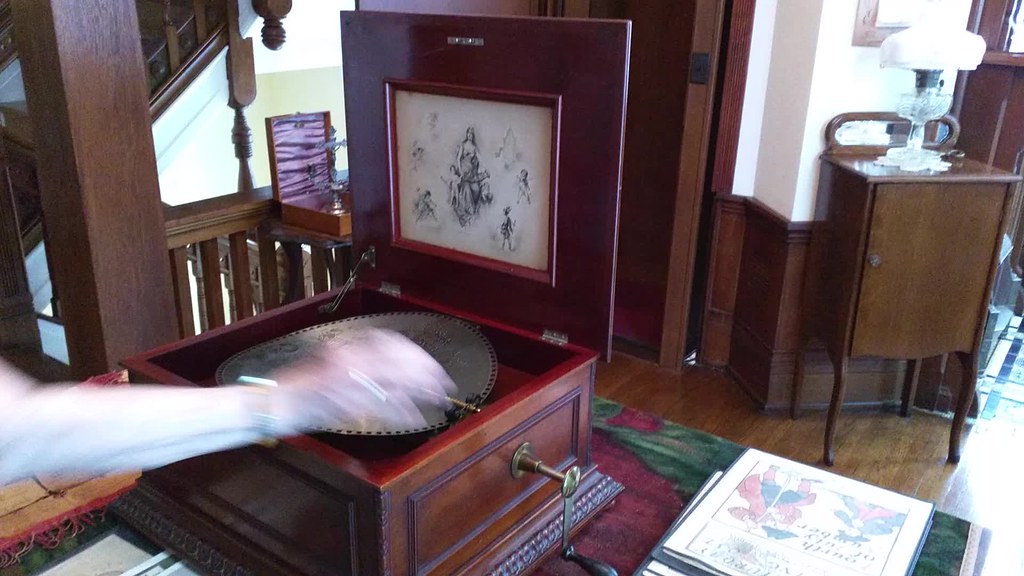
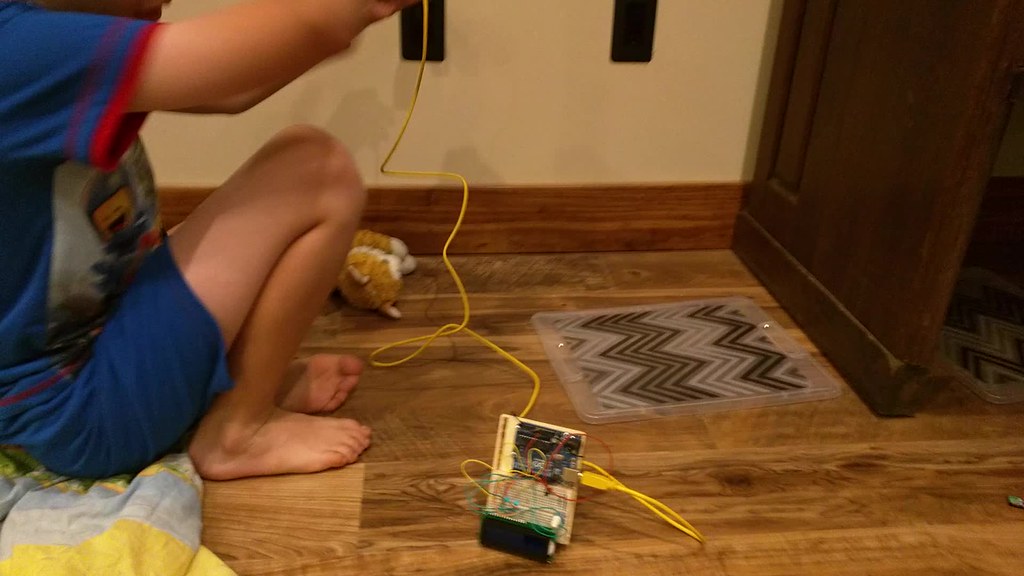
 I put some packages together this weekend. It s been a while since I ve debuilt anything officially.

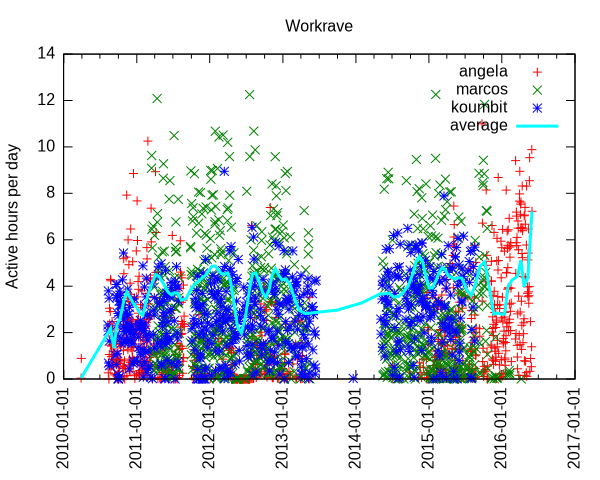

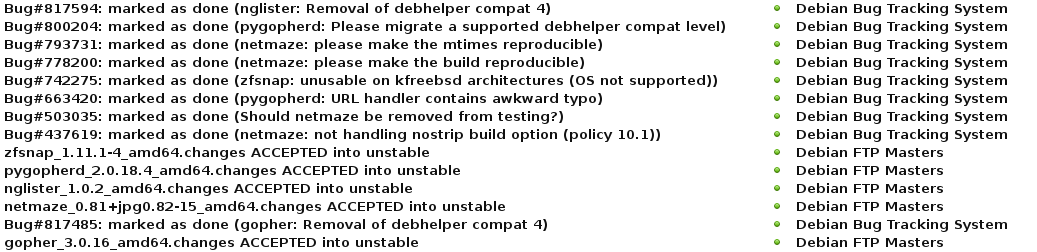
 About a week ago, I extended





 The fifth update in the 0.12.* series of
 I am happy to announce the release of OASIS v0.4.6.
 OASIS is a tool to help OCaml developers to integrate configure, build and install systems in their projects. It should help to create standard entry points in the source code build system, allowing external tools to analyse projects easily.
This tool is freely inspired by Cabal which is the same kind of tool for Haskell.
You can find the new release