Search Results: "sf"

30 April 2007

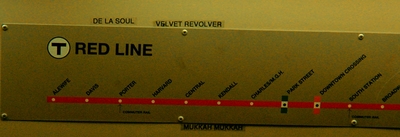
Clint Adams: Transfer at Porter for the commuter rail to Mukkah Mukkah

[T red line map]
[Jews dancing]

Cord Beermann: Listmaster vs. Gmail

We get regular requests from Gmail-Users that don't receive their own mails back, when they post something on a mailinglist to which they are subscribed.

So if this happens to you, first check if your mail shows up in our mailarchive.

If it appears there (wait some time that the archive can catch up) your mail has been successfully posted to the list, and your copy has also been send and is most likely accepted by Gmail. But Gmail seems to drop that mail internally (or sort it in a spamdropbox?) maybe because From and Receipient-address are the same. (We get two or three requests of that kind per week, and everytime we investigated, we found this is the case)

If it doesn't appear in the Mailarchive and your mail has been accepted by our mailserver murphy.debian.org, you most likely have lost against our Spamfiltering. (Did you know that ControlExtension matches the string Rolex?).

Then feel free to report to listmaster@lists.debian.org and provide as much info about your lost mail as possible, helpful would be:


Keep flamemailing.

Enrico Zini: tg-quirk

Turbogears form quirk I had a great idea:
@validate(model_form)
@error_handler()
@expose(template='kid:myproject.templates.new')
def new(self, id, tg_errors=None, **kw):
    """Create new records in model"""
    if tg_errors:
        # Ask until there is still something missing
        return dict(record = defaults, form = model_form)
    else:
        # We have everything: save it
        i = Item(**kw)
        flash("Item was successfully created.")
        raise redirect("../show/%d" % i.id)
It was perfect: one simple method, simple error handling, nice helpful messages all around. Except, check boxes and select fields would not get the default values while all other fields would. After two hours searching and cursing and tracing things into widget code, I found this bit in InputWidget.adjust_value:
# there are some input fields that when nothing is checked/selected
# instead of sending a nice name="" are totally missing from
# input_values, this little workaround let's us manage them nicely
# without interfering with other types of fields, we need this to
# keep track of their empty status otherwise if the form is going to be
# redisplayed for some errors they end up to use their defaults values
# instead of being empty since FE doesn't validate a failing Schema.
# posterity note: this is also why we need if_missing=None in
# validators.Schema, see ticket #696.
So, what is happening here is that since check boxes and option fields don't have a nice behaviour when unselected, turbogears has to work around it. So in order to detect the difference between "I selected 'None'" and "I didn't select anything", it reasons that if the input has been validated, then the user has made some selections, so it defaults to "The user selected 'None'". If the input has not been validated, then we're showing the form for the first time, then a missing value means "Use the default provided". Since I was doing the validation all the time, this meant that Checkboxes and Select fields would never use the default values. Hence, if you use those fields then you necessarily need two different controller methods, one to present the form and one to save it:
@expose(template='kid:myproject.templates.new')
def new(self, id, **kw):
    """Create new records in model"""
    return dict(record = defaults(), form = model_form)
@validate(model_form)
@error_handler(new)
@expose()
def savenew(self, id, **kw):
    """Create new records in model"""
    i = Item(**kw)
    flash("Item was successfully created.")
    raise redirect("../show/%d"%i.id)
If someone else stumbles on the same problem, I hope they'll find this post and they won't have to spend another two awful hours tracking it down again.

29 April 2007

Biella Coleman: Blogus Christ, My Savior

Academics in the humanities and social sciences often struggle with their writing. I just figured that as you did more and more, you got better and better. Well this recent post by Radical Tenure was pretty eye opening because she confesses about losing her writing groove (in part because of sh*t going down at her university) and then she gives a fascinating account about how blogging “saved” her. Now I am stunned because her writing is pretty darn succulent. Really. I love reading her( and am proud that she is a lady blogger too given how many males dominate the “famous” scene). Now I am more inspired because I think indeed writing, especially in very competitive environments, can be a torturous and fraught task. And while it may get easier, there are circumstances that may derail even the strongest of writers. It is great to see this confronted head-on, in ways positive, honest, inspiring. Here are the relevant bits:
Another reason being anonymous didn t work for me is really internal to Zen - er, Wesleyan, stultifying features of which I was trying to escape following the Unfortunate Events. Like being watched and talked about all the time and treated like yesterday’s news for having done the teaching and institutional work I was asked to do while struggling to find time for my scholarship even as other people were chosen to be groomed as “the scholars.” What happened to me during the last three years nearly destroyed me as a writer and an intellectual (I am actually not joking about this), and I had to start all over again, recreating a literary voice for myself and a confidence that I could command an audience with my thoughts and prose, from the ground up. It was either that or quit. ….
Do not dare feel sorry for me about this, and let me underline the point: I am a highly privileged, senior faculty member at a very wealthy institution, and many other bloggers are not. Furthermore, regardless of this messy coming-out period, my strategy actually worked. Because of this blog *and its audience*, I was able to start writing again, to finish articles that were lying about undone, to write a book review for the Village Voice, to write a book proposal, to get going on revising the book that various people and committees eliminated all over during the Unfortunate Events, to do a ton of research on a new project and to begin speaking about some critical reforms that might really help faculty on the right and the left enjoy their work as academics again. In other words: I Saved Myself. And I have been transformed into something more powerful as a result of my trials.

28 April 2007

Alastair McKinstry: Gliese 581 c : An Ocean Planet ?

Now that the weekend is here, I've been catching up on the news of this weeks big astronomy announcement: the discovery of a possible "Super-Earth" exo-planet, Gliese 581 c. This is the first exoplanet likely to be within the so-called "Habitable zone" around its star, where life as we know it could be possible. Unfortunately the Irish Times "World Apart" weekend supplement article has been quite disappointing. Like Greg Laughlin at UCO Lick I get depressed when people give misleading information . It includes a very misleading "Artists impression" picture, simultaneously showing details we don't know and being incorrect about the few things we do know. Its easy to get annoyed at the concentration of facts that are guesswork or probably wrong in this article. Gl 581c is not 5 Earth masses: thats its minimum mass: due to radial velocity measurements, we can only measure M sin(i), where i is the inclination, currently unknown. It could easily be far more, and hence all predictions of what the planet is like become moot. Similarly, the radius is not necessarily 1.5 times Earths: thats a prediction, based on the mass, and current theories. Unfortunately, there is no mention that current theories of planetary size are coming under scrutiny as they fail to match other recent exoplanet discoveries. This makes other speculation about the planet such as the gravity on the surface quite misleading. The BBC News summary is much better: it refers to the radius as "the radius should be", rather than "is". But it too includes the incorrect picture. While its article is couched in more conservative language, it doesn't explain what facts it quotes are speculation and why they may be wrong. None of the media reports I have yet seen mention current missions, such as COROT, which is the most likely to find Earth-sized planets in the near future (launched late last year, it is due to finish its first observing run in April. Results awaited with anticipation). They also ignore Darwin and the The Terrestrial Planet Finder, the most likely missions to discover life on other planets, but currently sitting in funding limbo. Concentration on purely the known facts would of course make the news reports short and boring. Instead they should emphasise more of the work of the scientists involved: we teach science as a set of cut-and-dried facts that often bore school students and drive them away. Instead, when faced as the cutting edge of an important discovery like this, we could show how an amateur could be partially credited with getting this result; with the fact that, since the planet has a short "year" astronomers are already lining up to investigate transit measurements of it on May 7 and that with a magnitude of 10.6 (only 20 light years from Earth, after all) its within range of amateur astronomers to observe and determine its true size and details. How about getting people excited to get involved themselves?

27 April 2007

Miriam Ruiz: Building a cross-compiler

When I first started to build my own cross-compiler and my own toolchain, I didn’t think that it was so delicate. It took me almost two weeks to have it working, always fighting quite cryptical errors that could be solved with very unevident switches. Lots of thanks go to Simon Richter and Rob Landley for their help, among many others. I wouldn’t have done it without them. What you need: Steps: Links: You can download my script for building the compiler if you want. Feedback is welcome.

John Goerzen: Online Internet Bank Review

Back in mid-2000, I set up my first Internet bank account. I have been using the same bank ever since. The whole notion of Internet banks has changed a lot since then, since virtually every bank offers varying degrees of online access these days. Lately I checked on banks to see if I was still using the best one. Here are my reviews of the two banks.

Internet Banks

Let's first talk about what makes a bank an "Internet bank" or "online bank". So many banks let you manage your account online now, that the distinction is blurry. But generally, I would say that unique features of Internet banks are:


There are a few to highlight.

Real-time transaction posting is a great thing to have. If you go to the website and transfer money from your savings to your checking account, you can go to the ATM *now* and withdraw it, and when you get back to your desk, the ATM transaction shows up. There are none of these confusing "business day" rules with cutoff times that traditional banks seem to love. And none of this annoying "process all withdrawals first" business that large traditional banks (hello, Bank of America) love to do in order to screw with customers.

High interest rates. Don't even bother with an online bank if the savings interest rate is less than 3% (or checking less than 1%, in my opinion). It is almost impossible to find a traditional bank with these rates.

Note: if you're reading this after April, 2007, these guidelines may no longer apply due to interest rate changes.

Electronic transfers from other banks. Another great feature. A number of banks let you set up, and then initiate, electronic transfers to and from your accounts at other banks. This is usually free if you are using the feature to transfer money into your account, and with a flat per-transaction fee (usually about the same as a foreign ATM fee) for transferring money out.

Ability to do all business without visiting a branch. Not only should this be possible, but routine business (such as making deposits) should be easy to do without visiting a branch. You should be able to order new checks online.

Now let's look at the individual banks.

First Internet Bank of Indiana

FirstIB (they provide nationwide service, despite the name) is the bank I signed up with in 2000. I had found a bank in Dallas that I really liked, but when I moved to Indianapolis, I tried two and liked neither. They all seemed to have really poor interest rates, offer few useful services, and fees for so many conditions that it was hard to avoid them. (More on that in the traditional banks section below)

I looked at the online banking scene at the time, and wound up opening a checking and savings account with FirstIB. FirstIB started as an online-only bank, but recently acquired a bricks-and-mortar bank as well.

I found FirstIB's customer service at the time to be top-notch; I would dial their toll-free number, select *one* option from a menu, and a rep would answer *immediately*. (Take that, Bank of America, with your 45-minute hold times...) Since FirstIB was based in Indianapolis, I actually visited their offices a couple of times. They had a locked lobby. You picked up a phone, pressed 0, and went into the same queue that callers to the 800 number did, then just asked them to come to the lobby and transact your business. (They would not give out cash there, but could take new account paperwork and deposits and the like)

Their interest rates have consistently outperformed traditional banks, and they offer all the online banking amenities listed above. They did not offer online statements at first, but these days online statements are the norm (there is a fee if you want paper statements). Check ordering is accomplished using a linking with the Deluxe check printers. The web interface uses Digital Insight, and the ACH transfer interface uses CashEdge.

FirstIB will actually reimburse you, at the end of the month, for ATM fees that other banks charge you, up to $6/mo. They also provide an unlimited supply of free postage-paid deposit envelopes, and have a PDF of deposit slips that you can print out should you run out.

FirstIB's customer service has slipped in recent times. I know of some people that have been impacted by some errors that FirstIB has made (simply not processing paperwork that they should have processed). Wait times have gone up for the phone line, and a lot of the great "small bank" feel (where they actually knew their customers, and you might actually know the reps) is gone.

Presidential Bank, FSB

Presidential Bank is the bank I'm looking at now. I was initially drawn to them by their extraordinarly high interest rates (5.25% for savings!), but some other things have convinced me to use them.

Initially, I was suspicious. Presidential is a bricks-and-mortar operation that has been around for awhile, and was one of the very first Internet banks. Their website says that they started offering Internet accounts in 1995, and very much looks like it hasn't been updated since. (Thankfully, the account management interface is more modern). I almost thought the site was a fraud up front, a "too good to be true" deal with the high interest rates and bad-looking website. But after doing some research, realized that it is quite real.

Before setting up accounts with them, I had a few questions (such as whether or not transactions post in real time). Presidential has a simple email address for people that want to send in questions (unlike FirstIB's obvious queue system). I sent an email, and got a response an hour or two later, from a real person with a first and last name, and a personal e-mail address I could use to follow up. Nice. I also had occasion to talk to people on the phone. They were polite, speedy, and helpful.

So I set up my accounts with them. I activated the online access, bill payment, and money transfer features. All worked as expected. I did have a couple more occasions to call them after the account was set up (a more crucial test than the pre-account calls), and they remained helpful. Strangely, this bank, which seems to be a much larger operation than FirstIB, had a more small bank feel. Several times, as I started talking to a rep, he or she would say something like "Oh, I remember processing the setup paperwork on this account last week" or "I think I talked to you about this before?"

Customer service is one of those things you rarely need after the first month or so of an account. But with your bank, it is vital that the reps know what they are doing and are willing to help you when you call -- which Presidential is doing better than FirstIB these days.

Presidential does not rebate ATM fees like FirstIB does. They do provide a few deposit envelopes with your initial account setup packet, but they are not postage paid or unlimited. However, because Presidential's interest rates are so much better than FirstIB's, it doesn't take much in your account to more than balance out that difference. Plus, with so many retail stores offering "cash back" when you use an ATM or debit card, it isn't too bad to get cash for free with Presidential. (And, most employers offer direct deposit, so we rarely use deposit-by-mail) One other trick is to find some local bank and open a no-minimum free checking account with them. You can deposit checks there and withdraw cash from their ATM, and use Presidential's free incoming ACH to electronically transfer the funds to Presidential when you get too much in the local account. (Chances are that these local accounts will not pay any interest)

Presidential offers a few features FirstIB does not. First, they scan all your deposits (not just your canceled checks) and offer to let you view them online. Secondly, they automatically send you an email when they've received a bank-by-mail deposit (you can opt out of that, of course). Third, they let you view *all* of your old statements online (FirstIB only lets you view the last 6 months worth, though both have the complete history available in the web interface).

Like FirstIB, Presidential uses DigitalInsight for the web interface and CashEdge for the ACH feature.

Internet Bank Comparison Both banks offer two primary checking and two primary savings accounts. This table compares all four accounts.

FeatureCheckingSavings
FirstIBPresidentialFirstIBPresidential
AccountInterestFreeInternet PlusInternetMoney MktRegPremierInternet
APY1.26%0%4.50%1.25%3.90%2.75%5.25%1.50-2.50%
Min Balance$500$0$1000$500$4000$1000$0$100
Min MethodAvg DailyDailyAvg DailyDaily
Min to Open$100$25$1500$500$100$100$5000$100
Online Bill Pay$0$4.95/mo$0$5.95/mo (up to 10 payments)Not available
ATM surchage rebate$6$0$0$0
Online Canceled Check ImagesFreeN/A
Online Deposit ImagesNoFreeNoFree
Email Deposit NotificationsNoFreeNoFree
Email Balance AlertsFree
ACH policyFree when initiated at other end; free for deposits when initiated at the bank's website; small fee for withdrawals when initiated at bank's website


Online options at traditional banks

As I mentioned, Presidential is a traditional bank that has offered Internet accounts for some time now. Some other traditional banks do that as well, but look carefully at them, especially if they're a big nationwide bank.

I looked at options from Bank of America, Citibank, HSBC USA, ETrade Bank, and some other large national banks. In general, these were just regular bank accounts with a web interface (HSBC and ETrade being somewhat of exceptions). Read the fine print and you'll find poor interest rates and traditional banking hassles (lack of immediacy in transactions, predatory posting practices, fees for just about everything).

Plus I can tell from personal experience that Bank of America customer service is downright awful. One example: they used to pressure me to open a credit card with them every time I visited a branch. I declined every time, and had to be forceful about it sometimes. Then one day, not long after a visit with a particularly annoying employee, I got a Bank of America credit card -- which I had specifically refused -- in the mail. Hmmmmmm.

They also, unlike any other bank I've ever used, charged a fee to receive wire transfers. Which they had not disclosed. Then, of course, they apply withdrawals before deposits, and caused an overdraft from the undisclosed fee, even though the wire transfer was a *deposit* that would have very easily covered it. That was the last straw for me. After nearly an hour on the phone with them, I got them to agree to reverse both the fee and the overdraft charge. THEN I said I wanted to close my account.

When traditional banks are better

There are a few situations where Internet banks don't work out so well:

Living paycheck to paycheck. If you are constantly running out of money, and it is vital that any deposits get posted *NOW*, you probably don't want an Internet bank (and wouldn't benefit from their higher interest anyway). When you mail in a check, it can take some time before you have access to the money; the postal service has to deliver it, and then most of your checks will be subject to the "non-local" availability policy and held for about a week (though interest will start to accrue immediately).

Not being able to meet minimum balances. Internet banks do tend to offer a variety of accounts, but if you aren't able to regularly maintain $500 to $1000 in your checking account or $2000 to $5000 in your savings, you will likely fall into a category with lower interest and fewer free benefits. These accounts may not have many benefits over traditional banks, and may in fact be worse in some ways. The interest rate gap won't make that much of a difference either. There are several online banks that offer savings accounts only, with high interest rates and low minimums, that you may want to investigate -- though you will have availability into your checking account measured in days, not seconds. Presidential's savings has no minimum, but requires $5000 to open. (They do have lower-interest savings accounts without that requirement) Watch out for FirstIB's accounts; you can open an account with less than the monthly minimum balance, and will run into fees unless you deposit enough to meet the minimums.

26 April 2007

Alexander Schmehl: How stupid can one be?

Do you know MSDNAA? That's a program from Microsoft offering their products to students at many universities. So not even this bullheaded users of this "free software" thingy have an excuse of not using their products when participating in different courses. In our case they even offer most of their stuff as ISO-Images. Shouldn't be a problem to install that in a virtual machine, get a good grade and be satisfied when finally deleting it again. Theoretically. Let's not talk about licenses here, or about the website, you need to log into, or wonder why it talks about customers and shopping... Let's just wonder, why you can't download an ISO-Image there. No, you can only download a download-program there... A windows executable! Ha! That's funny! It doesn't even run in wine :(

25 April 2007

Martin F. Krafft: Wiring an apartment

Dear Lazyweb: we are looking at ways to bring connectivity to all rooms in our new flat, and regular CAT5 cabling proves to be rather complicated (it's an older building). Thus, before biting the bullet of drilling holes and running wires in the toeboards. I want to check out the alternatives: WLAN and Ethernet-over-mains-power. My experience with both is limited, but I fear high collision rates as well as unreliable throughput for both. Are you using either successfully? If so, which devices? Or do you have any other thoughts or know of other ways to connect the rooms? Then please let me know by mail!

24 April 2007

Cameron Dale: Apr-24-2007

Welcome! I will be posting here about the work that is underway on my Google Summer of Code project: BitTorrent Proxy for Debian Archive. A lot of the initial discussion about the path this project will take has already occurred between myself and my mentor Anthony Towns. This has led to an inital name for the software program created by the project: debtorrent. To support the project, an Alioth project has been created, including a mailing list. All of the previous discussion has been archived to that mailing list. A wiki page is available for contributing ideas and comments on the proposed implementation of this project. The program will be based on the BitTornado bittorrent client. A subversion repository has been created for tracking the changes made to the client to create the debtorrent program. It currently contains the unmodified BitTornado code from version 0.3.18. If you're interested in contributing, join the mailing list, update the wiki, or try out the experimental code in the subversion repository.

Jordi Mallach: Welcome

If you can see this, you have successfully installed the Debian package of Pyblosxom! Your journal entries should be kept as .txt files in /var/www/pyblosxom. This entry is called welcome.txt; you may safely delete it. To configure Pyblosxom, edit /etc/pyblosxom/config.py.

Erich Schubert: GMX/1und1 goes Jabber

1 und 1 (1 & 1), "world's largest Web hosting provider by known servers", which recently bought GMX (Germanys largest Webmail provider) and has a significant market share in the DSL retail market in Germany, added an instant messenger service.The best: it's not just "yet another IM service", but just like Google, they have chosen the XMPP/Jabber protocol ("Extensible Messaging and Presence Protocol"). So they can interoperate. I've successfully tried exchanging data between GMX and Amessage, which I'm using for my IM.Configuration was trivial in Pidgin/Gaim, pick Jabber as protocol; username and server are just these two parts of your email address. The password is the same as for your GMX services. This is set up in a few seconds.Hooray for open standards!

23 April 2007

MJ Ray: Don't Let Europe Turn Its Citizens into Copycriminals!

Sign EFF's Petition Against IPRED2 On April 24th, the European Parliament will vote on IPRED2, the Second Intellectual Property Enforcement Directive. With one stroke, they risk turning thousands of innocent EU citizens and businesses into copycriminals. If IPRED2 passes in its current form, "aiding, abetting, or inciting" copyright infringement on a "commercial scale" in the EU will become a crime. (Source)

David Welton: Linux Incompatibility List

As I take stock of things in my life after our move to Innsbruck, I'm thinking about what to do with the Linux Incompatibility List. I think the site could grow in some ways to get people more involved with the life cycle of identifying what doesn't work with Linux and then fixing it. There are also some tech changes that I could do. However, I'm also thinking that running the site is not part of what I want to focus on long term. It seems to have been pretty successful so far, having garnered a mention in slashdot and other news sites, and has seen a steady stream of modifications and additions. Since the adsense from it nearly pays for the server that hosts it, I've also been considering the idea of selling it somewhere like sitepoint, but I'm a bit reticent to do that, because the money part of it has to be secondary to providing a useful service to the Linux community. I wouldn't mind making some money off it, of course, although I don't think it would be much but I would have to be certain that it "went to a good home" as they say. I wouldn't mind having fewer advertisements even as things stand now, so I certainly wouldn't want to see it "monetized" by being crammed full of ads. Thoughts? Suggestions?

22 April 2007

Gustavo Franco: Merge from Ubuntu, and do it now!

Well, I'm really tired of these comments on how Ubuntu doesn't contribute patches back for Debian and how some Ubuntu contributors tell that they do it and that everything is ok with the swirl side of the fence. The truth is, both sides are wrong or just lying!

The fact is that for quite some time Debian contributors can opt-in to receive Ubuntu patches by mail. It started with my scottwatcher script for utnubu that was sending mails for Debian's PTS (Package Tracking System), keyword derivatives. Ubuntu does it now, so scottwatcher was deprecated in favor of their infrastructure that also sends messages to ubuntu-patches mailing list. Dissatisfied? Go to: http://patches.ubuntu.com/

I'm sure that some will argue "well, why not wishlist bugs to our BTS then?". I would be glad to receive the reports, but a lot of Debian contributors, developers, whatever argued against that because "we've a lot of differences and I don't care about Ubuntu patches" or stuff like "I hate automatically generated bug reports, they should process them manually before sending, figuring out if it makes sense or not". It makes no sense! I would prefer the opt-out approach than opt-in, but blame some Debian lazy contributors, including me because the raw data is there. I can start pushing stuff from ubuntu-patches mailing list into our BTS. Do you want it?

Before you reply to my post, read every word at: https://wiki.ubuntu.com/UbuntuForDebianDevelopers . What's wrong with you? Aren't you a Debian zealot? Go there and apply what's needed for us, for a better Lenny release. Don't you love to argue how they do it all wrong? Redo their stuff right then!

Please never write again "I never received patches from Ubuntu for my package foo". You don't own a part of the Debian project, you're a maintainer, stop crying, go there and raise the bar again. Thanks in advance.

Michael Prokop: Booting from USB pen: troubleshooting and pitfalls

As grml supports booting from usb devices (harddisk installation via grml2hd as well as booting from usb pens via grml2usb) and I helped many people at debugging booting problems I think I stumbled upon every existing pitfall. 8-) There are several situations where booting might fail. So here we go with a summary of the most common pitfalls and possible solutions:
  1. The Bootsplash is displayed, the kernel loads but you very soon get a:
  2. ran out of input data
    System halted
    
    Reason: everything OK, except for the filesystem used on your usb device. So instead of fat16 you use for example fat32. Fix: use the appropriate filesystem (fat16 for usb pens usually).
  3. When trying to boot from USB you get something like:
  4. Invalid operating system
    
    Possible reason: the partition layout is not ok. Very probably there’s no primary partition or none has the flag ‘bootable’ set. (Read on for further details.)
  5. When trying to boot from USB you get something like:
  6. No operating system found.
    
    Possible reason: you forgot to set the boot-flag on the partition. Or you did not install an operating system at all. ;-)
  7. When trying to set up the partition(s) on the USB device cfdisk reports something like:
  8. FATAL ERROR: Bad primary partition 0: Partition ends in the final partial cylinder
    
    Reason: the partition layout is not ok. Either use fdisk (requires detailed knowledge about partition setup!) or better: use a fronted of libparted, like gparted. gparted does an excellent job at setting up an appropriate partition layout for booting from USB (read on for details about the correct setup). As long as cfdisk has problems with the layout - it will exit on errors - your usb pen very probably does not have a valid partition setup for booting. Please notice that fdisk very often uses defaults which are not OK, whereas gparted uses the appropriate heads, sectors/track and cylinders settings. So if you really want to use fdisk for setting up the appropriate partition layout you might have to enter the ‘extra functionality (experts only)’ menu of fdisk.
  9. The system never displays the bootsplash of the usb device at all? Checklist:
    • does your system support booting from USB at all? Check settings in BIOS.
    • do you use the correct USB mode in BIOS? Check BIOS again, usually you want to use USB-HDD mode. Not possible? See USB-ZIP mode.
    • is "booting from USB" in the appropriate order of the booting sequence? Check the "boot"-section in your BIOS.
    • is the bootable flag set on the boot-partition? Check for example with cfdisk.
    • is the partition used for booting the first partition and a primary one on your device? Check with cfdisk again.
    • is the partition layout ok? The first partition (the one used for booting) has to start at cylinder 1/sector 63, otherwise booting will fail on most (all?) x86 systems. Check with ‘cfdisk -P s /dev/..’ or ‘fdisk -l -u /dev/…’. Do *not* trust the output of ‘fdisk -l /dev/…’. Really.
  10. syslinux does not work on your system (b0rken BIOS for example)? Possible solution: use grub instead.
  11. Kernel boots but fails to find the root filesystem with something like:
  12. kernel-panic: unable to mount root-fs...
    
    Yes? Then the root= argument in your kernel commandline (specified in the bootloader, usually lilo, grub or isolinux/syslinux) is pointing to the wrong device. Solution: adjust the root=-option in your bootmanager’s configuration. Tip: use root=UUID instead of root=/dev/[hs]d…
  13. All of the above tips don’t work? Maybe your USB pen is even larger than 1GB?
  14. Possible reason: Some BIOSes offer different modes for USB booting. The proper mode to boot a USB stick is USB-HDD. If that doesn’t work or is not supported by your system, you need to format your USB-Stick as USB-ZIP. To do this, the syslinux source distribution contains an utility called mkdiskimage, which you can use to re-format your USB stick in USB-ZIP format. For more information refer to the USB-webpage in the grml-wiki and Bootable USB Key in the knoppix-wiki.
I mentioned the correct partition layout several times. Reminder: a first, primary partition with fat16 (as filesystem as well as partition’s system id!) with bootable-flag set. The partition should start behind MBR at 1st cylinder and 63rd sector (see www.ata-atapi.com/hiwmbr.htm and thestarman.pcministry.com/asm/mbr/index.html for more details about MBR). So how does a correct partition look like? Output in several formats as reference:
# fdisk -l -u /dev/sda
Disk /dev/sda: 1039 MB, 1039663104 bytes
255 heads, 63 sectors/track, 126 cylinders, total 2030592 sectors
Units = sectors of 1 * 512 = 512 bytes
   Device Boot      Start         End      Blocks   Id  System
/dev/sda1   *          63     2024189     1012063+   6  FAT16
# fdisk -l /dev/sda
Disk /dev/sda: 1039 MB, 1039663104 bytes
255 heads, 63 sectors/track, 126 cylinders
Units = cylinders of 16065 * 512 = 8225280 bytes
   Device Boot      Start         End      Blocks   Id  System
/dev/sda1   *           1         126     1012063+   6  FAT16
# sfdisk -d /dev/sda
# partition table of /dev/sda
unit: sectors
/dev/sda1 : start=       63, size=  2024127, Id= 6, bootable
/dev/sda2 : start=        0, size=        0, Id= 0
/dev/sda3 : start=        0, size=        0, Id= 0
/dev/sda4 : start=        0, size=        0, Id= 0
Tip: if you have a working stick, store your partition layout using ’sfdisk -d /dev/sda > sfdisk.sda’ for later restore (via ’sfdisk /dev/sda < sfdisk.sda’). This is also very useful for cloning a working setup to other devices (though you might have to adjust cylinder/units later on). And of course you can use it as backup if you ran [sc]fdisk-commands on the wrong device. ;-)

Simon Law: BarCamp Montr al 2


Happy camper
Originally uploaded by sfllaw.
BarCamp Montr al 2 is coming up soon. Yup, our second big full-day unconference is happening next Saturday at the SAT. We're bigger and better this time, and we'd love to have you show up. What is BarCamp Montr al? It's an unconference. It's a gathering of active, interesting people who want to get together and share our experiences. It's for individuals and groups, artists and technologists, young and old. Nominally, there's an Internet-technology feel because that's what BarCamps around the world have traditionally done. But because Montr al has such a vibrant arts scene, we've also got talks that are about anything and everything. So how do you participate? Well, you can't just be a spectator. Nope, unabashed consumption is not our way. Show up on Saturday and give a presentation on a project that you've been working on. Or show up a little early and help us set up. Or stay late and clean while chatting with the exciting people you've met. We want you to be part of our community. We've got fifteen-minute presentations ranging on exciting topics like: Have you got something to say? Or something to show? I hope so. Now that I have you convinced, you're going to want to know how you (and your interesting friends) can attend BarCamp Montr al 2
Saturday, 28 April 2007
9:30 18:00
Societ des arts technologiques
1195 boul. St-Laurent
Free admission
( Sign up Upcoming Google Maps ) See you there!

21 April 2007

Erich Schubert: More AppArmor FUD^W PR:

I didn't intend to write (ok, rant...) on this topic again, but a few days ago, this "AppArmor FAQ", was posted to the Linux Kernel Mailing list. Again, this is a lot of 'marketing stuff', and doesn't have the facts quite right...Some quotes:
In the traditional UNIX model, files do have names but not labels, and applications only operate in terms of those names.
No. In the traditional UNIX model, filenames point to inodes, and the inodes contain data such as file modification dates and permissions. This is where SELinux stores the labels it uses for access control. In fact, the "unix owner" and "unix group" are pretty much the same thing as SELinux labels. And also work pretty much the same way.
Contrary to popular belief, AppArmor is *not* "Pathnames R Us", but rather "Use native abstractions to mediate stuff": when you mediate something, you should use the native syntax that users normally use to access the object.
Maybe the appropriate term would have been "naive abstractions"?And, no, security systems shouldn't be designed around what a user can easily grasp, because that might just not work... it should be designed around the way resources are handled and how you can successfully restrict access."Contrary to popular belief", SELinux *does* use path names. Actually in a very convenient way for the users. So I wouldn't claim SELinux is really harder to use than AppArmor because of its use of path names.The difference is that SELinux doesn't rely on the path names, but it still gives the user the possibility to use them. In fact, the only way I know to get a proplerly labeled filesystem is based on path names.If I'd for example keep my web stuff in /home/www, I can tell SELinux that the appropriate label is httpd_sys_content_t by doing
semanage fcontext -a -t httpd_sys_content_t /home/www
restorecon -R /home/www
In AppArmor, I'd need to modify the policy for several applications to achieve this, because of it's dependency on path names. SELinux also uses an abstraction. One that is very convenient for users actually. SELinux does access control on object classes. What I'm doing in above example is to put these files into the "Web site data files" class. So please stop scaring people of "labels". That is just the technical term for what is an "object class", a concept every developer will be familiar with. (SELinux policy development has a couple of OOP-like features, btw., for example it is possible to give an application access to 'all log files'.)There are, however, some true statements hidden in there:
We also acknowledge that pathname based access control requires a way to perform pathname matching in the kernel, and this comes at a cost higher than comparing object labels [...]
So by providing string matching in the kernel, AppArmor trades run-time performance to grant reduced administrative work. It is however not obvious how large the difference in "reduced administrative work" is between AppArmor testing the filename "run-time" compared to SELinux using filenames to relabel files "on demand" (or, with restorecond, even on creation by using inotify).What I still seriously dislike is the FUD spread by AppArmor people such as
Label-based security (exemplified by SELinux, and its predecessors in MLS systems) attaches security policy to the data. As the data flows through the system, the label sticks to the data, and so security policy with respect to this data stays intact. This is a good approach for ensuring secrecy, the kind of problem that intelligence agencies have.
Why should this only be useful to "intelligence agencies"? Some people live in countries with very strict privacy requirements, and we might want to use these techniques to lessen the risk of leaking data. In AppArmor, I can copy a file with private customer data to the web server directory, and it becomes readable by the web server. In SELinux, the file will still be unreadable by the web server. Does that really sound like "only useful to intelligence agencies" to you?Dear AppArmor people, please stop trying to invoke fear of the NSA, just to make people use AppArmor. That makes you look very untrustworthy, you know...The SELinux kernel code is part of the Linux kernel, AppArmor is not. So in theory, that code has been reviewed much better than yours, and is maybe even less likely to contain a "NSA backdoor" than yours. Changes to SELinux are openly discussed on a mailing list, and go through peer review there. They foolow a very strict coding style, which makes review easier; obfuscated code doesn't have a place there. It's not like we were running a binary blob from the NSA we can't have a look at.

20 April 2007

Romain Francoise: Read/write NTFS under Linux

While I wasn't looking, someone implemented a read/write NTFS driver for Linux, using FUSE. It's called ntfs-3g and appears to be working well!

NTFS is now a good choice for USB/Firewire hard drives:

Bastian Venthur: Reportbug-NG migrated from SVN to BZR

The migration was rather easy
sudo aptitude install bzr-svn
# patch (see below)
bzr branch svn://svn.debian.org/reportbug-ng    # That's right I branch directly from a SVN repo!
# ignore the error
bzr push --use-existing-dir sftp://venthur@bzr.debian.org/bzr/reportbug-ng
To get your own branch:
bzr branch http://bzr.debian.org/bzr/reportbug-ng/
Bzr-svn really makes it easy to migrate from svn to bzr… well, in theory. In practice we have #415721, but fortunately there is an easy workaround. Just temporarily apply this trivial patch:
--- /usr/share/pycentral/bzr-svn/site-packages/bzrlib/plugins/svn/__init__.py 2007-04-20 09:30:00.000000000 +0200
+++ /usr/share/pycentral/bzr-svn/site-packages/bzrlib/plugins/svn/__init__.py.new 2007-04-20 09:30:24.000000000 +0200
@@ -23,7 +23,7 @@
import bzrlib
__version__ = '0.2.0'
-required_bzr_version = (0,13)
+#required_bzr_version = (0,13) def check_bzrlib_version(desired):
"""Check that bzrlib is compatible.

and life is good again. The reason why I switched from a centralized to a distributed RCS was that I really like the option to do (small) local checkins and just do the “real” checkin when the work is done. In terms of BZR it means commits to my local branch for smaller changes and pushes back to the mainline for every major change. Oh, and it’s also nice always having the full repository data locally stored. My requirements for the RCS were: it should be easy to use (no steep learning curve), well tested and somewhat mainstream. BZR fits quite well, especially since Ubuntu heavily relies on it for their launchpad stuff. PS: Thanks to the alioth team for creating the BZR repository so quickly, it just took like 1 minute.

Next.

Previous.