Search Results: "ron"

13 August 2013

Russell Coker: Nexus 4 Ringke Fusion Case

LG Nexus 4 phone with Ringke Fusion case I ve been using Android phones for 2.5 years and for all my phones (Sony-Ericsson Xperia X10, Samsung Galaxy S, Samsung Galaxy S3, and LG Nexus 4) I ve bought gel cases. The gel cases are made of soft rubber which allows phones to bounce rather than break if dropped and also provide better grip (both for holding the phone and for resting it on a vibrating surface such as a tray in a car or plane). The cases have cost me between $12.50 and $15, I haven t felt inclined to pay any more because a case has always seemed like a needless expense, something that merely compensates for deficiencies in phone design. There are some problems with the gel cases, the first one is that they are rather ugly, while I m not really interested in decorating my phones it seems a waste to have a nice phone like the Nexus 4 which has a neat sparkling pattern on the back and then use a case that entirely covers it. The next problem is the fact that the gel cases tend to restrict access to the buttons on the outside of the case. I have been given a Rearth Ringke Fusion case for my Nexus 4 by MobileZap (this is a link for the Nexus 4 cases they sell) [1]. The case features a transparent layer of plastic at the back which protects the phone against having the rear glass of the case break (a known risk with the Nexus 4) while still allowing the user to admire it. With good lighting the sparkling pattern on the back of the phone can still be enjoyed, unfortunately this doesn t show up at all in my photo. It s impossible for a photo to capture a shimmering effect although other photographers have done a better job at showing off a Nexus 4. Also the transparent back to the case gives the option of putting any form of decoration between the phone and the case, for example one could print the logo of their Ingress team and put it between the phone and the case. One thing that is visible in the photo is the feet on the back of the case. With small feet at the corners the transparent back usually won t touch a surface that it rests on, this should prevent unsightly scratches to the back of the case. Also the feet can get some grip on the surface that it rests on, my car has a tray suitable for resting a phone which has a pattern of dimples that catch the feet of the Ringke case and prevent it from sliding. Finally the external buttons for power and volume control are not obstructed in any way. After using 7 phones of 4 different models with gel cases I ve become accustomed to buttons either being difficult to press or easy to press accidentally. The Ringke case allows the buttons to be pressed easily when needed but doesn t seem prone to accidental presses. I m not about to buy a new case for my Galaxy Note 2 (my main phone at the moment) because I don t like paying to replace something that works. But next time I buy a case I ll look for something better than a plain gel case, it s worth paying an extra $9 to get a good case for a phone that costs $350 (the current discount rate for a Nexus 4) or more. I definitely recommend the Ringke case for a Nexus 4.

12 August 2013

Sylvain Le Gall: Migrating a puppet maintained computer from Squeeze to Wheezy

This blog post is a little recipe to do a Debian migration for a node using Puppet and some other good practices. We do all the following commands as root, which on of the exceptional situation where you should have a real root session (login through console, or su -). I tend to avoid using the X server while doing an upgrade, so my 'best' setup is to have a laptop to take note and check things on the internet and a session to the computer to upgrade (ssh + su - or login as root into console). In both case, I use screen during the upgrade so that I can handle disconnection. Create or update your admin-syscheck script First of all, a good practice is to have a script that runs various test on the system that checks everything is ok. This is not only for upgrade but in general. But in the case of upgrade, it can be particularly useful. I call this script admin-syscheck. This is a simple bash script. This script check various aspect of the system and serve me as my external worker to check the most advanced knowledge I have gathered about setting up a service. For example, I know that having *.bak or *.dpkg-dist in /etc/ means that something needs to be merged and a file should be deleted. Another example is about setting up the right alias for 127.0.0.1 and ::1 (which you can differentiate using getent ahostsv4 and getent ahostsv6). I have packaged this script and distributed it using a specific apt-get repository. You can just distribute it using puppet. I recommend to run it daily to track changes (e.g. after an apt-get dist-upgrade) and to check that my setup is aligned with my most up-to-date knowledge about setting up a service (i.e. this is my external worker). In our case we are interested in checking presence of old and new configuration files, before and after upgrading. Here is this specific section of my script:
if ! $IS_ROOT; then
  warning "Not trying to detect dpkg leftover file in /etc/."
else
  LEFTOVER_FILES=( $(find /etc/ \
      -name "*.dpkg-dist" -o \
      -name "*.dpkg-old" -o \
      -name "*.ucf-old" -o \
      -name "*.ucf-dist" -o \
      -name "*.bak") )
  for i in "$ LEFTOVER_FILES[@] "; do
    if [ "$i" = "/etc/hosts.deny.purge.bak" ]; then
      continue
    fi
    if $fix; then
      BASE=$ i%.* 
      cond_exec vim -d $BASE $i
      read -p "Delete $i (y/N)? " ans
      if [ "$ans" = "y" ]; then
        cond_exec rm $i
      fi
    else
       report_error "dpkg leftover file: '$i'."
    fi
  done
fi
(cond_exec allows to do a dry run, you can just remove it). Setting $fix to true will spawn a vim -d old new command where you can edit and then delete the leftover file. This is extremly handy. Upgrading to Wheezy I strongly recommend to read first the upgrade chapter of the release notes. This gives you a more complete overview of the upgrade procedure. I just go through the basic step here. 1. Update everything on the system:
$> apt-get update 
$> apt-get dist-upgrade
2. Check that the current configuration apply cleanly:
$> puppet agent --test
3. Run admin-syscheck:
$> admin-syscheck
And fix all the problems. 4. Disable puppet: I use a cronjob to run puppet, so I just comment the line for the job (/etc/cron.d/puppet-custom). You should disable puppet by stopping the daemon and preventing it to run by editing /etc/default/puppet and set START=no. 4. Fix your sources and pinning: Change squeeze to wheezy in /etc/apt/sources.list and remove useless files in /etc/apt/sources.lists.d/. (You may keep certain sources that refers to stable, like google-chrome.list).
$> rm /etc/apt/sources.list.d/* # Check if this ok to do this with your system.
Although, I tend to fully purge /etc/apt/sources.list expect for the main line (removing backports and security is fine for a short time). The first run of puppet after upgrade will anyway reset this file.
$> rm /etc/apt/preferences.d/* # (at least the ones that do pin some version)
You can although remove all pinning from /etc/apt/preferences. 5. Now you start the real upgrade:
$> apt-get update 
$> apt-get dist-upgrade
6. During the upgrade you will be asked if you want to keep old configuration files or install the newer one from the maintainer. I have always wondered what to answer to this. But here is the answer after a few major upgrade: always install configuration files from maintainer if the service has no ultra-specific settings that could break during the upgrade. The only file, that I should not upgrade on my system, is /etc/sudoers. In this very specific case, you need to make sure before the upgrade that the old and new configuration can coexist. In the squeeze to wheezy case, I have just setup a few extra augeas rules to set the secure_path before the upgrade and it was fine. This is typically the kind of situation where you are thankful to have a real root session. 7. The upgrade can be long and require various fixing to remove/re-add packages to circumvent problems. At the end you will have a set of file *.dpkg-old and *.ucf-old (and some *.dpkg-dist and *.ucf-dist). The *-old files are your old version of the file, while the corresponding files match the maintainer version of it. The *-dist files are the maintainer version of the file and the corresponding files match your old version of it. Starting from here you have 2 options: First upgrade This is the tricky part, you'll have to spend a little time on it: 1. Go over all *. ucf,dpkg - old,dist and merge them with the corresponding configuration file. Use admin-syscheck with fix=true 2. Make a copy of your /etc directory into /etc.new:
$> cp -rp /etc /etc.new
3. Run puppet again:
$> puppet agent --test
4. Disable again the automatic run of puppet, if the previous command has re-enabled it. 5. Make a diff between /etc and /etc.new. Since you have a run of puppet, you know what has changed and should not have changed.
$> diff -Nurd /etc.new /etc
Everytime you find some files that doesn't match your expectation for the upgrade with puppet, change the corresponding puppet manifest to have what you expect. For example, if this is a file:
if ($lsbdistcodename == 'wheezy')  
  file  
    "/etc/foo":
        source => "puppet:///files/foo.wheezy"
    
  else  
  file  
    "/etc/foo":
        source => "puppet:///files/foo.squeeze"
    
 
People working with augeas and puppet, will appreciate the fact that they probably have 0 changes to make for this to work (since it only does a few replacement in configuration files). 6. Once you are happy with the changes, copy back /etc.new to /etc and go to step 3 until the difference is almost 0. 7. Re-enable automatic run of puppet. Do this procedure for a least each computer category you have (e.g. Desktop and Server nodes). Once you are fully confident your new puppet setup works, you will be able to use 'further upgrade' for the other nodes. Further upgrade. This one is super easy compare to a first upgrade: 1. Re-enable puppet and have it run at least once:
$> puppet agent --test
2. Merge *. dpkg,ucf - dist,old with corresponding files (you can run admin-syscheck with fix=true). This is mostly a sanity check since you should have already solved most problem with the 'first upgrade' procedure. That's it. Enjoy your upgrade to Wheezy with puppet.

Chris Lamb: Cotswold Classic Middle Distance triathlon

https://chris-lamb.co.uk/wp-content/2013/cotswold_course.jpg Since becoming interested in triathlon in October of last year, my goal in 2013 was not to just finish a "70.3" (or "Half-Ironman"), but to complete one in under 5 hours. At the time, each discipline was woefully inadequate; I had not swum in over a decade, my cycling was average and I had only begun running again after years away from exercise. The somewhat arbitrary target time would dictate my training. For example, the high proportion of time spent on the bike combined with the injury-sensitive nature of running meant that cycling would have a highest return on investment of the three disciplines. Despite that, I would need to take the run seriously but carefully - I decided to enter a series of monthly 10K races where I could steadily reduce my times over the year. Races themselves formed a crucial part of my preparation and a carefully balanced race calendar was surprisingly important, balancing upcoming milestones that would provide an achievable goal as well as uncovering weaknesses in enough time so they could be worked on. Whilst I did post about my first triathlon, I felt no compulsion with the interleaving five or six races as I was evaluating them in the context of the 70.3 rather than as races in their own right.
Swim
Distance
1900m
Time
37:42
Whilst this wasn't my worst open water swim, it was certainly not my best. The first 500m was straightforward, but I lost my form over the next 500m and I overcompensated with excessive kick. My calves responded by cramping badly two or three times after that, losing both momentum and time. Curiously, whenever I could identify my speed relative to my effort (for example, by some underwater reeds) I could use that as feedback and my rotation (etc.) would temporarily return. Pool swimming always has markers of this kind, whilst a murky lake does not. In conclusion, my lack of open water training outside of races held me back more than I expected.
Bike https://chris-lamb.co.uk/wp-content/2013/cotswold_bike.jpg
Distance
52 miles
Time
2:22 (21.9 mph average)
I had thoroughly absorbed the advice that you should prepare for your primary race so that it feels like another day at the office. On this criterion, the bike leg was almost perfect. My nutrition strategy energy drink every 5 minutes, gel every 30 minutes worked fine until mile 35 where I felt like I had taken on too much fluid (and no time to take a bathroom break). I had a temporary hiccup with my rear derailleur but my "tame" 52/34 12x28 gearing was vindicated on the climbs, although in retrospect that might mostly be schadenfreude. Tens of hours acclimatising to a time trial bike was rewarded by being able to spend the entire leg in "aero" position (ignoring 90-degree turns or serious gradients), improving efficiency.
Run https://chris-lamb.co.uk/wp-content/2013/cotswold_run.jpg
Distance
13.1 miles (21km)
Time
1:54:18 (5:25/km)
I had prepared a chart which provided the pace I required based on the race time at the start of the run. I would then only need to monitor my run pace instead of repeatedly extrapolating a finish time as even basic arithmetic can become impossible when fatigued. This strategy was chosen as I was too risk-adverse to aim for a faster time than strictly required; the downside of missing the target from aiming too high and "blowing up" outweighed going a few minutes faster overall. Despite that, I ran half-marathon personal best. Unfortunately, due to pressing the wrong watch button after the swim, the chart was worthless unless I could assume the race started exactly at 6:30AM. With no other option I decided to trust that with some padding, but the uncertainly it added was unsettling. Adding to that feeling, my left hip started to twinge at 7K, something it has never done before. My plan was to get to 16K, take a caffeine gel and then keep ratcheting up the pace until the finish. In my long run training I could speed up to a 4:10/km pace but after 5 hours of racing and being reasonably sure I was going to reach my goal, the best I could summon was 4:45/km. My form completely shot, I crossed the finish line and got into a fetal position in the shade behind a tent, scaring the race organisers for a few minutes.
Overall
Total time
4:56:50
Writing this the day after the race, I am still a little unsure of how I feel. I am obviously extremely content that I reached my goal but given the volume and detail of preparation it was not a huge surprise to me on race day that I did so. This combined with the "real" work and progress being achieved throughout the training seems to have robbed the event of some element of triumph it could have had, but that in itself was somewhat expected. Where next? I had always dismissed the consensus view of needing to take a decent break after the season has ended but now I am looking forward to putting triathlon-specific training on hold for a while and explore other things. I highly doubt this will be my last triathlon though. https://chris-lamb.co.uk/wp-content/2013/cotswold_result.jpg (Full results)

Richard Hartmann: DebConf13 I

DebConf! The venue here at Le Camp is pretty much perfect. Short walking distances, organic layout of the buildings, and a stunning view of the lake. I would be hard pressed to think of other venues which could be as nice... After arriving Fri/Sat night at 0330, Saturday was spent setting up the Access points: Me prior to pull-ups on the roof beams Access Point in pillow cases This little green valve caused a power outage in the server room, messing with servers, and resetting several switches to old configs. Xtaran had a lot of fun as a result of this. The valve of evil. And water. The ikiwiki BoF on sunday was rather interesting. I will try to publish some notes from this BoF and the other Git-related ones towards the end of the week. The Gitify ALL the things BoF managed to fill the room from "full-ish" over "good thing we don't need the beamer and can use the space in front of the whitescreen" over "out of chairs" over "the chairs from other rooms won't fit any more" to the final state of "people stand around near the walls and in the doors". At a total of 54 people, turnout has been... unexpectedly high.. The BoF started at 1130 and usually, slots are 45 minutes long. We extended our BoF into lunch time (I chose the slot just prior to lunch for precisely that reason) and finally finished at around 1245, i.e. 30 minutes late. After a quick show of hands on if there's interest in another BoF, I applied for and got the next slot, tomorrow at 11:30, once again in BoF room 1 and just before lunch. It's called Gitify EVEN MORE of the things and will expand on use cases and best practices. At a guess, we will focus on managing configurations and photos in default and complex situations. Sadly, neither of those BoF are taped. Afterwards, I had a chance to sit down with Lucas Nussbaum to talk over some points regarding the Debian Trademark Team. Finally, during Why Debian should (or should not) make systemd the default (it probably should not, but that's a different story), my kernel panicked. 3.9 and 3.10 have been less than ideal on my new X1 Carbon, but this was the first panic. I was not even done cussing and Ben Hutchings suddenly appeared on my side, telling me that yes, this particular module (mei) has been causing issues recently. Kernel panic As a closing note, I am really enjoying my first DebConf. Great venue, great people, great content, winebeer and cheese party tonight, and I found out that we have a fire place and fire wood...

Sylvestre Ledru: Merchandising at Debconf

Debian France and Debian Swiss associations are now selling products at Debconf. We are now selling
Buff
23 CHF / 18 euros
Black polo
31 CHF / 25 euros
Rugby polo
50 CHF / 40 euros
Mousepad
13 CHF / 10 euros
We have also some new hoodies.
They come in 4 colors: black, white, grey and dark blue.
With or without zip:
Without zip: 44 CHF / 35 euros
With zip: 50 CHF / 40 euros With also have hats:
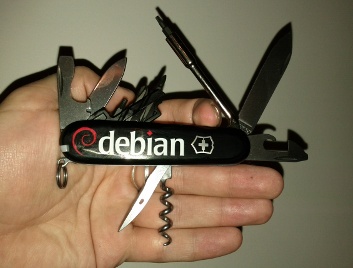
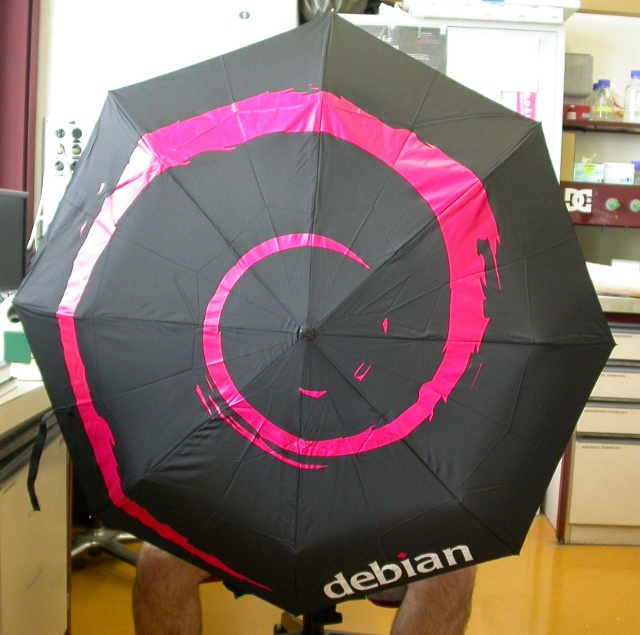
Price: 10 CHF / 9 euros We have also the Debian umbrellas and knifes.

Photo credit Kibi
For those who are at Debconf, they are for sell at the Debconf front desk from 4 to 6 and will be probably available for sell on enventelibre after the event.

10 August 2013

Rudy Godoy: Bulding non-service cartridges for RedHat Openshift

Cloud is passing the hype curve and we are seeing more stable developments and offerings on the market. Lately I ve been playing with RedHat s Openshift. Openshift is a PaaS (Platform as a Service) offering that intends to be an alternative for vendors such as Heroku. The focus for such offerings is to give developers enough flexibility and tools that handle the application deployment and maintenance process in a way that is integrated with their existing development workflow and tools. I ve been using Heroku for a while to deploy small to medium size projects. I liked the tools and developer-centered experience they offer. Openshift is quite new on the market and it comes in two flavors: Openshift Online, which is a PaaS service, and Openshift Enterprise, which allows organization to setup a PaaS within their own infrastructure. Both of them powered by the Openshift origin software. I ll not compare Heroku vs. Openshift feature by feature but from my experience I can tell that Openshift is far from mature and will need to give developers more features to increase adoption. When developing applications for Openshift developers are given a set of application stack components, similar to Heroku s buildpacks. They call them cartridges. You can think of them as operating system packages, since the idea is the same: have a particular application stack component ready to be used by application developers. Most of the cartridges offered by the service are base components such as application server, programming language interpreters (Ruby, Python, etc), web development frameworks and data storage, such as relational and non-relational databases. Cartridges are installed inside a gear, which is a sort of application container (I believe it uses LXC internally). Unsurprisingly this Openshift component doesn t leverage on existing packaging for RHEL 64bit, the OS that powers the service. I d expect such things from the RedHat ecosystem. I had to develop a cartridge to have a particular BI engine to be used as embed component by application developers. After reading docs and reference I realized this can be piece of cake, since I have packaging experience. Wrong. Well, quite so. The tricky part for Openshift Online is that it does not offer enough information on the cartridge install process so you can see what s going wrong. To be able to see more details on the process you ll need to setup an Openshift origin server and use it as a testing facility. Turns out that having a Origin server to operate correctly is also a challenging task and consumed a lot of my time. Over the recent weeks I ve learned from origin developers that such features are on the road map for the upcoming releases. That s good news. One of the challenges I had, and still have to figure out, is that unlike the normal cartridges mine didn t required to launch any service. Since it is a BI engine I just needed to configure and deploy to an application server such as JBoss. Cartridge format requires to have a sort of service init.d script under bin along with setup, install and configuration scripts that are ran on install. Although every day I become more familiar with origin and Openshift internals I still have work to do. Nice thing is that I was already familiar with LXC and Ruby-based applications so I could figure where things are placed and where to look for errors on origin quite easily. The cartridges are on my github account if you care to take a look and offer advice.

Matthew Garrett: When to add a platform-specific quirk to a Linux driver

If you're tempted to add a platform-specific quirk to a Linux driver, pause and do the following:

  1. Check whether the platform works correctly with the generic Windows driver for the hardware in question. If it requires a platform-specific driver rather than the generic one, adding a quirk is probably ok.
  2. If the generic Windows driver works, check whether there's any evidence of platform-specific code in the Windows driver. This will typically be in the .inf file, but occasionally you'll want to run strings against the Windows driver and see whether any functions or strings match the platform in question. If there's evidence of special-casing in the generic Windows driver, adding a quirk is probably ok
  3. If the generic Windows driver works and doesn't appear to have any platform-specific special casing, don't add a quirk. You'll plausibly fix the machine you care about, but you won't fix any others that have the same behaviour. Even worse, if someone does eventually fix the problem properly, there's a risk that your special-casing will now break your system.

The moral to this story is: if you think adding a quirk is the right solution, you're almost certainly wrong.

comment count unavailable comments

9 August 2013

Justus Winter: My worst week yet...

This hasn't been my week. I had to fix two of my Hurd installations I use for development and testing. I spent countless hours waiting for some package to be rebuilt, reading scientific papers about adding stuff to the Mach kernel. Fascinating stuff like thread migration that would (among other things) allow for proper resource accounting on Mach kernels. Oh, and gcc is a sadistic bastard:
In file included from printf-parsewc.c:2:0:
printf-parsemb.c: In function  __parse_one_specwc :
printf-parsemb.c:407:1: internal compiler error: Segmentation fault
Please submit a full bug report,
with preprocessed source if appropriate.
See <file:///usr/share/doc/gcc-4.7/README.Bugs> for instructions.
The bug is not reproducible, so it is likely a hardware or OS problem.
A similar error came up like five hours into my libc rebuild. How nice of gcc to retry the build to figure out whether it is to blame or the environment only to throw away the successful build and abort my build process :/ Next week I'll finally propose my sysvinit patch series. Oh, and implement the -d flag in our umount. I thought I had implemented all the flags used by the initscripts, but somehow I missed -d. If I get bored, I'll take a look at the network related issues, but I bet I won't get there...

Daniel Leidert: Local link networking on Debian/Linux between server and workstation

My network is based on wireless LAN, which is running at 54MBit/s. Transfering files between two systems therefor is not very fast. I could use wired connections, but cables would need to be pretty long to connect to the router. However the file server and the workstation are located near to each other and both have a free Gigabit LAN link. So why not connect these systems directly?Both systems run network-manager, whereas the server runs without a graphical/desktop environment. The file /etc/network/interfaces contains this entry related to the LAN devices on both systems:

allow-hotplug eth0
auto eth0
To create the connection it is necessary to have the package avahi-autoipd installed. In a graphical environment is is then as easy as open the network(-manager) preferences dialog, create a new wired connection, change to the IPv4 Settings tab in its Options dialog and choose the Link local only method. Done.On the server I have no desktop environment. Therefor I wrote the necessary file /etc/NetworkManager/system-connections/LocalLink myself. The UUID value can be obtained via uuid -n 1:

[802-3-ethernet]
duplex=full
mac-address=<MAC-address>

[connection]
id=LocalLink
uuid=<value of: uuid -n 1>
type=802-3-ethernet
timestamp=0
autoconnect=true

[ipv6]
method=auto

[ipv4]
method=link-local
I restarted the manager via service network-manager restart on the server and the link came up too. The direct link was ready.A note: I was able to create the connection by using a patch cable because my cards are able to handle the situation. On older systems it might be necessary to use a cross-over-cable.I would really like to use bonding on the wired ethernet and the wireless devices. But the wireless connections are done via router whereas the ethernet connections are created via local link. I think, this is impossible. Any ideas/hints?

Gunnar Wolf: Not in Switzerland But still, cheering for Debian's 20th anniversary!

So... Well, contrary to the popular sentiment in Planet Debian, this year I'm very sorry to inform that... -( This is the first DebConf I miss in ten years, so... Yes, it's a big bummer for me. I'm not attending because this year, DebC(amp onf) coincide with the two first weeks of classes at my university And as a new teacher, I cannot afford to miss it! Anyway, but that should not stand in the way to attend a nice Debian 20th anniversary party! Parties will be held around the world. (Didn't find your city? Plan something and add it *now!*). In Mexico City, the nice guys at the very interesting Rancho Electr nico hackerspace took the lead, and organized the following activities: Debian Day 2013 Mexico City program Don't you yet know the hackerspace? You should go there! It's in a very centric location, just two blocks West from Metro San Antonio Abad (Juan Lucas Lassaga 114, col. Obrera). And the only two times I have been there, it has been good fun. Surely this Saturday we can have a nice party as well! The planned activities are from 13:30 to 20:30. See you there!

8 August 2013

Lars Wirzenius: Obnam 1.5 (backup software) release

I've just pushed out the release files for Obnam version 1.5, my backup application, and Larch, my B-tree library, which Obnam uses. They are available via my home page (http://liw.fi/). These versions have alos been uploaded to Debian unstable. NEWS for Obnam: NEWS for larch:

Francois Marier: Server Migration Plan

I recently had to migrate the main Libravatar server to a new virtual machine. In order to minimize risk and downtime, I decided to write a migration plan ahead of time. I am sharing this plan here in case it gives any ideas to others who have to go through a similar process.

Prepare DNS
  • Change the TTL on the DNS entry for libravatar.org to 3600 seconds.
  • Remove the mirrors I don't control from the DNS load balancer (cdn and seccdn).
  • Remove the main server from cdn and seccdn in DNS.

Preparing the new server
  • Setup the new server.
  • Copy the database from the old site and restore it.
  • Copy /var/lib/libravatar from the old site.
  • Hack my local /etc/hosts file to point to the new server's IP address:
    xxx.xxx.xxx.xxx www.libravatar.org stats.libravatar.org cdn.libravatar.org
    
  • Test all functionality on the new site.

Preparing the old server
  • Prepare a static "under migration" Apache config in /etc/apache2/sites-enables.static/:
    <VirtualHost *:80>
        RewriteEngine On
        RewriteRule ^ https://www.libravatar.org [redirect=301,last]
    </VirtualHost>
    <VirtualHost *:443>
        SSLEngine on
        SSLProtocol TLSv1
        SSLHonorCipherOrder On
        SSLCipherSuite RC4-SHA:HIGH:!kEDH
        SSLCertificateFile /etc/libravatar/www.crt
        SSLCertificateKeyFile /etc/libravatar/www.pem
        SSLCertificateChainFile /etc/libravatar/www-chain.pem
        RewriteEngine On
        RewriteRule ^ /var/www/migration.html [last]
        <Directory /var/www>
            Allow from all
            Options -Indexes
        </Directory>
    </VirtualHost>
    
  • Put this static file in /var/www/migration.html:
    <html>
    <body>
    <p>We are migrating to a new server. See you soon!</p>
    <p>- <a href="http://identi.ca/libravatar">@libravatar</a></p>
    </body>
    </html>
    
  • Enable the rewrite module:
    a2enmod rewrite
    
  • Prepare an Apache config proxying to the new server in /etc/apache2/sites-enabled.proxy/:
    <VirtualHost *:80>
        RewriteEngine On
        RewriteRule ^ https://www.libravatar.org [redirect=301,last]
    </VirtualHost>
    <VirtualHost *:443>
        SSLEngine on
        SSLProtocol TLSv1
        SSLHonorCipherOrder On
        SSLCipherSuite RC4-SHA:HIGH:!kEDH
        SSLCertificateFile /etc/libravatar/www.crt
        SSLCertificateKeyFile /etc/libravatar/www.pem
        SSLCertificateChainFile /etc/libravatar/www-chain.pem
        SSLProxyEngine on
        ProxyPass / https://www.libravatar.org/
        ProxyPassReverse / https://www.libravatar.org/
    </VirtualHost>
    
  • Enable the proxy-related modules for Apache:
    a2enmod proxy
    a2enmod proxy_connect
    a2enmod proxy_http
    

Migrating servers
  • Tweet and dent about the upcoming migration.
  • Enable the static file config on the old server (disabling the Django app).
  • Copy the database from the old server and restore it on the new server.
  • Copy /var/lib/libravatar from the old server to the new one.

Disable mirror sync
  • Log into each mirror and comment out the sync cron jobs in /etc/cron.d/libravatar-slave.
  • Make sure mirrors are no longer able to connect to the old server by deleting /var/lib/libravatar/master/.ssh/authorized_keys on the old server.

Testing the main site
  • Hack my local /etc/hosts file to point to the new server's IP address:
    xxx.xxx.xxx.xxx www.libravatar.org stats.libravatar.org cdn.libravatar.org
    
  • Test all functionality on the new site.
  • If testing is successful, update DNS to point to the new server with a short TTL (in case we need to revert).
  • Enable the proxy config on the old server.
  • Hack my local /etc/hosts file to point to the old server's IP address.
  • Test basic functionality going through the proxy.
  • Remove local /etc/hosts/ hacks.

Re-enable mirror sync
  • Build a new libravatar-slave package with an updated known_hosts file for the new server.
  • Log into each server I control and update that package.
  • Test the connection to the master (hacking /etc/hosts on the mirror if needed):
    sudo -u libravatar-slave ssh libravatar-master@0.cdn.libravatar.org
    
  • Uncomment the sync cron jobs in /etc/cron.d/libravatar-slave.
  • An hour later, make sure that new images are copied over and that the TLS certs are still working.
  • Remove /etc/hosts hacks from all mirrors.

Post migration steps
  • Tweet and dent about the fact that the migration was successful.
  • Send a test email to the support address included in the tweet/dent.
  • Take a backup of config files and data on the old server in case I forgot to copy something to the new one.
  • Get in touch with mirror owners to tell them to update libravatar-slave package and test ssh configuration.
  • Add third-party controlled mirrors back to the DNS load-balancer once they are up to date.
  • A few days later, change the TTL for the main site back to 43200 seconds.
  • A week later, kill the proxy on the old server by shutting it down.

Enrico Zini: Getting new Front Desk members (part of things to do at Debconf)

Getting new Front Desk members (part of things to do at Debconf) We need more Front Desk members. Jonathan Wiltshire has kindly put together a job description for the current status quo. Currently we'd like a person to have been an Application Manager before joining Front Desk, but FD tasks are now more diverse than they used to be, and I'd like to spend some time thinking about it, for example here. Job Description for Front Desk Assistant Front Desk assistants are often the first point of contact for new applicants to Debian's New Member process, and are responsible for guiding them through all stages. Front Desk collates applications, assigns them to an Application Manager, checks over the completed application and hands it off to the Account Managers. Front Desk also handles membership of the collab-maint Alioth project. It is not currently involved with applications for Debian Maintainer status. You will 'meet' a wide variety of applicants, some of whom are excited to be starting their journey to Debian membership, whilst others are already established and taking the next step to full developer status. This is a mostly procedural role, but some diplomatic skills are required, particularly when applications are held up for reasons beyond your control. You must have excellent written communication, an eye for detail, and a thorough understanding of what it is to be Debian Members. Expect to spend 2-3 hours per week on this role, divided by as many days as you can manage (to ensure mail is dealt with as soon as possible). The most time-consuming part is processing the completed application. Responsibilities:
  1. To be the first point of contact at Front Desk
  2. To perform initial triage of applications
  3. To match each application with an appropriate Application Manager
  4. To ensure applicants are processed in a timely manner, which may require intervening with an application when it is not progressing satisfactorily
  5. To check completed applications for any missing detail and pass them on to the Account Managers
  6. To handle collab-maint membership business
  7. To answer any queries from applicants, Application Managers, and other stakeholders
  8. To monitor output from the NM routine jobs and fix or escalate any problems
Front Desk staff are not expected to make a judgement call on applicants, though some discretion can be used when appropriate.

7 August 2013

Keith Packard: embedded cpus

Choosing Embedded Processors for AltOS When Bdale and I started building rocketry hardware together, we had already picked out a target processor, the TI cc1111. We picked that chip almost entirely based on the digital transceiver that is built in to the chip, and not because we had any particular love for the 8051 microcontroller. At that time, I d seen people struggle with PIC processors, battle AVR to a draw and spend a lot of time trying to get various ARM processors running. So, the 8051 didn t seem all that far from normal, and the cc1111 implementation of it is pretty reasonable, including credible USB support and a built-in DMA engine. Since those early days, we ve gone on to build boards with a slightly wider range of processors: Bdale thinks we should reduce the number of components we use to focus our efforts better. He s probably right, but I have to admit that I ve had way too much fun getting each of these chips running. I thought I d spend a bit of time describing our general process for selecting a new CPU. CC1111 involved a lot of software hacking The 8051 processor in the CC1111 is very well documented, including the two-wire debugging interface. What was missing was a canned solution for programming and debugging the chip from Debian. However, with sufficient motivation and accurate docs, I was able to create a programmer from a USB device with a couple of GPIOs and a lot of ugly software on Linux. That sufficed to get the USB stack limping along, at which point I wrote a much faster programmer that ran on the cc1111 itself and could program another cc1111. With that, I created an assembly-level debugger that could be hooked to the existing SDCC source level debugger and had a full source-level debugging environment for the 8051. This turned out to be way better than what I could get on the Atmel processors, where I ve got a program loader and a whole lot of printf debugging. STM has been great The STM32L-Discovery board has a standard STM debugging setup for the Cortex SWD interface right on the same board as a target CPU. That made for completely self-contained development, with no jumper wires (a first for me, for sure). There s free software, stlink which can talk over the debugger USB connection to drive the SWD interface. This is sufficient to flash and debug applications using GDB. Of course, GCC supports ARM quite well; the only hard part was figuring out what to do for a C library. I settled on pdclib, which is at least easy to understand, if not highly optimized for ARM. We ve built a ton of boards with the STM32L151 and STM32L152; at this point I m pretty darn comfortable with the architecture and our tool chain. Adventures with NXP The NXP LPC11U14 is a very different beast. I m using this because: The LPCXpresso board looks much like the STM32L-Discovery, with a debugger interface wired to the CPU directly on the board. However, I haven t found free software tools to drive this programmer; all I ve found are binary-only tools from NXP. No thanks. Fortunately, the LPC11U14 uses exactly the same SWD interface as the STM32L, so I was able to sever the link between the programmer and the target on the LPCXpresso board and hook the target to an ST-Link device (either the one on the STM32L-Discovery board, or the new stand-along programming dongle I bought). With that, I wrote an openocd script to talk to the LPC11U14 and was in business. What I found in the NXP processor was a bit disturbing though there s a mask ROM that contains a boot loader, which always runs when the chip starts, and a bunch of utility code, including the only documented interface to programming the flash memory. I cannot fathom why anyone thought this was a good idea I don t want a BIOS in my embedded CPU, thankyouverymuch; I d really like my code to be the first instructions executed by the CPU. And, any embedded developer is more than capable of programming flash using a register specification, and calling some random embedded code in ROM from the middle of my operating system is more than a bit scary. NXP could do two simple things to make me like their parts a whole lot more: Right now, I m hoping the STM32L100C6 parts become available in small quantities so I can try them out; they promise to be as cheap as the LPC11U14, but are better supported by free software and offer more complete hardware documentation. Yeah, they re a bit larger; that will probably be annoying.

Enrico Zini: Debconf TODO-list

Debconf TODO-list Friday evening (2013-08-09) I'll arrive at Debcamp. Here is my TODO list for Debcamp and Debconf:

6 August 2013

Craig Small: Careful with apache upgrades

You might (or not if you don t visit) notice all my websites were down. A rushed apt-get dist-upgrade and I found two problems:
  1. PHP5 got removed, which is bad if you run a wordpress site that uses PHP to run
  2. The apache configuration has changed.
Yes, the NEWS entries did warn me, if I read them fully. Yes, I didn t read them enough. Apache now ignores configuration files that don t end in .conf To give a completely non-theoretical example, if you have your virtual hosts in files such as /etc/apache2/sites-enabled/enc.com.au then this will not be recognised and your sites will show the default It works page. Stuff that doesn t fall in the usual places where website stuff should go, which for my setup is a lot of things, will also be denied as the developers have tightened up the rules around what is permitted. Pretty simple to fix with a few <Directory blah> clauses. This isn t a criticism of the Debian apache developers. They do an awesome job of keeping the package workable, flexible but secure which isn t easy. Now it s all back working, I actually agree with the changes they have made. It is just that the latest changes are, well, tricky so be forewarned.

5 August 2013

Ian Wienand: Skipping bash history for command-lines starting with space

I was recently reading about a case where part of the evidence appears to be a deleted bash history-file. From what I gather, the accused says that the removal was a clean-up job to remove inadvertently stored passwords rather than an attempt to hide nefarious activity. What had managed to pass me by in 15 or so years of using bash but not reading man bash properly is the HISTCONTROL variable. If it is set to ignorespace then commands entered with a leading-space will not be stored in the history. Like all the best discoveries I found this only by accident on a machine where it was turned on. It's been quite useful in keeping my history pruned. However, not usually for security reasons around hiding passwords passwords on the command-line have other problems and I'm sure any security person would tell you not to use them just from a defense-in-depth perspective. That said, from a "keeping ctrl-r reversi-search useful" point-of-view it's often helpful; for example I've mostly trained my fingers to <space>rm -rf because I'm sure I'm not the only one who has deleted the wrong thing via a history-recall-combined-with-typing-to-fast scenario. So, HISTCONTROL=ignoreboth (which also ignores duplicates) is certainly a useful one to slip into your .bashrc. At least it would be one-less thing to explain to the FBI!

Daniel Pocock: Effectively supporting virtual domains with Mailman

When I first decided to run my own list server, I was well aware of the popularity of Mailman but I was deterred from using it by the complexity of setting up virtual hosts. In particular, 99% of the software I use for servers is packaged. Whenever I choose a new piece of software, using something that is packaged and supported is high on my list of priorities. Mailman's distribution tarball and the packages built from it only have limited support for virtual hosting. My own objective is to host lists for open source projects. As some of these projects don't have dedicated budgets, it is particularly important to find lightweight, low-maintenance solutions. Furthermore, it is important that those solutions don't detract from the time I want to invest in the projects themselves. I've developed some scripts to solve the problem: to start using them quickly, please see the README file. Here I provide a more detailed overview of the logic behind this approach. Mailman's limitations and workarounds For me, the biggest limitation of Mailman is that the site list is always linked to a single domain, which has to be chosen arbitrarily from the list of domains being hosted. Although it is not emphasized in the documentation, there is also the inconvenience of having all the lists from potentially unrelated projects appearing together on Mailman's main index page. Another limitation is that each list name must be globally unique across all domains. Some existing workarounds exist but they have limitations too. There is a virtual domain patch, but it is not clear how this handles the site list or the site index page. There is also the postfix-to-mailman script distributed by Debian and Ubuntu: using a transport-based solution looks elegant at first, but when you realise that you need to whitelist the addresses (to ensure messages are rejected at ingress rather than bounced), it becomes just as much work to maintain as the alternatives it aims to avoid: Mailman's authors do not endorse this approach. Experimenting with Sympa Deterred by Mailman's limitations, I initially went with Sympa and that seemed to run quite well for a number of years. In particular, it supports full virtual hosting out-of-the-box and all this is standard in the convenient Debian packages. From time-to-time, users have complained about the use of JavaScript in the web UI, but that was not something I could immediately resolve. However, when I upgraded to Debian 7 (wheezy), more serious problems appeared. Initially, the web UI (used for subscribing or browsing the archives) was completely broken. Anybody accessing the site would be given a download of the wws binary rather than the page that was supposed to be generated by the binary. I discovered errors about this in Apache's error.log and tried installing libapache2-mod-fcgid. The problem was resolved, but from then on, my whole web server became unstable and at least once every day I would have to restart the Apache process or it would become inaccessible. I put the details into a bug report and after not getting any feedback, decided to go and have another look at Mailman. A closer look at Mailman Looking at Mailman again, it appeared that the only way to achieve a relatively "pure" virtual hosting solution would be to run multiple installations of Mailman in different directory trees. Initially, I hoped this could be done by sharing copies of the binaries and just creating replicas of the structure under /var/lib/mailman. Looking under the hood, I discovered that the paths were compiled into the binaries and could not be easily overriden. It appears that this limitation could be overcome with some trivial patches to read directory names from the environment. The main aims of using shared binaries are disk space efficiency and also being able to benefit from security updates for the binary packages. However, if I had to patch the binaries, then I wouldn't be able to benefit from the security update packages anyway. So, it became inevitable that I would have to build binaries from source one way or another: either with a patch or by building multiple copies of each binary, each hardcoded with a different path. Putting it into practice Looking over the Mailman architecture, there are four things to be replicated for each installation:
  • init script to start a standalone qrunner per domain
  • cron jobs
  • CGI configuration from Apache (easily isolated by using a different ScriptAlias inside each Apache <VirtualHost>
  • Invocation of the Mailman binary from the mailer's aliases file
The init scripts and crontabs can be easily generated from a template (I used Debian's copies of these files as a base for that). Some of the Apache configuration can be handled by putting wildcards in the <Directory> specifications and the rest can be easily cut-and-pasted into <VirtualHost> definitions. Based on all of the above, all I had to do was run Mailman's configure script and make once for each virtual domain. I've scripted the whole process - my script is available here Managing the aliases file One particular limitation of my mailer (Postfix) is that the Mailman message processor can't be invoked directly from a rule in the virtual alias map. Scripts like this can only be invoked from the normal /etc/aliases file. This problem is not unique to Mailman: for Sympa, I also had to deal with this. The most common solution is to use the virtual file to translate all the virtual list addresses into very verbose usernames within the local domain:
Address Mapped to
widget-users@lists.example.org lists.example.org-widget-users@my-local-domain
The local part, lists.example.org-widget-users can then be used in the regular /etc/aliases file. This approach is described in the Sympa documentation and also in one of the virtual domain patches for Mailman. I've included a script for generating these alias mappings in the repository with my other scripts for building virtual Mailman installations. It would also be possible to patch Mailman itself to generate such files dynamically when new lists are created. Conclusion and next steps Using the techniques described and these small scripts, I successfully built independent virtual hosts for two of my domains, lists.lumicall.org and lists.dynalogin.org on a single mail host. Notice how each of them has the appearance of a clean, standalone Mailman installation? Going forward, I believe it would not be hard for the 2.x branch of Mailman to support this approach to virtual hosting with three changes:
  • Allowing the binaries to take their directory tree name from an environment variable or command line option or by inspecting argv[0] to discover their own location,
  • Generating the aliases file in the more verbose format and
  • Providing some convenient init script and crontab that iterates over all the domains

4 August 2013

Ond&#345;ej &#268;ert&iacute;k: How to support both Python 2 and 3

I'll start with the conclusion: making backwards incompatible version of a language is a terrible idea, and it was bad a mistake. This mistake was somewhat corrected over the years by eventually adding features to both Python 2.7 and 3.3 that actually allow to run a single code base on both Python versions --- which, as I show below, was discouraged by both Guido and the official Python documents (though the latest docs mention it)... Nevertheless, a single code base fixes pretty much all the problems and it actually is fun to use Python again. The rest of this post explains my conclusion in great detail. My hope is that it will be useful to other Python projects to provide tips and examples how to support both Python 2 and 3, as well as to future language designers to keep languages backwards compatible. When Python 3.x got released, it was pretty much a new language, backwards incompatible with Python 2.x, as it was not possible to run the same source code in both versions. I was extremely unhappy about this situation, because I simply didn't have time to port all my Python code to a new language. I read the official documentation about how the transition should be done, quoting:
You should have excellent unit tests with close to full coverage.
  1. Port your project to Python 2.6.
  2. Turn on the Py3k warnings mode.
  3. Test and edit until no warnings remain.
  4. Use the 2to3 tool to convert this source code to 3.0 syntax. Do not manually edit the output!
  5. Test the converted source code under 3.0.
  6. If problems are found, make corrections to the 2.6 version of the source code and go back to step 3.
  7. When it's time to release, release separate 2.6 and 3.0 tarballs (or whatever archive form you use for releases).
I've also read Guido's blog post, which repeats the above list and adds an encouraging comment:
Python 3.0 will break backwards compatibility. Totally. We're not even aiming for a specific common subset.
In other words, one has to maintain a Python 2.x code base, then run 2to3 tool to get it converted. If you want to develop using Python 3.x, you can't, because all code must be developed using 2.x. As to the actual porting, Guido says in the above post:
If the conversion tool and the forward compatibility features in Python 2.6 work out as expected, steps (2) through (6) should not take much more effort than the typical transition from Python 2.x to 2.(x+1).
So sometime in 2010 or 2011 I started porting SymPy, which is now a pretty large code base (sloccount says over 230,000 lines of code, and in January 2010 it said almost 170,000 lines). I remember spending a few full days on it, and I just gave up, because it wasn't just changing a few things, but pretty fundamental things inside the code base, and one cannot just do it half-way, one has to get all the way through and then polish it up. We ended up using one full Google Summer of Code project for it, you can read the final report. I should mention that we use metaclasses and other things, that make such porting harder. Conclusion: this was definitely not "the typical transition from Python 2.x to 2.(x+1)". Ok, after months of hard work by a lot of people, we finally have a Python 2.x code base that can be translated using the 2to3 tool and it works and tests pass in Python 3.x. The next problem is that Python 3.x is pretty much like a ghetto -- you can use it as a user, but you can't develop in it. The 2to3 translation takes over 5 minutes on my laptop, so any interactivity is gone. It is true that the tool can cache results, so the next pass is somewhat faster, but in practice this still turns out to be much much worse than any compilation of C or Fortran programs (done for example with cmake), both in terms of time and in terms of robustness. And I am not even talking about pip issues or setup.py issues regarding calling 2to3. What a big mess... Programming should be fun, but this is not fun. I'll be honest, this situation killed a lot of my enthusiasm for Python as a platform. I learned modern Fortran in the meantime and with admiration I noticed that it still compiles old F77 programs without modification and I even managed to compile a 40 year old pre-F77 code with just minimal modifications (I had to port the code to F77). Yet modern Fortran is pretty much a completely different language, with all the fancy features that one would want. Together with my colleagues I created a fortran90.org website, where you can compare Python/NumPy side by side with modern Fortran, it's pretty much 1:1 translation and a similar syntax (for numerical code), except that you need to add types of course. Yet Fortran is fully backwards compatible. What a pleasure to work with! Fast forward to last week. A heroic effort by Sean Vig who ported SymPy to single code base (#2318) was merged. Earlier this year similar pull requests by other people have converted NumPy (#3178, #3191, #3201, #3202, #3203, #3205, #3208, #3216, #3223, #3226, #3227, #3231, #3232, #3235, #3236, #3237, #3238, #3241, #3242, #3244, #3245, #3248, #3249, #3257, #3266, #3281, #3191, ...) and SciPy (#397) codes as well. Now all these projects have just one code base and it works in all Python versions (2.x and 3.x) without the need to call the 2to3 tool. Having a single code base, programming in Python is fun again. You can choose any Python version, be it 2.x or 3.x, and simply submit a patch. The patch is then tested using Travis-CI, so that it works in all Python versions. Installation has been simplified (no need to call any 2to3 tools and no more hacks to get setup.py working). In other words, this is how it should be, that you write your code once, and you can use any supported language version to run it/compile it, or develop in. But for some reason, this obvious solution has been discouraged by Guido and other Python documents, as seen above. I just looked up the latest official Python docs, and that one is not upfront negative about a single code base. But it still does not recommend this approach as the one. So let me fix that: I do recommend a single code base as the solution. The newest Python documentation from the last paragraph also mentions
Regardless of which approach you choose, porting is not as hard or time-consuming as you might initially think.
Well, I encourage you to browse through the pull requests that I linked to above for SymPy, NumPy or SciPy. I think it is very time consuming, and that's just converting from 2to3 to single code base, which is the easy part. The hard part was to actually get SymPy to work with Python 3 (as I discussed above, that took couple months of hard work), and I am pretty sure it was pretty hard to port NumPy and SciPy as well. The docs also says:
It /single code base/ does lead to code that is not entirely idiomatic Python
That is true, but our experience has been, that with every Python version that we drop, we also delete lots of ugly hacks from our code base. This has been true for dropping support for 2.3, 2.4 and 2.5, and I expect it will also be true for dropping 2.6 and especially 2.7, when we can simply use the Python 3.x syntax. So not a big deal overall. To sum this blog post up, as far as I am concerned, pretty much all the problems with supporting Python 2.x and 3.x are fixed by having a single code base. You can read the pull requests above to see how to implemented things (like metaclasses, and other fancy stuff...). Python is still quite the same language, you write your code, you use a Python version of your choice and things will just work. Not a big deal overall. The official documentation should be fixed to recommend this approach, and deprecate the other approaches. I think that Python is great and I hope it will be used more in the future.
Written with StackEdit.

3 August 2013

Daniel Leidert: Setting up a network buildd with pbuilder, ccache, inoticoming and NFS

I recently bought an N54L HP microserver, which shall act as a build-daemon (buildd) for Debian packaging. The idea of my workflow is the following:
  1. do the maintenance tasks locally, usually using svn-buildpackage, quilt etc.pp
  2. build a source package locally
  3. upload the source to an incoming directory on the server
  4. watch this incoming directory and start a build process as soon as a package is uploaded
  5. put the result into an accessible directory
  6. support different vendors (debian, ubuntu)
  7. support different releases (experimental, unstable, stable, oldstable)
  8. support different architectures (amd64, i386)
  9. speed up the build process
Setting up the building environmentMy first idea was to use sbuild as described in several places. However I went with pbuilder for a long time having a setup I personally like. So I decided to stay with it. I reduce the time and work to update the configure files by using
  • one central file /etc/pbuilderrc.inc defining all the common/shared settings and
  • small configure files defining vendor, release, architecture and mirrors
Here are the relevant parts of my central configure snippet:

[..]
EXTRAPACKAGES="apt-utils debconf debconf-utils libfile-fcntllock-perl"
[..]
BASETGZ="/var/cache/pbuilder/base.$DISTRIBUTION.$ARCHITECTURE.tgz"
APTCACHE="/var/cache/pbuilder/aptcache/$DISTRIBUTION/$ARCHITECTURE/"
BUILDRESULT="/var/cache/pbuilder/result/$DISTRIBUTION/$ARCHITECTURE/"
[..]
case "$VENDOR" in
ubuntu)
MIRRORSITE="http://archive.ubuntu.com/ubuntu"
COMPONENTS="main restricted universe multiverse"
OTHERMIRROR="\
deb http://de.archive.ubuntu.com/ubuntu $DISTRIBUTION main restricted universe multiverse \
deb http://archive.ubuntu.com/ubuntu $DISTRIBUTION-updates main restricted universe multiverse \
deb http://security.ubuntu.com/ubuntu $DISTRIBUTION-security main restricted universe multiverse \
"
;;
*)
MIRRORSITE="http://ftp.debian.org/debian"
COMPONENTS="main contrib non-free"
OTHERMIRROR="\
deb http://ftp.de.debian.org/debian $DISTRIBUTION main contrib non-free \
"
;;
esac
[..]
DEBBUILDOPTS="-us -uc -j2"
AUTO_DEBSIGN=no
USE_PDEBUILD_INTERNAL=yes
[..]
You get the main idea, right? Create own files and directories for each architecture, release and vendor. Further I only want to pull build related packages into the build environment, not into the server environment. So I enabled USE_PDEBUILD_INTERNAL. I don't want to sign anything on the buildd itself and use both cores. That's what DEBBUILDOPTS and AUTO_DEBSIGN are used for. Further I saw some warnings reported during build processes. I therefor install the packages mentioned in EXTRAPACKAGES to every build enviroment. The following are the configure files for the unstable amd64 (default) and the stable i386 build environments:

VENDOR="debian"
DISTRIBUTION="sid"
ARCHITECTURE="amd64"

. /etc/pbuilderrc.inc

VENDOR="debian"
DISTRIBUTION="wheezy"
ARCHITECTURE="i386"

. /etc/pbuilderrc.inc

OTHERMIRROR+="\
deb http://security.debian.org $DISTRIBUTION/updates main contrib non-free \
"
Now to not having to update all of these environments manually there is a small parallelized script /usr/local/sbin/update-pbuilder-chroots:

#!/bin/sh

t=$(tempfile -p .upc. -s .list) exit 1

cat > $t << EOF
/etc/pbuilderrc.amd64.sid
/etc/pbuilderrc.i386.sid
/etc/pbuilderrc.amd64.wheezy
/etc/pbuilderrc.i386.wheezy
/etc/pbuilderrc.amd64.squeeze
/etc/pbuilderrc.i386.squeeze
EOF

parallel /usr/sbin/pbuilder update --override-config --configfile :::: $t tee -a /var/log/pbuilder.log

rm -f $t

exit 0
The script will make sure, that every change to the configuration file(s) will be considered (--override-config) and is run once a week via cron. The default build environment is updated on a daily base without this restriction:

@reboot root rm -rf /var/cache/pbuilder/build/*/ >> /dev/null 2>&1
@daily root test -x /usr/sbin/pbuilder && /usr/sbin/pbuilder update --configfile /etc/pbuilderrc.amd64.sid tee -a /var/log/pbuilder.log >> /dev/null 2>&1
@weekly root test -x /usr/local/sbin/update-pbuilder-chroots && /usr/local/sbin/update-pbuilder-chroots >> /dev/null 2>&1
Speeding up the build processSometimes it is necessary to recompile a package. The tool to speed up this process is ccache, which can be easily integrated into pbuilder by setting CCACHEDIR in /etc/pbuilderrc.inc. It acts like a cache for compiled files and avoids recompilation in several buildd runs.

CCACHEDIR=/var/cache/pbuilder/ccache
It is also possible to use a TMPFS for BUILDPLACE to speed up the build process itself. In this case APTCACHEHARDLINK must be disabled. Well, yeah, I don't do this.Watch an incoming directory and start the build processNot much to say about this except that the user nobody is used to run the pbuilder command. Therefor it is necessary to mention this in /etc/sudoers to allow him to do this via sudo command:

Defaults env_keep = "DH_OPTIONS DH_VERBOSE DEB_BUILD_OPTIONS DH_OPTIONS MAKEFLAGS CC CXX CPP F77 F90"
[..]
nobody ALL=NOPASSWD:/usr/sbin/pbuilder
The first line is only necessary, if a pbuilder command is started with one of these environmental variables set. This can be useful when e.g. debugging a build failure with a future gcc version that is not yet the default or when debugging a clang build issue or when creating non-stripped binary packages for creating a backtrace (BTW: When there is a common repository of all debugging symbols created?).Now to start the build process, I created an incoming directory with mods 777 at /var/cache/pbuilder/incoming/ and use inoticoming to watch it. This is started during boot via cron. The following shows the entry for the default unstable amd64 build environment:

@reboot root /usr/bin/inoticoming --logfile /var/log/inoticoming.log --pid-file /var/run/inoticoming.pid /var/cache/pbuilder/incoming --chdir /var/cache/pbuilder/incoming --suffix .dsc --stderr-to-log --stdout-to-log /bin/su -c '/usr/bin/sudo /usr/sbin/pbuilder build --autocleanaptcache ' nobody \;
Done. That's how the basic buildd works.Getting the resultsThe pbuilder BUILDRESULT directory with mods 777 is shared via NFS mount to the workstation. After successfully building the package, debsign and dput can be used as usual.Setting up the workstationI use svn-buildpackage for most of my packages. Because pbuilder won't download source tarballs on demand by default (maybe via hook?), the tarball must always be included building the source package, which then gets uploaded via dput to the buildd. This is considered in the command listed in svn-builder in ~/.svn-buildpackage.conf (note, below shows my personal layout):

svn-builder=debuild --post-dpkg-buildpackage-hook=\"dput -f buildd /usr/local/src/packages/$PACKAGE/%p_%v_source.changes\" --no-lintian -d -sa -us -uc -S
svn-override=origDir=/usr/local/src/packages/$PACKAGE
svn-override=buildArea=/usr/local/src/packages/$PACKAGE
[..]
The host buildd has been added to ~/.dput.cf:

[buildd]
fqdn = mybuildd
login = mylogin
method = scp
incoming = /var/cache/pbuilder/incoming
allow_unsigned_uploads = 1
run_lintian = 0
Done. Now the svn-buildpackage command will create a source package including the source tarball and upload it to the buildd, where the package building starts right after the upload.ConclusionsThis is the main setup which works nicely for the default build environment so far. On the TODO list is to extend this setup so I can easily deal with all the architectures and releases (point 6..8 at the beginning).

Next.

Previous.