Search Results: "tb"

27 July 2008

Russell Coker: Links July 2008

Steven Levitt gave an interesting talk for TED about the economics of a crack-dealing gang [1]. He makes some interesting comparisons with the way that corporations work. Top 10 strangest terrorism patents [2]. Items 1 and 4 have been implemented many years ago, item 5 was probably implemented by the CIA decades ago (they did many similar things), item 7 will probably kill a significant portion of the passengers (bummer if it goes off accidentally), item 8 has the same problem but will only target nervous people (calm terrorists can do what they want), and the creator of item 9 doesn’t seem to have much idea about how much energy is contained by high explosive. Supporters of Barack Obama are adopting Hussein as their middle-name to support him and oppose some of the unreasonable claims from extremists [3]. I’m not planning to call myself Russell Hussein Coker. Chris Samuel summarises the latest CSIRO report about droughts caused by climate change [4]. He notes that most simulations are based on lower levels of CO2 than we are expecting… Interesting article in the Guardian about car use in the US [5]. It suggests that soon suburbs will be slums occupied by the poor an unemployed and inner city areas will experience a revival. Recently I’ve been putting the papers I’ve presented at conferences online on my documents blog (see this link for the “papers” category) [6]. The papers are almost unchanged from when I published them, I fixed up some broken URLs and made some notes on relevant things that have happened since publication but made no essential changes to the text. Linux.com article about Bonnie++ [7]. It’s well written and covers most of the features quite well. An unfortunate omission is the fact that if you want to run Bonnie++ from the root account you can specify “-u user” on the command-line to run the test as a different user, or you can use “-u root” if you REALLY want to run it as root. A Linux.com article with the source code for a Perl script to create charts from Bonnie++ results [8]. I had always planned that other people would write programs like this, I’m glad to see someone finally publish the source to one!

24 July 2008

David Moreno Garza: July 24th, 1958

Today, fifty years ago, my mother was born.

On July 24th, 1958, Vicenta Leyva gave birth to Olga Cristina Garza Leyva in the small town of Zumpango del R o (later renamed to Eduardo Neri), in the southern Mexican state of Guerrero. Her father Guillermo Garza, who is still alive, was a private pilot. Olga Cristina was named Cristina after the saint that is celebrated on the same day.

She was their third kid, a couple of years before V ctor and Guillermo were born and a couple of years after, Carlos was born, all of them being born on total different places on southern and central Mexico. The father, being a pilot, was absent from home for long periods, he even had "another family" somewhere in northern Mexico, supposedly in Sinaloa.

In the early 60s, the family moved to Mexico City where they were going to spend most of their life. They lived on a small apartment on Col. Moctezuma, which was (and still is) a working class neighborhood, just besides the Mexico City International Airport, on the eastern part of the city. Back in the days, it used to take quite some time to travel from there to any point of the city, like the downtown area or beyond.

All the kids spent most of their childhood there attending public schools. They weren't a wealthy family who couldn't even afford to buy and have meat on some days but only in special ocassions.

As the years passed and the kids became adults, Olga met David Moreno Rojas in the same neighborhood. He was enrolled at the National Autonomous University of Mexico, under Enterprises Administration in Ciudad Universitaria. He was also an avid f tbol player. He was named David after his father, David Moreno Gonz lez. They became boyfriend and girlfriend and got married when she was 20 and he was 24 years old on December 19th, 1978. They lived together for a few years in Col. Del Valle in central Mexico City.

Ten months later they were married, Lorena Moreno Garza, their first kid, was born on October 7th, 1979. S The family then moved to the suburb in Aragon, Estado de M xico. They had their second child on August 8th, 1984, named David Moreno Garza, becoming David III.

After the 1985 Mexico City massive earthquake, the family wanted to move outside the city and found relocation in Ciudad del Carmen, on the Mexican state of Campeche, located on the shore of the Gulf of Mexico, on 1988. They spent three or four years there and then moved to Celaya, Guanajuato where most of the father's family was located. They spent about five years there and then, for family reasons, they returned to Mexico City in 1995 to attend the family business.

Olga and her family had a good, loving family by then and had decided to not have any more kids. They had both of their children on private schools and taught them catholicism. On 1998, Vicenta passed away after a quick period of time because of liver cancer. This shocked most of the family.

As the years passed, the family business was sold and Olga stopped working, as she used to in the business. But as she had always been very active, she started working as a seller for a fine jewelry firm where she keeps working currently. Her husband, after pursuing his dream of going back to school and studying Law, works as a private work-related issues lawyer.

Olga is the most loving, nursing, affective, meticulous, scrupulous person I've ever met and even though I have only met her for almost twenty-four of her fifty years now, I admire her and love her as much as I have no words to describe. She is the one that built my sensitive, loving side where my heart resides, and I thank God for giving me such a great life gift and having her at any time.

mama.jpg

Today, her husband is 54, her daughter is 28, her son is 23 and she is 50 now. This is also an special year because she and her husband will celebrate 30 years of their marriage.

mamaypapa.jpg
Felicidades, jefecita.

Russell Coker: SE Linux Policy Loading

One of the most significant tasks performed by a SE Linux system is loading the “policy“. The policy is the set of rules which determine what actions are permitted by each domain. When I first started using SE Linux (in 2001) the kernel knew where to find the policy file and would just read the data from disk as soon as it had mounted the root filesystem. Doing such things is generally considered to be a bad idea, but it was an acceptable mechanism for an early release. One issue is that the policy needs to be loaded very early in the system boot process, before anything significant happens. In the early days the design of SE Linux had no support for a process to change it’s security context other than by executing another process (similar to the way a non-root process in the Unix access control system can not change it’s UID, GID, or groups). Although later on support for this was added, it was only available as the request of the application (an external process could not change the context of an application without using ptrace - a concept that is too horrible to contemplate) and I am not aware of anyone actually using it. So it’s almost a requirement that there be no more than one active process in the system at the time that policy is loaded, therefore it must be init or something before init that loads the policy. When it was decided that a user-space program had to instruct the kernel to load the policy we had to determine which program should do it and when it should be done, with the constraint that it had to be done early. The most obvious solution to this problem was to load the policy in the initramfs (or initrd as it was known at the time). One problem with this is that the initramfs is limited in size by kernel compilation options and may need to be recompiled to fit a bigger policy. As an experiment to work around this limitation I had a small policy (which covered the domains for init and the scripts needed for the early stages for system boot) loaded in the initramfs and then later in the boot process (some time after the root filesystem was mounted read/write) the full policy was loaded. A more serious problem with including policy in the initramfs was that it required rebuilding the initramfs every time the policy changed in a significant way, of course scripts could not determine when a change was significant (neither could most users) so that required needless rebuilds (which wastes time). Even with a small policy for early booting loaded it was still sometimes necessary to change it and update the initramfs. I believe that as a general rule an initramfs should only be rebuilt when a new kernel is installed or when a radical change is made to the boot process (EG moving from single disk to software RAID, changing between AMD and Intel CPU architecture, changing SCSI controller, or anything else that would make the old initramfs not boot the machine). The initramfs that was used to boot my machine is known to actually work, the same can not be said for any new initramfs that I might generate. But the deciding factor for me was support of machines that did not use an initramfs or initrd (such as the Cobalt machines [1] I own). To solve these problems I first experimented with a wrapper for init. The idea was to divert the real init to another file name (or use the init= kernel command-line option) and then have the wrapper load the policy before running the real init. I never intended that to be a real solution, just to demonstrate a point. Once I had proven that it was possible to load the policy from user-space before running the real init program it was a small step to patch init to do this. One slightly tricky aspect of this was in getting the correct security context for init. The policy has always been written to allow a domain transition from kernel_t to init_t when a file of type init_exec_t is executed. The domain kernel_t is applied to all active processes (including kernel threads) at the time the policy is loaded. So init only has to re-exec itself to get the correct context. Fortunately init is designed to do this in the case of an upgrade so this was easy to manage. Since that time every implementation of SE Linux apart from some embedded systems has used init to load the policy. The latest trend in Linux distributions seems to be using upstart [2] as a replacement for the old SysV Init. The Fedora developers decided to make nash (a program that comes from the mkinitrd source tree in Fedora and is a utility program for a Red Hat based initramfs) load the SE Linux policy as it would apparently be painful to patch every init to load the policy. As far as I am aware there are only three different init programs in common use in Linux, the old SysV Init (which used to be used by everyone), Busybox (for rescuing broken systems and for embedded systems), and now Upstart (used by Ubuntu and Red Hat since Fedora 9). Embedded systems need to work differently to other systems in many ways (having the one Busybox program supply the equivalent to most coreutils in one binary is actually a small difference compared to the other things), and modifying the policy load process for embedded systems is trivial compared to all the other SE Linux work needed to get an embedded system working well. There are at least two commonly used initramfs systems (the Debian and Red Hat ones) and probably others. As one init system (SysV Init) already has SE Linux support it seems that only one needs to be patched to have complete coverage. I’ve just written a patch for Upstart (based on the version in Debian/Experimental) and sent it to an Ubuntu developer who’s interested in such things. I also volunteer to patch any other init system that is included in Debian (I am aware of minit and will patch it as soon as it’s description does not include “this package is experimental and not easy to install and use“). It seems to me that repeating the work which was done for SysV Init and upstart for any other init system will be little effort, at worst no greater than patching an initramfs systems (and I’ll do it). As the number of initramfs systems that would need to be patched would exceed the number of init systems it seems that less work is involved in patching the init systems. The amount of RAM required by the initramfs is in some situations a limitation on the use of a system, when I recently did some tests on swap performance by reducing the amount of RAM available to a Xen DomU [3] it was the initramfs that limited how small I could go. So adding extra code to the initramfs is not desired. While this will be a small amount of code in some situations (when I patched /sbin/init from Upstart it took an extra 64 bytes of disk space on AMD64), dragging in the libraries can take a moderate amount of space (the fact that an LVM or encrypted root filesystem causes SE Linux libraries to be included in the initramfs is something that I consider to be a bug and plan to fix). Finally not all boot loaders support an initrd or initramfs. I believe that any decision which prevents using such sweet hardware as Cobalt Qube and Raq machines from being used with SE Linux is a mistake. I have both Qube and Raq machines running fine with Debian SE Linux and plan to continue making sure that Debian will support SE Linux on such hardware (and anything with similar features and limitations).

23 July 2008

Gunnar Wolf: Virtually having fun

Several weeks ago, the people in charge of maintaining the Windows machines in my institute were desperate because of a series of virus outbreaks - Specially, as expected, in the public lab - but the whole network smell virulent. After seeing their desperation, I asked Rolman to help me come up with a solution. He suggested me to try replacing the Windows workstations by substituting local installations by a server having several virtual machines, all regenerated from a clean image every day, and exporting rdesktop sessions. He suggested using Xen for this, as it is the virtualization/paravirtualization solution until now best offered and supported by most Linux distributions (including, of course, RedHat, towards which he is biased, and Debian, towards I am... more than biased, even bent). So far, no hassle, right?
Of course, I could just stay clear of this mess, as everything related to Windows is off my hands... But in October, we will be renewing ~150 antivirus licences. I want to save that money by giving a better solution, even if part of that money gets translated to a big server.
Get the hardware
But problems soon arose. The first issue was hardware. Xen can act in its paravirtualization mode on basically any x86 machine - but it requires a patched guest kernel. That means, I can paravitualize many several different free OSs on just any computer I lay my hands on here, but Windows requires full- or hardware-assisted- virtualization. And, of course, only one of the over 300 computers we have (around 100 of which are recent enough for me to expect to be usable as a proof-of-concept for this) has a CPU with VT extensions - And I'm not going to de-comission my firewall to become a test server! ;-)
When software gets confused for hardware
So, I requested a Intel Core 2 Quad Q9300 CPU, which I could just drop in any box with a fitting motherboard. But, of course, I'm not the only person requiring computer-related stuff. So, after pestering the people in charge for buying stuff on a daily basis for three weeks, the head of acquisitions came smiling to my office with a little box in his hands.
But no, it was not my Core 2 Quad CPU.
It was a box containing... Microsoft Visio. Yes, they spent their effort looking for the wrong computer-related thingy :-/ And meanwhile, Debconf 8 is getting nearer and nearer. Why does that matter? Because I have a deadline: By October, I want the institute to decide not to buy 150 antivirus licenses! Debconf will take some time off that target from me.
Anyway... The university vacations started on July 5. The first week of vacations I went to sweat my ass off at Monterrey, by Monday 14 I came back to my office, and that same day I finally got the box, together with two 2GB DIMMs.
Experiences with a nice looking potential disaster
Anyway, by Tuesday I got the CPU running, and a regular Debian install in place. A very nice workhorse: 5GB RAM, quad core CPU at 2.5GHz, 6MB cache (which seems to be split in two 3MB banks, each for two cores - but that's pure speculation from me). I installed Lenny (Debian testing), which is very soon going to freeze and by the time this becomes a production server will be very close to being a stable release, and I wanted to take advantage of the newest Xen administration tools. Of course, the installation was for AMD64 - Because 64 bitness is a terrible thing to waste.
But I started playing with Xen - And all kind of disasters stroke. First, although there is a Xen-enabled 2.6.25 Linux kernel, it is -686 only (i.e. no 64 bit support). Ok, install a second system on a second partition. Oh, but this kernel is only domU-able (this is, it will correctly run in a Xen paravirtualized host), but not dom0-able (it cannot act as a root domain). Grmbl.
So, get Etch's 2.6.18 AMD64 Xen-enabled kernel, and hope for the best. After all, up to this point, I was basically aware of many of the facts I mentioned (i.e. up to this point I did reinstall once, but not three times)... And I hoped the kernel team would have good news regarding a forward-port of the Xen dom0 patches to 2.6.25 - because losing dom0 support was IMO a big regression.
But quite on time, this revealing thread came up on the debian-devel mailing list. In short: Xen is a disaster. The Xen developers have done their work quite far away from the kernel developers, and the last decent synchronization that was made was in 2.6.18, over two years ago. Not surprisingly, enterprise-editions of other Linux distributions also ship that kernel version. There are some forward-patches, but current support in Xen is... Lacking, to say the least. From my POV, Xen's future in the Linux kernel looks bleakish.
Now, on the lightweight side...
Xen is also a bit too complicated - Of course, its role is also complicated as well, and it has a great deal of tunability. But I decided to keep a clean Lenny AMD64 install, and give KVM, the Kernel Virtual Machine a go. My first gripe? What a bad choice of name. Not only Google searches for KVM gives completely unrelated answers (to a name that's already well known, even in the same context, even in the same community).
KVM takes a much, much simpler approach to virtualization (both para- and full-): We don't need no stinkin' hypervisors. The kernel can just do that task. And then, kvm becomes just another almost-regular process. How nice!
In fact, KVM borrows so very much from qemu that it even refers to qemu's manpage for everything but two command-line switches.
Qemu is a completely different project, which gets to a very similar place but from the other extreme - Qemu started off as Bochs, a very slow but very useful multi-architecture emulator. Qemu started adding all kinds of optimizations, and it is nearly useful (i.e. I use it in my desktop whenever I need a W2K machine).
Instead of a heavyweight framework... KVM is just a modprobe away - Just ask Linux to modprobe kvm, and kvm -hda /path/to/your/hd/image gets you a working machine.
Anyway - I was immediatly happy with KVM. It took me a week to get a whole "lab" of 15 virtual computers (256MB RAM works surprisingly well for a regular XP install!) configured to start at boot time off a single master image over qcow images.
KVM's shortcomings
Xen has already been a long time in the enterprise, and has a nice suite of administrative tools. While Xen depends on having a configuration file for each host, KVM expects them to be passed at the command line. To get a bird-eye view of the system, xen has a load of utilities - KVM does not. And although RedHat's virt-manager is said to support KVM and qemu virtualization (besides its native Xen, of course), it falls short of what I need (i.e. it relies on a configuration file... which lacks expresivity to specify a snapshot-based HD image).
To my surprise, KVM has attained much of Xen's most amazing capabilities, such as the live migration. And although it's easier to just use fully virtualized devices (i.e. to use an emulation of the RTL8139 network card), as they require no drivers extraneous to the operating system, performance can be greatly enhanced by using the VirtIO devices. KVM is quickly evolving, and I predict it will largely overtake Xen's (and of course, vmware and others) places.
Where I am now
So... Well, those of us that adopt KVM and want to get it into production now will have some work of building the tools to gracefully manage and report it, it seems. I won't be touching much my setup until after Debconf, but so far I've done some work over Freddie Cash's kvmctl script. I'm submitting him some patches to make his script (IMHO) more reliable and automatizable (if you are interested, you can get my current version of the script as well). And... Starting September, I expect to start working on a control interface able to cover my other needs (such as distributing configuration to the terminals-to-be, or centrally managing the configurations).

Kartik Mistry: sitecopy


* Sandro Tosi uploaded latest version of sitecopy. Give it try, test it, so it will have enough testing for our dear Lenny. Thanks a lot Sandro and Joe (upstream) for taking care!

22 July 2008

Russell Coker: Bad Telstra

77020 packets transmitted, 18029 received, 76% packet loss, time 77049435ms
rtt min/avg/max/mdev = 20.026/130.848/2245.752/287.550 ms, pipe 3 Above are the ping results from pinging my server (hosted on a business DSL connection). Telstra stuffed up and appear to have entirely disconnected DSL for a few suburbs (based on reports from a client who has several clients in that region that all went offline simultaneously). It’s affected at least two ISPs (every DSL service uses Telstra’s backbone). The above ping results show almost 17 hours of outage, but it was really more like 18 (I didn’t start pinging until I realised it was down). Telstra’s response to the problem reports (which my client raised via two ISPs) was that it would take until the end of the next business day. The problem was reported at 10AM, so Telstra was apparently happy with two entire business days of outage. I think that the root cause of such problems is the terrible performance of Sol Trujillo [1] (or “Telstra’s Sole True Hero” as suggested in Crikey [2]). Under Sol’s leadership Telstra stock has not performed well (it’s a monopoly - it’s supposed to reap money), it’s lost market share in every area where competition is permitted and it hasn’t made it’s customers happy. Sol is taking an approach to business that works well for some big companies in the US (and for the mining and automative industries in Australia). He has been trying to force the government to extend the Telstra monopoly with the Fibre To The Node (FTTN) plan [3]. His idea was to have small Telstra boxes (nodes) spread around the suburbs with short copper runs to each home, each node would have absolutely no spare space for other ISP equipment and therefore the other ISPs would not be able to provide a service. The claim was that FTTN was needed for decent performance but ADSL2+ has been shown to work well in the areas where FTTN was proposed. Telstra even sent out brochures to stock-holders encouraging them to lobby members of Parliament on behalf of Telstra’s rent seeking [4]. However Australia is not like the US and this didn’t work, they couldn’t even get Telstra stock holders to support such plans. Speaking for myself, my interests as a Telstra stock-holder (and I own more Telstra shares than the median stock holder) are vastly outweighed by my interests as a consumer of telecommunications services. I would like to see the government nationalise the local loop and the exchange buildings and then provide fair and equal access to all telephone companies and ISPs (including Telstra). Then we can have true competition in this market and the companies that provide the best services will win. Currently Telstra resembles one of those inefficient Soviet monopolies. We need some capitalism in the telco industry!

MJ Ray: LugRadio Live Event Review


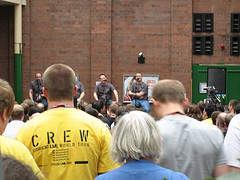
LUGRadioLive 2008 by sheilaellen (cc-by-2.0) This weekend, I learnt lots of things while at LugRadio Live in Wolverhampton. One thing was the surprising delay between posting something on this site and it actually appearing in the feed on my mobile phone. Another is that I can’t post to my new blog hosting from my mobile phone, which I’ll debug Real Soon Now. So, this is a bit later than when I first wrote it and it’s now one post instead of seven or so… Thanks to some unexplained delay travelling through Birmingham, I walked into LugRadio Live during the Introduction. The venue was generally pretty good, but the stage obstructed the entrance the acoustics in the atrium only seemed to work for the four gents. No idea what they said: I got past the stage into the audience and it finished almost immediately. For the first talk session, I went to see Rufus Pollock of Open Knowledge Foundation introduce a plan for the Comprehensive Knowledge Archive Network. Seems like a good idea. I’ve tons of questions, but I can’t quite get them into words, I don’t know when I’ll have time for this and I’m not sure they really matter anyway. I think I’ll mention CKAN to some librarians anyway and see what they make of it. I expected Emma Jane Hogbin’s “Form an orderly queue, ladies” to start an argument with the usual chix silliness but I was pleasantly surprised by how reasonable the advice was. In fact, the speaker also criticised the “chix” movements, although it appeared she participates in some women-only clubs, so not a 100% win for equality there. Sadly, much of the talk has been overshadowed in my mind by the memory of a giant furry racoon walking in unexpectedly, so I’ll probably grab the video of the LRL-USA version sometime soon. James Hooker’s talk titled “Taming the dragons — entrepreneurship and VCs” launched venturex as described on his own site already (along with more talk descriptions). It was an interesting demo, but it requires hackers to sell some votes in their companies to Venture Capitalists, which I believe is a bad thing for free software developers to do. We need to look more at a form of social entrepreneurism.</soapbox> I tried to ask a question, but the terrible atrium acoustics did funny things with my not-so-good hearing and I lost my way somewhat. At the end of that talk, I got chatting to an interesting web developer from Leicester who also forsook The Gong-a-Thong Lightbulb Talk Extravaganza and headed up to the Lightning Stage for Robert Collins and the Bzr talk. As well as some glimpses of how it’s changed since forking from tla, it was interesting to see a real (imperfect) demo and a non-Emacs version control GUI. The web interface for casual users to submit patches sounded very interesting and I also learned that some people pronounce “svn” like “Sven”. Most things that Robert thought were benefits sounded like drawbacks to me, so I’ll stay with git for now. Steve Lamb’s Green IT talk was the last presentation I saw. This talk really disappointed me because it seemed to be skewed towards the corporate governance nonsense instead of seeing Green IT as a vital pragmatic step, mentioning points I’d seen put more clearly elsewhere, as well as advertising Vista virtualisation and some panoramic webcam from Microsoft (who employ him) that doesn’t work with any free software, according to a deserved verbal shoe-ing in the Q+A. Only thing I remember that seems useful: charging from USB is more efficient than using wallwarts. Is that right? Finally, the main event: LugRadio Live and Unleashed. It opened with the shock announcement that LRL will continue into 2009, as announced elsewhere already. The rest of the madness will presumably appear online shortly and I don’t remember it well enough to do it justice… A tech conference crossed with a rocking gig by the strangest boyband ever, with a cheerleading racoon and some very cool people. I’ll try to be at LRL 2009. Will you be there? Were you at LRL this last weekend?

21 July 2008

Martin Michlmayr: Daily installer image available for QNAP TS-109, TS-209 and TS-409

Daily installer images are now available for the QNAP TS-109, TS-209 and TS-409. This means that complete installations of Debian testing are possible now. You can consider the daily image as a beta release of RC1 of the debian-installer for Debian lenny. It should only be used by experienced users and only if you can make a serial console in case something goes wrong. As the name suggests, the daily images change on a daily basis and they install Debian testing which also changes on a daily basis (although testing should be fairly stable since we're close to the freeze of testing in preparation for the release of Debian lenny). If you install Debian with these installer images, please send an installation report to debian-boot send an email to me so I can let you know in case there are any important news you should be aware of. There is a web site now with complete installation instructions and other information about Debian on QNAP Turbo Station. If you have any questions or suggestions, please let me know.

Joachim Breitner: One Week with an OpenMoko Freerunner

About one week ago, I received my OpenMoko Freerunner. This is an openly developed mobile phone that runs purely on Free Software. So this is what I have to tell about it.The hardwareIt was smaller than I thought, and is quite light. My girlfriend says it s ugly, but I m fine with the look of it. Besides being a GSM-phone, it comes with some nice gimmics: GPS, accelerometer, WLAN. The touchscreen works fine, although I don t have anything to compare it with.The softwareThe system it comes with, even after upgrading, is still very rough. It mostly works for doing phone calls and SMSs, but there are a number of unsolved quirks that prevent me from using the Freerunner as my sole phone for now. The suspend mode is left too often, resulting in a battery life of about eight hours, and there are issues with the audio for the conversation partners, who will hear static and echoes. But, as this is free software, there is hope that this will be fixed eventually.DevelopmentThe OpenMoko distribution is based on Openembedded, which uses bitbake for building software. So if I got it right, and this is not sure, because documentation is rare and spread, there is the git repository at git.openmoko.org, which is a copy of the openembedded git repository. This contains bitbake recipies for all the packages, which includes where they can be downloaded, the package metadata (such as dependencies and version numbers) and sometimes patches. These recipies reference upstream tarballs or subversion URLs. For the native OpenMoko applications, the source is in the OpenMoko subversion repository.One of the suggested ways of compiling software for the FreeRunner is by using a toolchain tarball, that can easily be extracted somewhere and used to build the software from the subversion repository, or other (hopefully autoconf ed) software. This builds the binaries, but does not produce proper .ipk files, so no version number or dependencies.The other way is the full openembedded setup, made easy using the MokoMakefile. This, automatically, fetches and builds everything needed for the cross compiliation and all available packages, producing the same output as can be found on the openmoko servers. Setting this up requires about 6 gigabytes of storage and takes over a day the first time, but then hacking the phone is relatively painless, as it resolves dependencies and is self-contained.The communityFor a free software project, the state of the community is very important. The OpenMoko seems to suffer from a rush of interested people on the mailing lists, so it s hard to follow real development in a mass of frequently asked questions and nice ideas from people who have neither an OpenMoko phone nor wil do any coding.On the other hand, it s not easy for new contributers. I have written some code that make sure the phone can handle numbers such as 0172/123 456 instead of the official +49172123456 in the phonebook and the SMS app, something that other users have complained about as well. But no one could tell me where and how I should submit my patches, and the mail to the mailing list with the patches and the bug report is unanswered. It is not clear, at least to me, who is responsible for what part of the project quite different to what I m used to from Debian, where there is a clear list of maintainers for each package, and a well known way of submitting patches (by going through bugs.debian.org).For interested users, I have published my branch of the git repository at git.nomeata.de, and I will hopefully add more features and bugfixes later at least when I find out how to properly contribute to OpenMoko.

20 July 2008

Kartik Mistry: Quick visit to Mumbai and more..


* I visited /home (ie Mumbai) for one day. And, found that, 1. Kavin got 2 new teeth to accompany his rabbit like teeth on upper side! 2. Kavin can now walk (run) without support. 3. My broken camera can give very good results when needed. 4. I can stay without Internet for entire day! * Kavin and K will be here with me from next week, my hunt for home is still continue (hopefully, it will end this week). * Good news: Cleared FD and DAM Approval stages, now only one step remaining to get complete Nirvana. * I am bit upset about recent happenings in Gujarat and entire nation. Not writing much here, as My Gujarati blog is speaking better for such issues in my own language!

Jose Luis Rivas Contreras: xscreensaver 5.05-3 out

Today anibal(thanks!) uploaded xscreensaver 5.05-3, this release fixes the XRandR issue that a lot of people reported since the introduce of sanity code in 5.05 for XRandR (that are some quite RCs and important bugs). 5.06 is out now but we couldn't wait more to get this RCs closed, in a week or two this new release will be ready and in the archive.

Russell Coker: Review of the EeePC 701

I have just bought a EeePC 701 [1], I chose the old model because it’s significantly smaller than the 90x series and a bit lighter too and it had Linux pre-loaded. Also it was going cheap, while I am not paying for it I give the same attention to saving my clients’ money as to saving my own. I ruled out everything that was heavier or larger than an EeePC 901 and everything that cost more than $700. That left only the Linux version of the EeePC 901 (which I couldn’t find on sale) and the EeePC 701 as my options. I also excluded the EeePC 900 because it is bigger and heavier than the 701 but has the same CPU (and therefore can’t run Xen). In terms of it’s prime purpose (a SSH client) 96*22 characters is the size of a konsole screen with the default (medium) font size when the window is maximised, that is 5% more characters than the standard terminal size of 80*25 but the smaller number of lines is a problem. When using the small font I can get 129*29 which I find quite comfortable to read (it would be impossible for me to read withut glasses - which means having almost average vision for someone in their 30’s). Then I can get 129*31 if I dismiss the tool bar at the bottom of the screen and could probably get another couple of rows if I removed the tabs that Konsole uses to switch between sessions. That would only be viable if using screen extensively as a single session without the ability to switch between programs is not particularly useful (I don’t think that ALT-TAB is adequate for switching between terminal sessions). When running Debian I can get 130*32 with the same font due to smaller window controls, but I’ll write more about converting to Debian in another post. Note that while the OS that ships with the Linux based EeePC machines is based on Debian, it is heavily customised and has some notable differences from a typical Debian install. It has some proprietary software, and uses unionfs for the root and /home filesystems. The first issue is that Console (the KDE terminal program) can only be accessed from the file manager (via the tools menu or ^t), the machine clearly doesn’t have defaults for someone like me. In principle it’s a multi-user system that can be fully customised, but in practice it’s configured as a single-user machine. Once you have a Console window open you can run “su -” and the root password is the password for the “user” account. I wonder whether I could get more than 42 rows or more than 140 columns of text that is readable. If so then I could have two console windows fully displayed on screen. The screen is bright and clear, this is essential as the number of pixels per character is going to be low for any reasonable amount of text to be displayed on screen. The password that you set when you first use the machine also works for “su -” (in fact that is the only real use as I expect that almost everyone will choose the automatic login option). The display comprises a significant portion of the weight, if the screen is fully open (about 150 degrees) then it will tip over. Even when the screen is not as far open it will tip due to bumps if resting on your lap on a tram. It’s a pity that the screen is connected at the very back of the base, if the attachment point was a bit closer then it would balance better and also be easy to hold with one hand. The depth of the machine combined with the angle at the back makes it impossible for me to get a good one-handed grip from the base, so typing while standing on a moving tram or bus will be extremely difficult (unlike my iPaQ which I can use at full speed on any form of public transport). Inidentally it would be good if there was an attachment point for a wrist-strap, every camera and most mobile phones have them so it would be good to have the same safety feature in a laptop to facilitate use on public transport. Another reason for not using it as a PDA is the fact that it takes about 7 seconds to resume after hibernating (when the lid is closed). The PSU is almost as small as that of a mobile phone! This is a major benefit as in the past I have often stored a Thinkpad PSU at a client site for 9-5 jobs as it is heavy enough that I didn’t want to carry it on public transport. The EeePC PSU is light enough that it won’t be unpleasant to carry, and small enough to fit easily into a jacket pocket. The OS installation is very well done for the basics. It’s easy to launch applications and there is a good selection of educational programs (including the periodic table, planetarium, typing, letters, and hangman, drawing, and a link to www.skoool.com). It’s a pity that they organised the folders according to the area rather than the age, but generally the OS is very well done. Most of the reviews focus on the speed of the CPU, the RAM expansion options, etc, but miss the fact that it is a really nice machine for using as-is. It is a much better machine for teaching children than any of the machines I’ve seen which are sold specifically for children (see my previous post about an awful computer for kids [2]). I believe that you could give an EeePC to any 3yo and have them doing something useful in a matter of minutes! The ability to freely install new software should not be overlooked when considering a computer for children to use. Someone who buys one now could use it for a few years as an ssh client and then reinstall the original OS and give it to a child as an educational toy. It has a program to create OGG video files from it’s built-in camera and mic, at this moment it’s the only device I own that can create OGG files (this is a good thing). OGG compression takes a really long time, the Atom CPU in the 901 and 1000x series would be good for this. It’s a pity that the microphone is directly below the mouse buttons, it clearly records the mouse click used to finish recording. The version of mplayer which is installed to play OGG files can also play FLV files downloaded from youtube with youtube-dl (althrough the file association is not set). When I tried to play a MP4 file from ted.com it only gave audio (the video works on a full Debian/Etch installation). There is a full set of office software, OpenOffice.org, Thunderbird email client, and all the other stuff you might expect. I find that the biggest problem for using it is the size of the keyboard, I don’t think I’ll ever be able to touch-type properly on it. Not only are the keys small but the positions of non-alphabetical keys are slightly different from most keyboards. Another problem is that the space-bar needs to be pressed near the centre, I usually like to press near the end but that doesn’t work. Those issues are all trade-offs of the small size. My T series Thinkpad is reasonably portable and has a great keyboard so I have the serious typing while travelling angle covered. One real mistake in the keyboard design is the lack of a LED to indicate whether caps-lock is enabled (there are four status LEDs, adding number five couldn’t be that expensive), this is a real problem when using the vi editor (which uses letters as editor commands and is case-sensitive). It will also occasionally cause problems when entering passwords. There is a caps-lock indicator on screen, but that is in the toolbar at the bottom of the scren (which I like to dismiss to gain an extra two lines of text). It would be good if I could display the status of the caps and num lock keys in the right side of the title-bar of the active window (the only bit of unused space on the screen). The cooling fan makes an annoying buzz. It’s significantly louder than Thinkpads which dissipate a lot more heat. The other problems are all software, which is OK as I plan to reinstall it. Firstly it is using Debian and shipped with the broken openssl library. There is a GUI for installing upgrades, but it recommends rebooting after installing each one! Naturally I didn’t choose to reboot, I installed the security update #1. Then I clicked on the button to install a BIOS update. It told me that it had to reboot to apply the update and gave only one button (OK), I tried closing the window but it rebooted anyway (fortunately the vi swap file allowed me to recover this post - which I am entirely writing on the EeePC). Aftere booting up again I discovered that the libssl bug still wasn’t fixed and that there was a second udate to apply! Why can’t they have a “apply all updates” button and also have it not automatically reboot? This must be the only Debian-based distribution that forces Windows-style reboots. But that said, while they made some mistakes in their software it generally provides a good user experience

19 July 2008

Bastian Venthur: Rng 1.0 in unstable

I’ve finished the porting of rng from qt3 to qt4 and uploaded it to unstable. It has some minor regressions compared to the qt3 version, like the localization of the qt4 widgets which isn’t working yet and that the column which sorts the table isn’t saved and restored properly on startup, but it closes many other bugs and it doesn’t crash anymore. The new version doesn’t bring so much new features so far, but since it’s using much of the stuff which came with QT4, like the QTableModel and the QWebView, it runs much faster in many cases, e.g. when sorting or filtering the table. Ah, and last but but not least: thanks to WebKit rng even passes acid1 and acid2. Doesn’t yet pass acid3 but I guess someone is already working on it :) rng passing acid2

17 July 2008

Russell Coker: Pollution and Servers

There is a lot of interest in making organisations “green” nowadays. One issue is how to make the IT industry green. People are talking about buying “offsets” for CO2 production, but the concern is that some of the offset schemes are fraudulent. Of course the best thing to do is to minimise the use of dirty power as much as possible. Of course the first thing to do is to pay for “green power” (if available) and if possible install solar PV systems on building roofs. While the roof space of a modern server room would only supply a small amount of the electricity needed (maybe less than needed to power the cooling) every little bit helps. The roof space of an office building can supply a significant portion of the electricity needs, two years ago Google started work on instralling Solar PV panels on the roof of the “Googleplex” [1] with the aim of supplying 30% of the building’s power needs. For desktop machines a significant amount of power can be saved if they are turned off overnight. For typical office work the desktop machines should be idle most of the time, so if the machine is turned off outside business hours then it will use something close to 45/168 of the power that it might otherwise use. Of course this requires that the OS support hibernation (which isn’t supported well enough in Linux for me to want to use it) or that applications can be easily stopped and restarted so that the system can be booted every morning. One particular corner case is that instant-messaging systems need to be server based with an architecture that supports storing messages on the server (as Jabber does [2]) rather than requiring that users stay connected (as IRC does). Of course there are a variety of programs to proxy the IRC protocol and using screen on a server to maintain a persistent IRC presence is popular among technical users (for a while I used that at a client site so that I could hibernate the PowerMac I had on my desktop when I left the office). It seems that most recent machines have BIOS support for booting at a pre-set time. This would allow the sys-admin to configure the desktop machines to boot at 8:00AM on every day that the office is open. That way most employees will arrive at work to find that their computer is already booted up and waiting for them. We have to keep in mind the fact that when comparing the minimum pay (about $13 per hour in Australia) with the typical electricity costs ($0.14 per KWh - which means that a desktop computer might use $0.14 of electricity per day) there is no chance of saving money if employee time is wasted. While companies are prepared to lose some money in the process of going green, they want to minimise that loss as much as possible. The LessWatts.org project dedicated to saving energy on Linux systems reports that Gigabit Ethernet uses about 2W more power than 100baseT on the same adapter [3]. It seems most likely that similar savings can be achieved from other operating systems and also from other network hardware. So I expect that using 100baseT speed would not only save about 2W at the desktop end, but it would also save about 2W at the switch in the server-room and maybe 1W in cooling as well. If you have a 1RU switch with 24 Gig-E ports then that could save 48W if the entire switch ran at 100baseT speed, compared to a modern 1RU server which might take a minimum of 200W that isn’t very significant. The choice of server is going to be quite critical to power use, it seems that all vendors are producing machines that consume less power (if only so that they can get more servers installed without adding more air-conditioning), so some effort in assessing power use before purchase could produce some good savings. When it comes time to decommission old servers it is a good idea to measure the power use and decommission the most power hungry ones first whenever convenient. I am not running any P4 systems 24*7 but have a bunch of P3 systems running as servers, this saves me about 40W per machine. It’s usually the case that the idle power is a significant portion of the maximum power use. In the small amount of testing I’ve done I’ve never been able to find a case where idle power was less than 50% of the maximum power - of course if I spun-down a large number of disks when idling this might not be the case. So if you can use one virtual server that’s mostly busy instead of a number of mostly idle servers then you can save significant amounts of power. Before I started using Xen I had quite a number of test and development machines and often left some running idle for weeks (if I was interrupted in the middle of a debugging session it might take some time to get back to it). Now if one of my Xen DomU’s doesn’t get used for a few weeks it uses little electricity that wouldn’t otherwise be used. It is also possible to suspend Xen DomU’s to disk when they are not being used, but I haven’t tried going that far. Xen has a reputation for preventing the use of power saving features in hardware. For a workstation this may be a problem, but for a server that is actually getting used most of the time it should not be an issue. KVM development is apparently making good progress, and KVM does not suffer from any such problems. Of course the down-side to KVM is that it requires an AMD64 (or Intel clone) system with hardware virtualisation, and such systems often aren’t the most energy efficient. A P3 system running Xen will use significantly less power than a Pentium-D running KVM - server consolidation on a P3 server really saves power! I am unsure of the energy benefits of thin-client computing. I suspect that thin clients can save some energy as the clients take ~30W instead of ~100W so even if a server for a dozen users takes 400W there will still be a net benefit. One of my clients does a lot of thin-client work so I’ll have to measure the electricity use of their systems. Disks take a significant amount of power. For a desktop system they can be hibernated at times (an office machine can be configured such that the disks can spin-down during a lunch break). This can save 7W per disk (the exact amount depends on the type of disk and the efficiency of the PSU - (see the Compaq SFF P3 results and the HP/Compaq Celeron 2.4GHz on my computer power use page [4]). Network booting of diskless workstations could save 7W for the disk (and also reduce the noise which makes the users happy) but would drive the need for Gigabit Ethernet which then wastes 4W per machine (2W at each end of the Ethernet cable). Recently I’ve been reading about the NetApp devices [5]. By all accounts the advanced features of the NetApp devices (which includes their algorithms for the use of NVRAM as write-back cache and the filesystem journaling which allows most writes to be full stripes of the RAID) allow them to deliver performance that is significantly greater than a basic RAID array with a typical filesystem. It seems to me that there is the possibility of using a small number of disks in a NetApp device to replace a larger number of disks that are directly connected to hosts. Therefore use of NetApp devices could save electricity. Tele-commuting has the potential to save significant amounts of energy in employee travel. A good instant-messaging system such as Jabber could assist tele-commuters (it seems that a Jabber server is required for saving energy in a modern corporate environment). Have I missed any ways that sys-admins can be involved in saving energy use in a corporation? Update: Albert pointed out that SSD (Solid State Disks) can save some power. They also reduce the noise of the machine both by removing one moving part and by reducing heat (and therefore operation of the cooling fan). They are smaller than hard disks, but are large enough for an OS to boot from (some companies deliberately only use a small portion of the hard drives in desktop machines to save space on backup tapes). It’s strange that I forgot to mention this as I’m about to buy a laptop with SSD.

16 July 2008

Russell Coker: Xen and EeePC

I’ve been considering the possibility of using Xen on an ASUS EeePC as a mobile test platform for an Internet service. While the real service uses some heavy hardware it seems that a small laptop could simulate it when running with a small data set (only a few dozen accounts) and everything tuned for small amounts of RAM (small buffers for database servers etc). According to the wikipedia page about the EeePC [1] the 70x and 900 versions of the EeePC use a Celeron-M CPU. According to Wikipedia that is based on the Pentium-M (which lacks PAE support and therefore can’t run Xen). The Fedora Tutorial about the EeePC has a copy of the /proc/cpuinfo data from an EeePC [2] which shows that the model in question (which is not specified) lacks PAE. Are there any 70x or 90x variants that have PAE? Intel sometimes dramatically varies the features within a range of CPUs… The 901 version and the 1000 series use an Intel “Atom” CPU. According to discussion on the Gentoo Forums some Atom CPUs have the “lm” flag (64bit) but no “vmx” flag for virtualisation [3] (which means that they can run Xen paravirtualised but no KVM or hardware virtualisation for Xen), it also has PAE. This is more than adequate. According to the Wikipedia page the Atom comes in both 32bit and 64bit variants [4]. Hopefully the 901 version and the 1000 series EeePC will have the 64bit version. The 90x versions have support for up to 4G of RAM but the 1000 series is only listed as supporting 2G, hopefully that will be 4G or more (although I wouldn’t be surprised if Intel had a chipset supporting only 4G of address space and PCI reservations limiting the machine to 3G). But even 3G will be enough for a mobile test/development platform which should make it easier to debug some problems remotely. The 901 is available in Australia for just under $700. It’s a little more expensive than previous EeePC variants ($500 is a magic number below which things can be purchased with significantly less consideration), but it still might be something that one of my clients will pay for. The prime aim is to be a mobile sys-admin platform that can be carried anywhere, running a Xen simulation of the target network is an added bonus. Any suggestions for other laptops that should be considered will be welcome. It needs to be light (1.14Kg for a 901 EeePC is more than I desire), small (a reduced display size is not a problem), and not overly expensive ($700 is more than desired). Update: JB HiFi is selling the 1000H model [5]. The 1000H has an 80G hard disk and weighs 1.45Kg. The extra 210g and slightly larger size are a down-side, as is the extra ~$50 in price. A comment was made that OpenVZ could be used. If that avoids the need for PAE then a 702 series would do the job (with some USB flash devices as extras). The 702 is a mere 920g. Update: This ZDNET review shows that the 901 can only handle 2G of RAM and has an Atom CPU that is only 32bit [6].

Russell Coker: Mobile SSH Client

There has been a lot of fuss recently about the release of the iPhone [1] in Australia. But I have not been impressed. I read an interesting post Why I don’t want an iPhone [2] which summarises some of the issues of it not being an open platform (and not having SSH client support). Given all the fuss about iPhones (which have just arrived in Australia) I had been thinking of writing my own post about this, but TK covered most of the issues that matter to me. One other thing I have to mention is the fact that I want a more fully powered PC with me. So even if I had a Green Phone (which doesn’t seem to be on general sale) [3] or OpenMoko [4] I would still want at least a PDA running Familiar and preferrably a laptop - I often carry both. A Nokia N8×0 series Internet Tablet [4] would satisfy my PDA needs (and also remove the need to carry an MP3/MP4 player and audio recorder). When doing serious travelling I carry a laptop, a PDA, and a MP3 player all areas of my digital needs are covered better than an iPhone could reasonably manage. Finally mobile phones tend to not work or not work well ($1 per minute calls is part of my definition of “not well”) in other countries. While I haven’t been doing a lot of traveling recently I still try to avoid buying things that won’t work in other countries. I had planned to just mention TK’s post in a links post. But then a client offered to buy me an iPhone. He wants me to be able to carry a ssh client with me most places that I go so that whenever his systems break I can login. Now apart from the lack of ssh client support an iPhone seems ideal. :-# The cheapest Optus iPhone plan seems to be $19 per month for calls and data (which includes 100M of data) and $21 per month over 24 months for the iPhone thus giving a cost of $40 per month for 100M of data transfer (and a nice phone). There is a plan ofr a $19 per month iPhone, but that has a $19 per month un-capped phone plan and doesn’t sound like a good way of saving $2 per month. The “Three” phone company offers USB 3G modems for $5 per month (on a 24 month contract) and their cheapest plan is $15 per month which gives you 1GB of data per month and $0.10/M for additional data transfer. So it’s $20 per month for 1G (which requires a laptop) vs $40 per month for 100M. Three also has a range of phone plans that allow 3G data access over bluetooth to a PC, it seems that a Nokia N8×0 tablet can be used with that which gives a result of two devices the size of mobile phones. But that costs $20 per month (on top of a regular Three bill) for a plan that offers 500M of data and still requires two devices while not giving the full PC benefits. In the past I’ve done a lot of support work with a Nokia Communicator, so I’ve found that anything less than a regular keyboard really slows things down. While a EeePC keyboard is not nearly as good as a full sized keyboard it is significantly better than a touch-screen keyboard on a PDA (IE the Nokia N8×0 or the OpenMoko). At the moment I’m looking at the option of carrying an EeePC with a USB Internet access device. That will cost $20 per month for net access. The cost of the EeePC is around $300 for a low-end model or about $650 for a 901 series that can run Xen (as noted in my previous post I’m considering the possibilities for having a mobile Xen simulation of a production network [5]). The savings of $20 per month over 24 months will entirely cover the cost of a low-end EeePC (ssh terminal, web browsing, and local storage of documentation) and cover most of the cost of a high-end EeePC. Another possibility to consider is using an old Toshiba Satellite I have hanging around (which I used to use as a mobile SE Linux demonstration machine) for a few months while the price on the EeePC 901 drops (as soon as the 70x series is entirely sold out and the 1000 series is available I expect that the 901 will get a lot cheaper).

14 July 2008

Jose Luis Rivas Contreras: New gkrellm 2.3.1-6 with sysfs support for battery

Now gkrellm works with kernels >=2.6.24, since where /proc/acpi has been deprecated in favor of /sys. The binaries packages for most of the archs debian supports most be available already in the debian archive since anibal upload it the saturday. Enjoy!

Cyril Brulebois: Package updates

This (extended) weekend features: pkg-phototools collab-maint More to come

13 July 2008

Russell Coker: Logic and Pants

I just read an interesting post about proposed new laws in the US prohibiting exposing underpants [1]. This is not a new thing and is part of a debate that has been taking place in many countries since the trend of “hip hop” saggy pants. The first thing that occurs to me is to wonder what the difference really is between underpants and bathers. It seems to me that bathers are simply underpants that don’t turn transparent when they get wet (and which are made of materials that don’t degrade easily when exposed to sea water, UV light, and chlorinated water from swimming pools. So it seems that unless there is some clear legal difference between bathers and underpants such laws will not be effective. Could an underwear company produce products that are essentially the same as it’s regular products but which say “swimming attire” on the label to allow it’s customers to escape silly laws? In fact why not label all underwear as “swimming attire” just in case? Would the prudes who object to a glimpse of underwear want police to go checking the labels of underwear to determine if they are permitted to be seen? The fascist trend in first-world countries is already quite bad, I don’t think we want to add underpants inspection to the list of police powers. Also it should be noted that a small portion of the police officers are corrupt, the idea of corrupt cops inspecting underpants is really not appealing… It would be possible to define any clothes worn under other clothes as “underwear”, but this has problems too. For example when I was younger I used to often wear jeans over my bathers when on the way to/from a beach (often there were no adequate facilities for changing clothes near a beach). If I was to wear jeans over my bathers while walking to a beach could I get booked for showing a small section of my bathers over the top of my jeans - and then legally entirely display my bathers while swimming? Of course there are legal nude beaches in many localities, but blurring the distinction between a regular beach and a nude beach by permitting activity that would be “indecent exposure” on all beaches seems likely to have results that would not make the prudes happy. The next logical implication of laws against exposing underpants is that they encourage wearing smaller underpants. My experience is that it is impossible to wear boxer-shorts without them being exposed above the top of my jeans. Should I be essentially prohibited from wearing boxer shorts because of the risk that if my shirt is not tucked in then someone might catch a glimpse of my underwear? Now if “underwear” was defined to be “anything work beneath the outer layer of clothes” then what about the situation of having multiple layers of clothes? For example when an athlete who wears a track-suit over shorts, are those shorts “underwear”? If so do they cease being “underwear” once the track-suit is removed? Is there a race condition [2] where an athlete can wear shorts on the track, a track-suit on the bench, but they have to remove the track-suit as fast as possible because they are committing indecent exposure while removing the track-suit? If underwear is defined as being the innermost layer of clothing, then what of the practice of “free-balling” (the practice of a man wearing a track-suit with no underpants) and the Scottish tradition of “nothing is worn under the kilt”? Can a track-suit or kilt be defined as underwear? If so how would it be enforced, would police look up the kilts of all men to ensure that the kilt is not the underwear? As for “plumber’s crack” the only solution seems to be to compel plumbers to wear overalls. Of course then plumbers would increase their rates to cover the expense and inconvenience involved in a forced change of attire. I think that most people would prefer to hire a cheap plumber who shows some “crack” than an expensive plumber.

Bastian Venthur: Porting rng to QT4

Today I was busy porting reportbug-ng to QT4. One really cool thing I noticed is the new QWebView widget, which is the main widget of the QWebKit module. It works surprisingly easy compared to the good old QTextBrowser of QT3 — now you can just throw an URL at it and it will render the page nicely complete with CSS, images, etc. Here’s the obligatory screenshot: reportbug-ng qt4 as you can see, the bugreport looks much better than in the old version of rng. WebKit does a really good job rendering the HTML, I think the fonts look even smoother than under firefox. To ease the transition to from QT3 to QT4 I’ve extracted all the Debian BTS specific stuff to python-debianbts and uploaded it to unstable. Rng uses it to query our Bug Tracking System via it’s SOAP interface and get the data in Python’s native data types. There is still the problem with rng (QT3) crashing when showing bugreports. I’ve investigated the problem a bit and found out that it is not rng’s fault but probably a problem with python-qt3 or one of it’s underlying libs. QTextBrowser causes segfaults in nearly 50% of the cases where you try to render html from a different thread: here’s an easy way to reproduce:
# crash.py
# Usage: python crash.py "some text"
#        python crash.py "some evil html”
from qt import *
import sys
import threading
class Form(QMainWindow):
    def __init__(self,parent = None,name = None,fl = 0):
        QMainWindow.__init__(self,parent,name,fl)
        self.browser = QTextBrowser(self, “browser”)
        self.setCentralWidget(self.browser)
if __name__ == ‘__main__’:
    if len(sys.argv)  2:
        print 'Usage: %s "some text"' % sys.argv[0]
        sys.exit()
    s = str(sys.argv[1])
    # setup qt stuff with a browser
    app = QApplication(sys.argv)
    app.connect(app, SIGNAL("lastWindowClosed()"), app, SLOT("quit()"))
    form = Form()
    app.setMainWidget(form)
    form.show()
    # start a different thread and try to set the text in the browser
    # we wait 1.0 second -- just to make sure the change happens after the
    # start of app.exec_loop() below
    t = threading.Timer(1.0, form.browser.setText, (s, ))
    t.start()
    app.exec_loop()
QWebView doesn’t seem to have this problem, the QT4 version of rng didn’t crash a single time. I’m not quite ready with the porting to QT4, and since I’ll be quite busy during the next weeks I suppose it will take a few weeks until the new version will be updated to unstable.

Next.

Previous.