Russ Allbery: Review: The Sovereign
| Series: | Magic of the Lost #3 |
| Publisher: | Orbit |
| Copyright: | September 2025 |
| ISBN: | 0-316-54286-5 |
| Format: | Kindle |
| Pages: | 575 |
| Series: | Magic of the Lost #3 |
| Publisher: | Orbit |
| Copyright: | September 2025 |
| ISBN: | 0-316-54286-5 |
| Format: | Kindle |
| Pages: | 575 |
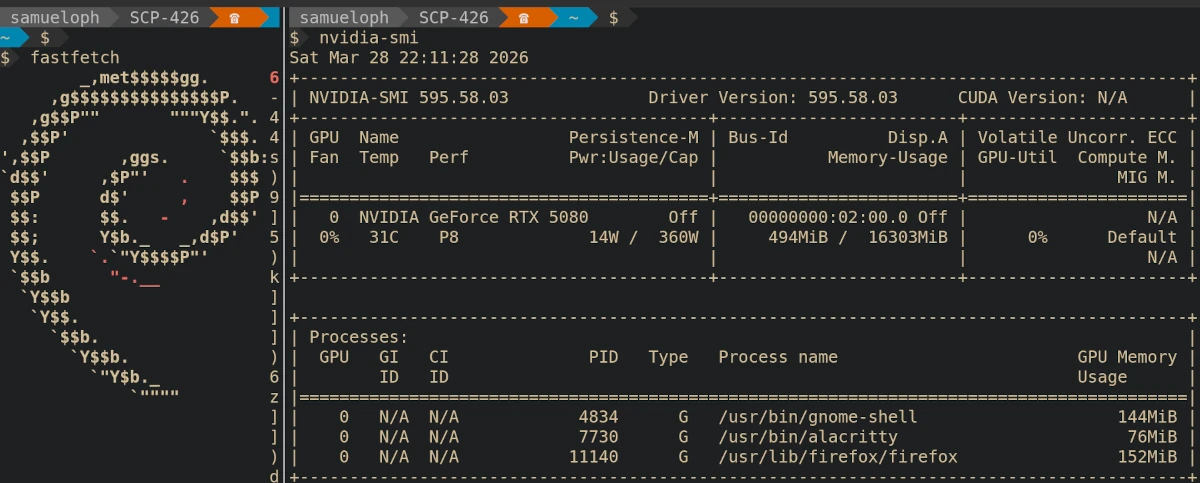
/etc/apt/sources.list.d/r-samueloph-nvidia-ai.sources, run sudo apt update and install the packages, you might need to disable Secure Boot.
.sources file you need, create the
file /etc/apt/sources.list.d/r-samueloph-nvidia-ai.sources with the sources for your release.
Run sudo apt update and install the packages you need, if you already have a
previous version installed, sudo apt upgrade --update would update them.
If there are no upgrades, meaning you don't have a previous version installed,
then you need to explicitly install them.
sudo apt install nvidia-open-kernel-dkms nvidia-driver
If you run into issues in Debian Stable, consider using the Linux kernel package
from the backports repository, if you need an up-to-date NVIDIA driver, you
likely should also be running the backports kernel package (if you can't
upgrade to Debian Testing).
I finally upgraded my mail server to Debian 13 and, as expected, the Dovecot part was quite a ride.
The configuration syntax changed between Dovecot 2.3 (Debian 12) and Dovecot 2.4 (Debian 13),
so I started first with diffing my configuration against a vanilla Debian 12 one (this setup is slightly old) and then applied the same (logical) changes to a vanilla Debian 13 one.
This mostly went well.
Mostly because my user database is stored in SQL and while the Dovecot Configuration Upgrader says it can convert old dovecot-auth-sql.conf.ext files to the new syntax,
it only does so for the structure, not the SQL queries themselves.
While I don't expect it to be able to parse the queries and adopt them correctly,
at least a hint that the field names in userdb changed and might require adjustment would've been cool.
Once I got that all sorted, Dovecot would still refuse to let me in:
Error: sql: Invalid password in passdb: Weak password scheme 'MD5-CRYPT' used and refused
auth_allow_weak_schemes = yes in /etc/dovecot/conf.d/10-auth.conf,
but long term I really should upgrade the password hashes in the database to something more modern.
And this is what this post is about.
My database only contains hashed (and salted) passwords,
so I can't just update them without changing the password.
And while there are only 9 users in total,
I wanted to play nice and professional.
(LOL)
There is a Converting Password Schemes howto in the Dovecot documentation,
but it uses a rather odd looking PHP script, wrapped in a shell script which leaks the plaintext password to the process list,
and I really didn't want to remember how to write PHP to complete this task.
Luckily, I know Python.
The general idea is:
auth_mechanisms = plain login),
the plaintext password is available during login.imap-login has verified the password against the old (insecure) hash in the database,
we can execute a post-login script,
which will connect to the database and update it with a new hash of the plaintext password.'% password ' as userdb_plain_pass to the SELECT statement of our passdb query.
The original howto also says to add a prefetch userdb, which we do.
The sql userdb remains, as otherwise Postfix can't use Dovecot to deliver mail.
Now comes the interesting part.
We need to write a script that is executed by Dovecot's script-login and that will update the database for us.
Thanks to Python's passlib and mysqlclient,
the database and hashing parts are relatively straight forward:
#!/usr/bin/env python3 import os import MySQLdb import passlib.hash DB_SETTINGS = "host": "127.0.0.1", "user": "user", "password": "password", "database": "mail" SELECT_QUERY = "SELECT password_enc FROM mail_users WHERE username=%(username)s" UPDATE_QUERY = "UPDATE mail_users SET password_enc=%(pwhash)s WHERE username=%(username)s" SCHEME = "bcrypt" EXPECTED_PREFIX = "$2b$" def main(): # https://doc.dovecot.org/2.4.3/core/config/post_login_scripting.html # https://doc.dovecot.org/2.4.3/howto/convert_password_schemes.html user = os.environ.get("USER") plain_pass = os.environ.get("PLAIN_PASS") if plain_pass is not None: db = MySQLdb.connect(**DB_SETTINGS) cursor = db.cursor() cursor.execute(SELECT_QUERY, "username": user ) result = cursor.fetchone() current_pwhash = result[0] if not current_pwhash.startswith(EXPECTED_PREFIX): hash_module = getattr(passlib.hash, SCHEME) pwhash = hash_module.hash(plain_pass) data = "pwhash": pwhash, "username": user cursor.execute(UPDATE_QUERY, data) cursor.close() db.close() if __name__ == "__main__": main()
executable = script-login /etc/dovecot/dpsu.py to our imap-postlogin service,
as the howto suggests, the users won't be able to login anymore:
Error: Post-login script denied access to user
exec "$@".
Turns out the script-login "API" is rather interesting.
It's not "pass in a list of scripts to call and I'll call all of them".
It's "pass a list of scripts, I'll execv the first item and pass the rest as args, and every item is expected to execv the next one again".
With that (cursed) knowledge, the script becomes:
#!/usr/bin/env python3 import os import sys import MySQLdb import passlib.hash DB_SETTINGS = "host": "127.0.0.1", "user": "user", "password": "password", "database": "mail" SELECT_QUERY = "SELECT password_enc FROM mail_users WHERE username=%(username)s" UPDATE_QUERY = "UPDATE mail_users SET password_enc=%(pwhash)s WHERE username=%(username)s" SCHEME = "bcrypt" EXPECTED_PREFIX = "$2b$" def main(): # https://doc.dovecot.org/2.4.3/core/config/post_login_scripting.html # https://doc.dovecot.org/2.4.3/howto/convert_password_schemes.html user = os.environ.get("USER") plain_pass = os.environ.get("PLAIN_PASS") if plain_pass is not None: db = MySQLdb.connect(**DB_SETTINGS) cursor = db.cursor() cursor.execute(SELECT_QUERY, "username": user ) result = cursor.fetchone() current_pwhash = result[0] if not current_pwhash.startswith(EXPECTED_PREFIX): hash_module = getattr(passlib.hash, SCHEME) pwhash = hash_module.hash(plain_pass) data = "pwhash": pwhash, "username": user cursor.execute(UPDATE_QUERY, data) cursor.close() db.close() os.execv(sys.argv[1], sys.argv[1:]) if __name__ == "__main__": main()
auth_allow_weak_schemes = yes.
The next step, already in January, was mentioning in a fountain-pen
enthusiasts forum that I planned such a test, and asking if people were
interested in having me buy a few samples of more inks when I was
buying my next pen.
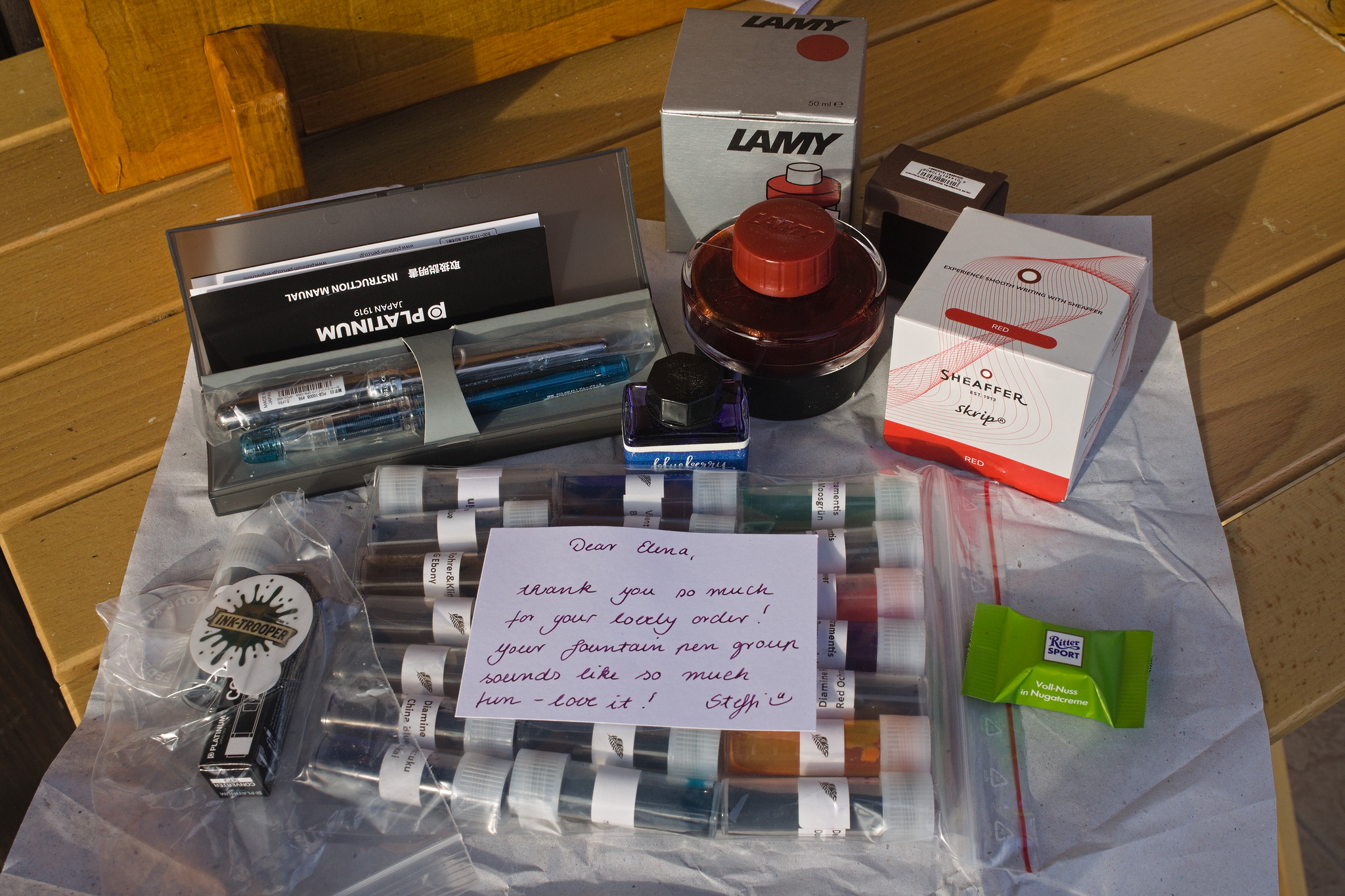
The word enthusiasts is probably a hint of the reason why soon
afterwards I received a package with the pen I had planned to buy, its
converter, and a couple dozens ink samples.
And then a couple envelopes with additional samples of inks that weren t
available on the shops, from said enthusiasts.
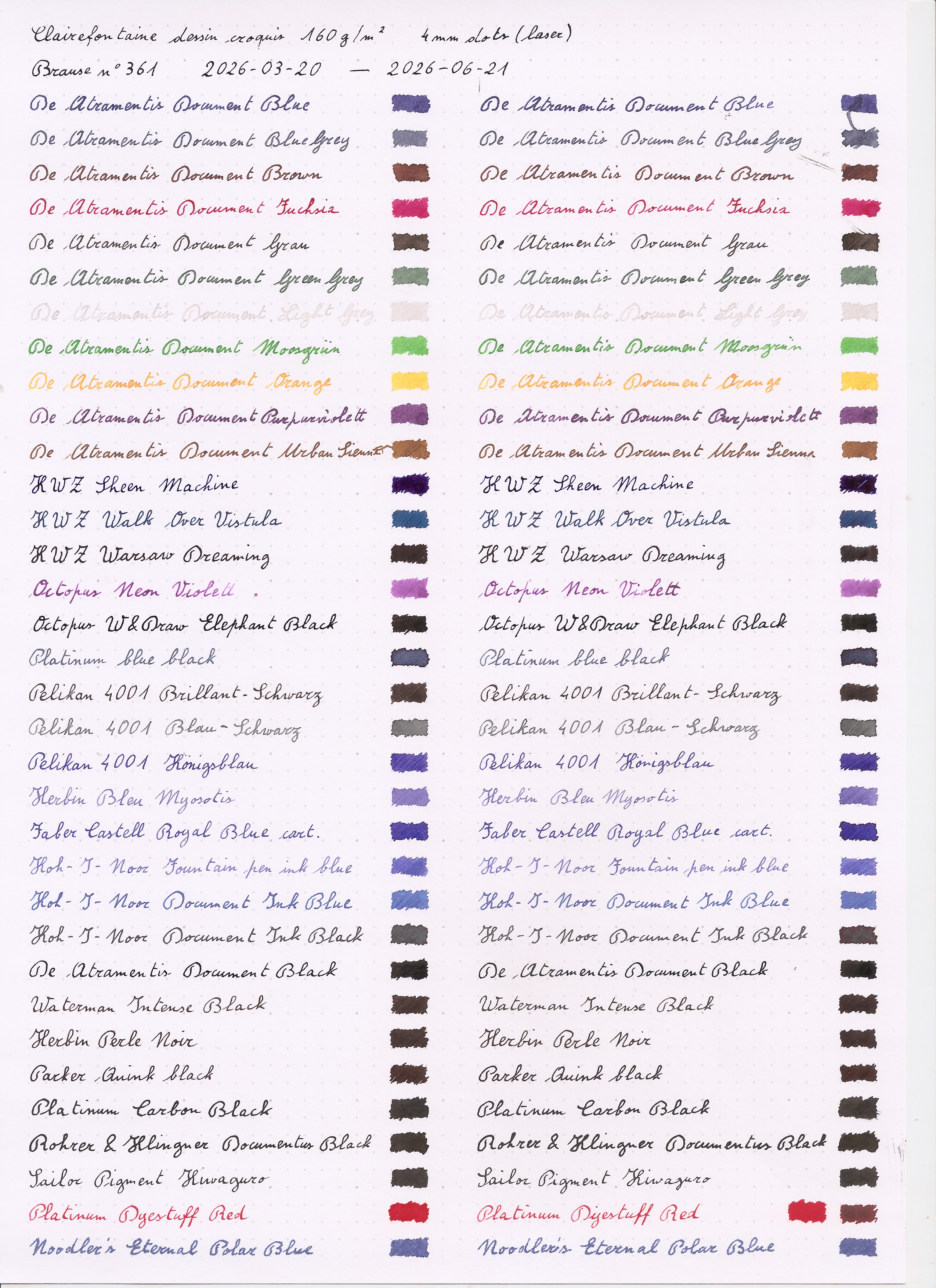
Added to the inks I already had acquired since the last lightfastness
test, it meant that they couldn t all fit in one single page, and thus I
had some room to add some inks I had already tested: some were requests,
and for others I tried to select ones that felt relevant.
Since I m changing the test setup, I ve decided I should probably keep
doing this until I ve tested again all of the inks I still have
available.
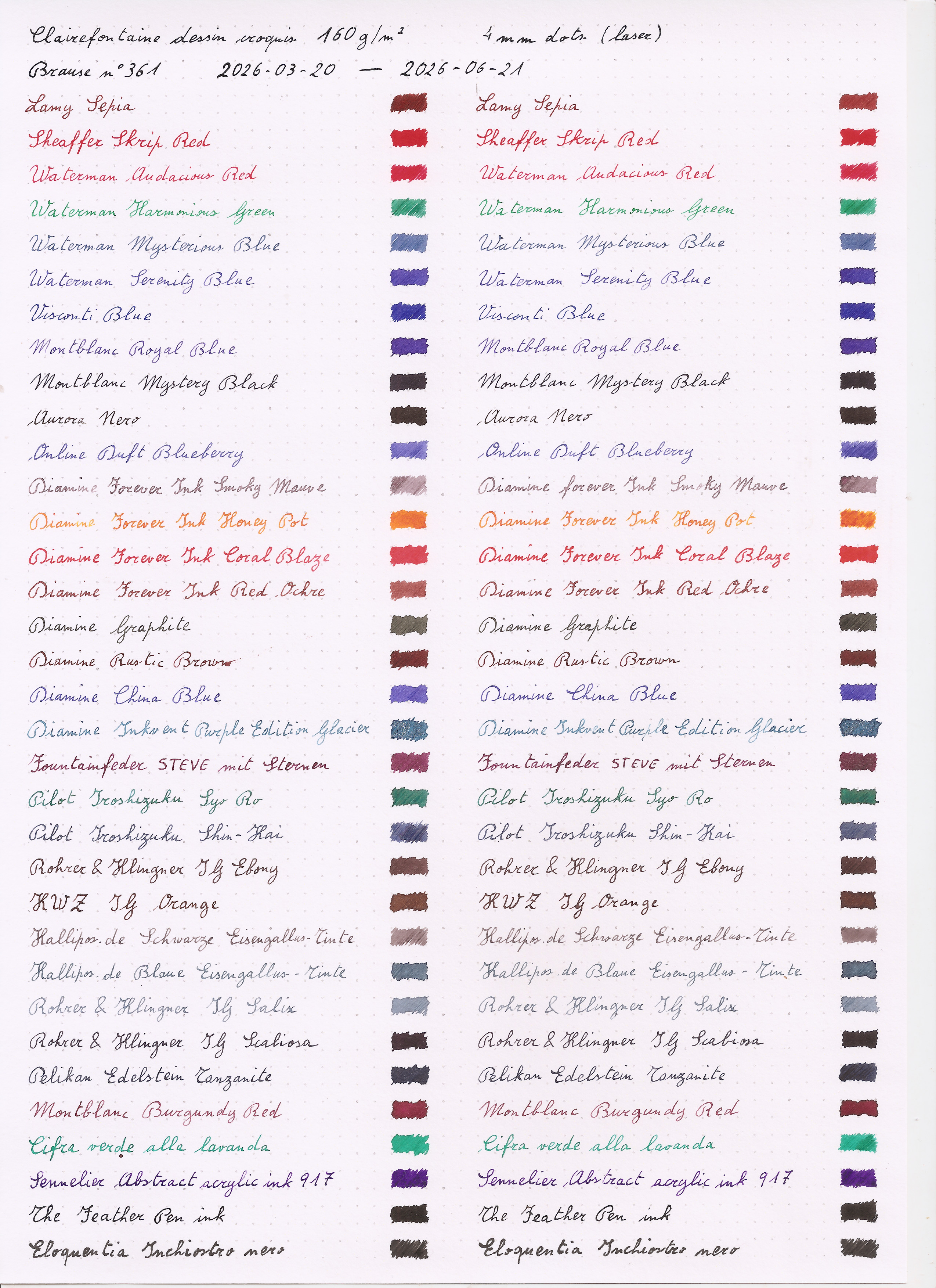
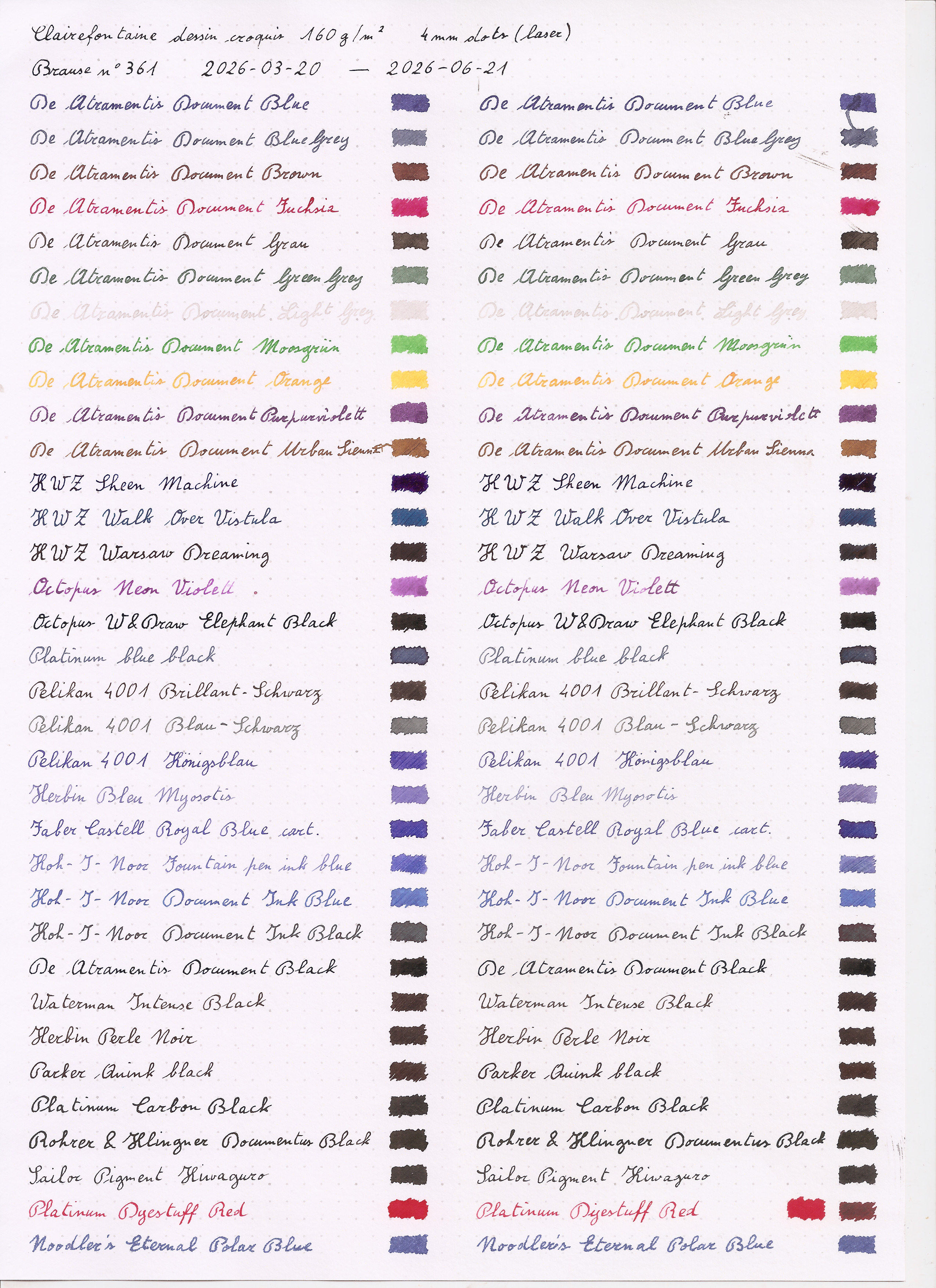
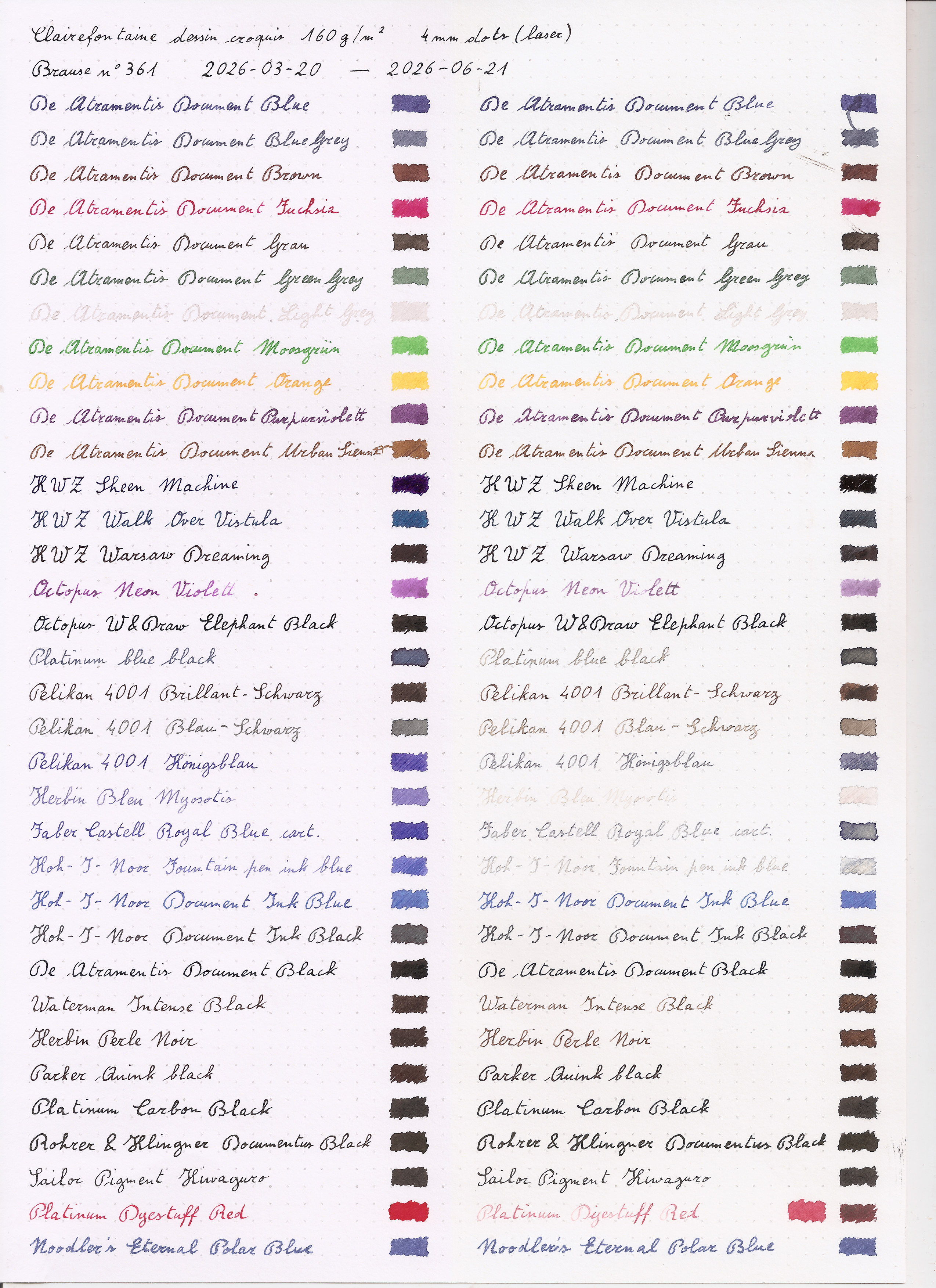
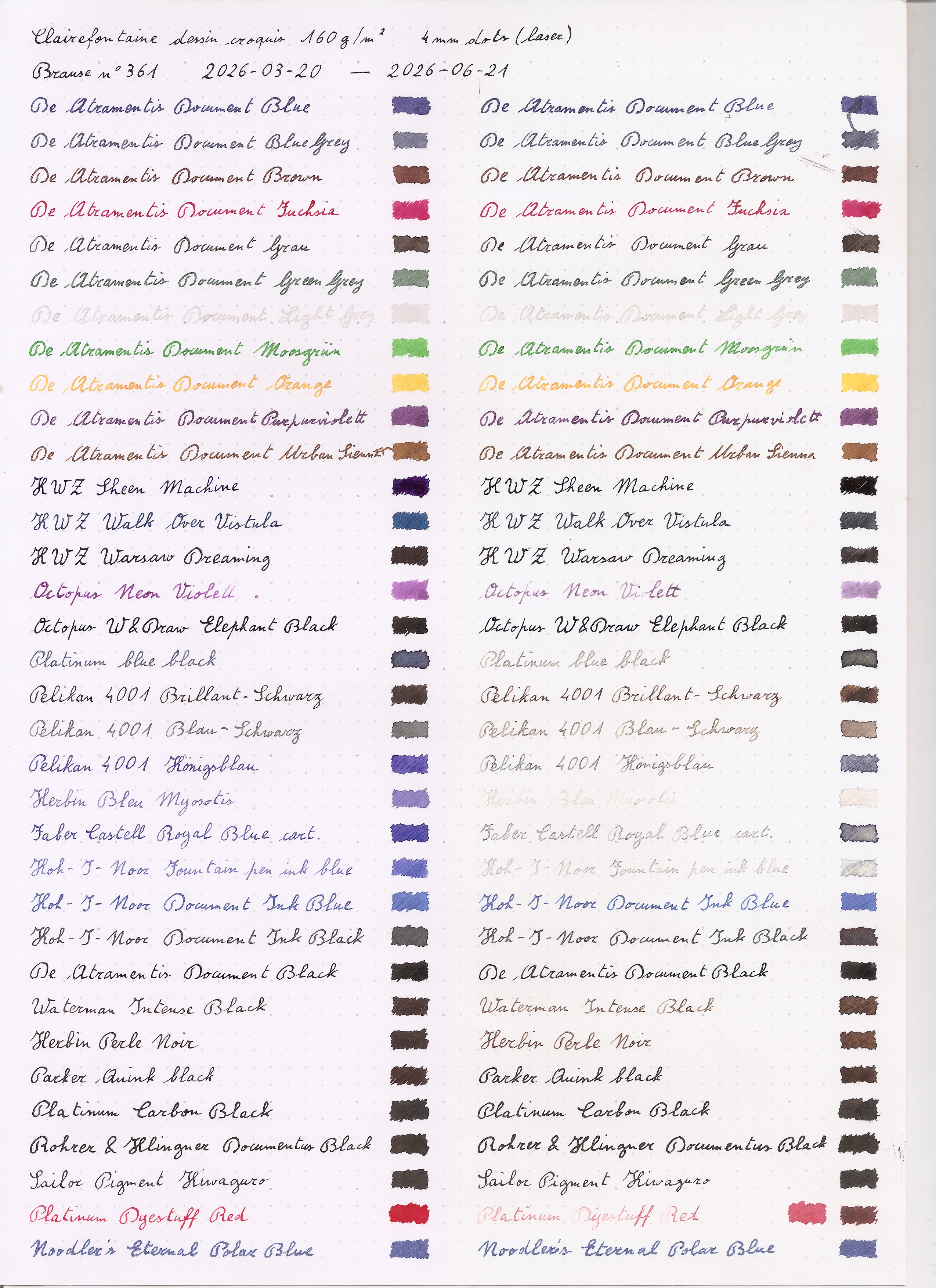
For the paper, I ve used A4 sheets of Clairefontaine Dessin Croquis
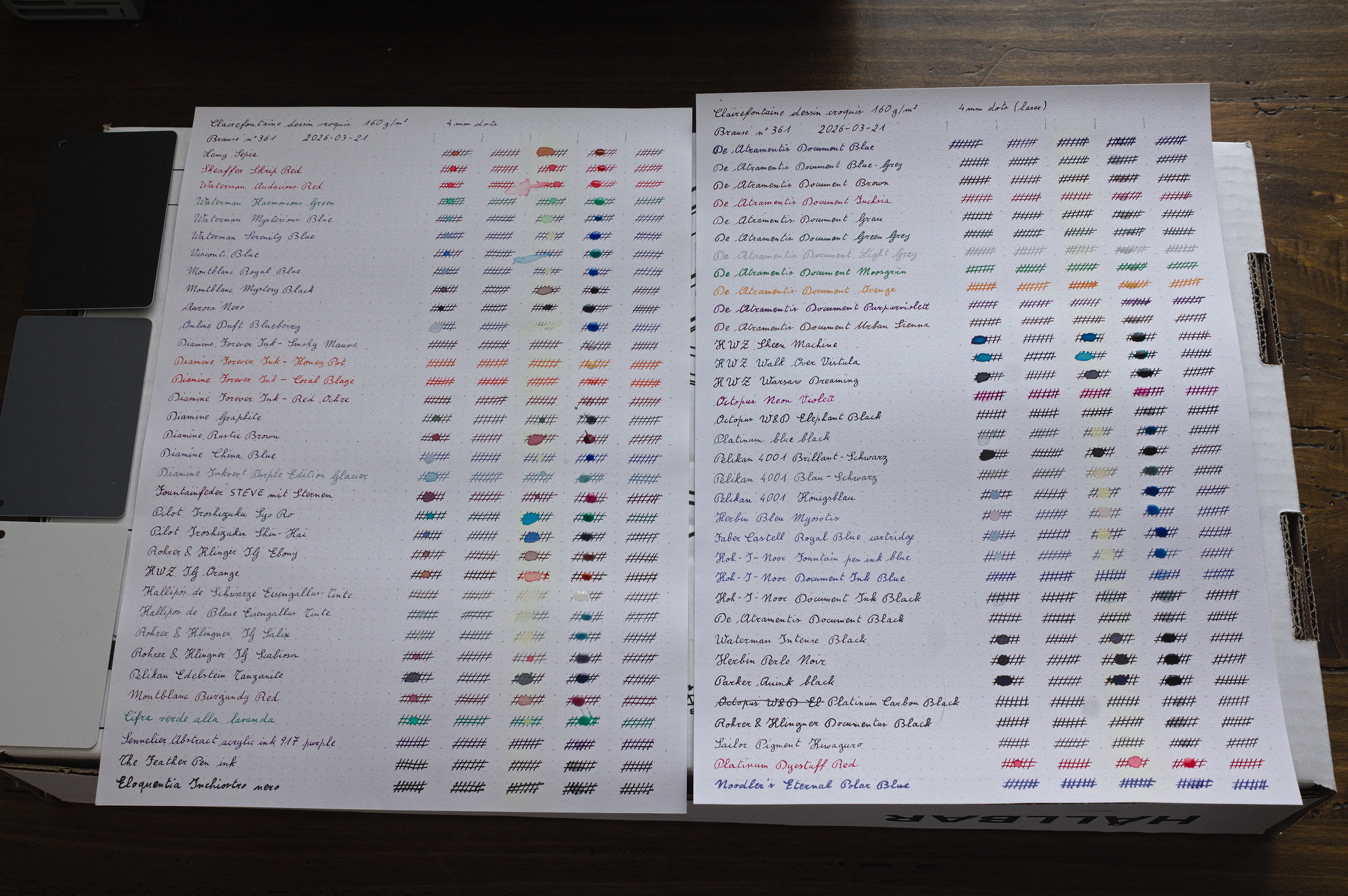
160 g/m ,
one of my staples that I m sure I will have available in the next years,
printed with a dot pattern with a laser printer, using this pdf.
And as for the pen I ve used a fresh Brause n 361 nib: loading a fountain pen
with all of these inks wouldn t be a reasonable effort, and the 361 is
one of the writing implements I use most anyway. I also used a glass pen
to fill a couple of squares on the paper with more ink.
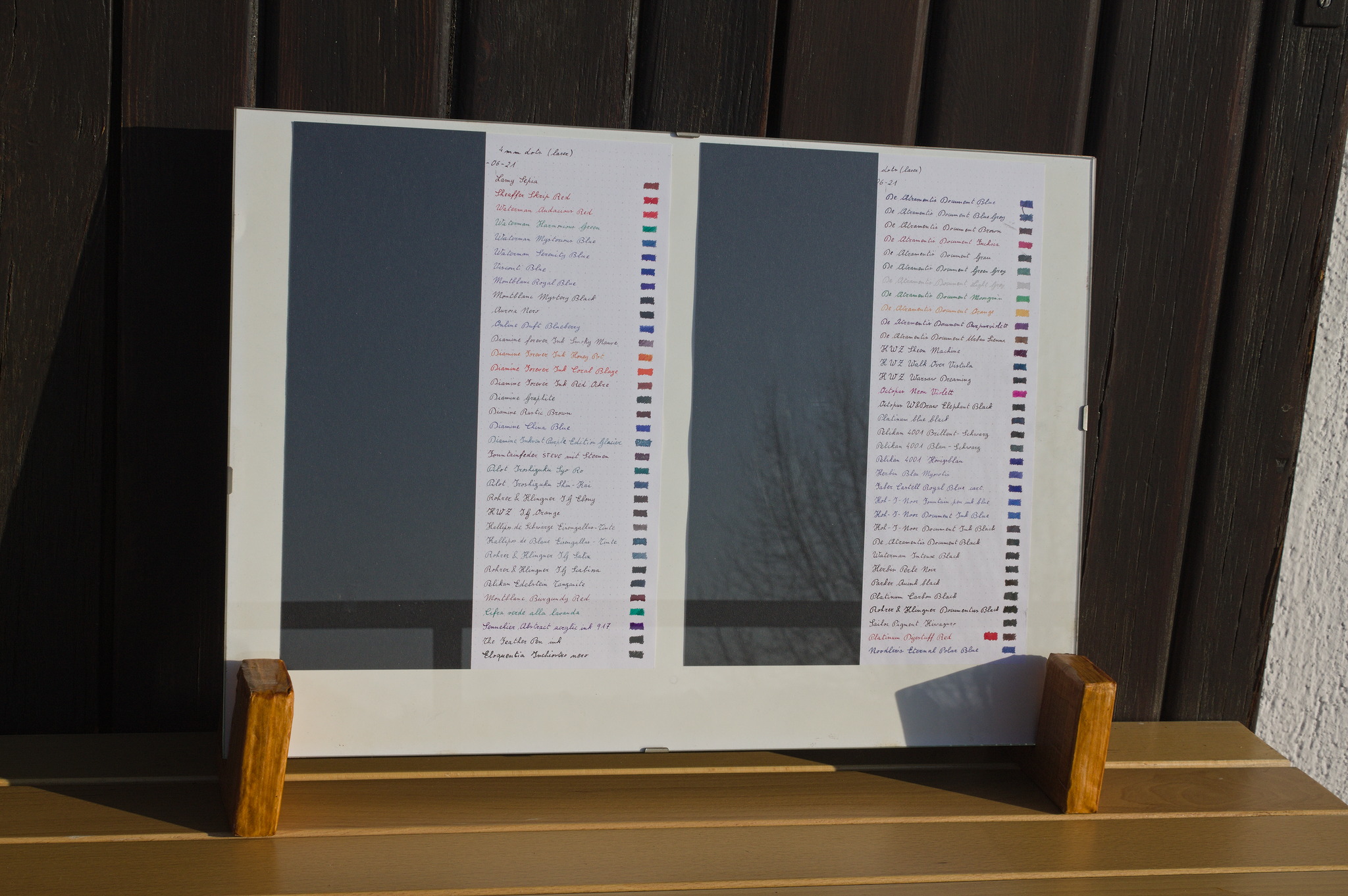
One side of each sheet was then covered with a strip of 300 g/m black
paper (also from Clairefontaine), kept in place with three dots of
non-permanent two sided tape, put in the frame and set out in the sun on
the morning of 2026-03-20, the day of the spring equinox.
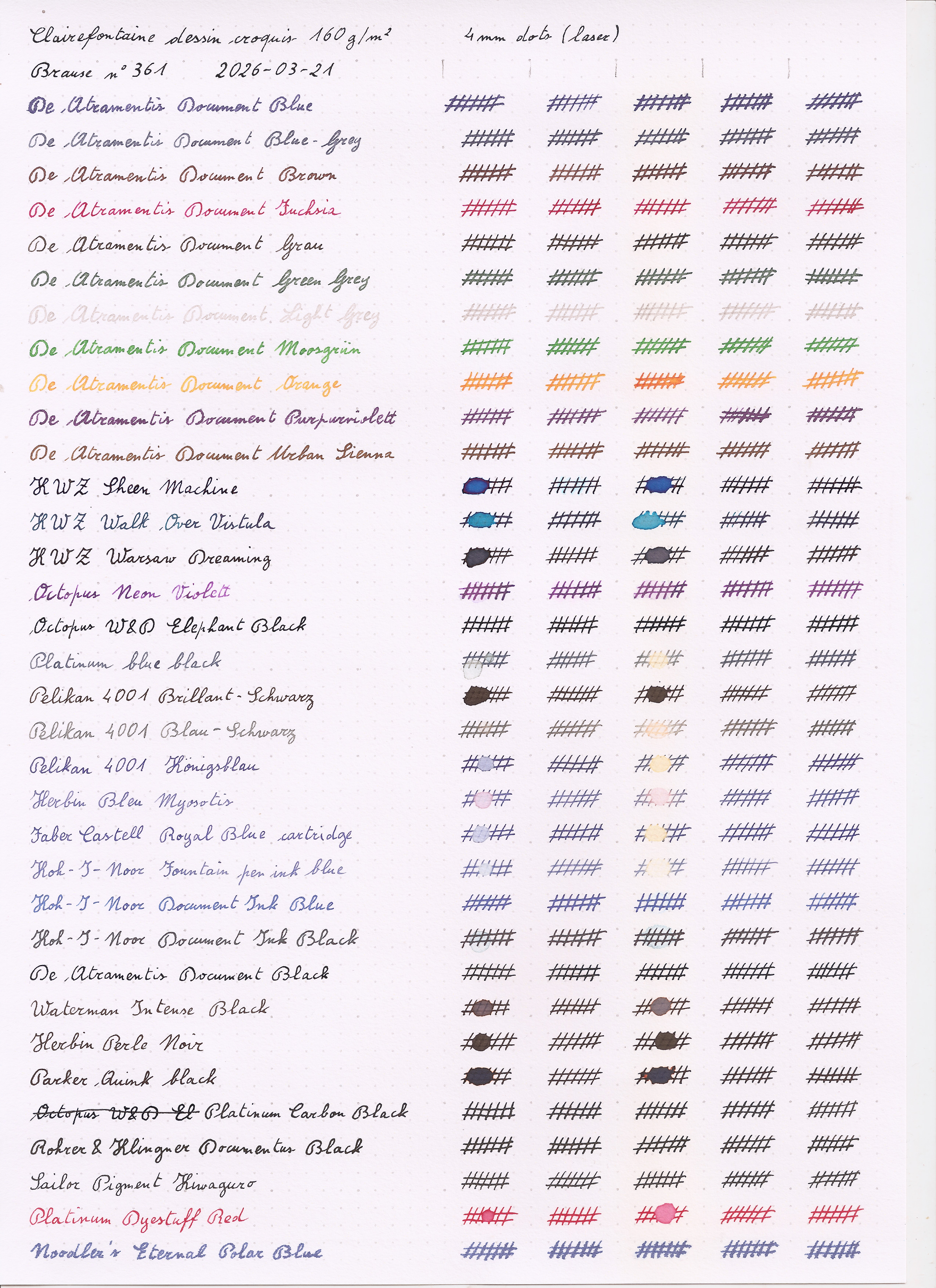
While I was filling the sheet for the lightfastness tests, I decided to
also prepare a second set of sheet, for a liquid resistance drop test.
On each line, beside the name of the ink, I added five sets of crossing
parallel lines, and let everything dry for a few days.
Then I used a syringe to put a drop of a liquid on each set of lines,
waited for it to be absorbed into the paper and to dry, at least
overnight, but sometimes also for a day or two (life happened), and then
looked at the results and did the next test.
The first liquid was water, with the usual wild difference between
washable and permanent inks, and all of the intermediate possibilities.
The second liquid was isopropyl alcohol, and I was surprised to see
that, with very few exceptions, most inks didn t change at all. I
wonder whether that s related to the fact that instead of forming a drop
it was absorbed almost immediately into the paper, and dried in a very
short time.
The third liquid was hydrogen peroxide: beside the individual results I
noticed that its column yellowed visibly; I wonder whether that means
that the paper I used has optical brighteners, and it will also yellow
under the sun: that wouldn t be ideal, but it would also be a surprise,
for paper that is acid free and sold for arts.
The fourth liquid was citric acid, by mixing a bit less than a teaspoon
of citric acid granules in just enough very warm water (heated to 70 C,
i.e. the lowest temperature available on my kettle) to dissolve most of
the acid. I forgot that I had some old PH strips until one hour after
I ve put the drop on the paper, and I don t know whether something had
changed, but when I did remember about them it showed a deep red between
1 and 2. I don t think I can trust those strips too much, however.
This backfired badly: the drop of citric acid never dried out, but
formed a sticky paste that prevented me from scanning the results,
and I m not sure whether I ll do the last test, which was supposed to be
household bleach.
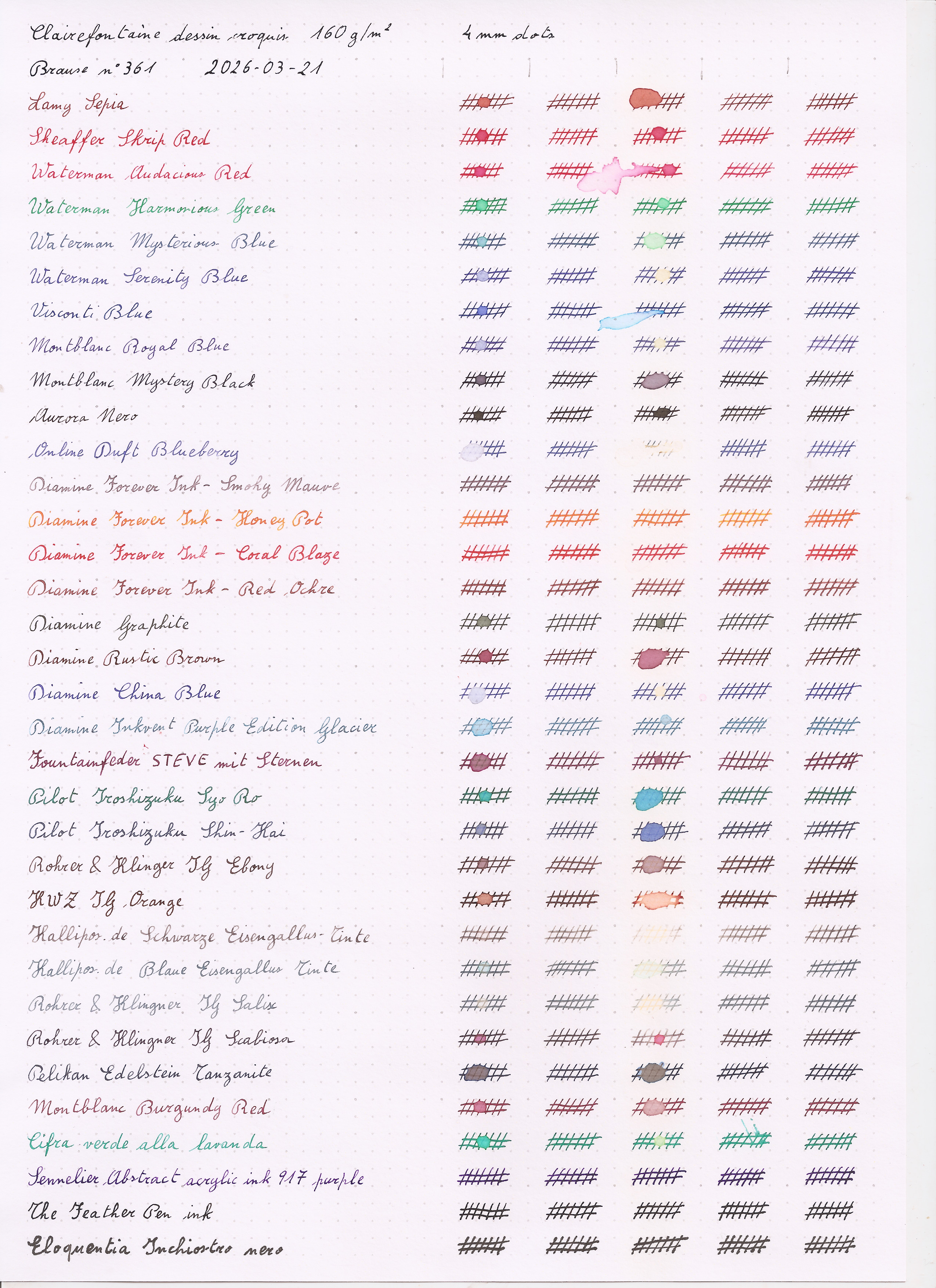
Luckily I had scanned the partial results, and they are shown here.
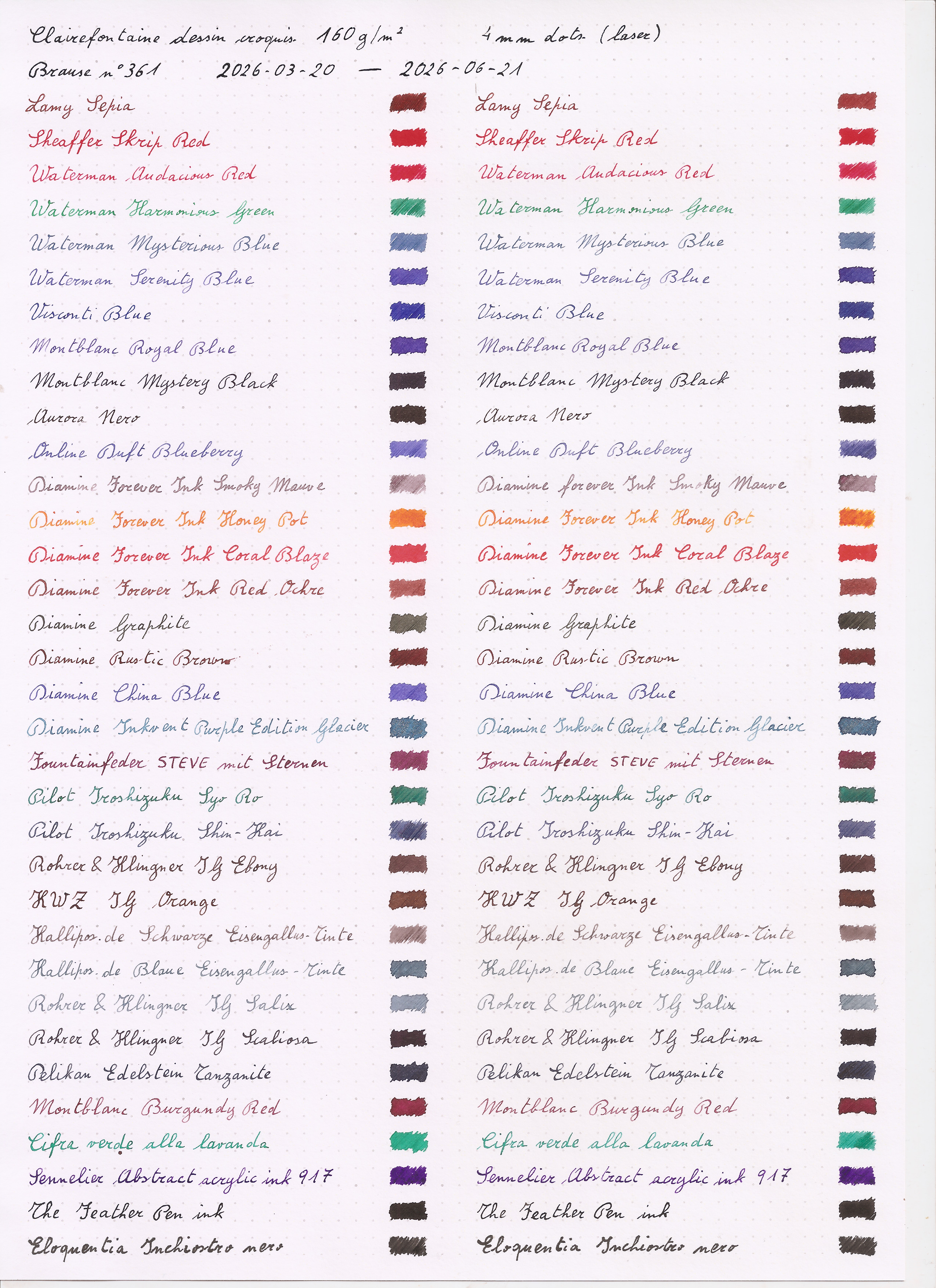
After one full day with plenty of sun, nothing really had changed,
except possibly for a vague hint that the Herbin Bleu Myosotis may have
have been a bit lighter than it started, but it may also have been a
suggestion.
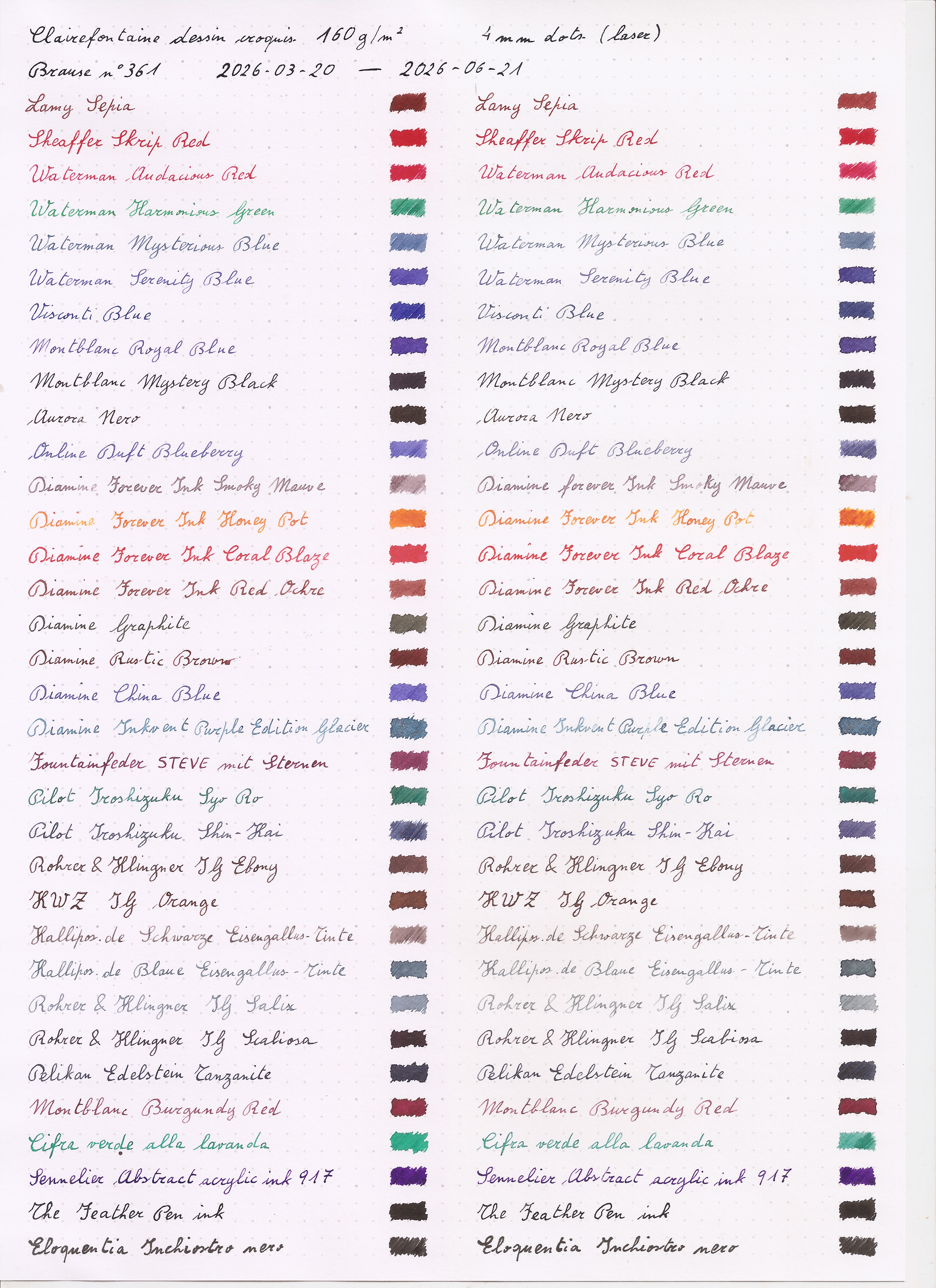
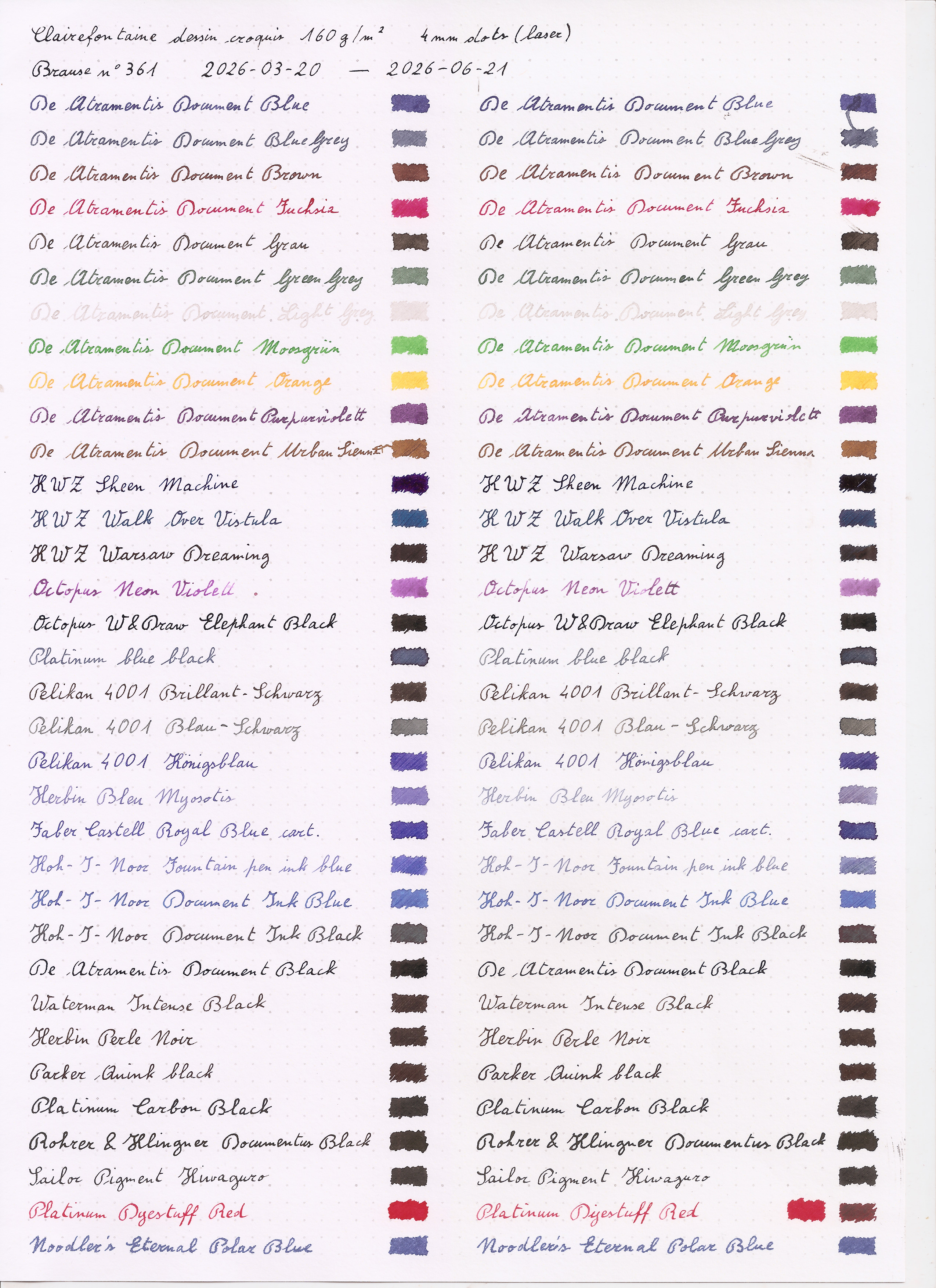
After three days, however, some results started to show, with the most
fugitive inks starting to be visibly changed, becoming either paler or
in some case duller.
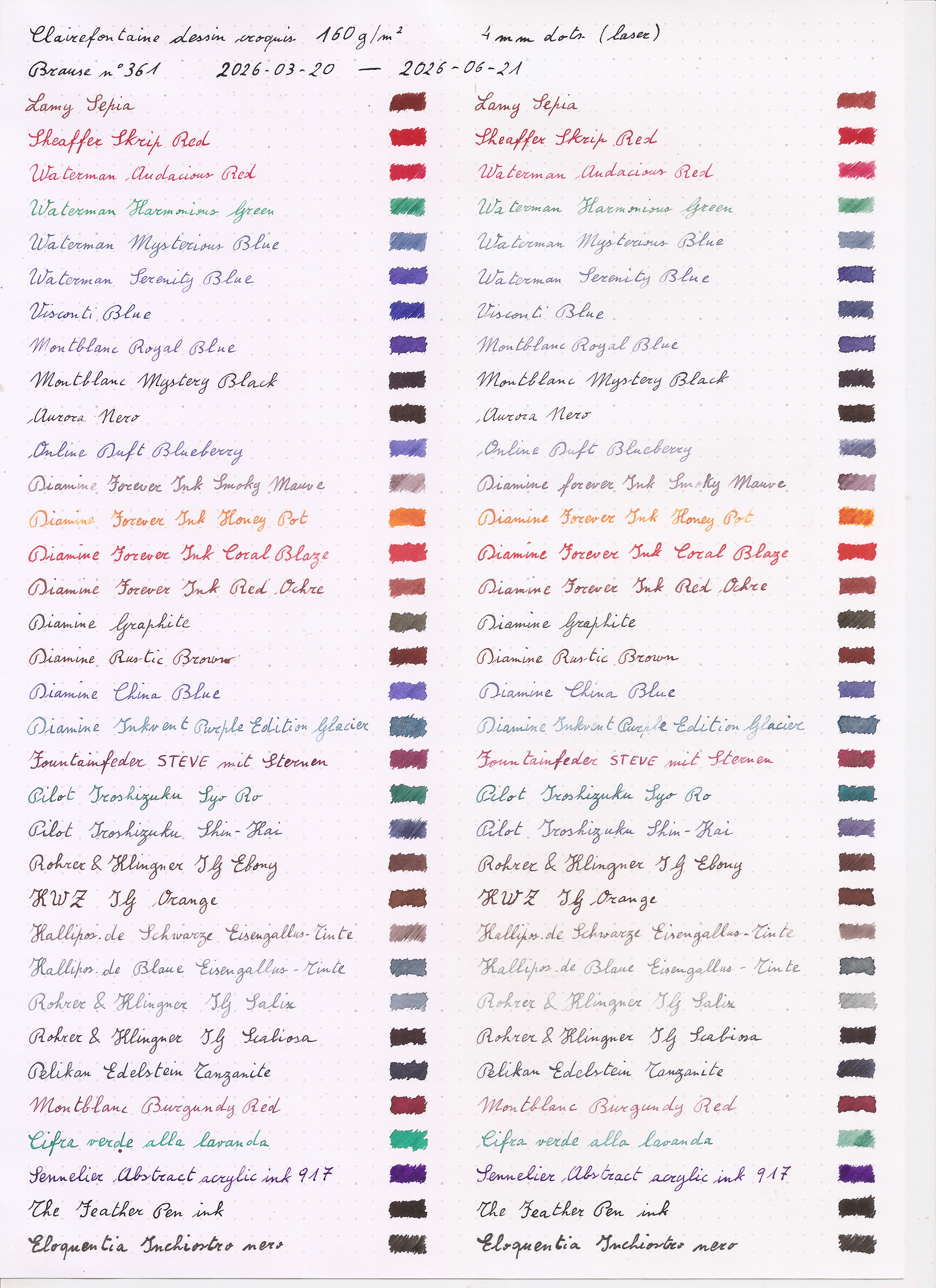
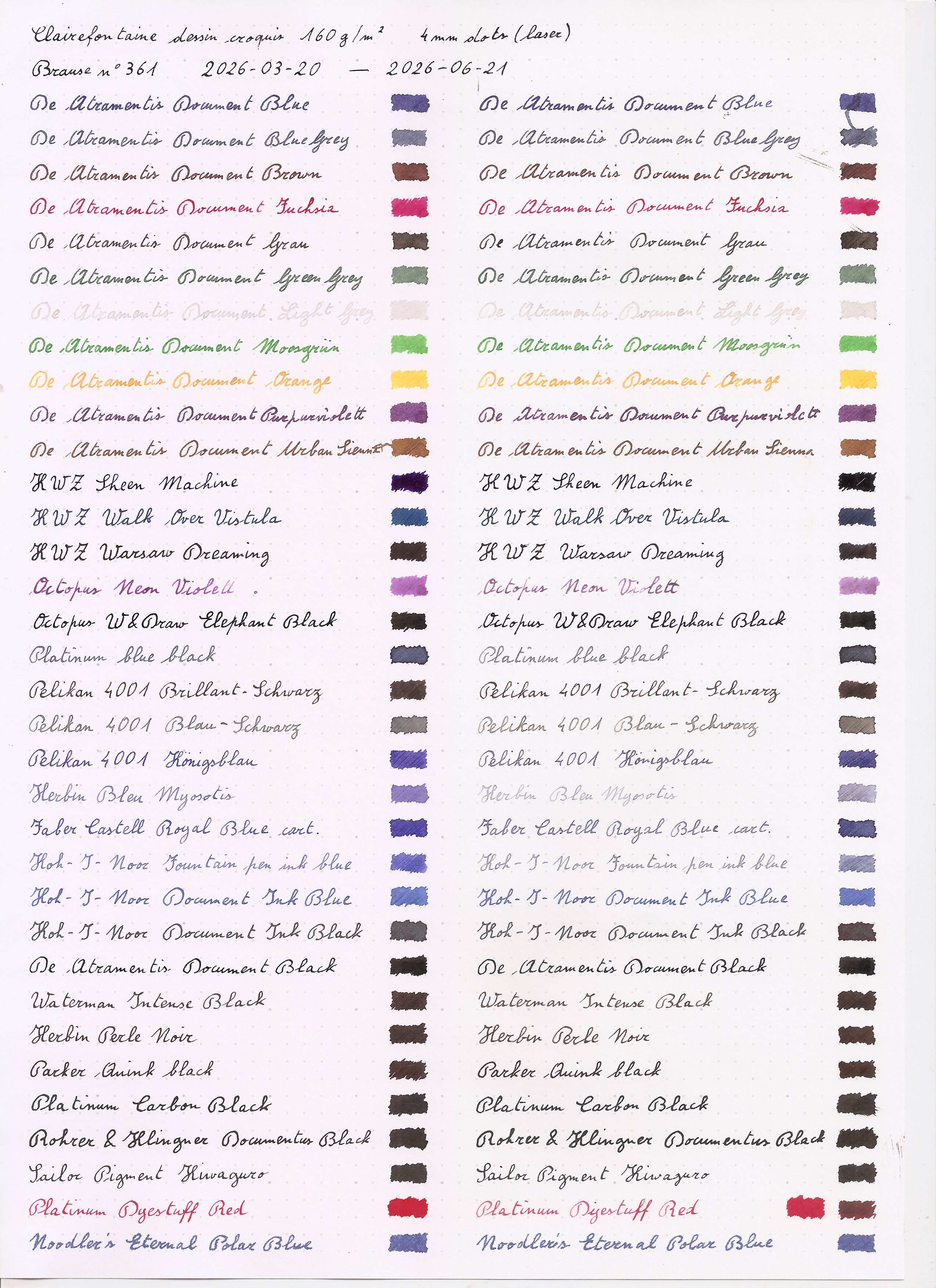
And the full week showed more of that, with a few more inks starting to
show visible change.
After two weeks the paper had significantly yellowed, something I did
not expect from drawing paper (and which means that I will probably use
a different paper when making similar tests in the future).
As for the inks, there were a couple more inks with visible changes, but
mostly it was more of the same as seen in the previous week.
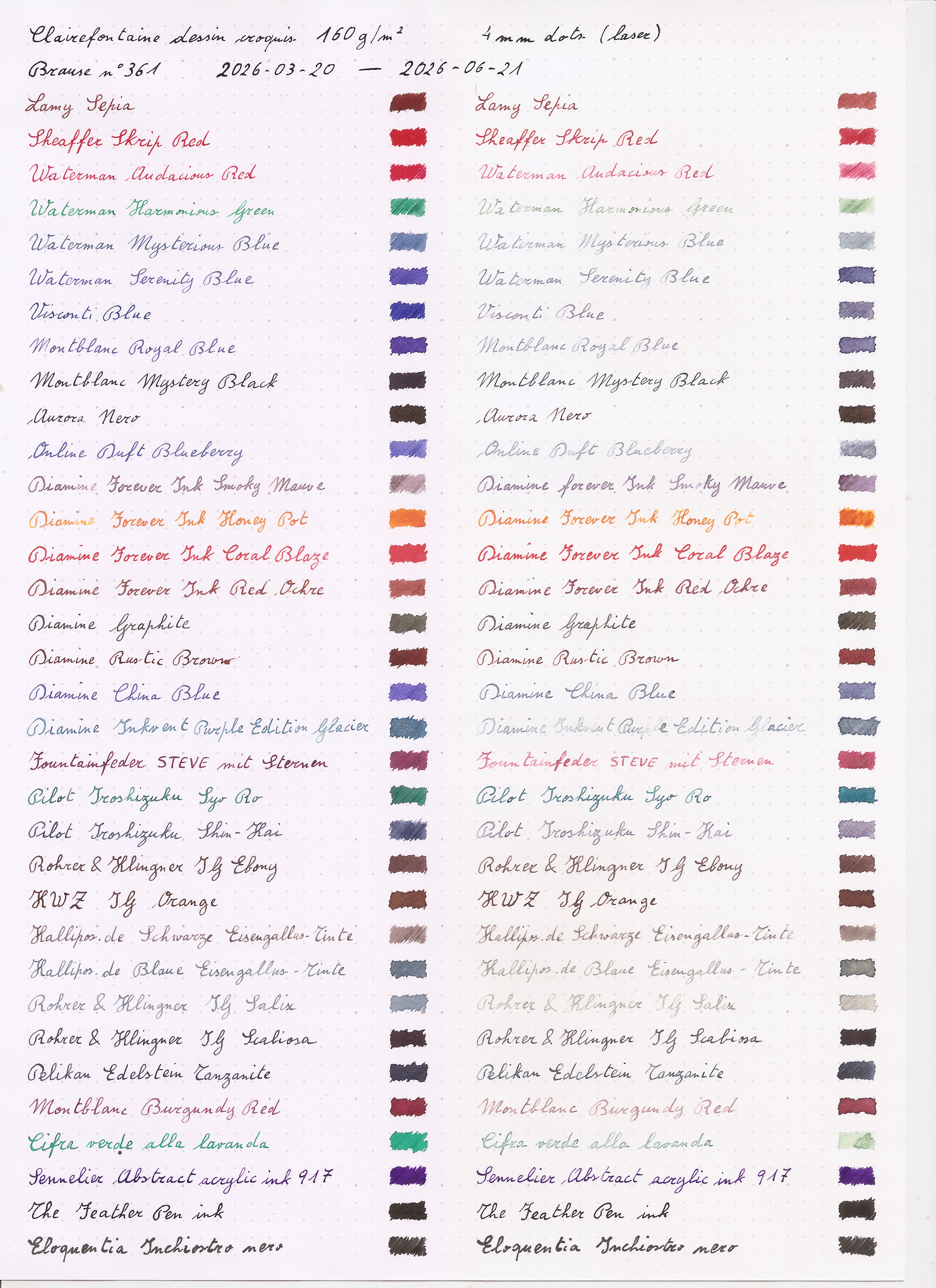
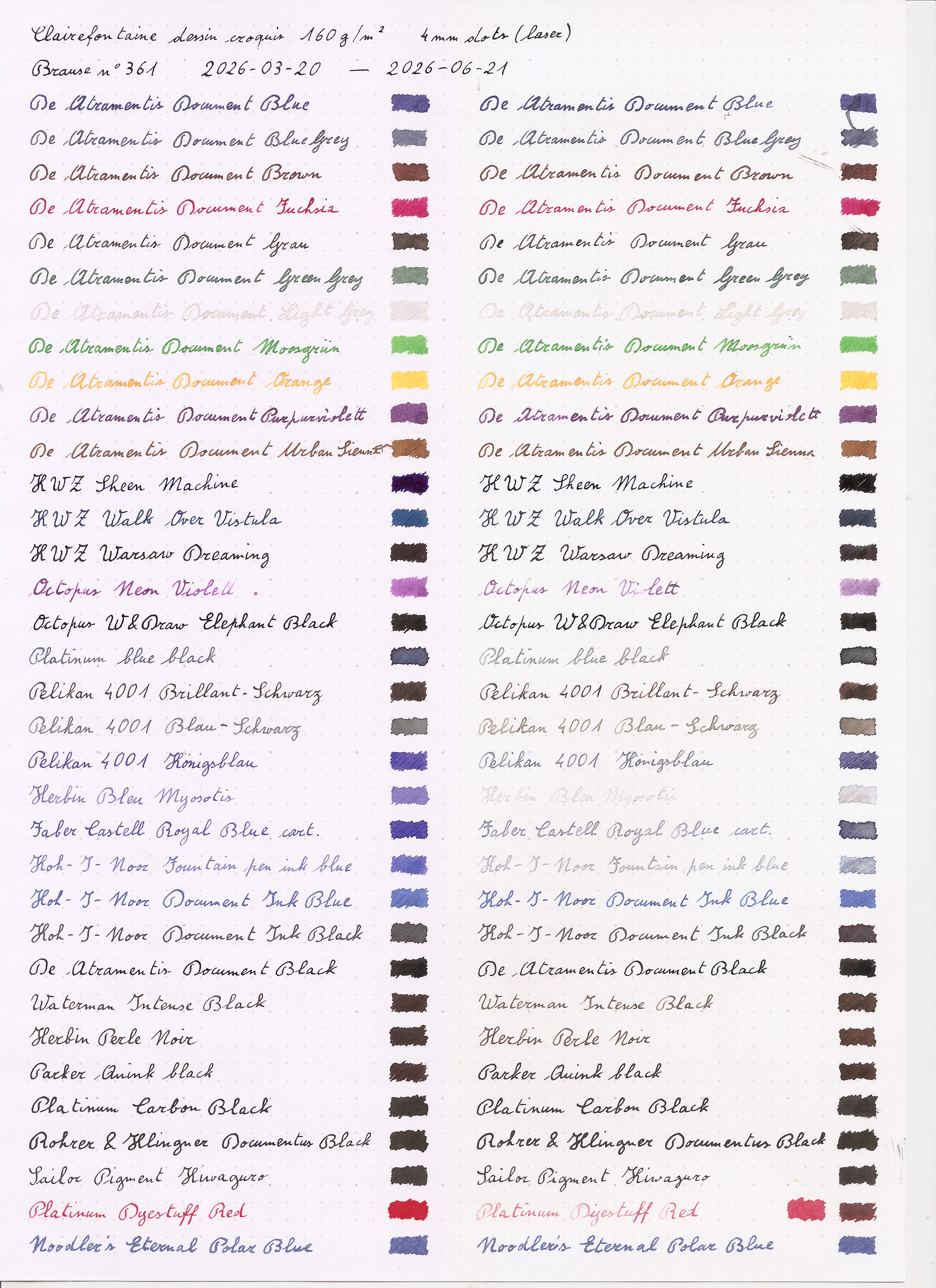
Three weeks started to show changes in the black and most irongall inks, and of course more changes in the even less resistant inks.
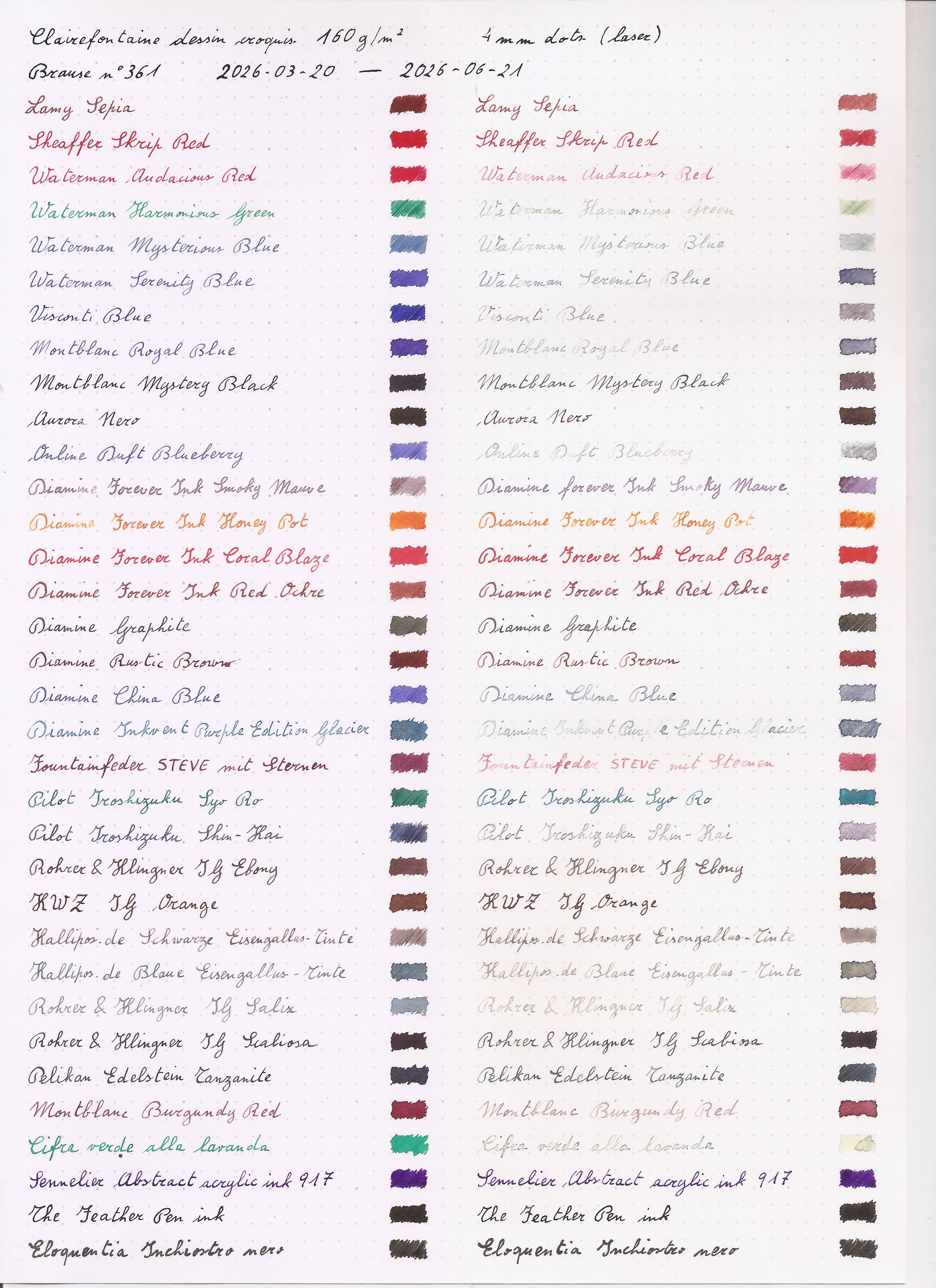
Week four saw a bit more clouds and rain than the first few weeks, and
there weren t big changes, but mostly more of what had already started
to happen earlier.
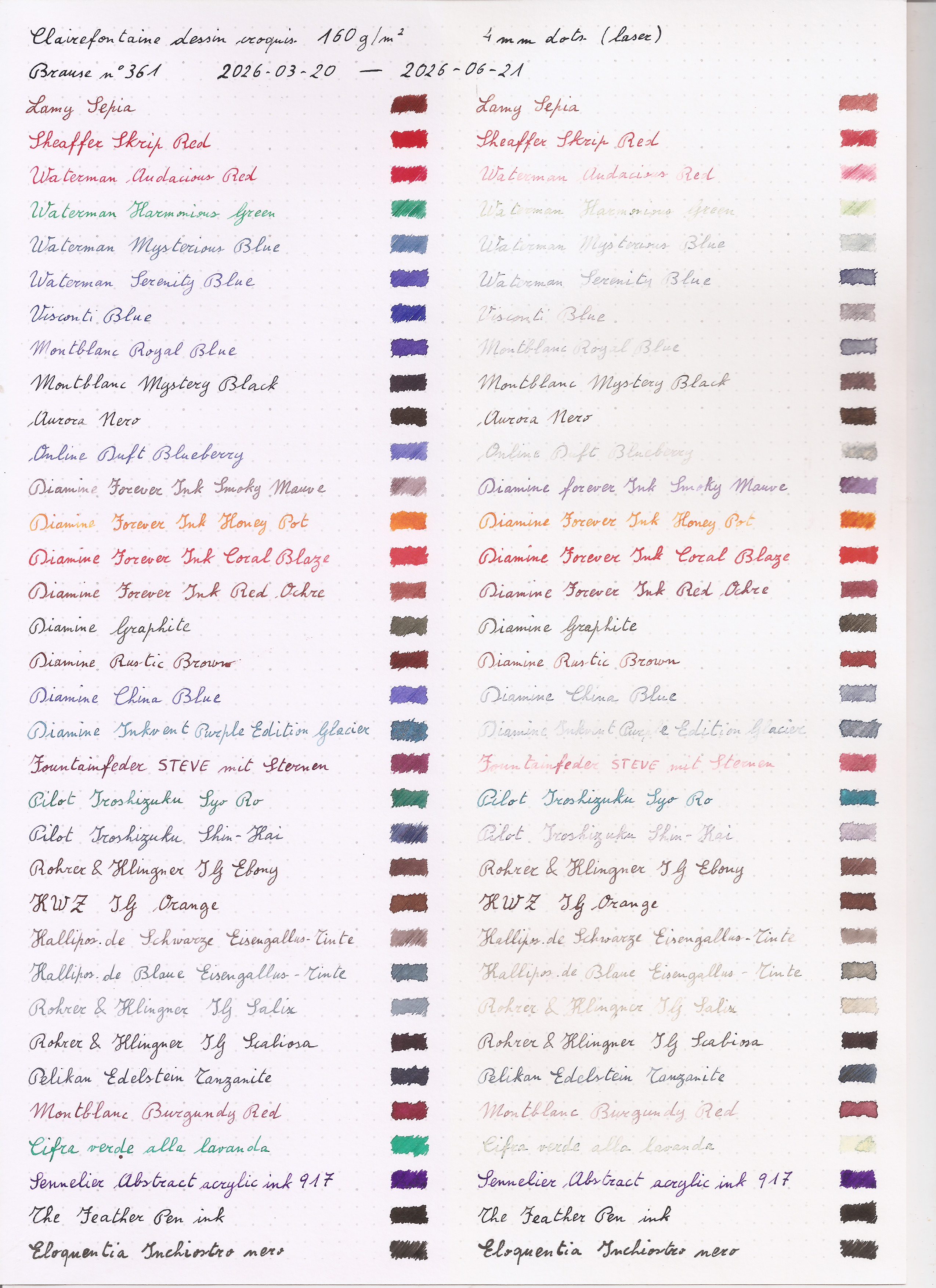
A month didn t change much compared to the four weeks, but I did the
scans for completeness, and from now on I m going to update monthly.
I was reading a post on Alex Chan's
website1 that referenced the concept of
digital gardens,
a concept/analogy for organising information which dates back to the 90s.
This old concept is getting new traction today by contrasting the approach
with "endless stream" as used and abused by social media, but also how blogs
are typically presented.
This site, my homepage, has a blog, and that's the bit that most people who
interact with the site will experience. Partly, because it's the bit that gets
syndicated out: via feeds; on Planet
Debian and downstream from it; once upon a time on
Twitter; nowadays on the Fediverse.
However there's more to my homepage than that. The rest of it may be of little
interest to anyone beside me, but it's useful to me, at least. So I may switch
focus a little bit from mainly writing blog posts, and tend to the rest of the
garden a bit more.
Some recent seeding and pruning:
Recently my guest status at Newcastle University came up for renewal, so I
wrote down my goals in the Historic Computing Committee for the next year or
so, and put them here: nuhcc. I've also been pondering what I'm up to in
Debian at the moment, so took some time to add my current projects to
that page.
hz.tools will be tagged
#hztools.rtlsdr is still my #1. It s just good. It s a great price,
extremely capable, reliable, well-supported, and compact. Why bother with
anything else? Sure, it can t transmit, uses a (fairly weird) 8 bit unsigned
integer IQ representation,
limited sampling rate, limited frequency range but even with all that, it s
still the radio I will pack first. Don t get me wrong, I love my Ettus radios,
PlutoSDRs, HackRFs, my AirspyHF+ - they re great! I just always find myself
falling back to an rtl-sdr, every time.
Perhaps the best reason to use an rtlsdr is the absolutely mind-boggling
amount of cool stuff people have written for it. The rtlsdr API is super easy
to use, widely supported if you re building on top of existing radio processing
frameworks it s still a shock to me when something omits rtlsdr support.
de K3XEC), hacked
on some
cool stuff where I ve
learned how radios work by doing , and even was lucky enough to give my first
rf-centric talk at districtcon.
Embarrassingly, I still haven t gotten around to learning how the fancy stuff
like GNU Radio works. I m sure I m going to love
it when I do.
As part of this, I ve also cooked up some very unprofessional formats and
protocols I use for convenience. Locally, all my on-disk captures are stored in
rfcap or more recently arf,
while direct SDR access at my house is almost entirely a mix of
the widely used rtl-tcp protocol, and my
riq protocol (post on this coming soon). Both rtl-tcp and riq operate
over the network, so I don t have to bother with plugging things into USB ports,
and I can share my radios with my friends.
All of that work sits in my current generation of radio processing code,
sparky (a reference to
spark-gap transmitters),
which is a heap of Rust, supporting everything from no_std for embedded
experiments, conditional support for interfacing with all the radios I
own, and tokio-based async support in addition to blocking i/o
for highly concurrent daemons. This quickly advanced beyond my old Go-based
code (hz.tools/go-sdr), which I archived
so I can focus on learning. I still think Go is a great language to write RF
code in but I can t focus on that tech tree anymore.
Of course, this now poses a new problem no one supports my format(s) or
radio protocol(s), since, well, I m the only one using them. I ve committed a
fair amount of my hardware to this setup, and yanking it from the rack to try
something out does pose a bit of a pickle. This isn t a huge deal for learning,
but it does make it tedious to try out something from the internets.
librtlsdr.so, backed with sparky instead.
Since enumeration of devices is going to be annoying (specifically, they re
over the network), I decided early-on to rely on an explicit list of
devices via a configuration file. I d rather only load that once so programs
don t get confused, so I opted to use a
CTOR
to run a stub when the ELF is linked at runtime.
// lightly edited for clarity
#[used]
#[expect(unused)]
#[unsafe(link_section = ".init_array")]
pub static INITIALIZE: extern "C" fn() = sparky_rtlsdr_ctor;
#[unsafe(no_mangle)]
pub extern "C" fn sparky_rtlsdr_ctor()
let config: Config =
if let Ok(config_bytes) = std::fs::read("/etc/sparky-rtlsdr.toml")
toml::from_slice(&config_bytes).unwrap()
else
Config device: vec![]
;
CONFIG.set(config);
rtlsdr_open and rtlsdr_close. Given we don t control the runtime, and the
rtl-sdr device handle is opaque (for good reason!), I opted to smuggle a rust
Box<Device> non-FFI safe heap-allocated struct through the device handle
pointer, and let C take ownership of the Box. No one should be looking in
there anyway.
// lightly edited for clarity
#[unsafe(no_mangle)]
pub unsafe extern "C" fn rtlsdr_open(dev: *mut *mut Handle, index: u32) -> int
let config = &CONFIG.device[index as usize];
let sdr = match config.load()
Ok(v) => v,
Err(err) =>
return -1;
;
let handle = Box::new(Handle config, sdr );
unsafe *dev = Box::into_raw(handle) ;
0
#[unsafe(no_mangle)]
pub unsafe extern "C" fn rtlsdr_close(dev: *mut Handle) -> int
let dev = unsafe Box::from_raw(dev) ;
drop(dev);
0
rtlsdr_set_sample_rate
and rtlsdr_get_sample_rate. These calls are translating from an rtl-sdr
frequency (which is a u32 containing the value as Hz) into a sparky Frequency
type, and invoking get_sample_rate or set_sample_rate on the device s
rust handle. Since each device implements the sparky Sdr trait, the actual
underlying device doesn t matter much here.
#[unsafe(no_mangle)]
pub unsafe extern "C" fn rtlsdr_set_sample_rate(dev: *mut Handle, rate: u32) -> int
let dev = unsafe &mut *dev ;
let rate = Frequency::from_hz(rate as i64);
if let Err(err) = dev.sdr.set_sample_rate(dev.channel, rate)
return -1;
0
#[unsafe(no_mangle)]
pub unsafe extern "C" fn rtlsdr_get_sample_rate(dev: *mut Handle) -> u32
let dev = unsafe &mut *dev ;
let freq = match dev.sdr.get_sample_rate(dev.channel)
Ok(freq) => freq,
Err(err) =>
return 0;
;
freq.as_hz() as u32
Sdr traited
Mock type) to implement the same testmode IQ protocol that the RTL-SDR has, and
decided to see if rtl_test from apt without any changes could be fooled.
$ rtl_test
No supported devices found.
librtlsdr.so LD_PRELOAD-ed into the binary first:
$ LD_PRELOAD=target/release/librtlsdr.so rtl_test
Found 1 device(s):
0: hz.tools, mock sdr, SN: totally legit no tricks
Using device 0: sparky mock sdr
Supported gain values (0):
Sampling at 2048000 S/s.
Info: This tool will continuously read from the device, and report if
samples get lost. If you observe no further output, everything is fine.
Reading samples in async mode...
^CSignal caught, exiting!
User cancel, exiting...
Samples per million lost (minimum): 0
$
rtl_test correctly reports the errors I think it s showing
promise! On to try the real endgame here let s have our new librtlsdr.so
connect to an rtl-tcp endpoint and see if rtl_fm works:
LD_PRELOAD=target/release/librtlsdr.so \
rtl_fm -d 1 -s 120k -E deemp -M fm -f 90.9M \
ffplay -f s16le -ar 120k -i -
Found 2 device(s):
0: hz.tools, mock sdr, SN: totally legit no tricks
1: hz.tools, rtl-tcp, SN: node2.rf.lan:1202
Using device 1: sparky rtltcp node2
Tuner gain set to automatic.
Tuned to 91170000 Hz.
Oversampling input by: 9x.
Oversampling output by: 1x.
Buffer size: 7.59ms
Sampling at 1080000 S/s.
Output at 120000 Hz.
rtl_fm manpage to tune the filter and
downsample/oversampling rates to audio), but it s definitely passable.
I figured I d try something that was a bit more interesting next gqrx,
since it s super handy, I use it a ton, and will definitely amuse me to no
end. To my surprise and delight, LD_PRELOAD=target/release/librtlsdr.so gqrx
wound up running, and I saw my devices pop right up in the setting menu:
Huge. Huge. Amazing. It did crash as soon as I tried to actually use the
radio, but after fixing a few dangling bugs in the API surface (and some
assumptions I think some underlying gnuradio driver may be making that I need
to double check in the code), I was able to get a super solid stream of
broadcast fm radio, with gqrx being none the wiser. It thought it was
just talking to the device it knows as rtl=1.
Nice. I can t wait to try this with the rest of the rtl-sdr based tools I like
having around using my riq protocol next. I don t think that ll be worth a

post, but hopefully I ll get around to publishing details on that stack next.
librtlsdr.so my mock sdr driver
allows for replaying captures off disk, which could be interesting to make sure
that signals are still properly decoded after changes, or instrument
performance changes (via SNR, BER, packets observed, etc) on reference samples
I have on my NAS. Maybe that ll come in handy one day!
Truth be told, I m not sure I actually want to encourage anyone to do this for
real (although I think I ll definitely be using it on my LAN to see what
happens). I also don t have a repo to share I don t particularly feel with
dealing with the secondary effects of publishing sparky (and sparky-rtlsdr)
yet, since i m still getting my feet under me on the radio aspect of all this.
I ll be sure to post updates if anything changes with this here (tagged
sparky) and at
@paul@soylent.green.
I can t wait to post more about some of the odd sidequests (like this one!)
i ve completed over the last few years I ve been waiting to feel
confident that my work has matured and was withstood the new problems i ve
thrown at it, and it largely has.
It s my hope that these projects (and this project in particular) has provided
a glimpse into the world of software defined radio for my systems friends, and
a bit about systems for my radio friends. It s not all magic, and I hope
someone out there feels inclined to have some fun with radios themselves!
A few months ago, in June 2025, I joined Chainguard, a company focused on software supply chain security.
This post is a reflection on how I got here, what I ve been doing, and why this role feels like a natural
fit for my interests in Linux and open source technology.
# defo.ie is a test server that confirms whether ECH was successfully used
curl -v --ech hard https://defo.ie/ech-check.php
# For Encrypted Client Hello (ECH) + DNS over HTTPS (DoH)
curl -v --ech hard --doh-url https://1.1.1.1/dns-query https://defo.ie/ech-check.php
"--ech hard" tells curl to refuse the connection entirely if ECH cannot be negotiated.
Or, if you would like to try it out in a container:
podman run debian:experimental /bin/bash -c 'apt install --update -t experimental -y curl && curl -v --ech hard --doh-url https://1.1.1.1/dns-query https://defo.ie/ech-check.php'
(in case you haven't noticed, apt now has the --update option for the
upgrade and install commands)
wcurl --curl-options="--ech hard --doh-url https://1.1.1.1/dns-query" $URL
If you're using wcurl, you don't want to have to set parameters, this is just
to show that the feature is there and if you have a .curlrc file, it can
enable the feature seamlessly.
| Series: | Long Price Quartet #1 |
| Publisher: | Tor |
| Copyright: | March 2006 |
| ISBN: | 0-7653-1340-5 |
| Format: | Hardcover |
| Pages: | 331 |
This needs to be clear: systemd is under attack by a trolling campaign orchestrated by fascist elements. Nobody is forced to like or use systemd, but anybody who wants to pick a side should know the facts.
Recently, the free software Nazi bar crowd styling themselves as "concerned citizens" has tried to start a moral panic by saying that systemd is implementing age verification checks or that somehow it will require providing personally identifiable information.
This is a lie: the facts are simply that the systemd users database has gained an optional "date of birth" field, which the desktop environments may use or not as they deem appropriate. Of course there is no "identity verification" or requirements to provide any data, which in any case would not be shared beyond authorized local applications.
While the multiple recent bills proposing that general purpose operating systems implement age verification mechanisms are often concerning, both from a social and technical point of view, this is not the topic being discussed here. They are often suboptimal, but for a long time I have been opposing attempts to implement parental control at the network level and argued that it should be managed locally, by parents on their own machines: I cannot see why I should outright reject an attempt to implement the infrastructure to do that.
If we want to keep age-appropriate controls out of the hands of centralized authorities, the alternative is giving families the means to manage it themselves: this is what this field enables. Whether desktop environments use it for parental controls, for birthday reminders, or for nothing at all, is their users' decision.
By the way, the original UNIX users database has allowed storing PII in the GECOS field since it was invented in the '70s. Similar fields are also specified by many popular LDAP schemes: adding such an optional field is consistent with the UNIX tradition.
And while we are at it, let's also refute the other smear campaign started by the same people: the systemd project is not accepting "AI slop". What happened is that a documentation file for the benefit of coding agents was added to the repository. To be clear: agents still cannot submit merge requests. The file itself remarks that all contributions must be reviewed in detail by humans, and this is basically the same policy used by the Linux kernel.
Note: I have not published blog posts about my academic papers over the past few years. To ensure that my blog contains a more comprehensive record of my published papers and to surface them for folks who missed them, I will periodically (re) publish blog posts about some older published projects. This post draws material from a previously published post by Kaylea Champion on the Community Data Science Blog.
Taboo subjects such as sexuality and mental health are as important to discuss as they are difficult to raise in conversation. Although many people turn to online resources for information on taboo subjects, censorship and low-quality information are common in search results. In two papers I recently published at CSCW both led by Kaylea Champion we presented a series of analyses showing how taboo shapes the process of collaborative knowledge building on English Wikipedia.
The first study is a quantitative analysis showing that articles on taboo subjects are much more popular and are the subject of more vandalism than articles on non-taboo topics. In surprising news, we also found that they were edited more often and were of higher quality!
The first challenge we faced in conducting this work was identifying taboo articles. Kaylea had a brilliant idea for a new computational approach to doing so without relying on our individual intuitions about what qualifies as taboo (something we understood would be highly specific to our own culture, class, etc). Her approach was to make use of an insight from linguistics: people develop euphemisms as ways to talk about taboos (i.e., think about all the euphemisms we ve devised for death, or sex, or menstruation, or mental health).
We used this insight to build a new machine-learning classifier based on English Wiktionary definitions. If a sense of a word was tagged as euphemistic, we treated the words in the definition as indicators of taboo. The end result was a series of words and phrases that most powerfully differentiate taboo from non-taboo. We then did a simple match between those words and phrases and the titles of Wikipedia articles. The topics were taboo enough that we were a little uncomfortable discussing them in our meetings! We built a comparison sample of articles whose titles are words that, like our taboo articles, appear in Wiktionary definitions. In the first paper, we used this new dataset to test a series of hypotheses about how taboo shapes collaborative production in Wikipedia. Our initial hypotheses were based on the idea that taboo information is often in high demand but that Wikipedians might be reluctant to associate their names (or usernames) with taboo topics. The result, we argued, would be articles that were in high demand but of low quality. We found that taboo articles are thriving on Wikipedia! In summary, we found that in comparison to non-taboo articles:
Image of the estimated qualiy of articles of the four articles in the second mixed-methods paper. Extreme dips reflect periods of frequent vandalism.The full citation for the papers are: (1) Champion, Kaylea, and Benjamin Mako Hill. 2023. Taboo and Collaborative Knowledge Production: Evidence from Wikipedia. Proceedings of the ACM on Human-Computer Interaction 7 (CSCW2): 299:1-299:25. https://doi.org/10.1145/3610090. (2) Champion, Kaylea, and Benjamin Mako Hill. 2024. Life Histories of Taboo Knowledge Artifacts. Proceedings of the ACM: Human-Computer Interaction 8 (CSCW2): 505:1-505:32. https://doi.org/10.1145/3687044.
We have also released replication materials for the paper, including all the data and code used to conduct the analyses.
This blog post and the paper it describes are collaborative work by Kaylea Champion and Benjamin Mako Hill.
| Series: | Class 5 #5 |
| Publisher: | Eclipse |
| Copyright: | 2022 |
| ISBN: | 0-6454658-2-8 |
| Format: | Kindle |
| Pages: | 349 |
= into a calculator.
Typing = 660km / (2/3)c * 2 -> ms gives me 6.60457 ms1 without
leaving my terminal, thanks to the Zsh line editor.
= as an alias to a calculator command. I
prefer Numbat, a scientific calculator that supports unit conversions.
Qalculate is a close second.2 If neither is available, we fall back to
Zsh s built-in zcalc module.
As the alias built-in uses = as a separator for name and value, we need to
alter the aliases associative array:
if (( $+commands[numbat] )); then aliases[=]='numbat -e' elif (( $+commands[qalc] )); then aliases[=]='qalc' else autoload -Uz zcalc aliases[=]='zcalc -f -e' fi
= 847/11 becomes numbat -e 847/11.
= 5 * 3 fails: Zsh expands the *
character as a glob pattern before passing it to the calculator. The same issue
applies to other characters that Zsh treats specially, such as > or . You
must quote the expression:
$ = '5 * 3' 15
line-finish widget before submitting a command. We hook a
function that detects the = prefix and quotes the expression:
_vbe_calc_quote() case $BUFFER in "="*) typeset -g _vbe_calc_expr=$BUFFER # not used yet BUFFER="= $ (q-)$ $ BUFFER#= # " ;; esac add-zle-hook-widget line-finish _vbe_calc_quote
= 5 * 3 and press , _vbe_calc_quote strips the =
prefix, quotes the remainder with the (q-) parameter expansion flag,
and rewrites the buffer to = '5 * 3' before Zsh submits the command. As a
bonus, you can save a few keystrokes with =5*3!
You can now compute math expressions and convert units directly from your shell.
Zsh automatically quotes your expressions:
$ = '1 + 2' 3 $ = 'pi/3 + pi > cos' -0.5 $ = '17 USD -> EUR' 14.7122 $ = '180*500mg -> g' 90 g $ = '5 gigabytes / (2 minutes + 17 seconds) -> megabits/s' 291.971 Mbit/s $ = 'now() -> tz("Asia/Tokyo")' 2026-03-22 22:00:03 JST (UTC +09), Asia/Tokyo $ = '1 / (40 rods / hogshead) -> L / 100km' 118548 0.01 l/km

_vbe_calc_history() return $ +_vbe_calc_expr add-zsh-hook zshaddhistory _vbe_calc_history _vbe_calc_preexec() (( $ +_vbe_calc_expr )) && print -s $_vbe_calc_expr unset _vbe_calc_expr return 0 add-zsh-hook preexec _vbe_calc_preexec
zshaddhistory hook returns 1 if we are evaluating an expression, telling
Zsh not to record the command. The preexec hook then adds the original,
unquoted command with print -s.
noglob precommand modifier. If you stick with to instead of ->
for unit conversion, it covers 90% of use cases. For a related Zsh line editor
trick, see how I use auto-expanding aliases to fix common typos.
I saw Ladytron perform in Digital, Newcastle last night. The
last time I saw them was, I think, at the same venue, 18 years ago. Time flies!
Back in the day (perhaps their heyday, perhaps not!) Ladytron ploughed a
particular sonic furrow and did it very well. Going into the gig I had set my
expectations that, should they play just these hits, I'd have a good time.
The gig exceeded my expectations. The setlist very much did not lean into
their best-known period: the more recent few albums were very well represented
and to me this felt very confident. The lead singer, Helen Marnie, demonstrated
some excellent range, particularly on some of the new songs. Daniel Hunt did a
lot of backing vocals and they were really complementary to Helen's: underscoring
but not overpowering. I enjoyed nerding out watching Mira Ayoro's excellent
wrangling of her Korg MS-20. One highlight was an encore performance of
Light & Magic, which was arguably the "alternate version" as available on the
expanded versions of that album or the Remixed and Rare companion.
I thought I'd try to put together a 5-track playlist for a friend who attended
the gig but isn't super familiar with them. As usual this is hard. I'm going
to avoid the obvious hits, try to represent their whole career and try to
ensure the current trio each get a vocal turn in the selection.
They actually released their latest album, Paradises, yesterday as well. One
track from it is in the list below.
I'm Not Scared by Ladytron
Kingdom Undersea by Ladytron
Blue Jeans by Ladytron
He took her to a movie by Ladytron
Transparent Days by Ladytron
(If you can't see anything, the bandcamp embeds have been stripped out by
whatever you are viewing this with)
When you re looking at source code it can be helpful to have some evidence
indicating who wrote it. Author tags give a surface level indication, but
it turns out you can just
lie
and if someone isn t paying attention when merging stuff there s certainly a
risk that a commit could be merged with an author field that doesn t
represent reality. Account compromise can make this even worse - a PR being
opened by a compromised user is going to be hard to distinguish from the
authentic user. In a world where supply chain security is an increasing
concern, it s easy to understand why people would want more evidence that
code was actually written by the person it s attributed to.
git has support for cryptographically signing
commits and tags. Because git is about choice even if Linux isn t, you can
do this signing with OpenPGP keys, X.509 certificates, or SSH keys. You re
probably going to be unsurprised about my feelings around OpenPGP and the
web of trust, and X.509 certificates are an absolute nightmare. That leaves
SSH keys, but bare cryptographic keys aren t terribly helpful in isolation -
you need some way to make a determination about which keys you trust. If
you re using someting like GitHub you can extract that
information from the set of keys associated with a user account1, but
that means that a compromised GitHub account is now also a way to alter the
set of trusted keys and also when was the last time you audited your keys
and how certain are you that every trusted key there is still 100% under
your control? Surely there s a better way.
|
|
gpg namespace even if you re not using OpenPGP. Yes, this makes
me sad. But you re also going to need something else. Either
user.signingkey needs to be set to the path of your certificate, or you
need to set gpg.ssh.defaultKeyCommand to a command that will talk to an
SSH agent and find the certificate for you (this can be helpful if it s
stored on a smartcard or something rather than on disk). Thankfully for you,
I ve written one. It will
talk to an SSH agent (either whatever s pointed at by the SSH_AUTH_SOCK
environment variable or with the -agent argument), find a certificate
signed with the key provided with the -ca argument, and then pass that
back to git. Now you can simply pass -S to git commit and various other
commands, and you ll have a signature.
ssh-keygen2, which validates signatures against a file in a format
that looks somewhat like authorized-keys. This lets you add something like:
|
|
CA_PUB_KEY or (optionally) an OpenPGP key provided in
ALLOWED_PGP_KEYS. Why OpenPGP? Because even if you sign all of your own
commits with an SSH certificate, anyone using the API or web interface will
end up with their commits signed by an OpenPGP key, and if you want to have
those commits validate you ll need to handle that.
In any case, this should be easy enough to integrate into whatever CI
pipeline you have. This is currently very much a proof of concept and I
wouldn t recommend deploying it anywhere, but I am interested in merging
support for additional policy around things like expiry dates or group
membership.
https://github.com/<username>.keys? Now you do
keygen command does things
other than generate keys
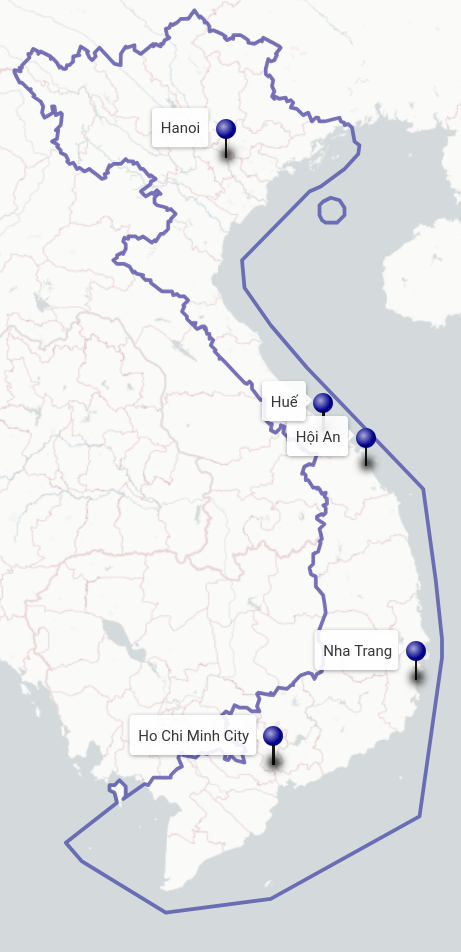
A map of Vietnam with points of places we went to labeled. CARTO MAPTILER OPENSTREETMAP

A picture of the park we roamed around in Ho Chi Minh City. Photo by Ravi Dwivedi, released under CC-BY-SA 4.0.

This is the restaurant Badri s friend took us to. Photo by Ravi Dwivedi, released under CC-BY-SA 4.0.
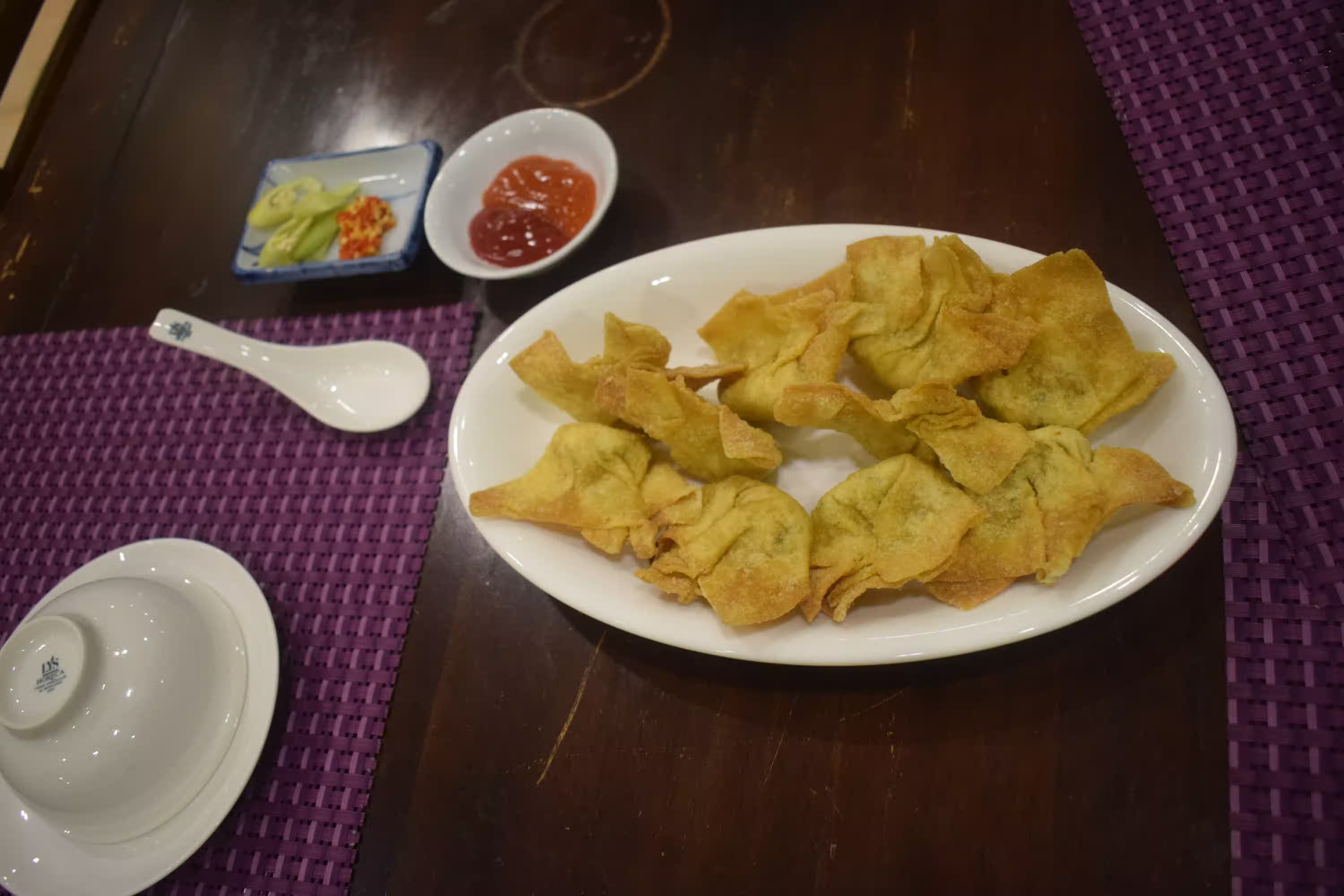
One of the dishes we had in the restaurant. This one was especially tasty. Photo by Ravi Dwivedi, released under CC-BY-SA 4.0.
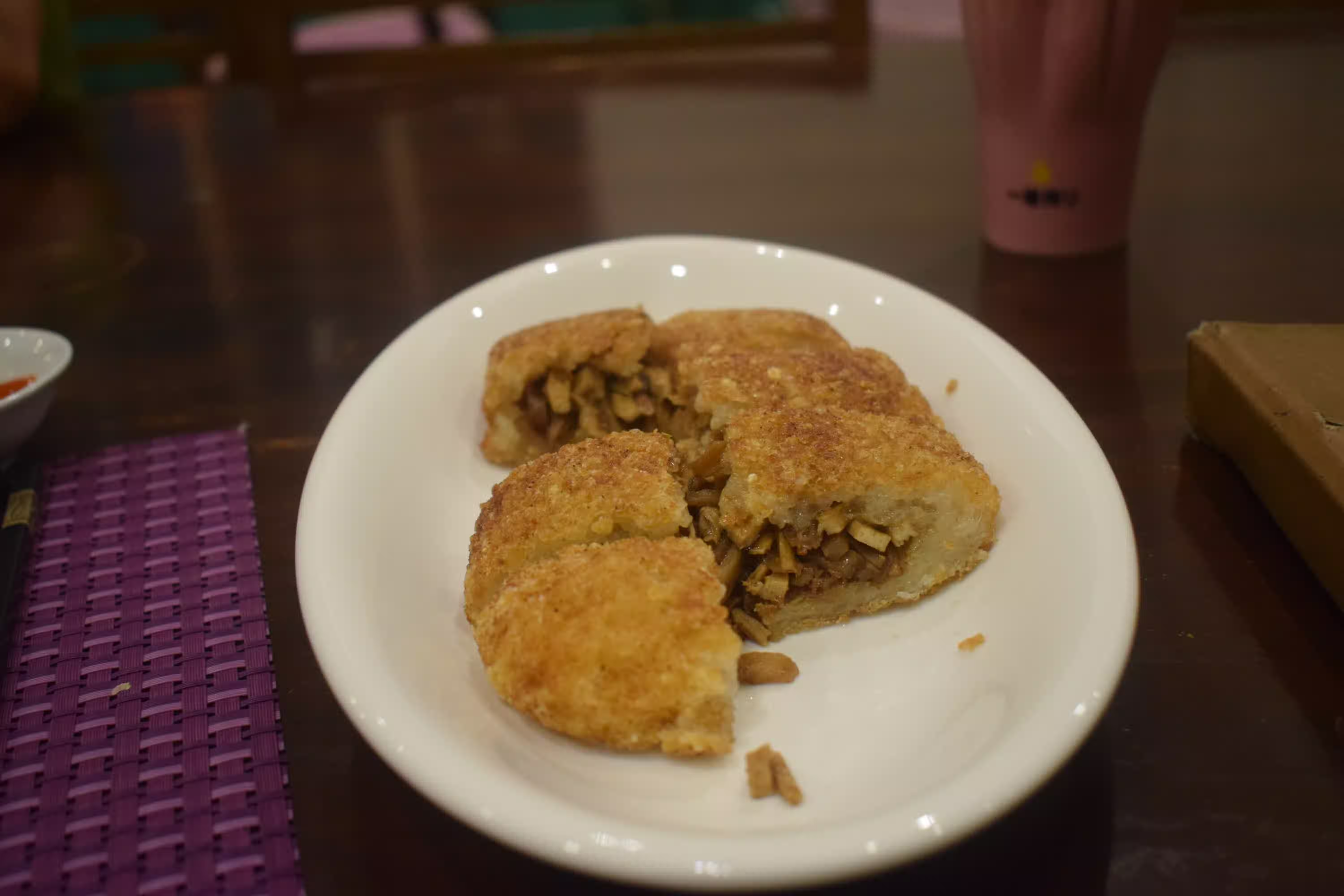
One of the dishes we had in the restaurant. Photo by Ravi Dwivedi, released under CC-BY-SA 4.0.
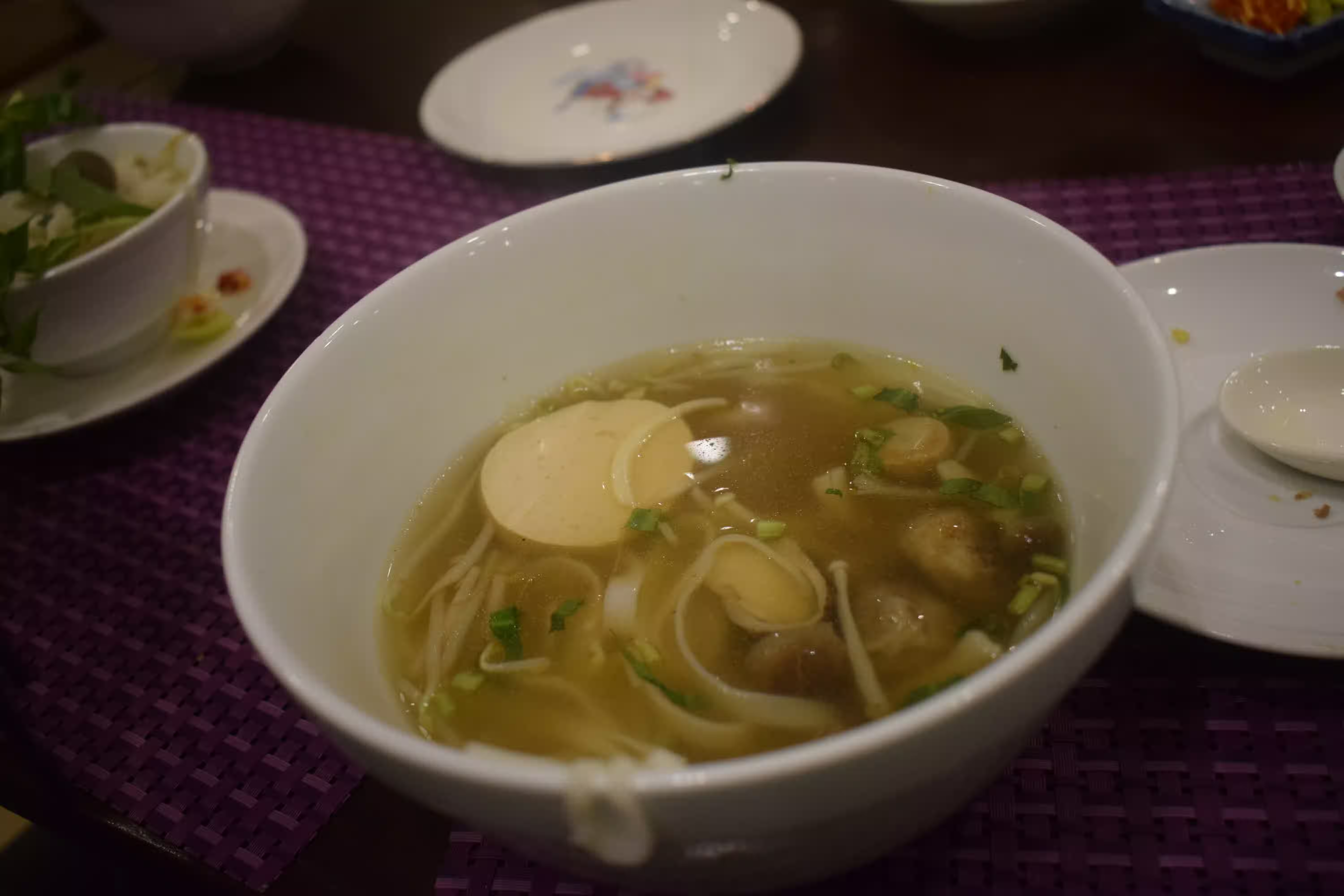
These noodles are called Pho and are very popular in Vietnam. Photo by Ravi Dwivedi, released under CC-BY-SA 4.0.

Interior of our train coach. Trains in Vietnam don t have side berths, unlike India. Photo by Ravi Dwivedi, released under CC-BY-SA 4.0.
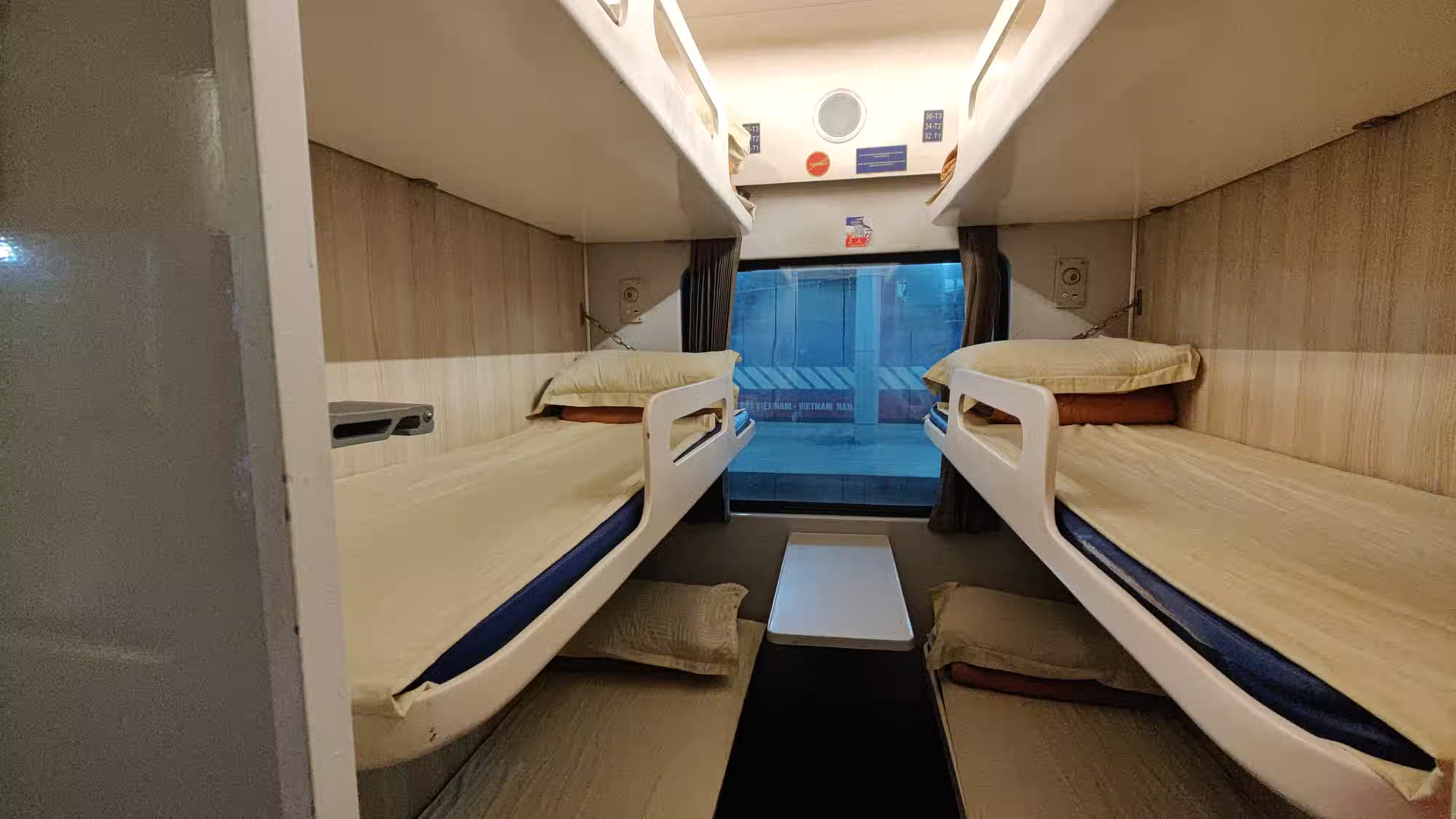
A picture of the berths from our coach. It had three tiers, similar to a 3 AC coach in Indian trains. Photo by Ravi Dwivedi, released under CC-BY-SA 4.0.

The train had a cabin to put the bags in. Photo by Ravi Dwivedi, released under CC-BY-SA 4.0.

Nha Trang train station. Photo by Ravi Dwivedi, released under CC-BY-SA 4.0.

I got a complimentary cup of green tea along with coffee in Nha Trang. In this trip, Badri and I found out that this is customary at local places in Vietnam. Photo by Ravi Dwivedi, released under CC-BY-SA 4.0.
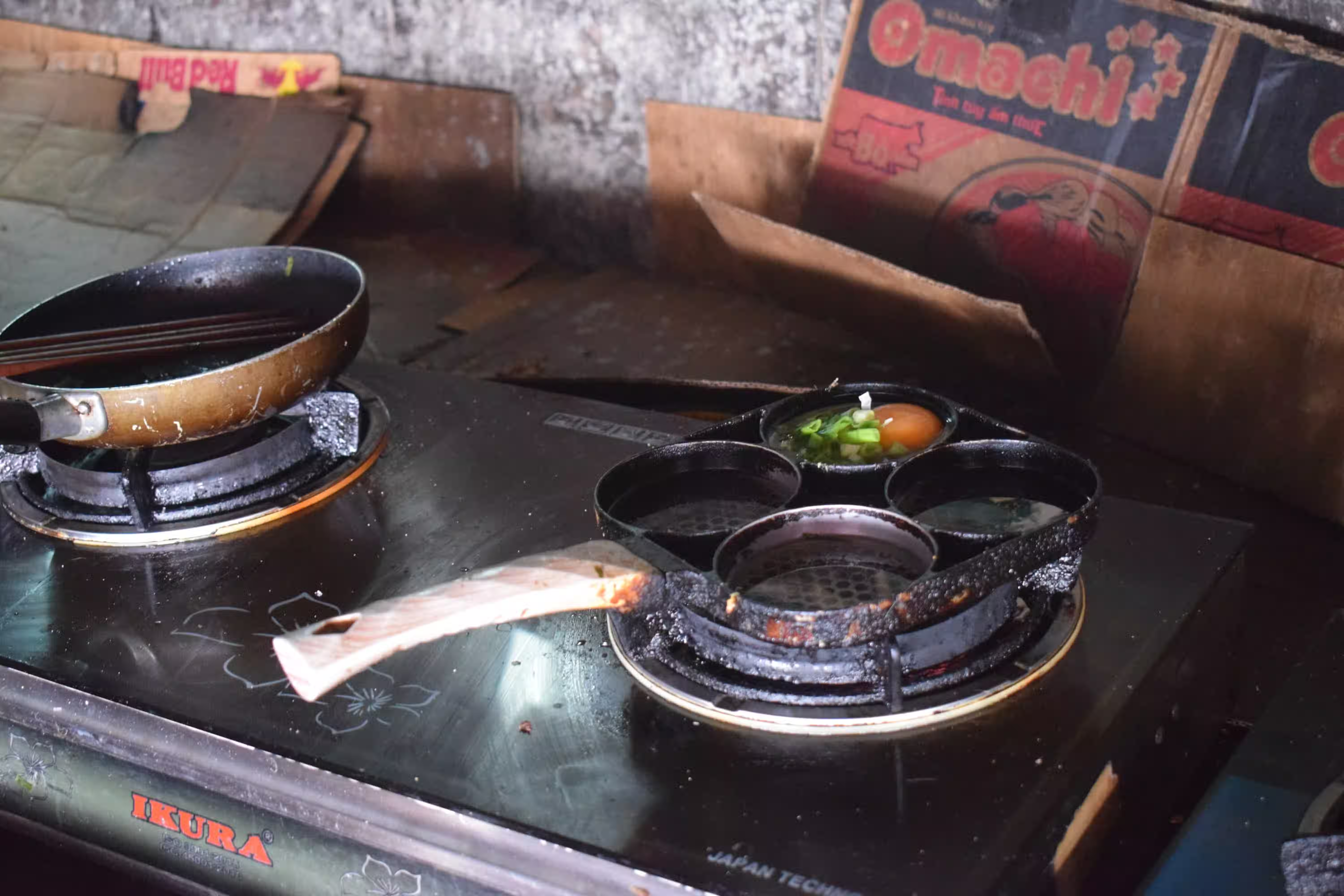
Eggs being cooked on a pan for my order. Photo by Ravi Dwivedi, released under CC-BY-SA 4.0.

The beach we went to in Nha Trang. Photo by Ravi Dwivedi, released under CC-BY-SA 4.0.

This one was shot in the city center. In this trip, Badri and I found out that this is customary at local places in Vietnam. Photo by Ravi Dwivedi, released under CC-BY-SA 4.0.

Inside a Highlands Coffee cafe in Nha Trang. Photo by Ravi Dwivedi, released under CC-BY-SA 4.0.

A coffee I got from Highlands Coffee in Nha Trang. Photo by Ravi Dwivedi, released under CC-BY-SA 4.0.
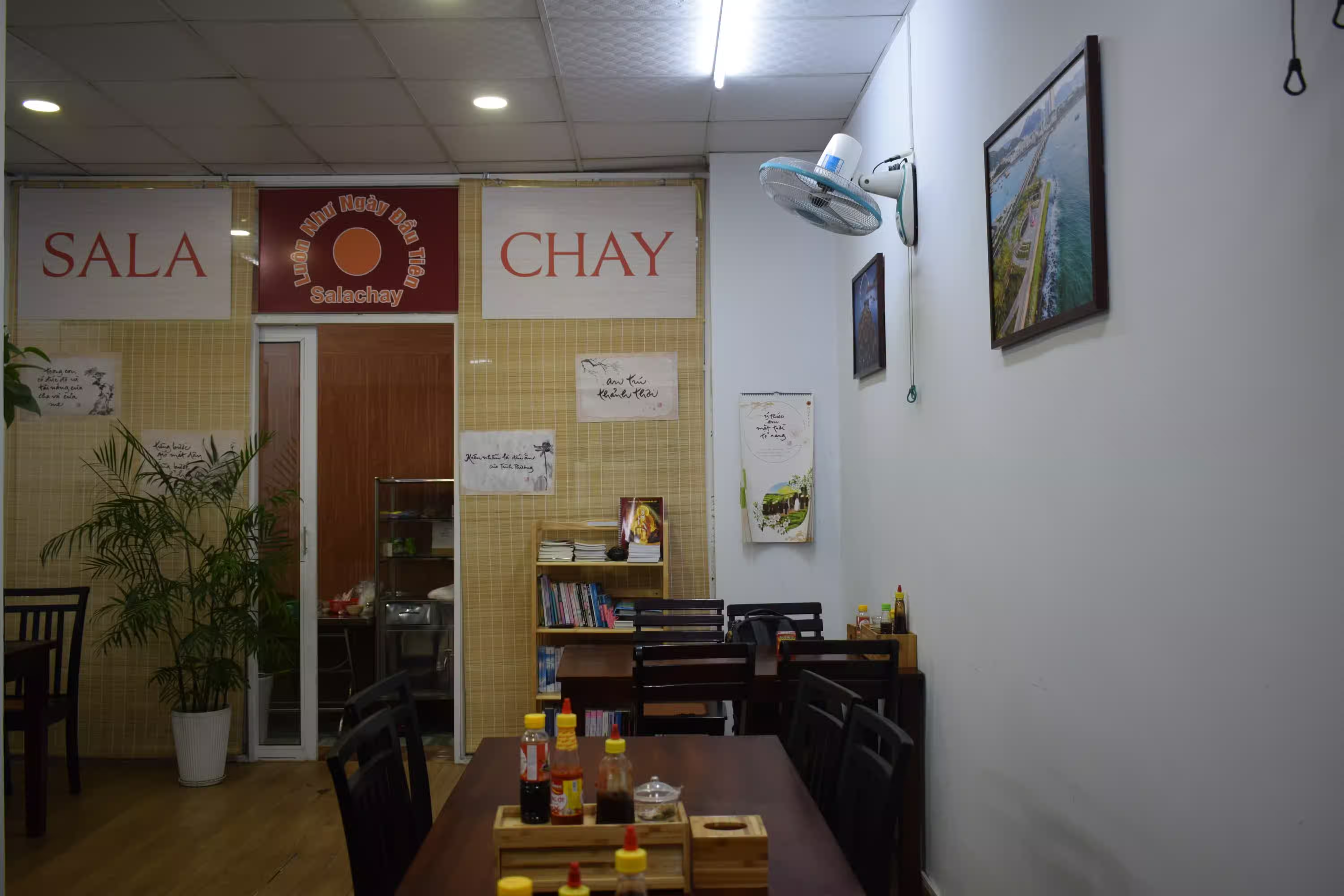
The restaurant we went to in Nha Trang. The word Chay in the name means it was a vegan restaurant. Photo by Ravi Dwivedi, released under CC-BY-SA 4.0.
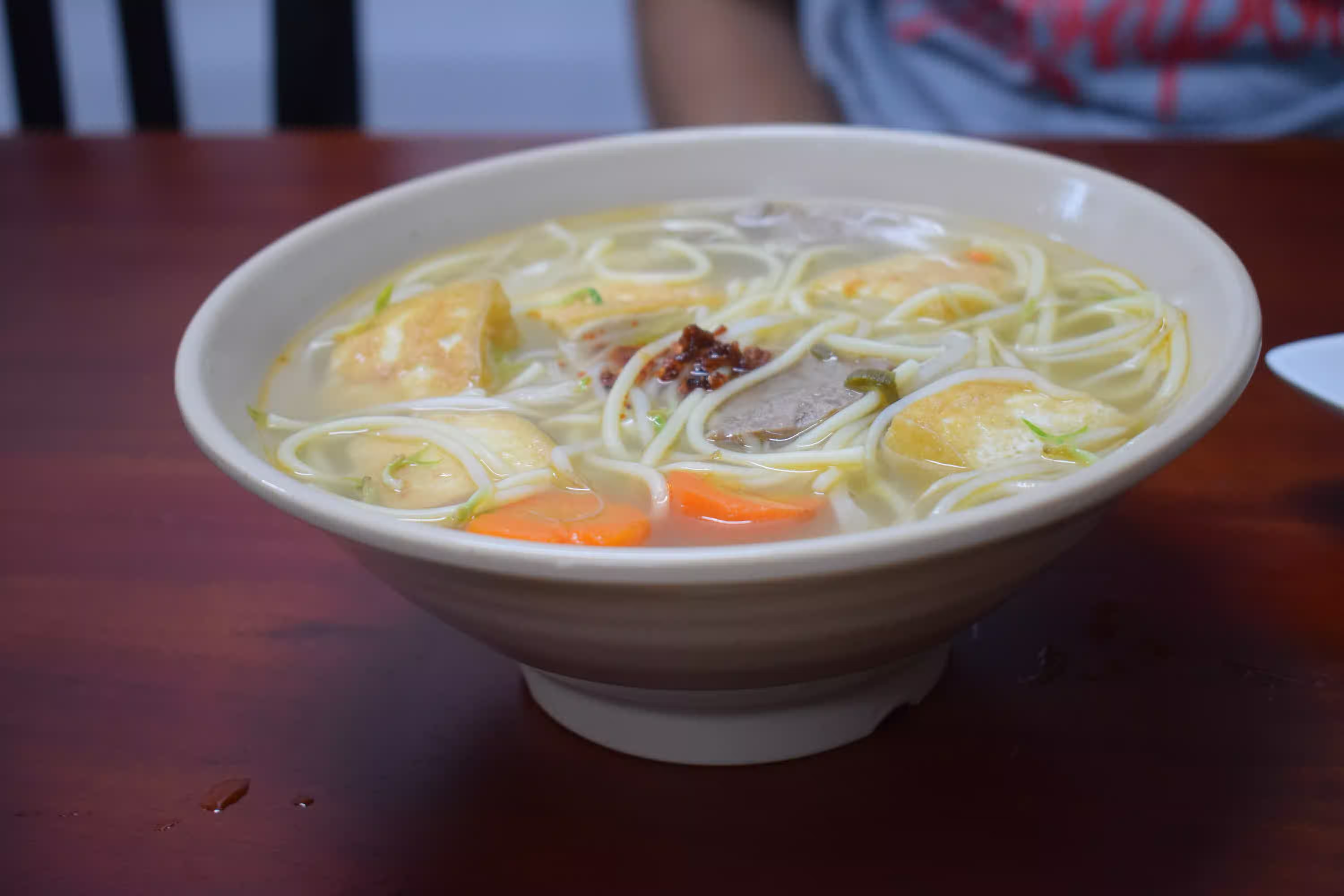
Soupy noodles we got at that restaurant. Photo by Ravi Dwivedi, released under CC-BY-SA 4.0.
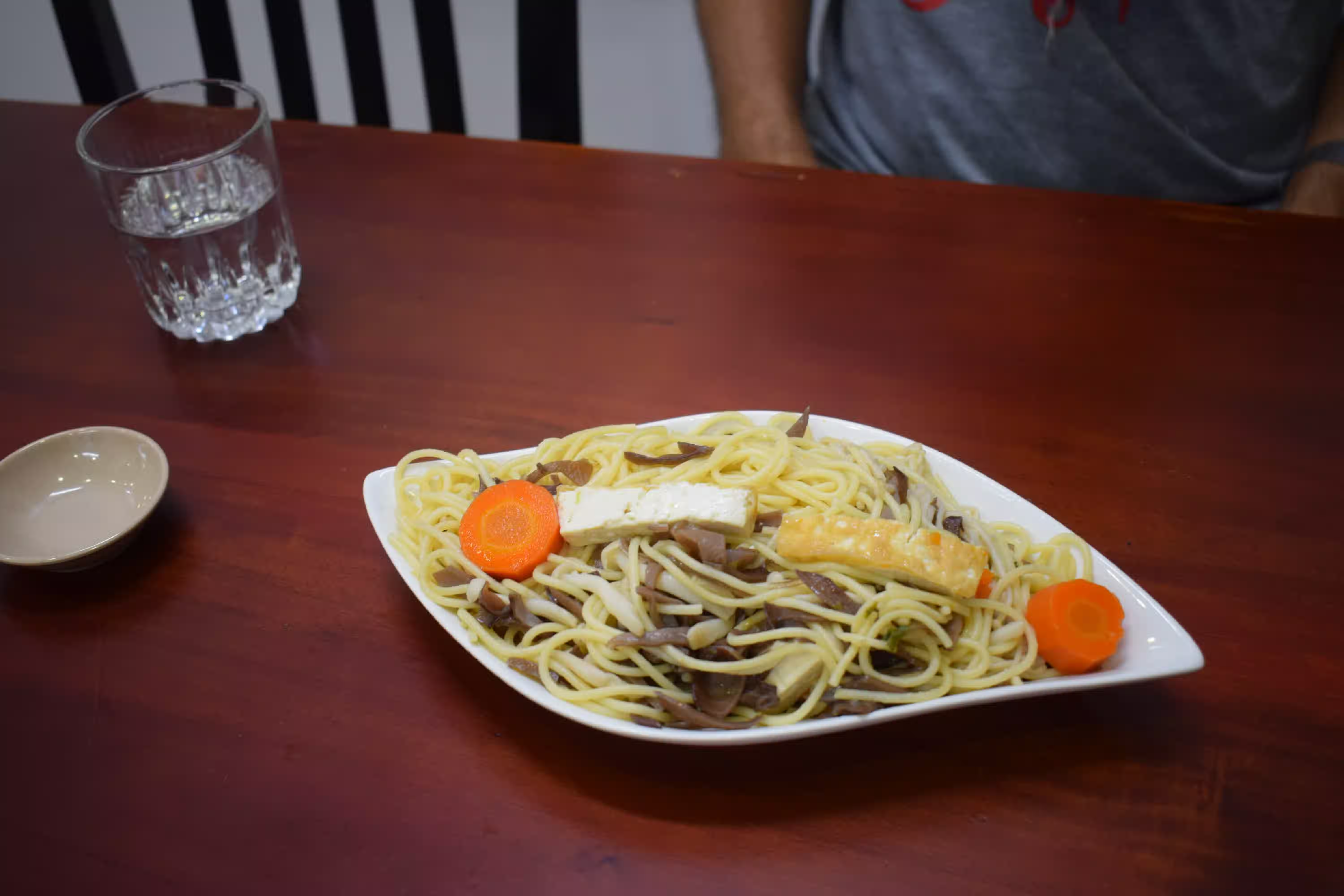
Dry noodles we got at that restaurant. Photo by Ravi Dwivedi, released under CC-BY-SA 4.0.

This was the place we had our coffee in Tra Kieu. Photo by Ravi Dwivedi, released under CC-BY-SA 4.0.

Photo of Badri with taxi driver. Photo by Ravi Dwivedi, released under CC-BY-SA 4.0.

A picture of Tra Kieu area near the train station we got down at. Photo by Ravi Dwivedi, released under CC-BY-SA 4.0.

Our breakfast in Hoi An. Photo by Ravi Dwivedi, released under CC-BY-SA 4.0.

A photo of the hostel we stayed in Hoi An. Photo by Ravi Dwivedi, released under CC-BY-SA 4.0.

Typical yellow house with gabled roof in Hoi An old town. Photo by Ravi Dwivedi, released under CC-BY-SA 4.0.

Egg coffee I had in Hoi An. Photo by Ravi Dwivedi, released under CC-BY-SA 4.0.

Bahn Bao in Hue. Photo by Ravi Dwivedi, released under CC-BY-SA 4.0.

Hot Pot. Photo by Ravi Dwivedi, released under CC-BY-SA 4.0.

Added soup to the noodles. Photo by Ravi Dwivedi, released under CC-BY-SA 4.0.

Steamed rolls made of rice flour. Photo by Ravi Dwivedi, released under CC-BY-SA 4.0.
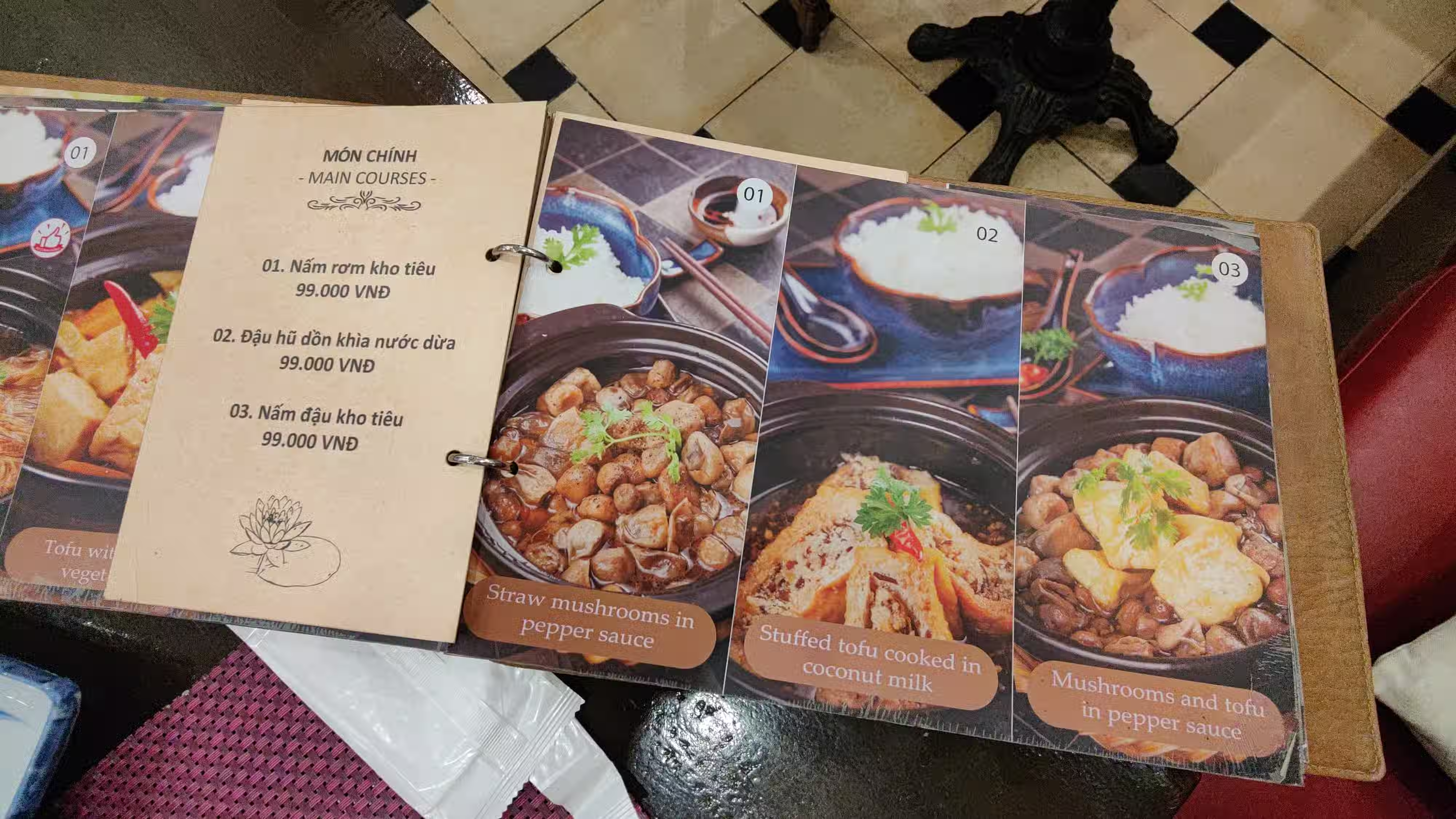
Menu from a restaurant in Ho Chi Minh City with detailed description of the food. Photo by Ravi Dwivedi, released under CC-BY-SA 4.0.

Our berths in the train. Photo by Ravi Dwivedi, released under CC-BY-SA 4.0.
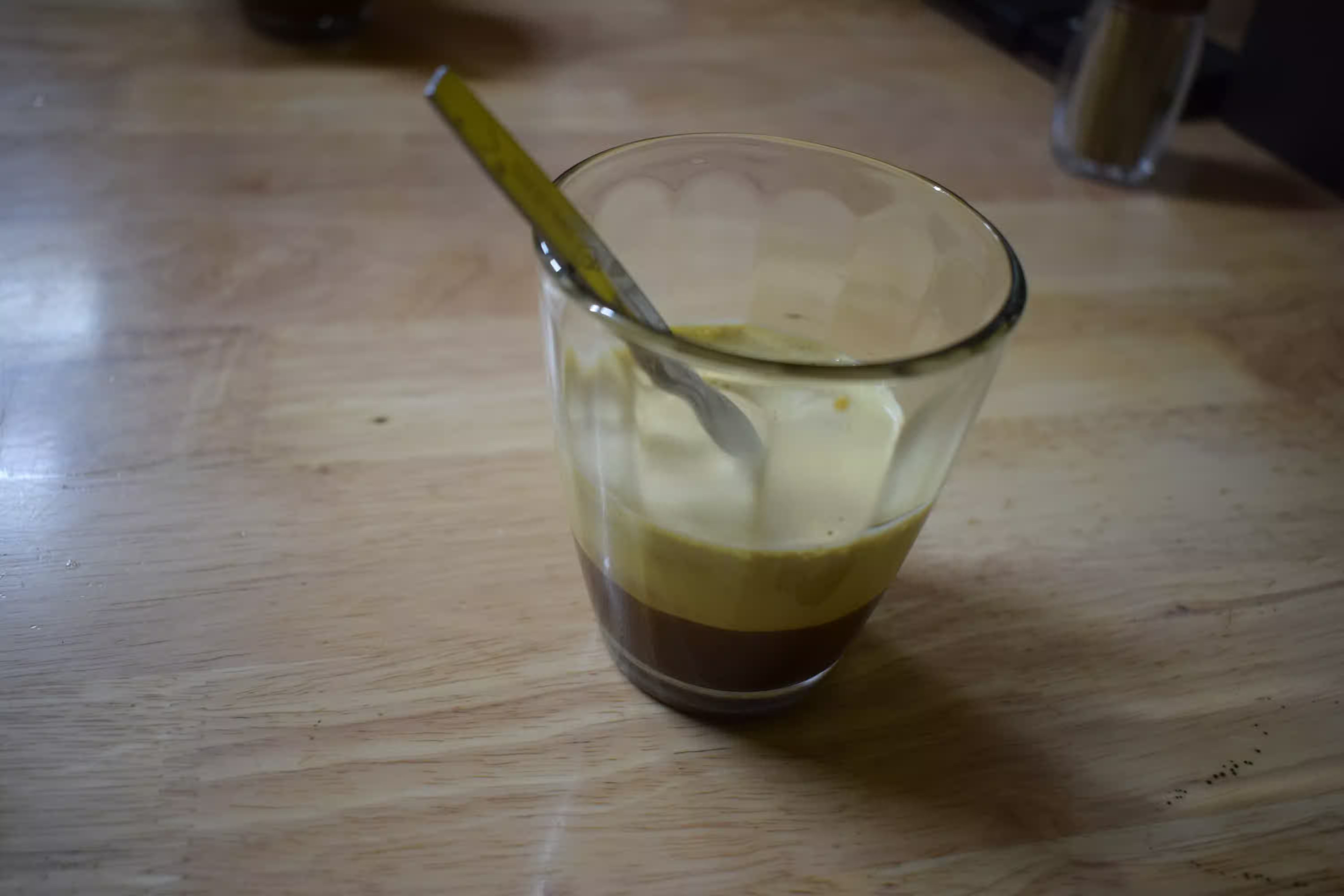
Egg coffee in Hanoi. Photo by Ravi Dwivedi, released under CC-BY-SA 4.0.

Hanoi train street is a tourist attraction in Hanoi. Photo by Ravi Dwivedi, released under CC-BY-SA 4.0.
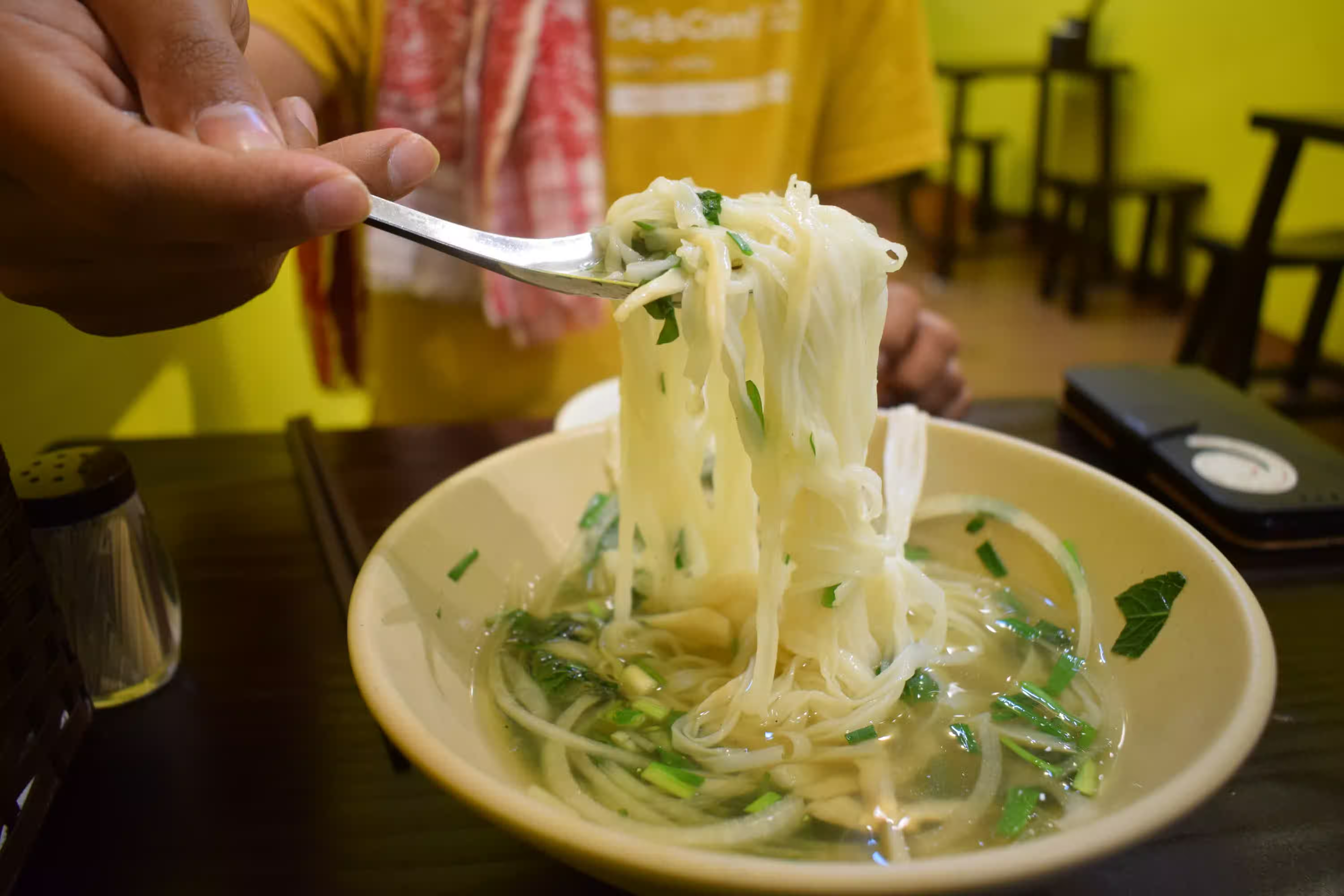
A picture of pho we had in Hanoi. Photo by Ravi Dwivedi, released under CC-BY-SA 4.0.

Bahn it is served packed in banana leaves. Photo by Ravi Dwivedi, released under CC-BY-SA 4.0.

Bahn it. Photo by Ravi Dwivedi, released under CC-BY-SA 4.0.
Next.