Search Results: "joey"

13 February 2010

Joey Hess: web minimalism

After Wired attempted to redesign Craigslist, (with predictably bad results) a opinion piece (paywalled) in the WSJ suggests that Craigslist's look is what users really want. I'd take that a step further... The original design of HTML 1.1 and its presentation in early web browsers gave users what they really wanted. Black and white text, that goes all the way across the screen, is readable on any screen, and scrolls all the way down to the end of the document. Links. Maybe some images. No foofaraw of sidebars and mastheads; no bother with zooming to make the content part of the page readable, no need to search the cluttered page to find the print button so you can read the whole article without clicking "Next" 10 times. We didn't know it at the time, but that was a subtle part of the early appeal of the web circa 1994. The minimalism sucked you in, it made the web feel like one coherent, unified thing, unlike the constellation of corporate edifices occupying much of it today. In Craigslist, early Google, somewhat in Wikipedia, I see echos of that minimalism, filtered through all the ways that have emerged to enhance, and pollute the original vision of the web. So, how long until a resurgence in web design minimalism? PS, It's really no accident, nor is it entirely due to laziness that my own site looks like it does.

29 January 2010

Joey Hess: xmonad layouts for netbooks

How a window manager with tiling layouts makes a 1024x600 resolution livable. I spend a lot of time in front of a screen, and for the past year I have used only my netbook. No desktops, no laptops. Just a cheap $200 computer that is nearly a kid's toy. The most challenging thing about this is dealing with the 1024x600 screen resolution. When I moved to this screen from something with many more pixels, it at first seemed very cramped. After a year, I think that the most important part of coping with the small screen is the flexability and customizability of layouts provided by the Xmonad window manager. In this post I will explain a few layouts I have developed for fitting specific tasks onto the netbook screen. (I assume that you know maybe 0.1% of Haskell (about what I do), and can read Haskell code without having a brain aneurysm.) web browsing
It's important that the web browser have as few toolbars and other cruft as possible, as horizontal space is especially at a premium. I've configured both Epiphany and Firefox to put everything in one tool bar. But now I use Chromium, which comes pre-configured that way.
What the netbook is designed for. You just want a web browser, taking up the full screen, and with its own tabs. So far, so easy: that's Xmonad's Full layout. But, you sometimes want to see two websites side-by-side. This layout accomplishes that, allowing the sizes to be adjusted as needed. It also uses Xmonad's Magnifier to zoom the smaller window when it's focused, which is useful if you briefly need to see more of a web site.
mySplit = magnifiercz' 1.4 $ Tall nmaster delta ratio
    where
        -- The default number of windows in the master pane
        nmaster = 1
        -- Percent of screen to increment by when resizing panes
        delta   = 3/100
        -- Default proportion of screen occupied by master pane
        ratio   = 60/100
screenshot screenshot web development If you're doing web development, you'll want probably one big web browser window, but also with a nice wide terminal on the same screen, in order to see web server logs. A simple way to do this is to mirror Xmonad's Tall layout by 90 degrees.
myWide = Mirror $ Tall nmaster delta ratio
    where
        -- The default number of windows in the master pane
        nmaster = 1
        -- Percent of screen to increment by when resizing panes
        delta   = 3/100
        -- Default proportion of screen occupied by master pane
        ratio   = 80/100
The myWide layout uses the full screen width for a single terminal, and splits the width when there are more. This is sufficient for viewing logs and doing minor things at the shell prompt, in between testing the result in the web browser. Of course a terminal can be temporarily moved to the master area by pressing mod-return, if you need it to be larger. screenshot screenshot chat
Tips on configuring Pidgin for a netbook: Set it up to use vertical tabs to save horizontal space. Configure the input area to only 1 line tall, and turn off as much other cruft as you can. The menu bars, sadly, cannot be disabled, nor can the excessively large borders. In my screenshots, you can see that stuff wasting space that could be used to show four more lines of text.
For chat, you want to put the buddy list on the side of the screen, and use the rest for conversation windows. Xmonad's IM module takes care of allocating a sidebar on the screen for the buddy window. The rest of the screen can be occupied by any layout you choose. I like to have the conversation windows be as wide as possible, and typically only want to see two conversations at a time. But sometimes I might have a dozen visible. A good layout to cope with those needs is Grid.
myChat' l = withIM size roster l
    where
        -- Ratio of screen roster will occupy
        size = 1%5
        -- Match roster window
        roster = Title "Buddy List"
myChat = myChat' Grid
The withIM layout puts the buddy list on the left; I prefer it on the right for some reason, so I tweaked my layout to do that. All it took was using the reflectHoriz layout modifier to get a mirror image of the layout. Then I reflect the inner layout back to its normal orientation. Being able to throw in a few function calls and mutate a layout like that is where Xmonad shines.
myChat' l = reflectHoriz $ withIM size roster $
            reflectHoriz $ l
screenshot screenshot logs
Ever notice that tail -f wastes the last line of the terminal? On a netbook this matters. shorttail lets the last line be used.
I have a dedidated workspace that I use to tail logs, and as a place to send long-running tasks (such as compiles). The layout for this needs to keep windows wide, to see whole logged lines, but they need only be five or so lines tall. And it's convenient to have one bigger window with the small ones below. Xmonad has a perfect layout for this, called Dishes, because it's sorta like a stack of plates.
myDish = limitWindows 5 $ Dishes nmaster ratio
    where
        -- The default number of windows in the master pane
        nmaster = 1
        -- Default proportion of screen occupied by other panes
        ratio = 1/5
screenshot screenshot
In the second screenshot above, I have 6 windows open, but only 5 are visible. The limitWindows 5 accomplishes this. It's handy mostly because gnome-terminal has a bad habit of crashing when resized to 0x0. (That's gotta be a bug in something!)
Notice that the screenshots above also have Procmeter in a sidebar on the right. I (ab)used the withIM layout to do that:
myLogs' l = reflectHoriz $ withIM procmeterSize procmeter $
              reflectHoriz $ l
    where
        -- Ratio of screen procmeter will occupy
        procmeterSize = 1%7
        -- Match procmeter
        procmeter = ClassName "ProcMeter3"
myLogs = myLogs' myDish
coding Everything above was easy. Doing coding (or writing) on a small screen is where it gets hard. When I'm coding I want to have one window that is exactly 80 columns wide, and as tall as possible, where I do the main development. Then I need a minimum of two other windows also visible: one action window for running tests and the like, and one to view references (emails, man pages, other files, etc). I may need to view any of these windows fullscreen at any time, of course.
As an example of the three window rule: While I'm writing this post, I have a reference window open with my .xmonad/xmonad.hs, and an action window open where I am managing screenshots.
Often, deep into something, I will accumulate many other reference and action windows. But three seems to be the magic, minimum number for me; use of screen or anything else doesn't reduce it; if I can't see all three at once, I will waste time and concentration flipping back and forth. The Xmonad layout I've developed to handle this is based on the handy FixedColumn layout, which automatically keeps the master window 80 columns wide. I modify this by adding the Magnifier, so that my action and reference windows "pop out" over the master window when focused.
myCode = limitWindows 3 $ magnifiercz' 1.4 $ FixedColumn 1 20 80 10
The 1.4 was carefully tuned, to magnify a window to be big enough to be usable for editing, reading, or command-line, while not obscuring too much of the other two windows. And again I use limitWindows, to only show three windows, in order to keep them all as big as possible. Other windows are hidden offscreen, but I can rotate to them with alt-tab as needed. screenshot screenshot reading ebooks When I'm reading an ebook, I want to have the reader in the middle of the screen. But a widescreen netbook like mine is too wide to comfortably read text all the way across, so it's nice to have margins. (In the margins, I put terminals, or notes.) The ThreeColumns module has a layout that does just that.
myBook = ThreeColMid nmaster delta ratio
    where
        nmaster = 1
        -- Percent of screen to increment by when resizing panes
        delta   = 3/100
        -- Default proportion of screen occupied by master pane
        ratio   = 2/3
screenshot putting it all together I join all my layouts together, so Xmonad will allow switching between them. These three combinations all have the same layouts, only ordered differently, so that different workspaces can have different default layouts.
codeFirst  = myCode    myWide    myGrid    myDish
dishFirst  = myDish    myCode    myWide    myGrid
gridFirst  = myGrid    myDish    myCode    myWide
Xmonad layouts can be decorated with things like title bars. To save horizontal space, I leave off the title bars on layouts where they are not needed to disambiguate windows. Two helper functions can be applied to add or remove titles (and also cause the layout to avoid the Gnome panel.)
withTitles l = noFrillsDeco shrinkText myTheme (desktopLayoutModifiers l)
noTitles l = desktopLayoutModifiers l
I have semi-dedicated workspaces; one for each of the above activities. To assign a layout to a workspace, I use the PerWorkspace module.
Notice that the "web" workspace has only two available layouts. Meanwhile, the "book" workspace always uses the specialized myBook layout; I don't use that layout elsewhere.
perWS = onWorkspace "logs" (withTitles $ myLogs' dishFirst) $
        onWorkspace "web"  (noTitles   $ (mySplit   myWide)) $
        onWorkspace "chat" (noTitles   $ myChat' gridFirst) $
        onWorkspace "book" (noTitles   $ myBook) $
                           (withTitles $ codeFirst)
Finally, I allow toggling between the currently selected layout and fullscreen mode, and use smartBorders to avoid displaying borders when there is only one window onscreen.
myLayout = smartBorders $ toggleLayouts Full perWS
Xmonad layout optimised for the small screen of a netbook: Done! (For now...)
screenshots screenshots screenshots screenshots screenshots
PS: Thanks to #xmonad regulars for always having the answer I need up their sleeves.
28 January 2010

Martin F. Krafft: Adopted passwdqc

Tollef forced me to take over libpam-passwdqc after I had reported bug #517967. passwdqc is a toolset that can be used to enforce password strength policies at exactly the right place: there s a PAM module, and with the next version, you can also use a library and command-line tools read on below. The toolset gives administrators flexibility in defining the minimum password length based on the number of character classes a user tries to use. It also includes libpam-cracklib functionality and prevents the use of trivial passwords. I appreciate this functionality, so I had little choice but to make the best out of it: Debhelper 7 is really nice. Thanks, Joey.

26 January 2010

Roland Mas: sgeps follow-up

Just an update about sgeps, because it seems to have made a small stir (which is more than I expected).

Joey Hess: issues with openmicroblogging

I tried switching from identi.ca to brainbird today, when my always present frustration with 140 character limit in microblogging boiled over. Again. In the process, I've found some warts in the OpenMicroblogging system, beyond its obsession with fitting into an obsolete sideband communication medium that I will never actually use. Rant mode on. Let's assume that OpenMicroblogging catches on, in a big way, and we're all using it in 10 years. So, it will be something like email. And its federated design allows for that; there can be multiple servers that communicate, and so on. (Which is a very good thing, compared to the twitter monoloth.) But: How many times have you changed your email address? When you did, you probably set up a .forward for the old email address, and emailed some people from the new address to let them update their address book, and it was not a big deal. But the experience when changing an OpenMicroblogging site is not the same. You have to go out and re-follow everyone. For each person, you have to go through a multiple screen (OAUTH) process. This process may not even be automatible. Second problem is that OpenMicroblogging does not use addresses. So to talk to me, one uses @joey'. It's not clear to me how sites determine whether to direct that to joey@identica or to joey@brainbird. Seemed like, if I switched to brainbird, I would need to pick a new username, to avoid having to check both places. Finally, the OpenMicroblogging spec, while really quite a neat approach to piggyback on OAUTH, has some absurd limits. 140 characters for a biography. Even the limit for one's full name is longer than that. Absurd. Suprisingly, no 140 character limit on messages actually exists, that's just a recommendation. But it's unclear how a system that sends a longer message interoperates with systems that use shorter messages. Probably the message will be truncated. And there is no way in the protocol to discover the message limit of a remote system. All in all, I think I prefer RSS, or Google Wave, or even IRC from a protocol perspective. And from a usability perspective, Facebook does not have absurd message limits, and most people read my messages there anyway. Meh.

Joey Hess: started termcasting

I've hooked one of my laptop's terminals up to the net, so anyone with IPv6 can telnet in and see it. I've long wanted to be able to broadcast my terminal sessions on occasions when it makes sense. Like when I'm fixing someone's bug, or closely collaborating with someone distant. I am also interested in finding things to host on IPv6. Right now, that means only people who care will be able to access it. So it seems the trick is to find places where that is a benefit. I plan to keep an eye out for more things like this. (A side benefit of using IPv6 is that it makes it easier to serve content from my laptop, that moves from network to network.) So, tune in to my termcast! termcast

11 January 2010

Alastair McKinstry: Supporting free speech at home

Thanks to Joey Hess for the request to set up tor bridges. I wholeheartedly agree, and recommend the video he points to. I've installed a Tor bridge at home, and recommend others to do so. For the most part, I'm not politically active at the moment - I'm doing a PhD Part-time, and thats consuming all my "spare" time, other than work and family. Just given a blog site, however, one subject strikes me as very important - free speech. Hence the side links to Amnesty International, etc. In Ireland this campaign has a particular focus at the moment - the Repeal of the Blasphemy Law. This law came into effect in Ireland this January. While the government claims that this law will 'never be used', its bad in several ways. Firstly, it promotes the ideas of censorship as a method of hiding social issues, and secondly it may actually be used, as pointed out in : <object height="300" width="400"><param name="allowfullscreen" value="true"><param name="allowscriptaccess" value="always"><param name="movie" value="http://vimeo.com/moogaloop.swf?clip_id=5196379&amp;server=vimeo.com&amp;show_title=1&amp;show_byline=1&amp;show_portrait=0&amp;color=&amp;fullscreen=1"><embed allowfullscreen="true" allowscriptaccess="always" height="300" src="http://vimeo.com/moogaloop.swf?clip_id=5196379&amp;server=vimeo.com&amp;show_title=1&amp;show_byline=1&amp;show_portrait=0&amp;color=&amp;fullscreen=1" type="application/x-shockwave-flash" width="400"></embed></object>Blasphemy is a Victimless Crime from Limerick Blogger on Vimeo. Basically, with Europe-wide arrest warrants, if two European countries have criminal blasphemy laws, then someone may be extradited to face prosecution in another country. While the Irish government says they will never prosecute, they open the possibility of say, Irish citizens being extradited to Greece to safe prosecution for blasphemy. On a wider level, I recommend Index on Censorship. It keeps documenting the cost of censorship around the world, and has been instrumental in campaigning for Libel reform in the UK, which is ncreasingly important for open scientific discussion. Tags , ,

10 January 2010

Joey Hess: please set up tor bridges

Here is a great talk from the Chaos Communication Congress about Tor and censorship: lessons learned. It's the inside scoop from the Tor guys on how they're keeping Tor usable inside China, Iran, etc despite attempts to block it. clients per day Chinese tor users via bridges If you're like me, you have resources and would like to help Tor, but the exposure of running a exit node is way too high, and even running an non-exit node seems risky. Now there's a third option, running a bridge which can be used to get to the Tor network. The great thing about doing this is that you can be pretty sure anyone using your Tor bridge is the kind of person you want to help (and not some spammer or worse). There's little reason to use a Tor bridge unless your ISP/Government is repressing you. Also, the worst thing that is likely to happen to your bridge is that $COUNTRY discovers its IP and blocks it. So the benefits seem focused and high, and the risks easily managed.

3 January 2010

Russ Allbery: Lintian 2.3.1

This is primarily a bug-fix release, cleaning up some issues introduced in 2.3.0. Specifically, it fixes collection of the contents of *.a files, fixes the severity of spelling errors in man pages, properly parses Depends starting with a newline for weak-library-dev-dependency, and fixes the spurious display of archive areas in some cases in the HTML reports. This release also includes Raphael Geissert's work to eliminate unpack level two (which means having a full unpacked copy of the package) in favor of a collection script that does this and a new type of collection that's automatically removed after processing. This is the first step towards eliminating the internal Lintian distinction between unpack and collection scripts and implementing both using the same mechanisms. As usual, there are a variety of other fixes and improvements, but there shouldn't be any major user-visible changes in this release. Note that, following advice from Joey Hess, Lintian now warns about missing $ misc:Depends dependencies for any package that uses debhelper, since any debhelper script may start adding dependencies there. This was already mostly in place in 2.3.0, but is the source of a large number of new warnings in the archive.

1 January 2010

Joey Hess: naught but a decade

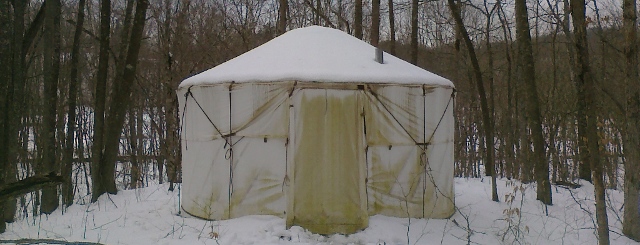
This has been a big decade for me. Ten years ago, I was living in Sunnyvale, in the heart of Silicon Valley; VA had just had its crazy IPO; my unvested options were worth over a million dollars on paper. I remember sitting in first class[1] on the way out of Atlanta after the holidays and wondering what one did with a million dollars. Avoid working too much? Have a lot of interesting computers? Build a distributed house[2]? Mostly I decided to not count my chickens, which turned out to be the right choice. Six months later, I started debian-installer, in many ways my biggest project to date. In spring of '01, VA was crashing; I was sick of the Valley; gloom was everywhere. I took the hint and quit, cashed in my options for five figures, not seven, bade forewell to the many people I'd come to know, and moved back east. By reading my old journal, I can tell that subconciously, I had long before decided what to do when it was time to leave the Bay Area. So without really thinking too much about why I was able to do this, about how not just my own family, but others were indirectly making it possible, I moved to a 150 acre wooded "farm", and mostly went off and did mostly my own thing for three years. This was such a huge life change. I lived in a building affectionatly called "the shack". It was renovated from a chicken coop in the 70's and leaked during heavy rain, but I preferred it to the main house (warmer). I went back to dialup for internet. I hauled groceries and most everything half a mile in by hand. There was an outhouse and washwater hauled from a creek. I cut barely enough firewood and readapted my body from California to cold. My main tech project during this time was mooix. In some ways my largest failed project, but it was neat to be able to go off and do such a thing. This was a blissful, reflective, peaceful, amazing time. Parts were a second childhood. Somewhere in there I properly confronted my mortality. And learned to use a chainsaw. And over the course of three years, I dug myself into a rut, a hole. I wasn't going anywhere. (Except for a month in Honduras, and my first DebConf in Oslo.) In '04, I found myself talking on the phone to a cosmonaut in a house that had been without power for days in a hard winter. I realized I was ready to leave the farm if I could figure out how to do it, and I almost took him up on the job working on his new Linux distro -- but at the last minute Oslo connections suggested I work for SkoleLinux instead, and so I did. Soon after moving into a rented house in town, I was jaunting off to Brazil for a month, a great time. Followed by a productive year where I got heavily back into debian-installer, started Debian's testing security tream, and generally worked a lot. The next summer I fooled around with an RV, and sort of fell into a job with ADS. But my time on the farm had changed me, I think. I ended up going back to the farm for a year and working part time from there. During this time I also started ikiwiki and other smaller projects. One day I came back from a camping trip and found the kitchen had been torn down in my absence. Reminded unsubtly that I was not the only one with a claim to the place, I got out, though I somehow suspect not for good. For the last four years, I've been more outwardly settled, buying a house in town, continuing to work at the same job, starting little projects like pristine-tar, mr, and etckeeper. About two years in I began to feel antsy sometimes (and had a minor medical scare), and set up the yurt as a relief valve so I can have crazy adventures in the cold woods again. Still, I sometimes feel that a big change is building up. From here, this decade feels like it contained endless changes, important decisions, interesting projects, strong experiences. The 90's, containing only little things like college and moving to California, pale in comparison. Maybe the naught's will be the decade I always remember.. or maybe not. Anything could be around the corner.
  1. Bumped up due to an airline scheduling snafu, not because I was throwing money around.
  2. Concept of mine perhaps not worth explaining here although it was oddly similar to how I ended up living at the farm. Good ol' subconcious..

28 December 2009

Joey Hess: what am I doing here?

Today, standing in the middle of a creek with snow still on its banks, meltwater lapping above my knees, barefoot, in my underwear, and using a tree trunk for support as I hauled across a big backpack and a sack full of Mediteranean food (and pants); I wondered for a minute if I knew what I was doing here. But I think Anna enjoyed Santa's late (and pantsless) arrival to her snowed in farm, which has been without power for over a week. And I knew she needed the dutch oven I brought, to expand what she can cook in the wood stove. Also, Agricola turns out to be a fun game for winter on the farm. I also briefly wondered what I was doing here as I coaxed a fire out of the damp and tiny stove in my yurt, almost running out of kindling. It's going to be a chilly night here anyway, but being here with just the light of the fire and my laptop, listening to the melting snow gently dripping down the sides, is a special experience in a day rather full of them.

22 December 2009

Joey Hess: fire and ice

After the arrival of family, and the big snow, and the digging out, the gathering at the farm was dimished from its usual numbers. Without power, the house was lit by kerosine lanterns, candles, and the fireplace, and this felt very right for a solstice celebration. Musicians played old tunes in the sitting room (with the youngest kids adding percussion), while others nibbled on turkey (from the field next door) and stuffed grape leaves (from Turkey). Later, the cracks of overloaded trees echoed through the valley as the bonfire blazed high and bright through the night.
snow on the bonfire

18 December 2009

Joey Hess: upstreams and packaging

As distributors we should not discourage upstreams that wish to generate binary packages themselves, rather we should cooperate with them, and ideally they will end up maintaining their stable release packages in our distributions.
-- Robert Collins I agree. Robert goes on to talk about the tendancy Debian (and apparently also Ubuntu) have to dislike upstream providing a debian directory. Funny thing is that we also like to say team maintenance is a good idea. An upstream who is doing packaging work is a readymade half of a team; if you write them telling them to rm -rf debian, you are turning away a team member. With a slap in the face. Worse, it's a team member who has demonstrated that they are capable of working in far more complex systems than a debian directory, since they wrote/maintain the software itself. BTW, for those who are skeptical of teams, on the basis that they dilute responsibility: A team consisting of an upstream developer and a distribution maintainer is inherently the more healthy sort of team, where each member has a well-defined area of expertise, but can also venture outside their area when needed. When I packaged FBReader for Debian, upstream already had their own packaging, and I worked with them to fix problems with it and make it something I could be happy maintaining. This was sometimes tricky, since upstream was also maintaining packages for maemo. Sometimes the tools were not ideal. It was still worth it. On the other side of the coin, d-i is an upstream for several distributions. If they told us we needed to rm -rf debian, we'd not have a lot of d-i left. tools I also agree with Robert that most of the trouble comes down to problems with tools. BTW, RPM does not have these problems, and in that world it's typical for upstream to provide a spec file. Much of the problem comes down to the crummyness of dpkg's source format, which cannot rename files, delete files, etc. That the source format directs us to 1970's source management (ie, tarballs and patches), instead of 21st century source management (ie, DVCS), doesn't help either. dpkg's 3.0 quilt source format tries to address the issue by removing any debian directory in upstream's tarball. I am not sure that this is at all the right approach; it makes it harder, not easier to work with upstream as a team. A better approach might be to consider anything that hardcodes the debian directory as having a bug. If upstream can easily package debs using a deb, or maemo, or ubuntu directory, you sidestep any potential conflict while still being able to work with them via a symlink. To put my time where my mouth is: Anytime debhelper prevents working with an upstream who wants to ship a debian directory; that is a bug. I will fix them. (Note that debhelper already provides a --ignore that can be used if upstream has provided a dehelper control file that you can't delete and don't want used.) Previously: Look who's packaging

14 December 2009

Joey Hess: two films

I've been watching some good films recently. Two I especially liked. baby camel in sidecar man in taxi Goodbye Solo starts in Winston-Salem and ends up at Blowing Rock. Both settings, as well as the taxi in between, are very familiar. The characters could easily be people I've met. Tulpan is set in a steppe in Kazakhstan. The desert and dust devils mostly reminded me of Mars. Particularly of this amazing shot taken by the Spirit rover. dust devils on Mars! Still, I felt so much more at home in Tulpan. Kept pausing it to check out how the family had their yurt set up and furnished, and watched their very real-seeming life unfold, right down to the lambing scene. While Solo took the very familiar, and confounded expectations and biases at every step. They're both fine films, from directors I want to see more of. I've seen Ramin Bahrani's work before Solo, and especially liked Man Push Cart. Don't know if I will ever find any of Sergei Dvortsevoy's earlier films.

11 December 2009

Joey Hess: linode

Just a quick followup to my last post. A commenter told me that linode supports user-supplied kernels via pv-grub. So I am moving another server of mine from slicehost to there, and it's happily running Debian unstable's kernel. Linode has come a long way from its early days of flakey UML hosting.

10 December 2009

Joey Hess: happy on a cloudy day

Today is a nice milestone. For the first time my server is "in the cloud", and yet I have full control over the kernel it is running. While it should be possible to do this with Xen, I never found a host who would. So for the three years since I got rid of colocated physical hardware, I was constantly nagging my Xen hosters to update their kernels, often to fix security issues. And I sometimes struggled with things like udev that needed a newer kernel. Most importantly it just didn't feel right for "my" server to not run my kernel. Even though in this modern day, "my" server is just a fever dream of bigger computer. I'm infected with the Sovereign Computing meme. KVM probably makes this easier than does Xen. What Steve has set up at kvm-hosting.org is a great example and template for providing a small group with great hosting at a very fair price, with full control, and an excellent interface. It's the little things, like being able to view the my neighboring guests' virtial machines in top, that I really like.
  PID USER      PR  NI  VIRT  RES  SHR S %CPU %MEM    TIME+  COMMAND            
 2841 joey      20   0 1637m 1.0g 3152 S    7 13.2  48:27.20 kvm                
 6606 steve     20   0 1365m 1.0g 3540 S    2 13.2   9:29.52 kvm                
 2888 cernio    20   0 1269m 284m 3152 R    1  3.6   4:08.57 kvm   
 2800 ore2      20   0  754m 521m 3152 S    0  6.6   4:35.68 kvm     
This all feels sorta science fictional when I step back and look at it.
notes for kernel setup on kvm-hosting.org I want to be able to install regular Debian kernel packages. In these packages, the virtio drivers are modules, and need to be manually added to an initrd. So first edit /etc/initramfs-tools/modules and add the below to it, then run update-initramfs -k all -u to rebuild the initrd. BTW, some of these modules may not really be necessary.
virtio_blk
virtio_console
virtio_pci
virtio_net
virtio_balloon
virtio-rng
Then edit /etc/kernel-img.conf to configure the kernels to add a symlink to the latest version in /boot. This way, kvm-shell can be configured to boot the latest kernel automatically.
do_symlinks = yes
link_in_boot = yes
And here is a hook that rsyncs /boot, sending kernels and initrds to kvm-hosting, so its interface will let me boot them. This was put in /etc/initramfs-tools/hooks/kvm-hosting-rsync and made executable.
#!/bin/sh
# Use --copy-links so the symlinks to the current
# kernel and initrd are selectable in kvm-shell.
# 
# Use --delete because I like living dangerously. :)
rsync --copy-links --delete -vazr /boot/ kernels.kvm-hosting.net::joey-kernels/

5 December 2009

Joey Hess: adieu google

The first thing I searched for in Google, back in 1999, was probably "linux", followed by my name. The last thing I searched for in Google, on a snowy day in 2009, was "vdash". With the decade over, and Google rolling out all manner of tracking cookies and javascript, it's time to move on. Just keeping on top of the torrent of privacy-affecting changes Google is making, and trying to parse the real meaning in the chirpy googlespeak announcements has become more work than the value their search engine adds. (This was the last straw.) At least for now, I'll be using Duck Duck Go for search. It's small, quirky, has features the big competition lacks, and works well enough for my mostly moderate and occasionally intense needs. Sorta like Google in 1999.

27 November 2009

Joey Hess: thanksgiving 09

First time I've been to Thanksgiving at Exchange Place. Was a pleasantly rustic setting for the big get-together of 30 or more people from our three closely knit families.

25 November 2009

Joey Hess: verifiable democracy

This google tech talk by Ben Adida describes applications of cryptography and zero-knowledge proofs to voting, and presents a demo "scratch and vote" system designed along those lines. The video is two years old, in the meantime we had another presidential election that of course used no such thing, but did involve a lot of paper to create a warm fuzzy safe feeling (or maybe not if you thought about it too much). For the first time, a cryptographically secure voting system was used in a real election in Takoma Park, Maryland, just this month. And since all the data was published, that election has been independently verified. I've very happy to learn about this stuff.

22 November 2009

Joey Hess: building a day

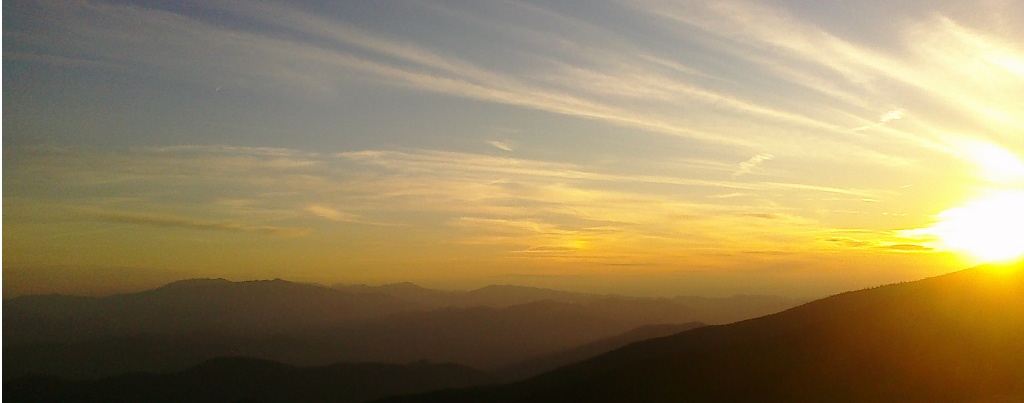
The difficulty with living on the Joey sleep schedule as the year wanes is finding enough daylight to have a satisfying day. The plan was to hike in the mountains, but my inbox said otherwise. Ugly new debhelper bugs. Looking at the hard one, I felt as if someone from 30 years ago was trying to take my day away. Why does make(1) not provide a way to discover which targets exist in a makefile? My hack to workaround that historical oversight was breaking, and make was nearly fork-bombing the system in the process. This seemed likely to eat my weekend -- I was very glad to find a quick, ugly workaround. By then it was 2:00. I'd not get to the mountain pass til after 3:00, which was pushing it. Almost stayed home, but it was such a nice sunny day, perfect weather. So I headed out. Spent half an hour along the way talking with an old woman about a well (long story), but reached the Roan with nearly two hours of daylight. And it was sublime. I realized I'd never stayed up there for sunset, so I hunkered down on a rock, finished checking my email (left over from the earlier hurry), and then spent half an hour chatting on the phone with my dad, as the sun inched down a finger at a time. When it went behind the other peak, and mist crept up the valleys below, it got cold and I hurried down. Reached the car in deep dusk, and coasted down the mountian while listening to a BBS nostalgia piece on the radio. On the way home, pulled in at the Ridgewood BBQ, and am sitting on the porch in the cold with about 50 other people, waiting for a seat (hopefully before it closes), and blogging. I accomplished everything I wanted to today, including getting something significant done, hiking, and spending quiet time on top of the world. Though only just, and feeling I was running late the whole time. Nice thing about the Joey schedule though, is I will have seven more hours of quiet time before sleep.

Next.

Previous.