As a followup of my post about the use of argocd-autopilot
I m going to deploy various applications to the cluster using Argo CD from the same
repository we used on the previous post.
For our examples we are going to test a solution to the problem we had when we updated a ConfigMap used by the
argocd-server (the resource was updated but the application Pod was not because there was no change on the
argocd-server deployment); our original fix was to kill the pod manually, but the manual operation is something we
want to avoid.
The proposed solution to this kind of issues on the
helm documentation is to add
annotations to the Deployments with values that are a hash of the ConfigMaps or Secrets used by them, this way if
a file is updated the annotation is also updated and when the Deployment changes are applied a roll out of the pods is
triggered.
On this post we will install a couple of controllers and an application to show how we can handle Secrets with
argocd and solve the issue with updates on ConfigMaps and Secrets, to do it we will execute the following tasks:
Deploy the Reloader controller to our cluster. It is a tool that watches
changes in ConfigMaps and Secrets and does rolling upgrades on the Pods that use them from Deployment,
StatefulSet, DaemonSet or DeploymentConfig objects when they are updated (by default we have to add some
annotations to the objects to make things work).
Deploy a simple application that can use ConfigMaps and Secrets and test that the Reloader controller does its
job when we add or update a ConfigMap.
Install the Sealed Secrets controller to manage secrets inside our
cluster, use it to add a secret to our sample application and see that the application is reloaded automatically.
Creating the test project for argocd-autopilotAs we did our installation using argocd-autopilot we will use its structure to manage the applications.
The first thing to do is to create a project (we will name it test) as follows:
  argocd-autopilot project create test
INFO cloning git repository: https://forgejo.mixinet.net/blogops/argocd.git
Enumerating objects: 18, done.
Counting objects: 100% (18/18), done.
Compressing objects: 100% (16/16), done.
Total 18 (delta 1), reused 0 (delta 0), pack-reused 0
INFO using revision: "", installation path: "/"
INFO pushing new project manifest to repo
INFO project created: 'test'
Now that the test project is available we will use it on our argocd-autopilot invocations when creating
applications.
Installing the reloader controllerTo add the reloader application to the test project as a kustomize application and deploy it on the tools
namespace with argocd-autopilot we do the following:
  argocd-autopilot app create reloader \
    --app 'github.com/stakater/Reloader/deployments/kubernetes/?ref=v1.4.2' \
    --project test --type kustomize --dest-namespace tools
INFO cloning git repository: https://forgejo.mixinet.net/blogops/argocd.git
Enumerating objects: 19, done.
Counting objects: 100% (19/19), done.
Compressing objects: 100% (18/18), done.
Total 19 (delta 2), reused 0 (delta 0), pack-reused 0
INFO using revision: "", installation path: "/"
INFO created 'application namespace' file at '/bootstrap/cluster-resources/in-cluster/tools-ns.yaml'
INFO committing changes to gitops repo...
INFO installed application: reloader
That command creates four files on the argocd repository:
One to create the tools namespace:bootstrap/cluster-resources/in-cluster/tools-ns.yaml
The kustomization.yaml file for the test project (by default it includes the same configuration used on the
base definition, but we could make other changes if needed):apps/reloader/overlays/test/kustomization.yaml
The config.json file used to define the application on argocd for the test project (it points to the folder
that includes the previous kustomization.yaml file):apps/reloader/overlays/test/config.json
We can check that the application is working using the argocd command line application:
  argocd app get argocd/test-reloader -o tree
Name:               argocd/test-reloader
Project:            test
Server:             https://kubernetes.default.svc
Namespace:          tools
URL:                https://argocd.lo.mixinet.net:8443/applications/test-reloader
Source:
- Repo:             https://forgejo.mixinet.net/blogops/argocd.git
  Target:
  Path:             apps/reloader/overlays/test
SyncWindow:         Sync Allowed
Sync Policy:        Automated (Prune)
Sync Status:        Synced to  (2893b56)
Health Status:      Healthy
KIND/NAME                                          STATUS  HEALTH   MESSAGE
ClusterRole/reloader-reloader-role                 Synced
ClusterRoleBinding/reloader-reloader-role-binding  Synced
ServiceAccount/reloader-reloader                   Synced           serviceaccount/reloader-reloader created
Deployment/reloader-reloader                       Synced  Healthy  deployment.apps/reloader-reloader created
 ReplicaSet/reloader-reloader-5b6dcc7b6f                  Healthy
   Pod/reloader-reloader-5b6dcc7b6f-vwjcx                 Healthy
Adding flags to the reloader serverThe runtime configuration flags for the reloader server are described on the project
README.md
file, in our case we want to adjust three values:
We want to enable the option to reload a workload when a ConfigMap or Secret is created,
We want to enable the option to reload a workload when a ConfigMap or Secret is deleted,
We want to use the annotations strategy for reloads, as it is the recommended mode of operation when using argocd.
To pass them we edit the apps/reloader/overlays/test/kustomization.yaml file to patch the pod container template, the
text added is the following:
patches:# Add flags to reload workloads when ConfigMaps or Secrets are created or deleted-target:kind:Deploymentname:reloader-reloaderpatch: -- op: addpath: /spec/template/spec/containers/0/argsvalue:- '--reload-on-create=true'- '--reload-on-delete=true'- '--reload-strategy=annotations'
After committing and pushing the updated file the system launches the application with the new options.
The dummyhttp applicationTo do a quick test we are going to deploy the dummyhttp web server using an
image generated using the following Dockerfile:
# Image to run the dummyhttp application <https://github.com/svenstaro/dummyhttp># This arg could be passed by the container build command (used with mirrors)ARG OCI_REGISTRY_PREFIX# Latest tested version of alpineFROM $ OCI_REGISTRY_PREFIX alpine:3.21.3# Tool versionsARG DUMMYHTTP_VERS=1.1.1# Download binaryRUN ARCH="$(apk --print-arch)"&&\
VERS="$DUMMYHTTP_VERS"&&\
URL="https://github.com/svenstaro/dummyhttp/releases/download/v$VERS/dummyhttp-$VERS-$ARCH-unknown-linux-musl"&&\
wget "$URL"-O"/tmp/dummyhttp"&&\
install /tmp/dummyhttp /usr/local/bin &&\
rm-f /tmp/dummyhttp
# Set the entrypoint to /usr/local/bin/dummyhttpENTRYPOINT [ "/usr/local/bin/dummyhttp" ]
The kustomize base application is available on a monorepo that contains the following files:
A Deployment definition that uses the previous image but uses /bin/sh -c as its entrypoint (command in the
k8s Pod terminology) and passes as its argument a string that runs the eval command to be able to expand
environment variables passed to the pod (the definition includes two optional variables, one taken from a
ConfigMap and another one from a Secret):
Deploying the dummyhttp application from argocdWe could create the dummyhttp application using the argocd-autopilot command as we ve done on the reloader case,
but we are going to do it manually to show how simple it is.
First we ve created the apps/dummyhttp/base/kustomization.yaml file to include the application from the previous
repository:
And finally we add the apps/dummyhttp/overlays/test/config.json file to configure the application as the
ApplicationSet defined by argocd-autopilot expects:
Patching the applicationNow we will add patches to the apps/dummyhttp/overlays/test/kustomization.yaml file:
One to add annotations for reloader (one to enable it and another one to set the roll out strategy to restart to
avoid touching the deployments, as that can generate issues with argocd).
Another to change the ingress hostname (not really needed, but something quite reasonable for a specific project).
After committing and pushing the changes we can use the argocd cli to check the status of the application:
  argocd app get argocd/test-dummyhttp -o tree
Name:               argocd/test-dummyhttp
Project:            test
Server:             https://kubernetes.default.svc
Namespace:          default
URL:                https://argocd.lo.mixinet.net:8443/applications/test-dummyhttp
Source:
- Repo:             https://forgejo.mixinet.net/blogops/argocd.git
  Target:
  Path:             apps/dummyhttp/overlays/test
SyncWindow:         Sync Allowed
Sync Policy:        Automated (Prune)
Sync Status:        Synced to  (fbc6031)
Health Status:      Healthy
KIND/NAME                           STATUS  HEALTH   MESSAGE
Deployment/dummyhttp                Synced  Healthy  deployment.apps/dummyhttp configured
 ReplicaSet/dummyhttp-55569589bc           Healthy
   Pod/dummyhttp-55569589bc-qhnfk          Healthy
Ingress/dummyhttp                   Synced  Healthy  ingress.networking.k8s.io/dummyhttp configured
Service/dummyhttp                   Synced  Healthy  service/dummyhttp unchanged
 Endpoints/dummyhttp
 EndpointSlice/dummyhttp-x57bl
As we can see, the Deployment and Ingress where updated, but the Service is unchanged.
To validate that the ingress is using the new hostname we can use curl:
  curl -s https://dummyhttp.lo.mixinet.net:8443/
404 page not found
  curl -s https://test-dummyhttp.lo.mixinet.net:8443/
 "c": "", "s": ""
Adding a ConfigMapNow that the system is adjusted to reload the application when the ConfigMap or Secret is created, deleted or
updated we are ready to add one file and see how the system reacts.
We modify the apps/dummyhttp/overlays/test/kustomization.yaml file to create the ConfigMap using the
configMapGenerator as follows:
After committing and pushing the changes we can see that the ConfigMap is available, the pod has been deleted and
started again and the curl output includes the new value:
  kubectl get configmaps,pods
NAME                             READY   STATUS        RESTARTS   AGE
configmap/dummyhttp-configmap   1      11s
configmap/kube-root-ca.crt      1      4d7h
NAME                            DATA   AGE
pod/dummyhttp-779c96c44b-pjq4d   1/1     Running       0          11s
pod/dummyhttp-fc964557f-jvpkx    1/1     Terminating   0          2m42s
  curl -s https://test-dummyhttp.lo.mixinet.net:8443   jq -M .

  "c": "Default Test Value",
  "s": ""
Using helm with argocd-autopilotRight now there is no direct support in argocd-autopilot to manage applications using helm (see the issue
#38 on the project), but we want to use a chart in our
next example.
There are multiple ways to add the support, but the simplest one that allows us to keep using argocd-autopilot is to
use kustomize applications that call helm as described
here.
The only thing needed before being able to use the approach is to add the kustomize.buildOptions flag to the
argocd-cm on the bootstrap/argo-cd/kustomization.yaml file, its contents now are follows:
bootstrap/argo-cd/kustomization.yaml
apiVersion:kustomize.config.k8s.io/v1beta1configMapGenerator:-behavior:mergeliterals:# Enable helm usage from kustomize (see https://github.com/argoproj/argo-cd/issues/2789#issuecomment-960271294)-kustomize.buildOptions="--enable-helm"-repository.credentials=- passwordSecret:key: git_tokenname: autopilot-secreturl: https://forgejo.mixinet.net/usernameSecret:key: git_usernamename: autopilot-secretname:argocd-cm# Disable TLS for the Argo Server (see https://argo-cd.readthedocs.io/en/stable/operator-manual/ingress/#traefik-v30)-behavior:mergeliterals:-"server.insecure=true"name:argocd-cmd-params-cmkind:Kustomizationnamespace:argocdresources:-github.com/argoproj-labs/argocd-autopilot/manifests/base?ref=v0.4.19-ingress_route.yaml
On the following section we will explain how the application is defined to make things work.
Installing the sealed-secrets controllerTo manage secrets in our cluster we are going to use the
sealed-secrets controller and to install it we are going to use its
chart.
As we mentioned on the previous section, the idea is to create a kustomize application and use that to deploy the
chart, but we are going to create the files manually, as we are not going import the base kustomization files from a
remote repository.
As there is no clear way to override helm Chart values using
overlays we are going to use a generator to create the helm configuration from an external resource and include it
from our overlays (the idea has been taken from this repository,
which was referenced from a comment
on the kustomize issue #38 mentioned earlier).
The sealed-secrets applicationWe have created the following files and folders manually:
apps/sealed-secrets/
  helm
    chart.yaml
    kustomization.yaml
  overlays
      test
          config.json
          kustomization.yaml
          values.yaml
The helm folder contains the generator template that will be included from our overlays.
The kustomization.yaml includes the chart.yaml as a resource:
apps/sealed-secrets/helm/kustomization.yaml
And the chart.yaml file defines the HelmChartInflationGenerator:
apps/sealed-secrets/helm/chart.yaml
apiVersion:builtinkind:HelmChartInflationGeneratormetadata:name:sealed-secretsreleaseName:sealed-secretsname:sealed-secretsnamespace:kube-systemrepo:https://bitnami-labs.github.io/sealed-secretsversion:2.17.2includeCRDs:true# Add common values to all argo-cd projects inlinevaluesInline:fullnameOverride:sealed-secrets-controller# Load a values.yaml file from the same directory that uses this generatorvaluesFile:values.yaml
For this chart the template adjusts the namespace to kube-system and adds the fullnameOverride on the
valuesInline key because we want to use those settings on all the projects (they are the values expected by the
kubeseal command line application, so we adjust them to avoid the need to add additional parameters to it).
We adjust global values as inline to be able to use a the valuesFile from our overlays; as we are using a generator
the path is relative to the folder that contains the kustomization.yaml file that calls it, in our case we will need
to have a values.yaml file on each overlay folder (if we don t want to overwrite any values for a project we can
create an empty file, but it has to exist).
Finally, our overlay folder contains three files, a kustomization.yaml file that includes the generator from the
helm folder, the values.yaml file needed by the chart and the config.json file used by argocd-autopilot to
install the application.
The kustomization.yaml file contents are:
apps/sealed-secrets/overlays/test/kustomization.yaml
apiVersion:kustomize.config.k8s.io/v1beta1kind:Kustomization# Uncomment if you want to add additional resources using kustomize#resources:#- ../../basegenerators:-../../helm
The values.yaml file enables the ingress for the application and adjusts its hostname:
apps/sealed-secrets/overlays/test/values.yaml
Once we commit and push the files the sealed-secrets application is installed in our cluster, we can check it using
curl to get the public certificate used by it:
That invocation needs to have access to the cluster to do its job and in our case it works because we modified the chart
to use the kube-system namespace and set the controller name to sealed-secrets-controller as the tool expects.
If we need to create the secrets without credentials we can connect to the ingress address we added to retrieve the
public key:
Or, if we don t have access to the ingress address, we can save the certificate on a file and use it instead of the URL.
The sealed version of the secret looks like this:
This file can be deployed to the cluster to create the secret (in our case we will add it to the argocd application),
but before doing that we are going to check the output of our dummyhttp service and get the list of Secrets and
SealedSecrets in the default namespace:
  curl -s https://test-dummyhttp.lo.mixinet.net:8443   jq -M .

  "c": "Default Test Value",
  "s": ""

  kubectl get sealedsecrets,secrets
No resources found in default namespace.
Now we add the SealedSecret to the dummyapp copying the file and adding it to the kustomization.yaml file:
Once we commit and push the files Argo CD creates the SealedSecret and the controller generates the Secret:
  kubectl apply -f /tmp/dummyhttp-sealed-secret.yaml
sealedsecret.bitnami.com/dummyhttp-secret created
  kubectl get sealedsecrets,secrets
NAME                                        STATUS   SYNCED   AGE
sealedsecret.bitnami.com/dummyhttp-secret            True     3s
NAME                      TYPE     DATA   AGE
secret/dummyhttp-secret   Opaque   1      3s
If we check the command output we can see the new value of the secret:
Using sealed-secrets in production clustersIf you plan to use sealed-secrets look into its
documentation to understand how it manages the
private keys, how to backup things and keep in mind that, as the documentation
explains, you can rotate
your sealed version of the secrets, but that doesn t change the actual secrets.
If you want to rotate your secrets you have to update them and commit the sealed version of the updates (as the
controller also rotates the encryption keys your new sealed version will also be using a newer key, so you will be doing
both things at the same time).
Final remarksOn this post we have seen how to deploy applications using the argocd-autopilot model, including the use of helm
charts inside kustomize applications and how to install and use the sealed-secrets controller.
It has been interesting and I ve learnt a lot about argocd in the process, but I believe that if I ever want to use it
in production I will also review the native helm support in argocd using a separate repository to manage the
applications, at least to be able to compare it to the model explained here.
About 90% of my Debian contributions this month were
sponsored by Freexian.
You can also support my work directly via
Liberapay.
Request for OpenSSH debugging help
Following the OpenSSH work described below, I have an open
report about the sshd server sometimes
crashing when clients try to connect to it. I can t reproduce this myself,
and arm s-length debugging is very difficult, but three different users have
reported it. For the time being I can t pass it upstream, as it s entirely
possible it s due to a Debian patch.
Is there anyone reading this who can reproduce this bug and is capable of
doing some independent debugging work, most likely involving bisecting
changes to OpenSSH? I d suggest first seeing whether a build of the
unmodified upstream 10.0p2 release exhibits the same bug. If it does, then
bisect between 9.9p2 and 10.0p2; if not, then bisect the list of Debian
patches. This would be extremely helpful, since at the moment it s a bit
like trying to look for a needle in a haystack from the next field over by
sending instructions to somebody with a magnifying glass.
OpenSSH
I upgraded the Debian packaging to OpenSSH
10.0p1 (now designated
10.0p2
by upstream due to a mistake in the release process, but they re the same
thing), fixing CVE-2025-32728. This also
involved a diffoscope bug report due to
the version number change.
I enabled the new --with-linux-memlock-onfault configure option to protect
sshd against being swapped out, but this turned out to cause test failures
on riscv64, so I disabled it again there. Debugging this took some time
since I needed to do it under emulation, and in the process of setting up a
testbed I added riscv64 support to
vmdb2.
In coordination with the wtmpdb
maintainer, I enabled the new Y2038-safe native wtmpdb support in OpenSSH,
so wtmpdb last now reports the correct tty.
I fixed a couple of packaging bugs:
dput-ng
Since we added dput-ng integration to
Debusine
recently, I wanted to make sure that it was in good condition in trixie, so
I fixed dput-ng: will FTBFS during trixie support
period. Previously a similar bug had been
fixed by just using different Ubuntu release names in tests; this time I
made the tests independent of the current supported release data returned by
distro_info, so this shouldn t come up again.
We also ran into dput-ng: override doesn t override profile
parameters, which needed somewhat more
extensive changes since it turned out that that option had never worked. I
fixed this after some discussion with Paul Tagliamonte to make sure I
understood the background properly.
man-db
I released man-db
2.13.1. This just
included various small fixes and a number of translation updates, but I
wanted to get it into trixie in order to include a contribution to increase
the MAX_NAME constant,
since that was now causing problems for some pathological cases of manual
pages in the wild that documented a very large number of terms.
debmirror
I fixed one security bug: debmirror prints credentials with
progress.
Python team
I upgraded these packages to new upstream versions:
I dropped a stale build-dependency from
python-aiohttp-security that kept it out
of testing (though unfortunately too late for the trixie freeze).
I fixed or helped to fix various other build/test failures:
I packaged python-typing-inspection,
needed for a new upstream version of pydantic.
I
documented
the architecture field in debian/tests/autopkgtest-pkg-pybuild.conf
files.
I fixed other odds and ends of bugs:
Review: The Book That Held Her Heart, by Mark Lawrence
Series:
Library Trilogy #3
Publisher:
ACE
Copyright:
2025
ISBN:
0-593-43799-3
Format:
Kindle
Pages:
367
The Book That Held Her Heart is the third and final book of the
Library fantasy trilogy and a direct sequel to The Book That Broke the World. Lawrence provides a much-needed
summary of the previous volumes at the start of this book (thank you to
every author who does this!), but I was still struggling a bit with the
blizzard of character names. I recommend reading this series entry in
relatively close proximity to the other two.
At the end of the previous book, and following some rather horrific
violence, the cast split into four groups. Three of those are pursuing
different resolutions to the moral problem of the Library's existence. The
fourth group opens the book still stuck with the series villains, who were
responsible for the over-the-top morality that undermined my enjoyment of
The Book That Broke the World. Lawrence follows all four groups in
interwoven chapters, maintaining that complex structure through most of
this book. I thought this was a questionable structural decision that made
this book feel choppy, disconnected, and unnecessarily confusing.
The larger problem, though, is that this is the payoff book, the book
where we find out if Lawrence is equal to the tricky ethical questions
he's raised and the world-building masterpiece that
The Book That Wouldn't Burn kicked off.
The answer, unfortunately, is "not really." This is not a total failure;
there are some excellent set pieces and world-building twists, and the
characters remain likable and enjoyable to read about (although the
regrettable sidelining of Livira continues). But the grand finale is
weirdly conservative and not particularly grand, and Lawrence's answer to
the moral questions he raised is cliched and wholly unsatisfying.
I was really hoping Lawrence was going somewhere more interesting than
"Nazis bad." I am entirely sympathetic to this moral position, but so is
every other likely reader of this series, and we all know how that story
goes. What a waste of a compelling setup.
Sadly, "Nazis bad" isn't even a metaphor for the black-and-white morality
that Lawrence first introduced at the end of the previous book. It's a
literal description of the main moral thrust of this book. Lawrence
introduces yet another new character and timeline so that he can write
about thinly-disguised Nazis persecuting even more thinly-disguised Jews,
and this conflict is roughly half this book. It's also integral to the
ending, which uses obvious, stock secular sainthood as a sort of trump
card to resolve ideological conflicts at the heart of the series.
This is one of the things I was worried about after I read the
short stories that Lawrence published between
the volumes of this series. All of them were thuddingly trite, which did
not make me optimistic that Lawrence would find a sufficiently interesting
answer to his moral trilemma to satisfy the high expectations created by
the build-up. That is, I am sad to report, precisely the failure mode of
this book. The resolution of the moral question of the series is arguably
radical within the context of the prior world-building, but in a way that
effectively reduces it to the boring, small-c conservative bromides of
everyday reality. This is precisely the opposite of why I read fantasy,
and I did not find Lawrence's arguments for it at all convincing. Neither,
I think, did Lawrence, given that the critical debate takes place off
camera so that he could avoid having to present the argument.
This is, unfortunately, another series where the author's reach exceeded
their grasp. The world-building of The Book That Wouldn't Burn is a
masterpiece that created one of the most original and compelling settings
that I have read in fantasy for a long time, but unfortunately Lawrence
did not have an equally original plan for how to use the setting. This is
a common problem and I'm not going to judge it too harshly; it's much
harder to end a series than it is to start one. I thought the occasional
flashes of brilliance was worth the journey, and they continue into this
book with some elaborations on the Library's mythic structure that are
going to stick in my mind.
You can sense the story slipping away from the hoped-for conclusion as you
read, though. The story shifts more and more away from the setting and the
world-building and towards character stories, and while Lawrence's
characters are fine, they're not that novel. I am happy to read about
Clovis and Arpix, but I can read variations of that story in a lot of
places. Livira never recovers her dynamism and drive from the first book,
and there is much less beneath Yute's thoughtful calm than I was hoping to
find. I think Lawrence knows that the story was not entirely working
because the narrative voice becomes more strident as the morality becomes
less interesting. I know of only one fantasy author who can make this type
of overbearing and freighted narrative style work, and Lawrence is sadly
not Guy Gavriel Kay.
This is not a bad book. It is an enjoyable adventure story on its own
terms, with some moments of real beauty and awe and a handful of memorable
characters, somewhat undermined by a painfully obvious and unoriginal
moral frame. It's only a disappointment in the context of what came before
it, and it is far from the first series conclusion that doesn't quite live
up to the earlier volumes. I'm glad that I read it, and the series as a
whole, and I do appreciate that Lawrence brought the whole series to a
firm and at least somewhat satisfying conclusion in the promised number of
volumes. But I do wish the series as a whole had been as special as the
first book.
Rating: 6 out of 10
The subtitle of Paper Soldiers is "How the Weaponization of the
Dollar Changed the World Order," which may give you the impression that
this book is about US use of the dollar system for political purposes such
as sanctions. Do not be fooled like I was; this subtitle is, at best,
deceptive. Coverage of the weaponization of the dollar is superficial and
limited to a few chapters. This book is, instead, a history of the strong
dollar policy told via a collection of hagiographies of US Treasury
Secretaries and written with all of the skeptical cynicism of a poleaxed
fawn.
There is going to be some grumbling about the state of journalism in this
review.
Per the author's note, Saleha Mohsin is the Bloomberg News beat reporter
for the US Department of the Treasury. That is, sadly, exactly what this
book reads like: routine beat reporting. Mohsin asked current and former
Treasury officials what they were thinking at various points in history
and then wrote down their answers without, so far as I can tell,
considering any contradictory evidence or wondering whether they were
telling the truth. Paper Soldiers does contain extensive notes
(those plus the index fill about forty pages), so I guess you could do the
cross-checking yourself, although apparently most of the interviews for
this book were "on background" and are therefore unattributed. (Is this
weird? I feel like this is weird.) Mohsin adds a bit of utterly
conventional and uncritical economic framing and casts the whole project
in the sort of slightly breathless and dramatized prose style that infests
routine news stories in the US.
I find this style of book unbelievably frustrating because it represents
such a wasted opportunity. To me, the point of book-length journalism is
precisely to not write in this style. When you're trying to crank
out two or three articles a week covering current events, I understand why
there isn't always space or time to go deep into background, skepticism,
and contrary opinions. But when you expand that material into a book,
surely the whole point is to take the time to do some real reporting. Dig
into what people told you, see if they're lying, talk to the people who
disagree with them, question the conventional assumptions, and show your
work on the page so that the reader is smarter after finishing your book
than they were before they started. International political economics is
not a sequence of objective facts. It's a set of decisions made in pursuit
of economic and political theories that are disputed and arguable, and I
think you owe the reader some sense of the argument and, ideally, some
defensible position on the merits that is more than a transcription of
your interviews.
This is... not that.
It's a power loop that the United States still enjoys today: trust in
America's dollar (and its democratic government) allows for cheap debt
financing, which buys health care built on the most advanced research
and development and inventions like airplanes and the iPhone. All of
this is propelled by free market innovation and the superpowered
strength to keep the nation safe from foreign threats. That investment
boosts the nation's economic, military, and technological prowess,
making its economy (and the dollar) even more attractive.
Let me be precise about my criticism. I am not saying that every
contention in the above excerpt is wrong. Some of them are probably
correct; more of them are at least arguable. This book is strictly about
the era after Bretton Woods, so using airplanes as an example invention is
a bizarre choice, but sure, whatever, I get the point. My criticism is
that paragraphs like this, as written in this book, are not introductions
to deeper discussions that question or defend that model of economic and
political power. They are simple assertions that stand entirely
unsupported. Mohsin routinely writes paragraphs like the above as if they
are self-evident, and then immediately moves on to the next anecdote about
Treasury dollar policy.
Take, for example, the role of the US dollar as the world's reserve
currency, which roughly means that most international transactions are
conducted in dollars and numerous countries and organizations around the
world hold large deposits in dollars instead of in their native currency.
The conventional wisdom holds that this is a great boon to the US economy,
but there are also substantive critiques and questions about that
conventional wisdom. You would never know that from this book; Mohsin
asserts the conventional wisdom about reserve currencies without so much
as a hint that anyone might disagree.
For example, one common argument, repeated several times by Mohsin, is
that the US can only get away with the amount of deficit spending and
cheap borrowing that it does because the dollar is the world's reserve
currency. Consider two other countries whose currencies are clearly not
the international reserve currency: Japan and the United Kingdom. The
current US debt to GDP ratio is about 125% and the current interest rate
on US 10-year bonds is about 4.2%. The current Japanese debt to GDP ratio
is about 260% and the current interest rate on Japanese 10-year bonds is
about 1.2%. The current UK debt to GDP ratio is 160% and the current
interest rate on UK 10-year bonds is 4.5%. Are you seeing the dramatic
effects of the role of the dollar as reserve currency? Me either.
Again, I am not saying that this is a decisive counter-argument. I am not
an economist; I'm just some random guy on the Internet who finds
macroeconomics interesting and reads a few newsletters. I know the
Japanese bond market is unusual in ways I'm not accounting for. There may
well be compelling arguments for why reserve currency status matters
immensely for US borrowing capacity. My point is not that Mohsin is wrong;
my point is that you have to convince me and she doesn't even try.
Nowhere in this book is a serious effort to view conventional wisdom with
skepticism or confront it with opposing arguments. Instead, this book is
full of blithe assertions that happen to support the narrative the author
was fed by a bunch of former Treasury officials and does not appear to
question in any way. I want books like this to increase my understanding
of the world. To do that, they need to show me multiple sides of debates
and teach me how to evaluate evidence, not simply reinforce a superficial
conventional wisdom.
It doesn't help that whatever fact-checking process this book went through
left some glaring errors. For example, on the
Plaza Accord:
With their central banks working in concert, enough dollars were
purchased on the open market to weaken the currency, making American
goods more affordable for foreign buyers.
I don't know what happened after the Plaza Accord (I read books like this
to find out!), but clearly it wasn't that. This is utter nonsense. Buying
dollars on the open market would increase the value of the dollar,
not weaken it; this is basic supply and demand that you learn in the first
week of a college economics class. This is the type of error that makes me
question all the other claims in the book that I can't easily check.
Mohsin does offer a more credible explanation of the importance of a
reserve currency late in the book, although it's not clear to me that she
realizes it: The widespread use of the US dollar gives US government
sanctions vast international reach, allowing the US to punish and coerce
its enemies through the threat of denying them access to the international
financial system. Now we're getting somewhere! This is a more believable
argument than a small and possibly imaginary effect on government
borrowing costs. It is clear why a bellicose US government, particularly
one led by advocates of a unitary executive theory that elevates the US
president to a status of near-emperor, want to turn the dollar into a
weapon of international control. It's much less obvious how comfortable
the rest of the world should be with that concentration of power.
This would be a fascinating topic for a journalistic non-fiction book.
Some reporter should dive deep into the mechanics of sanctions and ask
serious questions about the moral, practical, and diplomatic consequences
of this aggressive wielding of US power. One could give it a title like
Paper Soldiers that reflected the use of banks and paper currency
as foot soldiers enforcing imperious dictates on the rest of the world.
Alas, apart from a brief section in which the US scared other countries
away from questioning the dollar, Mohsin does not tug at this thread.
Maybe someone should write that book someday.
As you will have gathered by now, I think this is a bad book and I do not
recommend that you read it. Its worst flaw is one that it shares with far
too much mainstream US print and TV journalism: the utter credulity of the
author. I have the old-fashioned belief that a journalist should be more
than a transcriptionist for powerful people. They should be skeptical,
they should assume public figures may be lying, they should look for
ulterior motives, and they should try to bring the reader closer to some
objective truths about the world, wherever they may lie.
I have no solution for this degradation of journalism. I'm not even sure
that it's a change. There were always reporters eager to transcribe the
voice of power into the newspaper, and if we remember the history of
journalism differently, that may be because we have elevated the rare
exceptions and forgotten the average. But after watching too many
journalists I once respected start parroting every piece of nonsense
someone tells them, from NFTs to UFOs to the existential threat of AI,
I've concluded that the least I can do as a reader is to stop rewarding
reporters who cannot approach powerful subjects with skepticism,
suspicion, and critical research.
I failed in this case, but perhaps I can serve as a warning to others.
Rating: 3 out of 10
Team Cancel:  3019 signers from 1415 individual commit authors
Team Support: 6853 signers from 5418 individual commit authors
Git shortlog (Top 10):
rms_cancel.git (Last update: 2021-08-16 00:11:15 (UTC))
  1230  Neil McGovern
   251  Joan Touzet
    99  Elana Hashman
    73  Molly de Blanc
    36  Shauna
    19  Juke
    18  Stefano Zacchiroli
    17  Alexey Mirages
    16  Devin Halladay
    14  Nader Jafari
rms_support.git (Last update: 2021-09-29 07:14:39 (UTC))
  1821  shenlebantongying
  1585  nukeop
  1560  Ivanq
  1057  Victor
   880  Job Bautista
   123  nekonee
   101  Victor Gridnevsky
    41  Patrick Spek
    25  Borys Kabakov
    17  KIM Taeyeob
(data as of 2021-10-01)
Technical info:
Signers are counted from their "Signed / Individuals" sections. Commits are counted with git shortlog -s.
Team Cancel also has organizational signatures with Mozilla, Suse and X.Org being among the notable signatories.
The 16 original signers of the Cancel petition are added in their count.
Neil McGovern, Juke and shenlebantongying need .mailmap support as they have committed with different names.
Further reading:
18.04.2021 Debian General Resolution
The Debian General Resolution (GR) vote of the developers has concluded to not issue a public statement at all, see
https://www.debian.org/vote/2021/vote_002#outcome for the results.
It is better to keep quiet and seem ignorant than to speak up and remove all doubt.
See Quote Investigator for the many people that rephrased these words over the centuries.
They still need to be recalled more often as too many people in the FLOSS community have forgotten about that wisdom...
01.10.2021 Final stats
It seems enough dust has settled on this unfortunate episode of mob activity now. Hence I stopped the cronjob that updated the stats above regularly. Team Support has kept adding signature all the time while Team Cancel gave up very soon after the FSF decided to stand with Mr. Stallman. So this battle was decided within two months. The stamina of the accused and determined support from some dissenting web devs trumped the orchestrated outrage of well known community figures and their publicity power this time. But history teaches us that does not mean the war is over. There will a the next opportunity to call for arms. And people will call. Unfortunately.
01.11.2024 Team Cancel is opening a new round; Team Support responds with exposing the author of "The Stallman report"
I hate to be right. Three years later than the above:
An anonymous member of team Cancel has published https://stallman-report.org/[local pdf mirror, 504kB] to "justify our unqualified condemnation of Richard Stallman". It contains a detailed collection of quotes that are used to allege supporting (sexual) misconduct. The demand is again that Mr. Stallman "step[s] down from all positions at the FSF and the GNU project". Addressing him: "the scope and extent of your misconduct disqualifies you from formal positions of power within our community indefinitely".
Team Support has not issues a rebuttal (yet?) but has instead identified the anonymous author as Drew "sircmpwn" DeVault, a gifted software developer, but also a vocal and controversial figure in the Open Source / Free Software space. Ironically quite similar to Richard "rms" Stallman. Their piece is published at https://dmpwn.info/[local pdf mirror, 929kB]. They also allege a proximity of Mr. DeVault to questionable "Lolita" anime preferences and societal positions to disqualify him.
There is a thread of opinion in some Free Software communities, that we shouldn t be doing politics , and instead should just focus on technology.
But that s impossible. This approach is naive, harmful, and, ultimately, self-defeating, even on its own narrow terms.
Today I m talking about small-p politics
In this article I m using politics in the very wide sense: us humans managing our disagreements with each other.
I m not going to talk about culture wars, woke, racism, trans rights, and so on. I am not going to talk about how Free Software has always had explicitly political goals; or how it s impossible to be neutral because choosing not to take a stand is itself to take a stand.
Those issues are all are important and Free Software definitely must engage with them. Many of the points I make are applicable there too. But those are not my focus today.
Today I m talking in more general terms about politics, power, and governance.
Many people working together always entails politics
Computers are incredibly complicated nowadays. Making software is a joint enterprise. Even if an individual program has only a single maintainer, it fits into an ecosystem of other software, maintained by countless other developers. Larger projects can have thousands of maintainers and hundreds of thousands of contributors.
Humans don t always agree about everything. This is natural. Indeed, it s healthy: to write the best code, we need a wide range of knowledge and experience.
When we can t come to agreement, we need a way to deal with that: a way that lets us still make progress, but also leaves us able to work together afterwards. A way that feels OK for everyone.
Providing a framework for disagreement is the job of a governance system. The rules say which people make which decisions, who must be consulted, how the decisions are made, and, how, if any, they can be reviewed.
This is all politics.
Consensus is great but always requiring it is harmful
Ideally a discussion will converge to a synthesis that satisfies everyone, or at least a consensus.
When consensus can t be achieved, we can hope for compromise: something everyone can live with. Compromise is achieved through negotiation.
If every decision requires consensus, then the proponents of any wide-ranging improvement have an almost insurmountable hurdle: those who are favoured by the status quo and find it convenient can always object. So there will never be consensus for change. If there is any objection at all, no matter how ill-founded, the status quo will always win.
This is where governance comes in.
Governance is like backups: we need to practice it
Governance processes are the backstop for when discussions, and then negotiations, fail, and people still don t see eye to eye.
In a healthy community, everyone needs to know how the governance works and what the rules are. The participants need to accept the system s legitimacy. Everyone, including the losing side, must be prepared to accept and implement (or, at least not obstruct) whatever the decision is, and hopefully live with it and stay around.
That means we need to practice our governance processes. We can t just leave them for the day we have a huge and controversial decision to make. If we do that, then when it comes to the crunch we ll have toxic rows where no-one can agree the rules; where determined people bend the rules to fit their outcome; and where afterwards people feel like the whole thing was horrible and unfair.
So our decisionmaking bodies and roles need to be making decisions, as a matter of routine, and we need to get used to that.
First-line decisionmaking bodies should be making decisions frequently. Last-line appeal mechanisms (large-scale votes, for example) are naturally going to be exercised more rarely, but they must happen, be seen as legitimate, and their outcomes must be implemented in full.
Governance should usually be routine and boring
When governance is working well it s quite boring.
People offer their input, and are heard. Angles are debated, and concerns are addressed. If agreement still isn t reached, the committee, or elected leader, makes a decision.
Hopefully everyone thinks the leadership is legitimate, and that it properly considered and heard their arguments, and made the decision for good reasons.
Hopefully the losing side can still get their work done (and make their own computer work the way they want); so while they will be disappointed, they can live with the outcome.
Many human institutions manage this most of the time. It does take some knowledge about principles of governance, and ideally some experience.
Governance means deciding, not just mediating
By making decisions I mean exercising their authority to rule on an actual disagreement: one that wasn t resolved by debate or negotiation. Governance processes by definition involve deciding, not just mediating. It s not governance if we re advising or cajoling: in that case, we re back to demanding consensus. Governance is necessary precisely when consensus is not achieved.
If the governance systems are to mean anything, they must be able to (over)rule; that means (over)ruling must be normal and accepted.
Otherwise, when the we need to overrule, we ll find that we can t, because we lack the collective practice.
To be legitimate (and seen as legitimate) decisions must usually be made based on the merits, not on participants status, and not only on process questions.
On the autonomy of the programmer
Many programmers seem to find the very concept of governance, and binding decisionmaking, deeply uncomfortable.
Ultimately, it means sometimes overruling someone s technical decision. As programmers and maintainers we naturally see how this erodes our autonomy.
But we have all seen projects where the maintainers are unpleasant, obstinate, or destructive. We have all found this frustrating. Software is all interconnected, and one programmer s bad decisions can cause problems for many of the rest of us. We exasperate, why won t they just do the right thing . This is futile. People have never just ed and they re not going to start just ing now. So often the boot is on the other foot.
More broadly, as software developers, we have a responsibility to our users, and a duty to write code that does good rather than ill in the world. We ought to be accountable. (And not just to capitalist bosses!)
Governance mechanisms are the answer.
(No, forking anything but the smallest project is very rarely a practical answer.)
Mitigate the consequences of decisions retain flexibility
In software, it is often possible to soften the bad social effects of a controversial decision, by retaining flexibility. With a bit of extra work, we can often provide hooks, non-default configuration options, or plugin arrangements.
If we can convert the question from how will the software always behave into merely what should the default be , we can often save ourselves a lot of drama.
So it is often worth keeping even suboptimal or untidy features or options, if people want to use them and are willing to maintain them.
There is a tradeoff here, of course. But Free Software projects often significantly under-value the social benefits of keeping everyone happy. Wrestling software even crusty or buggy software is a lot more fun than having unpleasant arguments.
But don t do decisionmaking like a corporation
Many programmers experience of formal decisionmaking is from their boss at work. But corporations are often a very bad example.
They typically don t have as much trouble actually making decisions, but the actual decisions are often terrible, and not just because corporations goals are often bad.
You get to be a decisionmaker in a corporation by spouting plausible nonsense, sounding confident, buttering up the even-more-vacuous people further up the chain, and sometimes by sabotaging your rivals. Corporate senior managers are hardly ever held accountable typically the effects of their tenure are only properly felt well after they ve left to mess up somewhere else.
We should select our leaders more wisely, and base decisions on substance.
If you won t do politics, politics will do you
As a participant in a project, or a society, you can of course opt out of getting involved in politics.
You can opt out of learning how to do politics generally, and opt out of understanding your project s governance structures. You can opt out of making judgements about disputed questions, and tell yourself there s merit on both sides .
You can hate politicians indiscriminately, and criticise anyone you see doing politics.
If you do this, then you are abdicating your decisionmaking authority, to those who are the most effective manipulators, or the most committed to getting their way. You re tacitly supporting the existing power bases. You re ceding power to the best liars, to those with the least scruples, and to the people who are most motivated by dominance. This is precisely the opposite of what you wanted.
If enough people won t do politics, and hate anyone who does, your discussion spaces will be reduced to a battleground of only the hardiest and the most toxic.
If you don t see the politics, it s still happening
If your governance systems don t work, then there is no effective redress against bad or even malicious decisions. Your roleholders and subteams are unaccountable power centres.
Power radically distorts every human relationship, and it takes great strength of character for an unaccountable power centre not to eventually become an unaccountable toxic cabal.
So if you have a reasonable sized community, but don t see your formal governance systems working people debating things, votes, leadership making explicit decisions that doesn t mean everything is fine, and all the decisions are great, and there s no politics happening.
It just means that most of your community have given up on the official process. It also probably means that some parts of your project have formed toxic and unaccountable cabals. Those who won t put up with that will leave.
The same is true if the only governance actions that ever happen are massive drama. That means that only the most determined victim of a bad decision, will even consider using such a process.
Conclusions
Respect and support the people who are trying to fix things with politics.
Be informed, and, where appropriate, involved.
If you are in a position of authority, be willing to exercise that authority. Do more than just mediating to try to get consensus.
Having setup an ATOM Echo Voice Satellite and hooked it up to Home Assistant we now need to actually do something with the captured audio. Home Assistant largely deals with voice assistants using the Wyoming Protocol, which describes itself as essentially JSONL + PCM audio. It works nicely in terms of meaning everything can exist as separate modules that then just communicate over network sockets, and there are a whole bunch of Python implementations of the pieces necessary.
The first bit I looked at was speech to text; how do I get what I say to the voice satellite into something that Home Assistant can try and parse? There is a nice self contained speech recognition tool called whisper.cpp, which is a low dependency implementation of inference using OpenAI s Whisper model. This is wrapped up for Wyoming as part of wyoming-whisper-cpp. Here we get into something that unfortunately seems common in this space; the repo contains a forked copy of whisper.cpp with enough differences that I couldn t trivially make it work with regular whisper.cpp. That means missing out on new development, and potential improvements (the fork appears to be at v1.5.4, upstream is up to v1.7.5 at the time of writing). However it was possible to get up and running easily enough.
[I note there is a Wyoming Whisper API client that can use the whisper.cpp server, and that might be a cleaner way to go in the future, especially if whisper.cpp ends up in Debian.]
I stated previously I wanted all of this to be as clean an installed on Debian stable as possible. Given most of this isn t packaged, that s meant I ve packaged things up as I go. I m not at the stage anything is suitable for upload to Debian proper, but equally I ve tried to make them a reasonable starting point. No pre-built binaries available, just Salsa git repos. https://salsa.debian.org/noodles/wyoming-whisper-cpp in this case. You need python3-wyoming from trixie if you re building for bookworm, but it doesn t need rebuilt.
You need a Whisper model that s been converts to ggml format; they can be found on Hugging Face. I ve ended up using the base.en model. I found small.en gave more accurate results, but took a little longer, when doing random testing, but it doesn t seem to make much of a difference for voice control rather than plain transcribing.
[One of the open questions about uploading this to Debian is around the use of a prebuilt AI model. I don t know what the right answer is here, and whether the voice infrastructure could ever be part of Debian proper, but the current discussion on the interpretation of the DFSG on AI models is very relevant.]
I run this in the same container as my Home Assistant install, using a systemd unit file dropped in /etc/systemd/system/wyoming-whisper-cpp.service:
It needs the Wyoming Protocol integration enabled in Home Assistant; you can Add Entry and enter localhost + 10030 for host + port and it ll get added. Then in the Voice Assistant configuration there ll be a whisper.cpp option available.
Text to speech turns out to be weirdly harder. The right answer is something like Wyoming Piper, but that turns out to be hard on bookworm. I ll come back to that in a future post. For now I took the easy option and used the built in Google Translate option in Home Assistant. That needed an extra stanza in configuration.yaml that wasn t entirely obvious:
media_source:
With this, and the ATOM voice satellite, I could now do basic voice control of my Home Assistant setup, with everything except the text-to-speech piece happening locally! Things such as Hey Jarvis, turn on the study light work out of the box. I haven t yet got into defining my own phrases, partly because I know some of the things I want ( What time is it? ) are already added in later Home Assistant versions than the one I m running.
Overall I found this initially complicated to setup given my self-imposed constraints about actually understanding the building blocks and compiling them myself, but I ve been pretty impressed with the work that s gone into it all. Next step, running a voice satellite on a Debian box.
Another short status update of what happened on my side last month.
Notable might be the Cell Broadcast support for Qualcomm SoCs, the
rest is smaller fixes and QoL improvements.
phosh
For a long time I ve been wanting to try GitOps tools, but I haven t had the chance to try them for real on the projects
I was working on.
As now I have some spare time I ve decided I m going to play a little with Argo CD,
Flux and Kluctl to test them and be able to use one of them in a real project
in the future if it looks appropriate.
On this post I will use Argo-CD Autopilot to install argocd on a
k3d local cluster installed using OpenTofu to test the autopilot approach of
managing argocd and test the tool (as it manages argocd using a git repository it can be used to test argocd as
well).
Installing tools locally with arkadeRecently I ve been using the arkade tool to install kubernetes related
applications on Linux servers and containers, I usually get the applications with it and install them on the
/usr/local/bin folder.
For this post I ve created a simple script that checks if the tools I ll be using are available and installs them on the
$HOME/.arkade/bin folder if missing (I m assuming that docker is already available, as it is not installable with
arkade):
#!/bin/sh# TOOLS LISTARKADE_APPS="argocd argocd-autopilot k3d kubectl sops tofu"# Add the arkade binary directory to the path if missingcase":$ PATH:"in*:"$ HOME/.arkade/bin":*);;*)export PATH="$ PATH:$ HOME/.arkade/bin";;esac# Install or update arkadeif command-v arkade >/dev/null;then
echo"Trying to update the arkade application"sudo arkade update
else
echo"Installing the arkade application"
curl -sLS https://get.arkade.dev sudo sh
fi
echo""echo"Installing tools with arkade"echo""for app in$ARKADE_APPS;do
app_path="$(command-v$app)"true
if["$app_path"];then
echo"The application '$app' already available on '$app_path'"else
arkade get "$app"fi
done
cat<<EOF
Add the ~/.arkade/bin directory to your PATH if tools have been installed there
EOF
The rest of scripts will add the binary directory to the PATH if missing to make sure things work if something was
installed there.
Creating a k3d cluster with opentofuAlthough using k3d directly will be a good choice for the creation of the cluster, I m using tofu to do it because
that will probably be the tool used to do it if we were working with Cloud Platforms like AWS or Google.
The main.tf file is as follows:
The k3d configuration is quite simple, as I plan to use the default traefik ingress controller with TLS I publish
the 443 port on the hosts 8443 port, I ll explain how I add a valid certificate on the next step.
I ve prepared the following script to initialize and apply the changes:
#!/bin/shset-e# VARIABLES# Default token for the argocd clusterK3D_CLUSTER_TOKEN="argocdToken"# Relative PATH to install the k3d cluster using terr-iaformK3D_TF_RELPATH="k3d-tf"# Secrets yaml fileSECRETS_YAML="secrets.yaml"# Relative PATH to the workdir from the script directoryWORK_DIR_RELPATH=".."# Compute WORKDIRSCRIPT="$(readlink-f"$0")"SCRIPT_DIR="$(dirname"$SCRIPT")"WORK_DIR="$(readlink-f"$SCRIPT_DIR/$WORK_DIR_RELPATH")"# Update the PATH to add the arkade bin directory# Add the arkade binary directory to the path if missingcase":$ PATH:"in*:"$ HOME/.arkade/bin":*);;*)export PATH="$ PATH:$ HOME/.arkade/bin";;esac# Go to the k3d-tf dircd"$WORK_DIR/$K3D_TF_RELPATH"exit 1
# Create secrets.yaml file and encode it with sops if missingif[!-f"$SECRETS_YAML"];then
echo"token: $K3D_CLUSTER_TOKEN">"$SECRETS_YAML"
sops encrypt -i"$SECRETS_YAML"fi# Initialize terraform
tofu init
# Apply the configuration
tofu apply
Adding a wildcard certificate to the k3d ingressAs an optional step, after creating the k3d cluster I m going to add a default wildcard certificate for the traefik
ingress server to be able to use everything with HTTPS without certificate issues.
As I manage my own DNS domain I ve created the lo.mixinet.net and *.lo.mixinet.net DNS entries on my public and
private DNS servers (both return 127.0.0.1 and ::1) and I ve created a TLS certificate for both entries using
Let s Encrypt with Certbot.
The certificate is updated automatically on one of my servers and when I need it I copy the contents of the
fullchain.pem and privkey.pem files from the /etc/letsencrypt/live/lo.mixinet.net server directory to the local
files lo.mixinet.net.crt and lo.mixinet.net.key.
After copying the files I run the following file to install or update the certificate and configure it as the default
for traefik:
#!/bin/sh# Script to update thesecret="lo-mixinet-net-ingress-cert"cert="$ 1:-lo.mixinet.net.crt"key="$ 2:-lo.mixinet.net.key"if[-f"$cert"]&&[-f"$key"];then
kubectl -n kube-system create secret tls $secret\--key=$key\--cert=$cert\--dry-run=client --save-config-o yaml kubectl apply -f -
kubectl apply -f - <<EOF
apiVersion: traefik.containo.us/v1alpha1
kind: TLSStore
metadata:
name: default
namespace: kube-system
spec:
defaultCertificate:
secretName: $secretEOF
else
cat<<EOF
To add or update the traefik TLS certificate the following files are needed:
- cert: '$cert'
- key: '$key'
Note: you can pass the paths as arguments to this script.
EOF
fi
Creating a repository and a token for autopilotI ll be using a project on my forgejo instance to manage argocd, the repository I ve created is on the URL
https://forgejo.mixinet.net/blogops/argocd and I ve created a private user named argocd that only has write access to
that repository.
Logging as the argocd user on forgejo I ve created a token with permission to read and write repositories that I ve
saved on my pass password store on the mixinet.net/argocd@forgejo/repository-write
entry.
Bootstrapping the installationTo bootstrap the installation I ve used the following script (it uses the previous GIT_REPO and GIT_TOKEN values):
#!/bin/shset-e# VARIABLES# Relative PATH to the workdir from the script directoryWORK_DIR_RELPATH=".."# Compute WORKDIRSCRIPT="$(readlink-f"$0")"SCRIPT_DIR="$(dirname"$SCRIPT")"WORK_DIR="$(readlink-f"$SCRIPT_DIR/$WORK_DIR_RELPATH")"# Update the PATH to add the arkade bin directory# Add the arkade binary directory to the path if missingcase":$ PATH:"in*:"$ HOME/.arkade/bin":*);;*)export PATH="$ PATH:$ HOME/.arkade/bin";;esac# Go to the working directorycd"$WORK_DIR"exit 1
# Set GIT variablesif[-z"$GIT_REPO"];then
export GIT_REPO="https://forgejo.mixinet.net/blogops/argocd.git"fi
if[-z"$GIT_TOKEN"];then
GIT_TOKEN="$(pass mixinet.net/argocd@forgejo/repository-write)"export GIT_TOKEN
fi
argocd-autopilot repo bootstrap --provider gitea
The output of the execution is as follows:
  bin/argocd-bootstrap.sh
INFO cloning repo: https://forgejo.mixinet.net/blogops/argocd.git
INFO empty repository, initializing a new one with specified remote
INFO using revision: "", installation path: ""
INFO using context: "k3d-argocd", namespace: "argocd"
INFO applying bootstrap manifests to cluster...
namespace/argocd created
customresourcedefinition.apiextensions.k8s.io/applications.argoproj.io created
customresourcedefinition.apiextensions.k8s.io/applicationsets.argoproj.io created
customresourcedefinition.apiextensions.k8s.io/appprojects.argoproj.io created
serviceaccount/argocd-application-controller created
serviceaccount/argocd-applicationset-controller created
serviceaccount/argocd-dex-server created
serviceaccount/argocd-notifications-controller created
serviceaccount/argocd-redis created
serviceaccount/argocd-repo-server created
serviceaccount/argocd-server created
role.rbac.authorization.k8s.io/argocd-application-controller created
role.rbac.authorization.k8s.io/argocd-applicationset-controller created
role.rbac.authorization.k8s.io/argocd-dex-server created
role.rbac.authorization.k8s.io/argocd-notifications-controller created
role.rbac.authorization.k8s.io/argocd-redis created
role.rbac.authorization.k8s.io/argocd-server created
clusterrole.rbac.authorization.k8s.io/argocd-application-controller created
clusterrole.rbac.authorization.k8s.io/argocd-applicationset-controller created
clusterrole.rbac.authorization.k8s.io/argocd-server created
rolebinding.rbac.authorization.k8s.io/argocd-application-controller created
rolebinding.rbac.authorization.k8s.io/argocd-applicationset-controller created
rolebinding.rbac.authorization.k8s.io/argocd-dex-server created
rolebinding.rbac.authorization.k8s.io/argocd-notifications-controller created
rolebinding.rbac.authorization.k8s.io/argocd-redis created
rolebinding.rbac.authorization.k8s.io/argocd-server created
clusterrolebinding.rbac.authorization.k8s.io/argocd-application-controller created
clusterrolebinding.rbac.authorization.k8s.io/argocd-applicationset-controller created
clusterrolebinding.rbac.authorization.k8s.io/argocd-server created
configmap/argocd-cm created
configmap/argocd-cmd-params-cm created
configmap/argocd-gpg-keys-cm created
configmap/argocd-notifications-cm created
configmap/argocd-rbac-cm created
configmap/argocd-ssh-known-hosts-cm created
configmap/argocd-tls-certs-cm created
secret/argocd-notifications-secret created
secret/argocd-secret created
service/argocd-applicationset-controller created
service/argocd-dex-server created
service/argocd-metrics created
service/argocd-notifications-controller-metrics created
service/argocd-redis created
service/argocd-repo-server created
service/argocd-server created
service/argocd-server-metrics created
deployment.apps/argocd-applicationset-controller created
deployment.apps/argocd-dex-server created
deployment.apps/argocd-notifications-controller created
deployment.apps/argocd-redis created
deployment.apps/argocd-repo-server created
deployment.apps/argocd-server created
statefulset.apps/argocd-application-controller created
networkpolicy.networking.k8s.io/argocd-application-controller-network-policy created
networkpolicy.networking.k8s.io/argocd-applicationset-controller-network-policy created
networkpolicy.networking.k8s.io/argocd-dex-server-network-policy created
networkpolicy.networking.k8s.io/argocd-notifications-controller-network-policy created
networkpolicy.networking.k8s.io/argocd-redis-network-policy created
networkpolicy.networking.k8s.io/argocd-repo-server-network-policy created
networkpolicy.networking.k8s.io/argocd-server-network-policy created
secret/autopilot-secret created
INFO pushing bootstrap manifests to repo
INFO applying argo-cd bootstrap application
INFO pushing bootstrap manifests to repo
INFO applying argo-cd bootstrap application
application.argoproj.io/autopilot-bootstrap created
INFO running argocd login to initialize argocd config
Context 'autopilot' updated
INFO argocd initialized. password: XXXXXXX-XXXXXXXX
INFO run:
    kubectl port-forward -n argocd svc/argocd-server 8080:80
Now we have the argocd installed and running, it can be checked using the port-forward and connecting to
https://localhost:8080/ (the certificate will be wrong, we are going to fix that in the next step).
Updating the argocd installation in gitNow that we have the application deployed we can clone the argocd repository and edit the deployment to disable TLS
for the argocd server (we are going to use TLS termination with traefik and that needs the server running as insecure,
see the Argo CD documentation)
  ssh clone ssh://git@forgejo.mixinet.net/blogops/argocd.git
  cd argocd
  edit bootstrap/argo-cd/kustomization.yaml
  git commit -m 'Disable TLS for the argocd-server'
The changes made to the kustomization.yaml file are the following:
As this simply changes the ConfigMap we have to restart the argocd-server to read it again, to do it we delete the
server pods so they are re-created using the updated resource:
After doing this the port-forward command is killed automatically, if we run it again the connection to get to the
argocd-server has to be done using HTTP instead of HTTPS.
Instead of testing that we are going to add an ingress definition to be able to connect to the server using HTTPS and
GRPC against the address argocd.lo.mixinet.net using the wildcard TLS certificate we installed earlier.
To do it we to edit the bootstrap/argo-cd/kustomization.yaml file to add the ingress_route.yaml file to the
deployment:
After pushing the changes and waiting a little bit the change is applied and we can access the server using HTTPS and
GRPC, the first way can be tested from a browser and the GRPC using the command line interface:
  argocd --grpc-web login argocd.lo.mixinet.net:8443
Username: admin
Password:
'admin:login' logged in successfully
Context 'argocd.lo.mixinet.net:8443' updated
  argocd app list -o name
argocd/argo-cd
argocd/autopilot-bootstrap
argocd/cluster-resources-in-cluster
argocd/root
So things are working fine and that is all on this post, folks!
Evolution of the situation
In March, we have released 31 DLAs.
Notable security updates:
linux-6.1 (12)and linux, prepared by Ben Hutchings, fixed an extensive list of vulnerabilities
firefox-esr, prepared by Emilio Pozuelo Monfort, fixed a variety of vulnerabilities
intel-microcode, prepared by Tobias Frost, fixed
several local privilege escalation, denial of service, and information disclosure vulnerabilities
vim, prepared by Sean Whitton, fixed a multitude of vulnerabilities, including many application crashes, buffer overflows, and out-of-bounds reads
The recent trend of contributions from contributors external to the formal LTS team has continued. LTS contributor Sylvain Beucler reviewed and facilitated an update to openvpn proposed by Aquila Macedo, resulting in the publication of DLA 4079-1. Thanks a lot to Aquila for preparing the update.
The LTS Team continues to make contributions to the current stable Debian release, Debian 12 (codename bookworm ). LTS contributor Bastien Roucari s prepared a stable upload of krb5 to ensure that fixes made in the LTS release, Debian 11 (codename bullseye ) were also made available to stable users. Additional stable updates, for tomcat10 and jetty9, were prepared by LTS contributor Markus Koschany. And, finally, LTS contributor Utkarsh Gupta prepared stable updates for rails and ruby-rack.
LTS contributor Emilio Pozuelo Monfort has continued his ongoing improvements to the Debian security tracker and its associated tooling, making the data contained in the tracker more reliable and easing interaction with it.
The ckeditor3 package, which has been EOL by upstream for some time, is still depended upon by the PHP Horde packages in Debian. Sylvain, along with Bastien, did monumental work in coordinating with maintainers, security team fellows, and other Debian teams, to formally declare the EOL of the ckeditor3 package in Debian 11 and in Debian 12. Additionally, as a result of this work Sylvain has worked towards the removal of ckeditor3 as a dependency by other packages in order to facilitate the complete removal of ckeditor3 from all future Debian releases.
Thanks to our sponsors
Sponsors that joined recently are in bold.
The Internet is an amazing place, and occasionally you can find things on the web that have somehow lingered online for decades longer than you might expect.
Today I ll take you on a tour of some parts of the early Internet.
The Internet, of course, is a network of networks and part of its early (and continuing) promise was to provide a common protocol that all sorts of networks can use to interoperate with each other. In the early days, UUCP was one of the main ways universities linked with each other, and eventually UUCP and the Internet sort of merged (but that s a long story).
Let s start with some Usenet maps, which were an early way to document the UUCP modem links between universities. Start with this PDF. The first page is a Usenet map (which at the time mostly flowed over UUCP) from April of 1981. Notice that ucbvax, a VAX system at Berkeley, was central to the map.
ucbvax continued to be a central node for UUCP for more than a decade; on page 5 of that PDF, you ll see that it asks for a Path from a major node (eg, ucbvax, devcax, harpo, duke) . Pre-Internet email addresses used a path; eg, mark@ucbvax was duke!decvax!ucbvax!mark to someone. You had to specify the route from your system to the recipient on your email To line. If you gave out your email address on a business card, you would start it from a major node like ucbvax, and the assumption was that everyone would know how to get from their system to the major node.
On August 19, 1994, ucbvax was finally turned off. TCP/IP had driven UUCP into more obscurity; by then, it was mostly used by people without a dedicated Internet connection to get on the Internet, rather than an entire communication network of its own. A few days later, Cliff Frost posted a memoir of ucbvax; an obscurbe bit of Internet lore that is fun to read.
UUCP was ad-hoc, and by 1984 there was an effort to make a machine-parsable map to help automate routing on UUCP. This was called the pathalias project, and there was a paper about it. The Linux network administration guide even includes a section on pathalias.
Because UUCP mainly flowed over phone lines, long distance fees made it quite expensive. In 1985, the Stargate Project was formed, with the idea of distributing Usenet by satellite. The satellite link was short-lived, but the effort eventually morphed into UUNET. It was initially a non-profit, but eventually became a commercial backbone provider, and later ISP. Over a long series of acquisitions, UUNET is now part of Verizon. An article in ;login: is another description of this history.
IAPS has an Internet in 1990 article, which includes both pathalias data and an interesting map of domain names to UUCP paths.
As I was pondering what interesting things a person could do with NNCPNET Internet email, I stumbled across a page on getting FTP files via e-mail. Yes, that used to be a thing! I remember ftpmail@decwrl.dec.com.
It turns out that page is from a copy of EFF s (Extended) Guide to the Internet from 1994. Wow, what a treasure! It has entries such as A Slice of Life in my Virtual Community, libraries with telnet access, Gopher, A Statement of Principle by Bruce Sterling, and I could go on. You can also get it as a PDF from Internet Archive.
UUCP is still included with modern Linux and BSD distributions. It was part of how I experienced the PC and Internet revolution in rural America. It lacks modern security, but NNCP is to UUCP what ssh is to telnet.
Back when I setup my home automation I ended up with one piece that used an external service: Amazon Alexa. I d rather not have done this, but voice control is extremely convenient, both for us, and guests. Since then Home Assistant has done a lot of work in developing the capability of a local voice assistant - 2023 was their Year of Voice. I ve had brief looks at this in the past, but never quite had the time to dig into setting it up, and was put off by the fact a lot of the setup instructions were just Download our prebuilt components . While I admire the efforts to get Home Assistant fully packaged for Debian I accept that s a tricky proposition, and settle for running it in a venv on a Debian stable container. Voice requires a lot more binary components, and I want to have voice satellites in more than one location, so I set about trying to understand a bit better what I was deploying, and actually building the binary bits myself.
This is the start of a write-up of that. I ll break it into a bunch of posts, trying to cover one bit in each, because otherwise this will get massive. Let s start with some requirements:
All local processing; no call-outs to external services
Ability to have multiple voice satellites in the house
A desire to do wake word detection on the satellites, to avoid lots of network audio traffic all the time
As clean an install on a Debian stable based system as possible
Binaries built locally
No need for a GPU
My house server is an AMD Ryzen 7 5700G, so my expectation was that I d have enough local processing power to be able to do this. That turned out to be a valid assumption - speech to text really has come a long way in recent years. I m still running Home Assistant 2024.3.3 - the last one that supports (but complains about) Python 3.11. Trixie has started the freeze process, so once it releases I ll look at updating the HA install. For now what I have has turned out to be Good Enough, but I know there have been improvements upstream I m missing.
Finally, before I get into the details, I should point out that if you just want to get started with a voice assistant on Home Assistant and don t care about what s under the hood, there are a bunch of more user friendly details on Home Assistant s site itself, and they have pre-built images you can just deploy.
My first step was sorting out a voice satellite . This is the device that actually has a microphone and speaker and communicates with the main Home Assistant setup. I d seen the post about a $13 voice assistant, and as a result had an ATOM Echo sitting on my desk I hadn t got around to setting up.
Here, we ignore a bit about delving into exactly what s going on under the hood, even if we re compiling locally. This is a constrained embedded device and while I m familiar with the ESP32 IDF build system I just accepted that using ESPHome and letting it do it s thing was the quickest way to get up and running. It is possible to do this all via the web with a pre-built image, but I wanted to change the wake word to Hey Jarvis rather than the default Okay Nabu , and that was a good reason to bother doing a local build. We ll get into actually building a voice satellite on Debian in later posts.
I started with the default upstream assistant config and tweaked it a little for my setup:
diff of my configuration tweaks
(I note that the current upstream config has moved on a bit since I first did this, but I double checked the above instructions still work at the time of writing. I end up pinning ESPHome to the right version below due to that.)
It turns out to be fairly easy to setup ESPHome in a venv and get it to build + flash the image for you:
Instructions for building + flashing ESPHome to ATOM Echo
noodles@sevai:~$ python3 -m venv esphome-atom-echo
noodles@sevai:~$ . esphome-atom-echo/bin/activate
(esphome-atom-echo) noodles@sevai:~$ cd esphome-atom-echo/
(esphome-atom-echo) noodles@sevai:~/esphome-atom-echo$  pip install esphome==2024.12.4
Collecting esphome==2024.12.4
  Using cached esphome-2024.12.4-py3-none-any.whl (4.1 MB)

Successfully installed FontTools-4.57.0 PyYAML-6.0.2 appdirs-1.4.4 attrs-25.3.0 bottle-0.13.2 defcon-0.12.1 esphome-2024.12.4 esphome-dashboard-20241217.1 freetype-py-2.5.1 fs-2.4.16 gflanguages-0.7.3 glyphsLib-6.10.1 glyphsets-1.0.0 openstep-plist-0.5.0 pillow-10.4.0 platformio-6.1.16 protobuf-3.20.3 puremagic-1.27 ufoLib2-0.17.1 unicodedata2-16.0.0
(esphome-atom-echo) noodles@sevai:~/esphome-atom-echo$ esphome compile assistant.yaml
INFO ESPHome 2024.12.4
INFO Reading configuration assistant.yaml...
INFO Updating https://github.com/esphome/esphome.git@pull/5230/head
INFO Updating https://github.com/jesserockz/esphome-components.git@None

Linking .pioenvs/study-atom-echo/firmware.elf
/home/noodles/.platformio/packages/toolchain-xtensa-esp32@8.4.0+2021r2-patch5/bin/../lib/gcc/xtensa-esp32-elf/8.4.0/../../../../xtensa-esp32-elf/bin/ld: missing --end-group; added as last command line option
RAM:   [=         ]  10.6% (used 34632 bytes from 327680 bytes)
Flash: [========  ]  79.8% (used 1463813 bytes from 1835008 bytes)
Building .pioenvs/study-atom-echo/firmware.bin
Creating esp32 image...
Successfully created esp32 image.
esp32_create_combined_bin([".pioenvs/study-atom-echo/firmware.bin"], [".pioenvs/study-atom-echo/firmware.elf"])
Wrote 0x176fb0 bytes to file /home/noodles/esphome-atom-echo/.esphome/build/study-atom-echo/.pioenvs/study-atom-echo/firmware.factory.bin, ready to flash to offset 0x0
esp32_copy_ota_bin([".pioenvs/study-atom-echo/firmware.bin"], [".pioenvs/study-atom-echo/firmware.elf"])
==================================================================================== [SUCCESS] Took 130.57 seconds ====================================================================================
INFO Successfully compiled program.
(esphome-atom-echo) noodles@sevai:~/esphome-atom-echo$ esphome upload --device /dev/serial/by-id/usb-Hades2001_M5stack_9552AF8367-if00-port0 assistant.yaml
INFO ESPHome 2024.12.4
INFO Reading configuration assistant.yaml...
INFO Updating https://github.com/esphome/esphome.git@pull/5230/head
INFO Updating https://github.com/jesserockz/esphome-components.git@None

INFO Upload with baud rate 460800 failed. Trying again with baud rate 115200.
esptool.py v4.7.0
Serial port /dev/serial/by-id/usb-Hades2001_M5stack_9552AF8367-if00-port0
Connecting....
Chip is ESP32-PICO-D4 (revision v1.1)
Features: WiFi, BT, Dual Core, 240MHz, Embedded Flash, VRef calibration in efuse, Coding Scheme None
Crystal is 40MHz
MAC: 64:b7:08:8a:1b:c0
Uploading stub...
Running stub...
Stub running...
Configuring flash size...
Auto-detected Flash size: 4MB
Flash will be erased from 0x00010000 to 0x00176fff...
Flash will be erased from 0x00001000 to 0x00007fff...
Flash will be erased from 0x00008000 to 0x00008fff...
Flash will be erased from 0x00009000 to 0x0000afff...
Compressed 1470384 bytes to 914252...
Wrote 1470384 bytes (914252 compressed) at 0x00010000 in 82.0 seconds (effective 143.5 kbit/s)...
Hash of data verified.
Compressed 25632 bytes to 16088...
Wrote 25632 bytes (16088 compressed) at 0x00001000 in 1.8 seconds (effective 113.1 kbit/s)...
Hash of data verified.
Compressed 3072 bytes to 134...
Wrote 3072 bytes (134 compressed) at 0x00008000 in 0.1 seconds (effective 383.7 kbit/s)...
Hash of data verified.
Compressed 8192 bytes to 31...
Wrote 8192 bytes (31 compressed) at 0x00009000 in 0.1 seconds (effective 813.5 kbit/s)...
Hash of data verified.
Leaving...
Hard resetting via RTS pin...
INFO Successfully uploaded program.
And then you can watch it boot (this is mine already configured up in Home Assistant):
Watching the ATOM Echo boot
$ picocom --quiet --imap lfcrlf --baud 115200 /dev/serial/by-id/usb-Hades2001_M5stack_9552AF8367-if00-port0
I (29) boot: ESP-IDF 4.4.8 2nd stage bootloader
I (29) boot: compile time 17:31:08
I (29) boot: Multicore bootloader
I (32) boot: chip revision: v1.1
I (36) boot.esp32: SPI Speed      : 40MHz
I (40) boot.esp32: SPI Mode       : DIO
I (45) boot.esp32: SPI Flash Size : 4MB
I (49) boot: Enabling RNG early entropy source...
I (55) boot: Partition Table:
I (58) boot: ## Label            Usage          Type ST Offset   Length
I (66) boot:  0 otadata          OTA data         01 00 00009000 00002000
I (73) boot:  1 phy_init         RF data          01 01 0000b000 00001000
I (81) boot:  2 app0             OTA app          00 10 00010000 001c0000
I (88) boot:  3 app1             OTA app          00 11 001d0000 001c0000
I (96) boot:  4 nvs              WiFi data        01 02 00390000 0006d000
I (103) boot: End of partition table
I (107) esp_image: segment 0: paddr=00010020 vaddr=3f400020 size=58974h (362868) map
I (247) esp_image: segment 1: paddr=0006899c vaddr=3ffb0000 size=03400h ( 13312) load
I (253) esp_image: segment 2: paddr=0006bda4 vaddr=40080000 size=04274h ( 17012) load
I (260) esp_image: segment 3: paddr=00070020 vaddr=400d0020 size=f5cb8h (1006776) map
I (626) esp_image: segment 4: paddr=00165ce0 vaddr=40084274 size=112ach ( 70316) load
I (665) boot: Loaded app from partition at offset 0x10000
I (665) boot: Disabling RNG early entropy source...
I (677) cpu_start: Multicore app
I (677) cpu_start: Pro cpu up.
I (677) cpu_start: Starting app cpu, entry point is 0x400825c8
I (0) cpu_start: App cpu up.
I (695) cpu_start: Pro cpu start user code
I (695) cpu_start: cpu freq: 160000000
I (695) cpu_start: Application information:
I (700) cpu_start: Project name:     study-atom-echo
I (705) cpu_start: App version:      2024.12.4
I (710) cpu_start: Compile time:     Apr 18 2025 17:29:39
I (716) cpu_start: ELF file SHA256:  1db4989a56c6c930...
I (722) cpu_start: ESP-IDF:          4.4.8
I (727) cpu_start: Min chip rev:     v0.0
I (732) cpu_start: Max chip rev:     v3.99
I (737) cpu_start: Chip rev:         v1.1
I (742) heap_init: Initializing. RAM available for dynamic allocation:
I (749) heap_init: At 3FFAE6E0 len 00001920 (6 KiB): DRAM
I (755) heap_init: At 3FFB8748 len 000278B8 (158 KiB): DRAM
I (761) heap_init: At 3FFE0440 len 00003AE0 (14 KiB): D/IRAM
I (767) heap_init: At 3FFE4350 len 0001BCB0 (111 KiB): D/IRAM
I (774) heap_init: At 40095520 len 0000AAE0 (42 KiB): IRAM
I (781) spi_flash: detected chip: gd
I (784) spi_flash: flash io: dio
I (790) cpu_start: Starting scheduler on PRO CPU.
I (0) cpu_start: Starting scheduler on APP CPU.
[I][logger:171]: Log initialized
[C][safe_mode:079]: There have been 0 suspected unsuccessful boot attempts
[D][esp32.preferences:114]: Saving 1 preferences to flash...
[D][esp32.preferences:143]: Saving 1 preferences to flash: 0 cached, 1 written, 0 failed
[I][app:029]: Running through setup()...
[C][esp32_rmt_led_strip:021]: Setting up ESP32 LED Strip...
[D][template.select:014]: Setting up Template Select
[D][template.select:023]: State from initial (could not load stored index): On device
[D][select:015]: 'Wake word engine location': Sending state On device (index 1)
[D][esp-idf:000]: I (100) gpio: GPIO[39]  InputEn: 1  OutputEn: 0  OpenDrain: 0  Pullup: 0  Pulldown: 0  Intr:0
[D][binary_sensor:034]: 'Button': Sending initial state OFF
[C][light:021]: Setting up light 'M5Stack Atom Echo 8a1bc0'...
[D][light:036]: 'M5Stack Atom Echo 8a1bc0' Setting:
[D][light:041]:   Color mode: RGB
[D][template.switch:046]:   Restored state ON
[D][switch:012]: 'Use listen light' Turning ON.
[D][switch:055]: 'Use listen light': Sending state ON
[D][light:036]: 'M5Stack Atom Echo 8a1bc0' Setting:
[D][light:047]:   State: ON
[D][light:051]:   Brightness: 60%
[D][light:059]:   Red: 100%, Green: 89%, Blue: 71%
[D][template.switch:046]:   Restored state OFF
[D][switch:016]: 'timer_ringing' Turning OFF.
[D][switch:055]: 'timer_ringing': Sending state OFF
[C][i2s_audio:028]: Setting up I2S Audio...
[C][i2s_audio.microphone:018]: Setting up I2S Audio Microphone...
[C][i2s_audio.speaker:096]: Setting up I2S Audio Speaker...
[C][wifi:048]: Setting up WiFi...
[D][esp-idf:000]: I (206) wifi:
[D][esp-idf:000]: wifi driver task: 3ffc8544, prio:23, stack:6656, core=0
[D][esp-idf:000]:
[D][esp-idf:000][wifi]: I (1238) system_api: Base MAC address is not set
[D][esp-idf:000][wifi]: I (1239) system_api: read default base MAC address from EFUSE
[D][esp-idf:000][wifi]: I (1274) wifi:
[D][esp-idf:000][wifi]: wifi firmware version: ff661c3
[D][esp-idf:000][wifi]:
[D][esp-idf:000][wifi]: I (1274) wifi:
[D][esp-idf:000][wifi]: wifi certification version: v7.0
[D][esp-idf:000][wifi]:
[D][esp-idf:000][wifi]: I (1286) wifi:
[D][esp-idf:000][wifi]: config NVS flash: enabled
[D][esp-idf:000][wifi]:
[D][esp-idf:000][wifi]: I (1297) wifi:
[D][esp-idf:000][wifi]: config nano formating: disabled
[D][esp-idf:000][wifi]:
[D][esp-idf:000][wifi]: I (1317) wifi:
[D][esp-idf:000][wifi]: Init data frame dynamic rx buffer num: 32
[D][esp-idf:000][wifi]:
[D][esp-idf:000][wifi]: I (1338) wifi:
[D][esp-idf:000][wifi]: Init static rx mgmt buffer num: 5
[D][esp-idf:000][wifi]:
[D][esp-idf:000][wifi]: I (1348) wifi:
[D][esp-idf:000][wifi]: Init management short buffer num: 32
[D][esp-idf:000][wifi]:
[D][esp-idf:000][wifi]: I (1368) wifi:
[D][esp-idf:000][wifi]: Init dynamic tx buffer num: 32
[D][esp-idf:000][wifi]:
[D][esp-idf:000][wifi]: I (1389) wifi:
[D][esp-idf:000][wifi]: Init static rx buffer size: 1600
[D][esp-idf:000][wifi]:
[D][esp-idf:000][wifi]: I (1399) wifi:
[D][esp-idf:000][wifi]: Init static rx buffer num: 10
[D][esp-idf:000][wifi]:
[D][esp-idf:000][wifi]: I (1419) wifi:
[D][esp-idf:000][wifi]: Init dynamic rx buffer num: 32
[D][esp-idf:000][wifi]:
[D][esp-idf:000]: I (1441) wifi_init: rx ba win: 6
[D][esp-idf:000]: I (1441) wifi_init: tcpip mbox: 32
[D][esp-idf:000]: I (1450) wifi_init: udp mbox: 6
[D][esp-idf:000]: I (1450) wifi_init: tcp mbox: 6
[D][esp-idf:000]: I (1460) wifi_init: tcp tx win: 5760
[D][esp-idf:000]: I (1471) wifi_init: tcp rx win: 5760
[D][esp-idf:000]: I (1481) wifi_init: tcp mss: 1440
[D][esp-idf:000]: I (1481) wifi_init: WiFi IRAM OP enabled
[D][esp-idf:000]: I (1491) wifi_init: WiFi RX IRAM OP enabled
[C][wifi:061]: Starting WiFi...
[C][wifi:062]:   Local MAC: 64:B7:08:8A:1B:C0
[D][esp-idf:000][wifi]: I (1513) phy_init: phy_version 4791,2c4672b,Dec 20 2023,16:06:06
[D][esp-idf:000][wifi]: I (1599) wifi:
[D][esp-idf:000][wifi]: mode : sta (64:b7:08:8a:1b:c0)
[D][esp-idf:000][wifi]:
[D][esp-idf:000][wifi]: I (1600) wifi:
[D][esp-idf:000][wifi]: enable tsf
[D][esp-idf:000][wifi]:
[D][esp-idf:000][wifi]: I (1605) wifi:
[D][esp-idf:000][wifi]: Set ps type: 1
[D][esp-idf:000][wifi]:
[D][wifi:482]: Starting scan...
[D][esp32.preferences:114]: Saving 1 preferences to flash...
[D][esp32.preferences:143]: Saving 1 preferences to flash: 1 cached, 0 written, 0 failed
[W][micro_wake_word:151]: Wake word detection can't start as the component hasn't been setup yet
[D][esp-idf:000][wifi]: I (1646) wifi:
[D][esp-idf:000][wifi]: Set ps type: 1
[D][esp-idf:000][wifi]:
[W][component:157]: Component wifi set Warning flag: scanning for networks

[I][wifi:617]: WiFi Connected!

[D][wifi:626]: Disabling AP...
[C][api:026]: Setting up Home Assistant API server...
[C][micro_wake_word:062]: Setting up microWakeWord...
[C][micro_wake_word:069]: Micro Wake Word initialized
[I][app:062]: setup() finished successfully!
[W][component:170]: Component wifi cleared Warning flag
[W][component:157]: Component api set Warning flag: unspecified
[I][app:100]: ESPHome version 2024.12.4 compiled on Apr 18 2025, 17:29:39

[C][logger:185]: Logger:
[C][logger:186]:   Level: DEBUG
[C][logger:188]:   Log Baud Rate: 115200
[C][logger:189]:   Hardware UART: UART0
[C][esp32_rmt_led_strip:187]: ESP32 RMT LED Strip:
[C][esp32_rmt_led_strip:188]:   Pin: 27
[C][esp32_rmt_led_strip:189]:   Channel: 0
[C][esp32_rmt_led_strip:214]:   RGB Order: GRB
[C][esp32_rmt_led_strip:215]:   Max refresh rate: 0
[C][esp32_rmt_led_strip:216]:   Number of LEDs: 1
[C][template.select:065]: Template Select 'Wake word engine location'
[C][template.select:066]:   Update Interval: 60.0s
[C][template.select:069]:   Optimistic: YES
[C][template.select:070]:   Initial Option: On device
[C][template.select:071]:   Restore Value: YES
[C][gpio.binary_sensor:015]: GPIO Binary Sensor 'Button'
[C][gpio.binary_sensor:016]:   Pin: GPIO39
[C][light:092]: Light 'M5Stack Atom Echo 8a1bc0'
[C][light:094]:   Default Transition Length: 0.0s
[C][light:095]:   Gamma Correct: 2.80
[C][template.switch:068]: Template Switch 'Use listen light'
[C][template.switch:091]:   Restore Mode: restore defaults to ON
[C][template.switch:057]:   Optimistic: YES
[C][template.switch:068]: Template Switch 'timer_ringing'
[C][template.switch:091]:   Restore Mode: always OFF
[C][template.switch:057]:   Optimistic: YES
[C][factory_reset.button:011]: Factory Reset Button 'Factory reset'
[C][factory_reset.button:011]:   Icon: 'mdi:restart-alert'
[C][captive_portal:089]: Captive Portal:
[C][mdns:116]: mDNS:
[C][mdns:117]:   Hostname: study-atom-echo-8a1bc0
[C][esphome.ota:073]: Over-The-Air updates:
[C][esphome.ota:074]:   Address: study-atom-echo.local:3232
[C][esphome.ota:075]:   Version: 2
[C][esphome.ota:078]:   Password configured
[C][safe_mode:018]: Safe Mode:
[C][safe_mode:020]:   Boot considered successful after 60 seconds
[C][safe_mode:021]:   Invoke after 10 boot attempts
[C][safe_mode:023]:   Remain in safe mode for 300 seconds
[C][api:140]: API Server:
[C][api:141]:   Address: study-atom-echo.local:6053
[C][api:143]:   Using noise encryption: YES
[C][micro_wake_word:051]: microWakeWord:
[C][micro_wake_word:052]:   models:
[C][micro_wake_word:015]:     - Wake Word: Hey Jarvis
[C][micro_wake_word:016]:       Probability cutoff: 0.970
[C][micro_wake_word:017]:       Sliding window size: 5
[C][micro_wake_word:021]:     - VAD Model
[C][micro_wake_word:022]:       Probability cutoff: 0.500
[C][micro_wake_word:023]:       Sliding window size: 5
[D][api:103]: Accepted 192.168.39.6
[W][component:170]: Component api cleared Warning flag
[W][component:237]: Component api took a long time for an operation (58 ms).
[W][component:238]: Components should block for at most 30 ms.
[D][api.connection:1446]: Home Assistant 2024.3.3 (192.168.39.6): Connected successfully
[D][ring_buffer:034]: Created ring buffer with size 2048
[D][micro_wake_word:399]: Resetting buffers and probabilities
[D][micro_wake_word:195]: State changed from IDLE to START_MICROPHONE
[D][micro_wake_word:107]: Starting Microphone
[D][micro_wake_word:195]: State changed from START_MICROPHONE to STARTING_MICROPHONE
[D][esp-idf:000]: I (11279) I2S: DMA Malloc info, datalen=blocksize=1024, dma_buf_count=4
[D][micro_wake_word:195]: State changed from STARTING_MICROPHONE to DETECTING_WAKE_WORD
That s enough to get a voice satellite that can be configured up in Home Assistant; you ll need the ESPHome Integration added, then for the noise_psk key you use the same string as I have under api/encryption/key in my diff above (obviously do your own, I used dd if=/dev/urandom bs=32 count=1 base64 to generate mine).
If you re like me and a compulsive VLANer and firewaller even within your own network then you need to allow Home Assistant to connect on TCP port 6053 to the ATOM Echo, and also allow access to/from UDP port 6055 on the Echo (it ll send audio from that port to Home Assistant, then receive back audio to the same port).
At this point you can now shout Hey Jarvis, what time is it? at the Echo, and the white light will turn flashing blue (indicating it s heard the wake word). Which means we re ready to teach Home Assistant how to do something with the incoming audio.
2025 was my first year at FOSDEM, and I can say it was an incredible experience
where I met many colleagues from Igalia who live around
the world, and also many friends from the Linux display stack who are part of
my daily work and contributions to DRM/KMS. In addition, I met new faces and
recognized others with whom I had interacted on some online forums and we had
good and long conversations.
During FOSDEM 2025 I had the opportunity to present
about kworkflow in the kernel devroom. Kworkflow is a
set of tools that help kernel developers with their routine tasks and it is the
tool I use for my development tasks. In short, every contribution I make to the
Linux kernel is assisted by kworkflow.
The goal of my presentation was to spread the word about kworkflow. I aimed to
show how the suite consolidates good practices and recommendations of the
kernel workflow in short commands. These commands are easily configurable and
memorized for your current work setup, or for your multiple setups.
For me, Kworkflow is a tool that accommodates the needs of different agents in
the Linux kernel community. Active developers and maintainers are the main
target audience for kworkflow, but it is also inviting for users and user-space
developers who just want to report a problem and validate a solution without
needing to know every detail of the kernel development workflow.
Something I didn t emphasize during the presentation but would like to correct
this flaw here is that the main author and developer of kworkflow is my
colleague at Igalia, Rodrigo Siqueira. Being honest,
my contributions are mostly on requesting and validating new features, fixing
bugs, and sharing scripts to increase feature coverage.
So, the video and slide deck of my FOSDEM presentation are available for
download
here.
And, as usual, you will find in this blog post the script of this presentation
and more detailed explanation of the demo presented there.
Kworkflow at FOSDEM 2025: Speaker Notes and Demo
Hi, I m Melissa, a GPU kernel driver developer at Igalia and today I ll be
giving a very inclusive talk to not let your motivation go by saving time with
kworkflow.
So, you re a kernel developer, or you want to be a kernel developer, or you
don t want to be a kernel developer. But you re all united by a single need:
you need to validate a custom kernel with just one change, and you need to
verify that it fixes or improves something in the kernel.
And that s a given change for a given distribution, or for a given device, or
for a given subsystem
Look to this diagram and try to figure out the number of subsystems and related
work trees you can handle in the kernel.
So, whether you are a kernel developer or not, at some point you may come
across this type of situation:
There is a userspace developer who wants to report a kernel issue and says:
Oh, there is a problem in your driver that can only be reproduced by running this specific distribution.
And the kernel developer asks:
Oh, have you checked if this issue is still present in the latest kernel version of this branch?
But the userspace developer has never compiled and installed a custom kernel
before. So they have to read a lot of tutorials and kernel documentation to
create a kernel compilation and deployment script. Finally, the reporter
managed to compile and deploy a custom kernel and reports:
Sorry for the delay, this is the first time I have installed a custom kernel.
I am not sure if I did it right, but the issue is still present in the kernel
of the branch you pointed out.
And then, the kernel developer needs to reproduce this issue on their side, but
they have never worked with this distribution, so they just created a new
script, but the same script created by the reporter.
What s the problem of this situation? The problem is that you keep creating new
scripts!
Every time you change distribution, change architecture, change hardware,
change project - even in the same company - the development setup may change
when you switch to a different project, you create another script for your new
kernel development workflow!
You know, you have a lot of babies, you have a collection of my precious
scripts , like Sm agol (Lord of the Rings) with the precious ring.
Instead of creating and accumulating scripts, save yourself time with
kworkflow. Here is a typical script that many of you may have. This is a
Raspberry Pi 4 script and contains everything you need to memorize to compile
and deploy a kernel on your Raspberry Pi 4.
With kworkflow, you only need to memorize two commands, and those commands are
not specific to Raspberry Pi. They are the same commands to different
architecture, kernel configuration, target device.
What is kworkflow?
Kworkflow is a collection of tools and software combined to:
Optimize Linux kernel development workflow.
Reduce time spent on repetitive tasks, since we are spending our lives
compiling kernels.
Standardize best practices.
Ensure reliable data exchange across kernel workflow. For example: two people
describe the same setup, but they are not seeing the same thing, kworkflow
can ensure both are actually with the same kernel, modules and options enabled.
I don t know if you will get this analogy, but kworkflow is for me a megazord
of scripts. You are combining all of your scripts to create a very powerful
tool.
What is the main feature of kworflow?
There are many, but these are the most important for me:
Build & deploy custom kernels across devices & distros.
Handle cross-compilation seamlessly.
Manage multiple architecture, settings and target devices in the same work tree.
Organize kernel configuration files.
Facilitate remote debugging & code inspection.
Standardize Linux kernel patch submission guidelines. You don t need to
double check documentantion neither Greg needs to tell you that you are not
following Linux kernel guidelines.
Upcoming: Interface to bookmark, apply and reviewed-by patches from
mailing lists (lore.kernel.org).
This is the list of commands you can run with kworkflow.
The first subset is to configure your tool for various situations you may face
in your daily tasks.
We have some tools to manage and interact with target machines.
# Manage and interact with target machines
kw ssh (s)          - SSH support
kw remote (r)       - Manage machines available via ssh
kw vm               - QEMU support
To inspect and debug a kernel.
# Inspect and debug
kw device           - Show basic hardware information
kw explore (e)      - Explore string patterns in the work tree and git logs
kw debug            - Linux kernel debug utilities
kw drm              - Set of commands to work with DRM drivers
To automatize best practices for patch submission like codestyle, maintainers
and the correct list of recipients and mailing lists of this change, to ensure
we are sending the patch to who is interested in it.
# Automatize best practices for patch submission
kw codestyle (c)    - Check code style
kw maintainers (m)  - Get maintainers/mailing list
kw send-patch       - Send patches via email
And the last one, the upcoming patch hub.
# Upcoming
kw patch-hub        - Interact with patches (lore.kernel.org)
How can you save time with Kworkflow?
So how can you save time building and deploying a custom kernel?
First, you need a .config file.
Without kworkflow: You may be manually extracting and managing .config
files from different targets and saving them with different suffixes to link
the kernel to the target device or distribution, or any descriptive suffix to
help identify which is which. Or even copying and pasting from somewhere.
With kworkflow: you can use the kernel-config-manager command, or simply
kw k, to store, describe and retrieve a specific .config file very easily,
according to your current needs.
Then you want to build the kernel:
Without kworkflow: You are probably now memorizing a combination of
commands and options.
With kworkflow: you just need kw b (kw build) to build the kernel with
the correct settings for cross-compilation, compilation warnings, cflags,
etc. It also shows some information about the kernel, like number of modules.
Finally, to deploy the kernel in a target machine.
Without kworkflow: You might be doing things like: SSH connecting to the
remote machine, copying and removing files according to distributions and
architecture, and manually updating the bootloader for the target distribution.
With kworkflow: you just need kw d which does a lot of things for you,
like: deploying the kernel, preparing the target machine for the new
installation, listing available kernels and uninstall them, creating a tarball,
rebooting the machine after deploying the kernel, etc.
You can also save time on debugging kernels locally or remotely.
Without kworkflow: you do: ssh, manual setup and traces enablement,
copy&paste logs.
With kworkflow: more straighforward access to debug utilities: events,
trace, dmesg.
You can save time on managing multiple kernel images in the same work tree.
Without kworkflow: now you can be cloning multiple times the same
repository so you don t lose compiled files when changing kernel
configuration or compilation options and manually managing build and deployment
scripts.
With kworkflow: you can use kw env to isolate multiple contexts in the
same worktree as environments, so you can keep different configurations in
the same worktree and switch between them easily without losing anything from
the last time you worked in a specific context.
Finally, you can save time when submitting kernel patches. In kworkflow, you
can find everything you need to wrap your changes in patch format and submit
them to the right list of recipients, those who can review, comment on, and
accept your changes.
This is a demo that the lead developer of the kw patch-hub feature sent me.
With this feature, you will be able to check out a series on a specific mailing
list, bookmark those patches in the kernel for validation, and when you are
satisfied with the proposed changes, you can automatically submit a reviewed-by
for that whole series to the mailing list.
Demo
Now a demo of how to use kw environment to deal with different devices,
architectures and distributions in the same work tree without losing compiled
files, build and deploy settings, .config file, remote access configuration and
other settings specific for those three devices that I have.
Setup
Three devices:
laptop (debian
x86
intel
local)
SteamDeck (steamos
x86
amd
remote)
RaspberryPi 4 (raspbian
arm64
broadcomm
remote)
Goal: To validate a change on DRM/VKMS using a single kernel tree.
Kworkflow commands:
kw env
kw d
kw bd
kw device
kw debug
kw drm
Demo script
In the same terminal and worktree.
First target device: Laptop (debian x86 intel local)
$ kw env --list # list environments available in this work tree
$ kw env --use LOCAL # select the environment of local machine (laptop) to use: loading pre-compiled files, kernel and kworkflow settings.
$ kw device # show device information
$ sudo modinfo vkms # show VKMS module information before applying kernel changes.
$ <open VKMS file and change module info>
$ kw bd # compile and install kernel with the given change
$ sudo modinfo vkms # show VKMS module information after kernel changes.
$ git checkout -- drivers
Second target device: RaspberryPi 4 (raspbian arm64 broadcomm remote)
$ kw env --use RPI_64 # move to the environment for a different target device.
$ kw device # show device information and kernel image name
$ kw drm --gui-off-after-reboot # set the system to not load graphical layer after reboot
$ kw b # build the kernel with the VKMS change
$ kw d --reboot # deploy the custom kernel in a Raspberry Pi 4 with Raspbian 64, and reboot
$ kw s # connect with the target machine via ssh and check the kernel image name
$ exit
Third target device: SteamDeck (steamos x86 amd remote)
$ kw env --use STEAMDECK # move to the environment for a different target device
$ kw device # show device information
$ kw debug --dmesg --follow --history --cmd="modprobe vkms" # run a command and show the related dmesg output
$ kw debug --dmesg --follow --history --cmd="modprobe -r vkms" # run a command and show the related dmesg output
$ <add a printk with a random msg to appear on dmesg log>
$ kw bd # deploy and install custom kernel to the target device
$ kw debug --dmesg --follow --history --cmd="modprobe vkms" # run a command and show the related dmesg output after build and deploy the kernel change
Q&A
Most of the questions raised at the end of the presentation were actually
suggestions and additions of new features to kworkflow.
The first participant, that is also a kernel maintainer, asked about two
features: (1) automatize getting patches from patchwork (or lore) and
triggering the process of building, deploying and validating them using the
existing workflow, (2) bisecting support. They are both very interesting
features. The first one fits well the patch-hub subproject, that is
under-development, and I ve actually made a similar
request a couple of weeks
before the talk. The second is an already existing
request in kworkflow github
project.
Another request was to use kexec and avoid rebooting the kernel for testing.
Reviewing my presentation I realized I wasn t very clear that kworkflow doesn t
support kexec. As I replied, what it does is to install the modules and you can
load/unload them for validations, but for built-in parts, you need to reboot
the kernel.
Another two questions: one about Android Debug Bridge (ADB) support instead of
SSH and another about support to alternative ways of booting when the custom
kernel ended up broken but you only have one kernel image there. Kworkflow
doesn t manage it yet, but I agree this is a very useful feature for embedded
devices. On Raspberry Pi 4, kworkflow mitigates this issue by preserving the
distro kernel image and using config.txt file to set a custom kernel for
booting. For ADB, there is no support too, and as I don t see currently users
of KW working with Android, I don t think we will have this support any time
soon, except if we find new volunteers and increase the pool of contributors.
The last two questions were regarding the status of b4 integration, that is
under development, and other debugging features that the tool doesn t support
yet.
Finally, when Andrea and I were changing turn on the stage, he suggested to add
support for virtme-ng to kworkflow. So I
opened an issue for
tracking this feature request in the project github.
With all these questions and requests, I could see the general need for a tool
that integrates the variety of kernel developer workflows, as proposed by
kworflow. Also, there are still many cases to be covered by kworkflow.
Despite the high demand, this is a completely voluntary project and it is
unlikely that we will be able to meet these needs given the limited resources.
We will keep trying our best in the hope we can increase the pool of users and
contributors too.
Eight months ago I came up my rocky driveway in an electric car, with the
back full of solar panel mounting rails. I didn't know how I'd manage to
keep it charged. I got the car earlier than planned, with my
offgrid solar upgrade only beginning. There's no
nearby EV charger, and winter was coming, less solar power every day.
Still, it was the right time to take a leap to offgid EV life.
My existing 1 kilowatt solar array could charge the car only 5 miles on a
good day. Here's my first try at charging the car offgrid:
first feeble charging offgrid
It was not worth charging the car that way, the house battery tended to get
drained while doing that, and adding cycles to that battery is not
desirable. So that was only a proof of concept, I knew I'd need to upgrade.
My goal with the upgrade was to charge the car directly from the
sun, even when it was cloudy, using the house battery only to skate over
brief darker periods (like a thunderstorm). By mid October, I had enough
solar installed to do that (5 kilowatts).
me standing in front of solar fence
first charging from solar fence
Using this, in 2 days I charged the car up from 57% to 82%, and took off on a
celebratory road trip to Niagra Falls, where I charged the car from hydro
power from a dam my grandfather had engineered.
When I got home, it was November. Days were getting ever shorter. My solar
upgrade was only 1/3rd complete and could charge the car 30-some miles per
day, but only on a good day, and weather was getting worse. I came back
with a low state of charge (both car and me), and needed to get back to
full in time for my Thanksgiving trip at the end of the month. I decided to
limit my trips to town.
charging up gradually through the month of November
This kind of medium term planning about car travel was new to me. But not
too unusual for offgrid living. You look at the weather forecast and make
some rough plans, and get to feel connected to the natural world a bit more.
December is the real test for offgrid solar, and honestly this was a bit
rough, with a road trip planned for the end of the month. I did the usual
holiday stuff but otherwise holed up at home a bit more than I usually
would. Charging was limited and the cold made it charge less efficiently.
bleak December charging
Still, I was busy installing more solar panels, and by winter solstice, was
back to charging 30 miles on a good day.
Of course, from there out things improved. In January and February I was
able to charge up easily enough for my usual trips despite the
cold. By March the car was often getting full before I needed to go
anywhere, and I was doing long round trips without bothering to fast
charge along the way, coming home low, knowing even cloudy days would let
it charge up enough.
That brings me up to today. The car is 80% full and heading up toward 100%
for a long trip on Friday. Despite the sky being milky white today with no
visible sun, there's plenty of power to absorb, and the car charger turned
on at 11 am with the house battery already full.
My solar upgrade is only 2/3rds complete, and also I have not yet
installed my inverter upgrade, so the car can only currenly charge at 9
amps despite much more solar power often being available. So I'm looking
forward to how next December goes with my full planned solar array and
faster charging.
But first, a summer where I expect the car will mostly be charged up and
ready to go at all times, and the only car expense will be fast charging
on road trips!
By the way, the code I've written to automate offgrid charging that runs
only when there's enough solar power is
here.
And here are the charging graphs for the other months.
All told, it's charged 475 kwh offgrid, enough to drive
more than 1500 miles.
As it seems ChatGPT would phrase
it Sweet
Mother of God!
I received a mail from my University s Scholar Administrative division
informing me my Doctor degree has been granted and emitted (yayyyyyy!
), and before printing the corresponding documents, I should review all
of the information is correct.
Attached to the mail, I found they sent me a very friendly and welcoming
XML file, that stated it followed the schema at
https://www.siged.sep.gob.mx/titulos/schema.xsd
Wait! There is nothing to be found in that address! Well, never mind, I can
make sense out of a XML document, right?
Of course, who needs an XSD schema? Everybody can parse through the data in
a XML document, right? Of course, it took me close to five seconds to spot
a minor mistake (in the finish and start dates of my previous degree), for
which I mailed the relevant address
But What happens if I try to undestand the world as seen by 9.8 out of
10 people getting a title from UNAM, in all of its different disciplines
(scientific, engineering, humanities ) Some people will have no clue
about what to do with a XML file. Fortunately, the mail has a link to a
very useful tutorial (roughly translated by myself):
The attached file has an XML extension, so in order to visualize it, you
must open it with a text editor such as Notepad or Sublime Text. In case
you have any questions on how to open the file, please refer to the
following guide:
https://www.dgae.unam.mx/guia_abrir_xml.html
Seriously! Asking people getting a title in just about any area of
knowledge to Install SublimeText to validate the content of a XML (that
includes the oh-so-very-readable signature of some universitary
bureaucrat).
Of course, for many years Mexican people have been getting XML files by
mail (for any declared monetary exchange, i.e. buying goods or offering
services), but they are always sent together with a render of such XML to
a personalized PDF. And yes the PDF is there only to give the human
receiving the file an easier time understanding it. Who thought a bare XML
was a good idea?
Up the Down Staircase is a novel (in an unconventional format,
which I'll describe in a moment) about the experiences of a new teacher in
a fictional New York City high school. It was a massive best-seller in the
1960s, including a 1967 movie, but seems to have dropped out of the public
discussion. I read it from the library sometime in the late 1980s or early
1990s and have thought about it periodically ever since. It was Bel
Kaufman's first novel.
Sylvia Barrett is a new graduate with a master's degree in English, where
she specialized in Chaucer. As Up the Down Staircase opens, it is
her first day as an English teacher in Calvin Coolidge High School. As she
says in a letter to a college friend:
What I really had in mind was to do a little teaching. "And gladly
wolde he lerne, and gladly teche" like Chaucer's Clerke of Oxenford.
I had come eager to share all I know and feel; to imbue the young with
a love for their language and literature; to instruct and to inspire.
What happened in real life (when I had asked why they were taking
English, a boy said: "To help us in real life") was something else
again, and even if I could describe it, you would think I am
exaggerating.
She instead encounters chaos and bureaucracy, broken windows and mindless
regulations, a librarian who is so protective of her books that she
doesn't let any students touch them, a school guidance counselor who
thinks she's Freud, and a principal whose sole interaction with the school
is to occasionally float through on a cushion of cliches, dispensing
utterly useless wisdom only to vanish again.
I want to take this opportunity to extend a warm welcome to all
faculty and staff, and the sincere hope that you have returned from a
healthful and fruitful summer vacation with renewed vim and vigor,
ready to gird your loins and tackle the many important and vital tasks
that lie ahead undaunted. Thank you for your help and cooperation in
the past and future.
Maxwell E. Clarke
Principal
In practice, the school is run by James J. McHare, Clarke's administrative
assistant, who signs his messages JJ McH, Adm. Asst. and who Sylvia
immediately starts calling Admiral Ass. McHare is a micro-managing control
freak who spends the book desperately attempting to impose order over
school procedures, the teachers, and the students, with very little
success. The title of the book comes from one of his detention slips:
Please admit bearer to class
Detained by me for going Up the Down staircase and subsequent
insolence.
JJ McH
The conceit of this book is that, except for the first and last chapters,
it consists only of memos, letters, notes, circulars, and other paper
detritus, often said to come from Sylvia's wastepaper basket. Sylvia
serves as the first-person narrator through her long letters to her
college friend, and through shorter but more frequent exchanges via
intraschool memo with Beatrice Schachter, another English teacher at the
same school, but much of the book lies outside her narration. The reader
has to piece together what's happening from the discarded paper of a
dysfunctional institution.
Amid the bureaucratic and personal communications, there are frequent
chapters with notes from the students, usually from the suggestion box
that Sylvia establishes early in the book. These start as chaotic glimpses
of often-misspelled wariness or open hostility, but over the course of
Up the Down Staircase, some of the students become characters with
fragmentary but still visible story arcs. This remains confusing
throughout the novel there are too many students to keep them entirely
straight, and several of them use pseudonyms for the suggestion box but
it's the sort of confusion that feels like an intentional authorial
choice. It mirrors the difficulty a teacher has in piecing together and
remembering the stories of individual students in overstuffed classrooms,
even if (like Sylvia and unlike several of her colleagues) the teacher is
trying to pay attention.
At the start, Up the Down Staircase reads as mostly-disconnected
humor. There is a strong "kids say the darnedest things" vibe, which didn't
entirely work for me, but the send-up of chaotic bureaucracy is both more
sophisticated and more entertaining. It has the "laugh so that you don't
cry" absurdity of a system with insufficient resources, entirely absent
management, and colleagues who have let their quirks take over their
personalities. Sylvia alternates between incredulity and stubbornness, and
I think this book is at its best when it shows the small acts of practical
defiance that one uses to carve out space and coherence from mismanaged
bureaucracy.
But this book is not just a collection of humorous anecdotes about
teaching high school. Sylvia is sincere in her desire to teach, which
crystallizes around, but is not limited to, a quixotic attempt to reach one
delinquent that everyone else in the school has written off. She slowly
finds her footing, she has a few breakthroughs in reaching her students,
and the book slowly turns into an earnest portrayal of an attempt to make
the system work despite its obvious unfitness for purpose. This part of
the book is hard to review. Parts of it worked brilliantly; I could feel
myself both adjusting my expectations alongside Sylvia to something less
idealistic and also celebrating the rare breakthrough with her. Parts of
it were weirdly uncomfortable in ways that I'm not sure I enjoyed. That
includes Sylvia's climactic conversation with the boy she's been trying to
reach, which was weirdly charged and ambiguous in a way that felt like the
author's reach exceeding their grasp.
One thing that didn't help my enjoyment is Sylvia's relationship with Paul
Barringer, another of the English teachers and a frustrated novelist and
poet. Everyone who works at the school has found their own way to cope
with the stress and chaos, and many of the ways that seem humorous turn
out to have a deeper logic and even heroism. Paul's, however, is to
retreat into indifference and alcohol. He is a believable character who
works with Kaufman's themes, but he's also entirely unlikable. I never
understood why Sylvia tolerated that creepy asshole, let alone kept having
lunch with him. It is clear from the plot of the book that Kaufman at
least partially understands Paul's deficiencies, but that did not help me
enjoy reading about him.
This is a great example of a book that tried to do something unusual and
risky and didn't entirely pull it off. I like books that take a risk, and
sometimes Up the Down Staircase is very funny or suddenly
insightful in a way that I'm not sure Kaufman could have reached with a
more traditional novel. It takes a hard look at what it means to try to
make a system work when it's clearly broken and you can't change it, and
the way all of the characters arrive at different answers that are much
deeper than their initial impressions was subtle and effective. It's the
sort of book that sticks in your head, as shown by the fact I bought it on
a whim to re-read some 35 years after I first read it. But it's not
consistently great. Some parts of it drag, the characters are
frustratingly hard to keep track of, and the emotional climax points are
odd and unsatisfying, at least to me.
I'm not sure whether to recommend it or not, but it's certainly unusual.
I'm glad I read it again, but I probably won't re-read it for another 35
years, at least.
If you are considering getting this book, be aware that it has a lot of
drawings and several hand-written letters. The publisher of the edition I
read did a reasonably good job formatting this for an ebook, but some of
the pages, particularly the hand-written letters, were extremely hard to
read on a Kindle. Consider paper, or at least reading on a tablet or
computer screen, if you don't want to have to puzzle over low-resolution
images.
The 1991 trade paperback had a new introduction by the author, reproduced
in the edition I read as an afterward (which is a better choice than an
introduction). It is a long and fascinating essay from Kaufman about her
experience with the reaction to this book, culminating in a passionate
plea for supporting public schools and public school teachers. Kaufman's
personal account adds a lot of depth to the story; I highly recommend it.
Content note: Self-harm, plus several scenes that are closely adjacent to
student-teacher relationships. Kaufman deals frankly with the problems of
mostly-poor high school kids, including sexuality, so be warned that this
is not the humorous romp that it might appear on first glance. A couple of
the scenes made me uncomfortable; there isn't anything explicit, but the
emotional overtones can be pretty disturbing.
Rating: 7 out of 10
Due to my own laziness and a few functionality issues my "for work laptop"
is still using a 15+ year old setup with X11 and awesome. Since trixie is
now starting its freeze, it's time to update that odd machine as well and
look at the fallout. Good news: It's mostly my own resistance to change
which required some kick in the back to move on.
Clipboard Manager Madness
For the past decade or so I used parcellite
which served me well. Now that is no longer available in trixie and I started to
look into one of the dead end streets of X11 related tooling, searching for an
alternative.
Parcellite
Seems upstream is doing sporadic fixes,
but holds GTK2 tight. The Debian package was patched to be GTK3 compatible, but has
unfixed ftbfs issues with GCC 14.
clipit
Next I checked for a parcellite fork named clipit, and
that's when it started to get funky. It's packaged in Debian, QA maintained, and recently received
at least two uploads to keep it working. Installed it and found it's greeting me with a
nag screen
that I should migrate to diodon.
The real clipit tool is still shipped as a binary named clipit.real, so if you know it you can still
use it. To achieve the nag screen it depends on zenity and
to ease the migration it depends on diodon. Two things I do not really need.
Also the package description prominently mentions that you should not use the package.
diodon
The nag screen of clipit made me look at diodon. It claims it
was written for the Ubuntu Unity desktop, something where I've no idea how alive and relevant it still is.
While there is still something on launchpad, it seems to receive sporadic commits on
github. Not sure if it's dead or just feature complete.
Interim Solution: clipit
Settled with clipit for now, but decided to fork the Debian
package to remove the nag screen and the dependency on diodon and zenity
(package build). My hope is to convert this last
X11 setup to wayland within the lifetime of trixie.
I also contacted the last uploader regarding a removal of the nag screen, who then brought in the last
maintainer who added the nag screen. While I first thought clipit is somewhat maintained upstream, Andrej
quickly pointed out that this is not really the case. Still that leaves us in trixie with a rather odd situation.
We ship now for the second stable release a package that recommends to move to a different tool while
still shipping the original tool. Plus it's getting patched by some of its users who refuse to migrate
to the alternative envisioned by the former maintainer.
VirtualBox and moving to libvirt
I always liked the GUI of VirtualBox, and it really made desktop virtualization easy. But with Linux 6.12, which
enables KVM by default, it seems to get even
more painful to get it up and running. In the
past I just took the latest release from unstable and rebuild that one on the current stable. Currently
the last release in unstable is 7.0.20, while the Linux 6.12 fixes only started to appear in
VirtualBox 7.1.4 and later. The good thing is with
virt-manager and the whole libvirt ecosystem there is a good
enough replacement available, and it works fine with related tooling like
vagrant. There are
instructions available on how to set it up.
I can only add that it makes sense to export VAGRANT_DEFAULT_PROVIDER=libvirt in your .bashrc to
make that provider change permanent.
Last year I intended to write an update on my use of hledger, but that was
waylaid for various reasons and I need to revisit how (if) I'm using it, so
that's put off for longer. I do want to mention one contribution I made
upstream: a dark theme for
the UI, and some unfinished work on consistent
colours.
Consistent terminal colours are an interesting issue: the most common terminal
colour modes (8 and 256) use indexing into a palette, but the definition of the
colours is ambiguous: the 8-colour palette is formally specified by ANSI as
names (red, green, etc.); the 256-colour palette is effectively defined by
xterm (a useful chart)
but I'm not sure all terminal emulators that support it have chosen the same
colour values.
A consequence of indexed-colour is that the end-user may redefine what the
colour values are. Whether this is a good thing or a bad thing depends on
your point of view. As an end-user, it's attractive to be able to tune the
colour scheme; but as a software author, it means you have no real idea
what your users are going to see, and matters like ensuring contrast are
impossible.
Some terminals support 24-bit "true" colour, in which the colours are
specified as an RGB triplet. Using these mean the software author can
be reasonably sure all users will see the same thing (for a fungible
definition of "same"), at the cost of user configurability. However,
since it's less well supported, we start having to worry about fallback
behaviour.
In the case of hledger-ui, which provides several colour schemes, that's
probably OK, because the user configurability is achieved by choosing one of
the schemes. (or writing your own, in extremis). However, the dark theme I
contributed uses the 8-colour palette, in common with the other themes, and
my explorations into using predictable colours are unfinished.
It seems to me that we haven t had much change in the overall design of desktop PCs since floppy drives were removed, and modern PCs still have bays the size of 5.25 floppy drives despite having nothing modern that can fit in such spaces other than DVD drives (which aren t really modern) and carriers for 4*2.5 drives both of which most people don t use. We had the PC System Design Guide [1] which was last updated in 2001 which should have been updated more recently to address some of these issues, the thing that most people will find familiar in that standard is the colours for audio ports. Microsoft developed the Legacy Free PC [2] concept which was a good one. There s a lot of things that could be added to the list of legacy stuff to avoid, TPM 1.2, 5.25 drive bays, inefficient PSUs, hardware that doesn t sleep when idle or which prevents the CPU from sleeping, VGA and DVI ports, ethernet slower than 2.5Gbit, and video that doesn t include HDMI 2.1 or DisplayPort 2.1 for 8K support. There are recently released high-end PCs on sale right now with 1gbit ethernet as standard and hardly any PCs support resolutions above 4K properly.
Here are some of the things that I think should be in a modern PC System Design Guide.
Power Supply
The power supply is a core part of the computer and it s central location dictates the layout of the rest of the PC. GaN PSUs are more power efficient and therefore require less cooling. A 400W USB power supply is about 1/4 the size of a standard PC PSU and doesn t have a cooling fan. A new PC standard should include less space for the PSU except for systems with multiple CPUs or that are designed for multiple GPUs.
A Dell T630 server has an option of a 1600W PSU that is 20*8.5*4cm = 680cc. The typical dimensions of an ATX PSU are 15*8.6*14cm = 1806cc. The SFX (small form factor variant of ATX) PSU is 12.5*6.3*10cm = 787cc. There is a reason for the ATX and SFX PSUs having a much worse ratio of power to size and that is the airflow. Server class systems are designed for good airflow and can efficiently cool the PSU with less space and they are also designed for uses where people are less concerned about fan noise. But the 680cc used for a 1600W Dell server PSU that predates GaN technology could be used for a modern GaN PSU that supplies the ~600W needed for a modern PC while being quiet. There are several different smaller size PSUs for name-brand PCs (where compatibility with other systems isn t needed) that have been around for ~20 years but there hasn t been a standard so all white-box PC systems have had really large PSUs.
PCs need USB-C PD ports that can charge a laptop etc. There are phones that can draw 80W for fast charging and it s not unreasonable to expect a PC to be able to charge a phone at it s maximum speed.
GPUs should have USB-C alternate mode output and support full USB functionality over the cable as well as PD that can power the monitor. Having a monitor with a separate PSU, a HDMI or DP cable to the PC, and a USB cable between PC and monitor is an annoyance. There should be one cable between PC and monitor and then keyboard, mouse, etc should connect to the monior.
All devices that are connected to a PC should use USB-C for power connection. That includes monitors that are using HDMI or DisplayPort for video, desktop switches, home Wifi APs, printers, and speakers (even when using line-in for the audio signal). The European Commission Common Charger Directive is really good but it only covers portable devices, keyboards, and mice.
Motherboard Features
Latest verions of Wifi and Bluetooth on the motherboard (this is becoming a standard feature).
On motherboard video that supports 8K resolution. An option of a PCIe GPU is a good thing to have but it would be nice if the motherboard had enough video capabilities to satisfy most users. There are several options for video that have a higher resolution than 4K and making things just work at 8K means that there will be less e-waste in future.
ECC RAM should be a standard feature on all motherboards, having a single bit error cause a system crash is a MS-DOS thing, we need to move past that.
There should be built in hardware for monitoring the system status that is better than BIOS beeps on boot. Lenovo laptops have a feature for having the BIOS play a tune on a serious error with an Android app to decode the meaning of the tune, we could have a standard for this. For desktop PCs there should be a standard for LCD status displays similar to the ones on servers, this would be cheap if everyone did it.
Case Features
The way the Framework Laptop can be expanded with modules is really good [3]. There should be something similar for PC cases. While you can buy USB devices for these things they are messy and risk getting knocked out of their sockets when moving cables around. While the Framework laptop expansion cards are much more expensive than other devices with similar functions that are aimed at a mass market if there was a standard for PCs then the devices to fit them would become cheap.
The PC System Design Guide specifies colors for ports (which is good) but not the feel of them. While some ports like Ethernet ports allow someone to feel which way the connector should go it isn t possible to easily feel which way a HDMI or DisplayPort connector should go. It would be good if there was a standard that required plastic spikes on one side or some other way of feeling which way a connector should go.
GPU Placement
In modern systems it s fairly common to have a high heatsink on the CPU with a fan to blow air in at the front and out the back of the PC. The GPU (which often dissipates twice as much heat as the CPU) has fans blowing air in sideways and not out the back. This gives some sort of compromise between poor cooling and excessive noise. What we need is to have air blown directly through a GPU heatsink and out of the case. One option for a tower case that needs minimal changes is to have the PCIe slot nearest the bottom of the case used for the GPU and have a grille in the bottom to allow air to go out, the case could have feet to keep it a few cm above the floor or desk. Another possibility is to have a PCIe slot parallel to the rear surface of the case (right angles to the other PCIe slots).
A common case with desktop PCs is to have the GPU use more than half the total power of the PC. The placement of the GPU shouldn t be an afterthought, it should be central to the design.
Is a PCIe card even a good way of installing a GPU? Could we have a standard GPU socket on the motherboard next to the CPU socket and use the same type of heatsink and fan for GPU and CPU?
External Cooling
There are a range of aftermarket cooling devices for laptops that push cool air in the bottom or suck it out the side. We need to have similar options for desktop PCs. I think it would be ideal to have a standard attachments for airflow on the front and back of tower PCs. The larger a fan is the slower it can spin to give the same airflow and therefore the less noise it will produce. Instead of just relying on 10cm fans at the front and back of a PC to push air in and suck it out you could have a conical rubber duct connected to a 30cm diameter fan. That would allow quieter fans to do most of the work in pushing air through the PC and also allow the hot air to be directed somewhere suitable. When doing computer work in summer it s not great to have a PC sending 300+W of waste heat into the room you are in. If it could be directed out a window that would be good.
Noise
For restricting noise of PCs we have industrial relations legislation that seems to basically require that workers not be exposed to noise louder than a blender, so if a PC is quieter than that then it s OK. For name brand PCs there are specs about how much noise is produced but there are usually caveats like under typical load or with a typical feature set that excuse them from liability if the noise is louder than expected. It doesn t seem possible for someone to own a PC, determine that the noise from it is what is acceptable, and then buy another that is close to the same.
We need regulations about this, and the EU seems the best jurisdiction for it as they cover the purchase of a lot of computer equipment that is also sold without change in other countries. The regulations need to also cover updates, for example I have a Dell T630 which is unreasonably loud and Dell support doesn t have much incentive to be particularly helpful about it. BIOS updates routinely tweak things like fan speeds without the developers having an incentive to keep it as quiet as it was when it was sold.
What Else?
Please comment about other things you think should be standard PC features.
 As a followup of my post about the use of argocd-autopilot
I m going to deploy various applications to the cluster using Argo CD from the same
repository we used on the previous post.
For our examples we are going to test a solution to the problem we had when we updated a
As a followup of my post about the use of argocd-autopilot
I m going to deploy various applications to the cluster using Argo CD from the same
repository we used on the previous post.
For our examples we are going to test a solution to the problem we had when we updated a  About 90% of my Debian contributions this month were
 So, 2021 isn't bad enough yet, but don't despair, people are working to fix that:
 Having setup an
  Another short status update of what happened on my side last month.
Notable might be the Cell Broadcast support for Qualcomm SoCs, the
rest is smaller fixes and QoL improvements.
Another short status update of what happened on my side last month.
Notable might be the Cell Broadcast support for Qualcomm SoCs, the
rest is smaller fixes and QoL improvements.
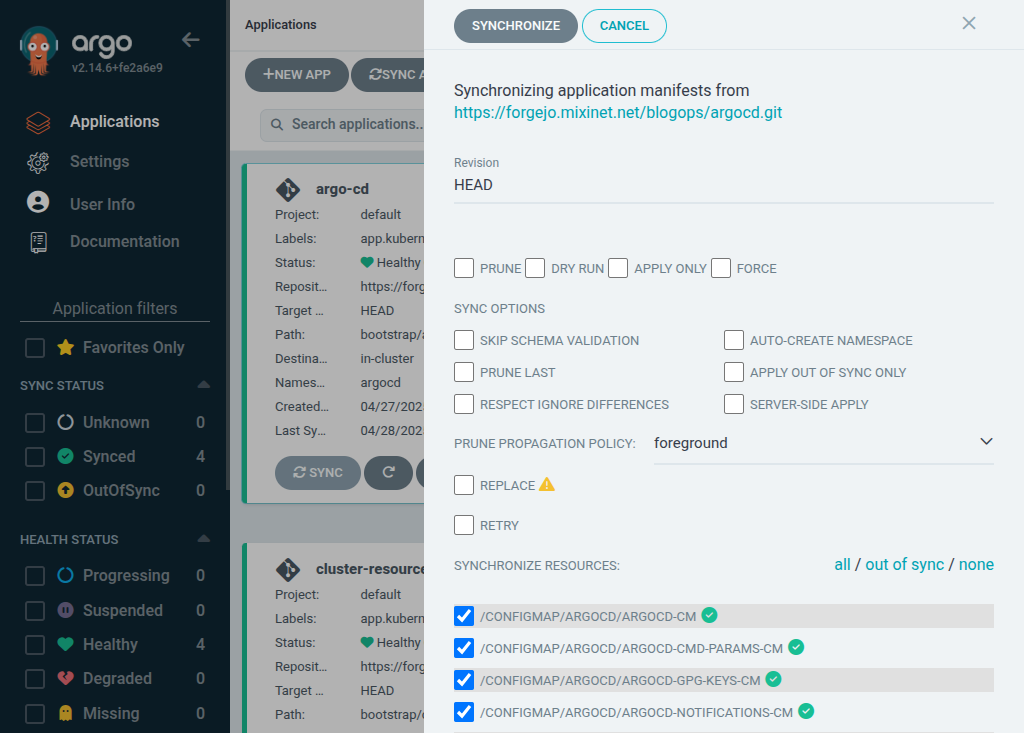

 Like each month, have a look at the work funded by
  Hi, I m Melissa, a GPU kernel driver developer at Igalia and today I ll be
giving a very inclusive talk to not let your motivation go by saving time with
kworkflow.
Hi, I m Melissa, a GPU kernel driver developer at Igalia and today I ll be
giving a very inclusive talk to not let your motivation go by saving time with
kworkflow.
 So, you re a kernel developer, or you want to be a kernel developer, or you
don t want to be a kernel developer. But you re all united by a single need:
you need to validate a custom kernel with just one change, and you need to
verify that it fixes or improves something in the kernel.
So, you re a kernel developer, or you want to be a kernel developer, or you
don t want to be a kernel developer. But you re all united by a single need:
you need to validate a custom kernel with just one change, and you need to
verify that it fixes or improves something in the kernel.

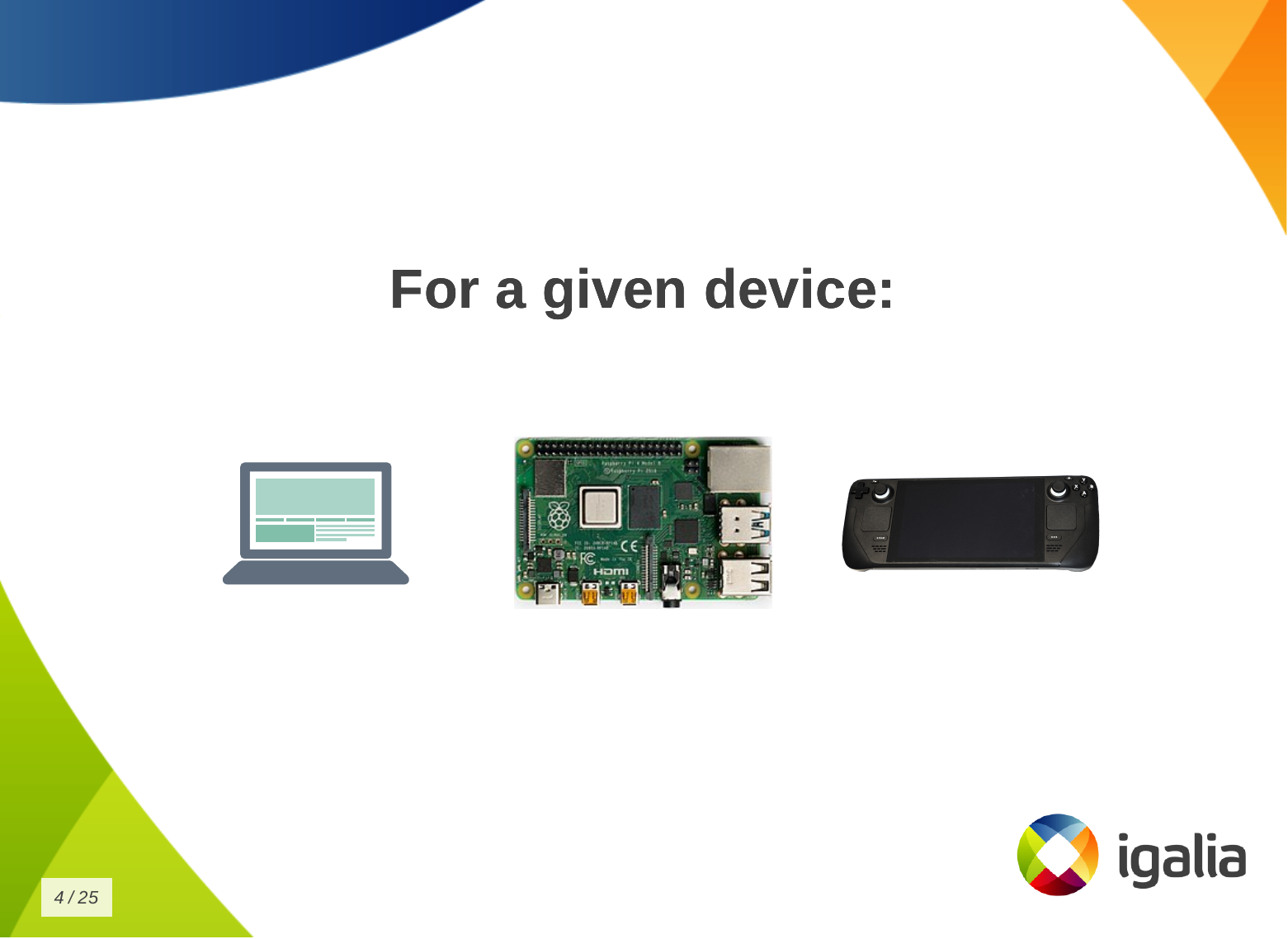
 And that s a given change for a given distribution, or for a given device, or
for a given subsystem
And that s a given change for a given distribution, or for a given device, or
for a given subsystem
 Look to this diagram and try to figure out the number of subsystems and related
work trees you can handle in the kernel.
Look to this diagram and try to figure out the number of subsystems and related
work trees you can handle in the kernel.
 So, whether you are a kernel developer or not, at some point you may come
across this type of situation:
So, whether you are a kernel developer or not, at some point you may come
across this type of situation:
 There is a userspace developer who wants to report a kernel issue and says:
 What s the problem of this situation? The problem is that you keep creating new
scripts!
Every time you change distribution, change architecture, change hardware,
change project - even in the same company - the development setup may change
when you switch to a different project, you create another script for your new
kernel development workflow!
What s the problem of this situation? The problem is that you keep creating new
scripts!
Every time you change distribution, change architecture, change hardware,
change project - even in the same company - the development setup may change
when you switch to a different project, you create another script for your new
kernel development workflow!
 You know, you have a lot of babies, you have a collection of my precious
scripts , like Sm agol (Lord of the Rings) with the precious ring.
You know, you have a lot of babies, you have a collection of my precious
scripts , like Sm agol (Lord of the Rings) with the precious ring.
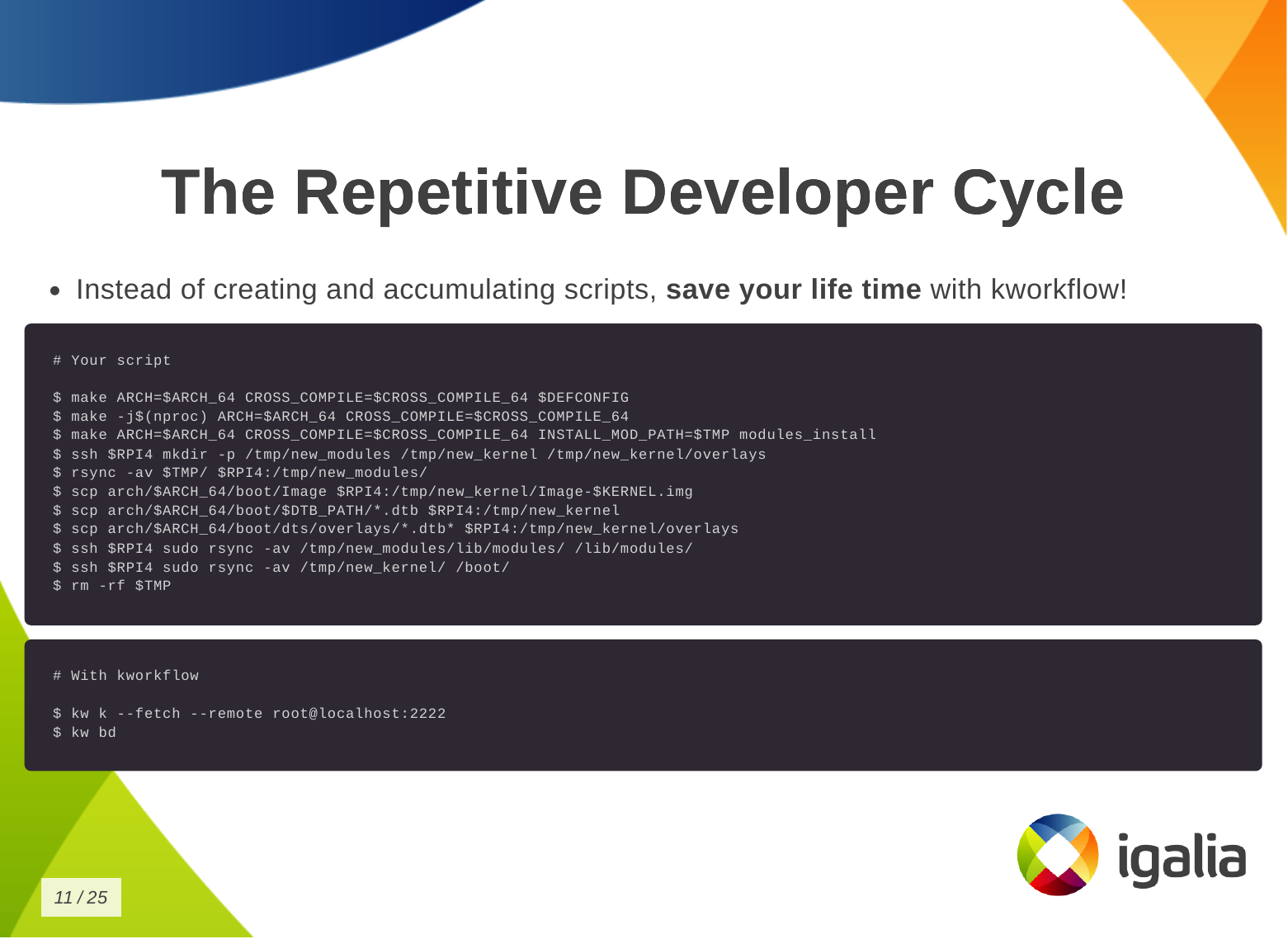 Instead of creating and accumulating scripts, save yourself time with
kworkflow. Here is a typical script that many of you may have. This is a
Raspberry Pi 4 script and contains everything you need to memorize to compile
and deploy a kernel on your Raspberry Pi 4.
With kworkflow, you only need to memorize two commands, and those commands are
not specific to Raspberry Pi. They are the same commands to different
architecture, kernel configuration, target device.
Instead of creating and accumulating scripts, save yourself time with
kworkflow. Here is a typical script that many of you may have. This is a
Raspberry Pi 4 script and contains everything you need to memorize to compile
and deploy a kernel on your Raspberry Pi 4.
With kworkflow, you only need to memorize two commands, and those commands are
not specific to Raspberry Pi. They are the same commands to different
architecture, kernel configuration, target device.
 I don t know if you will get this analogy, but kworkflow is for me a megazord
of scripts. You are combining all of your scripts to create a very powerful
tool.
I don t know if you will get this analogy, but kworkflow is for me a megazord
of scripts. You are combining all of your scripts to create a very powerful
tool.
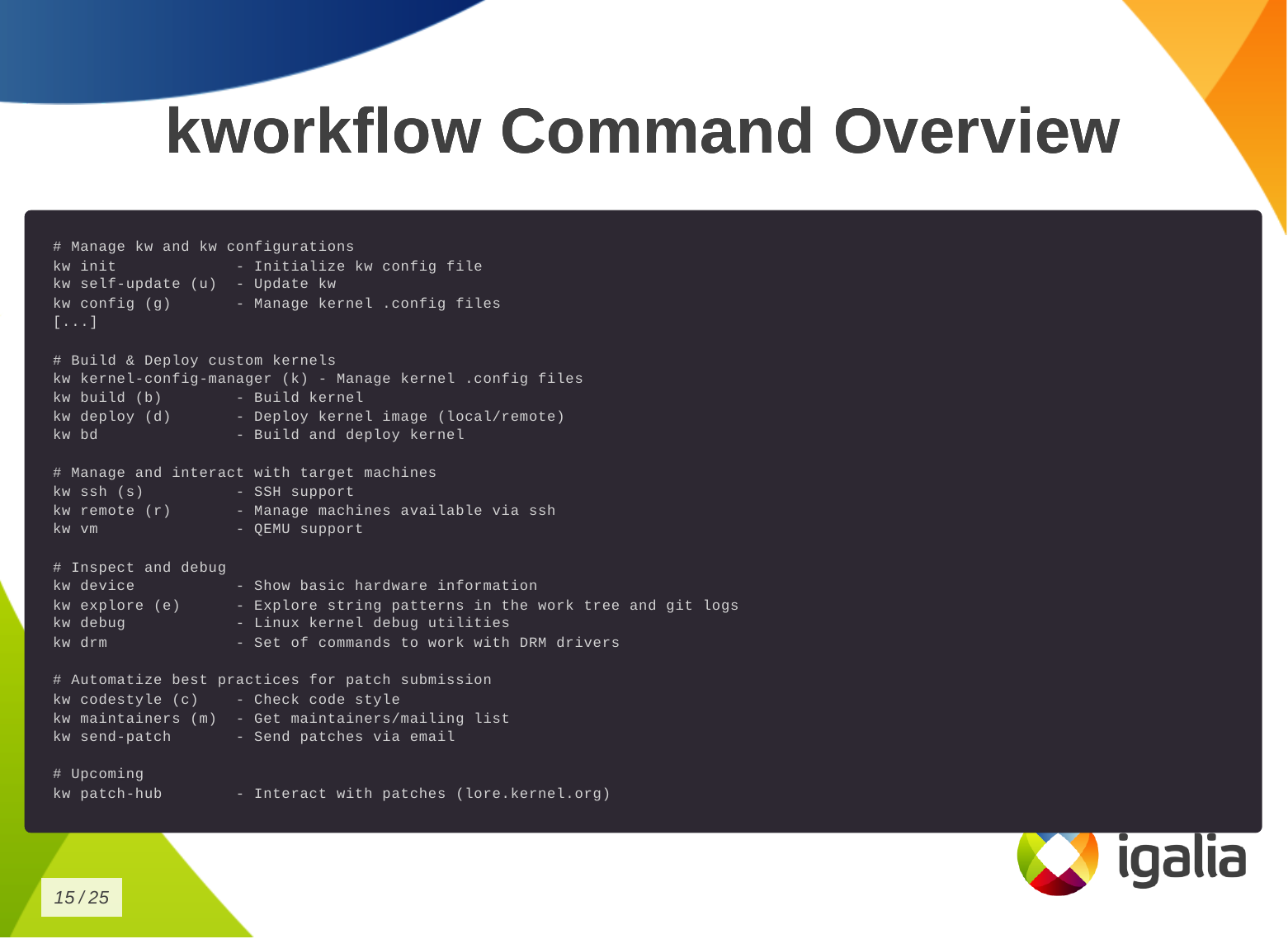 This is the list of commands you can run with kworkflow.
The first subset is to configure your tool for various situations you may face
in your daily tasks.
This is the list of commands you can run with kworkflow.
The first subset is to configure your tool for various situations you may face
in your daily tasks.
 So how can you save time building and deploying a custom kernel?
First, you need a .config file.
So how can you save time building and deploying a custom kernel?
First, you need a .config file.
 Then you want to build the kernel:
 Finally, to deploy the kernel in a target machine.
 You can also save time on debugging kernels locally or remotely.
 You can save time on managing multiple kernel images in the same work tree.
 Finally, you can save time when submitting kernel patches. In kworkflow, you
can find everything you need to wrap your changes in patch format and submit
them to the right list of recipients, those who can review, comment on, and
accept your changes.
Finally, you can save time when submitting kernel patches. In kworkflow, you
can find everything you need to wrap your changes in patch format and submit
them to the right list of recipients, those who can review, comment on, and
accept your changes.
 This is a demo that the lead developer of the kw patch-hub feature sent me.
With this feature, you will be able to check out a series on a specific mailing
list, bookmark those patches in the kernel for validation, and when you are
satisfied with the proposed changes, you can automatically submit a reviewed-by
for that whole series to the mailing list.
This is a demo that the lead developer of the kw patch-hub feature sent me.
With this feature, you will be able to check out a series on a specific mailing
list, bookmark those patches in the kernel for validation, and when you are
satisfied with the proposed changes, you can automatically submit a reviewed-by
for that whole series to the mailing list.
 Eight months ago I came up my rocky driveway in an electric car, with the
back full of solar panel mounting rails. I didn't know how I'd manage to
keep it charged. I got the car earlier than planned, with my
Eight months ago I came up my rocky driveway in an electric car, with the
back full of solar panel mounting rails. I didn't know how I'd manage to
keep it charged. I got the car earlier than planned, with my

 As
As 
 Last year I intended to write an update on my use of