Vishal Gupta: Sikkim 101 for Backpackers
Host to Kanchenjunga, the world s third-highest mountain peak and the endangered Red Panda, Sikkim is a state in northeastern India. Nestled between Nepal, Tibet (China), Bhutan and West Bengal (India), the state offers a smorgasbord of cultures and cuisines. That said, it s hardly surprising that the old spice route meanders through western Sikkim, connecting Lhasa with the ports of Bengal. Although the latter could also be attributed to cardamom (kali elaichi), a perennial herb native to Sikkim, which the state is the second-largest producer of, globally. Lastly, having been to and lived in India, all my life, I can confidently say Sikkim is one of the cleanest & safest regions in India, making it ideal for first-time backpackers.
Brief History
Buddhism in Sikkim
Reaching Sikkim
Brief History
- 17th century: The Kingdom of Sikkim is founded by the Namgyal dynasty and ruled by Buddhist priest-kings known as the Chogyal.
- 1890: Sikkim becomes a princely state of British India.
- 1947: Sikkim continues its protectorate status with the Union of India, post-Indian-independence.
- 1973: Anti-royalist riots take place in front of the Chogyal's palace, by Nepalis seeking greater representation.
- 1975: Referendum leads to the deposition of the monarchy and Sikkim joins India as its 22nd state.
Languages
- Official: English, Nepali, Sikkimese/Bhotia and Lepcha
- Though Hindi and Nepali share the same script (Devanagari), they are not mutually intelligible. Yet, most people in Sikkim can understand and speak Hindi.
Ethnicity
- Nepalis: Migrated in large numbers (from Nepal) and soon became the dominant community
- Bhutias: People of Tibetan origin. Major inhabitants in Northern Sikkim.
- Lepchas: Original inhabitants of Sikkim
Food
- Tibetan/Nepali dishes (mostly consumed during winter)
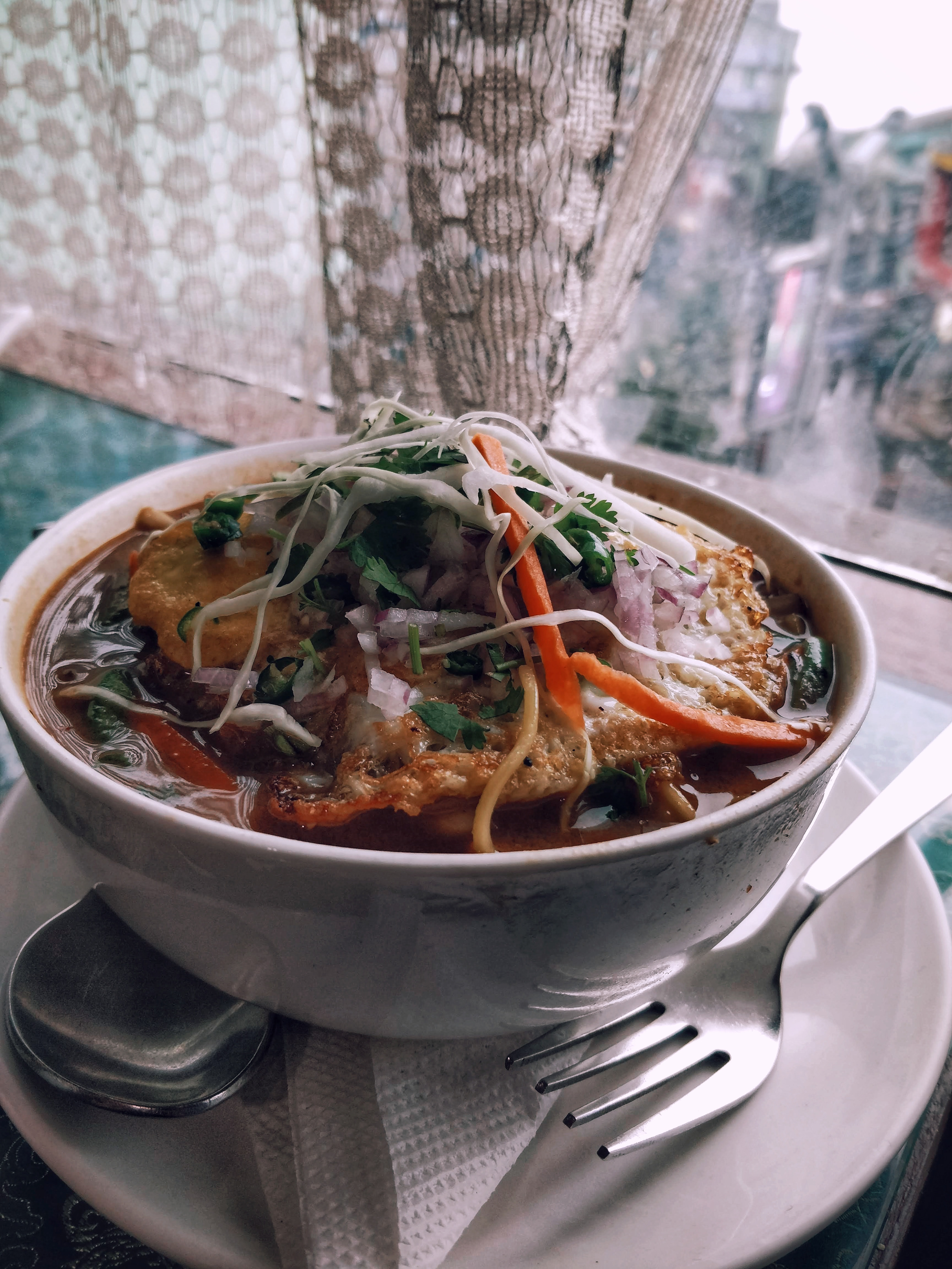
- Thukpa: Noodle soup, rich in spices and vegetables. Usually contains some form of meat. Common variations: Thenthuk and Gyathuk
- Momos: Steamed or fried dumplings, usually with a meat filling.
- Saadheko: Spicy marinated chicken salad.
- Gundruk Soup: A soup made from Gundruk, a fermented leafy green vegetable.
- Sinki : A fermented radish tap-root product, traditionally consumed as a base for soup and as a pickle. Eerily similar to Kimchi.
- While pork and beef are pretty common, finding vegetarian dishes is equally easy.
- Staple: Dal-Bhat with Subzi. Rice is a lot more common than wheat (rice) possibly due to greater carb content and proximity to West Bengal, India s largest producer of Rice.
- Good places to eat in Gangtok
- Hamro Bhansa Ghar, Nimtho (Nepali)
- Taste of Tibet
- Dragon Wok (Chinese & Japanese)
Buddhism in Sikkim
- Bayul Demojong (Sikkim), is the most sacred Land in the Himalayas as per the belief of the Northern Buddhists and various religious texts.
- Sikkim was blessed by Guru Padmasambhava, the great Buddhist saint who visited Sikkim in the 8th century and consecrated the land.
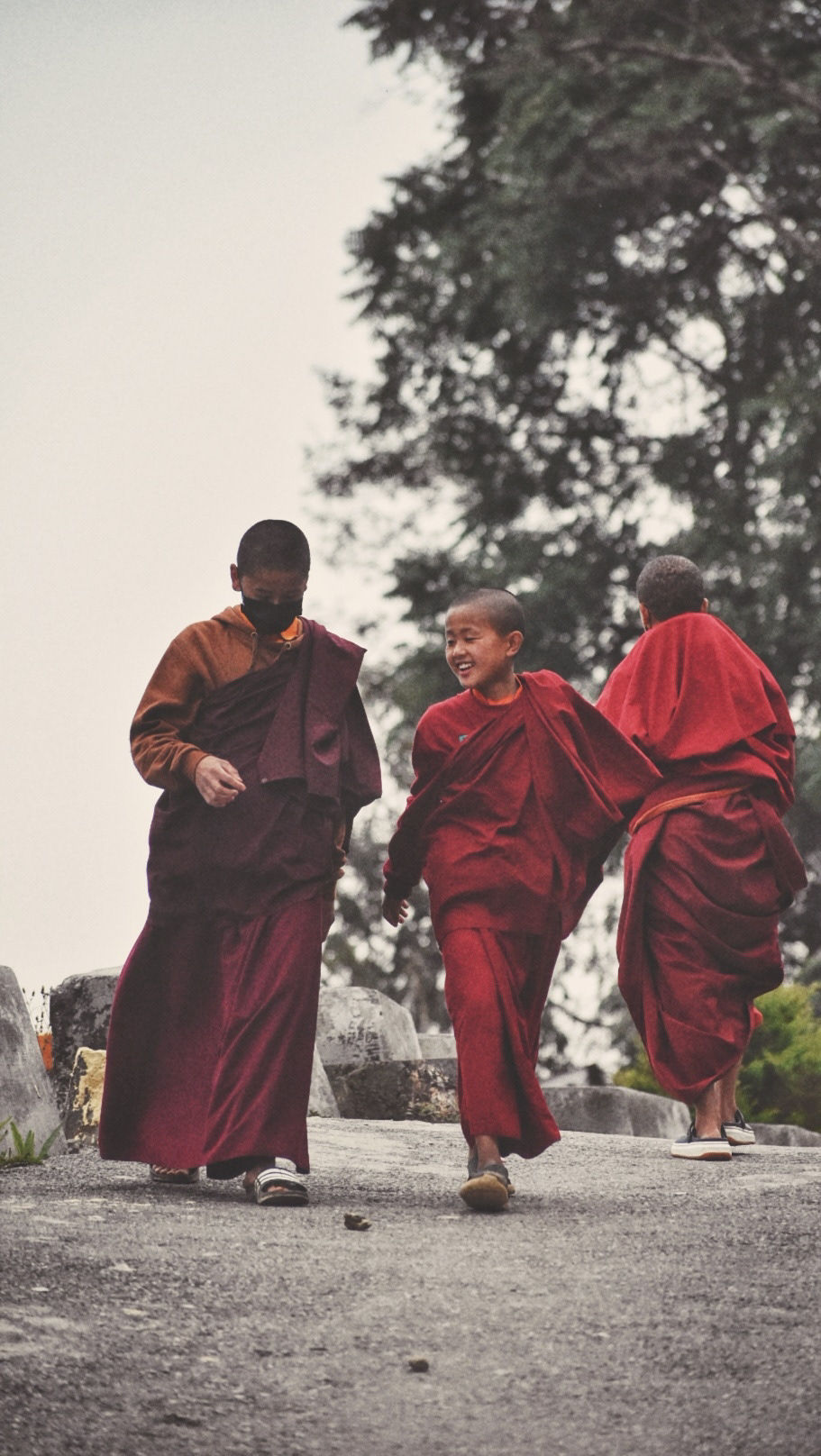
- However, Buddhism is said to have reached Sikkim only in the 17th century with the arrival of three Tibetan monks viz. Rigdzin Goedki Demthruchen, Mon Kathok Sonam Gyaltshen & Rigdzin Legden Je at Yuksom. Together, they established a Buddhist monastery.
- In 1642 they crowned Phuntsog Namgyal as the first monarch of Sikkim and gave him the title of Chogyal, or Dharma Raja.
- The faith became popular through its royal patronage and soon many villages had their own monastery.
- Today Sikkim has over 200 monasteries.
Major monasteries
- Rumtek Monastery, 20Km from Gangtok
- Lingdum/Ranka Monastery, 17Km from Gangtok
- Phodong Monastery, 28Km from Gangtok
- Ralang Monastery, 10Km from Ravangla
- Tsuklakhang Monastery, Royal Palace, Gangtok
- Enchey Monastery, Gangtok
- Tashiding Monastery, 35Km from Ravangla
- Rumtek Monastery, 20Km from Gangtok
- Lingdum/Ranka Monastery, 17Km from Gangtok
- Phodong Monastery, 28Km from Gangtok
- Ralang Monastery, 10Km from Ravangla
- Tsuklakhang Monastery, Royal Palace, Gangtok
- Enchey Monastery, Gangtok
- Tashiding Monastery, 35Km from Ravangla
Reaching Sikkim
- Gangtok, being the capital, is easiest to reach amongst other regions, by public transport and shared cabs.
- By Air:
- Pakyong (PYG) :
- Nearest airport from Gangtok (about 1 hour away)
- Tabletop airport
- Reserved cabs cost around INR 1200.
- As of Apr 2021, the only flights to PYG are from IGI (Delhi) and CCU (Kolkata).
- Bagdogra (IXB) :
- About 20 minutes from Siliguri and 4 hours from Gangtok.
- Larger airport with flights to most major Indian cities.
- Reserved cabs cost about INR 3000. Shared cabs cost about INR 350.
- By Train:
- New Jalpaiguri (NJP) :
- About 20 minutes from Siliguri and 4 hours from Gangtok.
- Reserved cabs cost about INR 3000. Shared cabs from INR 350.
- By Road:
- NH10 connects Siliguri to Gangtok
- If you can t find buses plying to Gangtok directly, reach Siliguri and then take a cab to Gangtok.
- Sikkim Nationalised Transport Div. also runs hourly buses between Siliguri and Gangtok and daily buses on other common routes. They re cheaper than shared cabs.
- Wizzride also operates shared cabs between Siliguri/Bagdogra/NJP, Gangtok and Darjeeling. They cost about the same as shared cabs but pack in half as many people in luxury cars (Innova, Xylo, etc.) and are hence more comfortable.
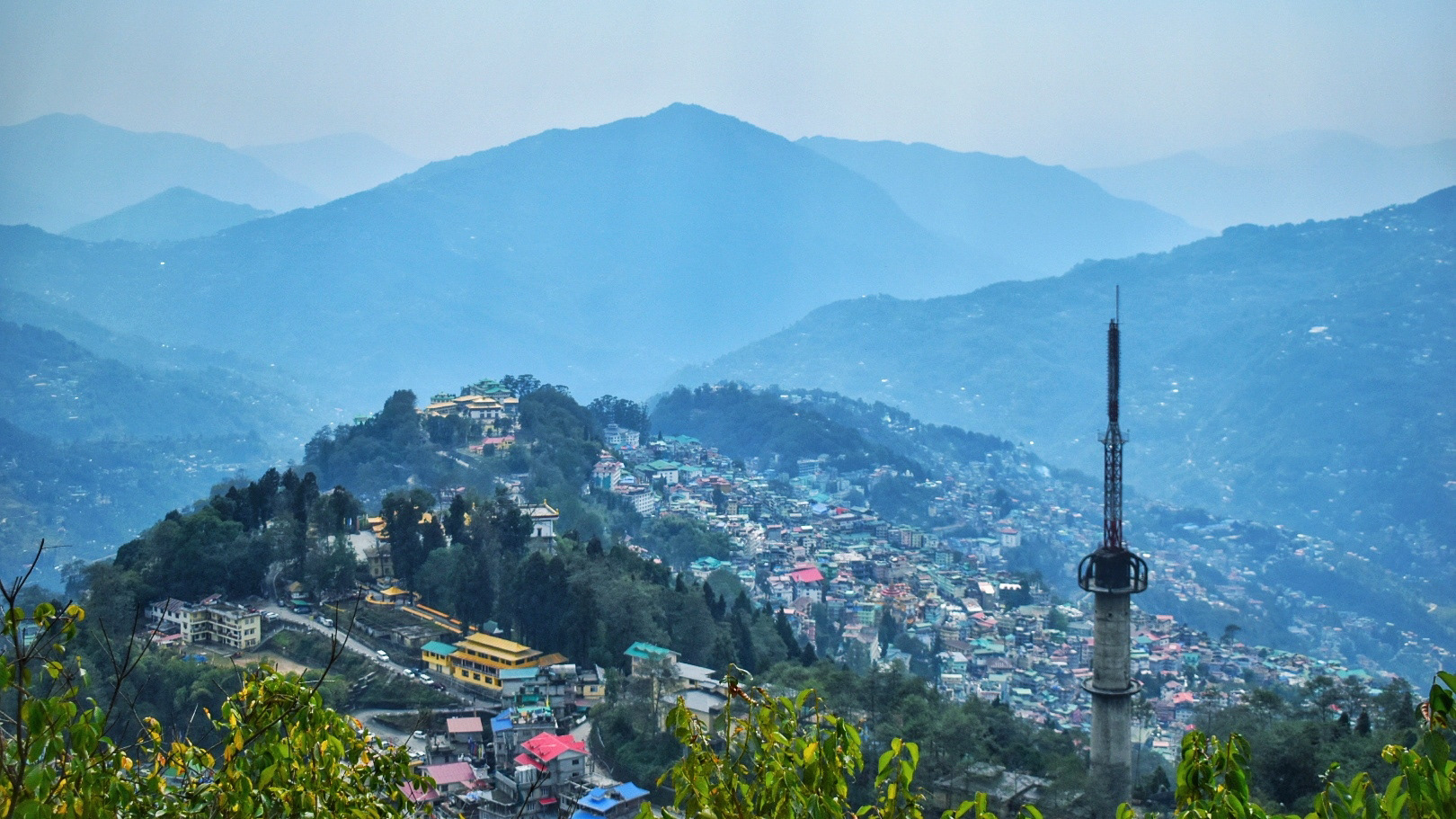
Gangtok
- Time needed: 1D/1N
- Places to visit:
- Hanuman Tok
- Ganesh Tok
- Tashi View Point [6,800ft]
- MG Marg
- Sikkim Zoo
- Gangtok Ropeway
- Enchey Monastery
- Tsuklakhang Palace & Monastery
- Hostels: Tagalong Backpackers (would strongly recommend), Zostel Gangtok
- Places to chill: Travel Cafe, Caf Live & Loud and Gangtok Groove
- Places to shop: Lal Market and MG Marg
Getting Around
- Taxis operate on a reserved or shared basis. In case of the latter, you can pool with other commuters your taxis will pick up and drop en-route.
- Naturally shared taxis only operate on popular routes. The easiest way to get around Gangtok is to catch a shared cab from MG Marg.
- Reserved taxis for Gangtok sightseeing cost around INR 1000-1500, depending upon the spots you d like to see
- Key taxi/bus stands :
- Deorali stand: For Darjeeling, Siliguri, Kalimpong
- Vajra stand: For North & East Sikkim (Tsomgo Lake & Nathula)
- Rumtek taxi: For Ravangla, Pelling, Namchi, Geyzing, Jorethang and Singtam.
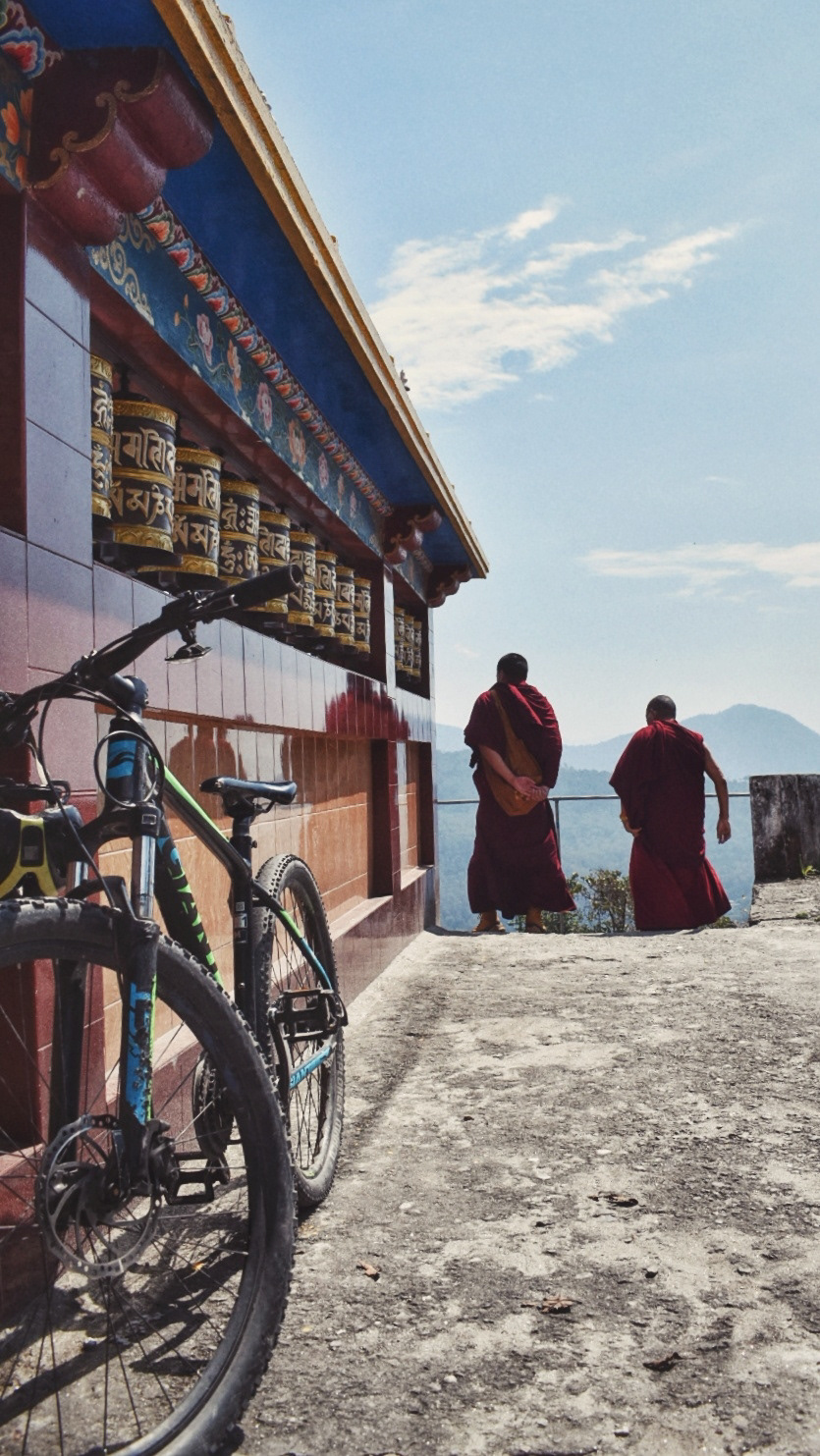 Exploring Gangtok on an MTB
- If you'd like to explore Gangtok at your own pace, you could rent a cycle from Hub Outdoor or HillBike. I paid INR 600 for a day at HillBike.
- These are well-maintained geared mountain bikes, so adapting to inclines and declines should be a breeze, even for beginners.
- Cycling down from Ganesh Tok to Tashi View Point is an absolute delight and in my opinion, the best thing you can do in Gangtok.
- While it is a little unconventional and exhausting (uphill stretches), but a 100% recommended unless you ve been skipping leg day
- Pro tip : Make sure you use the right/back brake while decelerating downhill and not the left/front brake.
- Recommended route [3-5hrs, 20.3Km, 1770-2081ft] : Chandmari (HillBike) -> Sera Jhe Dro-Phen-Ling Monastery > Ganesh Tok > Tashi View Point > Bakthung Falls > Vajra Stand > Tsuklakhang Palace & Monastery > Enchey Monastery > Chandmari
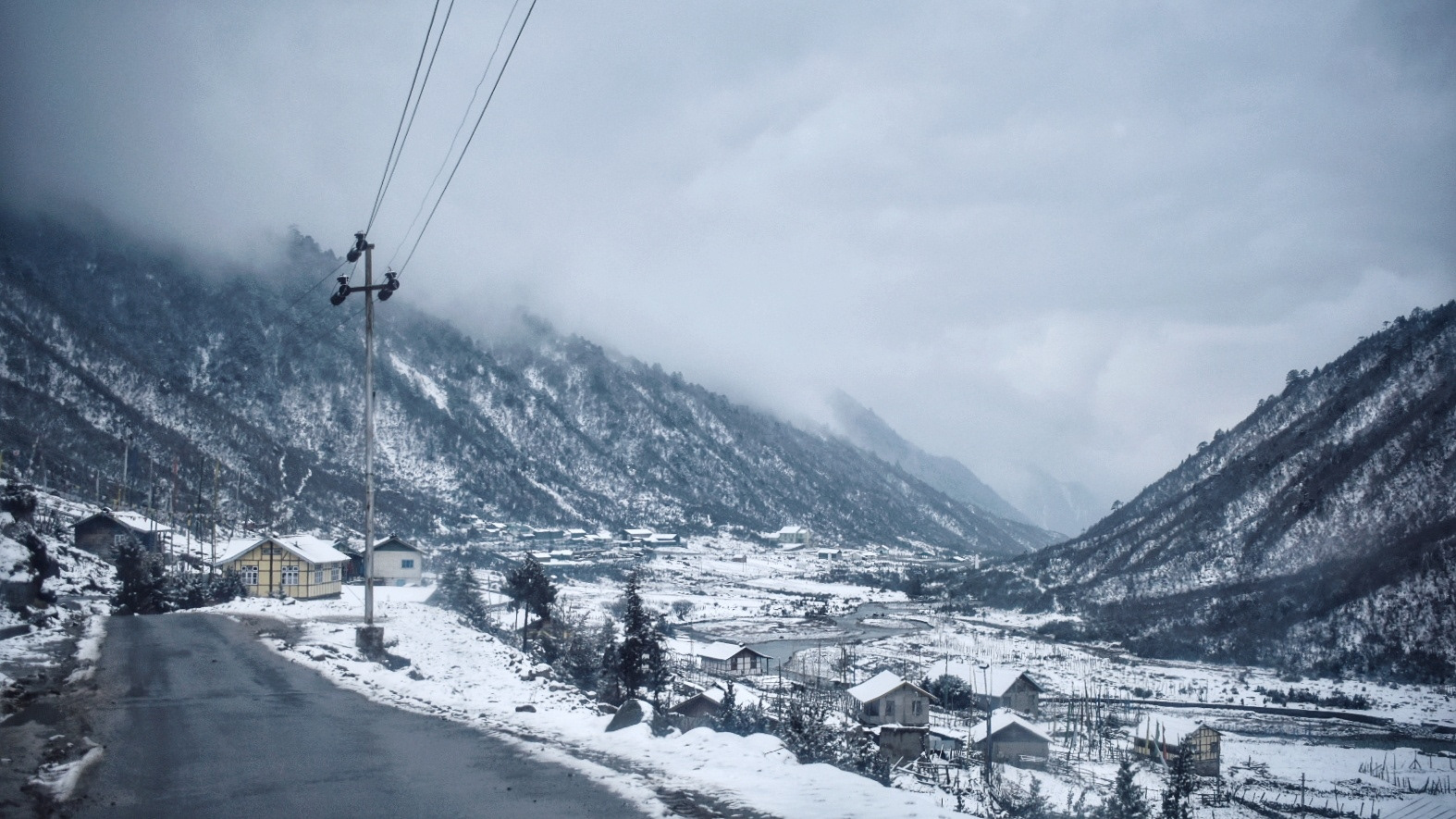
North Sikkim
- The easiest & most economical way to explore North Sikkim is the 3D/2N package offered by shared-cab drivers.
- This includes food, permits, cab rides and accommodation (1N in Lachen and 1N in Lachung)
- The accommodation on both nights are at homestays with bare necessities, so keep your hopes low.
- In the spirit of sustainable tourism, you ll be asked to discard single-use plastic bottles, so please carry a bottle that you can refill along the way.
- Zero Point and Gurdongmer Lake are snow-capped throughout the year
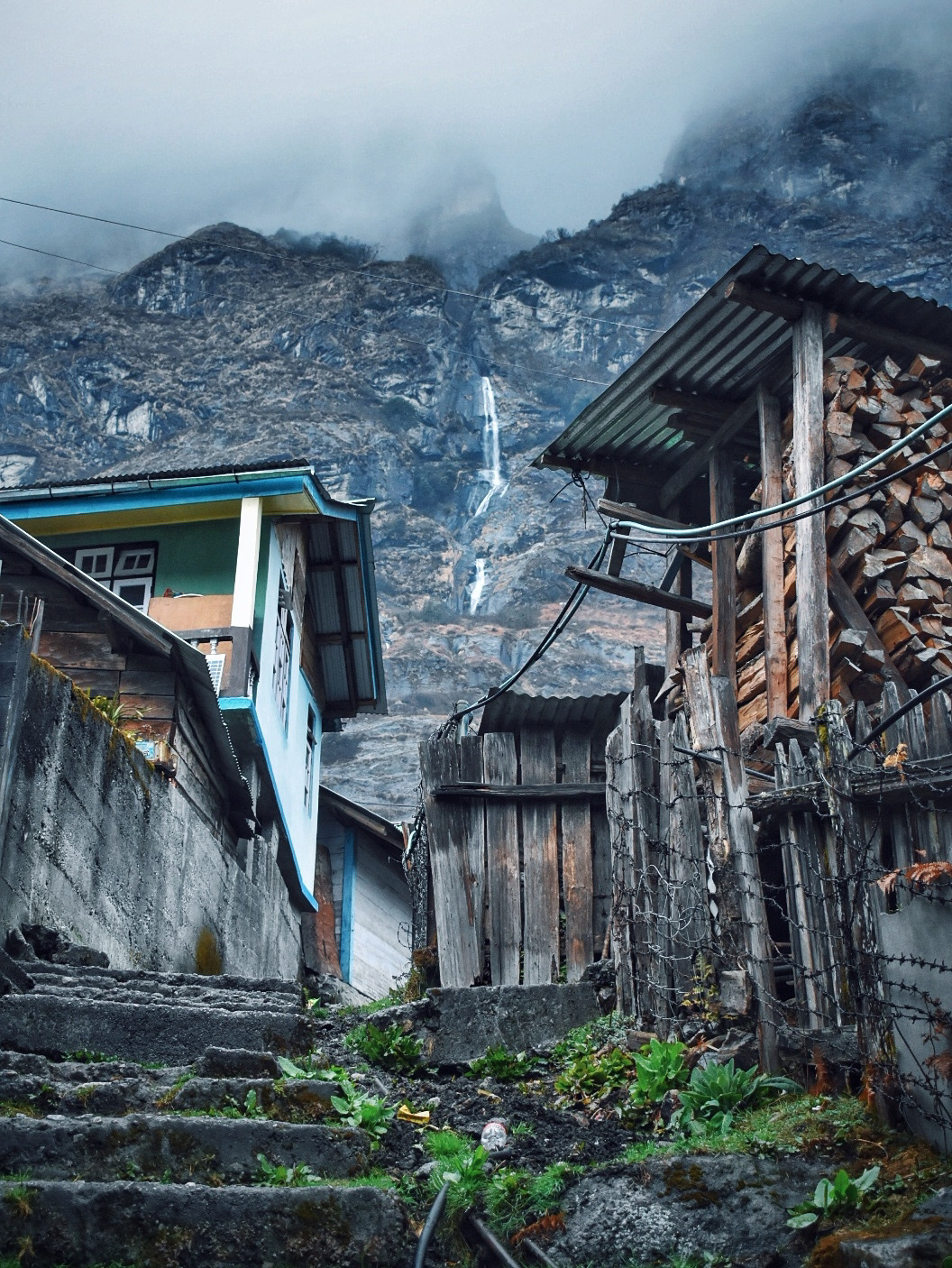 3D/2N Shared-cab Package Itinerary
- Day 1
- Gangtok (10am) - Chungthang - Lachung (stay)
- Day 2
- Pre-lunch : Lachung (6am) - Yumthang Valley [12,139ft] - Zero Point - Lachung [15,300ft]
- Post-lunch : Lachung - Chungthang - Lachen (stay)
- Day 3
- Pre-lunch : Lachen (5am) - Kala Patthar - Gurdongmer Lake [16,910ft] - Lachen
- Post-lunch : Lachen - Chungthang - Gangtok (7pm)
- This itinerary is idealistic and depends on the level of snowfall.
- Some drivers might switch up Day 2 and 3 itineraries by visiting Lachen and then Lachung, depending upon the weather.
- Areas beyond Lachen & Lachung are heavily militarized since the Indo-China border is only a few miles away.
East Sikkim
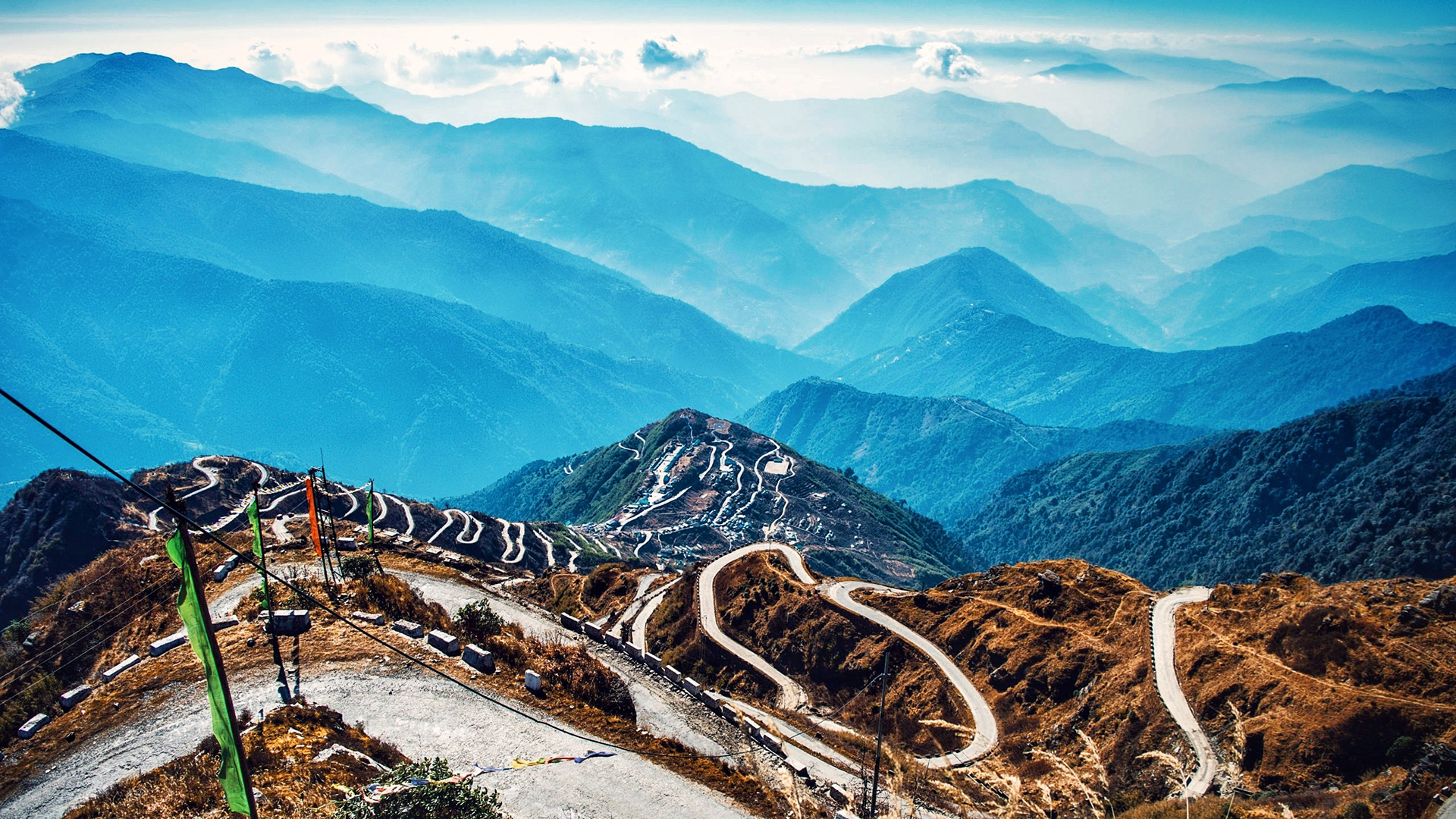
Zuluk and Silk Route
- Time needed: 2D/1N
- Zuluk [9,400ft] is a small hamlet with an excellent view of the eastern Himalayan range including the Kanchenjunga.
- Was once a transit point to the historic Silk Route from Tibet (Lhasa) to India (West Bengal).
- The drive from Gangtok to Zuluk takes at least four hours. Hence, it makes sense to spend the night at a homestay and space out your trip to Zuluk
Tsomgo Lake and Nathula
- Time Needed : 1D
- A Protected Area Permit is required to visit these places, due to their proximity to the Chinese border
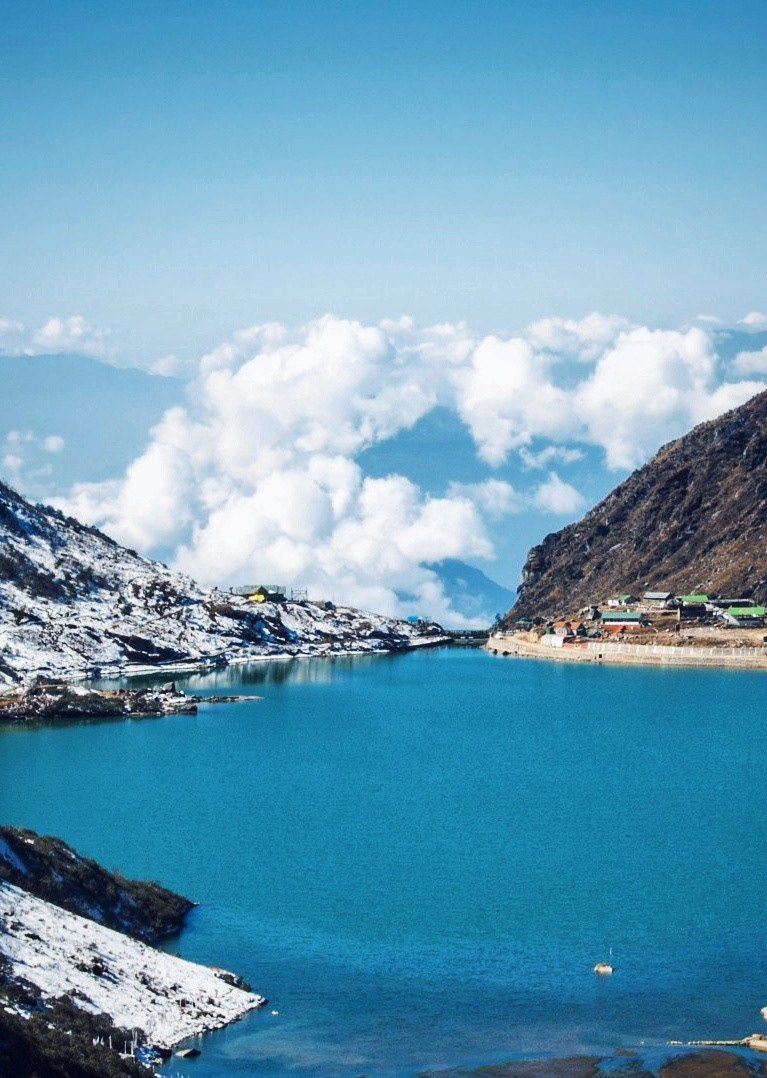
- Tsomgo/Chhangu Lake [12,313ft]
- Glacial lake, 40 km from Gangtok.
- Remains frozen during the winter season.
- You can also ride on the back of a Yak for INR 300
- Baba Mandir
- An old temple dedicated to Baba Harbhajan Singh, a Sepoy in the 23rd Regiment, who died in 1962 near the Nathu La during Indo China war.
- Nathula Pass [14,450ft]
- Located on the Indo-Tibetan border crossing of the Old Silk Route, it is one of the three open trading posts between India and China.
- Plays a key role in the Sino-Indian Trade and also serves as an official Border Personnel Meeting(BPM) Point.
- May get cordoned off by the Indian Army in event of heavy snowfall or for other security reasons.
West Sikkim
- Time needed: 3N/1N
- Hostels at Pelling : Mochilerro Ostillo
Itinerary
Day 1: Gangtok - Ravangla - Pelling
- Leave Gangtok early, for Ravangla through the Temi Tea Estate route.
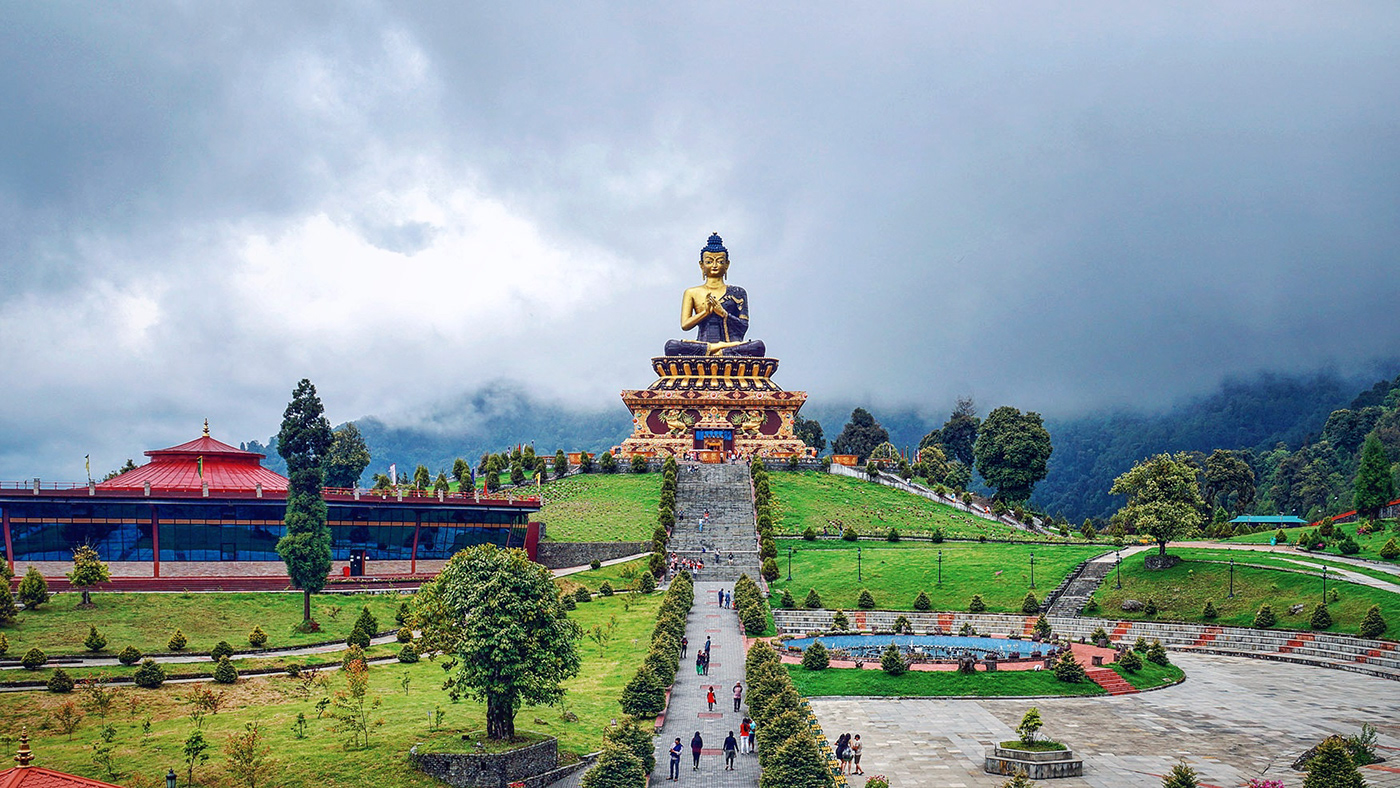
- Spend some time at the tea garden and then visit Buddha Park at Ravangla
- Head to Pelling from Ravangla
Day 2: Pelling sightseeing
- Hire a cab and visit Skywalk, Pemayangtse Monastery, Rabdentse Ruins, Kecheopalri Lake, Kanchenjunga Falls.
Day 3: Pelling - Gangtok/Siliguri
- Wake up early to catch a glimpse of Kanchenjunga at the Pelling Helipad around sunrise
- Head back to Gangtok on a shared-cab
- You could take a bus/taxi back to Siliguri if Pelling is your last stop.

Darjeeling
- In my opinion, Darjeeling is lovely for a two-day detour on your way back to Bagdogra/Siliguri and not any longer (unless you re a Bengali couple on a honeymoon)
- Once a part of Sikkim, Darjeeling was ceded to the East India Company after a series of wars, with Sikkim briefly receiving a grant from EIC for gifting Darjeeling to the latter
- Post-independence, Darjeeling was merged with the state of West Bengal.
Itinerary
Day 1 :
- Take a cab from Gangtok to Darjeeling (shared-cabs cost INR 300 per seat)
- Reach Darjeeling by noon and check in to your Hostel. I stayed at Hideout.
- Spend the evening visiting either a monastery (or the Batasia Loop), Nehru Road and Mall Road.
- Grab dinner at Glenary whilst listening to live music.

Day 2:
- Wake up early to catch the sunrise and a glimpse of Kanchenjunga at Tiger Hill. Since Tiger Hill is 10km from Darjeeling and requires a permit, book your taxi in advance.
- Alternatively, if you don t want to get up at 4am or shell out INR1500 on the cab to Tiger Hill, walk to the Kanchenjunga View Point down Mall Road
- Next, queue up outside Keventers for breakfast with a view in a century-old cafe
- Get a cab at Gandhi Road and visit a tea garden (Happy Valley is the closest) and the Ropeway. I was lucky to meet 6 other backpackers at my hostel and we ended up pooling the cab at INR 200 per person, with INR 1400 being on the expensive side, but you could bargain.
- Get lunch, buy some tea at Golden Tips, pack your bags and hop on a shared-cab back to Siliguri. It took us about 4hrs to reach Siliguri, with an hour to spare before my train.
- If you ve still got time on your hands, then check out the Peace Pagoda and the Darjeeling Himalayan Railway (Toy Train). At INR 1500, I found the latter to be too expensive and skipped it.
Tips and hacks
- Download offline maps, especially when you re exploring Northern Sikkim.
- Food and booze are the cheapest in Gangtok. Stash up before heading to other regions.
- Keep your Aadhar/Passport handy since you need permits to travel to North & East Sikkim.
- In rural areas and some cafes, you may get to try Rhododendron Wine, made from Rhododendron arboreum a.k.a Gurans. Its production is a little hush-hush since the flower is considered holy and is also the National Flower of Nepal.
- If you don t want to invest in a new jacket, boots or a pair of gloves, you can always rent them at nominal rates from your hotel or little stores around tourist sites.
- Check the weather of a region before heading there. Low visibility and precipitation can quite literally dampen your experience.
- Keep your itinerary flexible to accommodate for rest and impromptu plans.
- Shops and restaurants close by 8pm in Sikkim and Darjeeling. Plan for the same.
Carry
- a couple of extra pairs of socks (woollen, if possible)
- a pair of slippers to wear indoors
- a reusable water bottle
- an umbrella
- a power bank
- a couple of tablets of Diamox. Helps deal with altitude sickness
- extra clothes and wet bags since you may not get a chance to wash/dry your clothes
- a few passport size photographs
Shared-cab hacks
- Intercity rides can be exhausting. If you can afford it, pay for an additional seat.
- Call shotgun on the drives beyond Lachen and Lachung. The views are breathtaking.
- Return cabs tend to be cheaper (WB cabs travelling from SK and vice-versa)
Cost
- My median daily expenditure (back when I went to Sikkim in early March 2021) was INR 1350.
- This includes stay (bunk bed), food, wine and transit (shared cabs)
- In my defence, I splurged on food, wine and extra seats in shared cabs, but if you re on a budget, you could easily get by on INR 1 - 1.2k per day.
- For a 9-day trip, I ended up shelling out nearly INR 15k, including 2AC trains to & from Kolkata
- Note : Summer (March to May) and Autumn (October to December) are peak seasons, and thereby more expensive to travel around.
Souvenirs and things you should buy
Buddhist souvenirs :
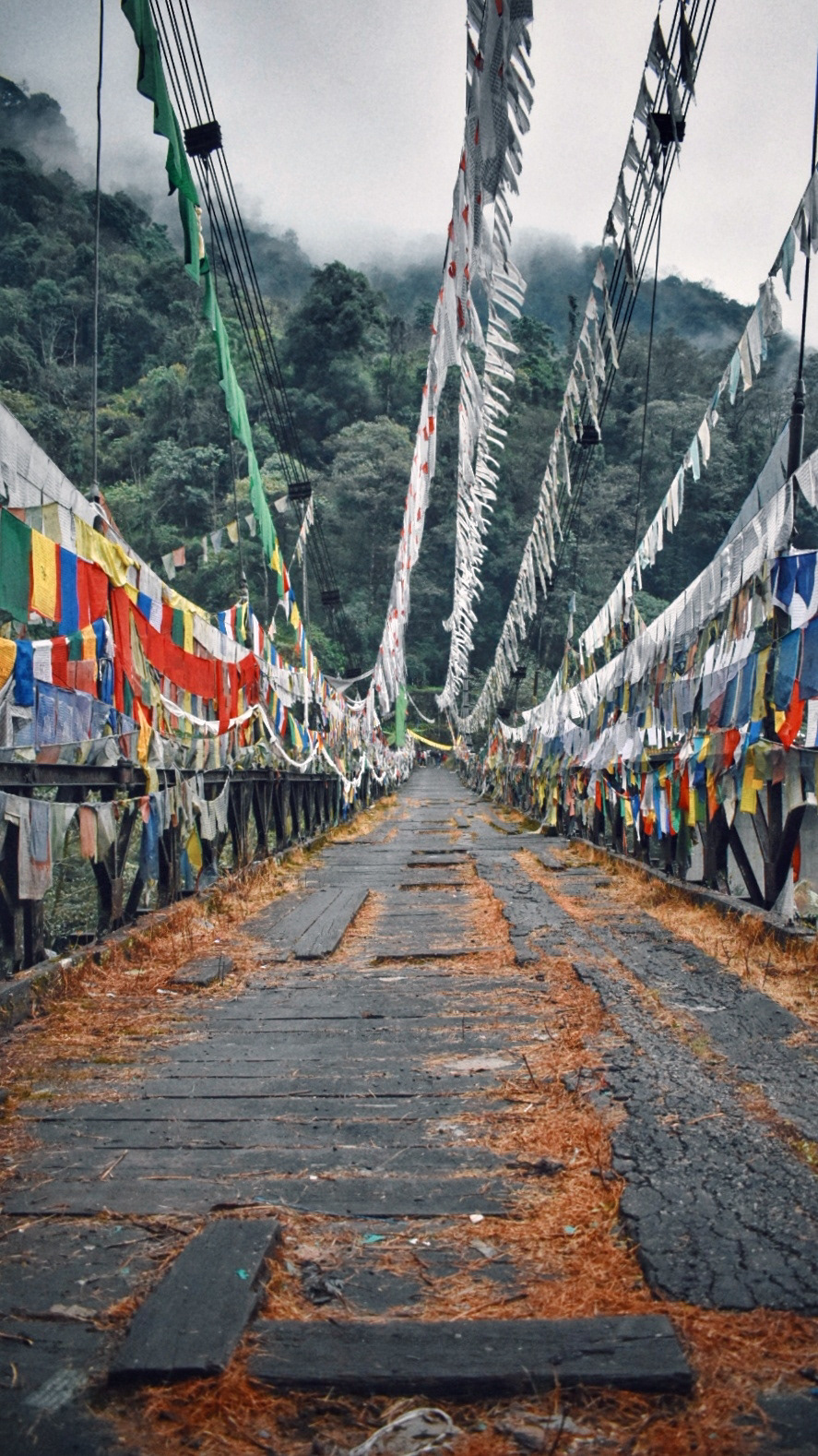
- Colourful Prayer Flags (great for tying on bikes or behind car windshields)
- Miniature Prayer/Mani Wheels
- Lucky Charms, Pendants and Key Chains
- Cham Dance masks and robes
- Singing Bowls
- Common symbols: Om mani padme hum, Ashtamangala, Zodiac signs
Handicrafts & Handlooms
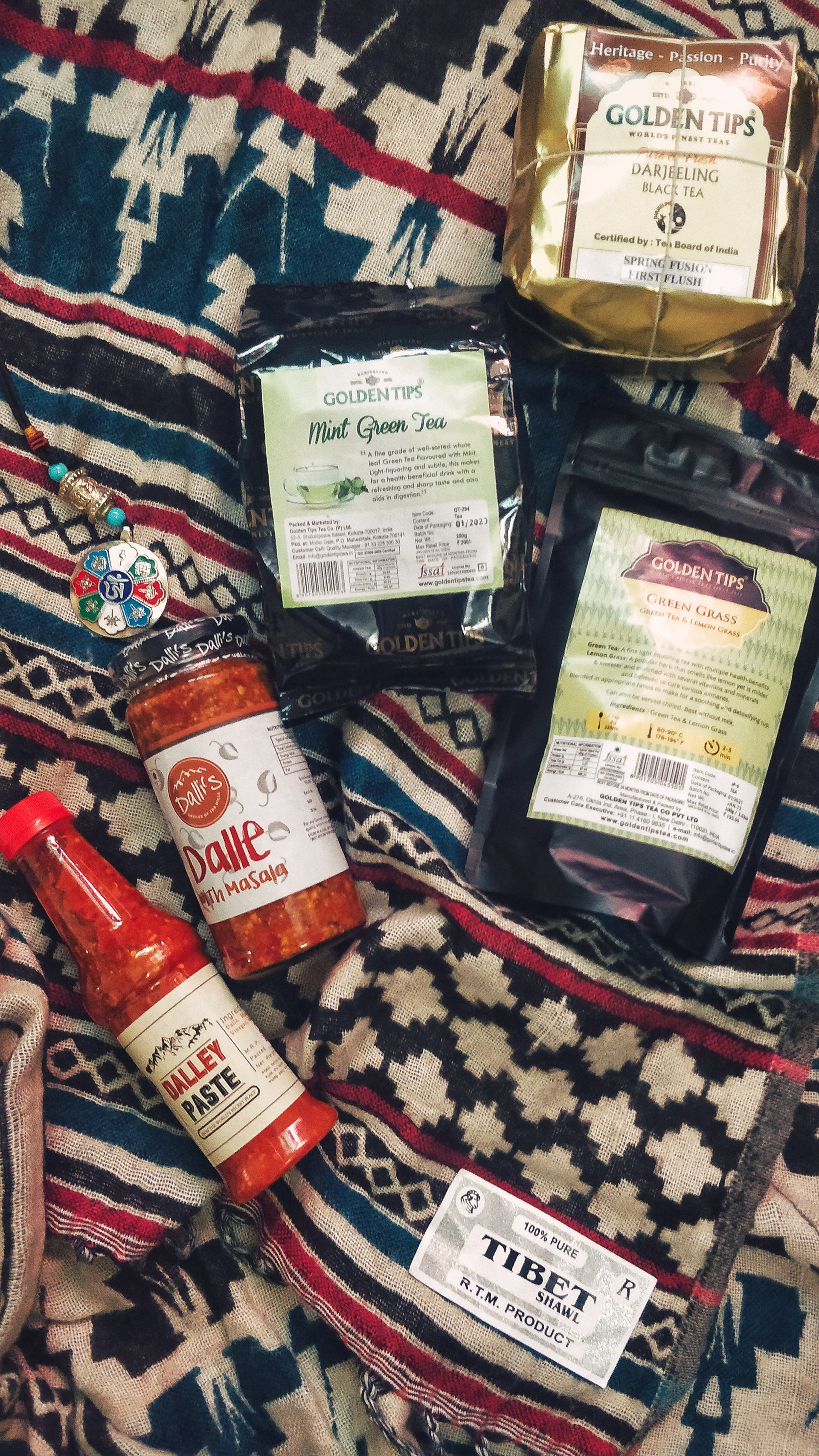
- Tibetan Yak Wool shawls, scarfs and carpets
- Sikkimese Ceramic cups
- Thangka Paintings
Edibles
- Darjeeling Tea (usually brewed and not boiled)
- Wine (Arucha Peach & Rhododendron)
- Dalle Khursani (Chilli) Paste and Pickle
- Pakyong (PYG) :
- Nearest airport from Gangtok (about 1 hour away)
- Tabletop airport
- Reserved cabs cost around INR 1200.
- As of Apr 2021, the only flights to PYG are from IGI (Delhi) and CCU (Kolkata).
- Bagdogra (IXB) :
- About 20 minutes from Siliguri and 4 hours from Gangtok.
- Larger airport with flights to most major Indian cities.
- Reserved cabs cost about INR 3000. Shared cabs cost about INR 350.
- New Jalpaiguri (NJP) :
- About 20 minutes from Siliguri and 4 hours from Gangtok.
- Reserved cabs cost about INR 3000. Shared cabs from INR 350.
- NH10 connects Siliguri to Gangtok
- If you can t find buses plying to Gangtok directly, reach Siliguri and then take a cab to Gangtok.
- Time needed: 1D/1N
- Places to visit:
- Hanuman Tok
- Ganesh Tok
- Tashi View Point [6,800ft]
- MG Marg
- Sikkim Zoo
- Gangtok Ropeway
- Enchey Monastery
- Tsuklakhang Palace & Monastery
- Hostels: Tagalong Backpackers (would strongly recommend), Zostel Gangtok
- Places to chill: Travel Cafe, Caf Live & Loud and Gangtok Groove
- Places to shop: Lal Market and MG Marg
Getting Around
- Taxis operate on a reserved or shared basis. In case of the latter, you can pool with other commuters your taxis will pick up and drop en-route.
- Naturally shared taxis only operate on popular routes. The easiest way to get around Gangtok is to catch a shared cab from MG Marg.
- Reserved taxis for Gangtok sightseeing cost around INR 1000-1500, depending upon the spots you d like to see
- Key taxi/bus stands :
- Deorali stand: For Darjeeling, Siliguri, Kalimpong
- Vajra stand: For North & East Sikkim (Tsomgo Lake & Nathula)
- Rumtek taxi: For Ravangla, Pelling, Namchi, Geyzing, Jorethang and Singtam.
Exploring Gangtok on an MTB
- If you'd like to explore Gangtok at your own pace, you could rent a cycle from Hub Outdoor or HillBike. I paid INR 600 for a day at HillBike.
- These are well-maintained geared mountain bikes, so adapting to inclines and declines should be a breeze, even for beginners.
- Cycling down from Ganesh Tok to Tashi View Point is an absolute delight and in my opinion, the best thing you can do in Gangtok.
- While it is a little unconventional and exhausting (uphill stretches), but a 100% recommended unless you ve been skipping leg day
- Pro tip : Make sure you use the right/back brake while decelerating downhill and not the left/front brake.
- Recommended route [3-5hrs, 20.3Km, 1770-2081ft] : Chandmari (HillBike) -> Sera Jhe Dro-Phen-Ling Monastery > Ganesh Tok > Tashi View Point > Bakthung Falls > Vajra Stand > Tsuklakhang Palace & Monastery > Enchey Monastery > Chandmari
North Sikkim
- The easiest & most economical way to explore North Sikkim is the 3D/2N package offered by shared-cab drivers.
- This includes food, permits, cab rides and accommodation (1N in Lachen and 1N in Lachung)
- The accommodation on both nights are at homestays with bare necessities, so keep your hopes low.
- In the spirit of sustainable tourism, you ll be asked to discard single-use plastic bottles, so please carry a bottle that you can refill along the way.
- Zero Point and Gurdongmer Lake are snow-capped throughout the year
3D/2N Shared-cab Package Itinerary
- Day 1
- Gangtok (10am) - Chungthang - Lachung (stay)
- Day 2
- Pre-lunch : Lachung (6am) - Yumthang Valley [12,139ft] - Zero Point - Lachung [15,300ft]
- Post-lunch : Lachung - Chungthang - Lachen (stay)
- Day 3
- Pre-lunch : Lachen (5am) - Kala Patthar - Gurdongmer Lake [16,910ft] - Lachen
- Post-lunch : Lachen - Chungthang - Gangtok (7pm)
- This itinerary is idealistic and depends on the level of snowfall.
- Some drivers might switch up Day 2 and 3 itineraries by visiting Lachen and then Lachung, depending upon the weather.
- Areas beyond Lachen & Lachung are heavily militarized since the Indo-China border is only a few miles away.
East Sikkim
Zuluk and Silk Route
- Time needed: 2D/1N
- Zuluk [9,400ft] is a small hamlet with an excellent view of the eastern Himalayan range including the Kanchenjunga.
- Was once a transit point to the historic Silk Route from Tibet (Lhasa) to India (West Bengal).
- The drive from Gangtok to Zuluk takes at least four hours. Hence, it makes sense to spend the night at a homestay and space out your trip to Zuluk
Tsomgo Lake and Nathula
- Time Needed : 1D
- A Protected Area Permit is required to visit these places, due to their proximity to the Chinese border
- Tsomgo/Chhangu Lake [12,313ft]
- Glacial lake, 40 km from Gangtok.
- Remains frozen during the winter season.
- You can also ride on the back of a Yak for INR 300
- Baba Mandir
- An old temple dedicated to Baba Harbhajan Singh, a Sepoy in the 23rd Regiment, who died in 1962 near the Nathu La during Indo China war.
- Nathula Pass [14,450ft]
- Located on the Indo-Tibetan border crossing of the Old Silk Route, it is one of the three open trading posts between India and China.
- Plays a key role in the Sino-Indian Trade and also serves as an official Border Personnel Meeting(BPM) Point.
- May get cordoned off by the Indian Army in event of heavy snowfall or for other security reasons.
West Sikkim
- Time needed: 3N/1N
- Hostels at Pelling : Mochilerro Ostillo
Itinerary
Day 1: Gangtok - Ravangla - Pelling
- Leave Gangtok early, for Ravangla through the Temi Tea Estate route.
- Spend some time at the tea garden and then visit Buddha Park at Ravangla
- Head to Pelling from Ravangla
Day 2: Pelling sightseeing
- Hire a cab and visit Skywalk, Pemayangtse Monastery, Rabdentse Ruins, Kecheopalri Lake, Kanchenjunga Falls.
Day 3: Pelling - Gangtok/Siliguri
- Wake up early to catch a glimpse of Kanchenjunga at the Pelling Helipad around sunrise
- Head back to Gangtok on a shared-cab
- You could take a bus/taxi back to Siliguri if Pelling is your last stop.
Darjeeling
- In my opinion, Darjeeling is lovely for a two-day detour on your way back to Bagdogra/Siliguri and not any longer (unless you re a Bengali couple on a honeymoon)
- Once a part of Sikkim, Darjeeling was ceded to the East India Company after a series of wars, with Sikkim briefly receiving a grant from EIC for gifting Darjeeling to the latter
- Post-independence, Darjeeling was merged with the state of West Bengal.
Itinerary
Day 1 :
- Take a cab from Gangtok to Darjeeling (shared-cabs cost INR 300 per seat)
- Reach Darjeeling by noon and check in to your Hostel. I stayed at Hideout.
- Spend the evening visiting either a monastery (or the Batasia Loop), Nehru Road and Mall Road.
- Grab dinner at Glenary whilst listening to live music.
Day 2:
- Wake up early to catch the sunrise and a glimpse of Kanchenjunga at Tiger Hill. Since Tiger Hill is 10km from Darjeeling and requires a permit, book your taxi in advance.
- Alternatively, if you don t want to get up at 4am or shell out INR1500 on the cab to Tiger Hill, walk to the Kanchenjunga View Point down Mall Road
- Next, queue up outside Keventers for breakfast with a view in a century-old cafe
- Get a cab at Gandhi Road and visit a tea garden (Happy Valley is the closest) and the Ropeway. I was lucky to meet 6 other backpackers at my hostel and we ended up pooling the cab at INR 200 per person, with INR 1400 being on the expensive side, but you could bargain.
- Get lunch, buy some tea at Golden Tips, pack your bags and hop on a shared-cab back to Siliguri. It took us about 4hrs to reach Siliguri, with an hour to spare before my train.
- If you ve still got time on your hands, then check out the Peace Pagoda and the Darjeeling Himalayan Railway (Toy Train). At INR 1500, I found the latter to be too expensive and skipped it.
Tips and hacks
- Download offline maps, especially when you re exploring Northern Sikkim.
- Food and booze are the cheapest in Gangtok. Stash up before heading to other regions.
- Keep your Aadhar/Passport handy since you need permits to travel to North & East Sikkim.
- In rural areas and some cafes, you may get to try Rhododendron Wine, made from Rhododendron arboreum a.k.a Gurans. Its production is a little hush-hush since the flower is considered holy and is also the National Flower of Nepal.
- If you don t want to invest in a new jacket, boots or a pair of gloves, you can always rent them at nominal rates from your hotel or little stores around tourist sites.
- Check the weather of a region before heading there. Low visibility and precipitation can quite literally dampen your experience.
- Keep your itinerary flexible to accommodate for rest and impromptu plans.
- Shops and restaurants close by 8pm in Sikkim and Darjeeling. Plan for the same.
Carry
- a couple of extra pairs of socks (woollen, if possible)
- a pair of slippers to wear indoors
- a reusable water bottle
- an umbrella
- a power bank
- a couple of tablets of Diamox. Helps deal with altitude sickness
- extra clothes and wet bags since you may not get a chance to wash/dry your clothes
- a few passport size photographs
Shared-cab hacks
- Intercity rides can be exhausting. If you can afford it, pay for an additional seat.
- Call shotgun on the drives beyond Lachen and Lachung. The views are breathtaking.
- Return cabs tend to be cheaper (WB cabs travelling from SK and vice-versa)
Cost
- My median daily expenditure (back when I went to Sikkim in early March 2021) was INR 1350.
- This includes stay (bunk bed), food, wine and transit (shared cabs)
- In my defence, I splurged on food, wine and extra seats in shared cabs, but if you re on a budget, you could easily get by on INR 1 - 1.2k per day.
- For a 9-day trip, I ended up shelling out nearly INR 15k, including 2AC trains to & from Kolkata
- Note : Summer (March to May) and Autumn (October to December) are peak seasons, and thereby more expensive to travel around.
Souvenirs and things you should buy
Buddhist souvenirs :
- Colourful Prayer Flags (great for tying on bikes or behind car windshields)
- Miniature Prayer/Mani Wheels
- Lucky Charms, Pendants and Key Chains
- Cham Dance masks and robes
- Singing Bowls
- Common symbols: Om mani padme hum, Ashtamangala, Zodiac signs
Handicrafts & Handlooms
- Tibetan Yak Wool shawls, scarfs and carpets
- Sikkimese Ceramic cups
- Thangka Paintings
Edibles
- Darjeeling Tea (usually brewed and not boiled)
- Wine (Arucha Peach & Rhododendron)
- Dalle Khursani (Chilli) Paste and Pickle
- Deorali stand: For Darjeeling, Siliguri, Kalimpong
- Vajra stand: For North & East Sikkim (Tsomgo Lake & Nathula)
- Rumtek taxi: For Ravangla, Pelling, Namchi, Geyzing, Jorethang and Singtam.
Exploring Gangtok on an MTB
- If you'd like to explore Gangtok at your own pace, you could rent a cycle from Hub Outdoor or HillBike. I paid INR 600 for a day at HillBike.
- These are well-maintained geared mountain bikes, so adapting to inclines and declines should be a breeze, even for beginners.
- Cycling down from Ganesh Tok to Tashi View Point is an absolute delight and in my opinion, the best thing you can do in Gangtok.
- While it is a little unconventional and exhausting (uphill stretches), but a 100% recommended unless you ve been skipping leg day
- Pro tip : Make sure you use the right/back brake while decelerating downhill and not the left/front brake.
- Recommended route [3-5hrs, 20.3Km, 1770-2081ft] : Chandmari (HillBike) -> Sera Jhe Dro-Phen-Ling Monastery > Ganesh Tok > Tashi View Point > Bakthung Falls > Vajra Stand > Tsuklakhang Palace & Monastery > Enchey Monastery > Chandmari
- The easiest & most economical way to explore North Sikkim is the 3D/2N package offered by shared-cab drivers.
- This includes food, permits, cab rides and accommodation (1N in Lachen and 1N in Lachung)
- The accommodation on both nights are at homestays with bare necessities, so keep your hopes low.
- In the spirit of sustainable tourism, you ll be asked to discard single-use plastic bottles, so please carry a bottle that you can refill along the way.
- Zero Point and Gurdongmer Lake are snow-capped throughout the year
3D/2N Shared-cab Package Itinerary
- Day 1
- Gangtok (10am) - Chungthang - Lachung (stay)
- Day 2
- Pre-lunch : Lachung (6am) - Yumthang Valley [12,139ft] - Zero Point - Lachung [15,300ft]
- Post-lunch : Lachung - Chungthang - Lachen (stay)
- Day 3
- Pre-lunch : Lachen (5am) - Kala Patthar - Gurdongmer Lake [16,910ft] - Lachen
- Post-lunch : Lachen - Chungthang - Gangtok (7pm)
- This itinerary is idealistic and depends on the level of snowfall.
- Some drivers might switch up Day 2 and 3 itineraries by visiting Lachen and then Lachung, depending upon the weather.
- Areas beyond Lachen & Lachung are heavily militarized since the Indo-China border is only a few miles away.
East Sikkim
Zuluk and Silk Route
- Time needed: 2D/1N
- Zuluk [9,400ft] is a small hamlet with an excellent view of the eastern Himalayan range including the Kanchenjunga.
- Was once a transit point to the historic Silk Route from Tibet (Lhasa) to India (West Bengal).
- The drive from Gangtok to Zuluk takes at least four hours. Hence, it makes sense to spend the night at a homestay and space out your trip to Zuluk
Tsomgo Lake and Nathula
- Time Needed : 1D
- A Protected Area Permit is required to visit these places, due to their proximity to the Chinese border
- Tsomgo/Chhangu Lake [12,313ft]
- Glacial lake, 40 km from Gangtok.
- Remains frozen during the winter season.
- You can also ride on the back of a Yak for INR 300
- Baba Mandir
- An old temple dedicated to Baba Harbhajan Singh, a Sepoy in the 23rd Regiment, who died in 1962 near the Nathu La during Indo China war.
- Nathula Pass [14,450ft]
- Located on the Indo-Tibetan border crossing of the Old Silk Route, it is one of the three open trading posts between India and China.
- Plays a key role in the Sino-Indian Trade and also serves as an official Border Personnel Meeting(BPM) Point.
- May get cordoned off by the Indian Army in event of heavy snowfall or for other security reasons.
West Sikkim
- Time needed: 3N/1N
- Hostels at Pelling : Mochilerro Ostillo
Itinerary
Day 1: Gangtok - Ravangla - Pelling
- Leave Gangtok early, for Ravangla through the Temi Tea Estate route.
- Spend some time at the tea garden and then visit Buddha Park at Ravangla
- Head to Pelling from Ravangla
Day 2: Pelling sightseeing
- Hire a cab and visit Skywalk, Pemayangtse Monastery, Rabdentse Ruins, Kecheopalri Lake, Kanchenjunga Falls.
Day 3: Pelling - Gangtok/Siliguri
- Wake up early to catch a glimpse of Kanchenjunga at the Pelling Helipad around sunrise
- Head back to Gangtok on a shared-cab
- You could take a bus/taxi back to Siliguri if Pelling is your last stop.
Darjeeling
- In my opinion, Darjeeling is lovely for a two-day detour on your way back to Bagdogra/Siliguri and not any longer (unless you re a Bengali couple on a honeymoon)
- Once a part of Sikkim, Darjeeling was ceded to the East India Company after a series of wars, with Sikkim briefly receiving a grant from EIC for gifting Darjeeling to the latter
- Post-independence, Darjeeling was merged with the state of West Bengal.
Itinerary
Day 1 :
- Take a cab from Gangtok to Darjeeling (shared-cabs cost INR 300 per seat)
- Reach Darjeeling by noon and check in to your Hostel. I stayed at Hideout.
- Spend the evening visiting either a monastery (or the Batasia Loop), Nehru Road and Mall Road.
- Grab dinner at Glenary whilst listening to live music.
Day 2:
- Wake up early to catch the sunrise and a glimpse of Kanchenjunga at Tiger Hill. Since Tiger Hill is 10km from Darjeeling and requires a permit, book your taxi in advance.
- Alternatively, if you don t want to get up at 4am or shell out INR1500 on the cab to Tiger Hill, walk to the Kanchenjunga View Point down Mall Road
- Next, queue up outside Keventers for breakfast with a view in a century-old cafe
- Get a cab at Gandhi Road and visit a tea garden (Happy Valley is the closest) and the Ropeway. I was lucky to meet 6 other backpackers at my hostel and we ended up pooling the cab at INR 200 per person, with INR 1400 being on the expensive side, but you could bargain.
- Get lunch, buy some tea at Golden Tips, pack your bags and hop on a shared-cab back to Siliguri. It took us about 4hrs to reach Siliguri, with an hour to spare before my train.
- If you ve still got time on your hands, then check out the Peace Pagoda and the Darjeeling Himalayan Railway (Toy Train). At INR 1500, I found the latter to be too expensive and skipped it.
Tips and hacks
- Download offline maps, especially when you re exploring Northern Sikkim.
- Food and booze are the cheapest in Gangtok. Stash up before heading to other regions.
- Keep your Aadhar/Passport handy since you need permits to travel to North & East Sikkim.
- In rural areas and some cafes, you may get to try Rhododendron Wine, made from Rhododendron arboreum a.k.a Gurans. Its production is a little hush-hush since the flower is considered holy and is also the National Flower of Nepal.
- If you don t want to invest in a new jacket, boots or a pair of gloves, you can always rent them at nominal rates from your hotel or little stores around tourist sites.
- Check the weather of a region before heading there. Low visibility and precipitation can quite literally dampen your experience.
- Keep your itinerary flexible to accommodate for rest and impromptu plans.
- Shops and restaurants close by 8pm in Sikkim and Darjeeling. Plan for the same.
Carry
- a couple of extra pairs of socks (woollen, if possible)
- a pair of slippers to wear indoors
- a reusable water bottle
- an umbrella
- a power bank
- a couple of tablets of Diamox. Helps deal with altitude sickness
- extra clothes and wet bags since you may not get a chance to wash/dry your clothes
- a few passport size photographs
Shared-cab hacks
- Intercity rides can be exhausting. If you can afford it, pay for an additional seat.
- Call shotgun on the drives beyond Lachen and Lachung. The views are breathtaking.
- Return cabs tend to be cheaper (WB cabs travelling from SK and vice-versa)
Cost
- My median daily expenditure (back when I went to Sikkim in early March 2021) was INR 1350.
- This includes stay (bunk bed), food, wine and transit (shared cabs)
- In my defence, I splurged on food, wine and extra seats in shared cabs, but if you re on a budget, you could easily get by on INR 1 - 1.2k per day.
- For a 9-day trip, I ended up shelling out nearly INR 15k, including 2AC trains to & from Kolkata
- Note : Summer (March to May) and Autumn (October to December) are peak seasons, and thereby more expensive to travel around.
Souvenirs and things you should buy
Buddhist souvenirs :
- Colourful Prayer Flags (great for tying on bikes or behind car windshields)
- Miniature Prayer/Mani Wheels
- Lucky Charms, Pendants and Key Chains
- Cham Dance masks and robes
- Singing Bowls
- Common symbols: Om mani padme hum, Ashtamangala, Zodiac signs
Handicrafts & Handlooms
- Tibetan Yak Wool shawls, scarfs and carpets
- Sikkimese Ceramic cups
- Thangka Paintings
Edibles
- Darjeeling Tea (usually brewed and not boiled)
- Wine (Arucha Peach & Rhododendron)
- Dalle Khursani (Chilli) Paste and Pickle
- Time needed: 2D/1N
- Zuluk [9,400ft] is a small hamlet with an excellent view of the eastern Himalayan range including the Kanchenjunga.
- Was once a transit point to the historic Silk Route from Tibet (Lhasa) to India (West Bengal).
- The drive from Gangtok to Zuluk takes at least four hours. Hence, it makes sense to spend the night at a homestay and space out your trip to Zuluk
Tsomgo Lake and Nathula
- Time Needed : 1D
- A Protected Area Permit is required to visit these places, due to their proximity to the Chinese border
- Tsomgo/Chhangu Lake [12,313ft]
- Glacial lake, 40 km from Gangtok.
- Remains frozen during the winter season.
- You can also ride on the back of a Yak for INR 300
- Baba Mandir
- An old temple dedicated to Baba Harbhajan Singh, a Sepoy in the 23rd Regiment, who died in 1962 near the Nathu La during Indo China war.
- Nathula Pass [14,450ft]
- Located on the Indo-Tibetan border crossing of the Old Silk Route, it is one of the three open trading posts between India and China.
- Plays a key role in the Sino-Indian Trade and also serves as an official Border Personnel Meeting(BPM) Point.
- May get cordoned off by the Indian Army in event of heavy snowfall or for other security reasons.
- Glacial lake, 40 km from Gangtok.
- Remains frozen during the winter season.
- You can also ride on the back of a Yak for INR 300
- An old temple dedicated to Baba Harbhajan Singh, a Sepoy in the 23rd Regiment, who died in 1962 near the Nathu La during Indo China war.
- Located on the Indo-Tibetan border crossing of the Old Silk Route, it is one of the three open trading posts between India and China.
- Plays a key role in the Sino-Indian Trade and also serves as an official Border Personnel Meeting(BPM) Point.
- May get cordoned off by the Indian Army in event of heavy snowfall or for other security reasons.
West Sikkim
- Time needed: 3N/1N
- Hostels at Pelling : Mochilerro Ostillo
Itinerary
Day 1: Gangtok - Ravangla - Pelling
- Leave Gangtok early, for Ravangla through the Temi Tea Estate route.
- Spend some time at the tea garden and then visit Buddha Park at Ravangla
- Head to Pelling from Ravangla
Day 2: Pelling sightseeing
- Hire a cab and visit Skywalk, Pemayangtse Monastery, Rabdentse Ruins, Kecheopalri Lake, Kanchenjunga Falls.
Day 3: Pelling - Gangtok/Siliguri
- Wake up early to catch a glimpse of Kanchenjunga at the Pelling Helipad around sunrise
- Head back to Gangtok on a shared-cab
- You could take a bus/taxi back to Siliguri if Pelling is your last stop.
Darjeeling
- In my opinion, Darjeeling is lovely for a two-day detour on your way back to Bagdogra/Siliguri and not any longer (unless you re a Bengali couple on a honeymoon)
- Once a part of Sikkim, Darjeeling was ceded to the East India Company after a series of wars, with Sikkim briefly receiving a grant from EIC for gifting Darjeeling to the latter
- Post-independence, Darjeeling was merged with the state of West Bengal.
Itinerary
Day 1 :
- Take a cab from Gangtok to Darjeeling (shared-cabs cost INR 300 per seat)
- Reach Darjeeling by noon and check in to your Hostel. I stayed at Hideout.
- Spend the evening visiting either a monastery (or the Batasia Loop), Nehru Road and Mall Road.
- Grab dinner at Glenary whilst listening to live music.
Day 2:
- Wake up early to catch the sunrise and a glimpse of Kanchenjunga at Tiger Hill. Since Tiger Hill is 10km from Darjeeling and requires a permit, book your taxi in advance.
- Alternatively, if you don t want to get up at 4am or shell out INR1500 on the cab to Tiger Hill, walk to the Kanchenjunga View Point down Mall Road
- Next, queue up outside Keventers for breakfast with a view in a century-old cafe
- Get a cab at Gandhi Road and visit a tea garden (Happy Valley is the closest) and the Ropeway. I was lucky to meet 6 other backpackers at my hostel and we ended up pooling the cab at INR 200 per person, with INR 1400 being on the expensive side, but you could bargain.
- Get lunch, buy some tea at Golden Tips, pack your bags and hop on a shared-cab back to Siliguri. It took us about 4hrs to reach Siliguri, with an hour to spare before my train.
- If you ve still got time on your hands, then check out the Peace Pagoda and the Darjeeling Himalayan Railway (Toy Train). At INR 1500, I found the latter to be too expensive and skipped it.
Tips and hacks
- Download offline maps, especially when you re exploring Northern Sikkim.
- Food and booze are the cheapest in Gangtok. Stash up before heading to other regions.
- Keep your Aadhar/Passport handy since you need permits to travel to North & East Sikkim.
- In rural areas and some cafes, you may get to try Rhododendron Wine, made from Rhododendron arboreum a.k.a Gurans. Its production is a little hush-hush since the flower is considered holy and is also the National Flower of Nepal.
- If you don t want to invest in a new jacket, boots or a pair of gloves, you can always rent them at nominal rates from your hotel or little stores around tourist sites.
- Check the weather of a region before heading there. Low visibility and precipitation can quite literally dampen your experience.
- Keep your itinerary flexible to accommodate for rest and impromptu plans.
- Shops and restaurants close by 8pm in Sikkim and Darjeeling. Plan for the same.
Carry
- a couple of extra pairs of socks (woollen, if possible)
- a pair of slippers to wear indoors
- a reusable water bottle
- an umbrella
- a power bank
- a couple of tablets of Diamox. Helps deal with altitude sickness
- extra clothes and wet bags since you may not get a chance to wash/dry your clothes
- a few passport size photographs
Shared-cab hacks
- Intercity rides can be exhausting. If you can afford it, pay for an additional seat.
- Call shotgun on the drives beyond Lachen and Lachung. The views are breathtaking.
- Return cabs tend to be cheaper (WB cabs travelling from SK and vice-versa)
Cost
- My median daily expenditure (back when I went to Sikkim in early March 2021) was INR 1350.
- This includes stay (bunk bed), food, wine and transit (shared cabs)
- In my defence, I splurged on food, wine and extra seats in shared cabs, but if you re on a budget, you could easily get by on INR 1 - 1.2k per day.
- For a 9-day trip, I ended up shelling out nearly INR 15k, including 2AC trains to & from Kolkata
- Note : Summer (March to May) and Autumn (October to December) are peak seasons, and thereby more expensive to travel around.
Souvenirs and things you should buy
Buddhist souvenirs :
- Colourful Prayer Flags (great for tying on bikes or behind car windshields)
- Miniature Prayer/Mani Wheels
- Lucky Charms, Pendants and Key Chains
- Cham Dance masks and robes
- Singing Bowls
- Common symbols: Om mani padme hum, Ashtamangala, Zodiac signs
Handicrafts & Handlooms
- Tibetan Yak Wool shawls, scarfs and carpets
- Sikkimese Ceramic cups
- Thangka Paintings
Edibles
- Darjeeling Tea (usually brewed and not boiled)
- Wine (Arucha Peach & Rhododendron)
- Dalle Khursani (Chilli) Paste and Pickle
- Tibetan Yak Wool shawls, scarfs and carpets
- Sikkimese Ceramic cups
- Thangka Paintings




 Wrote a timezone checker page.
 Debian Bullseye will provide the command
 There may be some "If it could be ..." ideas for
 It all started with the big bang! We nearly lost 33 of 36 disks on a
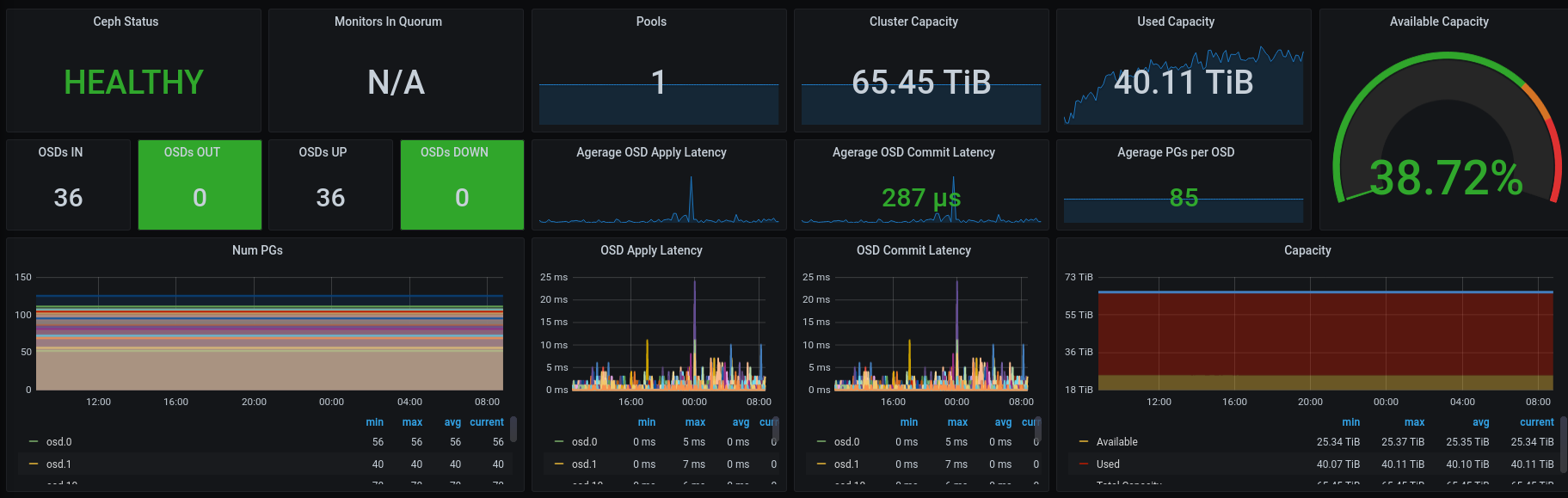
 One of my goals for
 Debian has work-in-progress packages for Kubernetes, which work well enough enough for a testing and learning environement. Bootstraping a cluster with the
 Two months have passed since the last status update, but not much has changed since Debian is more or less frozen for the release of Bullseye, and only critical bugfixes are allowed. As reported before Debian/bullseye will have Plasma 5.20.5, Frameworks 5.78, Apps 20.12. Debian/experimental already carries Plasma 5.21.4 and Frameworks 5.80, and that is also the level at the OSC builds.
 Debian Bullseye
We are in hard freeze now, and only targeted fixes are allowed, but Bullseye is carrying a good mixture consisting of the KDE Frameworks 5.78, including several backports of fixes from 5.79 to get smooth operation. Plasma 5.20.5, again with several cherry picks for bugs will be in Bullseye, too. The KDE/Apps are mostly at 20.12 level, and the KDE PIM group packages (akonadi, kmail, etc) are at 20.08.
Debian experimental
Frameworks 5.80 (and soon 5.81) and Plasma 5.21.4 are in Debian/experimental.
OBS packages
(short reminder: you need to import my
 Previously: