Search Results: "don"

8 June 2015

Timo Jyrinki: Quick Look: Dell XPS 13 Developer Edition (2015) with Ubuntu 14.04 LTS

I recently obtained the newest Dell's Ubuntu developer offering, XPS 13 (2015, model 9343). I opted in for FullHD non-touch display, mostly because of better battery life, the actual no need for higher resolution, and matte screen which is great outside. Touch would have been "nice-to-have", but in my work I don't really need it.

The other specifications include i7-5600U CPU, 8GB RAM, 256GB SSD [edit: lshw], and of course Ubuntu 14.04 LTS pre-installed as OEM specific installation. It was not possible to directly order it from Dell site, as Finland is reportedly not online market for Dell... The wholesale company however managed to get two models on their lists and so it's now possible to order via retailers. [edit: here are some country specific direct web order links however US, DE, FR, SE, NL]

In this blog post I give a quick look on how I started up using it, and do a few observations on the pre-installed Ubuntu included. I personally was interested in using the pre-installed Ubuntu like a non-Debian/Ubuntu developer would use it, but Dell has also provided instructions for Ubuntu 15.04, Debian 7.0 and Debian 8.0 advanced users among else. Even if not using the pre-installed Ubuntu, the benefit from buying an Ubuntu laptop is obviously smaller cost and on the other hand contributing to free software (by paying for the hardware enablement engineering done by or purchased by Dell).
Unboxing
The Black Box. (and white cat)

Opened box.


First time lid opened, no dust here yet!
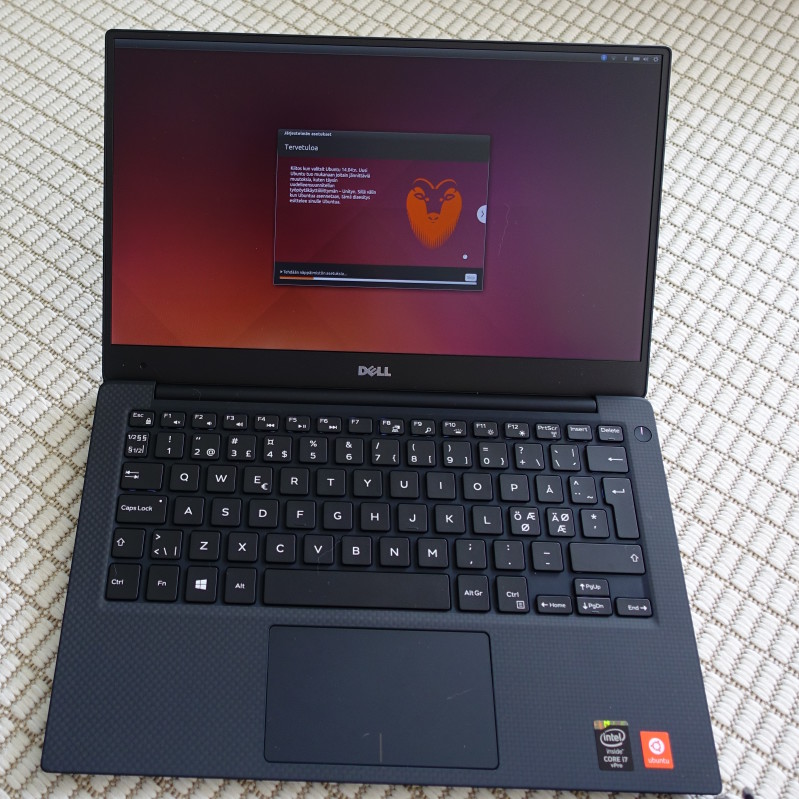
First time boot up, transitioning from the boot logo to a first time Ubuntu video.
A small clip from the end of the welcoming video.
First time setup. Language, Dell EULA, connecting to WiFi, location, keyboard, user+password.
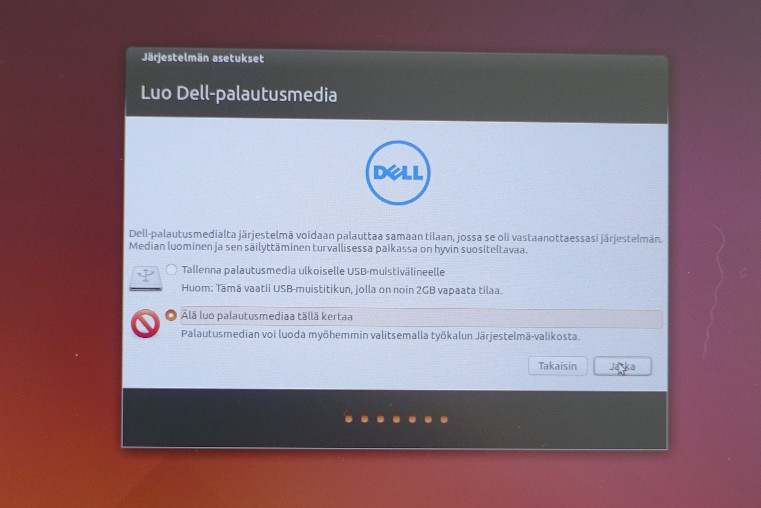
Creating recovery media. I opted not to do this as I had happened to read that it's highly recommended to install upgrades first, including to this tool.
Finalizing setup.
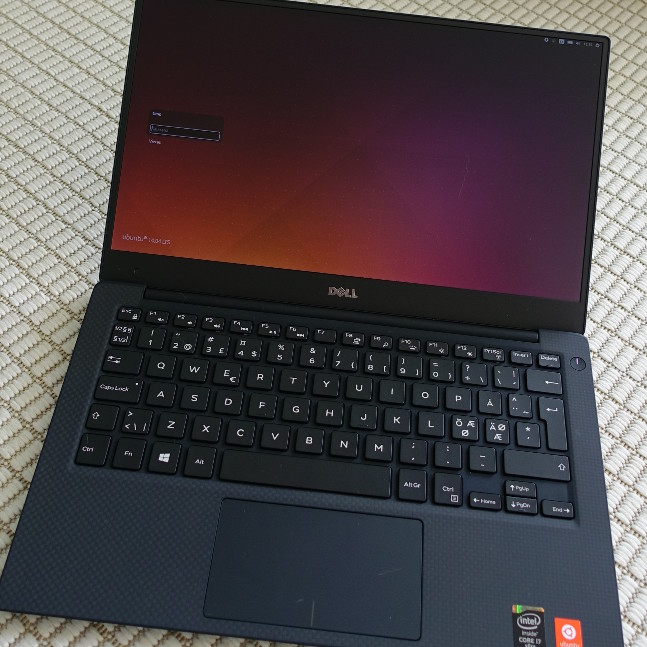
Ready to log in!
It's alive!
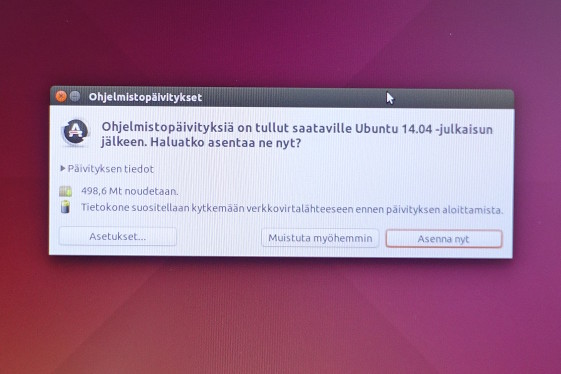
Not so recent 14.04 LTS image... lots of updates.
Problems in the First BatchUnfortunately the first batch of XPS 13:s with Ubuntu are going to ship with some problems. They're easy to fix if you know how to, but it's sad that they're there to begin with in the factory image. There is no knowledge when a fixed batch will start shipping - July maybe?

First of all, installing software upgrades stops. You need to run the following command via Dash Terminal once: sudo apt-get install -f (it suggests upgrading libc-dev-bin, libc6-dbg, libc6-dev and udev). After that you can continue running Software Updater as usual, maybe rebooting in between.

Secondly, the fixed touchpad driver is included but not enabled by default. You need to enable the only non-enabled Additional Driver as seen in the picture below or instructed in Youtube.

Dialog enabling the touchpad driver.

Clarification: you can safely ignore the two paragraphs below, they're just for advanced users like me who want to play with upgraded driver stacks.

Optionally, since I'm interested in the latest graphics drivers especially in case of a brand new hardware like Intel Broadwell, I upgraded my Ubuntu to use the 14.04.2 Hardware Enablement stack (matches 14.10 hardware support): sudo apt install --install-recommends libgles2-mesa-lts-utopic libglapi-mesa-lts-utopic linux-generic-lts-utopic xserver-xorg-lts-utopic libgl1-mesa-dri-lts-utopic libegl1-mesa-drivers-lts-utopic libgl1-mesa-glx-lts-utopic:i386

Even though it's much better than a normal Ubuntu 14.10 would be since many of the Dell fixes continue to be in use, some functionality might become worse compared to the pre-installed stack. The only thing I have noticed though is the internal microphone not working anymore out-of-the-box, requiring a kernel patch as mentioned in Dell's notes. This is not a surprise since the real eventual upstream support involves switching from HDA to I2S and during 14.10 kernel work that was not nearly done. If you're excited about new drivers, I'd recommend waiting until August when the 15.04 based 14.04.3 stack is available (same package names, but 'vivid' instead of 'utopic'). [edit: I couldn't resist myself when I saw linux-generic-lts-vivid (3.19 kernel) is already in the archives. 14.04.2 + that gives me working microphone again!]
ConclusionDell XPS 13 Developer Edition with Ubuntu 14.04 LTS is an extremely capable laptop + OS combination nearing perfection, but not quite there because of the software problems in the launch pre-install image. The laptop looks great, feels like a quality product should and is very compact for the screen size.

I've moved over all my work onto it and everything so far is working smoothly in my day-to-day tasks. I'm staying at Ubuntu 14.04 LTS and using my previous LXC configuration to run the latest Ubuntu and Debian development versions. I've also done some interesting changes already like LUKS In-Place Conversion, converting the pre-installed Ubuntu into whole disk encrypted one (not recommended for the faint hearted, GRUB reconfiguration is a bit of a pain).

I look happily forward to working a few productive years with this one!

Craig Small: Checking Cloudflare SSL

My website for a while has used CloudFlare as its front-end. It s a rather nice setup and means my real server gets less of a hammering, which is a good thing. A few months ago they enabled a feature called Universal SSL which I have also added to my site. Around the same time, my SSL check scripts started failing for the website, the certificate had expired apparently many many days ago. Something wasn t right. The Problem The problem was simply at first I d get emails saying The SSL certificate for enc.com.au (CN: ) has expired! . I use a program called ssl-cert-check that would check all (web, smtp, imap) of my certificates. It s very easy to forget to renew and this program runs daily and does a simple check. Running the program on the command line gave some more information, but nothing (for me) that really helped:
$ /usr/bin/ssl-cert-check -s enc.com.au -p 443
Host Status Expires Days
----------------------------------------------- ------------ ------------ ----
unable to load certificate
140364897941136:error:0906D06C:PEM routines:PEM_read_bio:no start line:pem_lib.c:701:Expecting: TRUSTED CERTIFICATE
unable to load certificate
139905089558160:error:0906D06C:PEM routines:PEM_read_bio:no start line:pem_lib.c:701:Expecting: TRUSTED CERTIFICATE
unable to load certificate
140017829234320:error:0906D06C:PEM routines:PEM_read_bio:no start line:pem_lib.c:701:Expecting: TRUSTED CERTIFICATE
unable to load certificate
140567473276560:error:0906D06C:PEM routines:PEM_read_bio:no start line:pem_lib.c:701:Expecting: TRUSTED CERTIFICATE
enc.com.au:443 Expired -2457182
So, apparently, there was something wrong with the certificate. The problem was this was CloudFlare who seem to have a good idea on how to handle certificates and all my browsers were happy. ssl-cert-check is a shell script that uses openssl to make the connection, so the next stop was to see what openssl had to say.
$ echo ""   /usr/bin/openssl s_client -connect enc.com.au:443 CONNECTED(00000003)
140115756086928:error:14077438:SSL routines:SSL23_GET_SERVER_HELLO:tlsv1 alert internal error:s23_clnt.c:769:
---
no peer certificate available
---
No client certificate CA names sent
---
SSL handshake has read 7 bytes and written 345 bytes
---
New, (NONE), Cipher is (NONE)
Secure Renegotiation IS NOT supported
Compression: NONE
Expansion: NONE
No ALPN negotiated
---
No peer certificate available. That was the clue I was looking for. Where s my Certificate? CloudFlare Universal SSL uses certificates that have multiple domains in the one certificate. The do this by having one canonical name which is something like sni(numbers).cloudflaressl.com and then multiple Subject Alternative Names (a bit like ServerAlias in apache configurations). This way a single server with a single certificate can serve multiple domains. The way that the client tells the server which website it is looking for is Server Name Indication (SNI). As part of the TLS handshaking the client tells the server I want website www.enc.com.au . The thing is, by default, both openssl s_client and the check script do not use this feature. That was fail the SSL certificate checks were failing. The server was waiting for the client to ask what website it wanted. Modern browsers do this automatically so it just works for them. The Fix For openssl on the command line, there is a flag -servername which does the trick nicely:
$ echo ""   /usr/bin/openssl s_client -connect enc.com.au:443 -servername enc.com.au 
CONNECTED(00000003)
depth=2 C = GB, ST = Greater Manchester, L = Salford, O = COMODO CA Limited, CN = COMODO ECC Certification Authority
verify error:num=20:unable to get local issuer certificate
---
(lots of good SSL type messages)
That was openssl happy now. We asked the server what website we were interested in with the -servername and got the certificate. The fix for ssl-cert-check is even simpler. Like a lot of things once you know the problem, the solution is not only easy to work out but someone has done it for you already. There is a Debian bug report on this problem with a simple fix from Francois Marier. Just edit the check script and change the line that has:
 TLSSERVERNAME="FALSE"
and change it to true. Then the script is happy too:
$ ssl-cert-check -s enc.com.au -p https
Host Status Expires Days
----------------------------------------------- ------------ ------------ ----
enc.com.au:https Valid Sep 30 2015 114
All working and as expected! This isn t really a CloudFlare problem as such, it is just that s the first place I had seen these sort of SNI certificates being used in something I administer (or more correctly something behind the something).

Russ Allbery: Review: Late Eclipses

Review: Late Eclipses, by Seanan McGuire
Series: October Daye #4
Publisher: DAW
Copyright: March 2011
ISBN: 1-101-50253-3
Format: Kindle
Pages: 372
Late Eclipses is the fourth book the October Daye series, and relies heavily on characters introduced in the previous books. I recommend reading this series from the start; jumping into the middle would miss a lot of nuance. Thankfully, though, enough is explained that you don't have to have read the previous books recently. (I wish more series would do that.) Unsurprisingly, the book opens with Toby's life getting more complicated. Also unsurprisingly, that means getting more entangled in the affairs of the fae court, as Toby gets pushed farther out of her comfort zone. But that quickly takes a back seat to much worse news: Toby's close friend Lily is deathly ill. That isn't supposed to be possible for an undine. And Lily isn't the last person to get deathly ill in this book. I should note up-front that this book contains one of my least favorite tropes in fiction of this sort: a protagonist who falls under the influence of something mind-altering and has to keep second-guessing her own perceptions. I have this problem with most books about drugs or some equivalent. There was enough of that here to irritate me, but this is just a personal quirk and I'm used to other people liking those books better, so you may need to adjust my rating accordingly. That said, I liked Late Eclipses better than An Artificial Night, even with that drawback. It's less dark, less bleak, and returns to some of the mystery feel of the first two books of the series. A lot of urban fantasy mixes in a bit of a detective element, usually from the noir tradition, and I think that provides a useful plot driver. There's a lot at stake in this story, but Toby also gets a lot of agency. She's out doing things, making guesses and following up on them, rather than trying to endure vast horror. And she has more trust in her instincts and abilities, and is gathering more allies and respect. There was a bit too much of "abuse the protagonist" for my tastes, but some of the court maneuvering is quite satisfying. There's always a risk with power curves taking away the risk in stories like this, or of having to constantly invent a bigger bad than the previous one, but McGuire is doing a good job keeping control of that. Toby is getting stronger, and it's obvious that she's more than she appears or realizes. Coming to terms with the edges of that is part of this story. But the dangers in these stories have been very different in kind rather than escalating degree. The complex political machinations of the fae court help here considerably, creating problems that Toby has to navigate through with allies and careful thought. One of my favorite parts of this series continues to be the supporting cast. We don't get as much of the Luidaeg here, but we get lots of May (who is becoming one of my favorite characters of the series) and several other excellent supporting characters. It's rare that I like the supporting cast of an urban fantasy series this well without feeling like they're overshadowing the protagonist. Some parts of this story bugged me for idiosyncratic reasons, but I still thought it was a step up from the previous installment. McGuire's world doesn't seem to be running out of steam. I'll definitely keep reading. Followed by One Salt Sea. Rating: 7 out of 10

7 June 2015

Thomas Goirand

There s a lot of things I d like to blog about. The last version of OpenStack, the OpenStack Liberty design summit, Kilo in the official jessie-backports repositories, etc. Maybe the most interesting part of this blog post is the last bit at the end, about a major change in the packaging workflow for OpenStack in Debian. Please read on OpenStack release names reminder
Just a reminder to make it easier for the average Debian reader who may know Debian well, but not OpenStack. OpenStack 2014.1, is Icehouse, and is the version in Jessie. 2014.2 is Juno and was released right before the freeze of Jessie. 2015.1.0 is what has been released just right after jessie, on the 30th of April. Liberty, which probably will be called 12 (as this will be the 12th release of OpenStack), and not 2015.2 (this has been discussed in Vancouver), will be released in about 5 months form now. The last summit, in Vancouver, BC, Canada, was the Liberty summit, as the OpenStack conventions are always named after the next release (since we are discussing what we will be doing during the next development cycle). OpenStack 2015.1.0, aka Kilo, release in Debian
5 days after the release of Jessie, OpenStack 2015.1.0, aka Kilo, was released. Since I couldn t upload to unstable during the freeze, I was holding a lot of packages, and when I did upload them, there was about 20 packages of mine in the FTP master s NEW queue. Though, since the DSA want to use OpenStack for the Debian infrastructure, the 20 packages were fast track into Sid, thanks to the work of Paultag (thanks man!). OpenStack Kilo in the official Jessie backports
Previously, I was only uploading OpenStack packages to Debian unstable, and maintaining a non-official Debian repositories for backports to Debian stable. However, for multiple reasons, this wasn t satisfying. Then, after packages migrated to Stretch, I started to upload to Debian backports. And right before the summit, almost everything went in. Only python-pysaml2 was missing (as I discovered too late that version 2.0.0 breaks Keystone which needs version 2.4.0). In fact, the last bits of the Kilo release reached jessie-backports in the middle of the OpenStack Liberty summit. Removal of the Debian install-guide from the official site
As there was not enough efforts working on the documentation, unfortunately, the link to the Debian install-guide has been removed from docs.openstack.org. IMO, this is mostly due to a bad communication between myself and the doc team, and also because one person who promised to work on the Debian side of the install-guide failed to warn everyone that he finally couldn t (as his managers assigned him to something else). I hope this will soon be reverted. During the Vancouver summit, I had the opportunity to discuss with the doc team about re-inclusion of the Debian install-guide. Unfortunately, as they are moving away from the XML source format to a more standard RST-based system, the current documentation is frozen, so it seems more realistic to hold on until all of the install-guide is switched to RST. OpenStack Debian image listed on apps.openstack.org
There s a new area on the openstack.org where images and apps for OpenStack are listed. Under the glance image tab, you will see that both the Jessie and the weekly testing image are listed. There s also a nice, easily identifiable Debian logo to link to these images. Also, as there are trademark problems with the Ubuntu images which makes them harder to redistribute, the Murano project (which is shipping a system to automatically install apps that to installed within a few clicks on an OpenStack cloud) decided to switch to Debian for their base image. Debian listed in the OpenStack market place
On the openstack.org site, there s a section called Marketplace. In there, vendors supporting OpenStack are listed. To get there, a vendor needs to 1/ have a defined set of OpenStack project supported by the distribution (Debian already has a way more than the required set), 2/ sign some kind of agreement with the OpenStack foundation, and 3/ pay some sponsoring money. During the summit, I discussed this with Jonathan Bryce, from the OpenStack foundation, and he agreed that Debian would not have to pay for this (since we aren t a big company with big money). I have put Jonathan and Neil (our Debian Project Leader) in touch so that signing the document may happen, though since we were all busy with the summit, I do not expect Jonathan to send the documents right away. Hopefully, this will be fixed before the end of this month of May 2015. Debian (and Ubuntu) packages collaboratively maintained upstream
Since about forever (forever is 5 years in the OpenStack world ), I pushed for more collaboration on OpenStack packaging between Debian package maintainers and Canonical. However, for some reasons which I do not wish to expand on in this blog post, it has been socially hard to do so. Also, Canonical always used BZR, which wasn t to the tastes of everyone. But during the Liberty summit, some very good things happened. First of all, Launchpad is now able to support Git (it s been a few weeks it does in fact). Even though it will take a bit of time before the Canonical server team switches to it, we can consider that this problem is already out of the way. Then it looks like Canonical are now more open than before for collaboration with Debian on the OpenStack packaging. Note that we actually did some work together already, but now we both would like a full alignment of *all* of our packages. I have discussed this with James Page, who is the head of Canonical s server team. We will first start to do so on the dependencies: this includes all of the python-*client libraries, but also all of python-oslo.* (the Oslo libs are use by all of the projects and are kind of unifying the project), plus all the third party dependencies the project relies on. James already pushed new versions of some Oslo libraries to Experimental (in order to not overwrite Kilo), which are adding transition packages needed for Ubuntu. We wont need those in Debian, but we want to welcome them to keep the same source packages. We will then later try to merge the core projects if we can. Unfortunately, since the packaging of the core projects (ie: Nova, Neutron, Cinder, Glance, etc.) was forked, merging probably will be a bit painful. We will have to make some decisions on how this happen. I am however confident that it will be done during the Liberty release cycle. Move of the packaging to upstream Gerrit
A few weeks after the summit, I wrote a proposal to upstream OpenStack dev list, with as subject: Adding packaging as an OpenStack project . What it means is that I have proposed to have Debian/Ubuntu packaging to happen in upstream infrastructure, using Gerrit, and building packages using upstream cloud. We will add all the tests we can, like building with unit tests, lintian, piuparts, adequate, but also maybe a full installation of the packages with functional tests. My proposal is here: http://lists.openstack.org/pipermail/openstack-dev/2015-May/064848.html As everything, this translates into a Gerrit review process: https://review.openstack.org/#/c/185187/ As you can read in the above thread, Fedora/RDO people, which have used a Gerrit work-flow for a long time already, also would like to join. But it looks like we ll be doing 2 teams: one for RPMs and one for debs. The proposal is currently under review by the OpenStack technical committee, which will accept (or not) if the packaging project can be fully considered as an OpenStack project. I expect a final answer next Tuesday. Note that if they deny, we can still use the stackforge namespace instead, their decision is just about the TC blessing the project as being OpenStack or not. What s very nice about this, is that not only we will have a better collaboration between Debian & Ubuntu, better automated testing and Q/A, this also opens contributions to potentially anyone. Especially, we welcome operation people, those who are doing actual big deployments. Sure, it was possible before, but I often had the feedback that many were scared to break anything when trying to contribute. Thanks to the CI/CD form upstream infra, and the Gerrit peer review process, it wont be a problem anymore. So we do expect operation people to contribute more. I will also push more upstream packaging within Mirantis, so that MOS (Mirantis OpenStack) aligns fully with Debian & Ubuntu as well. Another good thing, is that it will be easier for the puppet team to support Debian (they historically were more Ubuntu oriented), and it s going to be super easy for them to request for packaging fixes. I hope we will be able to work hand-to-hand with them, adding puppet deployment checks in the packaging repo, and packaged deployments within the puppet Gerrit review process.

5 June 2015

Laura Arjona: Games

Nota: Este art culo, en espa ol, aqu . I m not a gamer, although probably I ve played with machines/computers more than most of the girls of my age. My path has been: handheld machine, Pong and tenis in my uncle s console, MSX (with that one, in addition to playing, I learnt what was an algorithm and a program, and I started to write small programs in Basic, and I copied and ran the source code of small games and programs to make graphics, which I found in MSX magazines). My parents considered that arcade machines in bars were like slot machines so they were banned for us (even pinball, only table soccer was saved from them, and only if my father was playing with us). In the MSX I played Magical Tree, Galaxians, Arkanoid, Konami s Sports Games, Spanish games from Dinamic, and some arcades like Golden Axe, Xenon, and maybe some more. The next computers (PC AT, later a 286) were not so for gaming; let s say that we played more with the printer (Harvard Graphics, Bannermania ). Later, I was interested in other things more than in computer games, and later there were highschool homework, dBase III, and later the University and programming again and more, and it was the end of gaming, computer was for office and Uni homework.
Later, it came the internet and since then, reading and writing and communicating was more interesting for me than playing. I was not good at playing, and if you are not good, you play less, and you don t get better, so you begin to find other ways to loose your time, or to win it :) The new generation My son is 6 years old now, and I m living with him a second adventure about games. Games have changed a lot, and the family computing try to stay in the libre software side whenever I am the one that can decide, so sometimes some challenges arise. Android (phone and tablet) The kid has played games in the phone and tablet with Android since he was a baby. We tried some of the last years popular games. I am not so keen of banning things, but I don t feel comfortable with the popular games for Android (advertisements, nonfree software, addictive elements, massive data recollection and possible surveillance ), so I try to control without being Cruella de Vil . Some techniques I use: On the other side, in my phone there is no Google Play, so we have been able to discover the section Games of F-Droid. We have tried (all of them available in F-Droid, emphasis in the ones that he liked best): 2048, AndroFish, Bomber, Coloring for Kids, Core, Dodge, Falling Blocks, Free Fall, Frozen Bubble, HeriSwap (this one in the tablet), Hex, HyperRogue, Meerkat Challenge, Memory, Pixel Dungeon, Robotfindskitten, Slow it!, Tux Memory, Tux Rider, Vector Pinball. Playing in my phone with CyanogenMod and having downloaded the games from F-Droid provides a relief similar to the one when playing a non-computer game. At least with the games that I have listed above. Maybe it is because they are simpler games, or they make me remember the ones that I played time ago. But it s also because of the peace of mind of knowing that they are libre software, that have been audited by the F-Droid community, that they don t abuse the user. The same happens with Debian, what takes me to the next part of this blogpost. Computer games: Debian The kid has learnt to play with the tablet and the phone before than with the computer, because our computers have no joysticks nor touchscreens. He learnt to use the touchpad before than the mouse, because it s easier and we have no mouse at home. He learnt to use the mouse at school, where they work with educative games via CD or via web, using Flash :( So Flash player appears and dissapears from my Debian setup depending on his willness to play with the school games . Until few time ago, in the computer we played with GCompris, ChildsPlay, and TuxPaint.
When he learnt to use the arrow keys, I installed Hannah and he liked a lot, specially when we learnt to do hannah -l 900 :) Later, in ClanTV there were advertisements about some online computer games about their favorite series, resulting in that they need Flash or a framework called Unity3D (no, it s not Ubuntu s Unity), and after digging a bit I decided that I was not going to install that #@%! in my Debian, so when he insisted in play those games, I booted the Windows 7 partition in his father s laptop and I installed it there. Windows is slow and sad in the computer, and those web games with that framework are not very light, so luckily they have not become very interesting. We have not played in the computer much more, maybe some incursion in Minetest, what takes me to the next section. (Not without stating my eternal thanks to the Games Team in Debian. I think they do a very important work and I think that next year I ll try to get involved in some way, because I know that the future of our family computer games is tied to libre games in Debian). PlayStation 3 and Minecraft Some time ago my husband bought a PlayStation 3 for home. The shop had discounts prices and so. He would play together with the kid an so.
The machine came home with some games for free (included in the price), but most of them were classified for +13 or so, so the only two left were Pro Evolution Soccer, and Minecraft.
I decided not to connect the machine to the network. Maybe we are loosing cool things, but I feel safer like that. So, no ethernet cable plugged, no registration in the Sony shop (or whatever its name is). The controllers are quite complex for the three of us. They are DualShock don t-know-what, and I think there is something (software) that makes the game adaptative to the person playing, because my husband is worse player after the son plays, if they play in turns and use the same controller. The kid liked Minecraft. I didn t know anything about that game (well, I knew that there was a libre clone called Minetest), so, for learning the basics I had a look at the wiki and searched videos about how to and we began learning. Now, the kid can read a bit so he needs less help, and he has watched a lot of videos about Minecraft, so he is interested in exploring and building. I had a look at Minetest, and I installed it in Debian. Having to use the keyboard is a disadvantage, and we didn t know how to dig, so it was not much attractive at first sight. I have looked a bit about how to use the PS3 controller in the computer, via USB, and it seems to work, but I suppose I need to write something to match each controller button with the corresponding key and subsequent action in Minetest. This is work, and I am lazy, and the boy seems not very interested in playing with the computer. Watching the videos we have infered that it s possible to download saved games and worlds to upload them in the videogame console. We have done some tests. I wanted to upload a saved game about an amusement park, but the file was in a folder of name NPEB01899* and even when the PS3 saw it to copy it from USB to the console, later it didn t appear in the list of saved games (our sved games were in folders named BLES01976). And renaming the folder didn t work, of course. I understood that we had met Sony s restrictions, so I searched for more info. The games are saved using an encryption key and you are not able to use saved games from consoles in other world zone or using a media different than ours (the game can be played using a disc or purchasing it in the digital shop, it seems). Very ugly all of this! I read somewhere that there is certain software (libre software, BTW) that allows to break the encryption and re-encrypt the saved game with the zone and type of media of your console, but it seems the program only works for Windows, and it needs a console ID that we have not, because we didn t register the console in the PlayStation network. All these things look shaky grounds for me, unpleasant stuff, I don t want to spend time on this, maybe I should learn a bit more about Minetest and make it work and interesting and tell Sony go fly a kite. Finally, I found a saved game in the same format as ours (BLES01976), it s not an amusement park but it is a world with interesting places to explore and many things already built, so I ve tried to import it and it worked, so my son will be happy for some time, I suppose. We have tried Minetest in the tablet too, but the touchscreen is not comfortable for this kind of games. I feel quite frustrated and angry about this issue of Sony s restrictions on saved games. So I suppose that in the next months I ll try to learn more about Minetest in Debian, game controllers in Debian, and games in Debian in general. So I hope to be able to offer cool stuff to my son, and he becomes more interested in playing in a safe environment which does not abuse the user. And with this, I finish Libre games in GNU/Linux, Debian, and info about games in internet When we have searched info about games in internet, I found that many times you need to go out from the secure environment: webpages with links to downloads that who knows if they contain what they say they contain, advertisements, videoblogs with a language not adequate for kids (or any person that loves their mother language) That s why I believe the path is to go into detail about libre games provided by the distro you use (Debian in my case). Here I bookmark a list of website with info that surely will be useful for me, to read in depth: We ll see how it goes. Comments? You can comment in this Pump.io thread.
Filed under: My experiences and opinion Tagged: Debian, English, F-Droid, Free culture, Free Software, Games, libre software, Moving into free software

Simon McVittie: Why polkit (or, how to mount a disk on modern Linux)

I've recently found myself explaining polkit (formerly PolicyKit) to one of Collabora's clients, and thought that blogging about the same topic might be useful for other people who are confused by it; so, here is why udisks2 and polkit are the way they are. As always, opinions in this blog are my own, not Collabora's. Privileged actions Broadly, there are two ways a process can do something: it can do it directly (i.e. ask the kernel directly), or it can use inter-process communication to ask a service to do that operation on its behalf. If it does it directly, the components that say whether it can succeed are the Linux kernel's normal permissions checks (DAC), and if configured, AppArmor, SELinux or a similar MAC layer. All very simple so far. Unfortunately, the kernel's relatively coarse-grained checks are not sufficient to express the sorts of policies that exist on a desktop/laptop/mobile system. My favourite example for this sort of thing is mounting filesystems. If I plug in a USB stick with a FAT filesystem, it's reasonable to expect my chosen user interface to either mount it automatically, or let me press a button to mount it. Similarly, to avoid data loss, I should be able to unmount it when I'm finished with it. However, mounting and unmounting a USB stick is fundamentally the same system call as mounting and unmounting any other filesystem - and if ordinary users can do arbitrary mount system calls, they can cause all sorts of chaos, for instance by mounting a filesystem that contains setuid executables (privilege escalation), or umounting a critical OS filesystem like /usr (denial of service). Something needs to arbitrate: you can mount filesystems, but only under certain conditions . The kernel developer motto for this sort of thing is mechanism, not policy : they are very keen to avoid encoding particular environments' policies (the sort of thing you could think of as business rules ) in the kernel, because that makes it non-generic and hard to maintain. As a result, direct mount/unmount actions are only allowed by privileged processes, and it's up to user-space processes to arrange for a privileged process to make the desired mount syscall. Here are some other privileged actions which laptop/desktop users can reasonably expect to just work , with or without requiring a sysadmin-like (root-equivalent) user: In environments that use a MAC framework like AppArmor, actions that would normally be allowed can become privileged: for instance, in a framework for sandboxed applications, most apps shouldn't be allowed to record audio. This prevents carrying out these actions directly, again resulting in the only way to achieve them being to ask a service to carry out the action. Ask a system service to do it On to the next design, then: I can submit a request to a privileged process, which does some checks to make sure I'm not trying to break the system (or alternatively, that I have enough sysadmin rights that I'm allowed to break the system if I want to), and then does the privileged action for me. You might think I'm about to start discussing D-Bus and daemons, but actually, a prominent earlier implementation of this was mount(8), which is normally setuid root:
% ls -l /bin/mount
-rwsr-xr-x 1 root root 40000 May 22 11:37 /bin/mount
If you look at it from an odd angle, this is inter-process communication across a privilege boundary: I run the setuid executable, creating a process. Because the executable has the setuid bit set, the kernel makes the process highly privileged: its effective uid is root, and it has all the necessary capabilities to mount filesystems. I submit the request by passing it in the command-line arguments. mount does some checks - specifically, it looks in /etc/fstab to see whether the filesystem I'm trying to mount has the user or users flag - then carries out the mount system call. There are a few obvious problems with this: Ask a system service to do it, via D-Bus or other IPC To avoid the issues of setuid, we could use inter-process communication in the traditional sense: run a privileged daemon (on boot or on-demand), make it listen for requests, and use the IPC channel as our privilege boundary. udisks2 is one such privileged daemon, which uses D-Bus as its IPC channel. D-Bus is a commonly-used inter-process system; one of its intended/designed uses is to let user processes and system services communicate, especially this sort of communication between a privileged daemon and its less-privileged clients. People sometimes criticize D-Bus as not doing anything you couldn't do yourself with some AF_UNIX sockets. Well, no, of course it doesn't - the important bit of the reference implementation and the various interoperable reimplementations consists of a daemon and some AF_UNIX sockets, and the rest is a simple matter of programming. However, it's sufficient for most uses in its problem space, and is usually better than inventing your own. The advantage of D-Bus over doing your own thing is precisely that you are not doing your own thing: good IPC design is hard, and D-Bus makes some structural decisions so that fewer application authors have to think about them. For instance, it has a central hub daemon (the dbus-daemon, or message bus ) so that n communicating applications don't need O(n ) sockets; it uses the dbus-daemon to provide a total message ordering so you don't have to think about message reordering; it has a distributed naming model (which can also be used as a distributed mutex) so you don't have to design that; it has a serialization format and a type system so you don't have to design one of those; it has a framework for activating" run-on-demand daemons so they don't have to use resources initially, implemented using a setuid helper and/or systemd; and so on. If you have religious objections to D-Bus, you can mentally replace D-Bus with AF_UNIX or something and most of this article will still be true. Is this OK? In either case - exec'ing a privileged helper, or submitting a request to a privileged daemon via IPC - the privileged process has two questions that it needs to answer before it does its work: It needs to make some sort of decision on the latter based on the information available to it. However, before we even get there, there is another layer: In the setuid model, there is a simple security check that you can apply: you can make /bin/mount only executable by a particular group, or only executable by certain AppArmor profiles, or similar. That works up to a point, but cannot distinguish between physically-present and not-physically-present users, or other facts that might be interesting to your local security policy. Similarly, in the IPC model, you can make certain communication channels impossible, for instance by using dbus-daemon's ability to decide which messages to deliver, or AF_UNIX sockets' filesystem permissions, or a MAC framework like AppArmor. Both of these are quite coarse-grained checks which don't really understand the finer details of what is going on. If the answer to "is this safe? is something of the form maybe, it depends on... , then they can't do the right thing: they must either let it through and let the domain-specific privileged process do the check, or deny it and lose potentially useful functionality. For instance, in an AppArmor environment, some applications have absolutely no legitimate reason to talk to udisks2, so the AppArmor policy can just block it altogether. However, once again, this is a coarse-grained check: the kernel has mechanism, not policy, and it doesn't know what the service does or why. If the application does need to be able to talk to the service at all, then finer-grained access control (obeying some, but not all, requests) has to be the service's job. dbus-daemon does have the ability to match messages in a relatively fine-grained way, based on the object path, interface and member in the message, as well as the routing information that it uses itself (i.e. the source and destination). However, it is not clear that this makes a great deal of sense conceptually: these are facts about the mechanics of the IPC, not facts about the domain-specific request (because the mechanics of the IPC are all that dbus-daemon understands). For instance, taking the udisks2 example again, dbus-daemon can't distinguish between an attempt to adjust mount options for a USB stick (probably fine) and an attempt to adjust mount options for /usr (not good). To have a domain-specific security policy, we need a domain-specific component, for instance udisks2, to get involved. Unlike dbus-daemon, udisks2 knows that not all disks are equal, knows which categories make sense to distinguish, and can identify which categories a particular disk is in. So udisks2 can make a more informed decision. So, a naive approach might be to write a function in udisks2 that looks something like this pseudocode:
may_i_mount_this_disk (user, disk, mount options)   boolean
 
    if (user is root   user is root-equivalent)
        return true;
    if (disk is not removable)
       return false;
    if (mount options are scary)
       return false;
    if (user is in  manipulate non-local disks  group)
        return true;
    if (user is not logged-in locally)
       return false;
    # https://en.wikipedia.org/wiki/Multiseat_configuration
    if (user is not logged-in on the same seat where the disk is
            plugged in)
       return false;
    return true;
 
Delegating the security policy to something central The pseudocode security policy outlined above is reasonably complicated already, and doesn't necessarily cover everything that you might want to consider. Meanwhile, not every system is the same. A general-purpose Linux distribution like Debian might run on server/mainframe systems with only remote users, personal laptops/desktops with one root-equivalent user, locked-down corporate laptops/desktops, mobile devices and so on; these systems should not necessarily all have the same security policy. Another interesting factor is that for some privileged operations, you might want to carry out interactive authorization: ask the requesting user to confirm that the action (which might have come from a background process) should take place (like Windows' UAC), or to prove that the person currently at the keyboard is the same as the person who logged in by giving their password (like sudo). We could in principle write code for all of this in udisks2, and in NetworkManager, and in systemd, ... - but that clearly doesn't scale, particularly if you want the security policy to be configurable. Enter polkit (formerly PolicyKit), a system service for applying security policies to actions. The way polkit works is that the application does its domain-specific analysis of the request - in the case of udisks2, whether the device to be mounted is removable, whether the mount options are reasonable, etc. - and converts it into an action. The action gives polkit a way to distinguish between things that are conceptually different, without needing to know the specifics. For instance, udisks2 currently divides up filesystem-mounting into org.freedesktop.udisks2.filesystem-mount, org.freedesktop.udisks2.filesystem-mount-fstab, org.freedesktop.udisks2.filesystem-mount-system and org.freedesktop.udisks2.filesystem-mount-other-seat. The application also finds the identity of the user making the request. Next, the application sends the action, the identity of the requesting user, and any other interesting facts to polkit. As currently implemented, polkit is a D-Bus service, so this is an IPC request via D-Bus. polkit consults its database of policies in order to choose one of several results: So how does polkit decide this? The first thing is that it reads the machine-readable description of the actions, in /usr/share/polkit-1/actions, which specifies a default policy. Next, it evaluates a local security policy to see what that says. In the current version of polkit, the local security policy is configured by writing JavaScript in /etc/polkit-1/rules.d (local policy) and /usr/share/polkit-1/rules.d (OS-vendor defaults). In older versions such as the one currently shipped in Debian unstable, there was a plugin architecture; but in practice nobody wrote plugins for it, and instead everyone used the example local authority shipped with polkit, which was configured via files in /etc/polkit-1/localauthority and /etc/polkit-1/localauthority.d. These policies can take into account useful facts like: For instance, gnome-control-center on Debian installs this snippet:
polkit.addRule(function(action, subject)  
        if ((action.id == "org.freedesktop.locale1.set-locale"  
             action.id == "org.freedesktop.locale1.set-keyboard"  
             action.id == "org.freedesktop.hostname1.set-static-hostname"  
             action.id == "org.freedesktop.hostname1.set-hostname"  
             action.id == "org.gnome.controlcenter.datetime.configure") &&
            subject.local &&
            subject.active &&
            subject.isInGroup ("sudo"))  
                    return polkit.Result.YES;
             
 );
which is reasonably close to being pseudocode for active local users in the sudo group may set the system locale, keyboard layout, hostname and time, without needing to authenticate . A system administrator could of course override that by dropping a higher-priority policy for some or all of these actions into /etc/polkit-1/rules.d. Summary

Patrick Schoenfeld: Testing puppet modules: an overview

When it comes to testing puppet modules, there are lot of options, but for someone entering the world of puppet module testing, the pure variety may seem overwhelming. This is a try to provide some overview. So you ve written a puppet module and would like to add some tests. Now what?As of today, puppet tests basically can be done in two ways, complementing each other: Catalog tests
In most cases you should at least write some catalog tests.
As of writing this (June 2015) the tool of choice is rspec-puppet. There used to be at least one other and you might have heard about it, but it s deprecated. For an introduction to this tool, you are best served by reading its brief but sufficient docs. Function acceptance tests
If catalog testing is not enough for you (e.g. you want to test that your website profile is actually installing and serving your site on port 80 and port 443) the next logical step is to write beaker tests for tests in a real system (as real as a virtual machine can be). This is also what you need, if you are writing custom types. Today s tool of choice for this job is beaker with beaker-rspec. After you ve written some rspec tests, this might feel similar. Since the documentation, might not seem very newbie friendly at first glance, the page Howto Beaker lists the relevant pages in the documentation to get started in a sensible order. Basically it s: Update your modules build depencies (Gemfile), decide for a hypervisor, create (or describe) your test environment, write spec tests and execute them :)
Skeleton of a module If testing puppet modules falls into your lap and you ve already written your puppet code, it s to late too start with a module anatomy as generated by puppet module generate But: It s certainly a good bet to know which technologies are todays common best practice. Further reading A very good guide to setting things up and writing tests of both types is the threepart blog post by Micka l Can vet written for camptocamp. It is a basic guide into test-driven development (writing tests before writing actual code) on a practical example.

Raphael Geissert: Incompetence

I don't know most of my passwords

I don't know most of my email addresses


But I do know which site shared my email address with spammers

4 June 2015

Daniel Kahn Gillmor: Challenge: one reproducible package a week

I encourage anyone interested in debian development to get involved with the Reproducible Builds project. My own project is to try to diagnose (and hopefully provide patches for) two unreproducible packages a week. Maybe you can do one package a week? Reproducible Builds is another example of the kind of audacious project that I celebrated in my last blog post. It's a fun way to learn a little bit about different parts of the archive, and to help on an incrementally-improving process. My workflow below is meant to encourage folks to join in. The documentation on the wiki is certainly more authoritative (and will be more up-to-date in the future). My usual workflow is this: The information at the R-B wiki page is quite detailed if you want more info. Finally, many many thanks to all of the people involved in the project, and particularly to h01ger and Lunar^, who have both contributed a ton of work, and have also made it easy to plug in and help as a less-involved contributor. The nice automatically-updated statistics provided by the team's continuous integration work makes it a fun game to help out. Tags: challenge, reproducible builds

3 June 2015

DebConf team: Final Call for DebConf15 Proposals (Posted by Michael Banck)

Call for Proposals Deadline The deadline for submitting proposals is approaching, with only 12 days left to submit your event by June 15th. Events submitted after that date might not be part of the official DebConf schedule. We are very excited about the upcoming conference, and we would like to encourage you to send your proposals. It s an important part of the conference to hear and discuss new ideas. If you have something that you d like to present but you have not submitted your event yet, please don t wait until the last minute! Check out the proposal submission guide and submit your event. If you have already submitted your event, do take this opportunity to login to summit and review it, expanding the event description to be more descriptive and appealing to the attendees if necessary. Second Batch of Approved talks We are happy to announce the following talks that are already approved: Please hurry up and share your ideas with us. Propose your event before the deadline is reached. Looking forward to see you on Heidelberg, The DebConf content Team

Raphaël Hertzog: My Free Software Activities in May 2015

My monthly report covers a large part of what I have been doing in the free software world. I write it for my donators (thanks to them!) but also for the wider Debian community because it can give ideas to newcomers and it s one of the best ways to find volunteers to work with me on projects that matter to me. Debian LTS This month I have been paid to work 10.25 hours on Debian LTS. In that time I did the following: Other Debian work Package Tracker. The Debian system administrators upgraded the machine hosting tracker.debian.org to jessie and I dealt with the fallout. Fixing the Apache configuration was easy but DACS also broke and I had to disable it (thus breaking login via sso.debian.org). Fortunately Enrico Zini and Martin Zobel-Helas debugged the problem and restored it. Sponsorship. I sponsored a dolibarr upload and many tryton-modules-* uploads to bring Tryton 3.6 to Debian (and granted DM rights on the newly introduced packages to Matthias Behrle who is maintaining those packages). Misc stuff. I discussed multiple feature requests with Dmitry Smirnov for dh-linktree. Packaging. I uploaded a new upstream version of cpputest. I did that twice actually because the first version had failing tests (see #784674). I also filed #784959 on blhc because I saw what looked like a false positive report for a missing hardening flag. I uploaded Django 1.8 to experimental. This is a major upstream release and shall ideally only be uploaded to sid after having reported problems on reverse dependencies. I doubt we will have the time to do this I started working on Publican 4.3.0 but the test suite fails and it s not even the fault of publican for once. It s a bug in libxml apparently. Thanks See you next month for a new summary of my activities.

No comment Liked this article? Click here. My blog is Flattr-enabled.

2 June 2015

Julien Danjou: Get back up and try again: retrying in Python

I don't often write about tools I use when for my daily software development tasks. I recently realized that I really should start to share more often my workflows and weapons of choice. One thing that I have a hard time enduring while doing Python code reviews, is people writing utility code that is not directly tied to the core of their business. This looks to me as wasted time maintaining code that should be reused from elsewhere. So today I'd like to start with retrying, a Python package that you can use to retry anything. It's OK to fail
Often in computing, you have to deal with external resources. That means accessing resources you don't control. Resources that can fail, become flapping, unreachable or unavailable. Most applications don't deal with that at all, and explode in flight, leaving a skeptical user in front of the computer. A lot of software engineers refuse to deal with failure, and don't bother handling this kind of scenario in their code. In the best case, applications usually handle simply the case where the external reached system is out of order. They log something, and inform the user that it should try again later. In this cloud computing area, we tend to design software components with service-oriented architecture in mind. That means having a lot of different services talking to each others over the network. And we all know that networks tend to fail, and distributed systems too. Writing software with failing being part of normal operation is a terrific idea. Retrying
In order to help applications with the handling of these potential failures, you need a plan. Leaving to the user the burden to "try again later" is rarely a good choice. Therefore, most of the time you want your application to retry. Retrying an action is a full strategy on its own, with a lot of options. You can retry only on certain condition, and with the number of tries based on time (e.g. every second), based on a number of tentative (e.g. retry 3 times and abort), based on the problem encountered, or even on all of those. For all of that, I use the retrying library that you can retrieve easily on PyPI. retrying provides a decorator called retry that you can use on top of any function or method in Python to make it retry in case of failure. By default, retry calls your function endlessly until it returns rather than raising an error.
import random
from retrying import retry

@retry
def pick_one():
if random.randint(0, 10) != 1:
raise Exception("1 was not picked")

This will execute the function pick_one until 1 is returned by random.randint. retry accepts a few arguments, such as the minimum and maximum delays to use, which also can be randomized. Randomizing delay is a good strategy to avoid detectable pattern or congestion. But more over, it supports exponential delay, which can be used to implement exponential backoff, a good solution for retrying tasks while really avoiding congestion. It's especially handy for background tasks.
@retry(wait_exponential_multiplier=1000, wait_exponential_max=10000)
def wait_exponential_1000():
print "Wait 2^x * 1000 milliseconds between each retry, up to 10 seconds, then 10 seconds afterwards"
raise Exception("Retry!")

You can mix that with a maximum delay, which can give you a good strategy to retry for a while, and then fail anyway:
# Stop retrying after 30 seconds anyway
>>> @retry(wait_exponential_multiplier=1000, wait_exponential_max=10000, stop_max_delay=30000)
... def wait_exponential_1000():
... print "Wait 2^x * 1000 milliseconds between each retry, up to 10 seconds, then 10 seconds afterwards"
... raise Exception("Retry!")
...
>>> wait_exponential_1000()
Wait 2^x * 1000 milliseconds between each retry, up to 10 seconds, then 10 seconds afterwards
Traceback (most recent call last):
File "<stdin>", line 1, in <module>
File "/usr/local/lib/python2.7/site-packages/retrying.py", line 49, in wrapped_f
return Retrying(*dargs, **dkw).call(f, *args, **kw)
File "/usr/local/lib/python2.7/site-packages/retrying.py", line 212, in call
raise attempt.get()
File "/usr/local/lib/python2.7/site-packages/retrying.py", line 247, in get
six.reraise(self.value[0], self.value[1], self.value[2])
File "/usr/local/lib/python2.7/site-packages/retrying.py", line 200, in call
attempt = Attempt(fn(*args, **kwargs), attempt_number, False)
File "<stdin>", line 4, in wait_exponential_1000
Exception: Retry!

A pattern I use very often, is the ability to retry only based on some exception type. You can specify a function to filter out exception you want to ignore or the one you want to use to retry.
def retry_on_ioerror(exc):
return isinstance(exc, IOError)

@retry(retry_on_exception=retry_on_ioerror)
def read_file():
with open("myfile", "r") as f:
return f.read()

retry will call the function passed as retry_on_exception with the exception raised as first argument. It's up to the function to then return a boolean indicating if a retry should be performed or not. In the example above, this will only retry to read the file if an IOError occurs; if any other exception type is raised, no retry will be performed. The same pattern can be implemented using the keyword argument retry_on_result, where you can provide a function that analyses the result and retry based on it.
def retry_if_file_empty(result):
return len(result) <= 0

@retry(retry_on_result=retry_if_file_empty)
def read_file():
with open("myfile", "r") as f:
return f.read()

This example will read the file until it stops being empty. If the file does not exist, an IOError is raised, and the default behavior which triggers retry on all exceptions kicks-in the retry is therefore performed. That's it! retry is really a good and small library that you should leverage rather than implementing your own half-baked solution!

1 June 2015

Thorsten Alteholz: My Debian Activities in May 2015

FTP assistant This month I marked 235 packages for accept and rejected 44 of them. I know, the NEW-queue is rather large, but the numbers are showing a downward trend again. In the light of recent events I would like to cite two things. The US Copyright Office Circular 14 says about derivative work:
A typical example of a derivative work received for registration in the Copyright Office is one that is primarily a new work but incorporates some previously published material. This previously published material makes the work a derivative work under the copyright law. To be copyrightable, a derivative work must be different enough from the original to be regarded as a new work or must contain a substantial amount of new material. Making minor changes or additions of little substance to a preexisting work will not qualify the work as a new version for copyright purposes. The new material must be original and copyrightable in itself. Titles, short phrases, and format, for example, are not copyrightable.
Title 17 of the United States Code says in 103:
The copyright in a compilation or derivative work extends only to the material contributed by the author of such work, as distinguished from the preexisting material employed in the work, and does not imply any exclusive right in the preexisting material. The copyright in such work is independent of, and does not affect or enlarge the scope, duration, ownership, or subsistence of, any copyright protection in the preexisting material.
Squeeze LTS This was my eleventh month that I did some work for the Squeeze LTS initiative, started by Raphael Hertzog at Freexian. This month I got assigned a workload of only 10.25h and I spent most of it to prepare a new upload of ruby1.9.1. The other stuff I uploaded was [DLA 222-1 has been only a sponsored upload, where Markus Koschany prepared the patches. [DLA-226] needed two uploads as the first patch turned out to be incomplete. I also marked CVEs in the security tracker as for Squeeze or added notes for future processing.
The next big adventure in June will be another upload of PHP5. Other stuff This month I also uploaded feynmf to take care of the new TDS tree (#766287). Donations Again, thanks alot to all donors. I really appreciate this and hope that everybody is pleased with my commitment. Don t hesitate to make suggestions for improvements.

29 May 2015

Norbert Preining: USB stick update: Debian is back, plus GRML

In the previous post on the multi-boot usb stick, Debian had to be dropped, due to missing support of iso-loading in the Debian installer iso images. Thanks to helpful comments from Jonathan McDowell and private emails, we found a way around this. In addition to having again an installable Debian image, I also added GRML support. multi-usb-disk There are a few tricks necessary to get this going, though. Let us start with the easy part, grml: Grml Quoting from the home page of Grml

Grml provides an excellent selection of software packages for installation, deployment and system rescue. You ll get sysadmin s favourite tools. Choose between a x86 and an amd64 version depending on your needs or just grab the multiboot ISO grml96, providing 64bit and 32bit ISOs in one single place.
I went for the 64bit version Version 2014.11 (named Gschistigschasti , a typical Austrian expression for fuss ), as most computers nowadays are anyway 64bit capable, downloaded the image file grml64-full_2014.11.iso, and saved it into my USB stick s boot/iso/ directory, where there are already the other iso images. Then, with the help of the Grml web page which provides guidance how to boot from ISO, I added the following entry to my grub.cfg:
submenu "GRML 2014.11 ---> "  
  menuentry "Grml Rescue System 64bit"  
        iso_path="/boot/iso/grml64-full_2014.11.iso"
        export iso_path
        loopback loop (hd0,1)$iso_path
        set root=(loop)
        kernelopts=" ssh=SOME_PASSWORD_HERE toram  "
        export kernelopts
        configfile /boot/grub/loopback.cfg
    
 
Note that if you add the ssh=SOME_PASSWORD_HERE part, an ssh server is started and the root login password will be set to SOME_PASSWORD_HERE, so choose it wisely (and different from your normal passwords!). If you don t want a running ssh server, simply remove the ssh parameter. That s it, booting into Grml takes quite some time, but worked out nicely. Debian Jessie installation As mentioned in the previous post, booting Debian/Jessie installation images via any method didn t work, since the iso images is never found. It turned out that the current installer iso images do not contain the iso-scan package, which is responsible for searching and loading of iso images. But with a small trick one can overcome this: One needs to replace the initrd that is on the ISO image with one that contains the iso-scan package. And we do not need to create these initrd by ourselves, but simply use the ones from hd-media type installer. I downloaded the following four gzipped initrds from one of the Debian mirrors: i386/initrd text mode, i386/initrd gui mode, amd64/initrd text mode, amd64/initrd gui mode, and put them into the USB stick s boot/debian/install.386, boot/debian/install.386/gtk, boot/debian/install.amd, boot/debian/install.amd/gtk, respectively. Finally, I added entries similar to this one (rest see the grub.cfg file):
submenu "Debian 8.0 Jessie NetInstall ---> "  
    set isofile="/boot/iso/firmware-8.0.0-amd64-i386-netinst.iso"
    menuentry '64 bit Install'  
        set background_color=black
        loopback loop (hd0,1)$isofile
        linux    (loop)/install.amd/vmlinuz iso-scan/ask_second_pass=true iso-scan/filename=$isofile vga=788 -- quiet 
        initrd   /boot/debian/install.amd/initrd.gz
     
    ...
 
Again an important point, don t forget the two kernel command line options: iso-scan/ask_second_pass=true iso-scan/filename=$isofile, otherwise you probably will have to make the installer scan all disks and drives completely, which might take ages. With that in place, the stick now is back to full working, plus an added Grml. Thanks everyone for the suggestions.

28 May 2015

Sven Hoexter: RMS, free software and where I fail the goal

You might have already read this comment by RMS in the Guardian. That comment and a recent discussion about the relevance of GPL changes post GPLv2 made me think again about the battle RMS started to fight. While some think RMS should "retire", at least I still fail on my personal goal to not depend on non-free software and services. So for me this battle is far from over, and here is my personal list of "non-free debt" I've to pay off. general purpose systems aka your computer Looking at the increasing list of firmware blobs required to use a GPU, wireless chipsets and more and more wired NICs, the situation seems to be worse then in the late 90s. Back then the primary issue was finding supported hardware, but the driver was free. Nowadays even the open sourced firmware often requires obscure patched compilers to build. If I look at this stuff I think the OpenBSD project got that right with the more radical position. Oh and then there is CPU microcode. I'm not yet sure what to think about it, but in the end it's software and it's not open source. So it's non-free software running on my system. Maybe my memory is blurred due to the fact, that the seperation of firmware from the Linux kernel, and proper firmware loading got implemented only years later. I remember the discussion about the pwc driver and its removal from Linux. Maybe the situation wasn't better at that time but the firmware was just hidden inside the Linux driver code? On my system at work I've to add the Flash plugin to the list due to my latest test with Prezi which I'll touch later. I also own a few Humble Indie bundles. I played parts of Osmos after a recommendation by Joey Hess, I later finished to play through Limbo and I got pretty far with Machinarium on a Windows system I still had at that time. I also tried a few others but never got far or soon lost interest. Another thing I can not really get rid of is unrar because of stuff I need to pull from xda-developer links just to keep a cell phone running. Update: Josh Triplett pointed out that there is unar available in the Debian archive. And indeed that one works on the rar file I just extracted. Android ecosystem I will soon get rid of a stock S3 mini and try to replace it with a moto g loaded with CyanogenMod. That leaves me with a working phone with a OS that just works because of a shitload of non-free blobs. The time and work required to get there is another story. Among others you need a new bootloader that requires a newer fastboot compared to what we have in Jessie, and later you also need the newer adb to be able to sideload the CM image. There I gave in and just downloaded the pre build SDK from Google. And there you've another binary I did not even try to build from source. Same for the CM image itself, though that's not that much different from using a GNU/Linux distribution if you ignore the trust issues. It's hard to trust the phone I've build that way, but it's the best I can get at the moment with at least some bigger chunks of free software inside. So let's move to the applications on the phone. I do not use GooglePlay, so I rely on f-droid and freeware I can download directly from the vendor. "Cloud" services This category mixes a lot with the stuff listed above, most of them are not only an application, in fact Threema and Wunderlist are useless without the backend service. And Opera is just degraded to a browser - and to be replaced with Firefox - if you discount the compression proxy. The other big addition in this category is Prezi. We tried it out at work after it got into my focus due to a post by Dave Aitel. It's kind of the poster child of non-freeness. It requires a non-free, unstable, insecure and half way deprecated browser plugin to work, you can not download your result in a useful format, you've to buy storage for your presentation at this one vendor, you've to pay if you want to keep your presentation private. It's the perfect lockin situation. But still it's very convenient, prevents a lot of common mistakes you can make when you create a presentation and they invented a new concept of presenting. I know about impress.js(hosted on a non-free platform by the way, but at least you can export it from there) and I also know about hovercraft. I'm impressed by them, but it's still not close to the ease of use of Prezi. So here you can also very prominently see the cost of free and non-free software. Invest the time and write something cool with CSS3 and impress.js or pay Prezi to just klick yourself through. To add something about the instability - I had to use a windows laptop for presenting with Prezi because the Flash plugin on Jessie crashed in the presentation mode, I did not yet check the latest Flash update. I guess that did not make the situation worse, it already is horrible. Update: Daniel Kahn Gillmore pointed out that you can combine inkscape with sozi, though the Debian package is in desperate need for an active maintainer, see also #692989. I also use kind of database services like duden.de and dict.cc. When I was younger you bought such things printed on dead trees but they did not update very well. Thinking a bit further, a Certification Authority is not only questionable due to the whole trust issue, they also provide OCSP responder as kind of a web service. And I've already had the experience what the internet looks like when the OCSP systems of GlobalSign failed. So there is still a lot to fight for and a lot of "personal non-free debt" to pay off.

Richard Hartmann: On SourceForge

You either die a hero or you live long enough to see yourself become the villain. And yes, we all know that that SF decided to wrap crapware around Windows installers ages ago and then made it opt-in after the backlash. Doing so for stale accounts makes sense from their PoV, which makes it all the worse. And no, I don't know how stale that account actually was, but that's irrelevant in this context either way.

Steve Kemp: A brief examination of tahoe-lafs

Continuing the theme from the last post I made, I've recently started working my way down the list of existing object-storage implementations. tahoe-LAFS is a well-established project which looked like a good fit for my needs: Getting the system up and running, on four nodes, was very simple. Setup a single/simple "introducer" which is a well-known node that all hosts can use to find each other, and then setup four deamons for storage. When files are uploaded they are split into chunks, and these chunks are then distributed amongst the various nodes. There are some configuration settings which determine how many chunks files are split into (10 by default), how many chunks are required to rebuild the file (3 by default) and how many copies of the chunks will be created. The biggest problem I have with tahoe is that there is no rebalancing support: Setup four nodes, and the space becomes full? You can add more nodes, new uploads go to the new nodes, while old ones stay on the old. Similarly if you change your replication-counts because you're suddenly more/less paranoid this doesn't affect existing nodes. In my perfect world you'd distribute blocks around pretty optimistically, and I'd probably run more services: The storage nodes would have the primitives "List all blocks", "Get block", "Put block", and using that you could ensure that each node had sent its data to at least N other nodes. This could be done in the background. The indexer would be responsible for keeping track of which blocks live where, and which blocks are needed to reassemble upload N. There's probably more that it could do.
27 May 2015

Norbert Preining: USB stick update: TAILS 1.4, GParted 0.22, SysResCD 4.5.2, Debian Jessie

I have posted a view times (here and here) about how to get a multi-boot/multi-purpose USB stick working. Now that TAILS has seens a major upgrade, and Debian 8.0 Jessie has been released, I think it is time to update the procedure to reflect the latest releases. That turned out to be a painful experience, in particular since Debian removed support for any reasonable boot method.

(Update: See this post for fixes to get Debian working again)
multi-usb-stick So going through these explanations one will end up with a usable USB stick that can boot you into TAILS, System Rescue CD, GNU Parted Live CD, but unfortunately not anymore to boot into an installation of Debian 8.0 Jessie installation. But the USB stick will still be usable as normal media. Let us repeat some things from the original post concerning the wishlist and the main players: I have a long wishlist of items a boot stick should fulfill This time I have added the GNOME/GNU Partition Editor gparted as it came in useful at times. Requirements A USB stick, the iso images of TAILS 1.4, SystemRescueCD 4.5.2, GParted Lice CD 0.22.0, and some tool to access iso images, for example ISOmaster (often available from your friendly Linux distribution). I assume that you have already an USB stick prepared as described previously. If this is not the case, please go there and follow the section on preparing your usb stick. Two types of boot options We will employ two different approaches to boot special systems: the one is directly from an iso image, the other via extraction of the necessary kernels and images. At the moment we have the following status with respect to boot methods: What is a pity is that during the testing phase, booting and installation from testing images worked for Debian as documented previously. But with the final images (and my guess it has to do with systemd, wouldn t surprise me), there is no Debian CD detected as it cannot find the iso image on the USB stick. Bummer. That means that for having a Debian/USB stick you need a dedicated one. Booting from ISO image Grub has gained quite some time ago the ability to boot directly from an ISO image. In this case the iso image is mounted via loopback, and the kernel and initrd are specified relatively to the iso image root. For both SystemRescueCD and GNOME Partition Live CD, just drop the iso files into /boot/iso/, in my case /boot/iso/systemrescuecd-x86-4.5.2.iso and /boot/iso/gparted-live-0.22.0-1-i586.iso. After that, entries like the following have to be added to grub.cfg. For the full list see grub.cfg:
submenu "System Rescue CD 4.5.2 (via ISO) ---> "  
  set isofile="/boot/iso/systemrescuecd-x86-4.5.2.iso"
  menuentry "SystemRescueCd (64bit, default boot options)"  
        set gfxpayload=keep
        loopback loop (hd0,1)$isofile
        linux   (loop)/isolinux/rescue64 isoloop=$isofile
        initrd  (loop)/isolinux/initram.igz
   
  ...
 
 
submenu "GNU/Gnome Parted Live CD 0.22.0 (via ISO) ---> "  
  set isofile="/boot/iso/gparted-live-0.22.0-1-i586.iso"
  menuentry "GParted Live (Default settings)" 
    loopback loop (hd0,1)$isofile
    linux (loop)/live/vmlinuz boot=live username=user config components quiet noswap noeject  ip=  nosplash findiso=$isofile
    initrd (loop)/live/initrd.img
   
  ...
 
Note the added isoloop=$isofile and findiso=$isofile that helps the installer find the iso images. Booting via extraction of kernels and images This is a bit more tedious, but still not too bad. Installation of TAILS files Assuming you have access to the files on the TAILS CD via the directory ~/tails, execute the following commands:
mkdir -p /usbstick/boot/tails
cp -a ~/tails/live/* /usbstick/boot/tails/
The grub.cfg entries look now similar to the following:
submenu "TAILS Environment 1.4 ---> "  
  menuentry "Tails64 Live System"  
        linux   /boot/tails/vmlinuz2 boot=live live-media-path=/boot/tails config live-media=removable nopersistent noprompt timezone=Etc/UTC block.events_dfl_poll_msecs=1000 splash noautologin module=Tails  libata.force=noncq
        initrd  /boot/tails/initrd2.img
   
  ...
 
The important part here is the live-media-path=/boot/tails, otherwise TAILS will not find the correct files for booting. The rest of the information was extracted from the boot setup of TAILS itself. Current status of USB stick Just to make sure, the usb stick should contain at the current stage the following files:
/boot/
    iso/
        gparted-live-0.22.0-1-i586.iso
        systemrescuecd-x86-4.5.2.iso
    tails/
        vmlinuz Tails.module initrd.img ....
    grub/
        fonts/
            lots of files
        locale/
            lots of files
        x86_64-efi/
            lots of files
        font.pf2
        grubenv
        grub.cfg            *this file we create in the next step!!*
/EFI
    BOOT/
        BOOTX64.EFI
The Grub config file grub.cfg The final step is to provide a grub config file in /usbstick/boot/grub/grub.cfg. I created one by looking at the isoboot.cfg files both in the SystemRescueCD, TAILS iso images, GParted iso image, and the Debian/Jessie image, and converting them to grub syntax. Excerpts have been shown above in the various sections. I spare you all the details, grab a copy here: grub.cfg Conclusion That s it. Now you can anonymously provide data about your evil government, rescue your friends computer, fix a forgotten Windows password, and above all, install a proper free operating system. If you have any comments, improvements or suggestions, please drop me a comment. I hope this helps a few people getting a decent USB boot stick running. Enjoy. Postscriptum concerning Debian/Jessie Working method is now described in this post. So I have first tried to boot directly into the Debian Jessie firmware ISO image by dropping the ISO into /boot/iso/firmware-8.0.0-amd64-i386-netinst.iso and adding a grub entry like:
submenu "Debian 8.0 Jessie NetInstall ---> "  
    set isofile="/boot/iso/firmware-8.0.0-amd64-i386-netinst.iso"
 
    menuentry '64 bit Install'  
        set background_color=black
        loopback loop (hd0,1)$isofile
        linux    (loop)/install.amd/vmlinuz iso-scan/ask_second_pass=true iso-scan/filename=$isofile vga=788 -- quiet 
        initrd   (loop)/install.amd/initrd.gz
     
    ...
 
That was a no go. I have added the iso-scan/ask_second_pass=true iso-scan/filename=$isofile thingy after some research in forum and web, without any change. Of course I have also tried the official ISO image debian-8.0.0-amd64-netinst.iso, with the same effect. Although I was sure it doesn t make any difference, I have also tried to extract the kernel and initrd, and boot directly from it, i.e., copying the files to /usbstick/boot/debian/ as follows:
mkdir -p /usbstick/boot/debian
cp -a ~/tails/install.amd /usbstick/boot/debian/
cp -a ~/tails/install.386 /usbstick/boot/debian/
In addition, copy the iso image itself into /usbstick/boot/iso (or directly into the root of the usb stick, didn t change anything), and added a grub.cfg entry as follows:
submenu "Debian 8.0 Jessie NetInstall ---> "  
  menuentry '64 bit Install'  
    set background_color=black
    linux    /boot/debian/install.amd/vmlinuz vga=788 -- quiet 
    initrd   /boot/debian/install.amd/initrd.gz
   
  ...
 
All these were without success, always ending up in error messages like: Mounting sdb, this is not a Debian Installation CD, etc etc. I have also submitted a bug report to the installation reports, unfortunately no answer (not that I expected one). In case someone has a better idea, please let me know! It is very sad that these kind of support is removed. The Installation Manual lists some options to install from USB, and the only difference is that there syslinux on a FAT16 system is used. This restricts the USB stick size a lot, and does not allow for easy multi boot via grub. As reported here, I had this actually running. Unfortunately, I stupidly removed the old iso image and replaced it with the current Jessie ISO image, assuming that there will be no regression. Wrong assumption. Now I cannot even investigate the changes by looking into the initrd. Looking at the date of the original post I see that it is more or less one year ago, so before the Systemd introduction. I don t know whether this has any effect, I doubt, as the installer is separate. But something happened in the mean time. Bad for us.

Vincent Bernat: Live patching QEMU for VENOM mitigation

CVE-2015-3456, also known as VENOM, is a security vulnerability in QEMU virtual floppy controller:
The Floppy Disk Controller (FDC) in QEMU, as used in Xen [ ] and KVM, allows local guest users to cause a denial of service (out-of-bounds write and guest crash) or possibly execute arbitrary code via the FD_CMD_READ_ID, FD_CMD_DRIVE_SPECIFICATION_COMMAND, or other unspecified commands.
Even when QEMU has been configured with no floppy drive, the floppy controller code is still active. The vulnerability is easy to test1:
#define FDC_IOPORT 0x3f5
#define FD_CMD_READ_ID 0x0a
int main()  
    ioperm(FDC_IOPORT, 1, 1);
    outb(FD_CMD_READ_ID, FDC_IOPORT);
    for (size_t i = 0;; i++)
        outb(0x42, FDC_IOPORT);
    return 0;
 
Once the fix installed, all processes still have to be restarted for the upgrade to be effective. It is possible to minimize the downtime by leveraging virsh save. Another possibility would be to patch the running processes. The Linux kernel attracted a lot of interest in this area, with solutions like Ksplice (mostly killed by Oracle), kGraft (by Red Hat) and kpatch (by Suse) and the inclusion of a common framework in the kernel. The userspace has far less out-of-the-box solutions2. I present here a simple and self-contained way to patch a running QEMU to remove the vulnerability without requiring any sensible downtime. Here is a short demonstration:

Proof of concept First, let s find a workaround that would be simple to implement through live patching: while modifying running code text is possible, it is easier to modify a single variable.

Concept Looking at the code of the floppy controller and the patch, we can avoid the vulnerability by not accepting any command on the FIFO port. Each request would be answered by Invalid command (0x80) and a user won t be able to push more bytes to the FIFO until the answer is read and the FIFO queue reset. Of course, the floppy controller would be rendered useless in this state. But who cares? The list of commands accepted by the controller on the FIFO port is contained in the handlers[] array:
static const struct  
    uint8_t value;
    uint8_t mask;
    const char* name;
    int parameters;
    void (*handler)(FDCtrl *fdctrl, int direction);
    int direction;
  handlers[] =  
      FD_CMD_READ, 0x1f, "READ", 8, fdctrl_start_transfer, FD_DIR_READ  ,
      FD_CMD_WRITE, 0x3f, "WRITE", 8, fdctrl_start_transfer, FD_DIR_WRITE  ,
    /* [...] */
      0, 0, "unknown", 0, fdctrl_unimplemented  , /* default handler */
 ;
To avoid browsing the array each time a command is received, another array is used to map each command to the appropriate handler:
/* Associate command to an index in the 'handlers' array */
static uint8_t command_to_handler[256];
static void fdctrl_realize_common(FDCtrl *fdctrl, Error **errp)
 
    int i, j;
    static int command_tables_inited = 0;
    /* Fill 'command_to_handler' lookup table */
    if (!command_tables_inited)  
        command_tables_inited = 1;
        for (i = ARRAY_SIZE(handlers) - 1; i >= 0; i--)  
            for (j = 0; j < sizeof(command_to_handler); j++)  
                if ((j & handlers[i].mask) == handlers[i].value)  
                    command_to_handler[j] = i;


    /* [...] */
 
Our workaround is to modify the command_to_handler[] array to map all commands to the fdctrl_unimplemented() handler (the last one in the handlers[] array).

Testing with gdb To check if the workaround works as expected, we test it with gdb. Unless you have compiled QEMU yourself, you need to install a package with debug symbols. Unfortunately, on Debian, they are not available, yet3. On Ubuntu, you can install the qemu-system-x86-dbgsym package after enabling the appropriate repositories. The following function for gdb maps every command to the unimplemented handler:
define patch
  set $handler = sizeof(handlers)/sizeof(*handlers)-1
  set $i = 0
  while ($i < 256)
   set variable command_to_handler[$i++] = $handler
  end
  printf "Done!\n"
end
Attach to the vulnerable process (with attach), call the function (with patch) and detach of the process (with detach). You can check that the exploit is not working anymore. This could be easily automated.

Limitations Using gdb has two main limitations:
  1. It needs to be installed on each host to be patched.
  2. The debug packages need to be installed as well. Moreover, it can be difficult to fetch previous versions of those packages.

Writing a custom patcher To overcome those limitations, we can write a customer patcher using the ptrace() system call without relying on debug symbols being present.

Finding the right memory spot Before being able to modify the command_to_handler[] array, we need to know its location. The first clue is given by the symbol table. To query it, use readelf -s:
$ readelf -s /usr/lib/debug/.build-id/09/95121eb46e2a4c13747ac2bad982829365c694.debug   \
>   sed -n -e 1,3p -e /command_to_handler/p
Symbol table '.symtab' contains 27066 entries:
   Num:    Value          Size Type    Bind   Vis      Ndx Name
  8485: 00000000009f9d00   256 OBJECT  LOCAL  DEFAULT   26 command_to_handler
This table is usually stripped out of the executable to save space, like shown below:
$ file -b /usr/bin/qemu-system-x86_64   tr , \\n
ELF 64-bit LSB shared object
 x86-64
 version 1 (SYSV)
 dynamically linked
 interpreter /lib64/ld-linux-x86-64.so.2
 for GNU/Linux 2.6.32
 BuildID[sha1]=0995121eb46e2a4c13747ac2bad982829365c694
 stripped
If your distribution provides a debug package, the debug symbols are installed in /usr/lib/debug. Most modern distributions are now relying on the build ID4 to map an executable to its debugging symbols, like the example above. Without a debug package, you need to recompile the existing package without stripping debug symbols in a clean environment5. On Debian, this can be done by setting the DEB_BUILD_OPTIONS environment variable to nostrip. We have now two possible cases:
  • the easy one, and
  • the hard one.

The easy case On x86, here is the standard layout of a regular Linux process in memory6: Memory layout of a regular process on x86 The random gaps (ASLR) are here to prevent an attacker from reliably jumping to a particular exploited function in memory. On x86-64, the layout is quite similar. The important point is that the base address of the executable is fixed. The memory mapping of a process is also available through /proc/PID/maps. Here is a shortened and annotated example on x86-64:
$ cat /proc/3609/maps
00400000-00401000         r-xp 00000000 fd:04 483  not-qemu [text segment]
00601000-00602000         r--p 00001000 fd:04 483  not-qemu [data segment]
00602000-00603000         rw-p 00002000 fd:04 483  not-qemu [BSS segment]
[random gap]
02419000-0293d000         rw-p 00000000 00:00 0    [heap]
[random gap]
7f0835543000-7f08356e2000 r-xp 00000000 fd:01 9319 /lib/x86_64-linux-gnu/libc-2.19.so
7f08356e2000-7f08358e2000 ---p 0019f000 fd:01 9319 /lib/x86_64-linux-gnu/libc-2.19.so
7f08358e2000-7f08358e6000 r--p 0019f000 fd:01 9319 /lib/x86_64-linux-gnu/libc-2.19.so
7f08358e6000-7f08358e8000 rw-p 001a3000 fd:01 9319 /lib/x86_64-linux-gnu/libc-2.19.so
7f08358e8000-7f08358ec000 rw-p 00000000 00:00 0
7f08358ec000-7f083590c000 r-xp 00000000 fd:01 5138 /lib/x86_64-linux-gnu/ld-2.19.so
7f0835aca000-7f0835acd000 rw-p 00000000 00:00 0
7f0835b08000-7f0835b0c000 rw-p 00000000 00:00 0
7f0835b0c000-7f0835b0d000 r--p 00020000 fd:01 5138 /lib/x86_64-linux-gnu/ld-2.19.so
7f0835b0d000-7f0835b0e000 rw-p 00021000 fd:01 5138 /lib/x86_64-linux-gnu/ld-2.19.so
7f0835b0e000-7f0835b0f000 rw-p 00000000 00:00 0
[random gap]
7ffdb0f85000-7ffdb0fa6000 rw-p 00000000 00:00 0    [stack]
With a regular executable, the value given in the symbol table is an absolute memory address:
$ readelf -s not-qemu   \
>   sed -n -e 1,3p -e /command_to_handler/p
Symbol table '.dynsym' contains 9 entries:
   Num:    Value          Size Type    Bind   Vis      Ndx Name
    47: 0000000000602080   256 OBJECT  LOCAL  DEFAULT   25 command_to_handler
So, the address of command_to_handler[], in the above example, is just 0x602080.

The hard case To enhance security, it is possible to load some executables at a random base address, just like a library. Such an executable is called a Position Independent Executable (PIE). An attacker won t be able to rely on a fixed address to find some helpful function. Here is the new memory layout: Memory layout of a PIE process on x86 With a PIE process, the value in the symbol table is now an offset from the base address.
$ readelf -s not-qemu-pie   sed -n -e 1,3p -e /command_to_handler/p
Symbol table '.dynsym' contains 17 entries:
   Num:    Value          Size Type    Bind   Vis      Ndx Name
    47: 0000000000202080   256 OBJECT  LOCAL  DEFAULT   25 command_to_handler
If we look at /proc/PID/maps, we can figure out where the array is located in memory:
$ cat /proc/12593/maps
7f6c13565000-7f6c13704000 r-xp 00000000 fd:01 9319  /lib/x86_64-linux-gnu/libc-2.19.so
7f6c13704000-7f6c13904000 ---p 0019f000 fd:01 9319  /lib/x86_64-linux-gnu/libc-2.19.so
7f6c13904000-7f6c13908000 r--p 0019f000 fd:01 9319  /lib/x86_64-linux-gnu/libc-2.19.so
7f6c13908000-7f6c1390a000 rw-p 001a3000 fd:01 9319  /lib/x86_64-linux-gnu/libc-2.19.so
7f6c1390a000-7f6c1390e000 rw-p 00000000 00:00 0
7f6c1390e000-7f6c1392e000 r-xp 00000000 fd:01 5138  /lib/x86_64-linux-gnu/ld-2.19.so
7f6c13b2e000-7f6c13b2f000 r--p 00020000 fd:01 5138  /lib/x86_64-linux-gnu/ld-2.19.so
7f6c13b2f000-7f6c13b30000 rw-p 00021000 fd:01 5138  /lib/x86_64-linux-gnu/ld-2.19.so
7f6c13b30000-7f6c13b31000 rw-p 00000000 00:00 0
7f6c13b31000-7f6c13b33000 r-xp 00000000 fd:04 4594  not-qemu-pie [text segment]
7f6c13cf0000-7f6c13cf3000 rw-p 00000000 00:00 0
7f6c13d2e000-7f6c13d32000 rw-p 00000000 00:00 0
7f6c13d32000-7f6c13d33000 r--p 00001000 fd:04 4594  not-qemu-pie [data segment]
7f6c13d33000-7f6c13d34000 rw-p 00002000 fd:04 4594  not-qemu-pie [BSS segment]
[random gap]
7f6c15c46000-7f6c15c67000 rw-p 00000000 00:00 0     [heap]
[random gap]
7ffe823b0000-7ffe823d1000 rw-p 00000000 00:00 0     [stack]
The base address is 0x7f6c13b31000, the offset is 0x202080 and therefore, the location of the array is 0x7f6c13d33080. We can check with gdb:
$ print &command_to_handler
$1 = (uint8_t (*)[256]) 0x7f6c13d33080 <command_to_handler>

Patching a memory spot Once we know the location of the command_to_handler[] array in memory, patching it is quite straightforward. First, we start tracing the target process:
/* Attach to the running process */
static int
patch_attach(pid_t pid)
 
    int status;
    printf("[.] Attaching to PID %d...\n", pid);
    if (ptrace(PTRACE_ATTACH, pid, NULL, NULL) == -1)  
        fprintf(stderr, "[!] Unable to attach to PID %d: %m\n", pid);
        return -1;
     
    if (waitpid(pid, &status, 0) == -1)  
        fprintf(stderr, "[!] Error while attaching to PID %d: %m\n", pid);
        return -1;
     
    assert(WIFSTOPPED(status)); /* Tracee may have died */
    if (ptrace(PTRACE_GETSIGINFO, pid, NULL, &si) == -1)  
        fprintf(stderr, "[!] Unable to read siginfo for PID %d: %m\n", pid);
        return -1;
     
    assert(si.si_signo == SIGSTOP); /* Other signals may have been received */
    printf("[*] Successfully attached to PID %d\n", pid);
    return 0;
 
Then, we retrieve the command_to_handler[] array, modify it and put it back in memory7.
static int
patch_doit(pid_t pid, unsigned char *target)
 
    int ret = -1;
    unsigned char *command_to_handler = NULL;
    size_t i;
    /* Get the table */
    printf("[.] Retrieving command_to_handler table...\n");
    command_to_handler = ptrace_read(pid,
                                     target,
                                     QEMU_COMMAND_TO_HANDLER_SIZE);
    if (command_to_handler == NULL)  
        fprintf(stderr, "[!] Unable to read command_to_handler table: %m\n");
        goto out;
     
    /* Check if the table has already been patched. */
    /* [...] */
    /* Patch it */
    printf("[.] Patching QEMU...\n");
    for (i = 0; i < QEMU_COMMAND_TO_HANDLER_SIZE; i++)  
        command_to_handler[i] = QEMU_NOT_IMPLEMENTED_HANDLER;
     
    if (ptrace_write(pid, target, command_to_handler,
           QEMU_COMMAND_TO_HANDLER_SIZE) == -1)  
        fprintf(stderr, "[!] Unable to patch command_to_handler table: %m\n");
        goto out;
     
    printf("[*] QEMU successfully patched!\n");
    ret = 0;
out:
    free(command_to_handler);
    return ret;
 
Since ptrace() only allows to read or write a word at a time, ptrace_read() and ptrace_write() are wrappers to read or write arbitrary large chunks of memory8. Here is the code for ptrace_read():
/* Read memory of the given process */
static void *
ptrace_read(pid_t pid, void *address, size_t size)
 
    /* Allocate the buffer */
    uword_t *buffer = malloc((size/sizeof(uword_t) + 1)*sizeof(uword_t));
    if (!buffer) return NULL;
    /* Read word by word */
    size_t readsz = 0;
    do  
        errno = 0;
        if ((buffer[readsz/sizeof(uword_t)] =
                ptrace(PTRACE_PEEKTEXT, pid,
                       (unsigned char*)address + readsz,
                       0)) && errno)  
            fprintf(stderr, "[!] Unable to peek one word at address %p: %m\n",
                    (unsigned char *)address + readsz);
            free(buffer);
            return NULL;
         
        readsz += sizeof(uword_t);
      while (readsz < size);
    return (unsigned char *)buffer;
 

Putting the pieces together The patcher is provided with the following information:
  • the PID of the process to be patched,
  • the command_to_handler[] offset from the symbol table, and
  • the build ID of the executable file used to get this offset (as a safety measure).
The main steps are:
  1. Attach to the process with ptrace().
  2. Get the executable name from /proc/PID/exe.
  3. Parse /proc/PID/maps to find the address of the text segment (it s the first one).
  4. Do some sanity checks:
    • check there is a ELF header at this location (4-byte magic number),
    • check the executable type (ET_EXEC for regular executables, ET_DYN for PIE), and
    • get the build ID and compare with the expected one.
  5. From the base address and the provided offset, compute the location of the command_to_handler[] array.
  6. Patch it.
You can find the complete patcher on GitHub.
$ ./patch --build-id 0995121eb46e2a4c13747ac2bad982829365c694 \
>         --offset 9f9d00 \
>         --pid 16833
[.] Attaching to PID 16833...
[*] Successfully attached to PID 16833
[*] Executable name is /usr/bin/qemu-system-x86_64
[*] Base address is 0x7f7eea912000
[*] Both build IDs match
[.] Retrieving command_to_handler table...
[.] Patching QEMU...
[*] QEMU successfully patched!

  1. The complete code for this test is on GitHub.
  2. An interesting project seems to be Katana. But there are also some insightful hacking papers on the subject.
  3. Some packages come with a -dbg package with debug symbols, some others don t. Fortunately, a proposal to automatically produce debugging symbols for everything is near completion.
  4. The Fedora Wiki contains the rationale behind the build ID.
  5. If the build is incorrectly reproduced, the build ID won t match. The information provided by the debug symbols may or may not be correct. Debian currently has a reproducible builds effort to ensure that each package can be reproduced.
  6. Anatomy of a program in memory is a great blog post explaining in more details how a program lives in memory.
  7. Being an uninitialized static variable, the variable is in the BSS section. This section is mapped to a writable memory segment. If it wasn t the case, with Linux, the ptrace() system call is still allowed to write. Linux will copy the page and mark it as private.
  8. With Linux 3.2 or later, process_vm_readv() and process_vm_writev() can be used to transfer data from/to a remote process without using ptrace() at all. However, ptrace() would still be needed to reliably stop the main thread.

Jonathan Carter: Of course I support Jonathan

riddel-support-banner-300x82 Spending yesterday mostly away from the computer screen, I was shocked this morning when I read about the Ubuntu Community Council s request for Jonathan Ridell to step down from the Kubuntu Council. I knew that things have been rough lately and honestly there were some situations that Jonathan could have handled better, but I didn t expect anything as drastic and sudden as this without seeing any warning signs. Looking at the mails that Scott Kitterman posted sent by the Kubuntu Council, it seems like it s been a surprise to KC as well. I m disappointed in the way the Ubuntu Community Council has handled this and I think the way they treated Jonathan is appalling, even taking into account that he could ve communicated his grievances better. I m also unconvinced that the Ubuntu Community Council is as beneficial to the Ubuntu community in its current form as it could be. The way it is structured and reports to the SABDFL makes that it will always favour Canonical when there s a conflict of interest. I brought this up with two different CC members last year who both provided shruggy answers in the vein of Sorry, but we have a framework that s set up on how we can work in here and there s just so much we can do about it. they seem to fear the leadership too much to question it, and it s a pity, because everyone makes mistakes. This request to step down is probably going to sour the Ubuntu project s relationship with Jonathan Ridell even more, which is especially sad because he s one of the really good community guys left that keeps both the CoC and the original Ubuntu manifesto ethos in high regard while striving for technical excellence. On top of that, it seems like it may result in at least another such person leaving. I hope that the CC also takes this opportunity to take a step back and re-avaluate it s structure and purpose, instead of just shrugging it off with a corporate-sounding statement. I d also urge them to retract their statement to Jonathan Ridell and attempt to find a more amicable solution.

Next.

Previous.