Search Results: "tar"

5 February 2016

Enrico Zini: debtags-cleanup

debtags.debian.org cleaned up Since the Debtags consolidation announcement there are some more news: No more anonymous submissions Official recognition as Debian Contributors Mailing lists closed We can just use debian-devel instead of debtags-devel. Autotagging of trivial packages Miscellaneous other changes

Michal Čihař: Bug squashing in Gammu

I've not really spent much time on Gammu in past months and it was about time to do some basic housekeeping. It's not that there would be too much of new development, I rather wanted to go through the issue tracker, properly tag issues, close questions without response and resolve the ones which are simple to fix. This lead to few code and documentation improvements. Overall the list of closed issues is quite huge: Do you want more development to happen on Gammu? You can support it by money.

Filed under: English Gammu python-gammu Wammu 0 comments

4 February 2016

Martin-Éric Racine: xf86-video-geode 2.11.18

Yesterday, I pushed out version 2.11.18 of the Geode X.Org driver. This is the driver used by the OLPC XO-1 and by a plethora of low-power desktops, micro notebooks and thin clients. This release mostly includes maintenance fixes of all sorts. Of noticeable interest is a fix for the long-standing issue that switching between X and a VT would result in a blank screen (this should probably be cherry-picked for distributions running earlier releases of this driver). Many thanks to Connor Behan for the fix!
Unfortunately, this driver still doesn't work with GNOME. On my testing host, launching GDM produces a blank screen. 'ps' and other tools show that GDM is running but there's no screen content; the screen remains pitch black. This issue doesn't happen with other display managers e.g. LightDM. Bug reports have been filed, additional information was provided, but the issue still hasn't been resolved.
Additionally, X server flat out crashes on Geode hosts running Linux kernels 4.2 or newer. 'xkbcomp' repeatedly fails to launch and X exits with a fatal error. Bug reports have been filed, but not reacted to. However, interestingly enough, X launches fine if my testing host is booted with earliers kernels, which might suggest what the actual cause of this particular bug might be:
Since kernel 4.2 entered Debian, the base level i386 kernel on Debian is now compiled for i686 (without PAE). Until now, the base level was i586. This essentially makes it pointless to build the Geode driver with GX2 support. It also means that older GX1 hardware won't be able to run Debian either, starting with the next stable release.

2 February 2016

Rhonda D'Vine: Moby

Today is one of these moods. And sometimes one needs certain artists/music to foster it. Music is powerful. There are certain bands I know that I have to stay away from when feeling down to not get too deep into it. Knowing that already helps a lot. The following is an artist that is not completely in that area, but he got powerful songs and powerful messages nevertheless; and there was this situation today that one of his songs came to my mind. That's the reason why I present you today Moby. These are the songs: Hope you like the selection; and like always: enjoy!

/music permanent link Comments: 2 Flattr this

Sune Vuorela: Compilers and error messages

So. I typo ed up some template code the other day. And once again I learned the importance of using several c++ compilers. Here is a very reduced version of my code:
#include <utility>
template <typename T> auto foo(const T& t) -> decltype(x.first)

return t.first;

int main()

foo(std::make_pair(1,2));
return 0;
And let s start with the compiler I was testing with first. MSVC (2013 and 2015)
main.cpp(8): error C2672: foo : no matching overloaded function found
main.cpp(8): error C2893: Failed to specialize function template unknown-type foo(const T &)
It is not completely clear from that error message what s going on, so let s try some other compilers: GCC (4.9-5.3)
2 : error: x was not declared in this scope
template <typename T> auto foo(const T& t) -> decltype(x.first)
That s pretty clear. More compilers: Clang (3.3-3.7)
2 : error: use of undeclared identifier x
template <typename T> auto foo(const T& t) -> decltype(x.first)
ICC (13)
example.cpp(2): error: identifier x is undefined
template <typename T> auto foo(const T& t) -> decltype(x.first)
(Yes. I mistyped the variable name used for decltype. Replacing the x with t makes it build). Thanks to http://gcc.godbolt.org/ and http://webcompiler.cloudapp.net/ for testing with various compilers.

Dirk Eddelbuettel: Like peanut butter and jelly: x13binary and seasonal

This post was written by Dirk Eddelbuettel and Christoph Sax and will be posted on both author's respective blogs. The seasonal package by Christoph Sax brings a very featureful and expressive interface for working with seasonal data to the R environment. It uses the standard tool of the trade: X-13ARIMA-SEATS. This powerful program is provided by the statisticians of the US Census Bureau based on their earlier work (named X-11 and X-12-ARIMA) as well as the TRAMO/SEATS program by the Bank of Spain. X-13ARIMA-SEATS is probably the best known tool for de-seasonalization of timeseries, and used by statistical offices around the world. Sadly, it also has a steep learning curve. One interacts with a basic command-line tool which users have to download, install and properly reference (by environment variables or related means). Each model specification has to be prepared in a special 'spec' file that uses its own, cumbersome syntax. As seasonal provides all the required functionality to use X-13ARIMA-SEATS from R --- see the very nice seasonal demo site --- it still required the user to manually deal with the X-13ARIMA-SEATS installation. So we decided to do something about this. A pair of GitHub repositories provide both the underlying binary in a per-operating system form (see x13prebuilt) as well as a ready-to- use R package (see x13binary) which uses the former to provide binaries for R. And the latter is now on CRAN as package x13binary ready to be used on Windows, OS-X or Linux. And the seasonal package (in version 1.2.0 -- now on CRAN -- or later) automatically makes use of it. Installing seasaonal and x13binary in R is now as easy as:

install.packages("seasonal")
which opens the door for effortless deployment of powerful deasonalization. By default, the principal function of the package employs a number of automated techniques that work well in most circumstances. For example, the following code produces a seasonal adjustment of the latest data of US retail sales (by the Census Bureau) downloaded from Quandl:
library(seasonal) 
library(Quandl)   ## not needed for seasonal but has some niceties for Quandl data
rs <- Quandl(code="USCENSUS/BI_MARTS_44000_SM", type="ts")/1e3
m1 <- seas(rs)
plot(m1, main = "Retail Trade: U.S. Total Sales", ylab = "USD (in Billions)")
This tests for log-transformation, performs an automated ARIMA model search, applies outlier detection, tests and adjusts for trading day and easter effects, and invokes the SEATS method to perform seasonal adjustment. And this is how the adjusted series looks like:
Of course, you can access all available options of X-13ARIMA-SEATS as well. Here is an example where we adjust the latest data for Chinese exports (as tallied by the US FED), taking into account the different effects of Chinese New Year before, during and after the holiday:
xp <- Quandl(code="FRED/VALEXPCNM052N", type="ts")/1e9
m2 <- seas(window(xp, start = 2000),
          xreg = cbind(genhol(cny, start = -7, end = -1, center = "calendar"), 
                       genhol(cny, start = 0, end = 7, center = "calendar"), 
                       genhol(cny, start = 8, end = 21, center = "calendar")
          ),
          regression.aictest = c("td", "user"),
          regression.usertype = "holiday")
plot(m2, main = "Goods, Value of Exports for China", ylab = "USD (in Billions)")
which generates the following chart demonstrating a recent flattening in export activity measured in USD.
We hope this simple examples illustrates both how powerful a tool X-13ARIMA-SEATS is, but also just how easy it is to use X-13ARIMA-SEATS from R now that we provide the x13binary package automating its installation.

This post by Dirk Eddelbuettel originated on his Thinking inside the box blog. Please report excessive re-aggregation in third-party for-profit settings.

Norbert Preining: Gaming: The Talos Principle Road to Gehenna

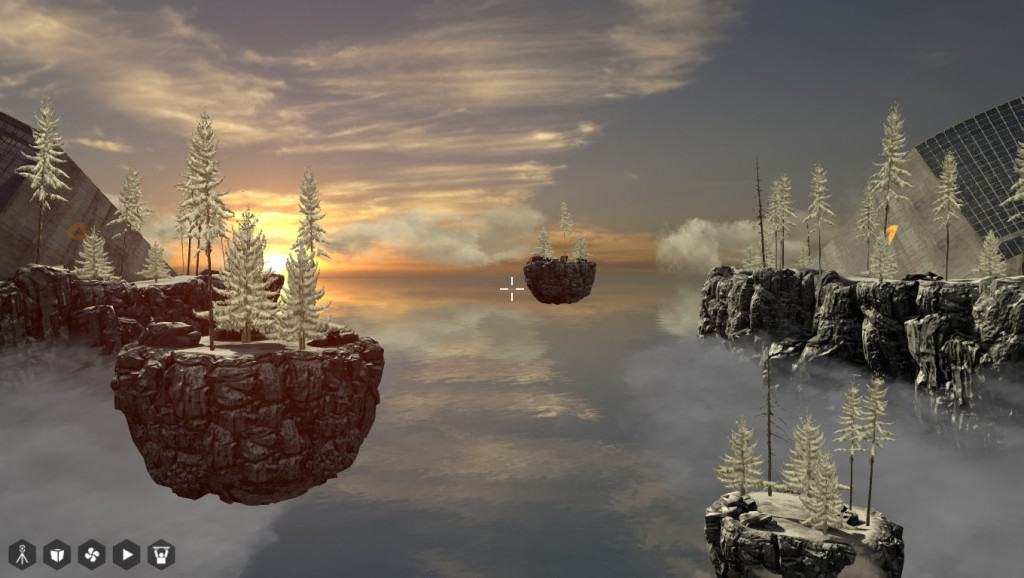
After finishing the Talos Principle I immediately started to play the extension Road to Gehenna, but was derailed near completion by the incredible Portal Stories: Mel. Now that I finally managed to escape from the test chambers my attention returned to the Road to Gehenna. As with the pair Portal 2 and Portal Stories: Mel, the challenges are going up considerably from the original Talos Principle to the Road to Gehenna. Checking the hours of game play it took me about 24h through all the riddles in Road to Gehenna, but I have to admit, I had some riddles where I needed to cheat. road-to-gehenna.jpg The Road to Gehenna does not bring much new game play elements, but loads of new riddles. And the best of all, playable on Linux! And as with the original game, the graphics are really well done, while still be playable on my Vaio Pro laptop with Intel integrated graphic card a plus that is rare in the world of computer games where everyone is expected to have a high-end nVidia or Radeon card. Ok, there is not much action going on where quick graphic computations are necessary, still the impression of the game is great.
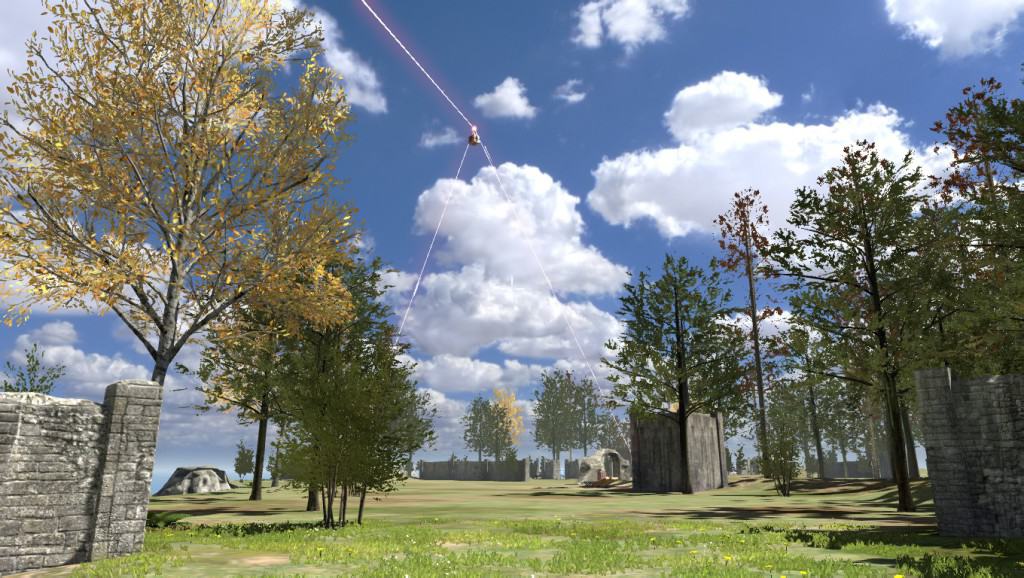
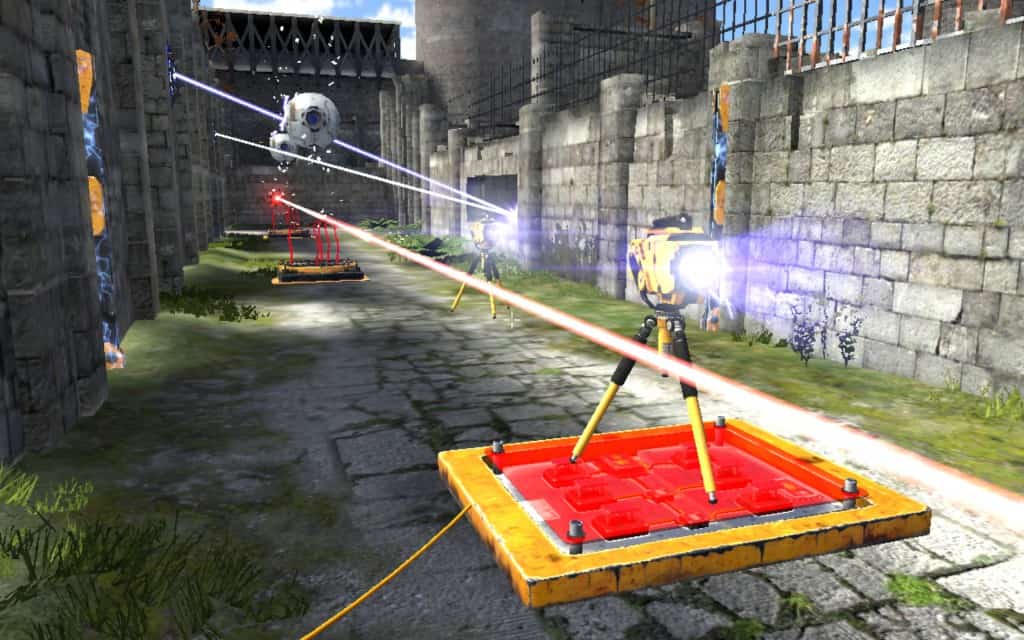
gehenna1 The riddles contain the well known elements (connectors, boxes, jammer, etc), but the settings are often spectacular, sometimes very small and narrow, just a few moves if done in the right order, sometimes like wide open fields with lots of space to explore. Transportation between various islands suspended in the air is with vents, giving you a lot of nice flight time!
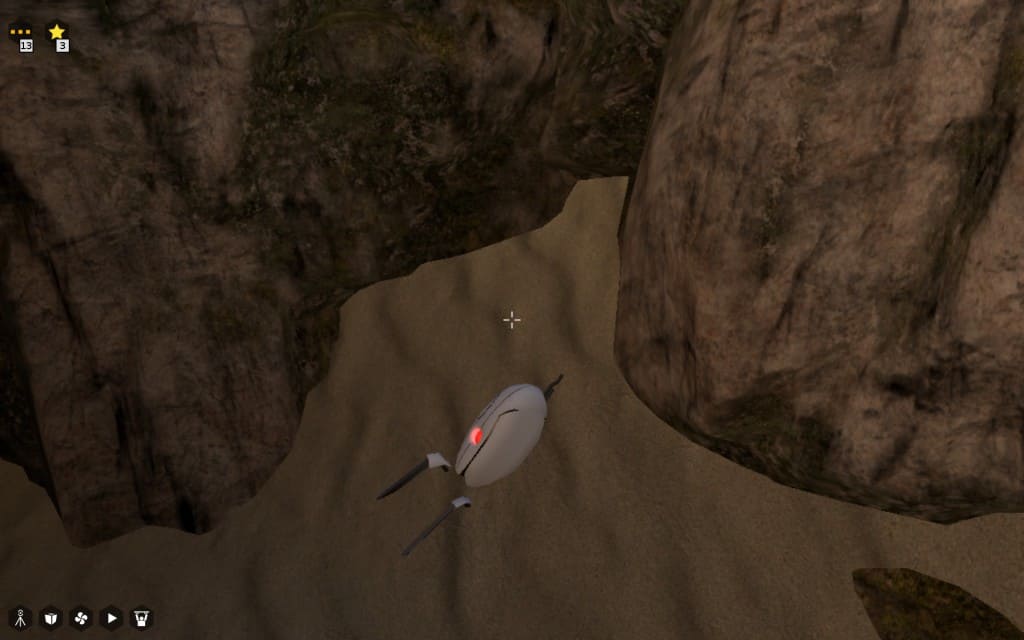
gehenna2 If one searches a lot, or uses a bit of cheating, one can find good old friends from the Portal series, burried in the sand in one of the world. This is not the only easter egg hidden in the game, there are actually a lot, some of which I have not seen but only read about afterwards. Guess I need to replay the whole game.
gehenna3 Coming back to the riddles, I really believe that the makers have been ingenious in using the few items at hand to create challenging and surprising riddles. As it is so often, many of the riddles look completely impossible at first glance, and often even after staring at them for tens and tens of minutes. Until (and if) one has the the a-ha effect and understands the trick. This often still needs a lot of handwork and trial-error rounds, but all in all the game is well balanced. What is a bit a pain similar to the original game are collecting the stars to reach the hidden world and free the admin. There the developers overdid it in my opinion, with some rather absurd and complicated stars.
gehenna4 The end of the game, ascension of the messengers, is rather unspectacular. A short discussion on who remains and then a big closing scene with the messenger being beamed up a la Starship Enterprise, and a closing black screen. But well, the fun was with the riddles.
gehenna5 All in all an extension that is well worth the investment if one enjoyed the original Talos, and is looking for rather challenging riddles. Now that I have finished all the Portal and Talos titles, I am hard thinking of what is next looking into Braid Enjoy!

1 February 2016

Lunar: Reproducible builds: week 40 in Stretch cycle

What happened in the reproducible builds effort between January 24th and January 30th:

Media coverage Holger Levsen was interviewed by the FOSDEM team to introduce his talk on Sunday 31st.

Toolchain fixes Jonas Smedegaard uploaded d-shlibs/0.63 which makes the order of dependencies generated by d-devlibdeps stable accross locales. Original patch by Reiner Herrmann.

Packages fixed The following 53 packages have become reproducible due to changes in their build dependencies: appstream-glib, aptitude, arbtt, btrfs-tools, cinnamon-settings-daemon, cppcheck, debian-security-support, easytag, gitit, gnash, gnome-control-center, gnome-keyring, gnome-shell, gnome-software, graphite2, gtk+2.0, gupnp, gvfs, gyp, hgview, htmlcxx, i3status, imms, irker, jmapviewer, katarakt, kmod, lastpass-cli, libaccounts-glib, libam7xxx, libldm, libopenobex, libsecret, linthesia, mate-session-manager, mpris-remote, network-manager, paprefs, php-opencloud, pisa, pyacidobasic, python-pymzml, python-pyscss, qtquick1-opensource-src, rdkit, ruby-rails-html-sanitizer, shellex, slony1-2, spacezero, spamprobe, sugar-toolkit-gtk3, tachyon, tgt. The following packages became reproducible after getting fixed: Some uploads fixed some reproducibility issues, but not all of them:
  • gnubg/1.05.000-4 by Russ Allbery.
  • grcompiler/4.2-6 by Hideki Yamane.
  • sdlgfx/2.0.25-5 fix by Felix Geyer, uploaded by Gianfranco Costamagna.
Patches submitted which have not made their way to the archive yet:
  • #812876 on glib2.0 by Lunar: ensure that functions are sorted using the C locale when giotypefuncs.c is generated.

diffoscope development diffoscope 48 was released on January 26th. It fixes several issues introduced by the retrieval of extra symbols from Debian debug packages. It also restores compatibility with older versions of binutils which does not support readelf --decompress.

strip-nondeterminism development strip-nondeterminism 0.015-1 was uploaded on January 27th. It fixes handling of signed JAR files which are now going to be ignored to keep the signatures intact.

Package reviews 54 reviews have been removed, 36 added and 17 updated in the previous week. 30 new FTBFS bugs have been submitted by Chris Lamb, Michael Tautschnig, Mattia Rizzolo, Tobias Frost.

Misc. Alexander Couzens and Bryan Newbold have been busy fixing more issues in OpenWrt. Version 1.6.3 of FreeBSD's package manager pkg(8) now supports SOURCE_DATE_EPOCH. Ross Karchner did a lightning talk about reproducible builds at his work place and shared the slides.

Rapha&#235;l Hertzog: My Free Software Activities in January 2016

My monthly report covers a large part of what I have been doing in the free software world. I write it for my donators (thanks to them!) but also for the wider Debian community because it can give ideas to newcomers and it s one of the best ways to find volunteers to work with me on projects that matter to me. Debian LTS I did not ask for any paid hours this month and won t be requesting paid hours for the next 5 months as I have a big project to handle with a deadline in June. That said I still did a few LTS related tasks: Distro Tracker Due to many nights spent on playing Splatoon (I m at level 33, rank B+, anyone else playing it?), I did not do much work on Distro Tracker. After having received the bug report #809211, I investigated the reasons why SQLite was no longer working satisfactorily in Django 1.9 and I opened the upstream ticket 26063 and I had a long discussion with two upstream developers to find out the best fix. The next point release (1.9.2) will fix that annoying regression. I also merged a couple of contributions (two patches from Christophe Siraut, one adding descriptions to keywords, cf #754413, one making it more obvious that chevrons in action items are actionable to show more data, a patch from Balasankar C in #810226 fixing a bad URL in an action item). I fixed a small bug in the unsubscribe command of the mail bot, it was not properly recognizing source packages. I updated the task notifying of new upstream versions to use the data generated by UDD (instead of the data generated by Christoph Berg s mole-based implementation which was suffering from a few bugs). Debian Packaging Testing experimental sbuild. While following the work of Johannes Schauer on sbuild, I installed the version from experimental to support his work and give him some feedback. In the process I uncovered #810248. Python sponsorship. I reviewed and uploaded many packages for Daniel Stender who keeps doing great work maintaining prospector and all its recursive dependencies: pylint-common, python-requirements-detector, sphinx-argparse, pylint-django, prospector. He also prepared an upload of python-bcrypt which I requested last month for Django. Django packaging. I uploaded Django 1.8.8 to jessie-backports.
My stable updates for Django 1.7.11 was not handled before the release of Debian 8.3 even though it was filed more than 1.5 months before. Misc stuff. My stable update for debian-handbook has been accepted fairly shortly after my last monthly report (thank you Adam!) so I uploaded the package once acked by a release manager. I also sponsor a backports upload of zim prepared by Joerg Desch. Kali related work Kernel work. The switch to Linux 4.3 in Kali resulted in a few bug reports that I investigated with the help of #debian-kernel and where I reported my findings back so that the Debian kernel could also benefit from the fixes I uploaded to Kali: first we included a patch for a regression in the vmwgfx video driver used by VMWare virtual machines (which broke the gdm login screen), then we fixed the input-modules udeb to fix support of some Logitech keyboards in debian-installer (see #796096). Misc work. I made a non-maintainer upload of python-maxminddb to fix #805689 which had been removed from stretch and that we needed in Kali. I also had to NMU libmaxminddb since it was no longer available on armel and we actually support armel in Kali. During that NMU, it occurred to me that dh-exec could offer a feature of optional install , that is installing a file that exists but not failing if it doesn t exist. I filed this as #811064 and it stirred up quite some debate. Thanks See you next month for a new summary of my activities.

No comment Liked this article? Click here. My blog is Flattr-enabled.

Mike Gabriel: My FLOSS activities in January 2016

In January 2016 I was finally able to work on various FLOSS topics again (after two months of heavily focussed local customer work): Upload of MATE 1.12 to Debian testing/unstable At the beginning of the new year, I finalized the bundle upload of MATE 1.12 to Debian unstable [1]. All uploaded packages are available in Debian testing (stretch) and Ubuntu xenial by now. MATE 1.12 will also be the version shipped in Ubuntu MATE 16.04 LTS. Additionally, I finally uploaded caja-dropbox to Debian unstable (non-free), thanks to Vangelis Mouhtsis and Martin Wimpress for doing first steps preparations. The package has already left Debian's NEW queue, but unfortunately has been removed from Debian testing (stretch) again due to build failures in one of its dependencies. Debian LTS work In January 2016 I did my first round of Debian LTS front desk work [2]. Before actually starting with my front desk duty, I worked myself through the documentation and found it difficult to understand the output of the lts-cve-triage.py script. So, I proposed various improvments to the output of that script (all committed by now). During the second week of January then, I triaged the following packages regarding known/open CVE issues: read more

Michal &#268;iha&#345;: Canon MF8540Cdn on Debian Linux

I've recently bought this beast and of course want to run it on Linux. Vendor does provide Linux drivers which even come with source, so that looked quite okay in the beginning. However it turned out not to be that easy. First attempt was to install the 64-bit drivers and all I got from the printer is almost blank page with:
**** Unable to open the initial device, quitting.
Okay, that's not much helpful. Meanwhile I did install i386 system where it worked just fine. I started to smell some problems and looked at the source. It turned out to be almost complete, there was just single i386 binary, which is obviously needed by the driver. Once realizing this, it was quite easy to make it work on 64 bit system as well:
dpkg --add-architecture i386
apt install libxml2:i386 libstdc++6:i386
Not that I'd be happy to run binary blob on my system, but at least printing now works. Scanning from the device is easy - all you need to configure access to email and Samba and it works pretty without problems.

Filed under: Debian English 0 comments

Michal &#268;iha&#345;: Canon MF8640Cdn on Debian Linux

I've recently bought this beast and of course want to run it on Linux. Vendor does provide Linux drivers which even come with source, so that looked quite okay in the beginning. However it turned out not to be that easy. First attempt was to install the 64-bit drivers and all I got from the printer is almost blank page with:
**** Unable to open the initial device, quitting.
Okay, that's not much helpful. Meanwhile I did install i386 system where it worked just fine. I started to smell some problems and looked at the source. It turned out to be almost complete, there was just single i386 binary, which is obviously needed by the driver. Once realizing this, it was quite easy to make it work on 64 bit system as well:
dpkg --add-architecture i386
apt install libxml2:i386 libstdc++6:i386
Not that I'd be happy to run binary blob on my system, but at least printing now works. Scanning from the device is easy - all you need to configure access to email and Samba and it works pretty without problems.

Filed under: Debian English 0 comments

Russ Allbery: Review: Oathblood

Review: Oathblood, by Mercedes Lackey
Series: Vows and Honor #3
Publisher: DAW
Copyright: April 1998
ISBN: 0-88677-773-9
Format: Mass market
Pages: 394
I have this story collection listed as the third book in the Vows and Honor series, but as mentioned in the review of The Oathbound, it's more complicated than that. This book has the first Tarma and Kethry story, which is not found in The Oathbound, and two of the better stories from that volume. This is probably the place to start for the series; you're not missing that much from the rest of that book. However, the last three stories ("Wings of Fire," "Spring Plowing at Forst Reach," and "Oathblood") have significant spoilers for Oathbreakers. Therefore, if you care about both avoiding spoilers and reading this series, my recommended reading order is to ignore The Oathbound entirely, read Oathblood up to but not including "Wings of Fire," read Oathbreakers, and then come back here for the last two stories. "Sword-sworn": This is the very first Tarma and Kethry story and hence where this series actually begins. As Lackey notes in her introduction, it's a pretty stock "rape and revenge" story, which is not something I particularly enjoy. Marion Zimmer Bradley liked it well enough to accept it anyway, and I can sort of see why: the dynamic between the two characters sparkles in a few places, and the Shin'a'in world-building isn't bad. The plot, though, is very predictable and not very notable. There isn't much here that you'd be surprised by if you'd read references to these events in later stories. And there's no explanation of a few things one might be curious about, such as where Need came from. (6) "Turnabout": This is one of the two stories also found in The Oathbound. Merchants are plagued by bandits who manage to see through ruses and always catch their guards by surprise (with a particularly nasty bit of rape and murder in one case Tarma and Kethry stories have quite a lot of that). That's enough to get the duo to take the job of luring out the bandits and dealing with them, using a nice bit of magical disguise. This story is also a song on one of the Vows and Honor albums from Firebird (which I also have). It was one of my favorites of Lackey's songs, so I want to like the story (and used to like it a great deal). Unfortunately, the very nasty bit of revenge that the supposed heroes take at the end of the story completely destroyed my enjoyment of it on re-reading. It's essentially a glorification of prison rape, which is a trope that I no longer have any patience for. (4) "The Making of a Legend": In order to explain the differences between the song based on "Turnabout" and the actual story, Lackey invented a bard, Leslac, who loves writing songs about Tarma and Kethry and regularly gets the details wrong, mostly by advertising them as moral crusaders for women instead of mercenaries who want to get paid, much to their deep annoyance. This is his debut in an actual story, featuring an incident that's delightfully contrary to Leslac's expectations. It's a slight story, but I thought it was fun. (6) "Keys": Another story from The Oathbound, this is a locked-room mystery with a bit of magical sleuthing. Kethry attempts to prove that a woman did not murder her husband while Tarma serves as her champion in a (rather broken) version of trial by combat. I think the version here is better than the edited version in The Oathbound, and it's a fairly enjoyable bit of sleuthing. (7) "A Woman's Weapon": I would call this the typical Tarma and Kethry story (except that, for a change, it's missing the rape): they stumble across some sort of serious injustice and put things to right with some hard thinking and a bit of poetic justice. In this case, it's a tannery that's poisoning the land, and a master tanner who can't put a stop to his rival. Competent although not particularly memorable. (6) "The Talisman": A rather depressing little story about a mage who wants shortcuts and a magic talisman that isn't what it appears to be. Not one of my favorites, in part because it has some common Tarma and Kethry problems: unnecessary death, a feeling that the world is very dangerous and that mistakes are fatal, and narrative presentation of the people who die from their stupidity as deserving it. I couldn't shake the feeling that there was probably some better way of resolving this if people had just communicated a bit better. (5) "A Tale of Heroes": Back to the rape, unfortunately, plus a bit of very convenient match-making that I found extremely dubious. For all that Lackey's introduction paints this as a story of empowering people to follow their own paths, the chambermaid of this story didn't seem to have many more choices in her life after meeting Tarma and Kethry than before, even if her physical situation was better. I did like the touch of Tarma and Kethry not being the heroes and victors in the significant magical problem they stumble across, though, and it's a warm-hearted story if you ignore the effects of trauma as much as the story ignores them. (6) "Friendly Fire": An amusing short story about the power of bad luck and Murphy's Law. It hit one of my pet peeves at one point, where Lackey tries to distort the words of someone with a cold and just makes the dialogue irritating to read, but otherwise a lot of fun. (7) "Wings of Fire": I love the Hawkbrothers, so it's always fun when they show up. The villain of this piece is way over the top and leaves much to be desired, but the guest-starring Hawkbrother mostly makes up for it. Once again, Tarma and Kethry get out of a tight spot by thinking harder instead of by having more power, although the villain makes that rather easy via overconfidence. Once again, though, the poetic justice that Lackey's protagonists enjoy leaves a bad taste in my mouth, although it's not quite as bad here as some other stories. (6) "Spring Planting at Forst Reach": On one level, this is a rather prosaic story about training horses (based on Lackey's experience and reading, so a bit better than typical fantasy horse stories). But it's set at Forst Reach, Vanyel's home, some years after Vanyel. I like those people and their gruff approach to life, and it meshes well with Tarma and Kethry's approach. If you enjoy the two showing off their skills and wowing people with new ideas, you'll have fun with this. (7) "Oathblood": As you might guess from the matching title, this novella is the heart of the book and about a quarter of its length. We get to see Kethry's kids, see more of their life in their second (post-Oathbreakers) career, and then get a rather good adventure story of resourceful and thoughtful youngsters, with a nice touch of immature but deeply-meant loyalty. I didn't enjoy it as much as I would have without one of the tactics the kids use to get out of trouble, but my dislike for reading about other people's bowel troubles is partly a personal quirk. This is a pretty typical Lackey story of resourcefulness and courage; if you like this series in general, you'll probably enjoy this one. (7) Rating: 7 out of 10

Stein Magnus Jodal: January contributions

The following is a short summary of my open source work in January, just like I did back in November and December.

Debian

Mopidy
  • PR #1381: Made lookup() ignore tracks without URI.
  • Updated docs for Raspberry Pi installation to match Raspbian jessie.
  • Rewrote docs for running Mopidy as a service, more focused on systemd than Debian specifics to also cater for Arch users.
  • PR #1397: Added missing MPD volume command.
  • Merged a bunch of contributed fixes and released Mopidy 1.1.2.
  • Updated all extensions hosted under the Mopidy GitHub organization with either the name of the primary maintainer or a call for a new maintainer. The extensions in need of a new maintainer are: If you re a user of any of these and want to contribute, please step up. Instructions can be found in the README of any of these projects.
  • The feature/gst1 branch is complete as far as I know. There are no known regressions from Mopidy 1.1.2. PR #1419 is hopefully the last iteration of the pull request and GStreamer 1.x support will land in Mopidy 1.2.
  • Wrapping up the 1.2 release is now the focus. We might want to include this in Debian/Ubuntu before the Ubuntu 16.04 import freeze February 18, depending on feedback over the next week or two.

Comics
  • Added one new crawler.
  • Released comics 2.4.2.
  • Merged one new crawler and a crawler update.

31 January 2016

Thorsten Alteholz: My Debian Activities in January 2016

FTP assistant This month I marked 281 package for accept and rejected 58, so almost back to normal processing. I also sent 19 emails to maintainers asking questions. As mentioned in October the accept-number has reached another milestone. I accepted package 6666 on 20151221, it was python-skbio_0.4.1-1. The winner of a fast processed package with the best guess of this date is: *tata* Javi. Ok, he was the only participant :-) . So, who can guess the date of 7777? Squeeze LTS This was my nineteenth month that I did some work for the Squeeze LTS initiative, started by Raphael Hertzog at Freexian. This month several people had to reduce their contribution, so all in all I got a workload of 30h. Altogether I uploaded those DLAs: For the first time this month, I was also involved in three embargoed uploads. Ben and I were informed about some security issues before they got published and I prepared the DLAs. Although the real upload for all suites were still done by the security team, it was really exciting. I also spent some time on #796095 and prepared another patch for review. Further I am almost done with the next upload of PHP 5.3. Just before starting dupload, another issue appeared. As I think that this will be the last upload of PHP for Squeeze LTS, I also want to take care of this latecomer. The upload of krb5 is waiting in the pipeline, I am just waiting for a confirmation that everything is fine. This month I also had another term of doing frontdesk work and looked for CVEs that are important for Squeeze LTS or could be ignored. As Wheezy LTS is just before the start, I already prepared the new build environment. So either now or later in April, I am ready Other stuff Due to the high LTS workload, there was no time for other stuff :-( .

Daniel Silverstone: The Beer'o'Meter project

As some of you may know, I have been working on a small hardware project called the Beer'o'Meter whose purpose is to allow us to extend Ye Olde Vic's beer board to indicate the approximate fullness of each cask. For some time now, we've been operating an electronic beer board at the Vic which you may see tweeted out from time to time. The pumpotron has become very popular with the visitors to the pub, especially that it can be viewed online in a basic textual form. Of course, as many of you who visit pubs know only too well. That a beer is "on" is no indication of whether or not you need to get there sharpish to have a pint, or if you can take your time and have a curry first. As a result, some of us have noticed a particular beer on, come to the pub after dinner, and then been very sad that if only we'd come 30 minutes previously, we'd have had a chance at the very beer we were excited about. Combine this kind of sadness with a two week break at Christmas, and I started to develop a Beer'o'Meter to extend the pumpotron with an indication of how much of a given beer had already been served. Recently my boards came back from Elecrow along with various bits and bobs, and I have spent some time today building one up for test purposes. As always, it's important to start with some prep work to collect all the necessary components. I like to use cake cases as you may have noticed on the posting yesterday about the oscilloscope I built. Component prep for the Beer'o'Meter Naturally, after prep comes the various stages of assembly. You start with the lowest-height components, so here's the board after I fitted the ceramic capacitors: Step 1, ceramic capacitors And here's after I fitted the lying-down electrolytic decoupling capacitor for the 3.3 volt line: Step 2, capacitors which lie down Next I should have fitted the six transitors from the middle cake case, but I discovered that I'd used the wrong pinout for them. Even after weeks of verification by myself and others, I'd made a mistake. My good friend Vincent Sanders recently posted about how creativity is allowing yourself to make mistakes and here I had made a doozy I hadn't spotted until I tried to assemble the board. Fortunately TO-92 transistors have nice long legs and I have a pair of tweezers and some electrical tape. As such I soon had six transistors doing the river dance: Transistors doing the river-dance With that done, I noticed that the transistors now stood taller than the pins (previously I had been intending to fit the transistors before the pins) so I had to shuffle things around and fit all my 0.1" pins and sockets next: Step 3, pins and sockets Then I could fit my dancing transistors: Step 4, transistors We're almost finished now, just one more capacitor to provide some input decoupling on the 9v power supply: Finished -- decoupling fitted Of course, it wouldn't be complete without the ESP8266Huzzah I acquired from AdaFruit though I have to say that I'm unlikely to use these again, but rather I might design in the surface-mount version of the module instead. Fitted with the module And since this is the very first Beer'o'Meter to be made, I had to go and put a 1 on the serial-number space on the back of the board. I then tried to sign my name in the box, made a hash of it, so scribbled in the gap :-) The back of the finished module Finally I got to fit all six of my flow meters ready for some testing. I may post again about testing the unit, but for now, here's a big spider of a flow meter for beer: The Beer'o'Meter spider This has been quite a learning experience for me, and I hope in the future to be able to share more of my hardware projects, perhaps from an earlier stage. I have plans for a DAC board, and perhaps some other things.

Daniel Silverstone: Building an Oscilloscope

I recently ordered some PCBs from Elecrow for the Vic's beer-measurement system I've been designing with Rob. While on the site, I noticed that they have a single-channel digital oscilloscope kit based on an STM32. This is a JYE Tech DSO138 which arrives as a PCB whose surface-mount stuff has been fitted, along with a whole bunch of pin-through components for you to solder up the scope yourself. There's a non-trivial number of kinds of components, so first you should prep by splitting them all up and double-checking them all. Preparing the components Once you've done that, the instructions start you off fitting a whole bunch of resistors... Step 1, fitting resistors Then some diodes, RF chokes, and the 8MHz crystal for the STM32. Step 2, fitting diodes, a crystal, and chokes The single most-difficult bit for me to solder was the USB socket. Fine pitch leads, coupled with high-thermal-density socket. Step 3, the USB socket There is a veritable mountain of ceramic capacitors to fit... Step 4, all the ceramic capacitors And then buttons, inductors, trimming capacitors and much more... Step 5, buttons, inductors, trimming capacitors, etc THe switches were the next hardest things to solder, after the USB socket... Step 6, Switches, connectors, etc Finally you have to solder a test loop and close some jumpers before you power-test the board. Step 7, Test loop and jumper soldering The last bit of soldering is to solder pins to the LCD panel board... Step 8, LCD panel Before you finally have a working oscilloscope Working oscilloscope! I followed the included instructions to trim the scope using the test point and the trimming capacitors, before having a break to write this up for you all. I'd say that it was a fun day because I enjoyed getting a lot of soldering practice (before I have to solder up the beer'o'meter for the pub) and at the end of it I got a working oscilloscope. For 40 USD, I'd recommend this to anyone who fancies a go.

Chris Lamb: Free software activities in January 2016

Here is my monthly update covering a large part of what I have been doing in the free software world (previously):
Debian
  • Had a talk proposal accepted (Reproducible Builds - fulfilling the original promise of free software) at FOSSASIA 16.
My work in the Reproducible Builds project was also covered in more depth in Lunar's weekly reports (#35, #36, #37, #38, #39)
LTS

This month I have been paid to work 18 hours on Debian Long Term Support (LTS). In that time I did the following:
  • Sevend days of "frontdesk" duties, triaging CVEs, etc.
  • Issued DLA 386-1 for cacti to patch an SQL injection vulnerability.
  • Issued DLA 388-1 for dwarfutils fixing a NULL deference issue.
  • Issued DLA 391-1 for prosody correcting the use of a weak pseudo-random number generator.
  • Issued DLA 404-1 for nginx to prevent against an invalid pointer deference.

Uploads
  • redis (2:3.0.7-1) New upstream stable release, also ensure that test processes are cleaned up and replacing an existing reproducibility patch with a SOURCE_DATE_EPOCH solution.
  • python-django (1.9.1-1) New upstream release.
  • disque (1.0~rc1-4) Make the build reproducible via SOURCE_DATE_EPOCH, ensure that test processes are cleaned up and that the nocheck flag is correctly honoured.
  • gunicorn (19.4.5-1) New upstream release.
  • redis (2:3.2~rc3-1) New upstream RC release (to experimental).


RC bugs


I also filed 100 FTBFS bugs against apache-log4j2, awscli, binutils, brian, ccbuild, coala, commons-beanutils, commons-vfs, composer, cyrus-sasl2, debiandoc-sgml-doc-pt-br, dfvfs, dillo, django-compat, dulwich, git-annex, grpc, hdf-eos5, hovercraft, ideviceinstaller, ircp-tray, isomd5sum, javamail, jhdf, jsonpickle, kivy, klog, libcloud, libcommons-jexl2-java, libdata-objectdriver-perl, libdbd-sqlite3-perl, libpam-krb5, libproc-waitstat-perl, libslf4j-java, libvmime, linuxdcpp, lsh-utils, mailutils, mdp, menulibre, mercurial, mimeo, molds, mugshot, nose, obex-data-server, obexfs, obexftp, orafce, p4vasp, pa-test, pgespresso, pgpool2, pgsql-asn1oid, php-doctrine-cache-bundle, php-net-ldap2, plv8, pngtools, postgresql-mysql-fdw, pyfftw, pylint-common, pylint-django, pylint-django, python-ase, python-axiom, python-biopython, python-dcos, python-falcon, python-instagram, python-markdown, python-pysam, python-requests-toolbelt, python-ruffus, pytsk, pyviennacl, ros-class-loader, ros-ros-comm, ros-roscpp-core, roxterm, ruby-celluloid-extras, ruby-celluloid-fsm, ruby-celluloid-supervision, ruby-eye, ruby-net-scp, ruby-net-ssh, ruby-sidekiq, ruby-sidekiq-cron, ruby-sinatra-contrib, seaview, smc, spatial4j-0.4, swift-plugin-s3, tilecache, typecatcher, ucommon, undertaker, urdfdom, ussp-push, xserver-xorg-video-intel & yt.

FTP Team

As a Debian FTP assistant I ACCEPTed 201 packages: abi-tracker, android-platform-build, android-platform-frameworks-native, android-platform-libcore, android-platform-system-core, animate.css, apitrace, argon2, autosize.js, bagel, betamax, bittorrent, bls-standalone, btfs, caja-dropbox, cegui-mk2, complexity, corebird, courier-authlib, cpopen, ctop, dh-haskell, django-python3-ldap, e2fsprogs1.41, emacs-async, epl, fast5, fastkml, flask-restful, flask-silk, gcc-6, gitlab, golang-github-kolo-xmlrpc, golang-github-kr-fs, golang-github-pkg-sftp, golang-github-prometheus-common, google-auth-library-php, h5py, haskell-aeson-compat, haskell-userid, heroes, hugo, ioprocess, iptables, ivy-debian-helper, ivyplusplus, jquery-timer.js, klaus, kpatch, lazarus, libatteanx-store-sparql-perl, libbrowserlauncher-java, libcgi-test-perl, libdata-sah-normalize-perl, libfsntfs, libjs-fuzzaldrin-plus, libjung-free-java, libmongoc, libmygpo-qt, libnet-nessus-rest-perl, liborcus, libperinci-sub-util-propertymodule-perl, libpodofo, librep, libsodium, libx11-xcb-perl, linux, linux-grsec-base, list.js, lombok, lua-mediator, luajit, maven-script-interpreter, midicsv, mimeo, miniasm, mlpack, mom, mosquitto-auth-plugin, moxie.js, msgpuck, nanopolish, neovim, netcdf, network-manager-applet, network-manager-ssh, node-esprima-fb, node-mocks-http, node-schlock, nomacs, ns3, openalpr, openimageio, openmpi, openms, orafce, pbsim, pd-iemutils, pd-nusmuk, pd-puremapping, pd-purest-json, pg-partman, pg-rage-terminator, pgfincore, pgmemcache, pgsql-asn1oid, php-defaults, php-jwt, php-mf2, php-redis, pkg-info-el, plr, pnmixer, postgresql-multicorn, postgresql-mysql-fdw, powa-archivist, previsat, pylint-flask, pyotherside, python-caldav, python-cookies, python-dcos, python-flaky, python-flickrapi, python-frozendict, python-genty, python-git, python-greenlet, python-instagram, python-ironic-inspector-client, python-manilaclient, python-neutronclient, python-openstackclient, python-openstackdocstheme, python-prometheus-client, python-pymzml, python-pysolr, python-reno, python-requests-toolbelt, python-scales, python-socketio-client, qdox2, qgis, r-cran-biasedurn, rebar.js, repmgr, rfcdiff, rhythmbox-plugin-alternative-toolbar, ripe-atlas-cousteau, ripe-atlas-sagan, ripe-atlas-tools, ros-image-common, ruby-acts-as-list, ruby-allocations, ruby-appraiser, ruby-appraiser-reek, ruby-appraiser-rubocop, ruby-babosa, ruby-combustion, ruby-did-you-mean, ruby-fixwhich, ruby-fog-xenserver, ruby-hamster, ruby-jeweler, ruby-mime-types-data, ruby-monkey-lib, ruby-net-telnet, ruby-omniauth-azure-oauth2, ruby-omniauth-cas3, ruby-puppet-forge, ruby-racc, ruby-reek, ruby-rubinius-debugger, ruby-rubysl, ruby-rubysl-test-unit, ruby-sidekiq-cron, ruby-threach, ruby-wavefile, ruby-websocket-driver, ruby-xmlhash, rustc, s-nail, scrm, select2.js, senlin, skytools3, slurm-llnl, sphinx-argparse, sptk, sunpy, swauth, swift, tdiary, three.js, tiny-initramfs, tlsh, ublock-origin, vagrant-cachier, xapian-core, xmltooling, & yp-tools. I additionally REJECTed 29 packages.

30 January 2016

Simon McVittie: GNOME Developer Experience hackfest: xdg-app + Debian

Over the last few days I've been at the GNOME Developer Experience hackfest in Brussels, looking into xdg-app and how best to use it in Debian and Debian derivatives. xdg-app is basically a way to run "non-core" software on Linux distributions, analogous to apps on Android and iOS. It doesn't replace distributions like Debian or packaging systems, but it adds a layer above them. It's mostly aimed towards third-party apps obtained from somewhere that isn't your distribution vendor, aiming to address a few long-standing problems in that space: To address the first point, each application uses a specified "runtime", which is available as /usr inside its sandbox. This can be used to run application bundles with multiple, potentially incompatible sets of dependencies within the same desktop environment. A runtime can be updated within its branch - for instance, if an application uses the "GNOME 3.18" runtime (consisting of a basic Linux system, the GNOME 3.18 libraries, other related libraries like Mesa, and their recursive dependencies like libjpeg), it can expect to see minor-version updates from GNOME 3.18.x (including any security updates that might be necessary for the bundled libraries), but not a jump to GNOME 3.20. To address the second issue, the plan is for application bundles to be available as a single file, containing metadata (such as the runtime to use), the app itself, and any dependencies that are not available in the runtime (which the app vendor is responsible for updating if necessary). However, the primary way to distribute and upgrade runtimes and applications is to package them as OSTree repositories, which provide a git-like content-addressed filesystem, with efficient updates using binary deltas. The resulting files are hard-linked into place. To address the last point, application bundles run partially isolated from the wider system, using containerization techniques such as namespaces to prevent direct access to system resources. Resources from outside the sandbox can be accessed via "portal" services, which are responsible for access control; for example, the Documents portal (the only one, so far) displays an "Open" dialog outside the sandbox, then allows the application to access only the selected file. xdg-app for Debian One thing I've been doing at this hackfest is improving the existing Debian/Ubuntu packaging for xdg-app (and its dependencies ostree and libgsystem), aiming to get it into a state where I can upload it to Debian experimental. Because xdg-app aims to be a general freedesktop project, I'm currently intending to make it part of the "Utopia" packaging team alongside projects like D-Bus and polkit, but I'm open to suggestions if people want to co-maintain it elsewhere. In the process of updating xdg-app, I sent various patches to Alex, mostly fixing build and test issues, which are in the new 0.4.8 release. I'd appreciate co-maintainers and further testing for this stuff, particularly ostree: ostree is primarily a whole-OS deployment technology, which isn't a use-case that I've tested, and in particular ostree-grub2 probably doesn't work yet. Source code: Binaries (no trust path, so only use these if you have a test VM): The "Hello, World" of xdg-apps Another thing I set out to do here was to make a runtime and an app out of Debian packages. Most of the test applications in and around GNOME use the "freedesktop" or "GNOME" runtimes, which consist of a Yocto base system and lots of RPMs, are rebuilt from first principles on-demand, and are extensive and capable enough that they make it somewhat non-obvious what's in an app or a runtime. So, here's a step-by-step route through xdg-app, first using typical GNOME instructions, but then using the simplest GUI app I could find - xvt, a small xterm clone. I'm using a Debian testing (stretch) x86_64 virtual machine for all this. xdg-app currently requires systemd-logind to put users and apps in cgroups, either with systemd as pid 1 (systemd-sysv) or systemd-shim and cgmanager; I used the default systemd-sysv. In principle it could work with plain cgmanager, but nobody has contributed that support yet. Demonstrating an existing xdg-app Debian's kernel is currently patched to be able to allow unprivileged users to create user namespaces, but make it runtime-configurable, because there have been various security issues in that feature, making it a security risk for a typical machine (and particularly a server). Hopefully unprivileged user namespaces will soon be secure enough that we can enable them by default, but for now, we have to do one of three things to let xdg-app use them: First, we'll need a runtime. The standard xdg-app tutorial would tell you to download the "GNOME Platform" version 3.18. To do that, you'd add a remote, which is a bit like a git remote, and a bit like an apt repository:
$ wget http://sdk.gnome.org/keys/gnome-sdk.gpg
$ xdg-app remote-add --user --gpg-import=gnome-sdk.gpg gnome \
    http://sdk.gnome.org/repo/
(I'm ignoring considerations like trust paths and security here, for brevity; in real life, you'd want to obtain the signing key via https and/or have a trust path to it, just like you would for a secure-apt signing key.) You can list what's available in a remote:
$ xdg-app remote-ls --user gnome
...
org.freedesktop.Platform
...
org.freedesktop.Platform.Locale.cy
...
org.freedesktop.Sdk
...
org.gnome.Platform
...
The Platform runtimes are what we want here: they are collections of runtime libraries with which you can run an application. The Sdk runtimes add development tools, header files, etc. to be able to compile apps that will be compatible with the Platform. For now, all we want is the GNOME 3.18 platform:
$ xdg-app install --user gnome org.gnome.Platform 3.18
Next, we can install an app that uses it, from Alex Larsson's nightly builds of a subset of GNOME. The server they're on doesn't have a great deal of bandwidth, so be nice :-)
$ wget http://209.132.179.2/keys/nightly.gpg
$ xdg-app remote-add --user --gpg-import=nightly.gpg nightly \
    http://209.132.179.2/repo/
$ xdg-app install --user nightly org.mypaint.MypaintDevel
We now have one app, and the runtime it needs:
$ xdg-app list
org.mypaint.MypaintDevel
$ xdg-app run org.mypaint.MypaintDevel
[you see a GUI window]
Digression: what's in a runtime? Behind the scenes, xdg-app runtimes and apps are both OSTree trees. This means the ostree tool, from the package of the same name, can be used to inspect them.
$ sudo apt install ostree
$ ostree refs --repo ~/.local/share/xdg-app/repo
gnome:runtime/org.gnome.Platform/x86_64/3.18
nightly:app/org.mypaint.MypaintDevel/x86_64/master
A "ref" has roughly the same meaning as in git: something like a branch or a tag. ostree can list the directory tree that it represents:
$ ostree ls --repo ~/.local/share/xdg-app/repo \
    runtime/org.gnome.Platform/x86_64/3.18
d00755 0 0      0 /
-00644 0 0    493 /metadata
d00755 0 0      0 /files
$ ostree ls --repo ~/.local/share/xdg-app/repo \
    runtime/org.gnome.Platform/x86_64/3.18 /files
d00755 0 0      0 /files
l00777 0 0      0 /files/local -> ../var/usrlocal
l00777 0 0      0 /files/sbin -> bin
d00755 0 0      0 /files/bin
d00755 0 0      0 /files/cache
d00755 0 0      0 /files/etc
d00755 0 0      0 /files/games
d00755 0 0      0 /files/include
d00755 0 0      0 /files/lib
d00755 0 0      0 /files/lib64
d00755 0 0      0 /files/libexec
d00755 0 0      0 /files/share
d00755 0 0      0 /files/src
You can see that /files in a runtime is basically a copy of /usr. This is not coincidental: the runtime's /files gets mounted at /usr inside the xdg-app container. There is also some metadata, which is in the ini-like syntax seen in .desktop files:
$ ostree cat --repo ~/.local/share/xdg-app/repo \
    runtime/org.gnome.Platform/x86_64/3.18 /metadata
[Runtime]
name=org.gnome.Platform/x86_64/3.16
runtime=org.gnome.Platform/x86_64/3.16
sdk=org.gnome.Sdk/x86_64/3.16
[Extension org.freedesktop.Platform.GL]
version=1.2
directory=lib/GL
[Extension org.freedesktop.Platform.Timezones]
version=1.2
directory=share/zoneinfo
[Extension org.gnome.Platform.Locale]
directory=share/runtime/locale
subdirectories=true
[Environment]
GI_TYPELIB_PATH=/app/lib/girepository-1.0
GST_PLUGIN_PATH=/app/lib/gstreamer-1.0
LD_LIBRARY_PATH=/app/lib:/usr/lib/GL
Looking at an app, the situation is fairly similar:
$ ostree ls --repo ~/.local/share/xdg-app/repo \
    app/org.mypaint.MypaintDevel/x86_64/master
d00755 0 0      0 /
-00644 0 0    258 /metadata
d00755 0 0      0 /export
d00755 0 0      0 /files
This time, /files maps to what will become /app for the application, which was compiled with --prefix=/app:
$ ostree ls --repo ~/.local/share/xdg-app/repo \
    app/org.mypaint.MypaintDevel/x86_64/master /files
d00755 0 0      0 /files
-00644 0 0   4599 /files/manifest.json
d00755 0 0      0 /files/bin
d00755 0 0      0 /files/lib
d00755 0 0      0 /files/share
There is also a /export directory, which is made visible to the host system so that the contained app can appear as a "first-class citizen" in menus:
$ ostree ls --repo ~/.local/share/xdg-app/repo \
    app/org.mypaint.MypaintDevel/x86_64/master /export
d00755 0 0      0 /export
d00755 0 0      0 /export/share
user@debian:~$ ostree ls --repo ~/.local/share/xdg-app/repo \
    app/org.mypaint.MypaintDevel/x86_64/master /export/share
d00755 0 0      0 /export/share
d00755 0 0      0 /export/share/app-info
d00755 0 0      0 /export/share/applications
d00755 0 0      0 /export/share/icons
user@debian:~$ ostree ls --repo ~/.local/share/xdg-app/repo \
    app/org.mypaint.MypaintDevel/x86_64/master /export/share/applications
d00755 0 0      0 /export/share/applications
-00644 0 0    715 /export/share/applications/org.mypaint.MypaintDevel.desktop
$ ostree cat --repo ~/.local/share/xdg-app/repo \
    app/org.mypaint.MypaintDevel/x86_64/master \
    /export/share/applications/org.mypaint.MypaintDevel.desktop
[Desktop Entry]
Version=1.0
Name=(Nightly) MyPaint
TryExec=mypaint
Exec=mypaint %f
Comment=Painting program for digital artists
...
Comment[zh_HK]= 
GenericName=Raster Graphics Editor
GenericName[fr]= diteur d'Image Matricielle
MimeType=image/openraster;image/png;image/jpeg;
Type=Application
Icon=org.mypaint.MypaintDevel
StartupNotify=true
Categories=Graphics;GTK;2DGraphics;RasterGraphics;
Terminal=false
Again, there's some metadata:
$ ostree cat --repo ~/.local/share/xdg-app/repo \
    app/org.mypaint.MypaintDevel/x86_64/master /metadata
[Application]
name=org.mypaint.MypaintDevel
runtime=org.gnome.Platform/x86_64/3.18
sdk=org.gnome.Sdk/x86_64/3.18
command=mypaint
[Context]
shared=ipc;
sockets=x11;pulseaudio;
filesystems=host;
[Extension org.mypaint.MypaintDevel.Debug]
directory=lib/debug
Building a runtime, probably the wrong way The way in which the reference/demo runtimes and containers are generated is... involved. As far as I can tell, there's a base OS built using Yocto, and the actual GNOME bits come from RPMs. However, we don't need to go that far to get a working runtime. In preparing this runtime I'm probably completely ignoring some best-practices and tools - but it works, so it's good enough. First we'll need a repository:
$ sudo install -d -o$(id -nu) /srv/xdg-apps
$ ostree init --repo /srv/xdg-apps
I'm just keeping this local for this demonstration, but you could rsync it to a web server's exported directory or something - a lot like a git repository, it's just a collection of files. We want everything in /usr because that's what xdg-app expects, hence usrmerge:
$ sudo mount -t tmpfs -o mode=0755 tmpfs /mnt
$ sudo debootstrap --arch=amd64 --include=libx11-6,usrmerge \
    --variant=minbase stretch /mnt http://192.168.122.1:3142/debian
$ sudo mkdir /mnt/runtime
$ sudo mv /mnt/usr /mnt/runtime/files
This obviously has a lot of stuff in it that we don't need - most obviously init, apt and dpkg - but it's Good Enough . We will also need some metadata. This is sufficient:
$ sudo sh -c 'cat > /mnt/runtime/metadata'
[Runtime]
name=org.debian.Debootstrap/x86_64/8.20160130
runtime=org.debian.Debootstrap/x86_64/8.20160130
That's a runtime. We can commit it to ostree, and generate xdg-app metadata:
$ ostree commit --repo /srv/xdg-apps \
    --branch runtime/org.debian.Debootstrap/x86_64/8.20160130 \
    /mnt/runtime
$ fakeroot ostree commit --repo /srv/xdg-apps \
    --branch runtime/org.debian.Debootstrap/x86_64/8.20160130
$ fakeroot xdg-app build-update-repo /srv/xdg-apps
(I'm not sure why ostree and xdg-app report "Operation not permitted" when we aren't root or fakeroot - feedback welcome.) build-update-repo would presumably also be the right place to GPG-sign your repository, if you were doing that. We can add that as another xdg-app remote:
$ xdg-app remote-add --user --no-gpg-verify local file:///srv/xdg-apps
$ xdg-app remote-ls --user local
org.debian.Debootstrap
Building an app, probably the wrong way The right way to build an app is to build a "SDK" runtime - similar to that platform runtime, but with development files and tools - and recompile the app and any missing libraries with ./configure --prefix=/app && make && make install. I'm not going to do that, because simplicity is nice, and I'm reasonably sure xvt doesn't actually hard-code /usr into the binary:
$ install -d xvt-app/files/bin
$ sudo apt-get --download-only install xvt
$ dpkg-deb --fsys-tarfile /var/cache/apt/archives/xvt_2.1-20.1_amd64.deb \
      tar -xvf - ./usr/bin/xvt
./usr/
./usr/bin/
./usr/bin/xvt
...
$ mv usr xvt-app/files
Again, we'll need metadata, and it's much simpler than the more production-quality GNOME nightly builds:
$ cat > xvt-app/metadata
[Application]
name=org.debian.packages.xvt
runtime=org.debian.Debootstrap/x86_64/8.20160130
command=xvt
[Context]
sockets=x11;
$ fakeroot ostree commit --repo /srv/xdg-apps \
    --branch app/org.debian.packages.xvt/x86_64/2.1-20.1 xvt-app
$ fakeroot xdg-app build-update-repo /srv/xdg-apps
Updating appstream branch
No appstream data for runtime/org.debian.Debootstrap/x86_64/8.20160130
No appstream data for app/org.debian.packages.xvt/x86_64/2.1-20.1
Updating summary
$ xdg-app remote-ls --user local
org.debian.Debootstrap
org.debian.packages.xvt
The obligatory screenshot OK, good, now we can install it:
$ xdg-app install --user local org.debian.Debootstrap 8.20160130
$ xdg-app install --user local org.debian.packages.xvt 2.1-20.1
$ xdg-app run --branch=2.1-20.1 org.debian.packages.xvt
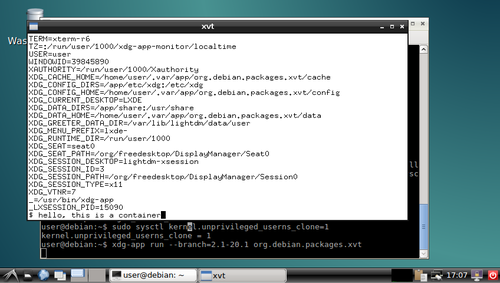
xvt in a container and you can play around with the shell in the xvt and see what you can and can't do in the container. I'm sure there were better ways to do most of this, but I think there's value in having such a simplistic demo to go alongside the various GNOMEish apps.
Acknowledgements: Thanks to all those!

Lunar: Only allow outgoing connections through Tor

Using Tor helps take back control of what data one decides to share online. It also helps in avoiding surveillance from the local network (think of someone listening to the public Wi-Fi) or the Internet access provider. But it is easy to make mistakes: Tor Browser, the easiest and most common way to use Tor, is just a web browser. Extra special care is required to make other applications use Tor, and it is easy to forget to change settings, let alone actual attackers. That's why using Tails is often recommended as everything is preconfigured and it requires traffic to go through Tor by various means. Qubes or Whonix also have interesting properties, but require reinstalling systems and changing habits. Meanwhile, securing the network on an already installed system can help you feel better. A potential solution to prevent connections from leaking out without going through Tor is simply to prevent all connections from leaving the computer, except the ones going to the Tor network. This can quite easily be implemented by setting up an outgoing firewall. Using the default settings, a Tor client can potentially connect to any of the 2,000 Guard relays. While there are ways to get such a list and turn it into firewall rules, we are going to use an easier solution. Because the list of Tor relays is public, censors have often used it to prevent people from connecting to the Tor network. The Tor project came up with bridges as a work-around. Bridges are entry nodes in the Tor network. For public bridges, users can only get a few bridge addresses at a time, preventing an adversary from easily blocking them at all once. When configured to use a set of bridges, Tor will only connect to their addresses. This will make our firewall much shorter. The instructions that follow should work on Debian Jessie and later versions. Adapting them to other systems should not be too hard either. We assume that Tor Browser is already installed. As we will want other applications to use Tor than just the browser, we also want to install a system-wide instance:
# apt install tor
Next, visit bridges.torproject.org to request a set of bridges: BridgeDB landing page You then need to select the type of bridges. Tor standard protocol is easy to identify as such. The Tor project has developed pluggable transports to easily disguise the traffic, but using them is outside the scope for this documentation. So lets stay with the default type of bridges: BridgeDB bridge type selection After solving a CAPTCHA, you'll get a list of addresses and fingerprints for a couple of bridges like the following one: Example bridge list from BridgeDB (blurred to protect the actual bridges To tell Tor to use these bridges, edit /etc/tor/torrc, and at the end, add something like:
UseBridges 1
Bridge 109.XXX.XXX.XXX:4XXX 2244XXXXXXXXXXXXXXXXXXXXXXXXXXXXXXXXXXXX
Bridge 37.XXX.XXX.XXX:1XXXX 9CF0XXXXXXXXXXXXXXXXXXXXXXXXXXXXXXXXXXXX
Bridge 171.XXX.XXX.XXX:4XXX 7705XXXXXXXXXXXXXXXXXXXXXXXXXXXXXXXXXXXX
Replace the actual addresses and fingerprints by those you got earlier. Now reload the daemon and make sure that it still connects to the network:
# service tor reload
# tail -f /var/log/tor/log
Tor Browser also needs to be told to use these bridges. Open the onion menu close to the location bar, and select Tor Network Settings . Tor Browser  onion menu In there, tick My Internet Service Provider (ISP) blocks connections to the Tor network and paste the list of bridges below Enter custom bridges: Tor Browser Network Settings Before we restrict outgoing connections to only use the Tor network, lets configure APT to use Tor as well so we can continue installing and upgrading packages in the future:
# apt install apt-transport-tor
The following command will reconfigure APT to use Tor to access the currently configured package repositories. It basically takes care of replacing every http:// by tor+http://:
# sed -e 's/^[^#]*\(deb\(-src\)\?\W\+\)http/\1tor+http/' -i /etc/apt/sources.list /etc/apt/sources.list.d/*.list
Lets see if it still works:
# apt update
One last thing: sometimes, we still need to bypass our restrictions and access the network directly. Some websites sadly deny access to Tor users, or we might need to login through a captive portal before being able to use a random network. To make it practical, we are going to create a new user account. This will enable us to use the desktop user switching capabilities to start a new browser or sudo for command line applications. In this example, the user is going to be named passthrough:
# adduser passthrough
Make sure to set a proper password! Now lets configure the firewall. Here we are going to use ferm which makes it fairly easy to do low-level firewall rule in a readable manner:
# apt install ferm
We want the firewall to be started at boot time. Now edit its configuration in /etc/ferm/ferm.conf. At the end, add:
# Let's block everything for both IPv4 and IPv6, except to localhost,
# already established connections and the special 'passthrough' user.
domain (ip ip6) chain OUTPUT  
    policy DROP;
    outerface lo ACCEPT;
    proto icmp ACCEPT;
    mod state state (ESTABLISHED RELATED) ACCEPT;
    mod owner uid-owner "passthrough" ACCEPT;
 
# Now for IPv4, we want to restrict output to configured Tor bridges
domain ip chain OUTPUT  
    # Don't break network autoconfiguration
    mod owner uid-owner 0 proto udp dport bootps ACCEPT;
    # Allow bridges defined in torrc by getting them directly
    # from the configuration file.
    @include "sed -n -e 's/^Bridge \([^ ]* \)\?\([0-9.]*\):\([0-9]*\).*/daddr \2 proto tcp dport \3 ACCEPT;/p' /etc/tor/torrc  ";
 
# Let's REJECT everything else so we get notice instead of timeouts
domain (ip ip6) chain OUTPUT REJECT;
Reload the firewall through:
# service ferm reload
Lets do some tests:
# ping check.torproject.org
  ping: unknown host check.torproject.org
# tor-resolve check.torproject.org
  38.229.72.22
# ping 38.229.72.22
  From 192.168.7.234 icmp_seq=1 Destination Port Unreachable
# curl https://check.torproject.org/
  curl: (6) Could not resolve host: check.torproject.org
# curl -I https://38.229.72.22/
  curl: (7) Failed to connect to 38.229.72.22 port 443: Connection refused
# curl --socks5 127.0.0.1:9050 https://check.torproject.org/
  curl: (6) Could not resolve host: check.torproject.org
# curl --silent --socks5-hostname 127.0.0.1:9050 https://check.torproject.org/   grep Congratulations
  Congratulations. This browser is configured to use Tor.
# sudo -u passthrough ping -c 1 check.torproject.org
  64 bytes from sergii.torproject.org (38.229.72.22): icmp_seq=1 ttl=54 time=148 ms
# sudo -u passthrough curl --silent https://check.torproject.org/   grep Sorry
  Sorry. You are not using Tor.
One last thing to complete the setup: for command line applications like SSH, torsocks does wonders. Just prefix your usual commands by torsocks and they should work:
# apt install torsocks
# torsocks curl --silent https://check.torproject.org/   grep Congratulations
  Congratulations. This browser is configured to use Tor.
All set! In case you ever need to turn it all off, just ask ferm to reconfigure the firewall:
# service ferm stop
But don't forget to turn it back on later!
# service ferm start
Ideally, we would have a way to automatically configure a different set of bridges for each network we connect to make it more difficult to trace the computer from network to network. But there's quite some more work to be done on various levels before that can be done in an integrated manner (torshiftchange and tordyguards are promising options). Meanwhile, be aware that you might want to keep a fresh set of bridges handy to configure them after leaving for a trip. Another downside of the setup currently is that it doesn't allow for network time synchronization. That might make the system fingerprintable by using its clock drift. To use obfs4 bridges which helps defeating censored networks, you will need two extra steps. First, install the required software:
# apt install obfs4proxy
Then add the following extra line to /etc/tor/torrc:
ClientTransportPlugin obfs2,obfs3,obfs4,scramblesuit exec /usr/bin/obfs4proxy
You can then request obfs4 bridges from BridgeDB. These changes are only required for the system-wide Tor daemon, as Tor Browser comes with obs4proxy preconfigured. Kudos to Micah for proofreading this article.

Next.

Previous.