Search Results: "ean"

5 July 2013

Daniel Leidert: Dear Lazyweb ... why does lshw (still) identify my Linux raid autodetect partition(s) as NTFS volumes?

In a very first attempt, my disk:2 was partitioned and initialized as follows:
/dev/sdc1     1,5TB     NTFS
/dev/sdc2 0,5TB EXT4
This was later changed to what you can see below and what fdisk correctly reports. These partitions all use the EXT4 file system.
[..]
Device Boot Start End Blocks Id System
/dev/sdb1 2048 524290047 262144000 fd Linux raid autodetect
/dev/sdb2 524290048 3907029167 1691369560 fd Linux raid autodetect
[..]
Device Boot Start End Blocks Id System
/dev/sdc1 2048 524290047 262144000 fd Linux raid autodetect
/dev/sdc2 524290048 3907029167 1691369560 fd Linux raid autodetect
[..]
I'm wondering why lshw and parted shows some of the partitions still being NTFS volumes? Checkout the output below. How can this be fixed? What is missing? Erase some header data?

Model: ATA WDC WD20EFRX-68A (scsi)
Disk /dev/sdb: 2000GB
Sector size (logical/physical): 512B/4096B
Partition Table: msdos

Number Start End Size Type File system Flags
1 1049kB 268GB 268GB primary raid
2 268GB 2000GB 1732GB primary raid


Model: ATA WDC WD20EFRX-68A (scsi)
Disk /dev/sdc: 2000GB
Sector size (logical/physical): 512B/4096B
Partition Table: msdos

Number Start End Size Type File system Flags
1 1049kB 268GB 268GB primary ntfs raid
2 268GB 2000GB 1732GB primary raid
[..]
*-disk:1
description: ATA Disk
product: WDC WD20EFRX-68A
vendor: Western Digital
physical id: 1
bus info: scsi@3:0.0.0
logical name: /dev/sdb
version: 80.0
serial: WD-WCC300354221
size: 1863GiB (2TB)
capabilities: partitioned partitioned:dos
configuration: ansiversion=5 sectorsize=4096
*-volume:0
description: Linux raid autodetect partition
physical id: 1
bus info: scsi@3:0.0.0,1
logical name: /dev/sdb1
capacity: 250GiB
capabilities: primary multi
*-volume:1
description: Linux raid autodetect partition
physical id: 2
bus info: scsi@3:0.0.0,2
logical name: /dev/sdb2
capacity: 1613GiB
capabilities: primary multi
*-disk:2
description: ATA Disk
product: WDC WD20EFRX-68A
vendor: Western Digital
physical id: 2
bus info: scsi@4:0.0.0
logical name: /dev/sdc
version: 80.0
serial: WD-WCC1T0567095
size: 1863GiB (2TB)
capabilities: partitioned partitioned:dos
configuration: ansiversion=5 sectorsize=4096 signature=000a4d07
*-volume:0
description: Windows NTFS volume
physical id: 1
bus info: scsi@4:0.0.0,1
logical name: /dev/sdc1
version: 3.1
serial: 013e-8473
size: 1396GiB
capabilities: primary multi ntfs initialized
configuration: clustersize=4096 created=2013-06-18 06:24:11 filesystem=ntfs label=MEDIA state=clean
*-volume:1
description: Linux raid autodetect partition
physical id: 2
bus info: scsi@4:0.0.0,2
logical name: /dev/sdc2
capacity: 1613GiB
capabilities: primary multi
[..]

Justus Winter: mount, umount and mtab

This week was all about getting mount into shape, addind umount and hacking up a prototype for the mtab issue. With all my patches to mount the boot log looks like this:
INIT: version 2.88 booting
Using makefile-style concurrent boot in runlevel S.
Activating swap...done.
Checking root file system...fsck from util-linux 2.20.1
hd2 : tray open or drive not ready
end_request: I/O error, dev 02:00, sector 0
ext2fs_check_if_mount: Can't check if filesystem is mounted due to missing mtab file while determining whether /dev/hd0s1 is mounted.
/dev/hd0s1: clean, 44101/181056 files, 283413/723200 blocks
done.
Cleaning up temporary files... /tmp.
/etc/rcS.d/S06mtab.sh: 48: /etc/rcS.d/S06mtab.sh: cannot open /proc/mounts: No such file
Activating lvm and md swap...(default pager): Already paging to partition hd0s5!
done.
Checking file systems...fsck from util-linux 2.20.1
hd2 : tray open or drive not ready
end_request: I/O error, dev 02:00, sector 0
done.
Mounting local filesystems...done.
Activating swapfile swap...(default pager): Already paging to partition hd0s5!
done.
df: Warning: cannot read table of mounted file systems: No such file or directory
Cleaning up temporary files....
Configuring network interfaces...inetutils-ifconfig: invalid arguments
ifup: failed to open pid file /run/network/ifup-/dev/eth0.pid: No such file or directory
Internet Systems Consortium DHCP Client 4.2.2
Copyright 2004-2011 Internet Systems Consortium.
All rights reserved.
For info, please visit https://www.isc.org/software/dhcp/
can't create /var/lib/dhcp/dhclient./dev/eth0.leases: No such file or directory
Listening on Socket//dev/eth0
Sending on   Socket//dev/eth0
DHCPDISCOVER on /dev/eth0 to 255.255.255.255 port 67 interval 7
DHCPREQUEST on /dev/eth0 to 255.255.255.255 port 67
DHCPOFFER from 10.0.2.2
DHCPACK from 10.0.2.2
can't create /var/lib/dhcp/dhclient./dev/eth0.leases: No such file or directory
bound to 10.0.2.15 -- renewal in 42107 seconds.
done.
Cleaning up temporary files....
Setting up X socket directories... /tmp/.X11-unix /tmp/.ICE-unix.
INIT: Entering runlevel: 2
Using makefile-style concurrent boot in runlevel 2.
Starting enhanced syslogd: rsyslogd.
Starting deferred execution scheduler: atd.
Starting periodic command scheduler: cron.
Starting system message bus: dbusFailed to set socket option"/var/run/dbus/system_bus_socket": Protocol not available.
Starting OpenBSD Secure Shell server: sshd.
GNU 0.3 (debian) (console)
login:
As you can see, mountall.sh works fine now (it's the line about mounting local filesystems). This is a list of issues I tackled this week: Note that even though I've implemented umount, it doesn't actually work yet. That is because umount needs a mtab file or /proc/mounts to do anything, because you can either invoke umount with the mount point or the device and umount needs an mtab style file to figure out whether the argument is referring to the former or the latter. So the next big issue is the mtab issue. There is some information about that in the Hurd wiki, it even is a gsoc project idea of its own: http://www.gnu.org/software/hurd/community/gsoc/project_ideas/mtab.html But I need this now, this cannot wait for another gsoc. The implementation outlined by that page consists roughly of: If this hypothetical mtab translator is bound to say /proc/mounts this would solve all our problems:
% settrans -ca /proc/mounts /hurd/mtab /
As this involves adding a RPC procedure and keeping a list of passive and active translators, this involves some design decisions. As discussed in #hurd I hacked up a prototype and post it for review: http://lists.gnu.org/archive/html/bug-hurd/2013-07/msg00022.html As soon as I get the necessary feedback on this issue, I will get the implementation up to speed. Until then, I will pick another item from my status list, most probably the ifupdown issue. Speaking of feedback, all of my patches I sent last week were merged at the appropriate locations. That was really quick, many thanks for that :) While working on the mount issues, I frequently looked at the implementation of Linux' and FreeBSD's mount to see how --types is handled there. I must admit that I was not to keen about the idea of writing c again, but I was positively surprised by the code I've seen from Hurd so far. As Hurd is the operating system of the GNU system, its code is free to use any GNU extension to libc and gcc including nice stuff like nested functions. If you look at the different mount implementations, you'll find the Hurd version to be the most modern and clean one imho:
Linux
http://sources.debian.net/src/util-linux/2.20.1-5.4/mount/mount.c
FreeBSD
http://sources.debian.net/src/freebsd-utils/9.0%2Bds1-11/sbin/mount/mount.c
Hurd
http://sources.debian.net/src/hurd/20130620-1/utils/mount.c
See you next week :)

4 July 2013

Emanuele Rocca: Useful tools for Python developers

Python is a great language with an impressive number of tools designed to make developers' life easier. Sometimes, however, the problem is getting to know that these tools exist in the first place. By contributing to projects like OpenStack's Nova client and Falcon, I have recently come across some useful tools that can seriously improve the quality of your code. The first one is called pyflakes, a passive checker of Python programs developed by Phil Frost. What it does is parsing your source files and checking for possible errors such as undefined names and unused imports. Let's consider the following example: <figure class="code">
1
2
3
4
import urllib

print "pyflakes example"
urlib.urlopen('http://www.linux.it')
</figure>The code above contains a typo, we have misspelled urllib. Here is what pyflakes thinks about our program:
$ pyflakes example.py
example.py:1: 'urllib' imported but unused
example.py:4: undefined name 'urlib'
On line 4 we try to use urlib which is not defined. Also, we import urllib on line 1 and we do nothing with it. Our typo has been spotted! Notice that, even though our program contains a print statement, 'pyflakes example' has not been printed. That is because pyflakes parses the source files it checks, without importing them, making it safe to use on modules with side effects. pyflakes can be installed with pip or apt-get. The second tool I want to talk about is Ned Batchelder's coverage.py. No doubt you write unit tests for your programs. Right? Good. coverage.py is out there to help you checking how much of your program is actually covered. Let's use as an example codicefiscale, a Python project of mine. First we install coverage:
pip install coverage
Then we run our unit tests:
$ coverage run --source=codicefiscale tests.py
.......
----------------------------------------------------------------------
Ran 7 tests in 0.003s
We pass the module we want to test with --source=codicefiscale so that coverage will only report information about that specific module. Now that our tests have been performed successfully it is time to check how much of our code is covered by unit tests:
$ coverage report -m
Name            Stmts   Miss  Cover   Missing
---------------------------------------------
codicefiscale      73      4    95%   61, 67, 95, 100
Not bad, 95% of our module is covered! Still, coverage let us know that 4 lines have not been touched by the unit tests. With this information, we can go write some meaningful test cases that will also cover the missing lines.

Gergely Nagy: Onto greener, open pastures

Half a lifetime ago, somewhere at the end of the last millennia I became a free software enthusiast. On and off, I've been working on Free Software for the past fifteen years - most of them unknown, discontinued by now; a huge part of this work was a hobby: small, infrequent contributions. But it was, and still is, something I enjoy doing, something that satisfies my hunger for knowledge, my desire to give back to the community I received so much from. Over the years, what originally started as a desire became a need. What started as a preference, became a requirement. And all through these years, I had a dream, a clear goal I wanted to achieve, which gave purpose to a lot of things I wrote and worked on.This past Monday, the goal was reached. I left the BalaBit support department this week, and went for greener pastures, to do what I wanted to do since I became a free software fanatic: work on free software for a living. As of July first, I'm officially a syslog-ng OSE developer, working full time on 100% Free Software. And not just any software, but something used by millions all over the world. For the first time in my life, I am able to do what I want, for a living.So how did I end up here?It all started on a boring night in December, 2010, when I wrote the first version of the mongodb destination, which also marks my entrance into the syslog-ng contributor scene (apart from a set of bugfixes I was doing in my role as a software engineer at support). From this grew an agreement between the support and development departments (and myself, of course), that I can spend 20% of my time working on syslog-ng OSE. For a while, I spent my Fridays doing just that, eventually obtaining another hat: maintaining the 3.3 stable branch, and later the 3.4 branch too. Meanwhile, the 20% percent was reconsidered, and became 50%, with the premise that it will become 100% in the not too distant future. That future is now.That future is now, and while there will be a slower ramp-up time, there are great things in store, of which, I'll talk about in a later post. Needless to say, though, even if I achieved a dream, there are other desires to pursue, and I'm not going to spend fifteen years achieving them: it's time to fire up the rocket boots, and see where they take me.Two years. Watch this place.

2 July 2013

Ond&#345;ej &#268;ert&iacute;k: My impressions from the SciPy 2013 conference

I have attended the SciPy 2013 conference in Austin, Texas. Here are my impressions.

Number one is the fact that the IPython notebook was used by pretty much everyone. I use it a lot myself, but I didn't realize how ubiquitous it has become. It is quickly becoming the standard now. The IPython notebook is using Markdown and in fact it is better than Rest. The way to remember the "[]()" syntax for links is that in regular text you put links into () parentheses, so you do the same in Markdown, and append [] for the text of the link. The other way to remember is that [] feel more serious and thus are used for the text of the link. I stressed several times to +Fernando Perez and +Brian Granger how awesome it would be to have interactive widgets in the notebook. Fortunately that was pretty much preaching to the choir, as that's one of the first things they plan to implement good foundations for and I just can't wait to use that.

It is now clear, that the IPython notebook is the way to store computations that I want to share with other people, or to use it as a "lab notebook" for myself, so that I can remember what exactly I did to obtain the results (for example how exactly I obtained some figures from raw data). In other words --- instead of having sets of scripts and manual bash commands that have to be executed in particular order to do what I want, just use IPython notebook and put everything in there.

Number two is that how big the conference has become since the last time I attended (couple years ago), yet it still has the friendly feeling. Unfortunately, I had to miss a lot of talks, due to scheduling conflicts (there were three parallel sessions), so I look forward to seeing them on video.

+Aaron Meurer and I have done the SymPy tutorial (see the link for videos and other tutorial materials). It's been nice to finally meet +Matthew Rocklin (very active SymPy contributor) in person. He also had an interesting presentation
about symbolic matrices + Lapack code generation. +Jason Moore presented PyDy.
It's been a great pleasure for us to invite +David Li (still a high school student) to attend the conference and give a presentation about his work on sympygamma.com and live.sympy.org.

It was nice to meet the Julia guys, +Jeff Bezanson and +Stefan Karpinski. I contributed the Fortran benchmarks on the Julia's website some time ago, but I had the feeling that a lot of them are quite artificial and not very meaningful. I think Jeff and Stefan confirmed my feeling. Julia seems to have quite interesting type system and multiple dispatch, that SymPy should learn from.

I met the VTK guys +Matthew McCormick and +Pat Marion. One of the keynotes was given by +Will Schroeder from Kitware about publishing. I remember him stressing to manage dependencies well as well as to use BSD like license (as opposed to viral licenses like GPL or LGPL). That opensource has pretty much won (i.e. it is now clear that that is the way to go).

I had great discussions with +Francesc Alted, +Andy Terrel, +Brett Murphy, +Jonathan Rocher, +Eric Jones, +Travis Oliphant, +Mark Wiebe, +Ilan Schnell, +St fan van der Walt, +David Cournapeau, +Anthony Scopatz, +Paul Ivanov, +Michael Droettboom, +Wes McKinney, +Jake Vanderplas, +Kurt Smith, +Aron Ahmadia, +Kyle Mandli, +Benjamin Root and others.


It's also been nice to have a chat with +Jason Vertrees and other guys from Schr dinger.

One other thing that I realized last week at the conference is that pretty much everyone agreed on the fact that NumPy should act as the default way to represent memory (no matter if the array was created in Fortran or other code) and allow manipulations on it. Faster libraries like Blaze or ODIN should then hook themselves up into NumPy using multiple dispatch. Also SymPy would then hook itself up so that it can be used with array operations natively. Currently SymPy does work with NumPy (see our tests for some examples what works), but the solution is a bit fragile (it is not possible to override NumPy behavior, but because NumPy supports general objects, we simply give it SymPy objects and things mostly work).

Similar to this, I would like to create multiple dispatch in SymPy core itself, so that other (faster) libraries for symbolic manipulation can hook themselves up, so that their own (faster) multiplication, expansion or series expansion would get called instead of the SymPy default one implemented in pure Python.

Other blog posts from the conference:

Lars Wirzenius: Consistency in backups

A backup run takes time. During a backup run the live data may change. This can mean that the snapshot of the live data may not be internally consistent. For example, suppose you're writing an e-mail when the backup starts automatically. If the timing goes wrong in exactly the right way, the backup might capture both the draft e-mail you were writing when the backup started, and the sent e-mail, when you finished the draft and sent the mail before the backup ended. Or, worse, the backup might miss both the draft and the sent e-mail. The next backup run will, certainly, get the sent e-mail, but what if you have a disaster before that happens? Internal consistency of data can be quite difficult to achive. Some programs, such as MySQL, don't do a good job of keeping the data consistent on-disk, making it difficult for the backup program to get a proper setup. (In that case, a standard trick is to "dump" or "export" the data in a consistent form, and back that up instead.) In an ideal situation, when the backup starts, the system would have a way to tell all running programs to store all their state on disk in a recoverable manner (save all open documents, dump data base content, etc), and once that is done, the backup program creates a snapshot of the filesystem. Unfortunately, I don't know of any operating system that can request consistent state from running applications. Snapshotting, however, is easy-peasy. It can be achieved by the filesystem (e.g., btrfs), or using LVM. Doing the snapshots requires root privileges, but that can probably be arranged. However, snapshotting like this, without getting all programs to commit their state to disk first, is not a guarantee of consistency. A thorough way to be consistent is to shut down the computer, and then reboot it into a special backup mode (similar to single-user mode), where no services or applications are running. However, this is, for most people, much too heavyweight a procedure to be worth it. Does consistency really matter? It matters a lot when the live data is being changed actively and consistency of the data is critical. For example, a bank's database of the amount of money in each account is quite critical: if data is not backed up consistently, money can be lost or created spontaneously, and that's probably a bad thing. Most people, however, don't need to worry a lot, and merely need to be aware of the issue, and perhaps mitigate it by backing up when the computer is mostly idle, and run backups often enough. Oh dear. This blog post contains too few jokes. I seem to have run out of jokes to make, so that will conclude this series of blog posts. I hope it was useful to some.

1 July 2013

Michael Stapelberg: Survey answers part 2: the transition

This blog post is the second of a series of posts dealing with the results of the Debian systemd survey. I intend to give a presentation at DebConf 2013, too, so you could either read my posts, or watch the talk, or both :-). It seems that it is unclear how Debian s transition to systemd is intended to work. By transition , we mean going from the current state (sysvinit is the default and fully supported) to systemd is fully supported. Then by merely installing systemd by default and letting it provide /sbin/init, we can make it the default init system. If and when that happens is a different matter and it s not necessary for all packages to have systemd support. sysvinit compatibility systemd natively supports sysvinit scripts, meaning your existing package will work as-is but you cannot utilize all the features that systemd provides. The sysvinit support works very well, as you can try in a fresh Debian wheezy VM. In the output of systemctl list-units , every entry which has an LSB: prefix is actually a sysvinit script. The mechanism with which systemd decides whether to use an init script or a service file is by looking whether a service file with a corresponding name exists. That is, if e.g. apache2.service exists, systemd will prefer it over /etc/init.d/apache2. To make this crystal clear: it is not necessary to ship service files for all services in some kind of flag day. systemd supports a mixed installation where some services use init scripts and some services use service files. Adding systemd support to your package In a nutshell, it usually works like this:
  1. Install a service file to /lib/systemd/system/foo.service.
    Often, upstream already provides and installs a .service file.
    If not, you can place your file at debian/package.service
    Make sure that your service file name corresponds to the sysvinit script name
    (e.g. apache2.service for /etc/init.d/apache2)
  2. Ensure your service file(s) are enabled and started.
    We strongly recommend you to use our package dh-systemd.
    If you use dh(1), add --with=systemd in debian/rules and Build-Dep on dh-systemd
  3. Test your package, see the next section.
For details see wiki.debian.org/Systemd/Packaging. Testing systemd We carefully made sure that you can install the systemd Debian package on your machine alongside sysvinit without breaking anything. The systemd package does not conflict with any other packages, it will not replace /sbin/init and systemd will not be enabled right away. It is only after you specify the kernel parameter init=/bin/systemd in /etc/default/grub that you switch to systemd. In case you want to go back, simply boot without this kernel parameter. Conclusion In conclusion, the transition is straight-forward and the necessary infrastructure is in place. systemd is available in Debian and can be used today. Packages can add systemd support whenever their maintainer(s) feel like it. There is no need for a flag day. We can switch the default whenever we think we are ready.

Russ Allbery: Review: Dark Lies the Island

Review: Dark Lies the Island, by Kevin Barry
Publisher: Greywolf
Copyright: 2012
Printing: 2013
ISBN: 1-55597-651-4
Format: ARC
Pages: 185
This is a literary short story collection by a mainstream Irish writer, rather far from my normal fare. It was the second book in a shipment of Powell's Indiespensable, which is generally (when there is one) a proof or Advanced Reading Copy of something relatively obscure. I'm not really the target audience, not being much of a short story aficionado, but the whole point of doing this Indiespensable experiment is to stretch my reading range. First off, as I would generally expect by mainstream fiction, the quality of the writing is excellent. One thing I particularly like about Barry is that he's refreshingly and unhesitatingly profane. His characters curse like I expect people to curse, some of them at the drop of a hat, and for me it gives a feel of solid realism to his dialogue. He's also very good with eye dialect, giving the impression of accents without making the text hard to read. Some of these stories I liked a great deal, rather more than I had expected. But if there was a general undermining flaw for me, it was that I prefer stories that go somewhere, that have a plot or lead up to a definite point. Some of Barry's do, but a lot of them seem more vignettes or just scenes, sketches of characters, that drift off without resolution. I can admire those as writing exercises, but for me they don't fill the desire I have when I sit down with a story. I'm not sure how useful these reviews will be, given that I don't have a lot of mainstream fiction background to compare them with, but here are some reactions, for whatever they're worth. "Across the Rooftops": This is one of those sketches, but it's one of the best of them. It's a single moment on the rooftops, an attempt to capture the moment of possibility around the first romantic overture. It's sadly quite conventional in gender roles (nervous man initiating, woman as relationship gatekeeper), but apart from that it's very well-written. This kind of thing is normally not to my taste, but Barry does such a great job capturing the sense of uncertainty and the sharp focus on detail that I couldn't help but like it. (7) "Wifey Redux": This is by far my favorite story of this book. I think it's both hilarious and brilliant, right from the starting line.
This is the story of a happy marriage but before you throw up and turn the page let me say that it will end with my face pressed hard into the cold metal of the Volvo's bonnet, my hands cuffed behind my back, and my rights droned into my ear this will occur in the car park of a big-box retail unit on the Naas Road in Dublin.
It's the story of a marriage and how it changes over time, but also the story of being a father and his baffled, flailing reactions to his daughter's sexual explorations. But that's not what makes the story. What makes the story is what leads up to the arrest at the end, which had me laughing out-loud in delight. Barry is great at writing a sort of devilish humor; I wish more of the collection was like this. (9) "Fjord of Killary": This is another one of the ones I enjoyed. It's about an author who buys a hotel (with a bar) on the fjord of Killary thinking that the local culture and contact along with the wild beauty would inspire his poetry. At the start of the story, he's thoroughly sick of both the climate and the people, and the collision between his idyllic dreams and the reality, as well as his acerbic first-person complaints, is quite entertaining. A huge storm and resulting flood provides the conflict and impetus for change, and a few moments of humor in the understated local reactions. I thought the closing epiphany was a bit too obvious and expected, and the ending didn't quite work for me, but it has some good moments. (7) "A Cruelty": Here's where the collection started losing me. This is still well-written and closely observed, but in the case of this story, I wish it weren't, since I found it extremely uncomfortable. The viewpoint character is vulnerable to an encounter of unalloyed nastiness. I'm sure that's the point, but, similar to how I avoid horror, it's the sort of story I'd rather not read. (3) "Beer Trip to Llandudno": This was my second-favorite story of the collection. It's about a group of men who take periodic beer-tasting trips and rate beers. They're just normal men, from a variety of backgrounds and professions, and I thought Barry did a great job capturing the sort of camaraderie that comes from long association with a hobby. That includes, here, the awkward limits on what one talks about and the tendency to use the hobby as a shield from anything that drifts into less certain territory. I thought the story suffered somewhat from not having much of a plot or conclusion, but that's also necessary from the setup. This group of people isn't actually going to solve problems, but will be there for each other in their own way. (8) "Ernestine and Kit": Another very dark story, although that's not quite as obvious at the start. As with "A Cruelty," it's well-written but disturbing and lacks any sort of positive resolution. Here, I think Barry went a bit far into portraying people who are a large part of the popular imagination but who are exceptionally rare in reality. It's the kind of story that, at least for me, plays badly with my brain's threat analysis: too memorable for the level of actual risk, and feeling like it was playing a bit too much with popular boogeymen. (4) "The Mainland Campaign": This one was just too subtle for me. Some of the summaries for this book hint at a meaning for the story that I didn't pick up at all on my first reading. On re-reading, I suspect that analysis is right, but even re-reading the story with that interpretation in mind (this is the sort of story where I'm not sure the average American would pick it up on first reading, but others might), I still don't understand exactly what happened. I think some mainstream writing, and some short stories, tends to err on the side of subtle. (4) "Wistful England": Another one that's way over on the sketch of a moment side of stories. Unlike "Across the Rooftops," it failed to make any impression on me whatsoever; I had to skim it just now to remind myself of any details at all, and by the time I edited this review for posting, I'd forgotten it again. I think it was aiming at capturing a mood, but the mopey viewpoint character didn't mean anything to me. (3) "Doctor Sot": This is another odd one, and I'm not quite sure what I think of it. Either it's another character sketch without much of a plot, or the plot was too subtle. The protagonist is a rather unlikable drunk who doubles as a small town's incompetent doctor. The story involves his encounter with a local sort of hippie encampment, which is moderately interesting even though I couldn't stand the man. Then it leads to an encounter that clearly meant something, but which was entirely lost on me. (4) "The Girls and the Dogs": And from an absence of plot back to the deeply disturbing. This story is about a moderately unlikable drug dealer who gets refuge from an extremely unlikable crazy person in a weird relationship with a woman and her sister. (As is sadly typical, polyamory only makes an appearance when the author wants to paint a scenario that's utterly fucked up and psychotic.) There's a pseudo-fantasy element here in that the characters talk about spells, but I think the only spell involved is authorial fiat to create a deeply broken and sick game that plays into a host of negative stereotypes. Despite myself, I did get drawn into the suspense of the story (Barry's undoubtedly a good writer), but it left me feeling dirty on several levels. (4) "White Hitachi": Finally, another story that I liked, although not as good as the ones earlier in the collection. This one follows a con man and two-bit thief as he gets his brother out of lockup and tries to resolve, or at least stay ahead of, various problems in his life. Again, no real ending, but I thought Barry did a good job at taking a snapshot of a life from a perspective that I don't read much in literature (along with all the sexism and racism that comes along with it). It sort of drifts off rather than ends (although the last sentence is a great bit of characterization), but I found it oddly enjoyable. (6) "Dark Lies the Island": I'm not sure what to make of this. It's another character sketch, a moment of deep psychological significance for a character, floating somewhat alone but described in detail. But the character is a girl struggling with cutting, from a male author whose other stories did not fill me with confidence in his handling of female characters. Barry makes this psychologically believable, but I'm a little nervous about trusting his portrayal of that mindset. It's also, again, just a bit too subtle; I had a hard time getting an emotional feel for how the events of the story connect. (5) "Berlin Arkonaplatz My Lesbian Summer": The final story of the collection is fairly typical of the problem I had with most of it. It seems reasonably well-written, I had a hard time connecting with the protagonist or understanding his motivations. It looks at a slice of life with which I have no familiarity at all (and is interesting for that reason), but I don't quite trust the story enough to submerge in it. Barry seems to write a lot of protagonists who seem aimless, befuddled, or just largely out of control, and I like a bit more agency in the primary character. Silvija is an interesting character, even shown from another's perspective, but the story is almost purely observational: showing her without comment, without obvious motive, and mostly without plot. It's strangely compelling, but not quite compelling enough that I'd actually seek it out. Which, really, is the whole book in a nutshell. (6) Rating: 6 out of 10

30 June 2013

Lars Wirzenius: Oops: Making sure your backups work

It's 9 in the evening. Do you know if your backups work? Do you know when you last made a successful backup of all of your data? Do you know whether you can restore from that backup? If not, how well can you sleep? You should verify your backups, and do it regularly, not just when you first set up the backup system. Verification means doing whatever you need to do to ensure all of your precious data has been backed up and can be correctly restored from the backups. The simplest way to do that is to restore all your data, and compare it with your live data, and note any differences. That requires you have enough free disk space to restore everything, but it's the almost the only way to be really sure. It's also a great way to ensure the restoring actually works. If you don't test that, don't be sure you can do it when needed. Some backup software has a verification mode, which doesn't actually write the restored data to disk, but compares it with live data directly. This can save space, and can be a reasonable compromise, but you should test actual restoring as well. You could do that by restoring only some of the live data, perhaps choosing files randomly for each test. If you have the disk space to do a complete restore, doing so is a great way to excercise your disaster recovery process in general. Here's one way of doing it: How often should you do that? That, again, depends on how you feel about your data, and how much you trust your backup tools and processes. If it's really important that you can recover from a disaster, you need to verify more frequently. If data loss is merely inconvenient and not life-changingly disastrous, you can verify less often.

29 June 2013

Russ Allbery: remctl 3.5

remctl is the middleware layer that we use all over the place at Stanford. It's a simple GSS-API client/server application that provides a very low-weight way of running a specific command using GSS-API authentication and strong ACL checking. The primary point of this release is to fix a very long-standing occasional data corruption issue. Due to the way that the remctl server checked for the completion of a command, a command that produced a lot of output immediately before exiting could have the end of its output cut off when sending it back to the client. That's fixed in this release. Also in this release, I finally figured out the thread-safe way of specifying to the GSS-API layer which Kerberos ticket cache to use for authentication. This means that the remctl_set_ccache API is now thread-safe if there were Kerberos libraries available during the remctl build and gss_krb5_import_cred was supported. I also fixed the way that the Perl modules are versioned, which resulted in a one-time move backwards of the module versions from Perl's perspective (from 3.4 to 3.05). Hopefully that won't be a problem for anyone. The Perl module version will match the package version with an adjustment so that it sorts properly as a number from here on. You can get the latest version from the remctl distribution page.

28 June 2013

Daniel Leidert: Idea: A new toy (ein neues Spielzeug) ... HP Microserver N54L

Ich fertige regelm ig Backups meiner Systeme an. Diese werden auf der Systemplatte meines Notebooks abgelegt und via rsync auf mobilen Speicher dupliziert. Hierzu verwende ich eine USB-Festplatte. Diese enth lt auch Medien-Dateien und wird regelm ig an den Fernseher angeschlossen. Prinzipiell halte ich meine Daten daher f r sicher. Aber vor kurzem stie ich an die Grenzen ihrer Kapazit t. Schon l nger habe ich nach einer Alternative gesucht, nicht zuletzt da heute viel gr ere Festplatten m glich sind und mein Laptop ber einen eSATA-Anschluss verf gt, der schneller als USB2.0 ist. Meine bevorzugte Variante war ein FANTEC DB-ALU3e Geh use mit einer WD Red WD20EFRX 2TB (5400 RPM) Festplatte, die f r den 24/7 Betrieb zertifiziert ist (und zudem ber eine ausgezeichnete Reputation verf gt). Die Kombination lief sehr gut und schnell, sieht edel aus, ben tigt aber eine externe Stromversorgung. Ich kann Sie als Speicherl sung absolut empfehlen. Allerdings hatte ich zu diesem Zeitpunkt noch weitere Anspr che, die mit der o.g. L sung nicht zu befriedigen sind. So trage ich mich bereits l nger mit dem Gedanken an ein RAID-1-NAS. Au erdem spiegelt sich die Beanspruchung meiner Notebook-Festplatte durch das Pakete-Bauen f r Debian im S.M.A.R.T.-Status wieder. Daher wollte ich diese Arbeit an einen robusten lokalen buildd-Boliden abgeben und habe ber den Kauf eines g nstigen Rechners nachgedacht. Ein NAS verbraucht aber deutlich weniger Strom als ein Desktop-Rechner. Also wie l sst sich ein buildd und ein energiesparendes NAS vereinen? Per Zufall stie ich bei einem lokalen H ndler auf den HP ProLiant MicroServer N40L. Das Angebot klang super und so entschied ich mich zum Kauf meines neuen Spielzeuges: ein HP ProLiant MicroServer N54L, der zuk nftig folgende Aufgaben verrichten soll:
Datensicherung
Die Sicherung der Daten erfolgt cron-gesteuert auf den RAID-Verbund in eine gesonderte (verschl sselte) Partition. Der S.M.A.R.T.-Status der Festplatten wird via smartd berwacht. Sollte eine Platte kaputt gehen, bestehen gute Aussichten, die Daten zu retten. Eine zuk nftige Option w re auch noch ein RAID-6 Verbund.
NAS / File-Server
Das Ger t verf gt ber bis zu 6 SATA Anschl sse. Davon werden vier standardm ig via Wechselrahmen belegt. Die mitgelieferte 250GB Festplatte wird vorerst das Betriebssystem aufnehmen und an den drei verbleibenden Anschl ssen werden zun chst drei WD Red WD20EFRX 2TB (5400 RPM) Festplatten als RAID-5-Verbund f r den notwendigen Platz sorgen. Letzterer l sst sich ohne Erweiterung nur via Software-Raid und mdadm realisieren.
buildd
Betriebssystem wird Debian GNU/Linux. Der Hauptspeicher wird auf mindestens 8GB ECC-Ram aufger stet.
HTPC (XBMC)
Der Microserver l sst sich nicht als Massenspeicher an einen Fernseher anschlie en. Daher soll vorr. XBMC in Verbindung mit einem USB3.0 BR/DVD-Player den Server zum Entertainment-Ger t erheben.
Das ganze soll m glichst wenig Strom verbrauchen und leise sein. Zum Anschluss an das lokale Netzwerk habe ich mich f r WLAN entschieden, da kein Gigabit-Ethernet vorhanden ist. Folgende Teile ben tige ich f r "meinen" Server:
Server
HP ProLiant N54L MicroServer mit Turion II Neo 2,2 GHz, 2GB RAM/250GB HDD - ca. 200 EUR (lokal)
Bel ftung / Lautst rke
Scythe Slip Stream Geh usel fter 120mm 800RPM 11dB - ca. 9 EUR (SY1225SL12L)
Scythe Slip Stream Geh usel fter 120mm 500RPM 7,5dB - ca. 8 EUR (SY1225SL12SL)
Netzwerk
TP-Link TL-WN722N(C) 150Mbps USB-Adapter - ca. 15 EUR (TL-WN722N(C))
File-Server
3x WD Red WD20EFRX 2TB 5400 RPM SATA600 f r NAS 24/7 - ca. 95 EUR / St. (WD20EFRX)
buildd
8GB (2x4GB) Kingston ValueRAM DDR3-1333 CL9 ECC Modul RAM-Kit - ca. 85 EUR (KVR1333D3E9SK2/8G)
16GB (2x8GB) Kingston ValueRAM DDR3-1333 CL9 ECC Modul RAM-Kit - ca. 145 EUR (KVR1333D3E9SK2/16G)
HTPC
Sapphire Radeon HD 5450/6450/6570/6670/7750 PCIe 16x Low-Profile passiv/aktiv - ca. 25..100 EUR (11166-45-20G, 11190-09-20G, 11191-27-20G, 11191-02-20G, 11192-18-20G, 11202-10-20G)
SILVERSTONE PCIe 1x USB3.0 2xInt 2xExt - ca. 21 EUR (SST-EC04-P)
Logitech K400 od. Keysonic ACK-540RF - ca. 40 EUR (920-003100 bzw. ACK-540 RF)
BR/DVD-Player od. Brenner mit USB3.0 Anschluss - 50..100 EUR
LCD-Mod
LDC Display Modul mind. 4x20 - ca. 10 EUR
Interessant ist auch noch die Option einer echten RAID-Karte. Ich stie dabei auf die IBM ServeRAID M1015 (46M0831) und diesen Hinweis. Kauft man stattdessen den "Schl ssel" zur Freischaltung des vollen Funktionsumfanges, dann bezahlt man (lokal) zus tzlich ca. 150 EUR! Aber das nur BTW. N tzliche Links:

Vincent Bernat: lan o: a task launcher powered by cgroups

A few months ago, I was looking for a piece of software to spawn long-running tasks on behalf of some daemon with the benefit of the tasks not being interrupted when this daemon is restarted. Here are the specifications: The last requirement explains why tasks are not spawned directly by the daemon requesting them: its complexity or the way it needs to be operated may need frequent restarts. Even if it is possible to re-execute a daemon while keeping its children, like stateful re-exec support in Upstart, this is quite difficult: internal state should be serialized and restored. Part of this state can be contained into a third-party library. While Upstart or systemd seemed to be good candidates for this purpose, I didn t find a straightforward way to run arbitrary tasks without any privilege1. Here comes lan o2. It is a very simple task launcher. It can run any tasks, stop them and check if they are still running. It leverages cgroups in recent Linux kernels and avoids the use of any daemon.

Quick tour Before looking at how lan o works, let s have a look at how it can be used. To avoid usage conflicts, each task is run in the context of a namespace that needs to be initialized:
$ sudo lanco testns init -u $(id -un) -g $(id -gn)
This is the only command that needs to be run as root. Subsequent ones can be run as a normal user. Let s run some task:
$ lanco testns run first-task openssl speed aes
$ lanco testns check first-task && echo "Still running"
Still running
$ lanco testns ls
testns
   first-task
      28456 openssl speed aes 
  
The output of the task is logged into a file:
$ head -3 /var/log/lanco-testns/task-first-task.log
Doing aes-128 cbc for 3s on 16 size blocks: 8678442 aes-128 cbc's in 2.85s
Doing aes-128 cbc for 3s on 64 size blocks: 2478283 aes-128 cbc's in 2.99s
Doing aes-128 cbc for 3s on 256 size blocks: 628105 aes-128 cbc's in 3.00s
If the task is too long, we can kill it:
$ lanco testns run first-task openssl speed aes
$ lanco testns stop first-task
You cannot run a task that already exists or kill a task that does not exist:
$ lanco testns run first-task openssl speed aes
2013-06-09T22:50:34 [WARN/run] task first-task is already running
$ lanco testns stop second-task
2013-06-09T22:50:45 [WARN/stop] task second-task is not running
Thanks to the use of cgroups, lan o is able to track multiple processes even when they are forking away3:
$ lanco testns run second-task sh -c \
>  "while true; do (sleep 30 &)& sleep 1; done"
$ lanco testns ls
testns
   first-task
      28456 openssl speed aes 
   second-task
      29572 sh -c while true; do (sleep 30 &)& sleep 1; done 
      29575 sleep 30 
      29593 sleep 30 
      29596 sleep 30 
      29599 sleep 30 
      29622 sleep 30 
      29644 sleep 1 
      29645 sleep 30 
  
$ lanco testns stop second-task
$ lanco testns check second-task   echo "Killed!"
Killed!
Also, there is a top-like command (lanco testns top): lanco top

Using cgroups Control groups (cgroups) is a mechanism to partition a set of tasks and their future children into hierarchical groups with a set of parameters.

Hierarchy Let s start with the hierarchical stuff first. To create a new hierarchy, you have to mount the cgroup filesystem on some empty directory. Usually, cgroups hierarchies are setup in /sys/fs/cgroups which is a tmpfs filesystem:
# mount -t tmpfs tmpfs /sys/fs/cgroup -o nosuid,nodev,noexec,relatime,mode=755
Now, we can create our first hierarchy:
# cd /sys/fs/cgroup
# mkdir my-first-hierarchy
# mount -t cgroup cgroup my-first-hierarchy -o name=my-first-hierarchy,none
# ls -1 my-first-hierarchy
cgroup.clone_children
cgroup.event_control
cgroup.procs
notify_on_release
release_agent
tasks
We ll see later the purpose of none. The most interesting file is tasks. It contains the PIDs of all processes in our group. Since there are currently no sub-group, all processes are part of it. Let s create a sub-group and attach a process to it:
# mkdir first-child
# cd first-child
# ls -1
cgroup.clone_children
cgroup.event_control
cgroup.procs
notify_on_release
tasks
# echo $$ > tasks
# cat tasks
23184
23311
# cat /proc/$$/cgroup 
9:name=my-first-hierarchy:/first-child
8:perf_event:/
7:blkio:/
6:net_cls:/
5:freezer:/
4:devices:/
3:cpuacct,cpu:/
2:cpuset:/
1:name=systemd:/user/bernat/1
We have added our shell to the new cgroup. Moreover, all its children will also be part of this group. This explains why we have two tasks: the shell and cat. The last command is quite interesting: for each hierarchy, it shows which cgroup the task belongs to. For a given hierarchy, each task is exactly in one group. The most useful features of lan o are done using just this: a namespace is a named hierarchy and each task is enclosed into a cgroup so it can be tracked properly.

Subsystems A subsystem makes use of the task grouping provided by cgroups to assign resources to a set of tasks. Each available subsystem can only be in one hierarchy, so the usual way to setup things is to assign a hierarchy for each subsystem4. Let s have a look at the cpuset subsystem: it allows to assign tasks to specific CPUs and memory nodes (for NUMA systems). Let s suppose we have 4 cores and we want to assign the first core to common system tasks and the three remaining ones to nginx:
# cd /sys/fs/cgroup
# mkdir cpuset
# mount -t cgroup cgroup cpuset -o cpuset
# echo 0-3 > cpuset/cpuset.cpus
# echo 0 > cpuset/cpuset.mems
# mkdir cpuset/system
# echo 0 > cpuset/system/cpuset.cpus
# echo 0 > cpuset/system/cpuset.mems
# for task in $(cat cpuset/tasks); do
>    echo $task > cpuset/system/tasks
> done
# mkdir cpuset/nginx
# echo 1-3 > cpuset/nginx/cpuset.cpus
# echo 0 > cpuset/nginx/cpuset.mems
# for task in $(pidof nginx); do
>    echo $task > cpuset/nginx/tasks
> done
The first mount is not needed if something else (like systemd) has setup the appropriate subsystem. Now, even if some system process is going crazy, it won t affect the performance of your webserver. The kernel comes with a more complete documentation if you need additional details on cgroups. There are high level tools to manipulate them, like the tools provided by libcg, but they are currently quite buggy and invasive.

Use in lan o Here are the features used by lan o:
  • For each namespace, a specific named hierarchy is created.
  • By setting the appropriate permissions on the hierarchy, an unprivileged user can create subgroups.
  • Each submitted task has its own sub-group for tracking purpose.
  • Actions can be executed when a task terminates by using the release agent mechanism5.
  • The cpuacct subsystem is used to track CPU usage: a group is created in this subsystem for this purpose.

  1. Both systemd and Upstart are difficult to run without being PID 1 and without being root. They both support user sessions but this requires to use them as PID 1 as well. I discovered later than runit would have been a good fit: it does not require to be PID 1, it does not need to be run as root and the service directory can be specified by an environment variable. It could have been tweaked to meet the above requirements.
  2. Lan o means launcher in esperanto. The unusual diacritic on the letter c is not present in many web fonts, so the rendering may be a little odd.
  3. Linux cgroups do not provide any facility to kill a whole group. We need to iterate through the processes and kill them one by one. lan o does not try to freeze processes before killing them and therefore may be inefficient against violent fork bombs.
  4. The cpu and cpuacct subsystems are the notable exception. There seems to be little use to keep them in separate hierarchies, so they are part of the same hierarchy.
  5. Unfortunately, only one global release agent per hierarchy can be used. Since lan o provides with the ability to execute an arbitrary command when a task terminates, the command needs to be stored on the filesystem for the release agent of the namespace to execute it.

Justus Winter: Getting into the mood - my second week

tl; dr version: shutdown works, Debian GNU/Hurd booting using sysvinit:
Loading GNU Mach ...
Loading the Hurd ...
GNU Mach 1.3.99-486
AT386 boot: physical memory map from 0x0 to 0x9f400
AT386 boot: physical memory map from 0x100000 to 0x1fffe000
AT386 boot: physical memory from 0x0 to 0x1fffe000
Enabling FXSR
pcibios_init : BIOS32 Service Directory structure at 0xfcff0
pcibios_init : BIOS32 Service Directory entry at 0xfc7ba
pcibios_init : PCI BIOS revision 2.10 entry at 0xfc78c
Probing PCI hardware.
ide: Intel 82371 PIIX3 (dual FIFO) DMA Bus Mastering IDE
    Controller on PCI bus 0 function 9
ide: BM-DMA feature is not enabled (BIOS), enabling
    ide0: BM-DMA at 0xc100-0xc107
    ide1: BM-DMA at 0xc108-0xc10f
hd0: got CHS=762/128/63 CTL=c8 from BIOS
hd0: QEMU HARDDISK, 3001MB w/256kB Cache, CHS=762/128/63, DMA
hd2: QEMU DVD-ROM, ATAPI CDROM drive
ide0 at 0x1f0-0x1f7,0x3f6 on irq 14
ide1 at 0x170-0x177,0x376 on irq 15
Floppy drive(s): fd0 is 1.44M
FDC 0 is a S82078B
probing scsi 5/22: Adapteco1542FInvalidiaddresseforishpnt.with 1542.
Invalid address for shpnt with 1542.
probing scsi 18/22:AWesternxDigitalAWD-7000nFailed9initialization of WD-7000 SCSI card!
probing eata on/1f0EATA0:Daddress 0x1f04in3use, skipping probe.
probing eata on 170EATA0: address 0x170 in use, skipping probe.
probing scsi 21/22: Iomega7parport ZIP drive ppa: Version 1.42
ppa: Probing port 03bc
ppa: Probing port 0378
ppa:         SPP port present
ppa:         PS/2 bidirectional port present
ppa: Probing port 0278
done
scsi : 0 hosts.
scsi : detected total.
Partition check (DOS partitions):
 hd0: hd0s1 hd0s2 < hd0s5 >
lpr0: at atbus0, port = 378, spl = 6, pic = 7.
2omultibootxmodulesd/execl$(exec-task=task-create)ne=$ kernel-command-line  --host-priv-port=$ host-port  --device-master-port=$ device-port  --exec-server-task=$ exec-task  -T typed $ root  $(task-create) $(task-resume)               task loaded: ext2fs --readonly --multiboot-command-line=root=device:hd0s1 console=com0 --host-priv-port=1 --device-master-port=2 --exec-server-task=3 -T typed device:hd0s1
task loaded: exec /hurd/exec
start ext2fs: Hurd server bootstrap: ext2fs[device:hd0s1] exec init proc auth
INIT: version 2.88 booting
Using makefile-style concurrent boot in runlevel S.
Activating swap...done.
Checking root file system...fsck from util-linux 2.20.1
hd2 : tray open or drive not ready
end_request: I/O error, dev 02:00, sector 0
ext2fs_check_if_mount: Can't check if filesystem is mounted due to missing mtab file while determining whether /dev/hd0s1 is mounted.
/dev/hd0s1: clean, 43930/181056 files, 281248/723200 blocks
done.
Cleaning up temporary files... /tmp.
/etc/rcS.d/S06mtab.sh: 48: /etc/rcS.d/S06mtab.sh: cannot open /proc/mounts: No such file
Activating lvm and md swap...(default pager): Already paging to partition hd0s5!
done.
Checking file systems...fsck from util-linux 2.20.1
hd2 : tray open or drive not ready
end_request: I/O error, dev 02:00, sector 0
done.
Mounting local filesystems...mount: invalid option -- 'O'
Try  mount --help' or  mount --usage' for more information.
failed.
Activating swapfile swap...(default pager): Already paging to partition hd0s5!
done.
df: Warning: cannot read table of mounted file systems: No such file or directory
Cleaning up temporary files....
Configuring network interfaces...inetutils-ifconfig: invalid arguments
ifup: failed to open pid file /run/network/ifup-/dev/eth0.pid: No such file or directory
Internet Systems Consortium DHCP Client 4.2.2
Copyright 2004-2011 Internet Systems Consortium.
All rights reserved.
For info, please visit https://www.isc.org/software/dhcp/
can't create /var/lib/dhcp/dhclient./dev/eth0.leases: No such file or directory
Listening on Socket//dev/eth0
Sending on   Socket//dev/eth0
DHCPDISCOVER on /dev/eth0 to 255.255.255.255 port 67 interval 6
DHCPREQUEST on /dev/eth0 to 255.255.255.255 port 67
DHCPOFFER from 10.0.2.2
DHCPACK from 10.0.2.2
can't create /var/lib/dhcp/dhclient./dev/eth0.leases: No such file or directory
bound to 10.0.2.15 -- renewal in 38544 seconds.
done.
Cleaning up temporary files....
Setting up X socket directories... /tmp/.X11-unix /tmp/.ICE-unix.
INIT: Entering runlevel: 2
Using makefile-style concurrent boot in runlevel 2.
Starting enhanced syslogd: rsyslogd.
Starting deferred execution scheduler: atd.
Starting periodic command scheduler: cron.
Starting system message bus: dbusFailed to set socket option"/var/run/dbus/system_bus_socket": Protocol not available.
Starting OpenBSD Secure Shell server: sshd.
GNU 0.3 (debian) (console)
login:
This is the result of: This yields a surprisingly functional Debian/Hurd system with sysvinit. There are still lot's of loose ends, I populated my status page with them. I spent quite some time in #hurd on freenode and Pino Toscano offered to send me some old notes of his about the sysvinit issue. This turned out to be most helpful as his notes were about plugging sysvinits init into the boot process. This was the next logical thing to do for me, so first thing Monday morning I just put his runsystem.sysv file with some very minor tweaks (my version) into my overlay and had a working system in front of my eyes. That certainly was a nice way to start a week of work :), so many thanks again Pino! For your convenience I've created an overlay with all necessary changes and recompiled binaries. Be careful though, you might want to backup /sbin/reboot first or you won't be able to reboot your system! Of course my tool does that for you, and I've managed to create a reasonably small (253 mb) image thanks to the zerofree tool, the process of compacting images is implemented in hurdtest as the compact subcommand. I also added sysvinit specific tests. So if you want to try hurdtest, download the image and unxz it, my tool expects the image to be in the current working directory and be named image.qcow2. Download and untar an overlay and execute:
% hurdtest -logfile log -sysvinit overlay path/to/second-week-overlay
If you specify -logfile you can execute tail -f path/to/log to see what the VM is printing to the console in real time. The sysvinit specific tests demonstrate that indeed sysvinit is managing the system and that e. g. init 0 or shutdown -r now works. There are at least three major problems that I will need to tackle for this project: I think the last issue is what I'm going to look at next week. There's information about this in the Hurd wiki and I've spoken with Richard Braun about it and he drilled me to think about the hurdish way to solve this. I think I've got a pretty good picture of how to implement this in my head and am eager to give it a go. This will involve adding a function to Hurds filesystem interface that allows one to query an active translator about his mount options and "source" and about all active and passive translators that are attached to one of its nodes. This is where the fun actually begins. This is changing an integral part of an operating system, but this is okay since it is just another program written in c, operating in userspace. But hey I know that, that's just c and if something goes wrong (and it always does) I fire up gdb and have a look. And mind you, I'm running all this as an unprivileged user, no need to jeopardize the entire system for that. Besides implementing /proc/mounts I will also add -O, --test-opts to mount, and -v, --verbose to swapo n,ff . PS: My blog is still not properly registered to planet.d.o. I asked planet@ about that, but got no response. Any help? I never imagined blogging being so stressful, I care about losing potential readers :/

Russ Allbery: Review: This Alien Shore

Review: This Alien Shore, by C.S. Friedman
Publisher: DAW
Copyright: 1998
Printing: July 1999
ISBN: 0-88677-799-2
Format: Mass market
Pages: 564
Jamisia is an orphan taken in by the Shido corporation, but she has a fairly comfortable and happy life in Shido Station. She lives in the care of her tutor, has friends, has something that feels like a relatively normal life. Then the station is attacked and destroyed by a rival corporation and she barely escapes in a one-person lifeboat, sent inexplicably by her tutor with a fake identity to rendezvous with a spaceship heading for the up-and-out. That begins a long and quite confusing flight away from everything she's known, and a discovery that her life is far more complicated than she thought. Meanwhile, far from the backwater of corporate tyranny that Earth has become, a new computer virus is wreaking havoc on Guild outpilots. The Guild navigate the ainniq: a sort of subspace that allows ships to slip between nodes without regard to distance. This is the only acceptable method of interstellar travel now that humans know that the more conventional Hausman Drive causes massive genetic mutations, and only Guerans have the secret of navigating it safely. But a virus of a sophistication no one has seen before appears to be targeting outpilot brains through their implants. This Alien Shore is told in two threads but multiple characters and viewpoints. Jamisia (yes, I stumbled over that name the entire book) spends nearly the whole book running while discovering that her head is a very complicated place for very bad reasons. Meanwhile, various other people (most notably the careful and meticulous Kio Masada) are analyzing and tracing the virus, which is of deep concern to the powers that be in the Guaran-controlled network of human colonies. The threads do come together eventually, helped by a young and much more impulsive hacker named Phoenix who is also on the trail of the virus, but it takes much longer than I expected. The book is a bit of cyberpunk, a bit of space opera, and is stuffed to the brim with world-building ideas. There's always something that feels slightly emotionally off about C.S. Friedman novels. Her characters are a bit too intense, a bit too full of primary colors and inherent natures. They don't do a lot of changing; they're just a little too much purely themselves to feel quite accurate. Sometimes it matters and sometimes it doesn't. This is one of the books where it mostly doesn't, partly because it's full of such an amazing variety of characters, and partly because Friedman does a great job adding situational complexity by playing them off of each other and showing them through each other's eyes. Pyschological realism, though, this isn't, nor would I look to Friedman for that. That's somewhat unfortunate given how central psychology is to this book. The focus that slowly emerges from this novel is the whole-hearted embrace of psychological difference as a force for creativity, power, and perspective. Acceptance, respect for, and integration of difference borders on a religious belief for Guerans, which makes this book one of the most wholeheartedly inclusive stories (at least for psychology) I've read. I loved that message enough to overlook the fact that those psychological differences are not treated with much subtlety. The most central of the differences (a very mild spoiler, but one that's essentially given away on the back cover and that is easy to guess early in the book) is multiple personalities. Sadly, I thought that was also the least successful. Friedman treats the topic respectfully and as a difficult asset, which I liked, but it's bog-standard fictional multiple personalities. The presentation owes much more to popular fiction than to the reality of disassociative identity, and the notes that Friedman hits (and the characteristics that the multiples embody) are predictable. However, her second major psychological idea is simply brilliant. The Guerans have developed a coding system for people to communicate their psychological profile to anyone who sees them, and all of the Gueran characters in the novel actively engage with that system and make extensive use of it. Friedman hints at a great deal of subtlety: a wealth of primary patterns (many of which are described in quite enjoyable animal metaphors as chapter epigraphs), secondary patterns that can be layered underneath, and a complex interaction of base patterns and patterns for daily mood. Here, I think Friedman's mild tendency towards archetypal characters helps, since it makes the psychological coding system clearer for the reader. I wish it had been more central to the story and explained further, although I can see the risk of turning the novel into an RPG sourcebook. (Although, now that I mention it, I would love to read an RPG sourcebook for this universe.) The other point for which I have to give Friedman huge credit is that at least half of the book is about a computer virus, the analysis of that virus, and the hacking culture of her future universe, and at no point during the story did I want to start throwing things. There are no completely unbelievable magic computer programs, the sense of movement of data and virtual presence through computer networks seemed vaguely plausible and less steeped in unrealistic VR metaphors, the sense of aesthetics of code is captured remarkably well for a story of this sort, and Friedman even brings some variety to her computer-savvy characters. There are a few mildly stereotyped young hackers (although even those have a tendency to have more depth than the stereotype), but Friedman also populates her electronic world with the other types you rarely see in these novels: thoughtful, brilliant, but meticulous researchers, competent technicians who don't engage as much on the aesthetic aspects, and even moderately-intelligent users who pay attention to the computers their lives are built around. I could actually believe in both these people and the software they use with only the suspension of disbelief required for any future SF. That's not to say there are no flaws, quibbles, or places where computers probably won't ever work that way. But that's part of what makes me so impressed. Friedman is still using computers and hacking in the direct service of a fairly typical SF plot to achieve specific dramatic ends and to create a mystery. She's not building the story around actual technology; she's staying fairly close to the sort of technology and plots that a lot of cyberpunk and hacking novels have. And yet she manages not to make the computing entirely stupid or unbelievable. It's existence proof that an SF author can pay attention to experts and research without compromising the story they want to tell. I want to take this book and smack Robert Sawyer upside the head with it. This is a great idea book with a heavily computer-driven plot strand that I quite enjoyed. It is, however, not without its flaws. The virus-hunting part of the plot is significantly more interesting than Jamisia's flight, particularly given that she keeps running, and running, and running, encountering various people who seem important and end up not being important at all. It takes more than half the book before anything particularly interesting happens to her; up until then, I was dragging myself through her segments so that I could get back to Masada and the other Guerans. She's also annoyingly dim about some things. I figured out what the deep secret in her brain was within the first four or five chapters (it's entirely obvious from the political structure of Friedman's universe), and I have no idea why it took everyone else so long to figure it out. There is also, as mentioned, the slightly off feeling of the characters that I find typical of Friedman, and a cut-throat power struggle at the heart of the book that just didn't have enough psychological believability to fully engage me. But the ideas are wonderful: technology-driven political structures, corporate-controlled states, ideological clashes, lots of believable cultural interactions, and a neat two-option interstellar travel system (even if the nature of the Hausman Drive damage bears no resemblence to any genetic science known to our reality). And that's on top of a wonderful visual language of psychology and discussions of computer security that I actually enjoyed reading. Friedman's the sort of author who won't be to everyone's tastes. You have to have some tolerance for her tendency to write grand clashes of power between highly flawed, aggressively emotional people. Sometimes you have to put up with rather a lot of setup. But I really liked this novel. I suspect I'm editing out a lot of the boring bits in my memory, but I fondly remember that edited version as a ton of fun. Rating: 8 out of 10

Matt Zimmerman: Scaling Human Systems: Making and keeping commitments

This is part 3 in a series on organizational design and growth. What it means

Taking responsibility for action, and following through. Every time. Why it s important

Commitments are a cornerstone of collaborative teamwork. Knowing what to expect from others makes it possible to plan beyond your own work. If you aren t sure whether a task will be completed, you carry that uncertainty as low-grade anxiety, which accumulates and creates cognitive load. You may even spend extra time checking back to make sure the need has been met. Old status quo

Most work happens without an explicit commitment at all. Consistency is highly variable from one individual, team or circumstance to another. Tasks fall through the cracks, and we may not even realize it until much later. New status quo

When something needs to get done, someone agrees to take responsibility for it. When this happens, everyone involved can trust that it will get done. When exceptions happen, we acknowledge them, and seek to understand what happened so that we can do better in the future. Behaviors that help

Obstacles that stand in our way Further reading

27 June 2013

Andrea Veri: Two years later: Vim, Tmux and my Linux desktop

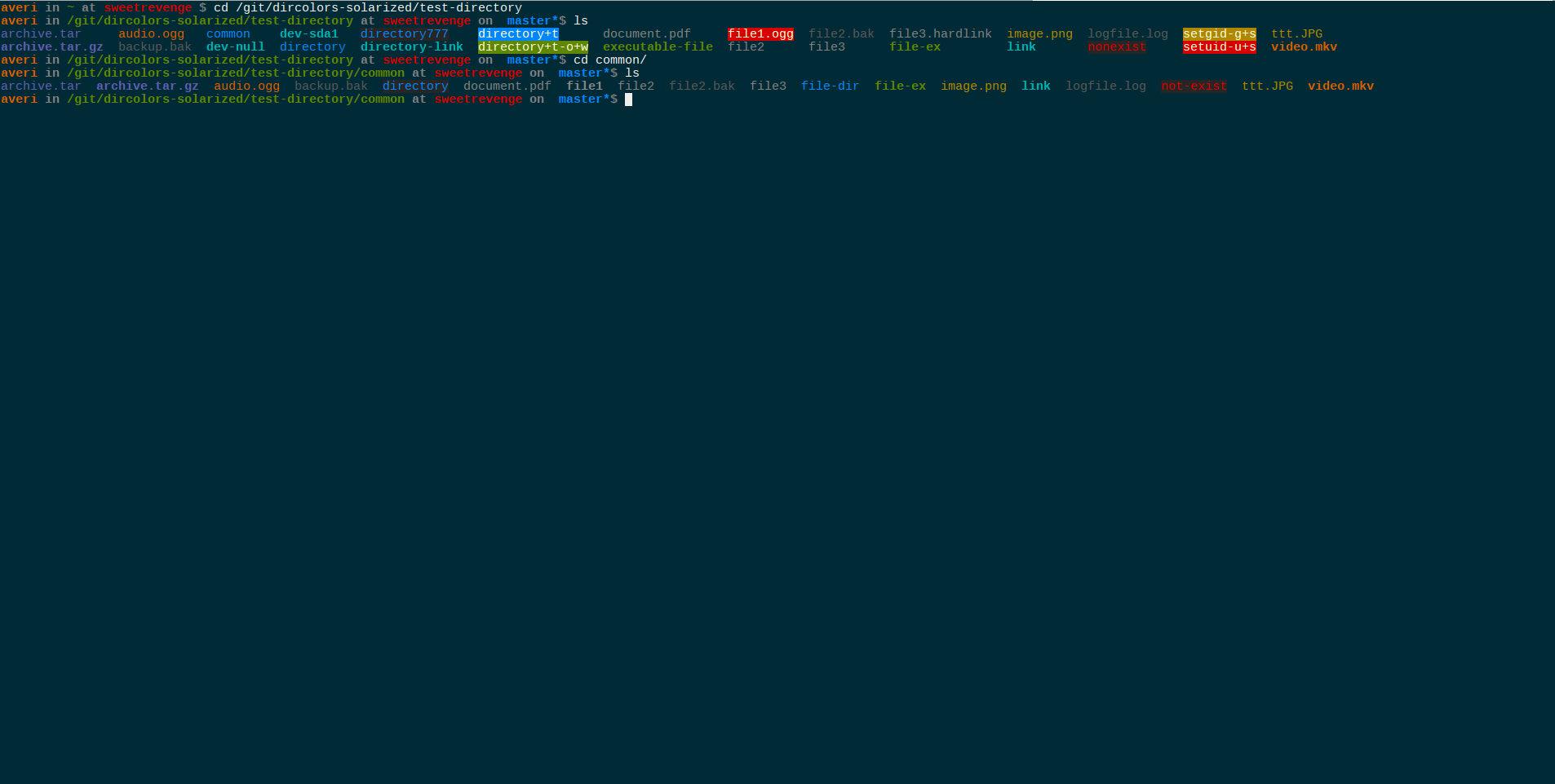
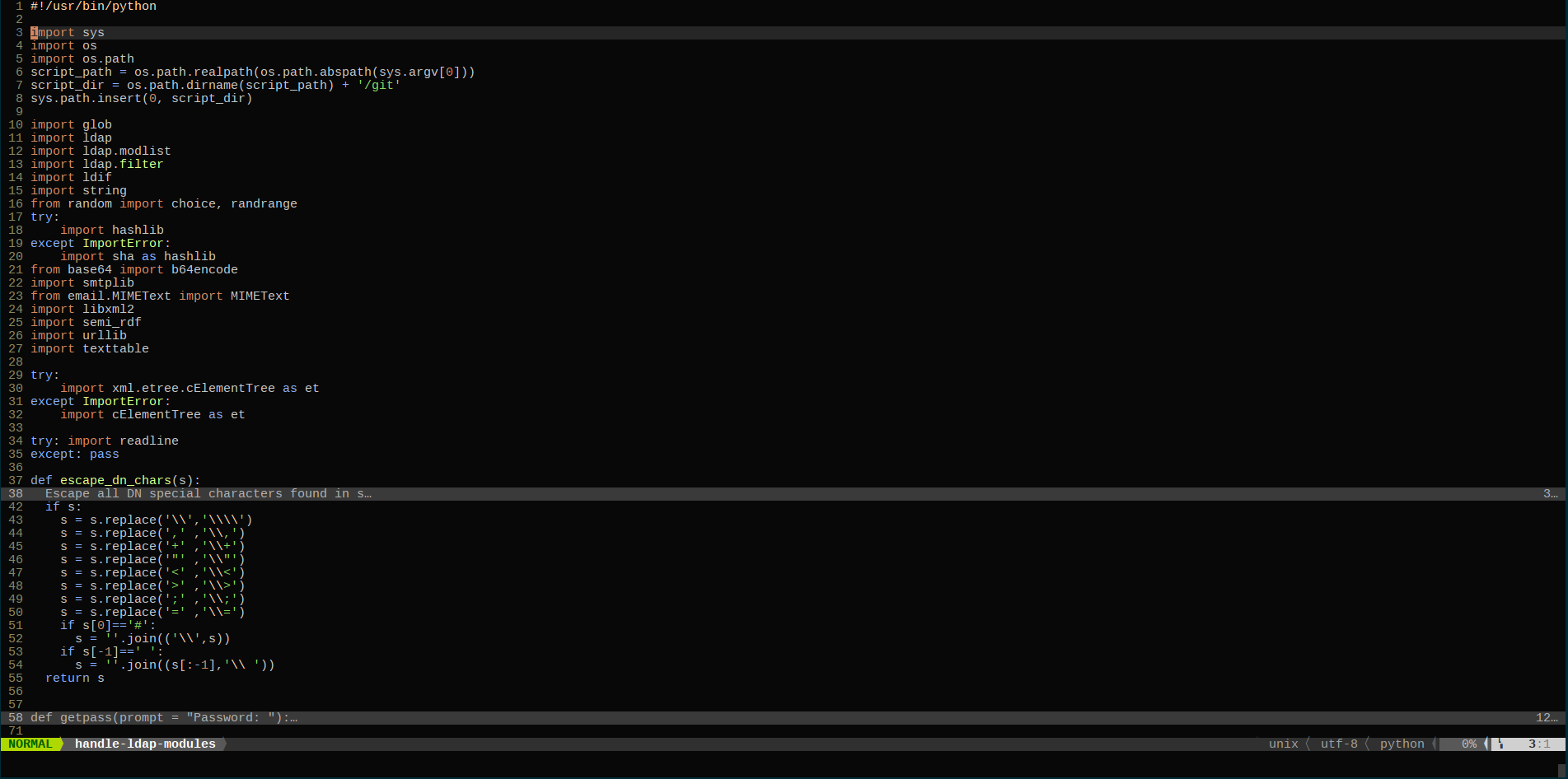
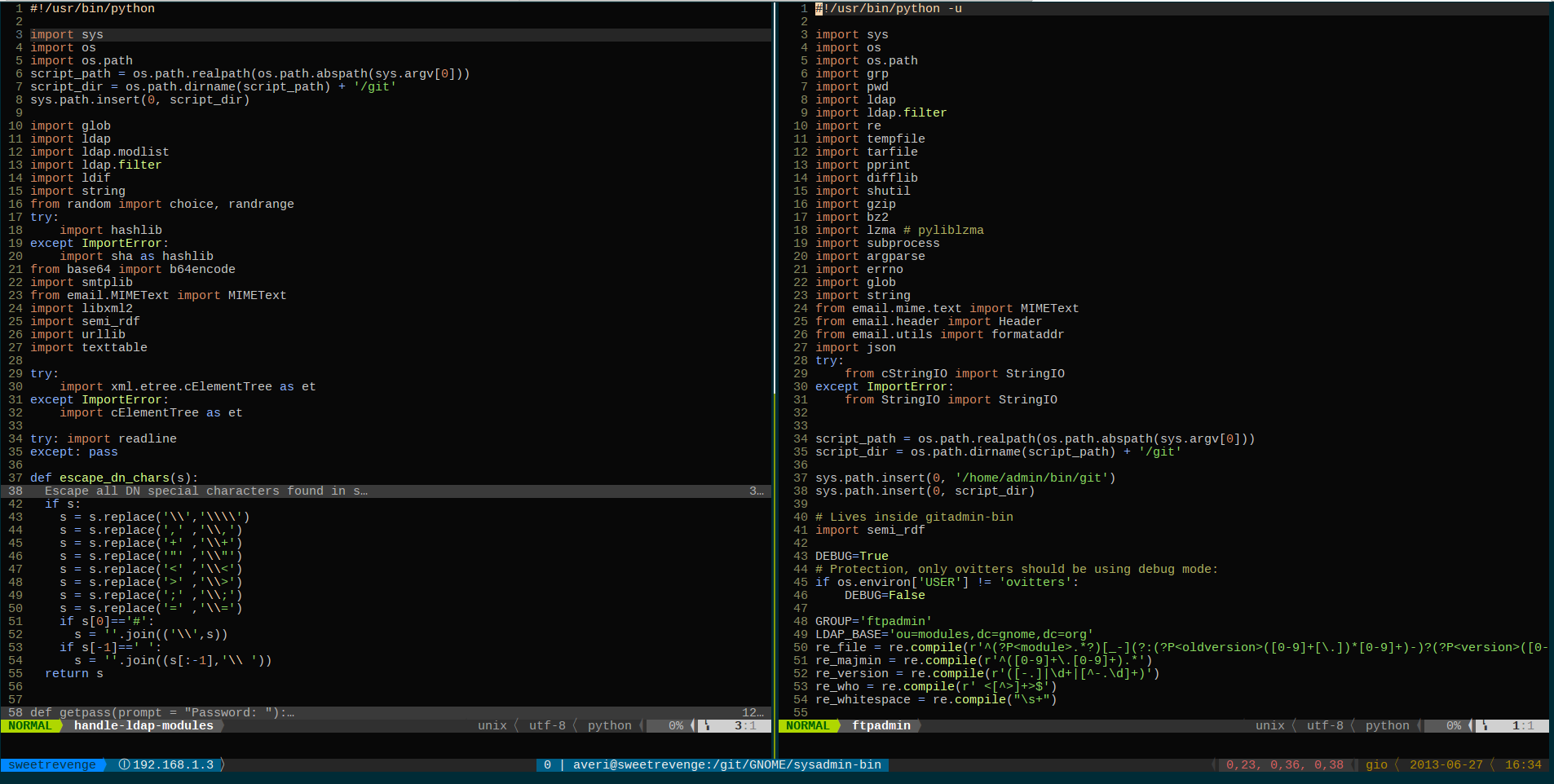
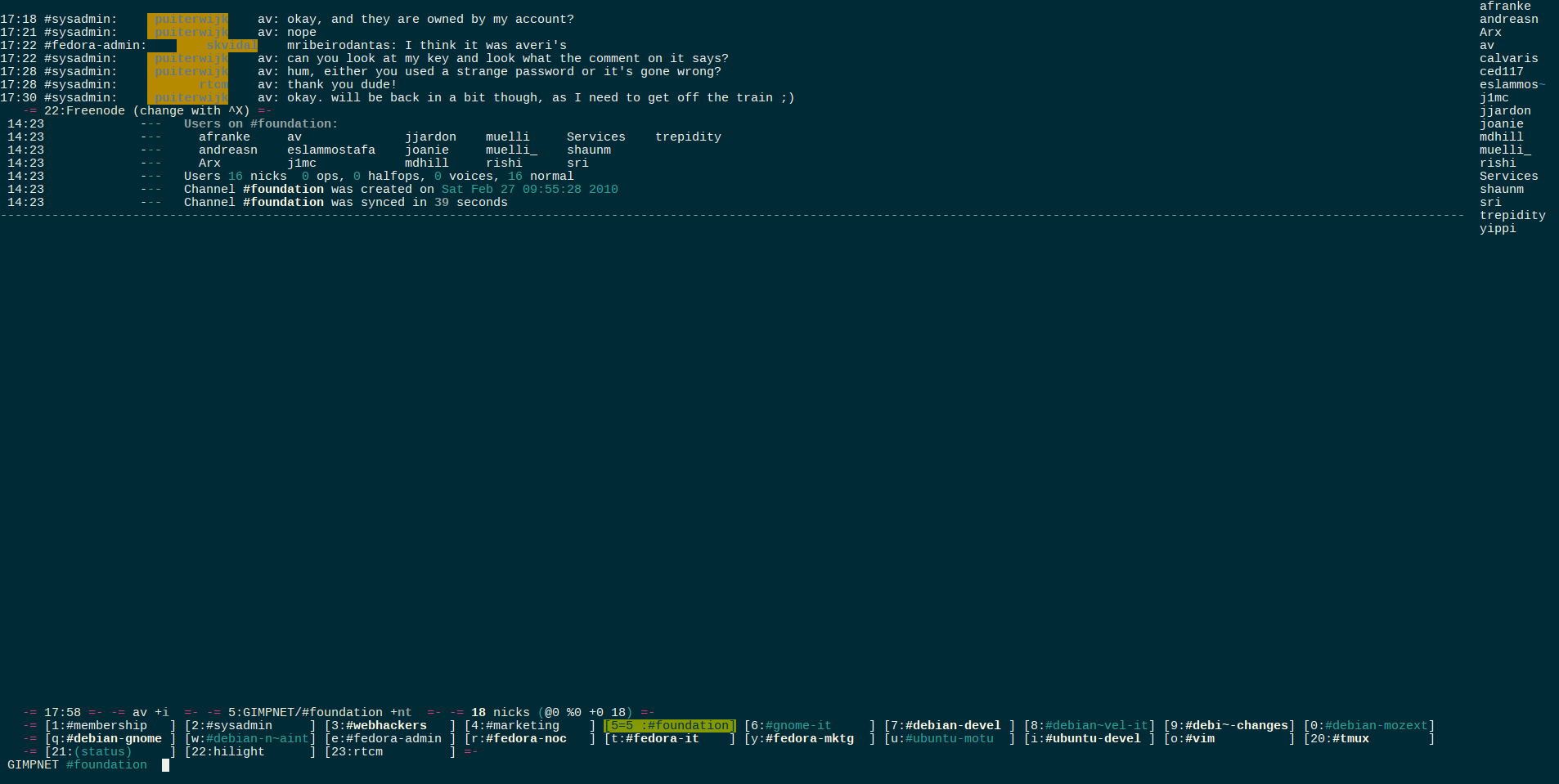
It s been two years since my latest blog post about my Linux desktop and many things have changed since then. I completely moved all my machines to GNOME 3, switched my main editor from nano to vim and my terminal multiplexer from screen to tmux. What didn t change at all except for a tweaks on the theme is my Irssi setup. dircolors_solarized Switching from nano to vim has been a pain at first, nano is really a straightforward editor, it does what you actually need from a CLI editor but while it works just fine when modifying configuration or text files, it s a bit limiting when it comes to programming. Vim on the other hand is highly customizable in every single part also thanks to its huge amount of plugins. Honestly I admit I spent several hours watching videos, reading documentation, trying out key bindings and I m not completely used to vim to be as much productive I would like to be with it. What I found to be the common error of vim s newcomers is their willingness to look around the web for a complete vimrc configuration file, full of key bindings, custom settings and personalizations. That s definitely something you should avoid when learning to use vim, the perfect vimrc doesn t objectively exist, each of us should spend some time investigating what is the best configuration for your needs and build a vimrc accordingly time by time. vimIt will probably take months to have a complex vimrc file matching your needs completely, until then you won t be able to define your vimrc to be ultimate . And that s actually why wgetting someone else s vimrc and copying it to your home folder won t make you an expert of vim, it ll probably make your life harder when trying a specific action with the stock settings will result in something you wouldn t have expected thanks to a particular key binding on the vimrc you downloaded. tmux The other tool that definitely improved my productivity is Tmux given the huge amount of open terminals I had every day during my sysadmin s duties at GNOME. Each day usually started with one or two open terminals mainly meant for random maintenance issues, after a few hours the amount of open terminals jumped to around 30. irssi Switching between tabs became a pain and the usual amount of time spent finding out which terminal had the the specific remote connection I needed was surprisingly sticking around 10 seconds. I looked around for a possible solution and found Tmux, it has been a joy finding out how easy it was to set it up and get used to it. I m now able to divide my 27 inches monitor into several panels and switch between them with a little keybinding, in addition you can set up as many windows (and consequently as many panels) as you wish, that way I can divide my programming windows from the ones specifically meant as remote consoles. From there I can detach / attach my previous Tmux session with one command and keep working on the same files and connections I had open the last time I used Tmux. In addition to the above tools I ve kept being an huge fan of Irssi and some of its plugins that have improved my overall productivity when daily chatting with Fedora, Debian and GNOME contributors. What actually changed on it since two years ago is the theme which is currently a mix between the Solarized and the XChat themes. Please don t hesitate to ask me any question if you are curious about learning something more about my current working setup! :-)

26 June 2013

Matt Zimmerman: Scaling Human Systems: From implicit to explicit

This is part 2 in a series on organizational design and growth. What it means Carefully communicating about what s going on, and making fewer assumptions about what others know or think. Why it s important As companies grow, many new people join who don t have as much shared context. Many employees will also interact less frequently with each other, as we may not be able to maintain the same level of relationship with everyone. When we make assumptions about what our co-workers know, think or feel, we will increasingly be making errors of judgment. By replacing these tacit assumptions with explicit communication, we can help avoid mistakes and support cooperation within and between teams. Explicit communication is a vital tool for coming to agreement: by putting an agreement into words, we stand a better chance of understanding what we re agreeing to, and can change it together. Old status quo We take a lot for granted. We know quality when we see it, but can t explain it. New team members are expected to learn through osmosis or trial and error. Expectations are often ambiguous. Procedures live in our heads, and evolve in ad hoc fashion. New status quo We exercise care and thoughtfulness in our internal communications, telling others clearly what we expect and what they can expect from us. Key information and procedures are written down, and can be instantly shared with as many people as needed. We change them whenever we need to, and everyone concerned stays in the loop. Behaviors that help Obstacles that hold us back

25 June 2013

Daniel Pocock: Configuring strongSwan on Debian, RHEL and Fedora with the Android client

In my earlier blog post about VPNs, I looked at a range of VPN options. The strongSwan wiki documentation is generally quite good but it doesn't describe the exact procedure for an Android user anywhere. This blog aims to fill that gap. Here I am sharing some working examples of how to configure and use RSA certificate authentication between a Linux box and an Android phone using strongSwan. There are several commands to execute for each step, but they can be easily scripted. Here are the versions in play: Certificate creation: private certificate authority "example.org CA root" For production, I would highly recommend creating your own root CA on a smart card and managing it from a clean machine without any network connection. To start quickly for testing, just create a CA using the steps from the strongSwan wiki, in particular:
umask 0177
ipsec pki --gen > caKey.der
ipsec pki --self --in caKey.der \
   --dn "C=CH, O=Acme Ltd, CN=example.org CA root" \
   --ca > caCert.der
Certificate creation: VPN gateway machine vpn.example.org Now you need to create a key for the server. The key thing to observe here is the use of the "--san" argument: the Android client expects a subjectAltName in the certificate from the server. The VPN gateway has the hostname vpn.example.org:
ipsec pki --gen > vpnKey.der
ipsec pki --pub --in vpnKey.der   \
   ipsec pki --issue --cacert caCert.der --cakey caKey.der \
  --dn 'CN=vpn.example.org' \
  --san vpn.example.org > vpnCert.der 
cp vpnKey.der /etc/ipsec.d/private/
cp vpnCert.der /etc/ipsec.d/certs/
Certificate creation: mobile user For the Android client, it is necessary to create a private key and certificate and then embed them together with a copy of the root certificate in a PKCS#12 file. We will need OpenSSL or GnuTLS for some of these steps. The pkcs12 command will prompt for a password: make up a long, obscure password, you will only use it once when importing the certificate into the phone. Here is a script you can use for each client certificate you want to create:
#!/bin/bash -e
umask 0177
TARGET_HOST=$1
DOMAIN=example.org
IPSEC=/usr/sbin/ipsec
KEY_FILE="$ TARGET_HOST Key.der"
CRT_FILE="$ TARGET_HOST Cert.der"
if [ -f $ KEY_FILE  ];
then
  echo "$KEY_FILE exists"
  exit 1
fi
$ IPSEC  pki --gen > $ KEY_FILE  
$ IPSEC  pki --pub --in  $ KEY_FILE    \
  $ IPSEC  pki --issue \
  --cacert caCert.der --cakey caKey.der \
  --dn "CN=$ TARGET_HOST .$ DOMAIN " > $ CRT_FILE 
[ -f caCert.pem ]   \
   openssl x509 -in caCert.der -inform der -out caCert.pem -outform pem
openssl rsa \
   -in $ KEY_FILE  -out $ TARGET_HOST Key.pem -inform der
openssl x509 \
   -in $ CRT_FILE  -inform der \
   -out $ TARGET_HOST Cert.pem -outform pem
openssl pkcs12 \
   -export \
   -in $ TARGET_HOST Cert.pem \
   -inkey $ TARGET_HOST Key.pem \
   -certfile caCert.pem \
   -out $ TARGET_HOST .p12
# delete the key files, leaving only the key in the p12 file:
rm $ KEY_FILE  $ TARGET_HOST Key.pem
Assuming you call that script make-client-creds, you would run it once for each Android device:
$ ./make-client-creds phone1
$ ./make-client-creds phone2
...
Loading the PKCS#12 file into the phone Copy the cert bundle (the p12 file only) to the SD card in the phone. You can mount the phone over USB or using ADB, e.g.
$ adb push phone1.p12 /sdcard/
Now go to the Android settings, select Security and Install from SD card. Follow the prompts. Setting up the VPN gateway Add the following line to /etc/ipsec.secrets
: RSA vpnKey.der
and add a stanza like the following to /etc/ipsec.conf
conn private-droid
	left=vpn.example.org
	leftsubnet=insert gateway IP here/32
	leftcert=vpnCert.der
	leftid=@vpn.example.org
	leftfirewall=no
	lefthostaccess=no
	right=%any
	rightsourceip=192.168.10.0/24
	auto=add
Finally, restart ipsec and you should be ready.
# service ipsec restart
Install the app on the phone Finally, install the app on the phone. This bit should be quite easy. Once installed, press the option ADD VPN, put in the DNS name of the VPN gateway (must match the name in the certificate, e.g. vpn.example.org from the example above) and tell it to use IKEv2 Certificate as the authentication type. Press to select a certificate and highlight the certificate that you installed earlier. Checking for problems You should see a message on the phone telling you it is connected to the VPN. If it fails, it will let you see the log messages. If you see the error Constraint check failed it often means that the subjectAltName was not included in the VPN gateway's certificate (see the steps above) or the DNS name doesn't match the name in the certificate. On the server side, this command shows who is connected:
# ipsec status
Making it secure with iptables Once the packets are decrypted by strongSwan on the VPN gateway, the kernel will route them appropriately just like any other packet. Use standard Linux netfilter/iptables rules to ensure that routing is restricted appropriately so that the clients can access the services they need and nothing else. Support and discussion Please feel free to post comments below or discuss on the strongSwan Users mailing list

23 June 2013

Marko Lalic: Google Summer of Code - Debian Package Tracking System

Introduction
Every May for the last three or four years, I contemplated applying for the Google Summer of Code program. I was never quite sure I would be up for the challenge, though, but this year I finally took the plunge.

Since Python is my favorite language, I was looking to take up a project which could use it. When I saw that one of the possible projects which the Debian Project was offering was a rewrite of the Package Tracking System using Django, my choice became pretty clear. Not only would I use my favorite programming language, I could get a chance to interact with one of the largest and best established open source communities in the world. Moreover, the Package Tracking System is one of the most important parts of Debian's infrastructure and working on making it even better seemed like a perfect way to get into the open source world. The fact that I also had prior experience using Django on a Web project was an additional factor which pushed me to go for it.

Two programming tasks, meant to evaluate the students' knowledge and also give them a chance to get acquainted with the current implementation of the PTS, were given to prospective applicants by the Debian Google Summer of Code team. Neither was particularly challenging in and of itself, but since I had to attend the annual Congress of the Electrical Engineering Students' European Association in Munich during the week the applications were open, I was quite pressed for time. In the end, I managed to complete the application in a timely fashion and I submitted it being pleased that I at least made an attempt to get in the Summer of Code program.

Truthfully, when I got an email from Google on a Monday night congratulating me on being selected for the project, I could not believe my eyes. I needed to take about an hour to read the email again and make sure there wasn't some sort of mistake, but, as it turns out, there really was not. This is when excitement kicked in and I started to draft an email to my mentor for the project, Rapha l Hertzog, to start on the official planning for the summer.

PTS Rewrite in Django
The Package Tracking System is currently made up from a variety of different scripts, ranging from Bash, through Perl, to Python, which are used to pull all information about packages and generate a static HTML page for each of them. This process is repeated as a cron-job a few times each day meaning that the information presented on the pages could easily be outdated. So, a requirement for the new system is that the pages need to be as dynamic as possible.

Consolidating the code into a well thought out Django project hopes to make it easier for other developers to contribute to the project.

Finally, decoupling the application itself from Debian-specific resources, along with making it easy to customize or extend any logic, aims to allow derivatives to deploy their own Package Tracking System by simply making a few modifications to the configuration.

This is quite an ambitious set of goals, but I believe it should be attainable.

Community Bonding Period and the First Week
As I was already quite familiar with the existing codebase and PTS documentation by completing the tasks for the application, I did not need to use the community bonding period to get to know the project itself, but I did use the first few days to read up about using agile methods (particularly Scrum) and Test-Driven Development, since this was what my mentor, Rapha l Hertzog, and co-mentor, Stefano Zacchiroli, saw us using. Naturally, these were not new terms for me, but never having applied either an agile or a test-driven approach on a large scale project, I wanted to be as prepared as I could for the coming weeks.

I was quite eager to start working, though, and as it turns out, so were my mentors. When Rapha l made the suggestion to begin even before the official first week, I accepted and from there, my first "real" work on the project came: trying to define as many of the core stories to describe the system. This was followed by writing exhaustive acceptance tests and giving a rough time estimate on the stories relating to the email interface of the PTS. We are using a Trello board to document and track all this.

As we were planning on applying a Scrum-inspired agile approach, this meant having fixed-duration sprints/iterations which produce a working part of the system. Using a week long iteration seemed like a perfect fit for the situation. The other part, a working deployment, was handled by me setting up an Amazon Web Services EC2 instance where the application is deployed upon completing the week's work.

After all this, I started the coding work, trying to follow a Test-Driven Development approach. Properly applying it is sometimes a challenge, never having used it before, but its usefulness is definitely obvious. Being able to rely on this harness makes refactoring work painless and stress-free. Rapha l's constant feedback on this part is really helping me get into the flow of things and I hope that I will be quite proficient in it in a few weeks' time.

In summation, at the end of the first official week, on Friday, June 21 (during the third week since I started), a large chunk of the PTS's existing email functionality has been reimplemented and deployed. Some kinks and wrinkles are left to iron out, as well as add some long desired improvements to it, but, all in all, I would say that the two iterations produced a nice and usable result.

Anyone interested can already test this out... The email address control@pts.debian.net is used to access the control bot and the different commands. You can send it an email message containing the help command (the word help on a single line) to see the list of the currently implemented commands, along with their description. Currently, though, only a few packages are available to be subscribed to, imaginatively named "dummy-package", "second-package", "third-package" (quotes for clarity). The address for the package-specific messages to be forwarded to subscribers is <package-name>@pts.debian.net.

Conclusion
As the summer and my GSoC work is settling into a stable weekly-iteration rhythm, I have decided to set this blog up where I plan on writing a weekly update about the work being done for the PTS to complement my weekly status reports sent to the Debian GSoC coordination mailing list.

Again, I invite anyone who is interested in contributing to the future of the PTS in some way to test out the weekly deployments, contact me with any questions, feedback or advice, or simply follow the status updates on the blog, the Trello board or the project's Git repository.

Finally, I would like to give a great thank you to the Debian Project community, with the aforementioned mentors, Rapha l Hertzog and Stefano Zacchiroli, at the top, for giving me the vote of confidence to work on this project. The experience and knowledge I will get from it is immeasurable. Special thanks to Rapha l for putting a lot of effort and time into his feedback and advice; it really means a lot to me and I hope I use it in a way which will bring this project to a successful ending.

Ben Armstrong: Tutorial: wheezy live iso-hybrid with persistence on USB

As of wheezy, Debian no longer offers for download any prebuilt hdd (formerly known as usb-hdd) live images, which, in squeeze, were necessary if you wanted to use persistence. The good news is, since the new wheezy iso-hybrid images use xorisso, you can copy an image to a USB key and repartition it to add a persistence partition. Unfortunately, the filesystem itself is read-only, so you have to manually append the persistence boot parameter each time you boot the image. If that doesn t bother you, you can skip this whole tutorial and just follow the instructions in live-manual for adding a persistence partition and you re all set. This tutorial explains how to extract the contents of a wheezy iso-hybrid live image to a USB key and modify it to boot with this parameter permanently enabled. I am writing it solely as a workaround and do not endorse this as a means to customize Debian Live images in general. I would love to help make a more convenient, supported way to accomplish the same thing for a future release. Meanwhile, the supported and recommended way to make any change to a Debian Live image is to build it from scratch using live-build, as described in live-manual. A simplified Debian Live Images Autobuilder web service is available that works well for many common customizations, if you prefer. Please use one of these methods if you want to do this, or other customizations in the supported way. Otherwise, read on. Prerequisites Identify the USB key device Caution: Always double-check the device you are writing to is the correct one to avoid losing precious data. There are two things to do to protect yourself. The first is, don t write the USB key as root. The second is, first use ls -l /dev/disk/by-id to identify which device is the target USB key.
lrwxrwxrwx 1 root root  9 Jun 22 11:58 
usb-SanDisk_Cruzer_Contour_0000184CA87406BC-0:0 -> ../../sdb
As you can see, my SanDisk Cruzer Countour is /dev/sdb. For the rest of the tutorial, I ll be referring to this device as /dev/sdX to avoid unfortunate cut-and-paste disasters. When you follow along, make sure you substitute the correct device for your USB key on your system. Initialize the USB key Start by plugging in the key and unmounting any automounted partitions to ensure nothing is accessing the device, e.g.
$ umount /dev/sdX1
Now make changes to the partition table. Use parted because it may be run as an ordinary user and has some advanced capabilities beyond more basic tools like fdisk.
$ /sbin/parted
WARNING: You are not superuser.  Watch out for permissions.
GNU Parted 2.3
Using /dev/sdX
Welcome to GNU Parted! Type 'help' to view a list of commands.
(parted) print devices
/dev/sdX (8221MB)
(parted) select                                                           
New device?  [/dev/sdX]?                                                  
Using /dev/sdX
(parted)
Note that when run as an ordinary user, if you only have one removable drive (which may include mp3 players, cameras, e-readers) plugged in, parted immediately selects that device. But just to be sure, use print devices to list the devices and select to if you need to select a different one, as shown above. Repartition the USB key Once you ve verified you have the correct device, start repartitioning. Write a new partition table with mklabel msdos to wipe out all of the old partitions on it. You may skip this step and adapt the remaining instructions if there are partitions you need to keep. This is your last chance to bail if the device is wrong, so make sure it is the correct one before proceeding.
(parted) mklabel msdos
Warning: The existing disk label on /dev/sdX will be destroyed and all data
on this disk will be lost. Do you want to continue?
Yes/No? y
Error: Partition(s) 1, 2, 3, 4, 5, 6, 7, 8, 9, 10, 11, 12, 13, 14, 15, 16 on
/dev/sdX have been written, but we have been unable to inform the kernel of
the change, probably because it/they are in use.  As a result, the old
partition(s) will remain in use.  You should reboot now before making further
changes.
Ignore/Cancel? i
(parted)
The error is normal, and appears when you run parted as an ordinary user, so it is OK each time it appears to press i to ignore it. For the rest of this tutorial I will omit these errors from the output for brevity. Make three partitions, a fat32 partition for the image itself that is 5% larger than the size of the ISO, a 1G ext4 partition for persistence, and an extra fat32 partition for the rest of the space. Put the extra partition first so that other OSes you might use the key with will be able to use it. Use relative positioning from the end of the device to make it easy to put all of the rest of the space in the first partition. Finally, flag the live image partition bootable.
(parted) mkpart primary fat32 1 -1897M
(parted) mkpart primary ext4 -1897M -897M
(parted) mkpart primary fat32 -897M -0
(parted) set 3 boot on
(parted) quit
Information: You may need to update /etc/fstab.
Unplug the USB key and plug it in again so that the kernel will re-read the updated partition table. If there were old filesystems on the key that were automounted, unmount them again. Now we re ready to make the new filesystems.
$ umount /dev/sdX1
$ /sbin/mkdosfs -nEXTRA /dev/sdX1
mkdosfs 3.0.16 (01 Mar 2013)
$ /sbin/mkfs.ext4 -q -Lpersistence /dev/sdX2
$ /sbin/mkdosfs -nLXDE /dev/sdX3
mkdosfs 3.0.16 (01 Mar 2013)
Make the USB key bootable Use install-mbr to install an MBR on the key and syslinux to install the bootloader to boot into your live image partition.
$ /sbin/install-mbr /dev/sdX
$ syslinux -i /dev/sdX3
Mount the partitions Unplug the key and plug it in again so the new partitions will be automounted. Observe where the partitions are mounted with df.
$ df
...
/dev/sdX1        6204568         4   6204564   1% /media/EXTRA
/dev/sdX3         831888         4    831884   1% /media/LXDE
/dev/sdX2         944120      1204    894124   1% /media/persistence
Extract the ISO contents to the key To continue preparing this key as an unprivileged user, use p7zip to extract the ISO. You may alternatively mount the ISO loopback and extract it that way, but you must be root to do that.
$ cd /media/LXDE
$ 7z x ~/debian-live-7.0.0-amd64-lxde-desktop.iso
...
Extracting  live/filesystem.packages-remove
...
When live/filesystem.squashfs is extracted (right after live/filesystem.packages-remove) it will take the longest time of all of the files to extract, as it contains the whole live filesystem. Be patient and eventually it and all other files on the image will finish extracting.
...
Everything is Ok
Folders: 245
Files: 370
Size:       892183367
Compressed: 895483904
Modify the bootloader configuration files The syslinux bootloader configuration directory and files within it are named isolinux when installed on an ISO. You need to rename the directory and two files changing isolinux to syslinux so the bootloader will find them on your fat32 live image partition.
$ mv isolinux syslinux
$ mv syslinux/isolinux.cfg syslinux/syslinux.cfg
$ mv syslinux/isolinux.bin syslinux/syslinux.bin
Enable full persistence Next, append persistence to the live boot parameters and turn on full persistence by putting / union in a persistence.conf file in the persistence partition.
$ sed -i 's/\(append boot=.*\)$/\1 persistence/' syslinux/live.cfg
$ cd /media/persistence
$ echo / union > persistence.conf
Reboot into the live system Now your USB key is ready to boot with full persistence enabled. Have fun!

Next.

Previous.