Birger Schacht: A plea for <dialog>
A couple of weeks ago there was an article on the Freexian blog about Using
JavaScript in Debusine without depending on
JavaScript. It
describes how JavaScript is used in the Debusine Django app, namely for
progressive enhancement rather than core functionality .
This is an approach I also follow when implementing web interfaces and I think
developments in web technologies and standardization in recent years have made
this a lot easier.
One of the examples described in the post, the Bootstrap toast messages, was
something that I implemented myself recently, in a similar but slightly
different way.
In the main app I develop for my day job we also use the Bootstrap
framework. I have also used it for different
personal projects (for example the GSOC project I did for Debian in 2018, was
also a Django app that used
Bootstrap).
Bootstrap is still primarily a CSS framework, but it also comes with a
JavaScript library for some functionality. Previous versions of Bootstrap
depended on jQuery, but since version 5 of Bootstrap, you don t need jQuery
anymore. In my experience, two of the more commonly used JavaScript utilities
of Bootstrap are modals
(also called lightbox or popup, they are elements that are displayed above
the main content of a website) and
toasts (also called
alerts, they are little notification windows that often disappear after a
timeout). The thing is, Bootstrap 5 was released in 2021 and a lot has happened
since then regarding web technologies. I believe that both these UI components
can nowadays be implemented using standard HTML5 elements.
An eye opening talk I watched was Stop using JS for
that from last years JSConf(!).
In this talk the speaker argues that the Rule of least
power is one of the core
principles of web development, which means we should use HTML over CSS and CSS
over JavaScript. And the speaker also presents some CSS rules and HTML elements
that added recently and that help to make that happen, one of them being the
dialog
element:
This looks a lot simpler than the Bootstrap toasts would have.
To make the
To close a
(If one would want to use the same HTML code for both script and noscript users,
then the CSS should probably adapted: it fades away and if there is no
JavaScript to close the element, it stays visible after the animation is over.
A solution would for example be to use a close button and for noscript users
simply let it stay visible - this is also what happens with the noscript
messages in Debusine).
So there are many new elements in HTML and a lot of new features of CSS. It
makes sense to sometimes ask ourselves if instead of the solutions we know (or
what a web search / some AI shows us as the most common solution) there might
be some newer solution that was not there when the first choice was
created. Using standardized solutions instead of custom libraries makes the
software more maintainable. In web development I also prefer standardized
elements over a third party library because they have usually better
accessibility and UX.
In How Functional Programming Shaped (and Twisted) Frontend
Development
the author writes:
The <dialog> HTML element represents a modal or non-modal dialog box or other interactive component, such as a dismissible alert, inspector, or subwindow. The Dialog element at MDNThe baseline for this element is widely available :
This feature is well established and works across many devices and browser versions. It s been available across browsers since March 2022. The Dialog element at MDNThis means there is an HTML element that does what a modal Bootstrap does! Once I had watched that talk I removed all my Bootstrap modals and replaced them with HTML
<dialog> elements (JavaScript is still needed to .show() and
.close() the elements, though, but those are two methods instead of a full
library). This meant not only that I replaced code that depended on an external
library, I m now also a lot more flexible regarding the styling of the
elements.
When I started implementing notifications for our app, my first approach was to
use Bootstrap toasts, similar to how it is implemented in Debusine. But looking
at the amount of HTML code I had to write for a simple toast message, I thought
that it might be possible to also implement toasts with the <dialog> element.
I mean, basically it is the same, only the styling is a bit different. So what
I did was that I added a #snackbar area to the DOM of the app. This would be
the container for the toast messages. All the toast messages are simply
<dialog> elements with the open attribute, which means that they are
visible right away when the page loads.
<div id="snackbar">
   % for message in messages %
    <dialog class="mytoast alert alert-  message.tags  " role="alert" open>
        message
    </dialog>
   % endfor %
</div><dialog> elements a little bit more fancy, I added some CSS to make
them fade in and out:
.mytoast
    z-index: 1;
    animation: fadein 0.5s, fadeout 0.5s 2.6s;

@keyframes fadein
    from
        opacity: 0;

    to
        opacity: 1;


@keyframes fadeout
    from
        opacity: 1;

    to
        opacity: 0;
<dialog> element once it has faded away, I had to add one
JavaScript event listener:
window.addEventListener('load', () =>
    document.querySelectorAll(".mytoast").forEach((element) =>
        element.addEventListener('animationend', function(e)
            e.animationName == "fadeout" && element.close();
         );
     );
 );
Consider the humble modal dialog. The web has <dialog>, a native element with built-in functionality: it manages focus trapping, handles Escape key dismissal, provides a backdrop, controls scroll-locking on the body, and integrates with the accessibility tree. It exists in the DOM but remains hidden until opened. No JavaScript mounting required. [ ] you ve trained developers to not even look for native solutions. The platform becomes invisible. When someone asks how do I build a modal? , the answer is install a library or here s my custom hook, never use <dialog>. Ahmad Alfy
 In
In 
 The discovery of a backdoor in XZ Utils in the spring of 2024 shocked the open source community, raising critical questions about software supply chain security. This post explores whether better Debian packaging practices could have detected this threat, offering a guide to auditing packages and suggesting future improvements.
The XZ backdoor in versions 5.6.0/5.6.1 made its way briefly into many major Linux distributions such as Debian and Fedora, but luckily didn t reach that many actual users, as the backdoored releases were quickly removed thanks to the heroic diligence of
The discovery of a backdoor in XZ Utils in the spring of 2024 shocked the open source community, raising critical questions about software supply chain security. This post explores whether better Debian packaging practices could have detected this threat, offering a guide to auditing packages and suggesting future improvements.
The XZ backdoor in versions 5.6.0/5.6.1 made its way briefly into many major Linux distributions such as Debian and Fedora, but luckily didn t reach that many actual users, as the backdoored releases were quickly removed thanks to the heroic diligence of 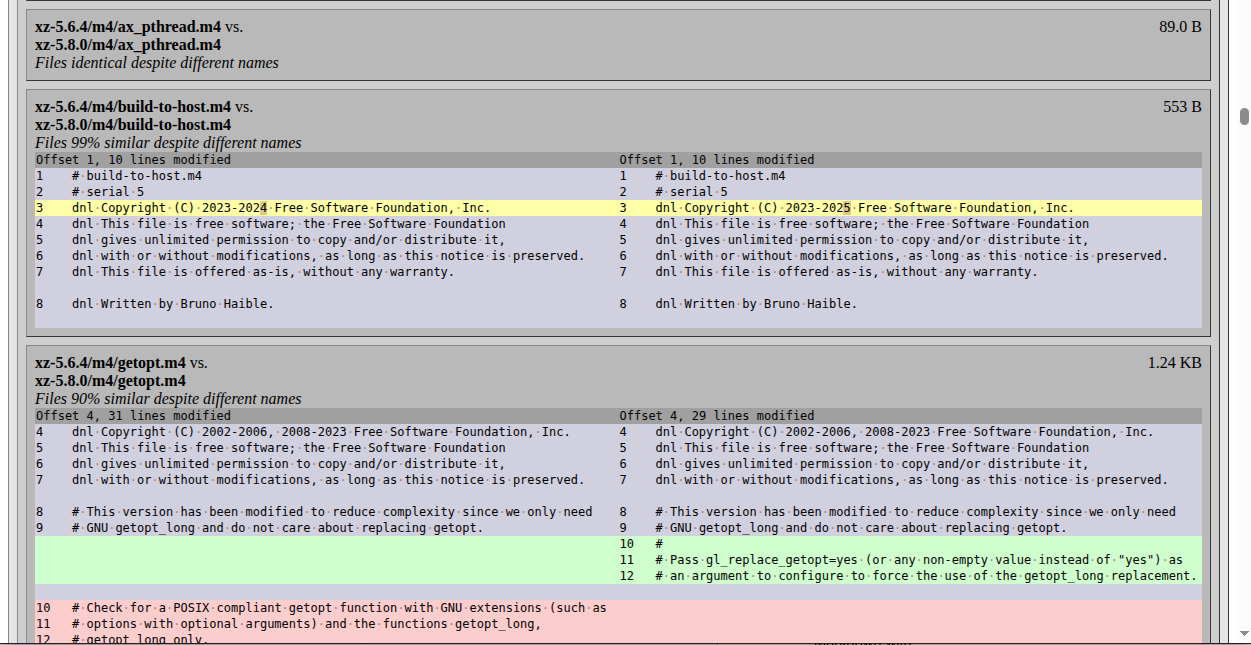 If the changes are extensive, and you want to use a LLM to help spot potential security issues, generate the report of both the upstream and Debian packaging differences in Markdown with:
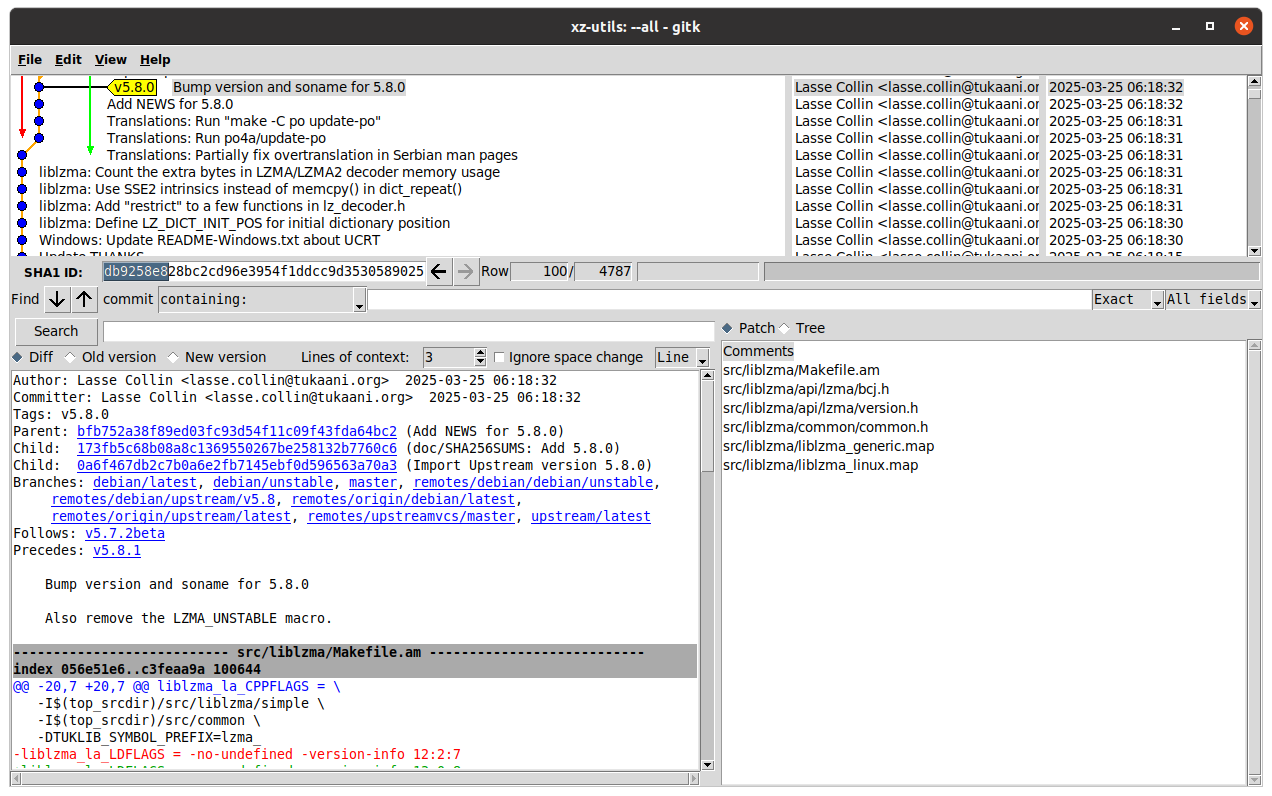
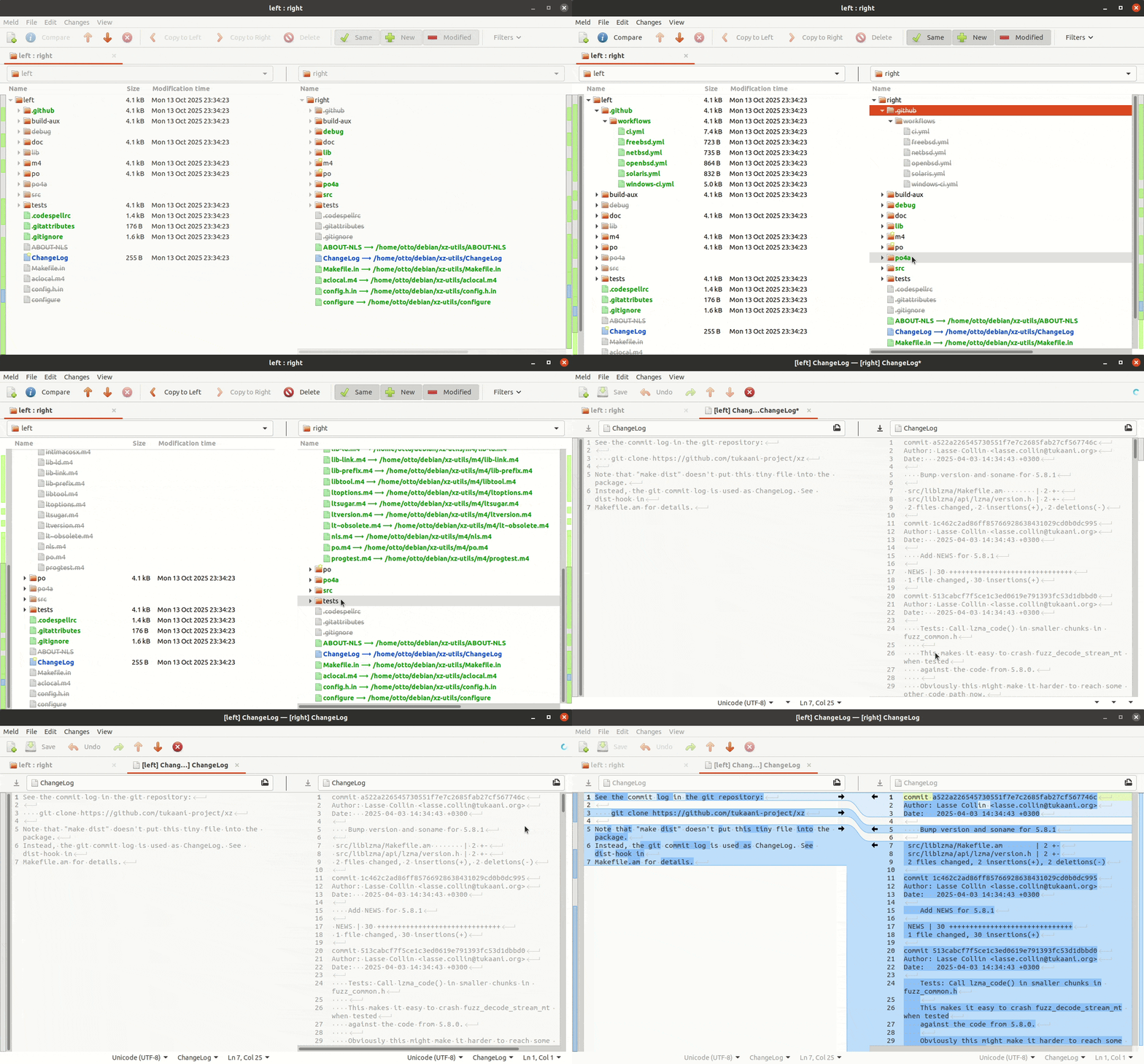 To compare changes across the new and old upstream tarball, one would need to compare commits afba662b New upstream version 5.8.0 and fa1e8796 New upstream version 5.8.1 by running
 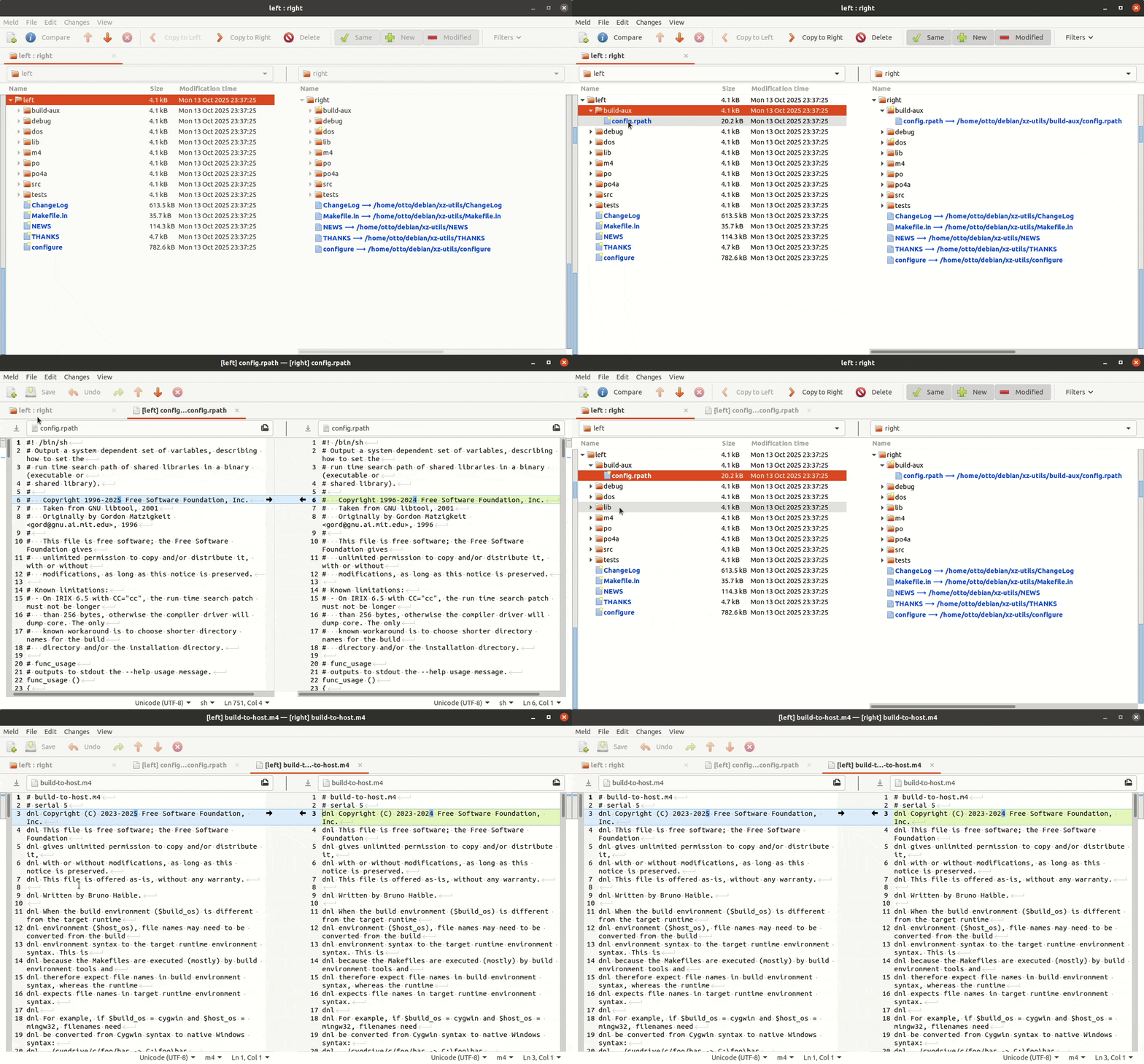 With all the above tips you can now go and try to audit your own favorite package in Debian and see if it is identical with upstream, and if not, how it differs.
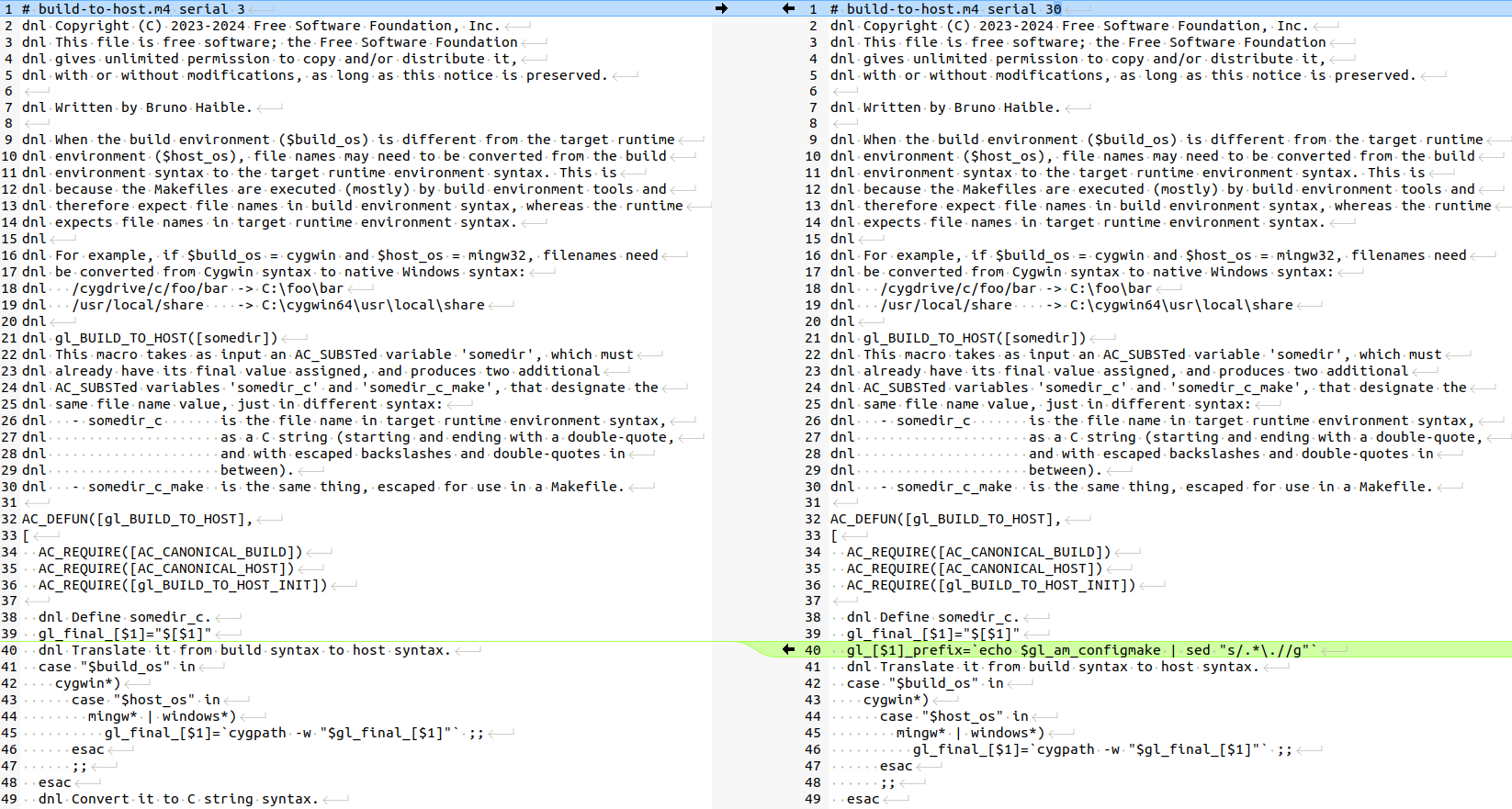 There is only one tiny thing that maybe a very experienced Autotools user could potentially have noticed: the
  A side project I have been working on a little since last winter and
which explores extending
A side project I have been working on a little since last winter and
which explores extending 
 Like each month, have a look at the work funded by
  Our Debian User Group met on September 27th for our first meeting
since our summer hiatus. As always, it was fun and productive!
Here's what we did:
pollo:
Our Debian User Group met on September 27th for our first meeting
since our summer hiatus. As always, it was fun and productive!
Here's what we did:
pollo:
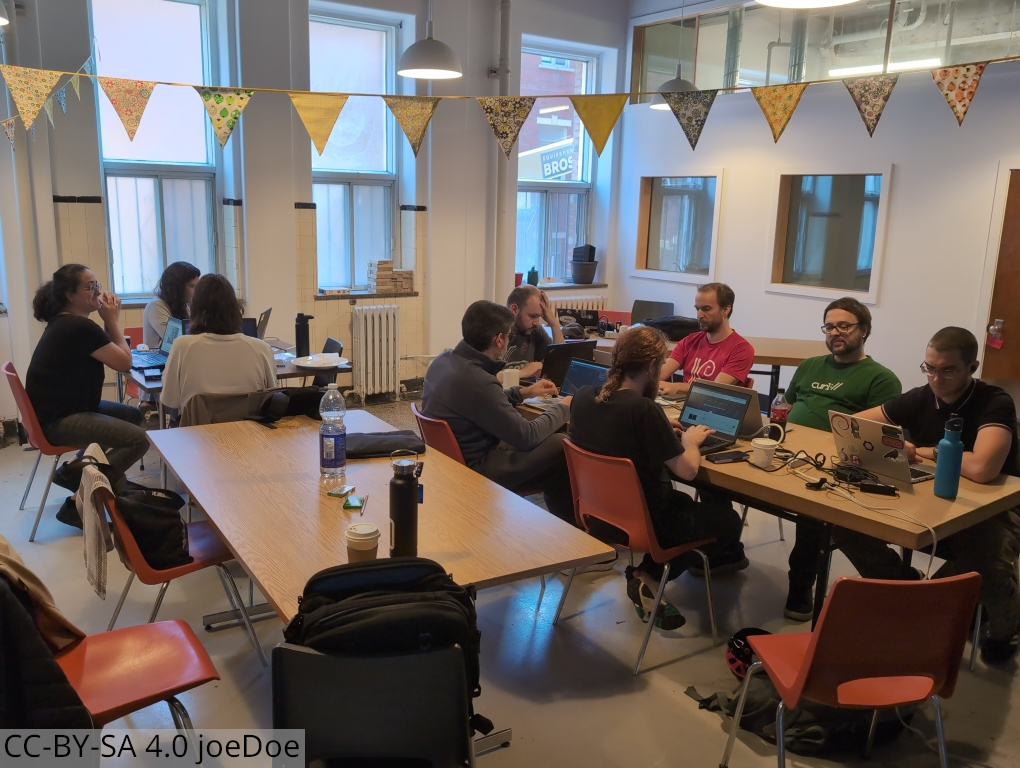 Some of us ended up grabbing a drink after the event at


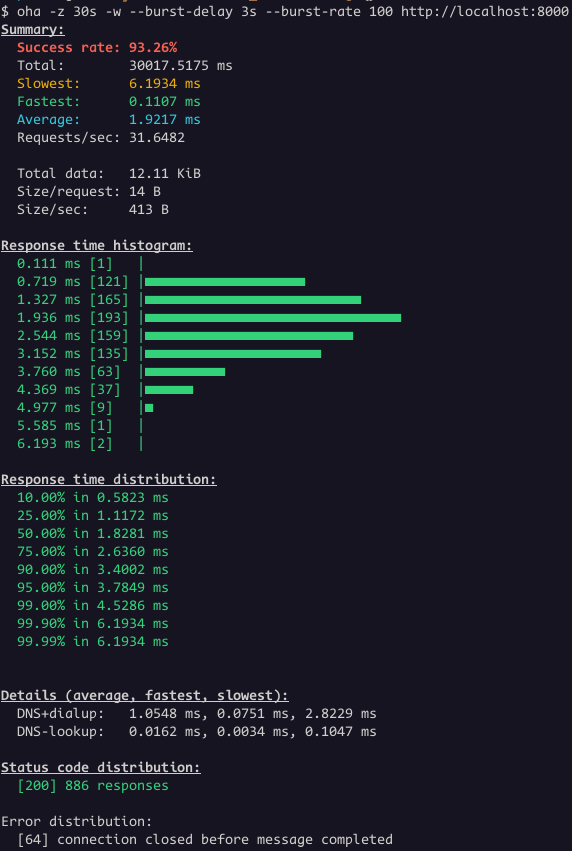 We had 886 responses with status code 200 and 64 connections closed.
The backend terminated 64 connections while the load balancer still had
active requests directed to it.
Let's change the Load Balancer
We had 886 responses with status code 200 and 64 connections closed.
The backend terminated 64 connections while the load balancer still had
active requests directed to it.
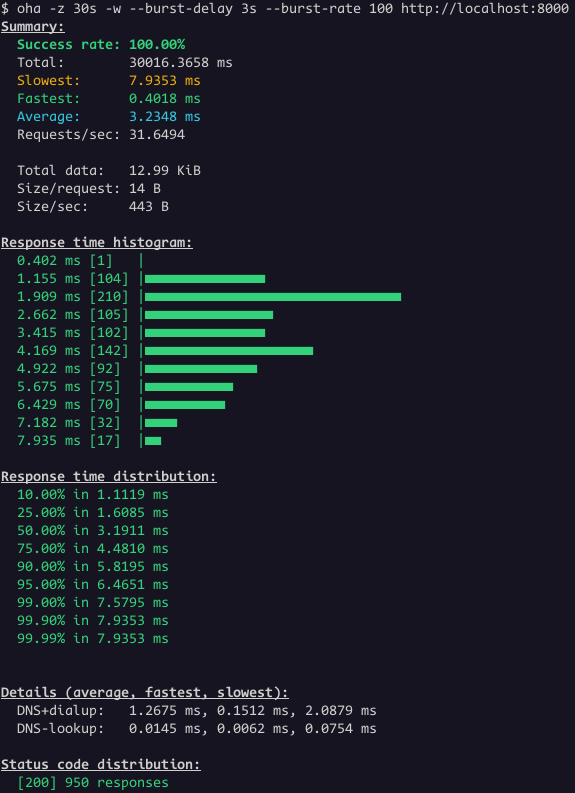
Let's change the Load Balancer 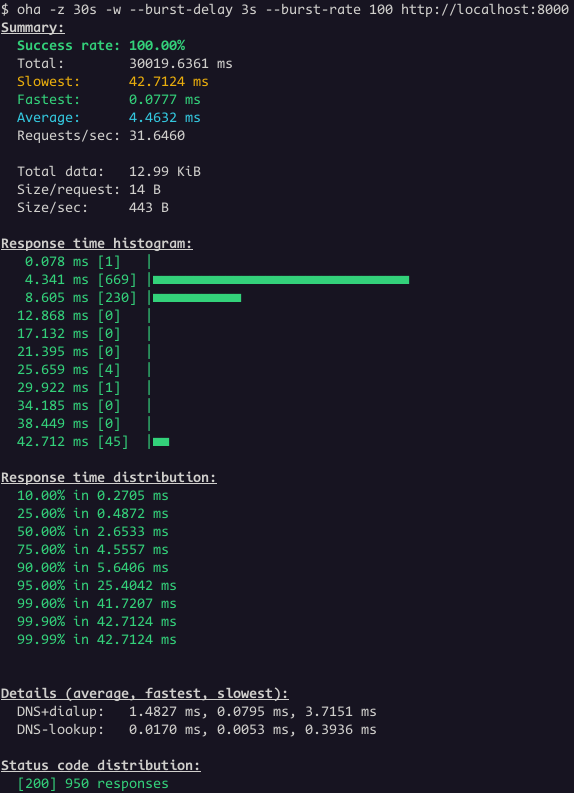 Great! Now all the requests worked.
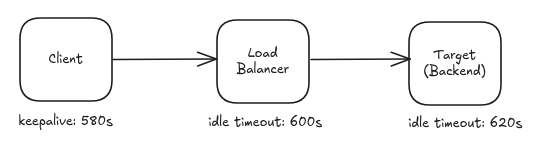
This is a common issue, not specific to Envoy Proxy or the setup
shown earlier. Major cloud providers have all documented it.
Great! Now all the requests worked.
This is a common issue, not specific to Envoy Proxy or the setup
shown earlier. Major cloud providers have all documented it.
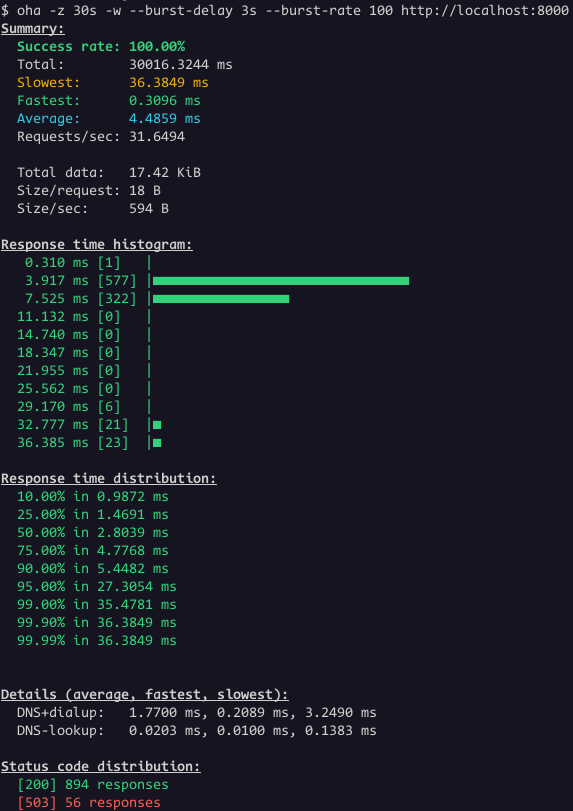 Even thought the success rate is 100%, the status code distribution
show some responses with status code 503. This is the case where is not
that obvious that the problem is related to idle timeout.
However, it's clear when we look the Envoy access logs:
Even thought the success rate is 100%, the status code distribution
show some responses with status code 503. This is the case where is not
that obvious that the problem is related to idle timeout.
However, it's clear when we look the Envoy access logs:
 Key Takeaways:

 A new version 0.3.5 of the
 Start of fourth quarter of the year. The end of year is feeling close!
 The last (software) piece of sorting out a local voice assistant is tying the