I can t remember exactly the joke I was making at the time in my
work s slack instance (I m sure it wasn t particularly
funny, though; and not even worth re-reading the thread to work out), but it
wound up with me writing a UEFI binary for the punchline. Not to spoil the
ending but it worked - no pesky kernel, no messing around with userland . I
guess the only part of this you really need to know for the setup here is that
it was a Severance joke,
which is some fantastic TV. If you haven t seen it, this post will seem perhaps
weirder than it actually is. I promise I haven t joined any new cults. For
those who have seen it, the payoff to my joke is that I wanted my machine to
boot directly to an image of
Kier Eagan.
As for how to do it I figured I d give the uefi
crate a shot, and see how it is to use,
since this is a low stakes way of trying it out. In general, this isn t the
sort of thing I d usually post about except this wound up being easier and
way cleaner than I thought it would be. That alone is worth sharing, in the
hopes someome comes across this in the future and feels like they, too, can
write something fun targeting the UEFI.
First thing s first gotta create a rust project (I ll leave that part to you
depending on your life choices), and to add the uefi crate to your
Cargo.toml. You can either use cargo add or add a line like this by hand:
uefi = version = "0.33", features = ["panic_handler", "alloc", "global_allocator"]
We also need to teach cargo about how to go about building for the UEFI target,
so we need to create a rust-toolchain.toml with one (or both) of the UEFI
targets we re interested in:
Unfortunately, I wasn t able to use the
image crate,
since it won t build against the uefi target. This looks like it s
because rustc had no way to compile the required floating point operations
within the image crate without hardware floating point instructions
specifically. Rust tends to punt a lot of that to libm usually, so this isnt
entirely shocking given we re nostd for a non-hardfloat target.
So-called softening requires a software floating point implementation that
the compiler can use to polyfill (feels weird to use the term polyfill here,
but I guess it s spiritually right?) the lack of hardware floating point
operations, which rust hasn t implemented for this target yet. As a result, I
changed tactics, and figured I d use ImageMagick to pre-compute the pixels
from a jpg, rather than doing it at runtime. A bit of a bummer, since I need
to do more out of band pre-processing and hardcoding, and updating the image
kinda sucks as a result but it s entirely manageable.
This will take our input file (kier.jpg), resize it to get as close to the
desired resolution as possible while maintaining aspect ration, then convert it
from a jpg to a flat array of 4 byte RGBA pixels. Critically, it s also
important to remember that the size of the kier.full.jpg file may not actually
be the requested size it will not change the aspect ratio, so be sure to
make a careful note of the resulting size of the kier.full.jpg file.
Last step with the image is to compile it into our Rust bianary, since we
don t want to struggle with trying to read this off disk, which is thankfully
real easy to do.
Remember to use the width and height from the final kier.full.jpg file as the
values for KIER_WIDTH and KIER_HEIGHT. KIER_PIXEL_SIZE is 4, since we
have 4 byte wide values for each pixel as a result of our conversion step into
RGBA. We ll only use RGB, and if we ever drop the alpha channel, we can drop
that down to 3. I don t entirely know why I kept alpha around, but I figured it
was fine. My kier.full.jpg image winds up shorter than the requested height
(which is also qemu s default resolution for me) which means we ll get a
semi-annoying black band under the image when we go to run it but it ll
work.
Anyway, now that we have our image as bytes, we can get down to work, and
write the rest of the code to handle moving bytes around from in-memory
as a flat block if pixels, and request that they be displayed using the
UEFI GOP. We ll just need to hack up a container
for the image pixels and teach it how to blit to the display.
/// RGB Image to move around. This isn't the same as an
/// image::RgbImage , but we can associate the size of
/// the image along with the flat buffer of pixels.
structRgbImage/// Size of the image as a tuple, as the
/// (width, height)
size: (usize, usize),
/// raw pixels we'll send to the display.
inner: Vec<BltPixel>,
impl RgbImage
/// Create a new RgbImage .
fnnew(width: usize, height: usize) -> Self
RgbImage
size: (width, height),
inner: vec![BltPixel::new(0, 0, 0); width * height],
/// Take our pixels and request that the UEFI GOP
/// display them for us.
fnwrite(&self, gop: &mut GraphicsOutput) -> Result
gop.blt(BltOp::BufferToVideo
buffer: &self.inner,
src: BltRegion::Full,
dest: (0, 0),
dims: self.size,
)
impl Index<(usize, usize)>for RgbImage
typeOutput= BltPixel;
fnindex(&self, idx: (usize, usize)) -> &BltPixellet (x, y) = idx;
&self.inner[y * self.size.0+ x]
impl IndexMut<(usize, usize)>for RgbImage
fnindex_mut(&mut self, idx: (usize, usize)) -> &mut BltPixel
let (x, y) = idx;
&mut self.inner[y * self.size.0+ x]
We also need to do some basic setup to get a handle to the UEFI
GOP via the UEFI crate (using
uefi::boot::get_handle_for_protocol
and
uefi::boot::open_protocol_exclusive
for the GraphicsOutput
protocol), so that we have the object we need to pass to RgbImage in order
for it to write the pixels to the display. The only trick here is that the
display on the booted system can really be any resolution so we need to do
some capping to ensure that we don t write more pixels than the display can
handle. Writing fewer than the display s maximum seems fine, though.
fnpraise() -> Result
let gop_handle = boot::get_handle_for_protocol::<GraphicsOutput>()?;
letmut gop = boot::open_protocol_exclusive::<GraphicsOutput>(gop_handle)?;
// Get the (width, height) that is the minimum of
// our image and the display we're using.
let (width, height) = gop.current_mode_info().resolution();
let (width, height) = (width.min(KIER_WIDTH), height.min(KIER_HEIGHT));
letmut buffer = RgbImage::new(width, height);
for y in0..height
for x in0..width
let idx_r = ((y * KIER_WIDTH) + x) * KIER_PIXEL_SIZE;
let pixel =&mut buffer[(x, y)];
pixel.red = KIER[idx_r];
pixel.green = KIER[idx_r +1];
pixel.blue = KIER[idx_r +2];
buffer.write(&mut gop)?;
Ok(())
Not so bad! A bit tedious we could solve some of this by turning
KIER into an RgbImage at compile-time using some clever Cow and
const tricks and implement blitting a sub-image of the image but this
will do for now. This is a joke, after all, let s not go nuts. All that s
left with our code is for us to write our main function and try and boot
the thing!
#[entry]fnmain() -> Status
uefi::helpers::init().unwrap();
praise().unwrap();
boot::stall(100_000_000);
Status::SUCCESS
If you re following along at home and so interested, the final source is over at
gist.github.com.
We can go ahead and build it using cargo (as is our tradition) by targeting
the UEFI platform.
Testing the UEFI Blob
While I can definitely get my machine to boot these blobs to test, I figured
I d save myself some time by using QEMU to test without a full boot.
If you ve not done this sort of thing before, we ll need two packages,
qemu and ovmf. It s a bit different than most invocations of qemu you
may see out there so I figured it d be worth writing this down, too.
$ doas apt install qemu-system-x86 ovmf
qemu has a nice feature where it ll create us an EFI partition as a drive and
attach it to the VM off a local directory so let s construct an EFI
partition file structure, and drop our binary into the conventional location.
If you haven t done this before, and are only interested in running this in a
VM, don t worry too much about it, a lot of it is convention and this layout
should work for you.
With all this in place, we can kick off qemu, booting it in UEFI mode using
the ovmf firmware, attaching our EFI partition directory as a drive to
our VM to boot off of.
If all goes well, soon you ll be met with the all knowing gaze of
Chosen One, Kier Eagan. The thing that really impressed me about all
this is this program worked first try it all went so boringly
normal. Truly, kudos to the uefi crate maintainers, it s incredibly
well done.
Booting a live system
Sure, we could stop here, but anyone can open up an app window and see a
picture of Kier Eagan, so I knew I needed to finish the job and boot a real
machine up with this. In order to do that, we need to format a USB stick.
BE SURE /dev/sda IS CORRECT IF YOU RE COPY AND PASTING. All my drives
are NVMe, so BE CAREFUL if you use SATA, it may very well be your
hard drive! Please do not destroy your computer over this.
$ doas fdisk /dev/sda
Welcome to fdisk (util-linux 2.40.4).
Changes will remain in memory only, until you decide to write them.
Be careful before using the write command.
Command (m for help): n
Partition type
p primary (0 primary, 0 extended, 4 free)
e extended (container for logical partitions)
Select (default p): p
Partition number (1-4, default 1):
First sector (2048-4014079, default 2048):
Last sector, +/-sectors or +/-size K,M,G,T,P  (2048-4014079, default 4014079):
Created a new partition 1 of type 'Linux' and of size 1.9 GiB.
Command (m for help): t
Selected partition 1
Hex code or alias (type L to list all): ef
Changed type of partition 'Linux' to 'EFI (FAT-12/16/32)'.
Command (m for help): w
The partition table has been altered.
Calling ioctl() to re-read partition table.
Syncing disks.
Once that looks good (depending on your flavor of udev you may or
may not need to unplug and replug your USB stick), we can go ahead
and format our new EFI partition (BE CAREFUL THAT /dev/sda IS YOUR
USB STICK) and write our EFI directory to it.
$ doas mkfs.fat /dev/sda1
$ doas mount /dev/sda1 /mnt
$ cp -r esp/efi /mnt
$ find /mnt
/mnt
/mnt/efi
/mnt/efi/boot
/mnt/efi/boot/bootx64.efi
Of course, naturally, devotion to Kier shouldn t mean backdooring your system.
Disabling Secure Boot runs counter to the Core Principals, such as Probity, and
not doing this would surely run counter to Verve, Wit and Vision. This bit does
require that you ve taken the step to enroll a
MOK and know how
to use it, right about now is when we can use sbsign to sign our UEFI binary
we want to boot from to continue enforcing Secure Boot. The details for how
this command should be run specifically is likely something you ll need to work
out depending on how you ve decided to manage your MOK.
I figured I d leave a signed copy of boot2kier at
/boot/efi/EFI/BOOT/KIER.efi on my Dell XPS 13, with Secure Boot enabled
and enforcing, just took a matter of going into my BIOS to add the right
boot option, which was no sweat. I m sure there is a way to do it using
efibootmgr, but I wasn t smart enough to do that quickly. I let er rip,
and it booted up and worked great!
It was a bit hard to get a video of my laptop, though but lucky for me, I
have a Minisforum Z83-F sitting around (which, until a few weeks ago was running
the annual http server to control my christmas tree
) so I grabbed it out of the christmas bin, wired it up to a video capture
card I have sitting around, and figured I d grab a video of me booting a
physical device off the boot2kier USB stick.
Attentive readers will notice the image of Kier is smaller then the qemu booted
system which just means our real machine has a larger GOP display
resolution than qemu, which makes sense! We could write some fancy resize code
(sounds annoying), center the image (can t be assed but should be the easy way
out here) or resize the original image (pretty hardware specific workaround).
Additionally, you can make out the image being written to the display before us
(the Minisforum logo) behind Kier, which is really cool stuff. If we were real
fancy we could write blank pixels to the display before blitting Kier, but,
again, I don t think I care to do that much work.
But now I must away
If I wanted to keep this joke going, I d likely try and find a copy of the
original
video when Helly 100%s her file
and boot into that or maybe play a terrible midi PC speaker rendition of
Kier, Chosen One, Kier after
rendering the image. I, unfortunately, don t have any friends involved with
production (yet?), so I reckon all that s out for now. I ll likely stop playing
with this the joke was done and I m only writing this post because of how
great everything was along the way.
All in all, this reminds me so much of building a homebrew kernel to boot a
system into but like, good, though, and it s a nice reminder of both how
fun this stuff can be, and how far we ve come. UEFI protocols are light-years
better than how we did it in the dark ages, and the tooling for this is SO
much more mature. Booting a custom UEFI binary is miles ahead of trying to
boot your own kernel, and I can t believe how good the uefi crate is
specifically.
Praise Kier! Kudos, to everyone involved in making this so delightful .
All core22 KDE snaps are broken. There is not an easy fix. We have used kde-neon repos since inception and haven t had issues until now.
libEGL fatal: DRI driver not from this Mesa build ( 23.2.1-1ubuntu3.1~22.04.3 vs 23.2.1-1ubuntu3.1~22.04.2 )
Apparently Jammy had a mesa update?
Option 1: Rebuild our entire stack without neon repos ( fails due to dependencies not in Jammy, would require tracking down all of these and build from source )
Option 2: Finish the transition to core24 ( This is an enormous task and will take some time still )
Either option will take more time and effort than I have. I need to be job hunting as I have run out of resources to pay my bills. My internet/phone will be cut off in days. I am beyond stressed out and getting snippy with folks, for that I apologize. If someone wants to sponsor the above work then please donate to https://gofund.me/fe30793b otherwise I am stepping away to rethink life and my defunct career.
I am truly sorry everyone.
New core24 Snaps:
Arianna Epub viewer
k3b Disc burner
Snapcraft:
Fixes for the qt5 kde-neon extension
https://github.com/canonical/snapcraft/pull/5261
TL;DR
It's difficult to find the right Debian image. We have thousands of
ISO files and cloud images and we support multiple CPU architectures
and several download methods. The directory structure of our main image server
is like a maze, and our web pages for downloading are also confusing.
Most important facts from this blog post
The Debian maze
Did you ever searched for a specific Debian image which was not the
default netinst ISO for amd64? How long did it take to find it?
Debian is very good at hiding their images for downloading by
offering a huge amount of different versions and variants of images
and multiple methods how to download them. Debian also has multiple
web pages for
This is the secret Debian maze of images. It's currently filled with 8700+ different ISO images
and another 34.000+ files (raw and qcow2) for the cloud images.
The main URL for the server hosting all Debian images is https://cdimage.debian.org/cdimage/
There, you will find installer images, live images, cloud images.
Let's try to find the right image you need
We have three different types of images:
Installer images can be booted on a computer without any OS and then
the Debian installer can be started to perform a Debian installation
Live images boot a Debian desktop without installing anything to
the local disks. You can give Debian a try and if you like it you
can use the Calamers graphical installer for installing the same
desktop onto the local disk.
Cloud images are meant for running a virtual machine with Debian
using QEMU, KVM, OpenStack or in the Amazon AWS cloud or Microsoft
Azure cloud.
Images for the stable release
Almost always, you are probably looking for the image to install the
latest stable release. The URL https://cdimage.debian.org/cdimage/release/ shows:
12.9.0
12.9.0-live
current
current-live
but you cannot see that two are symlinks:
current -> 12.9.0/
current-live -> 12.9.0-live/
Here you will find the installer images and live images for the stable
release (currently Debian 12, bookworm).
If you choose https://cdimage.debian.org/cdimage/release/12.9.0/
you will see a list of CPU architectures:
(BTW source and trace are no CPU architectures)
The typical end user will not care about most architectures, because your
computer will actually always need images from the amd64 folder.
Maybe you have heard that your computer has a 64bit CPU and even if you
have an Intel processor we call this architecture amd64.
Let's see what's in the folder amd64:
Wow. This is confusing and there's no description what all those
folders mean.
bt = BitTorrent, a peer-to-peer file sharing protocol
iso = directories containing ISO files
jigdo = a very special download option only for experts who know they really want this
list = contains lists of the names of the .deb files which are included on the images
The first three are different methods how to download an image. Use
iso when a single network connection will be fast enough for
you. Using bt can result in a faster download, because it
downloads via a peer-to-peer file sharing protocol. You need an
additional torrent program for downloading.
Then we have these variants:
bd = Blu-ray disc (size up to 8GB)
cd = CD image (size up to 700MB)
dvd = DVD images (size up to 4.7GB)
16G = for an USB stick of 16GB or larger
dlbd = dual layer Blu-ray disc
16G and dlbd images are only available via jigdo.
All iso-xx and bt-xx folders provide the same images but with a
different access method.
Here are examples of images:
Fortunately the folder explains in very detail the differences between
these images and what you also find there.
You can ignore the SHA... files if you do not know what they are needed for.
They are not important for you.
These ISO files are small and contain only the core Debian installer
code and a small set of programs. If you install a desktop
environment, the other packages will be downloaded at the end of the installation.
The folders bt-dvd and iso-dvd only contain
debian-12.9.0-amd64-DVD-1.iso or the appropriate torrent file.
In bt-bd and iso-bd you will only find debian-edu-12.9.0-amd64-BD-1.iso.
These large images contain much more Debian packages, so you will not
need a network connection during the installation.
For the other CPU architectures (other than amd64) Debian provides less variants of images but
still a lot. In total, we have 44 ISO files (or torrents) for the current
release of the Debian installer for all architectures. When using
jigdo you can choose between 268 images.
And these are only the installer images for the stable release, no
older or newer version are counted here.
Take a breath before we're diving into.....
The live images
The live images in release/12.9.0-live/amd64/iso-hybrid/ are only available for the
amd64 architecture but for newer Debian releases there will be images also
for arm64.
We have 7 different live images containing one of the most common desktop
environments and one with only a text interface (standard).
The folder name iso-hybrid is the technology that you can use those ISO files for
burning them onto a CD/DVD/BD or writing the same ISO file to a USB stick.
bt-hybrid will give you the torrent files for downloading the
same images using a torrent client program.
More recent installer and live images (aka testing)
For newer version of the images we have currently these folders:
Here you see a new variant call debian-junior, which is a Debian
blend. BitTorrent files are not available for weekly builds.
The daily-builds folder structure is different and only provide the small network
install (netinst) ISOs but several versions of the last
days. Currently we have 55 ISO files available there.
If you like to use the newest installation image fetch this one:
https://cdimage.debian.org/cdimage/daily-builds/sid_d-i/arch-latest/amd64/iso-cd/debian-testing-amd64-netinst.iso
Debian stable with a backports kernel
Unfortunately Debian does not provide any installation media using the
stable release but including a backports kernel for newer hardware. This is
because our installer environment is a very complex mix of special
tools (like anna) and special .udeb versions of packages.
But the FAIme web service of my FAI
project can build a custom installation image using the backports
kernel. Choose a desktop environment, a language and add some packages
names if you like.
Then select Debian 12 bookworm and then enable backports
repository including newer kernel. After a short time you can
download your own installation image.
Older releases
Usually you should not use older releases for a new installation.
In our archive the folder
https://cdimage.debian.org/cdimage/archive/ contains 6163 ISO
files starting from Debian 3.0 (first release was in 2002) and including every point release.
The full DVD image for the oldstable release (Debian 11.11.0 including
non-free firmware) is here
https://cdimage.debian.org/cdimage/unofficial/non-free/cd-including-firmware/archive/latest-oldstable/amd64/iso-dvd/firmware-11.11.0-amd64-DVD-1.iso
the smaller netinst image is
https://cdimage.debian.org/cdimage/archive/11.10.0/amd64/iso-cd/debian-11.10.0-amd64-netinst.iso
The oldest ISO I could find is from 1999 using kernel 2.0.36
I still didn't managed to boot it in KVM.
UPDATE
I got a kernel panic because the VM had 4GB RAM. Reducing this to
500MB RAM (also 8MB works) started the installer of Debian 2.1
without any problems.
Anything else?
In this post, we still did not cover the ports folder (the non official
supported (older) hardware architectures) which contains around 760 ISO files
and the unofficial folder (1445 ISO files) which also provided the ISOs which included the
non-free firmware blobs in the past.
Then, there are more than 34.000 cloud images. But hey, no ISO
files are involved there. This may be part of a complete new posting.
A maintenance release of our RcppDE package arrived
at CRAN. RcppDE is a port of
DEoptim, a
package for derivative-free optimisation using differential evolution,
from plain C to C++. By using RcppArmadillo the
code became a lot shorter and more legible. Our other main contribution
is to leverage some of the excellence we get for free from using Rcpp, in particular the ability to
optimise user-supplied compiled objective functions which can
make things a lot faster than repeatedly evaluating interpreted
objective functions as DEoptim does (and
which, in fairness, most other optimisers do too). The gains can be
quite substantial.
This release is mostly maintenance. In the repo, we switched to
turning C++11 as a compilation standard off fairly soon after the
previous release two and a half years ago. But as CRAN is now more insistent, it
drove this release (as it has a few reccent ones). We also made a small
internal change to allow compilation under ARMA_64BIT_WORD
for larger vectors (which we cannot easily default to as 32-bit integers
are engrained in R). Other than
that just the usual updates to badges and continuous integration.
Courtesy of my CRANberries, there
is also a diffstat
report. More detailed information is on the RcppDE page,
or the repository.
The RcppUUID package
on CRAN has been providing
UUIDs (based on the underlying Boost
library) for several years. Written by Artem Klemsov and maintained
in this gitlab
repo, the package is a very nice example of clean and
straightforward library binding. As it had dropped off CRAN over a relatively minor
issue, I descided to adopted it with the previous 1.1.2
release made quite recently.
This release adds new high-resolution clock-based UUIDs accordingt to
the v7 spec. Internally 100ns increments are represented. The resulting
UUIDs are both unique and sortable. I added this recent example to the
README.md which illustrated both the implicit ordering and uniqueness.
The unit tests check this with a much larger N.
While one can revert from the UUID object to the clock
object, I am not aware of a text parser so there is currently no inverse
function (as ulid offers) for the character
representation.
The NEWS entry for the two releases follows.
Changes in version 1.2.0
(2025-02-12)
Time-based UUIDs, ie version 7, can now be generated (requiring
Boost 1.86 or newer as in the current BH
package)
20 years ago, I got my Debian Developer account. I was 18 at the time, it was Shrove Tuesday and - as is customary - I was drunk when I got the email. There was so much that I did not know - which is also why the process took 1.5 years from the time I applied. I mostly only maintained a package or two. I'm still amazed that Christian Perrier and Joerg Jaspert put sufficient trust in me at that time. Nevertheless now feels like a good time for a personal reflection of my involvement in Debian. During my studies I took on more things. In January 2008 I joined the Release
Team as an assistant, which taught me a lot of code review. I have been an Application Manager on the side. Going to my first Debconf was really a turning point. My first one was Mar del Plata in Argentina in August 2008, when I was 21. That was quite an excitement, traveling that far from Germany for the first time. The personal connections I made there made quite the difference. It was also a big boost for motivation. I attended 8 (Argentina), 9 (Spain), 10 (New York), 11 (Bosnia and Herzegovina), 12 (Nicaragua), 13 (Switzerland), 14 (Portland), 15 (Germany), 16 (South Africa), and hopefully I'll make it to this year's in Brest. At all of them I did not see much of the countries as I prioritized all of my time focused on Debian, even skipping some of the day trips in favor of team meetings. Yet I am very grateful to the project (and to my employer) for shipping me there.I ended up as Stable Release
Manager for a while, from August 2008 - when Martin Zobel-Helas moved
into DSA - until I got dropped in March 2020. I think my biggest achievements were pushing for the
creation of -updates in favor of a separate volatile archive and a
change of the update policy to allow for more common sense updates in
the main archive vs. the very strict "breakage or security" policy we
had previously. I definitely need to call out Adam D. Barratt for being the partner in crime, holding up the fort for even longer.In 2009 I got too annoyed at the existing wanna-build team not being responsive anymore and pushed for the system to be given to a new team. I did not build it and significant contributions were done by other people (like Andreas Barth and Joachim Breitner, and later Aurelien Jarno). I mostly reworked the way the system was triggered, investigated when it broke and was around when people wanted things merged. In the meantime I worked sys/netadmin jobs while at university, both paid and as a volunteer with the students' council. For a year or two I was the administrator of a System z mainframe IBM donated to my university. We had a mainframe course and I attended two related conferences. That's where my s390(x) interest came from, although credit for the port needs to go to Aurelien Jarno. Since completing university in 2013 I have been working for a company for almost 12 years. Debian experience was very relevant to the job and I went on maintaining a Linux distro or two at work - before venturing off into security hardening. People in megacorps - in my humble opinion - disappear from the volunteer projects because a) they might previously have been studying and thus had a lot more time on their hands and b) the job is too similar to the volunteer work and thus the same brain cells used for work are exhausted and can't be easily reused for volunteer work. I kept maintaining a couple of things (buildds, some packages) - mostly because of a sense of commitment and responsibility, but otherwise kind of scaled down my involvement. I also felt less connected as I dropped off IRC.Last year I finally made it to Debian events again: MiniDebconf in Berlin, where we discussed the aftermath of the xz incident, and the Debian BSP in Salzburg. I rejoined IRC using the Matrix bridge. That also rekindled my involvement, with me guiding a new DD through NM and ending up in DSA. To be honest, only in the last two or three years I felt like a (more) mature old-timer. I have a new gig at work lined up to start soon and next to that I have sysadmining for Debian. It is pretty motivating to me that I can just get things done - something that is much harder to achieve at work due to organizational complexities. It balances out some frustration I'd otherwise have. The work is different enough to be enjoyable and the people I work with are great.
The future I still think the work we do in Debian is important, as much as I see a lack of appreciation in a world full of containers. We are reaping most of the benefits of standing on the shoulders of giants and of great decisions made in the past (e.g. the excellent Debian policy, but also the organizational model) that made Debian what it is today.Given the increase in size and complexity of what Debian ships - and the somewhat dwindling resource of developer time, it would benefit us to have better processes for large-scale changes across all packages. I greatly respect the horizontal effects that are currently being driven and that suck up a lot of energy.A lot of our infrastructure is also aging and not super well maintained. Many take it for granted that the services we have keep existing, but most are only maintained by a person or two, if even. Software stacks are aging and it is even a struggle to have all necessary packages in the next release.Hopefully I can contribute a bit or two to these efforts in the future.
It s been quite the week of radio related nonsense for me, where I ve been
channelling my time and brainspace for radio into activity on air and system
refinements, not working on Debian.
POTA, Antennas and why do my toys not work?
Having had my interest piqued by
Ian at mastodon.radio, I
looked online and spotted a couple of parks within stumbling distance of my
house, that s good news! It looks like the list has been refactored and
expanded
since I last looked at it, so there are now more entities to activate and
explore.
My concerns about antennas noted last
week rumbled on. There was a
second strand to this concern too, my end fed 64:1 (or 49:1?!) transformer from
MM0OPX sits in my mind as not having worked very well in
Spain last year, and I want to get to the bottom of why. As with most things in
my life, it s probably a me problem.
I came up with a cunning plan - firstly, buy a new
mast to
replace the one I broke a few weeks back on Cat
Law.
Secondly, buy a couple of new connectors and some heatshrink to reterminate my
cable that I m sure is broken.
Spending more money on a problem never hurt anyone, right?
Come Wednesday, the new toys arrived and I figured combining everything into one
convenient night time walk and radio was a good plan.
So I walk out to the nearest park with my LoRa APRS
doofer going and see what
happens:
After circling a bit to find somewhere suitable (there appear to be construction
works in the park!) I set up my gear in 2C with frost on the ground, called CQ,
spotted and got nothing on either the end fed half wave or the cheap vertical.
As it was too late for 20m, I tried 40 and a bit of 80 using the inbuilt tuner,
but wasn t heard by stations I called or when calling independently.
I packed everything up and lora-doofered my way home, mildly deflated.
Try it at home
It still didn t sit with me that the end fed wasn t working, so come Friday night I
set it up in the back garden/woods behind the house to try and diagnose why it
wasn t working.
Up it went, I worked some Irish stations pretty effortlessly, and down
everything came. No complaints - the only things I did differently was have the
feedpoint a little higher and check my power, limiting it to 10W. The G90 can do
20W, I wonder if running at that was saturating the core in the 64:1.
At some point in the evening I stepped in some dog s shit too, and spent some
time cleaning my boots outside to avoid further tramping the smell through the
house.
Win some, lose some.
Take it to the Hills
On Friday, some of the other GM-ES Sota-ists had been out for an activity
day.
On account of me being busy in work, I couldn t go outside to play, but I
figured a weekend of activity was on the books.
Saturday - A day above the clouds
On Saturday I took myself up Tap O Noth, a
favourite of mine for some reason, and Lord Arthur s Hill.
Before I hit the hills, I took myself to the
hackerspace and printed myself a K6ARK
Winder and a guy
ring for the mast, cut string, tied
it together and wound the string on to the winder.
I also took time to buzz out my wonky coax and it showed great continuity. Hmm,
that can be continued later. I didn t quite get to crimping the radial network
of the Aliexpress whip with a 12mm stud crimp, that can also be put on the TODO
list.
Tap O Noth
Once finally out, the weather was a bit cloudy with passing snow showers, but in
between the showers I was above the clouds and the air was clear:
After a mild struggle on 2m, I set up the end fed the first hill and got to
work from the old hill fort:
The end fed worked flawlessly. Exactly as promised, switching between 7MHz, 14MHz, 21MHz
and 28MHz without a tuner was perfect, I chased hills on all the bands, and had a
great time. Apart from 40m, where there was absolutely no space due to a
contest. That wasn t such a fun time!
My fingers were bitterly cold, so on went the big gloves for the descent and I
felt like I was warm by the time I made it back to the car.
It worked so well, in fact, I took the 1/4 wave cheap vertical out my bag and
decided to brave it on the next activation.
Lord Arthur s Hill
GM5ALX has posted a .gpx to sotlas which is
shorter than the other ascent, but much sharper - I figured this would be a fun
new way to try up the hill!
It takes you right through the heart of the Littlewood Park estate, and I felt a
bit uncomfortable walking straight past the estate cottages, especially when
there were vehicles moving and active work happening. Presumably this is where
Lord Arthur lived, at the foot of his hill.
I cut through the woods to the west of the cottages, disturbing some deer and
many, many pheasants, but I met the path fairly quickly. From there it was a 2km
walk, 300m vertical ascent. Short and sharp!
At the top, I was treated to a view of the hill I had activated only an hour or
so before, which is a view that always makes me smile:
To get some height for the feedpoint, I wrapped the coax around my winder a
couple of turns and trapped it with the elastic while draping the coax over the
trig. This bought me some more height and I felt clever because of it. Maybe a
pole would be easier?
From here, I worked inter-G on 40m and had a wee pile up, eventually working 15
or so European stations on 20m. Pleased with that!
I had been considering a third hill, but home was the call in the failing light.
Back to the car I walked to find my key didn t have any battery, so out came the
Audi App and I used the Internet of Things to unlock my car. The modern world is
bizarre.
Sunday - Cloudy Head // Head in the Clouds
Sunday started off migraney, so I stayed within the confines of my house until I
felt safe driving! After some back and forth in my cloudy head, I opted for the
easier option of Ladylea Hill as I wasn t
feeling up for major physical exertion.
It was a long drive, after which I felt more wonky, but I hit the path
eventually - I run to Hibby Standard Time, a few hours to a few days behind the
rest of GM/ES. I was ready to bail if my head didn t improve, but it turns out,
fresh cold air, silence and bloodflow helped.
Ladylea Hill was incredibly quiet, a feature I really appreciated. It feels
incredibly remote, with a long winding drive down Glenbuchat, which still has
ice on the surface of the lochs and standing water.
A brooding summit crowned with grey cloud in fantastic scenery that only revealed itself
upon the clouds blowing through:
I set up at the cairn and picked up 30 contacts overall, split between 40m and
20m, with some inter-g on 40 and a couple of continental surprises. 20 had
longer skip today, so I saw Spain, Finland, Slovenia, Poland.
On teardown, I managed to snap the top segment of my brand new mast with my
cold, clumsy fingers, but thankfully sotabeams stock replacements. More money at
the problem, again.
Back to the car, no app needed, and homeward bound as the light faded.
At the end of the weekend, I find myself finally over 100 activator points and
over 400 chaser points. Somehow I ve collected more points this year already
than last year, the winter bonuses really do stack up!
Addendum - OSMAnd & Open Street Map
I ve been using OSMAnd on my iPhone quite extensively
recently, I think offline mapping is super important if you re going out to get
mildly lost in the hills. On more than one occasion, I have confidently set off
in the wrong direction in the mist, and maps have saved my bacon!
As you can download .gpx files, it s great to have them on the device and
available for guidance in case you get lost, coupled with an offline map. Plus,
as I drive around I love to have the dark red of a hill I ve walked appear on
the map in my car dash or in my hand:
This weekend I discovered it s possible to have height maps for nice 3d
maps and contours marked on the map - you just need to download some
additions for the maps. This is a really nice feature, it makes maps more
pretty and more useful when you re in the middle of nowhere.
Open Street Map also has designators for SOTA summits
here
and similar for POTA
here
GM5ALX has set to adding the summits around Scotland
here.
While the benefits aren t immediately obvious, it allows developers of mapping
applications access to more data at no extra cost, really. It helps add depth to
an already rich set of information, and allows us as radio amateurs to do more
interesting things with maps and not be shackled to Apple/Google.
Because it s open data, we can also fix things we find wrong as users. I like to
fix road surfaces after I ve been cycling as that will feed forward to route
planning through Komoot and data on my wahoo too, which can be modified with
osm maps.
In the future, it s possible to have an OSMAnd plugin highlighting local SOTA
summits or mimicking features of sotl.as but offline.
It s cool to be able to put open technologies to use like this in the field and
really is the convergence point of all my favourite things!
This is going to be a controversial statement because some people are
absolute nerds about this, but, I need to say it.
Qalculate is the best calculator that has ever been made.
I am not going to try to convince you of this, I just wanted to put
out my bias out there before writing down those notes. I am a total
fan.
This page will collect my notes of cool hacks I do with
Qalculate. Most examples are copy-pasted from the command-line
interface (qalc(1)), but I typically use the graphical interface as
it's slightly better at displaying complex formulas. Discoverability
is obviously also better for the cornucopia of features this fantastic
application ships.
Qalc commandline primer
On Debian, Qalculate's CLI interface can be installed with:
apt install qalc
Then you start it with the qalc command, and end up on a prompt:
anarcat@angela:~$ qalc
>
Then it's a normal calculator:
anarcat@angela:~$ qalc
> 1+1
  1 + 1 = 2
> 1/7
  1 / 7   0.1429
> pi
  pi   3.142
>
There's a bunch of variables to control display, approximation, and so
on:
> set precision 6
> 1/7
  1 / 7   0.142857
> set precision 20
> pi
  pi   3.1415926535897932385
When I need more, I typically browse around the menus. One big issue I
have with Qalculate is there are a lot of menus and features. I had
to fiddle quite a bit to figure out that set precision command
above. I might add more examples here as I find them.
Bandwidth estimates
I often use the data units to estimate bandwidths. For example, here's
what 1 megabit per second is over a month ("about 300 GiB"):
> 1 megabit/s * 30 day to gibibyte
  (1 megabit/second)   (30 days)   301.7 GiB
Or, "how long will it take to download X", in this case, 1GiB over a
100 mbps link:
> 1GiB/(100 megabit/s)
  (1 gibibyte) / (100 megabits/second)   1 min + 25.90 s
Password entropy
To calculate how much entropy (in bits) a given password structure,
you count the number of possibilities in each entry (say, [a-z] is
26 possibilities, "one word in a 8k dictionary" is 8000), extract the
base-2 logarithm, multiplied by the number of entries.
For example, an alphabetic 14-character password is:
> log2(26*2)*14
  log (26   2)   14   79.81
... 80 bits of entropy. To get the equivalent in a Diceware
password with a 8000 word dictionary, you would need:
> log2(8k)*x = 80
  (log (8   000)   x) = 80
  x   6.170
... about 6 words, which gives you:
> log2(8k)*6
  log (8   1000)   6   77.79
78 bits of entropy.
Exchange rates
You can convert between currencies!
Other conversions
Here are other neat conversions extracted from my history
> teaspoon to ml
  teaspoon = 5 mL
> tablespoon to ml
  tablespoon = 15 mL
> 1 cup to ml
  1 cup   236.6 mL
> 6 L/100km to mpg
  (6 liters) / (100 kilometers)   39.20 mpg
> 100 kph to mph
  100 kph   62.14 mph
> (108km - 72km) / 110km/h
  ((108 kilometers)   (72 kilometers)) / (110 kilometers/hour)
  19 min + 38.18 s
Completion time estimates
This is a more involved example I often do.
Background
Say you have started a long running copy job and you don't have the
luxury of having a pipe you can insert pv(1) into to get a nice
progress bar. For example, rsync or cp -R can have that problem
(but not tar!).
(Yes, you can use --info=progress2 in rsync, but that estimate is
incremental and therefore inaccurate unless you disable the
incremental mode with --no-inc-recursive, but then you pay a huge
up-front wait cost while the entire directory gets crawled.)
Extracting a process start time
First step is to gather data. Find the process start time. If you were
unfortunate enough to forget to run date --iso-8601=seconds before
starting, you can get a similar timestamp with stat(1) on the
process tree in /proc with:
So our start time is 2025-02-07 15:50:25, we shave off the
nanoseconds there, they're below our precision noise floor.
If you're not dealing with an actual UNIX process, you need to figure
out a start time: this can be a SQL query, a network request,
whatever, exercise for the reader.
Saving a variable
This is optional, but for the sake of demonstration, let's save this
as a variable:
Estimating data size
Next, estimate your data size. That will vary wildly with the job
you're running: this can be anything: number of files, documents being
processed, rows to be destroyed in a database, whatever. In this case,
rsync tells me how many bytes it has transferred so far:
Strip off the weird dots in there, because that will confuse
qalculate, which will count this as:
2.968252503968 bytes 2.968 B
Or, essentially, three bytes. We actually transferred almost 3TB here:
2968252503968 bytes 2.968 TB
So let's use that. If you had the misfortune of making rsync silent,
but were lucky enough to transfer entire partitions, you can use df
(without -h! we want to be more precise here), in my case:
Filesystem              1K-blocks       Used  Available Use% Mounted on
/dev/mapper/vg_hdd-srv 7512681384 7258298036  179205040  98% /srv
tank/srv               7667173248 2870444032 4796729216  38% /srv-zfs
(Otherwise, of course, you use du -sh $DIRECTORY.)
Digression over bytes
Those are 1 K bytes which is actually (and rather unfortunately)
Ki, or "kibibytes" (1024 bytes), not "kilobytes" (1000 bytes). Ugh.
> 2870444032 KiB
  2870444032 kibibytes   2.939 TB
> 2870444032 kB
  2870444032 kilobytes   2.870 TB
At this scale, those details matter quite a bit, we're talking about a
69GB (64GiB) difference here:
Anyways. Let's take 2968252503968 bytes as our current progress.
Our entire dataset is 7258298064 KiB, as seen above.
Solving a cross-multiplication
We have 3 out of four variables for our equation here, so we can
already solve:
> (now-start)/x = (2996538438607 bytes)/(7258298064 KiB) to h
  ((actual   start) / x) = ((2996538438607 bytes) / (7258298064
  kibibytes))
  x   59.24 h
The entire transfer will take about 60 hours to complete! Note that's
not the time left, that is the total time.
To break this down step by step, we could calculate how long it has
taken so far:
> now-start
  now   start   23 h + 53 min + 6.762 s
> now-start to s
  now   start   85987 s
> uptime
  uptime = 5 d + 6 h + 34 min + 12.11 s
> golden
  golden   1.618
> exact
  golden = ( (5) + 1) / 2
Computing dates
In any case, yay! We know the transfer is going to take roughly 60
hours total, and we've already spent around 24h of that, so, we have
36h left.
But I did that all in my head, we can ask more of Qalc yet!
Let's make another variable, for that total estimated time:
> total=(now-start)/x = (2996538438607 bytes)/(7258298064 KiB)
  save(((now   start) / x) = ((2996538438607 bytes) / (7258298064
  kibibytes)); total; Temporary; ; 1)
  2 d + 11 h + 14 min + 38.22 s
And we can plug that into another formula with our start time to
figure out when we'll be done!
> start+total
  start + total   "2025-02-10T03:28:52"
> start+total-now
  start + total   now   1 d + 11 h + 34 min + 48.52 s
> start+total-now to h
  start + total   now   35 h + 34 min + 32.01 s
That transfer has ~1d left, or 35h24m32s, and should complete around 4
in the morning on February 10th.
But that's icing on top. I typically only do the
cross-multiplication and calculate the remaining time in my
head.
I mostly did the last bit to show Qalculate could compute dates and
time differences, as long as you use ISO timestamps. Although it can
also convert to and from UNIX timestamps, it cannot parse arbitrary
date strings (yet?).
Other functionality
Qalculate can:
Plot graphs;
Use RPN input;
Do all sorts of algebraic, calculus, matrix, statistics,
trigonometry functions (and more!);
... and so much more!
I have a hard time finding things it cannot do. When I get there, I
typically need to resort to programming code in Python, use a
spreadsheet, and others will turn to more complete engines like
Maple, Mathematica or R.
But for daily use, Qalculate is just fantastic.
And it's pink! Use it!
Debian LTS
This was my hundred-twenty-seventh month that I did some work for the Debian LTS initiative, started by Raphael Hertzog at Freexian. During my allocated time I uploaded or worked on:
[DLA 4014-1] gnuchess security update to fix one CVE related to arbitrary code execution via crafted PGN (Portable Game Notation) data.
[DLA 4015-1] rsync update to fix five CVEs related leaking information from the server or writing files outside of the client s intended destination.
[DLA 4015-2] rsync update to fix an upstream regression.
[DLA 4039-1] ffmpeg update to fix three CVEs related to possible integer overflows, double-free on
errors and out-of-bounds access.
As new CVEs for ffmpeg appeared, I started to work again for an update of this package
Last but not least I did a week of FD this month and attended the monthly LTS/ELTS meeting.
Debian ELTS
This month was the seventy-eighth ELTS month. During my allocated time I uploaded or worked on:
[ELA-1290-1] rsync update to fix five CVEs in Buster, Stretch and Jessie related leaking information from the server or writing files outside of the client s intended destination.
[ELA-1290-2] rsync update to fix an upstream regression.
[ELA-1313-1] ffmpeg update to fix six CVEs in Buster related to possible integer overflows, double-free on errors and out-of-bounds access.
[ELA-1314-1] ffmpeg update to fix six CVEs in Stretch related to possible integer overflows, double-free on errors and out-of-bounds access.
As new CVEs for ffmpeg appeared, I started to work again for an update of this package
Last but not least I did a week of FD this month and attended the monthly LTS/ELTS meeting.
Debian Printing
This month I uploaded new packages or new upstream or bugfix versions of:
brlaser new upstream release (in new upstream repository)
This work is generously funded by Freexian!
Debian Matomo
This month I uploaded new packages or new upstream or bugfix versions of:
Patrick, our Outreachy intern for the Debian Astro project, is doing very well and deals with task after task. He is working on automatic updates of the indi 3rd-party drivers and maybe the results of his work will already be part of Trixie.
Debian IoT
Unfortunately I didn t found any time to work on this topic.
Debian Mobcom
This month I uploaded new packages or new upstream or bugfix versions of:
The still very new package zigg which
arrived on CRAN a week ago just
received a micro-update at CRAN. zigg provides
the Ziggurat
pseudo-random number generator (PRNG) for Normal, Exponential and
Uniform draws proposed by Marsaglia and
Tsang (JSS, 2000),
and extended by Leong et al. (JSS, 2005). This PRNG
is lightweight and very fast: on my machine speedups for the
Normal, Exponential, and Uniform are on the order of 7.4, 5.2 and 4.7
times faster than the default generators in R as illustrated in the benchmark
chart borrowed from the git repo.
As wrote last week in the initial
announcement, I had picked up their work in package RcppZiggurat
and updated its code for the 64-buit world we now live in. That package
alredy provided the Normal generator along with several competing
implementations which it compared rigorously and timed them. As one of
the generators was based on the GNU GSL via the
implementation of Voss, we always ended
up with a run-time dependency on the GSL too. No more: this new package
is zero-depedency, zero-suggsts and hence very easy to deploy.
Moreover, we also include a demonstration of four distinct ways of
accessing the compiled code from another R package: pure and straight-up
C, similarly pure C++, inclusion of the header in C++ as well as via Rcpp. The other advance is the
resurrection of the second generator for the Exponential distribution.
And following Burkardt we expose the
Uniform too. The main upside of these generators is their excellent
speed as can be seen in the comparison the default R generators
generated by the example script timings.R:
Needless to say, speed is not everything. This PRNG comes the time of
32-bit computing so the generator period is likely to be shorter than
that of newer high-quality generators. If in doubt, forgo speed and
stick with the high-quality default generators.
This release essentially just completes the DESCRIPTION file and
README.md now that this is a CRAN package. The short NEWS entry
follows.
Changes in version 0.0.2
(2025-02-07)
Complete DESCRIPTION and README.md following initial CRAN
upload
Armadillo is a powerful
and expressive C++ template library for linear algebra and scientific
computing. It aims towards a good balance between speed and ease of use,
has a syntax deliberately close to Matlab, and is useful for algorithm
development directly in C++, or quick conversion of research code into
production environments. RcppArmadillo
integrates this library with the R environment and language and is
widely used by (currently) 1215 other packages on CRAN, downloaded 38.2 million
times (per the partial logs from the cloud mirrors of CRAN), and the CSDA paper (preprint
/ vignette) by Conrad and myself has been cited 612 times according
to Google Scholar.
Conrad released a minor
version 14.2.3 yesterday. As it has been two months since the last
minor release, we prepared a new version for CRAN too which arrived there early
this morning.
The changes since the last CRAN release are summarised
below.
Changes in
RcppArmadillo version 14.2.3-1 (2025-02-05)
Upgraded to Armadillo release 14.2.3 (Smooth Caffeine)
Minor fix for declaration of xSYCON and
xHECON functions in LAPACK
Introduction
If you use SteamOS and you like to install third-party tools or modify the system-wide configuration some of your changes might be lost after an OS update. Read on for details on why this happens and what to do about it.
As you all know SteamOS uses an immutable root filesystem and users are not expected to modify it because all changes are lost after an OS update.
However this does not include configuration files: the /etc directory is not part of the root filesystem itself. Instead, it s a writable overlay and all modifications are actually stored under /var (together with all the usual contents that go in that filesystem such as logs, cached data, etc).
/etc contains important data that is specific to that particular machine like the configuration of known network connections, the password of the main user and the SSH keys. This configuration needs to be kept after an OS update so the system can keep working as expected. However the update process also needs to make sure that other changes to /etc don t conflict with whatever is available in the new version of the OS, and there have been issues due to some modifications unexpectedly persisting after a system update.
SteamOS 3.6 introduced a new mechanism to decide what to to keep after an OS update, and the system now keeps a list of configuration files that are allowed to be kept in the new version. The idea is that only the modifications that are known to be important for the correct operation of the system are applied, and everything else is discarded1.
However, many users want to be able to keep additional configuration files after an OS update, either because the changes are important for them or because those files are needed for some third-party tool that they have installed. Fortunately the system provides a way to do that, and users (or developers of third-party tools) can add a configuration file to /etc/atomic-update.conf.d, listing the additional files that need to be kept.
There is an example in /etc/atomic-update.conf.d/example-additional-keep-list.conf that shows what this configuration looks like.
Sample configuration file for the SteamOS updater
Developers who are targeting SteamOS can also use this same method to make sure that their configuration files survive OS updates. As an example of an actual third-party project that makes use of this mechanism you can have a look at the DeterminateSystems Nix installer:
https://github.com/DeterminateSystems/nix-installer/blob/v0.34.0/src/planner/steam_deck.rs#L273
As usual, if you encounter issues with this or any other part of the system you can check the SteamOS issue tracker. Enjoy!
A copy is actually kept under /etc/previous to give the user the chance to recover files if necessary, and up to five previous snapshots are kept under /var/lib/steamos-atomupd/etc_backup
Hi
In my last blog, I explained how we resolved a throttling issue involving Azure storage API. In the end, I mentioned that I was not sure of the root cause of the throttling issue.
Even though we no longer had any problem in dev and preprod cluster, we still faced throttling issue with prod. The main difference between these 2 environments is that we have about 80 PVs in prod versus 15 in the other environments. Given that we manage 1500 pods in prod, 80 PVs does not look like a lot.
To continue the investigation, I ve modified k8s-scheduled-volume-snapshotter to limit the number of snaphots done in a single cron run (see add maxSnapshotCount parameter pull request).
In prod, we used the modified snapshotter to trigger snapshots one by one.
Even with all previous snapshots cleaned up, we could not trigger a single new snapshot without being throttled. I guess that, in the cron job, just checking the list of PV to snapshot was enough to exhaust our API quota.
Azure doc mention that a leaky bucket algorithm is used for throttling. A full bucket holds tokens for 250 API calls, and the bucket gets 25 new tokens per second. Looks like that not enough.
I was puzzled and out of ideas .
I looked for similar problems in AKS issues on GitHub where I found this comment that recommend using useDataPlaneAPI parameter in the CSI file driver. That was it!
I was flabbergasted by this parameter: why is CSI file driver able to use 2 APIs ? Why is one on them so limited ? And more importantly, why is the limited API the default one ?
Anyway, setting useDataPlaneAPI: "true" in our VolumeSnapshotClass manifest was the right solution. This indeed solved the throttling issue in our prod cluster.
But not the snaphot issue . Amongst the 80 PV, I still had 2 snaphots failing.
Fortunately, the error was mentioned in the description of the failed snapshots: we had too many (200) snapshots for these shared volumes.
What ?? All these snapshots were cleaned up last week.
I then tried to delete these snaphots through azure console. But the console failed to delete these snapshot due to API throttling. Looks like Azure console is not using the right API.
Anyway, I went back to the solution explained in my previous blog, I listed all snapshots with az command. I indeed has a lot of snaphots, a lot of them dated Jan 19 and 20. There was often a new bogus snaphot created every minute.
These were created during the first attempt at fixing the throttling issue. I guess that even though CSI file driver was throttled, a snaphot was still created in the storage account, but the CSI driver did not see it and retried a minute later. What a mess.
Anyway, I ve cleaned up again these bogus snapshot , and now, snaphot creation is working fine .
For now.
All the best.
The RcppUUID package
on CRAN has been providing
UUIDs (based on the underlying Boost
library) for several years. Written by Artem Klemsov and maintained
in this gitlab
repo, the package is a very nice example of clean and
straightforward library binding.
When we did our annual
BH upgrade to 1.87.0 and check reverse dependencies, we noticed the
RcppUUID
needed a small and rather minor update which we showed as a short diff
in an
issue filed. Neither I nor CRAN heard from Artem, so the
packaged ended up being archived last week. Which in turn lead me to
make this minimal update to 1.1.2 to resurrect it, which CRAN processed more or less like a
regular update given this explanation and so it arrived last Friday.
Courtesy of my CRANberries, there
is also a a
new package note (no diffstat report yet). More detailed
information is on the RcppUUID
page, or the github repo.
This was originally posted on SOTA
Forums.
It s here for completeness of my writing.
To Quote @MM0EFI and the GM0ESS gang, today was a particularly Amateur showing!
Having spent all weekend locked in the curling rink ruining my knees and inflicting mild liver damage in the Aberdeen City Open competition, I needed some outside time away from people to stretch the legs and loosen my knees.
With my teammates/guests shipped off early on account of our quality performance and the days fair drawin out now, I found myself with a free afternoon to have a quick run up something nearby before a 1640 sunset! Up the back of Bennachie is a quick steady ascent and in 13 years of living up here I ve never summited the big hill! Now is as good a time as any. In SOTA terms, this hill is GM/ES-061. In Geographical terms, it s around 20 miles inland from Aberdeen city here.
I ve been experimenting with these Aliexpress whips since the end of last year and the forecast wind was low enough to take one into the hills. I cut and terminated 8x 2.5m radials for an effective ground plane last week and wanted to try that against the flat ribbon that it came with.
The ascent was pleasant enough, got to the summit in good time, and out came my Quansheng radio to get the GM/ES-Society on 2m. First my Nagoya whip - called CQ and heard nothing, with general poor reports in WhatsApp I opted to get the slim-g up my aliexpress fibreglass mast.
In an amateur showing last week, I broke the tip of the mast on Cat Law helping 2M0HSK do his first activation due to the wind, and had forgotten this until I summited this week. Squeezing my antenna on was tough, and after many failed attempts to get it up (the mast kept collapsing as I was rushing and not getting the friction hold on each section correctly) and still not hearing anything at all, I changed location and tried again.
In my new position, I received 2M0RVZ 4/4 at best, but he was hearing my 5/9. Similarly GM5ALX and GM4JXP were patiently receiving me loud and clear but I couldn t hear them at all. I fiddled with settings and decided the receive path of the Quansheng must be fried or sad somehow, but I don t yet have a full set of diagnostics run.
I ll take my Anytone on the next hill and compare them against each other I think.
I gave up and moved to HF, getting my whip and new radials into the ground:
Quick to deploy which is what I was after. My new 5m of coax with a choke fitted attached to the radio and we were off to the races - A convenient thing of beauty when it s up:
I ve made a single guy with a sotabeams top insulator to brace against wind if need be, but that didn t need to be used today.
I hit tune, and the G90 spent ages clicking away. In fact, tuning to 14.074, I could only see the famed FT8 signals at S2.
What could be wrong here? Was it my new radials? the whip has behaved before Minutes turned into tens of minutes playing with everything, and eventually I worked out what was up - my coax only passed signal when I the PL259 connector at the antenna juuuust right. Once I did that, I could take the tuner out the system and work 20 spectacularly well. Until now, I d been tuning the coax only.
Another Quality Hibby Build Job . That s what s wrong!
I managed to struggle my way through a touch of QRM and my wonky cable woes to make enough contacts with some very patient chasers and a summit to summit before my frustration at the situation won out, and down the hill I went after a quick pack up period. I managed to beat the sunset - I think if the system had worked fine, I d have stayed on the hill for sunset.
I think it s time for a new mast and a coax retermination!
For many years I wished I had a setup that would allow me to work (that is, code) productively outside in the bright sun. It s winter right now, but when its summer again it s always a bit. this weekend I got closer to that goal.
TL;DR: Using code-server on a beefy machine seems to be quite neat.
Passively lit coding
Personal history
Looking back at my own old blog entries I find one from 10 years ago describing how I bought a Kobo eBook reader with the intent of using it as an external monitor for my laptop. It seems that I got a proof-of-concept setup working, using VNC, but it was tedious to set up, and I never actually used that. I subsequently noticed that the eBook reader is rather useful to read eBooks, and it has been in heavy use for that every since.
Four years ago I gave this old idea another shot and bought an Onyx BOOX Max Lumi. This is an A4-sized tablet running Android and had the very promising feature of an HDMI input. So hopefully I d attach it to my laptop and it just works . Turns out that this never worked as well as I hoped: Even if I set the resolution to exactly the tablet s screen s resolution I got blurry output, and it also drained the battery a lot, so I gave up on this. I subsequently noticed that the tablet is rather useful to take notes, and it has been in sporadic use for that.
Going off on this tangent: I later learned that the HDMI input of this device appears to the system like a camera input, and I don t have to use Boox s monitor app but could other apps like FreeDCam as well. This somehow managed to fix the resolution issues, but the setup still wasn t as convenient to be used regularly.
I also played around with pure terminal approaches, e.g. SSH ing into a system, but since my usual workflow was never purely text-based (I was at least used to using a window manager instead of a terminal multiplexer like screen or tmux) that never led anywhere either.
VSCode, working remotely
Since these attempts I have started a new job working on the Lean theorem prover, and working on or with Lean basically means using VSCode. (There is a very good neovim plugin as well, but I m using VSCode nevertheless, if only to make sure I am dogfooding our default user experience).
My colleagues have said good things about using VSCode with the remote SSH extension to work on a beefy machine, so I gave this a try now as well, and while it s not a complete game changer for me, it does make certain tasks (rebuilding everything after a switching branches, running the test suite) very convenient. And it s a bit spooky to run these work loads without the laptop s fan spinning up.
In this setup, the workspace is remote, but VSCode still runs locally. But it made me wonder about my old goal of being able to work reasonably efficient on my eInk tablet. Can I replicate this setup there?
VSCode itself doesn t run on Android directly. There are project that run a Linux chroot or in termux on the Android system, and then you can VNC to connect to it (e.g. on Andronix) but that did not seem promising. It seemed fiddly, and I probably should take it easy on the tablet s system.
code-server, running remotely
A more promising option is code-server. This is a fork of VSCode (actually of VSCodium) that runs completely on the remote machine, and the client machine just needs a browser. I set that up this weekend and found that I was able to do a little bit of work reasonably.
Access
With code-server one has to decide how to expose it safely enough. I decided against the tunnel-over-SSH option, as I expected that to be somewhat tedious to set up (both initially and for each session) on the android system, and I liked the idea of being able to use any device to work in my environment.
I also decided against the more involved reverse proxy behind proper hostname with SSL setups, because they involve a few extra steps, and some of them I cannot do as I do not have root access on the shared beefy machine I wanted to use.
That left me with the option of using a code-server s built-in support for self-signed certificates and a password:
With trust-on-first-use this seems reasonably secure.
Update: I noticed that the browsers would forget that I trust this self-signed cert after restarting the browser, and also that I cannot install the page (as a Progressive Web App) unless it has a valid certificate. But since I don t have superuser access to that machine, I can t just follow the official recommendation of using a reverse proxy on port 80 or 431 with automatic certificates. Instead, I pointed a hostname that I control to that machine, obtained a certificate manually on my laptop (using acme.sh) and copied the files over, so the configuration now reads as follows:
(I am using nix as a package manager on a Debian system there, hence the additional PATH and complex ExecStart. If you have a more conventional setup then you do not have to worry about Environment and can likely use ExecStart=code-server.
For this to survive me logging out I had to ask the system administrator to run loginctl enable-linger joachim, so that systemd allows my jobs to linger.
Git credentials
The next issue to be solved was how to access the git repositories. The work is all on public repositories, but I still need a way to push my work. With the classic VSCode-SSH-remote setup from my laptop, this is no problem: My local SSH key is forwarded using the SSH agent, so I can seamlessly use that on the other side. But with code-server there is no SSH key involved.
I could create a new SSH key and store it on the server. That did not seem appealing, though, because SSH keys on Github always have full access. It wouldn t be horrible, but I still wondered if I can do better.
I thought of creating fine-grained personal access tokens that only me to push code to specific repositories, and nothing else, and just store them permanently on the remote server. Still a neat and convenient option, but creating PATs for our org requires approval and I didn t want to bother anyone on the weekend.
So I am experimenting with Github s git-credential-manager now. I have configured it to use git s credential cache with an elevated timeout, so that once I log in, I don t have to again for one workday.
To login, I have to https://github.com/login/device on an authenticated device (e.g. my phone) and enter a 8-character code. Not too shabby in terms of security. I only wish that webpage would not require me to press Tab after each character
This still grants rather broad permissions to the code-server, but at least only temporarily
Android setup
On the client side I could now open https://host.example.com:8080 in Firefox on my eInk Android tablet, click through the warning about self-signed certificates, log in with the fixed password mentioned above, and start working!
I switched to a theme that supposedly is eInk-optimized (eInk by Mufanza). It s not perfect (e.g. git diffs are unhelpful because it is not possible to distinguish deleted from added lines), but it s a start. There are more eInk themes on the official Visual Studio Marketplace, but because code-server is a fork it cannot use that marketplace, and for example this theme isn t on Open-VSX.
For some reason the F11 key doesn t work, but going fullscreen is crucial, because screen estate is scarce in this setup. I can go fullscreen using VSCode s command palette (Ctrl-P) and invoking the command there, but Firefox often jumps out of the fullscreen mode, which is annoying. I still have to pay attention to when that s happening; maybe its the Esc key, which I am of course using a lot due to me using vim bindings.
A more annoying problem was that on my Boox tablet, sometimes the on-screen keyboard would pop up, which is seriously annoying! It took me a while to track this down: The Boox has two virtual keyboards installed: The usual Google ASOP keyboard, and the Onyx Keyboard. The former is clever enough to stay hidden when there is a physical keyboard attached, but the latter isn t. Moreover, pressing Shift-Ctrl on the physical keyboard rotates through the virtual keyboards. Now, VSCode has many keyboard shortcuts that require Shift-Ctrl (especially on an eInk device, where you really want to avoid using the mouse). And the limited settings exposed by the Boox Android system do not allow you configure that or disable the Onyx keyboard! To solve this, I had to install the KISS Launcher, which would allow me to see more Android settings, and in particular allow me to disable the Onyx keyboard. So this is fixed.
I was hoping to improve the experience even more by opening the web page as a Progressive Web App (PWA), as described in the code-server FAQ. Unfortunately, that did not work. Firefox on Android did not recognize the site as a PWA (even though it recognizes a PWA test page). And I couldn t use Chrome either because (unlike Firefox) it would not consider a site with a self-signed certificate as a secure context, and then code-server does not work fully. Maybe this is just some bug that gets fixed in later versions.
Now that I use a proper certificate, I can use it as a Progressive Web App, and with Firefox on Android this starts the app in full-screen mode (no system bars, no location bar). The F11 key still does t work, and using the command palette to enter fullscreen does nothing visible, but then Esc leaves that fullscreen mode and I suddenly have the system bars again. But maybe if I just don t do that I get the full screen experience. We ll see.
I did not work enough with this yet to assess how much the smaller screen estate, the lack of colors and the slower refresh rate will bother me. I probably need to hide Lean s InfoView more often, and maybe use the Error Lens extension, to avoid having to split my screen vertically.
I also cannot easily work on a park bench this way, with a tablet and a separate external keyboard. I d need at least a table, or some additional piece of hardware that turns tablet + keyboard into some laptop-like structure that I can put on my, well, lap. There are cases for Onyx products that include a keyboard, and maybe they work on the lap, but they don t have the Trackpoint that I have on my ThinkPad TrackPoint Keyboard II, and how can you live without that?
Conclusion
After this initial setup chances are good that entering and using this environment is convenient enough for me to actually use it; we will see when it gets warmer.
A few bits could be better. In particular logging in and authenticating GitHub access could be both more convenient and more safe I could imagine that when I open the page I confirm that on my phone (maybe with a fingerprint), and that temporarily grants access to the code-server and to specific GitHub repositories only. Is that easily possible?
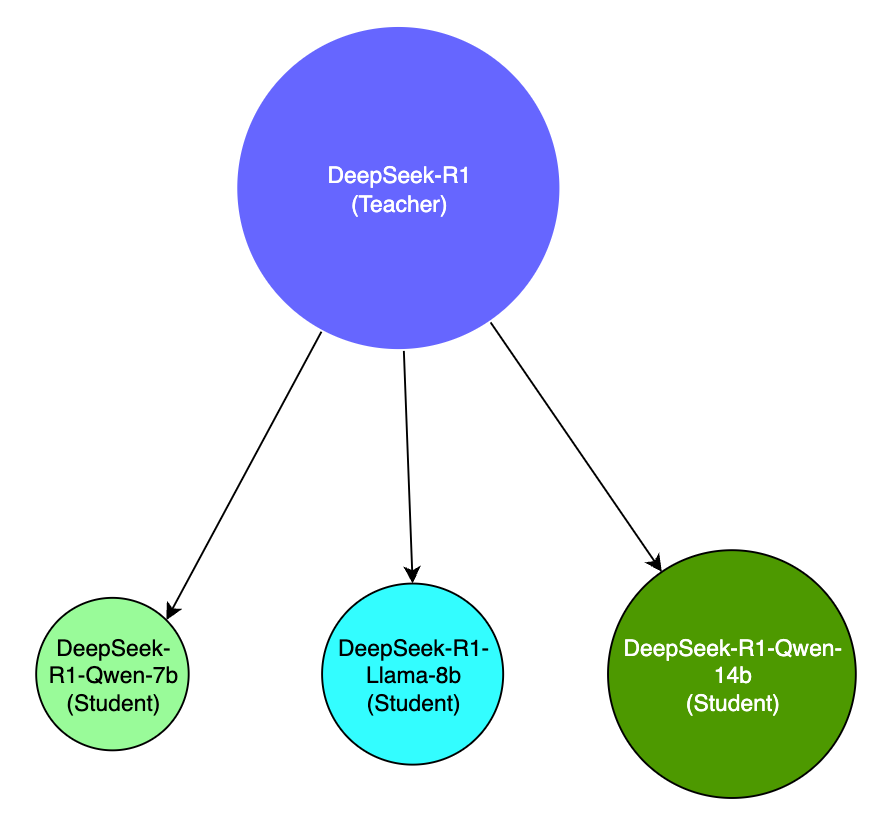
DeepSeek R1, the new entrant to the Large Language Model wars has created quite a splash over the last few weeks. Its entrance into a space dominated by the Big Corps, while pursuing asymmetric and novel strategies has been a refreshing eye-opener.GPT AI improvement was starting to show signs of slowing down, and has been observed to be reaching a point of diminishing returns as it runs out of data and compute required to train, fine-tune increasingly large models. This has turned the focus towards building "reasoning" models that are post-trained through reinforcement learning, techniques such as inference-time and test-time scaling and search algorithms to make the models appear to think and reason better. OpenAI&aposs o1-series models were the first to achieve this successfully with its inference-time scaling and Chain-of-Thought reasoning.
Intelligence as an emergent property of Reinforcement Learning (RL)Reinforcement Learning (RL) has been successfully used in the past by Google&aposs DeepMind team to build highly intelligent and specialized systems where intelligence is observed as an emergent property through rewards-based training approach that yielded achievements like AlphaGo (see my post on it here - AlphaGo: a journey to machine intuition).DeepMind went on to build a series of Alpha* projects that achieved many notable feats using RL:
AlphaGo, defeated the world champion Lee Seedol in the game of Go
AlphaZero, a generalized system that learned to play games such as Chess, Shogi and Go without human input
AlphaStar, achieved high performance in the complex real-time strategy game StarCraft II.
AlphaFold, a tool for predicting protein structures which significantly advanced computational biology.
AlphaCode, a model designed to generate computer programs, performing competitively in coding challenges.
AlphaDev, a system developed to discover novel algorithms, notably optimizing sorting algorithms beyond human-derived methods.
All of these systems achieved mastery in its own area through self-training/self-play and by optimizing and maximizing the cumulative reward over time by interacting with its environment where intelligence was observed as an emergent property of the system.The RL feedback loopRL mimics the process through which a baby would learn to walk, through trial, error and first principles.
R1 model training pipelineAt a technical level, DeepSeek-R1 leverages a combination of Reinforcement Learning (RL) and Supervised Fine-Tuning (SFT) for its training pipeline:DeepSeek-R1 Model Training PipelineUsing RL and DeepSeek-v3, an interim reasoning model was built, called DeepSeek-R1-Zero, purely based on RL without relying on SFT, which demonstrated superior reasoning capabilities that matched the performance of OpenAI&aposs o1 in certain benchmarks such as AIME 2024.The model was however affected by poor readability and language-mixing and is only an interim-reasoning model built on RL principles and self-evolution.DeepSeek-R1-Zero was then used to generate SFT data, which was combined with supervised data from DeepSeek-v3 to re-train the DeepSeek-v3-Base model.The new DeepSeek-v3-Base model then underwent additional RL with prompts and scenarios to come up with the DeepSeek-R1 model.The R1-model was then used to distill a number of smaller open source models such as Llama-8b, Qwen-7b, 14b which outperformed bigger models by a large margin, effectively making the smaller models more accessible and usable.
Key contributions of DeepSeek-R1
RL without the need for SFT for emergent reasoning capabilities
R1 was the first open research project to validate the efficacy of RL directly on the base model without relying on SFT as a first step, which resulted in the model developing advanced reasoning capabilities purely through self-reflection and self-verification.Although, it did degrade in its language capabilities during the process, its Chain-of-Thought (CoT) capabilities for solving complex problems was later used for further RL on the DeepSeek-v3-Base model which became R1. This is a significant contribution back to the research community.The below analysis of DeepSeek-R1-Zero and OpenAI o1-0912 shows that it is viable to attain robust reasoning capabilities purely through RL alone, which can be further augmented with other techniques to deliver even better reasoning performance.Source: https://github.com/deepseek-ai/DeepSeek-R1Its quite interesting, that the application of RL gives rise to seemingly human capabilities of "reflection", and arriving at "aha" moments, causing it to pause, ponder and focus on a specific aspect of the problem, resulting in emergent capabilities to problem-solve as humans do.
Model distillation
DeepSeek-R1 also demonstrated that larger models can be distilled into smaller models which makes advanced capabilities accessible to resource-constrained environments, such as your laptop. While its not possible to run a 671b model on a stock laptop, you can still run a distilled 14b model that is distilled from the larger model which still performs better than most publicly available models out there. This enables intelligence to be brought closer to the edge, to allow faster inference at the point of experience (such as on a smartphone, or on a Raspberry Pi), which paves way for more use cases and possibilities for innovation.Source: https://github.com/deepseek-ai/DeepSeek-R1Distilled models are very different to R1, which is a massive model with a completely different model architecture than the distilled variants, and so are not directly comparable in terms of capability, but are instead built to be more smaller and efficient for more constrained environments. This technique of being able to distill a larger model&aposs capabilities down to a smaller model for portability, accessibility, speed, and cost will bring about a lot of possibilities for applying artificial intelligence in places where it would have otherwise not been possible. This is another key contribution of this technology from DeepSeek, which I believe has even further potential for democratization and accessibility of AI.
Why is this moment so significant?DeepSeek-R1 was a pivotal contribution in many ways.
The contributions to the state-of-the-art and the open research helps move the field forward where everybody benefits, not just a few highly funded AI labs building the next billion dollar model.
Open-sourcing and making the model freely available follows an asymmetric strategy to the prevailing closed nature of much of the model-sphere of the larger players. DeepSeek should be commended for making their contributions free and open.
It reminds us that its not just a one-horse race, and it incentivizes competition, which has already resulted in OpenAI o3-mini a cost-effective reasoning model which now shows the Chain-of-Thought reasoning. Competition is a good thing.
We stand at the cusp of an explosion of small-models that are hyper-specialized, and optimized for a specific use case that can be trained and deployed cheaply for solving problems at the edge. It raises a lot of exciting possibilities and is why DeepSeek-R1 is one of the most pivotal moments of tech history.
Version 0.0.20 of RcppSpdlog arrived
on CRAN early this morning and
has been uploaded to Debian. RcppSpdlog
bundles spdlog, a
wonderful header-only C++ logging library with all the bells and
whistles you would want that was written by Gabi Melman, and also includes fmt by Victor Zverovich. You can learn
more at the nice package
documention site.
This release updates the code to the version 1.15.1 of spdlog which was released
this morning as well. It also contains a contributed PR which
illustrates logging in a multithreaded context.
The NEWS entry for this release follows.
Changes in
RcppSpdlog version 0.0.20 (2025-02-01)
New multi-threaded logging example (Young Geun Kim and Dirk via
#22)
As people around the world understand how LLMs behave, more and more people
wonder as to why these models hallucinate, and what can be done about to
reduce it. This provocatively named article by Michael Townsen Hicks, James
Humphries and Joe Slater bring is an excellent primer to better understanding
how LLMs work and what to expect from them.
As humans carrying out our relations using our language as the main tool, we are
easily at awe with the apparent ease with which ChatGPT (the first widely
available, and to this day probably the best known, LLM-based automated
chatbot) simulates human-like understanding and how it helps us to easily
carry out even daunting data aggregation tasks. It is common that people ask
ChatGPT for an answer and, if it gets part of the answer wrong, they justify it
by stating that it s just a hallucination. Townsen et al. invite us to switch
from that characterization to a more correct one: LLMs are bullshitting. This
term is formally presented by Frankfurt [1]. To Bullshit is not the same as to
lie, because lying requires to know (and want to cover) the truth. A
bullshitter not necessarily knows the truth, they just have to provide a
compelling description, regardless of what is really aligned with truth.
After introducing Frankfurt s ideas, the authors explain the fundamental ideas
behind LLM-based chatbots such as ChatGPT; a Generative Pre-trained Transformer
(GPT) s have as their only goal to produce human-like text, and it is carried
out mainly by presenting output that matches the input s high-dimensional
abstract vector representation, and probabilistically outputs the next token
(word) iteratively with the text produced so far. Clearly, a GPT s ask is not to
seek truth or to convey useful information they are built to provide a
normal-seeming response to the prompts provided by their user. Core data are not
queried to find optimal solutions for the user s requests, but are generated on
the requested topic, attempting to mimic the style of document set it was
trained with.
Erroneous data emitted by a LLM is, thus, not equiparable with what a person
could hallucinate with, but appears because the model has no understanding of
truth; in a way, this is very fitting with the current state of the world, a
time often termed as the age of post-truth [2]. Requesting an LLM to provide
truth in its answers is basically impossible, given the difference between
intelligence and consciousness: Following Harari s definitions [3], LLM
systems, or any AI-based system, can be seen as intelligent, as they have the
ability to attain goals in various, flexible ways, but they cannot be seen as
conscious, as they have no ability to experience subjectivity. This is, the
LLM is, by definition, bullshitting its way towards an answer: their goal is
to provide an answer, not to interpret the world in a trustworthy way.
The authors close their article with a plea for literature on the topic to adopt
the more correct bullshit term instead of the vacuous, anthropomorphizing
hallucination . Of course, being the word already loaded with a negative
meaning, it is an unlikely request.
This is a great article that mixes together Computer Science and Philosophy, and
can shed some light on a topic that is hard to grasp for many users.
[1] Frankfurt, Harry (2005). On Bullshit. Princeton University Press.
[2] Zoglauer, Thomas (2023). Constructed truths: truth and knowledge in a
post-truth world. Springer.
[3] Harari, Yuval Noah (2023. Nexus: A Brief History of Information Networks
From the Stone Age to AI. Random House.
Thrilled to announce a new package: zigg. It arrived
on CRAN today after a few days
of review in the newbies queue. zigg provides
the Ziggurat
pseudo-random number generator for Normal, Exponential and Uniform draws
proposed by Marsaglia and
Tsang (JSS, 2000),
and extended by Leong et al. (JSS, 2005).
I had picked up their work in package RcppZiggurat
and updated its code for the 64-buit world we now live in. That package
alredy provided the Normal generator along with several competing
implementations which it compared rigorously and timed them. As one of
the generators was based on the GNU GSL via the
implementation of Voss, we always ended
up with a run-time dependency on the GSL too. No more: this new package
is zero-depedency, zero-suggsts and hence very easy to deploy.
Moreover, we also include a demonstration of four distinct ways of
accessing the compiled code from another R package: pure and straight-up
C, similarly pure C++, inclusion of the header in C++ as well as via Rcpp.
The other advance is the resurrection of the second generator for the
Exponential distribution. And following Burkardt we expose the
Uniform too. The main upside of these generators is their excellent
speed as can be seen in the comparison the default R generators
generated by the example script timings.R:
Needless to say, speed is not everything. This PRNG comes the time of
32-bit computing so the generator period is likely to be shorter than
that of newer high-quality generators. If in doubt, forgo speed and
stick with the high-quality default generators.
The short NEWS entry follows.
 I can t remember exactly the joke I was making at the time in my
work s slack instance (I m sure it wasn t particularly
funny, though; and not even worth re-reading the thread to work out), but it
wound up with me writing a UEFI binary for the punchline. Not to spoil the
ending but it worked - no pesky kernel, no messing around with userland . I
guess the only part of this you really need to know for the setup here is that
it was a Severance joke,
which is some fantastic TV. If you haven t seen it, this post will seem perhaps
weirder than it actually is. I promise I haven t joined any new cults. For
those who have seen it, the payoff to my joke is that I wanted my machine to
boot directly to an image of
Kier Eagan.
As for how to do it I figured I d give the uefi
crate a shot, and see how it is to use,
since this is a low stakes way of trying it out. In general, this isn t the
sort of thing I d usually post about except this wound up being easier and
way cleaner than I thought it would be. That alone is worth sharing, in the
hopes someome comes across this in the future and feels like they, too, can
write something fun targeting the UEFI.
First thing s first gotta create a rust project (I ll leave that part to you
depending on your life choices), and to add the
I can t remember exactly the joke I was making at the time in my
work s slack instance (I m sure it wasn t particularly
funny, though; and not even worth re-reading the thread to work out), but it
wound up with me writing a UEFI binary for the punchline. Not to spoil the
ending but it worked - no pesky kernel, no messing around with userland . I
guess the only part of this you really need to know for the setup here is that
it was a Severance joke,
which is some fantastic TV. If you haven t seen it, this post will seem perhaps
weirder than it actually is. I promise I haven t joined any new cults. For
those who have seen it, the payoff to my joke is that I wanted my machine to
boot directly to an image of
Kier Eagan.
As for how to do it I figured I d give the uefi
crate a shot, and see how it is to use,
since this is a low stakes way of trying it out. In general, this isn t the
sort of thing I d usually post about except this wound up being easier and
way cleaner than I thought it would be. That alone is worth sharing, in the
hopes someome comes across this in the future and feels like they, too, can
write something fun targeting the UEFI.
First thing s first gotta create a rust project (I ll leave that part to you
depending on your life choices), and to add the 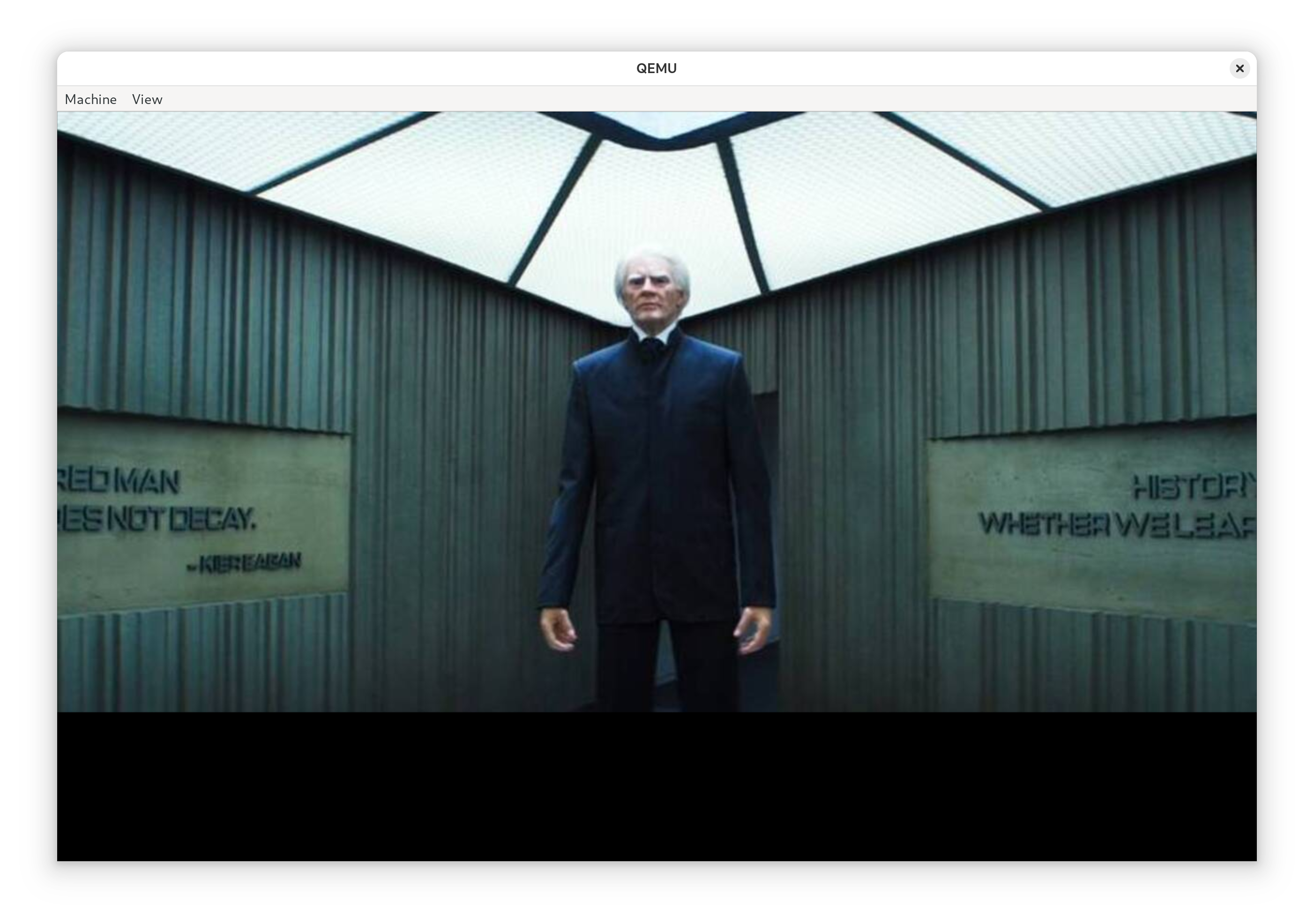
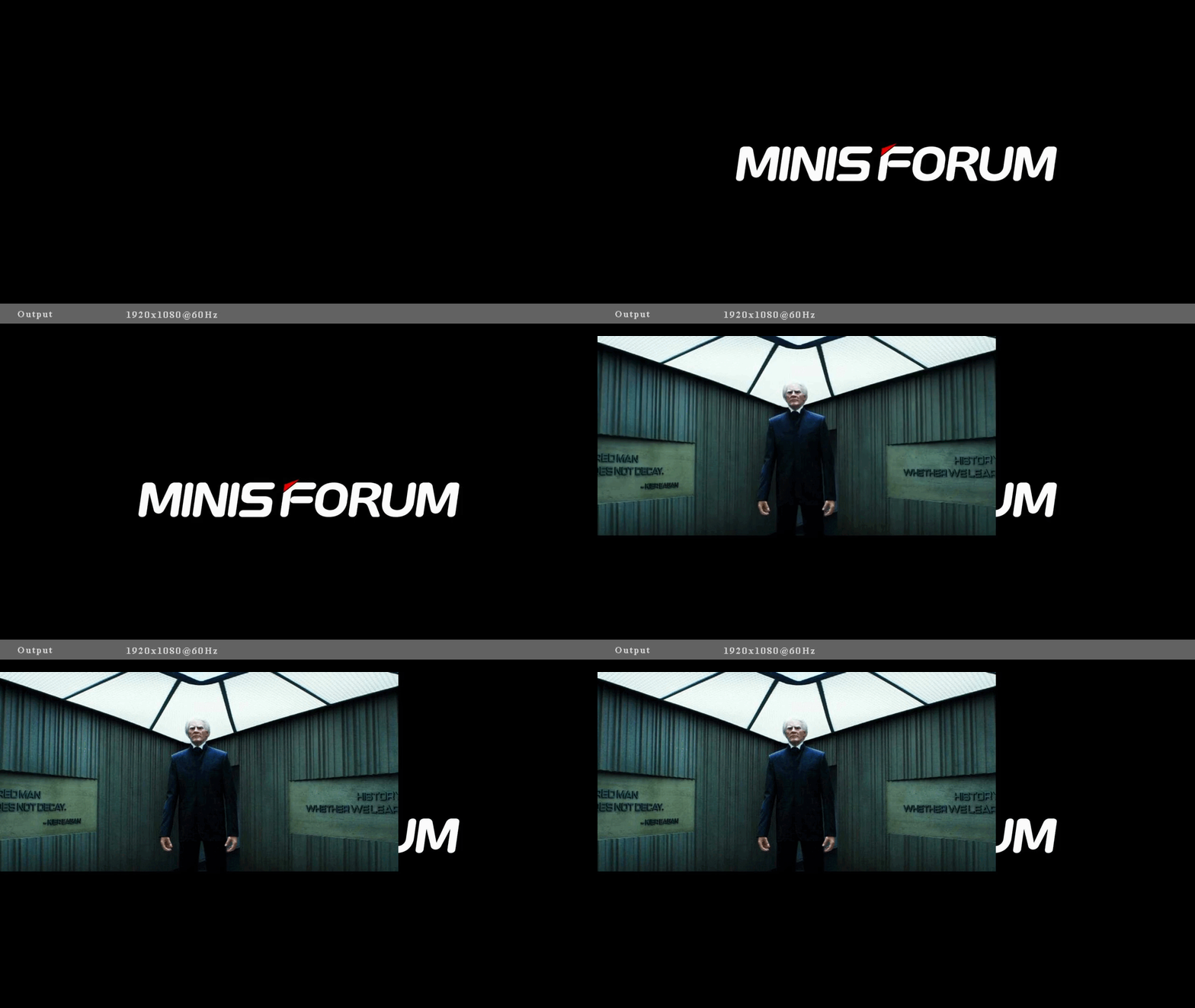 Attentive readers will notice the image of Kier is smaller then the qemu booted
system which just means our real machine has a larger GOP display
resolution than qemu, which makes sense! We could write some fancy resize code
(sounds annoying), center the image (can t be assed but should be the easy way
out here) or resize the original image (pretty hardware specific workaround).
Additionally, you can make out the image being written to the display before us
(the Minisforum logo) behind Kier, which is really cool stuff. If we were real
fancy we could write blank pixels to the display before blitting Kier, but,
again, I don t think I care to do that much work.
Attentive readers will notice the image of Kier is smaller then the qemu booted
system which just means our real machine has a larger GOP display
resolution than qemu, which makes sense! We could write some fancy resize code
(sounds annoying), center the image (can t be assed but should be the easy way
out here) or resize the original image (pretty hardware specific workaround).
Additionally, you can make out the image being written to the display before us
(the Minisforum logo) behind Kier, which is really cool stuff. If we were real
fancy we could write blank pixels to the display before blitting Kier, but,
again, I don t think I care to do that much work.

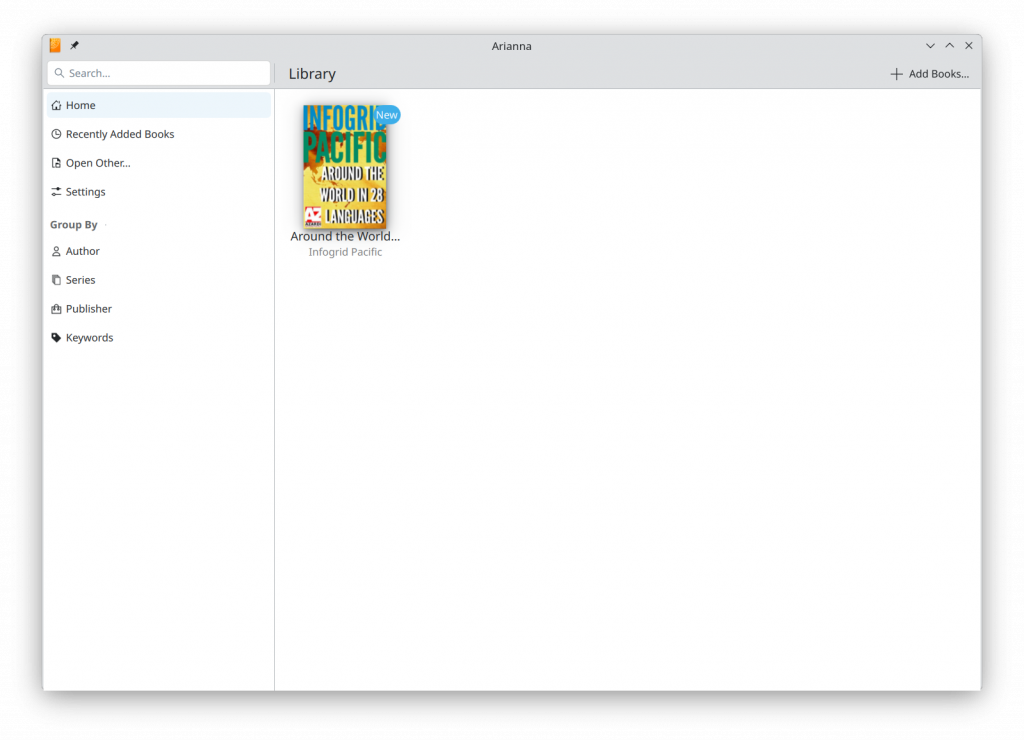
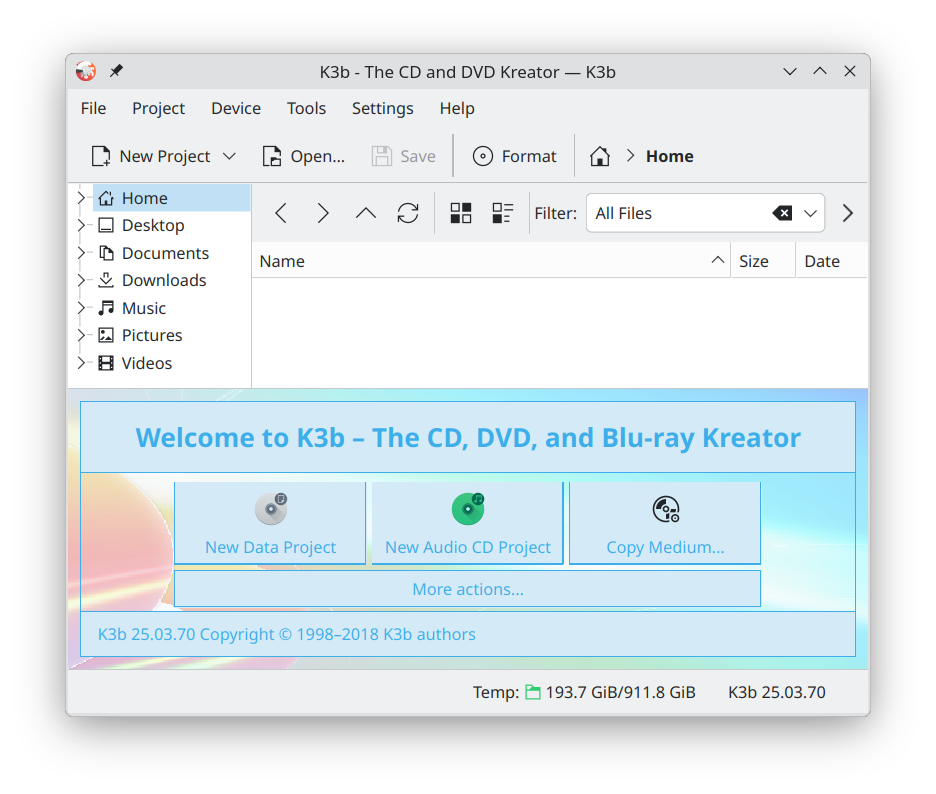
 TL;DR
It's difficult to find the right Debian image. We have thousands of
ISO files and cloud images and we support multiple CPU architectures
and several download methods. The directory structure of our main image server
is like a maze, and our web pages for downloading are also confusing.
Most important facts from this blog post
TL;DR
It's difficult to find the right Debian image. We have thousands of
ISO files and cloud images and we support multiple CPU architectures
and several download methods. The directory structure of our main image server
is like a maze, and our web pages for downloading are also confusing.
Most important facts from this blog post

 A maintenance release of our
  20 years ago, I got my Debian Developer account. I was 18 at the time, it was Shrove Tuesday and - as is customary - I was drunk when I got the email. There was so much that I did not know - which is also why the process took 1.5 years from the time I applied. I mostly only maintained a package or two. I'm still amazed that Christian Perrier and Joerg Jaspert put sufficient trust in me at that time. Nevertheless now feels like a good time for a personal reflection of my involvement in Debian.
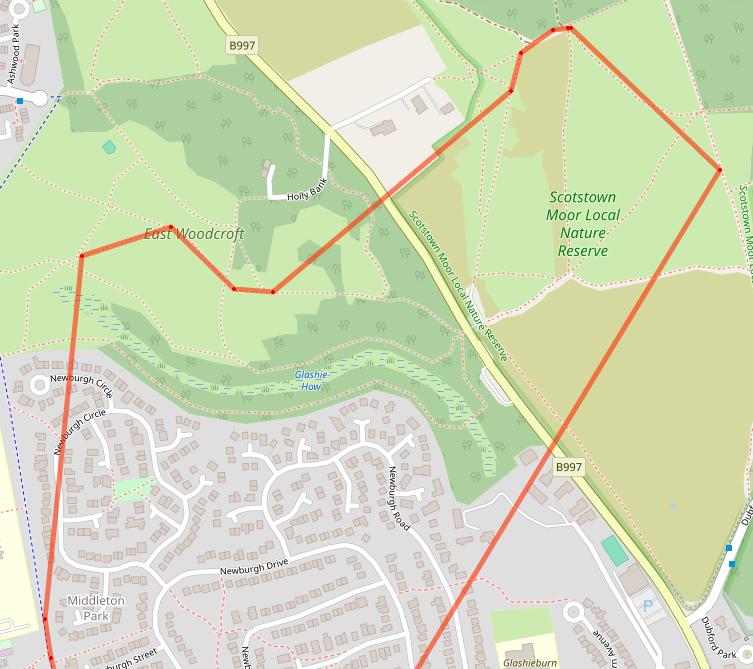 After circling a bit to find somewhere suitable (there appear to be construction
works in the park!) I set up my gear in 2C with frost on the ground, called CQ,
spotted and got nothing on either the end fed half wave or the cheap vertical.
As it was too late for 20m, I tried 40 and a bit of 80 using the inbuilt tuner,
but wasn t heard by stations I called or when calling independently.
I packed everything up and lora-doofered my way home, mildly deflated.
After circling a bit to find somewhere suitable (there appear to be construction
works in the park!) I set up my gear in 2C with frost on the ground, called CQ,
spotted and got nothing on either the end fed half wave or the cheap vertical.
As it was too late for 20m, I tried 40 and a bit of 80 using the inbuilt tuner,
but wasn t heard by stations I called or when calling independently.
I packed everything up and lora-doofered my way home, mildly deflated.
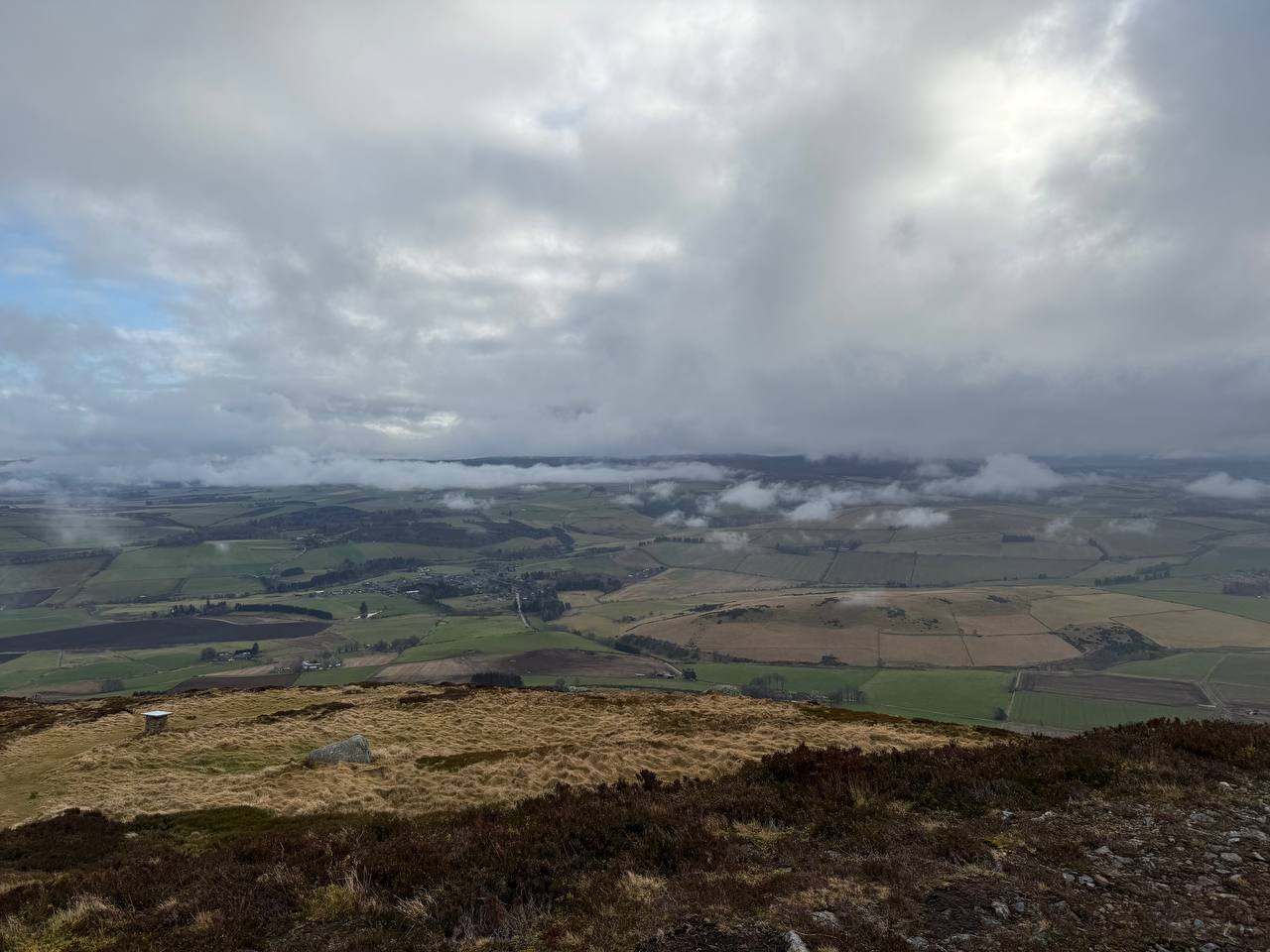 After a mild struggle on 2m, I set up the end fed the first hill and got to
work from the old hill fort:
After a mild struggle on 2m, I set up the end fed the first hill and got to
work from the old hill fort:
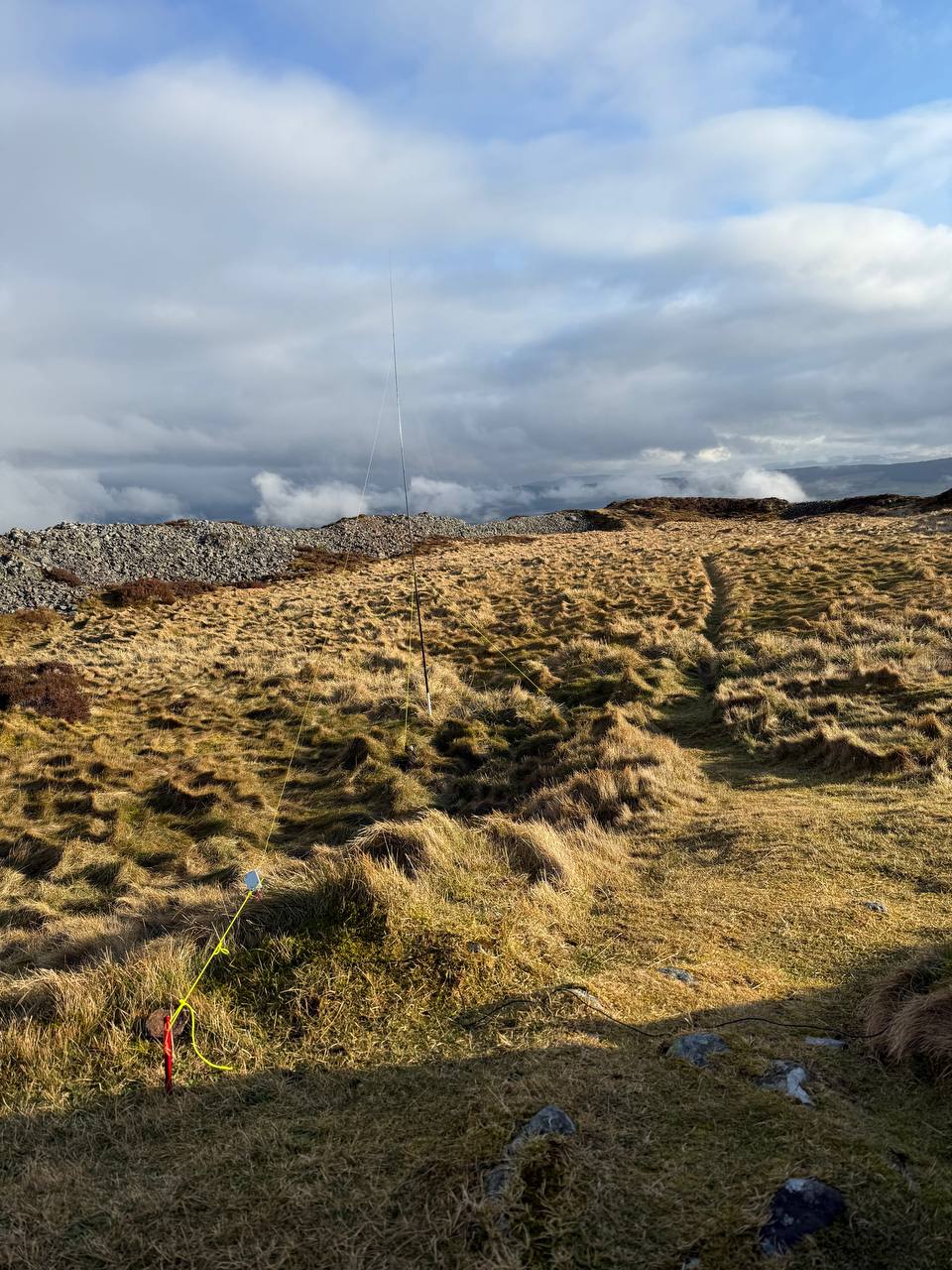 The end fed worked flawlessly. Exactly as promised, switching between 7MHz, 14MHz, 21MHz
and 28MHz without a tuner was perfect, I chased hills on all the bands, and had a
great time. Apart from 40m, where there was absolutely no space due to a
contest. That wasn t such a fun time!
My fingers were bitterly cold, so on went the big gloves for the descent and I
felt like I was warm by the time I made it back to the car.
It worked so well, in fact, I took the 1/4 wave cheap vertical out my bag and
decided to brave it on the next activation.
The end fed worked flawlessly. Exactly as promised, switching between 7MHz, 14MHz, 21MHz
and 28MHz without a tuner was perfect, I chased hills on all the bands, and had a
great time. Apart from 40m, where there was absolutely no space due to a
contest. That wasn t such a fun time!
My fingers were bitterly cold, so on went the big gloves for the descent and I
felt like I was warm by the time I made it back to the car.
It worked so well, in fact, I took the 1/4 wave cheap vertical out my bag and
decided to brave it on the next activation.
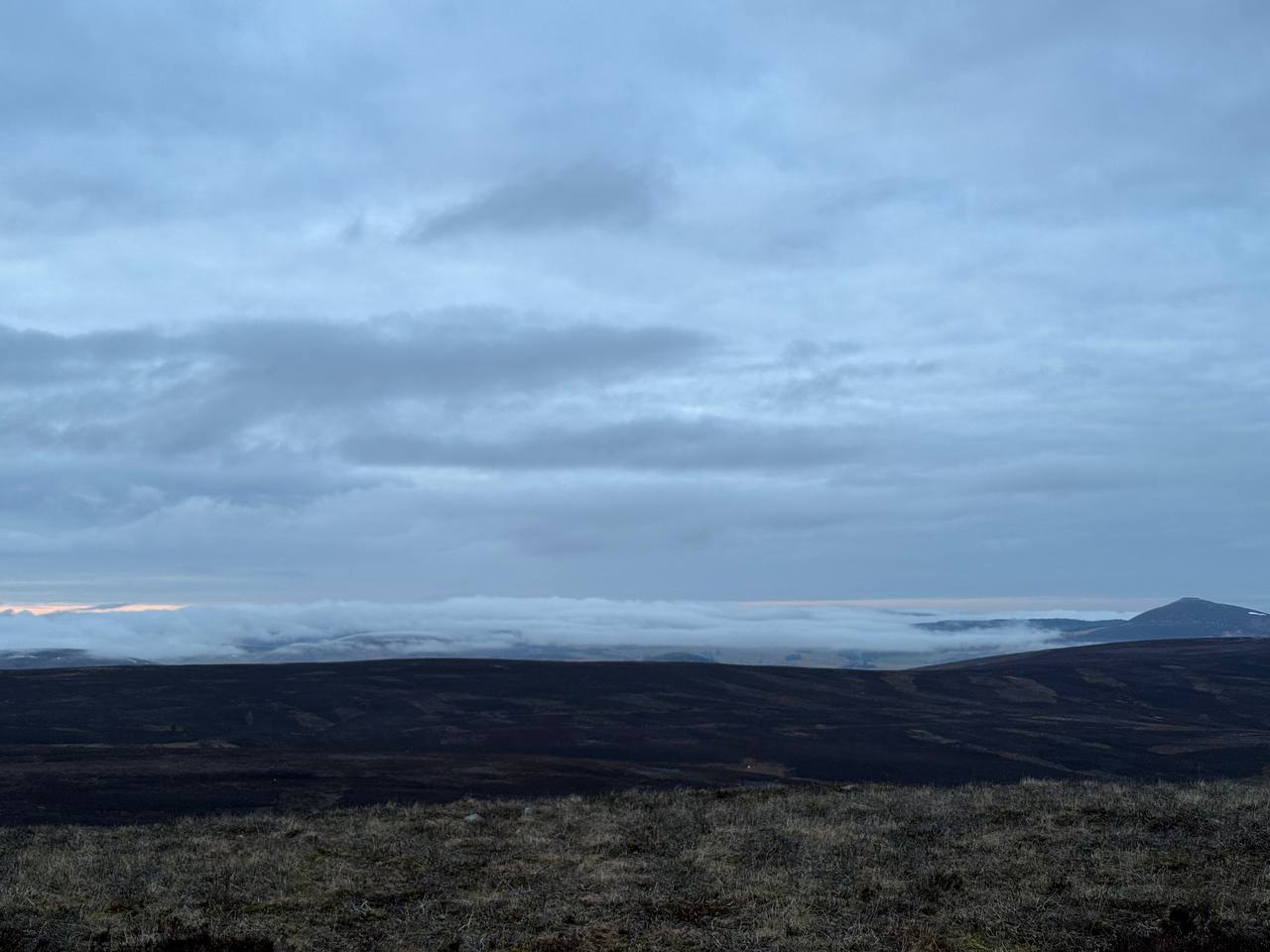 To get some height for the feedpoint, I wrapped the coax around my winder a
couple of turns and trapped it with the elastic while draping the coax over the
trig. This bought me some more height and I felt clever because of it. Maybe a
pole would be easier?
To get some height for the feedpoint, I wrapped the coax around my winder a
couple of turns and trapped it with the elastic while draping the coax over the
trig. This bought me some more height and I felt clever because of it. Maybe a
pole would be easier?
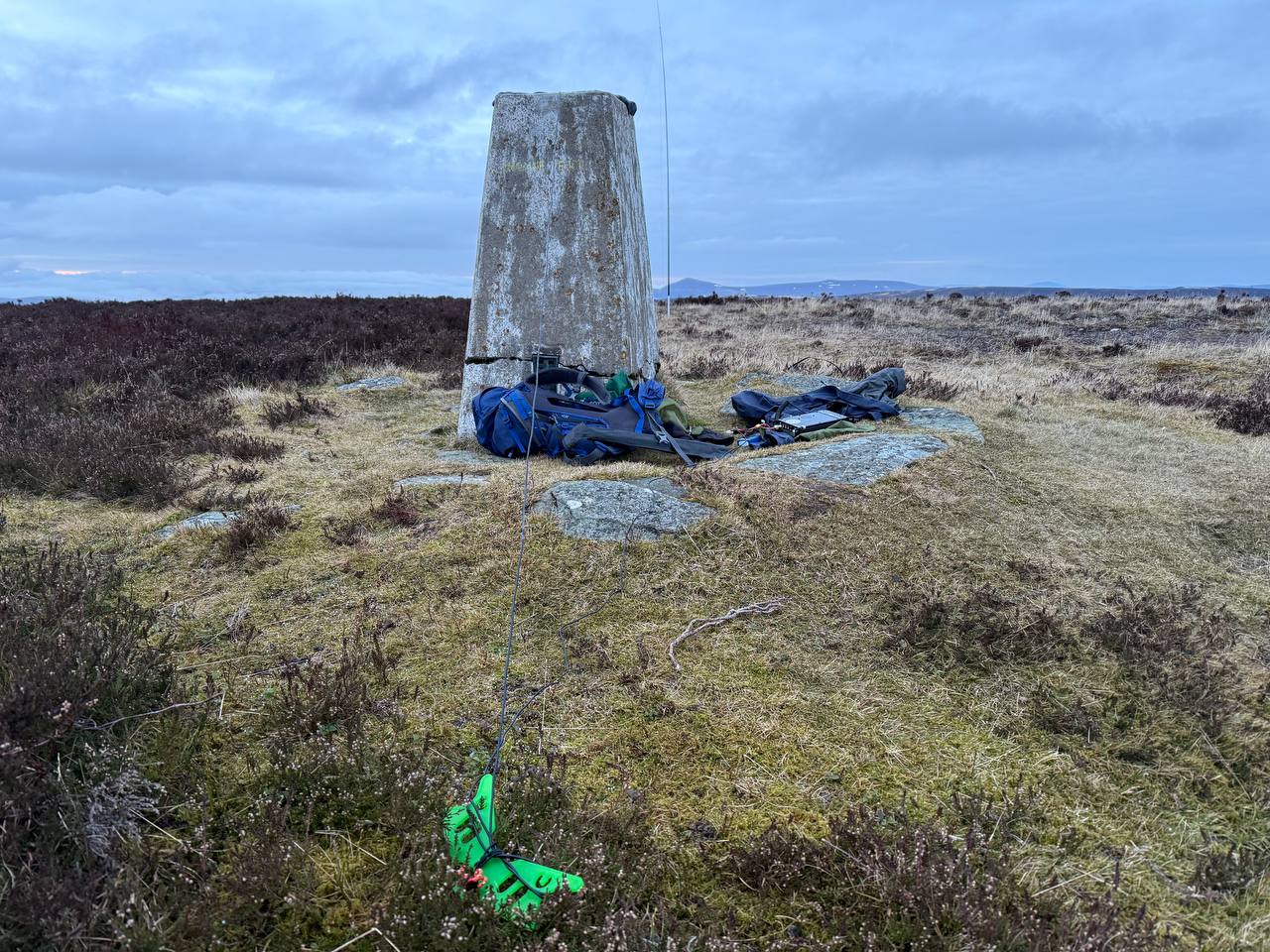 From here, I worked inter-G on 40m and had a wee pile up, eventually working 15
or so European stations on 20m. Pleased with that!
I had been considering a third hill, but home was the call in the failing light.
Back to the car I walked to find my key didn t have any battery, so out came the
Audi App and I used the Internet of Things to unlock my car. The modern world is
bizarre.
From here, I worked inter-G on 40m and had a wee pile up, eventually working 15
or so European stations on 20m. Pleased with that!
I had been considering a third hill, but home was the call in the failing light.
Back to the car I walked to find my key didn t have any battery, so out came the
Audi App and I used the Internet of Things to unlock my car. The modern world is
bizarre.
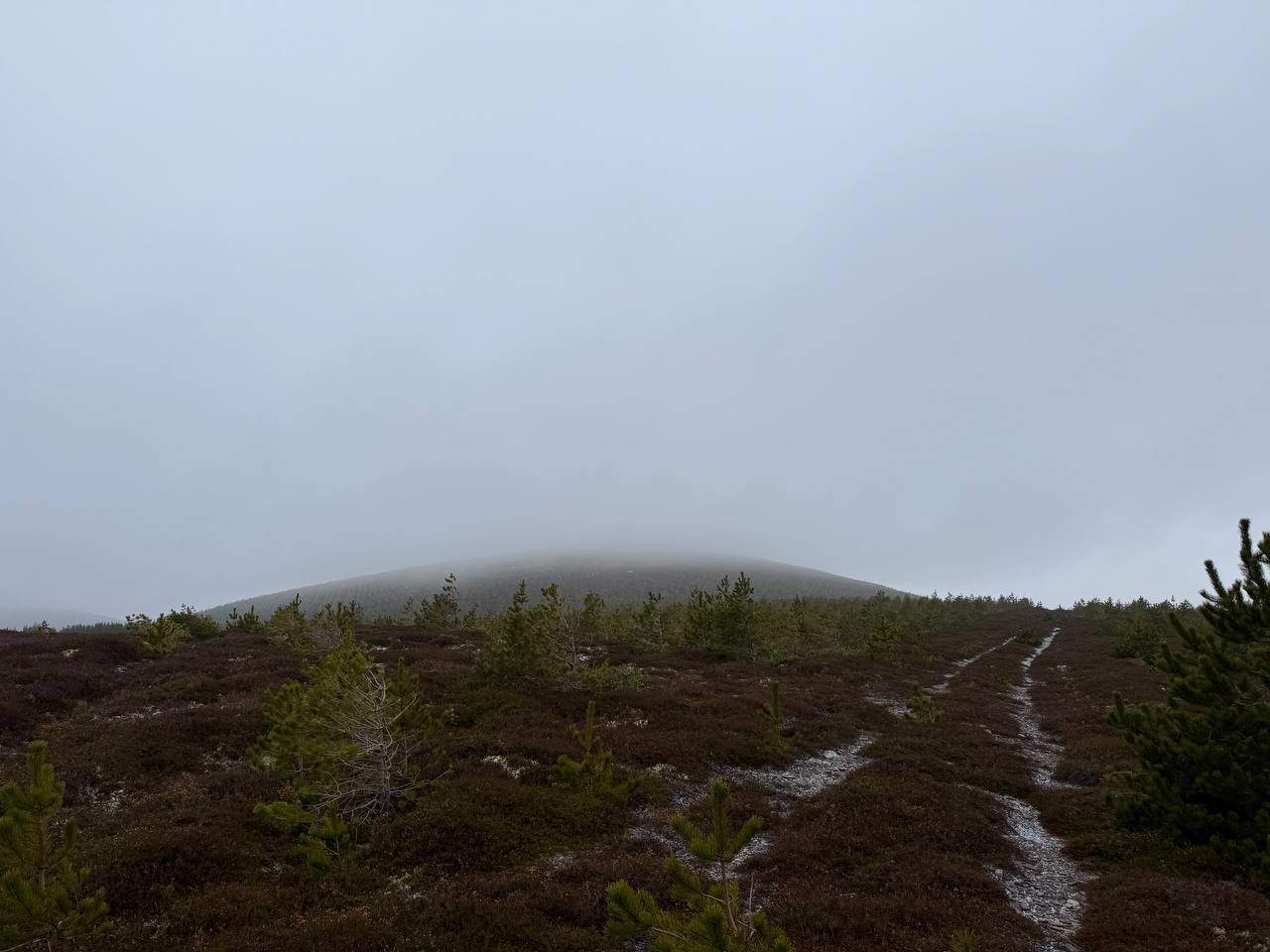
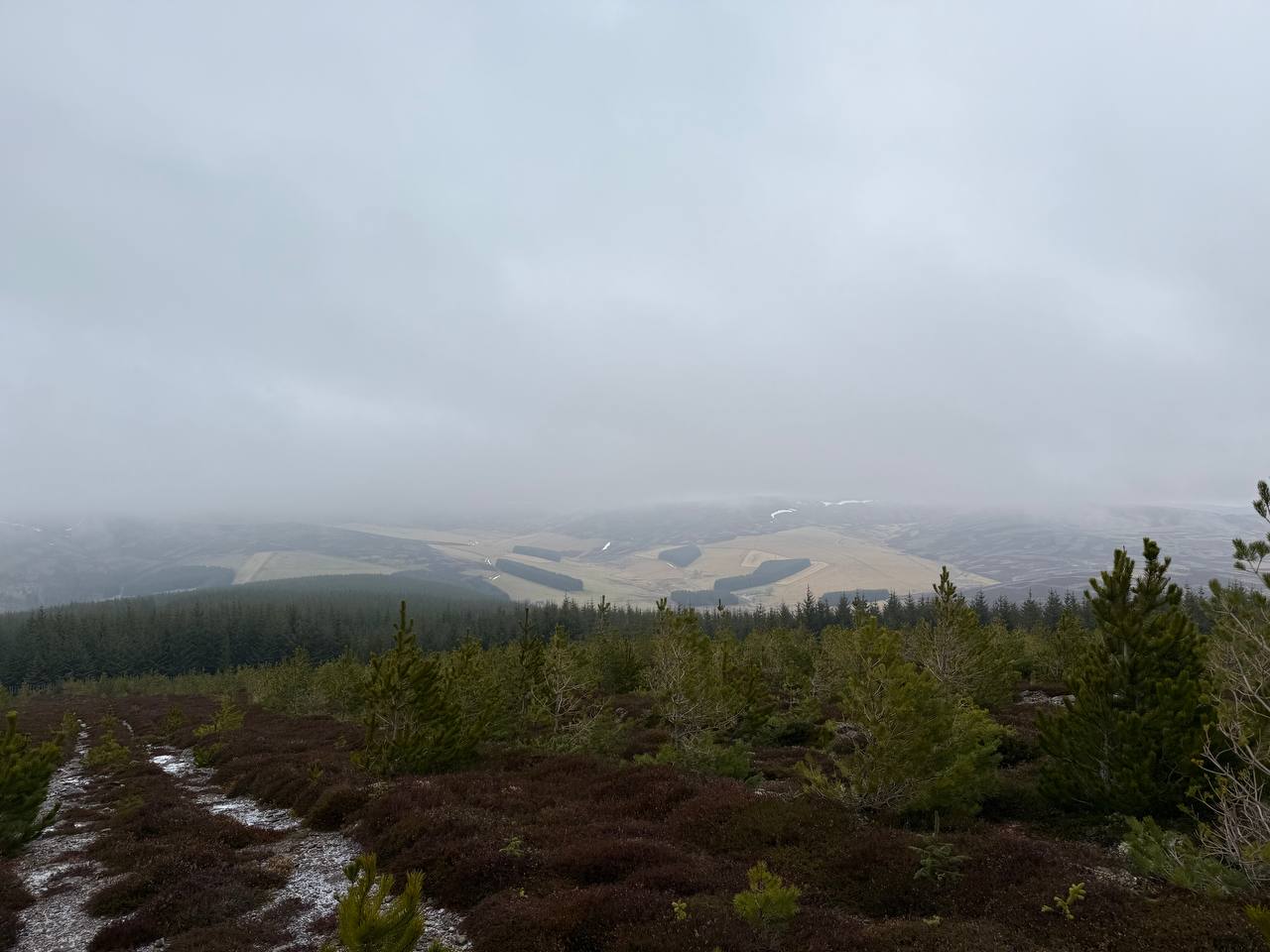 I set up at the cairn and picked up 30 contacts overall, split between 40m and
20m, with some inter-g on 40 and a couple of continental surprises. 20 had
longer skip today, so I saw Spain, Finland, Slovenia, Poland.
On teardown, I managed to snap the top segment of my brand new mast with my
cold, clumsy fingers, but thankfully sotabeams stock replacements. More money at
the problem, again.
Back to the car, no app needed, and homeward bound as the light faded.
At the end of the weekend, I find myself finally over 100 activator points and
over 400 chaser points. Somehow I ve collected more points this year already
than last year, the winter bonuses really do stack up!
I set up at the cairn and picked up 30 contacts overall, split between 40m and
20m, with some inter-g on 40 and a couple of continental surprises. 20 had
longer skip today, so I saw Spain, Finland, Slovenia, Poland.
On teardown, I managed to snap the top segment of my brand new mast with my
cold, clumsy fingers, but thankfully sotabeams stock replacements. More money at
the problem, again.
Back to the car, no app needed, and homeward bound as the light faded.
At the end of the weekend, I find myself finally over 100 activator points and
over 400 chaser points. Somehow I ve collected more points this year already
than last year, the winter bonuses really do stack up!
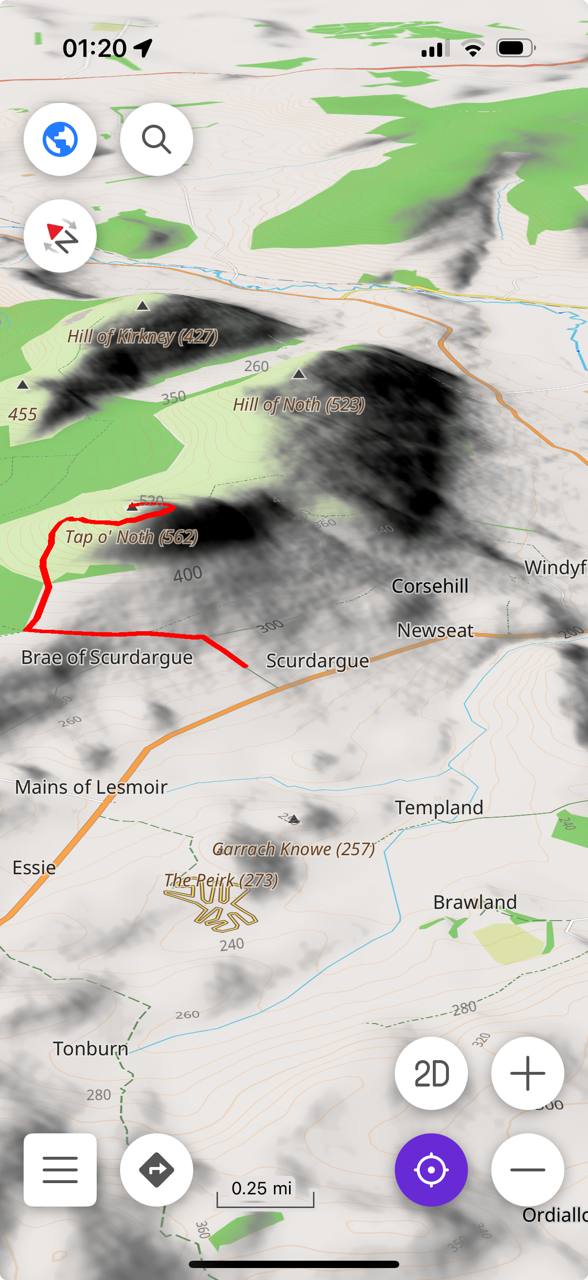 This weekend I discovered it s possible to have height maps for nice 3d
maps and contours marked on the map - you just need to download some
additions for the maps. This is a really nice feature, it makes maps more
pretty and more useful when you re in the middle of nowhere.
This weekend I discovered it s possible to have height maps for nice 3d
maps and contours marked on the map - you just need to download some
additions for the maps. This is a really nice feature, it makes maps more
pretty and more useful when you re in the middle of nowhere.
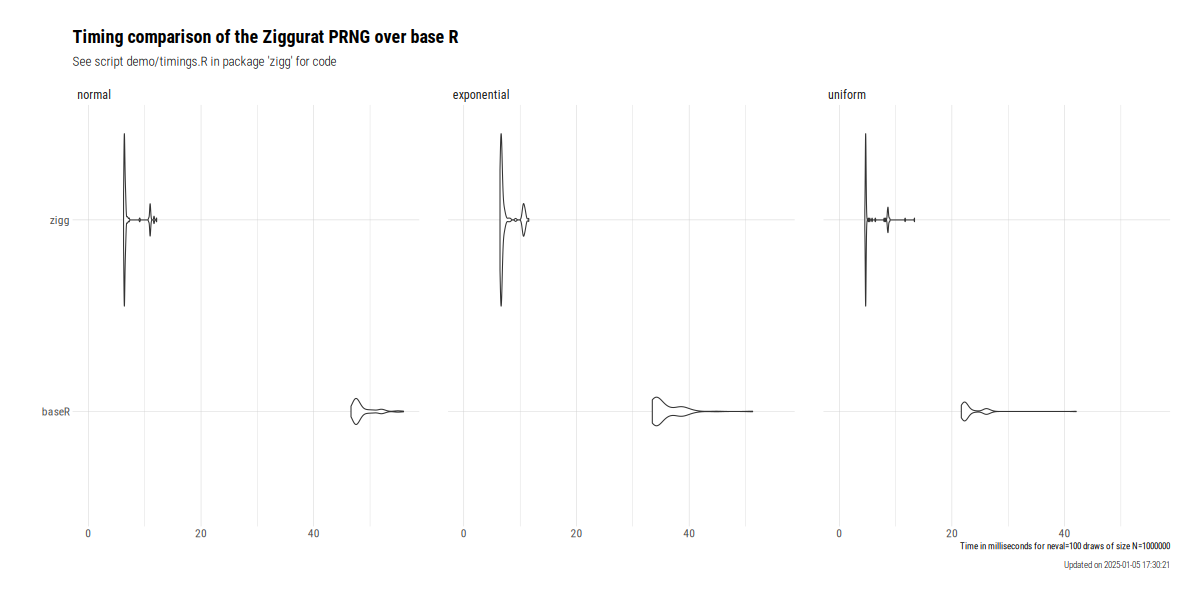 The still very new package
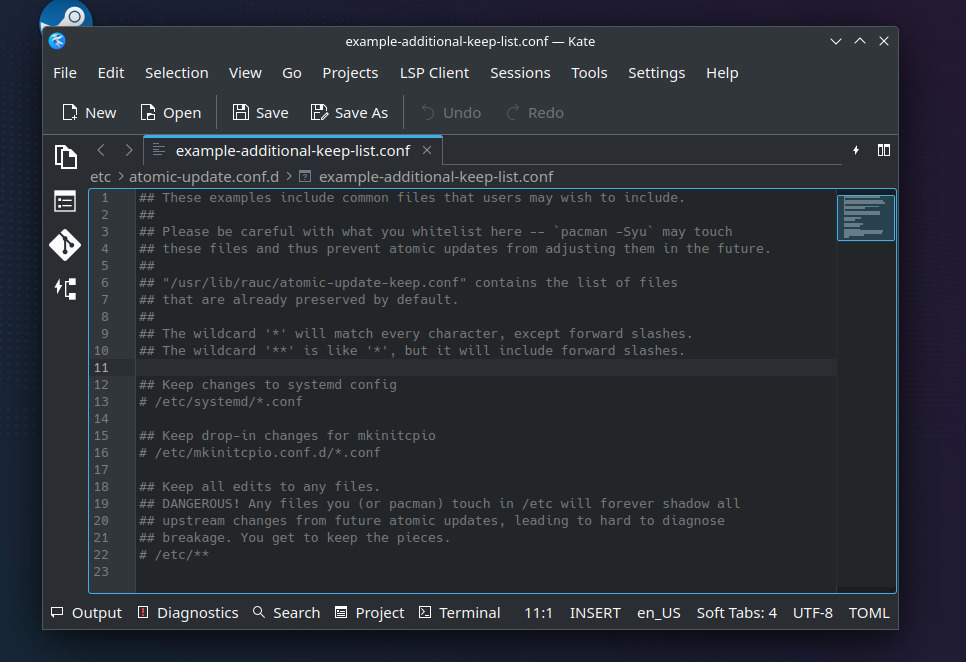

 To continue the investigation, I ve modified
  . I guess that, in the cron job, just checking the list of PV to snapshot was enough to exhaust our API quota.
  Azure
Azure  I was puzzled
  and out of ideas
  .
I looked for similar problems in
.
I looked for similar problems in  I was flabbergasted
  by this parameter: why is CSI file driver able to use 2 APIs ? Why is one on them so limited ? And more importantly, why is the limited API the default one ?
Anyway, setting
by this parameter: why is CSI file driver able to use 2 APIs ? Why is one on them so limited ? And more importantly, why is the limited API the default one ?
Anyway, setting  But not the snaphot issue
  . Amongst the 80 PV, I still had 2 snaphots failing.
 Fortunately, the error was mentioned in the description of the failed snapshots: we had too many (200) snapshots for these shared volumes.
What ??
Fortunately, the error was mentioned in the description of the failed snapshots: we had too many (200) snapshots for these shared volumes.
What ??  All these snapshots were cleaned up last week.
I then tried to delete these snaphots through azure console. But the console failed to delete these snapshot due to API throttling. Looks like Azure console is not using the right API.
All these snapshots were cleaned up last week.
I then tried to delete these snaphots through azure console. But the console failed to delete these snapshot due to API throttling. Looks like Azure console is not using the right API.  Anyway, I went back to the solution explained in my previous blog, I listed all snapshots with
  . What a mess.
Anyway, I ve cleaned up again these bogus snapshot
. What a mess.
Anyway, I ve cleaned up again these bogus snapshot  , and now, snaphot creation is working fine
  .
For now.
All the best.
.
For now.
All the best.
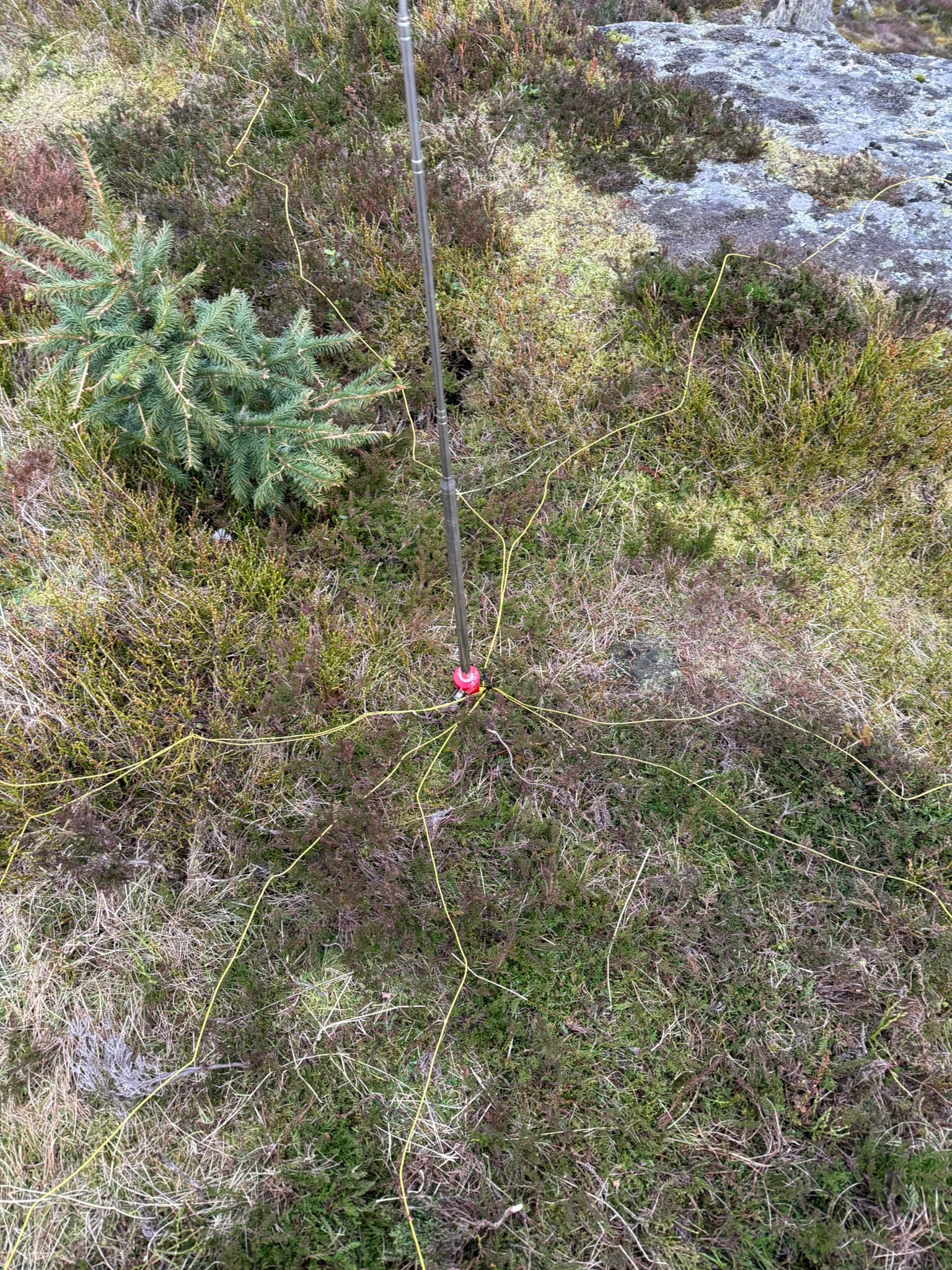 Quick to deploy which is what I was after. My new 5m of coax with a choke fitted attached to the radio and we were off to the races - A convenient thing of beauty when it s up:
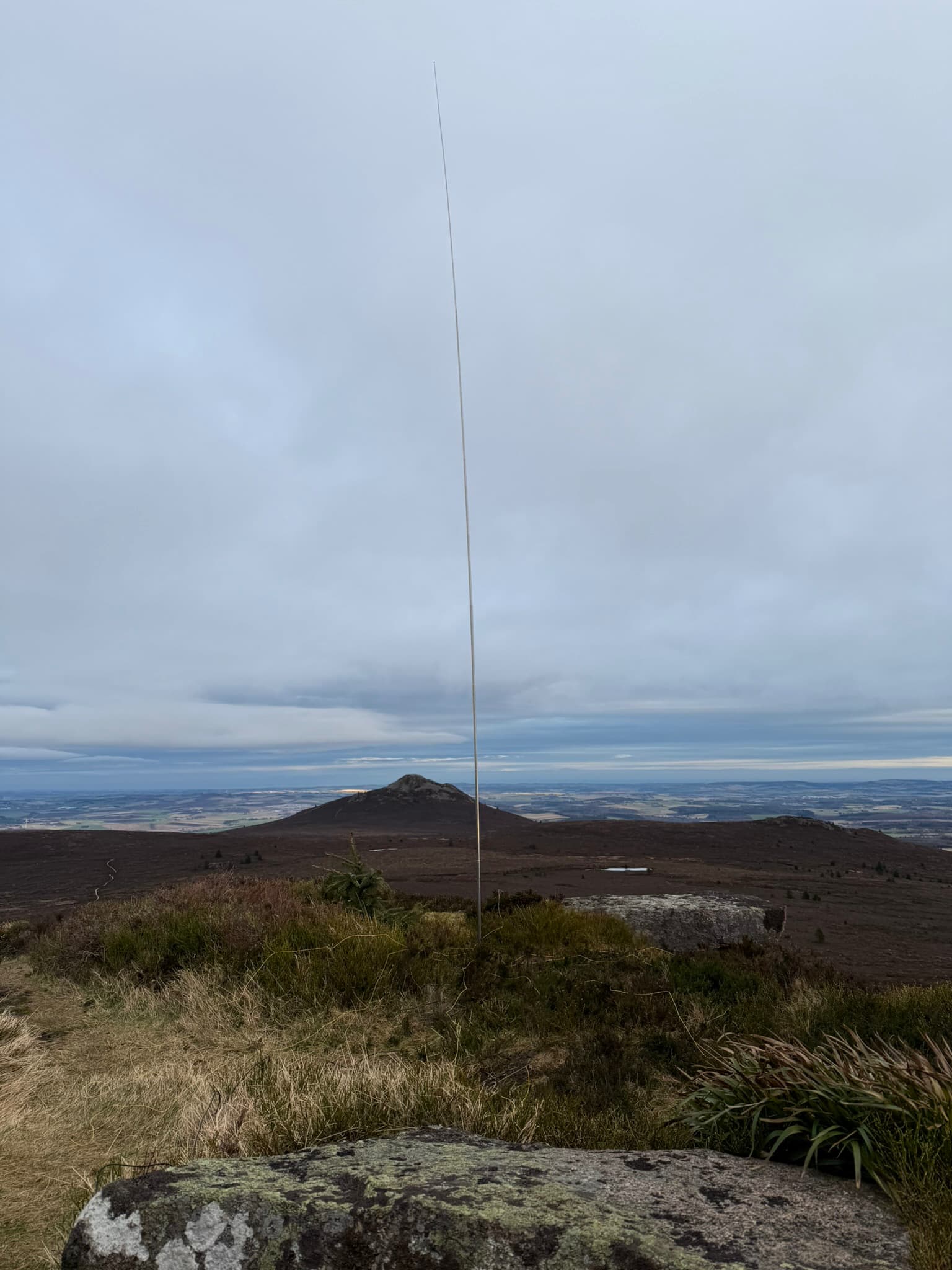 I ve made a single guy with a sotabeams
  For many years I wished I had a setup that would allow me to work (that is, code) productively outside in the bright sun. It s winter right now, but when its summer again it s always a bit. this weekend I got closer to that goal.
TL;DR: Using
For many years I wished I had a setup that would allow me to work (that is, code) productively outside in the bright sun. It s winter right now, but when its summer again it s always a bit. this weekend I got closer to that goal.
TL;DR: Using  Passively lit coding
 DeepSeek R1, the new entrant to the Large Language Model wars has created quite a splash over the last few weeks. Its entrance into a space dominated by the Big Corps, while pursuing asymmetric and novel strategies has been a refreshing eye-opener.GPT AI improvement was starting to show signs of slowing down, and has been observed to be reaching a point of diminishing returns as it runs out of data and compute required to train, fine-tune increasingly large models. This has turned the focus towards building "reasoning" models that are post-trained through reinforcement learning, techniques such as inference-time and test-time scaling and search algorithms to make the models appear to think and reason better. OpenAI&aposs o1-series models were the first to achieve this successfully with its inference-time scaling and Chain-of-Thought reasoning.