Advent of Code 2021Advent of Code, for those not in the know,
is a yearly Advent calendar (since 2015) of coding puzzles many people
participate in for a plenary of reasons ranging from speed coding to code
golf with stops at learning a new language or practicing already known
ones.
I usually write boring C++, but any language and then some can be used.
There are reports of people implementing it in hardware, solving them by
hand on paper or using Microsoft Excel
so, after solving a puzzle the easy way yesterday, this time
I thought: CHALLENGE ACCEPTED! as I somehow remembered an old 2008
article about solving Sudoku with aptitude
(Daniel Burrows via archive.org as the blog is long gone)
and the good same old a package management system that can solve [puzzles] based on package dependency rules is not something that I think would be useful or worth having (Russell Coker).
Day 8 has a rather lengthy
problem description and can reasonably be approached in a bunch of
different way. One unreasonable approach might be to massage the
problem description into Debian packages and let apt help me solve the
problem (specifically Part 2, which you unlock by solving Part 1. You
can do that now, I will wait here.)
Be warned: I am spoiling Part 2 in the following, so solve it yourself
first if you are interested.
I will try to be reasonable consistent in naming things in the following
and so have chosen: The input we get are lines like acedgfb cdfbe gcdfa fbcad dab cefabd cdfgeb eafb cagedb ab cdfeb fcadb cdfeb cdbaf.
The letters are wires mixed up and connected to the segments of the
displays: A group of these letters is hence a digit (the first 10)
which represent one of the digits 0 to 9 and (after the pipe) the four
displays which match (after sorting) one of the digits which means
this display shows this digit. We are interested in which digits are
displayed to solve the puzzle. To help us we also know which segments
form which digit, we just don't know the wiring in the back.
So we should identify which wire maps to which segment!
We are introducing the packages wire-X-connects-to-Y for this which
each provide & conflict1 with the virtual packages segment-Y and
wire-X-connects.
The later ensures that for a given wire we can only pick one segment and
the former ensures that not multiple wires map onto the same segment.
As an example: wire a's possible association with segment b is
described as:
Note that we do not know if this is true! We generate packages for
all possible (and then some) combinations and hope dependency resolution
will solve the problem for us. So don't worry, the hard part will be
done by apt, we just have to provide all (im)possibilities!
What we need now is to translate the 10 digits (and 4 outputs) from
something like acedgfb into digit-0-is-eight and not, say
digit-0-is-one. A clever solution might realize that a one consists
only of two segments so a digit wiring up seven segments can not be
a 1 (and must be 8 instead), but again we aren't here to be clever:
We want apt to figure that out for us! So what we do is simply making
every digit-0-is-N (im)possible choice available as a package and
apply constraints: A given digit-N can only display one number and
each N is unique as digit so for both we deploy Provides
& Conflicts again.
We also need to reason about the segments in the digits: Each of the
digit packages gets Depends on wire-X-connects-to-Y where X is each
possible wire (e.g. acedgfb) and Y each segment forming the digit
(e.g. cf for one). The different choices for X are or'ed together,
so that either of them satisfies the Y.
We know something else too through: The segments which are not used by
the digit can not be wired to any of the Xs. We model this with
Conflicts on wire-X-connects-to-Y.
As an example: If digit-0s acedgfb would be displaying a one
(remember, it can't) the following package would be installable:
Repeat such stanzas for all 10 possible digits for digit-0 and then
repeat this for all the other nine digit-N. We produce pretty much the
same stanzas for display-0(-is-one), just that we omit the second
Provides & Conflicts from above (digit-is-one) as in the display
digits can be repeated. The rest is the same (modulo using display
instead of digit as name of course).
Lastly we create a package dubbed solution which depends on all 10
digit-N and 4 display-N all of them virtual packages apt will have
to choose an installable provider from and we are nearly done!
The resulting Packages file2 we can give to apt while requesting to
install the package solution and it will spit out not only the display
values we are interested in but also which number each digit represents
and which wire is connected to which segment. Nifty!
$ ./skip-aoc 'acedgfb cdfbe gcdfa fbcad dab cefabd cdfgeb eafb cagedb ab   cdfeb fcadb cdfeb cdbaf'
[ ]
The following additional packages will be installed:
  digit-0-is-eight digit-1-is-five digit-2-is-two digit-3-is-three
  digit-4-is-seven digit-5-is-nine digit-6-is-six digit-7-is-four
  digit-8-is-zero digit-9-is-one display-1-is-five display-2-is-three
  display-3-is-five display-4-is-three wire-a-connects-to-c
  wire-b-connects-to-f wire-c-connects-to-g wire-d-connects-to-a
  wire-e-connects-to-b wire-f-connects-to-d wire-g-connects-to-e
[ ]
0 upgraded, 22 newly installed, 0 to remove and 0 not upgraded.
We are only interested in the numbers on the display through, so grepping
the apt output (-V is our friend here) a bit should let us end up with
what we need as calculating3 is (unsurprisingly) not a strong suit of
our package relationship language so we need a few shell commands to
help us with the rest.
$ ./skip-aoc 'acedgfb cdfbe gcdfa fbcad dab cefabd cdfgeb eafb cagedb ab   cdfeb fcadb cdfeb cdbaf' -qq
5353
I have written the skip-aoc script as a testcase for apt,
so to run it you need to place it in
/path/to/source/of/apt/test/integration and built apt first, but that
is only due to my laziness. We could write a standalone script
interfacing with the system installed apt directly and in any apt
version since
~2011.
To hand in the solution for the puzzle we just need to run this on each
line of the input (~200 lines) and add all numbers together. In other
words: Behold this beautiful shell one-liner:
parallel -I ' ' ./skip-aoc ' ' -qq < input.txt paste -s -d'+' - bc
(You may want to run parallel with -P to properly grill your CPU as
that process can take a while otherwise and it still does anyhow as
I haven't optimized it at all the testing framework does a lot of
pointless things wasting time here, but we aren't aiming for the
leaderboard so )
That might or even likely will fail through as I have so far omitted a
not unimportant detail: The default APT resolver is not able to solve
this puzzle with the given problem description we need another solver!
Thankfully that is as easy as installing apt-cudf (and with it aspcud)
which the script is using via --solver aspcud to make apt hand over the
puzzle to a "proper" solver (or better: A solver who is supposed to be
good at "answering set" questions). The buildds are using this for
experimental and/or backports builds and also for installability checks
via dose3 btw, so you might have encountered it before.
Be careful however: Just because aspcud can solve this puzzle doesn't
mean it is a good default resolver for your day to day apt. One of the
reasons the default resolver has such a hard time solving this here is
that or-groups have usually an order in which the first is preferred over
every later option and so fort. This is of no concern here as all these
alternatives will collapse to a single solution anyhow, but if there are
multiple viable solutions (which is often the case) picking the "wrong"
alternative can have bad consequences. A classic example would be
exim4 postfix nullmailer. They are all MTAs
but behave very different. The non-default solvers also tend to lack
certain features like keeping track of auto-installed packages or
installing Recommends/Suggests. That said, Julian is working on
another solver
as I write this which might deal with more of these issues.
And lastly: I am also relatively sure that with a bit of massaging the
default resolver could be made to understand the problem, but I can't
play all day with this maybe some other day.
Disclaimer: Originally posted in the daily megathread
on reddit, the version here is just slightly better understandable as
I have hopefully renamed all the packages to have more conventional
names and tried to explain what I am actually doing.
No cows were harmed in this improved version, either.
If you would upload those packages somewhere, it would be good
style to add Replaces as well, but it is of minor concern for apt
so I am leaving them out here for readability.
We have generated 49 wires, 100 digits, 40 display and 1 solution
package for a grant total of 190 packages. We are also making use of
a few purely virtual ones, but that doesn't add up to many packages
in total. So few packages are practically childs play for apt given it
usually deals with thousand times more. The instability for those
packages tends to be a lot better through as only 22 of 190 packages
we generated can (and will) be installed. Britney will hate you if
your uploads to Debian unstable are even remotely as bad as this.
What we could do is introduce 10.000 packages which denote every
possible display value from 0000 to 9999. We would then need to
duplicate our 10.190 packages for each line (namespace them) and then
add a bit more than a million packages with the correct dependencies
for summing up the individual packages for apt to be able to display
the final result all by itself. That would take a while through as at
that point we are looking at working with ~22 million packages with
a gazillion amount of dependencies probably overworking every solver
we would throw at it a bit of shell glue seems the better option for
now.
This article was written by David Kalnischkies on apt-get a life and republished here by pulling it from a syndication feed. You should check there for updates and more articles about apt and EDSP.
The redhat talk I gave at UK Systems '21 was entitled "Java in a
Container World: What we've done and where we're going". The slides (with
notes) for it are available:
As I wrote, last week I attended the UK Systems Research
2021 and gave two (or 2 , or 3) talks. my
PhD talk is entitled "Picking a winner: cost models for evaluating
stream-processing programs". The slides (with notes) are here:
The Rblp team is happy to announce a new version 0.3.12 of Rblpapi which just arrived at CRAN. Rblpapi provides a direct interface between R and the Bloomberg Terminal via the C++ API provided by Bloomberg (but note that a valid Bloomberg license and installation is required).
This is the twelveth release since the package first appeared on CRAN in 2016. Changes are detailed below and include both extensions to functionality, actual bug fixes and changes to the package setup. Special thanks goes to Michael Kerber, Yihui Xie and Kai Lin for contributing pull requests!
Changes in Rblpapi version 0.3.12 (2021-12-07)
bdh() supports new option returnAs (Michael Kerber and Dirk in #335 fixing #206)
Remove extra backtick in vignette (Yihui Xie in #343)
Fix a segfault from bulk access with bds (Kai Lin in #347 fixing #253)
Support REQUEST_STATUS in bdh (Kai Lin and John in #349 fixing #348)
Courtesy of my CRANberries, there is also a diffstat report for the this release. As always, more detailed information is on the Rblpapi page. Questions, comments etc should go to the issue tickets system at the GitHub repo.
If you like this or other open-source work I do, you can now sponsor me at GitHub.
Last week I attended the UK Systems Research
2021 conference in County Durham, my first
conference in nearly two years (since FOSDEM 2020,
right on the cusp of the Pandemic). The Systems conference community
is very pleasant and welcoming and so when I heard it was going to
take place "physically" again this year I was so keen to attend I
decided to hedge my bets and submit two talk proposals. I wasn't
expecting them both to be accepted
As well as the regular talks (more on those in another post) there is
a tradition for people to give short, impromptu lightning talks after
dinner on the second night. I've given two of these before, and I'd
been considering whether to offer to one this time or not, but with
two talks to deliver (and finish writing) I wasn't sure. Usually
people talk about something interesting that they have been doing
besides their research or day-jobs, but the last two years have been
somewhat difficult and I didn't really think I had a topic to talk
about. Then I wondered if that was a topic in itself
During the first day of the conference (and especially one I'd got
past one of my talks) I started to outline a lightning talk idea and
it seemed to come out well enough that I thought I'd give it a go.
Unusually I therefore had something written down and I was surprised
how well it was received, so I thought I'd share it. Here it is:
I was anticipating the lightning talks and being cajoled into talking
about something. I've done it twice before. So I've been racking my
brains to figure out if I've done anything interesting enough to talk
about.
in 2018 I talked about some hack I'd made to the classic computer game
Doom from 1993. I've done several hacks to Doom that I could probably
talk about except I've become a bit uncomfortable about increasingly
being thought of as "that doom guy". I'd been reflecting on why it was
that I continued to mess about with that game in the first place and I
realised it was a form of expression: I was treating Doom like a canvas.
I've spent most of my career thinking about what I do in the frame of
either science or engineering. I suffer from the creative urge and I've
often expressed (and sated) that through my work. And that's possible
because there's a craft in what we do.
In 2019 I talked about a project I'd embarked on to resurrect my
childhood computer, a Commodore Amiga 500, in order to rescue my
childhood drawings and digital paintings. (There's the artistic thing
again). I'd achieved that and I have ambitions to do some more Amiga
stuff but again that's a work in progress and there's nothing much to
talk about.
In recent years I've been thinking more and more about art and became
interested in the works and writings of people like Grayson Perry,
Laurie Anderson and Brian Eno. I first learned about Eno through his
music but he's also a visual artist. and a music producer. As a producer
in the 70s he co-invented a system to try and break out of writer's
block called "oblique strategies": A deck of cards with oblique
suggestions written on them. When you're stuck, you pull a card and it
might help you to reframe what you are working on and think about it in
a completely different way.
I love this idea and I think we should use more things like that in
software engineering at least.
So back to casting about for something to talk about. What have I been
doing in the last couple of years? Frankly, surviving - I've just about
managed to keep doing my day job, and keep working on the PhD, at home
with two young kids and home schooling and the rest of it. Which is an
achievement but makes for a boring lightning talk. But I'd like to say
that for anyone here who might have been worrying similarly: I think
surviving is more than enough.
I'll close on the subject of thinking like an artist and not an
engineer. I brought some of the Oblique Strategies deck with me and I
thought I'd draw a card to perhaps help you out of a creative dilemma if
you're in one. And I kid you not, the first card I drew was this one:
This post is part of a series called "PACKRAT". If this is the first post
you've found, it'd be worth reading the
intro post first and then looking over
all posts in the series.
In the last post, we left off at being able to send and recieve PACKRAT frames
to and from devices. Since we can transport IPv4 packets over the network,
let s go ahead and see if we can read/write
Ethernet frames from a Linux network
interface, and on the backend, read and write PACKRAT frames over the air.
This has the benifit of continuing to allow Linux userspace tools to work (like
cURL, as we ll try!), which means we don t have to do a lot of work to
implement higher level protocols or tactics to get a connection established
over the link.
Given that this post is less RF and more Linuxy, I m going to include more code
snippits than in prior posts, and those snippits are closer to runable Go, but
still not complete examples. There s also a lot of different ways to do this,
I ve just picked the easiest one for me to implement and debug given my
existing tooling for you, you may find another approach easier to implement!
Again, deviation here is very welcome, and since this segment is the least
RF centric post in the series, the pace and tone is going to feel different.
If you feel lost here, that s OK. This isn t the most important part of
the series, and is mostly here to give a concrete ending to the story arc.
Any way you want to finish your own journy is the best way for you to finish
it!
Implement Ethernet conversion code
This assumes an importable package with a Frame struct, which we can use to
convert a Frame to/from Ethernet. Given that the PACKRAT frame has a field that
Ethernet doesn t (namely, Callsign), that will need to be explicitly passed
in when turning an Ethernet frame into a PACKRAT Frame.
...// ToPackrat will create a packrat frame from an Ethernet frame.
funcToPackrat(callsign [8]byte, frame*ethernet.Frame) (*packrat.Frame, error)
varframeTypepackrat.FrameTypeswitchframe.EtherTypecaseethernet.EtherTypeIPv4:
frameType = packrat.FrameTypeIPv4default:
returnnil, fmt.Errorf("ethernet: unsupported ethernet type %x", frame.EtherType)
return&packrat.FrameDestination: frame.Destination,
Source: frame.Source,
Type: frameType,
Callsign: callsign,
Payload: frame.Payload,
, nil// FromPackrat will create an Ethernet frame from a Packrat frame.
funcFromPackrat(frame*packrat.Frame) (*ethernet.Frame, error)
varetherTypeethernet.EtherTypeswitchframe.Typecasepackrat.FrameTypeRaw:
returnnil, fmt.Errorf("ethernet: unsupported packrat type 'raw'")
casepackrat.FrameTypeIPv4:
etherType = ethernet.EtherTypeIPv4default:
returnnil, fmt.Errorf("ethernet: unknown packrat type %x", frame.Type)
// We lose the Callsign here, which is sad.
returnðernet.FrameDestination: frame.Destination,
Source: frame.Source,
EtherType: etherType,
Payload: frame.Payload,
, nil
Our helpers, ToPackrat and FromPackrat can now be used to transmorgify
PACKRAT into Ethernet, or Ethernet into PACKRAT. Let s put them into use!
Implement a TAP interface
On Linux, the networking stack can be exposed to userland using TUN or
TAP interfaces. TUN devices allow a
userspace program to read and write data at the Layer 3 / IP layer. TAP devices
allow a userspace program to read and write data at the Layer 2 Data Link /
Ethernet layer. Writing data at Layer 2 is what we want to do, since we re
looking to transform our Layer 2 into Ethernet s Layer 2 Frames. Our first job
here is to create the actual TAP interface, set the MAC address, and set the IP
range to our pre-coordinated IP range.
...import (
"net""github.com/mdlayher/ethernet""github.com/songgao/water""github.com/vishvananda/netlink"
)
...config:=water.ConfigDeviceType: water.TAPconfig.Name = "rat0"iface, err:=water.New(config)
...netIface, err:=netlink.LinkByName("rat0")
...// Pick a range here that works for you!
//
// For my local network, I'm using some IPs
// that AMPR (ampr.org) was nice enough to
// allocate to me for ham radio use. Thanks,
// AMPR!
//
// Let's just use 10.* here, though.
//
ip, cidr, err:=net.ParseCIDR("10.0.0.1/24")
...cidr.IP = iperr = netlink.AddrAdd(netIface, &netlink.AddrIPNet: cidr,
Peer: cidr,
)
...// Add all our neighbors to the ARP table
for_, neighbor:=rangeneighborsnetlink.NeighAdd(&netlink.NeighLinkIndex: netIface.Attrs().Index,
Type: netlink.FAMILY_V4,
State: netlink.NUD_PERMANENT,
IP: neighbor.IP,
HardwareAddr: neighbor.MAC,
)
// Pick a MAC that is globally unique here, this is
// just used as an example!
addr, err:=net.ParseMAC("FA:DE:DC:AB:LE:01")
...netlink.LinkSetHardwareAddr(netIface, addr)
...err = netlink.LinkSetUp(netIface)
varframe = ðernet.Framevarbuf = make([]byte, 1500)
forn, err:=iface.Read(buf)
...err = frame.UnmarshalBinary(buf[:n])
...// process frame here (to come)
...
Now that our network stack can resolve an IP to a MAC Address (via ip neigh
according to our pre-defined neighbors), and send that IP packet to our daemon,
it s now on us to send IPv4 data over the airwaves. Here, we re going to take
packets coming in from our TAP interface, and marshal the Ethernet frame into a
PACKRAT Frame and transmit it. As with the rest of the RF code, we ll leave
that up to the implementer, of course, using what was built during Part 2:
Transmitting BPSK symbols and Part 4: Framing
data.
...for// continued from above
n, err:=iface.Read(buf)
...err = frame.UnmarshalBinary(buf[:n])
...switchframe.EtherTypecase0x0800:
// ipv4 packet
pack, err:=ToPackrat(
// Add my callsign to all Frames, for now
[8]byte'K', '3', 'X', 'E', 'C' ,
frame,
)
...err = transmitPacket(pack)
......
Now that we have transmitting covered, let s go ahead and handle the recieve
path here. We re going to listen on frequency using the code built in
Part 3: Receiving BPSK symbols and
Part 4: Framing data. The Frames we decode from
the airwaves are expected to come back from the call
packratReader.Next in the code below, and the exact way that works
is up to the implementer.
...for// pull the next packrat frame from
// the symbol stream as we did in the
// last post
packet, err:=packratReader.Next()
...// check for CRC errors and drop invalid
// packets
err = packet.Check()
...ifbytes.Equal(packet.Source, addr)
// if we've heard ourself transmitting
// let's avoid looping back
continue// create an ethernet frame
frame, err:=FromPackrat(packet)
...buf, err:=frame.MarshalBinary()
...// and inject it into the tap
err = iface.Write(buf)
......
Phew. Right. Now we should be able to listen for PACKRAT frames on the
air and inject them into our TAP interface.
Putting it all Together
After all this work weeks of work! we can finally get around to putting
some real packets over the air. For me, this was an incredibly satisfying
milestone, and tied together months of learning!
I was able to start up a UDP server on a remote machine with an RTL-SDR dongle
attached to it, listening on the TAP interface s host IP with my defined MAC
address, and send UDP packets to that server via PACKRAT using my laptop,
/dev/udp and an Ettus B210, sending packets into the TAP interface.
Now that UDP was working, I was able to get TCP to work using two PlutoSDRs,
which allowed me to run the cURL command I pasted in the first post (both
simultaneously listen and transmit on behalf of my TAP interface).
It s my hope that someone out there will be inspired to implement their own
Layer 1 and Layer 2 as a learning exercise, and gets the same sense of
gratification that I did! If you re reading this, and at a point
where you ve been able to send IP traffic over your own Layer 1 / Layer 2,
please get in touch! I d be thrilled to hear all about it. I d love to link
to any posts or examples you publish here!
A new version 0.0.7 of RcppSpdlog is now on CRAN. RcppSpdlog bundles spdlog, a wonderful header-only C++ logging library with all the bells and whistles you would want that was written by Gabi Melman, and also includes fmt by Victor Zverovich.
This release brings upstream bugfix releases 1.9.1 and 1.9.2 of spdlog. We also removed the YAML file (and badge) for the disgraced former continuous integration service we shall not name (yet that we all used to use). And just like digest four days ago, drat three days ago, littler two days ago, and RcppAPT yesterday, we converted the vignettes from using the minidown package to the (fairly new) simplermarkdown package which is so much more appropriate for our use of the minimal water.css style.
The (minimal) NEWS entry for this release follows.
Changes in RcppSpdlog version 0.0.7 (2021-12-05)
Upgraded to upstream bug fix releases spdlog 1.9.1 and 1.9.2
This post is part of a series called "PACKRAT". If this is the first post
you've found, it'd be worth reading the
intro post first and then looking over
all posts in the series.
In the last post, we we were able to build a functioning
Layer 1 PHY where we can encode symbols to transmit, and receive symbols on the
other end, we re now at the point where we can encode and decode those symbols
as bits and frame blocks of data, marking them with a Sender and a Destination
for routing to the right host(s). This is a Layer 2 scheme in the OSI model,
which is otherwise known as the Data Link
Layer. You re using one to
view this website right now I m willing to bet your data is going
through an Ethernet layer 2 as well as WiFi or maybe a cellular data
protocol like 5G or LTE.
Given that this entire exercise is hard enough without designing a complex
Layer 2 scheme, I opted for simplicity in the hopes this would free me from the
complexity and research that has gone into this field for the last 50 years. I
settled on stealing a few ideas from Ethernet Frames namely, the use of MAC
addresses to identify parties, and
the EtherType field to indicate the Payload type. I also stole the idea of
using a CRC at the end of the Frame to check for corruption, as well as the
specific CRC method (crc32 using 0xedb88320 as the polynomial).
Lastly, I added a callsign field to make life easier on ham radio frequencies
if I was ever to seriously attempt to use a variant of this protocol over the
air with multiple users. However, given this scheme is not a commonly used
scheme, it s best practice to use a nearby radio to identify your transmissions
on the same frequency while testing or use a Faraday box to test without
transmitting over the airwaves. I added the callsign field in an effort to lean
into the spirit of the Part 97 regulations, even if I relied on a phone
emission to identify the Frames.
As an aside, I asked the ARRL for input here, and their stance to me over email
was I d be OK according to the regs if I were to stick to UHF and put my
callsign into the BPSK stream using a widely understood encoding (even with no
knowledge of PACKRAT, the callsign is ASCII over BPSK and should be easily
demodulatable for followup with me). Even with all this, I opted to use FM
phone to transmit my callsign when I was active on the air (specifically, using
an SDR and a small bash script to automate transmission while I watched for
interference or other band users).
Right, back to the Frame:
sync
dest
source
callsign
type
payload
crc
With all that done, I put that layout into a struct, so that we can marshal
and unmarshal bytes to and from our Frame objects, and work with it
in software.
Time to pick some consts
I picked a unique and distinctive sync sequence, which the sender
will transmit before the Frame, while the receiver listens for that
sequence to know when it s in byte alignment with the symbol stream.
My sync sequence is [3]byte 'U', 'f', '~' which works out to be a
very pleasant bit sequence of 01010101 01100110 01111110. It s important
to have soothing preambles for your Frames. We need all the good energy
we can get at this point.
var (
FrameStart = [3]byte'U', 'f', '~'FrameMaxPayloadSize = 1500
)
Next, I defined some FrameType values for the type field,
which I can use to determine what is done with that data next,
something Ethernet was originally missing, but has since grown
to depend on (who needs Length anyway? Not me. See below!)
FrameType
Description
Bytes
Raw
Bytes in the Payload field are opaque and not to be parsed.
[2]byte 0x00, 0x01
IPv4
Bytes in the Payload field are an IPv4 packet.
[2]byte 0x00, 0x02
And finally, I decided on a maximum length of the Payload, and decided on
limiting it to 1500 bytes to align with the MTU of Ethernet.
var (
FrameTypeRaw = FrameType0, 1FrameTypeIPv4 = FrameType0, 2
)
Given we know how we re going to marshal and unmarshal binary data to and from
Frames, we can now move on to looking through the bit stream for our Frames.
Why is there no Length field?
I was initially a bit surprised that Ethernet Frames didn t have a Length field
in use, but the more I thought about it, the more it seemed like a big ole'
failure mode without a good implementation outcome. Either the Length is right
(resulting in no action and used bits on every packet) or the Length is not the
length of the Payload and the driver needs to determine what to do with the
packet does it try and trim the overlong payload and ignore the rest? What
if both the end of the read bytes and the end of the subset of the packet
denoted by Length have a valid CRC? Which is used? Will everyone agree? What
if Length is longer than the Payload but the CRC is good where we detected a
lost carrer?
I decided on simplicity. The end of a Frame is denoted by the loss of the BPSK
carrier when the signal is no longer being transmitted (or more correctly,
when the signal is no longer received), we know we ve hit the end of a packet.
Missing a single symbol will result in the Frame being finalized. This can
cause some degree of corruption, but it s also a lot easier than doing tricks
like bit stuffing to create an end of symbol stream delimiter.
Finding the Frame start in a Symbol Stream
First thing we need to do is find our sync bit pattern in the symbols we re
receiving from our BPSK demodulator. There s some smart ways to do this, but
given that I m not much of a smart man, I again decided to go for simple
instead. Given our incoming vector of symbols (which are still float values)
prepend one at a time to a vector of floats that is the same length as the
sync phrase, and compare against the sync phrase, to determine if we re in
sync with the byte boundary within the symbol stream.
The only trick here is that because we re using BPSK to modulate and demodulate
the data, post phaselock we can be 180 degrees out of alignment (such that a +1
is demodulated as -1, or vice versa). To deal with that, I check against both
the sync phrase as well as the inverse of the sync phrase (both [1, -1, 1] as well as [-1, 1, -1]) where if the inverse sync is matched, all symbols
to follow will be inverted as well. This effectively turns our symbols back
into bits, even if we re flipped out of phase. Other techniques like
NRZI will represent a 0 or
1 by a change in phase state which is great, but can often cascade into long
runs of bit errors, and is generally more complex to implement. That
representation isn t ambiguous, given you look for a phase change, not the
absolute phase value, which is incredibly compelling.
Here s a notional example of how I ve been thinking about the phrase sliding
window and how I ve been thinking of the checks. Each row is a new symbol
taken from the BPSK receiver, and pushed to the head of the sliding window,
moving all symbols back in the vector by one.
Given the pseudocode above, let s step through what the checks would be doing
at each step:
Buffer
Sync
Inverse Sync
[ ]float 0, ,0
[ ]float -1, ,-1
[ ]float 1, ,1
[ ]float 0, ,1
[ ]float -1, ,-1
[ ]float 1, ,1
[more bits in]
[ ]float -1, ,-1
[ ]float 1, ,1
[ ]float 1, ,1
[ ]float -1, ,-1
[ ]float 1, ,1
After this notional set of comparisons, we know that at the last step, we are
now aligned to the frame and byte boundary the next symbol / bit will be the
MSB of the 0th Frame byte. Additionally, we know we re also 180 degrees out of
phase, so we need to flip the symbol s sign to get the bit. From this point on
we can consume 8 bits at a time, and re-assemble the byte stream. I don t know
what this technique is called or even if this is used in real grown-up
implementations, but it s been working for my toy implementation.
Next Steps
Now that we can read/write Frames to and from PACKRAT, the next steps here are
going to be implementing code to encode and decode Ethernet traffic into
PACKRAT, coming next in Part 5!
A few months ago I was trying to compare two mortgage offers, and ended up
writing a small mortgage calculator to help me. Both mortgages were fixed-term
for the same time period (5 years). One of the mortgages had a lower rate than
the other, but much higher arrangement fees.
A broker recommended the mortgage with the higher rate but lower fee, on an
affordability basis for the fixed term: over all, we would spend less money
within the fixed term on that deal than the other. (I thought) this left one
bit of information missing: what remaining balance would there be at the end of
the term?
The mortgages I want to model are defined in terms of a monthly repayment
figure and an annual interest rate for the fixed period. I think interest is
usually recalculated on a daily basis, so I convert the annual rate down to a
daily rate.
Repayments only happen once a month. Months are not all the same size.
Using mod 30 on the 'day' approximates a monthly payment. Over 5 years,
there would be 60 months, meaning 60 repayments. (I'm ignoring leap years)
 > length . filter id .take (5*365) $ [ x mod 30==0   x <- [1..]]
60
Here's what I came up with. I was a little concerned the repayment
approximation was too far out so I compared the output with a more precise
(but boring) spreadsheet and they agreed to within an acceptable tolerance.
The numbers that follow are all made up to illustrate the function and
don't reflect my actual mortgage.
borrowed = 1000000 -- day 0 amount outstanding
aer   = 0.89
repay = 1000
der   = aer / 36
owed n   n == 0          = borrowed
         n  mod  30 == 0 = last + interest - repay
         otherwise       = last + interest
    where
        last     = owed (n - 1)
        interest = last * der
After recovering from my latest email
crash
(previously,
previously), I had to figure out
which tool I should be using. I had many options but I figured I would
start with a popular one (mbsync).
But I also evaluated OfflineIMAP which was resurrected from the Python
2 apocalypse, and because I had used it before, for a long time.
Read on for the details.
Benchmark setup
All programs were tested against a Dovecot 1:2.3.13+dfsg1-2 server,
running Debian bullseye.
The client is a Purism 13v4 laptop with a Samsung
SSD 970 EVO 1TB NVMe drive.
The server is a custom build with a AMD
Ryzen 5 2600 CPU, and a RAID-1 array made of two NVMe drives (Intel
SSDPEKNW010T8 and WDC WDS100T2B0C).
The mail spool I am testing against has almost 400k messages and takes
13GB of disk space:
The baseline we are comparing against is SMD (syncmaildir) which
performs the sync in about 7-8 seconds locally (3.5 seconds for each
push/pull command) and about 10-12 seconds remotely.
Anything close to that or better is good enough. I do not have recent
numbers for a SMD full sync baseline, but the setup
documentation
mentions 20 minutes for a full sync. That was a few years ago, and the
spool has obviously grown since then, so that is not a reliable
baseline.
A baseline for a full sync might be also set with rsync, which copies
files at nearly 40MB/s, or 317Mb/s!
As an extra curiosity, here's the performance with tar, pretty
similar with rsync, minus incremental which I cannot be bothered to
figure out right now:
Interesting that rsync manages to almost beat a plain tar on file
transfer, I'm actually surprised by how well it performs here,
considering there are many little files to transfer.
(But then again, this maybe is exactly where rsync shines: while
tar needs to glue all those little files together, rsync can just
directly talk to the other side and tell it to do live
changes. Something to look at in another article maybe?)
Since both ends are NVMe drives, those should easily saturate a
gigabit link. And in fact, a backup of the server mail spool achieves
much faster transfer rate on disks:
anarcat@marcos:~$ tar fc - Maildir   pv -s 13G > Maildir.tar
15,0GiO 0:01:57 [ 131MiB/s] [===================================] 115%
That's 131Mibyyte per second, vastly faster than the gigabit
link. The client has similar performance:
anarcat@angela:~(main)$ tar fc - Maildir   pv -s 17G > Maildir.tar
16,2GiO 0:02:22 [ 116MiB/s] [==================================] 95%
So those disks should be able to saturate a gigabit link, and they are
not the bottleneck on fast links. Which begs the question of what is
blocking performance of a similar transfer over the gigabit link, but
that's another question altogether, because no sync program ever
reaches the above performance anyways.
Finally, note that when I migrated to SMD, I wrote a small
performance
comparison that
could be interesting here. It show SMD to be faster than OfflineIMAP,
but not as much as we see here. In fact, it looks like OfflineIMAP
slowed down significantly since then (May 2018), but this could be due
to my larger mail spool as well.
mbsync
The isync (AKA mbsync) project is written in C and supports
syncing Maildir and IMAP folders, with possibly multiple replicas. I
haven't tested this but I suspect it might be possible to sync between
two IMAP servers as well. It supports partial mirorrs, message flags,
full folder support, and "trash" functionality.
Complex configuration file
I started with this .mbsyncrc configuration file:
SyncState *
Sync New ReNew Flags
IMAPAccount anarcat
Host imap.anarc.at
User anarcat
PassCmd "pass imap.anarc.at"
SSLType IMAPS
CertificateFile /etc/ssl/certs/ca-certificates.crt
IMAPStore anarcat-remote
Account anarcat
MaildirStore anarcat-local
# Maildir/top/sub/sub
#SubFolders Verbatim
# Maildir/.top.sub.sub
SubFolders Maildir++
# Maildir/top/.sub/.sub
# SubFolders legacy
# The trailing "/" is important
#Path ~/Maildir-mbsync/
Inbox ~/Maildir-mbsync/
Channel anarcat
# AKA Far, convert when all clients are 1.4+
Master :anarcat-remote:
# AKA Near
Slave :anarcat-local:
# Exclude everything under the internal [Gmail] folder, except the interesting folders
#Patterns * ![Gmail]* "[Gmail]/Sent Mail" "[Gmail]/Starred" "[Gmail]/All Mail"
# Or include everything
Patterns *
# Automatically create missing mailboxes, both locally and on the server
#Create Both
Create slave
# Sync the movement of messages between folders and deletions, add after making sure the sync works
#Expunge Both
Long gone are the days where I would spend a long time reading a
manual page to figure out the meaning of every option. If that's your
thing, you might like this one. But I'm more of a "EXAMPLES
section" kind of person now, and I somehow couldn't find a sample file
on the website. I started from the Arch wiki one but it's
actually not great because it's made for Gmail (which is not a usual
Dovecot server). So a sample config file in the manpage would be a
great addition. Thankfully, the Debian packages ships one in
/usr/share/doc/isync/examples/mbsyncrc.sample but I only found that
after I wrote my configuration. It was still useful and I recommend
people take a look if they want to understand the syntax.
Also, that syntax is a little overly complicated. For example, Far
needs colons, like:
Far :anarcat-remote:
Why? That seems just too complicated. I also found that sections are
not clearly identified: IMAPAccount and Channel mark section
beginnings, for example, which is not at all obvious until you learn
about mbsync's internals. There are also weird ordering issues: the
SyncState option needs to be before IMAPAccount, presumably
because it's global.
Using a more standard format like .INI or TOML could improve that
situation.
Stellar performance
A transfer of the entire mail spool takes 56 minutes and 6 seconds,
which is impressive.
It's not quite "line rate": the resulting mail spool was 12GB (which
is a problem, see below), which turns out to be about 29Mbit/s and
therefore not maxing the gigabit link, and an order of magnitude
slower than rsync.
The incremental runs are roughly 2 seconds, which is even more
impressive, as that's actually faster than rsync:
===> multitime results
1: mbsync -a
            Mean        Std.Dev.    Min         Median      Max
real        2.015       0.052       1.930       2.029       2.105
user        0.660       0.040       0.592       0.661       0.722
sys         0.338       0.033       0.268       0.341       0.387
Those tests were performed with isync 1.3.0-2.2 on Debian
bullseye. Tests with a newer isync release originally failed because
of a corrupted message that triggered bug 999804 (see
below). Running 1.4.3 under valgrind works around the bug, but adds a
50% performance cost, the full sync running in 1h35m.
Once the upstream patch is applied, performance with 1.4.3 is fairly
similar, considering that the new sync included the register folder
with 4000 messages:
That is ~13GB in ~60 minutes, which gives us 28.3Mbps. Incrementals
are also pretty similar to 1.3.x, again considering the double-connect
cost:
===> multitime results
1: mbsync -a
            Mean        Std.Dev.    Min         Median      Max
real        2.500       0.087       2.340       2.491       2.629
user        0.718       0.037       0.679       0.711       0.793
sys         0.322       0.024       0.284       0.320       0.365
Those tests were all done on a Gigabit link, but what happens on a
slower link? My server uplink is slow: 25 Mbps down, 6 Mbps up. There
mbsync is worse than the SMD baseline:
===> multitime results
1: mbsync -a
Mean        Std.Dev.    Min         Median      Max
real        31.531      0.724       30.764      31.271      33.100
user        1.858       0.125       1.721       1.818       2.131
sys         0.610       0.063       0.506       0.600       0.695
That's 30 seconds for a sync, which is an order of magnitude slower
than SMD.
Great user interface
Compared to OfflineIMAP and (ahem) SMD, the mbsync UI is kind of neat:
anarcat@angela:~(main)$ mbsync -a
Notice: Master/Slave are deprecated; use Far/Near instead.
C: 1/2  B: 204/205  F: +0/0 *0/0 #0/0  N: +1/200 *0/0 #0/0
(Note that nice switch away from slavery-related terms too.)
The display is minimal, and yet informative. It's not obvious what
does mean at first glance, but the manpage is useful at least for
clarifying that:
This represents the cumulative progress over channels,
boxes, and messages affected on the far and near side,
respectively. The message counts represent added messages,
messages with updated flags, and trashed messages,
respectively. No attempt is made to calculate the totals in
advance, so they grow over time as more information is
gathered. (Emphasis mine).
In other words:
C 2/2: channels done/total (2 done out of 2)
B 204/205: mailboxes done/total (204 out of 205)
F: changes on the far side
N: +10/200 *0/0 #0/0: changes on the "near" side:
+10/200: 10 out of 200 messages downloaded
*0/0: no flag changed
#0/0: no message deleted
You get used to it, in a good way. It does not, unfortunately, show up
when you run it in systemd, which is a bit annoying as I like to see
a summary mail traffic in the logs.
Interoperability issue
In my notmuch setup, I have bound key
S to "mark spam", which basically assigns the tag spam to the
message and removes a bunch of others. Then I have a
notmuch-purge script which moves that message to the spam folder,
for training purposes. It basically does this:
When using the more efficient default UID mapping scheme, it is
important that the MUA renames files when moving them between
Maildir fold ers. Mutt always does that, while mu4e needs to be
configured to do it:
(setq mu4e-change-filenames-when-moving t)
So it seems I would need to fix my script. It's unclear how the
paths should be renamed, which is unfortunate, because I would need to
change my script to adapt to mbsync, but I can't tell how just from
reading the above.
(A manual fix is actually to rename the file to remove the U= field:
mbsync will generate a new one and then sync correctly.)
Fortunately, someone else already fixed that issue: afew, a
notmuch tagging script (much puns, such hurt), has a move mode
that can rename files correctly, specifically designed to deal
with mbsync. I had already been told about afew, but it's one more
reason to standardize my notmuch hooks on that project, it looks like.
Update: I have tried to use afew and found it has significantperformance issues. It also has a completely different paradigm
to what I am used to: it assumes all incoming mail has a new and
lays its own tags on top of that (inbox, sent, etc). It can only
move files from one folder at a time (see this bug) which
breaks my spam training workflow. In general, I sync my tags into
folders (e.g. ham, spam, sent) and message flags (e.g. inbox
is F, unread is "not S", etc), and afew is not well suited for
this (although there are hacks that try to fix this). I have
worked hard to make my tagging scripts idempotent, and it's something
afew doesn't currently have. Still, it would be better to have
that code in Python than bash, so maybe I should consider my options
here.
Stability issues
The newer release in Debian bookworm (currently at 1.4.3) has
stability issues on full sync. I filed bug 999804 in Debian about
this, which lead to a thread on the upstream mailing list. I have
found at least three distinct crashes that could be double-free bugs
"which might be exploitable in the worst case", not a reassuring
prospect.
The thing is: mbsync is really fast, but the downside of that is that
it's written in C, and with that comes a whole set of security
issues. The Debian security tracker has only three CVEs on
isync, but the above issues show there could be many more.
Reading the source code certainly did not make me very comfortable
with trusting it with untrusted data. I considered sandboxing it with
systemd (below) but having systemd run as a --user process makes
that difficult. I also considered using an apparmor profile but
that is not trivial because we need to allow SSH and only some parts
of it...
Thankfully, upstream has been diligent at addressing the issues I have
found. They provided a patch within a few days which did fix the sync
issues.
Update: upstream actually took the issue very seriously. They not only
got CVE-2021-44143 assigned for my bug report, they also
audited the code and found several more issues collectively identified
as CVE-2021-3657, which actually also affect 1.3 (ie. Debian
11/bullseye/stable). Somehow my corpus doesn't trigger that issue, but
it was still considered serious enough to warrant a CVE. So one the
one hand: excellent response from upstream; but on the other hand: how
many more of those could there be in there?
Automation with systemd
The Arch wiki has instructions on how to setup mbsync as a
systemd service. It suggests using the --verbose (-V) flag which
is a little intense here, as it outputs 1444 lines of messages.
I have used the following .service file:
[Unit]
Description=Mailbox synchronization service
ConditionHost=!marcos
Wants=network-online.target
After=network-online.target
Before=notmuch-new.service
[Service]
Type=oneshot
ExecStart=/usr/bin/mbsync -a
Nice=10
IOSchedulingClass=idle
NoNewPrivileges=true
[Install]
WantedBy=default.target
Note that we trigger notmuch through systemd, with the Before and
also by adding mbsync.service to the notmuch-new.service file:
[Unit]
Description=notmuch new
After=mbsync.service
[Service]
Type=oneshot
Nice=10
ExecStart=/usr/bin/notmuch new
[Install]
WantedBy=mbsync.service
An improvement over polling repeatedly with a .timer would be to
wake up only on IMAP notify, but neither imapnotify nor
goimapnotify seem to be packaged in Debian. It would also not
cover for the "sent folder" use case, where we need to wake up on
local changes.
Password-less setup
The sample file suggests this should work:
Add BatchMode, restrict to IdentitiesOnly, provide a password-less
key just for this, add compression (-C), find the Dovecot imap
binary, and you get this:
It's a bit noisy, however. dovecot/imap doesn't have a "usage" to
speak of, but even the source code doesn't hint at a way to disable
that Error message, so that's unfortunate. That socket is owned by
root:dovecot so presumably Dovecot runs the imap process as
$user:dovecot, which we can't do here. Oh well?
Interestingly, the SSH setup is not faster than IMAP.
With IMAP:
===> multitime results
1: mbsync -a
Mean Std.Dev. Min Median Max
real 2.367 0.065 2.220 2.376 2.458
user 0.793 0.047 0.731 0.776 0.871
sys 0.426 0.040 0.364 0.434 0.476
With SSH:
===> multitime results
1: mbsync -a
Mean Std.Dev. Min Median Max
real 2.515 0.088 2.274 2.532 2.594
user 0.753 0.043 0.645 0.766 0.804
sys 0.328 0.045 0.212 0.340 0.393
Basically: 200ms slower. Tolerable.
Migrating from SMD
The above was how I migrated to mbsync on my first workstation. The
work on the second one was more streamlined, especially since the
corruption on mailboxes was fixed:
install isync, with the patch:
dpkg -i isync_1.4.3-1.1~_amd64.deb
copy all files over from previous workstation to avoid a full
resync (optional):
rsync -a --info=progress2 angela:Maildir/ Maildir-mbsync/
rename all files to match new hostname (optional):
find Maildir-mbsync/ -type f -name '*.angela,*' -print0 rename -0 's/\.angela,/\.curie,/'
add to .ssh/authorized_keys on the server, like this:
command="/usr/lib/dovecot/imap",restrict ssh-ed25519 AAAAC...
move old files aside, if present:
mv Maildir Maildir-smd
move new files in place (CRITICAL SECTION BEGINS!):
mv Maildir-mbsync Maildir
run a test sync, only pulling changes:
mbsync --create-near --remove-none --expunge-none --noop anarcat-register
if that works well, try with all mailboxes:
mbsync --create-near --remove-none --expunge-none --noop -a
if that works well, try again with a full sync:
mbsync register
mbsync -a
reindex and restore the notmuch database, this should take ~25
minutes:
notmuch new
pv notmuch.dump notmuch restore
enable the systemd services and retire the smd-* services:
systemctl --user enable mbsync.timer notmuch-new.service
systemctl --user start mbsync.timer
rm ~/.config/systemd/user/smd*
systemctl daemon-reload
During the migration, notmuch helpfully told me the full list of those
lost messages:
[...]
Warning: cannot apply tags to missing message: CAN6gO7_QgCaiDFvpG3AXHi6fW12qaN286+2a7ERQ2CQtzjSEPw@mail.gmail.com
Warning: cannot apply tags to missing message: CAPTU9Wmp0yAmaxO+qo8CegzRQZhCP853TWQ_Ne-YF94MDUZ+Dw@mail.gmail.com
Warning: cannot apply tags to missing message: F5086003-2917-4659-B7D2-66C62FCD4128@gmail.com
[...]
Warning: cannot apply tags to missing message: mailman.2.1316793601.53477.sage-members@mailman.sage.org
Warning: cannot apply tags to missing message: mailman.7.1317646801.26891.outages-discussion@outages.org
Warning: cannot apply tags to missing message: notmuch-sha1-000458df6e48d4857187a000d643ac971deeef47
Warning: cannot apply tags to missing message: notmuch-sha1-0079d8e0c3340e6f88c66f4c49fca758ea71d06d
Warning: cannot apply tags to missing message: notmuch-sha1-0194baa4cfb6d39bc9e4d8c049adaccaa777467d
Warning: cannot apply tags to missing message: notmuch-sha1-02aede494fc3f9e9f060cfd7c044d6d724ad287c
Warning: cannot apply tags to missing message: notmuch-sha1-06606c625d3b3445420e737afd9a245ae66e5562
Warning: cannot apply tags to missing message: notmuch-sha1-0747b020f7551415b9bf5059c58e0a637ba53b13
[...]
As detailed in the crash report,
all of those were actually innocuous and could be ignored.
Also note that we completely trash the notmuch database because it's
actually faster to reindex from scratch than let notmuch slowly
figure out that all mails are new and all the old mails are
gone. The fresh indexing took:
nov 19 15:08:54 angela notmuch[2521117]: Processed 384679 total files in 23m 41s (270 files/sec.).
nov 19 15:08:54 angela notmuch[2521117]: Added 372610 new messages to the database.
While a reindexing on top of an existing database was going twice as
slow, at about 120 files/sec.
Current config file
Putting it all together, I ended up with the following configuration file:
SyncState *
Sync All
# IMAP side, AKA "Far"
IMAPAccount anarcat-imap
Host imap.anarc.at
User anarcat
PassCmd "pass imap.anarc.at"
SSLType IMAPS
CertificateFile /etc/ssl/certs/ca-certificates.crt
IMAPAccount anarcat-tunnel
Tunnel "ssh -o BatchMode=yes -o IdentitiesOnly=yes -i ~/.ssh/id_ed25519_mbsync -o HostKeyAlias=shell.anarc.at -C anarcat@imap.anarc.at /usr/lib/dovecot/imap"
IMAPStore anarcat-remote
Account anarcat-tunnel
# Maildir side, AKA "Near"
MaildirStore anarcat-local
# Maildir/top/sub/sub
#SubFolders Verbatim
# Maildir/.top.sub.sub
SubFolders Maildir++
# Maildir/top/.sub/.sub
# SubFolders legacy
# The trailing "/" is important
#Path ~/Maildir-mbsync/
Inbox ~/Maildir/
# what binds Maildir and IMAP
Channel anarcat
Far :anarcat-remote:
Near :anarcat-local:
# Exclude everything under the internal [Gmail] folder, except the interesting folders
#Patterns * ![Gmail]* "[Gmail]/Sent Mail" "[Gmail]/Starred" "[Gmail]/All Mail"
# Or include everything
#Patterns *
Patterns * !register !.register
# Automatically create missing mailboxes, both locally and on the server
Create Both
#Create Near
# Sync the movement of messages between folders and deletions, add after making sure the sync works
Expunge Both
# Propagate mailbox deletion
Remove both
IMAPAccount anarcat-register-imap
Host imap.anarc.at
User register
PassCmd "pass imap.anarc.at-register"
SSLType IMAPS
CertificateFile /etc/ssl/certs/ca-certificates.crt
IMAPAccount anarcat-register-tunnel
Tunnel "ssh -o BatchMode=yes -o IdentitiesOnly=yes -i ~/.ssh/id_ed25519_mbsync -o HostKeyAlias=shell.anarc.at -C register@imap.anarc.at /usr/lib/dovecot/imap"
IMAPStore anarcat-register-remote
Account anarcat-register-tunnel
MaildirStore anarcat-register-local
SubFolders Maildir++
Inbox ~/Maildir/.register/
Channel anarcat-register
Far :anarcat-register-remote:
Near :anarcat-register-local:
Create Both
Expunge Both
Remove both
Note that it may be out of sync with my live (and private)
configuration file, as I do not publish my "dotfiles" repository
publicly for security reasons.
OfflineIMAP
I've used OfflineIMAP for a long time before switching to SMD. I
don't exactly remember why or when I started using it, but I do
remember it became painfully slow as I started using notmuch, and
would sometimes crash mysteriously. It's been a while, so my memory is
hazy on that.
It also kind of died in a fire when Python 2 stop being
maintained. The main author moved on to a different project,
imapfw which could serve as a framework to build IMAP clients,
but never seemed to implement all of the OfflineIMAP features and
certainly not configuration file compatibility. Thankfully, a new team
of volunteers ported OfflineIMAP to Python 3 and we can now test that
new version to see if it is an improvement over mbsync.
Crash on full sync
The first thing that happened on a full sync is this crash:
Copy message from RemoteAnarcat:junk:
 ERROR: Copying message 30624 [acc: Anarcat]
  decoding with 'X-EUC-TW' codec failed (AttributeError: 'memoryview' object has no attribute 'decode')
Thread 'Copy message from RemoteAnarcat:junk' terminated with exception:
Traceback (most recent call last):
  File "/usr/share/offlineimap3/offlineimap/imaputil.py", line 406, in utf7m_decode
    for c in binary.decode():
AttributeError: 'memoryview' object has no attribute 'decode'
The above exception was the direct cause of the following exception:
Traceback (most recent call last):
  File "/usr/share/offlineimap3/offlineimap/threadutil.py", line 146, in run
    Thread.run(self)
  File "/usr/lib/python3.9/threading.py", line 892, in run
    self._target(*self._args, **self._kwargs)
  File "/usr/share/offlineimap3/offlineimap/folder/Base.py", line 802, in copymessageto
    message = self.getmessage(uid)
  File "/usr/share/offlineimap3/offlineimap/folder/IMAP.py", line 342, in getmessage
    data = self._fetch_from_imap(str(uid), self.retrycount)
  File "/usr/share/offlineimap3/offlineimap/folder/IMAP.py", line 908, in _fetch_from_imap
    ndata1 = self.parser['8bit-RFC'].parsebytes(data[0][1])
  File "/usr/lib/python3.9/email/parser.py", line 123, in parsebytes
    return self.parser.parsestr(text, headersonly)
  File "/usr/lib/python3.9/email/parser.py", line 67, in parsestr
    return self.parse(StringIO(text), headersonly=headersonly)
  File "/usr/lib/python3.9/email/parser.py", line 56, in parse
    feedparser.feed(data)
  File "/usr/lib/python3.9/email/feedparser.py", line 176, in feed
    self._call_parse()
  File "/usr/lib/python3.9/email/feedparser.py", line 180, in _call_parse
    self._parse()
  File "/usr/lib/python3.9/email/feedparser.py", line 385, in _parsegen
    for retval in self._parsegen():
  File "/usr/lib/python3.9/email/feedparser.py", line 298, in _parsegen
    for retval in self._parsegen():
  File "/usr/lib/python3.9/email/feedparser.py", line 385, in _parsegen
    for retval in self._parsegen():
  File "/usr/lib/python3.9/email/feedparser.py", line 256, in _parsegen
    if self._cur.get_content_type() == 'message/delivery-status':
  File "/usr/lib/python3.9/email/message.py", line 578, in get_content_type
    value = self.get('content-type', missing)
  File "/usr/lib/python3.9/email/message.py", line 471, in get
    return self.policy.header_fetch_parse(k, v)
  File "/usr/lib/python3.9/email/policy.py", line 163, in header_fetch_parse
    return self.header_factory(name, value)
  File "/usr/lib/python3.9/email/headerregistry.py", line 601, in __call__
    return self[name](name, value)
  File "/usr/lib/python3.9/email/headerregistry.py", line 196, in __new__
    cls.parse(value, kwds)
  File "/usr/lib/python3.9/email/headerregistry.py", line 445, in parse
    kwds['parse_tree'] = parse_tree = cls.value_parser(value)
  File "/usr/lib/python3.9/email/_header_value_parser.py", line 2675, in parse_content_type_header
    ctype.append(parse_mime_parameters(value[1:]))
  File "/usr/lib/python3.9/email/_header_value_parser.py", line 2569, in parse_mime_parameters
    token, value = get_parameter(value)
  File "/usr/lib/python3.9/email/_header_value_parser.py", line 2492, in get_parameter
    token, value = get_value(value)
  File "/usr/lib/python3.9/email/_header_value_parser.py", line 2403, in get_value
    token, value = get_quoted_string(value)
  File "/usr/lib/python3.9/email/_header_value_parser.py", line 1294, in get_quoted_string
    token, value = get_bare_quoted_string(value)
  File "/usr/lib/python3.9/email/_header_value_parser.py", line 1223, in get_bare_quoted_string
    token, value = get_encoded_word(value)
  File "/usr/lib/python3.9/email/_header_value_parser.py", line 1064, in get_encoded_word
    text, charset, lang, defects = _ew.decode('=?' + tok + '?=')
  File "/usr/lib/python3.9/email/_encoded_words.py", line 181, in decode
    string = bstring.decode(charset)
AttributeError: decoding with 'X-EUC-TW' codec failed (AttributeError: 'memoryview' object has no attribute 'decode')
Last 1 debug messages logged for Copy message from RemoteAnarcat:junk prior to exception:
thread: Register new thread 'Copy message from RemoteAnarcat:junk' (account 'Anarcat')
ERROR: Exceptions occurred during the run!
ERROR: Copying message 30624 [acc: Anarcat]
  decoding with 'X-EUC-TW' codec failed (AttributeError: 'memoryview' object has no attribute 'decode')
Traceback:
  File "/usr/share/offlineimap3/offlineimap/folder/Base.py", line 802, in copymessageto
    message = self.getmessage(uid)
  File "/usr/share/offlineimap3/offlineimap/folder/IMAP.py", line 342, in getmessage
    data = self._fetch_from_imap(str(uid), self.retrycount)
  File "/usr/share/offlineimap3/offlineimap/folder/IMAP.py", line 908, in _fetch_from_imap
    ndata1 = self.parser['8bit-RFC'].parsebytes(data[0][1])
  File "/usr/lib/python3.9/email/parser.py", line 123, in parsebytes
    return self.parser.parsestr(text, headersonly)
  File "/usr/lib/python3.9/email/parser.py", line 67, in parsestr
    return self.parse(StringIO(text), headersonly=headersonly)
  File "/usr/lib/python3.9/email/parser.py", line 56, in parse
    feedparser.feed(data)
  File "/usr/lib/python3.9/email/feedparser.py", line 176, in feed
    self._call_parse()
  File "/usr/lib/python3.9/email/feedparser.py", line 180, in _call_parse
    self._parse()
  File "/usr/lib/python3.9/email/feedparser.py", line 385, in _parsegen
    for retval in self._parsegen():
  File "/usr/lib/python3.9/email/feedparser.py", line 298, in _parsegen
    for retval in self._parsegen():
  File "/usr/lib/python3.9/email/feedparser.py", line 385, in _parsegen
    for retval in self._parsegen():
  File "/usr/lib/python3.9/email/feedparser.py", line 256, in _parsegen
    if self._cur.get_content_type() == 'message/delivery-status':
  File "/usr/lib/python3.9/email/message.py", line 578, in get_content_type
    value = self.get('content-type', missing)
  File "/usr/lib/python3.9/email/message.py", line 471, in get
    return self.policy.header_fetch_parse(k, v)
  File "/usr/lib/python3.9/email/policy.py", line 163, in header_fetch_parse
    return self.header_factory(name, value)
  File "/usr/lib/python3.9/email/headerregistry.py", line 601, in __call__
    return self[name](name, value)
  File "/usr/lib/python3.9/email/headerregistry.py", line 196, in __new__
    cls.parse(value, kwds)
  File "/usr/lib/python3.9/email/headerregistry.py", line 445, in parse
    kwds['parse_tree'] = parse_tree = cls.value_parser(value)
  File "/usr/lib/python3.9/email/_header_value_parser.py", line 2675, in parse_content_type_header
    ctype.append(parse_mime_parameters(value[1:]))
  File "/usr/lib/python3.9/email/_header_value_parser.py", line 2569, in parse_mime_parameters
    token, value = get_parameter(value)
  File "/usr/lib/python3.9/email/_header_value_parser.py", line 2492, in get_parameter
    token, value = get_value(value)
  File "/usr/lib/python3.9/email/_header_value_parser.py", line 2403, in get_value
    token, value = get_quoted_string(value)
  File "/usr/lib/python3.9/email/_header_value_parser.py", line 1294, in get_quoted_string
    token, value = get_bare_quoted_string(value)
  File "/usr/lib/python3.9/email/_header_value_parser.py", line 1223, in get_bare_quoted_string
    token, value = get_encoded_word(value)
  File "/usr/lib/python3.9/email/_header_value_parser.py", line 1064, in get_encoded_word
    text, charset, lang, defects = _ew.decode('=?' + tok + '?=')
  File "/usr/lib/python3.9/email/_encoded_words.py", line 181, in decode
    string = bstring.decode(charset)
Folder junk [acc: Anarcat]:
 Copy message UID 30626 (29008/49310) RemoteAnarcat:junk -> LocalAnarcat:junk
Command exited with non-zero status 100
5252.91user 535.86system 3:21:00elapsed 47%CPU (0avgtext+0avgdata 846304maxresident)k
96344inputs+26563792outputs (1189major+2155815minor)pagefaults 0swaps
That only transferred about 8GB of mail, which gives us a transfer
rate of 5.3Mbit/s, more than 5 times slower than mbsync. This bug is
possibly limited to the bullseye version of offlineimap3 (the
lovely 0.0~git20210225.1e7ef9e+dfsg-4), while the current sid
version (the equally gorgeous 0.0~git20211018.e64c254+dfsg-1) seems
unaffected.
Tolerable performance
The new release still crashes, except it does so at the very end,
which is an improvement, since the mails do get transferred:
 *** Finished account 'Anarcat' in 511:12
ERROR: Exceptions occurred during the run!
ERROR: Exception parsing message with ID (<20190619152034.BFB8810E07A@marcos.anarc.at>) from imaplib (response type: bytes).
 AttributeError: decoding with 'X-EUC-TW' codec failed (AttributeError: 'memoryview' object has no attribute 'decode')
Traceback:
  File "/usr/share/offlineimap3/offlineimap/folder/Base.py", line 810, in copymessageto
    message = self.getmessage(uid)
  File "/usr/share/offlineimap3/offlineimap/folder/IMAP.py", line 343, in getmessage
    data = self._fetch_from_imap(str(uid), self.retrycount)
  File "/usr/share/offlineimap3/offlineimap/folder/IMAP.py", line 910, in _fetch_from_imap
    raise OfflineImapError(
ERROR: Exception parsing message with ID (<40A270DB.9090609@alternatives.ca>) from imaplib (response type: bytes).
 AttributeError: decoding with 'x-mac-roman' codec failed (AttributeError: 'memoryview' object has no attribute 'decode')
Traceback:
  File "/usr/share/offlineimap3/offlineimap/folder/Base.py", line 810, in copymessageto
    message = self.getmessage(uid)
  File "/usr/share/offlineimap3/offlineimap/folder/IMAP.py", line 343, in getmessage
    data = self._fetch_from_imap(str(uid), self.retrycount)
  File "/usr/share/offlineimap3/offlineimap/folder/IMAP.py", line 910, in _fetch_from_imap
    raise OfflineImapError(
ERROR: IMAP server 'RemoteAnarcat' does not have a message with UID '32686'
Traceback:
  File "/usr/share/offlineimap3/offlineimap/folder/Base.py", line 810, in copymessageto
    message = self.getmessage(uid)
  File "/usr/share/offlineimap3/offlineimap/folder/IMAP.py", line 343, in getmessage
    data = self._fetch_from_imap(str(uid), self.retrycount)
  File "/usr/share/offlineimap3/offlineimap/folder/IMAP.py", line 889, in _fetch_from_imap
    raise OfflineImapError(reason, severity)
Command exited with non-zero status 1
8273.52user 983.80system 8:31:12elapsed 30%CPU (0avgtext+0avgdata 841936maxresident)k
56376inputs+43247608outputs (811major+4972914minor)pagefaults 0swaps
"offlineimap  -o " took 8 hours 31 mins 15 secs
This is 8h31m for transferring 12G, which is around 3.1Mbit/s. That is
nine times slower than mbsync, almost an order of magnitude!
Now that we have a full sync, we can test incremental
synchronization. That is also much slower:
===> multitime results
1: sh -c "offlineimap -o   true"
            Mean        Std.Dev.    Min         Median      Max
real        24.639      0.513       23.946      24.526      25.708
user        23.912      0.473       23.404      23.795      24.947
sys         1.743       0.105       1.607       1.729       2.002
That is also an order of magnitude slower than mbsync, and
significantly slower than what you'd expect from a sync process. ~30
seconds is long enough to make me impatient and distracted; 3 seconds,
less so: I can wait and see the results almost immediately.
Integrity check
That said: this is still on a gigabit link. It's technically
possible that OfflineIMAP performs better than mbsync over a slow
link, but I Haven't tested that theory.
The OfflineIMAP mail spool is missing quite a few messages as well:
anarcat@angela:~(main)$ find Maildir-offlineimap -type f -type f -a \! -name '.*'   wc -l
381463
anarcat@angela:~(main)$ find Maildir -type f -type f -a \! -name '.*'   wc -l
385247
... although that's probably all either new messages or the
register folder, so OfflineIMAP might actually be in a better
position there. But digging in more, it seems like the actual
per-folder diff is fairly similar to mbsync: a few messages missing
here and there. Considering OfflineIMAP's instability and poor
performance, I have not looked any deeper in those discrepancies.
Other projects to evaluate
Those are all the options I have considered, in alphabetical order
fdm: fetchmail replacement, IMAP/POP3/stdin/Maildir/mbox,NNTP
support, SOCKS support (for Tor), complex rules for delivering to
specific mailboxes, adding headers, piping to commands,
etc. discarded because no (real) support for keeping mail on the
server, and written in C
interimap: syncs two IMAP servers, apparently faster than
doveadm and offlineimap, but requires running an IMAP server
locally, Perl
isync/mbsync: TLS client certs and SSH tunnels, fast,
incremental, IMAP/POP/Maildir support, multiple mailbox, trash and
recursion support, and generally has good words from multiple
Debian and notmuch people (Arch tutorial), written in C,
review above
mail-sync: notify support, happens over any piped transport
(e.g. ssh), diff/patch system, requires binary on both ends,
mentions UUCP in the manpage, mentions rsmtp which is a nice name
for rsendmail. not evaluated because it seems awfully complex to
setup, Haskell
nncp: treat the local spool as another mail server, not really
compatible with my "multiple clients" setup, Golang
offlineimap3: requires IMAP, used the py2 version in the past,
might just still work, first sync painful (IIRC), ways to tunnel
over SSH, review above, Python
Most projects were not evaluated due to lack of time.
Conclusion
I'm now using mbsync to sync my mail. I'm a little disappointed by
the synchronisation times over the slow link, but I guess that's on
par for the course if we use IMAP. We are bound by the network speed
much more than with custom protocols. I'm also worried about the C
implementation and the crashes I have witnessed, but I am encouraged
by the fast upstream response.
Time will tell if I will stick with that setup. I'm certainly curious
about the promises of interimap and mail-sync, but I have ran out of
time on this project.
I wrote in budgeting tools that I was taking a look at
Plain Text Accounting and in
particular, hledger. My Jury's still out
on the tools, but in the time I've been looking at them I've come
across a couple of foot-guns I thought it was worth writing down.
hledger's ledger format is derived from that of its predecessor
ledger, and so some of the problems might be inherited.
1. significant white space delimiters
The basic syntax for a transaction looks like this
There's some significant white space delimiters in play. The most
subtle is what separates the account names from the values: it is
two or more spaces. A single space, and the value is treated as
part of the account name. For some reason I hit this frequently
with trying to encode opening balances: the account name used as
the source of the initial balances is something not otherwise
generally referred to again (something like equity:opening balances)
and the transaction amount is inferred where possible, so I ended
up with a bunch of accounts named equity:opening balances 100
and similar.
2. flexible decimal delimiter
The value of transactions can be interspersed with commas and
periods to make it more readable: e.g. $2000 could be written as
$2,000. Different locales have different conventions here: It seems
some(/most/all?) of Europe use periods to separate out the units
and a comma to delimit the fractional part, whereas the US and the
UK do the opposite. There is no built-in association between the
currency symbol you are using and the period/comma convention: it's
quite possible to accidentally write a number which is interpreted
differently to how you intended, and it doesn't matter if you are
using $ or etc.
3. new syntax has unexpected results in old versions
Finally, my favourite. hledger has a notion of rules that can
be used to match transactions when importing from CSV. The format
looks like this:
if (match rule)
& (another rule)
account1 some:account:from
account2 some:account:to
By default, multiple rules in sequence like above are OR'd: any of
them can match. The & prefix switches the behaviour to AND. But,
& is a relatively new addition: it's not supported in 1.18.1, the
version in Debian stable, which upstream released in June 2020.
In prior versions the & prefix is not a syntax error, or at
least, not one that's reported: it's silently ignored; meaning, the
line with the & does nothing, and any of the other rules in the
set will match. This is easy to miss, and means imports could be
incorrectly posted.
Here's a description of how my monthly external backups are managed at a
technical level. I didn't realise I hadn't written this all down anywhere yet.
What
blinkenlights!
I plug in one of two (prepared) external hard drives into my headless
NAS. The NAS contains my primary data backup. A job
automatically decrypts the encrypted filesystem on the drive, mounts it and
synchronises the copy of my backup data on the drive from that on the NAS.
Whilst this is going on, the blinkstick LED on the NAS
switches to a colour to signal "in progress". When it's done, the light changes
to green to signal "done" and I can remove it. If something goes wrong, it
turns red and I get mail.
Why
I want a third-strand, off-site backup of my and my family's data in case
of a disaster in our house. For it to be useful it has to be regular, so
I needed to remove as much of the friction of performing the backup as
possible.
I use two drives alternately so that I don't have all my eggs in one basket
in the window when I bring one of them home and perform the backup.
How
As much as possible I lean on systemd and its ability to trigger actions
based on events.
External drive is plugged in. systemd instantiates a corresponding
device unit, named
dev-disk-by\x2duuid-aaaaaaaa\x2daaaa\x2daaaa\x2daaaa\x2daaaaaaaaaaaa.device,
where aaaa is the UUID of a partition on the device
The backup job is a systemd service which has a WantedBy relationship
on the device unit, so when the device appears, systemd starts the
backup service.
The backup service has Requires and
After relationships on systemd-cryptsetup@extbackup.service, a
service created by systemd's cryptsetup generator on start-up (but
slightly customised, see below). The encrypted device is therefore
unlocked.
The backup service defines multiple start and stop commands with
ExecStart and ExecStop. These are used to:
set the blinkstick to the working colour (blue-ish)
mount the now-decrypted filesystem
get a lock on the backup repository (so nothing else writes to it)
and synchronise the files
unmount the filesystem
set the blinkstick to the success colour (green)
Finally, the systemd-cryptsetup@extbackup.service unit realises it is
not required any more. It has been customised with StopWhenUnneeded=true1,
so the encrypted filesystem is closed, ready for the drive to be removed.
I notice the LED colour is green, remove the drive, and take it to its
off-site home.
Preparing a new backup disk
This is mostly just a standard dm-crypt/cryptsetup/LUKS encrypted
device, on top of a standard partition on the underlying disk, with
a normal filesystem sitting on top: Basically, the most common way
to encrypt a drive in Linux.
See places like the
cryptsetup docs for how
to set something like that up. The key things here are
set up a decryption key file as well as (or instead of) a pass-
phrase and store that somewhere on the filesystem of the NAS
back up the LUKS header, as the cryptsetup documentation stresses
you should
make a note of the underlying partition UUID: it's needed for
the WantedBy line in the backup service file.
(look in /dev/disk/by-uuid before and after inserting it and see
what was added)
label the filesystem on top of the encrypted device for convenience
set up a /etc/crypttab line with all the info needed to decrypt
set up a /etc/fstab line with all the info needed to mount
(yes, really; see "Issues" below)
The backup service
Here's the backup service unit definition in its entirety:
The dashes in the UUID in WantedBy= need to be encoded as \x2d and then
the slashes from the path bit as dashes. Using dashes to encode
slashes is possibly the single most frustrating systemd design decision.
Issues
Sadly (as detailed in Blinkenlights, part 2) there are
2 some frustrating limitations with trying to handle the mount
(and unmount) of the filesystem in systemd-land, so instead, it's done
using the traditional mount, umount and fstab.
If you can point out any improvements to this approach, please let me know!
I customized mine a while ago by copying the generated service file to a
static file, but nowadays I think you could do systemd edit
systemd-cryptsetup@extbackup.service to add the StopWhenUnneeded to
an override file and not need the rest.
or at least were. It's been a while since I revisited this part.
My eldest daughter and I visited a LEGO shop recently and I wanted to buy her
a gift. The catch was that we were going to be flying on an airplane the next
day, so I wanted to find something with the lowest risk of losing parts on
the plane.
We settled on Ariel, Belle, Cinderella and Tiana's Storybook
Adventures
which had a number of things going for it: It was reasonably priced at under
20, for the size of the set; it included four human minifigs (albeit in a
sub-minifig size, some kind of munchkin size, but that did not seem to
matter) and an assortment of animal accompaniments; but mostly, it folded
up into a self-contained mock fairytail "book", and opened up into an enclosed
"tray" play area, minimising the risk of losses on the flight.
The set in its resting state
Lego have done a few of these styles of sets, all Disney princess themed,
and it looks like they have a few more on their product roadmap. The newer
ones incorporate a locking mechanism with a cute Lego key. I love the concept
and think it should be extended to other themes/properties. I can imagine a
Lego Star Wars-themed version with a little Death Star trench in the middle,
or even an original IP like Classic Space, or Medieval.
Exploring a DIY Lego book frame
I really liked the Book device which reminded me of hollow books as a child.
The cover and spine pieces are bespoke Lego bricks made for purpose, but I
thought you could create something similar with generic parts. Holly and I had
a go at the concept with what bricks we had to hand. It's definitely viable
(and you could do a lot better with a wider selection of bricks / more skilled
builders) and it will be fun to pick something to try and build on the spine.
Hello friend
It has been a while.
I have been very busy lately with work, open source and life that I didn t find the energy to write a blog post. Despite having some good ideas, I wasn t really in the mood.
Hopefully, I now have the energy and the subject to make a good blog post: let s talk about Laravel and emails!
1. Laravel and SMTP 1.1. Configuration Laravel SMTP Mail support is truly awesome and work out-of-the-box without requiring anything more than a few env variables:
Last year I started collecting ideas of things I would like to 3D print
one day, on Twitter. Twitter is fundamentally ephemeral, so I'll collect
it here instead. I got up to 14 items on Twitter, and now I'm up to 25.
I don't own a 3D printer, but I have access to one at the work office.
Perhaps this list is my subconcious trying to convince me to buy one.
What am I missing? What else should I be thinking of printing? Let me
know!
Some kind of 45 leaning prong to dry bottles and flasks on
A tea tray and coasters
a replacement prop arm/foot for my computer keyboard
(something like this
but for the Lenovo Ultranav)
replacement bits for kids toy sets, e.g. a bolt with long shank from Early
Learning Centre Build It Deluxe
Set,
without all 4 of which you can't build much of anything
A stand for a decorative Christmas bauble (kid's hand print on it)
A roll of cellotape works pretty well in the mean time
DIY bits-and-bobs sorter/storage (nuts and bolts etc)
A space ship from Elite/Frontier. Probably a Cobra
mk3 or maybe a Viper
mk2. In a glow-in-the-dark PLA
which i d overpaint with gunmetal except for the fuselage
A watch stand/holder/storage thing
Except it would look nicer in wood
(And I m more inclined to get rid of all but one watch instead)
Little tabbed 7 dividers for vinyl records, with A-Z cut into the tabs
12 ones might be a stretch
(something like this)
A low-profile custom trackpoint cover like the ones by SaotoTech
(e.g.)
A vinyl record. (Not sure that any 3D printer I would have access to would
have the necessary resolution. I haven't done any research yet.)
A free-standing inclined vinyl record display stand
(e.g.)
A "Settlers of Catan" set. I've got the travel edition which is great
but it would be nicer to have a larger-sized set. There are some things
I really like about the travel set that the full-size set lacks; so
designing and printing a larger set myself could incorporate them. Also
I don't feel inclined to buy the full-size set for 50 or so to end up
with essentially the same game I already bought. No doubt I'd spent at
least that much in PLA.
Little kids trinkets. Pacman ghosts, that sort-of thing. Whatever my
daughters come up with next.
Lego storage/sorters.
Some kind of lenticular picture. Perhaps a gift or Christmas card combined
in one.
A bracket to install a Gotek drive in my Amiga 500
(e.g.). I've managed without but
the fit isn't great.
An attempt at using the 3D printer for 2D drawing. I would never get the same
kind of quality results you can get from a proper plotter, but still Take a
look at some proper plotter art!
Garden decorations. I like the idea of porous geometric shapes that you can
plant mosses or ferns into, but also things which might be taken over and
"used" by nature in ways I hadn't thought of.
Floor plans / 3D plans of my house (including variations if I remodelled)
I've been an occasional Mastodon user for (apparently) four years.
I experimented with running my own instance for a while before giving
that up, then I shopped around for an interesting little instance and
settled on one, which was lovely until the maintainer decided (quite
reasonably) it wasn't worth the trouble any more and turned it off.
So I'm in need of a new instance! The first account I had was
@Jmtd@mastodon.cloud, but that instance was too
busy for my liking. I'd like to find something with small but vibrant local
traffic, ideally matching to my interests. In fact one of the problems with my
last instance1 was it was too quiet, and the local timeline was mostly
empty. So something between "empty" and "overwhelmingly busy" as
mastodon.cloud is, or was. Recommendations welcome!
I'd set @jmtd@mastodon.cloud to forward to my instance for most of
the last four years. I've turned that off now, so I am (at least
temporarily) back to that instance.
That's got me thinking: perhaps it's less onerous to run a local instance
that only forwards, and to use that as a sort-of "permalink", allowing
me to migrate from real instance-to-instance when required, but giving
me a Mastodon "perma-link". Something to look at.
(It's also worth considering that you should back up the list of accounts
you are following off whichever instance you are on. I'm starting again
with almost a clean slate.)
I'm deliberately omitting the name of my last instance to give the former maintainer a break.
Dear lazy web...
I've had this code sitting around as a wtf.py for a while. I've been
meaning to understand what's going on and write a blog post about it
for a while, but I'm lacking the time. Now that I have a few minutes,
I actually sat down to look at it and I think I figured it out:
from contextlib import contextmanager
@contextmanagerdefbad():print(&aposin the context manager&apos)try:print("yielding value")yield&aposvalue&aposfinally:return print(&aposcleaning up&apos)@contextmanagerdefgood():print(&aposin the context manager&apos)try:print("yielding value")yield&aposvalue&aposfinally:print(&aposcleaning up&apos)
with bad()as v:print(&aposgot v =%s&apos% v)raiseException(&aposexception not raised!&apos)# SILENCED!print("this code is reached")
with good()as v:print(&aposgot v =%s&apos% v)raiseException(&aposexpection normally raised&apos)print("NOT REACHED (expected)")
For those, like me, who need a walkthrough, here's what the above
does:
define a good context manager in much the same way, except it
doesn't return, it just prints statement
use the bad context manager to show how it bypasses an exception
use the good context manager to show how it correctly raises the
exception
The output of this code (in Debian 11 bullseye, Python 3.9.2) is:
in the context manager
yielding value
got v = value
cleaning up
this code is reached
in the context manager
yielding value
got v = value
cleaning up
Traceback (most recent call last):
  File "/home/anarcat/wikis/anarc.at/wtf.py", line 31, in <module>
    raise Exception('expection normally raised')
Exception: expection normally raised
What is surprising to me, with this code, is not only does the
exception not get raised, but also the return statement doesn't seem
to actually execute, or at least not in the parent scope: if it would,
this code is reached wouldn't be printed and the rest of the code
wouldn't run either.
So what's going on here? Now I know that I should be careful with
return in my context manager, but why? And why is it silencing the
exception?
The reason why it's being silenced is this little chunk in the with
documentation:
If the suite was exited due to an exception, and the return value
from the exit() method was false, the exception is reraised. If
the return value was true, the exception is suppressed, and
execution continues with the statement following the with
statement.
This feels a little too magic. If you write a context manager with
__exit__(), you're kind of forced to lookup again what that API
is. But the contextmanager decorator hides that away and it's easy
to make that mistake...
Credits to the Python tips book for teaching me about that trick
in the first place.
part = MIMEImage(open('/path/to/image', 'rb').read())
s = smtplib.SMTP('localhost') s.sendmail(from_addr, to_addr, msg.as_string()) s.quit()
will produce an email with empty body and the image as an attachment.The better way, ie to have the image as part of the body of the email, requires to write an HTML body that refers to that image:
import smtplib
from email.mime.multipart import MIMEMultipart from email.mime.text import MIMEText from email.mime.image import MIMEImage
# Define the image's ID as referenced in the HTML body above image.add_header('Content-ID', '<image1>') msg.attach(image)
s = smtplib.SMTP('localhost') s.sendmail(from_addr, to_addr, msg.as_string()) s.quit()
The trick is to define an image with a specific Content-ID and make that the only item in an HTML body: now you have an email with contains that specific image as the only content of the body, embedded in it.
Bonus point: if you want to take a snapshot of a webpage (which is kinda the reason i needed the code above) i found it extremely useful to use the Google PageSpeed Insights API; a good description on how to use that API with Python is available at this StackOverflow answer.
UPDATE (2020-12-26): I was made aware via email that some mail providers may not display images inline when the Content-ID value is too short (say, for example, Content-ID: 1). A solution that seems to work on most of the providers is using a sequence of random chars prefixed with a dot and suffixed with a valid mail domain.
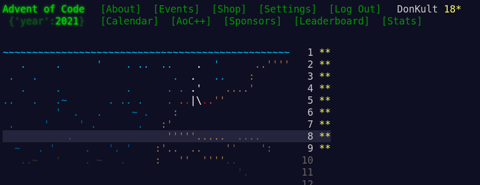 Advent of Code 2021


 The Rblp team is happy to announce a new version 0.3.12 of
](https://jmtd.net/log/lightning/tweet.jpg)


 Now that UDP was working, I was able to get TCP to work using two PlutoSDRs,
which allowed me to run the cURL command I pasted in the first post (both
simultaneously listen and transmit on behalf of my TAP interface).
It s my hope that someone out there will be inspired to implement their own
Layer 1 and Layer 2 as a learning exercise, and gets the same sense of
gratification that I did! If you re reading this, and at a point
where you ve been able to send IP traffic over your own Layer 1 / Layer 2,
please get in touch! I d be thrilled to hear all about it. I d love to link
to any posts or examples you publish here!