Search Results: "ghe"

22 October 2016

Matthieu Caneill: Debugging 101

While teaching this semester a class on concurrent programming, I realized during the labs that most of the students couldn't properly debug their code. They are at the end of a 2-year cursus, know many different programming languages and frameworks, but when it comes to tracking down a bug in their own code, they often lacked the basics. Instead of debugging for them I tried to give them general directions that they could apply for the next bugs. I will try here to summarize the very first basic things to know about debugging. Because, remember, writing software is 90% debugging, and 10% introducing new bugs (that is not from me, but I could not find the original quote). So here is my take at Debugging 101. Use the right tools Many good tools exist to assist you in writing correct software, and it would put you behind in terms of productivity not to use them. Editors which catch syntax errors while you write them, for example, will help you a lot. And there are many features out there in editors, compilers, debuggers, which will prevent you from introducing trivial bugs. Your editor should be your friend; explore its features and customization options, and find an efficient workflow with them, that you like and can improve over time. The best way to fix bugs is not to have them in the first place, obviously. Test early, test often I've seen students writing code for one hour before running make, that would fail so hard that hundreds of lines of errors and warnings were outputted. There are two main reasons doing this is a bad idea: I recommend to test your code (compilation and execution) every few lines of code you write. When something breaks, chances are it will come from the last line(s) you wrote. Compiler errors will be shorter, and will point you to the same place in the code. Once you get more confident using a particular language or framework, you can write more lines at once without testing. That's a slow process, but it's ok. If you set up the right keybinding for compiling and executing from within your editor, it shouldn't be painful to test early and often. Read the logs Spot the places where your program/compiler/debugger writes text, and read it carefully. It can be your terminal (quite often), a file in your current directory, a file in /var/log/, a web page on a local server, anything. Learn where different software write logs on your system, and integrate reading them in your workflow. Often, it will be your only information about the bug. Often, it will tell you where the bug lies. Sometimes, it will even give you hints on how to fix it. You may have to filter out a lot of garbage to find relevant information about your bug. Learn to spot some keywords like error or warning. In long stacktraces, spot the lines concerning your files; because more often, your code is to be blamed, rather than deeper library code. grep the logs with relevant keywords. If you have the option, colorize the output. Use tail -f to follow a file getting updated. There are so many ways to grasp logs, so find what works best with you and never forget to use it! Print foobar That one doesn't concern compilation errors (unless it's a Makefile error, in that case this file is your code anyway). When the program logs and output failed to give you where an error occured (oh hi Segmentation fault!), and before having to dive into a memory debugger or system trace tool, spot the portion of your program that causes the bug and add in there some print statements. You can either print("foo") and print("bar"), just to know that your program reaches or not a certain place in your code, or print(some_faulty_var) to get more insights on your program state. It will give you precious information.
stderr >> "foo" >> endl;
my_db.connect(); // is this broken?
stderr >> "bar" >> endl;
In the example above, you can be sure it is the connection to the database my_db that is broken if you get foo and not bar on your standard error. (That is an hypothetical example. If you know something can break, such as a database connection, then you should always enclose it in a try/catch structure). Isolate and reproduce the bug This point is linked to the previous one. You may or may not have isolated the line(s) causing the bug, but maybe the issue is not always raised. It can depend on many other things: the program or function parameters, the network status, the amount of memory available, the decisions of the OS scheduler, the user rights on the system or on some files, etc. More generally, any assumption you made on any external dependency can appear to be wrong (even if it's right 99% of the time). According to the context, try to isolate the set of conditions that trigger the bug. It can be as simple as "when there is no internet connection", or as complicated as "when the CPU load of some external machine is too high, it's a leap year, and the input contains illegal utf-8 characters" (ok, that one is fucked up; but it surely happens!). But you need to reliably be able to reproduce the bug, in order to be sure later that you indeed fixed it. Of course when the bug is triggered at every run, it can be frustrating that your program never works but it will in general be easier to fix. RTFM Always read the documentation before reaching out for help. Be it man, a book, a website or a wiki, you will find precious information there to assist you in using a language or a specific library. It can be quite intimidating at first, but it's often organized the same way. You're likely to find a search tool, an API reference, a tutorial, and many examples. Compare your code against them. Check in the FAQ, maybe your bug and its solution are already referenced there. You'll rapidly find yourself getting used to the way documentation is organized, and you'll be more and more efficient at finding instantly what you need. Always keep the doc window open! Google and Stack Overflow are your friends Let's be honest: many of the bugs you'll encounter have been encountered before. Learn to write efficient queries on search engines, and use the knowledge you can find on questions&answers forums like Stack Overflow. Read the answers and comments. Be wise though, and never blindly copy and paste code from there. It can be as bad as introducing malicious security issues into your code, and you won't learn anything. Oh, and don't copy and paste anyway. You have to be sure you understand every single line, so better write them by hand; it's also better for memorizing the issue. Take notes Once you have identified and solved a particular bug, I advise to write about it. No need for shiny interfaces: keep a list of your bugs along with their solutions in one or many text files, organized by language or framework, that you can easily grep. It can seem slightly cumbersome to do so, but it proved (at least to me) to be very valuable. I can often recall I have encountered some buggy situation in the past, but don't always remember the solution. Instead of losing all the debugging time again, I search in my bug/solution list first, and when it's a hit I'm more than happy I kept it. Further reading degugging Remember this was only Debugging 101, that is, the very first steps on how to debug code on your own, instead of getting frustrated and helplessly stare at your screen without knowing where to begin. When you'll write more software, you'll get used to more efficient workflows, and you'll discover tools that are here to assist you in writing bug-free code and spotting complex bugs efficiently. Listed below are some of the tools or general ideas used to debug more complex software. They belong more to a software engineering course than a Debugging 101 blog post. But it's good to know as soon as possible these exist, and if you read the manuals there's no reason you can't rock with them! Don't hesitate to comment on this, and provide your debugging 101 tips! I'll be happy to update the article with valuable feedback. Happy debugging!

6 October 2016

Reproducible builds folks: Reproducible Builds: week 75 in Stretch cycle

What happened in the Reproducible Builds effort between Sunday September 25 and Saturday October 1 2016: Statistics For the first time, we reached 91% reproducible packages in our testing framework on testing/amd64 using a determistic build path. (This is what we recommend to make packages in Stretch reproducible.) For unstable/amd64, where we additionally test for reproducibility across different build paths we are at almost 76% again. IRC meetings We have a poll to set a time for a new regular IRC meeting. If you would like to attend, please input your available times and we will try to accommodate for you. There was a trial IRC meeting on Friday, 2016-09-31 1800 UTC. Unfortunately, we did not activate meetbot. Despite this participants consider the meeting a success as several topics where discussed (eg changes to IRC notifications of tests.r-b.o) and the meeting stayed within one our length. Upcoming events Reproduce and Verify Filesystems - Vincent Batts, Red Hat - Berlin (Germany), 5th October, 14:30 - 15:20 @ LinuxCon + ContainerCon Europe 2016. From Reproducible Debian builds to Reproducible OpenWrt, LEDE & coreboot - Holger "h01ger" Levsen and Alexander "lynxis" Couzens - Berlin (Germany), 13th October, 11:00 - 11:25 @ OpenWrt Summit 2016. Introduction to Reproducible Builds - Vagrant Cascadian will be presenting at the SeaGL.org Conference In Seattle (USA), November 11th-12th, 2016. Previous events GHC Determinism - Bartosz Nitka, Facebook - Nara (Japan), 24th September, ICPF 2016. Toolchain development and fixes Michael Meskes uploaded bsdmainutils/9.0.11 to unstable with a fix for #830259 based on Reiner Herrmann's patch. This fixed locale_dependent_symbol_order_by_lorder issue in the affected packages (freebsd-libs, mmh). devscripts/2.16.8 was uploaded to unstable. It includes a debrepro script by Antonio Terceiro which is similar in purpose to reprotest but more lightweight; specific to Debian packages and without support for virtual servers or configurable variations. Packages reviewed and fixed, and bugs filed The following updated packages have become reproducible in our testing framework after being fixed: The following updated packages appear to be reproducible now for reasons we were not able to figure out. (Relevant changelogs did not mention reproducible builds.) Some uploads have addressed some reproducibility issues, but not all of them: Patches submitted that have not made their way to the archive yet: Reviews of unreproducible packages 77 package reviews have been added, 178 have been updated and 80 have been removed in this week, adding to our knowledge about identified issues. 6 issue types have been updated: Weekly QA work As part of reproducibility testing, FTBFS bugs have been detected and reported by: diffoscope development A new version of diffoscope 61 was uploaded to unstable by Chris Lamb. It included contributions from: Post-release there were further contributions from: reprotest development A new version of reprotest 0.3.2 was uploaded to unstable by Ximin Luo. It included contributions from: Post-release there were further contributions from: tests.reproducible-builds.org Misc. This week's edition was written by Ximin Luo, Holger Levsen & Chris Lamb and reviewed by a bunch of Reproducible Builds folks on IRC.

1 October 2016

David Moreno: Thanks Debian

I sent this email to debian-private a few days ago, on the 10th anniversary of my Debian account creation:
Date: Fri, 14 Aug 2015 19:37:20 +0200
From: David Moreno 
To: debian-private@lists.debian.org
Subject: Retiring from Debian
User-Agent: Mutt/1.5.23 (2014-03-12)
[-- PGP output follows (current time: Sun 23 Aug 2015 06:18:36 PM CEST) --]
gpg: Signature made Fri 14 Aug 2015 07:37:20 PM CEST using RSA key ID 4DADEC2F
gpg: Good signature from "David Moreno "
gpg:                 aka "David Moreno "
gpg:                 aka "David Moreno (1984-08-08) "
[-- End of PGP output --]
[-- The following data is signed --]
Hi,
Ten years ago today (2005-08-14) my account was created:
https://nm.debian.org/public/person/damog
Today, I don't feel like Debian represents me and neither do I represent the
project anymore.
I had tried over the last couple of years to retake my involvement but lack of
motivation and time always got on the way, so the right thing to do for me is
to officially retire and gtfo.
I certainly learned a bunch from dozens of Debian people over these many years,
and I'm nothing but grateful with all of them; I will for sure carry the project
close to my heart   as I carry it with the Debian swirl I still have tattooed
on my back ;)
http://damog.net/blog/2005/06/29/debian-tattoo/
I have three packages left that have not been updated in forever and you can
consider orphaned now: gcolor2, libperl6-say-perl and libxml-treepp-perl.
With all best wishes,
David Moreno.
http://damog.net/
[-- End of signed data --]
I received a couple of questions about my decision here. I basically don t feel like Debian represents my interests and neither do I represent the project this doesn t mean I don t believe in free software, to the contrary. I think some of the best software advancements we ve made as society are thanks to it. I don t necessarily believe on how the project has evolved itself, whether that has been the right way, to regain relevancy and dominance, and if it s remained primarily a way to feed dogmatism versus pragmatism. This is the perfect example of a tragic consequence. I was very happy to learn that the current Debian Conference being held in Germany got the highest attendance ever, hopefully that can be utilized in a significant and useful way. Regardless, my contributions to Debian were never noteworthy so it s also not that big of a deal. I just need to close cycles myself and move forward, and the ten year anniversary looked like a significant mark for that. Poke me in case you wanna discuss some more. I ll always be happy to. Specially over beer :) Peace.

Kees Cook: security things in Linux v4.6

Previously: v4.5. The v4.6 Linux kernel release included a bunch of stuff, with much more of it under the KSPP umbrella. seccomp support for parisc Helge Deller added seccomp support for parisc, which including plumbing support for PTRACE_GETREGSET to get the self-tests working. x86 32-bit mmap ASLR vs unlimited stack fixed Hector Marco-Gisbert removed a long-standing limitation to mmap ASLR on 32-bit x86, where setting an unlimited stack (e.g. ulimit -s unlimited ) would turn off mmap ASLR (which provided a way to bypass ASLR when executing setuid processes). Given that ASLR entropy can now be controlled directly (see the v4.5 post), and that the cases where this created an actual problem are very rare, means that if a system sees collisions between unlimited stack and mmap ASLR, they can just adjust the 32-bit ASLR entropy instead. x86 execute-only memory Dave Hansen added Protection Key support for future x86 CPUs and, as part of this, implemented support for execute only memory in user-space. On pkeys-supporting CPUs, using mmap(..., PROT_EXEC) (i.e. without PROT_READ) will mean that the memory can be executed but cannot be read (or written). This provides some mitigation against automated ROP gadget finding where an executable is read out of memory to find places that can be used to build a malicious execution path. Using this will require changing some linker behavior (to avoid putting data in executable areas), but seems to otherwise Just Work. I m looking forward to either emulated QEmu support or access to one of these fancy CPUs. CONFIG_DEBUG_RODATA enabled by default on arm and arm64, and mandatory on x86 Ard Biesheuvel (arm64) and I (arm) made the poorly-named CONFIG_DEBUG_RODATA enabled by default. This feature controls whether the kernel enforces proper memory protections on its own memory regions (code memory is executable and read-only, read-only data is actually read-only and non-executable, and writable data is non-executable). This protection is a fundamental security primitive for kernel self-protection, so making it on-by-default is required to start any kind of attack surface reduction within the kernel. On x86 CONFIG_DEBUG_RODATA was already enabled by default, but, at Ingo Molnar s suggestion, I made it mandatory: CONFIG_DEBUG_RODATA cannot be turned off on x86. I expect we ll get there with arm and arm64 too, but the protection is still somewhat new on these architectures, so it s reasonable to continue to leave an out for developers that find themselves tripping over it. arm64 KASLR text base offset Ard Biesheuvel reworked a ton of arm64 infrastructure to support kernel relocation and, building on that, Kernel Address Space Layout Randomization of the kernel text base offset (and module base offset). As with x86 text base KASLR, this is a probabilistic defense that raises the bar for kernel attacks where finding the KASLR offset must be added to the chain of exploits used for a successful attack. One big difference from x86 is that the entropy for the KASLR must come either from Device Tree (in the /chosen/kaslr-seed property) or from UEFI (via EFI_RNG_PROTOCOL), so if you re building arm64 devices, make sure you have a strong source of early-boot entropy that you can expose through your boot-firmware or boot-loader. zero-poison after free Laura Abbott reworked a bunch of the kernel memory management debugging code to add zeroing of freed memory, similar to PaX/Grsecurity s PAX_MEMORY_SANITIZE feature. This feature means that memory is cleared at free, wiping any sensitive data so it doesn t have an opportunity to leak in various ways (e.g. accidentally uninitialized structures or padding), and that certain types of use-after-free flaws cannot be exploited since the memory has been wiped. To take things even a step further, the poisoning can be verified at allocation time to make sure that nothing wrote to it between free and allocation (called sanity checking ), which can catch another small subset of flaws. To understand the pieces of this, it s worth describing that the kernel s higher level allocator, the page allocator (e.g. __get_free_pages()) is used by the finer-grained slab allocator (e.g. kmem_cache_alloc(), kmalloc()). Poisoning is handled separately in both allocators. The zero-poisoning happens at the page allocator level. Since the slab allocators tend to do their own allocation/freeing, their poisoning happens separately (since on slab free nothing has been freed up to the page allocator). Only limited performance tuning has been done, so the penalty is rather high at the moment, at about 9% when doing a kernel build workload. Future work will include some exclusion of frequently-freed caches (similar to PAX_MEMORY_SANITIZE), and making the options entirely CONFIG controlled (right now both CONFIGs are needed to build in the code, and a kernel command line is needed to activate it). Performing the sanity checking (mentioned above) adds another roughly 3% penalty. In the general case (and once the performance of the poisoning is improved), the security value of the sanity checking isn t worth the performance trade-off. Tests for the features can be found in lkdtm as READ_AFTER_FREE and READ_BUDDY_AFTER_FREE. If you re feeling especially paranoid and have enabled sanity-checking, WRITE_AFTER_FREE and WRITE_BUDDY_AFTER_FREE can test these as well. To perform zero-poisoning of page allocations and (currently non-zero) poisoning of slab allocations, build with:
CONFIG_DEBUG_PAGEALLOC=n
CONFIG_PAGE_POISONING=y
CONFIG_PAGE_POISONING_NO_SANITY=y
CONFIG_PAGE_POISONING_ZERO=y
CONFIG_SLUB_DEBUG=y
and enable the page allocator poisoning and slab allocator poisoning at boot with this on the kernel command line:
page_poison=on slub_debug=P
To add sanity-checking, change PAGE_POISONING_NO_SANITY=n, and add F to slub_debug as slub_debug=PF . read-only after init I added the infrastructure to support making certain kernel memory read-only after kernel initialization (inspired by a small part of PaX/Grsecurity s KERNEXEC functionality). The goal is to continue to reduce the attack surface within the kernel by making even more of the memory, especially function pointer tables, read-only (which depends on CONFIG_DEBUG_RODATA above). Function pointer tables (and similar structures) are frequently targeted by attackers when redirecting execution. While many are already declared const in the kernel source code, making them read-only (and therefore unavailable to attackers) for their entire lifetime, there is a class of variables that get initialized during kernel (and module) start-up (i.e. written to during functions that are marked __init ) and then never (intentionally) written to again. Some examples are things like the VDSO, vector tables, arch-specific callbacks, etc. As it turns out, most architectures with kernel memory protection already delay making their data read-only until after __init (see mark_rodata_ro()), so it s trivial to declare a new data section ( .data..ro_after_init ) and add it to the existing read-only data section ( .rodata ). Kernel structures can be annotated with the new section (via the __ro_after_init macro), and they ll become read-only once boot has finished. The next step for attack surface reduction infrastructure will be to create a kernel memory region that is passively read-only, but can be made temporarily writable (by a single un-preemptable CPU), for storing sensitive structures that are written to only very rarely. Once this is done, much more of the kernel s attack surface can be made read-only for the majority of its lifetime. As people identify places where __ro_after_init can be used, we can grow the protection. A good place to start is to look through the PaX/Grsecurity patch to find uses of __read_only on variables that are only written to during __init functions. The rest are places that will need the temporarily-writable infrastructure (PaX/Grsecurity uses pax_open_kernel()/pax_close_kernel() for these). That s it for v4.6, next up will be v4.7!

2016, Kees Cook. This work is licensed under a Creative Commons Attribution-ShareAlike 3.0 License.
Creative Commons License

5 September 2016

Joachim Breitner: The new CIS-194

The Haskell minicourse at the University of Pennsylvania, also known as CIS-194, has always had a reach beyond the students of Penn. At least since Brent Yorgey gave the course in 2013, who wrote extensive lecture notes and eventually put the material on Github. This year, it is my turn to give the course. I could not resist making some changes, at least to the first few weeks: Instead of starting with a locally installed compiler, doing execises that revolve mostly around arithmetic and lists, I send my students to CodeWorld, which is a web programming environment created by Chris Smith1. This greatly lowers the initial hurlde of having to set up the local toolchain, and is inclusive towards those who have had little expose to the command line before. Not that I do not expect my students to handle that, but it does not hurt to move that towards later in the course. But more importantly: CodeWorld comes with a nicely designed simple API to create vector graphics, to animate these graphics and even create interactive programs. This means that instead of having to come up with yet another set of exercieses revolving around lists and numbers, I can have the students create Haskell programs that are visual. I believe that this is more motivating and stimulating, and will nudge the students to spend more time programming and thus practicing. In fact, the goal is that in their third homework assignemnt, the students will implement a fully functional, interactive Sokoban game. And all that before talking about the built-in lists or tuples, just with higher order functions and custom datatypes. (Click on the picture above, which is part of the second weeks s homework. You can use the arrow keys to move the figure around and press the escape key to reset the game. Boxes cannot be moved yet -- that will be part of homework 3.) If this sounds interesting to you, and you always wanted to learn Haskell from scratch, feel free to tag along. The lecture notes should be elaborate enough to learn from that, and with the homework problems, you should be able to tell whether you have solved it yourself. Just do not publish your solutions before the due date. Let me know if you have any comments about the course so far. Eventually, I will move to local compilation, use of the interpreter and text-based IO and then start using more of the material of previous iterations of the course, which were held by Richard Eisenberg in 2014 and by Noam Zilberstein in 2015.

  1. Chris has been very helpful in making sure CodeWorld works in a way that suits my course, thanks for that!

3 September 2016

Iustin Pop: Nationalpark Bike Marathon 2016

Nationalpark Bike Marathon 2016 report: gravity rules! "Marathon" is a bit of a misnomer, since I did the short route, not the medium nor the long one. But hey, it's the official name! Setup This race has four possible lengths: "Valader" which is full round-trip Scuol-Scuol (137km/4'026m), "Jauer" (Fuldera-Scuol, 103km/2'934m), "Livignasco" (Livigno-Scuol, 66km/1'871m) and "Put r" (S-chanf to Scuol, 47Km/1'051m). After many debates, I settled on the Livignasco route, as that was what I was reasonably confident to be able to do. The only problem was that this route (and all the longer ones, of course) were going over Pass Chaschauna, which is a quite hard climb. My bike shop person, who did the full length a number of times, just said when hearing the route I was planning: "Chaschauna is a bitch " Bad language, proper characterisation. The route choice also impacts the logistics: except for the full route, the question is where to sleep the night before? One can sleep either at the start place, or sleep in Scuol itself and take the official shuttle to the start place, but this means waking up much earlier. I decided to sleep in Livigno, as with a 7:45 start this would allow me to sleep until ~6:30, have a quick breakfast and be in time for the race. Problem #1 So on Friday (26th) I drove to Scuol, picked up my start number, and then drove over to Livigno and checked in to the hotel. Speaking of picking up the start number, I saw this at the start area: While picking up my start number: the race is so fast that an STI is needed as pacer?? An STI needed as pacer? How fast are these people, I wondered? Day of the race My plan to have a relaxing sleep until relatively late failed. I went to sleep with difficulties: late dinner due to my late arrival in Livigno, and then I was stressed enough about not missing the race that at 05:05 I already woke up, and was checking the clock every five minutes. Finally at 05:30 I gave up and got out of bed, with only about 6 hours of sleep. Problem #2. The other problem was that I na vely thought the hotel will have breakfast from 07:00 or even 07:30. Hah, as if this was Switzerland. The hotel had breakfast from 08:00, no reason to hurry, right? So I had a poor man's breakfast in the room, some energy bars and an ice tea. Problem #3. At least I had time to grab this picture from the hotel room: Good morning Livigno! Not bad. On to the race! But before that, remember to fill my hydration pack with 3L of water, and put it in my not-so-light backpack. Of course I had tools and some spare parts with me, what if something happens? Problem #4, over-planning. The race The setup at the start was pretty easy. Wait near the start until 07:45, then go. For me, not too in front, of course: Ready for the start! Pass Chaschauna About 3 kilometres of easy/flat road, and then it starts. Pass Chaschauna, killing your legs softly Already climbing  on foot! But not everybody. But at least the pictures were nice! The climb is hard, but the view is worth it! Still climbing So high already! Good legs :) Looking back: it's been a loong way up I can see the top!  and the remaining steep meters to climb :( The climb is difficult. It was around 22% for most of the time, and very few people were able to bike up. Not only the absolute meters were the problem, but also the fact that the ground was quite loose, and pushing the bike, or rather climbing up while pushing the bike, was difficult to do in bike shoes with cleats. Proper hiking shoes would have been much more adequate. Maybe this is why despite the effort, some people biked as much as possible? I was careful not to over-exert myself and walked almost all the way up. Hence the pictures But at last, reached the top of the pass, and was very happy to be done with it. The GPX file from my Garmin says it took only 4 minutes (1.2km) after the race start to actually start climbing (it was not obvious we were climbing so early), and then 1h:20m/8Km to get from 1'817m altitude to the highest point at 2'658m. 8Km in 1h:20m, faster than walking pace but quite slower than running pace (on flat terrain, of course). At the top of the pass I was quite happy: Finally at the top! Clipping in and Go! Smilling and happy! And then the descent started: I wonder how steep it will be going down This was an easy section :/ All the way leading to the race I kept thinking only about climbing Chaschauna, and not about going down on it. It was quite an experience, which I won't forget soon. The trail was already well travelled, which means that besides the loose ground in form of large clumps of dried earth, there was a layer of fine, somewhat moist earth, about 3-5 centimetres deep, which made the downhill "interesting". Coupled with what was a much steeper trail than going up I saw most of the time ~33% it's no surprise that many, or even most, of the people were walking their bikes down. The GPX track says that the trail goes 319m down in 1Km (so a 31.9% over one entire kilometre), then another 130m over the next 1.4Km (9.28%), and then (not sure if this is the pass per se or after) another longer segment of ~260m over 3Km (8.56%). The first steep segment needs lots of skill and concentration, the others are normal gradients. But at least things go fast. What took uphill took ~40 minutes for the last 450m up, downhill it took only 15 minutes! Falling I was able, thanks to recent training, to bike down the trail, or at least I thought so. So on the steep segment I was struggling to bike down and keep control of my bike, putting one leg down on some sections but in general being "on the bike", being hit by the dirt I was throwing in the air despite the mud-guards, being careful but at the same time enjoying this difficult section. That is, right up to the point where I got, I think, too comfortable. After the second-to-last curve, the rear wheel slides, I lose balance and fall in the (thankfully soft) dirt a bit more forcefully than I should have, the bike also sliding along in the dirt. No damage to myself, just some trivial scratches; the bike seems a bit shaken (fork was turned 180 , full of dirt, etc.). I get again on the bike and I continue down; however, something seems off: the rear brake level doesn't have a return anymore, I have to push it to go back. Still usable, but strange. So I continue the other two segment of this descent, and over these ~4-5Km I feel the brake issue going worse and worse: it's actually hard to push the brake lever back, and even pressing it doesn't seem to have much effect. And then the realisation dawns on my: I have hydraulic brakes, and the worsening thing leads me to think my brake hose has been punctured (by what? I fell in loose dirt) and I'm losing the brake fluid with every press. Now, on flat road, biking with only the front brake is tricky but doable. On an MTB course, having only one brake is not a smart thing . Not easy, not smart, and definitely dangerous. It also felt very strange to not have both brakes, and then I realised how much I work with the brakes in unison. I knew that there are repair posts in the race, but I didn't know if they can fix such things (and doing a brake fluid refill how complicated is it, how much time does it take?). Anyway, I resolved to try and continue if the terrain allows until I reach the first repair post, and stop if it gets too steep. It would be pretty sad to have to abort the race after only 10Km, right? The terrain did cooperate: up and down, so I was able to bleed speed easily, and even though through forest, the visibility was good enough that I could plan ahead. It was strangely lonely at this time: I was going slowly and thus not reaching from behind anyone, but also not being reached by riders from behind. I did enjoy it a bit, the quietness of the forest, just interrupted by the squeaking of my front brake And then I finally see the sign for "Repair: 1Km". Yaaay! maybe I don't have to quit the race. And then, about 100m further on, another sign: "Danger! Steep descent". Uh-oh tantalisingly close Let's go slow. And yes, here I was overtaken by 3-4 other cyclists. This was the single moment in the race where I did have a moment of real fear: at one point, I was going down with the remaining brake as pressed as I could without compromising stability, and I was still gaining speed. Not smart, and as I was debating how to fall to stop my descent, the terrain started to get less steep, and I finally reached the repair station, at kilometre 21. Difficult repairs There was another person being serviced for a flat rear tire, so I wait in line and discuss with him my problem. Upon hearing I only had the front brake, he said: "Wow, how did you manage to descend this last segment?" "Well, slowly ". My turn came up, I explain my problem and my theory, and the repair guy gives me one look, the bike one look, but doesn't look at the brake hose. Instead, he looks once at the brake lever, sees that another cable guide on my handle bar was bent during the fall and actually was mechanically interfering with the brake lever, unbends that thing, and says "here you go". I was stunned. 15 seconds of looking at the problem without stress, and the problem was solved. I could have done this myself if I took the time to look and think, and not hurry. And I could have enjoyed all the downhill on the pass, with two functioning brakes. Some lessons have to be learned the hard way, and this was one. I got off easy though, as I didn't have a real accident while biking with only one brake. And they say you get wiser as you get older Anyway, brake repaired, I stopped at the Sanit r tent to have my scratches disinfected, and onwards. The following few kilometres until S-chanf I enjoyed very much. S-chanf And then, 2 hours 10 minutes into the race, I exit the forest trail, reach S-chanf, and start climbing and descending and climbing and descending. In the sun, which now (after 10 AM) is not that light anymore. The initial climb at S-chanf, while not much, took away my remaining short-term reserves. The route is 50m ascent, then down and then another 50m ascent, and after a bit of flat another 75m ascent I was getting tired, despite eating energy bars and drinking water (and juice at stops). This goes one for an entire hour, during which I cover about 23Km, so not a bad speed everything considered. But getting more and more tired. There were also some very nice segments, along the river, in the shade of the forest. Some fast downhill, some fast flat. I got overtaken by quite a few real racers, that were going so fast I couldn't keep up with them as in I didn't dare ride that fast even when I had the energy. Clearly they were from the longer segments, and boy were they fast! A number of couples (or pairs?) one woman one man, a number of bigger groups, all going as if they had E-bikes or super-powers, not just biking along tired like me Last climb And then, the last big climb: half an hour of going about 300m up (absolute values, so cumulative number would probably be higher), in the sun, over about 6Km, so only 5% average gradient. But I was tired and even resorted to walking on some portions At least I could take some pictures again: Much later, climbing again. Or have pictures taken: A bit of a smile left. Yes, that's a smile, not a grimace! Nice views: Look, nice castle! Stopping for a picture, and not because I was *dead tired* :) At one point, in a bit of a shade, I stop to catch my breath. Somebody else stopped as well and, seeing as I was checking my GPS, asks: I got overtaken by a lot of cyclists here, although many of them were from S-chanf route (based on the number colour). Sad The thing is, besides the climbing and the sun, this and the previous part was a very nice route: through small towns, high above the valley, beautiful landscapes, etc. Just enjoying it was hard, since I wasn't a) trained well enough and b) prepared well enough. Last segment, last downhill In any case, after that hard half hour, it's flat (or rather said, average gradient zero): Flat route, good pavement. Can catch my breath, and take a another picture. Good road, good views, but I'm on the last virtual bar of my battery, so the remaining 15Km I do in 40 minutes, also "eating" the last ascent meters still about 300 left, I think, but up/down/up/down, so you could reuse kinetic energy to gain potential one. The only question I had now was, the route was at this moment about 400m higher (in absolute altitude) than the finish point, so when do we lose that altitude? The answer was a very very nice answer: in the last 5Km, for an average gradient of 8%, just perfect. I was tired however, so I couldn't really enjoy or go fast here, but it was a good feeling. Finish! And then, entering Scuol, not really believing I'm near the finish, that I will be able to actually stop and relax. My finish picture doesn't do justice to how happy I was at that moment: At the finish, happy happy happy! However, after passing the finish line, it was a bit weird. I just stop now? What next? So weird to just walk, not push pedals, and not go up. Or down. The funny thing here was that I thought I didn't use much of my water (hydration pack) during the race. But soon after finishing, I drank the equivalent of about two glasses (let's say 0.5L) and it was over. So I did manage to drink 2.5L during the race, plus the sport drinks at the stops. Time for stats: my Garmin says 67.07Km, 4h:29m, average speed 15.0kph (hah), 1'615m elevation gain. Official numbers say 66Km, 1'871m elevation, and thus 14.22kph. Ranking-wise: Sigh, could have done better. I was aiming for somewhere around last 33%, not last 25% :-P First classed was ~66% faster than me Going to the train station was hard as in difficult to move my legs. Took one nice picture of Scuol though, so was able to think a bit: After the race: Scuol is not so bad And then the long way back to Livigno. Took me 4 h to bike to Scuol, and about 3 hours to go back via public transport. At least I ate a sandwich in the meantime. Then reached Livigno, which was also looking nice: Took me almost as long by public transport as by bike, but finally back in Livigno. Also nice! Then got on my bike, which at this point was magically light and easy to ride (it seems I was at least partially recovered), rode to the hotel, packed my stuff, and drove home. On the highway I had my first real meal for that day, but I was quite tired so didn't feel like the achievement it should have been Lessons The biggest takeaway from this race was the huge learning experience I got. The race was itself awesome, but the learning even more so. First, for this particular race, it's much better to sleep in Scuol and (if not doing the whole route) take the shuttle to the actual start. Yes, one has to wake up earlier, but you have assured breakfast via the organisers (++++!), and after the race you don't have to get even more tired by taking the train and the bus and Second, I need better logistics: I don't need to carry that heavy load (spare tube, pump, tools, jacket in case it's cold) when the race is well organised. The water in the hydration pack was useful, but carrying it up Chaschauna was a pain. Not sure what I'll do next; it's possible to survive only on water/drinks from the food posts (basically 2.5-2.8L is equivalent to only 4 750ml bottles, and there were I think about 6 stops?), but the hydration pack is so easy to use Keeping one's head cool and not stress about things also would help: had I looked at my brake lever in peace, I could have solved it myself, and not ride ~10Km with only one brake. Also, losing some weight (as in losing fat, not having a lighter bike) would definitely help. I could stand to lose 5Kg easily, probably 10Kg, and that would bring me more in line with other people in the race (at least looking at the pictures). And hey, my Watts/Kg would improve magically! And last but most important, I need better training. Training on how to use my energy, training longer rides so that my body gets used to it and doesn't bonk after 3 hours, training training training. Which I like, but the problem is time to do it Also, in case anybody wonders: yes, I do recommend this race! It was definitely fun, and the route itself is very nice, nicer than the pictures here show. Closing words: gravity rules. Up or down, it's hard and punishing. Still: Ride on!

2 September 2016

Julian Andres Klode: apt 1.3 RC4 Tweaking apt update

Did that ever happen to you: You run apt update, it fetches a Release file, then starts fetching DEP-11 metadata, then any pdiff index stuff, and then applies them; all after another? Or this: You don t see any update progress until very near the end? Worry no more: I tweaked things a bit in 1.3~rc4 (git commit). Prior to 1.3~rc4, acquiring the files for an update worked like this: We create some object for the Release file, once a release file is done we queue any next object (DEP-11 icons, .diff/Index files, etc). There is no prioritizing, so usually we fetch the 5MB+ DEP-11 icons and components files first, and only then start working on other indices which might use Pdiff. In 1.3~rc4 I changed the queues to be priority queues: Release files and .diff/Index files have the highest priority (once we have them all, we know how much to fetch). The second level of priority goes to the .pdiff files which are later on passed to the rred process to patch an existing Packages, Sources, or Contents file. The third priority level is taken by all other index targets. Actually, I implemented the priority queues back in Jun. There was just one tiny problem: Pipelining. We might be inserting elements into our fetching queues in order of priority, but with pipelining enabled, stuff of lower priority might already have their HTTP request sent before we even get to queue the higher priority stuff. Today I had an epiphany: We fill the pipeline up to a number of items (the depth, currently 10). So, let s just fill the pipeline with items that have the same (or higher) priority than the maximum priority of the already-queued ones; and pretend it is full when we only have lower priority items. And that works fine: First the Release and .diff/Index stuff is fetched, which means we can start showing accurate progress info from there one. Next, the pdiff files are fetched, meaning that we can apply them in parallel to any targets downloading later in parallel (think DEP-11 icon tarballs). This has a great effect on performance: For the 01 Sep 2016 03:35:23 UTC -> 02 Sep 2016 09:25:37 update of Debian unstable and testing with Contents and appstream for amd64 and i386, update time reduced from 37 seconds to 24-28 seconds. In other news I recently cleaned up the apt packaging which renamed /usr/share/bug/apt/script to /usr/share/bug/apt. That broke on overlayfs, because dpkg could not rename the old apt directory to a backup name during unpack (only directories purely on the upper layer can be renamed). I reverted that now, so all future updates should be fine. David re-added the Breaks against apt-utils I recently removed by accident during the cleanup, so no more errors about overriding dump solvers. He also added support for fingerprints in gpgv s GOODSIG output, which apparently might come at some point. I Also fixed a few CMake issues, fixed the test suite for gpgv 2.1.15, allow building with a system-wide gtest library (we really ought to add back a pre-built one in Debian), and modified debian/rules to pass -O to make. I wish debhelper would do the latter automatically (there s a bug for that). Finally, we fixed some uninitialized variables in the base256 code, out-of-bound reads in the Sources file parser, off-by-one errors in the tagfile comment stripping code[1], and some memcpy() with length 0. Most of these will be cherry-picked into the 1.2 (xenial) and 1.0.9.8 (jessie) branches (releases 1.2.15 and 1.0.9.8.4). If you forked off your version of apt at another point, you might want to do the same. [1] those were actually causing the failures and segfaults in the unit tests on hurd-i386 buildds. I always thought it was a hurd-specific issue PS. Building for Fedora on OBS has a weird socket fd #3 that does not get closed during the test suite despite us setting CLOEXEC on it. Join us in #debian-apt on oftc if you have ideas.
Filed under: Debian, Ubuntu

30 August 2016

Daniel Stender: My work for Debian in August

Here's again a little list of my humble off-time contributions I'm happy to add to the large amount of work we're completing all together each month. Then there is one more "new in Debian" (meaning: "new in unstable") announcement. First, the uploads (a few of them are from July): New packages: Sponsored uploads: Requested resp. suggested for packaging: New in Debian: Lasagne (deep learning framework) Now that the mathematical expression compiler Theano is available in Debian, deep learning frameworks resp. toolkits which have been build on top of it can become available within Debian, too (like Blocks, mentioned before). Theano is an own general computing engine which has been developed with a focus on machine learning resp. neural networks, which features an own declarative tensor language. The toolkits which have build upon it vary in the way how much they abstract the bare features of Theano, if they are "thick" or "thin" so to say. When the abstraction gets higher you gain more end user convenience up to the level that you have the architectural components of neural networks available for combination like in a lego box, while the more complicated things which are going on "under the hood" (like how the networks are actually implemented) are hidden. The downside is, thick abstraction layers usually makes it difficult to implement novel features like custom layers or loss functions. So more experienced users and specialists might to seek out for the lower abstraction toolkits, where you have to think more in terms of Theano. I've got an initial package of Keras in experimental (1.0.7-1), it runs (only a Python 3 package is available so far) but needs some more work (e.g. building the documentation with mkdocs). Keras is a minimalistic, high modular DNN library inspired by Torch1. It has a clean, rather easy API for experimenting and fast prototyping. It can also run on top of Google's TensorFlow, and we're going to have it ready for that, too. Lasagne follows a different approach. It's, like Keras and Blocks, a Python library to create and train multi-layered artificial neural networks in/on Theano for applications like image recognition resp. classification, speech recognition, image caption generation or other purposes like style transfers from paintings to pictures2. It abstracts Theano as little as possible, and could be seen rather like an extension or an add-on than an abstraction3. Therefore, knowledge on how things are working in Theano would be needed to make full use out of this piece of software. With the new Debian package (0.1+git20160728.8b66737-1)4, the whole required software stack (the corresponding Theano package, NumPy, SciPy, a BLAS implementation, and the nividia-cuda-toolkit and NVIDIA kernel driver to carry out computations on the GPU5) could be installed most conveniently just by a single apt-get install python ,3 -lasagne command6. If wanted with the documentation package lasagne-doc for offline use (no running around on remote airports seeking for a WIFI spot), either in the Python 2 or the Python 3 branch, or both flavours altogether7. While others have to spend a whole weekend gathering, compiling and installing the needed libraries you can grab yourself a fresh cup of coffee. These are the advantages of a fully integrated system (sublime message, as always: desktop users switch to Linux!). When the installation of packages has completed, the MNIST example of Lasagne could be used for a quick check if the whole library stack works properly8:
$ THEANO_FLAGS=device=gpu,floatX=float32 python /usr/share/doc/python-lasagne/examples/mnist.py mlp 5
Using gpu device 0: GeForce 940M (CNMeM is disabled, cuDNN 5005)
Loading data...
Downloading train-images-idx3-ubyte.gz
Downloading train-labels-idx1-ubyte.gz
Downloading t10k-images-idx3-ubyte.gz
Downloading t10k-labels-idx1-ubyte.gz
Building model and compiling functions...
Starting training...
Epoch 1 of 5 took 2.488s
  training loss:        1.217167
  validation loss:      0.407390
  validation accuracy:      88.79 %
Epoch 2 of 5 took 2.460s
  training loss:        0.568058
  validation loss:      0.306875
  validation accuracy:      91.31 %
The example on how to train a neural network on the MNIST database of handwritten digits is refined (it also provides --help) and explained in detail in the Tutorial section of the documentation in /usr/share/doc/lasagne-doc/html/. Very good starting points are also the IPython notebooks that are available from the tutorials by Eben Olson9 and Geoffrey French on the PyData London 201610. There you have Theano basics, examples for employing convolutional neural networks (CNN) and recurrent neural networks (RNN) for a range of different purposes, how to use pre-trained networks for image recognition, etc.

  1. For a quick comparison of Keras and Lasagne with other toolkits, see Alex Rubinsteyn's PyData NYC 2015 presentation on using LSTM (long short term memory) networks on varying length sequence data like Grimm's fairy tales (https://www.youtube.com/watch?v=E92jDCmJNek 27:30 sq.)
  2. https://github.com/Lasagne/Recipes/tree/master/examples/styletransfer
  3. Great introduction to Theano and Lasagne by Eben Olson on the PyData NYC 2015: https://www.youtube.com/watch?v=dtGhSE1PFh0
  4. The package is "freelancing" currently being in collab-maint, to set up a deep learning packaging team within Debian is in the stage of discussion.
  5. Only available for amd64 and ppc64el.
  6. You would need "testing" as package source in /etc/apt/sources.list to install it from the archive at the present time (I have that for years, but if Debian Testing could be advised as productive system is going to be discussed elsewhere), but it's coming up for Debian 9. The cuda-toolkit and pycuda are in the non-free section of the archive, thus non-free (mostly used in combination with contrib) must be added to main. Plus, it's a mere suggestion of the Theano packages to keep Theano in main, so --install-suggests is needed to pull it automatically with the same command, or this must be given explicitly.
  7. For dealing with Theano in Debian, see this previous blog posting
  8. Like suggested in the guideline From Zero to Lasagne on Ubuntu 14.04. cuDNN isn't available as official Debian package yet, but could be downloaded as a .deb package after registration at https://developer.nvidia.com/cudnn. It integrates well out of the box.
  9. https://github.com/ebenolson/pydata2015
  10. https://github.com/Britefury/deep-learning-tutorial-pydata2016, video: https://www.youtube.com/watch?v=DlNR1MrK4qE

18 August 2016

Zlatan Todori : DebConf16 - new age in Debian community gathering

DebConf16 Finally got some time to write this blog post. DebConf for me is always something special, a family gathering of weird combination of geeks (or is weird a default geek state?). To be honest, I finally can compare Debian as hacker conference to other so-called hacker conferences. With that hat on, I can say that Debian is by far the most organized and highest quality conference. Maybe I am biased, but I don't care too much about that. I simply love Debian and that is no secret. So lets dive into my view on DebConf16 which was held in Cape Town, South Africa. Cape Town This was the first time we had conference on African continent (and I now see for the first time DebConf bid for Asia, which leaves only Australia and beautiful Pacific islands to start a bid). Cape Town by itself, is pretty much Europe-like city. That was kinda a bum for me on first day, especially as we were hosted at University of Cape Town (which is quite beautiful uni) and the surrounding neighborhood was very European. Almost right after the first day I was fine because I started exploring the huge city. Cape Town is really huge, it has by stats ~4mil people, and unofficially it has ~6mil. Certainly a lot to explore and I hope one day to be back there (I actually hope as soon as possible). The good, bad and ugly I will start with bad and ugly as I want to finish with good notes. Racism down there is still HUGE. You don't have signs on the road saying that, but there is clearly separation between white and black people. The houses near uni all had fences on walls (most of them even electrical ones with sharp blades on it) with bars on windows. That just bring tensions and certainly doesn't improve anything. To be honest, if someone wants to break in they still can do easily so the fences maybe need to bring intimidation but they actually only bring tension (my personal view). Also many houses have sign of Armed Force Response (something in those lines) where in case someone would start breaking in, armed forces would come to protect the home. Also compared to workforce, white appear to hold most of profit/big business positions and fields, while black are street workers, bar workers etc etc. On the street you can feel from time to time the tension between people. Going out to bars also showed the separation - they were either almost exclusively white or exclusively black. Very sad state to see. Sharing love and mixing is something that pushes us forward and here I saw clear blockades for such things. The bad part of Cape Town is, and this is not only special to Cape Town but to almost all major cities, is that small crime is on wide scale. Pickpocketing here is something you must pay attention to it. To me, personally, nothing happened but I heard a lot of stories from my friends on whom were such activities attempted (although I am not sure did the criminals succeed). Enough of bad as my blog post will not change this and it is a topic for debate and active involvement which I can't unfortunately do at this moment. THE GOOD! There are so many great local people I met! As I mentioned, I want to visit that city again and again and again. If you don't fear of those bad things, this city has great local cuisine, a lot of great people, awesome art soul and they dance with heart (I guess when you live in rough times, you try to use free time at your best). There were difference between white and black bars/clubs - white were almost like standard European, a lot of drinking and not much dancing, and black were a lot of dancing and not much drinking (maybe the economical power has something to do with it but I certainly felt more love in black bars). Cape Town has awesome mountain, the Table Mountain. I went on hiking with my friends, and I must say (again to myself) - do the damn hiking as much as possible. After every hike I feel so inspired, that I will start thinking that I hate myself for not doing it more often! The view from Table mountain is just majestic (you can even see the Cape of Good Hope). The WOW moments are just firing up in you. Now lets transfer to DebConf itself. As always, organization was on quite high level. I loved the badge design, it had a map and nice amount of information on it. The place we stayed was kinda not that good but if you take it into account that those a old student dorms (in we all were in female student dorm :D ) it is pretty fancy by its own account. Talks were near which is always good. The general layout of talks and front desk position was perfect in my opinion. All in one place basically. Wine and Cheese this year was kinda funny story because of the cheese restrictions but Cheese cabal managed to pull out things. It was actually very well organized. Met some new people during the party/ceremony which always makes me grow as a person. Cultural mix on DebConf is just fantastic. Not only you learn a lot about Debian, hacking on it, but sheer cultural diversity makes this small con such a vibrant place and home to a lot. Debian Dinner happened in Aquarium were I had nice dinner and chat with my old friends. Aquarium by itself is a thing where you can visit and see a lot of strange creatures that live on this third rock from Sun. Speaking of old friends - I love that I Apollo again rejoined us (by missing the DebConf15), seeing Joel again (and he finally visited Banja Luka as aftermath!), mbiebl, ah, moray, Milan, santiago and tons of others. Of course we always miss a few such as zack and vorlon this year (but they had pretty okay-ish reasons I would say). Speaking of new friends, I made few local friends which makes me happy and at least one Indian/Hindu friend. Why did I mention this separately - well we had an accident during Group Photo (btw, where is our Lithuanian, German based nowdays, photographer?!) where 3 laptops of our GSoC students were stolen :( . I was luckily enough to, on behalf of Purism, donate Librem11 prototype to one of them, which ended up being the Indian friend. She is working on real time communications which is of interest also to Purism for our future projects. Regarding Debian Day Trip, Joel and me opted out and we went on our own adventure through Cape Town in pursue of meeting and talking to local people, finding out interesting things which proved to be a great decision. We found about their first Thursday of month festival and we found about Mama Africa restaurant. That restaurant is going into special memories (me playing drums with local band must always be a special memory, right?!). Huh, to be honest writing about DebConf would probably need a book by itself and I always try to keep my posts as short as possible so I will try to stop here (maybe I write few bits in future more about it but hardly). Now the notes. Although I saw the racial segregation, I also saw the hope. These things need time. I come from country that is torn apart in nationalism and religious hate so I understand this issues is hard and deep on so many levels. While the tensions are high, I see people try to talk about it, try to find solution and I feel it is slowly transforming into open society, where we will realize that there is only one race on this planet and it is called - HUMAN RACE. We are all earthlings, and as sooner we realize that, sooner we will be on path to really build society up and not fake things that actually are enslaving our minds. I just want in the end to say thank you DebConf, thank you Debian and everyone could learn from this community as a model (which can be improved!) for future societies.

13 August 2016

Russell Coker: SSD and M.2

The Need for Speed One of my clients has an important server running ZFS. They need to have a filesystem that detects corruption, while regular RAID is good for the case where a disk gives read errors it doesn t cover the case where a disk returns bad data and claims it to be good (which I ve witnessed in BTRFS and ZFS systems). BTRFS is good for the case of a single disk or a RAID-1 array but I believe that the RAID-5 code for BTRFS is not sufficiently tested for business use. ZFS doesn t perform very well due to the checksums on data and metadata requiring multiple writes for a single change which also causes more fragmentation. This isn t a criticism of ZFS, it s just an engineering trade-off for the data integrity features. ZFS supports read-caching on a SSD (the L2ARC) and write-back caching (ZIL). To get the best benefit of L2ARC and ZIL you need fast SSD storage. So now with my client investigating 10 gigabit Ethernet I have to investigate SSD. For some time SSDs have been in the same price range as hard drives, starting at prices well below $100. Now there are some SSDs on sale for as little as $50. One issue with SATA for server use is that SATA 3.0 (which was released in 2009 and is most commonly used nowadays) is limited to 600MB/s. That isn t nearly adequate if you want to serve files over 10 gigabit Ethernet. SATA 3.2 was released in 2013 and supports 1969MB/s but I doubt that there s much hardware supporting that. See the SATA Wikipedia page for more information. Another problem with SATA is getting the devices physically installed. My client has a new Dell server that has plenty of spare PCIe slots but no spare SATA connectors or SATA power connectors. I could have removed the DVD drive (as I did for some tests before deploying the server) but that s ugly and only gives 1 device while you need 2 devices in a RAID-1 configuration for ZIL. M.2 M.2 is a new standard for expansion cards, it supports SATA and PCIe interfaces (and USB but that isn t useful at this time). The wikipedia page for M.2 is interesting to read for background knowledge but isn t helpful if you are about to buy hardware. The first M.2 card I bought had a SATA interface, then I was unable to find a local company that could sell a SATA M.2 host adapter. So I bought a M.2 to SATA adapter which made it work like a regular 2.5 SATA device. That s working well in one of my home PCs but isn t what I wanted. Apparently systems that have a M.2 socket on the motherboard will usually take either SATA or NVMe devices. The most important thing I learned is to buy the SSD storage device and the host adapter from the same place then you are entitled to a refund if they don t work together. The alternative to the SATA (AHCI) interface on an M.2 device is known as NVMe (Non-Volatile Memory Express), see the Wikipedia page for NVMe for details. NVMe not only gives a higher throughput but it gives more command queues and more commands per queue which should give significant performance benefits for a device with multiple banks of NVRAM. This is what you want for server use. Eventually I got a M.2 NVMe device and a PCIe card for it. A quick test showed sustained transfer speeds of around 1500MB/s which should permit saturating a 10 gigabit Ethernet link in some situations. One annoyance is that the M.2 devices have a different naming convention to regular hard drives. I have devices /dev/nvme0n1 and /dev/nvme1n1, apparently that is to support multiple storage devices on one NVMe interface. Partitions have device names like /dev/nvme0n1p1 and /dev/nvme0n1p2. Power Use I recently upgraded my Thinkpad T420 from a 320G hard drive to a 500G SSD which made it faster but also surprisingly quieter you never realise how noisy hard drives are until they go away. My laptop seemed to feel cooler, but that might be my imagination. The i5-2520M CPU in my Thinkpad has a TDP of 35W but uses a lot less than that as I almost never have 4 cores in use. The z7k320 320G hard drive is listed as having 0.8W low power idle and 1.8W for read-write, maybe Linux wasn t putting it in the low power idle mode. The Samsung 500G 850 EVO SSD is listed as taking 0.4W when idle and up to 3.5W when active (which would not be sustained for long on a laptop). If my CPU is taking an average of 10W then replacing the hard drive with a SSD might have reduced the power use of the non-screen part by 10%, but I doubt that I could notice such a small difference. I ve read some articles about power use on the net which can be summarised as SSDs can draw more power than laptop hard drives but if you do the same amount of work then the SSD will be idle most of the time and not use much power . I wonder if the SSD being slightly thicker than the HDD it replaced has affected the airflow inside my Thinkpad. From reading some of the reviews it seems that there are M.2 storage devices drawing over 7W! That s going to create some cooling issues on desktop PCs but should be OK in a server. For laptop use they will hopefully release M.2 devices designed for low power consumption. The Future M.2 is an ideal format for laptops due to being much smaller and lighter than 2.5 SSDs. Spinning media doesn t belong in a modern laptop and using a SATA SSD is an ugly hack when compared to M.2 support on the motherboard. Intel has released the X99 chipset with M.2 support (see the Wikipedia page for Intel X99) so it should be commonly available on desktops in the near future. For most desktop systems an M.2 device would provide all the storage that is needed (or 2*M.2 in a RAID-1 configuration for a workstation). That would give all the benefits of reduced noise and increased performance that regular SSDs provide, but with better performance and fewer cables inside the PC. For a corporate desktop PC I think the ideal design would have only M.2 internal storage and no support for 3.5 disks or a DVD drive. That would allow a design that is much smaller than a current SFF PC.

David Moreno: Disable Nginx logging

This is something that is specified clearly on the Nginx manual, but it s nice to have it as a quick reference. The access_log and error_log directives on Nginx are on separate modules (HTTP Log and Core modules respectively) and they don t behave the same way when all you want is to disable all logging on your server (in our case, we serve a gazillion static files and perform a lot of reverse proxying and we re not interested on tracking that). It s a common misconception that you can set error_log to off, because that s how you disable access_log (if you do that, the server will still log to the file $nginx_path/off). Instead, you have to set error_log to log to the always mighty black hole /dev/null using the highest level for logging (which triggers the fewest events), crit:
http  
  server  
    # ...
    access_log off;
    error_log /dev/null crit;
    # ...
   
  #...
 
If you re the possessor of the blingest of bling-bling, you can disable all logging (not only for a server block), by putting error_log on the root of the configuration and access_log within your http block and make sure you don t override that on any of the inner blocks. And you re good to go.

9 August 2016

Reproducible builds folks: Reproducible builds: week 67 in Stretch cycle

What happened in the Reproducible Builds effort between Sunday July 31 and Saturday August 6 2016: Toolchain development and fixes Packages fixed and bugs filed The following 24 packages have become reproducible - in our current test setup - due to changes in their build-dependencies: alglib aspcud boomaga fcl flute haskell-hopenpgp indigo italc kst ktexteditor libgroove libjson-rpc-cpp libqes luminance-hdr openscenegraph palabos petri-foo pgagent sisl srm-ifce vera++ visp x42-plugins zbackup The following packages have become reproducible after being fixed: The following newly-uploaded packages appear to be reproducible now, for reasons we were not able to figure out. (Relevant changelogs did not mention reproducible builds.) Some uploads have addressed some reproducibility issues, but not all of them: Patches submitted that have not made their way to the archive yet: Package reviews and QA These are reviews of reproduciblity issues of Debian packages. 276 package reviews have been added, 172 have been updated and 44 have been removed in this week. 7 FTBFS bugs have been reported by Chris Lamb. Reproducibility tools Test infrastructure For testing the impact of allowing variations of the buildpath (which up until now we required to be identical for reproducible rebuilds), Reiner Herrmann contribed a patch which enabled build path variations on testing/i386. This is possible now since dpkg 1.18.10 enables the --fixdebugpath build flag feature by default, which should result in reproducible builds (for C code) even with varying paths. So far we haven't had many results due to disturbances in our build network in the last days, but it seems this would mean roughly between 5-15% additional unreproducible packages - compared to what we see now. We'll keep you updated on the numbers (and problems with compilers and common frameworks) as we find them. lynxis continued work to test LEDE and OpenWrt on two different hosts, to include date variation in the tests. Mattia and Holger worked on the (mass) deployment scripts, so that the - for space reasons - only jenkins.debian.net GIT clone resides in ~jenkins-adm/ and not anymore in Holger's homedir, so that soon Mattia (and possibly others!) will be able to fully maintain this setup, while Holger is doing siesta. Miscellaneous Chris, dkg, h01ger and Ximin attended a Core Infrastricture Initiative summit meeting in New York City, to discuss and promote this Reproducible Builds project. The CII was set up in the wake of the Heartbleed SSL vulnerability to support software projects that are critical to the functioning of the internet. This week's edition was written by Ximin Luo and Holger Levsen and reviewed by a bunch of Reproducible Builds folks on IRC.

6 August 2016

Mirco Bauer: Ethereum GPU Mining on Linux How-To

TL;DR Install/use Debian 8 or Ubuntu 16.0.4 then execute:
sudo apt-get install software-properties-common
sudo add-apt-repository ppa:ethereum/ethereum
sudo sed 's/jessie/vivid/' -i /etc/apt/sources.list.d/ethereum-ethereum-*.list
sudo apt-get update
sudo apt-get install ethereum ethminer
geth account new
# copy long character sequence within  , that is your <YOUR_WALLET_ADDRESS>
# if you lose the passphrase, you lose your coins!
sudo apt-get install linux-headers-amd64 build-essential
chmod +x NVIDIA-Linux-x86_64-367.35.run
sudo NVIDIA-Linux-x86_64-367.35.run
ethminer -G -F http://yolo.ethclassic.faith:9999/0x<YOUR_WALLET_ADDRESS> --farm-recheck 200
echo done
My Attention Span is > 60 seconds Ethereum is a crypto currency similar to Bitcoin as it is based on the blockchain technology. Ethereum is not yet another Bitcoin clone though, since it has an additional feature called Smart Contracts that makes it unique and very promising. I am not going into details how Ethereum works, you can get that into great detail on the Internet. This post is about Ethereum mining. Mining is how crypto coins are created. You need to spent computing time to get coins out. At the beginning CPU mining was sufficient, but as the Ethereum network difficulty has increased you need to use GPUs as they can calculate at a much higher hashrate than a general purpose CPU can do. About 2 months ago I bought a new gaming rig, with a Nvidia GTX 1070 so I can experience virtual-reality gaming with a HTC Vive at a great framerate. As it turns out modern graphics cards are very good at hashing so I gave it a spin. Initially I did this mining setup with Windows 10, as that is the operating system on my gaming rig. If you want to do Ethereum mining using your GPU, then you really want to use Linux. On Windows the GTX 1070 produced a hashrate of 6 MH/s (megahashes per second) while the same hardware does 25 MH/s on Linux. The hashrate multiplied by 4 by using Linux instead of Windows. Sounds good? Keep reading and follow this guide. You have to pick a Linux distro to use for mining. As I am a Debian developer, all my systems run Debian, which is what I am also using for this guide. The same procedure can be done for Ubuntu as it is similar enough. For other distros you have to substitute the steps yourself. So I assume you already have Debian 8 or Ubuntu 16.04 installed on your system.

Install Ethereum Software First we need the geth tool which is the main Ethereum "client". Ethereum is really a peer-to-peer network, that means each node is a server and client at the same time. A node that contains the complete blockchain history in a database is called a full node. For this guide you don't need to run a full node, as mining pools do this for you. We still need geth to create the private key of your Ethereum wallet. Somewhere we have to receive the coins we are mining ;) Add the Ethereum APT repository using these commands:
sudo apt-get install software-properties-common
sudo add-apt-repository ppa:ethereum/ethereum
sudo apt-get update
On Debian 8 (on Ubuntu you can skip this) you need to replace the repository name with this command:
sudo sed 's/jessie/vivid/' -i /etc/apt/sources.list.d/ethereum-ethereum-*.list
sudo apt-get update
Install ethereum, ethminer and geth:
sudo apt-get install ethereum ethminer geth

Create Ethereum Wallet A wallet is where coins are "stored". They are not really stored in the wallet because the wallet is just a private key that nobody has. The balance of that wallet is visible to everyone using the blockchain database. And this is what full nodes do, they contain and distribute the database to all other peers. So this this command to create your first private key for your wallet:
geth account new
Be aware, that this passphrase protects the private key of your wallet. Anyone who has access to that file and knows your passphrase will have full control over your coins. And also do not forget the passphrase, as if you do, you lost all your coins! The output of "geth account new" shows a long character/number sequence quoted in . This is your wallet address and you should write that number down, as if someone wants to send you money, then it is to that address. We will use that for the mining pool later.

Install (proprietary) nvidia driver For OpenCL to work with nvidia graphics cards, like my GTX 1070, you need to install this proprietary driver from nvidia. If you have an older card maybe the opensource drivers will work for you. For the nvidia pascal cards numbers 10xx you will need this driver package. After you have agreed the terms, download the NVIDIA-Linux-x86_64-367.35.run file. But before we can use that installer we need to install some dependencies that installer needs as it will have to compile a Linux kernel module for you. Install the dependencies using this command:
sudo apt-get install linux-headers-amd64 build-essential
Now we can make the installer executable and run it like this:
chmod +x NVIDIA-Linux-x86_64-367.35.run
sudo NVIDIA-Linux-x86_64-367.35.run
If that step completed without error, then we should be able to run the mining benchmark!
ethminer -M -G
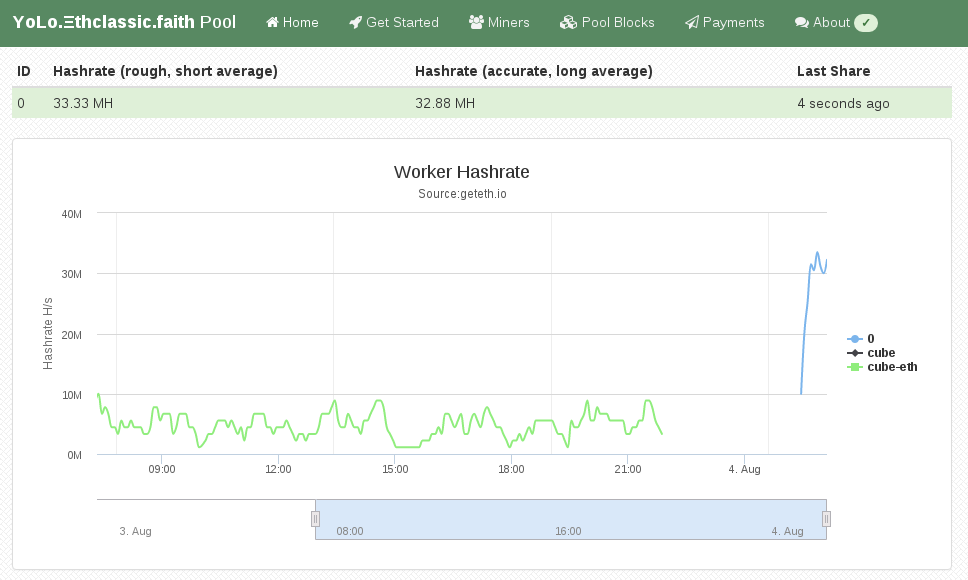
The -M means "run benchmark" and the -G is for GPU mining. The first time you run it it will create a DAG file and that will takes a while. For me it took about 12 minutes on my GTX 1070. After that is should show a inner mean hashrate. If it says H/s that is hashes per second and KH is kilo (H/1000) and MH is megahashes per second (KH/1000). I had numbers around 25-30 MH/s, but for real mining you will see an average that is a balanced number and not a min/max range.

Pick Ethereum Network Now it gets serious, you need to decide 2 things. First which Ethereum network you want to mine for and the second is using which pool. Ethereum has 2 networks, one is called Ethereum One or Core, while the other is called Ethereum Classic. Ethereum has made a hardfork to undo the consequences of a software bug in the DAO. The DAO is a smart contract for a decentralized organization. Because of that bug, a blackhat could use that bug to obtain money from that DAO. The Ethereum developers made a poll and decided that the consequences will be undone. Not everyone agreed and the old network stayed alive and is now called Ethereum Classic short ETC. The hardfork kept its short name ETH. This is important to understand for mining, because the hashing difficulty has a huge difference between ETH and ETC. As of writing, the hashrate of ETC is at 20% compared to ETH. Thus you need less computing time to get ETC coins and more time to get ETH coins. Differently said, ETC mining is currently more profitable.

Pick a Pool Hmmmm, I want a swimming pool, thanks! Just kidding... You can mine without a pool, that is called solo mining, but you will get less reward. A mining pool are multiple computers that work on the same block to find a solution quicker than others. The pool has an aggregated hashrate that is higher than other solo miners. Each found block by anyone in this pool will be rewarded to everyone in the pool. The reward of 5 ether currently per block gets split in the same ratio of hashrate each member provides (minus the pool fee). So while you get less for a found block, you still have a steady lower income rate instead of higher with less chance of finding one (in time). Simply said: you have to find a new block faster than the others to receive the reward. If you want to mine Ethereum Classic (ETC) use one of the pools listed here (at the bottom of the page). If you want to mine Ethereum One / Core (ETH) use one of the pools listed here.

Run ethminer The instruction page of the pool website usually says how to start the miner program, but here is an example of the pool that I use (because pony!):
ethminer -G -F http://yolo.ethclassic.faith:9999/0x<YOUR_WALLET_ADDRESS> --farm-recheck 200

Profit If this guide was helpful for you, you can tip me at ethereum:0x9ec1220d2f2fadd3f0c96e3007daa827bc83fbd6 or simply run the ethminer using my wallet address for a day or two:
ethminer -G -F http://yolo.ethclassic.faith:9999/0x9ec1220d2f2fadd3f0c96e3007daa827bc83fbd6 --farm-recheck 200
Happy mining!

Robert Edmonds: Cable modems: Arris SB6190 vs. Netgear CM600

Recently I activated new cable ISP service at my home and needed to purchase a cable modem. There were only a few candidate devices that supported at least 24 downstream channels (preferably 32), and did not contain an integrated router or access point. The first modem I tried was the Arris SB6190, which supports 32 downstream channels. It is based on the Intel Puma 6 SoC, and looking at an older release of the SB6190 firmware source reveals that the device runs Linux. This device, running the latest 9.1.93N firmware, goes into a failure mode after several days of uptime which causes it to drop 1-2% of packets. Here is a SmokePing graph that measures latency to my ISP's recursive DNS server, showing the transition into the degraded mode: SmokePing Arris SB6190 Firmware 9.1.93N It didn't drop packets at random, though. Some traffic would be deterministically dropped, such as the parallel A/AAAA DNS lookups generated by the glibc DNS stub resolver. For instance, in the following tcpdump output:
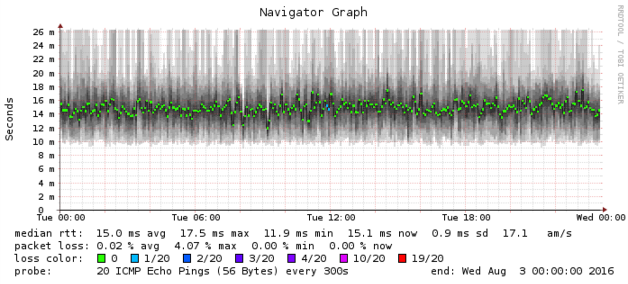
[1] 17:31:46.989073 IP [My IP].50775 > 75.75.75.75.53: 53571+ A? www.comcast6.net. (34)
[2] 17:31:46.989102 IP [My IP].50775 > 75.75.75.75.53: 14987+ AAAA? www.comcast6.net. (34)
[3] 17:31:47.020423 IP 75.75.75.75.53 > [My IP].50775: 53571 2/0/0 CNAME comcast6.g.comcast.net., [ ]
[4] 17:31:51.993680 IP [My IP].50775 > 75.75.75.75.53: 53571+ A? www.comcast6.net. (34)
[5] 17:31:52.025138 IP 75.75.75.75.53 > [My IP].50775: 53571 2/0/0 CNAME comcast6.g.comcast.net., [ ]
[6] 17:31:52.025282 IP [My IP].50775 > 75.75.75.75.53: 14987+ AAAA? www.comcast6.net. (34)
[7] 17:31:52.056550 IP 75.75.75.75.53 > [My IP].50775: 14987 2/0/0 CNAME comcast6.g.comcast.net., [ ]
Packets [1] and [2] are the A and AAAA queries being initiated in parallel. Note that they both use the same 4-tuple of (Source IP, Destination IP, Source Port, Destination Port), but with different DNS IDs. Packet [3] is the response to packet [1]. The response to packet [2] never arrives, and five seconds later, the glibc stub resolver times out and retries in single-request mode, which performs the A and AAAA queries sequentially. Packets [4] and [5] are the type A query and response, and packets [6] and [7] are the AAAA query and response. The Arris SB6190 running firmware 9.1.93N would consistently interfere with these parallel DNS requests, but only when operating in its degraded mode. It also didn't matter whether glibc was configured to use an IPv4 or IPv6 nameserver, or which nameserver was being used. Power cycling the modem would fix the issue for a few days. My ISP offered to downgrade the firmware on the Arris SB6190 to version 9.1.93K. This firmware version doesn't go into a degraded mode after a few days, but it does exhibit higher latency, and more jitter: SmokePing Arris SB6190 Firmware 9.1.93K It seemed unlikely that Arris would fix the firmware issues in the SB6190 before the end of my 30-day return window, so I returned the SB6190 and purchased a Netgear CM600. This modem appears to be based on the Broadcom BCM3384 and looking at an older release of the CM600 firmware source reveals that the device runs the open source eCos embedded operating system. The Netgear CM600 so far hasn't exhibited any of the issues I found with the Arris SB6190 modem. Here is a SmokePing graph for the CM600, which shows median latency about 1 ms lower than the Arris modem: SmokePing Netgear CM600 It's not clear which company is to blame for the problems in the Arris modem. Looking at the DOCSIS drivers in the SB6190 firmware source reveals copyright statements from ARRIS Group, Texas Instruments, and Intel. However, I would recommend avoiding cable modems produced by Arris in particular, and cable modems based on the Intel Puma SoC in general.
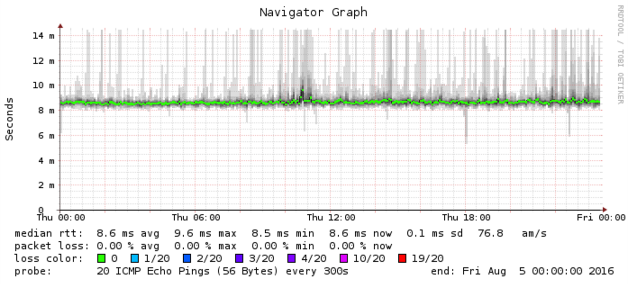
31 July 2016

Paul Tagliamonte: Hacking a Projector in Hy

About a year ago, I bought a Projector after I finally admitted that I could actually use a TV in my apartment. I settled on buying a ViewSonic PJD5132. It was a really great value, and has been nothing short of a delight to own. I was always a bit curious about the DB9 connector on the back of the unit, so I dug into the user manual, and found some hex code strings in there. So, last year, between my last gig at the Sunlight Foundtion and USDS, I spent some time wandering around the US, hitting up DebConf, and exploring Washington DC. Between trips, I set out to figure out exactly what was going on with my Projector, and see if I could make it do anything fun. So, I started off with basics, and tried to work out how these command codes were structured. I had a few working codes, but to write clean code, I'd be better off understanding why the codes looked like they do. Let's look at the "Power On" code. 0x06 0x14 0x00 0x04 0x00 0x34 0x11 0x00 0x00 0x5D Some were 10 bytes, other were 11, and most started with similar looking things. The first byte was usually a 0x06 or 0x07, followed by two bytes 0x14 0x00, and either a 0x04 or 0x05. Since the first few bytes were similarly structured, I assumed the first octet (either 0x06 or 0x07) was actually a length, since the first 4 octets seemed always present. So, my best guess is that we have a Length byte at index 0, followed by two bytes for the Protocol, a flag for if you're Reading or Writing (best guess on that one), and opaque data following that. Sometimes it's a const of sorts, and sometimes an octet (either little or big endian, confusingly).
Length
           Read / Write
                 
     Protocol                Data
       ----           ------------------------ 
0x06 0x14 0x00 0x04 0x00 0x34 0x11 0x00 0x00 0x5D
Right. OK. So, let's get to work. In the spirit of code is data, data is code, I hacked up some of the projector codes into a s-expression we can use later. The structure of this is boring, but it'll let us both store the command code to issue, as well as define the handler to read the data back.
(setv *commands*
  ;  function                       type family         control
  '((power-on                         nil nil            (0x06  0x14 0x00  0x04  0x00 0x34 0x11 0x00 0x00 0x5D))
    (power-off                        nil nil            (0x06  0x14 0x00  0x04  0x00 0x34 0x11 0x01 0x00 0x5E))
    (power-status                   const power          (0x07  0x14 0x00  0x05  0x00 0x34 0x00 0x00 0x11 0x00 0x5E))
    (reset                            nil nil            (0x06  0x14 0x00  0x04  0x00 0x34 0x11 0x02 0x00 0x5F))
    ...
As well as defining some of the const responses that come back from the Projector itself. These are pretty boring, but it's helpful to put a name to the int that falls out.
(setv *consts*
  '((power        ((on           (0x00 0x00 0x01))
                   (off          (0x00 0x00 0x00))))
    (freeze       ((on           (0x00 0x00 0x01))
                   (off          (0x00 0x00 0x00))))
    ...
After defining a few simple functions to write the byte arrays to the serial port as well as reading and understanding responses from the projector, I could start elaborating on some higher order functions that can talk projector. So the first thing I wrote was to make a function that converts the command entry into a native Hy function.
(defn make-api-function [function type family data]
   (defn ~function [serial]
      (import [PJD5132.dsl [interpret-response]]
              [PJD5132.serial [read-response/raw]])
      (serial.write (bytearray [~@data]))
      (interpret-response ~(str type) ~(str family) (read-response/raw serial))))
Fun. Fun! Now, we can invoke it to create a Hy & Python importable API wrapper in a few lines!
(import [PJD5132.commands [*commands*]]
        [PJD5132.dsl [make-api-function]])
(list (map (fn [(, function type family command)]
               (make-api-function function type family command)) *commands*)))
Cool. So, now we can import things like power-on from *commands* which takes a single argument (serial) for the serial port, and it'll send a command, and return the response. The best part about all this is you only have to define the data once in a list, and the rest comes for free. Finally, I do want to be able to turn my projector on and off over the network so I went ahead and make a Flask "API" on top of this. First, let's define a macro to define Flask routes:
(defmacro defroute [name root &rest methods]
  (import os.path)
  (defn generate-method [path method status]
     (with-decorator (app.route ~path) (fn []
       (import [PJD5132.api [~method ~(if status status method)]])
       (try (do (setv ret (~method serial-line))
               ~(if status  (setv ret (~status serial-line)))
                (json.dumps ret))
       (except [e ValueError]
          (setv response (make-response (.format "Fatal Error: ValueError:  " (str e))))
          (setv response.status-code 500)
          response)))))
  (setv path (.format "/projector/ " name))
  (setv actions (dict methods))
   (do ~(generate-method path root nil)
       ~@(list-comp (generate-method (os.path.join path method-path) method root)
                    [(, method-path method) methods])))
Now, we can define how we want our API to look, so let's define the power route, which will expand out into the Flask route code above.
(defroute power
  power-status
  ("on"  power-on)
  ("off" power-off))
And now, let's play with it!
$ curl http://192.168.1.50/projector/power
"off"
$ curl http://192.168.1.50/projector/power/on
"on"
$ curl http://192.168.1.50/projector/power
"on"
Or, the volume!
$ curl 192.168.1.50/projector/volume
10
$ curl 192.168.1.50/projector/volume/decrease
9
$ curl 192.168.1.50/projector/volume/decrease
8
$ curl 192.168.1.50/projector/volume/decrease
7
$ curl 192.168.1.50/projector/volume/increase
8
$ curl 192.168.1.50/projector/volume/increase
9
$ curl 192.168.1.50/projector/volume/increase
10
Check out the full source over at github.com/paultag/PJD5132!

20 July 2016

Daniel Pocock: How many mobile phone accounts will be hijacked this summer?

Summer vacations have been getting tougher in recent years. Airlines cut into your precious vacation time with their online check-in procedures and a dozen reminder messages, there is growing concern about airport security and Brexit has already put one large travel firm into liquidation leaving holidaymakers in limbo. If that wasn't all bad enough, now there is a new threat: while you are relaxing in the sun, scammers fool your phone company into issuing a replacement SIM card or transferring your mobile number to a new provider and then proceed to use it to take over all your email, social media, Paypal and bank accounts. The same scam has been appearing around the globe, from Britain to Australia and everywhere in between. Many of these scams were predicted in my earlier blog SMS logins: an illusion of security (April 2014) but they are only starting to get publicity now as more aspects of our lives are at risk, scammers are ramping up their exploits and phone companies are floundering under the onslaught. With the vast majority of Internet users struggling to keep their passwords out of the wrong hands, many organizations have started offering their customers the option of receiving two-factor authentication codes on their mobile phone during login. Rather than making people safer, this has simply given scammers an incentive to seize control of telephones, usually by tricking the phone company to issue a replacement SIM or port the number. It also provides a fresh incentive for criminals to steal phones while cybercriminals have been embedding code into many "free" apps to surreptitiously re-route the text messages and gather other data they need for an identity theft sting. Sadly, telephone networks were never designed for secure transactions. Telecoms experts have made this clear numerous times. Some of the largest scams in the history of financial services exploited phone verification protocols as the weakest link in the chain, including a $150 million heist reminiscent of Ocean's 11. For phone companies, SMS messaging came as a side-effect of digital communications for mobile handsets. It is less than one percent of their business. SMS authentication is less than one percent of that. Phone companies lose little or nothing when SMS messages are hijacked so there is little incentive for them to secure it. Nonetheless, like insects riding on an elephant, numerous companies have popped up with a business model that involves linking websites to the wholesale telephone network and dressing it up as a "security" solution. These companies are able to make eye-watering profits by "purchasing" text messages for $0.01 and selling them for $0.02 (one hundred percent gross profit), but they also have nothing to lose when SIM cards are hijacked and therefore minimal incentive to take any responsibility. Companies like Google, Facebook and Twitter have thrown more fuel on the fire by encouraging and sometimes even demanding users provide mobile phone numbers to "prove they are human" or "protect" their accounts. Through these antics, these high profile companies have given a vast percentage of the population a false sense of confidence in codes delivered by mobile phone, yet the real motivation for these companies does not appear to be security at all: they have worked out that the mobile phone number is the holy grail in cross-referencing vast databases of users and customers from different sources for all sorts of creepy purposes. As most of their services don't involve any financial activity, they have little to lose if accounts are compromised and everything to gain by accurately gathering mobile phone numbers from as many users as possible.


Can you escape your mobile phone while on vacation? Just how hard is it to get a replacement SIM card or transfer/port a user's phone number while they are on vacation? Many phone companies will accept instructions through a web form or a phone call. Scammers need little more than a user's full name, home address and date of birth: vast lists of these private details are circulating on the black market, sourced from social media, data breaches (99% of which are never detected or made public), marketing companies and even the web sites that encourage your friends to send you free online birthday cards. Every time a company has asked me to use mobile phone authentication so far, I've opted out and I'll continue to do so. Even if somebody does hijack my phone account while I'm on vacation, the consequences for me are minimal as it will not give them access to any other account or service, can you and your family members say the same thing? What can be done?
  • Opt-out of mobile phone authentication schemes.
  • Never give the mobile phone number to web sites unless there is a real and pressing need for them to call you.
  • Tell firms you don't have a mobile phone or that you share your phone with your family and can't use it for private authentication.
  • If you need to use two-factor authentication, only use technical solutions such as smart cards or security tokens that have been engineered exclusively for computer security. Leave them in a locked drawer or safe while on vacation. Be wary of anybody who insists on SMS and doesn't offer these other options.
  • Rather than seeking to "protect" accounts, simply close some or all social media accounts to reduce your exposure and eliminate the effort of keeping them "secure" and updating "privacy" settings.
  • If your bank provides a relationship manager or other personal contact, this
    can also provide a higher level of security as they get to know you.
Previous blogs on SMS messaging, security and two factor authentication, including my earlier blog SMS Logins: an illusion of security.

Daniel Stender: Theano in Debian: maintenance, BLAS and CUDA

I'm glad to announce that we have the current release of Theano (0.8.2) in Debian unstable now, it's on its way into the testing branch and the Debian derivatives, heading for Debian 9. The Debian package is maintained in behalf of the Debian Science Team. We have a binary package with the modules in the Python 2.7 import path (python-theano), if you want or need to stick to that branch a little longer (as a matter of fact, in the current popcon stats it's the most installed package), and a package running on the default Python 3 version (python3-theano). The comprehensive documentation is available for offline usage in another binary package (theano-doc). Although Theano builds its extensions on run time and therefore all binary packages contain the same code, the source package generates arch specific packages1 for the reason that the exhaustive test suite could run over all the architectures to detect if there are problems somewhere (#824116). what's this? In a nutshell, Theano is a computer algebra system (CAS) and expression compiler, which is implemented in Python as a library. It is named after a Classical Greek female mathematician and it's developed at the LISA lab (located at MILA, the Montreal Institute for Learning Algorithms) at the Universit de Montr al. Theano tightly integrates multi-dimensional arrays (N-dimensional, ND-array) from NumPy (numpy.ndarray), which are broadly used in Scientific Python for the representation of numeric data. It features a declarative Python based language with symbolic operations for the functional definition of mathematical expressions, which allows to create functions that compute values for them. Internally the expressions are represented as directed graphs with nodes for variables and operations. The internal compiler then optimizes those graphs for stability and speed and then generates high-performance native machine code to evaluate resp. compute these mathematical expressions2. One of the main features of Theano is that it's capable to compute also on GPU processors (graphical processor unit), like on custom graphic cards (e.g. the developers are using a GeForce GTX Titan X for benchmarks). Today's GPUs became very powerful parallel floating point devices which can be employed also for scientific computations instead of 3D video games3. The acronym "GPGPU" (general purpose graphical processor unit) refers to special cards like NVIDIA's Tesla4, which could be used alike (more on that below). Thus, Theano is a high-performance number cruncher with an own computing engine which could be used for large-scale scientific computations. If you haven't came across Theano as a Pythonistic professional mathematician, it's also one of the most prevalent frameworks for implementing deep learning applications (training multi-layered, "deep" artificial neural networks, DNN) around5, and has been developed with a focus on machine learning from the ground up. There are several higher level user interfaces build in the top of Theano (for DNN, Keras, Lasagne, Blocks, and others, or for Python probalistic programming, PyMC3). I'll seek for some of them also becoming available in Debian, too. helper scripts Both binary packages ship three convenience scripts, theano-cache, theano-test, and theano-nose. Instead of them being copied into /usr/bin, which would result into a binaries-have-conflict violation, the scripts are to be found in /usr/share/python-theano (python3-theano respectively), so that both module packages of Theano can be installed at the same time. The scripts could be run directly from these folders, e.g. do $ python /usr/share/python-theano/theano-nose to achieve that. If you're going to heavy use them, you could add the directory of the flavour you prefer (Python 2 or Python 3) to the $PATH environment variable manually by either typing e.g. $ export PATH=/usr/share/python-theano:$PATH on the prompt, or save that line into ~/.bashrc. Manpages aren't available for these little helper scripts6, but you could always get info on what they do and which arguments they accept by invoking them with the -h (for theano-nose) resp. help flag (for theano-cache). running the tests On some occasions you might want to run the testsuite of the installed library, like to check over if everything runs fine on your GPU hardware. There are two different ways to run the tests (anyway you need to have python ,3 -nose installed). One is, you could launch the test suite by doing $ python -c 'import theano; theano.test() (or the same with python3 to test the other flavour), that's the same what the helper script theano-test does. However, by doing it that way some particular tests might fail by raising errors also for the group of known failures. Known failures are excluded from being errors if you run the tests by theano-nose, which is a wrapper around nosetests, so this might be always the better choice. You can run this convenience script with the option --theano on the installed library, or from the source package root, which you could pull by $ sudo apt-get source theano (there you have also the option to use bin/theano-nose). The script accept options for nosetests, so you might run it with -v to increase verbosity. For the tests the configuration switch config.device must be set to cpu. This will also include the GPU tests when a proper accessible device is detected, so that's a little misleading in the sense of it doesn't mean "run everything on the CPU". You're on the safe side if you run it always like this: $ THEANO_FLAGS=device=cpu theano-nose, if you've set config.device to gpu in your ~/.theanorc. Depending on the available hardware and the used BLAS implementation (see below) it could take quite a long time to run the whole test suite through, on the Core-i5 in my laptop that takes around an hour even excluded the GPU related tests (which perform pretty fast, though). Theano features a couple of switches to manipulate the default configuration for optimization and compilation. There is a rivalry between optimization and compilation costs against performance of the test suite, and it turned out the test suite performs a quicker with lesser graph optimization. There are two different switches available to control config.optimizer, the fast_run toggles maximal optimization, while fast_compile runs only a minimal set of graph optimization features. These settings are used by the general mode switches for config.mode, which is either FAST_RUN by default, or FAST_COMPILE. The default mode FAST_RUN (optimizer=fast_run, linker=cvm) needs around 72 minutes on my lower mid-level machine (on un-optimized BLAS). To set mode=FAST_COMPILE (optimizer=fast_compile, linker=py) brings some boost for the performance of the test suite because it runs the whole suite in 46 minutes. The downside of that is that C code compilation is disabled in this mode by using the linker py, and also the GPU related tests are not included. I've played around with using the optimizer fast_compile with some of the other linkers (c py and cvm, and their versions without garbage collection) as alternative to FAST_COMPILE with minimal optimization but also machine code compilation incl. GPU testing. But to my experience, fast_compile without another than the linker py results in some new errors and failures of some tests on amd64, and this might the case also on other architectures, too. By the way, another useful feature is DebugMode for config.mode, which verifies the correctness of all optimizations and compares the C to Python results. If you want to have detailed info on the configuration settings of Theano, do $ python -c 'import theano; print theano.config' less, and check out the chapter config in the library documentation in the documentation. cache maintenance Theano isn't a JIT (just-in-time) compiler like Numba, which generates native machine code in the memory and executes it immediately, but it saves the generated native machine code into compiledirs. The reason for doing it that way is quite practical like the docs explain, the persistent cache on disk makes it possible to avoid generating code for the same operation, and to avoid compiling again when different operations generate the same code. The compiledirs by default are located within $(HOME)/.theano/. After some time the folder becomes quite large, and might look something like this:
$ ls ~/.theano
compiledir_Linux-4.5--amd64-x86_64-with-debian-stretch-sid--2.7.11+-64
compiledir_Linux-4.5--amd64-x86_64-with-debian-stretch-sid--2.7.12-64
compiledir_Linux-4.5--amd64-x86_64-with-debian-stretch-sid--2.7.12rc1-64
compiledir_Linux-4.5--amd64-x86_64-with-debian-stretch-sid--3.5.1+-64
compiledir_Linux-4.5--amd64-x86_64-with-debian-stretch-sid--3.5.2-64
compiledir_Linux-4.5--amd64-x86_64-with-debian-stretch-sid--3.5.2rc1-64
If the used Python version changed like in this example you might to want to purge obsolete cache. For working with the cache resp. the compiledirs, the helper theano-cache comes in handy. If you invoke it without any arguments the current cache location is put out like ~/.theano/compiledir_Linux-4.5--amd64-x86_64-with-debian-stretch-sid--2.7.12-64 (the script is run from /usr/share/python-theano). So, the compiledirs for the old Python versions in this example (11+ and 12rc1) can be removed to free the space they occupy. All compiledirs resp. cache directories meaning the whole cache could be erased by $ theano-cache basecompiledir purge, the effect is the same as by performing $ rm -rf ~/.theano. You might want to do that e.g. if you're using different hardware, like when you got yourself another graphics card. Or habitual from time to time when the compiledirs fill up so much that it slows down processing with the harddisk being very busy all the time, if you don't have an SSD drive available. For example, the disk space of build chroots carrying (mainly) the tests completely compiled through on default Python 2 and Python 3 consumes around 1.3 GB (see here). BLAS implementations Theano needs a level 3 implementation of BLAS (Basic Linear Algebra Subprograms) for operations between vectors (one-dimensional mathematical objects) and matrices (two-dimensional objects) carried out on the CPU. NumPy is already build on BLAS and pulls the standard implementation (libblas3, soure package: lapack), but Theano links directly to it instead of using NumPy as intermediate layer to reduce the computational overhead. For this, Theano needs development headers and the binary packages pull libblas-dev by default, if any other development package of another BLAS implementation (like OpenBLAS or ATLAS) isn't already installed, or pulled with them (providing the virtual package libblas.so). The linker flags could be manipulated directly through the configuration switch config.blas.ldflags, which is by default set to -L/usr/lib -lblas -lblas. By the way, if you set it to an empty value, Theano falls back to using BLAS through NumPy, if you want to have that for some reason. On Debian, there is a very convenient way to switch between BLAS implementations by the alternatives mechanism. If you have several alternative implementations installed at the same time, you can switch from one to another easily by just doing:
$ sudo update-alternatives --config libblas.so
There are 3 choices for the alternative libblas.so (providing /usr/lib/libblas.so).
  Selection    Path                                  Priority   Status
------------------------------------------------------------
* 0            /usr/lib/openblas-base/libblas.so      40        auto mode
  1            /usr/lib/atlas-base/atlas/libblas.so   35        manual mode
  2            /usr/lib/libblas/libblas.so            10        manual mode
  3            /usr/lib/openblas-base/libblas.so      40        manual mode
Press <enter> to keep the current choice[*], or type selection number:
The implementations are performing differently on different hardware, so you might want to take the time to compare which one does it best on your processor (the other packages are libatlas-base-dev and libopenblas-dev), and choose that to optimize your system. If you want to squeeze out all which is in there for carrying out Theano's computations on the CPU, another option is to compile an optimized version of a BLAS library especially for your processor. I'm going to write another blog posting on this issue. The binary packages of Theano ship the script check_blas.py to check over how well a BLAS implementation performs with it, and if everything works right. That script is located in the misc subfolder of the library, you could locate it by doing $ dpkg -L python-theano grep check_blas (or for the package python3-theano accordingly), and run it with the Python interpreter. By default the scripts puts out a lot of info like a huge perfomance comparison reference table, the current setting of blas.ldflags, the compiledir, the setting of floatX, OS information, the GCC version, the current NumPy config towards BLAS, NumPy location and version, if Theano linked directly or has used the NumPy binding, and finally and most important, the execution time. If just the execution time for quick perfomance comparisons is needed this script could be invoked with -q. Theano on CUDA The function compiler of Theano works with alternative backends to carry out the computations, like the ones for graphics cards. Currently, there are two different backends for GPU processing available, one docks onto NVIDIA's CUDA (Compute Unified Device Architecture) technology7, and another one for libgpuarray, which is also developed by the Theano developers in parallel. The libgpuarray library is an interesting alternative for Theano, it's a GPU tensor (multi-dimensional mathematical object) array written in C with Python bindings based on Cython, which has the advantage of running also on OpenCL8. OpenCL, unlike CUDA9, is full free software, vendor neutral and overcomes the limitation of the CUDA toolkit being only available for amd64 and the ppc64el port (see here). I've opened an ITP on libgpuarray and we'll see if and how this works out. Another reason for it would be great to have it available is that it looks like CUDA currently runs into problems with GCC 610. More on that, soon. Here's a litle checklist for setting up your CUDA device so that you don't have to experience something like this:
$ THEANO_FLAGS=device=gpu,floatX=float32 python ./cat_dog_classifier.py 
WARNING (theano.sandbox.cuda): CUDA is installed, but device gpu is not available (error: Unable to get the number of gpus available: no CUDA-capable device is detected)
hardware check For running Theano on CUDA you need an NVIDIA graphics card which is capable of doing that. You can recheck if your device is supported by CUDA here. When the hardware isn't too old (CUDA support started with GeForce 8 and Quadro X series) or too strange I think it isn't working only in exceptional cases. You can check your model and if the device is present in the system on the bare hardware level by doing this:
$ lspci   grep -i nvidia
04:00.0 3D controller: NVIDIA Corporation GM108M [GeForce 940M] (rev a2)
If a line like this doesn't get returned, your device most probably is broken, or not properly connected (ouch). If rev ff appears at the end of the line that means the device is off meaning powered down. This might be happening if you have a laptop with Optimus graphics hardware, and the related drivers have switched off the unoccupied device to safe energy11. kernel module Running CUDA applications requires the proprietary NVIDIA driver kernel module to be loaded into the kernel and working. If you haven't already installed it for another purpose, the NVIDIA driver and the CUDA toolkit are both in the non-free section of the Debian archive, which is not enabled by default. To get non-free packages you have to add non-free (and it's better to do so, also contrib) to your package source in /etc/apt/sources.list, which might then look like this:
deb http://httpredir.debian.org/debian/ testing main contrib non-free
After doing that, perform $ apt-cache update to update the package lists, and there you go with the non-free packages. The headers of the running kernel are needed to compile modules, you can get them together with the NVIDIA kernel module package by running:
$ sudo apt-get install linux-headers-$(uname -r) nvidia-kernel-dkms build-essential
DKMS will then build the NVIDIA module for the kernel and does some other things on the system. When the installation has finished, it's generally advised to reboot the system completely. troubleshooting If you have problems with the CUDA device, it's advised to verify if the following things concerning the NVIDIA driver resp. kernel module are in order: blacklist nouveau Check if the default Nouveau kernel module driver (which blocks the NVIDIA module) for some reason still gets loaded by doing $ lsmod grep nouveau. If nothing gets returned, that's right. If it's still in the kernel, just add blacklist nouveau to /etc/modprobe.d/blacklist.conf, and update the booting ramdisk with sudo update-initramfs -u afterwards. Then reboot once more, this shouldn't be the case then anymore. rebuild kernel module To fix it when the module haven't been properly compiled for some reason you could trigger a rebuild of the NVIDIA kernel module with $ sudo dpkg-reconfigure nvidia-kernel-dkms. When you're about to send your hardware in to repair because everything looks all right but the device just isn't working, that really could help (own experience). After the rebuild of the module or modules (if you have a few kernel packages installed) has completed, you could recheck if the module really is available by running:
$ sudo modinfo nvidia-current
filename:       /lib/modules/4.4.0-1-amd64/updates/dkms/nvidia-current.ko
alias:          char-major-195-*
version:        352.79
supported:      external
license:        NVIDIA
alias:          pci:v000010DEd00000E00sv*sd*bc04sc80i00*
alias:          pci:v000010DEd*sv*sd*bc03sc02i00*
alias:          pci:v000010DEd*sv*sd*bc03sc00i00*
depends:        drm
vermagic:       4.4.0-1-amd64 SMP mod_unload modversions 
parm:           NVreg_Mobile:int
It should be something similiar to this when everything is all right. reload kernel module When there are problems with the GPU, maybe the kernel module isn't properly loaded. You could recheck if the module has been properly loaded by doing
$ lsmod   grep nvidia
nvidia_uvm             73728  0
nvidia               8540160  1 nvidia_uvm
drm                   356352  7 i915,drm_kms_helper,nvidia
The kernel module could be loaded resp. reloaded with $ sudo nvidia-modprobe (that tool is from the package nvidia-modprobe). unsupported graphics card Be sure that you graphics cards is supported by the current driver kernel module. If you have bought new hardware, that's quite possible to come out being a problem. You can get the version of the current NVIDIA driver with:
$ cat /proc/driver/nvidia/version 
NVRM version: NVIDIA UNIX x86_64 Kernel Module 352.79  Wed Jan 13 16:17:53 PST 2016
GCC version:  gcc version 5.3.1 20160528 (Debian 5.3.1-21)
Then, google the version number like nvidia 352.79, this should get you onto an official driver download page like this. There, check for what's to be found under "Supported Products". I you're stuck with that there are two options, to wait until the driver in Debian got updated, or replace it with the latest driver package from NVIDIA. That's possible to do, but something more for experienced users. occupied graphics card The CUDA driver cannot work while the graphical interface is busy like by processing the graphical display of your X.Org server. Which kernel driver actually is used to process the desktop could be examined by this command:12
$ grep '(II).*([0-9]):' /var/log/Xorg.0.log
[    37.700] (II) intel(0): Using Kernel Mode Setting driver: i915, version 1.6.0 20150522
[    37.700] (II) intel(0): SNA compiled: xserver-xorg-video-intel 2:2.99.917-2 (Vincent Cheng <vcheng@debian.org>)
 ... 
[    39.808] (II) intel(0): switch to mode 1920x1080@60.0 on eDP1 using pipe 0, position (0, 0), rotation normal, reflection none
[    39.810] (II) intel(0): Setting screen physical size to 508 x 285
[    67.576] (II) intel(0): EDID vendor "CMN", prod id 5941
[    67.576] (II) intel(0): Printing DDC gathered Modelines:
[    67.576] (II) intel(0): Modeline "1920x1080"x0.0  152.84  1920 1968 2000 2250  1080 1083 1088 1132 -hsync -vsync (67.9 kHz eP)
This example shows that the rendering of the desktop is performed by the graphical device of the Intel CPU, which is just like it's needed for running CUDA applications on your NVIDIA graphics card, if you don't have another one. nvidia-cuda-toolkit With the Debian package of the CUDA toolkit everything pretty much runs out of the box for Theano. Just install it with apt-get, and you're ready to go, the CUDA backend is the default one. Pycuda is also a suggested dependency of the binary packages, it could be pulled together with the CUDA toolkit. The up-to-date CUDA release 7.5 is of course available, with that you have Maxwell architecture support so that you can run Theano on e.g. a GeForce GTX Titan X with 6,2 TFLOPS on single precision13 at an affordable price. CUDA 814 is around the corner with support for the new Pascal architecture15. Like the GeForce GTX 1080 high-end gaming graphics card already has 8,23 TFLOPS16. When it comes to professional GPGPU hardware like the Tesla P100 there is much more computational power available, scalable by multiplication of cores resp. cards up to genuine little supercomputers which fit on a desk, like the DGX-117. Theano can use multiple GPUs for calculations to work with highly scaled hardware, I'll write another blog post on this issue. Theano on the GPU It's not difficult to run Theano on the GPU. Only single precision floating point numbers (float32) are supported on the GPU, but that is sufficient for deep learning applications. Theano uses double precision floats (float64) by default, so you have to set the configuration variable config.floatX to float32, like written on above, either with the THEANO_FLAGS environment variable or better in your .theanorc file, if you're going to use the GPU a lot. Switching to the GPU actually happens with the config.device configuration variable, which must be set to either gpu or gpu0, gpu1 etc., to choose a particular one if multiple devices are available. Here's is a little test script check1.py, it's taken from the docs and slightly altered. You can run that script either with python or python3 (there was a single test failure on the Python 3 package, so the Python 2 library might be a little more stable currently). For comparison, here's an example on how it perfoms on my hardware, one time on the CPU, one more time on the GPU:
$ THEANO_FLAGS=floatX=float32 python ./check1.py 
[Elemwise exp,no_inplace (<TensorType(float32, vector)>)]
Looping 1000 times took 4.481719 seconds
Result is [ 1.23178029  1.61879337  1.52278066 ...,  2.20771813  2.29967761
  1.62323284]
Used the cpu
$ THEANO_FLAGS=floatX=float32,device=gpu python ./check1.py 
Using gpu device 0: GeForce 940M (CNMeM is disabled, cuDNN not available)
[GpuElemwise exp,no_inplace (<CudaNdarrayType(float32, vector)>), HostFromGpu(GpuElemwise exp,no_inplace .0)]
Looping 1000 times took 1.164906 seconds
Result is [ 1.23178029  1.61879349  1.52278066 ...,  2.20771813  2.29967761
  1.62323296]
Used the gpu
If you got a result like this you're ready to go with Theano on Debian, training computer vision classifiers or whatever you want to do with it. I'll write more on for what Theano could be used, soon.

  1. Some ports are disabled because they are currently not supported by Theano. There are NotImplementedErrors and other errors in the tests on the numpy.ndarray object being not aligned. The developers commented on that, see here. And on some ports the build flags -m32 resp. -m64 of Theano aren't supported by g++, the build flags can't be manipulated easily.
  2. Theano Development Team: "Theano: a Python framework for fast computation of mathematical expressions"
  3. Marc Couture: "Today's high-powered GPUs: strong for graphics and for maths". In: RTC magazine June 2015, pp. 22 25
  4. Ogier Maitre: "Understanding NVIDIA GPGPU hardware". In: Tsutsui/Collet (eds.): Massively parallel evolutionary computation on GPGPUs. Berlin, Heidelberg: Springer 2013, pp. 15-34
  5. Geoffrey French: "Deep learing tutorial: advanved techniques". PyData London 2016 presentation
  6. Like the description of the Lintian tag binary-without-manpage says, that's not needed for them being in /usr/share.
  7. Tom. R. Halfhill: "Parallel processing with CUDA: Nvidia's high-performance computing platform uses massive multithreading". In: Microprocessor Report January 28, 2008
  8. Faber et.al: "Parallelwelten: GPU-Programmierung mit OpenCL". In: C't 26/2014, pp. 160-165
  9. For comparison, see: Valentine Sinitsyn: "Feel the taste of GPU programming". In: Linux Voice February 2015, pp. 106-109
  10. https://lists.debian.org/debian-devel/2016/07/msg00004.html
  11. If Optimus (hybrid) graphics hardware is present (like commonly today on PC laptops), Debian launches the X-server on the graphics processing unit of the CPU, which is ideal for CUDA. The problem with Optimus actually is the graphics processing on the dedicated GPU. If you are using Bumblebee, the Python interpreter which you want to run Theano on has be to be started with the launcher primusrun, because Bumblebee powers the GPU down with the tool bbswitch every time it isn't used, and I think also the kernel module of the driver is dynamically loaded.
  12. Thorsten Leemhuis: "Treiberreviere. Probleme mit Grafiktreibern f r Linux l sen": In: C't Nr.2/2013, pp. 156-161
  13. Martin Fischer: "4K-Rakete: Die schnellste Single-GPU-Grafikkarte der Welt". In C't 13/2015, pp. 60-61
  14. http://www.heise.de/developer/meldung/Nvidia-CUDA-8-bringt-Optimierungen-fuer-die-Pascal-Architektur-3164254.html
  15. Martin Fischer: "All In: Nvidia enth llt die GPU-Architektur 'Pascal'". In: C't 9/2016, pp. 30-31
  16. Martin Fischer: "Turbo-Pascal: High-End-Grafikkarte f r Spieler: GeForce GTX 1080". In: C't 13/2016, pp. 100-103
  17. http://www.golem.de/news/dgx-1-nvidias-supercomputerchen-mit-8x-tesla-p100-1604-120155.html

17 July 2016

Michael Stapelberg: mergebot: easily merging contributions

Recently, I was wondering why I was pushing off accepting contributions in Debian for longer than in other projects. It occurred to me that the effort to accept a contribution in Debian is way higher than in other FOSS projects. My remaining FOSS projects are on GitHub, where I can just click the Merge button after deciding a contribution looks good. In Debian, merging is actually a lot of work: I need to clone the repository, configure it, merge the patch, update the changelog, build and upload. I wondered how close we can bring Debian to a model where accepting a contribution is just a single click as well. In principle, I think it can be done. To demonstrate the feasibility and collect some feedback, I wrote a program called mergebot. The first stage is done: mergebot can be used on your local machine as a command-line tool. You provide it with the source package and bug number which contains the patch in question, and it will do the rest:
midna ~ $ mergebot -source_package=wit -bug=#831331
2016/07/17 12:06:06 will work on package "wit", bug "831331"
2016/07/17 12:06:07 Skipping MIME part with invalid Content-Disposition header (mime: no media type)
2016/07/17 12:06:07 gbp clone --pristine-tar git+ssh://git.debian.org/git/collab-maint/wit.git /tmp/mergebot-743062986/repo
2016/07/17 12:06:09 git config push.default matching
2016/07/17 12:06:09 git config --add remote.origin.push +refs/heads/*:refs/heads/*
2016/07/17 12:06:09 git config --add remote.origin.push +refs/tags/*:refs/tags/*
2016/07/17 12:06:09 git config user.email stapelberg AT debian DOT org
2016/07/17 12:06:09 patch -p1 -i ../latest.patch
2016/07/17 12:06:09 git add .
2016/07/17 12:06:09 git commit -a --author Chris Lamb <lamby AT debian DOT org> --message Fix for  wit: please make the build reproducible  (Closes: #831331)
2016/07/17 12:06:09 gbp dch --release --git-author --commit
2016/07/17 12:06:09 gbp buildpackage --git-tag --git-export-dir=../export --git-builder=sbuild -v -As --dist=unstable
2016/07/17 12:07:16 Merge and build successful!
2016/07/17 12:07:16 Please introspect the resulting Debian package and git repository, then push and upload:
2016/07/17 12:07:16 cd "/tmp/mergebot-743062986"
2016/07/17 12:07:16 (cd repo && git push)
2016/07/17 12:07:16 (cd export && debsign *.changes && dput *.changes)
midna ~ $ cd /tmp/mergebot-743062986/repo
midna /tmp/mergebot-743062986/repo $ git log HEAD~2..
commit d983d242ee546b2249a866afe664bac002a06859
Author: Michael Stapelberg <stapelberg AT debian DOT org>
Date:   Sun Jul 17 13:32:41 2016 +0200
    Update changelog for 2.31a-3 release
commit 5a327f5d66e924afc656ad71d3bfb242a9bd6ddc
Author: Chris Lamb <lamby AT debian DOT org>
Date:   Sun Jul 17 13:32:41 2016 +0200
    Fix for  wit: please make the build reproducible  (Closes: #831331)
midna /tmp/mergebot-743062986/repo $ git push
Counting objects: 11, done.
Delta compression using up to 8 threads.
Compressing objects: 100% (11/11), done.
Writing objects: 100% (11/11), 1.59 KiB   0 bytes/s, done.
Total 11 (delta 6), reused 0 (delta 0)
remote: Sending notification emails to: dispatch+wit_vcs@tracker.debian.org
To git+ssh://git.debian.org/git/collab-maint/wit.git
   650ee05..d983d24  master -> master
 * [new tag]         debian/2.31a-3 -> debian/2.31a-3
midna /tmp/mergebot-743062986/repo $ cd ../export
midna /tmp/mergebot-743062986/export $ debsign *.changes && dput *.changes
[ ]
Uploading wit_2.31a-3.dsc
Uploading wit_2.31a-3.debian.tar.xz
Uploading wit_2.31a-3_amd64.deb
Uploading wit_2.31a-3_amd64.changes
Of course, this is not quite as convenient as clicking a Merge button yet. I have some ideas on how to make that happen, but I need to know whether people are interested before I spend more time on this. Please see github.com/Debian/mergebot for more details, and please get in touch if you think this is worthwhile or would even like to help. Feedback is accepted in the GitHub issue tracker for mergebot or the project mailing list mergebot-discuss. Thanks!

9 July 2016

Matthew Garrett: "I recieved a free or discounted product in return for an honest review"

My experiences with Amazon reviewing have been somewhat unusual. A review of a smart switch I wrote received enough attention that the vendor pulled the product from Amazon. At the time of writing, I'm ranked as around the 2750th best reviewer on Amazon despite having a total of 18 reviews. But the world of Amazon reviews is even stranger than that, and the past couple of weeks have given me some insight into it.

Amazon's success is fairly phenomenal. It's estimated that there's over 50 million people in the US paying $100 a year to get free shipping on Amazon purchases, and combined with Amazon's surprisingly customer friendly service there's a lot of people with a very strong preference for choosing Amazon rather than any other retailer. If you're not on Amazon, you're hurting your sales.

And if you're an established brand, this works pretty well. Some people will search for your product directly and buy it, leaving reviews. Well reviewed products appear higher up in search results, so people searching for an item type rather than a brand will still see your product appear early in the search results, in turn driving sales. Some proportion of those customers will leave reviews, which helps keep your product high up in the results. As long as your products aren't utterly dreadful, you'll probably maintain that position.

But if you're a brand nobody's ever heard of, things are more difficult. People are unlikely to search for your product directly, so you're relying on turning up in the results for more generic terms. But if you're selling a more generic kind of item (say, a Bluetooth smart bulb) then there's probably a number of other brands nobody's ever heard of selling almost identical objects. If there's no reason for anybody to choose your product then you're probably not going to get any reviews and you're not going to move up the search rankings. Even if your product is better than the competition, a small number of sales means a tiny number of reviews. By the time that number's large enough to matter, you're probably onto a new product cycle.

In summary: if nobody's ever heard of you, you need reviews but you're probably not getting any.

The old way of doing this was to send review samples to journalists, but nobody's going to run a comprehensive review of 3000 different USB cables and even if they did almost nobody would read it before making a decision on Amazon. You need Amazon reviews, but you're not getting any. The obvious solution is to send review samples to people who will leave Amazon reviews. This is where things start getting more dubious.

Amazon run a program called Vine which is intended to solve this problem. Send samples to Amazon and they'll distribute them to a subset of trusted reviewers. These reviewers write a review as normal, and Amazon tag the review with a "Vine Voice" badge which indicates to readers that the reviewer received the product for free. But participation in Vine is apparently expensive, and so there's a proliferation of sites like Snagshout or AMZ Review Trader that use a different model. There's no requirement that you be an existing trusted reviewer and the product probably isn't free. You sign up, choose a product, receive a discount code and buy it from Amazon. You then have a couple of weeks to leave a review, and if you fail to do so you'll lose access to the service. This is completely acceptable under Amazon's rules, which state "If you receive a free or discounted product in exchange for your review, you must clearly and conspicuously disclose that fact". So far, so reasonable.

In reality it's worse than that, with several opportunities to game the system. AMZ Review Trader makes it clear to sellers that they can choose reviewers based on past reviews, giving customers an incentive to leave good reviews in order to keep receiving discounted products. Some customers take full advantage of this, leaving a giant number of 5 star reviews for products they clearly haven't tested and then (presumably) reselling them. What's surprising is that this kind of cynicism works both ways. Some sellers provide two listings for the same product, the second being significantly more expensive than the first. They then offer an attractive discount for the more expensive listing in return for a review, taking it down to approximately the same price as the original item. Once the reviews are in, they can remove the first listing and drop the price of the second to the original price point.

The end result is a bunch of reviews that are nominally honest but are tied to perverse incentives. In effect, the overall star rating tells you almost nothing - you still need to actually read the reviews to gain any insight into whether the customer actually used the product. And when you do write an honest review that the seller doesn't like, they may engage in heavy handed tactics in an attempt to make the review go away.

It's hard to avoid the conclusion that Amazon's review model is broken, but it's not obvious how to fix it. When search ranking is tied to reviews, companies have a strong incentive to do whatever it takes to obtain positive reviews. What we're left with for now is having to laboriously click through a number of products to see whether their rankings come from thoughtful and detailed reviews or are just a mass of 5 star one liners.

comment count unavailable comments

3 July 2016

Reproducible builds folks: Reproducible builds: week 61 in Stretch cycle

What happened in the Reproducible Builds effort between June 19th and June 25th 2016. Media coverage GSoC and Outreachy updates Toolchain fixes Other upstream fixes Emil Velikov searched on IRC for hints on how to guarantee unique values during build to invalidate shader caches in Mesa, when also no VCS information is available. A possible solution is a timestamp, which is unique enough for local builds, but can still be reproducible by allowing it to be overwritten with SOURCE_DATE_EPOCH. Packages fixed The following 9 packages have become reproducible due to changes in their build dependencies: cclib librun-parts-perl llvm-toolchain-snapshot python-crypto python-openid r-bioc-shortread r-bioc-variantannotation ruby-hdfeos5 sqlparse The following packages have become reproducible after being fixed: Some uploads have fixed some reproducibility issues, but not all of them: Patches submitted that have not made their way to the archive yet: Package reviews 139 reviews have been added, 20 have been updated and 21 have been removed in this week. New issues found: 53 FTBFS bugs have been reported by Chris Lamb, Santiago Vila and Mateusz ukasik. diffoscope development Quote of the week "My builds are so reproducible, they fail exactly every second time." Johannes Ziemke (@discordianfish) Misc. This week's edition was written by Chris Lamb (lamby), Reiner Herrmann and Holger Levsen and reviewed by a bunch of Reproducible builds folks on IRC.

Next.

Previous.