Search Results: "ema"

23 March 2012

Vasudev Kamath: Fixing hyde.el

Recently after changing my blog to use jekyll and Github I came across the hyde.el an emacs plugin which allows to maintain a jekyll powered blog from emacs. You can find the post by author here and source code here on Github. At first site I was very happy about plugin and started using it but I could successfully use it only once properly then whenever I launch the plugin I get error message
*zsh:cd blog path no such directory*
(Note: I'm a zsh user not sure if this error is particular to zsh only. If you face same error on other shell please let me know) After error hyde mode never showed jekyll blog properly. Looking at the source code I saw all the statements which were commands were executed using shell-command elisp function similar to following
let (
(cmd (format "cd '%s' && git diff-files --quiet '%s' > /dev/null" repo file))
(= (shell-command cmd) 1))
The cd command in the string was failing some how spoiling all other stuff!.. Probably the ~ in the path to blog was not properly expanded by shell-command, So I thought why not use elisp in built cd function instead and bingo the hyde mode works perfectly fine now!.. I've raised a pull request as I don't like to maintain a fork. Hope author will consider merging my changes. Hope this fix helps others too. Cya.

22 March 2012

David Welton: I'm not good enough to work on open source software

Actually, that's not true - I've produced plenty of open source software over the years. However, in a sense, it is true: only the very best actually get paid to work on open source software full time, and I'm not one of them. People like Linus Torvalds. People like Guido van Rossum, although even he supposedly divides his time, and does not work on Python full-time. Think about that. Python is a hugely popular programming language used by many companies and individuals who get a lot of value out of it. But the creator doesn't even work on it full-time. Now, that's just one example - perhaps Guido enjoys the things that Google sends his way to work on outside of Python in any event - but I think it's representative of open source in general. Back to me: I've produced some small bits of open source code that other people find useful. Several people have even built products on Hecl that make money. But I'm not good enough to work on open source full time - I'm not one of those famous, brilliant coders who is so good that someone will find a way to pay them to work on stuff that gets given away for free. I am, however, a good enough programmer to work on people's proprietary code, and have never had too much trouble finding someone with a project they're happy to pay me for. Why is that? Because it's so much easier to funnel money back into a proprietary project. If people like the product and buy it, the company gets money, which can be used to pay the developers. With open source, millions of people might use it and get a lot of value from it, but the developer has no right to receive any of that back as cash, which he or she can use to pay for things like food and rent. So, I can code tolerably well, and I could conceivably contribute more open source code, but instead I spend my time working on proprietary code because it pays the bills. Clearly, when I can, I use open source software in these endeavors, and contribute back whenever I can, but the "secret sauce" remains closed. That's a pair of hands lost to the creation of more open source. I know I'm not alone in this, either - tons of people work on mostly proprietary projects the world over, but relatively few people get paid to work on open source code full time. So when I read about people debating the utility of copyright bring up the existence of open source as some sort of counterexample, it irritates me a bit. The right level of protection and enforcement of copyright is a complex debate that I'm not going to get into here. What I want to point out is "that which is not seen". Sure, open source exists. But how much more of it would exist it there were more money to fund work on it? How much open source software remains an idea in the developers head that does not get realized for lack of time? People often criticize the "Linux desktop" despite its extraordinary strides in recent years. Well, how much farther along would it be if there were more people paid to work on the 'boring stuff', like usability testing? Ubuntu and Redhat pay a few people to do that kind of stuff, but how many more people do Microsoft and Apple have for that kind of work? That's not to say that open source "doesn't work" or some such nonsense. It obviously works quite well, but it really shines where the currency is code, not money. Developers can and do give back lots, in terms of code, bug reports, suggestions, documentation, and so on to open source projects, which make them better for all involved. Where open source doesn't seem to work quite as well are in small, fast-moving, consumer-oriented products. My guess is that 99% of iPhone users could care less about the source code for their apps, but on the other hand, a large portion of the Emacs user base more than likely has written at least a few lines of Elisp. In any event, the point isn't to beat up on open source software, but to counter this idea that "intellectual property" is in no way shape or form necessary because the existence of open source software somehow "proves" that "things will get made just the same". Yes, maybe they will, but in lower quantities than consumers might find desirable. After all, most of us aren't good enough to work on open source software.

Richard Hartmann: Svalbard

Svalbard The things you find when cleaning out a disk; preparing for re-installation of your laptop on a larger disk once the laptop comes back from repair... I thought I had posted this in early January, but apparently not. As it would be a shame to just throw this away, here goes: I am sitting in the Oslo airport, waiting for boarding back home to start. Seeing the sun after a week of darkness still feels strange. Inital trouble It's been a very interesting week, starting with our trip to Oslo in the other direction. We spent New Year's Eve in Oslo, timing our forced overnight stay before reaching Svalbard to coincide with something interesting. The close timing of our travel meant that there was exactly one flight to Oslo we could take. Never having heard of Air Baltic before and finding out that they are a discount airline, my gut feeling told me to be be wary. I refuse to fly with those airlines on principle, not wanting to support their business model while hurting airlines with decent treatment of customers. Unfortunately, I was forced to book with them in this case. As it turns out, my gut was right. More on that below. Our plane was late in landing and my luggage was lost. As it was New Year's Eve, the staff at Oslo airport understandably wanted to be home, not at work. Still, getting them to file a report was tedious and finding out days later that the report was incomplete was, well, not good. The express train from the airport to Oslo central station had closed early without any advance notice or local signs, presumably because of NYE. The gates were simply closed and that's that. We figured out how the bus system worked, got our tickets from a vending machine, saw the one bus to central station drive away, and proceeded to wait in the outside waiting area; at least we had a front spot in the queue. While we don't get cold easily, it was funny to see Norwegians in thin clothes stand around in the biting wind, apparently being comfortable. A young mother with a baby, who didn't anticipate being forced to wait outside at -15C, as opposed to just sitting down in a train, had no warm clothes for her son; something that was fixed by wrapping him in spare clothes from Ilona's luggage. After waiting for about thirty minutes for the next bus to appear, it parked twenty or thirty meters away from the designated parking spot. The rough queue disintegrated and if not for Ilona's leaving me with luggage and backpacks and storming off to fight the masses, said mother with baby and ourselves would have waited for another thirty minutes. More than hundred people were left stranded at the airport to celebrate there or on the bus. Meh. We hurried, by taxi, from central station to hotel to harbour and arrived about five minutes to twelve. NYE itself was nice. We stood on top of the opera house and watched a rather impressive show of fireworks through the thickening mists. Norwegian fireworks pack lot more punch than German ones; you actually feel your clothes shake when they go off. Getting to Longyearbyen The flight from Troms to Longyearbyen had free in-flight Wi-Fi and flying over the edge of satellite coverage demonstrated how far we were from everywhere else rather impressively. Arriving at Longyearbyen, I fixed the lost luggage claim with the help of an extremely nice woman working at the airport. She confirmed that Air Baltic is legally required to reimburse me after an arcane system based on a virtual IMF currency to the tune of about 1.500. That may sound like a lot, but seeing as I had most of my scuba gear with me, that's not even half of what my luggage was worth. I was forced to get by New Years with what I had on my body and went shopping the next day when I could buy at least a few things. I got by with spending about 180 by going for non-fitting bargain bin clothes, wanting to reduce impact on Air Baltic. Shortly after that, my luggage arrived, unannounced. Air Baltic refused to reimburse me even though they are legally required to, again the airport staff confirmed this. But unless I sue in the country of destination, Norway, I won't see any money. Long story short: Avoid Air Baltic if possible. They will break the law to cheat you out of money when they have a reasonable expectation of getting away with it. Update: Yep, seems they got away with it unless I take legal measures. You have been warned. Longyearbyen itself was very nice. We started off with a short, guided taxi tour around the city, seeing literally everything of it as there's not a lot of Longyearbyen to start with. Dogsledding Next day, as noted earlier, we went shopping and spent the "evening" with dogsledding which turned out to be tons of fun. We helped with harnessing the dogs which is somewhat cumbersome as the dogs are so eager to burn off their energy that they want to run all over the place, not being put into a harness and snapped onto the pull-line. Never having been dogsledding before I was a bit wary, but riding over not too rough terrain is almost trivial once you get the hang of it; listen to what the musher in front of you yells and emulate the same shouts with your own dogs. If the dogs become too fast, step onto the brake pad which simply drives spikes into the snow. If the dogs slow down while going uphill, skate with one foot to help them. That's it for speed. As the dogs are following the musher's sled anyway, steering the dogs was not a concern. Fun fact: The musher used a laser pointer to steer his dogs; simple, efficient, and presumably fun. We learned, by demonstration, that sledding dogs can eat snow, take a leak, and take a dump while running at full speed and pretty much all at the same time. The dogs are left either in cages or on long chains far away from the city as they tend to bark and howl a lot. We were surprised to learn that, even when there are seals left to hang dry as dog food nearby, there are no problems with bear attacks. Apparently even the extremely aggressive and hungry one year old males will not go near dogs. Still, while out in the ice and snow, our guide carefully flooded all crevices and cliff bases to root out female bears with young ones early. They hide their children from the wind and they will attack, dogs and all, if we get too close. That's why our musher carried rifle in his sled and flare gun on his body. Snowmobile The next "morning", we drove around by snowmobile. This turned out to be extremely boring as it was a curated trip with over half a dozen snowmobiles in our group; a stark contrast to our two-sled tour the day before. The last time I went snowmobiling, we raced each other up and down a two-star black (i.e. steep, bumpy, and curvy) ski slope, jumping several meters when racing over larger bumps and crossing streets, so riding single file at 30 km/h was... anticlimatic. Again, the guide had rifle and flare gun with him. We spent the afternoon and evening walking around the city. Ice bears, part I As the ice caves and the glacier were still closed, we decided to have another walk around the city. Having planned make it a quick tour, we lost track of time due to lack of sun and ended up walking around for seven hours. A note about that trip.. If you are alone with your wife, unarmed, climbing up a very steep and slippery mountainside over a sheet of ice with deep snow underneath and loose rocks in between, and then start shining around with your flashlight under the stilts of an abandoned mine that looks like in a horror movie, the correct answer to "What are you doing?" is never ever "Looking for ice bears". Even if it's the truth, this is not an acceptable answer. I crawled up the last part on all fours, camera and tripod in hand while Ilona stayed about two dozen meters below the mines' entrance, refusing to go another step towards the mine. As soon I made it up the creaky and shaky, for a lack of a better word, let's call it ladder, she forced me to come down again. Bleh, but I guess I deserved that. Armed photographer Next day, we got final confirmation that we would not be allowed to rent snowmobiles to explore the hinterland on our own and that other for some, and I quote, "crazy Russians", no one would even attempt to cross over to Barentsburg. Thus, we ended up renting a car for the ~20 kilometers of total road length. That turned out to be a great idea as it allowed us to get away from the light and take some very nice long exposures. It was then that I got a rental rifle, as well. There is a law against leaving the town unarmed and I was not about to test my luck too much. Turns out that, as part of Germany's WWII reparations, Norway received our all hand guns and as they still function perfectly when dirty and in cold climate which makes them still popular in Svalbard, today. The Karabiner 98 Kurz which I received is built incredibly well. It's somewhat scary inasmuch every detail is designed to make this weapon ready to fire. If you hurry or are inexperienced, you will end up with an unlocked and loaded rifle after putting in the bolt. Putting the safety in and not chambering a bullet takes conscious effort and knowledge of the weapon. This is in stark contrast to other weapons I had the chance to dissect, which all defaulted to being safe. Even other military weapons such as the AK74 and the M4A1 are inherently more secure, designed to be locked and safe. The Mauser K98... not so much. As an aside, they didn't bother to remove the Reichsadler and Swastika from the rifle, contending themselves with striking out the German registration number and stamping the rifle with a Norwegian one. I guess Norwegians don't really "care" about these signs as much as we Germans do. In a way, that's a good thing I guess, at least as long as it's an indication of indifference towards the sign, not one of forgetting or ignoring the underlying issues. Still, I was very glad to have rented the rifle. While Ilona tended to stay in the running car with heat and lights on, I went out and away from the car. Even when standing near a street, a medium snow storm will make you appreciate the four powerful arguments against being eaten by a random bear which are at the ready over your shoulder. We even went to the shooting range so I could get some practice. The procedure is very trusting, as is anything in Longyearbyen. After accessing the interior of one of the houses in a particular way which I won't specify here, you simply switch on the floodlights, put up the red flag, position a target and write your name into the guest book. Once you're done shooting, toss a few coins into the bowl next to the guest book, remove the targets and flag, turn off the lights, close the door and that's that. Unfortunately, the way in was under a few meters of snow so I couldn't get in any practice shots. Ice bears, part II Later, as I was standing on a wind-polished slate of ice taking pictures of the Seed Vault (located here), I heard an ice bear roar behind (i.e. to the north of) me. I consciously remember hearing the bear, I consciously remember facing the other way around, half-crouched, rifle raised in the direction of the roar. I also consciously remember smacking the safety off and chambering a bullet after having regained control of my body. I do not remember spinning around on a wind-polished slate of ice, so treacherous I hand to balance with my arms and didn't even lift my feet when walking over it, without losing balance or footing, nor do I remember crouching and raising the gun. Evolution really is amazing; no matter what primal chord that roar struck, it certainly saved a ton of people over the years. In my case, thankfully, there was no bear to be seen down the slope. There may be no sun or anything, but the snow reflects the starlight so you tend to see surprisingly far and as I was on on the mountainside and the roar came from down from the coast, and as I had my rifle, I decided to finish the photo session while keeping the slope in close view. In hindsight, I am still glad I decided to do that as the shots came out rather nice. Next day, we drove out to Mine 12, the farthest you can away from Longyearbyen. The dump truck transporting coal alternated between driving a full load of coal back to the city and being its own snowplow. One quick trip to get coal, one slow and empty trip to plow away snow, rinse, repeat. If not for that, our 4WD would never have made it all the way up to the mine. Neither snow storms in North America nor around the Alps prepared me for what people on Longyearbyen consider normal wind in their backyard. This is where the word wind-swept was invented. The main reason that Svalbard is inhabited at all, other than the Gulf Stream, is coal. We have been told that the coal up there is of extremely high quality and while I can't say much about that, I can say that it's hard as stone. This is nice as it does not smear when you get coal all over yourself. Just shake out your jacket and pants and you are good as new. On our way back, we met two locals who had just prepared the glacier and ice caves for tourists. Had I known that in advance, I would have tried to go with them to take pictures completely away from all artificial light. Oh well, can't have everything. Speaking of not being able to have everything, the outdoor hot tub in our hotel which integrated ice bar and BBQ grill was still under several meters of snow so we couldn't use that, either. Finally, the few divers who are in Longyearbyen didn't have time to take me onto a trip while I was there. As I already missed my opportunity to dive the Arctic circle when the one diver on Gr msey happened to be on the mainland and barely missing it by diving Str tan instead, this was kind of a bummer. On the plus side, this has given me a goal to pursue and achieve. Random notes For the rest of my notes, I will resort to a largely unsorted list of bullet points as there's just too much to talk about in prose. All in all, it was well worth it. PS: If you know anyone working with Google Maps, ask them to consider improving their coverage of the Arctic. This is a real pity. As is the rest of the Arctic and the fact that Google Earth cheats you out of the North and South Pole by stretching adjacent tiles into and over them.

Richard Hartmann: Lenovo service quality

As there has been a lot of feedback to my post regarding Lenovo's hardware quality, I thought it would only be fair to follow this up now that my laptop returned from Lenovo. After waiting about 15 minutes on the phone, I got to speak to an actual human. While I really do not have a problem with foreigners and love to talk to people from other cultures, I do firmly believe that someone working in a telephone support position should have at least basic language skills, both spoken and written. This was not the case and communicating my issues, and making sure that they would be written down correctly, took a long time and was generally frustrating. I put four things into the returns package: In said letter, I specified all my issues with the laptop, how removing the UMTS card will improve, but not fix the situation, and that the power brick will deliver power for a split second and then go off for a second; rinse repeat. Not having heard from them for a week, I decided to follow up on the status. As Lenovo's web interface claimed my ticket number did not exist, I spent a total of 1 hour 47 minutes in the waiting loop, not counting the menu selections. I never even managed to even reach a human. The day before I left for Open Source Days, the laptop arrived. The ticket number still did not exist according to the web interface and they never sent email even though they had my address, but at least my issue was fixed. Or so I thought. The repair slip claimed they switched out the mainboard, a claim I can not prove/disprove. It's OK not to find a bug in the first try, especially when it's not as simple as "display cracked". It's not quite as OK to not properly test a machine before sending it back. It's definitely not OK to not care in the least and just send back a machine which you obviously did not even try to debug. How they could not replace the power brick is beyond me. Thankfully, I ordered three separate ones and that was just my on-desk one so I have two others. Still. Overall, I am not impressed.

21 March 2012

Craig Small: Back Online

I d have to say (in fact I often do) that Telstra sucks. This is the very large anonymous telco that supposedly provides a telecommunications service. Alternatively they also force me to have a phone line because it is far cheaper to buy a line and phone service instead of just a line. My website, email and pretty much everything else has been offline for almost exactly 2 days and this being the third time in 8 days it has happened. The service interruption impacts at least a large chunk if not all of the suburb I live in so you d think the second time they d look into it more, but apparently not. They don t even have technical staff oncall on Sundays either apparently. The weird thing about when I called up was they didn t know about the fault. If it was a single line that would be fine but a large bit of an exchange go and they don t know about it? It seems a little too casual to me as it wouldn t be that difficult to have some sort of alarming. I just hope that perhaps someone knew but their call centre doesn t get that information pushed down to it. I have a few sponsored debian packages that now need working on and uploading so that s what I ll be getting into once I get some more time. procps is almost ready as well with the final minor patches to be integrated.

20 March 2012

Russell Coker: An Introduction to Android

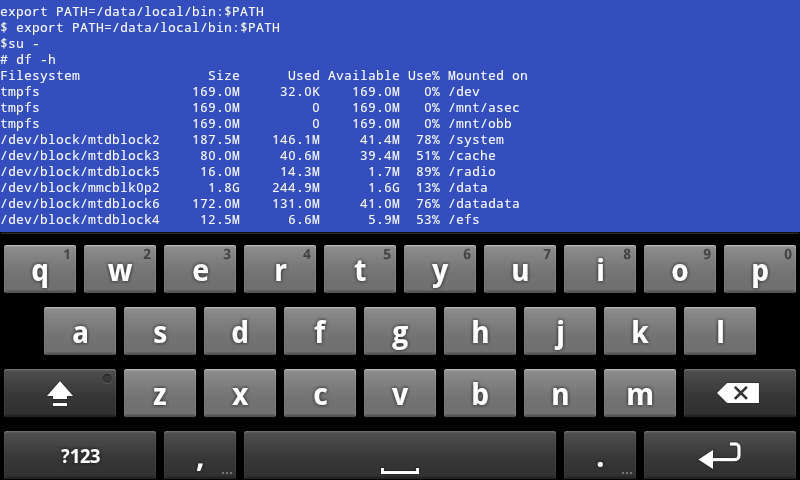
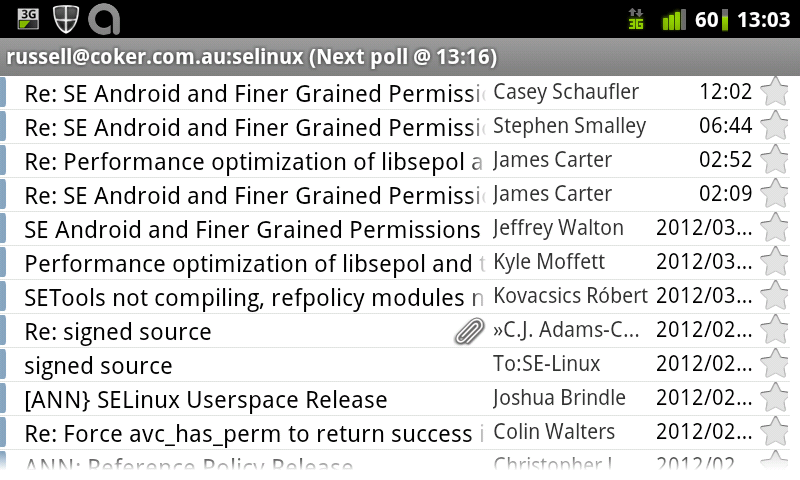
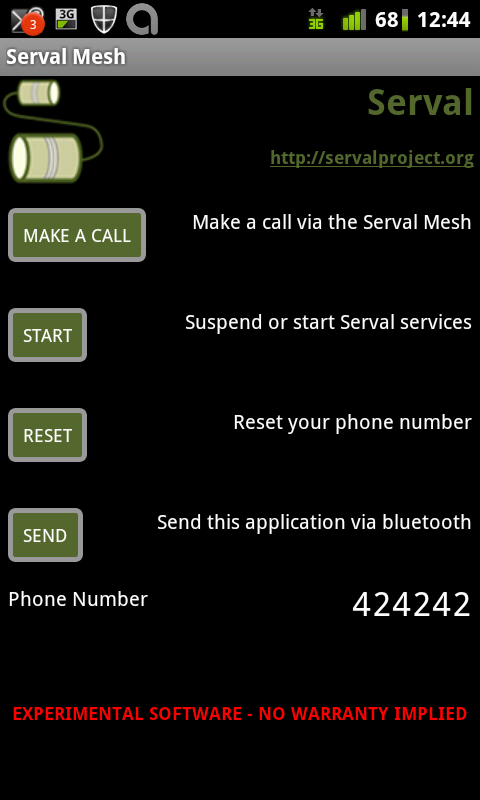
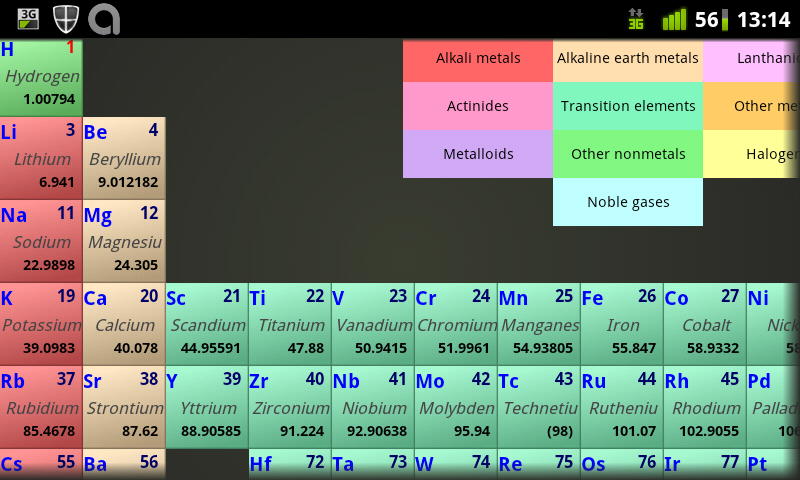
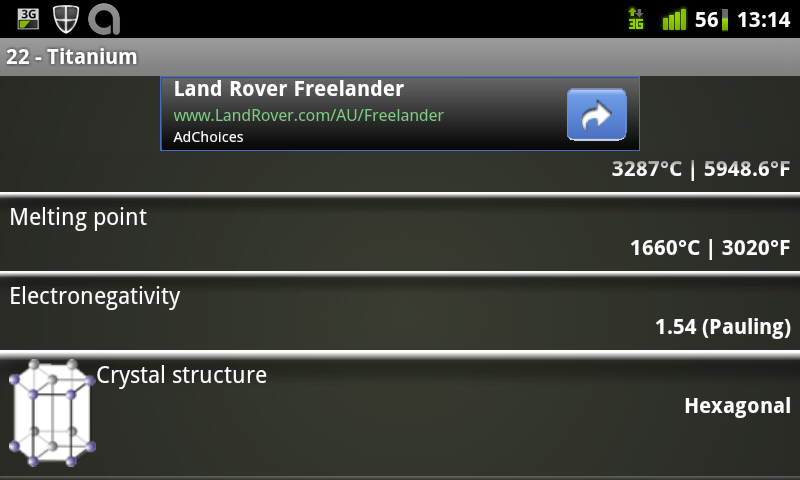
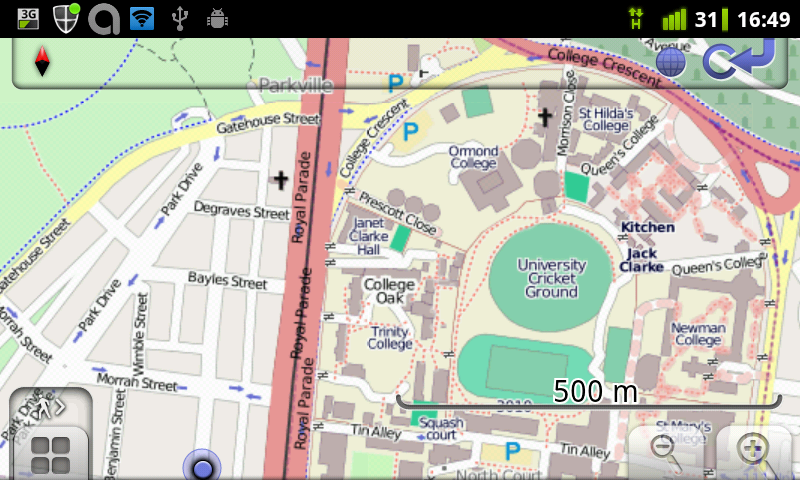
I gave a brief introductory talk about Android at this month s LUV meeting. Here are the slides with a brief description. All the screen-shots were made on a Samsung Galaxy S running Cyanogenmod version 7.1 [1] (Android version 2.3.7). With that build of Cyanogenmod you can press the power button for about 1.5 seconds to get a menu which gives an option to take a screen shot. The aim of the talk was to give an overview of what Android can do. I also gave some random commentary about Android such as explaining why it doesn t make a good phone. Most of the pictures in this post have links to the Android applications in question. Essential and Important Apps picture of root shell access running df I started by explaining why having root access to your system is really important, including the issue of backing up an Android phone [2]. Cyanogenmod includes a terminal program which allows you to run su - . Running a shell as root isn t generally that useful, what you really want is to be able to run programs such as Titanium Backup which can only work properly if given root access. When you run an OS that allows root access you can run su - at a terminal prompt and you can also have an application use a GUI to request root access. I recommend rooting and modding an Android phone immediately after buying it. However that takes some time which is somewhat equivalent to money and is a significant hidden cost to purchasing an Android phone. picture of 3g watchdog bandwidth monitor The business models of telephone companies seem to involve hidding users for unexpected fees and extra fees for excess bandwidth can be really expensive. 3G Watchdog is one app that can monitor bandwidth and disable data transfers if too much is used. Onavo is an alternative that allows tracking data use on a per-application basis, but it only runs on Android 2.3.x while 3G Watchdog works on Android 2.1. Official EBay app searching for Samsung Android phones EBay has an official app which is handy for searching for items. So far I ve only used it to get price estimates and have used a PC for buying. K9 viewing my SE Linux mailing list email K9 seems to be the best MUA for Android. The MUA that ships with Android 2.1 isn t nearly as good and K9 is good enough that I didn t even bother testing the MUA from Cyanogenmod. The above picture shows a list of mail in my SE Linux folder. graph by opticron grapher The Opticron Grapher is a good graphing calculator. I won t claim it s the best because I didn t seriously test such programs, but for the basic tests I ve done it has worked well. Google map of LUV location The Google Maps client comes with every Android system, the above shows the location of the LUV meeting. Open Street Map location of the LUV meeting Osmand is an Android client for the Open Street Map project. Here is the web site for the Open Street Map project [3]. One significant advantage of OSM over the Google Maps is that OSM is free, the data is all contributed by users like Wikipedia. Another significant advantage is that you can download as much data as you need to your phone, for example the entire dataset for Australia is about 200M. Storing 200M of data on your phone is no big deal when you consider the availability of phones with more than 16G of storage and the ability to use a map when offline is a real benefit. So far I ve used Osmand while waiting for a train at an underground station and I plan to use it to track my progress the next time I m on a cruise. serval mesh networking and VOIP Serval is a mesh networking application for Android that supports VOIP phone calls and distributing messages and files. It s designed to be used in disaster areas, but there are lots of other potential uses of the technology. The Serval Project blog has an article about the presentation they gave at LCA 2012 [4]. periodic table

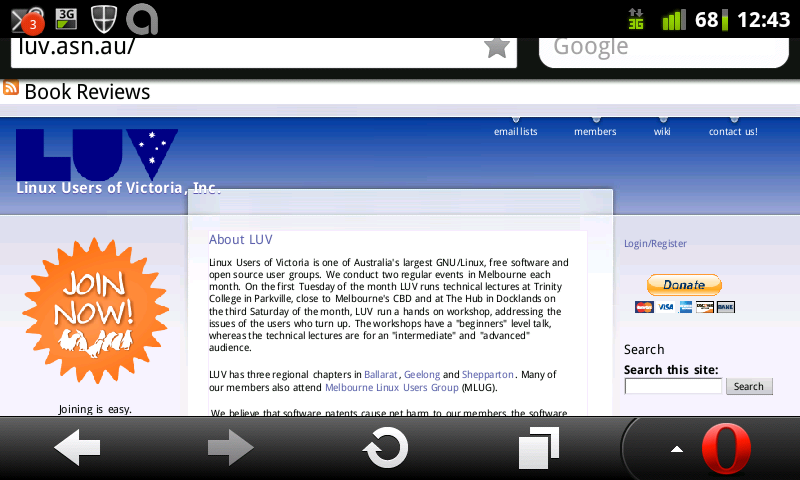
details about Titanium Periodic Droid is my favorite Periodic Table viewing program. tomfusion Au Weather forecast app The Tomfusion AU Weather forecast app seemed to be better than the one from the BoM last time I checked. It s probably the best weather app for Australia. screen-shot of LUV web site
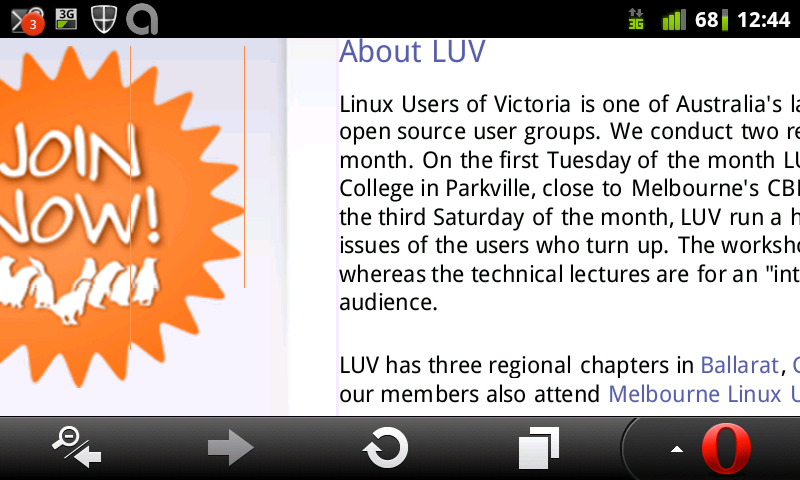
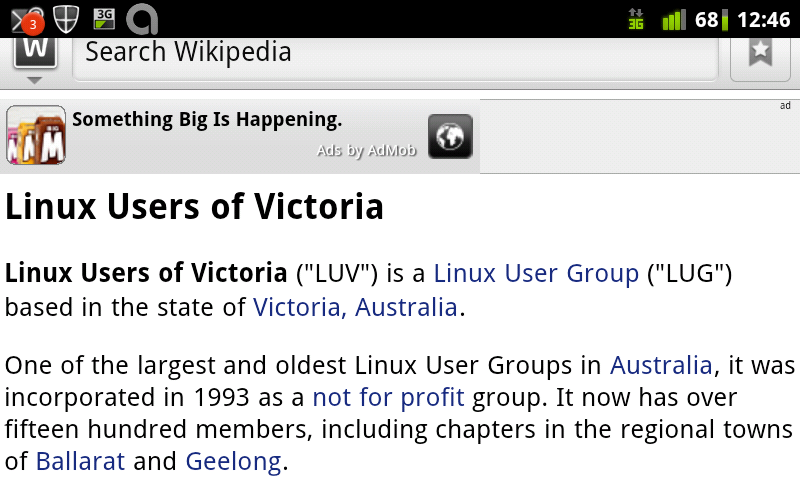
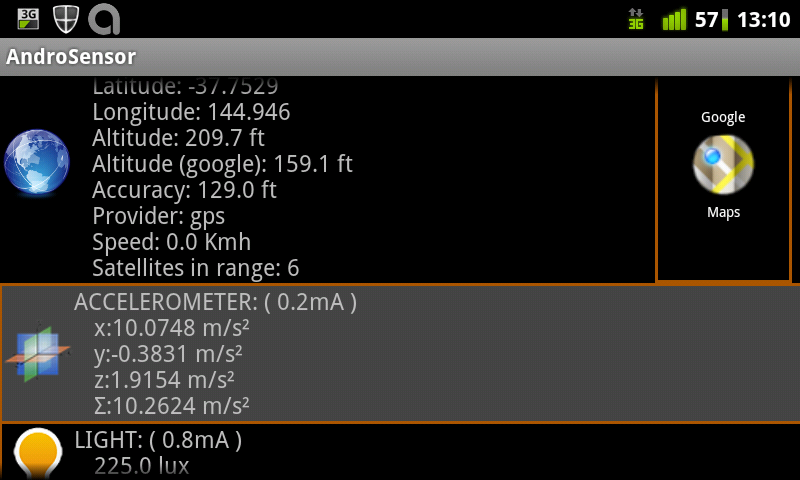
LUV web site zoomed in The Opera Mini browser is often faster than other browsers because it uses a compressing proxy run by Opera. It s not so good for privacy though LUV page on Wikipedia I have been using Wapedia for browsing Wikipedia. Since giving the talk I discovered the Official Wikipedia browser from the Wikimedia foundation [5] which is a better fit for my needs and I ve uninstalled Wapedia. As an aside modern phones have 16G of storage or more and could easily have a copy of the entire English text of Wikipedia on internal storage. It would be good if someone like Jason King (who is known for work on stand-alone DVD images for Wikipedia) was to write an Android program to do this. Handy Apps Androsensor showing GPS, accelleration, and light intensity
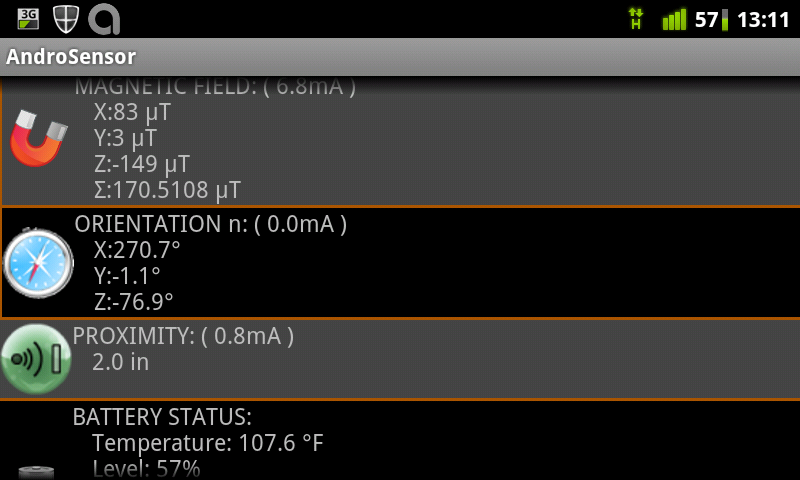
Androsensor showing magnetic field, orientation, and battery Androsensor is a program to display output from most (all?) of the sensors on your phone. The results aren t as accurate as one would hope, for example Earth s gravity is 9.81m/s^2 not the 10.26m/s^2 my phone registered. But they are a useful indication. picture of Coke can, scanning the barcode
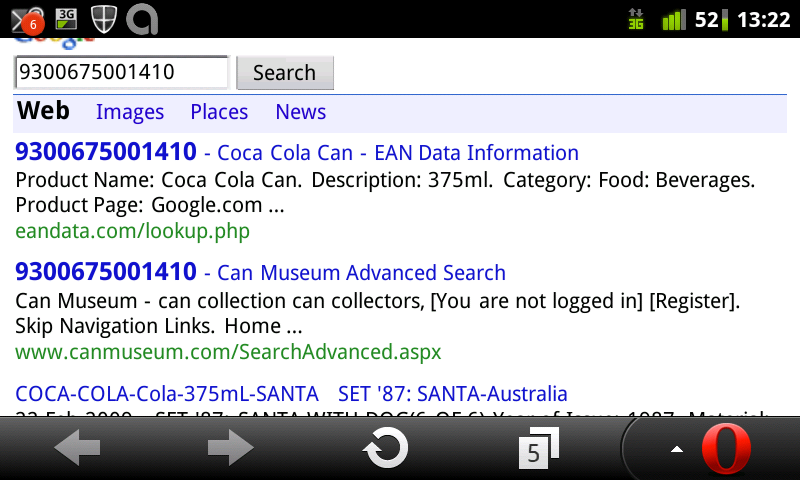
Google search on Coke can barcode
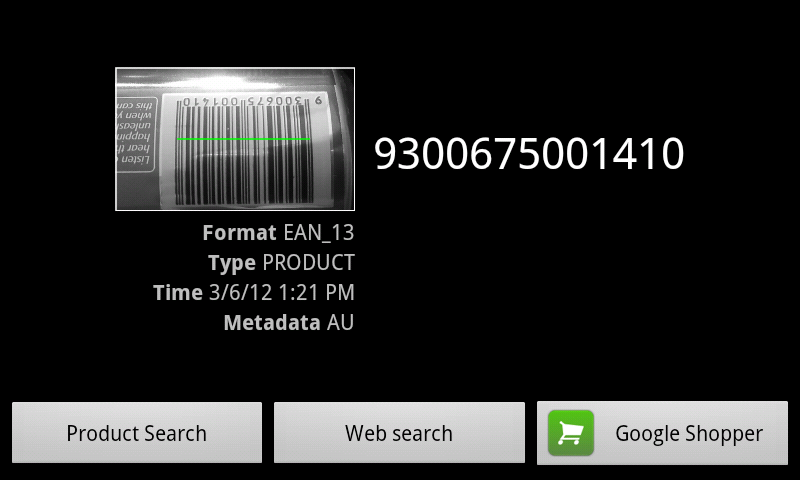
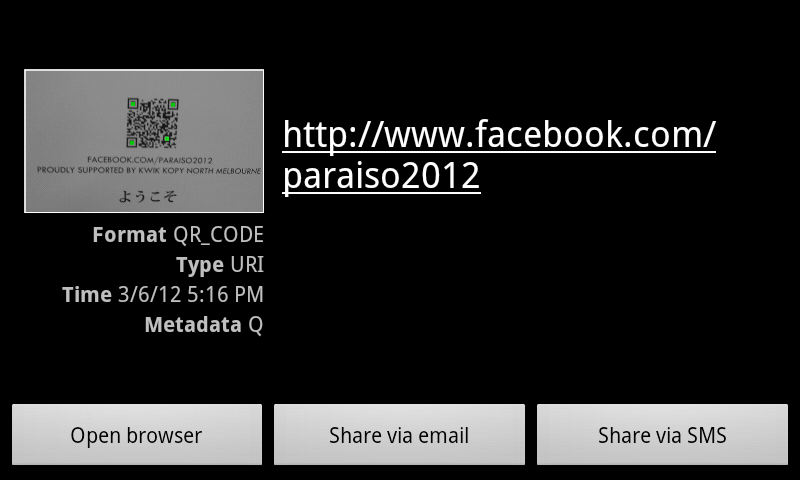
QR Code lookup of Facebook page The Zxing Barcode scanner is one of many programs that will scan barcodes with the camera in an Android phone. It can launch a Google search on a product code or open a URL from a
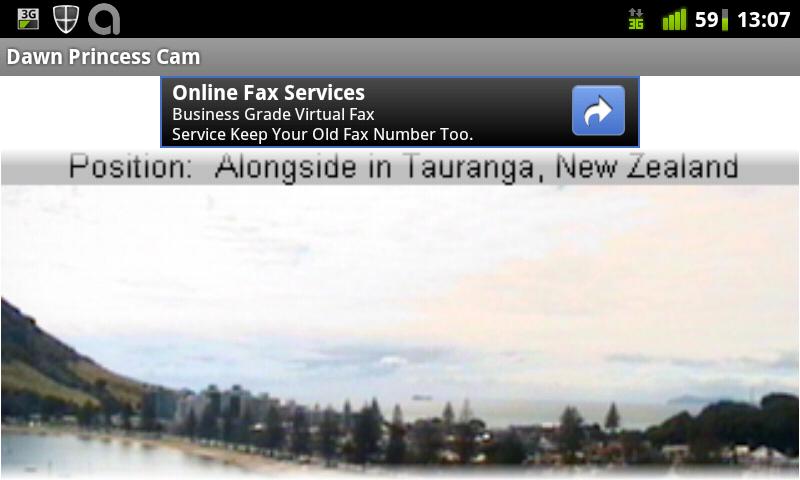
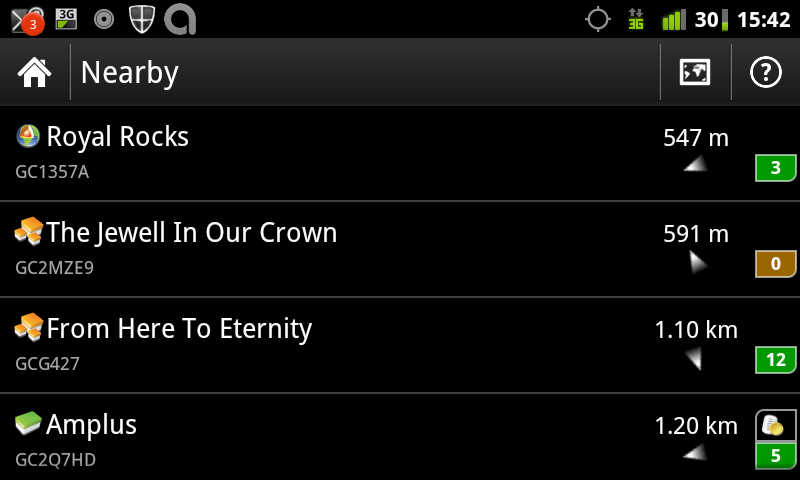
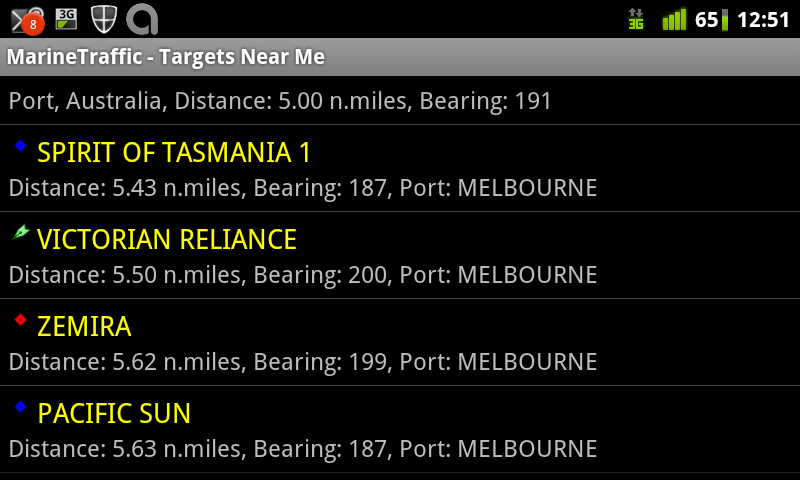
QR Code. The above pictures show it scanning a Coke can (the can and other background was displayed on the full screen before the screen capture program activated), doing a Google search on the can barcode, and looking up a QR code that was on an advertisment outside the LUV venue. picture from the bridge of the Dawn Princess in Tauranga NZ Cruise Cams allows you to download pictures from cruise ships. Some cruise ships have several cameras on different parts of the ship uploading pictures regularly so that people around the world can see what s happening. list of geo-caches near the park where I prepared most of my notes The c:geo opensource program allows you to get information on Geocaches and see a compass or map showing the location. This program has been getting an increasing number of features to do everything you might want to do related to Geocaching. The above picture shows some caches that are close to where I made the screen-shot, in a park a couple of Km from the meeting location. picture of Google Sky Map in the direction of Andromeda The Google Sky map uses augmented reality techniques to display stars in the direction that your phone is pointing along with their names and the names of the constellations. Marine Traffic showing ships near me
Marine Traffic showing the Pacific Sun highlighted on a Google Map
Marine Traffic showing details of the Pacific Sun
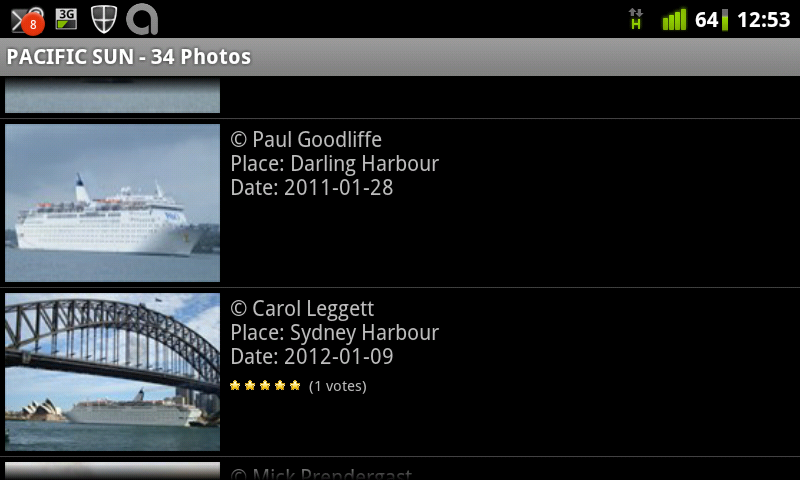
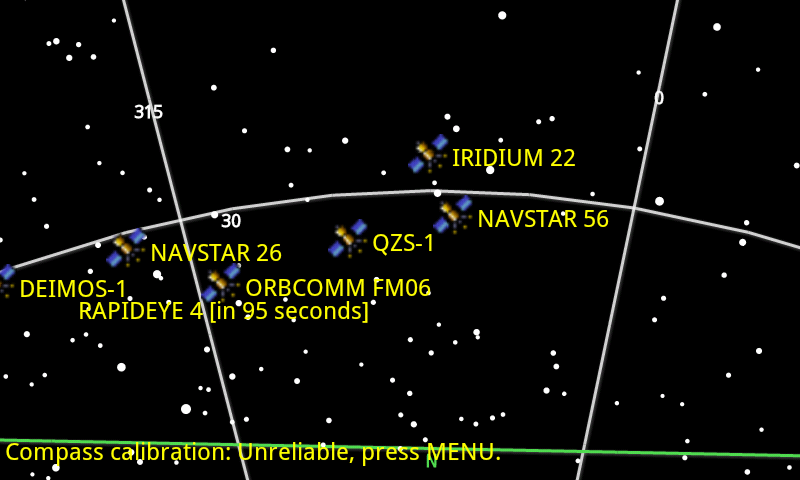
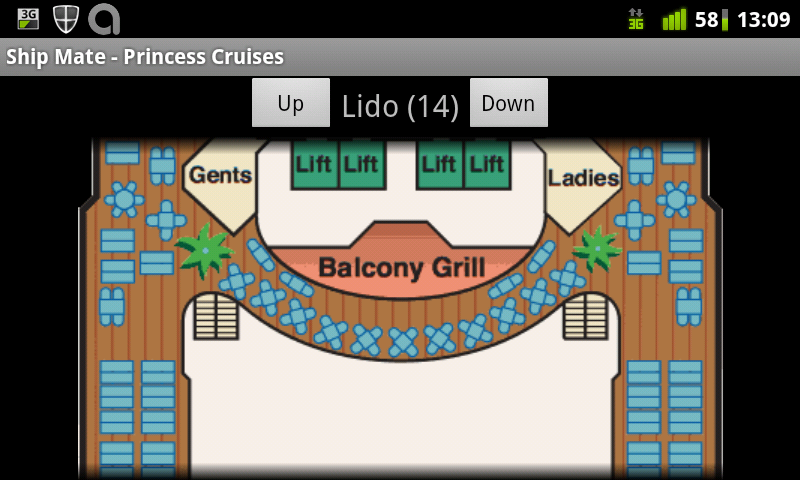
Photos of the Pacific sun taken by fans and shown by Marine Traffic The Marine Traffic program shows the locations of ships as well as lots of information about them. The above pictures show me discovering that the Pacific Sun was nearby, viewing it s location on Google Maps, seeing the details, and then viewing fan pictures. The developer s web site allows viewing all the same data without an Android phone [6]. Anyone can join the project by buying an Automatic Identification System (AIS) receiver and configuring a PC to take data from AIS and send it to the MarineTraffic.com servers. As an aside they seem to be missing coverage in western Victoria, so it would be good if someone near Apollo Bay or Warrnambool could install an AIS receiver and help out. Satellite map from Satellite AR Satellite AR uses augmented reality to show the location of satellites and other things in spare. Unfortunately the screen capture process turned off the camera as I had a sign advertising fast food positioned in an amusing location in the background. Shipmate overview of Dawn Princess
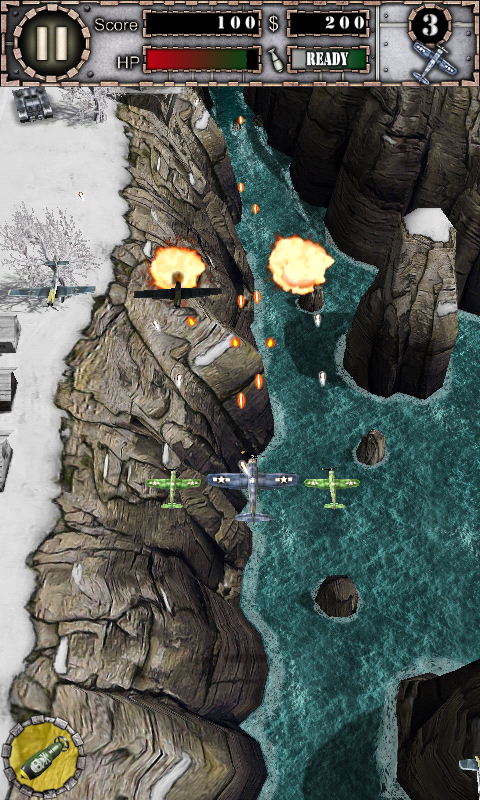
Shipmate map of Dawn Princess Shipmate publishes a set of programs giving information on cruise ships, they have one program for each cruise line. Above is the program for the Princess cruise line, the above pictures give information on the Dawn Princess. Unfortunately the program wasn t usable without net access when I tried to use it on a cruise ship. Games Air Attack HD game, clone of 1942 Air Attack HD is an entertaining game that demonstrates the capability of Android phones to run action games. Like many Android games it has a free version and paid versions if you want more. picture of Angry Birds Angry Birds is one of the most well known games for touch-screen devices. It has also spawned a huge line of merchandise. Labyrinth Lite
Labyrinth Lite from a different angle Labyrinth Lite is one of the many Android games based on the old mechanical game where you tilt a toy to roll a ball-bearing through a maze. It s free and is better than most of the free games in that genre. Minecraft Pocket Edtion Minecraft Pocket Edition allows you to play Minecraft on your phone. The demo version doesn t allow saving the game, you have to buy the game for about $5 if you want to do that. It also lacked the full features of the game last time I checked, it didn t have monsters. Paradise Island overview
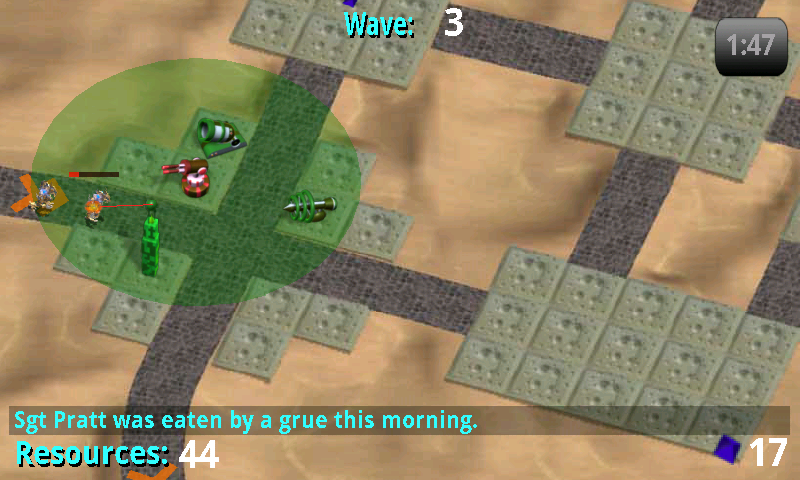
Paradise Island details of Bungalow Paradise Island is one of many business simulation games for Android. It s more playable than most and has very detailed graphics, but the down-side is that it s a memory hog and will crash if you don t have enough RAM. It s one of the games that are free to download but encourage you to pay money to level up, for some players it s probably a very expensive game. Tower Raiders 2, Pratt was eaten by a Grue Tower Raiders 2 is one of the better tower defense games for Android. Related posts:
  1. Choosing an Android Phone My phone contract ends in a few months, so I m...
  2. Galaxy S vs Xperia X10 and Android Network Access Galaxy S Review I ve just been given an indefinite loan...
  3. Standardising Android Don Marti wrote an amusing post about the lack of...

19 March 2012

Petter Reinholdtsen: Debian Edu interview: John Ingleby

Debian Edu / Skolelinux users are spread all across the globe. The second inteview after the Squeeze release was publised is with John Ingleby, a teacher and long time Linux user in United Kingdom. Who are you, and how do you spend your days? I teach ICT part time at the Rudolf Steiner School in Kings Langley, near London, UK. Previously I worked as a technical author/trainer while my children attended the school, and I also contributed to the Schoolforge UK community with the aim of encouraging UK schools to adopt free/open source software. Five or six years ago we had about 50 schools interested in some way, but we weren't able to convert many of them into sustainable installations. How did you get in contact with the Skolelinux/Debian Edu project? Skolelinux had two representatives at an early Edubuntu meeting in London which I attended. However at that time our school network had just been installed using CentOS, LTSP 4 and GNOME. When LTSP 5 came along we switched to Edubuntu thin client servers so now we have a mixed environment which includes Windows PCs and student laptops, as well as their MacBooks and iPads. However, the proprietary systems have always been rather problematic, and we never built a GUI for the LDAP server, so when I discovered Skolelinux is configured for all these things we decided to try it. What do you see as the advantages of Skolelinux/Debian Edu? By far the biggest advantage is the Debian Edu community. Apart from that I have always believed in the same "sustainable computing" goals that Skolelinux is built on: installing Linux on computers which would otherwise be thrown away, to provide a reliable, secure and low-cost IT environment for schools. From my own experience I know that a part-time person can teach and manage a network of about 25 Linux computers, but it would take much more of my time if we had proprietary software everywhere. What do you see as the disadvantages of Skolelinux/Debian Edu? As a newcomer I'm just finding out who's who in the community and how you're organised, and what your procedures are for dealing with various things such as editing manual pages and so-on. The only English language mailing list seems to be for developers as well as users, so my inbox needs heavy pruning each day! Which free software do you use daily? Besides the software already mentioned at school we use Samba, OpenLDAP, CUPS, Nagios and Dansguardian for the network, and on the desktops we have LibreOffice, Firefox, GIMP and Inkscape. At home I use Ubuntu and an Android 4 eePad Transformer (but I'm not sure if that counts...) Which strategy do you believe is the right one to use to get schools to use free software? That's a tough question! For very many years UK schools installed and taught only proprietary software, so that at the highest levels the notion of "computer" means simply "proprietary office applications". However, schools today are experiencing budget constraints, and many are having to think hard about upgrading Windows XP. At the same time, we have students showing teachers how to use iPads, MacBooks and Android, so the choice of operating system is no longer quite so automatic. What is more, our government at last realised that we need people with programming skills, so they're putting coding back in the curriculum! And it's encouraging that the first 10,000 Raspberry Pi units sold out in 2 hours. I don't really know what strategy is going to get UK schools to use free software, but building an active community of Skolelinux/Debian Edu users in this country has to be part of it.

18 March 2012

Aurelien Jarno: 10 years ago

Date: Mon, 18 Mar 2002 18:22:10 +0000
From: James Troup <troup@samosa.debian.org>
To: Aurelien Jarno <aurelien@aurel32.net>
Cc: da-manager@debian.org
Subject: New Debian maintainer Aurelien Jarno [ This is a long (automatically-generated) mail, but it contains
important information, please read it all carefully. ] Dear Aurelien Jarno! An account has been created for you on developer-accessible machines with username aurel32 . The password for this account can be found encrypted with your PGP or GPG key and appended to this message. A list of machines available to Debian developers can be found at <URL:http://db.debian.org/machines.cgi>. Please take a minute now to familiarize yourself with the Debian Machine Usage Policy, available at <URL:http://www.debian.org/devel/dmup> You have been subscribed to the debian-private mailing list as <aurel32@debian.org>. Please respect the privacy of that list and don t forward mail from it elsewhere. E-mail to <aurel32@debian.org> will be forwarded to <aurelien@aurel32.net>. To change this, please see <URL:http://db.debian.org/forward.html> Also, please subscribe to debian-devel-announce, if you haven t done so already. We strongly suggest that you use your aurel32@debian.org address for the maintainer field in your packages, because that one will be valid as long as you are a Debian developer, even if you change jobs, leave university or change Internet Service providers. If you do so, please add that address to your PGP/GPG key(s) (using gpg edit-key YOUR USER ID ) and send it to the keyring server at keyring.debian.org with gpg keyserver keyring.debian.org send-keys YOUR USER ID . You can find more information useful to developers at <URL:http://www.debian.org/devel/> (in particular, see the subsection titled Debian Developer s reference ). We suggest that you subscribe to debian-mentors@lists.debian.org. This list is for new maintainers who seek help with initial packaging and other developer-related issues. Those who prefer one-on-one help can also post to the list, and an experienced developer may volunteer to help you. You can get online help on IRC, too, if you join the channel #debian-devel on irc.debian.org. Take a look at the support section on www.debian.org in order to find out more information. You should have read these documents before working on your packages. o The Debian Social Contract
<URL:http://www.debian.org/social_contract.html> o The Debian Policy Manual
<URL:http://www.debian.org/doc/debian-policy/> If you have some spare time and want to contribute it to Debian you may wish to take a look at the Work-Needing and Prospective Packages for Debian GNU/Linux also known as WNPP that can be found at <URL:http://www.debian.org/devel/wnpp/> If you plan to make a Debian package from a not yet packaged piece of software you *must* announce your intention on the debian-devel mailing list to make sure nobody else is working on them. The machine ftp-master.debian.org is our main archive server. Every uploaded package finds it s way there (except for Packages covered by US crypto laws which go to non-us.debian.org) eventually. master.debian.org is the home of our bug tracking system. Project web pages and CVS archives are hosted on klecker.debian.org (aka cvs/www.debian.org), klecker is also our general shell server. Web pages should be placed in public_html on klecker and refered to by http://people.debian.org/~aurel32 You should use ssh to log into the machines instead of regular telnet or rlogin. Our LDAP directory is able to share ssh RSA keys among machines, please see <URL:http://db.debian.org/doc-mail.html> Otherwise when you first login a ~/.ssh directory will be created with the appropriate permissions. Please be aware of the security implications of using RSA authentication and ssh agents. Finally, please take a minute to visit <URL:http://db.debian.org/>.
Login using the password information appended to this email, and update your personal information. The information is used to maintain your accounts on various Debian machines, and also to allow other developers and general users to find out more about you. Many of the fields are only visible to other registered Debian developers. This is also the only way to change your password. The passwd program does not yet work. Welcome to the project!
The Debian New Maintainer Team

16 March 2012

James Morrison: Penance driven development

Recently, I got to try out working in a couple different environments. Working in these environments helped me formalize some of the things that I like and some of the things I don't like. With these new environments I've come to realize my style of development. It's called penance driven development. It's called this because there are two important things:
1) It's better to ask forgiveness than for permissions
2) You need to be deserving of forgiveness.

So the concept is simple, whenever you break something, you first fix the symptom, then you improve the infrastructure so similar breaks should be harder to do. The cost of the penance doesn't have to be huge, but the penance has to be done, otherwise technical debt accumulates and people believe there is no downside to breaking things.

What needs to be improved depends on what is missing. For example, if an engineer broke a feature, but that feature didn't have a test, the penance should be to write a test. Even if the one that broke the feature isn't the owner or the one that wrote the feature. If someone breaks the build and no one noticed because the continuous build didn't email, the fix could be setting up the continuous build to email out build failures, or even better, run each change on a build bot before allowing commits.

I think I'll have to start a penance of the day blog/twitter stream.

I've been practicing this style of development for most of my career, and it's similar if less precise than the 5 whys . As mentioned in the The Lean Startup, the cost of the penance should be proportional to the cost of the break.

14 March 2012

Stefano Zacchiroli: not a catchy headline

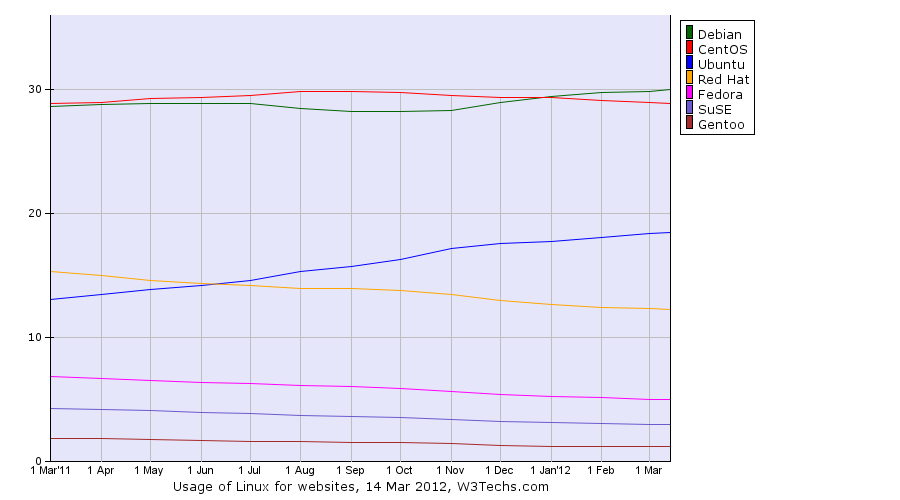
As we're doing trends today, I got curious about Debian. I don't particularly care about popularity contests other than popcon, and Debian choices surely aren't driven by them. But hey, curiosity is curiosity, right? So, here are today's w3techs trends for websites using GNU/Linux, with all lines shown:
Debian: 30%; CentOS: 28,9%; Ubuntu: 18,4%; Red Hat: 12,2%; Fedora: 5%; SuSE: 3%; Gentoo: 1,2%
(As thou shall always read methodologies before stats, here is the technologies overview page.) Debian is the top entrant with 30% of the websites using GNU/Linux. What I find interesting is that Debian has jumped at first place in January 2012, significantly after the release of our current stable release, Squeeze, that dates back to February 2011. It is also interesting to see community distros (Debian and CentOS) starkly ahead of commercially backed distros. That is what I find most fascinating about our projects. Whether that will remain the case or not is, for me, one of the big questions of the decade for the self-determination of Free Software communities.

Richard Hartmann: Comments

By popular demand, commenting is now enabled. Authentication happens via OpenID only; all comments will be moderated to combat spam. Moderation in ikiwiki seems to happen mainly via the web interface (I know about the RSS) so there may be a certain delay until I approve new comments. If anyone happens to know how to make ikiwiki handle moderation gracefully within a git-based workflow, do leave a comment. That's possible, now :)

Richard Hartmann: Open Source Days 2012, the aftermath

Open Source Days Open Source Days were nice, especially the meating(sic) of and talking to old friends and new people. I got to discuss Mercurial with two of its developers which was very interesting indeed. It's funny how similar git and Mercurial are in some regards and how different in others. Overall, it feels a bit as if Mercurial is not quite as distributed as git. Its local, sliding revision index feels like disaster waiting to happen, to me. On the other hand, Mercurials ability to not check out large files to your local repository sounds very git-annex-ish, which is nice. Choice is good :) My talk about how to gitify your life (slides, no video) went extremely well. Within my time-slot, there were a total of six talks, and lunch(!), in parallel. About 300 people attended OSD on Sunday and of those, many were at booths, stands, eating, etc. My personal turnout was 50-70 listeners so I was well above mathematical average and from what I heard, my talk was the most-visited one during that time. Add the fact that several people asked me to put up the resource links up again after the talk so they could take pictures and I would say this talk really was a success. Ego-stroking? Yes. Vanity? Most likely. Being able to see that people can really want to learn about what you have to say? Priceless. It's a real pity that there was no video recording, but it's obviously too late to do anything about that. Joey Hess asked me to at least make an audio recording on my laptop, but that turned out to be a lot of useless white noise with faint mumbling in between. Maybe I should at least get a small microphone or recorder so I will always have an audio copy. I already did order a presentation clickie with built-in laser pointer so I won't have to rely on possibly non-existent conference infra, any more. If there's any interest, I may re-record the talk as audio, else I will just try to get another speaker slot at another conference, with video recording, and link that. Denmark Barring the airport, central station, bus, hotel, venue, and metro, I did not see anything of Copenhagen. That's a pity, but I didn't want to leave the conference early. To continue my recent tradition of dumping random observations about places I visit onto my blog, here goes:

12 March 2012

Martin G. Loschwitz: cluster-glue in Squeeze backports updated

I'm happy to announce that cluster-glue 1.0.9+hg2665-1~bpo60+1 is available in the backports repository for Debian GNU/Linux 6.0 ("Squeeze"). I uploaded the backport-version right after the package got migrated from unstable to testing last night. This version of cluster-glue fixes a nasty bug in the IPMI STONITH resource agent, so everybody is highly advised to update to this version to make sure that STONITH via IPMI works as expected.
Trademark notice:
The Debian logo is Copyright (c) 1999 Software in the Public Interest

9 March 2012

Gunnar Wolf: Reflections on Mexico's bandwidth

Around two years ago, the OECD presented a study on residential bandwitdth available per country that triggered quite a bit of debate all over the world I have seen at least criticism to it in Mexico, in the USA and in Australia. It's very easy to take a simplified view of a statistic and bitch on how sorry the state of our country is. In our case, the outcry was that Mexico was the lowest of all of the OECD countries, and I have seen this repeated on so many topics that it what surprises me is that people keep getting surprised at it! OECD does not represent the 200 countries in this world (only the top 30, and the meaning of "top" is not unambiguous). I found this graph that helps me illustrate this point: Residential Internet speed comparison per country (2010) While that graphic is part of a report illustrating how sorry the USA should be for their low position, it shows the OECD member countries. And yes, the only country Mexico could be compared in general terms from those in the list is Turkey. Coherently, they are located at positions 28 and 30. But what prompted me into writing this post? That some weeks ago I was reading a viewpoint article at the Communications of the ACM magazine: What gets measured gets done: Stop focusing on irrelevant broadband metrics, by Scott Wallsten (might be behind a paywall for you If you are interested, I can share a copy with you, just ask me by email). Wallsten's article contains the following graph: Measured and advertised download speeds (in kbps) I found it pretty telling that, although Mexico sits at the extreme of the graph (and the height of our bar makes it very hard to get a real value out of this particular rendering), our ISPs join a very select group of countries (Sweden, Germany, Belgium, Luxembourg and Ireland, in my very subjective measure) by delivering what they promise. In 2010, the dominant broadband offering was 1Mbps, although higher options have long existed. I always got basically the 100% of what my ISP (Telmex) has promised, even though I have always had the cheapest package available. Some months ago, I got a call announcing we were being pushed 5x into the future, and starting right then, I had a 5Mbps connection. And although I didn't really expect it to be true, I have had a clean 6Mbps (yes, 6 instead of 5) connection. So, that's it. This post contains no hidden truths, but just what grabbed my attention from a series of data points :-)
AttachmentSize
Residential Internet speed comparison per country (2010)397.15 KB
Measured and advertised download speeds (in kbps)252.86 KB

Petter Reinholdtsen: Debian Edu interview: Nigel Barker

Inspired by the interview series conducted by Raphael, I started a Norwegian interview series with people involved in the Debian Edu / Skolelinux community. This was so popular that I believe it is time to move to a more international audience. While Debian Edu and Skolelinux originated in France and Norway, and have most users in Europe, there are users all around the globe. One of those far away from me is Nigel Barker, a long time Debian Edu system administrator and contributor. It is thanks to him that Debian Edu is adjusted to work out of the box in Japan. I got him to answer a few questions, and am happy to share the response with you. :) Who are you, and how do you spend your days? My name is Nigel Barker, and I am British. I am married to Yumiko, and we have three lovely children, aged 15, 14 and 4(!) I am the IT Coordinator at Hiroshima International School, Japan. I am also a teacher, and in fact I spend most of my day teaching Mathematics, Science, IT, and Chemistry. I was originally a Chemistry teacher, but I have always had an interest in computers. Another teacher teaches primary school IT, but apart from that I am the only computer person, so that means I am the network manager, technician and webmaster, also, and I help people with their computer problems. I teach python to beginners in an after-school club. I am way too busy, so I really appreciate the simplicity of Skolelinux. How did you get in contact with the Skolelinux/Debian Edu project? In around 2004 or 5 I discovered the ltsp project, and set up a server in the IT lab. I wanted some way to connect it to our central samba server, which I was also quite poor at configuring. I discovered Edubuntu when it came out, but it didn't really improve my setup. I did various desperate searches for things like "school Linux server" and ended up in a document called "Drift" something or other. Reading there it became clear that Skolelinux was going to solve all my problems in one go. I was very excited, but apprehensive, because my previous attempts to install Debian had ended in failure (I used Mandrake for everything - ltsp, samba, apache, mail, ns...). I downloaded a beta version, had some problems, so subscribed to the Debian Edu list for help. I have remained subscribed ever since, and my school has run a Skolelinux network since Sarge. What do you see as the advantages of Skolelinux/Debian Edu? For me the integrated setup. This is not just the server, or the workstation, or the ltsp. Its all of them, and its all configured ready to go. I read somewhere in the early documentation that it is designed to be setup and managed by the Maths or Science teacher, who doesn't necessarily know much about computers, in a small Norwegian school. That describes me perfectly if you replace Norway with Japan. What do you see as the disadvantages of Skolelinux/Debian Edu? The desktop is fairly plain. If you compare it with Edubuntu, who have fun themes for children, or with distributions such as Mint, who make the desktop beautiful. They create a good impression on people who don't need to understand how to use any of it, but who might be important to the school. School administrators or directors, for instance, or parents. Even kids. Debian itself usually has ugly default theme settings. It was my dream a few years back that some kind of integration would allow Edubuntu to do the desktop stuff and Debian Edu the servers, but now I realise how impossible that is. A second disadvantage is that if something goes wrong, or you need to customise something, then suddenly the level of expertise required multiplies. For example, backup wasn't working properly in Lenny. It took me ages to learn how to set up my own server to do rsync backups. I am afraid of anything to do with ldap, but perhaps Gosa will help. Which free software do you use daily? Nowadays I only use Debian on my personal computers. I have one for studio work (I play guitar and write songs), running AV Linux (customised Debian) a netbook running Squeeze, and a bigger laptop still running Skolelinux Lenny workstation. I have a Tjener in my house, that's very useful for the family photos and music. At school the students only use Skolelinux. (Some teachers and the office still have windows). So that means we only use free software all day every day. Open office, The GIMP, Firefox/Iceweasel, VLC and Audacity are installed on every computer in school, irrespective of OS. We also have Koha on Debian for the library, and Apache, Moodle, b2evolution and Etomite on Debian for the www. The firewall is Untangle. Which strategy do you believe is the right one to use to get schools to use free software? Current trends are in our favour. Open source is big in industry, and ordinary people have heard of it. The spread of Android and the popularity of Apple have helped to weaken the impression that you have to have Microsoft on everything. People complain to me much less about file formats and Word than they did 5 years ago. The Edu aspect is also a selling point. This is all customised for schools. Where is the Windows-edu, or the Mac-edu? But of course the main attraction is budget.The trick is to convince people that the quality is not compromised when you stop paying and use free software instead. That is one reason why I say the desktop experience is a weakness. People are not impressed when their USB drive doesn't work, or their browser doesn't play flash, for example.

8 March 2012

Rapha&#235;l Hertzog: People Behind Debian: Gregor Herrmann, member of the Perl team

Photo by Aigars Mahinovs

I followed Gregor s evolution within Debian because I used to be somewhat active in the Perl team. His case is exemplar because it shows that you don t need to be an IT professional to join Debian and to make a difference. His QA page is impressive with hundreds of packages maintained and hundreds of non-maintainer uploads too. While he started out slowly, I remember meeting him at Debconf 7 in Edinburgh and after that he really got more implicated. Again a case of someone joining for technical reasons but getting more involved and staying there for social reasons! :-) Let s jump into the interview and learn more about him. Raphael: Who are you? Gregor: I m 41 years old, and I live in Innsbruck, Austria, in a shared apartment with a friend of mine. In my day job, I m working at the regional addiction prevention agency, so I m one of the few Debian guys who s not an IT student or professional. I started maintaining packages in 2006, and I am a DD since April 2008. Raphael: How did you start contributing to Debian? Gregor: After having used Debian on servers for some years, I finally switched to it on the desktop after some procrastinating. Soon afterwards I wanted to know more about the making-of , started to join mailing lists, filed bugs, and tried to learn packaging. Luckily I quickly found a permanent sponsor Tony Mancill, and we re still co-maintaining each others packages. And when I packaged my first Perl modules, Gunnar Wolf invited me to join the Debian Perl Group, an offer I accepted a few days later. And I m still there :) Later, the NM process, although it involved some waiting times, was also a good learning experience due to my AM Wouter Verhelst. (And in the meantime the organization of the NM process has vastly improved, from what I hear.) So my starting point for joining Debian was my curiosity but what really helped me to find my way into the project was the support of the people who invited and helped me. Raphael: What s your biggest achievement within Debian or Ubuntu? Gregor: I m not sure I can name a single big achievement but I guess I can say that my contributions to the Debian Perl Group have helped to make and keep the team a success story. Raphael: The pkg-perl team seems to work very well. As an active member, can you explain us how it is organized? How do you explain its success? In particular it seems to be a great entry point for new contributors. Gregor: The team is huge, both in numbers of members and packages (over 2200). Since last DebConf we manage our source packages in git, we have 2 mailing lists and an IRC channel, and we manage to keep an overview by using PET, the Package Entropy Tracker. It s true that we get new members on a regular basis; we try to invite people (like it happened to me 6 years ago :) ) but there are also quite a few new contributors who find our docs and introduce themselves on the mailing list. Maybe someone should conduct a study and ask them what motivated them to join. :) We hand out group membership/commit access quickly, and we try to mentor new contributors actively during their early times in the group. Some of them leave for other projects after some time, but many also stay and become DDs later. I m not sure what the reasons for the group s success are, maybe a combination of: For everyone interested in joining the Debian Perl Group, our Welcome page on the wiki is a good starting point. Raphael: What are your plans for Debian Wheezy? Gregor: Nothing overly exciting. What I should do is getting a newer JabRef into Debian (which involves packaging some new Java libraries any takers?). A solution for libdatetime-timezone-perl (which ships timezone data converted to Perl modules and tends to get outdated when the timezone data change) would be nice; let s see if #660404 leads to some results And some Perl packages will also need a bit of work for the hardening build flags release goal (cf. #657853). Raphael: What s the biggest problem of Debian? Gregor: Inertia. While I really like the fact that Debian is a volunteer project, and that every contributor works when and on what they decide to work on, I get the feeling that Debian could do better in moving forward, innovating, taking decisions. I also think that more uniformity in managing source packages would make things easier; it s quite amazing to see how many source formats, packaging helpers, patch systems, RCSs etc. are used all over the archive. I m not advocating for mono-cultures, and I consider this diversity a strength in general, but having to find out first how this particular package works when preparing a bug fix can be annoying. On the bright side, I think that the myth Debian and its mailing lists are mostly about flames can be seen as dispelled in the meantime. Sure, sometimes the tone could be a bit more civil, but in general most of the interactions I ve seen in the last years were friendly and helpful. IMO, the Debian Project consists of mostly nice and cooperative people, and that s what makes it fun for me. Raphael: You re one of the most dedicated participants to RCBW (Release Critical Bugs of the Week), an initiative to fix RC bugs every week. How much time do you spend on it? What would you advise to people who are considering to join the movement? Gregor: I got into the habit of fixing RC bugs after having been invited to my first Bug Squashing Party in Munich some years ago. During this weekend I saw that fixing RC bugs can be fun, is often not that difficult, and gives a warm fuzzy feeling :) I can definitely recommend attending a BSP if one happens to be organized near you. After tasting blood at this first BSP I tried to continue looking at RC bugs, and I guess I spend something around half an hour per day on it. I usually blog about it once a week, in order to motivate others to join in. And joining is easy: just take a look at the tips people like Zack, Vorlon, or me have written. You don t have to be a DD to help, many of my NMUs are based on patches that others kindly prepare and send to the BTS kudos! Another nice aspect is that the RC bug list contains problems from different fields: general packaging problems, language-specific issues, policy violations, etc. So there s something for everybody, and you don t have to be an expert in all fields to fix a specific bug. What s rewarding about fixing RC bugs is not only the feeling of accomplishment and the knowledge about having helped the next release I also received quite a few Thank you mails from maintainers who were busy at that time and appreciated the help. Raphael: Do you have wishes for Debian Wheezy? Gregor: Well, there s not so much left of the Wheezy release cycle if we manage to freeze in June :) Some quick thoughts for Wheezy and Wheezy+1: Raphael: Is there someone in Debian that you admire for their contributions? Gregor: There are many people in Debian I admire, too many to name them all. The first one that comes to my mind is Russ Allbery who not only does great work from lintian to Debian policy but who also sets a great example of communicating in a perfectly polite and respectful way even in heated discussions.
Thank you to Gregor for the time spent answering my questions. I hope you enjoyed reading his answers as I did. Note that older interviews are indexed on wiki.debian.org/PeopleBehindDebian.

Subscribe to my newsletter to get my monthly summary of the Debian/Ubuntu news and to not miss further interviews. You can also follow along on Identi.ca, Google+, Twitter and Facebook.

2 comments Liked this article? Click here. My blog is Flattr-enabled.

7 March 2012

Paul Tagliamonte: I'm going to PyCon!

I ll be at PyCon with some of the Sunlight crew, and we ll be hosting a Hackathon after the talks. I hope anyone in the area will consider hacking with us this year. If you re going to PyCon, send me an email, tweet or other digital message - the talks this year look awesome!

Philipp Kern: Daily builds of debian-installer/s390x now available

Thanks to klibc being fixed, rootskel finally built in the archive and hence we've now finally enabled the daily builds of debian-installer for s390x. They're still untested, though, and I hope to come around to that in the near future.

In other news I've spent some more time chasing weird 64bit big endian issues in glib. Newer versions have regressed in their support and again assume that certain fields are either 32bit/64bit little endian or 32bit big endian, which is unhelpful. Sadly the testsuite is guilty as well, which doesn't make debugging any easier. I still suspect a bug in either gio or GClosure's interface to libffi, let's hope that when that one's found that the remainder of the archive is building just fine (Currently a lot is blocking on glib-networking which fails in its testsuite. And of course there are still usertagged bugs that need to be fixed.)

It would be cool if we could run more testsuites during package building and find the bugs in them. glib does have one, but its failures are non-fatal for the build (also because there are so many failures). That would make porting to future architectures a tad easier.

Steve Kemp: Today I migrated from 32-bit to 64-bit, in-place

This evening I sat down and migrated my personal virtual machine from a 32-bit installation of Debian GNU/Linux to a 64-bit installation. I've been meaning to make this change for a good few months, but it took me until this evening until I decided it was as good a time as any. Mostly the process is painless: I overwrote a lot of the libraries and binaries on the system such that I had a working 64-bit apt-get, dpkg, sash, etc, and associated libraries. Then once I had that I could use those tools to pull the resto of the system up to date. One thing I hadn't counted on is that I needed to have a 64-bit version of bzip such that "apt-get update" didn't complain about errors. I suspect I could have fixed that by re-configuring my system to disable compression. Still it was easily solved. Along the way I also shot myself in the foot by having a local caching DNS resolver, listening on 127.0.0.1, which broke. With no DNS I couldn't use apt-get - but once the problem was identified it was trivial to fix. Anyway all seems OK now. My websites are up, email is flowing and I guess anything else can wait until the morning. ObQuote: "Somebody's coming up. Somebody serious." - Leon

5 March 2012

Vincent Bernat: Asynchronicity & Net-SNMP AgentX protocol

One of the best way to add SNMP support to an application is the use of AgentX protocol: an application can act as a subagent and handle requests from a master agent using AgentX protocol. The most widespread implementation for such a task is the one from Net-SNMP. TL;DR: An application asynchronously leveraging Net-SNMP AgentX implementation has many opportunities to get stuck when the master agent becomes temporarily unavailable. A mostly efficient workaround is to dedicate a master agent for AgentX and delegate MIB handling to a subagent.

Pinging the master agent Net-SNMP uses an event-based model. It also provides some synchronous functions but they are built on top of the asynchronous ones. It is shipped with its own event loop. Therefore, Net-SNMP AgentX protocol implementation seems a fine choice to add SNMP support to an event-based program, for example in Keepalived, a VRRP daemon and a monitoring daemon for LVS clusters. Unfortunately, an AgentX subagent is expected to check, at a regular interval, if the master agent is alive . This is handled automatically with Net-SNMP implementation as long as you call run_alarms() function which will call agentx_check_session():
/*
 * check a session validity for connectivity to the master agent.  If
 * not functioning, close and start attempts to reopen the session 
 */
void
agentx_check_session(unsigned int clientreg, void *clientarg)
 
    /* [...] */
    DEBUGMSGTL(("agentx/subagent", "checking status of session %p\n", ss));
    if (!agentx_send_ping(ss))  
        snmp_log(LOG_WARNING,
                 "AgentX master agent failed to respond to ping.  Attempting to re-register.\n");
        /*
         * master agent disappeared?  Try and re-register.
         * close first, just to be sure .
         */
        agentx_unregister_callbacks(ss);
        agentx_close_session(ss, AGENTX_CLOSE_TIMEOUT);
        /* [...] */
        if (main_session != NULL)  
            /* [...] */
            main_session = NULL;
            agentx_reopen_session(0, NULL);
         
        else  
            snmp_close(main_session);
            main_session = NULL;
         
      else  
        DEBUGMSGTL(("agentx/subagent", "session %p responded to ping\n",
                    ss));
     
 
This piece of code will end up calling (directly or indirectly) the following functions1 which are using agentx_synch_response():
  • agentx_send_ping()
  • agentx_open_session()
  • agentx_reopen_session()
  • agentx_close_session()
  • agentx_register()
  • agentx_unregister()
  • agentx_register_index()
  • agentx_unregister_index()
  • agentx_add_agentcaps()
  • agentx_remove_agentcaps()
agentx_synch_response() will synchronously wait for an answer from the master agent. Your event-based program will just sit here doing nothing while this happens. For example, keepalived may be unable to send VRRP probes resulting in some serious havoc in your cluster. Functions prefixed by agentx_ are not part of NetSNMP API and could therefore be rewritten to do their work asynchronously. Unfortunately, talk is cheap. Moreover, there exists other deep paths that will block a subagent. For example, the low-level connection to the master agent (using TCP or a Unix socket, but not with UDP) will use a blocking connect() call. It seems quite difficult to fix this. Here are some (partial) workarounds:
  • Call agentx_check_session() less often. The default interval is 15 seconds. Disabling it completely or using a very high value is not advised because this function is the only way to reestablish a connection to the master agent when it is, for example, restarted. Here is how to change the delay to 120 seconds:
    netsnmp_ds_set_int(NETSNMP_DS_APPLICATION_ID,
                       NETSNMP_DS_AGENT_AGENTX_PING_INTERVAL, 120);
    
  • Don t call agentx_check_session() if we know the master agent is alive. For example, if it just sent us a new request, no need to ping it. I have written a patch implementing such a workaround. The ABI is left untouched, therefore, you only need to recompile Net-SNMP libraries.
  • Use a lower timeout and no retry. By default, the timeout for synchronous requests is 1 second and a failed request will be retried 5 times. Because several synchronous functions are used in a row, you may be trapped for as long as 30 seconds with those settings. Here is how2 to disable the retry mechanism and to set the timeout to a very low value:
    static int
    snmp_setup_session_cb(int majorID, int minorID,
                  void *serverarg, void *clientarg)
     
        netsnmp_session *sess = serverarg;
        sess->timeout = ONE_SEC / 3;
        sess->retries = 0;
        return 0;
     
    void some_init_function()
     
        /* [...] */
        snmp_register_callback(SNMP_CALLBACK_LIBRARY,
           SNMP_CALLBACK_SESSION_INIT,
           snmp_setup_session_cb, NULL);
        /* [...] */


Unresponsive master agent Why is the master agent unresponsive? snmpd is also an event-based program and, trust me, there are a lot of places where it will become unresponsive. Here are two examples:
  • When using the pass or the pass_persist directive, Net-SNMP will block until the delegated command outputs a complete line.
    /* var_extensible_pass() in agent/mibgroup/ucd-snmp/pass.c */
    /*
     * valid call.  Exec and get output 
     */
    if ((fd = get_exec_output(passthru)) != -1)  
        file = fdopen(fd, "r");
        if (fgets(buf, sizeof(buf), file) == NULL)  
            fclose(file);
            wait_on_exec(passthru);
            /* [...] */
            continue;
         
        /* [...] */
        fclose(file);
        wait_on_exec(passthru);
        /* [...] */
     
    
  • DISMAN-PING-MIB implementation will just hang while pinging the remote host. If the host is down and you have requested 5 probes with a timeout of 1 second, snmpd will be unresponsive for 5 seconds. A similar problem exists with DISMAN-TRACEROUTE-MIB.

Minimal master agent More and more code is running in the main agent. You cannot expect it to not block. But we could add a minimal master agent to the mix: it will handle only a few MIB modules by itself while most MIB modules will be delagated to a complete agent running as a subagent. Your own subagent will connect to the minimal master agent. Schema showing the use of a minimal master agent It is quite easy to turn snmpd into a subagent: just use -X flag. We should also disable unwanted MIB modules for each agent with -I flag. For the minimal master agent, we only enable some modules. All other modules3 will be served by snmpd acting as a subagent.
$ MODS="snmp_mib,sysORTable,usmConf,usmStats,usmUser,vacm_conf,vacm_context,vacm_vars"
$ snmpd -Lsd -Lf /dev/null -u snmp -g snmp \
>   -C -c /etc/snmp/snmpd.master.conf \
>   -p /var/run/snmpd.master.pid \
>   -I $MODS
$ snmpd -Lsd -Lf /dev/null -u snmp -g snmp \
>   -p /var/run/snmpd.pid -X \
>   -I -$MODS
Access control configuration should be placed in /etc/snmp/snmpd.master.conf, as well as master agentx directive. Other directives (like pass, pass_persist, load, sysname, ) in /etc/snmp/snmpd.conf. The minimal master agent is very unlikely to block and while the ground cause is still here, it is now very much mitigated. You may extend this solution by splicing snmpd into several subagents: one handling safe modules, one handling pass and pass_persist stuff and a last one for unsafe modules (like DISMAN-PING-MIB).

  1. agentx_reopen_session() will call agentx_close_session() and agentx_open_session(). agentx_register() and the following functions will be called by those two functions.
  2. NETSNMP_DS_AGENT_AGENTX_TIMEOUT and NETSNMP_DS_AGENT_AGENTX_RETRIES variables are only used by the master agent, not by a subagent.
  3. Use snmpd -Dmib_init -H to get the list of modules. You may want to add smux module to the master agent.

Next.

Previous.