Search Results: "ms"

24 November 2016

Ritesh Raj Sarraf: LIO -fb in Debian

LIO -fb is the new SCSI Target for Debian. Previously, we maintained the LIO tools from the pre-fork upstream branch. But, with good reasons, we've now moved to the newer -fb (Free Branch). As the maintainer for those pacakges, I have a local LIO setup. Overy the years, I've been tuning and using this setup with a bunch of SCSI clients. Now with the new -fb packages it was worrisome for me, on how to migrate (Note: migration is not supported by the Debian packages) my old setup to the new one. Thanks to Andy Grover for mentioning it, migrating your configuration is doable. With some minor intervention, I was able to switch my config from old LIO setup to the new LIO -fb pacakges. As you can see from the output below, both the outputs look the same, which is a good thing. LIO reads its configuration from /etc/target/ and passes it into the kernel. The kernel loads the config. The real time config is present in configfs, within the kernel. Users willing for such migration need to ensure that the loaded config data remains in configfs. And then, using the new -fb tools (targetctl), the configuration data needs to be read and written to a new format in /etc/.
/> ls
o- / ......................................................................................................................... [...]
  o- backstores .............................................................................................................. [...]
    o- fileio ................................................................................................... [0 Storage Object]
    o- iblock .................................................................................................. [4 Storage Objects]
      o- CENTOS ................................................................................................. [/dev/vdd, in use]
      o- SAN1 ................................................................................................... [/dev/vdb, in use]
      o- SAN2 ................................................................................................... [/dev/vdc, in use]
      o- SANROOT .............................................. [/dev/disk/by-id/scsi-0QEMU_QEMU_HARDDISK_drive-scsi0-0-0-0, in use]
    o- pscsi .................................................................................................... [0 Storage Object]
    o- rd_mcp ................................................................................................... [0 Storage Object]
  o- ib_srpt ........................................................................................................... [0 Targets]
  o- iscsi ............................................................................................................. [3 Targets]
    o- iqn.1994-05.com.redhat:23d8eb7fa1fc ................................................................................. [1 TPG]
      o- tpg1 ............................................................................................................ [enabled]
        o- acls ............................................................................................................ [1 ACL]
          o- iqn.1994-05.com.redhat:23d8eb7fa1fc .................................................................... [1 Mapped LUN]
            o- mapped_lun0 ............................................................................................. [lun0 (rw)]
        o- luns ............................................................................................................ [1 LUN]
          o- lun0 ....................................................................................... [iblock/CENTOS (/dev/vdd)]
        o- portals ..................................................................................................... [4 Portals]
          o- 172.16.20.40:3260 ................................................................................. [OK, iser disabled]
          o- 172.16.20.41:3260 ................................................................................. [OK, iser disabled]
          o- 172.16.20.42:3260 ................................................................................. [OK, iser disabled]
          o- 172.16.20.43:3260 ................................................................................. [OK, iser disabled]
    o- iqn.2003-01.org.linux-iscsi.debian.sanboot .......................................................................... [1 TPG]
      o- tpg1 ............................................................................................................ [enabled]
        o- acls ............................................................................................................ [1 ACL]
          o- iqn.2005-03.org.open-iscsi:fd2bc2f4652a-sanboot ........................................................ [1 Mapped LUN]
            o- mapped_lun0 ............................................................................................. [lun0 (rw)]
        o- luns ............................................................................................................ [1 LUN]
          o- lun0 .................................... [iblock/SANROOT (/dev/disk/by-id/scsi-0QEMU_QEMU_HARDDISK_drive-scsi0-0-0-0)]
        o- portals ..................................................................................................... [4 Portals]
          o- 172.16.20.40:3260 ................................................................................. [OK, iser disabled]
          o- 172.16.20.41:3260 ................................................................................. [OK, iser disabled]
          o- 172.16.20.42:3260 ................................................................................. [OK, iser disabled]
          o- 172.16.20.43:3260 ................................................................................. [OK, iser disabled]
    o- iqn.2003-01.org.linux-iscsi.debian.x8664 ............................................................................ [1 TPG]
      o- tpg1 ............................................................................................................ [enabled]
        o- acls ............................................................................................................ [1 ACL]
          o- iqn.1993-08.org.debian:01:2972f6b5fc7 ................................................................. [2 Mapped LUNs]
            o- mapped_lun0 ............................................................................................. [lun0 (rw)]
            o- mapped_lun1 ............................................................................................. [lun1 (rw)]
        o- luns ........................................................................................................... [2 LUNs]
          o- lun0 ......................................................................................... [iblock/SAN1 (/dev/vdb)]
          o- lun1 ......................................................................................... [iblock/SAN2 (/dev/vdc)]
        o- portals ..................................................................................................... [4 Portals]
          o- 172.16.20.40:3260 ................................................................................. [OK, iser disabled]
          o- 172.16.20.41:3260 ................................................................................. [OK, iser disabled]
          o- 172.16.20.42:3260 ................................................................................. [OK, iser disabled]
          o- 172.16.20.43:3260 ................................................................................. [OK, iser disabled]
  o- loopback .......................................................................................................... [0 Targets]
  o- qla2xxx ........................................................................................................... [0 Targets]
  o- tcm_fc ............................................................................................................ [0 Targets]
  o- vhost ............................................................................................................. [0 Targets]
/> 
/> ls
o- / ......................................................................................................................... [...]
  o- backstores .............................................................................................................. [...]
    o- block .................................................................................................. [Storage Objects: 4]
      o- CENTOS ........................................................................... [/dev/vdd (2.0GiB) write-thru activated]
      o- SAN1 ............................................................................. [/dev/vdb (1.0GiB) write-thru activated]
      o- SAN2 ............................................................................. [/dev/vdc (1.0GiB) write-thru activated]
      o- SANROOT ........................ [/dev/disk/by-id/scsi-0QEMU_QEMU_HARDDISK_drive-scsi0-0-0-0 (8.0GiB) write-thru activated]
    o- fileio ................................................................................................. [Storage Objects: 0]
    o- pscsi .................................................................................................. [Storage Objects: 0]
    o- ramdisk ................................................................................................ [Storage Objects: 0]
  o- iscsi ............................................................................................................ [Targets: 3]
    o- iqn.1994-05.com.redhat:23d8eb7fa1fc ............................................................................... [TPGs: 1]
      o- tpg1 ............................................................................................... [no-gen-acls, no-auth]
        o- acls .......................................................................................................... [ACLs: 1]
          o- iqn.1994-05.com.redhat:23d8eb7fa1fc .................................................................. [Mapped LUNs: 1]
            o- mapped_lun0 ................................................................................ [lun0 block/CENTOS (rw)]
        o- luns .......................................................................................................... [LUNs: 1]
          o- lun0 ........................................................................................ [block/CENTOS (/dev/vdd)]
        o- portals .................................................................................................... [Portals: 4]
          o- 172.16.20.40:3260 ................................................................................................ [OK]
          o- 172.16.20.41:3260 ................................................................................................ [OK]
          o- 172.16.20.42:3260 ................................................................................................ [OK]
          o- 172.16.20.43:3260 ................................................................................................ [OK]
    o- iqn.2003-01.org.linux-iscsi.debian.sanboot ........................................................................ [TPGs: 1]
      o- tpg1 ............................................................................................... [no-gen-acls, no-auth]
        o- acls .......................................................................................................... [ACLs: 1]
          o- iqn.2005-03.org.open-iscsi:fd2bc2f4652a-sanboot ...................................................... [Mapped LUNs: 1]
            o- mapped_lun0 ............................................................................... [lun0 block/SANROOT (rw)]
        o- luns .......................................................................................................... [LUNs: 1]
          o- lun0 ..................................... [block/SANROOT (/dev/disk/by-id/scsi-0QEMU_QEMU_HARDDISK_drive-scsi0-0-0-0)]
        o- portals .................................................................................................... [Portals: 4]
          o- 172.16.20.40:3260 ................................................................................................ [OK]
          o- 172.16.20.41:3260 ................................................................................................ [OK]
          o- 172.16.20.42:3260 ................................................................................................ [OK]
          o- 172.16.20.43:3260 ................................................................................................ [OK]
    o- iqn.2003-01.org.linux-iscsi.debian.x8664 .......................................................................... [TPGs: 1]
      o- tpg1 ............................................................................................... [no-gen-acls, no-auth]
        o- acls .......................................................................................................... [ACLs: 1]
          o- iqn.1993-08.org.debian:01:2972f6b5fc7 ................................................................ [Mapped LUNs: 2]
            o- mapped_lun0 .................................................................................. [lun0 block/SAN1 (rw)]
            o- mapped_lun1 .................................................................................. [lun1 block/SAN2 (rw)]
        o- luns .......................................................................................................... [LUNs: 2]
          o- lun0 .......................................................................................... [block/SAN1 (/dev/vdb)]
          o- lun1 .......................................................................................... [block/SAN2 (/dev/vdc)]
        o- portals .................................................................................................... [Portals: 4]
          o- 172.16.20.40:3260 ................................................................................................ [OK]
          o- 172.16.20.41:3260 ................................................................................................ [OK]
          o- 172.16.20.42:3260 ................................................................................................ [OK]
          o- 172.16.20.43:3260 ................................................................................................ [OK]
  o- loopback ......................................................................................................... [Targets: 0]
  o- vhost ............................................................................................................ [Targets: 0]
/> 

Categories:

Keywords:

Like:

Ritesh Raj Sarraf: SAN Updates for Debian Stretch

Now that we prepare for the next Debian Stable release (Stretch), it is time to provide some updates on what the current state of some of the (storage related) packages in Debian is. This is not an update on the complete list of packages related to storage, but it does cover some of them. REMOVALS
  • iscsitarget - The iscsitarget stood as a great SCSI target for the Linux kernel. It seems to have had a good user base not just in Linux but also with VMWare users. But this storage target was always out-of-tree. With LIO having gotten merged as the default in-kernel SCSI Target, development on iscsitarget seems to have stalled. In Debian, for Stretch, there will be no iscsitarget. The package is already removed from Debian Testing and Debian Unstable, and nobody has volunteered to take over it.
  • system-storage-manager - This tool intended to be a simple unified storage tool, through which one could work with various storage technologies like LVM, BTRFS, cryptsetup, SCSI etc. But the upstream development hasn't really been much lately. For Debian Stable, it shouldn't be part of it, given it has some bugs.
  • libstoragemgmt - libstoragemgmt is a universal storage client-side library to talk to remote Storage Arrays. The project is active upstream. For Debian, the package is out-of-date and, now, also needs a maintainer. Unless someone picks up this package, it will not be part of Debian Stretch.
UPDATES
  • open-iscsi - This is the default iSCSI Initiator for Linux distributions. After a long slow development, upstream recently did a new release. This new release accomplished an important milestone; Hardware Offloading for QLogic cards. A special thanks to Frank Fegert, who helped with many aspects of the new iscsiuio package. And thanks to Christian Seiler, who is now co-maintaining the package, it is in great shape. We have fixed some long outstanding bugs and open-iscsi now has much much better integration with the whole system. For Jessie too, we have the up-to-date open-iscsi pacakges (including the new iscsiuio package, with iSCSI Offload) available through jessie-packports
  • open-isns - iSNS is the Naming Service for Storage. This is a new package in Debian Stretch. For users on Debian Jessie, Christian's efforts have made the open-isns package available in jessie-backports too.
  • multipath-tools - After years of slow development, multipath-tools too saw some active development this year, thanks to Xose and Christophe. The Debian version is up-to-date with the latest upstream release. For Debian Stretch, multipath-tools should have good integration with systemd.
  • sg3-utils - sg3 provides simple tools to query, using SCSI commands. The package is up-to-date and in good shape for Debian Stretch.
  • LIO Target - This is going to be the big entry for Debian Stretch. LIO is the in-kernel SCSI Target for Linux. For various reasons, we did not have LIO in Jessie. For Stretch, thanks to Christian Seiler and Christophe Vu-Brugier, we now have the well maintained -fb fork into Debian, which will replace the initial packages from the pre-fork upstream. The -fb fork is maintained by Andy Grover, and now, seems to have users from many other distributions and the kernel community. And given that LIO -fb branch is also part of the RHEL product family, we hope to see a well maintained project and an active upstream. The older packages: targetcli, python-rtslib and python-configshell shall be removed from the archive soon.
Debian users and derivatives, using these storage tools, may want to test/report now. Because once Stretch is released, getting new fixes in may not be easy enough. So please, if you have reliance on these tools, please test and report bugs, now.

Categories:

Keywords:

Like:

23 November 2016

Joachim Breitner: microG on Jolla

I am a incorrigibly in picking non-mainstream, open smartphones, and then struggling hard. Back then in 2008, I tried to use the OpenMoko FreeRunner, but eventually gave up because of hardware glitches and reverted to my good old Siemens S35. It was not that I would not be willing to put up with inconveniences, but as soon as it makes live more difficult for the people I communicate with, it becomes hard to sustain. Two years ago I tried again, and got myself a Jolla phone, running Sailfish OS. Things are much nicer now: The hardware is mature, battery live is good, and the Android compatibility layer enables me to run many important apps that are hard to replace, especially the Deutsche Bahn Navigator and various messengers, namely Telegram, Facebook Messenger, Threema and GroupMe. Some apps that require Google Play Services, which provides a bunch of common tasks and usually comes with the Google Play store would not run on my phone, as Google Play is not supported on Sailfish OS. So far, the most annoying ones of that sort were Uber and Lyft, making me pay for expensive taxis when others would ride cheaper, but I can live with that. I tried to install Google Play Services from shady sources, but it would regularly crash.

Signal on Jolla Now in Philadelphia, people urged me to use the Signal messenger, and I was convinced by its support for good end-to-end crypto, while still supporting offline messages and allowing me to switch from my phone to my desktop and back during a conversation. The official Signal app uses Google Cloud Messaging (GCM, part of Google Play Services) to get push updates about new posts, and while I do not oppose this use of Google services (it really is just a ping without any metadata), this is a problem on Sailfish OS. Luckily, the Signal client is open source, and someone created a LibreSignal edition that replaced the use of GCM with websockets, and indeed, this worked on my phone, and I could communicate. Things were not ideal, though: I would often have to restart the app to get newly received messages; messages that I send via Signal Desktop would often not show up on the phone and, most severe, basically after every three messages, sending more messages from Desktop would stop working for my correspondents, which freaked them out. (Strangely it continued working from their phone app, so we coped for a while.) So again, my choice of non-standard devices causes inconveniences to others. This, and the fact that the original authors of Signal and the maintainers of LibreSignal got into a fight that ended LibreSignal discontinued, meant that I have to change something about this situation. I was almost ready to give in and get myself a Samsung S7 or something boring of the sort, but then I decided to tackle this issue once more, following some of the more obscure instructions out there, trying to get vanilla Signal working on my phone. About a day later, I got it, and this is how I did it.

microG So I need Google Play Services somehow, but installing the real thing did not seem to be very promising (I tried, and regularly got pop-ups telling me that Play Services has crashed.) But I found some references to a project called microG , which is an independent re-implementation of (some of) of the play services, in particular including GCM. Installing microG itself was easy, as you can add their repository to F-Droid. I installed the core services, the services framework and the fake store apps. If this had been all that was to do, things would be easy!

Play Store detection work arounds But Signal would still complain about the lack of Google Play Services. It asks Android if an app with a certain name is installed, and would refuse to work if this app does not exist. For some reason, the microG apps cannot just have the names of the real Google apps. There seem to be two ways of working around this: Patching Signal, or enabling Signature Spoofing. The initially most promising instructions (which are in a README in a tarball on a fishy file hoster linked from an answer on the Jolla support forum ) suggested patching Signal, and actually came both with a version of an app called Lucky Patcher as well as a patched Android package, but both about two years old. I tried a recent version of the Lucky Patcher, but it failed to patch the current version of Signal.

Signature Spoofing So on to Signature Spoofing. This is a feature of some non-standard Android builds that allow apps (such as microG) to fake the existence of other apps (the Play Store), and is recommended by the microG project. Sailfish OS s Android compatibility layer Alien Dalvik does not support it out of the box, but there is a tool tingle that adds this feature to existing Android systems. One just has to get the /system/framework/framework.jar file, put it into the input folder of this project, run python main.py, select 2, and copy the framework.jar from output/ back. Great.

Deodexing Alien Dalvik Only that it only works on deodexed files. I did not know anything about odexed Android Java classes (and did not really want to know), but there was not way around. Following this explanation I gathered that one finds files foo.odex in the Android system folder, runs some tool on them to create a classes.dex file, and adds that to the corresponding foo.jar or foo.apk file, copies this back to the phone and deletes the foo.odex file. The annoying this is that one does not only have to do it for framework.jar in order to please tingle, because if one does it to one odex file, one has to do to all! It seems that for people using Windows, the Universal Deodexer V5 seems to be a convenient tool, but I had to go more manually. So I first fetched smali , compiled it using ./gradlew build. Then I fetched the folders /opt/alien/system/framework and /opt/alien/system/app from the phone (e.g. using scp). Keep a backup of these in case something breaks. Then I ran these commands (disclaimer: I fetched these from my bash history and slightly cleaned them up. This is not a fire-and-forget script! Use it when you know what it and you are doing):
cd framework
for file in *.odex
do
  java -jar ~/build/smali/baksmali/build/libs/baksmali.jar deodex $file -o out
  java -jar ~/build/smali/smali/build/libs/smali.jar a out -o classes.dex
  zip -u $(basename $file .odex).jar classes.dex
  rm -rf out classes.dex $file
done
cd ..
cd app
for file in *.odex
do
  java -jar ~/build/smali/baksmali/build/libs/baksmali.jar deodex -d ../framework $file -o out
  java -jar ~/build/smali/smali/build/libs/smali.jar a out -o classes.dex
  zip -u $(basename $file .odex).apk classes.dex
  rm -rf out classes.dex $file
done
cd ..
The resulting framework.jar can now be patched with tingle:
mv framework/framework.jar ~/build/tingle/input
cd ~/build/tingle
./main.py
# select 2
cd -
mv ~/build/tingle/output/framework.jar framework/framework.jar
Now I copy these framework and app folders back on my phone, and restart Dalvik:
devel-su systemctl restart aliendalvik.service
It might start a bit slower than usually, but eventually, all the Android apps should work as before. The final bit that was missing in my case was that I had to reinstall Signal: If it is installed before microG is installed, it does not get permission to use GCM, and when it tries (while registering: After generating the keys) it just crashes. I copied /data/data/org.thoughtcrime.secretsms/ before removing Signal and moved it back after (with cp -a to preserve permissions) so that I could keep my history. And now, it seems, vanilla Signal is working just fine on my Jolla phone!

What s missing Am I completely happy with Signal? No! An important feature that it is lacking is a way to get out all data (message history including media files) in a file format that can be read without Signal; e.g. YAML files or clean HTML code. I do want to be able to re-read some of the more interesting conversations when I am 74 or 75, and I doubt that there will be a Signal App, or even Android, then. I hope that this becomes available in time, maybe in the Desktop version. I would also hope that pidgin gets support to the Signal protocol, so that I conveniently use one program for all my messaging needs on the desktop. Finally it would be nice if my Signal identity was less tied to one phone number. I have a German and a US phone number, and would want to be reachable under both on all my clients. (If you want to contact me on Signal, use my US phone number.)

Alternatives Could I have avoided this hassle by simply convincing people to use something other than Signal? Tricky, at the moment. Telegram (which works super reliable for me, and has a pidgin plugin) has dubious crypto and does not support crypto while using multiple clients. Threema has no desktop client that I know of. OTR on top of Jabber does not support offline messages. So nothing great seems to exist right now. In the long run, the best bet seems to be OMEMO (which is, in essence, the Signal protocol) on top of Jabber. It is currently supported by one Android Jabber client (Conversations) and one Desktop application (gajim, via a plugin). I should keep an eye on pidgin support for OMEMO and other development around this.

22 November 2016

Lars Wirzenius: Debian miniconf in Cambridge

I spent a few days in Cambridge for a minidebconf. This is a tiny version of the full annual Debconf. We had a couple of days for hacking, and another two days for talks. I spent my hacking time on thinking about vmdebootstrap (my tool for generating disk images with an installed Debian), and came to the conclusion I need to atone my sins for writing such crappy code by rewriting it from scratch to be nicer to use. I gave a talk about this, too. The mailing list post has the important parts, and meetings-archive has a video. I haven't started the rewrite, and it's not going to make it for stretch. I also gave two other talks, on the early days of Linux, and Qvarn, the latter being what I do at work. Thank you to ARM, for sponsoring the location, and the other sponsors for sponsoring food. These in-real-life meetings between developers are important for the productivity and social cohesion of Debian.

Steve Langasek: A new chapter

I don't often write on this blog, and when I do, it's either tech related, or light life stuff. Over the next few weeks, it's going to get a lot more political. If you currently follow this blog for its technical content, you may be tempted to tune out. I would encourage you to stay and listen. I'm passionate about the technology that I work on; but the greatest problems facing our world today are not ones that will be solved with software. American democracy is in bad shape, and it's because of what we're doing to it. This is not a problem of the Right or of the Left; it is not a problem that began with the election of Donald Trump, and it's not a problem that will go away at the end of his term. It is partly a structural problem with the way our elections work, but more than that it's a problem of how we're splitting into separate tribes, isolating ourselves from those who don't agree with us. As Russ Allbery wrote the morning after the election, everything about how we organize ourselves online today - and how we let Facebook and Twitter organize us - leads us to surround ourselves with people who already think the same way we do. That leaves all of us with huge blind spots for other people in our country, and it stifles the free exchange of ideas that is so essential for a healthy democracy. We need leaders who will work to make America a better and more just place for all our neighbors, not just a two-party system that plays tug-of-war using two different sets of voters that feel shut out. And the way we organize ourselves today (online and off) does not let us recognize those leaders. There's a lot of talk now about Facebook changing how it decides what to show people; and maybe they can manage to help everyone's online experience be a little less of a bubble. But part of the change needs to come from us. We need to be willing to engage, civilly, with people whose perspective is different from ours, and make the effort to understand where the other is coming from. So for the next few weeks, I'm going to talk. And I'm going to listen. I have no unique qualifications to speak about the country's issues. But I do have a perspective of my own, which might be different enough from yours to be useful. I was born and raised in Iowa, and graduated from college there. This election cycle, I learned that Iowa holds the distinction of being the state with the lowest percentage of college-educated whites. I'm part of that statistic, because a few years after graduating I moved to Portland, Oregon - a place that's notoriously so far to the left of what we think of as the middle, that it actually has anarchists who would shamefully use a peaceful protest as cover to commit property crime. So I know a few things about the people in each state, that I think the other should hear. I'm also that rarest of creatures, a Portlander who goes to church (Catholic). But I still choose as my neighbors the weird, wonderful, and welcoming community that we have here, whatever Glenn Beck might think. I have a son, and I worry about what kind of world he'll grow up to live in. I work in software, which means I'm doing a lot better than a lot of people in the country right now; it also means that from where I sit, I see trends already in progress that will have an effect on the working class and the middle class that makes NAFTA look like a gnat's fart in comparison. And so I worry for what kind of world we will all live in, if we don't make some changes fast. Let's have a conversation. No comments enabled on this blog, but you can find me on G+ or on Facebook.

21 November 2016

Mike Gabriel: Please Welcome D0n1elT to the FLOSS World

TL;DR; If you run a FLOSS development project and you notice D0n1elT appearing on your IRC channel, please give him a warm welcome. D0n1elT is a young man highy talented in various FLOSS related topics already. He probably needs some guidance at the beginning and I hope he won't be too shy to ask for it. But you can be sure: your channel has been joined by someone you should consider as a future resource. The Long Story During the last two weeks I had the great pleasure of supervising a fine young man (very young, still, indeed) in all sorts of IT topics. This young man turned out to be so skilled and interested in various FLOSS related areas, I really want to introduce him to all of you. The young man's real name is Daniel Teichmann. On IRC he may appear under his nick: D0n1elT. His GnuPG Fingerprint is: 6C6E 7F8F F7E8 B22E FC76 E9F7 8A79 028F DA56 7C6C. Daniel goes to a local school here in Nothern Germany, near where I live. He attends the 9th grade at his school, and as common for students of his age and grade, practical training was scheduled for the last two weeks. Daniel had originally applied for practical training at some other business near his place of living (which is quite far off from the school, actually). However, that company cancelled his training position two work days before the training was supposed to start. Daniel's teacher rang me up and asked for help. He advertised Daniel as someone who is far advanced in IT topics compared to his co-students. "He even writes his own programs (in Java and C++)." Spontaneously, Andreas Buchholz (CEO of LOGO EDV-Systeme GmbH) and I decided to accept Daniel as a trainee. Without having met him, with no application interview beforehand. The deal was: Daniel comes to Andreas business location in Kiel (40-50km away from Daniel's place of living) and I (working as freelancer for LOGO on a regular basis) do the supervising part. On day one and two, as a warm-up, Daniel installed a Debian Edu Main Server, worked himself through GOsa, LDAP, SSH, GnuPG, Jabber and IRC and configured two routers. All topics were new to him and I could hardly think of new tasks to give to him. As means of communication we set up a Jabber account, then an IRC account (as backup). However, it turned out that Daniel really got a hang of IRC over the next couple of days, so we used that as primary communication channel. Daniel had already programmed various projects in Java (whereas I have never touched Java, so far :-( ). He has written plugins for Minecraft servers. He knows well how to implement object oriented coding models. His coding style looks very good and clean (esp. for someone who has never head a nitpicking code reviewer). He started coding at the age of 9. Instead of diving into Java (where I would not have been of much help, anyway) I decided to provide him with some really basic and Unix-like knowledge: Bash scripting. I wanted to see how he handles another "language" and how he applies his Java knowledge to a lower level, syntactically weaker language. Guess what, he managed that assignment very well. Working on Impressive Display At Daniel's school we run substitute teacher info screens based on a fancy Bash script, named impressive-display, and the impressive PDF viewer. The Impressive Display tool is available in Debian testing/unstable under the same name. So over the next couple of days we worked on Impressive Display. Daniel contributed so many new code passages, conceptual ideas and security concerns, that I decided to make him co-copyright holder. Every change contributed by him received intensive testing before committing to Git. While working on Impressive Display, collaborating with Daniel via Git was a mere pleasure. In his spare time Daniel likes watching Github tutorials. Quite extraordinary. The result is a new major release of Impressive Display: Version 0.3.1 (bumped up from 0.2.3). We added the feature of handling info screen farms based on PXE boot images. It is now possible to configure as many different info screens as needed within the same PXE bootable chroot. Furthermore, Impressive Display now has a PDF presentation (written in LaTeX Beamer) that documents how to setup your own info screens. The PDF presentation is the default PDF that comes up when you start Impressive Display directly after installation. Investigating other Realms We also took a deeper look at remote desktop stuff, one of my most favourite topics. By that impulse Daniel set up his first Vserver machine at some hosting provider. He figured out how to run X2Go Server on that machine with an XFCE desktop. Next step was to run the irssi instance from his notebook inside a screen session on the Vserver. Some days later, Daniel PM'ed me: "I have an IRC bouncer now...". Quintessence It was a great pleasure meeting this young, highly curious and already highly skilled young man over the past two weeks. Daniel, it was an asset to me working with you. You are such a fast learner when it comes to getting accustomed to new working environments, it is amazing. I cannot deny having observed the tendency of preferring rather geeky tools. I was highly delighted, that What's-That and Facebook are nothing that rocks you so much. Unfortunately, all of the above makes you quite unique and non-mainstream among people of your age. My wish for you (and the FLOSS world) is that you start getting in touch with other (FLOSS) developers, maybe of your age, maybe older, and that you (if this is what you want) become an asset to the world of Free Software. The Free Software world can be a world where technical, political and spiritual work become one with friendship among people. Take care and farewell! I am sure, we will meet again. light+love Mike Gabriel (aka sunweaver on IRC and debian.org)

Daniel Pocock: 21 November 1916

There has been a lot of news recently about the 100th anniversaries of various events that took place during the Great War. On 21 November 1916, the SS Hunscraft sailed from Southampton to France. My great grandfather, Robert Pocock, was aboard. He was part of the Australian Imperial Force, 3rd Divisional Train. It's sad that Australians had to travel half way around the world to break up fist fights and tank battles. Sadder still that some people who romanticize the mistakes of imperialism are being appointment to significant positions of power. Fortunately my great grandfather returned to Australia in one piece, many Australians didn't. Robert Pocock's war medals

Gustavo Noronha Silva: A tale of cylinders and shadows

Like I wrote before, we at Collabora have been working on improving WebKitGTK+ performance for customer projects, such as Apertis. We took the opportunity brought by recent improvements to WebKitGTK+ and GTK+ itself to make the final leg of drawing contents to screen as efficient as possible. And then we went on investigating why so much CPU was still being used in some of our test cases. The first weird thing we noticed is performance was actually degraded on Wayland compared to running under X11. After some investigation we found a lot of time was being spent inside GTK+, painting the window s background. Here s the thing: the problem only showed under Wayland because in that case GTK+ is responsible for painting the window decorations, whereas in the X11 case the window manager does it. That means all of that expensive blurring and rendering of shadows fell on GTK+ s lap. During the web engines hackfest, a couple of months ago, I delved deeper into the problem and noticed, with Carlos Garcia s help, that it was even worse when HiDPI displays were thrown into the mix. The scaling made things unbearably slower. You might also be wondering why would painting of window decorations be such a problem, anyway? They should only be repainted when a window changes size or state anyway, which should be pretty rare, right? Right, that is one of the reasons why we had to make it fast, though: the resizing experience was pretty terrible. But we ll get back to that later. So I dug into that, made a few tries at understanding the issue and came up with a patch showing how applying the blur was being way too expensive. After a bit of discussion with our own Pekka Paalanen and Benjamin Otte we found the root cause: a fast path was not being hit by pixman due to the difference in scale factors on the shadow mask and the target surface. We made the shadow mask scale the same as the surface s and voil , sane performance. I keep talking about this being a performance problem, but how bad was it? In the following video you can see how huge the impact in performance of this problem was on my very recent laptop with a HiDPI display. The video starts with an Epiphany window running with a patched GTK+ showing a nice demo the WebKit folks cooked for CSS animations and 3D transforms. After a few seconds I quickly alt-tab to the version running with unpatched GTK+ I made the window the exact size and position of the other one, so that it is under the same conditions and the difference can be seen more easily. It is massive. Yes, all of that slow down was caused by repainting window shadows! OK, so that solved the problem for HiDPI displays, made resizing saner, great! But why is GTK+ repainting the window even if only the contents are changing, anyway? Well, that turned out to be an off-by-one bug in the code that checks whether the invalidated area includes part of the window decorations. If the area being changed spanned the whole window width, say, it would always cause the shadows to be repainted. By fixing that, we now avoid all of the shadow drawing code when we are running full-window animations such as the CSS poster circle or gtk3-demo s pixbufs demo. As you can see in the video below, the gtk3-demo running with the patched GTK+ (the one on the right) is using a lot less CPU and has smoother animation than the one running with the unpatched GTK+ (left). Pretty much all of the overhead caused by window decorations is gone in the patched version. It is still using quite a bit of CPU to animate those pixbufs, though, so some work still remains. Also, the overhead added to integrate cairo and GL rendering in GTK+ is pretty significant in the WebKitGTK+ CSS animation case. Hopefully that ll get much better from GTK+ 4 onwards.

Steve Kemp: Detecting fraudulent signups?

I run a couple of different sites that allow users to sign-up and use various services. In each of these sites I have some minimal rules in place to detect bad signups, but these are a little ad hoc, because the nature of "badness" varies on a per-site basis. I've worked in a couple of places where there are in-house tests of bad signups, and these usually boil down to some naive, and overly-broad, rules: Some places penalise users based upon location too: At the moment I've got a simple HTTP-server which receives a JSON post of a new users' details, and returns "200 OK" or "403 Forbidden" based on some very very simple critereon. This is modeled on the spam detection service for blog-comments server I use - something that is itself becoming less useful over time. (Perhaps time to kill that? A decision for another day.) Unfortunately this whole approach is very reactive, as it takes human eyeballs to detect new classes of problems. Code can't guess in advance that it should block usernames which could collide with official ones, for example allowing a username of "admin", "help", or "support". I'm certain that these systems have been written a thousand times, as I've seen at least five such systems, and they're all very similar. The biggest flaw in all these systems is that they try to classify users in advance of them doing anything. We're trying to say "Block users who will use stolen credit cards", or "Block users who'll submit spam", by correlating that behaviour with other things. In an ideal world you'd judge users only by the actions they take, not how they signed up. And yet .. it is better than nothing. For the moment I'm continuing to try to make the best of things, at least by centralising the rules for myself I cut down on duplicate code. I'll pretend I'm being cool, modern, and sexy, and call this a micro-service! (Ignore the lack of containers for the moment!)

18 November 2016

Dirk Eddelbuettel: Rcpp 0.12.8: And more goodies

Yesterday the eighth update in the 0.12.* series of Rcpp made it to the CRAN network for GNU R where the Windows binary has by now been generated too; the Debian package is on its way as well. This 0.12.8 release follows the 0.12.0 release from late July, the 0.12.1 release in September, the 0.12.2 release in November, the 0.12.3 release in January, the 0.12.4 release in March, the 0.12.5 release in May, the 0.12.6 release in July, and the 0.12.7 release in September --- making it the twelveth release at the steady bi-montly release frequency. While we are keeping with the pattern, we have managed to include quite a lot of nice stuff in this release. None of it is a major feauture, though, and so we have not increased the middle number. Among the changes this release are (once again) much improved exception handling (thanks chiefly to Jim Hester), better large vector support (by Qiang), a number of Sugar extensions (mostly Nathan, Qiang and Dan) and beginnings of new DateVector and DatetimeVectors classes, and other changes detailed below. We plan to properly phase in the new date(time) classes. For now, you have to use a #define such as this one in Rcpp.h which remains commented-out for now. We plan to switch this on as the new default no earlier than twelve months from now. Rcpp has become the most popular way of enhancing GNU R with C or C++ code. As of today, 843 packages on CRAN depend on Rcpp for making analytical code go faster and further. That is up by eightyfour packages, or a full ten percent, just since the last release in early September! Again, we are lucky to have such a large group of contributors. Among them, we have invited Nathan Russell to the Rcpp Core team given his consistently excellent pull requests (as well as many outstanding Stackoverflow answers for Rcpp). More details on changes are below.

Changes in Rcpp version 0.12.8 (2016-11-16)
  • Changes in Rcpp API:
    • String and vector elements now use extended R_xlen_t indices (Qiang in PR #560)
    • Hashing functions now return unsigned int (Qiang in PR #561)
    • Added static methods eye(), ones(), and zeros() for select matrix types (Nathan Russell in PR #569)
    • The exception call stack is again correctly reported; print methods and tests added too (Jim Hester in PR #582 fixing #579)
    • Variatic macros no longer use a GNU extensions (Nathan in PR #575)
    • Hash index functions were standardized on returning unsigned integers (Also PR #575)
  • Changes in Rcpp Sugar:
    • Added new Sugar functions rowSums(), colSums(), rowMeans(), colMeans() (PR #551 by Nathan Russell fixing #549)
    • Range Sugar now used R_xlen_t type for start/end (PR #568 by Qiang Kou)
    • Defining RCPP_NO_SUGAR no longer breaks the build. (PR #585 by Daniel C. Dillon)
  • Changes in Rcpp unit tests
    • A test for expression vectors was corrected.
    • The constructor test for datetime vectors reflects the new classes which treats Inf correctly (and still as a non-finite value)
  • Changes in Rcpp Attributes
    • An 'empty' return was corrected (PR #589 fixing issue #588, and with thanks to Duncan Murdoch for the heads-up)
  • Updated Date and Datetime vector classes:
    • The DateVector and DatetimeVector classes were renamed with a prefix old; they are currently typedef'ed to the existing name (#557)
    • New variants newDateVector and newDatetimeVector were added based on NumericVector (also #557, #577, #581, #587)
    • By defining RCPP_NEW_DATE_DATETIME_VECTORS the new classes can activated. We intend to make the new classes the default no sooner than twelve months from this release.
    • The capabilities() function can also be used for presence of this feature

Thanks to CRANberries, you can also look at a diff to the previous release. As always, even fuller details are on the Rcpp Changelog page and the Rcpp page which also leads to the downloads page, the browseable doxygen docs and zip files of doxygen output for the standard formats. A local directory has source and documentation too. Questions, comments etc should go to the rcpp-devel mailing list off the R-Forge page.

This post by Dirk Eddelbuettel originated on his Thinking inside the box blog. Please report excessive re-aggregation in third-party for-profit settings.

17 November 2016

Reproducible builds folks: Reproducible Builds: week 81 in Stretch cycle

What happened in the Reproducible Builds effort between Sunday November 6 and Saturday November 12 2016: Media coverage Matthew Garrett blogged about Tor, TPMs and service integrity attestation and how reproducible builds are the base for systems integrity. The Linux Foundation announced renewed funding for us as part of the Core Infrastructure Initiative. Thank you! Outreachy updates Maria Glukhova has been accepted into the Outreachy winter internship and will work with us the Debian reproducible builds team. To quote her words
siamezzze: I've been accepted to #outreachy winter internship - going to
work with Debian reproducible builds team. So excited about that! <3
Debian
Toolchain development and fixes dpkg: debrebuild: Bugs filed Chris Lamb: Daniel Shahaf: Niko Tyni: Reiner Herrman: Reviews of unreproducible packages 136 package reviews have been added, 5 have been updated and 7 have been removed in this week, adding to our knowledge about identified issues. 3 issue types have been updated: Weekly QA work During of reproducibility testing, some FTBFS bugs have been detected and reported by: diffoscope development A new version of diffoscope 62~bpo8+1 was uploaded to jessie-backports by Mattia Rizzolo. Meanwhile in git, Ximin Luo greatly improved speed by fixing a O(n2) lookup which was causing diffs of large packages such as GCC and glibc to take many more hours than was necessary. When this commit is released, we should hopefully see full diffs for such packages again. Currently we have 197 source packages which - when built - diffoscope fails to analyse. buildinfo.debian.net development tests.reproducible-builds.org Debian: reproducible-builds.org website F-Droid was finally added to our list of partner projects. (This was an oversight and they had already been working with us for some time.) Misc. This week's edition was written by Ximin Luo and Holger Levsen and reviewed by a bunch of Reproducible Builds folks on IRC.

Urvika Gola: Reaching out to Outreachy

The past few weeks have been a whirlwind of work with my application process for Outreachy taking my full attention. When I got to know about Outreachy, I was intrigued as well as dubious. I had many unanswered questions in my mind. Honestly, I had that fear of failure which prevented me from submitting my partially filled application form. I kept contemplating if the application was good enough , if my answers were perfect and had the right balance of du-uh and oh-ah!
In moments of doubt, it is important to surround yourself with people who believe in you more than you believe in yourself. I ve been fortunate enough to have two amazing people, my sister Anjali, who is an engineer at Intel and my friend, Pranav Jain who completed his GSoC 16 with Debian.
They believed in me when I sat staring at my application and encouraged me to click that final button. When I initially applied for Outreachy, I was given a task for building Lumicall and subsequent task was to examine a BASH script which solves the DNS-01 Challenge.
I deployed the DNS-01 challenge in Java and tested my solution against a server.
Within a limited time frame, I figured things out and wrote my solution in Java and then eagerly waited for the results to come out. Going through a full cycle of : lifecycle.JPG I was elated with joy when I got to know I ve been selected for Outreachy to work with Debian. I was excited about open source & found the idea of working on the project open source fun because of the numerous possibilities of contributing towards a voice video and chat communication software.
My project mentor, Daniel Pocock, played a pivotal role in the time after I had submitted my application. Like a true mentor, he replied to my queries promptly and guided me towards finding the solutions to problems on my own. He exemplified how to feel comfortable with developing on open source. I felt inspired and encouraged to move along in my work. Beyond him, The MiniDebConf was when I was finally introduced to the Debian community. It was an overwhelming experience and I felt proud to have come so far.. It was pretty cool to see JitsiMeet being used for this video call. I was also introduced to two of my mentors , Juliana Louback & Bruno Magalh es . I am very excited to learn from them.

I am glad I applied for Outreachy which helped me identify my strengths and I am totally excited to be working with Debian on the project and learn as much as I can throughout the period. I am not a blog person, this is my first blog ever! I would love to share my experience with you all in the hopes of inspiring someone else who is afraid of clicking that final button!

Jonathan Dowland: Docker lecture

This morning I gave a guest lecture to students at the EPSRC Centre for Doctoral Training in Cloud Computing for Big Data. The subject was a gentle introduction to Docker. This was the first guest lecture I've given for a couple of years so I thought I was a little rusty but I had a good time giving it and hopefully it went across OK. slides.pdf including speaker notes in boxes at the bottom of each slide; handouts.pdf (3 slides to a page with space for notes): demo steps.txt (the steps I followed for some of the demos). I mentioned a couple of things worth linking to here There was some discussion about alternatives to Docker, things which were briefly mentioned include

Uwe Kleine-K nig: Installing Debian Stretch on a Turris Omnia

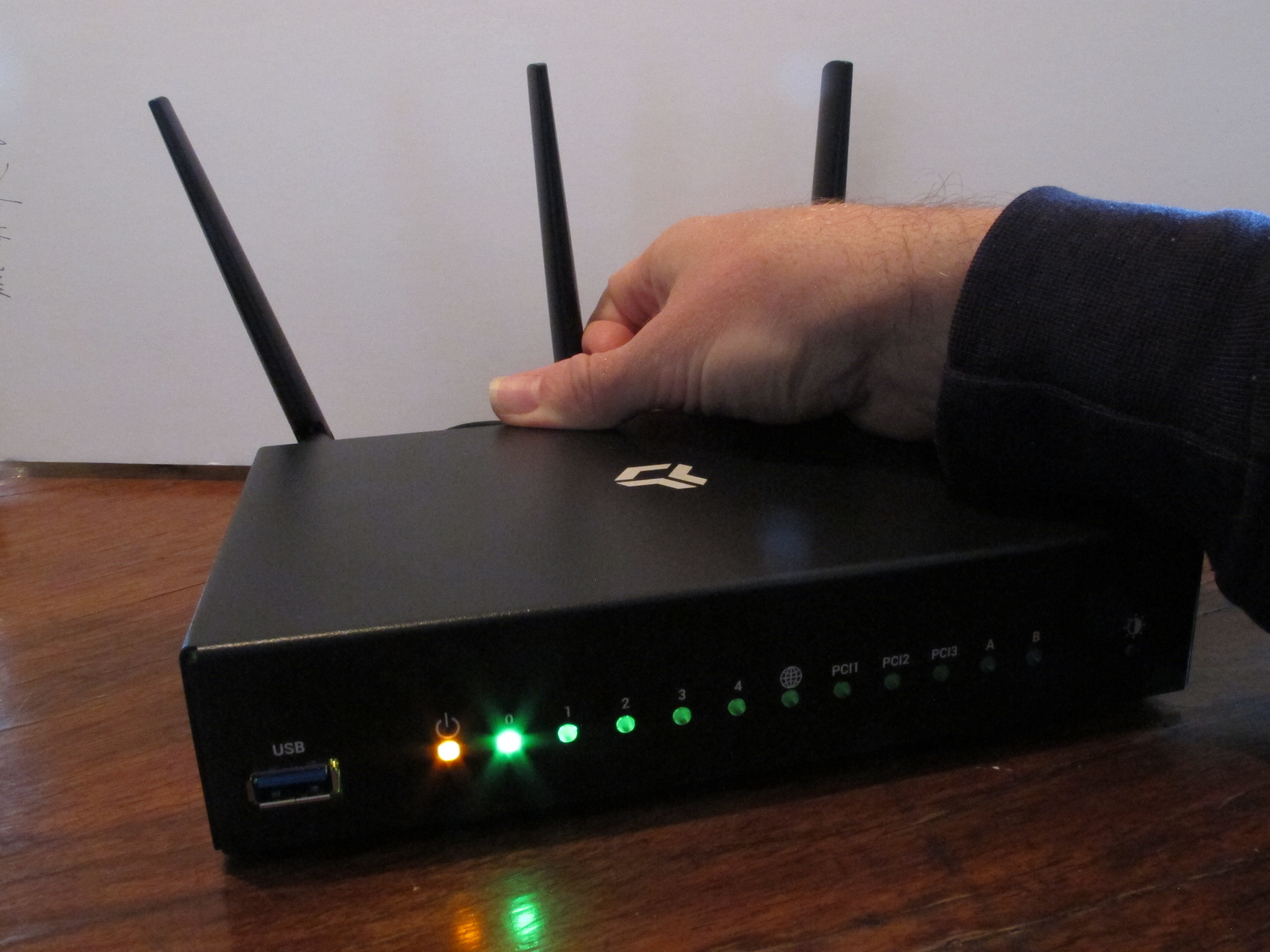
Recently I got "my" Turris Omnia and it didn't take long to replace the original firmware with Debian. If you want to reproduce, here is what you have to do: Open the case of the Turris Omnia, connect the hacker pack (or an RS232-to-TTL adapter) to access the U-Boot prompt (see Turris Omnia: How to use the "Hacker pack"). Then download the installer and device tree:
# cd /srv/tftp
# wget https://d-i.debian.org/daily-images/armhf/daily/netboot/vmlinuz
# wget https://d-i.debian.org/daily-images/armhf/daily/netboot/initrd.gz
# wget https://www.kleine-koenig.org/tmp/armada-385-turris-omnia.dtb
(The latter is not included yet in Debian, but I'm working on that.) and after connecting the Turris Omnia's WAN to a dhcp managed network start it in U-Boot:
dhcp
setenv serverip 192.168.1.17
tftpboot 0x01000000 vmlinuz
tftpboot 0x02000000 armada-385-turris-omnia.dtb
tftpboot 0x03000000 initrd.gz
bootz 0x01000000 0x03000000:$filesize 0x02000000
With 192.168.1.17 being the IPv4 of the machine you have the tftp server running. I suggest to use btrfs as rootfs because that works well with U-Boot. Before finishing the installation put the dtb in the rootfs as /boot/dtb. To then boot into Debian do in U-Boot:
setenv mmcboot=btrload mmc 0 0x01000000 boot/vmlinuz\; btrload mmc 0 0x02000000 boot/dtb\; btrload mmc 0 0x03000000 boot/initrd.img\; bootz 0x01000000 0x03000000:$filesize 0x02000000
setenv bootargs console=ttyS0,115200 rootfstype=btrfs rootdelay=2 root=/dev/mmcblk0p1 rootflags=commit=5 rw
saveenv
boot
Known issues: If you have problems, don't hesitate to contact me. Also check the Debian Wiki for further details.

Mart n Ferrari: Replacing proprietary Play Services with MicroG

For over a year now, I have been using CyanogenMod in my Nexus phone. At first I just installed some bundle that brought all the proprietary Google applications and libraries, but later I decided that I wanted more control over it, so I did a clean install with no proprietary stuff. This was not so great at the beginning, because the base system lacks the geolocation helpers that allow you to get a position in seconds (using GSM antennas and Wifi APs). And so, every time I opened OsmAnd (a great maps application, free software and free maps), I would have to wait minutes for the GPS radio to locate enough satellites. Shortly after, I found about the UnifiedNLP project that provided a drop-in replacement for the location services, using pluggable location providers. This worked great, and you could choose to use the Apple or Mozilla on-line providers, or off-line databases that you could download or build yourself. This worked well for most of my needs, and I was happy about it. I also had F-droid for installing free software applications, DAVdroid for contacts and calendar synchronisation, K9 for reading email, etc. I still needed some proprietary apps, but most of the stuff in my phone was Free Software. But sadly, more and more application developers are buying into the vendor lock-in that is Google Play Services, which is a set of APIs that offer some useful functionality (including the location services), but that require non-free software that is not part of the AOSP (Android Open-Source Project). Mostly, this is because they make push notifications a requirement, or because they want you to be able to buy stuff from the application. This is not limited to proprietary software. Most notably, the Signal project refuses to work without these libraries, or even to distribute the pre-compiled binaries on any platform that is not Google Play! (This is one of many reason why I don't recommend Signal to anybody). And of course, many very useful services that people use every day require you to install proprietary applications, which care much less about your choices of non-standard platforms. For the most part, I had been able to just get the package files for these applications1 from somewhere, and have the functionality I wanted. Some apps would just work perfectly, others would complain about the lack of Play Services, but offer a degraded experience. You would not get notifications unless you re-opened the application, stuff like that. But they worked. Lately, some of the closed-source apps I sometimes use stopped working altogether. So, tired of all this, I decided to give the MicroG project a try.

MicroG MicroG is a direct descendant of UnifiedNLP and the NOGAPPS project. I had known about it for a while, but the installation procedures always put me off. LWN published an article about them recently, and so I decided to spend a good chunk of time making it work. This blog post is to help making this a bit less painful. Some prerequisites:
  • No Gapps installed.
  • Rooted phone (at least for the mechanism I describe here).
  • Working ADB with root access to the phone.
  • UnifiedNLP needs to be uninstalled (MicroG carries its own version of it).

Signature spoofing The main problem with the installation, is that MicroG needs to pretend to be the original Google bundle. It has to show the same name, but most importantly, it has to spoof its cryptographic signatures so other applications do not realise it is not the real thing. OmniROM and MarshROM (other alternative firmwares for Android) provide support for signature spoofing out of the box. If you are running these, go ahead and install MicroG, it will be very easy! Sadly, the CyanogenMod refused allowing signature spoofing, citing security concerns2, so most users will have to go the hard way. The options for enabling this feature are basically two: either patch some core libraries H4xx0r style, or use the "Xposed framework". Since I still don't really understand what this Xposed thing is, and it is one of these projects that distributes files on XDA forums, I decided to go the dirty way.

Patching the ROM Note: this method requires a rooted phone, java, and adb. The MicroG wiki links to three different projects for patching your ROM, but turns out that two of them would not work at all with CyanogenMod 11 and 13 (the two versions I tried), because the system is "odexed" (whatever that means, the Android ecosystem is really annoying). I actually upgraded CM to version 13 just to try this, so a couple of hours went there, with no results. The project that did work is Haystack by Lanchon, which seems to be the cleaner and better developed of the three. Also the one with the most complex documentation. In a nutshell, you need to download a bunch of files from the phone, apply a series of patches to it, and then reupload it. To obtain the files and place them in the maguro (the codename for my phone) directory:
$ ./pull-fileset maguro
Now you need to apply some patches with the patch-fileset script. The patches are located in the patches directory:
$ ls patches
sigspoof-core
sigspoof-hook-1.5-2.3
sigspoof-hook-4.0
sigspoof-hook-4.1-6.0
sigspoof-hook-7.0
sigspoof-ui-global-4.1-6.0
sigspoof-ui-global-7.0
The patch-fileset script takes these parameters:
patch-fileset <patch-dir> <api-level> <input-dir> [ <output-dir> ]
Note that this requires knowing your Android version, and the API level. If you don't specify an output directory, it will append the patch name to the input directory name. Note that you should also check the output of the script for any warnings or errors! First, you need to apply the patch that hooks into your specific version of Android (6.0, API level 23 in my case):
$ ./patch-fileset patches/sigspoof-hook-4.1-6.0 23 maguro
>>> target directory: maguro__sigspoof-hook-4.1-6.0
[...]
*** patch-fileset: success
Now, you need to add the core spoofing module:
$ ./patch-fileset patches/sigspoof-core 23 maguro__sigspoof-hook-4.1-6.0
>>> target directory: maguro__sigspoof-hook-4.1-6.0__sigspoof-core
[...]
*** patch-fileset: success
And finally, add the UI elements that let you enable or disable the signature spoofing:
$ ./patch-fileset patches/sigspoof-ui-global-4.1-6.0 23 maguro__sigspoof-hook-4.1-6.0__sigspoof-core
>>> target directory: maguro__sigspoof-hook-4.1-6.0__sigspoof-core__sigspoof-ui-global-4.1-6.0
[...]
*** patch-fileset: success
Now, you have a bundle ready to upload to your phone, and you do that with the push-fileset script:
$ ./push-fileset maguro__sigspoof-hook-4.1-6.0__sigspoof-core__sigspoof-ui-global-4.1-6.0
After this, reboot your phone, go to settings / developer settings, and at the end you should find a checkbx for "Allow signature spoofing" which you should now enable.

Installing MicroG Now that the difficult part is done, the rest of the installation is pretty easy. You can add the MicroG repository to F-Droid and install the rest of the modules from there. Check the installation guide for all the details. Once all the parts are in place, and after a last reboot, you should find a MicroG settings icon that will check that everything is working correctly, and give you the choice of which components to enable. So far, other applications believe this phone has nothing weird, I get quick GPS fixes, push notifications seem to work... Not bad at all for such a young project! Hope this is useful. I would love to hear your feedback in the comments!

  1. Which is a pretty horrible thing, having to download from fishy sites because Google refuses to let you use the marketplace without their proprietary application. I used to use a chrome extension to trick Google Play into believing your phone was downloading it, and so you could get the APK file, but now that I have no devices running stock Android, that does not work any more.
  2. Actually, I am still a bit concerned about this, because it is not completely clear to me how protected this is against malicious actors (I would love to get feedback on this!).
3 comments

16 November 2016

Shirish Agarwal: The long tail in a common s man journey to debconf16 2

This is an extension of part 1 which I shared few days ago. This would be a longish one so please bear. First of all somebody emailed me this link so in the future a layover at Doha Airport will be a bit expensive from before, approx INR 700/- added to the ticket costs Moving on, Let me share an experience I shared one of the last few days I had while I was in Cape Town
Singer singing some great oldies from 60's , 70's till 90's.

Singer singing some great oldies from 60 s , 70 s till 90 s.

I had booked a place near Long Street, Cape Town using Bernelle s help. What I had not known at that time that near Long Street there are free walking tours every couple of hours. I took part in all the tours and those were nice experiences. Where they start the walk, there was the gentleman pictured above. I was amazed by this gentleman s rich voice. He strummed lot of classics from the 60 s, 70 s till the 90 s . I had two coffees and thought I was at a premium rock concert. It was a bitter-sweet experience for me because I could see that he has such prodigious talent and still he had to struggle to survive to make ends meet. I did my 2 bit but wish I could have done something more. Side note Before I forget there is one trick of feh which I use to view images without it getting very high-resolution (especially on my low-end systems) [shirish@debian] - [/run/user/1000/gvfs/mtp:host=%5Busb%3A001%2C006%5D/Card/DCIM/Camera] - [4621]
[$] feh -g 1350x1000 .
This actually makes it far far easier to traverse through the 1000 odd photos of the trip that I have in my personal archive without doing any sort of conversion methodology. Btw, it took me time but finally was able to create an album at gallery.debconf.org . Haven t been able to upload photos as came across an error which I have shared at https://lists.debconf.org/lurker/message/20161113.215659.fce58823.en.html Moving on, here s the funny story/experience I wanted to share could have been arrested ;) What happened was this. This is from the Doha Airport. I had seen big buggies (ones similar to golf carts) which was ferrying people from end of the concourse to the other. I had been walking the whole day and even with the horizontal escalators and everything, it takes a toll. I was half-tired, half-sleepy and saw a buggy stationed. From behind it looked like the buggies I had seen. As there was no place to park my behind there, I entered into the buggy and sat there. Around 15-20 minutes later a Doha cop in another buggy came to me and asked me if something had happened ? I had no clue what he was talking about. He told/shared/asked me in friendly tone whether I had committed a crime or wanted to report a crime. When I replied in negative to both, he asked then why I was sitting there. I replied it was for stretching my legs and it was the buggy which was being used to transport people from A. to B. He gently told me I had entered into the wrong one and it was actually a cop buggy. I couldn t believe it. He did go his own way as he saw I was dead-tired. After 10-15 minutes, half-believingly I came out of the buggy and to my shock the gentleman was right. There was nothing to do but solder on to find a spot in this big airport. I shared this with few friends and family and managed to elicit few laughs hence sharing. The somewhat sad one was I had met a couple with a baby. Now as shared before, Most Airports including the Doha Airport is Air-Conditioned/Climate-Controlled and is probably in mid-20 s so it was more than cold for me. The couples with the baby were from Asian sub-continent. From their clothes and the way they were, they were not very well off. I do remember them sharing that they had a death in the family and hence were going. I didn t know at that point in time that there was something called bereavement fares and if they were able to take opportunity of those tickets. But this is besides the point . The issue was that their baby had been running a high-fever and the A/C was making matters worse. I had seen a pharmacy but no clinic in the airport. It was much later I came across http://dohahamadairport.com/airport-guide/facilities-services/medical-emergencies but as can be seen on the web-page it doesn t tell whether the services are chargeable or not. I assume it would be paid, although in some of the developed/industrialized countries it is rumoured not to be for simple ailments such as the baby was going through. Have no idea if that s true or not. I also don t know how it equates with travel insurance as well as most travel insurance is also supposed to help you in situations like these. I was concerned as it was a baby and babies as all know are very very fragile. If anybody has an idea or had similar experience would like to know specifically related to International Airport environment as it has transit issues unlike in domestic airports where I don t think it would be a bit more easy. Now coming to my own inadequacies/lack of foresight which I had mentioned I will share, I had asked/queried and got to lead a Debian-installation workshop on the Open Debian Day. I had done a few earlier and had installed it a few times on my system and for my friends, relatives and some clients. The only bad experiences I had were to do with UEFI but even those in the jessie releases had got resolved quite a bit, so was pretty confident. The day before the Installfest was to happen, Mensah Nyarko Yaa Dufie (one full name) of Ghana approached me to install Debian on her system. I had some older version of the Debian DVD either 8.1 or 8.3 and had known that 8.5 had been released just a few days back. Had seen pretty fast internet (as far as downloading Debian DVD) is concerned hence asked her to wait a bit while I downloaded the newest image. I sha256summed it to make sure that the image was bit-to-bit perfect. Now I hadn t bought a pen drive/disk from India as I was under the impression that in such conferences, pen drives should not be an issue. I had asked Bernelle privately before via e-mail as well and she had assured me that some pen-drives would be available. She gave me a handful of HP pen drives. The pen drives as we came know during our usage were somewhat flaky. It would pop out/lose connection even with the slightest nudge to the lappy. Somehow I was able to transfer the image to the usb disk. As people say hindsight is 50:50 maybe it was not such a smart move on my part to download the big DVD image and maybe I should have got the netinstall iso . Be careful, the link I have just shared is of the old version, if you have good web link and want to try the newest stable netinstall head to cdimage.debian.org . Apart from that goof-up I dunno (still) of anyway to know if a copy from an .iso image to usb was successful or not and did it do correctly I did the following command sudo dd if=/path_to/debian-dvd.iso of=/dev/usb-mount-point which is usually /dev/sdb on all of my systems . Her system was a brand new HP (don t remember the model details) which she had bought just a few weeks/months before debconf. We tried a few times but it failed at installing the boot-loader stage. I asked Ritesh Raj Saraff (a friend and DD) and while he had some ideas, none of them worked. Ritesh later pointed out Steve McIntyre and shared he is part of the Debian-Installer team. At that point in time, I had no clue who Steve McIntyre was otherwise I probably would not have approached him. He quickly acquiesced to my request and shared that he would be there for the workshop. With load of my mind little bit, I apologized to mensah and asked her to be at the workshop the following day. I had no clue what was wrong at this point in time, whether it was the iso image in the usb disk or a UEFI issue. This also wasn t good for my confidence but as somebody from the Debian-Installer team was there, I was somewhat relaxed. Next day, some more people came for the Installfest. While I had made 2-3 copies, clearly it was not enough as more people came. I was in a frenzy and asked Deven Bansod, Keerthana Krishnan, Prabaharan Jaminy (the whole GSOC and Outreachy attendees) to volunteer to help out in making more iso images on usb disks. I introduced mensah to Steve McIntyre and we tried 2-3 times to get debian installed on the system but it didn t move from the same place. Ritesh shared that dd had a memory leak and hence cat was a better way to do it. So we did

$ cat debian.iso > /dev/sdb
and soon other machines had debian sporting on their desktops. But mensa s lappy wouldn t get move from the boot-loader stage. Suddenly Steve had the bright idea (light bulb moment) that maybe the .iso is corrupted/usb disk is bad or something is incomplete. We started on another usb disk. Now this is where I have a query While I don t want to compare, in Ubuntu there was an image self-checking mechanism where probably behind the scenes (backend) the checksums published in a file are compared with checksums generated by apps. which are on the .iso image. While it does extend your time, the end result is you know if there is some issue on the decompressed image on the usb disk. AFAIK we don t have anything similar. The only two things I know is the wiki page and of course the various checksums of the image as shared at http://cdimage.debian.org/debian-cd/8.6.0/amd64/iso-cd/ or http://cdimage.debian.org/debian-cd/8.6.0/amd64/iso-dvd/ If anybody knows of any movement or a bug in the BTS which I can follow for the above issue please let me know. This time Steve was able to install it without any issues. I asked him whether he had to make some specific FAT/Ex-FAT/NTFS partitions as some new UEFI-based lappies need one or more but he replied in the negative. While mensa did get her debian install, the GUI didn t come while command-prompt was available. Then Steve added backports to the sources.list, got the new kernel, new Intel/Nvidia drivers (think it was one of those hybrid models IIRC) and she was able to boot into GNOME-Debian. I didn t saw any bug-reports about checksumming state of the applications before installation but did couple of reports about badblocks support and memory checking and from action on both bug-reports it is also need of the hour (although the earlier one has been marked as won t fix :(). In this whole thing, I liked/appreciated the way Steve handled things, I intuitively understood/knew that he wasn t just part of the Debian-installer team but someone better. I can t explain it but it was there. A little investigation in the evening and it turned out that he had been Debian Project Leader for two consecutive years (2008 and 2009) . In hindsight it probably was a good thing I didn t know that before otherwise I probably wouldn t have interacted with him and it would have been my loss. To have been the DPL and still being so humble while technically being so proficient, I was amazed and didn t know what to make of it. Here i.e. in India, if somebody wins even the mohalla elections (neighbourhood elections) the person carries a big chip on her/is shoulder not just till he is on the seat but even beyond, and here was an example of a previous DPL asking time from one of the developers in a video if it s possible in the next couple of days. Lastly,last week have able to report 2 bugs upstream. The first one is of youtube-dl . It s somewhat complicated hence will not go there atm. The second and more surprising one was from nano our esteemed text-editor- Hopefully the bug will be fixed once a new version comes.
Filed under: Miscellenous Tagged: #buggy, #cop, #Debconf16, #doha airport, #Installfest, #nano, #singer, #youtube-dl, travel

Bits from Debian: Debian Contributors Survey 2016

The Debian Contributor Survey launched last week! In order to better understand and document who contributes to Debian, we (Mathieu ONeil, Molly de Blanc, and Stefano Zacchiroli) have created this survey to capture the current state of participation in the Debian Project through the lense of common demographics. We hope a general survey will become an annual effort, and that each year there will also be a focus on a specific aspect of the project or community. The 2016 edition contains sections concerning work, employment, and labour issues in order to learn about who is getting paid to work on and with Debian, and how those relationships affect contributions. We want to hear from as many Debian contributors as possible whether you've submitted a bug report, attended a DebConf, reviewed translations, maintain packages, participated in Debian teams, or are a Debian Developer. Completing the survey should take 10-30 minutes, depending on your current involvement with the project and employment status. In an effort to reflect our own ideals as well as those of the Debian project, we are using LimeSurvey, an entirely free software survey tool, in an instance of it hosted by the LimeSurvey developers. Survey responses are anonymous, IP and HTTP information are not logged, and all questions are optional. As it is still likely possible to determine who a respondent is based on their answers, results will only be distributed in aggregate form, in a way that does not allow deanonymization. The results of the survey will be analyzed as part of ongoing research work by the organizers. A report discussing the results will be published under a DFSG-free license and distributed to the Debian community as soon as it's ready. The raw, disaggregated answers will not be distributed and will be kept under the responsibility of the organizers. We hope you will fill out the Debian Contributor Survey. The deadline for participation is: 4 December 2016, at 23:59 UTC. If you have any questions, don't hesitate to contact us via email at:

Russ Allbery: Review: The Philosopher Kings

Review: The Philosopher Kings, by Jo Walton
Series: Thessaly #2
Publisher: Tor
Copyright: June 2015
ISBN: 0-7653-3267-1
Format: Hardcover
Pages: 345
Despite the cliffhanger at the end of The Just City, The Philosopher Kings doesn't pick up immediately afterwards. Argh. It's a great book (as I'm about to describe), but I really wanted to also read that book that happened in between. Still, this is the conclusion to the problem posed in The Just City, and I wouldn't recommend reading this book on its own (or, really, either book separate from the other). Despite the unwanted gap, and another change at the very start of the book that I won't state explicitly since it's a spoiler but that made me quite unhappy (despite driving the rest of the plot), this is much closer to the book that I wanted to read. Walton moves away from the SF philosophical question that drove much of the second half of The Just City in favor of going back to arguments about human organization, the nature of justice, choices between different modes of life, and the nature of human relationships. Those were the best parts of The Just City, and they're elaborated here in some fascinating ways that wouldn't have been possible in the hothouse environment of the previous book. I also thought Apollo was more interesting here than in the previous book. Still somewhat infuriating, particularly near the start, but I felt like I got more of what Walton was trying for, and more of what Apollo was attempting to use this existence to understand. And, once the plot hits its stride towards the center of the book, I started really liking Apollo. I guess it took a book and a half for him to mature enough to be interesting. A new viewpoint character, Arete, gets most of the chapters in this book, rather than following the pattern of The Just City and changing viewpoint characters every chapter. Her identity is a spoiler for The Just City, so I'll leave that a mystery. She's a bit more matter-of-fact and observational than Maia, but she does that thing that I love in Walton's characters: take an unexpected, fantastic situation, analyze and experiment with it, and draw some practical and matter-of-fact conclusions about how to proceed. I think that's the best way to describe this entire series: take a bunch of honest, thoughtful, and mostly good people, put them into a fantastic situation (at first Plato's Republic, a thought experiment made real, and then some additional fantasy complexities), and watch them tackle that situation like reasonable human beings. There is some drama, of course, because humans will disagree and will occasionally do awful, or just hurtful, things to each other. But the characters try to defuse the drama, try to be thoughtful and fair and just in their approach, and encourage change, improvement, and forgiveness in others. I don't like everyone in these books, but the vast majority of them are good people (and the few who aren't stand out), and there's something satisfying in reading about them. And the philosophical debate is wonderful throughout this book (which I'm not saying entirely because the characters have a similar reaction to a newly-introduced philosophical system as I did as a reader, although that certainly helps). I'm not saying much about the plot since so much would spoil the previous book. But Walton adds some well-done complexities and complications, and while I was dubious about them at the start of the book, I definitely came around. I enjoyed watching the characters reinvent some typical human problems, but still come at them from a unique and thoughtful angle and come up with some novel solutions. And the ending took me entirely by surprise, in a very good way. It's better than the best ending I could have imagined for the book, providing some much-needed closure and quite a bit of explanation. (And, thankfully, does not end on another cliffhanger; in fact, I'm quite curious to see what the third book is going to tackle.) Recommended, including the previous book, despite the bits that irritated me. Followed by Necessity. Rating: 9 out of 10

15 November 2016

Antoine Beaupr : The Turris Omnia router: help for the IoT mess?

The Turris Omnia router is not the first FLOSS router out there, but it could well be one of the first open hardware routers to be available. As the crowdfunding campaign is coming to a close, it is worth reflecting on the place of the project in the ecosystem. Beyond that, I got my hardware recently, so I was able to give it a try.

A short introduction to the Omnia project The Turris Omnia Router The Omnia router is a followup project on CZ.NIC's original research project, the Turris. The goal of the project was to identify hostile traffic on end-user networks and develop global responses to those attacks across every monitored device. The Omnia is an extension of the original project: more features were added and data collection is now opt-in. Whereas the original Turris was simply a home router, the new Omnia router includes:
  • 1.6GHz ARM CPU
  • 1-2GB RAM
  • 8GB flash storage
  • 6 Gbit Ethernet ports
  • SFP fiber port
  • 2 Mini-PCI express ports
  • mSATA port
  • 3 MIMO 802.11ac and 2 MIMO 802.11bgn radios and antennas
  • SIM card support for backup connectivity
Some models sold had a larger case to accommodate extra hard drives, turning the Omnia router into a NAS device that could actually serve as a multi-purpose home server. Indeed, it is one of the objectives of the project to make "more than just a router". The NAS model is not currently on sale anymore, but there are plans to bring it back along with LTE modem options and new accessories "to expand Omnia towards home automation". Omnia runs a fork of the OpenWRT distribution called TurrisOS that has been customized to support automated live updates, a simpler web interface, and other extra features. The fork also has patches to the Linux kernel, which is based on Linux 4.4.13 (according to uname -a). It is unclear why those patches are necessary since the ARMv7 Armada 385 CPU has been supported in Linux since at least 4.2-rc1, but it is common for OpenWRT ports to ship patches to the kernel, either to backport missing functionality or perform some optimization. There has been some pressure from backers to petition Turris to "speedup the process of upstreaming Omnia support to OpenWrt". It could be that the team is too busy with delivering the devices already ordered to complete that process at this point. The software is available on the CZ-NIC GitHub repository and the actual Linux patches can be found here and here. CZ.NIC also operates a private GitLab instance where more software is available. There is technically no reason why you wouldn't be able to run your own distribution on the Omnia router: OpenWRT development snapshots should be able to run on the Omnia hardware and some people have installed Debian on Omnia. It may require some customization (e.g. the kernel) to make sure the Omnia hardware is correctly supported. Most people seem to prefer to run TurrisOS because of the extra features. The hardware itself is also free and open for the most part. There is a binary blob needed for the 5GHz wireless card, which seems to be the only proprietary component on the board. The schematics of the device are available through the Omnia wiki, but oddly not in the GitHub repository like the rest of the software.

Hands on I received my own router last week, which is about six months late from the original April 2016 delivery date; it allowed me to do some hands-on testing of the device. The first thing I noticed was a known problem with the antenna connectors: I had to open up the case to screw the fittings tight, otherwise the antennas wouldn't screw in correctly. Once that was done, I simply had to go through the usual process of setting up the router, which consisted of connecting the Omnia to my laptop with an Ethernet cable, connecting the Omnia to an uplink (I hooked it into my existing network), and go through a web wizard. I was pleasantly surprised with the interface: it was smooth and easy to use, but at the same time imposed good security practices on the user. Install wizard performing automatic updates For example, the wizard, once connected to the network, goes through a full system upgrade and will, by default, automatically upgrade itself (including reboots) when new updates become available. Users have to opt-in to the automatic updates, and can chose to automate only the downloading and installation of the updates without having the device reboot on its own. Reboots are also performed during user-specified time frames (by default, Omnia applies kernel updates during the night). I also liked the "skip" button that allowed me to completely bypass the wizard and configure the device myself, through the regular OpenWRT systems (like LuCI or SSH) if I needed to. The Omnia router about to rollback to latest snapshot Notwithstanding the antenna connectors themselves, the hardware is nice. I ordered the black metal case, and I must admit I love the many LED lights in the front. It is especially useful to have color changes in the reset procedure: no more guessing what state the device is in or if I pressed the reset button long enough. The LEDs can also be dimmed to reduce the glare that our electronic devices produce. All this comes at a price, however: at \$250 USD, it is a much higher price tag than common home routers, which typically go for around \$50. Furthermore, it may be difficult to actually get the device, because no orders are being accepted on the Indiegogo site after October 31. The Turris team doesn't actually want to deal with retail sales and has now delegated retail sales to other stores, which are currently limited to European deliveries.

A nice device to help fight off the IoT apocalypse It seems there isn't a week that goes by these days without a record-breaking distributed denial-of-service (DDoS) attack. Those attacks are more and more caused by home routers, webcams, and "Internet of Things" (IoT) devices. In that context, the Omnia sets a high bar for how devices should be built but also how they should be operated. Omnia routers are automatically upgraded on a nightly basis and, by default, do not provide telnet or SSH ports to run arbitrary code. There is the password-less wizard that starts up on install, but it forces the user to chose a password in order to complete the configuration. Both the hardware and software of the Omnia are free and open. The automatic update's EULA explicitly states that the software provided by CZ.NIC "will be released under a free software licence" (and it has been, as mentioned earlier). This makes the machine much easier to audit by someone looking for possible flaws, say for example a customs official looking to approve the import in the eventual case where IoT devices end up being regulated. But it also makes the device itself more secure. One of the problems with these kinds of devices is "bit rot": they have known vulnerabilities that are not fixed in a timely manner, if at all. While it would be trivial for an attacker to disable the Omnia's auto-update mechanisms, the point is not to counterattack, but to prevent attacks on known vulnerabilities. The CZ.NIC folks take it a step further and encourage users to actively participate in a monitoring effort to document such attacks. For example, the Omnia can run a honeypot to lure attackers into divulging their presence. The Omnia also runs an elaborate data collection program, where routers report malicious activity to a central server that collects information about traffic flows, blocked packets, bandwidth usage, and activity from a predefined list of malicious addresses. The exact data collected is specified in another EULA that is currently only available to users logged in at the Turris web site. That data can then be turned into tweaked firewall rules to protect the overall network, which the Turris project calls a distributed adaptive firewall. Users need to explicitly opt-in to the monitoring system by registering on a portal using their email address. Turris devices also feature the Majordomo software (not to be confused with the venerable mailing list software) that can also monitor devices in your home and identify hostile traffic, potentially leading users to take responsibility over the actions of their own devices. This, in turn, could lead users to trickle complaints back up to the manufacturers that could change their behavior. It turns out that some companies do care about their reputations and will issue recalls if their devices have significant enough issues. It remains to be seen how effective the latter approach will be, however. In the meantime, the Omnia seems to be an excellent all-around server and router for even the most demanding home or small-office environments that is a great example for future competitors.
Note: this article first appeared in the Linux Weekly News.

H ctor Or n Mart nez: Open Build Service in Debian needs YOU!

Open Build Service is a generic system to build and distribute packages from sources in an automatic, consistent and reproducible way.
openSUSE distributions build system is based on a generic framework named Open Build Service (OBS), I have been using these tools in my work environment, and I have to say, as Debian developer, that it is a great tool. In the current blog post I plan for you to learn the very basics of such tool and provide you with a tutorial to get, at least, a Debian package building.

Fig 1 Open Build Service Architecture

The figure above shows Open Build Service, from now on OBS, software architecture. There are several parts which we should differenciate: Each one of the above packages can be installed in separated machines as a distributed architecture, it is very easy to split the system into several machines running the services, however in the tutorial below everything installs in one machine.
BACKEND The backend is composed of several scripts written either in shell or Perl. There are several services running in the backend: The backend manages source packages (any format such RPM, DEB, ) and schedules them for a build in the worker. Once the package is built it can be published in a repository for the wider audience or kept unpublished and used by other builds.
WORKER System can have several worker machines which are encharged to perform the package builds. There are different options that can be configured (see /etc/default/obsworker) such enabling switch, number of worker instances, jobs per instance. This part of the system is written in shell and/or Perl language.
WEB UI / API The frontend allows in a clickable way to get around most options OBS provides: setup projects, upload/branch/delete packages, submit review requests, etc. As an example, you can see a live instance running at https://build.opensuse.org/ The frontend parts are really a Ruby-on-rails web application, we (mainly thanks to Andrew Lee with ruby team help) have tried to get it nicely running, however we have had lots of issues due to javascripts or rubygems malfunctioning. Current webui is visible and provides some package status, however most actions do not work properly, or configurations cannot be applied as editor does not save changes, projects or packages in a project are not listed either. If you are a Ruby-on-rails expert or if you are able to help us out with some of the webui issues we get at Debian that would be really appreciated from our side.
OSC CLI OSC is a managing command line tool, written in Python, that interfaces with OBS API to be able to perform actions, edit configurations, do package reviews, etc.
Now that we have done a general overview of the system, let me introduce you to OBS with a practical tutorial. TUTORIAL: Build a Debian package against Debian 8.0 using Download On Demand (DoD) service.

Next.

Previous.