Melissa Wen: Kworkflow at Kernel Recipes 2025
 This was the first year I attended Kernel
Recipes and I have nothing but say how
much I enjoyed it and how grateful I m for the opportunity to talk more about
kworkflow to very experienced kernel developers. What
I mostly like about Kernel Recipes is its intimate format, with only one track
and many moments to get closer to experts and people that you commonly talk
online during your whole year.
In the beginning of this year, I gave the talk Don t let your motivation go,
save time with kworkflow at
FOSDEM,
introducing kworkflow to a more diversified audience, with different levels of
involvement in the Linux kernel development.
At this year s Kernel Recipes I presented
the second talk of the first day: Kworkflow - mix & match kernel recipes end-to-end.
The Kernel Recipes audience is a bit different from FOSDEM, with mostly
long-term kernel developers, so I decided to just go directly to the point. I
showed kworkflow being part of the daily life of a typical kernel developer
from the local setup to install a custom kernel in different target machines to
the point of sending and applying patches to/from the mailing list. In short, I
showed how to mix and match kernel workflow recipes end-to-end.
As I was a bit fast when showing some features during my presentation, in this
blog post I explain each slide from my speaker notes. You can see a summary of
this presentation in the Kernel Recipe Live Blog Day 1: morning.
Introduction
 Hi, I m Melissa Wen from Igalia. As we already started sharing kernel recipes
and even more is coming in the next three days, in this presentation I ll talk
about kworkflow: a cookbook to mix & match kernel recipes end-to-end.
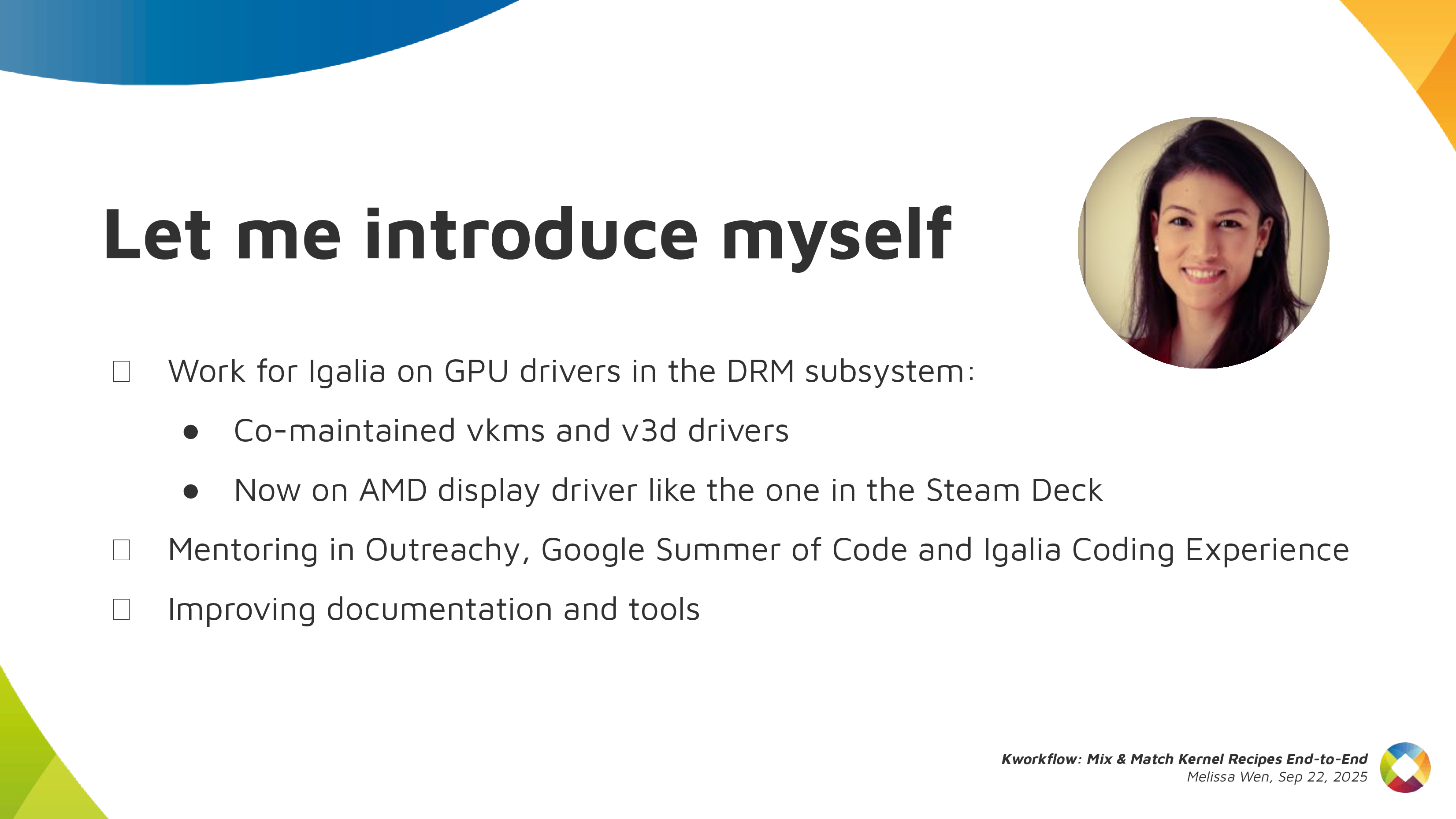 This is my first time attending Kernel Recipes, so lemme introduce myself
briefly.
- As I said, I work for Igalia, I work mostly on kernel GPU drivers in the DRM
subsystem.
- In the past, I co-maintained VKMS and the v3d driver. Nowadays I focus on the
AMD display driver, mostly for the Steam Deck.
- Besides code, I contribute to the Linux kernel by mentoring several newcomers
in Outreachy, Google Summer of Code and Igalia Coding Experience. Also, by
documenting and tooling the kernel.
 And what s this cookbook called kworkflow?
Kworkflow (kw)
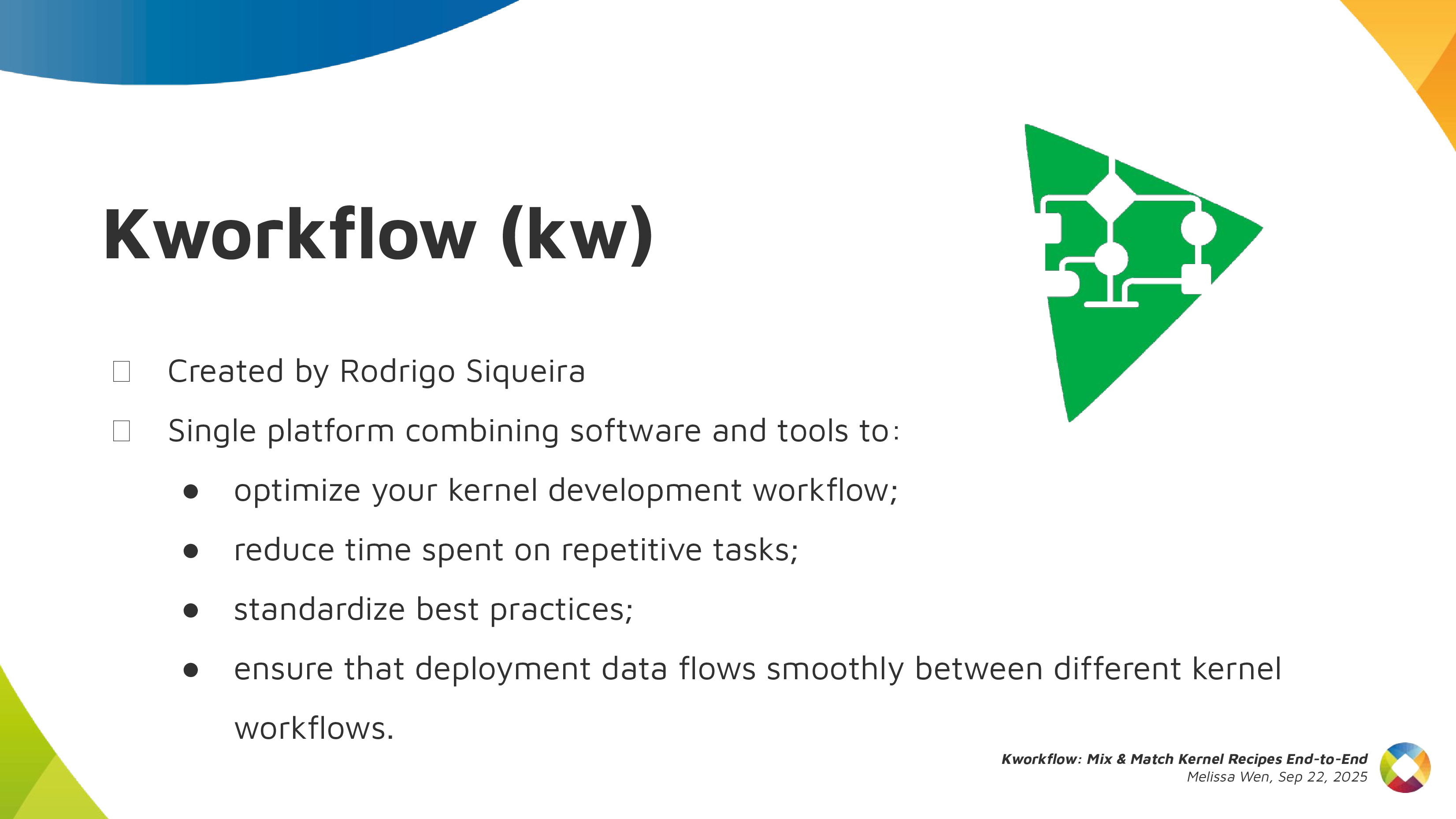 Kworkflow is a tool created by Rodrigo Siqueira, my colleague at Igalia. It s a
single platform that combines software and tools to:
- optimize your kernel development workflow;
- reduce time spent in repetitive tasks;
- standardize best practices;
- ensure that deployment data flows smoothly and reliably between different
kernel workflows;
 It s mostly done by volunteers, kernel developers using their spare time. Its
features cover real use cases according to kernel developer needs.
 Basically it s mixing and matching the daily life of a typical kernel developer
with kernel workflow recipes with some secret sauces.
First recipe: A good GPU driver for my AMD laptop
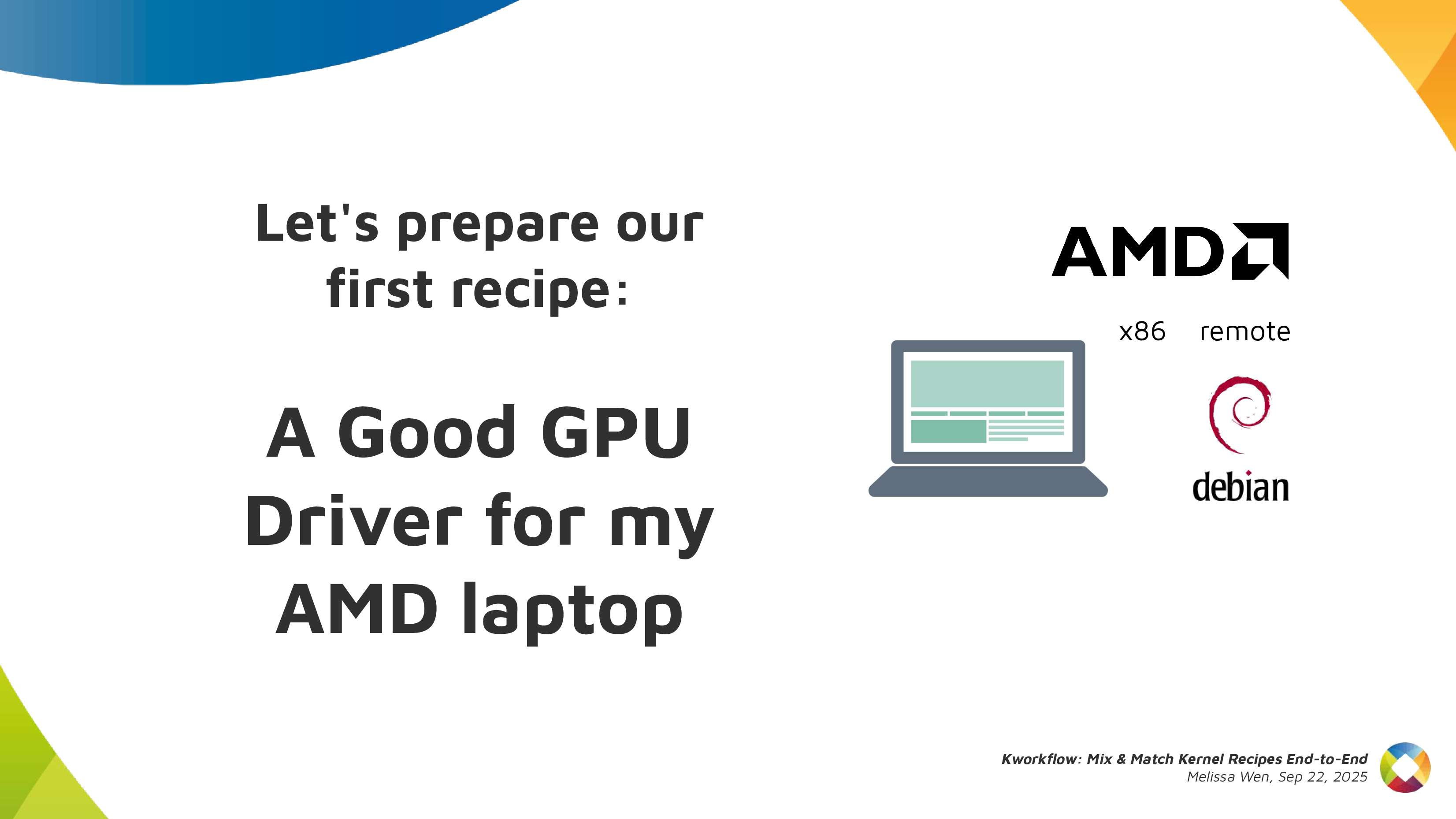 So, it s time to start the first recipe: A good GPU driver for my AMD laptop.
 Before starting any recipe we need to check the necessary ingredients and
tools. So, let s check what you have at home.
With kworkflow, you can use:
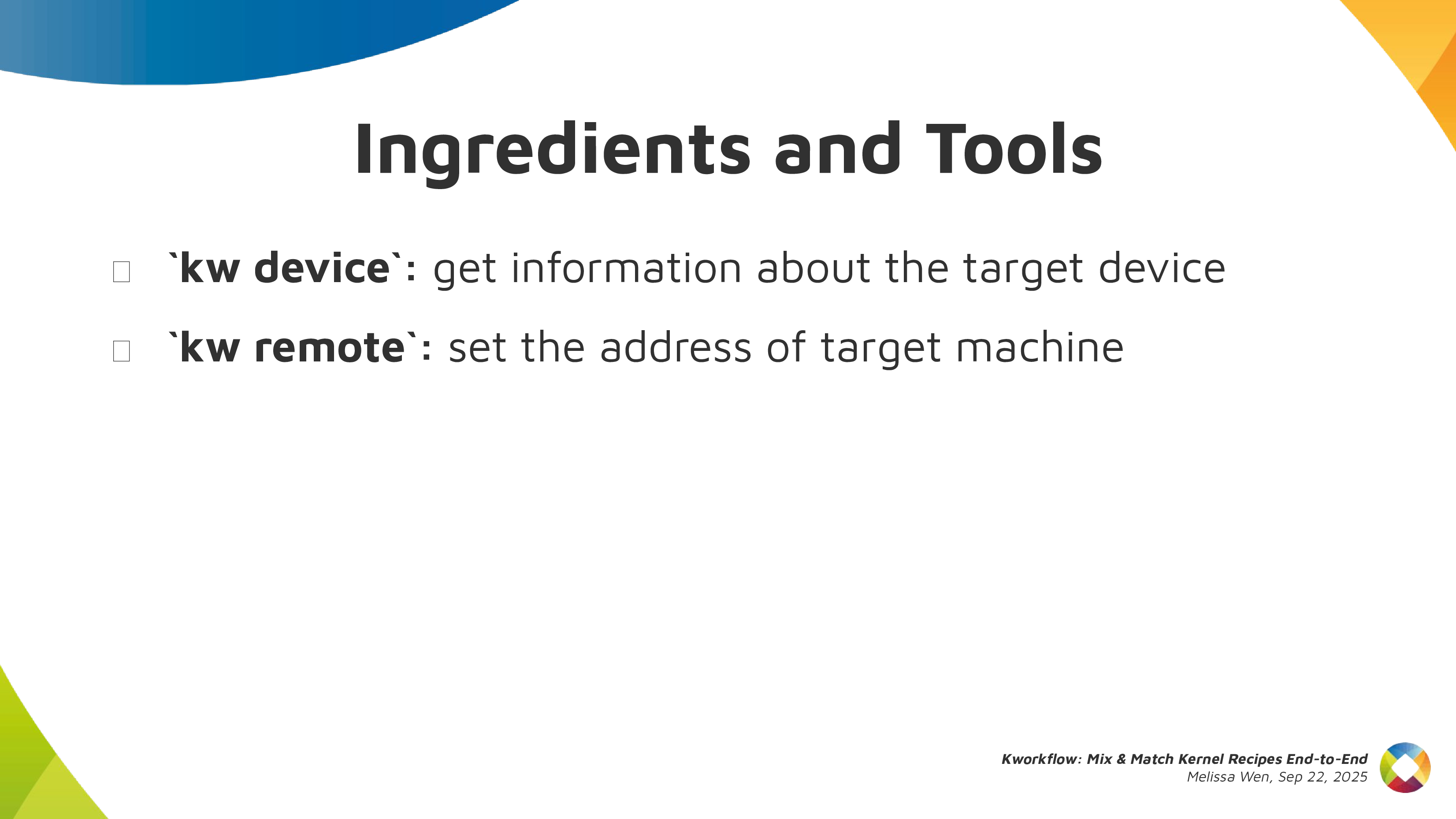
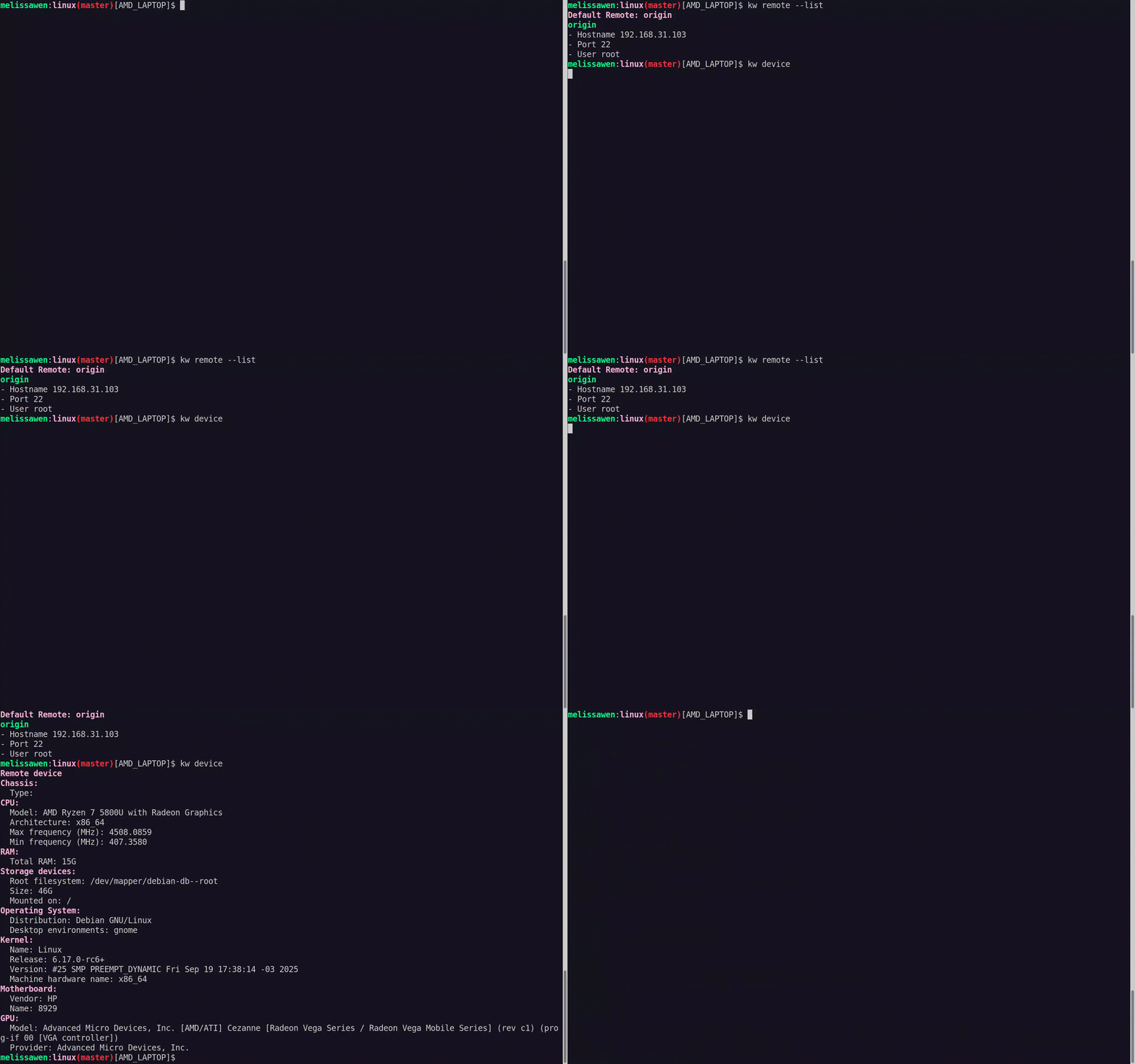
-
kw device: to get information about the target machine, such as: CPU model,
kernel version, distribution, GPU model,
-
kw remote: to set the address of this machine for remote access
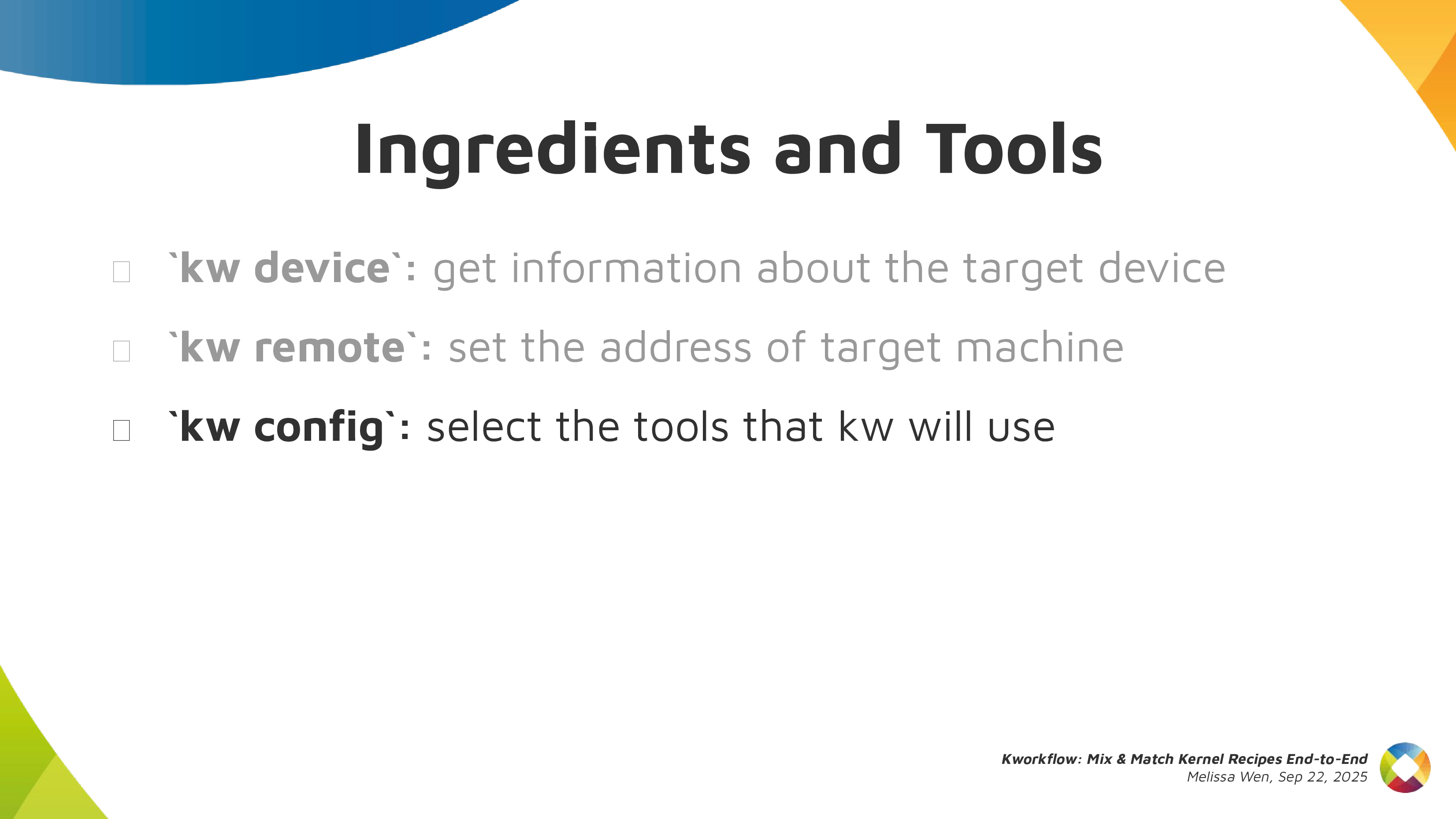
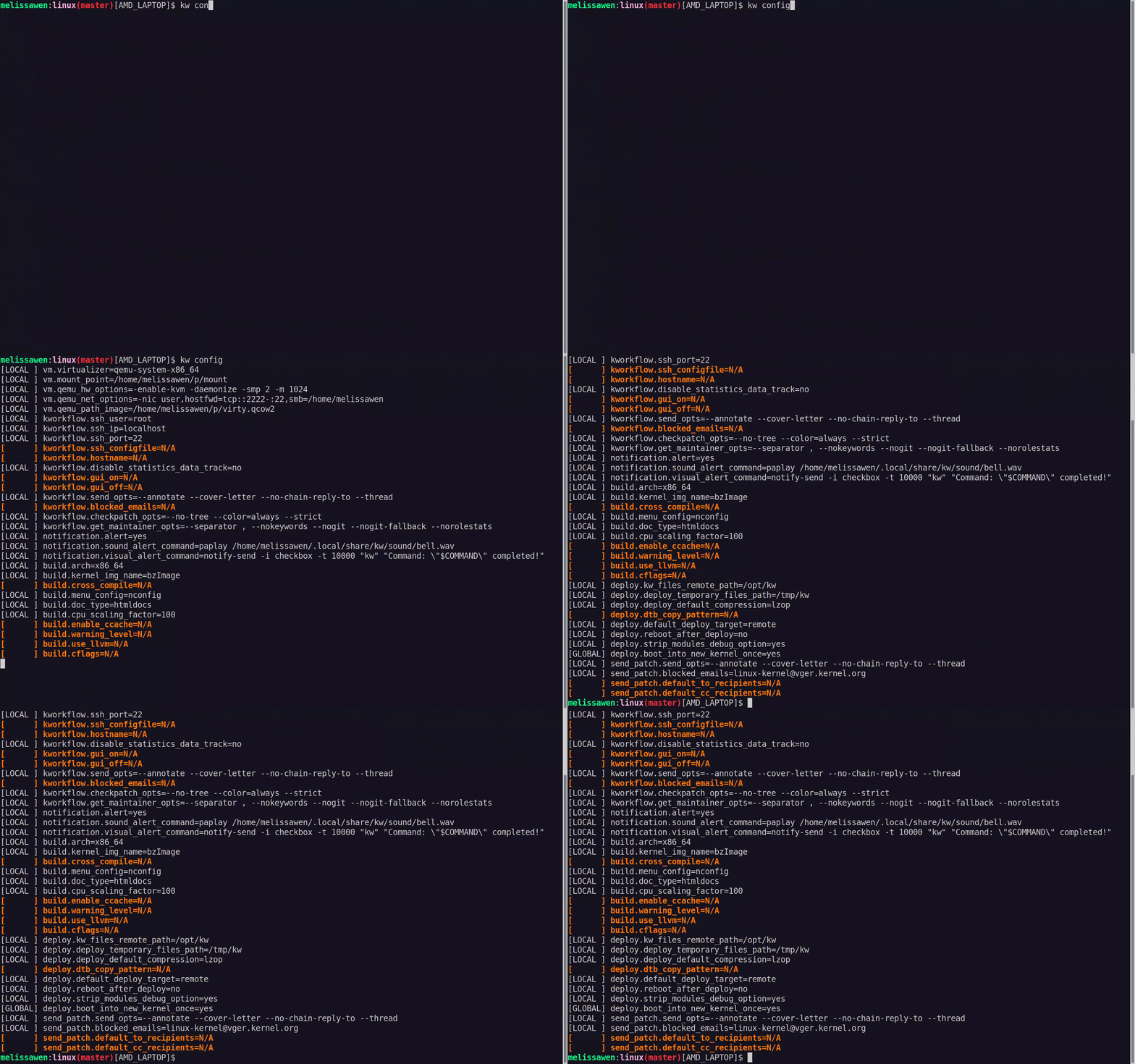
kw config: you can configure kw with kw config. With this command you can
basically select the tools, flags and preferences that kw will use to build
and deploy a custom kernel in a target machine. You can also define recipients
of your patches when sending it using kw send-patch. I ll explain more about
each feature later in this presentation.
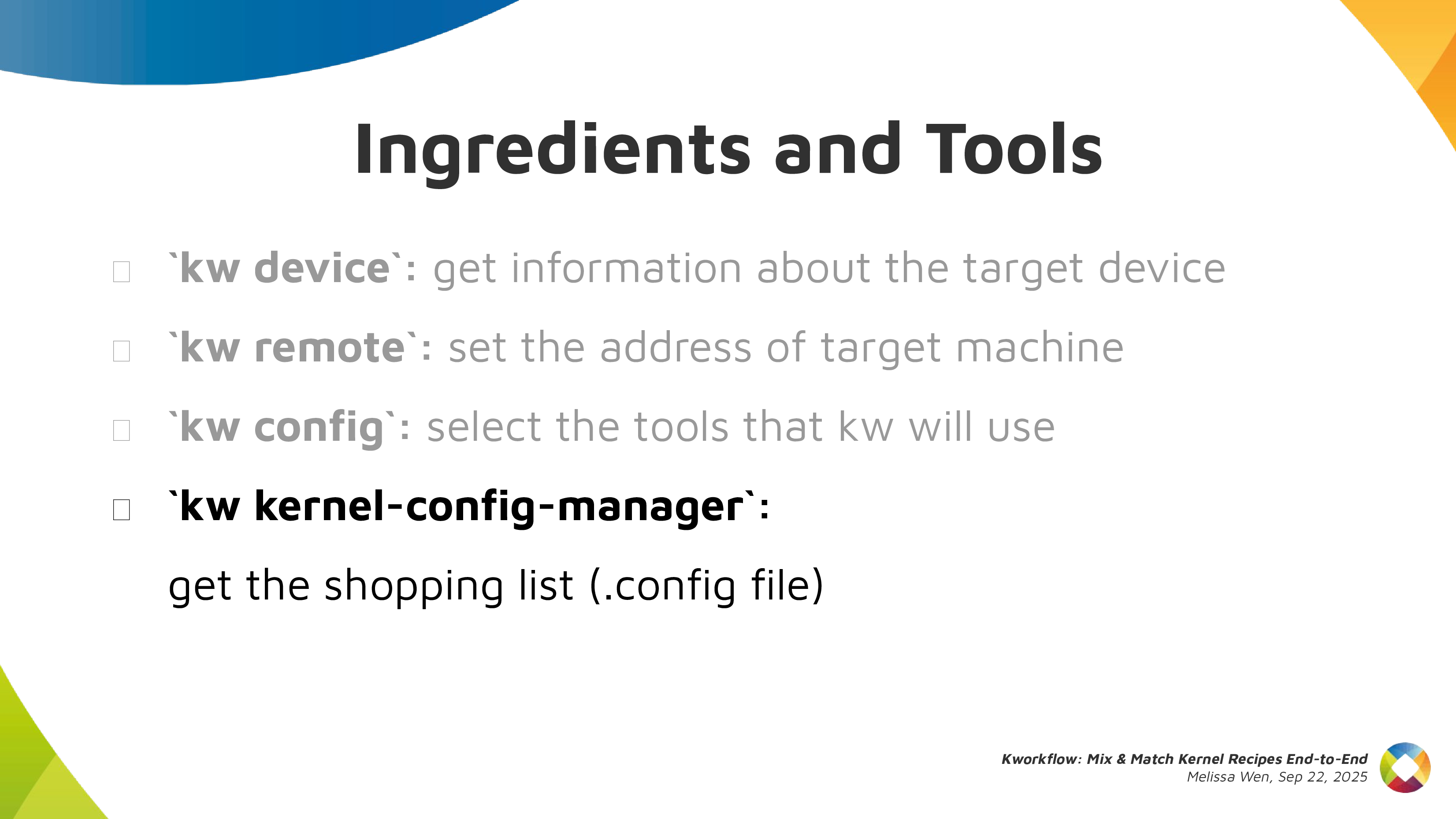
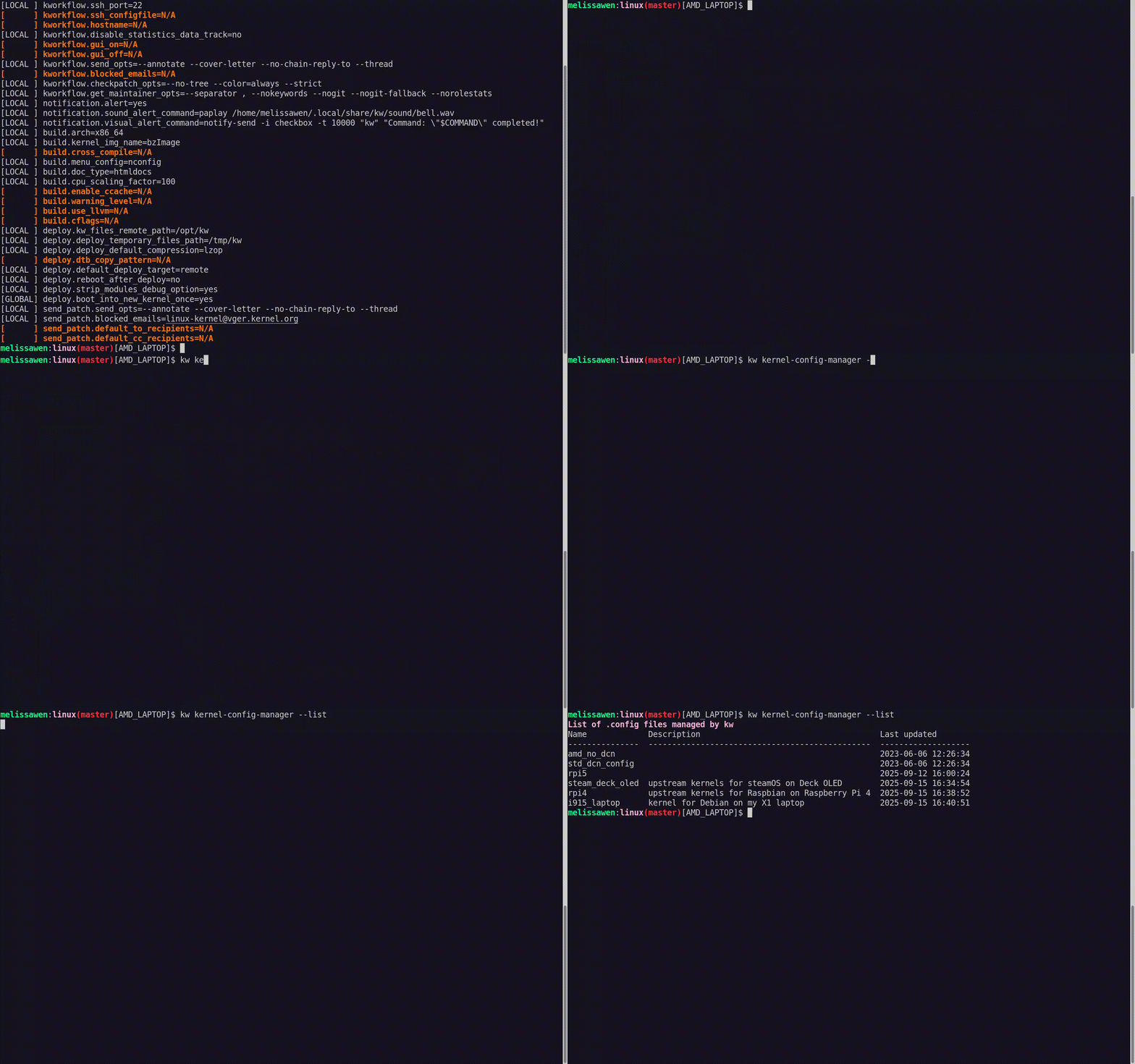
kw kernel-config manager (or just kw k): to fetch the kernel .config file
from a given machine, store multiple .config files, list and retrieve them
according to your needs.
 Now, with all ingredients and tools selected and well portioned, follow the
right steps to prepare your custom kernel!
First step: Mix ingredients with
kw build or just kw b
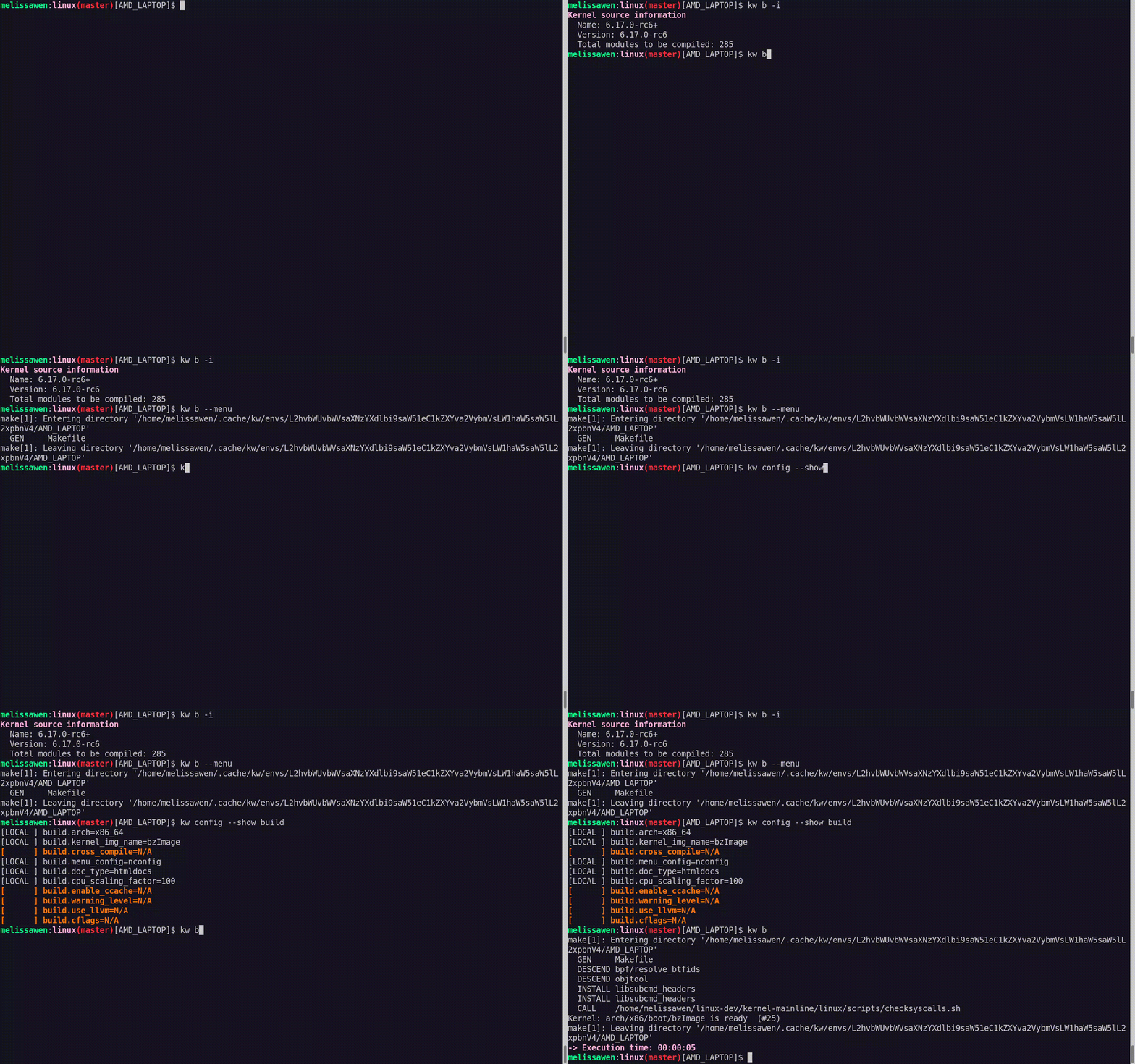
kw b and its options wrap many routines of compiling a custom kernel.
- You can run
kw b -i to check the name and kernel version and the number
of modules that will be compiled and kw b --menu to change kernel
configurations.
- You can also pre-configure compiling preferences in kw config regarding
kernel building. For example, target architecture, the name of the
generated kernel image, if you need to cross-compile this kernel for a
different system and which tool to use for it, setting different warning
levels, compiling with CFlags, etc.
- Then you can just run
kw b to compile the custom kernel for a target
machine.
Second step: Bake it with kw deploy or just kw d
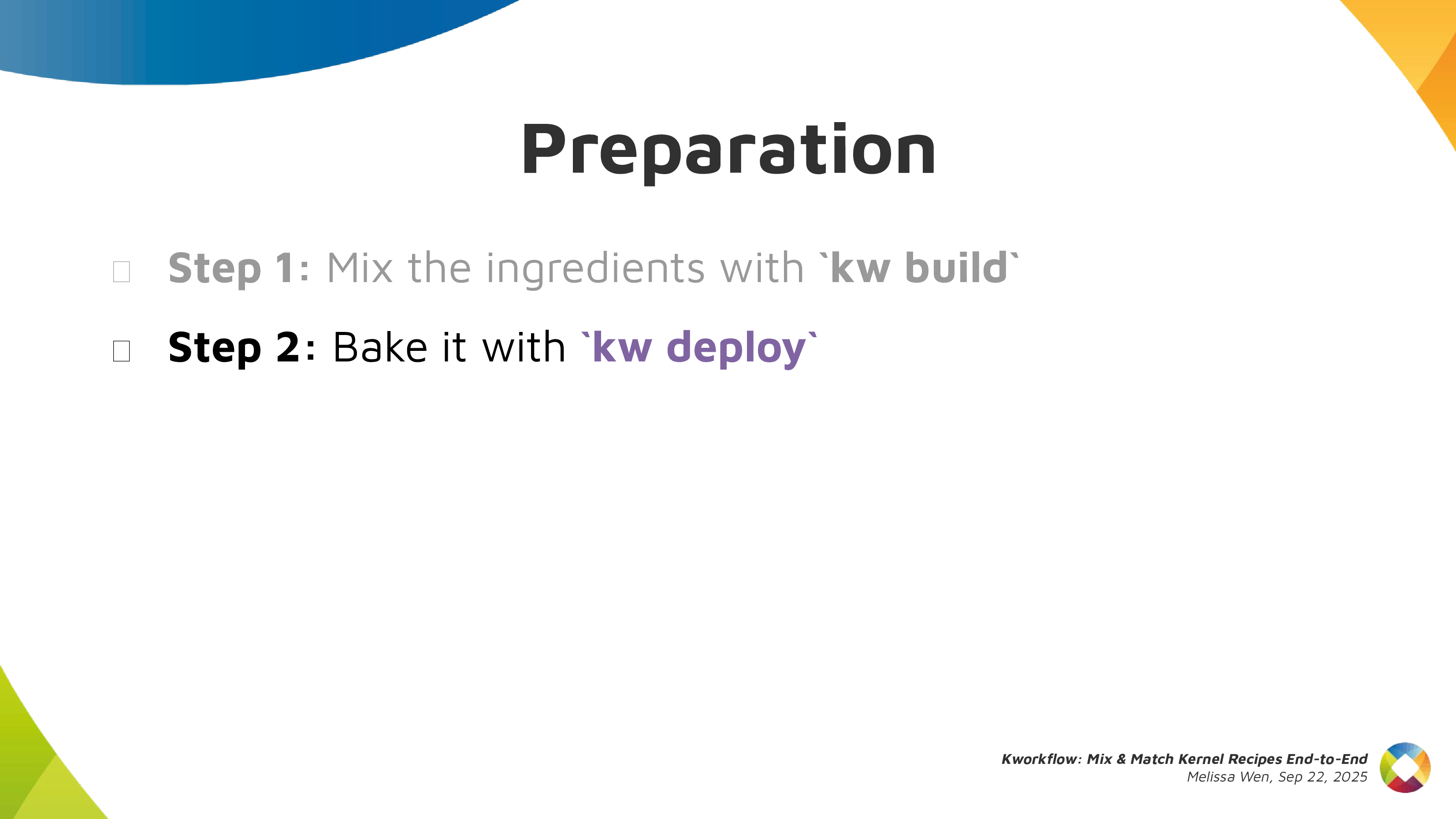
 After compiling the custom kernel, we want to install it in the target machine.
Check the name of the custom kernel built:
6.17.0-rc6 and with kw s SSH
access the target machine and see it s running the kernel from the Debian
distribution 6.16.7+deb14-amd64.
As with building settings, you can also pre-configure some deployment settings,
such as compression type, path to device tree binaries, target machine (remote,
local, vm), if you want to reboot the target machine just after deploying your
custom kernel, and if you want to boot in the custom kernel when restarting the
system after deployment.
If you didn t pre-configured some options, you can still customize as a command
option, for example: kw d --reboot will reboot the system after deployment,
even if I didn t set this in my preference.
With just running kw d --reboot I have installed the kernel in a given target
machine and rebooted it. So when accessing the system again I can see it was
booted in my custom kernel.
Third step: Time to taste with kw debug
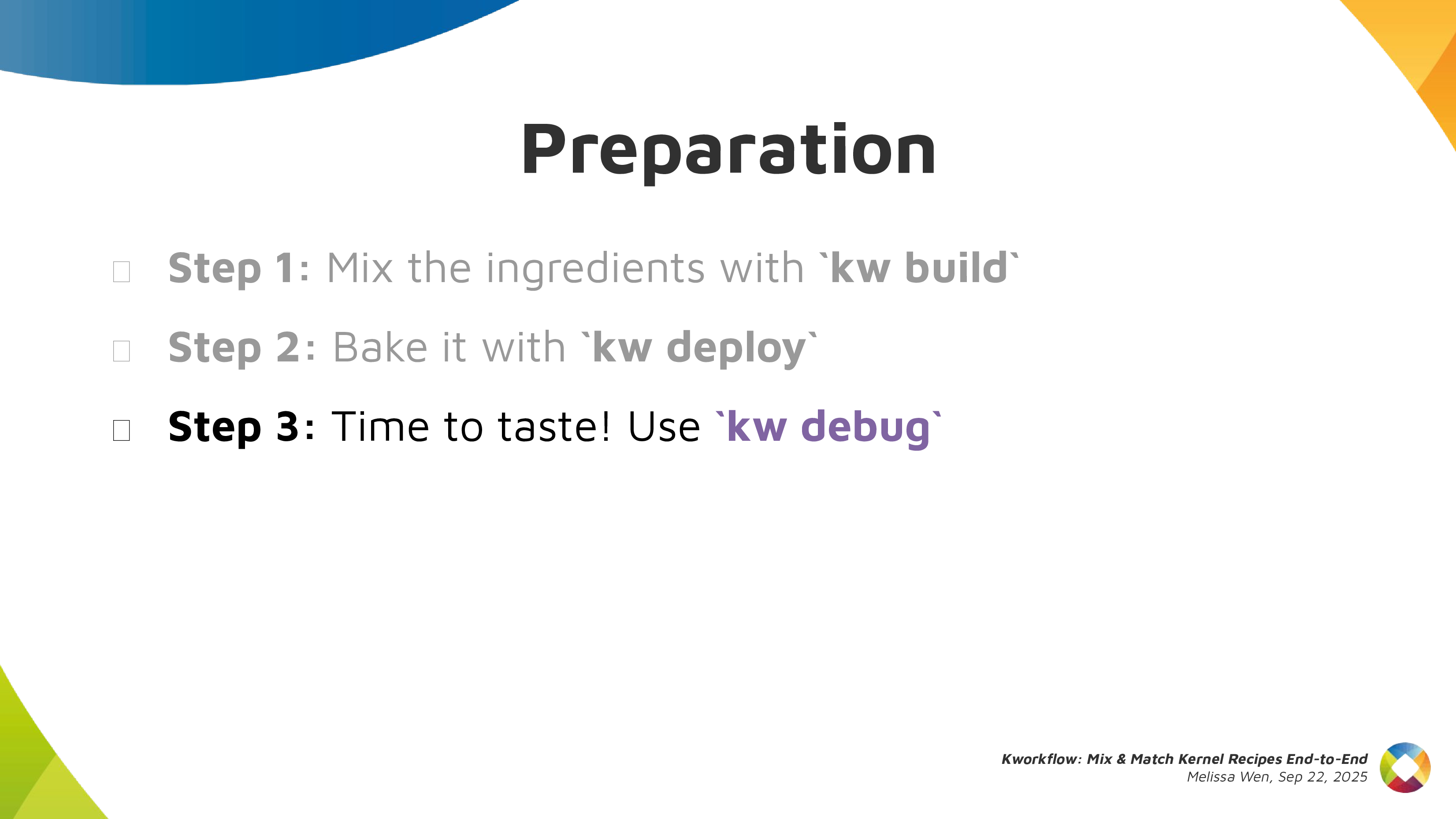
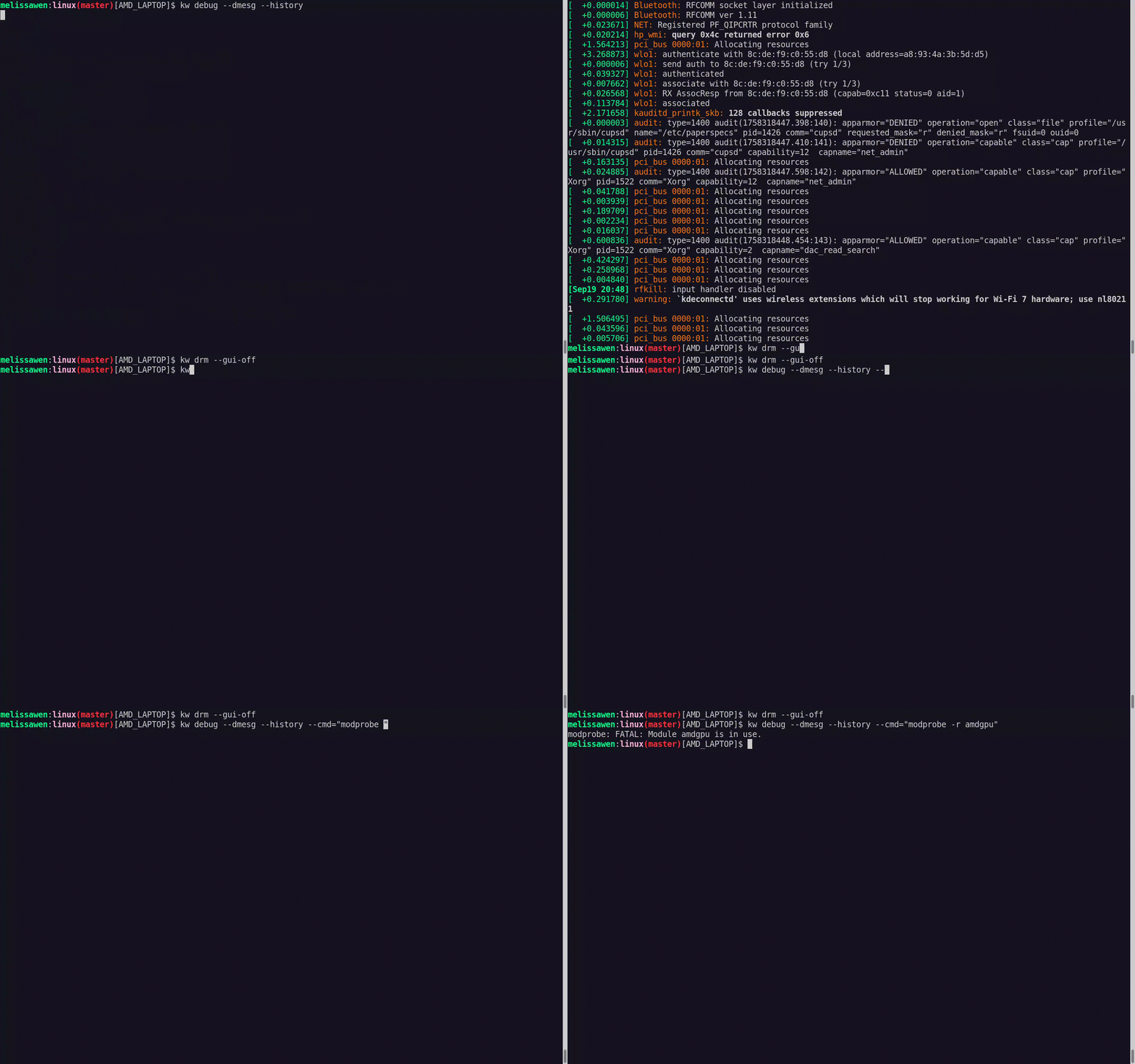
kw debug wraps many tools for validating a kernel in a target machine. We
can log basic dmesg info but also tracking events and ftrace.
- With
kw debug --dmesg --history we can grab the full dmesg log from a
remote machine, if you use the --follow option, you will monitor dmesg
outputs. You can also run a command with kw debug --dmesg --cmd="<my
command>" and just collect the dmesg output related to this specific execution
period.
- In the example, I ll just unload the amdgpu driver. I use
kw drm
--gui-off
to drop the graphical interface and release the amdgpu for
unloading it. So I run kw debug --dmesg --cmd="modprobe -r amdgpu" to unload
the amdgpu driver, but it fails and I couldn t unload it.
Cooking Problems
 Oh no! That custom kernel isn t tasting good. Don t worry, as in many recipes
preparations, we can search on the internet to find suggestions on how to make
it tasteful, alternative ingredients and other flavours according to your
taste.
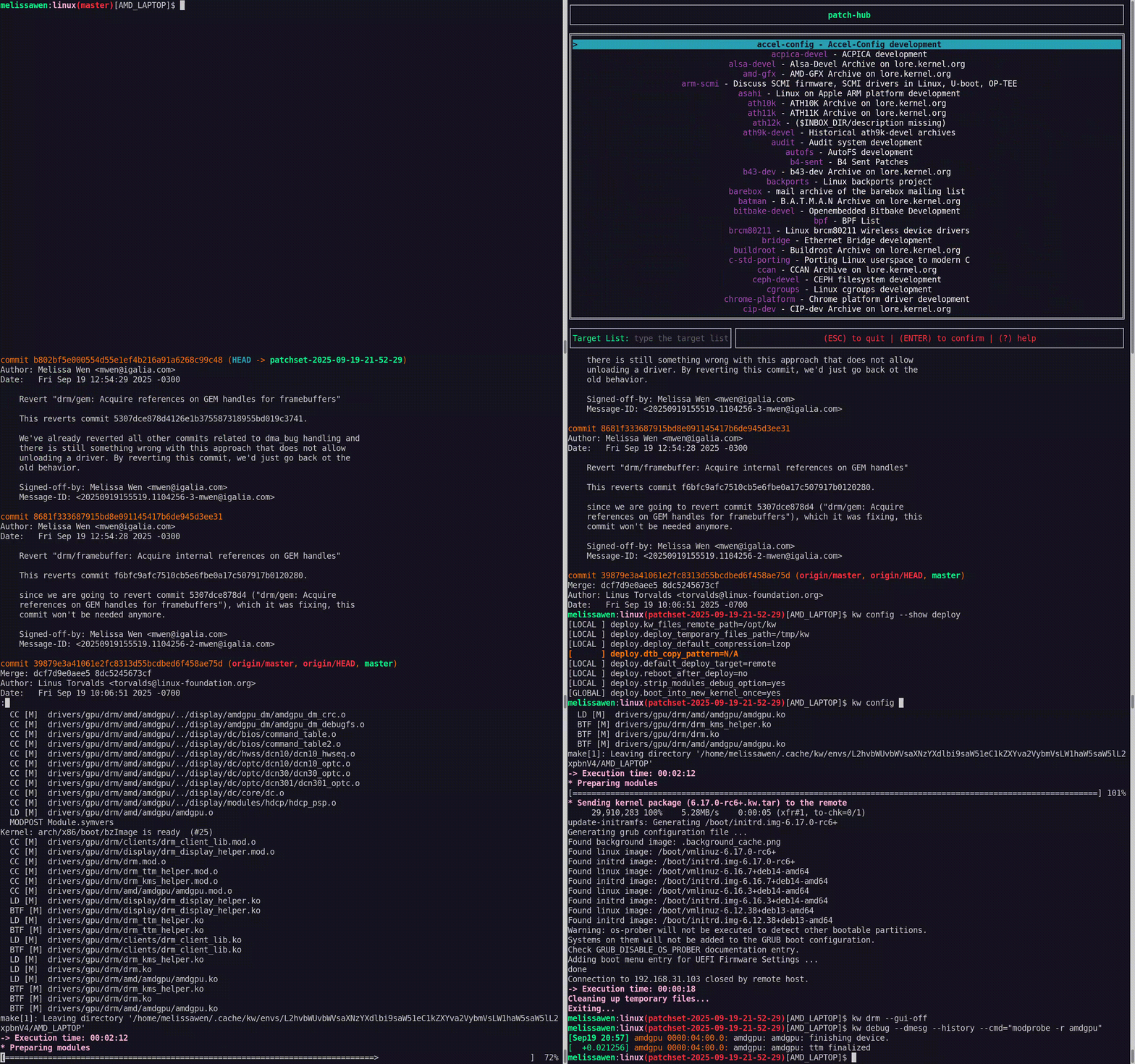 With
kw patch-hub you can search on the lore kernel mailing list for possible
patches that can fix your kernel issue. You can navigate in the mailing lists,
check series, bookmark it if you find it relevant and apply it in your local
kernel tree, creating a different branch for tasting oops, for testing. In
this example, I m opening the amd-gfx mailing list where I can find
contributions related to the AMD GPU driver, bookmark and/or just apply the
series to my work tree and with kw bd I can compile & install the custom kernel
with this possible bug fix in one shot.
As I changed my kw config to reboot after deployment, I just need to wait for
the system to boot to try again unloading the amdgpu driver with kw debug
--dmesg --cm=modprobe -r amdgpu. From the dmesg output retrieved by kw for
this command, the driver was unloaded, the problem is fixed by this series and
the kernel tastes good now.
If I m satisfied with the solution, I can even use kw patch-hub to access the
bookmarked series and marking the checkbox that will reply the patch thread
with a Reviewed-by tag for me.
Second Recipe: Raspberry Pi 4 with Upstream Kernel
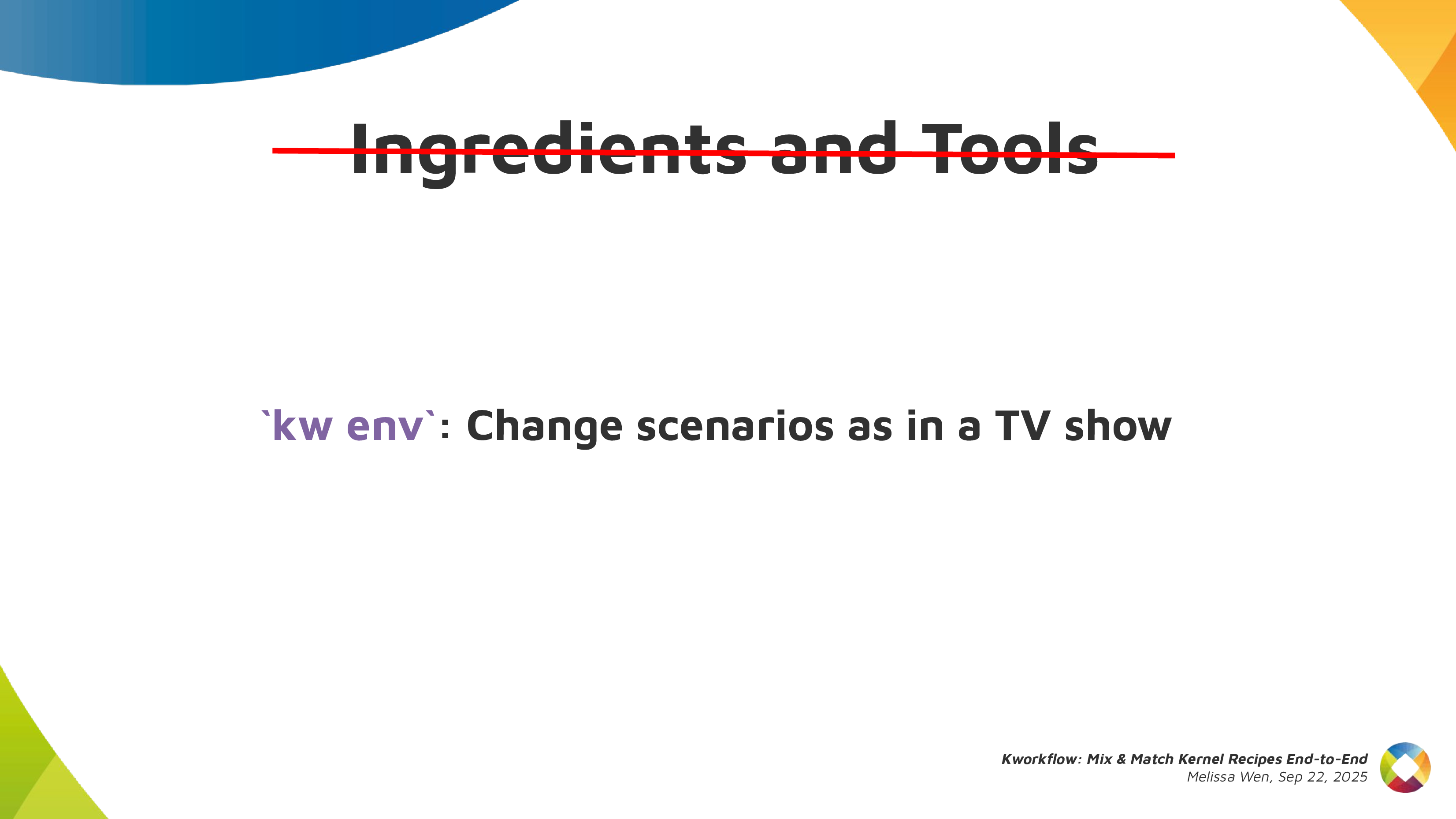
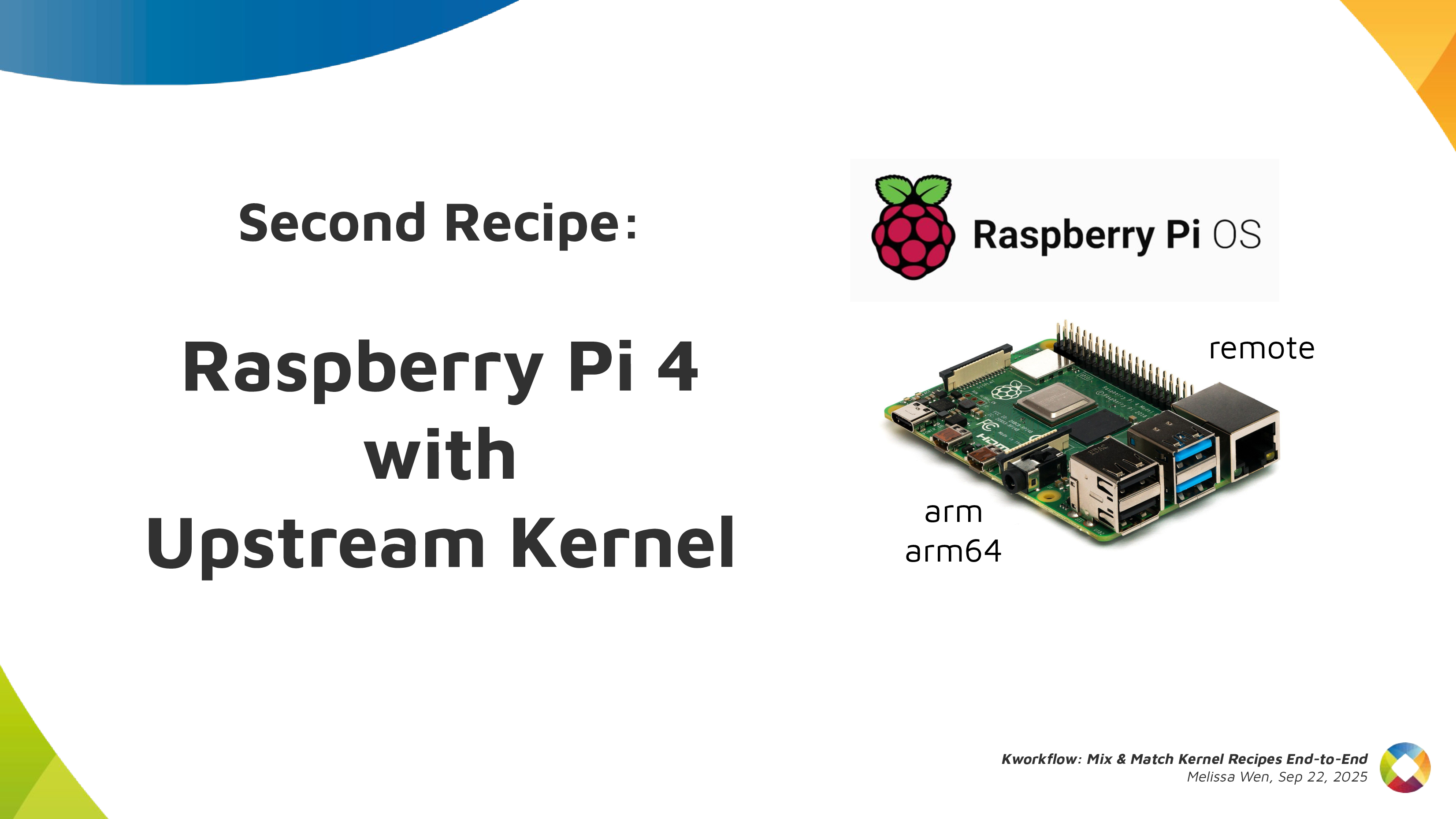 As in all recipes, we need ingredients and tools, but with kworkflow you can
get everything set as when changing scenarios in a TV show. We can use kw env
to change to a different environment with all kw and kernel configuration set
and also with the latest compiled kernel cached.
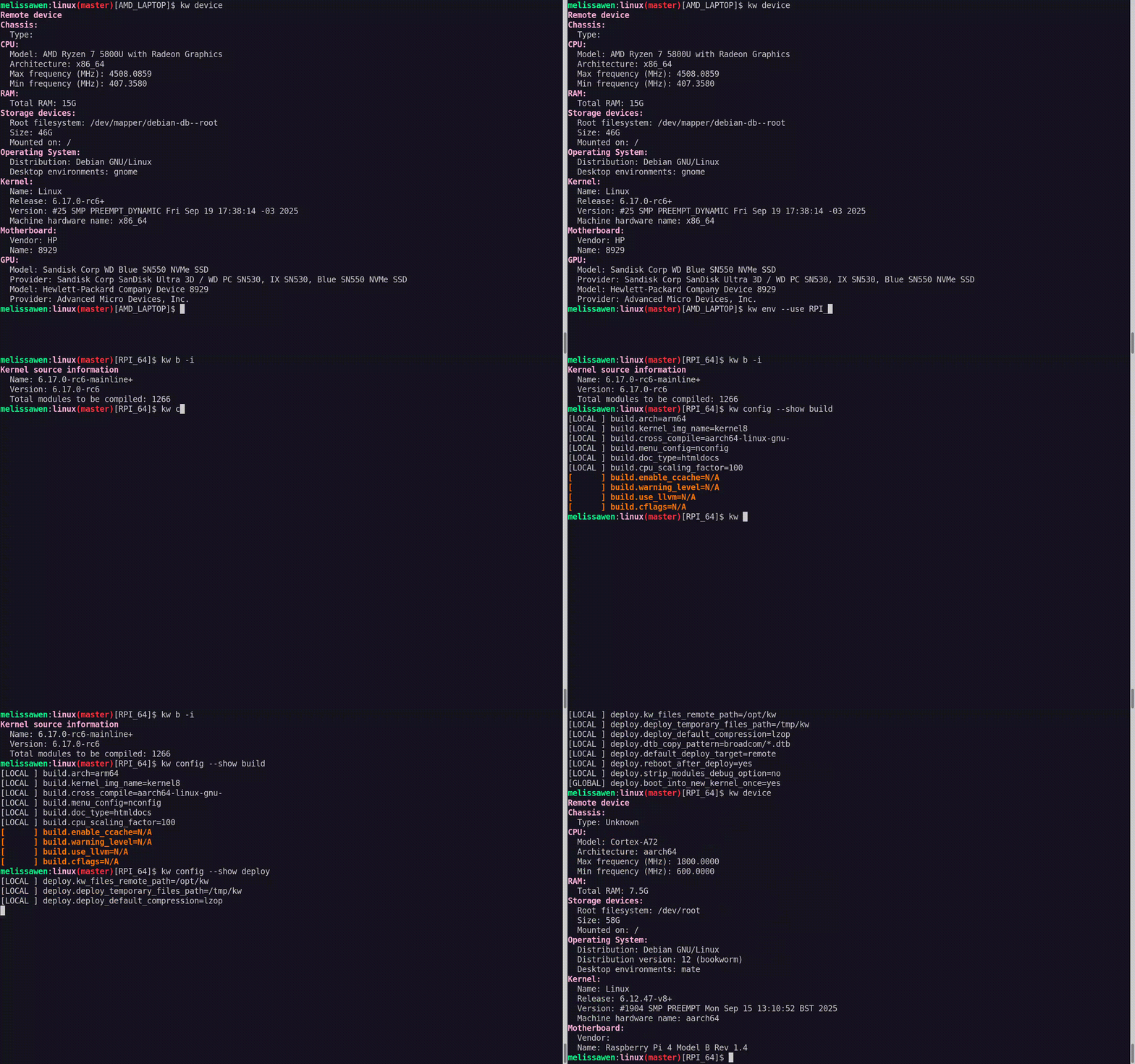 I was preparing the first recipe for a x86 AMD laptop and with
kw env --use
RPI_64
I use the same worktree but moved to a different kernel workflow, now
for Raspberry Pi 4 64 bits. The previous compiled kernel 6.17.0-rc6-mainline+
is there with 1266 modules, not the 6.17.0-rc6 kernel with 285 modules that I
just built&deployed. kw build settings are also different, now I m targeting
a arm64 architecture with a cross-compiled kernel using aarch64-linu-gnu-
cross-compilation tool and my kernel image calls kernel8 now.
 If you didn t plan for this recipe in advance, don t worry. You can create a
new environment with
kw env --create RPI_64_V2 and run kw init --template
to start preparing your kernel recipe with the mirepoix ready.
I mean, with the basic ingredients already cut
I mean, with the kw configuration set from a template.
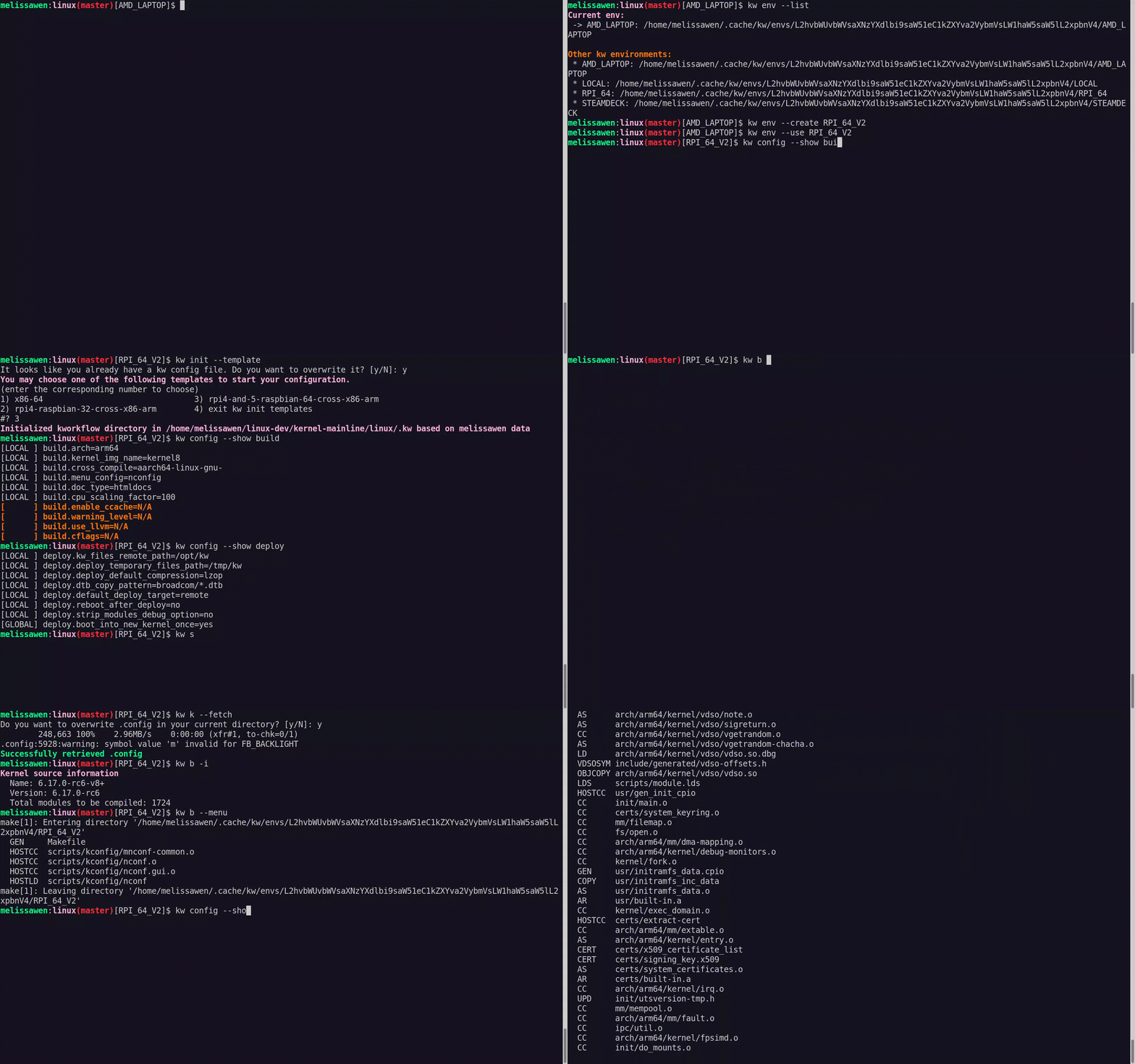 And you can use
kw remote to set the IP address of your target machine and
kw kernel-config-manager to fetch/retrieve the .config file from your target
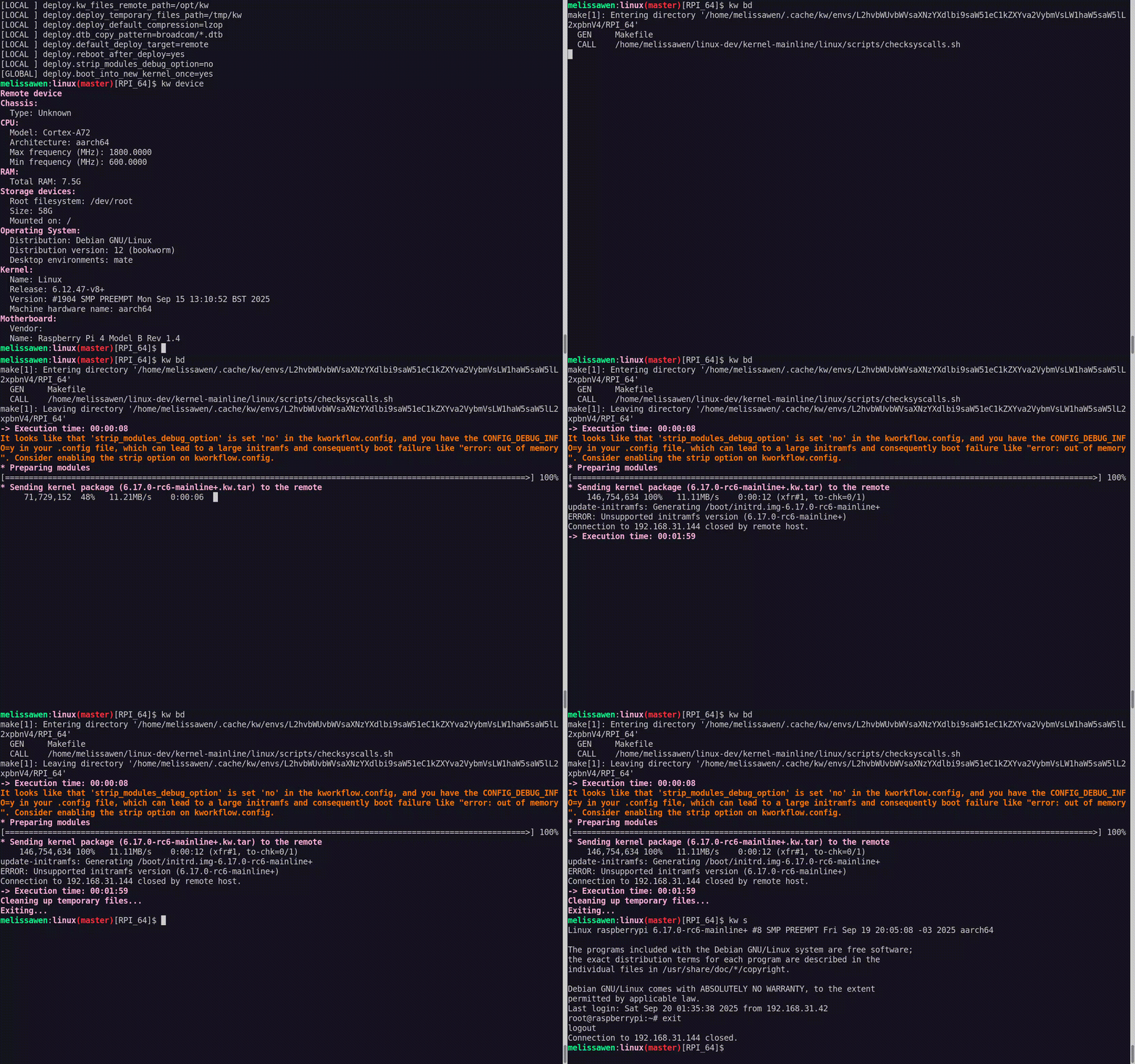
machine. So just run kw bd to compile and install a upstream kernel for
Raspberry Pi 4.
Third Recipe: The Mainline Kernel Ringing on my Steam Deck (Live Demo)
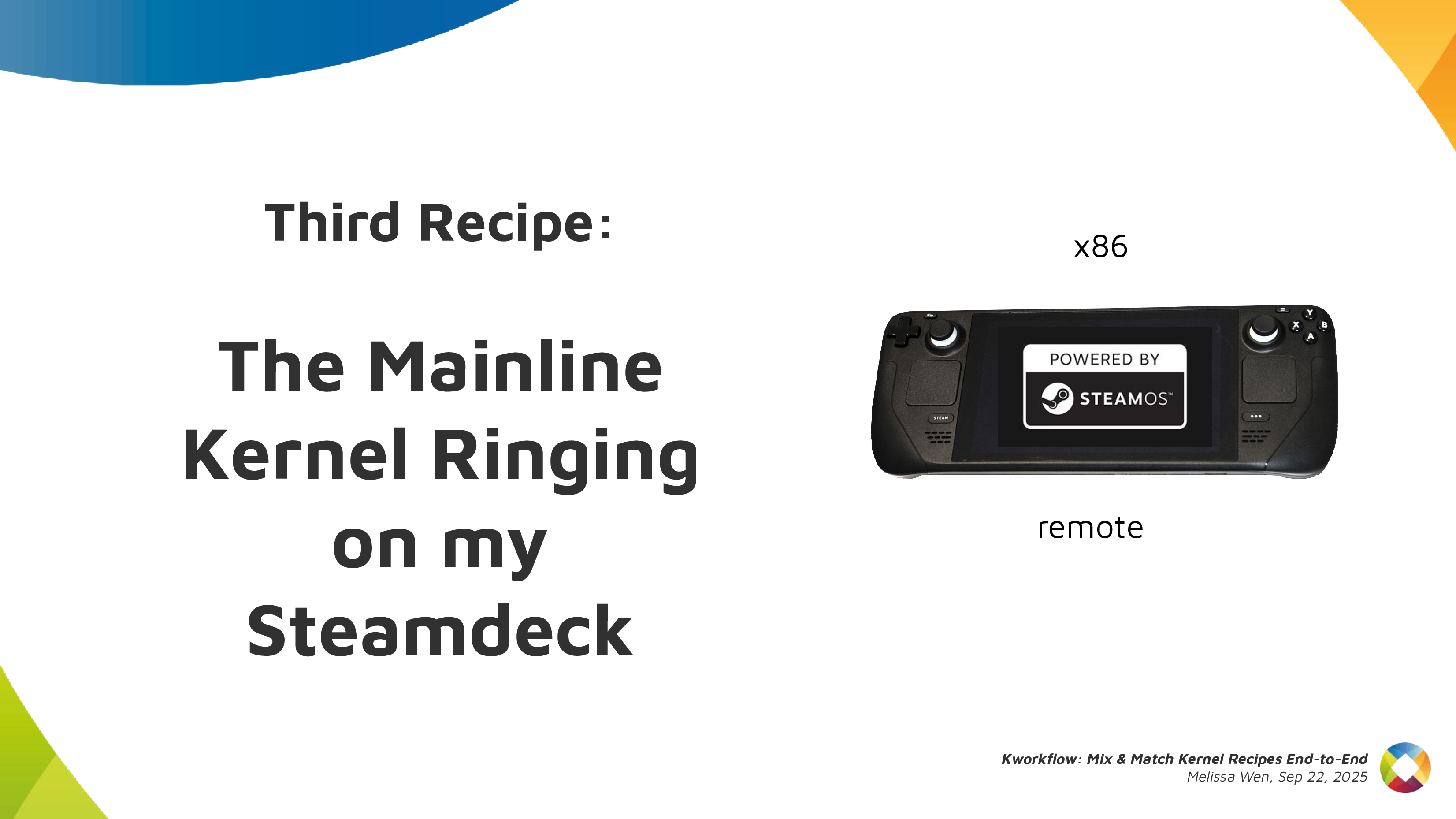 Let s show you how easy is to build, install and test a custom kernel for Steam
Deck with Kworkflow. It s a live demo, but I also recorded it because I know
the risks I m exposed to and something can go very wrong just because of
reasons :)
Report: how was the live demo
For this live demo, I took my OLED Steam Deck to the stage. I explained that,
if I boot mainline kernel on this device, there is no audio. So I turned it on
and booted the mainline kernel I ve installed beforehand. It was clear that
there was no typical Steam Deck startup audio when the system was loaded.
 As I started the demo in the kw environment for Raspberry Pi 4, I first moved
to another environment previously used for Steam Deck. In this STEAMDECK
environment, the mainline kernel was already compiled and cached, and all
settings for accessing the target machine, compiling and installing a custom
kernel were retrieved automatically.
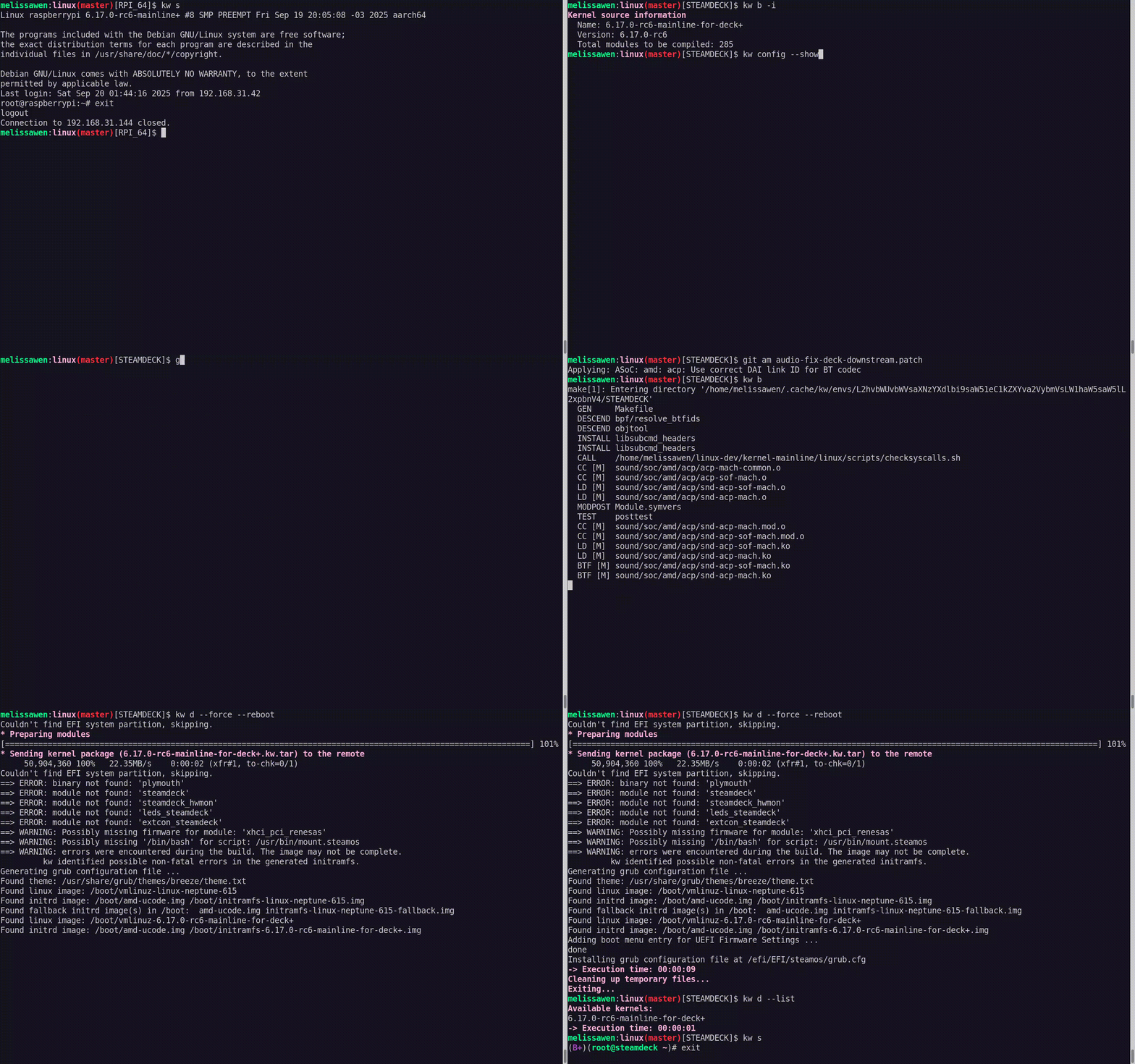
My live demo followed these steps:
-
With
kw env --use STEAMDECK, switch to a kworkflow environment for Steam
Deck kernel development.
-
With
kw b -i, shows that kw will compile and install a kernel with 285
modules named 6.17.0-rc6-mainline-for-deck.
-
Run
kw config to show that, in this environment, kw configuration changes
to x86 architecture and without cross-compilation.
-
Run
kw device to display information about the Steam Deck device, i.e. the
target machine. It also proves that the remote access - user and IP - for
this Steam Deck was already configured when using the STEAMDECK environment, as
expected.
-
Using
git am, as usual, apply a hot fix on top of the mainline kernel.
This hot fix makes the audio play again on Steam Deck.
-
With
kw b, build the kernel with the audio change. It will be fast because
we are only compiling the affected files since everything was previously
done and cached. Compiled kernel, kw configuration and kernel configuration is
retrieved by just moving to the STEAMDECK environment.
-
Run
kw d --force --reboot to deploy the new custom kernel to the target
machine. The --force option enables us to install the mainline kernel even
if mkinitcpio complains about missing support for downstream packages when
generating initramfs. The --reboot option makes the device reboot the Steam
Deck automatically, just after the deployment completion.
-
After finishing deployment, the Steam Deck will reboot on the new custom
kernel version and made a clear resonant or vibrating sound. [Hopefully]
Finally, I showed to the audience that, if I wanted to send this patch
upstream, I just needed to run kw send-patch and kw would automatically add
subsystem maintainers, reviewers and mailing lists for the affected files as
recipients, and send the patch to the upstream community assessment. As I
didn t want to create unnecessary noise, I just did a dry-run with kw
send-patch -s --simulate to explain how it looks.
What else can kworkflow already mix & match?
In this presentation, I showed that kworkflow supported different kernel
development workflows, i.e., multiple distributions, different bootloaders and
architectures, different target machines, different debugging tools and
automatize your kernel development routines best practices, from development
environment setup and verifying a custom kernel in bare-metal to sending
contributions upstream following the contributions-by-e-mail structure. I
exemplified it with three different target machines: my ordinary x86 AMD laptop
with Debian, Raspberry Pi 4 with arm64 Raspbian (cross-compilation) and the
Steam Deck with SteamOS (x86 Arch-based OS). Besides those distributions,
Kworkflow also supports Ubuntu, Fedora and PopOS.
Now it s your turn: Do you have any secret recipes to share? Please share
with us via kworkflow.
Useful links
Kworkflow is a tool created by Rodrigo Siqueira, my colleague at Igalia. It s a
single platform that combines software and tools to:
- optimize your kernel development workflow;
- reduce time spent in repetitive tasks;
- standardize best practices;
- ensure that deployment data flows smoothly and reliably between different kernel workflows;
It s mostly done by volunteers, kernel developers using their spare time. Its
features cover real use cases according to kernel developer needs.
Basically it s mixing and matching the daily life of a typical kernel developer
with kernel workflow recipes with some secret sauces.
First recipe: A good GPU driver for my AMD laptop
So, it s time to start the first recipe: A good GPU driver for my AMD laptop.
Before starting any recipe we need to check the necessary ingredients and
tools. So, let s check what you have at home.
With kworkflow, you can use:
-
kw device: to get information about the target machine, such as: CPU model,
kernel version, distribution, GPU model,
-
kw remote: to set the address of this machine for remote access
kw config: you can configure kw with kw config. With this command you can
basically select the tools, flags and preferences that kw will use to build
and deploy a custom kernel in a target machine. You can also define recipients
of your patches when sending it using kw send-patch. I ll explain more about
each feature later in this presentation.
kw kernel-config manager (or just kw k): to fetch the kernel .config file
from a given machine, store multiple .config files, list and retrieve them
according to your needs.
Now, with all ingredients and tools selected and well portioned, follow the
right steps to prepare your custom kernel!
First step: Mix ingredients with kw build or just kw b
kw b and its options wrap many routines of compiling a custom kernel.
- You can run
kw b -i to check the name and kernel version and the number
of modules that will be compiled and kw b --menu to change kernel
configurations.
- You can also pre-configure compiling preferences in kw config regarding
kernel building. For example, target architecture, the name of the
generated kernel image, if you need to cross-compile this kernel for a
different system and which tool to use for it, setting different warning
levels, compiling with CFlags, etc.
- Then you can just run
kw b to compile the custom kernel for a target
machine.
Second step: Bake it with kw deploy or just kw d
After compiling the custom kernel, we want to install it in the target machine.
Check the name of the custom kernel built: 6.17.0-rc6 and with kw s SSH
access the target machine and see it s running the kernel from the Debian
distribution 6.16.7+deb14-amd64.
As with building settings, you can also pre-configure some deployment settings,
such as compression type, path to device tree binaries, target machine (remote,
local, vm), if you want to reboot the target machine just after deploying your
custom kernel, and if you want to boot in the custom kernel when restarting the
system after deployment.
If you didn t pre-configured some options, you can still customize as a command
option, for example: kw d --reboot will reboot the system after deployment,
even if I didn t set this in my preference.
With just running kw d --reboot I have installed the kernel in a given target
machine and rebooted it. So when accessing the system again I can see it was
booted in my custom kernel.
Third step: Time to taste with kw debug
kw debug wraps many tools for validating a kernel in a target machine. We
can log basic dmesg info but also tracking events and ftrace.
- With
kw debug --dmesg --history we can grab the full dmesg log from a
remote machine, if you use the --follow option, you will monitor dmesg
outputs. You can also run a command with kw debug --dmesg --cmd="<my
command>" and just collect the dmesg output related to this specific execution
period.
- In the example, I ll just unload the amdgpu driver. I use
kw drm
--gui-off to drop the graphical interface and release the amdgpu for
unloading it. So I run kw debug --dmesg --cmd="modprobe -r amdgpu" to unload
the amdgpu driver, but it fails and I couldn t unload it.
Cooking Problems
Oh no! That custom kernel isn t tasting good. Don t worry, as in many recipes
preparations, we can search on the internet to find suggestions on how to make
it tasteful, alternative ingredients and other flavours according to your
taste.
With kw patch-hub you can search on the lore kernel mailing list for possible
patches that can fix your kernel issue. You can navigate in the mailing lists,
check series, bookmark it if you find it relevant and apply it in your local
kernel tree, creating a different branch for tasting oops, for testing. In
this example, I m opening the amd-gfx mailing list where I can find
contributions related to the AMD GPU driver, bookmark and/or just apply the
series to my work tree and with kw bd I can compile & install the custom kernel
with this possible bug fix in one shot.
As I changed my kw config to reboot after deployment, I just need to wait for
the system to boot to try again unloading the amdgpu driver with kw debug
--dmesg --cm=modprobe -r amdgpu. From the dmesg output retrieved by kw for
this command, the driver was unloaded, the problem is fixed by this series and
the kernel tastes good now.
If I m satisfied with the solution, I can even use kw patch-hub to access the
bookmarked series and marking the checkbox that will reply the patch thread
with a Reviewed-by tag for me.
Second Recipe: Raspberry Pi 4 with Upstream Kernel
As in all recipes, we need ingredients and tools, but with kworkflow you can
get everything set as when changing scenarios in a TV show. We can use kw env
to change to a different environment with all kw and kernel configuration set
and also with the latest compiled kernel cached.
I was preparing the first recipe for a x86 AMD laptop and with kw env --use
RPI_64 I use the same worktree but moved to a different kernel workflow, now
for Raspberry Pi 4 64 bits. The previous compiled kernel 6.17.0-rc6-mainline+
is there with 1266 modules, not the 6.17.0-rc6 kernel with 285 modules that I
just built&deployed. kw build settings are also different, now I m targeting
a arm64 architecture with a cross-compiled kernel using aarch64-linu-gnu-
cross-compilation tool and my kernel image calls kernel8 now.
If you didn t plan for this recipe in advance, don t worry. You can create a
new environment with kw env --create RPI_64_V2 and run kw init --template
to start preparing your kernel recipe with the mirepoix ready.
I mean, with the basic ingredients already cut
I mean, with the kw configuration set from a template.
And you can use kw remote to set the IP address of your target machine and
kw kernel-config-manager to fetch/retrieve the .config file from your target
machine. So just run kw bd to compile and install a upstream kernel for
Raspberry Pi 4.
Third Recipe: The Mainline Kernel Ringing on my Steam Deck (Live Demo)
Let s show you how easy is to build, install and test a custom kernel for Steam
Deck with Kworkflow. It s a live demo, but I also recorded it because I know
the risks I m exposed to and something can go very wrong just because of
reasons :)
Report: how was the live demo
For this live demo, I took my OLED Steam Deck to the stage. I explained that,
if I boot mainline kernel on this device, there is no audio. So I turned it on
and booted the mainline kernel I ve installed beforehand. It was clear that
there was no typical Steam Deck startup audio when the system was loaded.
As I started the demo in the kw environment for Raspberry Pi 4, I first moved
to another environment previously used for Steam Deck. In this STEAMDECK
environment, the mainline kernel was already compiled and cached, and all
settings for accessing the target machine, compiling and installing a custom
kernel were retrieved automatically.
My live demo followed these steps:
-
With
kw env --use STEAMDECK, switch to a kworkflow environment for Steam
Deck kernel development.
-
With
kw b -i, shows that kw will compile and install a kernel with 285
modules named 6.17.0-rc6-mainline-for-deck.
-
Run
kw config to show that, in this environment, kw configuration changes
to x86 architecture and without cross-compilation.
-
Run
kw device to display information about the Steam Deck device, i.e. the
target machine. It also proves that the remote access - user and IP - for
this Steam Deck was already configured when using the STEAMDECK environment, as
expected.
-
Using
git am, as usual, apply a hot fix on top of the mainline kernel.
This hot fix makes the audio play again on Steam Deck.
-
With
kw b, build the kernel with the audio change. It will be fast because
we are only compiling the affected files since everything was previously
done and cached. Compiled kernel, kw configuration and kernel configuration is
retrieved by just moving to the STEAMDECK environment.
-
Run
kw d --force --reboot to deploy the new custom kernel to the target
machine. The --force option enables us to install the mainline kernel even
if mkinitcpio complains about missing support for downstream packages when
generating initramfs. The --reboot option makes the device reboot the Steam
Deck automatically, just after the deployment completion.
-
After finishing deployment, the Steam Deck will reboot on the new custom
kernel version and made a clear resonant or vibrating sound. [Hopefully]
Finally, I showed to the audience that, if I wanted to send this patch
upstream, I just needed to run kw send-patch and kw would automatically add
subsystem maintainers, reviewers and mailing lists for the affected files as
recipients, and send the patch to the upstream community assessment. As I
didn t want to create unnecessary noise, I just did a dry-run with kw
send-patch -s --simulate to explain how it looks.
What else can kworkflow already mix & match?
In this presentation, I showed that kworkflow supported different kernel
development workflows, i.e., multiple distributions, different bootloaders and
architectures, different target machines, different debugging tools and
automatize your kernel development routines best practices, from development
environment setup and verifying a custom kernel in bare-metal to sending
contributions upstream following the contributions-by-e-mail structure. I
exemplified it with three different target machines: my ordinary x86 AMD laptop
with Debian, Raspberry Pi 4 with arm64 Raspbian (cross-compilation) and the
Steam Deck with SteamOS (x86 Arch-based OS). Besides those distributions,
Kworkflow also supports Ubuntu, Fedora and PopOS.
Now it s your turn: Do you have any secret recipes to share? Please share
with us via kworkflow.
Useful links
kw device: to get information about the target machine, such as: CPU model,
kernel version, distribution, GPU model,
kw remote: to set the address of this machine for remote access
kw config: you can configure kw with kw config. With this command you can
basically select the tools, flags and preferences that kw will use to build
and deploy a custom kernel in a target machine. You can also define recipients
of your patches when sending it using kw send-patch. I ll explain more about
each feature later in this presentation.kw kernel-config manager (or just kw k): to fetch the kernel .config file
from a given machine, store multiple .config files, list and retrieve them
according to your needs.kw b and its options wrap many routines of compiling a custom kernel.
- You can run
kw b -ito check the name and kernel version and the number of modules that will be compiled andkw b --menuto change kernel configurations. - You can also pre-configure compiling preferences in kw config regarding kernel building. For example, target architecture, the name of the generated kernel image, if you need to cross-compile this kernel for a different system and which tool to use for it, setting different warning levels, compiling with CFlags, etc.
- Then you can just run
kw bto compile the custom kernel for a target machine.
kw debug wraps many tools for validating a kernel in a target machine. We
can log basic dmesg info but also tracking events and ftrace.
- With
kw debug --dmesg --historywe can grab the full dmesg log from a remote machine, if you use the--followoption, you will monitor dmesg outputs. You can also run a command withkw debug --dmesg --cmd="<my command>"and just collect the dmesg output related to this specific execution period. - In the example, I ll just unload the amdgpu driver. I use
kw drm --gui-offto drop the graphical interface and release the amdgpu for unloading it. So I runkw debug --dmesg --cmd="modprobe -r amdgpu"to unload the amdgpu driver, but it fails and I couldn t unload it.
Oh no! That custom kernel isn t tasting good. Don t worry, as in many recipes
preparations, we can search on the internet to find suggestions on how to make
it tasteful, alternative ingredients and other flavours according to your
taste.
With kw patch-hub you can search on the lore kernel mailing list for possible
patches that can fix your kernel issue. You can navigate in the mailing lists,
check series, bookmark it if you find it relevant and apply it in your local
kernel tree, creating a different branch for tasting oops, for testing. In
this example, I m opening the amd-gfx mailing list where I can find
contributions related to the AMD GPU driver, bookmark and/or just apply the
series to my work tree and with kw bd I can compile & install the custom kernel
with this possible bug fix in one shot.
As I changed my kw config to reboot after deployment, I just need to wait for
the system to boot to try again unloading the amdgpu driver with kw debug
--dmesg --cm=modprobe -r amdgpu. From the dmesg output retrieved by kw for
this command, the driver was unloaded, the problem is fixed by this series and
the kernel tastes good now.
If I m satisfied with the solution, I can even use kw patch-hub to access the
bookmarked series and marking the checkbox that will reply the patch thread
with a Reviewed-by tag for me.
Second Recipe: Raspberry Pi 4 with Upstream Kernel
As in all recipes, we need ingredients and tools, but with kworkflow you can
get everything set as when changing scenarios in a TV show. We can use kw env
to change to a different environment with all kw and kernel configuration set
and also with the latest compiled kernel cached.
I was preparing the first recipe for a x86 AMD laptop and with kw env --use
RPI_64 I use the same worktree but moved to a different kernel workflow, now
for Raspberry Pi 4 64 bits. The previous compiled kernel 6.17.0-rc6-mainline+
is there with 1266 modules, not the 6.17.0-rc6 kernel with 285 modules that I
just built&deployed. kw build settings are also different, now I m targeting
a arm64 architecture with a cross-compiled kernel using aarch64-linu-gnu-
cross-compilation tool and my kernel image calls kernel8 now.
If you didn t plan for this recipe in advance, don t worry. You can create a
new environment with kw env --create RPI_64_V2 and run kw init --template
to start preparing your kernel recipe with the mirepoix ready.
I mean, with the basic ingredients already cut
I mean, with the kw configuration set from a template.
And you can use kw remote to set the IP address of your target machine and
kw kernel-config-manager to fetch/retrieve the .config file from your target
machine. So just run kw bd to compile and install a upstream kernel for
Raspberry Pi 4.
Third Recipe: The Mainline Kernel Ringing on my Steam Deck (Live Demo)
Let s show you how easy is to build, install and test a custom kernel for Steam
Deck with Kworkflow. It s a live demo, but I also recorded it because I know
the risks I m exposed to and something can go very wrong just because of
reasons :)
Report: how was the live demo
For this live demo, I took my OLED Steam Deck to the stage. I explained that,
if I boot mainline kernel on this device, there is no audio. So I turned it on
and booted the mainline kernel I ve installed beforehand. It was clear that
there was no typical Steam Deck startup audio when the system was loaded.
As I started the demo in the kw environment for Raspberry Pi 4, I first moved
to another environment previously used for Steam Deck. In this STEAMDECK
environment, the mainline kernel was already compiled and cached, and all
settings for accessing the target machine, compiling and installing a custom
kernel were retrieved automatically.
My live demo followed these steps:
-
With
kw env --use STEAMDECK, switch to a kworkflow environment for Steam
Deck kernel development.
-
With
kw b -i, shows that kw will compile and install a kernel with 285
modules named 6.17.0-rc6-mainline-for-deck.
-
Run
kw config to show that, in this environment, kw configuration changes
to x86 architecture and without cross-compilation.
-
Run
kw device to display information about the Steam Deck device, i.e. the
target machine. It also proves that the remote access - user and IP - for
this Steam Deck was already configured when using the STEAMDECK environment, as
expected.
-
Using
git am, as usual, apply a hot fix on top of the mainline kernel.
This hot fix makes the audio play again on Steam Deck.
-
With
kw b, build the kernel with the audio change. It will be fast because
we are only compiling the affected files since everything was previously
done and cached. Compiled kernel, kw configuration and kernel configuration is
retrieved by just moving to the STEAMDECK environment.
-
Run
kw d --force --reboot to deploy the new custom kernel to the target
machine. The --force option enables us to install the mainline kernel even
if mkinitcpio complains about missing support for downstream packages when
generating initramfs. The --reboot option makes the device reboot the Steam
Deck automatically, just after the deployment completion.
-
After finishing deployment, the Steam Deck will reboot on the new custom
kernel version and made a clear resonant or vibrating sound. [Hopefully]
Finally, I showed to the audience that, if I wanted to send this patch
upstream, I just needed to run kw send-patch and kw would automatically add
subsystem maintainers, reviewers and mailing lists for the affected files as
recipients, and send the patch to the upstream community assessment. As I
didn t want to create unnecessary noise, I just did a dry-run with kw
send-patch -s --simulate to explain how it looks.
What else can kworkflow already mix & match?
In this presentation, I showed that kworkflow supported different kernel
development workflows, i.e., multiple distributions, different bootloaders and
architectures, different target machines, different debugging tools and
automatize your kernel development routines best practices, from development
environment setup and verifying a custom kernel in bare-metal to sending
contributions upstream following the contributions-by-e-mail structure. I
exemplified it with three different target machines: my ordinary x86 AMD laptop
with Debian, Raspberry Pi 4 with arm64 Raspbian (cross-compilation) and the
Steam Deck with SteamOS (x86 Arch-based OS). Besides those distributions,
Kworkflow also supports Ubuntu, Fedora and PopOS.
Now it s your turn: Do you have any secret recipes to share? Please share
with us via kworkflow.
Useful links
Let s show you how easy is to build, install and test a custom kernel for Steam
Deck with Kworkflow. It s a live demo, but I also recorded it because I know
the risks I m exposed to and something can go very wrong just because of
reasons :)
Report: how was the live demo
For this live demo, I took my OLED Steam Deck to the stage. I explained that,
if I boot mainline kernel on this device, there is no audio. So I turned it on
and booted the mainline kernel I ve installed beforehand. It was clear that
there was no typical Steam Deck startup audio when the system was loaded.
As I started the demo in the kw environment for Raspberry Pi 4, I first moved
to another environment previously used for Steam Deck. In this STEAMDECK
environment, the mainline kernel was already compiled and cached, and all
settings for accessing the target machine, compiling and installing a custom
kernel were retrieved automatically.
My live demo followed these steps:
-
With
kw env --use STEAMDECK, switch to a kworkflow environment for Steam
Deck kernel development.
-
With
kw b -i, shows that kw will compile and install a kernel with 285
modules named 6.17.0-rc6-mainline-for-deck.
-
Run
kw config to show that, in this environment, kw configuration changes
to x86 architecture and without cross-compilation.
-
Run
kw device to display information about the Steam Deck device, i.e. the
target machine. It also proves that the remote access - user and IP - for
this Steam Deck was already configured when using the STEAMDECK environment, as
expected.
-
Using
git am, as usual, apply a hot fix on top of the mainline kernel.
This hot fix makes the audio play again on Steam Deck.
-
With
kw b, build the kernel with the audio change. It will be fast because
we are only compiling the affected files since everything was previously
done and cached. Compiled kernel, kw configuration and kernel configuration is
retrieved by just moving to the STEAMDECK environment.
-
Run
kw d --force --reboot to deploy the new custom kernel to the target
machine. The --force option enables us to install the mainline kernel even
if mkinitcpio complains about missing support for downstream packages when
generating initramfs. The --reboot option makes the device reboot the Steam
Deck automatically, just after the deployment completion.
-
After finishing deployment, the Steam Deck will reboot on the new custom
kernel version and made a clear resonant or vibrating sound. [Hopefully]
Finally, I showed to the audience that, if I wanted to send this patch
upstream, I just needed to run kw send-patch and kw would automatically add
subsystem maintainers, reviewers and mailing lists for the affected files as
recipients, and send the patch to the upstream community assessment. As I
didn t want to create unnecessary noise, I just did a dry-run with kw
send-patch -s --simulate to explain how it looks.
What else can kworkflow already mix & match?
In this presentation, I showed that kworkflow supported different kernel
development workflows, i.e., multiple distributions, different bootloaders and
architectures, different target machines, different debugging tools and
automatize your kernel development routines best practices, from development
environment setup and verifying a custom kernel in bare-metal to sending
contributions upstream following the contributions-by-e-mail structure. I
exemplified it with three different target machines: my ordinary x86 AMD laptop
with Debian, Raspberry Pi 4 with arm64 Raspbian (cross-compilation) and the
Steam Deck with SteamOS (x86 Arch-based OS). Besides those distributions,
Kworkflow also supports Ubuntu, Fedora and PopOS.
Now it s your turn: Do you have any secret recipes to share? Please share
with us via kworkflow.
Useful links
kw env --use STEAMDECK, switch to a kworkflow environment for Steam
Deck kernel development.
kw b -i, shows that kw will compile and install a kernel with 285
modules named 6.17.0-rc6-mainline-for-deck.
kw config to show that, in this environment, kw configuration changes
to x86 architecture and without cross-compilation.
kw device to display information about the Steam Deck device, i.e. the
target machine. It also proves that the remote access - user and IP - for
this Steam Deck was already configured when using the STEAMDECK environment, as
expected.
git am, as usual, apply a hot fix on top of the mainline kernel.
This hot fix makes the audio play again on Steam Deck.
kw b, build the kernel with the audio change. It will be fast because
we are only compiling the affected files since everything was previously
done and cached. Compiled kernel, kw configuration and kernel configuration is
retrieved by just moving to the STEAMDECK environment.
kw d --force --reboot to deploy the new custom kernel to the target
machine. The --force option enables us to install the mainline kernel even
if mkinitcpio complains about missing support for downstream packages when
generating initramfs. The --reboot option makes the device reboot the Steam
Deck automatically, just after the deployment completion.
 Quiete some things made progress last month: We put out


 Comprehensive in-game tutorial
 There is a large ice flow world, but we are going underground now
 Good level design that you have to use to avoid those spiky enemies
 The point where I had to pause the game, after missing those flying wigs 15 times in a row
SuperTux can be played with keyboard or gamepad, and has
 I ve written down a new rule (no name, sorry) that I ll be repeating to myself
and those around me. If you can replace DNS with key value store mapping
a name to an ip and it still makes sense, it was not, in fact, DNS. Feel
free to repeat it along with me.
Sure, the It s always DNS meme is funny the first few hundred times you see
it but what s less funny is when critical thinking ends because a DNS query
is involved. DNS failures are often the first observable problem because
it s one of the first things that needs to be done. DNS is fairly complicated,
implementation-dependent, and at times frustrating to debug but it is not
the operational hazard it s made out to be. It s at best a shallow take, and at
worst actively holding teams back from understanding their true operational
risks.
IP connectivity failures between a host and the rest of the network is not a
reason to blame DNS. This would happen no matter how you distribute the updated
name to IP mappings. Wiping out
 A couple of days ago in a
 Since it's spooky season, let me present to you the FrankenKeyboard!

 AWS had an outage today and Signal was unavailable for some users for a while. This has confused some people, including Elon Musk, who are concerned that having a dependency on AWS means that Signal could somehow be compromised by anyone with sufficient influence over AWS (it can't). Which means we're back to the richest man in the world recommending his own "X Chat", saying
 In