Melissa Wen: 2025 FOSDEM: Don't let your motivation go, save time with kworkflow
2025 was my first year at FOSDEM, and I can say it was an incredible experience
where I met many colleagues from Igalia who live around
the world, and also many friends from the Linux display stack who are part of
my daily work and contributions to DRM/KMS. In addition, I met new faces and
recognized others with whom I had interacted on some online forums and we had
good and long conversations.
During FOSDEM 2025 I had the opportunity to present
about kworkflow in the kernel devroom. Kworkflow is a
set of tools that help kernel developers with their routine tasks and it is the
tool I use for my development tasks. In short, every contribution I make to the
Linux kernel is assisted by kworkflow.
The goal of my presentation was to spread the word about kworkflow. I aimed to
show how the suite consolidates good practices and recommendations of the
kernel workflow in short commands. These commands are easily configurable and
memorized for your current work setup, or for your multiple setups.
For me, Kworkflow is a tool that accommodates the needs of different agents in
the Linux kernel community. Active developers and maintainers are the main
target audience for kworkflow, but it is also inviting for users and user-space
developers who just want to report a problem and validate a solution without
needing to know every detail of the kernel development workflow.
Something I didn t emphasize during the presentation but would like to correct
this flaw here is that the main author and developer of kworkflow is my
colleague at Igalia, Rodrigo Siqueira. Being honest,
my contributions are mostly on requesting and validating new features, fixing
bugs, and sharing scripts to increase feature coverage.
So, the video and slide deck of my FOSDEM presentation are available for
download
here.
And, as usual, you will find in this blog post the script of this presentation
and more detailed explanation of the demo presented there.
Kworkflow at FOSDEM 2025: Speaker Notes and Demo
Kworkflow at FOSDEM 2025: Speaker Notes and Demo
 Hi, I m Melissa, a GPU kernel driver developer at Igalia and today I ll be
giving a very inclusive talk to not let your motivation go by saving time with
kworkflow.
Hi, I m Melissa, a GPU kernel driver developer at Igalia and today I ll be
giving a very inclusive talk to not let your motivation go by saving time with
kworkflow.
 So, you re a kernel developer, or you want to be a kernel developer, or you
don t want to be a kernel developer. But you re all united by a single need:
you need to validate a custom kernel with just one change, and you need to
verify that it fixes or improves something in the kernel.
So, you re a kernel developer, or you want to be a kernel developer, or you
don t want to be a kernel developer. But you re all united by a single need:
you need to validate a custom kernel with just one change, and you need to
verify that it fixes or improves something in the kernel.

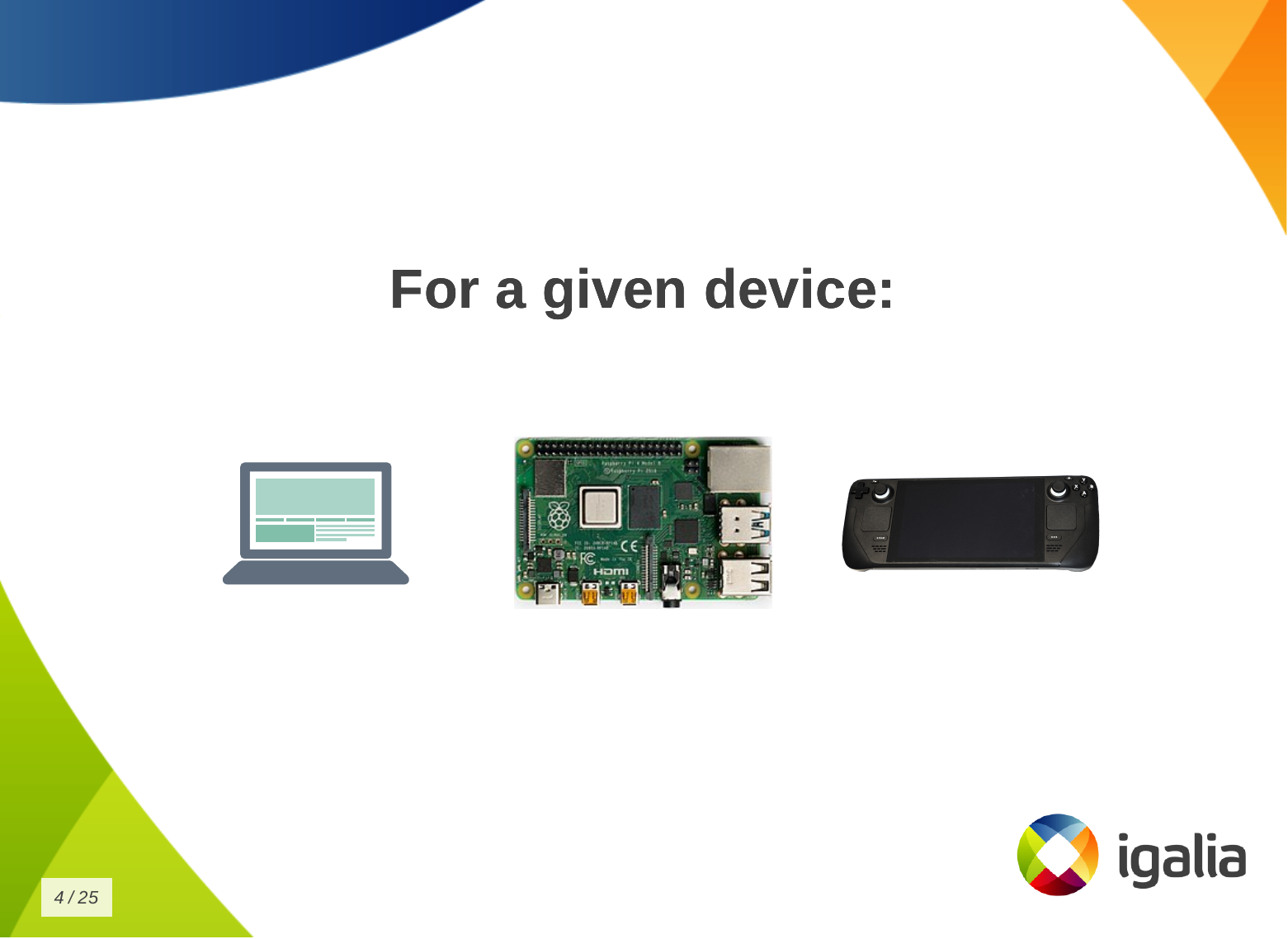
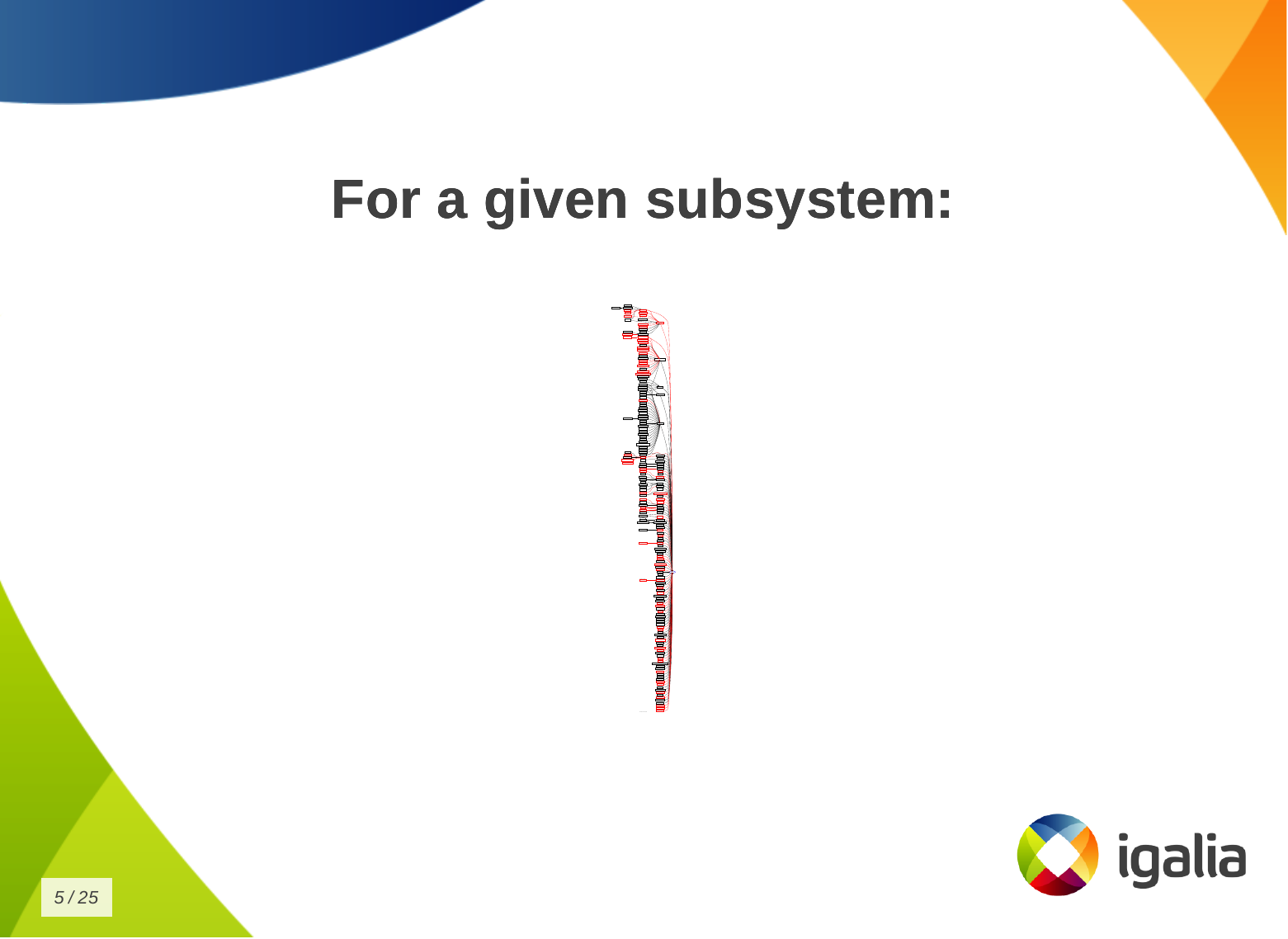 And that s a given change for a given distribution, or for a given device, or
for a given subsystem
And that s a given change for a given distribution, or for a given device, or
for a given subsystem
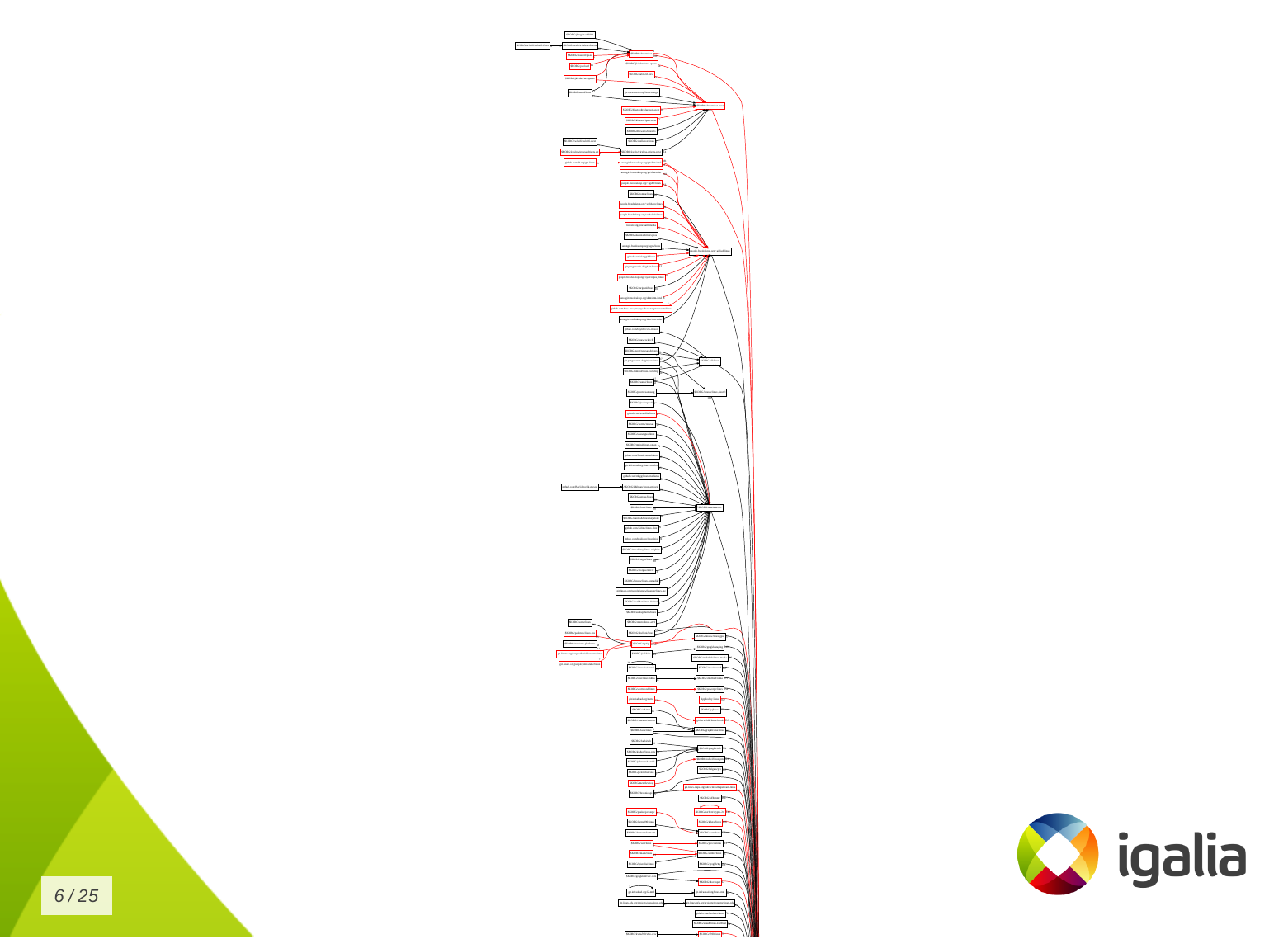 Look to this diagram and try to figure out the number of subsystems and related
work trees you can handle in the kernel.
Look to this diagram and try to figure out the number of subsystems and related
work trees you can handle in the kernel.
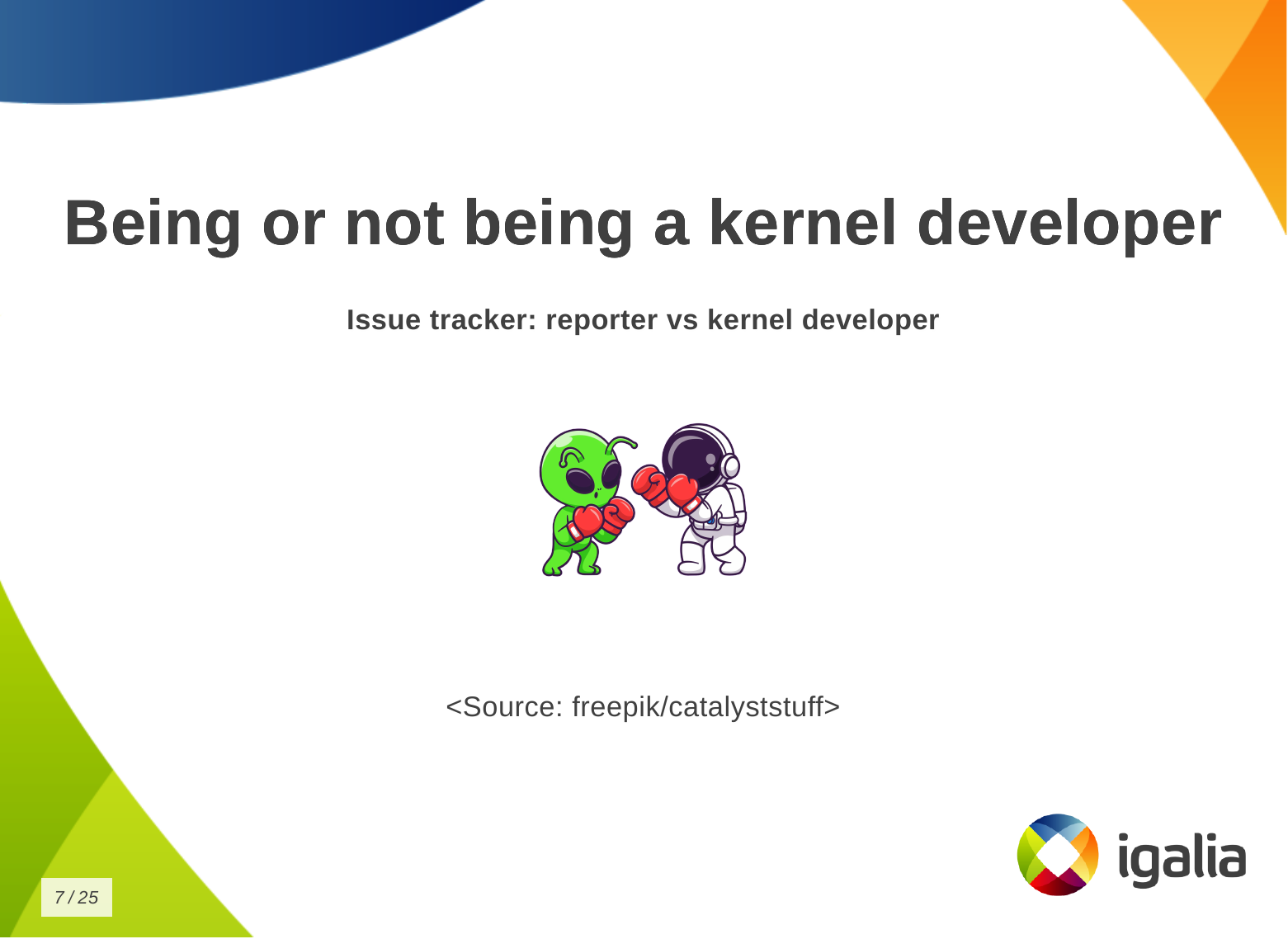 So, whether you are a kernel developer or not, at some point you may come
across this type of situation:
So, whether you are a kernel developer or not, at some point you may come
across this type of situation:
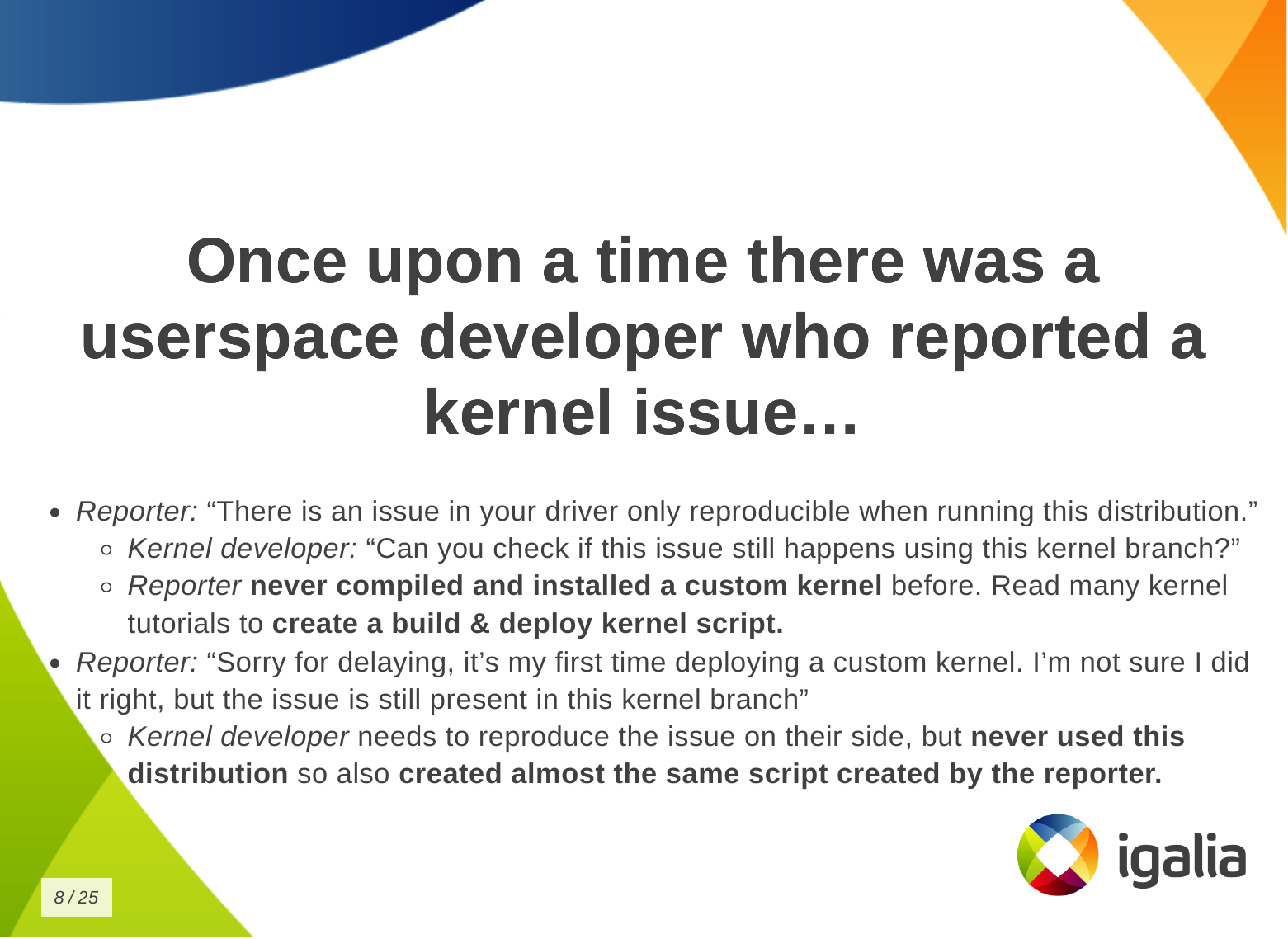 There is a userspace developer who wants to report a kernel issue and says:
- Oh, there is a problem in your driver that can only be reproduced by running this specific distribution.
And the kernel developer asks:
- Oh, have you checked if this issue is still present in the latest kernel version of this branch?
But the userspace developer has never compiled and installed a custom kernel
before. So they have to read a lot of tutorials and kernel documentation to
create a kernel compilation and deployment script. Finally, the reporter
managed to compile and deploy a custom kernel and reports:
- Sorry for the delay, this is the first time I have installed a custom kernel.
I am not sure if I did it right, but the issue is still present in the kernel
of the branch you pointed out.
And then, the kernel developer needs to reproduce this issue on their side, but
they have never worked with this distribution, so they just created a new
script, but the same script created by the reporter.
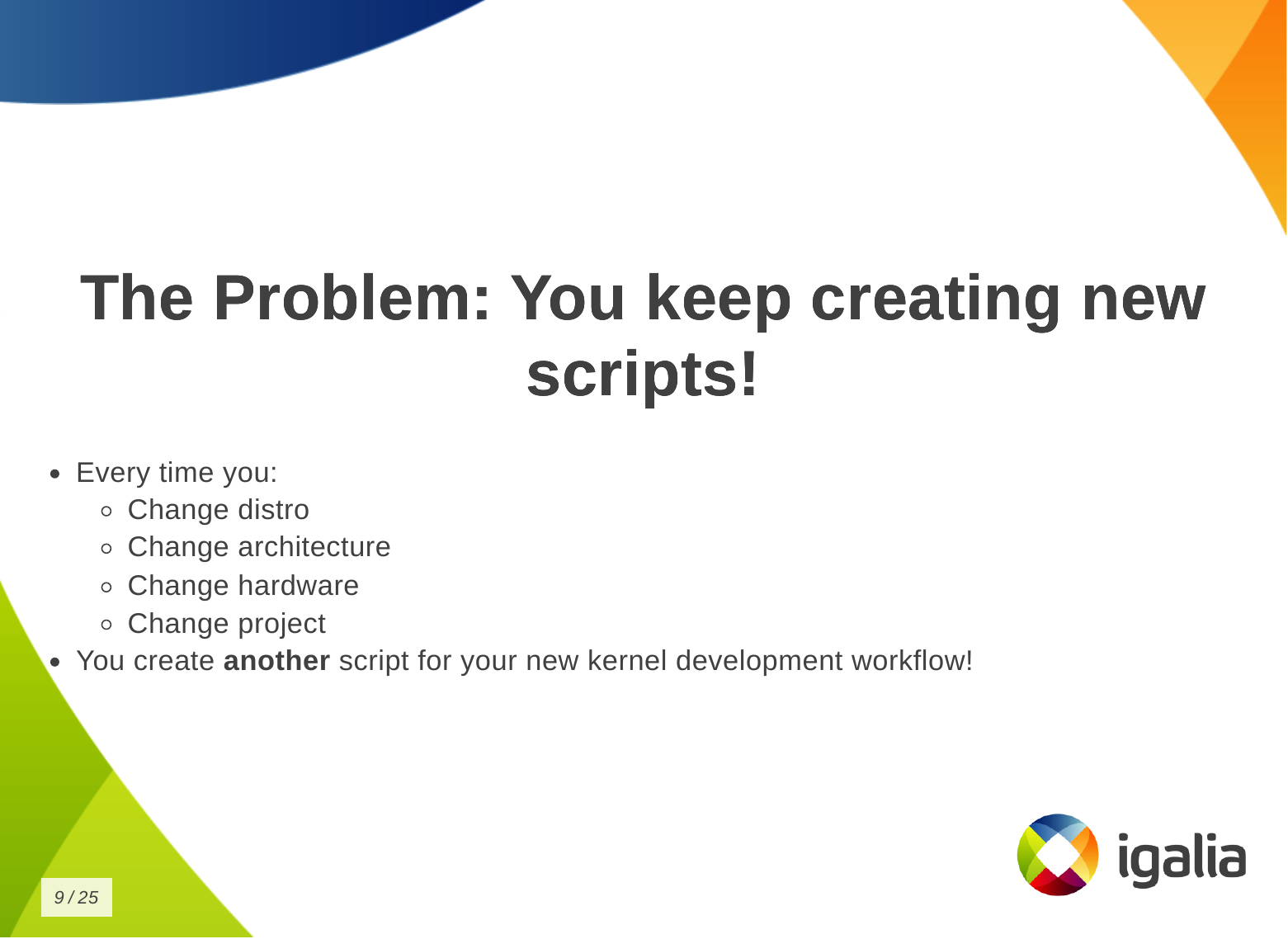 What s the problem of this situation? The problem is that you keep creating new
scripts!
Every time you change distribution, change architecture, change hardware,
change project - even in the same company - the development setup may change
when you switch to a different project, you create another script for your new
kernel development workflow!
What s the problem of this situation? The problem is that you keep creating new
scripts!
Every time you change distribution, change architecture, change hardware,
change project - even in the same company - the development setup may change
when you switch to a different project, you create another script for your new
kernel development workflow!
 You know, you have a lot of babies, you have a collection of my precious
scripts , like Sm agol (Lord of the Rings) with the precious ring.
You know, you have a lot of babies, you have a collection of my precious
scripts , like Sm agol (Lord of the Rings) with the precious ring.
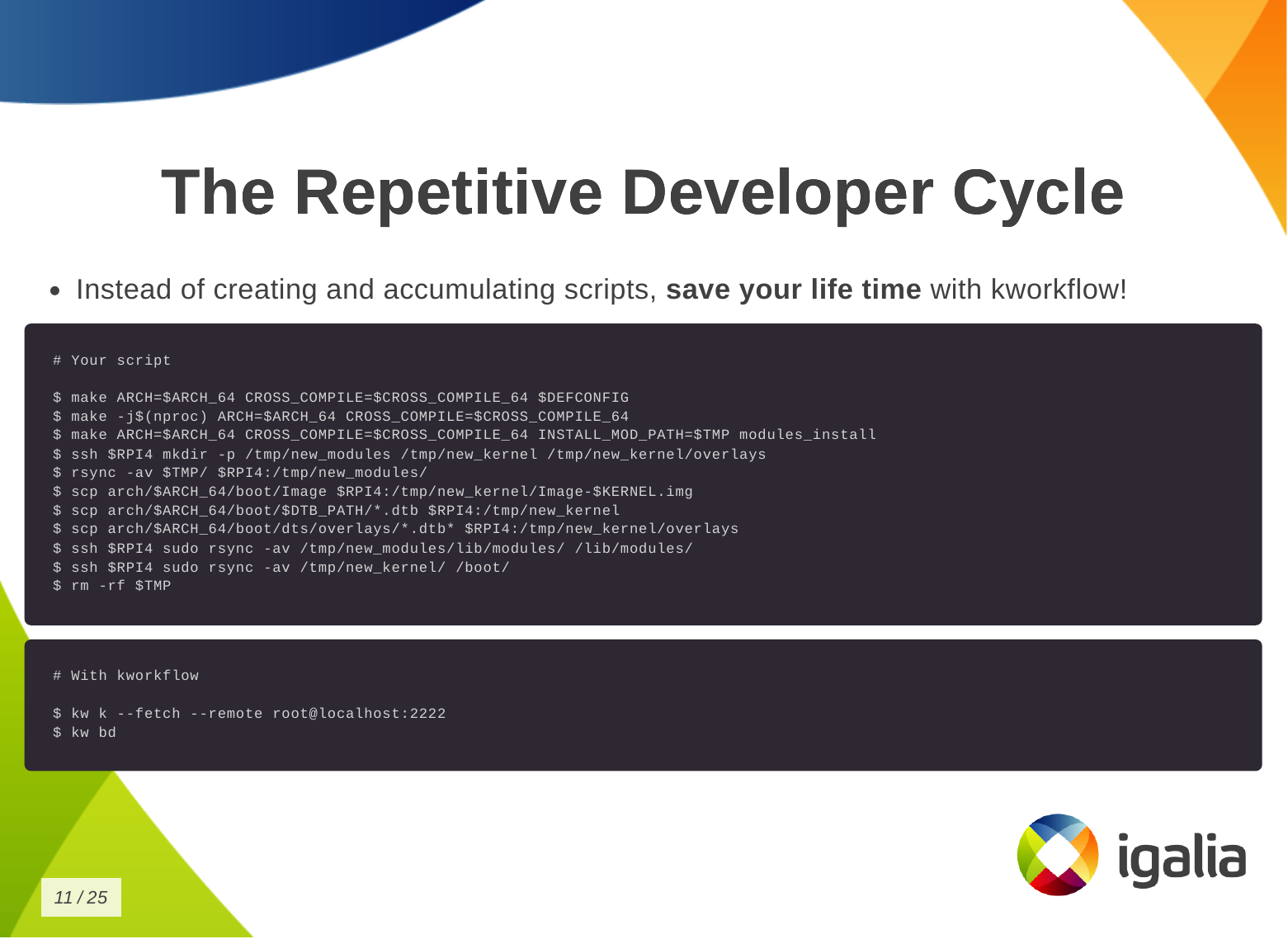 Instead of creating and accumulating scripts, save yourself time with
kworkflow. Here is a typical script that many of you may have. This is a
Raspberry Pi 4 script and contains everything you need to memorize to compile
and deploy a kernel on your Raspberry Pi 4.
With kworkflow, you only need to memorize two commands, and those commands are
not specific to Raspberry Pi. They are the same commands to different
architecture, kernel configuration, target device.
Instead of creating and accumulating scripts, save yourself time with
kworkflow. Here is a typical script that many of you may have. This is a
Raspberry Pi 4 script and contains everything you need to memorize to compile
and deploy a kernel on your Raspberry Pi 4.
With kworkflow, you only need to memorize two commands, and those commands are
not specific to Raspberry Pi. They are the same commands to different
architecture, kernel configuration, target device.
What is kworkflow?
Kworkflow is a collection of tools and software combined to:
- Optimize Linux kernel development workflow.
- Reduce time spent on repetitive tasks, since we are spending our lives
compiling kernels.
- Standardize best practices.
- Ensure reliable data exchange across kernel workflow. For example: two people
describe the same setup, but they are not seeing the same thing, kworkflow
can ensure both are actually with the same kernel, modules and options enabled.
 I don t know if you will get this analogy, but kworkflow is for me a megazord
of scripts. You are combining all of your scripts to create a very powerful
tool.
I don t know if you will get this analogy, but kworkflow is for me a megazord
of scripts. You are combining all of your scripts to create a very powerful
tool.
What is the main feature of kworflow?
There are many, but these are the most important for me:
- Build & deploy custom kernels across devices & distros.
- Handle cross-compilation seamlessly.
- Manage multiple architecture, settings and target devices in the same work tree.
- Organize kernel configuration files.
- Facilitate remote debugging & code inspection.
- Standardize Linux kernel patch submission guidelines. You don t need to
double check documentantion neither Greg needs to tell you that you are not
following Linux kernel guidelines.
- Upcoming: Interface to bookmark, apply and reviewed-by patches from
mailing lists (lore.kernel.org).
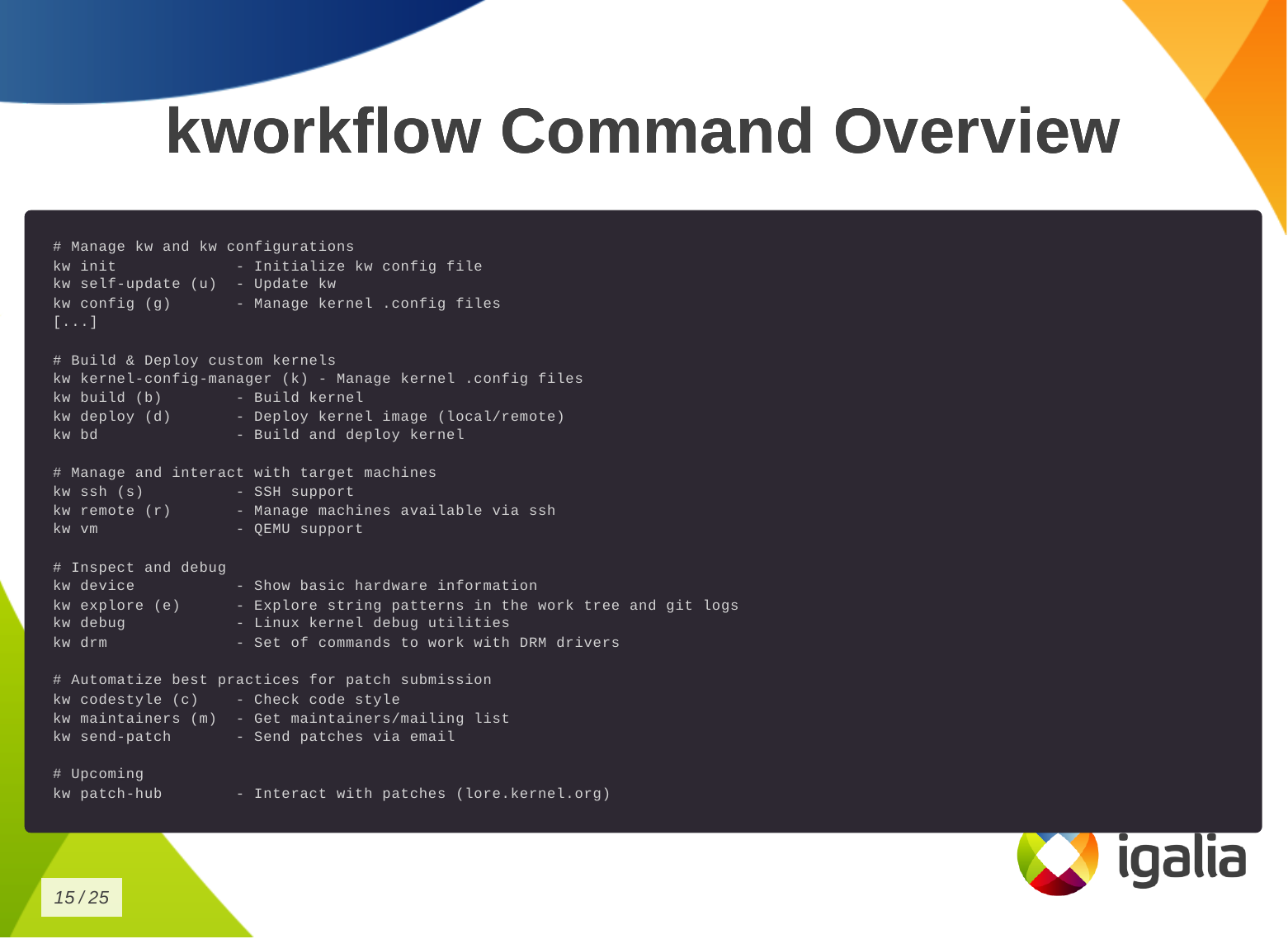 This is the list of commands you can run with kworkflow.
The first subset is to configure your tool for various situations you may face
in your daily tasks.
This is the list of commands you can run with kworkflow.
The first subset is to configure your tool for various situations you may face
in your daily tasks.
# Manage kw and kw configurations
kw init             - Initialize kw config file
kw self-update (u)  - Update kw
kw config (g)       - Manage kernel .config files
The second subset is to build and deploy custom kernels.
# Build & Deploy custom kernels
kw kernel-config-manager (k) - Manage kernel .config files
kw build (b)        - Build kernel
kw deploy (d)       - Deploy kernel image (local/remote)
kw bd               - Build and deploy kernel
We have some tools to manage and interact with target machines.
# Manage and interact with target machines
kw ssh (s)          - SSH support
kw remote (r)       - Manage machines available via ssh
kw vm               - QEMU support
To inspect and debug a kernel.
# Inspect and debug
kw device           - Show basic hardware information
kw explore (e)      - Explore string patterns in the work tree and git logs
kw debug            - Linux kernel debug utilities
kw drm              - Set of commands to work with DRM drivers
To automatize best practices for patch submission like codestyle, maintainers
and the correct list of recipients and mailing lists of this change, to ensure
we are sending the patch to who is interested in it.
# Automatize best practices for patch submission
kw codestyle (c)    - Check code style
kw maintainers (m)  - Get maintainers/mailing list
kw send-patch       - Send patches via email
And the last one, the upcoming patch hub.
# Upcoming
kw patch-hub        - Interact with patches (lore.kernel.org)
How can you save time with Kworkflow?
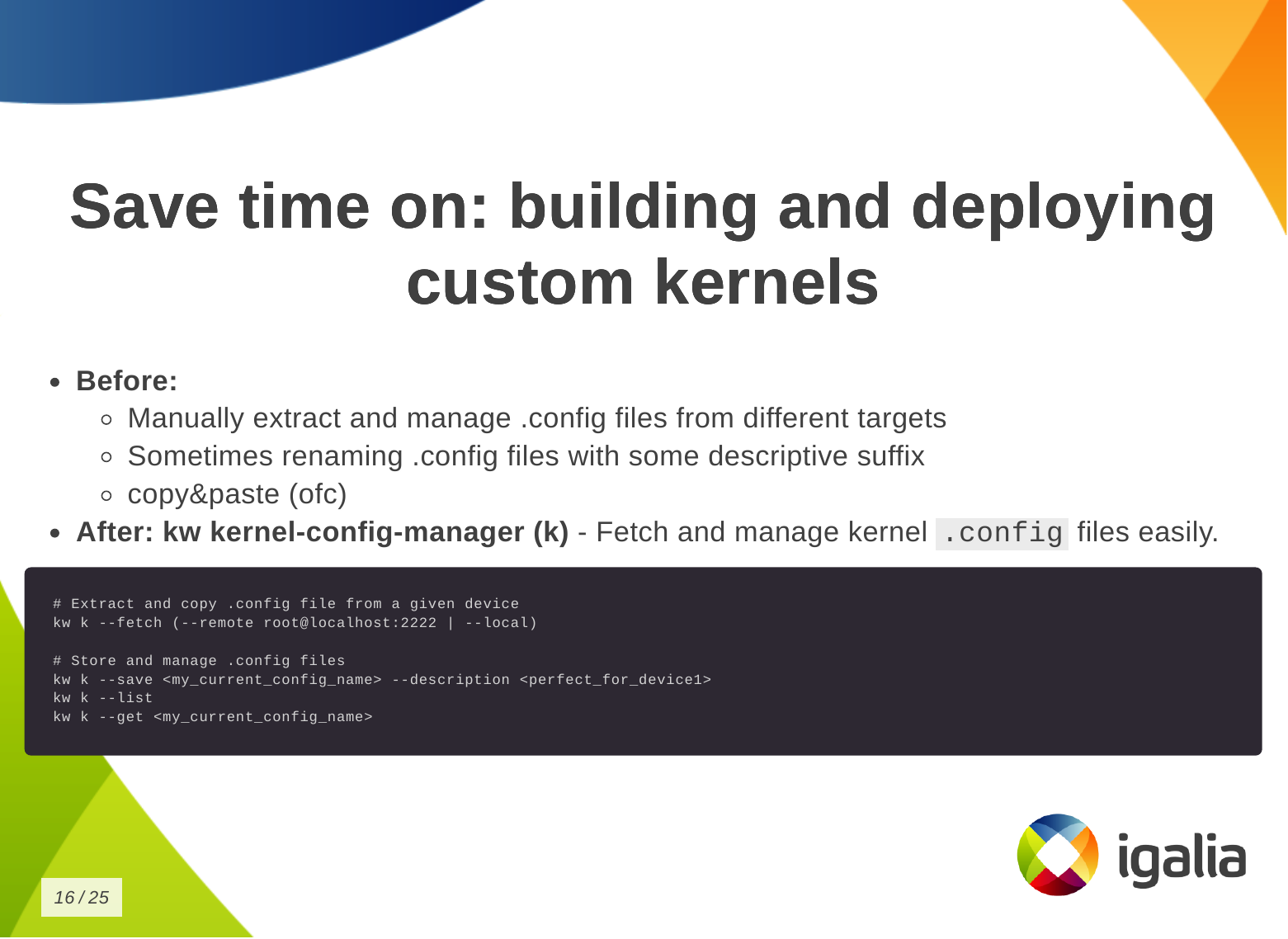 So how can you save time building and deploying a custom kernel?
First, you need a .config file.
So how can you save time building and deploying a custom kernel?
First, you need a .config file.
- Without kworkflow: You may be manually extracting and managing .config
files from different targets and saving them with different suffixes to link
the kernel to the target device or distribution, or any descriptive suffix to
help identify which is which. Or even copying and pasting from somewhere.
- With kworkflow: you can use the kernel-config-manager command, or simply
kw k, to store, describe and retrieve a specific .config file very easily,
according to your current needs.
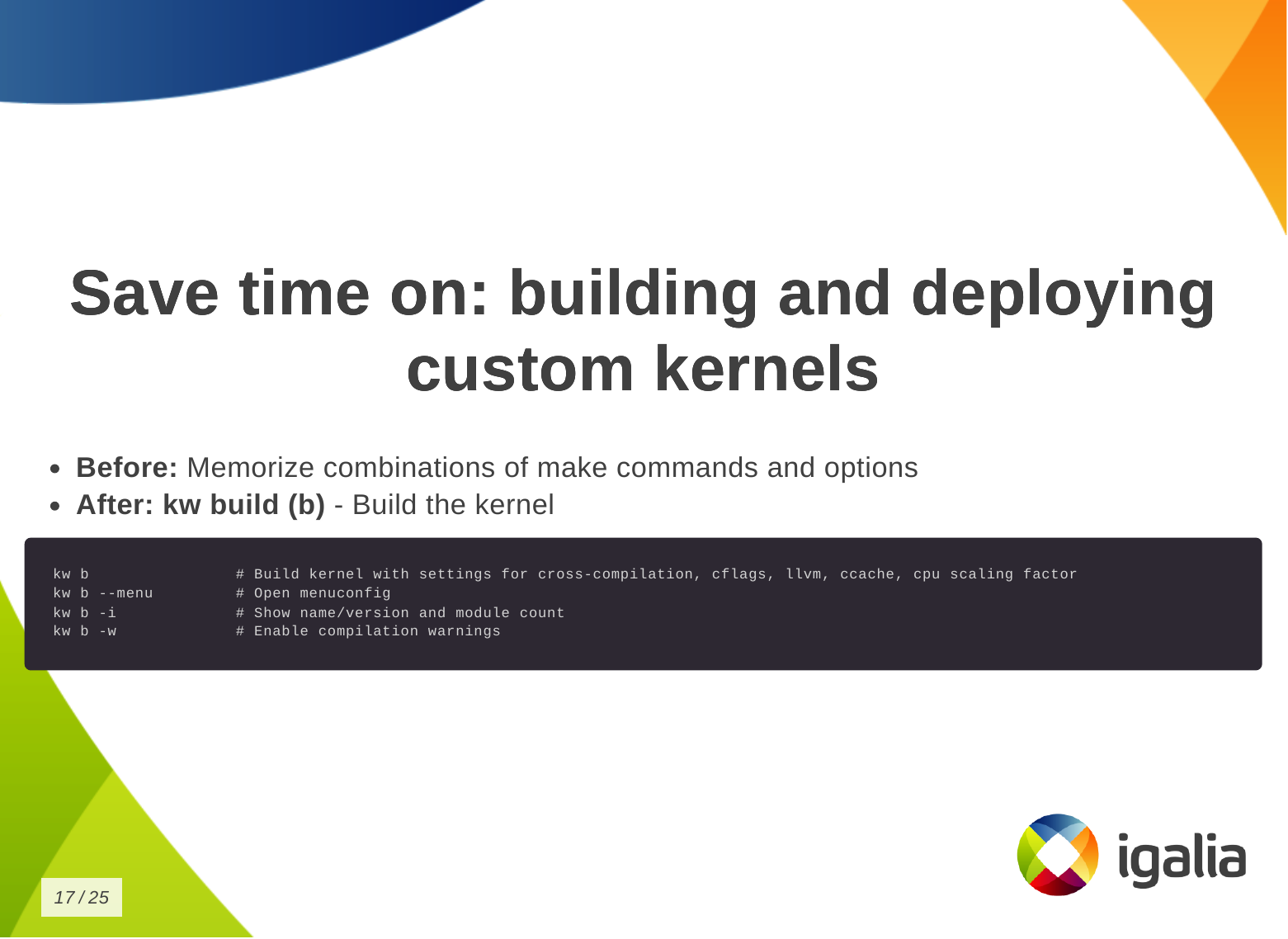 Then you want to build the kernel:
- Without kworkflow: You are probably now memorizing a combination of
commands and options.
- With kworkflow: you just need
kw b (kw build) to build the kernel with
the correct settings for cross-compilation, compilation warnings, cflags,
etc. It also shows some information about the kernel, like number of modules.
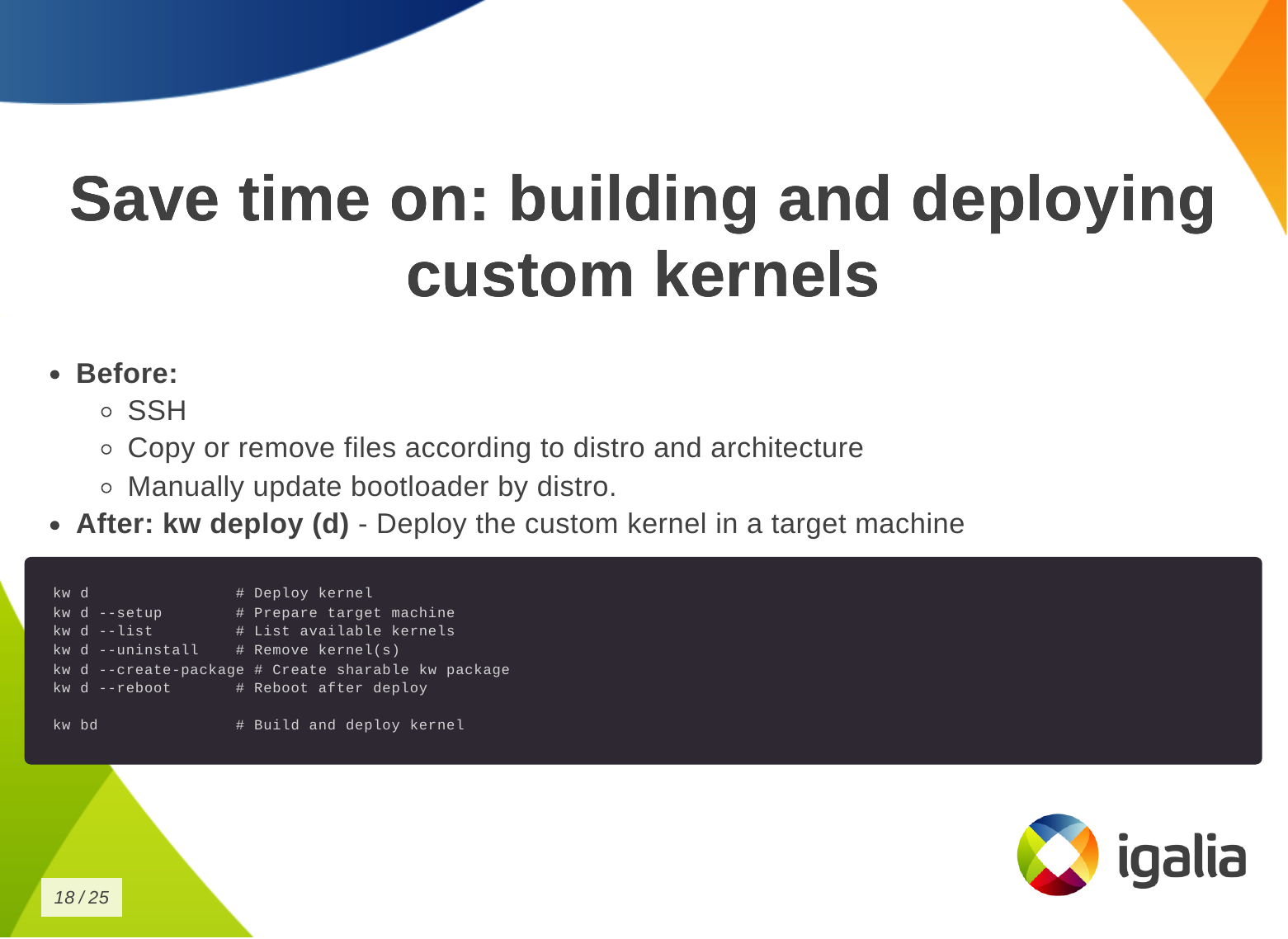 Finally, to deploy the kernel in a target machine.
- Without kworkflow: You might be doing things like: SSH connecting to the
remote machine, copying and removing files according to distributions and
architecture, and manually updating the bootloader for the target distribution.
- With kworkflow: you just need
kw d which does a lot of things for you,
like: deploying the kernel, preparing the target machine for the new
installation, listing available kernels and uninstall them, creating a tarball,
rebooting the machine after deploying the kernel, etc.
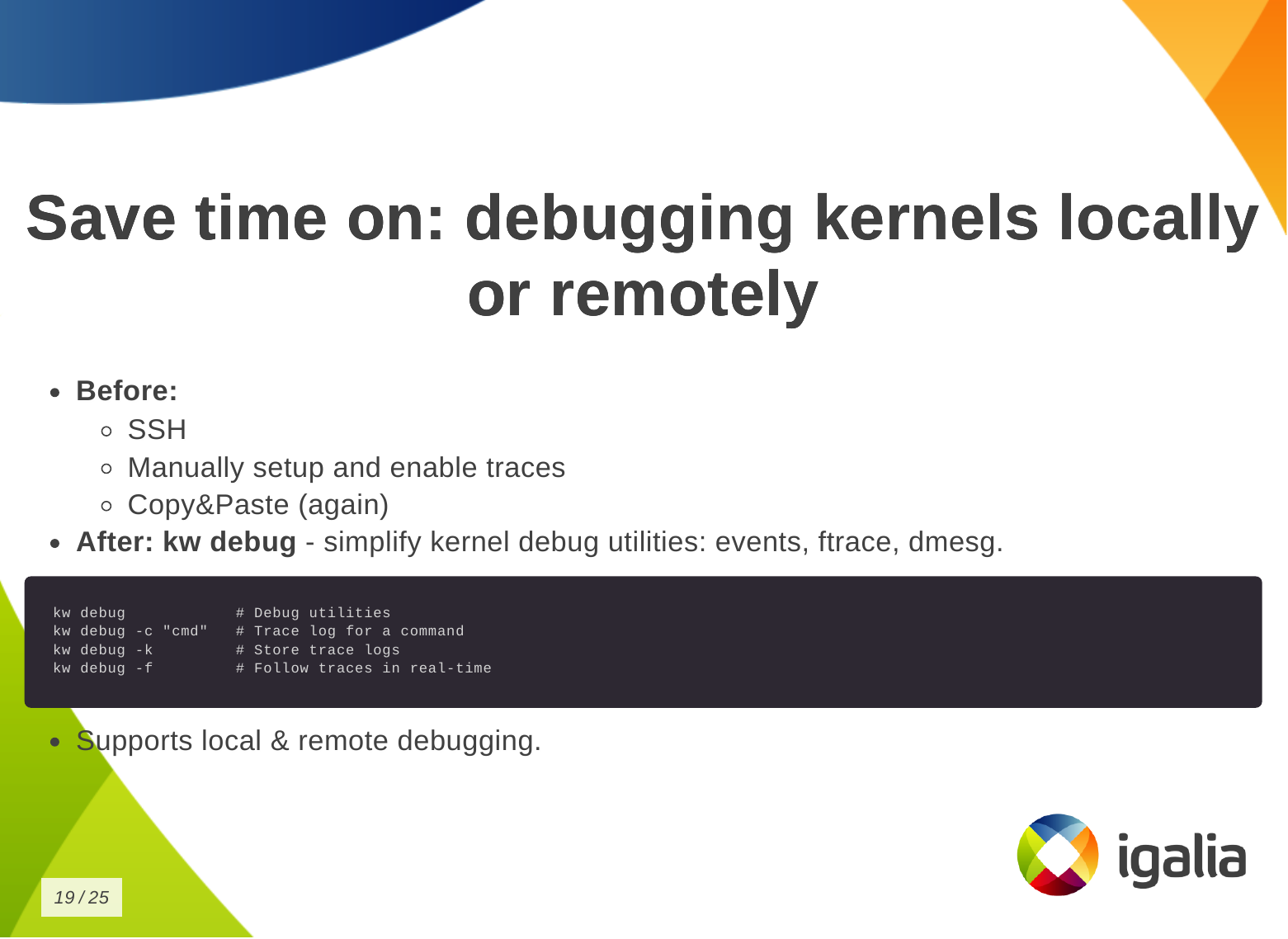 You can also save time on debugging kernels locally or remotely.
- Without kworkflow: you do: ssh, manual setup and traces enablement,
copy&paste logs.
- With kworkflow: more straighforward access to debug utilities: events,
trace, dmesg.
 You can save time on managing multiple kernel images in the same work tree.
- Without kworkflow: now you can be cloning multiple times the same
repository so you don t lose compiled files when changing kernel
configuration or compilation options and manually managing build and deployment
scripts.
- With kworkflow: you can use
kw env to isolate multiple contexts in the
same worktree as environments, so you can keep different configurations in
the same worktree and switch between them easily without losing anything from
the last time you worked in a specific context.
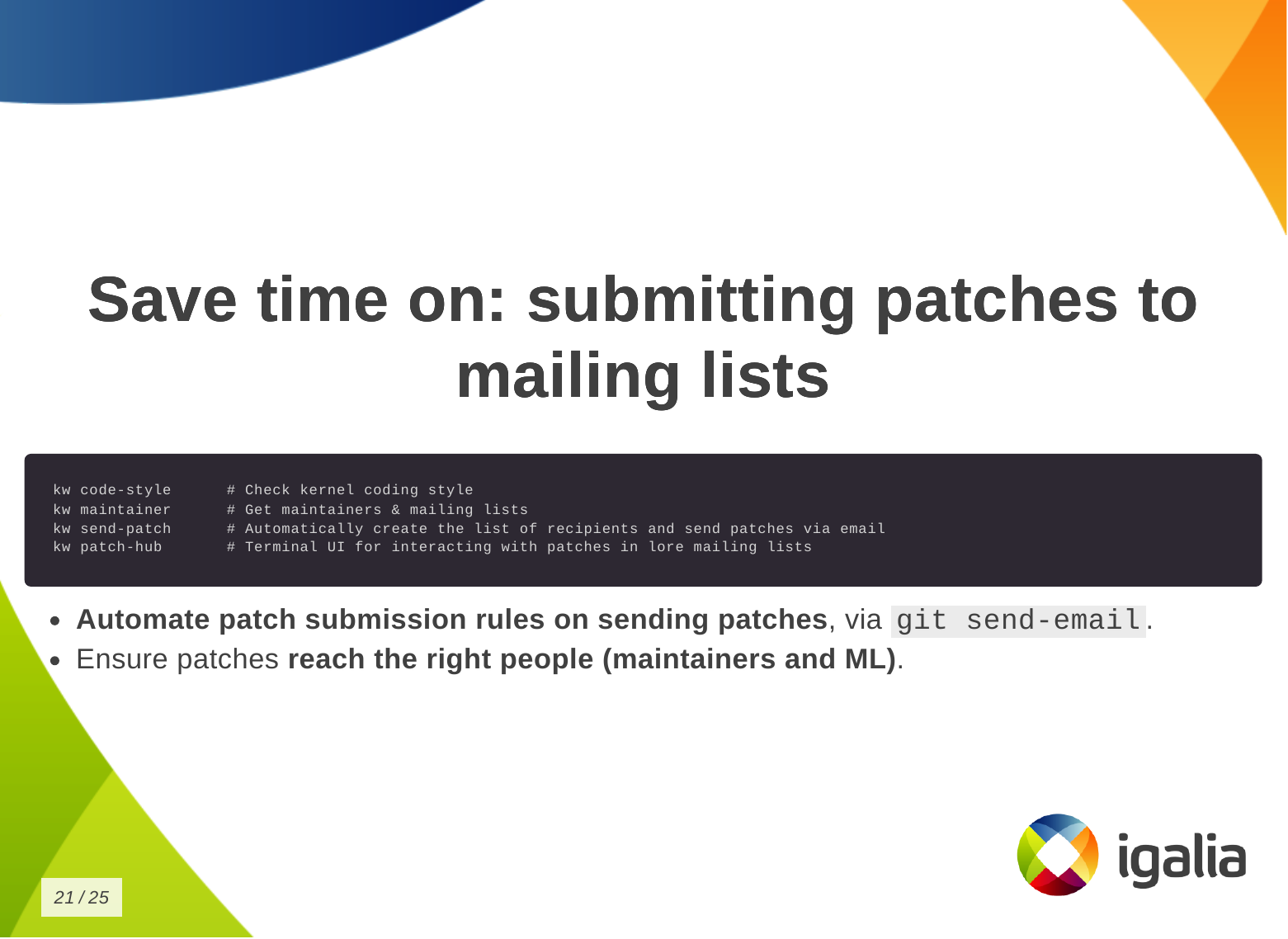 Finally, you can save time when submitting kernel patches. In kworkflow, you
can find everything you need to wrap your changes in patch format and submit
them to the right list of recipients, those who can review, comment on, and
accept your changes.
Finally, you can save time when submitting kernel patches. In kworkflow, you
can find everything you need to wrap your changes in patch format and submit
them to the right list of recipients, those who can review, comment on, and
accept your changes.
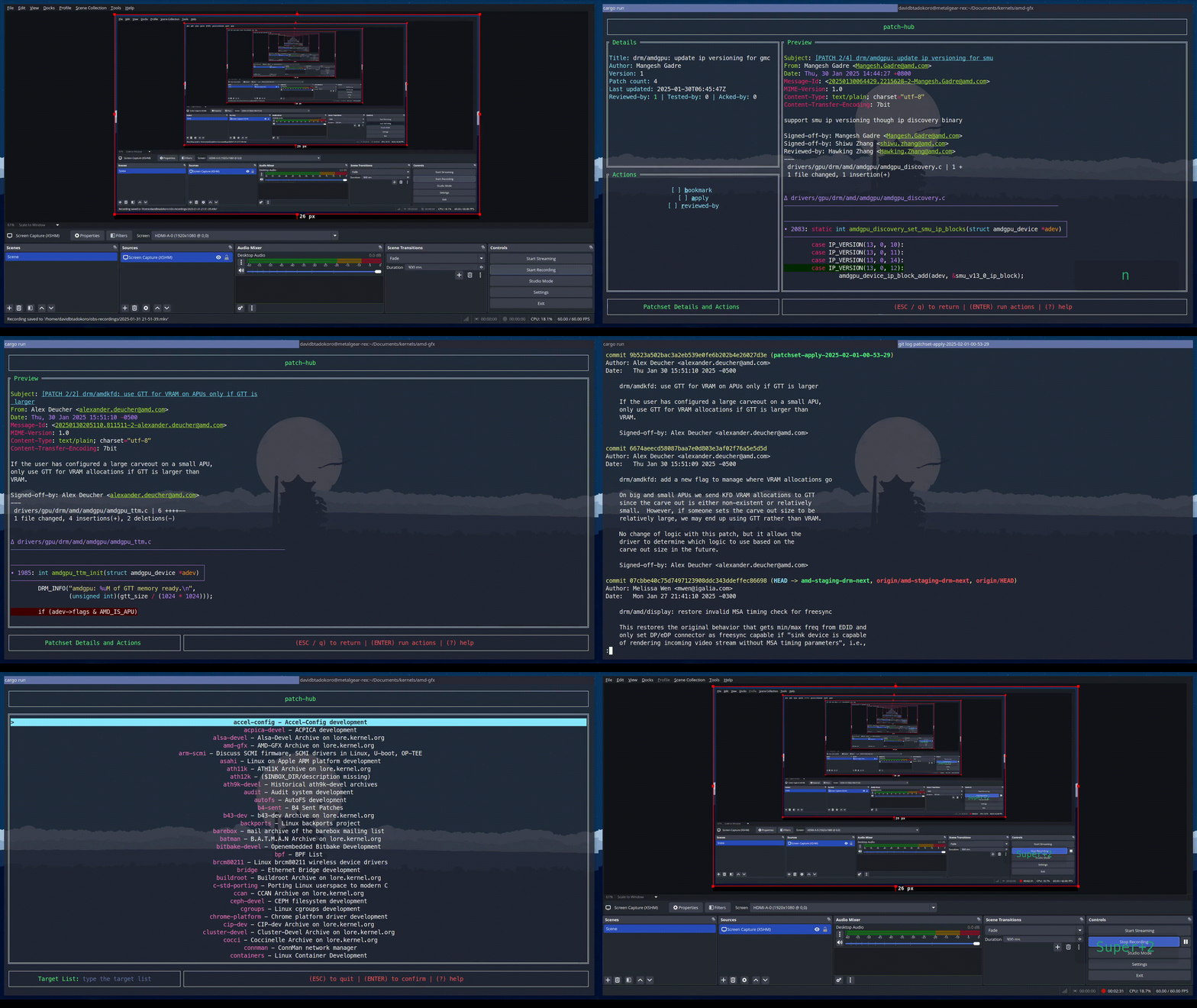 This is a demo that the lead developer of the kw patch-hub feature sent me.
With this feature, you will be able to check out a series on a specific mailing
list, bookmark those patches in the kernel for validation, and when you are
satisfied with the proposed changes, you can automatically submit a reviewed-by
for that whole series to the mailing list.
This is a demo that the lead developer of the kw patch-hub feature sent me.
With this feature, you will be able to check out a series on a specific mailing
list, bookmark those patches in the kernel for validation, and when you are
satisfied with the proposed changes, you can automatically submit a reviewed-by
for that whole series to the mailing list.
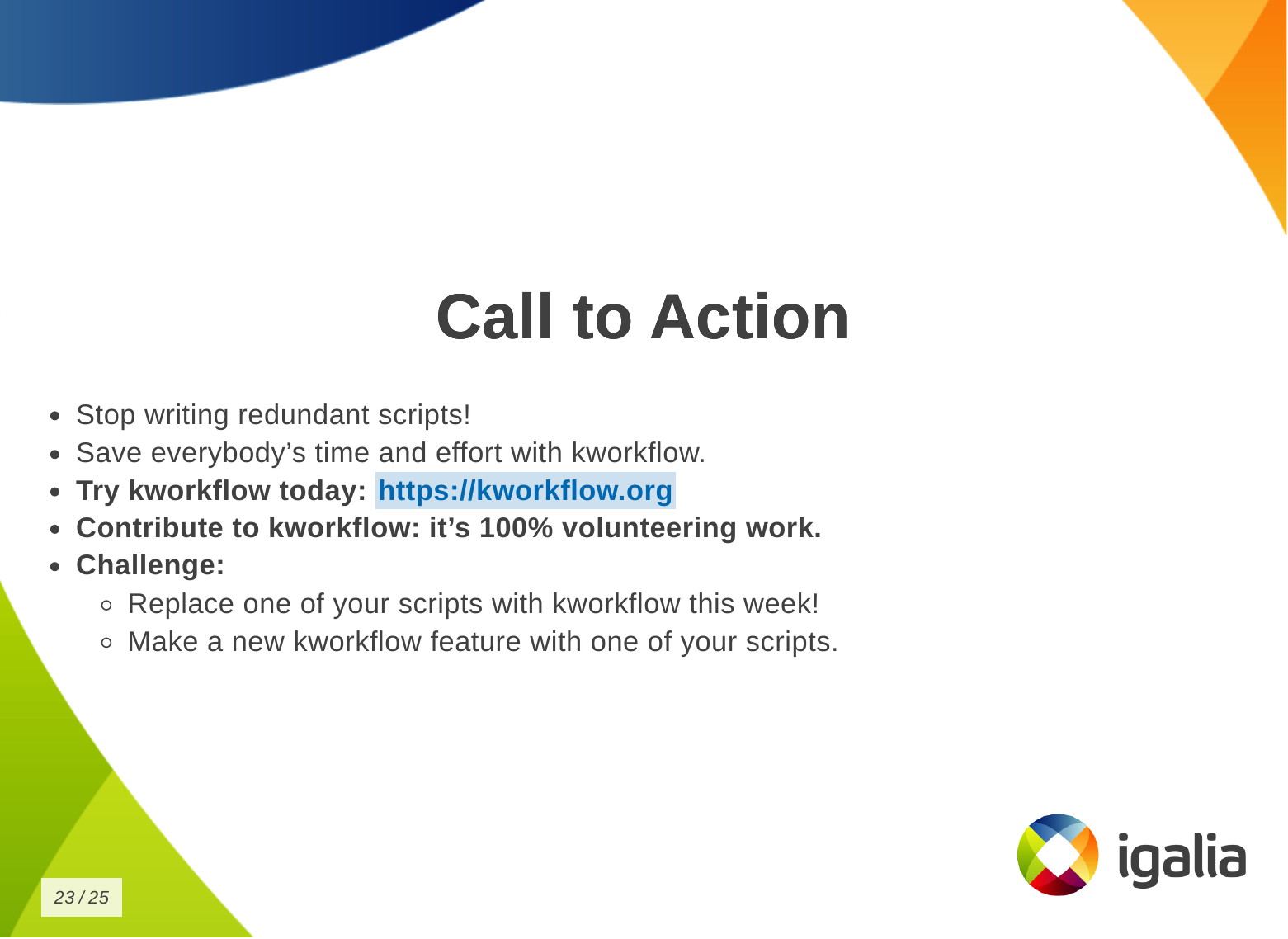
Demo
Now a demo of how to use kw environment to deal with different devices,
architectures and distributions in the same work tree without losing compiled
files, build and deploy settings, .config file, remote access configuration and
other settings specific for those three devices that I have.
Setup
- Three devices:
-
laptop (debian
x86
intel
local)
-
SteamDeck (steamos
x86
amd
remote)
-
RaspberryPi 4 (raspbian
arm64
broadcomm
remote)
- Goal: To validate a change on DRM/VKMS using a single kernel tree.
- Kworkflow commands:
- kw env
- kw d
- kw bd
- kw device
- kw debug
- kw drm
Demo script
In the same terminal and worktree.
First target device: Laptop (debian x86 intel local)
$ kw env --list # list environments available in this work tree
$ kw env --use LOCAL # select the environment of local machine (laptop) to use: loading pre-compiled files, kernel and kworkflow settings.
$ kw device # show device information
$ sudo modinfo vkms # show VKMS module information before applying kernel changes.
$ <open VKMS file and change module info>
$ kw bd # compile and install kernel with the given change
$ sudo modinfo vkms # show VKMS module information after kernel changes.
$ git checkout -- drivers
Second target device: RaspberryPi 4 (raspbian arm64 broadcomm remote)
$ kw env --use RPI_64 # move to the environment for a different target device.
$ kw device # show device information and kernel image name
$ kw drm --gui-off-after-reboot # set the system to not load graphical layer after reboot
$ kw b # build the kernel with the VKMS change
$ kw d --reboot # deploy the custom kernel in a Raspberry Pi 4 with Raspbian 64, and reboot
$ kw s # connect with the target machine via ssh and check the kernel image name
$ exit
Third target device: SteamDeck (steamos x86 amd remote)
$ kw env --use STEAMDECK # move to the environment for a different target device
$ kw device # show device information
$ kw debug --dmesg --follow --history --cmd="modprobe vkms" # run a command and show the related dmesg output
$ kw debug --dmesg --follow --history --cmd="modprobe -r vkms" # run a command and show the related dmesg output
$ <add a printk with a random msg to appear on dmesg log>
$ kw bd # deploy and install custom kernel to the target device
$ kw debug --dmesg --follow --history --cmd="modprobe vkms" # run a command and show the related dmesg output after build and deploy the kernel change
Q&A
Most of the questions raised at the end of the presentation were actually
suggestions and additions of new features to kworkflow.
The first participant, that is also a kernel maintainer, asked about two
features: (1) automatize getting patches from patchwork (or lore) and
triggering the process of building, deploying and validating them using the
existing workflow, (2) bisecting support. They are both very interesting
features. The first one fits well the patch-hub subproject, that is
under-development, and I ve actually made a similar
request a couple of weeks
before the talk. The second is an already existing
request in kworkflow github
project.
Another request was to use kexec and avoid rebooting the kernel for testing.
Reviewing my presentation I realized I wasn t very clear that kworkflow doesn t
support kexec. As I replied, what it does is to install the modules and you can
load/unload them for validations, but for built-in parts, you need to reboot
the kernel.
Another two questions: one about Android Debug Bridge (ADB) support instead of
SSH and another about support to alternative ways of booting when the custom
kernel ended up broken but you only have one kernel image there. Kworkflow
doesn t manage it yet, but I agree this is a very useful feature for embedded
devices. On Raspberry Pi 4, kworkflow mitigates this issue by preserving the
distro kernel image and using config.txt file to set a custom kernel for
booting. For ADB, there is no support too, and as I don t see currently users
of KW working with Android, I don t think we will have this support any time
soon, except if we find new volunteers and increase the pool of contributors.
The last two questions were regarding the status of b4 integration, that is
under development, and other debugging features that the tool doesn t support
yet.
Finally, when Andrea and I were changing turn on the stage, he suggested to add
support for virtme-ng to kworkflow. So I
opened an issue for
tracking this feature request in the project github.
With all these questions and requests, I could see the general need for a tool
that integrates the variety of kernel developer workflows, as proposed by
kworflow. Also, there are still many cases to be covered by kworkflow.
Despite the high demand, this is a completely voluntary project and it is
unlikely that we will be able to meet these needs given the limited resources.
We will keep trying our best in the hope we can increase the pool of users and
contributors too.
- Optimize Linux kernel development workflow.
- Reduce time spent on repetitive tasks, since we are spending our lives compiling kernels.
- Standardize best practices.
- Ensure reliable data exchange across kernel workflow. For example: two people describe the same setup, but they are not seeing the same thing, kworkflow can ensure both are actually with the same kernel, modules and options enabled.
I don t know if you will get this analogy, but kworkflow is for me a megazord
of scripts. You are combining all of your scripts to create a very powerful
tool.
What is the main feature of kworflow?
There are many, but these are the most important for me:
- Build & deploy custom kernels across devices & distros.
- Handle cross-compilation seamlessly.
- Manage multiple architecture, settings and target devices in the same work tree.
- Organize kernel configuration files.
- Facilitate remote debugging & code inspection.
- Standardize Linux kernel patch submission guidelines. You don t need to
double check documentantion neither Greg needs to tell you that you are not
following Linux kernel guidelines.
- Upcoming: Interface to bookmark, apply and reviewed-by patches from
mailing lists (lore.kernel.org).
This is the list of commands you can run with kworkflow.
The first subset is to configure your tool for various situations you may face
in your daily tasks.
# Manage kw and kw configurations
kw init - Initialize kw config file
kw self-update (u) - Update kw
kw config (g) - Manage kernel .config files
The second subset is to build and deploy custom kernels.
# Build & Deploy custom kernels
kw kernel-config-manager (k) - Manage kernel .config files
kw build (b) - Build kernel
kw deploy (d) - Deploy kernel image (local/remote)
kw bd - Build and deploy kernel
We have some tools to manage and interact with target machines.
# Manage and interact with target machines
kw ssh (s) - SSH support
kw remote (r) - Manage machines available via ssh
kw vm - QEMU support
To inspect and debug a kernel.
# Inspect and debug
kw device - Show basic hardware information
kw explore (e) - Explore string patterns in the work tree and git logs
kw debug - Linux kernel debug utilities
kw drm - Set of commands to work with DRM drivers
To automatize best practices for patch submission like codestyle, maintainers
and the correct list of recipients and mailing lists of this change, to ensure
we are sending the patch to who is interested in it.
# Automatize best practices for patch submission
kw codestyle (c) - Check code style
kw maintainers (m) - Get maintainers/mailing list
kw send-patch - Send patches via email
And the last one, the upcoming patch hub.
# Upcoming
kw patch-hub - Interact with patches (lore.kernel.org)
How can you save time with Kworkflow?
So how can you save time building and deploying a custom kernel?
First, you need a .config file.
- Without kworkflow: You may be manually extracting and managing .config
files from different targets and saving them with different suffixes to link
the kernel to the target device or distribution, or any descriptive suffix to
help identify which is which. Or even copying and pasting from somewhere.
- With kworkflow: you can use the kernel-config-manager command, or simply
kw k, to store, describe and retrieve a specific .config file very easily,
according to your current needs.
Then you want to build the kernel:
- Without kworkflow: You are probably now memorizing a combination of
commands and options.
- With kworkflow: you just need
kw b (kw build) to build the kernel with
the correct settings for cross-compilation, compilation warnings, cflags,
etc. It also shows some information about the kernel, like number of modules.
Finally, to deploy the kernel in a target machine.
- Without kworkflow: You might be doing things like: SSH connecting to the
remote machine, copying and removing files according to distributions and
architecture, and manually updating the bootloader for the target distribution.
- With kworkflow: you just need
kw d which does a lot of things for you,
like: deploying the kernel, preparing the target machine for the new
installation, listing available kernels and uninstall them, creating a tarball,
rebooting the machine after deploying the kernel, etc.
You can also save time on debugging kernels locally or remotely.
- Without kworkflow: you do: ssh, manual setup and traces enablement,
copy&paste logs.
- With kworkflow: more straighforward access to debug utilities: events,
trace, dmesg.
You can save time on managing multiple kernel images in the same work tree.
- Without kworkflow: now you can be cloning multiple times the same
repository so you don t lose compiled files when changing kernel
configuration or compilation options and manually managing build and deployment
scripts.
- With kworkflow: you can use
kw env to isolate multiple contexts in the
same worktree as environments, so you can keep different configurations in
the same worktree and switch between them easily without losing anything from
the last time you worked in a specific context.
Finally, you can save time when submitting kernel patches. In kworkflow, you
can find everything you need to wrap your changes in patch format and submit
them to the right list of recipients, those who can review, comment on, and
accept your changes.
This is a demo that the lead developer of the kw patch-hub feature sent me.
With this feature, you will be able to check out a series on a specific mailing
list, bookmark those patches in the kernel for validation, and when you are
satisfied with the proposed changes, you can automatically submit a reviewed-by
for that whole series to the mailing list.
Demo
Now a demo of how to use kw environment to deal with different devices,
architectures and distributions in the same work tree without losing compiled
files, build and deploy settings, .config file, remote access configuration and
other settings specific for those three devices that I have.
Setup
- Three devices:
-
laptop (debian
x86
intel
local)
-
SteamDeck (steamos
x86
amd
remote)
-
RaspberryPi 4 (raspbian
arm64
broadcomm
remote)
- Goal: To validate a change on DRM/VKMS using a single kernel tree.
- Kworkflow commands:
- kw env
- kw d
- kw bd
- kw device
- kw debug
- kw drm
Demo script
In the same terminal and worktree.
First target device: Laptop (debian x86 intel local)
$ kw env --list # list environments available in this work tree
$ kw env --use LOCAL # select the environment of local machine (laptop) to use: loading pre-compiled files, kernel and kworkflow settings.
$ kw device # show device information
$ sudo modinfo vkms # show VKMS module information before applying kernel changes.
$ <open VKMS file and change module info>
$ kw bd # compile and install kernel with the given change
$ sudo modinfo vkms # show VKMS module information after kernel changes.
$ git checkout -- drivers
Second target device: RaspberryPi 4 (raspbian arm64 broadcomm remote)
$ kw env --use RPI_64 # move to the environment for a different target device.
$ kw device # show device information and kernel image name
$ kw drm --gui-off-after-reboot # set the system to not load graphical layer after reboot
$ kw b # build the kernel with the VKMS change
$ kw d --reboot # deploy the custom kernel in a Raspberry Pi 4 with Raspbian 64, and reboot
$ kw s # connect with the target machine via ssh and check the kernel image name
$ exit
Third target device: SteamDeck (steamos x86 amd remote)
$ kw env --use STEAMDECK # move to the environment for a different target device
$ kw device # show device information
$ kw debug --dmesg --follow --history --cmd="modprobe vkms" # run a command and show the related dmesg output
$ kw debug --dmesg --follow --history --cmd="modprobe -r vkms" # run a command and show the related dmesg output
$ <add a printk with a random msg to appear on dmesg log>
$ kw bd # deploy and install custom kernel to the target device
$ kw debug --dmesg --follow --history --cmd="modprobe vkms" # run a command and show the related dmesg output after build and deploy the kernel change
Q&A
Most of the questions raised at the end of the presentation were actually
suggestions and additions of new features to kworkflow.
The first participant, that is also a kernel maintainer, asked about two
features: (1) automatize getting patches from patchwork (or lore) and
triggering the process of building, deploying and validating them using the
existing workflow, (2) bisecting support. They are both very interesting
features. The first one fits well the patch-hub subproject, that is
under-development, and I ve actually made a similar
request a couple of weeks
before the talk. The second is an already existing
request in kworkflow github
project.
Another request was to use kexec and avoid rebooting the kernel for testing.
Reviewing my presentation I realized I wasn t very clear that kworkflow doesn t
support kexec. As I replied, what it does is to install the modules and you can
load/unload them for validations, but for built-in parts, you need to reboot
the kernel.
Another two questions: one about Android Debug Bridge (ADB) support instead of
SSH and another about support to alternative ways of booting when the custom
kernel ended up broken but you only have one kernel image there. Kworkflow
doesn t manage it yet, but I agree this is a very useful feature for embedded
devices. On Raspberry Pi 4, kworkflow mitigates this issue by preserving the
distro kernel image and using config.txt file to set a custom kernel for
booting. For ADB, there is no support too, and as I don t see currently users
of KW working with Android, I don t think we will have this support any time
soon, except if we find new volunteers and increase the pool of contributors.
The last two questions were regarding the status of b4 integration, that is
under development, and other debugging features that the tool doesn t support
yet.
Finally, when Andrea and I were changing turn on the stage, he suggested to add
support for virtme-ng to kworkflow. So I
opened an issue for
tracking this feature request in the project github.
With all these questions and requests, I could see the general need for a tool
that integrates the variety of kernel developer workflows, as proposed by
kworflow. Also, there are still many cases to be covered by kworkflow.
Despite the high demand, this is a completely voluntary project and it is
unlikely that we will be able to meet these needs given the limited resources.
We will keep trying our best in the hope we can increase the pool of users and
contributors too.
# Manage kw and kw configurations
kw init - Initialize kw config file
kw self-update (u) - Update kw
kw config (g) - Manage kernel .config files
# Build & Deploy custom kernels
kw kernel-config-manager (k) - Manage kernel .config files
kw build (b) - Build kernel
kw deploy (d) - Deploy kernel image (local/remote)
kw bd - Build and deploy kernel
# Manage and interact with target machines
kw ssh (s) - SSH support
kw remote (r) - Manage machines available via ssh
kw vm - QEMU support
# Inspect and debug
kw device - Show basic hardware information
kw explore (e) - Explore string patterns in the work tree and git logs
kw debug - Linux kernel debug utilities
kw drm - Set of commands to work with DRM drivers
# Automatize best practices for patch submission
kw codestyle (c) - Check code style
kw maintainers (m) - Get maintainers/mailing list
kw send-patch - Send patches via email
# Upcoming
kw patch-hub - Interact with patches (lore.kernel.org)
- Without kworkflow: You may be manually extracting and managing .config files from different targets and saving them with different suffixes to link the kernel to the target device or distribution, or any descriptive suffix to help identify which is which. Or even copying and pasting from somewhere.
- With kworkflow: you can use the kernel-config-manager command, or simply
kw k, to store, describe and retrieve a specific .config file very easily, according to your current needs.
Then you want to build the kernel:
- Without kworkflow: You are probably now memorizing a combination of commands and options.
- With kworkflow: you just need
kw b(kw build) to build the kernel with the correct settings for cross-compilation, compilation warnings, cflags, etc. It also shows some information about the kernel, like number of modules.
Finally, to deploy the kernel in a target machine.
- Without kworkflow: You might be doing things like: SSH connecting to the remote machine, copying and removing files according to distributions and architecture, and manually updating the bootloader for the target distribution.
- With kworkflow: you just need
kw dwhich does a lot of things for you, like: deploying the kernel, preparing the target machine for the new installation, listing available kernels and uninstall them, creating a tarball, rebooting the machine after deploying the kernel, etc.
You can also save time on debugging kernels locally or remotely.
- Without kworkflow: you do: ssh, manual setup and traces enablement, copy&paste logs.
- With kworkflow: more straighforward access to debug utilities: events, trace, dmesg.
You can save time on managing multiple kernel images in the same work tree.
- Without kworkflow: now you can be cloning multiple times the same repository so you don t lose compiled files when changing kernel configuration or compilation options and manually managing build and deployment scripts.
- With kworkflow: you can use
kw envto isolate multiple contexts in the same worktree as environments, so you can keep different configurations in the same worktree and switch between them easily without losing anything from the last time you worked in a specific context.
Finally, you can save time when submitting kernel patches. In kworkflow, you
can find everything you need to wrap your changes in patch format and submit
them to the right list of recipients, those who can review, comment on, and
accept your changes.
This is a demo that the lead developer of the kw patch-hub feature sent me.
With this feature, you will be able to check out a series on a specific mailing
list, bookmark those patches in the kernel for validation, and when you are
satisfied with the proposed changes, you can automatically submit a reviewed-by
for that whole series to the mailing list.
Demo
Now a demo of how to use kw environment to deal with different devices,
architectures and distributions in the same work tree without losing compiled
files, build and deploy settings, .config file, remote access configuration and
other settings specific for those three devices that I have.
Setup
- Three devices:
-
laptop (debian
x86
intel
local)
-
SteamDeck (steamos
x86
amd
remote)
-
RaspberryPi 4 (raspbian
arm64
broadcomm
remote)
- Goal: To validate a change on DRM/VKMS using a single kernel tree.
- Kworkflow commands:
- kw env
- kw d
- kw bd
- kw device
- kw debug
- kw drm
Demo script
In the same terminal and worktree.
First target device: Laptop (debian x86 intel local)
$ kw env --list # list environments available in this work tree
$ kw env --use LOCAL # select the environment of local machine (laptop) to use: loading pre-compiled files, kernel and kworkflow settings.
$ kw device # show device information
$ sudo modinfo vkms # show VKMS module information before applying kernel changes.
$ <open VKMS file and change module info>
$ kw bd # compile and install kernel with the given change
$ sudo modinfo vkms # show VKMS module information after kernel changes.
$ git checkout -- drivers
Second target device: RaspberryPi 4 (raspbian arm64 broadcomm remote)
$ kw env --use RPI_64 # move to the environment for a different target device.
$ kw device # show device information and kernel image name
$ kw drm --gui-off-after-reboot # set the system to not load graphical layer after reboot
$ kw b # build the kernel with the VKMS change
$ kw d --reboot # deploy the custom kernel in a Raspberry Pi 4 with Raspbian 64, and reboot
$ kw s # connect with the target machine via ssh and check the kernel image name
$ exit
Third target device: SteamDeck (steamos x86 amd remote)
$ kw env --use STEAMDECK # move to the environment for a different target device
$ kw device # show device information
$ kw debug --dmesg --follow --history --cmd="modprobe vkms" # run a command and show the related dmesg output
$ kw debug --dmesg --follow --history --cmd="modprobe -r vkms" # run a command and show the related dmesg output
$ <add a printk with a random msg to appear on dmesg log>
$ kw bd # deploy and install custom kernel to the target device
$ kw debug --dmesg --follow --history --cmd="modprobe vkms" # run a command and show the related dmesg output after build and deploy the kernel change
Q&A
Most of the questions raised at the end of the presentation were actually
suggestions and additions of new features to kworkflow.
The first participant, that is also a kernel maintainer, asked about two
features: (1) automatize getting patches from patchwork (or lore) and
triggering the process of building, deploying and validating them using the
existing workflow, (2) bisecting support. They are both very interesting
features. The first one fits well the patch-hub subproject, that is
under-development, and I ve actually made a similar
request a couple of weeks
before the talk. The second is an already existing
request in kworkflow github
project.
Another request was to use kexec and avoid rebooting the kernel for testing.
Reviewing my presentation I realized I wasn t very clear that kworkflow doesn t
support kexec. As I replied, what it does is to install the modules and you can
load/unload them for validations, but for built-in parts, you need to reboot
the kernel.
Another two questions: one about Android Debug Bridge (ADB) support instead of
SSH and another about support to alternative ways of booting when the custom
kernel ended up broken but you only have one kernel image there. Kworkflow
doesn t manage it yet, but I agree this is a very useful feature for embedded
devices. On Raspberry Pi 4, kworkflow mitigates this issue by preserving the
distro kernel image and using config.txt file to set a custom kernel for
booting. For ADB, there is no support too, and as I don t see currently users
of KW working with Android, I don t think we will have this support any time
soon, except if we find new volunteers and increase the pool of contributors.
The last two questions were regarding the status of b4 integration, that is
under development, and other debugging features that the tool doesn t support
yet.
Finally, when Andrea and I were changing turn on the stage, he suggested to add
support for virtme-ng to kworkflow. So I
opened an issue for
tracking this feature request in the project github.
With all these questions and requests, I could see the general need for a tool
that integrates the variety of kernel developer workflows, as proposed by
kworflow. Also, there are still many cases to be covered by kworkflow.
Despite the high demand, this is a completely voluntary project and it is
unlikely that we will be able to meet these needs given the limited resources.
We will keep trying our best in the hope we can increase the pool of users and
contributors too.
- Three devices:
-
laptop (debian x86 intel local) -
SteamDeck (steamos x86 amd remote) -
RaspberryPi 4 (raspbian arm64 broadcomm remote)
-
- Goal: To validate a change on DRM/VKMS using a single kernel tree.
- Kworkflow commands:
- kw env
- kw d
- kw bd
- kw device
- kw debug
- kw drm
Demo script
In the same terminal and worktree.
First target device: Laptop (debian x86 intel local)
$ kw env --list # list environments available in this work tree
$ kw env --use LOCAL # select the environment of local machine (laptop) to use: loading pre-compiled files, kernel and kworkflow settings.
$ kw device # show device information
$ sudo modinfo vkms # show VKMS module information before applying kernel changes.
$ <open VKMS file and change module info>
$ kw bd # compile and install kernel with the given change
$ sudo modinfo vkms # show VKMS module information after kernel changes.
$ git checkout -- drivers
Second target device: RaspberryPi 4 (raspbian arm64 broadcomm remote)
$ kw env --use RPI_64 # move to the environment for a different target device.
$ kw device # show device information and kernel image name
$ kw drm --gui-off-after-reboot # set the system to not load graphical layer after reboot
$ kw b # build the kernel with the VKMS change
$ kw d --reboot # deploy the custom kernel in a Raspberry Pi 4 with Raspbian 64, and reboot
$ kw s # connect with the target machine via ssh and check the kernel image name
$ exit
Third target device: SteamDeck (steamos x86 amd remote)
$ kw env --use STEAMDECK # move to the environment for a different target device
$ kw device # show device information
$ kw debug --dmesg --follow --history --cmd="modprobe vkms" # run a command and show the related dmesg output
$ kw debug --dmesg --follow --history --cmd="modprobe -r vkms" # run a command and show the related dmesg output
$ <add a printk with a random msg to appear on dmesg log>
$ kw bd # deploy and install custom kernel to the target device
$ kw debug --dmesg --follow --history --cmd="modprobe vkms" # run a command and show the related dmesg output after build and deploy the kernel change
Q&A
Most of the questions raised at the end of the presentation were actually
suggestions and additions of new features to kworkflow.
The first participant, that is also a kernel maintainer, asked about two
features: (1) automatize getting patches from patchwork (or lore) and
triggering the process of building, deploying and validating them using the
existing workflow, (2) bisecting support. They are both very interesting
features. The first one fits well the patch-hub subproject, that is
under-development, and I ve actually made a similar
request a couple of weeks
before the talk. The second is an already existing
request in kworkflow github
project.
Another request was to use kexec and avoid rebooting the kernel for testing.
Reviewing my presentation I realized I wasn t very clear that kworkflow doesn t
support kexec. As I replied, what it does is to install the modules and you can
load/unload them for validations, but for built-in parts, you need to reboot
the kernel.
Another two questions: one about Android Debug Bridge (ADB) support instead of
SSH and another about support to alternative ways of booting when the custom
kernel ended up broken but you only have one kernel image there. Kworkflow
doesn t manage it yet, but I agree this is a very useful feature for embedded
devices. On Raspberry Pi 4, kworkflow mitigates this issue by preserving the
distro kernel image and using config.txt file to set a custom kernel for
booting. For ADB, there is no support too, and as I don t see currently users
of KW working with Android, I don t think we will have this support any time
soon, except if we find new volunteers and increase the pool of contributors.
The last two questions were regarding the status of b4 integration, that is
under development, and other debugging features that the tool doesn t support
yet.
Finally, when Andrea and I were changing turn on the stage, he suggested to add
support for virtme-ng to kworkflow. So I
opened an issue for
tracking this feature request in the project github.
With all these questions and requests, I could see the general need for a tool
that integrates the variety of kernel developer workflows, as proposed by
kworflow. Also, there are still many cases to be covered by kworkflow.
Despite the high demand, this is a completely voluntary project and it is
unlikely that we will be able to meet these needs given the limited resources.
We will keep trying our best in the hope we can increase the pool of users and
contributors too.
$ kw env --list # list environments available in this work tree
$ kw env --use LOCAL # select the environment of local machine (laptop) to use: loading pre-compiled files, kernel and kworkflow settings.
$ kw device # show device information
$ sudo modinfo vkms # show VKMS module information before applying kernel changes.
$ <open VKMS file and change module info>
$ kw bd # compile and install kernel with the given change
$ sudo modinfo vkms # show VKMS module information after kernel changes.
$ git checkout -- drivers
Second target device: RaspberryPi 4 (raspbian arm64 broadcomm remote)
$ kw env --use RPI_64 # move to the environment for a different target device.
$ kw device # show device information and kernel image name
$ kw drm --gui-off-after-reboot # set the system to not load graphical layer after reboot
$ kw b # build the kernel with the VKMS change
$ kw d --reboot # deploy the custom kernel in a Raspberry Pi 4 with Raspbian 64, and reboot
$ kw s # connect with the target machine via ssh and check the kernel image name
$ exit
Third target device: SteamDeck (steamos x86 amd remote)
$ kw env --use STEAMDECK # move to the environment for a different target device
$ kw device # show device information
$ kw debug --dmesg --follow --history --cmd="modprobe vkms" # run a command and show the related dmesg output
$ kw debug --dmesg --follow --history --cmd="modprobe -r vkms" # run a command and show the related dmesg output
$ <add a printk with a random msg to appear on dmesg log>
$ kw bd # deploy and install custom kernel to the target device
$ kw debug --dmesg --follow --history --cmd="modprobe vkms" # run a command and show the related dmesg output after build and deploy the kernel change
Q&A
Most of the questions raised at the end of the presentation were actually
suggestions and additions of new features to kworkflow.
The first participant, that is also a kernel maintainer, asked about two
features: (1) automatize getting patches from patchwork (or lore) and
triggering the process of building, deploying and validating them using the
existing workflow, (2) bisecting support. They are both very interesting
features. The first one fits well the patch-hub subproject, that is
under-development, and I ve actually made a similar
request a couple of weeks
before the talk. The second is an already existing
request in kworkflow github
project.
Another request was to use kexec and avoid rebooting the kernel for testing.
Reviewing my presentation I realized I wasn t very clear that kworkflow doesn t
support kexec. As I replied, what it does is to install the modules and you can
load/unload them for validations, but for built-in parts, you need to reboot
the kernel.
Another two questions: one about Android Debug Bridge (ADB) support instead of
SSH and another about support to alternative ways of booting when the custom
kernel ended up broken but you only have one kernel image there. Kworkflow
doesn t manage it yet, but I agree this is a very useful feature for embedded
devices. On Raspberry Pi 4, kworkflow mitigates this issue by preserving the
distro kernel image and using config.txt file to set a custom kernel for
booting. For ADB, there is no support too, and as I don t see currently users
of KW working with Android, I don t think we will have this support any time
soon, except if we find new volunteers and increase the pool of contributors.
The last two questions were regarding the status of b4 integration, that is
under development, and other debugging features that the tool doesn t support
yet.
Finally, when Andrea and I were changing turn on the stage, he suggested to add
support for virtme-ng to kworkflow. So I
opened an issue for
tracking this feature request in the project github.
With all these questions and requests, I could see the general need for a tool
that integrates the variety of kernel developer workflows, as proposed by
kworflow. Also, there are still many cases to be covered by kworkflow.
Despite the high demand, this is a completely voluntary project and it is
unlikely that we will be able to meet these needs given the limited resources.
We will keep trying our best in the hope we can increase the pool of users and
contributors too.
$ kw env --use RPI_64 # move to the environment for a different target device.
$ kw device # show device information and kernel image name
$ kw drm --gui-off-after-reboot # set the system to not load graphical layer after reboot
$ kw b # build the kernel with the VKMS change
$ kw d --reboot # deploy the custom kernel in a Raspberry Pi 4 with Raspbian 64, and reboot
$ kw s # connect with the target machine via ssh and check the kernel image name
$ exit
$ kw env --use STEAMDECK # move to the environment for a different target device
$ kw device # show device information
$ kw debug --dmesg --follow --history --cmd="modprobe vkms" # run a command and show the related dmesg output
$ kw debug --dmesg --follow --history --cmd="modprobe -r vkms" # run a command and show the related dmesg output
$ <add a printk with a random msg to appear on dmesg log>
$ kw bd # deploy and install custom kernel to the target device
$ kw debug --dmesg --follow --history --cmd="modprobe vkms" # run a command and show the related dmesg output after build and deploy the kernel change
 As
As 
 Last year, I decided to start participating in the Debian LTS and ELTS projects. It was a great opportunity to engage in
something new within the Debian community. I had been following these projects for many years, observing their evolution
and how they gained traction both within the ecosystem and across the industry.
I was curious to explore how contributors were working internally especially how they managed security patching and
remediation for older software. I ve always felt this was a particularly challenging area, and I was fortunate to
experience it firsthand.
As of April 2025, the
Last year, I decided to start participating in the Debian LTS and ELTS projects. It was a great opportunity to engage in
something new within the Debian community. I had been following these projects for many years, observing their evolution
and how they gained traction both within the ecosystem and across the industry.
I was curious to explore how contributors were working internally especially how they managed security patching and
remediation for older software. I ve always felt this was a particularly challenging area, and I was fortunate to
experience it firsthand.
As of April 2025, the 
 After careful consideration, I ve decided to embark on a new chapter in my professional journey. I ve left my position at AWS to dedicate at least the next six months to developing open source software and strengthening digital ecosystems. My focus will be on contributing to Linux distributions (primarily Debian) and other critical infrastructure components that our modern society depends on, but which may not receive adequate attention or resources.
 Fun with -fsanitize=undefined and Picolibc
Both GCC and Clang support the -fsanitize=undefined flag which
instruments the generated code to detect places where the program
wanders into parts of the C language specification which are either
undefined or implementation defined. Many of these are also common
programming errors. It would be great if there were sanitizers for
other easily detected bugs, but for now, at least the undefined
sanitizer does catch several useful problems.
Supporting the sanitizer
The sanitizer can be built to either trap on any error or call
handlers. In both modes, the same problems are identified, but when
trap mode is enabled, the compiler inserts a trap instruction and
doesn't expect the program to continue running. When handlers are in
use, each identified issue is tagged with a bunch of useful data and
then a specific sanitizer handling function is called.
The specific functions are not all that well documented, nor are the
parameters they receive. Maybe this is because both compilers provide
an implementation of all of the functions they use and don't really
expect external implementations to exist? However, to make these useful in an
embedded environment, picolibc needs to provide a complete set of
handlers that support all versions both gcc and clang as the
compiler-provided versions depend upon specific C (and C++) libraries.
Of course, programs can be built in trap-on-error mode, but that makes
it much more difficult to figure out what went wrong.
Fixing Sanitizer Issues
Once the sanitizer handlers were implemented, picolibc could be
built with them enabled and all of the picolibc tests run to uncover
issues within the library.
As with the static analyzer adventure from last year, the vast bulk of
sanitizer complaints came from invoking undefined or
implementation-defined behavior in harmless ways:
Fun with -fsanitize=undefined and Picolibc
Both GCC and Clang support the -fsanitize=undefined flag which
instruments the generated code to detect places where the program
wanders into parts of the C language specification which are either
undefined or implementation defined. Many of these are also common
programming errors. It would be great if there were sanitizers for
other easily detected bugs, but for now, at least the undefined
sanitizer does catch several useful problems.
Supporting the sanitizer
The sanitizer can be built to either trap on any error or call
handlers. In both modes, the same problems are identified, but when
trap mode is enabled, the compiler inserts a trap instruction and
doesn't expect the program to continue running. When handlers are in
use, each identified issue is tagged with a bunch of useful data and
then a specific sanitizer handling function is called.
The specific functions are not all that well documented, nor are the
parameters they receive. Maybe this is because both compilers provide
an implementation of all of the functions they use and don't really
expect external implementations to exist? However, to make these useful in an
embedded environment, picolibc needs to provide a complete set of
handlers that support all versions both gcc and clang as the
compiler-provided versions depend upon specific C (and C++) libraries.
Of course, programs can be built in trap-on-error mode, but that makes
it much more difficult to figure out what went wrong.
Fixing Sanitizer Issues
Once the sanitizer handlers were implemented, picolibc could be
built with them enabled and all of the picolibc tests run to uncover
issues within the library.
As with the static analyzer adventure from last year, the vast bulk of
sanitizer complaints came from invoking undefined or
implementation-defined behavior in harmless ways:










 Dear Debian community,
this is bits from DPL for March (sorry for the delay, I was waiting
for some additional input).
Conferences
In March, I attended two conferences, each with a distinct motivation.
I joined FOSSASIA to address the imbalance in geographical developer
representation. Encouraging more developers from Asia to contribute to
Free Software is an important goal for me, and FOSSASIA provided a
valuable opportunity to work towards this.
I also attended Chemnitzer Linux-Tage, a conference I have been part of
for over 20 years. To me, it remains a key gathering for the German Free
Software community a place where contributors meet, collaborate, and
exchange ideas.
I have a remark about submitting an event proposal to both FOSDEM and
FOSSASIA:
Cross distribution experience exchange
Dear Debian community,
this is bits from DPL for March (sorry for the delay, I was waiting
for some additional input).
Conferences
In March, I attended two conferences, each with a distinct motivation.
I joined FOSSASIA to address the imbalance in geographical developer
representation. Encouraging more developers from Asia to contribute to
Free Software is an important goal for me, and FOSSASIA provided a
valuable opportunity to work towards this.
I also attended Chemnitzer Linux-Tage, a conference I have been part of
for over 20 years. To me, it remains a key gathering for the German Free
Software community a place where contributors meet, collaborate, and
exchange ideas.
I have a remark about submitting an event proposal to both FOSDEM and
FOSSASIA:
Cross distribution experience exchange
 A new release of the
 Version 0.3.16 of the
  Today I was looking for a way on how to best publish my OpenPGP key on my
webserver. Surely, somebody came up with some sort of standard way for where to
place that key, right? Turns out, they did:
Today I was looking for a way on how to best publish my OpenPGP key on my
webserver. Surely, somebody came up with some sort of standard way for where to
place that key, right? Turns out, they did:
 A new release 0.1.8 of