Neil Williams: listing packages by priority
 Yes, aptitude can list packages by priority, but what I wanted was a simple list of just package names. I've got two ways of getting a bare list:
Updated with many thanks to Phil Hands.
$ aptitude search '~prequired' sed -ne 's/^i [ A] \([^ ]*\).*$/\1/p' tr '\n' ' ' sort -u fold -s ; echo#!/bin/sh
# Licence: GPL-3+
FILE= find /var/lib/apt/lists/ -name '*unstable*Packages'
LIST= grep-dctrl -n -s Priority '' $FILE sort -u
for P in $LIST; do
[ "optional" != "$P" -a "extra" != "$P" ] continue
echo "Priority: $P"
grep-dctrl -n -s Package,Priority "$P" $FILE sed -ne '/^'$P'$/!h;/^'$P'$/ g;p ' tr '\n' ' ' fold -s
echo
doneThe advantage with the script is that is lists all packages in all priorities except optional and extra and can be restricted to individual Packages files and therefore to individual repositories and components. (Change the find expression if you have more than one repository specifying unstable or adapt the script to accept a path to the relevant Packages file on the command line.)
I really ought to have used perl because pattern matching in perl is a
lot more natural to me than using sed or awk. I do tend to chain a
couple of sed commands, just so that it's easier to work out which bit
is broken when it breaks.
The final version of this script will end up in emdebian-grip-server,
converted to perl with POD content, translated and reading the Packages
files using Debian::Packages::Compare.
$ ~/scripts/list-priority
Priority: important
adduser apt-utils apt aptitude bsdmainutils libbz2-1.0 cpio cron libcwidget3
debian-archive-keyring dhcp3-client dhcp3-common dmidecode ed libgdbm3 gnupg
gpgv groff-base ifupdown iproute iptables iputils-ping logrotate libept0
libsigc++-2.0-0c2a libtasn1-3 libusb-0.1-4 man-db manpages module-init-tools
nano libncursesw5 net-tools netbase netcat-traditional libnewt0.52 whiptail
libssl0.9.8 libpopt0 libreadline5 libreadline6 readline-common rsyslog
tasksel-data tasksel libwrap0 info install-info traceroute udev vim-common
vim-tiny wget libxapian15
Priority: required
libacl1 libattr1 base-files base-passwd bash coreutils debconf-i18n debconf
debianutils diffutils dpkg e2fslibs e2fsprogs libcomerr2 libss2 libc-bin libc6
findutils gcc-4.3-base gcc-4.4-base libgcc1 libstdc++6 grep gzip hostname
lsb-base libdevmapper1.02.1 lzma liblocale-gettext-perl libselinux1 libsepol1
libtext-charwidth-perl libtext-iconv-perl libtext-wrapi18n-perl libunwind7 mawk
libncurses5 ncurses-base ncurses-bin libpam-modules libpam-runtime libpam0g
perl-base procps sed sensible-utils login passwd libslang2 initscripts sysv-rc
sysvinit-utils sysvinit tar tzdata bsdutils libblkid1 libuuid1 mount util-linux
zlib1g
Priority: standard
apt-listchanges at bash-completion bc dc bind9-host dnsutils libbind9-50
libdns53 libisc50 liblwres50 bsd-mailx libsasl2-2 libdb4.8 libdb4.5 libdb4.6
libdb4.7 debian-faq doc-debian doc-linux-text libc6-i386 locales exim4-base
exim4-config exim4-daemon-light exim4 file libmagic1 gettext-base libgnutls26
libgpm2 libkeyutils1 libgssapi-krb5-2 libgssrpc4 libk5crypto3 libkadm5clnt6
libkadm5srv6 libkdb5-4 libkrb5-3 libkrb5support0 less lsof libcap2 libedit2
libevent-1.4-2 libgc1c2 libgcrypt11 libgpg-error0 libgssglue1 libidn11
liblockfile1 libnfsidmap2 librpcsecgss3 libunwind7-dev libxml2 m4 mime-support
mlocate mutt ncurses-term ftp telnet nfs-common libldap-2.4-2 openssh-client
patch libpci3 pciutils libpcre3 perl-modules perl portmap procmail
python-central python-minimal python python2.5-minimal python2.5
python-reportbug reportbug wamerican libsqlite3-0 tcpd texinfo time ucf w3m
whois
Hmm, next step is to check the "Priority: standard" set for Emdebian - it looks far too large for what would be standard on an embedded device. LDAP will be dropped for one - and what is a -dev package doing in there? libunwind7-dev isn't even installed on my amd64 Debian desktop!
Probably check the important and required listings too, then tweak what we need to change via the archive overrides for Emdebian Grip.
Come to think of it, I might need a PHP version of this to read live data from the repository, documenting the changes.
 I ve spent the last week packaging VMware Workstation 7.0.0 at work. Looking around on the net, I ve been unable to find anything helpful about packaging this new version, so it seems nobody s got around to packaging it yet.
I ve asked our customer for its approval for releasing our packaging scripts to the community and got it, so
 On the train to my parents' house for Christmas I finished up a wild run
through the book
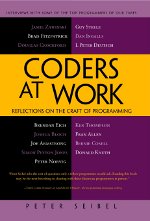 The book is a collection of interviews with 15 great programmers of our time,
starting with Jamie Zawinsky and ending with Donald Knuth. It's written in an
interview style each interview starts with a brief introduction to the
person being interviewed, summarizing what the person is known for and what he
or she has accomplished and a few of the highlights of the interview, and then
a transcript of the interview follows, with the author/editor, Peter Siebel,
will saying something or asking a question, and the interviewee responding. I
was skeptical about this format at first because I feel like it can be an easy
way out of good editing and make the reader have to do the work of the editor,
but on finishing I think that Siebel uses the format to his advantage in this
case.
For one, the speech format allows the reader to really form a picture of how
the person being interviewed speaks and would act in a conversation. Jamie is
somewhat bitter and pretty informal. Brad Fitzpatrick is flippant and
energetic, his speech littered with profanity and colloquialisms. Others seem
more stately and verbose Joe Armstrong's responses can go on for a page or
more. In this way, not only do readers learn something about what these greats
have learned about programming, but we also feel a bit more like we've met or
know them, and can connect to them more as people.
I always have this problem where I want to read computer books, but often
computer books seem inextricably tied to the computer, so there's this dynamic
of reading a bit and then wanting to get on a machine and try something out,
write some code, play around especially with books focused on a specific
language. Coders at Work retains some of this computer-book dynamic in that I
constantly encountered things that I want to investigate or play around with
more: Erlang, OCaml, various papers and essays, Knuth's literate programs, and
books such as Higher Order Perl and others. Siebel makes a point to ask each
person what her short-list of books and papers programmers should read are, so
this book is a great source of pointers to other reading material. Unlike a
more specific book, however, keeping a list in a notebook was enough to settle
the mind to read away-from-a-computer for chapters at a time.
It's obvious that despite the interview format, Siebel has done some serious
editing. None of the prose is boring to read, and I can't imagine that the text
is a straight transcript of how the interviews went. He also has arranged the
interviews in an order such that different interviews play off each other. In
Branden Eich's interview, for example, he disparages the book
Design Patterns:
 A friend of mine is interested in trying out the
 Today, Hideki Yamane completed his work on the last four
packages maintained by the


 Widgets are little web applications run on the client side. They re not particularly new and there are a lot of them about, but there s little consistency between them, so they re a bit of a pain to use in practice still.
The good news is that W3C have published

 Collabora was kind enough to buy N900s for all its employees. Yay! I
got mine on Friday and has been playing around with it quite a bit.
It's very shiny and the user experience is a lot better than the
N810. There are a few graphical glitches, it seems it's XDamage
damaging a bit of a window and it's just not quick enough to repaint.
Not a problem, and it has far fewer instances of just hanging for half
a second which my iPhone has. That is, it hasn't had any of those
yet.
The screen is good, but resistive. Takes a short while to get used to
when you're used to capacative, but it's not a problem at all. The
keyboard is good, but I need to map something as the compose key.
Having US/UK key caps and using the Norwegian layout is a bit
confusing. Not really the fault of the device though.
The web browser is generally quite good. The gestures take a bit of
time to get used to, but they're not hard as such. Some of the
default "applications" are implemented as just links to the web pages
of services like Twitter, which is a bit silly as you don't even get a
version that's optimised for the N900. They're not useless, but they
are absolutely nowhere near a real application. Also, the "Store"
(Ovi Store) application/web page says "coming soon", which is quite
odd.
I'm not sure if I can change the selection of applications on the
default application list, but modifying the desktop is easy. There
seems to be few themes and background images available so far, at
least in anything resembling official repositories. Hopefully this
will improve over time.
So far, I haven't actually written any code for the N900. I have some
applications I want to write, mostly widget-style apps like "when does
the next bus home leave from a bus stop close to me and where is the
bus stop", but also some other ones.
Battery life is not great. It almost did 48 hours today with a bit of
use underway, and I did charge it before it ran completely out, but
when I'm used to closer to a week, it's not that good. Camera seems
good and is quite fast, I think it took less than five seconds from
opening the camera shutter until I had taken a picture. Shutter delay
is quite bad at about a third or half a second, but this is a mobile
phone (or mobile computer, as Nokia likes to call it) and not a DSLR,
so I'm quite happy with it.
As a phone, it seems fine so far. I can make calls and accept calls
and there's no noticeable problems with it. It also functions as a
modem/DUN over bluetooth, which is quite useful.
Build quality seems good, there's a good feeling when sliding the
keyboard in and out, but only time will tell how good it actually is.
So far, I'm happy with it, it's a big step up from my previous UK
phone (which is a Nokia E70; my iPhone is a 2G phone so I can't use it
here with the provider I'm using). Hopefully I'll post more happy
stories about it in the days to come.

 I have an imaginary automobile. It is the finest hybrid
of German and Japanese engineering. It has a peppy little
engine and a turning radius so small it would make a baby
camel cry, and a six-speed manual transmission, and it is
powered by the urine of vegan bears.
My imaginary father asked me why I would possibly want to
buy an imaginary car with a manual transmission. Obviously,
whichever marketing campaign brainwashed him in the first
place wasn't strong enough on the memetics, because after
borrowing my imaginary car, he shut the hell up. You see,
it's considerably more fun to drive than an automatic.
There are other benefits as well, of course. The primary
one is that the transmission does what I want.
An automatic transmission is configured for maximum comfort ,
so it wastes a lot of power when shifting. With a manual,
you can slip from gear to gear with minimal clutch time, or
in some cases, if you're feeling sassy, without using the
clutch at all. You can control your engine speed so that
your shift will be just as smooth as an automatic without
the egregiously long clutch disengagement or shift overlap.
You also can see the road in front of you, so you're always
going to be smarter than an automatic transmission, unless
you don't understand how slopes work or what collisions with
other cars mean to your well-being.
Now some NRA member is going to point out that you can get
a shift kit and tweak your automatic to be less awful.
While spending money on this type of thing sounds like
a great idea, a shift kit is not going to bring an
automatic into the same league as my car. I can still
start the car when the battery's dead. I can get higher
fuel efficiency (vegan bears don't exactly urinate for
free). I can shift into fifth gear, and coming from a
full stop, drive up a hill without stalling (this is
particularly useful when a squirrel has gnawed the teeth
off of all your other gears). Furthermore, shift kit
or not, an automatic is absolutely no fun.
Someday, when transmissions have advanced into the realm
of liquid hyperspace buckminsterfullerene cones that
commune with the unicorns, and they'll have cameras and
radar feeding the car's computer with useful information
about its surroundings so it can make intelligent shift
decisions faster than a human. Then I'll have to choose
between saner and more fun. That era has not yet arrived.
This is a lousy metaphor for debhelper.