Olivier Berger: Managing Python code with UTF-8 (french chars) in org-mode + babel + minted for LaTeX export
 The goal of this article is to illustrate how to manage Python code which includes comments in UTF-8 characters inside a latin-1 source org-mode for LaTeX export.
Note that I ve pasted in wordpress the HTML generated by org-mode, so I hope it isn t broken too much.
My typical use case is a french lecture on Python where the text is written in french, as well as some of the code comments and examples
We ll use org-mode s babel module to include and manage the Python
The goal of this article is to illustrate how to manage Python code which includes comments in UTF-8 characters inside a latin-1 source org-mode for LaTeX export.
Note that I ve pasted in wordpress the HTML generated by org-mode, so I hope it isn t broken too much.
My typical use case is a french lecture on Python where the text is written in french, as well as some of the code comments and examples
We ll use org-mode s babel module to include and manage the Pythonexamples. The goal is to write the source of the Python programs
directly in the same org source as the class book s text, and to extract them into a subdir (with the tangle feature), so that they can be shipped to the students to experiment with. The
minted LaTeX environment is used, for babel, to make the Python syntax highlighting.
1.1 Issues
- The source org-mode is in latin-1 so that it compiles with pdflatex
- The examples source-code will be in UTF-8 so that Python 2.7 executes them well on a modern Linux desktop
- Minted relies on pygmentize wich doesn t seem to handle UTF-8 so well
- The source org-mode is in latin-1 so that it compiles with pdflatex
- The examples source-code will be in UTF-8 so that Python 2.7 executes them well on a modern Linux desktop
- Minted relies on pygmentize wich doesn t seem to handle UTF-8 so well
1.2 Solution
We ll show how to patch minted s use of pygmentize to take advantage
of its conversion capacity to convert the Python sources from UTF-8 to
latin-1 at document rendering time (LaTeX compilation).
It s a hack, but works.
The current document s source shows how this works
1.2.1 Customization
The org document should contain the following headers :
#+LANGUAGE:  fr
#+LaTeX_HEADER: \usepackage[latin1] inputenc
#+LaTeX_HEADER: \usepackage[french] babel
#+LaTeX_HEADER: \usepackage color \usepackage minted
and the footers :
# Local Variables:
# coding: latin-1
# org-src-preserve-indentation: true
# tab-width: 4
# End:
Also note that pdflatex should use the -shell-escape option necessary for minted
Now, the document should also include the following patch for minted :
#+LATEX_HEADER: \makeatletter
#+LATEX_HEADER: \renewcommand\minted@pygmentize[2][\jobname.pyg]
#+LATEX_HEADER:   \def\minted@cmd pygmentize -l #2 -f latex -F tokenmerge
#+LATEX_HEADER:     \minted@opt gobble  \minted@opt texcl  \minted@opt mathescape
#+LATEX_HEADER:     \minted@opt startinline  \minted@opt funcnamehighlighting
#+LATEX_HEADER:     \minted@opt linenos  -P "verboptions=\minted@opt extra "
#+LATEX_HEADER:     -O encoding=UTF-8,outencoding=iso-8859-1 -o \jobname.out.pyg #1
#+LATEX_HEADER:   \immediate\write18 \minted@cmd
#+LATEX_HEADER:   % For debugging, uncomment:
#+LATEX_HEADER:   %\immediate\typeout \minted@cmd
#+LATEX_HEADER:   \ifthenelse \equal \minted@opt@bgcolor
#+LATEX_HEADER:
#+LATEX_HEADER:     \begin minted@colorbg \minted@opt@bgcolor
#+LATEX_HEADER:   \input \jobname.out.pyg
#+LATEX_HEADER:   \ifthenelse \equal \minted@opt@bgcolor
#+LATEX_HEADER:
#+LATEX_HEADER:     \end minted@colorbg
#+LATEX_HEADER:   \DeleteFile \jobname.out.pyg
#+LATEX_HEADER: \makeatother
The important change is the addition of the -O encoding=UTF-8,outencoding=iso-8859-1 option of pygmentize, that will convert the UTF-8 source code to latin-1.
Hopefully most of the characters will convert fine, for a document written in french.
of its conversion capacity to convert the Python sources from UTF-8 to
latin-1 at document rendering time (LaTeX compilation). It s a hack, but works. The current document s source shows how this works
1.2.1 Customization
The org document should contain the following headers :
#+LANGUAGE: fr
#+LaTeX_HEADER: \usepackage[latin1] inputenc
#+LaTeX_HEADER: \usepackage[french] babel
#+LaTeX_HEADER: \usepackage color \usepackage minted
and the footers :
# Local Variables:
# coding: latin-1
# org-src-preserve-indentation: true
# tab-width: 4
# End:
Also note that pdflatex should use the -shell-escape option necessary for minted
Now, the document should also include the following patch for minted :
#+LATEX_HEADER: \makeatletter
#+LATEX_HEADER: \renewcommand\minted@pygmentize[2][\jobname.pyg]
#+LATEX_HEADER: \def\minted@cmd pygmentize -l #2 -f latex -F tokenmerge
#+LATEX_HEADER: \minted@opt gobble \minted@opt texcl \minted@opt mathescape
#+LATEX_HEADER: \minted@opt startinline \minted@opt funcnamehighlighting
#+LATEX_HEADER: \minted@opt linenos -P "verboptions=\minted@opt extra "
#+LATEX_HEADER: -O encoding=UTF-8,outencoding=iso-8859-1 -o \jobname.out.pyg #1
#+LATEX_HEADER: \immediate\write18 \minted@cmd
#+LATEX_HEADER: % For debugging, uncomment:
#+LATEX_HEADER: %\immediate\typeout \minted@cmd
#+LATEX_HEADER: \ifthenelse \equal \minted@opt@bgcolor
#+LATEX_HEADER:
#+LATEX_HEADER: \begin minted@colorbg \minted@opt@bgcolor
#+LATEX_HEADER: \input \jobname.out.pyg
#+LATEX_HEADER: \ifthenelse \equal \minted@opt@bgcolor
#+LATEX_HEADER:
#+LATEX_HEADER: \end minted@colorbg
#+LATEX_HEADER: \DeleteFile \jobname.out.pyg
#+LATEX_HEADER: \makeatother
The important change is the addition of the -O encoding=UTF-8,outencoding=iso-8859-1 option of pygmentize, that will convert the UTF-8 source code to latin-1.
Hopefully most of the characters will convert fine, for a document written in french.
#+LANGUAGE: fr #+LaTeX_HEADER: \usepackage[latin1] inputenc #+LaTeX_HEADER: \usepackage[french] babel #+LaTeX_HEADER: \usepackage color \usepackage mintedand the footers :
# Local Variables: # coding: latin-1 # org-src-preserve-indentation: true # tab-width: 4 # End:Also note that pdflatex should use the
-shell-escape option necessary for minted
Now, the document should also include the following patch for minted :
#+LATEX_HEADER: \makeatletter #+LATEX_HEADER: \renewcommand\minted@pygmentize[2][\jobname.pyg] #+LATEX_HEADER: \def\minted@cmd pygmentize -l #2 -f latex -F tokenmerge #+LATEX_HEADER: \minted@opt gobble \minted@opt texcl \minted@opt mathescape #+LATEX_HEADER: \minted@opt startinline \minted@opt funcnamehighlighting #+LATEX_HEADER: \minted@opt linenos -P "verboptions=\minted@opt extra " #+LATEX_HEADER: -O encoding=UTF-8,outencoding=iso-8859-1 -o \jobname.out.pyg #1 #+LATEX_HEADER: \immediate\write18 \minted@cmd #+LATEX_HEADER: % For debugging, uncomment: #+LATEX_HEADER: %\immediate\typeout \minted@cmd #+LATEX_HEADER: \ifthenelse \equal \minted@opt@bgcolor #+LATEX_HEADER: #+LATEX_HEADER: \begin minted@colorbg \minted@opt@bgcolor #+LATEX_HEADER: \input \jobname.out.pyg #+LATEX_HEADER: \ifthenelse \equal \minted@opt@bgcolor #+LATEX_HEADER: #+LATEX_HEADER: \end minted@colorbg #+LATEX_HEADER: \DeleteFile \jobname.out.pyg #+LATEX_HEADER: \makeatotherThe important change is the addition of the
-O encoding=UTF-8,outencoding=iso-8859-1 option of pygmentize, that will convert the UTF-8 source code to latin-1.
Hopefully most of the characters will convert fine, for a document written in french.
2 Examples
2.1 Basic Python
This is a generic verbatim example, which doesn t use babel / minted.
$ python
Python 2.7.3 (default, Jan  2 2013, 16:53:07)
[GCC 4.7.2] on linux2
Type "help", "copyright", "credits" or "license" for more information.
>>> print "Hello, world!"
Hello, world!
>>>
2.2 Python source code for french speakers
Here, we first include the source code, so that it can be exported to
an examples/ subdir, with the following (note that the #+ BEGIN_src / #+ END_src should be changed to get rid of the space
character between + and BEGIN / END, and that the :shebang and following text should be on the BEGIN_SRC line I seem to have not quoted
these properly in this document):
#+name: helloworld
#+ BEGIN_src python :tangle examples/helloworld.py :noweb yes \\
:shebang #!/usr/bin/python :padline no :exports none
# -*- coding: utf-8 -*-
# Ceci est un exemple d'affichage d'une cha ne accentu e
name = raw_input("Quel est v tre nom ? ")
print "J'esp re que  a va bien aujourd'hui", name
#+ END_src
Editing it with C-c will open an UTF-8 buffer, so hopefully, this will be consistent with the utf-8 coding system declared on the second line.
The regeneration of the examples/helloworld.py file is made with C-c C-v t (babel tangling ).
Note that we don t add the #!/usr/bin/python first line in the source, as we want it to be added by the tangling process (which will also make the script executable).
Once this is done, the script may be run :
$ python examples/helloworld.py
Quel est v tre nom ? Fran ois
J'esp re que  a va bien aujourd'hui, cher Fran ois
Now, to add the colorized rendering in the lecture book, we do (here again, remove the spaces):
# +BEGIN_latex
\inputminted python examples/helloworld.py
# +END_latex
And here it is, rendered by minted:
# -*- coding: utf-8 -*-
# Ceci est un exemple d'affichage d'une cha ne accentu e
name = raw_input("Quel est v tre nom ? ")
print "J'esp re que  a va bien aujourd'hui, cher", name
Here are links to : the source, the PDF result, and the generated Python program.
2.1 Basic Python
This is a generic verbatim example, which doesn t use babel / minted.
$ python
Python 2.7.3 (default, Jan 2 2013, 16:53:07)
[GCC 4.7.2] on linux2
Type "help", "copyright", "credits" or "license" for more information.
>>> print "Hello, world!"
Hello, world!
>>>
$ python Python 2.7.3 (default, Jan 2 2013, 16:53:07) [GCC 4.7.2] on linux2 Type "help", "copyright", "credits" or "license" for more information. >>> print "Hello, world!" Hello, world! >>>
2.2 Python source code for french speakers
Here, we first include the source code, so that it can be exported to
an examples/ subdir, with the following (note that the #+ BEGIN_src / #+ END_src should be changed to get rid of the space
character between + and BEGIN / END, and that the :shebang and following text should be on the BEGIN_SRC line I seem to have not quoted
these properly in this document):
#+name: helloworld
#+ BEGIN_src python :tangle examples/helloworld.py :noweb yes \\
:shebang #!/usr/bin/python :padline no :exports none
# -*- coding: utf-8 -*-
# Ceci est un exemple d'affichage d'une cha ne accentu e
name = raw_input("Quel est v tre nom ? ")
print "J'esp re que a va bien aujourd'hui", name
#+ END_src
Editing it with C-c will open an UTF-8 buffer, so hopefully, this will be consistent with the utf-8 coding system declared on the second line.
The regeneration of the examples/helloworld.py file is made with C-c C-v t (babel tangling ).
Note that we don t add the #!/usr/bin/python first line in the source, as we want it to be added by the tangling process (which will also make the script executable).
Once this is done, the script may be run :
$ python examples/helloworld.py
Quel est v tre nom ? Fran ois
J'esp re que a va bien aujourd'hui, cher Fran ois
Now, to add the colorized rendering in the lecture book, we do (here again, remove the spaces):
# +BEGIN_latex
\inputminted python examples/helloworld.py
# +END_latex
And here it is, rendered by minted:
# -*- coding: utf-8 -*-
# Ceci est un exemple d'affichage d'une cha ne accentu e
name = raw_input("Quel est v tre nom ? ")
print "J'esp re que a va bien aujourd'hui, cher", name
Here are links to : the source, the PDF result, and the generated Python program.
an
examples/ subdir, with the following (note that the #+ BEGIN_src / #+ END_src should be changed to get rid of the spacecharacter between
+ and BEGIN / END, and that the :shebang and following text should be on the BEGIN_SRC line I seem to have not quotedthese properly in this document):
#+name: helloworld
#+ BEGIN_src python :tangle examples/helloworld.py :noweb yes \\
:shebang #!/usr/bin/python :padline no :exports none
# -*- coding: utf-8 -*-
# Ceci est un exemple d'affichage d'une cha ne accentu e
name = raw_input("Quel est v tre nom ? ")
print "J'esp re que a va bien aujourd'hui", name
#+ END_src
Editing it with C-c will open an UTF-8 buffer, so hopefully, this will be consistent with the utf-8 coding system declared on the second line.
The regeneration of the examples/helloworld.py file is made with C-c C-v t (babel tangling ).
Note that we don t add the #!/usr/bin/python first line in the source, as we want it to be added by the tangling process (which will also make the script executable).
Once this is done, the script may be run :
$ python examples/helloworld.py Quel est v tre nom ? Fran ois J'esp re que a va bien aujourd'hui, cher Fran oisNow, to add the colorized rendering in the lecture book, we do (here again, remove the spaces):
# +BEGIN_latex \inputminted python examples/helloworld.py # +END_latexAnd here it is, rendered by minted:
# -*- coding: utf-8 -*- # Ceci est un exemple d'affichage d'une cha ne accentu e name = raw_input("Quel est v tre nom ? ") print "J'esp re que a va bien aujourd'hui, cher", nameHere are links to : the source, the PDF result, and the generated Python program.
 A month ago, Mark Donfried from the
  there are not many RC bugs left (yeah!), this also means that my work in
this area was rather minimal last week:
there are not many RC bugs left (yeah!), this also means that my work in
this area was rather minimal last week:
 I've made two new designs for


 A new relase 0.10.3 of
 Also this year the
 On the next two days at the booth we chatted and discussed with visitors and other exhibitors a wide variety of questions, including 'When will be (the next Debian version) released?' and 'Are there installation disks available?'. The answers was as always 'When we are ready and we will have reached the quality-level we defined', 'No we don't have installation medias, as they are always outdated. Do you have an USB-dongle with you?'.
Merchandising was requested by visitors as always, but we just had some leftovers of fosdem, brought by Axel.
On the next two days at the booth we chatted and discussed with visitors and other exhibitors a wide variety of questions, including 'When will be (the next Debian version) released?' and 'Are there installation disks available?'. The answers was as always 'When we are ready and we will have reached the quality-level we defined', 'No we don't have installation medias, as they are always outdated. Do you have an USB-dongle with you?'.
Merchandising was requested by visitors as always, but we just had some leftovers of fosdem, brought by Axel.
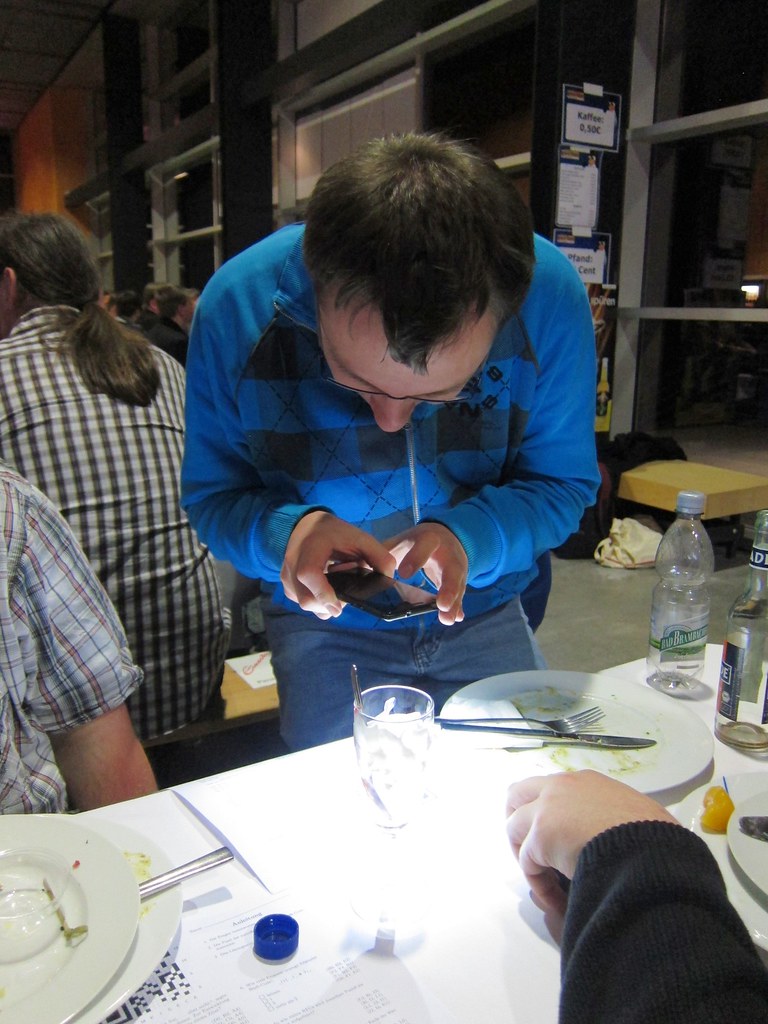
 Many thanks to Florian Baumann, Jan Dittberner, Andreas Tille, Christian Hoffmann, Axel Beckert, Markus Rekkenbeil, Daniel Schier, Jonas Genannt, Jan H rsch and kurio for taking care and running the booth, which worked out this year extreme smoothly from my point of view. Likewise as the last years a special thanks to
  You can find a
  Dear users and supporters of the backports service!
The Backports Team is pleased to announce the next important step on getting backports more integrated. People who are reading
Dear users and supporters of the backports service!
The Backports Team is pleased to announce the next important step on getting backports more integrated. People who are reading  After one week of campaign on -vote@, many subjects have been mentioned already. I m trying here to list the concrete, actionable ideas I found interesting (does not necessarily mean that I agree with all of them) and that may be worth further discussion at a less busy time. There s obviously some amount of subjectivity in such a list, and I m also slightly biased ;) . Feel free to point to missing ideas or references (when an idea appeared in several emails, I ve generally tried to use the first reference).
On the campaign itself, and having general discussions inside Debian:
After one week of campaign on -vote@, many subjects have been mentioned already. I m trying here to list the concrete, actionable ideas I found interesting (does not necessarily mean that I agree with all of them) and that may be worth further discussion at a less busy time. There s obviously some amount of subjectivity in such a list, and I m also slightly biased ;) . Feel free to point to missing ideas or references (when an idea appeared in several emails, I ve generally tried to use the first reference).
On the campaign itself, and having general discussions inside Debian:

 Last week I had another birthday, which was nice. I'm now all mature, and everything. Honest.
I received a few surprise gifts from friends and strangers alike, which was pretty good. Other than that I didn't do too much.
This weekend I'm going to be using "airbnb" to spend the weekend in Dundee with my partner who is regularly commuting between Edinburgh and Perth/Dundee, to work in various hospitals. With all the commuting time she's not had too much time to explore the actual city, and I've only been there once before so I'm sure it will be a fun weekend.
The templer static site generator got a little bit of pimping on
Last week I had another birthday, which was nice. I'm now all mature, and everything. Honest.
I received a few surprise gifts from friends and strangers alike, which was pretty good. Other than that I didn't do too much.
This weekend I'm going to be using "airbnb" to spend the weekend in Dundee with my partner who is regularly commuting between Edinburgh and Perth/Dundee, to work in various hospitals. With all the commuting time she's not had too much time to explore the actual city, and I've only been there once before so I'm sure it will be a fun weekend.
The templer static site generator got a little bit of pimping on