Search Results: "dom"

4 July 2008

Russell Coker: New Dell Server

My Dell PowerEdge T105 server (as referenced in my previous post [1]) is now working. It has new memory (why replace just the broken DIMM when you can replace both) and a new BIOS (Dell released an “Urgent” update yesterday that fixes a problem with memory timing and Opteron CPUs). The BIOS update can be installed from a DOS executable (traditionally done from a floppy disk) or an i386 Linux executable. As I didn’t have a floppy drive in my new server I had to use Linux (not that I object to using Linux, but I’d rather have had the technician do it all for me). I used rescue mode from a Fedora 9 CD that was convenient, mounted a USB stick that I had used to store the BIOS update, and then ran it. The Dell service was quite good, on-site service and the problem was fixed approximately 27 hours after I called them. Replacing a couple of DIMMs is hardly a test of skill for the repair-man (unlike the time in Amsterdam when a Dell repair-man swapped a motherboard in a server with only 20 minutes of down-time). So I haven’t seen evidence of them doing anything really great, but getting someone on-site close to 24 hours after the report is quite decent, especially considering that I paid for the cheapest support that they offer. When I got it working I was a little surprised by the memory speed, I had hoped that a new 2GHz Opteron would perform similarly to an Intel E2160 and better than an old Pentium-D (see the results here [2]). Also the memtest86+ run took ages on the step of writing random numbers (I don’t recall ever seeing that step on previous runs, let alone having a system spend half an hour doing it). It seems that the CPU (Opteron 1212) doesn’t perform well for random number generation. In terms of actual operation all I’ve done so far is to install Debian. The process of installing Debian packages was quite fast (even with a RAID-1 reconstruction occurring at the same time) and the boot time is also very quick. The hard drive “rails” seemed a little flimsy. The way they attach to the drive is that they have screws that end in pins, so you screw them into plastic and the pins just sit in the holes in the drive where screws normally attach. I think that it would make more sense to have them not screw onto the plastic and instead screw onto the disk. Then if the plastic part that connects the two sides was to break it would still be usable. In fact they could just make the “rails” be separate rails as most other manufacturers do. One thing that surprised me was the lack of PS/2 keyboard and mouse ports. I had expected that such ports would last longer than serial ports and floppy drives. However my Dell has a power connector for a floppy drive and has a built-in serial port (with some BIOS support for management via a serial port - I have not investigated this because I always plan to use a keyboard and monitor). Of course I expect that most other machines will start shipping without PS/2 ports now and I will have to dispose of my stockpile of PS/2 keyboards and mouses. I generally like to keep a few on hand so that I can give friends and relatives a chance to try a selection and discover which type suits them the best. But I probably don’t need a dozen of them for that purpose. While a comment on my previous post noted that the floppy drive bay can be used for another disk, it seems that a disk is not going to fit in there easily. It looks like I might be able to install a disk there from the front if I unscrew the face-plate - but that’s more effort than I’m prepared to exert for testing the system (for production I will only have two disks). In terms of noise, the Dell seems considerably better than a NEC machine which was designed for desktop use. Of course it’s difficult to be certain as part of the noise is from hard disks and one of the disks I’ve installed in the Dell is a WD “Green” disk and the other may have newer technology to minimise noise. Also the mounting brackets for disks in a server may be better at damping vibrations than screwing a disk to the chassis of a desktop machine. Finally the NEC machine does seem to make more noise now than it used to, so maybe it would be best to compare after a few months use to allow for minor wear on the moving parts. I was initially going to run Debian/Etch on the machine. But as Debian didn’t recognise the built-in Ethernet card and the Xen kernel crashed when doing intensive disk IO I was forced to use CentOS. CentOS 5.1 didn’t start my DomU’s for some reason (which I never diagnosed) but CentOS 5.2 worked perfectly. Finally I was shocked when I realised that the Dell has no sound hardware! When the CentOS post-install program said that it couldn’t find a sound device I thought that meant that it didn’t support the hardware (it’s the sort of thing that sometimes happens when you get a new machine). But it actually has no sound support! It seems really strange that Dell design a desk-side server (which is quiet) and don’t include sound support. If nothing else then using something like randomsound to take input from the microphone line as a source of entropy is going to be useful on servers. While the seven USB ports initially seemed like a lot, being forced to use them for keyboard, mouse, and sound (if I end up using it on a desktop) means that there would only be four left.

3 July 2008

Russell Coker: New Dell Server

My Dell PowerEdge T105 server (as referenced in my previous post [1]) is now working. It has new memory (why replace just the broken DIMM when you can replace both) and a new BIOS (Dell released an “Urgent” update yesterday that fixes a problem with memory timing and Opteron CPUs). The BIOS update can be installed from a DOS executable (traditionally done from a floppy disk) or an i386 Linux executable. As I didn’t have a floppy drive in my new server I had to use Linux (not that I object to using Linux, but I’d rather have had the technician do it all for me). I used rescue mode from a Fedora 9 CD that was convenient, mounted a USB stick that I had used to store the BIOS update, and then ran it. The Dell service was quite good, on-site service and the problem was fixed approximately 27 hours after I called them. Replacing a couple of DIMMs is hardly a test of skill for the repair-man (unlike the time in Amsterdam when a Dell repair-man swapped a motherboard in a server with only 20 minutes of down-time). So I haven’t seen evidence of them doing anything really great, but getting someone on-site close to 24 hours after the report is quite decent, especially considering that I paid for the cheapest support that they offer. When I got it working I was a little surprised by the memory speed, I had hoped that a new 2GHz Opteron would perform similarly to an Intel E2160 and better than an old Pentium-D (see the results here [2]). Also the memtest86+ run took ages on the step of writing random numbers (I don’t recall ever seeing that step on previous runs, let alone having a system spend half an hour doing it). It seems that the CPU (Opteron 1212) doesn’t perform well for random number generation. In terms of actual operation all I’ve done so far is to install Debian. The process of installing Debian packages was quite fast (even with a RAID-1 reconstruction occurring at the same time) and the boot time is also very quick. The hard drive “rails” seemed a little flimsy. The way they attach to the drive is that they have screws that end in pins, so you screw them into plastic and the pins just sit in the holes in the drive where screws normally attach. I think that it would make more sense to have them not screw onto the plastic and instead screw onto the disk. Then if the plastic part that connects the two sides was to break it would still be usable. In fact they could just make the “rails” be separate rails as most other manufacturers do. One thing that surprised me was the lack of PS/2 keyboard and mouse ports. I had expected that such ports would last longer than serial ports and floppy drives. However my Dell has a power connector for a floppy drive and has a built-in serial port (with some BIOS support for management via a serial port - I have not investigated this because I always plan to use a keyboard and monitor). Of course I expect that most other machines will start shipping without PS/2 ports now and I will have to dispose of my stockpile of PS/2 keyboards and mouses. I generally like to keep a few on hand so that I can give friends and relatives a chance to try a selection and discover which type suits them the best. But I probably don’t need a dozen of them for that purpose. While a comment on my previous post noted that the floppy drive bay can be used for another disk, it seems that a disk is not going to fit in there easily. It looks like I might be able to install a disk there from the front if I unscrew the face-plate - but that’s more effort than I’m prepared to exert for testing the system (for production I will only have two disks). In terms of noise, the Dell seems considerably better than a NEC machine which was designed for desktop use. Of course it’s difficult to be certain as part of the noise is from hard disks and one of the disks I’ve installed in the Dell is a WD “Green” disk and the other may have newer technology to minimise noise. Also the mounting brackets for disks in a server may be better at damping vibrations than screwing a disk to the chassis of a desktop machine. Finally the NEC machine does seem to make more noise now than it used to, so maybe it would be best to compare after a few months use to allow for minor wear on the moving parts. One interesting feature is the Broadcom Gig-E port on the motherboard, it supports iSCSI as a boot protocol which is an interesting alternative to PXE, so if you have a server attached to a SAN via iSCSI you can use the same protocol for booting. There is a USB port inside the case (for permanently attached USB devices), however the USB boot option states that it is offering the option to boot from front USB ports - and it claims that no operating system is found on the USB stick that I use to boot my Thinkpad. The down-side is that the bnx2 module in the Debian/Etch kernel doesn’t seem to work with it. I want the machine to have three Ethernet ports, I have a two-port PCI card and if I can get the port on the motherboard to work then I’ll have enough. Otherwise I need to buy a PCIe Ethernet card (the machine only has one PCI slot). I ended up installing CentOS on the machine after the Debian/Etch Xen kernel started falling over on disk IO load (a problem I had seen on another Debian/Etch 64bit Xen machine). CentOS 5.1 supports the built-in Ethernet device, but didn’t work correctly with Xen (my DomU’s would just hang or abort). CentOS 5.2 is now working correctly.

Ingo Juergensmann: Xen and NFS performance

Today I discovered that one of my domUs at work is performing slow on its mounted NFS share. Bonnie++ and dd tests showed a network throughput of just 300 kB/s whereas the throughput was up to 110 MB/s from dom0 to NFS server. Some Google searches revealed that Xen has problems with NFS performance with non-standard rsize and wsize setting and especially with NFS over UDP.
Reducing rsize and wsize settings didn't help at all. The performance was still awful. After remounting the NFS share via TCP the performance was as expected. Such a huge difference in perfomance surprised me. Still, a strange bug in Xen, at least in Etch. Maybe it's already fixed in Sid?

John Goerzen: Video uploading sites?

I'm working on switching from using a Mac to using Linux for editing video. I have a mini-DV camcorder that a bought a few years back, and I've been looking at capture and editing software for Linux.

Along with that, I want to post some videos online for family to be able to see I want to preserve the original quality as much as possible, offer the option to download the video, and be able to share some videos with family only (not the entire Internet).

I've been looking at various reviews of video sites (such as this PCWorld one) and decided to look at blip.tv and Vimeo in more detail.

Blip seems to have lots of controls, options, etc. And, they seem to really care about end users, respond fast, and care about freedom. There's an impressive response from their support team concerning Ogg Theora out there. They offer FTP uploads (which are a huge improvement over HTTP POST uploading, in my opinion, and easily scriptable). They can also automatically post your video to archive.org or about a dozen other video or blogging sites.

But what I want to do is not really what they are aiming at. They are set up for "channels" (you can apparently only have one channel per user), and for more professional users. Most notably, you can't make videos private or restricted without paying for their $100/year or so "pro" account.

Vimeo looks very much like the Flickr of video. They do offer various options for restricting who can see a video. When they transcode video to Flash, they have the option of preserving it in HD, which blip.tv doesn't (both go 640x480 or so by default, and blip maximizes out that that). Though both offer the option to download the full, unmodified original. Vimeo has only one option for uploading, and it doesn't seem to work well with Firefox. They have little detail about anything in their docs. Maybe it's more the Photobucket of video than the Flickr of video. (Oh, who am I kidding -- that's Youtube).

Of course, there is Youtube. Maxes out at 320x240, doesn't offer the original for downloading. Doesn't make me think all that positively about them.

I could also use Flickr. I'm not sure if they offer the original, but there's a 90-second limit on uploads there.

Any other thoughts?

2 July 2008

Jon Dowland: My site is (slowly) moving

I've decided to give my website a spring-clean. One of the things that is overdue a change is my domain name. You can find out more about the history of the "alcopop" name at /about/ if you are so inclined. I've been using it for a long time and haven't really thought about what people might presume about me from the name. Over the next few months, the site will be moving to the more neutral jmtd.net (my initials). From this point forward, any new content will go there only. This log will probably stay where it is for a while, however. I'm taking this opportunity to migrate to ikiwiki which is a really useful bit of software and has managed to scratch an itch that I thought nothing would quite manage.

1 July 2008

Joey Hess: random media

Just some stuff I've been rotting my mind with late at night lately..

30 June 2008

Russell Coker: The History of MS

Jeff Bailey writes about the last 26 years of Microsoft [1]. He gives Microsoft credit for “saving us from the TRS 80″, however CP/M-86 was also an option for the OS on the IBM PC [2]. If MS hadn’t produced MS-DOS for a lower price then CP/M would have been used (in those days CP/M and MS-DOS had the same features and essentially the same design). He notes the use of the Terminate and Stay Resident (TSR) [3] programs. As far as I recall the TSR operation was undocumented and was discovered by disassembling DOS (something that the modern MS EULAs forbid). Intel designed the 8086 and 80286 CPUs to permit code written for an 8086 to run unchanged in “protected mode” on an 80286 (as noted in the Wikipedia page about the 80286 [4]). Basically all that you needed to do to write a DOS program with the potential of being run directly in protected mode (or easily ported) was to allocate memory by requesting it from the OS (not just assuming that every address above your heap was available to write on) and by addressing memory only by the segment register returned from the OS when allocating memory (IE not assuming that incrementing a segment register is equivalent to adding 16 to the offset). There were some programs written in such a manner which could run on both DOS and text-mode OS/2 (both 1.x and 2.x), I believe that such programs were linked differently. The term Fat Binary [5] is often used to refer to an executable which has binary code for multiple CPUs (EG PPC and M68K CPUs on the Macintosh), I believe that a similar concept was used for DOS / OS/2 programs but the main code of the application was shared. Also compilers which produce object code which doesn’t do nasty things could have their object code linked to run in protected mode. Some people produced a set of libraries that allowed linking Borland Turbo Pascal code to run as OS/2 16bit text-mode applications. The fact that OS/2 (the protected-mode preemptively multi-tasking DOS) didn’t succeed in the market was largely due to MS. I never used Windows/386 (a version of Windows 2.x) but used Windows 3.0 a lot. Windows 3.0 ran in three modes, “Real Mode” (8086), “Standard Mode” (80286), and “Enhanced Mode” (80386). Real Mode was used for 8086 and 8088 CPUs, for 80286 systems if you needed to run one DOS program (there was no memory for running more than one), and for creating or adjusting the swap-file size for an 80386 system (if your 80386 system didn’t have enough swap you had to shut everything down, start Real Mode, adjust the swap file, and then start it again in Enhanced Mode). Standard Mode was the best mode for running Windows programs (apart from the badly written ones which only ran on Real Mode), but due to the bad practices implemented by almost everyone who wrote DOS programs MS didn’t even try to run DOS programs in 286 protected mode and thus Standard Mode didn’t support DOS programs. Enhanced Mode allowed multitasking DOS programs but as hardly anyone had an 80386 class system at that time it didn’t get much use. It was just before the release of Windows 3.1 that I decided to never again use Windows unless I was paid to do so. I was at a MS presentation about Windows 3.1 and after the marketing stuff they had a technical Q/A session. The questions were generally about how to work around bugs in MS software (mainly Windows 3.0) and the MS people had a very detailed list of work-arounds. Someone asked “why don’t you just fix those bugs” and we were told “it’s easier to teach you how to work around them than to fix them“. I left the presentation before it finished, went straight home and deleted Windows from my computer. I am not going to use software written by people with such a poor attitude if given a choice. After that I ran the DOS multi-tasker DesqView [6] until OS/2 2.0 was released. Desqview allowed multitasking well written DOS programs in real mode, Quarterdeck was the first company to discover that almost 64K of address space could be used above the 1MB boundary from real-mode on a 80286 (a significant benefit when you were limited to 640K of RAM), as well as multitasking less well behaved DOS programs with more memory use on an 80386 or better CPU. OS/2 [7] 2.x was described as “A Better DOS than DOS, a Better Windows than Windows”. That claim seemed accurate to me. I could run DOS VM86 sessions under OS/2 which could do things that even Desqview couldn’t manage (such as having a non-graphical DOS session with 716K of base memory in one window and a graphical DOS session in another). I could also run combinations of Windows programs that could not run under MS Windows (such as badly written windows programs that needed Real Mode as well as programs that needed the amount of memory that only Standard or Enhanced mode could provide). Back to Bill Gates, I recently read a blog post Eight Years of Wrongness [5] which described how Steve Ballmer has failed MS stockholders by his poor management. It seems that he paid more attention to fighting Linux, implementing Digital Restrictions Management (DRM), and generally trying to avoid compatibility with other software than to actually making money. While this could be seen as a tribute to Bill Gates (Steve Ballmer couldn’t do the job as well), I think that Bill would have made the same mistakes for the same reasons. MS has always had a history of treating it’s customers as the enemy. Jeff suggests that we should learn from MS that the freedom to tinker is important as is access to our data. These are good points but another important point is that we need to develop software that does what users want and acts primarily in the best interests of the users. Overall I think that free software is quite well written in regard to acting on behalf of the users. The issue we have is in determining who the “user” is, whether it’s a developer, sys-admin, or someone who wants to just play games and do some word-processing.

Riku Voipio: Creating community friendly embedded systems

Netgear has jumped the bandwagon and released Open Source Wireless-G Router (WGR614L). Like the earlier Linksys WRT54GL, it's an existing model with a Linux "L" added to end. It does not really add any hardware to make it community friendly, the "open source" part feels like just a marketing gimmick.

With just a couple of small features, these devices could really become community friendly:


Not as necessary, but nice to have features for a community-oriented product:

28 June 2008

Jeff Bailey: A retrospective on 26 years of Microsoft in my life

It's interesting to think about Bill Gates retiring. When I think back to how much Microsoft has brought us over the years, both happiness and grief, it's a bit of a happy/sad end to an era for me.

Microsoft is what saved us from the TRS-80, and brought us into a world where clone hardware drove prices down to where everyone could afford them. MS-DOS may have been a bad rip off of CP/M and Unix, but to business operations brought us the ability to bring computing power right down to the desk and generally got out of the way. Dos had the neat ability to have TSRs that could deliver waiting applications at a keystroke (remember Sidekick?) Windows 386 and 3.0 brought us preemptive multitasking for DOS apps that weren't written for that in mind, and brought us the first environment the mass market had seen where any manufacturer could write drivers to a known programming interface and bring their hardware to the world. They brought us a world where hardware innovation was bringing crazy new things to us that had only been possible in Sci-Fi movies before. My first voice-recognition system on the computer was in 1990. =)

Windows 95 pushed that even further. No longer were drivers crazy TSRs, but actually loaded into the control panel with standard was of using them for established services such as Networking and Sound. For everything else, the model was extensible so that if you had a neat idea, you could bring it out to the world. I remember installing TwinBridge at work so that people could type in double-wide Chinese characters, despite the OS not being intended for that in the slightest.

Windows 98 brought us games that were better than we were seeing in DOS. DirectX and DirectSound were finally providing a good enough abstraction on top of the hardware that it was easier for authors to code to that than to code right to your Adlib card and whatever display adapter you had (were we using S3s yet, then?)

But that seems to have been the top point of their reign. At this point, as a user I was now so far from the guts of the machine, I no longer could easily tinker. I'd once coded in Z80 asm and 8086 asm to write little hacks, but Windows 98 was getting to the opinionated software stage: There were things you just couldn't do, for no reason other than the designers at Microsoft didn't think it was important.

I realise I'm not the usual mass-market type, but now the system that had been such a source of inspiration was now becoming a barrier to trying new ideas.

I had started playing with Linux in 1995, but 1998 had started to use it as my main machine at home. I had a roommate who had a dumb cheap machine that was slaved off of my main machine so that he could play Medievia all day and night. Setting up this networking, and the on-demand ISDN dialing was trivial to do under Linux, and nearly impossible under the Windows systems of the time.

The only thing one could say for FVWM95 at the time was that it was better than twm. We suffered through Enlightenment, said hello to wine, and joined an online community of people who'd all come together from various places in order to be free to play with the systems we had.

Microsoft became steadily less relevant to my day to day computing. My girlfriend (now wife) suffered through early incarnations of MS Word for windows 2.0 under Wine because it was still easier than teaching her emacs. And steadily, the system got better until we could honestly look at our family members and tell them that if they wanted to run Windows that was fine, but please don't call me about it.

We need to both say thank-you to Microsoft and learn from it. Microsoft made a business model of bringing us the technology we craved as geeks, and that society wanted to play with and integrated into our lives. Microsoft also taught us what it means to be the dominant player. For most of us, I suspect it was our only view into the world where a single player dominates and strives to cut down its competition. It's easy to romanticise the small business owner, and just as easy to forget that just about every small business owner wants to be a millionaire and a large business owner.

We need to remember that the pretty fancy interfaces can be as much about helping people do things as keeping them from doing things. We need to demand the freedom to tinker with our software and our devices, even if we choose to never do so. And after all that, we need to be able to take our data from a device, and take it to somewhere else. I think ultimately, this is what Microsoft has taught us. As we look for new companies to deliver us greater and shinier technology, this is a lesson we need to keep close at hand.

Martin F. Krafft: Shortcomings of the Nokia E51

I put the Nokia E51, which I had previously acquired, onto Ebay last night, and it sold within minutes. Even though I made a 50 loss on the whole affair, this made me very happy! The phone is crap in so many ways that it made me quite angry. I now consider those 50 the investment I had to make to bring you this post: First of all, the reason why I bought the phone was because it sports wireless LAN as well as Voice-over-IP. Since I ve recently gotten into VoIP, I was looking for reasonable VoIP phones and even though the Siemens C450IP DECT phone works very well, it only does so at home, or where I find a switch port for it. So my theory was to get this Wifi+VoIP phone and be able to use my VoIP infrastructure from anywhere around the world. Penny has the Nokia E65 and loves it, so I went for the E51, a newer model that promised to address some of the issues she had with hers. All of the following is based on the E51 with the 100.34.20 firmware dated 29 September 2007, which runs the (crippled) Symbian S60r3 operating system.

Good things Let s start with the few good things up front: the E51 comes with a regular USB jack, allowing you to plug it into any computer and use it as mass storage device without the need for any Nokia-specific cables. I also liked the remote lock functionality: in the event of a stolen phone, you could send it a pre-defined passphrase that would cause the phone to lock itself. Also, the phone could be configured to lock itself (like a screensaver) after a given amount of idle time. Other than that, I could not find anything outstanding, so let s turn to the downsides, of which there are many more:

VoIP/SIP shortcomings I had previously dismissed the E series phones for good reasons, but both the E65 and the E51 improved their SIP clients a fair bit, and with the SIP VoIP settings utility, it was even possible to configure STUN. But unfortunately, the SIP client, while a nice toy, ended up being unusable in production. Here are some of the reasons: I got VoIP working at home and in some other places, but definitely not everywhere. It may be that some of those networks blocked the SIP port (5060/udp), or that the phone didn t feel well on the day, but in the majority of cases, I could not get the SIP client to connect. And there was no way to find out what was going on, as the client would just claim that registration failed without any additional information. It was also hard to retry, often requiring the phone to be restarted. Whenever if failed, the client would helpfully tell me that it could not establish a connection to the connection network . To get the phone to log on to the SIP server automatically, I had to define a home network for the SIP profile. Changing the access point for that network required a phone reboot to get SIP working again. It was possible to define multiple SIP profiles with different access points and add them all to the one, global VoIP profile, and theoretically get auto-login to work across multiple Wifi networks; unfortunately, I cannot say that this worked, there were always some problems requiring me to change defaults and shift things around. Also, after I had defined a few of those profiles and needed to make a change to the SIP settings (move the SIP port to 53/udp), I had to modify all profiles in turn; it was not possible to share settings. On the other hand, NAT traversal settings and timeouts, which can only be configured with the aforementioned SIP VoIP settings utility, applied to a VoIP profile and thus to all SIP profiles, without exception. I found it mildly annoying that I couldn t use # and * as part of the number/SIP address to call, nor was it possible to dial single-digit extensions the phone will ask you to associate a quick dial number with the key, even if quick dial has been explicitly disabled). I could also not dial a SIP address ad-hoc if I wanted to call sip:someone@sip.somewhere.org, I had to define a contact and add the Internet phone address. One can define Internet calls to be the default call type, thus routing all calls via VoIP if available. Unfortunately, once I dialed a number, the event was hardwired to the call type: I could not redial a number used previously for a VoIP call when all I had available was GSM coverage.

Gripes with the IMAP client The IMAP client, while an interesting addition to my day, turned out to be pretty unusable. The first mistake I made was to tell it to synchronise all messages in some of my larger mailboxes, which caused the phone to take tens of seconds until it switched a folder, and a few seconds just to scroll to the next screen in any given folder. I found that once any mailbox accumulates more than 100 messages, the client turns useless (Nokia s default is to synchronise 30 messages). I could tell the client to synchronise every hour, but only if I locked it to an access point, the home network . If I roamed to a different Wifi network, I could no longer connect to the IMAP server, as this access point would not be found. The phone would not let me use a different access point unless I changed the home access point, but changing that turned off the automatic mail sycnhronisation. If I say mail synchronisation, I mean header synchronisation. Even though there is an option for Headers only , it only applies to POP3; it is impossible to have the phone download message bodies automatically, only manually and then only per-message or per-folder, not for all folders at once. The IMAP client could delete messages, but it could not move a message to a different folder, nor create or delete folders. And even though I could turn off the message tone the phone would play when it received new email, it insisted on vibrating nevertheless. The only other IMAP client I found for Symbian phones is ProfiMail, which looked interesting and much more powerful, but which would randomly crash on me while browsing or operating on larger mailboxes.

Connection hickups While the an application was running that was using the network, the Wifi connection stayed open, but I could not make it stay open between sessions. The phone would obtains an IP, do what I asked it to, and then immediately close the connection. From a power management perspective, this makes sense, but not from the usability angle. I could not make the phone connect to a Wifi network that advertised both, WPA and WPA2 and had to disable WPA at home to let it connect. At times, it was not possible to reuse an existing connection. I haven t been able to figure out the details, but it seemed to me that whenever an application like the IMAP client was locked to an access point, it would be unable to make a connection to the IMAP server, even if e.g. the VoIP client was connected to the server by way of exactly the same access point. The phone would just say that a connection was already active and that I should close it and try again . I had a really hard time working with SSL-enabled websites and IMAP servers, because even though the phone presented me with the server certificate and offered the choice of accepting it permanently, it didn t and would ask the question again and again (which made the phone pretty unusable if the IMAP client was running in the background). Only after I had found out how to import the CACert root certificates, did this problem become irrelevant.

Other pet-peeves The phone came with a lot of smaller issues that made me ask the question of whether its designed ever had to use it too often. Possibly the most annoying aspect of the phone was its speed. It s a lot faster than the E61, but it still takes on the order of seconds to update screens or display simple text messages. Speaking of text messages, I am a little spoiled by the Sony Ericsson K610i (to which I now return), which would offer the contacts with whom I d recently interacted instead of presenting me with the full list, like the E51 does. I could filter the full list, but only by typing the start of the name substring matching was not implemented. It was impossible to receive text files via bluetooth and have them put onto the filesystem. On receipt, the phone just said text file saved , and it took me a while to figure out that it had stored them into the notepad, from where it could not be exported. To get my SSH identity onto the filesystem for PuTTY to use required me to access the phone via USB. The phone could receive vCards with new contacts, but it only offered to import the first contact, even though the standard allows for an arbitrary number of contacts per file. What s even worse though is that the phone silently failed to import contacts with non-ASCII characters in their name, such as or they just didn t show up even though the phone gave every indication of a successful import; creating such contacts on the phone worked, on the other hand. Each time I started the phone, the Nokia greeting screen would show up, accompanied with the Nokia tune, which could not be disabled. Enough said. The last problem I feel worth mentioning is hardly a Nokia or Symbian problem: battery life. With Wifi turned on, the phone would last about 24 hours on standby, which makes it pretty unusable for roaming Wifi or even VoIP usage.

Summing up I am happy to have sold the phone and look forward to returning to my Sony Ericsson K610i. After checking out the E61/E71 a bit, playing with the E65, and trying the E51 out for several weeks, I can conclude that Nokia has a long way to go before they can offer a usable smartphone with Wifi/VoIP capability. It would be a good step forward if they would open-source the Symbian operating system, but until that s done, I am going to look at the OpenMoko FreeRunner next. The E51 once again made it perfectly clear for me that proprietary software is no alternative for my use case. NP: Fat Freddy s Drop: Live at the Matterhorn

27 June 2008

Russell Coker: The New DNS Mess

The Age has an interesting article about proposed DNS changes [1]. Apparently ICANN is going to sell top level DNS names and a prediction has been made that they will cost more than $100,000 each. A suggestion for a potential use of this would be to have cities as top level names (a .paris TLD was given as an example). The problem with this is that they are not unique. Countries that were colonised in recent times (such as the US and Australia) have many names copied from Europe. It will be interesting to see how they plan to determine which of the cities registers names, for the .paris example I’m sure that the council of Paris Illinois [2] would love to register it. Does the oldest city win an international trademark dispute over a TLD? The current situation is that French law unambiguously determines who gets to register paris.fr and someone who sees the URL will have no confusion as to what it means (providing that they know that fr is the ISO country code for France). As well as city names there are region names which are used for products. Australian vineyards produce a lot of sparkling wine that they like to call Champagne and a lot of fortified wine that they like to call Port. There are ongoing battles about how these names can be used and it seems likely to me that the Australian wine industry will change to other terms. But in the mean-time it would be interesting if .champagne and .port were registered by Australian companies. The fuss that would surely cause would probably give enough free publicity to the Australian wine industry to justify an investment of $200,000 on TLDs. The concern that is cited by business people (including the client who forwarded me the URL and requested my comments) is that of the expense of protecting a brand. Currently if you have a company named “Example” you can register example.com, example.net, and example.org if you are feeling enthusiastic. Then if you have a significant presence in any country you could register your name in the DNS hierarchy for that country (large companies try to register their name in every country - for a multinational registering ~200 domains is not really difficult or expensive). But if anyone can create a new TLD (and therefore if new ones are liable to be created at any time) it becomes much more difficult. For example if a new TLD was created every day then a multi-national corporation would need to assign an employee to work full-time on investigating the new TLDs and deciding which ones to use. A small company that has an international presence (IE an Internet company) would just lose a significant amount of control over their name. I don’t believe that this is as much of a concern as some people (such as my client) do. Currently I could register a phone line with a listed name indicating that it belongs to the Melbourne branch of a multi-national corporation. I don’t expect that Telstra would stop me, but the benefit from doing this would be minimal (probably someone who attempted fraud using such means would not gain much and would get shut down quickly). I don’t think that a DNS name registered under a .melbourne TLD would cause much more harm than a phone number listed in the Melbourne phone book. Incidentally for readers from the US, I’m thinking of Melbourne in Australia not a city of the same name in the US - yet another example of a name conflict. Now I believe that it would be better if small companies didn’t use .com domains. The use of country specific names relevant to where they work are more appropriate and technically easier to implement. I don’t regret registering coker.com.au instead of some name in another country or in the .com hierarchy. Things would probably be working better right now if a .com domain name had always cost $100,000 and there were only a few dozen companies that had registered them. But we have to go with the flow sometimes, so I have registered RussellCoker.com. Now when considering the merit of an idea we should consider who benefits and who (if anyone) loses. Ideally we would choose options that provide benefits for many people and losses for few (or none). In this case it seems that the suggested changes would be a loss for corporations that want to protect their brand, a loss for end-users who just want to find something without confusion, and provide more benefits for domain-squatters than anyone else. Maybe I should register icann.port and icann.champagne if those TLDs are registered in Australia and impersonate ICANN. ;)

Pierre Habouzit: Re: SSL...

Steve,
If you don't like seeing cumbersome security warnings for insecure https connections, how about not using https when what you really want is http in the first place?
Because I don't necessarily have the choice. When I'm reporting a bug on a given open source Trac, they often put https on them because they think it's better for them (and for them it is because they generated the certificate and so on), and there is no http version. Note that when I use https for myself, I import my CA in firefox, so I don't have a single warning, so I kind of know how to avoid them when I care about https. But there isn't always a plain HTTP alternative, and that is what makes it a real PITA. Okay, you want to warn the user the https isn't secure, there are plenty of ways that don't require you to add an exception on a certificate. I spoke of the little lock, because that's what is even on IE, but please remember than when you browse trusted https, the URL bar is in this kind of yellow. Well, if the https is unsecure, just don't put that background. If you really want, you can add some kind of rosa color to mark that it's "bad" but it in a not too terrible way (in opposition to a broken/invalid certificate and where the URL bar should be blinking red with an air-raid like siren). I repeat, the fact that the HTTPS certificate is self-signed never changes the fact that when a given user goes on this kind of https site, he wants to be there, and HE WILL click on the 5 silly steps of the SSL exception thing. So why bother ? It serve one single purpose: pissing users off. And for what it's worth, I disagree with you, most of the people that are not computer related I know absolutely don't know they could think that http_s_ is more secure than http. Each time I give them an URL without the http:// part they ask, is this https or http ?, because they absolutely don't get the difference, and I don't try to explain it to them, because this would lead them to think https is better. Those kind of people only rely on visual helpers from the browser part. They really do. PS: yes I also believe that bad security is worse than no security because it gives the illusion for people to be safe, and then they have bad behavior. When your condom is broken, things can go really wrong. But you missed my point, in the sense, probably because I'm too annoyed to make it clear inbetween rants. My point really was what I tried to explain, namely that if people don't know they should think there is security in the first place, your remark is moot, and for the other you can activate the different URL background, it's just fine. Of course, invalid certificates must remain a pain to go through, this whole thing is only about the untrusted ones.

26 June 2008

Russell Coker: Kernel Security vs Uptime

For best system security you want to apply kernel security patches ASAP. For an attacker gaining root access to a machine is often a two step process, the first step is to exploit a weakness in a non-root daemon or take over a user account, the second step is to compromise the kernel to gain root access. So even if a machine is not used for providing public shell access or any other task which involves giving user access to potential hostile people, having the kernel be secure is an important part of system security. One thing that gets little consideration is the overall effect of applying security updates on overall uptime. Over the last year there have been 14 security related updates (I count a silent data loss along with security issues) to the main Debian Etch kernel package. Of those 14, it seems that if you don’t use DCCP, NAT for CIFS or SNMP, IA64, the dialout group, then you will only need to patch for issues 2, 3 (for SMP machines), 4, 5, 7 (sound drivers get loaded on all machines by default), 9, 10, 11, 12, 13, and 14. This means 11 reboots a year for SMP machines and 10 a year for uni-processor machines. If a reboot takes three minutes (which is an optimistic assumption) then that would be 30 or 33 minutes of downtime a year due to kernel upgrades. In terms of uptime we talk about the number of “nines”, where the ideal is generally regarded as “five nines” or 99.999% uptime. 33 minutes of downtime a year for kernel upgrades means that you get 99.993% uptime (which is “four nines”). If a reboot takes six minutes (which is not uncommon for servers) then it’s 99.987% uptime (”thee nines”). While it doesn’t seem likely to affect the number of “nines” you get, not using SMP has the potential to avoid future security issues. So it seems that when using a Xen (or other virtualisation technology) assigning only one CPU to the DomUs that don’t need any more could improve uptime for them. For Xen Dom0’s which don’t have local users or daemons, don’t use DCCP, NAT for CIFS or SNMP, wireless, CIFS, JFFS2, PPPoE, bluetooth, H.323 or SCTP connection tracking, then only issue 11 applies. However for “five nines” you need to have 5 minutes of downtime a year or less. It seems unlikely that a busy Xen server can be rebooted in 5 minutes as all the DomUs need to have their memory saved to disk (writing out the data to disk and reading it back in after a reboot will probably take at least a couple of minutes) or they need to be shutdown and booted again after the Dom0 is rebooted (which is a good procedure if the security fix affects both Dom0 and DomU use), and such shutdowns and reboots of DomU’s will take a lot of time. Based on the past year, it seems that a system running as a basic server might get “four nines” if configured for a fast boot (it’s surprising that no-one seems to be talking about recent improvements to the speed of booting as high-availability features) and if the boot is slower then you are looking at “three nines”. For a Xen server unless you have some sort of cluster it seems that “five nines” is unattainable due to reboot times if there is one issue a year, but “four nines” should be easy to get. Now while the 14 issues over the last year for the kernel seems likely to be a pattern that will continue, the one issue which affects Xen may not be representative (small numbers are not statistically significant). I feel confident in predicting a need for between 5 and 20 kernel updates next year due to kernel security issues, but I would not be prepared to bet on whether the number of issues affecting Xen will be 0, 1, or 4 (it seems unlikely that there would be 5 or more). I will write a future post about some strategies for mitigating these issues. Here is my summary of the Debian kernel linux-image-2.6.18-6-686 (Etch kernel) security updates according to it’s changelog, they are not in chronological order, it’s the order of the changelog file:


  1. 05 Jun 2008: CVE-2008-2358 for DCCP and CVE-2008-1673 for ASN.1 (NAT for CIFS and SNMP).

  2. 23 May 2008: CVE-2008-2136 memory leak in IPv6 over IPv4 tunnels, CVE-2007-6712 timer related bugs, CVE-2008-1615 ptrace on AMD64 architecture, and CVE-2008-2137 “Validate address ranges regardless of MAP_FIXED”.

  3. 07 May 2008: CVE-2008-1669 SMP race

  4. 11 Apr 2008: CVE-2007-6694 PPC only, CVE-2008-0007 Add VM_DONTEXPAND to vm_flags in drivers that register a fault handler but do not bounds check the offset argument, CVE-2008-1294 prevent user escape from RLIMIT_CPU, and CVE-2008-1375 fix dnotify race.

  5. 10 Feb 2008: CVE-2008-0010 and CVE-2008-0600 Fix missing access check in vmsplice.

  6. 25 Jan 2008: Not a security issue, but silent data loss on IA64.

  7. 22 Jan 2008: CVE-2007-6151 ISDN memory overrun, CVE-2008-0001 something related to checking the access to a directory, CVE-2007-2878 FAT filesystem related, CVE-2007-4571 ALSA bug that allows user to read kernel memory.

  8. 17 Sep 2007: Fix minor DOS attack for slightly privileged users (EG members of dialout group).

  9. 18 Dec 2007: CVE-2007-6063 overflows in ISDN subsystem, CVE-2007-6206 core dumping over an existing file can get the wrong ownership (should be possible to use kernel.core_pattern to work around this [1]), CVE-2007-5966 timer issue, CVE-2006-6058 Minix fs DOS attack via corrupted fs, and CVE-2007-6417 tmpfs memory leak.

  10. 29 Nov 2007: CVE-2007-3104 local kernel DOS attack (Oops), CVE-2007-4997 malicious frame on wireless interface crashes system, CVE-2007-5500 potential system hang, and CVE-2007-5904 CIFS overflows from server sending corrupt data.

  11. 02 Oct 2007: CVE-2007-4573 Xen 64bit with 32bit DomU, CVE-2006-5755 Xen, CVE-2007-4133 memory management DOS, and CVE-2007-5093 DOS when unplugging a webcam that is in use.

  12. 25 Sep 2007: CVE-2007-3731 ptrace causing Oops, CVE-2007-3739 memory management Oops, CVE-2007-3740 CIFS not honoring umask, CVE-2007-4573 ptrace of 32bit process on AMD64 bug, and CVE-2007-4849 JFFS2 (flash media) filesystem bug.

  13. 27 Aug 2007: CVE-2007-2172 IPv4 memory related issue (local DOS or compromise?), CVE-2007-2875 local user can read kernel memory if cpuset filesystem is mounted, CVE-2007-3105 buffer overflow in random number generator, CVE-2007-3843 CIFS, and CVE-2007-4308 AAC RAID.

  14. 11 Aug 2007: CVE-2007-1353 bluetooth, CVE-2007-3513 usblcd, CVE-2007-2525 PPPoE, CVE-2007-3642 H.323 connection tracking, CVE-2007-2172 IPv4 local exploit, CVE-2007-2453 slightly less random numbers, CVE-2007-2876 SCTP connection tracking, CVE-2007-3851 i965 batch buffer usage, and CVE-2007-3848 potential privilege escalation.

Uwe Hermann: Configure Firefox/Iceweasel 3 to be more secure / usable / bearable

Today seems to be Firefox/Iceweasel 3 Bashing Day on Planet Debian, so let me join the fun :) I agree with most other people that the default Firefox/Iceweasel 3 config is not ideal, so here's what I did to fix it. Some of these items improve performance, some remove annoyances, some remove privacy issues, some remove security issues. Not everything here may be desirable for people other than me. General Preferences Select "Edit / Preferences". Main: Tabs: Content: Privacy: Security: Advanced:

Martin F. Krafft: Euro 2008 rage

As some of you may know, the Euro 2008 football championships are on in Austria and Switzerland at the moment. I am not a football fan at all, although I won t mind watching a game between two skilled and fairplaying teams (which is becoming a rarity, I heard). But I don t care much about it, unless it negatively affects those who don t care (which includes myself). For instance, last night, after Germany beat Turkey in the semi-finals, a group of hooligans roamed about in Dresden and vandalised Turkish food shops and hurt the people working there (German only). I can kind of understand fans getting overly excited and driving their cars madly through the city, honking the horns at frequencies directly proportional to their cumulative personality disorders (or inversely proportional to their penis size), but violence in reaction to winning? Fuck you, you low pieces of shit. ! Update: there seems to be no information on whether the attackers were German. A foreigner living in Berlin has written in to complain that my blog post casts a negative light onto Germany in terms of hostility towards foreigners, which he disputes. Germany has had to fight that image for decades, and my blog post puts fresh petrol on the fire. I do not intend that. I leave it up to each individual to make up their own mind, and to me, a group of hooligans is in no way representative of an entire nation. End update Quite clearly, there are people on the street who should be locked up. I won t go there though, at least not in this post. Instead, let s talk more about football and its effects, because encouraging this sort of violence is only one of many consequences, which we are forced to tolerate in the interest of the public. Everyone wants football, right? What follows are somewhat related, but otherwise incoherent rants. Enjoy, or stop reading. I m not a misanthrope, I think. There are many other aspects of this football event which make me want to throw up. One of them is the (sight of the) average organism who participates in the craze. Look at them! Monkeys are more intelligent than that! Has evolution taken a 180 degree turn? Of course, you can t blame the individuals, as their brains have been flooded and effectively shut off, so they don t make any trouble when they trott along the path to dumbification. It s the big companies and the media industry, blinded by short sight, do everything in their power to speed up this decline, fueling the consumerism of the stupified morons making up our the populace, just for the paycheck at the end of the day. The UEFA is primarily a huge money-making machine, and if you want more information on that I suggest that you look a bit into the distribution of media rights for the event. Another instance, which has a little more relevance to the normal person on the street is their ticket distribution: people have to pay hundreds of Euros to UEFA a year before the event for a chance to be given a ticket for any random day. The ticket is made out in their name and cannot be transferred. If you can t make the game, you can return the ticket to get you money back after the event. If you don t get a ticket, you ll also get your money back a year later. Interest-free loans, anyone? But hey, I actually don t care about most of that. Let those who want to consume consume, let those who can t entertain themselves watch television, let the UEFA and media people get rich by making people stupid, and let me go about my daily business. We held a small barbeque party some days ago, and I went out to buy a few kegs of beer from a local brewery. That was my first confrontation with the football circus, as the brewery happens to be about half a kilometre from the stadium where a match was on that night. It took me at least 40 minutes until I had argued successfully with five police officers and could pick up the kegs. Swap brewery for any of the other shops in the area, who did not receive any compensation whatsoever, and you ll note how the football circus takes priority over everyone s everyday life, even if you don t give a single flying food for the sport. I love Zurich, and just like most people, taking a stroll along the lakeside, between Bellevue and the Chinese Garden on a sunny afternoon is one of the more delightful ways to spend time in the city and enjoy its beauty unless they are putting up massive public viewing areas everywhere (and make shitloads of noise in doing so), and even dump elevated VIP platforms into the lake to add noise in the view to the noise in the ear. The official entities of Switzerland surely pushed for the event, as it drives tourism and brings money into the country. But were the people actually considered? Could we have done anything against this craze? I bet noone ever asked. I find it very sad how much garbage these fan monkeys produce. Switzerland is well-organised, and there are plenty of garbage cans around, many of which have been put in place specifically for the event, but it s already too much to ask of these low organisms to put the shit left from their consumption into those bins. And I won t even go near the question of how much energy this entire event wastes. Yay entertainment! Yay stupification of the populace! If you have football to celebrate, you don t have to consider the environment, or poverty, or other such annoying issues. Sunday night, the circus will come to an end, and what ll be left is a few days of cleaning and tearing down all the structures. Then this place will finally retun back to normal, and there ll be a little less idiots on the street, at least in the places I frequent. NP: Dimmer: There My Dear

Russell Coker: Dell PowerEdge T105

Today I received a Dell PowerEDGE T105 for use by a client. My client had some servers for development and testing hosted in a server room at significant expense. They also needed an offsite backup of critical data. So I suggested that they buy a cheap server-class machine, put it on a fast ADSL connection at their home, and use Xen DomU’s on that for development, testing, and backup. My client liked the concept but didn’t like the idea of having a server in his home. So I’m going to run the server from my home. I selected a Dell PowerEDGE tower system because it’s the cheapest server-class machine that can be purchased new. I have a slight preference for HP hardware but HP gear is probably more expensive and they are not a customer focussed company (they couldn’t even give me a price). So exactly a week after placing my order I received my shiny new Dell system, and it didn’t work. I booted a CentOS CD and ran “memtest” and the machine performed a hard reset. When it booted again it informed me that the event log had a message, and the message was “Uncorrectable ECC Error” with extra data of “DIMM 2,2“. While it sucks quite badly to receive a new machine that doesn’t work, that’s about the best result you can hope for when you have a serious error on the motherboard or the RAM. A machine without ECC memory would probably just randomly crash every so often and maybe lose data (see my previous post on the relative merits of ECC RAM and RAID [1]). So I phoned up Dell (it’s a pity that their “Packing Slip” was a low quality photocopy which didn’t allow me to read their phone number and that the shipping box also didn’t include the number so I had to look them up on the web) to get technical support. Once we had established that by removing the DIMMs and reinserting them I had proved that there was a hardware fault they agreed to send out a technician with a replacement motherboard and RAM. I’m now glad that I bought the RAM from Dell. Dell’s business model seems to revolve around low base prices for hardware and then extremely high prices for extras, for example Dell sells 1TB SATA disks for $818.40 while MSY [1] has them for $215 or $233 depending on brand. When I get the machine working I will buy two 1TB disks from MSY (or another company with similar prices). Not only does that save some money but it also means that I can get different brands of disk. I believe that having different brands of hard disk in a RAID-1 array will decrease the probability of having them both fail at the same time. One interesting thing about the PowerEdge T105 is that Dell will only sell two disks for it, but it has four SATA connectors on the motherboard, one is used for a SATA DVD player so it would be easy to support three disks. Four disks could be installed if a PCIe SATA controller was used (one in the space for a FDD and another in the space for a second CD/DVD drive), and if you were prepared to go without a CD/DVD drive then five internal disks could probably work. But without any special hardware the space for a second CD/DVD drive is just begging to be used for a third hard disk, most servers only use the primary CD/DVD drive for installing the OS and I expect that the demand for two CD/DVD drives in a server is extremely low. Personally I would prefer it if servers shipped with external USB DVD drives for installing the OS. Then when I install a server room I could leave one or two drives there in case a system recovery is needed and use the rest for desktop machines. One thing that they seem to have messed up is the lack of a filter for the air intake fan at the front of the case. The Opteron CPU has a fan that’s about 11cm wide which sucks in air from the front of the machine, in front of that fan there is a 4cm gap which would nicely fit a little sponge filter. Either they messed up the design or somehow my air filter got lost in transit. Incidentally if you want to buy from Dell in Australia then you need to configure your OS to not use ECN (Explicit Congestion Notification [2] as the Dell web servers used for sales rejects all connections from hosts with ECN enabled. It’s interesting that the web servers used for providing promotional information work fine with ECN and it’s only if you want to buy that it bites you. But in spite of these issues, I am still happy with Dell overall. Their machine was DOA, that happens sometimes and the next day service is good (NB I didn’t pay extra for better service). I expect that they will fix it tomorrow and I’ll buy more of their gear in future. Update: I forgot to mention that Dell shipped the machine with two power cables. While two power cables is a good thing for the more expensive servers that have redundant PSUs, for a machine with only one PSU it’s a bit of a waste. For some time I’ve been collecting computer power cables faster than I’ve been using them (due to machines dying and due to clients who want machines but already have spare power cables). So I’ve started giving them away at meetings of my local LUG. At the last meeting I gave away a bag of power cables and I plan to keep taking cables to the meetings until people stop accepting them.

Stefano Zacchiroli: firefox 3 un-ranting

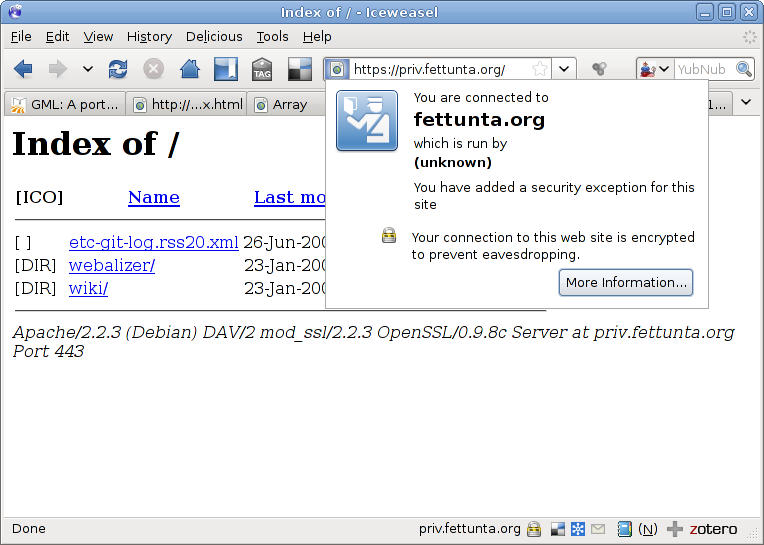
Gunnar, have a look at this: iceweasel-ssl.png. So your example using the Penta website was just a bad one, and I personally agree with the "INVALID" resolution of your bug report. In fact, showing a partially encrypted connection as an insecure one is an overall advantage for (l)user securities, as with the browser interfaces we are used to use, we don't know which parts are actually sent encrypted and which are not. As you can see in the example above a fully encrypted connection is properly reported as such by Firefox 3.0. FWIW: I'm overall satisfied with Firefox 3.0, especially about the new URL bar Wouther is disliking. Yes it is a bit slower than before, but even on my 4-year old laptop it is perfectly usable. The HTML title shown there? Well, it is rather handy when I start typing bugs.debian.org and then I've to discriminate among tons of almost identical bug report URLs ... Is the about:config hand-holding dialog worst than the pop-up the first time you "have provided unencrypted information" in a random form? It is not, we have probably just forgot about the first time we unchecked the corresponding checkbox. All in all, the only "feature" of the new Firefox I found incredibly stupid is the SSL certificate exception mechanism. Installing the untrusted certificate is what? ... 5 click-away from the initial page? That is just dumb. (And as it is well-known that habits form anyhow, getting the habits harder to form is just a way to piss-off users.)

25 June 2008

Christian Perrier: triggers: those great improvements Joe User will never see

My random thoughts of the day go to the "triggers" feature in dpkg. The addition of that feature triggered a lot of noise, discussions and flames a few months ago. Actually more about the way it was added and the schedule that was followed, more than the feature itself. No need to come back on this. That's Debian's life...:-) These days are over: the feature is here. And frankly I love it even though I probably don't understand more than 10% of it... Today, I ran quite huge "dist-upgrade" of my laptop (where I try to stick with unstable) after 3...days not upgrading it. And I noticed that:

.../...
D paquetage de la mise   jour de foo
Pr paration du remplacement de foo
.../...
Param trage de foo
.../...
Traitement des   d clenchements (triggers)   pour   menu  ...
.../...
(isn't the French localization of dpkg rocking?). So, as I understand, update-menus is now only called once per run instead of being launched on every package configuration. If I'm correct, this is what triggers are for. And, frankly, that rocks. This is one of these improvements that will never be noticed by Joe Random User, but exactly one that makes our favourite distro and its derivatives the best all around. So, that random blog post is dedicated to all people who made this possible. Such things are the reason I'm still stuck to Debian after so many years.

Decklin Foster: Arrogance

Today, like any other day, I started Firefo^WIceweasel. I mapped it at the bottom of my window stack. It promptly raised itself. I closed everything and tried opening a new homepage. Nope, that's fine. I tried again with two tabs saved. It raised itself again. I have been watching variations of this bug regress for eight years now and I am tired of it. So I installed Conkeror. After a good three-year run of being able to sit down at someone else's random PC and say, "hey, a web browser that nearly works as well as mine" (since it is, you know, the same one), I look forward to being utterly fed up with how primitive the rest of the world is again. And what are we in this for, if not that?

Martin-Éric Racine: O: planner -- project management application

This one had been a long time in the making, but here it goes: I'm orphaning Planner. Why? Because upstream hasn't been too active in ages, save from a few random bug fixes, and because the GCC 4.3 transition at Debian has exposed yet more bugs that make it FTBFS. The package had been marked as RFA for a while, but I decided that I'm not gonna wait any longer; O it is. Hopefully, an experienced GNOME maintainer will take over and revamp the upstream code into a usable shape. If not, then I guess we just found another dead package in the archive. So be it.

Next.

Previous.