Fran ois Marier: Self-hosting an Ikiwiki blog
8.5 years ago, I moved my
blog to
Ikiwiki and
Branchable. It's now time for me to take the
next step and host my blog on my own server. This is how I migrated from
Branchable to my own Apache server.
Installing Ikiwiki dependencies
Here are all of the extra Debian packages I had to install on my server:
Installing Ikiwiki dependencies
Here are all of the extra Debian packages I had to install on my server:
apt install ikiwiki ikiwiki-hosting-common gcc libauthen-passphrase-perl libcgi-formbuilder-perl libcrypt-sslauthen-passphrase-perl libcgi-formbuilder-perl libcrypt-ssleay-perl libjson-xs-perl librpc-xml-perl python-docutils libxml-feed-perl libsearch-xapian-perl libmailtools-perl highlight-common libsearch-xapian-perl xapian-omega
apt install --no-install-recommends ikiwiki-hosting-web libgravatar-url-perl libmail-sendmail-perl libcgi-session-perl
apt purge libnet-openid-consumer-perl
Then I enabled the CGI module in Apache:
a2enmod cgi
and un-commented the following in /etc/apache2/mods-available/mime.conf:
AddHandler cgi-script .cgi
Creating a separate user account
Since Ikiwiki needs to regenerate my blog whenever a new article is pushed
to the git repo or a comment is accepted, I created a restricted user
account for it:
adduser blog
adduser blog sshuser
chsh -s /usr/bin/git-shell blog
git setup
Thanks to Branchable storing blogs in git repositories, I was able to import my
blog using a simple git clone in /home/blog (the srcdir):
git clone --bare git://feedingthecloud.branchable.com/ source.git
Note that the name of the directory (source.git) is important for the
ikiwikihosting plugin to work.
Then I pulled the .setup file out of the setup branch in that repo and put
it in /home/blog/.ikiwiki/FeedingTheCloud.setup. After that, I deleted the
setup branch and the origin remote from that clone:
git branch -d setup
git remote rm origin
Following the recommended git
configuration, I created a working directory
(the repository) for the blog user to modify the blog as needed:
cd /home/blog/
git clone /home/blog/source.git FeedingTheCloud
I added my own ssh public key to /home/blog/.ssh/authorized_keys
so that I could push to the srcdir from my laptop.
Finaly, I generated a new ssh key without a passphrase:
ssh-keygen -t ed25519
and added it as deploy
key
to the GitHub repo which acts as a read-only mirror of my
blog.
Ikiwiki config
While I started with the Branchable setup file, I changed the following
things in it:
adminemail: webmaster@fmarier.org
srcdir: /home/blog/FeedingTheCloud
destdir: /var/www/blog
url: https://feeding.cloud.geek.nz
cgiurl: https://feeding.cloud.geek.nz/blog.cgi
cgi_wrapper: /var/www/blog/blog.cgi
cgi_wrappermode: 675
add_plugins:
- goodstuff
- lockedit
- comments
- blogspam
- sidebar
- attachment
- favicon
- format
- highlight
- search
- theme
- moderatedcomments
- flattr
- calendar
- headinganchors
- notifyemail
- anonok
- autoindex
- date
- relativedate
- htmlbalance
- pagestats
- sortnaturally
- ikiwikihosting
- gitpush
- emailauth
disable_plugins:
- brokenlinks
- fortune
- more
- openid
- orphans
- passwordauth
- progress
- recentchanges
- repolist
- toggle
- txt
sslcookie: 1
cookiejar:
  file: /home/blog/.ikiwiki/cookies
useragent: ikiwiki
git_wrapper: /home/blog/source.git/hooks/post-update
urlalias:
- http://feeds.cloud.geek.nz/
- http://www.feeding.cloud.geek.nz/
owner: francois@fmarier.org
hostname: feeding.cloud.geek.nz
emailauth_sender: login@fmarier.org
allowed_attachments: admin()
Then I created the destdir:
mkdir /var/www/blog
chown blog:blog /var/www/blog
and generated the initial copy of the blog as the blog user:
ikiwiki --setup .ikiwiki/FeedingTheCloud.setup --wrappers --rebuild
One thing that failed to generate properly was the tag cloug (from the
pagestats plugin). I have not
been able to figure out why it fails to generate any output when run this
way, but if I push to the repo and let the git hook handle the rebuilding of
the wiki, the tag cloud is generated correctly. Consequently, fixing this
is not high on my list of priorities, but if you happen to know what the
problem is, please reach out.
Apache config
Here's the Apache config I put in /etc/apache2/sites-available/blog.conf:
<VirtualHost *:443>
    ServerName feeding.cloud.geek.nz
    SSLEngine On
    SSLCertificateFile /etc/letsencrypt/live/feeding.cloud.geek.nz/fullchain.pem
    SSLCertificateKeyFile /etc/letsencrypt/live/feeding.cloud.geek.nz/privkey.pem
    Header set Strict-Transport-Security: "max-age=63072000; includeSubDomains; preload"
    Include /etc/fmarier-org/blog-common
</VirtualHost>
<VirtualHost *:443>
    ServerName www.feeding.cloud.geek.nz
    ServerAlias feeds.cloud.geek.nz
    SSLEngine On
    SSLCertificateFile /etc/letsencrypt/live/feeding.cloud.geek.nz/fullchain.pem
    SSLCertificateKeyFile /etc/letsencrypt/live/feeding.cloud.geek.nz/privkey.pem
    Redirect permanent / https://feeding.cloud.geek.nz/
</VirtualHost>
<VirtualHost *:80>
    ServerName feeding.cloud.geek.nz
    ServerAlias www.feeding.cloud.geek.nz
    ServerAlias feeds.cloud.geek.nz
    Redirect permanent / https://feeding.cloud.geek.nz/
</VirtualHost>
and the common config I put in /etc/fmarier-org/blog-common:
ServerAdmin webmaster@fmarier.org
DocumentRoot /var/www/blog
LogLevel core:info
CustomLog $ APACHE_LOG_DIR /blog-access.log combined
ErrorLog $ APACHE_LOG_DIR /blog-error.log
AddType application/rss+xml .rss
<Location /blog.cgi>
        Options +ExecCGI
</Location>
before enabling all of this using:
a2ensite blog
apache2ctl configtest
systemctl restart apache2.service
The feeds.cloud.geek.nz domain used to be pointing to
Feedburner and so I need to
maintain it in order to avoid breaking RSS feeds from folks who added my
blog to their reader a long time ago.
Server-side improvements
Since I'm now in control of the server configuration, I was able to make
several improvements to how my blog is served.
First of all, I enabled the HTTP/2 and Brotli modules:
a2enmod http2
a2enmod brotli
and enabled Brotli
compression
by putting the following in /etc/apache2/conf-available/compression.conf:
<IfModule mod_brotli.c>
  <IfDefine !TRANSFER_COMPRESSION>
    Define TRANSFER_COMPRESSION BROTLI_COMPRESS
  </IfDefine>
</IfModule>
<IfModule mod_deflate.c>
  <IfDefine !TRANSFER_COMPRESSION>
    Define TRANSFER_COMPRESSION DEFLATE
  </IfDefine>
</IfModule>
<IfDefine TRANSFER_COMPRESSION>
  <IfModule mod_filter.c>
    AddOutputFilterByType $ TRANSFER_COMPRESSION  text/html text/plain text/xml text/css text/javascript
    AddOutputFilterByType $ TRANSFER_COMPRESSION  application/x-javascript application/javascript application/ecmascript
    AddOutputFilterByType $ TRANSFER_COMPRESSION  application/rss+xml
    AddOutputFilterByType $ TRANSFER_COMPRESSION  application/xml
  </IfModule>
</IfDefine>
and replacing /etc/apache2/mods-available/deflate.conf with the following:
# Moved to /etc/apache2/conf-available/compression.conf as per https://bugs.debian.org/972632
before enabling this new config:
a2enconf compression
Next, I made my blog available as a Tor onion
service by
putting the following in /etc/apache2/sites-available/blog.conf:
<VirtualHost *:443>
    ServerName feeding.cloud.geek.nz
    ServerAlias xfdug5vmfi6oh42fp6ahhrqdjcf7ysqat6fkp5dhvde4d7vlkqixrsad.onion
    Header set Onion-Location "http://xfdug5vmfi6oh42fp6ahhrqdjcf7ysqat6fkp5dhvde4d7vlkqixrsad.onion% REQUEST_URI s"
    Header set alt-svc 'h2="xfdug5vmfi6oh42fp6ahhrqdjcf7ysqat6fkp5dhvde4d7vlkqixrsad.onion:443"; ma=315360000; persist=1'
    ...
<VirtualHost *:80>
    ServerName xfdug5vmfi6oh42fp6ahhrqdjcf7ysqat6fkp5dhvde4d7vlkqixrsad.onion
    Include /etc/fmarier-org/blog-common
</VirtualHost>
Then I followed the Mozilla
Observatory
recommendations and enabled the following security headers:
Header set Content-Security-Policy: "default-src 'none'; report-uri https://fmarier.report-uri.com/r/d/csp/enforce ; style-src 'self' 'unsafe-inline' ; img-src 'self' https://seccdn.libravatar.org/ ; script-src https://feeding.cloud.geek.nz/ikiwiki/ https://xfdug5vmfi6oh42fp6ahhrqdjcf7ysqat6fkp5dhvde4d7vlkqixrsad.onion/ikiwiki/ http://xfdug5vmfi6oh42fp6ahhrqdjcf7ysqat6fkp5dhvde4d7vlkqixrsad.onion/ikiwiki/ 'unsafe-inline' 'sha256-pA8FbKo4pYLWPDH2YMPqcPMBzbjH/RYj0HlNAHYoYT0=' 'sha256-Kn5E/7OLXYSq+EKMhEBGJMyU6bREA9E8Av9FjqbpGKk=' 'sha256-/BTNlczeBxXOoPvhwvE1ftmxwg9z+WIBJtpk3qe7Pqo=' ; base-uri 'self'; form-action 'self' ; frame-ancestors 'self'"
Header set X-Frame-Options: "SAMEORIGIN"
Header set Referrer-Policy: "same-origin"
Header set X-Content-Type-Options: "nosniff"
Note that the Mozilla Observatory is mistakenly identifying HTTP onion
services as insecure, so you can ignore that failure.
I also used the Mozilla TLS config
generator
to improve the TLS config for my server.
Then I added security.txt and
gpc.json to the root
of my git repo and then added the following aliases to put these files in
the right place:
Alias /.well-known/gpc.json /var/www/blog/gpc.json
Alias /.well-known/security.txt /var/www/blog/security.txt
I also followed these
instructions to create
a sitemap
for my blog with the following alias:
Alias /sitemap.xml /var/www/blog/sitemap/index.rss
Finally, I simplified a few error pages to save bandwidth:
ErrorDocument 301 " "
ErrorDocument 302 " "
ErrorDocument 404 "Not Found"
Monitoring 404s
Another advantage of running my own web server is that I can monitor the
404s easily using logcheck by
putting the following in /etc/logcheck/logcheck.logfiles:
/var/log/apache2/blog-error.log
Based on that, I added a few redirects to point bots and users to the
location of my RSS feed:
Redirect permanent /atom /index.atom
Redirect permanent /comments.rss /comments/index.rss
Redirect permanent /comments.atom /comments/index.atom
Redirect permanent /FeedingTheCloud /index.rss
Redirect permanent /feed /index.rss
Redirect permanent /feed/ /index.rss
Redirect permanent /feeds/posts/default /index.rss
Redirect permanent /rss /index.rss
Redirect permanent /rss/ /index.rss
and to tell them to stop trying to fetch obsolete resources:
Redirect gone /~ff/FeedingTheCloud
Redirect gone /gittip_button.png
Redirect gone /ikiwiki.cgi
I also used these 404s to discover a few old Feedburner URLs that I could
redirect to the right place using
archive.org:
Redirect permanent /feeds/1572545745827565861/comments/default /posts/watch-all-of-your-logs-using-monkeytail/comments.atom
Redirect permanent /feeds/1582328597404141220/comments/default /posts/news-feeds-rssatom-for-mythtvorg-and/comments.atom
...
Redirect permanent /feeds/8490436852808833136/comments/default /posts/recovering-lost-git-commits/comments.atom
Redirect permanent /feeds/963415010433858516/comments/default /posts/debugging-openwrt-routers-by-shipping/comments.atom
I also put the following robots.txt in the git repo in order to stop a
bunch of authentication errors coming from crawlers:
User-agent: *
Disallow: /blog.cgi
Disallow: /ikiwiki.cgi
Future improvements
There are a few things I'd like to improve on my current setup.
The first one is to remove the iwikihosting and gitpush
plugins and replace them with a
small script which would simply git push to the read-only GitHub mirror.
Then I could uninstall the ikiwiki-hosting-common and
ikiwiki-hosting-web
since that's all I use them for.
Next, I would like to have proper support for signed git
pushes. At the
moment, I have the following in /home/blog/source.git/config:
[receive]
    advertisePushOptions = true
    certNonceSeed = "(random string)"
but I'd like to also reject unsigned pushes.
While my blog now has a CSP policy which doesn't rely on unsafe-inline for
scripts, it does rely on unsafe-inline for stylesheets. I tried to remove this
but the actual calls to allow seemed to be located deep within jQuery and so I gave up.
Update: now fixed.
Finally, I'd like to figure out a good way to deal with articles which don't
currently have comments. At the moment, if you try to subscribe to their
comment feed, it returns a 404. For example:
[Sun Jun 06 17:43:12.336350 2021] [core:info] [pid 30591:tid 140253834704640] [client 66.249.66.70:57381] AH00128: File does not exist: /var/www/blog/posts/using-iptables-with-network-manager/comments.atom
This is obviously not ideal since many feed readers will refuse to add a
feed which is currently not found even though it could become real in the future. If
you know of a way to fix this, please let me know.
apt install ikiwiki ikiwiki-hosting-common gcc libauthen-passphrase-perl libcgi-formbuilder-perl libcrypt-sslauthen-passphrase-perl libcgi-formbuilder-perl libcrypt-ssleay-perl libjson-xs-perl librpc-xml-perl python-docutils libxml-feed-perl libsearch-xapian-perl libmailtools-perl highlight-common libsearch-xapian-perl xapian-omega
apt install --no-install-recommends ikiwiki-hosting-web libgravatar-url-perl libmail-sendmail-perl libcgi-session-perl
apt purge libnet-openid-consumer-perl
a2enmod cgi
AddHandler cgi-script .cgi
adduser blog
adduser blog sshuser
chsh -s /usr/bin/git-shell blog
git setup
Thanks to Branchable storing blogs in git repositories, I was able to import my
blog using a simple git clone in /home/blog (the srcdir):
git clone --bare git://feedingthecloud.branchable.com/ source.git
Note that the name of the directory (source.git) is important for the
ikiwikihosting plugin to work.
Then I pulled the .setup file out of the setup branch in that repo and put
it in /home/blog/.ikiwiki/FeedingTheCloud.setup. After that, I deleted the
setup branch and the origin remote from that clone:
git branch -d setup
git remote rm origin
Following the recommended git
configuration, I created a working directory
(the repository) for the blog user to modify the blog as needed:
cd /home/blog/
git clone /home/blog/source.git FeedingTheCloud
I added my own ssh public key to /home/blog/.ssh/authorized_keys
so that I could push to the srcdir from my laptop.
Finaly, I generated a new ssh key without a passphrase:
ssh-keygen -t ed25519
and added it as deploy
key
to the GitHub repo which acts as a read-only mirror of my
blog.
Ikiwiki config
While I started with the Branchable setup file, I changed the following
things in it:
adminemail: webmaster@fmarier.org
srcdir: /home/blog/FeedingTheCloud
destdir: /var/www/blog
url: https://feeding.cloud.geek.nz
cgiurl: https://feeding.cloud.geek.nz/blog.cgi
cgi_wrapper: /var/www/blog/blog.cgi
cgi_wrappermode: 675
add_plugins:
- goodstuff
- lockedit
- comments
- blogspam
- sidebar
- attachment
- favicon
- format
- highlight
- search
- theme
- moderatedcomments
- flattr
- calendar
- headinganchors
- notifyemail
- anonok
- autoindex
- date
- relativedate
- htmlbalance
- pagestats
- sortnaturally
- ikiwikihosting
- gitpush
- emailauth
disable_plugins:
- brokenlinks
- fortune
- more
- openid
- orphans
- passwordauth
- progress
- recentchanges
- repolist
- toggle
- txt
sslcookie: 1
cookiejar:
file: /home/blog/.ikiwiki/cookies
useragent: ikiwiki
git_wrapper: /home/blog/source.git/hooks/post-update
urlalias:
- http://feeds.cloud.geek.nz/
- http://www.feeding.cloud.geek.nz/
owner: francois@fmarier.org
hostname: feeding.cloud.geek.nz
emailauth_sender: login@fmarier.org
allowed_attachments: admin()
Then I created the destdir:
mkdir /var/www/blog
chown blog:blog /var/www/blog
and generated the initial copy of the blog as the blog user:
ikiwiki --setup .ikiwiki/FeedingTheCloud.setup --wrappers --rebuild
One thing that failed to generate properly was the tag cloug (from the
pagestats plugin). I have not
been able to figure out why it fails to generate any output when run this
way, but if I push to the repo and let the git hook handle the rebuilding of
the wiki, the tag cloud is generated correctly. Consequently, fixing this
is not high on my list of priorities, but if you happen to know what the
problem is, please reach out.
Apache config
Here's the Apache config I put in /etc/apache2/sites-available/blog.conf:
<VirtualHost *:443>
ServerName feeding.cloud.geek.nz
SSLEngine On
SSLCertificateFile /etc/letsencrypt/live/feeding.cloud.geek.nz/fullchain.pem
SSLCertificateKeyFile /etc/letsencrypt/live/feeding.cloud.geek.nz/privkey.pem
Header set Strict-Transport-Security: "max-age=63072000; includeSubDomains; preload"
Include /etc/fmarier-org/blog-common
</VirtualHost>
<VirtualHost *:443>
ServerName www.feeding.cloud.geek.nz
ServerAlias feeds.cloud.geek.nz
SSLEngine On
SSLCertificateFile /etc/letsencrypt/live/feeding.cloud.geek.nz/fullchain.pem
SSLCertificateKeyFile /etc/letsencrypt/live/feeding.cloud.geek.nz/privkey.pem
Redirect permanent / https://feeding.cloud.geek.nz/
</VirtualHost>
<VirtualHost *:80>
ServerName feeding.cloud.geek.nz
ServerAlias www.feeding.cloud.geek.nz
ServerAlias feeds.cloud.geek.nz
Redirect permanent / https://feeding.cloud.geek.nz/
</VirtualHost>
and the common config I put in /etc/fmarier-org/blog-common:
ServerAdmin webmaster@fmarier.org
DocumentRoot /var/www/blog
LogLevel core:info
CustomLog $ APACHE_LOG_DIR /blog-access.log combined
ErrorLog $ APACHE_LOG_DIR /blog-error.log
AddType application/rss+xml .rss
<Location /blog.cgi>
Options +ExecCGI
</Location>
before enabling all of this using:
a2ensite blog
apache2ctl configtest
systemctl restart apache2.service
The feeds.cloud.geek.nz domain used to be pointing to
Feedburner and so I need to
maintain it in order to avoid breaking RSS feeds from folks who added my
blog to their reader a long time ago.
Server-side improvements
Since I'm now in control of the server configuration, I was able to make
several improvements to how my blog is served.
First of all, I enabled the HTTP/2 and Brotli modules:
a2enmod http2
a2enmod brotli
and enabled Brotli
compression
by putting the following in /etc/apache2/conf-available/compression.conf:
<IfModule mod_brotli.c>
<IfDefine !TRANSFER_COMPRESSION>
Define TRANSFER_COMPRESSION BROTLI_COMPRESS
</IfDefine>
</IfModule>
<IfModule mod_deflate.c>
<IfDefine !TRANSFER_COMPRESSION>
Define TRANSFER_COMPRESSION DEFLATE
</IfDefine>
</IfModule>
<IfDefine TRANSFER_COMPRESSION>
<IfModule mod_filter.c>
AddOutputFilterByType $ TRANSFER_COMPRESSION text/html text/plain text/xml text/css text/javascript
AddOutputFilterByType $ TRANSFER_COMPRESSION application/x-javascript application/javascript application/ecmascript
AddOutputFilterByType $ TRANSFER_COMPRESSION application/rss+xml
AddOutputFilterByType $ TRANSFER_COMPRESSION application/xml
</IfModule>
</IfDefine>
and replacing /etc/apache2/mods-available/deflate.conf with the following:
# Moved to /etc/apache2/conf-available/compression.conf as per https://bugs.debian.org/972632
before enabling this new config:
a2enconf compression
Next, I made my blog available as a Tor onion
service by
putting the following in /etc/apache2/sites-available/blog.conf:
<VirtualHost *:443>
ServerName feeding.cloud.geek.nz
ServerAlias xfdug5vmfi6oh42fp6ahhrqdjcf7ysqat6fkp5dhvde4d7vlkqixrsad.onion
Header set Onion-Location "http://xfdug5vmfi6oh42fp6ahhrqdjcf7ysqat6fkp5dhvde4d7vlkqixrsad.onion% REQUEST_URI s"
Header set alt-svc 'h2="xfdug5vmfi6oh42fp6ahhrqdjcf7ysqat6fkp5dhvde4d7vlkqixrsad.onion:443"; ma=315360000; persist=1'
...
<VirtualHost *:80>
ServerName xfdug5vmfi6oh42fp6ahhrqdjcf7ysqat6fkp5dhvde4d7vlkqixrsad.onion
Include /etc/fmarier-org/blog-common
</VirtualHost>
Then I followed the Mozilla
Observatory
recommendations and enabled the following security headers:
Header set Content-Security-Policy: "default-src 'none'; report-uri https://fmarier.report-uri.com/r/d/csp/enforce ; style-src 'self' 'unsafe-inline' ; img-src 'self' https://seccdn.libravatar.org/ ; script-src https://feeding.cloud.geek.nz/ikiwiki/ https://xfdug5vmfi6oh42fp6ahhrqdjcf7ysqat6fkp5dhvde4d7vlkqixrsad.onion/ikiwiki/ http://xfdug5vmfi6oh42fp6ahhrqdjcf7ysqat6fkp5dhvde4d7vlkqixrsad.onion/ikiwiki/ 'unsafe-inline' 'sha256-pA8FbKo4pYLWPDH2YMPqcPMBzbjH/RYj0HlNAHYoYT0=' 'sha256-Kn5E/7OLXYSq+EKMhEBGJMyU6bREA9E8Av9FjqbpGKk=' 'sha256-/BTNlczeBxXOoPvhwvE1ftmxwg9z+WIBJtpk3qe7Pqo=' ; base-uri 'self'; form-action 'self' ; frame-ancestors 'self'"
Header set X-Frame-Options: "SAMEORIGIN"
Header set Referrer-Policy: "same-origin"
Header set X-Content-Type-Options: "nosniff"
Note that the Mozilla Observatory is mistakenly identifying HTTP onion
services as insecure, so you can ignore that failure.
I also used the Mozilla TLS config
generator
to improve the TLS config for my server.
Then I added security.txt and
gpc.json to the root
of my git repo and then added the following aliases to put these files in
the right place:
Alias /.well-known/gpc.json /var/www/blog/gpc.json
Alias /.well-known/security.txt /var/www/blog/security.txt
I also followed these
instructions to create
a sitemap
for my blog with the following alias:
Alias /sitemap.xml /var/www/blog/sitemap/index.rss
Finally, I simplified a few error pages to save bandwidth:
ErrorDocument 301 " "
ErrorDocument 302 " "
ErrorDocument 404 "Not Found"
Monitoring 404s
Another advantage of running my own web server is that I can monitor the
404s easily using logcheck by
putting the following in /etc/logcheck/logcheck.logfiles:
/var/log/apache2/blog-error.log
Based on that, I added a few redirects to point bots and users to the
location of my RSS feed:
Redirect permanent /atom /index.atom
Redirect permanent /comments.rss /comments/index.rss
Redirect permanent /comments.atom /comments/index.atom
Redirect permanent /FeedingTheCloud /index.rss
Redirect permanent /feed /index.rss
Redirect permanent /feed/ /index.rss
Redirect permanent /feeds/posts/default /index.rss
Redirect permanent /rss /index.rss
Redirect permanent /rss/ /index.rss
and to tell them to stop trying to fetch obsolete resources:
Redirect gone /~ff/FeedingTheCloud
Redirect gone /gittip_button.png
Redirect gone /ikiwiki.cgi
I also used these 404s to discover a few old Feedburner URLs that I could
redirect to the right place using
archive.org:
Redirect permanent /feeds/1572545745827565861/comments/default /posts/watch-all-of-your-logs-using-monkeytail/comments.atom
Redirect permanent /feeds/1582328597404141220/comments/default /posts/news-feeds-rssatom-for-mythtvorg-and/comments.atom
...
Redirect permanent /feeds/8490436852808833136/comments/default /posts/recovering-lost-git-commits/comments.atom
Redirect permanent /feeds/963415010433858516/comments/default /posts/debugging-openwrt-routers-by-shipping/comments.atom
I also put the following robots.txt in the git repo in order to stop a
bunch of authentication errors coming from crawlers:
User-agent: *
Disallow: /blog.cgi
Disallow: /ikiwiki.cgi
Future improvements
There are a few things I'd like to improve on my current setup.
The first one is to remove the iwikihosting and gitpush
plugins and replace them with a
small script which would simply git push to the read-only GitHub mirror.
Then I could uninstall the ikiwiki-hosting-common and
ikiwiki-hosting-web
since that's all I use them for.
Next, I would like to have proper support for signed git
pushes. At the
moment, I have the following in /home/blog/source.git/config:
[receive]
advertisePushOptions = true
certNonceSeed = "(random string)"
but I'd like to also reject unsigned pushes.
While my blog now has a CSP policy which doesn't rely on unsafe-inline for
scripts, it does rely on unsafe-inline for stylesheets. I tried to remove this
but the actual calls to allow seemed to be located deep within jQuery and so I gave up.
Update: now fixed.
Finally, I'd like to figure out a good way to deal with articles which don't
currently have comments. At the moment, if you try to subscribe to their
comment feed, it returns a 404. For example:
[Sun Jun 06 17:43:12.336350 2021] [core:info] [pid 30591:tid 140253834704640] [client 66.249.66.70:57381] AH00128: File does not exist: /var/www/blog/posts/using-iptables-with-network-manager/comments.atom
This is obviously not ideal since many feed readers will refuse to add a
feed which is currently not found even though it could become real in the future. If
you know of a way to fix this, please let me know.
git clone --bare git://feedingthecloud.branchable.com/ source.git
git branch -d setup
git remote rm origin
cd /home/blog/
git clone /home/blog/source.git FeedingTheCloud
ssh-keygen -t ed25519
adminemail: webmaster@fmarier.org
srcdir: /home/blog/FeedingTheCloud
destdir: /var/www/blog
url: https://feeding.cloud.geek.nz
cgiurl: https://feeding.cloud.geek.nz/blog.cgi
cgi_wrapper: /var/www/blog/blog.cgi
cgi_wrappermode: 675
add_plugins:
- goodstuff
- lockedit
- comments
- blogspam
- sidebar
- attachment
- favicon
- format
- highlight
- search
- theme
- moderatedcomments
- flattr
- calendar
- headinganchors
- notifyemail
- anonok
- autoindex
- date
- relativedate
- htmlbalance
- pagestats
- sortnaturally
- ikiwikihosting
- gitpush
- emailauth
disable_plugins:
- brokenlinks
- fortune
- more
- openid
- orphans
- passwordauth
- progress
- recentchanges
- repolist
- toggle
- txt
sslcookie: 1
cookiejar:
file: /home/blog/.ikiwiki/cookies
useragent: ikiwiki
git_wrapper: /home/blog/source.git/hooks/post-update
urlalias:
- http://feeds.cloud.geek.nz/
- http://www.feeding.cloud.geek.nz/
owner: francois@fmarier.org
hostname: feeding.cloud.geek.nz
emailauth_sender: login@fmarier.org
allowed_attachments: admin()
destdir:
mkdir /var/www/blog
chown blog:blog /var/www/blog
blog user:
ikiwiki --setup .ikiwiki/FeedingTheCloud.setup --wrappers --rebuild
Apache config
Here's the Apache config I put in /etc/apache2/sites-available/blog.conf:
<VirtualHost *:443>
ServerName feeding.cloud.geek.nz
SSLEngine On
SSLCertificateFile /etc/letsencrypt/live/feeding.cloud.geek.nz/fullchain.pem
SSLCertificateKeyFile /etc/letsencrypt/live/feeding.cloud.geek.nz/privkey.pem
Header set Strict-Transport-Security: "max-age=63072000; includeSubDomains; preload"
Include /etc/fmarier-org/blog-common
</VirtualHost>
<VirtualHost *:443>
ServerName www.feeding.cloud.geek.nz
ServerAlias feeds.cloud.geek.nz
SSLEngine On
SSLCertificateFile /etc/letsencrypt/live/feeding.cloud.geek.nz/fullchain.pem
SSLCertificateKeyFile /etc/letsencrypt/live/feeding.cloud.geek.nz/privkey.pem
Redirect permanent / https://feeding.cloud.geek.nz/
</VirtualHost>
<VirtualHost *:80>
ServerName feeding.cloud.geek.nz
ServerAlias www.feeding.cloud.geek.nz
ServerAlias feeds.cloud.geek.nz
Redirect permanent / https://feeding.cloud.geek.nz/
</VirtualHost>
and the common config I put in /etc/fmarier-org/blog-common:
ServerAdmin webmaster@fmarier.org
DocumentRoot /var/www/blog
LogLevel core:info
CustomLog $ APACHE_LOG_DIR /blog-access.log combined
ErrorLog $ APACHE_LOG_DIR /blog-error.log
AddType application/rss+xml .rss
<Location /blog.cgi>
Options +ExecCGI
</Location>
before enabling all of this using:
a2ensite blog
apache2ctl configtest
systemctl restart apache2.service
The feeds.cloud.geek.nz domain used to be pointing to
Feedburner and so I need to
maintain it in order to avoid breaking RSS feeds from folks who added my
blog to their reader a long time ago.
Server-side improvements
Since I'm now in control of the server configuration, I was able to make
several improvements to how my blog is served.
First of all, I enabled the HTTP/2 and Brotli modules:
a2enmod http2
a2enmod brotli
and enabled Brotli
compression
by putting the following in /etc/apache2/conf-available/compression.conf:
<IfModule mod_brotli.c>
<IfDefine !TRANSFER_COMPRESSION>
Define TRANSFER_COMPRESSION BROTLI_COMPRESS
</IfDefine>
</IfModule>
<IfModule mod_deflate.c>
<IfDefine !TRANSFER_COMPRESSION>
Define TRANSFER_COMPRESSION DEFLATE
</IfDefine>
</IfModule>
<IfDefine TRANSFER_COMPRESSION>
<IfModule mod_filter.c>
AddOutputFilterByType $ TRANSFER_COMPRESSION text/html text/plain text/xml text/css text/javascript
AddOutputFilterByType $ TRANSFER_COMPRESSION application/x-javascript application/javascript application/ecmascript
AddOutputFilterByType $ TRANSFER_COMPRESSION application/rss+xml
AddOutputFilterByType $ TRANSFER_COMPRESSION application/xml
</IfModule>
</IfDefine>
and replacing /etc/apache2/mods-available/deflate.conf with the following:
# Moved to /etc/apache2/conf-available/compression.conf as per https://bugs.debian.org/972632
before enabling this new config:
a2enconf compression
Next, I made my blog available as a Tor onion
service by
putting the following in /etc/apache2/sites-available/blog.conf:
<VirtualHost *:443>
ServerName feeding.cloud.geek.nz
ServerAlias xfdug5vmfi6oh42fp6ahhrqdjcf7ysqat6fkp5dhvde4d7vlkqixrsad.onion
Header set Onion-Location "http://xfdug5vmfi6oh42fp6ahhrqdjcf7ysqat6fkp5dhvde4d7vlkqixrsad.onion% REQUEST_URI s"
Header set alt-svc 'h2="xfdug5vmfi6oh42fp6ahhrqdjcf7ysqat6fkp5dhvde4d7vlkqixrsad.onion:443"; ma=315360000; persist=1'
...
<VirtualHost *:80>
ServerName xfdug5vmfi6oh42fp6ahhrqdjcf7ysqat6fkp5dhvde4d7vlkqixrsad.onion
Include /etc/fmarier-org/blog-common
</VirtualHost>
Then I followed the Mozilla
Observatory
recommendations and enabled the following security headers:
Header set Content-Security-Policy: "default-src 'none'; report-uri https://fmarier.report-uri.com/r/d/csp/enforce ; style-src 'self' 'unsafe-inline' ; img-src 'self' https://seccdn.libravatar.org/ ; script-src https://feeding.cloud.geek.nz/ikiwiki/ https://xfdug5vmfi6oh42fp6ahhrqdjcf7ysqat6fkp5dhvde4d7vlkqixrsad.onion/ikiwiki/ http://xfdug5vmfi6oh42fp6ahhrqdjcf7ysqat6fkp5dhvde4d7vlkqixrsad.onion/ikiwiki/ 'unsafe-inline' 'sha256-pA8FbKo4pYLWPDH2YMPqcPMBzbjH/RYj0HlNAHYoYT0=' 'sha256-Kn5E/7OLXYSq+EKMhEBGJMyU6bREA9E8Av9FjqbpGKk=' 'sha256-/BTNlczeBxXOoPvhwvE1ftmxwg9z+WIBJtpk3qe7Pqo=' ; base-uri 'self'; form-action 'self' ; frame-ancestors 'self'"
Header set X-Frame-Options: "SAMEORIGIN"
Header set Referrer-Policy: "same-origin"
Header set X-Content-Type-Options: "nosniff"
Note that the Mozilla Observatory is mistakenly identifying HTTP onion
services as insecure, so you can ignore that failure.
I also used the Mozilla TLS config
generator
to improve the TLS config for my server.
Then I added security.txt and
gpc.json to the root
of my git repo and then added the following aliases to put these files in
the right place:
Alias /.well-known/gpc.json /var/www/blog/gpc.json
Alias /.well-known/security.txt /var/www/blog/security.txt
I also followed these
instructions to create
a sitemap
for my blog with the following alias:
Alias /sitemap.xml /var/www/blog/sitemap/index.rss
Finally, I simplified a few error pages to save bandwidth:
ErrorDocument 301 " "
ErrorDocument 302 " "
ErrorDocument 404 "Not Found"
Monitoring 404s
Another advantage of running my own web server is that I can monitor the
404s easily using logcheck by
putting the following in /etc/logcheck/logcheck.logfiles:
/var/log/apache2/blog-error.log
Based on that, I added a few redirects to point bots and users to the
location of my RSS feed:
Redirect permanent /atom /index.atom
Redirect permanent /comments.rss /comments/index.rss
Redirect permanent /comments.atom /comments/index.atom
Redirect permanent /FeedingTheCloud /index.rss
Redirect permanent /feed /index.rss
Redirect permanent /feed/ /index.rss
Redirect permanent /feeds/posts/default /index.rss
Redirect permanent /rss /index.rss
Redirect permanent /rss/ /index.rss
and to tell them to stop trying to fetch obsolete resources:
Redirect gone /~ff/FeedingTheCloud
Redirect gone /gittip_button.png
Redirect gone /ikiwiki.cgi
I also used these 404s to discover a few old Feedburner URLs that I could
redirect to the right place using
archive.org:
Redirect permanent /feeds/1572545745827565861/comments/default /posts/watch-all-of-your-logs-using-monkeytail/comments.atom
Redirect permanent /feeds/1582328597404141220/comments/default /posts/news-feeds-rssatom-for-mythtvorg-and/comments.atom
...
Redirect permanent /feeds/8490436852808833136/comments/default /posts/recovering-lost-git-commits/comments.atom
Redirect permanent /feeds/963415010433858516/comments/default /posts/debugging-openwrt-routers-by-shipping/comments.atom
I also put the following robots.txt in the git repo in order to stop a
bunch of authentication errors coming from crawlers:
User-agent: *
Disallow: /blog.cgi
Disallow: /ikiwiki.cgi
Future improvements
There are a few things I'd like to improve on my current setup.
The first one is to remove the iwikihosting and gitpush
plugins and replace them with a
small script which would simply git push to the read-only GitHub mirror.
Then I could uninstall the ikiwiki-hosting-common and
ikiwiki-hosting-web
since that's all I use them for.
Next, I would like to have proper support for signed git
pushes. At the
moment, I have the following in /home/blog/source.git/config:
[receive]
advertisePushOptions = true
certNonceSeed = "(random string)"
but I'd like to also reject unsigned pushes.
While my blog now has a CSP policy which doesn't rely on unsafe-inline for
scripts, it does rely on unsafe-inline for stylesheets. I tried to remove this
but the actual calls to allow seemed to be located deep within jQuery and so I gave up.
Update: now fixed.
Finally, I'd like to figure out a good way to deal with articles which don't
currently have comments. At the moment, if you try to subscribe to their
comment feed, it returns a 404. For example:
[Sun Jun 06 17:43:12.336350 2021] [core:info] [pid 30591:tid 140253834704640] [client 66.249.66.70:57381] AH00128: File does not exist: /var/www/blog/posts/using-iptables-with-network-manager/comments.atom
This is obviously not ideal since many feed readers will refuse to add a
feed which is currently not found even though it could become real in the future. If
you know of a way to fix this, please let me know.
<VirtualHost *:443>
ServerName feeding.cloud.geek.nz
SSLEngine On
SSLCertificateFile /etc/letsencrypt/live/feeding.cloud.geek.nz/fullchain.pem
SSLCertificateKeyFile /etc/letsencrypt/live/feeding.cloud.geek.nz/privkey.pem
Header set Strict-Transport-Security: "max-age=63072000; includeSubDomains; preload"
Include /etc/fmarier-org/blog-common
</VirtualHost>
<VirtualHost *:443>
ServerName www.feeding.cloud.geek.nz
ServerAlias feeds.cloud.geek.nz
SSLEngine On
SSLCertificateFile /etc/letsencrypt/live/feeding.cloud.geek.nz/fullchain.pem
SSLCertificateKeyFile /etc/letsencrypt/live/feeding.cloud.geek.nz/privkey.pem
Redirect permanent / https://feeding.cloud.geek.nz/
</VirtualHost>
<VirtualHost *:80>
ServerName feeding.cloud.geek.nz
ServerAlias www.feeding.cloud.geek.nz
ServerAlias feeds.cloud.geek.nz
Redirect permanent / https://feeding.cloud.geek.nz/
</VirtualHost>
ServerAdmin webmaster@fmarier.org
DocumentRoot /var/www/blog
LogLevel core:info
CustomLog $ APACHE_LOG_DIR /blog-access.log combined
ErrorLog $ APACHE_LOG_DIR /blog-error.log
AddType application/rss+xml .rss
<Location /blog.cgi>
Options +ExecCGI
</Location>
a2ensite blog
apache2ctl configtest
systemctl restart apache2.service
a2enmod http2
a2enmod brotli
/etc/apache2/conf-available/compression.conf:
<IfModule mod_brotli.c>
<IfDefine !TRANSFER_COMPRESSION>
Define TRANSFER_COMPRESSION BROTLI_COMPRESS
</IfDefine>
</IfModule>
<IfModule mod_deflate.c>
<IfDefine !TRANSFER_COMPRESSION>
Define TRANSFER_COMPRESSION DEFLATE
</IfDefine>
</IfModule>
<IfDefine TRANSFER_COMPRESSION>
<IfModule mod_filter.c>
AddOutputFilterByType $ TRANSFER_COMPRESSION text/html text/plain text/xml text/css text/javascript
AddOutputFilterByType $ TRANSFER_COMPRESSION application/x-javascript application/javascript application/ecmascript
AddOutputFilterByType $ TRANSFER_COMPRESSION application/rss+xml
AddOutputFilterByType $ TRANSFER_COMPRESSION application/xml
</IfModule>
</IfDefine>
/etc/apache2/mods-available/deflate.conf with the following:
# Moved to /etc/apache2/conf-available/compression.conf as per https://bugs.debian.org/972632
a2enconf compression
/etc/apache2/sites-available/blog.conf:
<VirtualHost *:443>
ServerName feeding.cloud.geek.nz
ServerAlias xfdug5vmfi6oh42fp6ahhrqdjcf7ysqat6fkp5dhvde4d7vlkqixrsad.onion
Header set Onion-Location "http://xfdug5vmfi6oh42fp6ahhrqdjcf7ysqat6fkp5dhvde4d7vlkqixrsad.onion% REQUEST_URI s"
Header set alt-svc 'h2="xfdug5vmfi6oh42fp6ahhrqdjcf7ysqat6fkp5dhvde4d7vlkqixrsad.onion:443"; ma=315360000; persist=1'
...
<VirtualHost *:80>
ServerName xfdug5vmfi6oh42fp6ahhrqdjcf7ysqat6fkp5dhvde4d7vlkqixrsad.onion
Include /etc/fmarier-org/blog-common
</VirtualHost>
Header set Content-Security-Policy: "default-src 'none'; report-uri https://fmarier.report-uri.com/r/d/csp/enforce ; style-src 'self' 'unsafe-inline' ; img-src 'self' https://seccdn.libravatar.org/ ; script-src https://feeding.cloud.geek.nz/ikiwiki/ https://xfdug5vmfi6oh42fp6ahhrqdjcf7ysqat6fkp5dhvde4d7vlkqixrsad.onion/ikiwiki/ http://xfdug5vmfi6oh42fp6ahhrqdjcf7ysqat6fkp5dhvde4d7vlkqixrsad.onion/ikiwiki/ 'unsafe-inline' 'sha256-pA8FbKo4pYLWPDH2YMPqcPMBzbjH/RYj0HlNAHYoYT0=' 'sha256-Kn5E/7OLXYSq+EKMhEBGJMyU6bREA9E8Av9FjqbpGKk=' 'sha256-/BTNlczeBxXOoPvhwvE1ftmxwg9z+WIBJtpk3qe7Pqo=' ; base-uri 'self'; form-action 'self' ; frame-ancestors 'self'"
Header set X-Frame-Options: "SAMEORIGIN"
Header set Referrer-Policy: "same-origin"
Header set X-Content-Type-Options: "nosniff"
security.txt and
gpc.json to the root
of my git repo and then added the following aliases to put these files in
the right place:
Alias /.well-known/gpc.json /var/www/blog/gpc.json
Alias /.well-known/security.txt /var/www/blog/security.txt
Alias /sitemap.xml /var/www/blog/sitemap/index.rss
ErrorDocument 301 " "
ErrorDocument 302 " "
ErrorDocument 404 "Not Found"
Monitoring 404s
Another advantage of running my own web server is that I can monitor the
404s easily using logcheck by
putting the following in /etc/logcheck/logcheck.logfiles:
/var/log/apache2/blog-error.log
Based on that, I added a few redirects to point bots and users to the
location of my RSS feed:
Redirect permanent /atom /index.atom
Redirect permanent /comments.rss /comments/index.rss
Redirect permanent /comments.atom /comments/index.atom
Redirect permanent /FeedingTheCloud /index.rss
Redirect permanent /feed /index.rss
Redirect permanent /feed/ /index.rss
Redirect permanent /feeds/posts/default /index.rss
Redirect permanent /rss /index.rss
Redirect permanent /rss/ /index.rss
and to tell them to stop trying to fetch obsolete resources:
Redirect gone /~ff/FeedingTheCloud
Redirect gone /gittip_button.png
Redirect gone /ikiwiki.cgi
I also used these 404s to discover a few old Feedburner URLs that I could
redirect to the right place using
archive.org:
Redirect permanent /feeds/1572545745827565861/comments/default /posts/watch-all-of-your-logs-using-monkeytail/comments.atom
Redirect permanent /feeds/1582328597404141220/comments/default /posts/news-feeds-rssatom-for-mythtvorg-and/comments.atom
...
Redirect permanent /feeds/8490436852808833136/comments/default /posts/recovering-lost-git-commits/comments.atom
Redirect permanent /feeds/963415010433858516/comments/default /posts/debugging-openwrt-routers-by-shipping/comments.atom
I also put the following robots.txt in the git repo in order to stop a
bunch of authentication errors coming from crawlers:
User-agent: *
Disallow: /blog.cgi
Disallow: /ikiwiki.cgi
Future improvements
There are a few things I'd like to improve on my current setup.
The first one is to remove the iwikihosting and gitpush
plugins and replace them with a
small script which would simply git push to the read-only GitHub mirror.
Then I could uninstall the ikiwiki-hosting-common and
ikiwiki-hosting-web
since that's all I use them for.
Next, I would like to have proper support for signed git
pushes. At the
moment, I have the following in /home/blog/source.git/config:
[receive]
advertisePushOptions = true
certNonceSeed = "(random string)"
but I'd like to also reject unsigned pushes.
While my blog now has a CSP policy which doesn't rely on unsafe-inline for
scripts, it does rely on unsafe-inline for stylesheets. I tried to remove this
but the actual calls to allow seemed to be located deep within jQuery and so I gave up.
Update: now fixed.
Finally, I'd like to figure out a good way to deal with articles which don't
currently have comments. At the moment, if you try to subscribe to their
comment feed, it returns a 404. For example:
[Sun Jun 06 17:43:12.336350 2021] [core:info] [pid 30591:tid 140253834704640] [client 66.249.66.70:57381] AH00128: File does not exist: /var/www/blog/posts/using-iptables-with-network-manager/comments.atom
This is obviously not ideal since many feed readers will refuse to add a
feed which is currently not found even though it could become real in the future. If
you know of a way to fix this, please let me know.
/var/log/apache2/blog-error.log
Redirect permanent /atom /index.atom
Redirect permanent /comments.rss /comments/index.rss
Redirect permanent /comments.atom /comments/index.atom
Redirect permanent /FeedingTheCloud /index.rss
Redirect permanent /feed /index.rss
Redirect permanent /feed/ /index.rss
Redirect permanent /feeds/posts/default /index.rss
Redirect permanent /rss /index.rss
Redirect permanent /rss/ /index.rss
Redirect gone /~ff/FeedingTheCloud
Redirect gone /gittip_button.png
Redirect gone /ikiwiki.cgi
Redirect permanent /feeds/1572545745827565861/comments/default /posts/watch-all-of-your-logs-using-monkeytail/comments.atom
Redirect permanent /feeds/1582328597404141220/comments/default /posts/news-feeds-rssatom-for-mythtvorg-and/comments.atom
...
Redirect permanent /feeds/8490436852808833136/comments/default /posts/recovering-lost-git-commits/comments.atom
Redirect permanent /feeds/963415010433858516/comments/default /posts/debugging-openwrt-routers-by-shipping/comments.atom
User-agent: *
Disallow: /blog.cgi
Disallow: /ikiwiki.cgi
git push to the read-only GitHub mirror.
Then I could uninstall the ikiwiki-hosting-common and
ikiwiki-hosting-web
since that's all I use them for.
Next, I would like to have proper support for signed git
pushes. At the
moment, I have the following in /home/blog/source.git/config:
[receive]
advertisePushOptions = true
certNonceSeed = "(random string)"
unsafe-inline for
scripts, it does rely on unsafe-inline for stylesheets. I tried to remove this
but the actual calls to allow seemed to be located deep within jQuery and so I gave up.
Update: now fixed.
Finally, I'd like to figure out a good way to deal with articles which don't
currently have comments. At the moment, if you try to subscribe to their
comment feed, it returns a 404. For example:
[Sun Jun 06 17:43:12.336350 2021] [core:info] [pid 30591:tid 140253834704640] [client 66.249.66.70:57381] AH00128: File does not exist: /var/www/blog/posts/using-iptables-with-network-manager/comments.atom

 OK, this is not an easy post. I have been maintaining Cinnamon in Debian for quite some time, since around the times version 4 came out. The soon (hahaha) to be released Bullseye will carry the last release of the 4-track, but version 5 is already waiting, After Bullseye, the future of Cinnamon in Debian currently looks bleak.
 Since my switch to
  Today,
  Today, Fre(i)e Software GmbH has been contracted for packaging
  A while back there was a thread on one of our company mailing lists about
 I built my last desktop computer what seems like ages ago. In 2011, I was in a
very different place, both financially and as a person. At the time, I was
earning minimum wage at my school's caf to pay rent. Since the caf was owned
by the school cooperative, I had an employee discount on computer parts. This
gave me a chance to build my first computer from spare parts at a reasonable
price.
After 10 years of service
I built my last desktop computer what seems like ages ago. In 2011, I was in a
very different place, both financially and as a person. At the time, I was
earning minimum wage at my school's caf to pay rent. Since the caf was owned
by the school cooperative, I had an employee discount on computer parts. This
gave me a chance to build my first computer from spare parts at a reasonable
price.
After 10 years of service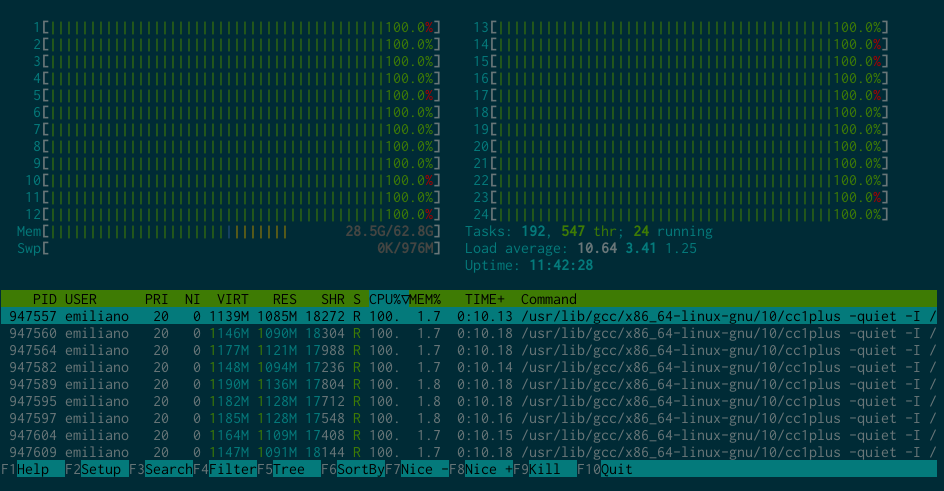
 Welcome to the 33th post in the rigorously raconteuring R recommendations series, or
  Continuing with
  I'm writing up a
 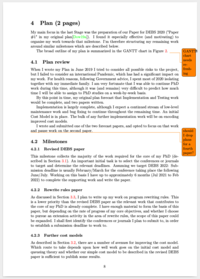 Two TODO items in the margin
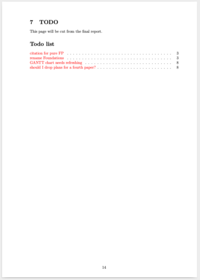 Collated TODOs in a list
 To start writing about updates regarding my GSoC project, the first obvious thing I need to do is to explain what my project really is. So let s get started.
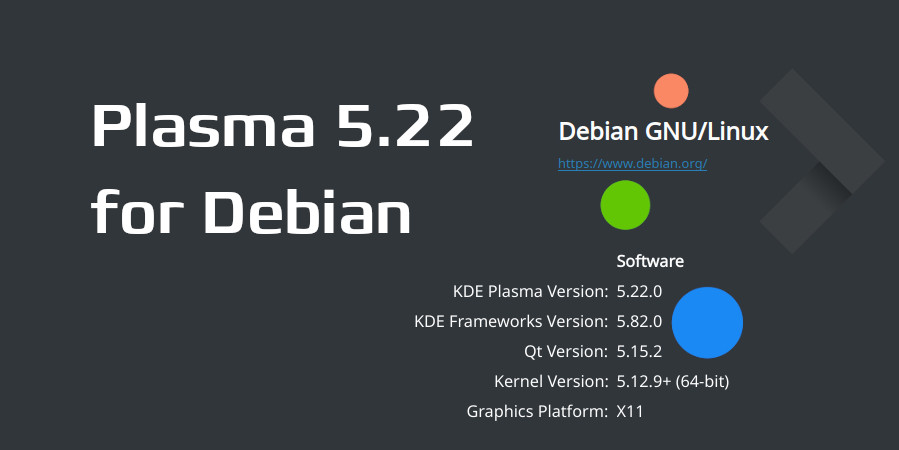 As usual, I am providing packages via my OBS builds. If you have used my packages till now, then you only need to change the
 The DebConf team is glad to announce that registration for DebConf21 Online is
now open.
The 21st Debian Conference is being held Online, due to COVID-19, from August 22 to August 29, 2021.
It will also sport a DebCamp from August 15 to August 21, 2021 (preceeding the DebConf).
To register for DebConf21, please visit the DebConf website
at
The DebConf team is glad to announce that registration for DebConf21 Online is
now open.
The 21st Debian Conference is being held Online, due to COVID-19, from August 22 to August 29, 2021.
It will also sport a DebCamp from August 15 to August 21, 2021 (preceeding the DebConf).
To register for DebConf21, please visit the DebConf website
at